KitGuru KitGuru.net – Tech News | Hardware News | Hardware Reviews | IOS | Mobile | Gaming | Graphics Cards


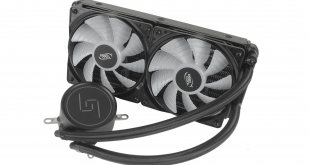
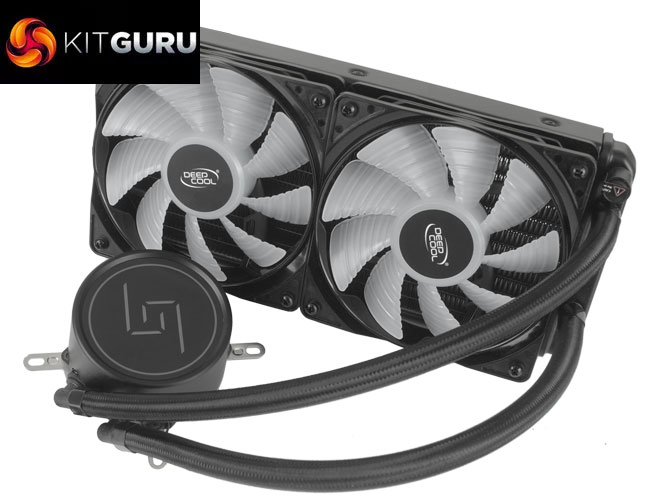
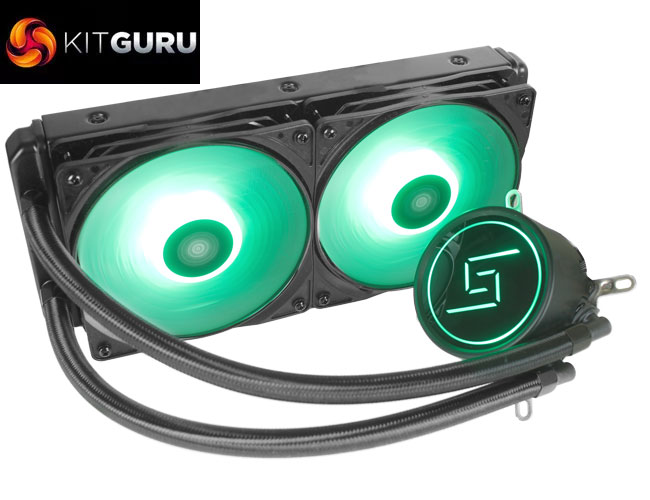
With more and more AIO coolers being released at lower prices, along with manufacturers looking to set their new products apart with unique aesthetics, the budget AIO market space is currently a great place to be. Deepcool is one company looking to capitalise on this with its GAMMAXX L240, priced at just £59.99. Not only does it offer a clean black aesthetic and backlit CPU block, but there is also full RGB lighting with support for all of the most popular motherboard lighting software suites.
https://www.youtube.com/edit?o=U&video_id=WEWEeQyV4Sk
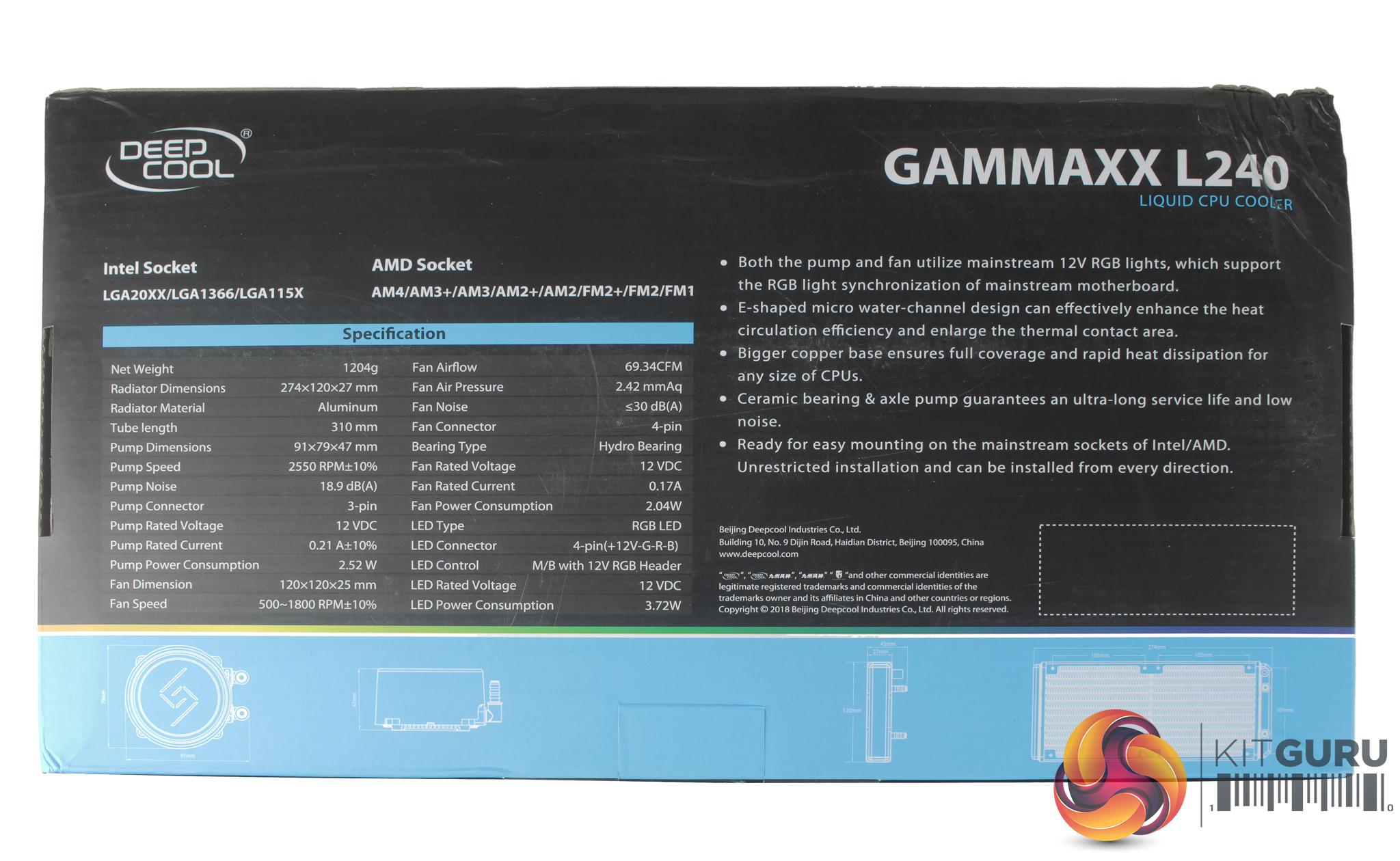
Specification:
- Model: GAMMAXX L240
- Radiator Material: Aluminum
- Radiator Dimensions: 274 x 120 x 27mm
- Tubing Length: 310mm
- Fan Dimensions: 120 x 120 x 25 mm
- Fan Speed: 500 – 1,800 RPM±10% (PWM)
- Fan Air Flow: 69.34 CFM (Max)
- Fan Noise Level: 30 dBA
- Fan Connector: 4-Pin (PWM)
- Pump Dimensions: 91 x 79 x 47mm
- Pump Noise: 18.9 dBA
- Pump Connector: 3-Pin RGB, 3-Pin Pump cable
- Intel socket compatibility: Intel LGA 20XX, 115x,
- AMD socket compatibility: AMD AM4, AM3+, AM3, AM2+, AM2, FM2+, FM2, FM1
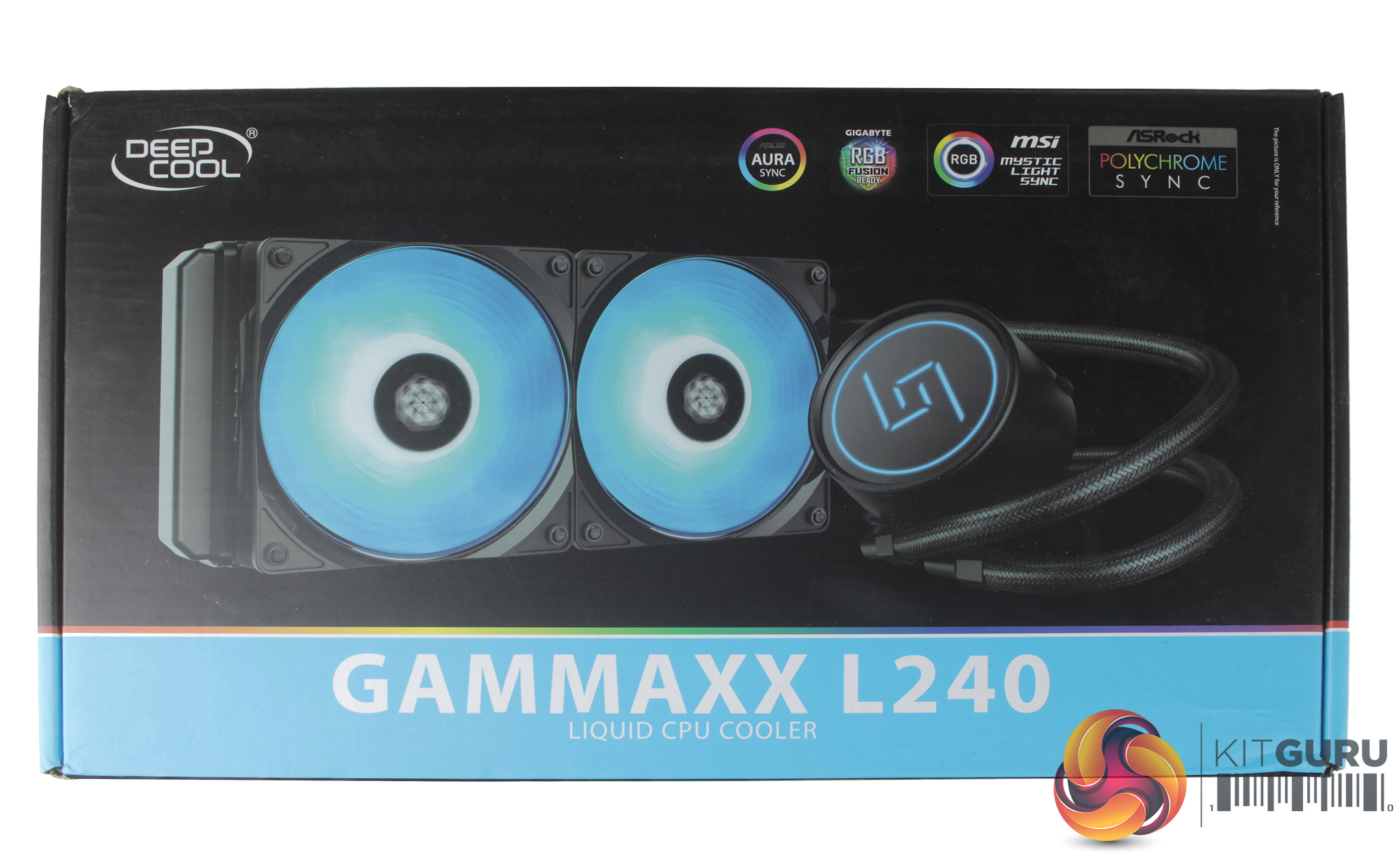
The front of the Deepcool GAMMAXX L240 box shows a large image of the cooler, and details of the RGB lighting. As the cooler utilises a standard 4-pin RGB internal header, it is compatible for ASUS Aura Sync, GIGABYTE RGB Fusion, MSI Mystic Light Sync, and ASRock Polychrome software.
The rear of the box provides a full breakdown of the cooler's specification.
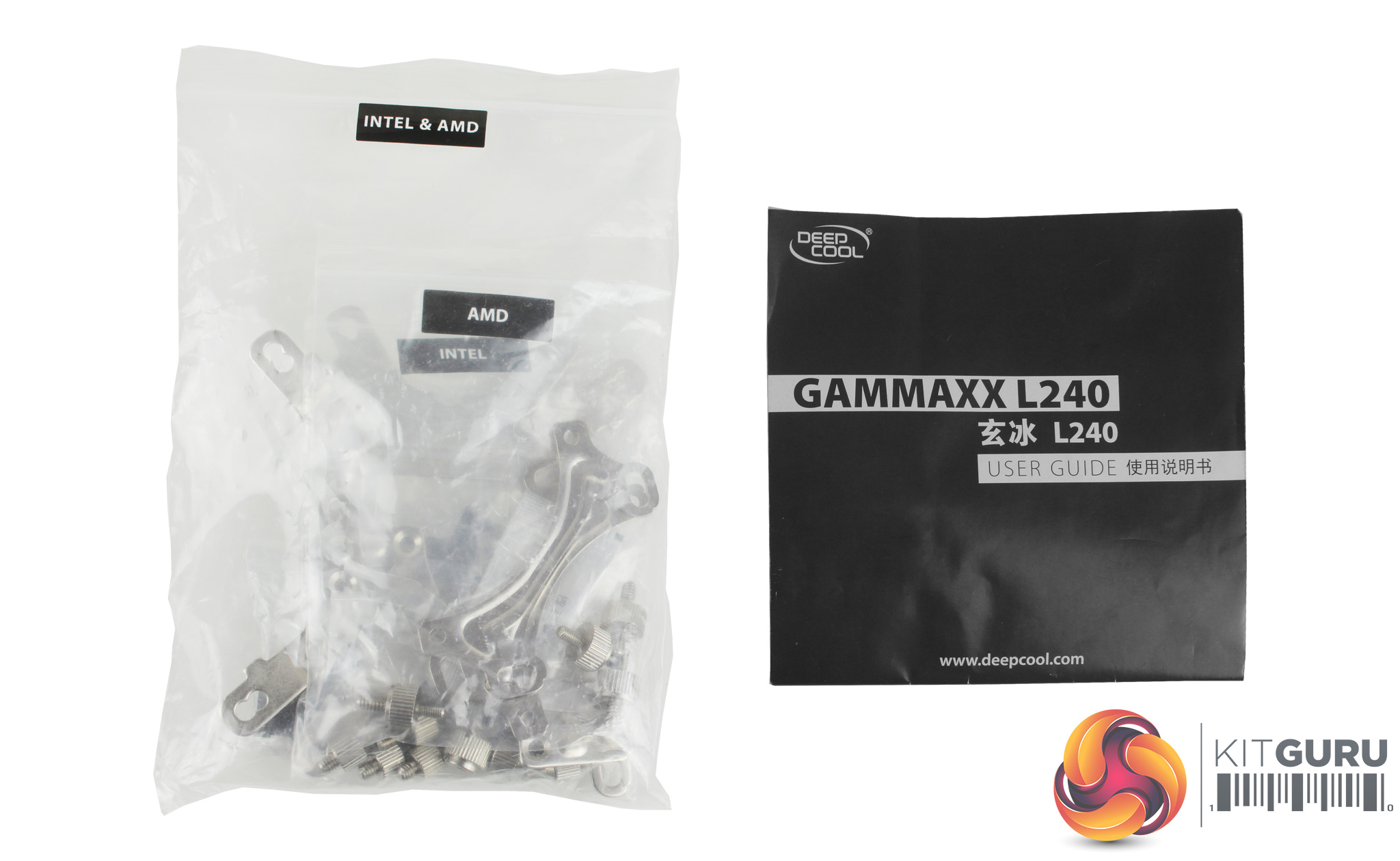
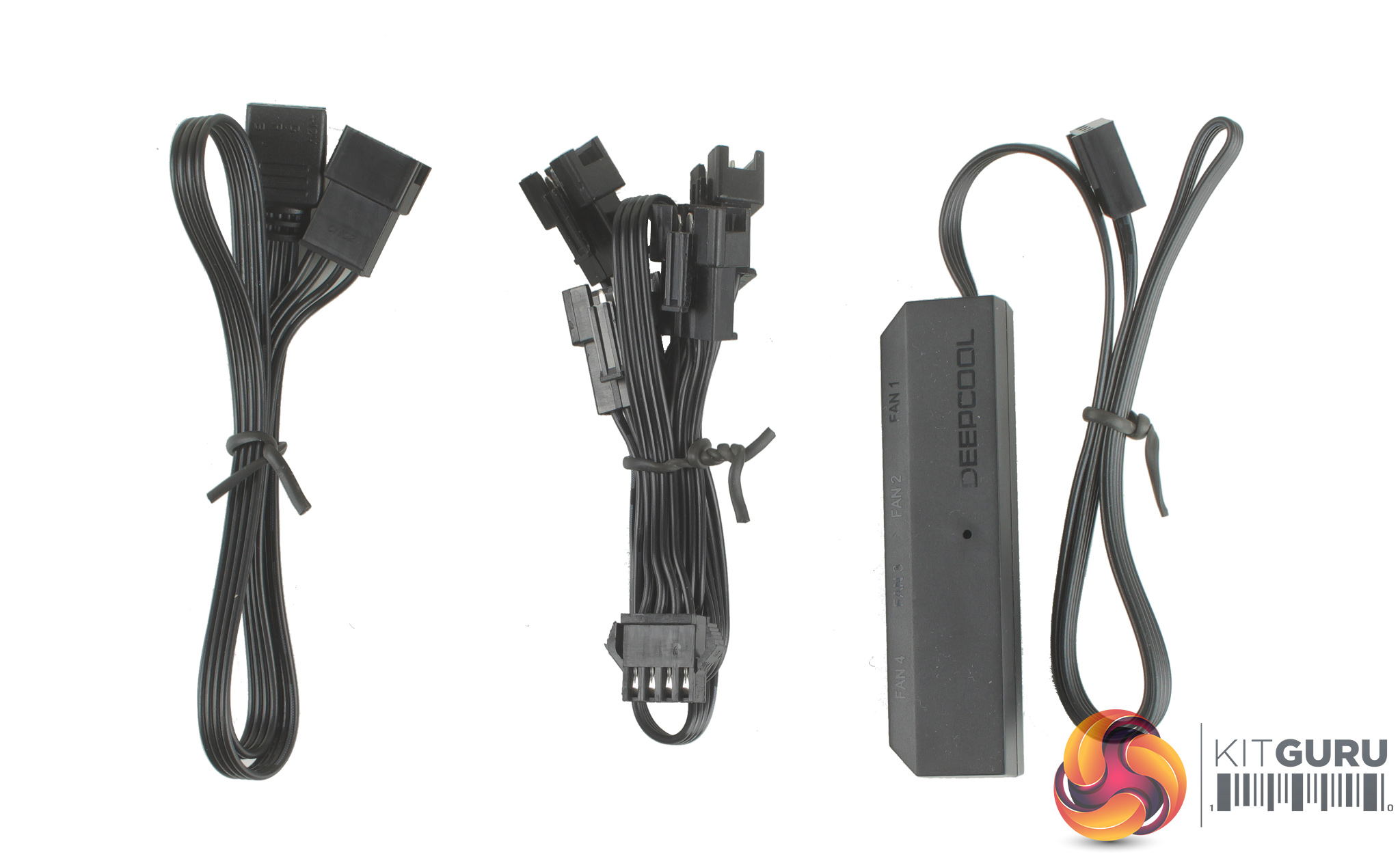
Opening up the box we find a set of installation instructions, mounting hardware for current AMD and Intel sockets and a number of cables for connecting everything up.
To get both the fans and CPU block LEDs connected, a proprietary 3-pin splitter is included with enough headers to accommodate up to four RGB devices, while a 4-pin RGB header adapter is also included. Rather than including a simple PWM fan splitter, you actually receive a rather fancy four-port PWM fan hub instead.
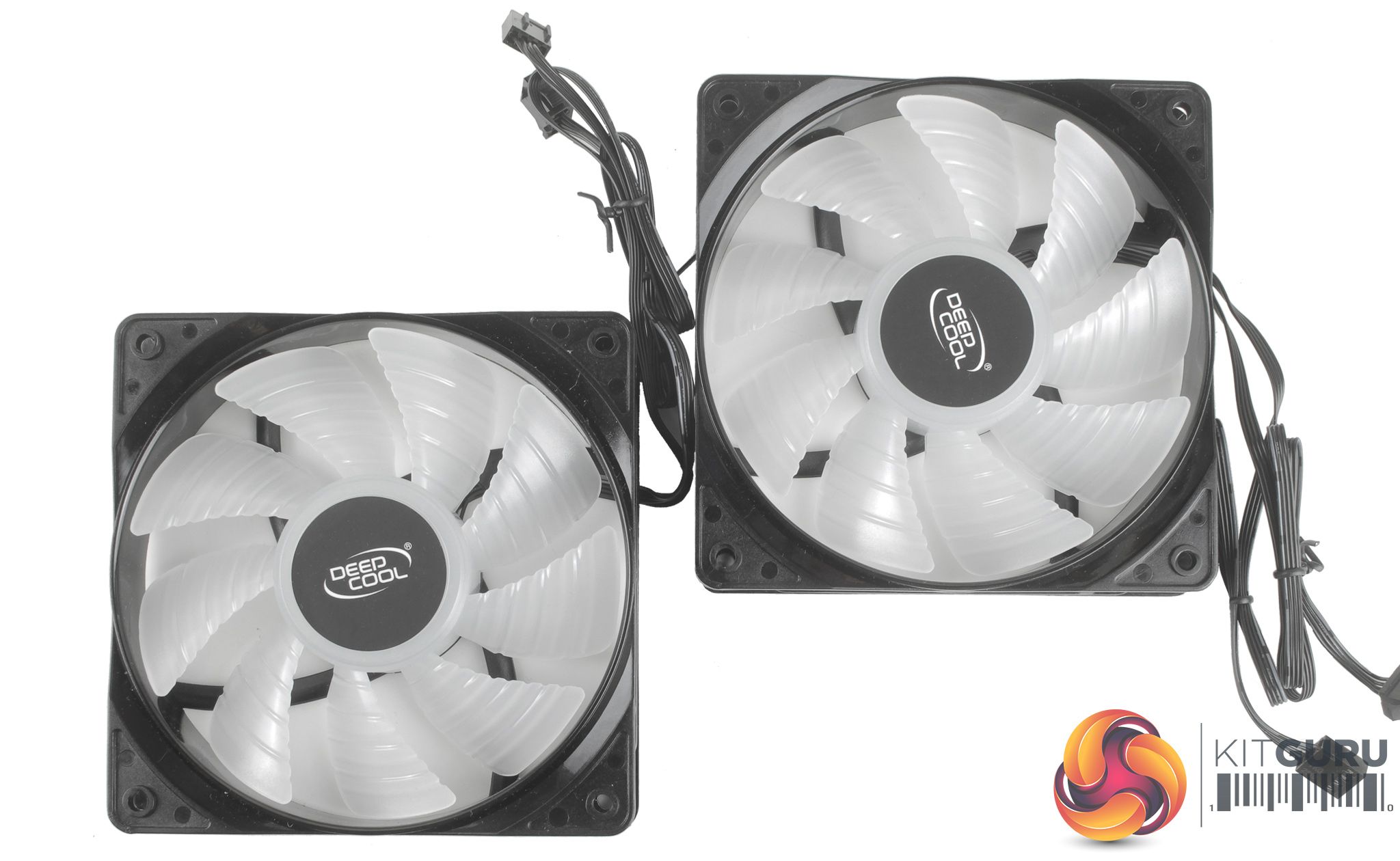
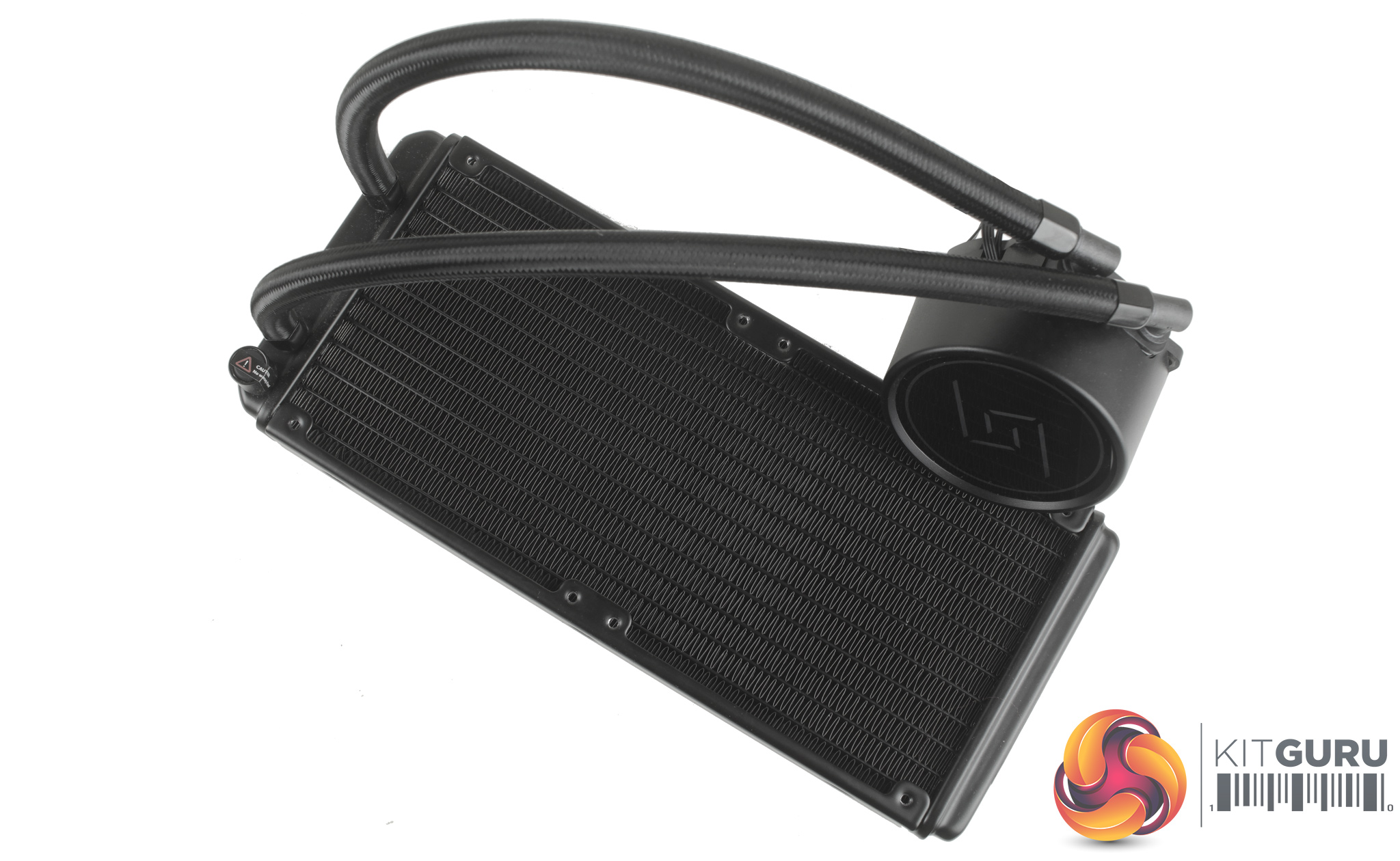
Taking a look at the included 120mm fans, it’s a little clearer that some cost saving has been employed. The plastic frames for the fans do feel a little cheap, with a small amount of flex to them when you put them under pressure.
You also won’t find any cable braiding, or even rubber isolation pads to help with vibration dampening. Both fans feature a 9-blade design, and run at speeds between 500 – 1800 RPM.
The cooler itself does feel a little lightweight and the CPU block features a similar shape and design to the Deepcool Castle 240. It’s a similar style pump, being just a little shorter, with a mirrored reflective top and the GAMMAXX logo visible.
It is nice to see that although some sacrifices have been made with the L240, they are only in areas which are really not that noticeable. Attention has still been given to the parts of the cooler you are more likely to see through your system's window, such as the CPU block and cooler tubing.
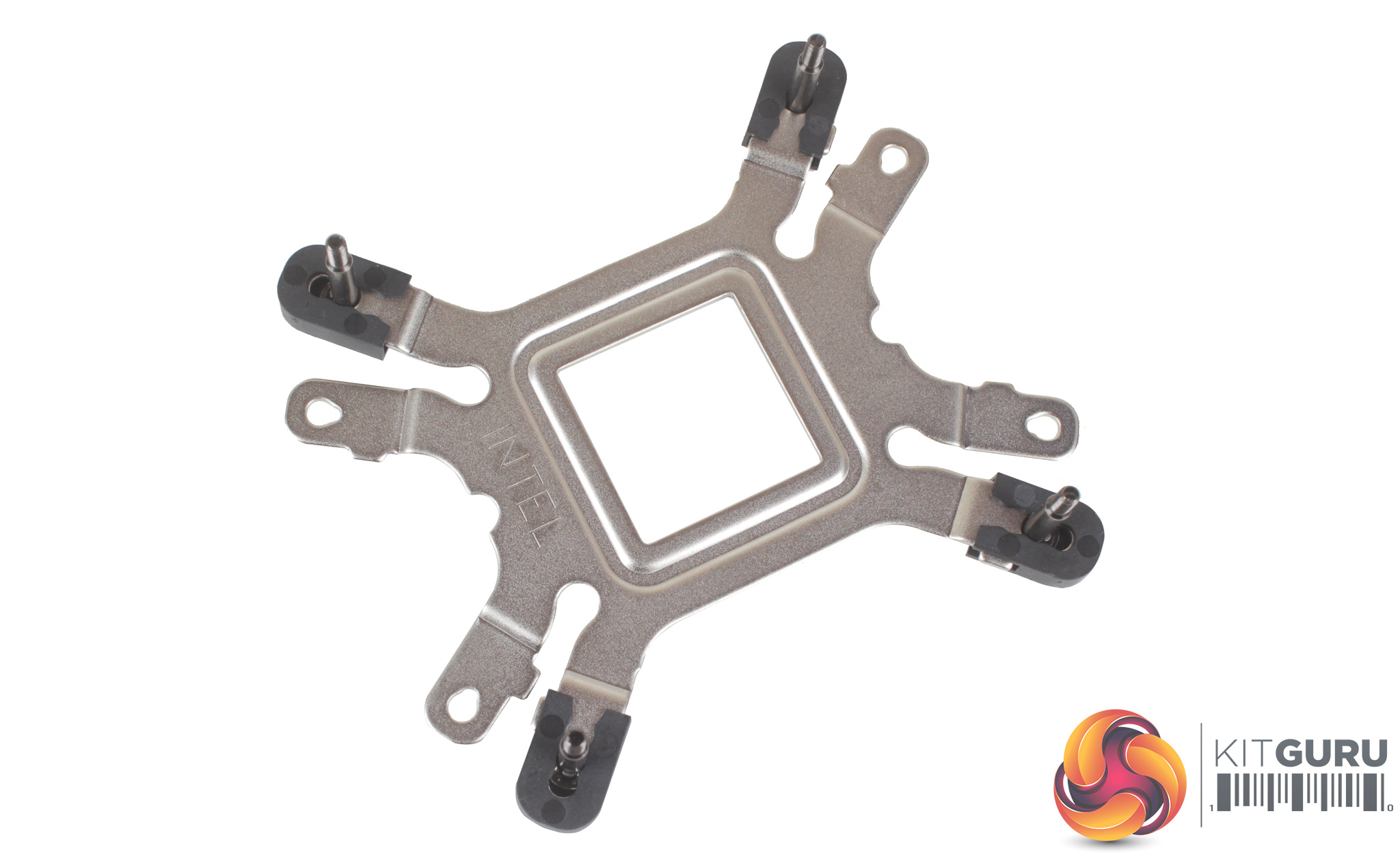
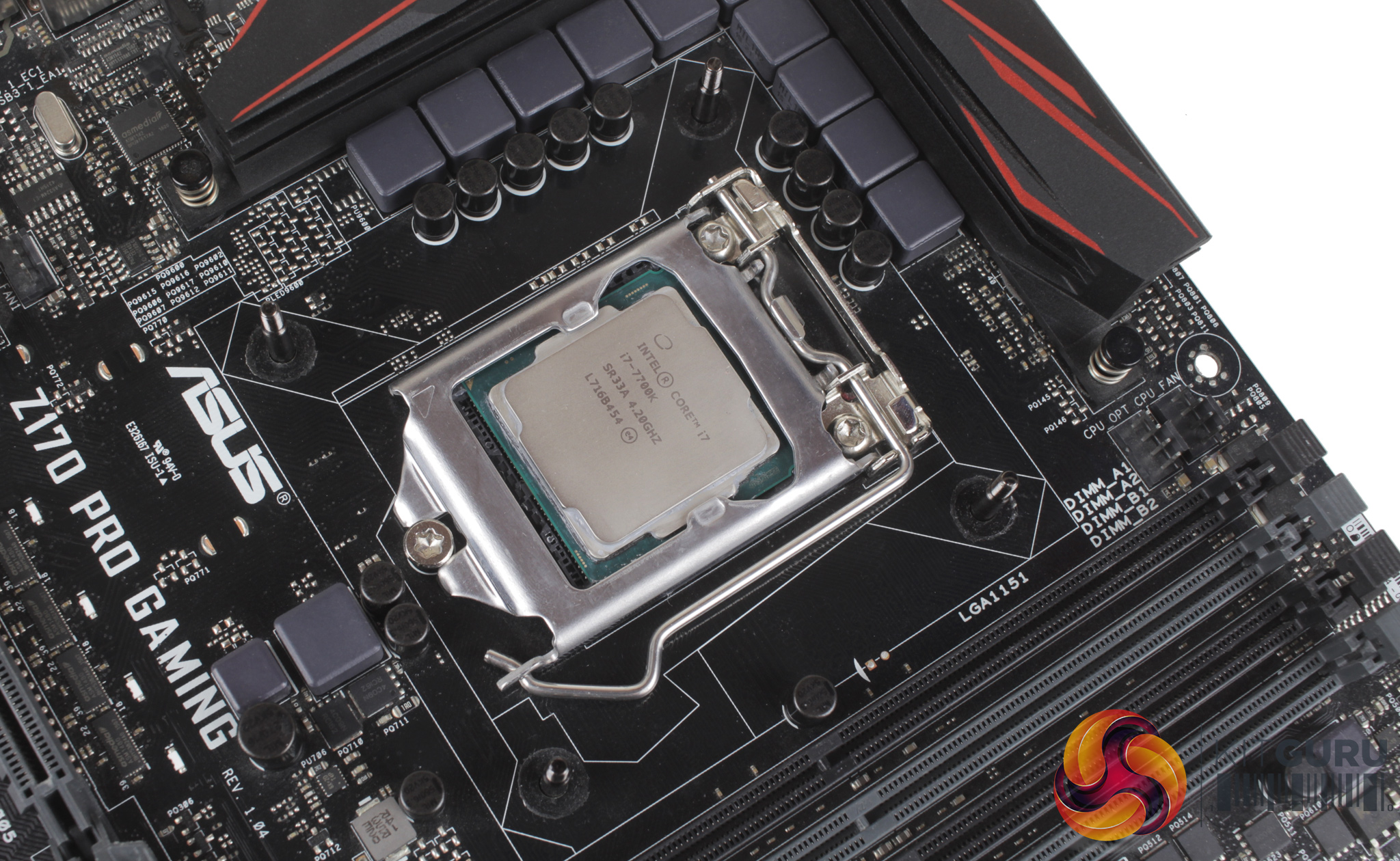
Installation starts with the backplate. First, you need to locate the correct mounting holes for your socket, as we test on the Z170 platform, the installation will reflect this. Four long mounting screws can then be passed through the backplate, and you can lock them into place with the four included plastic retention clips. With the screws firmly in place, you can install the backplate on the rear of your motherboard.
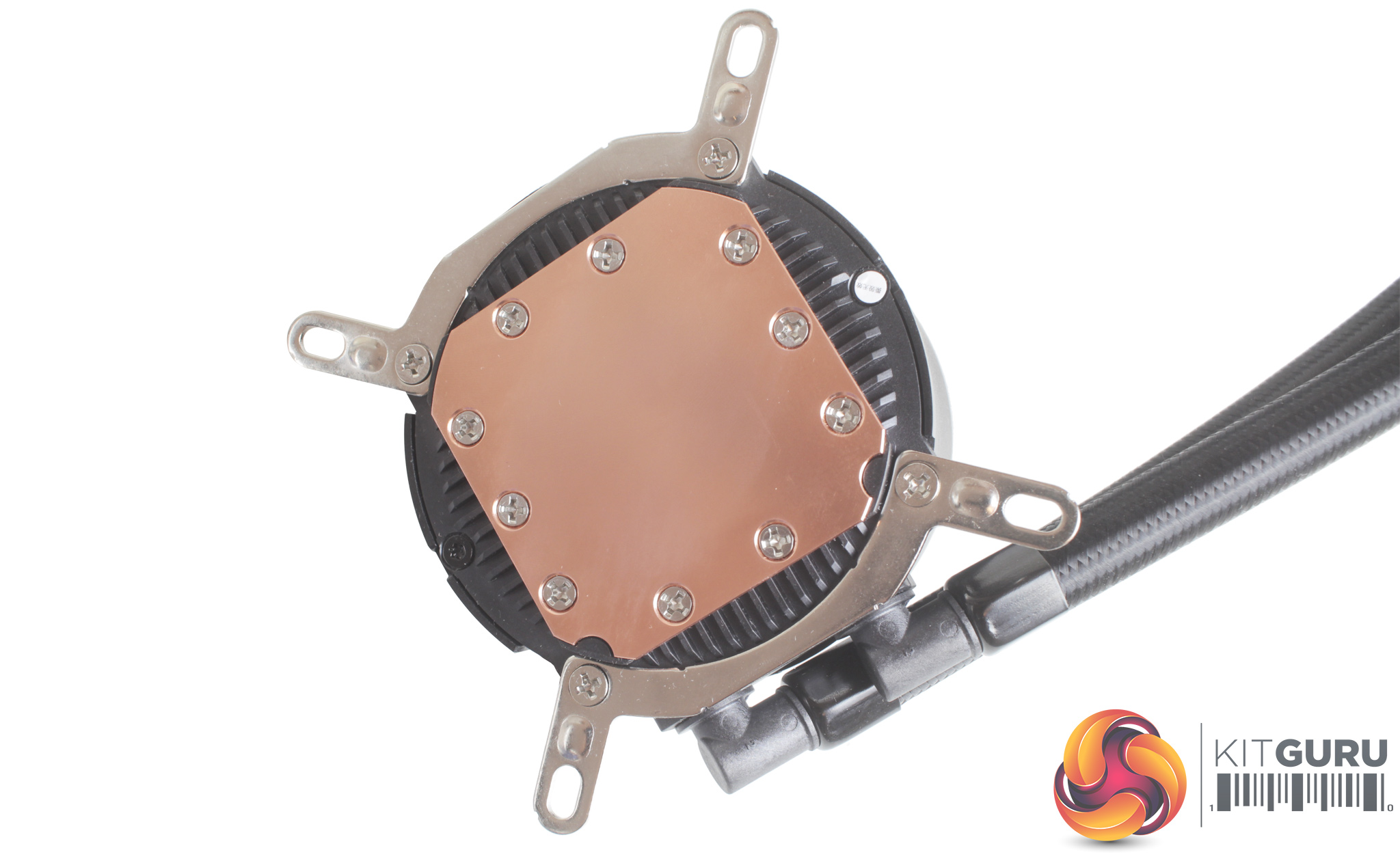
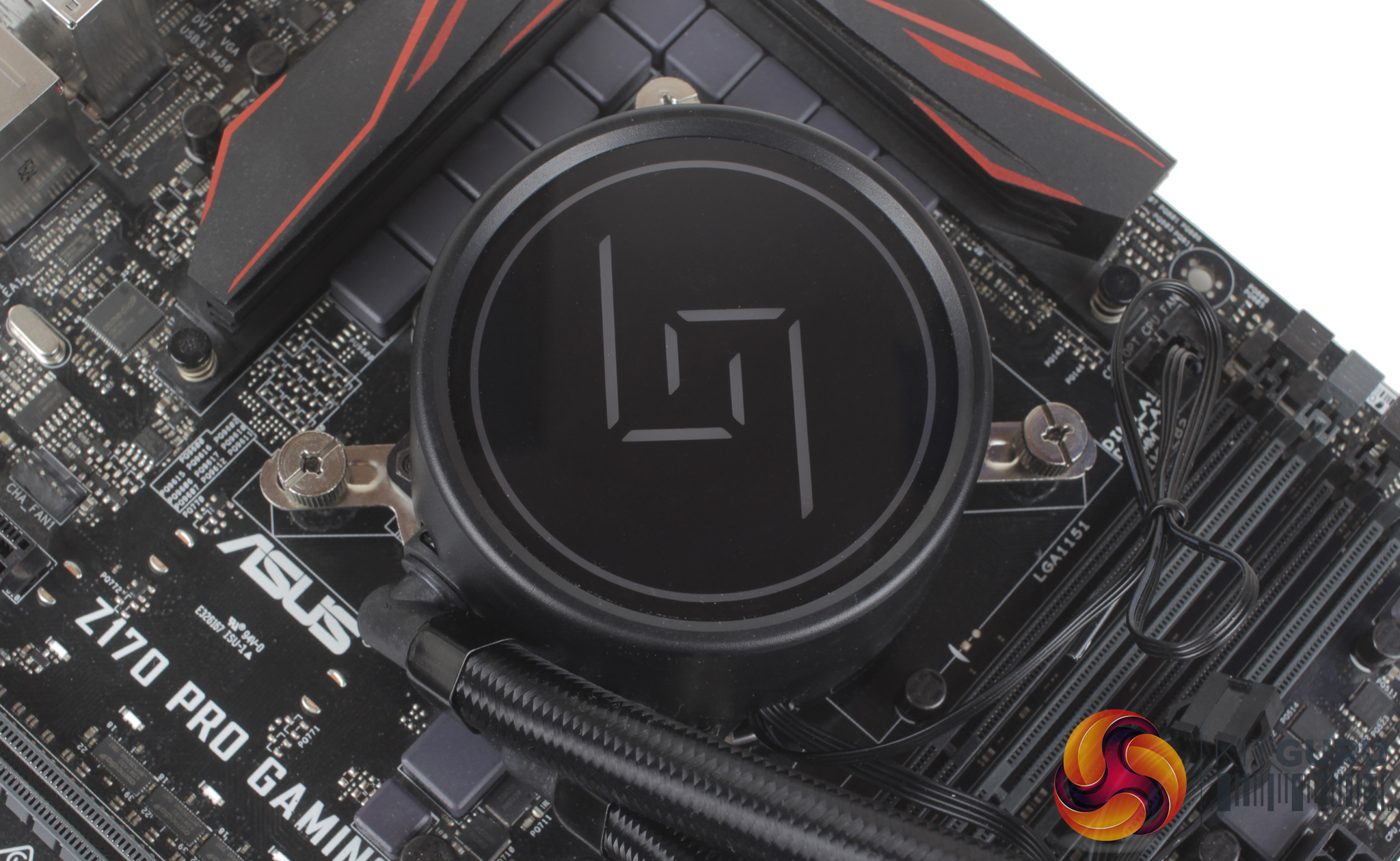
The cooler itself also needs some preparation. There are two sets of brackets, one for Intel and one for AMD which need to be installed directly on the CPU block with the included small screws. With these brackets installed, you can apply some thermal compound, place the CPU block atop your CPU, and start tightening it down with the four included thumb screws.
The mounting screws are not threaded the whole way, so once the thumbscrews no longer turn freely, the cooler is installed.
Short and long screws are included for installing the fans, and the radiator as well. Connecting up all the cables is also nice and easy. You connect both the fans to the included hub, then the hub to your motherboard CPU fan header, while the 3-pin pump power cable connects to the CPU Opt header. Both the fans and CPU block's 3-pin LED connections can all be plugged into the included adapter, and then to your motherboards 4-pin RGB header.
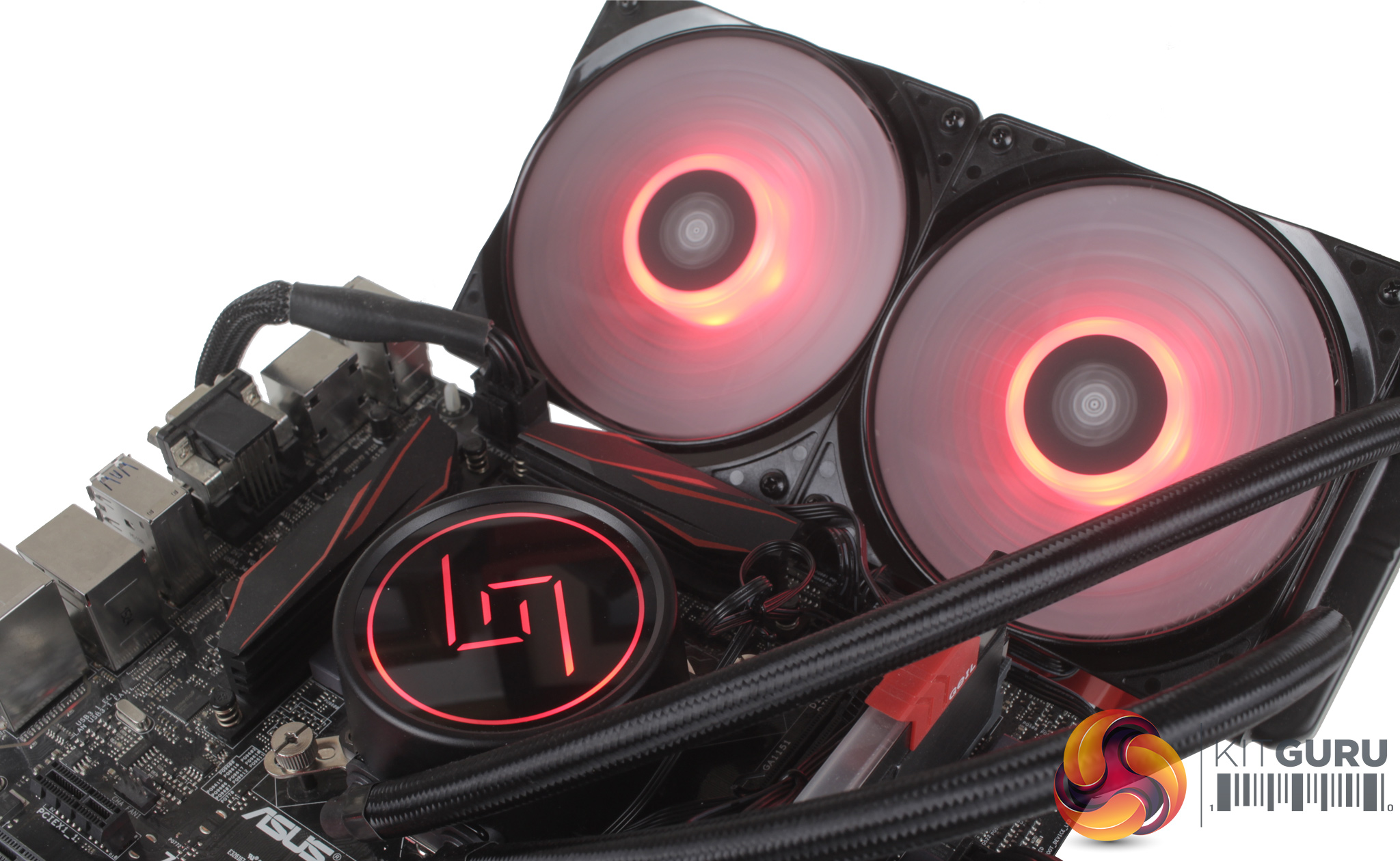
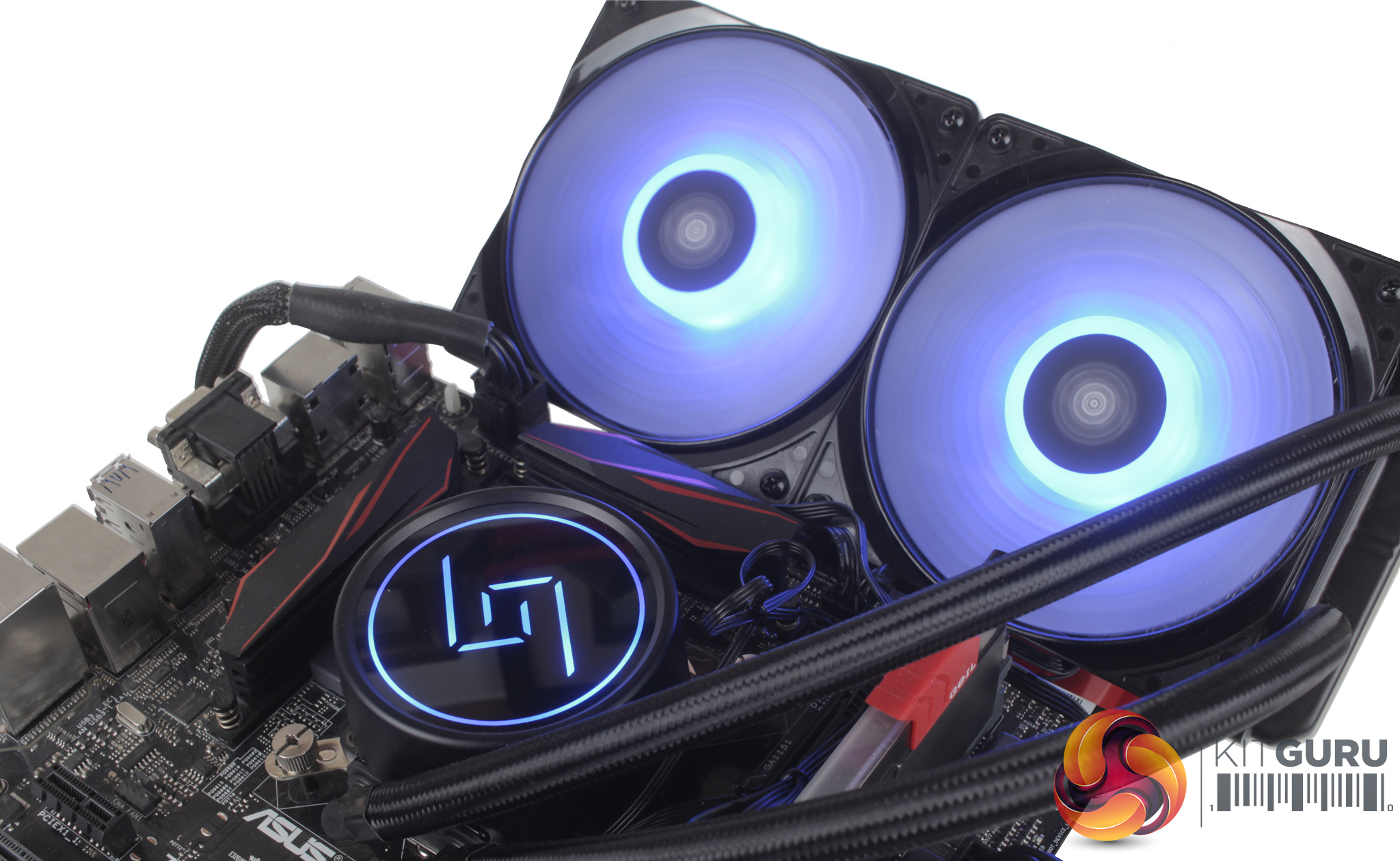
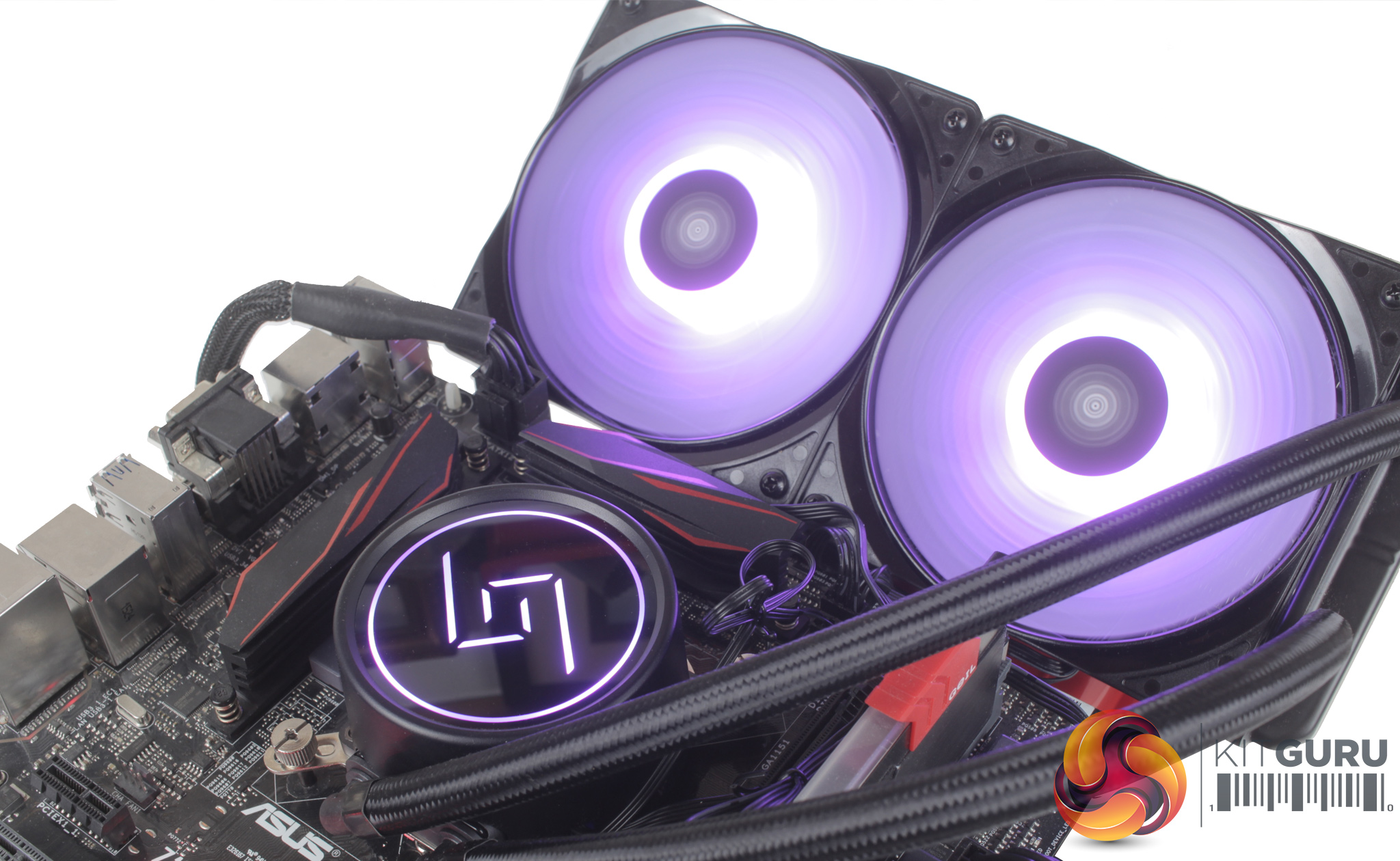
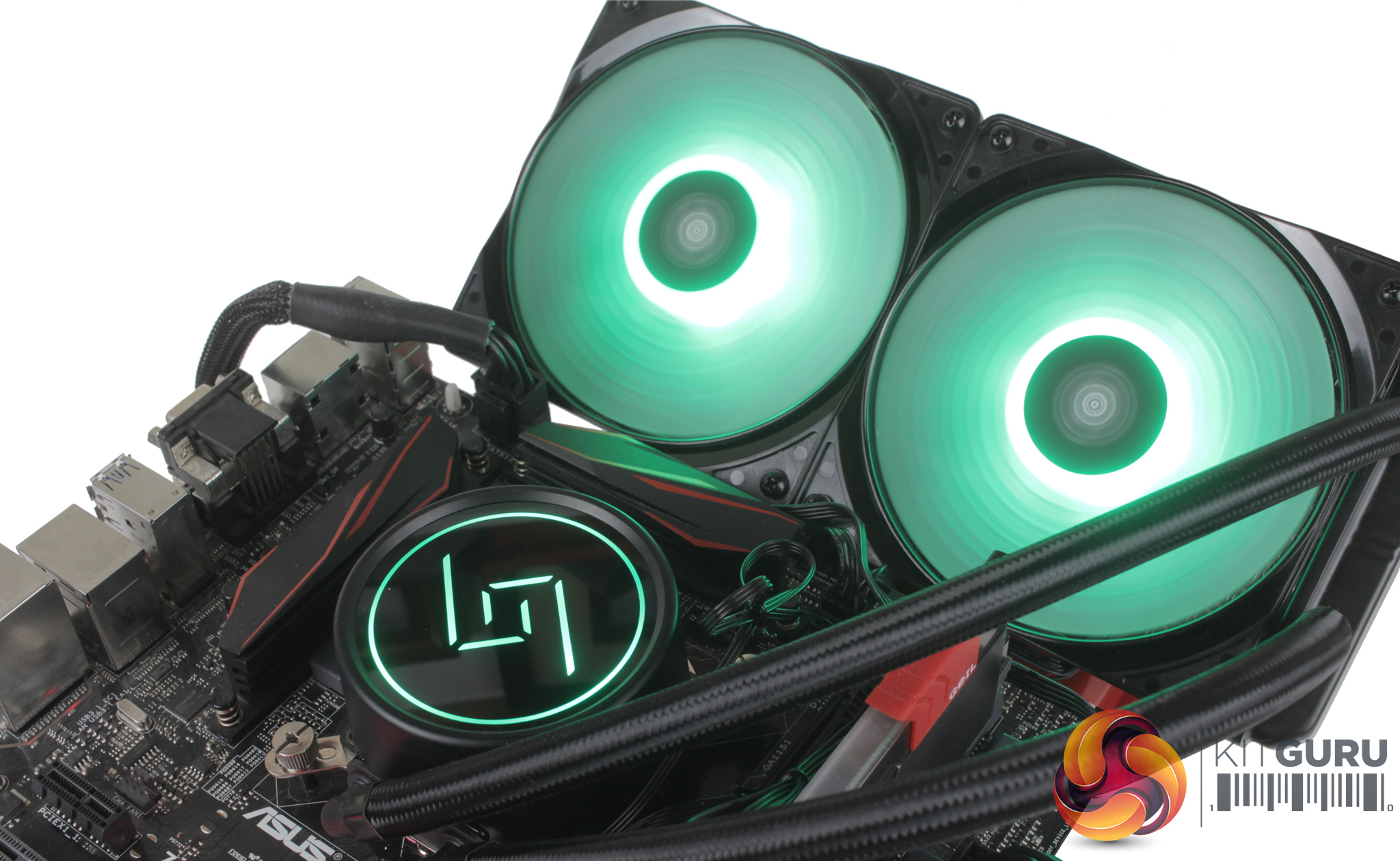
As our test motherboard doesn't have an internal RGB header, an inline controller was used to get a sense of the different effects and colours.
Firstly I have to say, wow – the LEDs are very bright. With a lot of coolers I’ve tested previously, you really only get a sense of the lighting in a dim or completely dark room, but the GAMMAXX L240 lights still shone through very clearly, even in brighter conditions. Running through some effects, strobing and breathing look really good, and the lighting on the CPU block also projects the GAMMAXX logo really well.
For the money, it is simply an excellent RGB implementation.
To test all CPU coolers, we devised an easily repeatable test with no variables other than the coolers themselves. This ensures that figures from every cooler we test are comparable with each other.
Test rig
At KitGuru we have recently updated our testing setup, and now test temperatures on the Z170 platform. For the CPU we are testing with the Intel Core i7-7700K installed in a ASUS Z170 Pro Gaming motherboard. For RAM we have a single 8GB stick of Geil EVO X RGB for some added bling running at 3200MHz, and storage is handled by a 120GB SanDisk SSD Plus. Powering our bench is a Seasonic Prime Platinum 650W PSU.
The test process
For testing, we run a number of tests including 4 separate temperature readings per cooler. We first measure the idle temperature of the i7-7700K locked in at 4.0GHz before measuring its temperature under load at the same frequency.
For a representation of overclocks, we run the i7- 7700K at 4.5GHz with a 1.275 Vcore applied both at idle and load. Following this we run the i7- 7700K at 5.0GHz with a 1.35 Vcore as well to really push thermal limits. The temperatures we present are temperature deltas, where the ambient temperature of the testing environment is deducted from the temperature taken from the CPU for both idle and load. We are aware that a 4.5GHz overclock with a 1.275 Vcore applied is not representative of the best setting possible for the i7-7700k, but this does allow us to simulate performance of coolers whether you are using a less powerful CPU such as an i3 or i5 processor, or a more powerful hotter CPU like our overclocked i7-7700k.
An idle reading comes from leaving Windows on the desktop for 15 minutes. A load reading comes from running Prime95’s (version 26.6) Small FFTs test for 15 minutes – enough time for temperatures to plateau. We use HWInfo64 v5.82 to measure temperatures.
Noise output
We measure noise levels with our sound meter positioned 1 foot away from the test bench. The peak noise level is presented. We have measured the noise floor (i.e. ambient noise levels of the room) to be 34 dBa, and when tested at stock clocks, the vast majority of coolers do not emit noise levels above this figure. Thus, we present one chart with noise levels taken during our overclocked CPU test run.
Temperatures
All temperature charts are sorted with lowest load temperatures at the top.
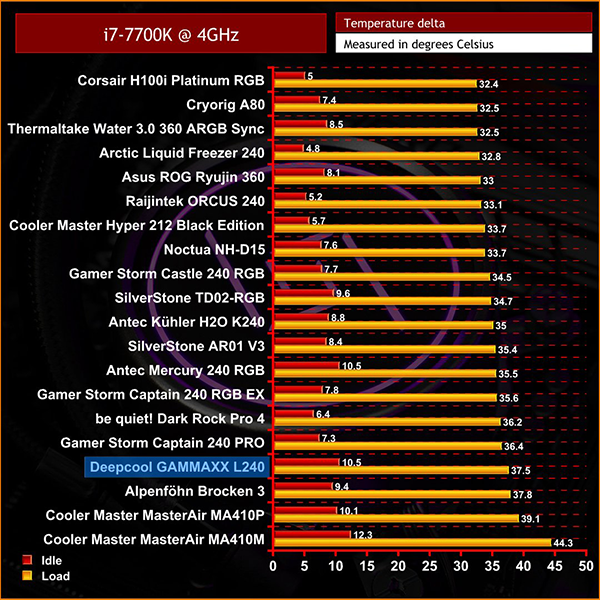
Starting at our stock 4GHz, unfortunately the GAMMAXX L240 is nestled in with a number of air coolers toward the bottom of our rankings. It still sits quite close to both the Gamer Storm Captain 240 Pro and Captain 240 RGB EX, but its closest competitor in terms of price – the £60 SilverStone TD02-RGB – does perform a little better at this frequency.
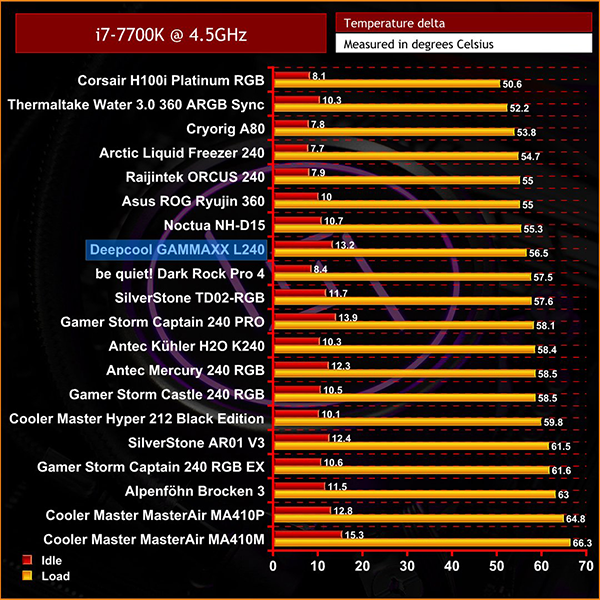
At 4.5GHz, the L240's fans basically ramped all the way up to full speed and stayed there, making it suddenly much more audible. This did lead to some more impressive temperatures, though, and sees the GAMMAXX L240 actually overtake the TD02-RGB.
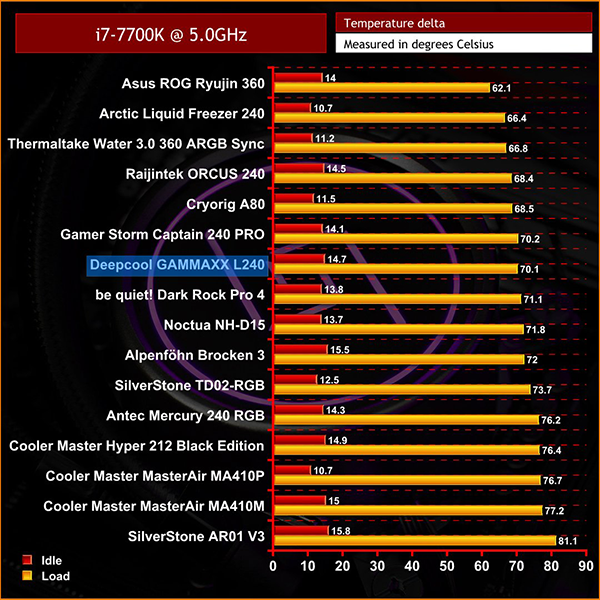
With our 5GHz testing, there wasn’t any real audible difference in fan noise moving up from 4.5GHz, with the fans spinning at essentially the same speed. Even at this higher overclock, the GAMMAXX L240 still sat in a similar position, just above the TD02-RGB.
Noise levels
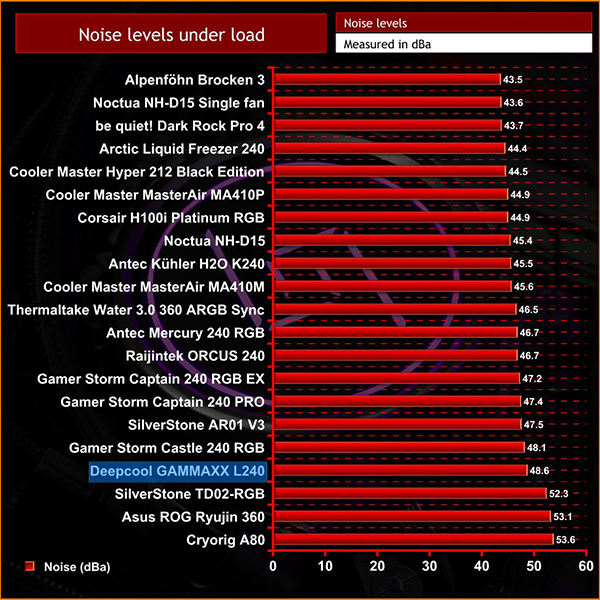
As we mentioned, the L240 is fairly loud – though not quite as loud as the TD02-RGB. It wouldn't be for anyone looking for a dead-silent CPU cooler, but at this price you expect some sacrifices – and it is still quieter than the TD02-RGB, despite outperforming it at 4.5GHz and 5GHz.
Overall, the GAMMAXX L240 does show that you can get quite a bit for your money, as it is still really feature rich even at an entry-level price. Personally, I think the cooler looks really good, and I’m a big fan of the discrete CPU block that really comes alive once your system is powered up.
The lighting is also surprisingly bright and would do a really good job of lighting up your whole system by itself. So for £60, Deepcool has nailed the aesthetic side of things.
As for the performance, the L240 did well across the board. It wasn't troubling the likes of the Corsair H100i RGB Platinum, but it did manage to outperform the SilverStone TD02-RGB, with both models costing £60.
Looking at the big picture, there are clearly a few areas Deepcool had to cut back on to meet this price point – things like the lack of included RGB controller and quality of the included fans. It impresses where it matters most, however, offering competitive performance and attractive design for the money.
So, overall the Deepcool GAMMAXX L240 is a really solid cooler for £60, with the low price making it perfect for a first time builder or someone looking to upgrade to liquid cooling.
The Deepcool GAMMAXX L240 is currently available from SCAN for £59.99 inc. VAT HERE.
Pros
- A very accessible price point of £59.99.
- Braided tubing is great to see at this price.
- Super bright LED lighting both on the CPU block, and fans.
- Outperforms similarly-priced AIOs.
Cons
- No included RGB controller.
- Fans do feel a little plasticky, and lack vibration dampeners.
KitGuru says: Priced at £59.99, the Deepcool GAMMAXX L240 offers simply excellent value.