KitGuru KitGuru.net – Tech News | Hardware News | Hardware Reviews | IOS | Mobile | Gaming | Graphics Cards


It's a self-evident truth that our requirement for storage will never stop increasing. While the cloud promises plenty for the future, up and download speeds will need to increase several fold before we can do away with local storage. That leaves NAS and internal drives. Icy Box offers a handy solution for those who want direct drive access.
Most enthusiasts reading this will have upgraded and migrated many, many times over the years. Each time, you set up your new system, install your apps and port your data across as best you can. Finally, you try to make good use of your old drives.
Companies like Synology provide excellent systems for the external storage of important/archive data, but what if you want to keep your old drives inside your new system? And what if you have more drives than bays?
The Icy Box Trayless range of hard drive cages is one solution to this problem and we are going to be exploring the more advanced of the 3 models available, the Icy Box MB973SP 2B FlexCage.
They are made from aluminum and rigid plastic, and this kind of product is available for around £100 at the time of writing.
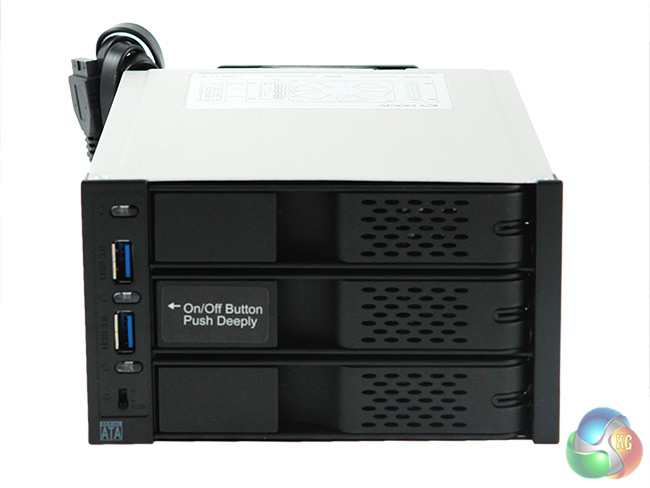
For further control, you can turn each drive on and off using one of 3 small, child-proof buttons on the front of the Icy Box FlexCage.
Here are the key features:-
- Fits 3 x 35” SATA III HDD into 2 x 5.25” Device Bays.
- Supports SATA 3 (6 Gb/s) hard drives.
- Compact and space saving design to fit multiple drives.
- Designed for consumers & enthusiasts gaming / media computer cases and servers.
- Tray-less design for genuine plug & play and hot swap use.
- Front and rear ventilation slots.
- 80mm cooling fan for maximum air flow.
- 3 speed fan control, including auto setting featuring Smart Cooling Technology.
- Lightweight aluminium body construction for durability and heat dissipation.
- Fan is replaceable with aftermarket fans that use standard 2-pin or 3-pin connectors.
- SuperSpeed USB 3.0 hub built into front of device for performance and easy access.
- Individual power switches and LEDs for each drive.
- Active Power Technology+ – cooling fan and drive only powers up when the child proof power buttons are pressed.
- Flex Fit Design – accommodates different 5.25” tab lengths for different type of cases.
- Multi-locking door latches to prevent accidental drive ejection.
- Two 4 pin to 15 pin adapter cable included for 15 pin SATA power ports.
- ICY DOCK 3 year warranty equivalent to hard drive manufacturer warranty to ensure maximum reliability and long life.
Initial impression is that the design is simple, efficient and server-like in appearance.
Physically, it takes up around the same amount of space as a pair of ROM drives on top of each other and that's actually one of the products strongest selling points.
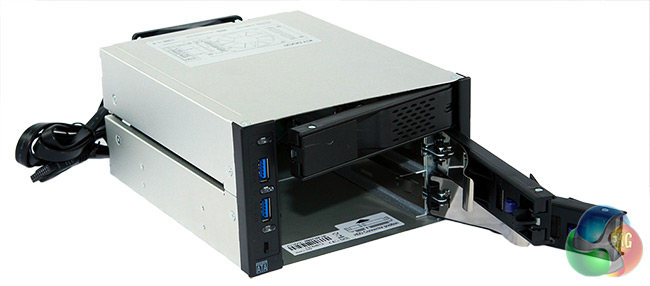
While it occupies two 5.25″ drive bays in a full sized chassis, it can actually hold 3 full sized hard drives, each of which click easily into place through the spring-loaded front doors.
If ordered online, the product comes in a cardboard box with white polystyrene holders inside which should prevent damage. The package box itself is neat and tidy, with a clear explanation on the outside of what the product does.
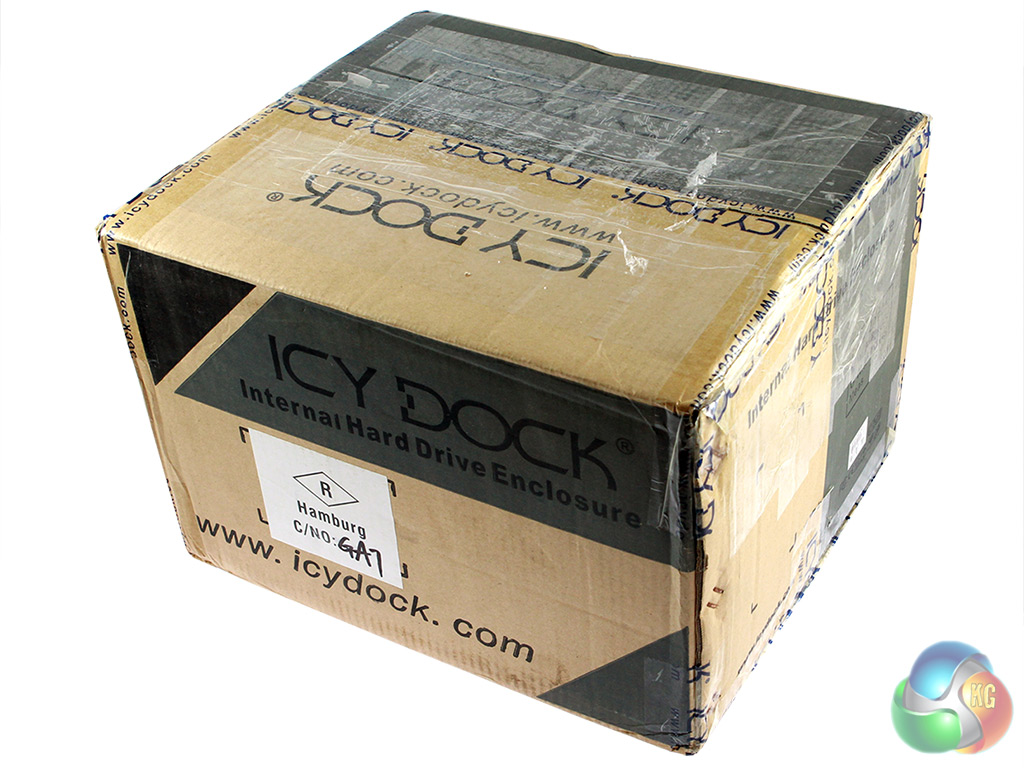
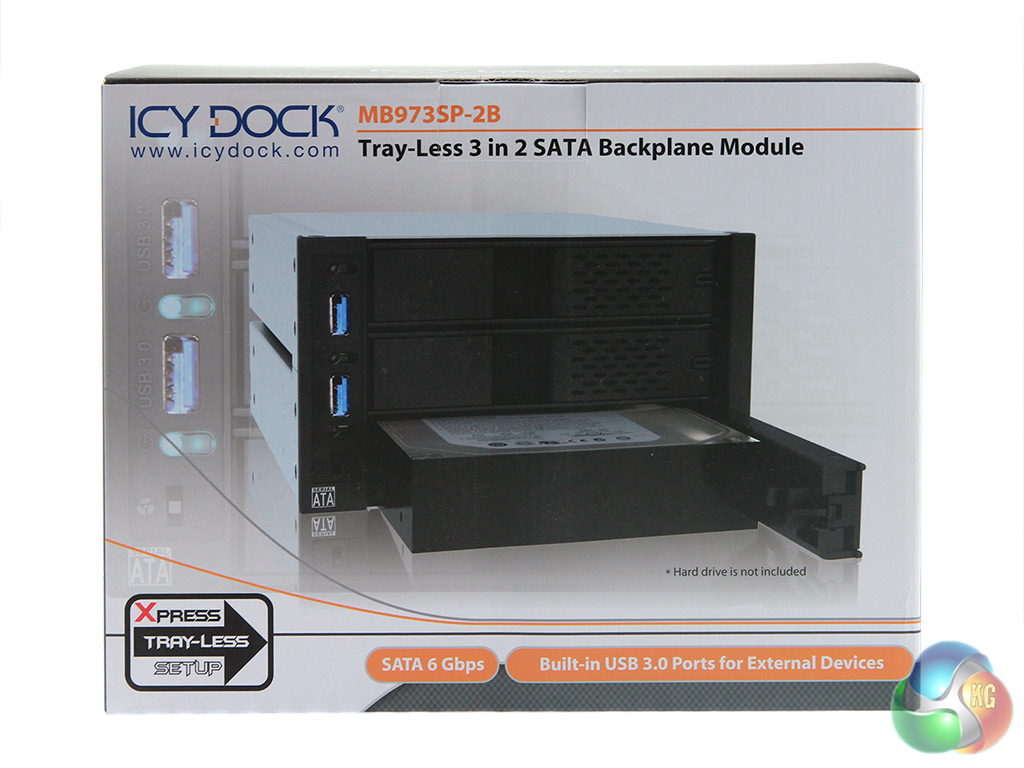
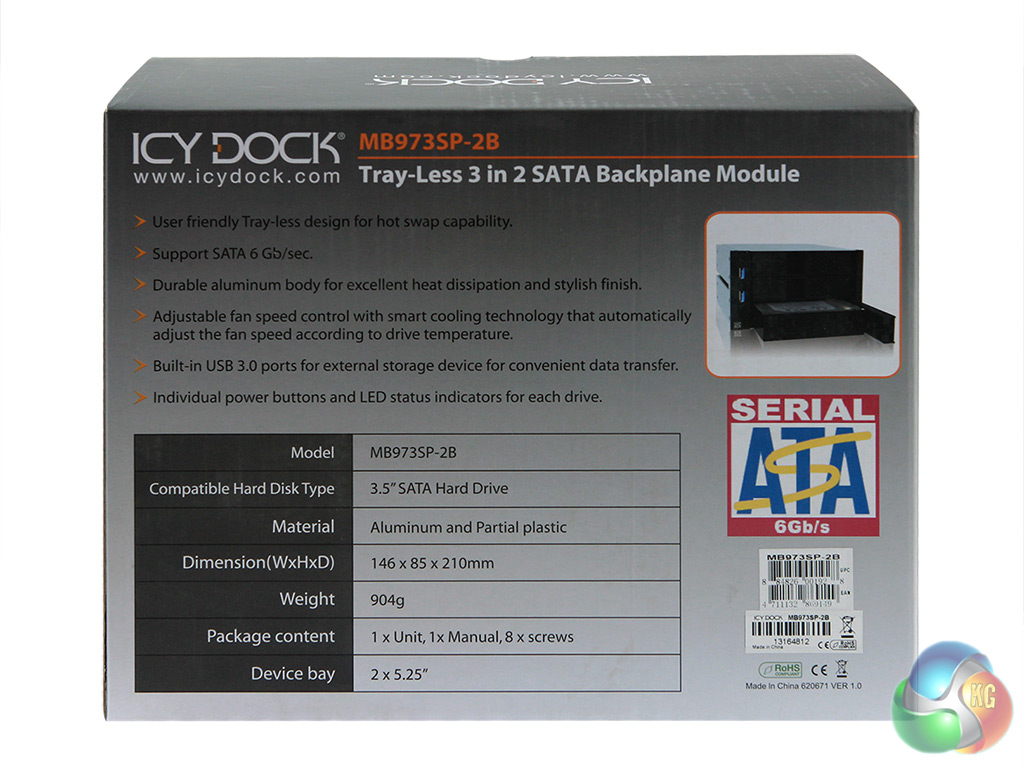
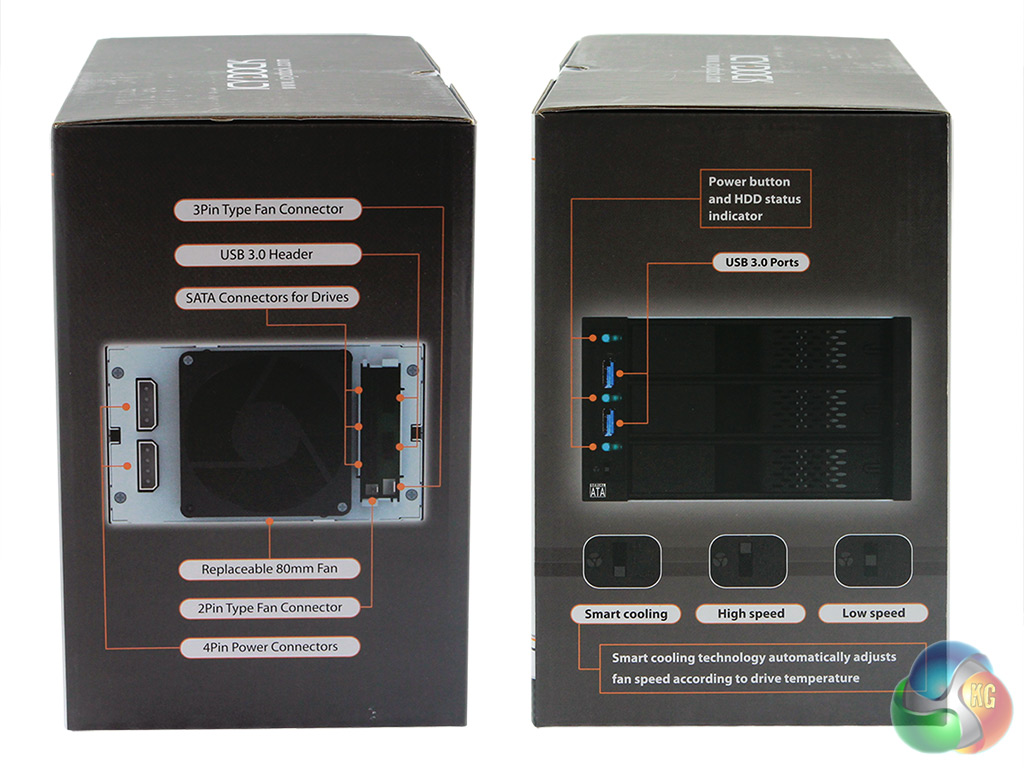
The simple black design will suit most chassis without jarring the eye.
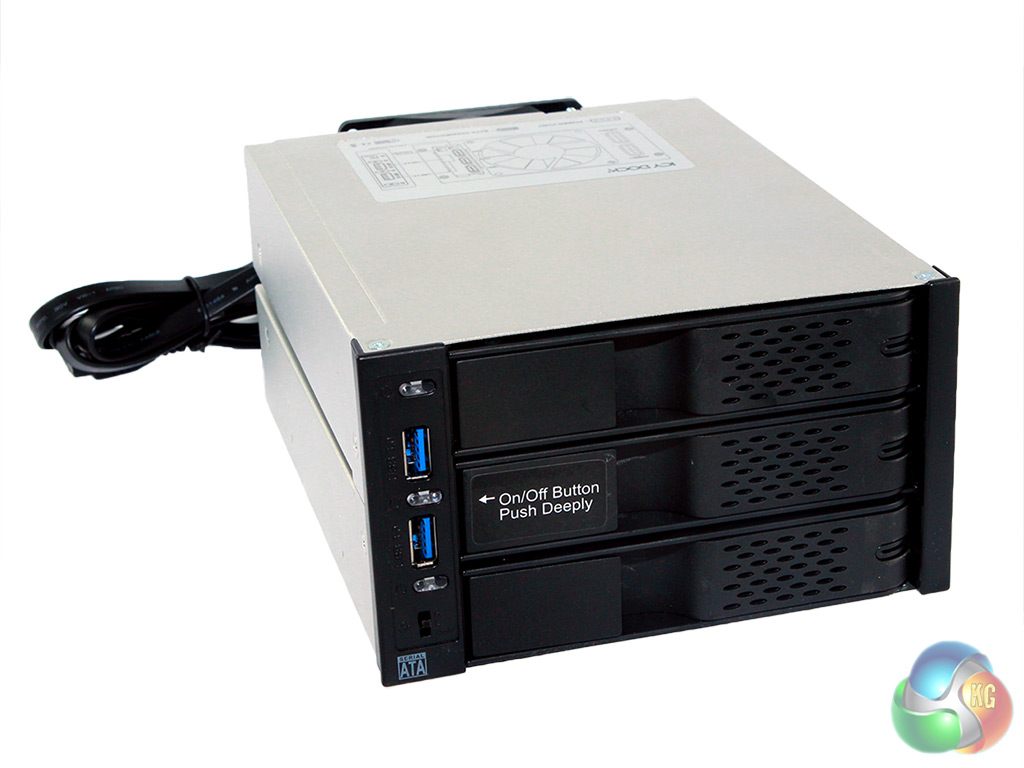
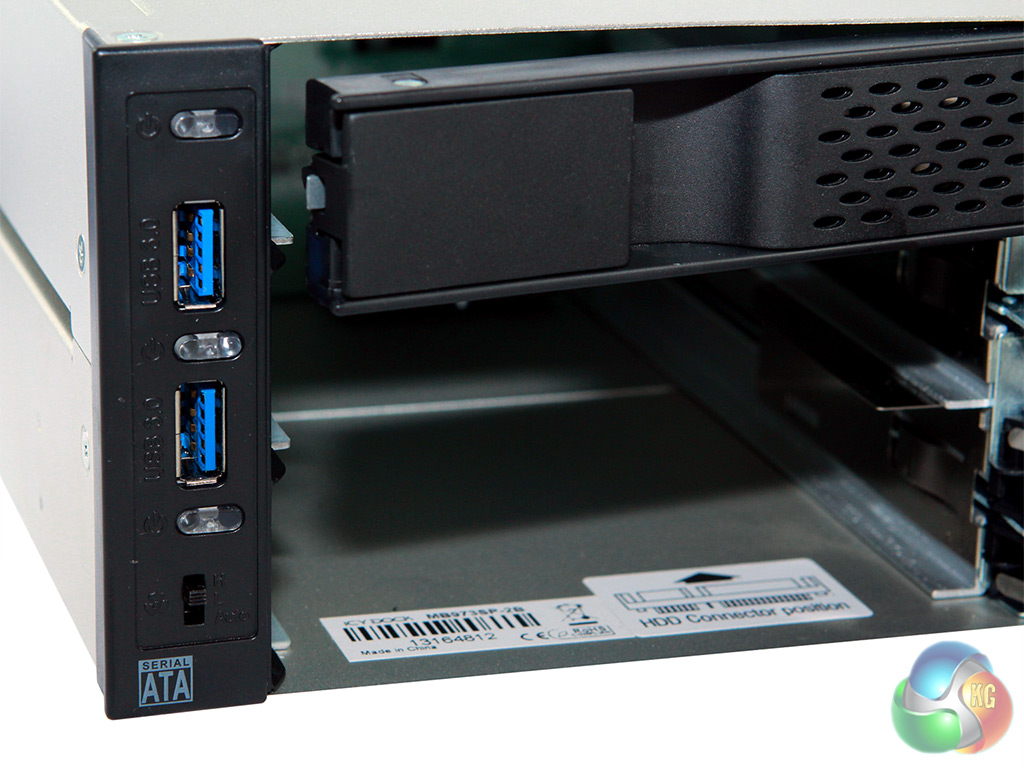
Installation is fairly straightforward with the Icy Box FlexCage's simple lines.
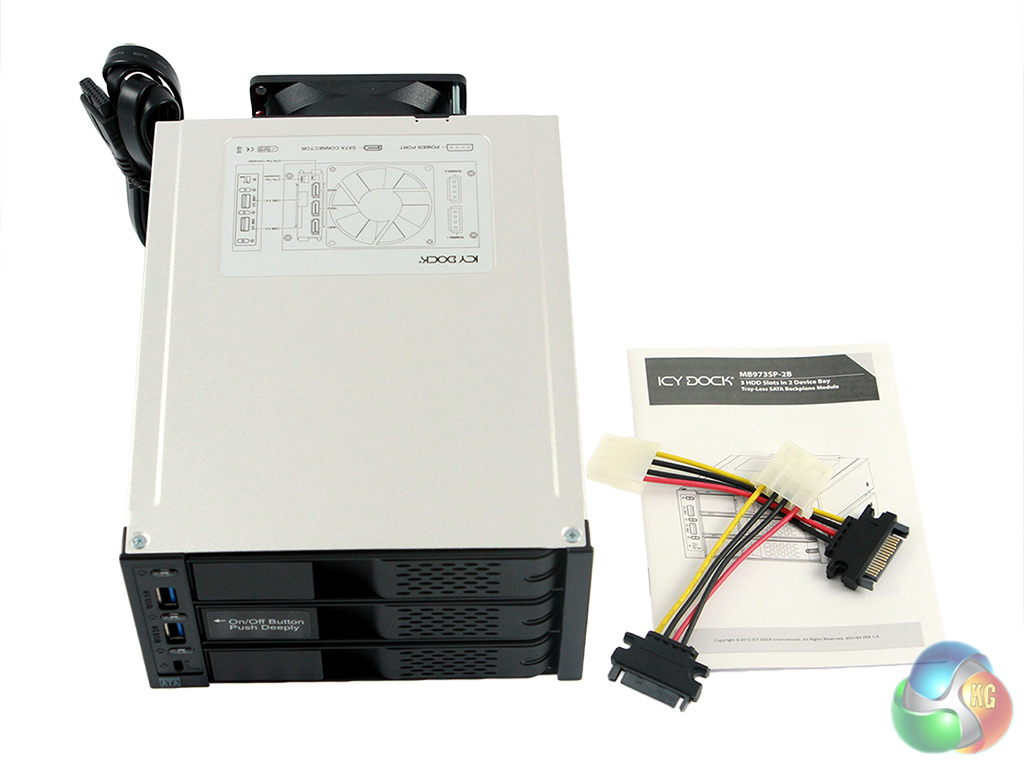
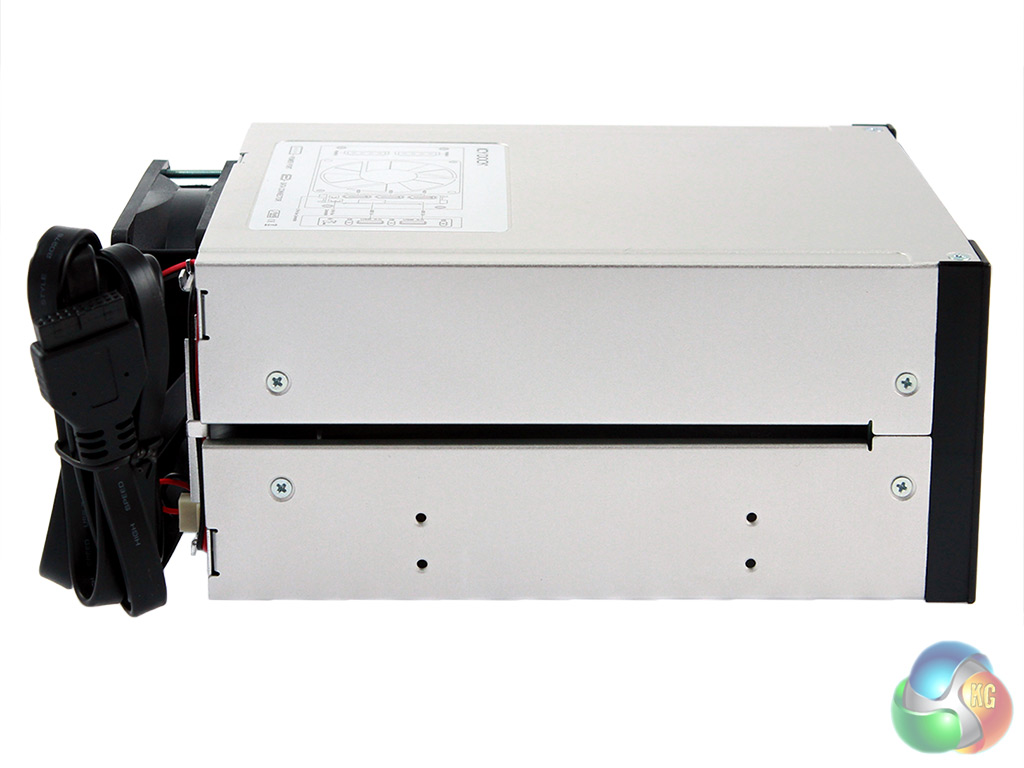
At the back of the cage is a pair of molex connectors, delivering enough juice for 3 drives, while on the front is a pair of USB 3.0 connectors and a fan controller.
This fan controller has 3 settings: low speed, high speed and a smart setting, which automatically varies fan speed according to the environment/usage model.
The fan itself is an 80mm, centered at the rear, designed to pull in cooler air from the front of the chassis and pass it over the hard drives. This fan can be easily replaced if you prefer a specific model for your individual requirements.
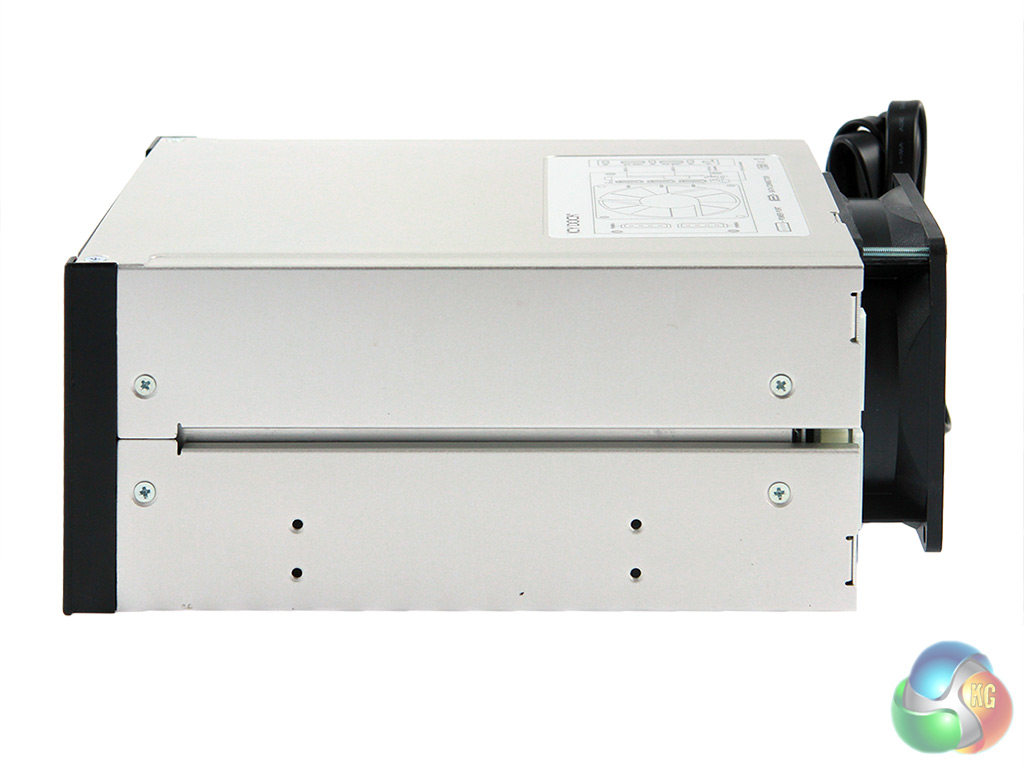
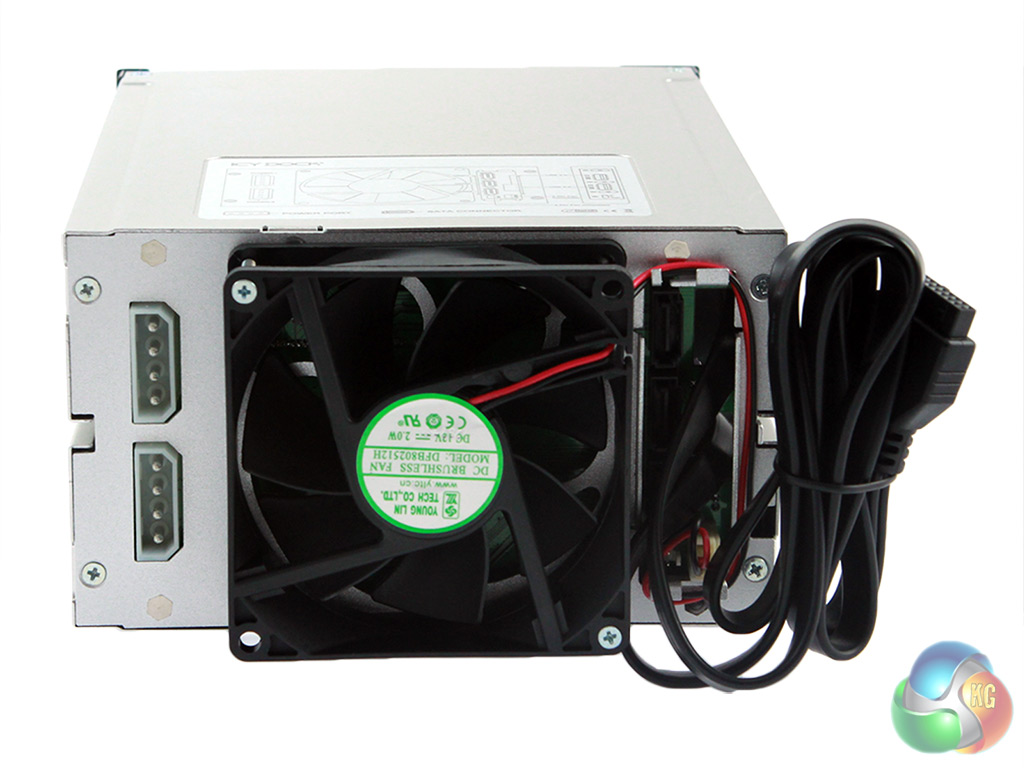
The integral backplane provides fixed connection points for both power & data and after multiple tries at a variety of different angles, we found it effortless to use. Sure this might degrade with lots of use over a long period of time, but how often are you likely to be swapping hard drives like USB pen drives?
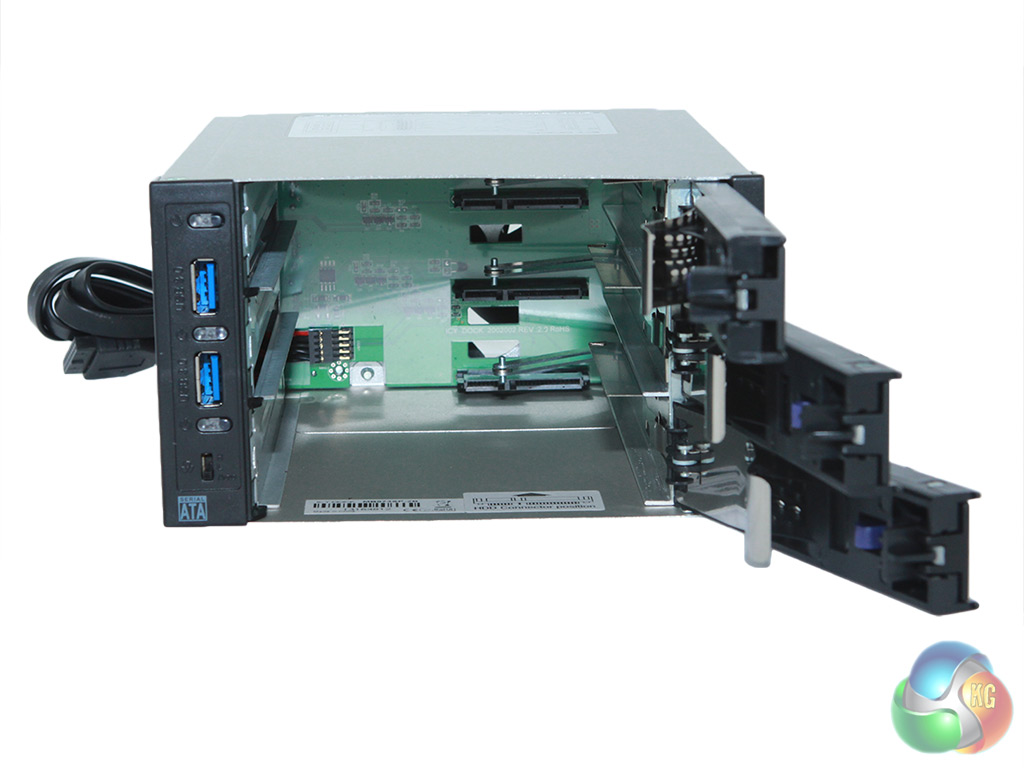
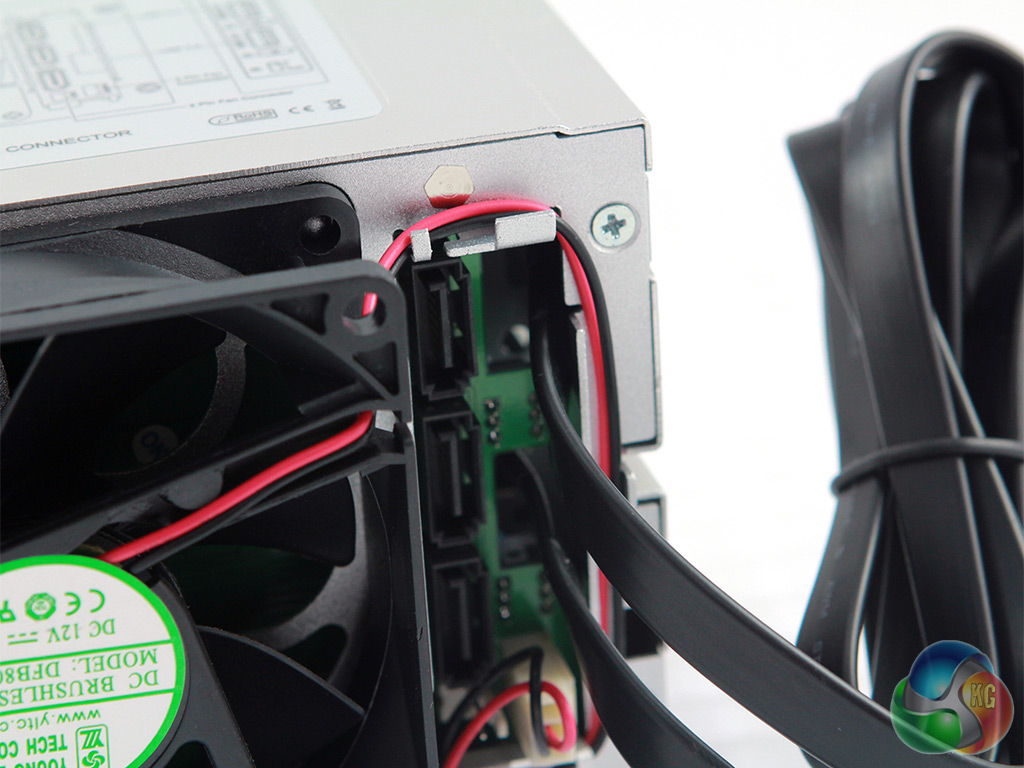
Realistically, this product is aimed squarely at those who want to put lots of old system drives into a new build. However, Icy Box does offer some flexibility for mobile folks in the form of a 2.5″ caddy which can take your notebook hard drives or standard SSD's and make them work in the FlexCage. These need to be bought separately.
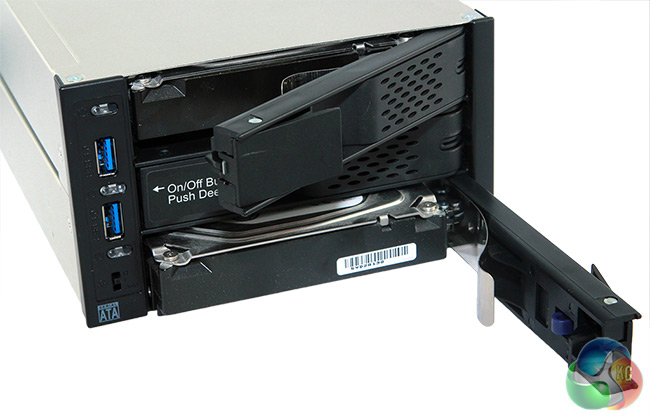
This Icy Box 3-in-2 FlexCage uses a 2-stage locking mechanism for each drive. You need to push a small button in, before you are able to release the door handle. It needs a definite ‘double action' to make this happen, which is unlikely to occur accidentally.
Choosing a test rig for this situation is straightforward enough.
We pulled out our classic red Lian-Li full tower with a phenomenal 12 drive plates at the front.
Here's the full spec:-
- Processor: Core i7 3960 X Extreme Edition @ 4.4GHz
- Cooler: Antec 920 H20
- Motherboard: Asus Rampage IV Extreme
- Memory: 16GB G.Skill 2,400MHz
- Boot Drive: 240GB Kingston HyperX 3K
- Power Supply: Seasonic X-850
- Chassis: Lian Li PC-A77FR Aluminium Red Full Tower Case
- Hard Drive 1: 250GB Samsung 7200
- Hard Drive 2: 750GB Seagate 7200
- Hard Drive 3: 2TB Seagate 7200
CrystalDiskMark
This application was developed to help you get to know your HDD, so it has the power to measure sequential and random read/write speeds while displaying all details to the user with the help of a simple interface. You can manually select the number of test runs, the size of the test and the drive that will be analysed and then press the corresponding button to start all the tests. Best of all, it is free, quick to download and easy to install.
For this test, we used three different ‘full speed' hard drives, then ran CrystalDiskMark through 5 cycles.
Overall, the data transfer speeds we measured were consistent within ~5%.
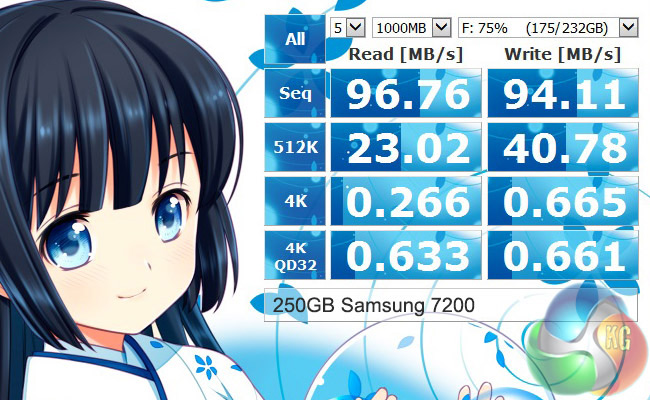
Our oldest and smallest drive was also the slowest, as you would expect. Peak read comes in at a fraction under 97MB/sec with the write speed just over 94MB/sec.
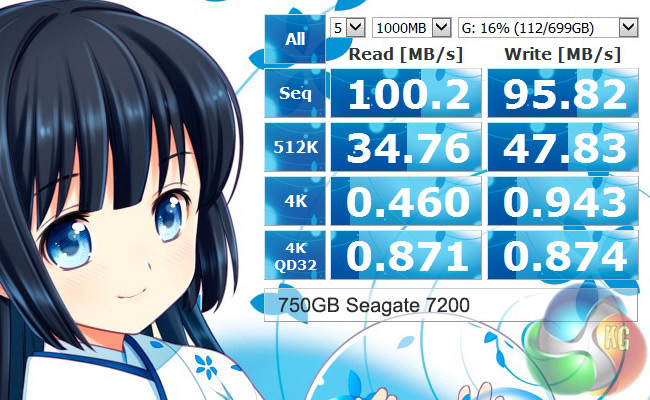
With the 750GB Seagate model in the ‘G' bay, we achieved a better result.
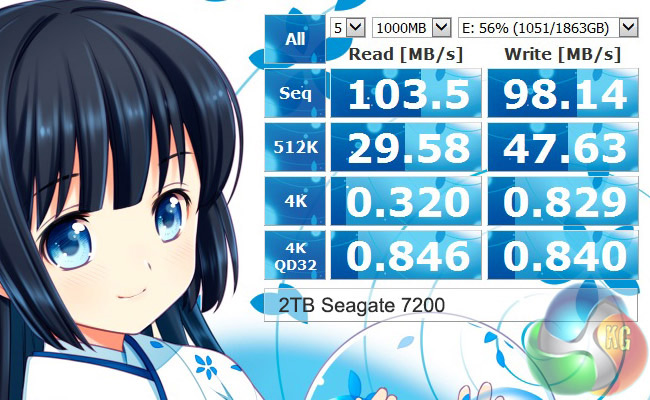
Lastly, the ‘E' drive, with the kind of 2TB Seagate 7200 rpm drive that many of us have in our day to day systems.
To check for variations, we then moved the 250GB and 2TB drives around in the bays (as you would in normal use with a product like the IcyBox) and ran a series of ATTO tests.
ATTO Disk Benchmark
The ATTO Disk Benchmark performance measurement tool is compatible with Microsoft Windows. Measure your storage systems performance with various transfer sizes and test lengths for reads and writes.
Several options are available to customize your performance measurement including queue depth, overlapped I/O and even a comparison mode with the option to run continuously.
Use ATTO Disk Benchmark to test any manufacturers RAID controllers, storage controllers, host adapters, hard drives and SSD drives and notice that ATTO products will consistently provide the highest level of performance to your storage.
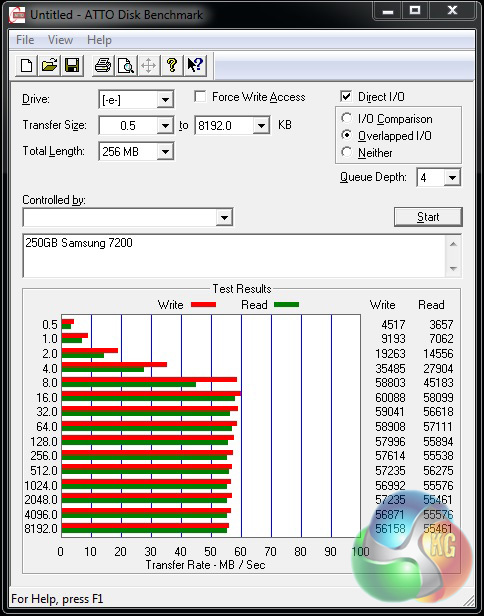
While we almost managed 97MB/sec with CrystalDiskMark, the ATTO result barely topped 60MB/sec in either direction.
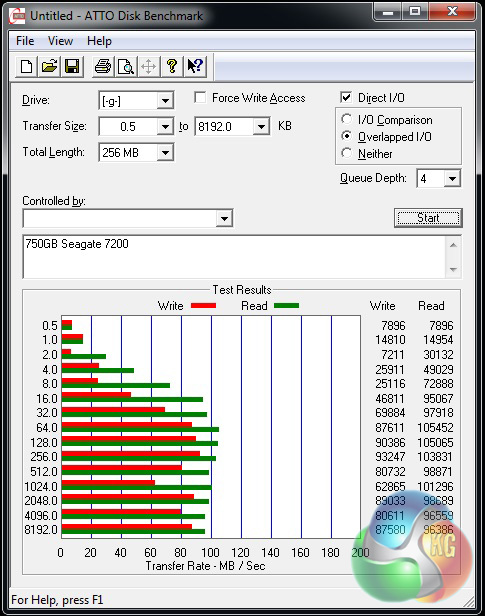
Things picked up with the 750GB drive on the ‘G' slot – reporting a peak read of more than 105MB/sec, up from the 100.2MB/sec with CrystalDiskMark.
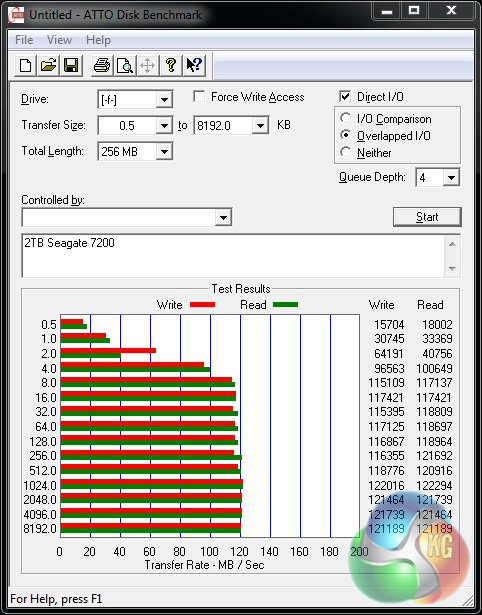
Finally, we checked the 2TB Seagate 7200 drive – now in the ‘F' slot. The best pattern peaked past 122MB/sec.
So performance wise, you will get a decent transfer speed from old hard drives plugged into the Icy Box MB973SP 2B FlexCage.
Clearly the Icy Box MB973SP 2B FlexCage has not been designed for every system in the market. It has a very specific feature set and needs to be installed into a rig with an available header and an owner who has a stack of mechanical desktop drives that need to be hot-swapped back and forth.
That said, it has a solid and professional feel to it that gives you a feeling of confidence, remember this is data we're talking about – so that's a good plus point.
Installation into a decent tower case is fairly straightforward and, once installed, moving drives in and out is very easy.
Icy Box has tried to deliver a plug-n-play tray-less cage to the market at a sensible price. It has a replaceable 80mm cooling fan (in case you have a specific requirement in terms of noise or air flow) and there is an integrated 3-speed fan controller with smart technology.
In terms of usability, it also gives you a pair of USB 3.0 ports on the front, which will make up for losing any when you connect it to your mainboard.
Icy Box claims that the product is childproof, because there is a 2-stage process to opening a bay door. Not sure that Icy Bay has tested this with a lot of kids, but we give them marks for effort.
One small word of warning if you are interested in this unit: There is a similar version that is very old and, largely, discontinued. The key difference is that the out of date drive has an eSATA port on the front in place of one of the USB ports. If you want the latest version, then check for dual USB 3.0 on the front.
Another thing you need to do is consider carefully what software will be required for you to achieve the results you need. For example, Icy Box makes a strong mention of ‘RAID' in its download data sheet, but that word does not appear on the product description page. In fact the word software does not appear on that page either, so you will need to have your own back-up/duplication products.
Overall, we like this product and, at the time of writing, it seems to be available between £91 and £105.
Sure, the market is niche, but the 3-in-2 design is clever and we like the thought that's gone into the user's ability to trade-off cooling and noise.
Pros:
- Neat design – will suit most systems.
- Compact 3-in-2 solution.
- Plenty of cooling/noise control options.
- Giving up the mainboard headers doesn't mean you lose out on front-facing USB 3.0 ports.
Cons:
- Availability in the UK channel is sporadic.
- You must have the available mainboard header or this is a non-starter.
- Icy Box mentions ‘RAID' and ‘Back-Up', but no additional software is included.

KitGuru says: Definitely Worth Considering if you have plenty of old drives or regularly need to move huge chunks of data back and forth. Would be more rounded and with greater appeal if it also included software bundles.