 KitGuru KitGuru.net – Tech News | Hardware News | Hardware Reviews | IOS | Mobile | Gaming | Graphics Cards


One of the mysteries of modern life in Western culture is the size of the portion compared to the size of the bill. While Italian restaurants are happy to heap spaghetti on your plate for next to nothing, haute cuisine in a French restaurant can often look like it has been hit with a shrink ray. Of the three BitFenix chassis we've seen recently, the Micro ATX Colossus M is the most expensive. KitGuru ponders whether less is more.
BitFenix leading lady, Coco Lee, says that her Colossus M “…adds Micro ATX motherboard compatibility, which means added expansion possibilities including dual graphics set-ups such as SLI or Crossfire”.
In other words, you won't have to compromise on build options, despite opting for a smaller form factor.
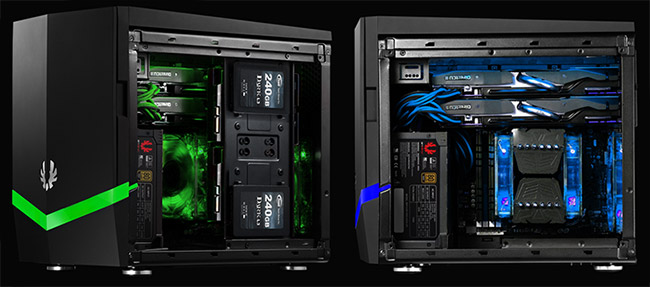
In terms of features, the BitFenix Colossus M has (alongside plenty of ™ symbols):-
- Futuristic Form – Bold lines with a compact design
- LiteTrak™ Technology – Smooth multimode lighting with three colours and an included pulse mode
- Unmatched Flexibility – Supports long graphics cards and up to 240mm water cooling radiators
- Maximum Storage Potential – Five 3.5″ HDDs or eight 2.5″ SSD locations available
- BitFenix FlexCage™ Modular hard disk cage can be completely removed for added flexibility
- SuperSpeed USB 3.0 – Two ports included for blazing file transfers
- BitFenix SofTouch™ Surface Treatment – Luxurious matte finish and soft feel
- Friendly Installation – Tool-free drive locking mechanisms, cable management and filtered intakes
The detailed specification includes:-
- Materials: Steel, Plastic, SofTouch™
- Colors (Int/Ext): Black/Black
- Dimensions (WxHxD): 250 x 330 x 374mm
- Motherboard Sizes: Micro-ATX, Mini-ITX
- Power Supply: PS2 ATX (bottom, multi direction)
- Extras: LiteTrak™ lighting system, SofTouch™ surface treatment, magnetic heat shield
- PCI Slots: x 5
There is enough space for hard drives, with the following bays available:-
- 5.25″ Drive Bays: x 1
- 3.5″ Drive Bays: x 4
- 2.5″ Drive Bays: x 3
Can you keep your internals cool? Well there are plenty of air movement options:-
- Top: 120mm x 2 (optional)
- Bottom: 120mm x 2 (1 included) or 200mm x 1(optional) or 230mm x 1 (optional)
- Rear: 120mm x 1 (included) or 140mm x 1 (optional)
It weighs in at just over 8.5Kg.
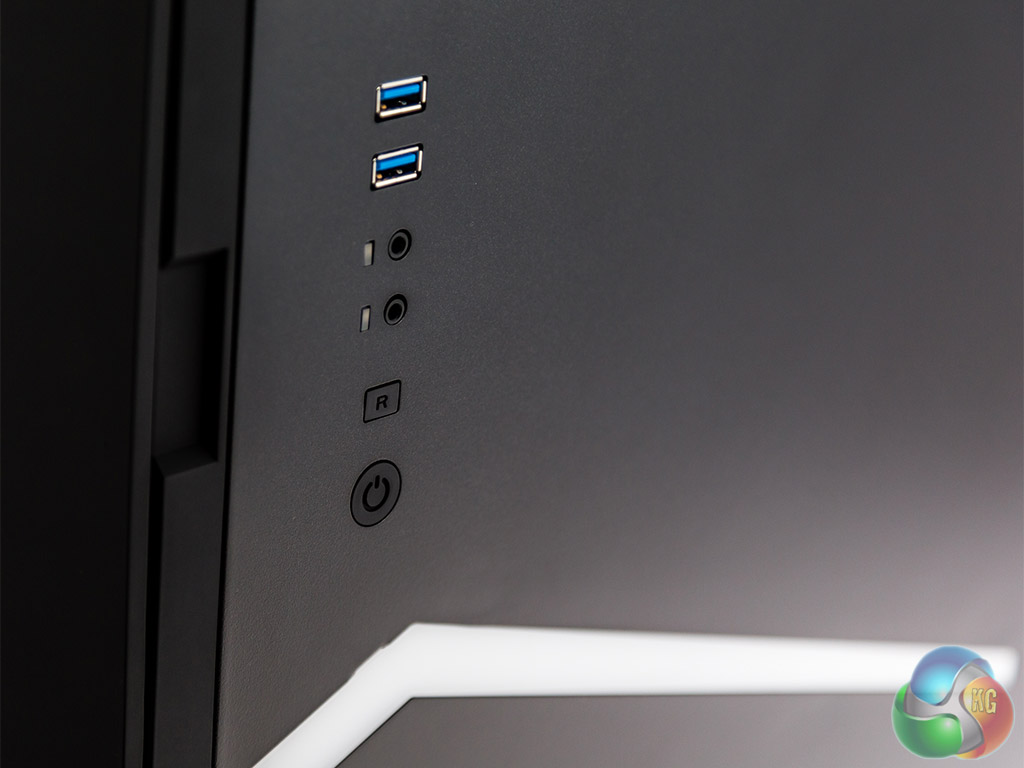
Lastly, there is a pair of high speed USB 3 ports and two HD Audio holes.
When we saw the first BitFenix Colossus to land in the UK, we were very uncertain about several aspects of its design. There were some very cool features, for example the sheer volume of air that it was able to push through – using only the fans supplied.
At the same time, the fundamentals of the design, including materials and graphics, were quite weak and needed a lot of improving.
We're glad to say that BitFenix's efforts in recent years have born fruit – and the entire range now has a cohesive set of design principals and both build quality and material selection has improved.
The Micro ATX version of the Colossus M chassis comes in solid, branded packaging and viewed square on, it has a simple, dramatic look.


Both front and black are jet black – save for the illumination strip.
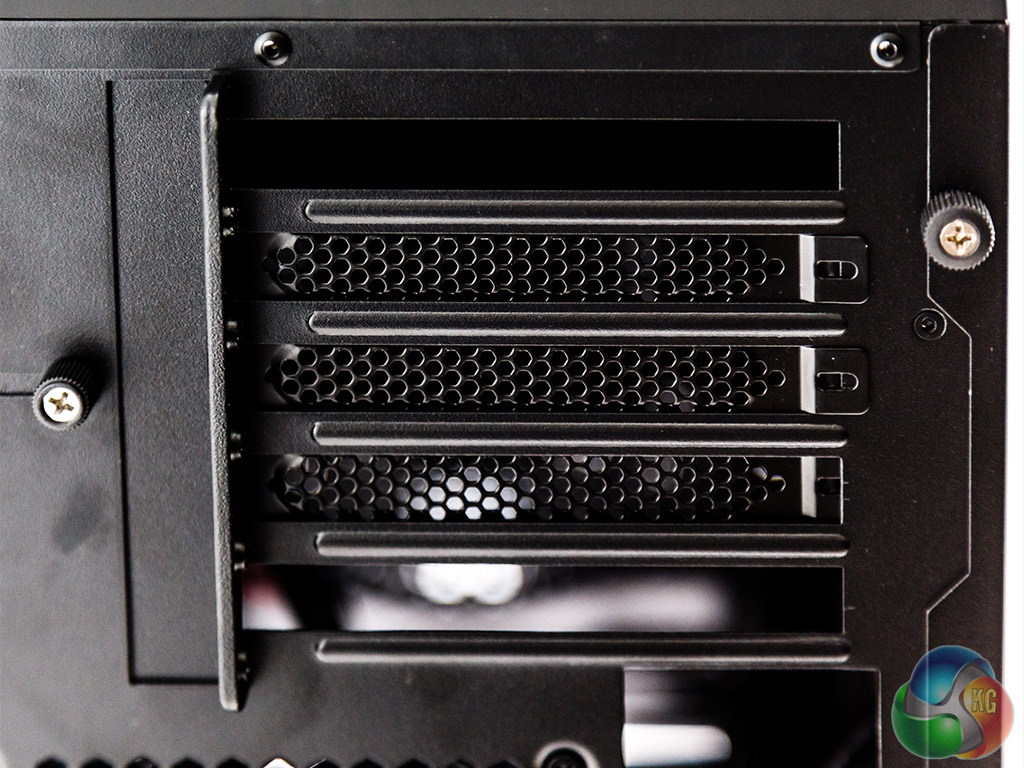
Checking out the rear, you can immediately see that there are plenty of access slots for PCI-Express cards.


Closer inspection of the top shows an Aerocool-like removable mesh that will allow for better heat dissipation – which is often crucial with small chassis builds.


Here's another pair of aerial shots, this time with the lid on and off, so you can get a feel for the access it gives when removed.
There are plenty of ways to prevent dust etc entering the BitFenix Colossus M Micro ATX chassis – and they are of the removable/washable variety.


Enough on the aesthetics and packaging, let's get on with the build.
At the time of writing, this chassis is available online for £73. While that doesn't make it a complete bargain, given the advertised feature set it is clearly aimed at giving value – and it is very close to the Aerocool Dead Silence in terms of size and performance, so let's get stuck in with our build to see whether the price tag is justified.
In terms of specification, we built an AMD 6800k system into this chassis on a Gigabyte mainboard. This is a typical system set up for someone who needs a basic gaming rig without spending too much money.
We then added an affordable MSI Radeon R7 250 graphics card, the kind of upgrade you might fit later – allowing you to experiment with Dual graphics for around £58 or a cooler 2GB version for £68.
We fitted a single optical and hard drive to complete the build, but there is plenty of room for further expansion.
Compared to a pure budget chassis like the BitFenix Comrade, this case offers plenty of decent routing options and none of the drive bays are obstructed.
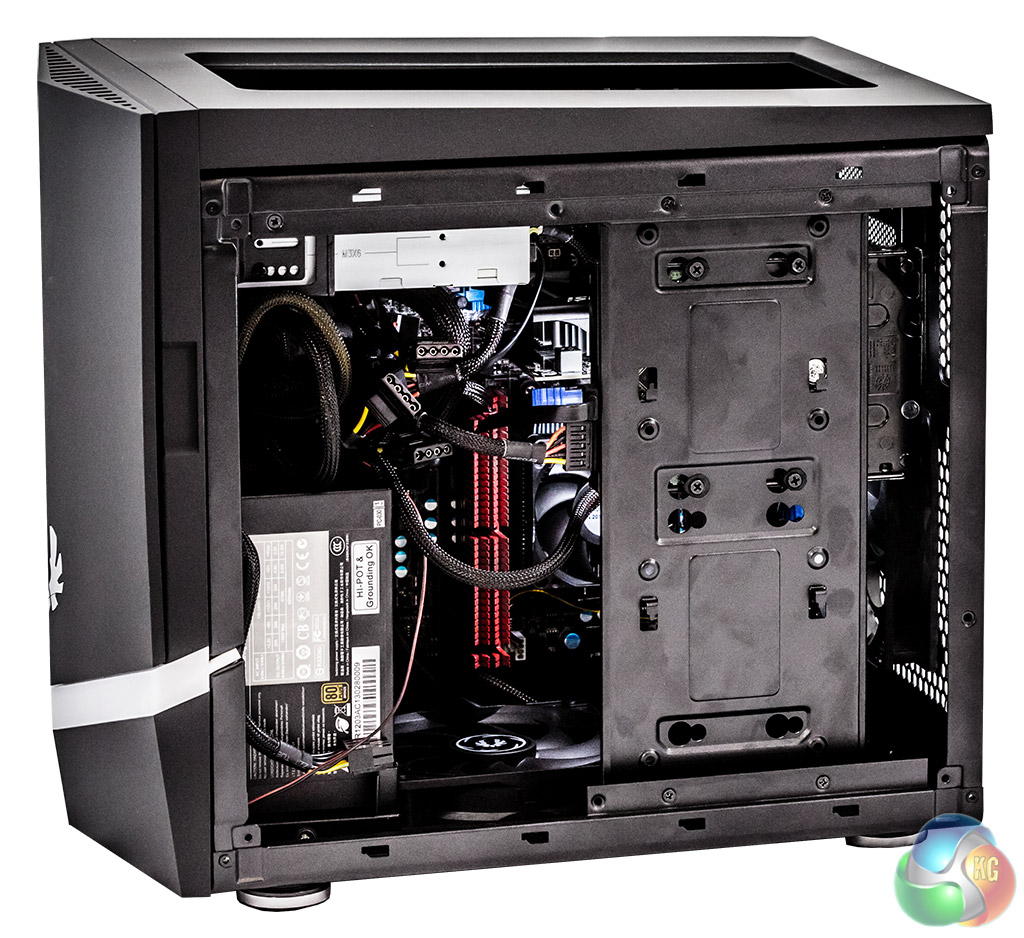
Technically, it can accommodate full length graphic cards (e.g. Radeon R9 290) and a radiator up to 240mm, which should be enough for most Micro ATX builders. If you go with water cooling on your CPU using a 240mm radiator, then you'll only be able to fit the one graphics card. SLi or CrossFire will require an air-cooled CPU.
BitFenix has trademarked the term FlexiCage for its hard drive system, which is designed to make it very simple to add up to five 3.5″ standard hard disk drives or mount up to eight 2.5″ Solid State Drives.
Installing the power supply was easy enough, vertically at the front, given that the chassis has a built-in power supply extension to the rear. With a chassis like this, we cannot stress too much that a modular power supply is the only way to go. One golden rule here is that you MUST connect the internal chassis power cord extension before you start to secure the power supply.

With some chassis, opening the size door after you've completed the build can leave you feeling like a bomb disposal expert. The wires that typically connect to the side panel for 2x USB 3.0, mic, headphones and power, can be tight enough to make you nervous. Not too bad here. BitFenix has done a reasonable job of choosing the right cable lengths – much better all over than the recently reviewed BitFenix Comrade. Now THAT was tight.
However, assembling the system components in the wrong order will be quickly rewarded with frustration.

Overall, it is easy enough to get to grips with this chassis for a self-build or on the production line by the time you've had a second go at assembly.
Given the physical size of the BitFenix Colossus M Micro ATX chassis, we built the rig around an AMD 6800K APU, with the following specification:-
Hardware
- Processor: AMD 6800K APU.
- Motherboard: Gigabyte G1 Sniper A88X.
- Cooler: AMD Stock.
- Memory: 8GB Corsair Dominator DDR3 1600MHz.
- Graphics Card: MSI Radeon R7 250.
- Power Supply: Seasonic S12II-620.
- System Drive: 1TB Seagate.
Software
- Operating System: Microsoft Windows 7 Home Premium (64-bit).
- Benchmark Software: CPUID Harwdare Monitor, Prime95, 3DMark.
We tested the thermal performance of the BitFenix Comrade chassis under load using Prime95 and 3DMark – recording the maximum temperatures reached.
After the benchmarks completed, we then left the system for 15 minutes and checked for idle temperatures.
The ambient room temperature was 20 degrees during testing.
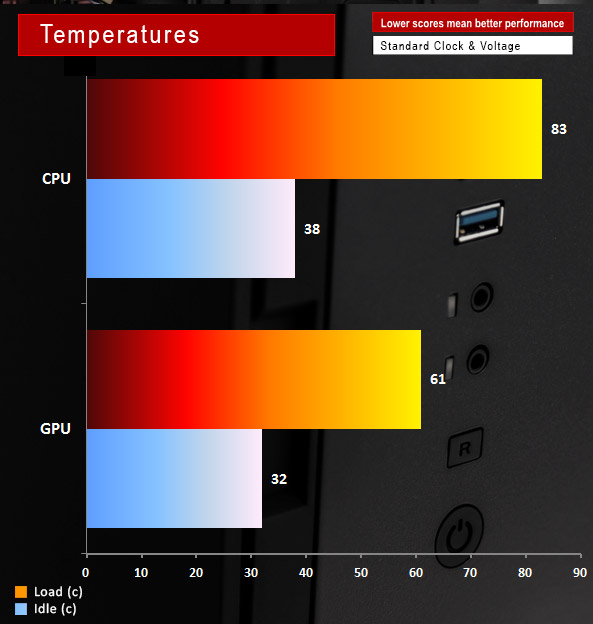
Although the chassis is much smaller than the other BitFenix products we have looked at recently, it still does a decent job of keeping temperatures to a sensible level. The AMD stock cooler isn't wonderful.
As we said at the start of this review, modern thinking suggests that less costs more. With products like mainboards, you can understand the increased effort needed to avoid electrical issues, but it's less clear with chassis.
Let's hit the positives first.
The BitFenix Colossus M is a good looking chassis with integrated lighting where the colours can be adjusted and even set to pulse, should you be so inclined. There's enough space for a decent graphics card and you can fit a 240mm radiator. Data storage is well taken care of with mounting available for five full hard drives or up to eight Solid State Drives.
BitFenix has tried to make assembly easier by including features like the FlexCage that can be removed completely for added flexibility, but there are some inner secrets to building with this product that are not immediately obvious.
First on the negative side is the unusual mounting mechanism for the power supply at the front of the chassis (with an integrated power cord to a pre-installed PSU power socket at the rear), can be fiddly. If you make the mistake of screwing your power supply in hard before attaching the power cord (as you might with a conventional build) then you will need to undo it and try again.
Essentially, there are several ‘options' when you build the case and choosing the wrong one will mean, a short while later, that you realise you've gone the wrong way and will need to backtrack in order to get it right.
Lastly, to get all of the front panel lights/switches etc connected without a struggle, you will need to ensure that they have been connected before you install a ROM drive and finalise your hard drive enclosure.
Traditional builders fit the drives etc early – then plug in at the end. Resist that urge. Professional builders, creating more than one PC, will learn the inner Kung-Fu of the BitFenix Colossus M and life will get easier with every PC you put together.
Discuss on our Facebook page, over HERE.
Pros
- Can be assembled without tools
- Second build experience will be much quicker/easier than the first
- Decent temperatures for a small chassis
- Enough room for a CrossFire/SLi gaming specification
Cons
- Costs a bit more than rivals
- Build must happen in the right order or you'll need to disassemble and repeat steps

KitGuru says: If you're building just the one system, then you might want a dry run to get the hang of its idiosyncrasies and to make sure you know the order in which you will be putting the various components together. Pricewise, the BitFenix Prodigy and Aerocool DS products are £5-£10 less, but without so many illuminations and, as such, offers reasonable value. If you want your Micro ATX handiwork to glow in the dark, then the BitFenix Colossus M Micro ATX is worth buying.

Excellent review Bob!