KitGuru KitGuru.net – Tech News | Hardware News | Hardware Reviews | IOS | Mobile | Gaming | Graphics Cards


At Computex we were shown the Micro-ATX Corsair 2800X, however we were vague about the price and said ‘it will be priced towards the budget end of the scale'. The reason we were vague is that Corsair wasn't 100% sure they would be able to deliver the 2800X at the price they were discussing, and they wanted some wiggle room in case their plans changed. Today we can announce the news that Corsair has indeed delivered the 2800X exactly as they hoped and also, it's rather good.
Time stamps
00:00 Start
00:39 Overview / disassembly / cooler support
02:37 Building a system inside
04:30 Airflow smoke test
05:10 Thermal and noise testing
06:45 Leo discusses thermals
09:04 Micro ATX Thoughts
11:28 Space and routing
12:42 Closing Thoughts
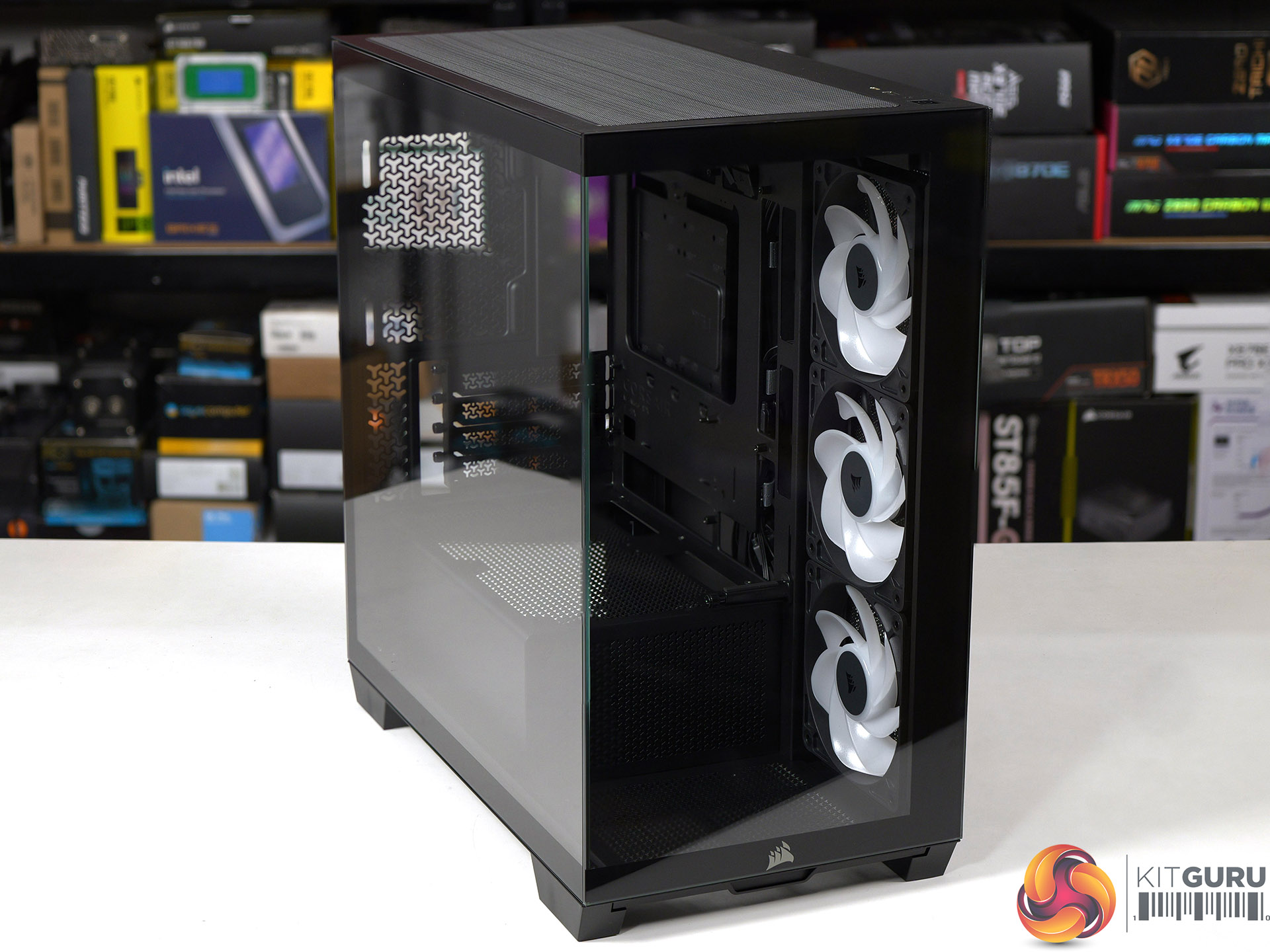
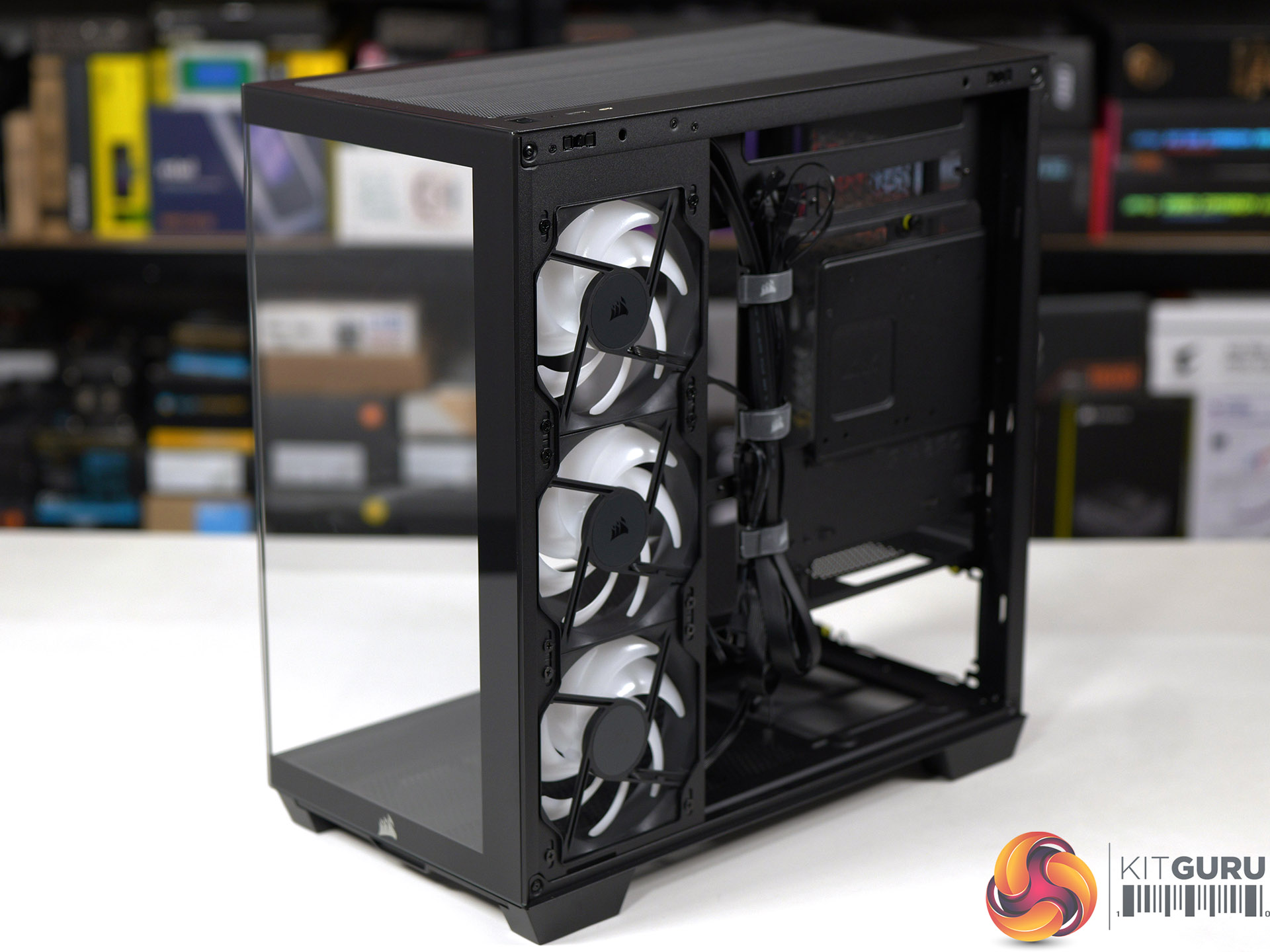
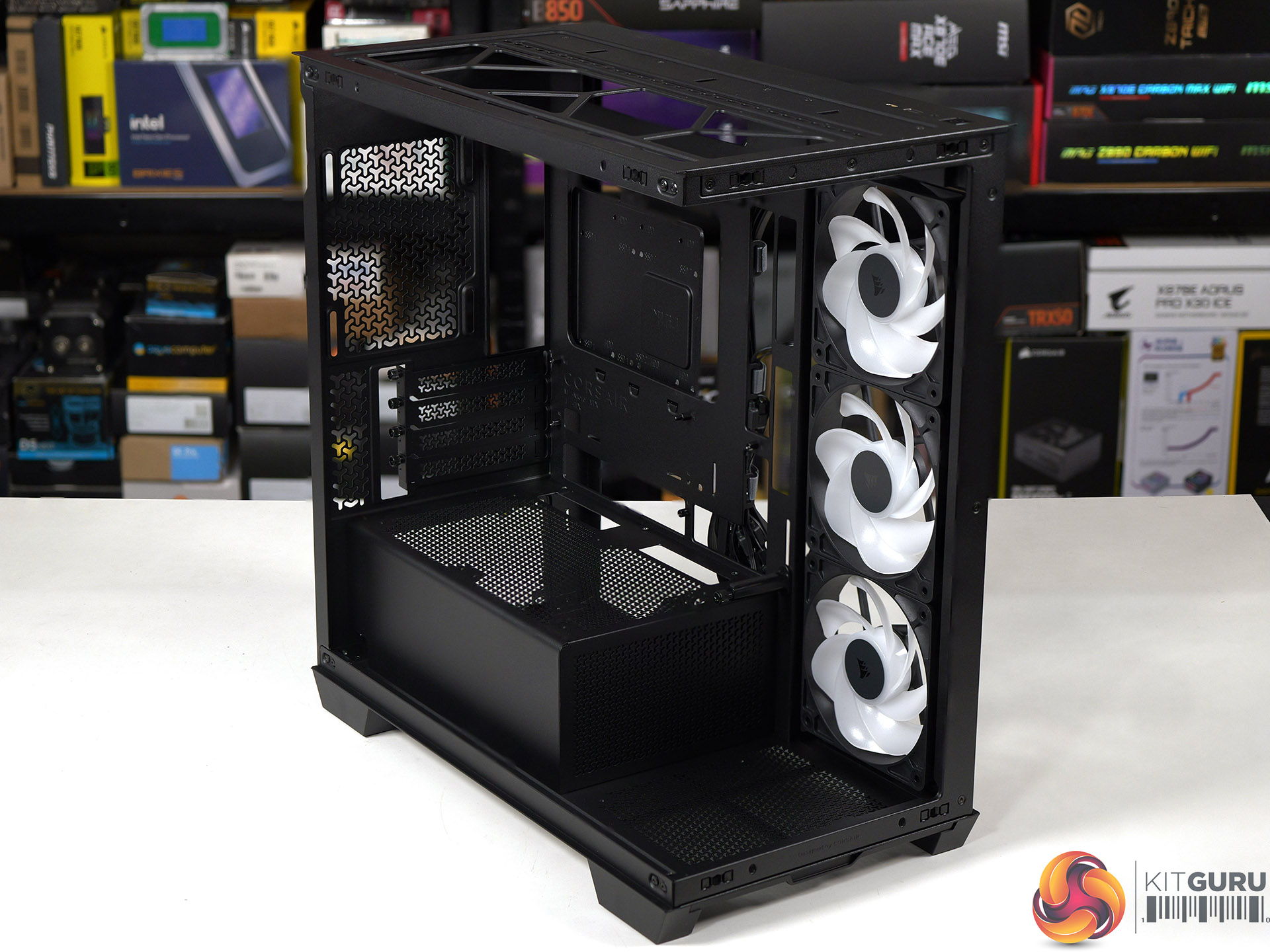
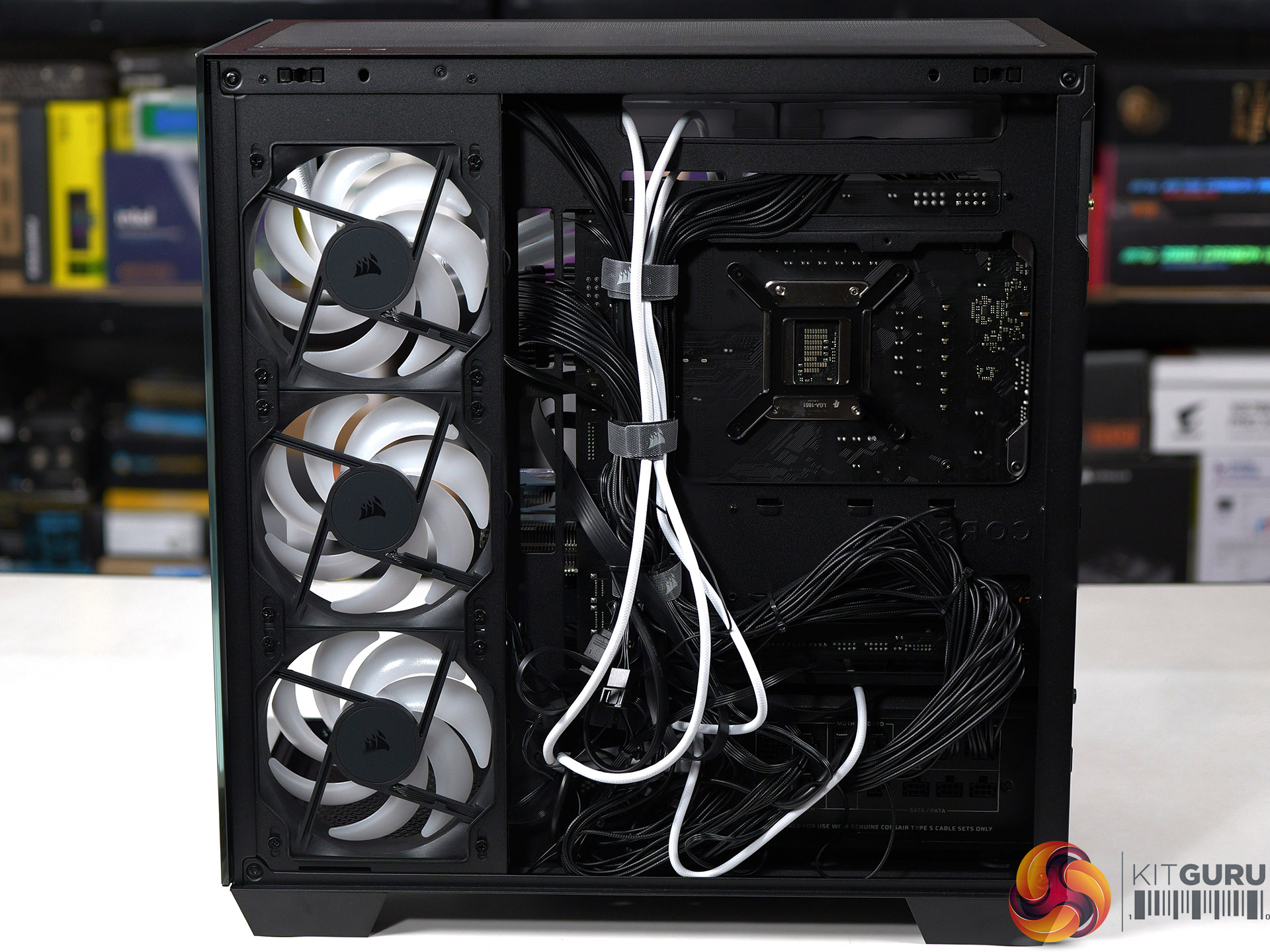
Main features
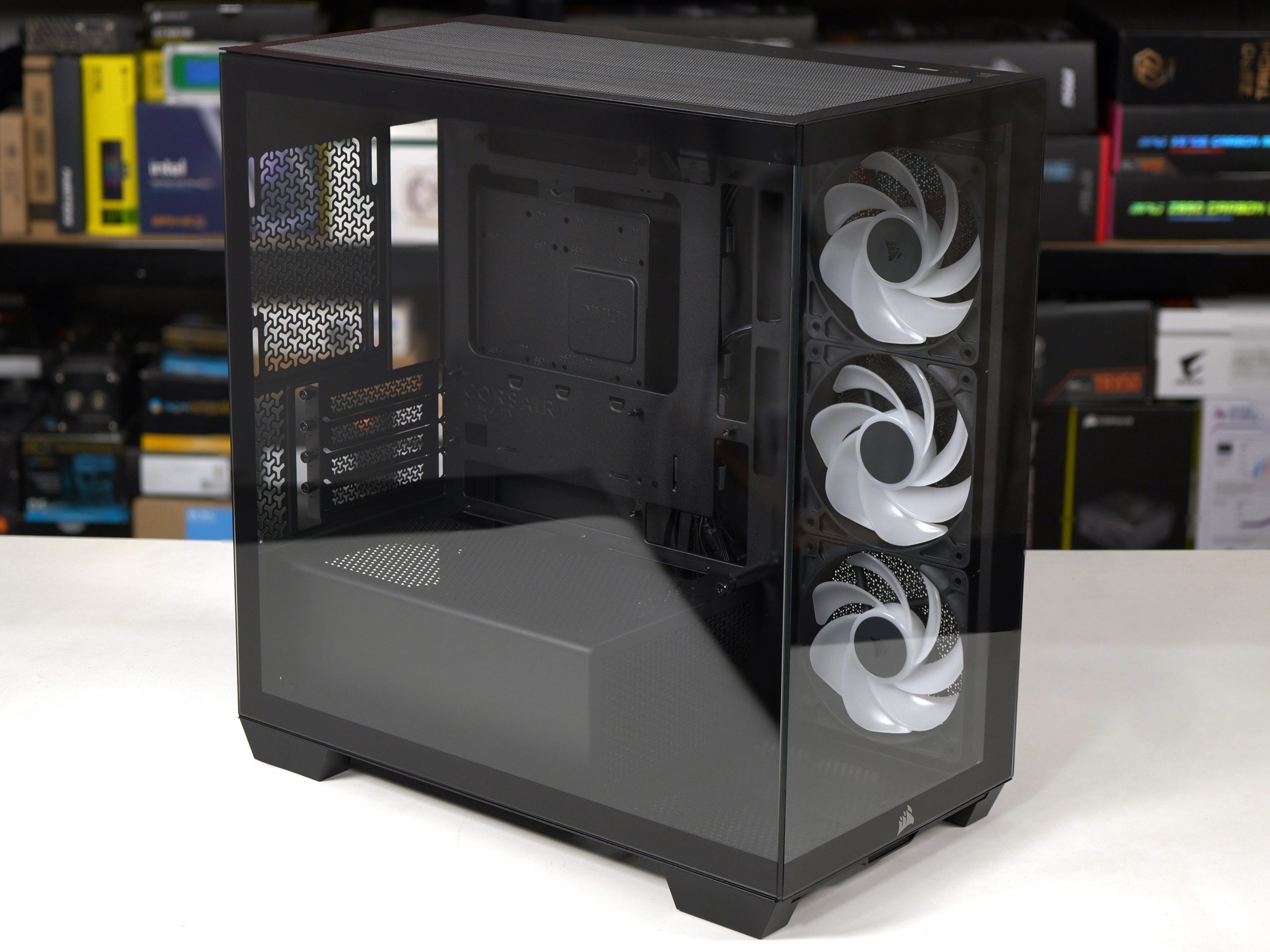
- Micro-ATX Chassis – Today’s Micro-ATX motherboards are packed with features and are all that’s needed for a powerful PC, and the smaller size makes the 2800X easier to fit on any size desk.
- 360mm Radiator Support – Despite its compact footprint, the 2800X has enough room in the top for a 360mm radiator, so you can cool even the most powerful CPUs with an AIO or custom cooling setup.
- 3x RS120-R ARGB PWM Fans Included – Three reverse-rotor RS120-R fans are pre-installed in the side for unobstructed ARGB lighting with simple motherboard connectivity for syncing fan speeds and lighting without the need for a separate fan controller.
- Room for up to 10x 120mm Fans – Ample room for full-system cooling with 3x fan mounts in the side and top, 1x in the rear for exhaust, 2x on the PSU shroud for boosted GPU cooling and 1x in the bottom to ensure great internal airflow.
- Wraparound Tempered Glass Panels – The front and side panels are tempered glass for a classic “fishbowl” look that prioritises viewing one’s hardware, tidy cabling, and RGB lighting in all their glory.
- Reverse-Connector Motherboard Support – Hide all of your cables and simplify your build with a reverse-connector mATX build.
- Room for Oversized GPUs – The spacious interior has 410mm of GPU clearance so even the biggest GPUs have plenty of room to breathe.
- Built-In GPU Support – The 2800X RS-R includes a built-in GPU Anti-sag Stabilisation Arm in the side panel that is adjustable up or down to protect both the GPU and your PCIe slot.
- Add More Storage – A combination drive plate lets you easily add more storage and supports 1x 3.5” HDD or 2x 2.5” SSDs.
- Fast Top-Mounted I/O – The top-mounted I/O offers 1x USB 3.2 Gen 1 Type-A for wide compatibility and a USB 3.2 Gen 2×2 Type-C port cable of up to 20Gb/s of bandwidth, which is 4x the speed of USB 3.0.
Specification:
Motherboard support: Micro-ATX, Mini-ITX.
Power supply support: ATX.
Expansion slots: 4.
Included fans: 3x 120mm RS120-R side intake.
Fan mounts: 3x 120mm side, 2x 140mm/3x 120mm roof, 1x 120mm rear, 1x 120mm floor, 2x 120mm PSU shroud.
Radiator mounts: 360mm/280mm roof, 240mm side, 120mm rear.
5.25-inch optical drive bays: None.
Internal drive bays: 1x 3.5-inch or 2x 2.5-inch.
Front I/O ports: 1x USB 3.2 Gen 1 Type-A, 1x USB 3.2 Gen 2×2 Type-C, audio.
Dimensions: 436mm H x 447mm D x 232mm W.
Testing
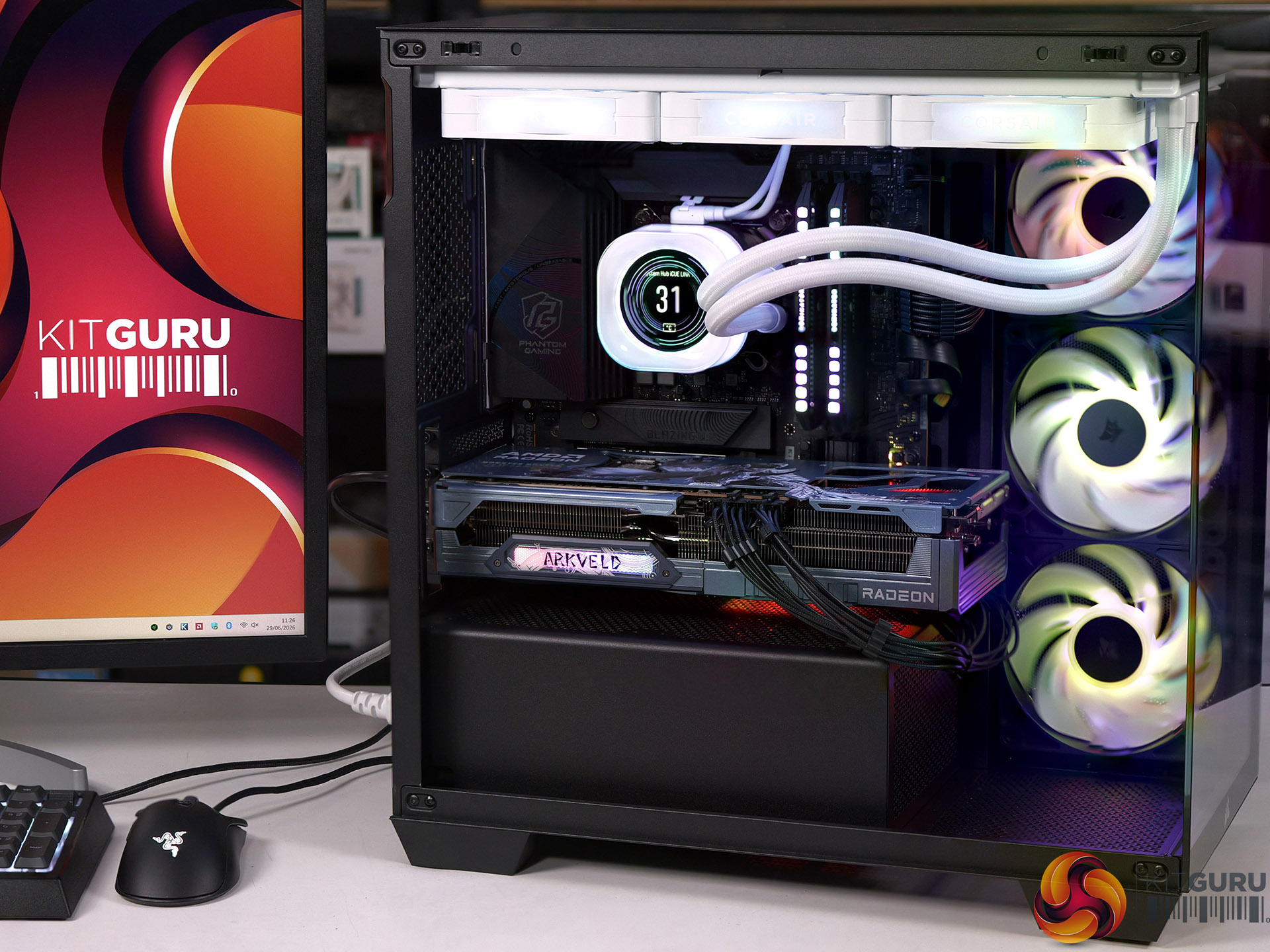
To put this case through its cooling paces we will be using a test system consisting of an Intel Core Ultra 7 270K Plus processor, ASRock RX 9070 XT graphics card and an SSD. This system allows us to produce a substantial amount of heat and effectively test the Corsair 2800X RS-R ARGB's cooling capabilities.
Test System:
Processor: Intel Core Ultra 7 270K Plus
CPU Cooler: Corsair iCUE Link Titan 360 RX LCD
Motherboard: ASRock Phantom Gaming Z890M Riptide WiFi
Memory: 32GB Corsair Dominator Platinum RGB DDR5-7000
Graphics card: ASRock AMD Radeon RX 9070 XT 16GB Monster Hunter Wilds
Power supply: Corsair HX1000i Shift
SSD: Corsair MP600 Elite M.2 NVMe
OS: Windows 11
Cooling Performance
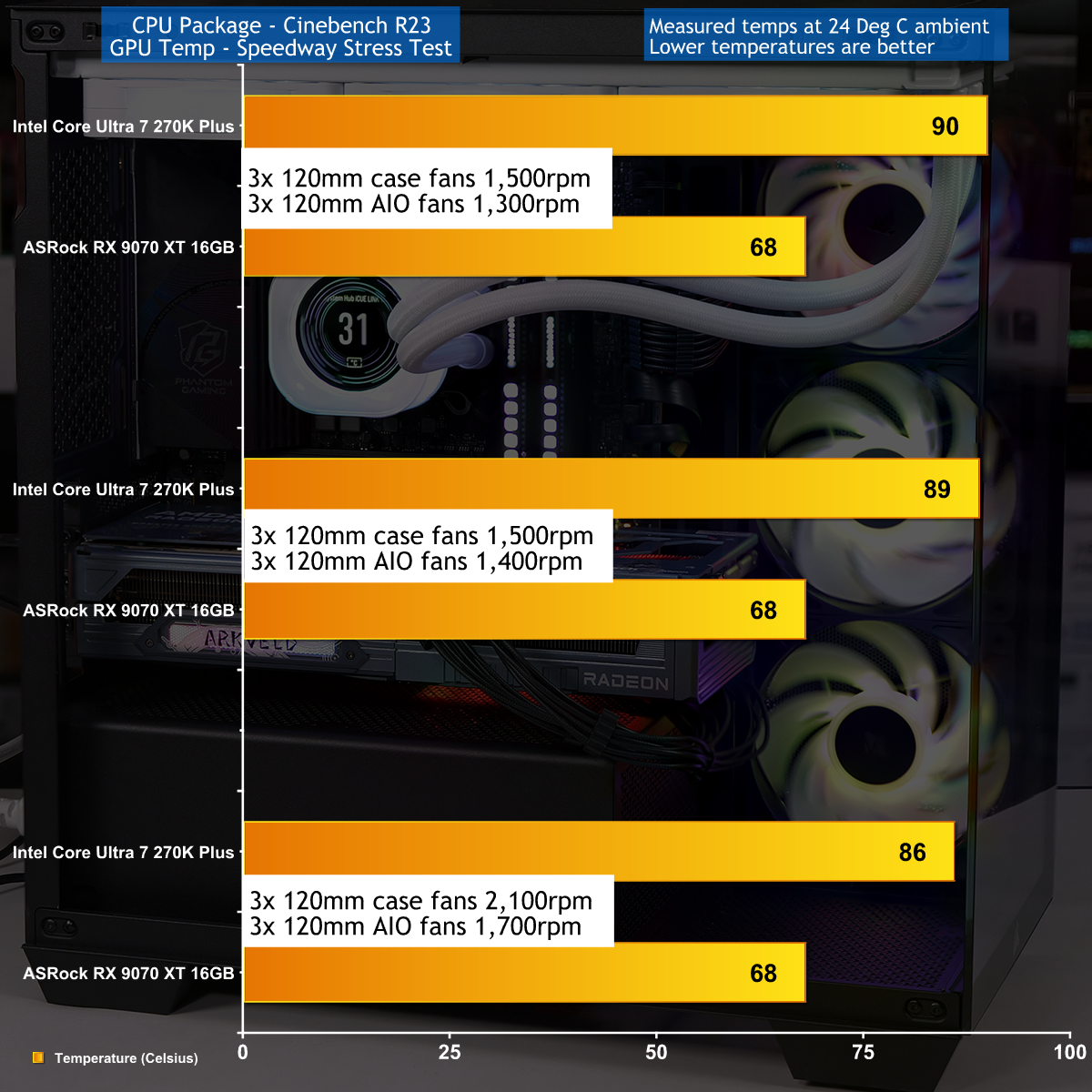
Cooling Performance Overview
During our testing we stressed the Corsair 2800X RS-R ARGB with a gaming PC that drew 670W at the wall socket. This feels like the extreme end of the scale for a mid-range gaming PC, and we imagine many people using this 2800X case will stress the cooling far more lightly. As you will see in our video the cooling system performed perfectly well, and while it was nothing special it did the job that we required.
Closing Thoughts
Corsair has done a decent job with the 2800X RS-R ARGB by delivering a single chamber case with two glass panels and three ARGB fans at a competitive budget price. The build quality is good and the case feels solid, even with the panels removed, and have good access while you are building your PC.
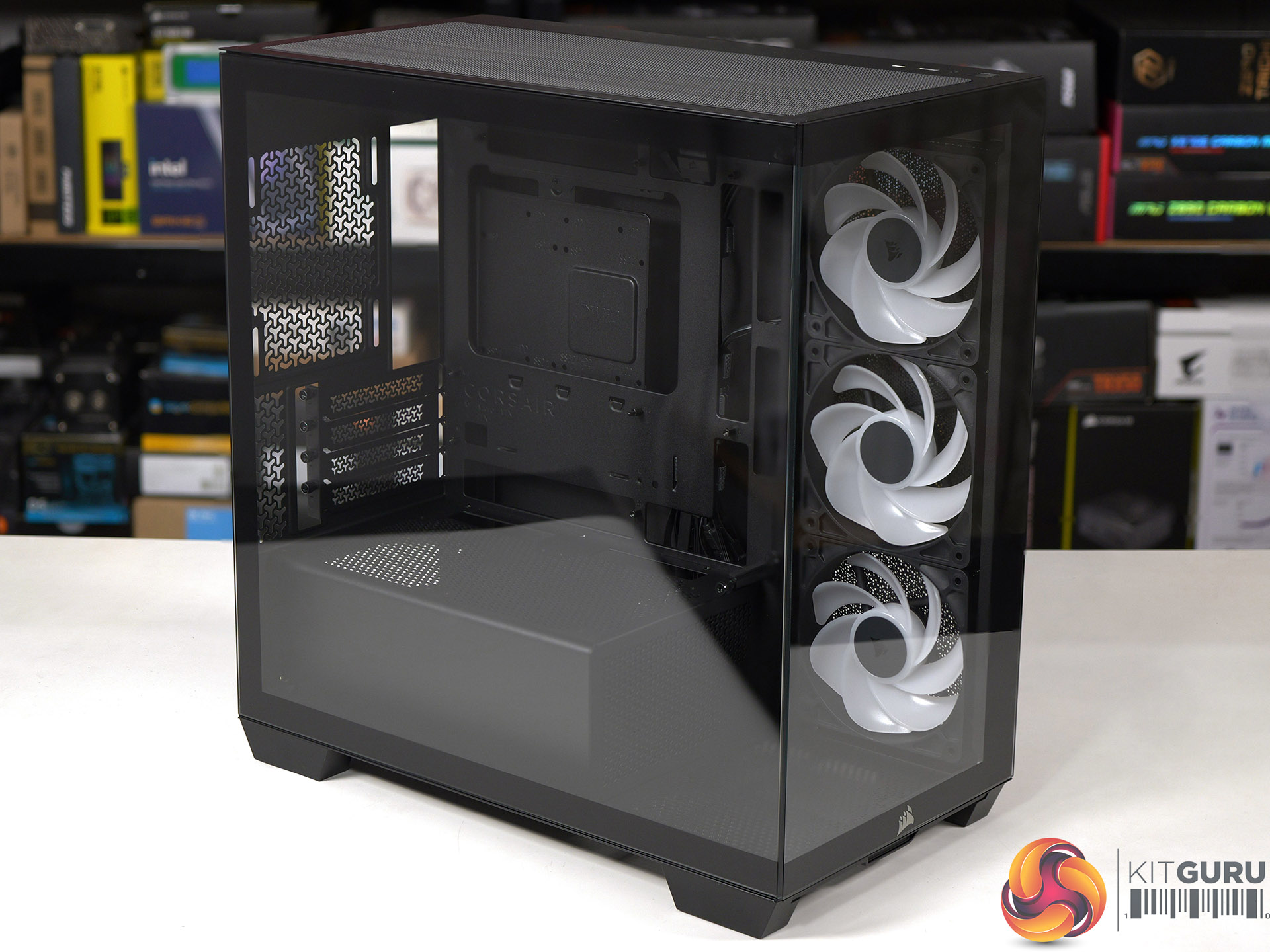
We found no specific problems while we were testing the Corsair 2800X RS-R ARGB and are confident your buying decision will come down to detail choices. For example, do you want a PWM fan hub or do you consider it essential to grommets in the cable management holes. Overall we were happy with this case and consider it a solid contender.
You can buy the Corsair 2800X RS-R ARGB for £69.99
Pros:
- Low price and decent value for money
- Solid build quality and the panels are easy to remove and replace.
- Micro-ATX form factor leads to a more compact PC
Cons:
- Micro-ATX restricts your choice of motherboards
- Space for cables is tight, especially with a rear connection motherboard.
- Cooling is rather average
KitGuru says: The Corsair 2800X RS-R ARGB is a good choice for a compact Micro-ATX PC build.