KitGuru KitGuru.net – Tech News | Hardware News | Hardware Reviews | IOS | Mobile | Gaming | Graphics Cards


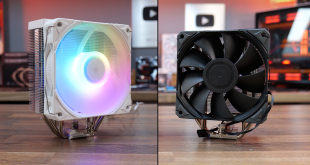
At KitGuru we often focus on top-of-the-range and expensive gaming hardware, but it's always good to have a reality check by looking at something more affordable. Today we review one of the most budget-friendly bits of hardware you can buy – a small four-heatpipe, single-fan CPU air cooler that costs under £20! The Montech NX400 is aimed at users with low-power CPUs, so let's check out its performance on the AMD Ryzen 7 7700 65W CPU and throw in a be quiet! Pure Rock 3 for comparison.
Features:
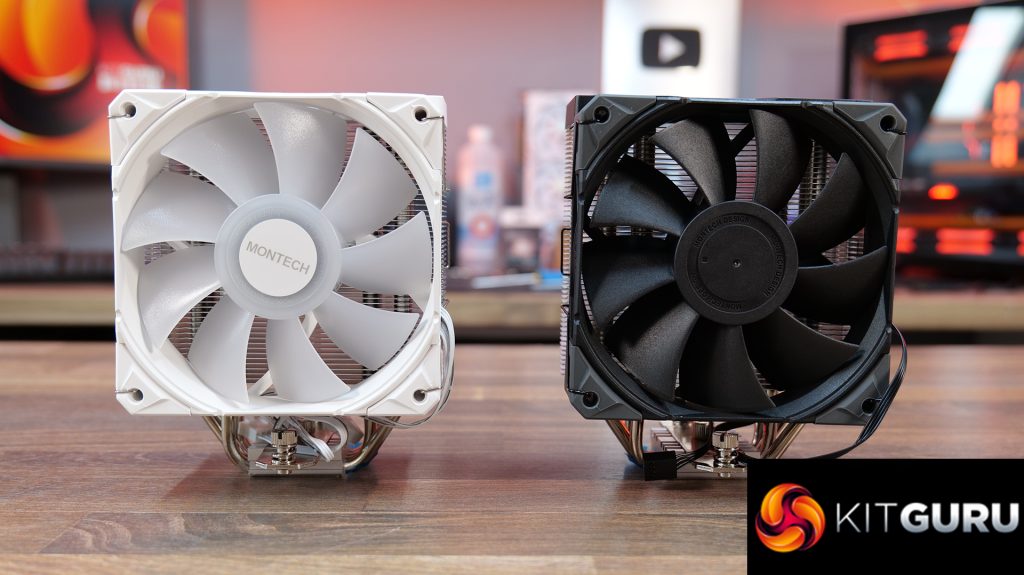
- Four copper direct-touch heat pipe design with fifty-two aluminium cooling fins and a high-static-pressure fan, available in black or white colour schemes with or without RGB.
- ARGB versions come with an included 120mm fan featuring ARGB fan blade illumination, both ARGB and non-ARGB have 28mm thick frames, a fluid dynamic bearing and detachable anti-vibration pads.
- The heatsink top is covered with a striped and translucent cover and the included interchangeable bracket system supports a wide range of CPU sockets, including Intel LGA 1851 and AMD AM5.
Specifications:
- CPU Socket Compatibility: Intel LGA115X / 1200 / 1700 / 1851, AMD AM4 / AM5
- Dimensions: 120x74x156mm (Cooler) / 150x115x188mm (Package)
- Net Weight: 874g
- Heat pipes: 4 x Direct Touch Copper
- Fan Dimensions: 120x120x28mm
- Fan Speed: 800~2000RPM (±10%)
- Fan Airflow: 85.09CFM
- Fan Air Pressure: 3.35mmH2O
- Fan Noise: 34.17dBA
- Fan Connector: PWM 4Pin & ARGB 5V3Pin
- Bearing Type: Fluid Dynamic Bearing
- Fan Rated Voltage: 12V
- Warranty: 1 Year


Montech ships the NX400 and NX400 ARGB in a small cardboard box with an image of the cooler printed on the front. On the sides of the box are diagrams, specifications and key features listed.

NX400 is available in regular or ARGB fan versions and in black or white colour schemes. Both are equipped with a high static pressure 120mm fan, the ARGB version has illumination of the fan blades.


Dimensions of the cooler are 120x74x156mm. It’s a 4x copper heat pipe design with 52 aluminium fins, so quite compact.

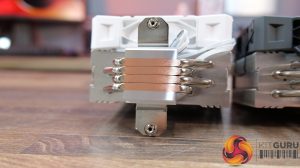
The base of the cooler has an aluminium cold plate but with copper direct touch heat pipes; no thermal compound is pre-applied to the cold plate from the factory, but a small sachet is included.


Fans included with the NX400 are Montech E28 PWM, so 28mm thick, PWM control with high static pressure, ideal for use on heatsinks. ARGB versions come with illuminated fan blades/hub and connect to standard 3-pin 5V headers.


On top of the heatsink is a plastic cover with a striped and translucent design which gives it a finished, sleek look from the top.
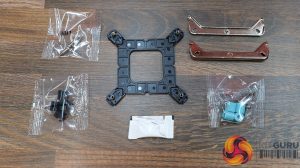
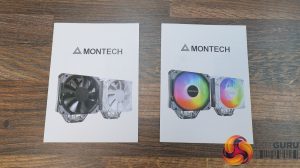
Montech includes all the mounting hardware needed to install the NX400 on current Intel and AMD platforms, plus a small sachet of thermal paste and installation guide.
Our test system uses an AMD AM5 platform, so here we run you through the installation on AM5.
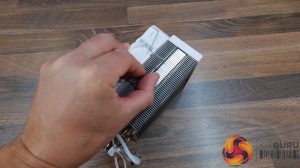
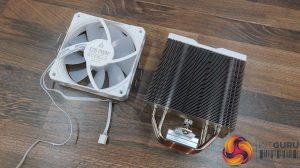
To install the NX400, first you need to remove the fan from the heatsink by unclipping it on each side using the wire hook clips.
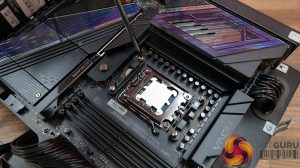
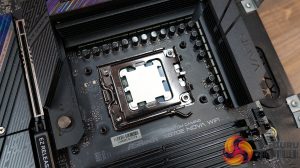
Next, remove the stock motherboard plastic upper AM5 mounting brackets and install the Montech AM4/AM5 stand-off spacers.
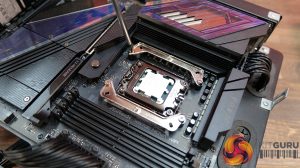
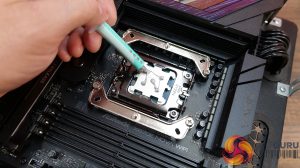
Using the screws labelled AMD on the packaging, attach the metal upper mounting brackets to the motherboard standoffs, then apply some thermal compound to the CPU IHS. I like to use the five-dot method for even coverage.
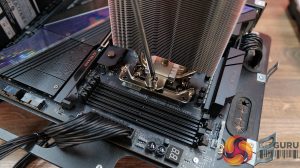
Now lower the cooler down over the CPU, aligning the retaining screws with the threaded studs on the upper mounting brackets and tighten the cooler in place evenly and progressively for the best cooler to CPU contact.
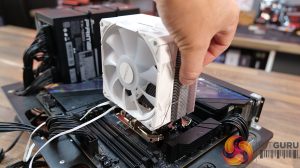
Next, clip the fan back in place. Even with tall memory modules, the fan shouldn’t interfere with the RAM, so it can be clipped in place level with the top of the cooler.
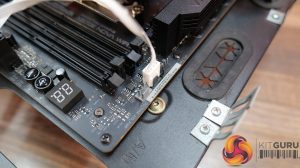
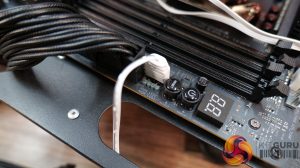
Now for the wiring (ARGB Version), connect the 4-pin PWM fan cable to a motherboard PWM fan header (usually labelled CPU_FAN) and connect the RGB cable from the fan to a motherboard 3-pin 5V ARGB header, and that is the installation completed.
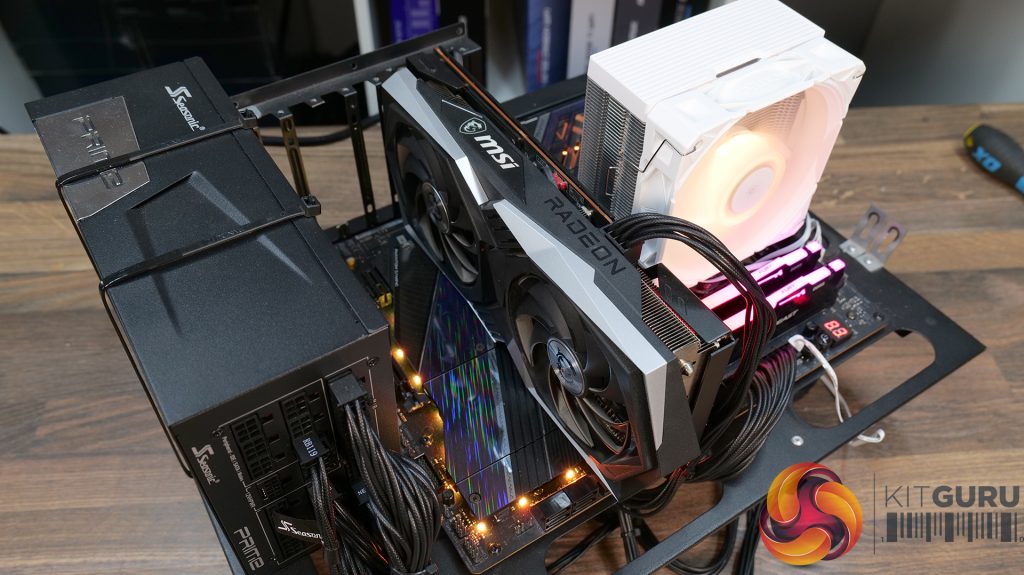
Test System Specifications:
- CPU – AMD Ryzen 7 7700 (65W)
- Motherboard – ASRock Phantom Gaming X870E Nova WiFi
- Memory: 32GB (2 x 16GB Modules) Kingston Fury DDR5-6000
- Graphics card: MSI Radeon RX 6600 XT Gaming X
- Storage: 1TB Corsair MP600 Elite PCIe Gen4x4 NVMe M.2 SSD
- Power Supply: Seasonic Prime TX-1000
- Chassis: Open Test Bench
- Thermal Compound: Arctic MX-6
- O/S: Windows 11 Version 24H2
Testing Methodology:
We are primarily focusing on the performance of each cooler at 100% fan speed and also when locked to 40dBA noise output. We will focus on cooling performance using a manual overclock with all-core frequency and Vcore locked to 4.9GHz/1.12v and Precision Boost Overdrive performance.
- The test data is logged using HWINFO and the final 10 minutes of the data is calculated to find the average CPU temperature and CPU clock multiplier (AMD PBO Test) and then plotted in the charts.
- For testing, we use a 30-minute looped run of Cinebench R23 and record the steady-state CPU temperature at the end of the test. This ensures that the CPU has had ample time to warm up and reach a steady state under all of the coolers.
- The ambient is maintained at 19-21 degrees Celsius. Where there is variation beyond this temperature range, we add extra repeated tests to ensure consistency. However, this is well controlled now with A/C.
- We also test each cooler with at least two fresh installs (typically three) to mitigate the likelihood of poor mounting spoiling results.
- Ambient temperature and humidity are controlled via a mini split air conditioning system inside the test room. Ambient temperature is maintained between 19-21 °C. Temperature delta figures are shown in the charts (ambient temperature is deducted from the measured component temperature).
Test Results:
Acoustics
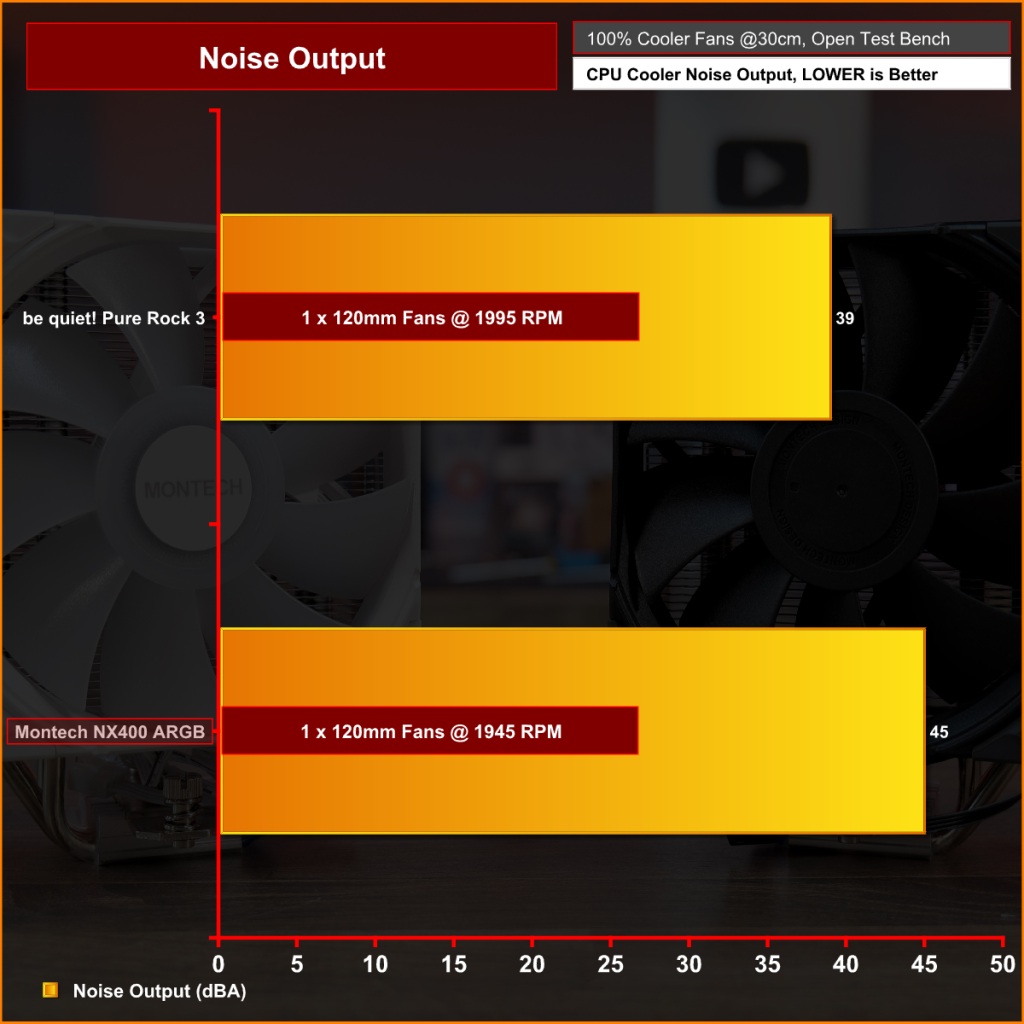
For a single 120mm fan cooler, the Montech NX400 ARGB is quite loud at 45dBA max. You can see how be quiet!'s long history of fan design shows here with both coolers having fans running at similar RPM, but the be quiet! fan is much quieter. It's a shame the Montech fan is so loud, but let's see how this translates in thermal performance.
Thermal Performance: AMD Ryzen 7 7700 (65W)
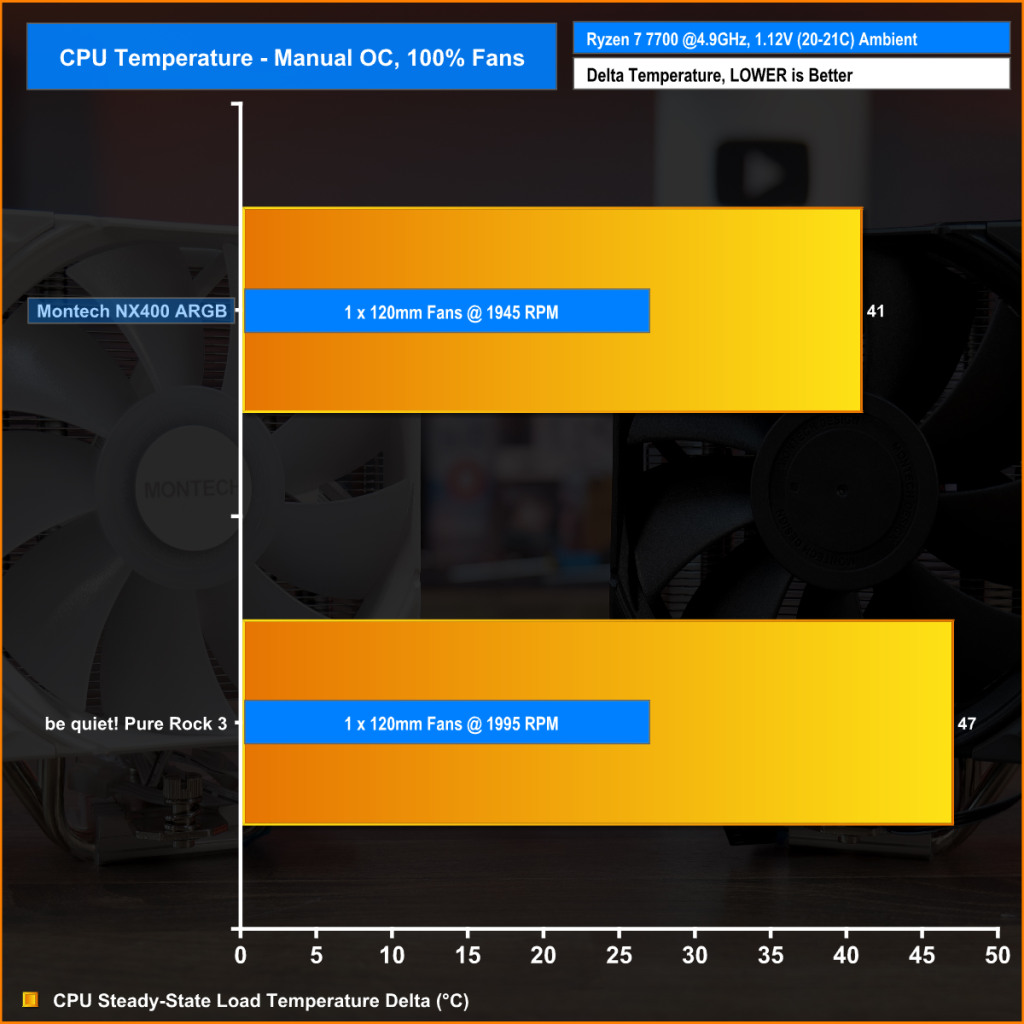
With fan speed maxed and the CPU running a fixed core clock frequency and Vcore, the Montech NX400 ARGB shows great performance, keeping the average CPU temperature at 41°C, which is a whopping six degrees cooler than the be quiet! Pure Rock 3.
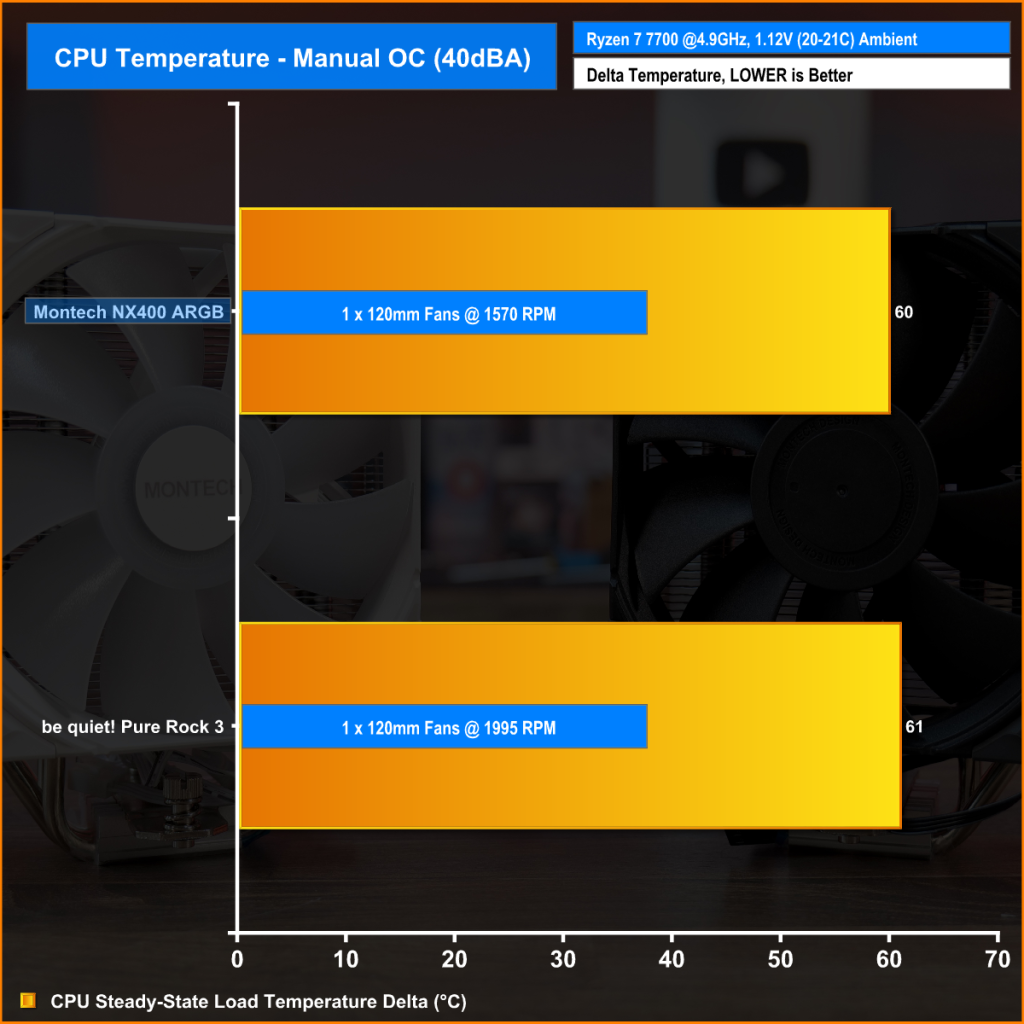
To hit the 40dBA noise limit, the Montech NX400 ARGB fan speed has to be reduced to just under 1600 RPM. However, this doesn't affect thermal performance much at all, but the average CPU temperature between the NX400 and be quiet! Pure Rock 3 are very close now, almost identical.
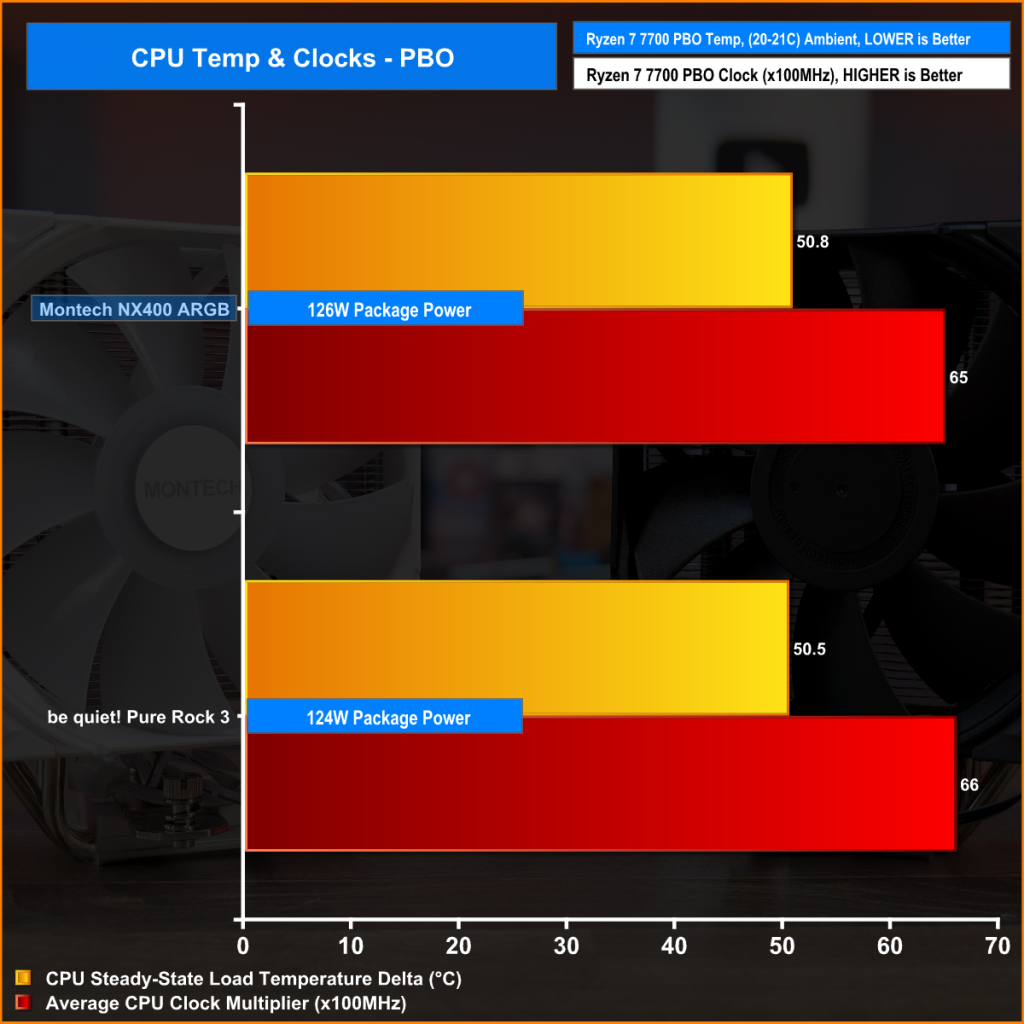
In the PBO test the Montech NX400 ARGB just edges the be quiet! Pure Rock 3 in terms of clock frequency, being able to hold an average 50.8x multiplier at 65ºC while cooling 126W package power, which is impressive performance from such a small and affordable cooler.
If you want an affordable air cooler for a low-power CPU, you simply cannot go wrong with the Montech NX400 or NX400 ARGB. Thermal performance from these coolers is excellent; even when running the Ryzen 7 7700 with PBO enabled, the cooler handles it without issues, and for under £20 there isn’t much else on the market that offers better value for money. We tested it against the be quiet! Pure Rock 3, which is £10 more expensive, but that cooler's thermal performance barely matches the NX400, so it makes sense to save that tenner and use it elsewhere in your system.
The only real downside is the noise when the fan runs at full tilt. We measured the maximum noise output, with the fan at 100% duty cycle, hitting 45dBA, which is quite loud for a single 120mm fan. However, if you adjust the fan curve to keep the noise at a more reasonable 40dBA, the cooler's performance drops only slightly, allowing you to tame the noise without compromising thermal performance. Plus, with the extra RPM available if needed, you can crank it up to 100% for a bit more performance.
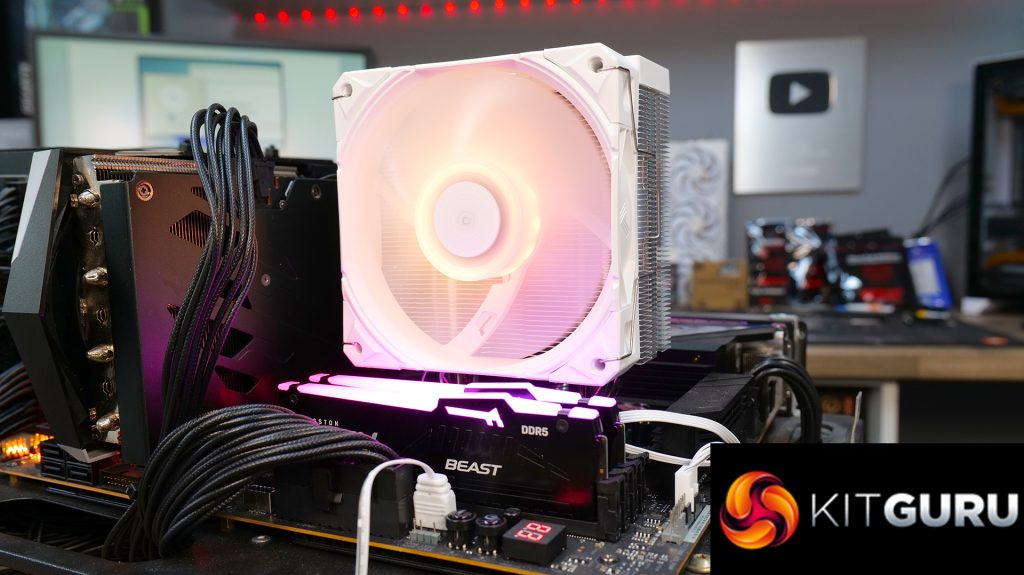
Aside from its solid performance, it is also easy to install. Montech uses a universal bracket system compatible with both Intel and AMD platforms. There is an additional backplate needed for Intel installations, but either way, installation only takes a few minutes. Wiring connects to standard motherboard headers, so there’s no need for pesky hubs or software. It’s a straightforward, fit-and-forget setup.
As it's a single tower cooler, there's no issue with RAM clearance either – tall RGB RAM modules can be used with the NX400. So, if you're looking for a small, inexpensive CPU cooler, you really can’t go wrong with the NX400 or NX400 ARGB. Both versions cost under £20, an absolute bargain, and you can choose between black or white colour schemes to match your system. What’s not to like?
You can see the different models and colour options on Scan HERE.
Pros:
- Solid thermal performance on low-power CPUs.
- Very competitive price.
- Available in two colours and with or without ARGB lighting.
Cons:
- A little loud at max fan speed.
KitGuru says: For under £20 you'll struggle to find more of an air cooler bargain than the NX400 or NX400 ARGB from Montech.