KitGuru KitGuru.net – Tech News | Hardware News | Hardware Reviews | IOS | Mobile | Gaming | Graphics Cards


To test the real-life performance of a drive we use a mix of folder/file types and by using the FastCopy utility (which gives a time as well as MB/s result) we record the performance of the drive reading from & writing to a 256GB Samsung SSD850 PRO.
We use the following folder/file types:
100GB data file.
60GB iso image.
60GB Steam folder – 29,521 files.
50GB File folder – 28,523 files.
21GB 8K Movie demos.
12GB Movie folder – 24 files (mix of Blu-ray and 4K files).
11GB 4K Raw Movie Clips (8 MP4V files).
10GB Photo folder – 621 files (mix of png, raw and jpeg images).
10GB Audio folder – 1,483 files (mix of mp3 and .flac files).
5GB (1.5bn pixel) photo.
Blu-ray movie.
Thunderbolt 3
USB3.2 Gen2
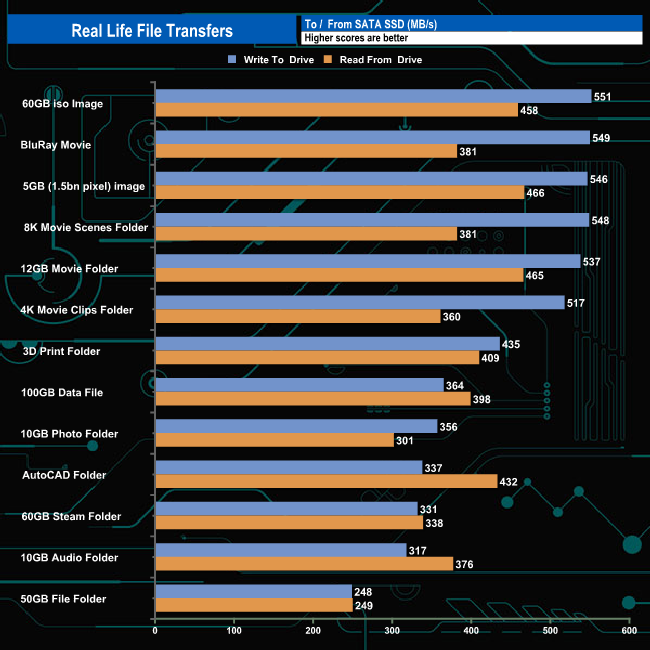
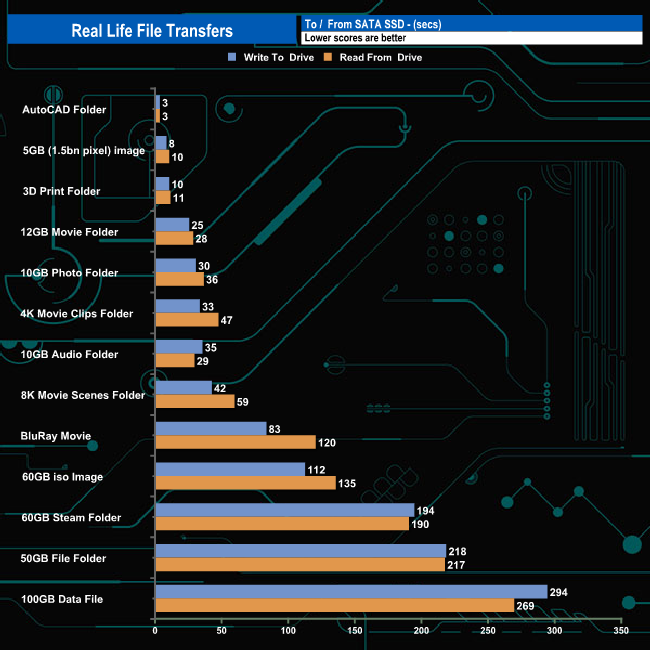
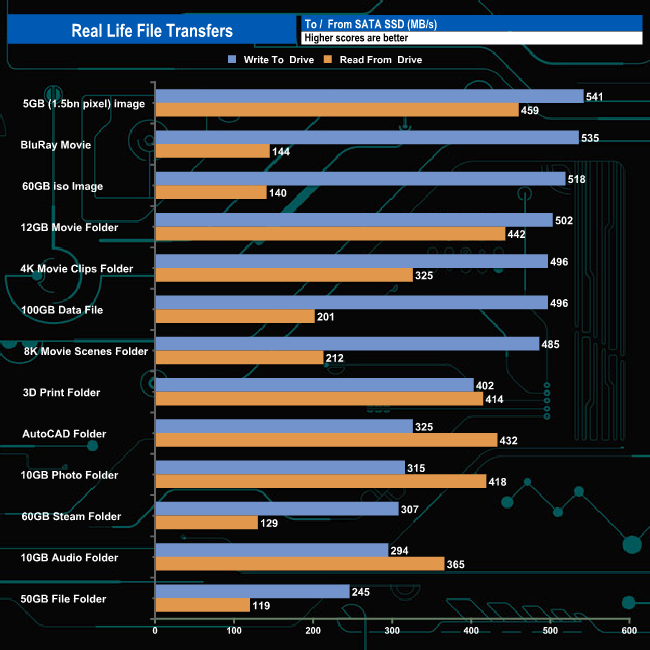
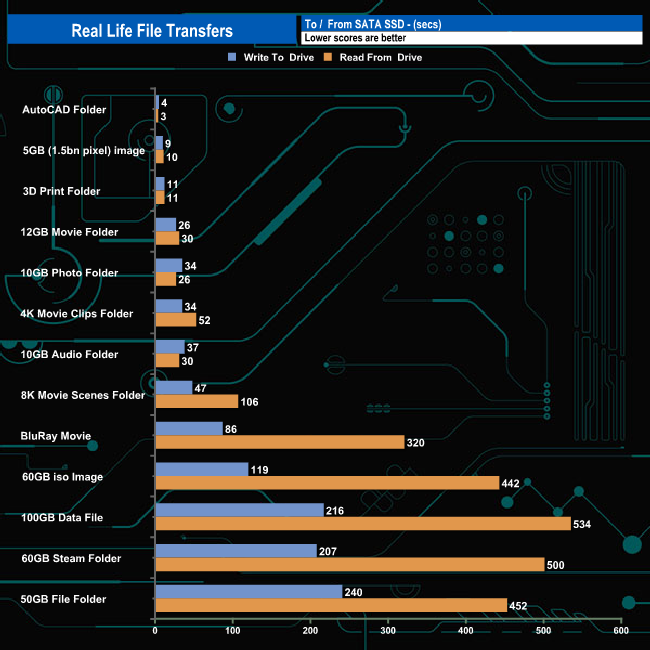
Transferring the data to and from a standard SATA 6Gb/s SSD there wasn't much to choose from between the two modes, and in many cases, the USB 3.2 connection was a bit faster than the Thunderbolt 3 one.
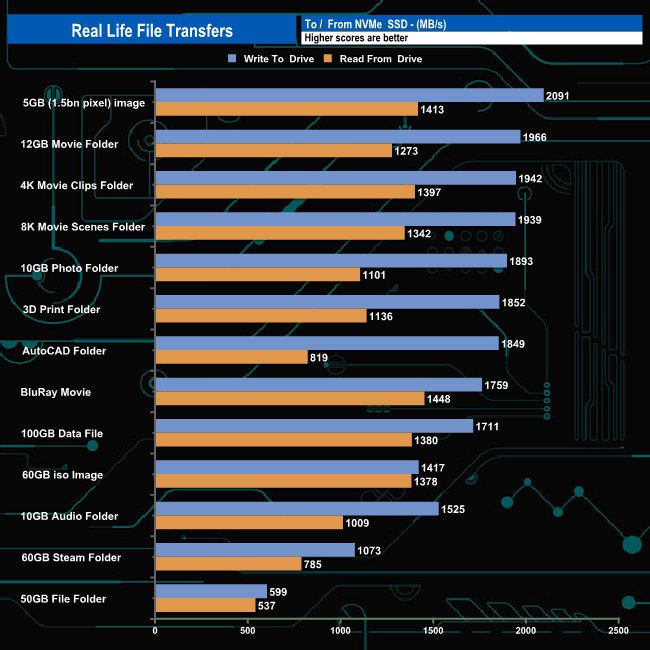
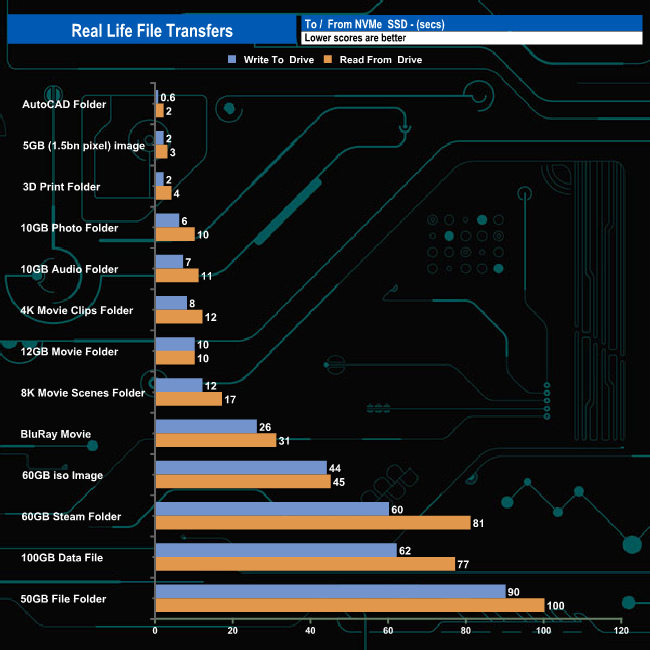
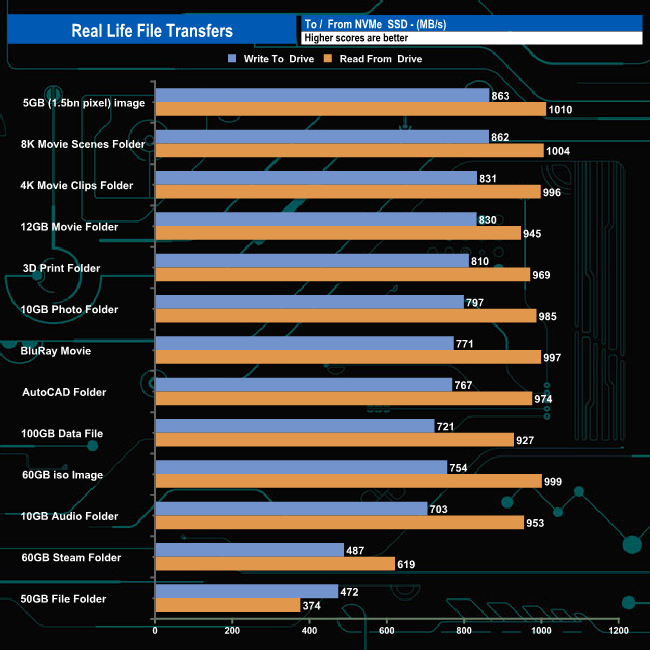
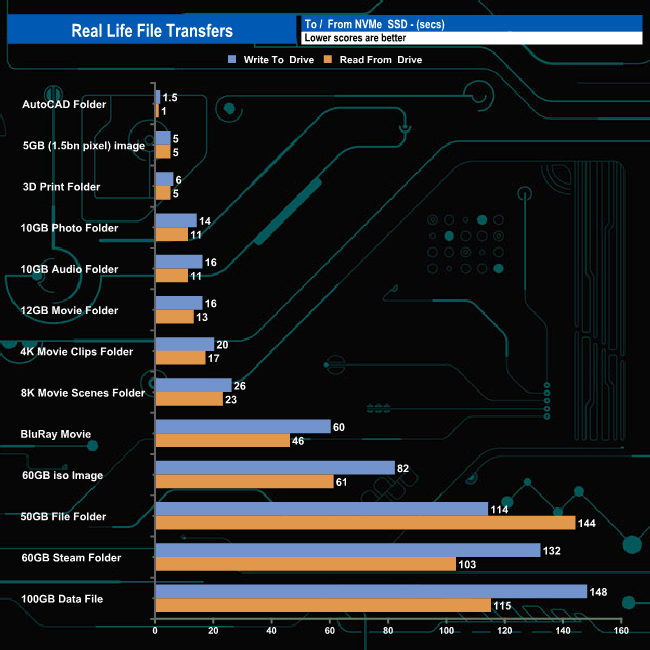
To get a true measure of how much faster the Thunderbolt 3 mode is than USB 3.2 Gen 2 we switched over to transferring the files to and from a 2TB Kioxia Exceria Plus NVMe drive:
Thunderbolt 3
USB3.2 Gen2
Using the Thunderbolt 3 connection we saw one write transfer top the 2GB/s mark (5GB image). Of the remaining twelve write transfers only one, the 50GB File Folder was under 1GB/s. Switching over to reads, ten of the thirteen transfers topped the 1GB/s mark, the fastest being the 1.448MB/s for the BluRay movie transfer.
Whereas there were only two instances when the drive topped 1GB/s (reading the 5GB image and 8K movie scenes folder) when in USB 3.2 Gen 2 mode.