KitGuru KitGuru.net – Tech News | Hardware News | Hardware Reviews | IOS | Mobile | Gaming | Graphics Cards


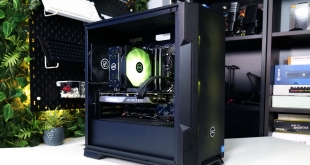
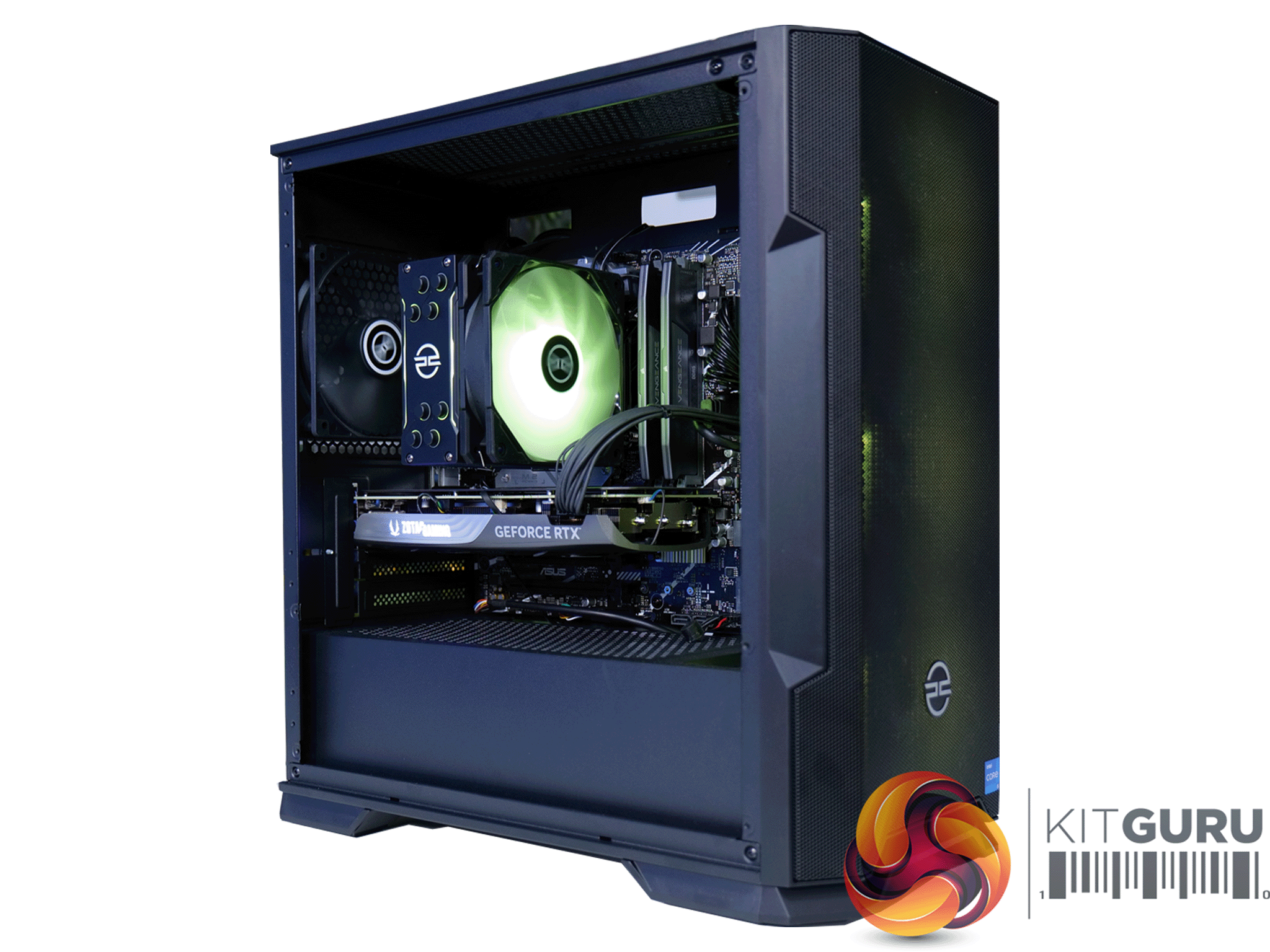
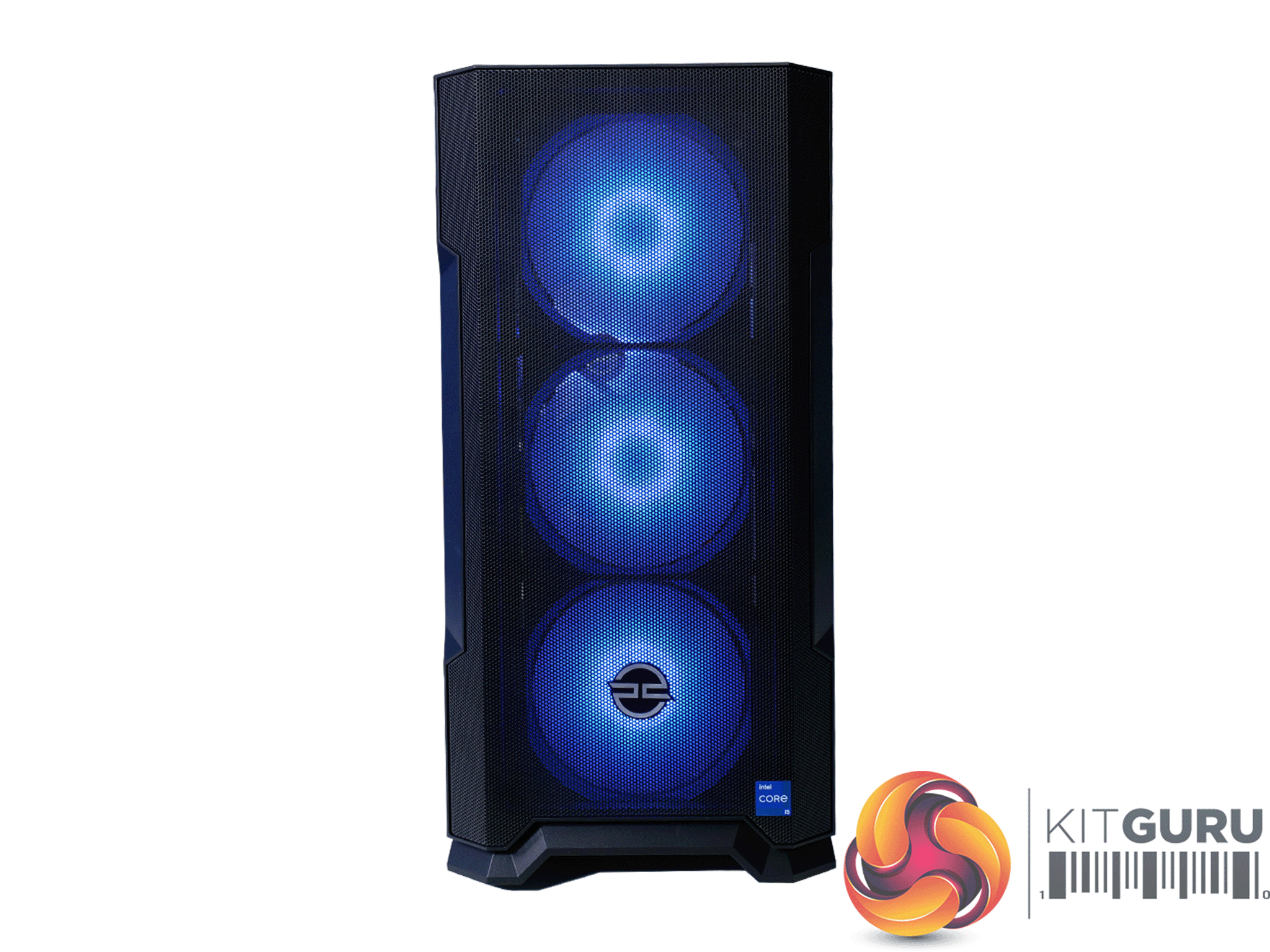
The Quantum Pro S prebuilt gaming desktop from PCSpecialist is one of their first systems to feature the new Nvidia GeForce RTX 4070 Super graphics card. The machine pairs this new graphics hardware with an Intel Core i5-13500 CPU and 16GB of Corsair Vengeance DDR5 memory. With a price tag of £1399, can this fresh desktop PC deliver solid gaming performance and value for money?
Timestamps
00:00 Start
00:31 The PC specs featuring 4070 Super
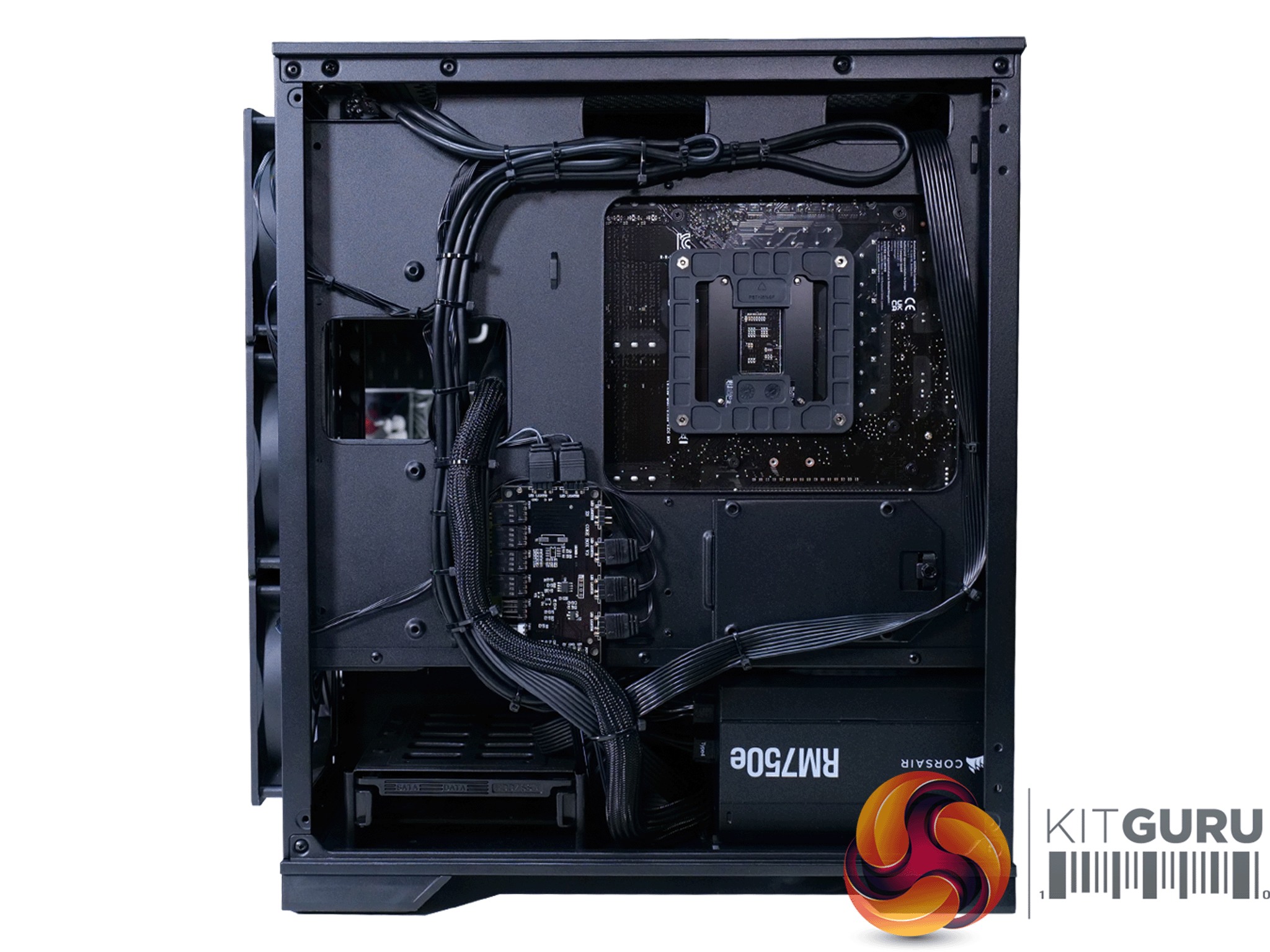
03:57 Build and cable management
04:14 Initial tests
04:57 Digging in the BIOS – changing settings
06:02 Checking with PCSpecialist and our thoughts
06:45 Test results
09:03 Gaming benchmarks
13:41 Average results at 1440p and 4k
14:31 Esports / content creation
15:00 Apex Legends
16:33 Counter Strike 2
17:28 Warzone
19:30 Mats thoughts on the system capabilities
20:08 Thermals, noise and power
22:52 Worth buying
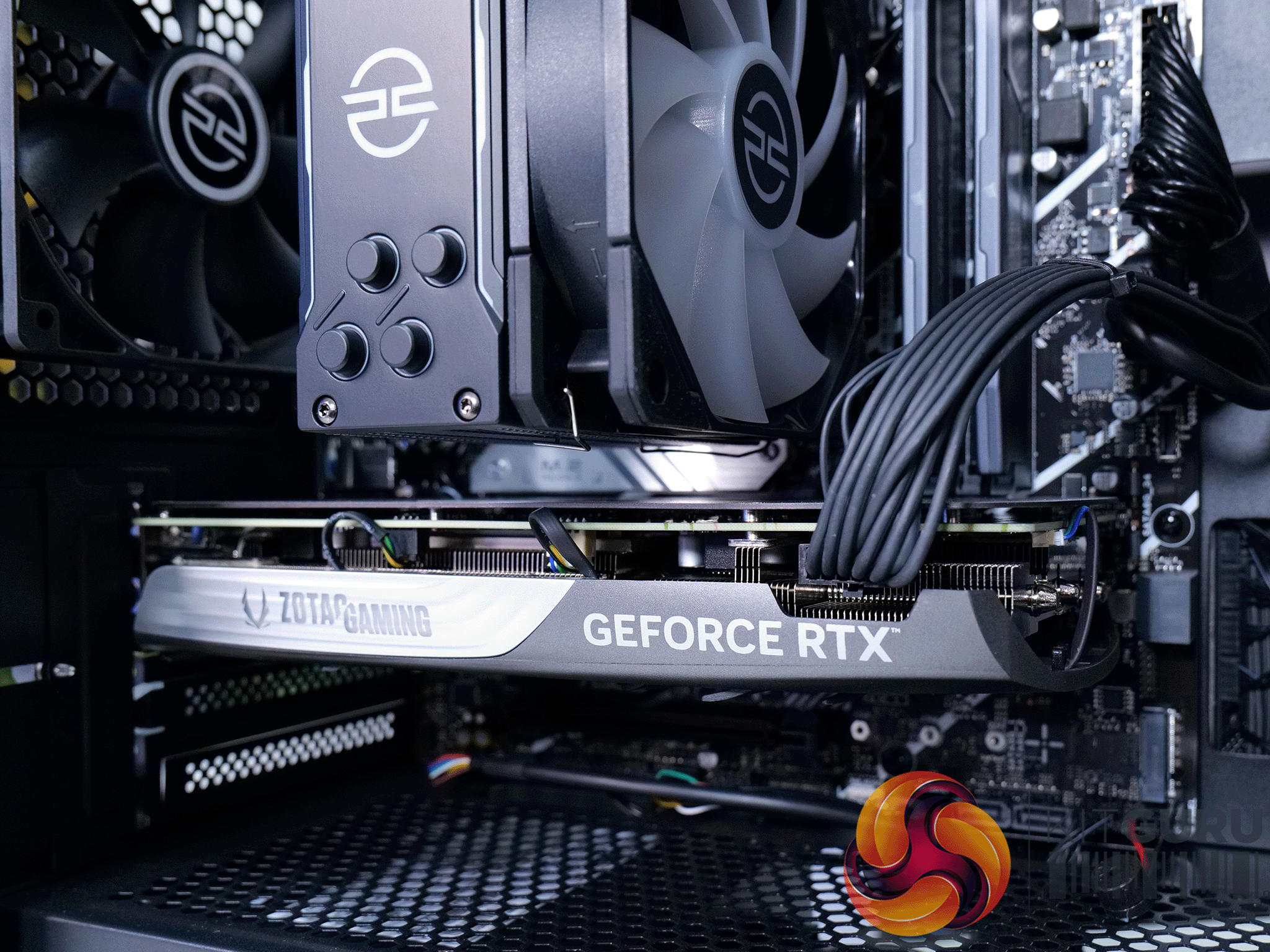
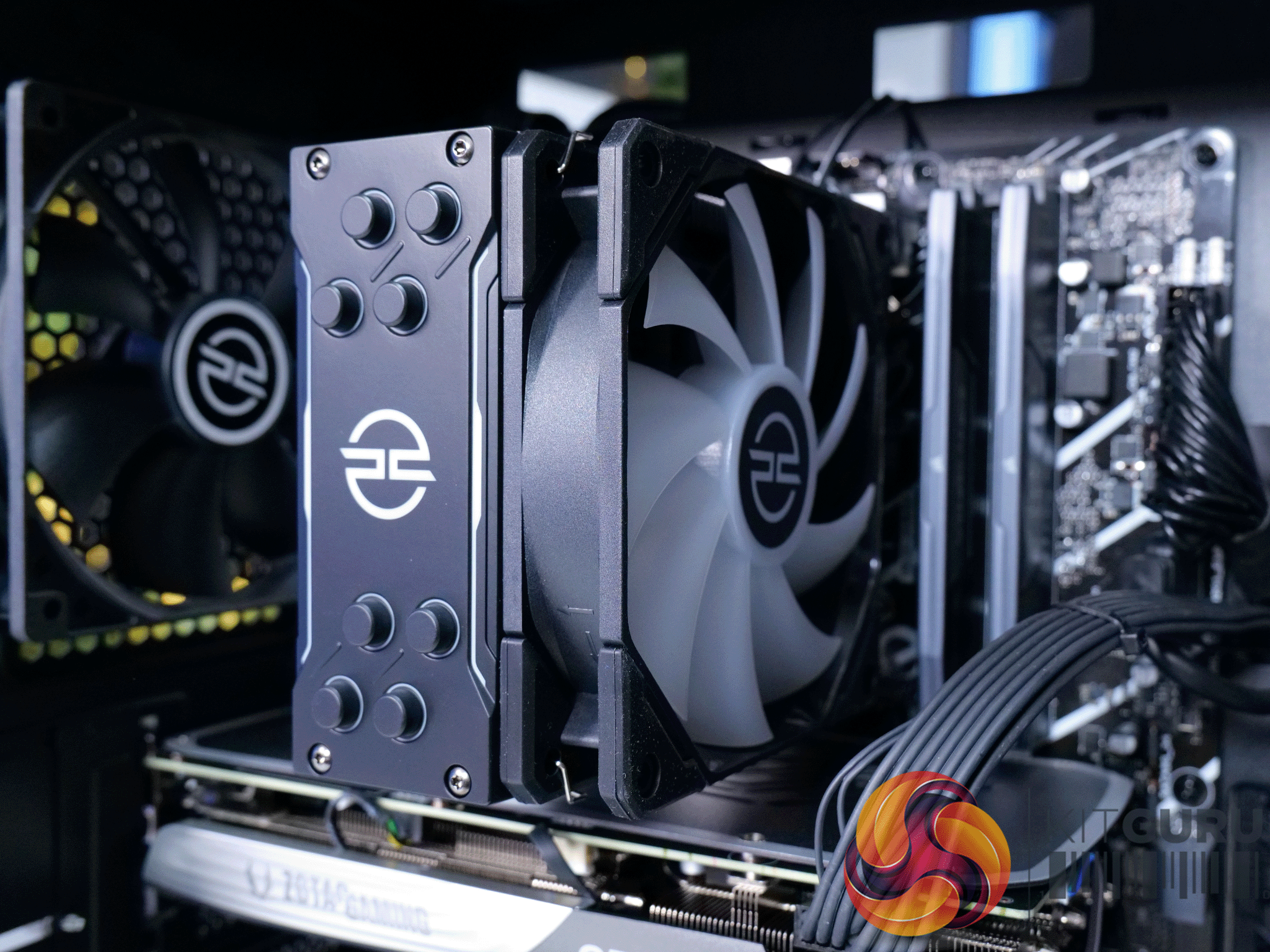
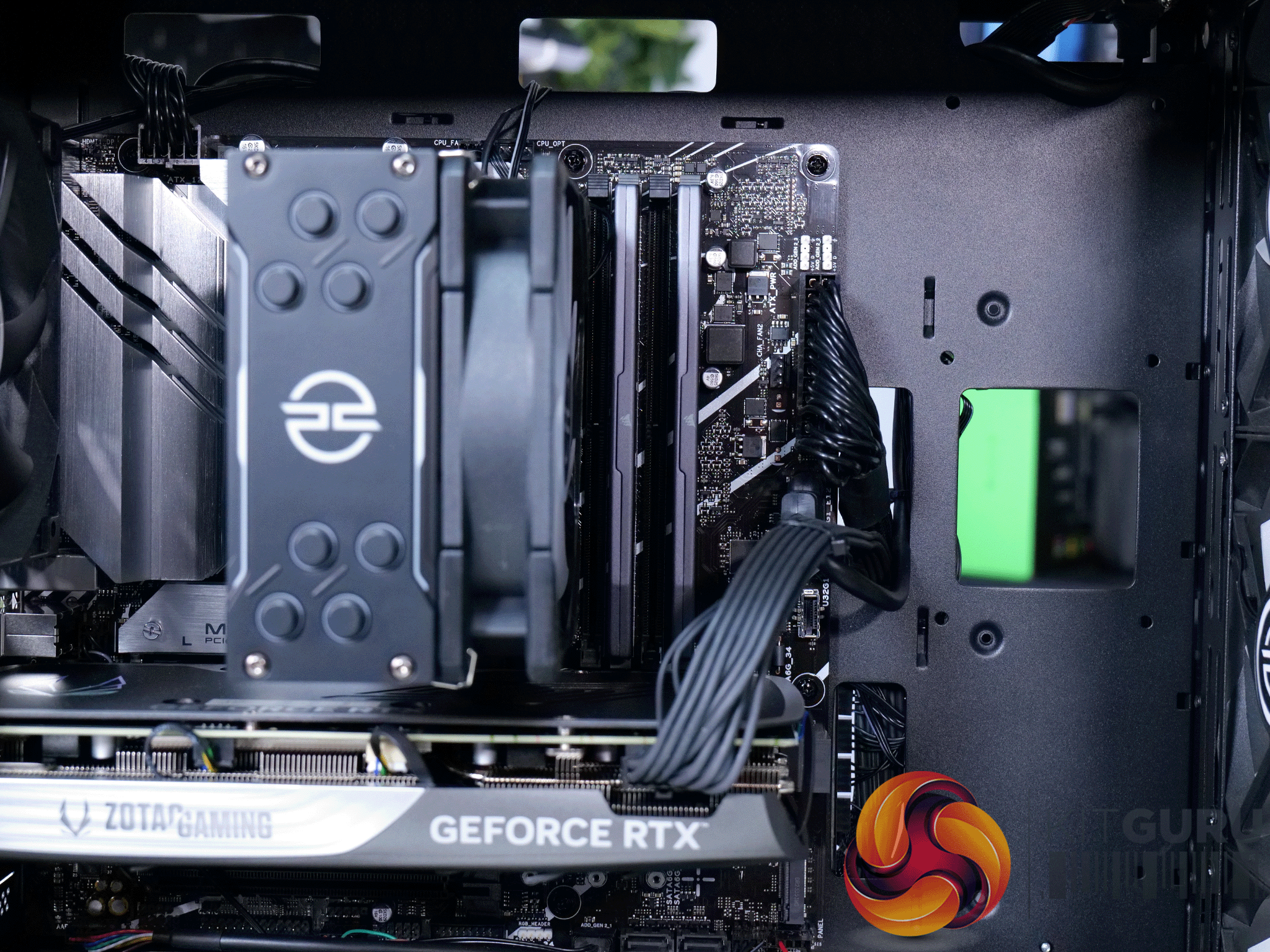
Specification
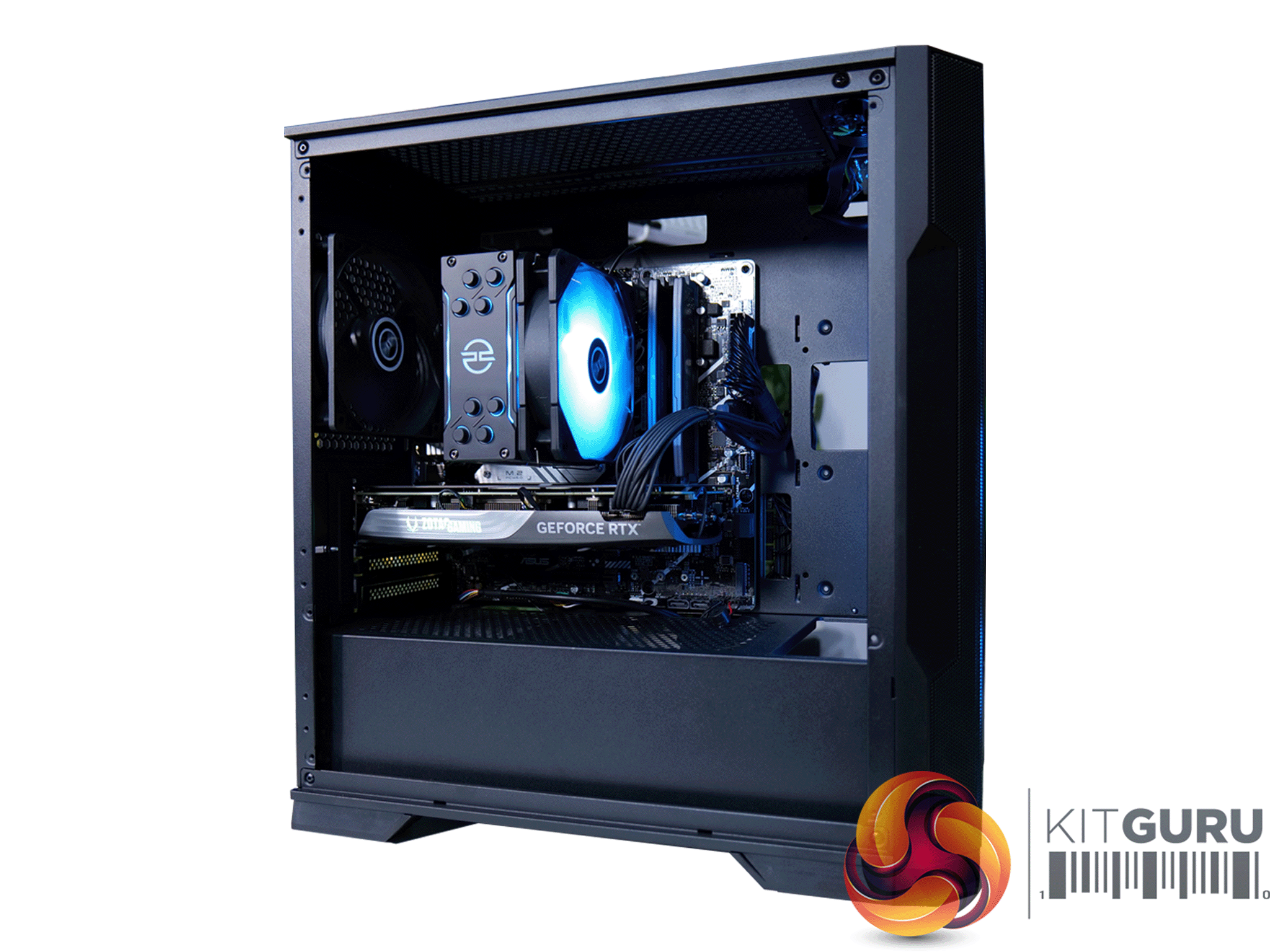
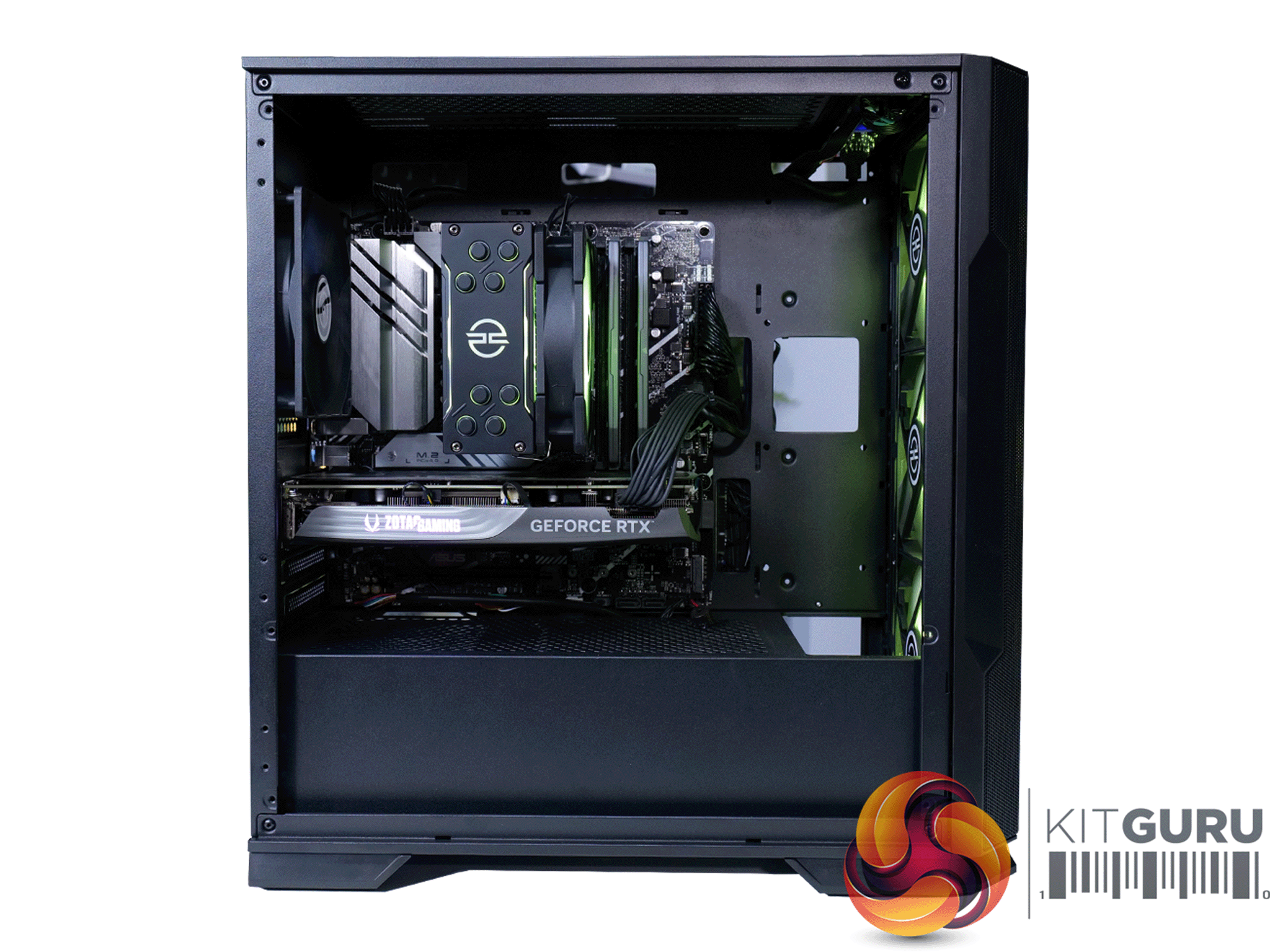
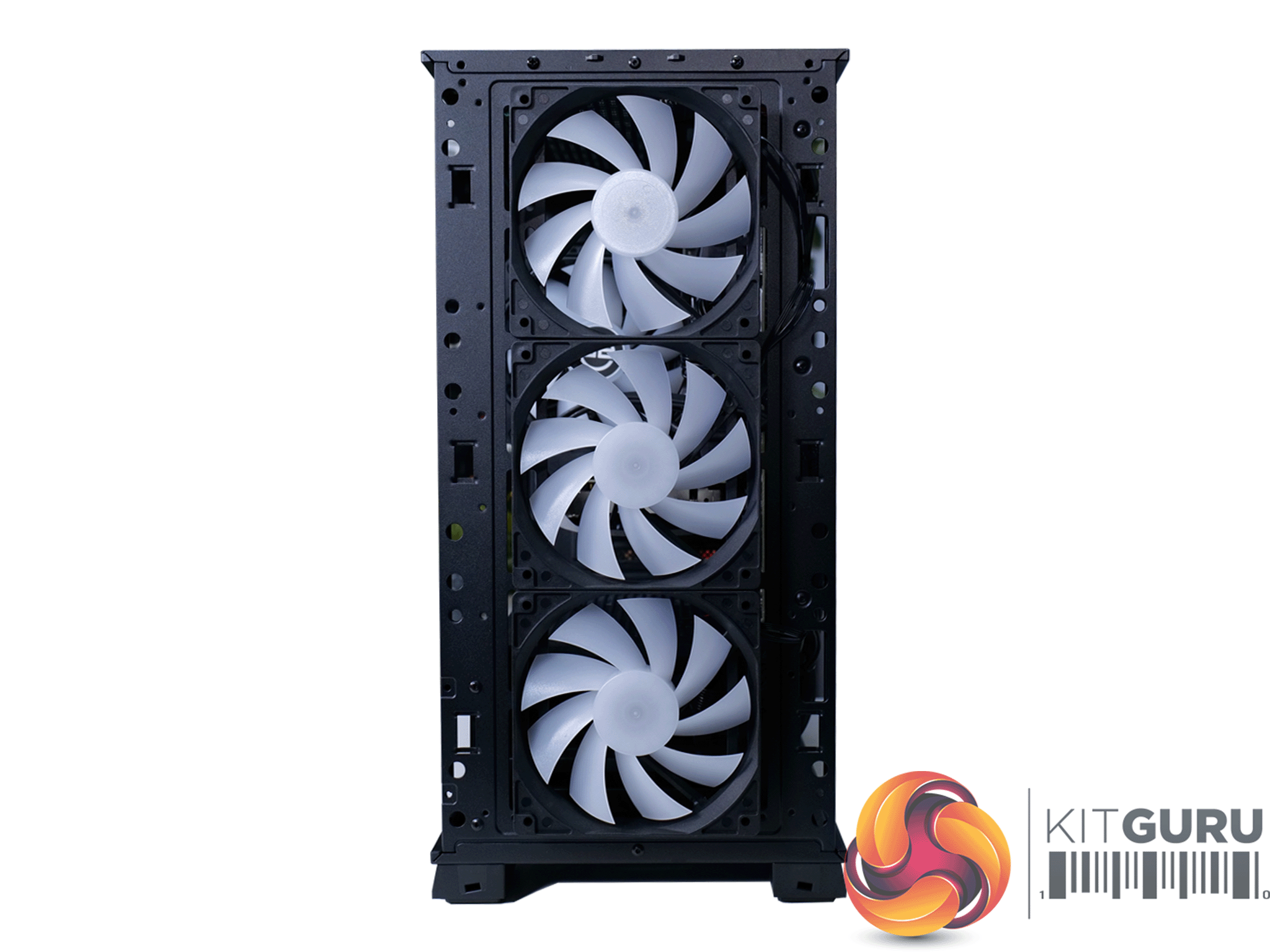
- Case – PCS SPECTRUM II COMPACT ARGB MID TOWER CASE (PWM) mATX
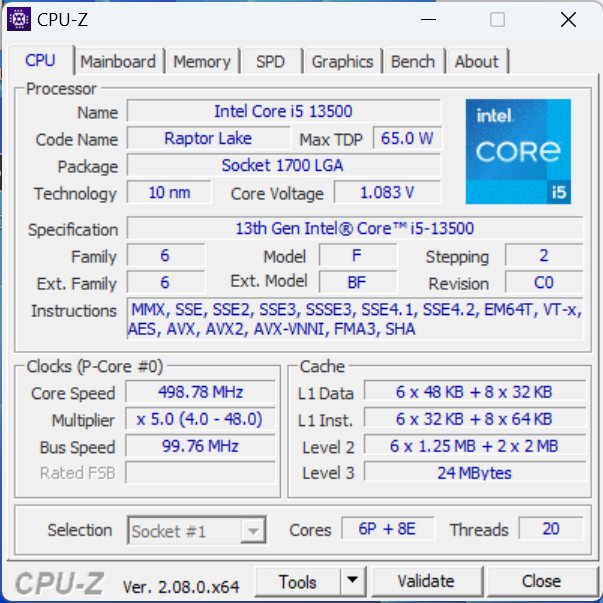
- Processor (CPU) – Intel® Core™ i5 14-Core Processor i5-13500 (Up to 4.8GHz) 24MB Cache
- Motherboard – ASUS® PRIME B760M-A WIFI (mATX, LGA1700, DDR5, PCIe 4.0, Wi-Fi 6)
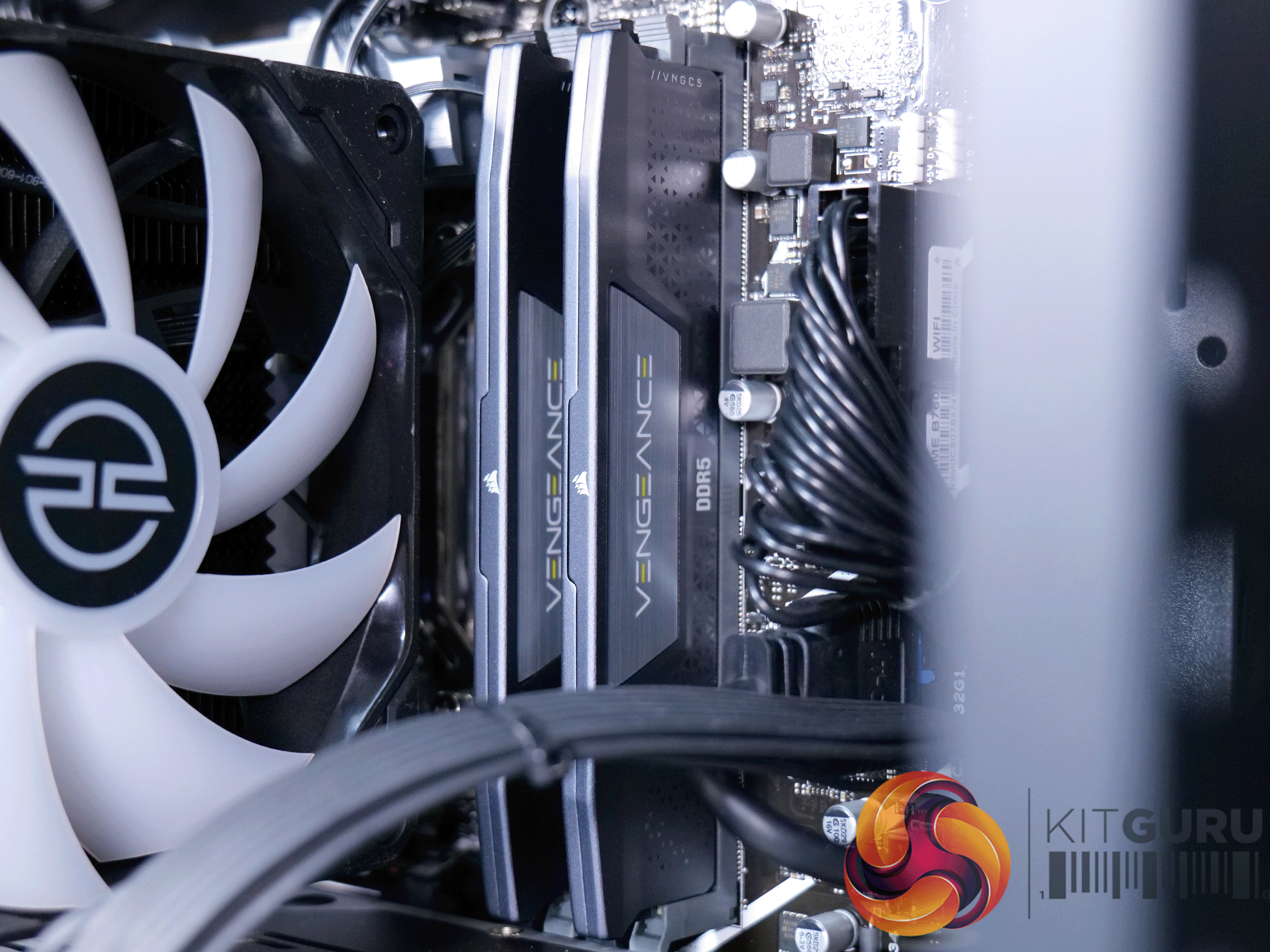
- Memory (RAM) – 16GB Corsair VENGEANCE DDR5 5200MHz (2 x 8GB)
- Graphics Card – 12GB NVIDIA GEFORCE RTX 4070 SUPER – HDMI, DP, LHR
- SSD Drive – 2TB SOLIDIGM P41+ GEN 4 M.2 NVMe PCIe SSD (up to 4125MB/sR, 3325MB/sW)
- Power Supply – CORSAIR 750W RMe SERIES™ MODULAR 80 PLUS® GOLD, ULTRA QUIET
- Power Cable – 1 x 1.5 Metre UK Power Cable (Kettle Lead)
- Processor Cooling – PCS FrostFlow 100 ARGB V3 Series High Performance CPU Cooler (INTEL)
- Operating System – Windows 11 Home 64 Bit – inc. Single Licence
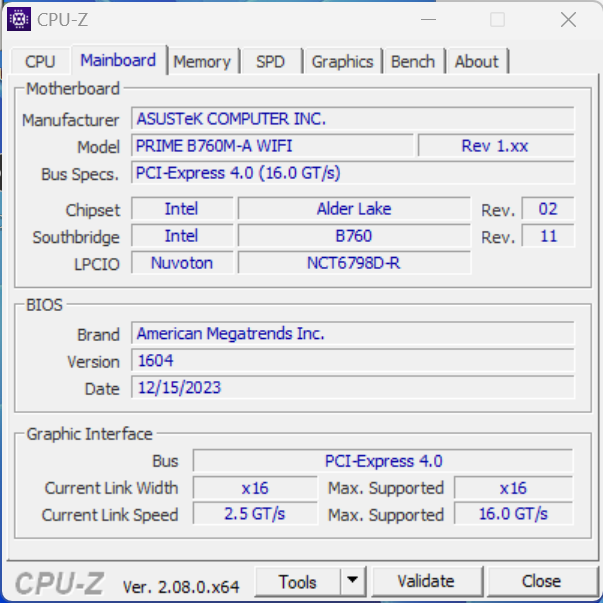
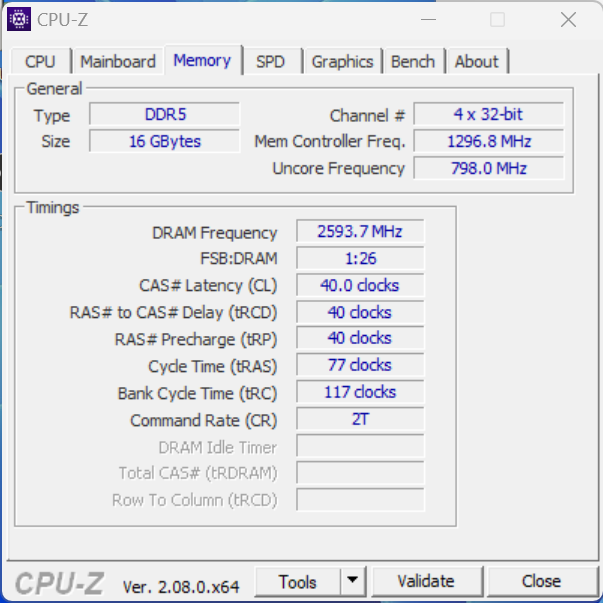
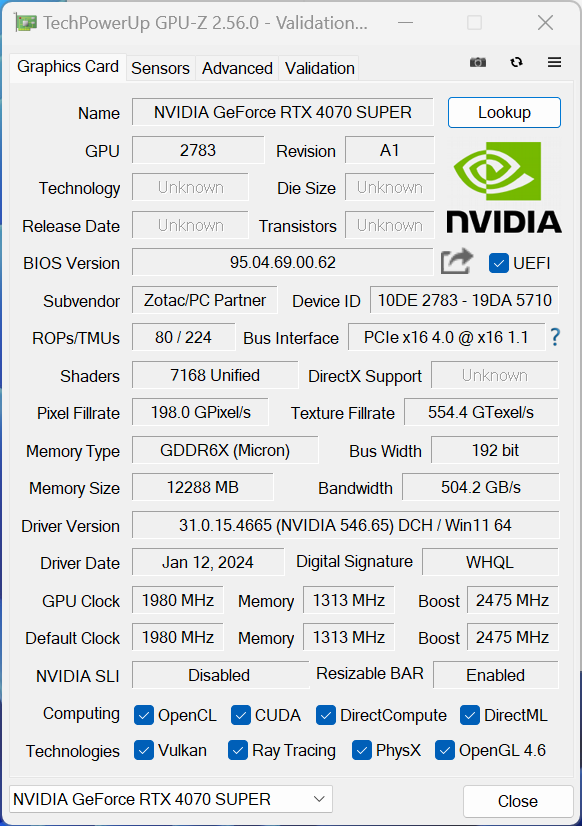
The core specs are confirmed in the following CPU-Z and GPU-Z screenshots:
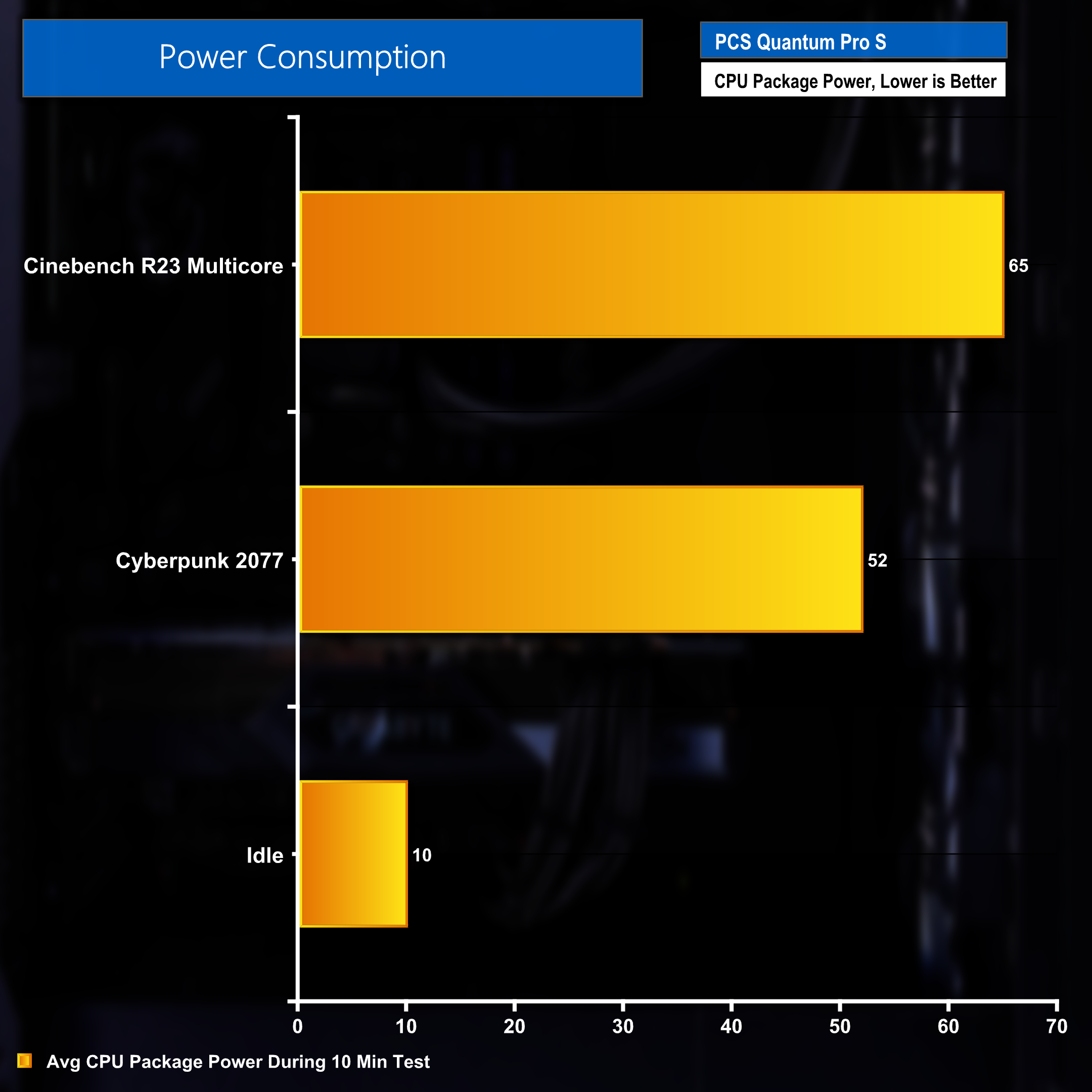
Out of the box, the ASUS Performance Enhancement 3.0 setting is disabled in BIOS. This applies default stock Intel power limits of 65W PL1 and 145W PL2 – which can be seen in the above CPU package power usage during a sustained 30 minute Cinebench benchmark,
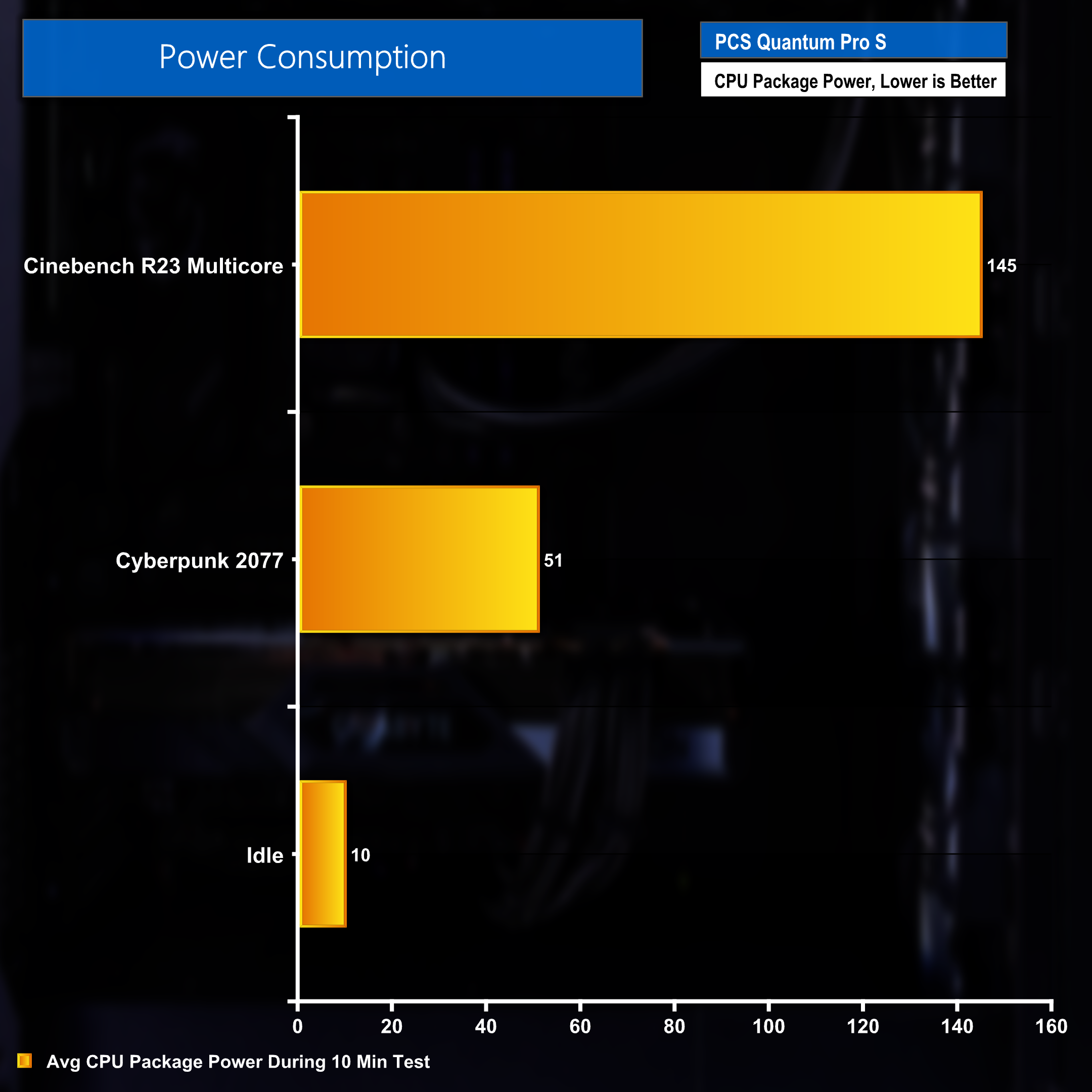
Turning this setting off allows the CPU to use much more power due to increasing PL1 and PL2 power limits to 253W. This is reflected in the much higher 145W CPU package power consumption in the same 30 minute Cinebench benchmark.
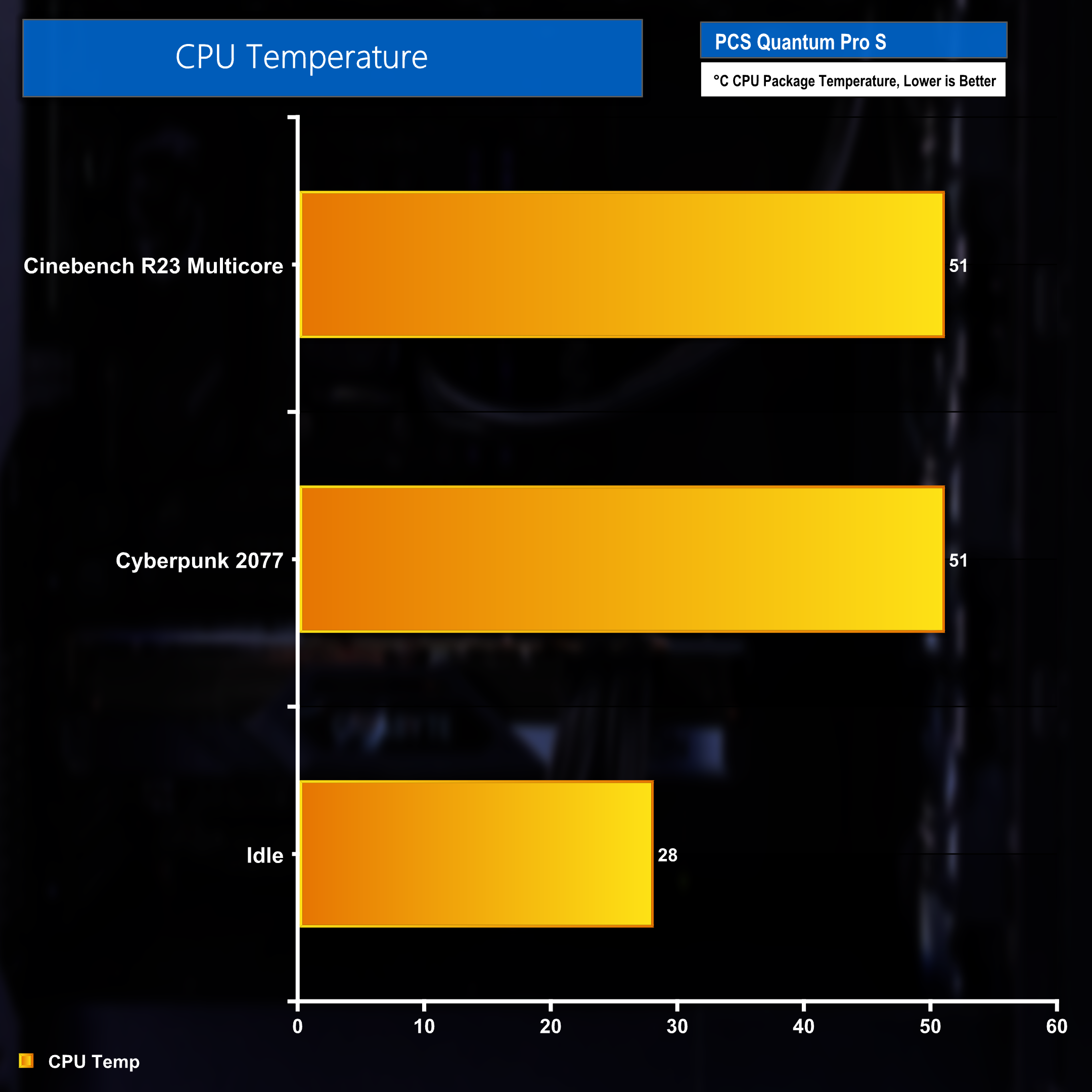
The power changes applied by the previously discussed setting, ASUS Performance Enhancement 3.0, are reflected in the heat generated by the processor. With the setting off, temperatures remained around 51 degrees during gaming and synthetic testing.
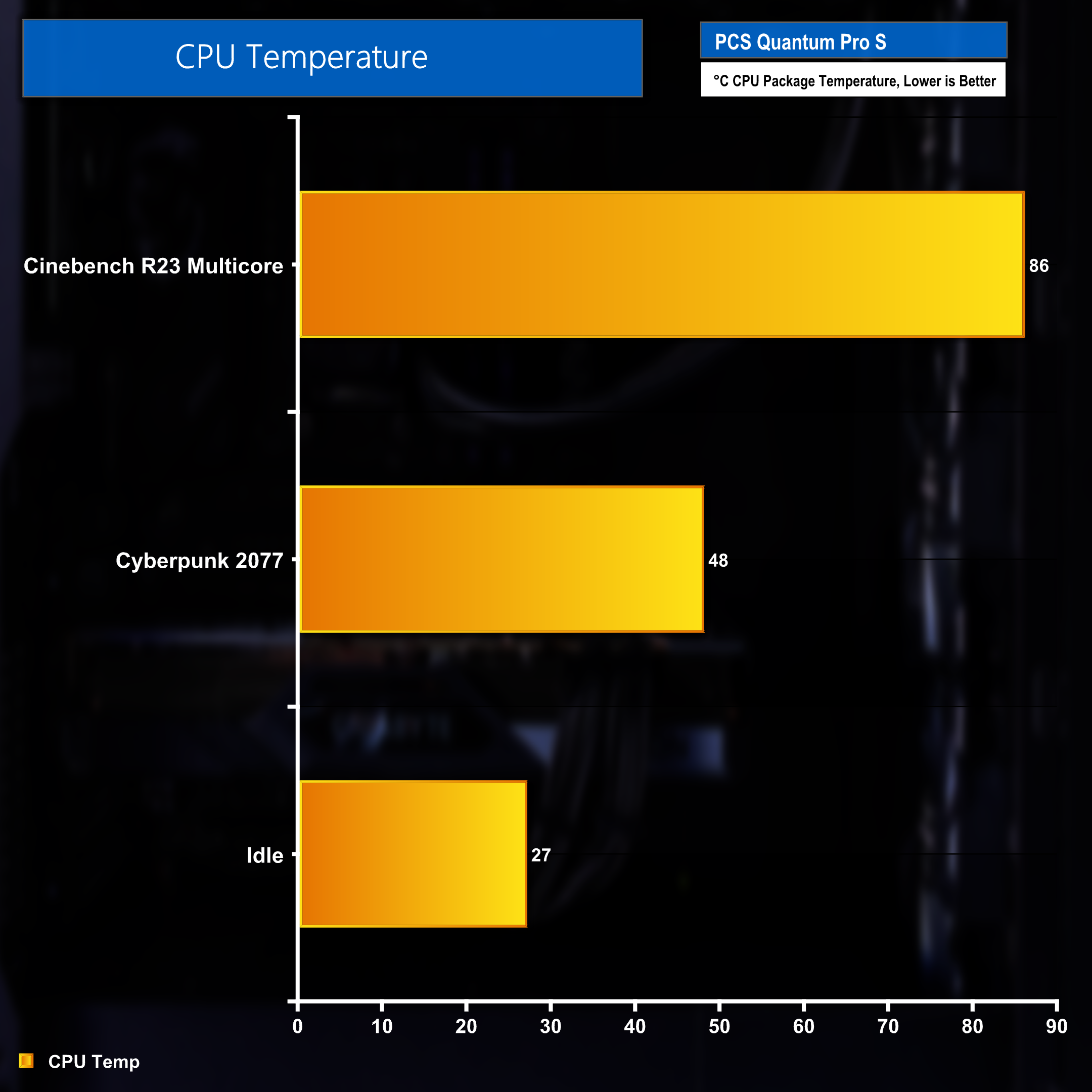
Pushing up the power limits and usage sees the CPU temperature rise to 86 degrees when running a Cinebench benchmark. Figures while gaming and idle remain relatively unchanged.
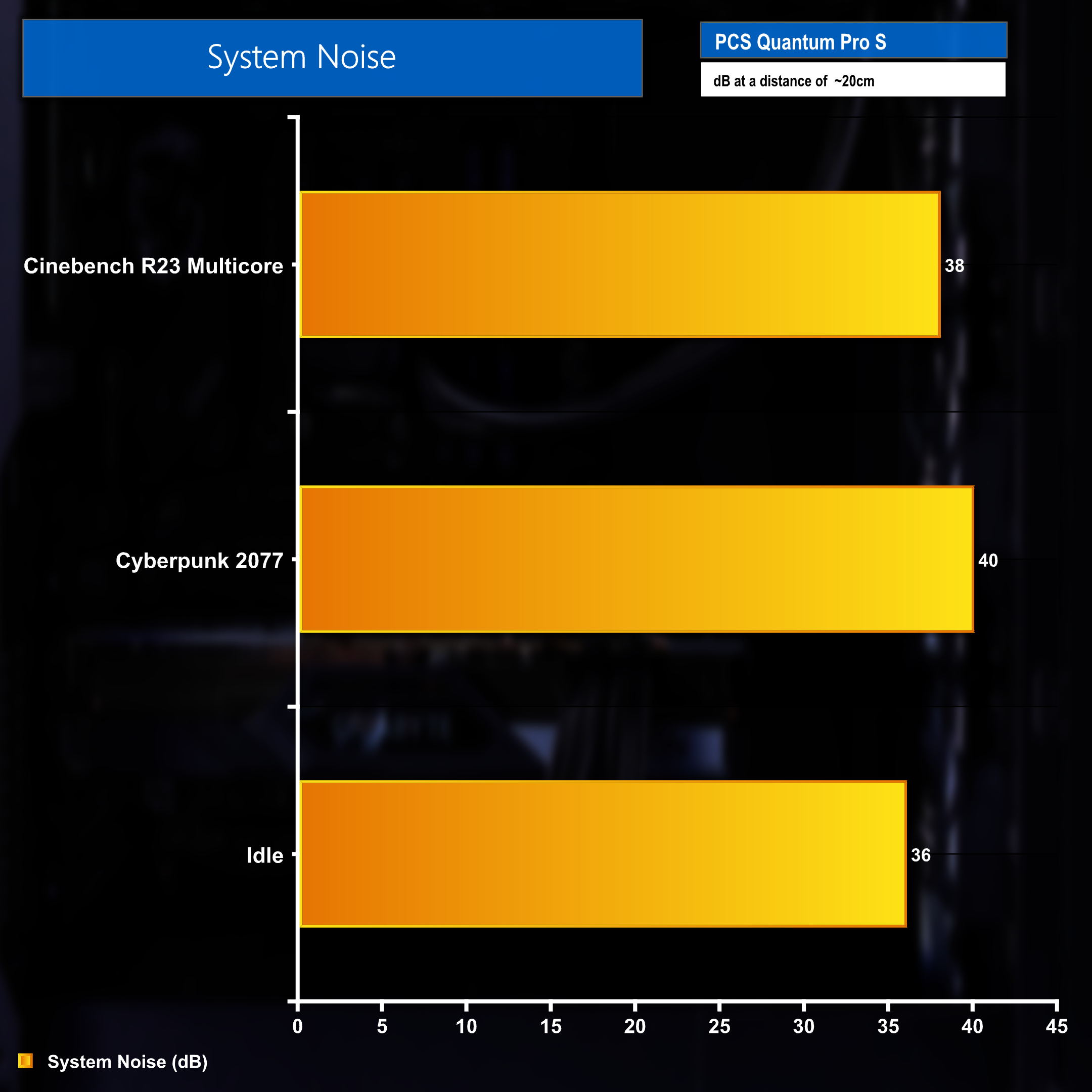
The pattern continues heading in to our system noise measurement. With stock Intel power limits the system remains quiet and cool.
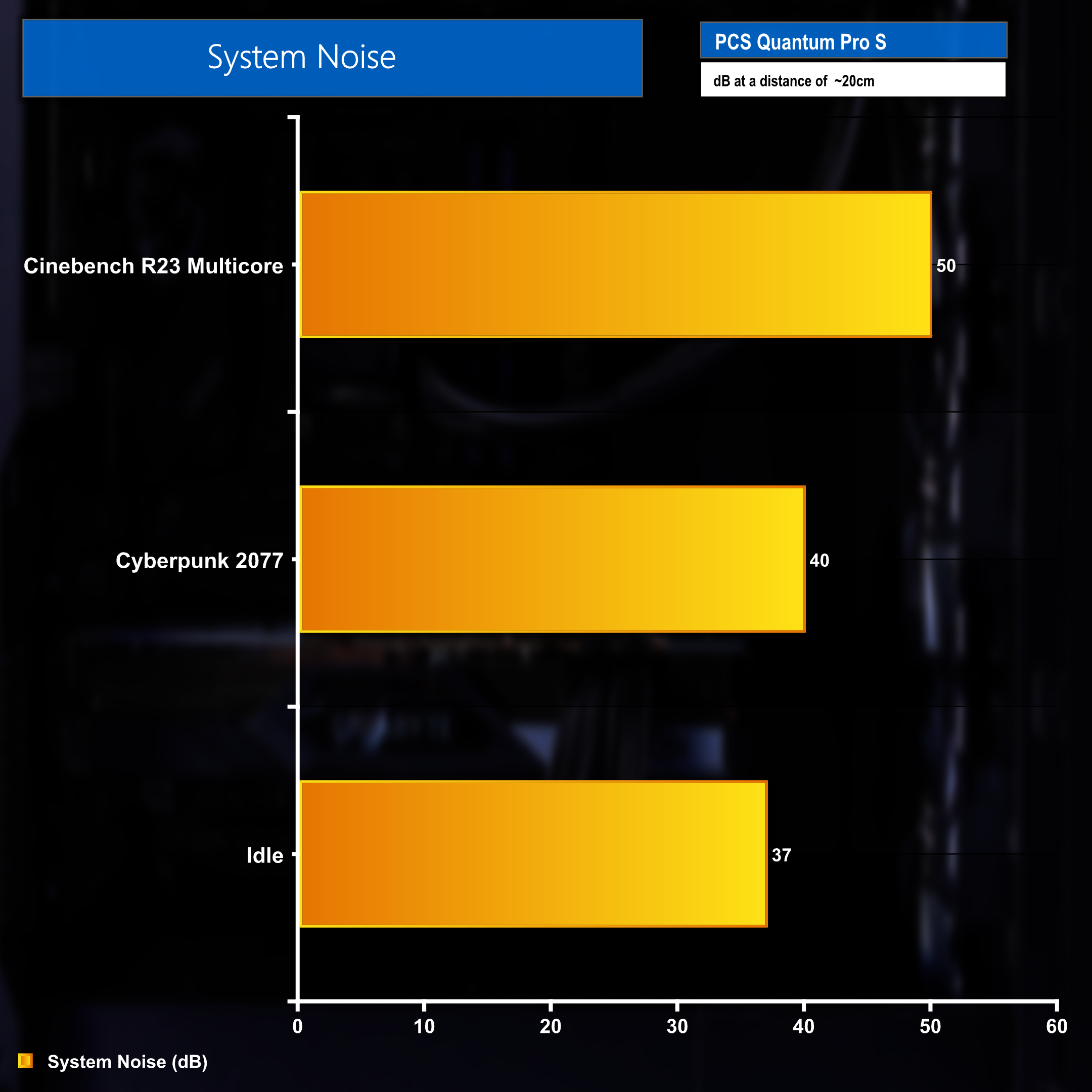
Again, pushing those limits and power usage upwards does result in an substantial increase in noise levels when running a Cinebench benchmark, however, just as we saw with the power usage and temperatures, system noise remains mostly the same whilst gaming and at idle.
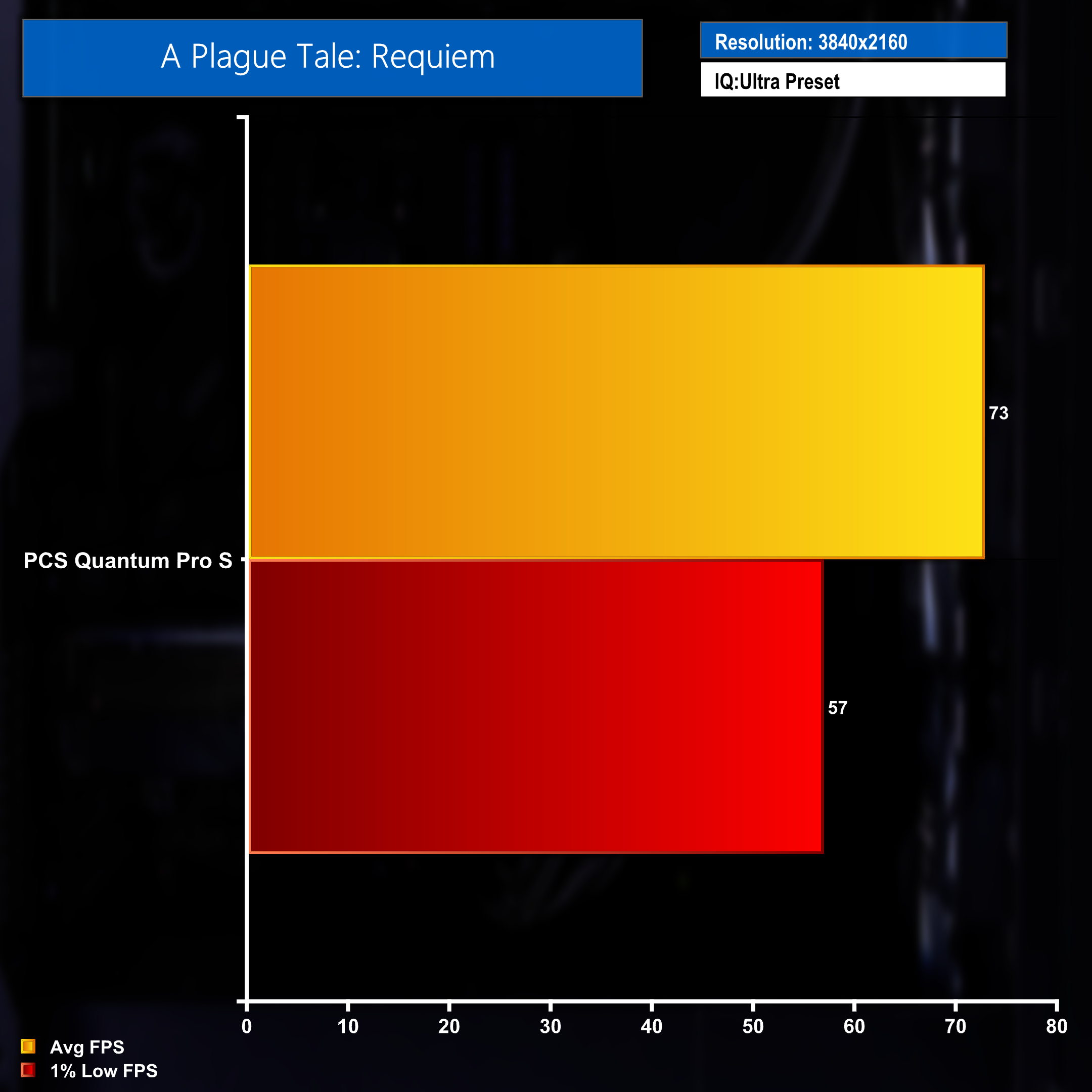
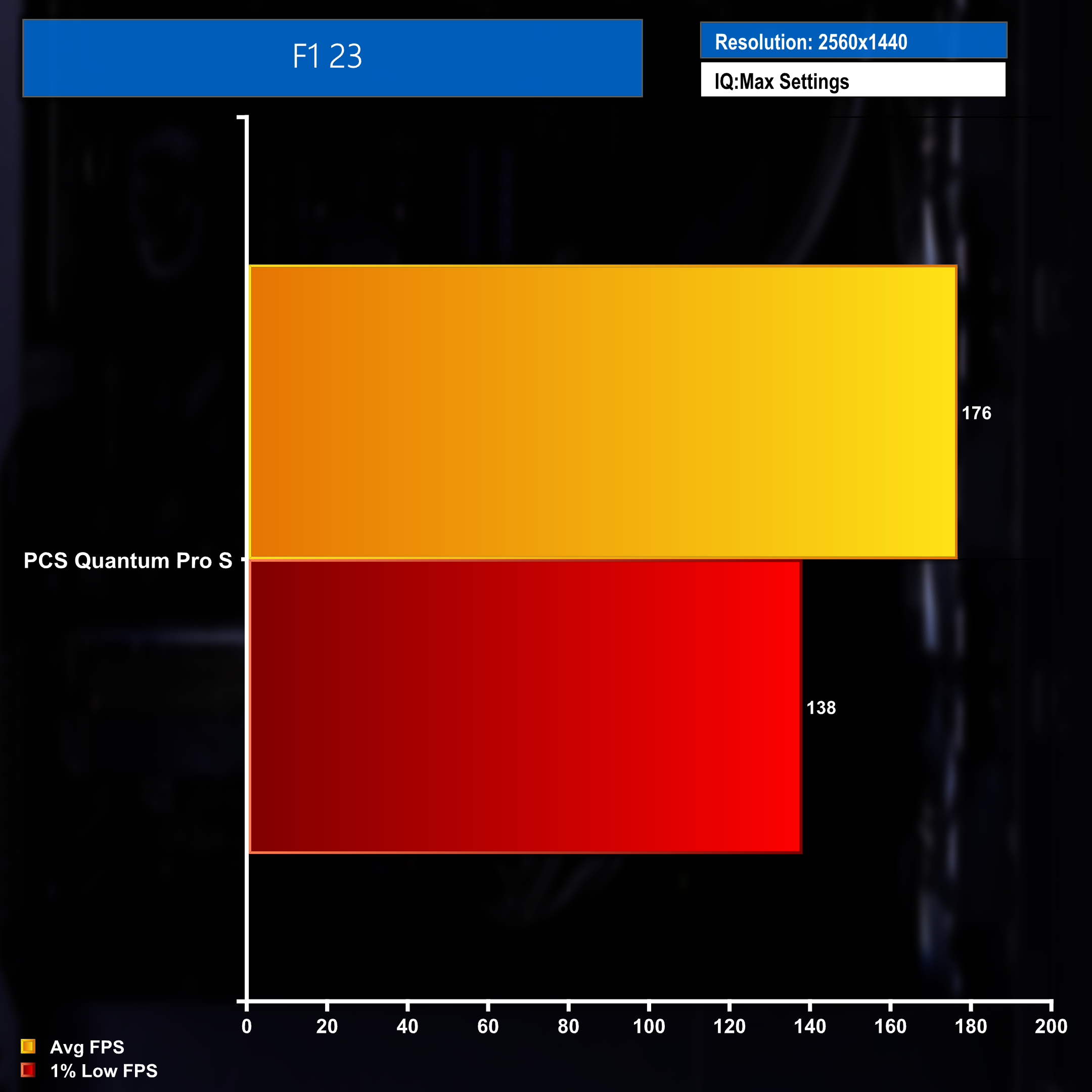
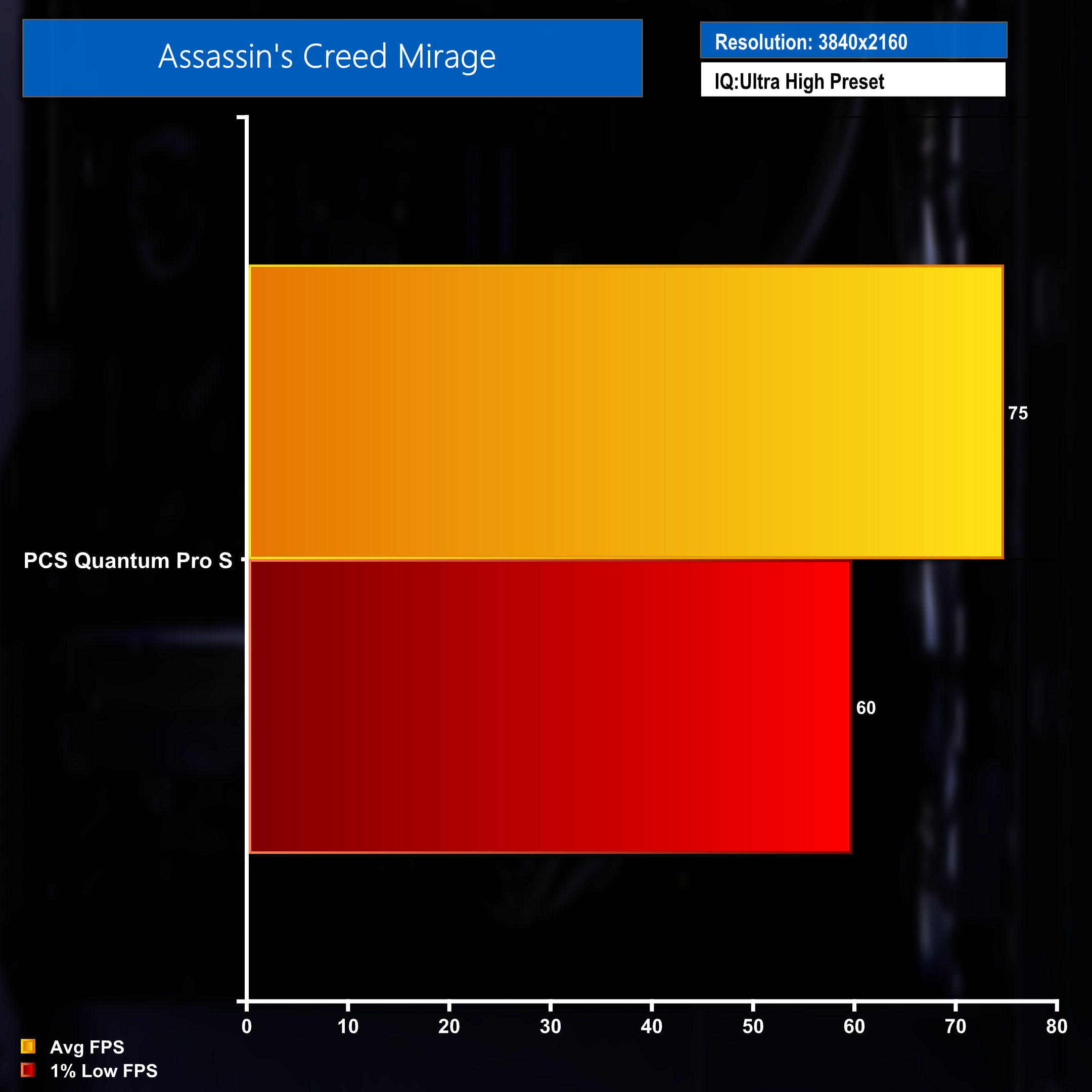
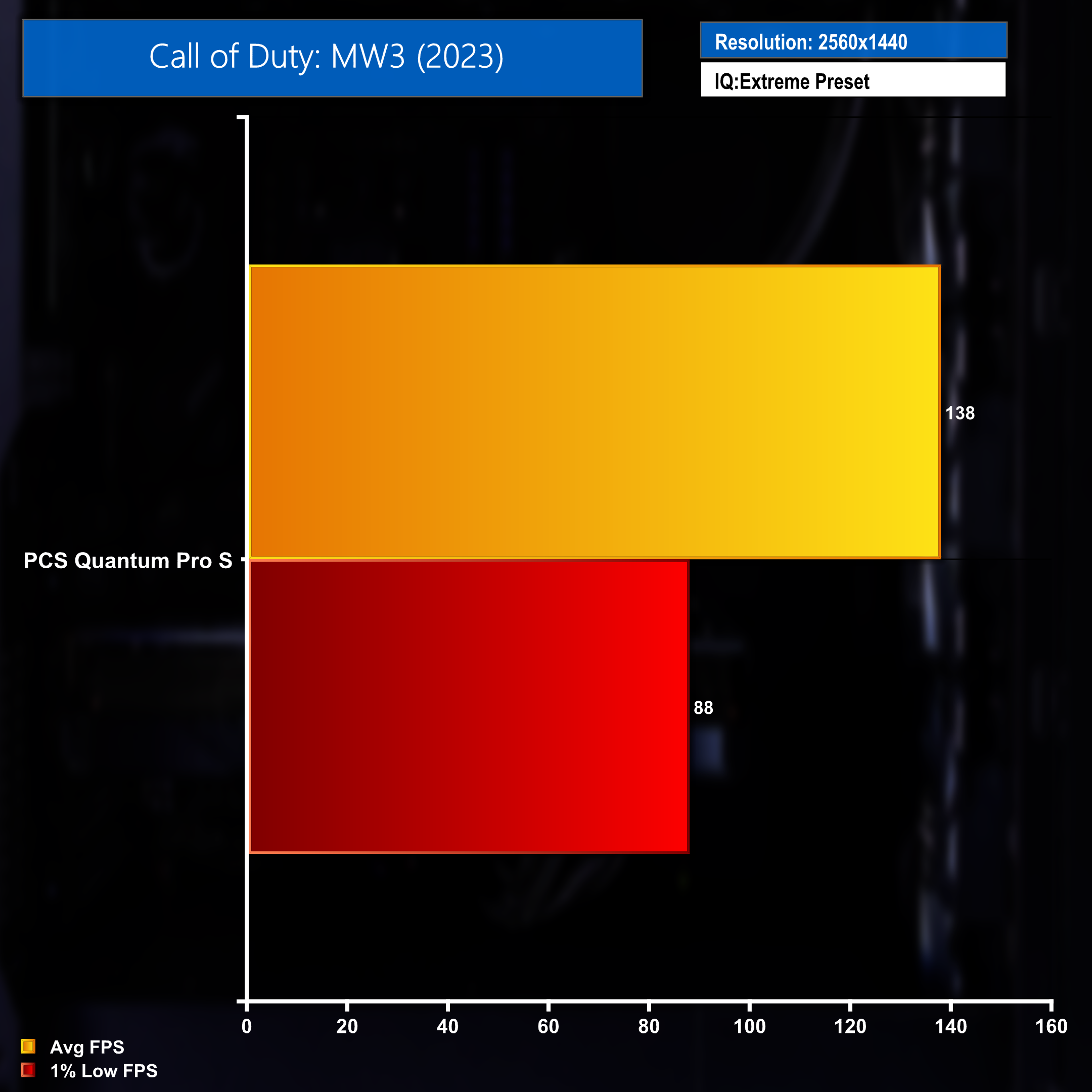
Gaming performance at 1440p is good, with performance in F1 23 being particularly impressive. 4K FPS changes on a game per game basis with some titles running well and other struggling to hit 60 FPS.
Full 10 game benchmarks across both 1440p and 4K resolution can be found in our full review over on YouTube.
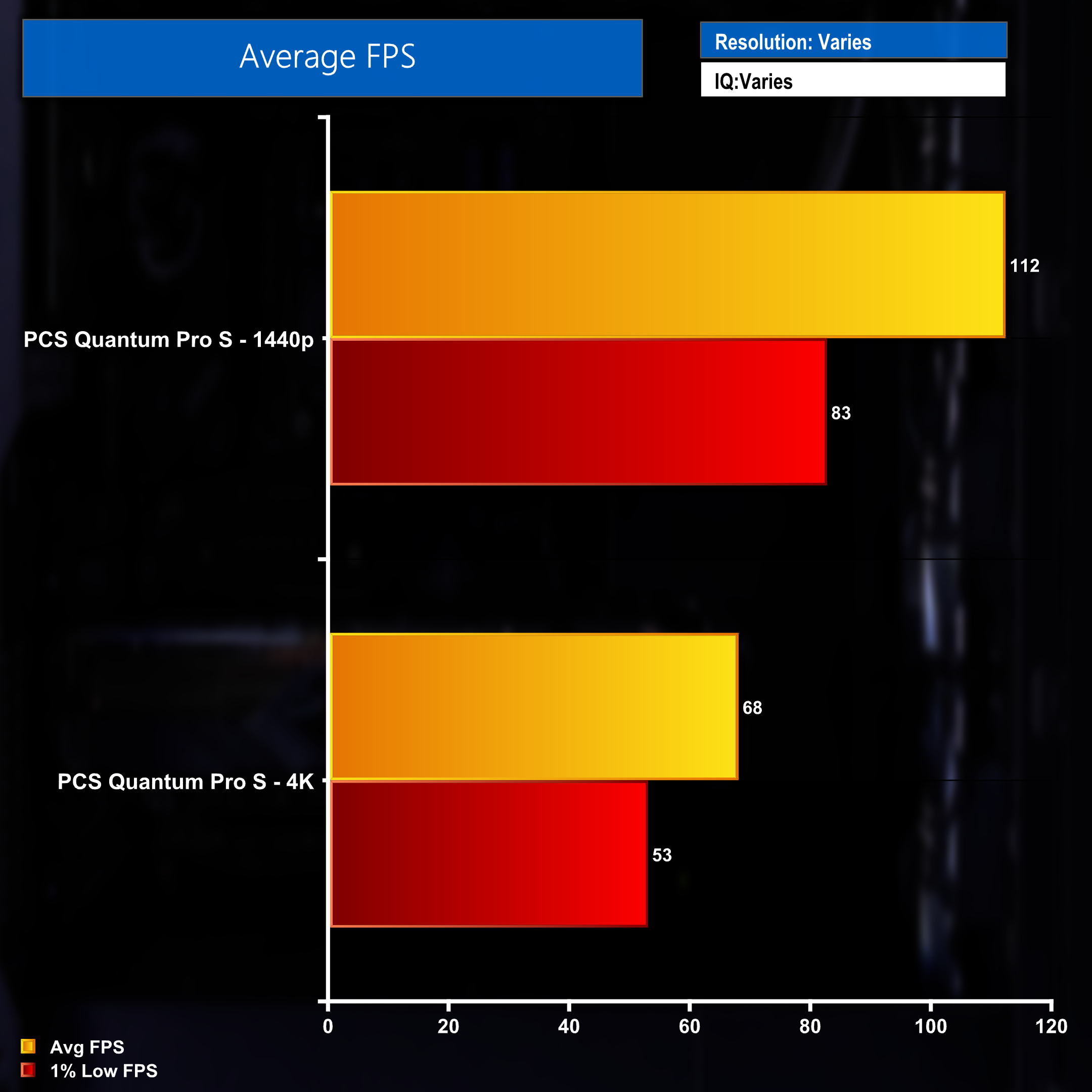
We tested 10 titles at maximum settings (minus dynamic scaling and ray tracing) at both 1440p and 4K. Average FPS figures show good 1440p performance and acceptable 4K framerates. Performance could be pushed high with a few tweaks to graphics settings.
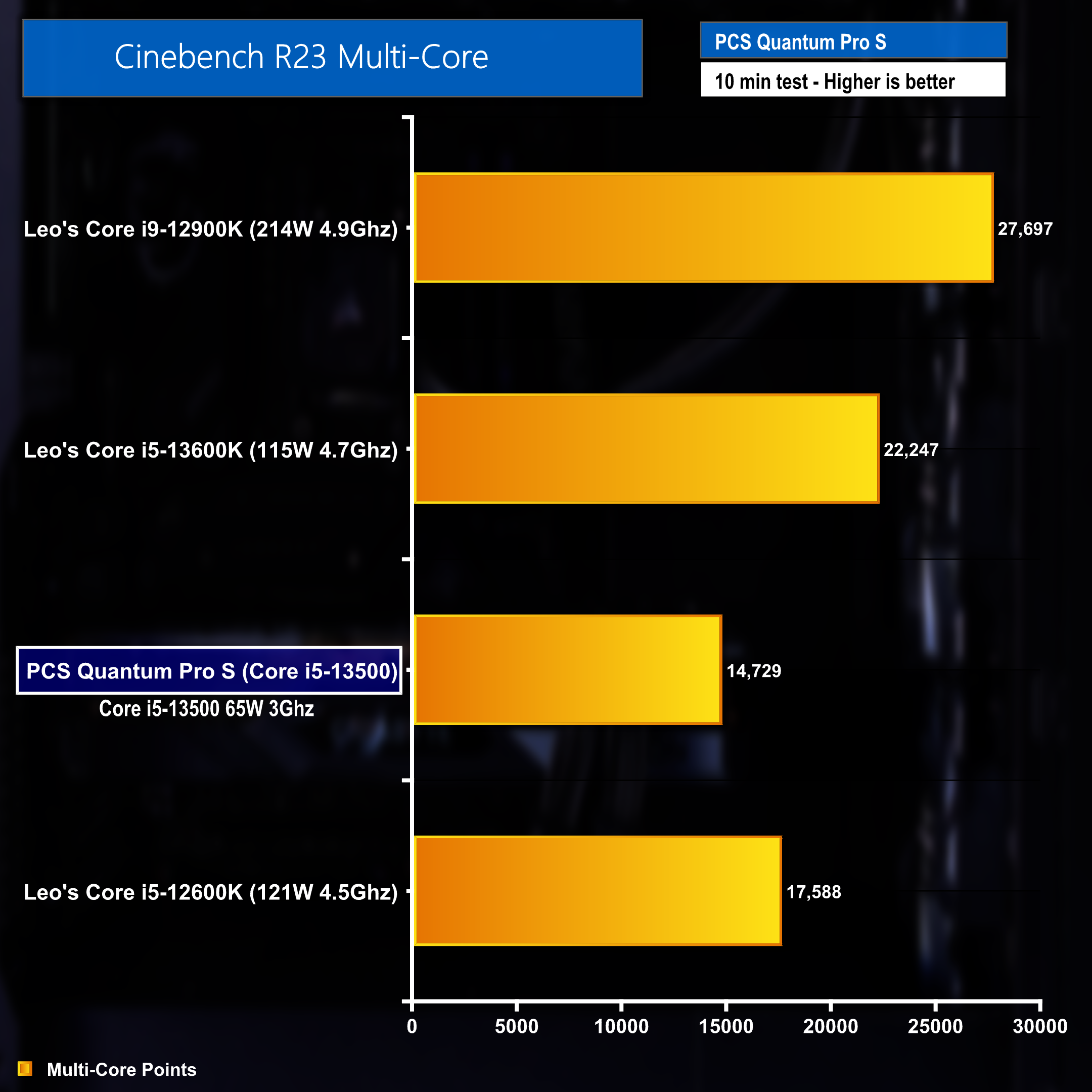
Coming back to talk about the difference in performance when enabling ASUS Performance Enhancement 3.0 – The graph above shows a Cinebench benchmark result with the setting DISABLED, which returned a disappointing result of 14,729 points. Placing the Core 15-13500 beneath the 3 comparison processors.
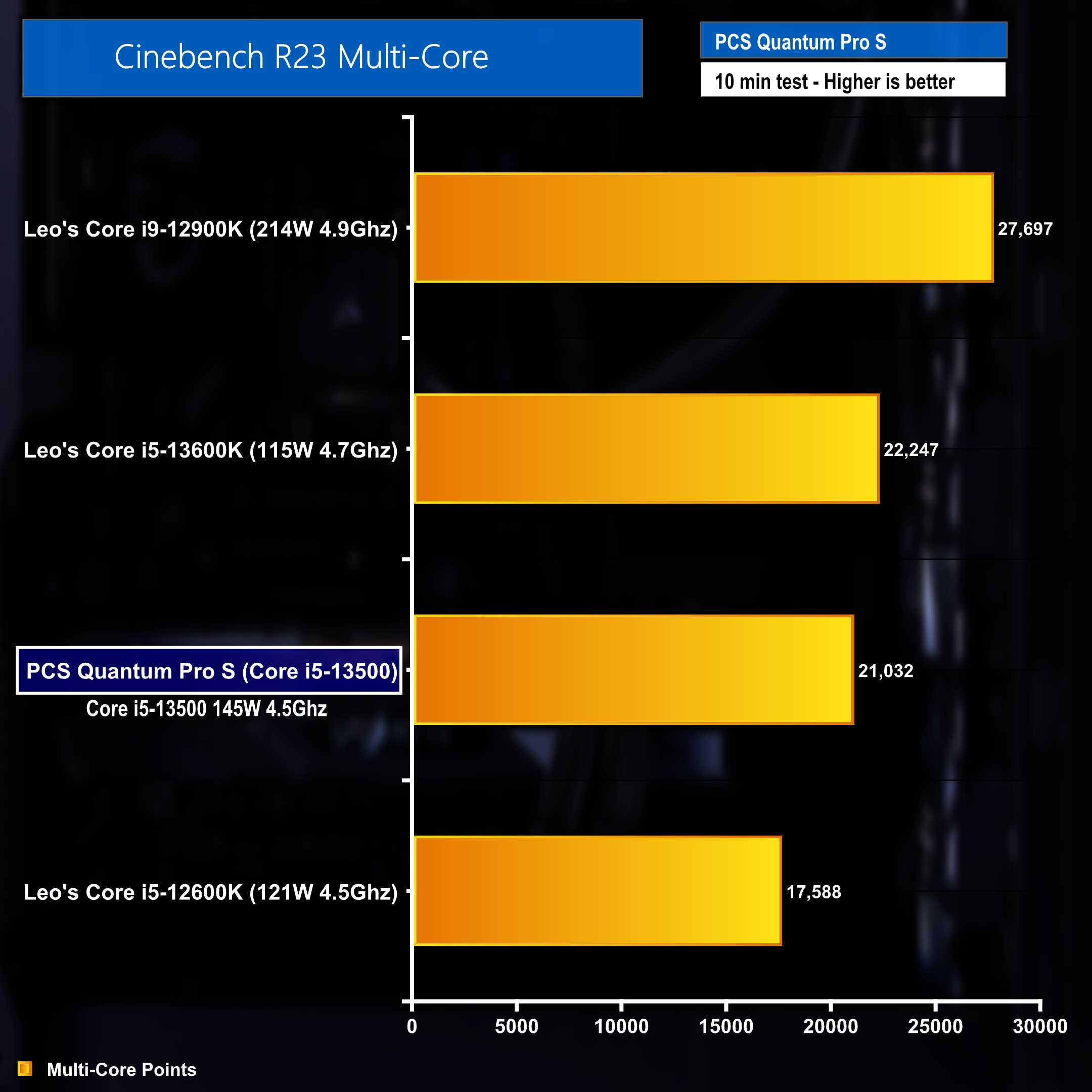
With ASUS Performance Enhancement 3.0 ENABLED however, the result landed at the sort of level we would expect to see from this CPU.
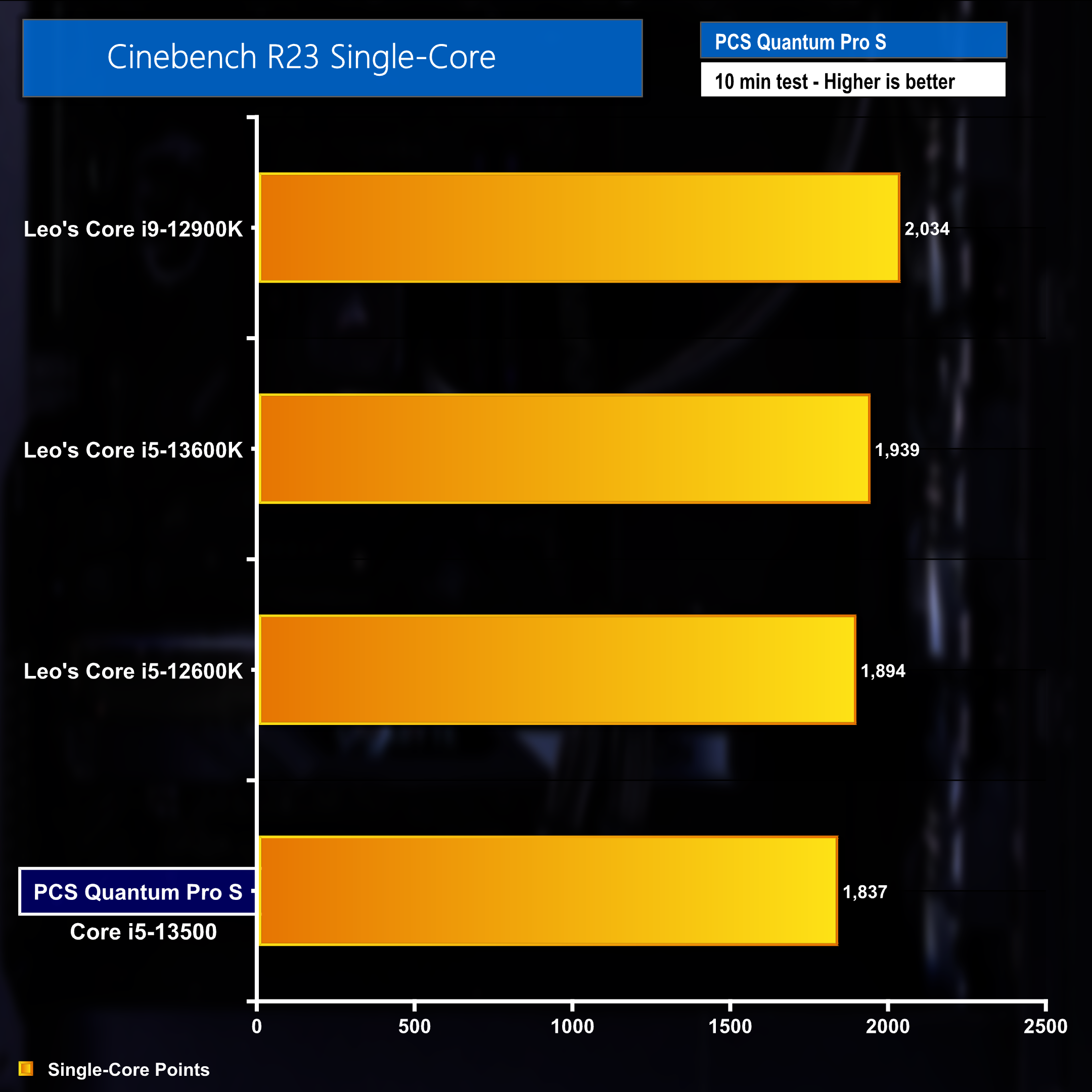
Single core performance in a Cinebench benchmark places the Core i5-13500 just underneath the Core 15-12600K tested by Leo on the channel a while ago.
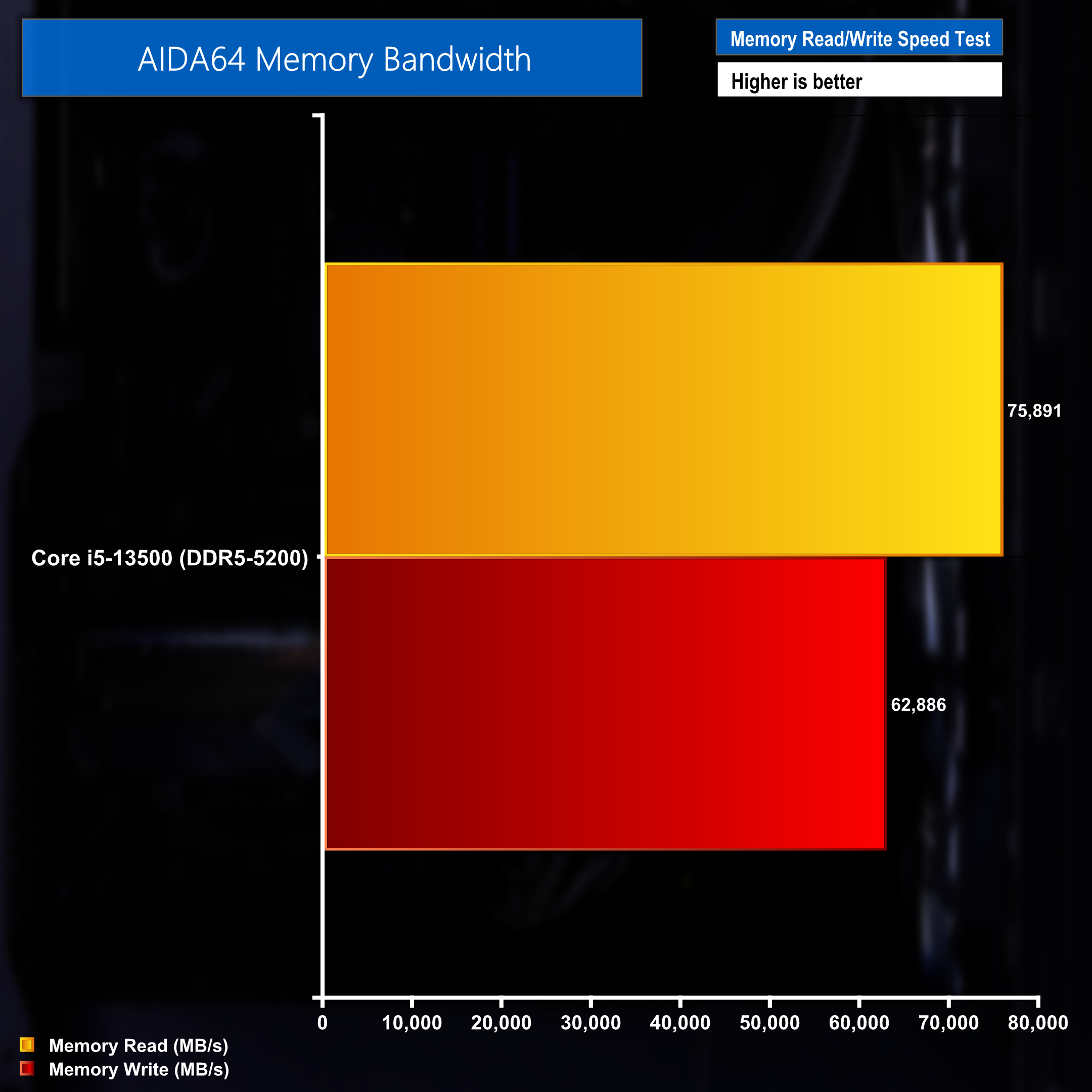
The Corsair Vengeance DDR5 5200MT/s memory found in the Quantum Pro S desktop returned read speeds of 75,891 MB/s and write speeds of 62,886 MB/s during an AIDA64 test. Faster memory would have benefitted the system but the memory installed is more than capable of performing at an adequate level.
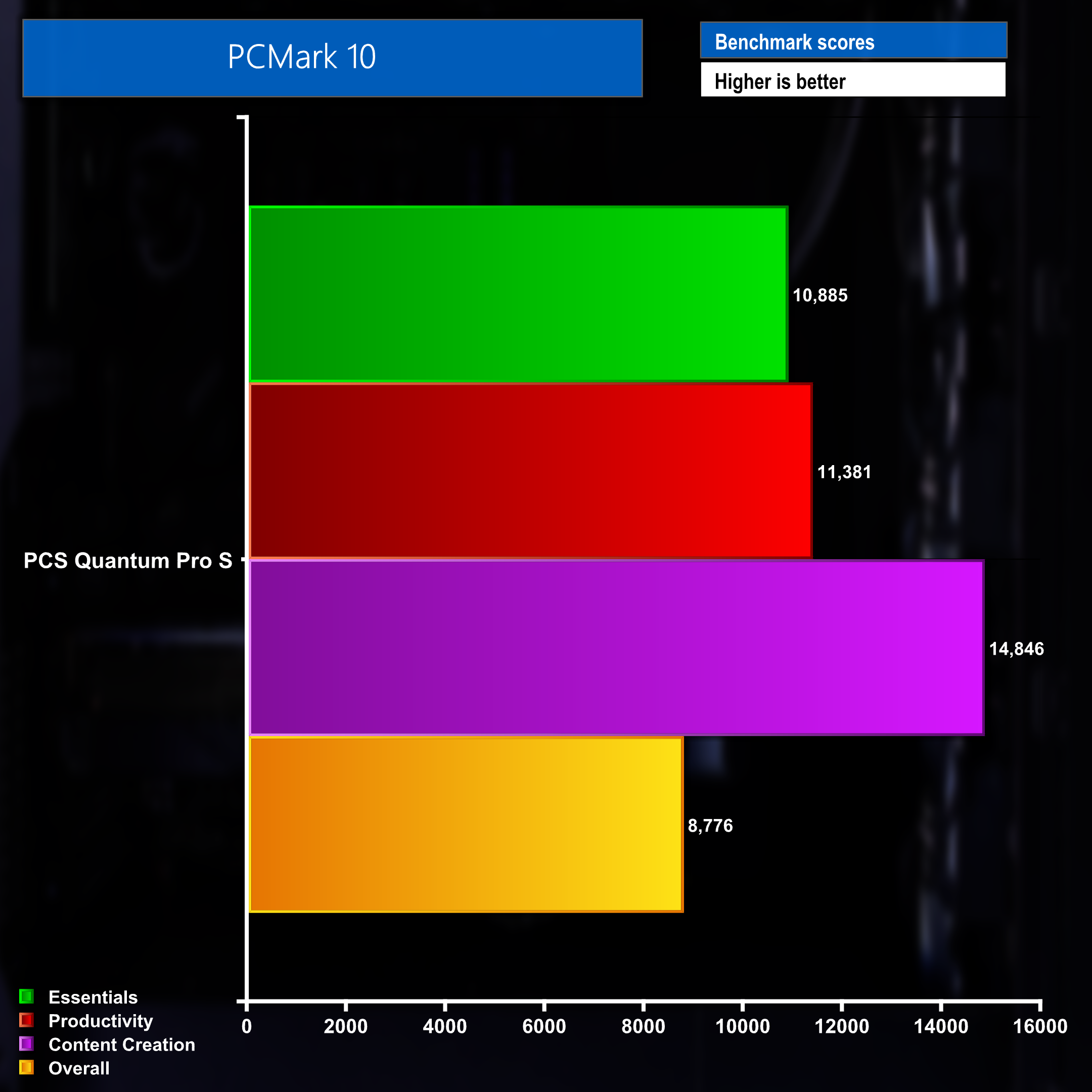
Finally then, PC Mark 10 highlights the systems capabilities across a number of different scenarios and workloads. The content creation result is a particular highlight and is helped no doubt by the inclusion of an RTX 4070 Super graphics card.
The highlight spec of the PCSpecialist Quantum Pro S is no doubt the Nvidia GeForce RTX 4070 Super graphics card. It's most certainly where most of the budget went during the design of the system and we feel that was a good decision. The pairing of the aforementioned GPU with the Intel Core i5-13500 CPU works well and the system handled most games we tested at maximum settings (minus any image scaling or ray tracing) with relative ease. Gaming performance at 1440p was impressive, with the system also delivering some pleasing results at 4K.
The ASUS Performance Enhancement 3.0 setting being off by default is understandable and forces stock Intel recommended power limits to be applied to the CPU. However, the cooling in the system is more than capable of keep temperatures under control when enabling this setting and it provides the CPU with enough power to fully flex its muscles. This results in a clear boost to performance in CPU bound tasks and scenarios and the benefits can be clearly seen in our Cinebench Multicore testing.
As can be seen in the full video review over on our YouTube channel the system is more than capable of recording/streaming while gaming at high FPS thanks to the NVENC encoders on the Nvidia hardware.
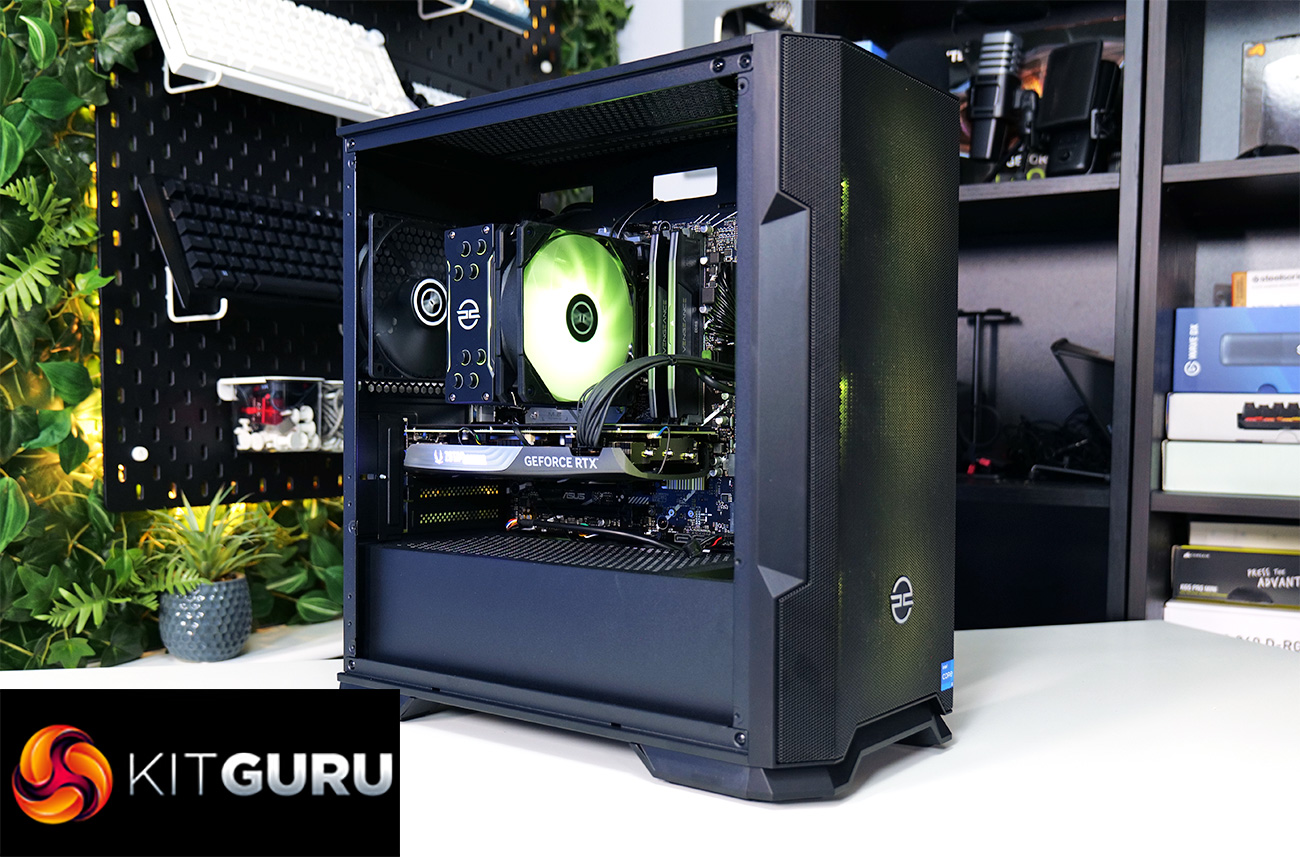
While the GPU and CPU combination impressed us, the memory does leave a little to be desired. While the 16GB of Corsair Vengeance DDR5 running at 5200MT/s serves it purpose well enough, we would have liked to have seen faster memory used. Although, as this is an Intel-based system, it's an easier pill to swallow when compared to some of the Ryzen-based PCSpecialist systems we've reviewed in the past.
The PCS Spectrum II Compact ARGB Mid Tower case is also a little disappointing – It doesn't feel like the most premium case we've ever had had through the labs, but again it does it's job well enough and can be upgraded during the ordering process should you choose to pick a Quantum Pro S up.
2TB of storage as standard, in the form of a SOLIDIGM P41+ NVMe PCIe SSD, is great to see. With the size of game installs seemingly growing with every release nowadays, we can't help but feel that 2TB should be the standard in a prebuilt gaming PC. Plus with the ASUS Prime B760M-A WiFi motherboard containing a spare M.2 slot, expansion will be fast and easy if the need ever arose down the line.
Overall, the Quantum Pro S gaming desktop from PCSpecialist offers good gaming performance at a relatively affordable price.
You can purchase the Quantum Pro S directly from PCSpecialist for £1399 HERE.
Discuss on our Facebook page HERE.
Pros:
- Newly released graphics card.
- 2TB storage as standard.
- Built and cable managed well.
- Good 1440p gaming performance.
Cons:
- Default BIOS settings restricts CPU power usage and hinders performance.
- Case is very basic and feels cheap.
KitGuru says: The Quantum Pro S offers great 1440p gaming performance, utilising some of Nvidia's latest hardware. 4K gaming and high quality streaming/content creation is more than possible and the whole package is well priced when factoring in OS costs and warranty peace of mind.