KitGuru KitGuru.net – Tech News | Hardware News | Hardware Reviews | IOS | Mobile | Gaming | Graphics Cards


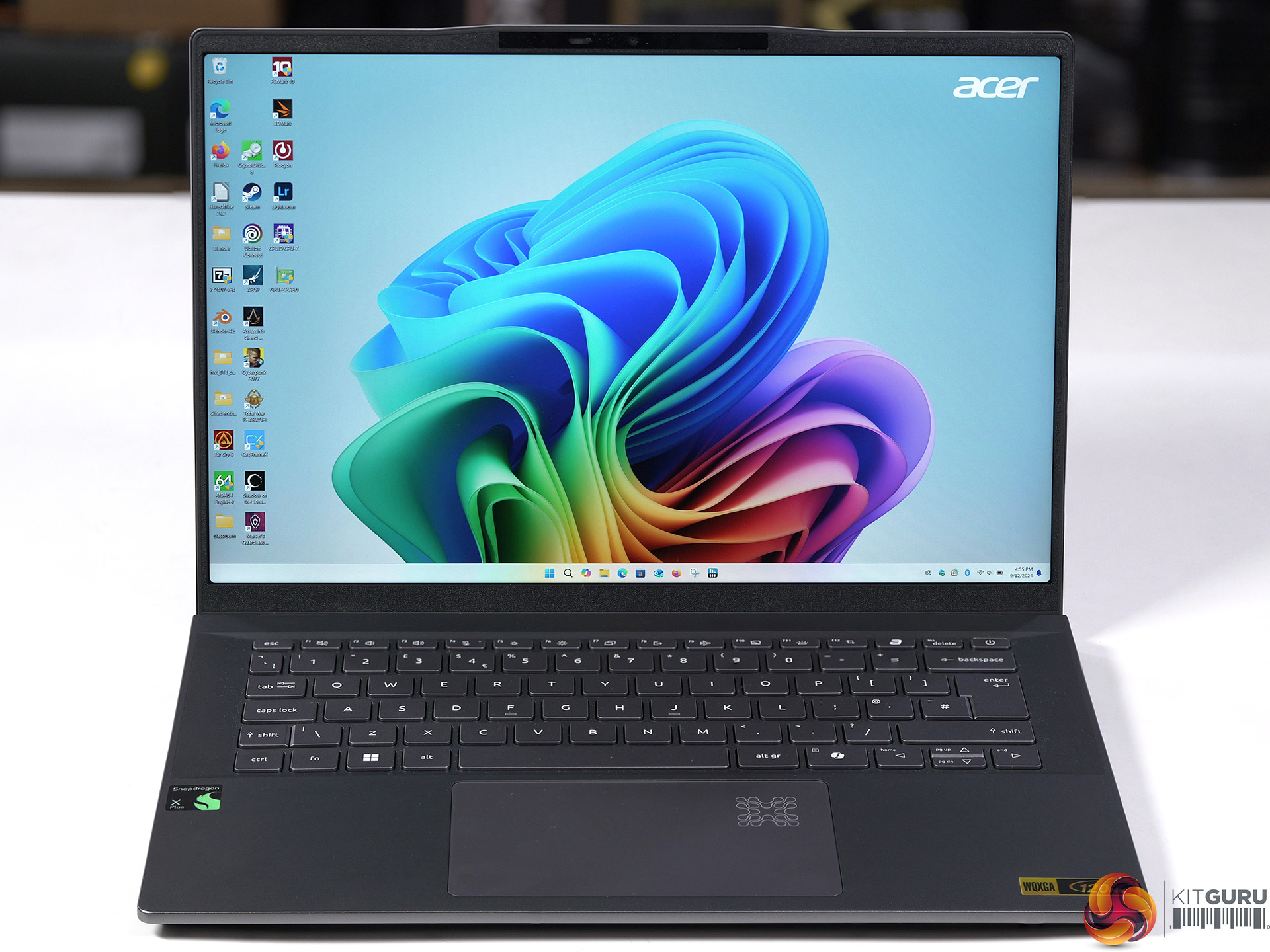
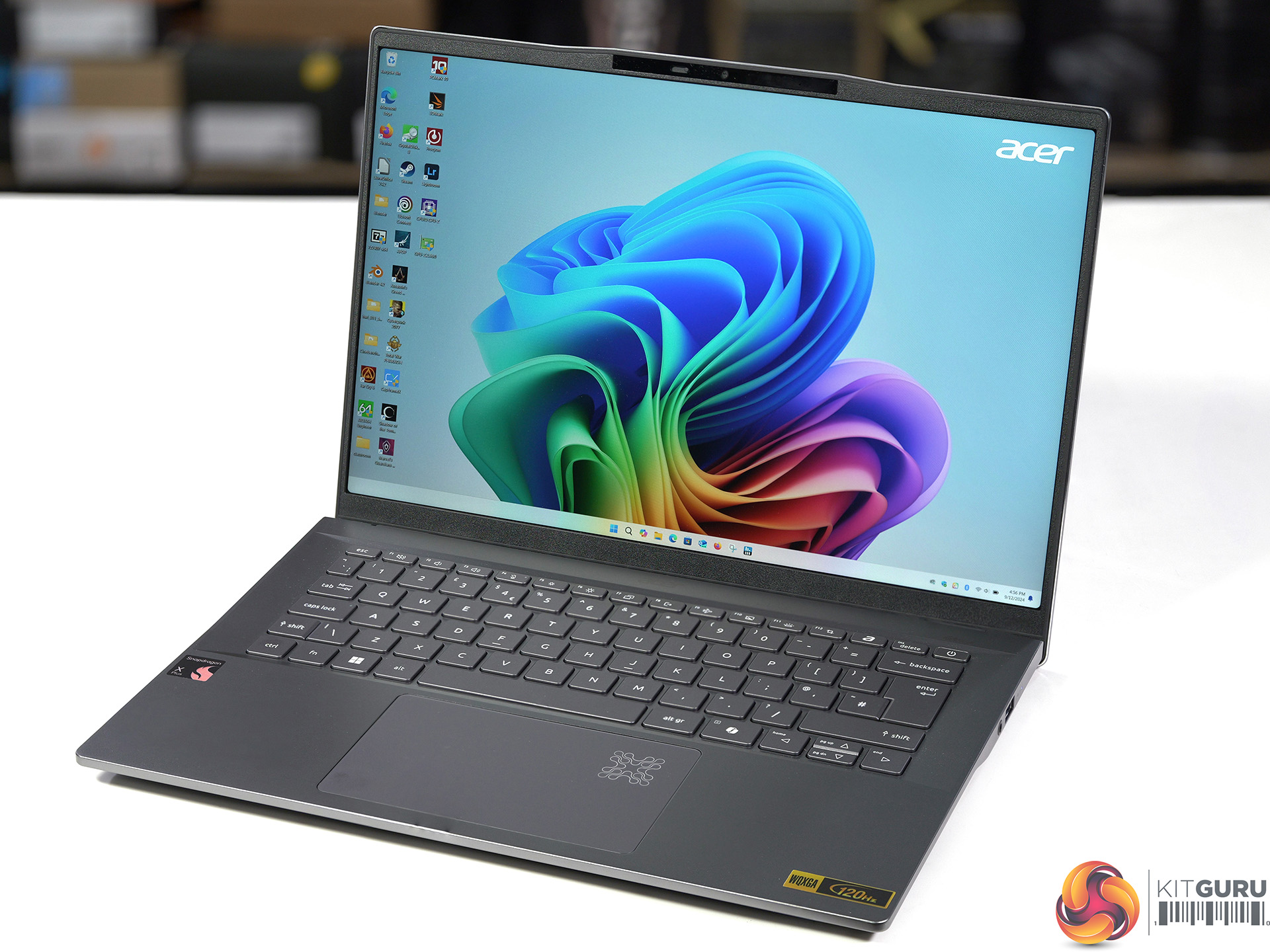
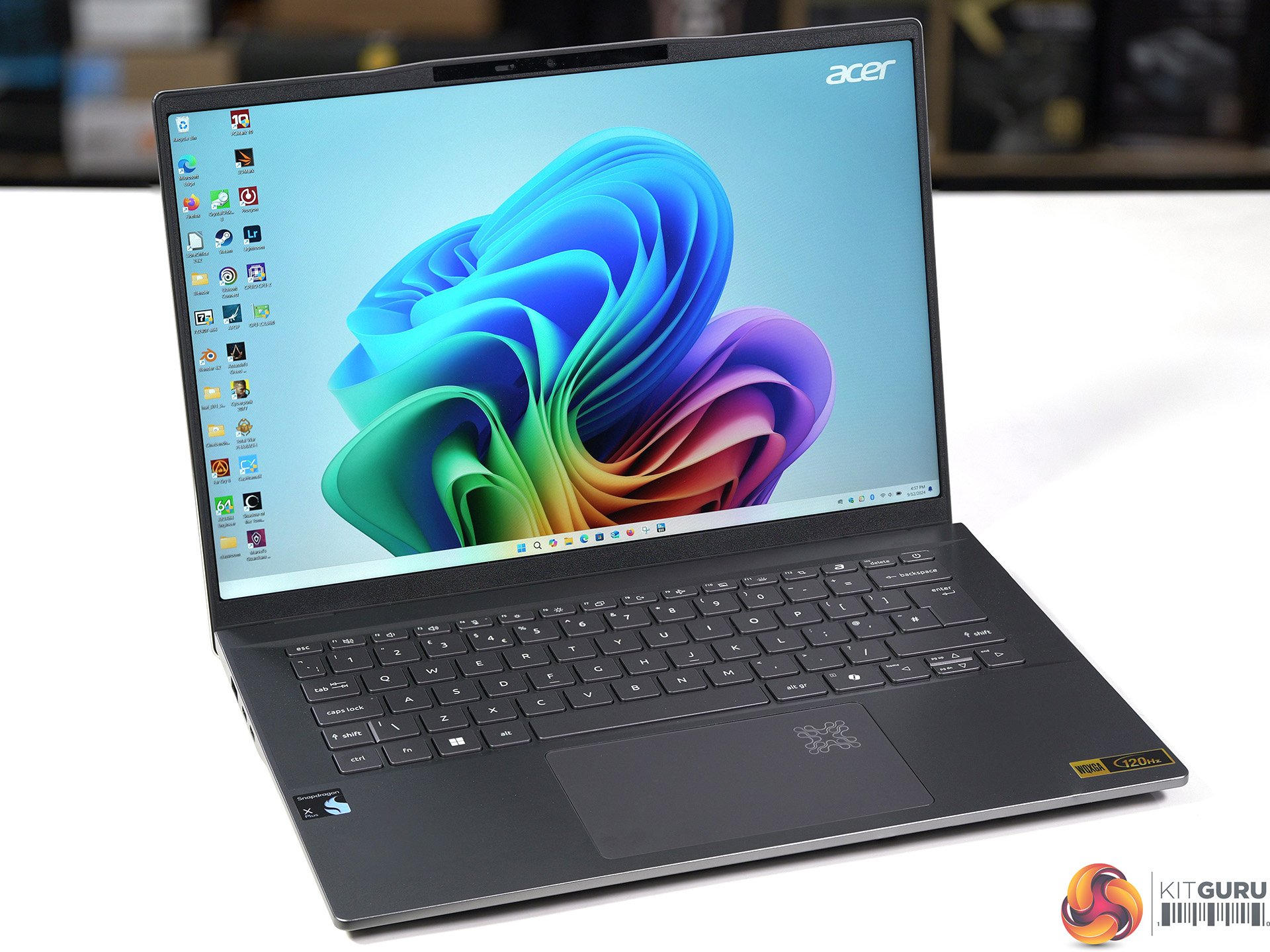
The Acer Swift 14 AI is built around a Qualcomm Snapdragon X Plus chip rather than the usual x86 CPU from AMD or Intel. That means in this review we will be dealing with Windows 11 running on Arm, and that leads to plenty of fun and games with incompatible software. As you will see we had quite a rocky ride and we hope you find the journey interesting.
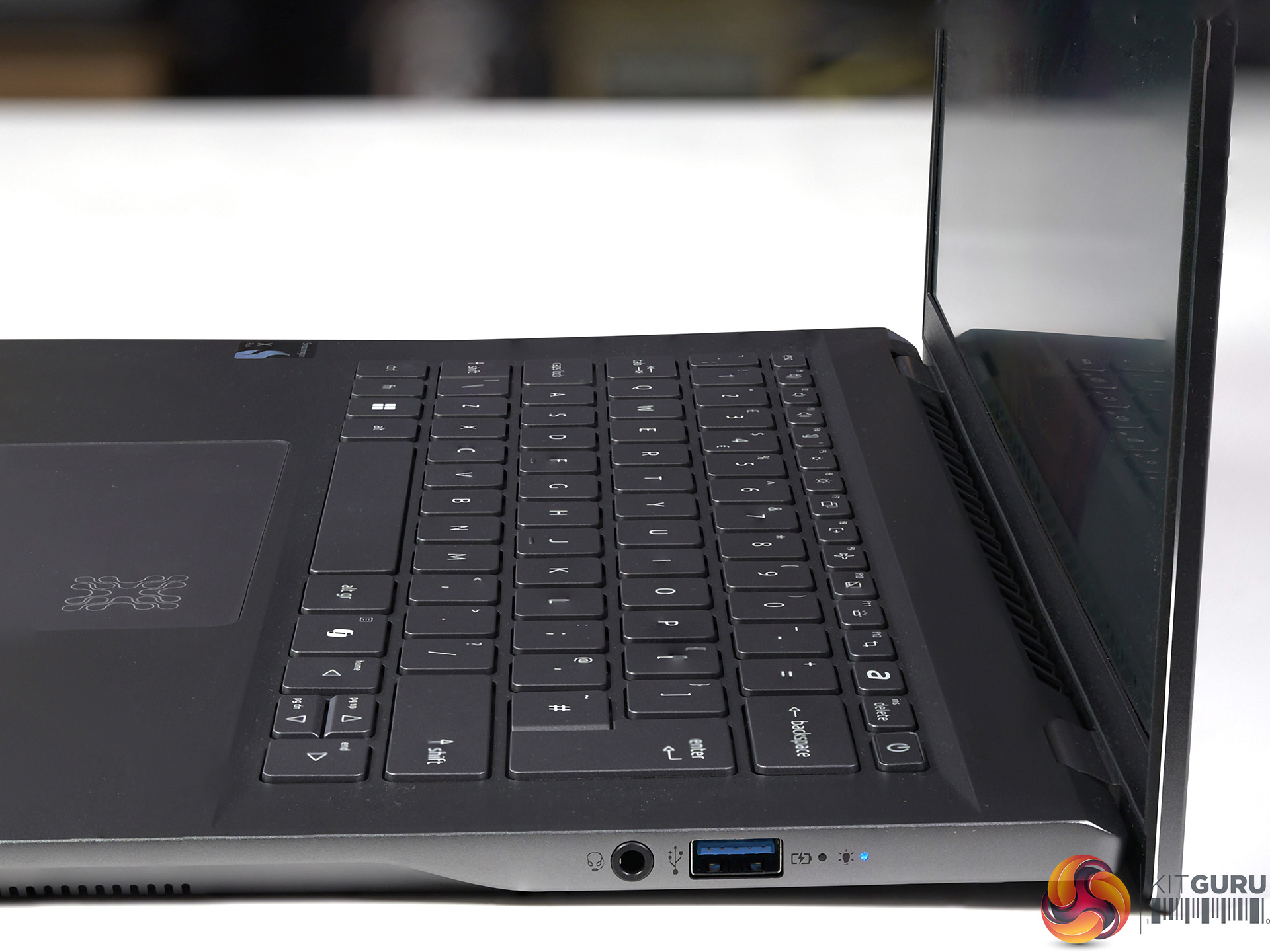
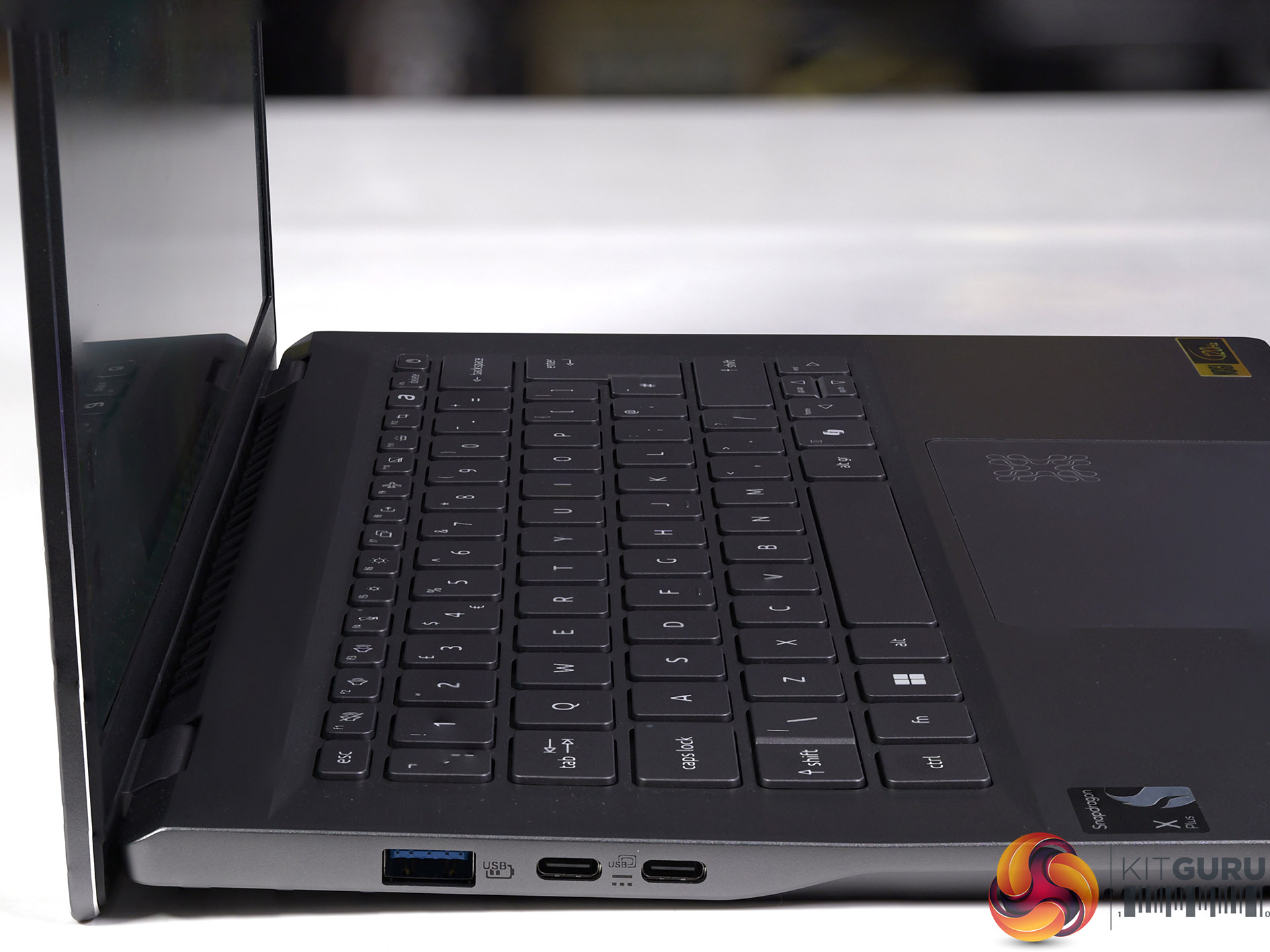
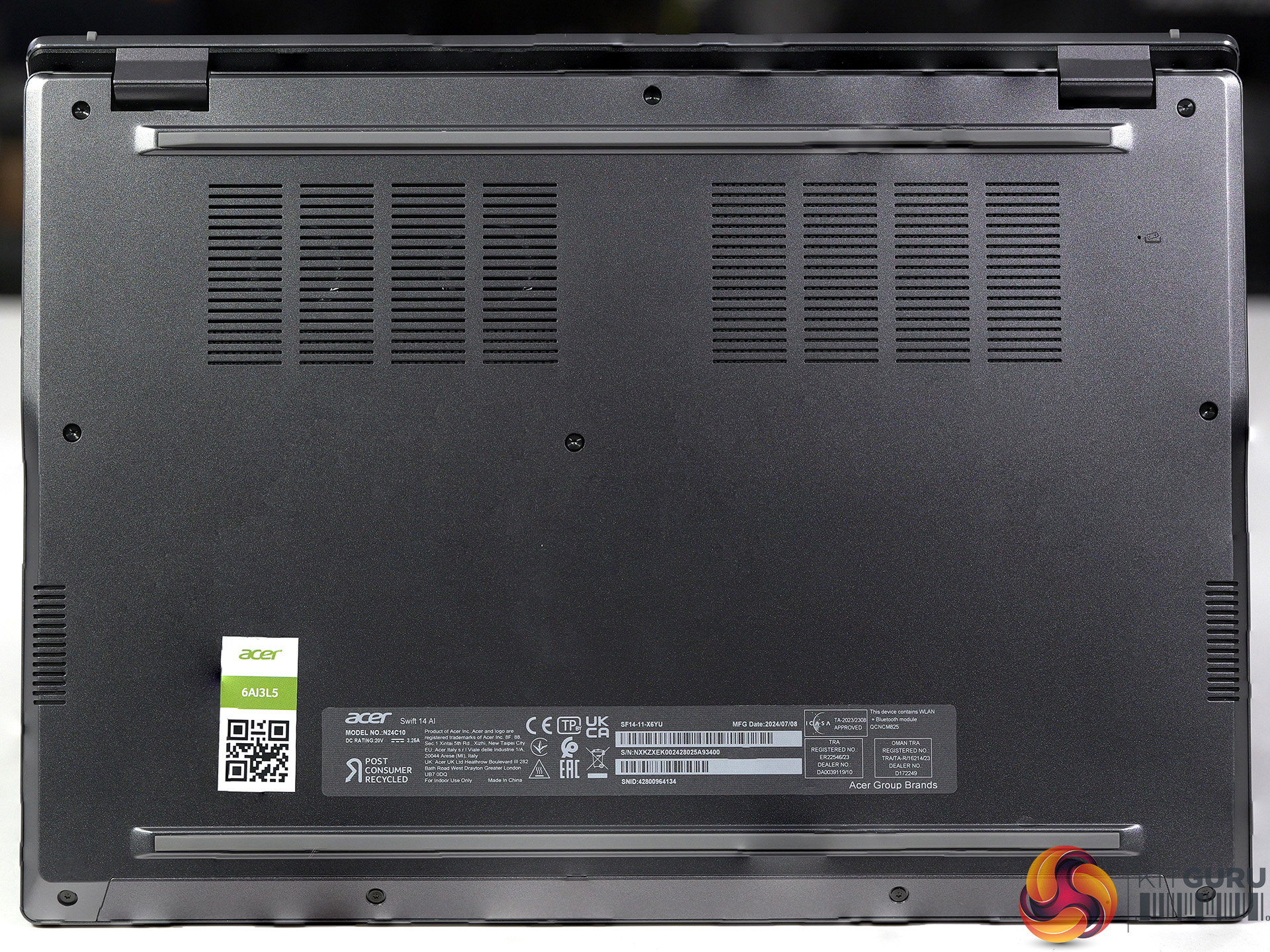
Features
- Delivering a quantum leap forward in performance along with groundbreaking on-device AI, Qualcomm Snapdragon X Series Processors offer up to 2x faster peak performance than Apple M2.
- Experience power-efficient computing and responsiveness for the most demanding of tasks, along with a diverse Windows on ARM software ecosystem.
- Power through your longest days and break free from the outlet with a battery designed for relentless productivity.
- Powerhouse performance for your biggest projects. Handle massive files, intensive software, and multiple browser tabs and programs with absolute ease.
- Sleek. Refined. Versatile.
- Meticulously designed and crafted with premium materials, lightweight construction, and a stunning aesthetic that seamlessly blends form and function.
Specification
- CPU: Qualcomm Snapdragon X Plus X1P-64-100, 10 cores up to 3.4GHz
- NPU: Qualcomm Hexagon
- Screen: 14.5-inch, 2,560×1,600 resolution, 120Hz refresh IPS, 400 nits
- Graphics: Qualcomm Adreno 741 1.25GHz
- Memory: 16GB of on-board LPDDR5X-8533MT/sec
- SSD: 1TB WD SN5000S QLC Gen 4 M.2 NVMe SSD
- Audio: Qualcomm Aqstic
- Wi-Fi: Qualcomm FastConnect 7800 Wi-Fi 7 Dual Band
- I/O ports:
- Left hand side:
- 2x USB4 Type-C 40Gbps
- 1x USB 3.1 Gen1Type-A
- Right hand side:
- 1x USB 3.1 Gen1Type-A
- 3.5mm Headphone jack
- Left hand side:
- Battery: 74Wh/6310mAh 3-cell, 65W adapter
- Operating System: Windows 11 Home with Copilot+
- Dimensions: 323mm x 226mm x 16.6mm
- Weight: 1.32kg plus 350g for power supply and mains cable
Qualcomm Snapdragon X Plus
At the heart of the Acer Swift 14 AI we have the Qualcomm SoC which powers absolutely everything. We have covered Qualcomm Snapdragon from the early days when it was codenamed Oryon and then launched as the 12-core Snapdragon X Elite HERE and we followed up with more news when Qualcomm launched the Snapdragon X Plus 10- and 8-core variants HERE.
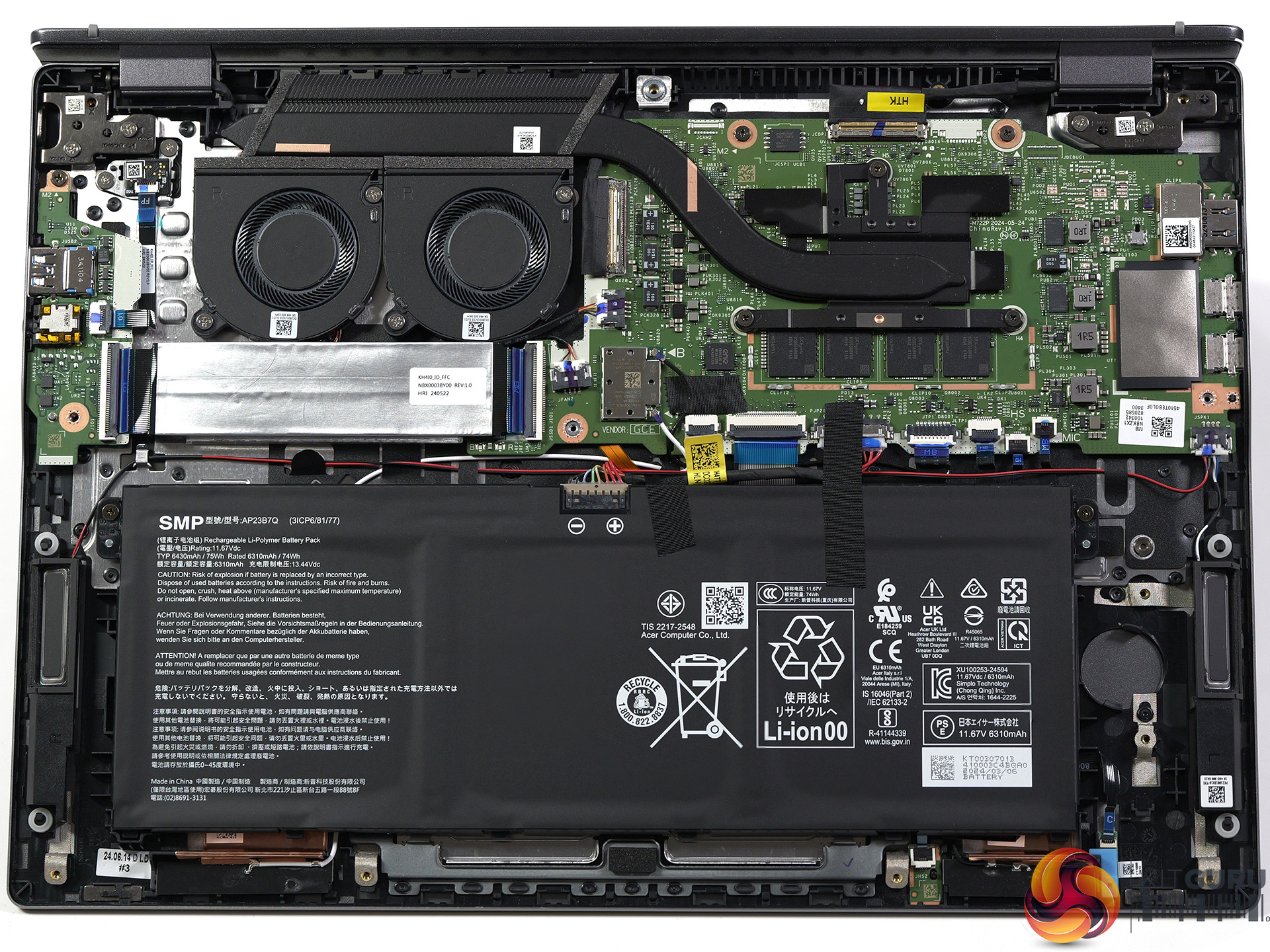
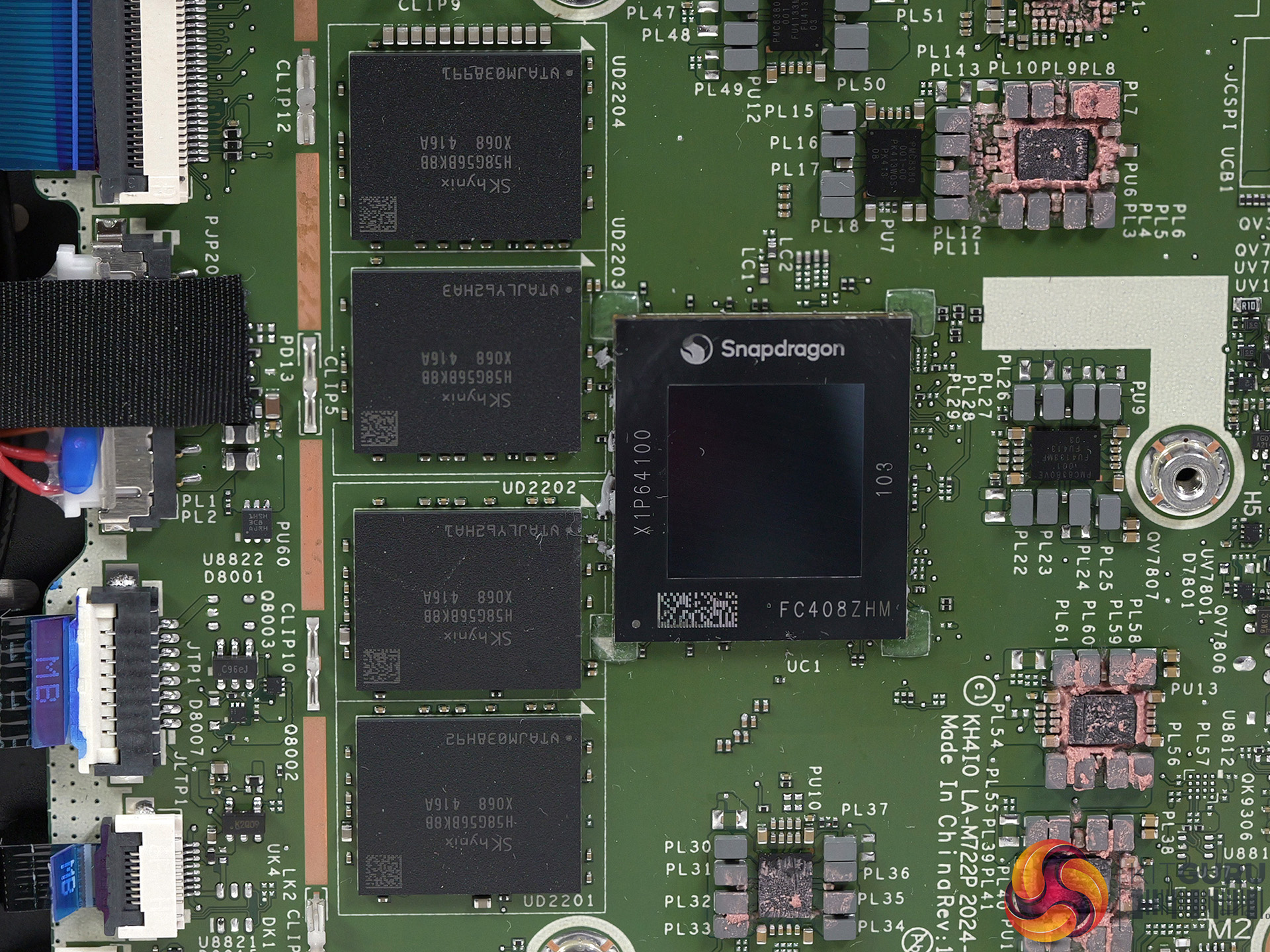
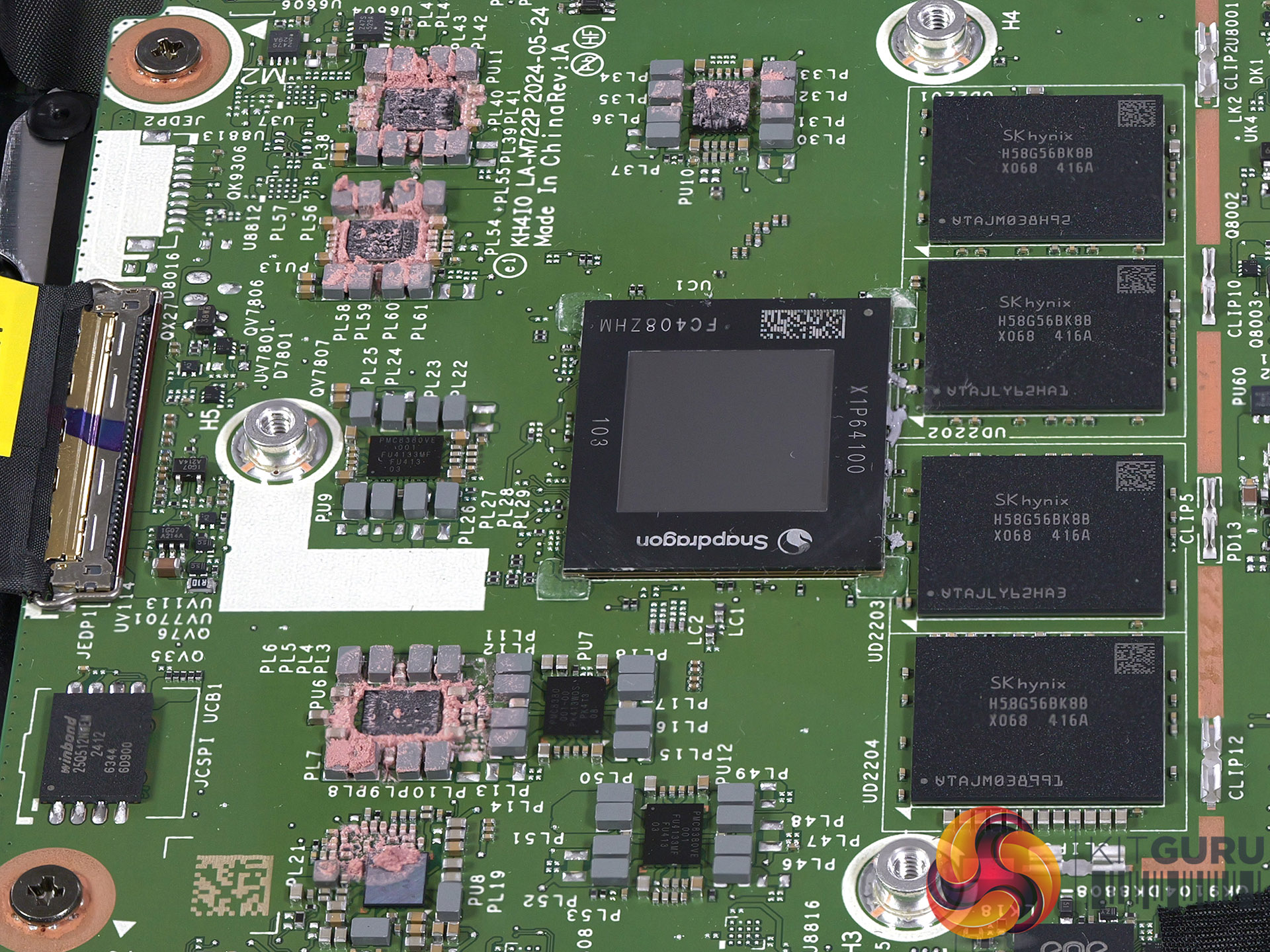
As you can imagine, KitGuru welcomes the arrival of new processors to the laptop market but Qualcomm Snapdragon X brings more changes than you might expect. The familiar x86 CPUs from AMD and Intel run natively on Microsoft Windows without any fuss or drama. By contrast you should assume that software will not run on Qualcomm's Arm hardware unless it explicitly promises support. In our video we show Windows 11 for Arm with software that is correctly supported and also software that refused to run.
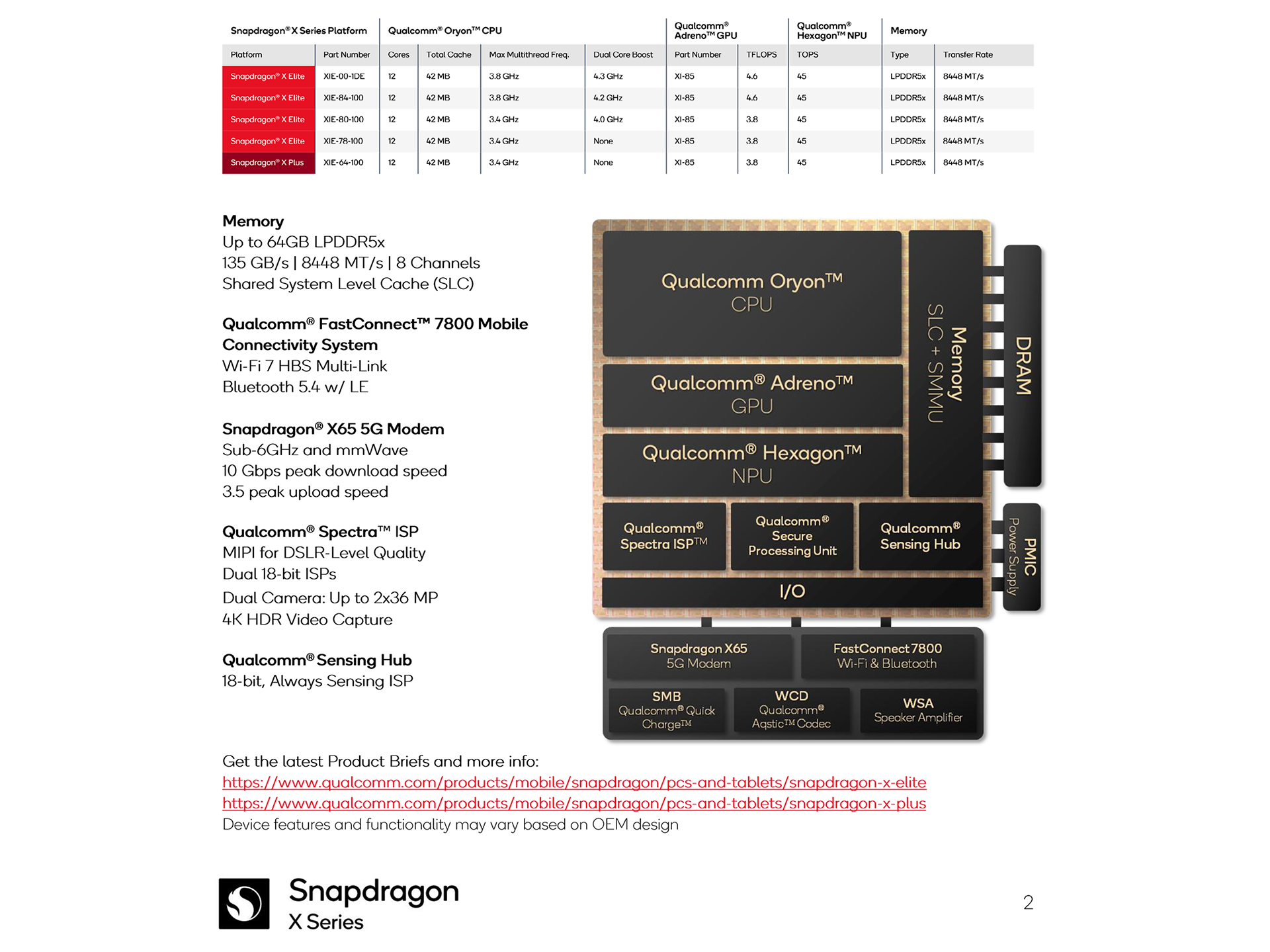
We show in our video that GPU-Z refused to run, CPU-Z reported partial information and HWiNFO64 did a decent job but was unable to display power readings from within the Snapdragon X Plus SoC. We saw the same thing recently when Intel showed off their new Lunar Lake laptops and were obliged to use external power meters to show how the Qualcomm chips were performing.
This puts us in an unusual position as the Qualcomm Snapdragon X is pretty much a sealed black box. We can report the ten cores of the Snapdragon X Plus X1P-64-100 ran at 3.4GHz under load and the Qualcomm Adreno 741 ran at 1.25GHz but that is all we were able to glean.
Performance Testing
Cinebench R23 Multi Core
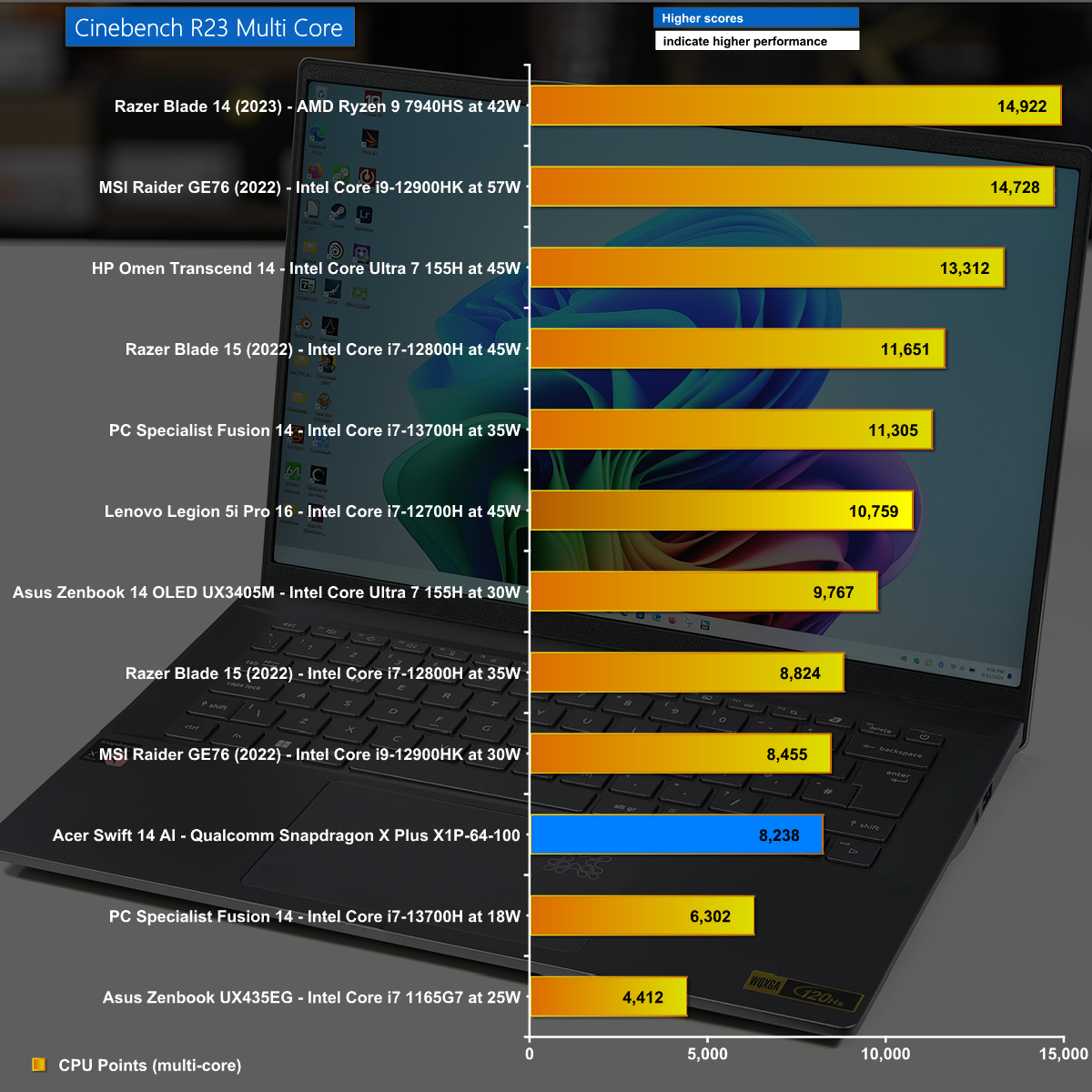
In Cinebench R23 Multi Core the Snapdragon X Plus chugged along at a reasonable speed and the ten cores delivered the same performance as an Intel Core i7 or i9 from a couple of years ago.
Cinebench R23 Single Core
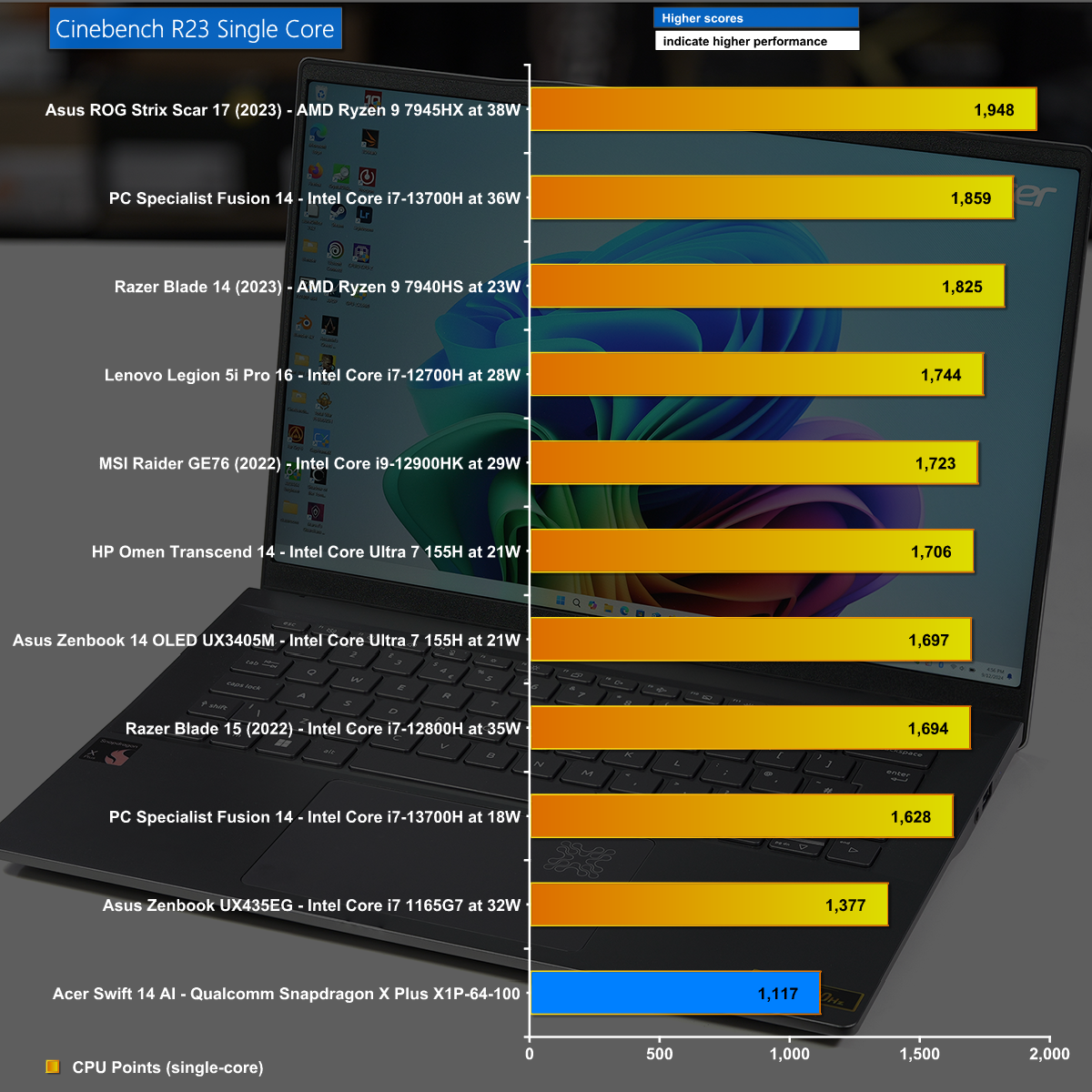
It is the Single Core test of Cinebench R23 that shows the low powered nature of the Snapdragon X as it slumps to the bottom of our chart.
AIDA64 Memory Bandwidth
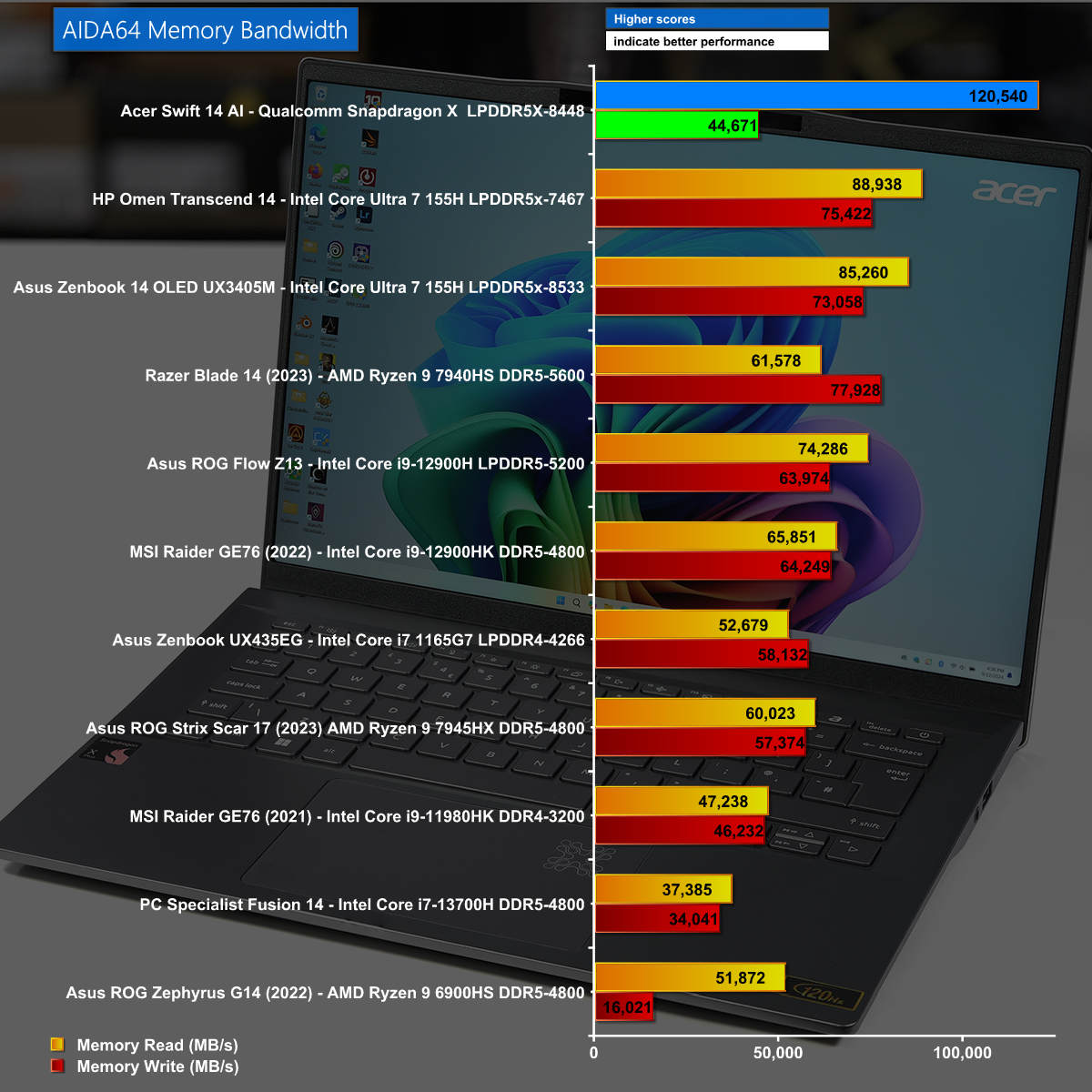
In the AIDA64 Memory bandwidth benchmark we see something quite remarkable as the Acer Swift 14 AI leaps to the top of the chart thanks to its 8-channel memory controller.
3D Mark CPU profile
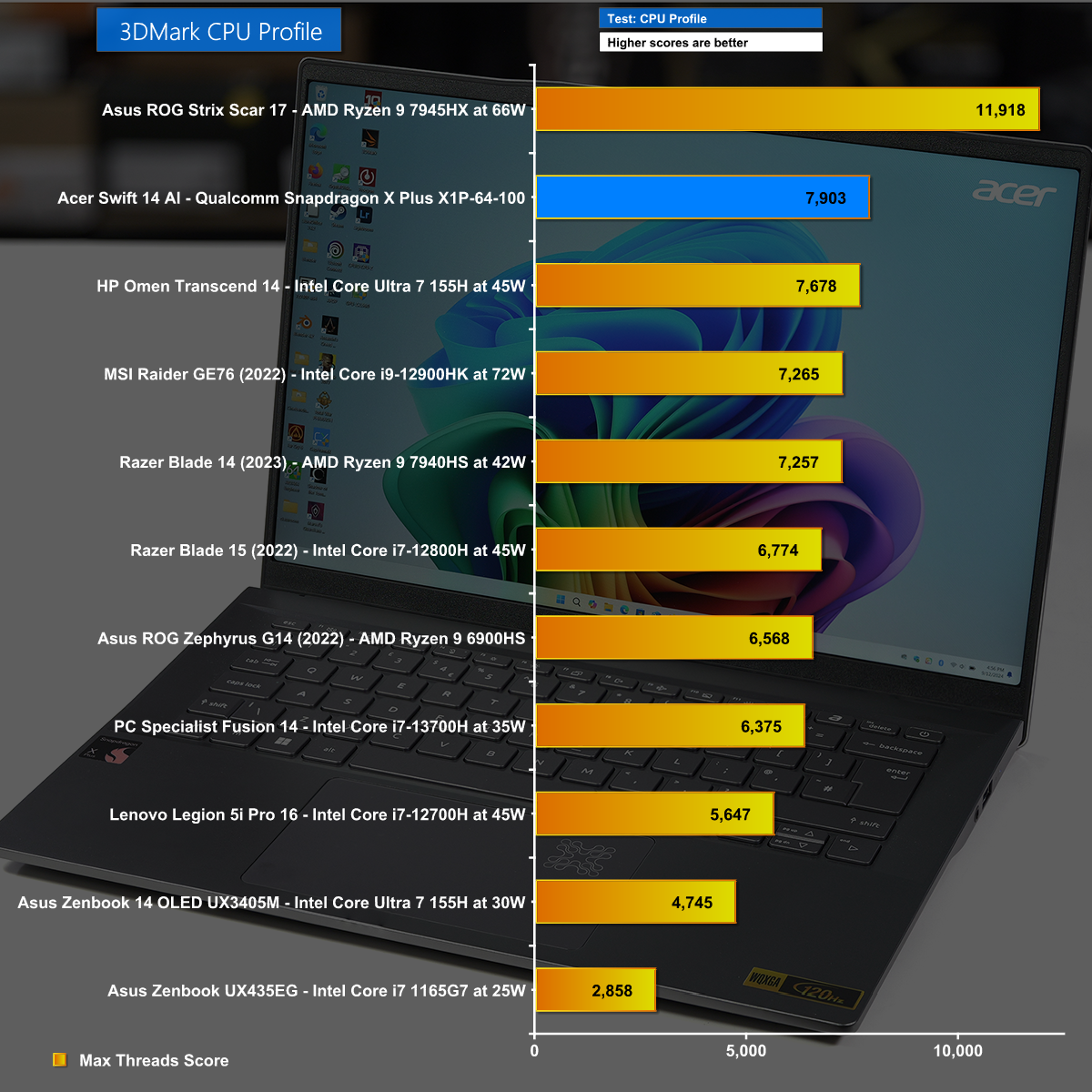
After our experience with Cinebench R23 we didn't have high hopes for the 3D Mark CPU Profile test however we were proven wrong. The Qualcomm Snapdragon X Plus inside the Acer managed to beat an Intel Meteor Lake that was launched within the past year.
3D Mark Time Spy
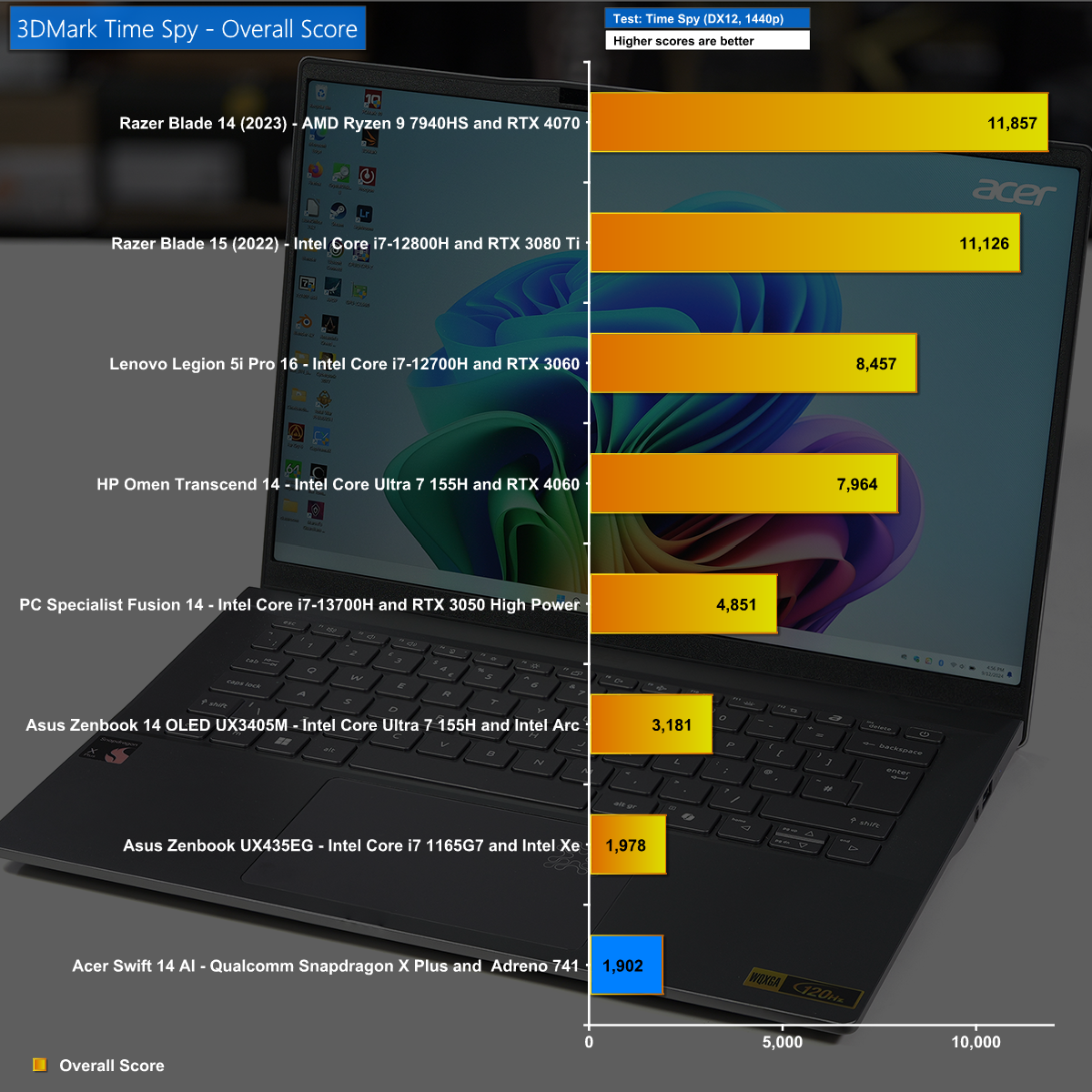
There is no reason to think the thin and light Acer Swift 14 AI is intended for gamers but even so this test left us disappointed. We have seen the CPU score is fairly good so it follows the weak part of the equation is likely to be the Adreno graphics
There are two reasons for not including are gaming charts in this review. As we demonstrate in our video, many games simply do not run so some test results would be zero. Where games do run we had to set them at 1080p and drop Image Quality to Low, whereafter we saw frame rates between 25fps and 30fps.
We have been keenly awaiting our first review of a laptop powered by Qualcomm Snapdragon X and the sad truth is that we are slightly disappointed.
Acer has done a decent job with the Swift 14 AI, although we wish the keyboard and touchpad were better, and this budget thin and light is a perfectly decent laptop. The screen is fine, it weighs a mere 1.3kg, the ports and connectors are satisfactory and the battery life is epic. With this laptop the problems lie inside the chassis and centre around the Arm SoC.
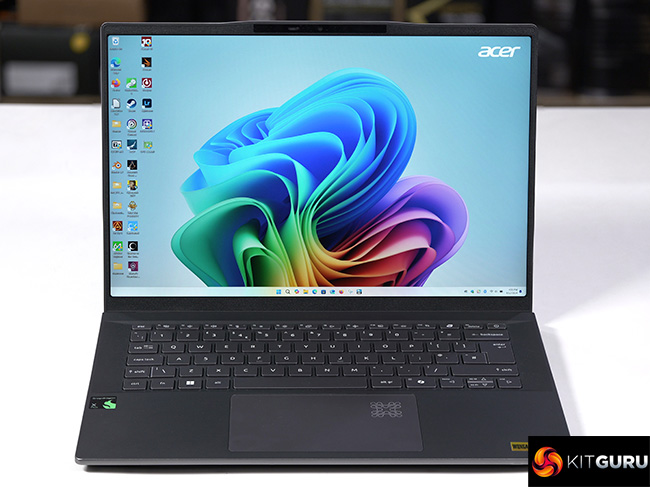
The single biggest issue is that you cannot be sure which software will run on the Qualcomm Snapdragon X, and that is especially frustrating as Windows 11 for Arm looks exactly the same as regular Windows 11 x86. You have no reason to think there is anything different or awkward about your new laptop so you click, you download and install and … crash. It is clear that Microsoft is putting a huge amount of time and money into Windows on Arm and the situation will surely improve but as things stand this new platform is riddled with problems.
You can buy the Acer Swift 14 AI for £1,199 HERE.
Discuss on our Facebook page HERE.
Pros:
- Excellent battery life.
- Impressive WiFi 7 connectivity.
- 1440p webcam is very good
Cons:
- Software compatibility with Windows on Arm is hit and miss.
- Keyboard and touchpad are mediocre.
- This thin and light laptop offers a very basic gaming experience.
KitGuru says: The Acer Swift 14 AI is a decent laptop but Qualcomm's Snapdragon X performs poorly in Windows 11.