KitGuru KitGuru.net – Tech News | Hardware News | Hardware Reviews | IOS | Mobile | Gaming | Graphics Cards


Over the last couple of years, Tesoro keyboards have walked away with awards from KitGuru. Accordingly, I was excited to try out the brand new Ascalon gaming mouse. With fully-customisable RGB lighting and an adjustable DPI of up to 6400, the Ascalon is Tesoro's top-tier mouse. Should it be your next gaming mouse purchase?
With a healthy feature-set and the promise of user-friendly software, the Tesoro Ascalon mouse certainly looks good on paper. Below you can see the full list of features, and in this review I will analyse the Ascalon to see if it lives up to its name.
Tesoro Ascalon Gaming Mouse Specifications:
- 6400 True DPI.
- 1000 Hz ultra polling rate.
- 7 Independently programmable buttons.
- Adjustable DPI control, polling rate, liftoff distance and shooting speed.
- Cursor capture technology.
- User-Friendly UI.
- Instant macro recording.
- 512KB onboard memory.
- 32bit ARM Cortex premium processor.
- Adjustable RGB LED control.
- Human ergonomics for the most comfortable grip and antimicrobial soft-touch finish.
- Compatible with Windows XP / Vista / 7 / 8 / 10.
- Dimensions (WxLxH): 134x78x40.5mm.
- Weight: 125g.
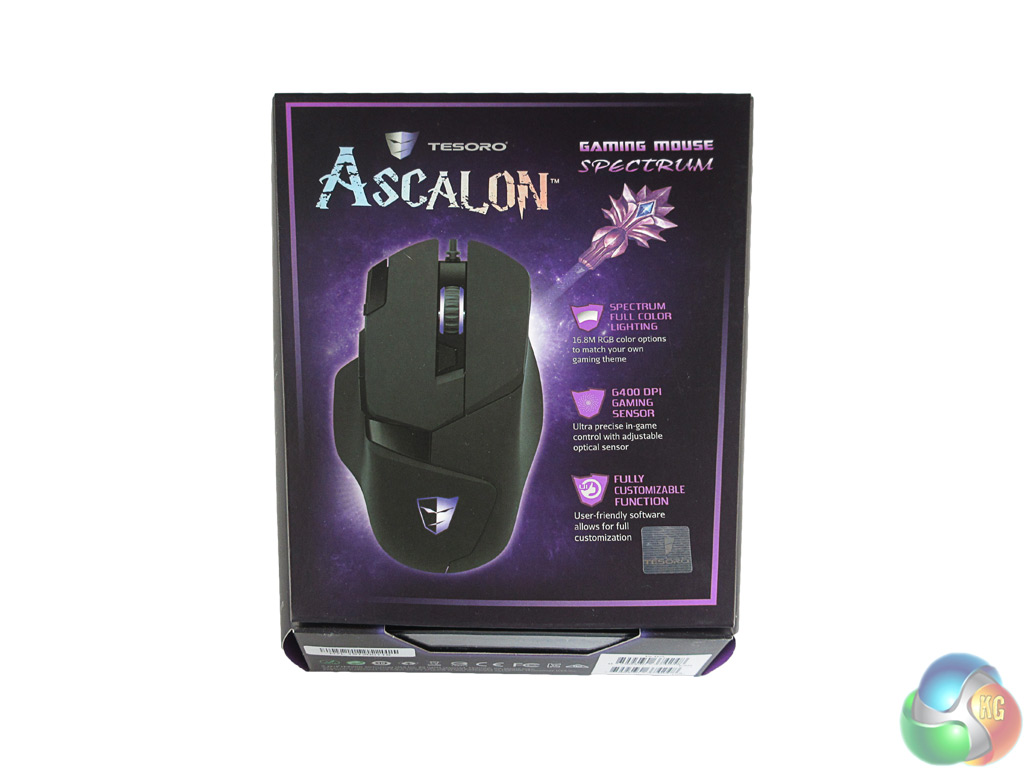
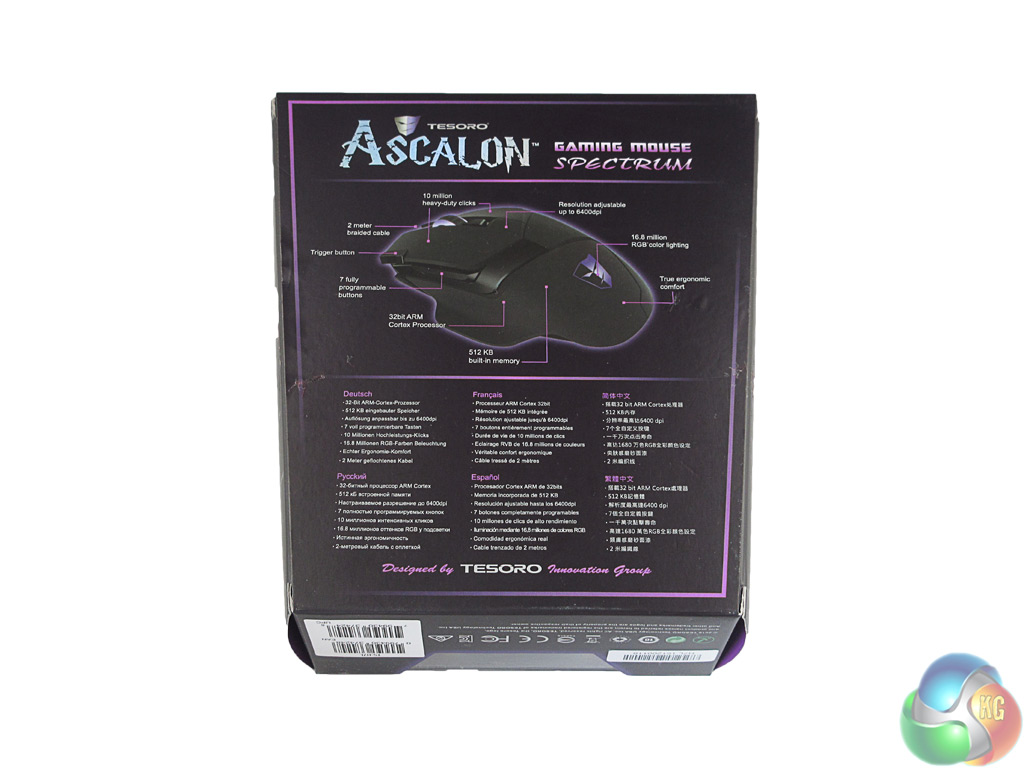
The Tesoro Ascalon ships in a fairly standard box, though the purple colour scheme does jump out at you. On the back of the box there is a labelled picture of the Ascalon, highlighting its key features.
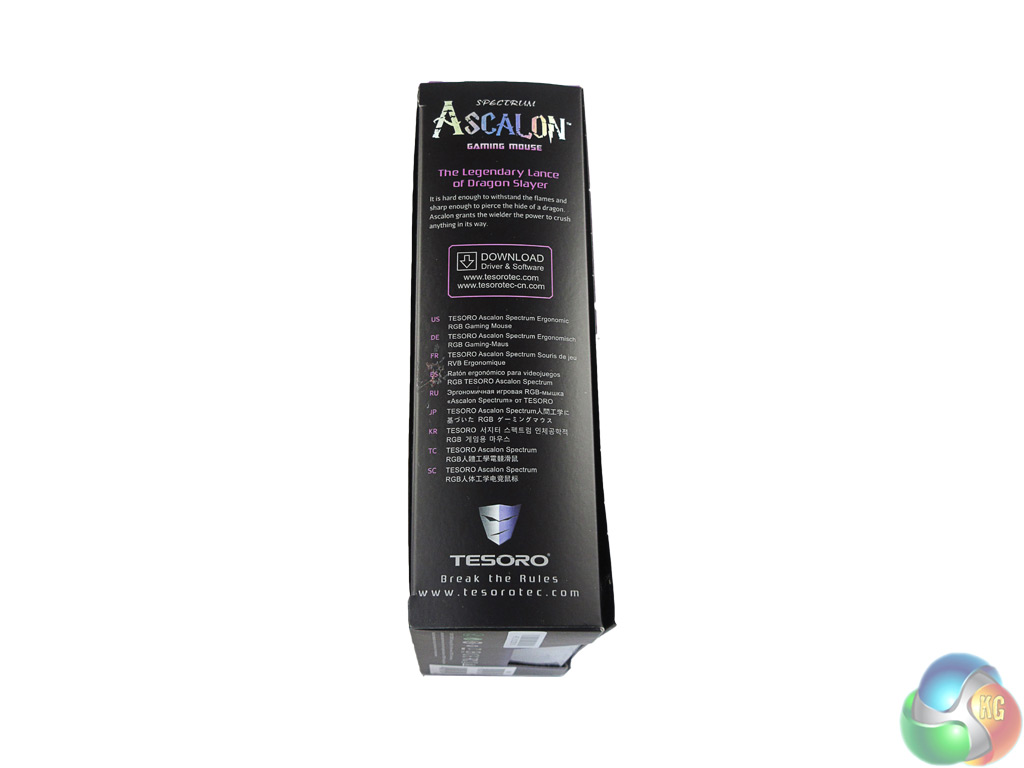
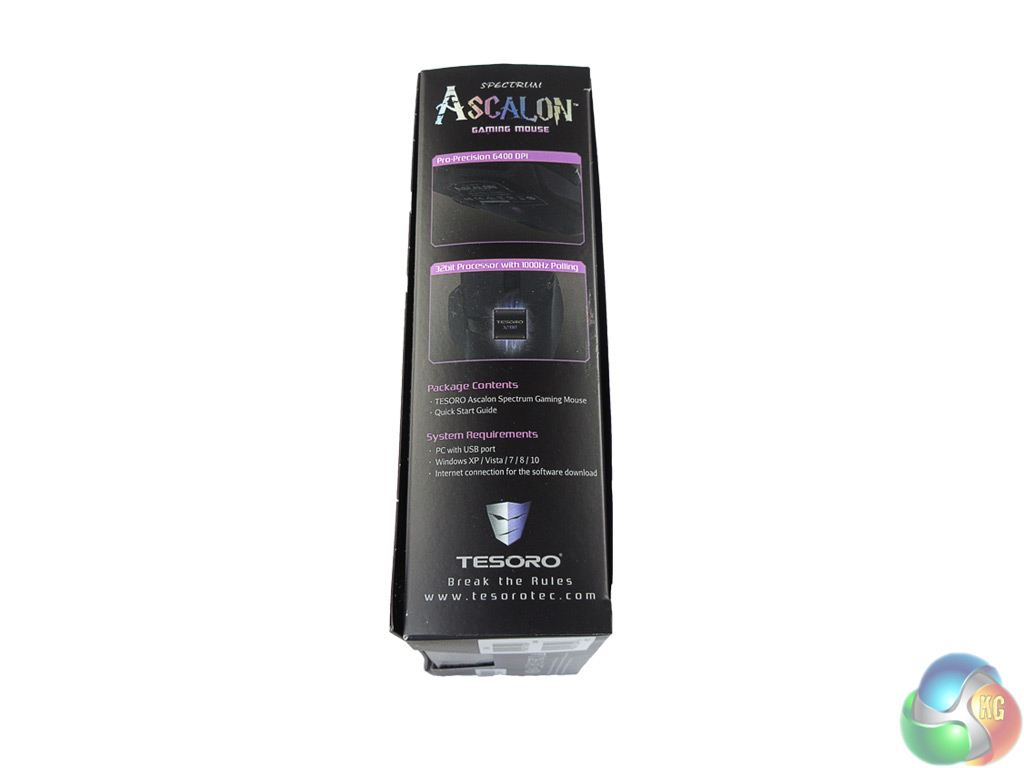
The sides of the packaging give a couple of additional features and information on where to download the drivers and software.
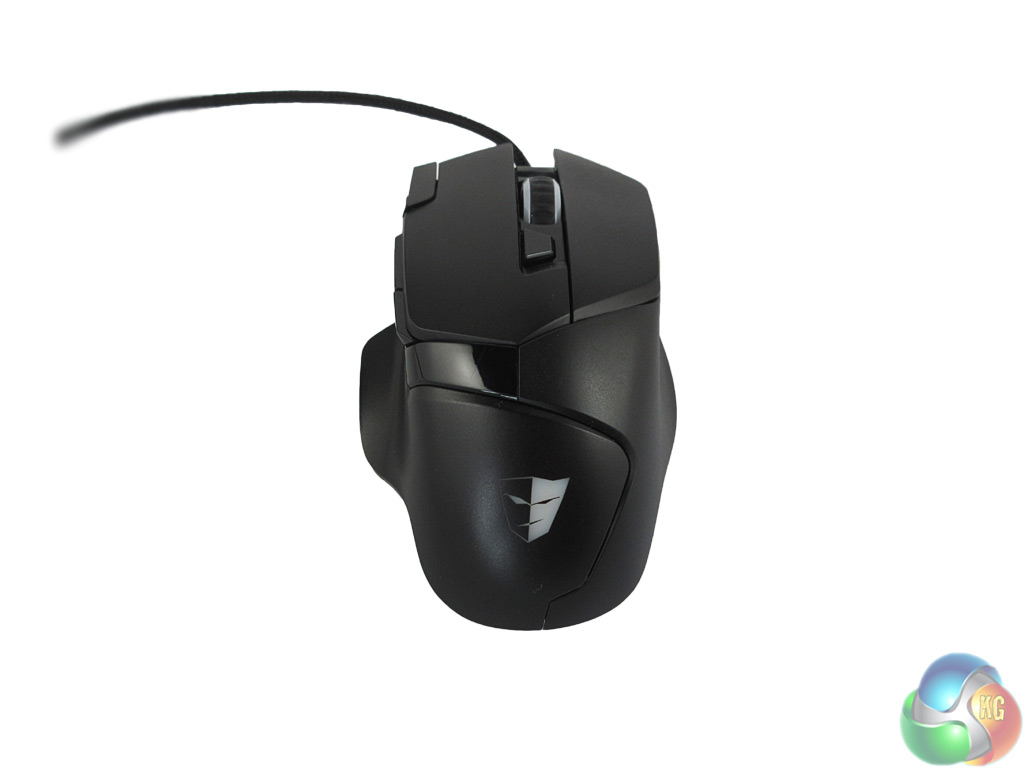
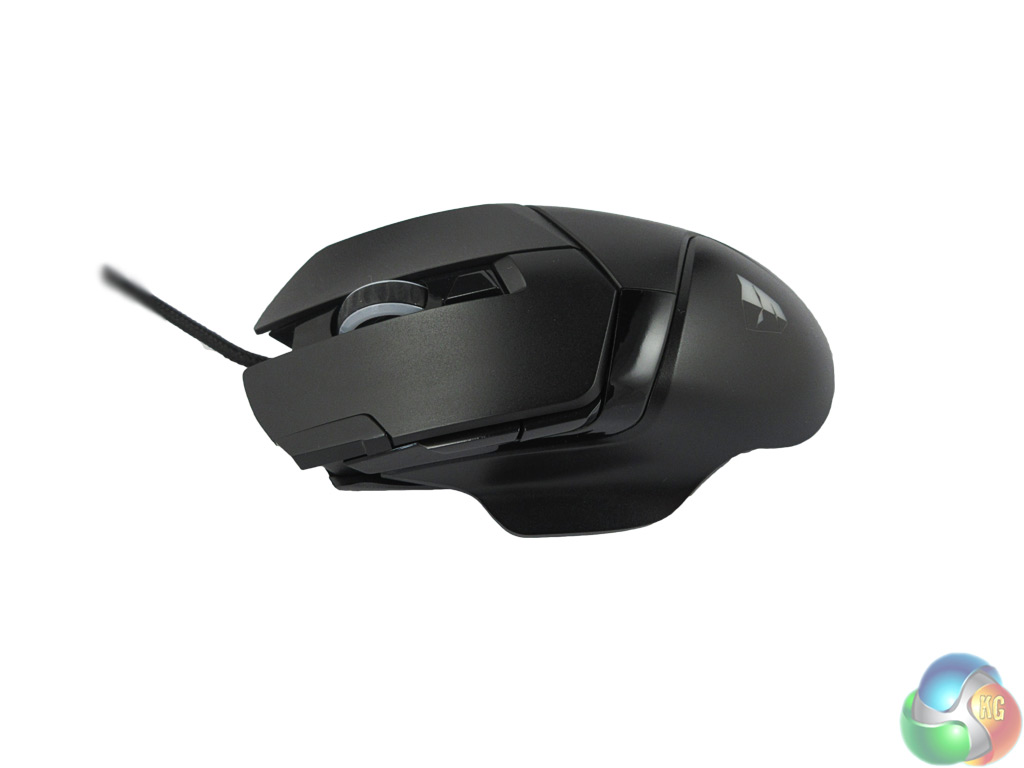
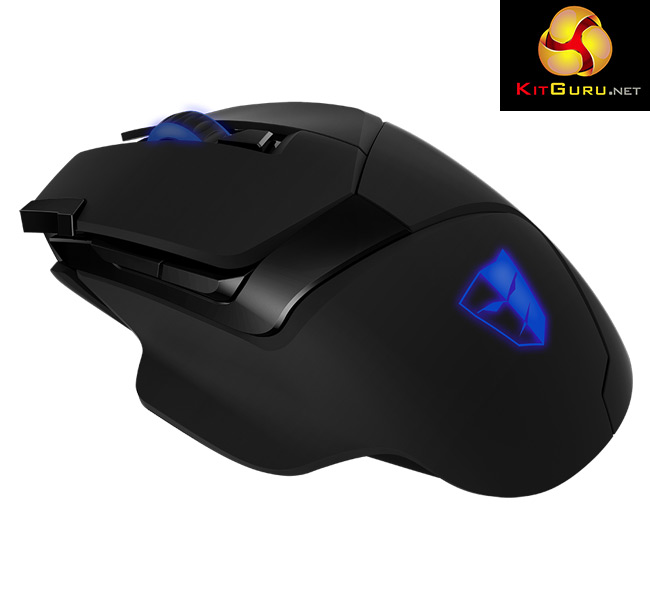
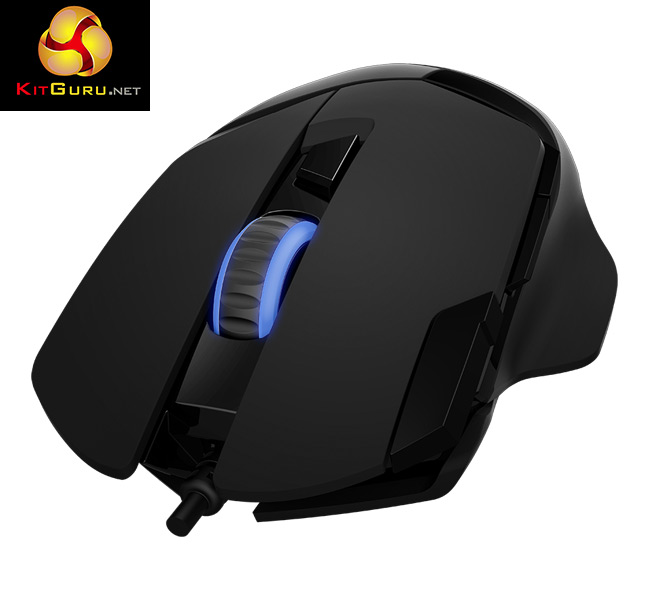
The mouse itself is ergonomically designed, and I found this lends itself to both the palm and claw-style grips. Despite being fairly symmetrical, there is a thumb rest on the left hand side, indicating that this is a right-handed gaming mouse.
I found this thumb rest to be very helpful, as it provides extra support which is greatly appreciated during intense-usage sessions.
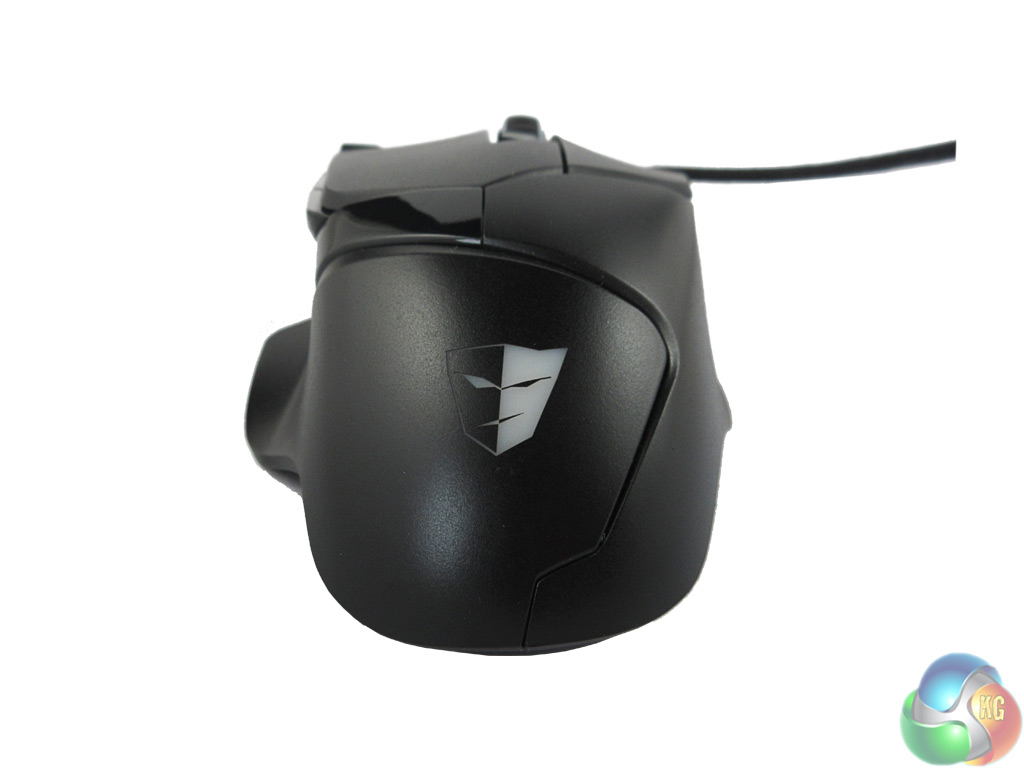
The main body of the Ascalon is good looking. I put this down to the combination of both matte and gloss plastics which compliment each other well. The Tesoro logo is situated at the bottom of the mouse and – along with the mouse wheel – is illuminated by a colour of your choice.
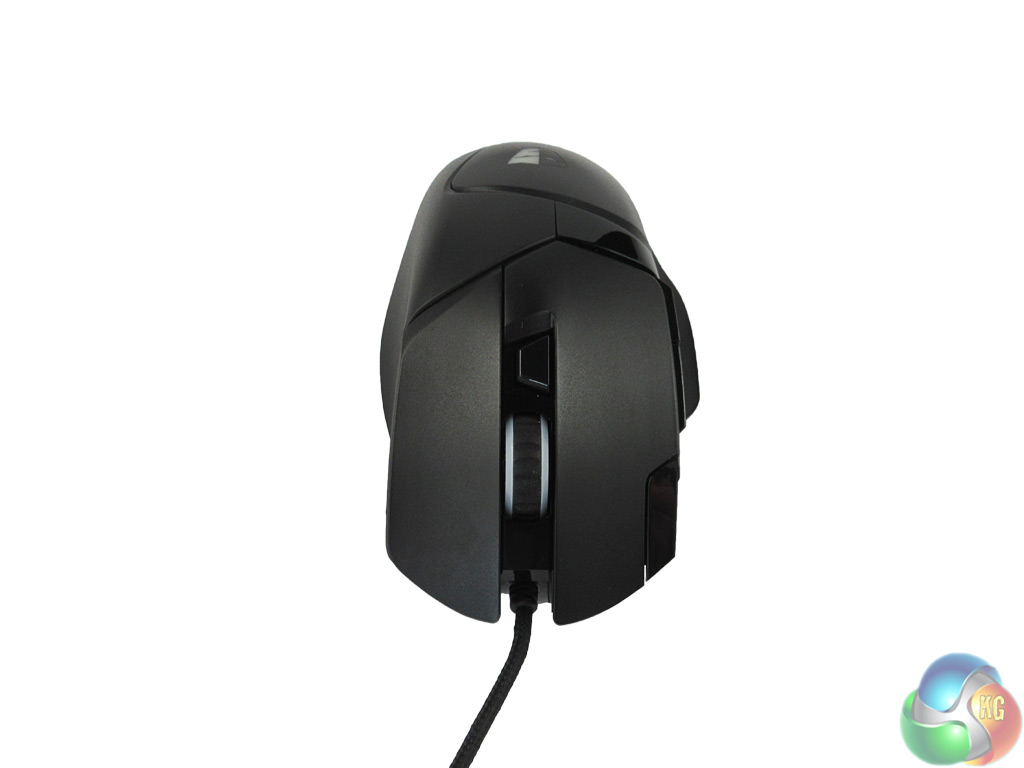
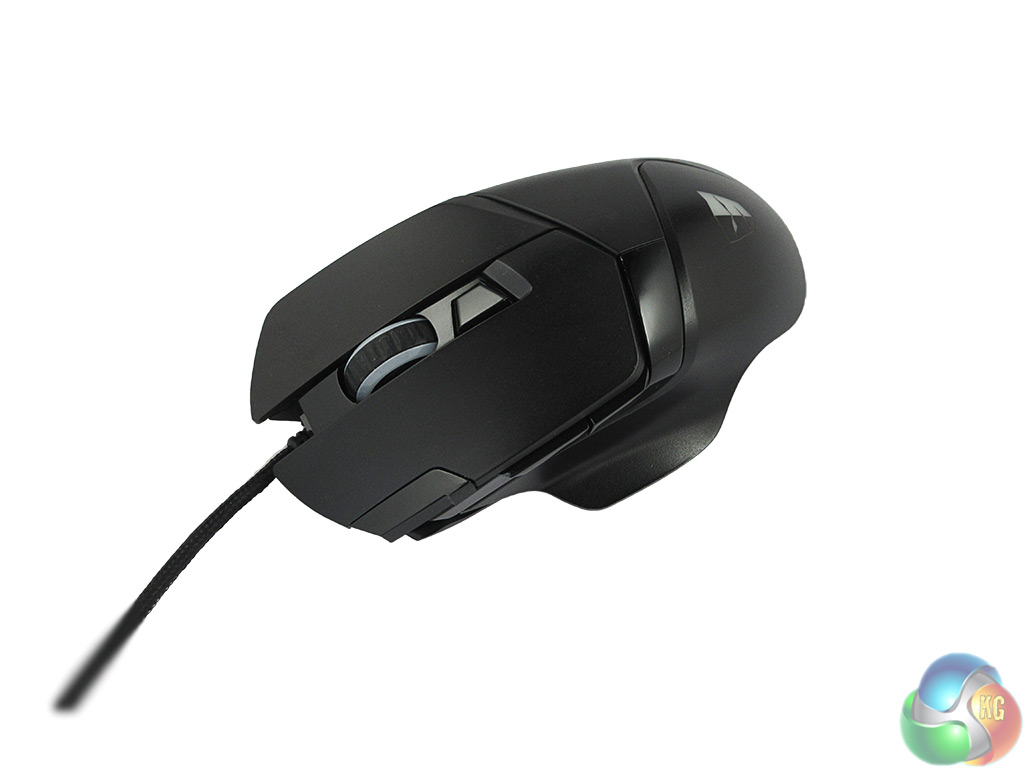
Below the mouse wheel there is a DPI adjustment button, allowing the user to switch between 5 different DPI levels on-the-fly. On the edge of the left click button there is also a trigger button – which by default acts a double click. Just below the trigger button are an extra 2 buttons, typically used for browser navigation.
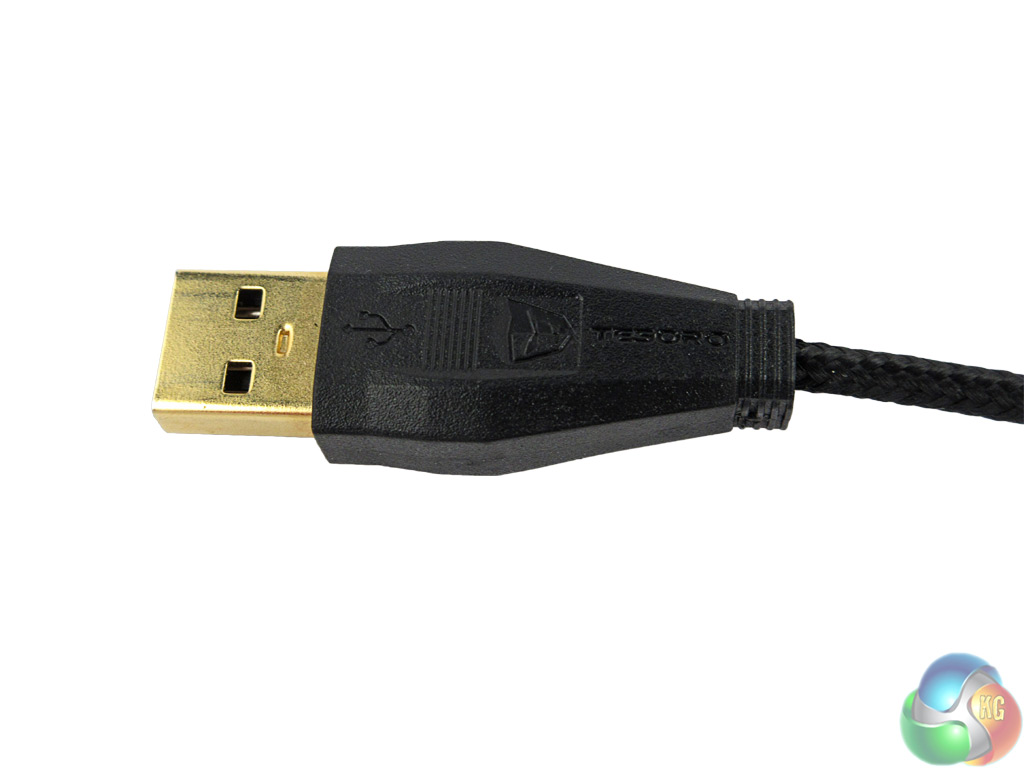
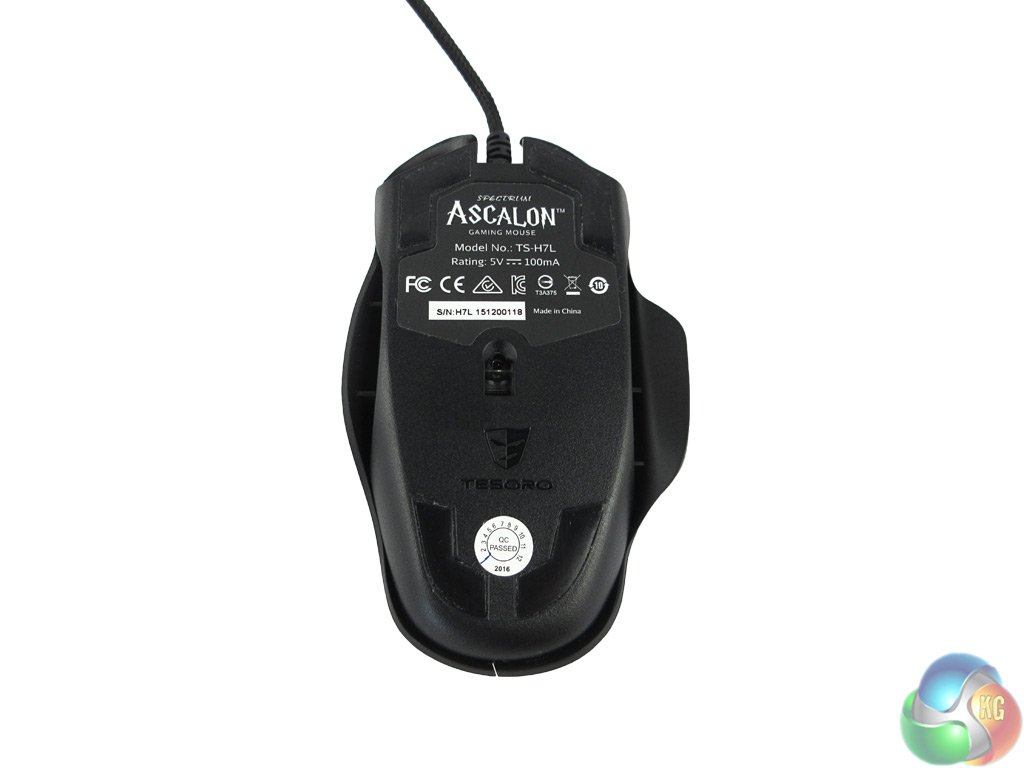
Finally it is worth mentioning the 2m braided cable, which is gold-plated for extra durability.To test the Tesoro Ascalon, I used it as my primary mouse for a week. This involved gaming, general office tasks as well as photo editing. I also took into account the comfort of the mouse and the utility of the supplied customisation software.
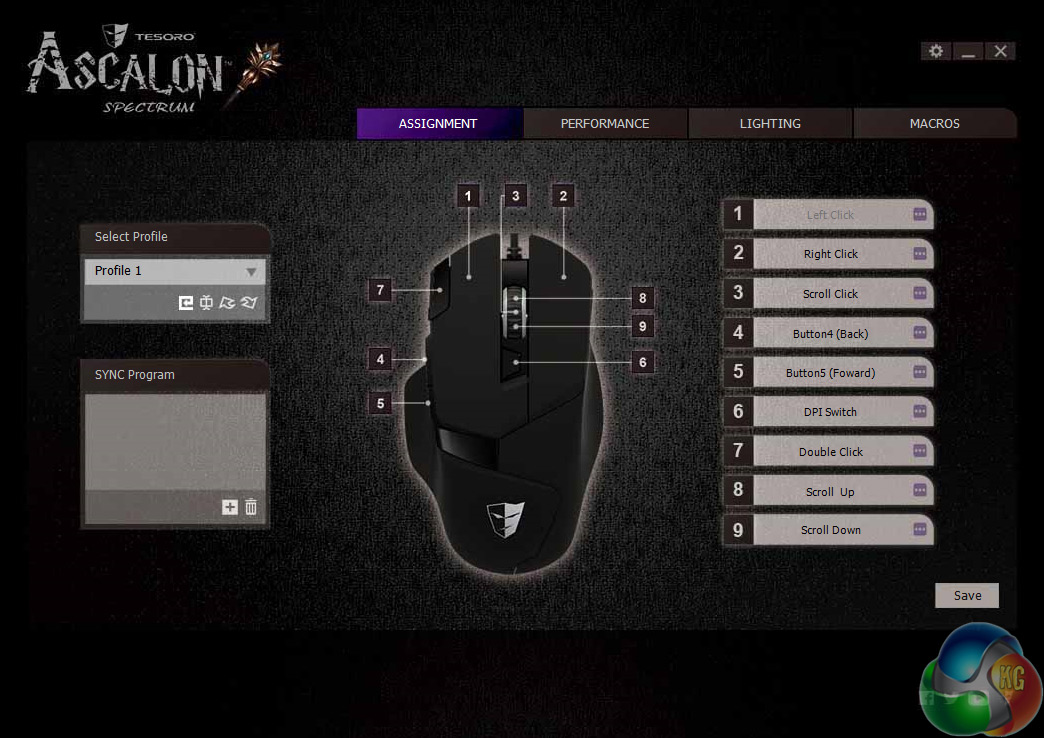
To start with the software, then. On the first page, you are greeted with the button assignment feature, as the Ascalon features 8 reprogrammable buttons (all but the left click). It is good to see this level of customisation, even if I would not adjust more than one or two buttons myself.
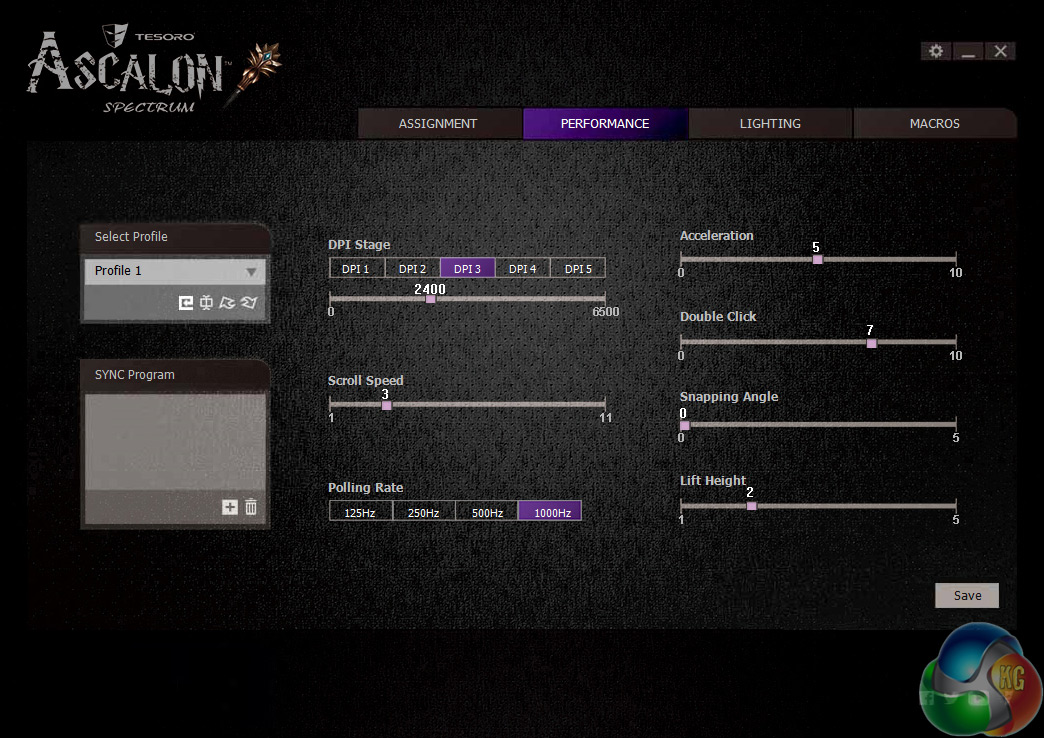
Next, there is the performance page. This allows you to set the DPI levels for the 5 stages, with the adjustments coming in increments of 50 – which should be precise enough to satisfy the pickiest of users.
I opted to increase the stage 3 sensitivity to 2400, my preferred setting. There is also the option to adjust the polling rate, scroll speed and mouse acceleration amongst others – more great options for users who want them.
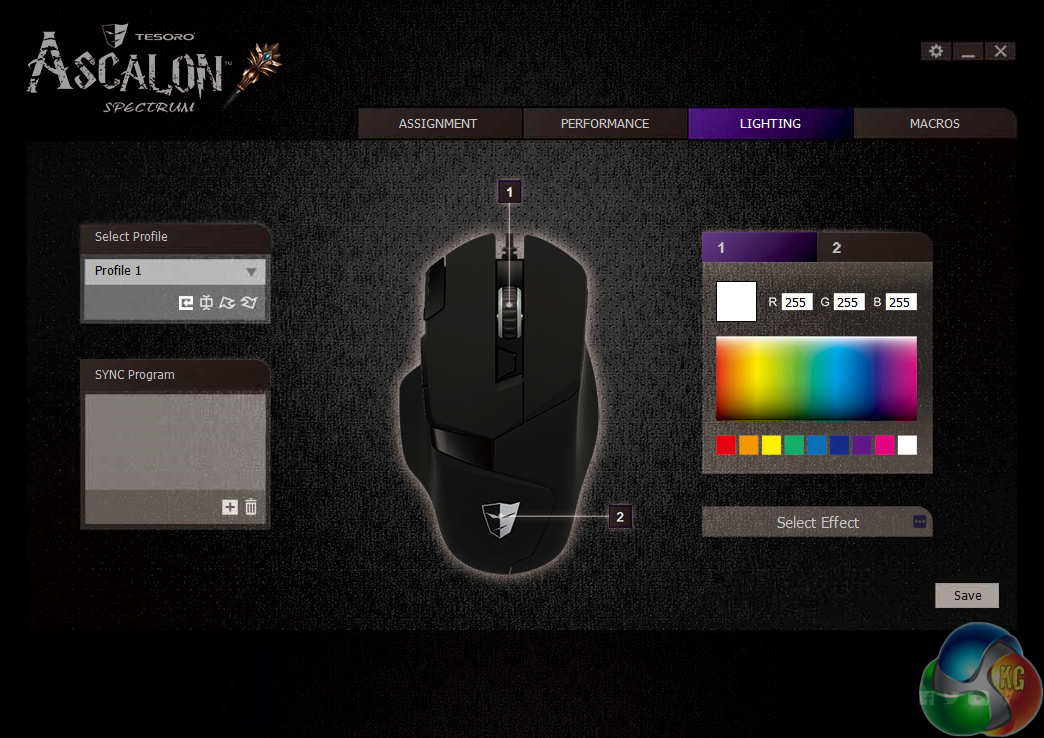
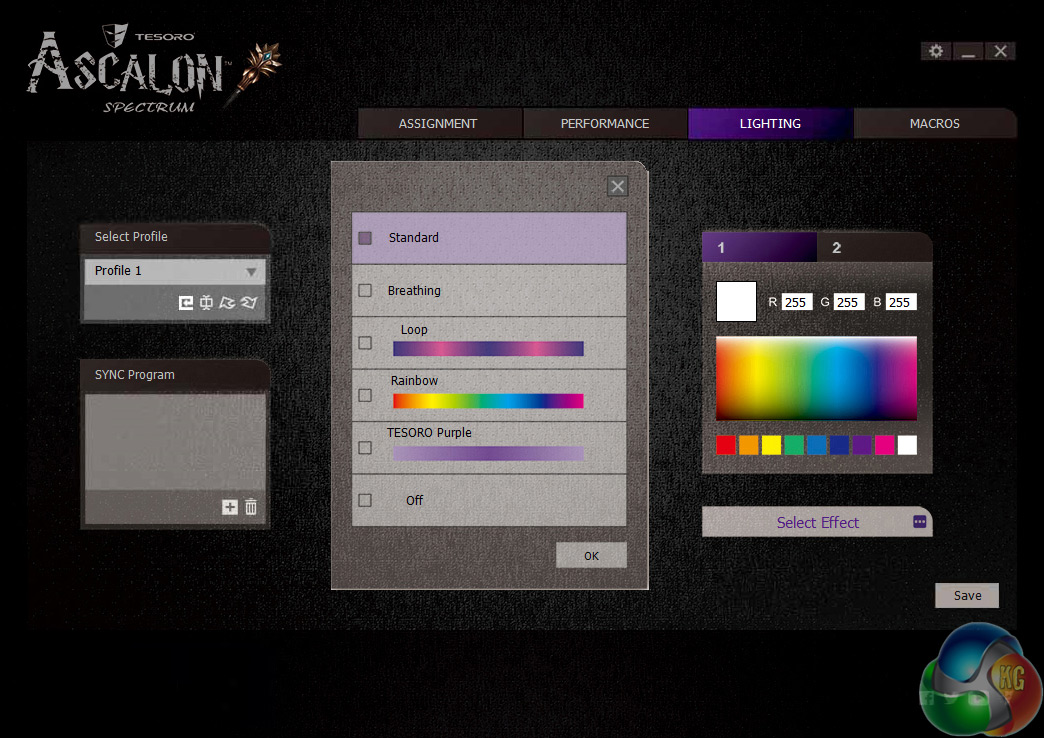
Now, on to my favourite page – the lighting. The Ascalon is an RGB mouse, giving you 16.8m colours to choose from.
Furthermore, both the mouse wheel and the Tesoro logo are individually lit, meaning you can set different colours to each part. There are also a few lighting effects to choose from – including ‘breathing' and ‘rainbow' effects, both of which work well. The rainbow effect would be particularly useful if you have an RGB keyboard to match.
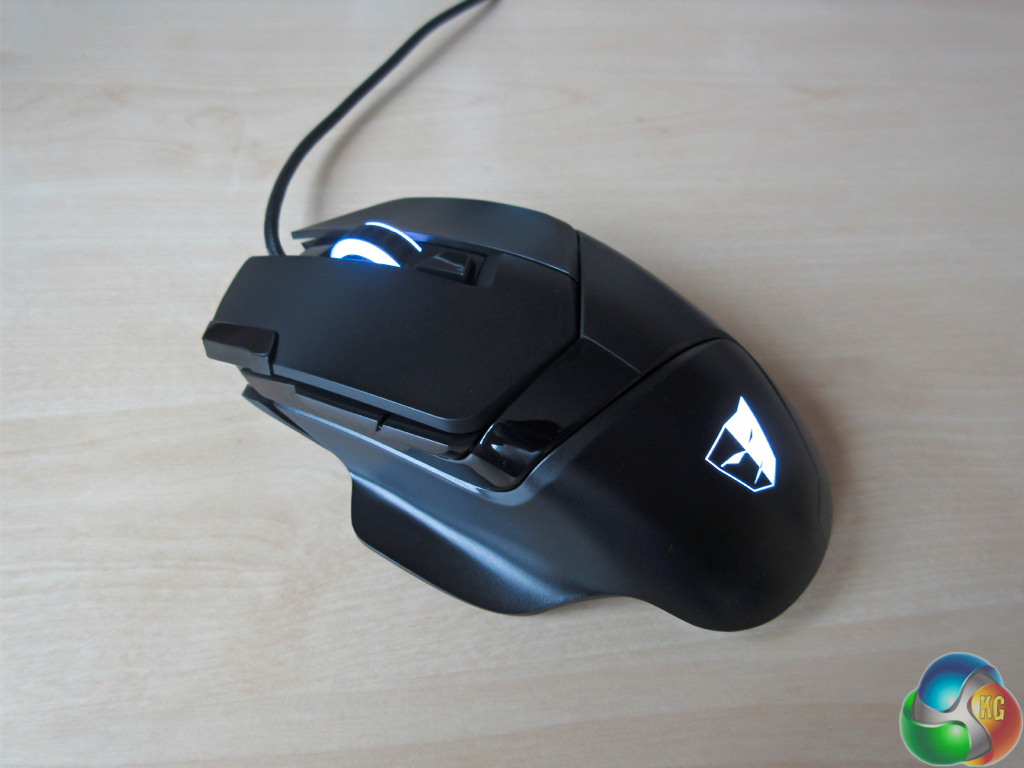
In practice, I found all the colours I tried looked very good – except red, which seemed somewhat pinkish. However, I opted for a white colour scheme to match my monitor and speakers and it looked great.
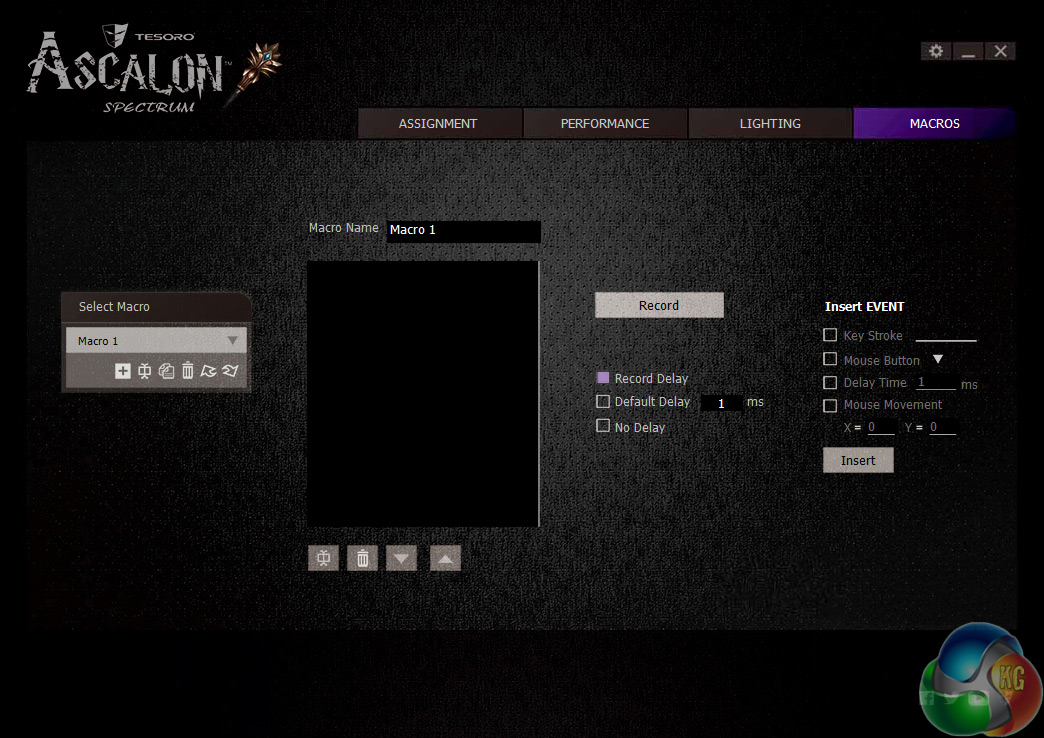
Finally, we come to the last page of the software, which simply allows you to record macros should you wish.
Overall, I would say this a very good software suite. Users have a lot of control over lighting, remapping mouse buttons and other controls such as DPI. It is also user-friendly and not over complex – so good job Tesoro.
So, we move on to the actual performance of the Ascalon.
First, it is worth saying – using the palm-grip which I prefer, though the claw-grip is also possible here – that the Ascalon is very comfortable, even for prolonged sessions. I found the thumb rest to be a great addition, and it is something I would like to see more of with gaming mice. It simply provides extra support, allowing the user to put less pressure on the main body of the mouse.
The trigger and navigation buttons are easily accessible, too. All three buttons can be remapped to suit your needs, so it is good to have extra support for on-mouse gaming controls.
The Omron White OF switches used are heavy-duty and feel very responsive and snappy. They are rated at 10m clicks, so clearly Tesoro are confident the Ascalon will last a considerable amount of time. The mouse wheel, too, feels very solid. It is responsive when scrolling, and clicking it down is very satisfying as it provides a good amount of tactile feedback.
The DPI adjustment feature – though ubiquitous amongst gaming mice – is a boon for photo editing. Located just below the mouse wheel, I could easily lower the sensitivity for fine editing as needed. The Ascalon software even indicates in the bottom right corner of your monitor which DPI stage the mouse is currently at when switching through the DPI settings.
The 6400 DPI top-level should be enough for most gamers, too. I stuck with a lesser 2,400 DPI, but there is the freedom to go up to 6400. I found the 2400 DPI sensitivity great for gaming, particularly FPS titles where I could also utilise the trigger button for an extra attacking option.
Finally, it is worth touching on the build quality of the Ascalon. Though it is made entirely from plastic, it does not feel cheap. However, I would have liked to see the Ascalon feature a weight adjustment ability. Currently the Ascalon weighs in at 125g, and I would have liked to increase this manually via adjustable weights – as you can do with the MSI Interceptor DS300.Despite reviewing several Tesoro keyboards over the last few years, the Ascalon is the first Tesoro mouse we have seen here at KitGuru, and it is safe to say it has impressed.
The mouse is well-designed, featuring an attractive mix of matte and gloss plastics. There are also 8 reprogrammable buttons which is a great level of customisation for users.
The inclusion of 16.8m-colour RGB lighting is also successful. I particularly like the ability to set a different colour to each of the mouse wheel and illuminated Tesoro logo, allowing users a dual-colour configuration should they wish. Colours are produced accurately with the exception of reds which seem slightly pinkish, but other than that I was impressed.
Tesoro's software suite is decent, too. It consists of 4 pages of fine-tune controls for the user, with the ability to set DPI stages, adjust scroll speed and record macros being just three of the many options available to you.
The mouse is comfortable to use, thanks to thumb rest – which is a great addition. This does indicate that the Ascalon is a right-handed mouse, and users will find both the palm and claw-grips work well with the Ascalon – but I do favour a palm-grip.
Everyday performance is very solid, with the extra trigger button proving its worth in FPS games. However, one thing I would have liked to see is adjustable weights. This would just give the user the extra ability to select their desired weight and improve the all-round performance of the Ascalon.
Despite this, the Ascalon is a great mouse and I have no hesitation in recommending it to our readers.
I am currently unclear on the UK pricing and availability, but in the USA the RRP is $69.99 so we are probably looking at around the £55-60 mark. However, Tesoro's Gandiva mouse also has an RRP of $69.99 in the States and that is available in the UK for £36 – so we will have to wait and see.
Pros
- Good looking.
- Useful software.
- Lots of user control over lighting, DPI etc.
- Responsive and sensitive to use.
- Thumb rest is a great addition.
Cons
- Lacks adjustable weights.
- Red lighting appears pink.
KitGuru says: Though pricing is not clear in the UK, the Tesoro Ascalon is a very solid mouse which offers a high level of customisation and comfort.