KitGuru KitGuru.net – Tech News | Hardware News | Hardware Reviews | IOS | Mobile | Gaming | Graphics Cards


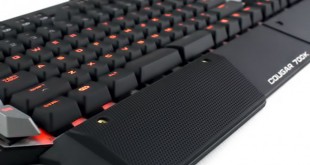
Today we are going to take a look at one of the latest mechanical gaming keyboards from Cougar, the 700K. This model boasts an impressive specification which includes Cherry mechanical switches, LED backlighting and a series of macro configuration options. This sets it in good stead to compete with other models on the market, so we are excited to see how it compares.
Cougar are not the first manufacturer who come to mind when we think of gaming peripherals. They have only recently expanded into the gaming peripheral market, following their success with PC cases and power supplies for gaming systems. We have been impressed with their products in the past and are interested to see if they can transfer their expertise to peripherals with the 700K.

Specifications
- Key switch: Cherry MX mechanical
- Processor: 32-bit ARM Cortex-M0
- N-key rollover
- Full key backlight
- Polling rate: 1000Hz / 1ms
- Repeat rate: 1X / 2X / 4X / 8X
- Material: Aluminum / Plastic
- Software: COUGAR UIX SYSTEM
- Additional programmable G-keys: 6
- Interface: Golden-plated USB plug
- Cable length: 1.8m Braided
- Dimension: 230(L) X 487(W) X 40(H) mm
- Weight: 1.2kg
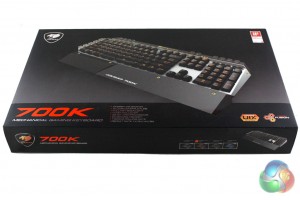
The Cougar 700K is supplied in a fairly sizable box which reflects the large size of the keyboard within. The box is decorated in an attractive black and grey livery which bright orange text. The front features a large image of the keyboard which gives us an idea of what to expect within.
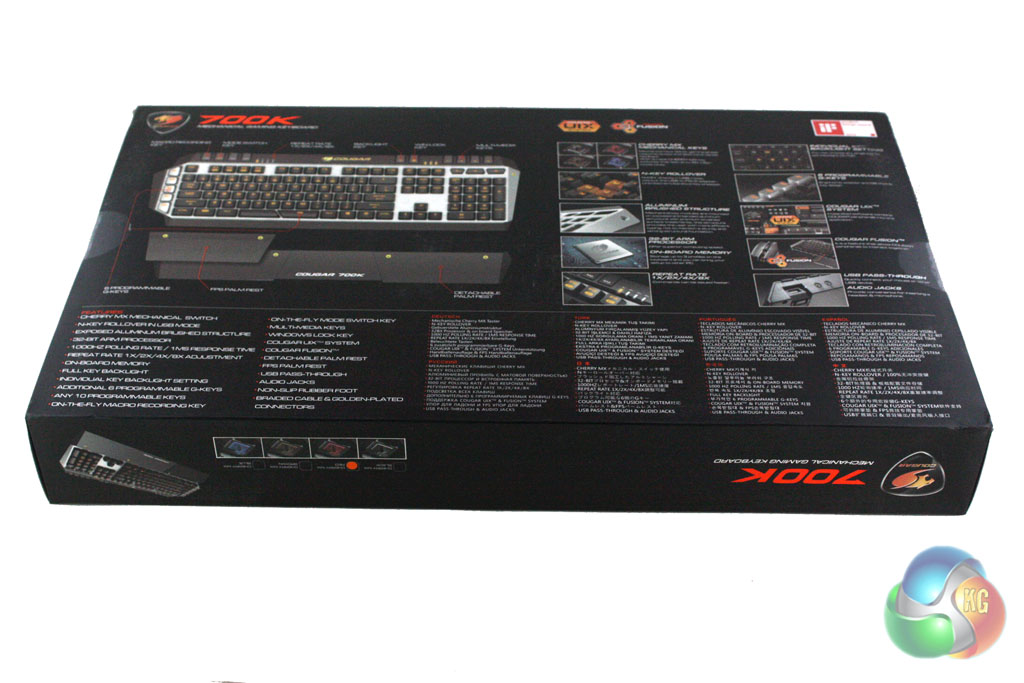
Turning the box over reveals details of the features and specifications of the keyboard. There is plenty of protective packaging within the box to minimise the likelihood of damage during transit. Inside the box, we do not find any additional accessories included alongside the keyboard.
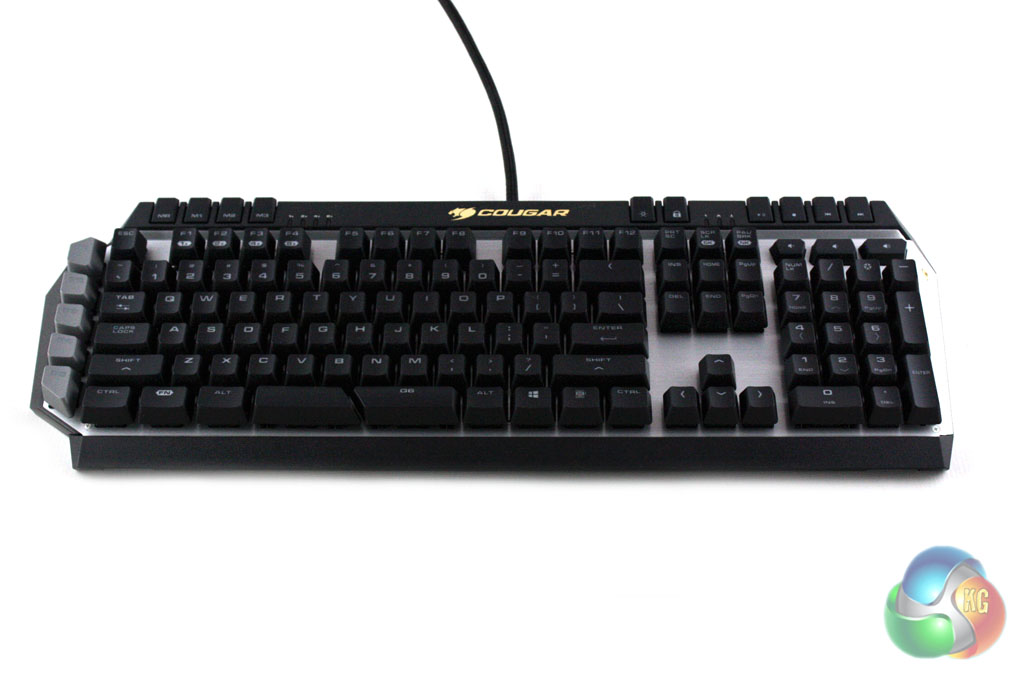
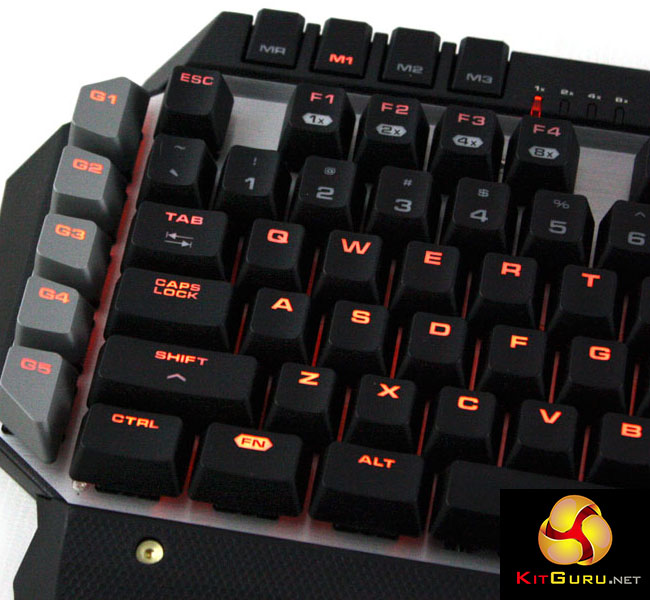
It is quite clear from a glance that the 700K is a gaming keyboard due to the bank of five macro keys attached to the left side of the unit and an extra row of keys along the top edge of the keyboard.
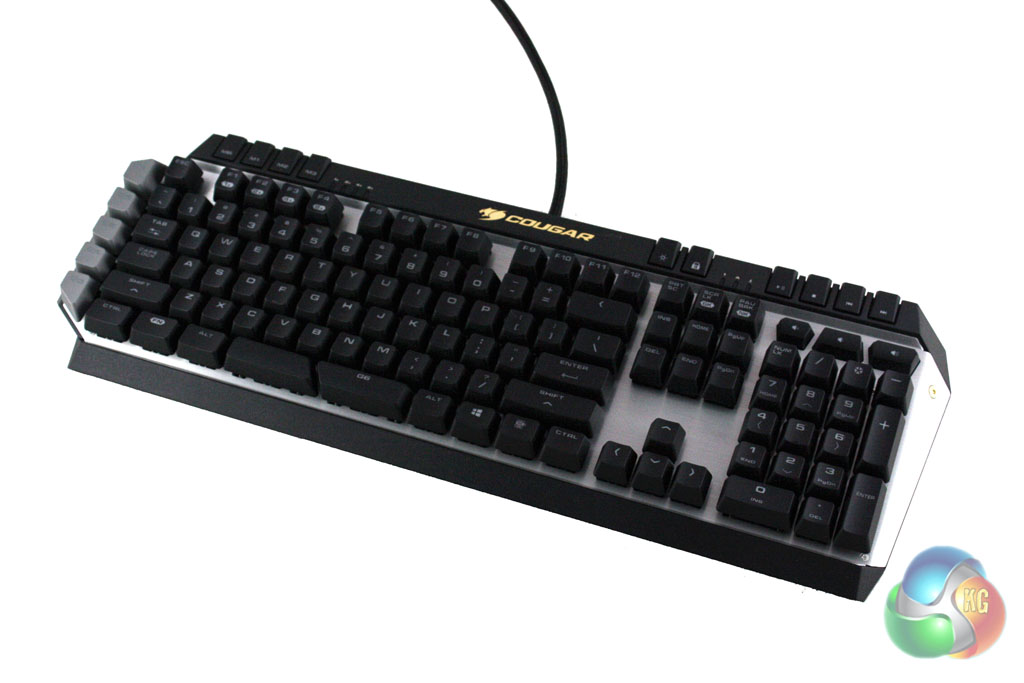
From an aesthetic point of view it seems to draw inspiration from Corsair's keyboard range, with the keys arranged across a large brushed aluminium plate. The metal plate is set within a black plastic casing which contrasts nicely with the aluminium finish of the keyboard.
We are quite impressed with the build quality of the Cougar 700K. The aluminium plate used feels premium and the construction of the keyboard is solid, however the black plastic casing feels cheap and unrefined to the touch. We have no doubt that this unit will last a long time, though, thanks to the use of mechanical switches and the otherwise decent build quality.
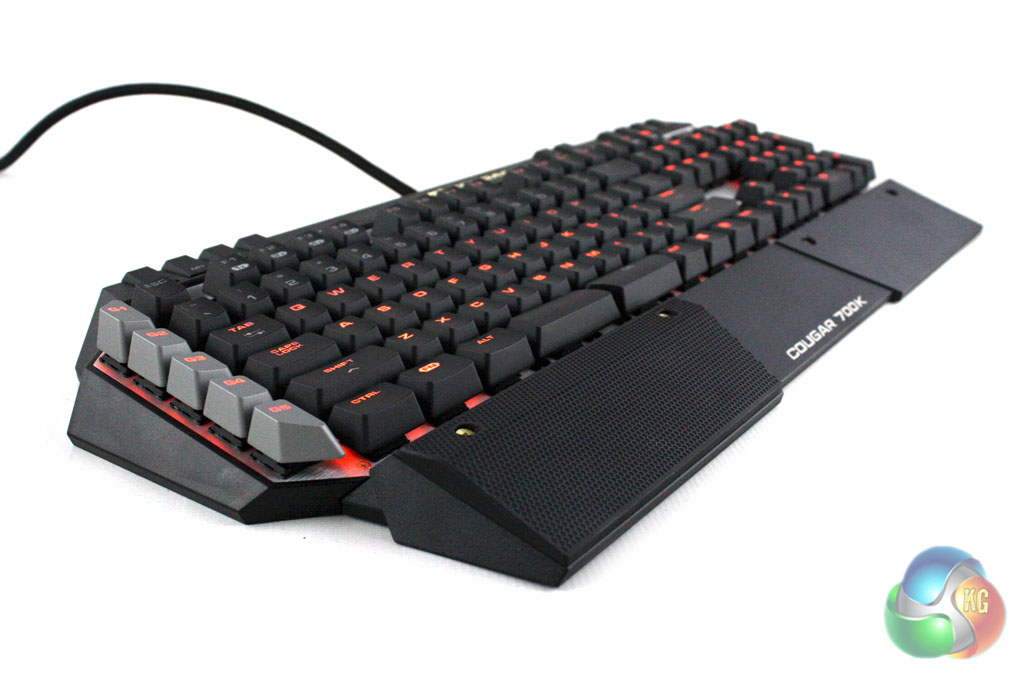
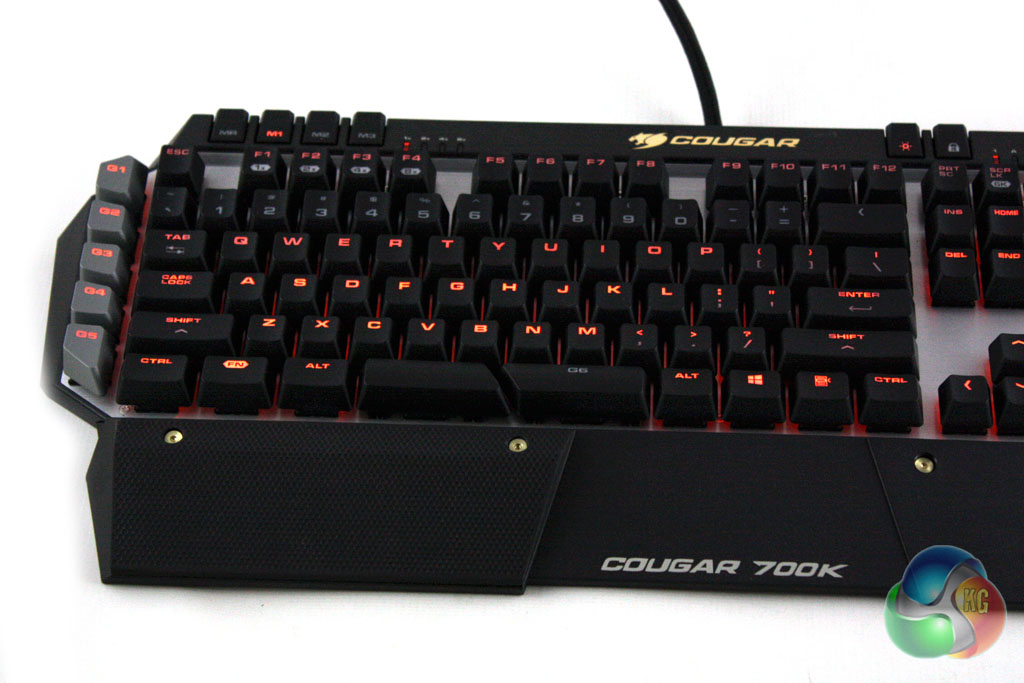
In a similar fashion to the majority of high-end gaming keyboards on the market, the Cougar 700K features LED backlighting. Unlike some competing keyboards, it does not offer colour configurable lighting. However, it offers extensive configuration of the backlighting in the included software which we will detail later on in the review.
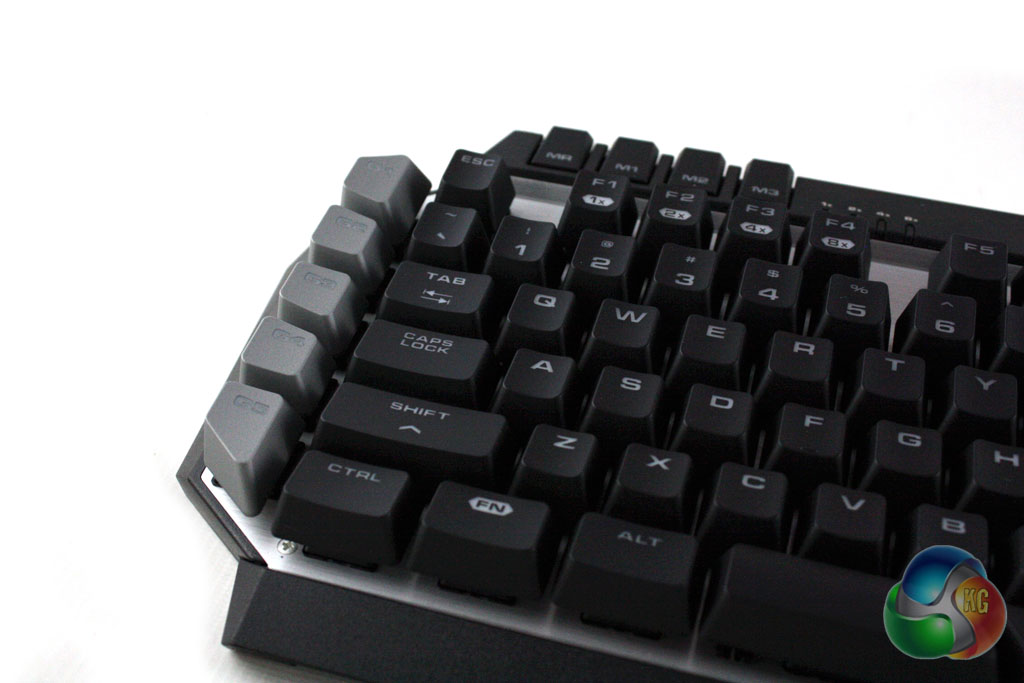
We find a series of five macro keys on the left edge of the keyboard which can be programmed in the included software package. There are four further buttons along the top left edge of the keyboard which let us switch between three different configuration modes and record our own macros on the fly. Below these we find second functions on the F1-F4 keys which let us switch between 1x, 2x, 4x, and 8x report rate on the fly.
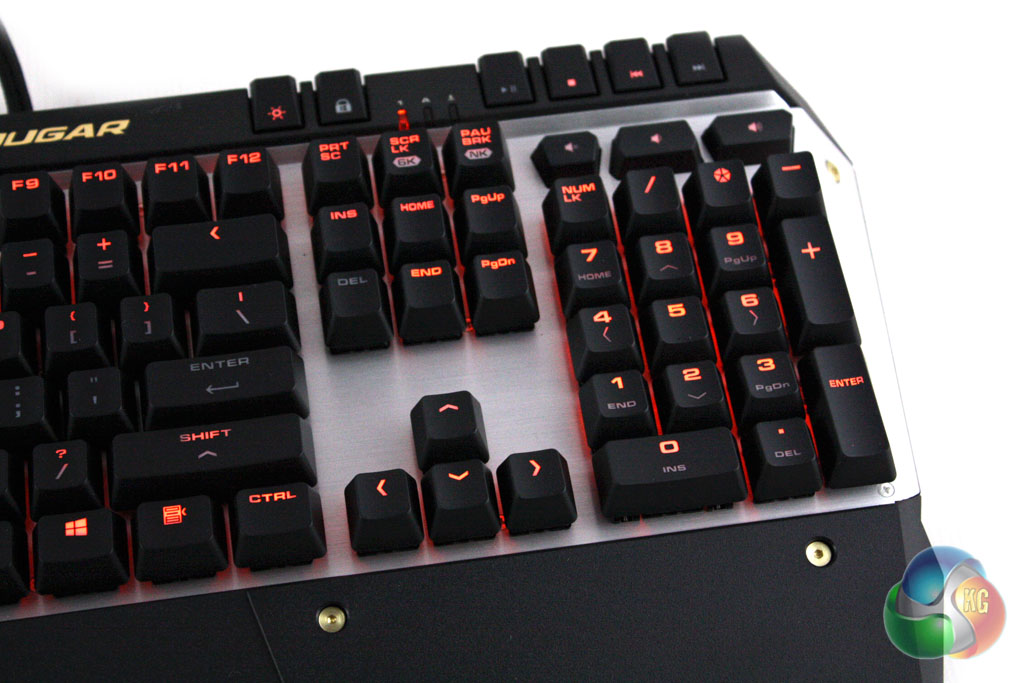
In the top right corner of the motherboard we find a series of six buttons. From left to right we find a backlighting control button, a button to deactivate the Windows key when gaming, play/pause, stop and track forward and back buttons. We also find volume up, down and mute buttons nestled just above the numpad.
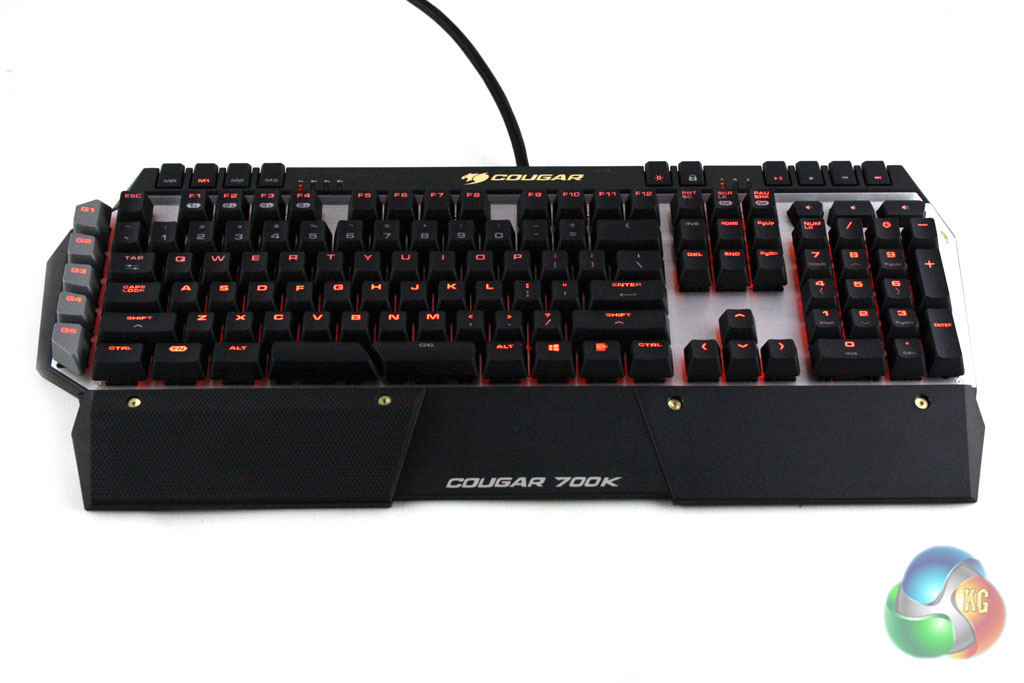
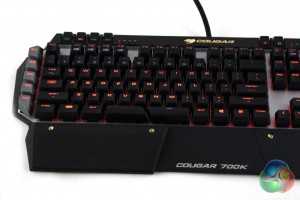
The 700K is supplied with a palm rest which fits to the front of the keyboard. This features a magnetic rubber palm rest which can be attached to either side of the palm rest. This makes it more comfortable to use and gives users the option of using it for the WASD and arrow keys. The palm rest feels a little cheap compared to the rest of the keyboard, though, which is a little disappointing considering the price point.
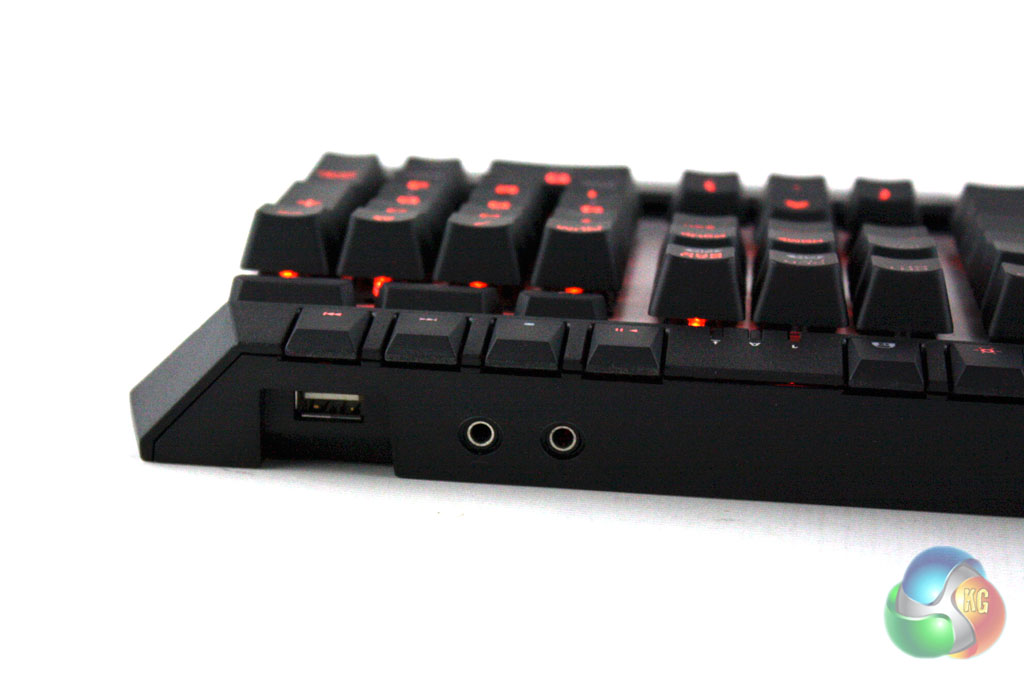
Like most high end gaming keyboards, the 700K features a USB pass and headphone/microphone pass through hub on the rear which lets you easily hook up your mouse and headset.
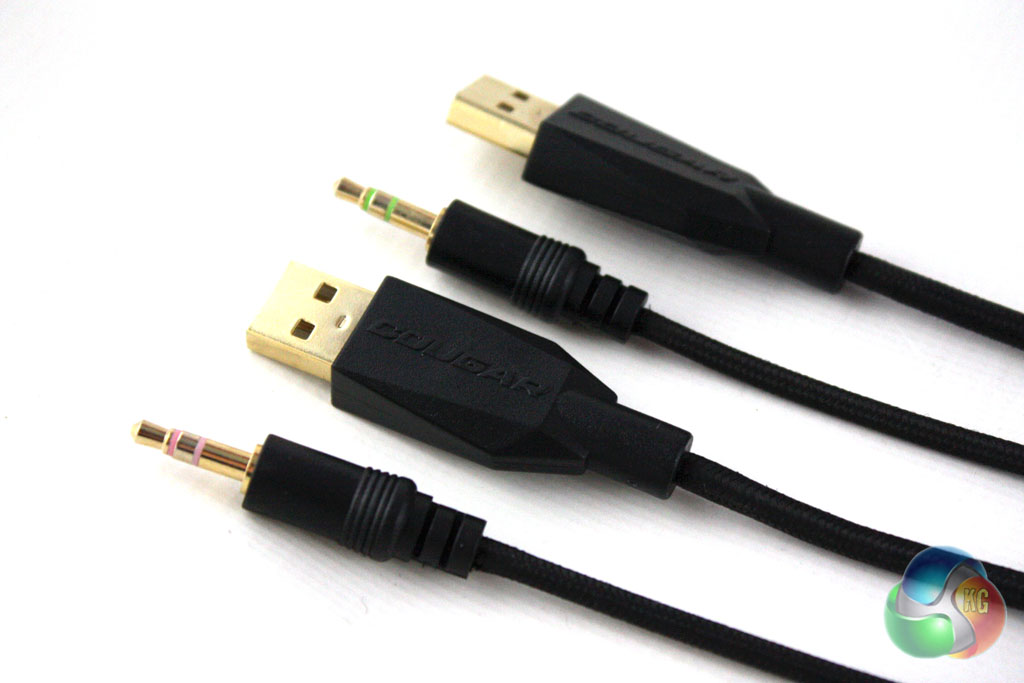
Cougar have chosen to use a quality braided cable for the 700K which feels very good quality indeed. This terminates in two gold-plated USB connectors and two gold-plated 3.5mm jacks for the headphone and microphone functions.
Cougar instruct us to visit their website to download the UIX System software. This is a small package and the download and installation process is quick and straightforward. The software package lets us create three different ‘modes' which are essentially profiles with different configuration options. These can be switched on the fly using the three buttons in the top left corner of the keyboard.
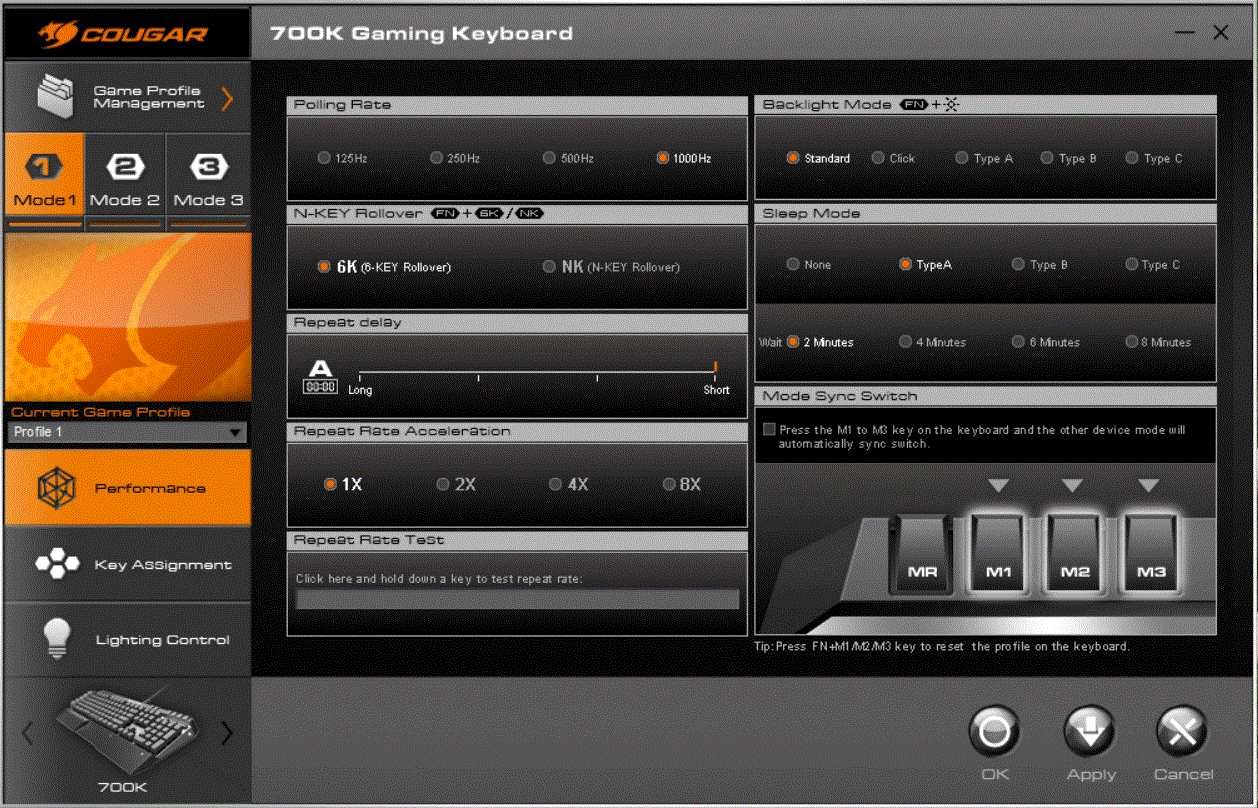
The main page of the software lets us configure all of the performance related options of the keyboard. These include polling rate, N-key rollover controls, repeat rate delay, repeat rate acceleration and backlight mode. The backlight mode lets us configure the sleep state of the backlight which can be set to a variety of effects or be disabled altogether. This area also lets us set the amount of time before the backlight enters sleep mode.
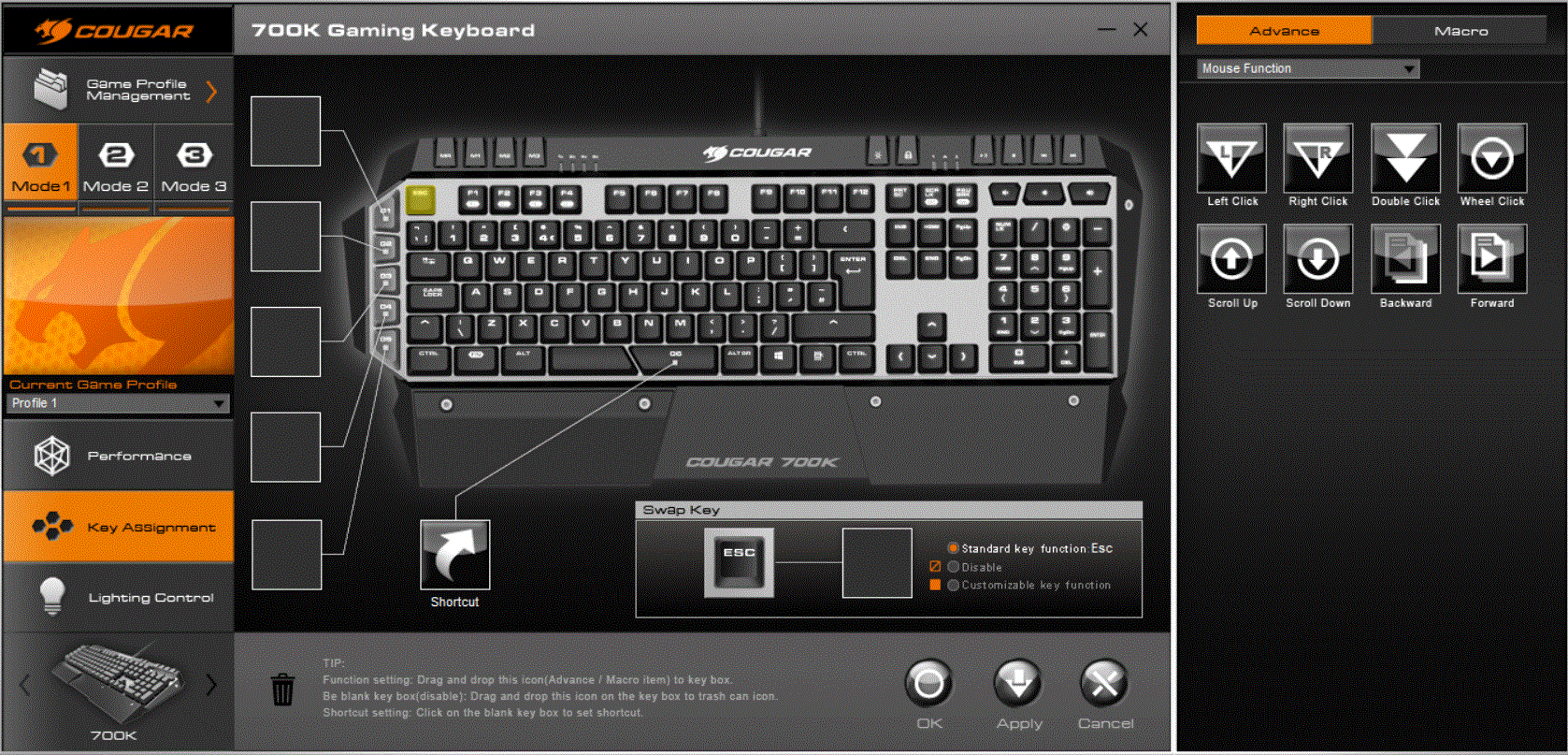
The second page of the software lets us configure the macro functionality of the keyboard. This area of the software lets us select from a variety of different macro functions for all of the keys on the keyboard if desired, not just the dedicated macro keys. The software also lets us configure our own macros using different key combinations.
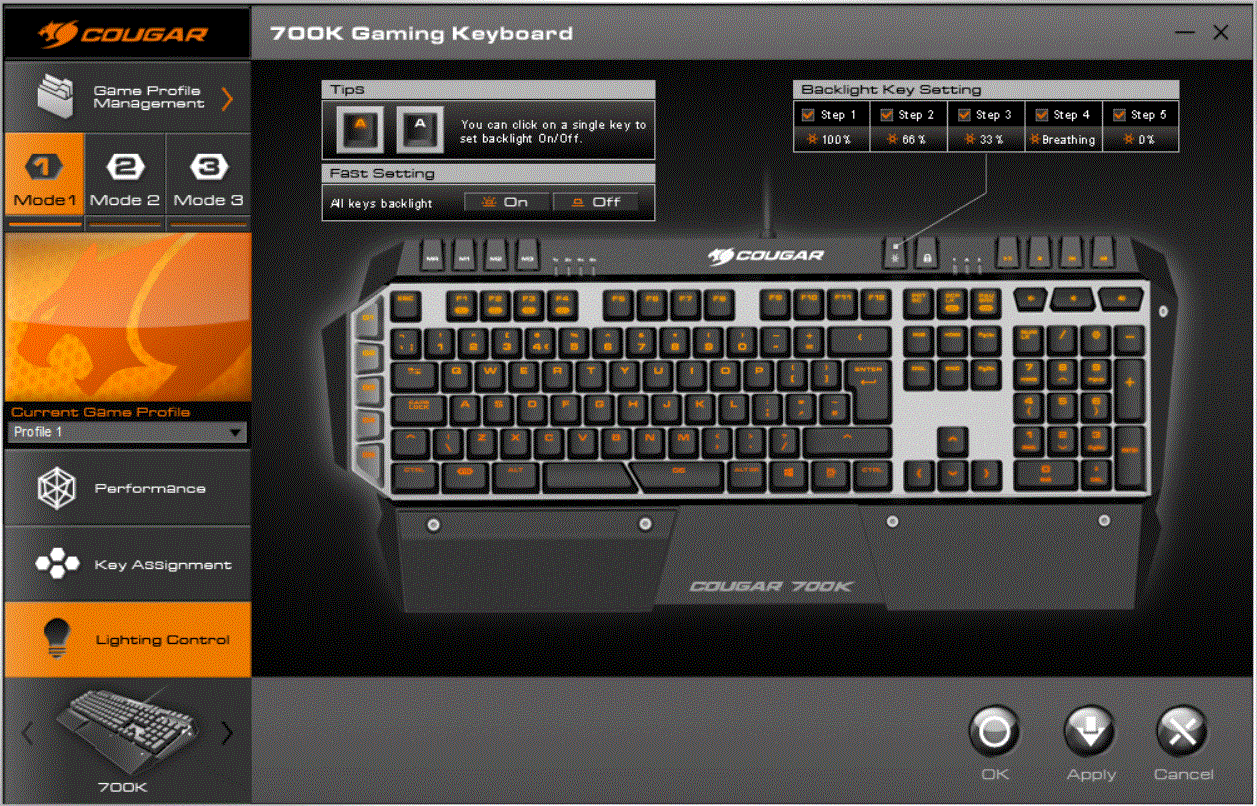
On the third and final page of the software we find all of the different lighting controls that are available on this keyboard. Even though we are restricted to orange for the backlight colour, we are able to configure each key's backlight independently. We can also configure a number of predefined lighting effects like breathing or disabling the backlighting altogether.
In terms of performance the Cougar is quite impressive. That said, we have yet to find a keyboard featuring Cheerry MX switches that does not impress from a raw performance perspective. Our sample of the 700K features Cherry MX Red switches although other colours are available depending on your preference.
Each type of Cherry MX switch has a different feel and action. Black switches and the Red switches found on our test sample do not offer tactile feedback like blue and brown switches. These have a distinct click when they are depressed. The difference between Black and Red switches is similar to the difference between Brown and Blue switches, with the former of both groups having a heavier action, requiring more force to depress.
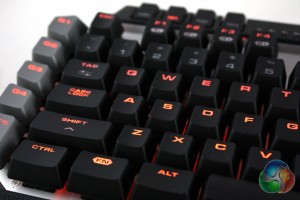
There is not really a superior colour of Cherry MX switch, as all offer very similar performance characteristics – it is much more down to personal preference. The Red flavour in our test sample is my preferred, offering a smooth action without requiring much effort to depress. We would definitely recommend trying all the different types of switch available before making a purchase if at all possible.
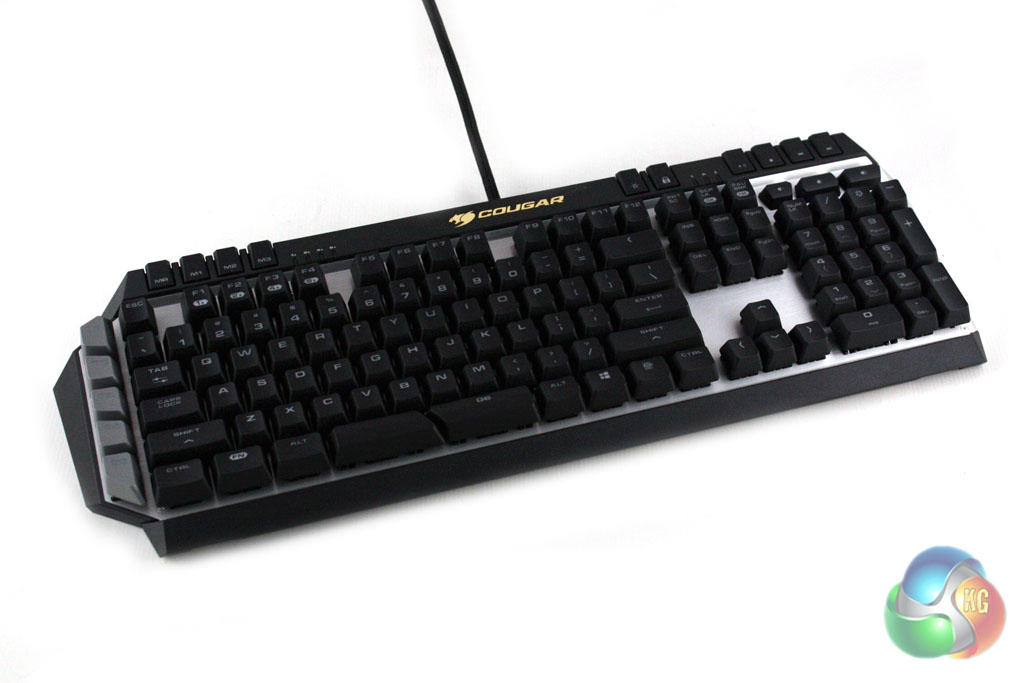
When gaming, we found the macro keys to be well placed for rapid access, although we are skeptical at the split design of the spacebar which has been separated out to add an extra macro key. As standard, both sides of this act as a spacebar but it takes some getting used to when typing.
It is clear that a lot of time has been invested into developing the Cougar 700K Keyboard so that it can compete with the most capable models already on the market.
In terms of build quality, the main keyboard is commendable. The use of brushed aluminium in the design gives it a premium feel, although the grained black plastic surround devalues this slightly. The overall construction of the keyboard feels solid, and we have no doubt that it will stand the test of time well. The palm rest feels a little flimsy, particularly with regard to the clips used to secure it to the main keyboard unit.
When it comes to raw performance, the Cougar 700K doesn't disappoint. Our sample of the keyboard features Cherry MX Red switches which deliver superb performance, however other colours are available depending on personal preference. The inclusion of dedicated macro keys to the side of the keyboard will appeal to a number of gamers too.
We are very impressed with the Cougar UIX System software which is included with the keyboard. This has to be one of the most intuitive configuration utilities we have experienced and it also offers excellent functionality.
At a price of £100 from CCL Computers, we feel that the Cougar 700K delivers reasonable value for money. In terms of price, it falls around the middle of the pack of mechanical gaming keyboards on the market and offers similar functionality to leading boards in a similar price category.
Discuss on our Facebook page, over HERE.
Pros:
- Excellent software utility.
- Choice of Cherry MX switches.
- Configurable backlighting.
- Dedicated macro keys.
Cons:
- Build quality is not up to the same standard as Corsair's leading products.
KitGuru says: A solid option for gamers in the market for a quality mechanical keyboard.