 KitGuru KitGuru.net – Tech News | Hardware News | Hardware Reviews | IOS | Mobile | Gaming | Graphics Cards


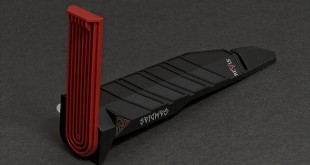
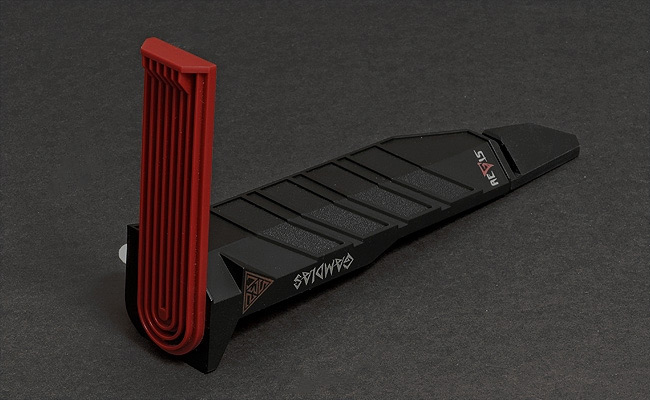
It is rare that I get a product through the post to review and have to spend a good few minutes figuring out just what it is. That is what happened this week though when I got my first look at the Gamdias Aegis gaming set. It turns out that it is a USB hub and headset stand that sticks on to the side of your monitor. Bizarre? Perhaps. Unique? Certainly.
Features
- Space saving headset arm
- Mouse bungee cable tidy
- One in four USB hub
Specifications
- Cable Length: 1.5 meter
- Dimension (LxWxH): 178 x 98 x 34mm
- USB: 2.0
- Ports: 1 upstream, and 4 downstream
- USB cable Length: 1.5 metres
- Transmission Rate: 1.5Mbps /12Mbps/480Mbps
- Per-Port Output Voltage: DC +5V
- Per-Port Output Current: 500mA (max.)
- Maximum output Power: 2.25w
- Weight: 51g
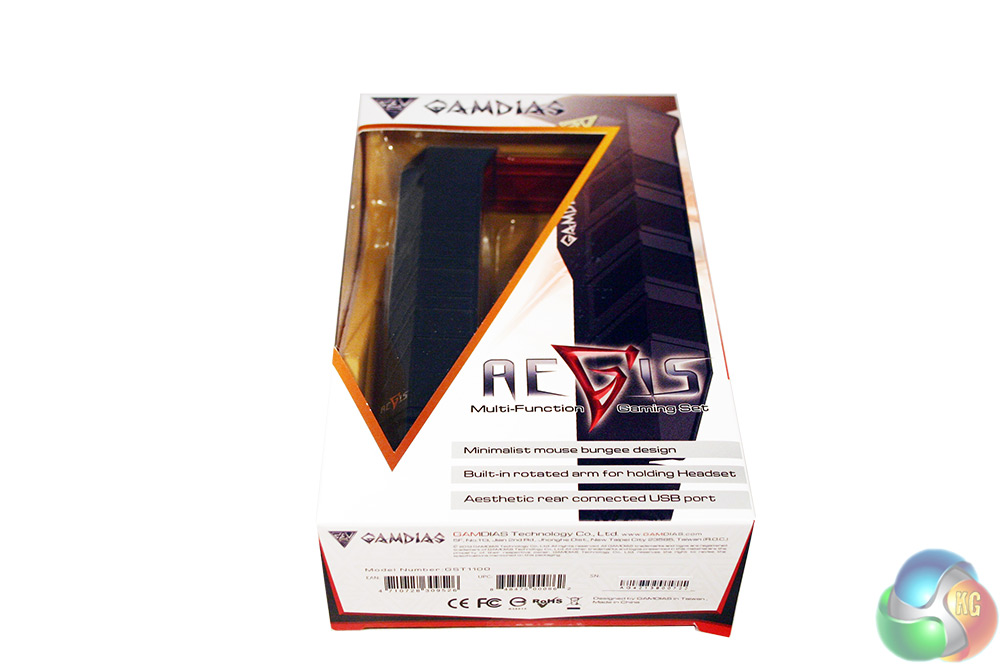
I feel like Gamdias should have made it a first priority to show you exactly what the Aegis is. It tells you, by saying that it has a minimalist mouse bungee and a “built in rotated [sic] arm for holding headset” -we are sure a picture would tell people far more in this case.
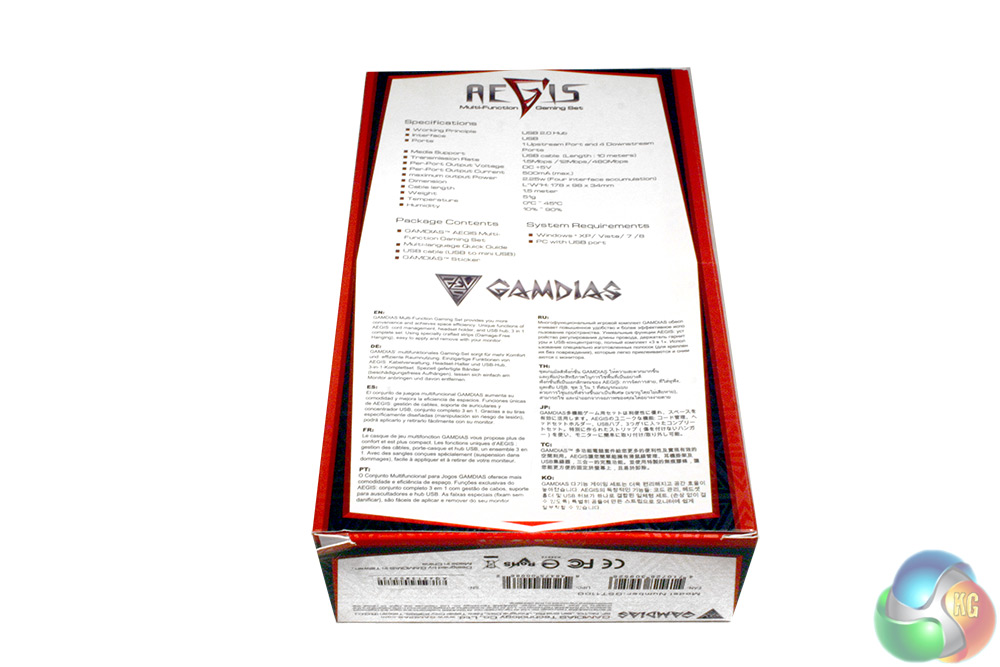
The back does not have a picture either, merely once again telling you what the product is, along with a load of specifications. Sadly, no mention of a USB 3.0 port, so it is all USB 2.0 at best here.
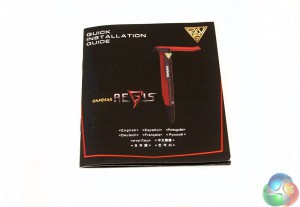
Along with the Aegis you get a brief set up manual, which manages to print all of the instructions you will ever need on a double page. This is not a complicated product.
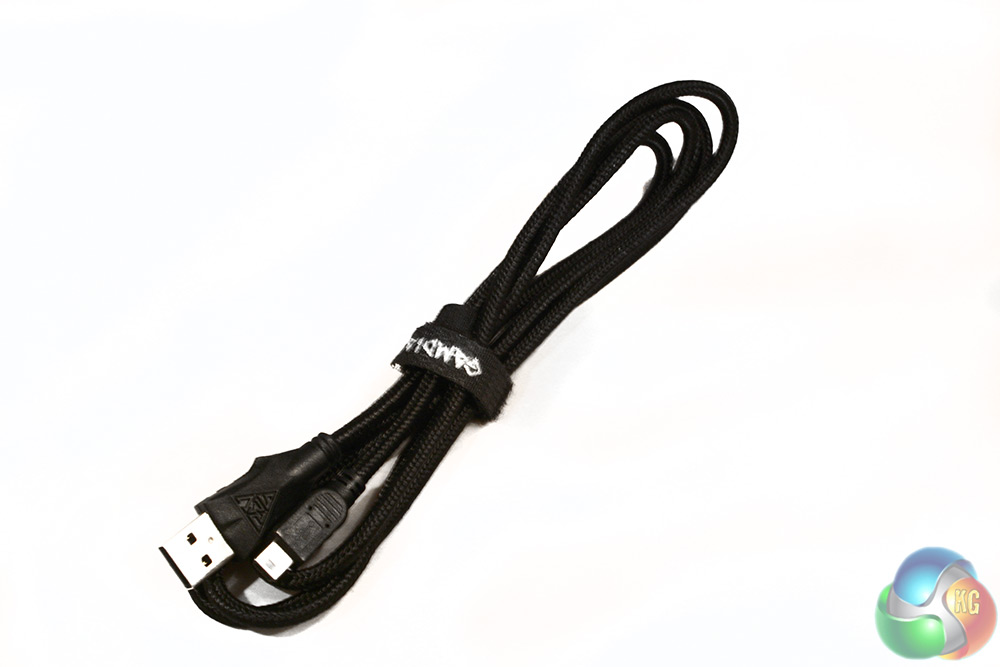
There is also a 1.5 metre USB to micro-USB cable included, for reaching down to your PC's rear.
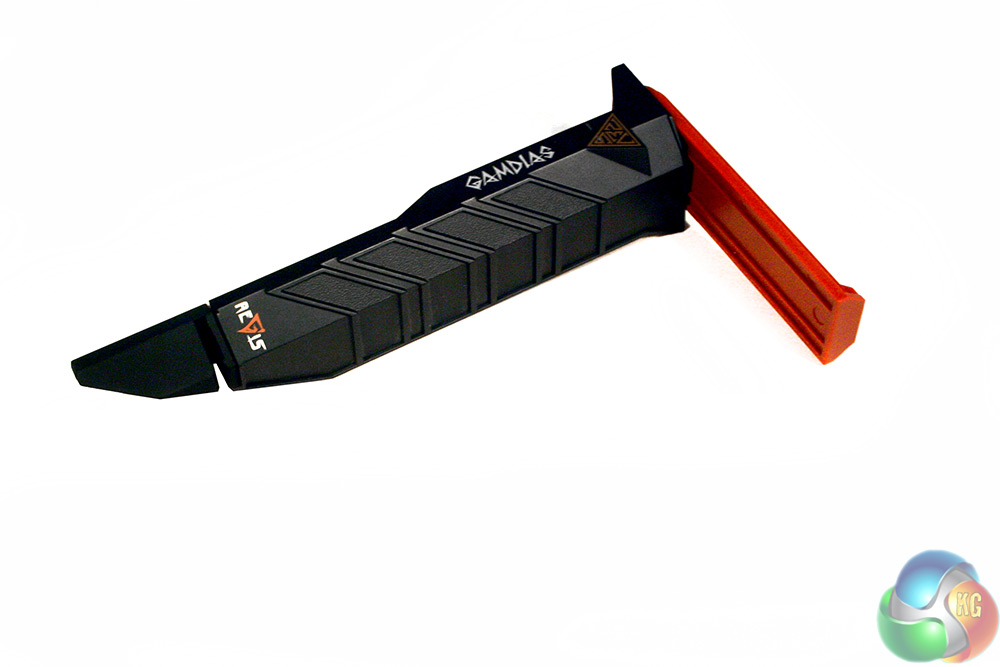
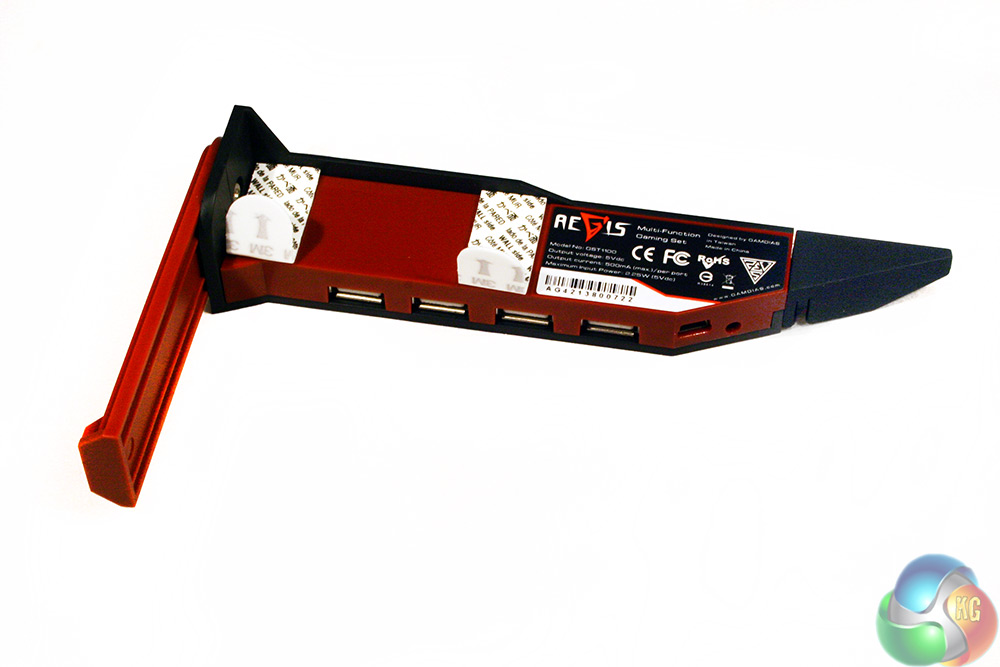
Looking at the Gamdias Aegis itself, you can understand why it was hard to figure out what it does. It is not obvious which way up it goes, or at what angle. It was only when I checked the Gamdias website that I started to understand: it mounts on the side of your monitor.
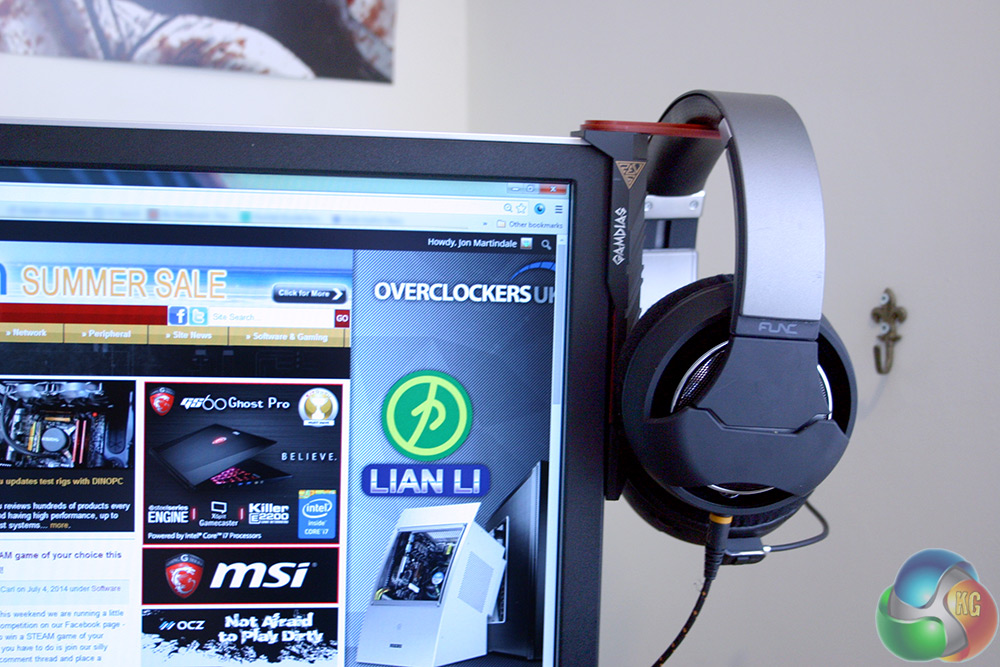
Those little white peel-off tabs cover the sticky residue that attaches the Aegis to the top right corner of your display's bezel. You could mount it on the left if you wanted and have the USB ports facing towards you, but that is not the way it was designed.
While initially I thought that the fact I was using multiple displays would cause problems for a product like this, depending on the depth of your desk, mounting the Aegis on your second or third screen could actually make it easier to reach.
The red arm rotates in and out, giving you two mounting positions and the sticky pads are reusable if needs be. They do not damage the monitor bezel or its paint job when removed and there is also some replacements in the box should you need to move it around a lot.
To test the Gamdias Aegis out, I used its headset perch for a few days to see if it made much of a different to my life and also ran some simple benchmarks on the USB ports to see if they are a useful extra to have.
In terms of tidying my desk up, I think the Aegis did a pretty good job. I like not having my headset sitting on my mouse mat any more as it gives me more room to move around.
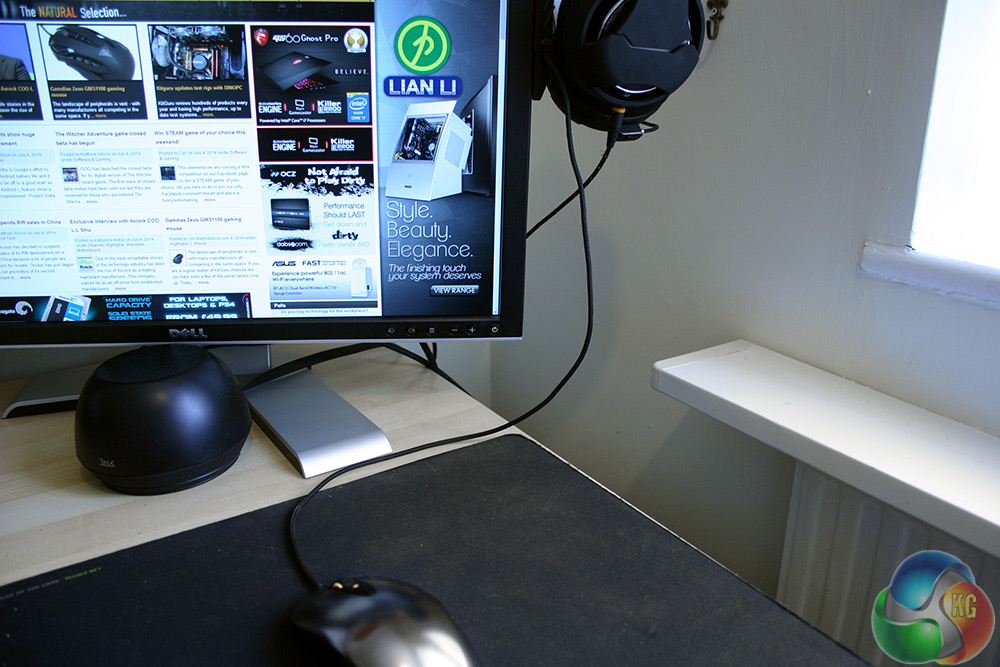
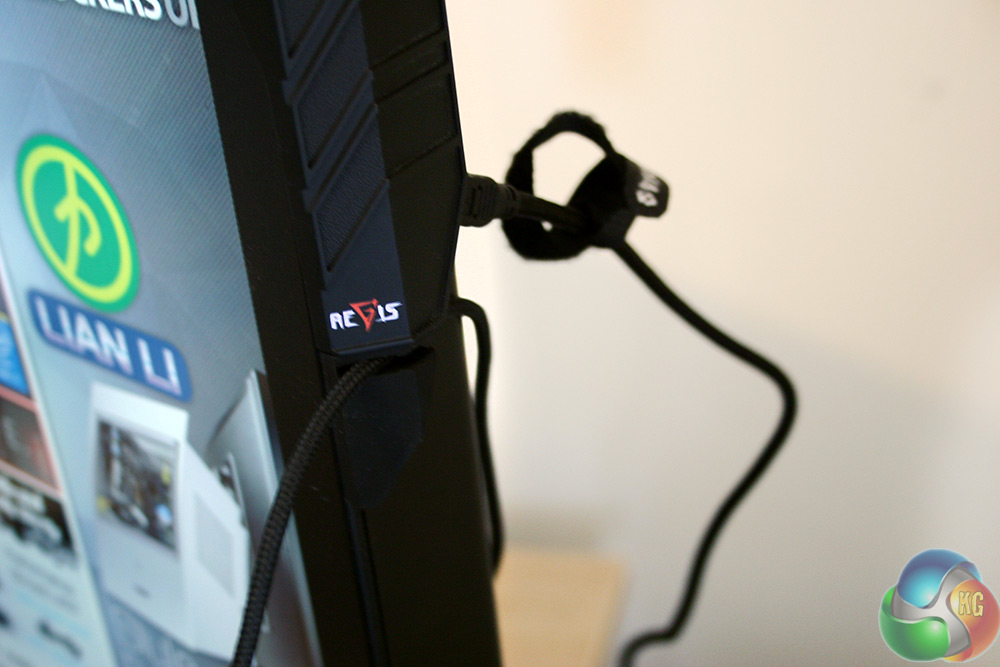
The mouse cable tidy on the other hand just feels weird. Not because it is not useful having your mouse's cable held in place to prevent it sliding behind the desk, but because it looks pretty ridiculous having this large loop of cable just hanging in mid air. With the positioning of my set up, it even sometimes obscures the bottom right corner of my secondary display.
The USB hub I find a little more puzzling than the other features though. There are obvious benefits to having a USB port to hand and not having to reach under the desk or behind your PC to find one, but the Gamdias one is not your standard USB hub.
For starters, it is not in the easiest of positions to reach. You might be able to stretch and reach it from a seated position, but that is unlikely. Plus, with the ports mounted on the back, you are never going to be able to plug a device in without first getting up and having a look – somewhat defeating the point.
One thing that it can be useful for is a quick charge or connection point for your phone or Camera, but do not expect to be able to charge more than one or two devices at a time, as that requires the addition of an aftermarket charger. Gamdias does not sell itself or recommend where you can buy one. The only indicator it gives you is that it requires a “DC +5V” AC adapter.
Having got in touch with Gamdias, I can however suggest that the charger you purchase (should you buy an Aegis and require one) is this one. At just under £4, it bumps the price of the Aegis into the high teens, but since it is not a necessity, that is not the end of the world. When might you need one? According to Gamdias, “the power consumption might exceed the USB power limit if many devices are plugged in. So we suggest using an external AC adapter when customer connects several devices to the Aegis.”
You could theoretically use the USB hub for devices such as a headset and mouse power, but that is not a great plan in a practical sense. For starters any gaming peripherals will be competing with one another for that single port's polling rate which is capped at 1,000. On top of that, headsets (unless it is USB soundcard equipped) will also need to plug in to 3.5mm connectors.
If you are thinking it might be a good spot to plug in your USB drive, remember, this is limited to USB 2.0 speeds. Still, it bears testing, so here is a quick look at how a Kingston HyperX 3.0 64GB performs in different scenarios:
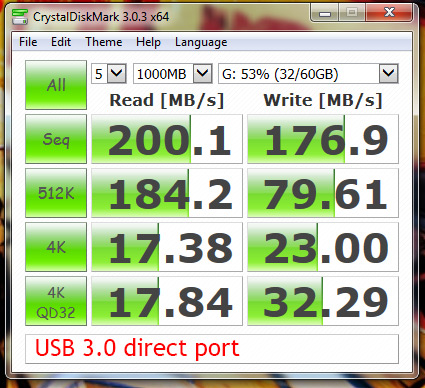
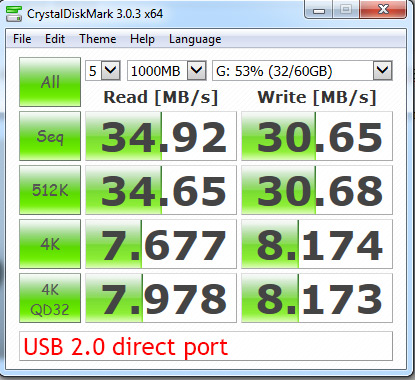
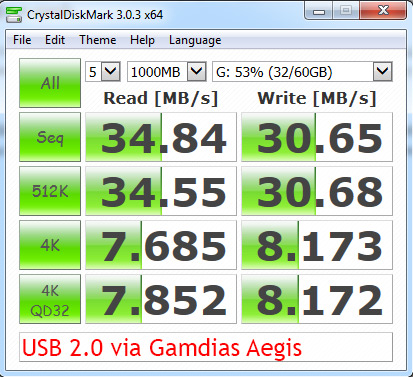
Clearly you are not getting high USB 3.0 speeds from the Aegis hub, but it is delivering full USB 2.0 performance.
While there are some uses for it though, the Aegis' USB hub does feel like an afterthought. It is not something that I think needs to be there and really, judging by the price of the Aegis (£14) I would have rather Gamdias had left it off.
That is because I actually really like the Aegis.
For all of my confusion when I first opened up the box, I think it looks quite discrete and keeps my headset tidied away nicely. Unlike many headset stands, it is not taking up any desk space at all.
While I am not so fussed about the mouse cable tidy “bungee,” it is a very simple and effective addition. I am not sure I would ever spend almost £15 on something just to rest my headset on, but one quick search for “headset stand,” shows that the Aegis is far from an expensive option and that it comes with a lot of features the others do not.
If you are in the market for somewhere to hang your gaming hat, the Aegis is a great solution. The USB 2.0 hub is not something you will want to pair up with a fast USB 3.0 flash drive however.
The Gamdias Aegis can currently be found on Amazon for £14.
Discuss on our Facebook page, over HERE.
Pros
- Headset stand/rest works really well and keeps it off the desk entirely.
- Looks understated and fits in with black monitor bezel.
- Mouse cable tidy “bungee” works well.
- USB hub offers basic data transfer.
Cons
- USB hub data transfer speed limited to USB 2.0.
- No bundled AC adapter and little help in purchasing one.
KitGuru Says: While confusing me initially, the Aegis has won me over with its understated style. It is very reasonably priced too.

I’m pretty sure that name is trademarked already.