KitGuru KitGuru.net – Tech News | Hardware News | Hardware Reviews | IOS | Mobile | Gaming | Graphics Cards



Buffalo are a leading Network brand, and today we are reviewing a new release of their popular LinkStation series. The LS421DE is a high performance two-bay network attached storage device, which even features Raid 0 and Raid 1 configurations.
The LS421 offers many features, including Gigabit Ethernet, Cloud Storage, a USB 3.0 port, and a variety of media streaming protocols. Unlike previous LinkStation NAS devices the LS421DE is sold without any Hard Disk Drives installed, this means it can be tuned to specific demands.

Specifications
| LAN Interface | |
|---|---|
| Standard Compliance | (10BASE-T)IEEE802.3, (100BASE-TX)IEEE802.3u, (1000BASE-T)IEEE802.3ab |
| Data Transfer Rates | 10 / 100 / 1000 Mbps |
| Connector Type | RJ-45 |
| Number of Ports | 1 |
| USB Interface | |
| Standard Compliance | USB 3.0/USB 2.0 |
| Number of Ports | 1 x USB 3.0 1 x USB 2.0 |
| Data Transfer Rates | 480 Mbps (USB 2.0)* |
| * 480 Mbps is the maximum transfer rate derived from the specifications of the Universal Serial Bus 2.0. Actual transfer rate will vary depending upon environmental factors. Data rate, features and performance may vary based on the configuration of your system and other factors. | |
| Protocol Support | |
| Networking | TCP/IP |
| File Sharing | CIFS/SMB, AFP, HTTP/HTTPS, FTP/FTPS/SFTP |
| Management | HTTP/HTTPS |
| Other | |
| Dimensions (W x H x D) | 3.43 x 5 x 8.03 in |
| Weight | 1.76 lbs |
| Power Consumption | Max 48W |
| Power Supply | Internal AC 100-240V Universal, 50/60Hz |

The Buffalo LinkStation LS421DE ships in a red and white box. The front lists five key features and claims to offer speeds of up to 80 MB/s.

The back of the box lists these five key features again, this time explaining each one in much more detail and showing a typical usage/set-up of the LinkStation in a domestic household.

The packaging is much the same as any router or networked device, with the device protected between two Styrofoam blocks.

The first thing we found after opening the box was the Quick-Start guide and Installation CD.

Included with the Buffalo LinkStation is a Power Transformer, two Power Cables (one is for UK sockets and the other for European) as well as a long Ethernet cable.

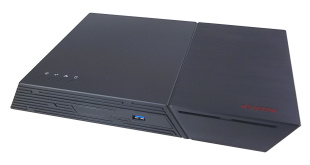
The Buffalo NAS device is styled in a light grey, and has a rectangular design with curved edges at the front.

On either side of the device we find the Buffalo logo has been set-in to the outer casing. At the front of the device we find two LED's, an unlabelled button, and a USB 3.0 port.

The front panel can be easily removed to give access to the two hard drive bays. Each bay has a plastic tray that can be removed for hard drive mounting. As such we envisage the installation process to be very simple.

The back of the device features a 60mm exhaust fan, a Gigabit Ethernet port, a USB 2.0 port, a power socket and the On/Off switch.

The bottom of the device features a rubber-coated base, but no feet to stand it up off the desk.

The HDD trays are made of a thin plastic which does flex a little, although not dangerously.


Installing a 3.5″ HDD is an easy procedure; place HDD on top of tray, screw in place with 4 screws, and then slide back into device.

After putting the Installation CD into our DVD-drive we were faced with a simple ‘Begin Installation' option. We pressed begin and followed a very simple set-up procedure which required little user input. It only took a minute or two to complete.

After the installation we were given the option to install more software. None of this is required to use the device some of it may well be useful.

We were then able to use the NAS Navigator 2 to find our NAS device and load up the settings. The first page allows us to set an admin password.

We are then given a webpage with ‘5 easy options' and an advanced settings option. From this page you can turn on or off and access the settings for the Web Access feature, the BitTorrent client, DLNA and the USB Device Server, or you can chose the Advanced Settings option.

The advanced setting option gives you a lot more options to configure your LinkStation NAS device. The first menu option allows you to adjust the file sharing settings, including setting up folders and FTP.


If you want to add a folder to the device, these settings will allow you to adjust the attributes, permissions and access types.

The next menu option allows you to alter the drive configurations. This includes altering the device from Raid 0 to Raid 1 or theoretically as JBOD.

The third page allows you to adjust the services that run on the device, these include; DLNA Server, iTunes Server, USB Device Server and Print Server.

The next page is dedicated to the BitTorrent client, a peer-to-peer protocol for file-sharing. This could be a great alternative to a download manager, as it will allow you to schedule the download to run over the night while your computer is turned off, for instance.

The network settings page allows you to alter the IP address of the device, the workgroup/domain that the device belongs to, and it also allows you to run a ping test to any IP address.

The Buffalo LinkStation LS421DE also includes a built-in back-up facility which will allow you to set-up an automatic back-up to another LinkStation TeraStation or external HDD plugged into the device. Or if you have a MAC you can use the Buffalo LinkStation as a back-up destination for the Time Machine feature.

The last page of the advanced settings is the Management page, allowing you to alter some fundamental settings like time and date as well as being able to update the firmware or reset the device.
To test this device we used a variety of tools. Firstly, we connected our device to our Netgear ProSafe 5-port Gigabit Switch which was in turn connected to our Linksys Smart Wi-Fi Router EA6500 and our Desktop Test System. We then set the device up, and then mapped the network drive to our Test PC (components listed below). We then ran Crystal Disk Mark on this drive.
Processor: AMD Bulldozer FX 8-core 8150 CPU @ 4.2 GHz.
Motherboard: Gigabyte GA-990FXA-UD3.
Cooler: Antec Kuhler H20 920 CPU Cooler.
Memory: 8GB Corsair Dominator DDR3 1800+ MHz.
Graphics Cards: AMD Radeon 6450 HD (GPU @ 850 MHZ, Memory Clock @ 1000 MHz).
Power Supply: Akasa Venom Power 750W.
Boot Drive: Kingston HyperX 3K 120 GB (OS only).
OS: Windows 7 Home Edition 64bit.
Software: CrystalDiskMark 3.0.2.
HDD: Seagate Barracuda 1 TB x 2.
Each test comprises of transferring 2000 MB to the device (write), and then reading the data back again (read) and it is repeated 3 times to gain a reliable average (we repeated the test several times, and from another Test System to validate the results).

While our read speeds are certainly a little disappointing, the write speeds are positive and show that the Buffalo LinkStation LS421DE can deliver good performance.
We then also decided to test this device by using the software LAN Speed Test, which while it is a very simple application, is a very reliable way of thoroughly testing the network performance of a device. For this test, Lan Speed Test created a 5 GB file, and then sent it to the device measuring how long it takes. It then reads the file back again to give a measure of read/write times, which can then be used to calculate data transfer rates.
Read: 35.8 MB/s
Write: 50.1 MB/s
Over this size file (just larger than a full DVD) this is a decent sustained write speed which will allow you to transfer a lot of data relatively quickly. However, this write speed is still a fair way off the maximum capable of these drives, and the 80 MB/s speed quoted by Buffalo so we were hoping to see slightly stronger performance.
The Buffalo LinkStation LS421DE device offers a really simple way to add storage to your home network. With two hard drive bays and the option for Raid 0 there is plenty of potential for fast networking performance.
Like many other recently released NAS devices the Buffalo LinkStation is loaded with many ways to access the device. For instance, you can use your Android Phone to connect to the device and access all your shared files, or you can set-up your own free domain allowing you access via a website. The current android app, Web Access, isn't the nicest looking of applications but it is easy to set-up and does work well.
The LinkStation LS421 has a good set of features, including SMB Supprt, FTP access, DLNA Server, iTunes Server and Print Server, but it is missing a few great features, such as HTTP Web Server (with or without PHP Support) and the much used MySql servers. If Buffalo had included these extra features then the LinkStation LS421 could operate as a fully-fledged server, but instead it is somewhere in the middle ground between standard external storage and a full server. This is a shame as the CPU and Ram set-up allow the device to cope with a lot more than we could seemingly throw at it.
Overall we like the simplicity of the device, there is no fancy UI, and most works without a large list of instructions. The device does take a while to boot up, or turn off, but for most users it will be kept on so this is only a minor issue. The performance is good, and the ability to select either Raid 0 or Raid 1 is a welcome addition.
The Buffalo LinkStation LS421DE can be purchased for just £89.99 from Ebuyer.com which for a decent specification NAS device this is a great price. Of course, you do have to factor in the cost of hard drives which will easily add another £100.
Pros
- Simple set-up and configuration.
- Easy access from web/phones etc.
- Good overall performance.
- Good price point for NAS device.
- USB 3.0 port.
Cons
- Didn't seem to power down drives.
- Takes a while to boot up.
Kitguru Says: A reliable NAS device for the mass market.