 KitGuru KitGuru.net – Tech News | Hardware News | Hardware Reviews | IOS | Mobile | Gaming | Graphics Cards


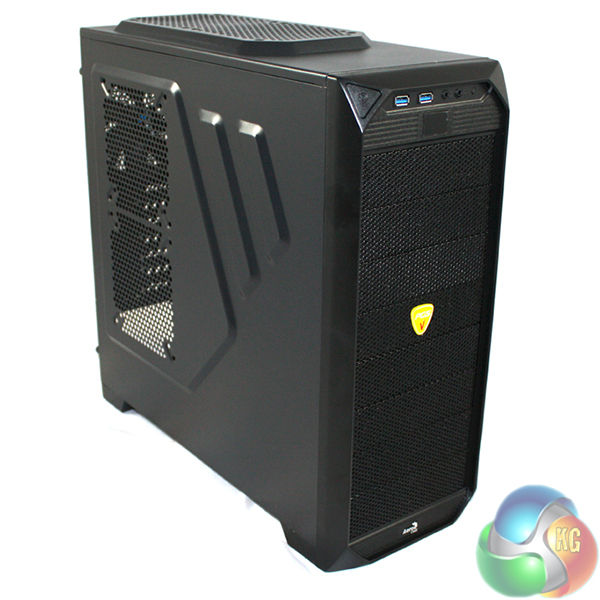
Today we are going to look at one of the latest cases from Aerocool – the Vs-92. This particular model features in Aerocool's PGS (Performance Gaming System) range, and has been designed for those gamers who are looking to build a well-featured system, on a budget. We look forward to seeing how it performs in our tests and whether it offers as good value for money as it appears to on paper.
Aerocool aren't a particularly well-known brand but they have been around for a few years now, producing a range of products which include cases, power supplies, fans, and peripherals. We have looked at a number of their cases in the past and have been generally impressed with what they have to offer. They are particularly well-known for their touch screen fan controllers, which would set you back around the same amount of money as this case.
Features
- Supports Long VGA Card up to 40cm
- Includes Temperature VFD display – shows system temperature
- Install up to 12 fans – Superb Airflow
- Includes USB3.0 internal connectors x 2 + Audio (HD) + Mic
- Includes 1 x 12cm Black fan (back)
- All Black interior for the Black version and All White interior for the White version
- Includes Dust Filter for PSU
- Includes 3 sets of ODD screw-less kit
- Includes 6 units of Multi-purpose adaptors – can be use to install HDD (2.5″, 3.5″, SSD) or as a fan adaptor
- Cable routing management
- Pre-drilled CPU holes for easy mounting and removable of CPU cooler
- Pre-drilled water-cooling holes with rubber protection
- Brown box packaging
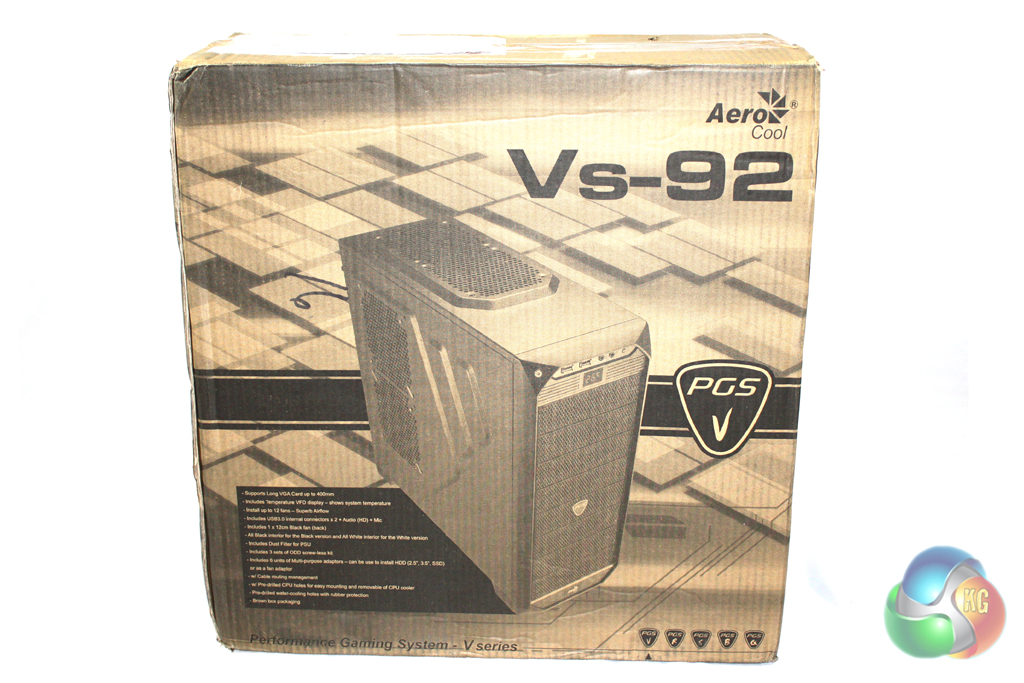
The Vs-92 is supplied in a fairly plain brown cardboard box, which features a large drawing of the case on the front in black alongside a list of features.
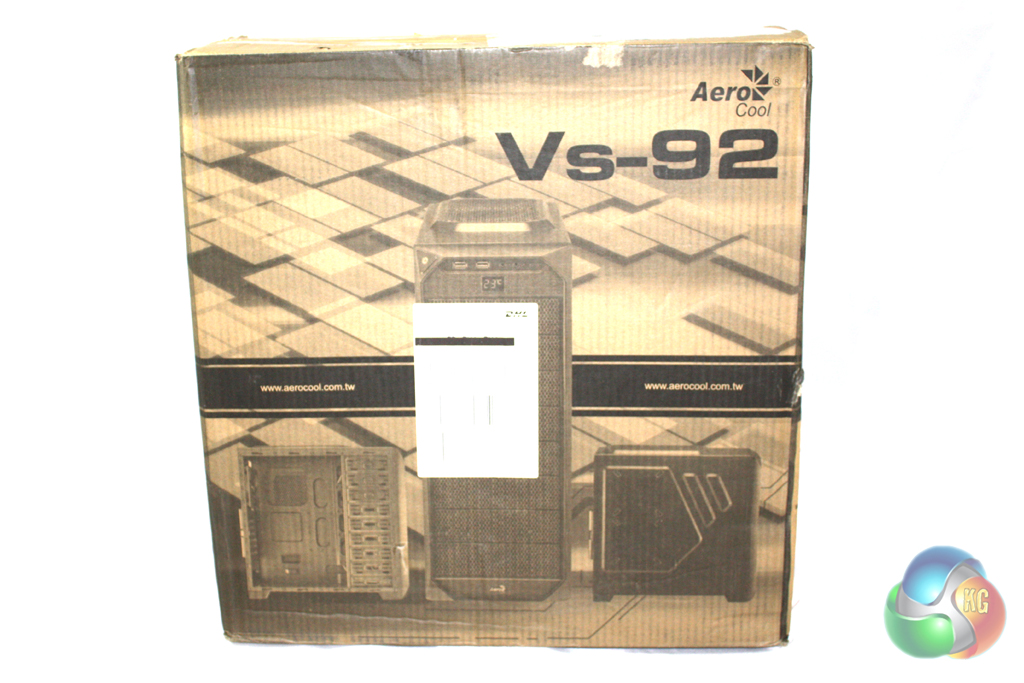
Turning the box around reveals further images of the case … giving you a glimpse of it from different angles. The box feels fairly sturdy and should provide a good level of protection for the case within.
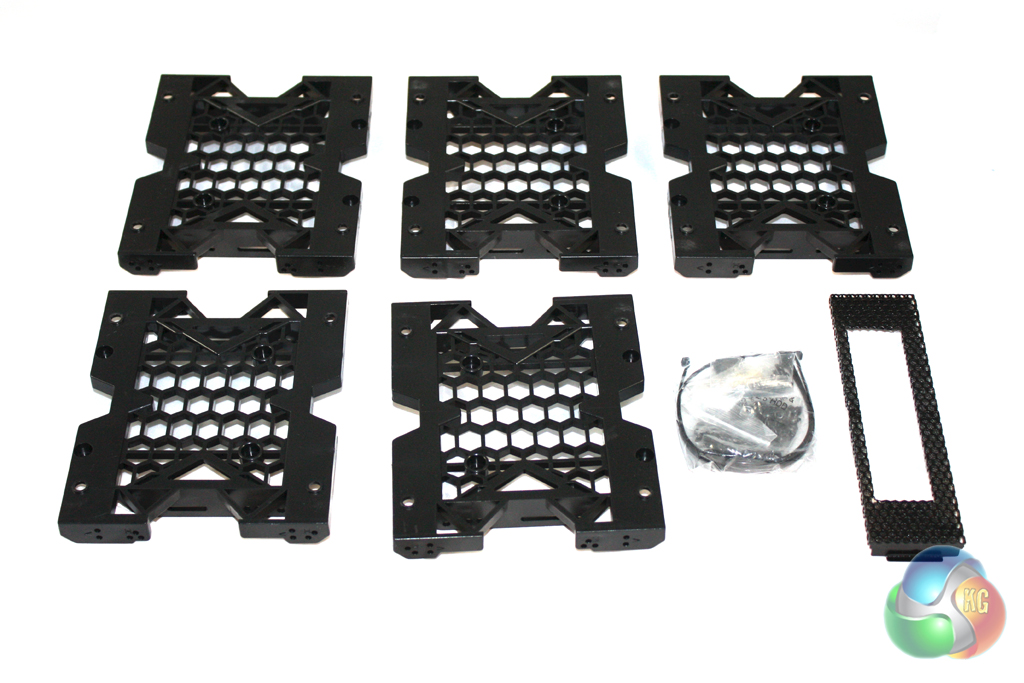
Inside the box, there is a limited bundle of accessories included. These include a series of hard drive trays, as well as all of the screws and other accessories required for installation.
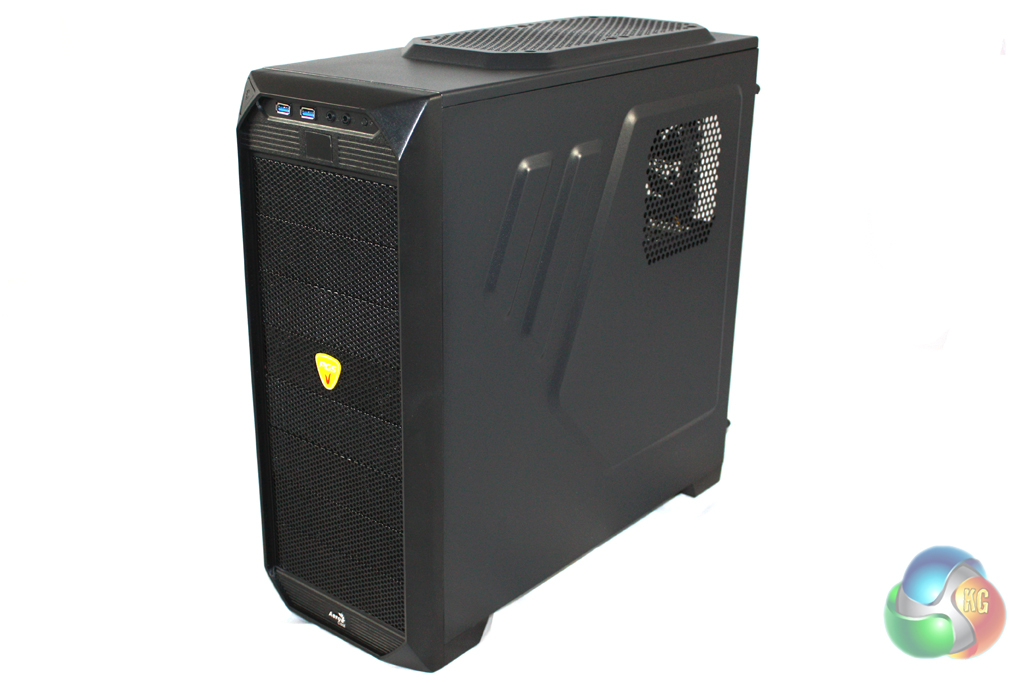
Aerocool have clearly designed the aesthetics of the Vs-92 to appeal to gamers, adding contours and creases to the form of the case to make it more interesting. We doubt it will appeal to everyone, though, as the design isn't exactly subtle.
The Vs-92 is constructed from a combination of SECC steel and plastic. While build quality is acceptable considering the price point, it doesn't compare to more expensive cases. Our sample is finished entirely in black, but it is also available in white for those who are looking for something a little different.
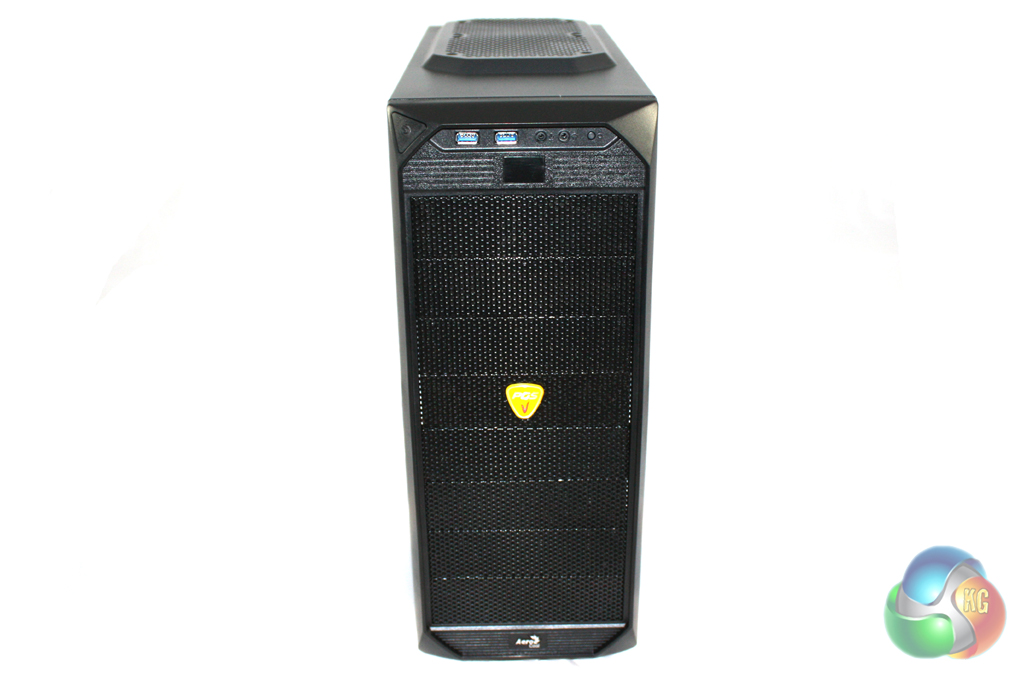
The front of the case is finished entirely in mesh, which should provide decent airflow to the inside of the case. These mesh areas take the form of eight vented drive bay covers, meaning that you can install up to eight 5.25″ drives if you so wish.
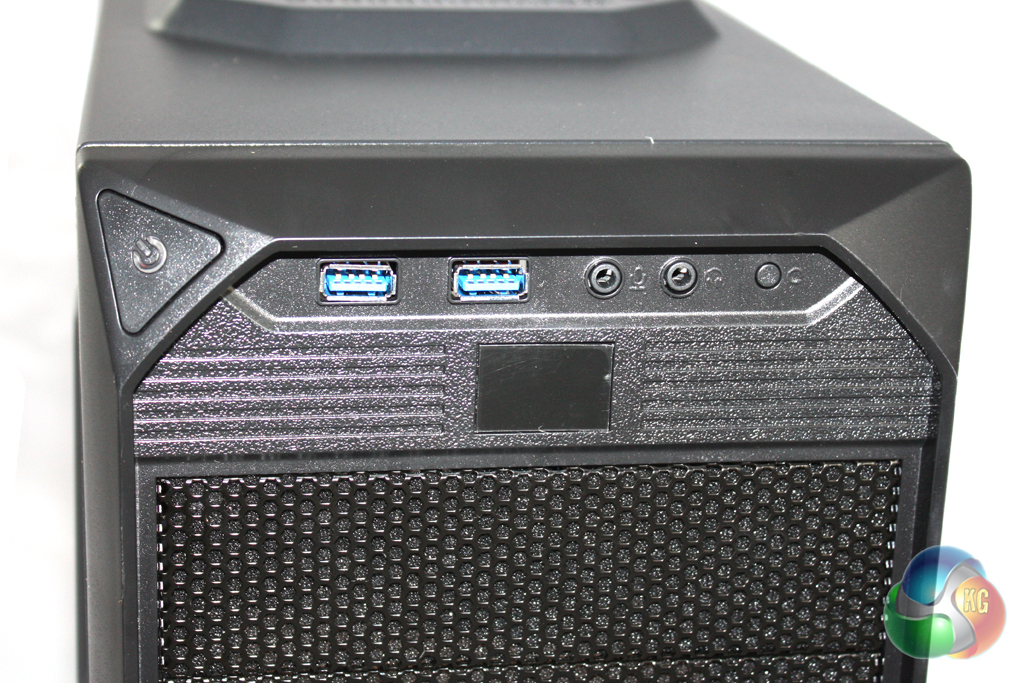
At the top of the case, we find the front panel connections. These consist of two USB 3.0 connectors and headphone and microphone connectors. These can also be connected to a USB 2.0 header internally should your motherboard not feature a USB 3.0 header.
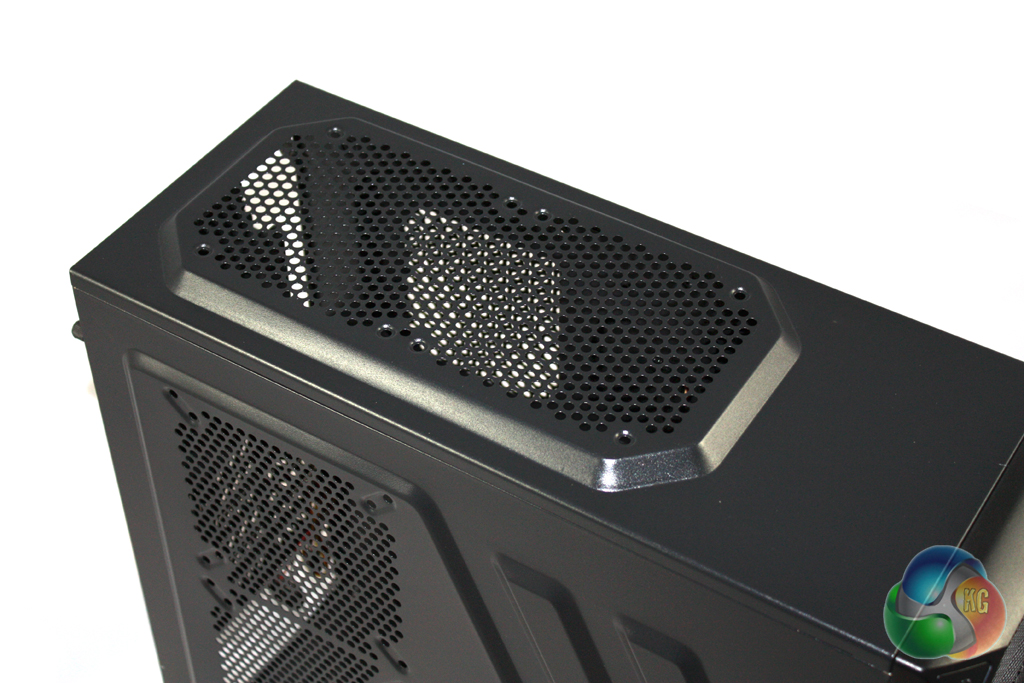
There are two 120 mm fan vents cut into the roof of the case, meaning that you could install a 240 mm water cooling unit if desired. We imagine that most users would go for a more expensive case if they can afford a 240 mm water cooling unit, so this isn't a particularly important feature.
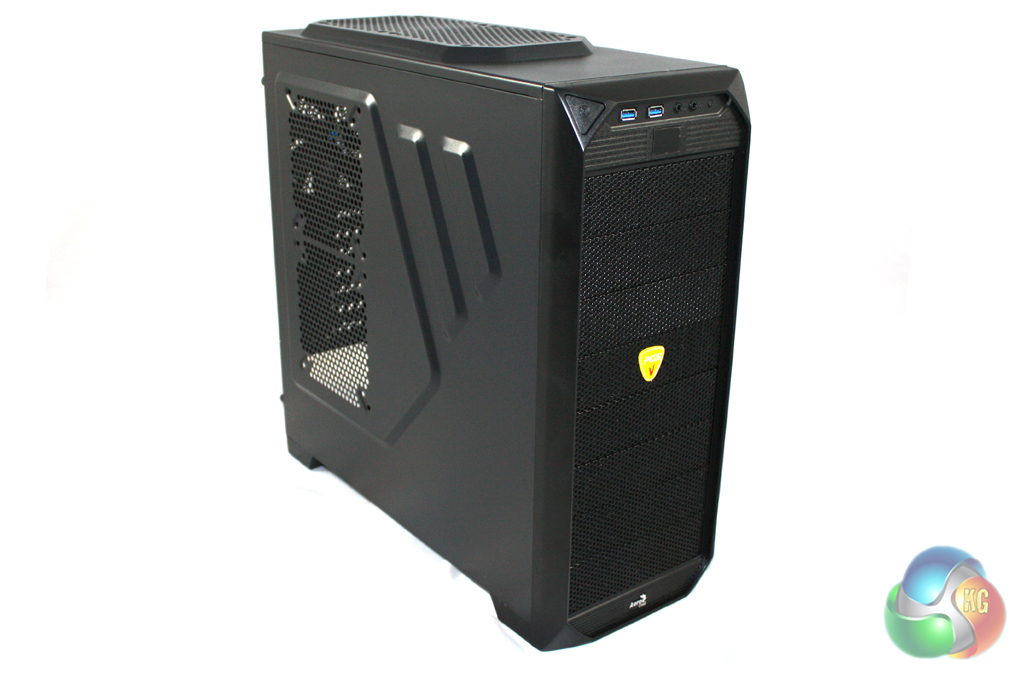
Our sample of the Vs-92 features two 120 mm fan vents in the left side panel which could be used to improve airflow. There are window versions of both the black and white varieties available, so every base is covered.
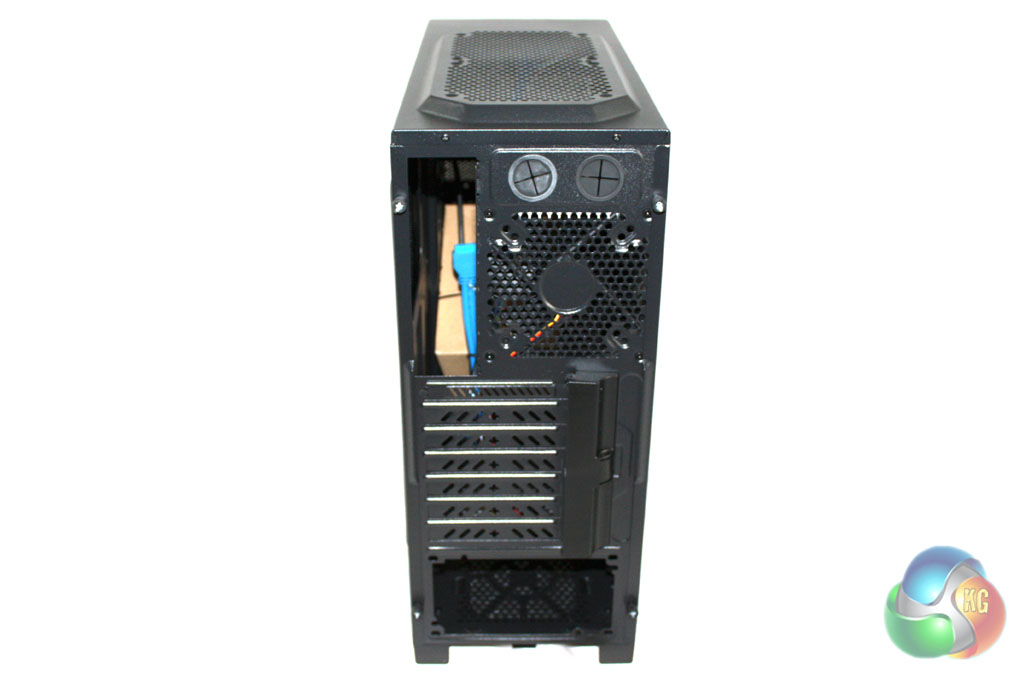
Moving round to the rear of the case, we find a standard layout configuration. There is a 120 mm exhaust fan vent, as well as seven expansion slots. Six of the expansion slot covers aren't replaceable, though, so they cannot be re-instated once removed. This could be a problem if you plan to upgrade your system in the future.
Accessing the inside of the Vs-92 is simple, partially thanks to the plastic covered thumbscrews that Aerocool have chosen to use which are much easier to grip than the metal ones used by most manufacturers.
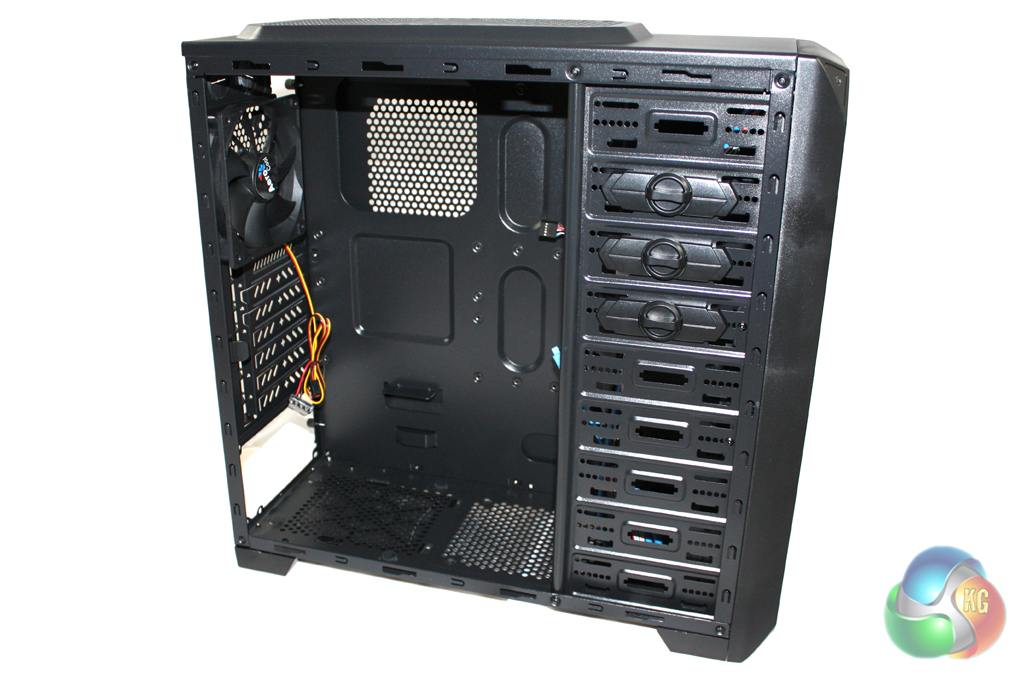
The inside of the case is painted entirely in black which is good to see, especially on such a budget design.
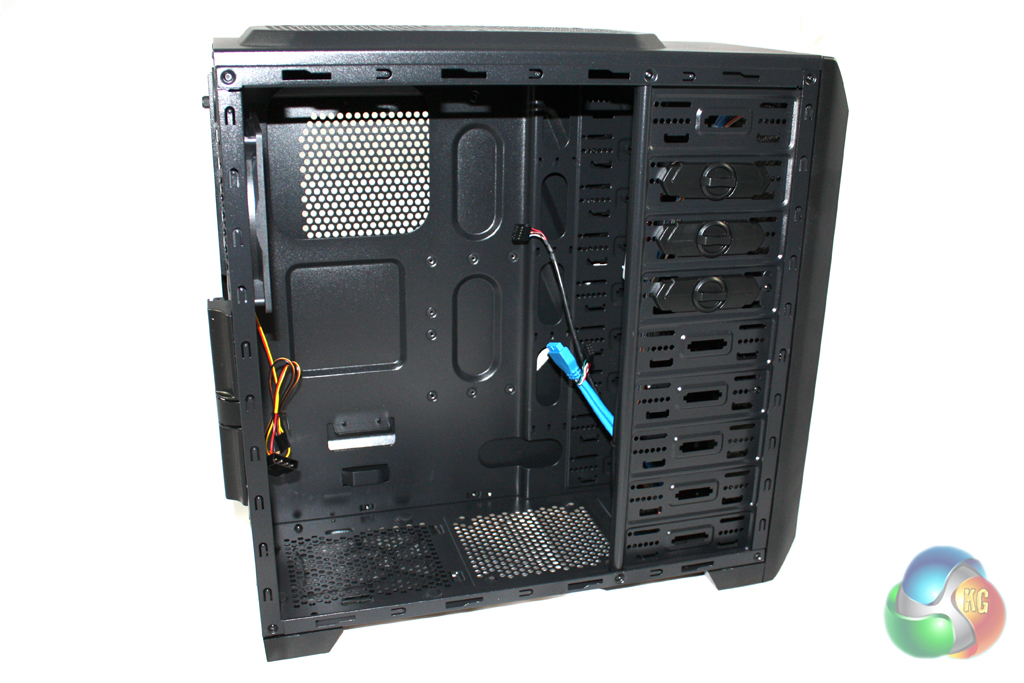
The drive bays are located on the right hand side of the interior, and provide very flexible configuration options. There are five hard drive trays included which will let you install both 2.5″ and 3.5″ units. All eight of the bays can also support 5.25″ drive bays. The main drawback of this configuration lies with the orientation of the drive bays. As they point towards the front of the case, it can be very difficult to change drives over once you have installed all of the other components into the system.
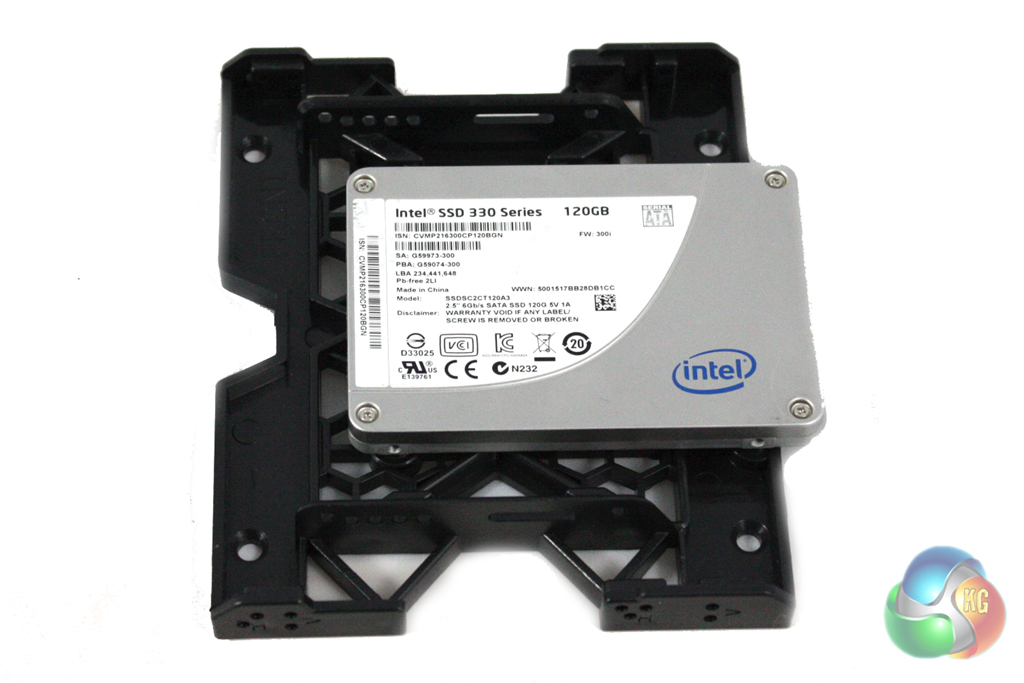
We installed a 2.5″ Intel 330 Series solid state drive into the system. This is simple and only requires four screws to secure it into the caddy.
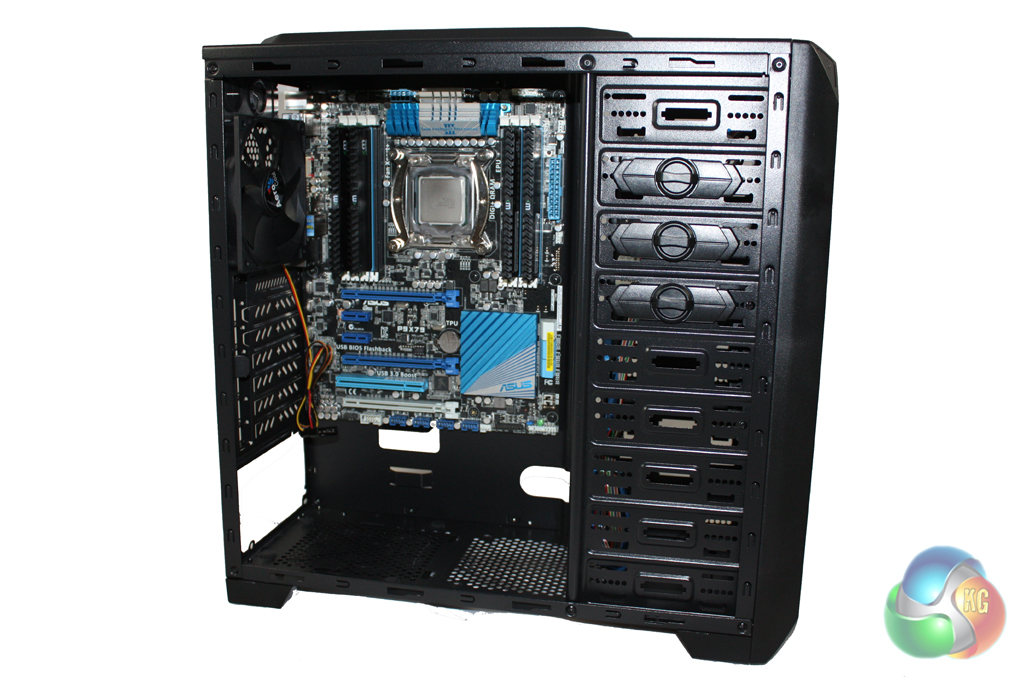
Installing the motherboard into the case is a simple process, although we did have to install the stand-offs first which is a bit of a pain.
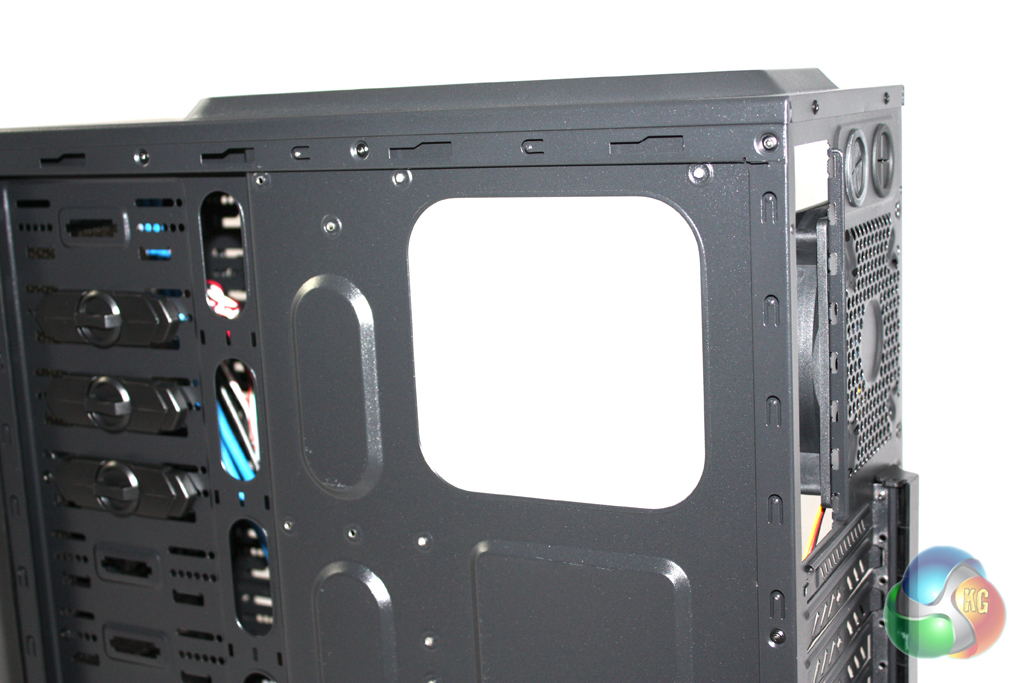
There is a large cut out area in the motherboard tray which facilitates the installation of a CPU cooler, meaning you can attach a back-plate without having to remove the motherboard first.
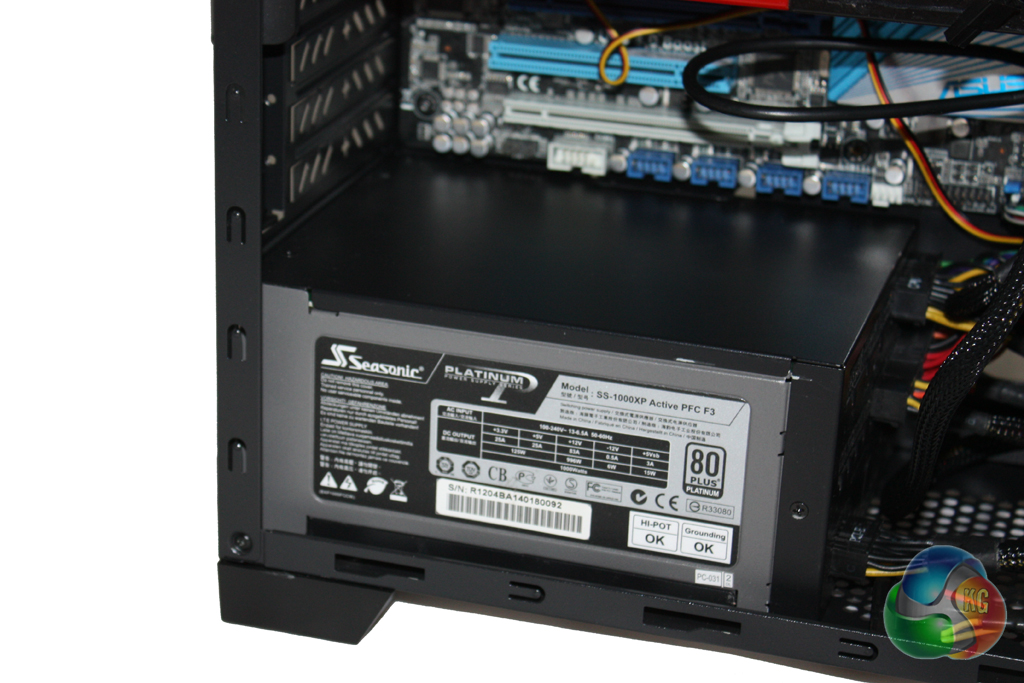
There is plenty of room in the case for long power supplies, however there isn't a great deal of room behind the motherboard tray for cable routing.
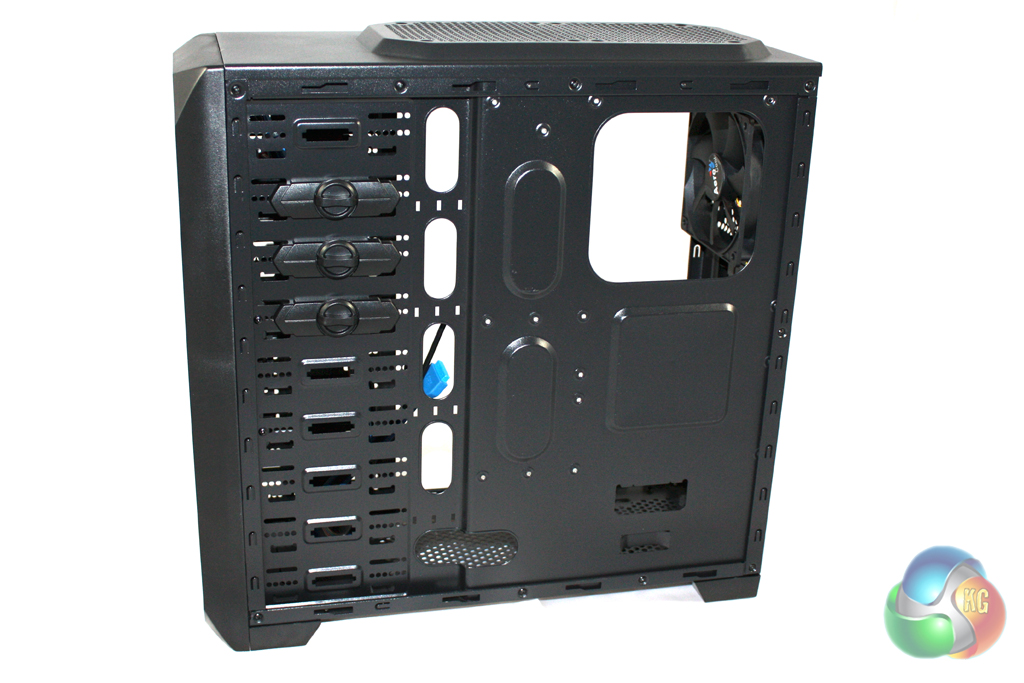
There are a limited number of grommets cut into the tray for cable routing. For example, there isn't a grommet at the top of the motherboard, so you have to be quite creative when routing the CPU power cable around the motherboard.
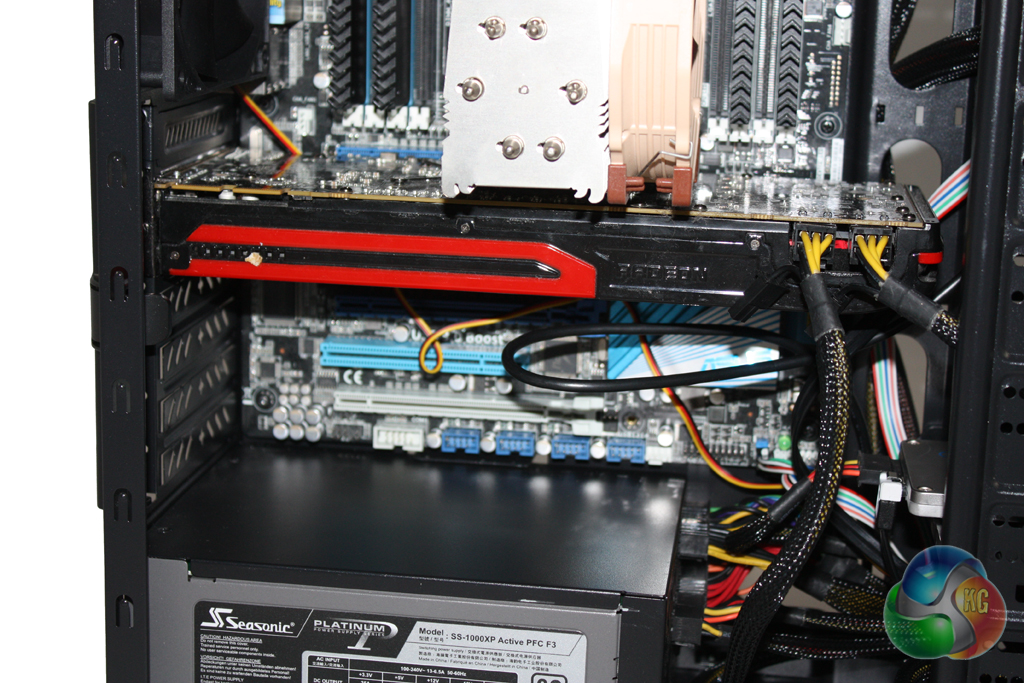
Aerocool have chosen not to use thumbscrews to secure expansion devices in place, opting for standard screws instead. This isn't a big issue, as we would usually recommend tightening thumbscrews with a screwdriver anyway. It does make graphics card installation a little more complicated, though. We also found it a little more challenging than usual to put our AMD Radeon HD 7950 graphics card into place as the drive bays get in the way.
For our tests we will be using a Noctua NH-U14S to cool the Intel Core i7-3930K CPU in the Aerocool Vs-92. Our test system also features an AMD Radeon HD 7950 graphics card.
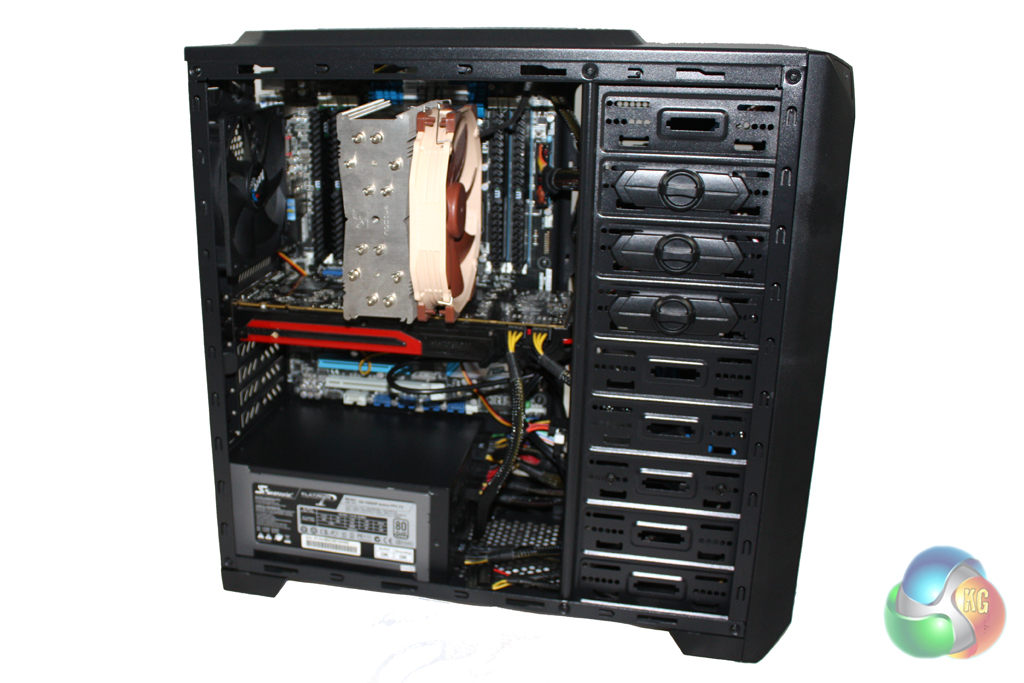
We manually overclocked the i7-3930K to 4.3 GHz by increasing the multiplier to 43x, leaving the baseclock set at 100 MHz. The voltage was increased to 1.35V to achieve this frequency.
Test System:
- Processor: Intel Core i7-3930K
- Motherboard: Asus P9X79
- Cooler: Phanteks Noctua NH-U14S
- Thermal Paste: Arctic Cooling MX-2.
- Memory: 16GB (4x 4GB) Mushkin Blackline 1600 MHz
- Graphics Card: AMD Radeon HD 7950.
- Power Supply: Seasonic Platinum 1000W
- System Drive: Intel SSD 330 Series 120 GB
- Monitor: Viewsonic VX2260WM.
Software:
- Microsoft Windows 7 Home Premium (64-bit).
- CPUID Hardware Monitor.
- Prime95 64-bit.
- Furmark V1.10.6
To test the thermal performance of the Aerocool Vs-92 we loaded our test system for 15 minutes using Prime95 and Furmark and recorded the maximum temperatures reached using CPUID Hardware Monitor. We then restarted the system and left it for 15 minutes before recording idle temperatures.
Room temperature was maintained at 20 degrees C for the duration of our tests.
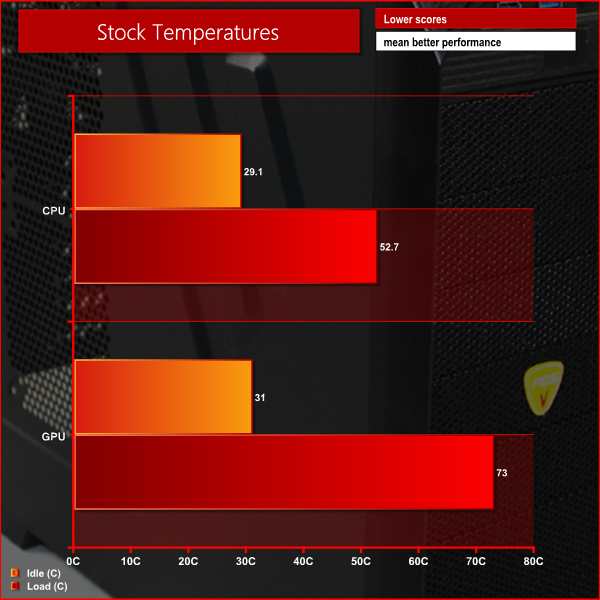
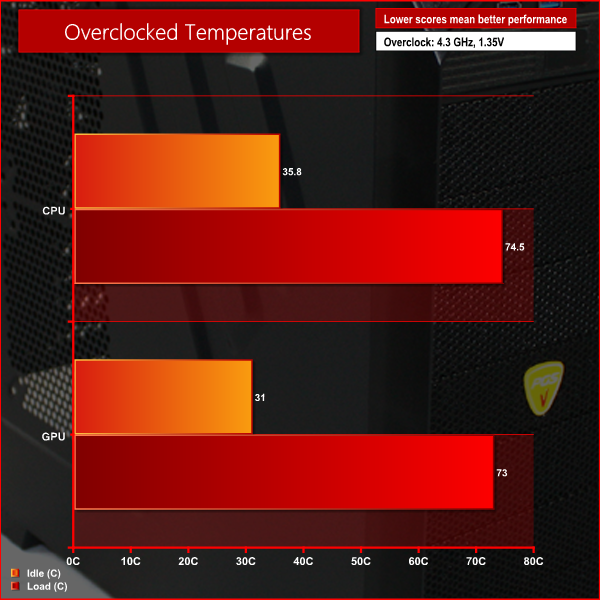
These performance results are pretty impressive, showing that the single-fan configuration still leaves room for overclocking.
To conduct our noise level tests, we replaced the graphics card in our system with a AMD Radeon HD 5550 Silence which was passively cooled. We also momentarily disconnected the fans on the CPU cooler so we were only taking into account the noise generated by the fans in the case.
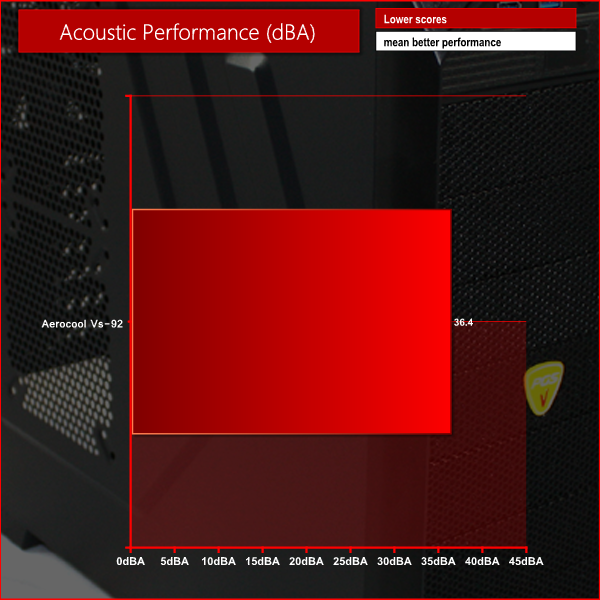
The fan in this system is far from silent, but we can't really expect excellent acoustics at this price point. It could be easily replaced at a later date however, for not much extra expense.
The Aerocool Vs-92 case is built to target the budget enthusiast audience, however it is worth shortlisting, especially considering the competitive price point. In terms of features and specification, it offers a similar package to similarly priced cases such as the NZXT Source 210 Elite that we reviewed some time ago.
In terms of aesthetic design, the Vs-92 is quite unique indeed. We imagine that most will either love it or hate it, as it is unlikely to appeal to those users who prefer a more understated design. The build quality of the case is fairly good considering the price point, but isn't anything particularly special.
Despite the lack of fans included in the stock configuration, the thermal performance is certainly commendable. Although we doubt many users will be building high-end overclocked systems in this case, it is good to know that the ‘out of the box' airflow is actually quite good and there is space for 12 fans if you want to enhance air flow. That said, if you don't like dealing with fan noise then you will want to replace the pre-installed fan.
At a price of £44 from Amazon, the Aerocool Vs-92 won't break the bank. While it may not be the most sophisticated case, it offers a lot for the money and should definitely be on your short list if you are looking to build a gaming system on a budget.
Discuss on our Facebook page, over HERE.
Pros
- Good value.
- Available in black and white.
- Flexible storage configurations.
Cons
- Some users may not like the aesthetic design.
- Fan is quite noisy.
KitGuru says: An impressive budget case from Aerocool which is likely to appeal to a young gaming audience.

Fantastic looking case for the price. they are releasing some great, low priced products lately. my friend bought the Dead Silence case and some fans and I want it now too.