 KitGuru KitGuru.net – Tech News | Hardware News | Hardware Reviews | IOS | Mobile | Gaming | Graphics Cards


Today we are going to take a look at one of Antec’s value cases, the GX500. This is targeted at those users who are looking for a capable chassis on a tight budget. Antec has designed this case from the ground up for gamers, so we are interested to see the new design.
Antec are a very well-known brand in enthusiast circles and have been producing a vast range of chassis for many years. They are highly regarded for producing decent quality cases at competitive price points.
The GX500 fits in somewhere near the bottom of Antec’s range, under models like the One and 300, which are slightly more expensive.
We have been very impressed with their more expensive cases we have looked at in the past it will be interesting to see if any of the high-end features we’ve seen before will be transferred to this model.
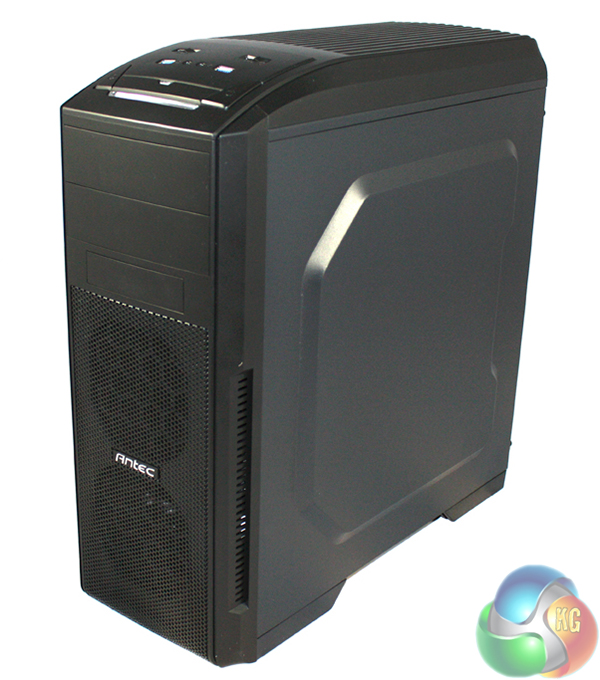
Specification
- Form Factor: Midi Tower
- Motherboard Support: ATX
- PSU Support: Standard ATX
- Dimensions: 205mm x 458mm x 476mm (W x H x D)
- Packaging Dimensions: 205mm x 458mm x 476mm (W x H x D)
- Body Material: 0.6mm Steel
- External Bays: 2 x 5.25”, 1 x 3.5”
- Internal Bays: 4 x 3.5”, 1 x 2.5”
- Expansion Slots: 7 x Full Size
- Cooling Front: 2 x 120 mm front intake fans (optional)
- Cooling Top: 2 x 120 mm top exhaust fans (included)
- Cooling Rear: 1 x 120 mm rear fan (included)
- Cooling Side: 1 x 120 mm side fan to cool graphic cards (optional)
- Net Weight: 5 KGs
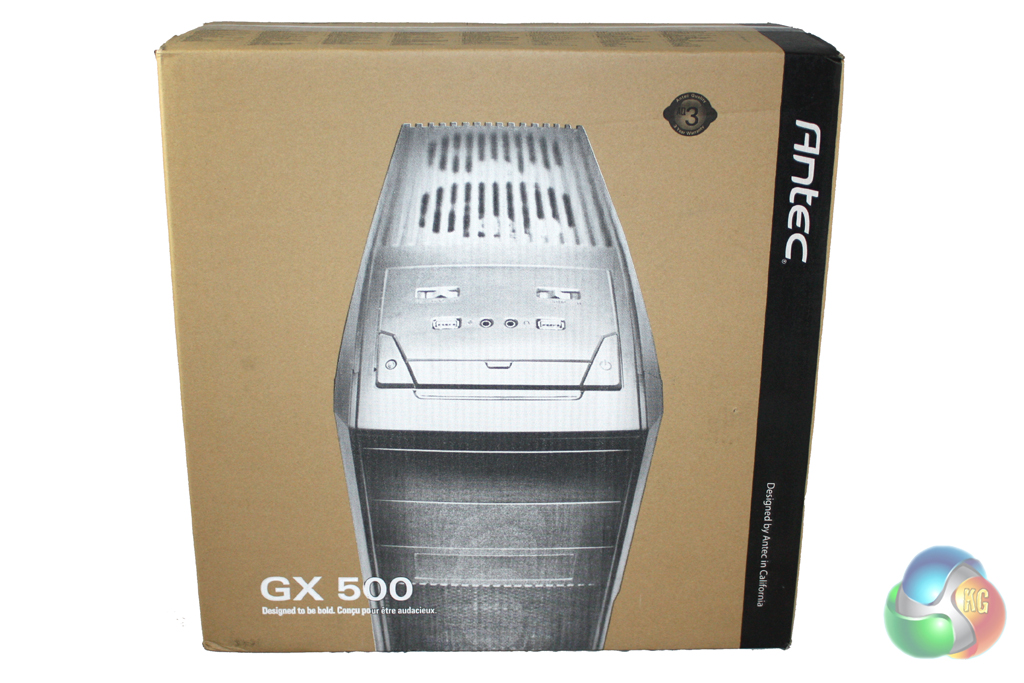
The Antec GX500 is supplied in a standard case box which is decorated in a black, brown and white livery. The front of the box features a large image of the case to give you an idea of what it looks like before opening.
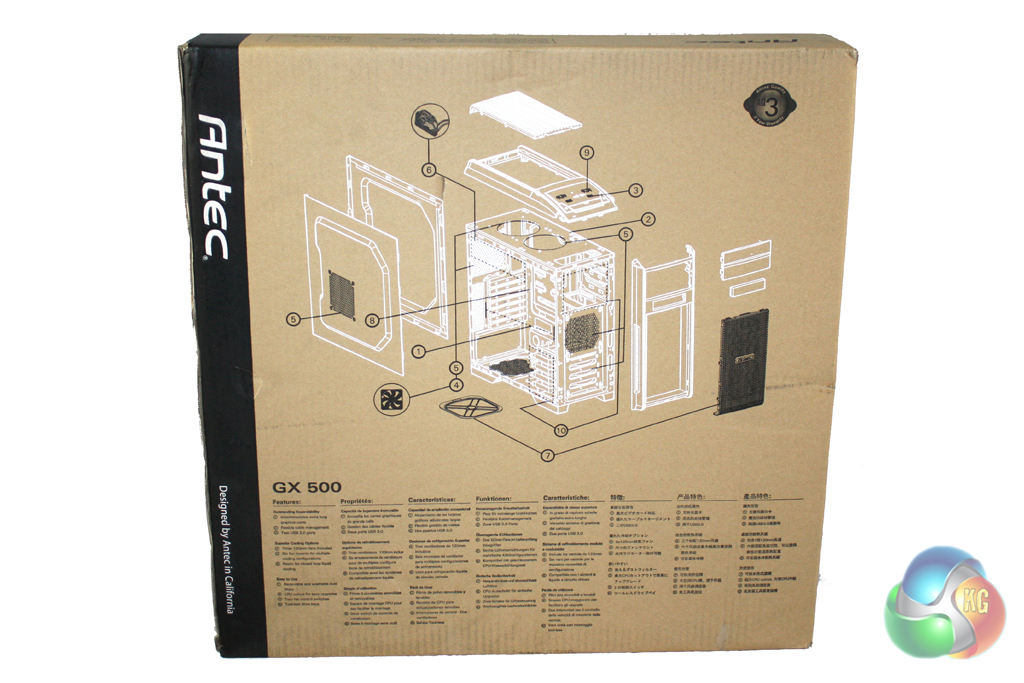
Turning the box around reveals a diagram that illustrates the various parts and features of the case. These are detailed in a variety of different languages. The box is good quality and it, in conjunction with the slabs of polystyrene inside, should provide a decent amount of protection for the case during transit.

The included bundle only includes the accessories required for installing a system into this case. There isn’t a detailed instruction manual which may lead to confusion for less experienced users.
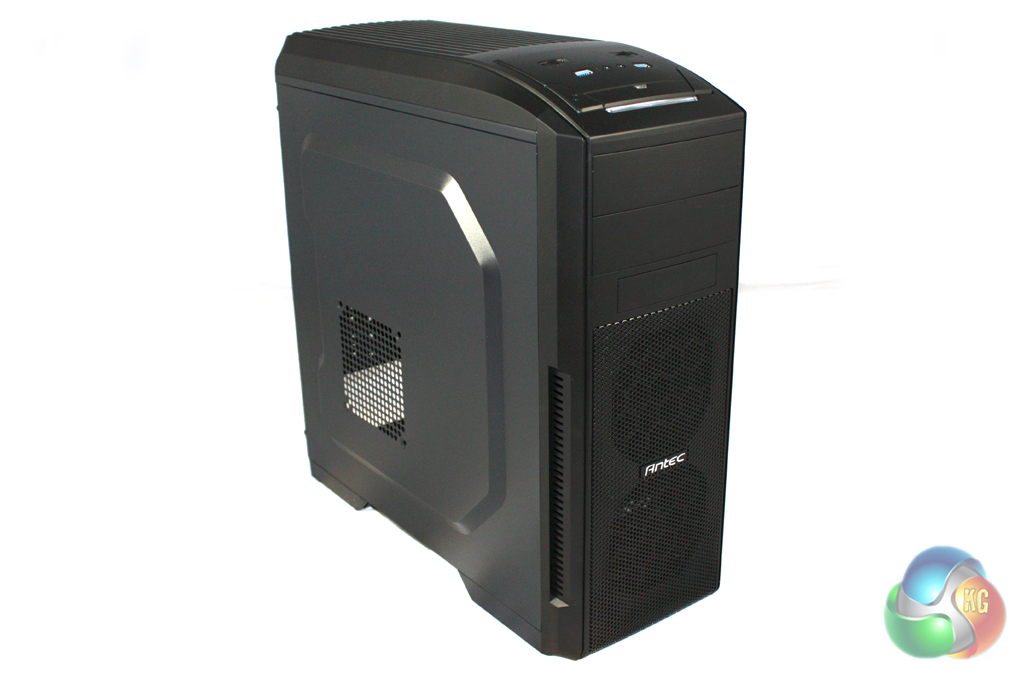
Antec have taken a minimalist approach with the design of the GX500 which should appeal to the vast majority of gamers who are shopping at this price point. The case is finished entirely in black and is constructed from a combination of plastic and SECC steel.

The front panel of the case features two external 5.25” bays and one external 3.5” bay. These are located above a large fan vent which has mounting points for two 120 mm fans.
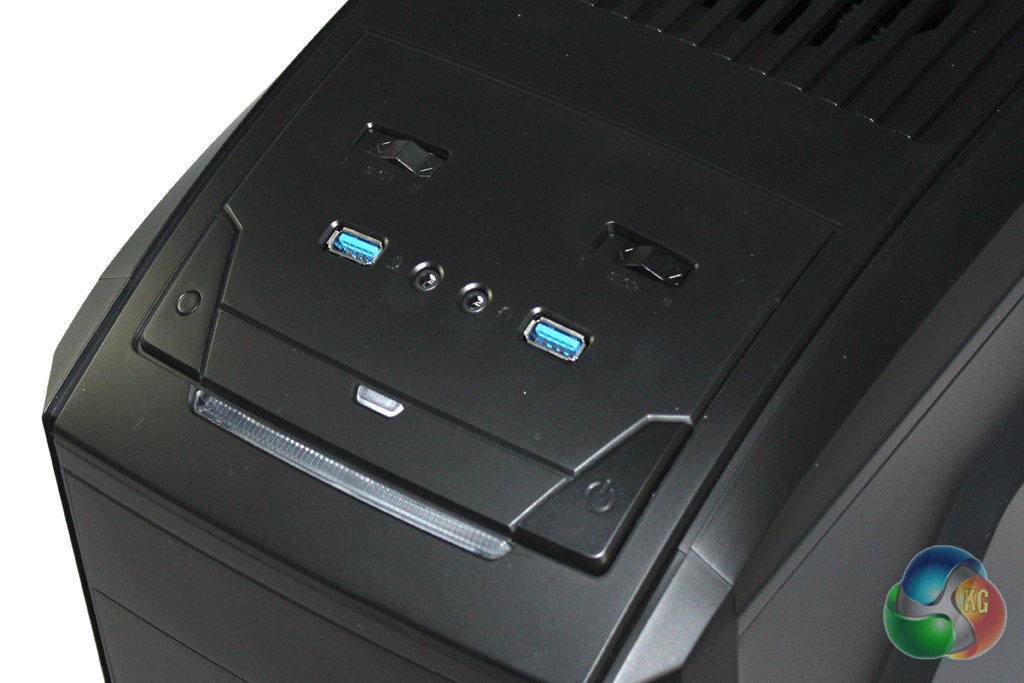
We find the panel connectors on the top of the case at the front. They consist of two USB3.0 connectors and headphone and microphone jacks. We also find the fan controller switches here which let you easily adjust reduce the speed of the fans in the case.

There is also a large vent in the roof of the case which covers two 120 mm exhaust fans … Antec include these with the case. There should be enough room here to install a 240 mm radiator if required, but we doubt most people shopping at this price point will be able to justify the cost of one.
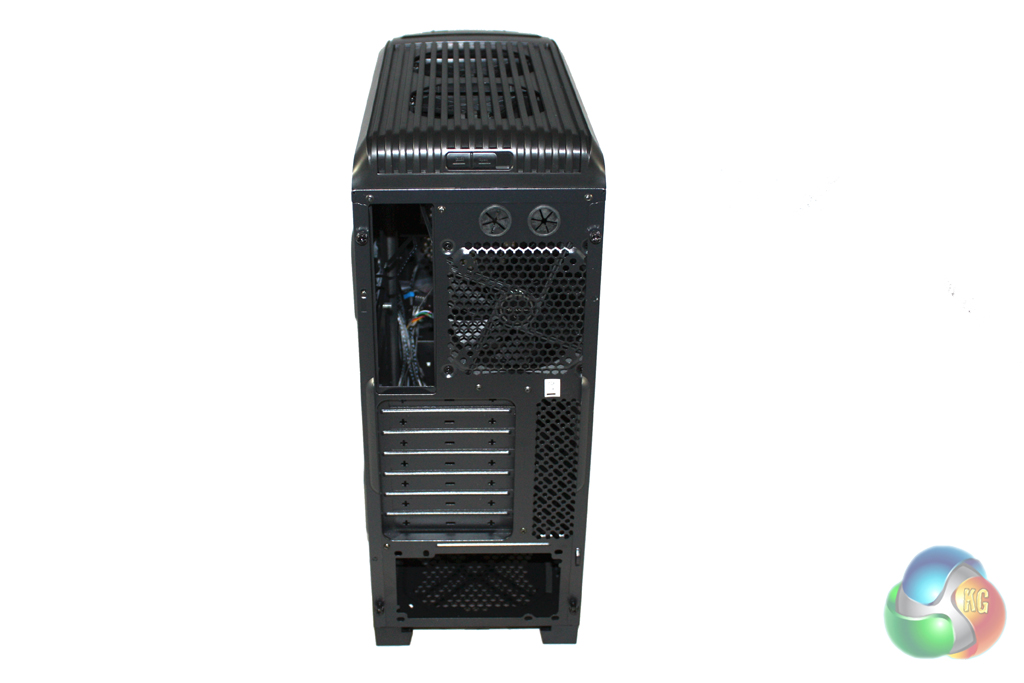
The rear of the case has a standard layout, including power supply mounting points at the bottom and a 120 mm exhaust fan vent. We are a little disappointed to see that Antec haven’t included replaceable expansion slot covers, although we cannot complain too much at this price point.
Removing the side panel of the case reveals the entirely black painted interior of the case which should complement most component choices aesthetically.
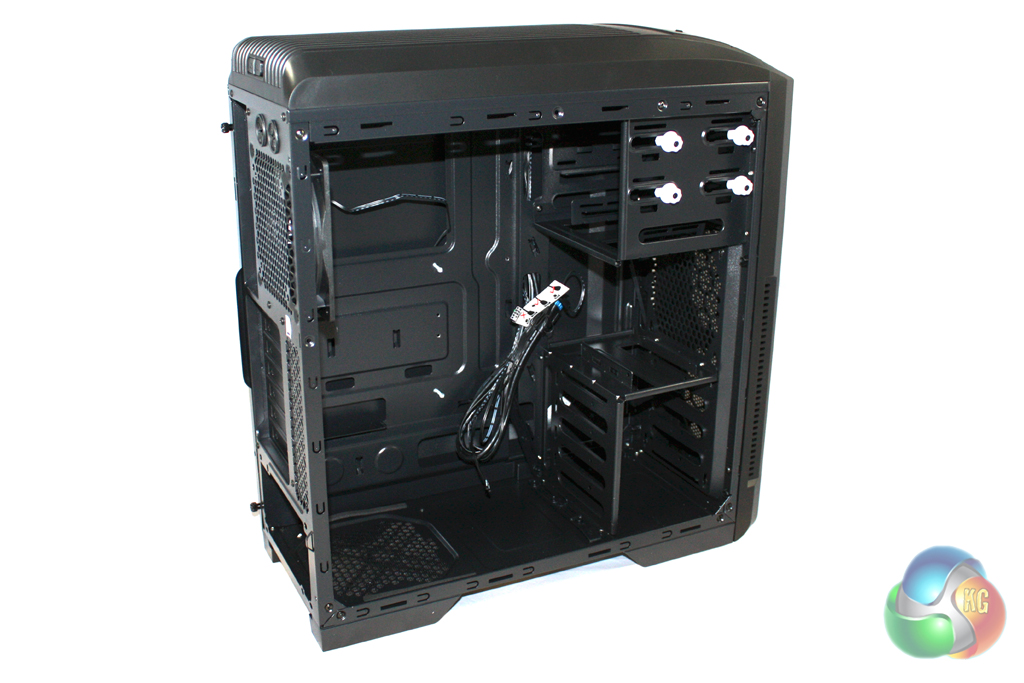
There is a reasonable amount of room to work with inside the case but it isn’t the most spacious design we have experienced. The internal layout is clean enough, with the hard drive bays over on the right hand side of the case.
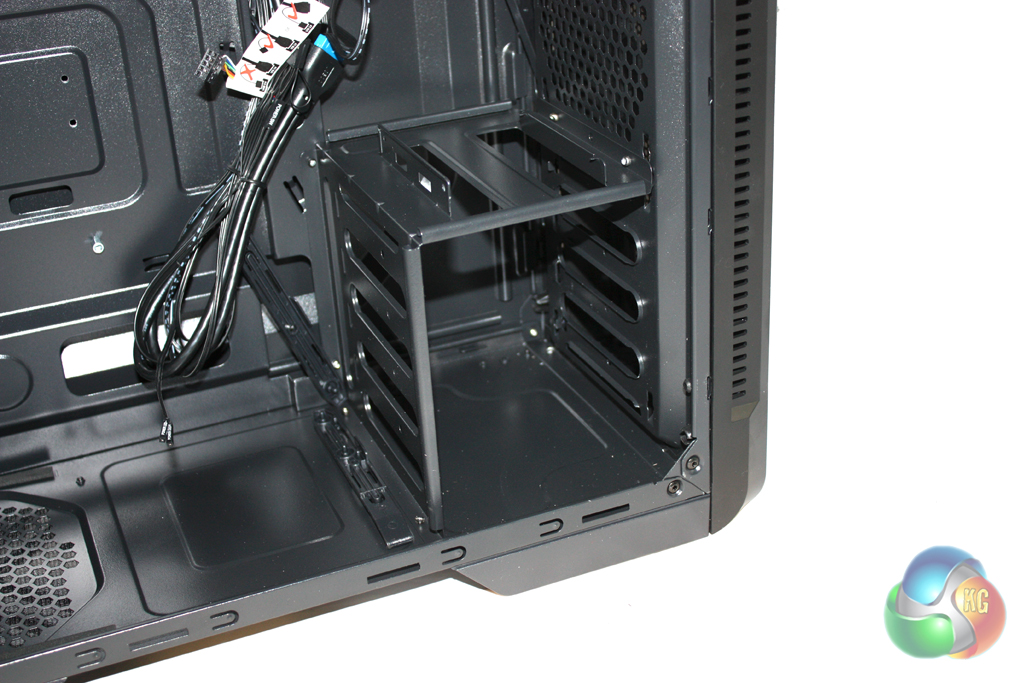
Antec include a series of sliders in the accessory bundle which you can attach to 3.5” hard drives. These allow you to slide simply into the four provided bays. There is only provision for a single 2.5” drive in this system which is located on top of the 3.5” bays.
We chose to install a solid state drive into the system, requiring two screws in one side.

Installing a motherboard into the system is a simple process. Six of the stand-offs are pre-installed so we only had to attach the remaining three before securing down our motherboard into the case.
There isn’t a tool supplied for screwing the stand-offs into place, though, which could pose a challenge when trying to remove the motherboard from the case.

There is also a large cut out section in the motherboard tray to facilitate the installation of a CPU cooler. This will be particularly useful for those users who are planning to upgrade their cooler at a later date as they will be able to do so without removing the motherboard.

There is a generous amount of room in this case for longer power supplies. The Seasonic Platinum 1000W that we selected for our test system is slightly longer than a standard ATX model and obstructed one of the cable routing holes slightly. The other hole was sizable enough for all the cables however. The only time we could envisage an issue would be with a larger, non modular power supply.

We are a little disappointed by the lack of room behind the motherboard tray for cable routing. There is just enough to viably route the cables behind the tray, as the design of the side panel allows a little extra room. There are a few cable routing holes cut into the motherboard tray which facilitate cable routing so you should be able to achieve a tidy build in this case with a little effort.
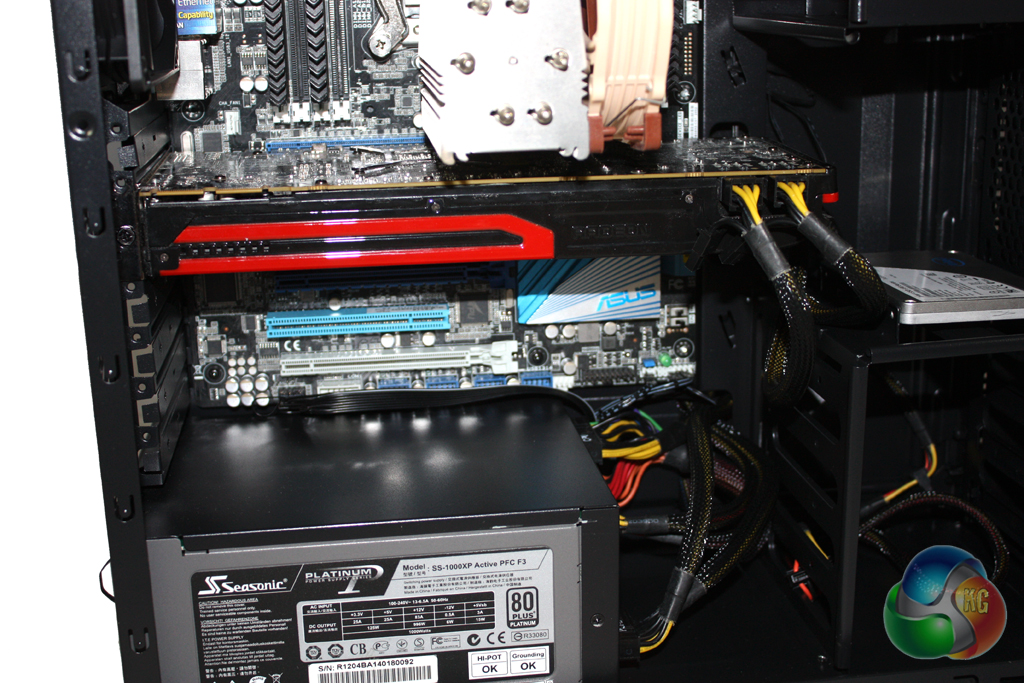
The design of the hard drive bays allow plenty of room for long graphics cards, although there didn’t seem to be any screws supplied for securing expansion devices into place. The expansion slot covers cannot be reattached after they have been removed so you need to think carefully about the ones that you need to remove.

Overall the installation procedure was fairly simple, but as we said earlier, the lack of a proper installation manual may pose a problem for inexperienced users.
For our tests we will be using a Noctua NH-U14S to cool the Intel Core i7-3930K CPU in the Antec GX500. Our test system also features an AMD Radeon HD 7950 graphics card.
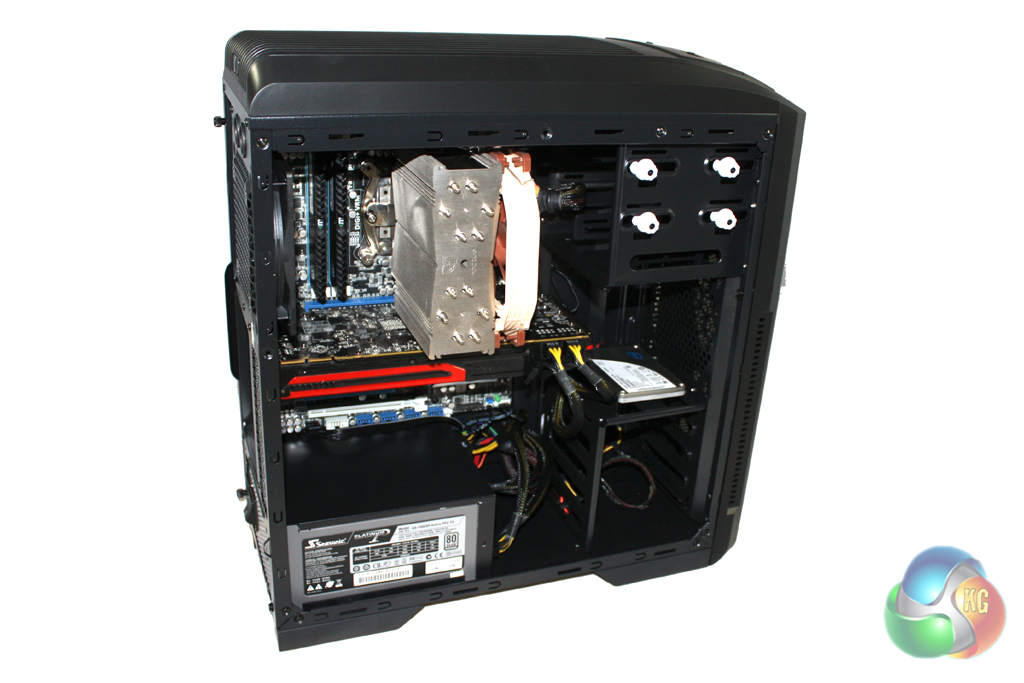
We manually overclocked the i7-3930K to 4.3 GHz by increasing the multiplier to 43x, leaving the baseclock set at 100 MHz. The voltage was increased to 1.35V to achieve this frequency.
Test System:
- Processor: Intel Core i7-3930K
- Motherboard: Asus P9X79
- Cooler: Phanteks Noctua NH-U14S
- Thermal Paste: Arctic Cooling MX-2.
- Memory: 16GB (4x 4GB) Mushkin Blackline 1600 MHz
- Graphics Card: AMD Radeon HD 7950.
- Power Supply: Seasonic Platinum 1000W
- System Drive: Intel SSD 330 Series 120 GB
- Monitor: Viewsonic VX2260WM.
Software:
- Microsoft Windows 7 Home Premium (64-bit).
- CPUID Hardware Monitor.
- Prime95 64-bit.
- Furmark V1.10.6
To test the thermal performance of the Antec GX500 we loaded our test system for 15 minutes using Prime95 and Furmark and recorded the maximum temperatures reached using CPUID Hardware Monitor. We then restarted the system and left it for 15 minutes before recording idle temperatures.
Room temperature was maintained at 20 degrees C for the duration of our tests.
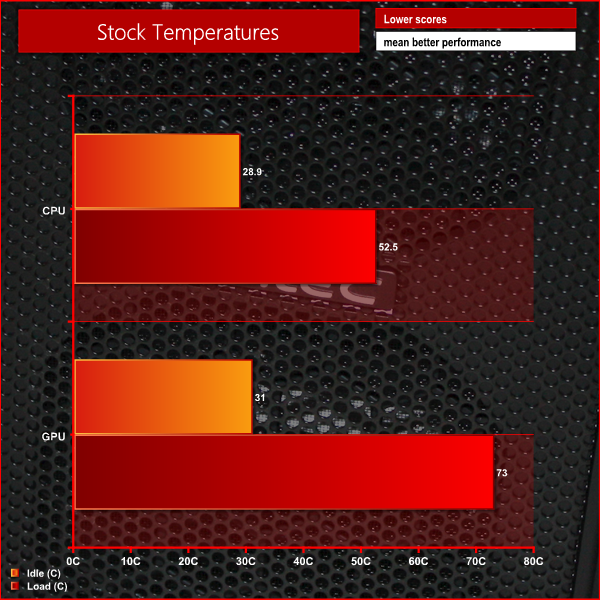
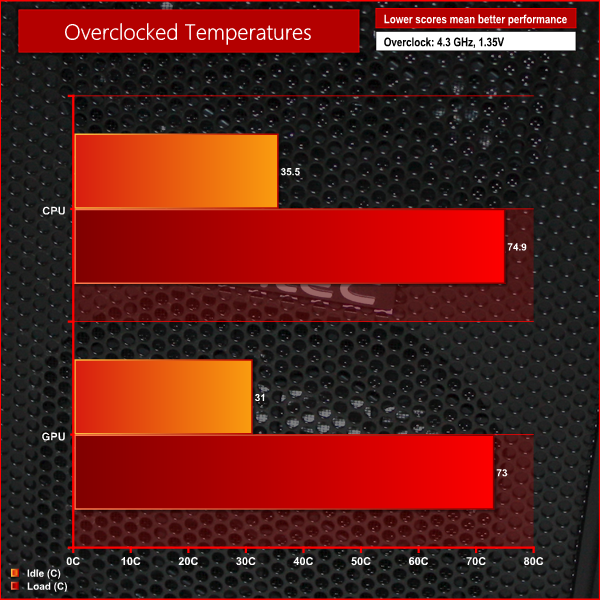
These temperatures are impressive for a budget case in this class.
To conduct our noise level tests, we replaced the graphics card in our system with a AMD Radeon HD 5550 Silence which was passively cooled. We also momentarily disconnected the fans on the CPU cooler so we were only taking into account the noise generated by the fans in the case.
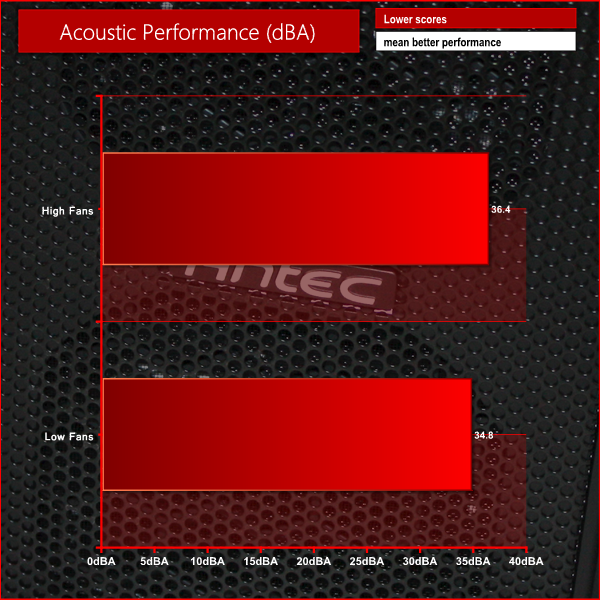
The Antec GX500 isn't exactly silent with the fans at full speed but they can easily be quietened down using the inbuilt fan controller.
Everything considered, we are pretty impressed with what the Antec GX500 has to offer. While there have certainly been compromises made to cut costs, there aren’t any features missing that we could reasonably expect Antec to include at this price point.
While the aesthetic design of the case isn’t particularly interesting, it is inoffensive enough to appeal to the masses. It also makes the case perfect for any environment, whether it be in the office or at home.
The interior of the GX500 has a number of features which will appeal to gamers, including plenty of room for long graphics card and SSD support. The inclusion of a fan controller is also welcomed and should be appreciated by those who value acoustics over temperatures.
Considering the low price of the case, the build quality is really impressive. We were also pleasantly surprised that Antec include three 120 mm fans with the system. Even though most users at this price point won’t be targeting huge overclocks, the reasonable thermal performance will be welcomed.
At a price of £42 from CCL Online, there’s no denying that the Antec GX500 offers very good value for money. We would be tempted to fork out an extra £7 for the Cougar MX500 as it offers drive configuration options and better support for cable routing, but for those on an extremely restrictive budget the Antec GX500 is a solid buy.
Discuss on our Facebook page, over HERE.
Pros
- Minimalistic design.
- Decent build quality.
- Three fans included.
- Integrated fan controller.
- Great Value.
Cons
- Limited cable routing support.
- Limited drive configuration options.
KitGuru says: A great option for anyone looking for a gaming case on a tight budget.


Hi there, and thanks for the review, I found it really informative.
Even though this is a so-called budget case, would I be able to switch the top 2x120mm fans with a 240mm rad from, say, the Antec H20 Kuhler 1250?
Look forward to hearing from you soon, and sorry for the inconvenience!
Cheers,
Bharathan