KitGuru KitGuru.net – Tech News | Hardware News | Hardware Reviews | IOS | Mobile | Gaming | Graphics Cards


Today we are going to take a look at one of the latest coolers from Thermalright, the Silver Arrow IB-E. This is a sizable dual-tower air cooler which goes up against the best models from the likes of Noctua and Phanteks.
Thermalright might not be the first brand that comes to mind (in recent years anyway) when it comes to high-end air cooling, but we have looked at a few of their products in the past and have been impressed with what they have to offer. We are excited to see how the Silver Arrow IB-E fares in our tests.
Features
- 8 X 6mm sintered heat-pipes effectively takes away excessive heat from the CPU when overclocked, Nickel Plated heat-pipes, slower Oxidation and deterioration of the heat-pipes, provides longer period of Thermal conductivity.
- Each side with 154mm*120mm heat dissipation area, can be used with 14 or 15 cm fan ( fan clips included).
- Special Arrow fin design, which allows cool air to pass through and take heat away rapidly, effectively provide cooling for the CPU.
- Support Multiple-Platforms. Can be used on Socket 775/1150/1155/1156/1366/2011/2011-3 Platform, and AM2/AM2+/AM3/AM3+/FM1/FM2/FM2+ Sockets.
- Including two TY-141 Ultra low noise PWM fans and PWM Y-Cable. With the compatibility of up to 3 fans maximum.
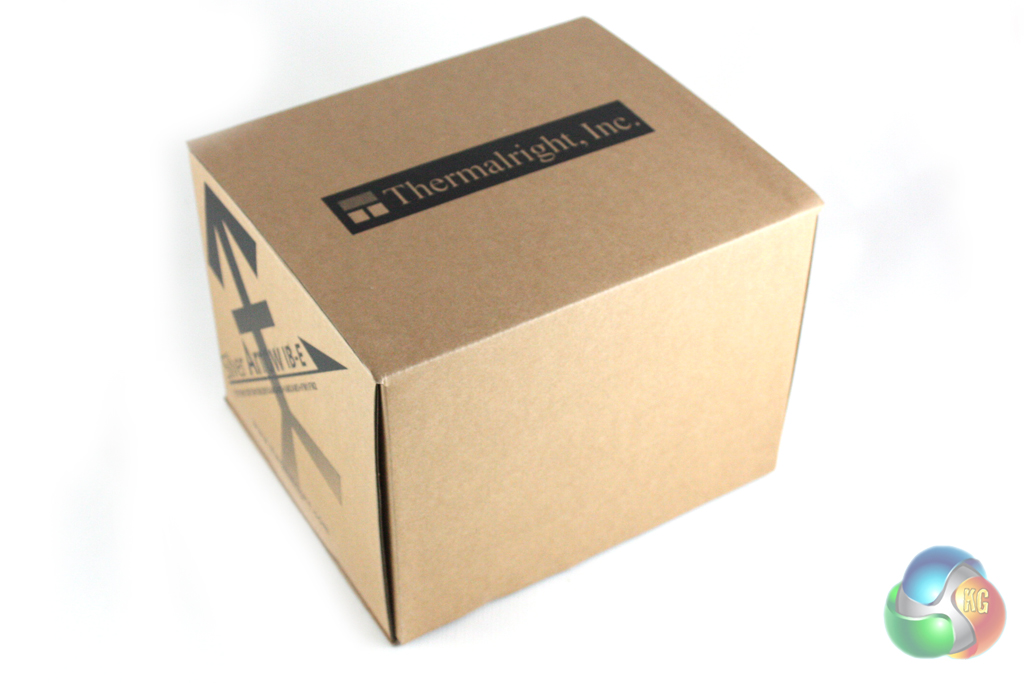
The Thermalright Silver Arrow IB-E is supplied in fairly simple packaging which consists of a medium-sized brown cardboard box with some simple black branding on three sides. The cardboard feels good quality, though, and the packaging should do a good job of protecting the cooler during transit.
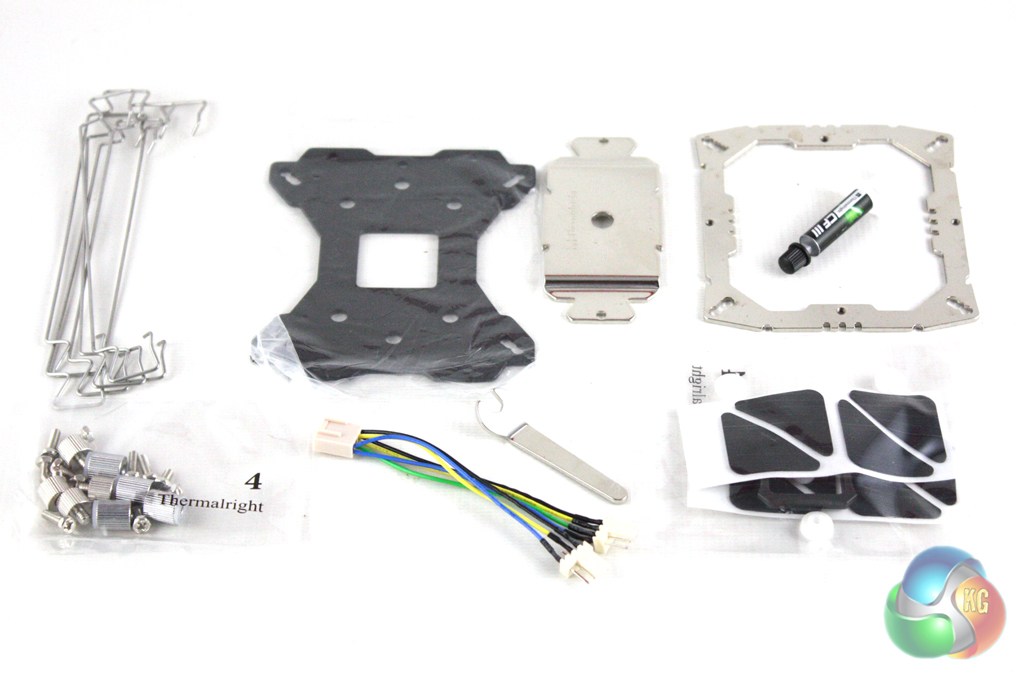
Inside the box we find a wide range of accessories which are mostly involved in the installation of the cooler.
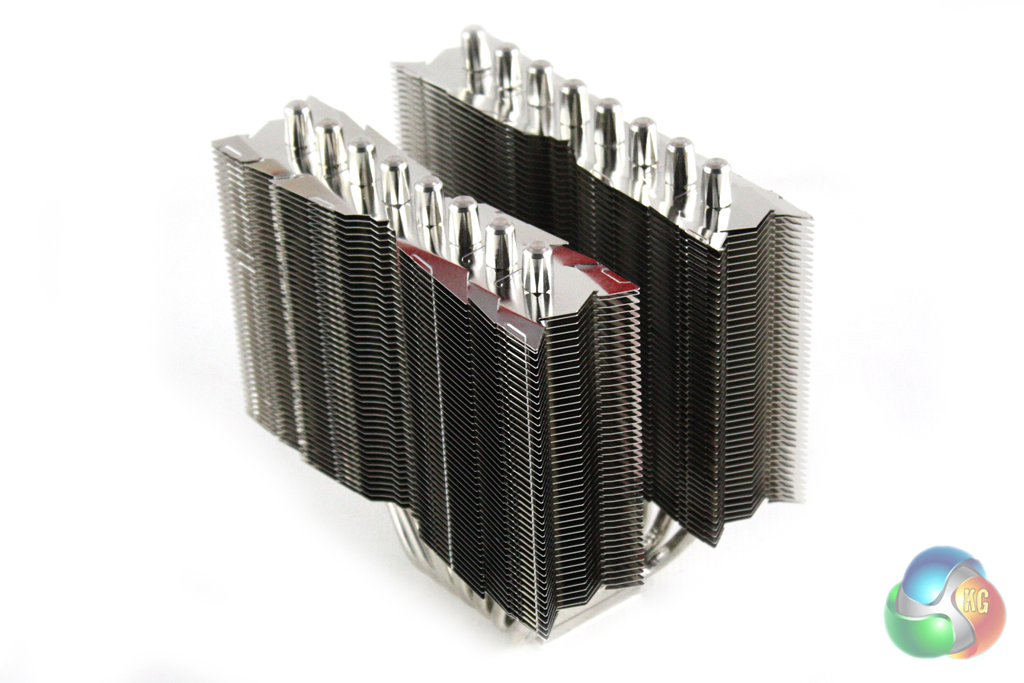
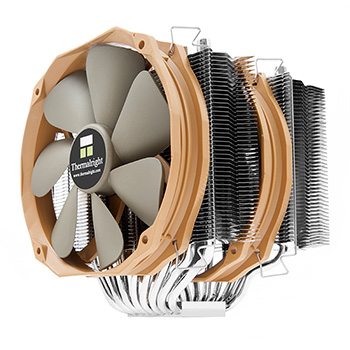
It is clear that Thermalright are trying to differentiate this cooler from the competition with the aesthetic design of the heatsink which is more interesting than the square block of cooling fins we find on many competing models. We are not able to choose from a selection of colours, though, which is likely to be a more appealing prospect for some enthusiasts.
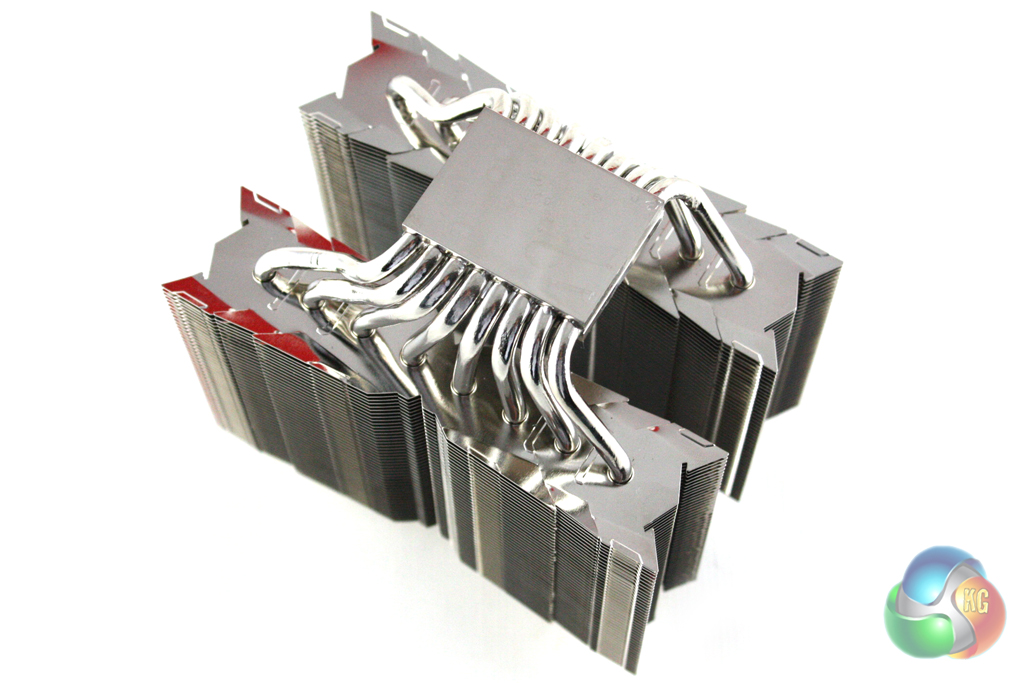
The CPU block is made from nickel-plated copper and has a mirror finish. This contrasts to the more textured finish adopted by some other manufacturers such as Noctua, although it is hotly debated which is preferential from a performance perspective.
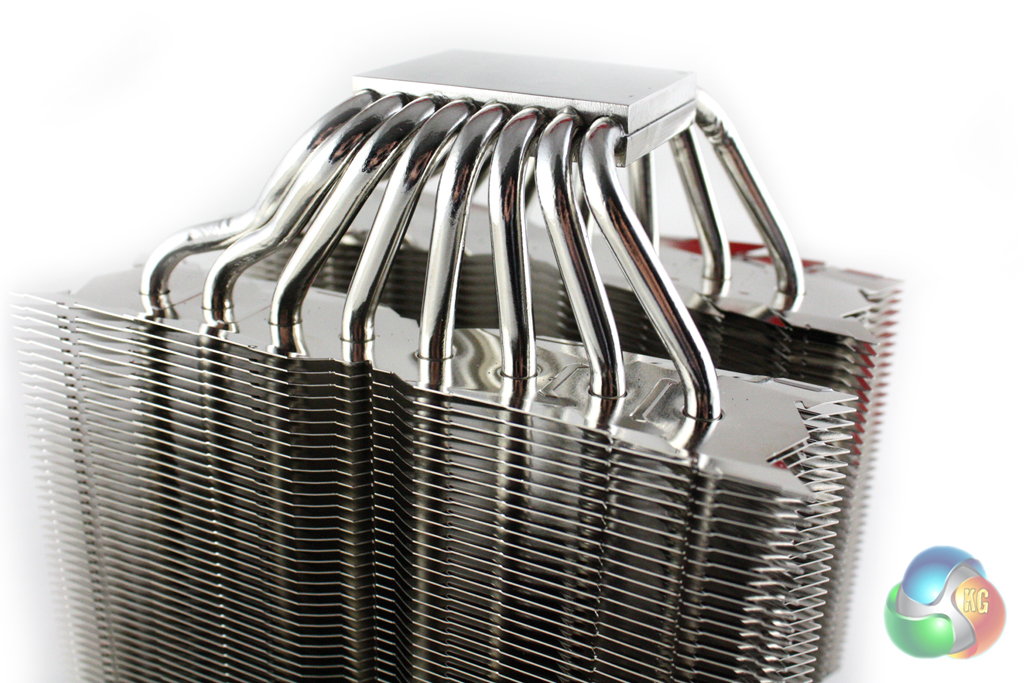
The eight 6mm heatpipes are also made from nickel-plated copper and pass through the CPU block at the bottom and curve up to pass through the two stacks of fins on either side.
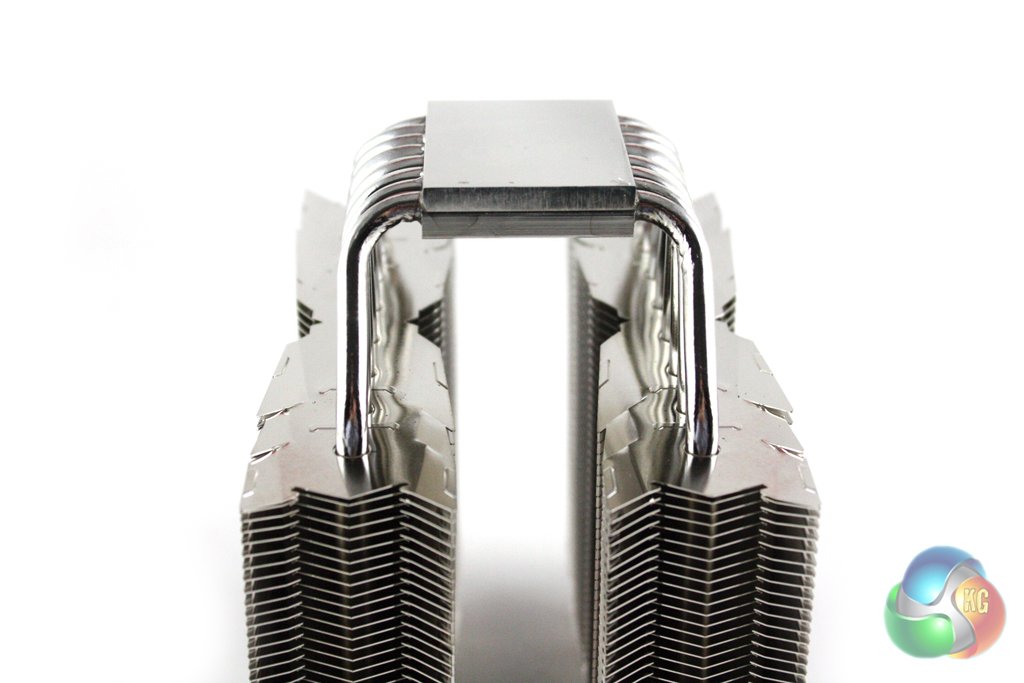
These two stacks of aluminium fins measure 154mm x 120mm and are arranged around the eight heatpipes. All of the heatpipes are capped on the ends, giving the cooler a very tidy appearance.
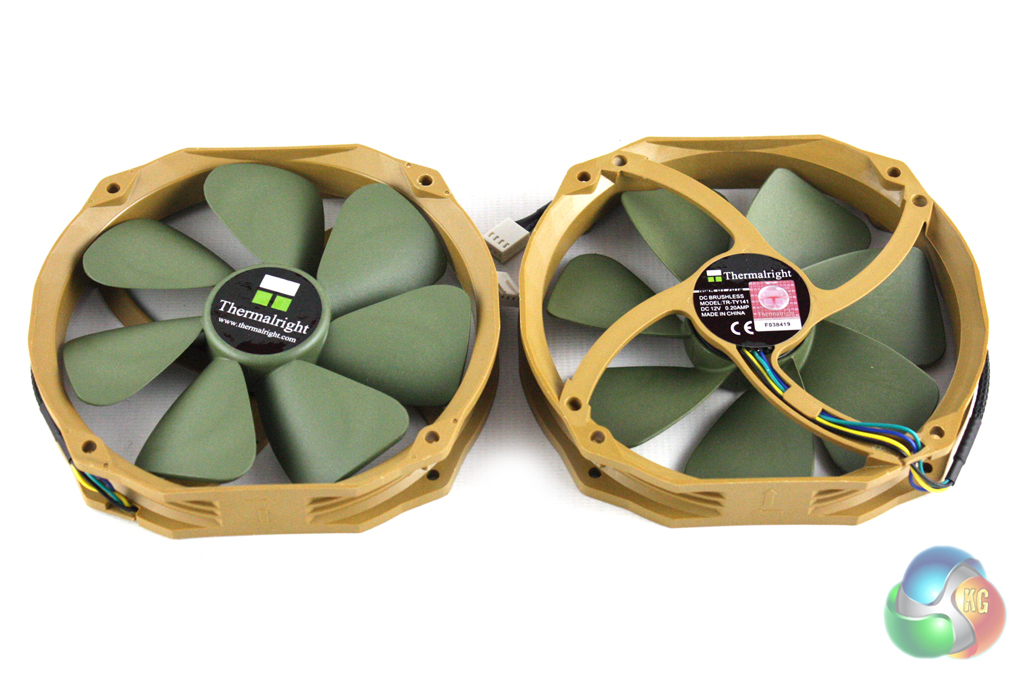
Thermalright include a pair of 140 mm (TY-141) fans with the cooler which spin between 900 and 1,300 RPM. Despite the fairly limited RPM range, this should still help the cooler achieve low noise levels when the system is operating at lower loads.
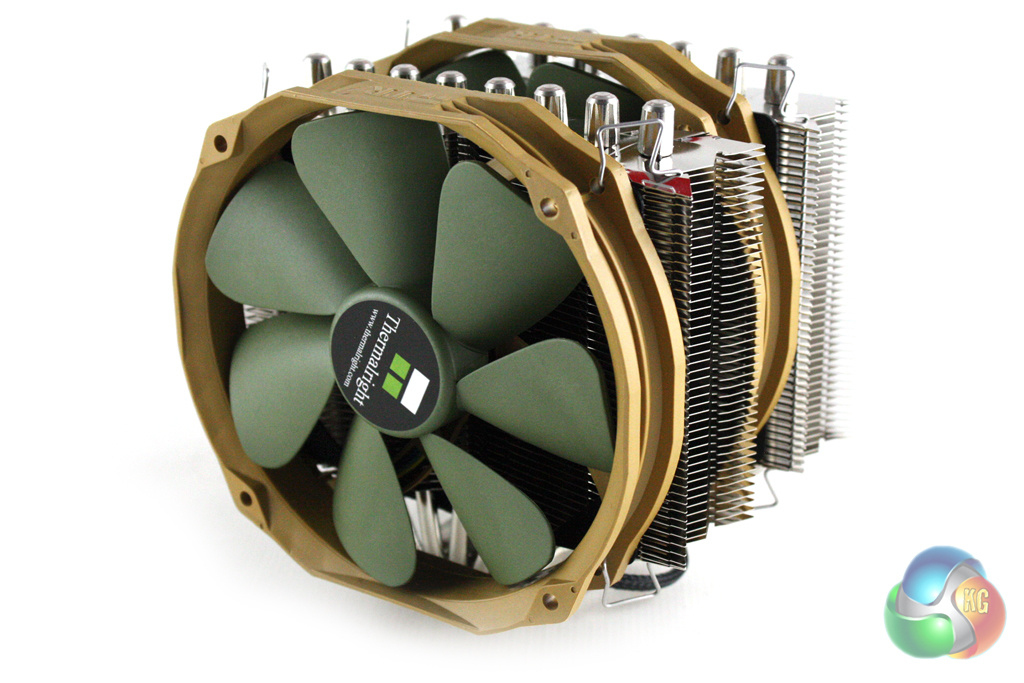
Also included in the bundle are three sets of fan brackets, meaning this model can be configured in a push, push-pull, pull configuration with three fans if desired. This cooler is large enough with the two included fans installed, though, and is likely to cause RAM compatibility issues with a number of systems.
It is clear that Thermalright have not spent as much time developing their mounting mechanism as Noctua, however it is not the most complicated we have come across. The installation guide is fairly comprehensive, though, and guides us through the installation process well.
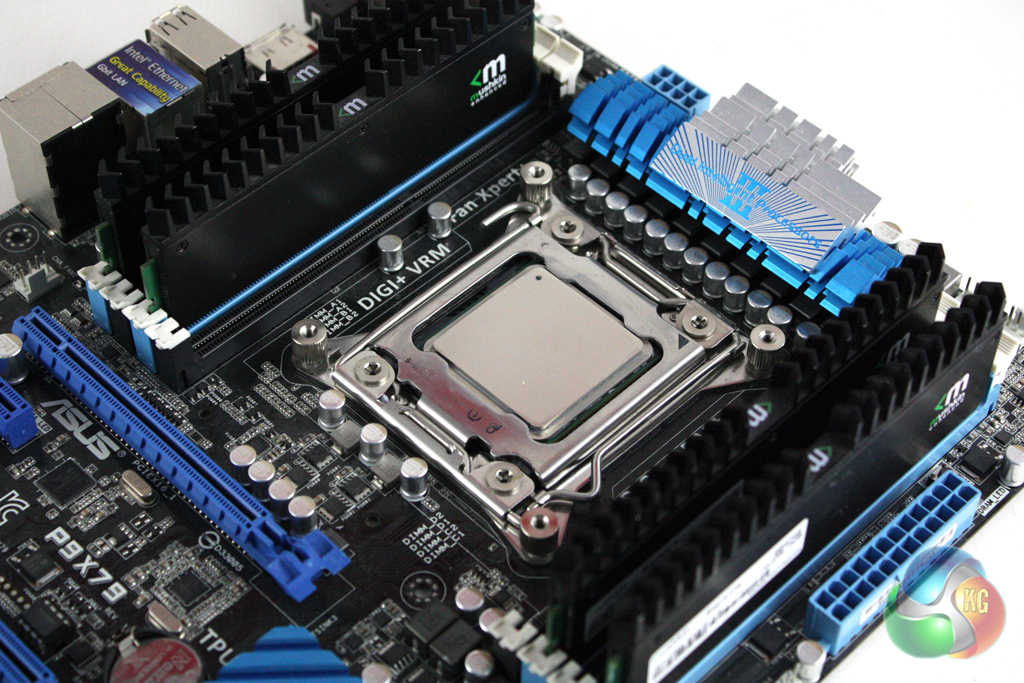
We are documenting the installation on the Socket 2011 platform meaning that we are not required to install a backplate as a first step. Instead, we are instructed to screw down the four ‘screw pillars’ into the CPU socket.
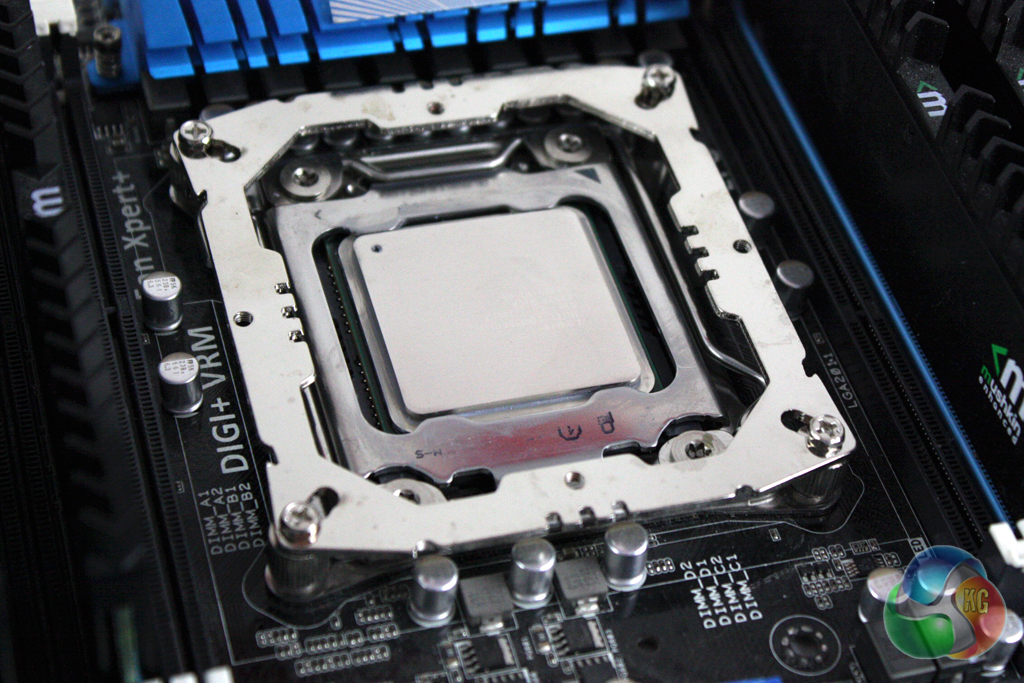
The square retention bracket can then be screwed down on top of these, providing us a base to which the cooler can be installed.
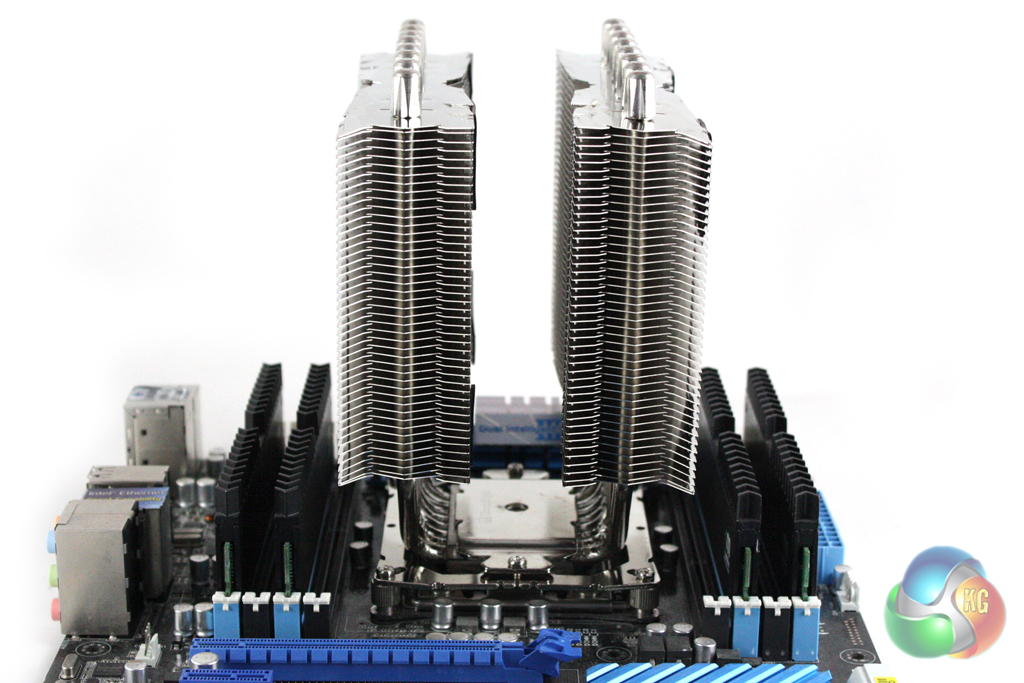
Then the cooler can be secured down into place by securing the mounting plate across the CPU block. Remember to apply the thermal paste before securing the cooler down, though.
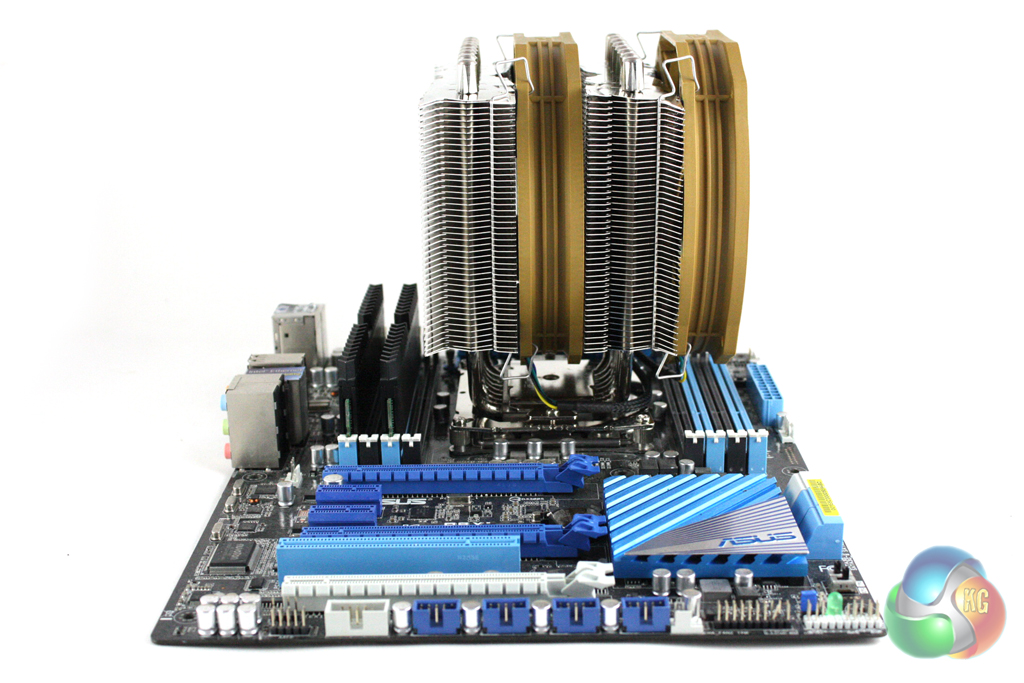
We had a few different compatibility issues with this cooler, especially with our Socket 2011 motherboard which features four ram slots on either side of the socket. Even though our Mushkin memory is fairly short, we couldn’t install the fan into position with RAM in the first two slots.
We also tried installing the cooler vertically, but the heatsink also fouled our memory on one side.
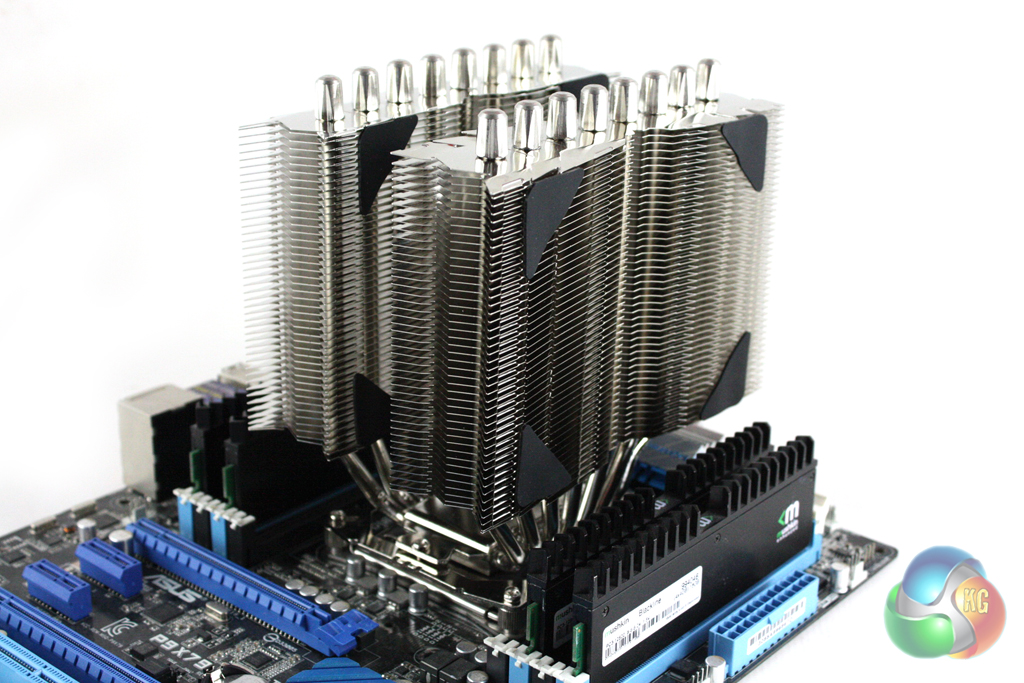
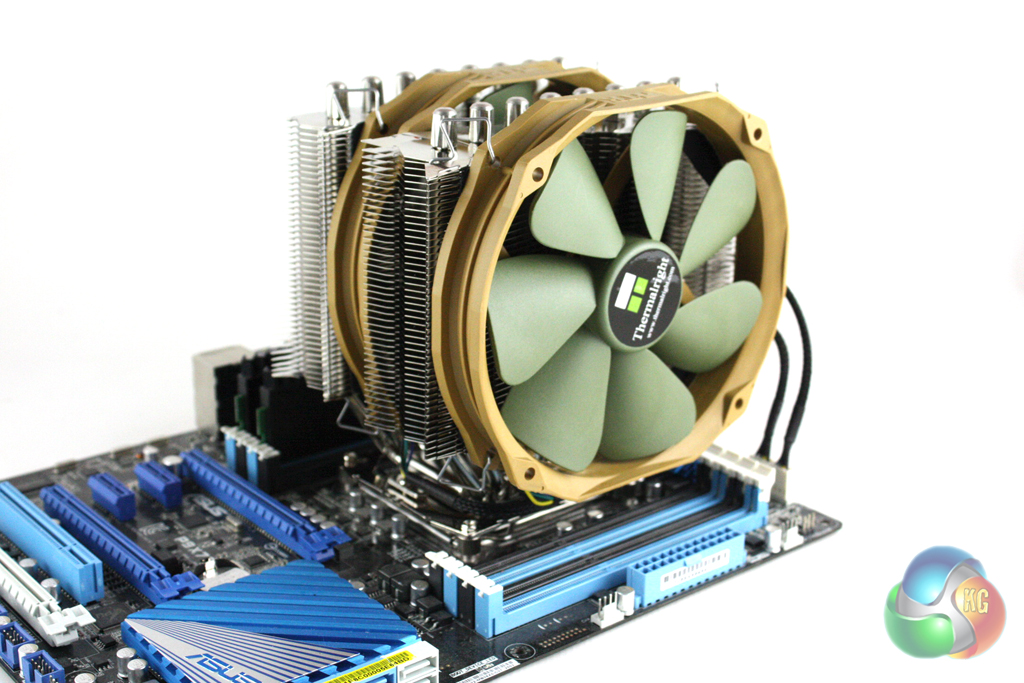
Finally the fans can be attached to the cooler, although we are instructed to attach some rubber pads to the heatsink first to prevent vibrations.
To test the performance of the Thermalright SilverArrow IB-E, we built a powerful X79 based system on an open test bench to push the cooler to it's limits. As we were testing on an open test bench, we directed a Be Quiet! Shadow Wings 120 mm fan at the VRM circuitry to better simulate the airflow generated in a case.
Coolers Tested
- Thermalright Silver Arrow IB-E
- Thermalright Silver Arrow SB-E Special Edition
- Noctua NH-D15 (fans at 12V)
- Noctua NH-D15 (fans at 7V)
- Phanteks PH-TC14PE (fans at 12V)
- Noctua NH-D14 (fans at 12V)
- Processor: Intel Core i7-3930K
- Motherboard: Asus P9X79
- Memory: 16 GB (4 x 4 GB) Mushkin Blackline 1600 MHz
- Thermal Paste: Arctic Cooling MX-2
- Graphics Card: AMD Radeon HD 7950
- Graphics Card (noise tests): HIS Radeon HD 5550 Silence
- Power Supply: Seasonic Platinum P1000W
- Prime 95 (64-bit)
- CPUID Hardware Monitor
Overclocking
We manually overclocked the i7-3930K to 4.7 GHz by increasing the multiplier to 47x, leaving the baseclock set at 100 MHz. We set Load Line Calibration to ‘High', and increased the CPU Current Capability to 120% with a minor voltage increase. Speed stepping was disabled for both stock and overclocked tests.
For our temperature tests we loaded the system for 10 minutes using Prime 95 and recorded the CPU temperature using CPUID HWMonitor. We then restarted the system and left it idling at the desktop for 10 minutes before recording temperatures. The temperatures recorded are based on an ambient temperature of 20 degrees C.
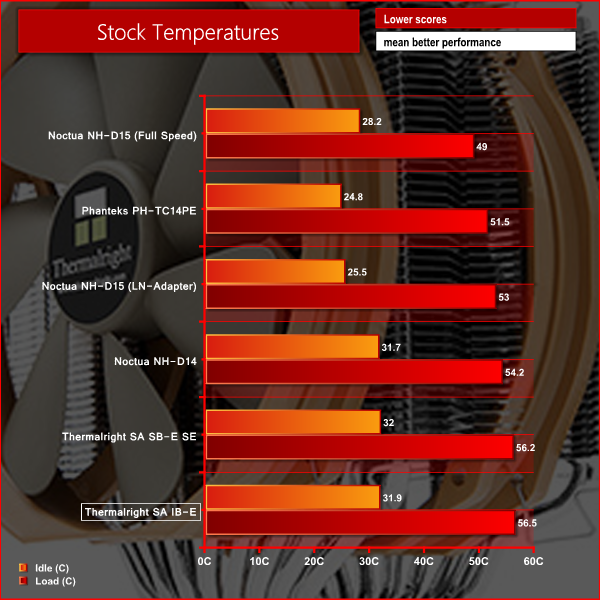
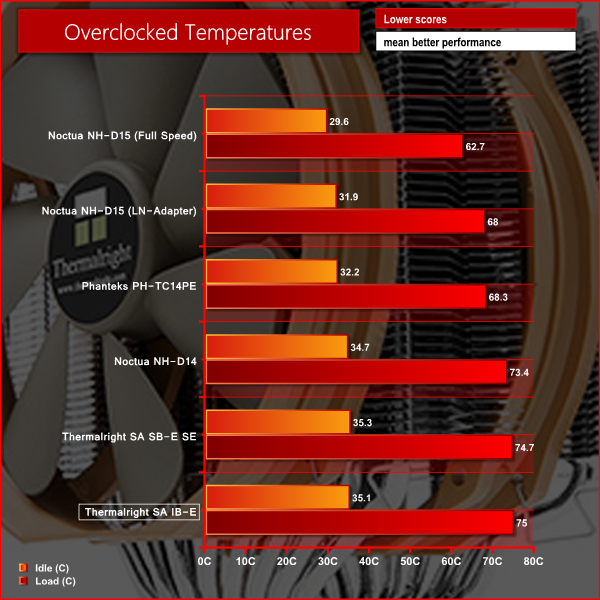
The cooling performance of the Silver Arrow IB-E is a little disappointing compared to the competition.
In our noise level tests we switched off all the case fans and replaced the AMD Radeon HD 7950 graphics card with a HD 5550 passive model so were just taking into account the noise generated by the cooler fans themselves.
We measured the noise level with a Digital Noise Level meter at a distance of 1 m from the front of the system.
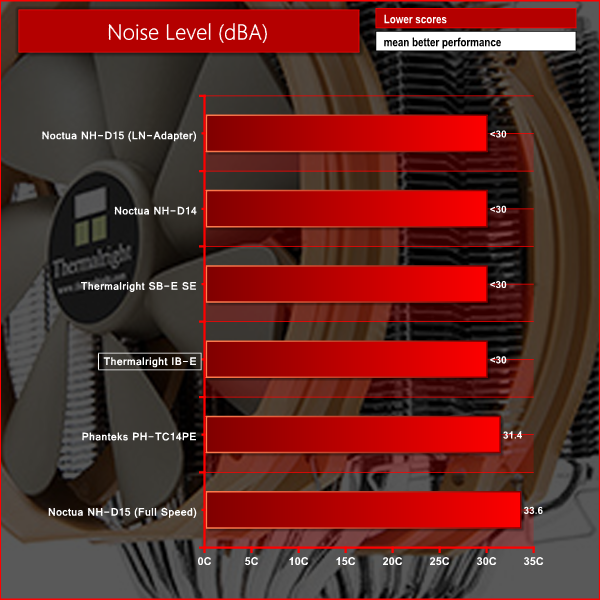
The acoustic performance of the cooler is impressive, and remains very quiet even with the fan at full speed.
The Thermalright Silver Arrow IB-E is remarkably similar to the Silver Arrow SB-E Special Edition that we have already reviewed, although it does not offer as good compatibility with tall RAM modules due to the square design of the heatsink. The SB-E had tapered edges on the bottom of the heatsink which facilitated RAM compatibility.
Like the Silver Arrow SB-E Special edition, the IB-E doesn't offer as good performance as the Noctua NH-D14 and Phanteks PH-TC14PE. In a similar fashion, the acoustic performance of the IB-E is very good indeed, making it perfect for those looking to build a silent system which packs a punch.
We are suitably impressed with the build quality of the cooler which comes close to matching that of Noctua, the leader in the marketplace. Unfortunately the installation process is more complicated than those offered by both Noctua and Phanteks products.
The aesthetics of the heatsink itself are quite distinctive, but the scheme of the fans is not likely to compliment many systems aesthetically. Unlike Phanteks, Thermalright do not offer the option of various coloured heatsinks, so the audience who like to colour coordinate may be dissapointed.
When it comes to value, the Thermalright Silver Arrow IB-E is around the same price as the Noctua NH-D14 and Phanteks PH-TC14PE at just over £65 inc VAT from Scan, however the Noctua model offers better performance and an easier installation process and the Phanteks model offers better performance and more diverse aesthetic options.
Discuss on our Facebook page, over HERE.
Pros:
- More interesting heatsink design than competitors.
- Decent cooling performance, especially when overclocked.
- Excellent aesthetic performance.
Cons:
- Cooling performance falls slightly behind competing models.
- Similar price to competition, but offers less for the money.
KitGuru says: Another decent product from Thermalright, but doesn't quite stack up against the competition.