KitGuru KitGuru.net – Tech News | Hardware News | Hardware Reviews | IOS | Mobile | Gaming | Graphics Cards


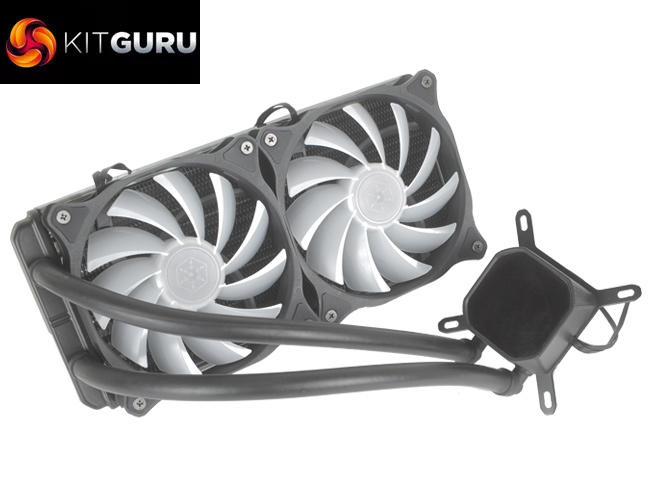
When reviewing AIO liquid coolers, thermal performance is paramount, but aesthetics and even the addition of some form of lighting can sweeten the deal. For an AIO liquid cooler, it looks like the SilverStone Tundra Series TD02-RGB is ticking all the right boxes with a large 240mm radiator to help with heat dissipation, and full RGB lighting across the fans and pump.
At £59.99 it also seems to offer very good value for money, but it will be interesting to see how the SilverStone TD02-RGB compares to similar 240mm AIO offerings tested previously.
Specification:
- Model: SST-TD02-RGB
- Radiator Material: Aluminum
- Radiator Dimensions: 274 × 120 x 32mm
- Tubing Length: 310mm
- Fan Dimensions: 120 x 120 x 25 mm
- Fan Speed: 600 – 2,200 RPM (PWM)
- Fan Air Flow: 83.7 CFM (Max)
- Fan Noise Level: 25 dBA
- Fan Connector: 4-Pin (PWM)
- Pump Connector: 4-Pin RGB, 3-Pin Pump cable
- Intel socket compatibility: Intel LGA 775, 115x, 1366, 2011, 2066
- AMD socket compatibility: AMD AM4, AM3+, AM3, AM2+, AM2, FM1, FM2
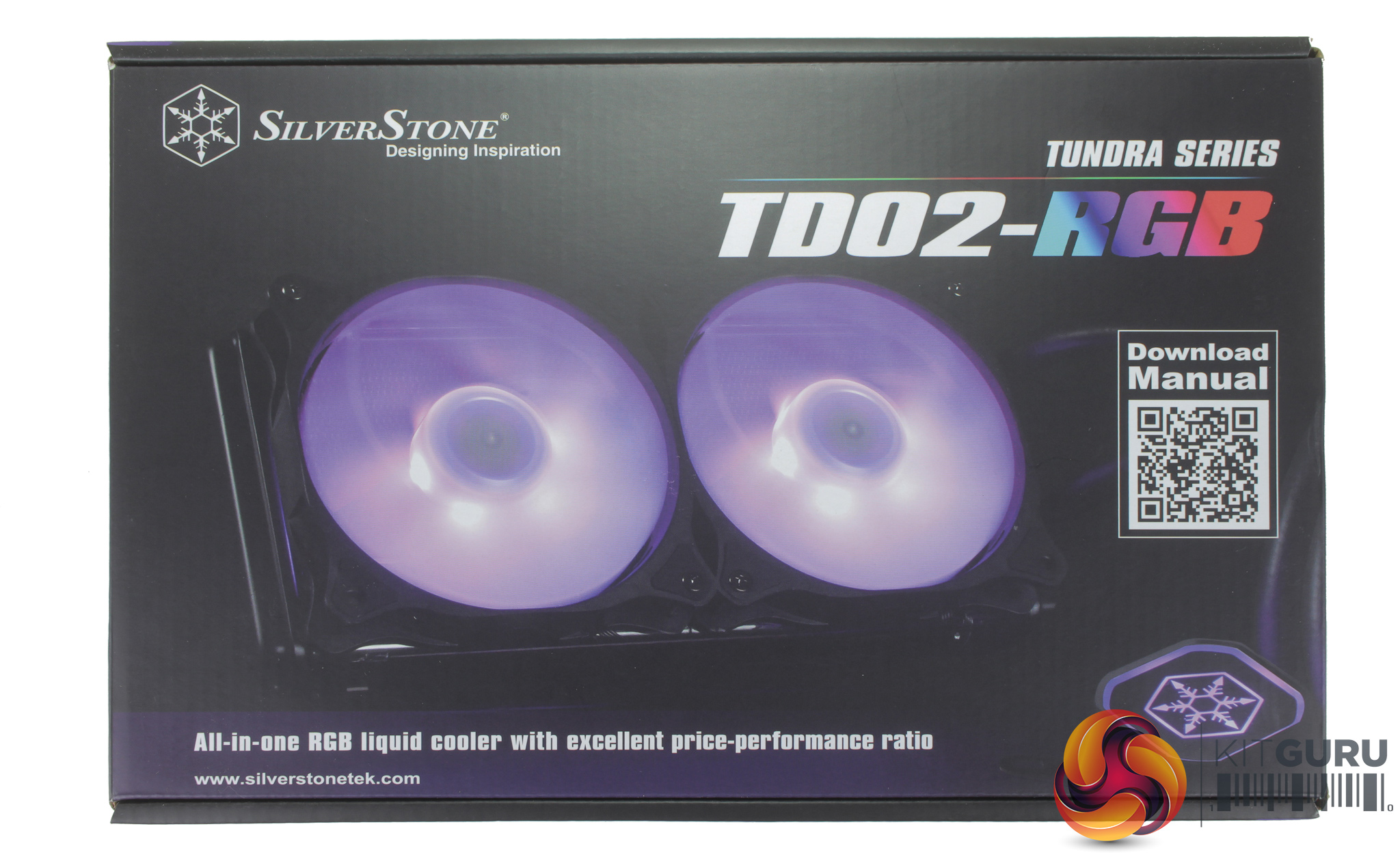
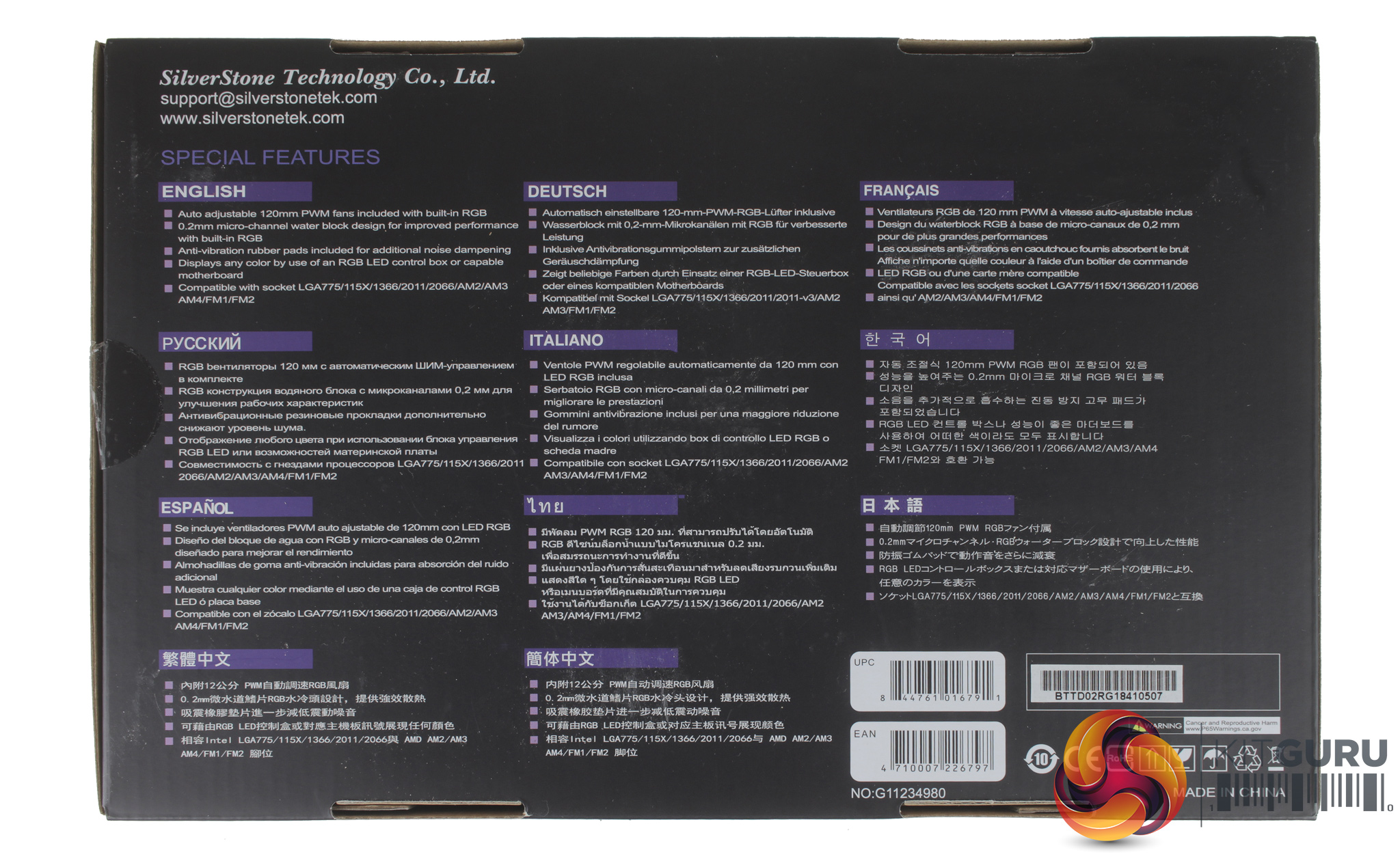
Taking a look at the box front, it shows a pretty large picture of the cooler itself, along with a QR code, which is included for easy access to online installation instructions. The rear of the box includes a small breakdown for some of the key features of the TD02-RGB. It is worth noting that no instructions are included in the box, so you will have to head over to SilverStone's website, or scan the QR code.
Opening up the box we find a number of pieces of mounting hardware for current AMD and Intel mounts, two 4-pin PWM 120mm fans both with RGB lighting, and then the cooler itself. In terms of accessories, outside of the mounting hardware, you do receive a couple of 4-pin Molex adapters – one to power the LEDs if you are not using a motherboard header, and a second for powering the fans.

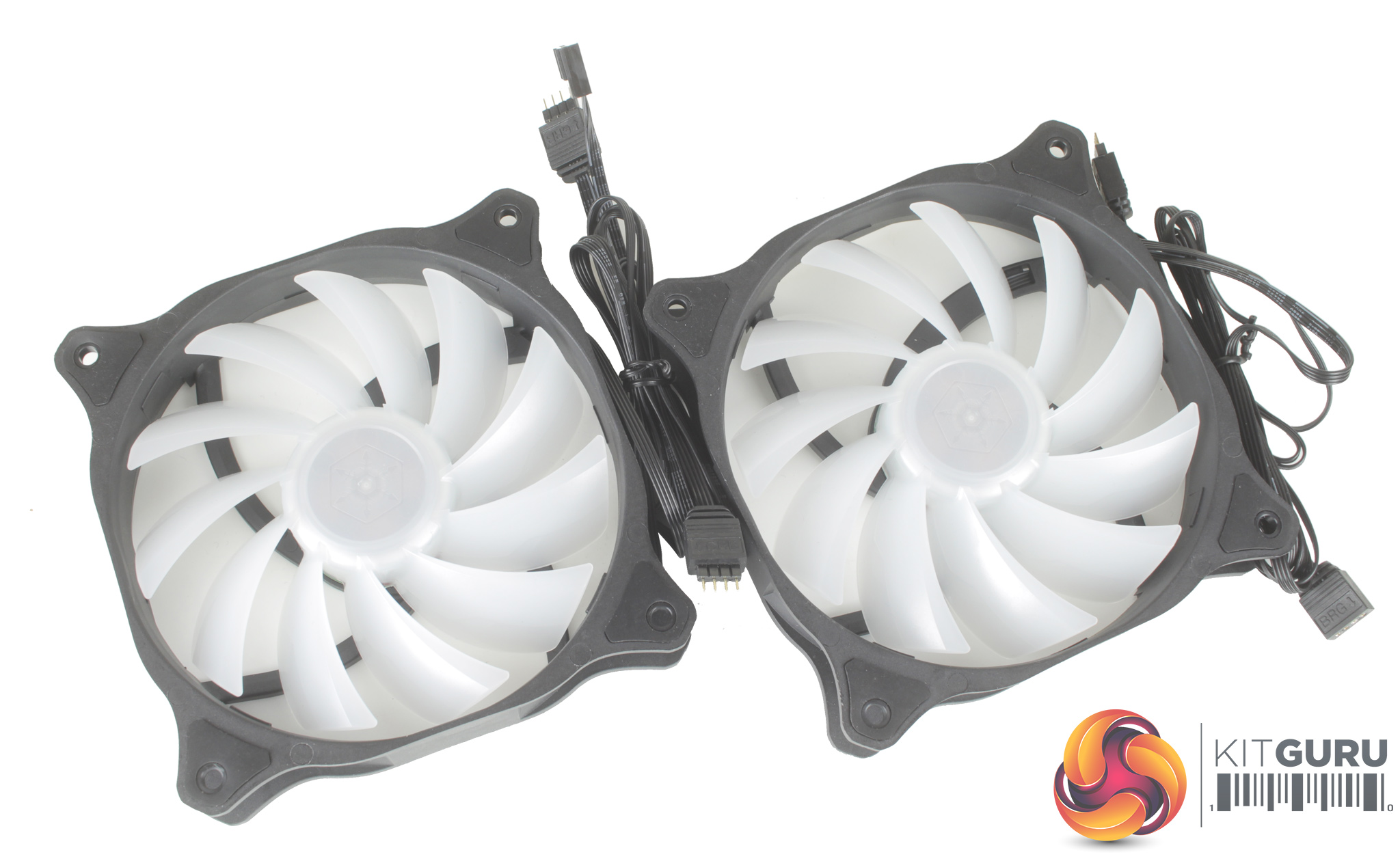
The included fans feel nice and solid, and feature anti-vibration grommets in each corner. Both fans also have two cables running from them, one for the RGB LEDs, and the second a 4-pin PWM connector. It is nice to see that the 4-pin RGB connections are not proprietary which is the case with some coolers, while both fans and the CPU block have two connectors a piece, which allows you to daisy chain them all together.
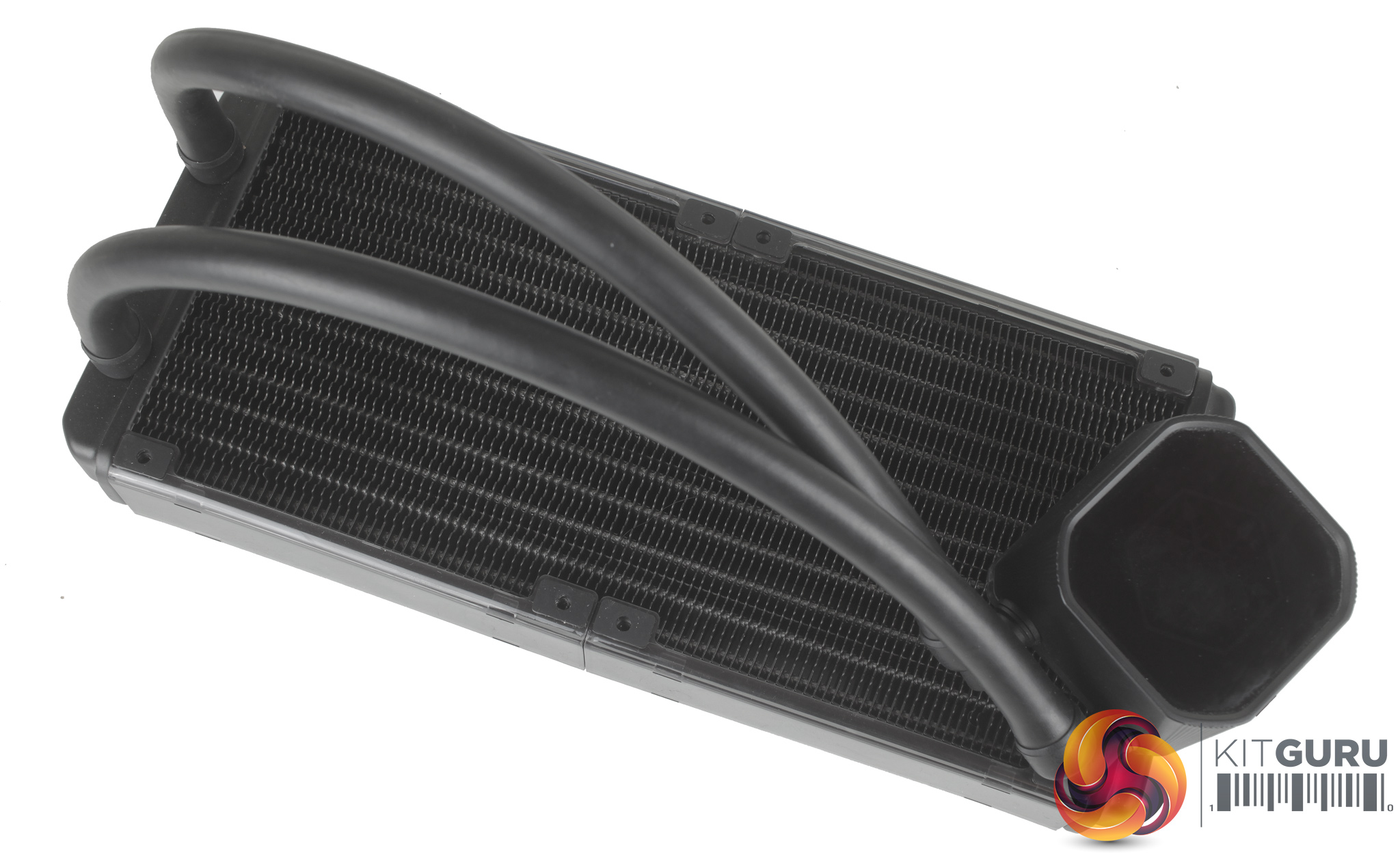
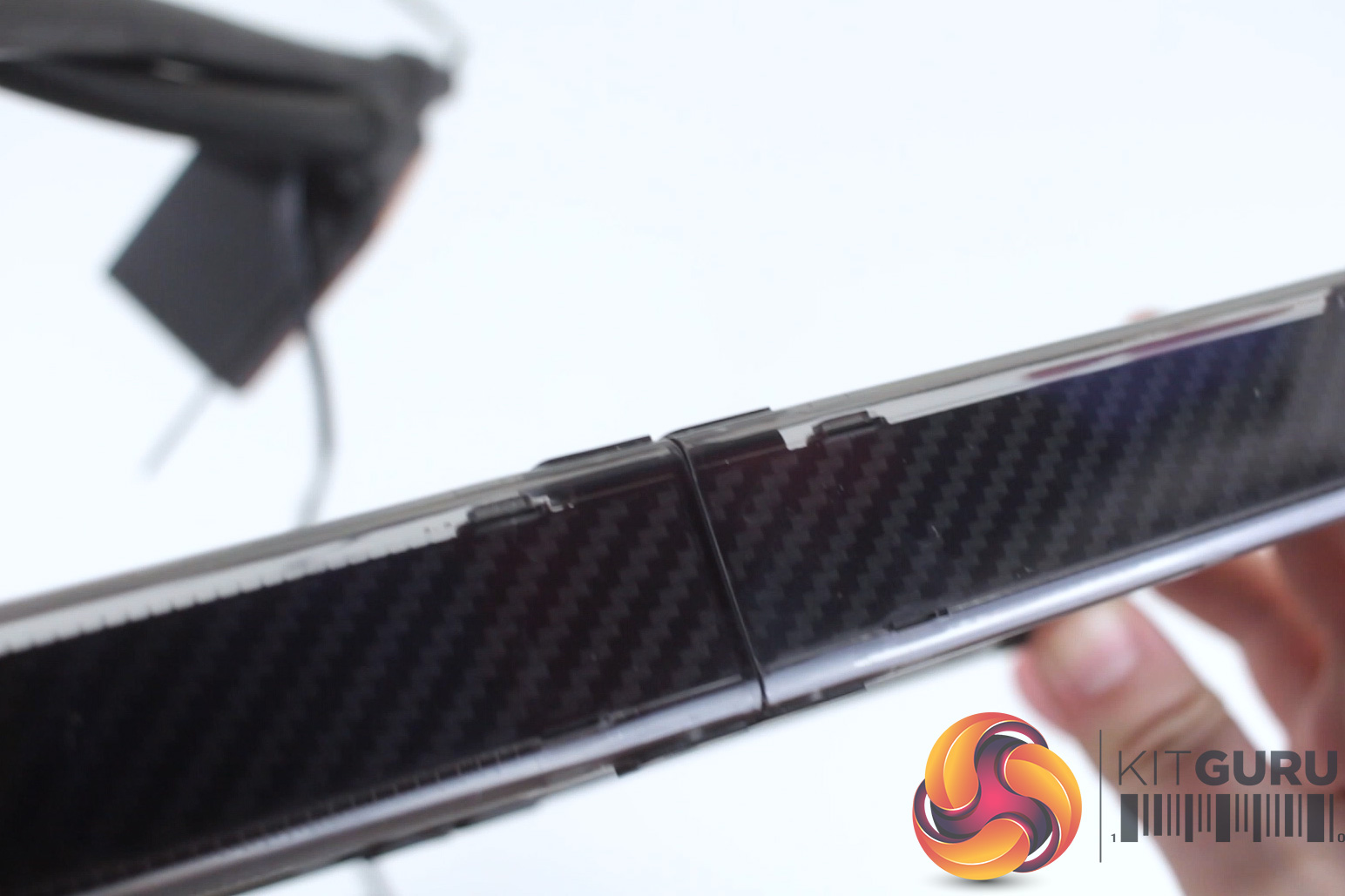
The cooler features a pretty standard 240mm radiator but interestingly with plastic covers clipped over both sides. These covers have a carbon fibre type pattern to them, and further pads to help with reducing fan vibration.
The tubing isn’t braided externally but does feel quite chunky with a 12mm diameter. The tubing is also 310mm long which should be fine regardless of where you install the cooler, be it the front or top of your case.
Moving on to installation it’s actually pretty easy going once you’ve located the instructions. As we are installing the cooler on the Z170 platform, we will be following installation for socket LGA1151.
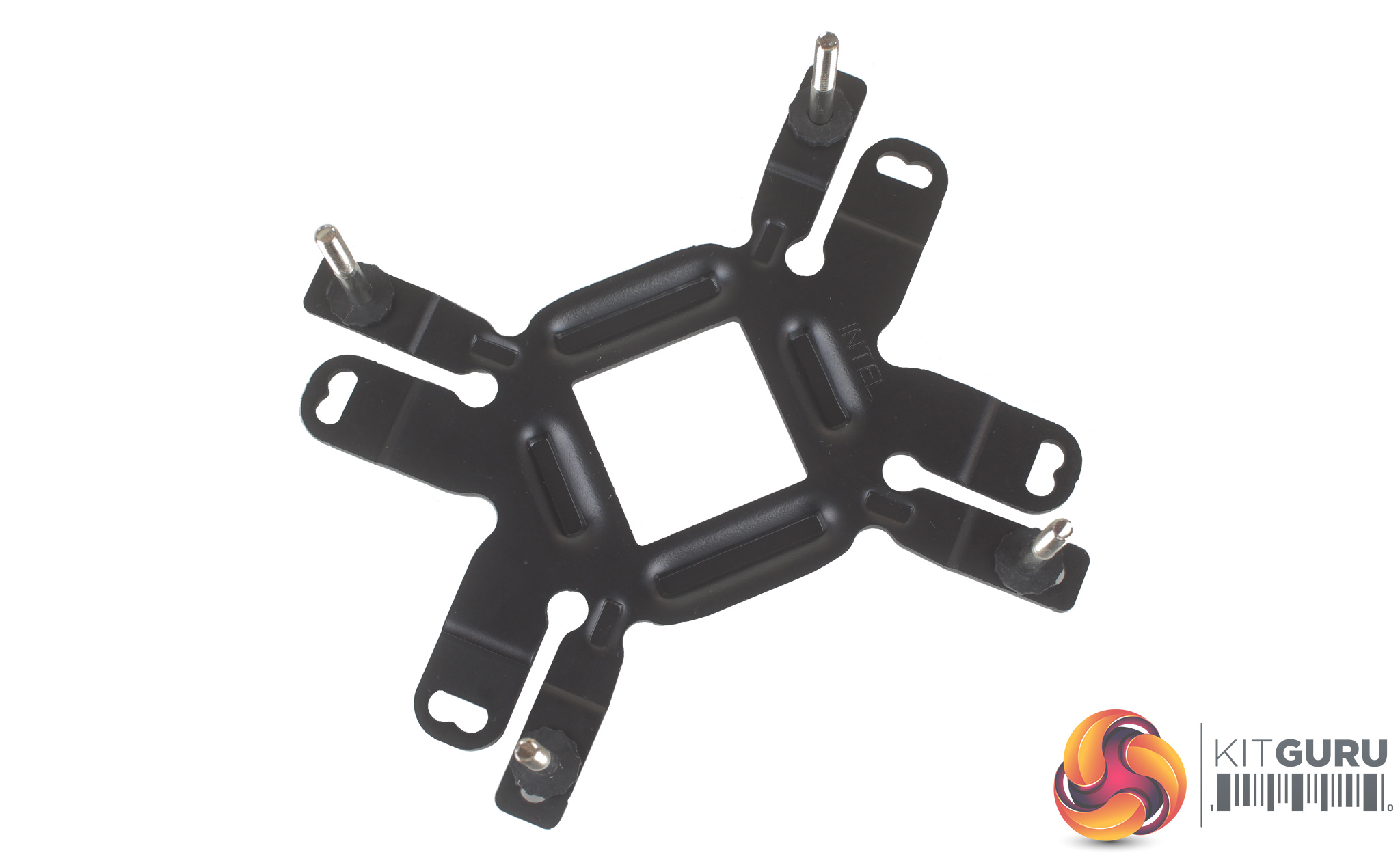
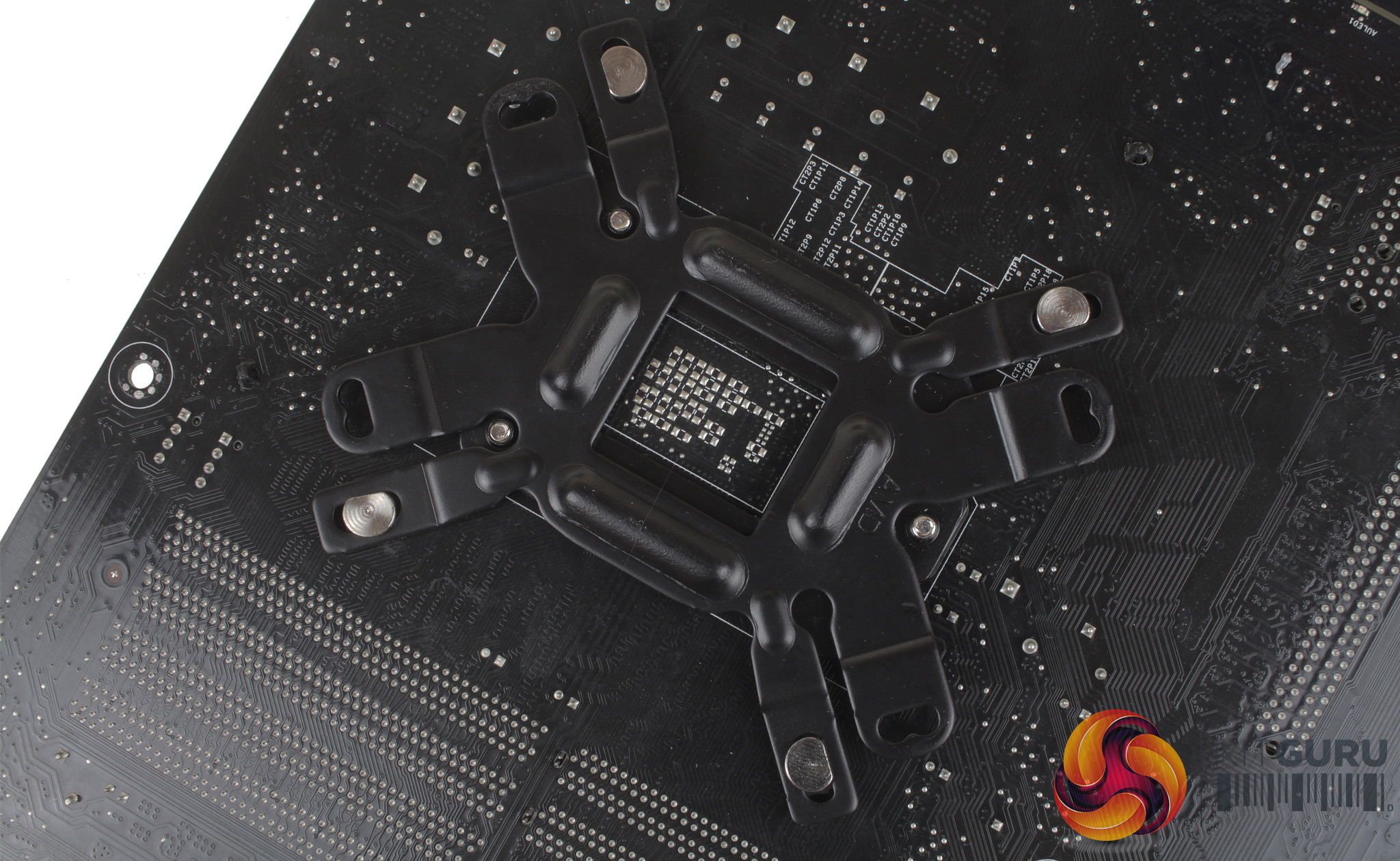
Starting with the backplate, you just need to pass the four long screws through and secure them to the backplate with the four included plastic spacers. These do require a bit of force to install but help keep the screws in place with a pressure fit. Once the backplate is ready, simply install it on the rear of your motherboard.
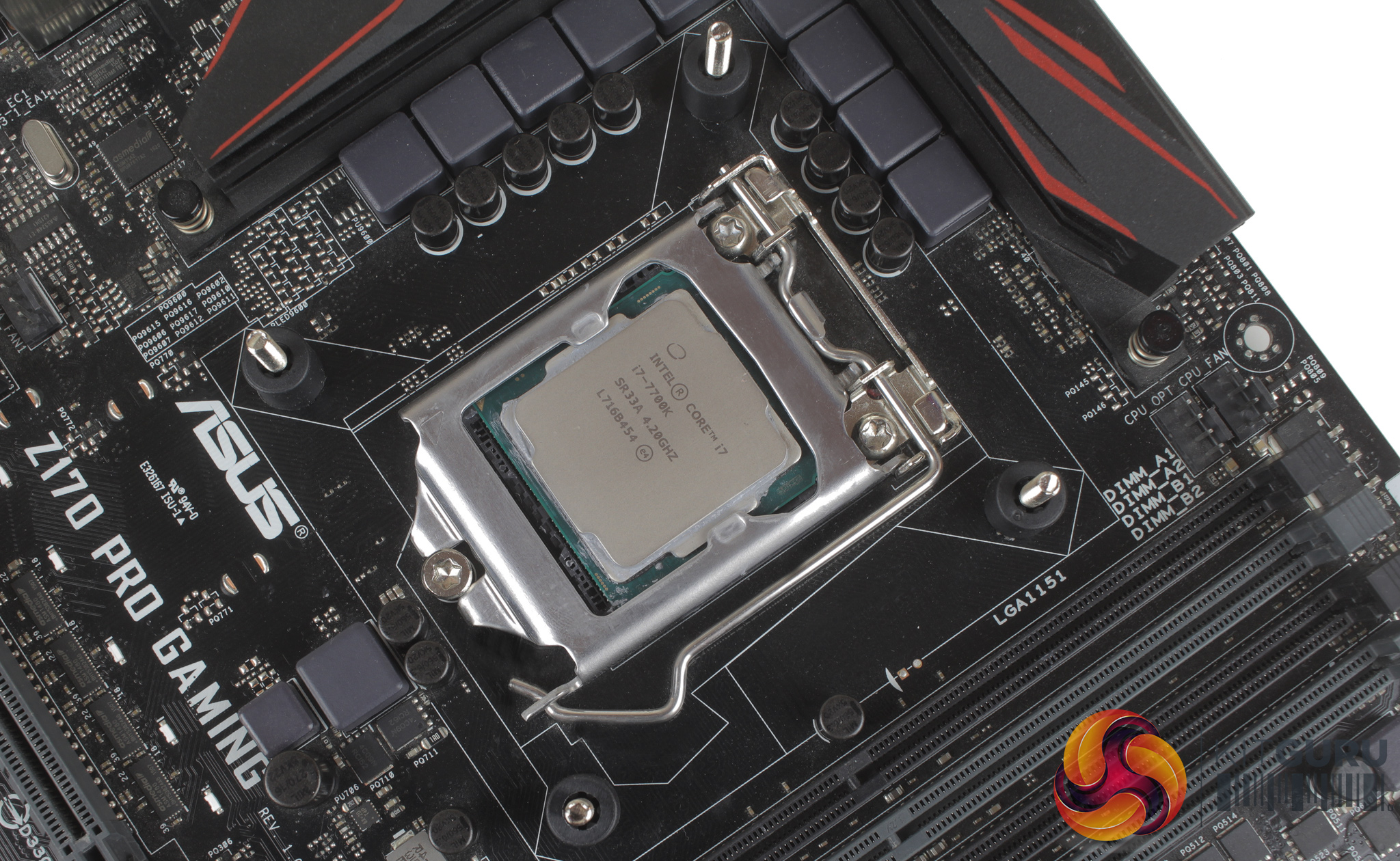
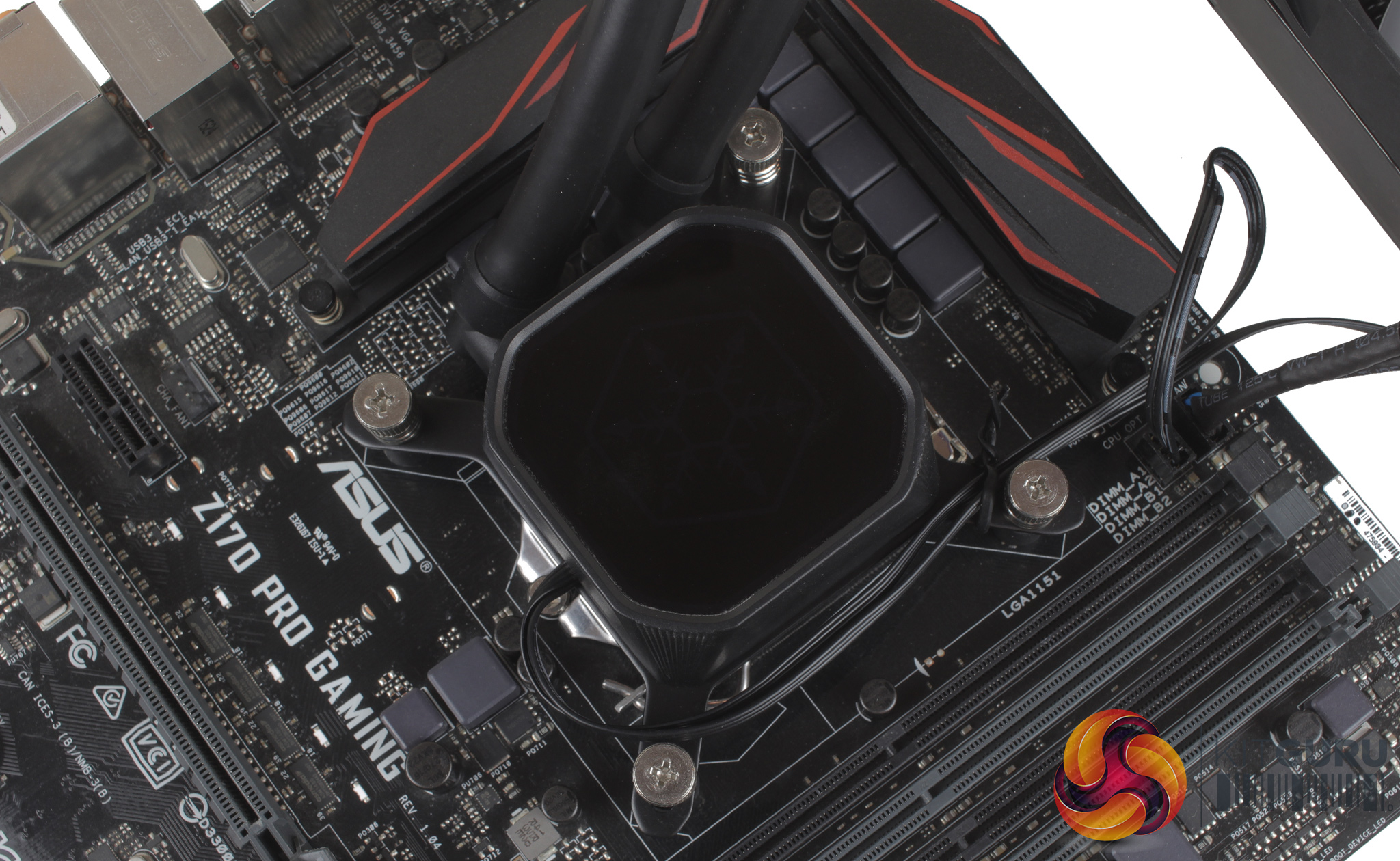
Four plastic standoffs can then be installed over the mounting screws. These also use a pressure fit and lock the backplate in place. Thermal paste can then be applied, and the CPU block placed on top of the processor. Four sprung thumbscrews can then be threaded onto the mounting screws and tightened.
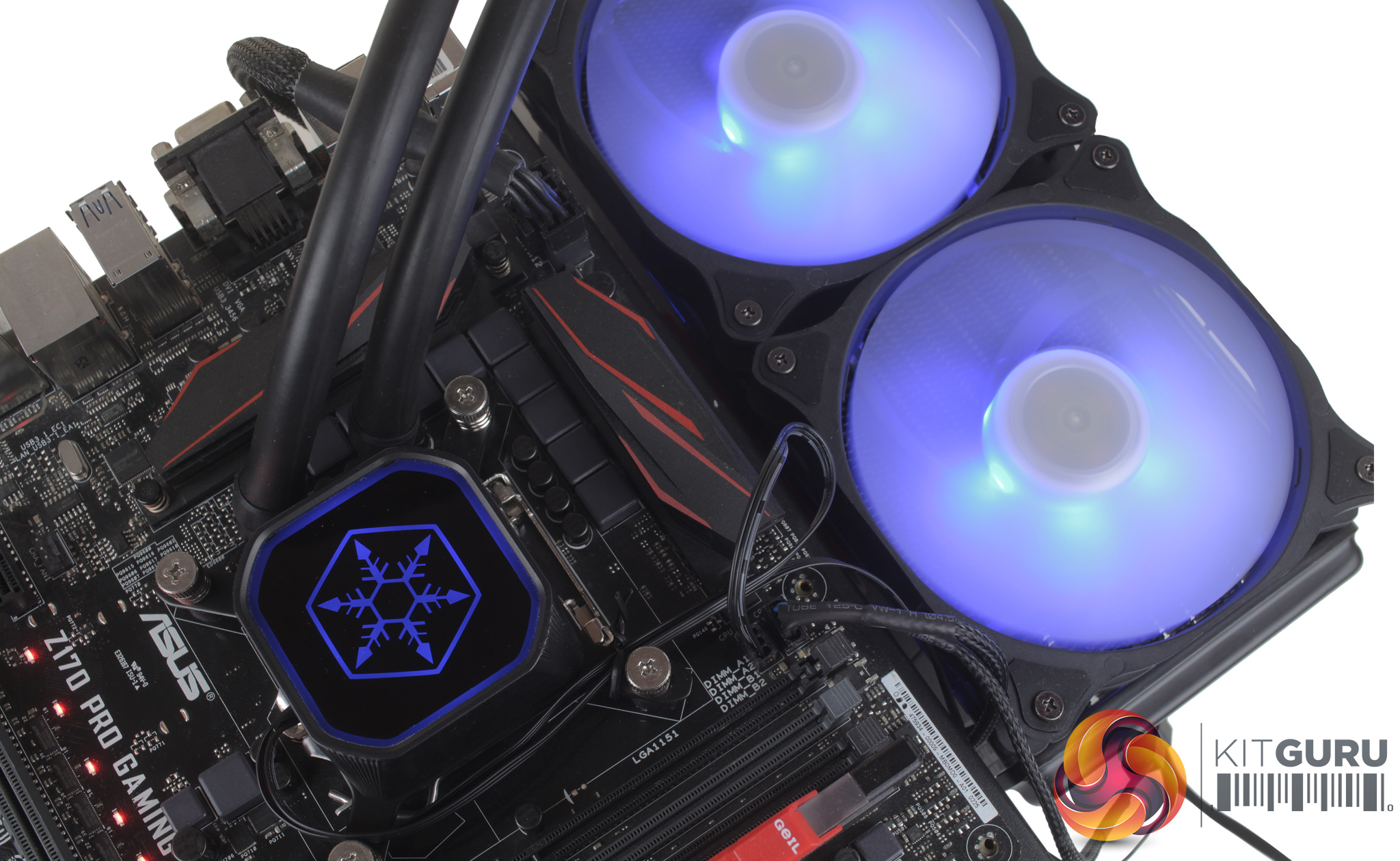
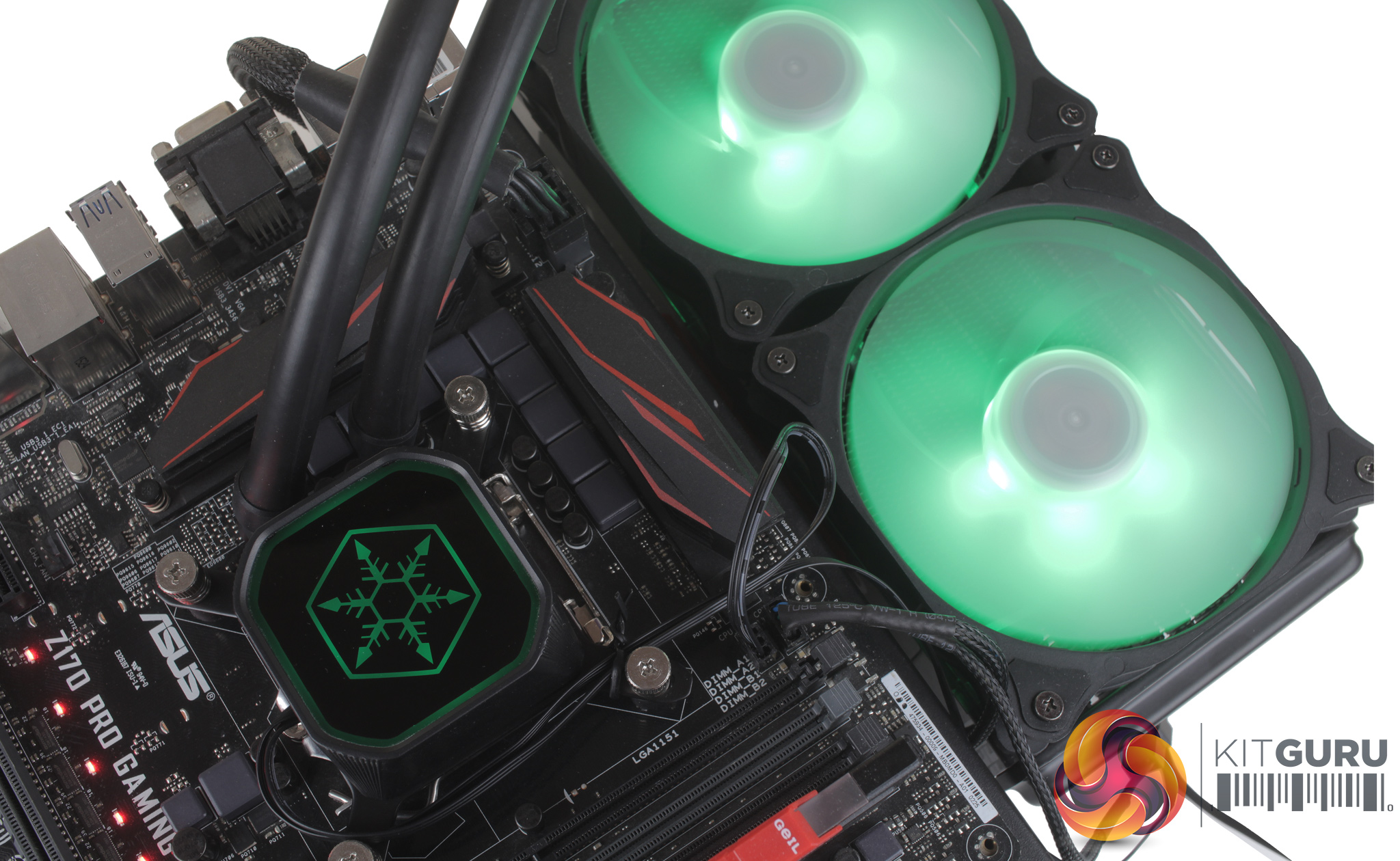
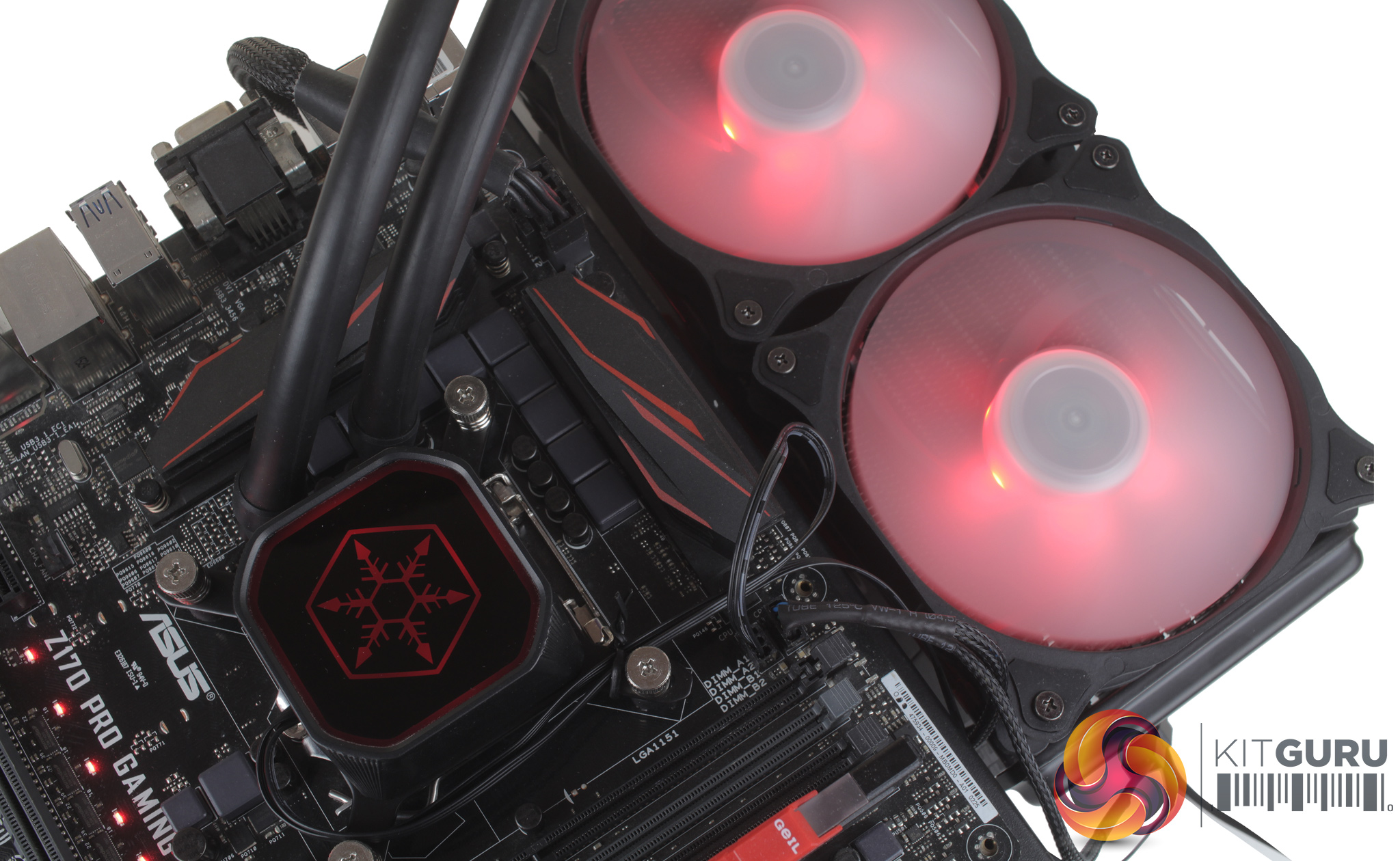
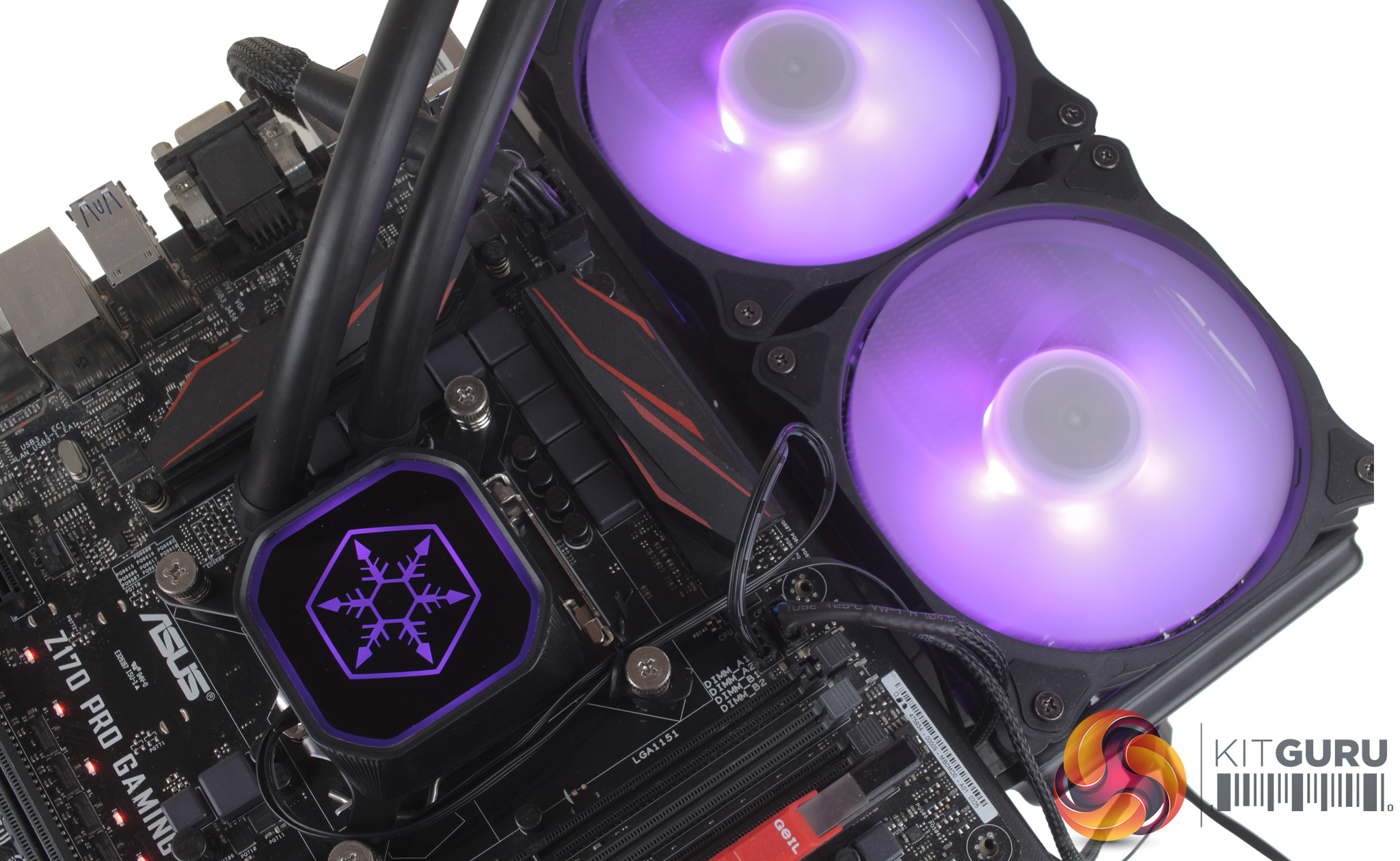
Unfortunately, the Z170 motherboard we use in testing doesn’t feature an RGB header, so typically we will use an RGB controller. Normally an RGB controller will be included with the cooler but with the TD02-RGB this is not the case. Powering up our test bench with no controller installed meant that lighting was locked into just blue.
When using a separate controller I was able to flick through colours and they all look pretty good and even modes like colour cycle transitioned well from colour to colour. This is an issue which could be solved easily by Silverstone including their own basic controller, but considering the £60 price point this is understandable. With most modern motherboards supporting a 4-pin RGB header, if you are building a new system today, enabling the full range of colours shouldn’t be a problem.
To test all CPU coolers, we devised an easily repeatable test with no variables other than the coolers themselves. This ensures that figures from every cooler we test are comparable with each other.
Test rig
At KitGuru we have recently updated our testing setup, and now test temperatures on the Z170 platform. For the CPU we are testing with the Intel Core i7-7700K installed in a ASUS Z170 Pro Gaming motherboard. For RAM we have a single 8GB stick of Geil EVO X RGB for some added bling running at 3200MHz, and storage is handled by a 120GB SanDisk SSD Plus. Powering our bench is a Seasonic Prime Platinum 650W PSU.
The test process
For testing, we run a number of tests including 4 separate temperature readings per cooler. We first measure the idle temperature of the i7-7700K locked in at 4.0GHz before measuring its temperature under load at the same frequency.
For a representation of overclocks, we run the i7- 7700K at 4.5GHz with a 1.275 Vcore applied both at idle and load. Following this we run the i7- 7700K at 50GHz with a 1.35 Vcore as well to really push thermal limits. The temperatures we present are temperature deltas, where the ambient temperature of the testing environment is deducted from the temperature taken from the CPU for both idle and load. We are aware that a 4.5GHz overclock with a 1.275 Vcore applied is not representative of the best setting possible for the i7-7700k, but this does allow us to simulate performance of coolers whether you are using a less powerful CPU such as an i3 or i5 processor, or a more powerful hotter CPU like our overclocked i7-7700k.
An idle reading comes from leaving Windows on the desktop for 15 minutes. A load reading comes from running Prime95’s (version 26.6) Small FFTs test for 15 minutes – enough time for temperatures to plateau. We use HWInfo64 v5.82 to measure temperatures.
Noise output
We measure noise levels with our sound meter positioned 1 foot away from the test bench. The peak noise level is presented. We have measured the noise floor (i.e. ambient noise levels of the room) to be 34 dBa, and when tested at stock clocks, the vast majority of coolers do not emit noise levels above this figure. Thus, we present one chart with noise levels taken during our overclocked CPU test run.
Temperatures
All temperature charts are sorted with lowest load temperatures at the top.
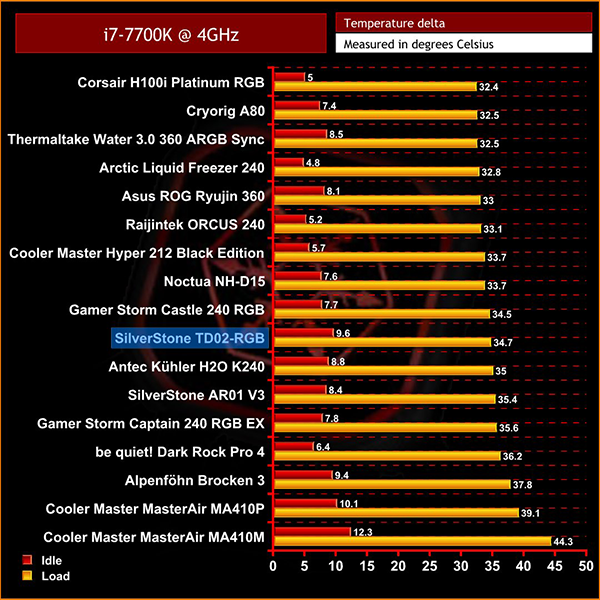
At stock speeds the TD02-RGB performs pretty admirably, coming in just behind the Gamer Storm Castle 240, but only by 0.2 degrees, so it's pretty much the same performance when compared to a similar 240mm AIO liquid cooler.
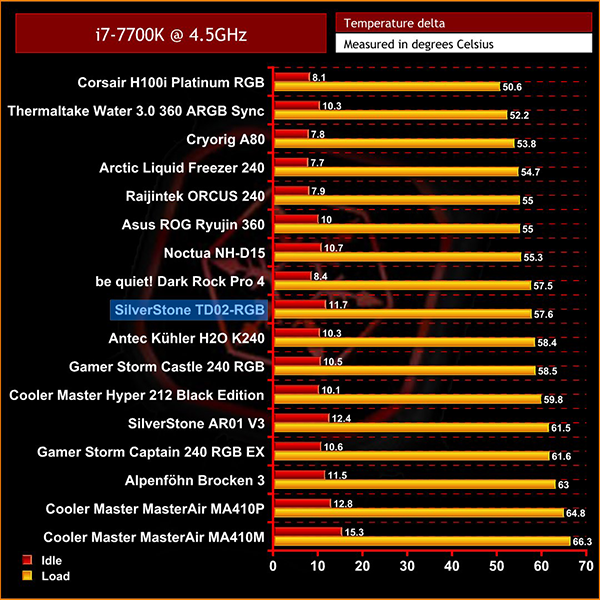
With our 4.5GHz overclock the TD02-RGB actually surpasses the Castle 240 and sits basically in the middle of the pack, still performing well relative to its price point.
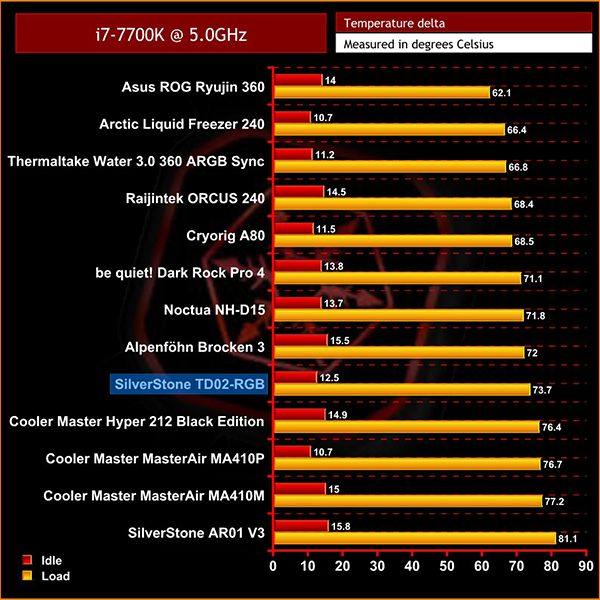
Our 5GHz testing was slightly less impressive though, as the TD02-RGB fell behind models like the Arctic Liquid Freezer 240 – losing out by about 7 degrees or so – but clearly at this kind of overclock you’d be much better off with a larger 360mm radiator cooler.
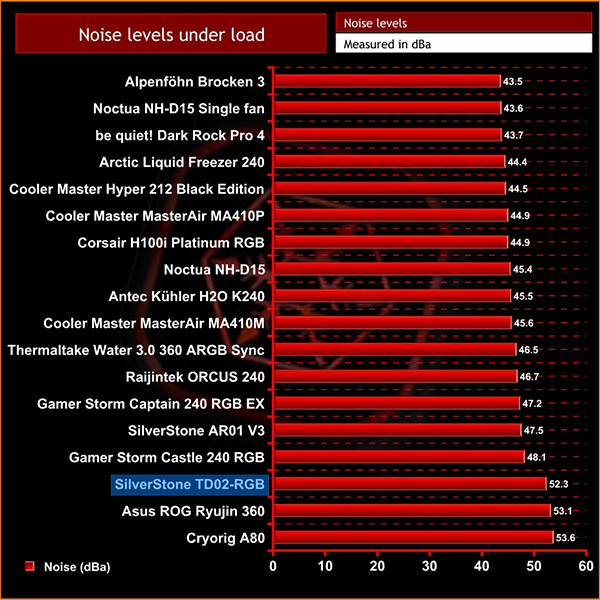
Noise levels also were quite high, with the TD02-RGB pretty audible at 52.3 dBa. The included fans can spin up to 2200RPM which does explain the louder operation, so there would be scope to replace these with quieter models if you felt inclined – but that obviously adds extra cost to the bundle, when at £60 the TD02-RGB is really all about value for money.
In conclusion, I have to say that overall the SilverStone TD02-RGB works very well. Cooling performance is not going to revolutionise the AIO market, but the TD02-RGB does hold its own when compared to similar 240mm coolers, which is only more impressive when we consider its low price point relative to models from the likes of Deepcool and Corsair.
It feels well built and solid, and I really like some of the extras SilverStone have added, like the plastic clip on radiator covers which clean up the sides of the radiator, and as they are primarily transparent, also help to reflect some of the fans' RGB lighting.
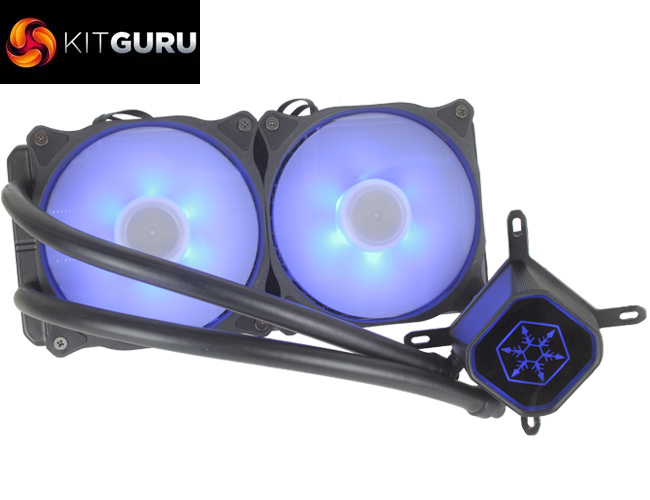
It's also good to see the use of standard 4-pin RGB connectors rather than a proprietary system, as this enables easy expansion and wide levels of compatibility. It's worth noting that a RGB controller isn’t included, but this being said the £59.99 price point does make the TD02-RGB pretty good value for money from a performance perspective, and the addition of RGB lighting becomes a nice bonus.
So overall, it is certainly a good cooler. It will appeal to those looking for a decent-performing AIO that comes in towards the cheaper end of the spectrum, while the RGB pump and fans only adds extra value.
The SilverStone Tundra Series TD02-RGB is currently available from SCAN for £59.99 inc. VAT HERE.
Pros
- Clean aesthetic thanks to carbon fibre radiator covers.
- At £59.99 it performs surprisingly well.
- Standard 4-pin RGB connectors make adding additional LEDs really easy.
- Easy to install.
Cons
- No included RGB controller.
- One of the louder 240mm coolers tested at 52.3 dBa.
KitGuru says: The SilverStone Tundra Series TD02-RGB does actually perform pretty well for its £59.99 price. Though there are clearly a couple of cost saving measures, like the lack of an included controller or even printed instructions, it still holds its own when compared to some dearer offerings from the competition, with RGB lighting included too.