KitGuru KitGuru.net – Tech News | Hardware News | Hardware Reviews | IOS | Mobile | Gaming | Graphics Cards


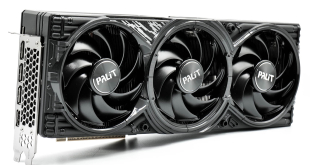
Today we are back another RTX 5070 Ti review, as we check out Palit's GamingPro OC model. Sticking with a triple-fan design and a full-length metal backplate, this card also brings dual-BIOS functionality and ARGB lighting to the table, all while keeping pricing in check – compared to some other models, at least!. We put it through its paces today to see how it stacks up against the competition.
A lot has changed since we first got hands on with the RTX 5070 Ti back in February – primarily, AMD has since unleashed RDNA 4, with the RX 9070 XT proving to be a capable competitor in this market segment. However, the RTX 5070 Ti still has plenty of merit, primarily due to its superior ray tracing performance alongside its support for DLSS. Let's see what Palit's RTX 5070 Ti GamingPro OC partner card adds to the mix.
| RTX 5090 | RTX 5080 | RTX 5070 Ti | RTX 4070 Ti Super | RTX 4070 Ti | |
| Process | TSMC N4 | TSMC N4 | TSMC N4 | TSMC N4 | TSMC N4 |
| SMs | 170 | 84 | 70 | 66 | 60 |
| CUDA Cores | 21760 | 10752 | 8960 | 8448 | 7680 |
| Tensor Cores | 680 | 336 | 280 | 264 | 240 |
| RT Cores | 170 | 84 | 70 | 66 | 60 |
| Texture Units | 680 | 336 | 280 | 264 | 240 |
| ROPs | 176 | 112 | 96 | 96 | 80 |
| GPU Boost Clock | 2407 MHz | 2617 MHz | 2452 MHz | 2610 MHz | 2610 MHz |
| Memory Data Rate | 28 Gbps | 30 Gbps | 28 Gbps | 21 Gbps | 21 Gbps |
| L2 Cache | 98304 KB | 65536 KB | 49152 KB | 49152 KB | 49152 KB |
| Total Video Memory | 32GB GDDR7 | 16GB GDDR7 | 16GB GDDR7 | 16GB GDDR6X | 12GB GDDR6X |
| Memory Interface | 512-bit | 256-bit | 256-bit | 256-bit | 192-bit |
| Memory Bandwidth | 1792 GB/Sec | 960 GB/Sec | 896 GB/Sec | 672 GB/Sec | 504 GB/Sec |
| TGP | 575W | 360W | 300W | 285W | 285W |

First, a quick spec recap. Whereas the RTX 5080 is a full implementation of the GB203 die (378mm2), RTX 5070 Ti is cut down across the board. Comprised of six Graphics Processing Clusters (GPCs), each holds up to eight Texture Processing Clusters (TPCs), with a total of 35. Each TPC is home to two Streaming Multiprocessors (SMs), giving us 84, and each SM still holds 128 CUDA Cores, meaning the RTX 5070 Ti has a total of 8960 shaders. We also find 70 RT cores, 280 Tensor cores, 280 Texture Units, and 96 ROPs.
This time around, however, there's no node-shrink, and GB203 remains fabricated on TSMC's N4 node, as per the RTX 40 series. As such, rated clock speed has not stepped forwards this generation, with the RTX 5070 Ti rated at 2452MHz, though Palit has increased this to 2482MHz.
The memory configuration is almost identical to the RTX 5080. That means we find 16GB of GDDR7 memory, but it's clocked slightly slower, at 28Gbps, and that puts total memory bandwidth at 896 GB/s, a 33% increase over the RTX 4070 Ti Super. L2 cache still comes in at 49MB.
Lastly, the RTX 5070 Ti features a 300W TGP, which Palit has not increased out of the box with the GamingPro OC.
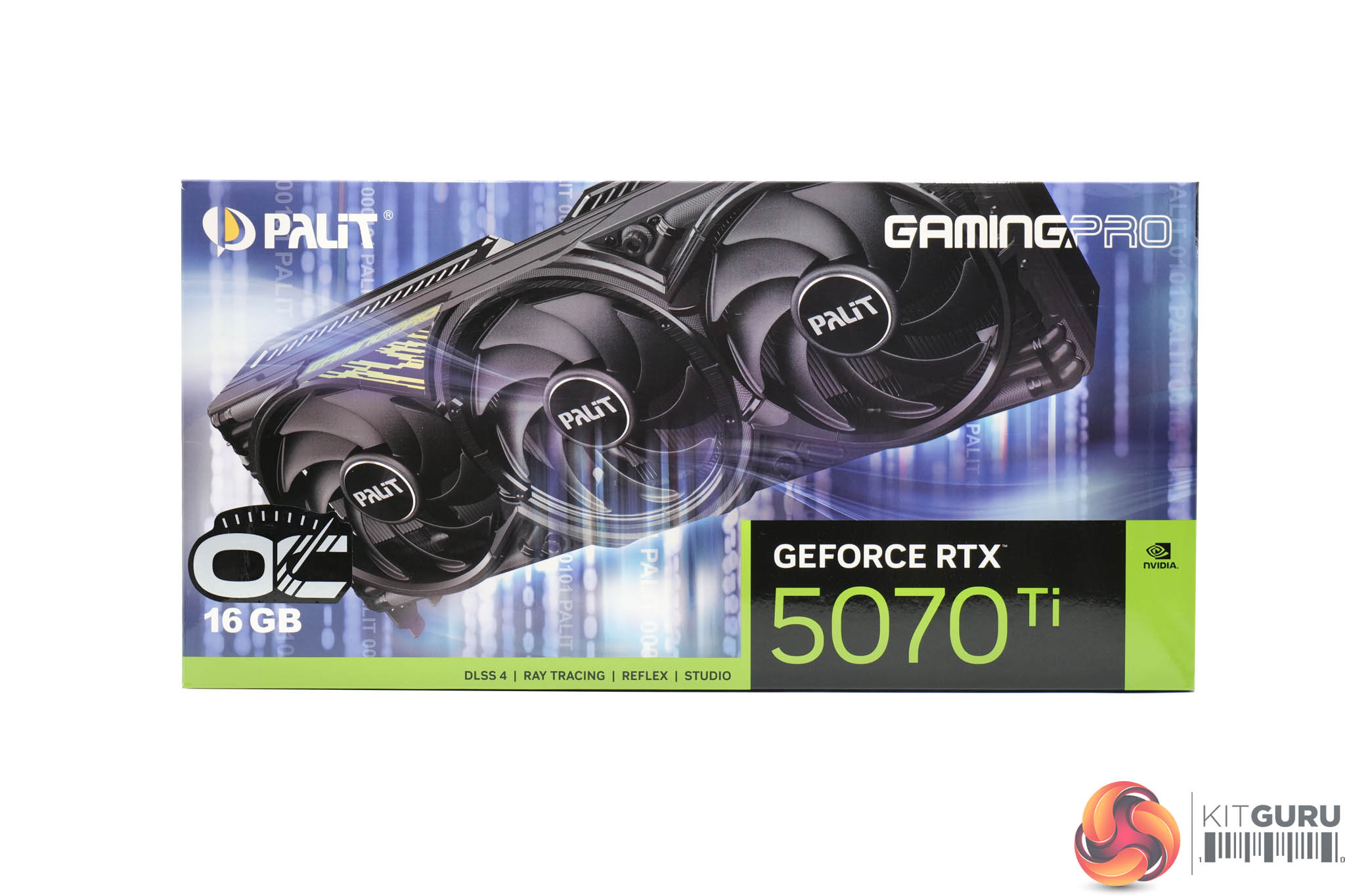
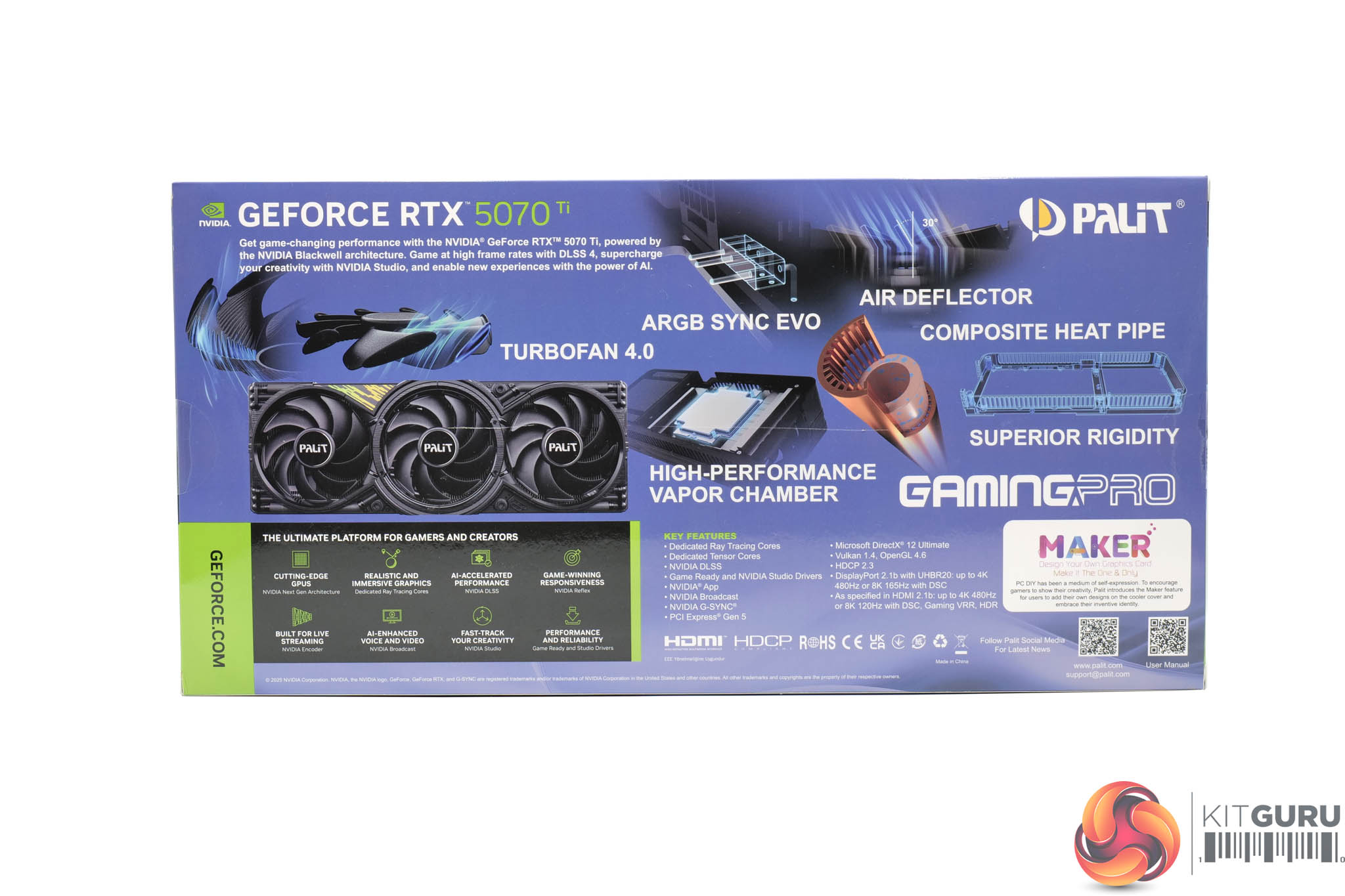
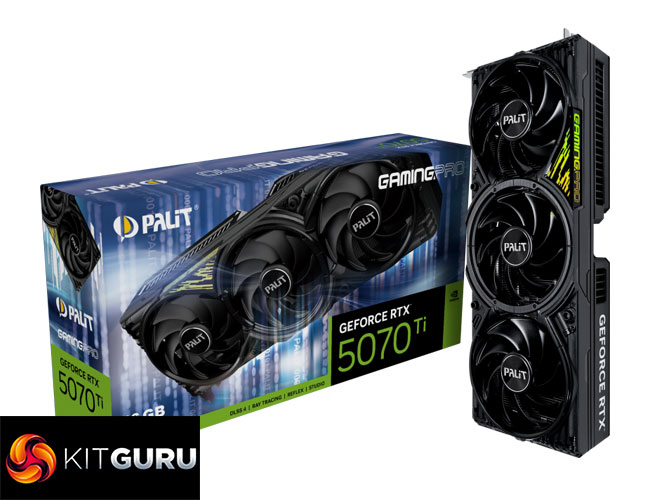
The Palit RTX 5070 Ti GamingPro OC ships in a blue box with a large image of the graphics card visible on the front. On the back, Palit mentions a few key areas of the graphics card.
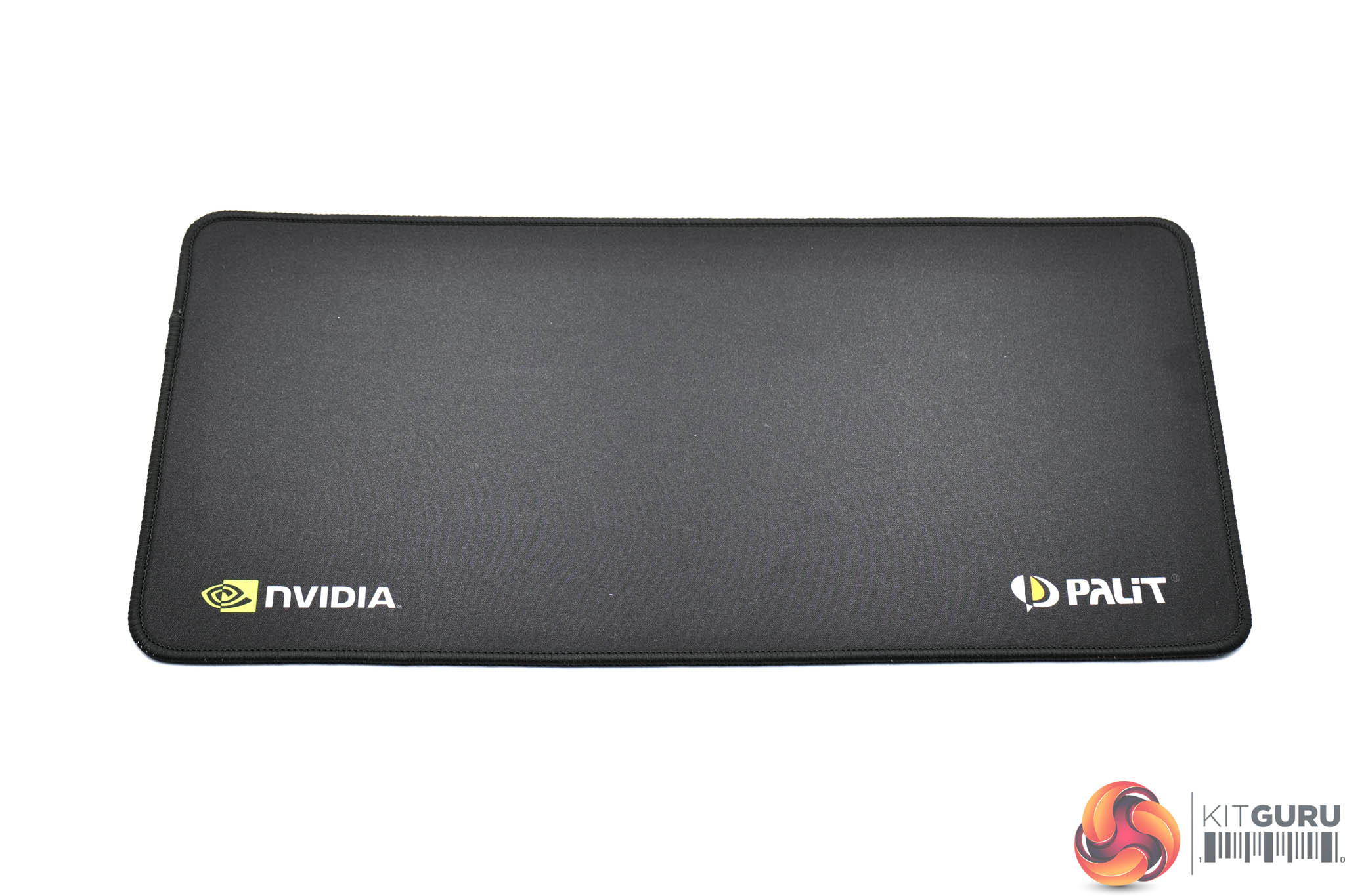
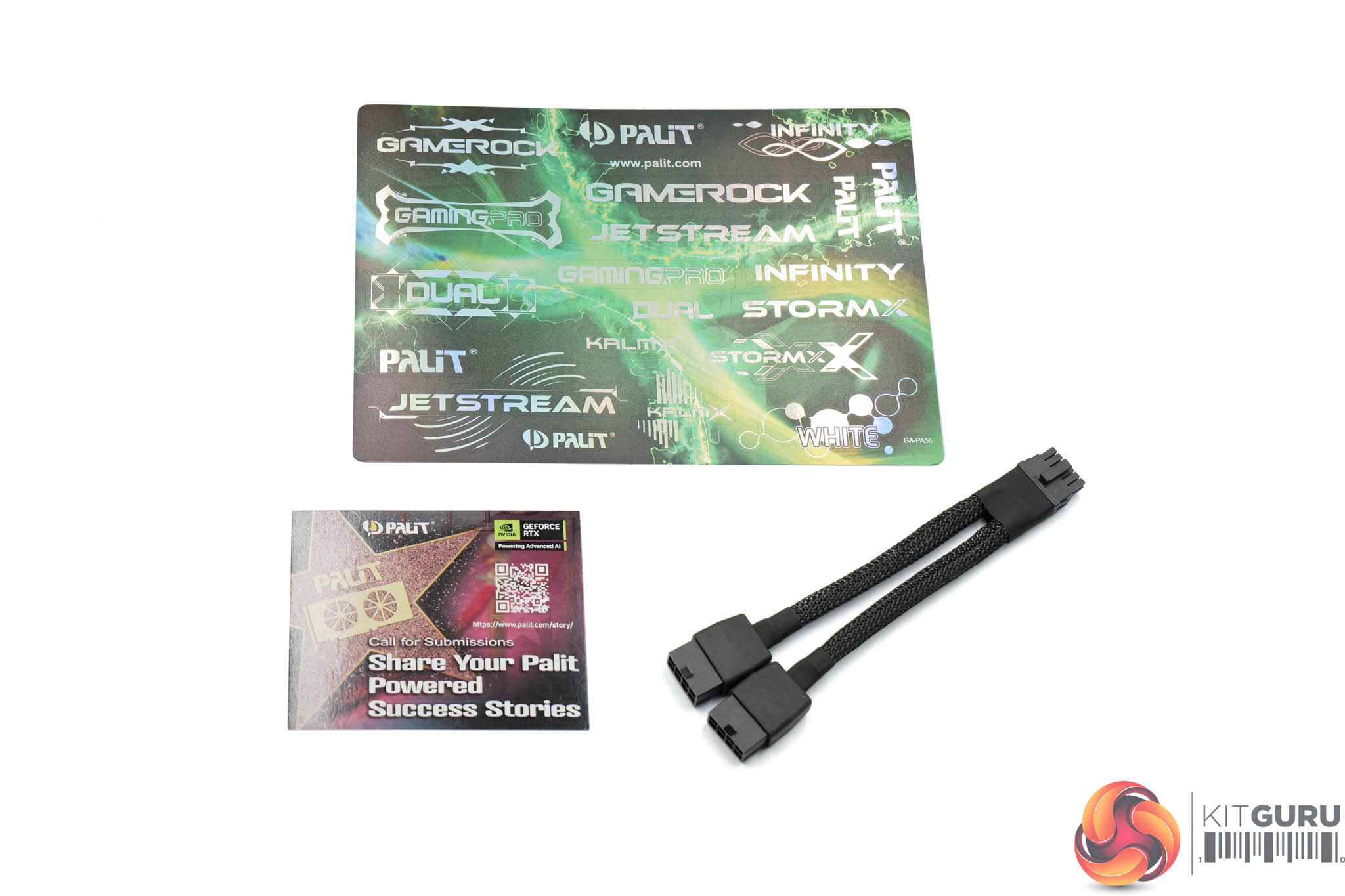
Inside, a small mousepad is included, Nvidia and Palit branded, along with a whole bunch of stickers and the dual 8-pin power adapter.
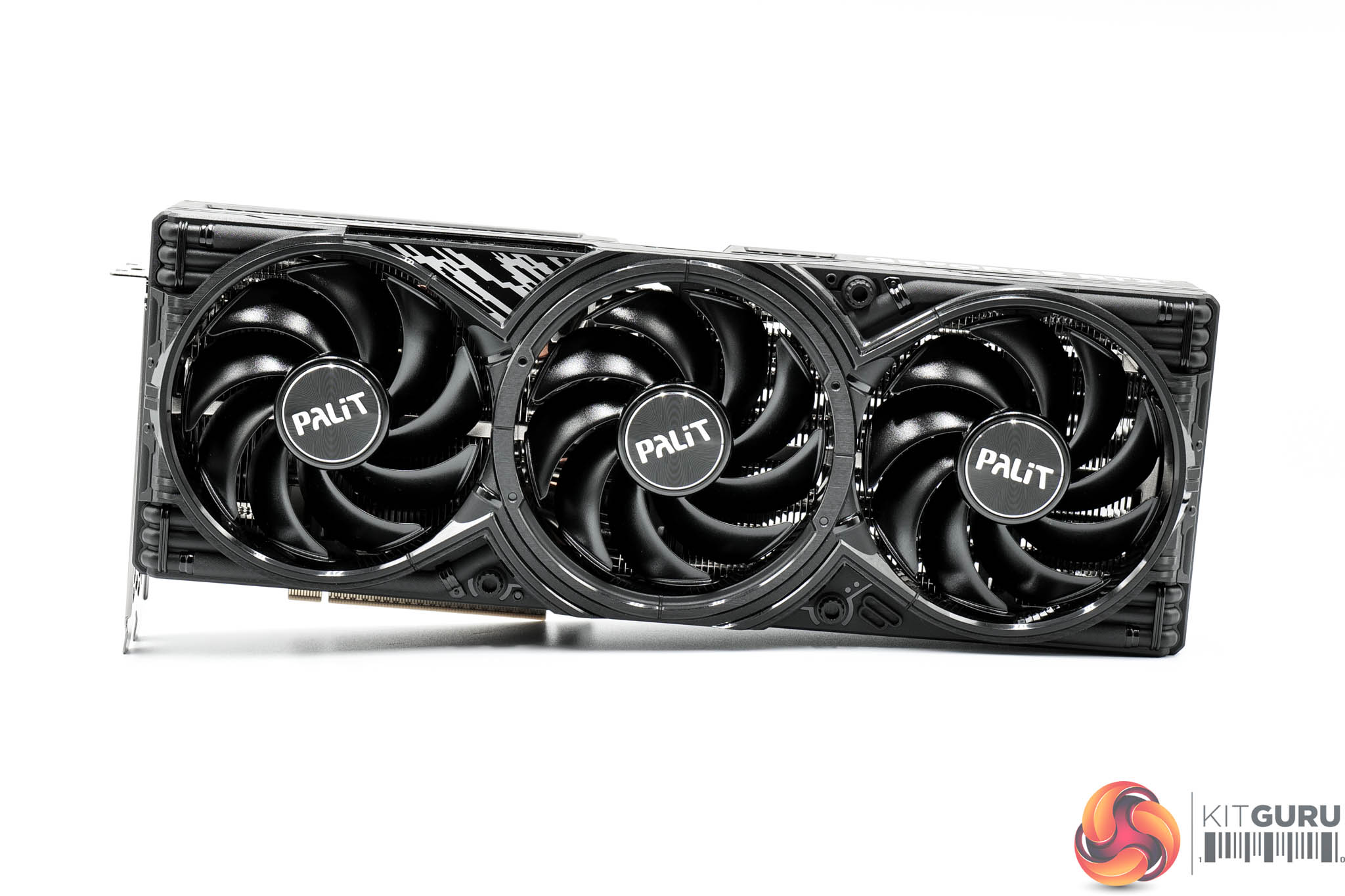
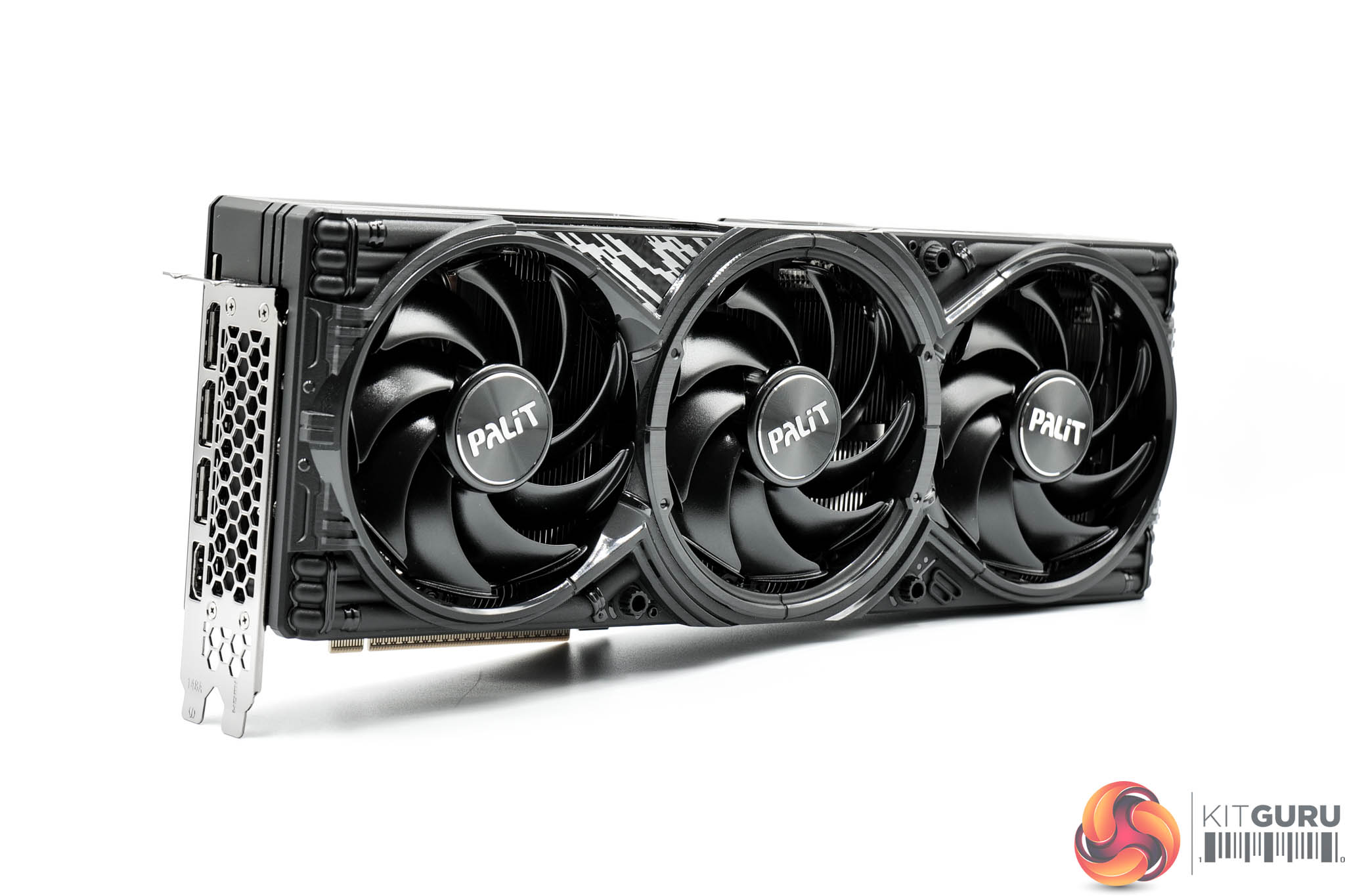
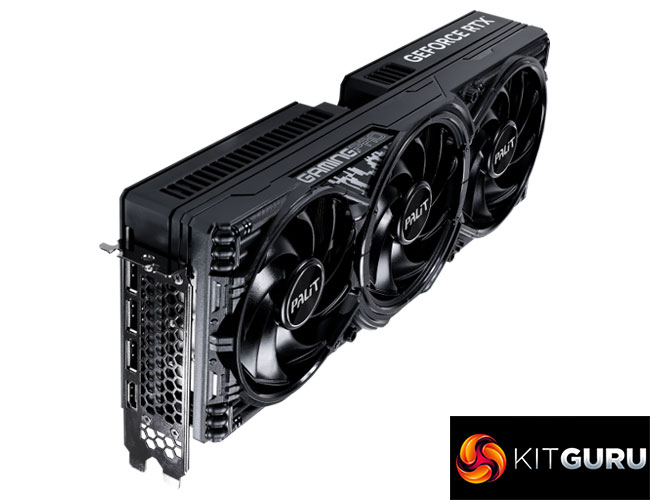
The graphics card itself is visually identical to the RTX 5080 model we looked at earlier in the year. That means it is sporting the same shroud design, which is plain black all over, but with some glossy sections which add some reflectivity. I don't think it's ugly per se, but compared to the MSI Vanguard SOC model we reviewed recently, it does look less refined to my eye.
It does still offer three fans as part of the cooling solution, with each measuring 100mm in diameter.
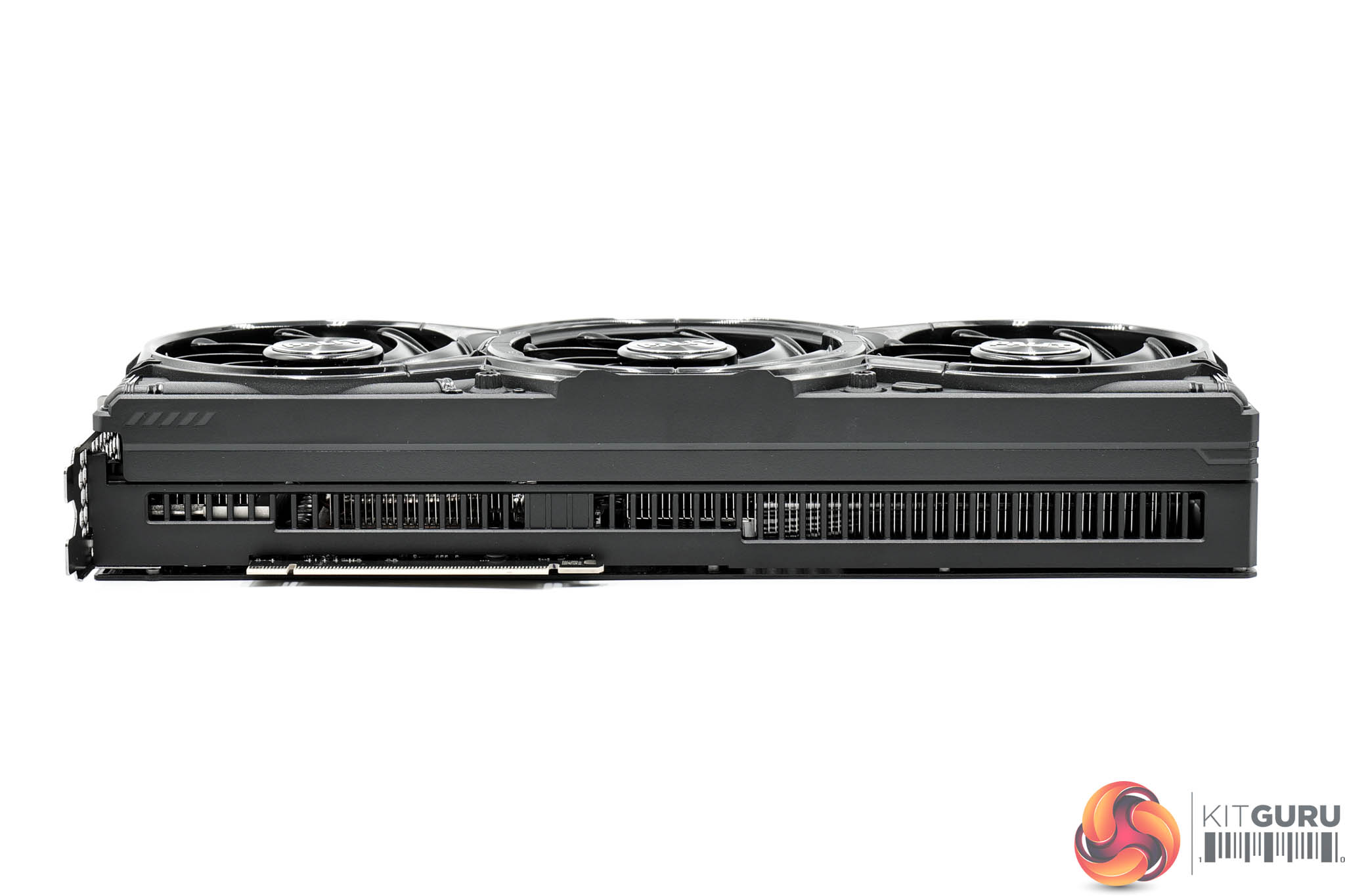
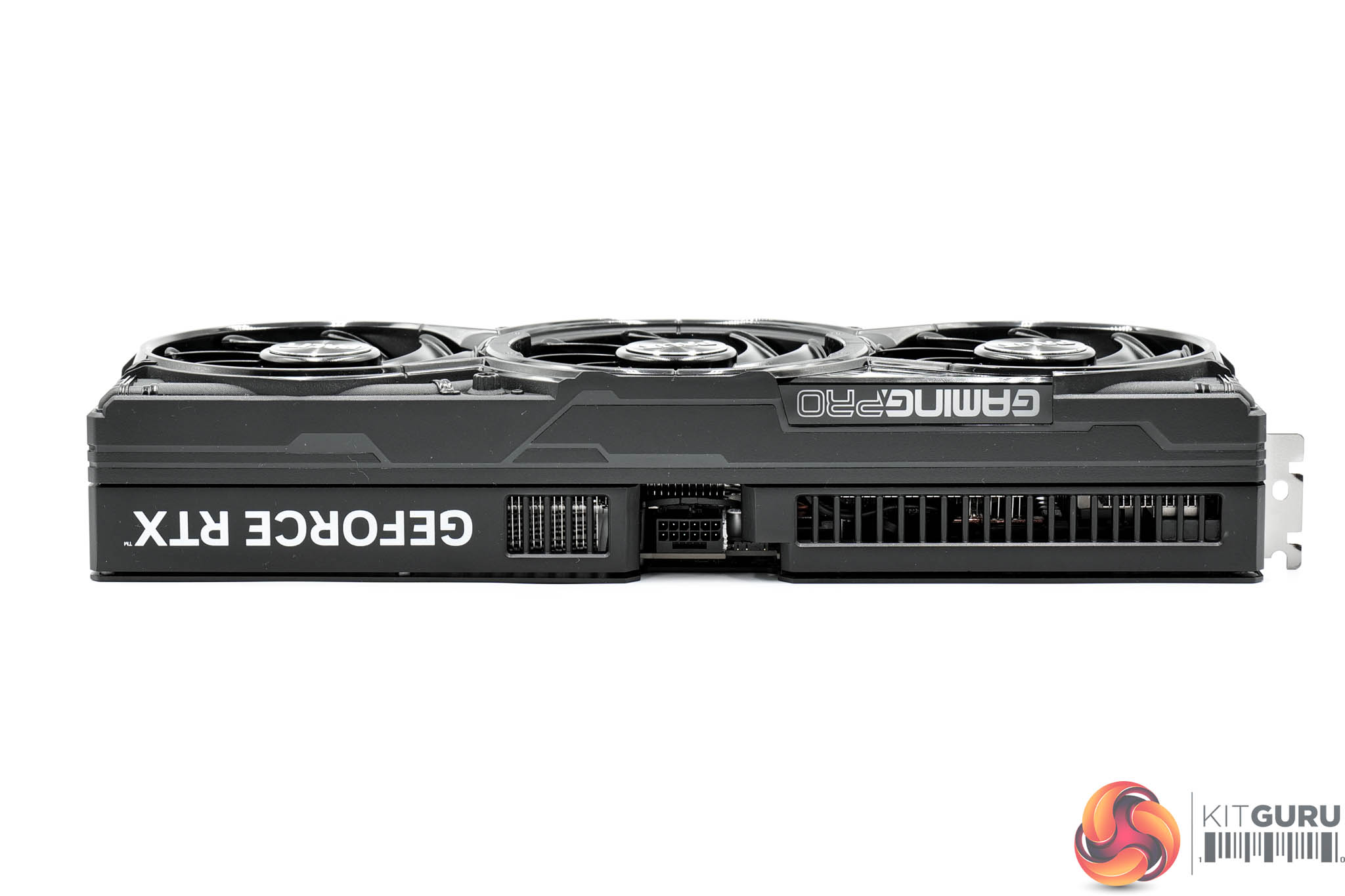
Dimensions are identical to the 5080 model, measuring 331.9 x 127.1 x 60 mm, while it weighed in at 1581g on my scales.
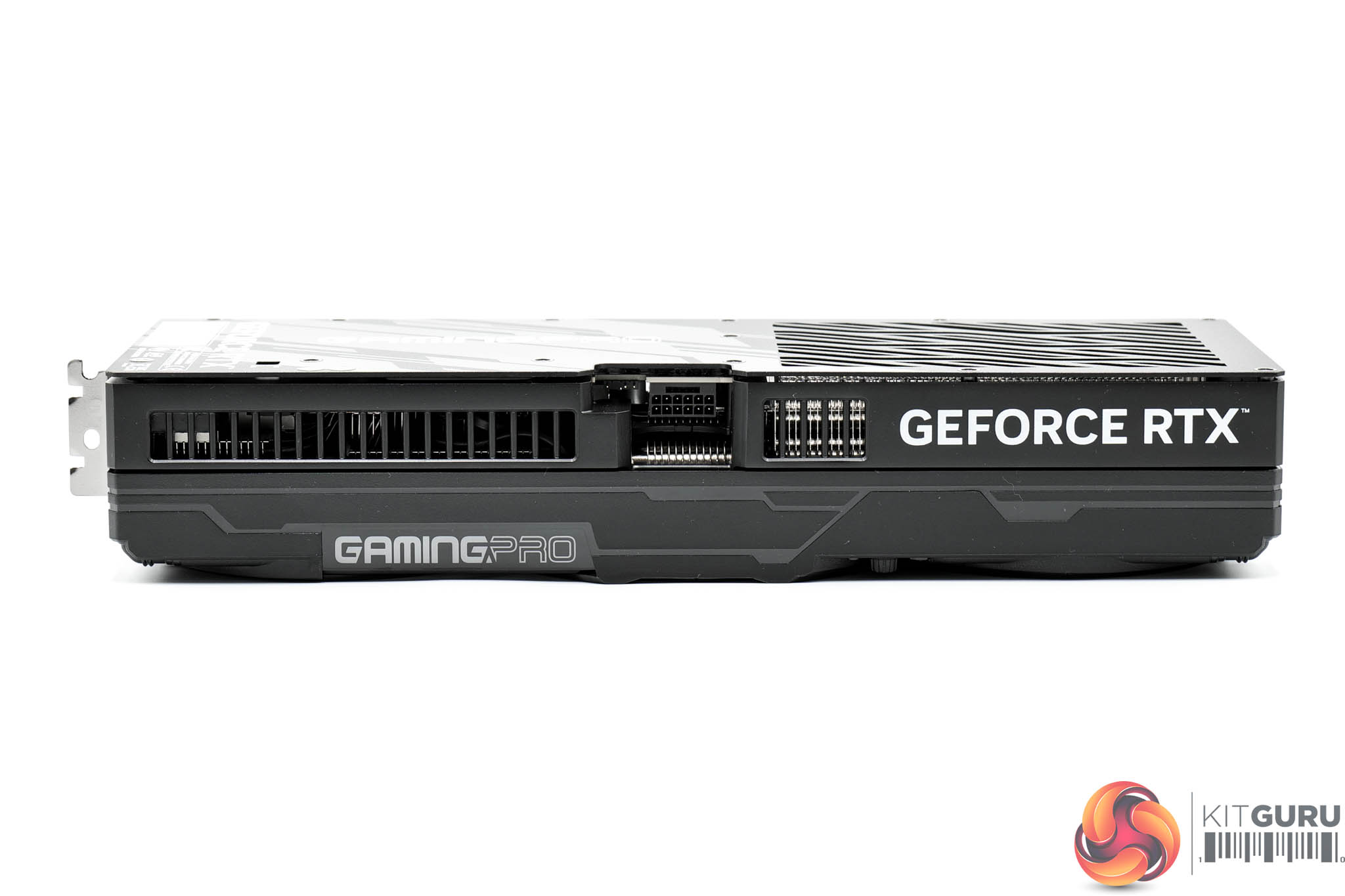
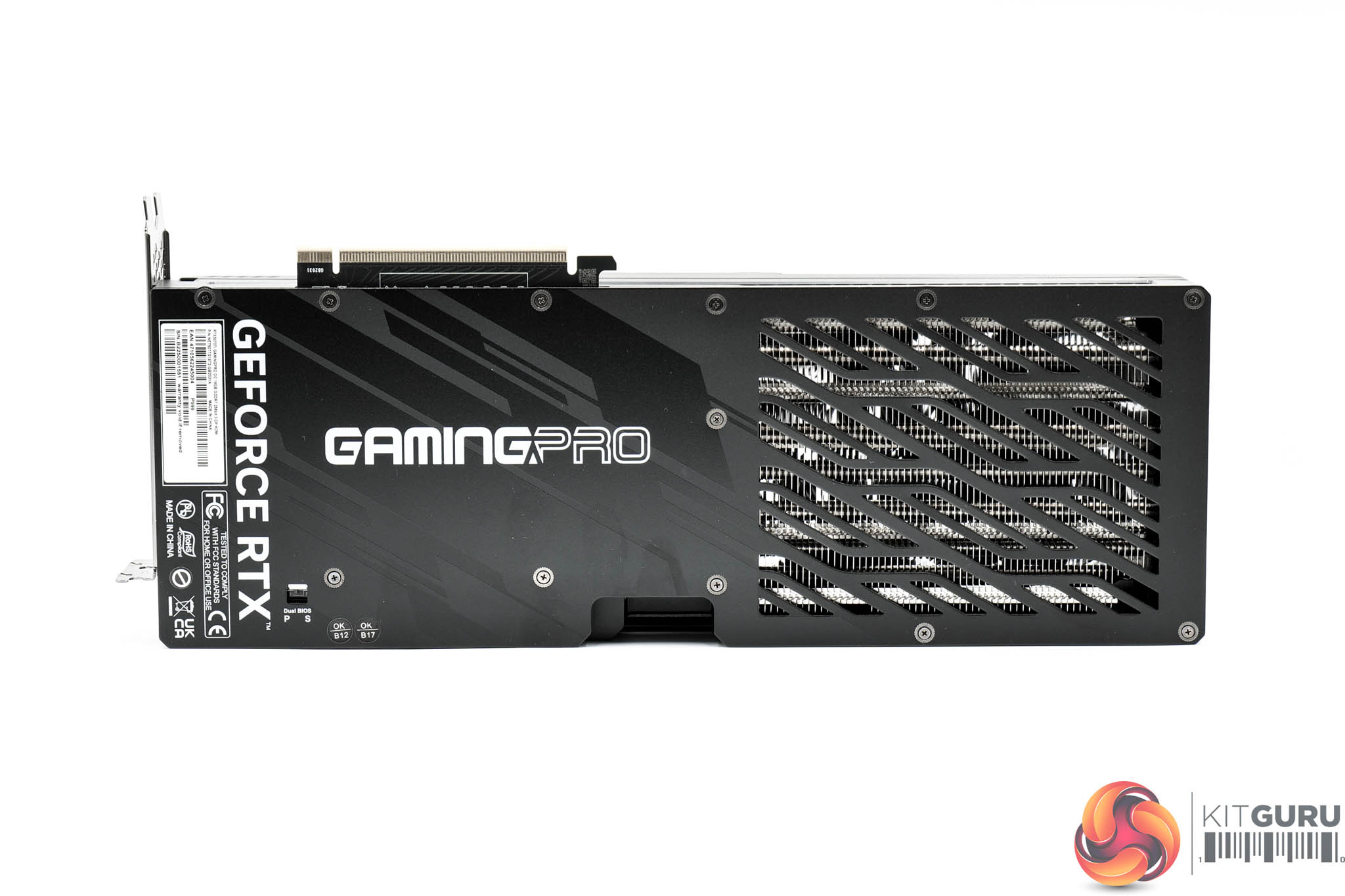
The front side of the card is home to the GeForce RTX and GamingPro logos, the latter of which is illuminated by RGB LEDs.
As for the backplate, it's another full-length metal design, but almost half of it has been cut out to act as the ‘flow through' area, though it's not completely open as Palit has opted for a vented approach.
There's also a BIOS switch positioned near to the I/O bracket, offering users a choice of Silent or Performance modes, with the former operating a more relaxed fan curve.
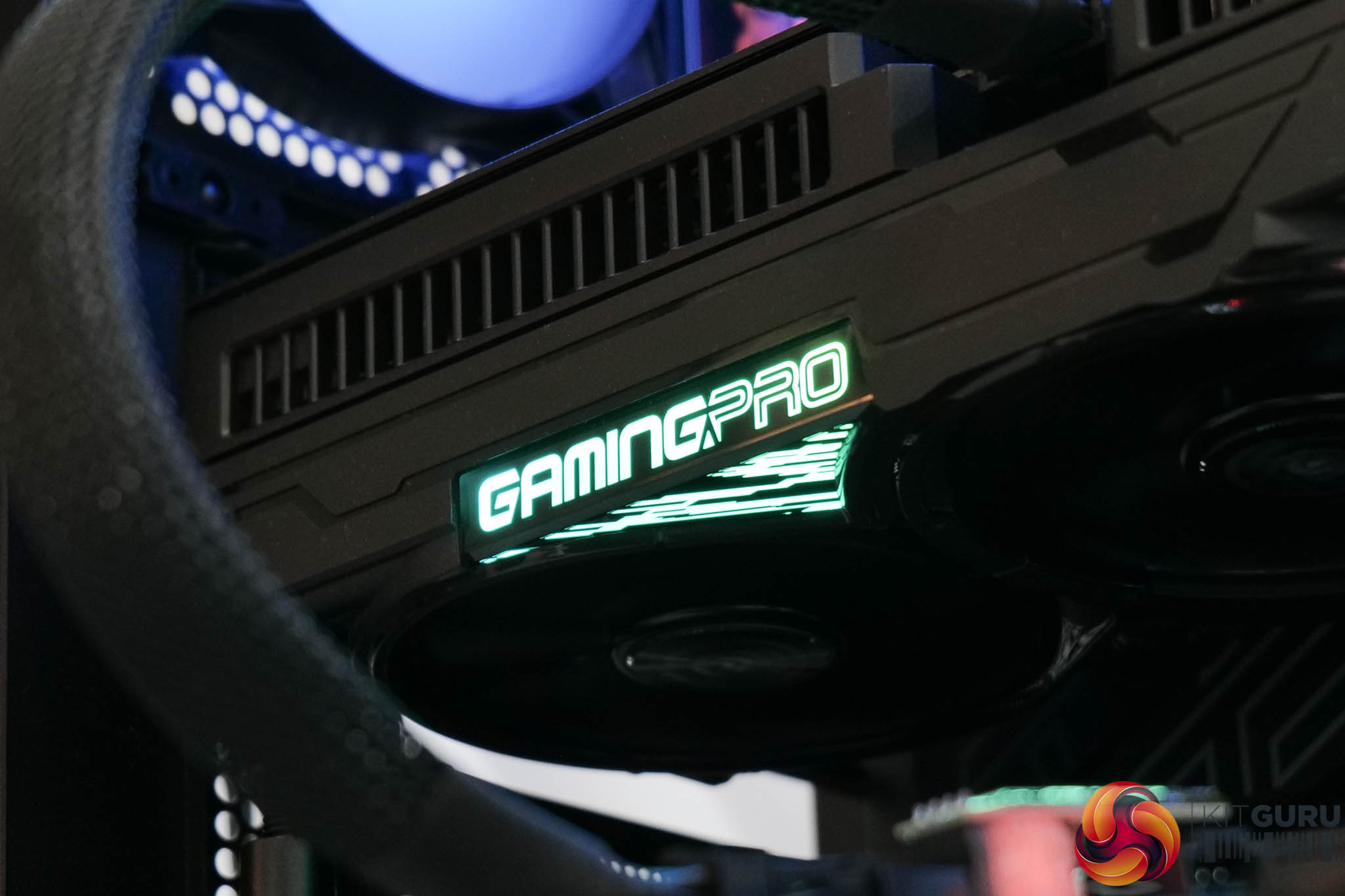
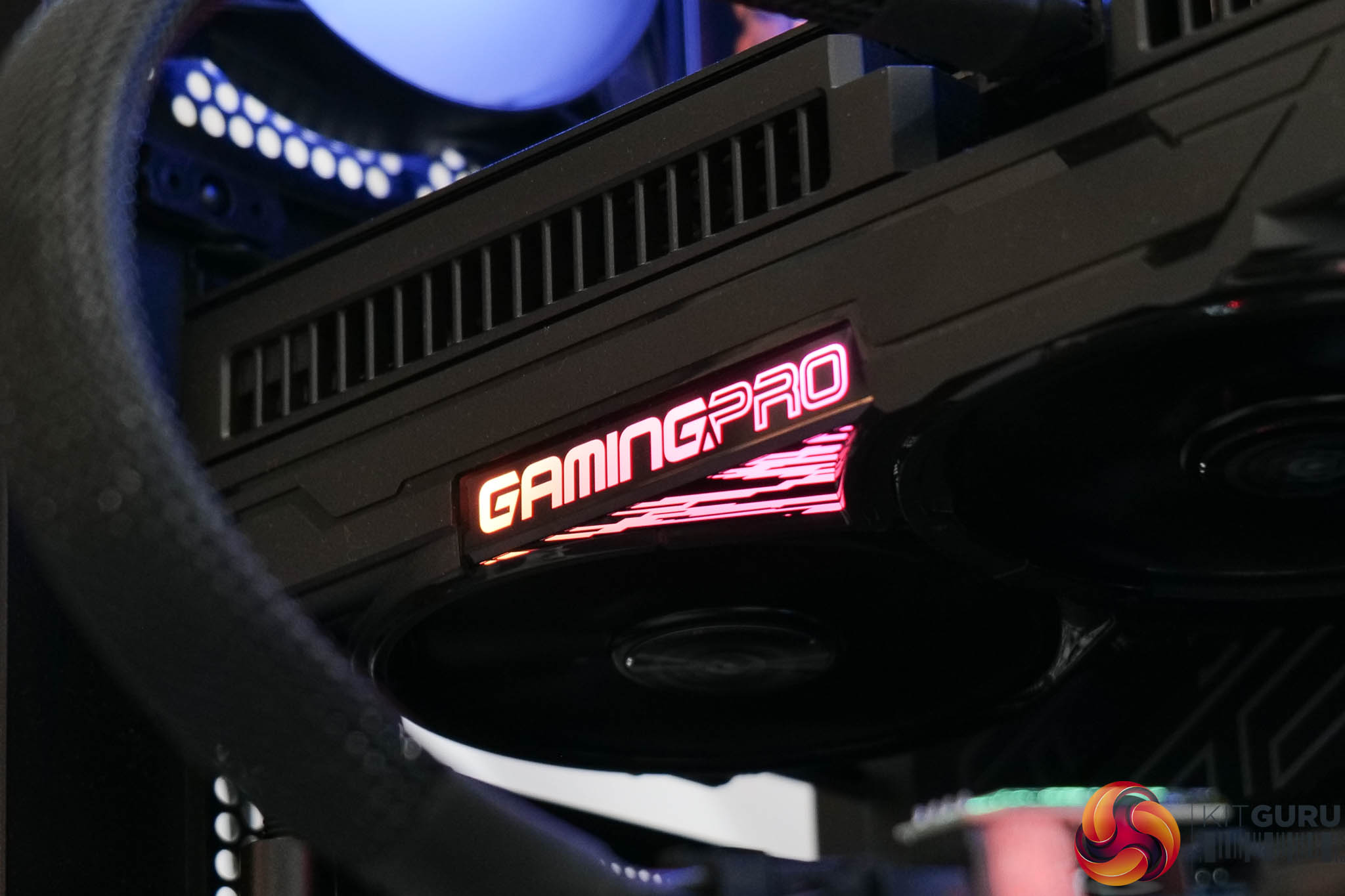
Here we can see the RGB lighting in action, and you can also connect an ARGB cable to the card and control the lighting via your motherboard if that is your preference.
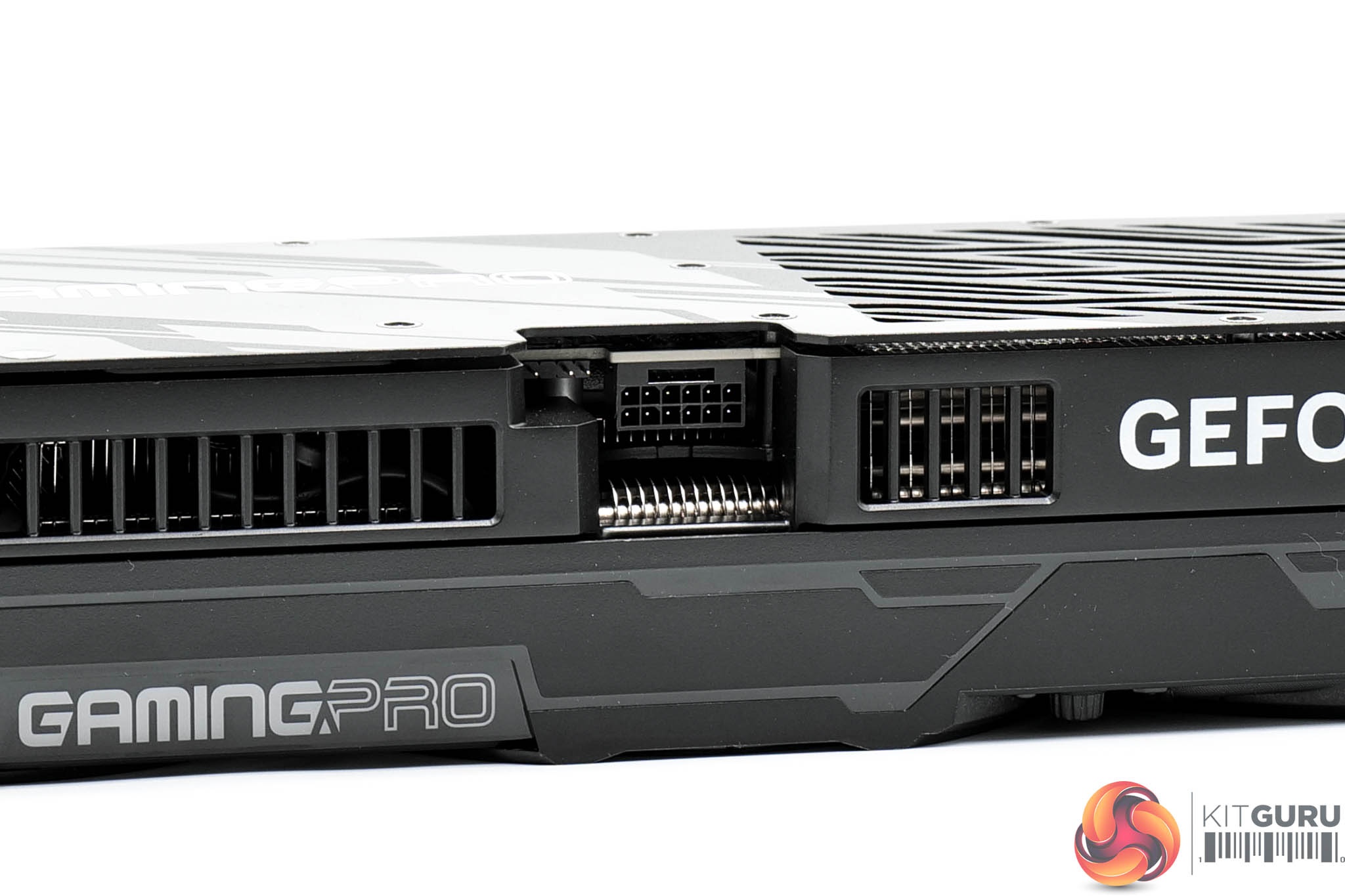
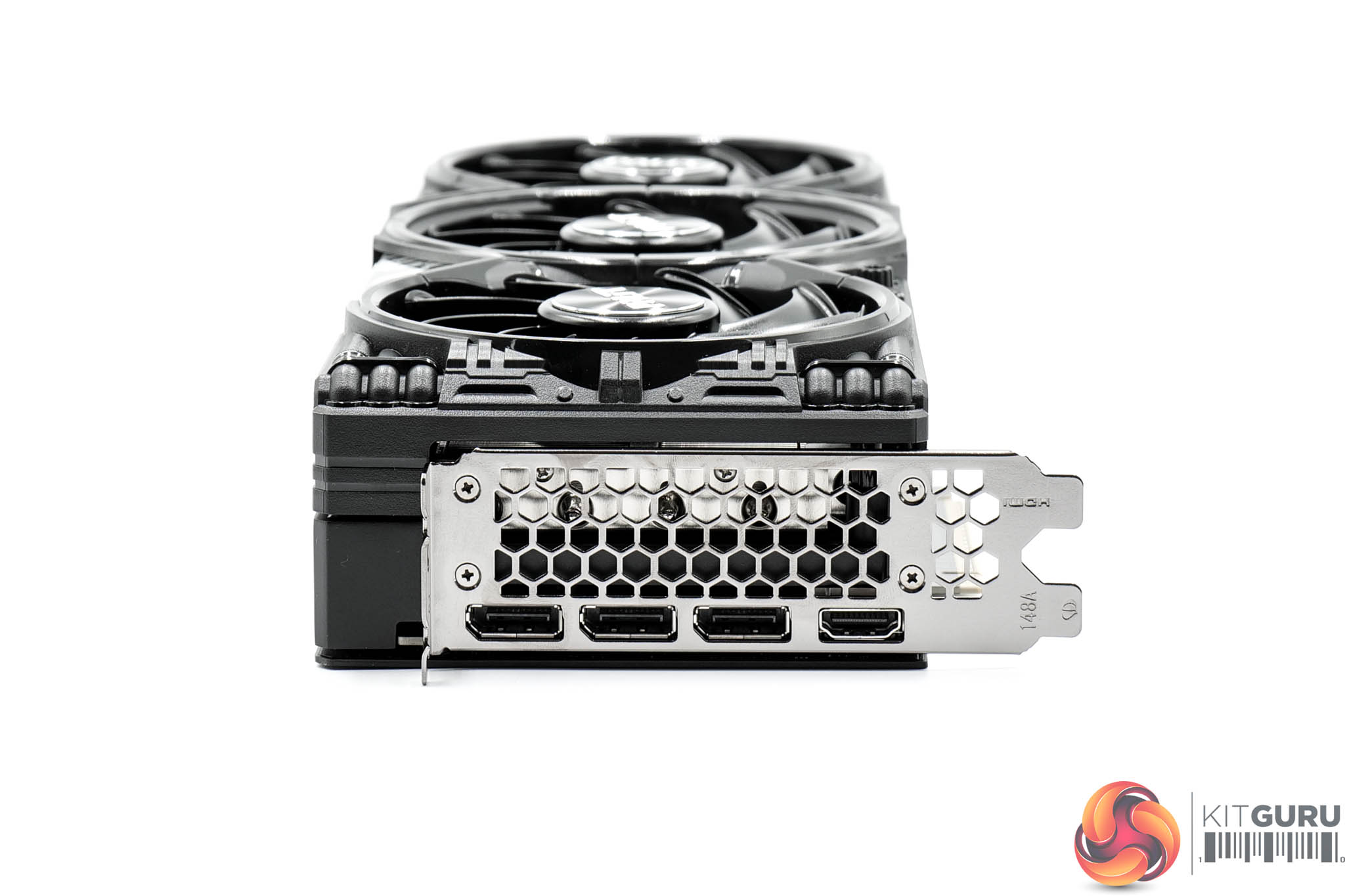
As expected, power is delivered by a single 12V-2X6 connector. Display outputs consist of three DP 2.1 and one HDMI 2.1 ports.

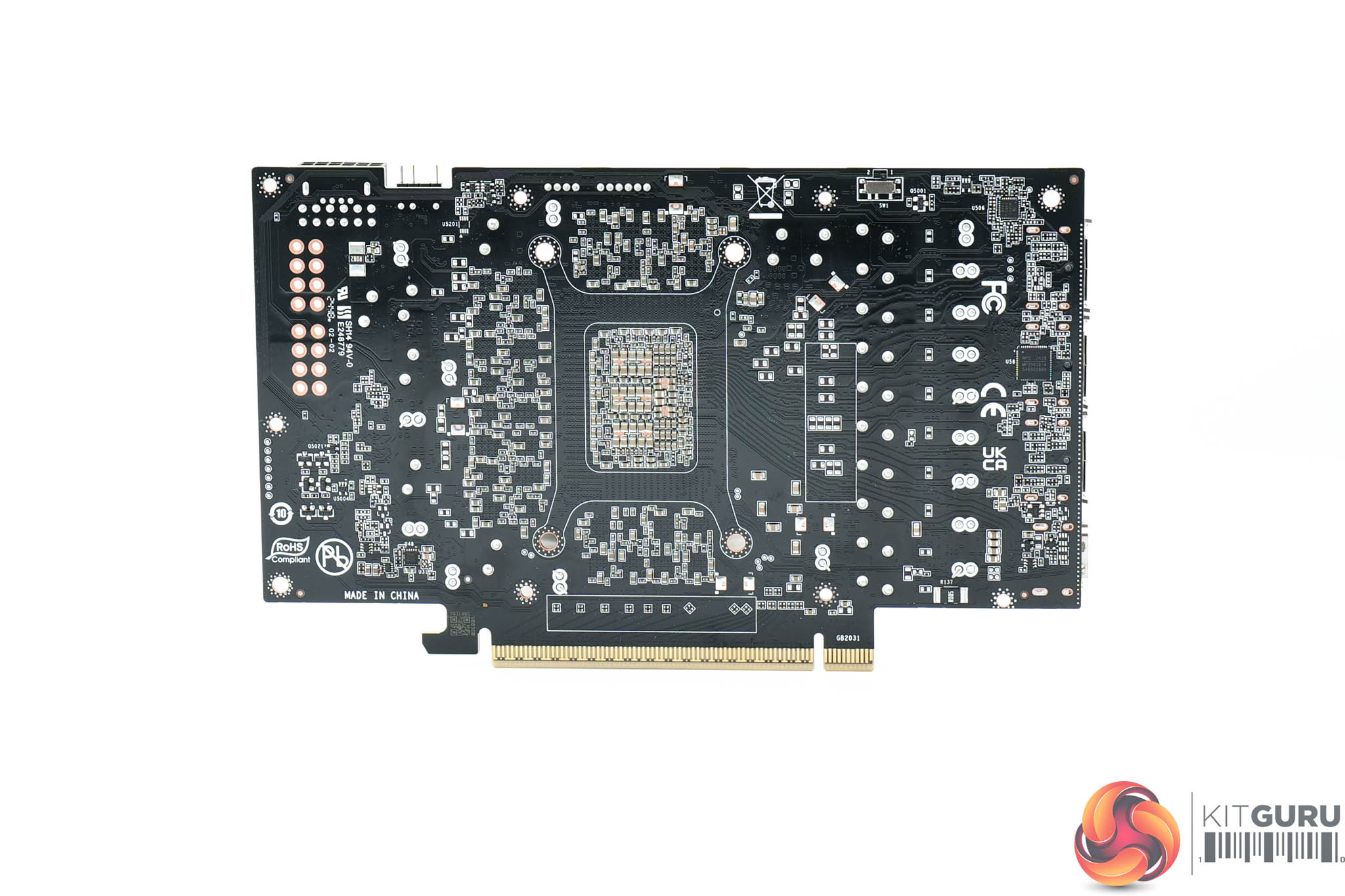
Looking now at the PCB, it's quite densely packed, offering 14 phases for the GPU, and 3 for the memory. Monolithic Power Systems MP87993 MOSFETs are used throughout, and these are rated at 50A. The GPU VRM is controlled by a Monolithic MP29816 controller, while a Monolithic MP2988 handles the memory VRM.
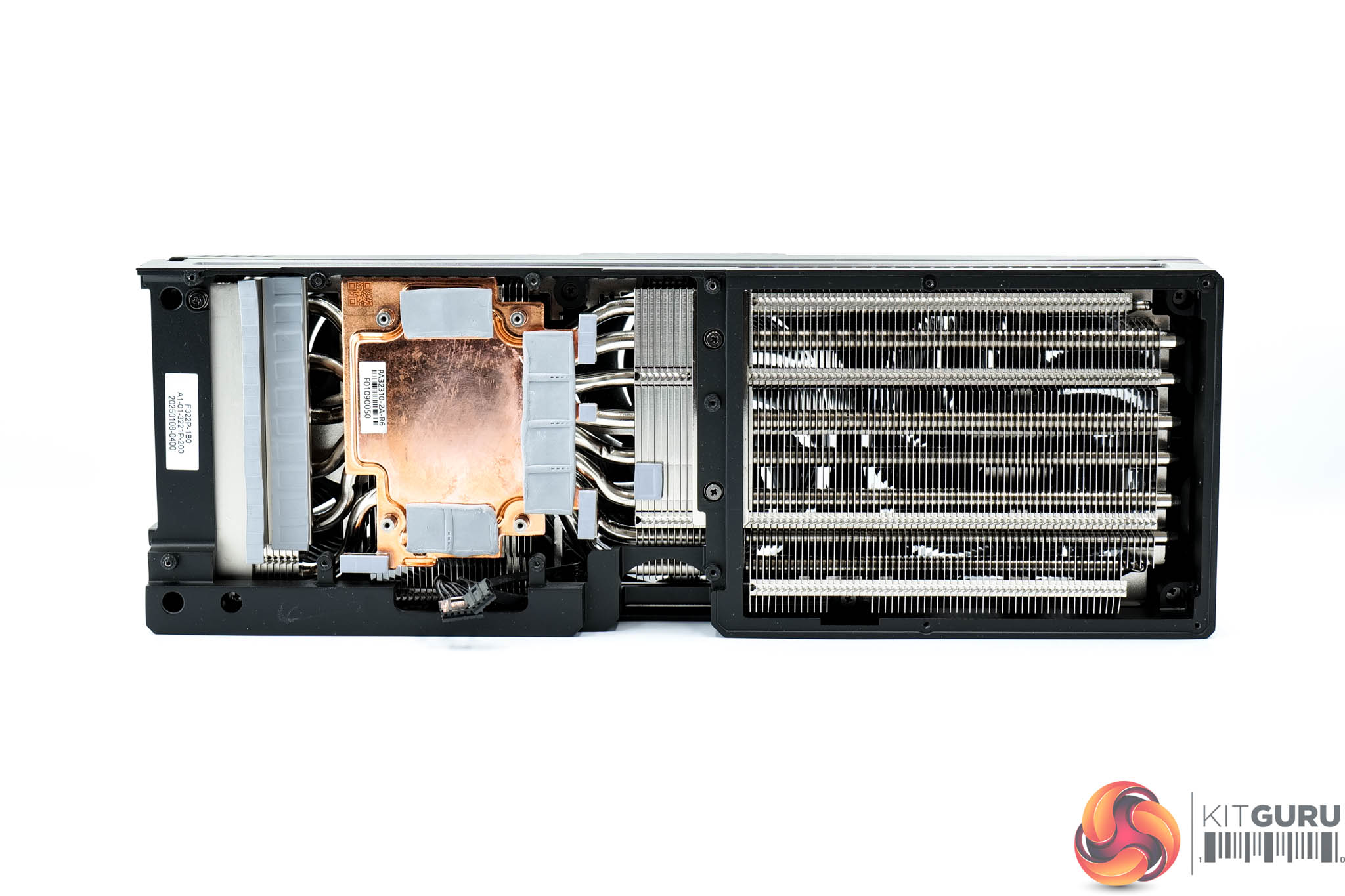
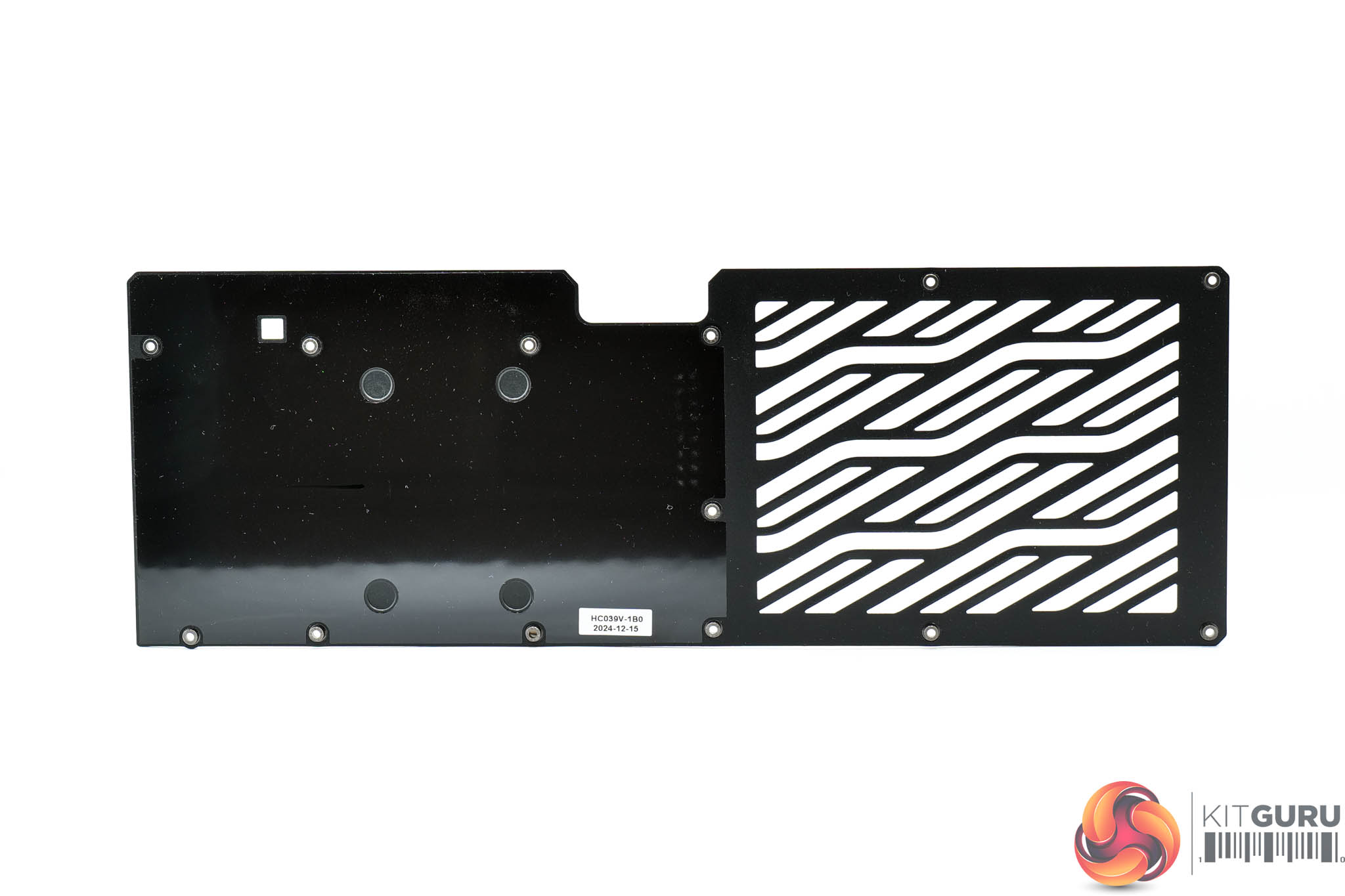
Internally, the heatsink also appears identical to the RTX 5080 model, given Palit is using a vapour chamber to contact the GPU and memory, though the MOSFETs are cooled by separate baseplates. The fin stack utilises a total of eight heatpipes.
No thermal pads are used on the rear of the PCB to contact with the backplate.
Driver Notes
- AMD GPUs (except RX 9070 series) were benchmarked with the Adrenalin 24.12.1 driver.
- AMD RX 9070 and RX 9070 XT were benchmarked with the Adrenalin 24.30.31.03 driver supplied to press.
- Nvidia GPUs (except for RTX 50 series) were benchmarked with the 566.14 driver.
- RTX 5090 was benchmarked with the 571.86 driver supplied to press.
- RTX 5080 was benchmarked with the 572.02 driver supplied to press.
- RTX 5070 Ti was benchmarked with the 572.43 driver supplied to press.
- RTX 5070 was benchmarked with the 572.50 driver supplied to press.
Results are only directly comparable where this exact configuration has been used.
Test System:
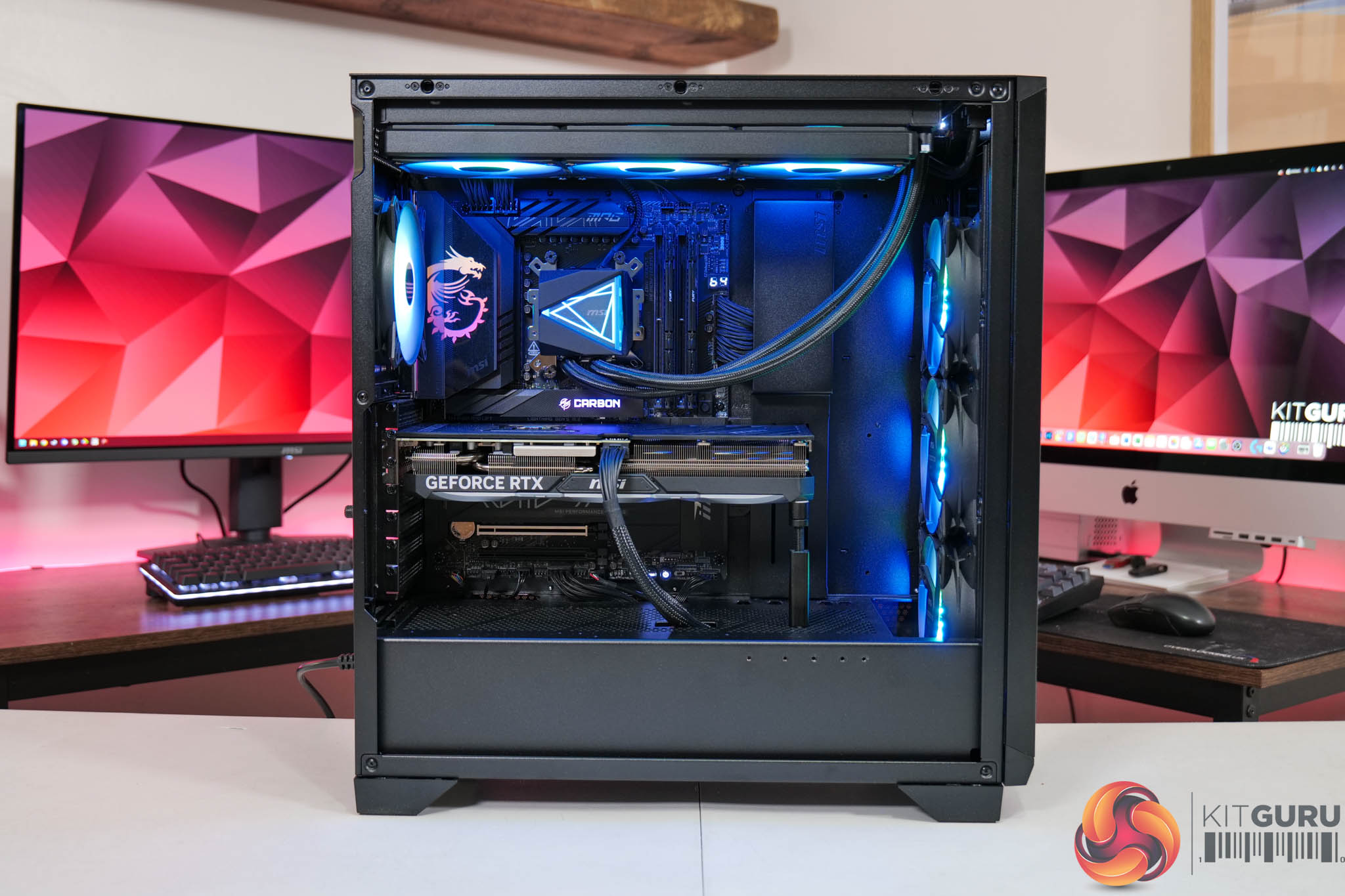
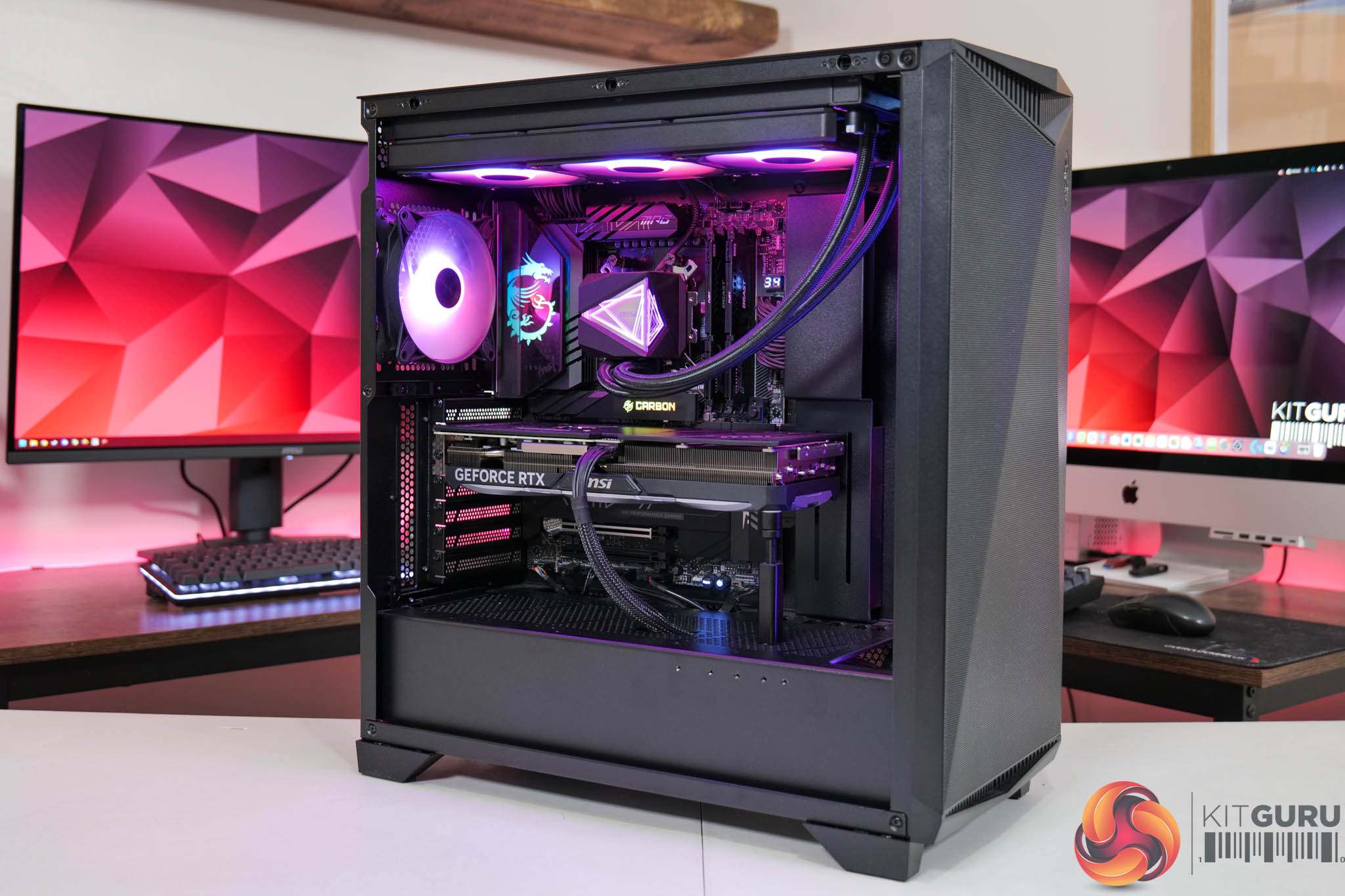
We test using a custom built system powered by MSI, based on AMD's Zen 5 platform. You can view the Powered by MSI store on AWD-IT's website HERE.
| CPU |
AMD Ryzen 7 9800X3D
|
| Motherboard |
MSI MPG X870E Carbon WiFi
|
| Memory |
64GB (2x32GB) Kingston Fury Beast DDR5 6000MT/s CL30
|
| Graphics Card |
Varies
|
| SSD |
4TB Kingston NV3 Gen 4 PCIe NVMe
|
| Chassis | MSI MPG Gungnir 300R Airflow |
| CPU Cooler |
MSI MAG CoreLiquid i360
|
| Power Supply |
MSI MEG Ai1300P
|
| Operating System |
Windows 11 23H2
|
| Monitor |
MSI MPG 321URX QD-OLED
|
| Resizable BAR |
Enabled for all supported GPUs
|
Comparison Graphics Cards List
- ASRock RX 9070 XT Taichi 16GB
- Sapphire RX 9070 Pulse 16GB
- AMD RX 7900 XTX 24GB
- AMD RX 7900 XT 20GB
- Sapphire RX 7900 GRE Nitro+ 16GB
- AMD RX 7800 XT 16GB
- Sapphire RX 7700 XT Pulse 12GB
- Nvidia RTX 5090 FE 32GB
- Nvidia RTX 5080 FE 16GB
- MSI RTX 5070 Ti Ventus 3X 16GB
- Nvidia RTX 5070 FE 12GB
- Nvidia RTX 4090 FE 24GB
- Nvidia RTX 4080 Super FE 16GB
- MSI RTX 4070 Ti Super Ventus 3X 16GB
- Gigabyte RTX 4070 Ti Gaming 12GB
- Nvidia RTX 4070 Super FE 12GB
- Nvidia RTX 4070 FE 12GB
- Nvidia RTX 3080 Ti FE 12GB
- Nvidia RTX 3070 Ti FE 8GB
- Nvidia RTX 3070 FE 8GB
All cards were tested at reference specifications. For factory overclocked cards, this means we manually ‘undo' the overclock via MSI Afterburner or AMD/Intel's built-in tuning tools. Or, for cards like the Sapphire RX 7900 GRE Nitro+, we enable the reference-clocked BIOS instead of the default OC BIOS.
Software and Games List
- Alan Wake II (DX12)
- Black Myth: Wukong (DX12)
- Cyberpunk 2077 (DX12)
- F1 24 (DX12)
- Final Fantasy XVI (DX12)
- Forza Horizon 5 (DX12)
- Ghost of Tsushima (DX12)
- Horizon Forbidden West (DX12)
- The Last of Us Part 1 (DX12)
- A Plague Tale: Requiem (DX12)
- Ratchet and Clank: Rift Apart (DX12)
- Returnal (DX12)
- Senua's Saga: Hellblade 2 (DX12)
- Shadow of the Tomb Raider (DX12)
- Starfield (DX12)
- Star Wars Outlaws (DX12)
- Total War: Warhammer III (DX11)
We run each benchmark/game three times, and present mean averages in our graphs. We use FrameView to measure average frame rates as well as 1% low values (99th percentile) across our three runs.
Here we test three games, all at 3840×2160 resolution using maximum image quality settings.
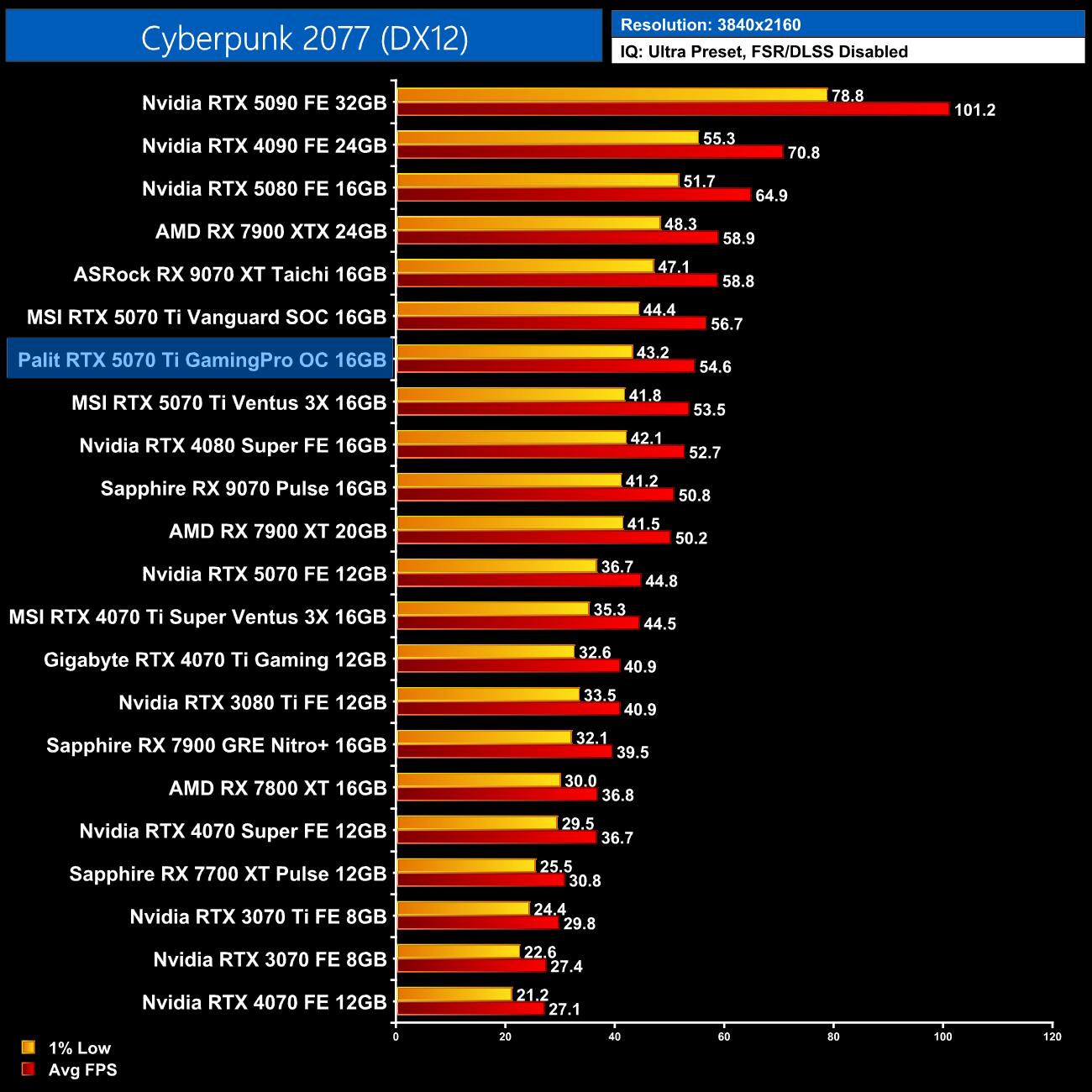
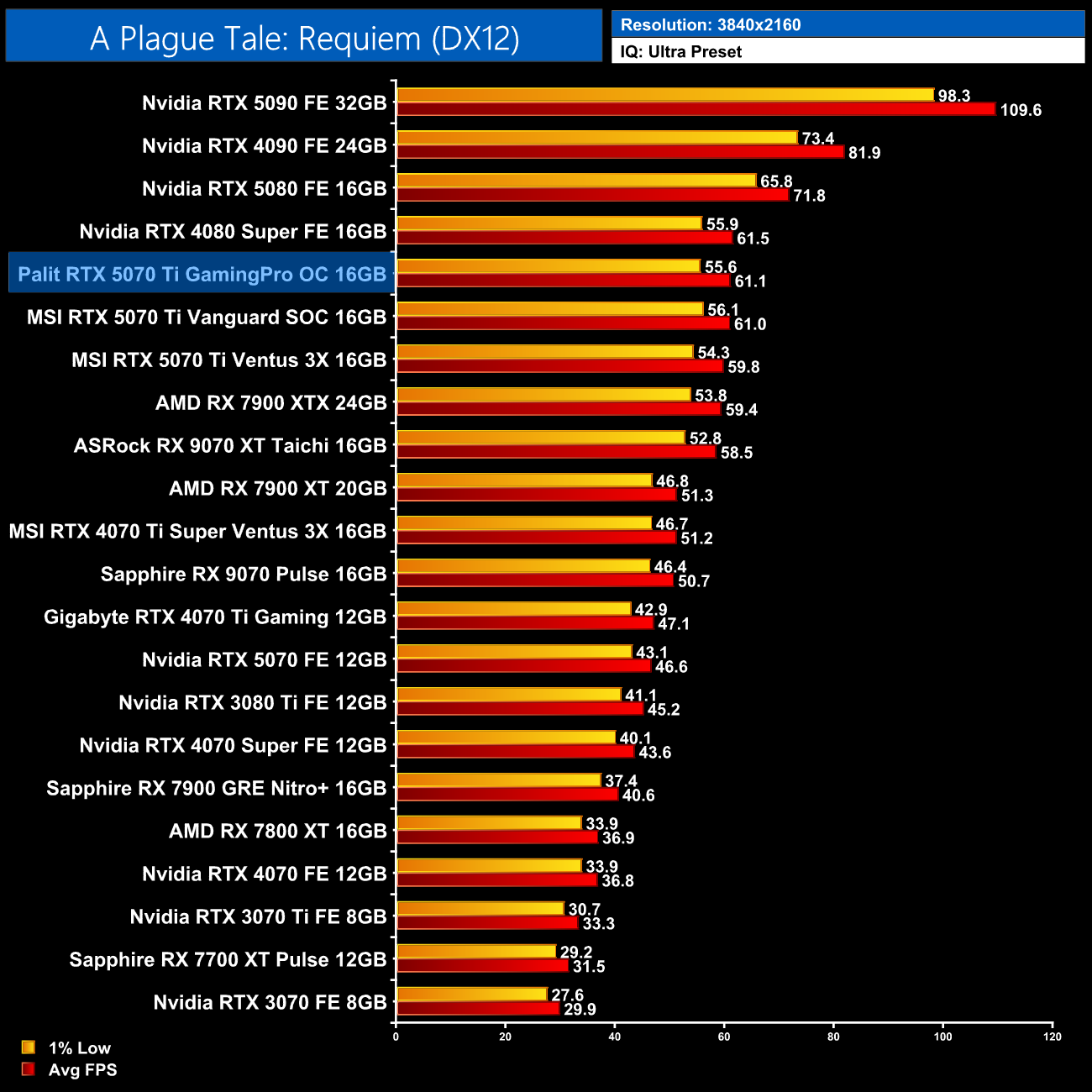
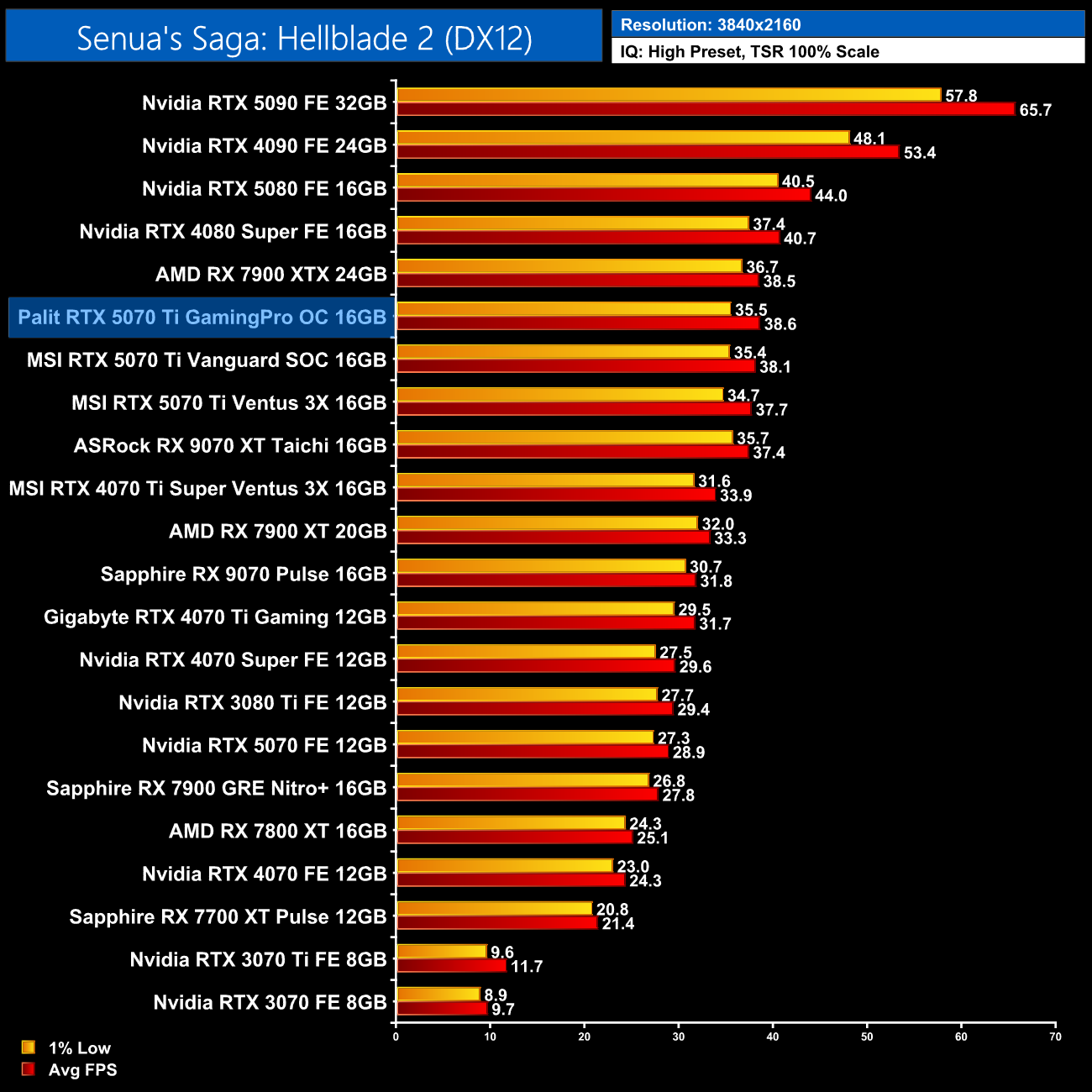
We don't focus too heavily on game benchmarks in our partner cards reviews as performance doesn't tend to change a whole lot when compared to the reference models. That was certainly the case for the GamingPro OC, given we saw just a 1-2fps difference compared to the reference clocked MSI Ventus 3X over the three games we tested.
Here we present the average clock speed for each graphics card while running A Plague Tale: Requiem for 30 minutes. We use GPU-Z to record the GPU core frequency during gameplay. We calculate the average core frequency during the 30 minute run to present here.
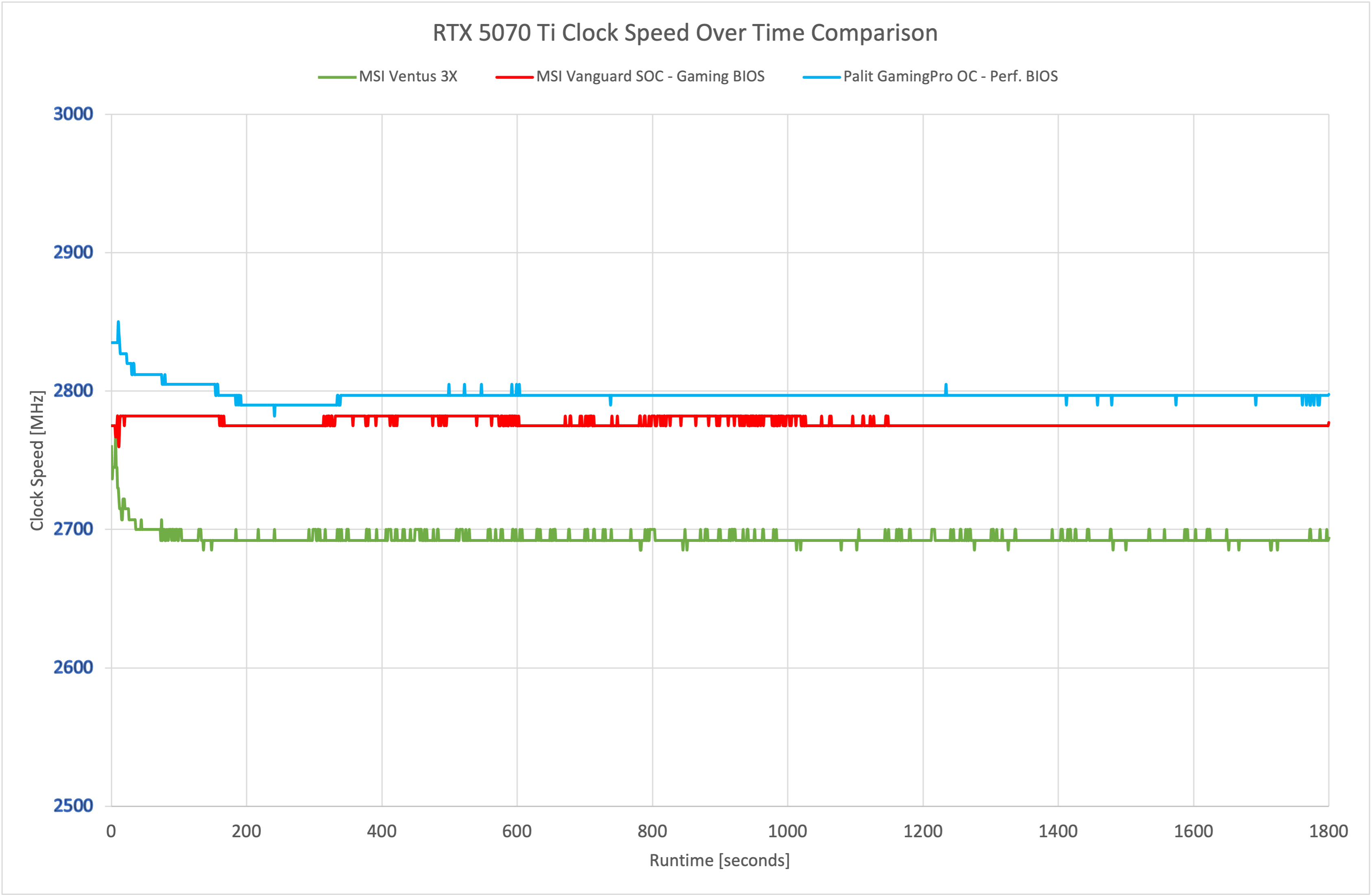
On a technical level, we can observe a very minor clock speed improvement for the GamingPro OC over MSI's Vanguard SOC, though the difference is very small as you can see above.
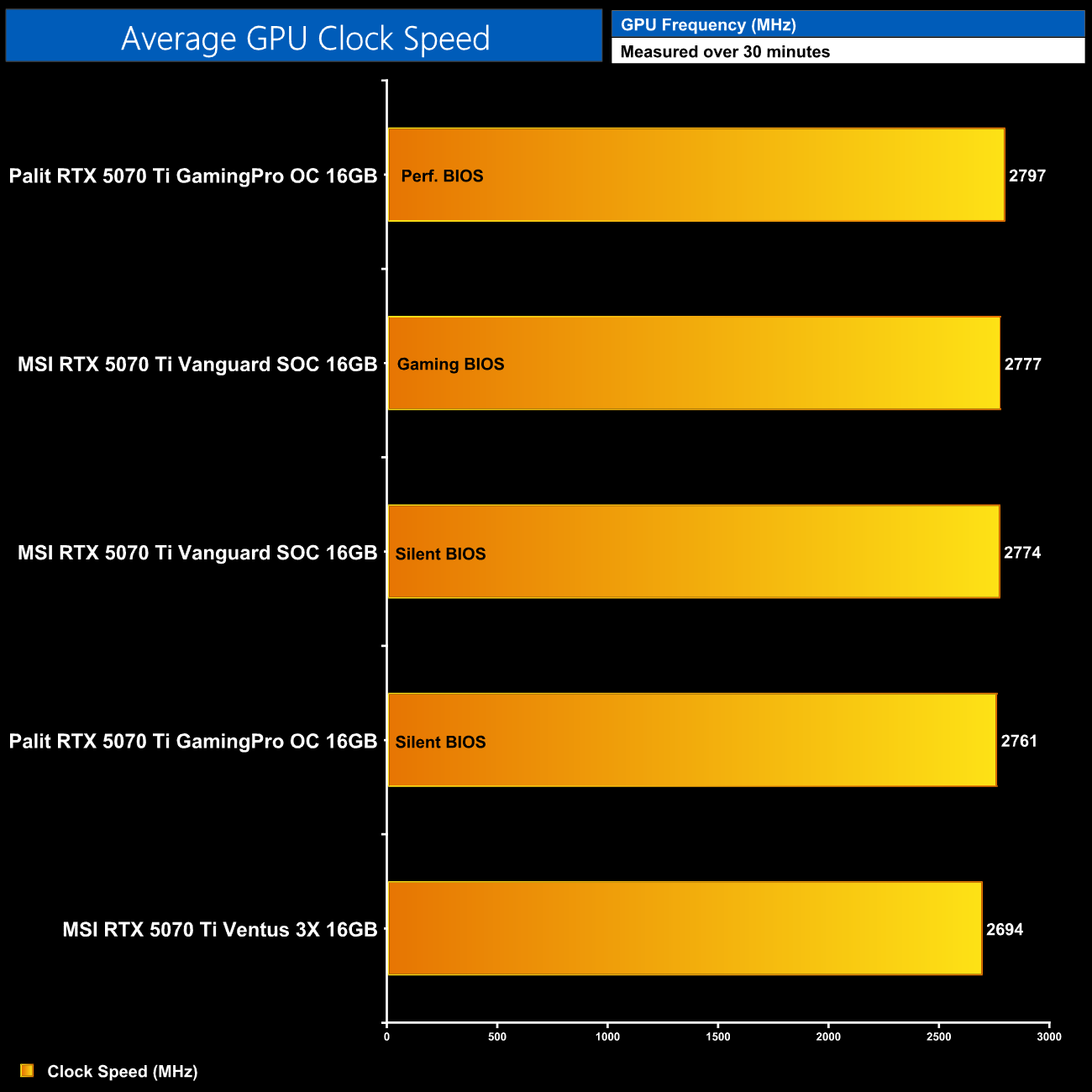
In fact, averaged over the thirty minute stress test, the difference was just 20MHz, so it's no surprise that didn't lead to any real-world performance gains.
For our temperature testing, we measure steady-state GPU temperatures under load. A reading under load comes from running A Plague Tale: Requiem for 30 minutes.
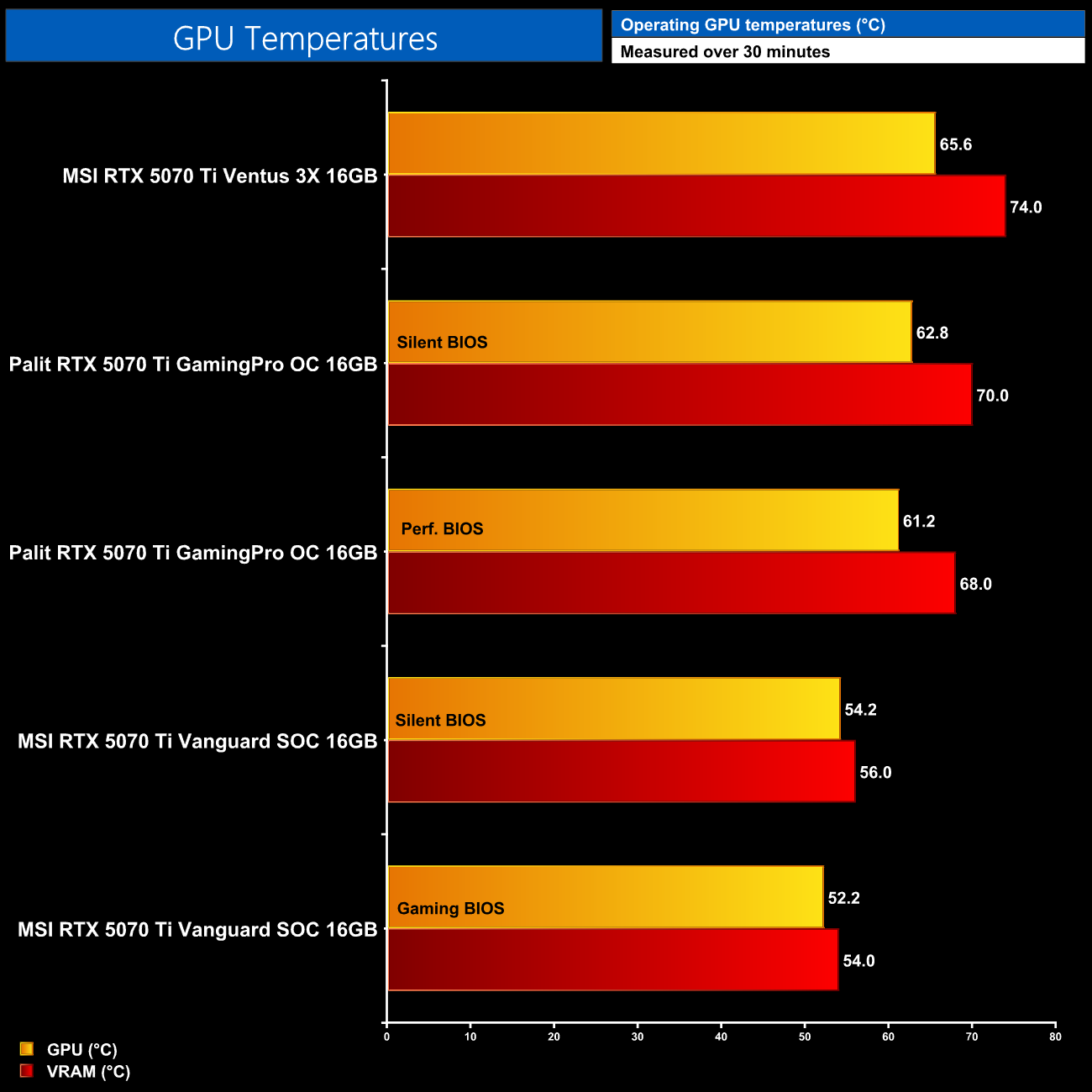
As for out of the box thermal performance, the GamingPro OC sits in the middle of the chart. It is a clear improvement over the MSI Ventus 3X, regardless of which BIOS mode is used, though the Vanguard SOC offers even lower temperatures. Still, on an objective level, GPU temperatures below 65C and memory at or below 70C is great to see.
We take our noise measurements with the sound meter positioned 1 foot from the graphics card. I measured the noise floor to be 32 dBA, thus anything above this level can be attributed to the graphics cards. The power supply is passive for the entire power output range we tested all graphics cards in, while all CPU and system fans were disabled. A reading under load comes from running Cyberpunk 2077 for 30 minutes.
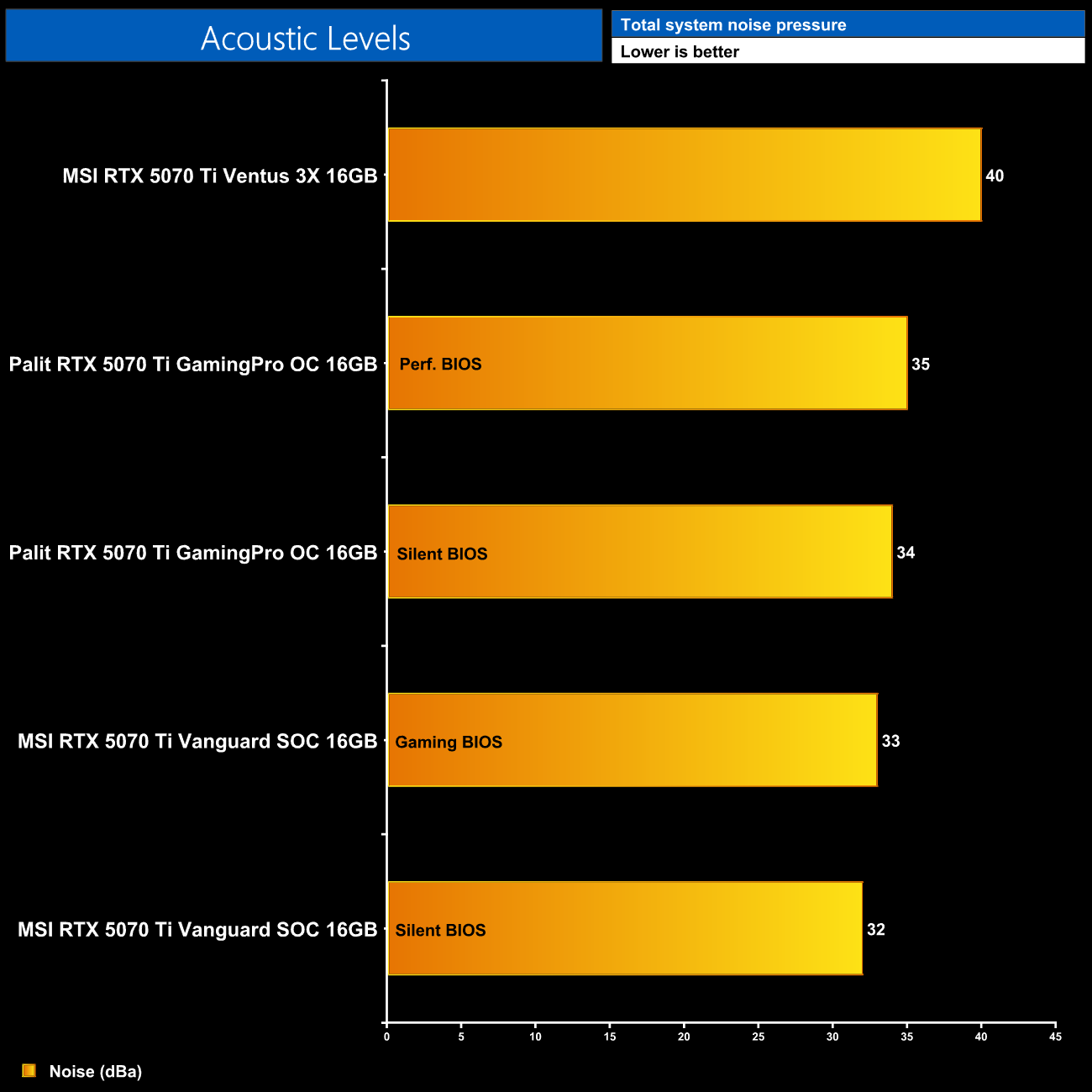
Likewise, noise levels are slightly higher than the Vanguard SOC, but the GamingPro OC is still very quiet overall. In practice we saw the Silent BIOS running at 32%/1205rpm, compared to 34%/1285rpm using the Performance BIOS, so both modes are actually very similar in terms of total noise output and are a big improvement over the Ventus 3X.
Following on from our stock thermal and acoustic testing, here we re-test the operating temperature of the GPU, but with noise levels normalised to 40dBa. This allows us to measure the efficiency of the overall cooling solution as varying noise levels as a result of more aggressive fan curves are no longer a factor.
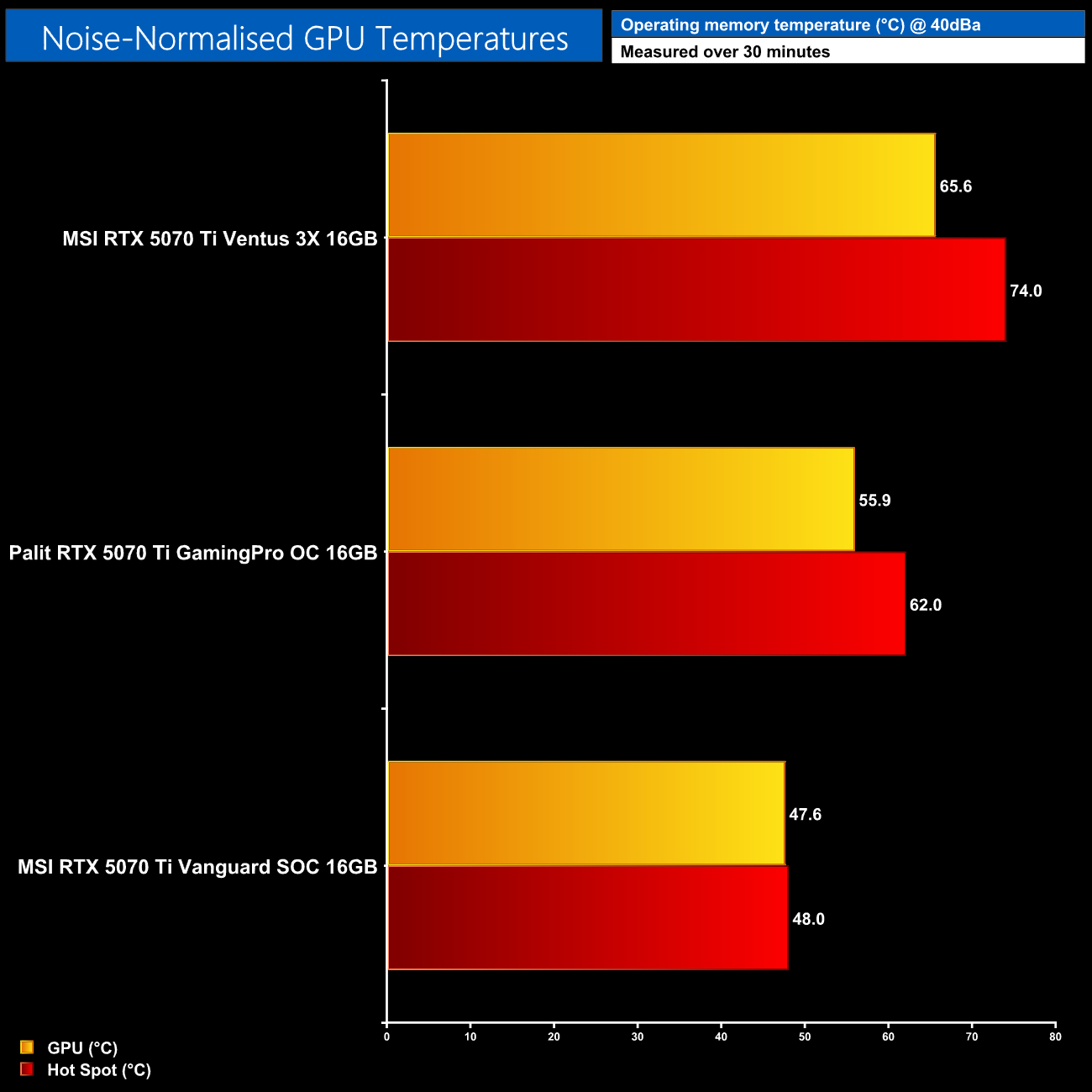
Noise normalised thermal performance continues the clear trend from our testing today, in that the GamingPro OC is a huge improvement over the Ventus 3X, reducing GPU and VRAM temperatures by 9.7C and 12C, respectively. However, it isn't a match for the much larger (and much more expensive) Vanguard SOC, which is in another class.
Power Draw
We use Nvidia PCAT to measure power draw of the graphics card only, with readings from both the PCIe slot and the PCIe power cables combined into a single figure. We use A Plague Tale: Requiem (4K/2160p) for this testing.
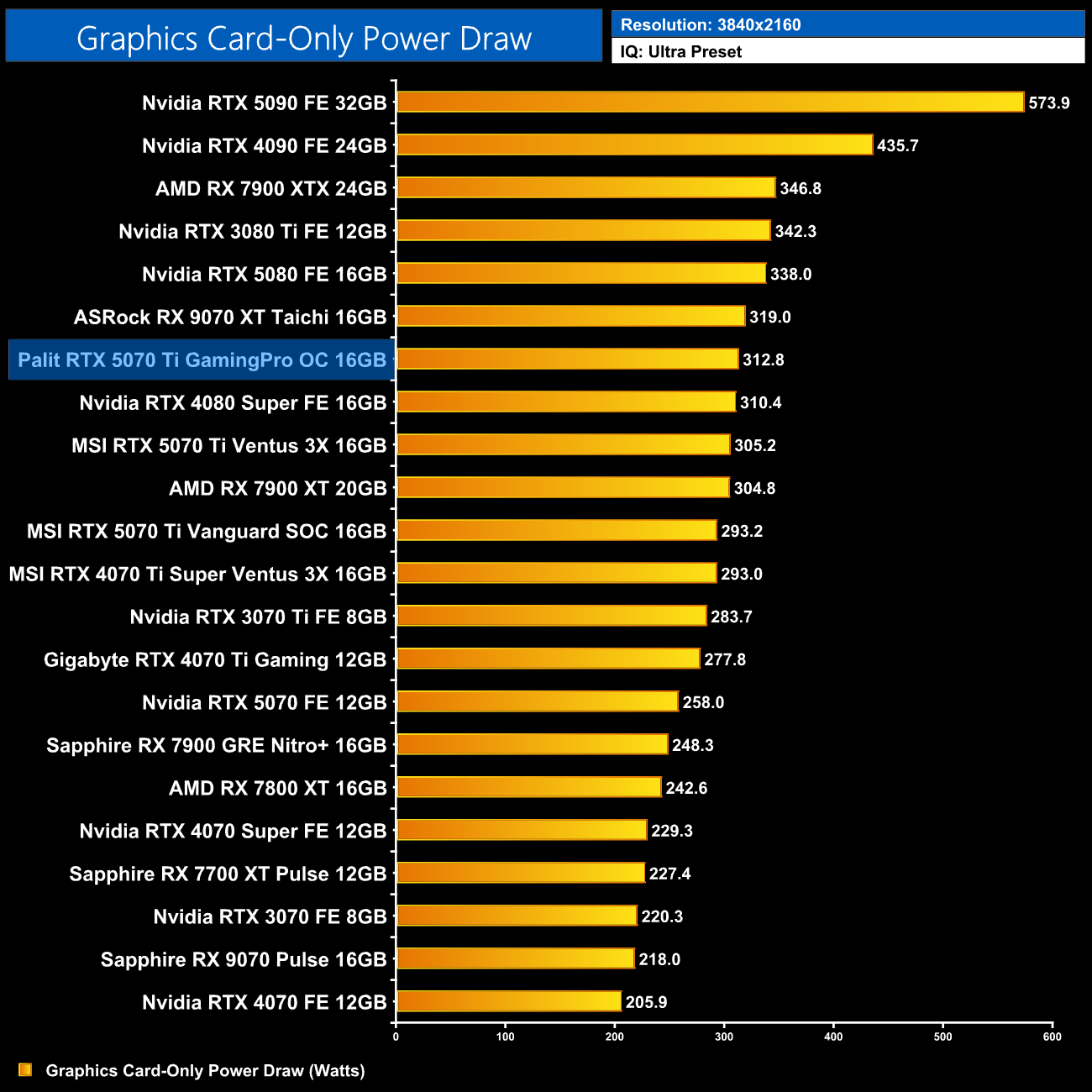
Power draw is only slightly higher than the Ventus 3X, too, averaging just under 313W in our testing at 4K.
Performance Per Watt
Combining the power draw values shown above with the performance data, we present performance per Watt for each graphics card tested:
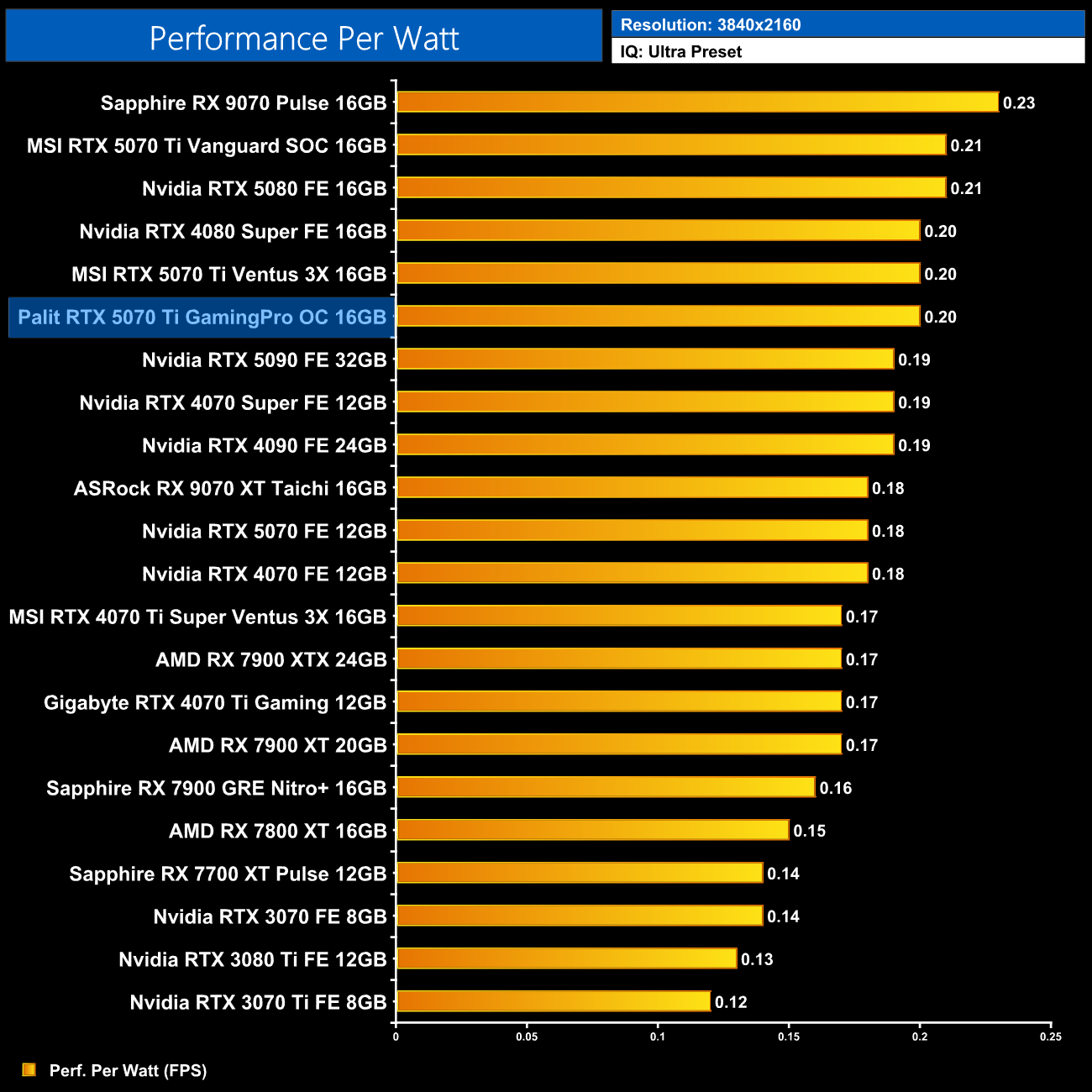
That means performance per Watt is unchanged, and it is still impressive if not chart-topping.
For our manual overclocking tests, we used MSI Afterburner. Our best results are as below.
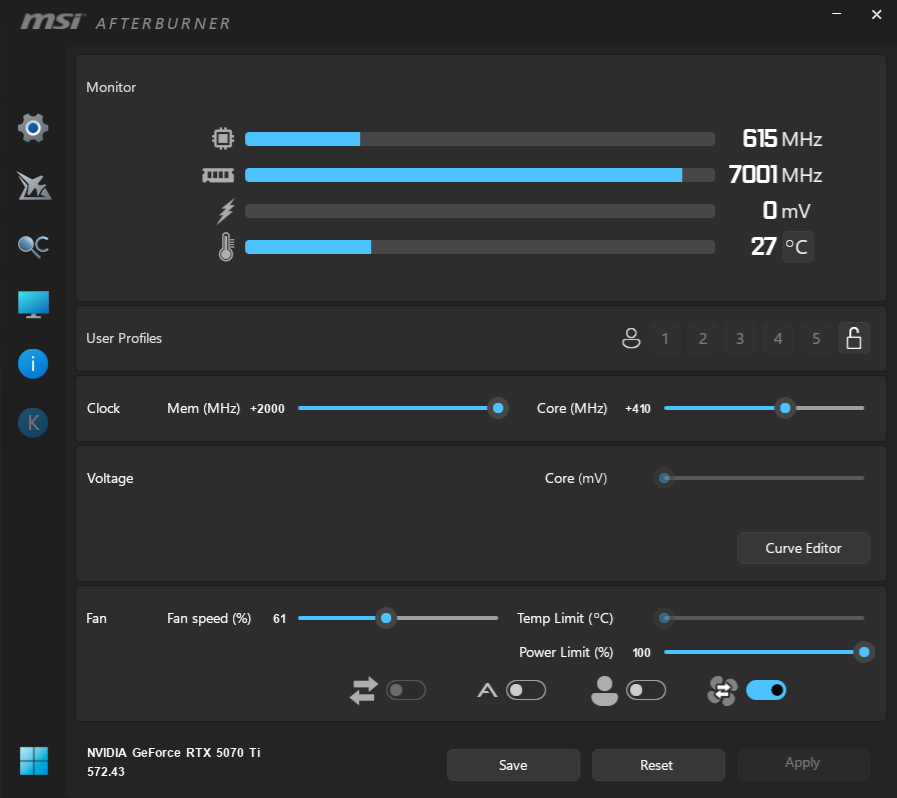
For our overclocking tests, we were able to max out the memory slider at +2000MHz, bringing effective speeds up to 34Gbps. My best GPU result came with +410MHz applied, and this brought real-world frequency to just over 3.2GHz. Palit does not allow any increase to the power limit slider, however.
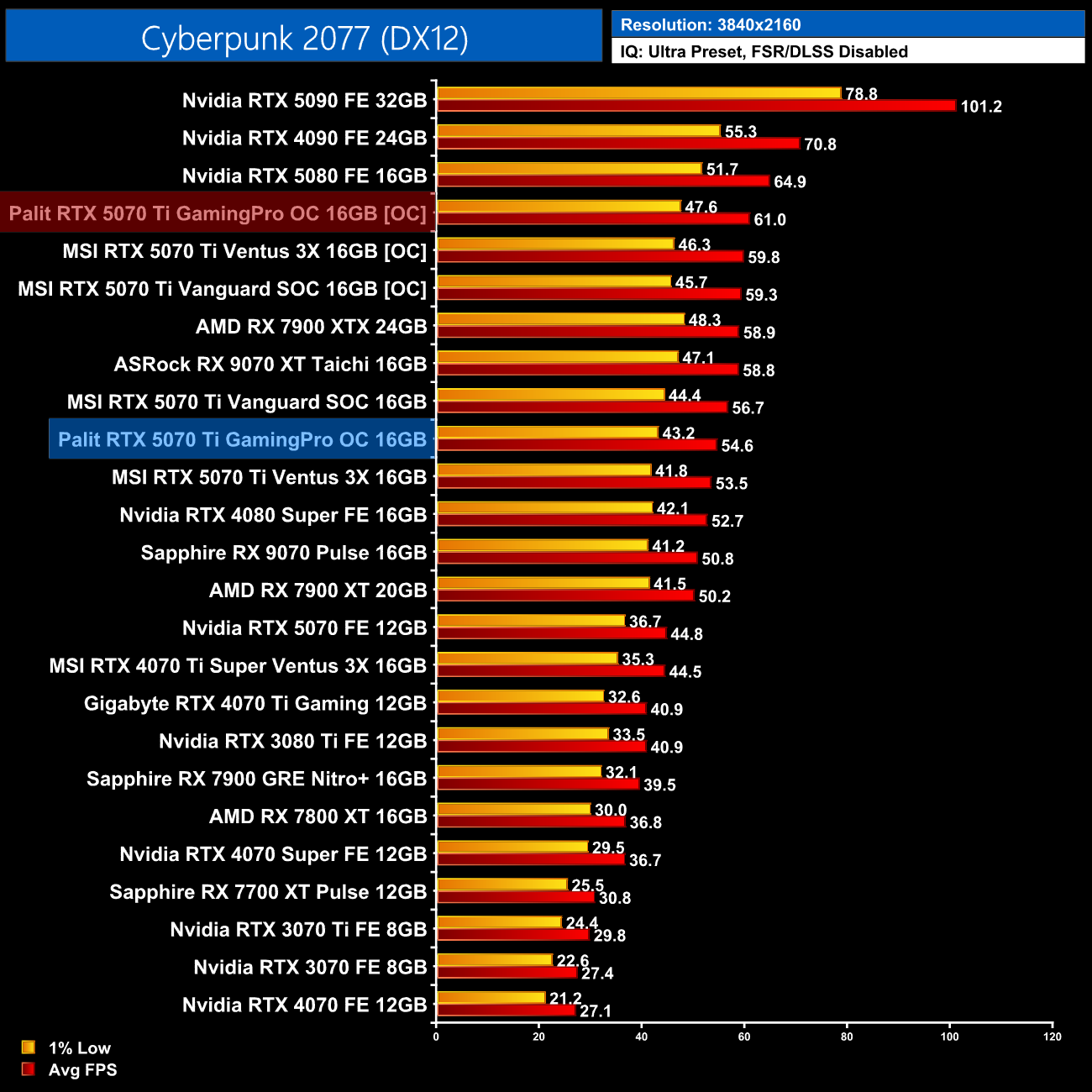
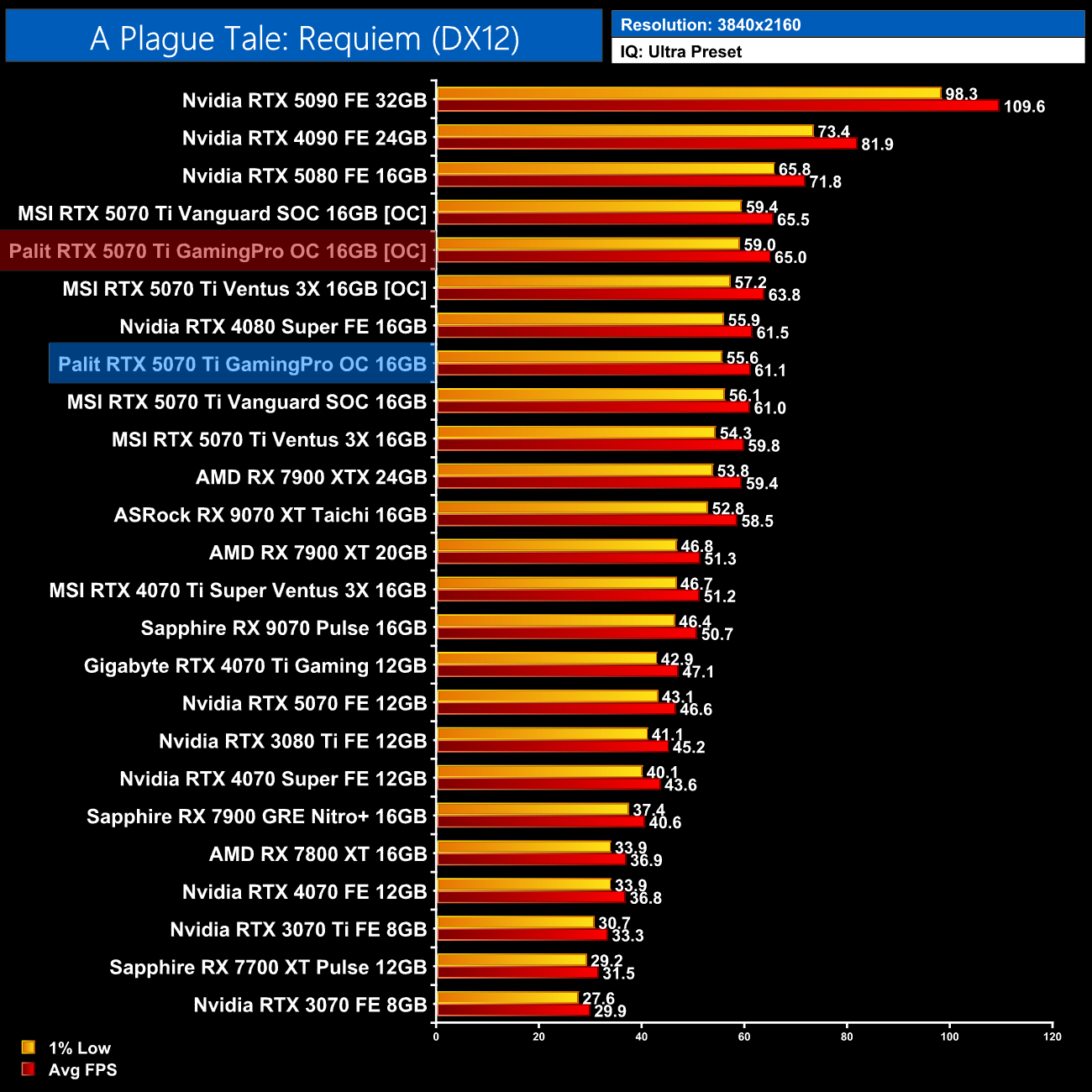
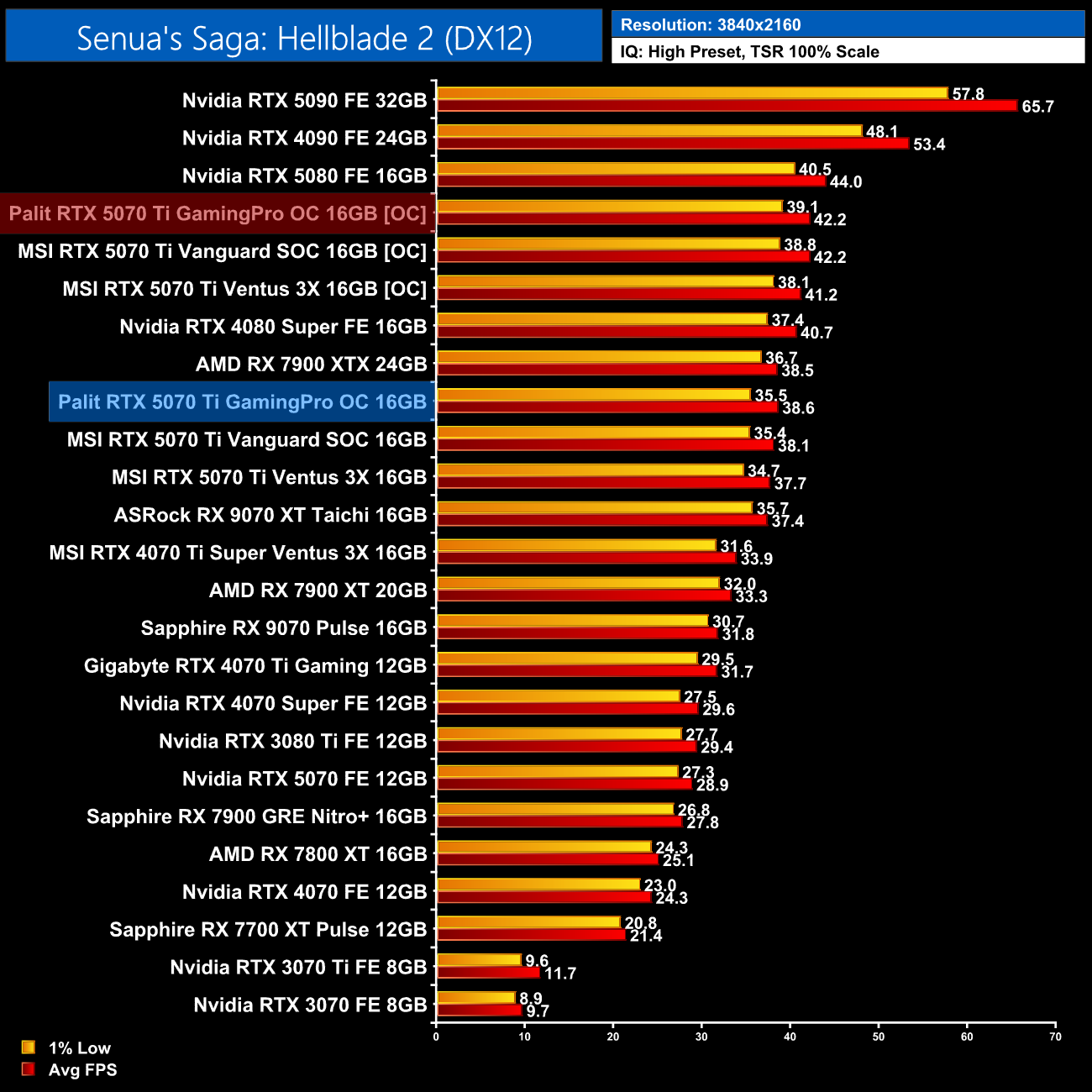
This overclock saw performance gains vary a fair bit from game to game, with just a 6% boost to A Plague Tale: Requiem, but Cyberpunk saw a 12% fps increase, while we also saw a 9% improvement in Senua's Saga: Hellblade 2.
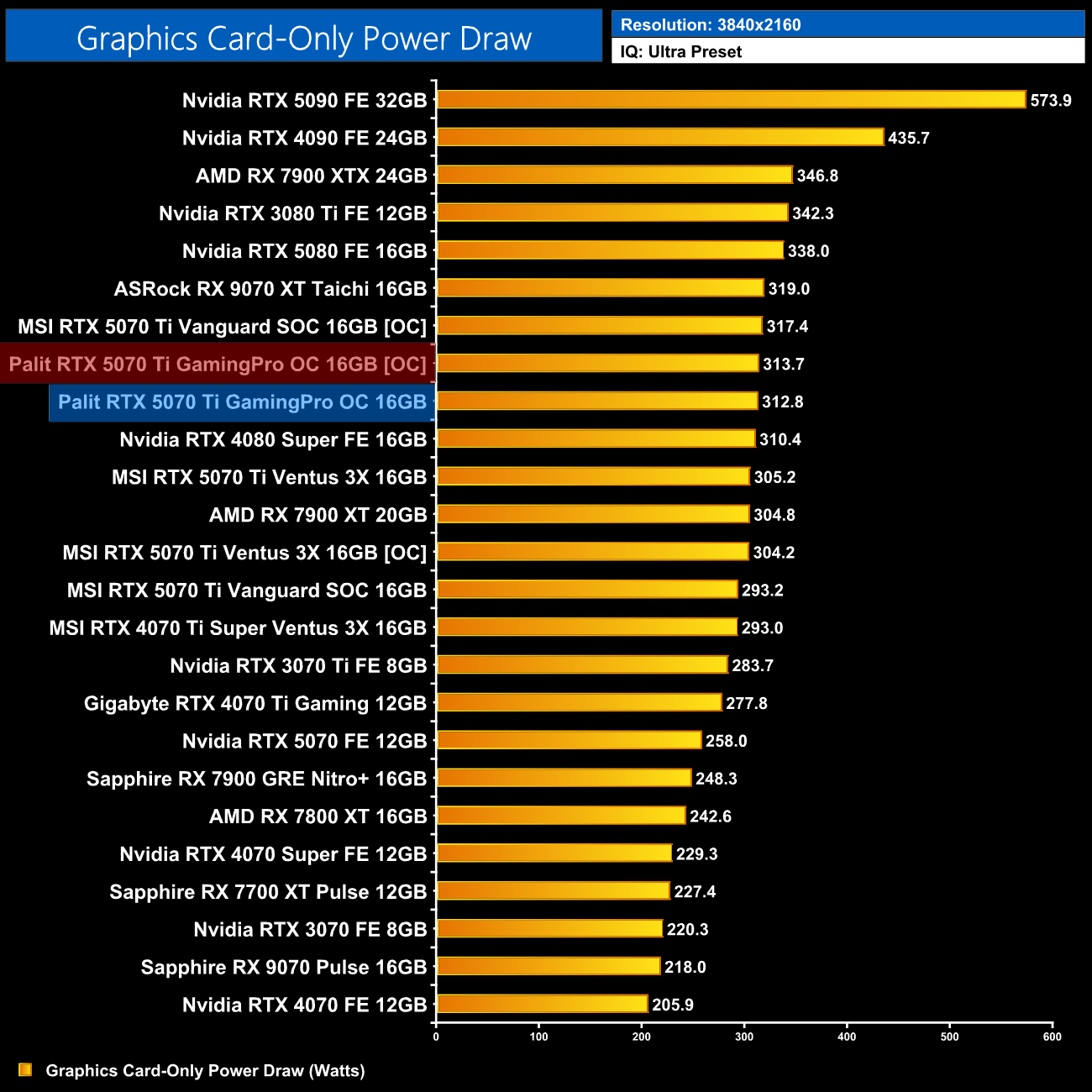
Considering Palit does not allow any increase to the power limit slider, real-world power draw remained unchanged with the overclock applied.
Palit's RTX 5070 Ti GamingPro OC may not be the flashiest card around, but I actually think it is a sensible option amidst a sea of hugely expensive partner cards.
For starters, it offers a significantly better cooler than the MSI Ventus 3X model we reviewed at launch – that is a basic card designed to hit the MSRP, and as such it runs fairly loud while temperatures are nothing special. The GamingPro OC comfortably offers both much lower temperatures and reduced noise levels, and in our 40dBa noise-normalised thermal test, we saw the GPU running almost 10C cooler, while the memory dropped by 12C.
It also offers features that I consider to be important, including dual-BIOS, which some cards lack at this price point. There's also a metal backplate, plus ARGB lighting if you like that sort of thing, which can even be controlled from your motherboard if you use the ARGB header on the card.
The pricing is easily the best thing about the GamingPro, however. That's because the non-OC model has been listed for £775 on CCL this week, while it's in stock at £800 at the time of writing from AWD-IT, making this one of the cheapest 5070 Ti models I can find. Yes, that is the non-OC model, but the GamingPro OC only ships with a 30MHz factory overclock anyway, and the rest of the card is exactly the same.
Comparing that to the MSI Vanguard SOC, which you simply can't find anywhere in the UK right now and if you could, its MSRP is £970… well, the GamingPro just looks like the obvious choice. It isn't as refined an overall package and the shroud design isn't anything special in my view, but if you do want an RTX 5070 Ti, this is a good shout.
Of course, the RX 9070 XT is also worth looking at, with cards available at less than £700, while offering similar rasterisation performance. RTX 5070 Ti remains a very valid option though, considering ray tracing performance is often better, significantly so in path traced games, plus DLSS support is much more widespread than FSR 4. And with the GamingPro retailing for around £800, it's certainly worth picking up if you feel inclined to go with Team Green.
Pros
- Solid gaming performance on offer.
- Runs cool and quiet.
- Our sample hit 3.2GHz when overclocking with relative ease.
- Much better value than some other partner cards.
- DLSS 4 has improved Ray Reconstruction and Super Resolution scaling.
- Multi Frame Generation enables higher frame rates than would otherwise be possible.
Cons
- RX 9070 XT is a very capable competitor for less money (based on MSRP, at least).
- Still quite expensive at around £800.
KitGuru says: The GamingPro isn't going to blow your socks off, but it offers a decent blend of performance and features without adding several hundred Pounds to the price.