KitGuru KitGuru.net – Tech News | Hardware News | Hardware Reviews | IOS | Mobile | Gaming | Graphics Cards


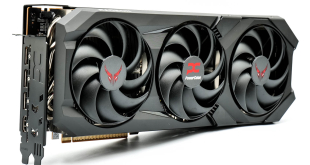
Following our launch-day review of AMD's RX 9070 XT, today it's PowerColor's turn as we assess the Red Devil custom card. Designed to offer a high-end experience, this card comes with a 3060MHz factory overclock, a triple-slot, triple-fan cooler, and it also requires three PCIe 8-pin power connectors. Let's put it through its paces and find out just how good this card is.
At the time of writing we don't have a confirmed UK MSRP from PowerColor for the RX 9070 XT Red Devil, however it is listed for £720 from both Scan and Overclockers UK – putting it in very similar territory to the Sapphire RX 9070 XT Nitro+.
Timestamps
00:00 Intro
00:35 RX 9070 XT recap
01:13 Meet the Sapphire Nitro+
03:08 Nitro+ PCB and heatsink
03:59 PowerColor Red Devil design
05:38 Red Devil PCB and heatsink
06:25 Test setup
06:55 Thermals and acoustics
08:35 Does Sapphire’s backplate increase temps?
09:12 Game benchmarks, clock speed analysis
09:56 Power draw and 12VHPWR testing
11:40 Overclocking/undervolting
12:38 Closing thoughts
| RX 9070 XT | RX 9070 | RX 7900 GRE | RX 7800 XT | RX 7700 XT | |
| Architecture | RDNA 4 | RDNA 4 | RDNA 3 | RDNA 3 | RDNA 3 |
| Manufacturing Process | TSMC N4 | TSMC N4 | TSMC N5 GCD + N6 MCD | TSMC N5 GCD + N6 MCD | TSMC N5 GCD + N6 MCD |
| Transistor Count | 53.9 billion | 53.9 billion | 57.7 billion | 28.1 billion | 28.1 billion |
| Die Size | 357 mm² | 357 mm² | 300 mm² GCD
220 mm² MCD |
200 mm² GCD
150 mm² MCD |
200 mm² GCD
150 mm² MCD |
| Compute Units | 64 | 56 | 80 | 60 | 54 |
| Ray Accelerators | 64 | 56 | 80 | 60 | 54 |
| Stream Processors | 4096 | 3584 | 5120 | 3840 | 3456 |
| Game GPU Clock | 2400 MHz | 2070 MHz | 1880 MHz | 2124 MHz | 2171 MHz |
| Boost GPU Clock | Up to 2970 MHz | Up to 2520 MHz | Up to 2245 MHz | Up to 2430 MHz | Up to 2544 MHz |
| ROPs | 128 | 128 | 192 | 96 | 96 |
| AMD Infinity Cache | 64MB | 64MB | 64MB | 64MB | 48MB |
| Memory | 16GB GDDR6 | 16GB GDDR6 | 16GB GDDR6 | 16GB GDDR6 | 12GB GDDR6 |
| Memory Data Rate | 20 Gbps | 20 Gbps | 18 Gbps | 19.5 Gbps | 18 Gbps |
| Memory Bandwidth | 645 GB/s | 645 GB/s | 576 GB/s | 624 GB/s | 432 GB/s |
| Memory Interface | 256-bit | 256-bit | 256-bit | 256-bit | 192-bit |
| Board Power | 304W | 220W | 260 W | 263W | 245W |
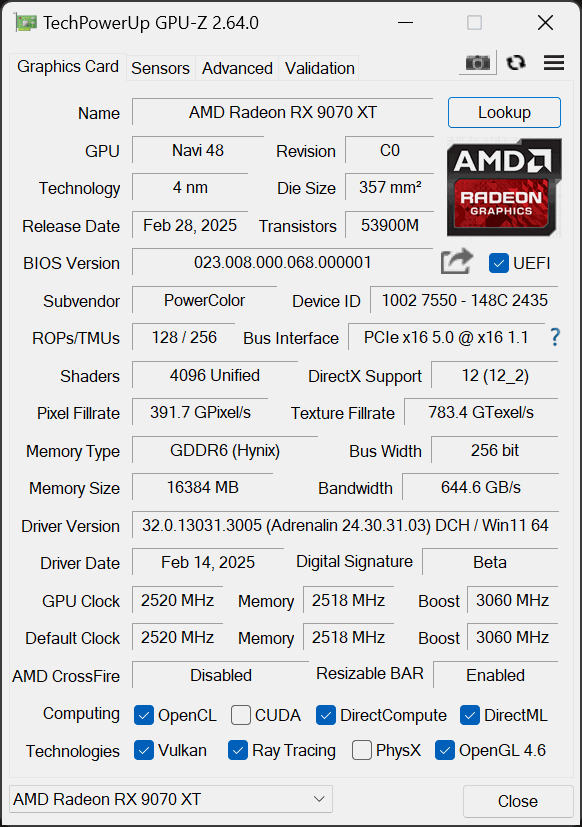
First, let's take a quick look at the specs. The RX 9070 XT is built on the new Navi 48 die, measuring 357mm², and it's worth pointing out this is a monolithic chip, so AMD is not using a chiplet-based design as per RDNA 3. In total, Navi 48 silicon packs in 53.9 billion transistors.
As a full implementation of Navi 48, the RX 9070 XT packs in 64 Compute Units, and each CU houses 64 Stream Processors, for a total of 4096 shaders. There's also 64 Ray Accelerators – one per CU – and 128 ROPs.
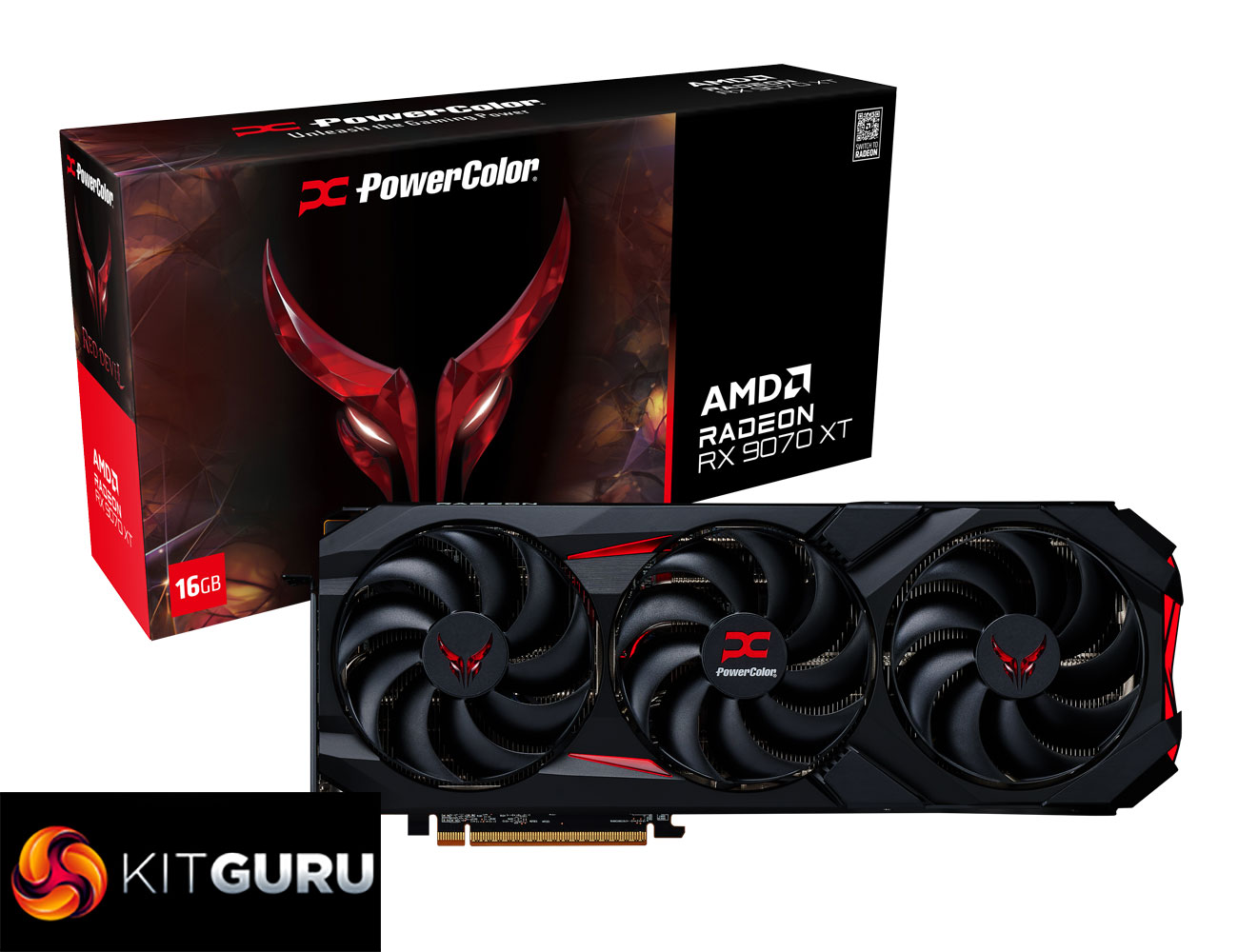
As for clock speed, the RX 9070 XT runs notably faster than its sibling, the RX 9070, given it sports a rated game clock of 2400MHz and a boost clock of up to 2970MHz. PowerColor has increased things further however, with a rated boost of 3060MHz.
The memory configuration is the same between both GPUs though, with 16GB of GDDR6 memory clocked at 20Gbps, operating over a 256-bit memory interface, for total memory bandwidth of 645 GB/s. 64MB of Infinity Cache is also present.
Power draw for the RX 9070 XT is rated at 304W Total Board Power (TBP), PowerColor has increased this up to 330W.
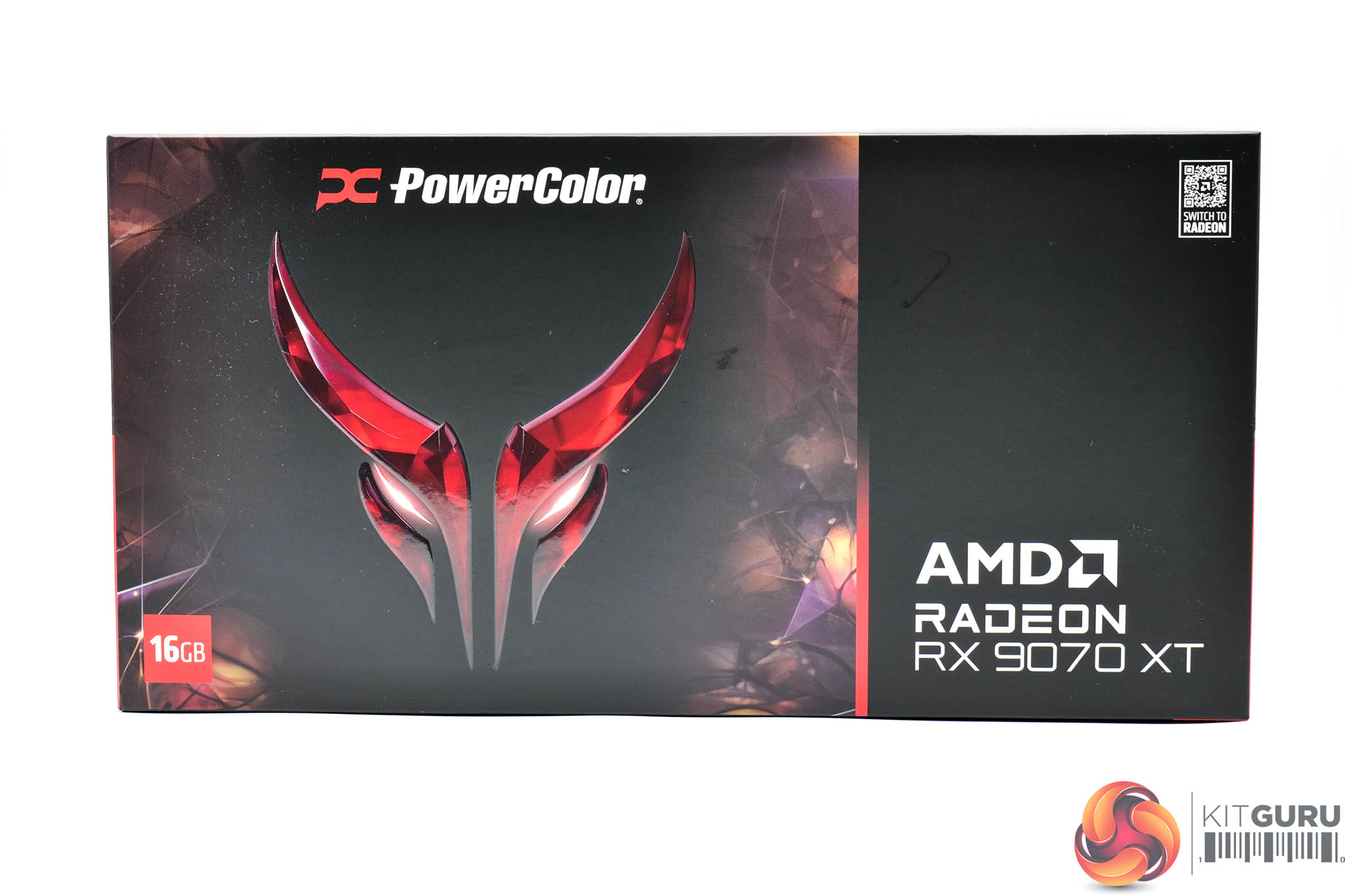
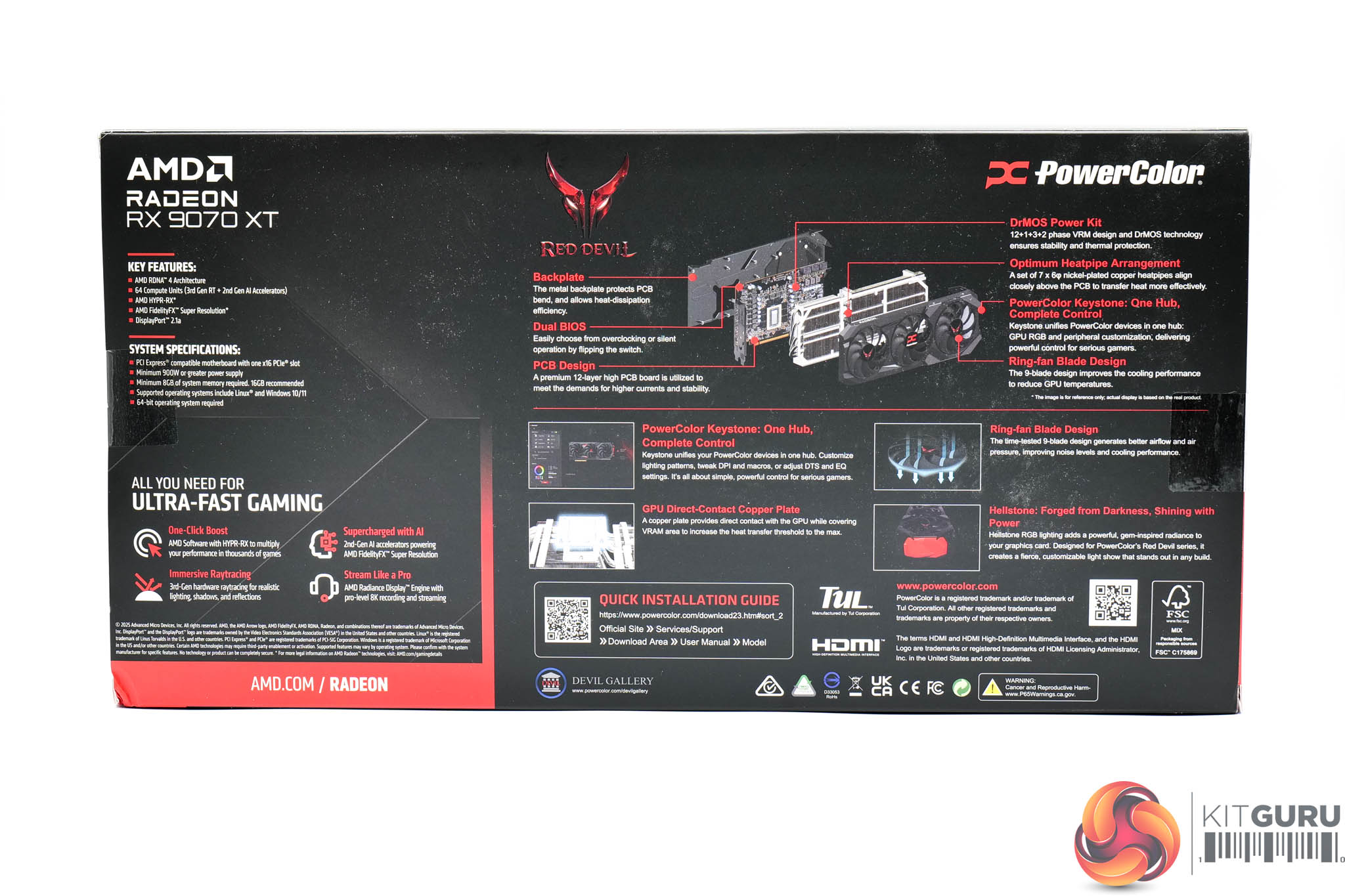
The PowerColor XT 9070 XT Red Devil ships in a black box with the Red Devil logo taking pride of place.
On the back, PowerColor highlights several key features of the card and RDNA 4 architecture.
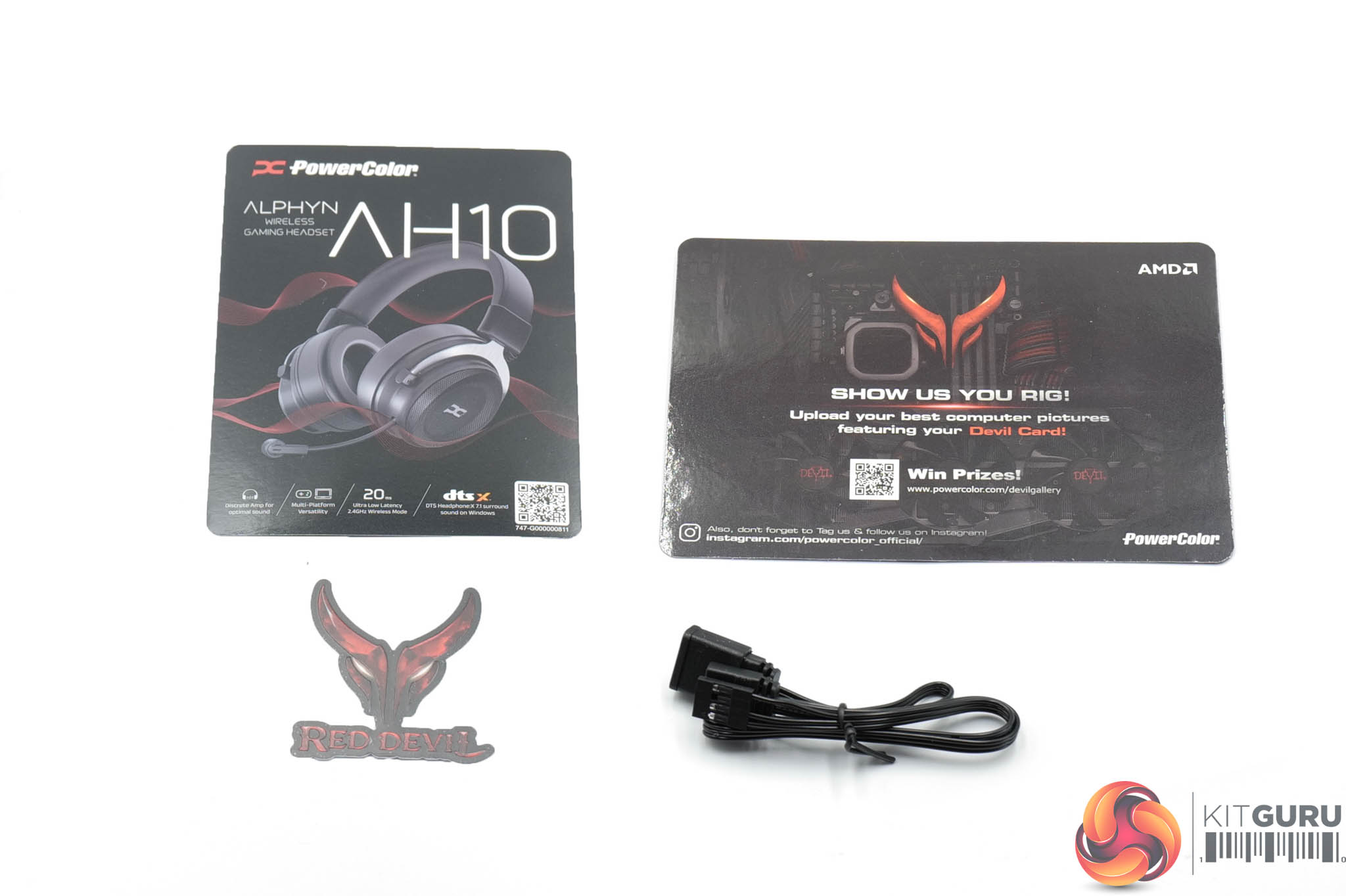
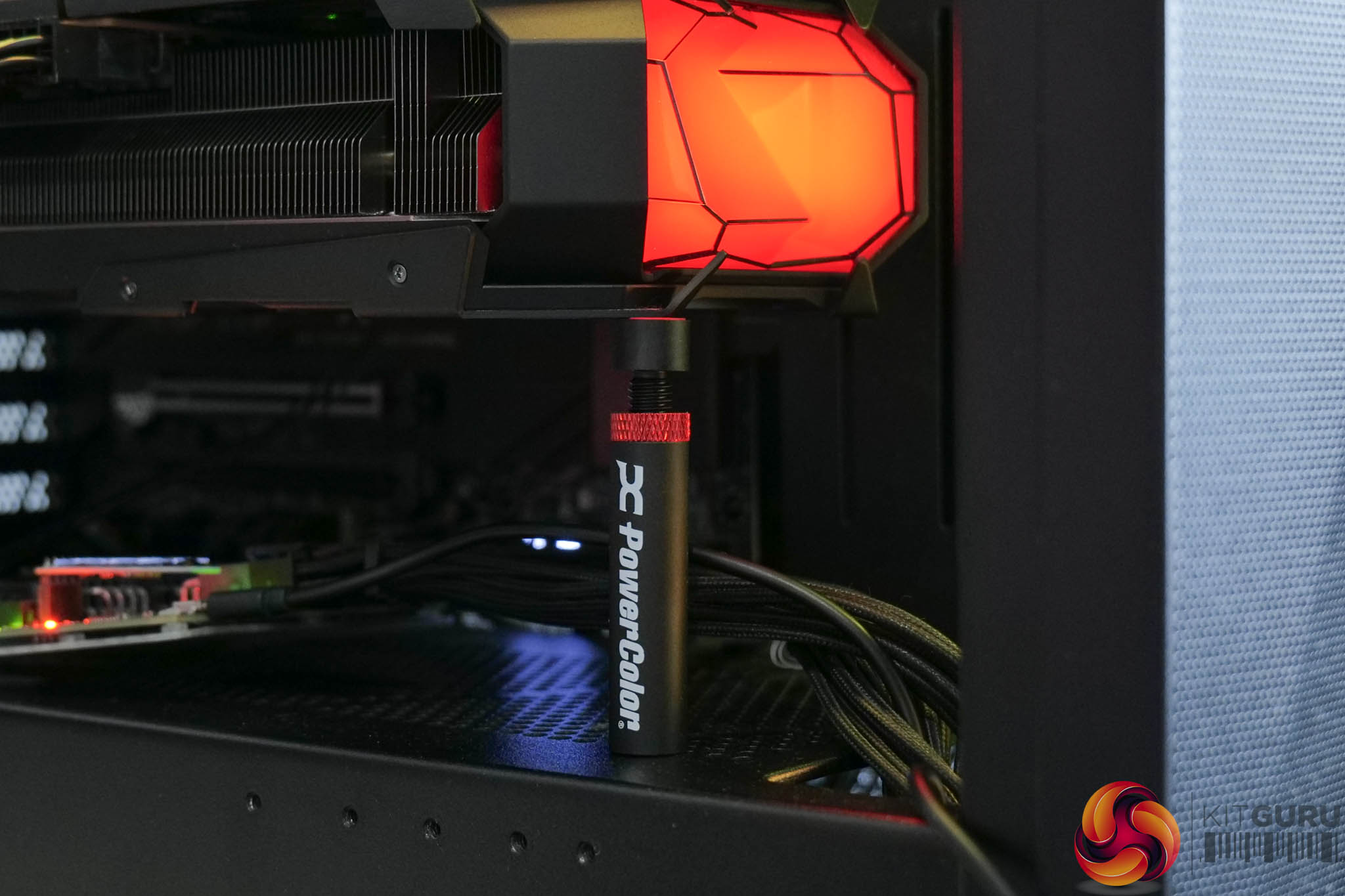
Inside, PowerColor includes a couple of leaflets advertising things like the AH10 headset, a Red Devil sticker, as well as an ARGB cable. There's also a small GPU support – it's basic but effective, as you can see above.
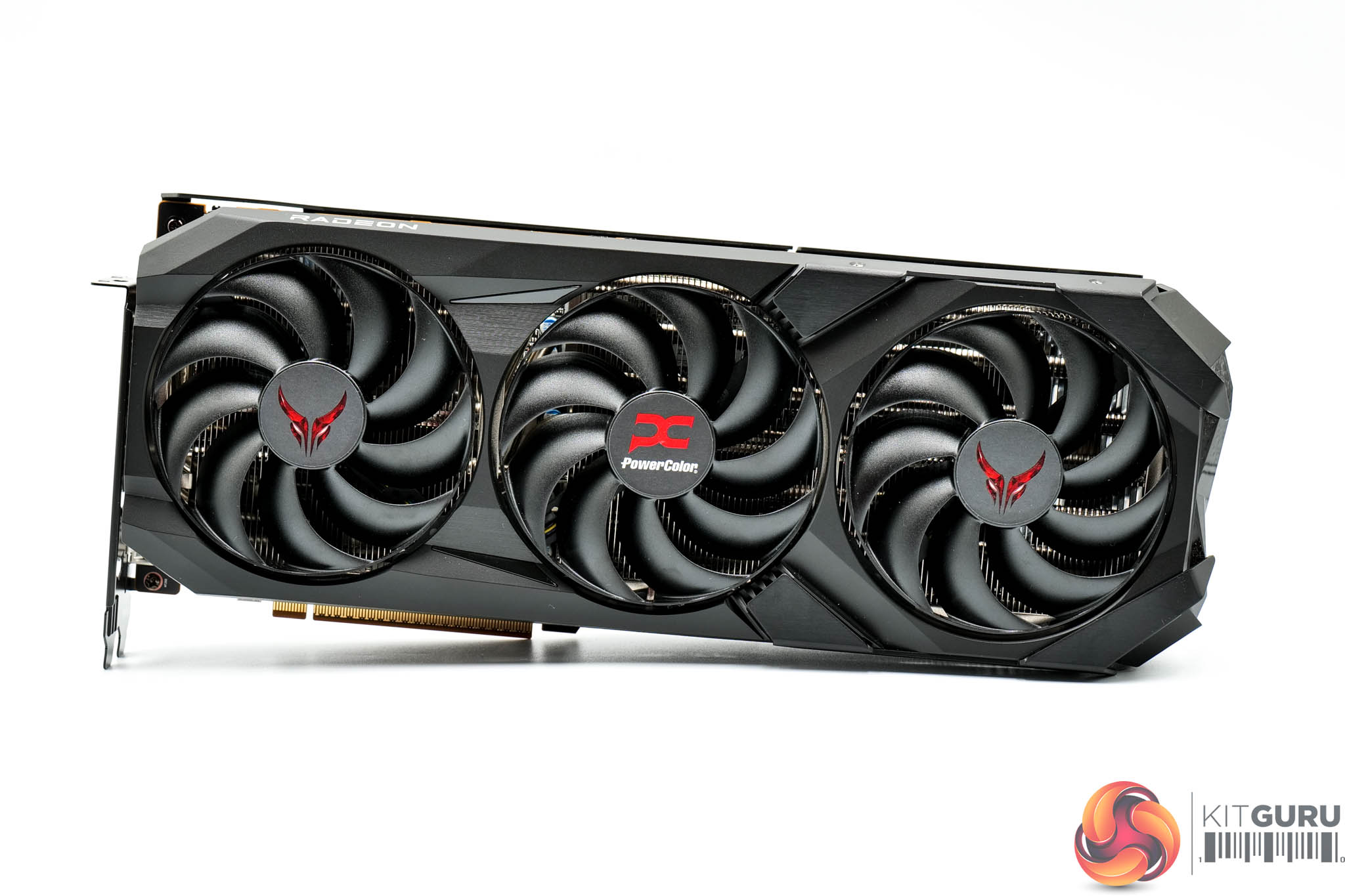

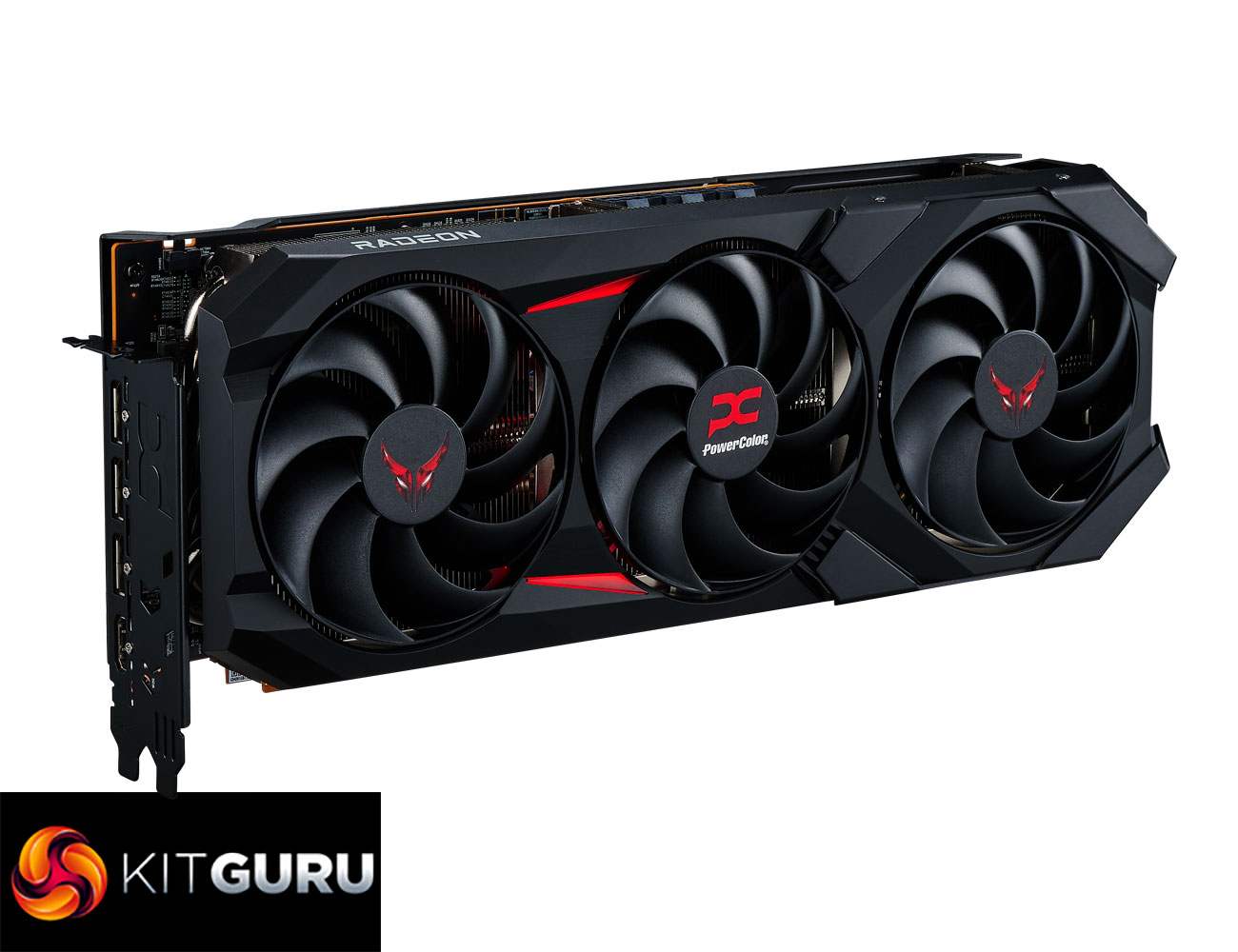
As for the graphics card itself, it's been a while since I last saw a Red Devil model, but the design language is clearly in the same vein as the previous generations. We find a black shroud, mostly made out of plastic but with a couple of brushed metal plates screwed on top, while the only flash of colour comes from the red stickers on each fan hub. It's definitely more aggressive ‘gamer-y' design than the Nitro+, but it's not as over-the-top as some cards we've reviewed before!
It is still rocking a triple-fan setup too, PowerColor calls these ‘High-Efficiency Ring Blade' fans, and each measures 100mm in diameter.
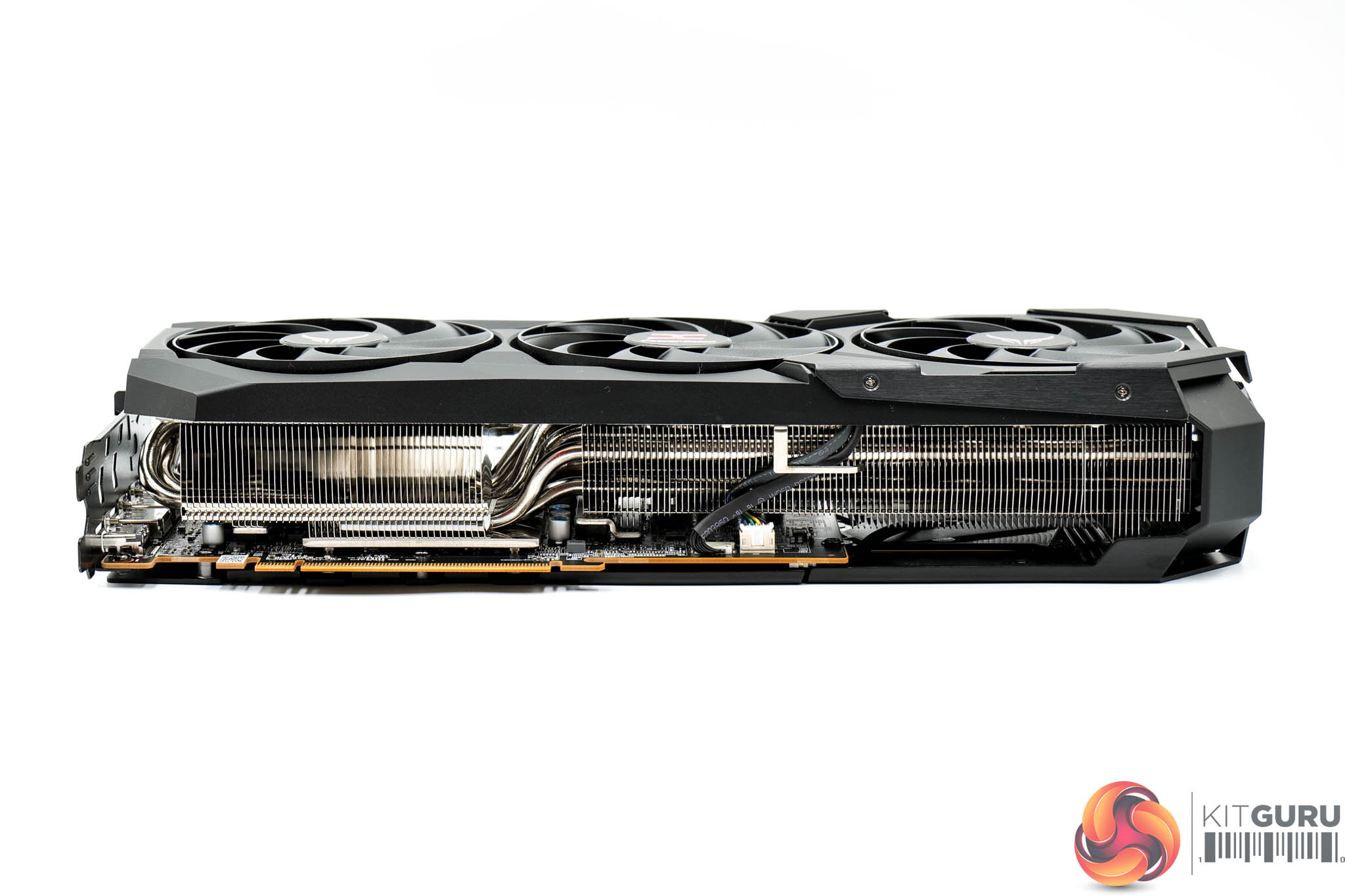
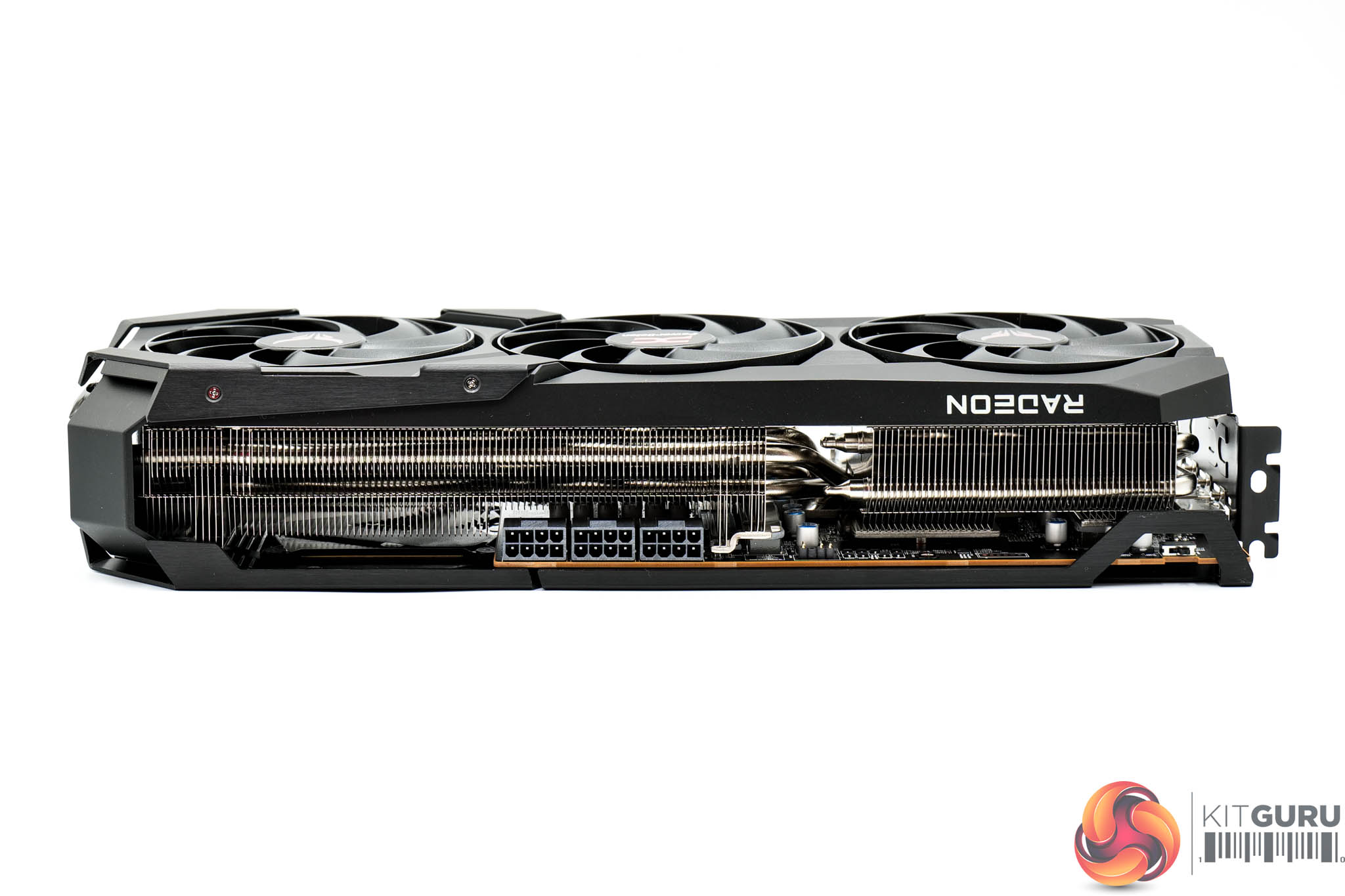
The card itself is large without being monstrous, with official dimensions hitting 340 x132 x 69mm, so it's about 3.5 slots thick. It weighed in at 1538g on my scales.
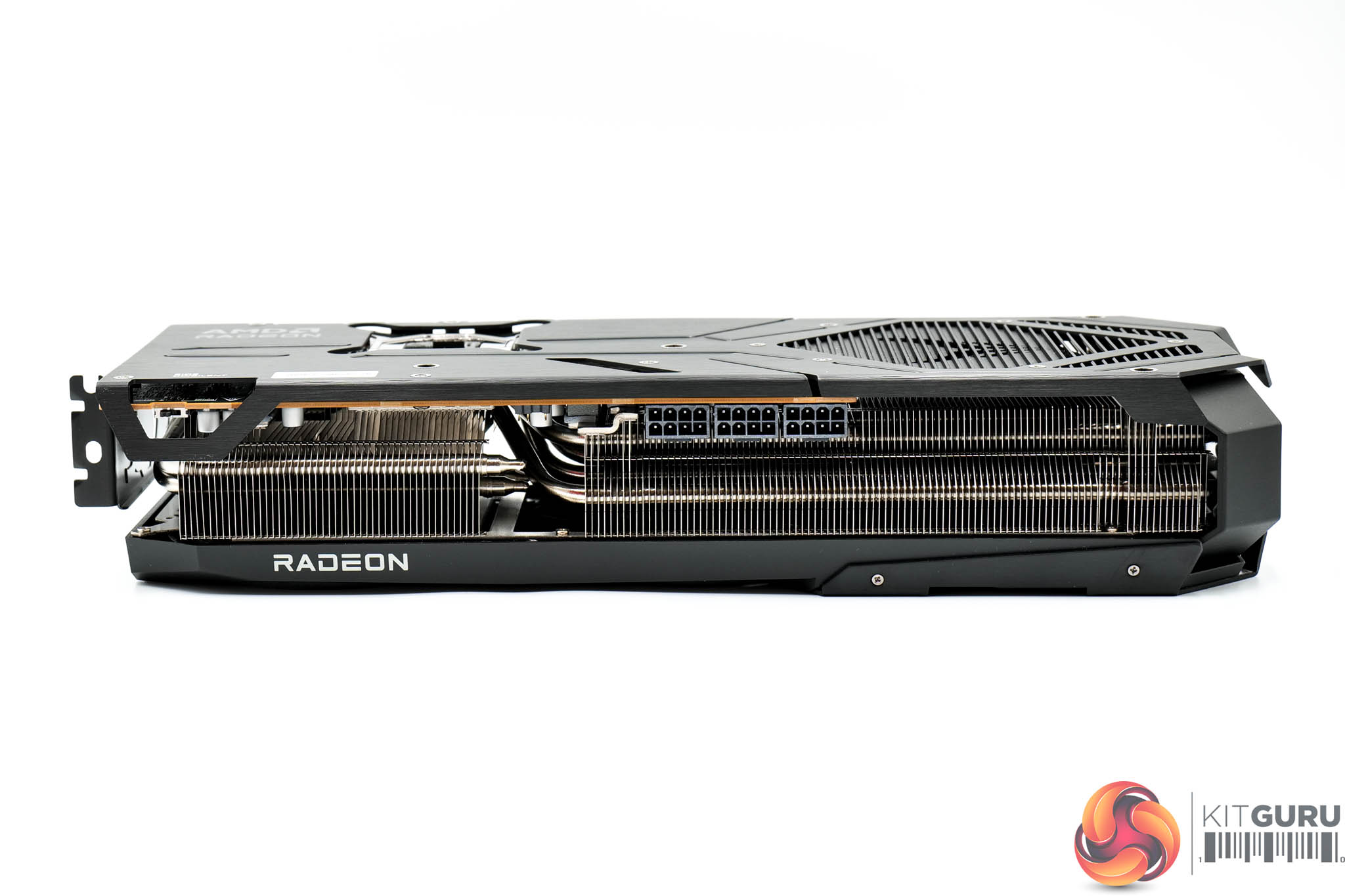

The front side of the card is home to the Radeon logo, though this is not one of the RGB zones.
The backplate is made of brushed metal and is a full-length design. While there is a large cut-out, most of this is actually for the Red Devil logo which acts as one of the RGB zones – it may look like it's all ‘flow through' area, but it's really only the last 4cm or so.
We can also note a BIOS switch positioned next to the I/O bracket, offering a choice of OC or Silent modes. The former has a higher power and clock speed target, alongside a more aggressive fan curve.
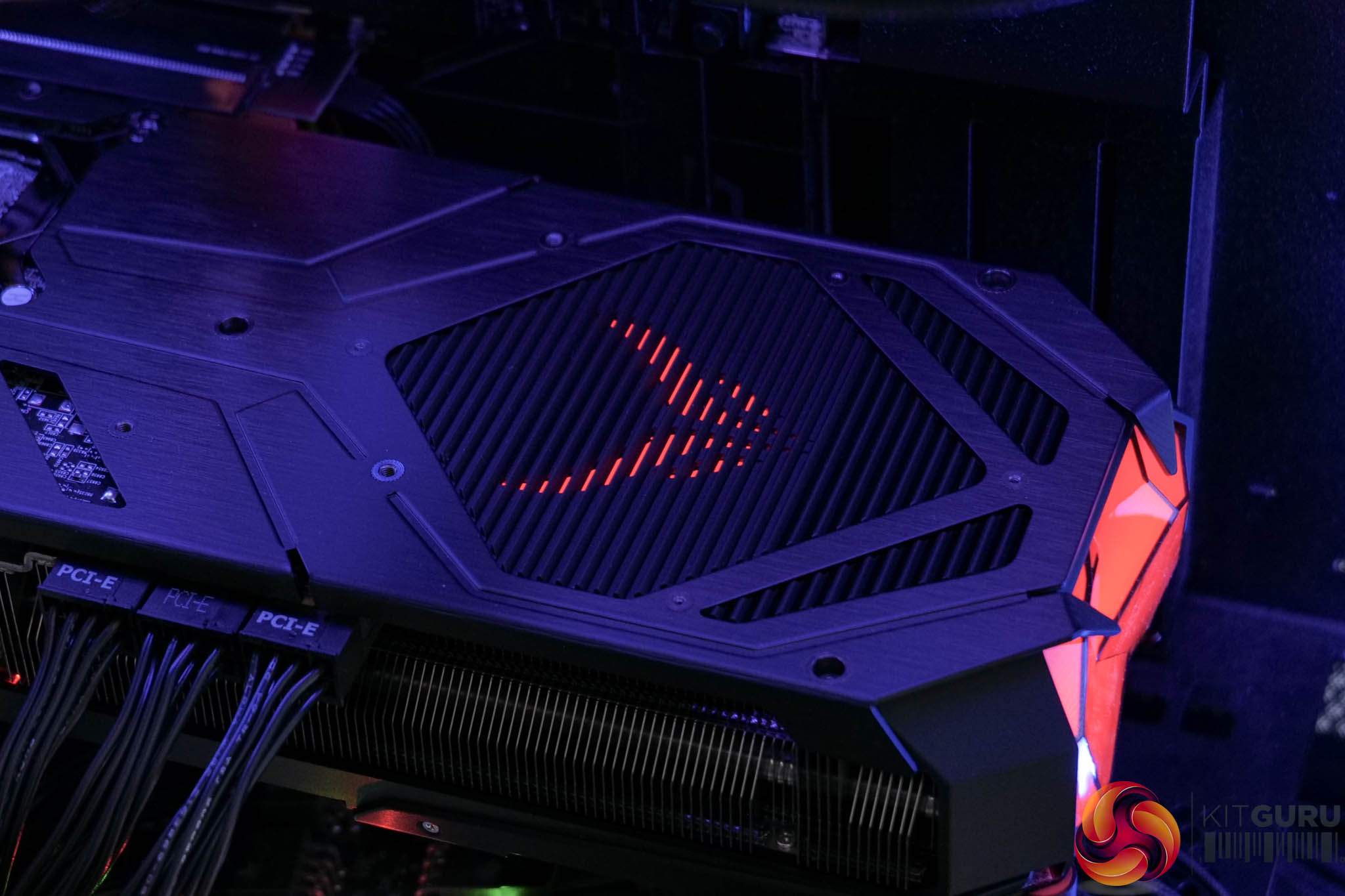
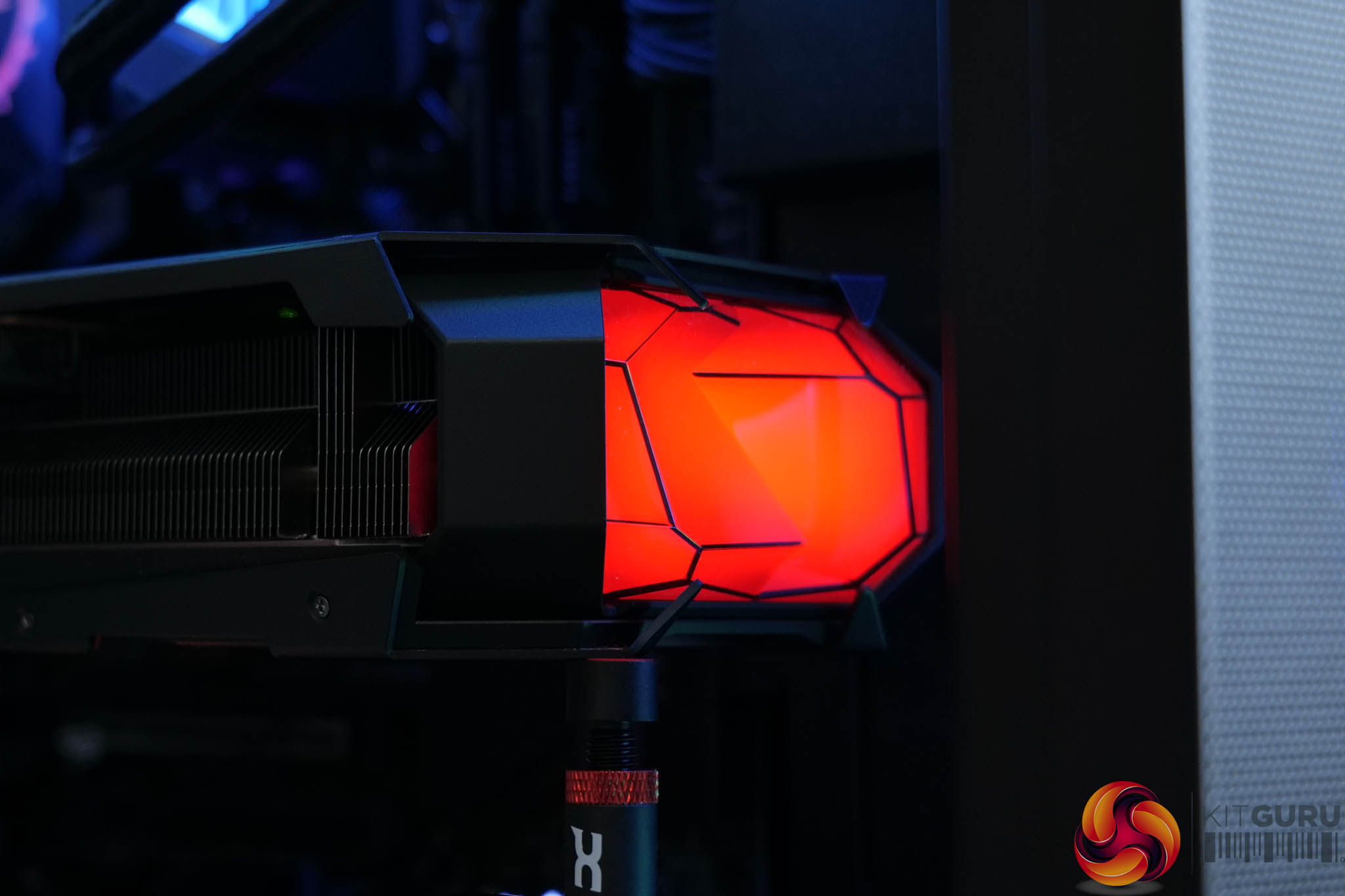
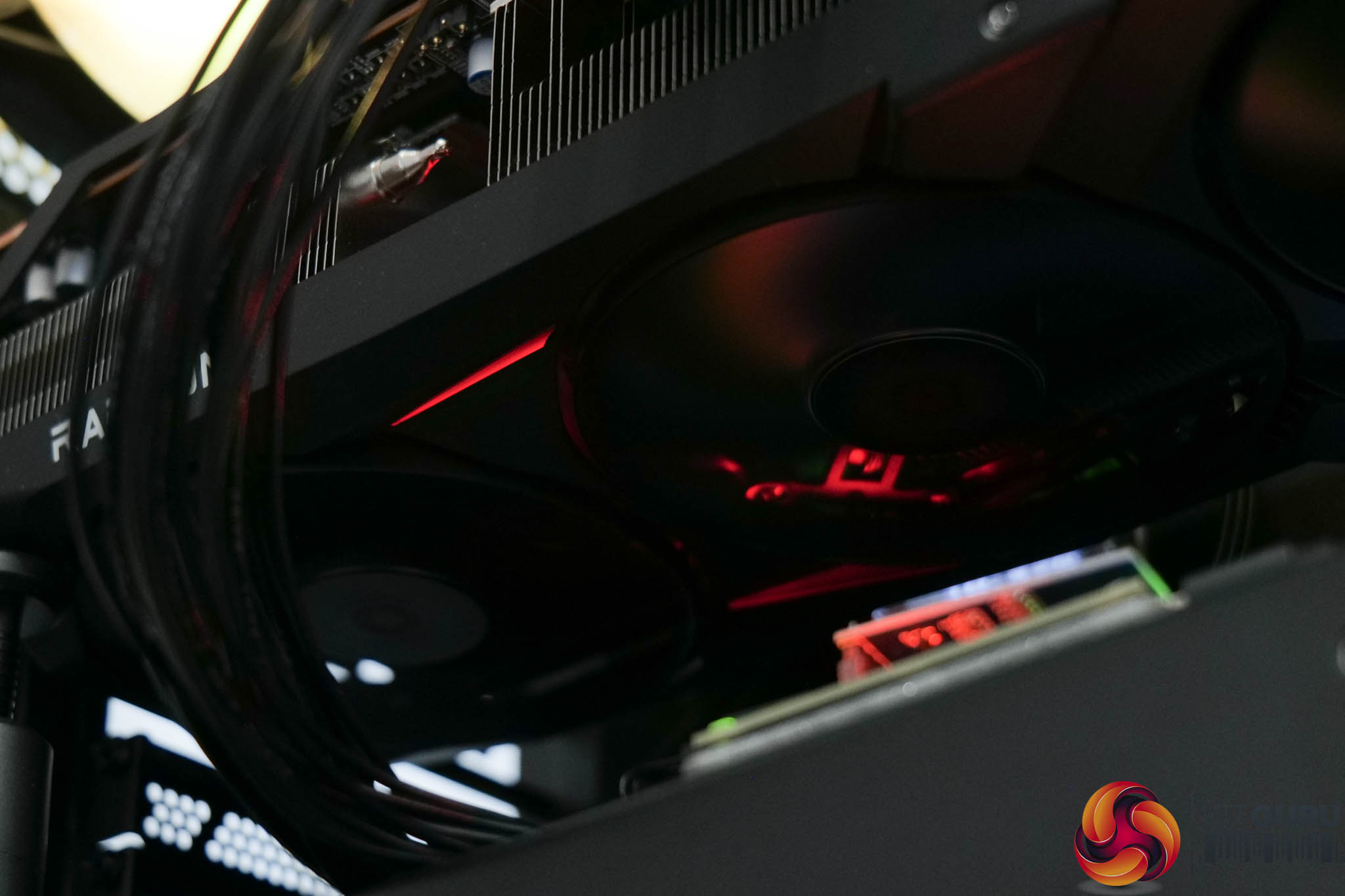
Here we can see the lighting in action, with a large LED section visible at the end of the card, as well as two strips on the underside. It defaults to red, in keeping with the overall theme, but can be customised in PowerColor's KeyStone app or via your motherboard, if you use the ARGB header and cable.
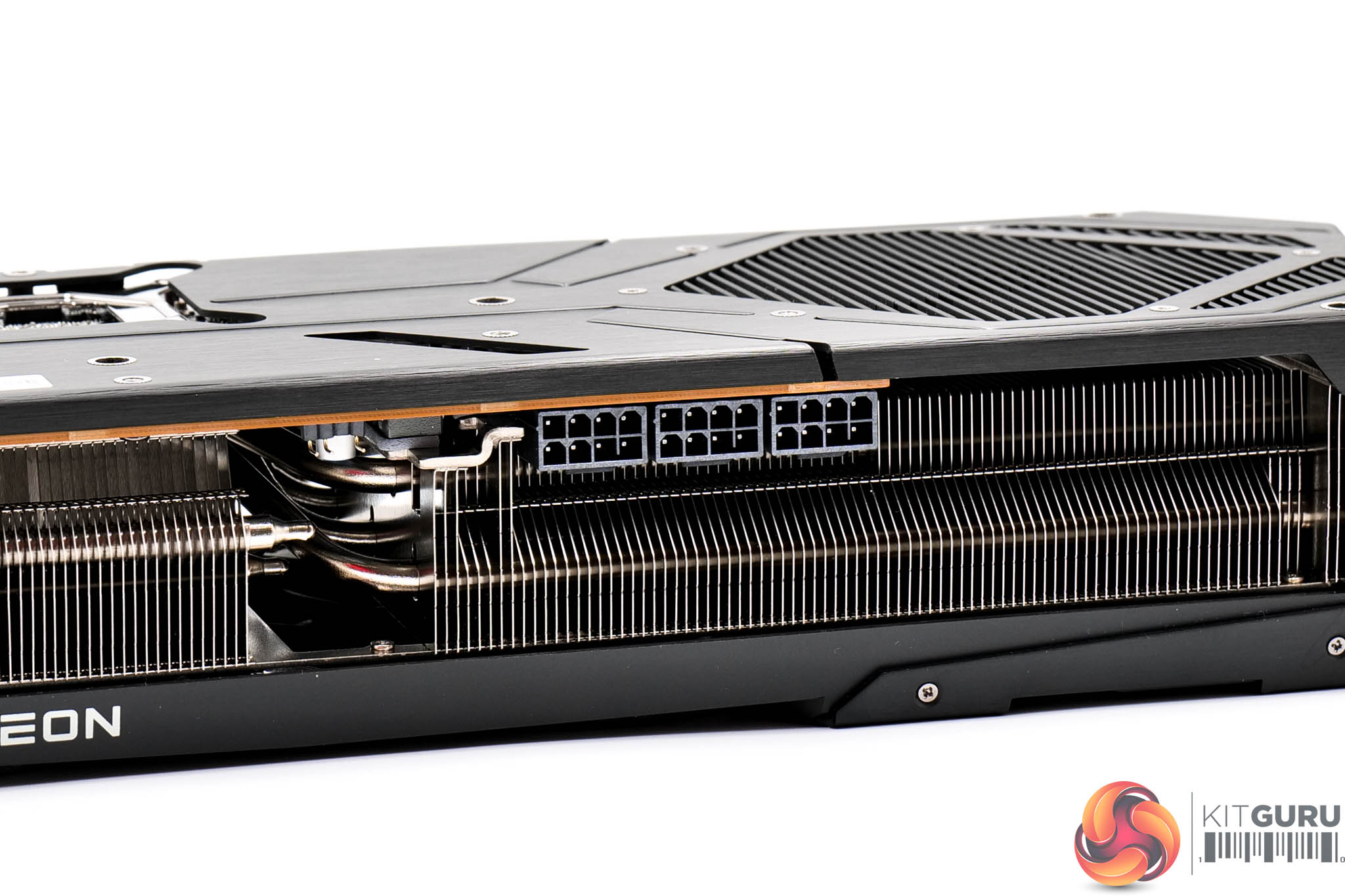

Power requirements consist of three PCIe 8-pins – no 12VHPWR here. Display outputs consist of 3x DisplayPort 2.1 and 1x HDMI 2.1

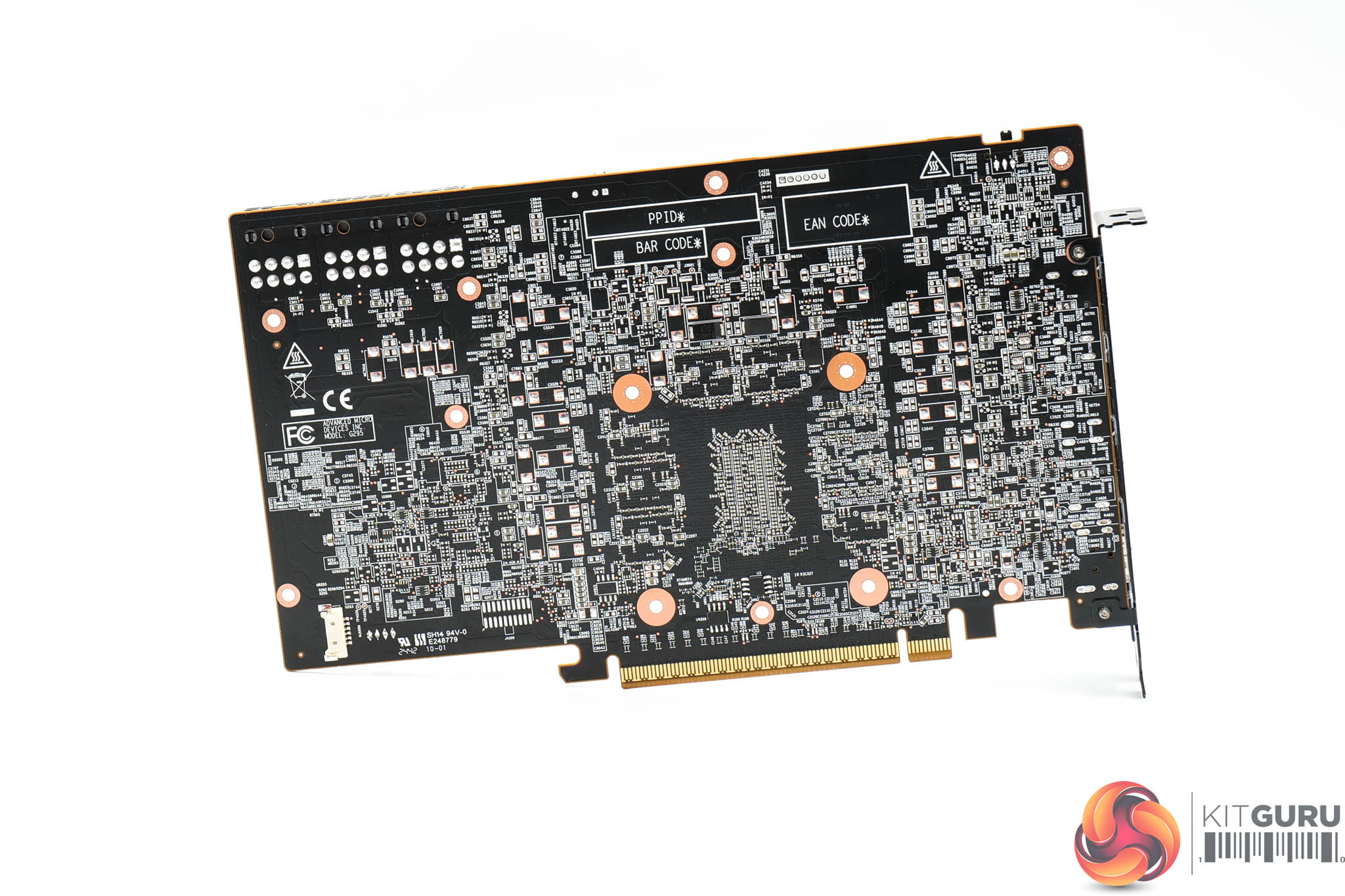
Looking now at the PCB, we can see that the overall design is similar to the Nitro+, but actually beefed up slightly, with eighteen power phases overall. These are broken down with 12 phases for the GFX, three for the SOC, two for MVDD and one for VDDCI. All power stages are controlled by a pair of Monolithic Power Systems MP2868A controllers, while Monolithic MP87993 MOSFETs are used throughout.
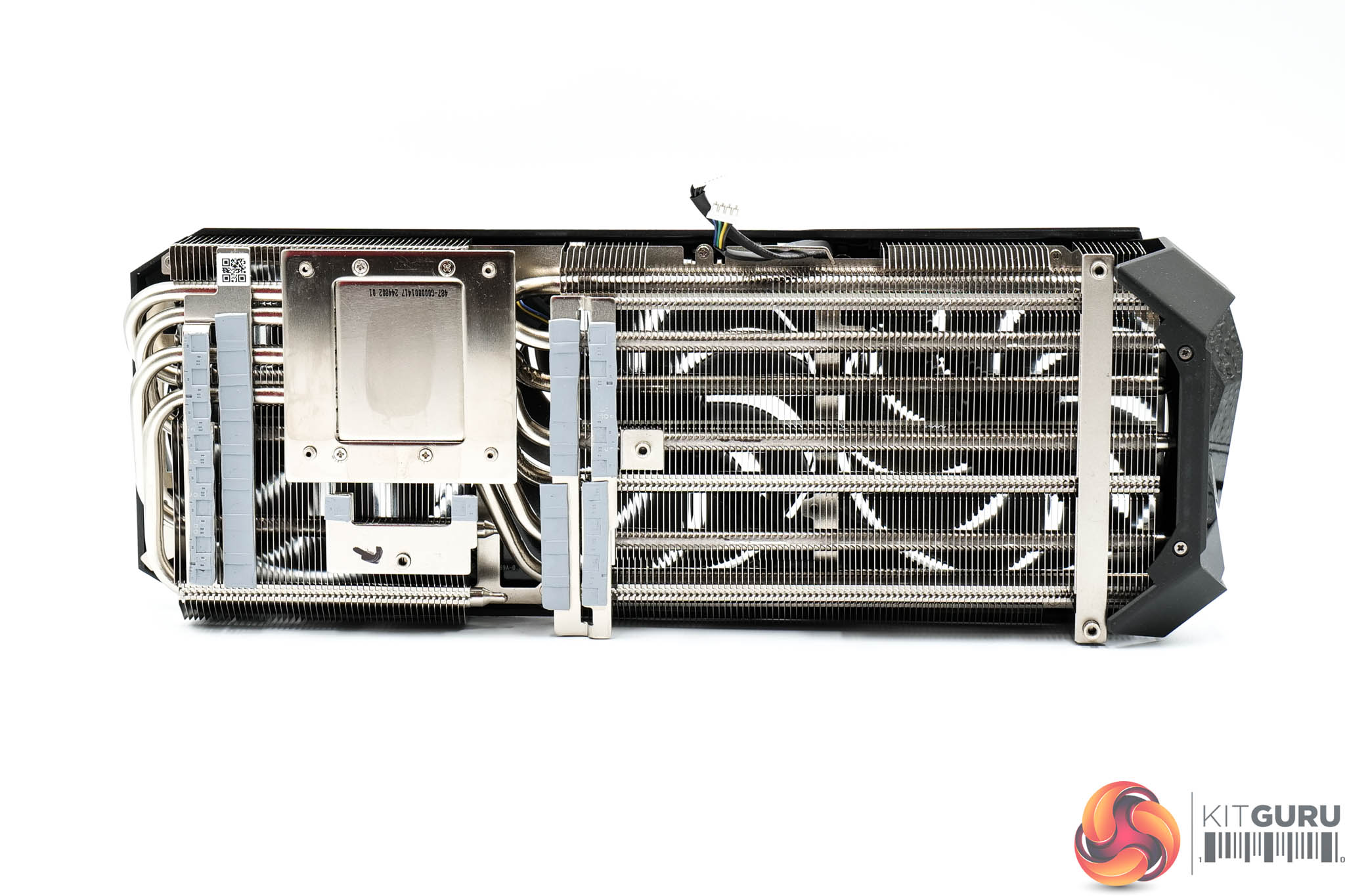
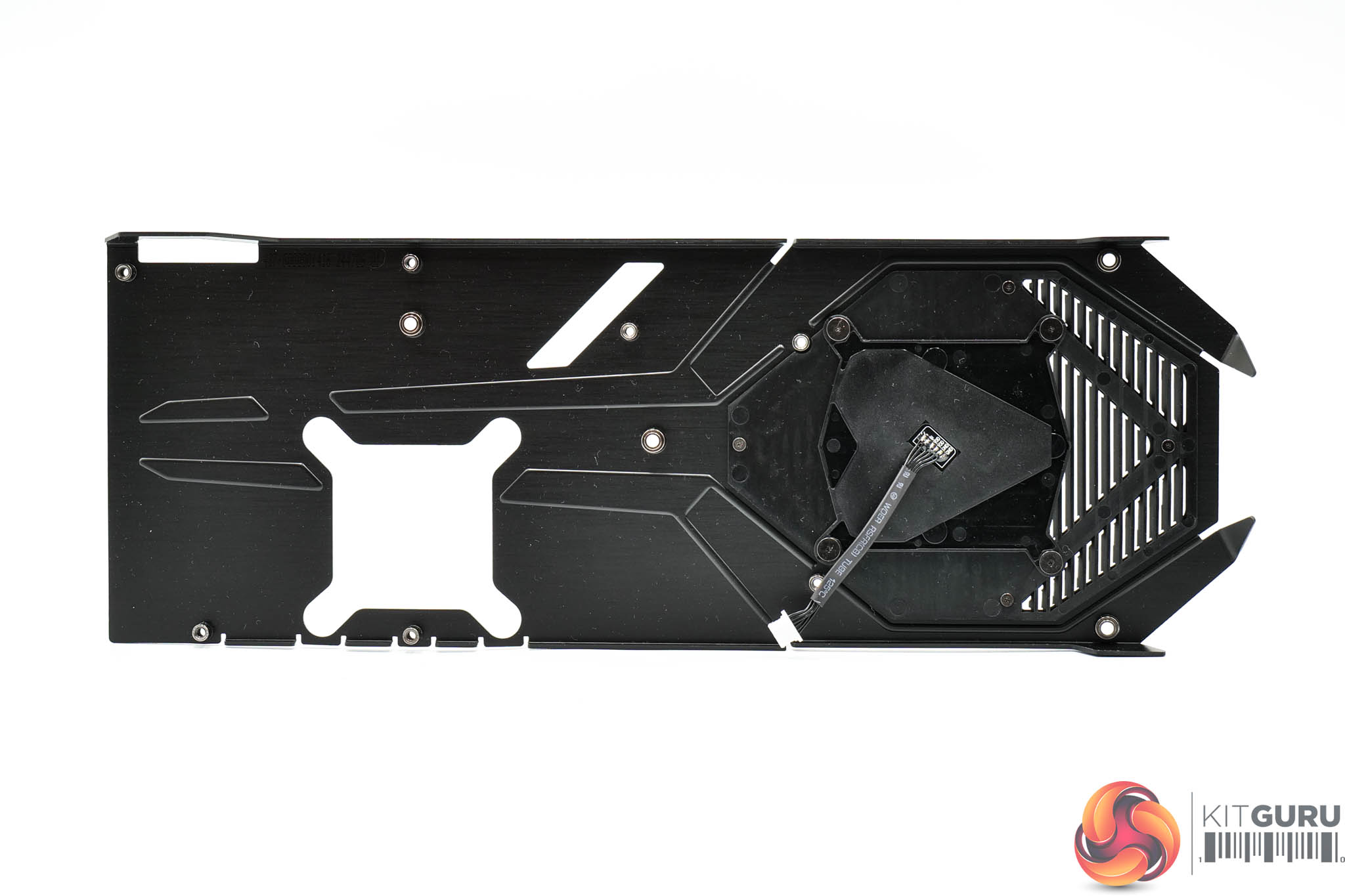
The heatsink utilises seven heatpipes, with the GPU and VRAM contacting with a central baseplate. Smaller secondary plates are used to contact the VRM. The backplate does not contact the rear of the PCB via thermal pads.
Driver Notes
- AMD GPUs (except RX 9070 series) were benchmarked with the Adrenalin 24.12.1 driver.
- AMD RX 9070 and RX 9070 XT were benchmarked with the Adrenalin 24.30.31.03 driver supplied to press.
- Nvidia GPUs (except for RTX 50 series) were benchmarked with the 566.14 driver.
- RTX 5090 was benchmarked with the 571.86 driver supplied to press.
- RTX 5080 was benchmarked with the 572.02 driver supplied to press.
- RTX 5070 Ti was benchmarked with the 572.43 driver supplied to press.
- RTX 5070 was benchmarked with the 572.50 driver supplied to press.
Results are only directly comparable where this exact configuration has been used.
Test System:
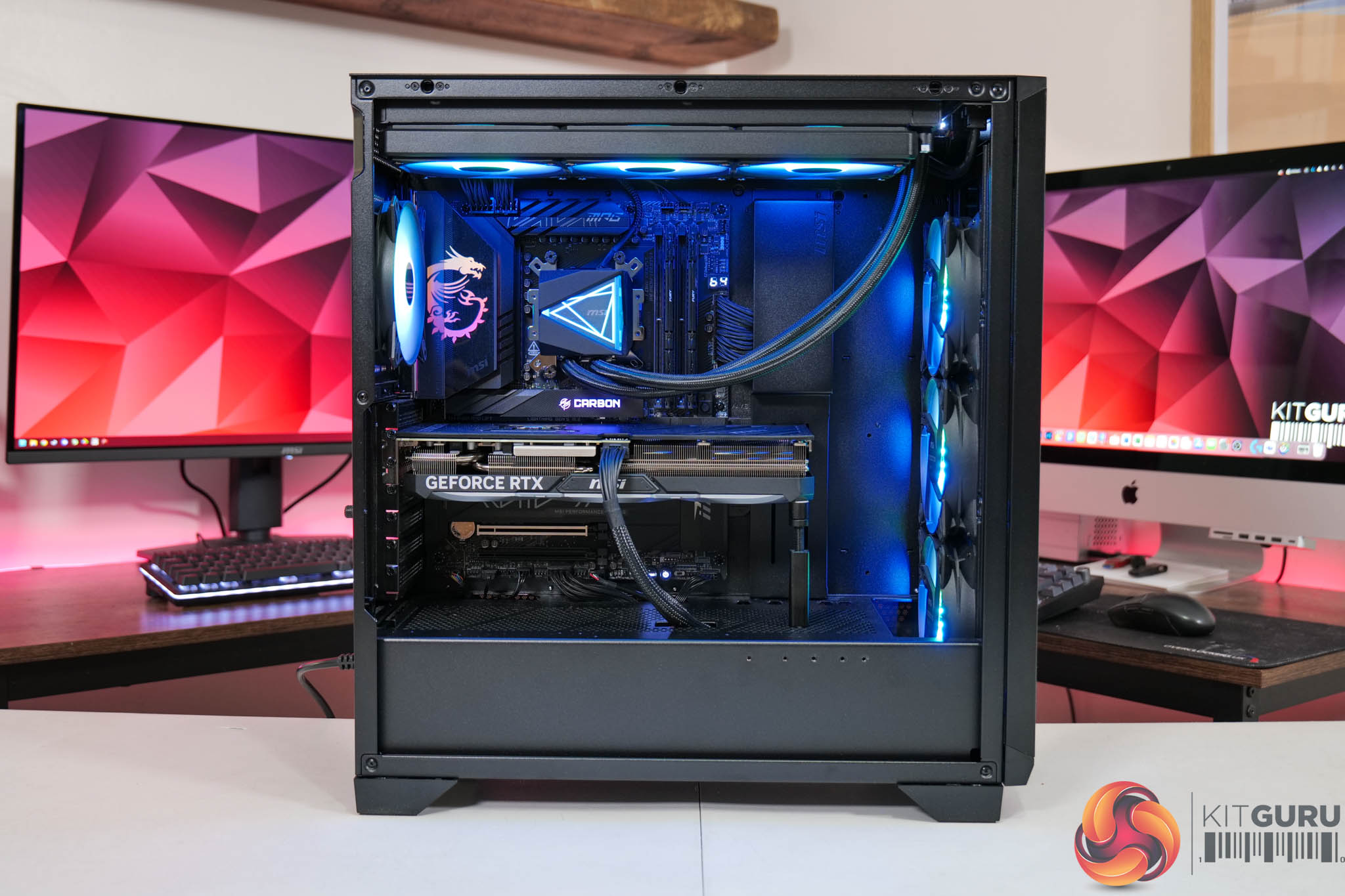
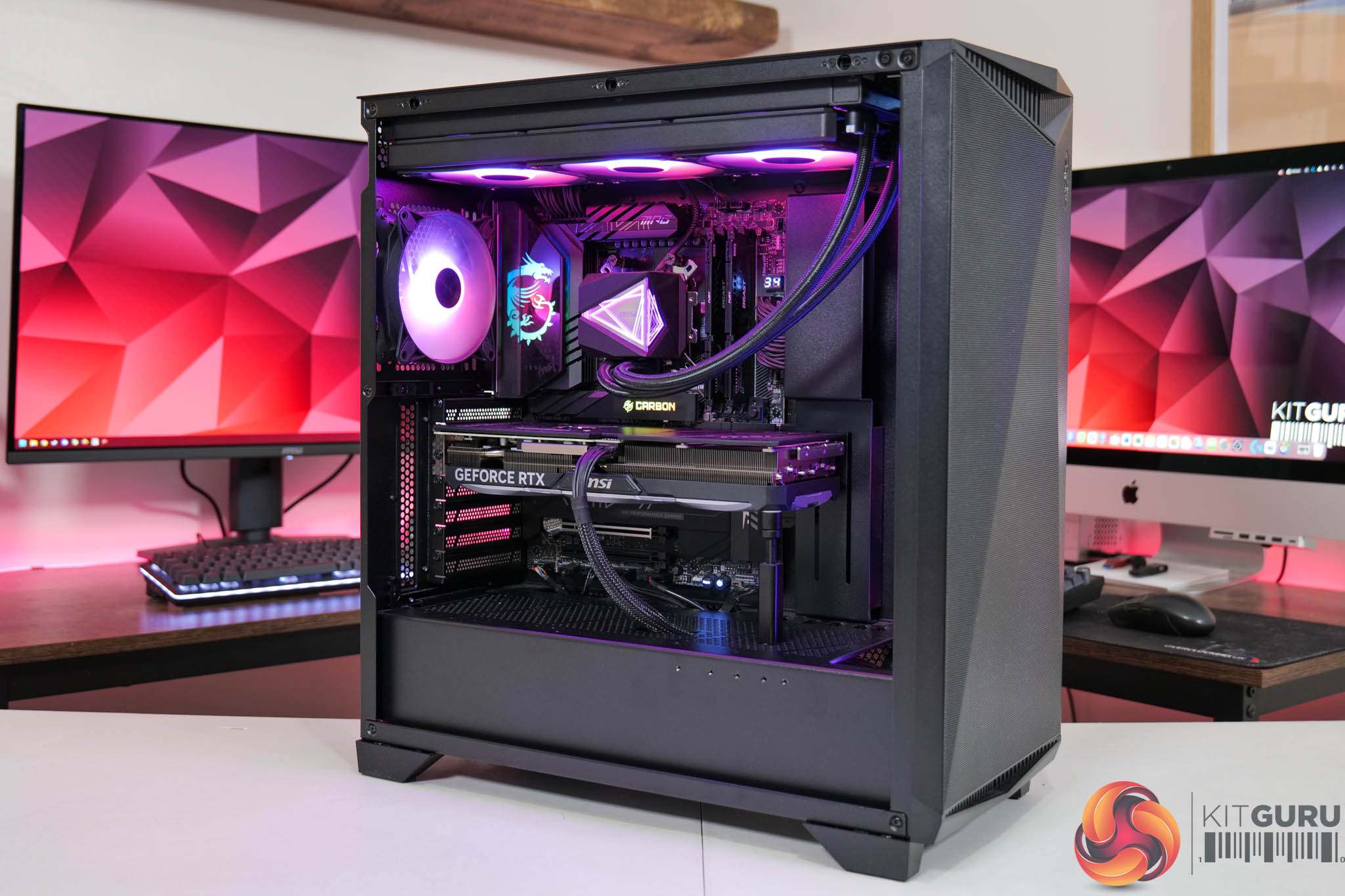
We test using a custom built system powered by MSI, based on AMD's Zen 5 platform. You can view the Powered by MSI store on AWD-IT's website HERE.
| CPU |
AMD Ryzen 7 9800X3D
|
| Motherboard |
MSI MPG X870E Carbon WiFi
|
| Memory |
64GB (2x32GB) Kingston Fury Beast DDR5 6000MT/s CL30
|
| Graphics Card |
Varies
|
| SSD |
4TB Kingston NV3 Gen 4 PCIe NVMe
|
| Chassis | MSI MPG Gungnir 300R Airflow |
| CPU Cooler |
MSI MAG CoreLiquid i360
|
| Power Supply |
MSI MEG Ai1300P
|
| Operating System |
Windows 11 23H2
|
| Monitor |
MSI MPG 321URX QD-OLED
|
| Resizable BAR |
Enabled for all supported GPUs
|
Comparison Graphics Cards List
- ASRock RX 9070 XT Taichi 16GB
- Sapphire RX 9070 Pulse 16GB
- AMD RX 7900 XTX 24GB
- AMD RX 7900 XT 20GB
- Sapphire RX 7900 GRE Nitro+ 16GB
- AMD RX 7800 XT 16GB
- Sapphire RX 7700 XT Pulse 12GB
- Nvidia RTX 5090 FE 32GB
- Nvidia RTX 5080 FE 16GB
- MSI RTX 5070 Ti Ventus 3X 16GB
- Nvidia RTX 5070 FE 12GB
- Nvidia RTX 4090 FE 24GB
- Nvidia RTX 4080 Super FE 16GB
- MSI RTX 4070 Ti Super Ventus 3X 16GB
- Gigabyte RTX 4070 Ti Gaming 12GB
- Nvidia RTX 4070 Super FE 12GB
- Nvidia RTX 4070 FE 12GB
- Nvidia RTX 3080 Ti FE 12GB
- Nvidia RTX 3070 Ti FE 8GB
- Nvidia RTX 3070 FE 8GB
All cards were tested at reference specifications. For factory overclocked cards, this means we manually ‘undo' the overclock via MSI Afterburner or AMD/Intel's built-in tuning tools. Or, for cards like the Sapphire RX 7900 GRE Nitro+, we enable the reference-clocked BIOS instead of the default OC BIOS.
Software and Games List
- Alan Wake II (DX12)
- Black Myth: Wukong (DX12)
- Cyberpunk 2077 (DX12)
- F1 24 (DX12)
- Final Fantasy XVI (DX12)
- Forza Horizon 5 (DX12)
- Ghost of Tsushima (DX12)
- Horizon Forbidden West (DX12)
- The Last of Us Part 1 (DX12)
- A Plague Tale: Requiem (DX12)
- Ratchet and Clank: Rift Apart (DX12)
- Returnal (DX12)
- Senua's Saga: Hellblade 2 (DX12)
- Shadow of the Tomb Raider (DX12)
- Starfield (DX12)
- Star Wars Outlaws (DX12)
- Total War: Warhammer III (DX11)
We run each benchmark/game three times, and present mean averages in our graphs. We use FrameView to measure average frame rates as well as 1% low values (99th percentile) across our three runs.
Here we test three games, all at 3840×2160 resolution using maximum image quality settings.
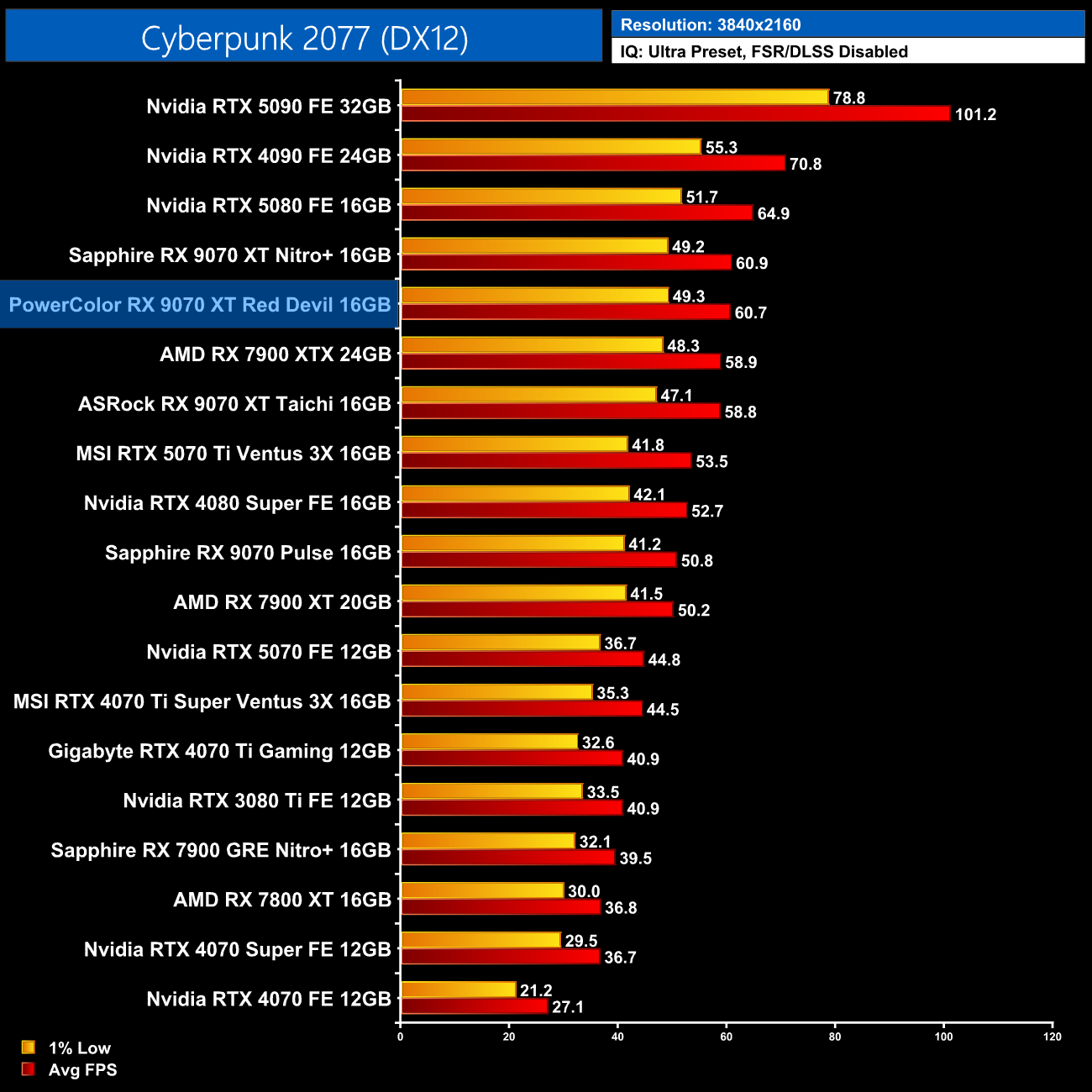
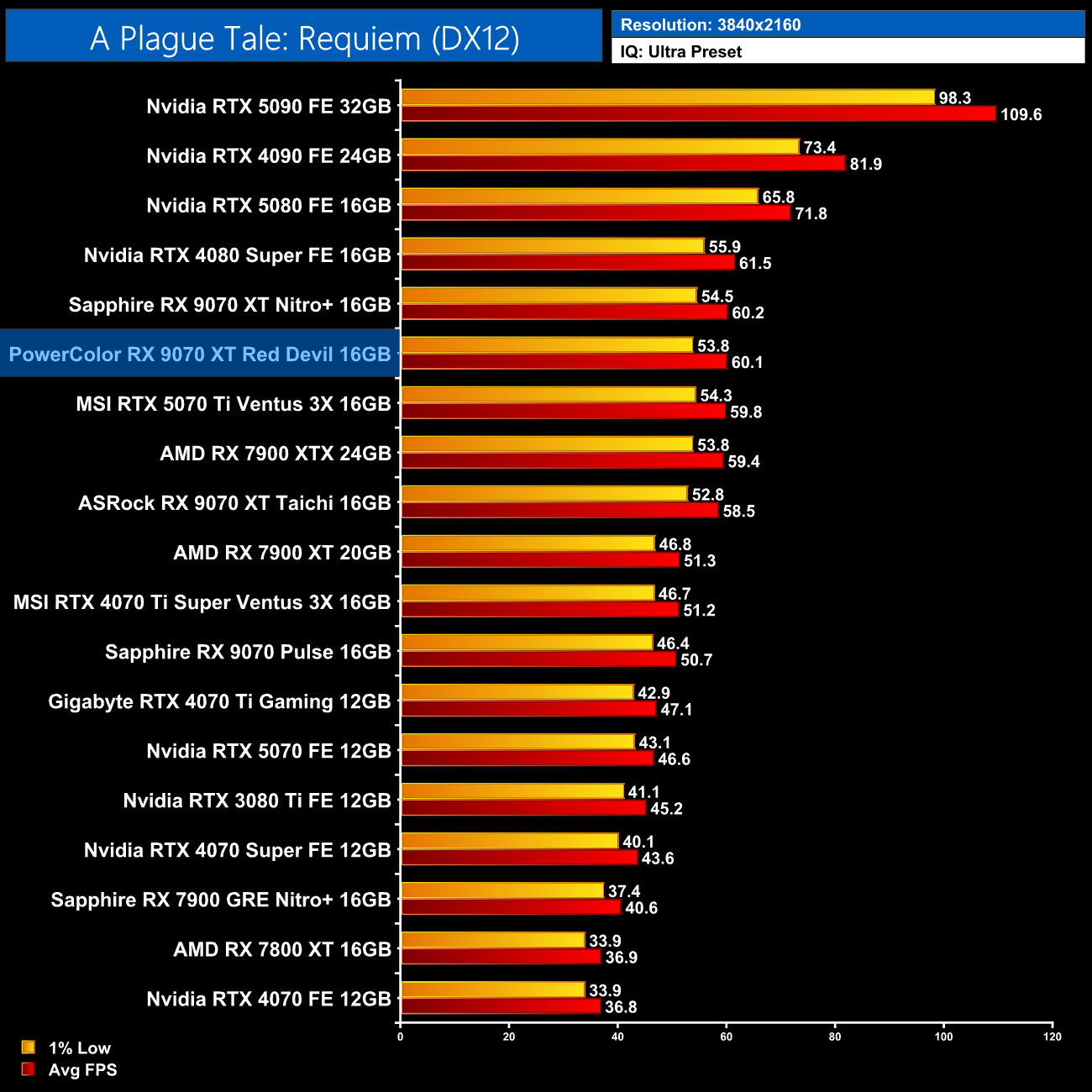
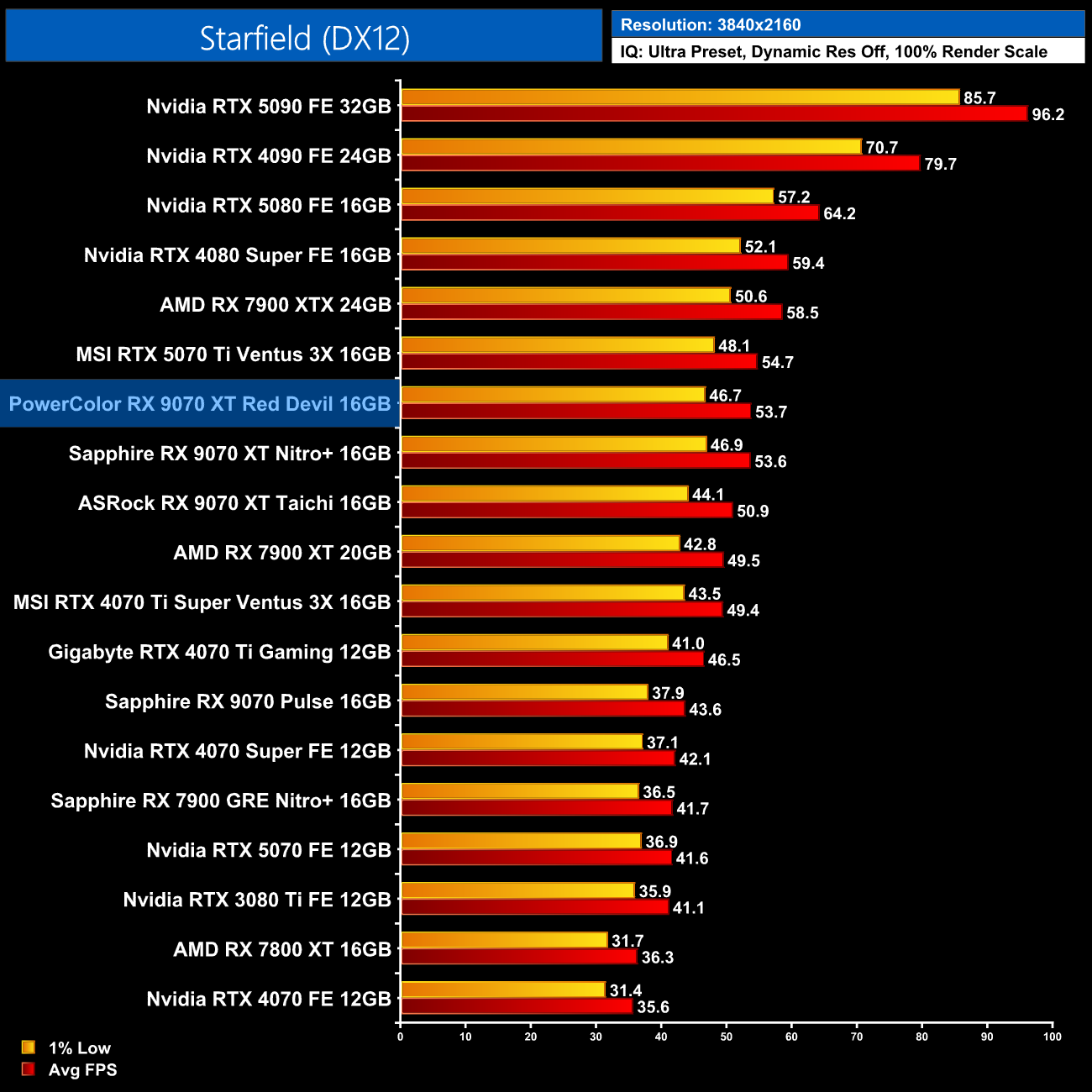
We don't focus too heavily on game benchmarks in our partner card reviews as performance doesn't tend to change a whole lot when comparing different models of the same GPU. We do see a lead for the Red Devil over the ASRock Taichi model, which we tested at reference specifications for our day 1 review, but even then, the gains are only 2-3fps in these examples. Performance versus the Nitro+ is basically identical.
Here we present the average clock speed for each graphics card while running A Plague Tale: Requiem for 30 minutes. We use GPU-Z to record the GPU core frequency during gameplay. We calculate the average core frequency during the 30 minute run to present here.
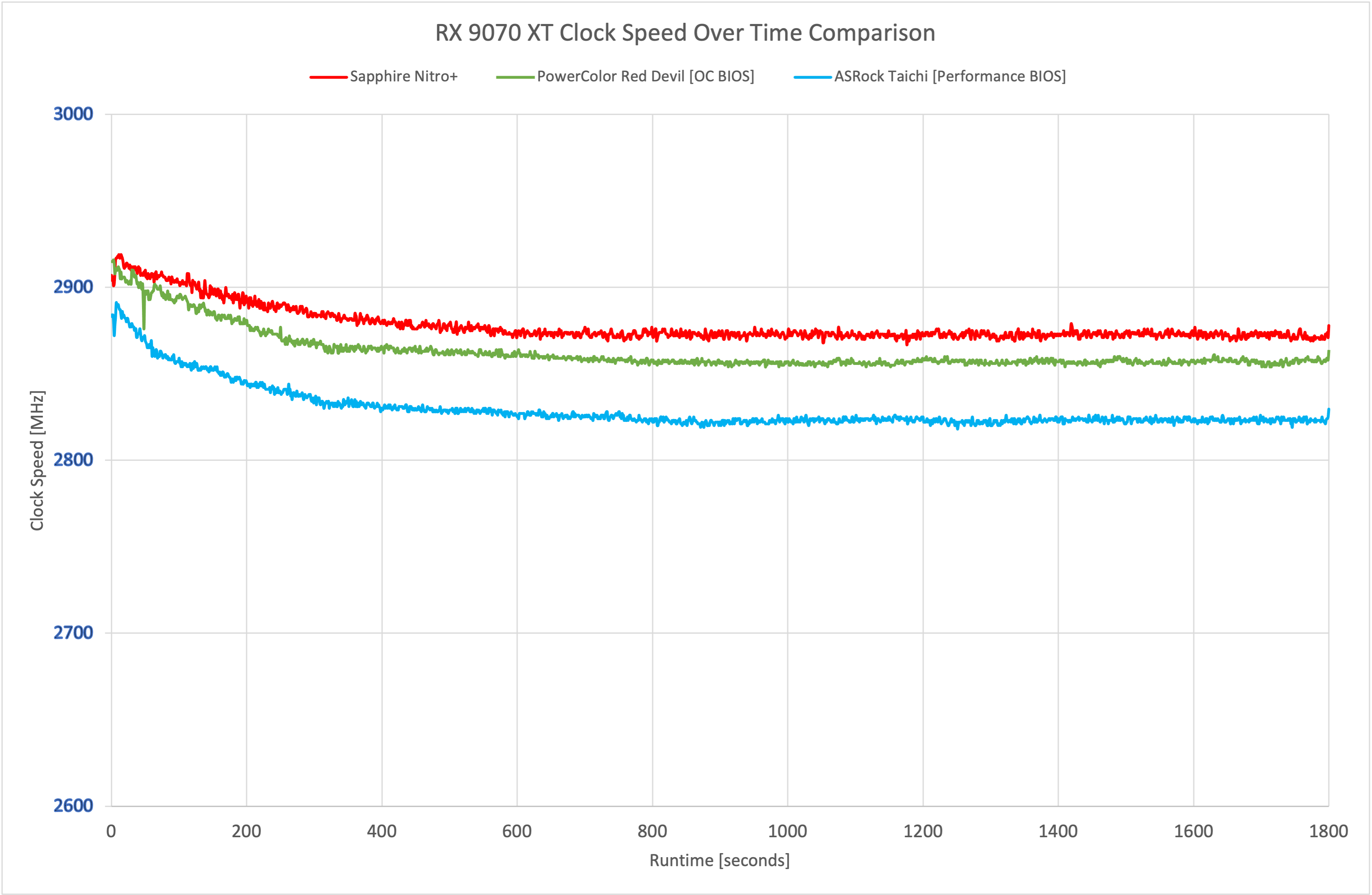
On a technical level, we did see the Nitro+ running the fastest of the three 9070 XTs tested, though the gains are only slight when compared to the Red Devil.
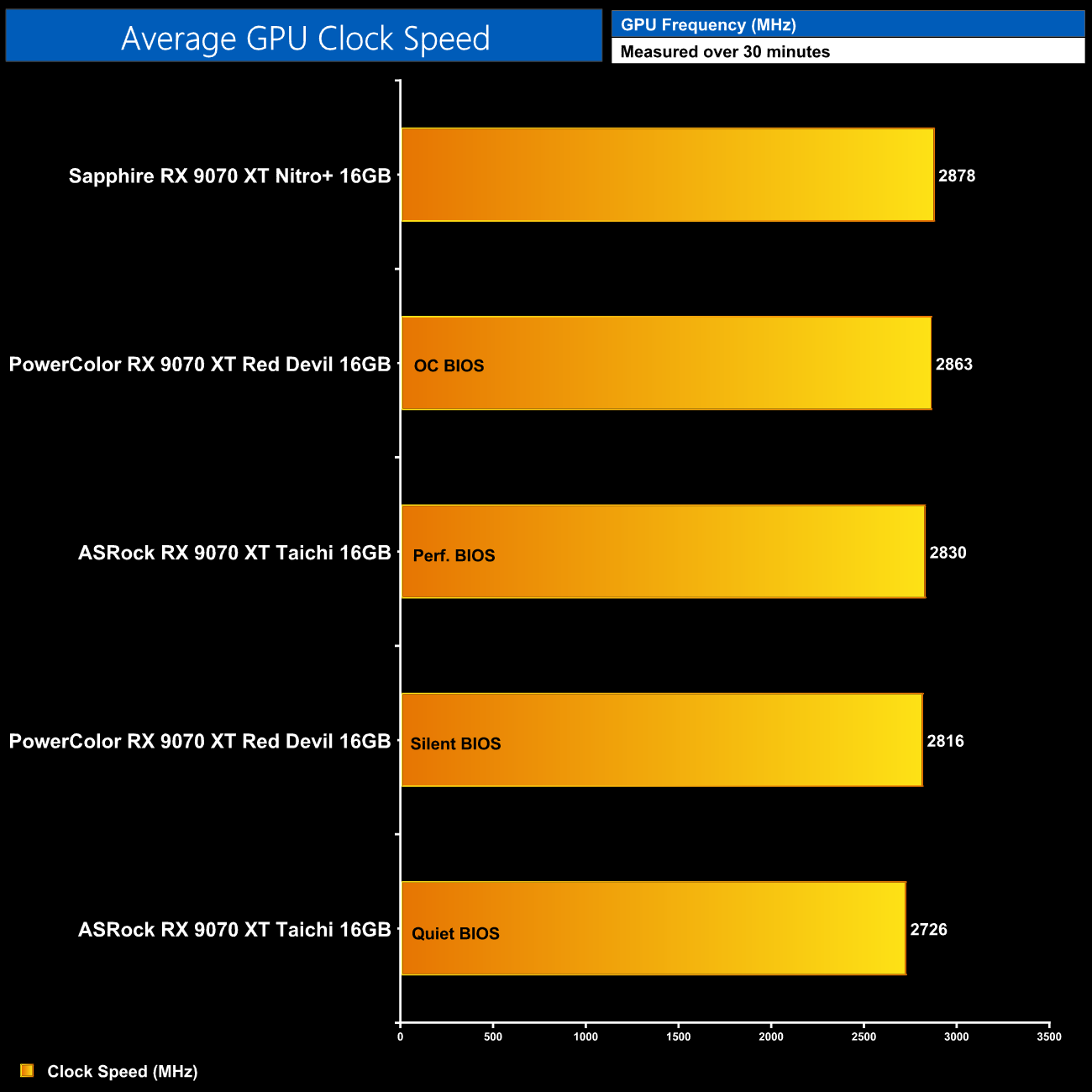
In fact, averaged over the thirty minute stress test, the Red Devil was less than 25MHz behind the Nitro+, so there's basically nothing in it.
For our temperature testing, we measure steady-state GPU temperatures under load. A reading under load comes from running A Plague Tale: Requiem for 30 minutes.
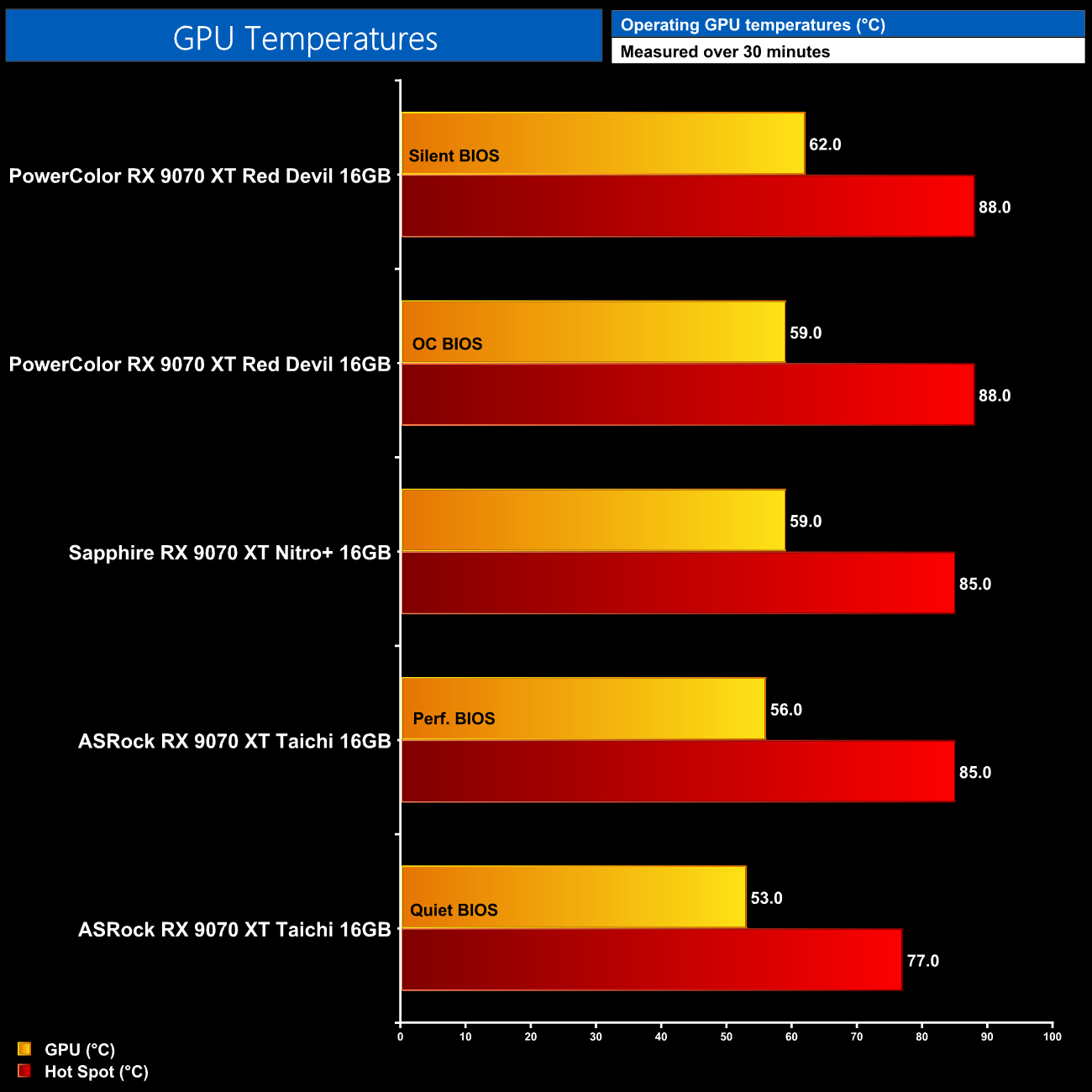
As for out of the box GPU temperatures, all three cards tested deliver very good results, though the Red Devil does run the warmest – just about!. Using the OC BIOS, the GPU hit 59C, with the hot spot at 88C, so it's very similar to the Taichi and Red Devil.
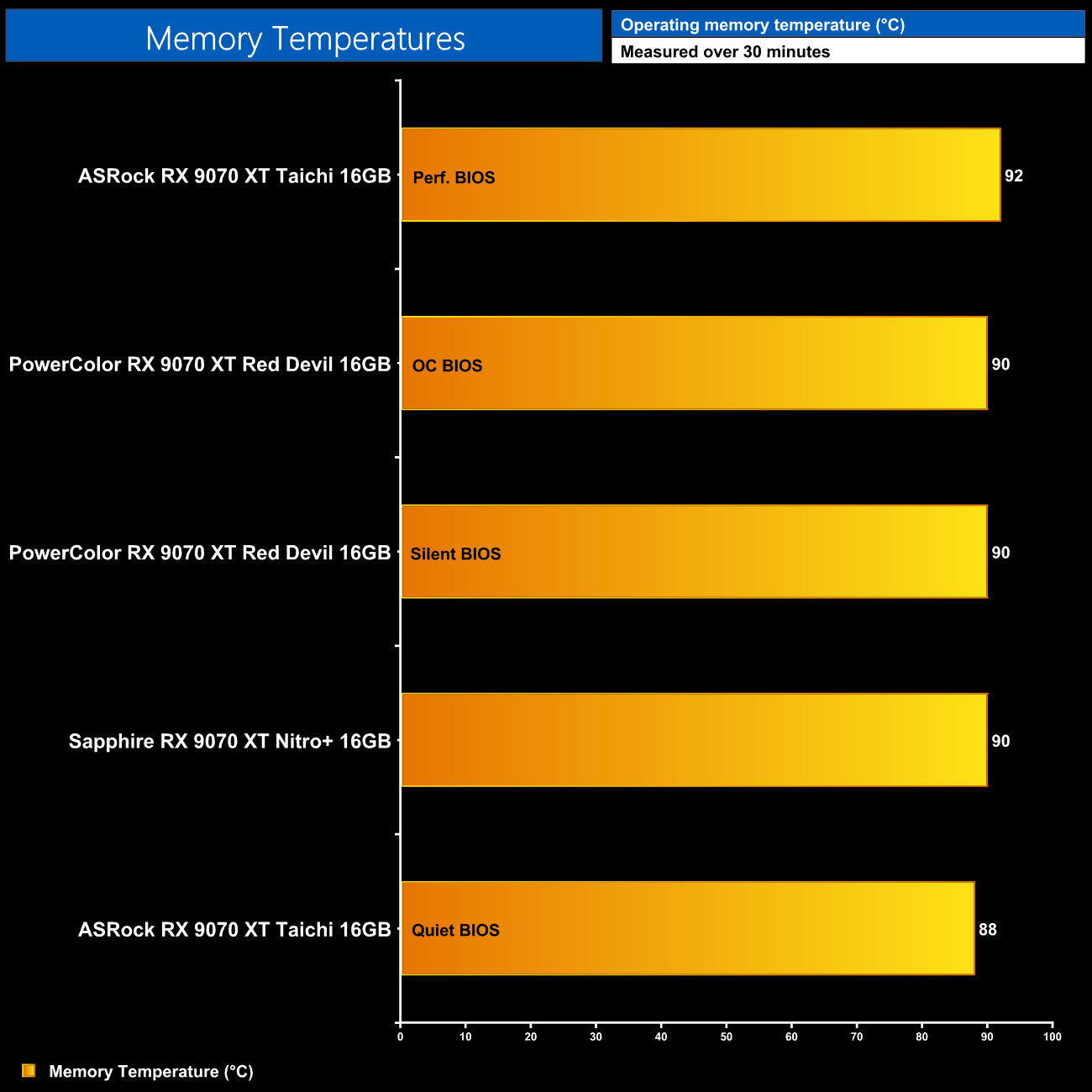
Likewise, memory thermals are basically a wash, with all three cards seeing the memory hit between 88-92C.
We take our noise measurements with the sound meter positioned 1 foot from the graphics card. I measured the noise floor to be 32 dBA, thus anything above this level can be attributed to the graphics cards. The power supply is passive for the entire power output range we tested all graphics cards in, while all CPU and system fans were disabled. A reading under load comes from running Cyberpunk 2077 for 30 minutes.
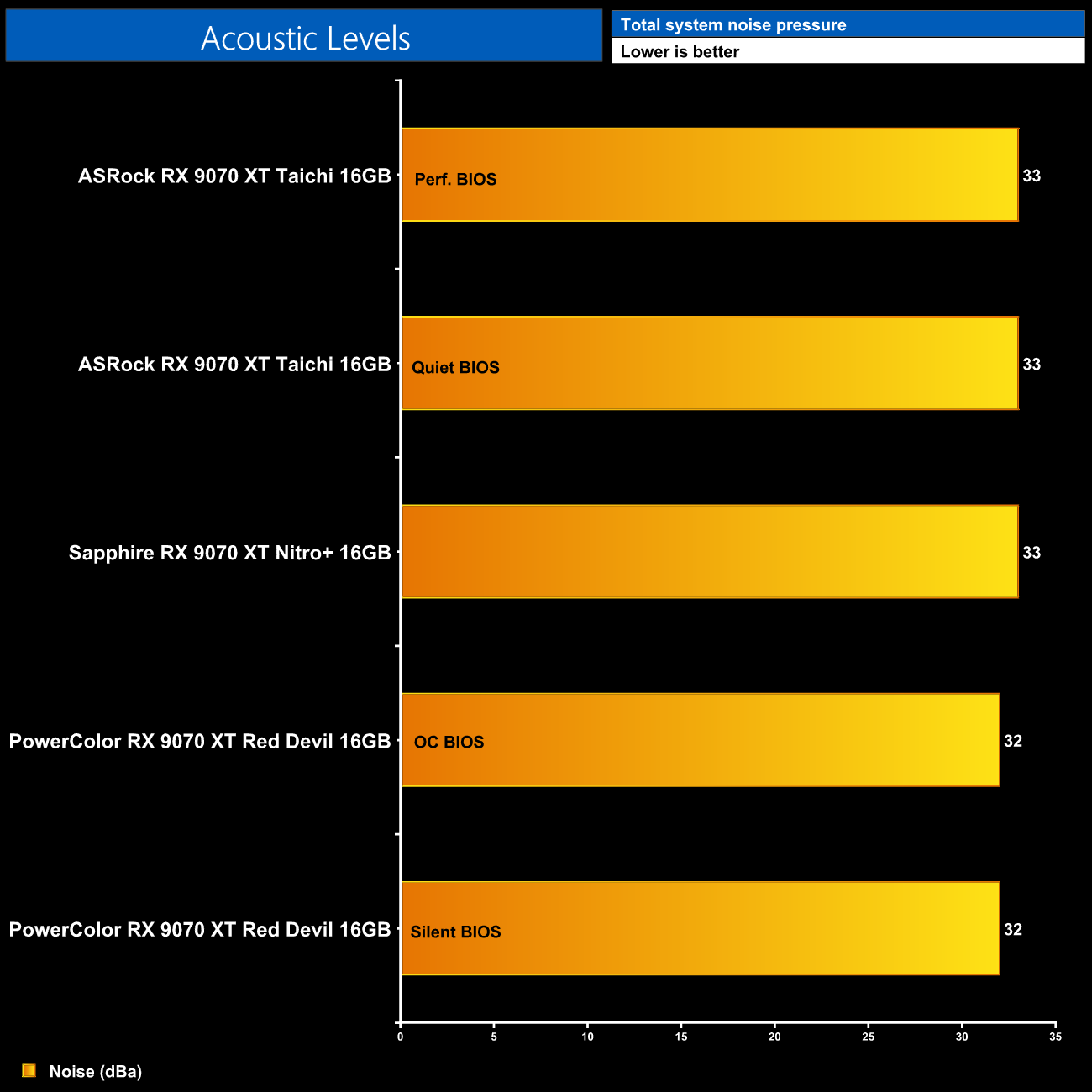
As for out of the box noise levels, we have tested a trio of very quiet graphics cards! The Red Devil is the quietest of the bunch however, as regardless of whether I was using the OC or Silent BIOS, the sound output was actually hitting the noise floor of my testing environment, at 32dBa. In other words, this is as quiet a graphics card as I am able to test, which is fantastic to see.
Following on from our stock thermal and acoustic testing, here we re-test the operating temperature of the GPU, but with noise levels normalised to 40dBa. This allows us to measure the efficiency of the overall cooling solution as varying noise levels as a result of more aggressive fan curves are no longer a factor.
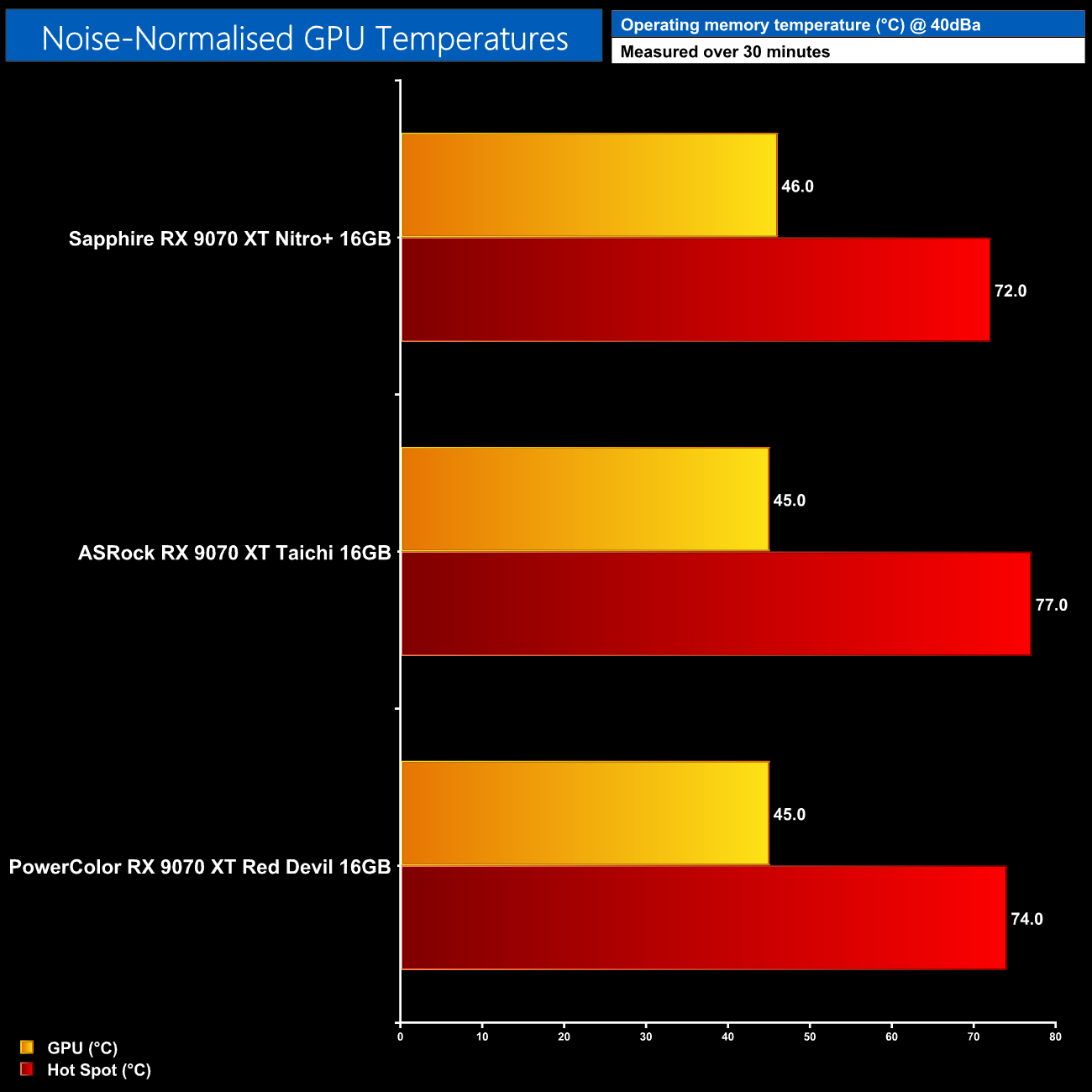
When we ran our noise-normalised test, the results of all three cards basically became indistinguishable. The Red Devil did offer the joint-lowest GPU temperature at 45C, while the hot spot sat between the Nitro+ and Taichi, hitting 74C. Either way, the results are close enough to call a tie.
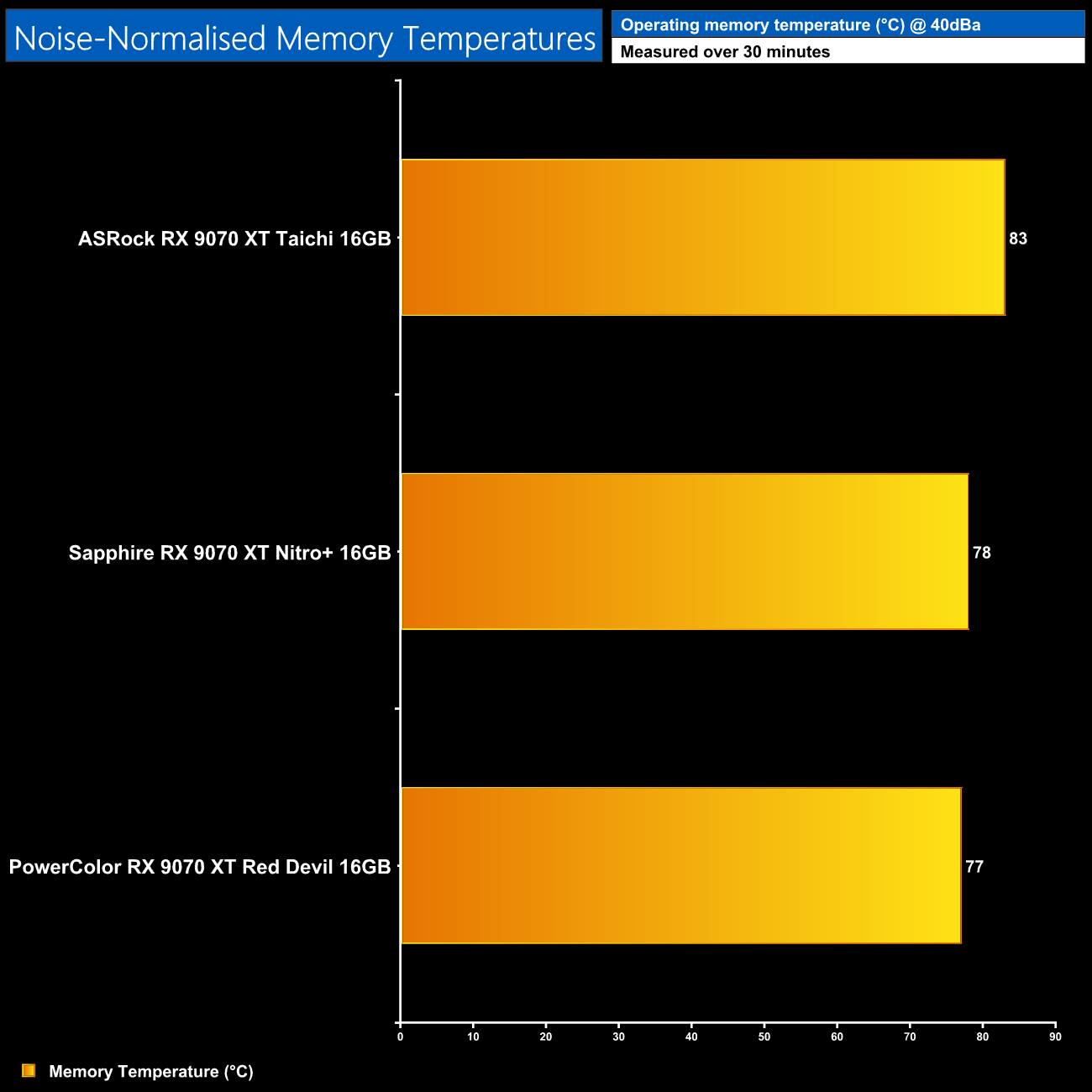
The Red Devil does scrape a victory for the noise-normalised memory temperatures however, coming in just 1C cooler than the Nitro+.
Power Draw
We use Nvidia PCAT to measure power draw of the graphics card only, with readings from both the PCIe slot and the PCIe power cables combined into a single figure. We use A Plague Tale: Requiem (4K/2160p) for this testing.
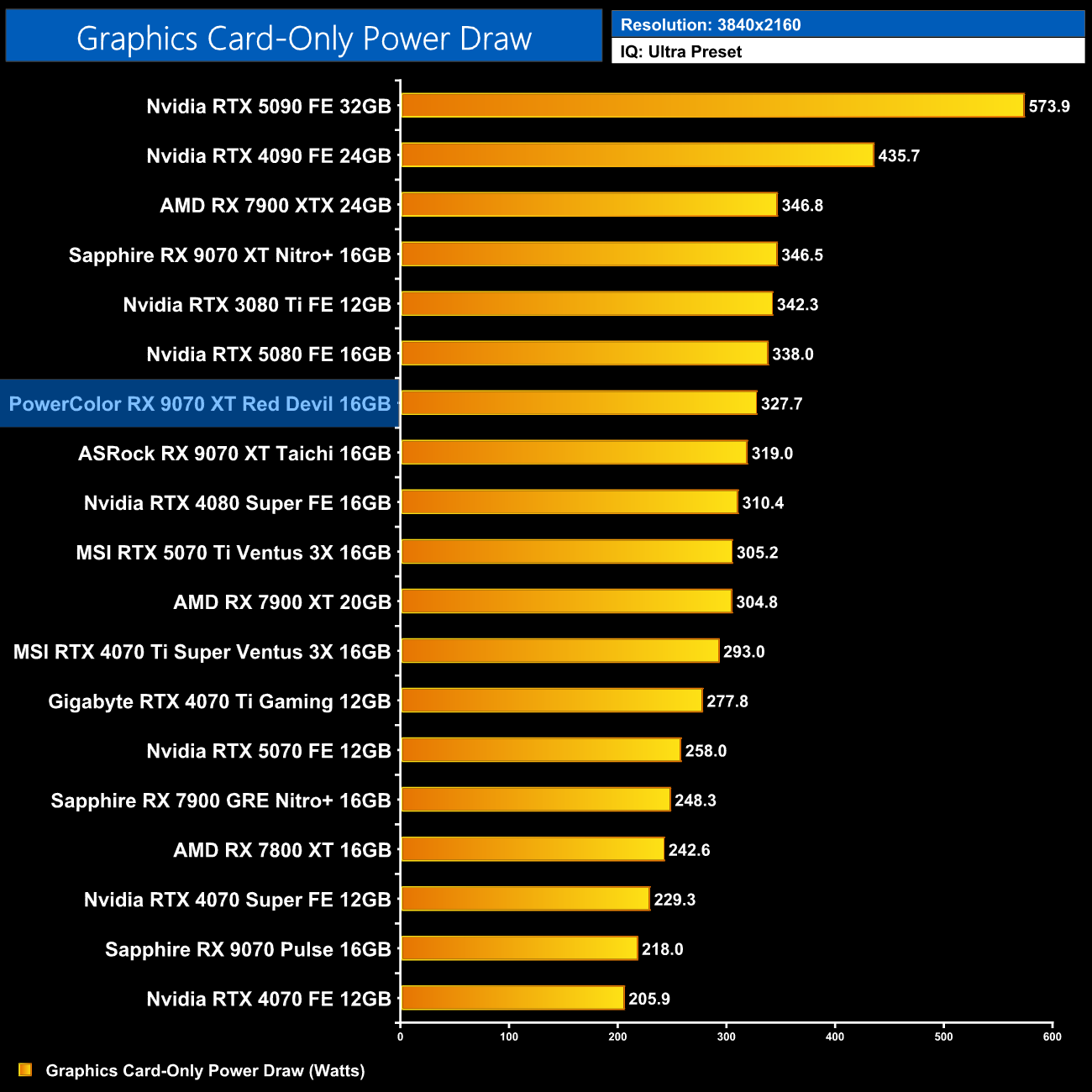
As for power draw, we saw the Red Devil pulling just under 330W in A Plague Tale: Requiem, only a small increase over the Taichi and still almost 20W less than the Nitro+.
Performance per Watt
Combining the power draw values shown above with the performance data, we present performance per Watt for each graphics card tested:
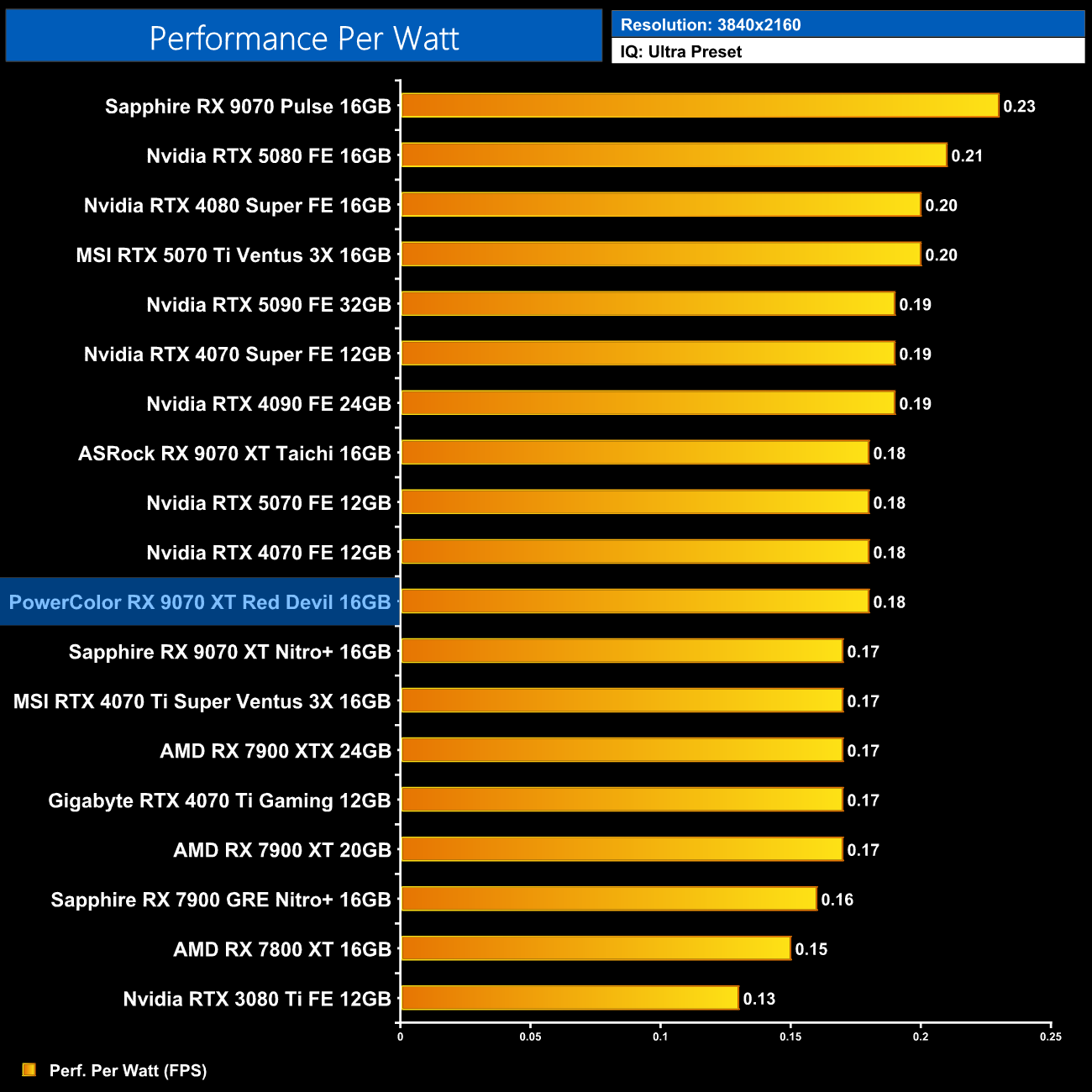
Because of that, efficiency is actually a hair better than the Nitro+ and on par with the Taichi.
For our manual overclocking tests, we use AMD's built-in tuning tool. Our best results are as below.

Overclocking the RX 9070 XT is very similar to the RX 7000 series, in the sense that the overclocking bit itself doesn't really matter, but it all depends on how far you can lower voltage. For the Red Devil, I maximised the power limit at +10%, added 450MHz to the GPU clock, set the memory clock to a maximum of 2730MHz, and managed to set a -110mV offset.
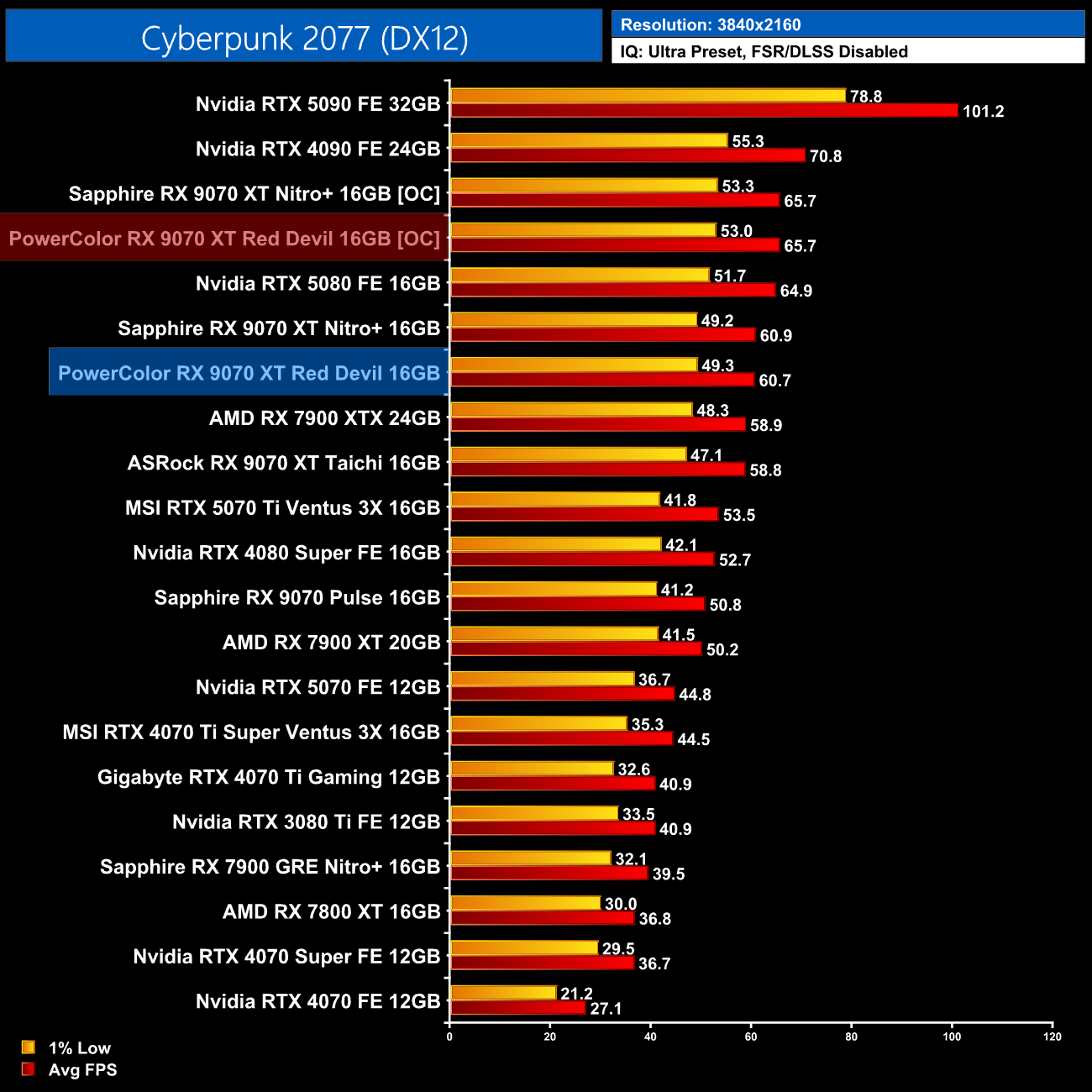
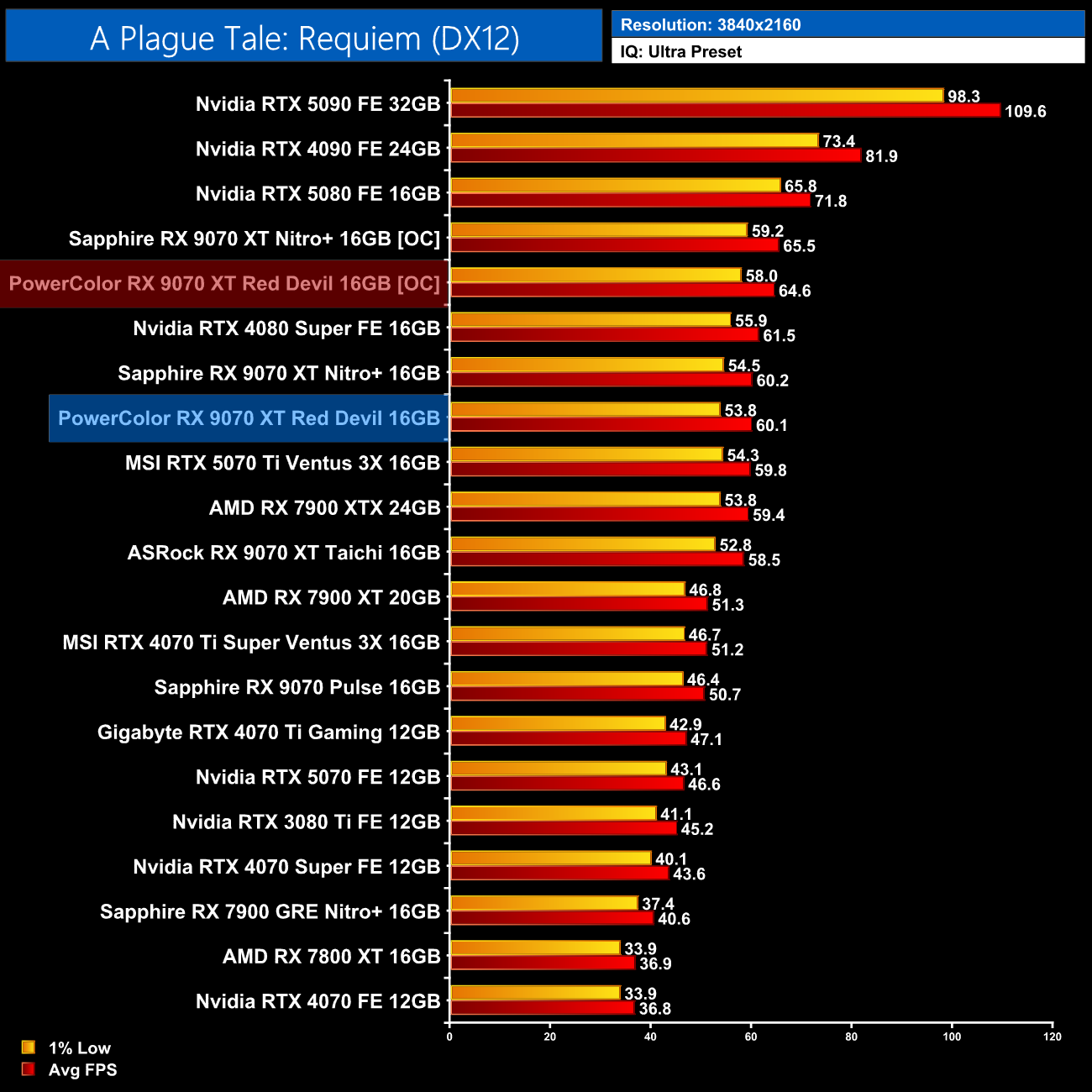
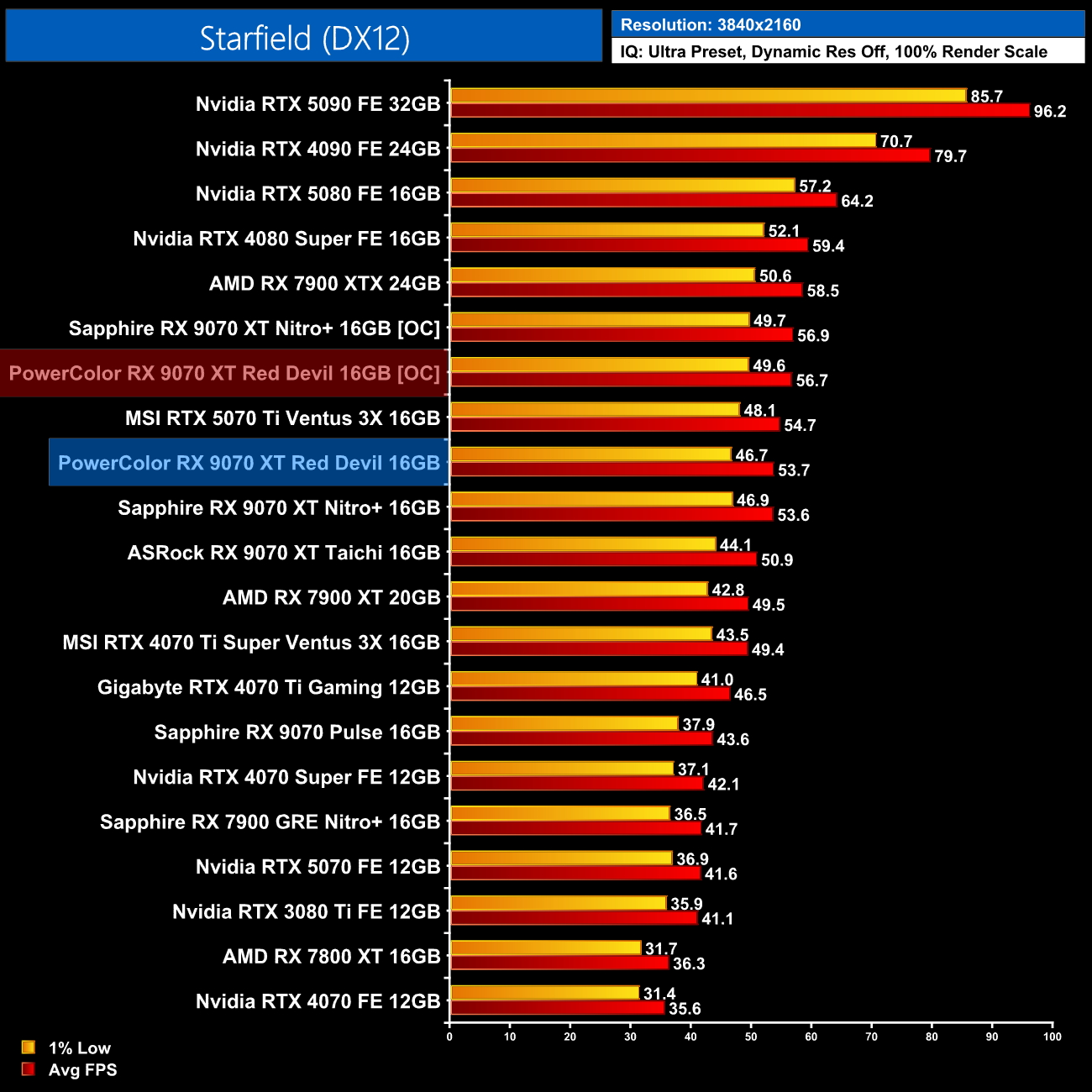
This resulted in performance gains of 6-8% for the Red Devil, which is fine, though also nothing particularly special. Of course, your mileage may vary depending on the silicon lottery and other factors.
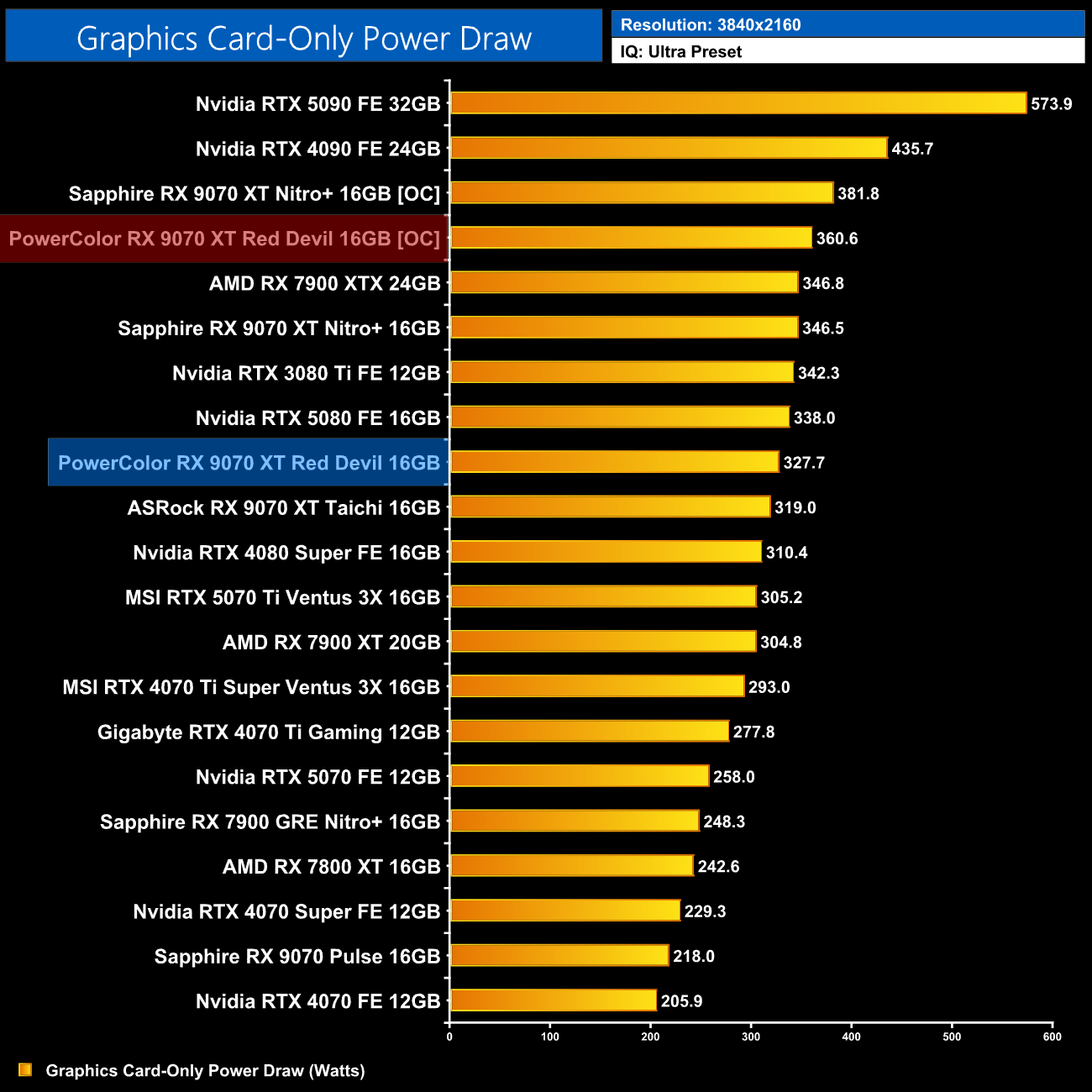
We did see power draw rise a good amount however, hitting just over 360W when overclocked – a 10% increase over stock.
It's been some time since I last reviewed a Red Devil card – we mostly focused on the more value-oriented Hellhound models for the RX 7000 series – but it has been great to check out what PowerColor has to offer those interested in its flagship RX 9070 XT.
The Red Devil design has stayed fairly consistent over the years, with a fairly aggressive shroud design and the classic black and red colour combination, and I'd say it still works to great effect. It doesn't appeal to me in the same way as something like the Sapphire Nitro+, but each to their own.
The main thing is clearly that the cooler itself works well, and we saw excellent thermal performance from the Red Devil – it offers the joint-best thermals when noise-normalised, while fan speed is so low out of the box I hit the noise floor of my testing environment.
PowerColor has one clear advantage over the Nitro+, too, given it does offer a dual-BIOS switch with a choice of the OC and Silent modes – both of which I tested today. I think you are going to spend £700+ on a graphics card, dual-BIOS is a feature I value highly – not just for offering slightly different power and clock speed targets, but it also offers extra redundancy if something went wrong while updating the VBIOS, for instance.
Pricing also requires some decision, given AMD set the baseline MSRP at £575. This is a premium model however, currently listed for £720 from both Scan and Overclockers UK – a 25% increase over the £575 baseline. That does mean things are creeping much closer to the RTX 5070 Ti than I would like, given the cheapest model is listed for £830 at Scan.
Of course, the Red Devil will have more features – such as dual-BIOS and ARGB lighting – and likely a more sophisticated cooler than an entry-level 5070 Ti, but the fact remains, the closer the 9070 XT gets to the 5070 Ti's price tag, the harder things become for AMD and its partners.
Still, if you are in the market for an RX 9070 XT, the PowerColor Red Devil is an excellent option – I can see why Leo bought this one himself!
Pros
- Quietest 9070 XT we have tested yet, effectively silent.
- Joint-leader for noise-normalised thermals.
- Solid build quality, plus it has three ARGB zones.
- Healthy factory overclock.
- Gains of 6-8% when overclocked and undervolted.
Cons
- Hefty premium over the baseline MSRP brings pricing closer to the RTX 5070 Ti.
- Design may not appeal in the same way as the Sapphire Nitro+.
KitGuru says: The Red Devil is a highly capable RX 9070 XT partner card that ticks a lot of boxes.