 KitGuru KitGuru.net – Tech News | Hardware News | Hardware Reviews | IOS | Mobile | Gaming | Graphics Cards


LaCie's 12big is the current flagship of the company's professional range of external drives and if you are in the market for huge amounts of capacity and very, very fast data transfer rates then the 12big might be just the thing you are looking for…..but beware, you will need deep pockets – the 96Tb version we review today costs close to £8,300.
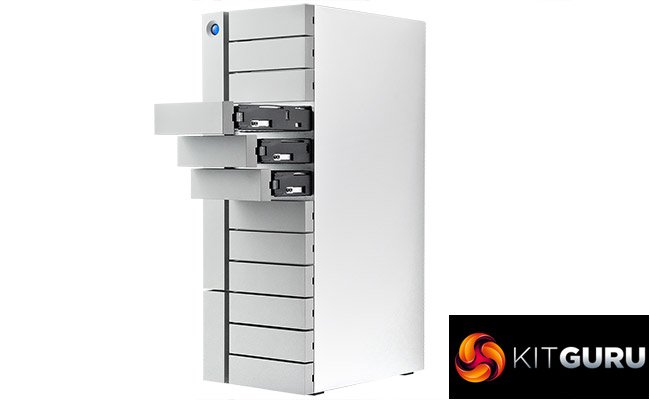
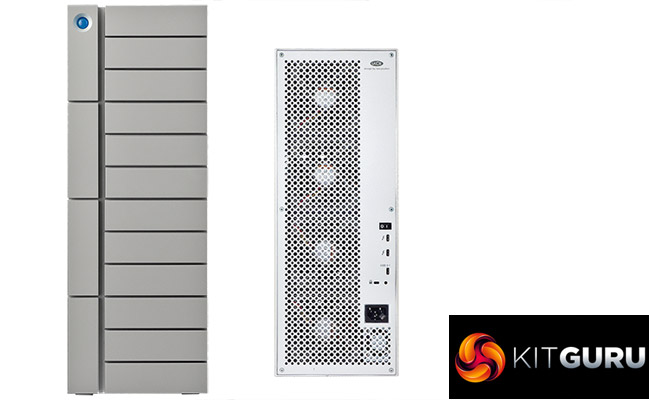
Aimed at professionals who work on large format photo's or do a a lot of heavy video editing work, the 12big is a very apt name for this beast of a tower external drive. It has 12, yes 12, 3.5in drive bays, and it stands 447mm high. That's seventeen and a half inches in old money. It's 161mm wide and 237mm deep so it can be a little top heavy because of how much it weighs … which unsurprisingly considering its full of mechanical drives – is a lot. The 96TB version we are looking at weighs in a arm numbing 17.6kg.
The 12big currently is available in four capacities; 48TB, 72TB, 96TB and the flagship 120TB. The review 12big came with 12 8TB Seagate Enterprise NAS drives installed but the unit also supports Seagate's IronWolf Pro drives including the flagship 10TB model. The Seagate Enterprise NAS drive has a spin speed of 7,200rpm and a 256MB cache. Out of the box the 12big disks are arranged in a RAID 5 array but is also supports RAID 0/1/6/10/50/60.
The drive comes with a pair of Thunderbolt 3 40Gbps ports and single USB 3.1 Gen.1 type C port.
LaCie back the drive with a decent 5-year warranty.
Physical Specifications
Usable Capacities: 48TB, 72TB, 96TB, 120TB
Hard Drive: Seagate Enterprise NAS
Spin Speed: 7,200rpm
Interface (s): 2 x Thunderbolt 3, 1 x USB3.1
Form Factor: External Tower
Dimensions: 161 × 447 × 237mm
Drive Weight: 17.6g
Firmware Version: 352R
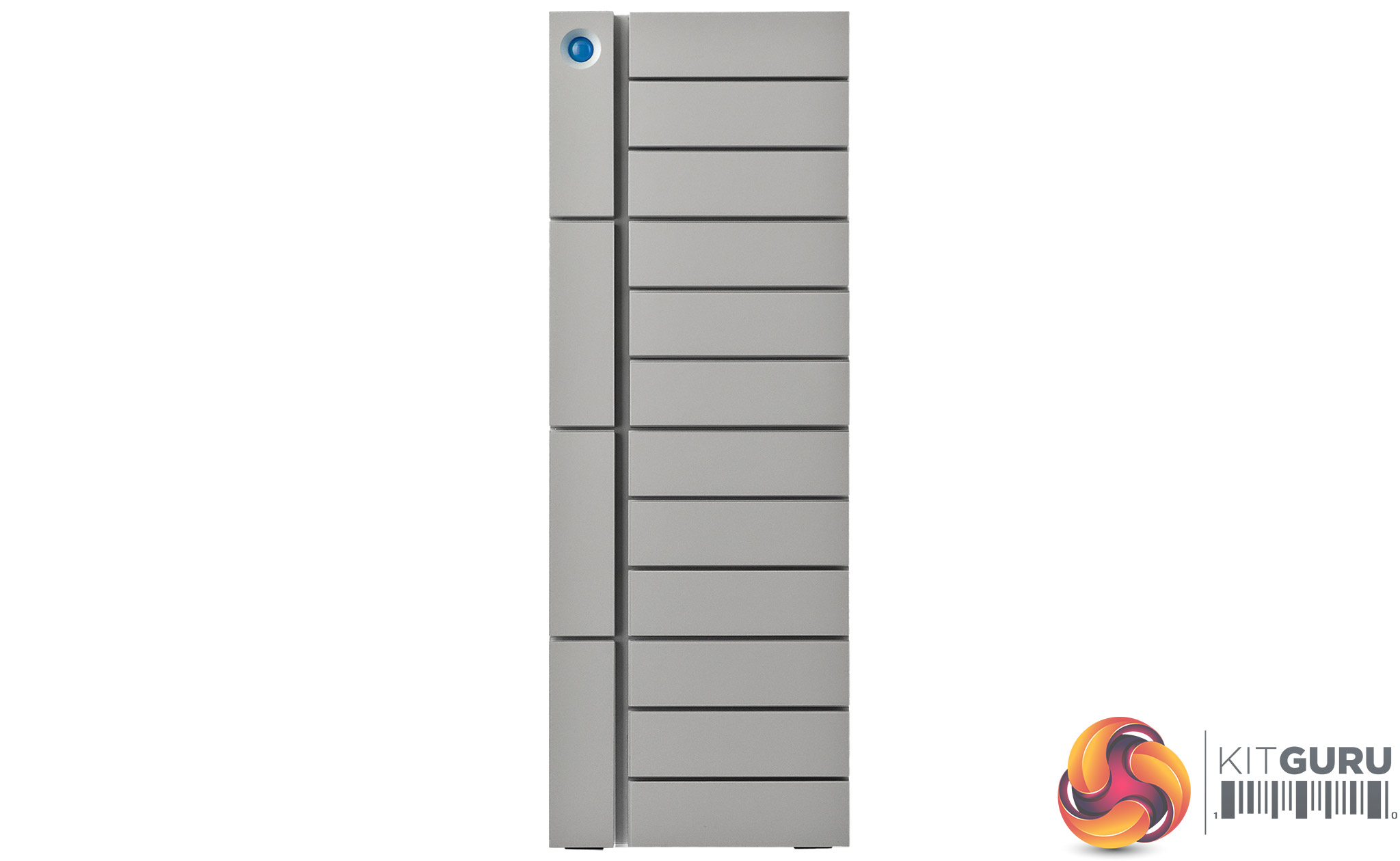
Designed by multi award winning Neil Poulton, the 12big's front bezel is devoid of anything apart from the usual LaCie orb indicator which also doubles as a switch. A quick press puts the drives into idle mode while a longer press shuts down the unit without spinning down the disks. During normal operations the orb stays Blue but it turns Red in response to any problems with the unit. There's also a blue drive activity indicator built into each drive bay.
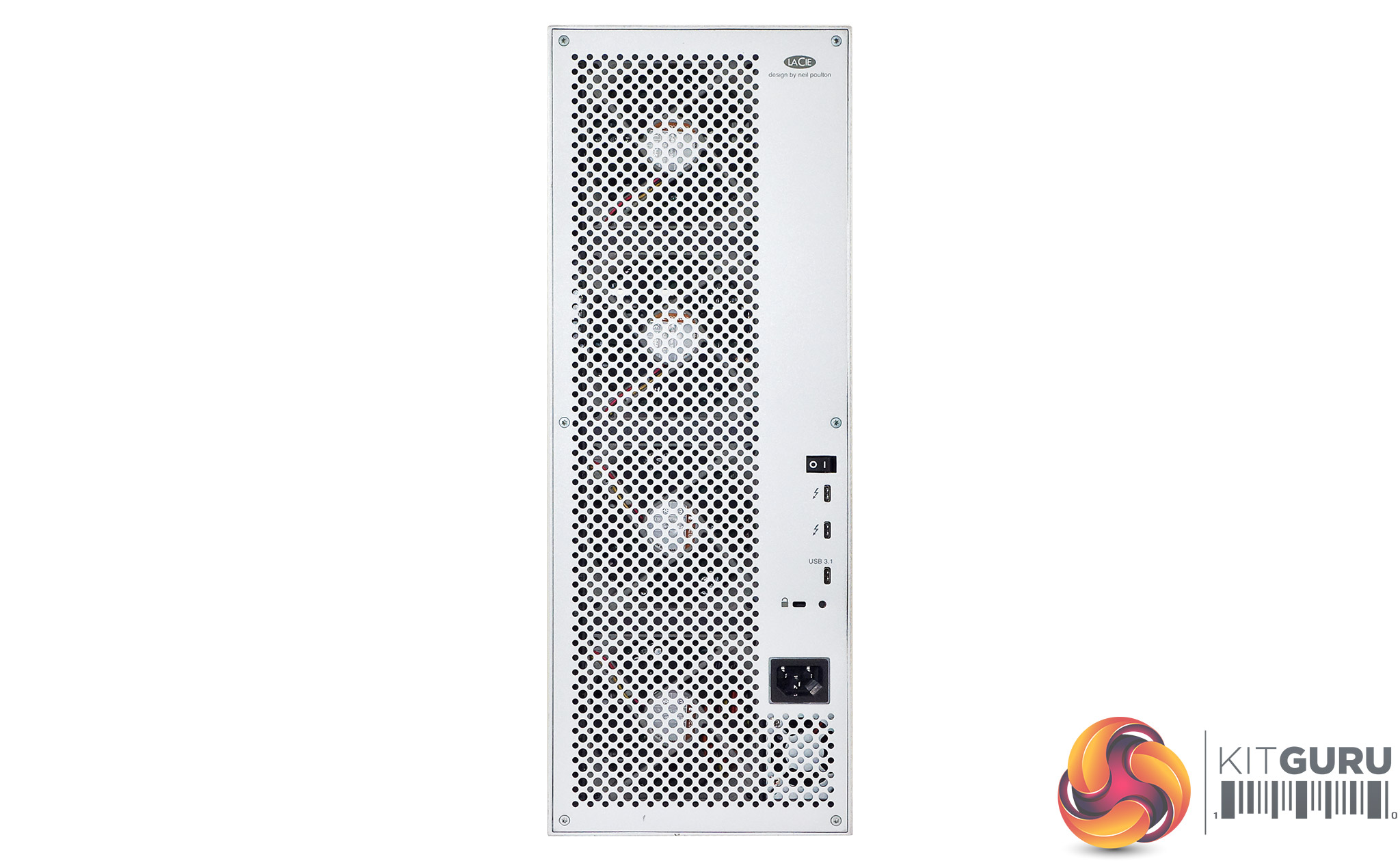
The rear of the unit is dominated by the grill for the four cooling fans. To the right of the grill sit the power switch and the two Thunderbolt 3 and single USB-C ports. Sitting just under these is a Kensington lock slot.
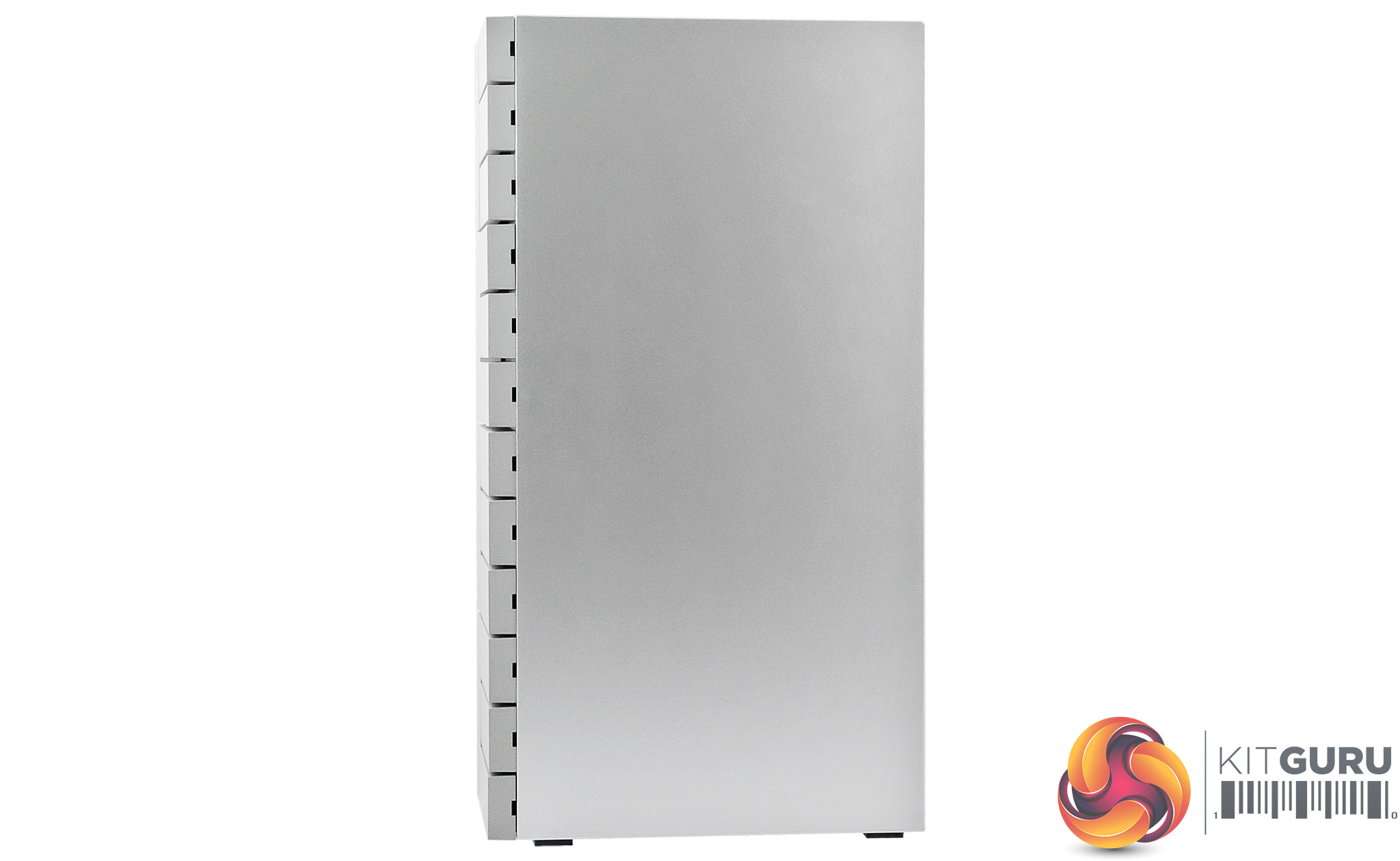
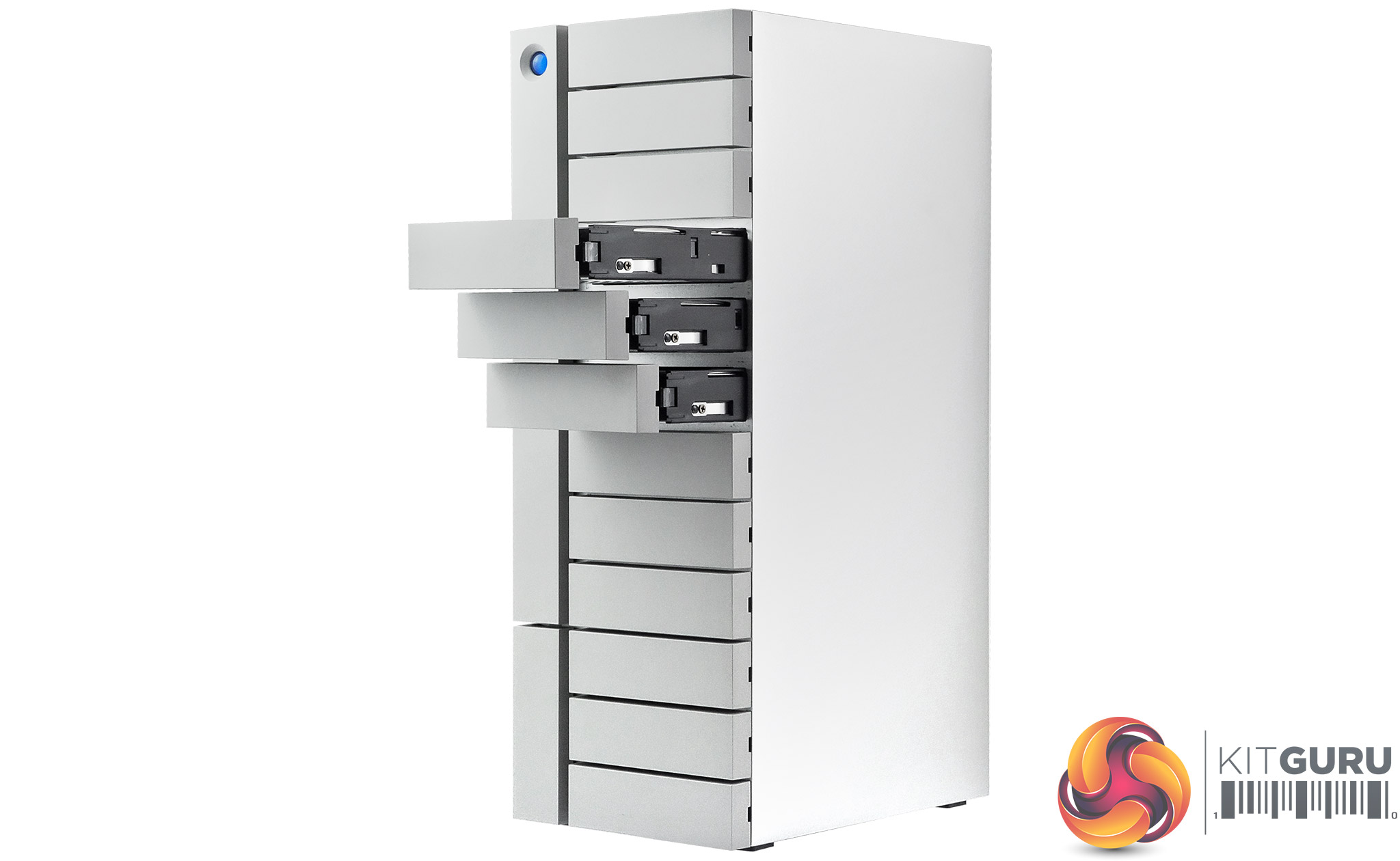
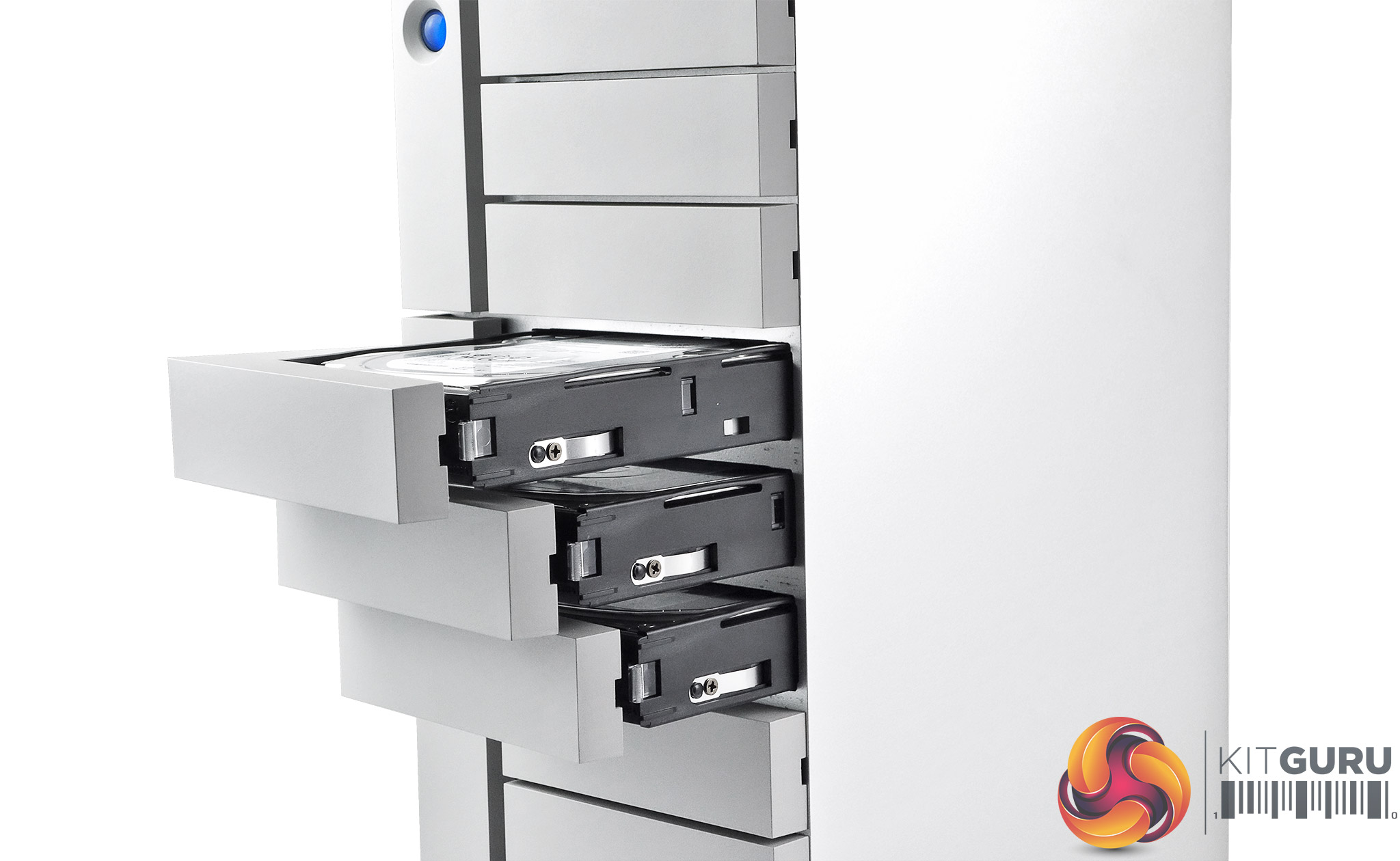
The drive bays have no locks on them which is something to bear in mind if you are using the 12Big2 in an office with a lot of outside footfall coming and going.
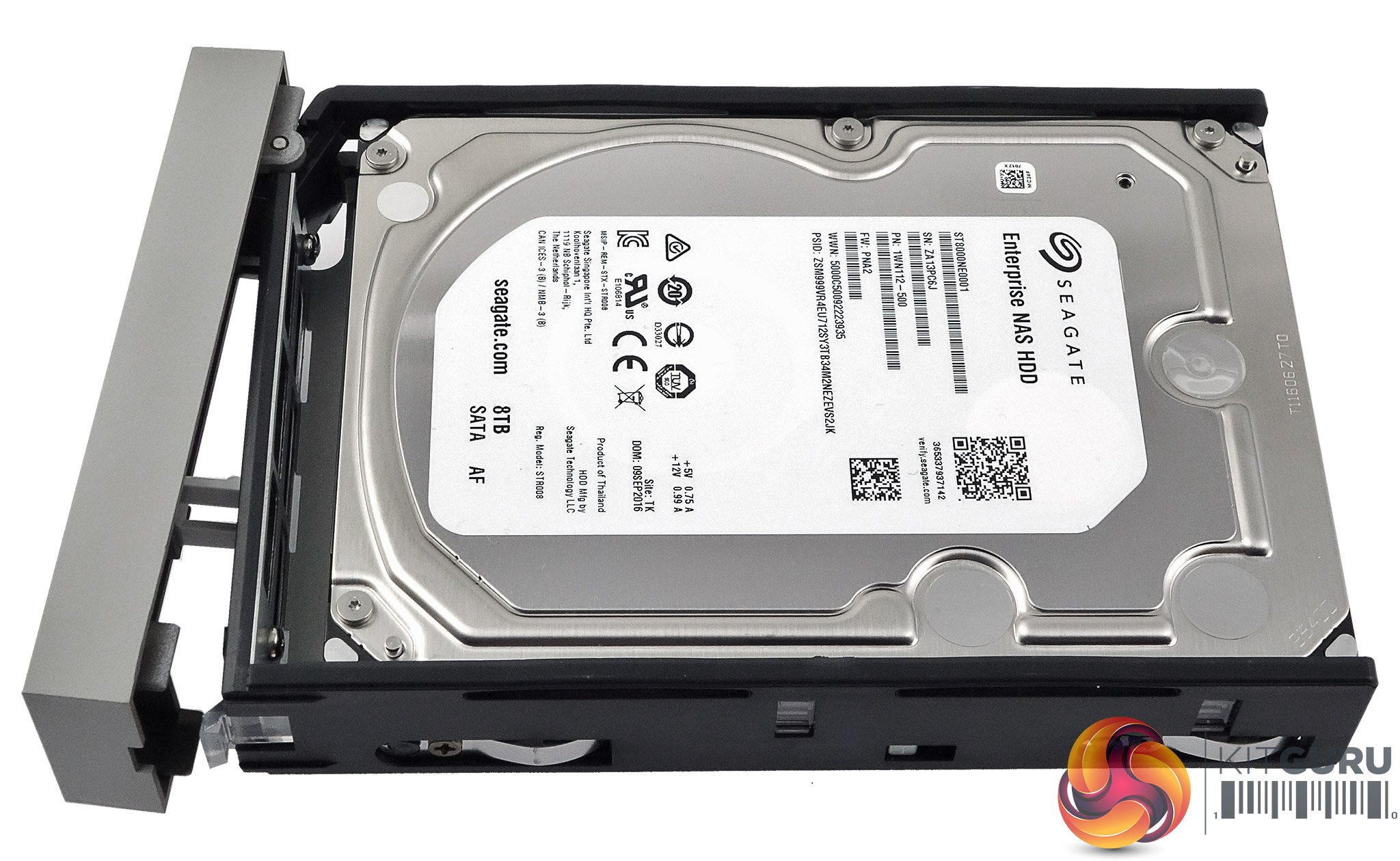
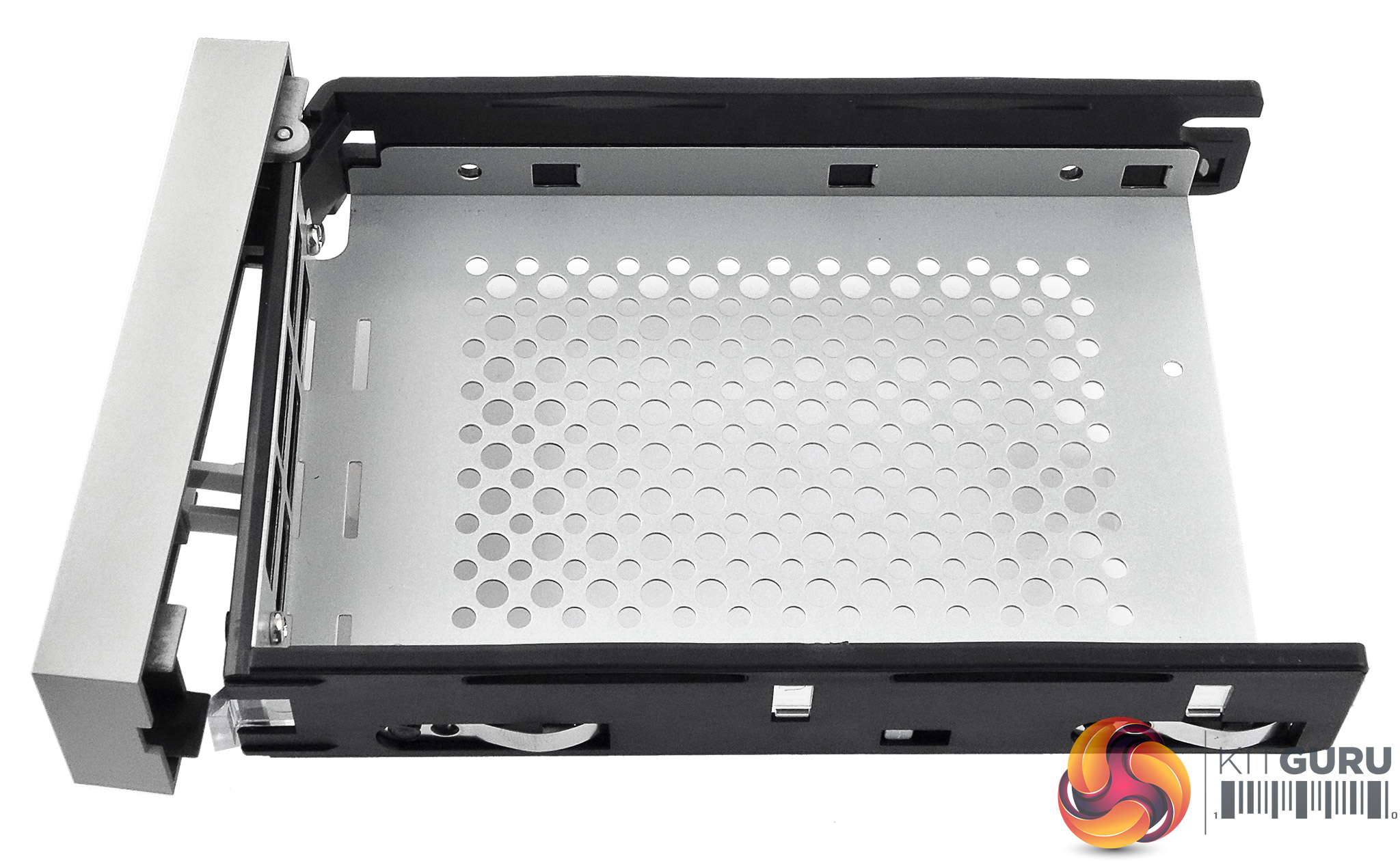
The drive trays are well built with the basic tray being of metal construction with plastic side runners and doors. The trays are not tool free, the drives being held in place by four screws.
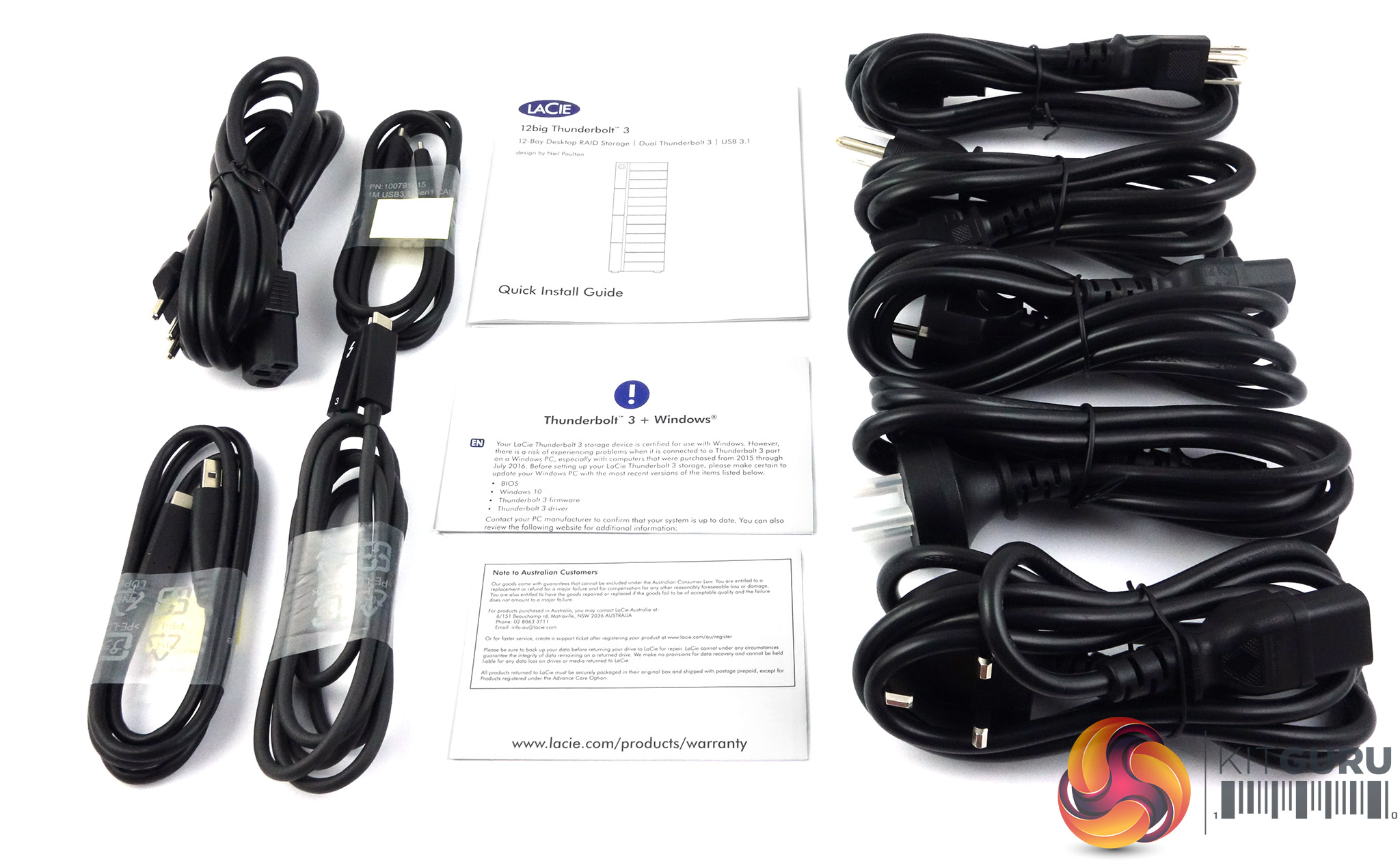
Most of the box bundle consists of power cables, if you can't find a suitable cable with the load that LaCie supply then you must have some pretty exotic sockets. Along with the plethoria of power cables, there are single Thunderbolt 3, USB-C 3.1 and USB-C to USB-A cables. Also in the box is a quick install guide.
LaCie's Raid Manager software has been redesigned so has to make RAID selection and implentation easier as well as improving RAID management.
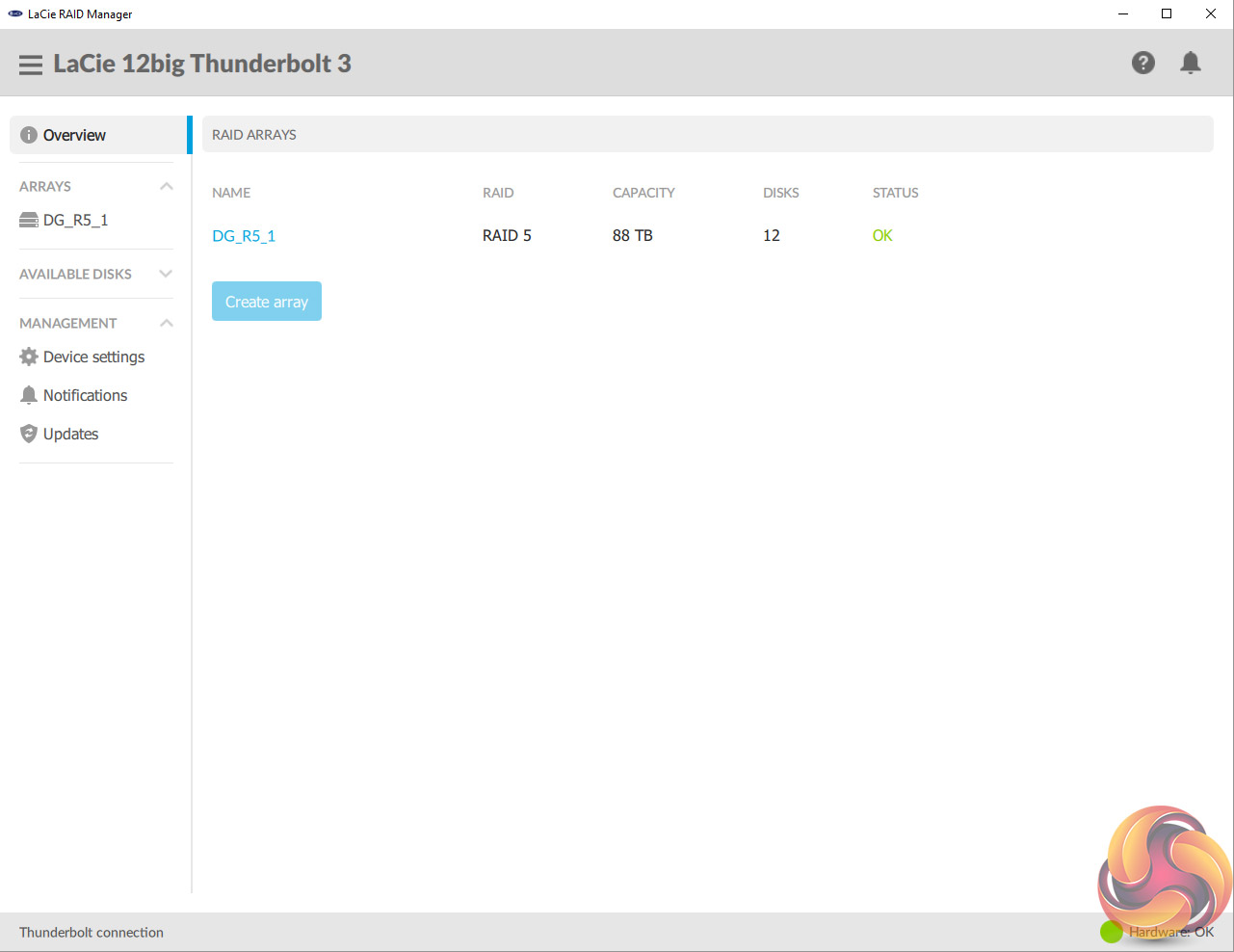
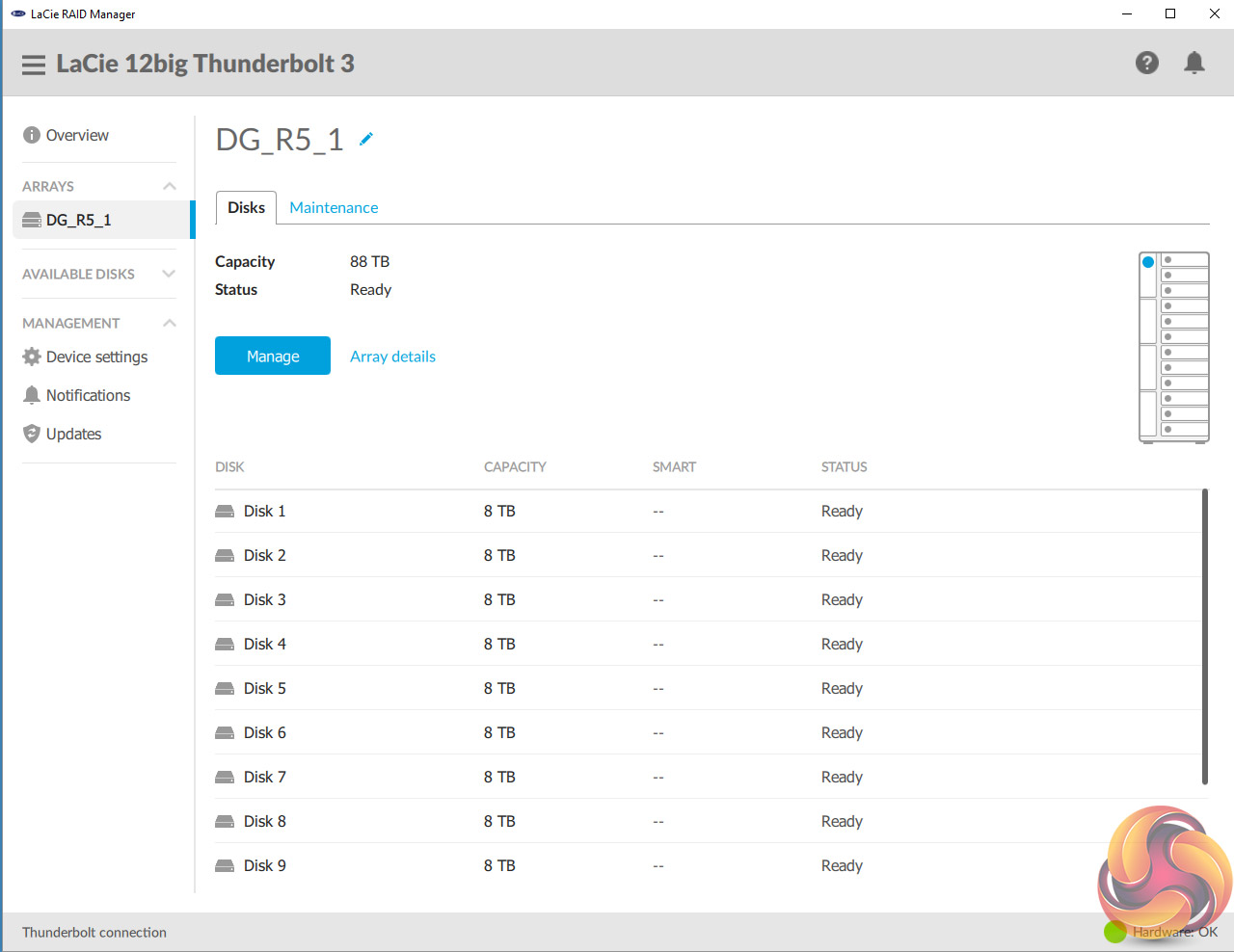
The Overview page is where you see any RAID arrays displayed. Double clicking on the array displays that arrays information page. If you hold the mouse curser over the array, a pull down menu appears with Info, Upgrade, Add Spare and Delete options on it.
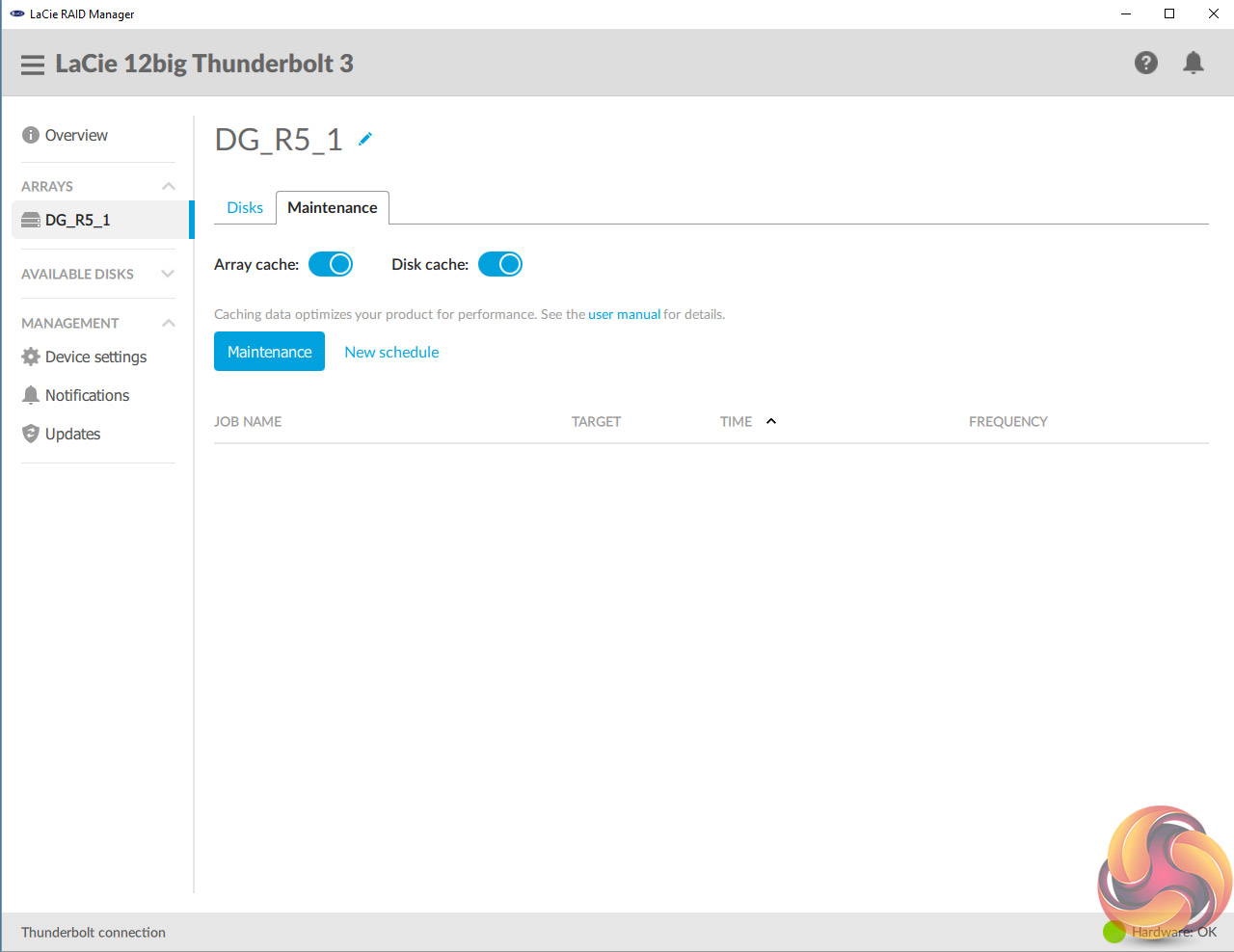
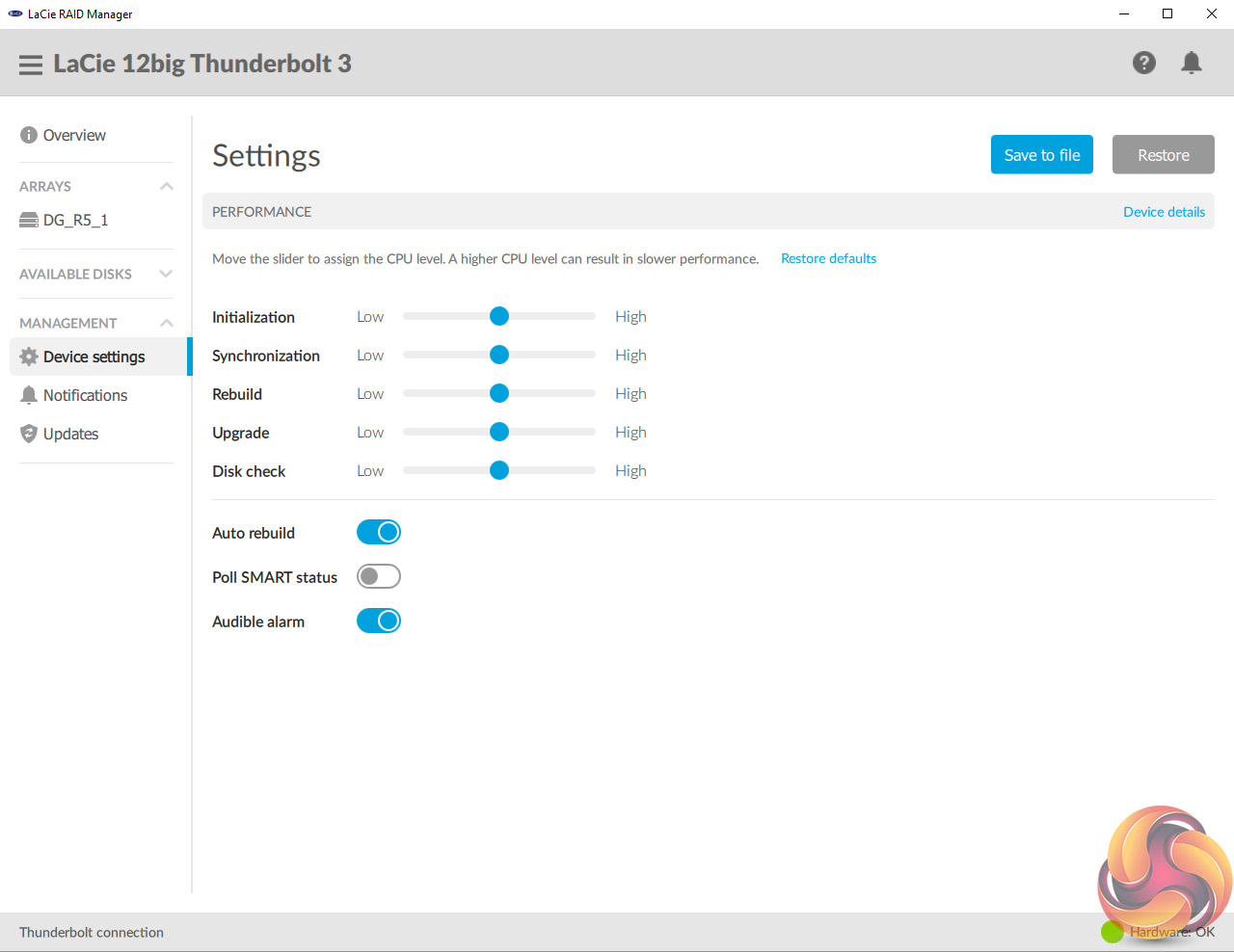
Under the Settings tab there is a group of sliders which allows adjustments (from low to high) to the priorities given to the RAID processor. By default this are all set as equal but adjustments can be made for Initialisation, Synchronisation, RAID Rebuild, Upgrade and Disk Check jobs. Also on this page are options for turning on and off Auto rebuild and Poll SMART status.
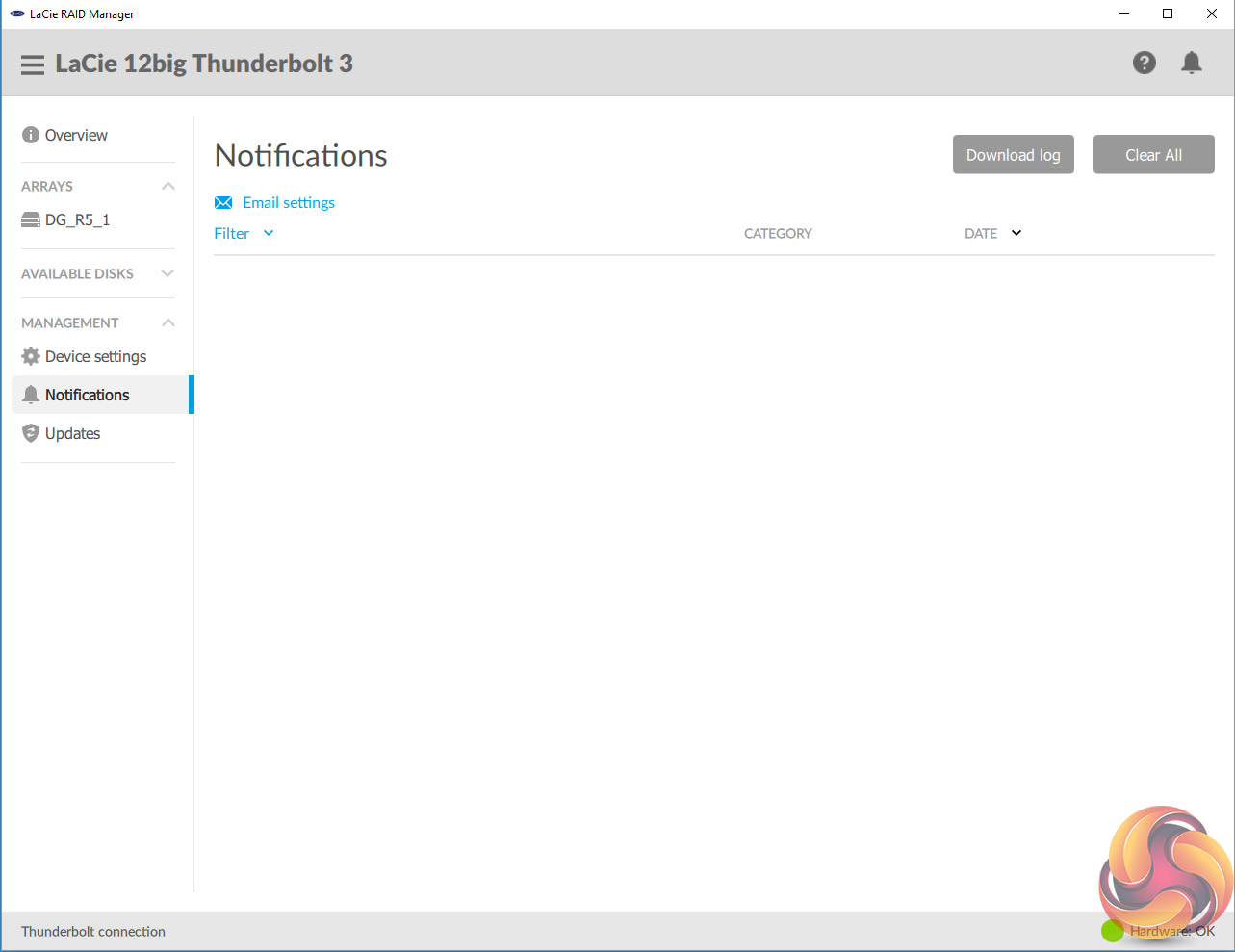
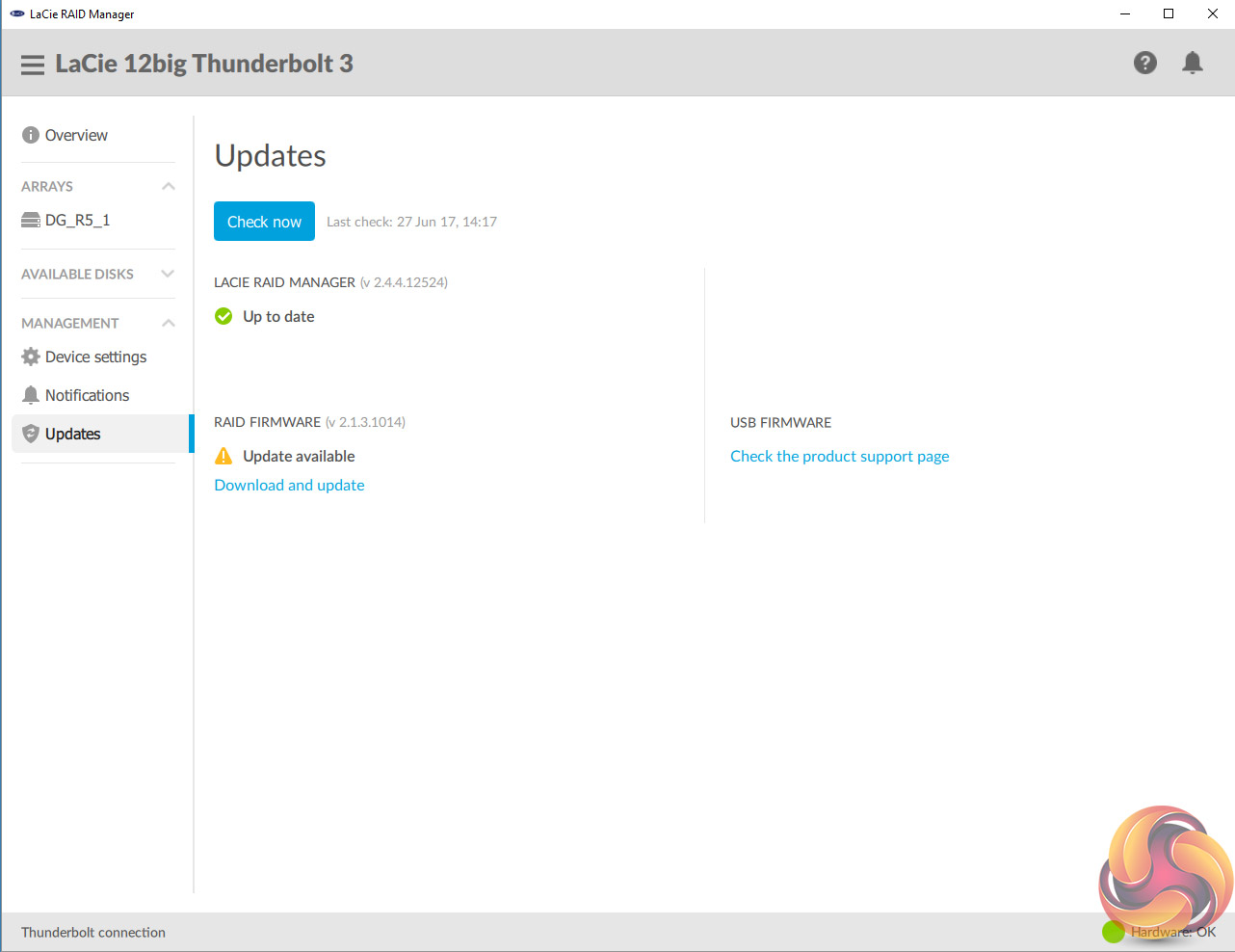
The RAID Manager can be configured to send email updates on the health of the 12big. By default these are sent via LaCie's server but you can configure them to be sent by via another service under the Notifications page. The Update page allows you to check for updates for the RAID, system and USB firmware's as well as updates to the RAID Manager itself.
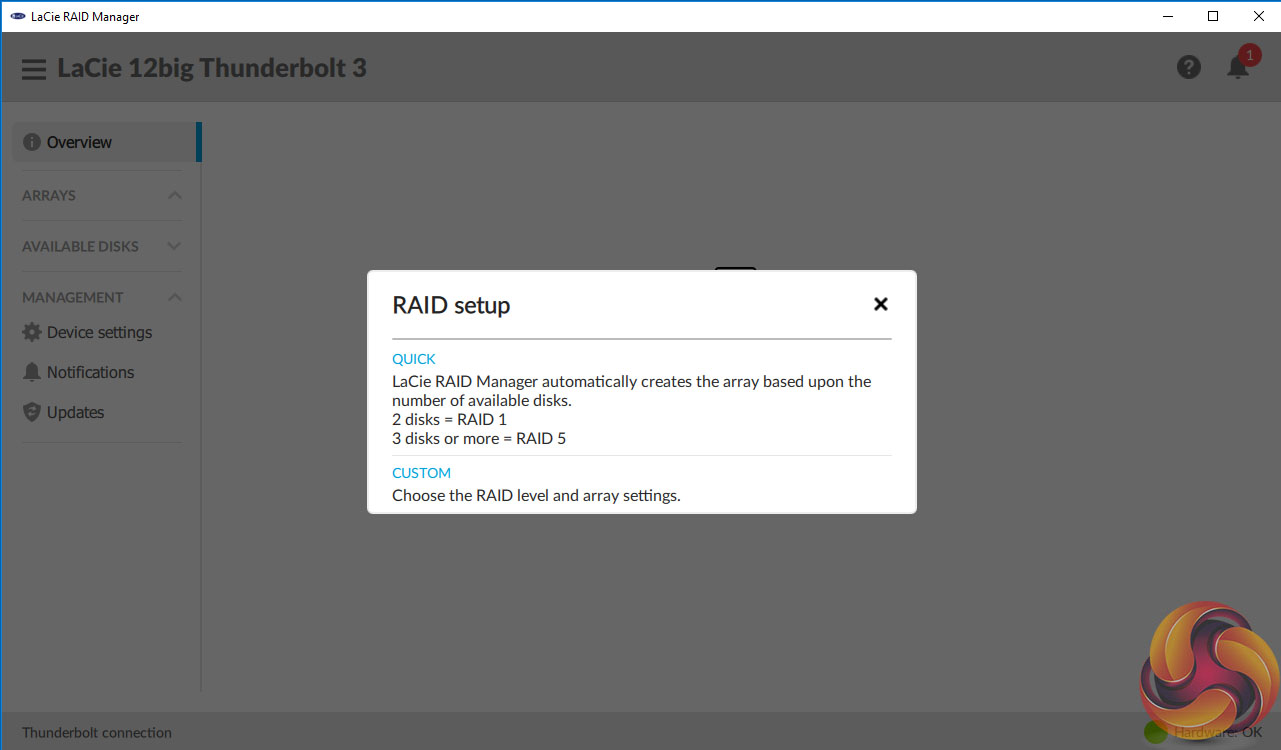
There are two ways of creating an array within RAID Manager. The first is via the Quick Setup which gives two options, two disks – RAID 1 or three or more disks, RAID 5. The second way of setting up an array is by using the Custom setup.
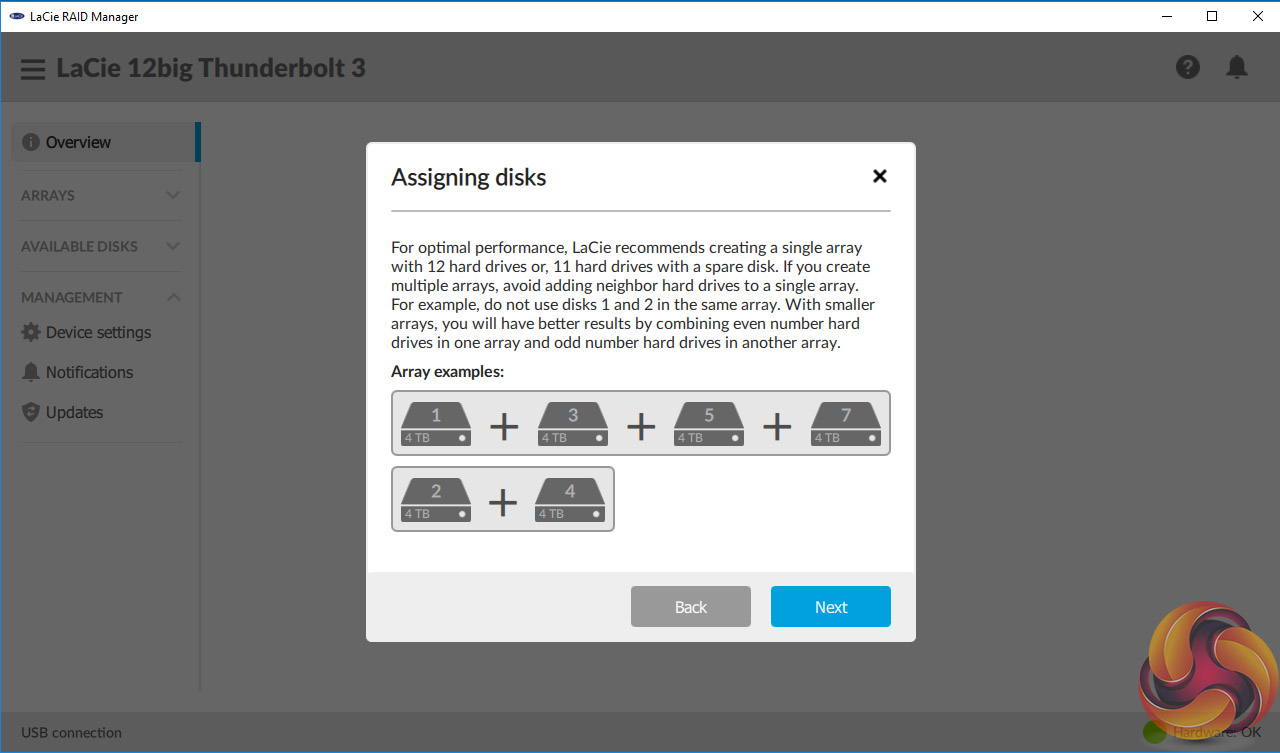
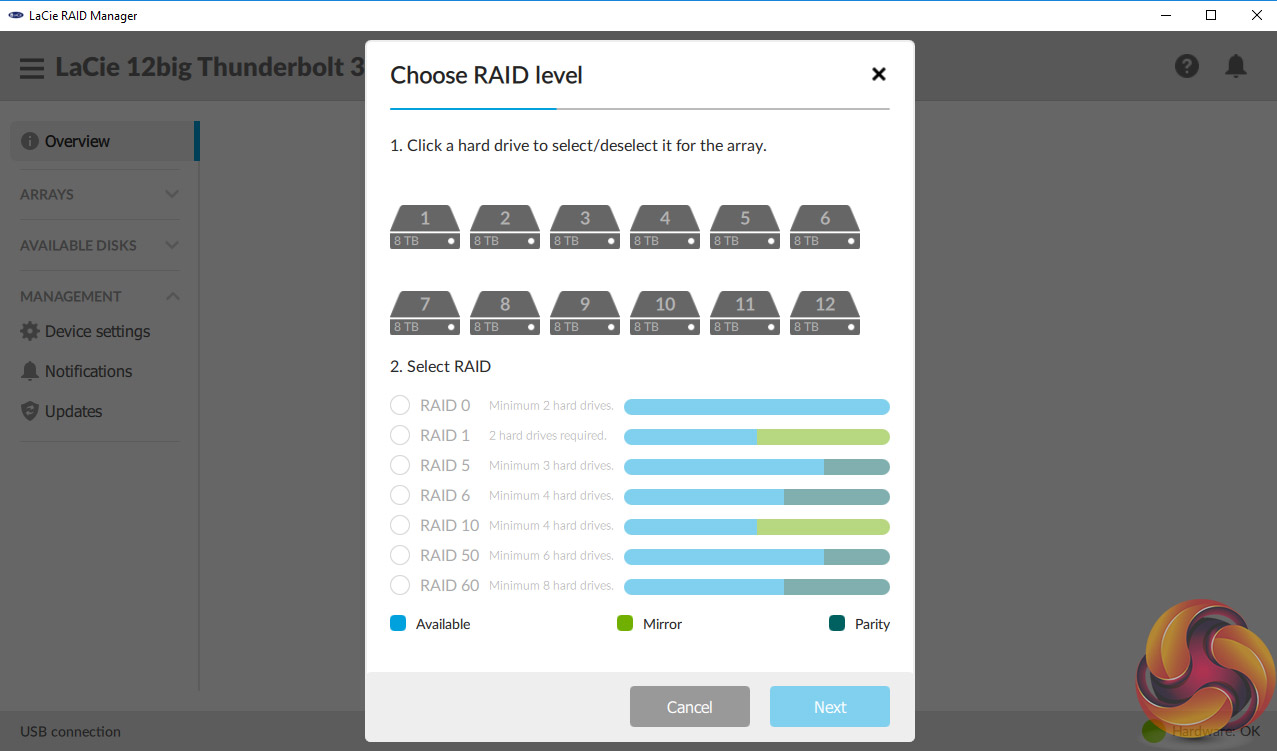
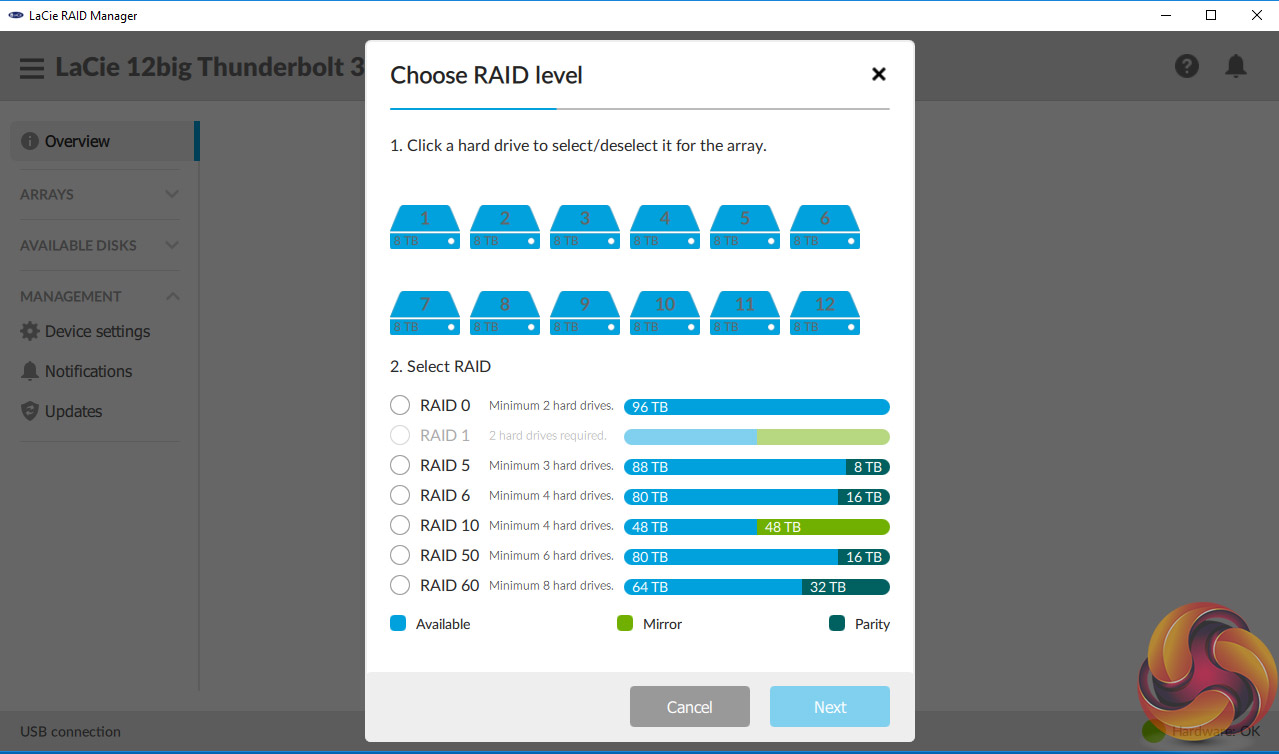
The Custom RAID creation wizard part of Raid Manager is one of the best, if not the best example of an easy to follow RAID creator we've come across. The graphical interface is easy to follow and shows in one clear picture what happens with every array you choose; how much disk space will be available after the array is built, how much is being used for mirroring and how much is used for parity. Brilliantly simple but so effective.
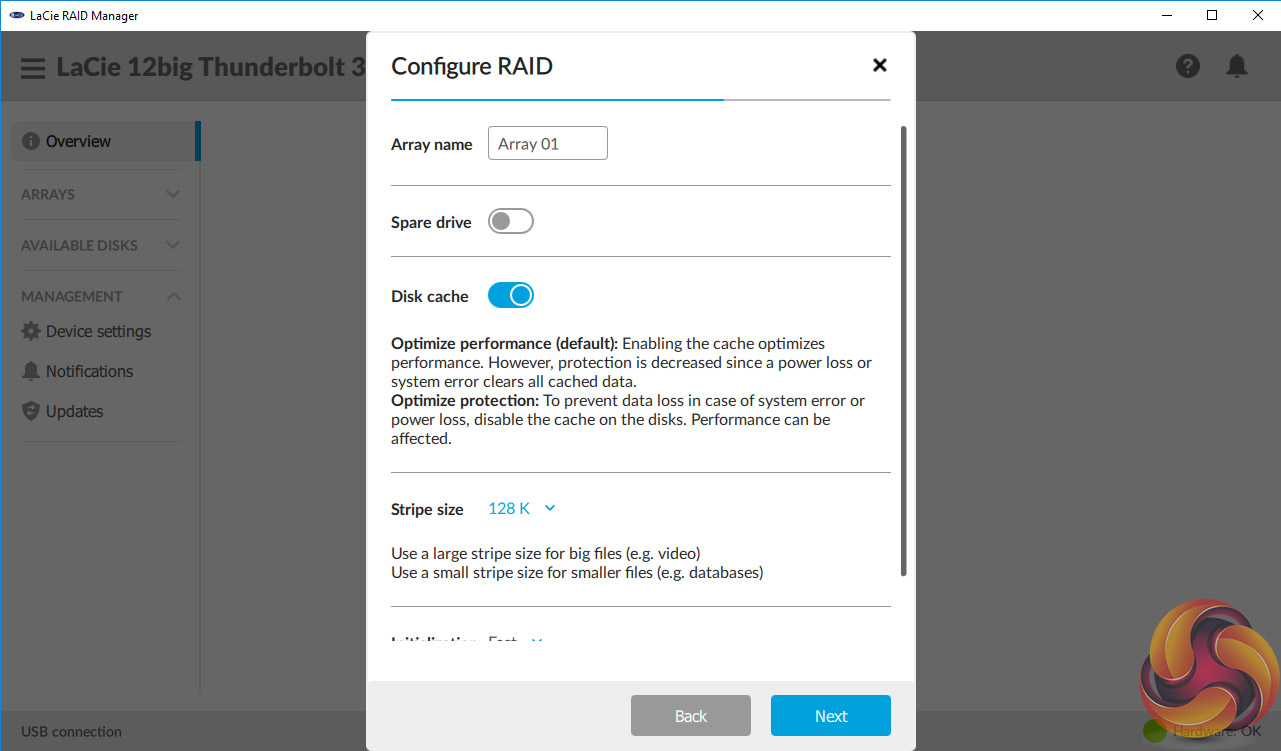
After choosing the type of array, the next step is to configure it. There are options to rename the array, add a spare drive, enable or disable disk caching (it's enabled by default), choose a Stripe size and finally choose which type of RAID initialisation required: None (No effort to fix potential sector errors, the fastest option as the array is available immediately), Fast (Minimum effort to fix potential sector errors) and Background (Fixes sector errors that can lead to corrupt data).
If you choose Background be prepared to wait a long time for the array to be initialised. For example it took 45 hours to initialise a RAID 5 array which may seem like a life time but really isn't bad for a 96TB array.
Other software downloads available from the LaCie website are; Intego Backup Manager Pro for Mac's and Genie Backup Manager Pro for Windows as well as LaCie Private-Public which enables the creation of a password protected volume using AES 256 bit encryption.
Straight out of the box, LaCie's 12Big has the drives built into a RAID 5 array. We tested it in this state using Thunderbolt 3 and USB 3.1 connections to show the speed differences between the two interfaces. We also tested all the other RAID types that the 12big supports; 0,1,6,10,50 and 60.
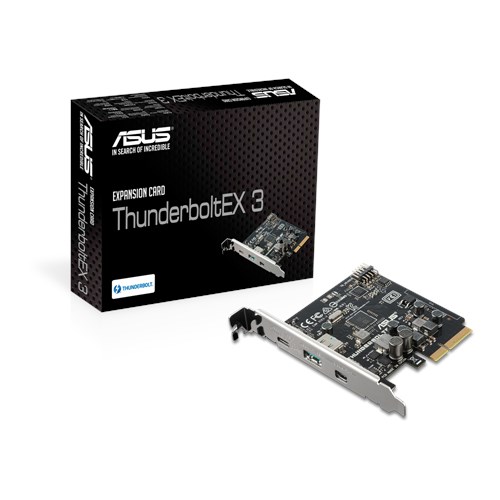
For the Thunderbolt 3 interface we used an Asus Thunderbolt EX3 add-in card. Thanks to Asus for their support with this. You can see more information on this card on the ASUS site, over HERE.
Main system:
Intel Core i7-7700K with 16GB of DDR4-3200 RAM, Sapphire R9 390 Nitro and an Asus Prime Z270-A motherboard.
The ATTO Disk Benchmark performance measurement tool is compatible with Microsoft Windows. Measure your storage systems performance with various transfer sizes and test lengths for reads and writes. Several options are available to customize your performance measurement including queue depth, overlapped I/O and even a comparison mode with the option to run continuously.
Use ATTO Disk Benchmark to test any manufacturers RAID controllers, storage controllers, host adapters, hard drives and SSD drives and notice that ATTO products will consistently provide the highest level of performance to your storage.
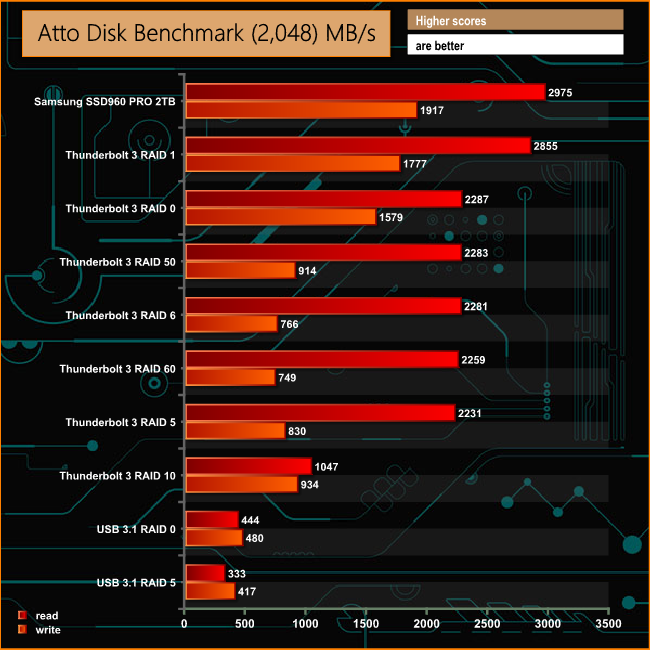
There's no doubting the Sequential performance of the 12big really is quite stunning. To give some idea of just how fast it is, we've added the Sequential read/write speeds of the Samsung SSD960 to the graph to compare it against. In a two disk RAID 1 array, the 12big isn't that far behind Samsung's drive. Even at the default RAID 5, it's Sequential read score of 2,231MB/s is comparable with the first generation of NVMe SSD's – remember this is an external drive we are talking about.
Crystalmark is a useful benchmark to measure theoretical performance levels of hard drives and SSD’s. We are using V3.0.3.
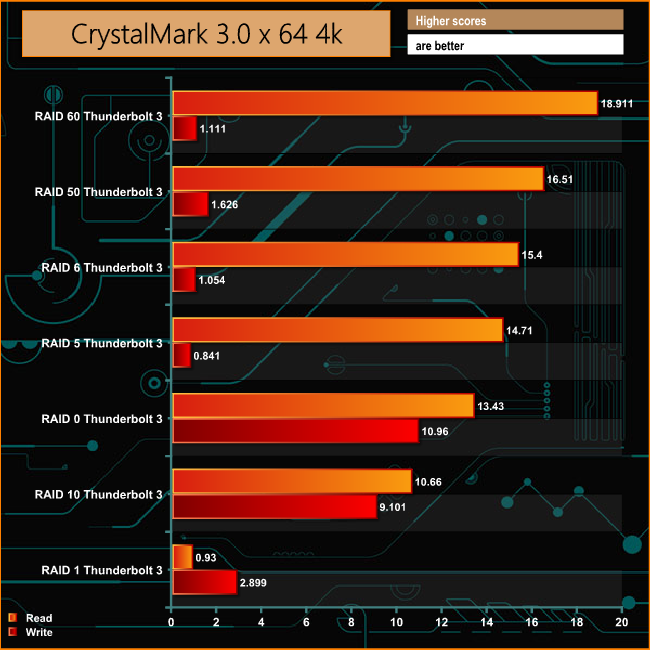
While the 12big's Sequential performance (particularly reads) is very impressive, its RAID controller doesn't seem to deal with the small bity files of everyday use (especially when it comes to writes) anywhere nearly as well. In some ways this isn't a surprise as the 12big is all about dealing with very, very large files, and not small bity ones.
IOMeter is another open source synthetic benchmarking tool which is able to simulate the various loads placed on hard drive and solid state drive technology.
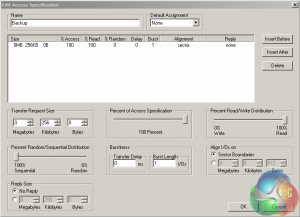
We set IOmeter up (as shown above) to test both backup and restore performance on a 100GB file.
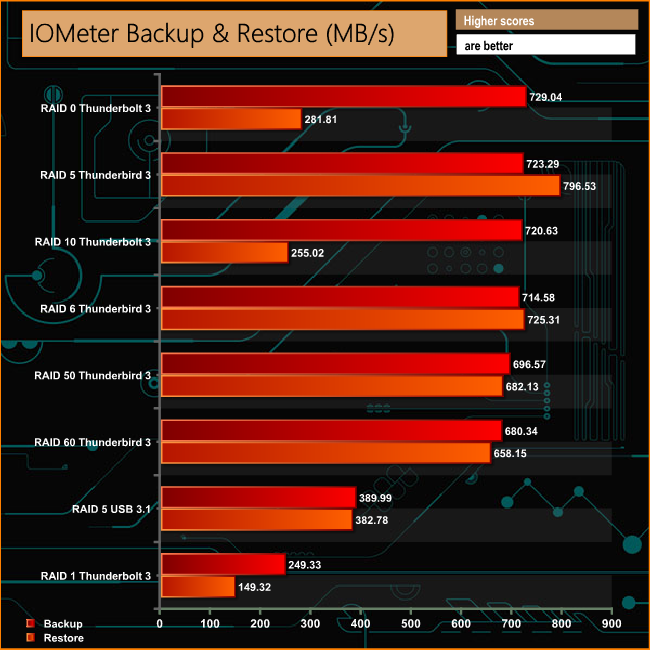
To confirm that the 12big is all about dealing with large files, the way it dealt with the 100GB file in our Backup/Restore tests using the Thunderbolt 3 interface is impressive. Excluding the RAID 1 results, it averages 710.80MB/s for reads and 571.02MB/s for writes across the arrays.
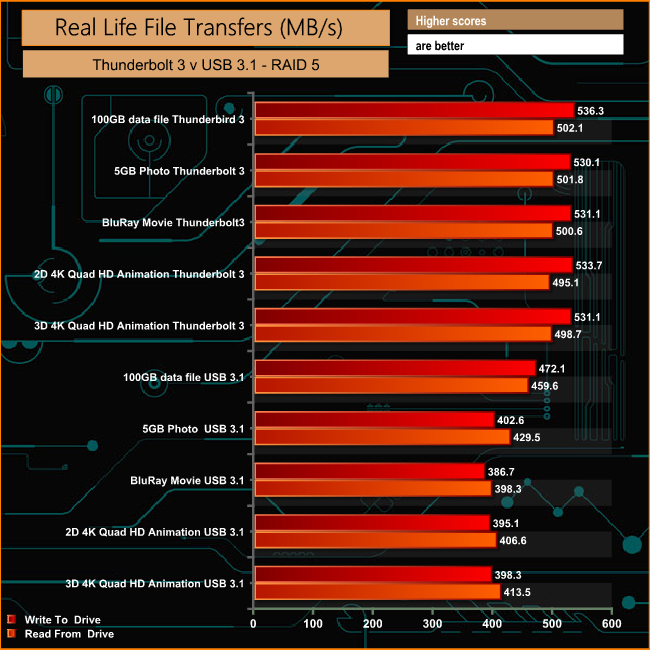
To show the performance advantage of Thunderbolt 3 in real life situations we used a varity of files to compare the interface against USB 3.1, the other interface that the 12big supports. The hard drives were built into a RAID 5 array, which is what the 12big is set up at, out of the box.
To test real life performance of a drive we use a mix of folder/file types and by using the FastCopy utility (which gives a time as well as MB/s result) we record the performance of drive reading from & writing to a 256GB Samsung SSD850 PRO.
For the 12big testing we added a few extra files to our normal tests which represent jobs that users of the 12big are more likely to handle; 5GB photo, a BluRay movie and an iso image.
60GB iso image.
5GB (1.5bn pixel) photo.
BluRay Movie.
60GB Steam folder – 29,521 files.
50GB File folder – 28,523 files.
12GB Movie folder – 24 files (mix of Blu-ray and 4K files).
10GB Photo folder – 621 files (mix of .png, raw and .jpeg images).
10GB Audio folder – 1,483 files (mix of mp3 and .flac files).
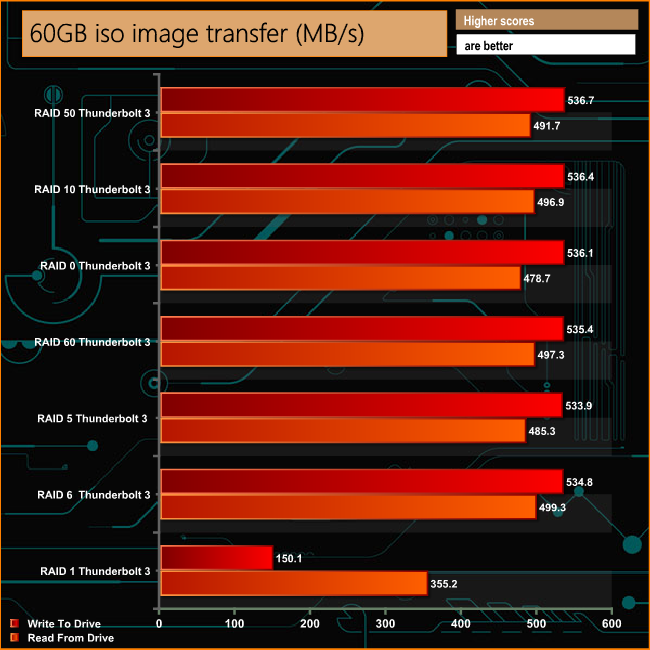
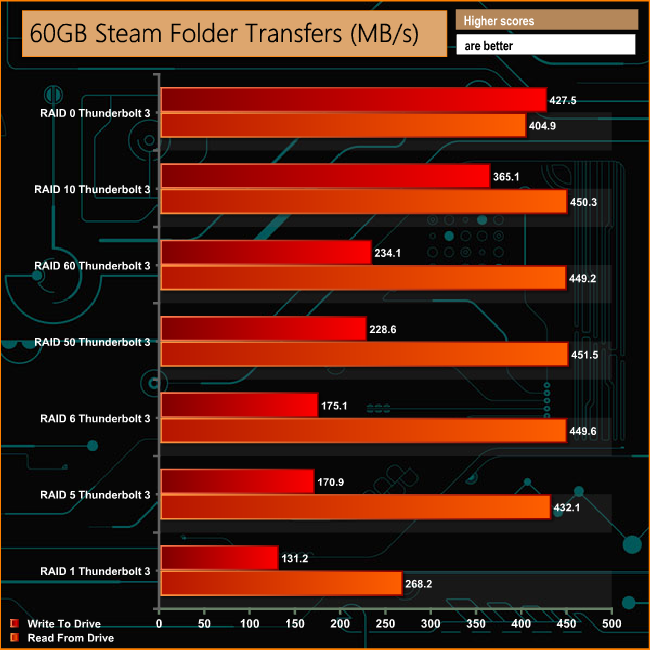
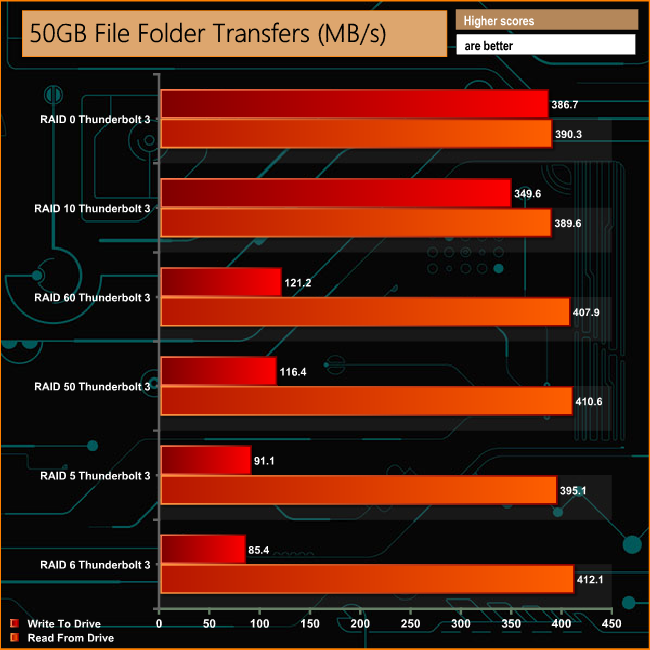
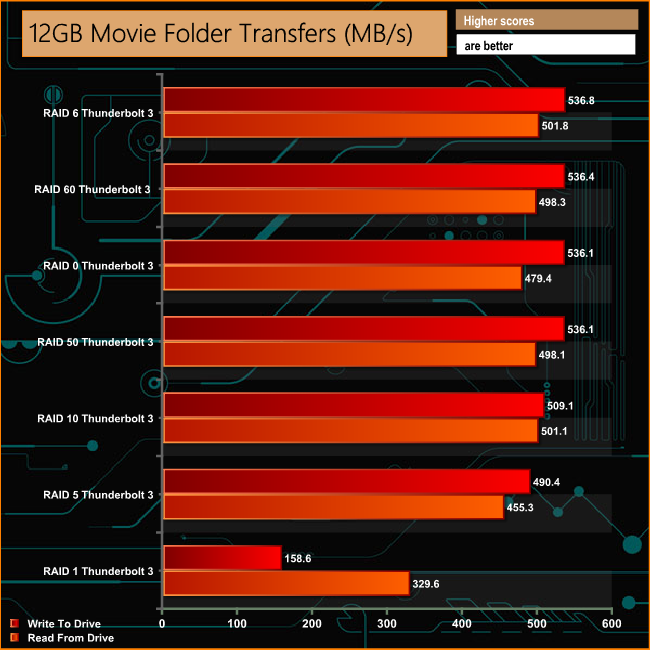
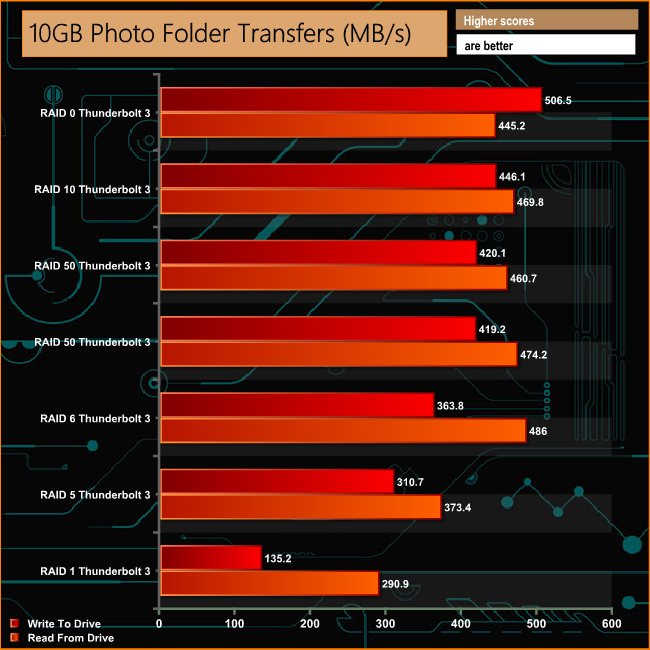
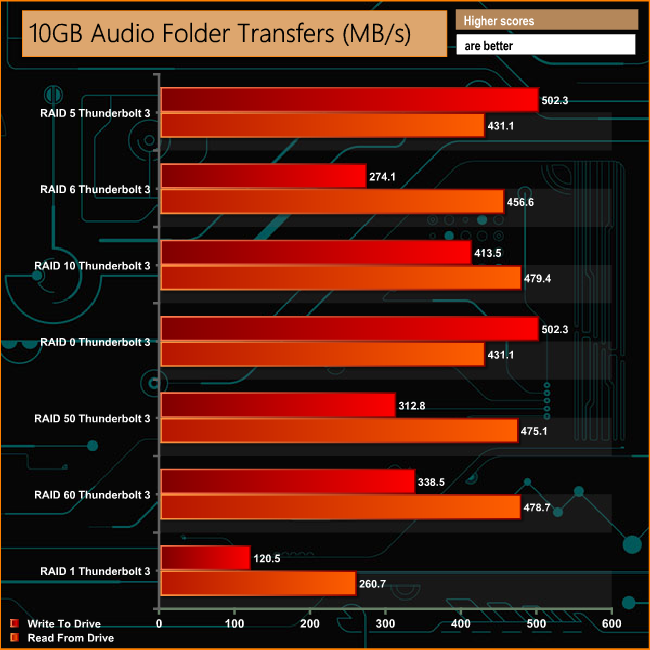
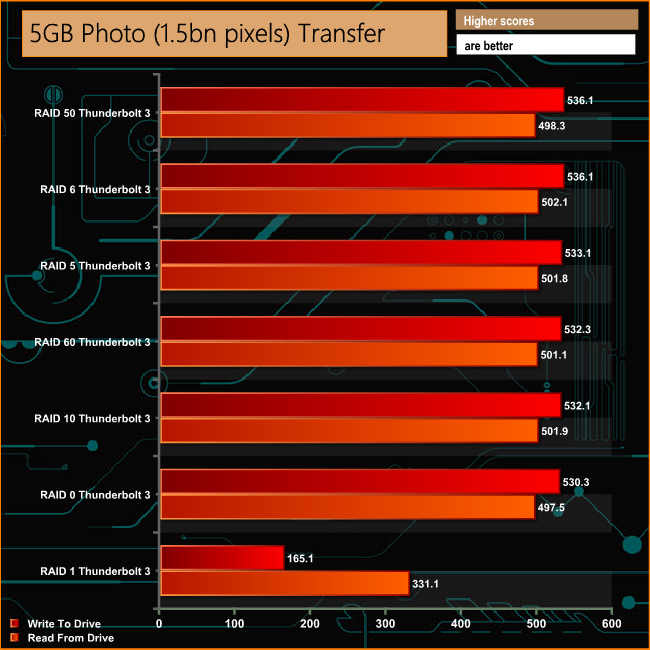
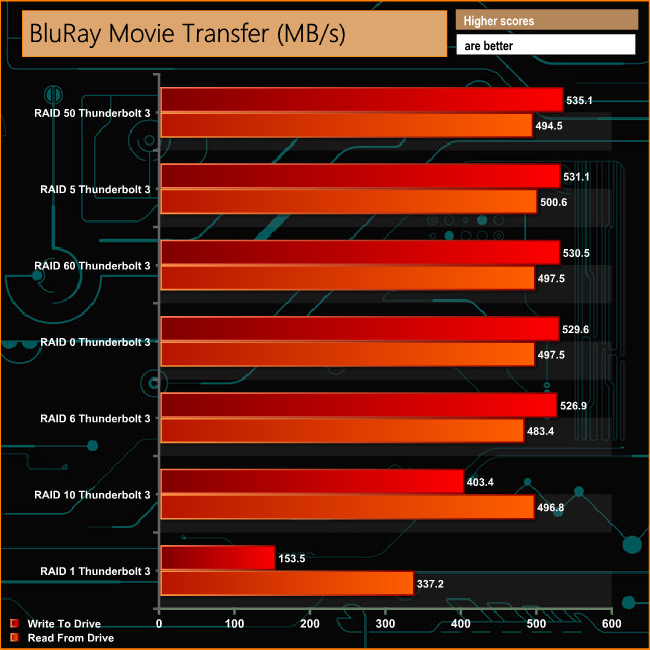
Taking the two disk RAID 1 setup out of the equation, the 12big has no problems dealing with the 60GB iso file, writing to the drive at an average of 535.55MB/s and reading back at an average of 491.5MB/s. It's not as happy when the small bity contents of both the 50GB File and the 60GB Steam folders are written to the drive but the performance bounces back with the larger file sizes of the mulitmedia folders.
LaCie's 12big certainly lives up to its name; its big, heavy, has 12 drive bays – alongside a hefty price tag. It's also big on performance. It's by far the fastest external drive we have seen to date with Sequential read/write speeds that give even PCIe NVMe SSD's a run for their money.
LaCie quote read/write figures for the 12big of 2,600MB/s and 1,700MB/s respectively for RAID 0 and up to 2,400MB/s and 1,200MB/s respectively in a RAID 5 array on the specifiactions sheet, but it doesn't state which capacity of the 12big these figures are for. In any case, under benchmarking and using the ATTO test, the 96TB review drive couldn't quite match either of the official read figures for the stated arrays scoring 2,287MB/s for RAID 0 and 2,231MB/s for RAID 5. Tested write performance was even further from the official figures at 1,579MB/s for a RAID 0 array and 830MB/s for RAID 5.
Even though we couldn't match those official RAID 5 figures, 2,231MB/s for reads and 830MB/s writes is simply stunning thanks to that Thunderbolt 3 interface. Real life performance is equally impressive. In the default RAID 5 set up, a 100GB file took just over 3 minutes to write to the drive and 3 minutes 45 seconds to read the file back. A 60GB iso image took just under two minutes to write to the drive and just two minutes to write back while a 5GB 1.5bn pixel photo took just 8 seconds to write to the drive and nearly 9 seconds to read back.
It's not the quietest drive platform to invest in – with twelve mechanical drives installed, that comes as no real surprise but when you first turn the unit on, the noises the unit makes would worry any one with a nervous disposition. It certainly lets you know it's doing something!
The RAID Manager software, particularly the custom RAID creation part is superb. Icon driven, selecting a number of drives reveals which RAID array can be built with the selected drives, how much capacity will be available after the RAID is built, how much is being used for mirroring and how much if any space is reserved for drive parity. It has been very well thought through and designed.
We found the 96TB version of the 12big available for pre-ordering at Jigsaw24.com for £8,278.80 HERE
Discuss on our Facebook page, over HERE.
Pros
- Capacity.
- Performance.
- RAID Manager software.
- RAID options.
Cons
- A a bit noisy if the drives are pushed hard.
- Its quite an investment.
Kitguru says: Yes its a niche product but it does offer an enticing mix of huge capacity and blistering speed but it does come with an eye watering price tag.

“the 96Tb version we review today costs close to £8,300”
So is it 96TB or 96Tb?