KitGuru KitGuru.net – Tech News | Hardware News | Hardware Reviews | IOS | Mobile | Gaming | Graphics Cards


The latest addition to Seagate's extensive family of external drives is the Ultra Touch HDD. Utilising a USB Type-C port and containing at least 30% post-consumer recycled materials, the 4TB model is currently on sale for about £130 in the UK.
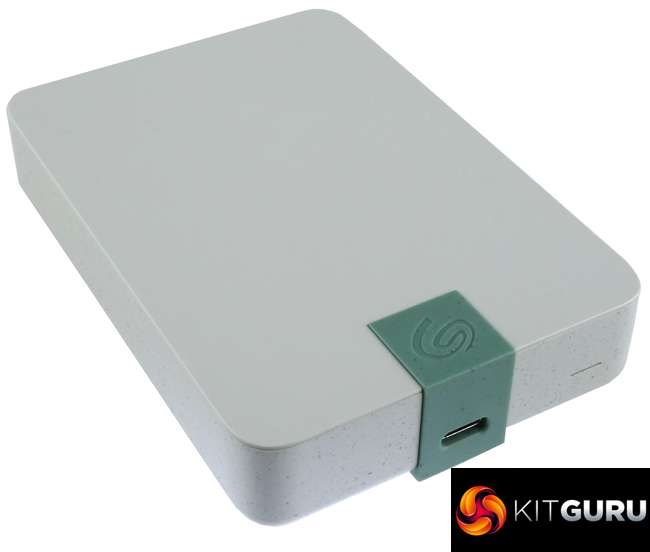
The new Ultra Touch HDD lineup consists of three capacities; 2TB, 4TB (the drive we are looking at here) and a flagship 5TB drive. The 4TB and 5TB models are 23mm thick while the 2TB model is thinner at 13.2mm.
Using the CrystalDiskInfo utility we see that the drive inside the 4TB unit is a Seagate ST4000LM024. The 2.5in drive has a spin speed of 5,400rpm with 128MB of cache. The transfer rate for the ST2000LM007 is quoted as up to 130MB/s.
Seagate back the drive with a 2-year warranty but bundle in a useful two-year Seagate Rescue Data Recovery service.
Physical Specifications:
- Usable Capacities: 4TB
- Hard Drive: Seagate ST4000LM024.
- Interface: USB 3.0.
- Form Factor: external.
- Dimensions: 115.3 x 80 x 23.1 mm.
- Drive Weight: 267g.
- Firmware Version: 2004.
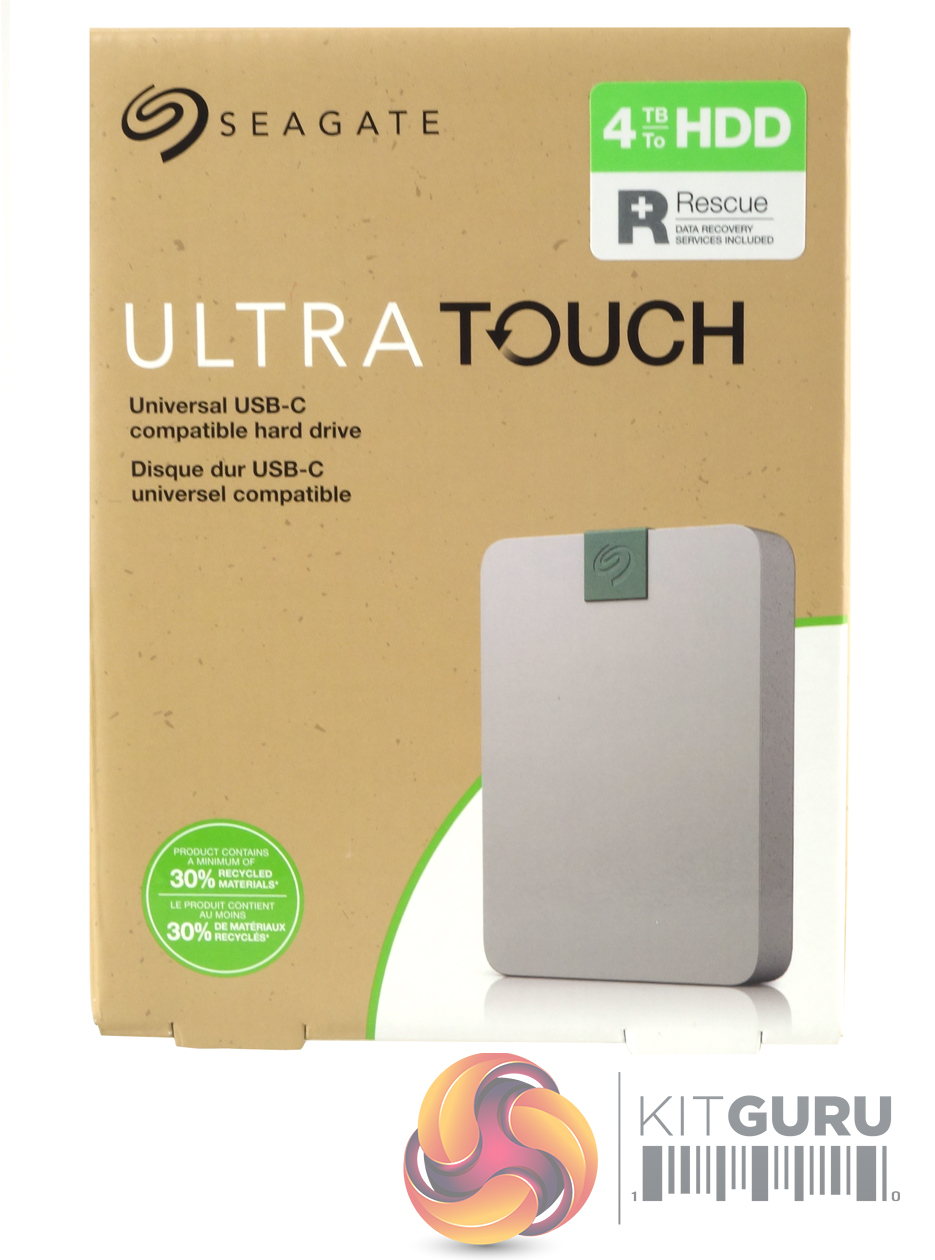
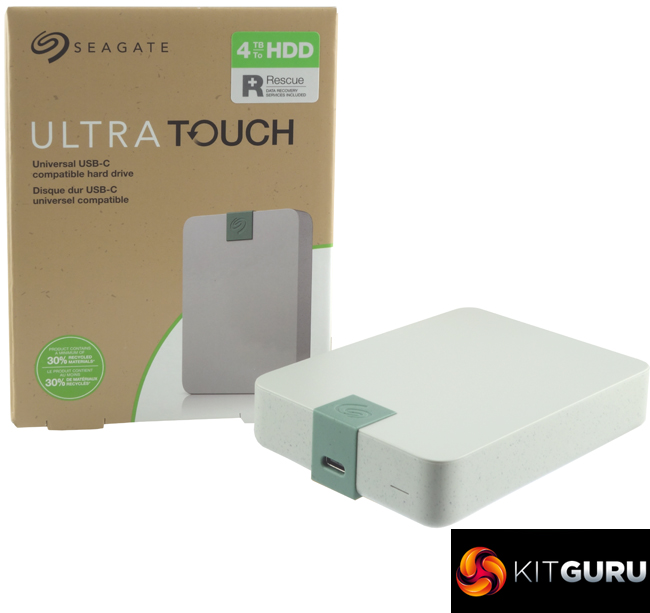
The Ultra Touch HDD comes in a sturdy box with an image of the drive on the front. On the top right-hand side of the box is a sticker with the drive's capacity and the fact it comes with Seagate's Rescue Data Recovery service. Bottom left of the image is a sticker stating that the product contains a minimum of 30% recycled materials while 100% of the packaging is recyclable.
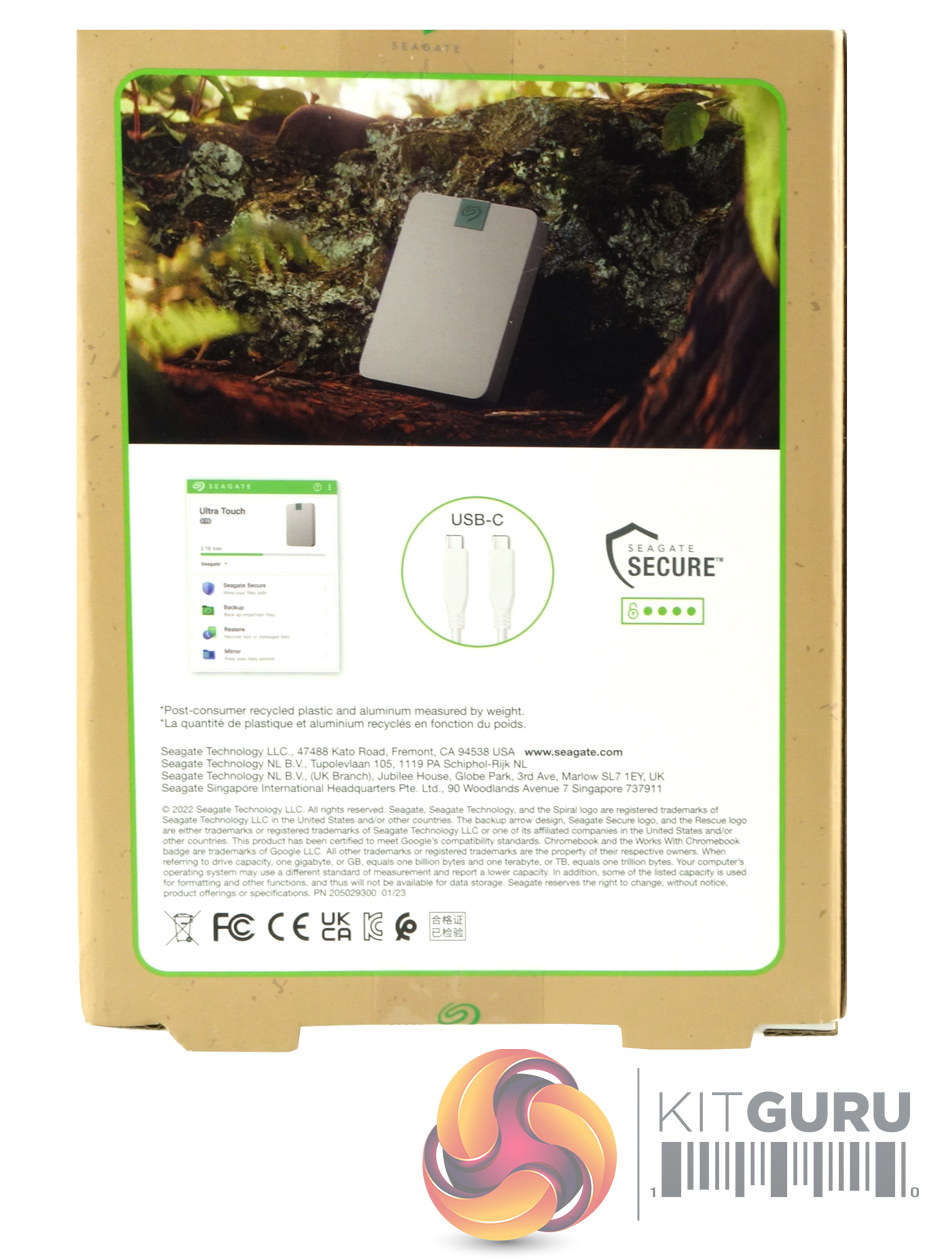
The back of the box has illustrations of the Seagate Toolkit splash window and a USB-C cable along with a Seagate Secure logo.

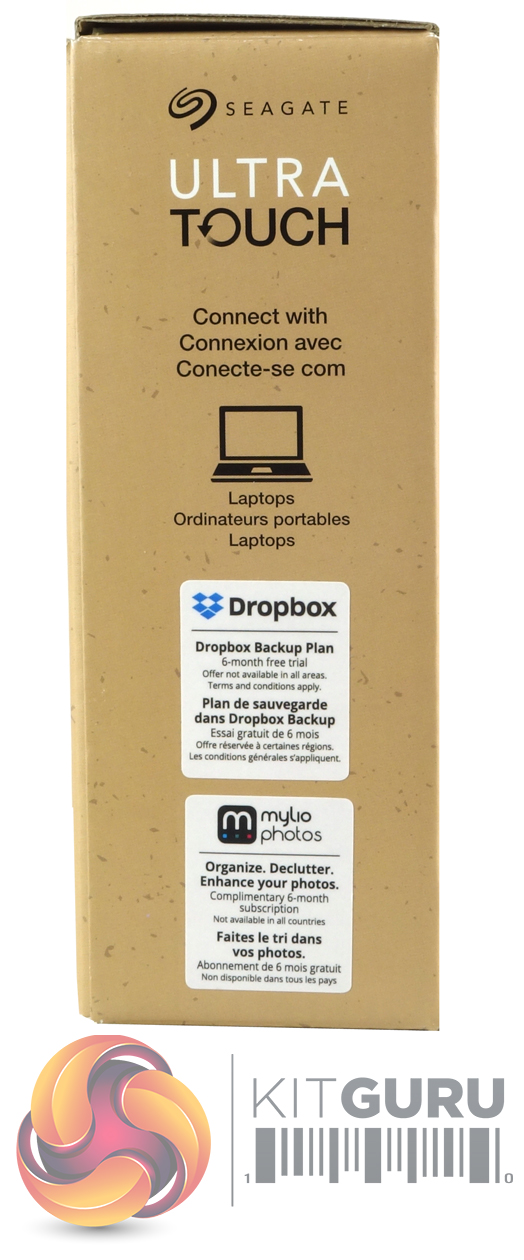
One box end has a multilingual description of what the drive can connect to, while the other end has stickers describing the Dropbox free trial and the Mylio photo 6-month complimentary subscription.

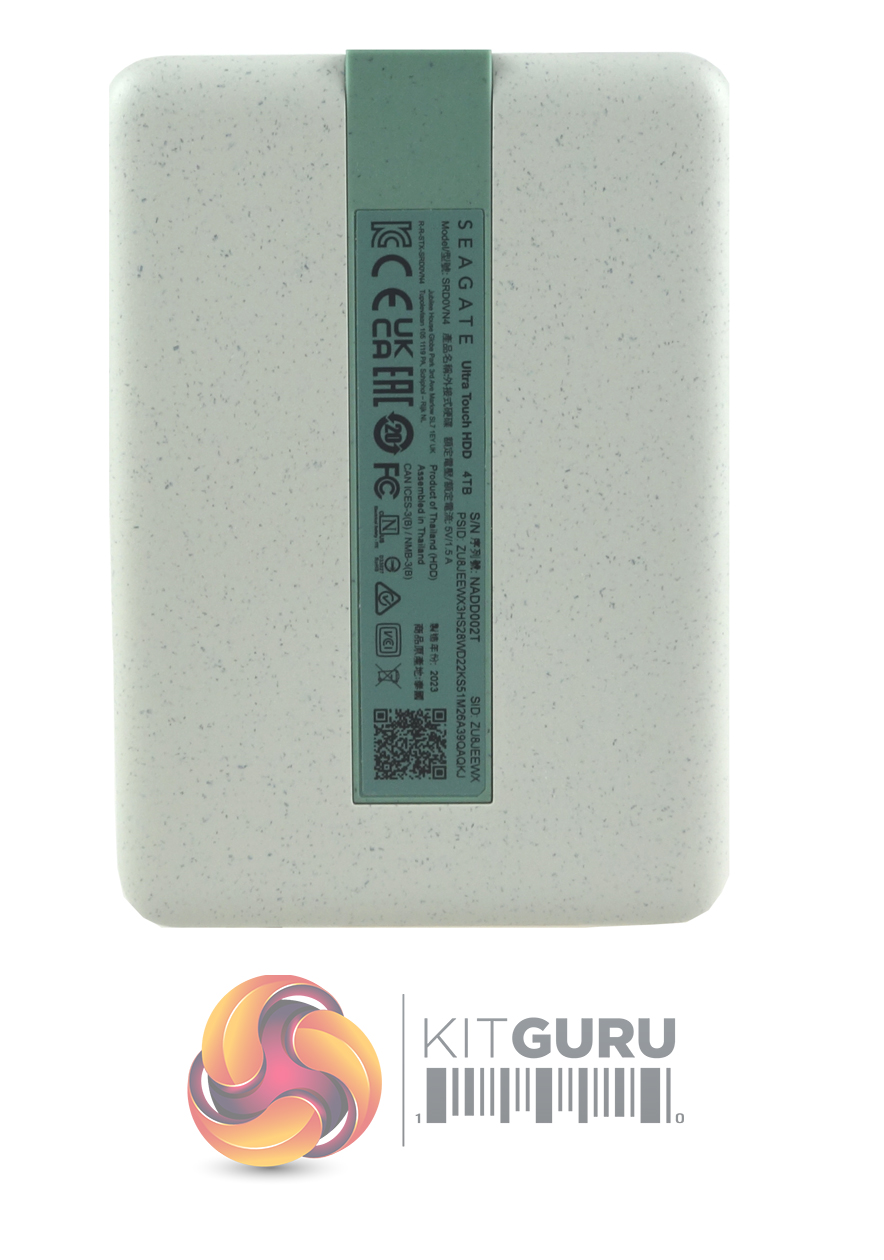
The 4TB Ultra Touch HDD uses a plastic enclosure and weighs in at 267g. Our review sample was finished in what Seagate calls Pebble Grey (there is also a Cloud White option). The Seagate logo on the top front of the drive is embossed on a green plastic centre section that continues down to very nearly the whole length of the back of the drive.
The CrystalDiskInfo utility identifies the drive inside as a Seagate ST4000LM024-2AN17V. Part of the Barracuda family, this 2.5in, 15mm thick drive uses five platters (discs) with an Areal density of 1,307 Gb/in and ten heads. It has a 5,400rpm spindle speed with a 128MB buffer (cache).
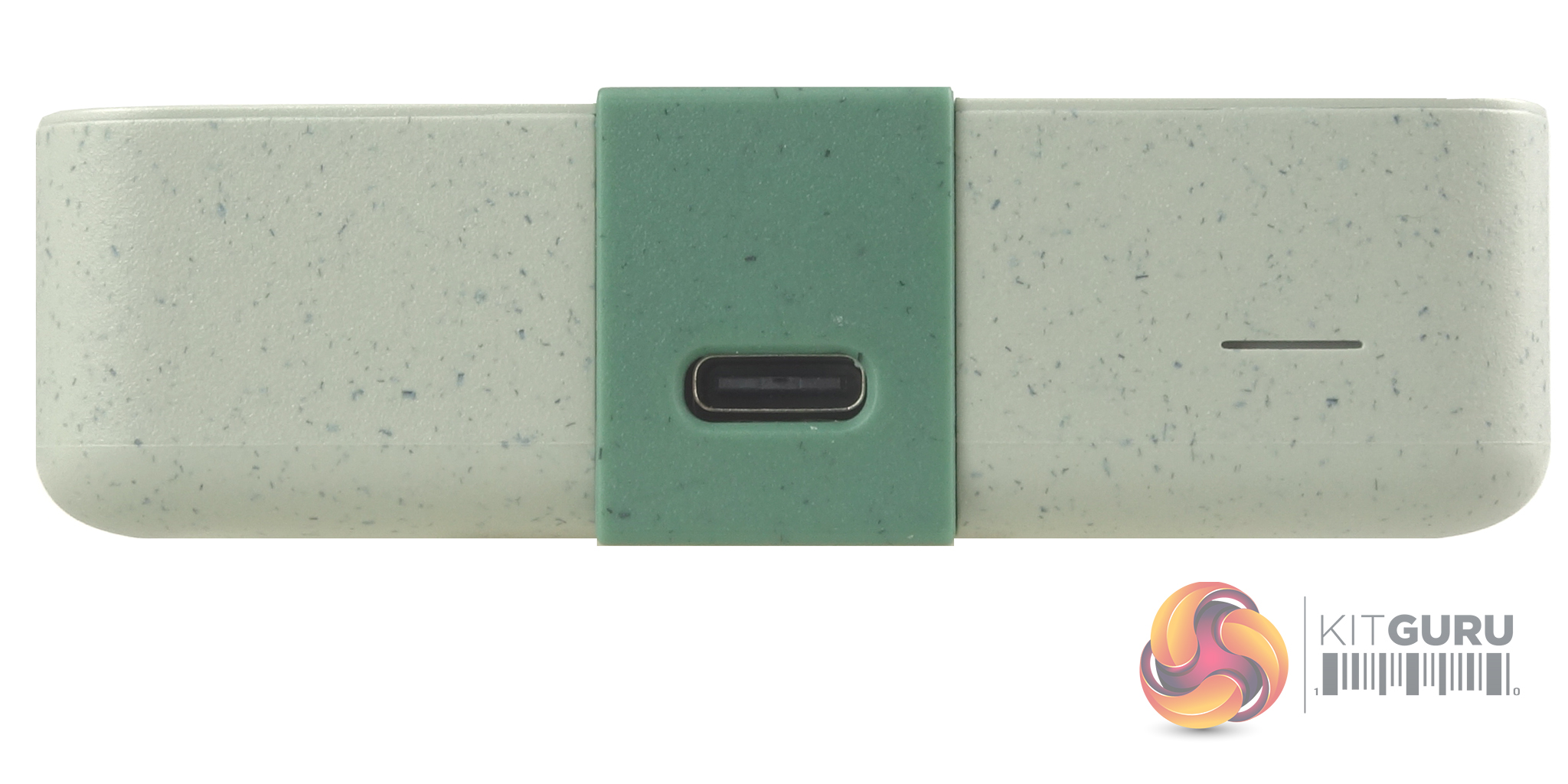
The Ultra Touch uses a USB type-C interface. To the right of the USB port is a thin white drive activity LED.
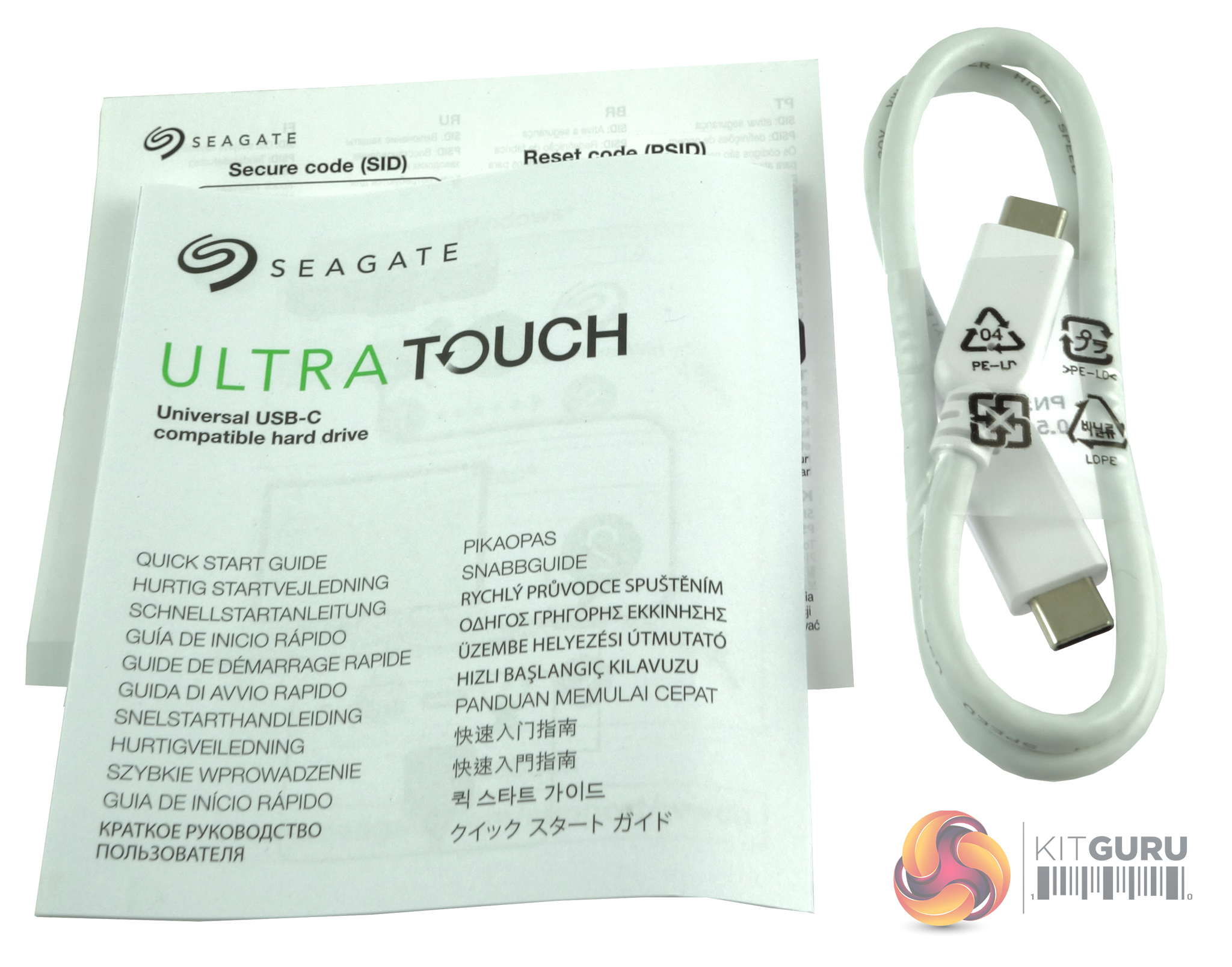
Bundled with the drive is a USB 3.0 cable, a Getting Started guide and an 8-character secure code (SID) to enable password protection for the drive.
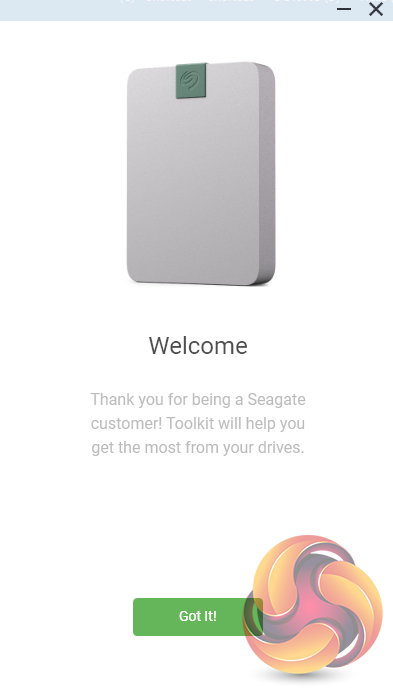
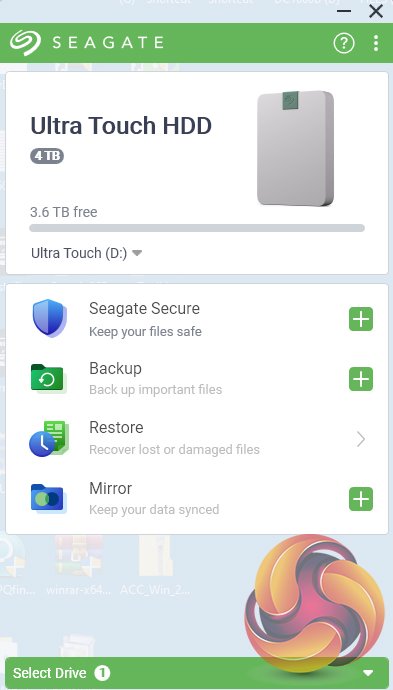
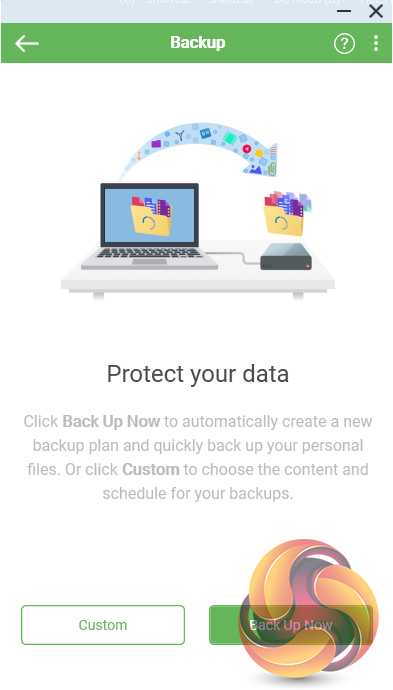
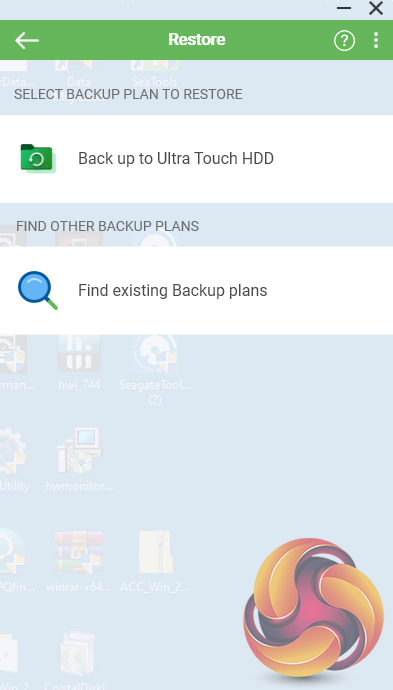
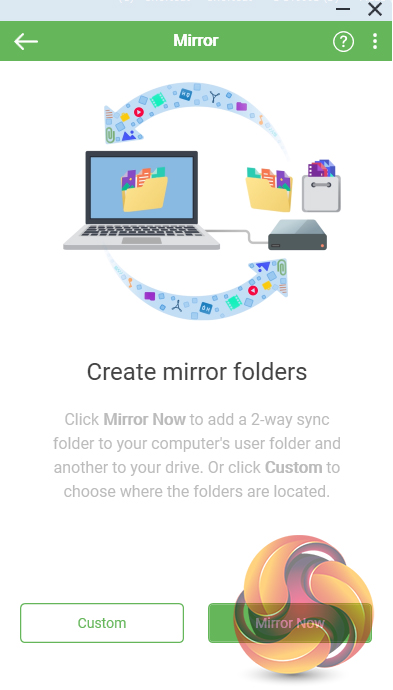
To help you get the most out of the drive there is Seagate's Toolkit utility. It provides easy-to-use tools to make backing up your data.
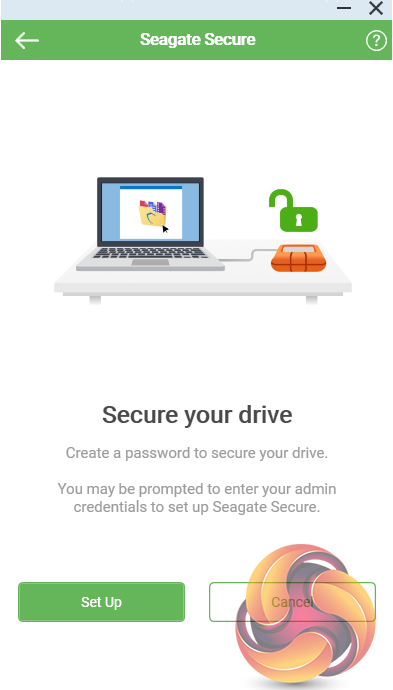
Seagate Secure
Lets you set password protection for the drive using the 8-character secure code (SID) provided with the drive. The Ultra Touch supports AES 256-bit encryption technology.
Backup
Currently only available for the Windows version of Toolkit, you can back up data (excludes program files, application data and temporary files) to the drive either via quick backup or a user custom scheduled backup.
Restore
Retrieve files that have backed up to the Ultra Touch.
Mirror
Create folders on your Ultra Touch drive that are synced to folders on your PC or Mac. Updating the files in one folder will automatically be updated on the other. It also allows pause/resume of any mirror plan.
To run some of our benchmarks we re-formatted the drive as NTFS.
CrystalDiskMark is a useful benchmark to measure the theoretical performance levels of hard drives and SSDs. We are using V7.
The ATTO Disk Benchmark performance measurement tool is compatible with Microsoft Windows. Measure your storage systems performance with various transfer sizes and test lengths for reads and writes. Several options are available to customize your performance measurement including queue depth, overlapped I/O and even a comparison mode with the option to run continuously.Use ATTO Disk Benchmark to test any manufacturer's RAID controllers, storage controllers, host adapters, hard drives and SSD drives and notice that ATTO products will consistently provide the highest level of performance to your storage.
AS SSD is a great free tool designed just for benching Solid State Drives. It performs an array of sequential read-and-write tests, as well as random read-and-write tests with sequential access times over a portion of the drive. AS SSD includes a sub suite of benchmarks with various file pattern algorithms but this is difficult in trying to judge accurate performance figures.
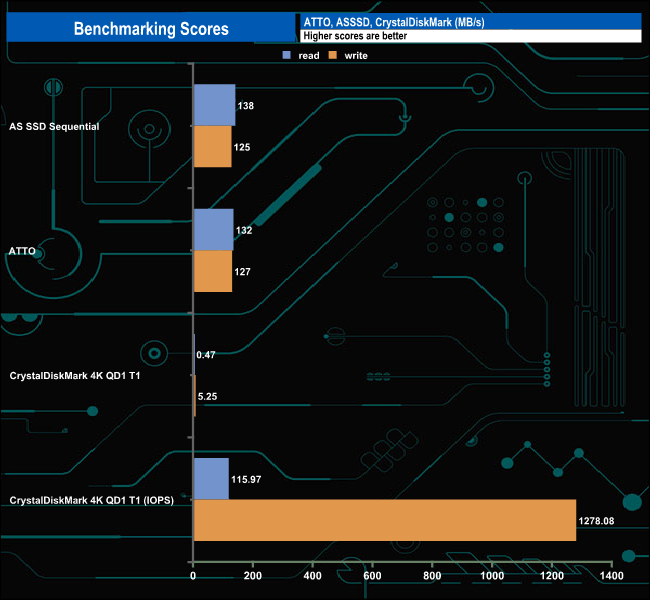
Using the CrystalMarkInfo utility the drive inside the 4TB Ultra Touch HDD is recognised as a 5,400rpm Seagate Barracuda drive which has a data transfer performance rated as up to 140MB/s. The tested Sequential read/write scores are in the range of what you might expect from a drive with this spindle speed over a USB3.0 interface.
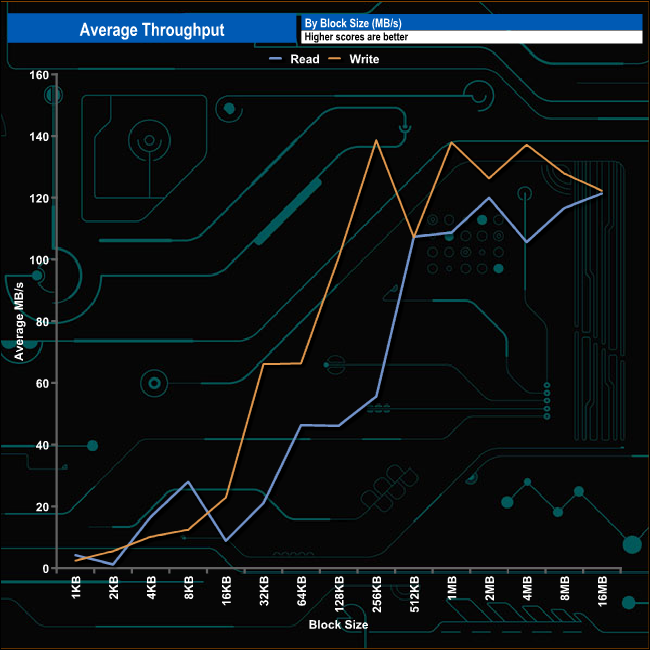
The throughput test results from the drive are pretty erratic, to say the least. Read performance peaked at the end of the test at the 16MB block mark at 121.38MB/s. The write performance was a little better, peaking at 138.66MB/s (256KB block) before eventually completing the test run with a figure of 122.26MB/s.
The PCMark 10 Data Drive Benchmark has been designed to test drives that are used for storing files rather than applications. You can also use this test with NAS drives, USB sticks, memory cards, and other external storage devices.
The Data Drive Benchmark uses 3 traces, running 3 passes with each trace.
Trace 1. Copying 339 JPEG files, 2.37 GB in total, in to the target drive (write test).
Trace 2. Making a copy of the JPEG files (read-write test).
Trace 3. Copying the JPEG files to another drive (read test)
Here we show the total bandwidth performance for each of the individual traces.
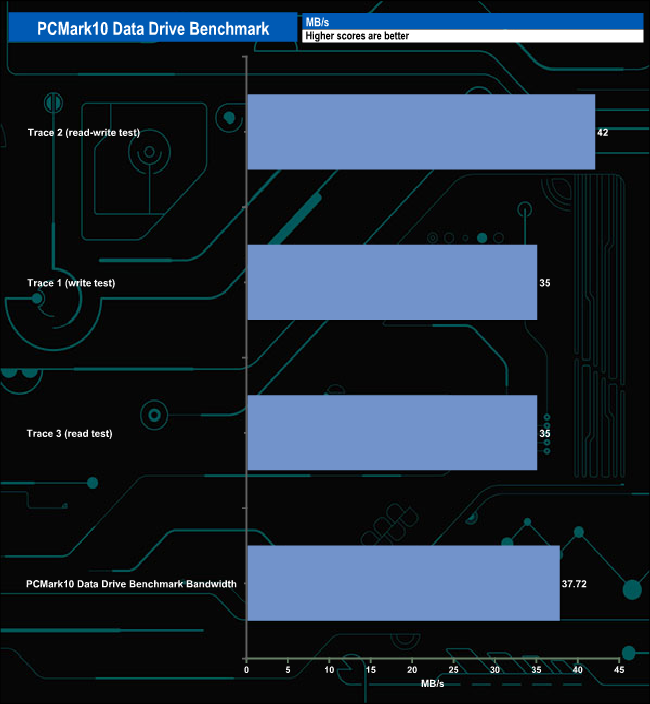
The PCMark 10 Data Drive benchmark figures are what you would expect to see from a 5,400rpm drive using this interface, with a best of 42MB/s in the read-write test.
To get a measure of how much faster PCIe NVMe drives are than standard SATA SSD's we use the same files but transfer to and from a 2TB Kioxia Exceria Plus drive.
Transfer Details:
- 100GB data file.
- 60GB iso image.
- 60GB Steam folder – 29,521 files.
- 50GB File folder – 28,523 files.
- 12GB Movie folder – (15 files – 8 @ .MKV, 4 @ .MOV, 3 @ MP4).
- 10GB Photo folder – (304 files – 171 @ .RAW, 105 @ JPG, 21 @ .CR2, 5 @ .DNG).
- 10GB Audio folder – (1,483 files – 1479 @ MP3, 4 @ .FLAC files).
- 5GB (1.5bn pixel) photo.
- BluRay Movie – 42GB.
- 21GB 8K Movie demos – (11 demos)
- 16GB 4K Raw Movie Clips – (9 MP4V files).
- 4.25GB 3D Printer File Folder – (166 files – 105 @ .STL, 38 @ .FBX, 11 @ .blend, 5 @ .lwo, 4 @ .OBJ, 3@ .3ds).
- 1.5GB AutoCAD File Folder (80 files – 60 @ .DWG and 20 @.DXF).
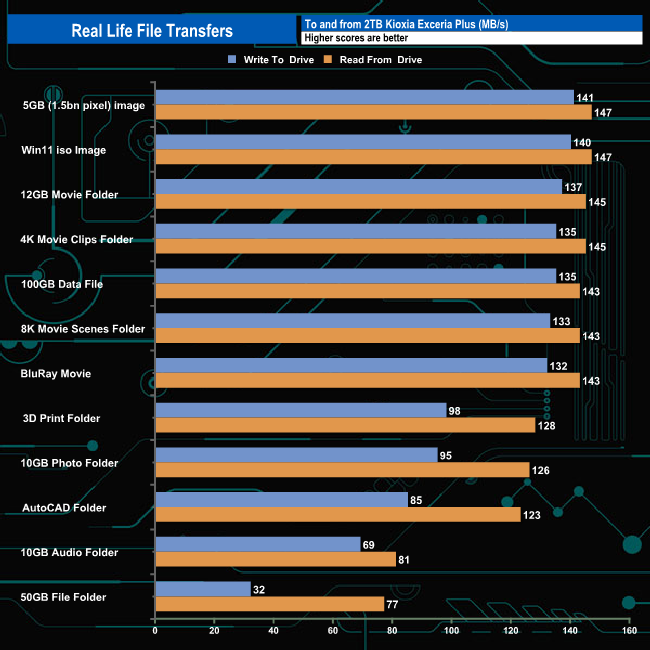
On the whole, the drive performed reasonably well when it came to dealing with our real-life file transfers although it struggled writing the small bity files of the 50GB file. It averaged 111MB/s for the 12 transfers when in write mode, the fastest being the 141MB/s for the 5GB image, the slowest was the 50GB File Folder at 32MB/s. When reading the data back the Ultra Touch averaged 129MB/s. The fastest read speed, 147MB/s was achieved by two transfers, the 5GB image and the Win 11 iso image. Once again the slowest was the 50GB file folder at 77MB/s.
Seagate has an extensive range of external drives with models based around both SSDs and HDDs. The latest range of drives from the HDD product line is the Ultra Touch HDD. At the time of launch, there are three capacities in the Ultra Touch line-up, a 2TB entry model, 4TB (the drive we are looking at here) and a 5TB flagship drive. With a nod to sustainability, the Ultra Touch range contains at least 30% post-consumer recycled materials and the packaging is 100% recyclable. The drive is compatible with Windows, Mac, and Chromebook via its USB-C connection.
Using the CrystalDiskInfo utility, the 2.5in drive inside the Ultra Touch is recognised as a 4TB Seagate Barracuda which has a 5,400rpm spindle speed and 128MB of cache. The Seagate Ultra Touch HDD uses a standard USB3.0 interface, and with a 5,400rpm HDD on board, to be honest, there is not much point in adding anything faster. In our testing, read and write speeds of around 130 – 140 MB/s were typical for this drive.
Seagate's Toolkit app makes backing up data easier by enabling you to create your own backup plans (currently Windows only) as well as the creation of folders that can be synced between your PC or Mac and the drive. You can also make the drive secure by setting up a password and for extra piece of mind, the drive has AES-256 hardware encryption.
Bundled with the Ultra Touch is a 6-month complimentary subscription to Mylio Photos plan. Mylio is a local media storage solution that keeps your photos on your various devices in sync and organises all your photos and videos into a single, well-organised secure library, and there is also a 6-month free trial of the Dropbox Backup plan, both of these are very useful tools to have.
Seagate backs the drive with a two-year warranty but bundles in a two-year Seagate Rescue Recovery Services plan. The plan provides access to Seagate’s technical services which will assist with data recovery in the event of a drive failure.
We found the 4TB Seagate Ultra Touch on Amazon UK for £132.11 (inc VAT) HERE.
Pros
- Smallish Format.
- Large capacity options.
- AES-256 hardware encryption.
- Uses recycled materials.
Cons
- Not the fastest external drive.
KitGuru says: Seagate's Ultra Touch offers a huge amount of storage in a compact space and is ideal if you care more about storage capacity than the speed of data transfers. The fact it uses recycled materials will appeal to many and it also comes with the very useful Seagate Toolkit utility to make the most of it.