KitGuru KitGuru.net – Tech News | Hardware News | Hardware Reviews | IOS | Mobile | Gaming | Graphics Cards


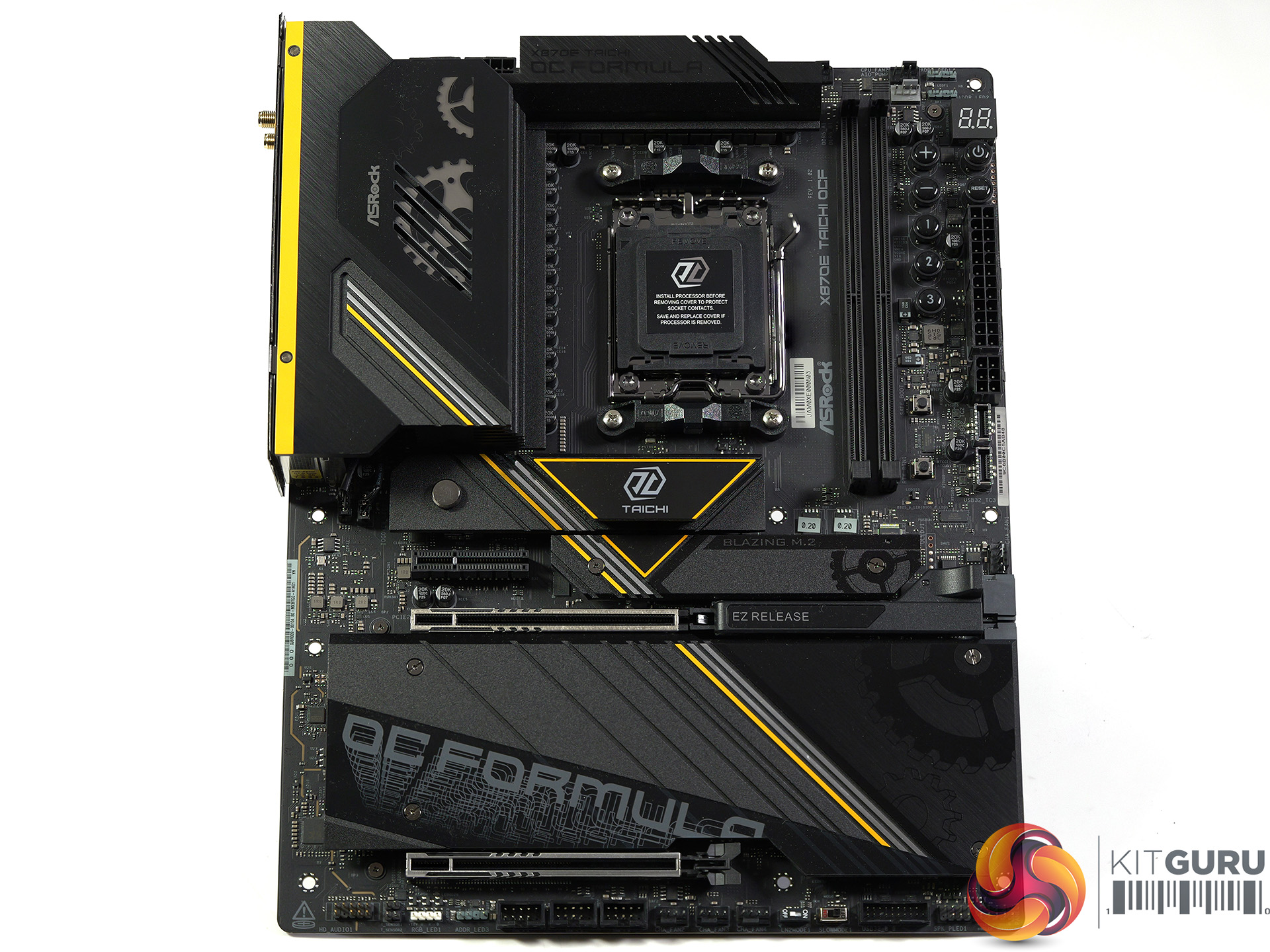
The ASRock X870E Taichi OCF is all about the Over Clocking Formula name and features. This forms a large part of our video as we dig into the function of the mysterious buttons that ASRock has positioned near the two memory slots and the main power connector.
Key features
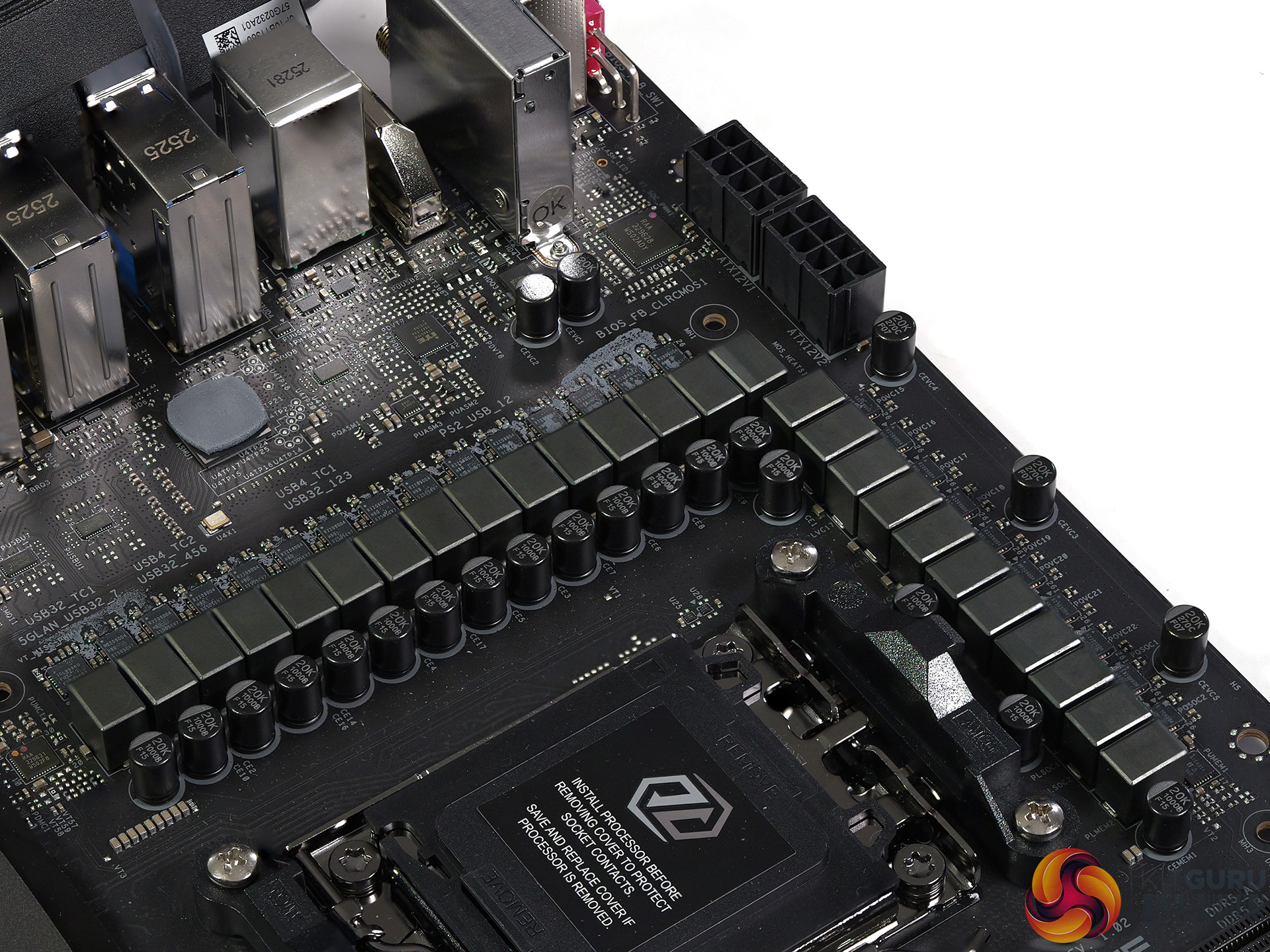
- 22+2+1 Power Phase, 110A SPS for VCore+SOC Dr.MOS design features the latest SPS (Smart Power Stage) technology. It’s optimised for monitoring current and temperature of each phase, thus delivering smoother and neater power to the CPU with enhanced performance and OC capability.
- Extreme Memory Overclocking. Derived from the “built for stable and reliable” designing concept, ASRock does not compromise any detail. This motherboard is built with high quality materials and more importantly 1 DIMM per channel design, ASRock provides an excellent foundation for enthusiasts to utilised and enjoy the boost of DDR5 memory overclocking performance, satisfying and absolutely no sweat at all.
- Enhanced USB4 Type-C. USB4 technology brings speed and versatility to the most advanced USB Type-C, offering a fast and simple level of connection for work or home. It enables lightning-fast 40Gbps data transfer bitrate.
- Server-Grade Ultra-Low Loss PCB. The server-grade ultra-low loss PCB improves signal integrity and enhances memory overclocking potential, delivering the most extreme memory performance.
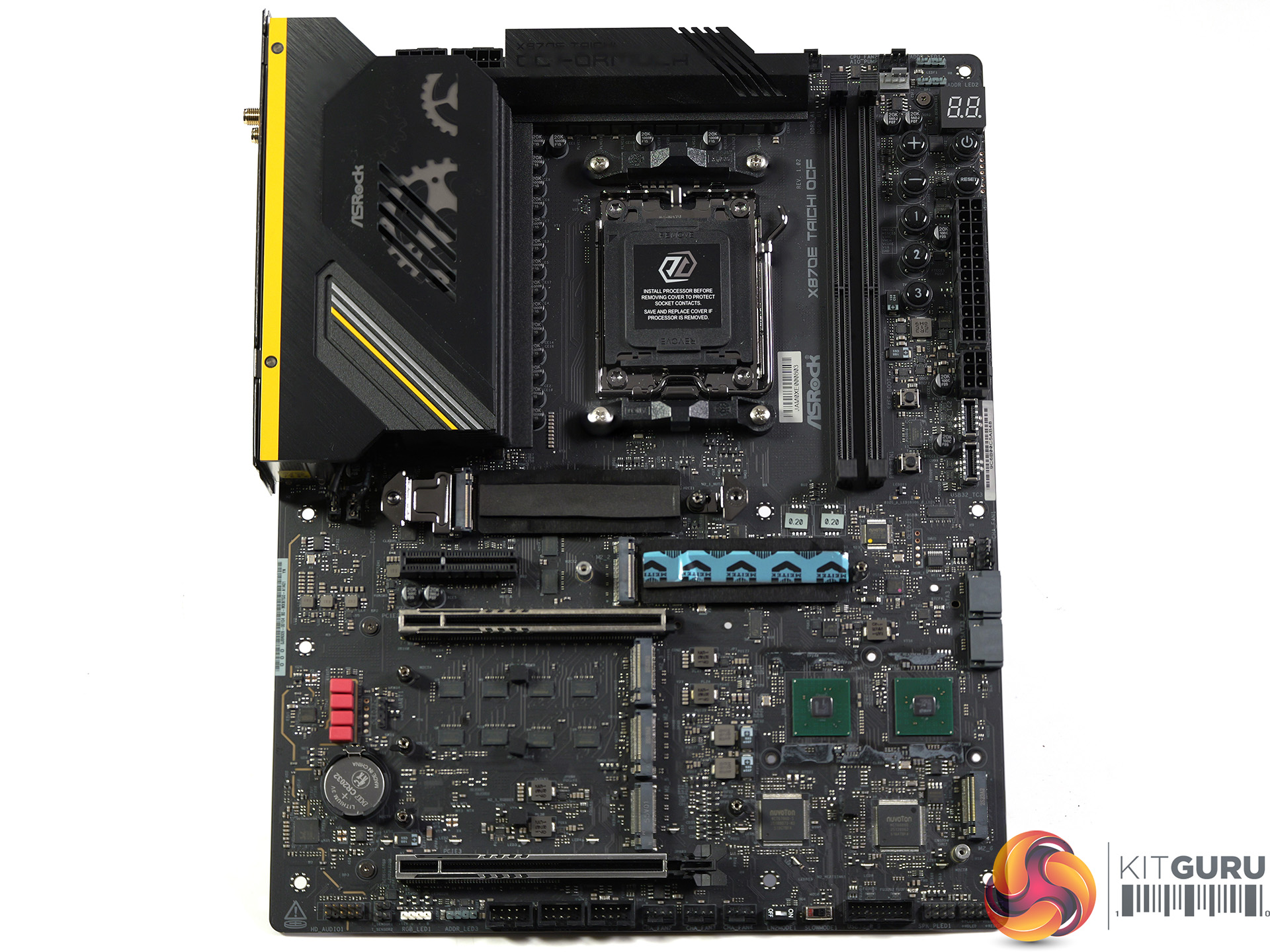
- Beyond Deluxe 6 x M.2 Sockets. X870E Taichi OCF equipped with six M.2 slots for SSD and two of which even support PCIe 5.0 x4, delivering high performance and brilliant expandability, a perfect example of a flagship product.
Watch our video on YouTube at 2160p HERE
Time stamps
00:00 Intro
01:19 Taichi vs Taichi OCF
02:48 Why an AM5 OC Board is Weird
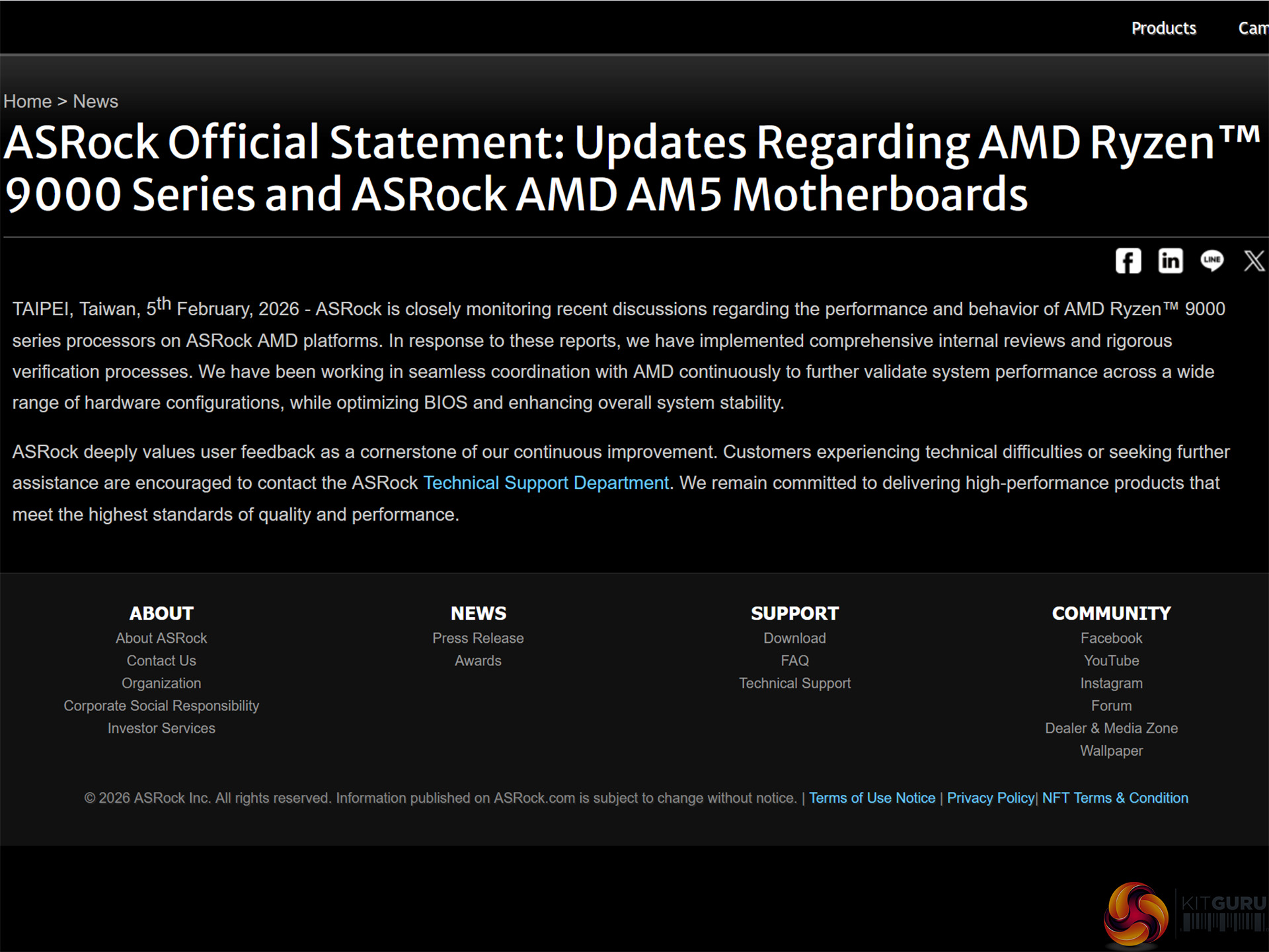
03:55 ASRock Reputation and CPU Safety Concerns
04:27 ASRock Claims: Memory, BCLK, Voltage
06:40 BIOS and OC Buttons: What Actually Works
09:46 Full Board Tour and Specs
12:55 Test System Overview
13:21 Results vs Regular Taichi
14:05 Closing Thoughts and Verdict
Specification:
CPU: AMD Socket AM5 support for AMD Ryzen 9000/8000/7000 Series Processors
Chipset: AMD X870E
VRMs:
Renesas RAA 229628 VRM controller
22+2+1 x110A Renesas R2209004 SPS VRMs
Memory: Support for DDR5 10400(O.C), 2x DDR5 DIMM sockets up to 128GB
Dual channel memory architecture, non-ECC Unbuffered DIMMs
Expansion Slots
2x PCIe 5.0 x16 (running at 1 x16 or 2 x8)
1x PCIe 4.0 x14 slot
Storage
1x M.2 PCIe 5.0 x4 from CPU
1x M.2 PCIe 5.0 x4 from CPU (shared with USB4)
2x M.2 PCIe 4.0 x4 from Chipset
1x M.2 PCIe 4.0 x2 from Chipset
1x M.2 PCIe 3.0 x4 from Chipset
2x SATA 6Gb/s connectors
USB
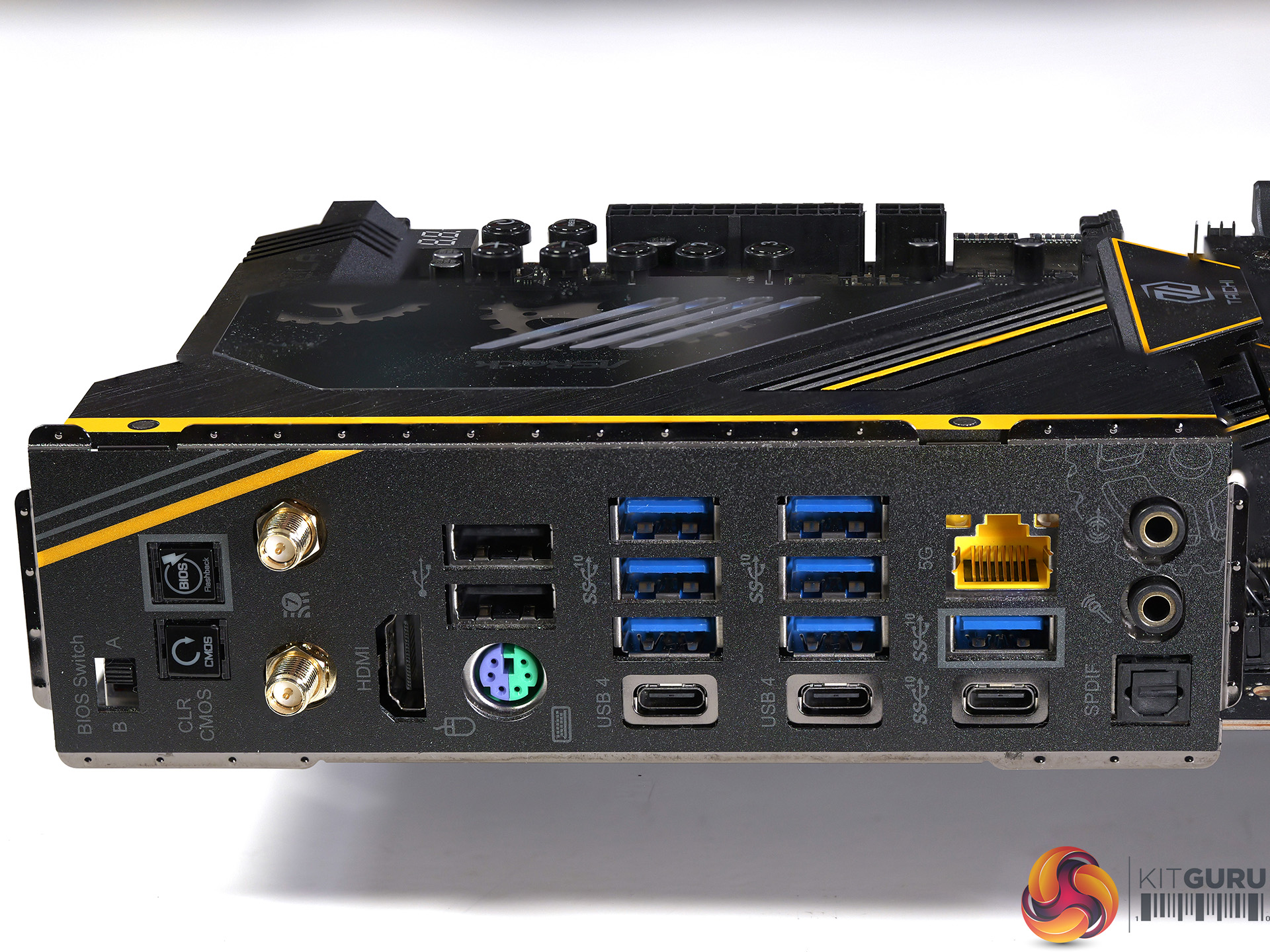
2x USB4 40Gbps Type-C ports rear panel
2x USB 3.2 Gen 2×2 20Gbps (1x 36W, 1x 15W) front panel
1x USB 3.2 Gen 2 10Gbps Type-C port rear panel
7x USB 3.2 Gen 2 10Gbps Type-A ports rear panel
2x USB 3.2 Gen 1 5Gbps Type-A ports front panel
8x USB 2.0 Type-A ports (2x rear, 6x front panel
Audio: Realtek ALC4082 Audio Codec
Ethernet: Realtek RTL8126 5Gbit
Wireless: Wi-Fi 7 and Bluetooth 5.4
7x PWM Fan headers
3x ARGB headers and 1x RGB header
BIOS chip 64MB flash
Form Factor: ATX 305mm x 244mm
Performance and Overclocking
Test system
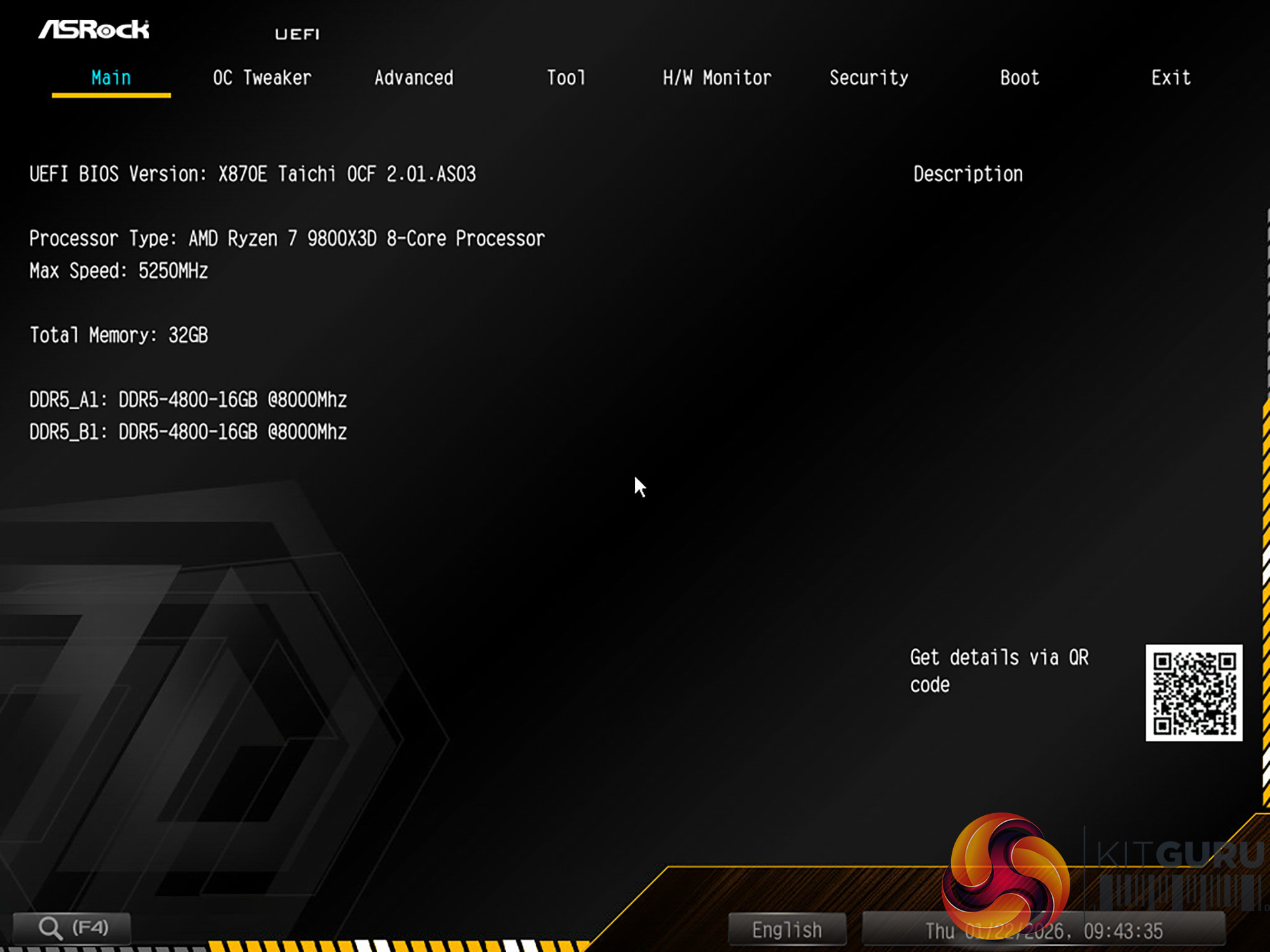
Processor: AMD Ryzen 7 9800X3D
Memory: 32GB G.Skill Trident Z5 Royal Neo DDR5-8000
CPU Cooler: Phanteks Glacier One 360MPH
Graphics card: MSI GeForce 4090 Ventus 3X 24GB
Power supply: Seasonic Focus GX-1000
SSD: 1TB Crucial T700 M.2 NVMe
OS: Windows 11
Geekbench 6 Multi Core
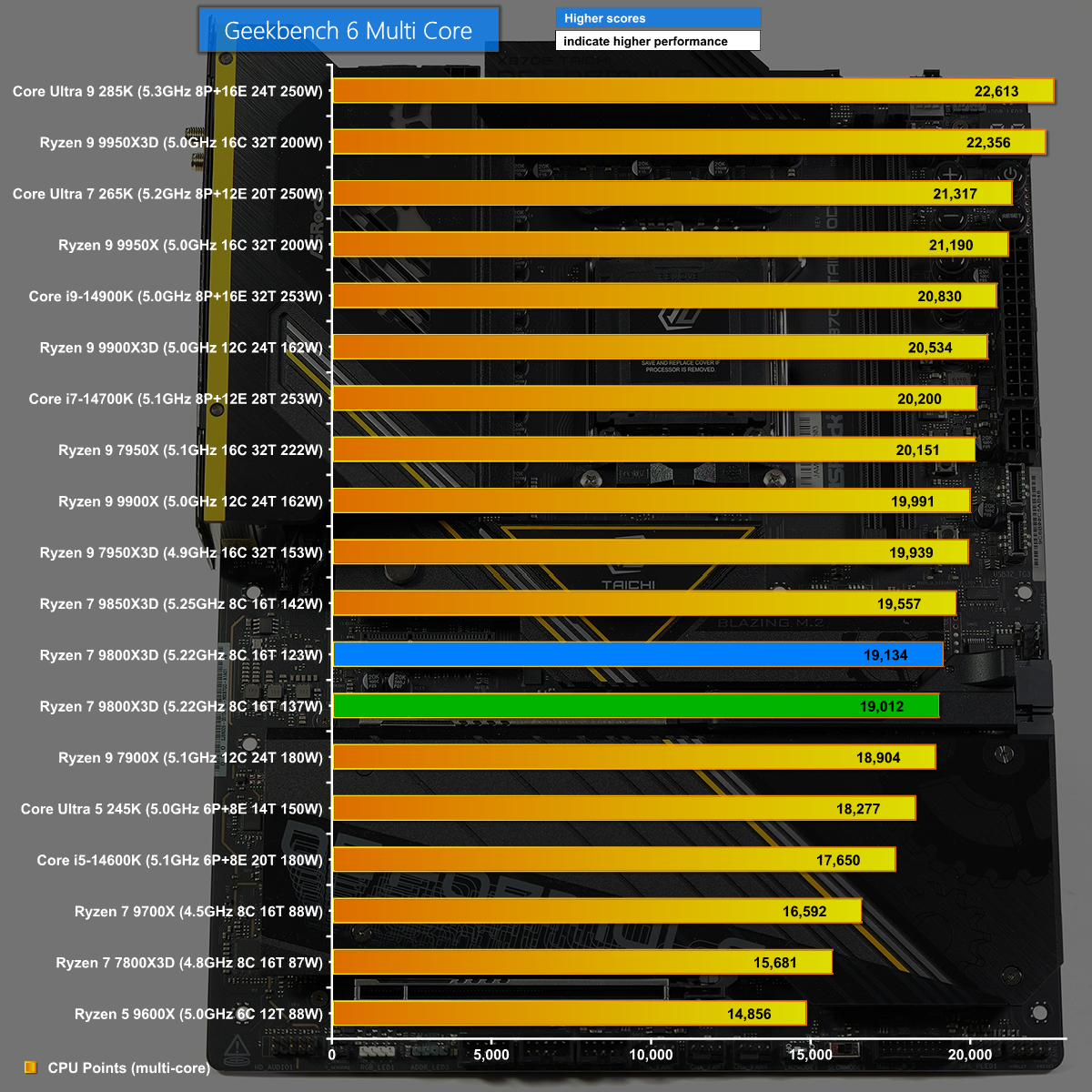
In Geekbench 6 Multi Core we see the blue bar for ASRock Taichi X870E OCF is effectively tied with the green bar for the regular X870E Taichi. In other words performance is perfectly decent and exactly what we expect.
Far Cry 6 at 1080p
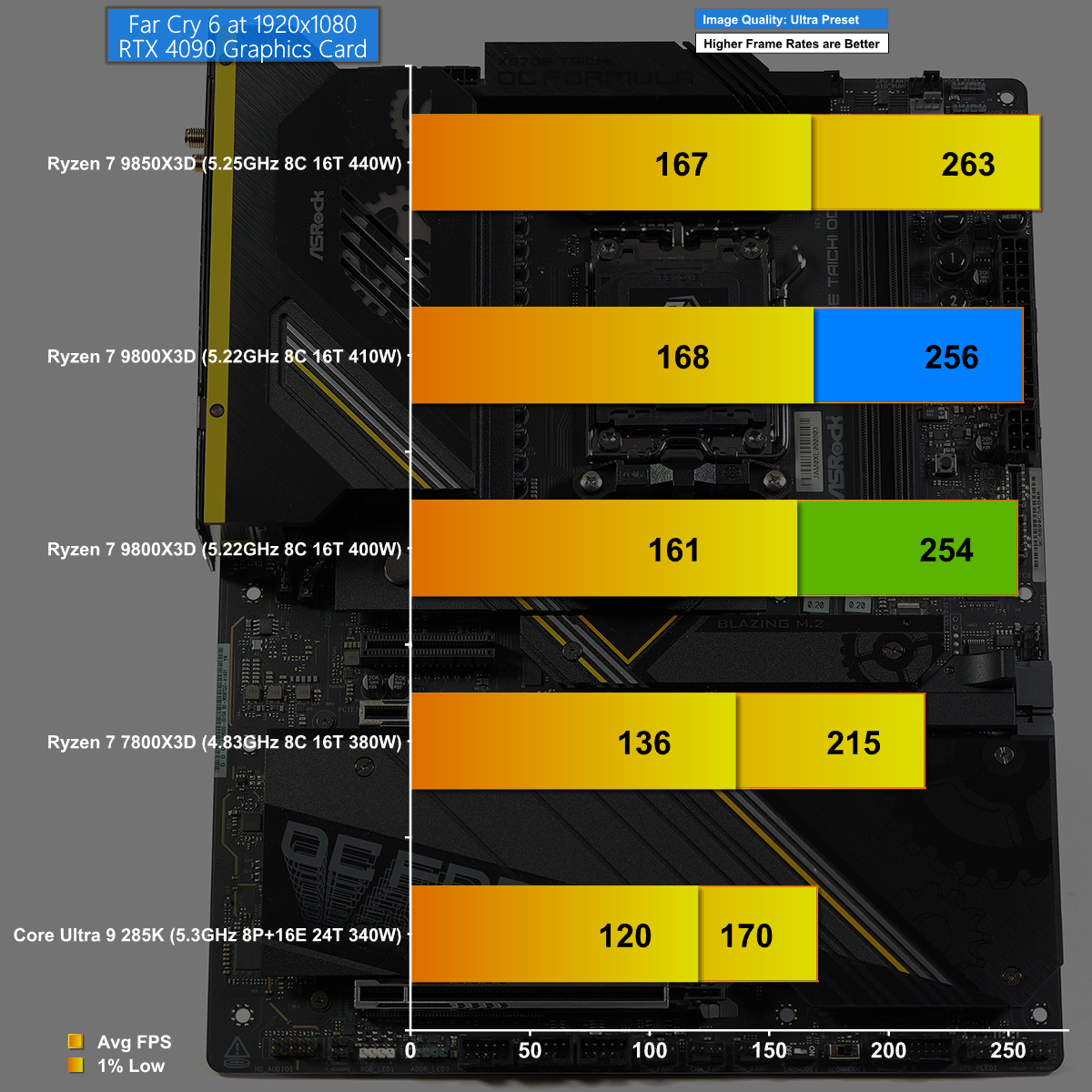
Playing Far Cry 6 at 1080p again shows the OCF does a good job but there is no secret sauce delivering extra performance on Auto settings.
Far Cry 6 at 1440p
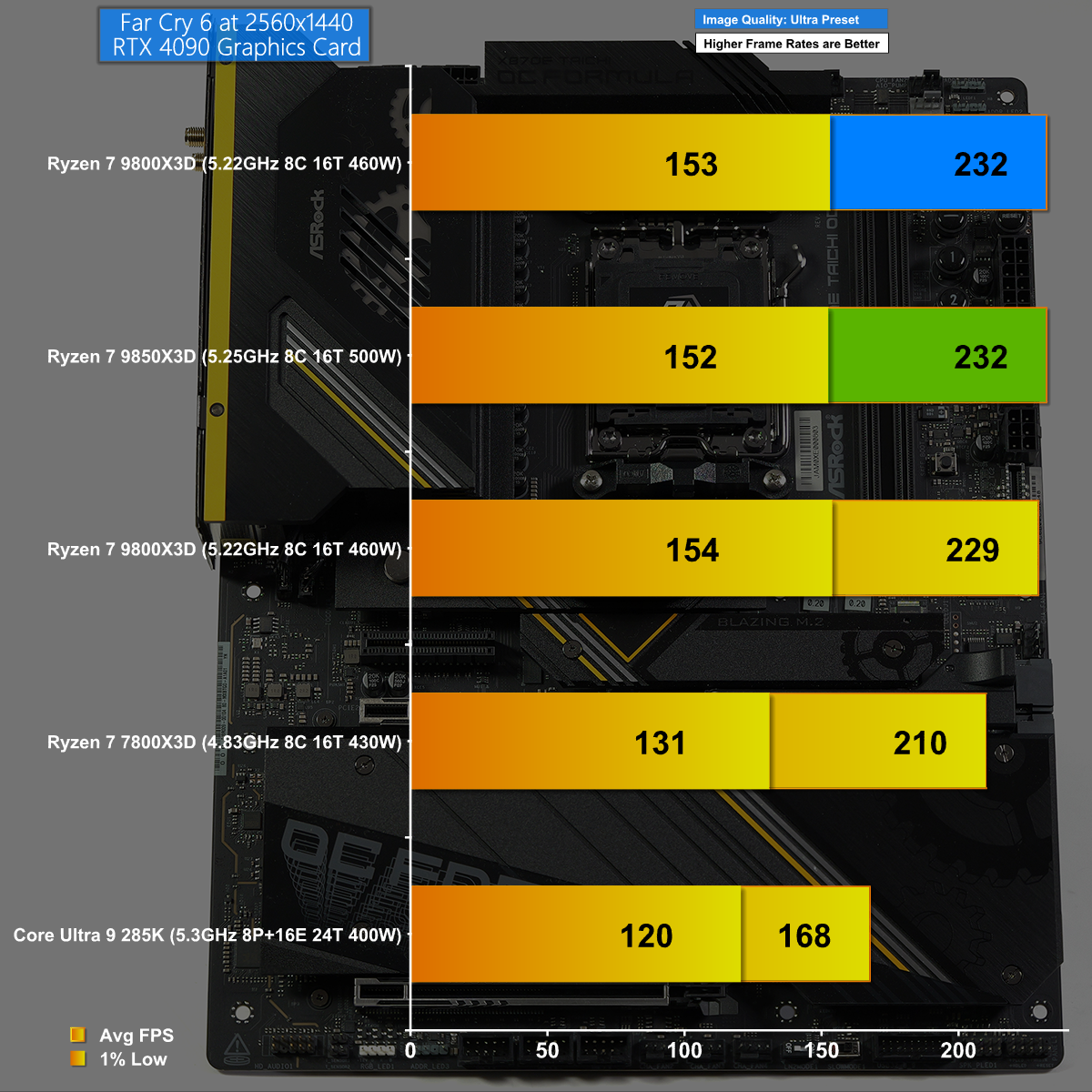
Finally we have Far Cry 6 at 1440p where we see the closest of ties between the regular X870E Taichi and the Taichi OCF.
Closing Thoughts
Our video about the ASRock X870E Taichi OCF is unlike most of our motherboard reviews as the single biggest question revolves around the extras that make this motherboard an Over Clocking Formula. As we demonstrate in some detail, we had a number of issues with the hardware overclocking buttons but the peculiar thing is that we weren't especially annoyed as we don't much like the idea of messing with the base clock speed of a Ryzen 9000 CPU.
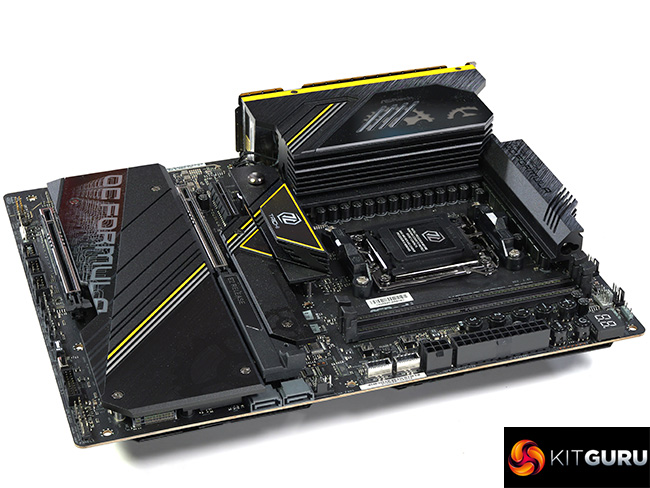
Instead we prefer to think of the OCF as a variant of the regular X870E Taichi and in that sense it is perfectly OK. The addition of the overclocking buttons is an irrelevance to us and we are fine with only having two DDR5 memory slots, however we positively welcome the move from E-ATX to ATX. Also, we like the black and yellow styling and consider it a small improvement over the regular X870E Taichi.
MSRP for the ASRock X870E Taichi OCF is $500
Pros:
- The hardware seems bullet proof
- Good looks and smart styling
- Excellent set of micro buttons and a debug display
- Manual switch to select BIOS A or B
Cons:
- There are concerns about ASRock motherboards damaging Ryzen CPUs
- The hardware overclocking buttons don’t seem to work!
- We cannot find this motherboard on sale
KitGuru says: The ASRock X870E Taichi OCF is an oddball with a number of points of interest.