KitGuru KitGuru.net – Tech News | Hardware News | Hardware Reviews | IOS | Mobile | Gaming | Graphics Cards


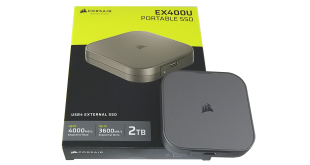
Corsair's latest portable SSD is the EX400U, a pocket-sized drive that uses a USB4 interface to deliver up to 4,000MB/s Sequential read performance. Priced at £200 here in the UK, we put this new drive through its paces and find out if it's worth buying.
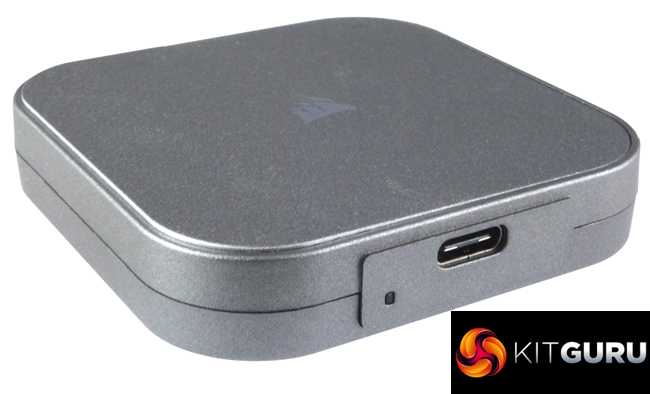
Corsair's new EX400U is available in three capacities; 1TB, 2TB (the drive we are reviewing) and a flagship 4TB model. All three have the same Sequential read/write official ratings; up to 4,000MB/s and up to 3,600MB/s respectively.
The EX400U uses one of Phison latest PS2251-21 (U21) controllers. The PS2251-21 is the world's first native USB4 controller delivering Sequential read and write speeds of up to 4GB/s. Being native means there is no need for a bridging chip taking up space, resulting in more compact drives. We couldn't find any information about what NAND is being used in the drive.
Corsair back the EX400U series with a three-year warranty.
Physical Specifications:
- Usable Capacities: 2TB.
- NAND Components: n/s.
- NAND Controller: Phison PS2251-21.
- Interface: USB-C.
- Form Factor: External.
- Dimensions: 64.3 x 64 x 12mm,
- Drive Weight: 383g.
Firmware Version: ULFM90.1
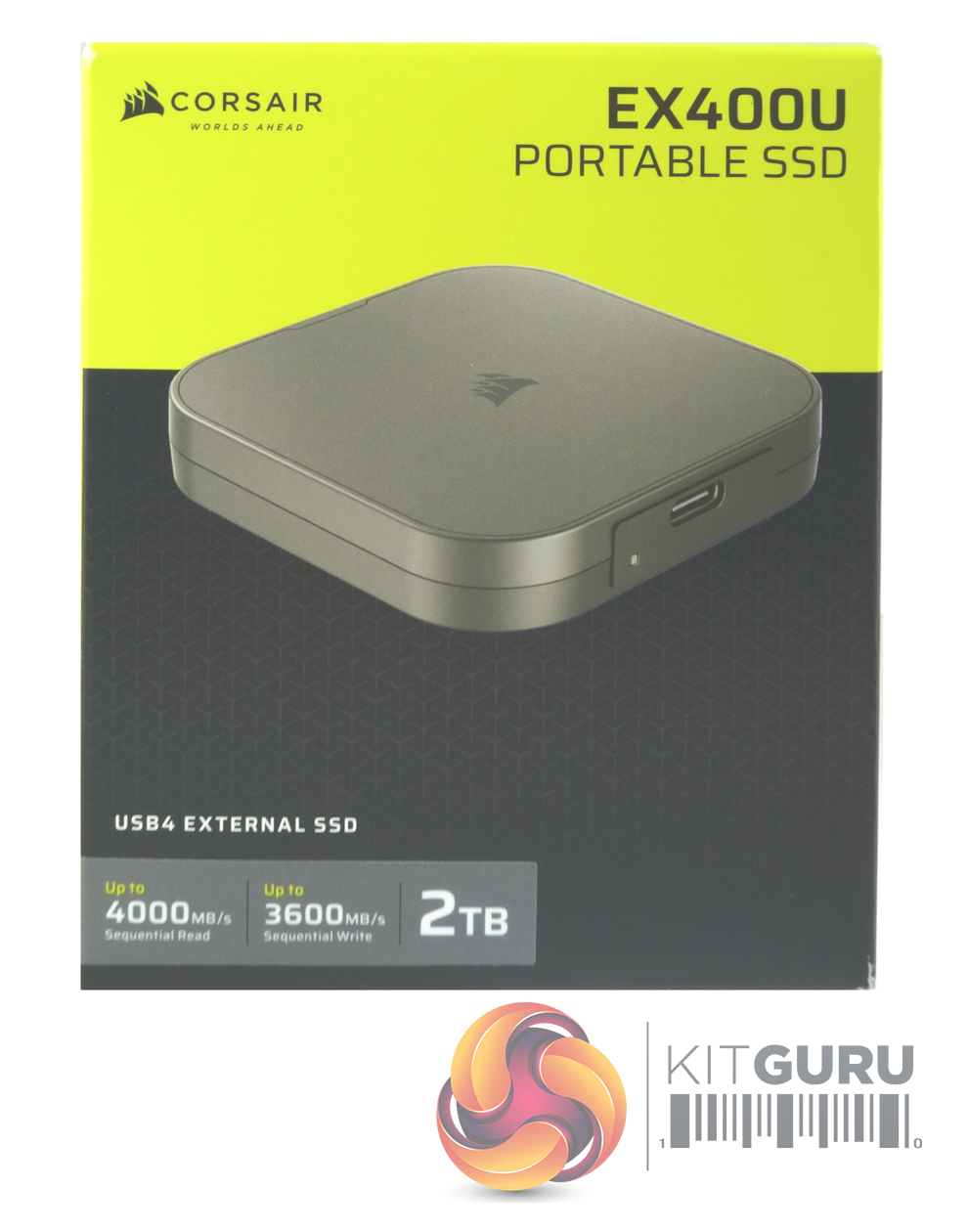
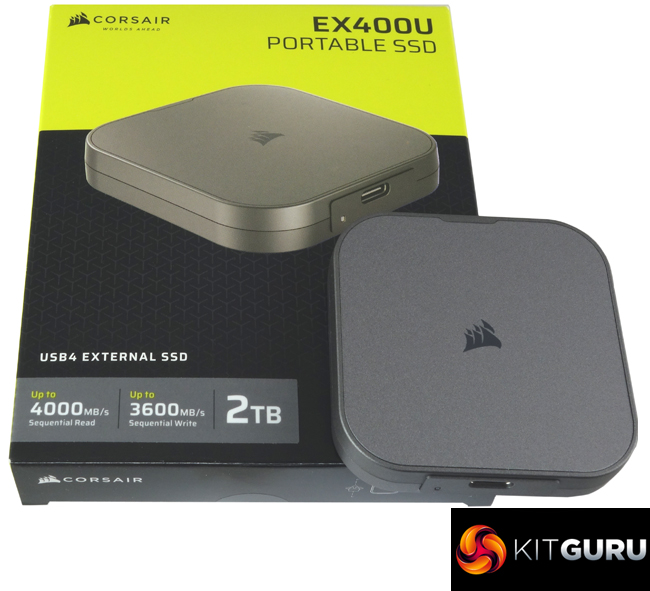
The EX400U comes in a compact box finished in the customary Corsair yellow and black colour scheme. On the front of the box is an image of the drive under which a label displays the headline Sequential read and write speeds (up to 4,000MB/s reads, up to 3,600MB/s writes) and the capacity of the drive.
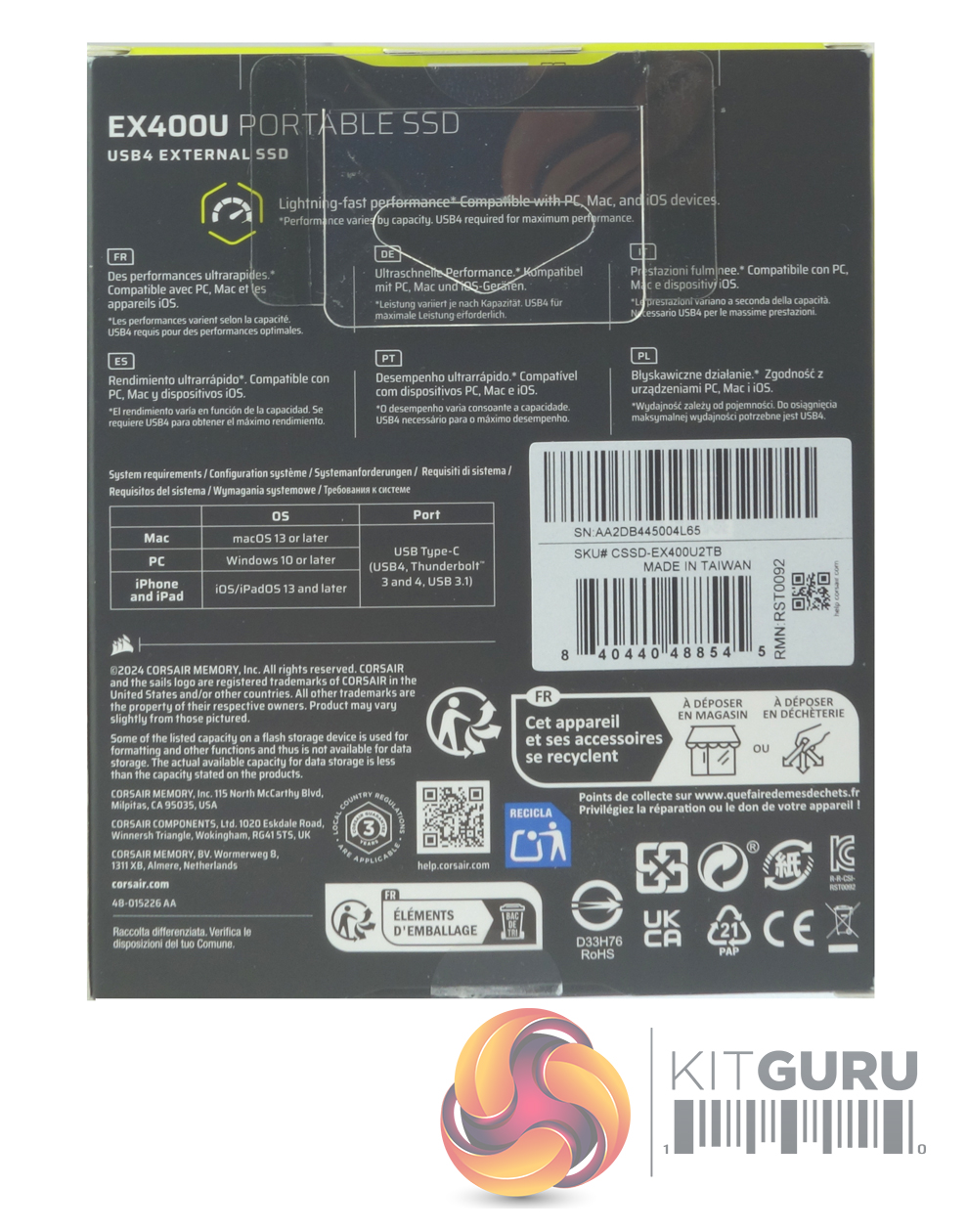
The rear of the box has a multilingual description of the drive under which is a systems requirements box which lists the OS supported by the drive; Windows 10 or later, macOS 13 or later, iOS/iPadOS13 and later.
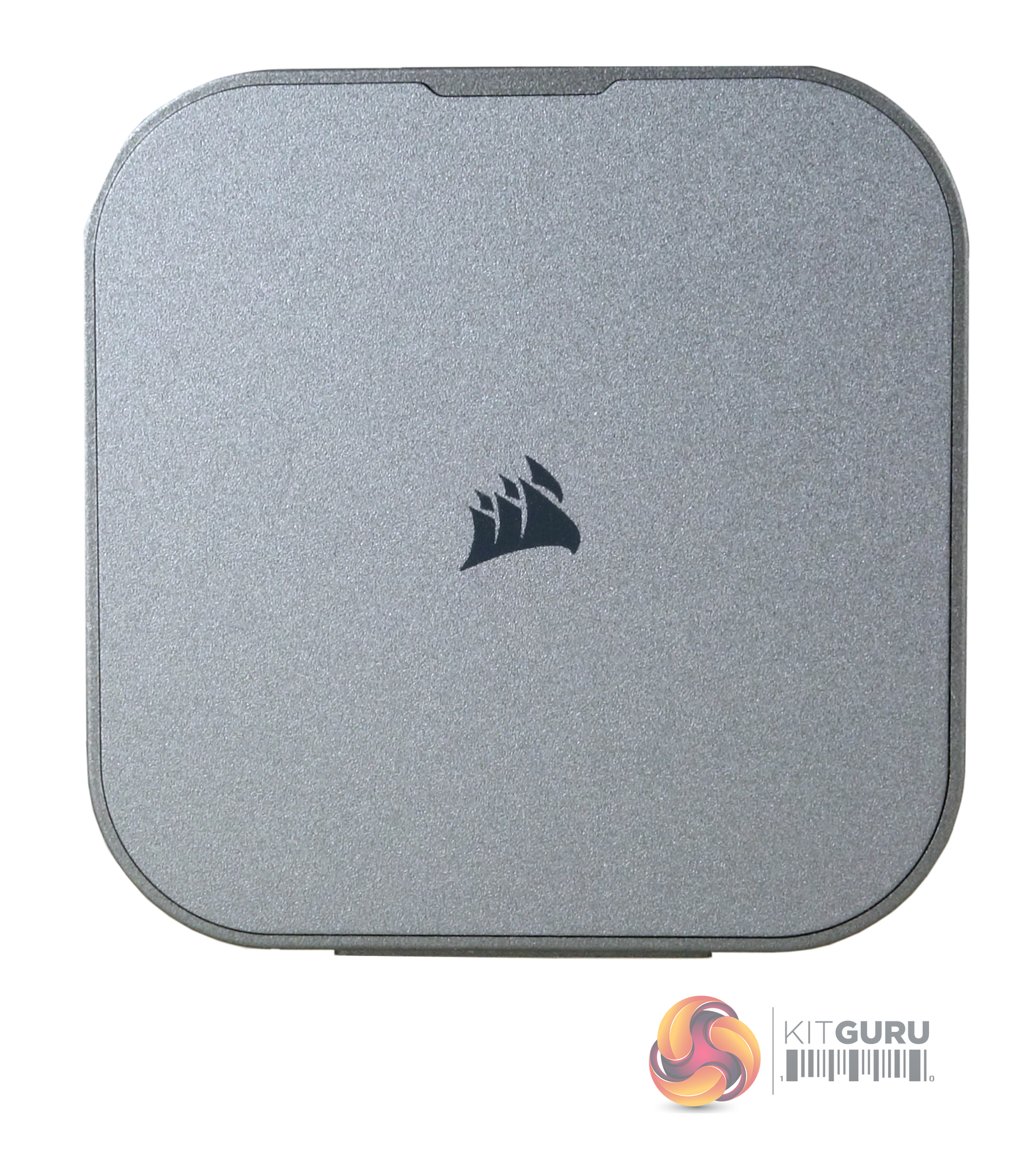
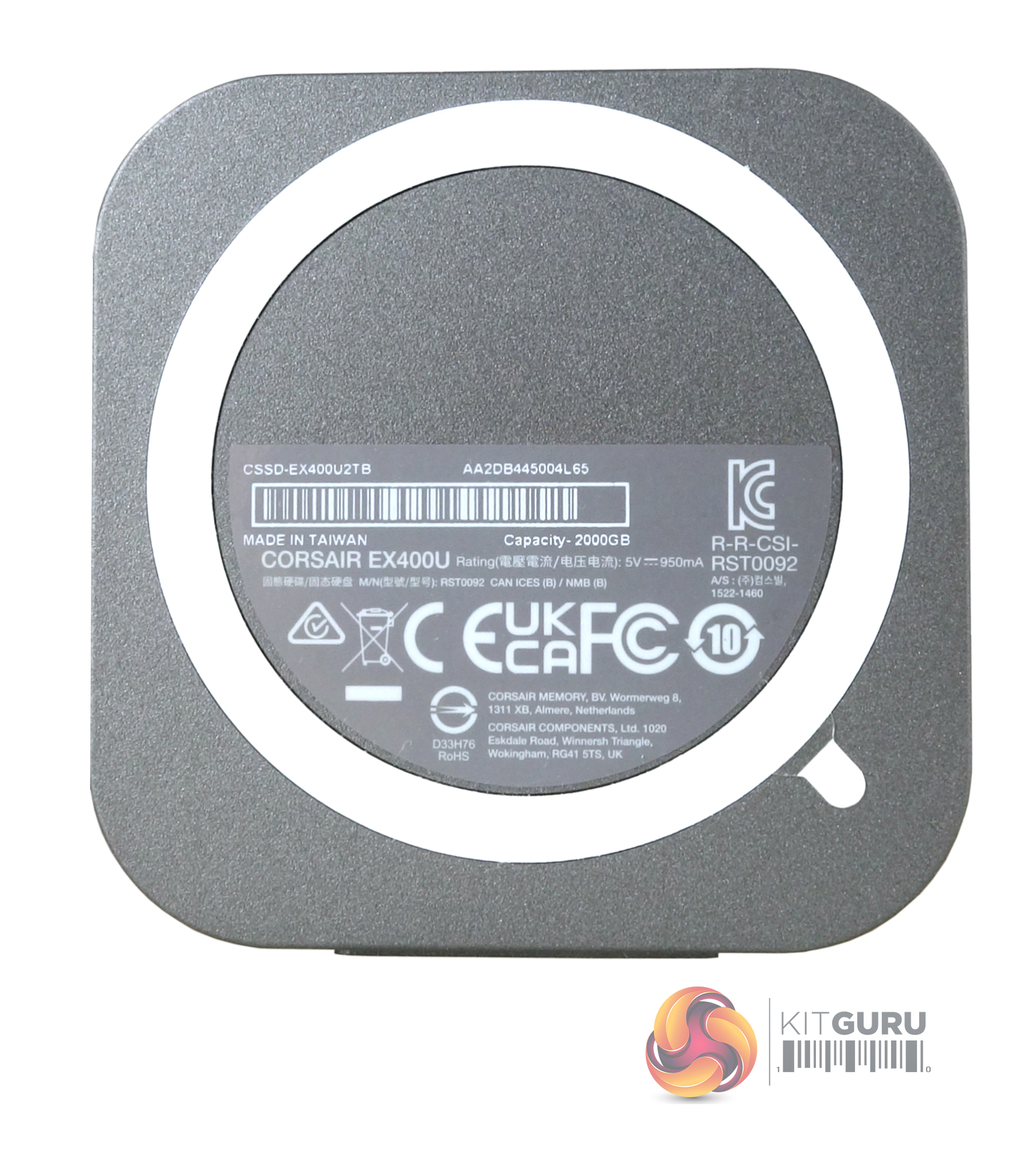
Constructed with plastic sides and bottom with an aluminium top the drive is finished in silver-grey and measures a wee 64.3mm x 64mm x 12mm and weighing in at 383g, it's small enough to fit in a shirt pocket. The bottom of the EX400U features a magnetic ring for easy attachment to any MagSafe-compatible device, such as iPhones.
The EX400U is the first drive we've seen that makes use of Phison's latest PS2251-21 (U21) controller. The four-channel PS2251-21 (U21) is the world's first native USB4 controller. Built on a 12nm process, the DRAM-less controller supports 3D TLC and QLC NAND with a transfer rate of up to 1600MT/s and has a maximum storage capacity of 32TB. The interface supports USB4 (40 Gbps), USB 3.2 Gen2x2 (20 Gbps), USB 3.2 Gen2x1 (10 Gbps), USB 3.2 Gen1 (5 Gbps) and is backwards compatible with USB 2.0 (480 Mbps).
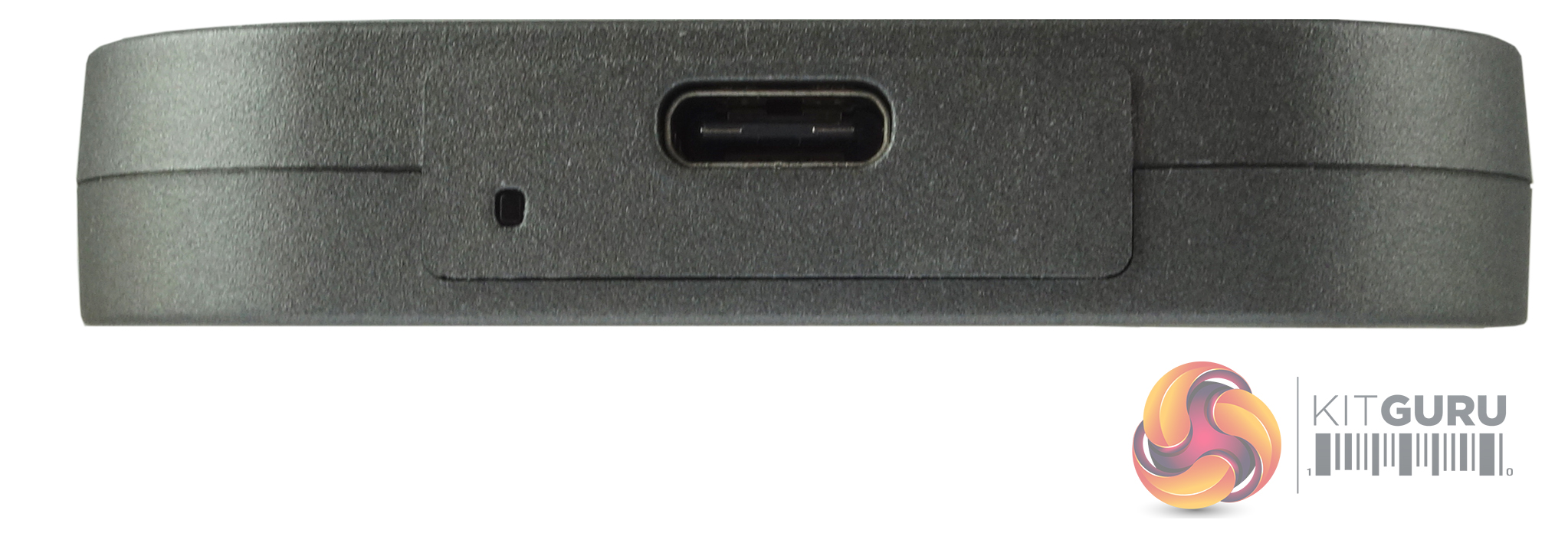
To the left of the USB-C port is a white activity indicator LED.
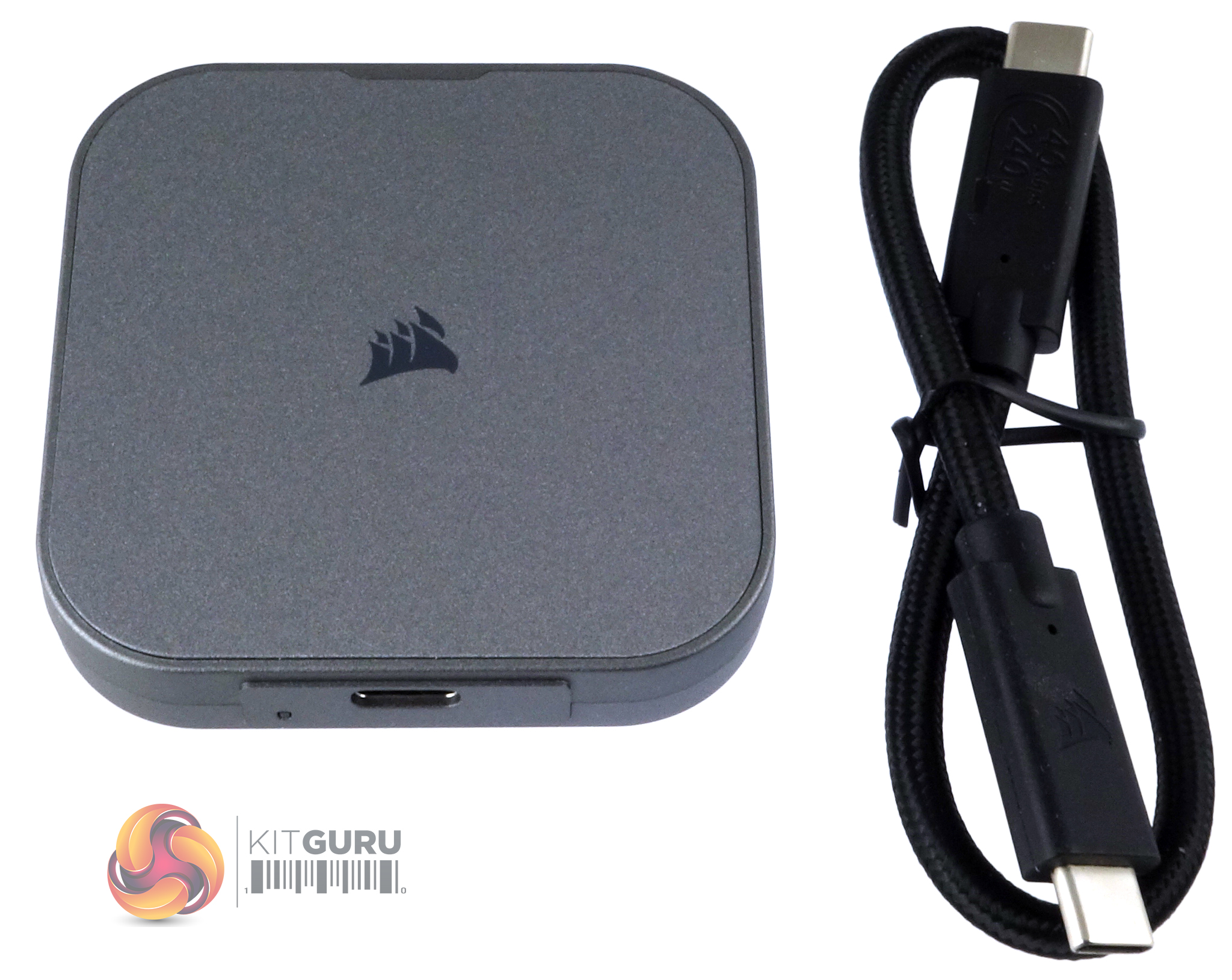
Bundled in the box with the drive is a USB-Type C to USB Type-C (40Gb/s, 60W) cable.
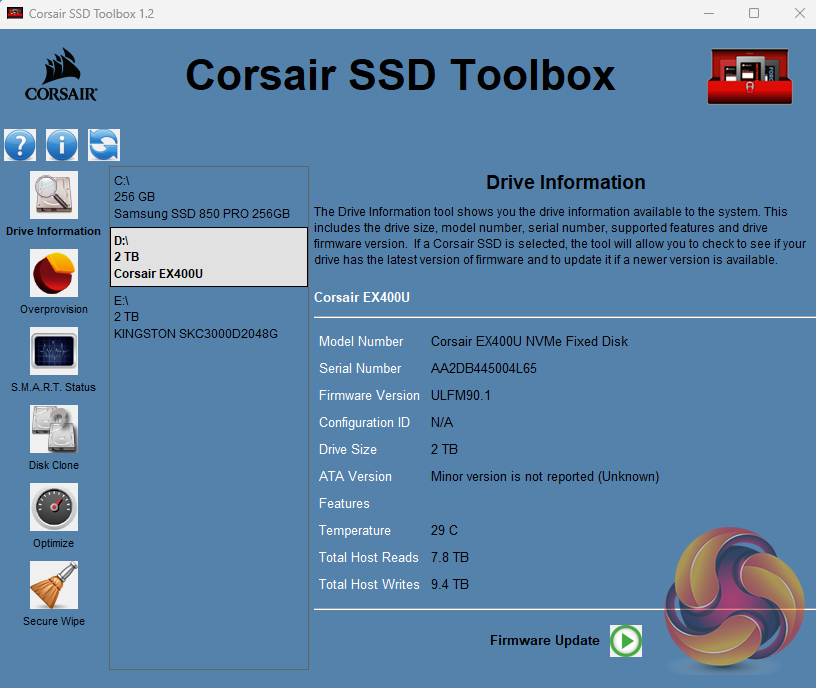
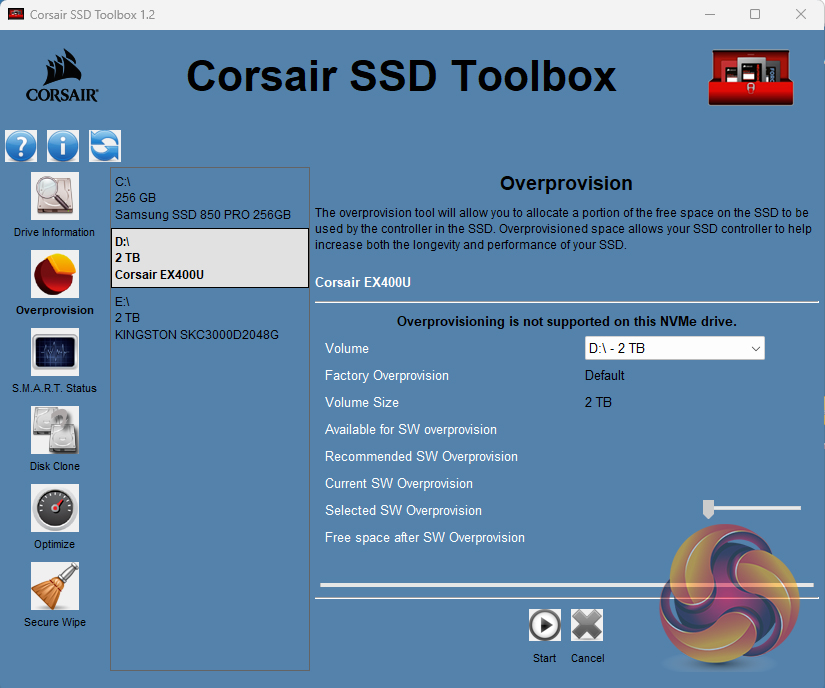
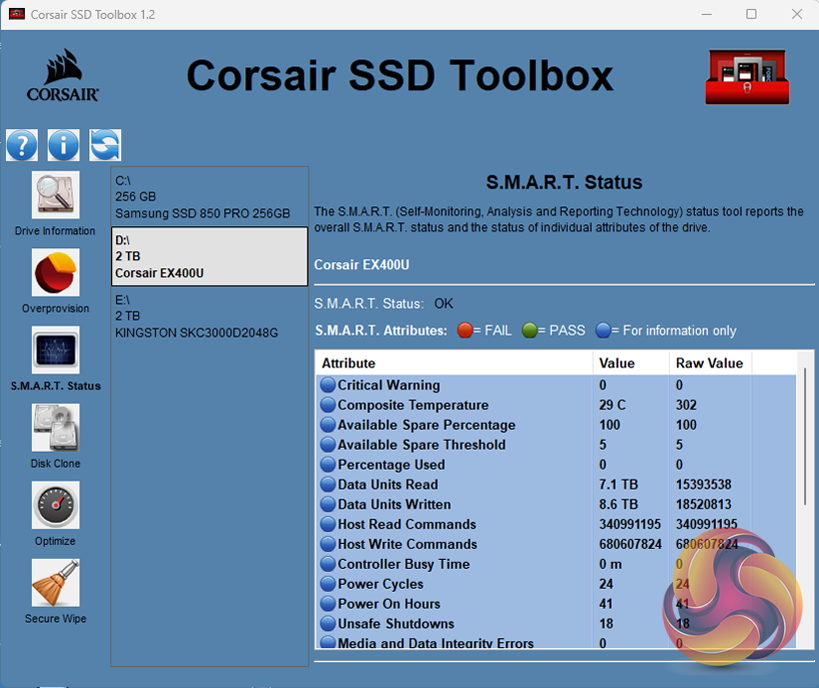
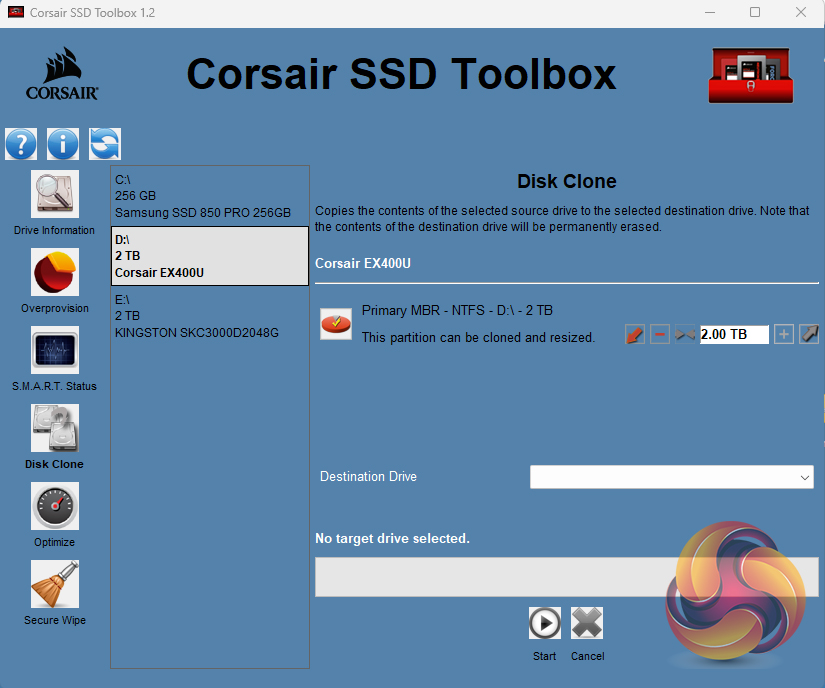
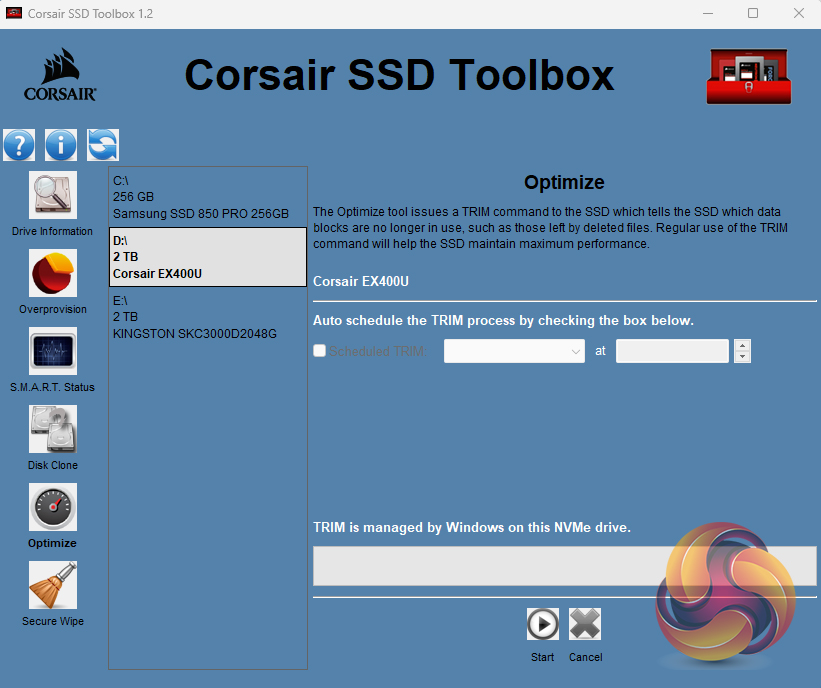
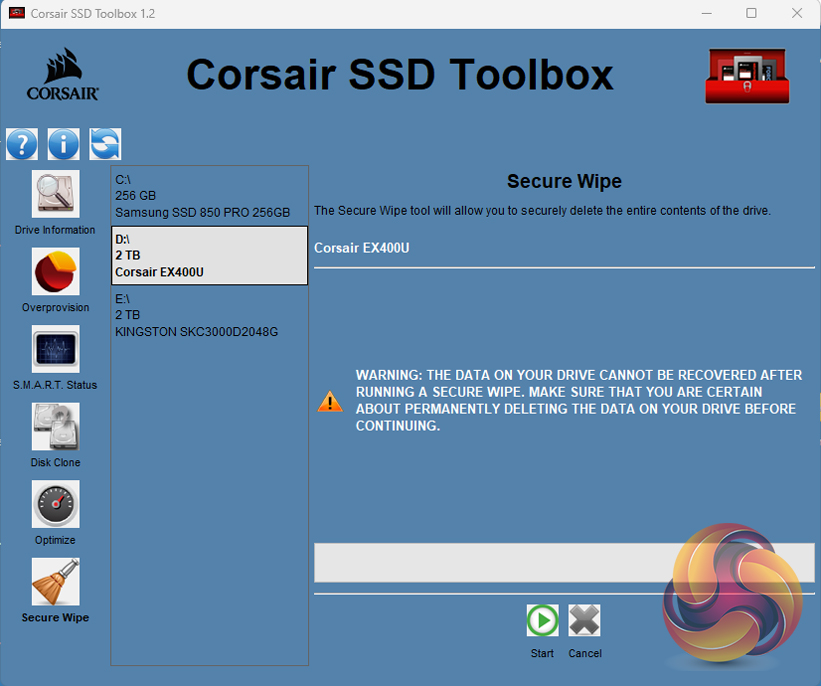
Corsair’s SSD management utility is called SSD Toolbox. It's not the funkiest-looking GUI we've ever seen but having said that, it does give all you really need to keep an eye on the drive. It provides drive information and S.M.A.R.T details and also supports firmware updates, secure wiping of the drive, and drive optimisation. It usefully incorporates a disk cloning utility.
The drive is formatted with exFAT out of the box, but to run some of our benchmarks, we re-formatted it in NTFS. To test the drive we used a Gigabyte GC-Maple Ridge add-in card.
CrystalDiskMark is a useful benchmark to measure the theoretical performance levels of hard drives and SSDs. We are using V8.
The ATTO Disk Benchmark performance measurement tool is compatible with Microsoft Windows. Measure your storage system performance with various transfer sizes and test lengths for reads and writes. Several options are available to customize your performance measurement including queue depth, overlapped I/O and even a comparison mode with the option to run continuously. Use ATTO Disk Benchmark to test any manufacturers RAID controllers, storage controllers, host adapters, hard drives and SSD drives and notice that ATTO products will consistently provide the highest level of performance to your storage.
AS SSD is a great free tool designed just for benching Solid State Drives. It performs an array of sequential read-and-write tests, as well as random read-and-write tests with sequential access times over a portion of the drive. AS SSD includes a sub suite of benchmarks with various file pattern algorithms but this is difficult in trying to judge accurate performance figures.
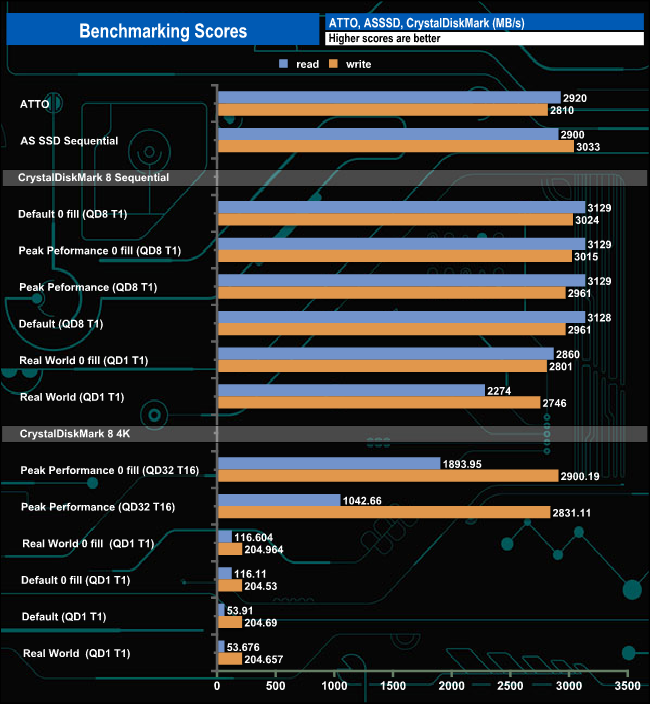
Corsair's official Sequential performance ratings for the EX400U are up to 4,000MB/s for reads and up to 3,600MB/s for writes. Using our test setup with the ATTO benchmark, the best we saw from the drive was 2,920MB/s for reads and 2,810MB/s for writes. Switching over to the CrystalDiskMark benchmark we got a read result of 3,129MB/s with 3,024MB/s for writes. Although these results are short of the official figures they are still the fastest we've seen for a USB drive to date.
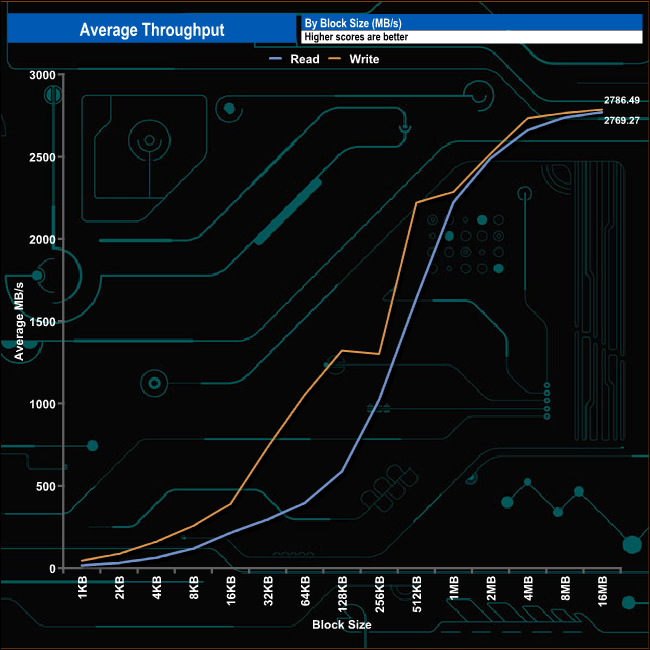
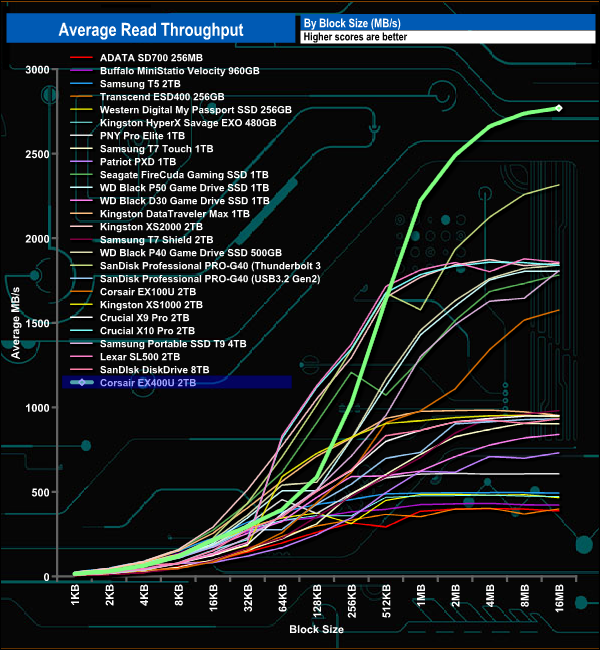
In our read throughput test, the drive peaked at the end of the test at 2,769.27MB/s, well short of the official maximum of 4,000MB/s but as you can see from the comparison graph. When it comes to read performance, the EX400U is the fastest USB-interfaced drive we've tested to date by quite a margin.
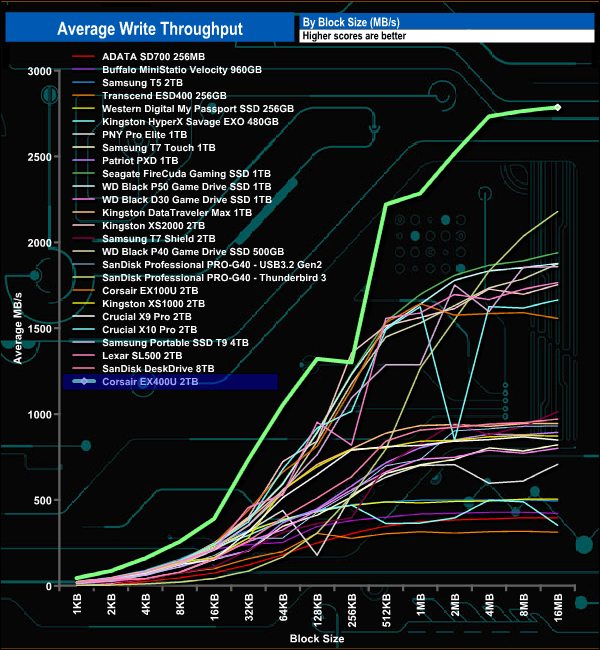
As with the read throughput test, the drive's performance in the write throughput test saw it peak at the end of the test run at 2,786.49MB/s once again short of the maximum official figure of 3,600MB/s. As with the read test, the 2,786MB result may be short of the official figure, but it's the fastest we've seen to date for a USB drive.
The PCMark 10 Data Drive Benchmark has been designed to test drives that are used for storing files rather than applications. You can also use this test with NAS drives, USB sticks, memory cards, and other external storage devices.
The Data Drive Benchmark uses 3 traces, running 3 passes with each trace.
Trace 1. Copying 339 JPEG files, 2.37 GB in total, in to the target drive (write test).
Trace 2. Making a copy of the JPEG files (read-write test).
Trace 3. Copying the JPEG files to another drive (read test)
Here we show the total bandwidth performance for each of the individual traces.
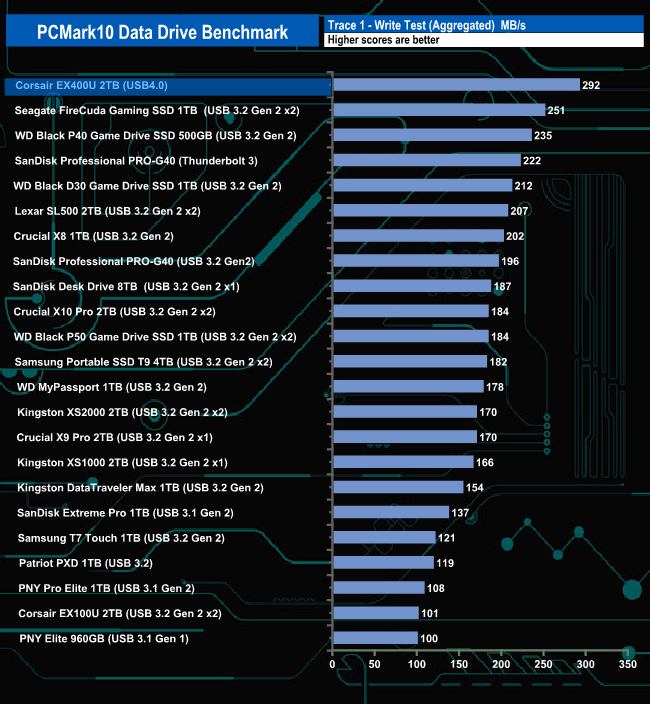
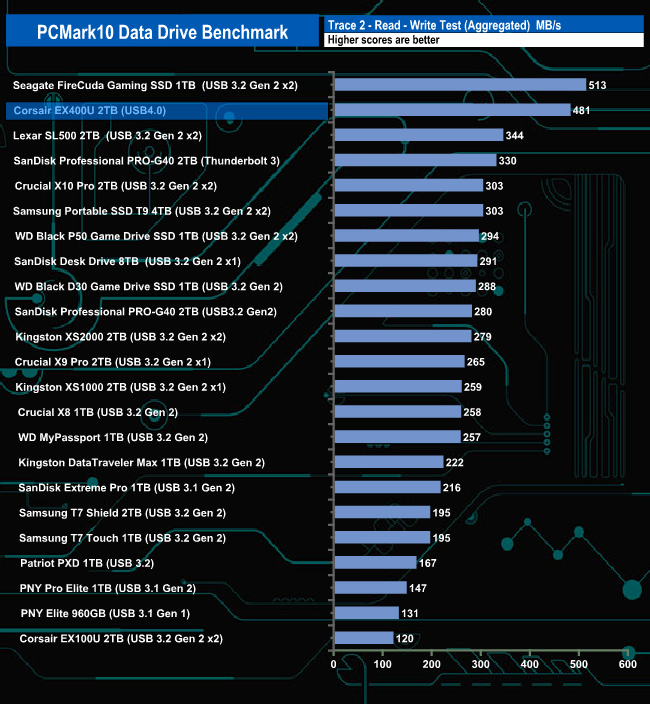
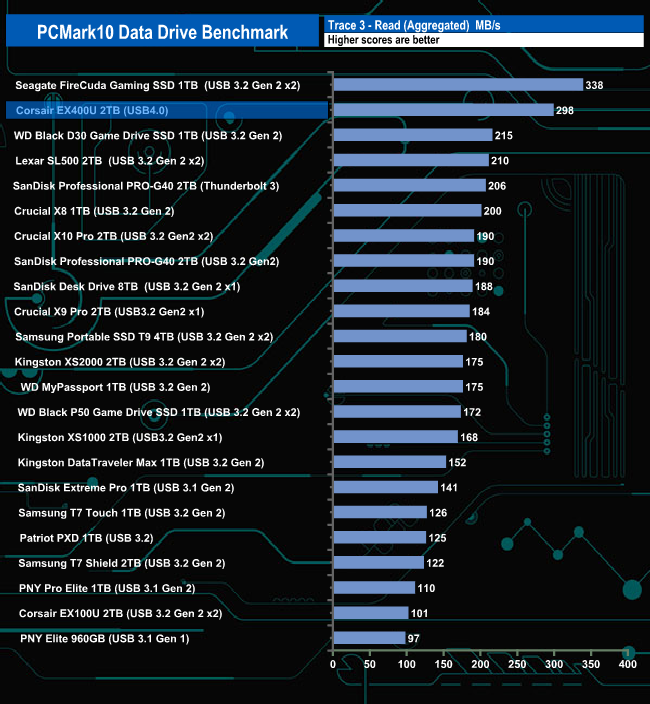
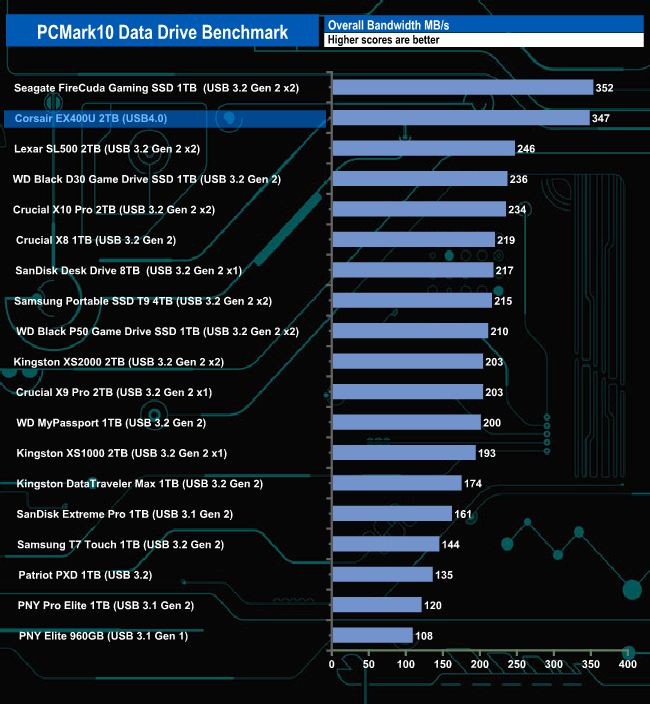
The Crucial EX400U doesn't seem to handle PCMark 10's Data Drive Benchmark that well. Although its comfortably the fastest drive in the write test, it slips behind Seagate's FireCuda Gaming SSD in the read-write and read tests, finishing behind the Seagate drive in the overall bandwidth score.
We also tested the time it took to import and export a mix of files from/to the EX400U into various programs.
The programmes we used were:
- Microsoft Office (Word, Excel and PowerPoint)
- Adobe Acrobat Reader
- Adobe Photoshop
- Audacity
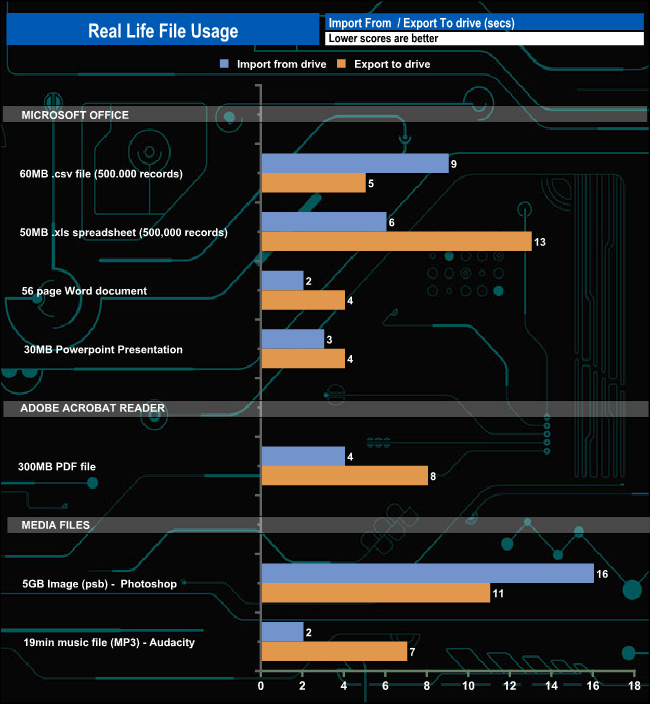
Corsair's EX400U shows strong performance for the load/export tests. It takes just 9 seconds to import a 500,000 record CSV file from the drive and 5 seconds to export it back again. It takes 16 seconds to import a 5GB image from the drive into Photoshop and 11 seconds to save the image on the EX400U.
To test the real-life performance of a drive we use a mix of folder/file types and by using the FastCopy utility (which gives a time as well as MB/s result) we record the performance of drive reading from & writing to a 2TB Seagate FireCuda 510.
Transfer Details:
- Data file – 100GB.
- File folder – 50GB – 28,523 files.
- Steam folder – 120GB (5 games: BioShock Infinite, Crysis 3, Grand Theft Auto V, Skyrim, The Witcher3 Wild Hunt).
- Movie demos 8K – 21GB – (11 demos).
- Raw Movie Clips 4K – 16GB – (9 MP4V files).
- Audio Folder – 10GB – 1,483 files – (1479 @ MP3, 4 @ .FLAC files).
- Single large image – 5GB – 1.5bn pixel photo.
- 3D Printer File Folder – 4.25GB – (166 files – 105 @ .STL, 38 @ .FBX, 11 @ .blend, 5 @ .lwo, 4 @ .OBJ, 3@ .3ds).
- AutoCAD File Folder – 1.5GB (80 files – 60 @ .DWG and 20 @.DXF).
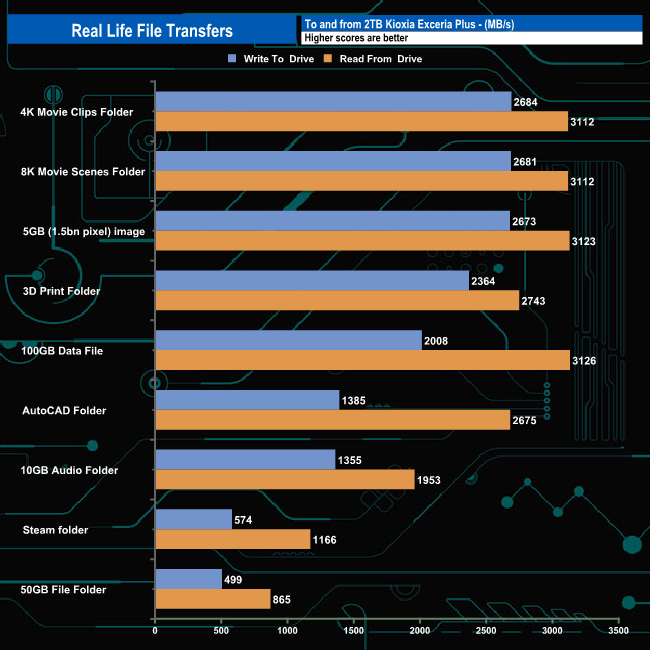
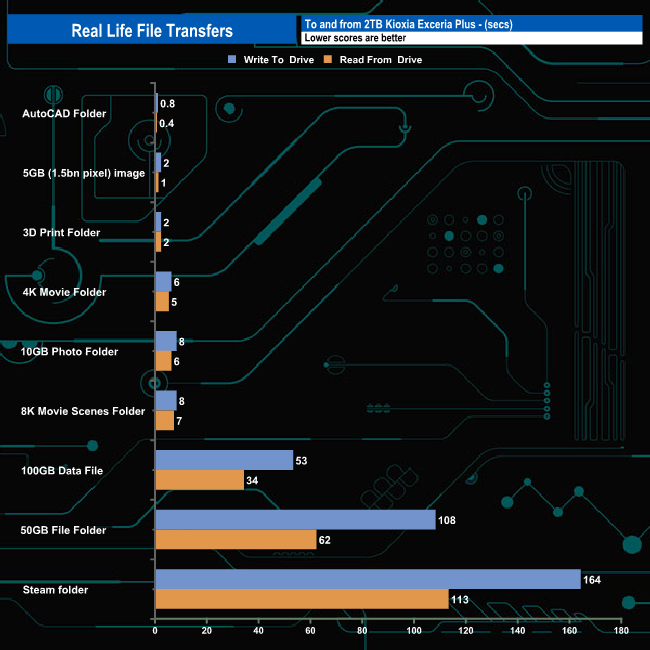
The EX400U 2TB drive averaged 1,802MB/s for the 9 file transfers in write mode, the fastest being the 2,684MB/s for the 4K folder transfer. When it came to reads, the drive averaged 2,430MB/s with the fastest being the 3,126MB/s for the 100GB data transfer. The drive topped the 3GB/s mark in four out of the nine read transfers and passed the 2GB/s mark in another two.
Corsair's latest external SSD, the EX400U, is a compact drive measuring 64.3 x 64 x 12mm and despite this small size, it packs a real punch as it uses a USB 4.0 (40 Gbps) connection.
Available in three capacities; 1TB, 2TB and a flagship 4TB model, Corsair's EX400U has official sequential performance ratings of 4,000MB/s for reads and up to 3,600MB/s for writes. All three drives in the range offer the same rated performance.
At the heart of the EX400U is a controller that is new to us – the PS2251-21 (U21) from Phison, and it could be a real game changer. The four-channel PS2251-21 is the world's first native USB4 controller. The DRAM-less design is built on a 12nm process supporting up to 32TB of 3D TLC and QLC NAND with a transfer rate of up to 1600MT/s. As it's a native USB4.0 chip, there is no need to waste space on a PCB for a bridging IC which should mean smaller, faster drives are on the horizon.
Corsair's official Sequential performance ratings for the EX400U are up to 4,000MB/s for reads and up to 3,600MB/s for writes. Using the ATTO benchmark we couldn't hit the official maximums, the best we saw was 2,920MB/s for reads and 2,810MB/s for writes. Switching over to CrystalDiskMark 8 benchmark, the best read figure we saw was 3,129MB/s (default compressible data test and Peak Performance profile tests). The best write figure 3,024MB/s came from the default test (using compressible data). Even though we couldn't confirm the official maximums, the results we did see are the fastest for a USB external SSD we've seen to date.
We found the 2TB Corsair EX400U on Scan for £199.99 (inc VAT) HERE.
Pros
- Compact size.
- Sequential performance.
Cons
- Couldn't hit the maximum official speeds with our testing setup.
- Pricey.
KitGuru says: Compact, fast and available up to 4TB in capacity, Corsair's EX400U is the fastest USB external drive we've tested to date.