KitGuru KitGuru.net – Tech News | Hardware News | Hardware Reviews | IOS | Mobile | Gaming | Graphics Cards


The latest drive to join Samsung's line-up of SSDs is the SSD 870 QVO, the company's 2nd generation 3D QLC (quad-level cell) NAND drive. Available in capacities from 1TB up to 8TB, here we look at the 4TB model and see whether or not it is worth the £438.99 asking price.
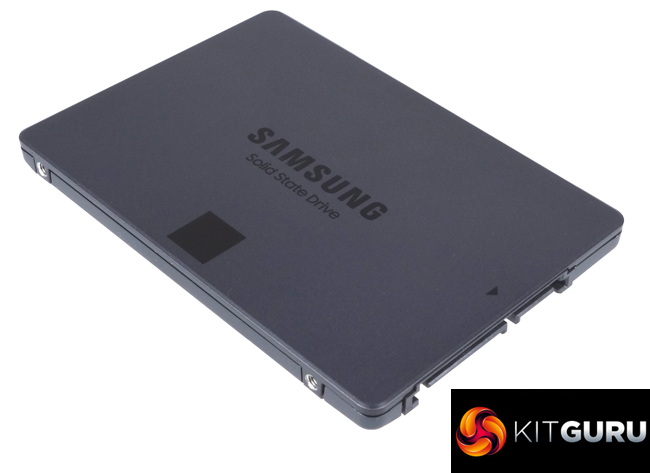
The previous generation SSD 860 QVO used 64-layer QLC V-NAND and the capacity topped out at 4TB. The new SSD 870 QVO uses 9x layer 3D QLC V-NAND (or V-NAND 4-bit MLC as Samsung call it). At launch it is available in four capacities; 1TB, 2TB, 4TB (the drive we are looking at) with the flagship model now being an 8TB drive. Looking after the NAND and the 4GB of LP-DDR4 of cache is a new MKX 8-channel controller.
The official Sequential performance figures for the new drives are up to 560MB/s for reads and up to 530MB/s for writes. Random performance is quoted as up to 11,000 IOPS for reads and up to 35,000 IOPS at a QD1 and up to 98,000 IOPS and 88,000 IOPS for read and writes respectively at QD32.
Endurance wise the 4TB drive is rated at 1,440TB TBW and Samsung backs the drive with a 3-year warranty.
Physical Specifications:
- Usable Capacities: 4TB.
- NAND Components: Samsung V-NAND 4-bit MLC (QLC) NAND.
- NAND Controller: Samsung MKX.
- Cache: 4GB LP-DDR4.
- Interface: Serial ATA (SATA) 6Gb/s (SATA III).
- Form Factor: 2.5in 7mm.
- Dimensions: 100 x 69x 6.8mm
Firmware Version: SVQ01B6Q.
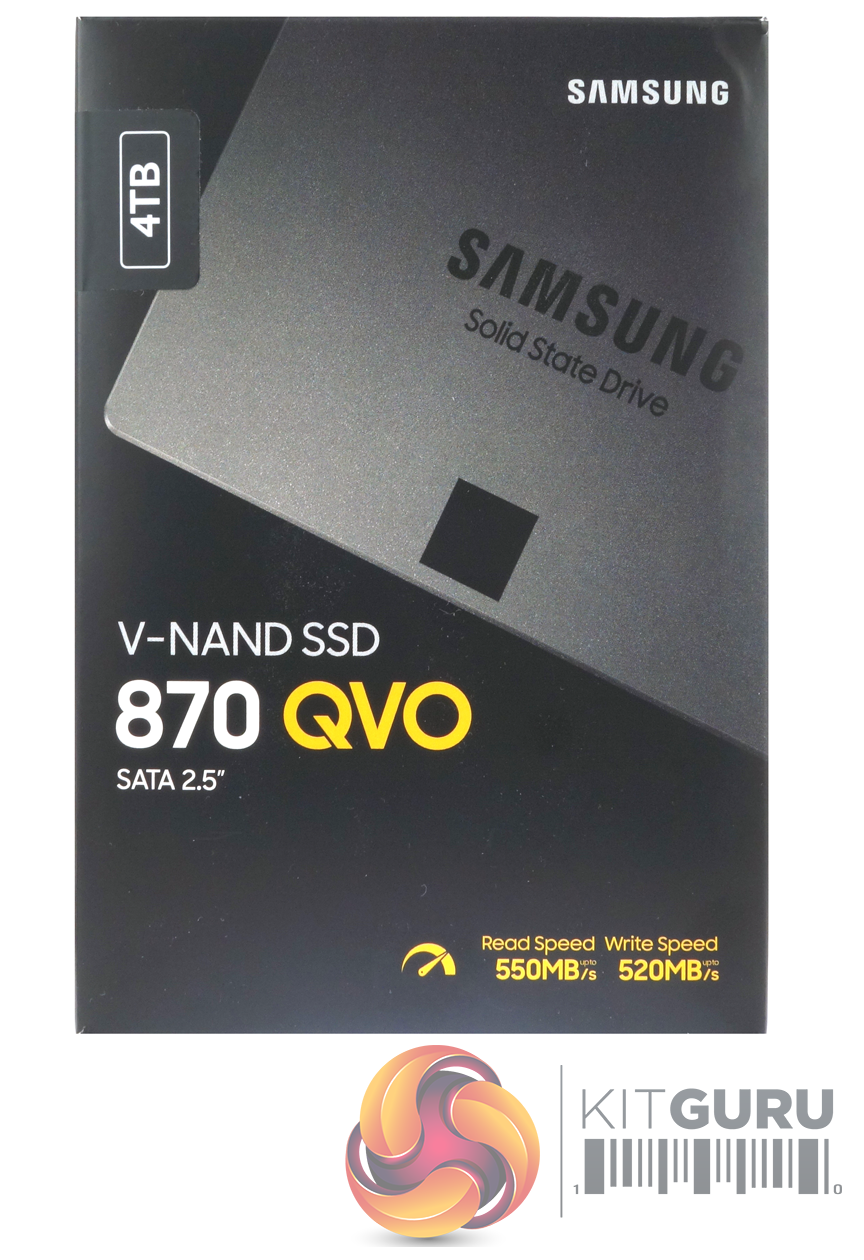
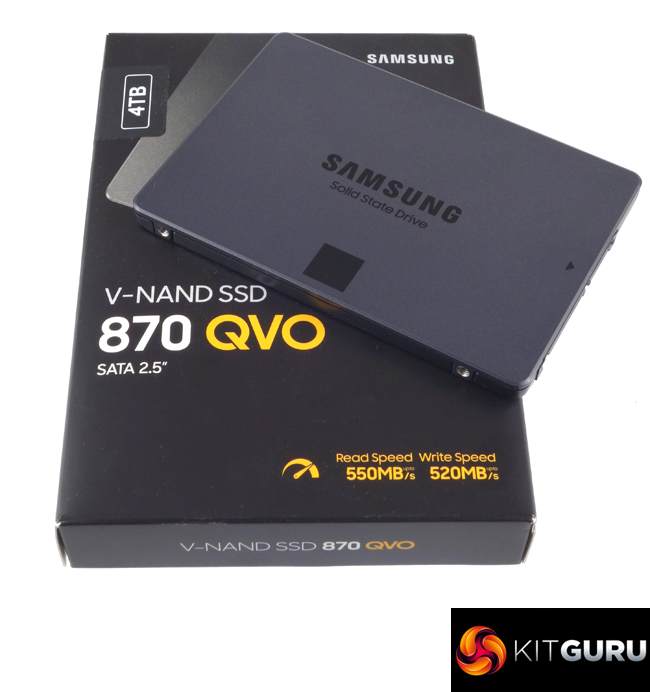
The Samsung SSD 870 QVO 4TB ships in a compact black box with an image of the drive on the front, along with information about the drive – including the fact that it uses V-NAND, is a 2.5in drive and its Sequential read/write performance figures. There is also a sticker on the top left of the box which indicates the capacity of the drive.
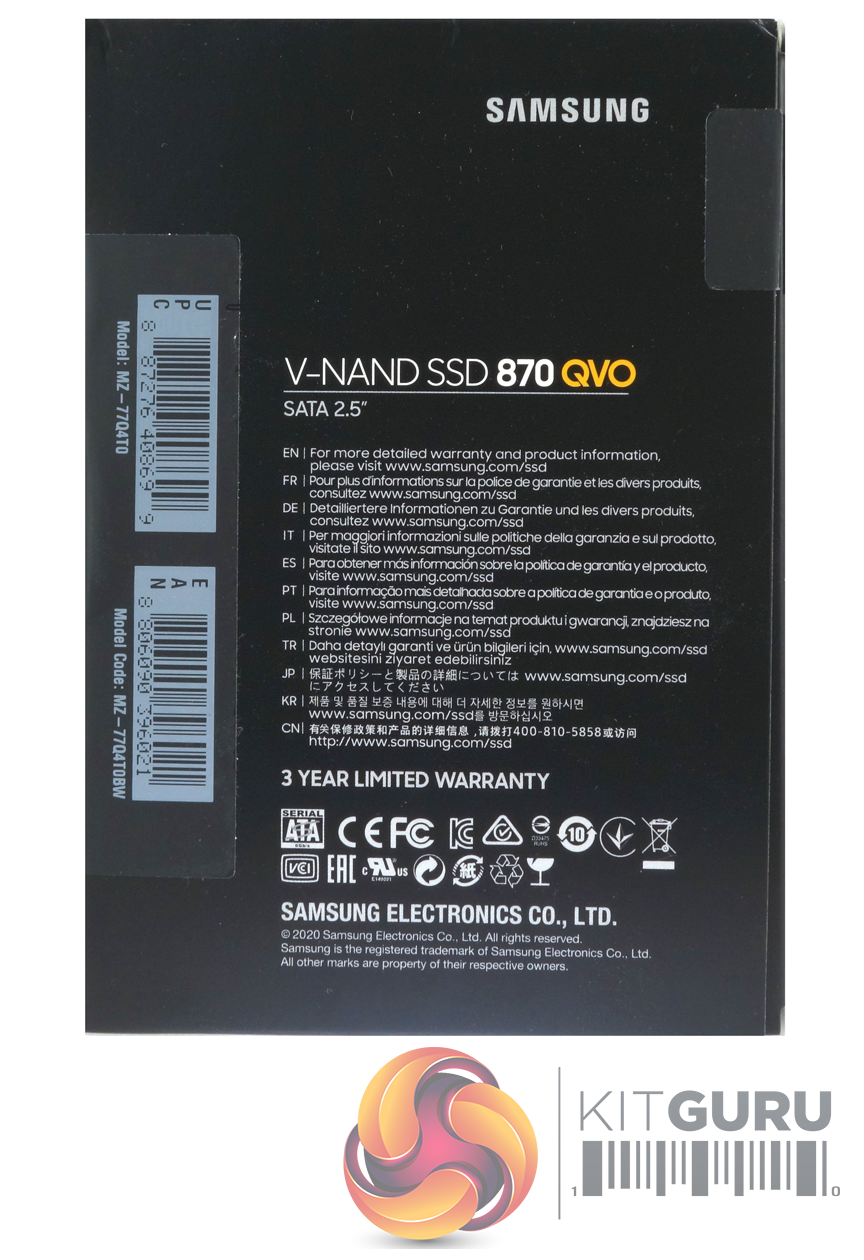
The rear of the box points out the fact the drive comes with a 3-year limited warranty and has a multilingual list with links to where to find more warranty information.
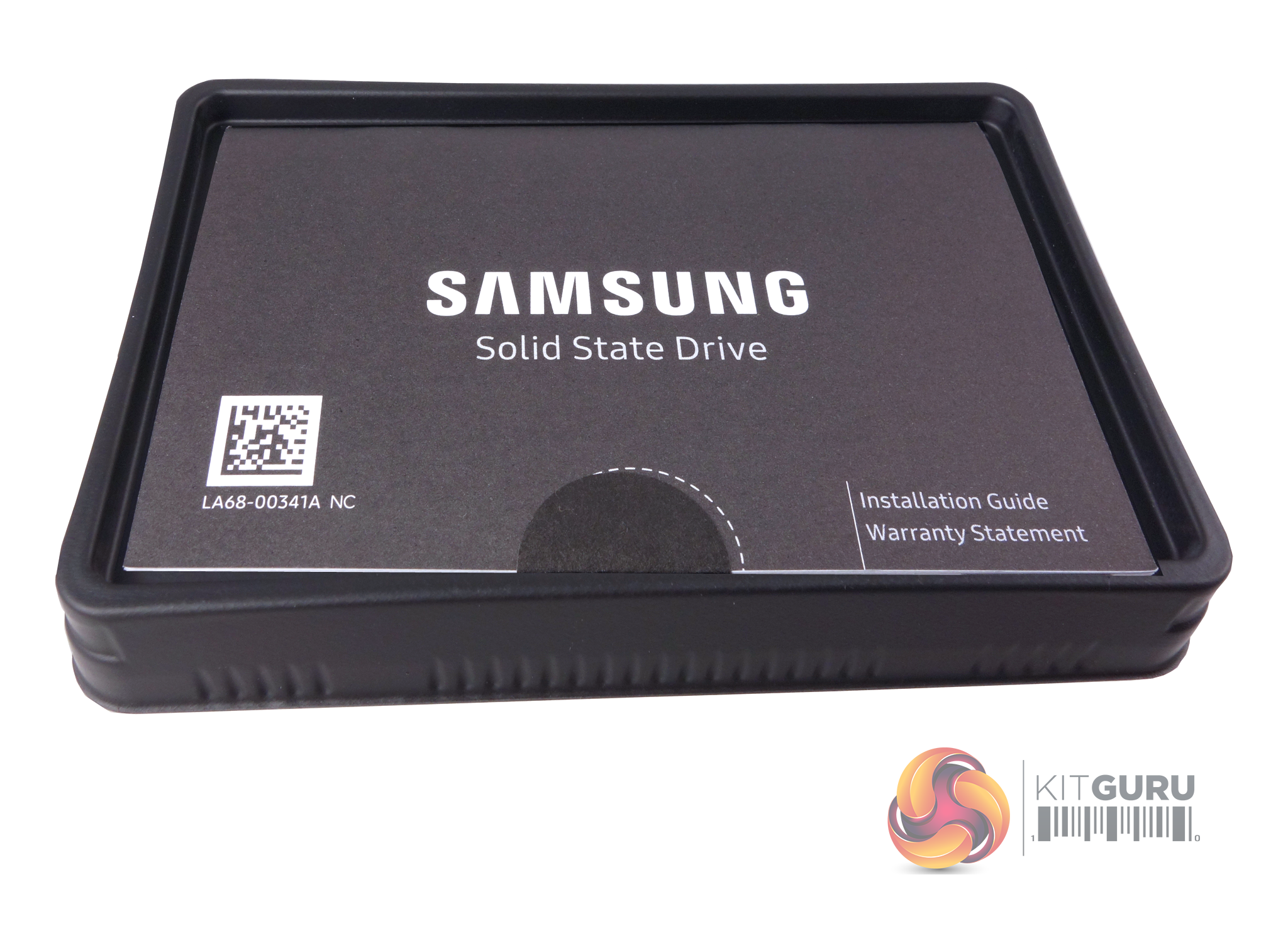
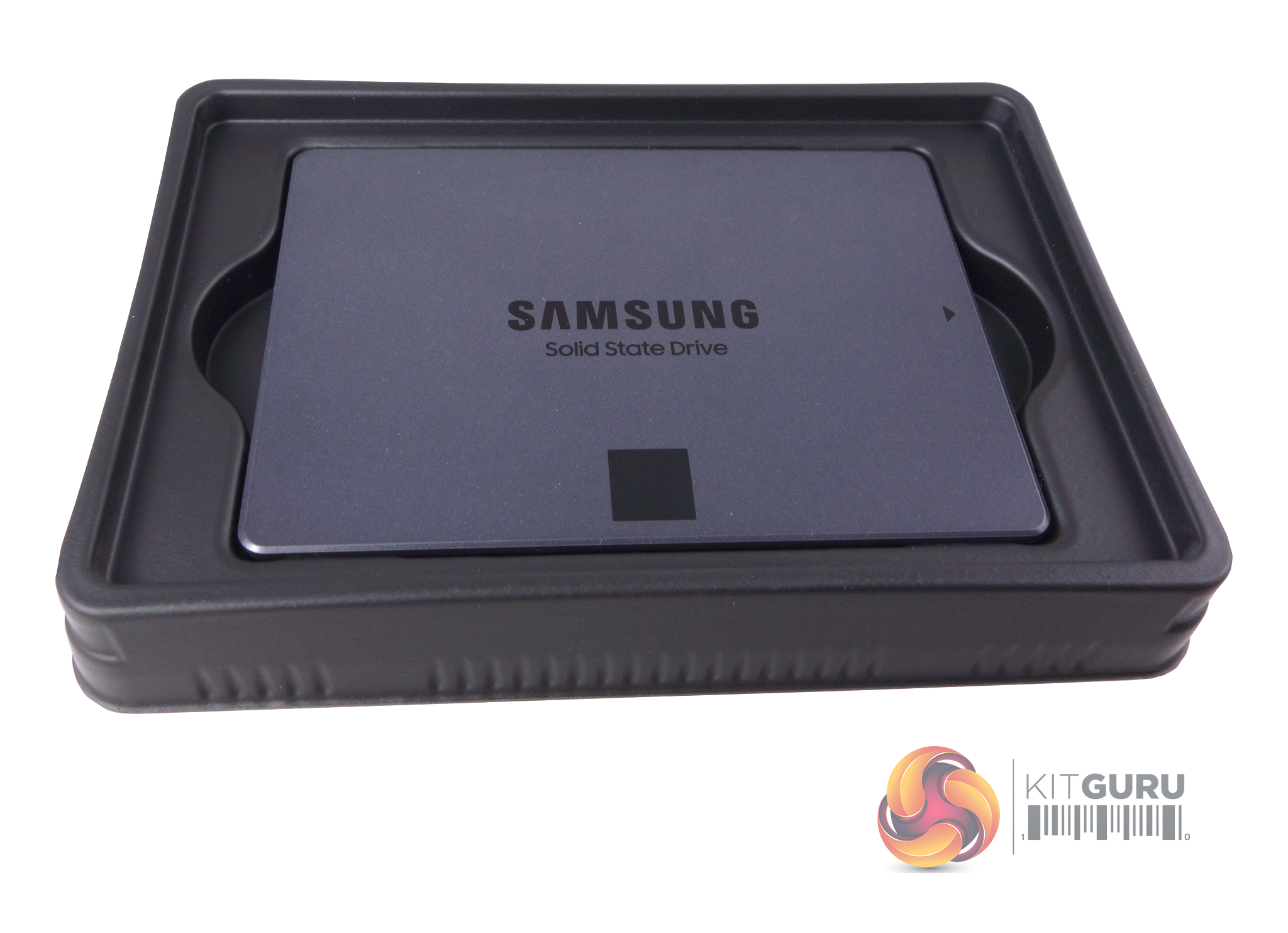
The drive sits in a tray to keep it secure during transit, and the only other thing in the box is an installation/warranty guide that sits on top of it.
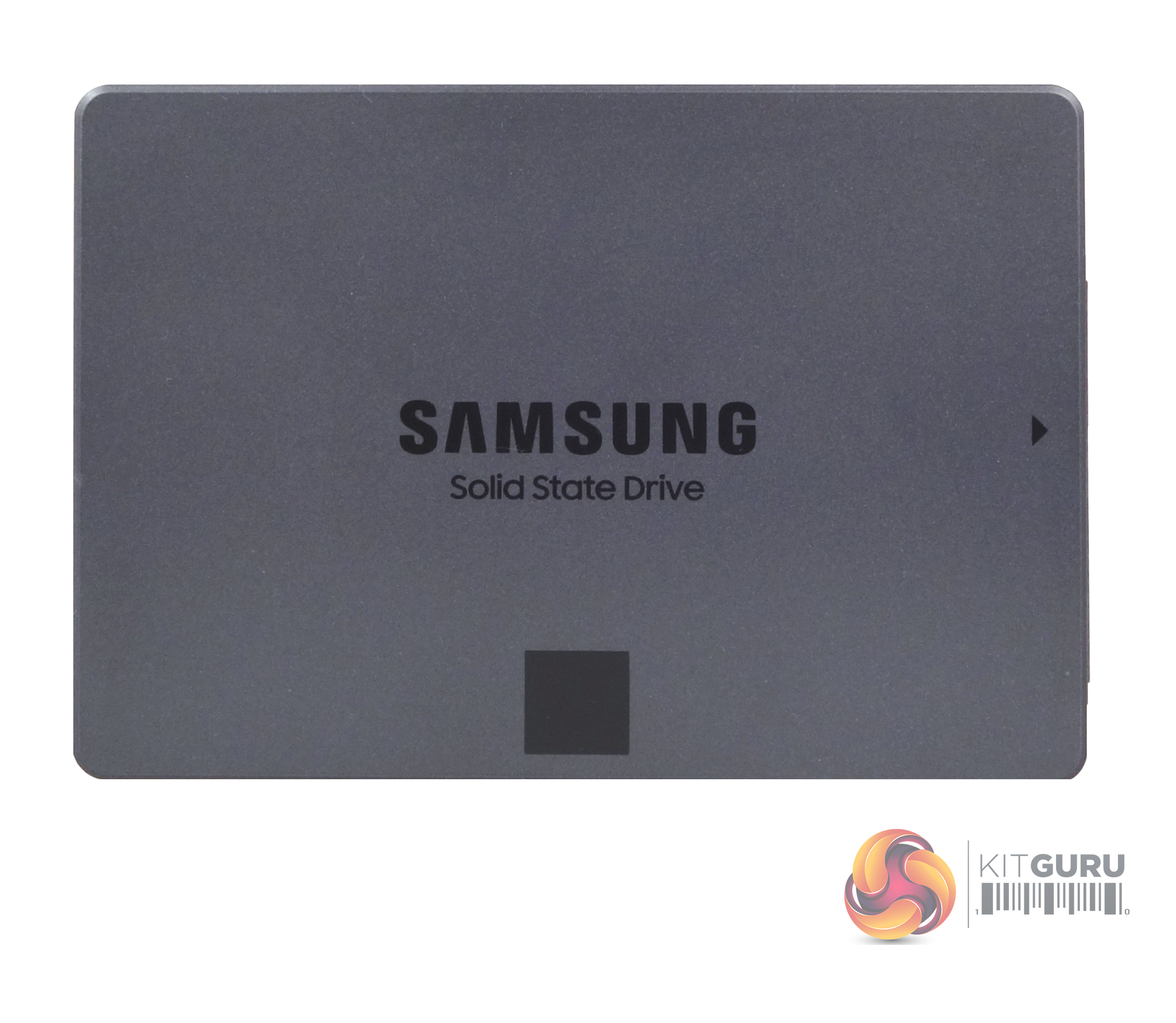
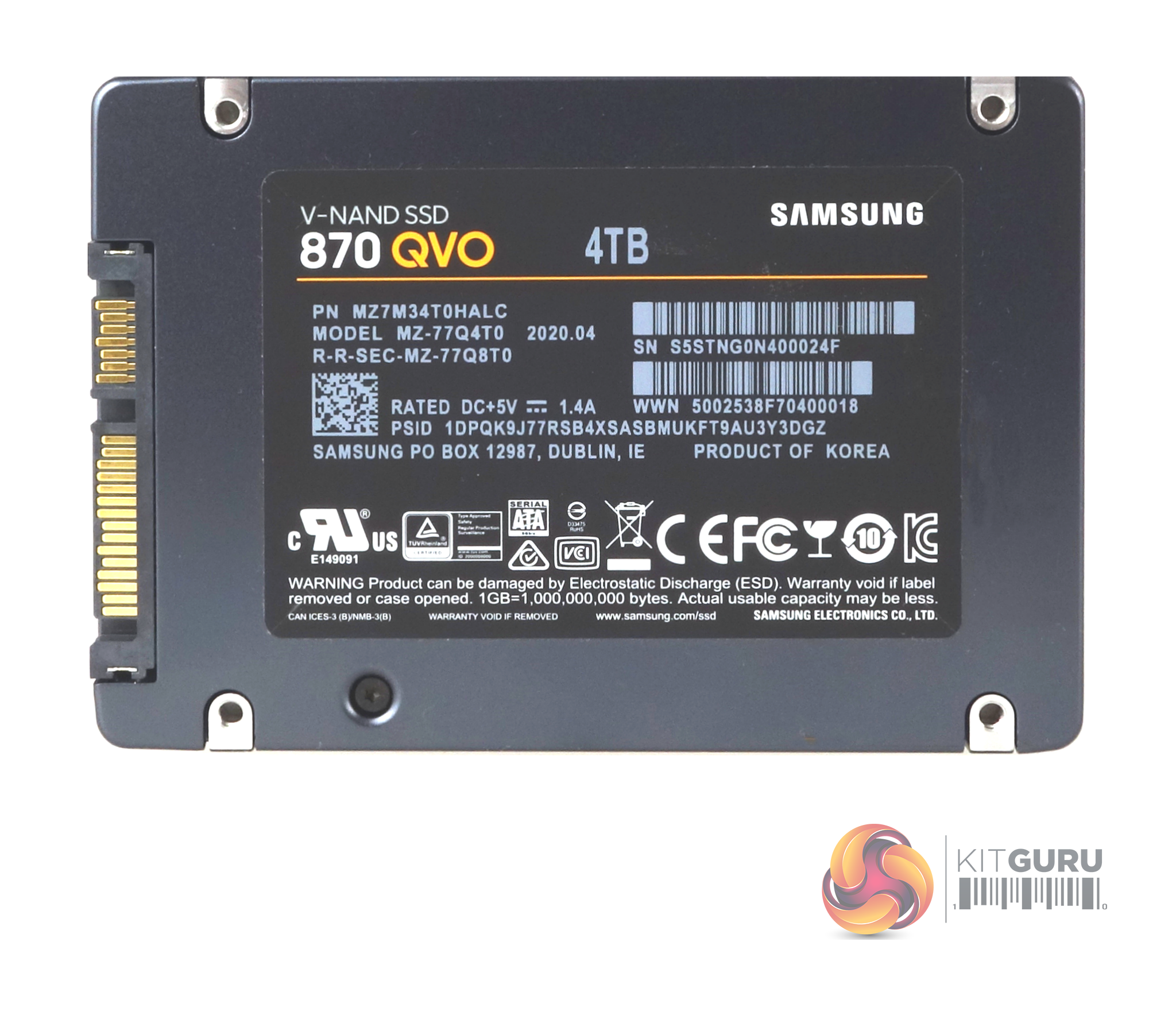
The drive is built on the standard 2.5in format and has a metal enclosure held in place by three pentalobe screws, two of which are hidden under the label on the rear of the drive. Be warned, ripping off the label to get at the screws will void the drive’s warranty.
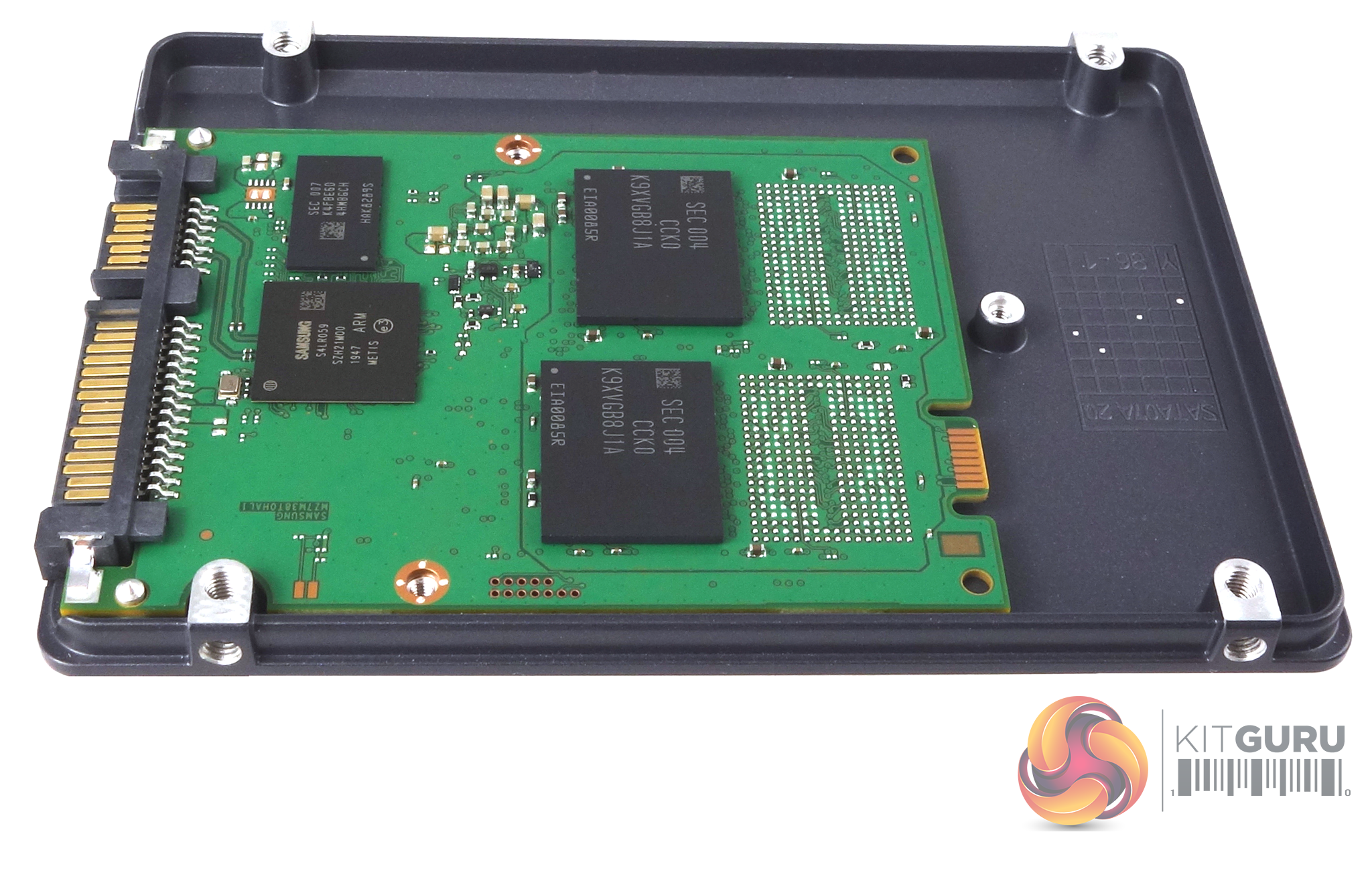
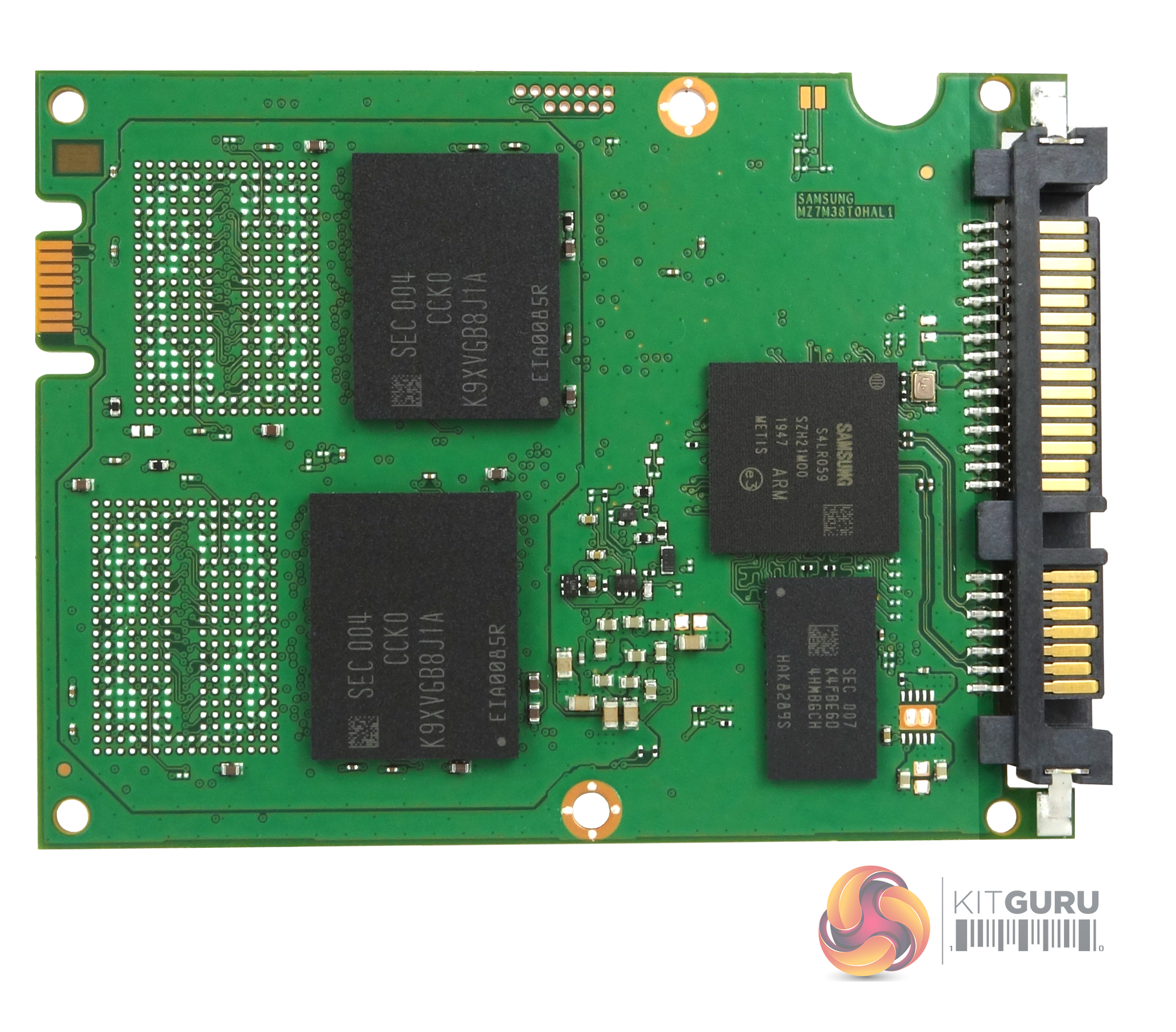
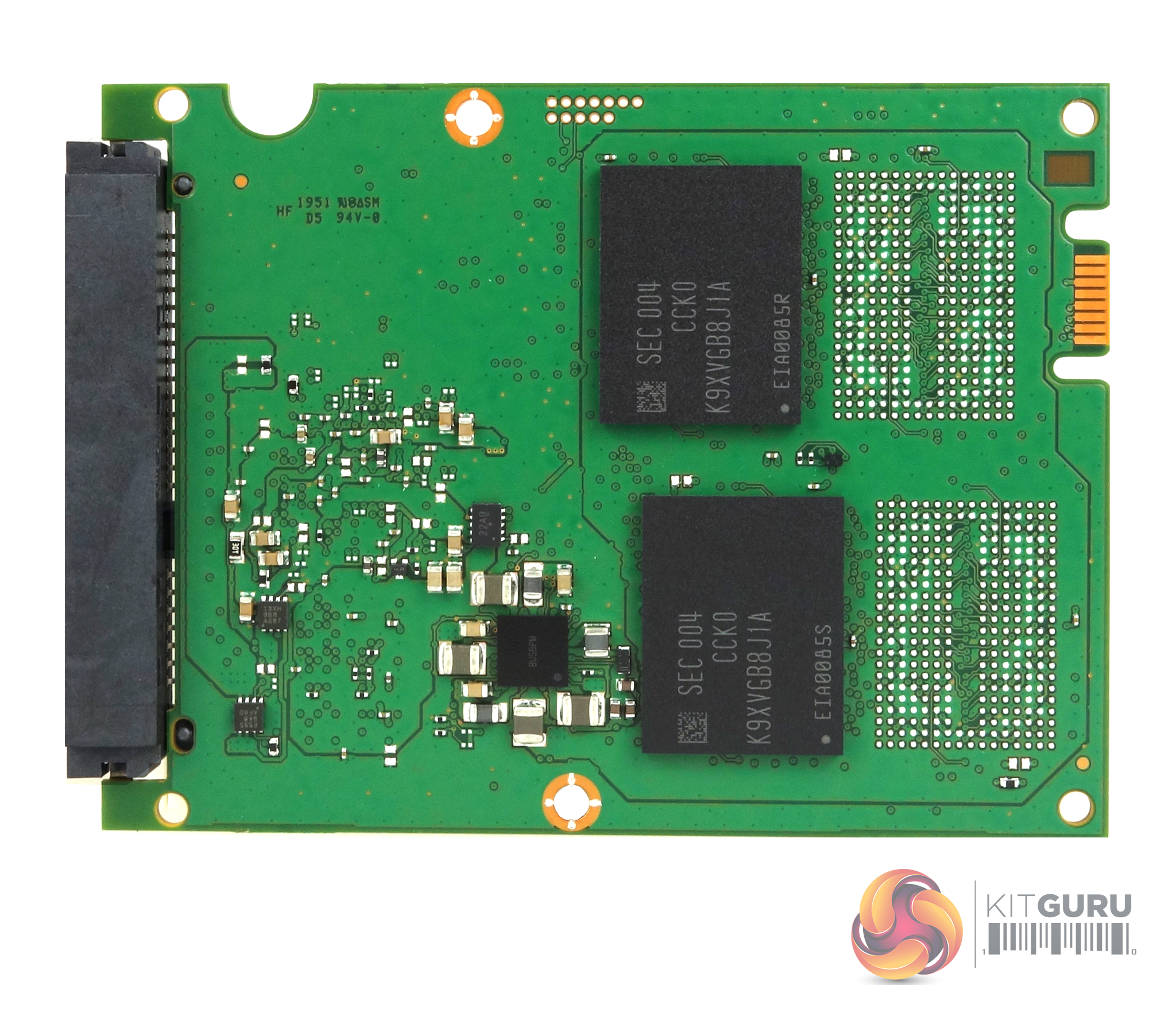
Two 1TB 9x layer NAND packages (coded K9XVGB8JJA) occupy one side of the PCB along with the new Samsung MKX (S4LR059) 8-channel controller and the 4GB LPDDR4 cache IC. On the other side of the PCB we find another two NAND packages.
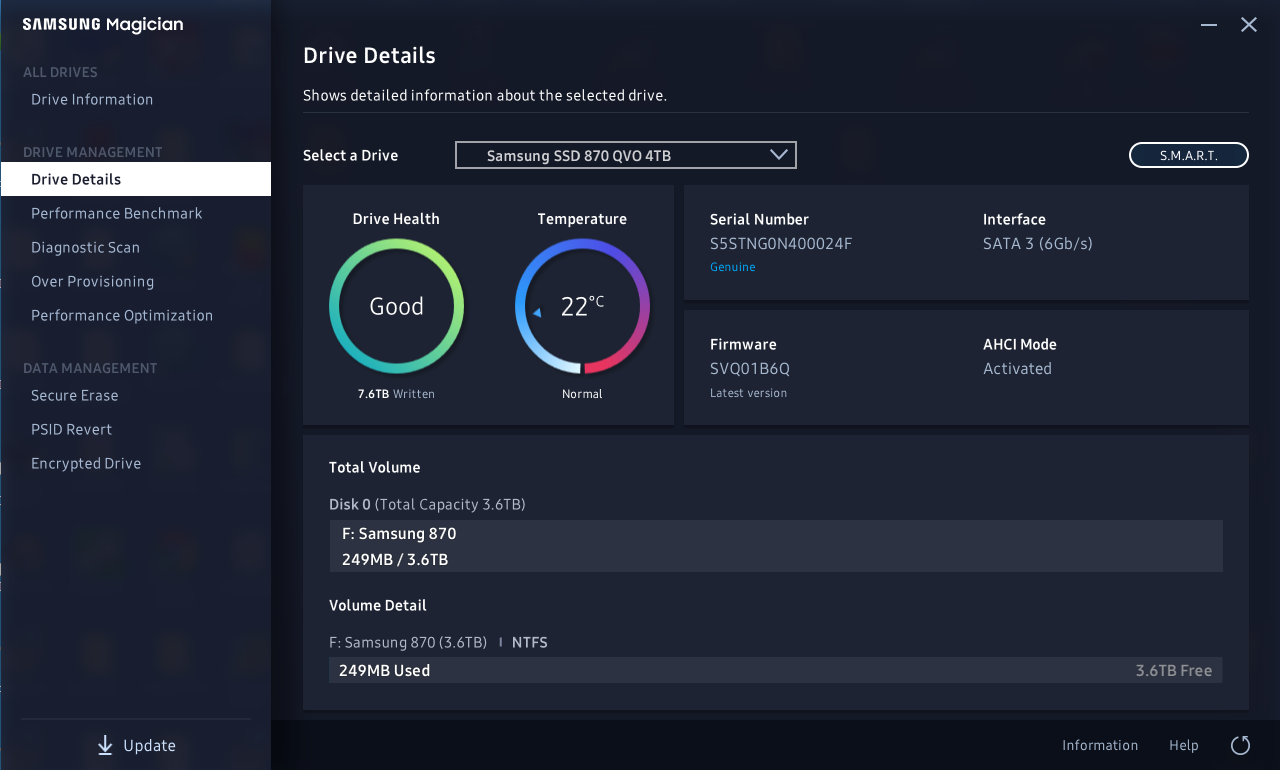
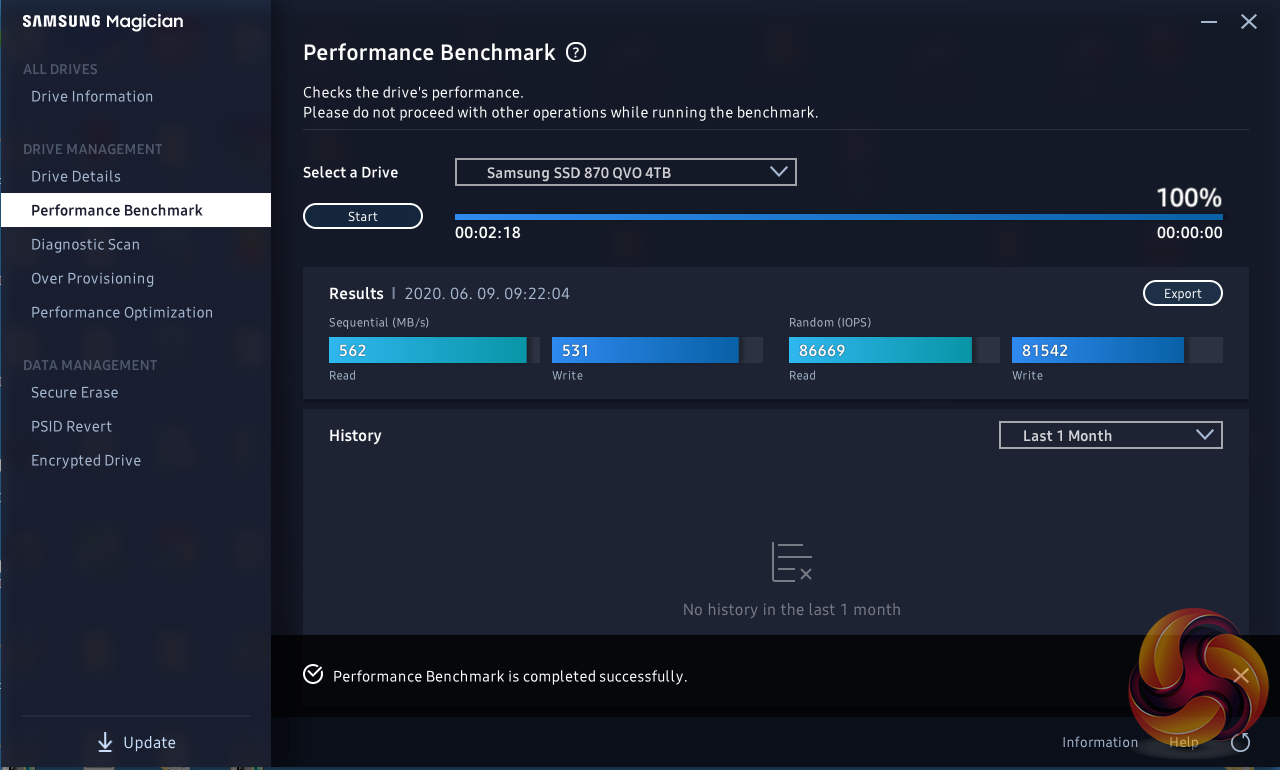
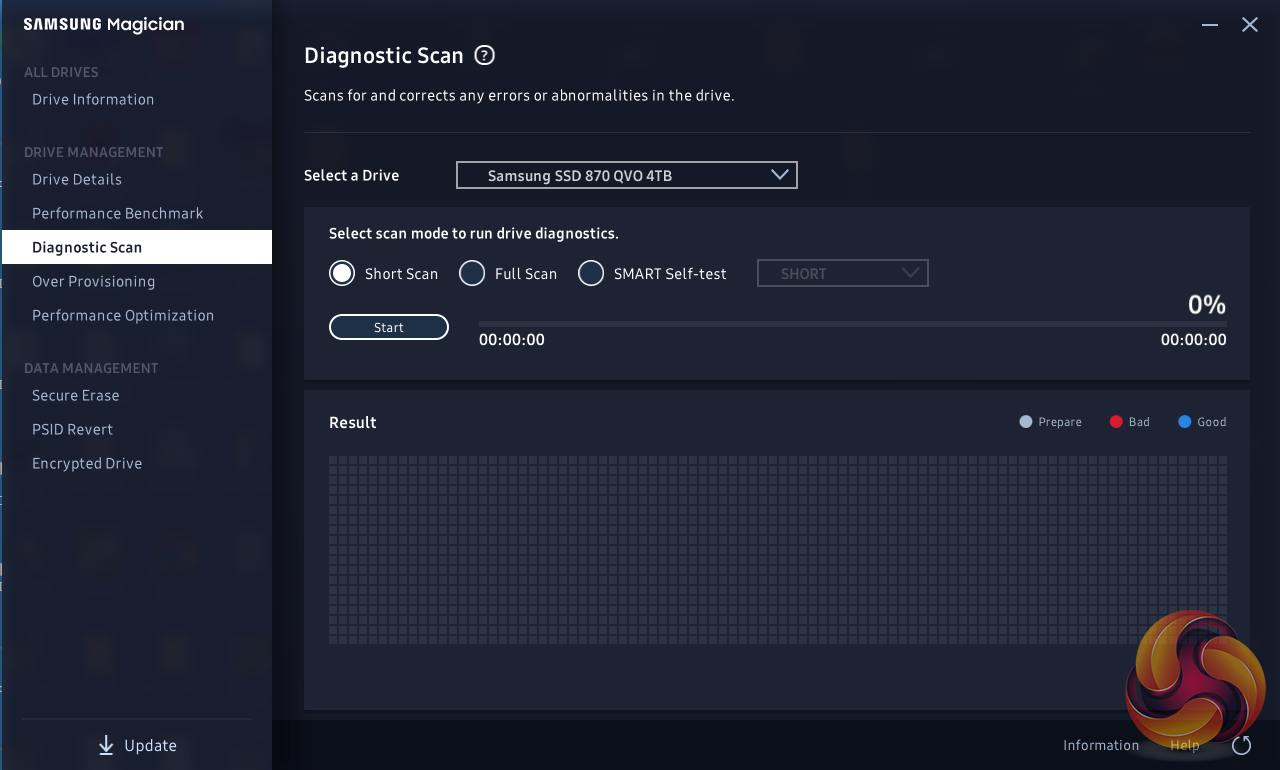
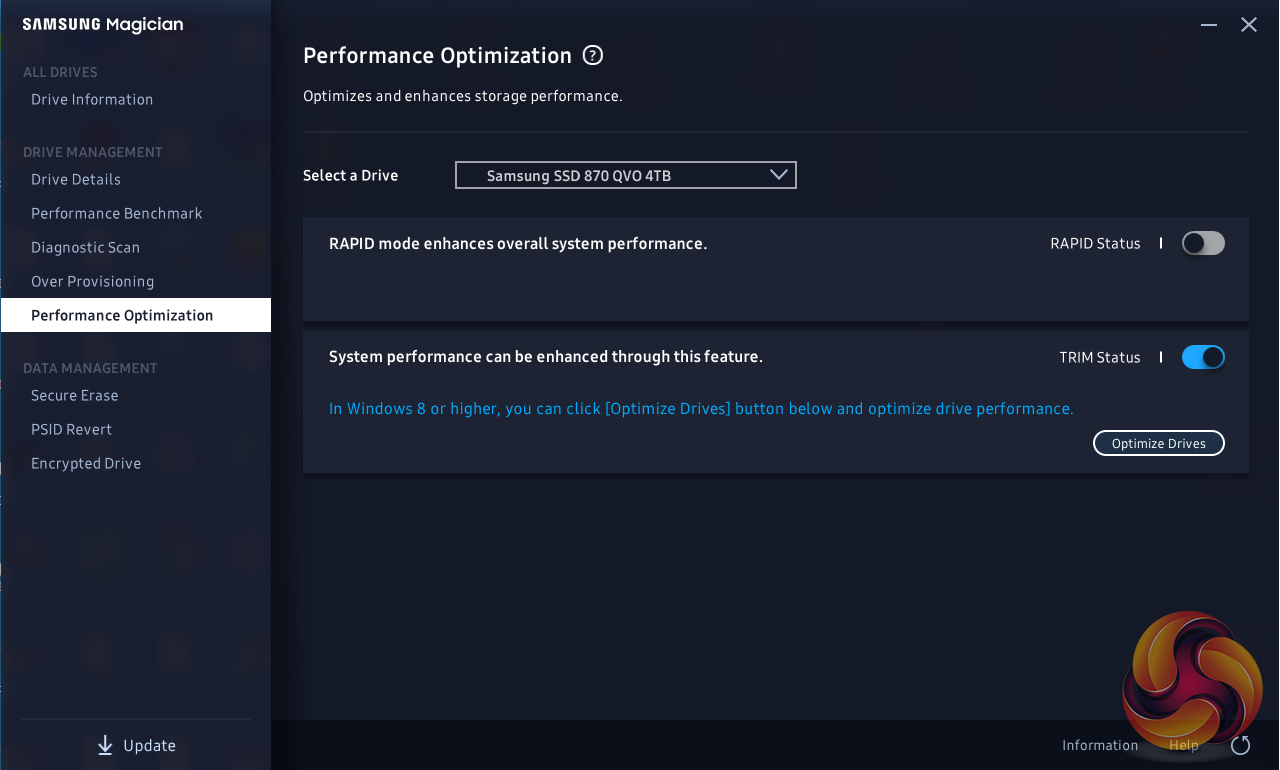
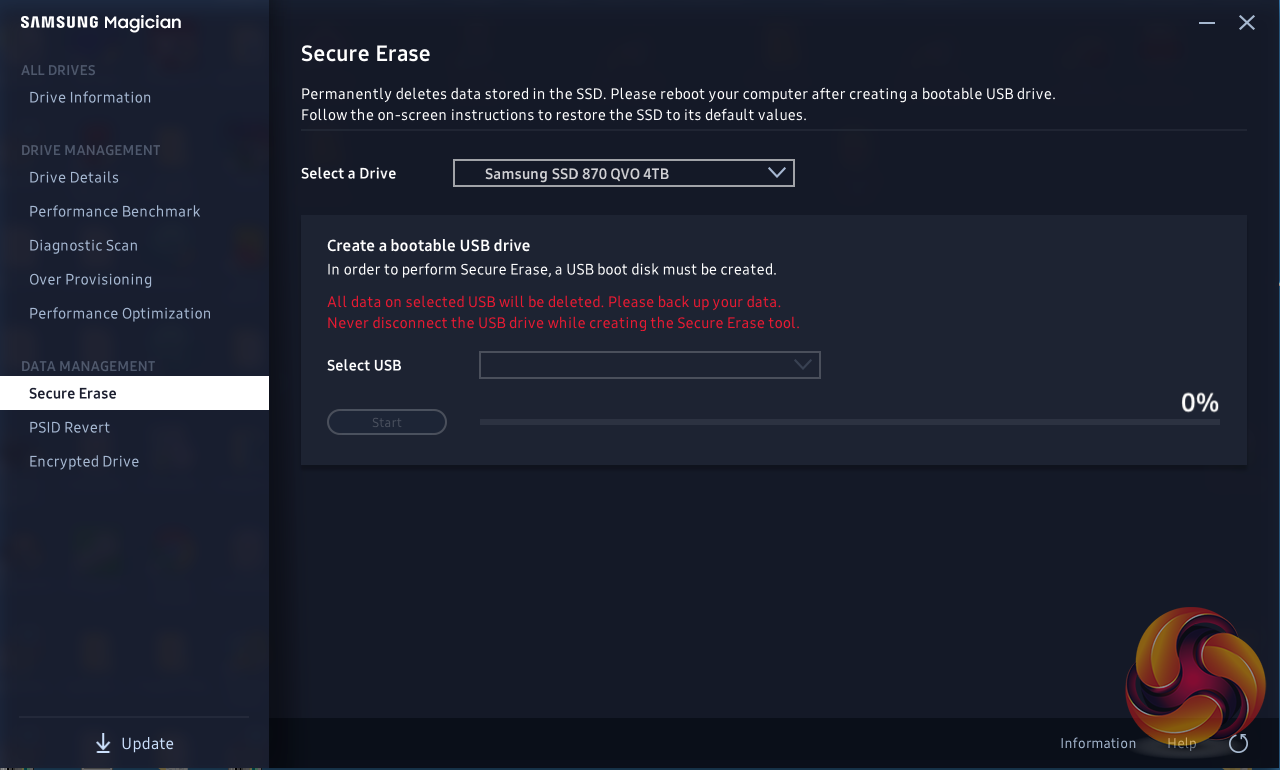
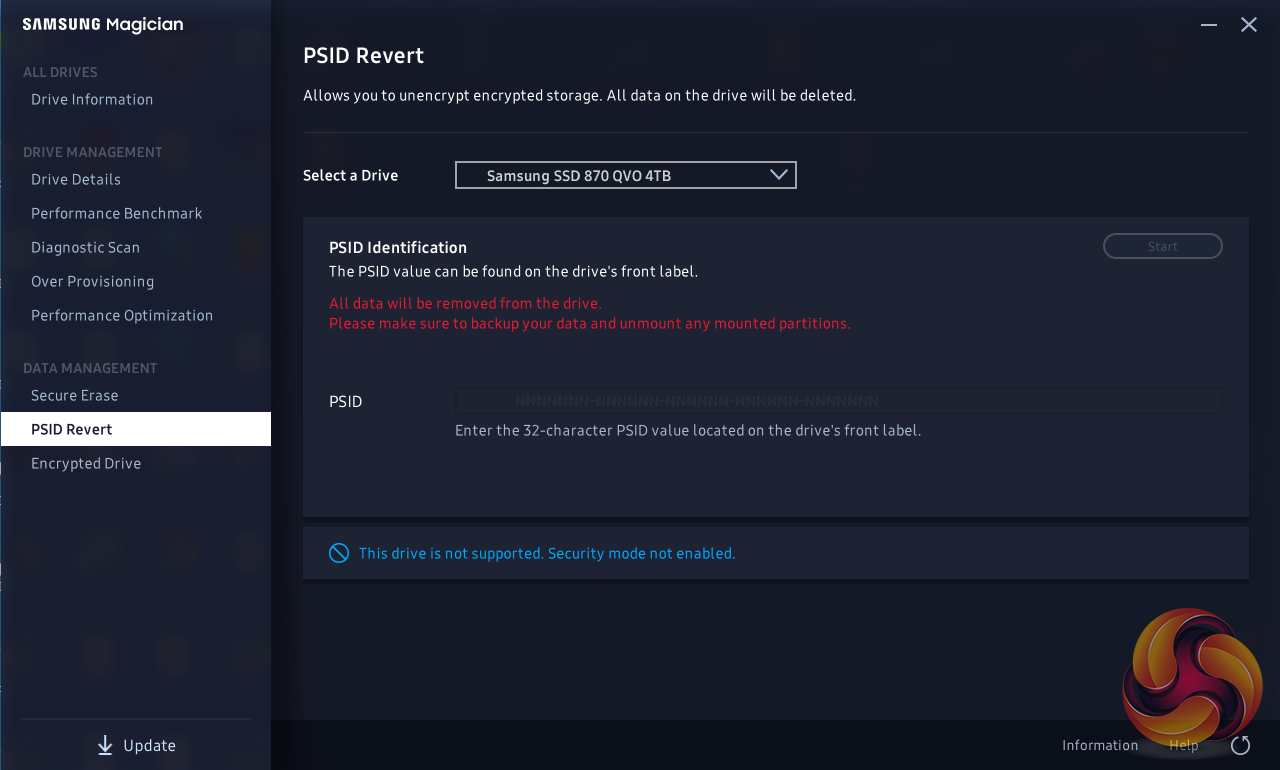
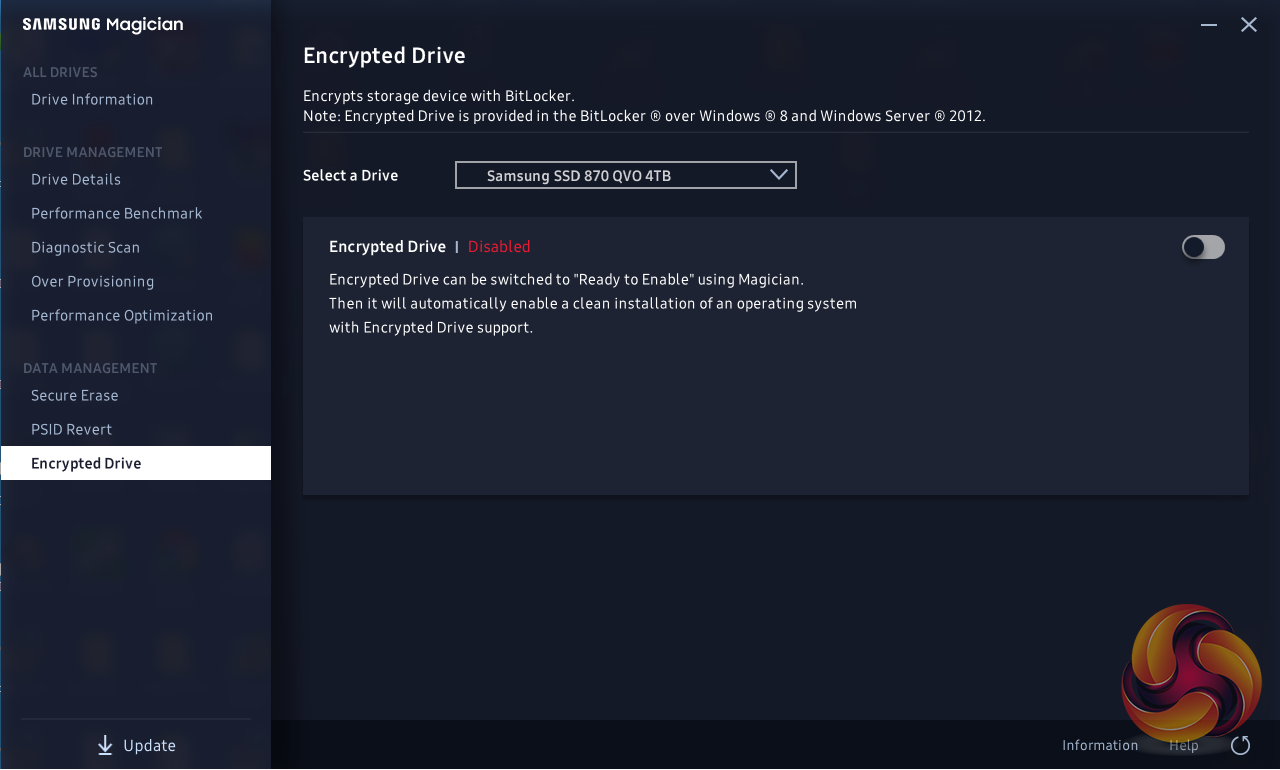
Samsung’s SSD management utility goes by the name of Magician and can be downloaded from Samsung’s website. It regularly gets refreshed and updated. The latest version (at the time of writing is 6.1.0).
Magician allows you to do most maintenance jobs you may need to do with an SSD; updating firmware, optimise performance, adjust the Over Provisioning, enable data security (the drive supports AES 256-bit full-disk encryption, TCG/Opal V2.0, and Encrypted Drive -IEEE1667 (MS eDrive ) ) and securely erase the drive. Magician also features a built-in benchmark tool.
The one thing missing from Magician is any form of integrated data migration tool but you can download a separate data migration tool from Samsung’s website.
For testing, the drives are all wiped and reset to factory settings by HDDerase V4. We try to use free or easily available programs and some real-world testing so you can compare our findings against your own system.
This is a good way to measure potential upgrade benefits.
Main system: Intel Core i7-7700K with 16GB of DDR4-3200 RAM, Sapphire R9 390 Nitro and an Asus Prime Z270-A motherboard.
Other drives:
Crucial BX100 1TB
Crucial BX200 960GB
Crucial M550 1TB
Crucial MX200 1TB
Crucial MX300 2TB
Crucial MX300 Limited Edition 750GB
Integral SVR-PRO 100 4TB
Kingston SSDNow V310 960GB
Kingston UV500 960GB
Samsung 840 EVO 1TB
Samsung 850 EVO 1TB
Samsung 860 EVO 4TB
Samsung 860 QVO 4TB
Samsung 860 PRO 4TB
SK hynix SE3010 960GB
Toshiba TR200 960GB
Ultima Pro X 960GB
Software:
Atto Disk Benchmark.
CrystalMark.
AS SSD.
IOMeter.
Futuremark PC Mark 8 / PC Mark 10.
All our results were achieved by running each test five times with every configuration this ensures that any glitches are removed from the results. Trim is confirmed as running by typing fsutil behavior query disabledeletenotify into the command line. A response of disabledeletenotify =0 confirms TRIM is active.
CrystalDiskMark is a useful benchmark to measure theoretical performance levels of hard drives and SSD’s.
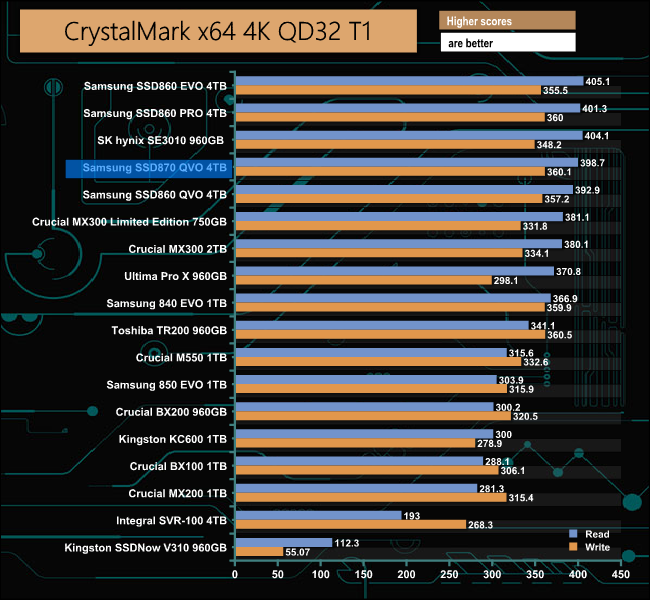
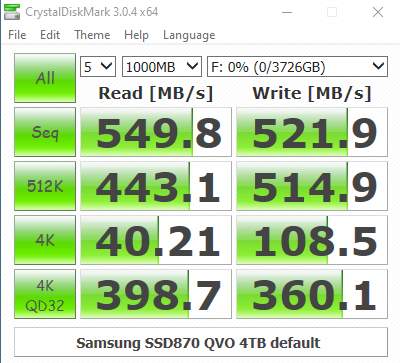
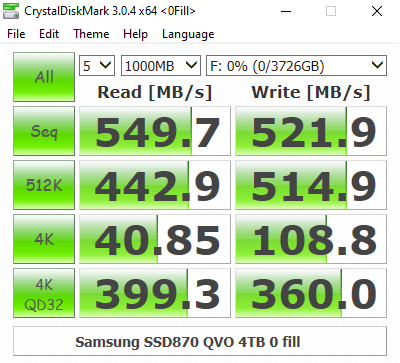
The SSD 870 QVO is a shade faster than the previous SSD 860 QVO for both read and writes in CrystalDiskMark. Looking at the two benchmark result screens it appears that the new Samsung MKX controller doesn't have a preference when it comes to the type of data it is being asked to handle.
The ATTO Disk Benchmark performance measurement tool is compatible with Microsoft Windows. Measure your storage systems performance with various transfer sizes and test lengths for reads and writes. Several options are available to customize your performance measurement including queue depth, overlapped I/O and even a comparison mode with the option to run continuously.
Use ATTO Disk Benchmark to test any manufacturers RAID controllers, storage controllers, host adapters, hard drives and SSD drives and notice that ATTO products will consistently provide the highest level of performance to your storage.
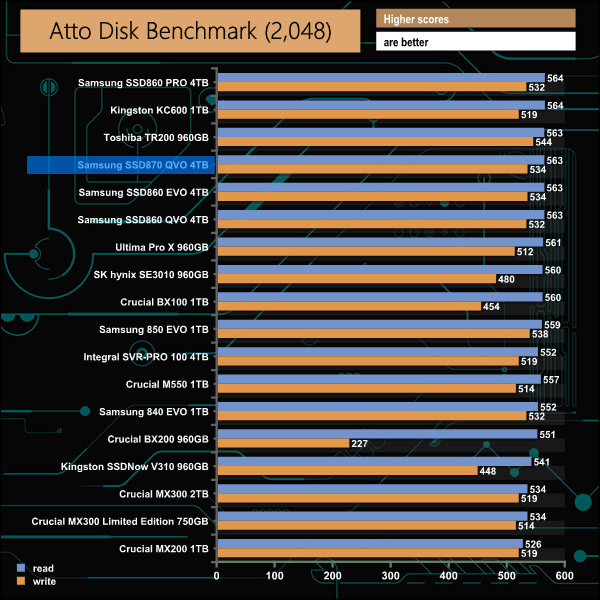
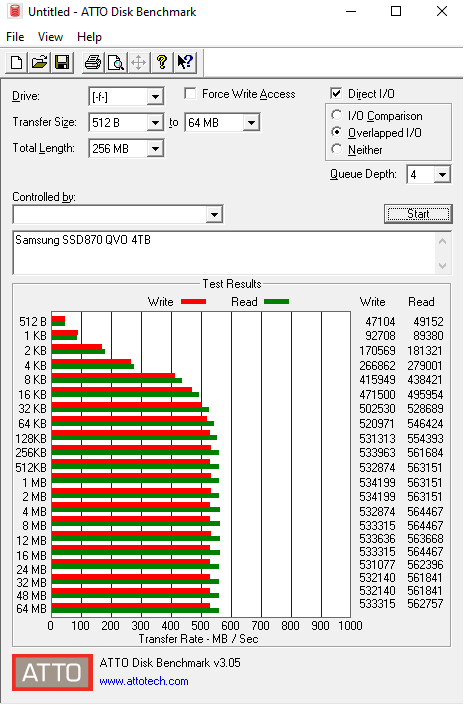
Samsung quotes Sequential speed figures for the 4TB 870 QVO as up to 560MB/s for reads and 530MB/s for writes. Using the ATTO benchmark we could confirm those figures with reads at 563MB/s and writes at 534MB/s.
AS SSD is a great free tool designed just for benching Solid State Drives. It performs an array of sequential read and write tests, as well as random read and write tests with sequential access times over a portion of the drive. AS SSD includes a sub suite of benchmarks with various file pattern algorithms but this is difficult in trying to judge accurate performance figures.
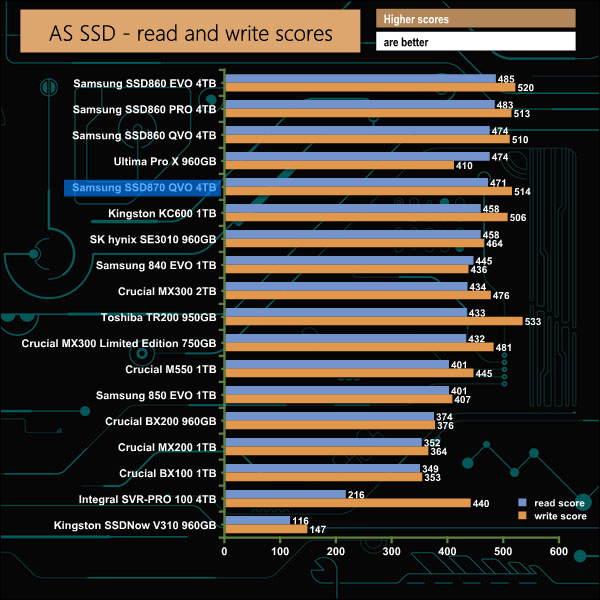
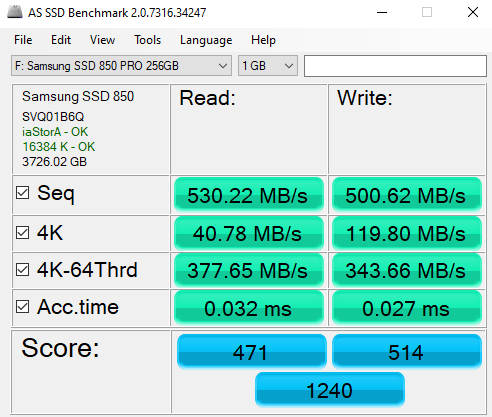
In our AS-SSD testing, there wasn't much to choose between the previous generation SSD860 QVO and the latest SSD 870 QVO.
IOMeter is another open-source synthetic benchmarking tool which is able to simulate the various loads placed on a hard drive and solid-state drive technology.
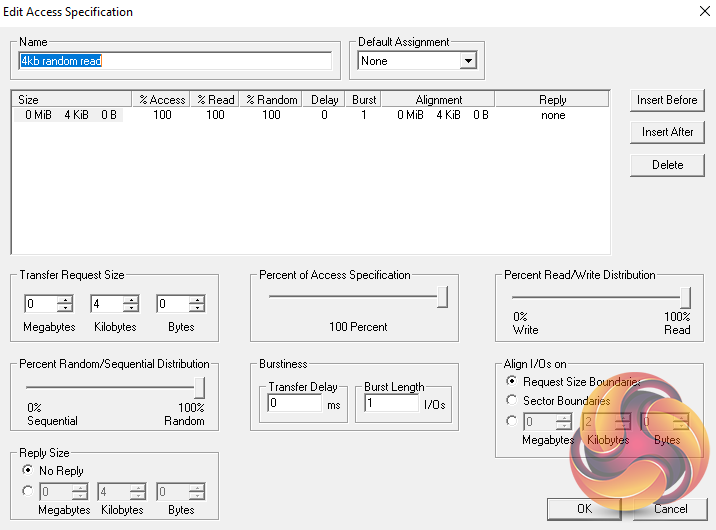
We test with both random read and write 4k tests, as shown above. There are many ways to measure the IOPS performance of a Solid State Drive, so our results will sometimes differ from the manufacturer’s quoted ratings. We do test all drives in exactly the same way, so the results are directly comparable.
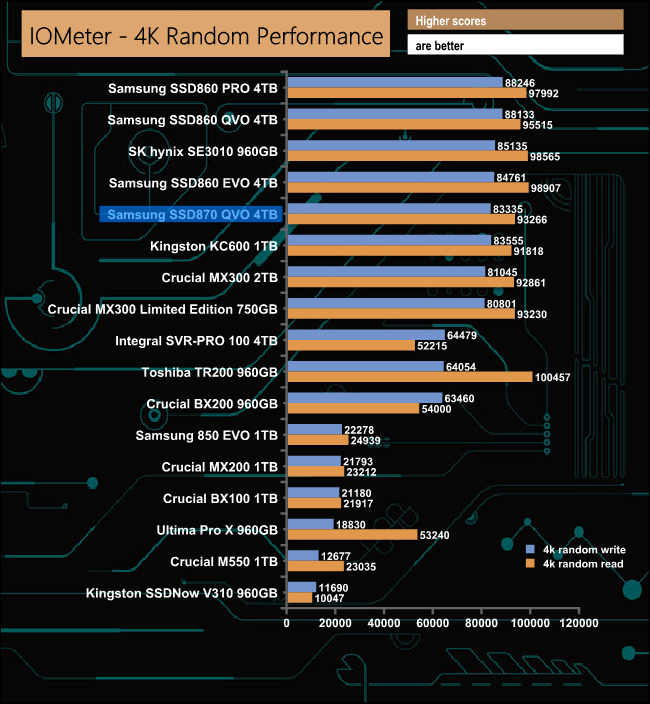
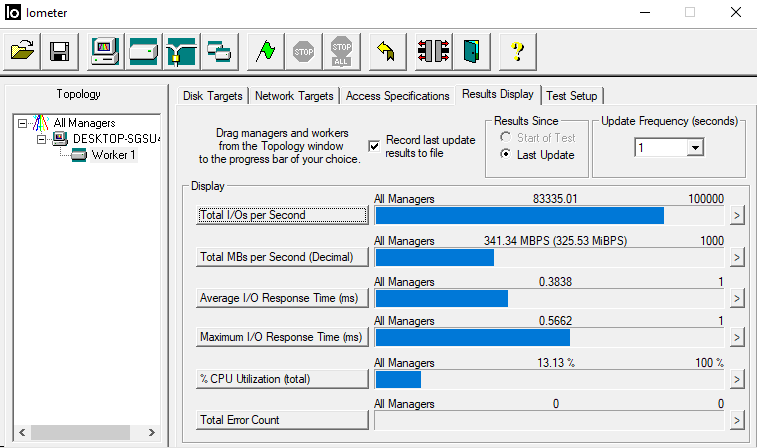
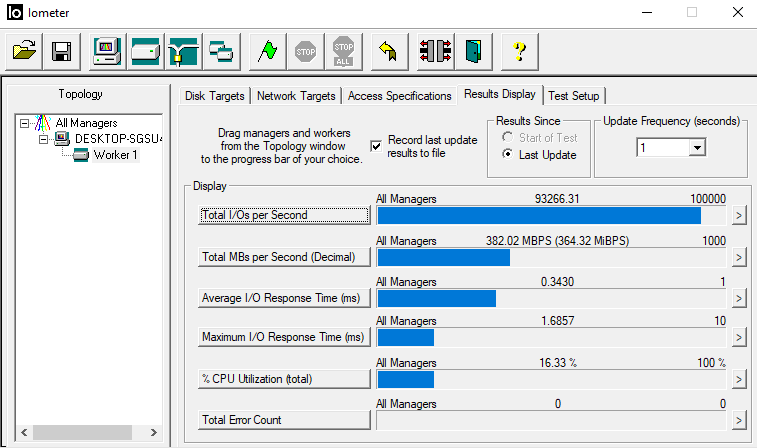
Officially Samsung quotes maximum 4K read/write performance figures for the 4TB SSD 870 QVO as up to 98,000 IOPS and 88,000 IOPS respectively. In our 4K random tests, the drive fell a little short of both official figures with reads of 93,266 IOPS and writes at 83.335 IOPS.
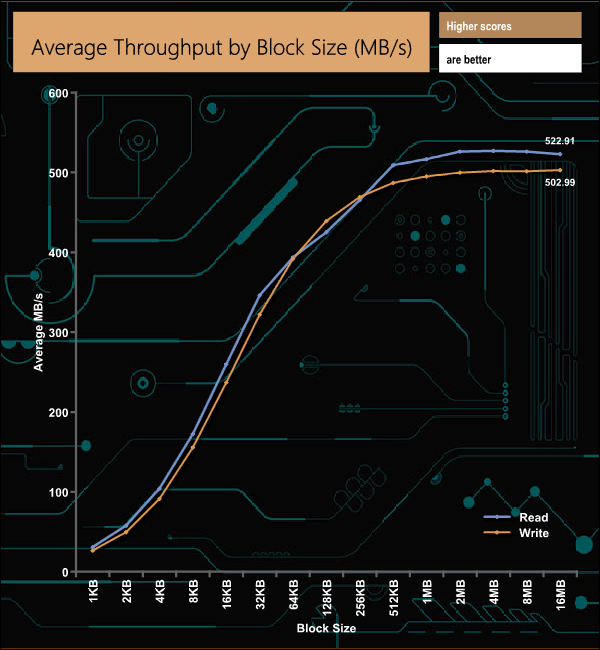
In our throughput tests the peak read figure came at the 4MB block mark, at 522MB/s, while peak writes came at the end of the test at 502MB/s. Both of these results are short of the maximum figures quoted by Samsung for the drive; 560MB/s for reads and 530MB/s for writes.
PCMark 8’s Standard Storage test saves a large amount of performance data. The default test runs through the test suite of 10 applications three times. Here we show the total bandwidth performance for each of the individual test suites for the third and final benchmark run.
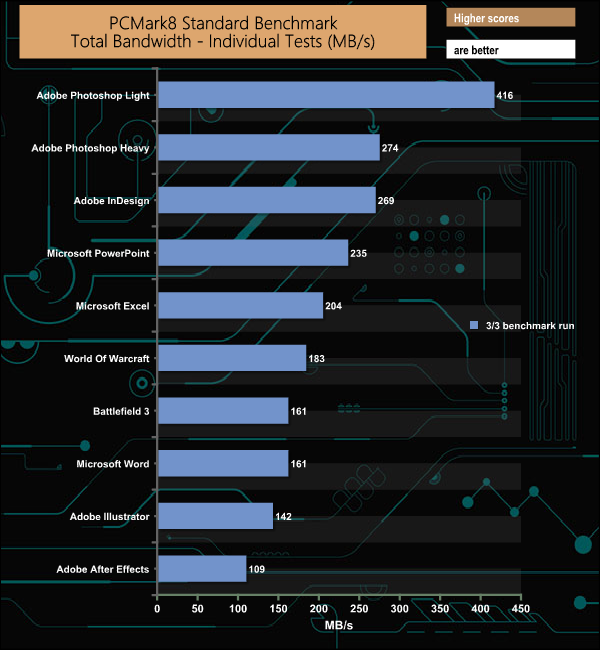
The SSD 870 QVO handles PCMark 8's Standard Storage test pretty well with one exception, the drive seems to struggle with the Adobe Photoshop Heavy trace. Usually, the two Photoshop results are quite close but with the SSD 870 QVO, this isn't the case, with the Photoshop Heavy test result trailing some way behind the Photoshop Light result.
The PCMark 10 Full System Drive Benchmark uses a wide-ranging set of real-world traces from popular applications and common tasks to fully test the performance of the fastest modern drives. The benchmark is designed to measure the performance of fast system drives using the SATA bus at the low end and devices connected via PCI Express at the high end.
The goal of the benchmark is to show meaningful real-world performance differences between fast storage technologies such as SATA, NVMe, and Intel’s Optane. The Full System Drive Benchmark uses 23 traces, running 3 passes with each trace. It typically takes an hour to run.
Traces used:
Booting Windows 10.
Adobe Acrobat – starting the application until usable.
Adobe Illustrator – starting the application until usable
Adobe Premiere Pro – starting the application until usable.
Adobe Photoshop – starting the application until usable.
Battlefield V – starting the game until the main menu.
Call of Duty Black Ops 4 – starting the game until the main menu.
Overwatch – starting the game until main menu.
Using Adobe After Effects.
Using Microsoft Excel.
Using Adobe Illustrator.
Using Adobe InDesign.
Using Microsoft PowerPoint.
Using Adobe Photoshop (heavy use).
Using Adobe Photoshop (light use).
cp1 Copying 4 ISO image files, 20 GB in total, from a secondary drive to the target drive (write test).
cp2 Making a copy of the ISO files (read-write test).
cp3 Copying the ISO to a secondary drive (read test).
cps1Copying 339 JPEG files, 2.37 GB in total, to the target drive (write test).
cps2 Making a copy of the JPEG files (read-write test).
cps3 Copying the JPEG files to another drive (read test).
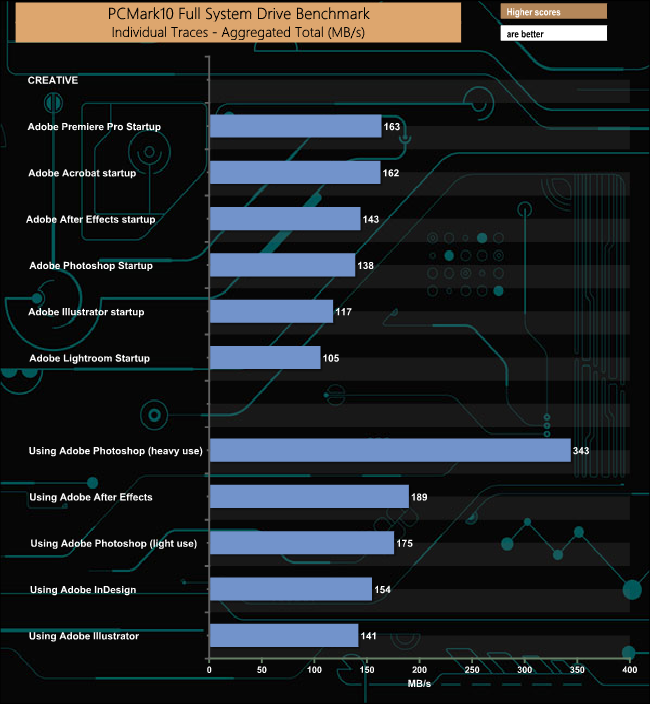
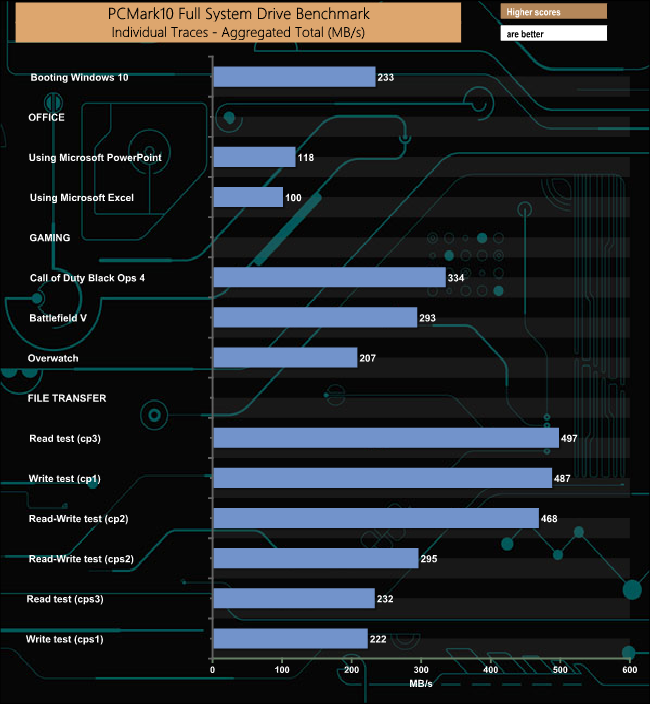
We've just started using the PCMark10 benchmark to test storage devices. The SSD 870 QVO handles the rigours of the test well particularly the Adobe Photoshop (heavy use), cp1, cp2 and cp3 traces.
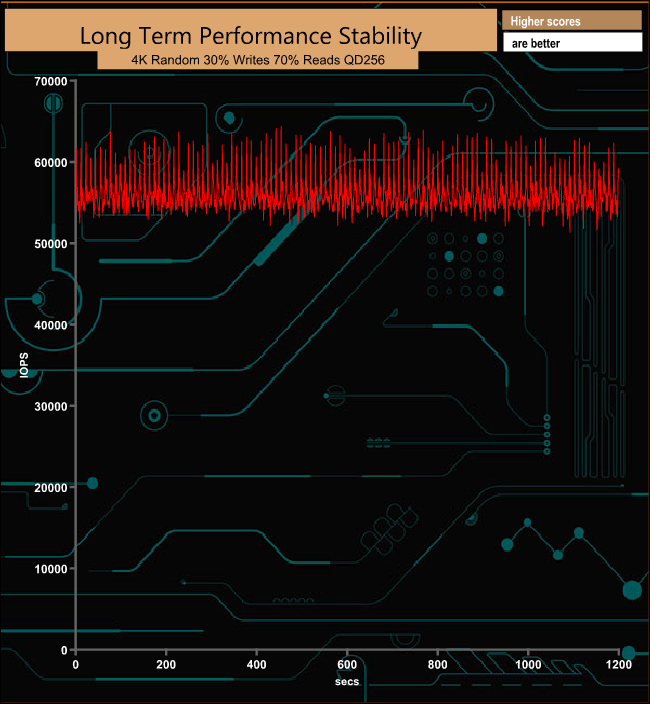
For the long term performance stability test, we set the drive up to run a 20-minute 4K random test with a 30% write, 70% read split, at a Queue Depth of 256 over the entire disk. The 4TB Samsung SSD 870 QVO averaged 56,092 IOPS for the test with a performance stability of an impressive 88%.
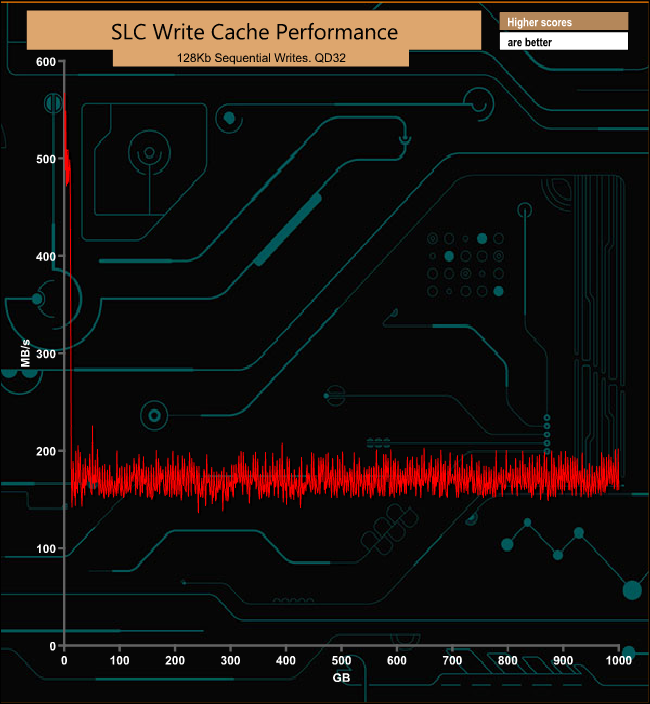
The SSD 870 QVO uses Samsung’s Intelligent TurboWrite technology to boost write speeds by using a portion of the NAND to run in SLC mode as a write buffer. By default the fixed part of this buffer is 6GB but if more is needed the technology allows for, in the case of the 4TB drive, an extra 72GB Intelligent TurboWrite region. The official Sequential write performance figure for the default buffer is up to 530MB/s but out of the buffer, this figure drops to 160MB/s. In our cache test, the performance in the default 6GB buffer averaged 486.92MB/s and 169.45MB/s out of the buffer.
To test real-life performance of a drive we use a mix of folder/file types and by using the FastCopy utility (which gives a time as well as MB/s result) we record the performance of drive reading from & writing to a 256GB Samsung SSD 850 PRO.
We use the following folder/file types:
- 100GB data file.
- 60GB iso image.
- 60GB Steam folder – 29,521 files.
- 50GB File folder – 28,523 files.
- 12GB Movie folder – (15 files – 8 @ .MKV, 4 @ .MOV, 3 @ MP4).
- 10GB Photo folder – (304 files – 171 @ .RAW, 105 @ JPG, 21 @ .CR2, 5 @ .DNG).
- 10GB Audio folder – (1,483 files – 1479 @ MP3, 4 @ .FLAC files).
- 5GB (1.5bn pixel) photo.
- BluRay Movie – 42GB.
- 21GB 8K Movie demos – (11 demos)
- 16GB 4K Raw Movie Clips – (9 MP4V files).
- 4.25GB 3D Printer File Folder – (166 files – 105 @ .STL, 38 @ .FBX, 11 @ .blend, 5 @ .lwo, 4 @ .OBJ, 3@ .3ds).
- 1.5GB AutoCAD File Folder (80 files – 60 @ .DWG and 20 @.DXF).
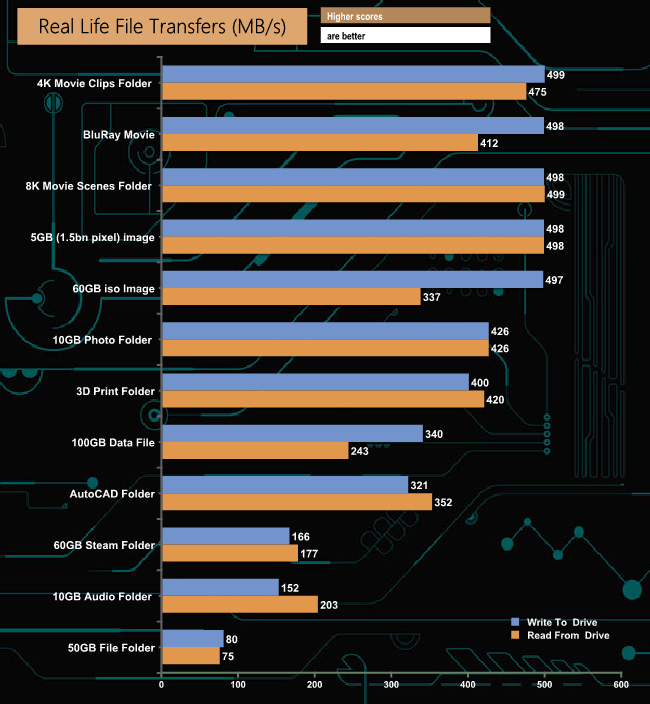
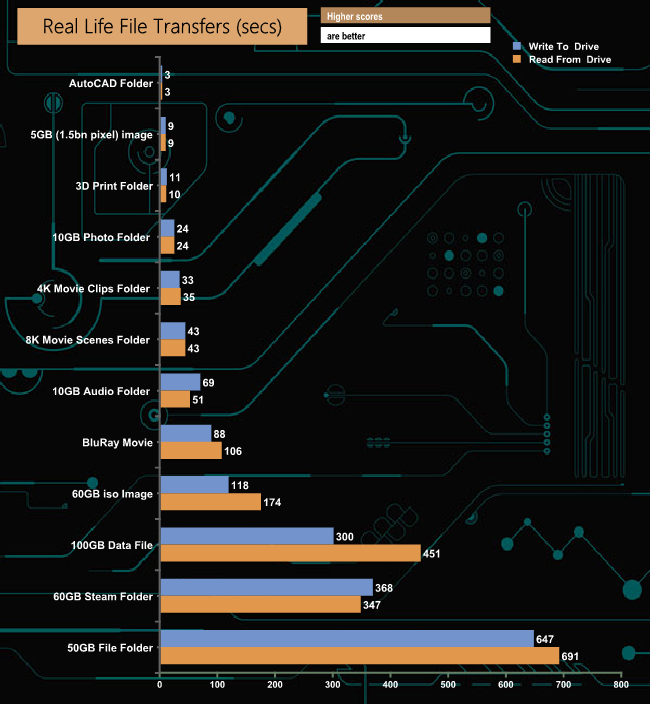
The Samsung SSD 870 QVO handled our life file transfer tests without any real problems, with some of the transfers knocking on the door of 500MB/s. As is usually the case, the small files in the 60GB Steam, 50GB file and 10GB audio folders caused the performance to drop quite considerably.
When 3D QLC NAND was first being touted, it was all about the promise of large-capacity SSDs at a reasonable cost for the consumer market, especially in the 2.5in format. But in the consumer space at least, take-up of the new NAND has been somewhat slow, to say the least. One company that has been waving the banner for QLC in this market segment is Samsung with firstly the SSD 860 QVO and now with their second-generation drive, the SSD 870 QVO.
The SSD 860 QVO used 64-layer QLC V-NAND whereas the new drive uses 9x layer 3D QLC V-NAND and the new denser NAND has helped Samsung introduce a new flagship drive with 8TB of capacity, double the size of the largest SSD 860 QVO. Also new in the latest drive is the MKX controller, details of which are very hard to find, but we do know it's an 8-channel chip.
In terms of performance, the Sequential read/write performance is pretty much what you would expect from a SATA 6Gb/s drive these days. Samsung quote figures of up to 560MB/s and up to 530MB/s for read & writes respectively. We could confirm those figures with the ATTO benchmark, the review drive producing 563MB/s for reads and 534MB/s for writes.
To boost the write performance of the drive Samsung has turned to its tried and tested Intelligent TurboWrite technology, a technology which made its debut in 2012. TurboWrite assigns a chunk of the NAND to run in SLC mode to act as a fast cache. The technology uses two types of cache, one pre-allocated (similar to the static TurboWrite of previous versions) and the other, dynamic or Intelligent TurboWrite. The pre-allocated cache is 6GB in size across all four drives. The 1TB drive has an Intelligent TurboWrite region of 36GB for a total of 42GB. The other three drives get a 72GB region for a total TurboWrite size of 78GB.
Samsung has also given the drive strong encryption features as it supports AES 256-bit, TCG/Opal V2.0 and IEEE1667 technologies.
UK MSRPs for the SSD 870 QVO line-up is as follows:
- 1TB £110.99
- 2TB £221.99
- 4TB £438.99
- 8TB £795.99
Discuss on our Facebook page HERE.
Pros
- Overall performance.
- Good endurance.
- Strong built-in encryption.
Cons
- Only a 3-year warranty.
KitGuru says: Samsung continues to wave the banner for QLC (quad-level) NAND with the introduction of the SSD 870 QVO, the second generation drive using a new controller, and in particular 9x layer V-NAND which allows Samsung to produce a flagship drive that is double the capacity previous generation's flagship 4TB model.