 KitGuru KitGuru.net – Tech News | Hardware News | Hardware Reviews | IOS | Mobile | Gaming | Graphics Cards


Today we look at the new Plextor M6 Pro 256GB Solid State Drive. This drive is their new flagship product shipping in a stunning looking rose gold aluminum chassis. Inside Plextor are using Toshiba A19nm MLC flash NAND and the excellent Marvell 88SS9187 controller.
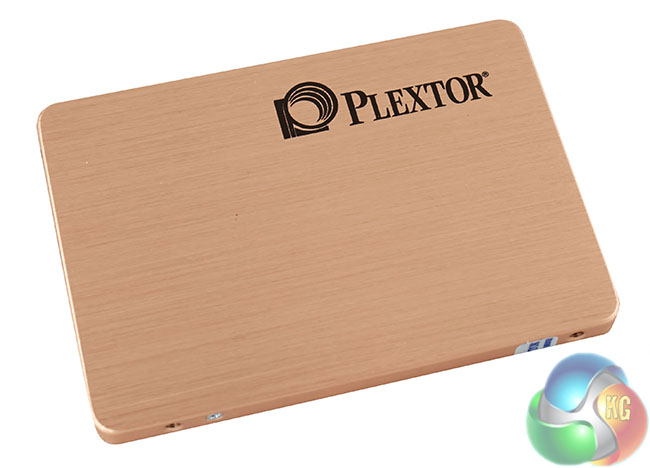
The M6 Pro is the successor to the high end M5 Pro series drive. Plextor are using A19nm Toshiba toggle NAND flash and the multi core Marvell 9187 controller with a custom tweaked, in house firmware. The company say it is their first drive to survive the Plextor new ultra strict, enterprise grade, Zero Error standard of 1008 hours. It is backed by a full 5 year warranty with an MTBF rated at 2.4 million hours.
Plextor have created their own caching software and bundle it with the drive – they call it ‘PlexTurbo'. It uses some system ram as an ‘ultra smart RAM cache' to ‘bypass the limitations of the 6Gb/s SATA III interface.' We look at the PlexTurbo caching system later in the review to see how it performs.
| Plextor M6 PRO | 128GB | 256GB | 512GB | 1TB |
| Max Read (Sequential MB/s) | 545 | 545 | 545 | 545 |
| Max Write (Sequential MB/s) | 330 | 490 | 490 | 490 |
| Max Random Read – 4K IOPS | 100,000 | 100,000 | 100,000 | 100,000 |
| Max Random Write – 4K IOPS | 82,000 | 86,000 | 88,000 | 88,000 |
Plextor are releasing four flavours of the M6 Pro – in 128GB, 256GB, 512GB and 1TB capacities. The 128GB drive suffers a little in regards to maximum sequential write speeds – peaking at 330 MB/s when all others are close to 500MB/s. All of the drives seem to deliver very high IOPS performance with ratings up to 100,000 in a 4k random test.
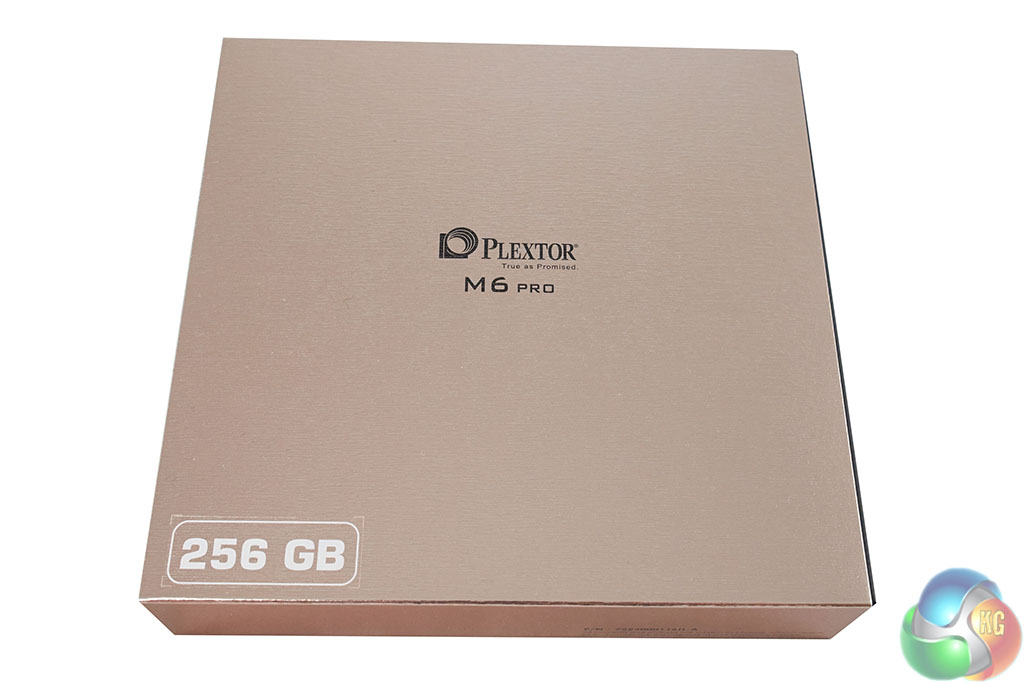
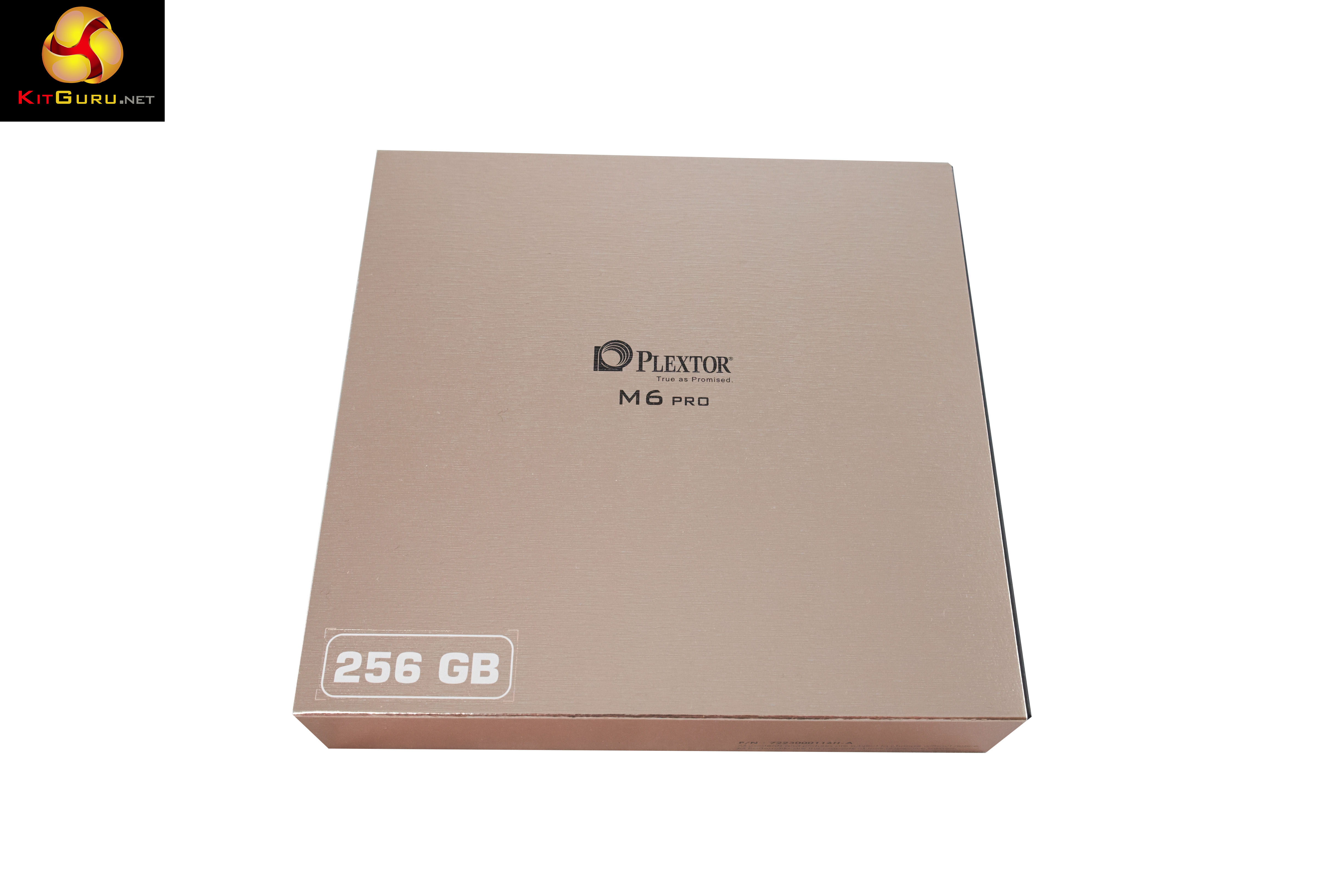
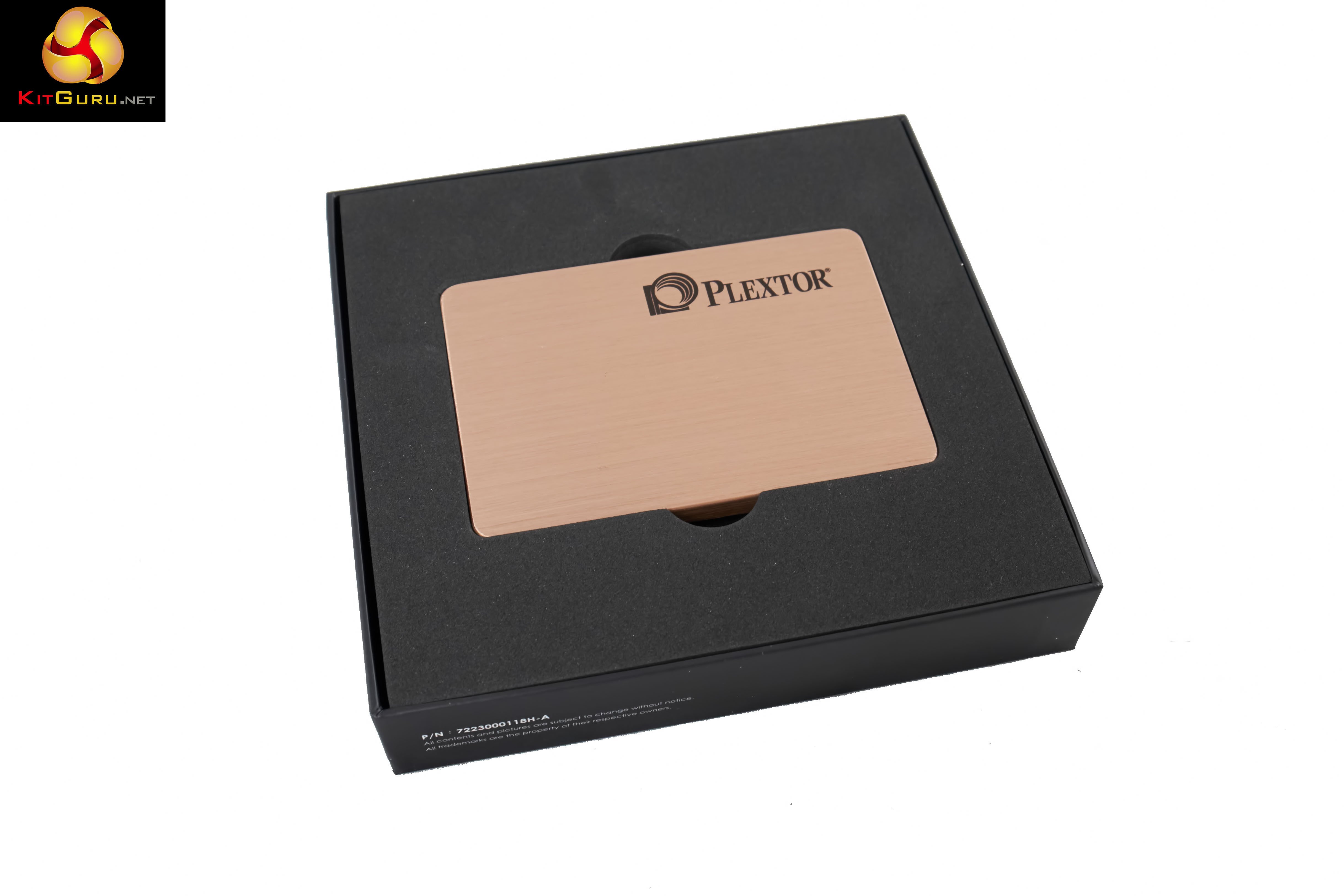
The Plextor M6 Pro drive arrives in a gorgeous rose gold coloured box. Top marks for presentation.
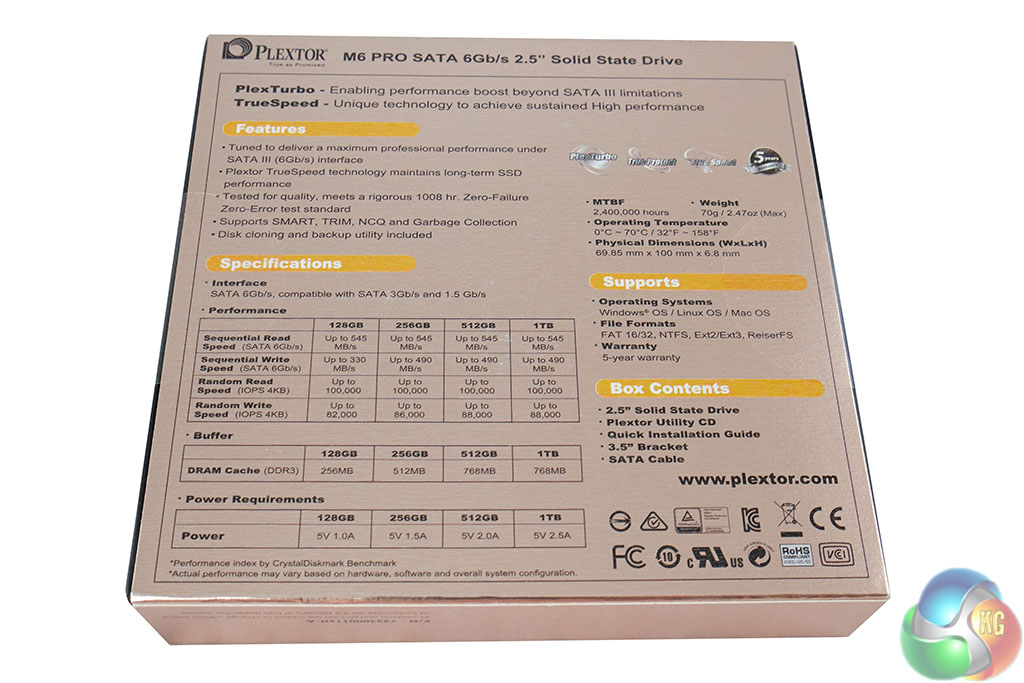
The back of the box contains information on the products, including the rated official speeds.
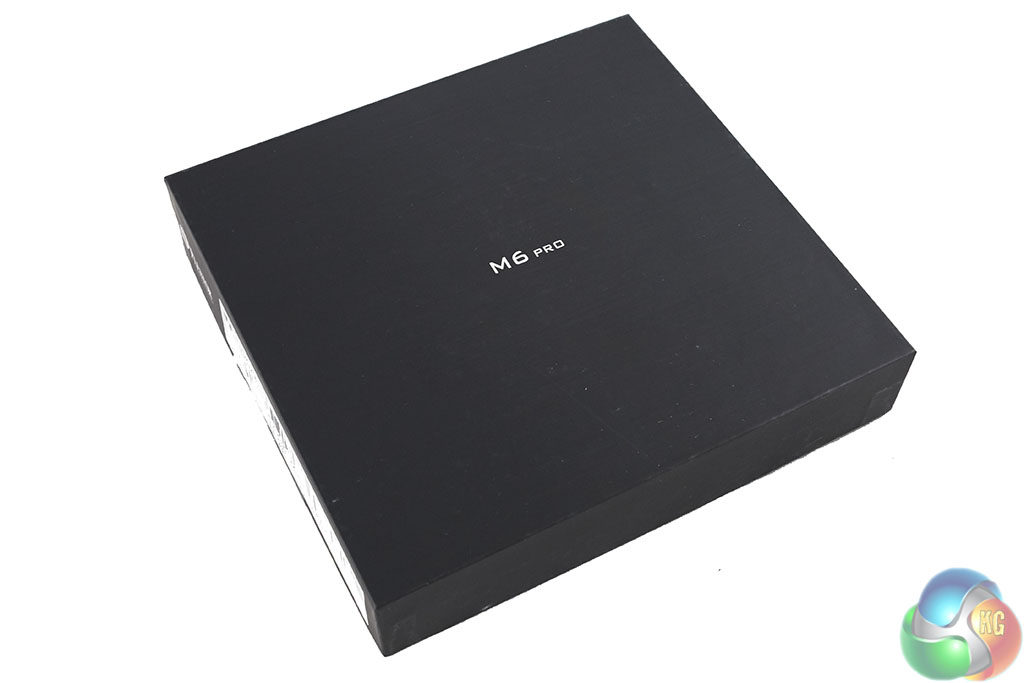
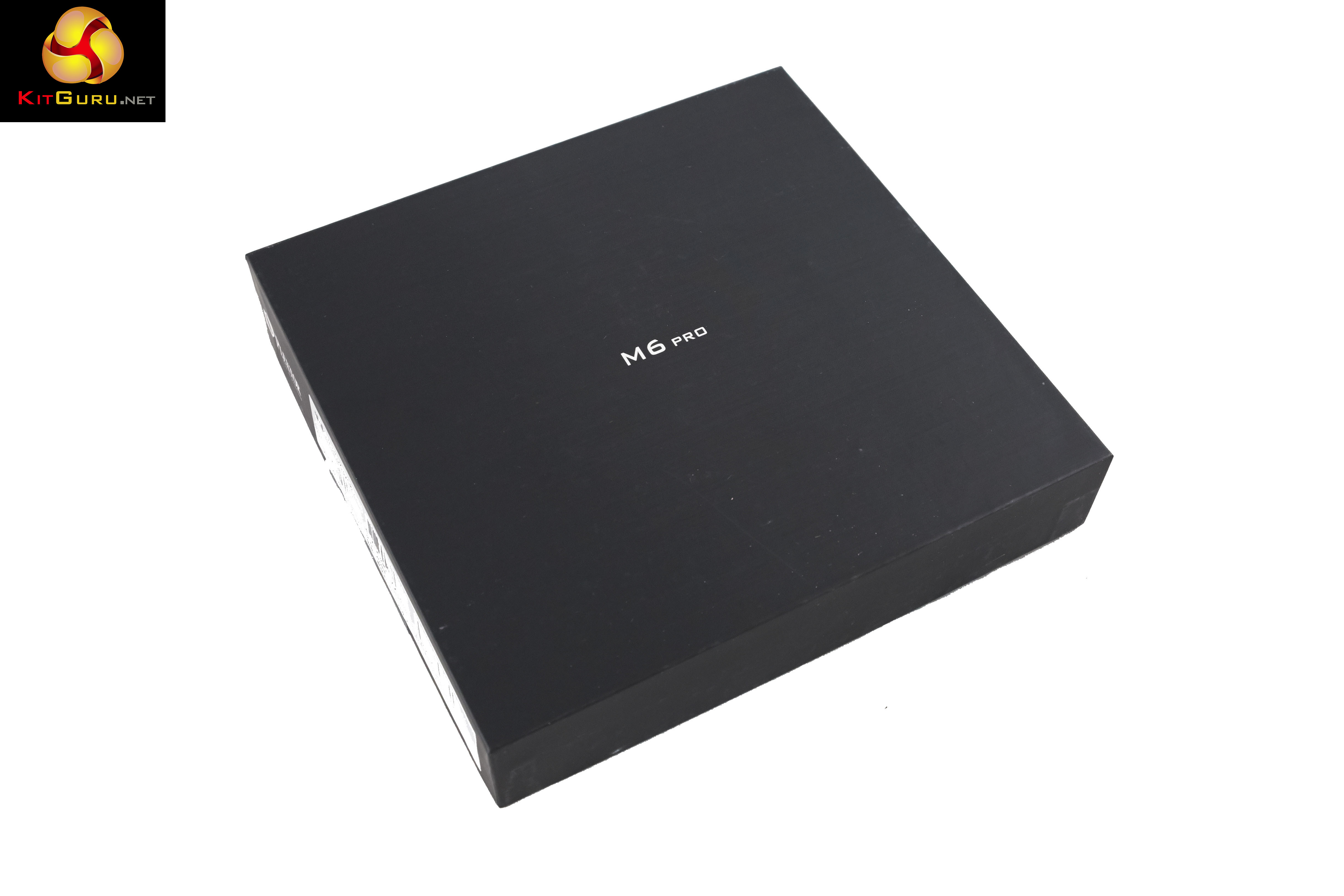
The outer sleeve is easily removed to expose the inner box, which is black.
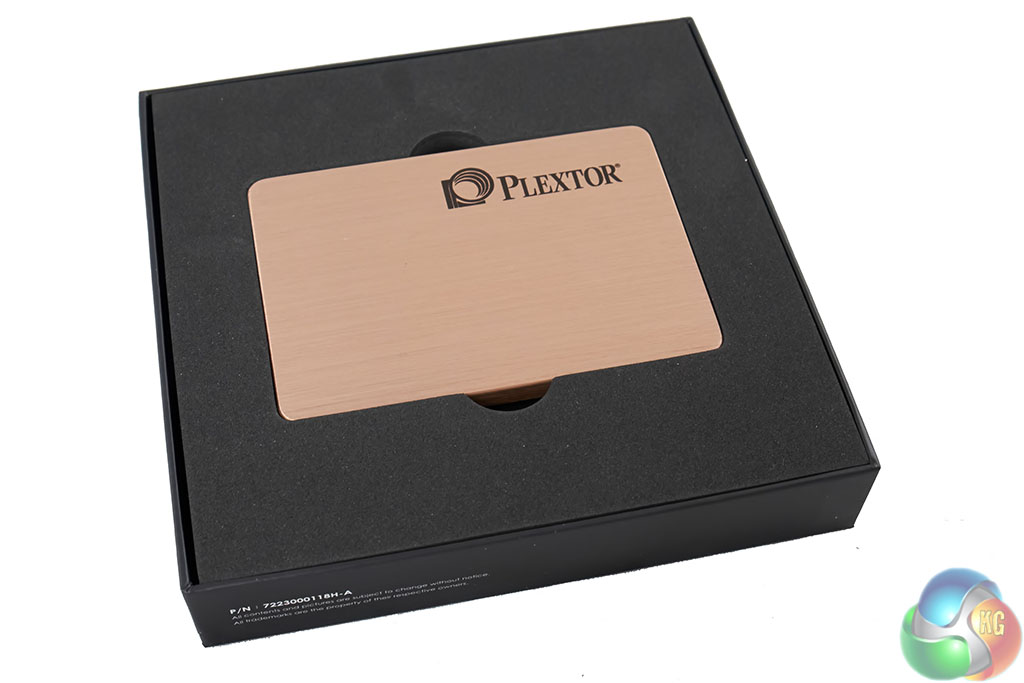
The Plextor M6 Pro drive is shipped sandwiched in thick, heavy duty foam – we can see very little chance this drive could get damaged in transit, even with the most careless of handling.
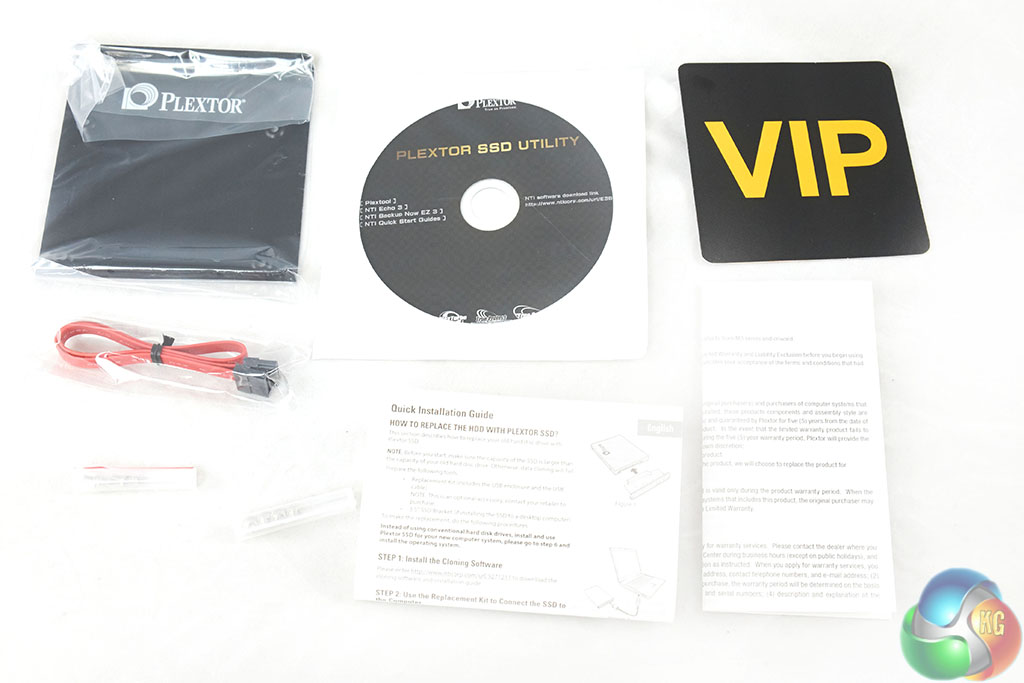
The bundle is excellent. Plextor include the a software disc, which contains various software packages. There is also a quick installation guide, 3.5 inch bracket and SATA cable.

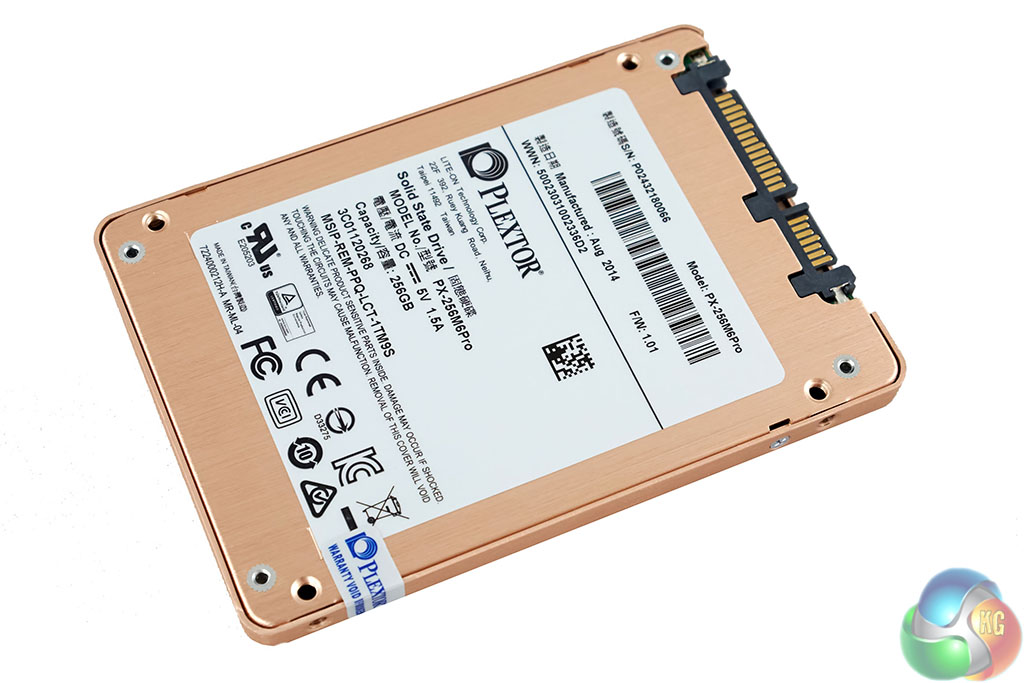
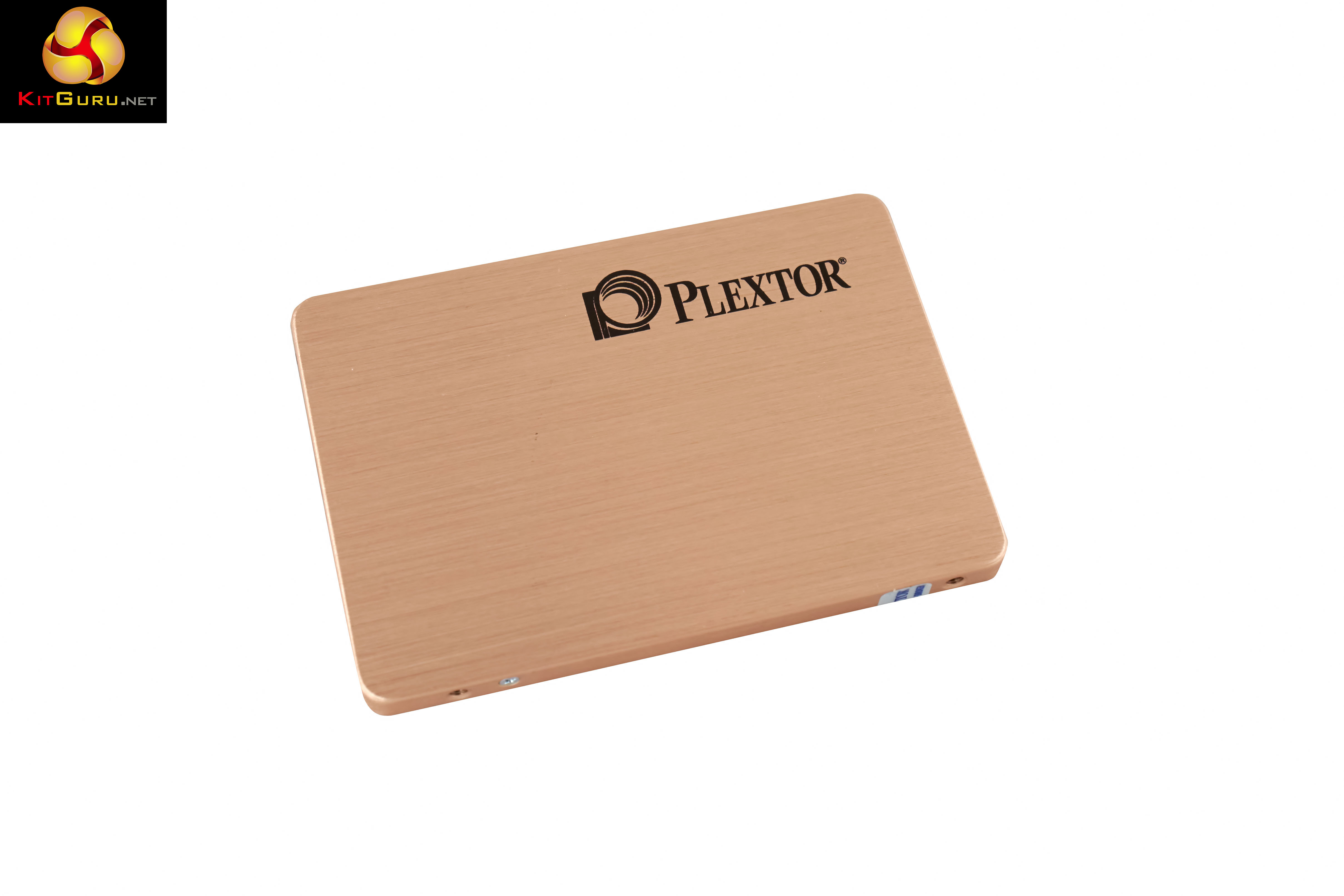
The Plextor M6 Pro is certainly a looker – the brushed aluminum is coloured rose gold. The ‘Plextor' name is screen printed. They really have spared no expense with this chassis. It would look great on show inside a system with a windowed panel and lighting.

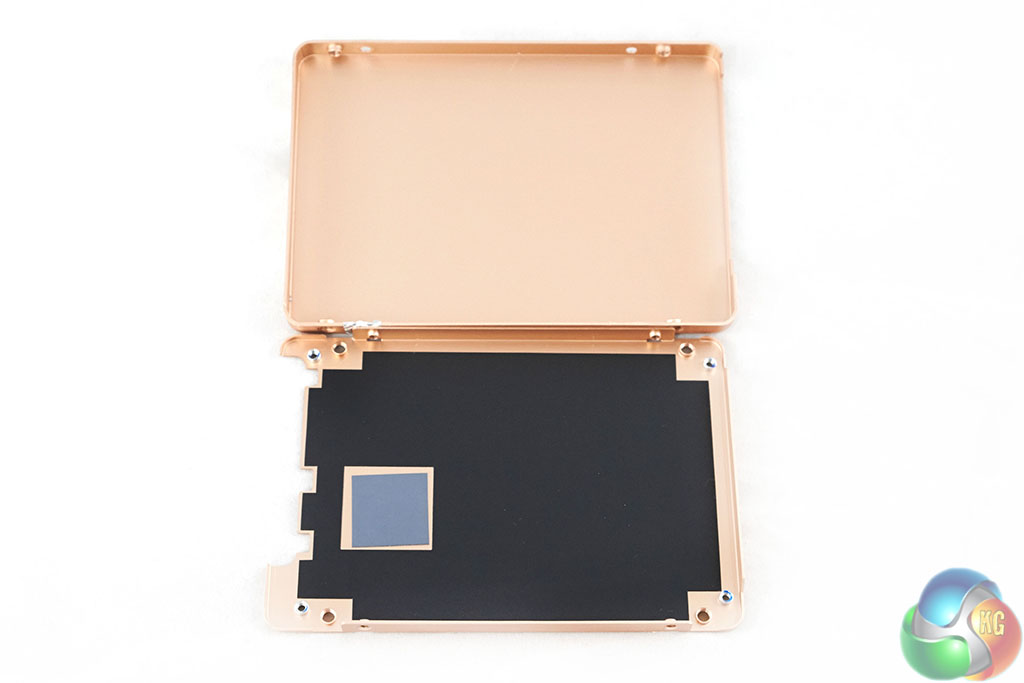
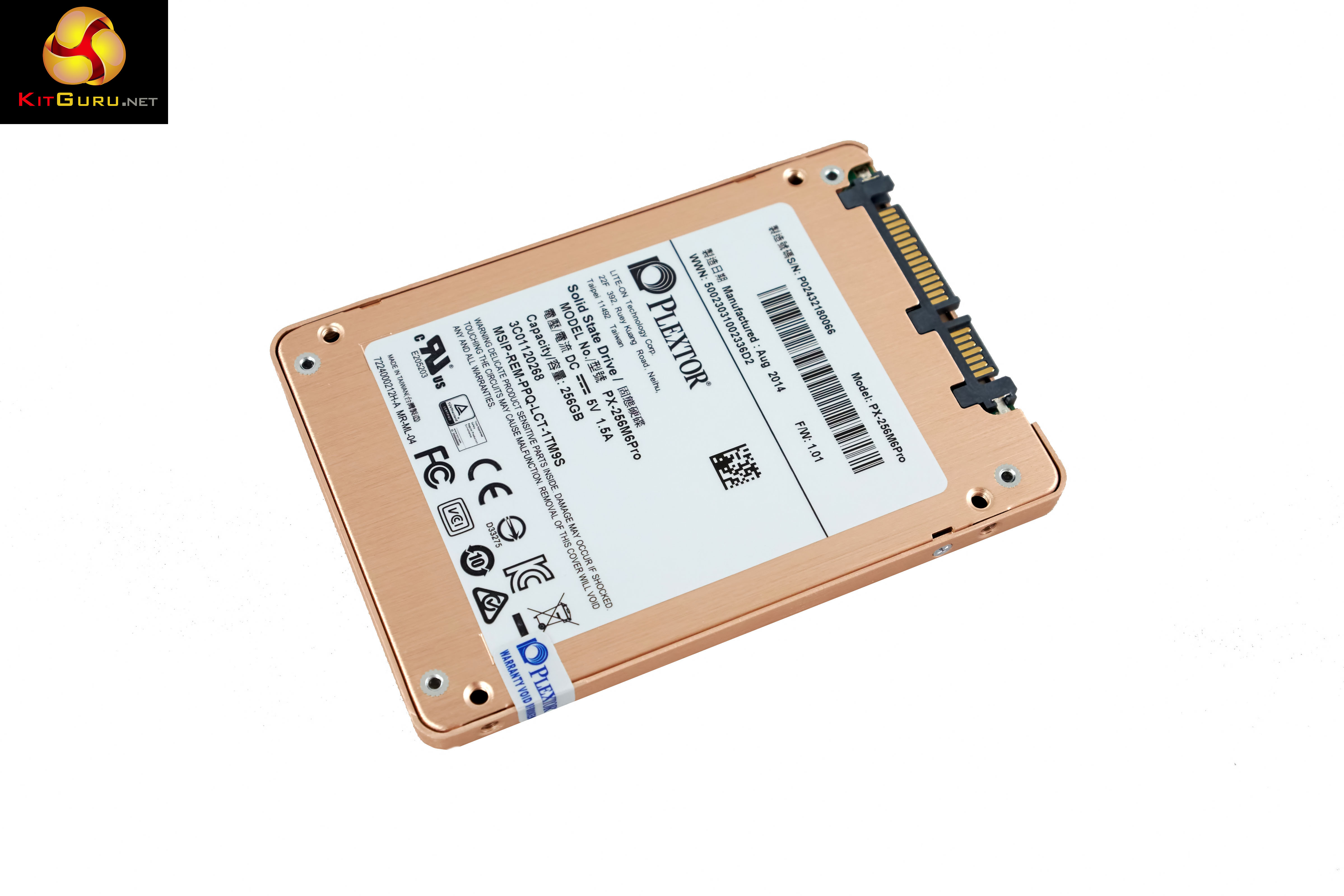
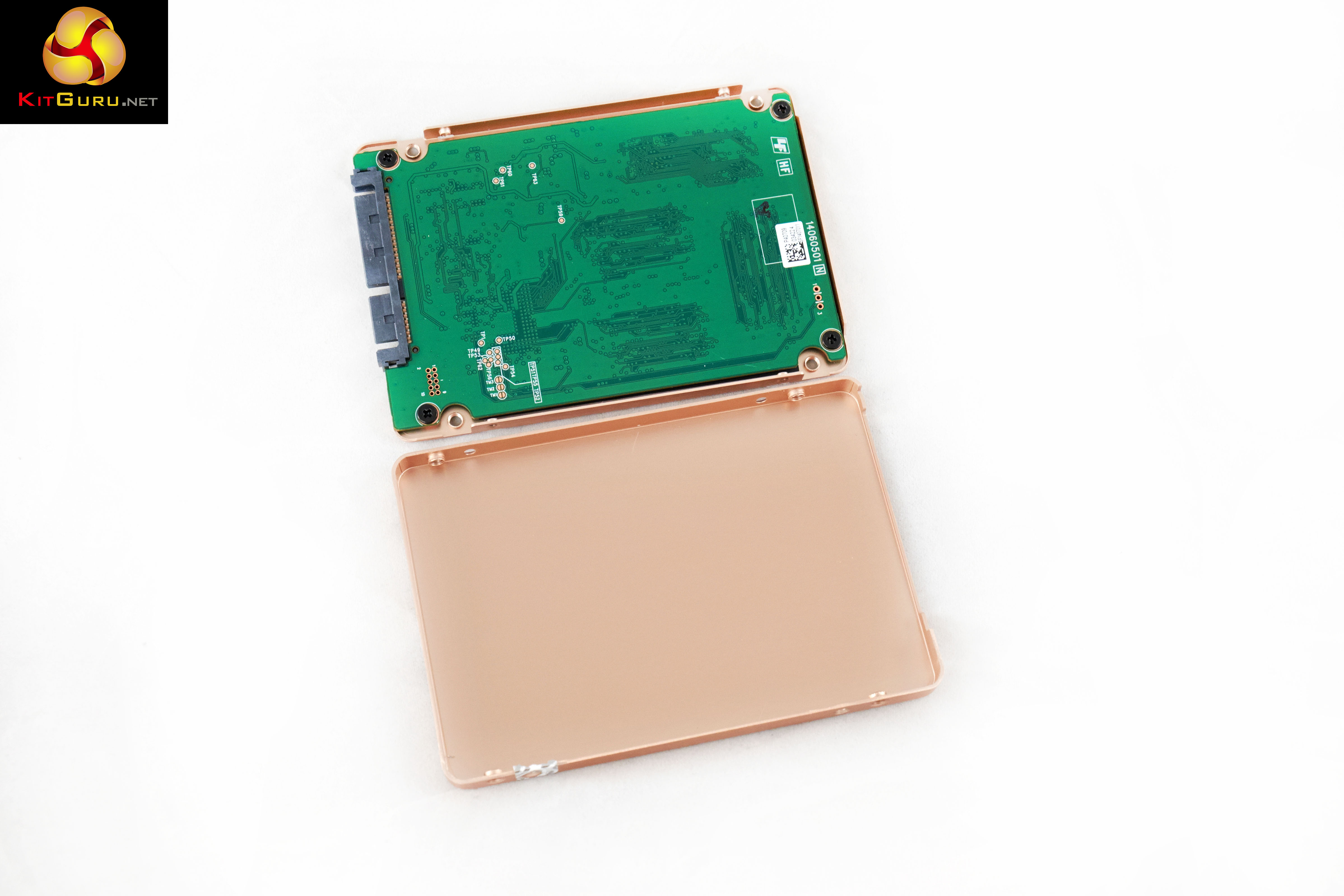
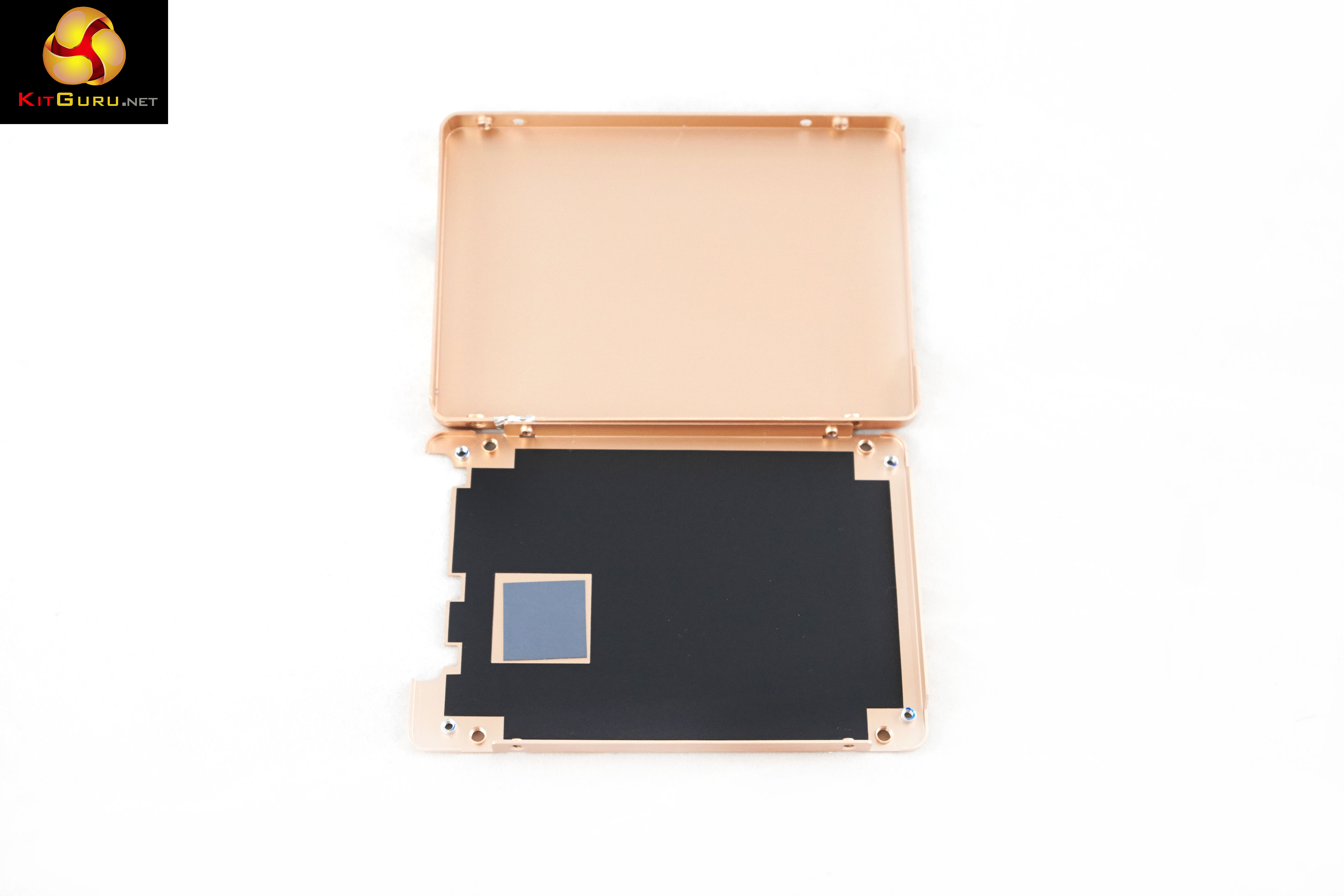
Opening the chassis will invalidate your warranty, so don't do it – that is why we are here! Plextor have completely coated the chassis in the rose gold finish, even the insides, which you never will look at ! A little thermal pad is positioned for the controller – meaning it will use the chassis as a cooling heatsink. One side of the chassis is covered in a lining to protect the PCB from connecting against the metal.
By this stage I didn't know whether to test the drive, or eat it. The presentation really is that good.
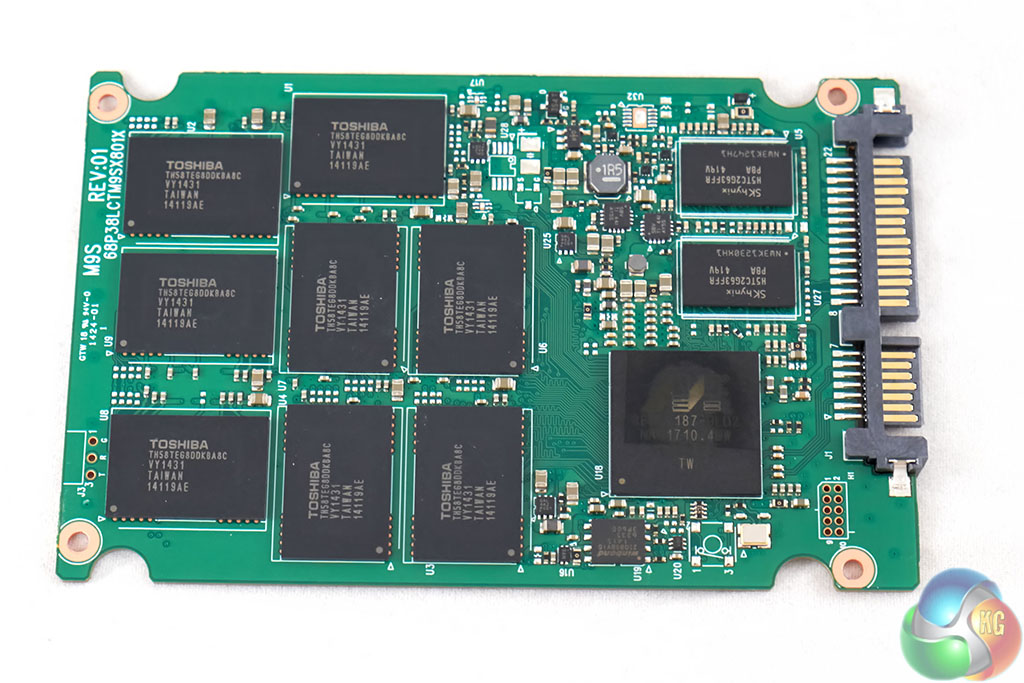

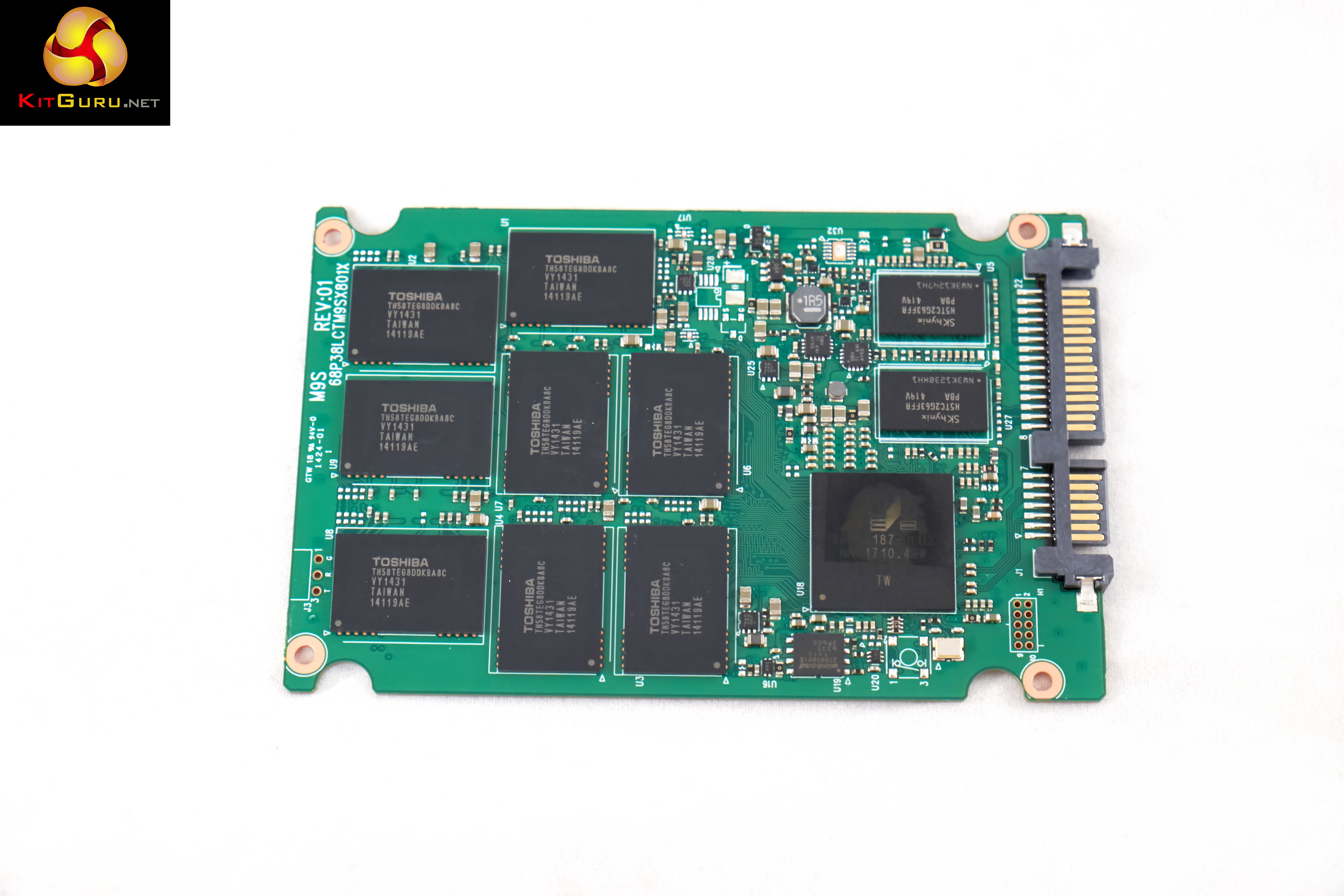
The M6 Pro is powered by the Marvell 88SS9187 controller – which has always scored well in our tests. Plextor claim to have customised the firmware in house, so it will be interesting to see how it performs later in the review.
It is an 8 channel, dual core server level controller with full support for DDR3 cache memory. Toshiba A19nm MLC flash NAND is fitted onto the PCB – which was used in the Radeon R7 SSD which we reviewed a short while ago. An SK Hynix 512MB DDR3 cache is used in the 256GB drive.
Reliability of the drive should be high, and Plextor are standing by the unit by offering a full 5 year warranty. They rate the drive with a mean time between failures (MTBF) at 2.4 million hours – one of the highest we have seen.
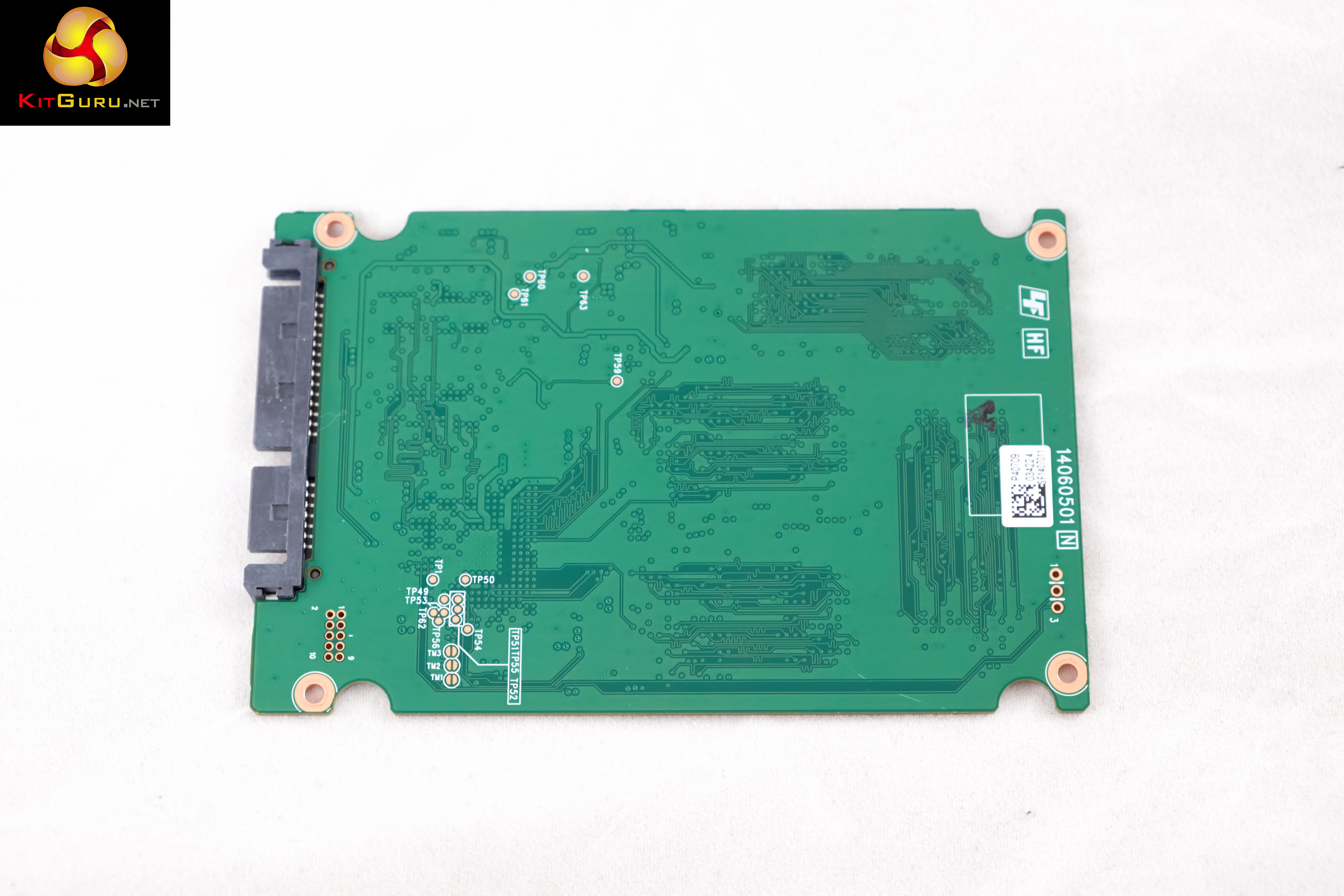
On this page we present some high resolution images of the product in our studio. These will take much longer to open due to the dimensions, especially on slower connections. If you use these pictures on another site or publication, please credit Kitguru.net as the owner/source. You can right click and ‘save as’ to your computer to view later.
For testing, the drives are all wiped and reset to factory settings by HDDerase V4. We try to use free or easily available programs and some real world testing so you can compare our findings against your own system.
This is a good way to measure potential upgrade benefits.
Main system:
Kitguru Test Rig 3
Other Drives
Apotop S3C 256GB
Angelbird 512GB wrk
Hynix SH920/910A
OCZ ARC 100 240GB
OCZ RevoDrive 350 480GB
OCZ RevoDrive 3 x2 480GB
Intel 520 Series 240GB
Intel 730 240GB
Samsung 840 EVO 1TB
OCZ Vector 150 256GB
OCZ Vector 240GB
OCZ Vertex 450 256GB
OCZ Vertex 4 512GB
OCZ Vertex 4 128GB (1.4 fw)
ADATA Premier Pro SP900 128GB
Intel 730 240GB
OCZ RevoDrive Hybrid 1TB HDD/SDD
SanDisk Extreme II 240GB
Corsair Performance Pro 256GB
OCZ Agility 4 256GB
SanDisk Ultra Plus 256GB
Samsung 830 Series 512GB
Patriot Wildfire 240GB
OCZ Vertex 3 240GB MAX IOPS
ADATA S510 120GB
Kingston HyperX 3K 120GB
OCZ Octane 512GB (fw 1.13)
Samsung Spinpoint F3 1TB
Software:
Atto Disk Benchmark.
CrystalMark 3.0.3.
AS SSD.
IOMeter.
All our results were achieved by running each test five times with every configuration this ensures that any glitches are removed from the results. Trim is confirmed as running by typing fsutil behavior query disabledeletenotify into the command line. A response of disabledeletenotify =0 confirms TRIM is active.
Crystalmark is a useful benchmark to measure theoretical performance levels of hard drives and SSD’s. We are using V3.0.3.
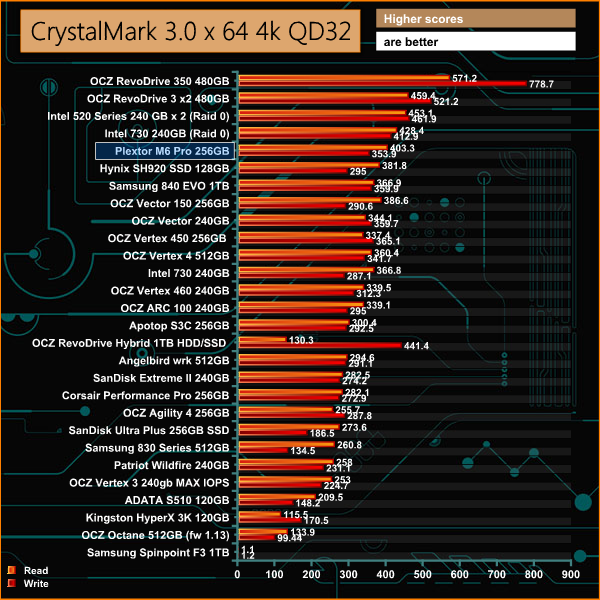
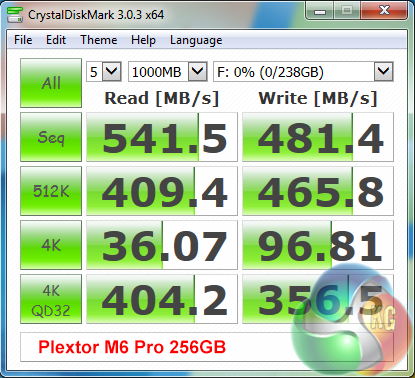
Fantastic results – taking the top of our single SSD chart for 4K QD32 performance. Sequential read results are close to the limitations of the SATA 3 interface while sequential write performance is a little lower – just above 480 MB/s.
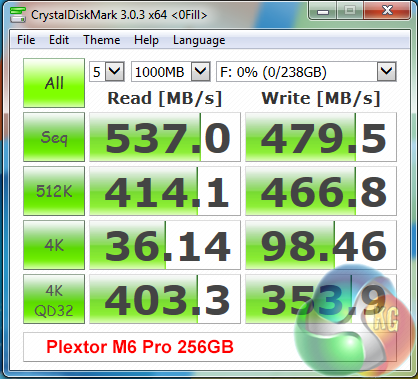
The Marvell 88SS9187 controller deals with compressible and incompressible data to the same high standards, making it a good choice for more serious duties, such as video editing.


Above, some included compares from other leading solid state drives which we have reviewed in the last year.
The ATTO Disk Benchmark performance measurement tool is compatible with Microsoft Windows. Measure your storage systems performance with various transfer sizes and test lengths for reads and writes. Several options are available to customize your performance measurement including queue depth, overlapped I/O and even a comparison mode with the option to run continuously. Use ATTO Disk Benchmark to test any manufacturers RAID controllers, storage controllers, host adapters, hard drives and SSD drives and notice that ATTO products will consistently provide the highest level of performance to your storage.
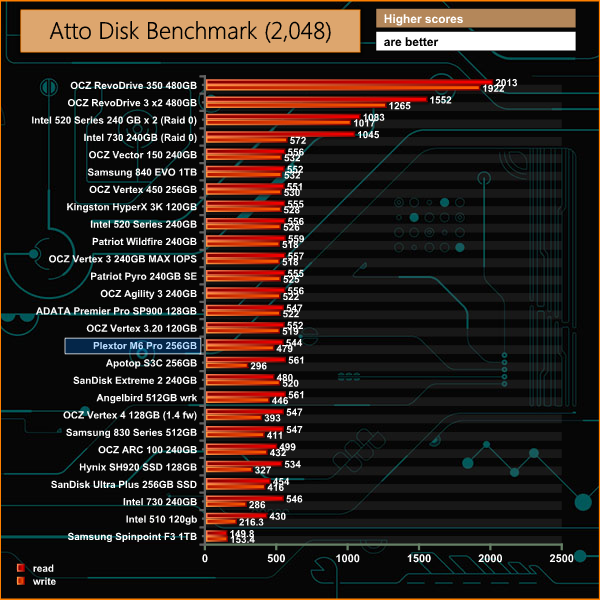
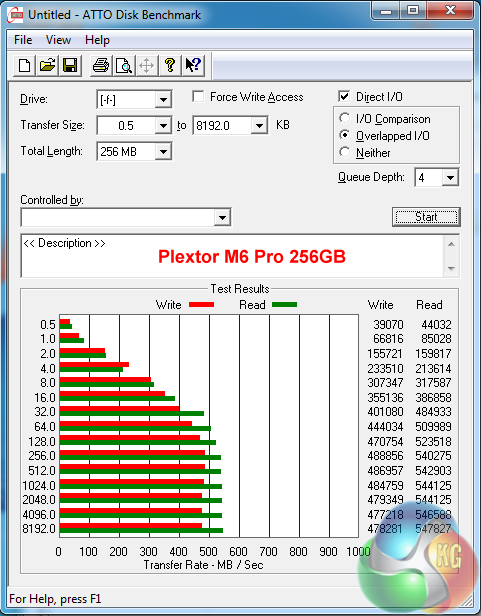
Read and write performance is excellent, hitting 544 MB/s in the read test and 488 MB/s in the write test. Not quite at the same level as the market leaders, but close.


Some comparison results from other leading products available on the market today.
AS SSD is a great free tool designed just for benching Solid State Drives. It performs an array of sequential read and write tests, as well as random read and write tests with sequential access times over a portion of the drive. AS SSD includes a sub suite of benchmarks with various file pattern algorithms but this is difficult in trying to judge accurate performance figures.
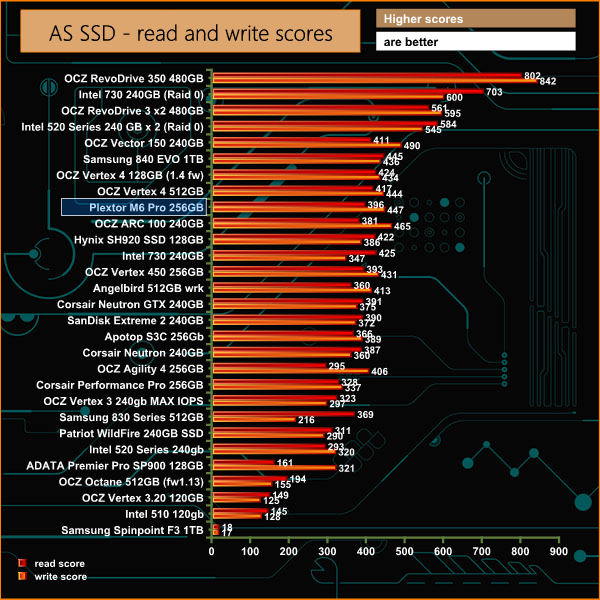
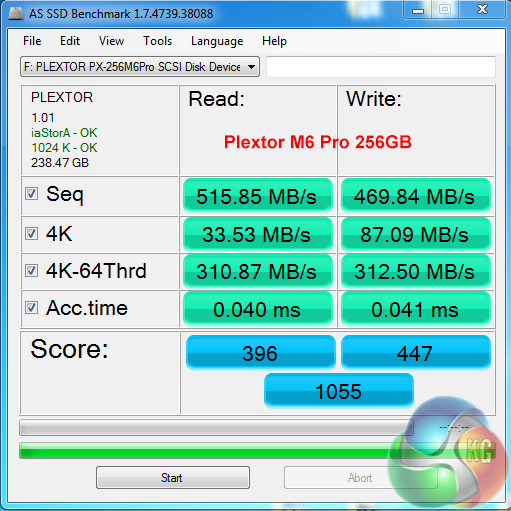
AS SSD deals exclusively with incompressible data and the Marvell 88SS9187 controller shows its strengths, with a final score of 1055 points. It rates in the top 7% of drives we have tested on Kitguru.


Some other comparisons from leading manufacturer drives, which we have tested in recent months.
IOMeter is another open source synthetic benchmarking tool which is able to simulate the various loads placed on hard drive and solid state drive technology.
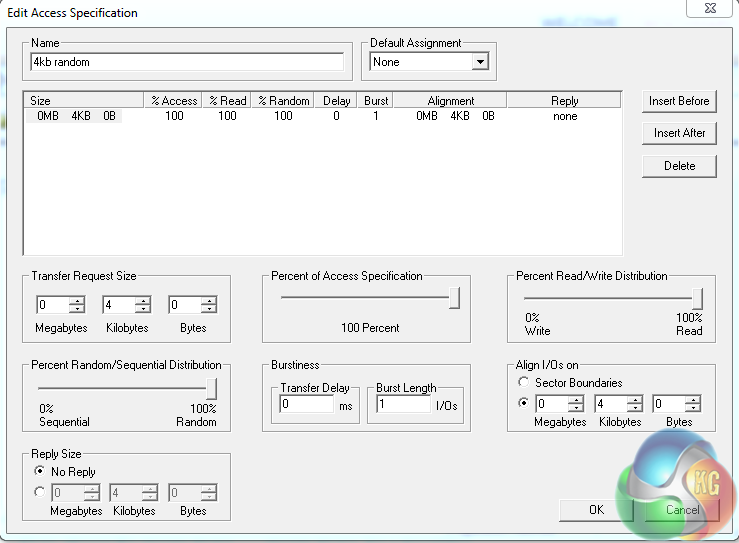
We test with both random read and write 4k tests, as shown above. There are many ways to measure the IOPS performance of a Solid State Drive, so our results will often vary between the manufacturer’s quoted ratings.
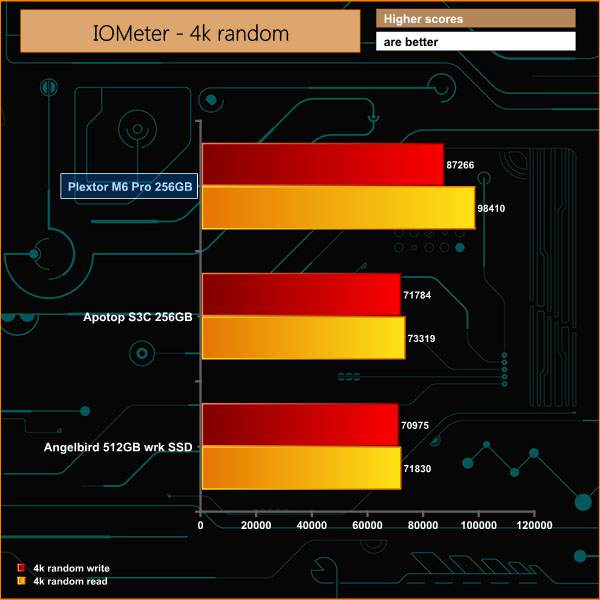
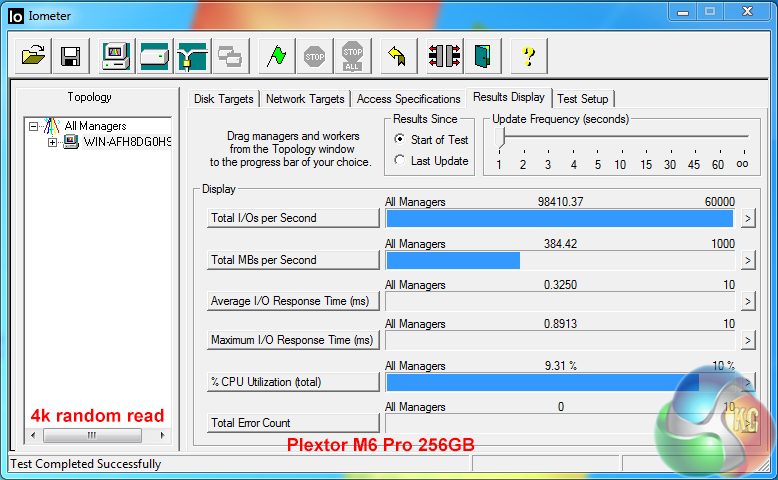
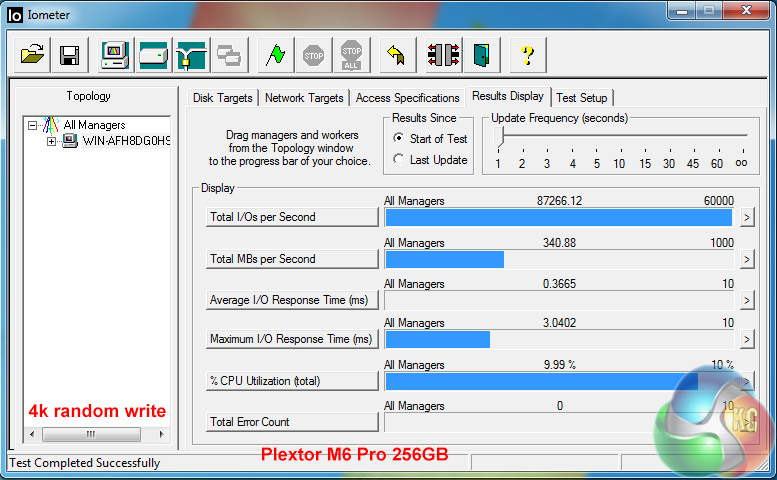
Plextor's own tests rate random 4k IOPS performance at 100,000 random read and 86,000 random write. Our own results are very close, hitting 98,410 read and 87,266 write.
Plextor bundle their own software on the CD which is supplied in the box.
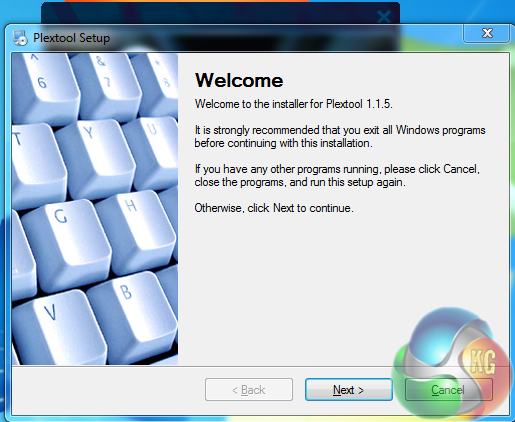
We installed Plextool 1.1.5 – which only takes a couple of seconds.
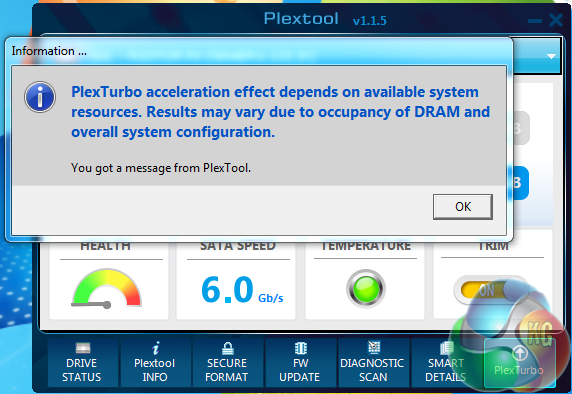
When the software is installed, select the drive, turn PlexTurbo caching on, and reboot. Simple as that.
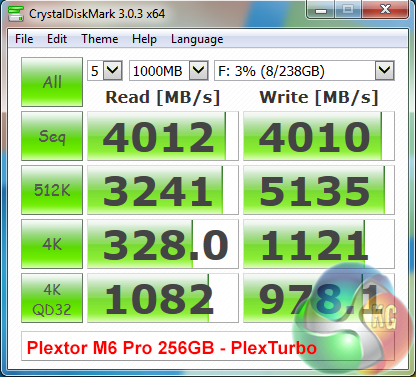
Plexturbo uses an intelligent SSD RAM caching solution using system RAM to accelerate the Plextor M6 PRO storage performance way beyond the limitations of the SATA 3 interface (600 MB/s or around 565MB/s in the real world, after factoring in overheads). The CrystalDiskMark test shows massive gains, hitting 4,012 MB/s and 4,010 MB/s in the sequential read and write tests respectively.
PlexTurbo incorporates an ‘Intelligent Boost Engine (IBE) technology to automatically detect frequently accessed (hot) and occasionally accessed (cold) data and then applies the best caching patterns for higher performance.
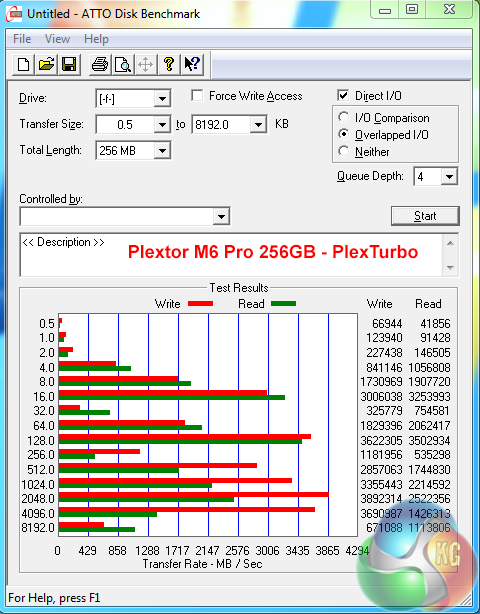
We noticed some ‘ups and downs' in the ATTO Disk Benchmark – this is going to happen as the system memory is swapped out in this synthetic benchmark. Still the peaks are much higher than without. Interestingly Plextor have incorporated a safe power loss system, which automatically protects against loss of data from the RAM cache during a power interruption or system crash.
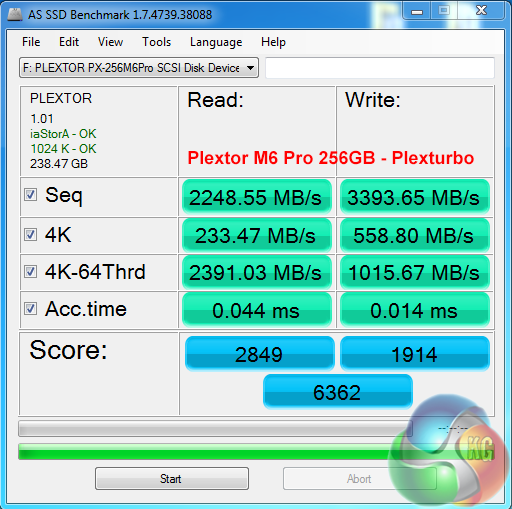
Interestingly Plextor also claim that the caching system will enhance the life of the SSD flash memory by using smart algorithms to eliminate unnecessary writing of data.
As a package, the Plextor M6 Pro is without doubt one of the most impressive solid state drives we have tested this year. First impressions certainly are memorable – we have yet to see a Solid State drive ship in a rose gold box, with such an extensive bundle, including caching software, SATA cables, adapter bays and other goodies.
Build quality is exceptional and while some people may not care for a rose gold brushed aluminum chassis with screen printing, there is no doubt that the company have went the extra mile with the presentation.
Technically, we rate the Marvell 88SS9187 controller highly – it isn't the first time we have tested it inside a high end Solid State drive. It deals with compressible and incompressible date to equally high levels, ensuring practical uses inside more serious workstation environments.
IOPS performance is excellent, our own tests rated very close to official Plextor 4k random claims of 100,000 read and 86,000 write. This would make the drive not only ideal for dealing with incompressible video, but database oriented workloads. Gamers may be contemplating the drive, but it really is an ideal partner for a more serious workstation environment.
Pricing reflects the high levels of performance – UK pricing for the 256GB drive is said to around the £115 inc vat mark, although availability is still very poor in the United Kingdom. For the average gamer – we still think the Samsung 840 EVO drives offer the best value and capacity at remarkable pricing (840 Evo 250GB £83.99 inc vat). If you have other, more intensive demands to place on an SSD, then the Plextor M6 Pro should definitely make the final shortlist of products.
Discuss on our Facebook page, over HERE.
Pros:
- balanced all round performance.
- 4k random IOPS rates close to 100,000.
- incompressible and compressible data handled equally well.
- Plexturbo works well.
Cons:
- expensive.
Kitguru says: The Plextor M6 Pro is a great ultimate performance drive, but the pricing is set to target the discerning workstation user within an extremely high demand environment.


How does the faked ~4000MB/sec speed actually compare to a 4000MB/sec PCIe NVMe drive?
Why wouldn’t you not use the turbo mode all of the time, and then wipe out the competition?
Show me an NVMe SSD that uses more than 4 lanes (32Gbit)
Havent seen any yet.
I’d be interested to see plexturbo run on an X99 with quad channel DDR4…cough.
That 4000MB/s is not the actual speed of the M6 Pro. It’s the system’s memory. Meanwhile the speeds in PCIE based SSD’s are really their raw performance speed. Here’s another review: http://thepcenthusiast.com/plextor-m6-pro-ssd-256gb-review/