 KitGuru KitGuru.net – Tech News | Hardware News | Hardware Reviews | IOS | Mobile | Gaming | Graphics Cards


Crystal Disk Mark:
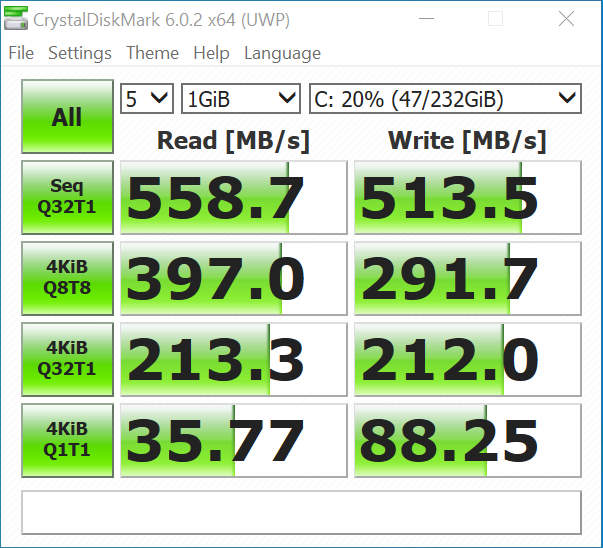
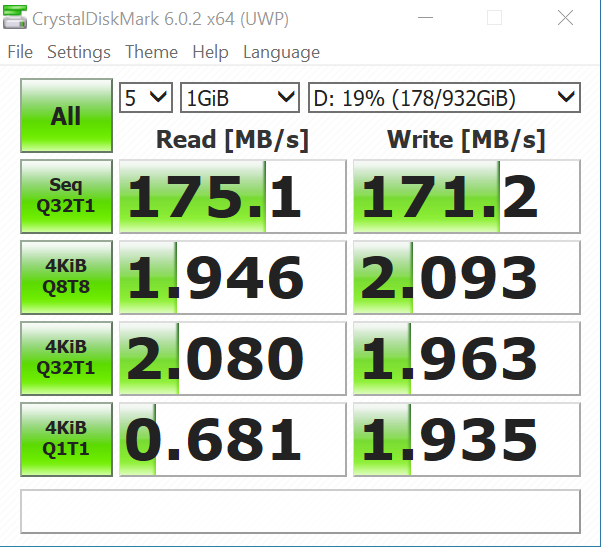
CrystalDiskMark tests the raw speed of a storage device. It uses a test file to write data to or read data from the drive. We test using the default 1GB file size.
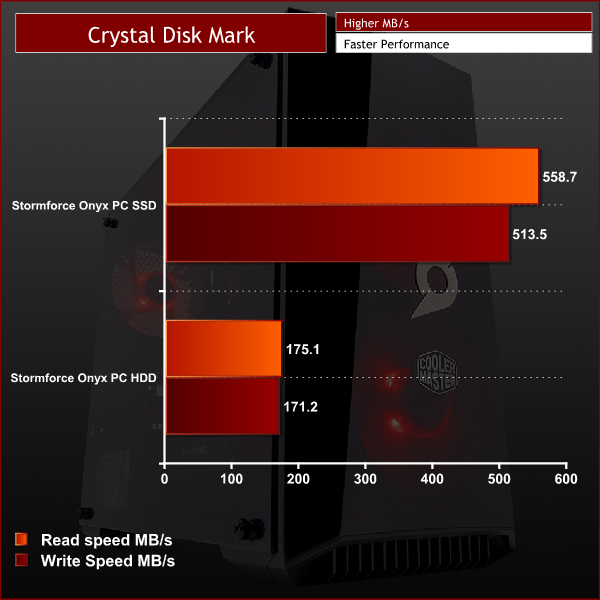
The storage drives in this PC are certainly a little lacklustre but this is a budget gaming system and costs have to be saved somewhere. I do really like that Stormforce have included a M.2 drive for the OS and a few games – but at 120GB it's small in size and isn't really faster than a standard SSD.
You also get a 1TB HDD for storing more games and large files but being a 5400rpm WD blue HDD the speed is less than ideal. Any games installed on this drive take a noticeably long time to get past the loading screens and you might find yourself upgrading to a larger faster drive in the near future.
Cinebench R15:
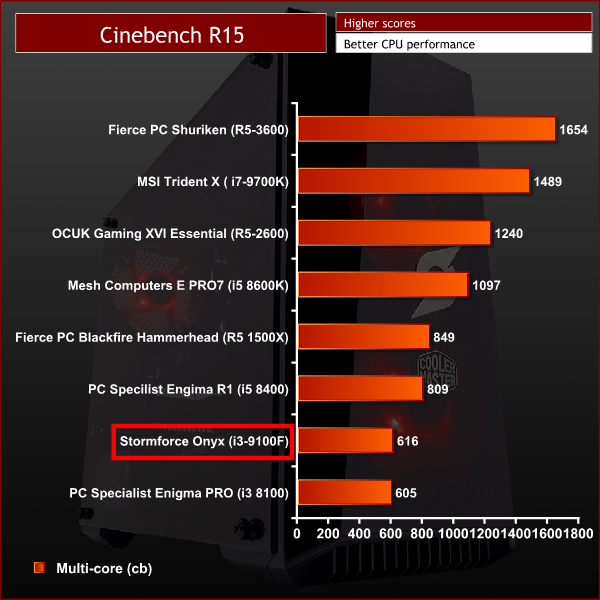
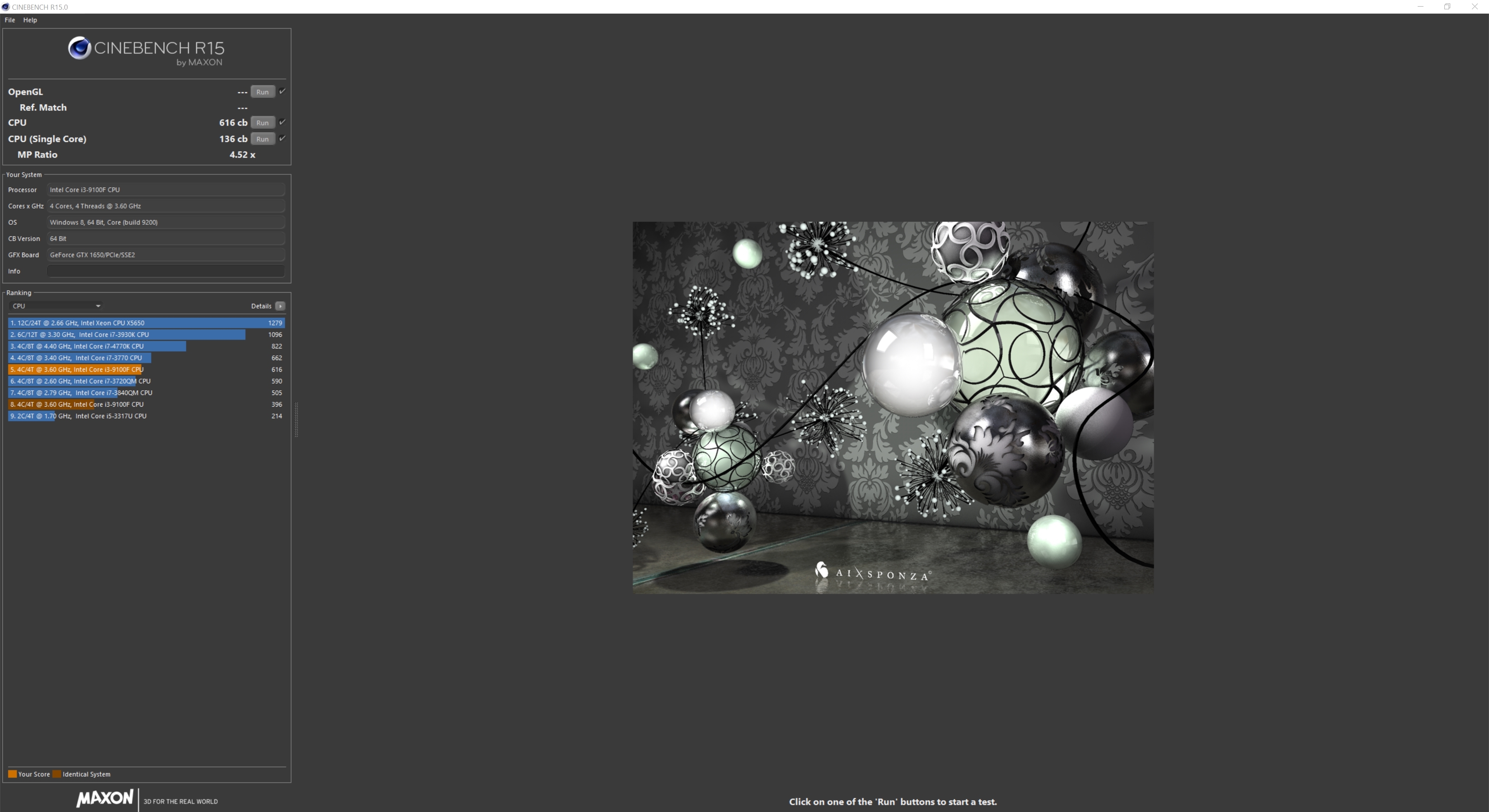
Cinebench R15 is a cross-platform testing suite that measures CPU performance. I compared the Stormforce Onyx PC to some other pre-built PCs kitguru have tested for a quick comparison.
Cinebench R20:
Improvements to Cinebench Release 20 reflect the overall advancements to CPU and rendering technology in recent years, providing a more accurate measurement of Cinema 4D’s ability to take advantage of multiple CPU cores and modern processor features available to the average user.
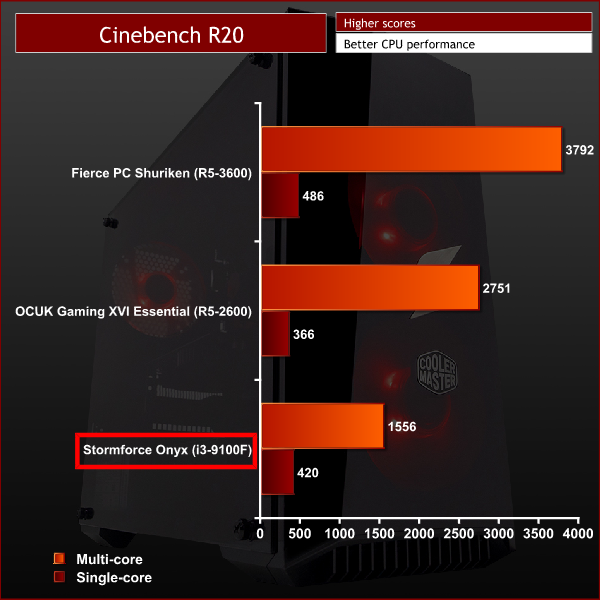
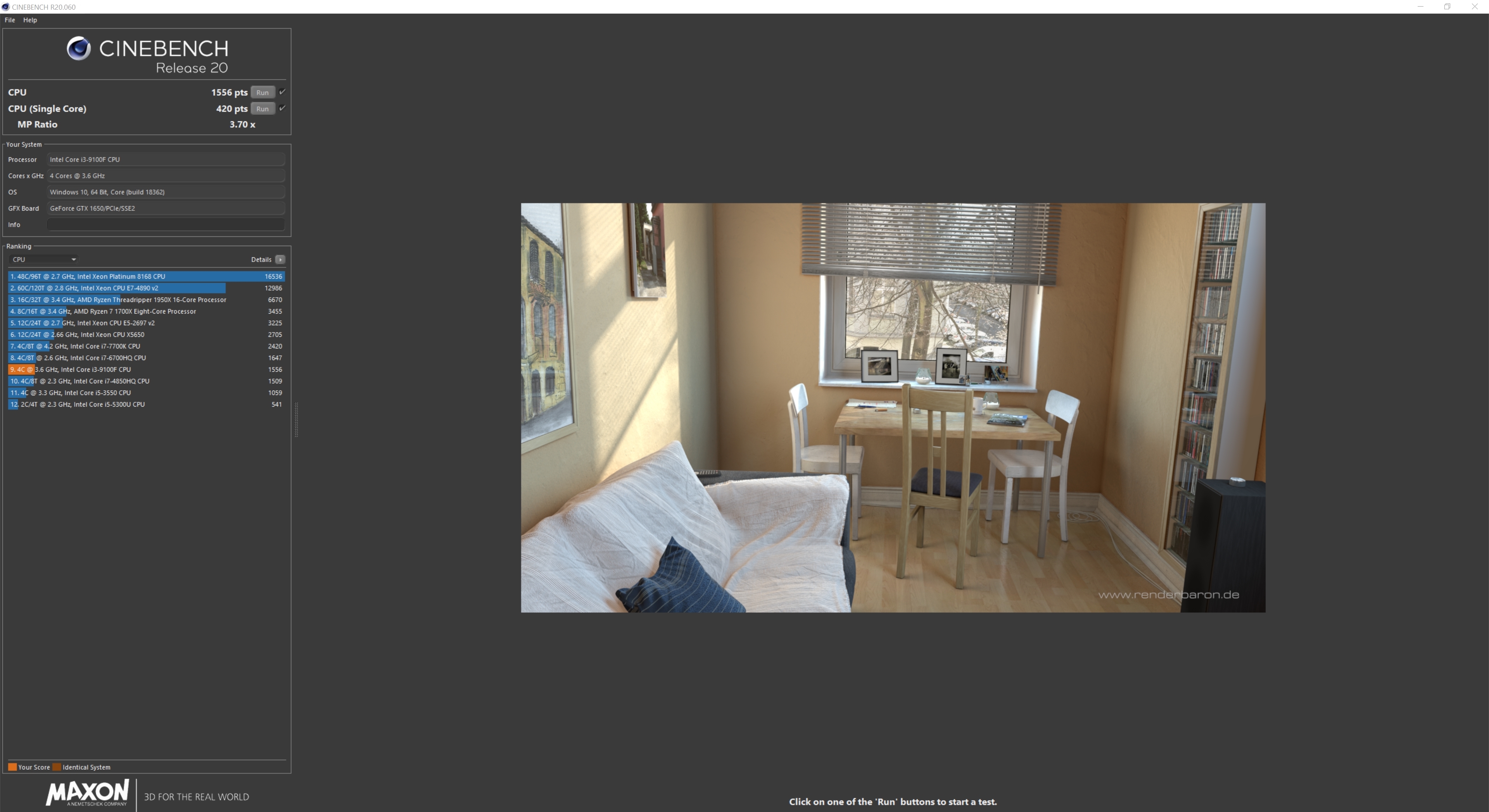
The i3-9100F inside the Stormforce Onyx is certainly a budget CPU but it does get some half decent scores. The 4 cores can boost to a decent speed and although this chip might lack the power needed for CPU intensive tasks such as rendering or video editing it should be able to cope with some gaming.
Also one thing worth noting is that the i3-9100F doesn't featured integrated graphics like most Intel CPUs so if your GPU goes haywire it can put your PC out of action until you get a replacement.
