KitGuru KitGuru.net – Tech News | Hardware News | Hardware Reviews | IOS | Mobile | Gaming | Graphics Cards


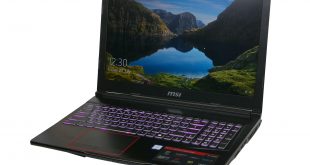
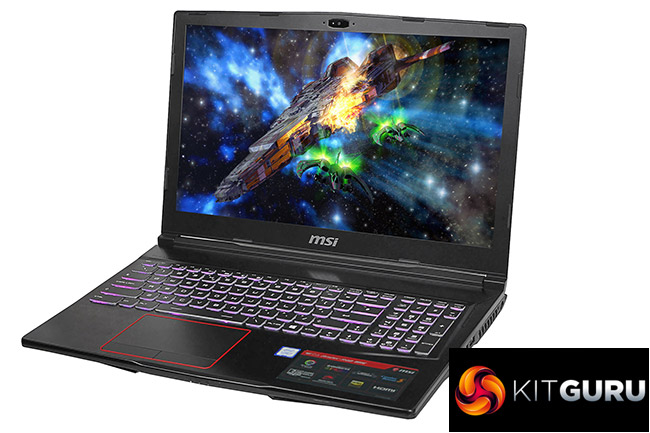
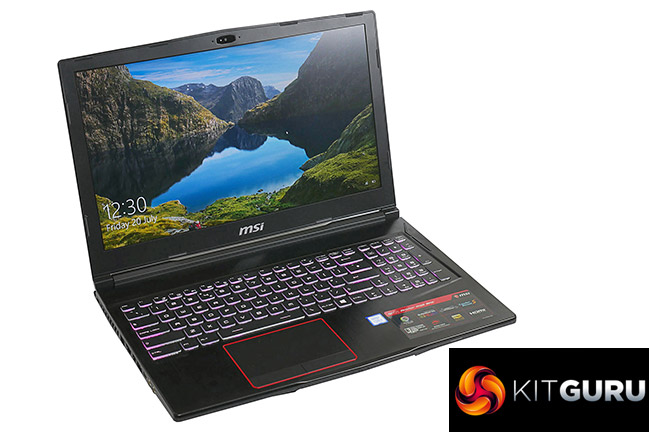
The MSI GE63 Raider RGB 8RE’s name may be something of a mouthful but it does helpfully contain one key clue to this laptop’s most obvious features: RGB lighting. An RGB backlit keyboard and RGB slashes on the lid let you add your own colour scheme to this 15.6inch laptop.
Elsewhere it’s a fairly typical mid-level gaming laptop, with a modest design but powerful spec that includes an Nvidia GTX 1060 and Intel Core i7-8750H. With both an M.2 SSD and 2.5inch drive bay you get both speed and capacity when it comes to storage and the edges are strewn with plenty of connectivity.
Options of either a 120Hz TN screen or 4K IPS model mean you can choose whether to prioritise image quality or performance too. Let’s dig a little deeper to see how it holds up.
Specification:
- OS: Windows 10 64-bit
- CPU: Intel core i7 8750H (2.2Ghz – 4.1GHz)
- Display: 15.6” 120Hz Full HD LCD in LED backlight 1920×1080 16:9
- Memory Supplied: 2 x 8GB
- Memory Type: DDR4
- Memory Speed: 2,400
- Max Memory Support: 32GB
- Graphics Chipset: nVidia GeForce GTX 1060
- Graphics Memory: 6GB GDDR5
- Storage: 256GB M.2 SSD, 1TB HDD
- Keyboard Type: Chiclet
- USB Ports: 3 x USB 3.0, 1 x USB Type C
- HDMI Port(s): 1
- Microphone/headphone Jack(s): 1 of each
- Card Reader: SD (XC/HC)
- Audio: 4.0 sound by Realtek
- Wireless LAN – Intel 2×2 802.11ac
- Bluetooth: V4.2
- Webcam: Full HD type (30fps@1080p)
- Warranty: 1yr RTB
Total cost £1379.99 inc vat.
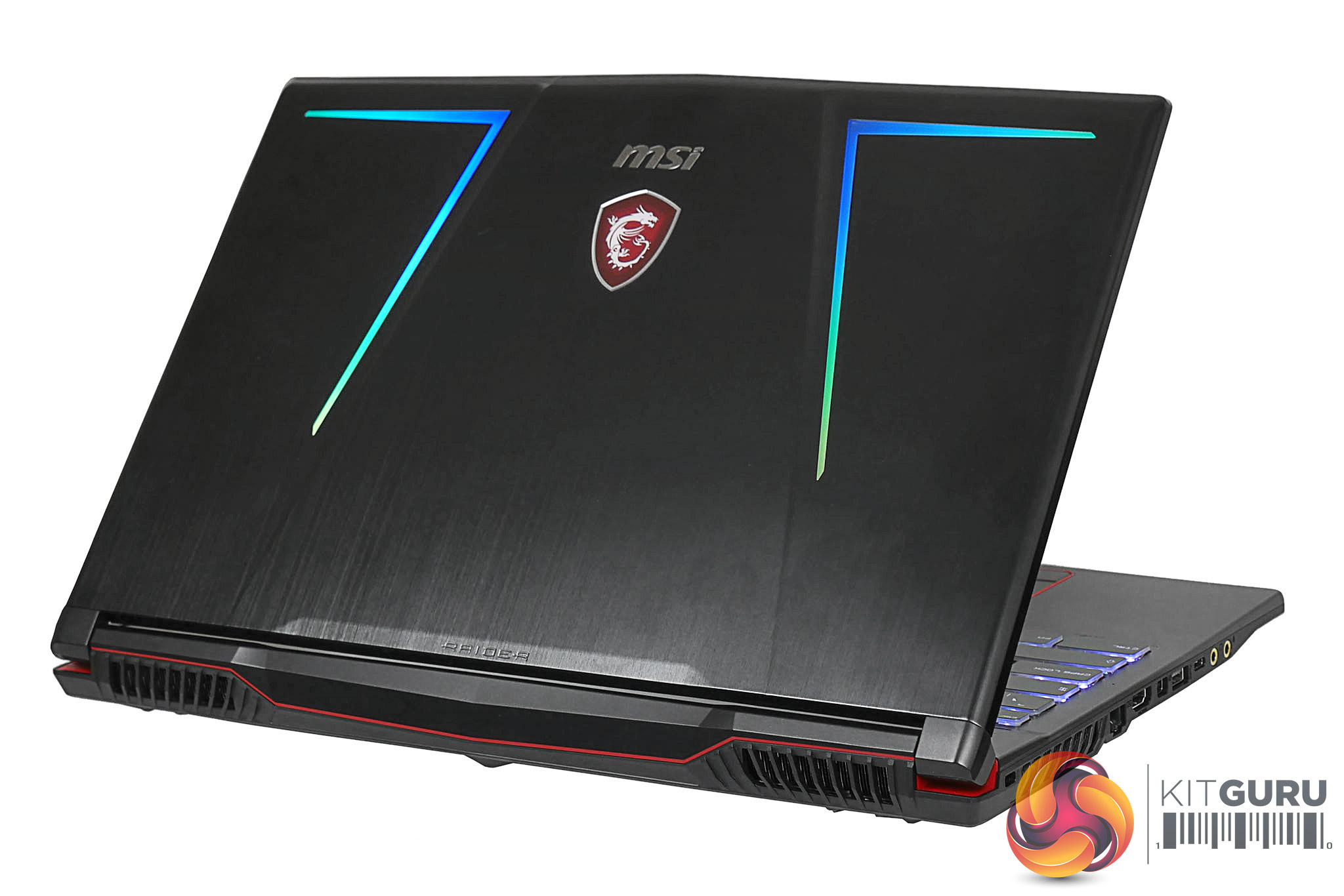
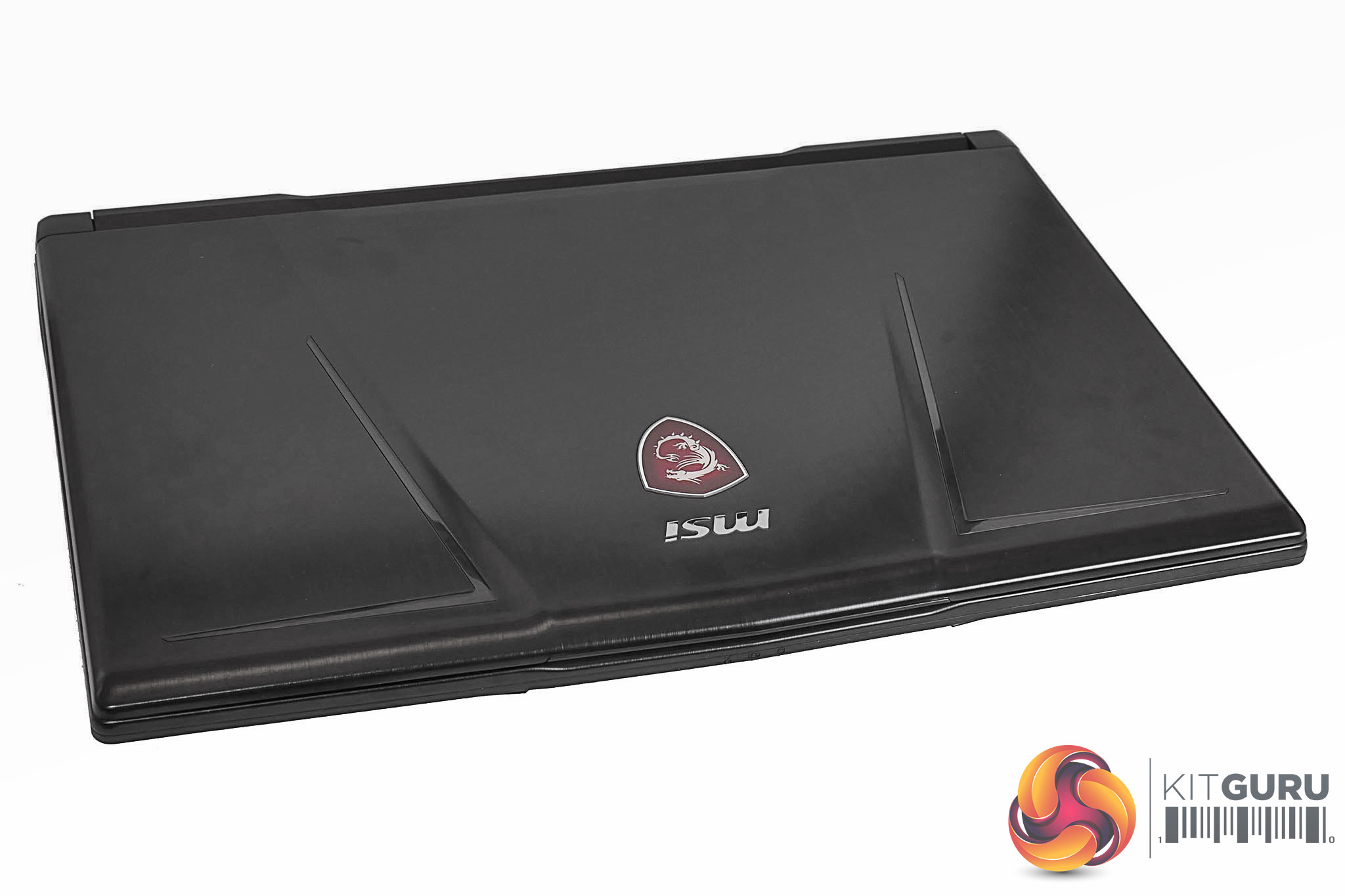
This isn’t the most stylish laptop we’ve ever tested, but MSI has made an attempt to bring a slightly more premium feel to proceedings. Brushed aluminium panels adorn the back of the lid and the keyboard surround plus of course you get the RGB lighting that gives this laptop part of its name.
As well as an RGB backlit keyboard there are a couple of RGB strips on the back of the lid so you can present your colours of choice to those behind too.
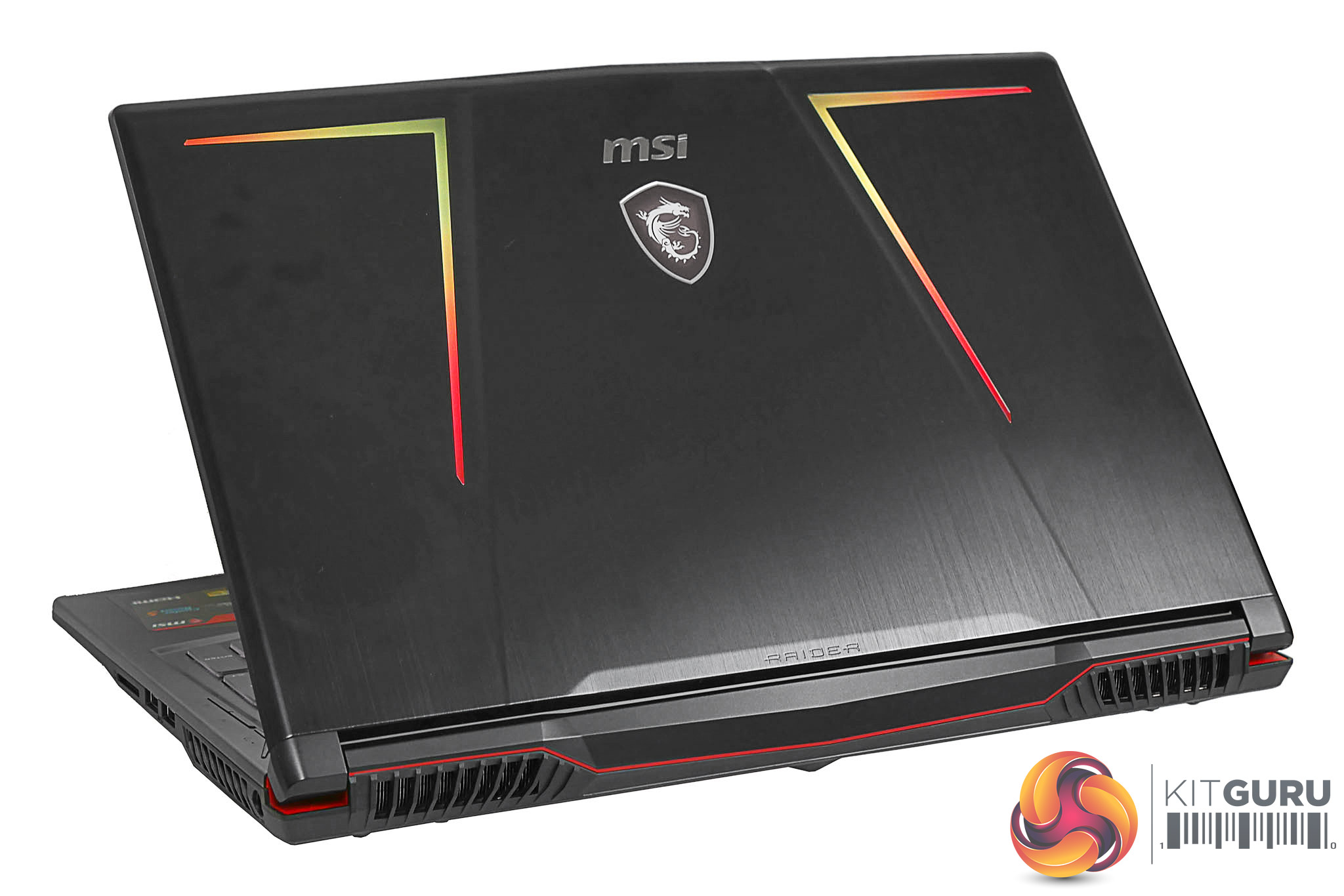
However, the chassis is plastic so it isn’t particularly rigid and the overall design is nowhere near as cohesive as the likes of the Razer Blade Pro. Little details like the MSI badge on the lid having a hard edge don’t help either.
It’s a reasonably lightweight and slim machine for its size, though, weighing in at 2.49kg and measuring 383 x 260 x 29.5mm.
Returning to the RGB elements, the lights on the back are a nice subtle touch – depending on the lighting scheme – but the keys are a bit distracting, at least at first. In their default configuration they constantly change with a rainbow effect washing across the keys.
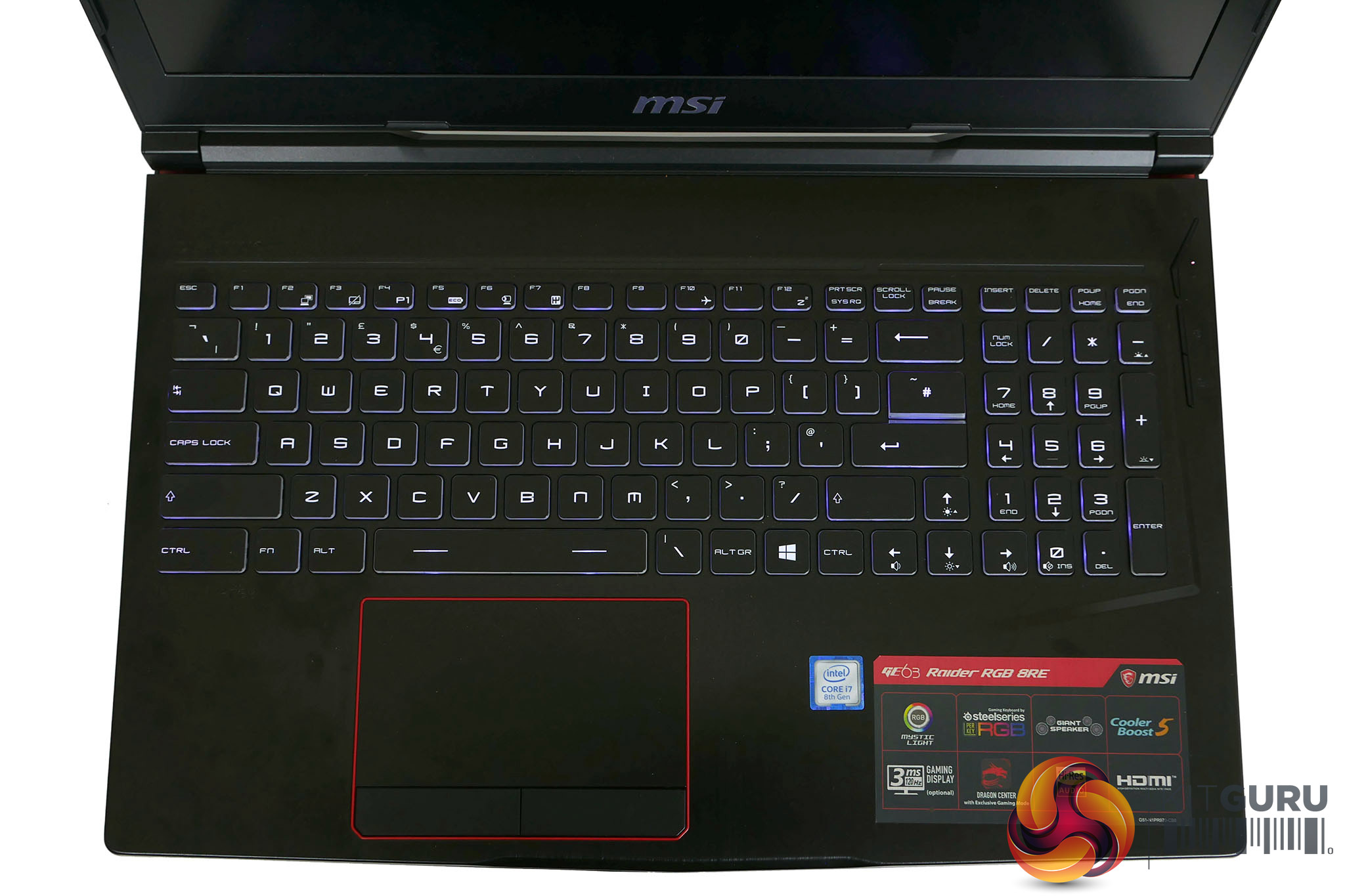
It certainly shows off the RGB capability but I can see it putting off a few buyers that aren’t quite so keen on such a dazzling display. What’s more, the sides of the keys are clear so they also allow the light to shine through even more.
It’s a good thing, then, that you can fully customise (and turn off!) all the lighting using SteelSeries’ Engine software, which we’ll cover more later in this review.
Machines of this size simply don’t have the cooling capacity for a GTX 1080, so a GTX 1070 is your limit here. However, with this particular configuration you’re getting a GTX 1060, which is still ample for the vast majority of gaming – especially at the native 1080p resolution of this screen. Plus, you miss out on very little elsewhere.
An Intel Core i7-8750H is the heart of the system and it’s joined by 2 x 8GB sticks of 2,400MHz DDR4 RAM, a 256GB M.2 SSD and a 1TB hard drive. Notably, though, the SSD isn’t a particularly fast model so storage is one area where you may look to make some future upgrades.
Joining these internals is a choice of either a 120Hz 1080p TN screen or a 60Hz 4K IPS model. We opted to test the 120Hz model, as competitive gaming is such a key focus of buying a laptop of this type.
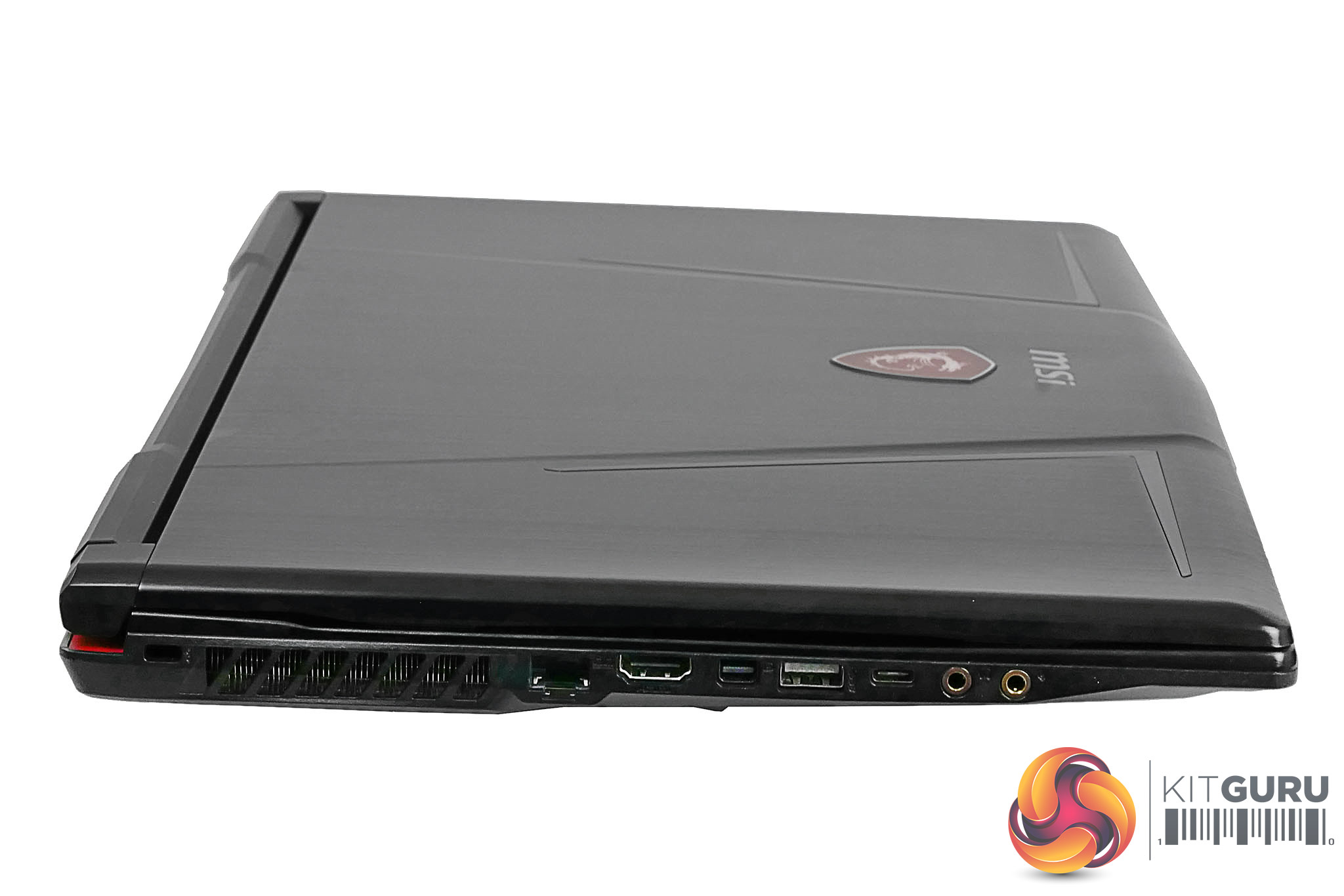
Connectivity is as ample as you’d expect, too. Down the left side there are a pair of audio jacks for headphone and microphone, a USB Type-C, a USB 3.0, mini DisplayPort, full-size HDMI, gigabit Ethernet and the obligatory Kensington lock slot.
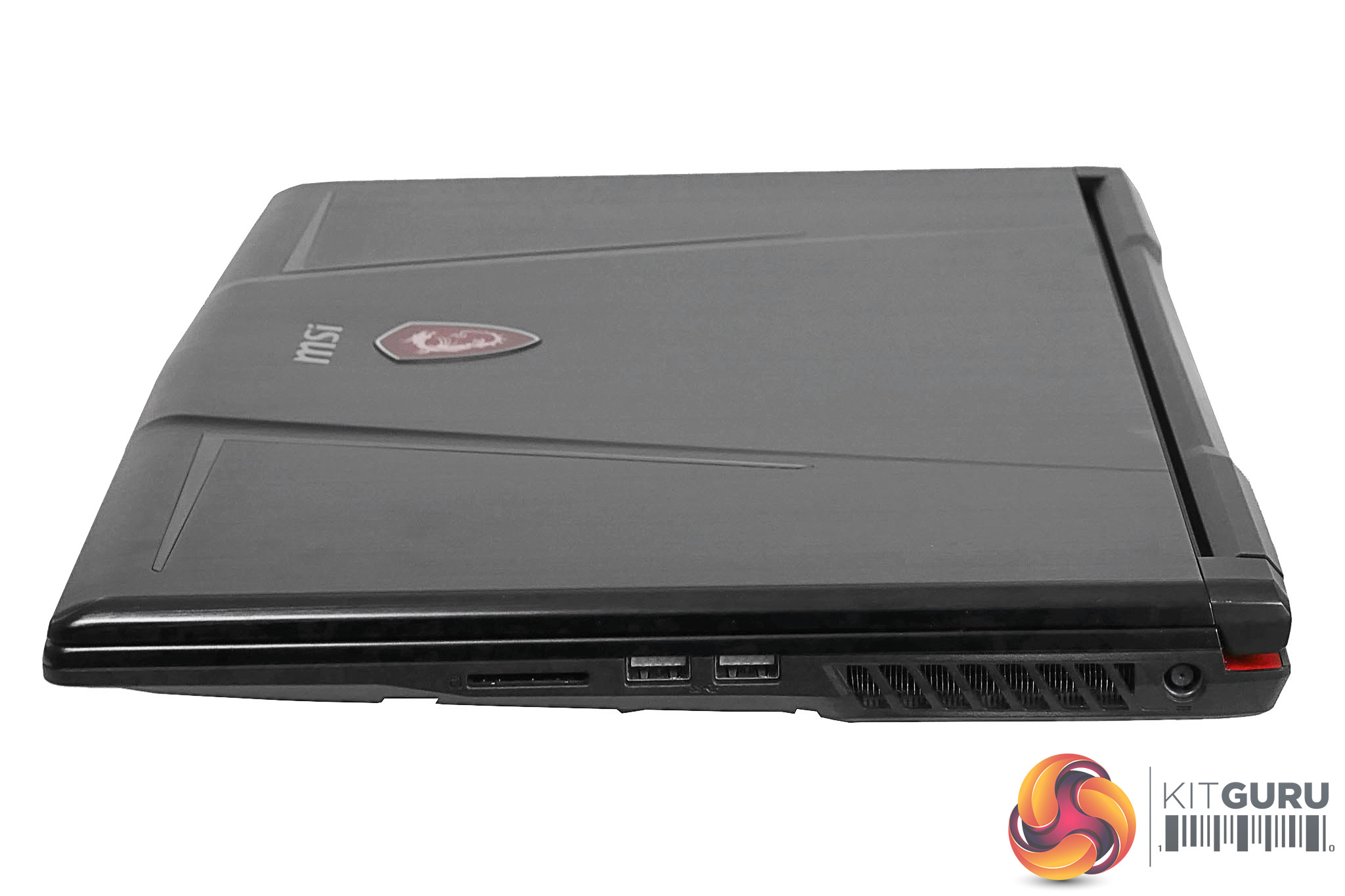
Meanwhile on the right is the power input – as you’d expect, a fairly hefty power brick is required here – two more USB 3.0 ports and an SD card reader.
This configuration of the GE63 RGB will set you back £1379.99 while the other main configuration, the GE63 8RF, costs £1940. For that extra outlay you’ll get a 512GB SSD and GTX 1070 graphics card.
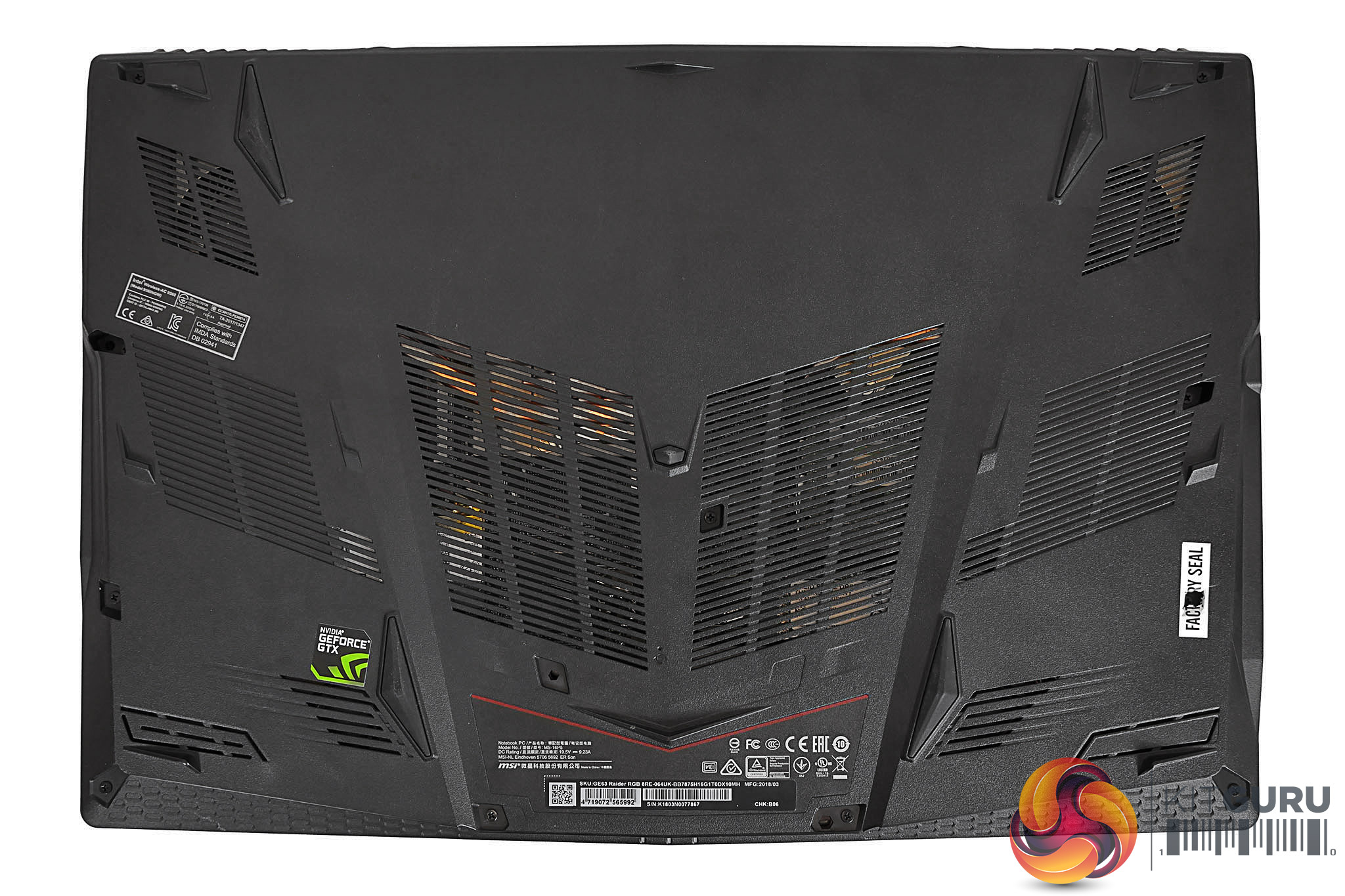
If you do fancy performing a few upgrades yourself the base of the laptop can be removed to provide access to the RAM, SSD and hard drive. However, there’s clearly a knack to doing so. Simply removing the screws wasn’t enough to gain us quick access.
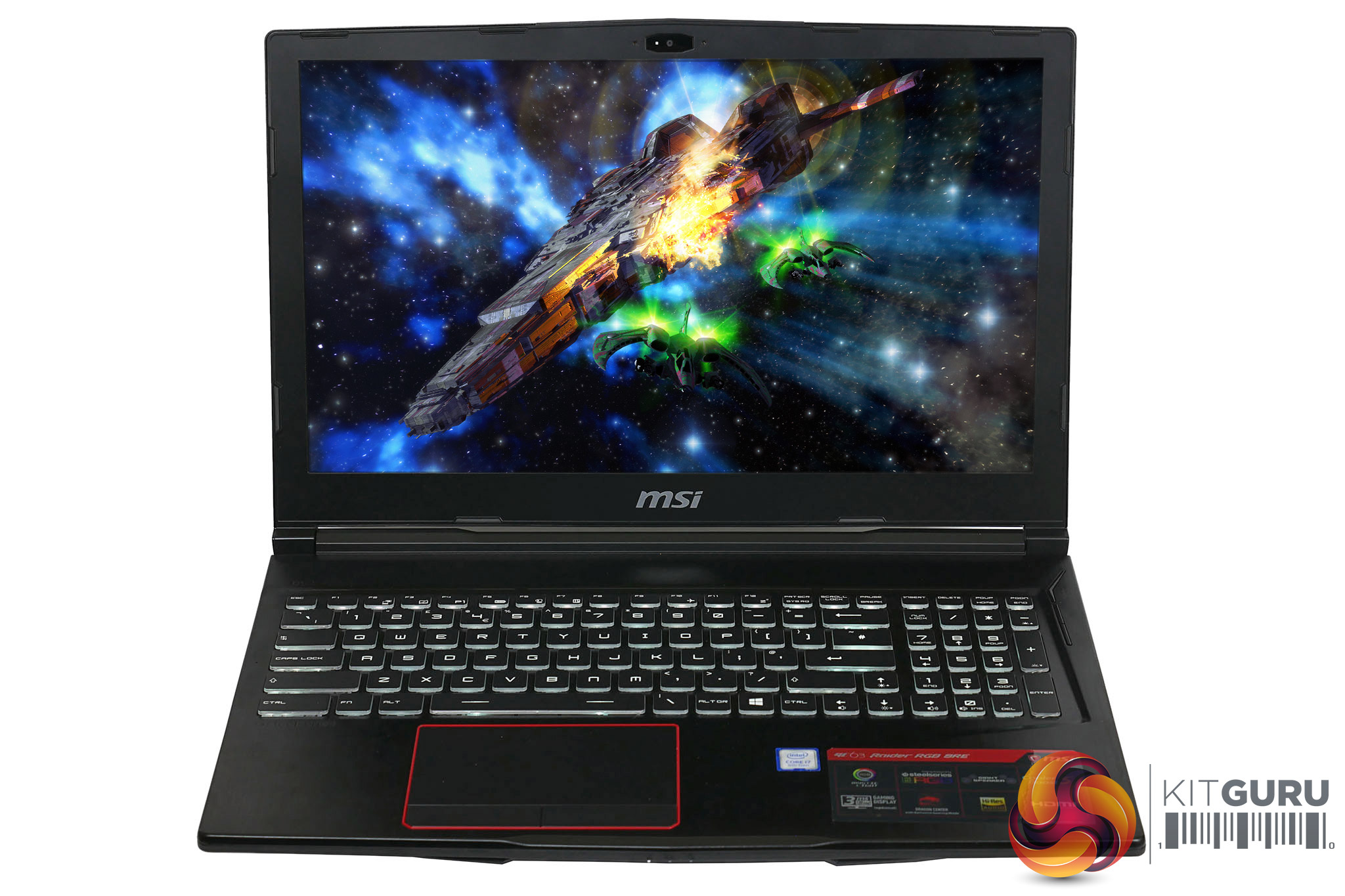
MSI has again teamed up with SteelSeries to create the keyboard for the GE63 RGB. It’s essentially a standard chiclet style layout and each key offers 2mm of travel with an activation force of 71 grams.
For us UK folk, the US-style Enter and Shift keys are a bit of a nuisance – especially if you regularly switch back and forth between a desktop and laptop – but you at least get proper UK labelling for things like the £ symbol.
Also notable is that you do get a numpad, which isn’t necessarily a given on a 15-inch machine.

The overall typing experience is good, though not our favourite either in terms of feel or layout. Most irksome, though, is the aforementioned backlighting. Two things, in particular were a little annoying. One was the light leaking from the sides of the keys, which was still a bit distracting even when the light level is low.
The other was that for fans of plain old white backlighting, this tri-colour backlighting doesn’t do a great job of combining to create white. It very definitely looks like three different colours being smooshed together.
As for the trackpad, it’s of the fixed variety with separate buttons, rather than the whole pad depressing. It’s nice and large and provides accurate tracking.
The screen, meanwhile, is very good. Its 120Hz refresh rate and 1080p resolution are ideal for a wide variety of games, providing the performance required for competitive matches and the sharpness you want for more engrossing games.
Out of the box colour accuracy and general performance is good too. A colour temperature of 6654K is very close to the ideal of 6500K while a contrast of 992:1 is just about as good as TN displays get. A gamma of 2.37 is also close enough to the ideal of 2.2.
The only caveats are that maximum brightness is a touch low, at 317nits. That’s enough for a monitor but for a laptop that’s more likely to find itself in a particularly bright environment, we’d like to see just a touch more.
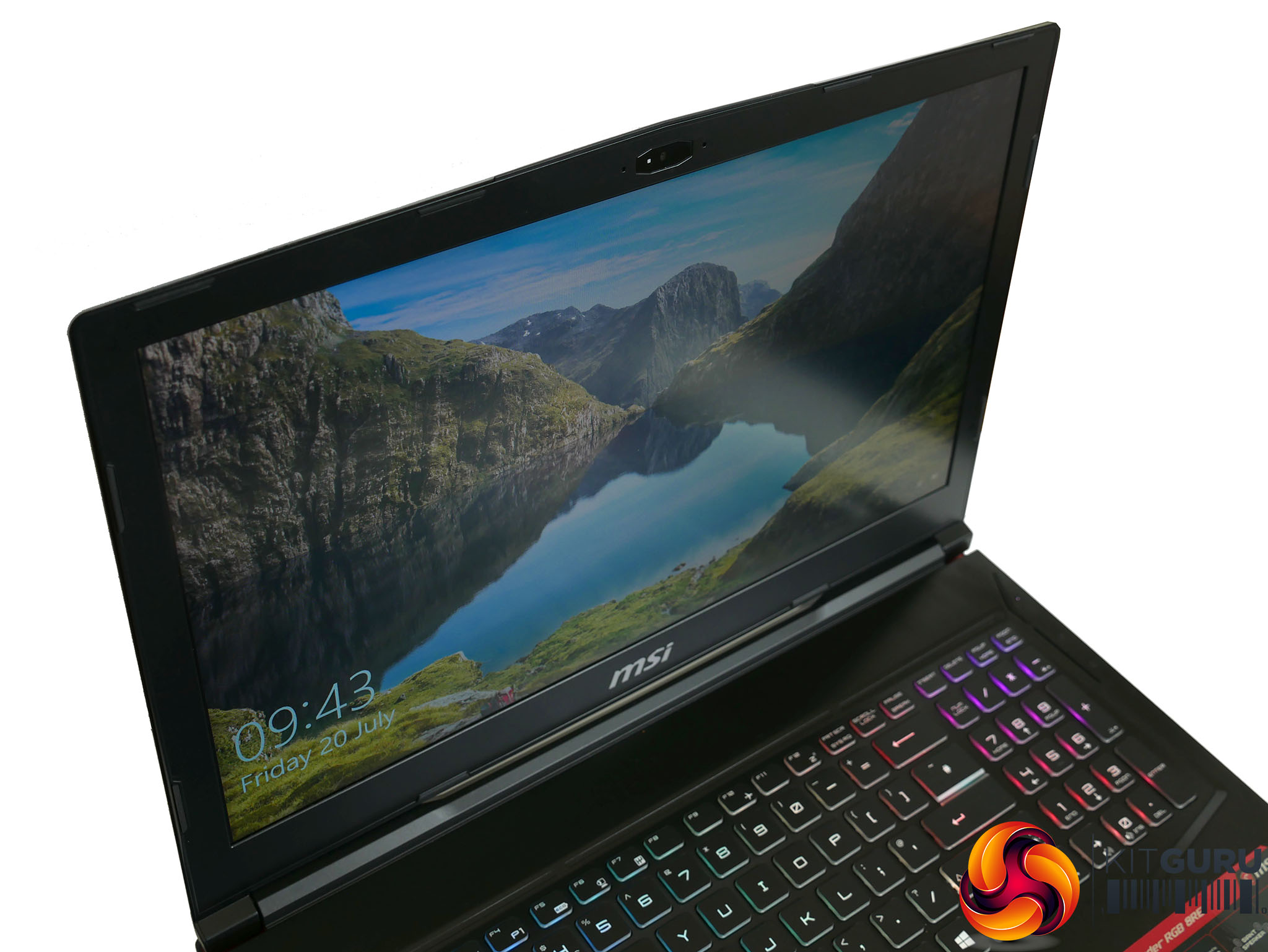
The use of a TN screen means viewing angles aren't great.
The other factor is of course the viewing angles of TN. The shift in contrast and colour that you get when viewing the display from anything other than straight on are all the more noticeable on a laptop, where you’re likely to be using it at more awkward angles. This is less a concern for gaming – where you’re likely to be sat at a desk or table – but more for watching video and general browsing when lying on a bed, squashed into an aeroplane seat, and so on.
On the audio side, you get a pair of speakers and a sub-woofer with a total power of 6W. They sound pretty decent too. There’s definitely a bit more power and definition than you’ll find on most smaller or cheaper laptops, so its a good inclusion from MSI.
To test the MSI GE63 Radier RGB 8RE, we put it through our standard array of benchmarks and tests. We have tested CPU performance, GPU performance, drive performance, thermals, screen quality and battery life to give a comprehensive view of the laptop.
Here are the benchmarks you can expect to find in this review:
- Cinebench R15
- CrystalDiskMark
- 3DMark Fire Strike
- 3DMark Fire Strike Extreme
- 3DMark Time Spy
Screen quality was tested using an Xrite iDisplay Pro colorimeter and DisplayCal software.
We also tested 1080p gaming performance with the following games:
- Deus Ex: Mankind Divided
- Rise of the Tomb Raider
Here are the machines we’ve used for comparisons against the Raider:
CINEBENCH R15 is a cross-platform testing suite that measures hardware performance and is the de facto standard benchmarking tool for leading companies and trade journals for conducting real-world hardware performance tests. With the new Release 15, systems with up to 256 threads can be tested.
CINEBENCH is available for both Windows and OS X and is used by almost all hardware manufacturers and trade journals for comparing CPUs and graphics cards.
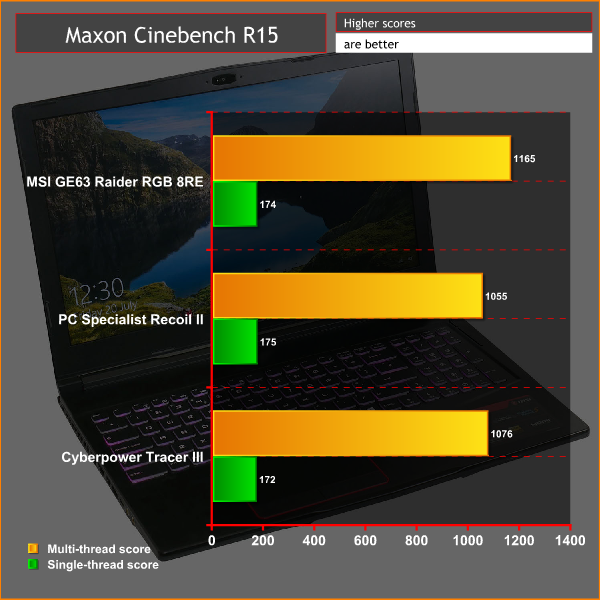
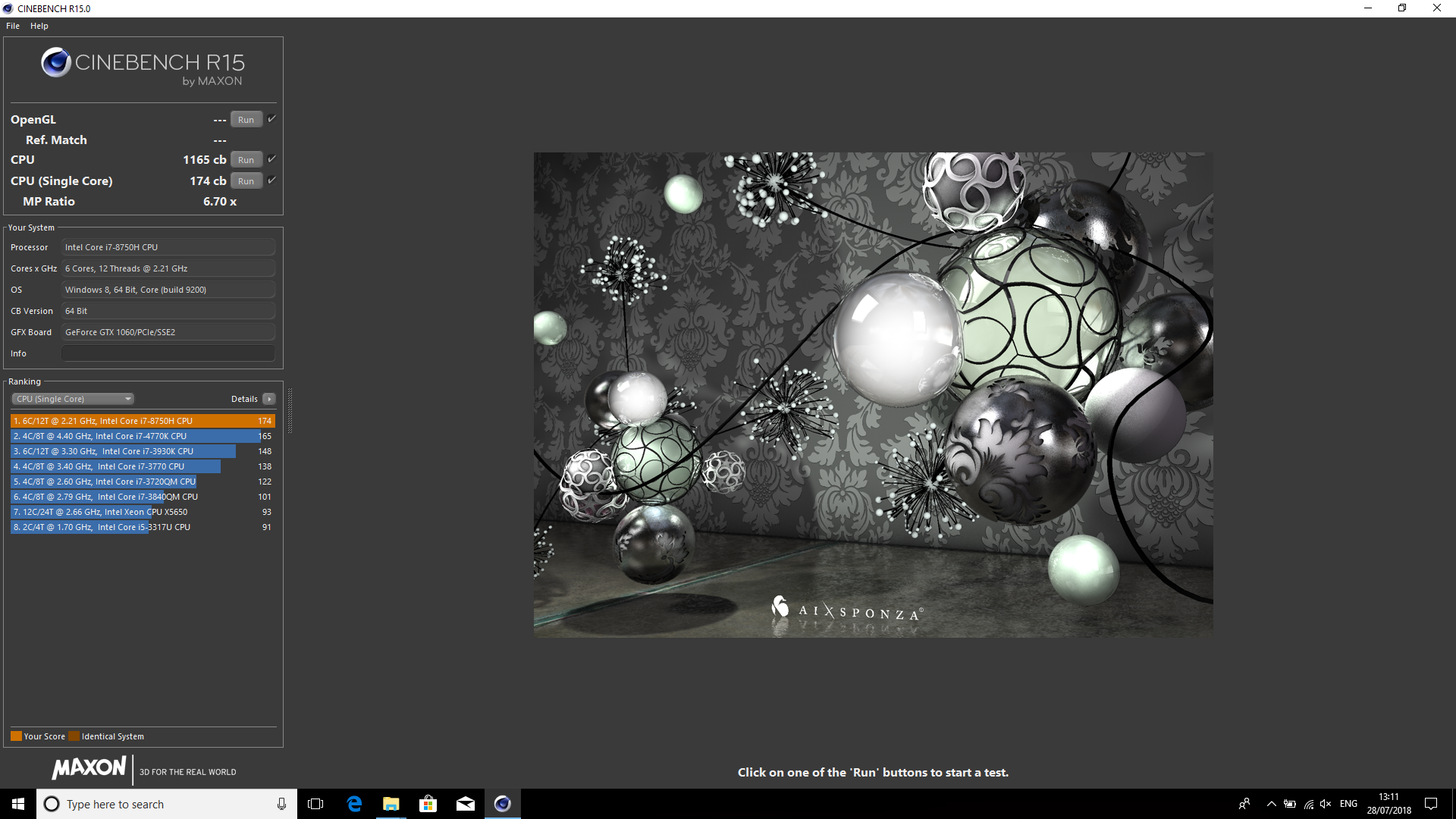
The MSI GE63 Raider RGB 8RE holds its own against its direct competitors, taking top marks for its multi-thread score and coming in second place for the single-thread test. Moreover, all three laptops offer ample performance both for day to day stuff and gaming.
CrystalDiskMark 5.1.1 is an industry standard benchmark for testing the raw speed of a storage device. It uses a test file to variously write data to or read data from the drive, checking for sequential read and write speed and random read and write performance, with it also testing performance at various queue depths. The size of the test file can be selected from 50MB to 32GB. We test using the default 1GB file size.
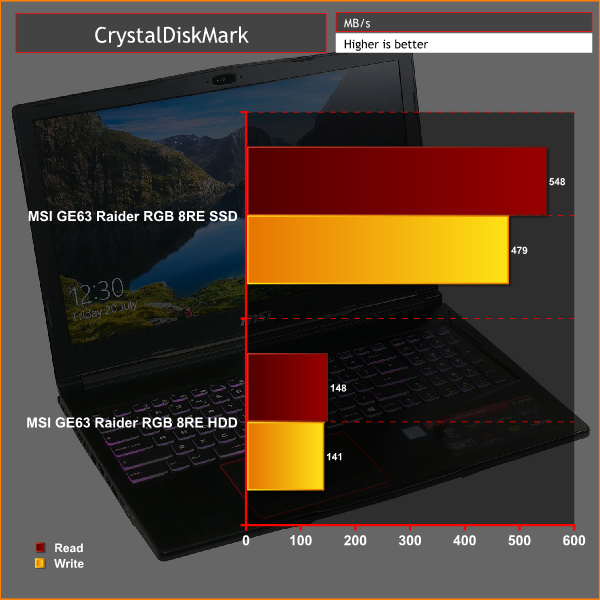
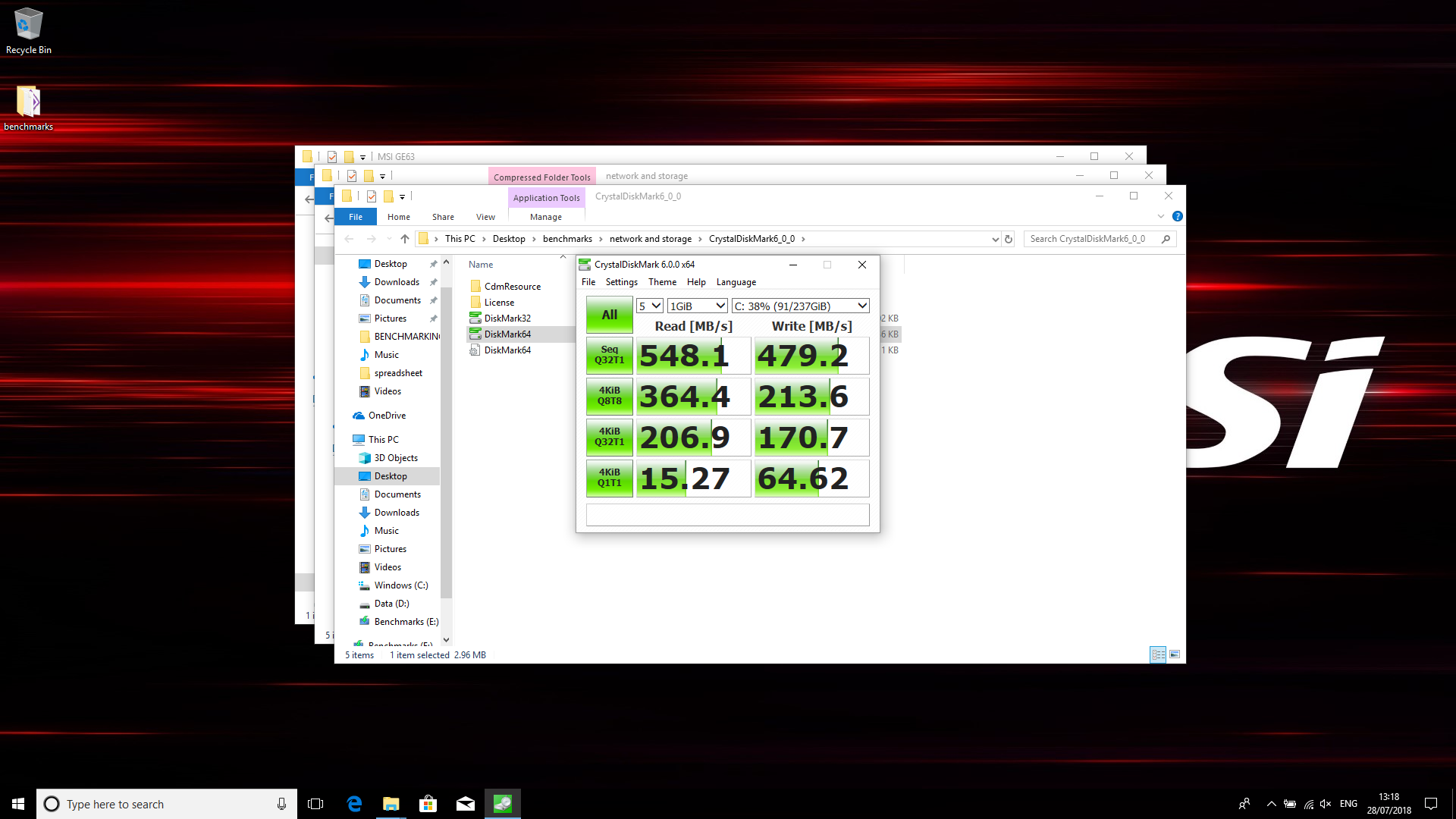
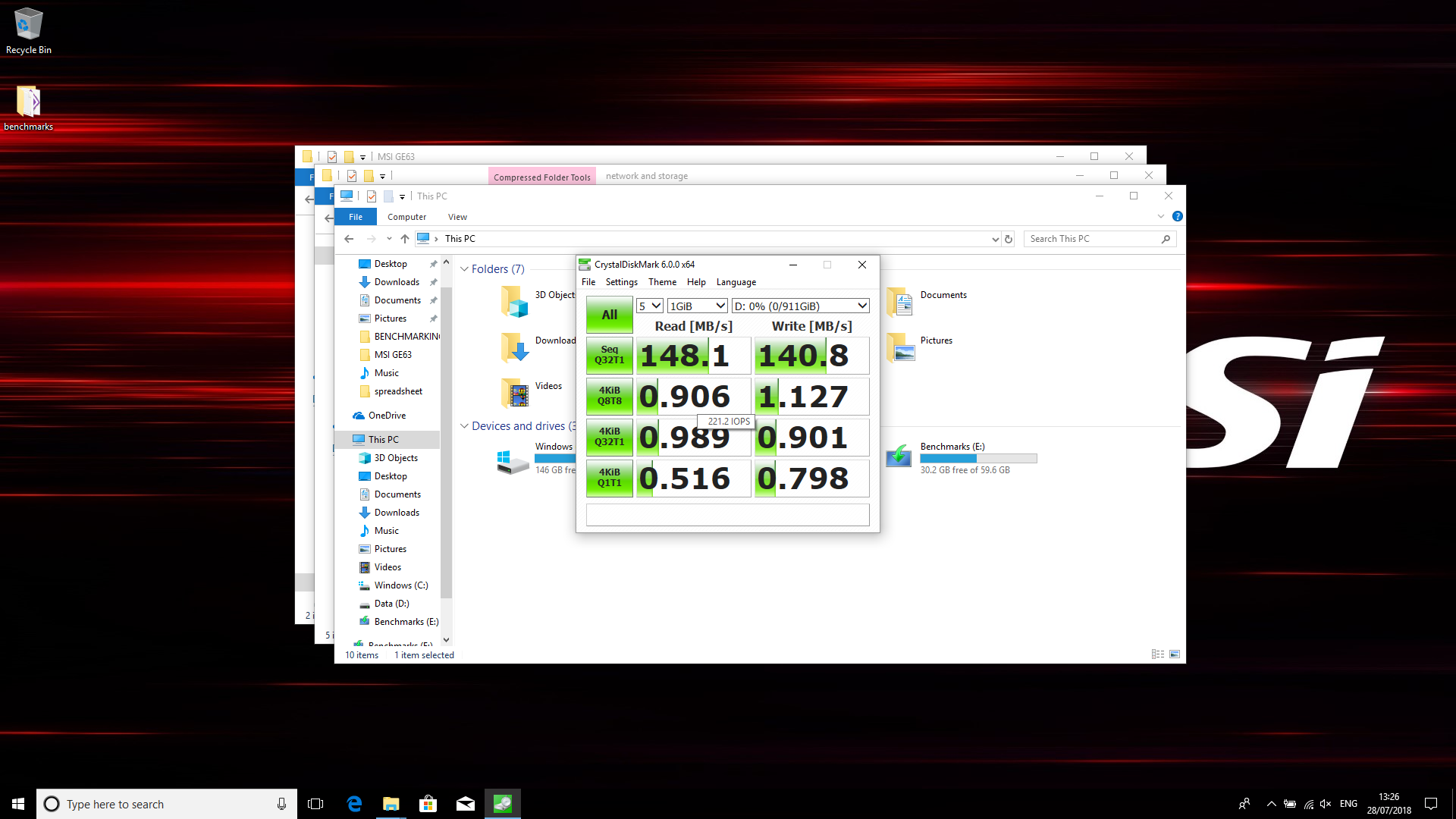
The storage on this laptop is one area that’s a little disappointing. While nearly all SSDs are fast enough for most tasks, there’s no getting round the fact that the one included here is slow in comparison to many other options out there. Many relatively inexpensive 256GB M.2 SSDs will easily double the speed of this drive.
Meanwhile, the 1TB hard drive offers the sort of performance that’s typical for a basic 2.5inch drive. With 1TB SSDs now available for well under £200, upgrading this 2.5inch drive would be a good way to ensure all the data on your laptop can be accessed nice and quickly.
Another industry-standard benchmark, 3DMark provides a number of different tests for taxing graphics cards and emulating different gaming challenges. We use the Fire Strike and Fire Strike Extreme tests, which run the same test but at two different resolutions: 1080p and 1440p.
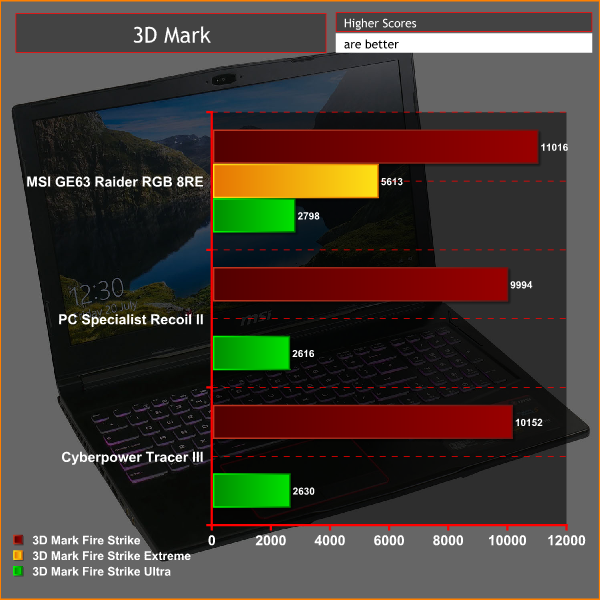
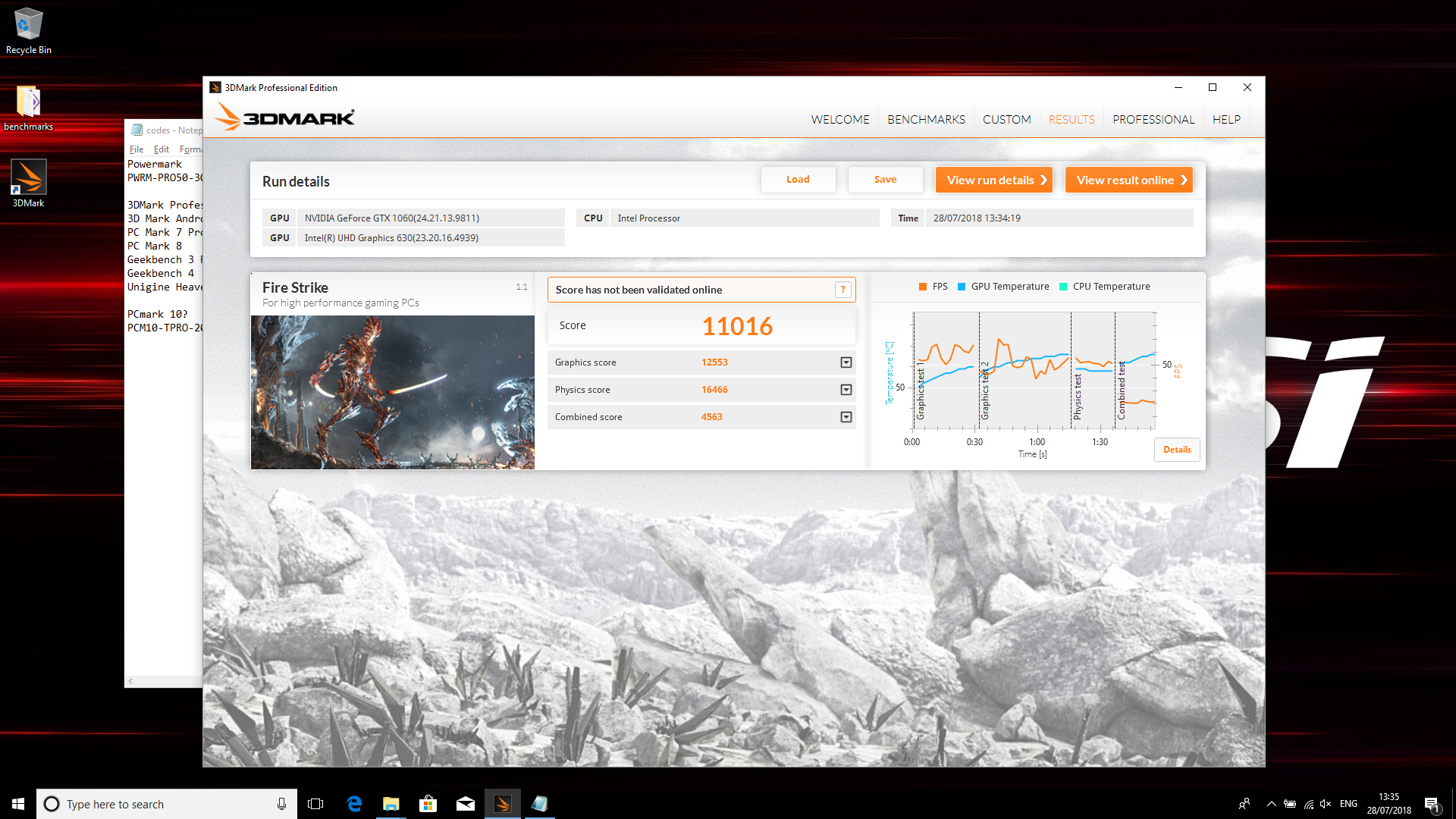
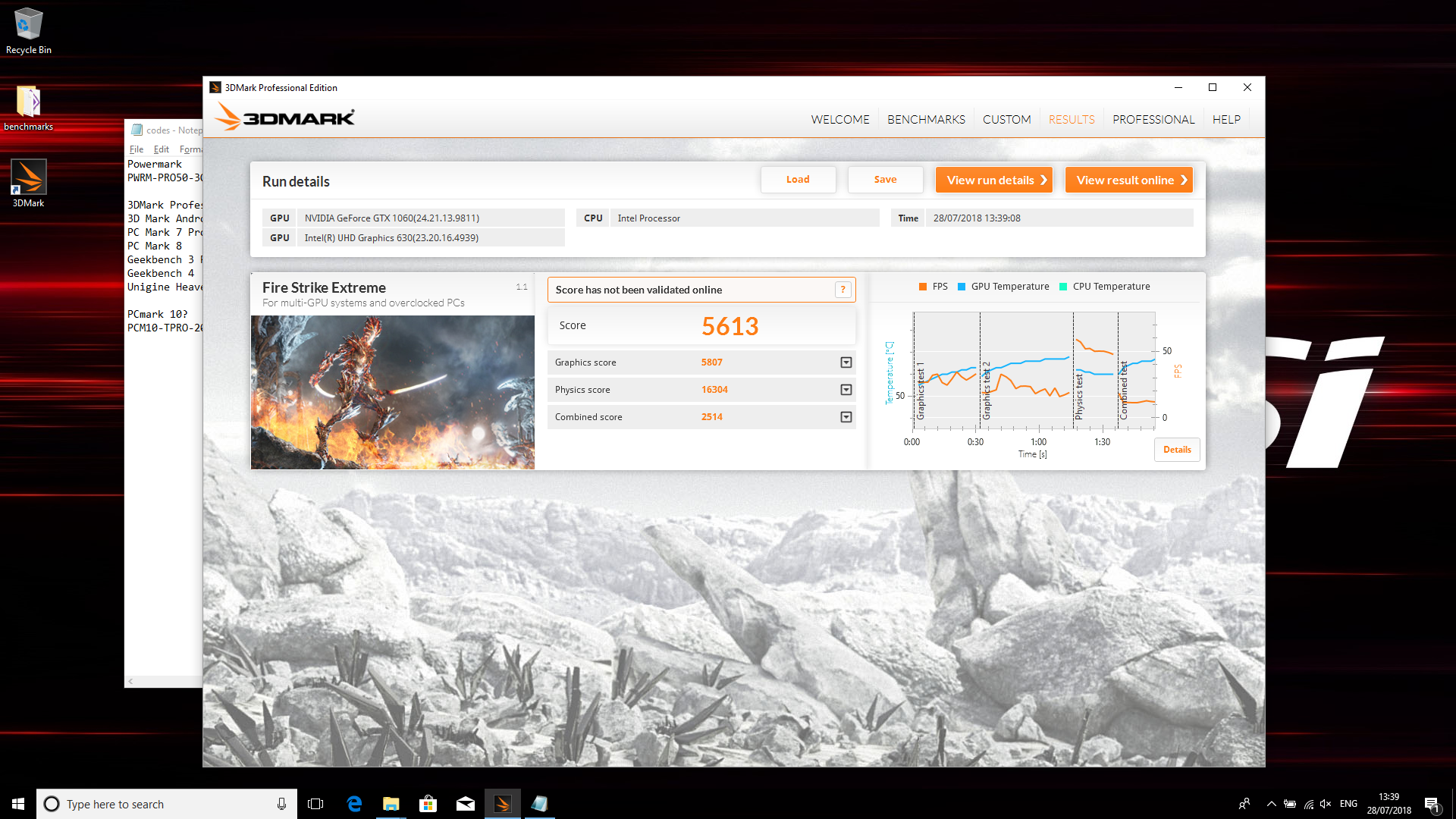
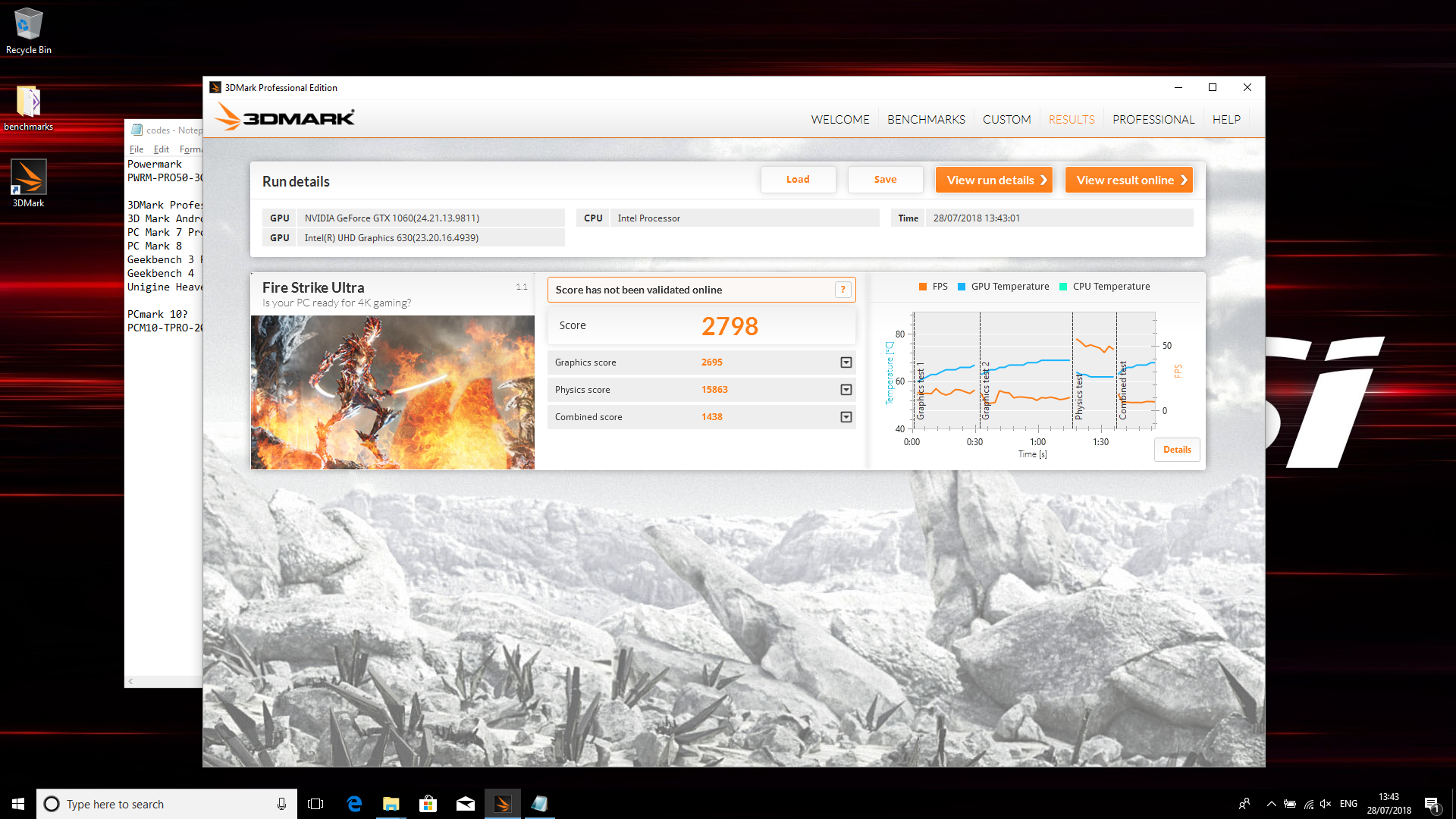
Here we again see the GE63 go toe-to-toe with its other key rivals. Jump up to any system with a GTX 1070 or higher and these numbers will increase significantly but for a GTX 1060-equipped laptop, this machine performs as expected.
Next up we ran some real-world gaming tests, using Deus Ex: Mankind Divided and Rise of the Tomb Raider. We tested at 1080p using each game’s in-built benchmark.
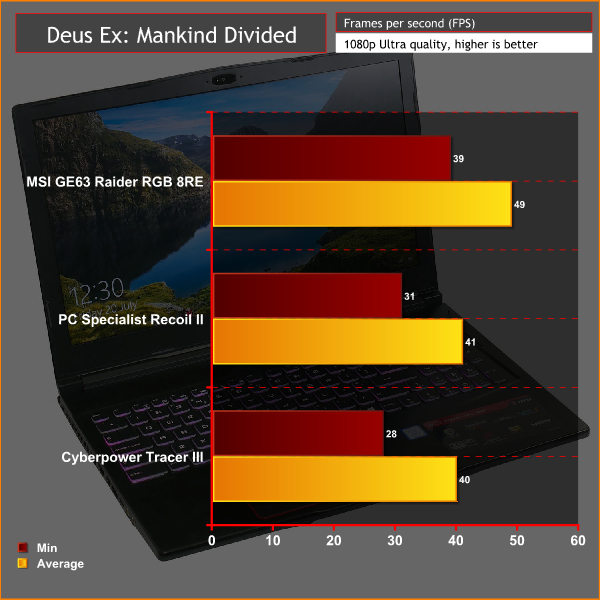
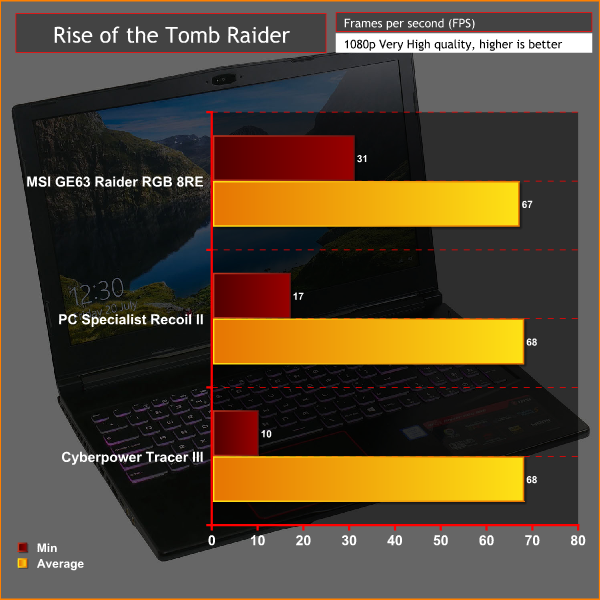
Here we get more of a sense of what those numbers in 3DMark actually mean in real life, with the GE63 delivering comfortably playable settings at 1080p.
In our comparisons we've tested at very high detail settings so we don't see this laptop make the most of its 120Hz screen in these tests. However, running at medium detail settings you'll comfortably get over 70fps average in Rise of the Tomb Raider and over 50fps in Deus Ex: Mankind Divided. Meanwhile, less demanding games such as Fortnite and Counter-Strike: Global Offensive should hit well above 100fps.
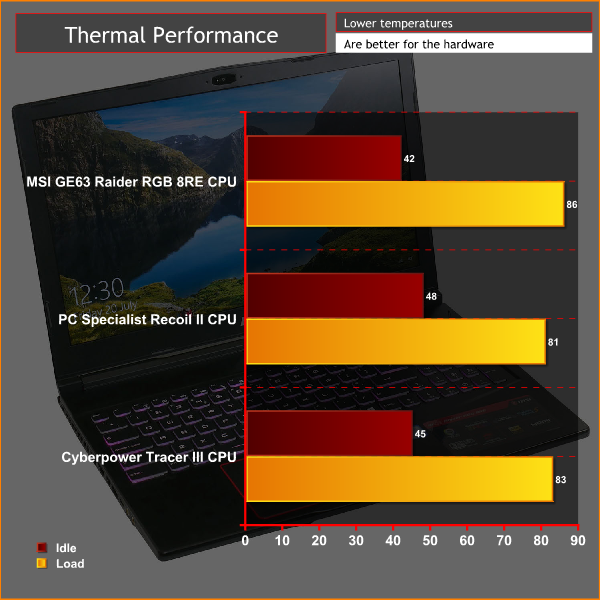
When it comes to keeping cool under pressure, the GE63 does a decent job. Its CPU temperature of 86°C under load is a touch higher than some others but is in the same ballpark. Meanwhile, it’s idle temperature of 42°C is comfortably below its main rivals.
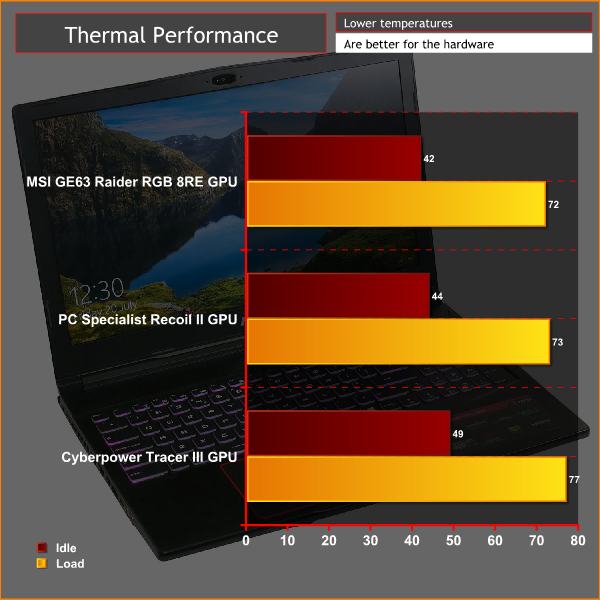
As for GPU temperatures, these are even more impressive with this being the coolest of the three laptops we’re directly comparing here.
When it comes to noise, inevitably things are fairly loud under load but the tone of the fans isn’t too whiny or annoying. Meanwhile, when idling the machine is impressively quiet – so it is another positive area for MSI.
We test battery life with the inbuilt PC Mark 8 battery test. This continually loops a few day to day computing tasks until the battery reaches around 10% then extrapolates a final battery life figure from that result.
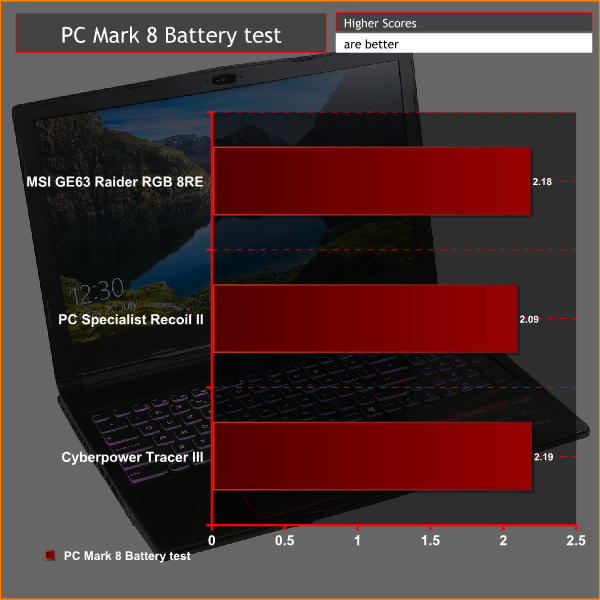
As we've come to expect of machines of this type, battery life is not the GE63's strong suit. You'll got little more than two hours of use, regardless of how low the screen brightness is and how little you're doing.
The MSI GE63 Raider RGB 8RE may not win many design awards – despite its RGB additions – but it is a perfectly decent option for those seeking a powerful 15-inch gaming laptop.
It’ll happily romp through any day to day computing tasks and provides reliable gaming performance at its native 1080p resolution.
The use of a 120Hz screen also significantly raises its gaming chops, making this an excellent machine for those seeking a portable competitive gaming rig.
As well as good gaming performance you get a nice range of connectivity, decent speakers, good upgradability and a reasonable typing and trackpad experience.
The main area of concern as regards performance is the storage. Upgrading both the M.2 SSD and the 1TB HDD (to an SSD) would be tempting options, warranty concerns not withstanding, as the SSD is not very fast compared to the drives found in some rival laptops.
Battery life is also nothing to write home about. Few gaming laptops excel in this regard so it’s not a surprise but having just two hours of time away from a socket is going to feel limiting for some users.
Meanwhile, the styling and build quality is okay but the addition of RGB certainly isn’t a deal maker. In fact, the use of keys with an open side that lets more of the backlighting shine out is particularly distracting. An altogether more subtle approach would get our vote – but then again, you may love RGB lighting, in which case the MSI GE63 Raider RGB 8RE will almost certainly appeal.
You can buy one for £1379.99 from eBuyer HERE.
Pros
- 120Hz screen great for gaming.
- Good all round performance.
- Good value.
- Decent speakers.
- Good connectivity options.
Cons
- Overall styling slightly underwhelming.
- Not for ‘RGB heathens'.
- US-style key layout.
KitGuru says: RGB may be the headline selling point of this laptop but in reality it’s the core basics it gets right that make it.