 KitGuru KitGuru.net – Tech News | Hardware News | Hardware Reviews | IOS | Mobile | Gaming | Graphics Cards


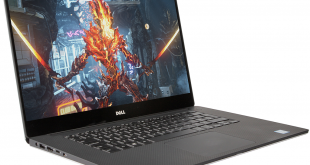
Dell has been producing some of the most powerful gaming laptops since well before it purchased Alienware almost exactly a decade ago. The original XPS Gen2 was one of the most potent gaming laptops in its day, and the XPS brand has been synonymous with entertainment prowess ever since. However, 17in machines like the Gen 2 and its successors are usually monsters, and if you want a portable gaming platform you can actually carry around, a 15in unit is a much more sensible choice. So here we have the latest 15in model in the XPS lineage. Weighing in at a smidgen over 2kg, this is still a laptop that merits the title, and doesn't require a lap reinforced with steel girders.
The new XPS 15 is aimed at the 6th generation of Intel Core i7 processors, also known as Skylake. Up to 32GB of DDR4 memory can be specified, up to 1TB of PCI Express-based solid state storage, with some two-drive configurations also available.
There's NVIDIA GeForce GTX 960M graphics as standard, and two 15.6in screen options available including a 4K touch model. So there's a massive amount of potential here. Let's see how the new Dell XPS 15 lives up to its promise.
Our Sample System Configuration:
- 2.6GHz Intel Core i7-6700HQ
- 16GB 2133MHz DDR4 Memory
- 2GB NVIDIA GTX960M Graphics
- 15.6in 4K Ultra HD (3,840 x 2,160) InfinityEdge touch TFT
- 512GB Samsung PM951 NVMe SSD
- DW1830 3×3 802.11ac 2.4/5GHz + Bluetooth 4.1 wireless
- Backlit keyboard
- 357 x 235 x 11 – 17mm (WxDxH)
- Weight: 2kg
- Windows 10 Home 64-bit
- 1 Year Next Business Day warranty
Price for this system (at the time of writing): £1,599 (inc. VAT)
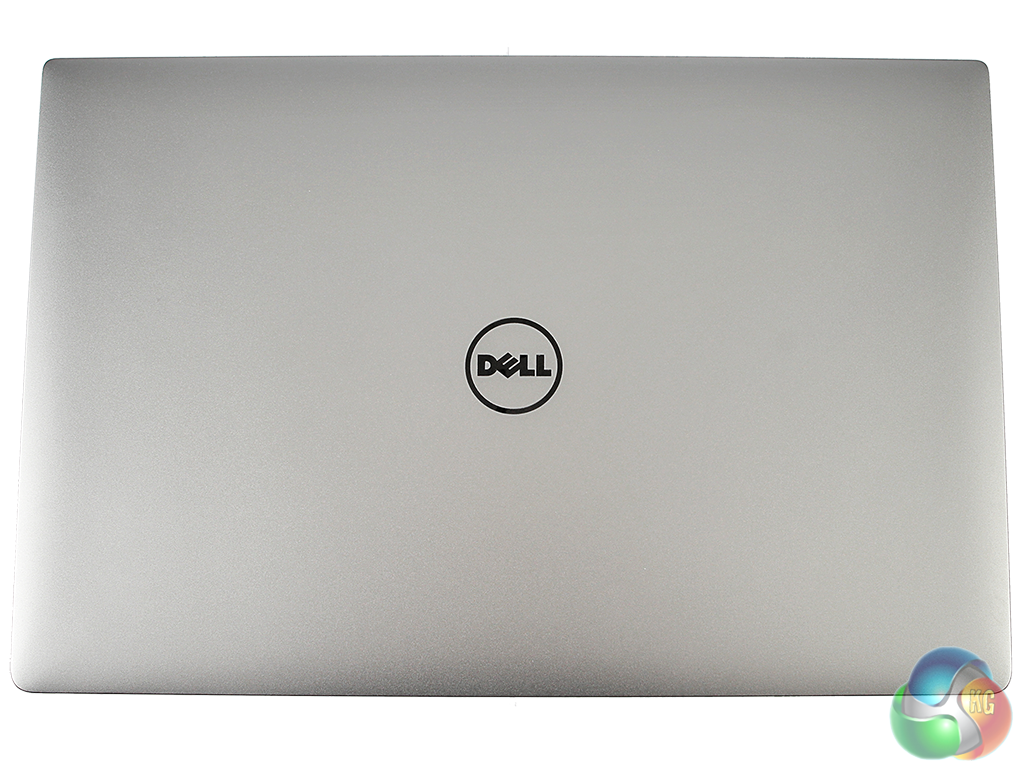
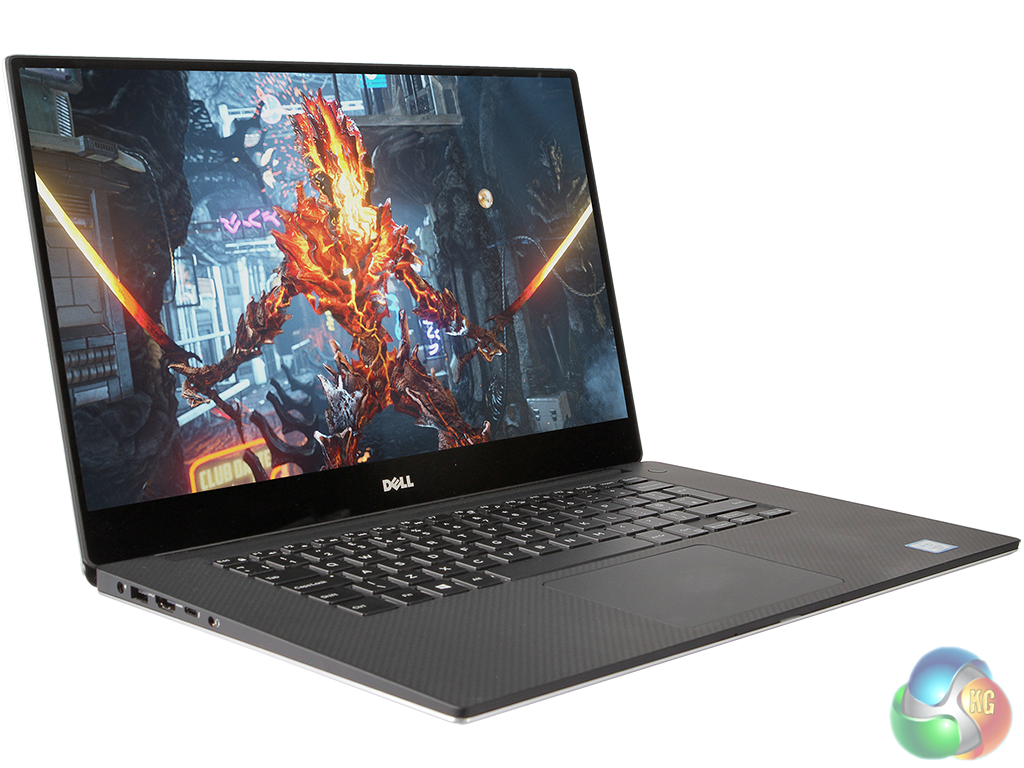
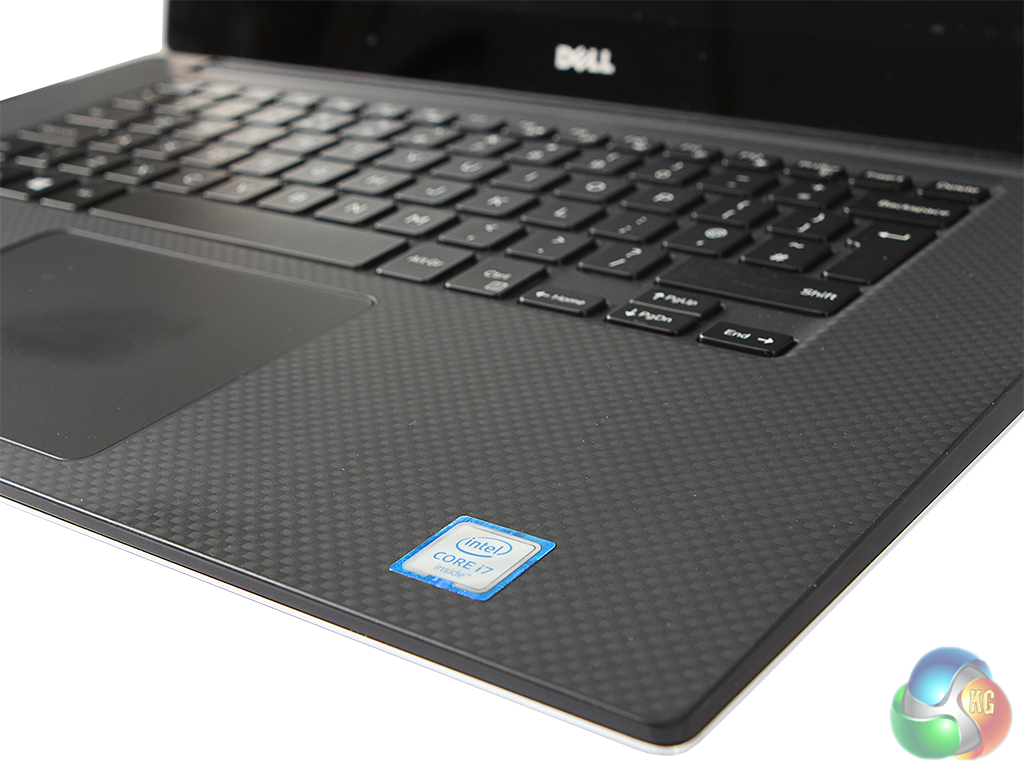
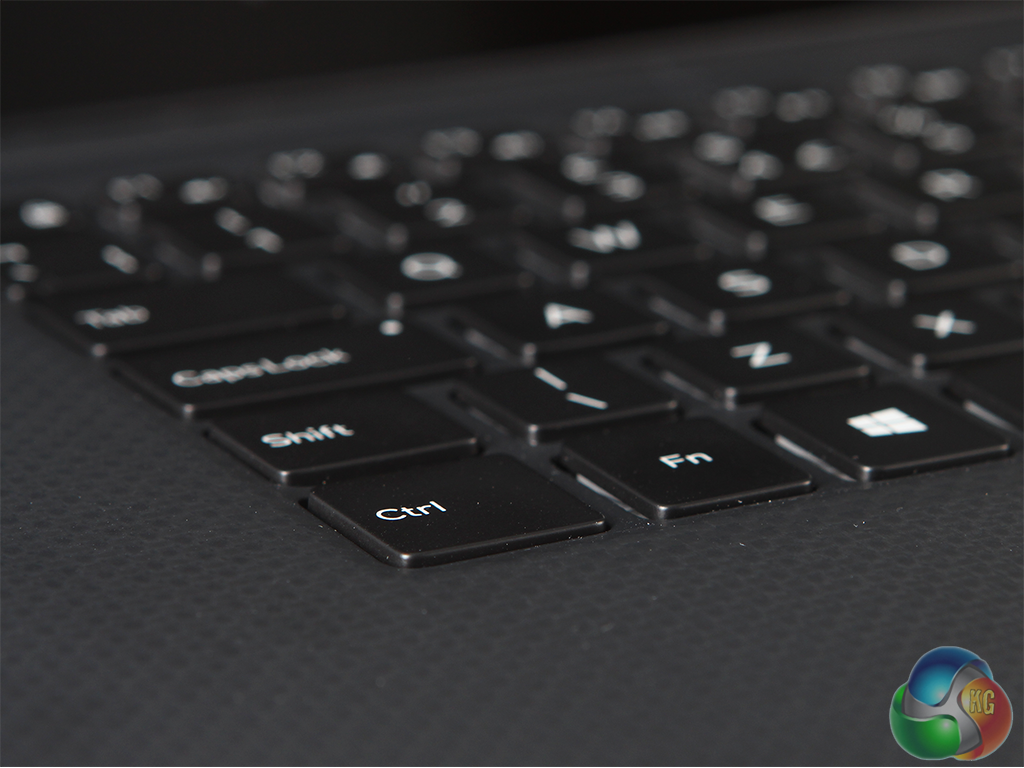
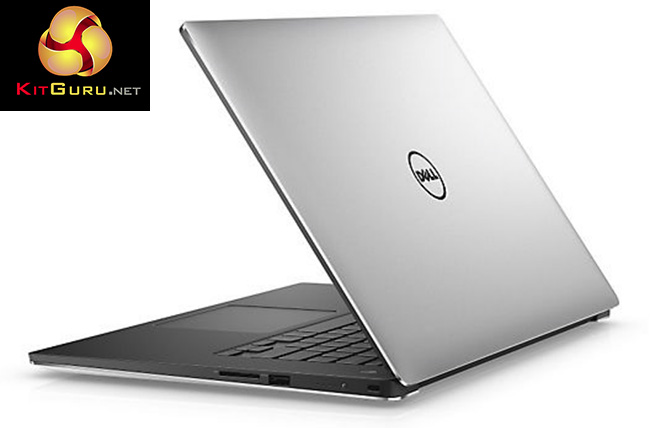
The Dell XPS 15 does not have the bling chassis of some XPS predecessors. The XPS brand has been much more sober of late, and it's telling that this chassis is identical to the one used in the professionally oriented Precision M5510 mobile workstation. So this is quite a serious dark grey beast, with a subtly rather than garishly backlit Chiclet-style keyboard and large, centrally placed trackpad.
There's no separate keypad. The keyboard is comfortable enough to type on, although there is a lack of travel that you will need to get used to if you've been accustomed to a desktop version. The trackpad is accurate and has a clearly defined click for key pressing, with well executed multi-touch gestures.

Our sample came with the mildly ridiculous Ultra HD 4K screen option. This is far from the first laptop to shoehorn 3,840 x 2,160 pixels into a 15.6in diagonal, and with Windows 10 on board the tiny pixels are handled sensibly, with the interface zoomed by 200 per cent so it doesn't look stupidly small.
Some older applications might end up with menu elements that require a microscope to see, but most recent releases should be fine.
Looking at photos with this resolution shows how excellent the screen is, with amazing detail and vivid colours. However, it's worth noting that very few recent games will be playable on this system at its native screen resolution. The graphics will neither have the memory nor the processing grunt to drive this many pixels. The screen is also touch sensitive, something that makes sense on a hybrid transformer-like device, but we've never been quite sure of on a straight laptop.


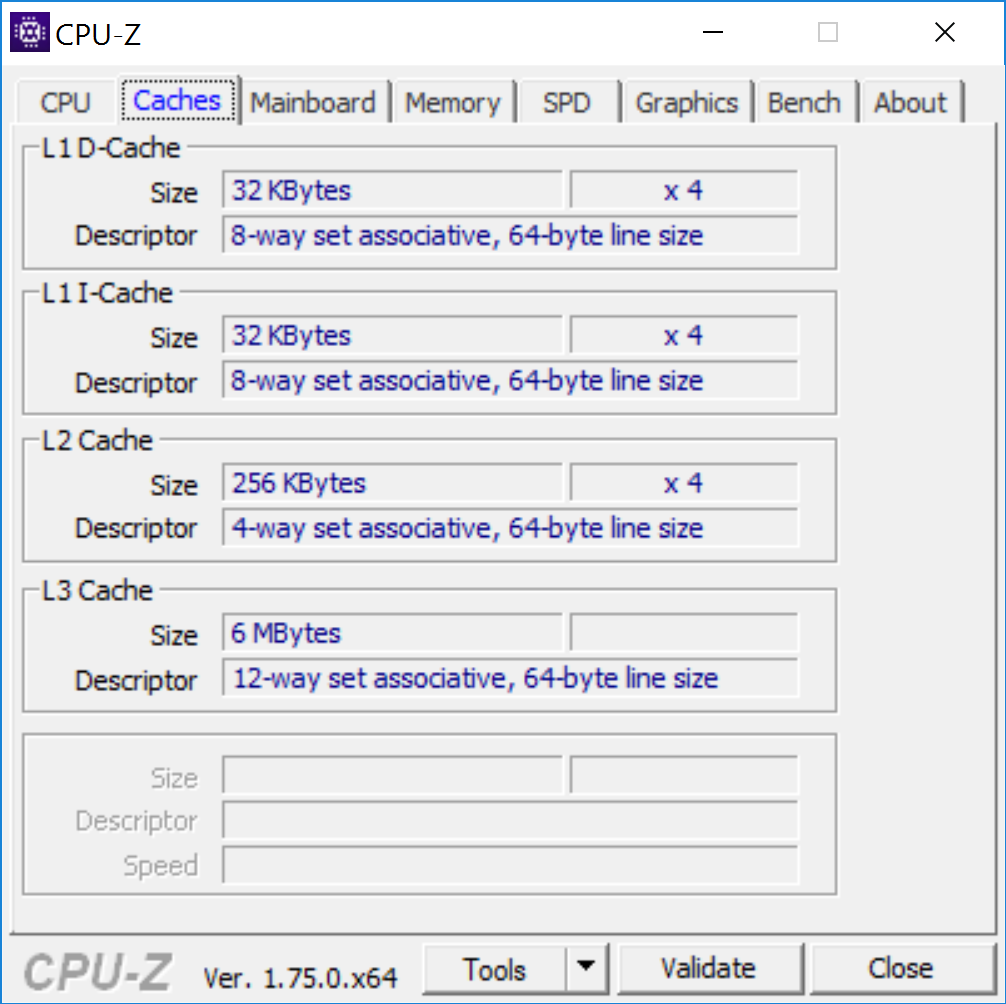
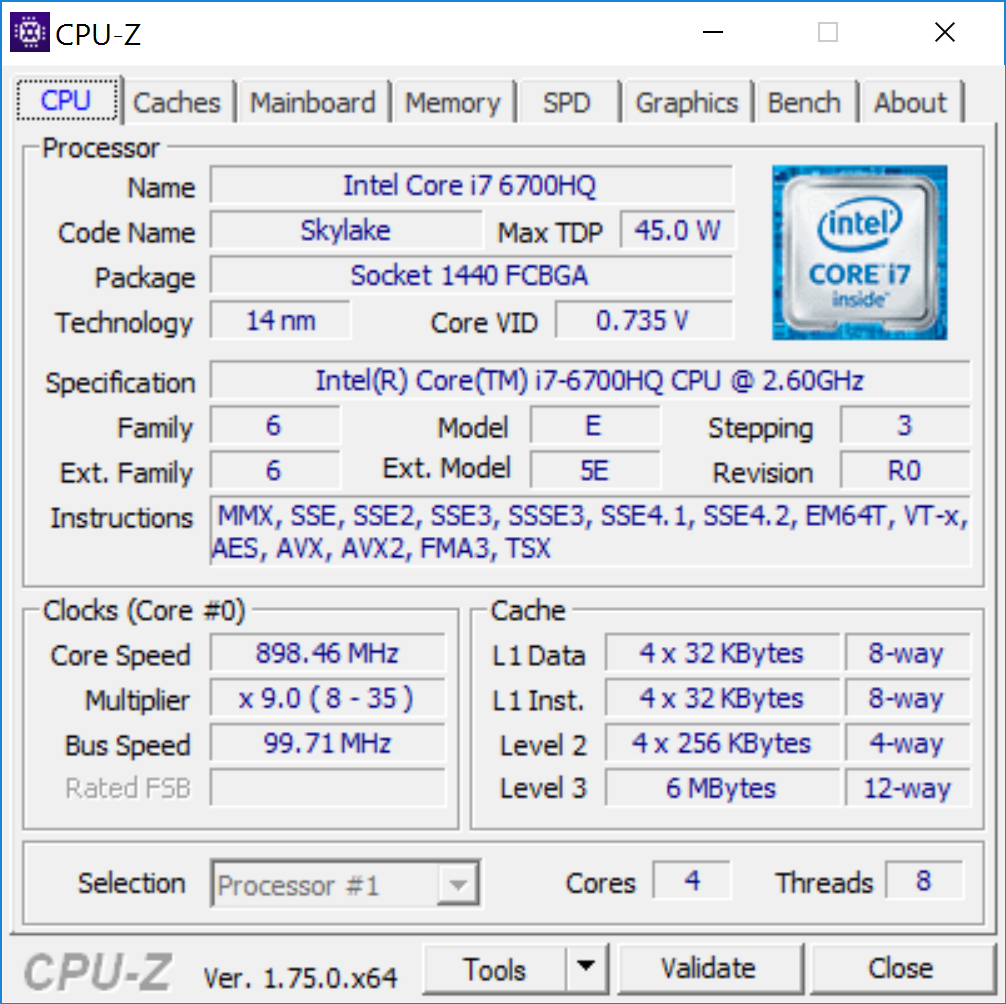

The chassis may be relatively thin, but the XPS 15 still boasts a quick Core i7-6700HQ from Intel's latest Skylake generation. This isn't the top mobile option. In fact, it's the slowest quad-core mobile i7 currently from Skylake. But that doesn't mean it lacks potency. The nominal CPU frequency is a decent 2.6GHz, with a single-core Turbo mode of 3.5GHz, and 3.3GHz for two cores or 3.1GHz for all four cores.
So this is effectively a 3.1GHz CPU, which isn't too shabby for a 45W processor. Since this is an i7 rather than an i5, Hyper-Threading presents the four physical cores as eight virtual ones, which will be great for multi-tasking.
The processor is backed by 16GB of 2,133MHz DDR4 SDRAM, supplied as two DIMMs to take advantage of the dual-channel memory capabilities of the processor. This notebook can be specified with up to 32GB of RAM, but 16GB is a good balance for a current machine – more than is currently essential, but not so much more to be a waste of extra money.


Although the processor choice is very commendable for a notebook this size, the graphics are what elevate the XPS 15 into a gamer possibility. The Core i7 processor does have Intel HD 530 graphics on board, and this will take care of driving the screen when the 3D acceleration needs are light, to conserve power. But for gaming there is NVIDIA GTX960M graphics with 2GB of GDDR5 memory.
This is quite a step down from the GTX970M graphics found in, for example, MSI's brilliant GS40 6QE Phantom. It only has 640 CUDA cores – half that of the GTX970M – although the clock is a little higher at up to 1,097MHz. The memory path is also only 128-bit rather than 192-bit, so although this is still 5,000MHz memory, bandwidth is two thirds as much at 80GB/sec.
This should still be a capable gaming GPU, however, and there's DirectX 12 support, although not DirectX 12.1.

There are a number of storage options, although on Dell's site you can only choose them as part of a larger specification bundle. The chassis itself has room for one M.2 SSD, either SATA or PCI Express, and one 2.5in SATA drive, either SSD or HDD.
Our sample came with a decent choice for gamers – a sizeable 512GB Samsung PM951 NVMe SSD, which should be lightning fast, and has enough capacity for a decent collection of titles. The best option is to have a cheaper, larger mechanical drive for archiving games you're currently not playing often, without having to delete them. 512GB is enough for quite a lot before you need to think about uninstalling anything.
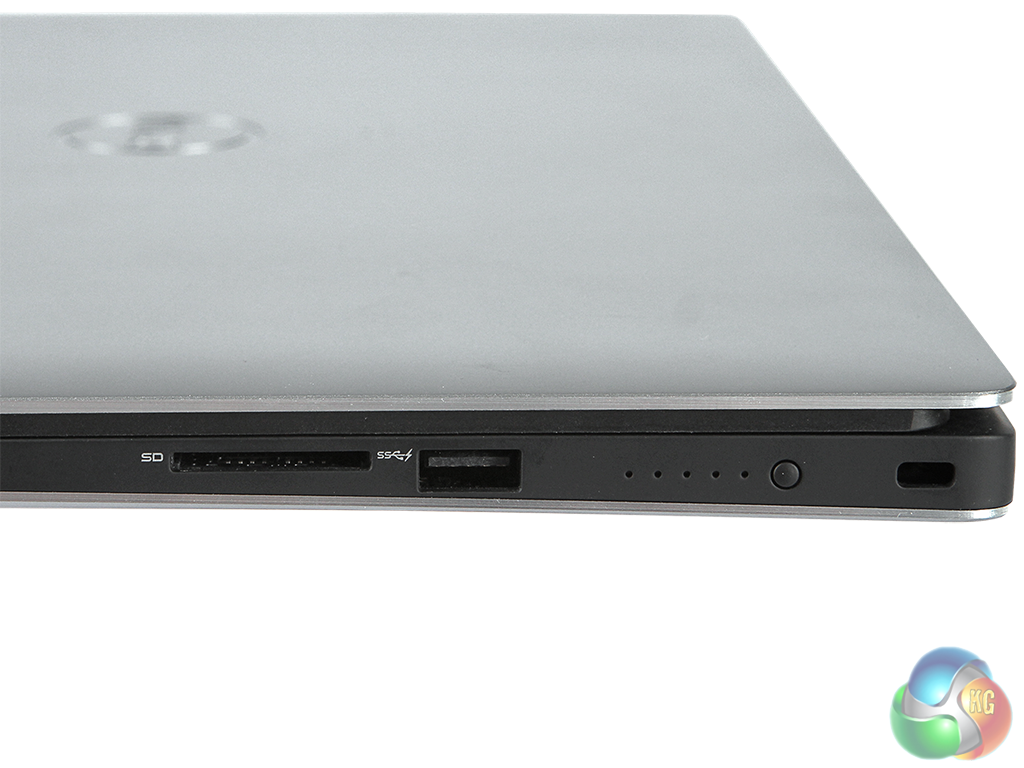
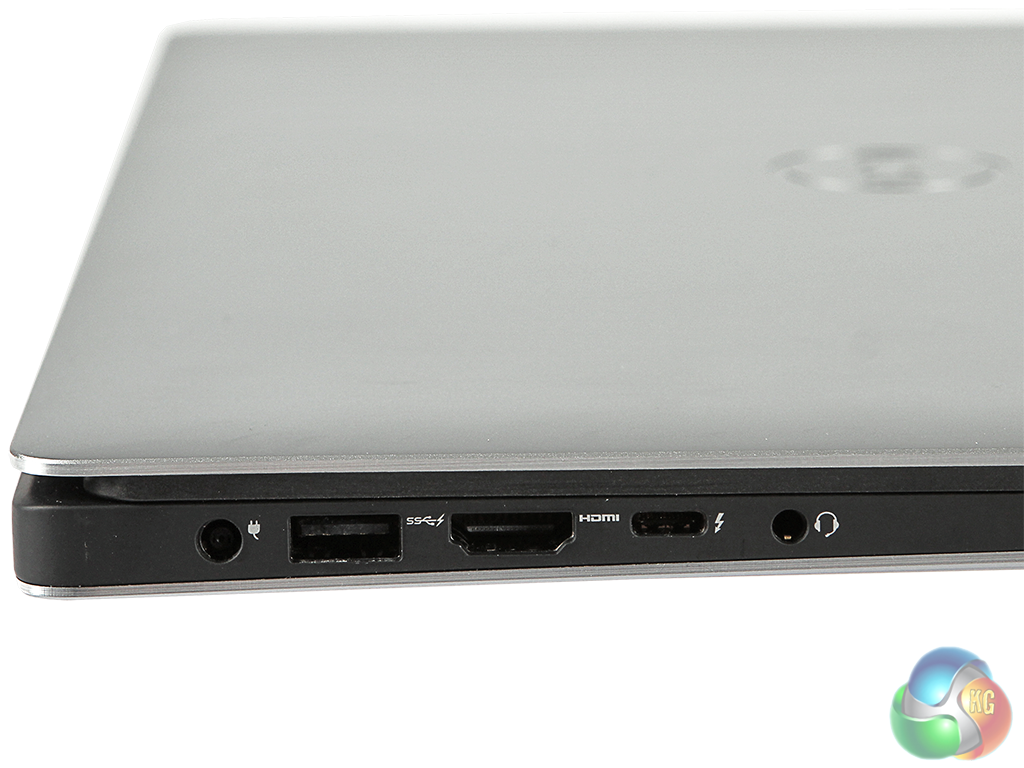
One area where the XPS 15 is a bit minimal is the connectivity. The port allocation is state-of-the-art, but misses something that could be important for LAN gamers – wired networking. On the other hand, there's USB 3.0 on both left and right, full-sized HDMI, SD Card reader, combo headphone / microphone minijack, and most significantly, Thunderbolt 3.
The latter is physically and electrically compatible with USB Type C, but with four times the bandwidth in Thunderbolt mode (4oGBits/sec). It can actually drive two 4K monitors at once, and Dell supplies a network adapter dongle for it with the Precision based on this chassis. Unfortunately, this isn't a standard inclusion with the XPS 15. Instead, a dock including networking is a £71 optional extra.

The power supply is relatively small and the cable wraps neatly around it for easy portability, with a cloverleaf power cable to the wall outlet.
The Dell XPS 15 was running Windows 10. We will be testing it against a couple of notebooks we have recently reviewed, the Asus ROG G750JZ and the MSI GS40 6QF Phantom. These are the specifications of the comparison systems:
Asus ROG G750JZ-T4110H specification:
- OS: Windows 8.1
- CPU: Core i7 4860HQ (2.4GHz – 3.6GHz)
- Memory: 24GB (3x8GB) DDR3L 1600MHz
- Graphics: 8GB NVIDIA GeForce GTX 880M
- Display: 17.3in FHD, LED Backlit, Non-Glare (1920×1080)
- Storage: 1 x SanDisk X110 256GB SSD + 1.5TB 5400RPM HDD (HTS541515A9E630)
- Wireless: Killer Wireless-N 1202
- Dimension: 410 x 318 x 17-58 mm (WxDxH) (w/ 8cell battery)
- Weight: 4.8kg (w/ 8 cell battery)
MSI GS40 6QF Phantom specification:
- OS: Windows 10 64 bit
- CPU: 2.6GHz Intel Core i7-6700HQ
- Memory: 16GB 2133MHz DDR4 Memory
- Graphics: 3GB NVIDIA GTX970M Graphics
- Display: 14.1in Full HD IPS + True Color TFT (1920 x 1080)
- Storage: 256GB Samsung SM951 NVMe SSD + 1TB Hitachi Deskstar 7K1000 7,200rpm HDD
- Wireless: Killer Double Shot Pro with Killer Shield Networking
- Dimension: 345 x 245 x 21.8-22.8mm (WxDxH)
- Weight: 1.6kg
Tests:
Futuremark 3DMark 1.5.915 – Fire Strike 1.1
Maxon Cinebench R15 – All-core CPU and OpenGL graphics benchmark
Futuremark PC Mark 8 – General system performance with productivity applications, plus battery testing
SiSoft Sandra 2014 SP2 – Processor arithmetic, memory bandwidth
Crystal DiskMark 5.0.2 – storage transfer rates
Tomb Raider – 1920 x 1080, ultimate quality
GTA V – 1920 x 1200, high quality
3DMark
We used 3DMark's ‘Fire Strike' benchmark, which is designed to test the performance of gaming systems. Our primary comparative testing used the Normal setting, but we also ran the Extreme and Ultra modes to reveal how this system would cope with running games at its native screen resolution. Extreme bumps the resolution up to 2,560 x 1,440, whilst Ultra operates at 3,840 x 2,160, also known as 4K.
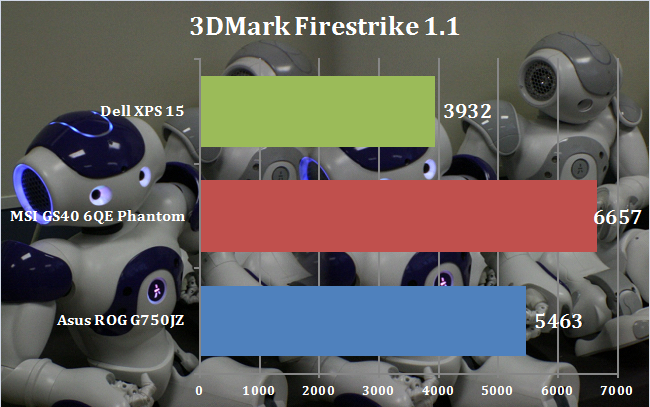
In Full HD, the overall score of 3,932 is decent, but it's clearly behind our two comparisons. Whilst the latter two provide excellent performance for a laptop, the Dell XPS 15 is merely good.
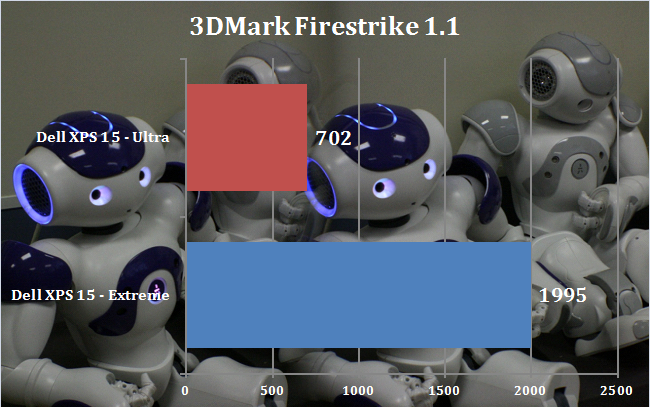

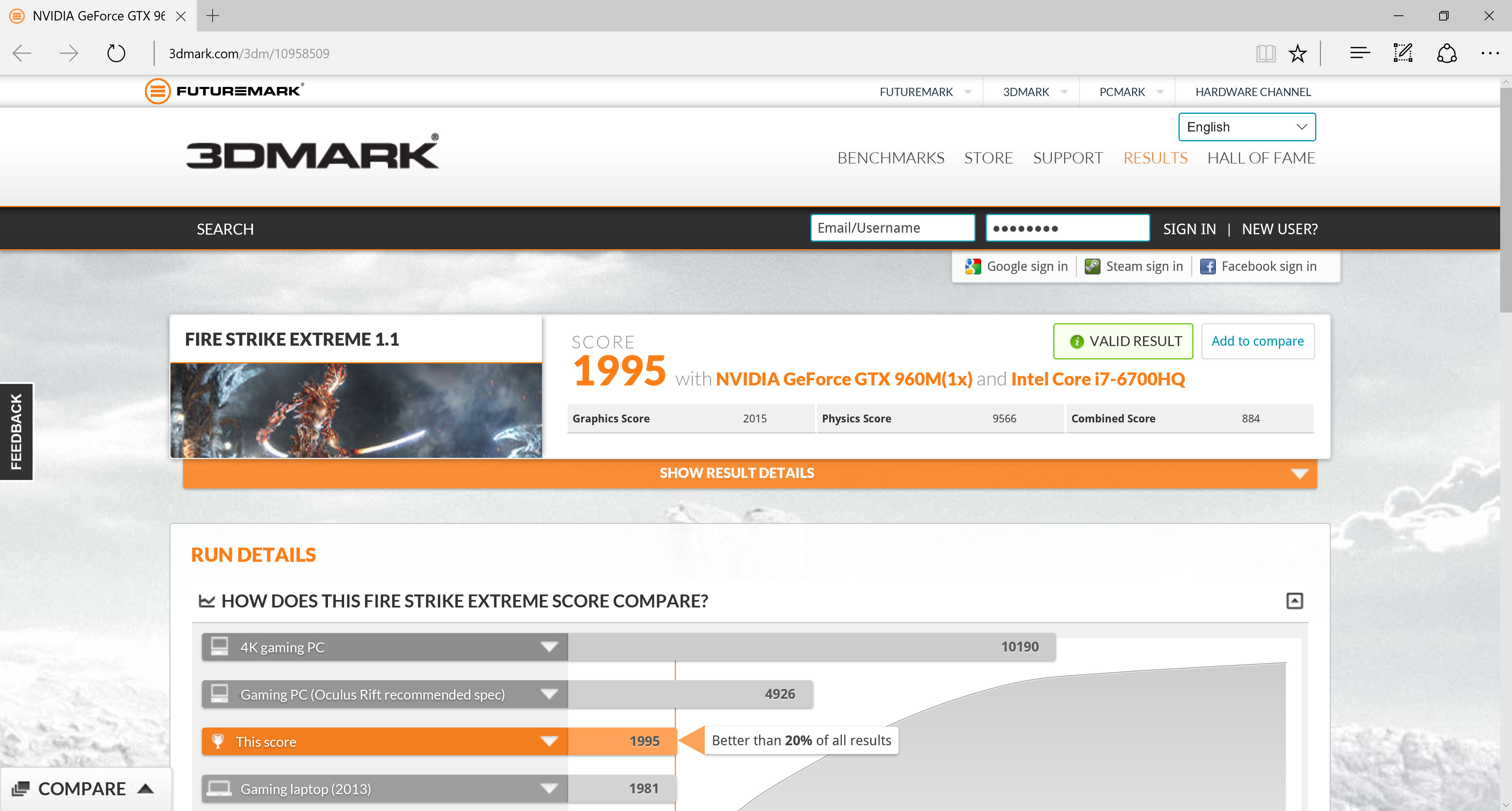
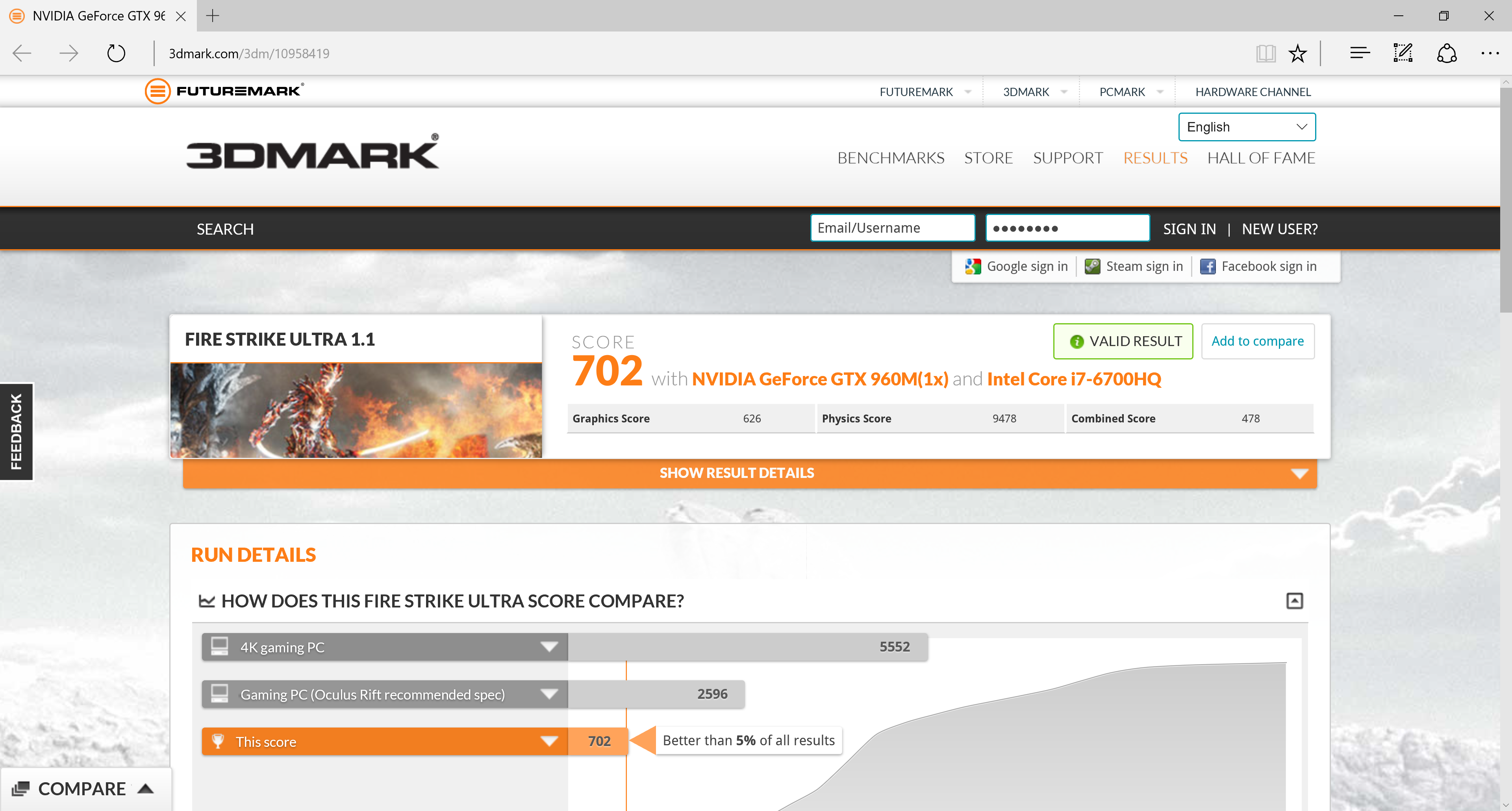
These results imply that most recent games won't be playable above 1,920 x 1080, and 4K (used by the Ultra test) will be particularly out of the question. We will test this again with specific game titles later in this article.
Sandra Processor Arithmetic
Sandra Memory Bandwidth
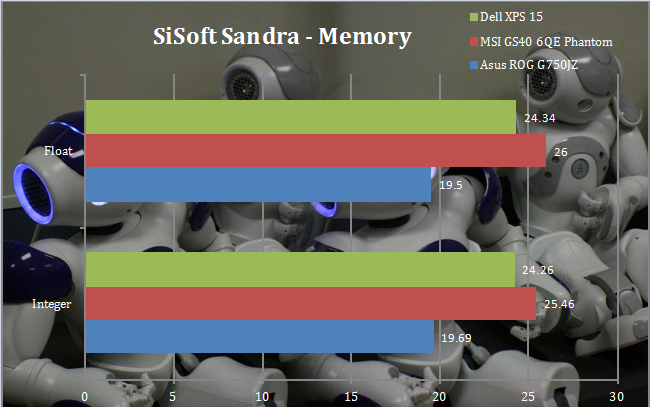
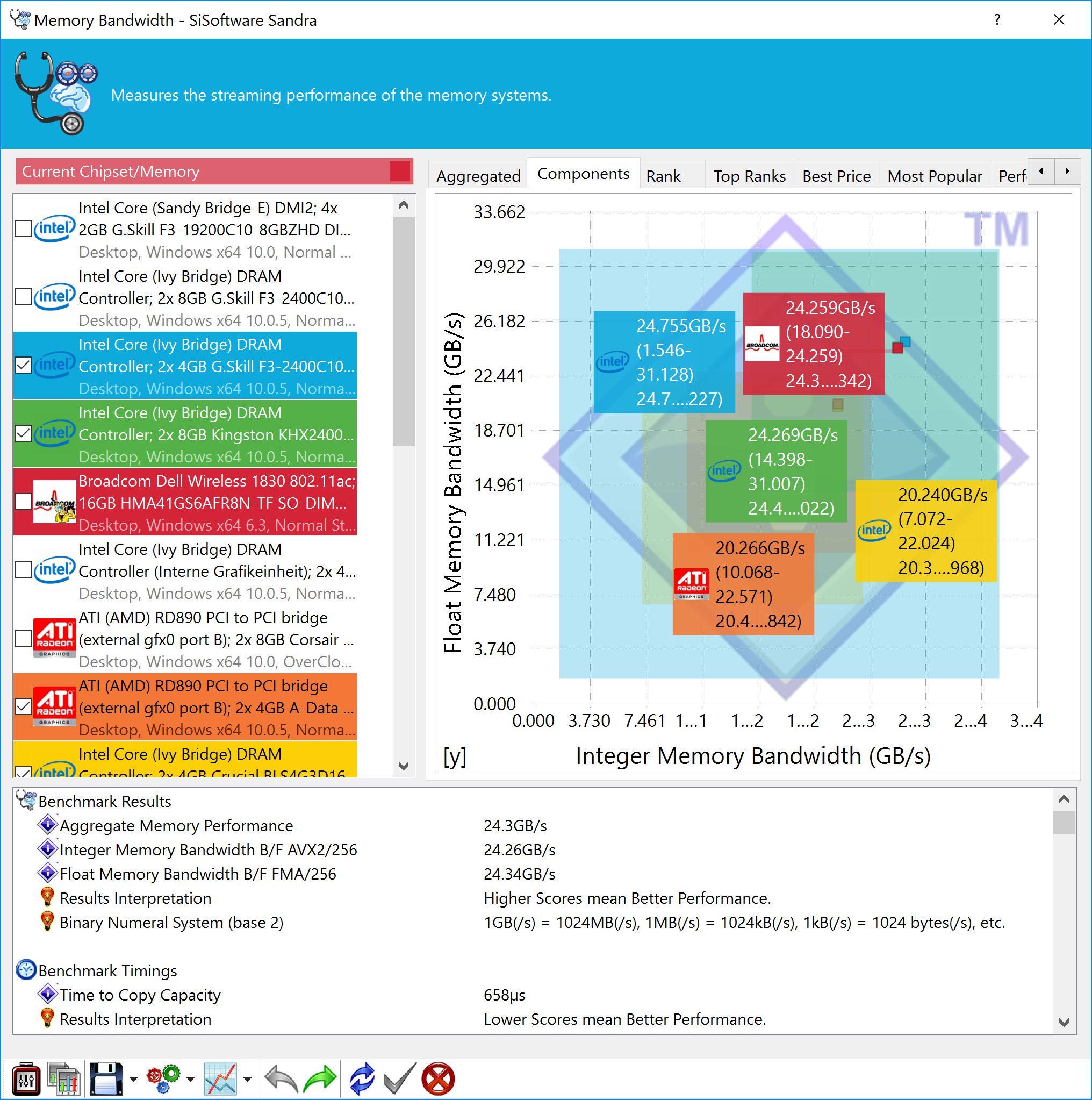
The XPS 15's 2,133MHz DDR4 memory clearly wins out against the DDR3 in the Asus ROG G750JZ, offering 25-30 per cent more bandwidth, but is behind the MSI GS40 6QE Phantom, which has similar memory.
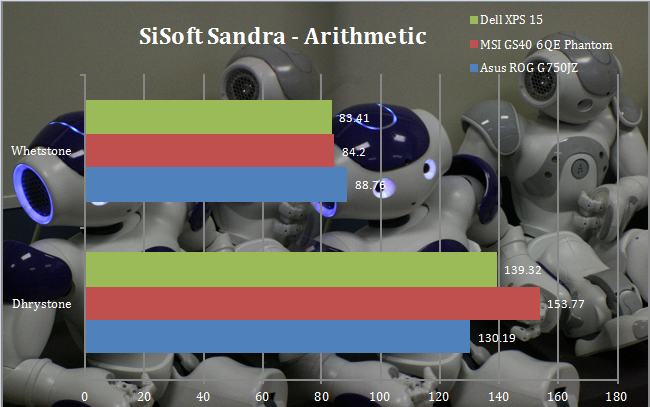
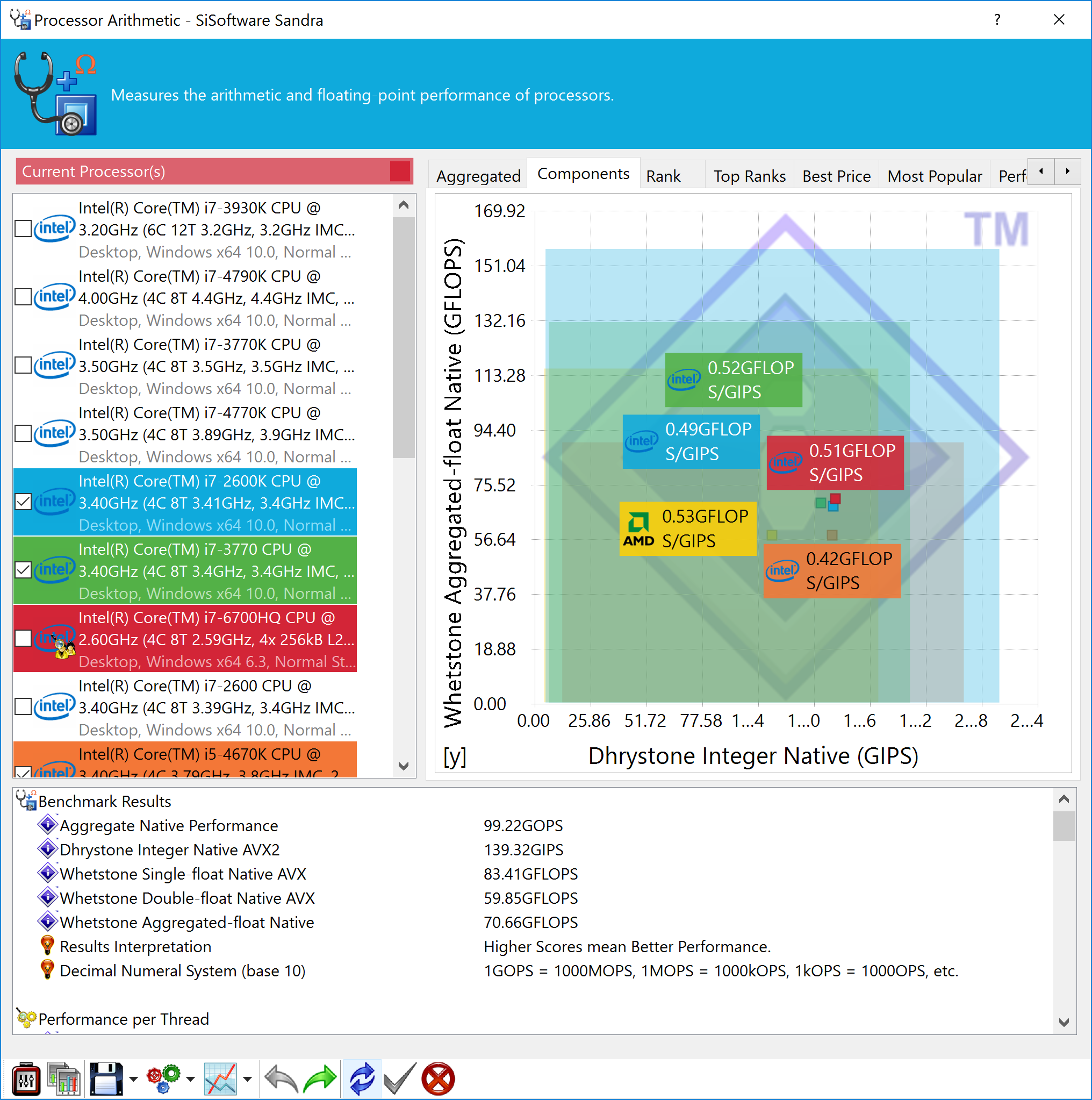
Processor arithmetic is a little behind too, with superior Dhrystone than the Asus ROG G750JZ, but inferior to the MSI, and the lowest Whetstone of the three, albeit not by much.
Maxon Cinebench R15
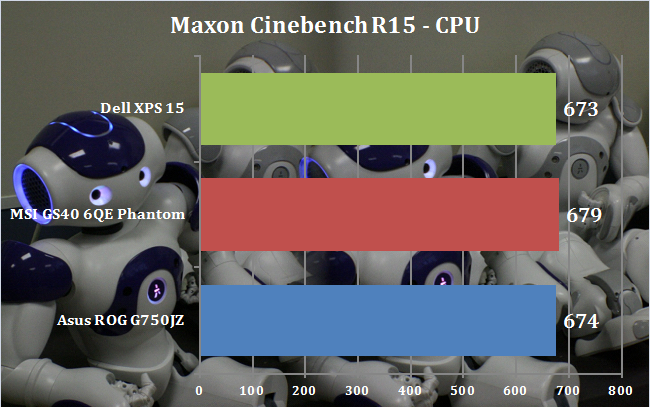
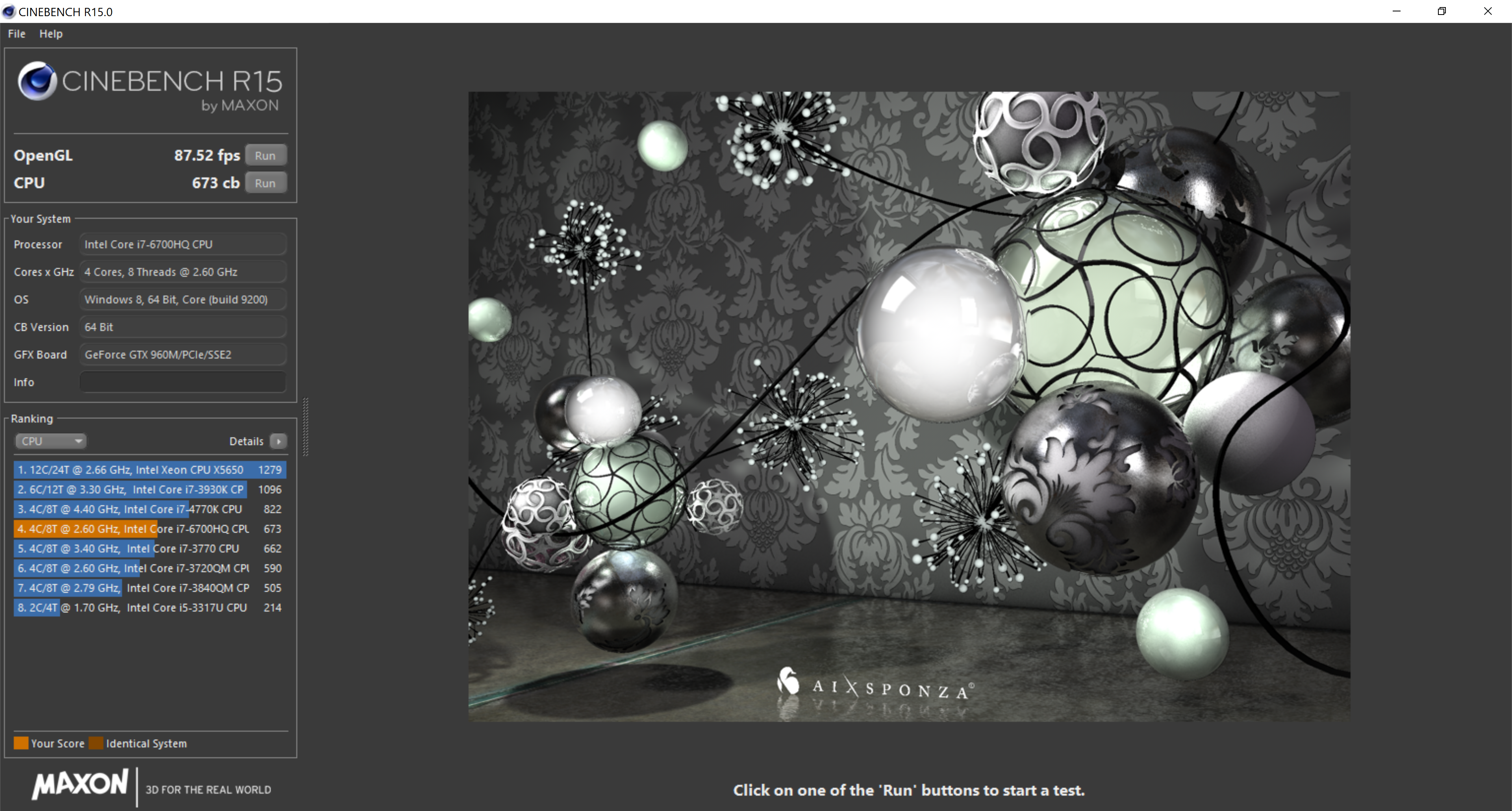
We used the ‘CPU' test built into Cinebench R15. There is precious little difference between the three systems. The Asus has a slightly higher Turbo mode frequency for all four cores, but on a processor that is two generations behind the Dell and MSI. So the results are pretty much identical.
PC Mark 8
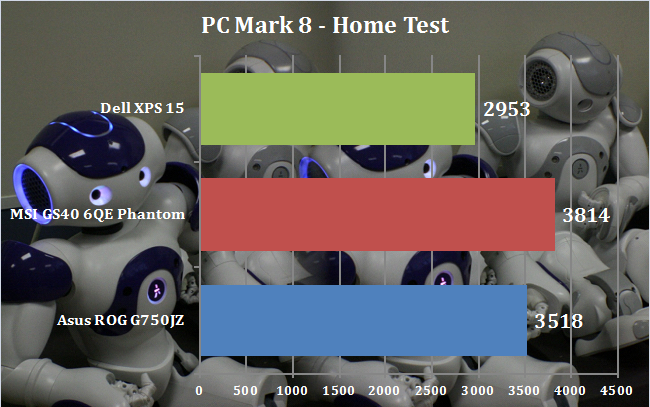
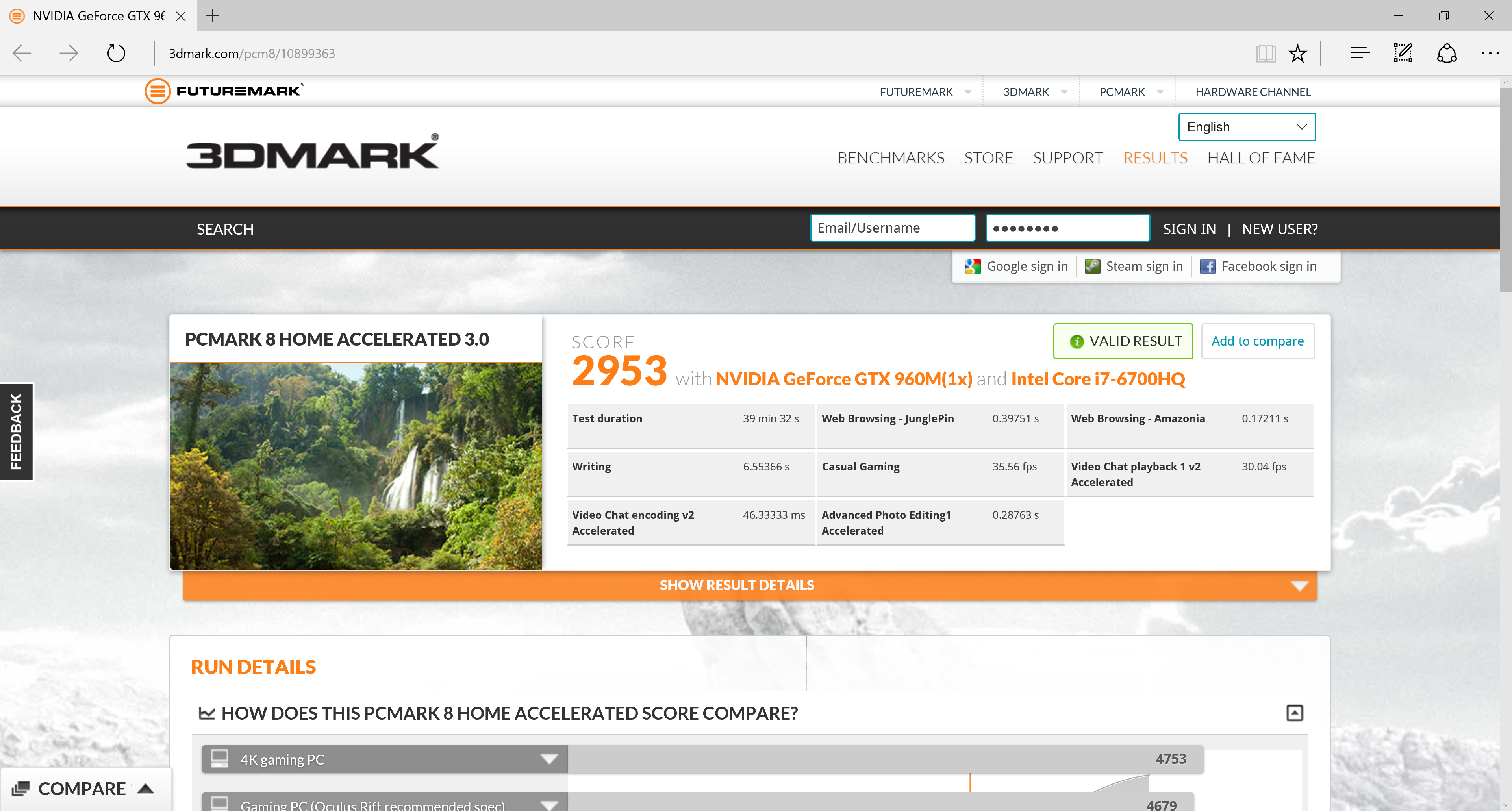
The PC Mark 8 Home test is a little disappointing compared to the other comparative systems. This is almost certainly due to the fact that the MSI's main storage in particular is very fast indeed, particularly when writing. Nevertheless, the Dell will still be a very capable notebook for everyday application usage.
Tomb Raider

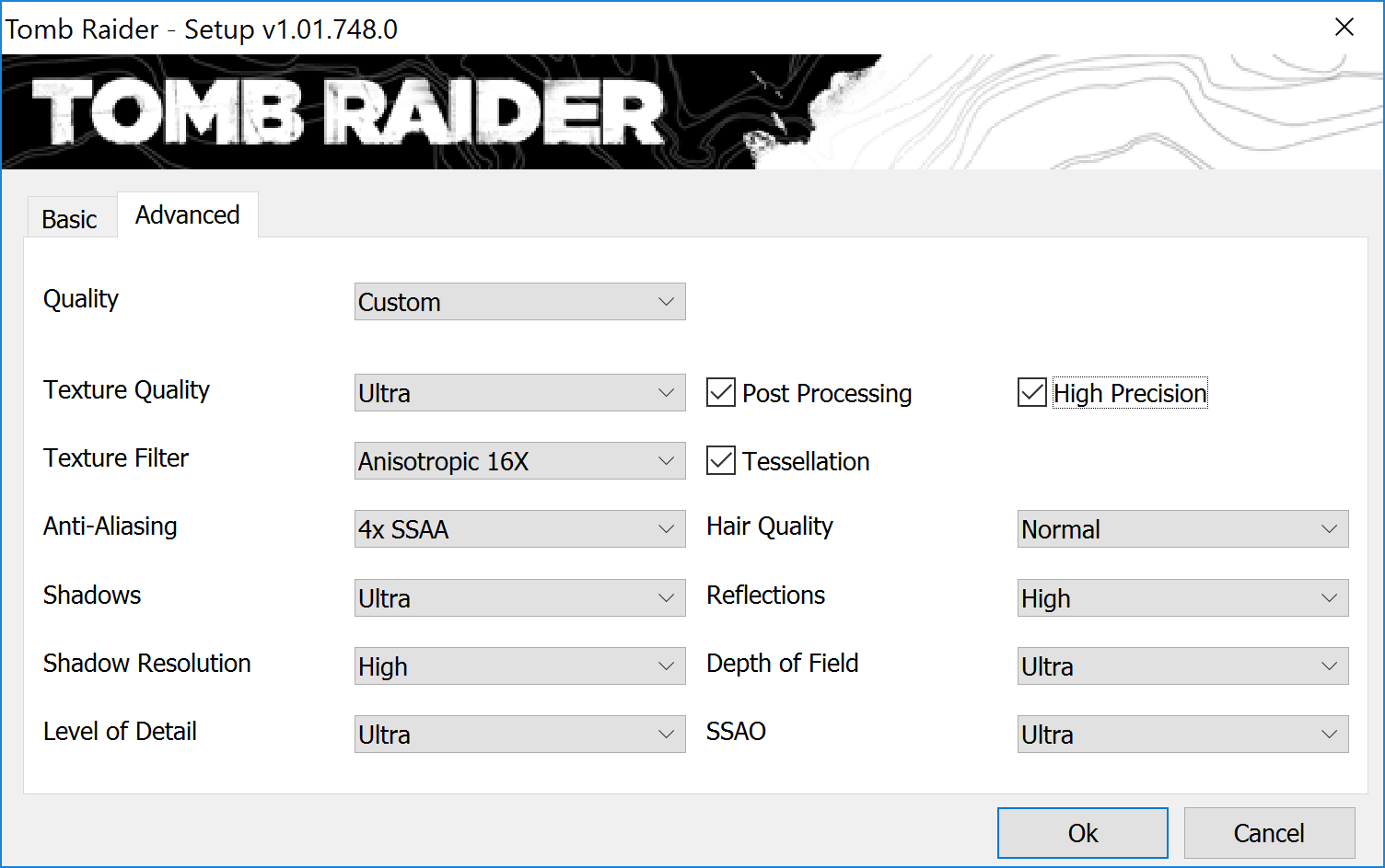
To begin with we used a 1920 x 1080 resolution and the Tomb Raider built-in benchmark set to ‘Ultimate' quality.

The Dell clearly falls significantly behind our other comparison systems and, significantly, falls well below the magic 30 frames/sec that is considered the boundary of playability.
In other words, the XPS 15's NVIDIA GeForce GTX960M graphics is not up to playing Tomb Raider at 1,920 x 1,080 with Ultimate quality settings.

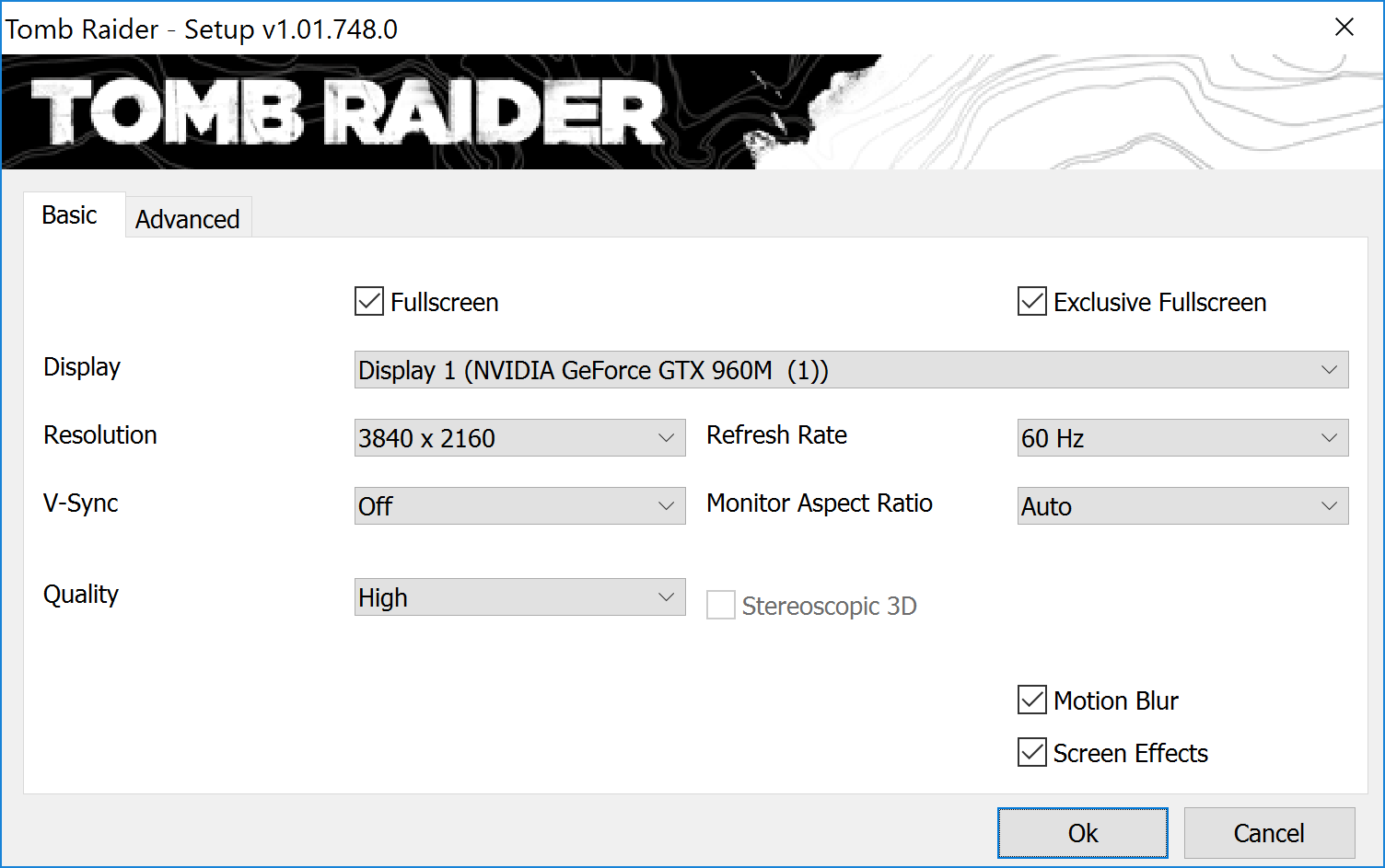
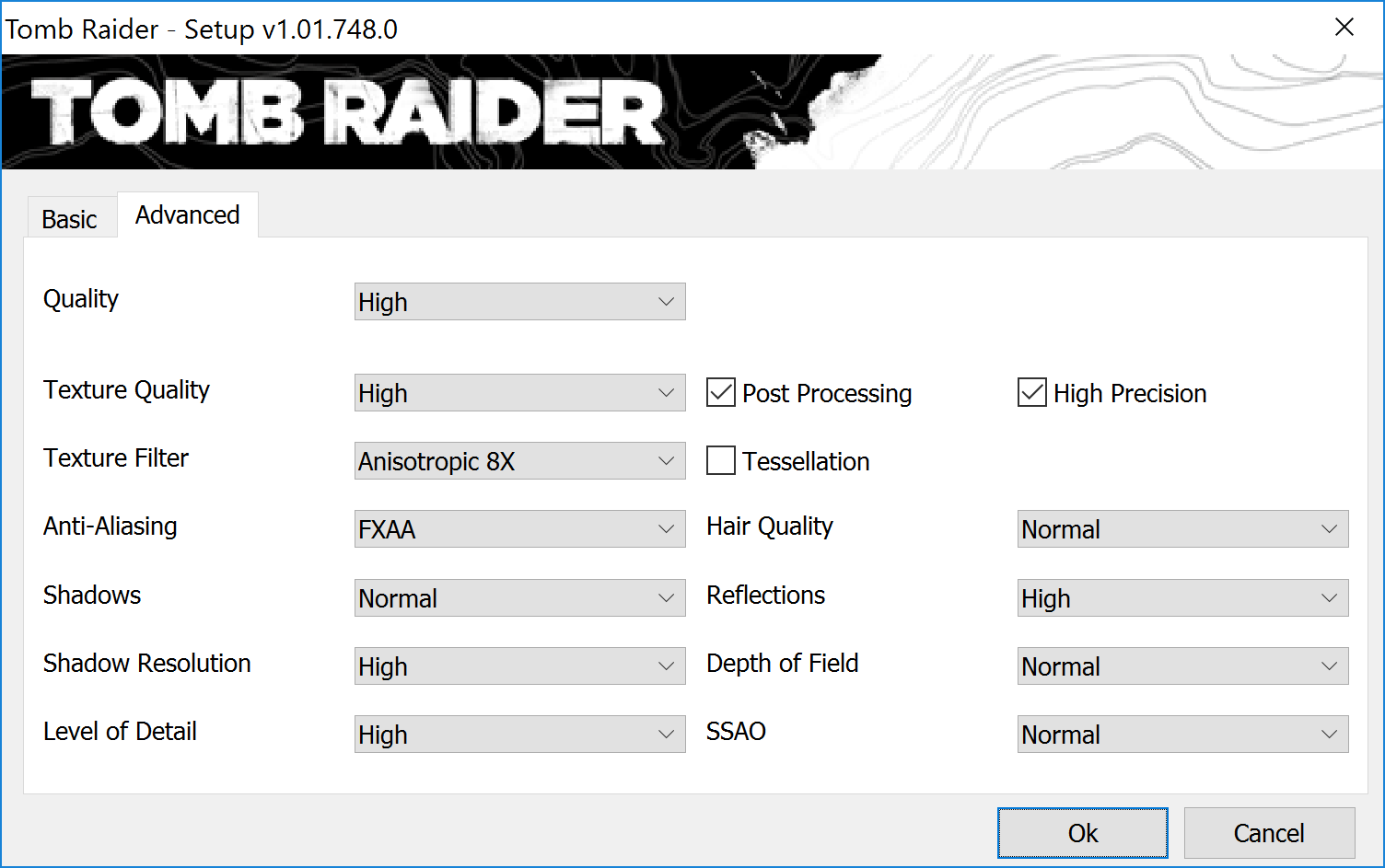
Since the screen is 4K, we tried running Tomb Raider at this resolution, but bumped down the quality to High because if it isn't playable in Ultimate at Full HD, it won't be in 4K either.
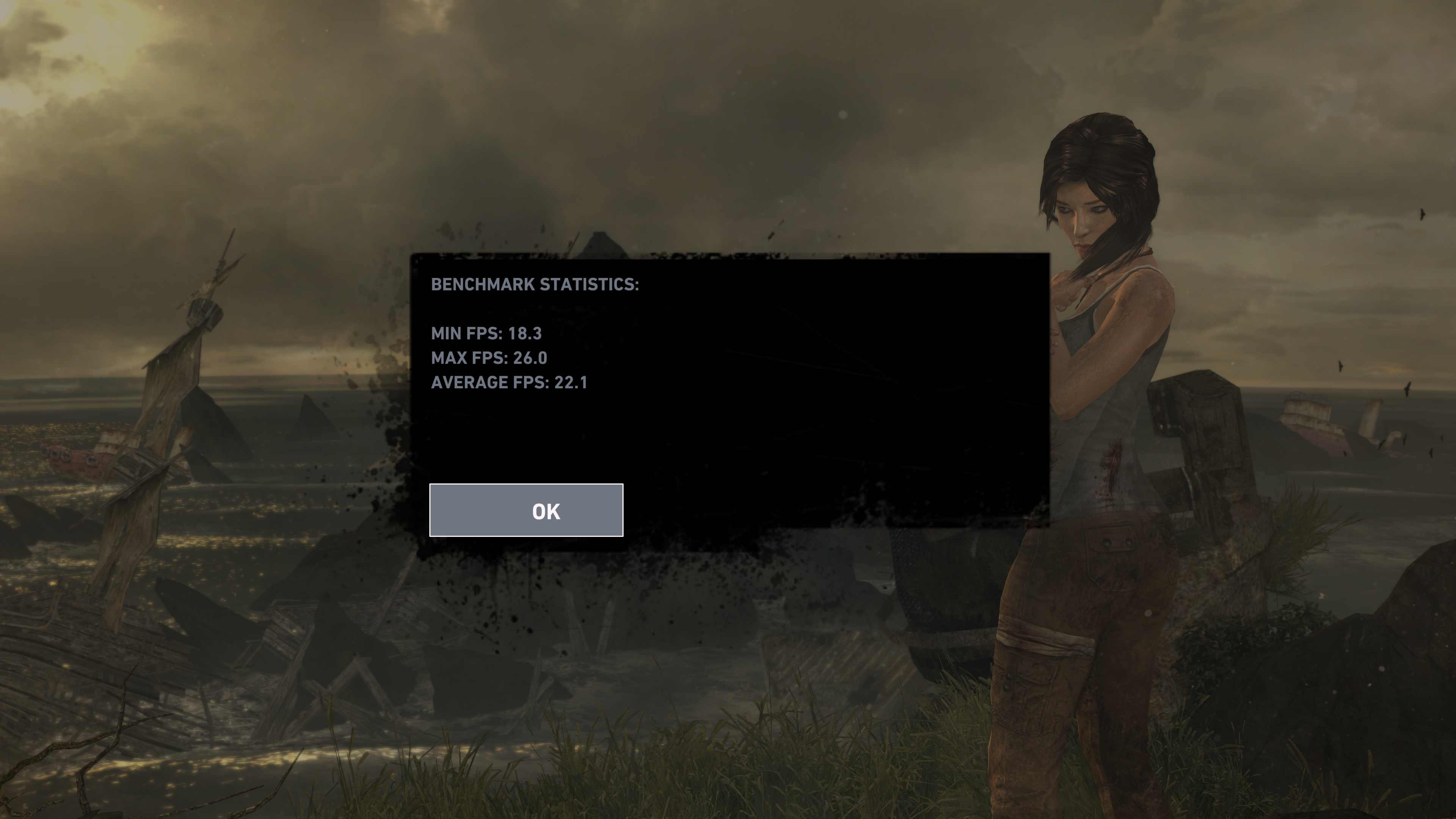
The score is about the same as Full HD at Ultimate, so still not playable.
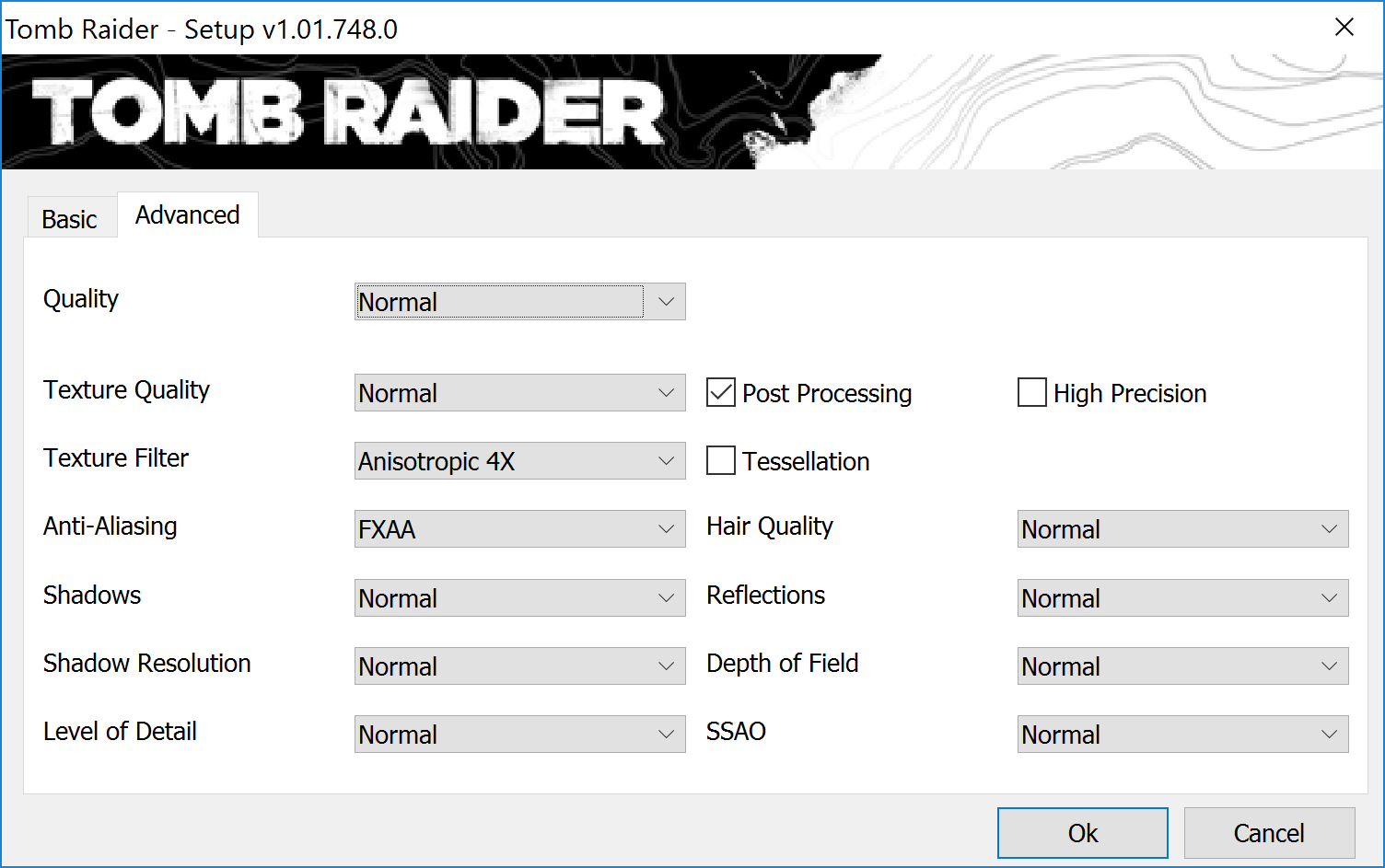
Next, we tried 4K and Normal quality settings.

The frame rate has improved, and is borderline playable, but won't be a pleasurable experience all the time. Also, trading resolution for quality settings is a “robbing Peter to pay Paul” situation. You don't necessarily gain anything in the area of visual experience, making it a rather fruitless activity. Essentially, the graphics on the Dell XPS 15 aren't really up to 4K gaming.
We also tried High instead of Ultimate quality in Full HD.

As you can see, this is eminently playable, and is probably the sweet spot for this game on this notebook. You're still getting good visual quality, and the frame rate never drops below 56 per second, so game play will always be fluid.
Grand Theft Auto V
We used a 1,920 x 1,080 resolution (our usual 1,920 x 1,200 wasn't available) and the GTA V built-in benchmark set to maximum possible quality settings to offer an intense challenge for the gaming hardware while also making playable frame rates a possibility.
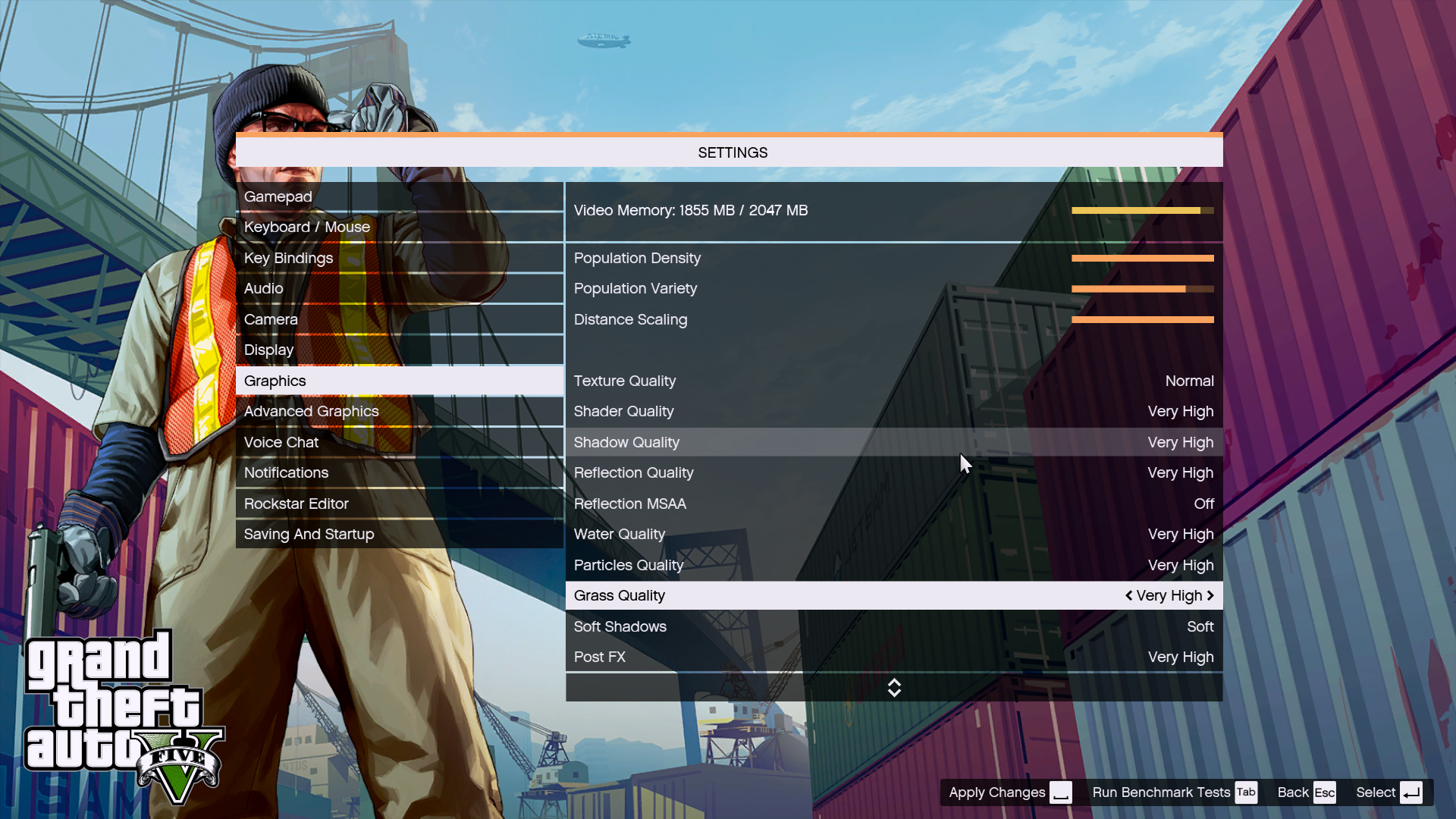
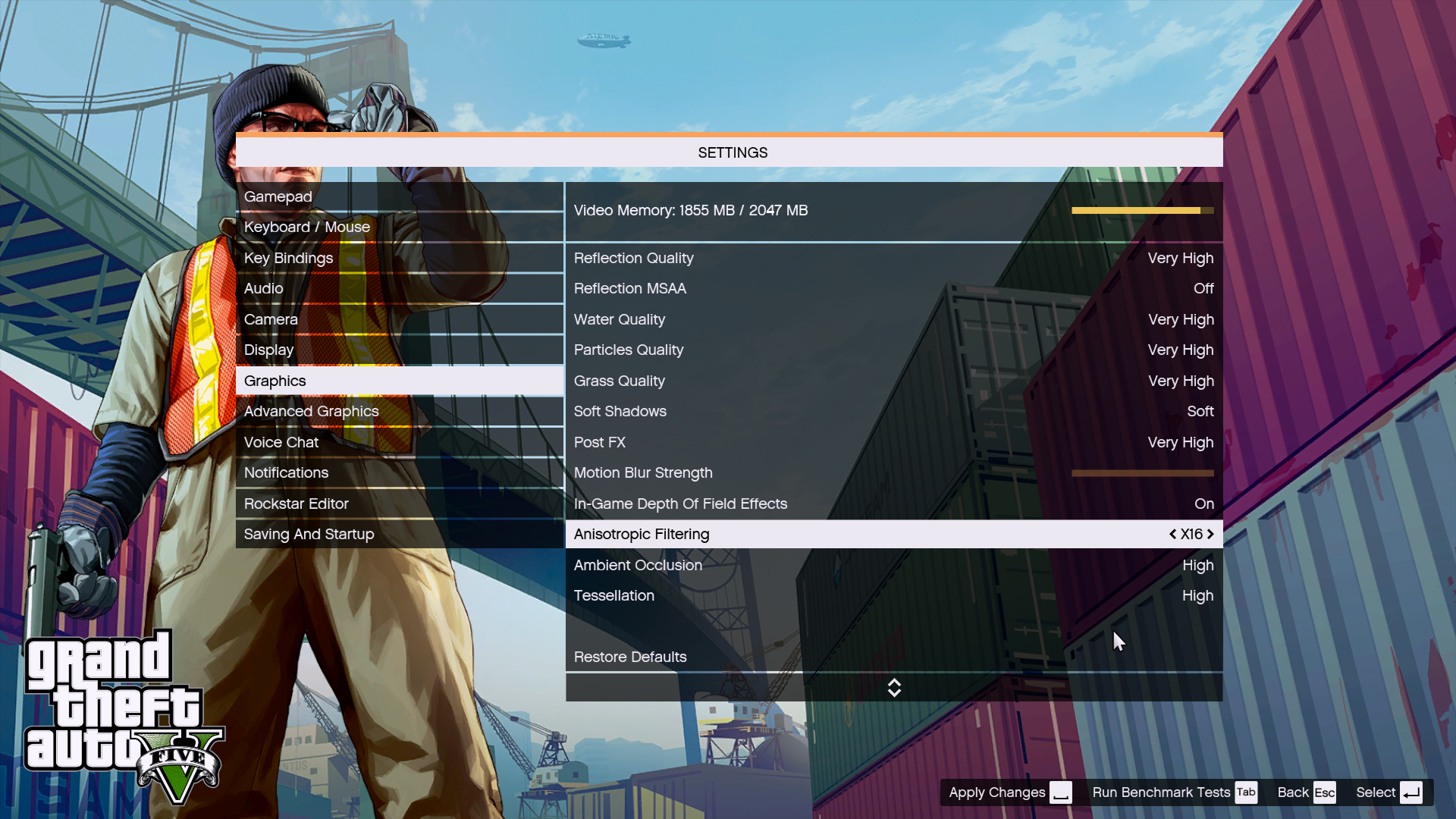
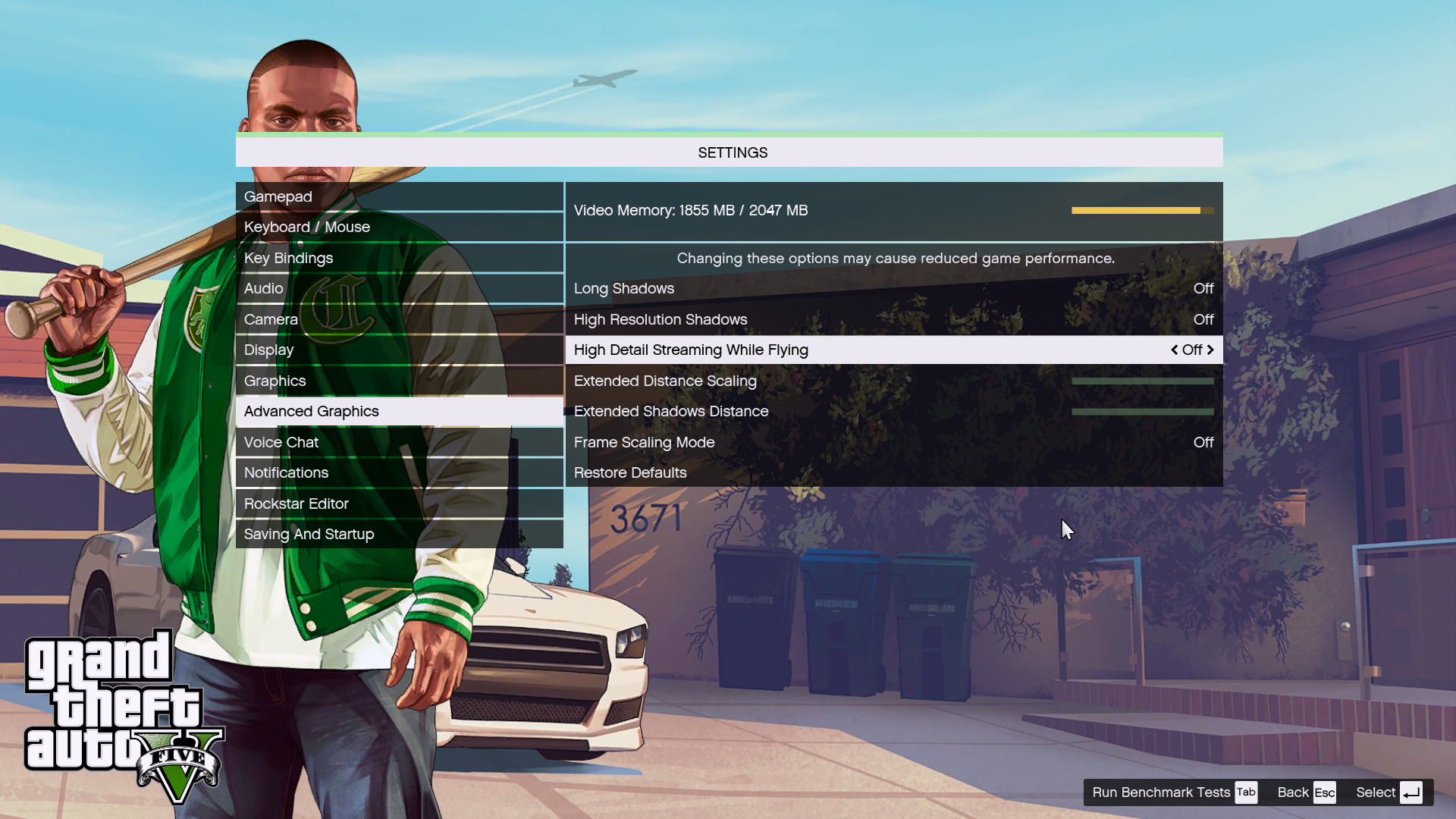
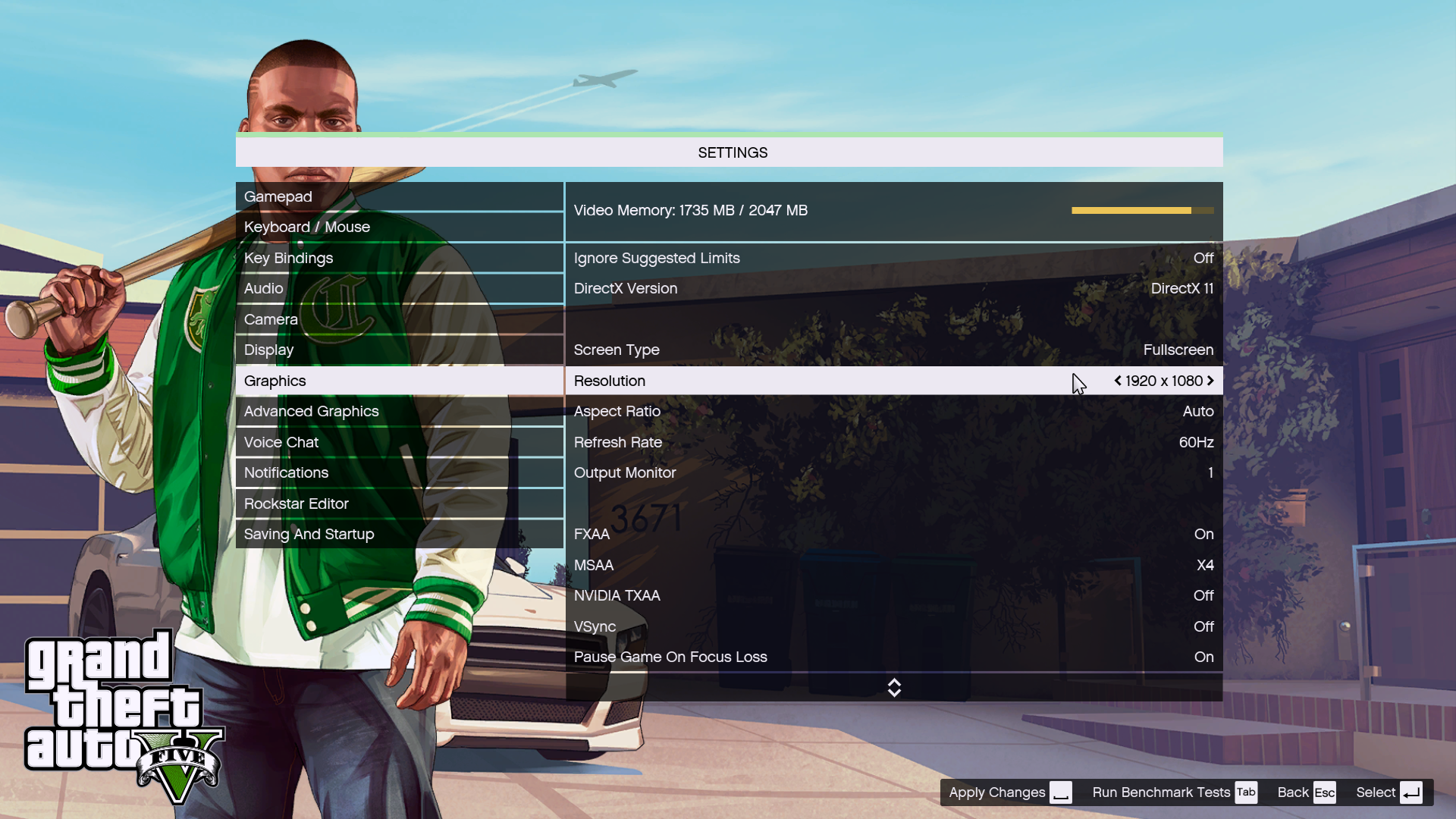
However, the GTX960M's 2GB of memory meant we couldn't set every setting to Very High, and had to leave quite a few of them on merely High. We used FRAPS to record the frame rates of the last portion of the benchmark, where a jet flies across the city followed by a truck ploughing into a petrol tanker.

Here again the Dell falls notably behind the MSI GS40 6QE Phantom competition on average. It's borderline playable, but won't be comfortable all the time.

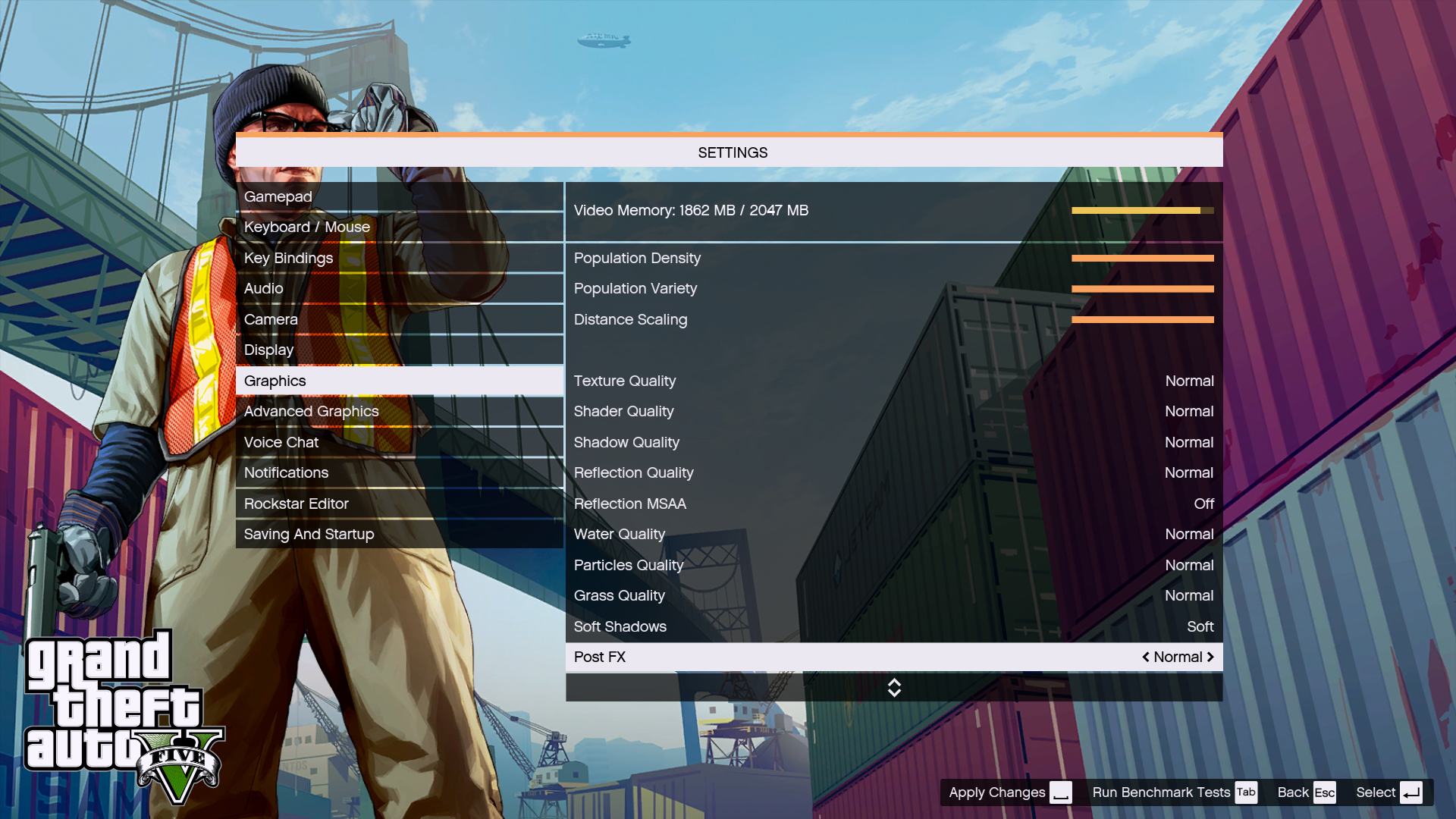
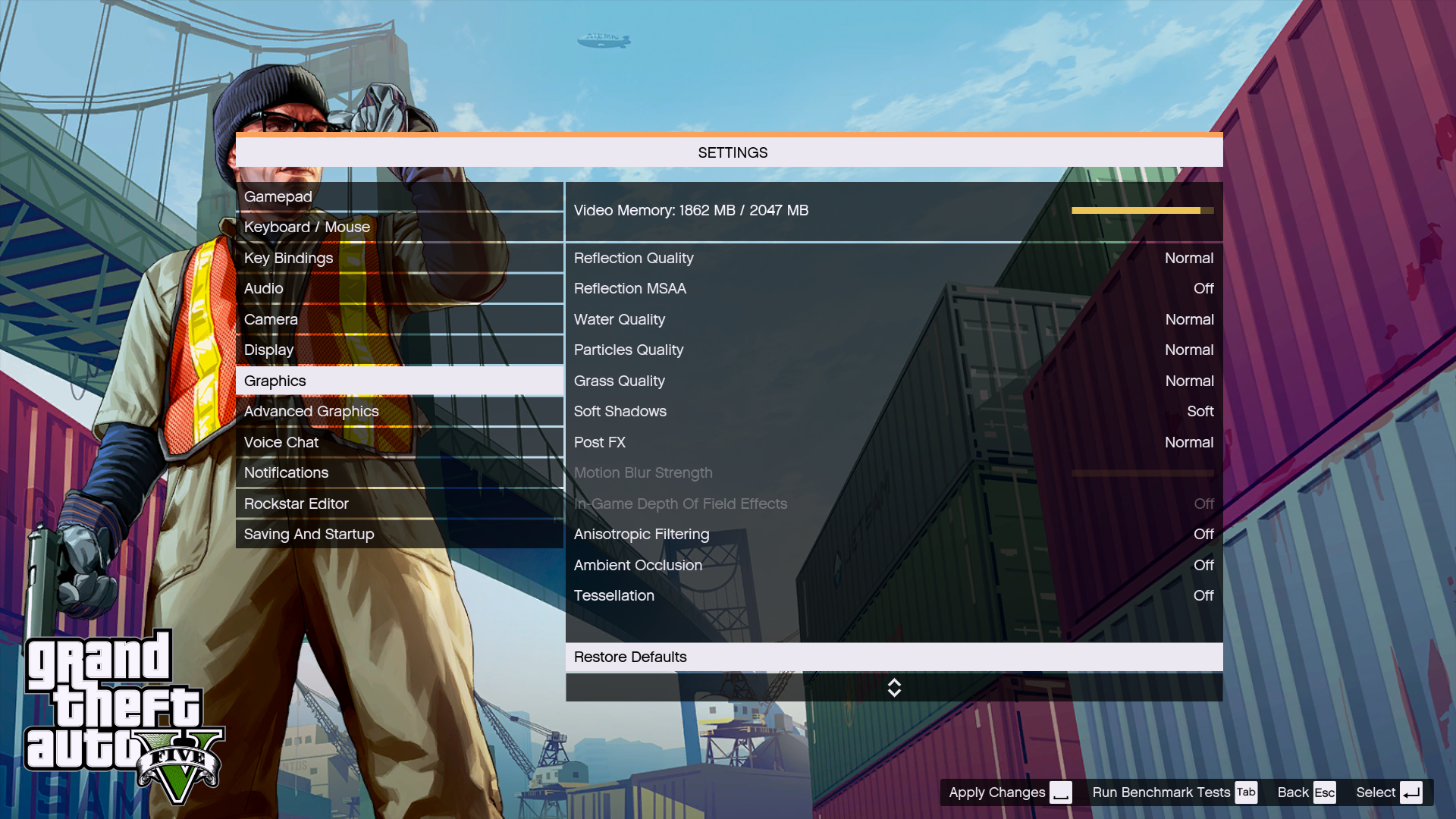
As with Tomb Raider, we thought we should try 4K with GTA as well. However, you will see from the setup that we had to ramp down most of the visual quality settings to get the game to run at 4K within the 2GB of memory afforded by the NVIDIA GTX960M graphics.
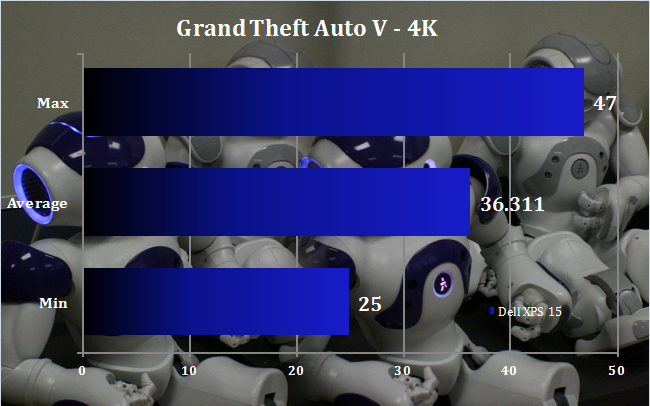
Thanks to the vastly reduced quality settings, the game is actually more playable at 4K than it was Full HD. But a lot of quality has been traded for resolution, making this a far from optimal gaming experience.
SSD Performance
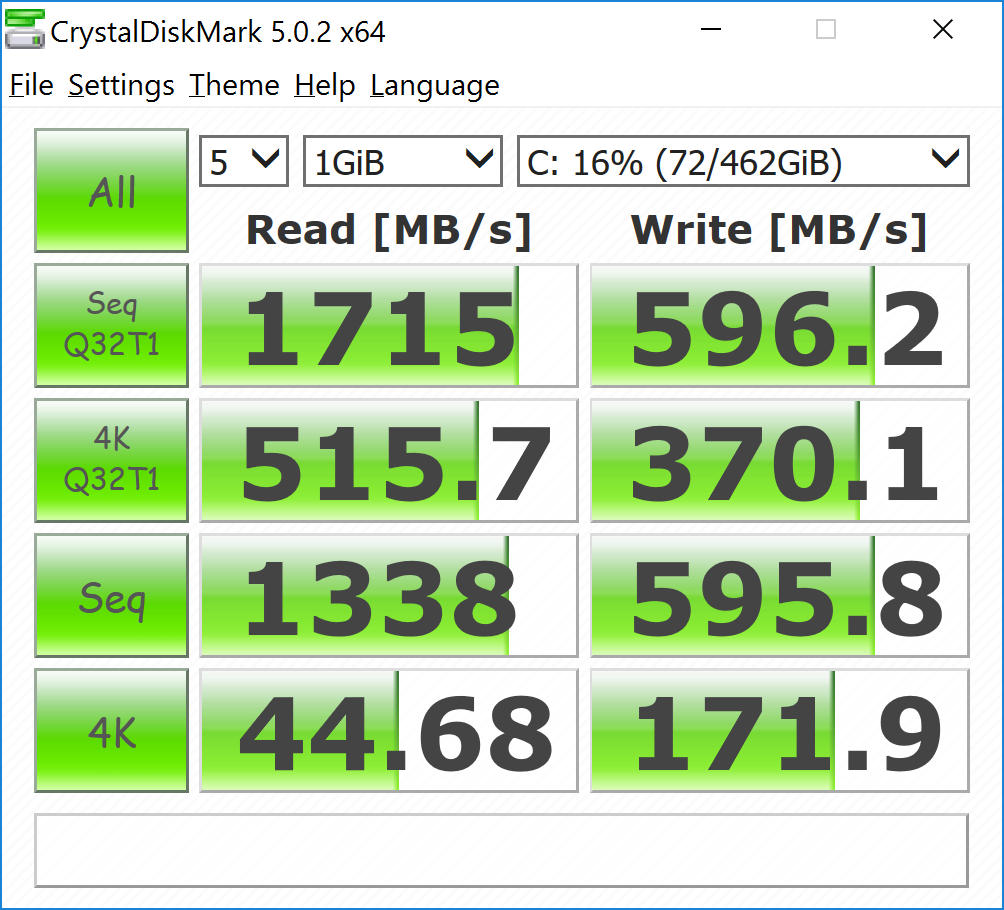
The Samsung NVMe SSD is very quick, particularly when reading, but not as quick as some NVMe SSDs we've seen. In fact, the write performance is half that of the fastest options, and reading about 30 per cent slower. This feels like quibbling with reading of nearly 1.7GB/sec, but we know that faster is possible.
Battery Life
We tested the Dell XPS 16 with Battery Saver turned on and a 50 per cent screen brightness, using the PC Mark 8 Home battery test, which runs a series of productivity tasks until the power runs out. These test scripts don't stress the gaming performance particularly, so this time doesn't represent how long you could play games on battery, although there is some 3D activity included. It's supposed to represent a mixture of everyday home user tasks.
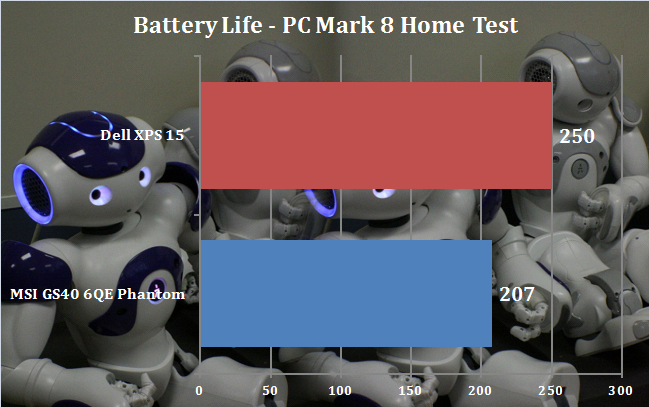
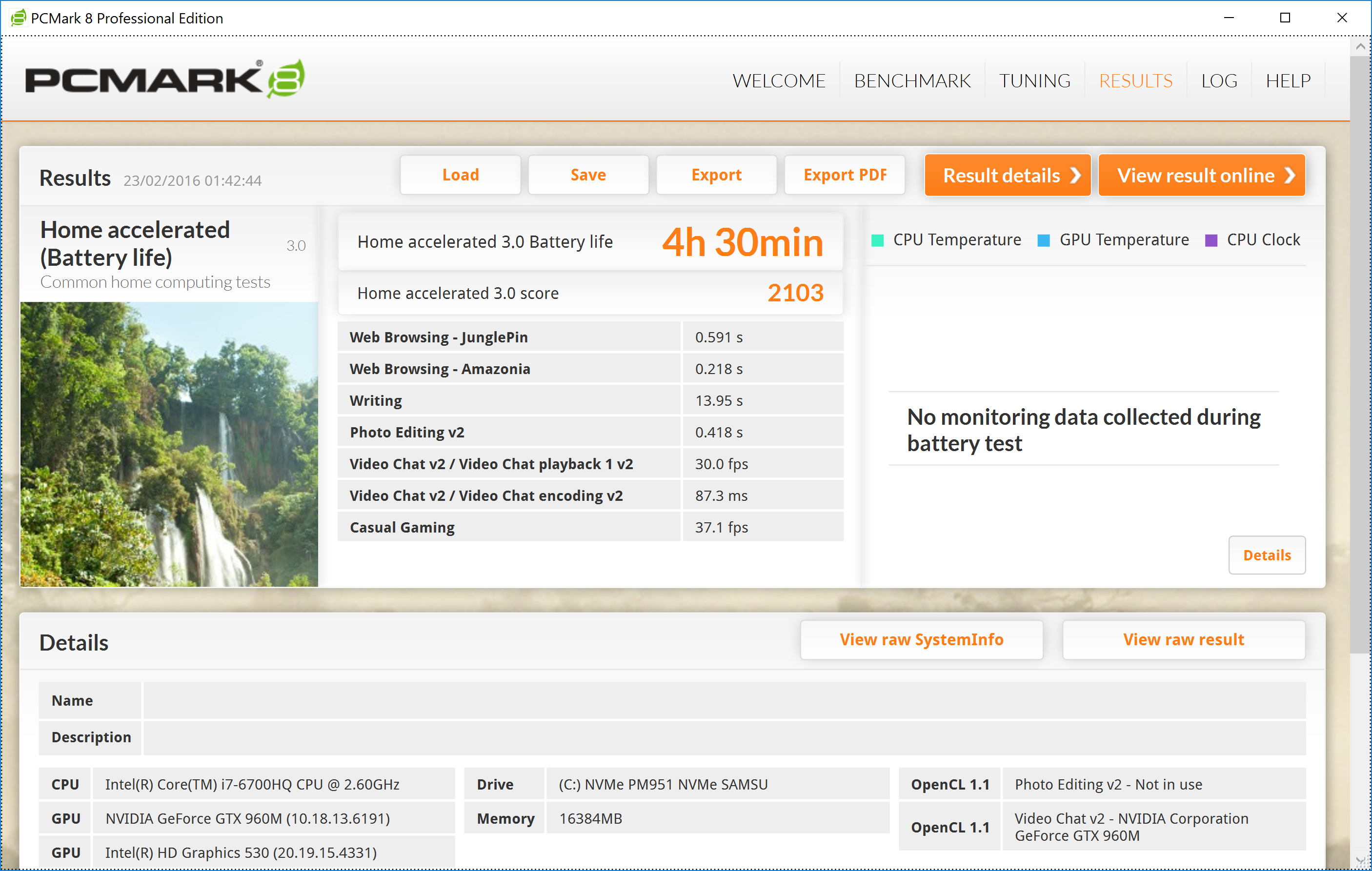
Although the Dell XPS 15 hasn't been quite top of the league in our performance tests compared to our other notebooks, it does have a strength elsewhere – the battery life. With over four hours of PC Mark 8 Home under its belt, this really is a true portable. The test runs something pretty much continually, so if you're only making more casual use of its CPU and graphics, it could well last an hour or two longer.
Acoustic Performance
Acoustic recordings are taken while the system sits at the desktop under minimum load. Then we run 3DMark's FireStrike 1.1 and take the measurements again once the sound has settled to its maximum. All fans were left to the defaults. We recorded audio from a 1m distance from the base unit at approximately the same level.
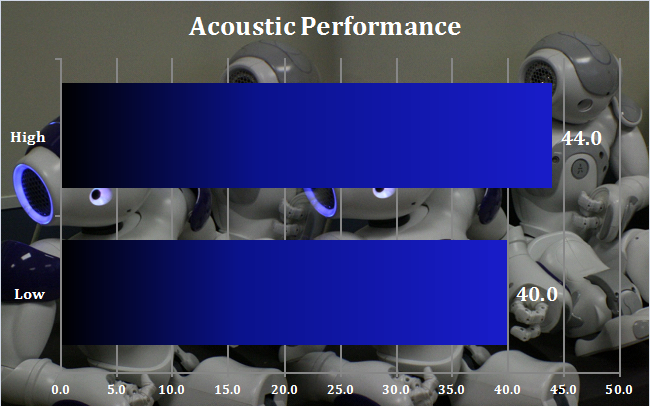
The Dell XPS 15 makes virtually no noise at all when not under load – the 40dB recording is basically the ambient background noise in our test area. Even under load, whilst the fan does noticeably spin up a few notches eventually, the final result is hardly a pain on your eardrums. This is a pretty quiet notebook overall.
The Dell XPS 15 doesn't quite live up to the prestigious all-conquering history of some of the first, massive 17in XPS models. It won't provide you with a near-desktop level of gaming performance in a portable package.
The lack of built-in wired networking might disappoint those hoping to take the this laptop to a LAN, although it won't cost much to add an adapter. But, on the plus side, its excellent battery life means this is a true road warrior.
So, rather than being kick-ass gaming portable, the Dell XPS 15 is more of a good all-round notebook with great battery life that you can also play games pretty well on. It's also a little on the pricey side, when MSI's brilliant GS40 6QE Phantom can be had for over £100 less, with much more compelling gaming abilities and a lighter chassis.
Most of the price difference is due to the screen, however. It is lovely, and confers great bragging rights, but adds £300 to the price compared to the Full HD model. So the latter is the better value option, with Full HD better suited to the GPU performance anyway.
Discuss on our Facebook page, over HERE.
Pros:
- Excellent battery life.
- Decent gaming performance for a 15in notebook.
- Future-proofed 16GB of memory.
- Great 4K touch screen.
- Fast, capacious NVMe SSD for primary storage.
- Light 2kg chassis.
- Thunderbolt 3 port.
Cons:
- Faster 15in gaming notebooks are available.
- decent everyday performance but not a good first choice for gaming.
- No built-in wired networking.
KitGuru says: The Dell XPS 15 combines excellent battery life with decent gaming potential into a slim, reasonably light chassis – but the beautiful 4K screen makes for a relatively high price too.


@James Morris, did Dell confirm support for eGPU enclosures through that Thunderbolt 3.0 port? Merely having the port isn’t enough, system BIOS level support is also needed for it work.