 KitGuru KitGuru.net – Tech News | Hardware News | Hardware Reviews | IOS | Mobile | Gaming | Graphics Cards


UK system builder PCSpecialist have earned an excellent reputation in recent years by delivering cost effective rigs, using high grade components. Today we look at one of their new mobile systems, the Optimus V X13. This diminutive 13.3 inch laptop is loaded to the gills with high end hardware, including a Core i7 4710MQ processor, 8GB of Kingston Hyper-X memory, Nvidia GTX 860M and a 1TB Seagate Hybrid SSHD drive. It also incorporates a full 1080p panel and a backlit keyboard. The price? A very modest £749.00.
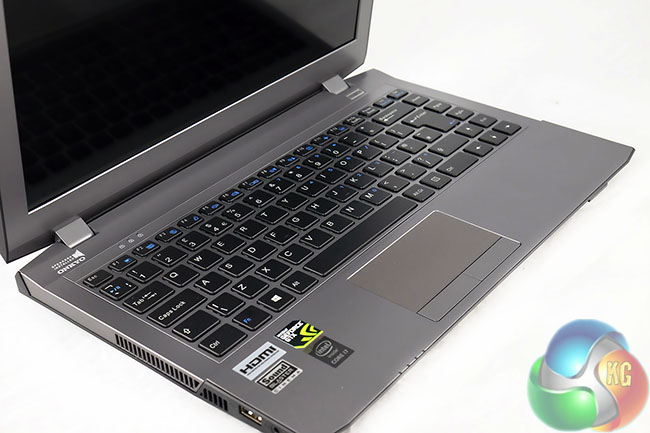
PCSpecialist Optimus V X13 Overview:
Chassis & Display Optimus Series: 13.3″ Matte Full HD LED IPS Widescreen (1920×1080).
Processor: (CPU) Intel Core i7 Quad Core Mobile Processor i7-4710MQ (2.50GHz) 6MB.
Memory: (RAM) 8GB KINGSTON HYPER-X IMPACT 1600MHz SODIMM DDR3 (1 x 8GB).
Graphics Card: NVIDIA GeForce GTX 860M – 2.0GB DDR5, 640 CUDA Cores – DirectX 11.
Hard Disk: 1TB SEAGATE HYBRID GEN3 SSHD Drive, SATA 6 Gb/s, 64MB CACHE (5400 rpm).
Memory Card Reader: Integrated 6 in 1 Card Reader (SD /Mini SD/ SDHC / SDXC / MMC / RSMMC).
Thermal Paste: ARCTIC MX-4 EXTREME THERMAL CONDUCTIVITY COMPOUND.
Sound Card: Intel 2 Channel High Definition Audio + MIC/Headphone Jack.
Bluetooth & Wireless: GIGABIT LAN & WIRELESS INTEL N-7260 (300Mbps, 802.11BGN) + BLUETOOTH.
USB Options: 3 x USB 3.0 PORTS + 1 x USB 2.0 PORT AS STANDARD.
Battery: 13.3″ Optimus Series 6 Cell Lithium Ion Battery (62.16WH).
Power Lead & Adapter: 1 x UK Power Lead & 120W AC Adapter.
Operating System: Genuine Windows 8.1 64 Bit – inc DVD & Licence.
Keyboard: Language 13.3″ OPTIMUS SERIES BACKLIT UK KEYBOARD.
Warranty: 3 Year Silver Warranty (1 Year Collect & Return, 1 Year Parts, 3 Year Labour).
Total Order Price: £749.00 inc vat.
The PCSpecialist Optimus V X13 ships in a large plain brown box.
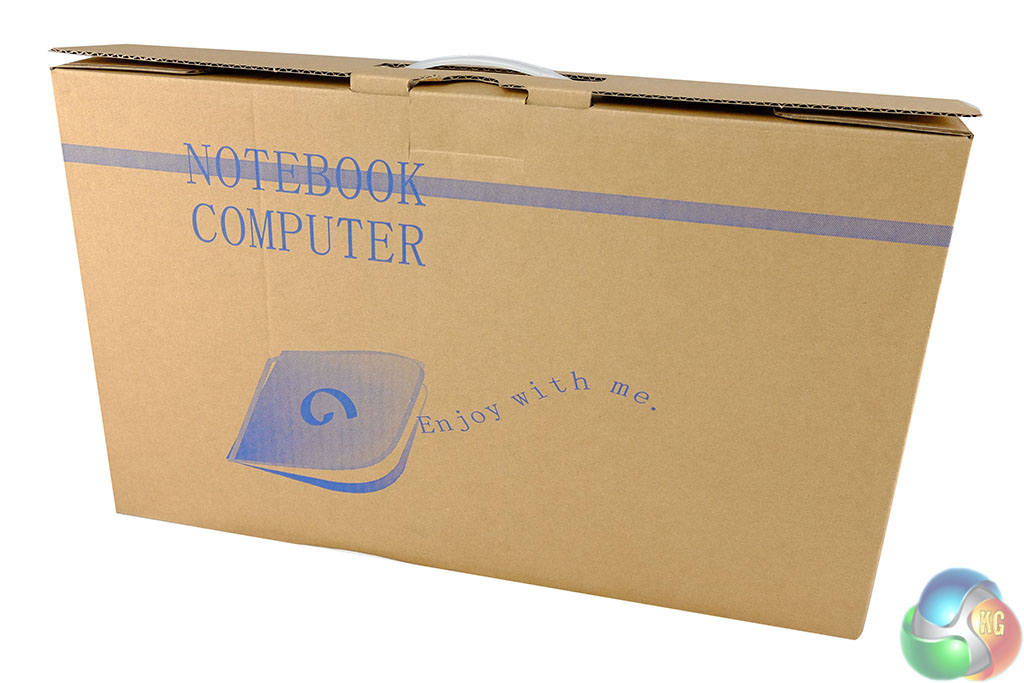
Inside, a smaller ‘Notebook Computer' box with the words ‘enjoy with me' written underneath. Not sure what that means, but let's move on.
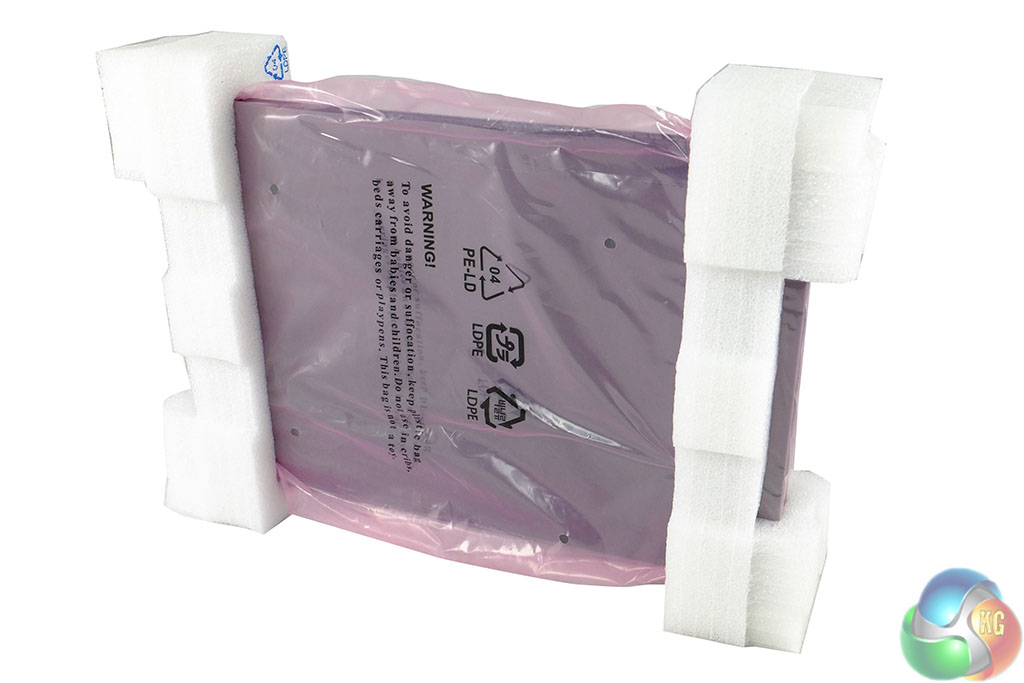
The 13.3 inch Optimus V X13 laptop is protected between two thick foam pads and is covered in a plastic wrap. We will set this to the side for now and look at the laptop on the next page.
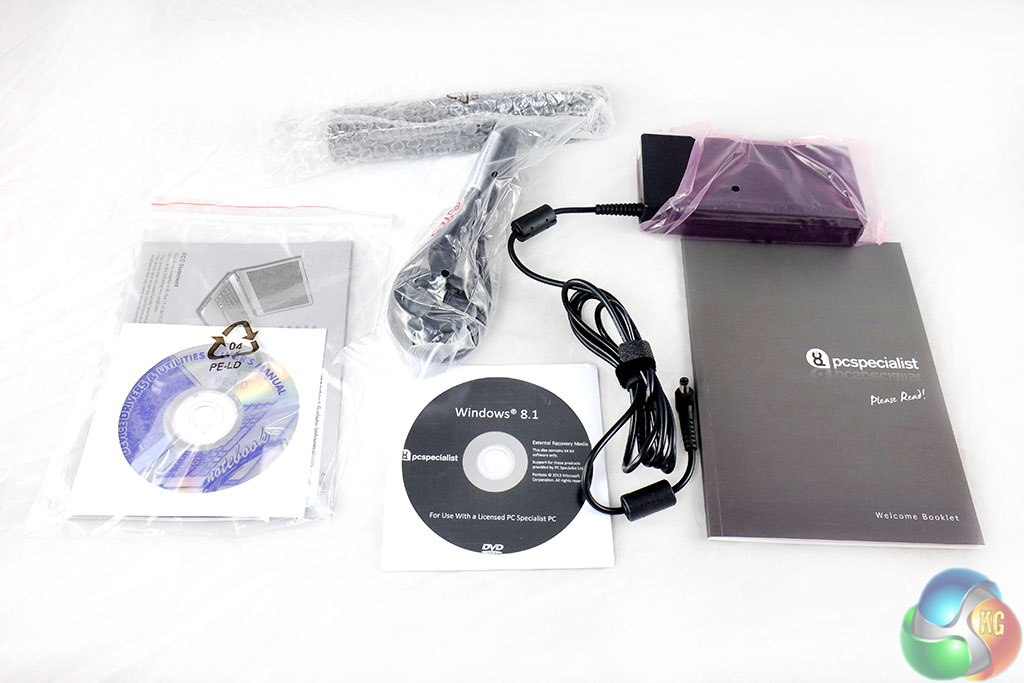
The bundle contains all we would expect. A quick start user guide, software/driver discs, the power adapter and cable.
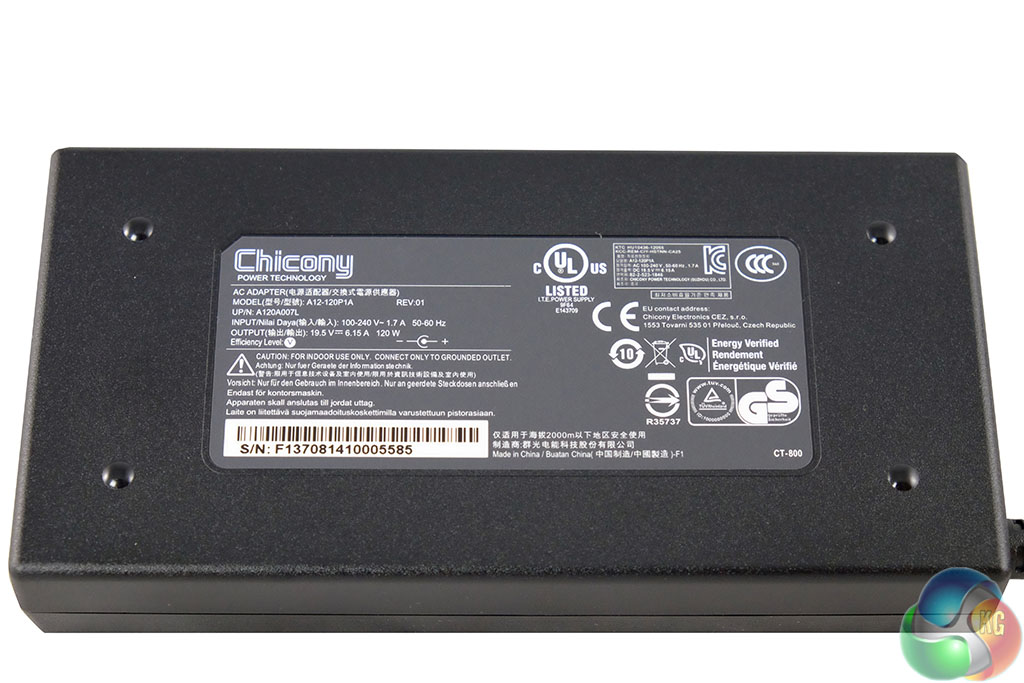
The power adapter is by ‘Chicony' and can operate between 100-240V. It is rated 19.5V, 6.15A at 120W. It is modestly sized, but quite large when placed beside the tiny laptop.
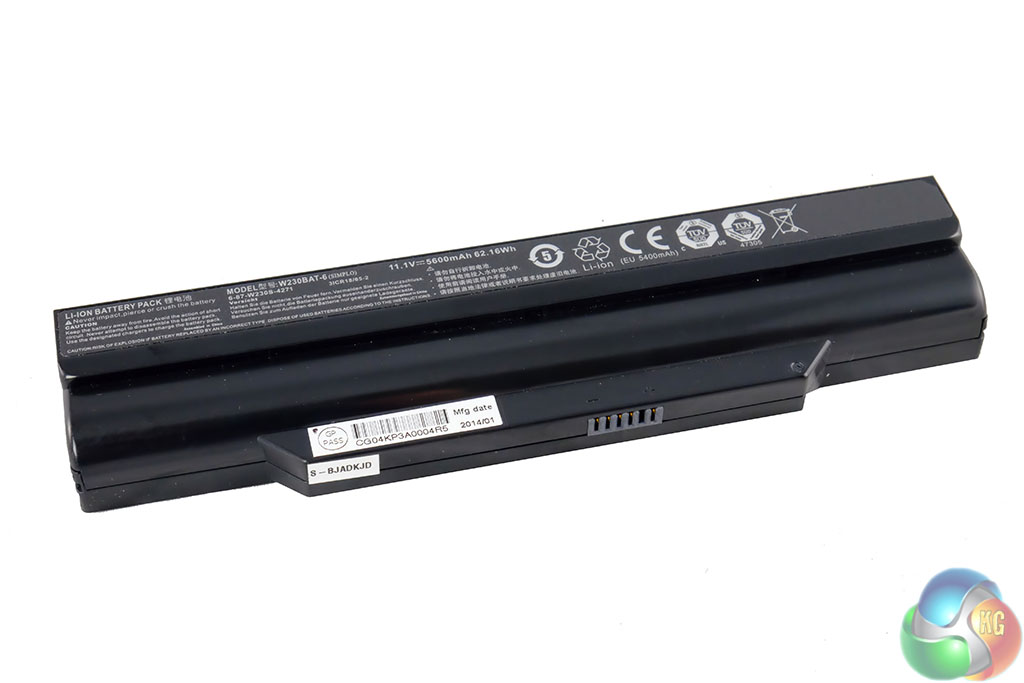
A decent sized battery is included, rated 5600mAh (62.16Wh). We will analyse battery life later in the review.
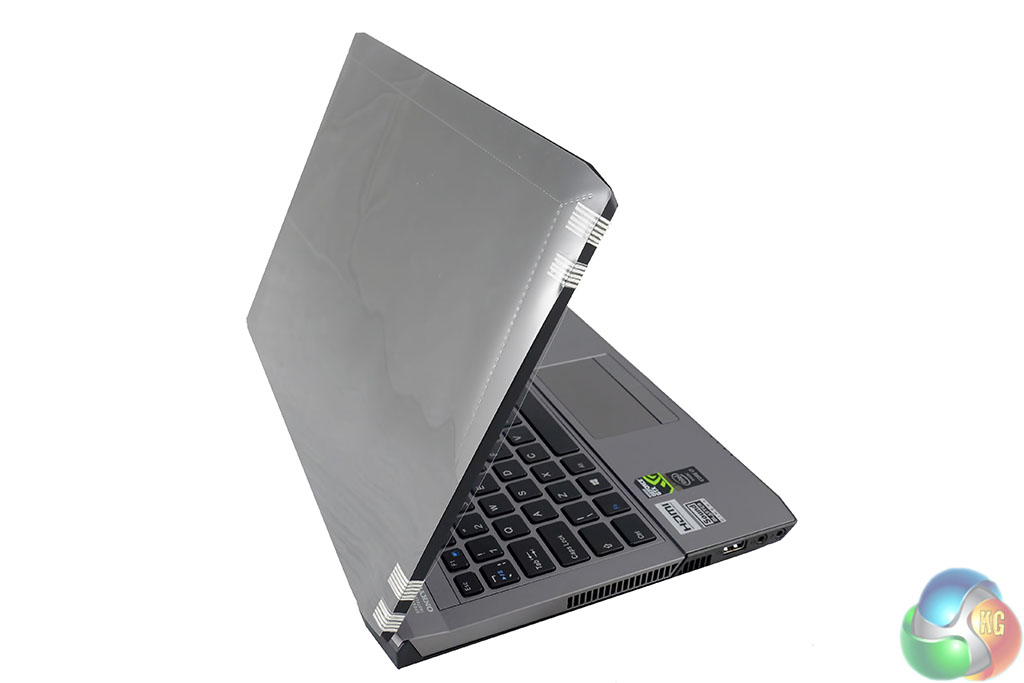
The PCSpecialist Optimus V X13 has two protective covers on either side of the lid. Always worth storing these inside the box in case you need them later.
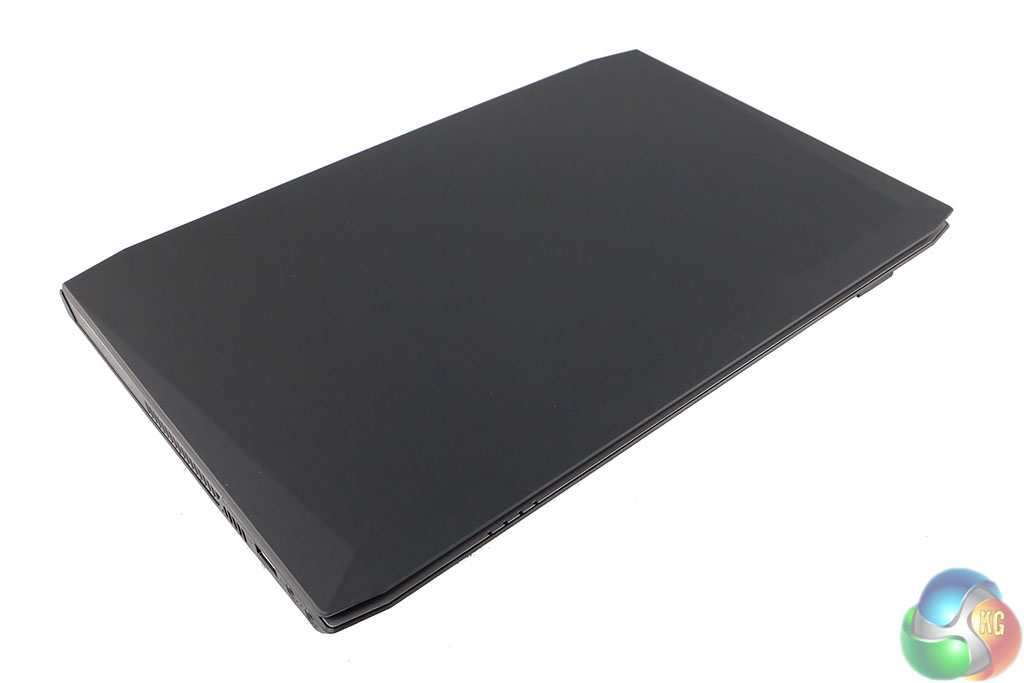
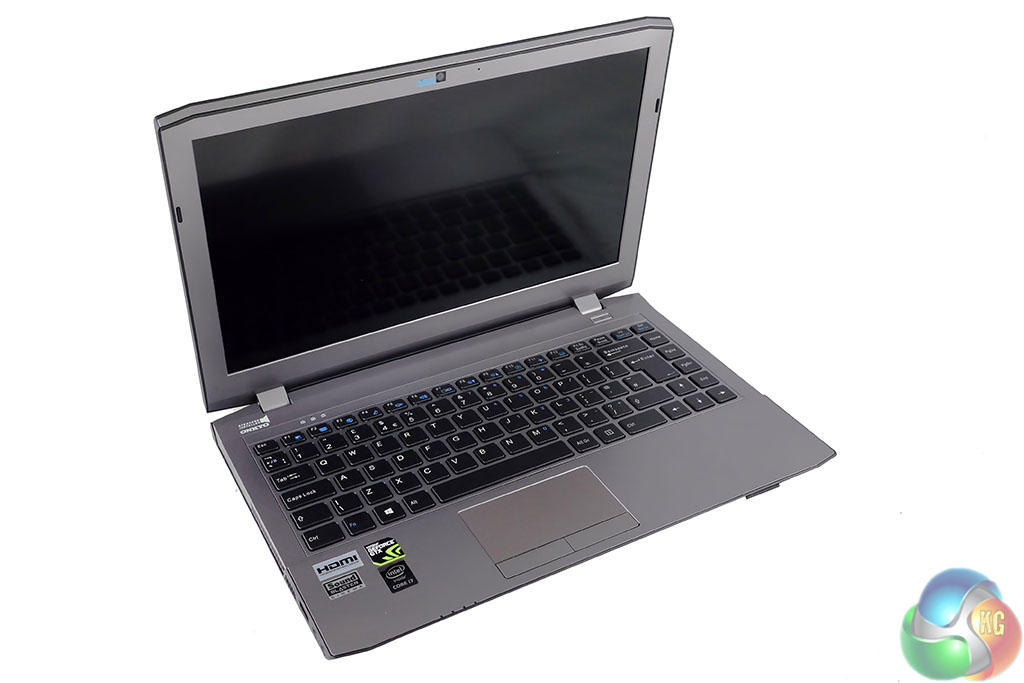
The cover of the lid is a different material, designed to be easily cleaned. It does attract fingerprints without much effort, but it only takes a quick rub with a cloth to look perfect again.
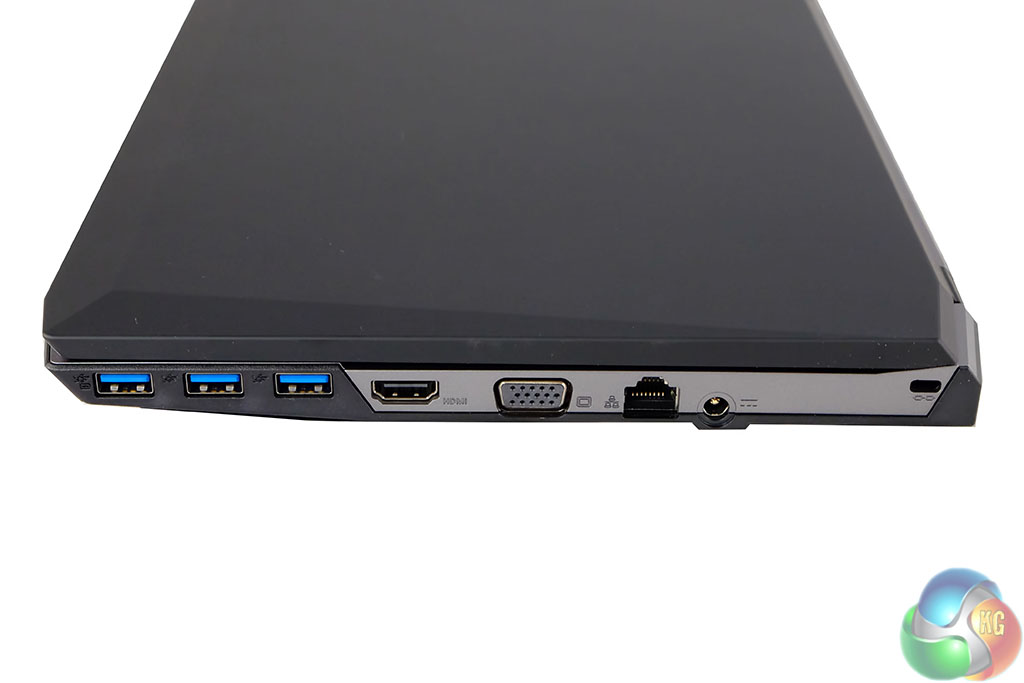
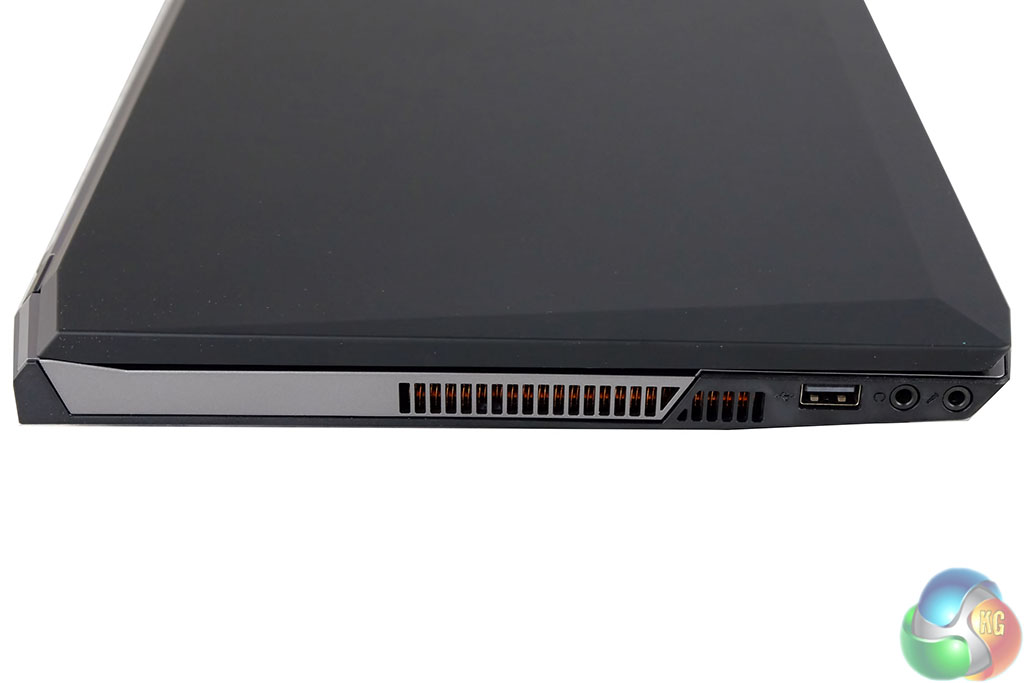
We always like to see plenty of USB ports. One side of the PCSpecialist Optimus V X13 has three USB 3.0 ports, an HDMI out, VGA out, GB Lan and the power connector. The other side is home to a very large cooling vent, another USB port and a headphone / microphone jack.
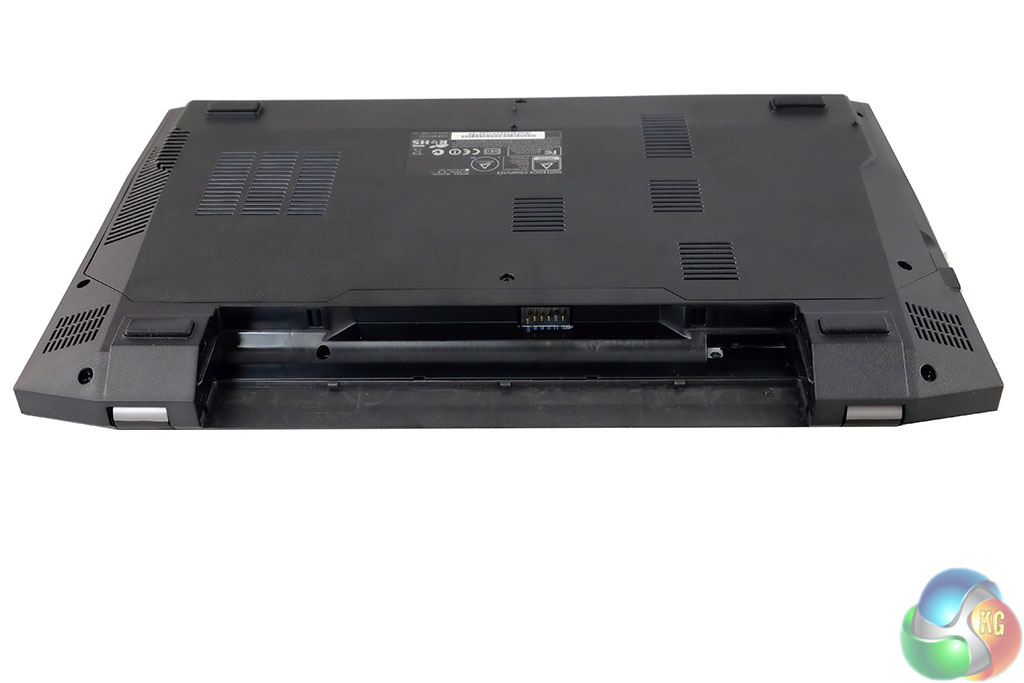
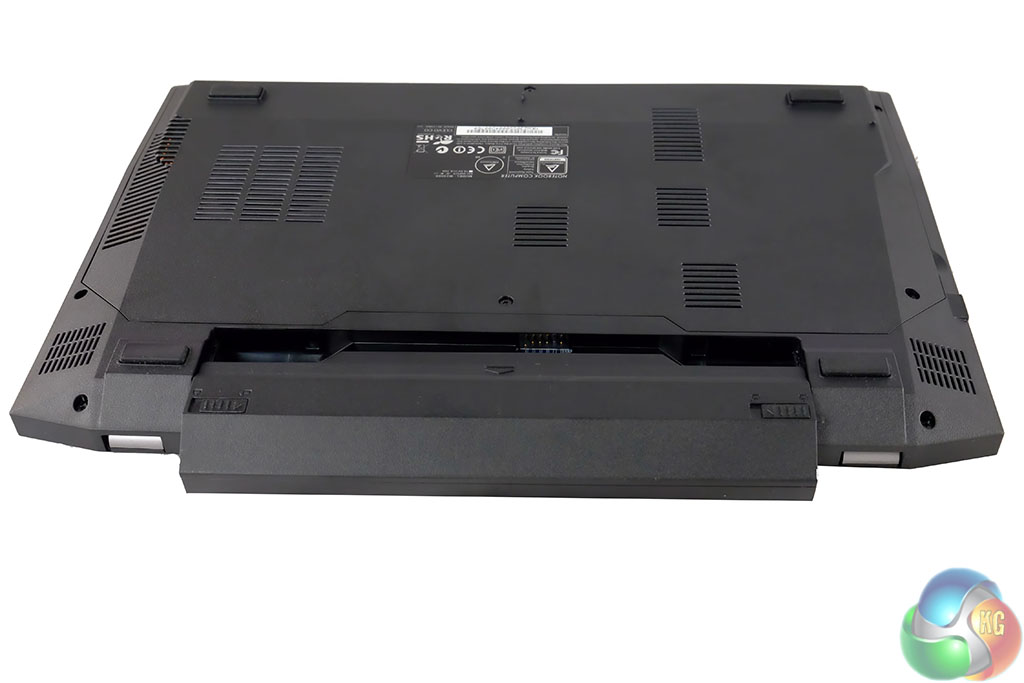
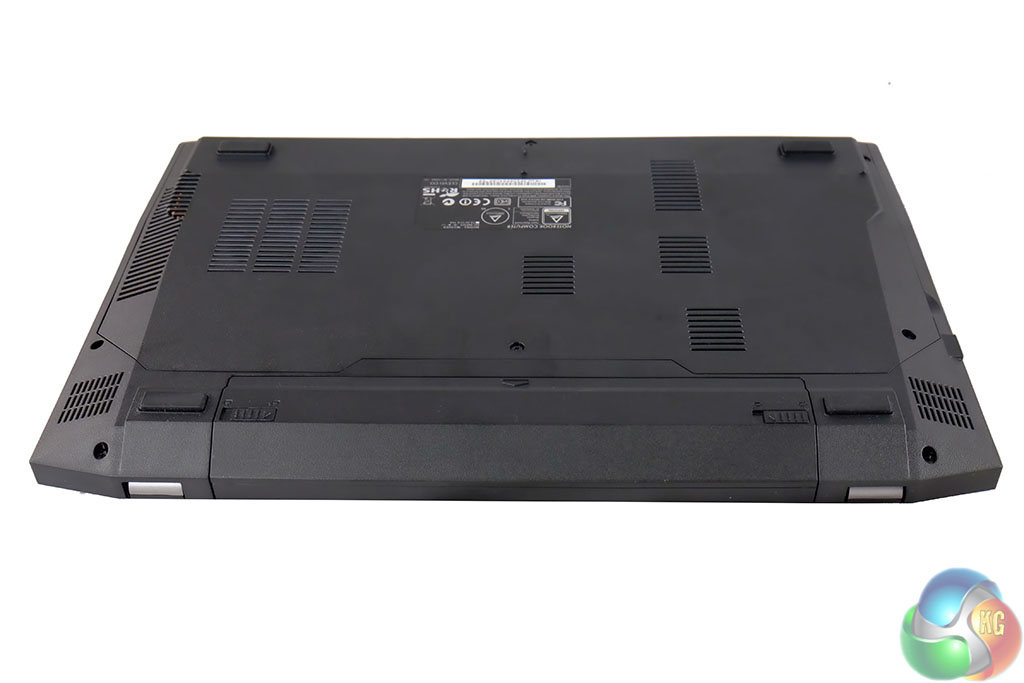
The battery slots into the back of the laptop and thankfully doesn't overhang the main chassis, sitting flush to the rear panels.
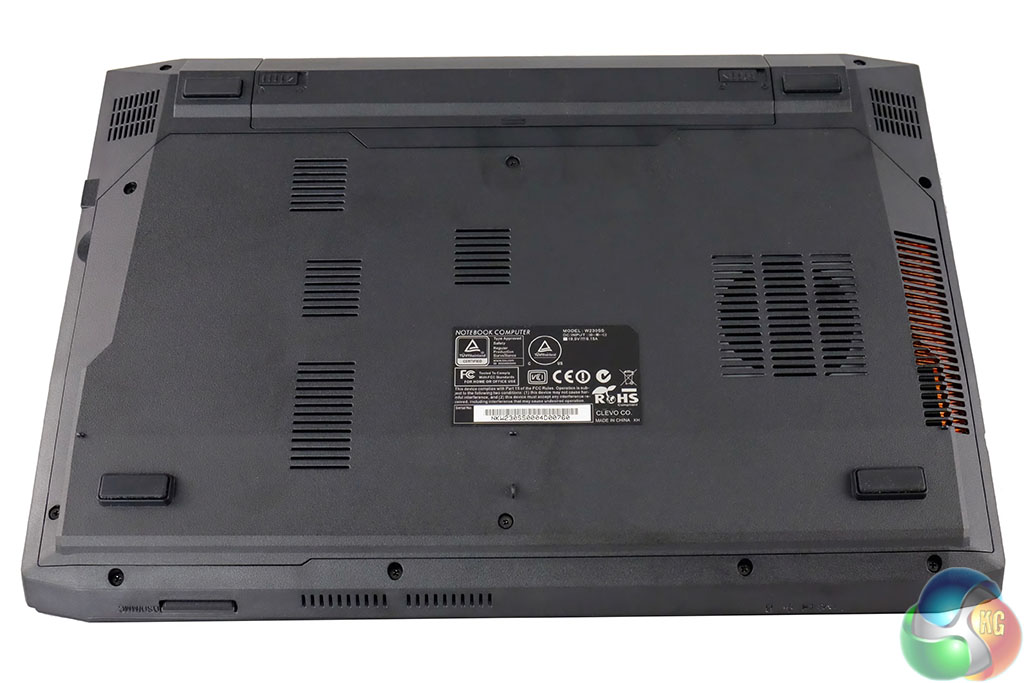
There are plenty of little air vents under the chassis, and we can see the copper heatsink on the right – clearly connected to cooling the GPU/CPU.
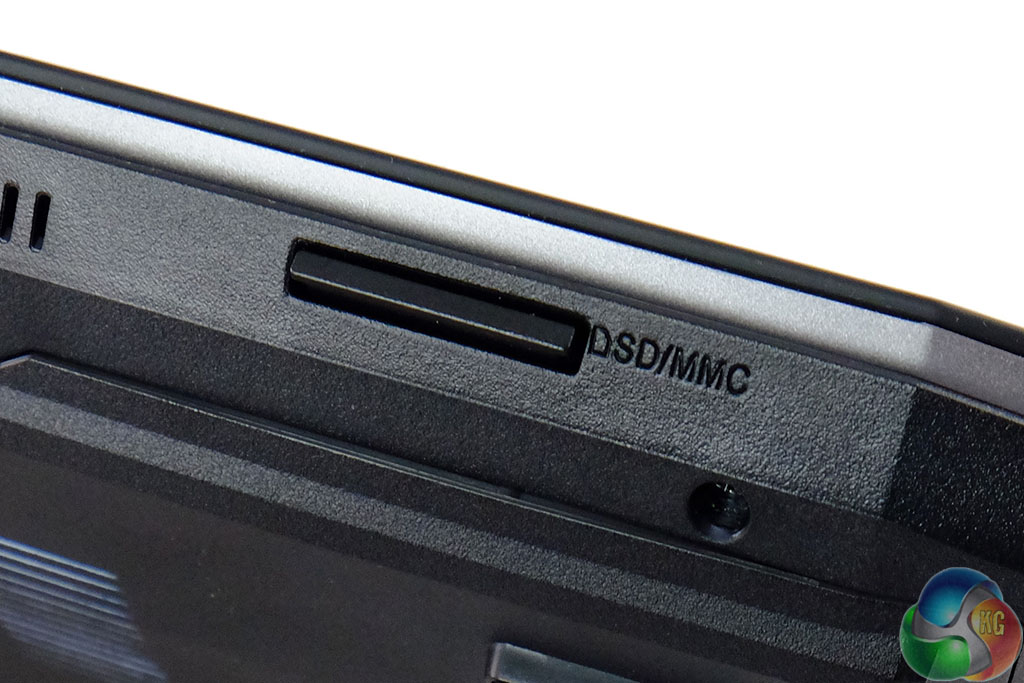
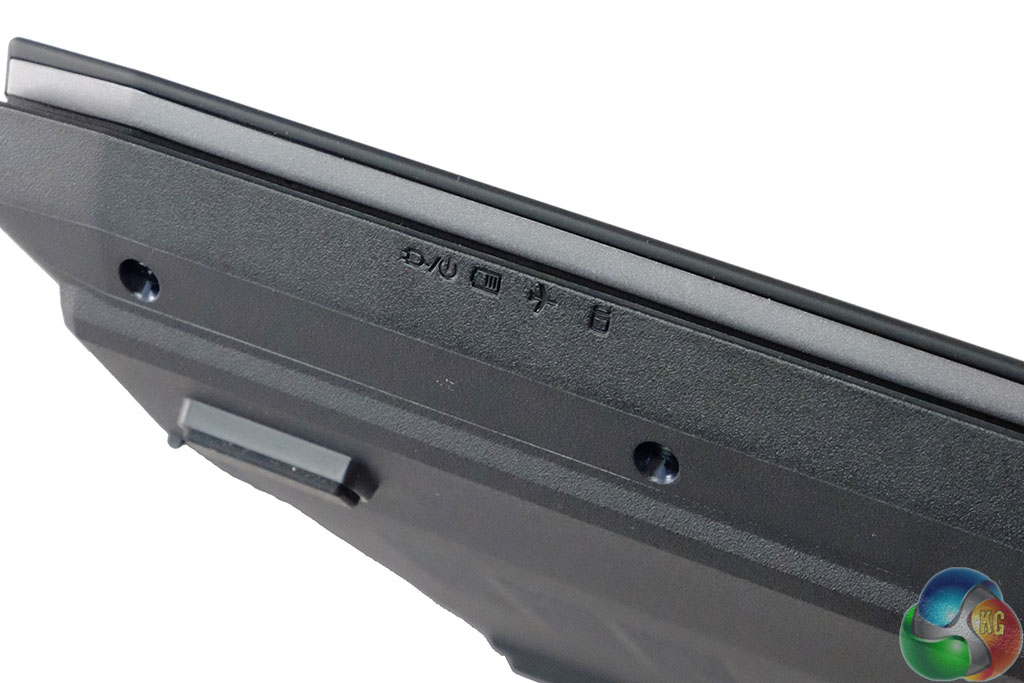
It is easy to miss, but there is a card reader on the front of the chassis. On the other side are indicators for charging, battery, flight mode etc.
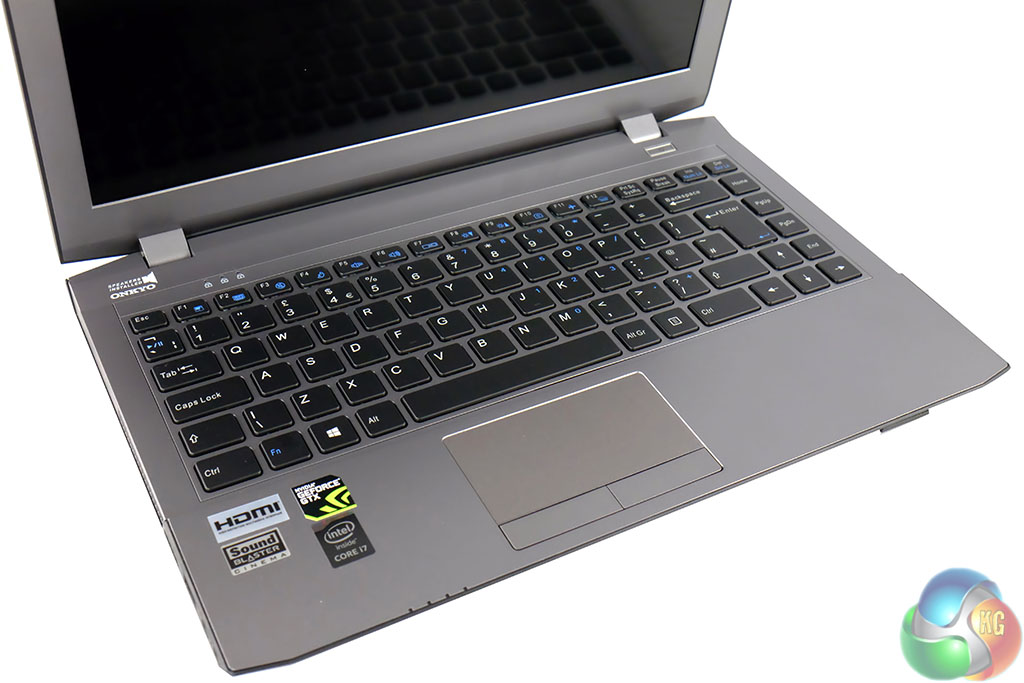
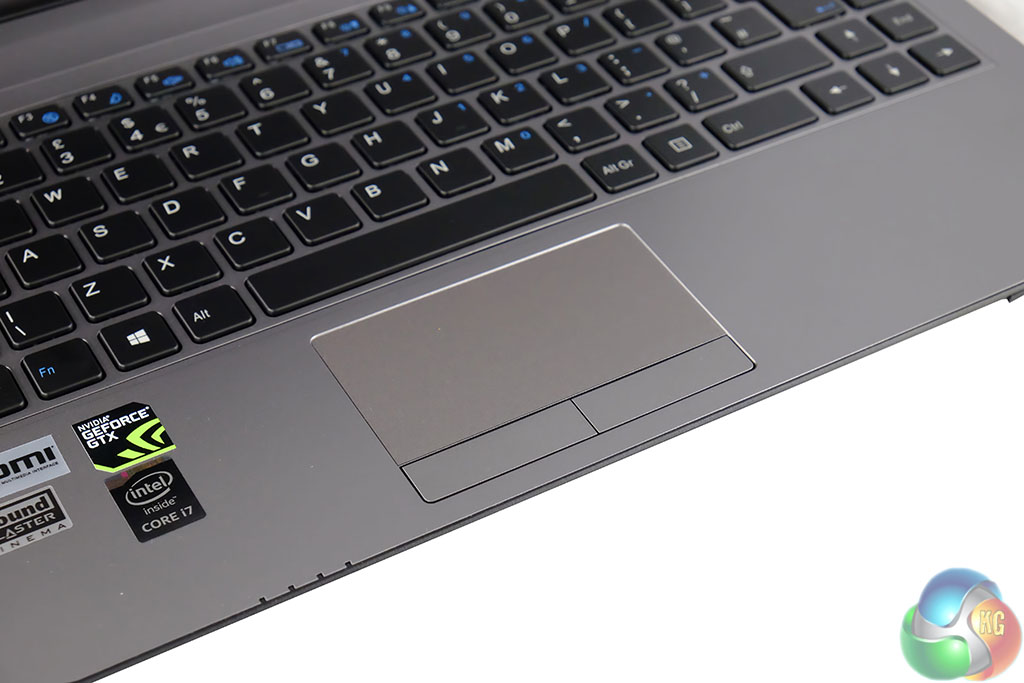
The chiclet keyboard is quite good to use, but will obviously never replace a full sized dedicated mechanical board. The keyboard is white backlit, and has two intensity options, with the ability to turn it off completely.
The touchpad is reasonably good also, and underneath, separately are left and right buttons.
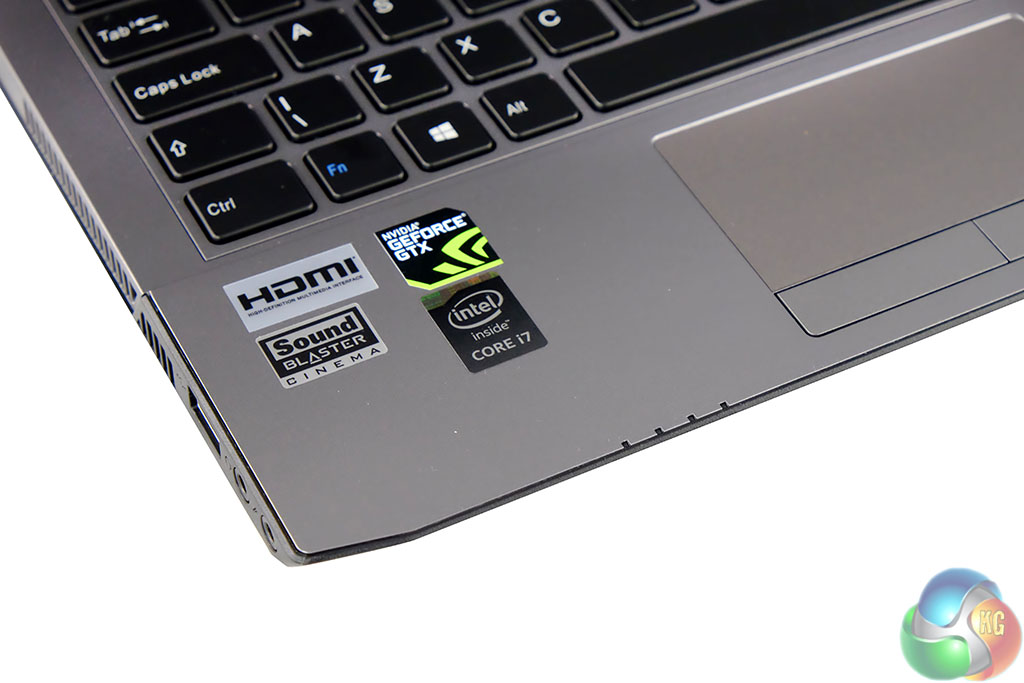
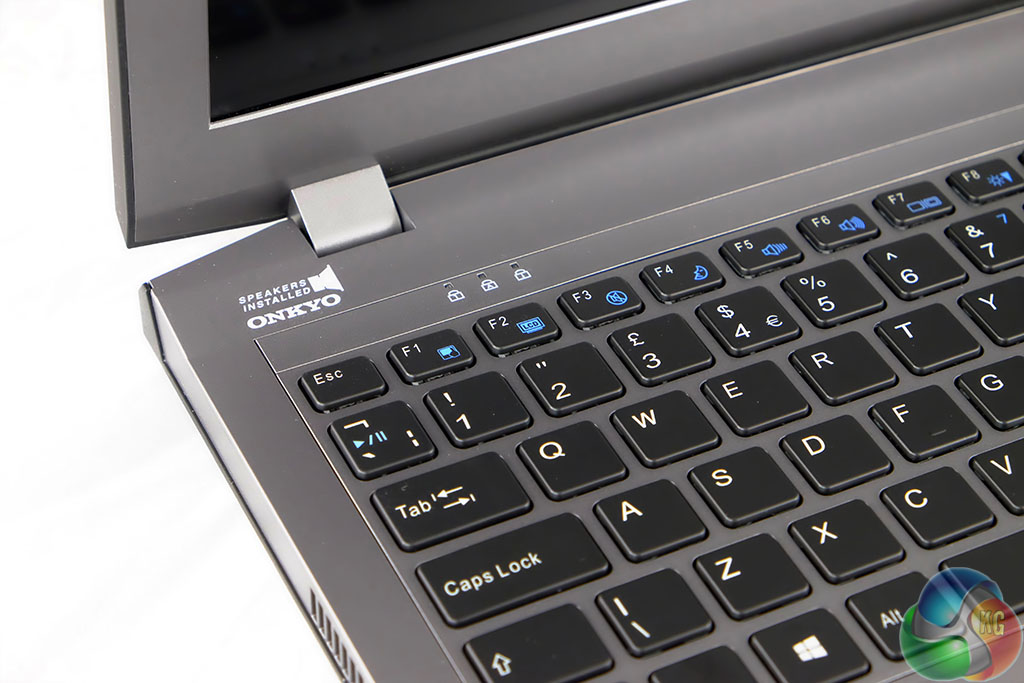
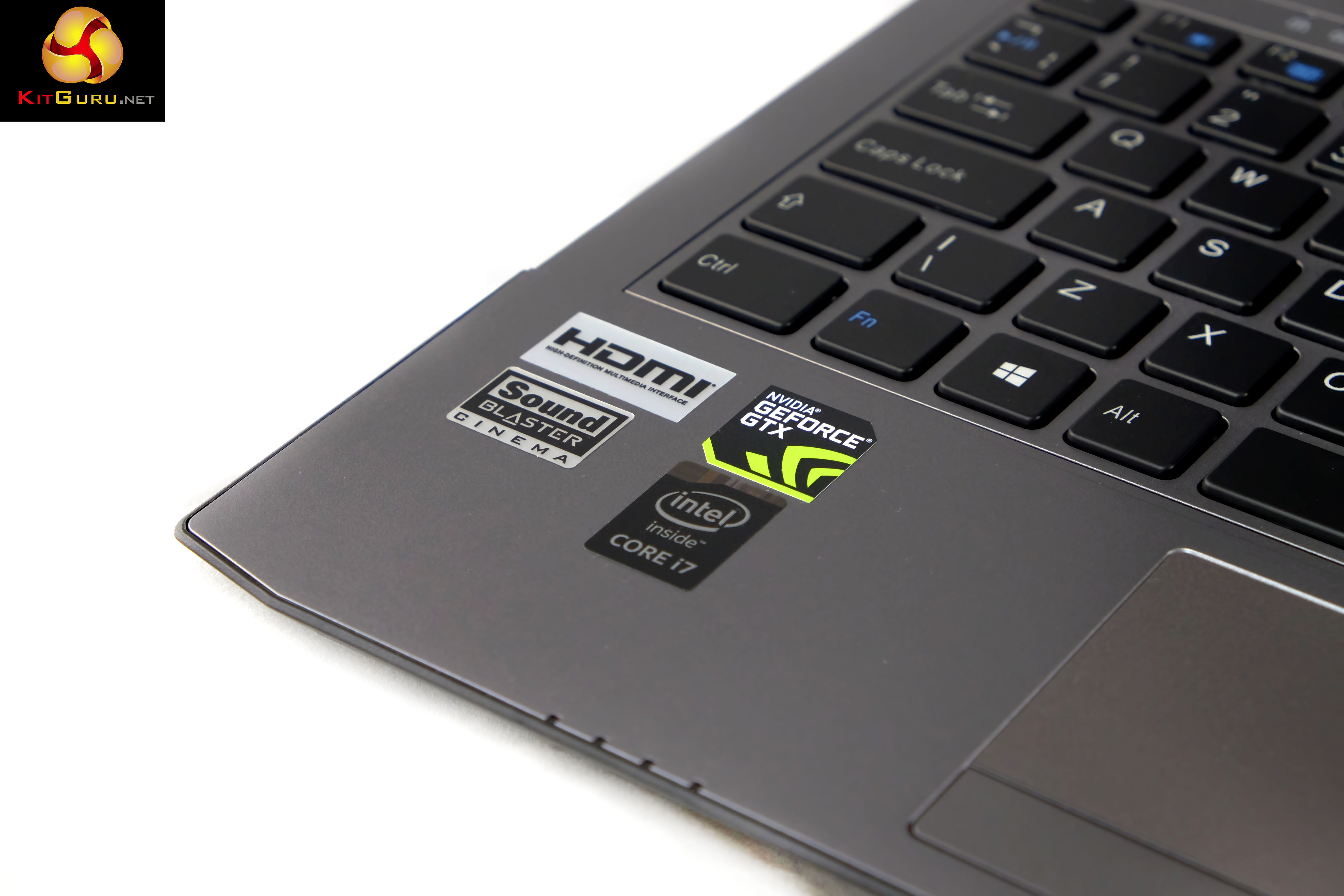
The chassis is quite appealing to look at, although we never like to see a lot of company branding on a laptop chassis. The built in speaker system is by Onkyo. Audio quality is less than wonderful to be honest, completely lacking in any kind of bass response. On a more positive note it can be dialed quite high without much distortion, but ideally you will want headphones or external speakers attached if you plan on watching media or playing games.
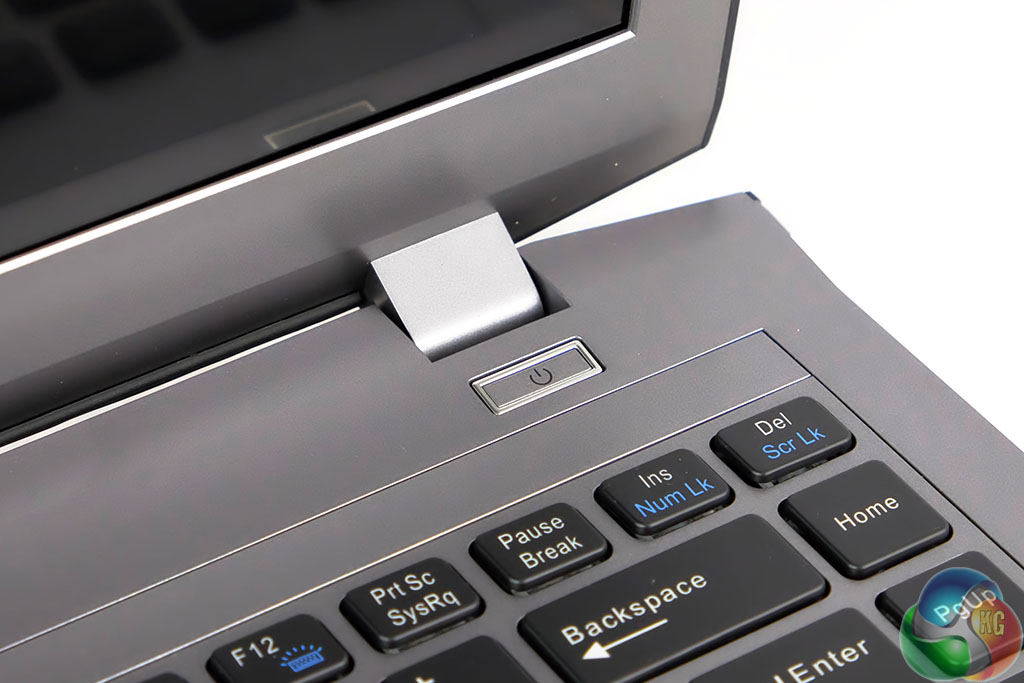
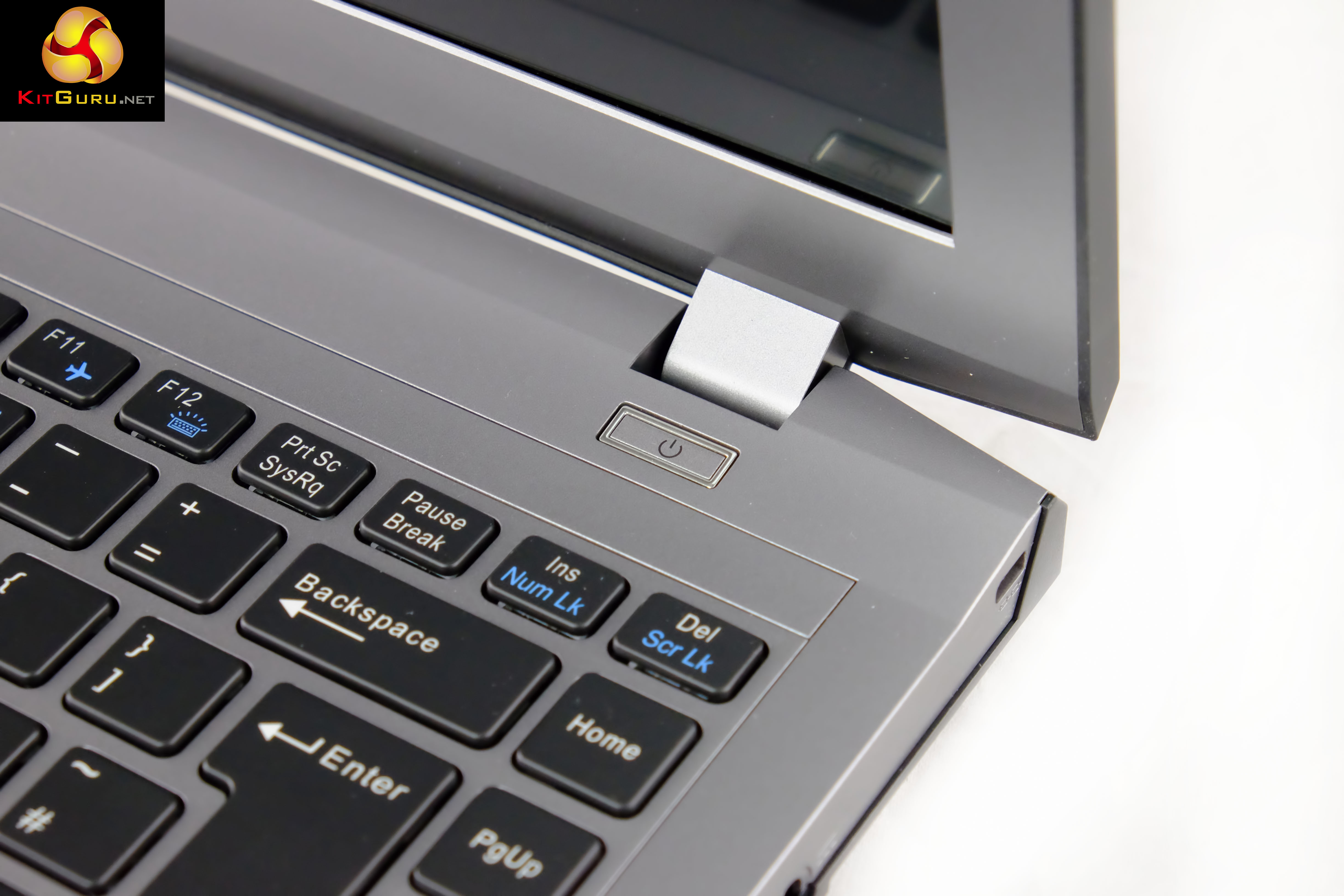
The power button is positioned top right, underneath one of the lid hinges.
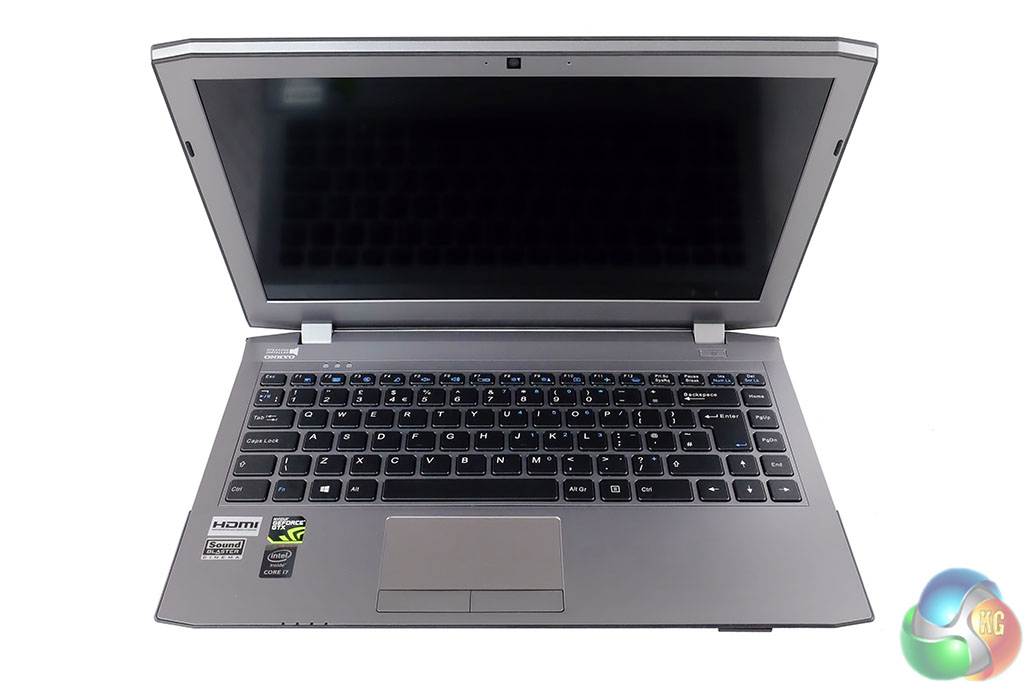
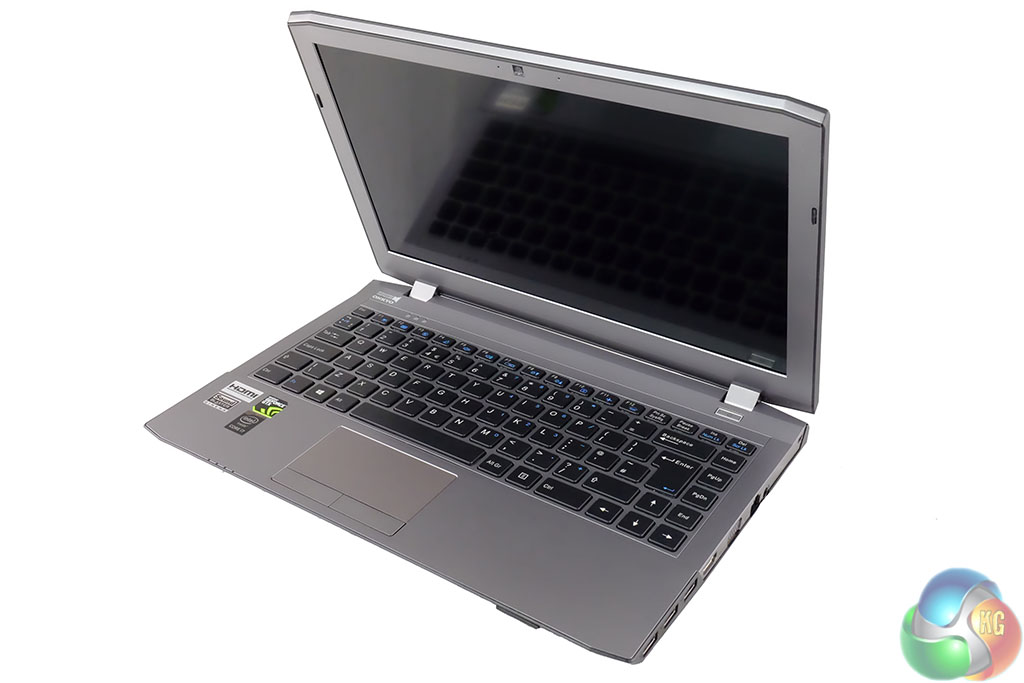
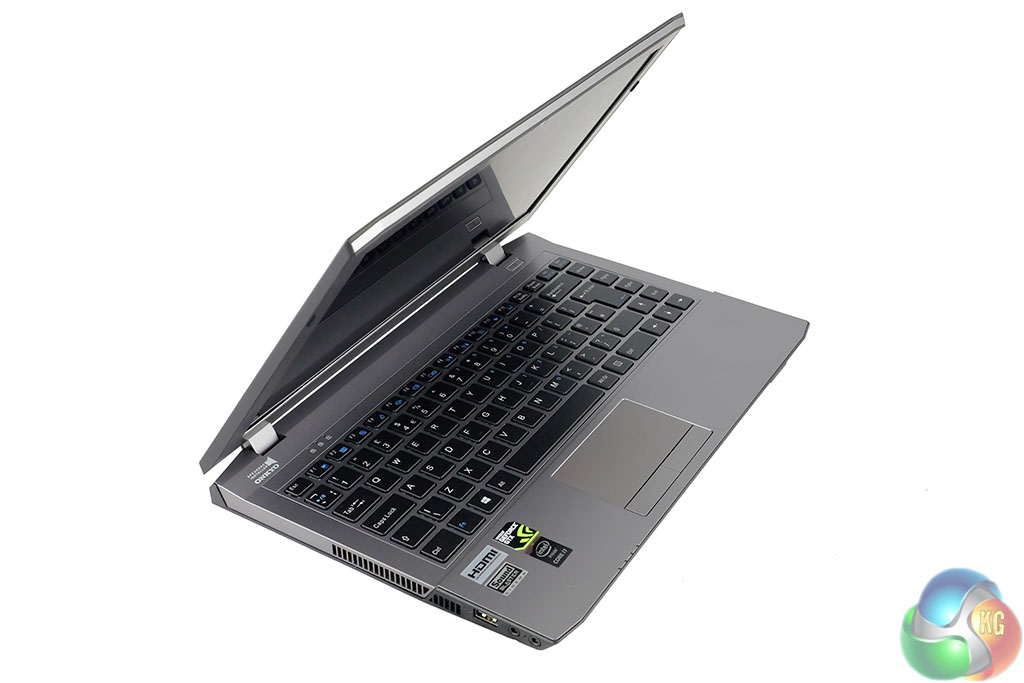
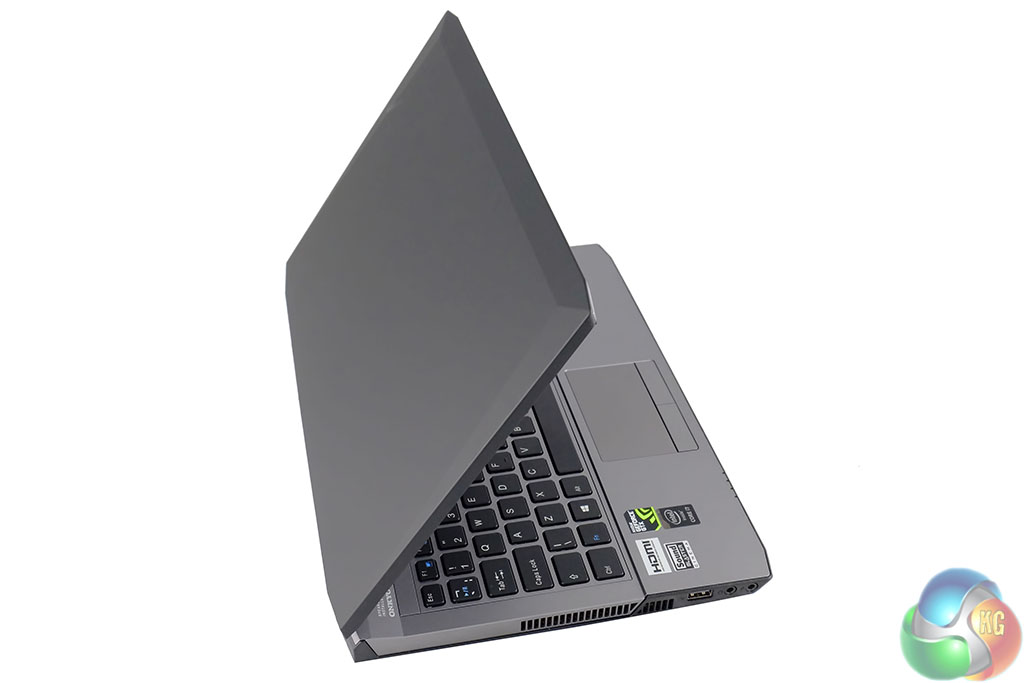
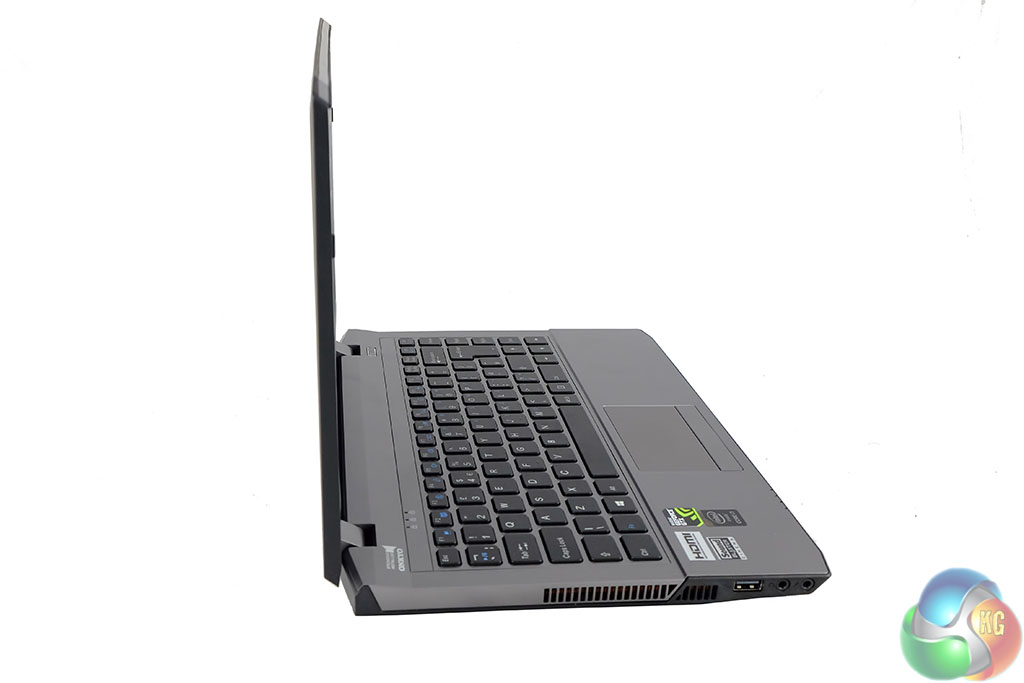
We like the appearance of the PCSpecialist Optimus V X13. Build quality is well above what we would consider average and the lid doesn't creak or move when set in position. The matte finish of the screen ensures that reflections never prove too distracting under real world conditions. Viewing angles are also pretty good and brightness/contrast levels are excellent – although not high enough to view in direct sunlight.
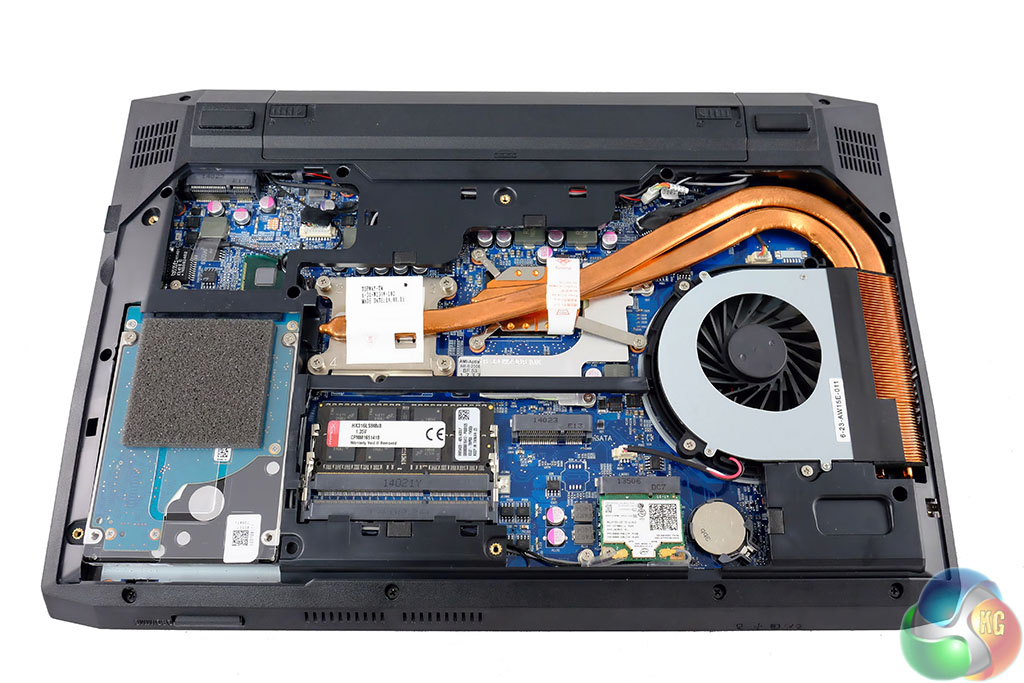
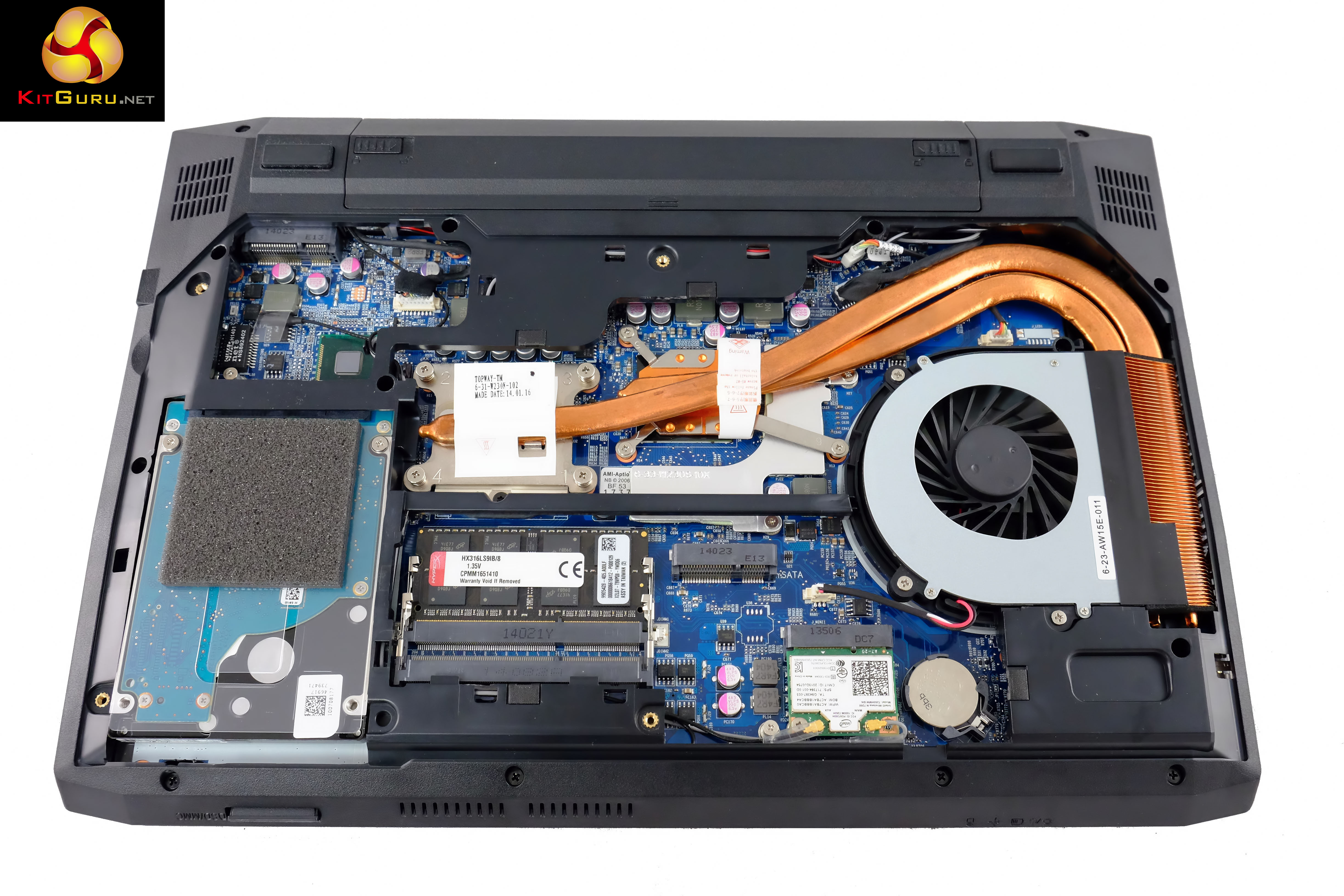
This chassis earns bonus points for the easy access panel. Simply remove a couple of screws and pull from one side – it slides out. Both Core i7 processor and Nvidia discrete graphics are cooled by the same dual copper heatpipe system – leading to the central left area of the chassis (right in the image above). Hot air is then expelled out the side of the chassis. We prefer this to an under side cooling system as expelled heat won't be directly aimed at your lap. It is also more difficult to accidentally block vents on the side of a laptop.
We can also see that PCSPECIALIST have populated only one of the two memory slots, meaning it will run in single channel mode. Downsides are obviously reduced performance, although it makes upgrading the machine less expensive, as you only need to buy a single matched stick. Overall build quality is very high.
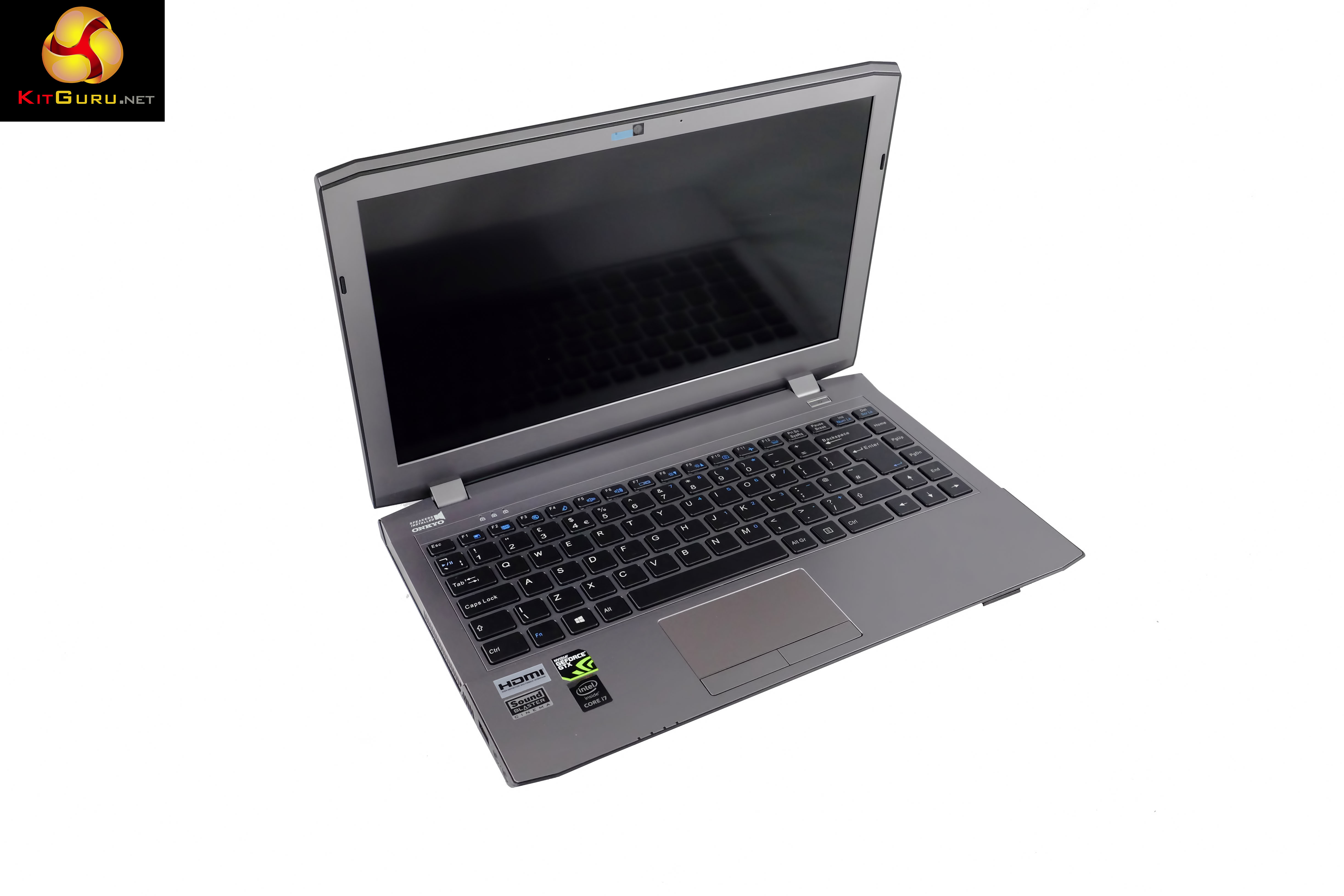
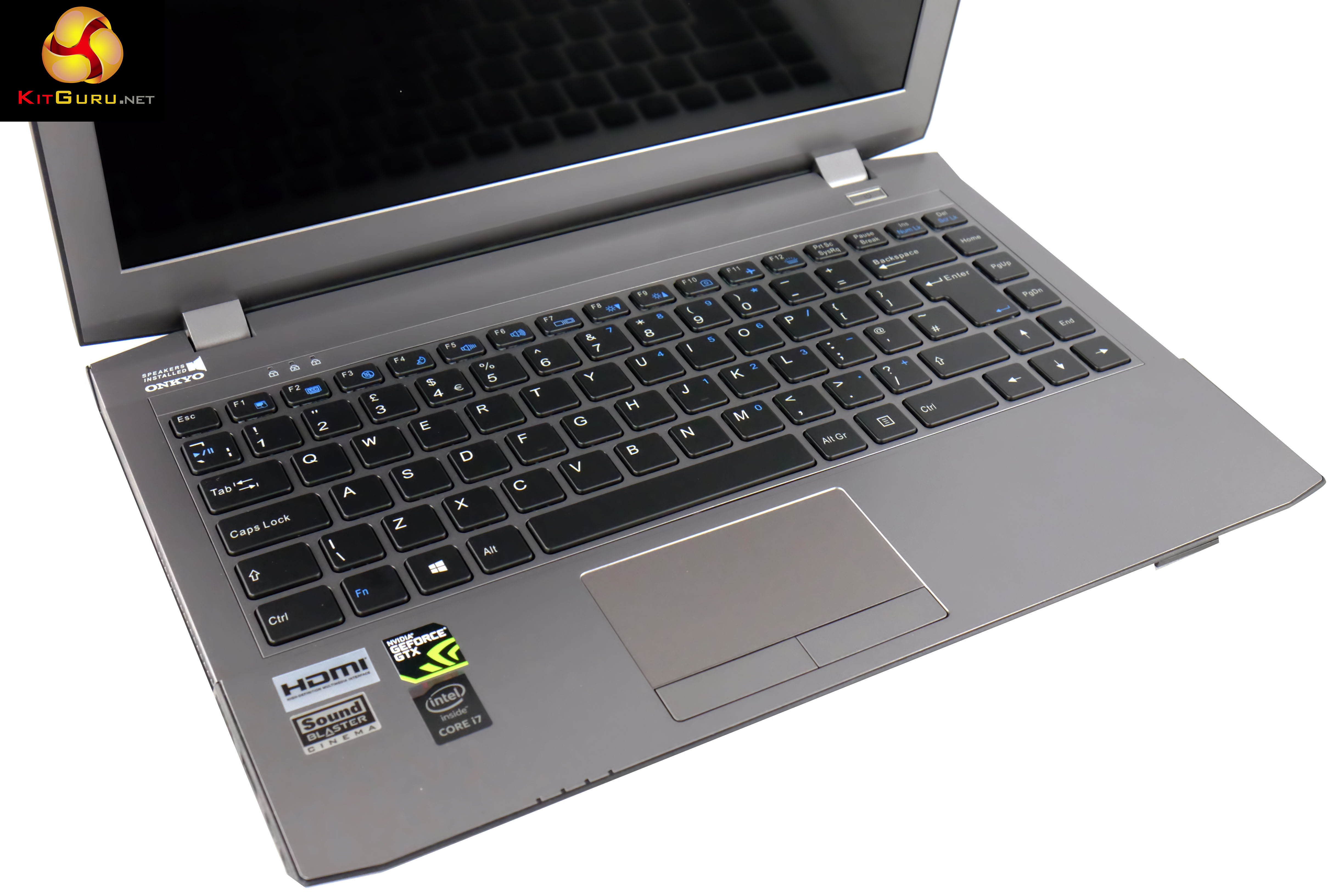
On this page we present some high resolution images of the product taken in our professional studio. These will take much longer to open due to the dimensions, especially on slower connections. If you use these pictures on another site or publication, please credit Kitguru.net as the owner/source.
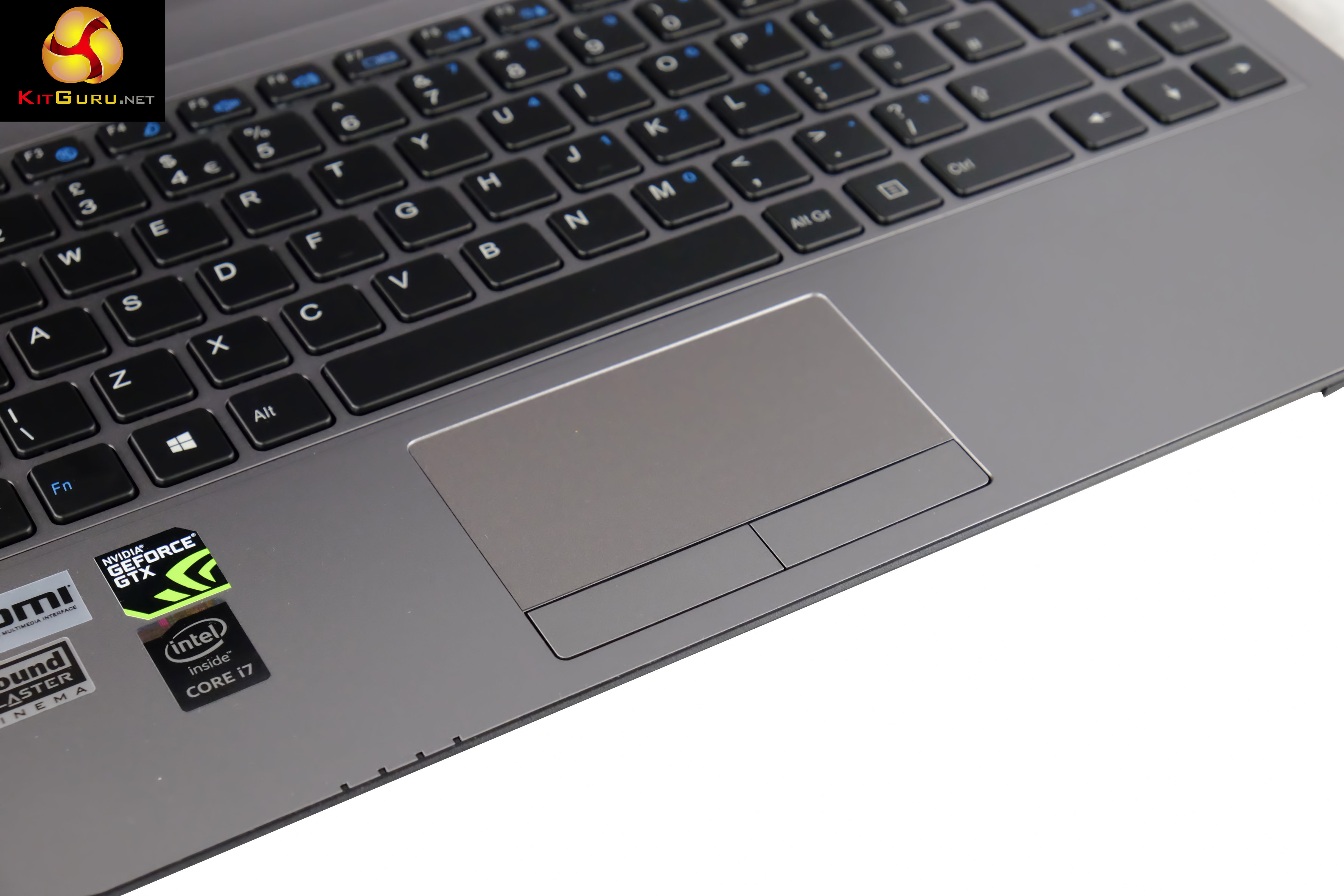
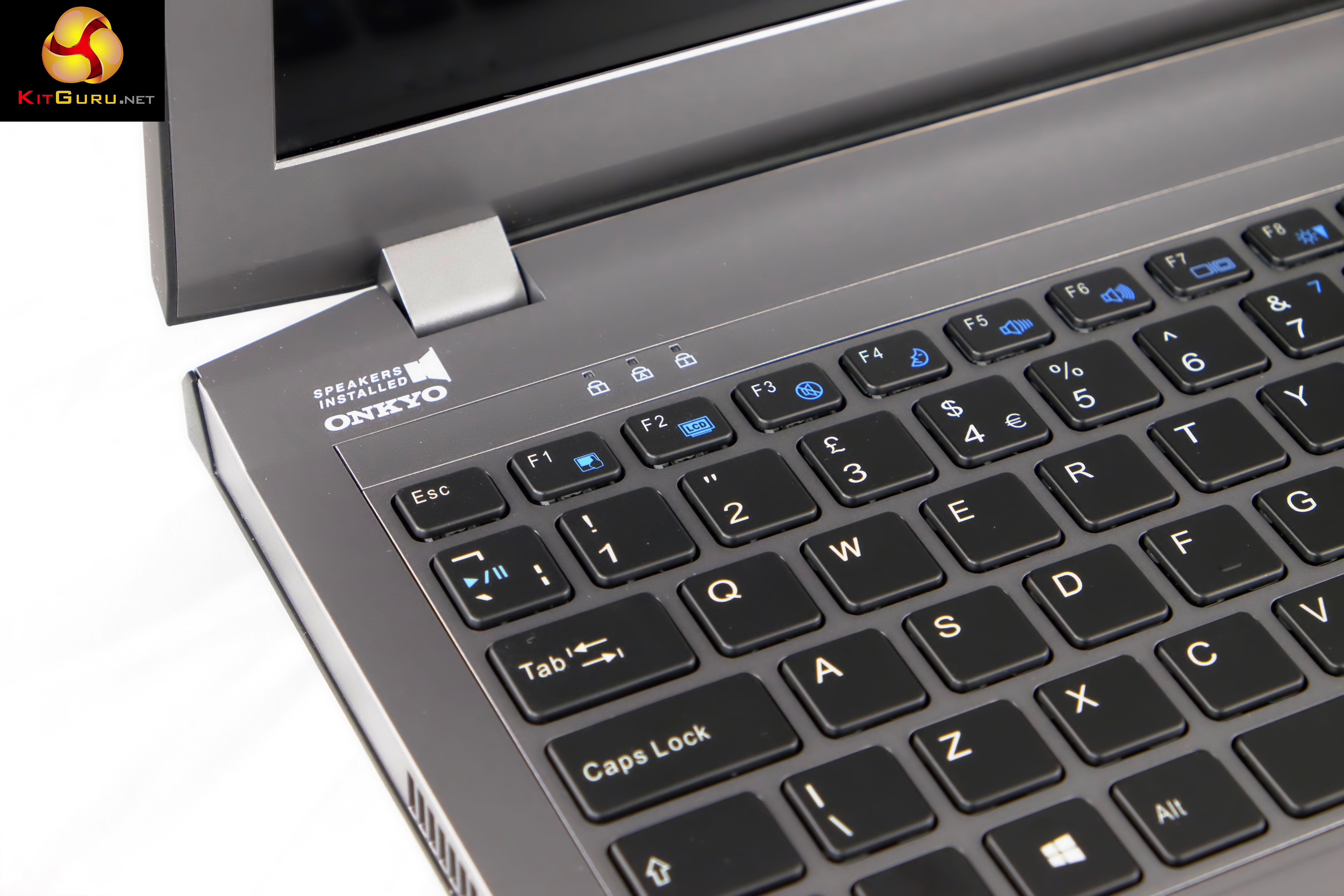
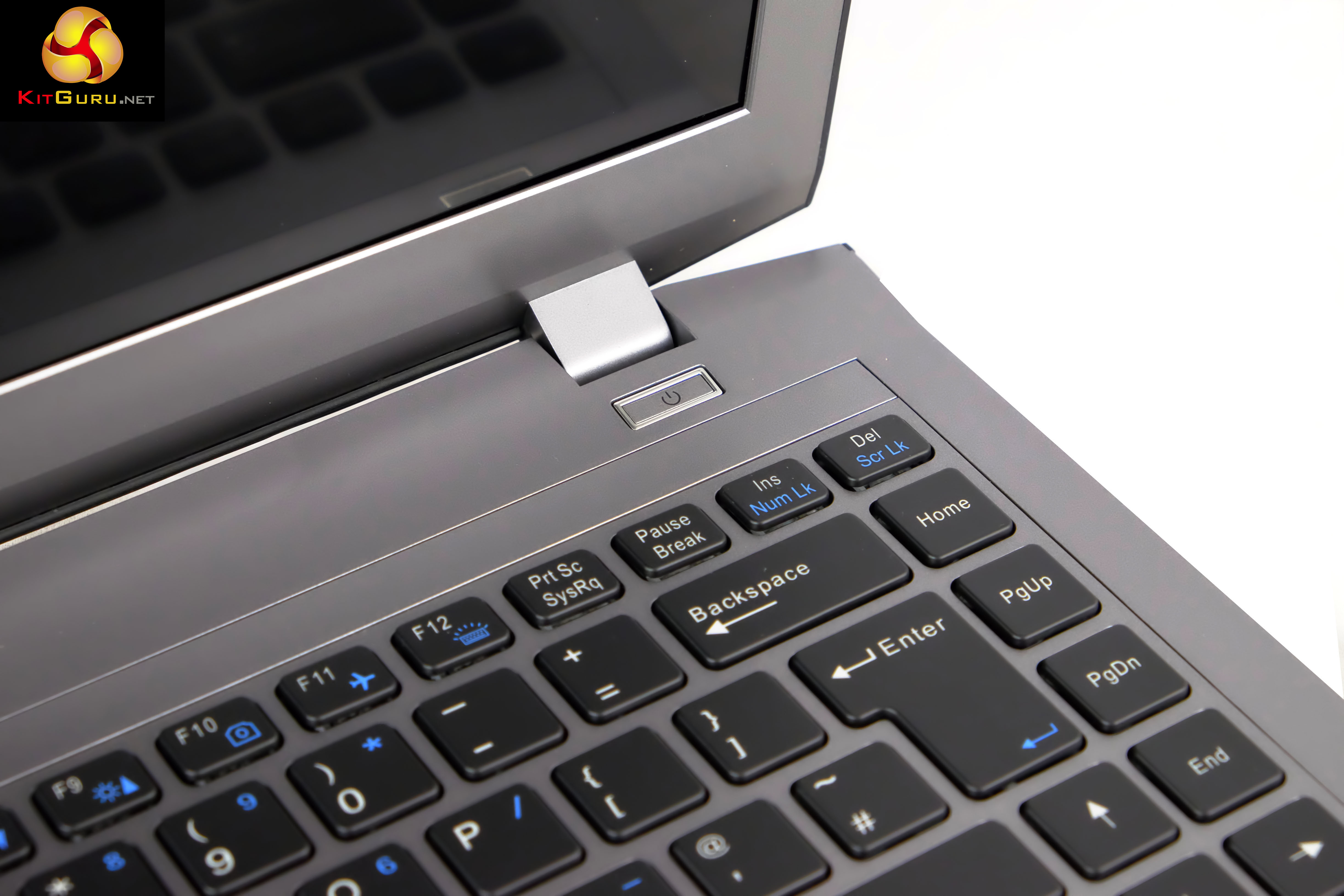
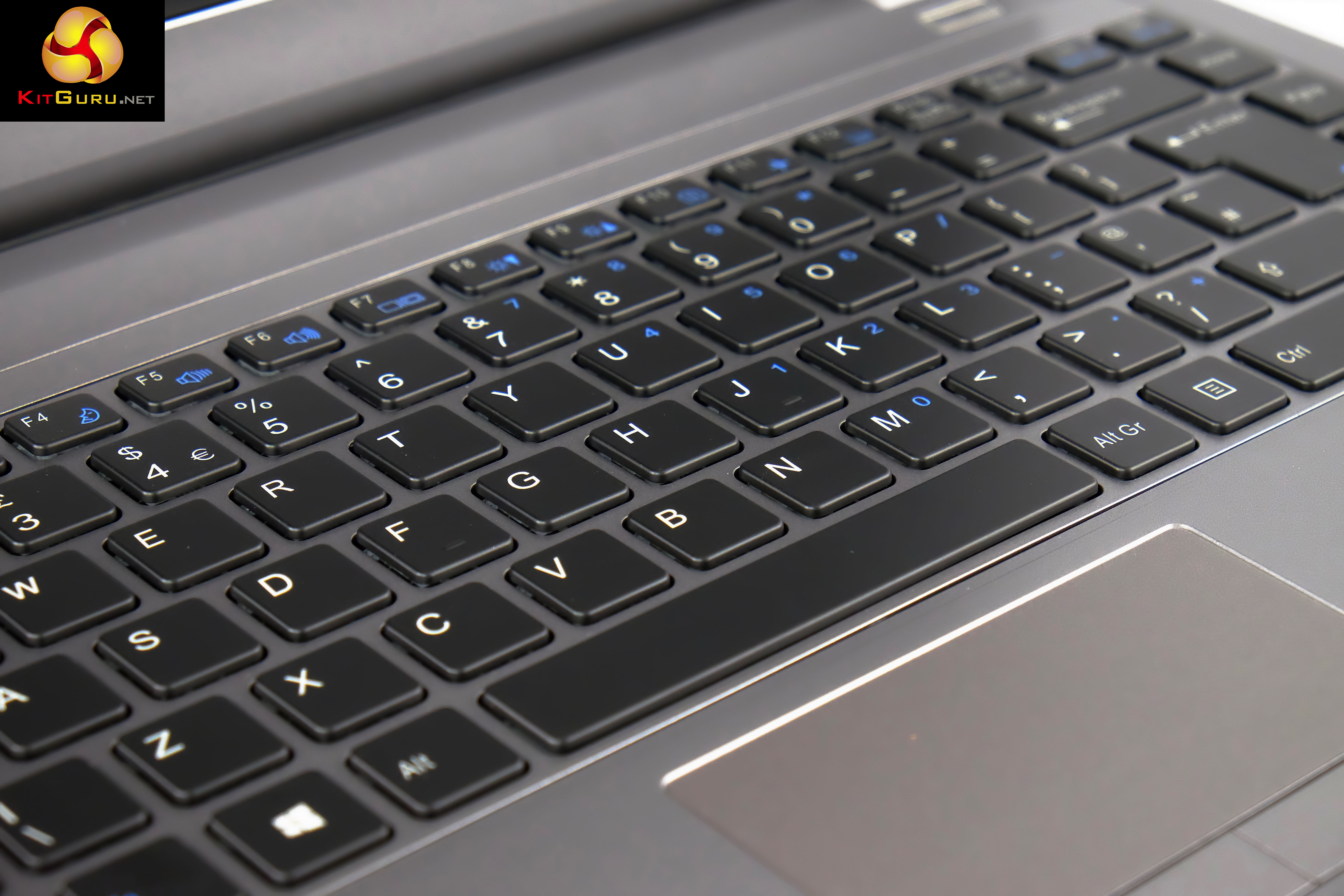
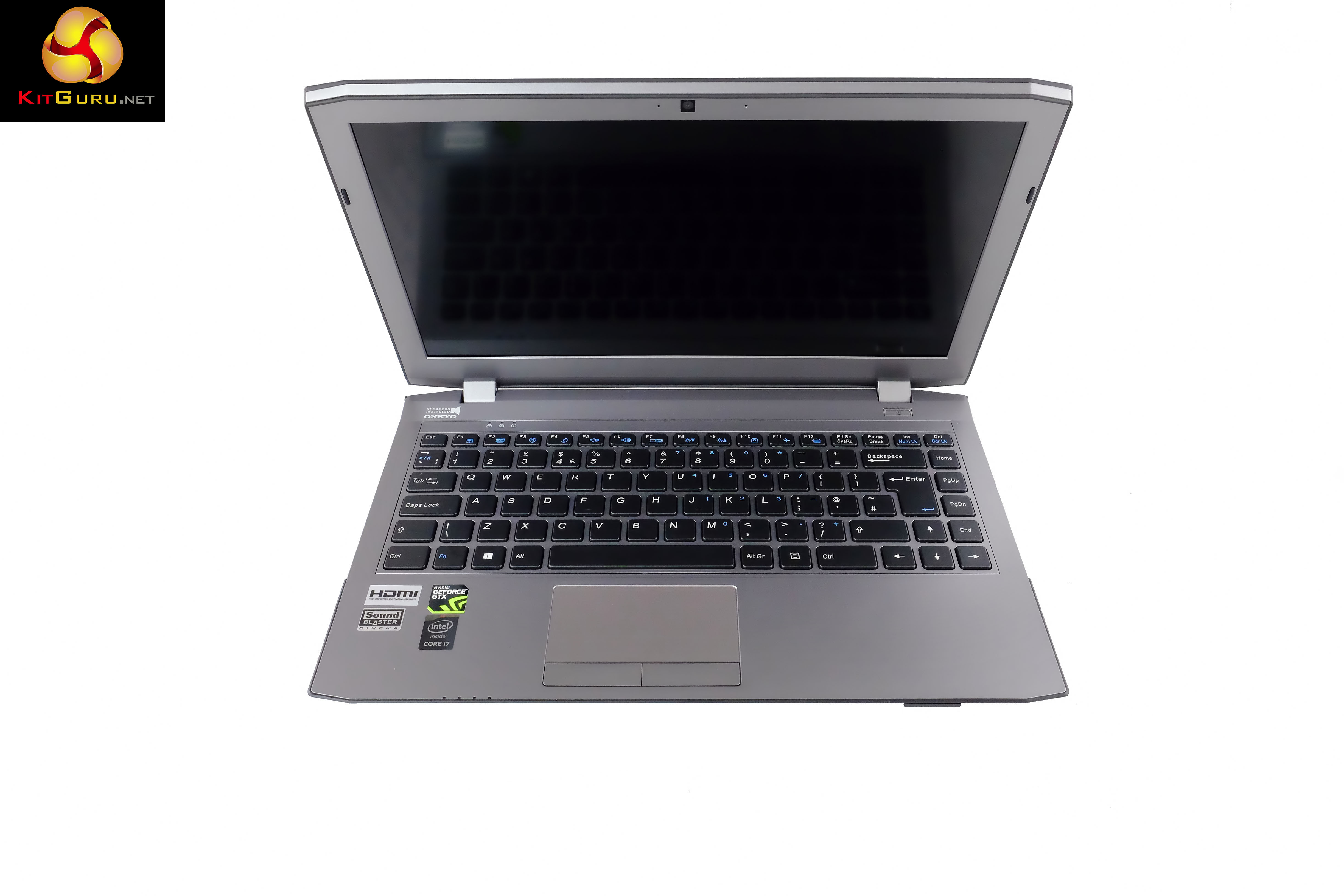
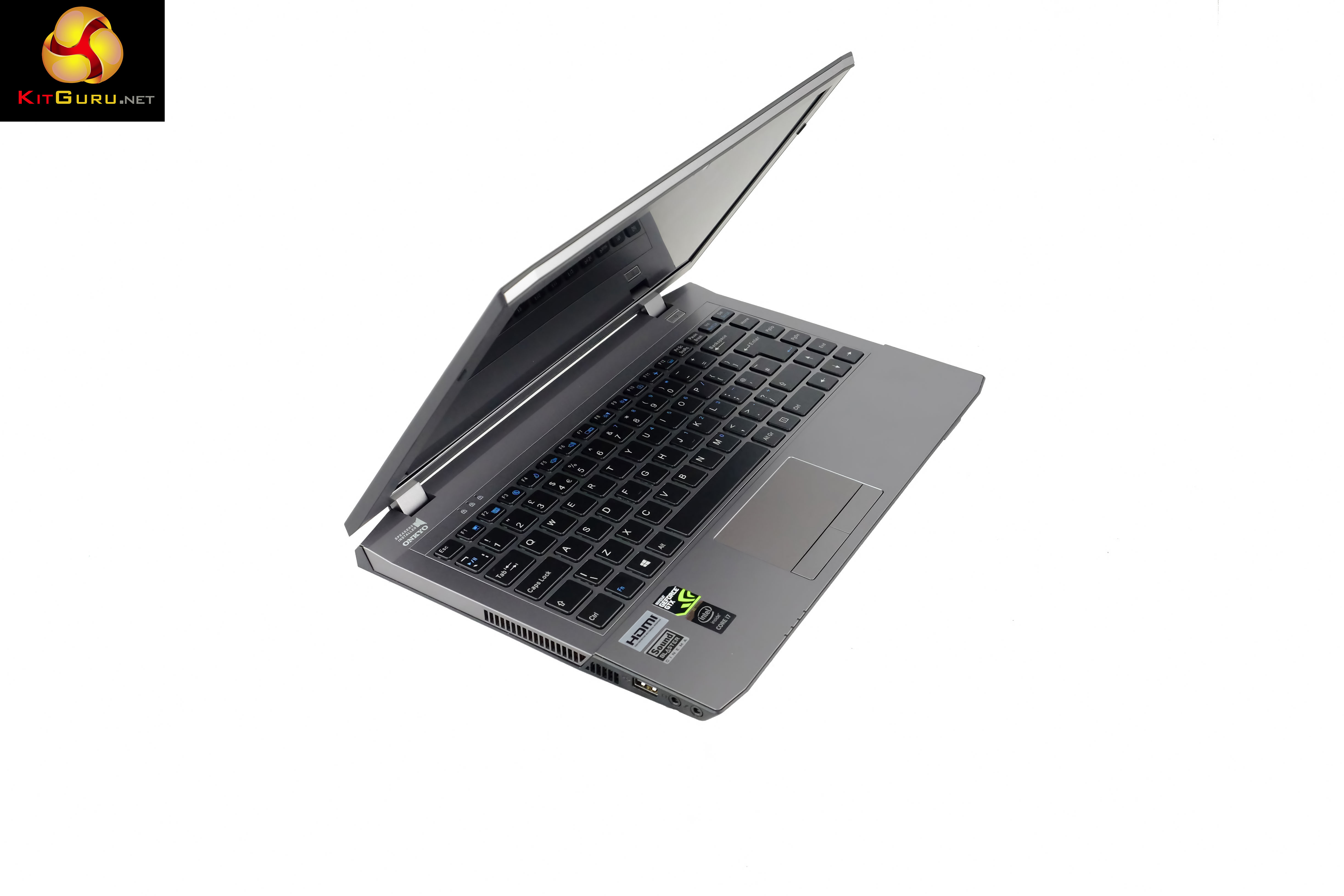
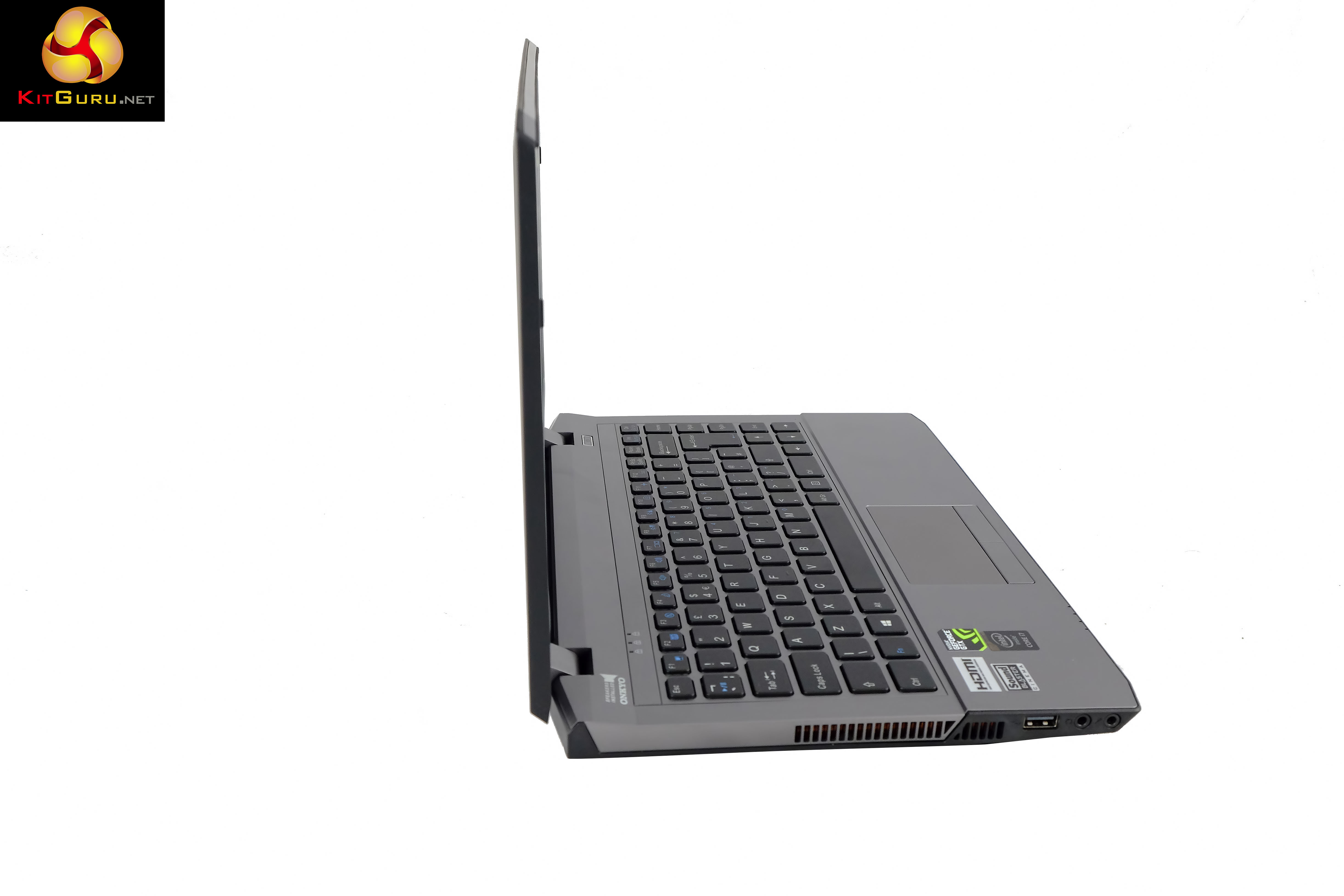
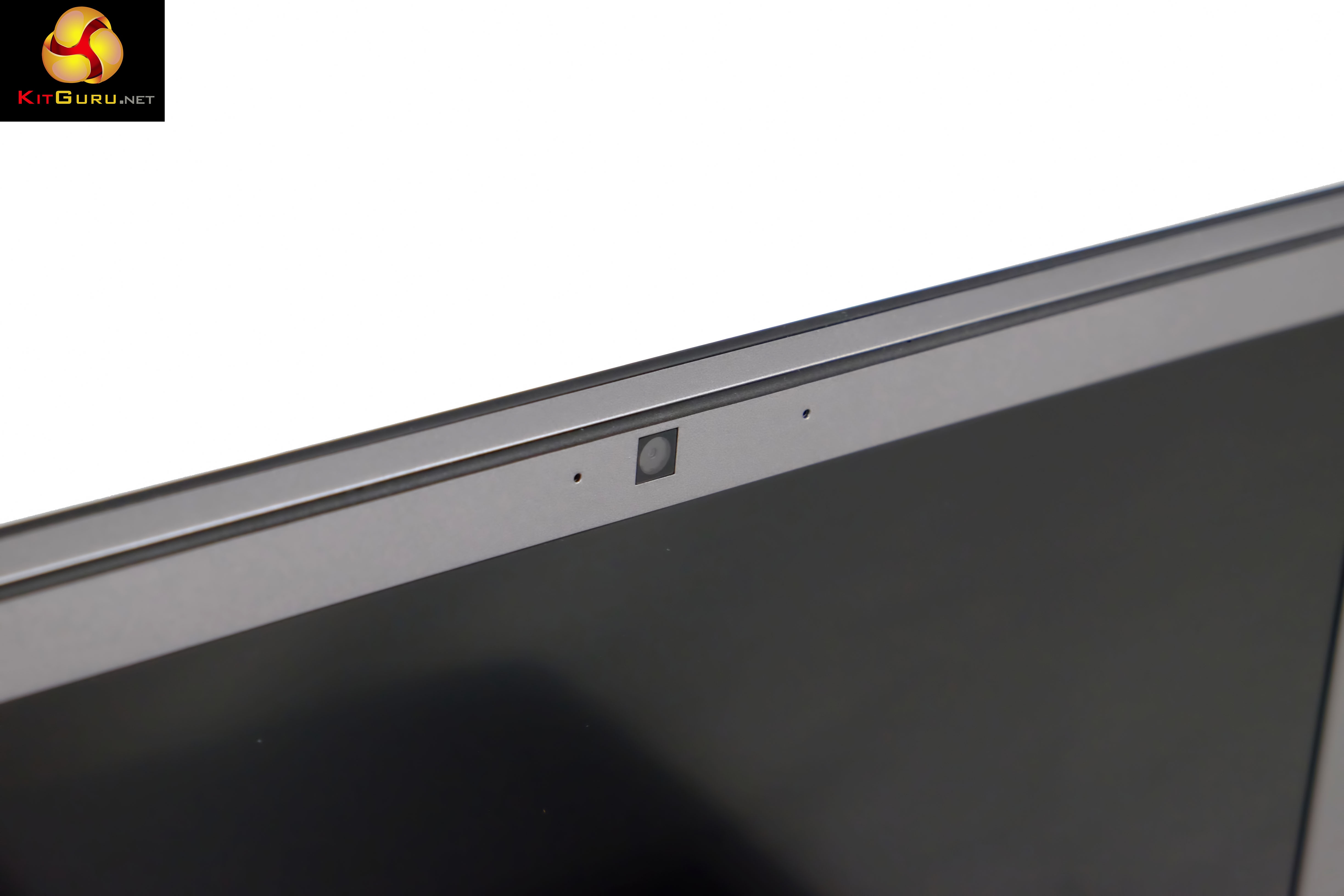
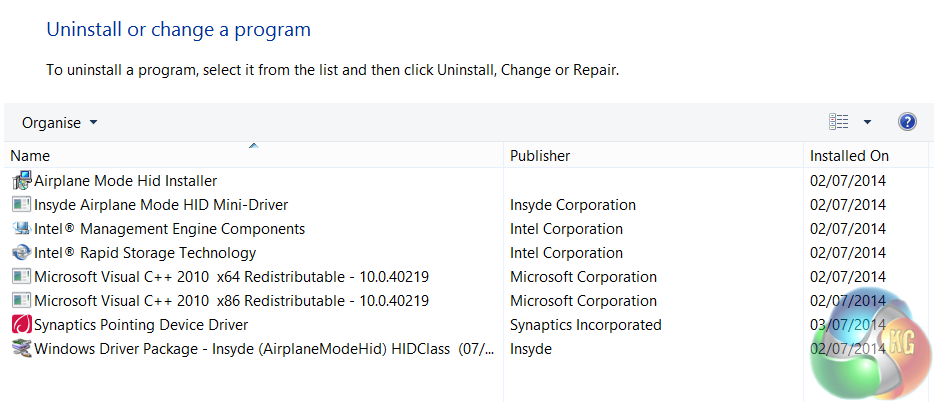
Just the way we like to get a new system – with no unnecessary crapware installed.
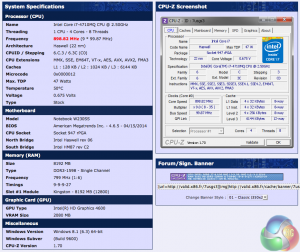
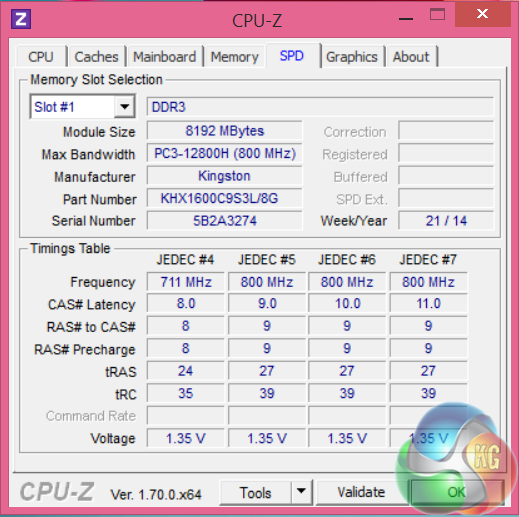
An overview of the system via the CPUz online validation tool. You can see more, over HERE. As there is only one memory stick installed in this machine, it is running in single channel mode. This sounds worse than it actually is – we have seen in the past that this doesn't have a huge impact under real world situations, although it will drop results in some of our synthetic testing today.
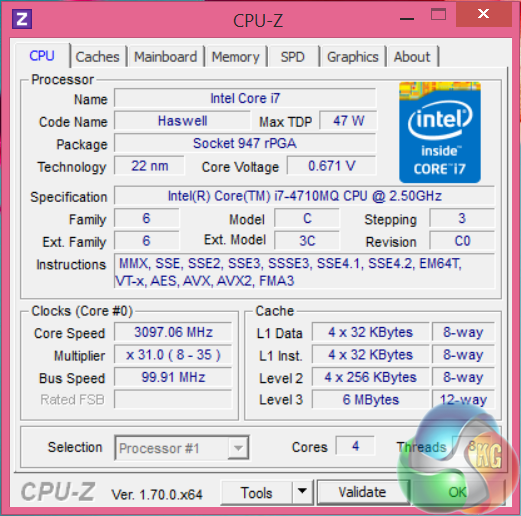
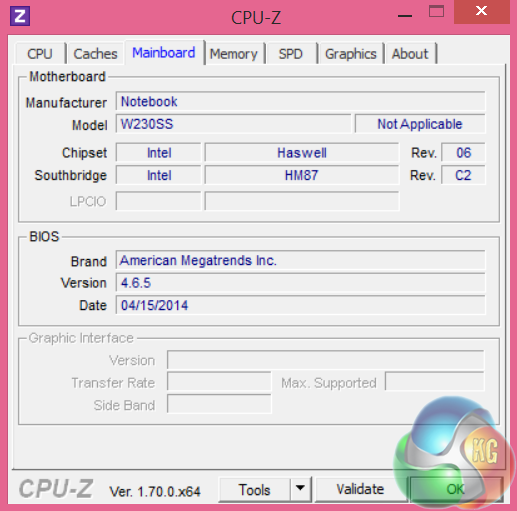
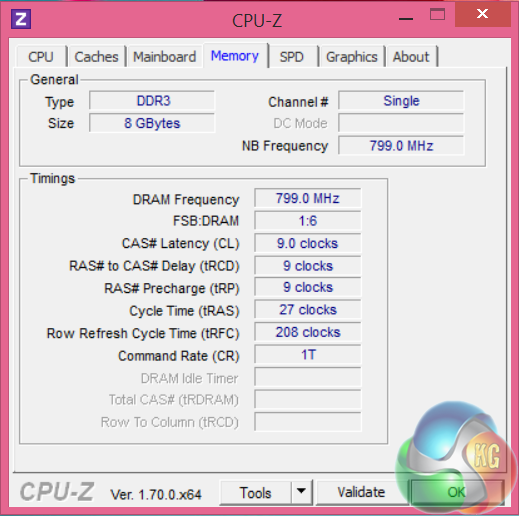
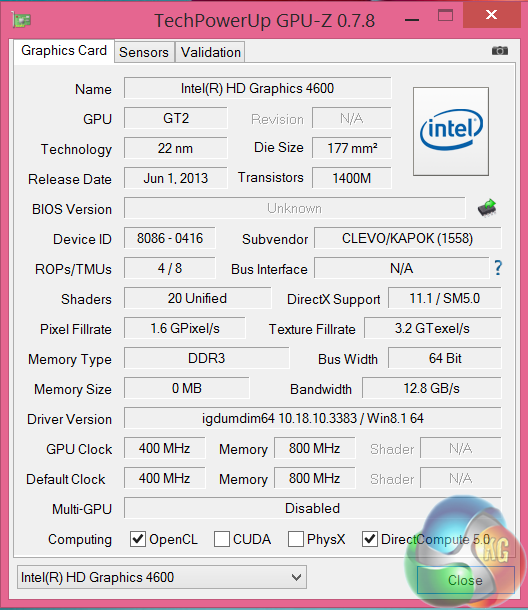
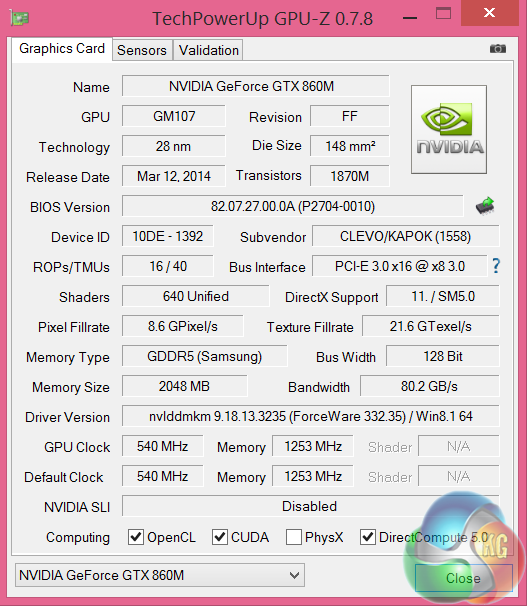
An overview of the system via GPUz and GPUz. The GTX860M is a reasonably powerful little mobile graphics solution – built on the 28nm process. It has 16 ROPS and 40 texture units and 640 unified shaders and is clocked at 540mhz. The 2GB of GDDR5 is connected via a 128 bit memory interface.
Comparison Systems (for specific synthetic test compares):
MSI GS60 2PE Ghost Pro 15.6 inch (Intel I7-4700HQ).
MSI GT70 2OC (Intel Core i7 4700MQ).
MSI GS70 2OD Stealth (Intel Core i7 4700HQ).
MSI GE40-20C Dragon Eyes (Intel Core i7 4702MQ).
PCSpecialist Inferno 11.6 inch (Intel Core i7 3630QM).
MSI GX60 (AMD A10 4600M).
Lenovo ThinkPad X1 Carbon (featuring Core i5 3427U).
Lenovo ThinkPad Edge S430 (featuring Core i5 3210M).
PC Specialist Vortex III HD72 (featuring Core i7 3610QM).
Asus G74SX-91013Z (featuring Core i7 2360QM).
Dell XPS 14z (featuring Core i7 2640M).
AlienWare M18X (featuring Core i7 2960XM Extreme Edition).
MSI CX640 (featuring Core i5 2410M).
Intel Core i7 2600k desktop processor.
Intel Core i5 2500k desktop processor.
Software:
3DMark
3DMark 11
Cinebench 11.5 64 bit
FRAPS Professional
Unigine Heaven Benchmark
Unigine Valley
SiSoft Sandra
CrystalDiskMark
ATTO Disk Benchmark
Cyberlink PowerDVD Ultra 12
Cyberlink MediaEspresso
GRID AutoSport (Direct X 11)
Tomb Raider (Direct X 11)
Total War: Rome 2 (Direct X 11)
Wolfenstein The New Order (Direct X 11)
Technical Monitoring and Test Equipment:
Asus USB BluRay Drive
Thermal Diodes
Raytek Laser Temp Gun 3i LSRC/MT4 Mini Temp
Extech digital sound level meter & SkyTronic DSL 2 Digital Sound Level Meter
Fuji XT-1 with 18-50mm lens and Sony RX100.
Game descriptions are taken with courtesy from Wikipedia.
SiSoftware Sandra (the System ANalyser, Diagnostic and Reporting Assistant) is an information & diagnostic utility. It should provide most of the information (including undocumented) you need to know about your hardware, software and other devices whether hardware or software.
Sandra is a (girl’s) name of Greek origin that means “defender”, “helper of mankind”. We think that’s quite fitting.
It works along the lines of other Windows utilities, however it tries to go beyond them and show you more of what’s really going on. Giving the user the ability to draw comparisons at both a high and low-level. You can get information about the CPU, chipset, video adapter, ports, printers, sound card, memory, network, Windows internals, AGP, PCI, PCI-X, PCIe (PCI Express), database, USB, USB2, 1394/Firewire, etc.
Native ports for all major operating systems are available:
- Windows XP, 2003/R2, Vista, 7, 2008/R2 (x86)
- Windows XP, 2003/R2, Vista, 7, 2008/R2 (x64)
- Windows 2003/R2, 2008/R2* (IA64)
- Windows Mobile 5.x (ARM CE 5.01)
- Windows Mobile 6.x (ARM CE 5.02)
All major technologies are supported and taken advantage of:
- SMP – Multi-Processor
- MC – Multi-Core
- SMT/HT – Hyper-Threading
- MMX, SSE, SSE2, SSE3, SSSE3, SSE 4.1, SSE 4.2, AVX, FMA – Multi-Media instructions
- GPGPU, DirectX, OpenGL – Graphics
- NUMA – Non-Uniform Memory Access
- AMD64/EM64T/x64 – 64-bit extensions to x86
- IA64 – Intel* Itanium 64-bit
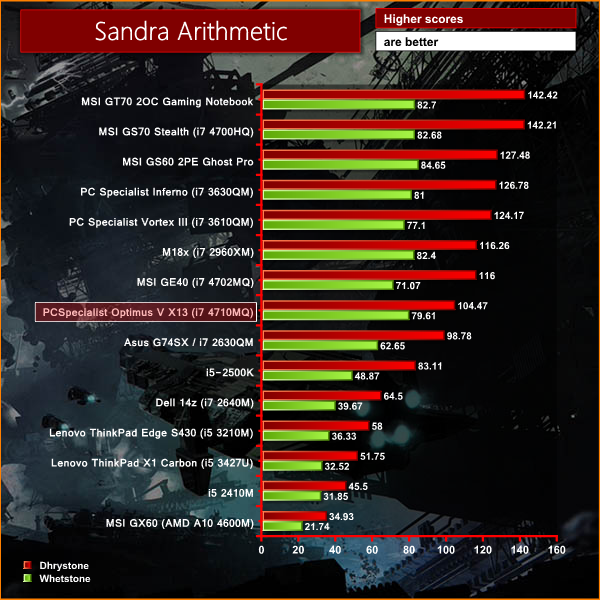
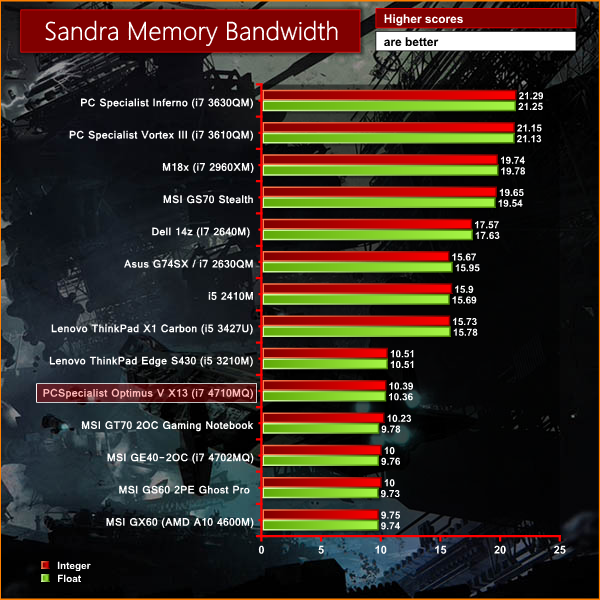
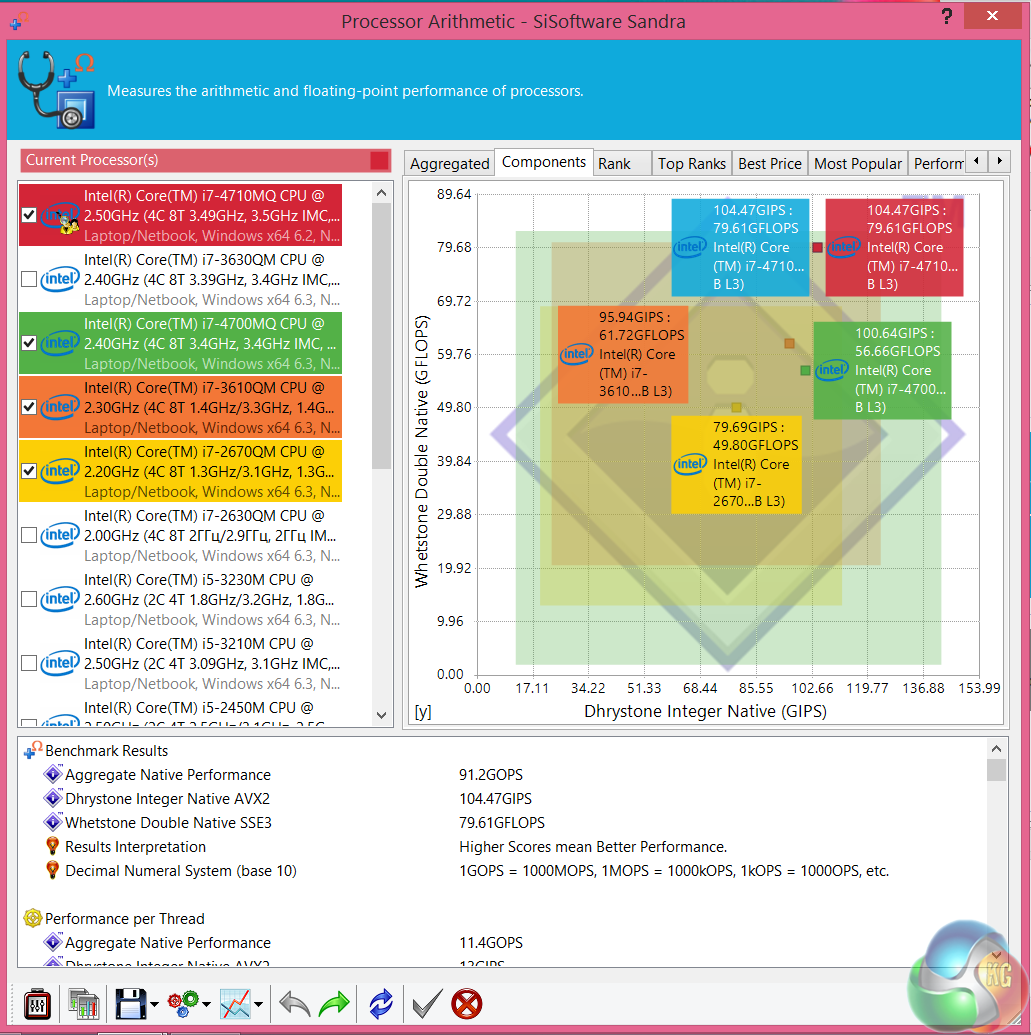
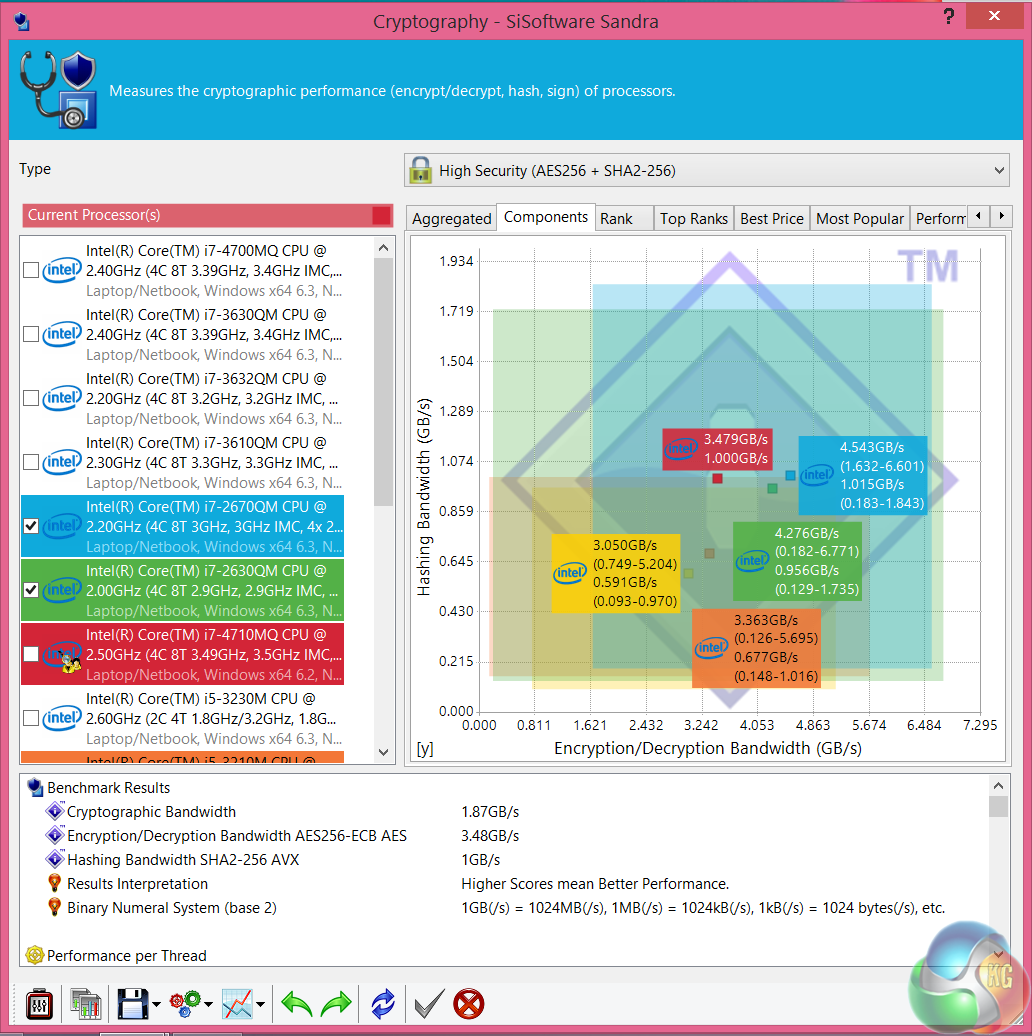
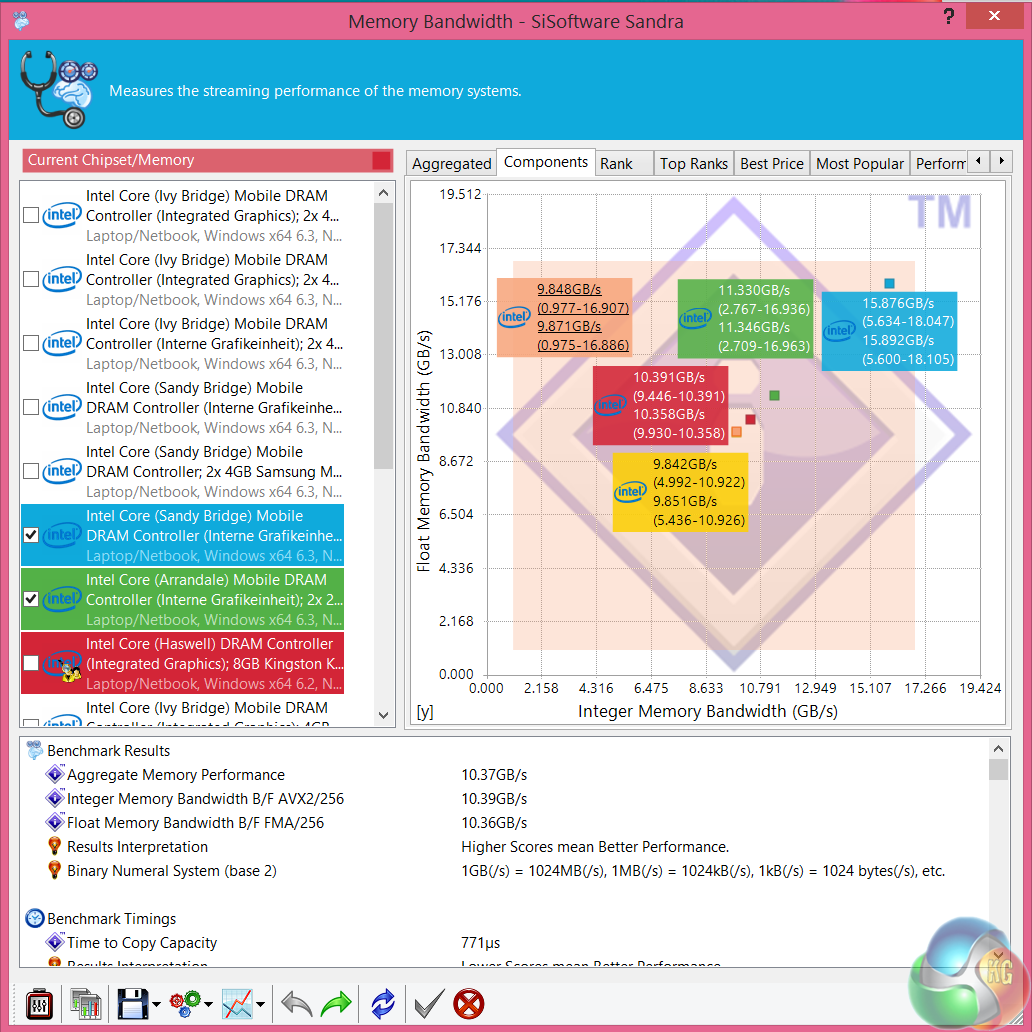
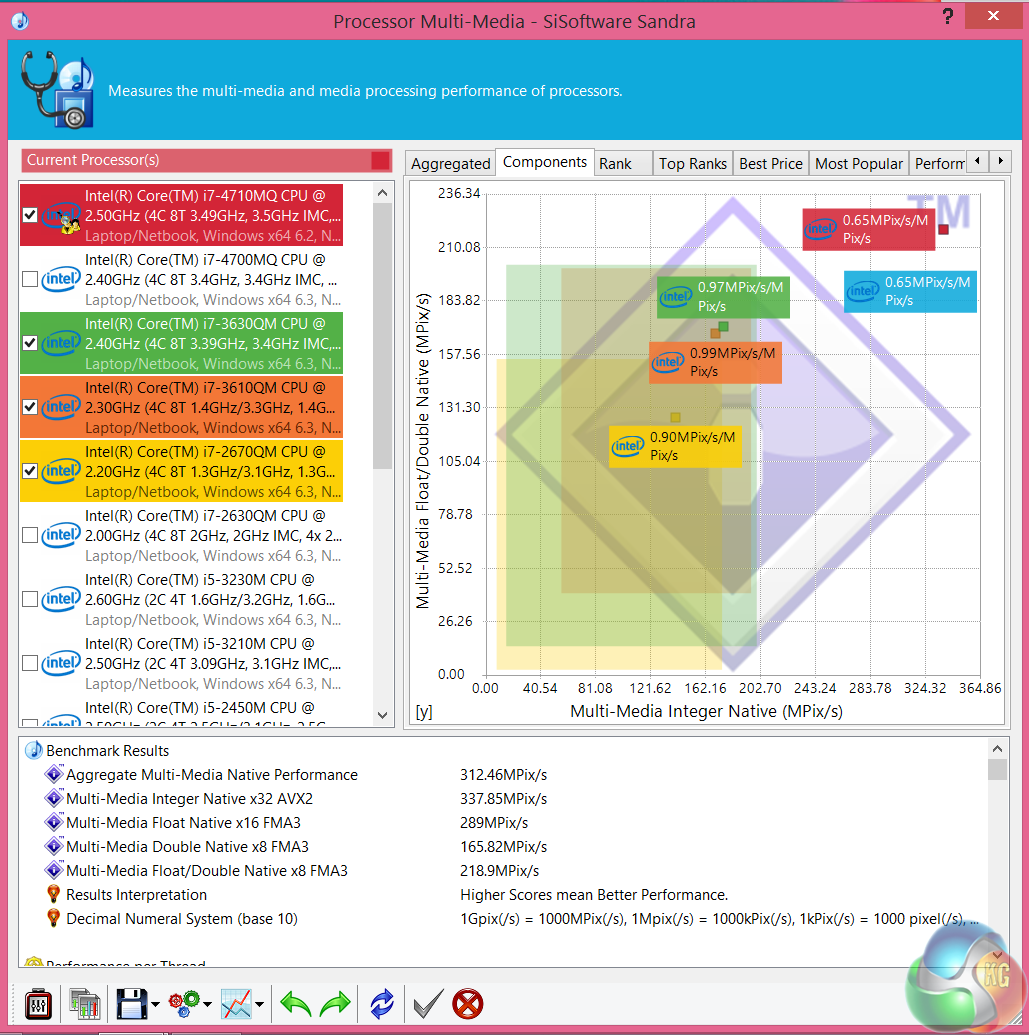
Synthetic performance is very respectable indeed. Intel's mobile Core i7 parts are exceptionally good so this is to be expected. Memory performance is weak, although we expected this as PCSpecialist have only installed a single stick, which is running in Single Channel mode. We wouldn't expect this to have a noticeably negative impact under real world situations.
CINEBENCH R11.5 64 Bit is a real-world cross platform test suite that evaluates your computer’s performance capabilities. CINEBENCH is based on MAXON’s award-winning animation software CINEMA 4D, which is used extensively by studios and production houses worldwide for 3D content creation. MAXON software has been used in blockbuster movies such as Spider-Man, Star Wars, The Chronicles of Narnia and many more. CINEBENCH is the perfect tool to compare CPU and graphics performance across various systems and platforms (Windows and Mac OS X). And best of all: It’s completely free.
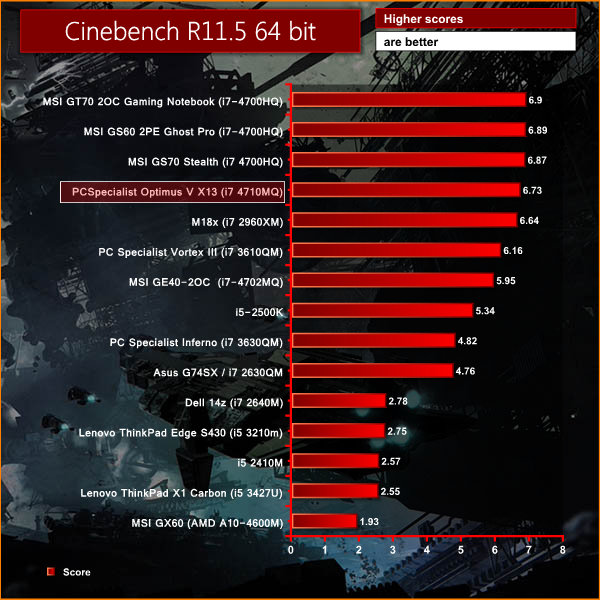
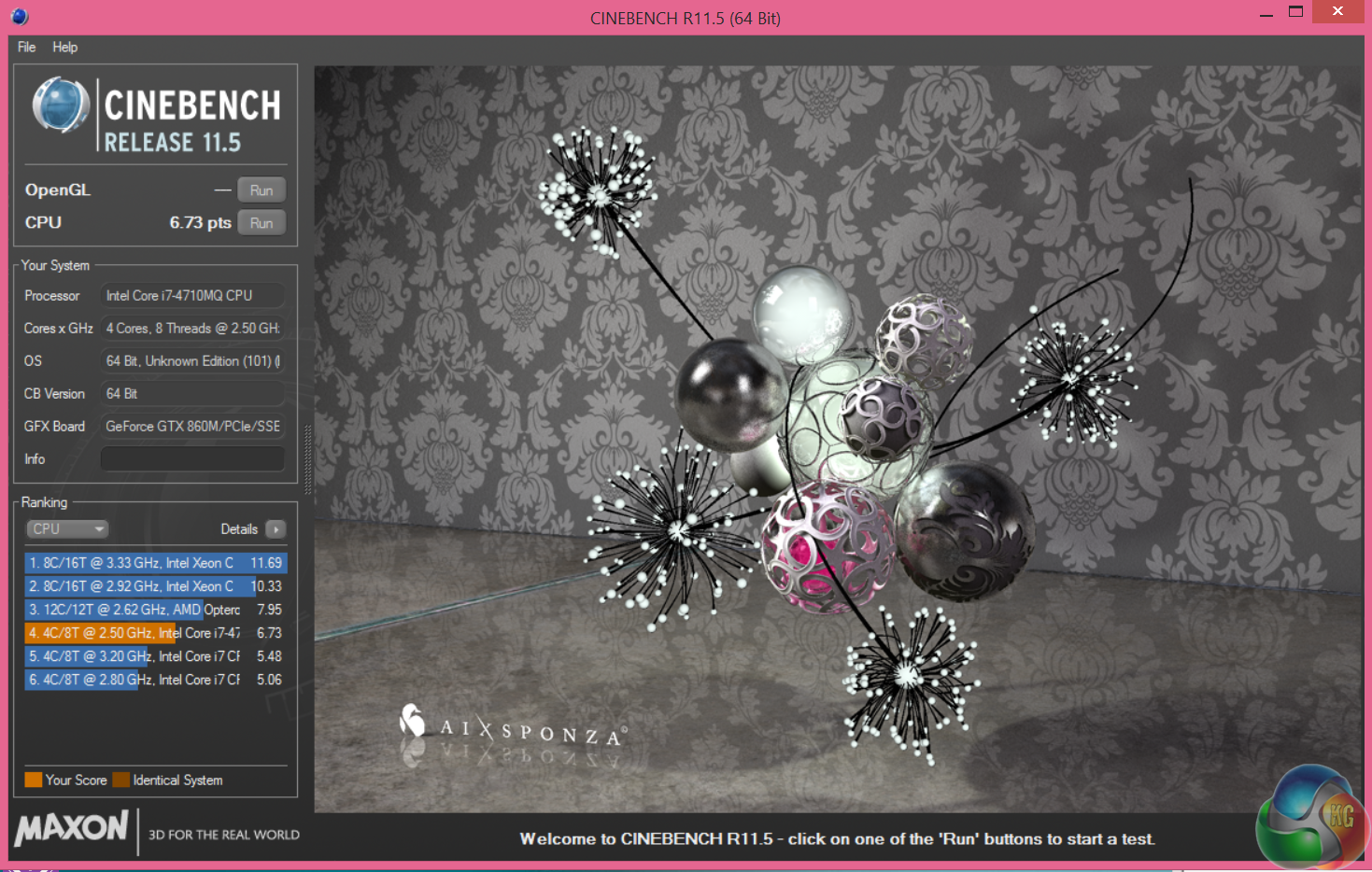
Overall 3D rendering performance is exceptionally good, thanks to the powerful Core i7 processor inside the Optimus V X13. This may be only a 13.3 inch laptop, but it could easily handle some fairly intensive tasks on the move.
CINEBENCH 15 is a cross-platform testing suite that measures hardware performance and is the de facto standard benchmarking tool for leading companies and trade journals for conducting real-world hardware performance tests. With the new Release 15, systems with up to 256 threads can be tested. CINEBENCH is available for both Windows and OS X and is used by almost all hardware manufacturers and trade journals for comparing CPUs and graphics cards.
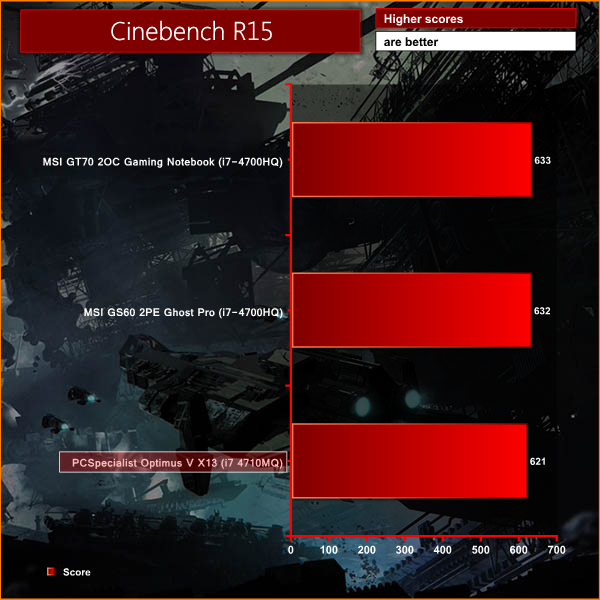
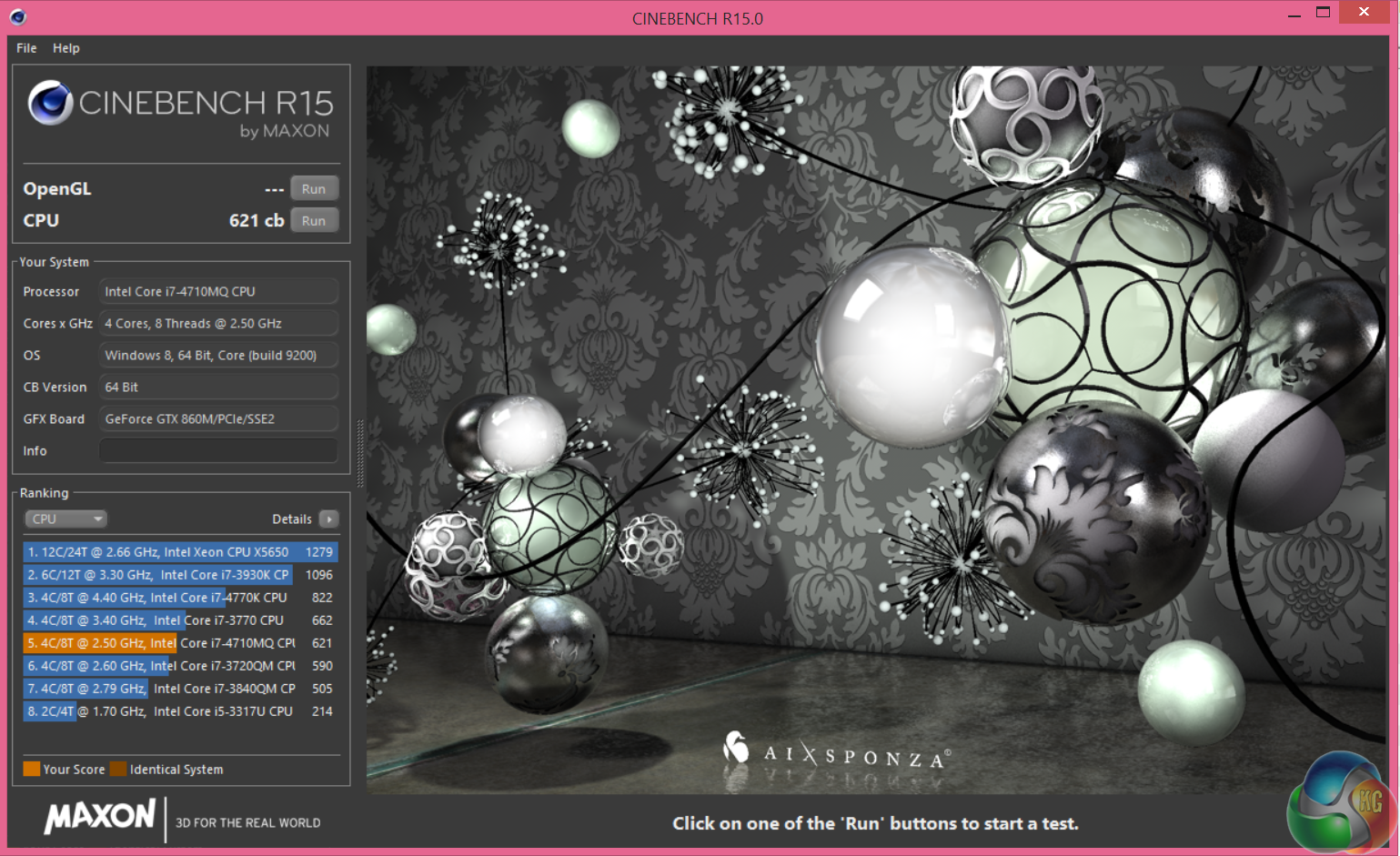
Rendering performance is excellent in the latest Maxon benchmark test, very closely matched to the recent MSI laptops we have tested – all of which are using powerful Core i7 mobile processors.
Unigine provides an interesting way to test hardware. It can be easily adapted to various projects due to its elaborated software design and flexible toolset.
A lot of their customers claim that they have never seen such extremely-effective code, which is so easy to understand.
Heaven Benchmark is a DirectX 11 GPU benchmark based on advanced Unigine engine from Unigine Corp. It reveals the enchanting magic of floating islands with a tiny village hidden in the cloudy skies. Interactive mode provides emerging experience of exploring the intricate world of steampunk.
Efficient and well-architected framework makes Unigine highly scalable:
- Multiple API (DirectX 9 / DirectX 10 / DirectX 11 / OpenGL) render
- Cross-platform: MS Windows (XP, Vista, Windows 7) / Linux
- Full support of 32bit and 64bit systems
- Multicore CPU support
- Little / big endian support (ready for game consoles)
- Powerful C++ API
- Comprehensive performance profiling system
- Flexible XML-based data structures
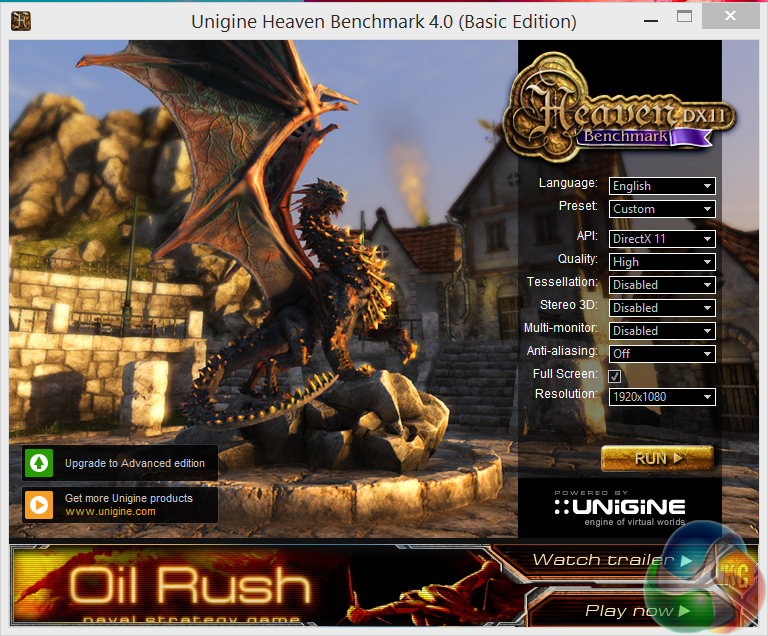
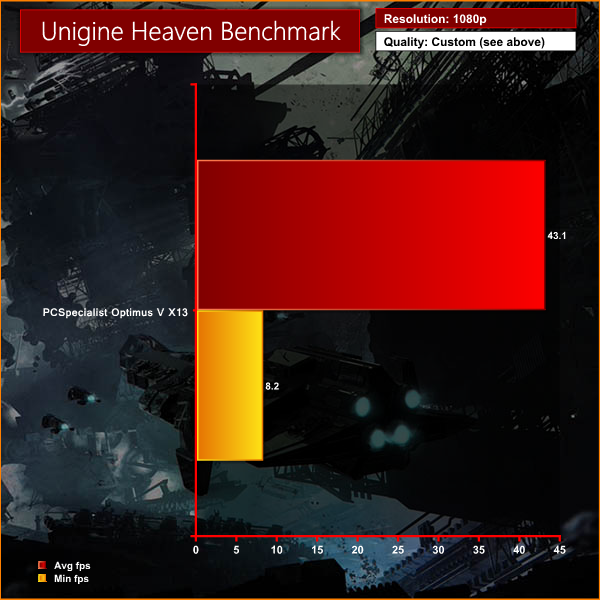
Performance is commendable at 1080p, although we did notice a little micro-stuttering which negatively impacted the minimum frame rate in specific parts of the benchmark.
Valley Benchmark is a new GPU stress-testing tool from the developers of the very popular and highly acclaimed Heaven Benchmark.The forest-covered valley surrounded by vast mountains amazes with its scale from a bird’s-eye view and is extremely detailed down to every leaf and flower petal. This non-synthetic benchmark powered by the state-of-the art UNIGINE Engine showcases a comprehensive set of cutting-edge graphics technologies with a dynamic environment and fully interactive modes available to the end user.
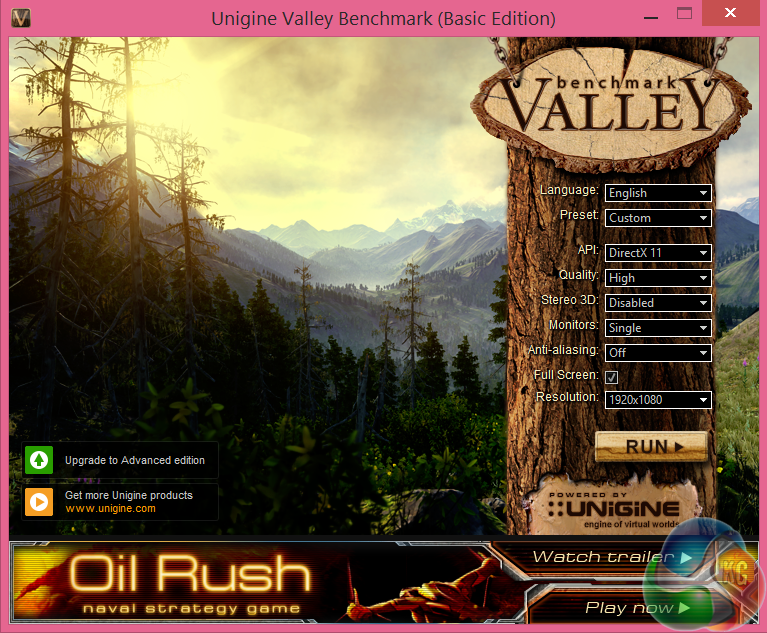
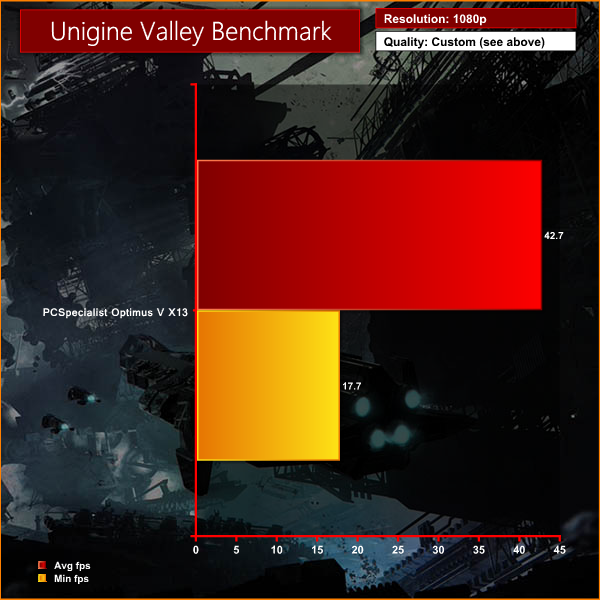
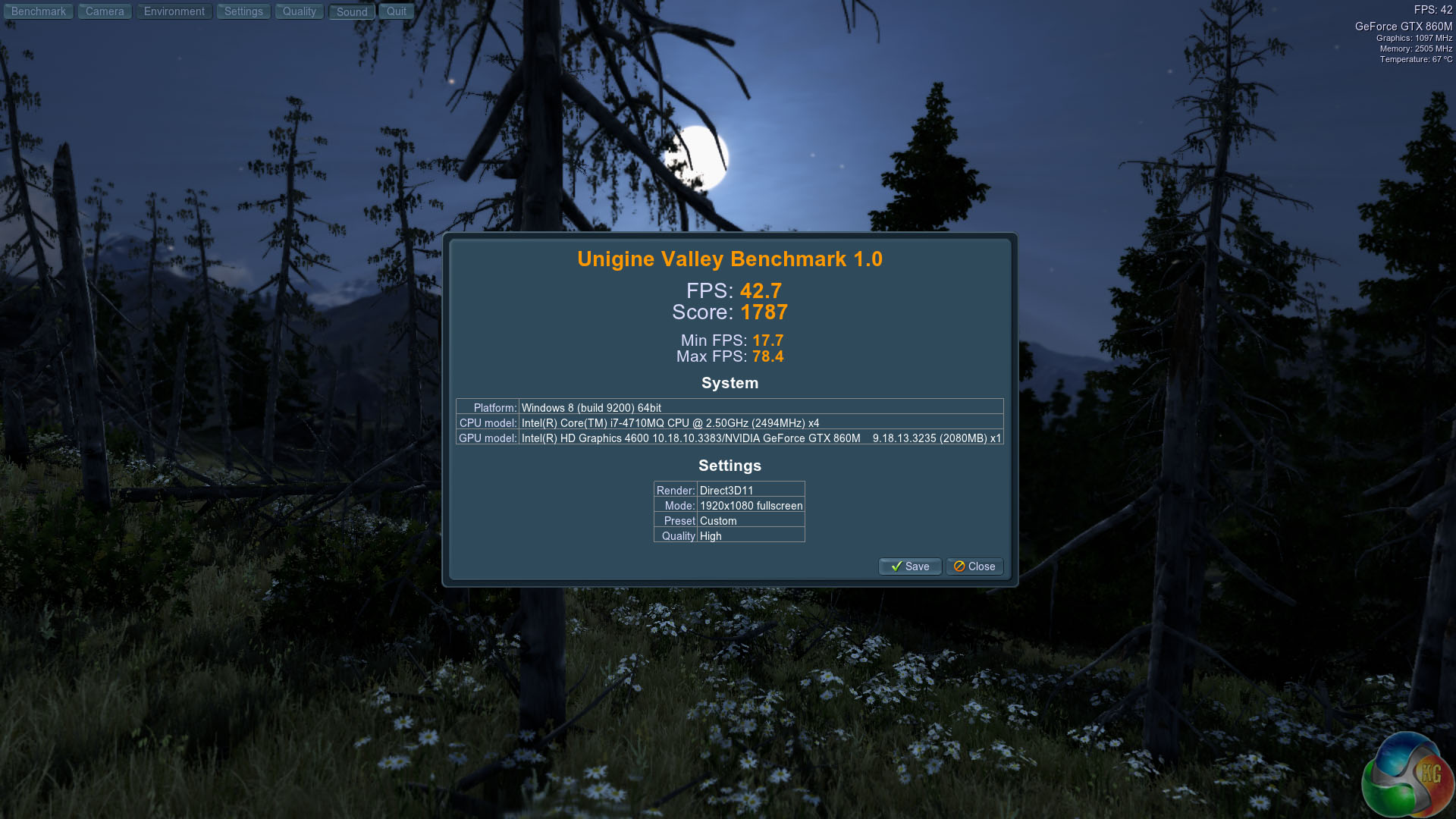
Smooth performance for the most part, averaging almost 43 frames per second. We did notice a little micro-stuttering again which makes the minimum frame rate look worse than it ‘felt' in the benchmark.
3DMark is an essential tool used by millions of gamers, hundreds of hardware review sites and many of the world’s leading manufacturers to measure PC gaming performance.Futuremark say “Use it to test your PC’s limits and measure the impact of overclocking and tweaking your system. Search our massive results database and see how your PC compares or just admire the graphics and wonder why all PC games don’t look this good. To get more out of your PC, put 3DMark in your PC.”
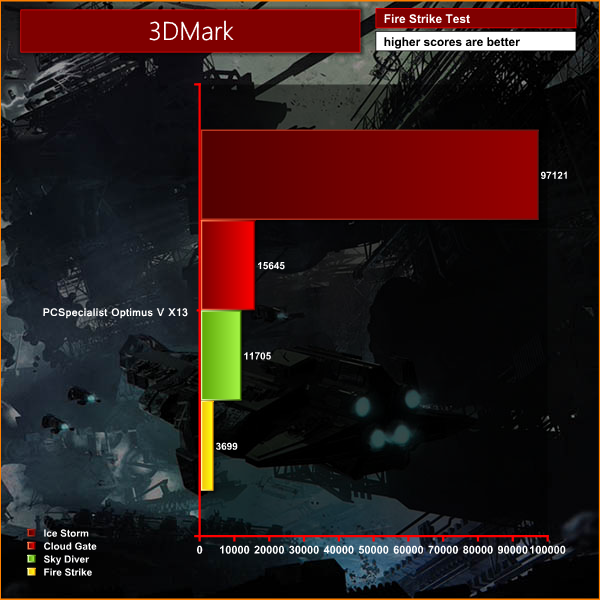

As we already know the Nvidia GTX860M is a reasonably powerful graphics solution and is a good partner for the Optimus V X13 as it can work comfortably well inside a smaller chassis without causing overheating issues.
The PCSpecialist Optimus V X13 uses the 1TB Seagate Hybrid GEN3 SSHD Drive. I have already looked at this drive – when fitted into the Playstation 4 console. I don't expect wonderful synthetic test results in Windows.
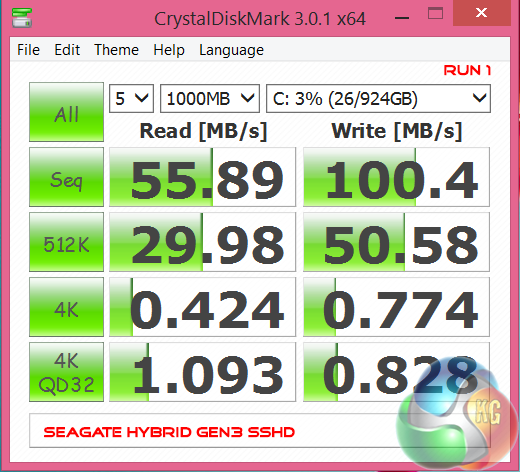
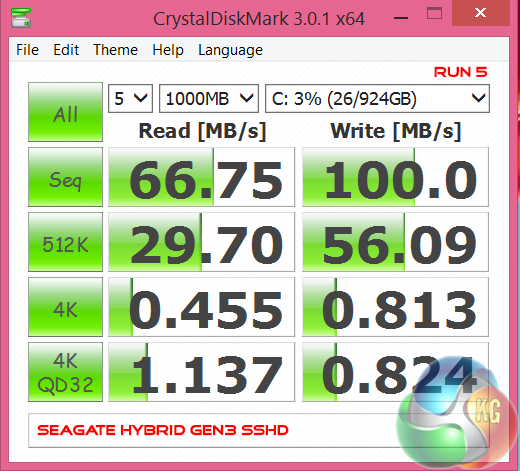
Synthetic performance results from the drive were never that impressive. From Run 1 to Run 5 the results fluctuated between 50 MB/s and 70 MB/s in the sequential read test. The sequential write test was more stable, staying close to 100 MB/s.
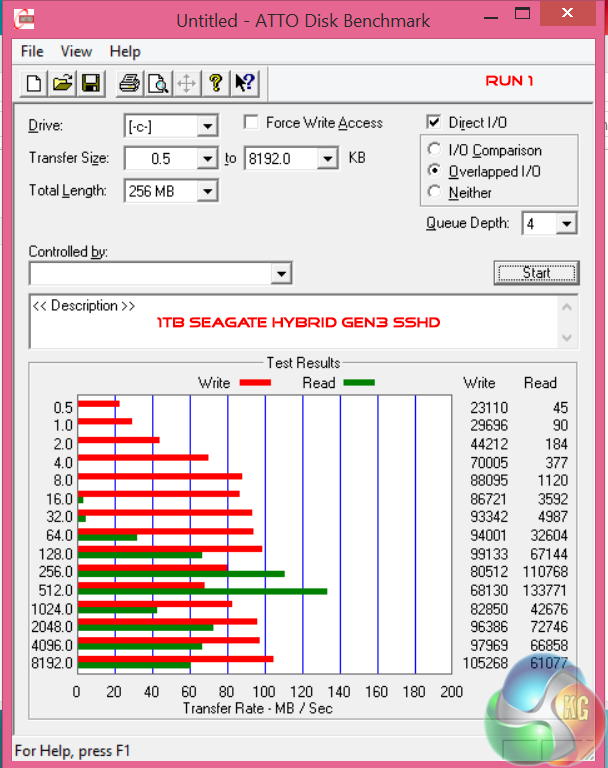
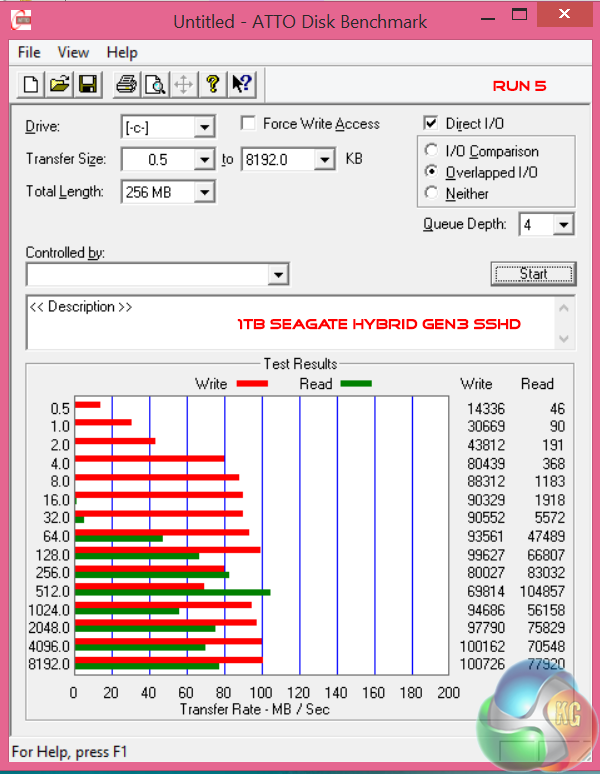
Similar performance characteristics in the ATTO Disk Benchmark. No real noticeable or steady performance differences between various runs. We still believe a larger NAND cache would help improve performance of this particular drive.
What about the ‘Real world' performance characteristics? We don't feel the Seagate Hybrid GEN3 SSHD is a viable alternative to a fully fledged Solid State Drive – that said we appreciate that PCSpecialist are working to a specific, and quite tight price point with this Optimus V X13 laptop.
We recently replaced our long term Patriot Supersonic Magnum 256GB with the faster Corsair Flash Voyager GTX 128GB. You can read our review of the product over here. This page explains differences in performance with or without a UASP driver. The PCSpecialist Optimus V X13 has Windows 8.1 installed, so we don't expect issues.
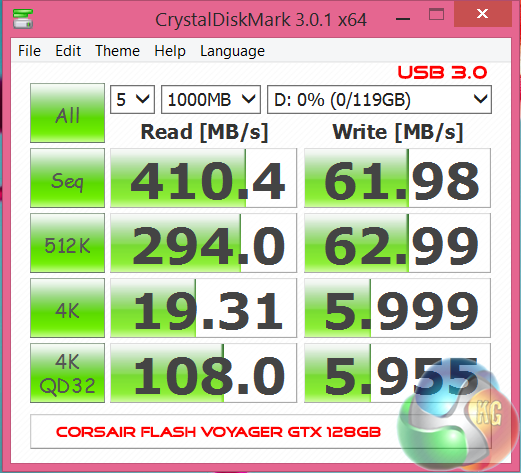
Sequential read performance is excellent, although the sequential write performance should be around 170 GB/s in Crystaldiskmark.
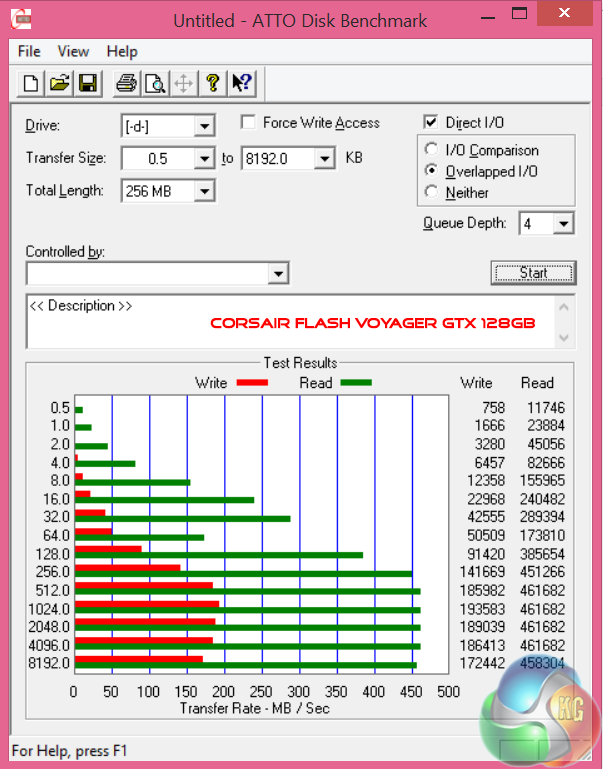
Excellent USB 3.0 throughput performance, peaking at 460 MB/s in the read test and 190 MB/s in the write test.
Grid Autosport (styled as GRID Autosport) is a racing video game by Codemasters and is the sequel to 2008′s Race Driver: Grid and 2013′s Grid 2. The game was released for Microsoft Windows, PlayStation 3 and Xbox 360 on June 24, 2014.
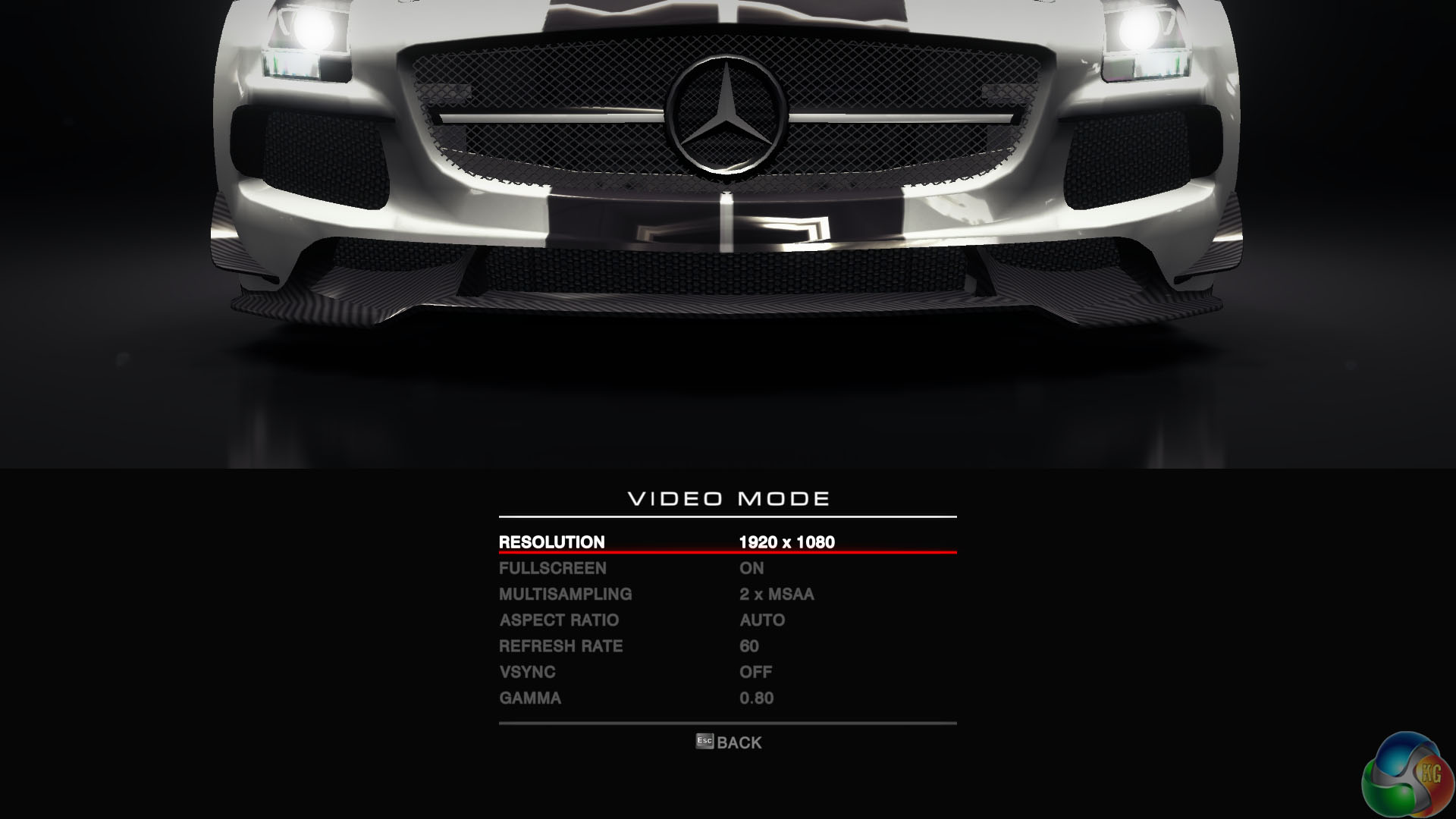
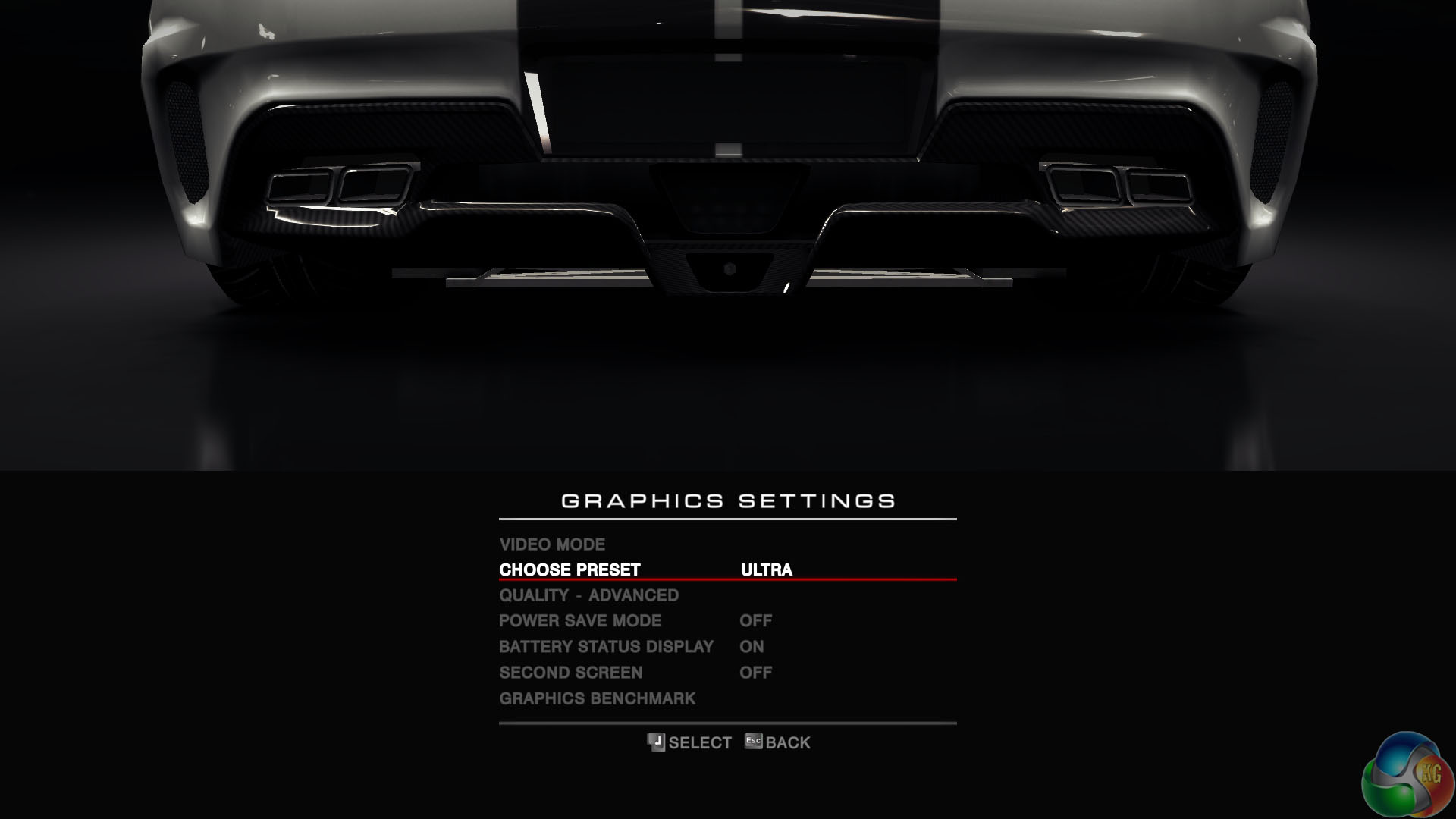
We selected 1920×1080, the native resolution of the panel. 2MSAA was enabled alongside the ULTRA preset to give us high image quality settings.
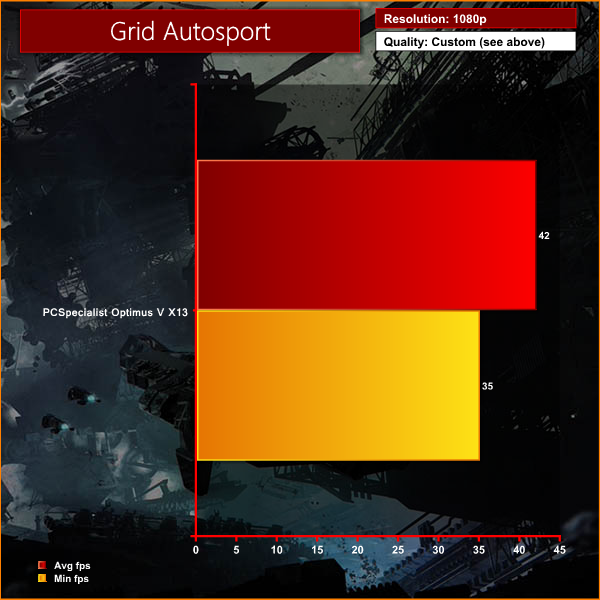
Performance is very good, frame rates are smooth and the game looks great at 1080p on the 13.3 inch screen.
Tomb Raider received much acclaim from critics, who praised the graphics, the gameplay and Camilla Luddington’s performance as Lara with many critics agreeing that the game is a solid and much needed reboot of the franchise. Much criticism went to the addition of the multiplayer which many felt was unnecessary. Tomb Raider went on to sell one million copies in forty-eight hours of its release, and has sold 3.4 million copies worldwide so far.
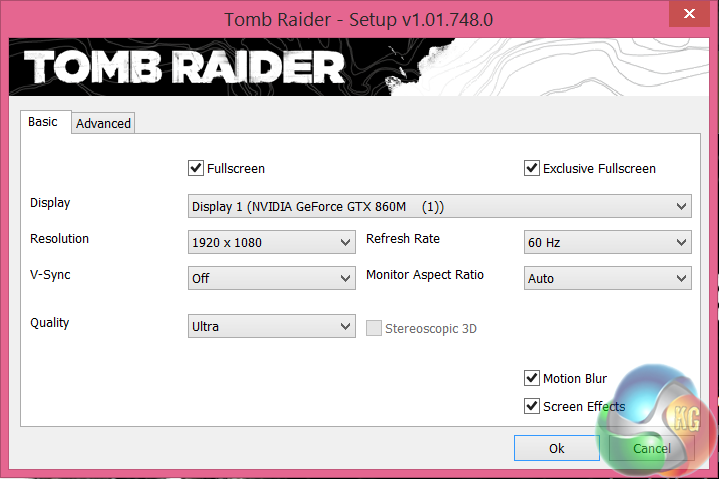
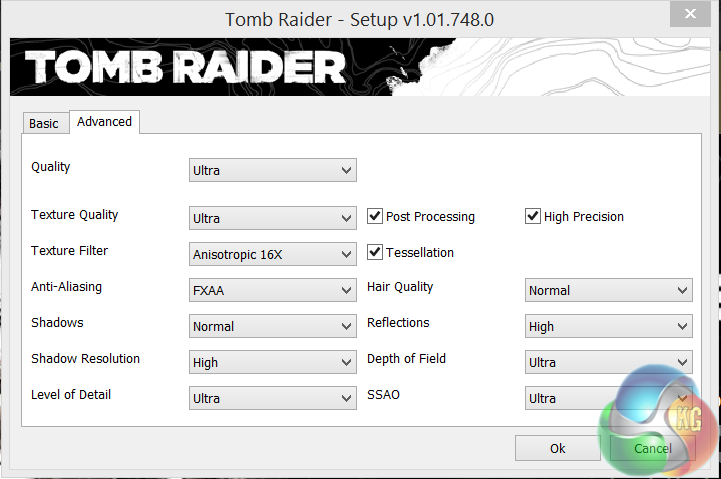
We use the ULTRA profile, as shown above. We really want to push image quality as far as possible while maintaining smooth frame rates. ULTIMATE proved too much for the Optimus V X13 at 1080p.
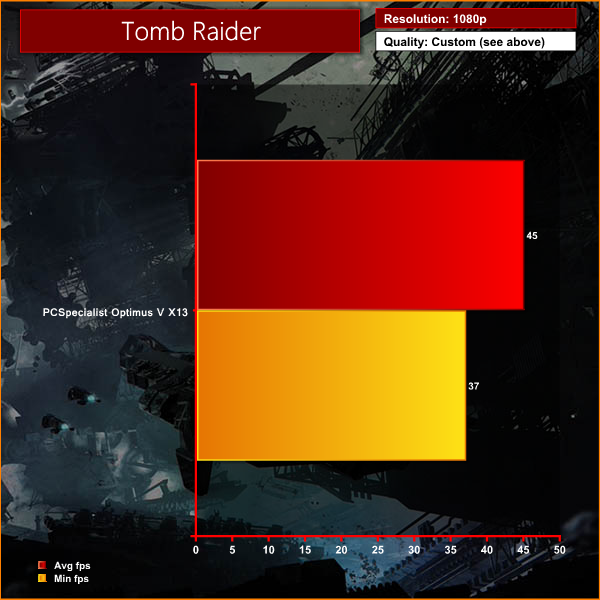
Another good gaming experience with the image quality set high.
Total War: Rome II is set in classical antiquity, and focuses on portraying each culture of the classical era as accurately and in-depth as possible, as opposed to its predecessor, which portrayed many factions anachronistically. The grand campaign begins in 272 BC, and lasts for 300 years. However, the player also has the option to play further, as there are no timed victory conditions in Rome II.
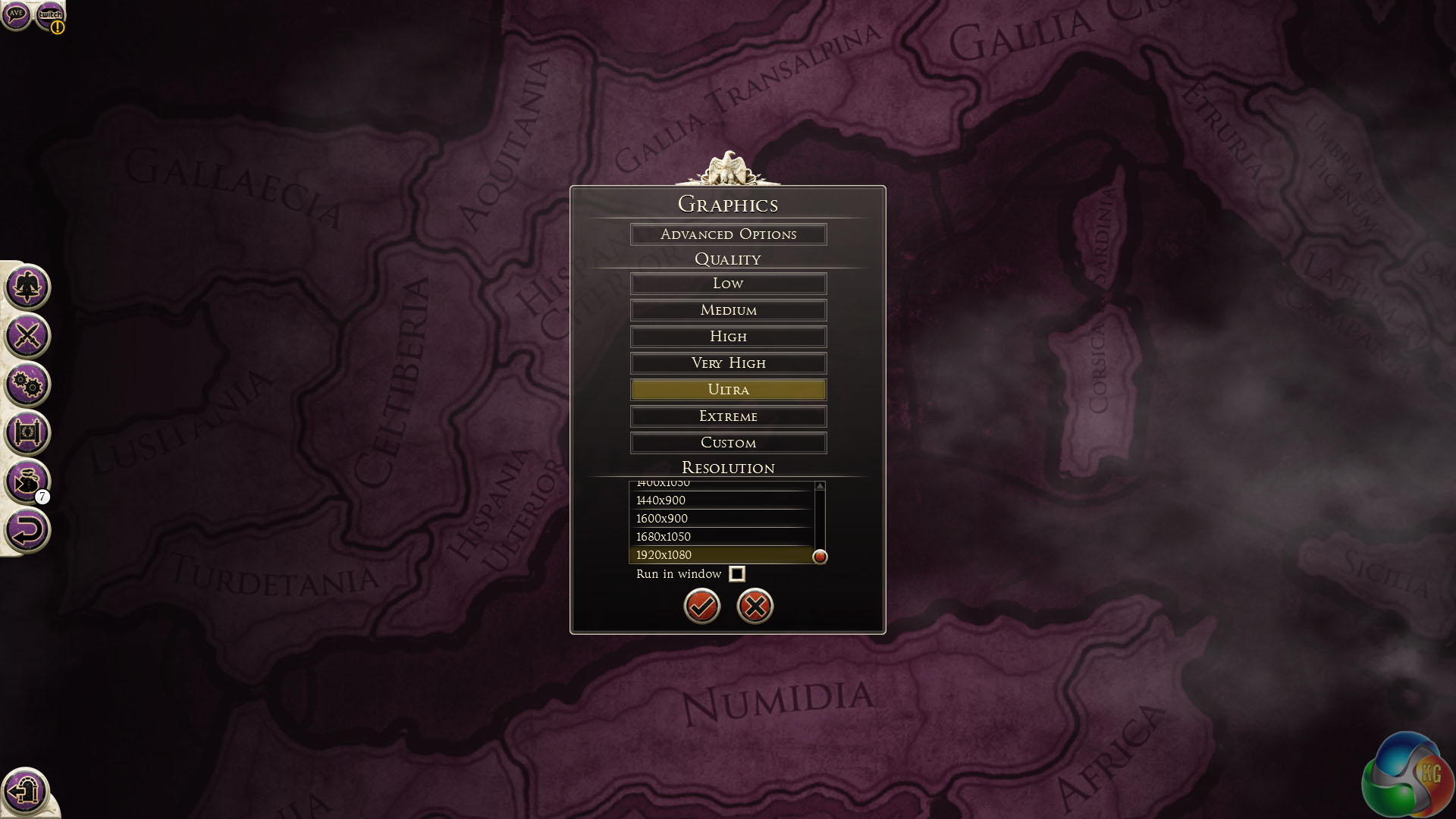
We test at the native 1080p resolution with image quality settings configured to the ‘ULTRA' preset.
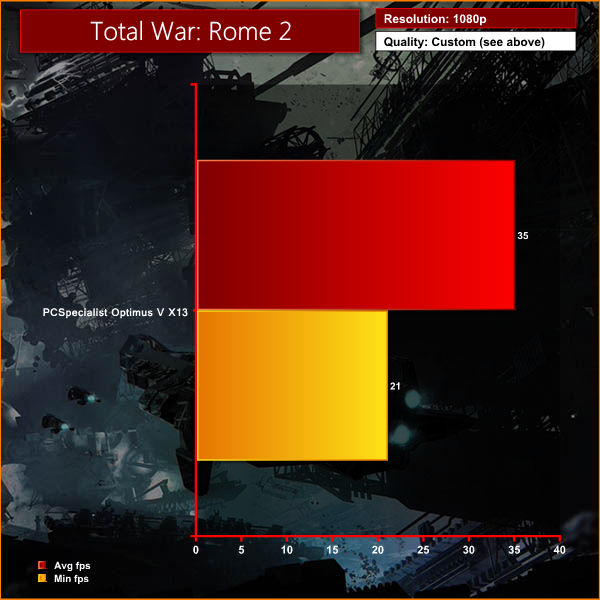
Generally a smooth experience, although in the middle of one of the more intensive battles, the frame rate did drop below what we would consider smooth – hitting 21 fps.
Three years after the events of Wolfenstein, the Nazis have developed advanced technologies in Wolfenstein: The New Order, enabling them to turn the tide against the Allies. In July 1946, U.S. special forces operative Captain William “B.J.” Blazkowicz, accompanied by pilot Fergus Reid and Private Probst Wyatt III, takes part in a massive Allied raid against a fortress and weapons laboratory run by his arch nemesis, General Wilhelm “Deathshead” Strasse.
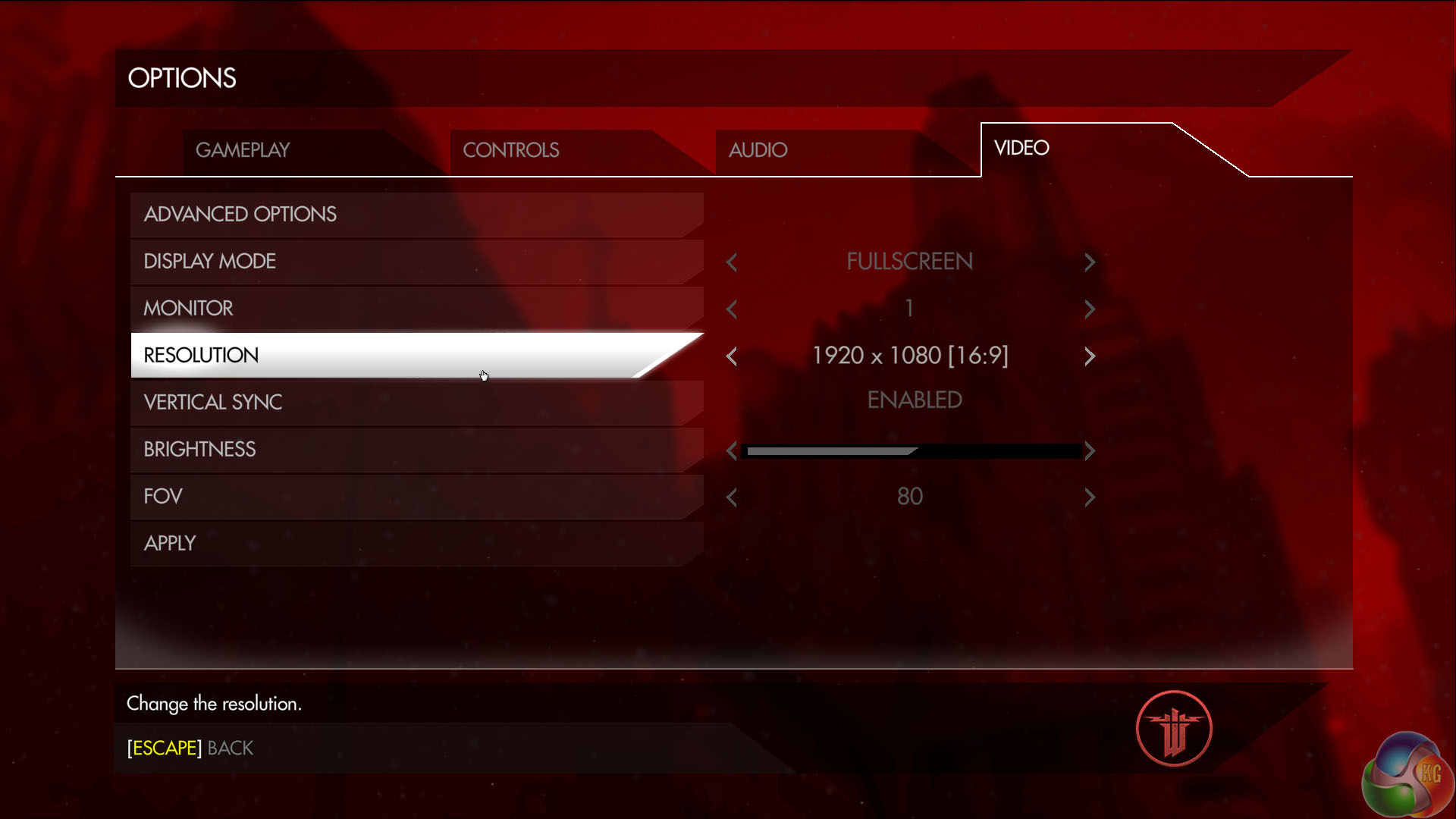
We configure high image quality settings at 1080p and test.
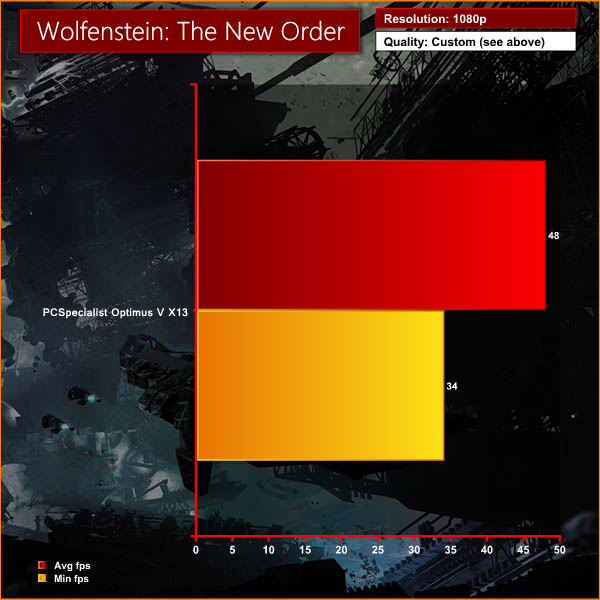
The game was very enjoyable running on the PCSpecialist Optimus V X13, holding smooth frame rates at all times.The tests were performed in an air conditioned room, holding temperatures at a constant 23c. This is a comfortable environment for most people reading.
Idle temperatures were measured after 30 minutes from initial boot up with the system inactive.
Load temperatures were measured when playing Tomb Raider – a Direct X 11 game that taxes both CPU and GPU extensively. All fan settings were left on BIOS defaults.
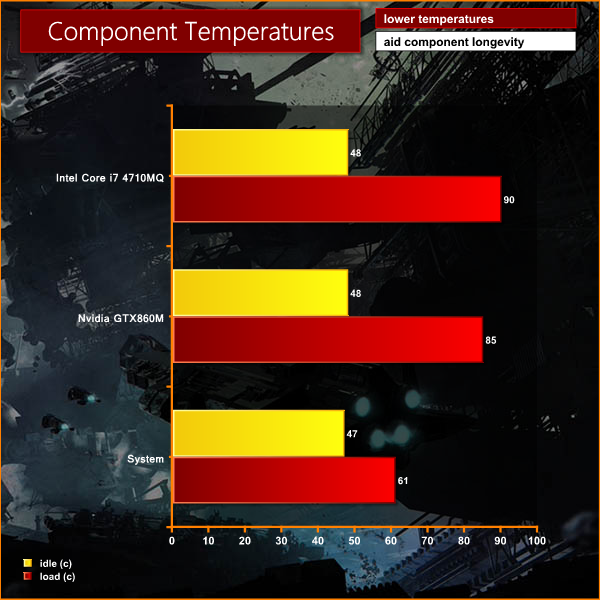
The i7 4710MQ peaks at around 90c, which is a little hotter than we would like to see generally. That said, we didn't document any throttling at all.
We attached five diodes to the back of the chassis and measured the temperature (Celcius) after one hour of intensive work and gaming.
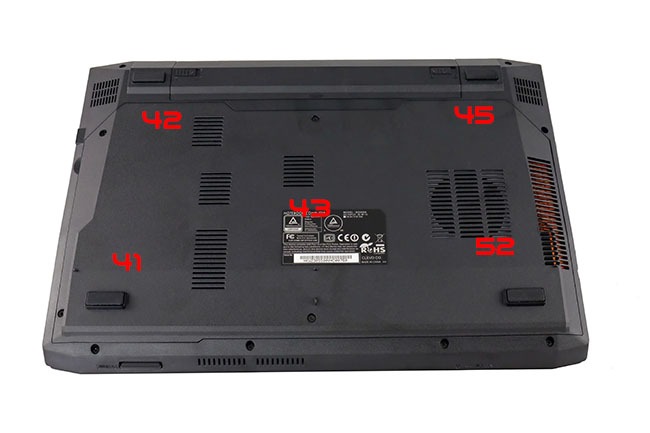
The underside of the chassis gets warm after some time, although most of the heat is centralised at the side close to the main exhaust venting. This is on the left side of the laptop (right in the image above as we are looking at the chassis from underneath). It is important you leave some space on the left side for the hot air to be expelled, otherwise overheating could occur.
We have built a system inside a Lian Li chassis with no case fans and have used a fanless cooler on our CPU. The motherboard is also passively cooled. This gives us a build with almost completely passive cooling and it means we can measure noise of just the graphics card inside the system when we run looped 3DMark tests.
We measure from a distance of around 1 meter from the closed chassis and 4 foot from the ground to mirror a real world situation. Ambient noise in the room measures close to the limits of our sound meter at 28dBa.
Why do this? Well this means we can eliminate secondary noise pollution in the test room and concentrate on only the video card. It also brings us slightly closer to industry standards, such as DIN 45635.
KitGuru noise guide
10dBA – Normal Breathing/Rustling Leaves
20-25dBA – Whisper
30dBA – High Quality Computer fan
40dBA – A Bubbling Brook, or a Refrigerator
50dBA – Normal Conversation
60dBA – Laughter
70dBA – Vacuum Cleaner or Hairdryer
80dBA – City Traffic or a Garbage Disposal
90dBA – Motorcycle or Lawnmower
100dBA – MP3 player at maximum output
110dBA – Orchestra
120dBA – Front row rock concert/Jet Engine
130dBA – Threshold of Pain
140dBA – Military Jet takeoff/Gunshot (close range)
160dBA – Instant Perforation of eardrum
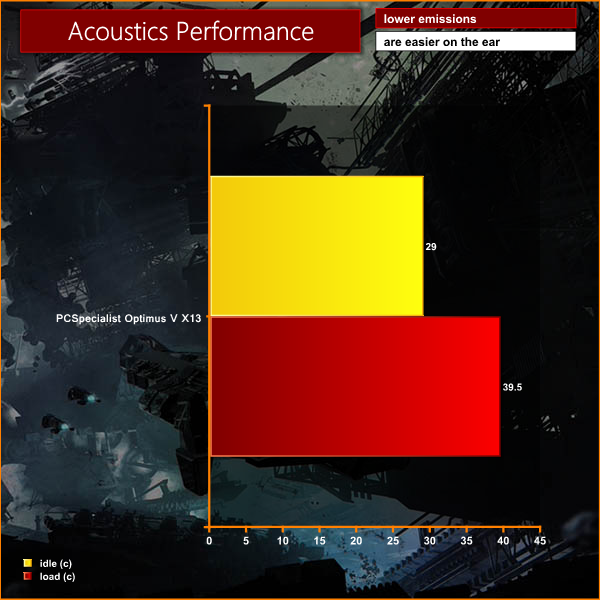
Generally the laptop is quiet – such as when working in Office, surfing the internet or using Adobe Photoshop.
When tasked with gaming at 100%, the cooler has to work much harder.
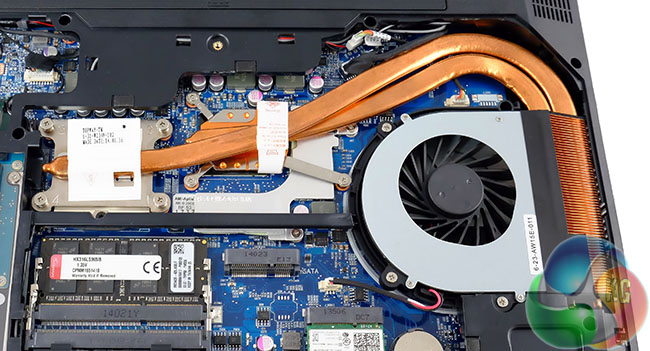
Remember both Core i7 processor and Nvidia graphics are cooled by the same dual heatpipe system, with single fan. Noise quickly ramps up when gaming, hitting almost 40dBa. This is quite loud and certainly noticeable when using the laptop.
To test today, we are putting the machine through a variety of ‘real world’ situations, mirroring the real world usage of a potential customer.
One as a media movie lover on the move (wearing headphones), a person wanting to watch high definition media on a train journey or bus with screen brightness two notches from maximum.
Second as a businessman, with screen brightness around half way. Wireless was enabled. A mixture of checking, answering emails using Microsoft Office and editing pictures in Adobe Photoshop.
Lastly as a gamer, playing Watchdogs until the machine turned itself off.
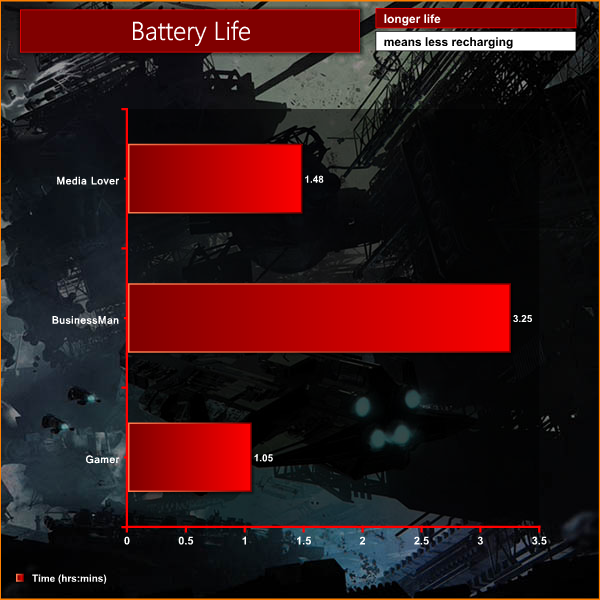
Battery life under general ‘business' settings is strong as the Nvidia GPU will disable and the Core i7 isn't tasked close to the limits. When tasked under more intensive situations the battery will be drained much quicker.
If you are looking for a portable, yet extremely powerful laptop then the PCSpecialist Optimus V X13 should certainly be making a final shortlist.
First impressions of the Optimus V X13 are positive. The design is functional yet reserved and sure to appeal to the audience who don't yearn for a lot of glowing LED lights when the machine is powered on. Build quality is excellent and we particularly like the matt style material used on the lid. It is resistive to scratching and very easy to clean at the end of the day … simply rub with a cloth and it looks as good as new again.
The chiclet style keyboard is pleasant and comfortable to use, offering two levels of backlighting intensity to suit a variety of working environments. The 1080p 13.3 inch monitor is certainly a cut above what we would consider ‘average' in this price category, combining good viewing angles with rich colour saturation and excellent text clarity.
On board audio is unremarkable, even though there is ONKYO branding clearly visible on the chassis. There is a reasonable level of volume available, but without any kind of bass response audio quality is flat and lifeless. Headphones or external speakers should be added if you are going to be using the Optimus V X13 for serious media or gaming duties.
Technically, it is hard to find fault with the PCSpecialist specifications. The Intel Core i7 4710MQ processor is immensely powerful considering the 13.3 inch form factor. It will be able to handle anything you can throw at it, from simple office work to more intensive 3D rendering duties.
The Nvidia GTX 860M is a very capable mobile graphics solution. It can handle many of the latest Direct X 11 games at 1080p with image quality dialed up close to the limit. Considering the shared dual heatpipe cooling methodology inside the machine, there is no doubt everything is running right at the performance limits.
My biggest gripe in using the PCSpecialist Optimus V X13 was the hot spot near the main venting port on the left and the distracting noise levels when the system is heavily loaded. It is the nature of the game, there is always a trade off when using a Core i7 processor and discrete graphics card within such a confined space.
We would have liked to have seen a fullly fledged Solid State drive used in this system, rather than a lackluster 1TB Seagate Hybrid SSHD however PCSpecialist have been working to a tight price point. The Optimus V X13 is available for £749.00 inc vat. If you are in the market for a 13 inch gaming laptop and are working to a budget well under a grand the PCSpecialist Optimus V X13 deserves some serious consideration. If I was buying this machine myself, I would budget a little extra and get a quality Solid State Drive installed.
Discuss on our Facebook page, over HERE.
Pros:
- well built.
- Core i7 and Nvidia discrete graphics pack a combined punch.
- backlit keyboard.
- decent battery life for general duties.
- good 1080p screen.
- competitive pricing.
- small chassis.
- easy to access components.
- loads of USB 3.0 ports.
Cons:
- can get loud.
- hot spot on left of machine.
- weak onboard audio.
- Hybrid SSHD drive can't match a proper SSD.
Kitguru says: Need a powerful 13 inch laptop? The Optimus V X13 packs a serious punch.


well, had a look at it, and it seems that price is a load of crap.. thats the price for the base unit with the dual core pentium CPU, nnd the basic ram/HDD setup. -_- was about to put in an order.
Click the reviews tag at the top of the pcspecialist page and you will find this exact spec for £749. I’ve used this company several times and have always been very happy with the service and the product. Hope this helps
I’ve had this laptop (but a higher end config) since 2014 now. The chassis is garbage. PC specialist have been nice enough to change it for me twice now but, basically, you get a lot of cracks from the very sharp corners around the screen and keyboard as they are stress concentrators. The internal hardware is real good, however and PC Specialists have been quite good with customer care.
I’ve also got this laptop. Yep I had the chassis changed too, funnily enough I also bought in 2014. I am having continuing problems with overheating, have swapped the thermal paste no end of times, think the heat pipes might be busted or something.