 KitGuru KitGuru.net – Tech News | Hardware News | Hardware Reviews | IOS | Mobile | Gaming | Graphics Cards


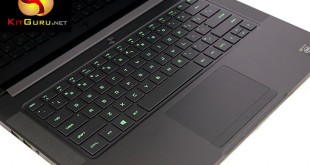
Gaming laptops have a huge audience, but not everyone wants to lug around a 17 inch behemoth weighing more than 5KG. Razer have enjoyed success in recent years with their Blade range of laptops … even if the price has been prohibitive for many. Today we take a look at the latest 2015 model which features a powerful combination of Intel Quad Core Core i7 processor with Nvidia GTX970m discrete graphics. It also features a super high resolution IGZO 3K touch screen.
Back in the day I played with the 2013 Razer Blade over the course of a couple of weeks when a wealthy colleague of mine disappeared on holiday, leaving it in my hands. I didn't get time to review it, but I was genuinely impressed. It was an attractive, high performance gaming laptop … somewhat crippled by a fairly mediocre display.
In 2014 Razer upped the ante, installing a Sharp IGZO 3200×1800 panel in the new version, alongside a more powerful discrete graphics solution. There was no doubting the Nvidia GTX870M was a killer GPU, able to power the latest titles at 1080p with the image quality maxed. The laptop did run into some gaming issues at the native resolution however.
The 2015 Blade is (not surprisingly) the latest version. Razer have opted this time for the GTX970 GPU based on the Maxwell architecture – which is not only more powerful, but likely to run a little cooler. While this is important in the desktop space, within the mobile environment it is even more critical. If gamers yearn for a diminutive, powerful gaming laptop it is important that heat is reduced to compensate for restricted physical cooling space.
Razer Blade 14 inch Specifications |
||
|---|---|---|
| 2014 Model | 2015 Model | |
| PROCESSOR |
Intel Core i7 4702HQ
|
Intel Core i7 4720HQ |
| Chipset |
Intel HM87
|
Intel HM87 |
| Memory |
8GB DDR3
|
16GB DDR3 |
| GRAPHICS |
Nvidia GTX870M 3GB GDDR5
|
Nvidia GTX970m 3GB GDDR5 |
| Cuda Cores | 1344 | 1280 |
| Core Clock Speed | 941mhz | 924mhz+ Boost |
| Memory Bus Speed | 5GHZ | 5GHZ |
| Memory interface | 192 bit | 192 bit |
| Onboard Graphics | Intel HD4600 | Intel HD4600 |
| Panel Display |
14inch Glossy 3,200×1,800 |
14inch Glossy 3,200×1,800 |
| Drives | 128/256/512GB Sata M.2 | 128/256/512GB Sata M.2 |
| Audio |
Realtek ALC269 HD Audio |
Realtek ALC269 HD Audio Stereo Speakers Mic/Headphone Jack |
| Networking/Bluetooth | Intel Wireless-AC 7260HMW Dual Band 2×2:2 802.11a/b/g/n/ac Bluetooth 4.0 |
Intel Wireless-AC 7260HMW Dual Band 2×2:2 802.11a/b/g/n/ac Bluetooth 4.0 |
The are multiple versions of the Razer Blade 2015 available, and it is worth pointing out that it is not officially supported in the United Kingdom by Razer directly. You can however buy it through several verified Amazon dealers in the UK.
The model for review today features the higher cost Sharp Q140Z1JW01 IGZO 3,200 x 1,800 panel (1080p options are available) with 256GB of Solid State storage. You can buy this specific model with a full 1 year UK warranty, direct from an Amazon partner, with Amazon PRIME shipping, for £2,163.00 inc vat. This means it ships directly from Amazon warehouses in the UK. According to our contact within Amazon, dealer HIDevolution even bundle a UK plug adapter in the box and have live support available to customers, with a repair warehouse situated in the UK.
Clearly without official Razer support, there are risks involved. It seems however that there are ways to get one in the UK, with some level of aftercare support. American readers have no such concerns as Razer offer them direct to the customer and via third party channels.
Our sample shipped directly from America for our review today.
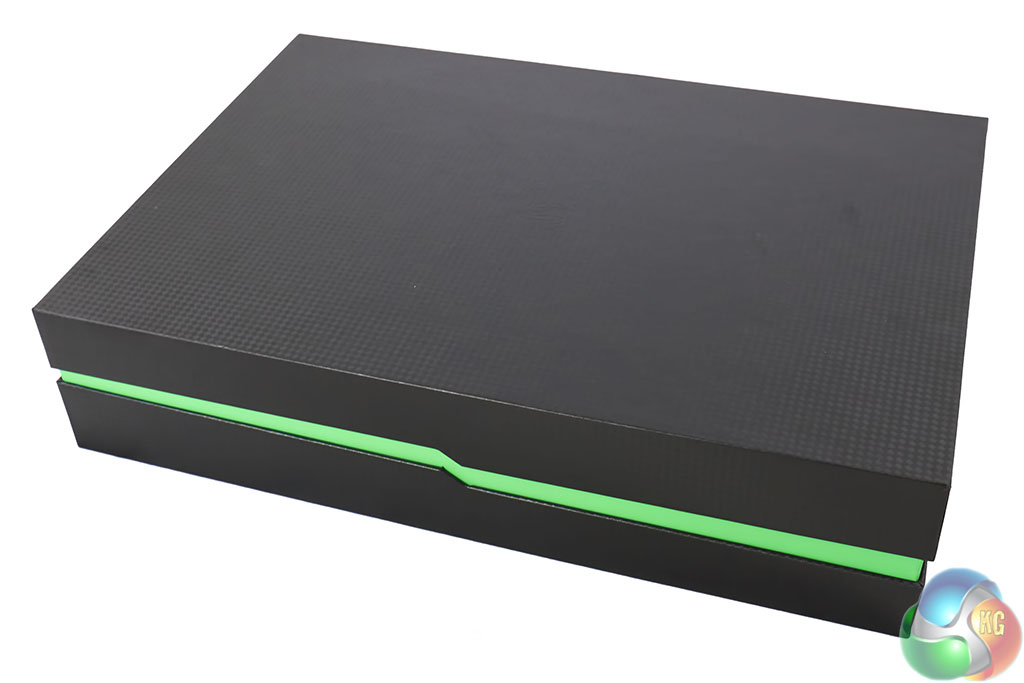
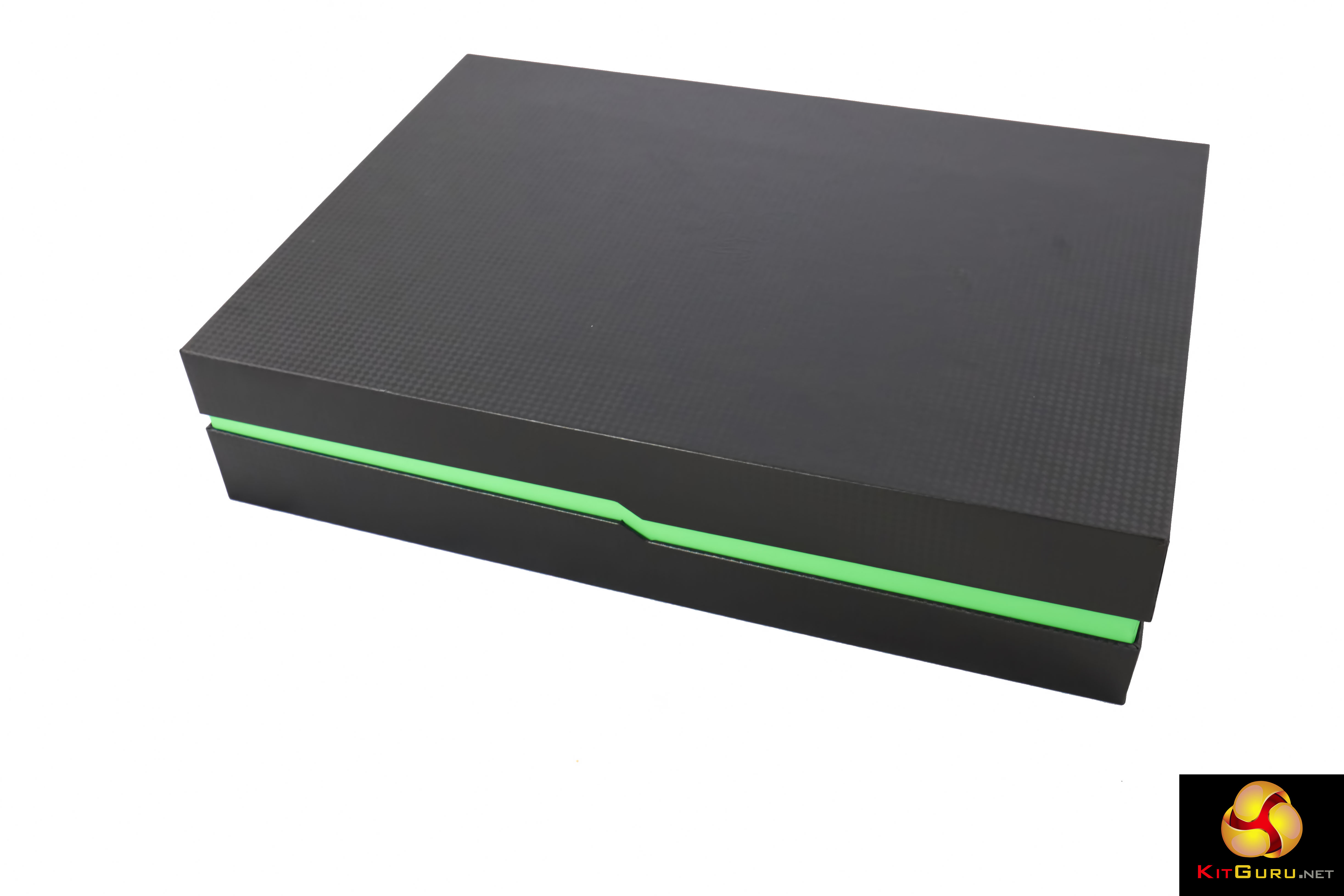
The Razer Blade ships in a lovely little box, featuring the Razer ‘green and black' colour scheme.
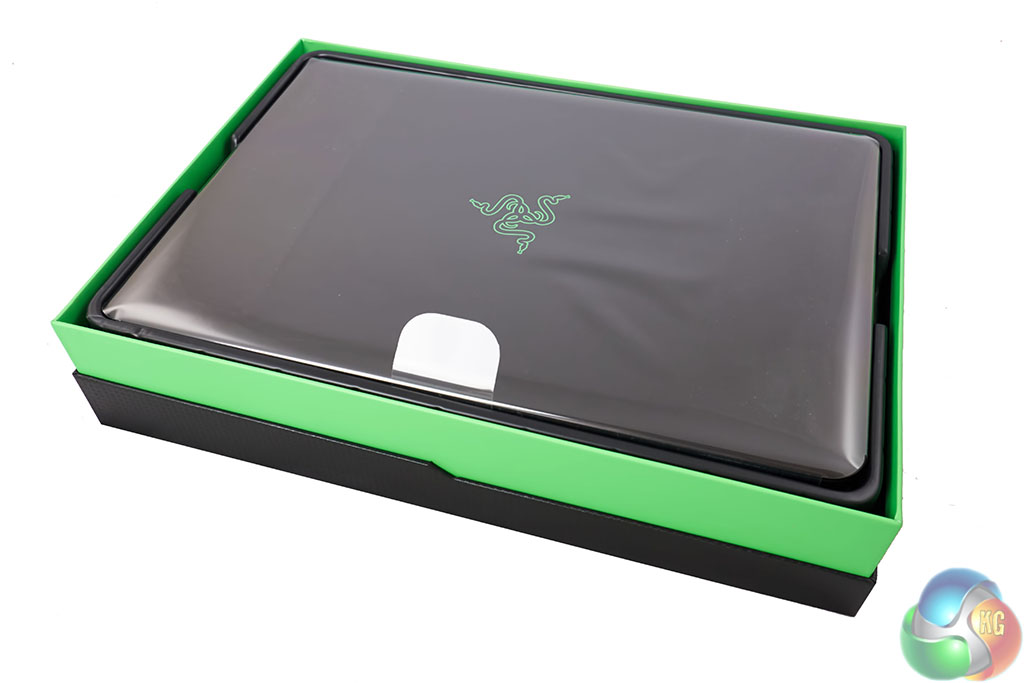
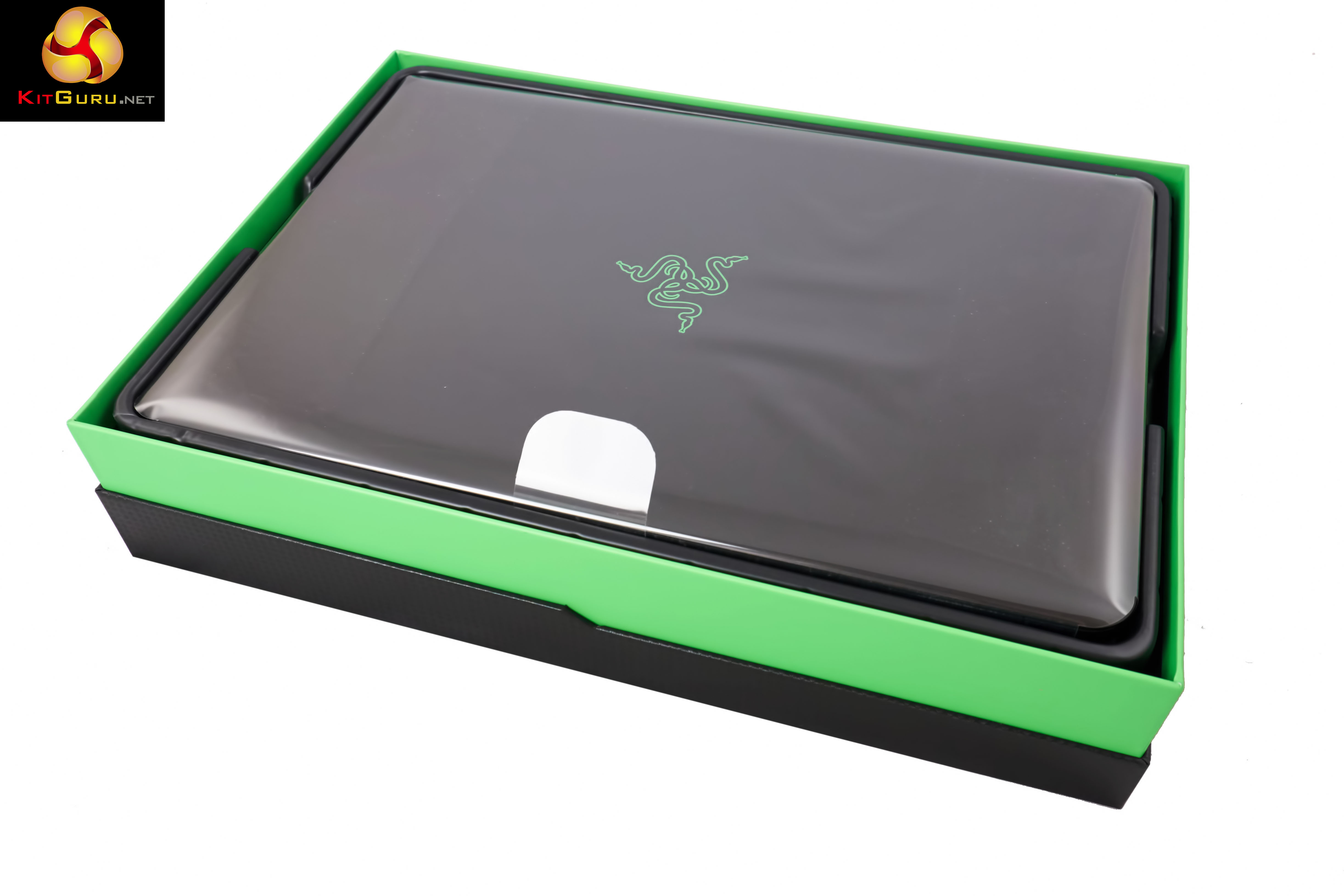
Inside, the laptop is encased between thin sheets of plastic. The laptop is protected inside a padded section.
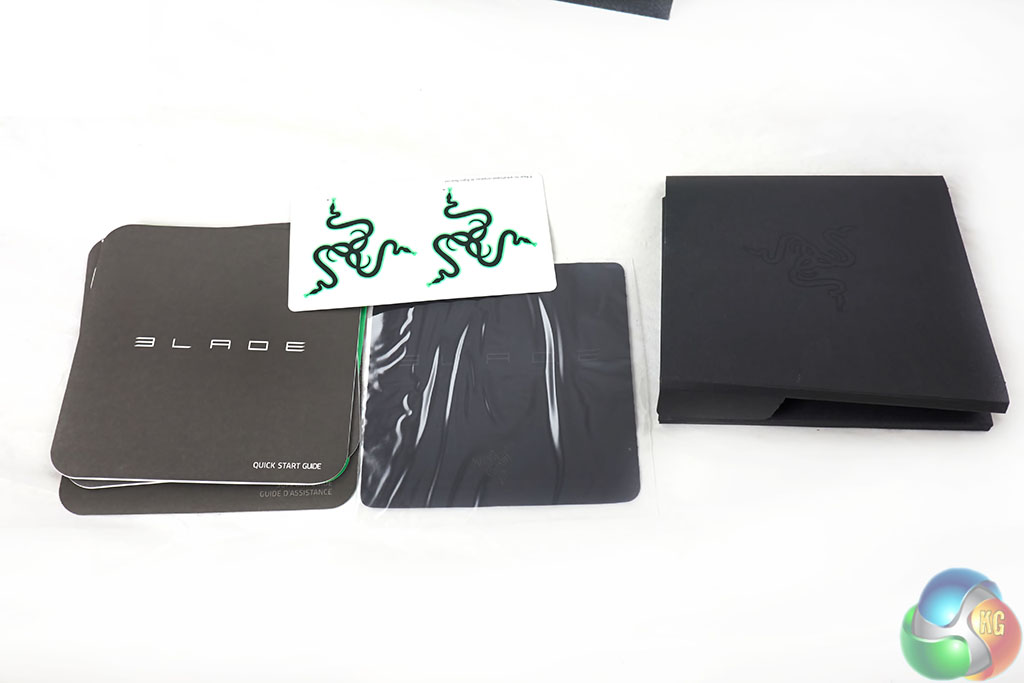
Razer supply some literature on the product, a cleaning cloth and some stickers featuring the Razer logo.
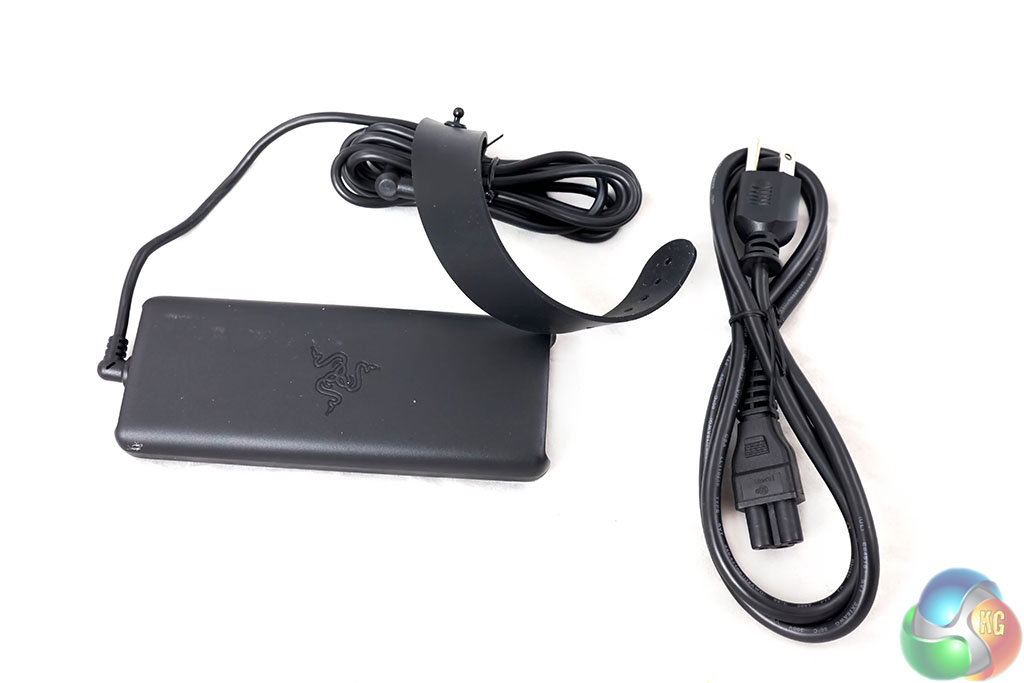
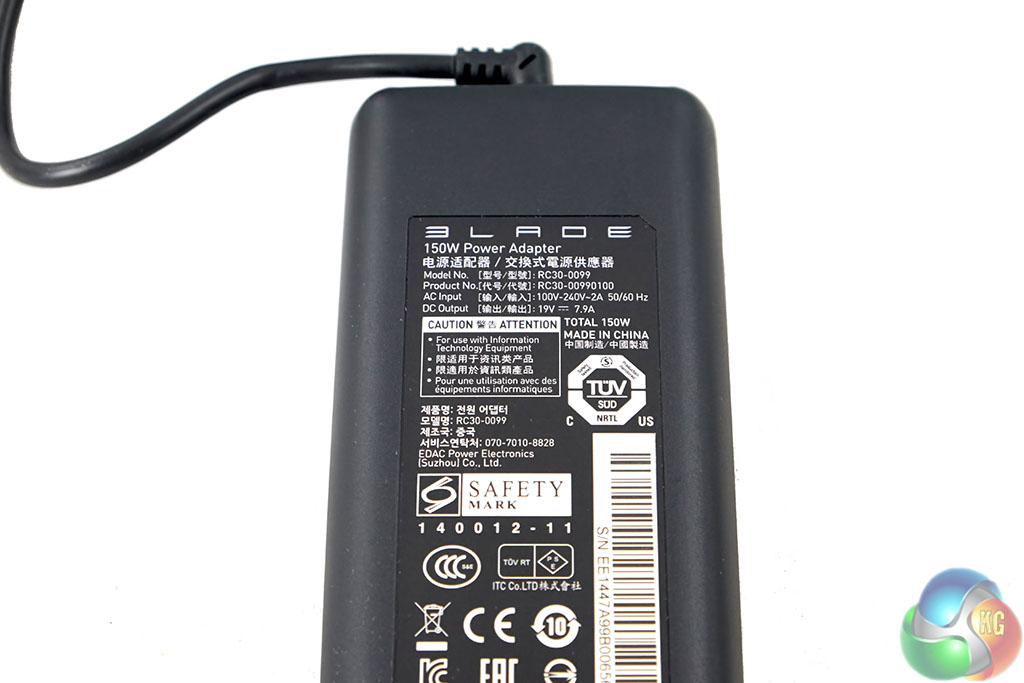
There is also a power supply in the box. Thankfully it is not a huge brick, but a rather svelte unit unlikely to cause transportation discomfort in a backpack. It is made in China, and rated 100-240 v at 150 watts maximum. As such it will work in any country, with a plug adapter, including the UK. These little adapters can be picked up on Amazon for only a few pounds (or less).
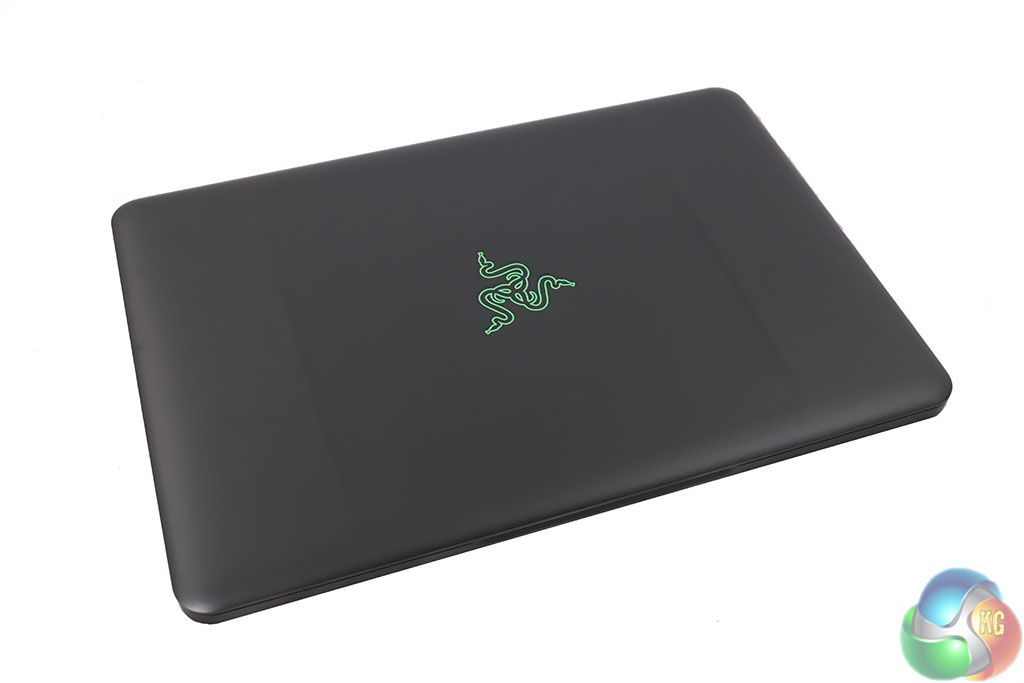
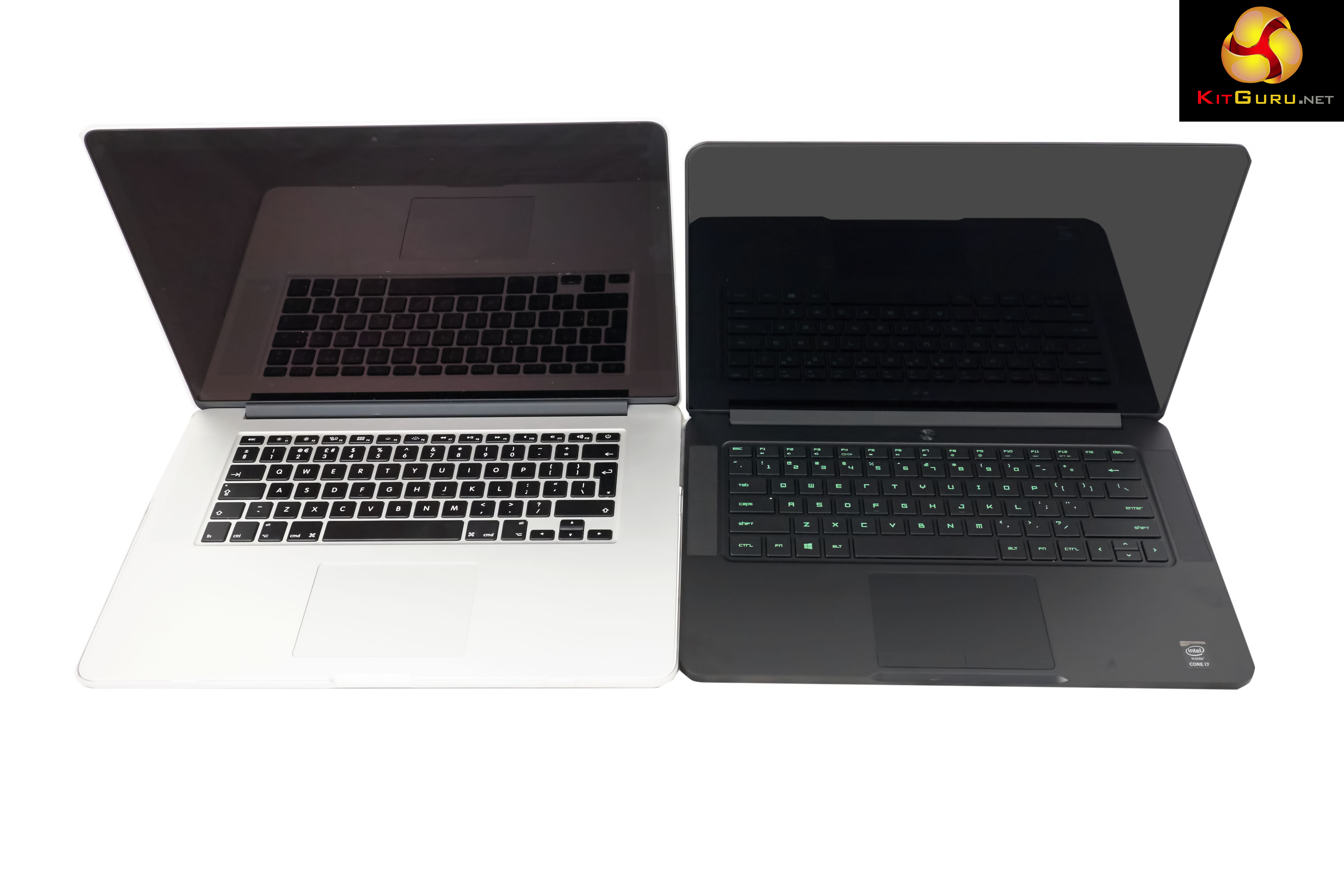
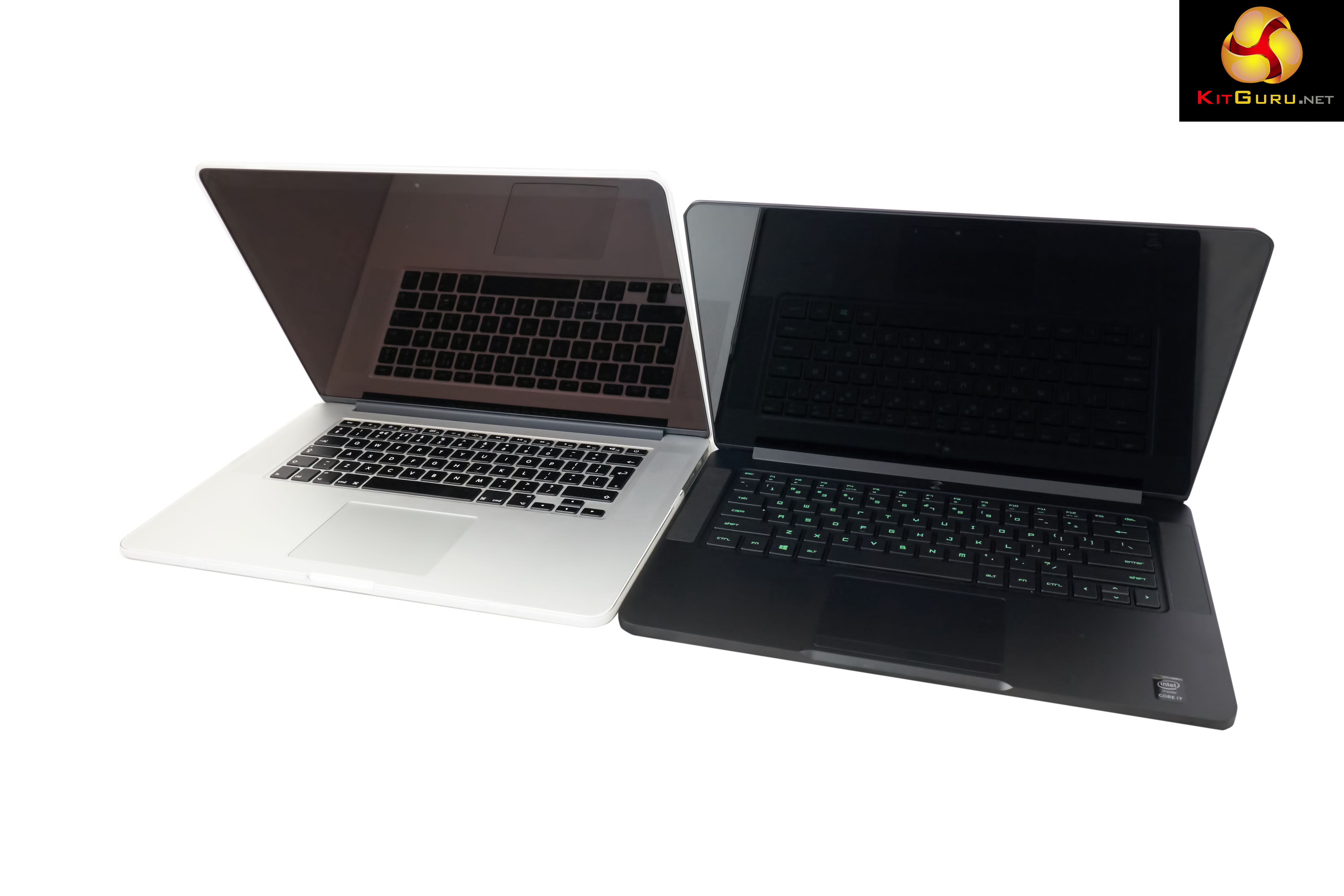
There is no doubt that the Razer Blade is a gorgeous looking laptop. It reminded me immediately of a black MacBook Pro laptop. While I am predominately a PC user, I do use Apple computers for work related tasks, as I do rate OSX highly. Don't hate.
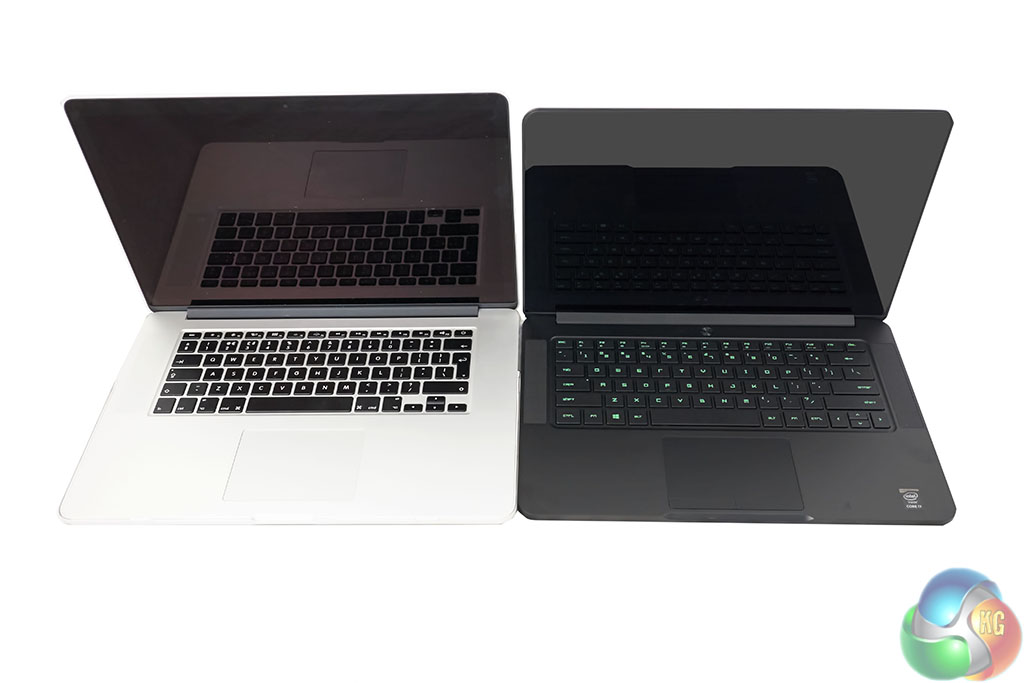
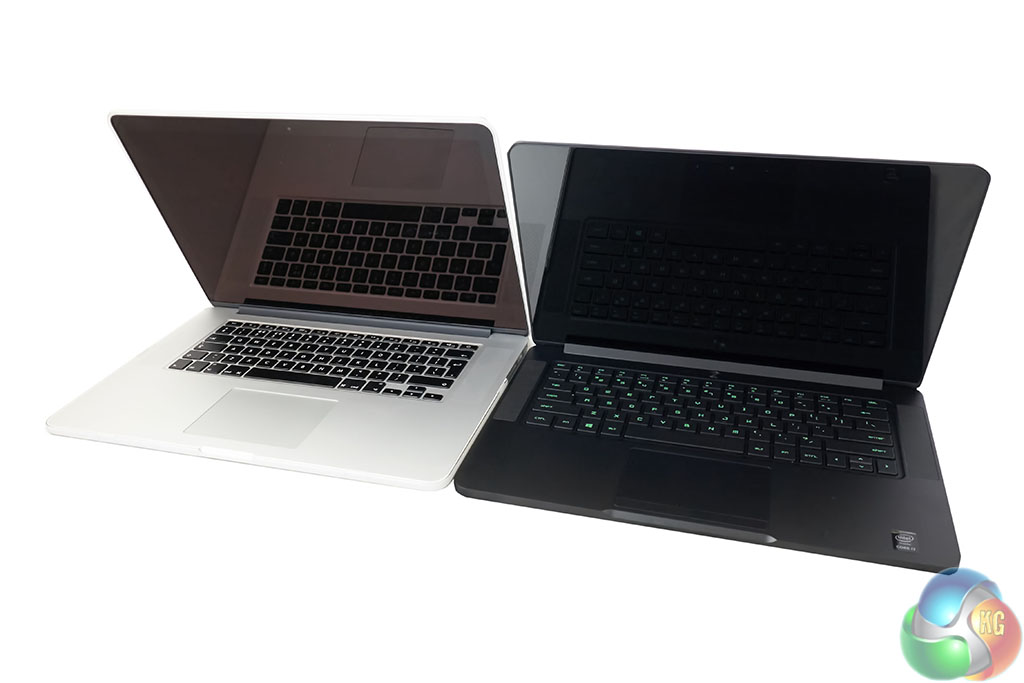
Above, the Razer Blade 14 (2015) beside the slightly larger Apple MacBook Pro 15 inch model. The design ethos is very similar, and as you can see Razer only have a single sticker on the chassis, bottom right – highlighting the adoption of an Intel Core i7 processor. I would rather they had no stickers or badges on the chassis, but compared to many companies, it is minimal.
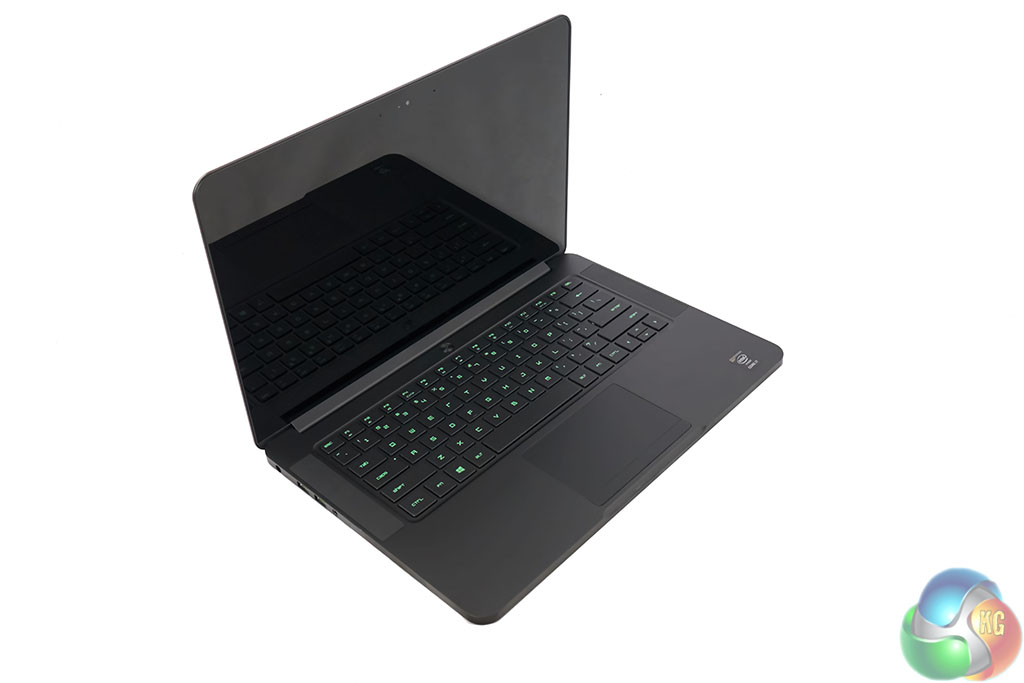
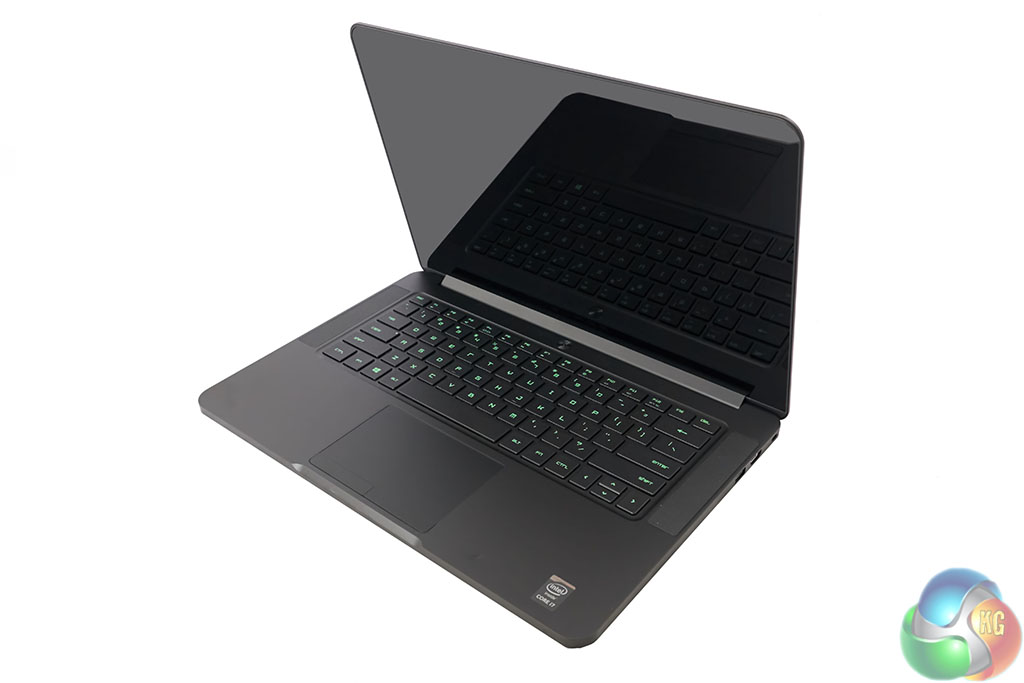
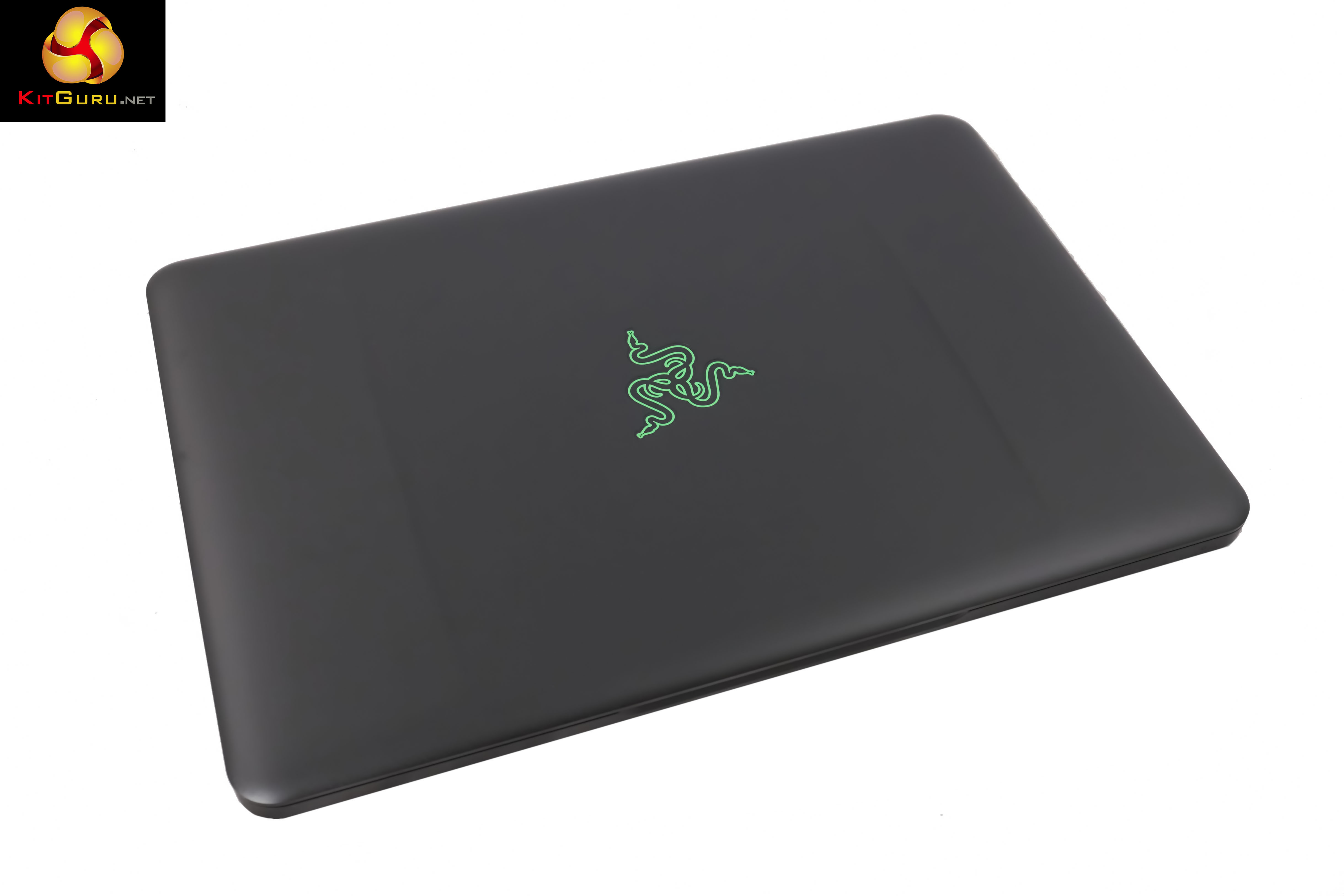
The Razer Blade may look great in the photos, but in the flesh it is even better. It is anodized aluminum which feels fantastic in hand and immensely strong, even though it is thin. The only downside is the mess your fingers leave on the surface. I wouldn't class my hands as particularly sweaty but I was constantly cleaning the Razer Blade with a cloth every couple of hours.
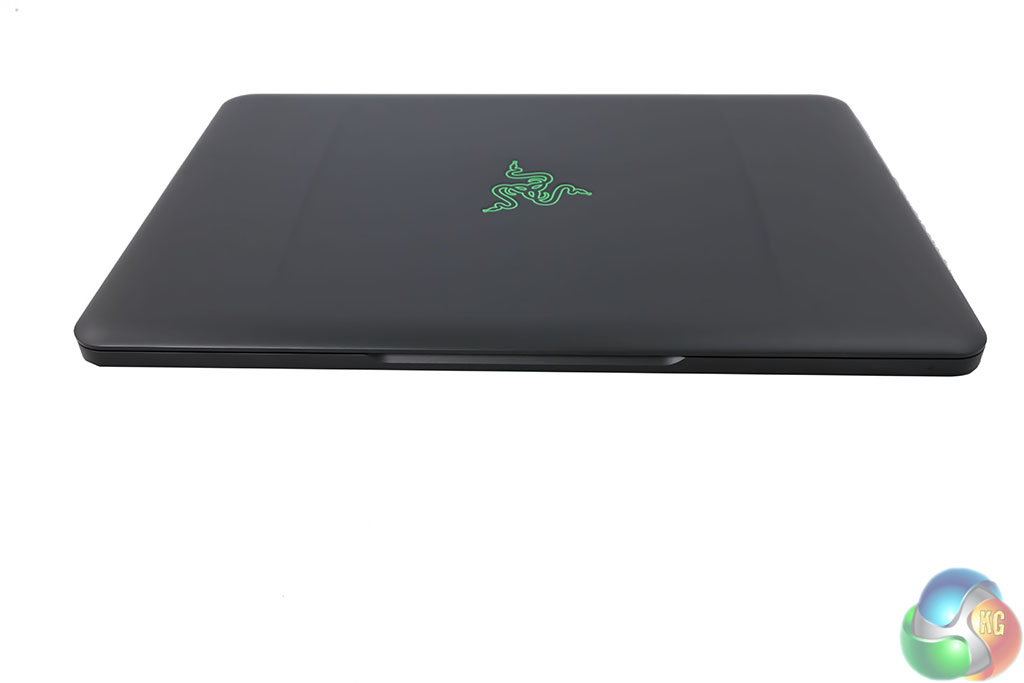
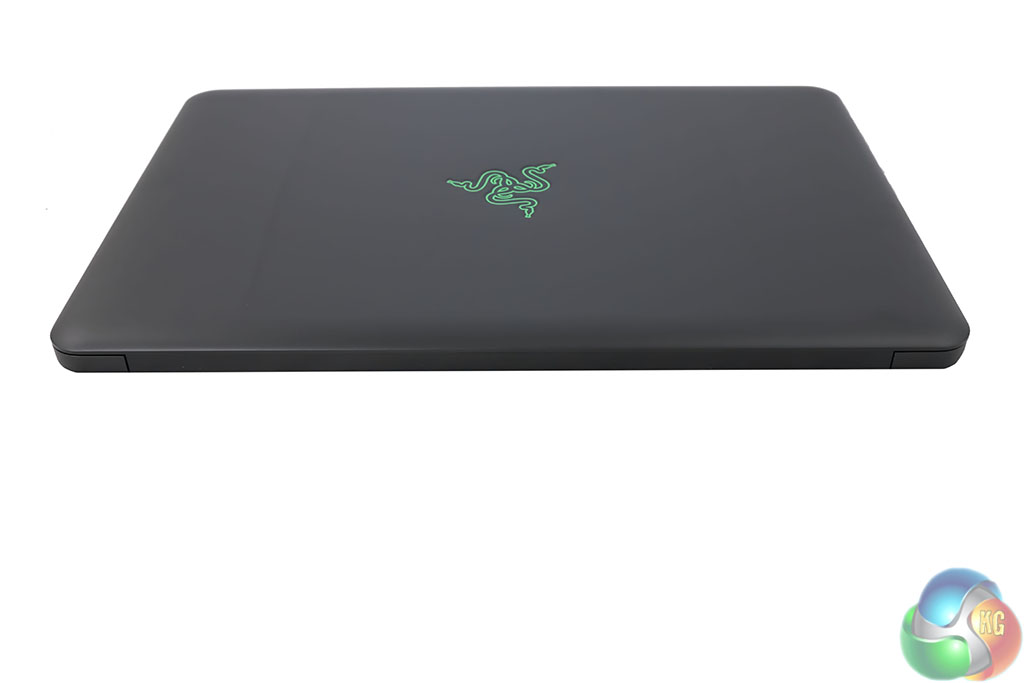
Not much going on at the front or back of the chassis. There is a little coloured light at the front which indicates the current operational state. There is also a little cut out section so it is easier to open by hand. Again this is a very similar design to the Apple MacBook Pro.
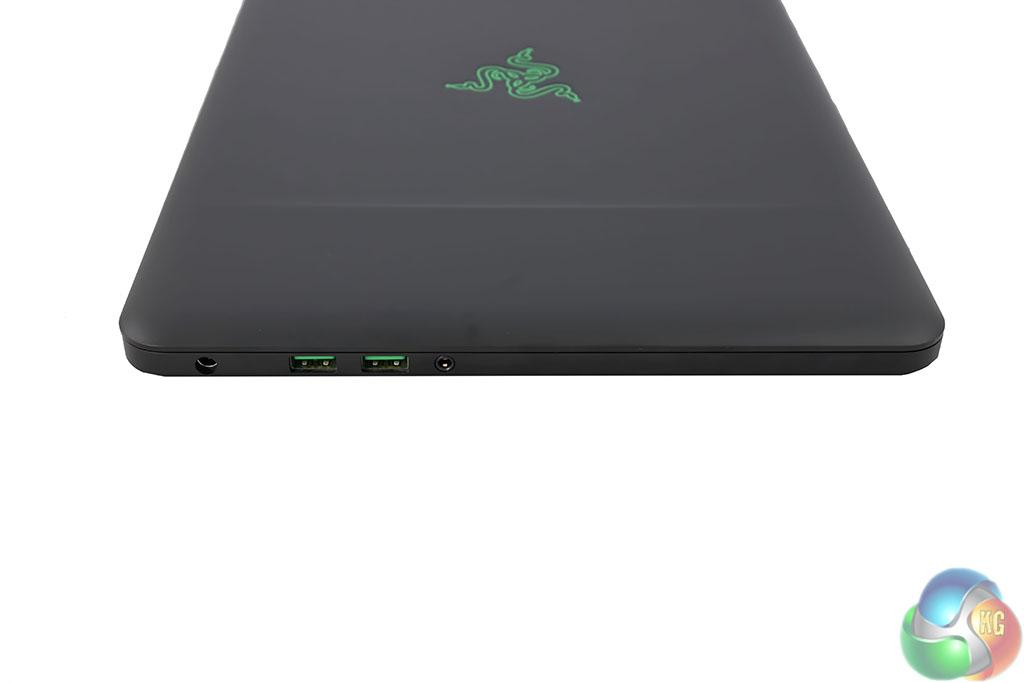
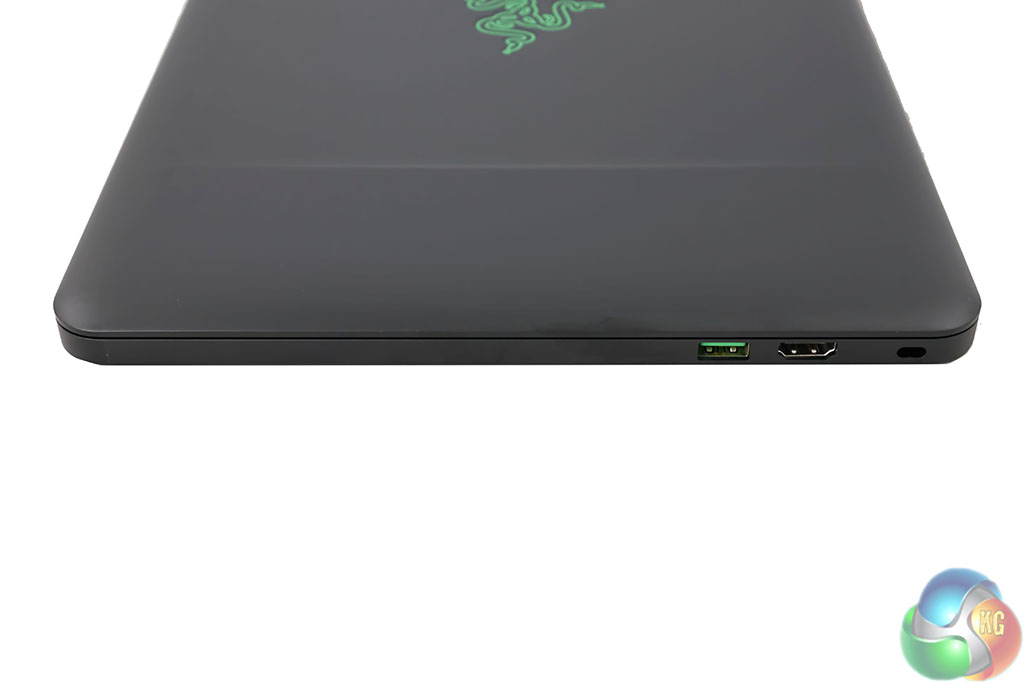
I love the green USB 3.0 ports. On the left side, from front, a microphone/headphone jack, two USB 3.0 ports and the power connector port. On the right side, an HDMI (1.4b) port, Kensington lock and another green coloured USB 3.0 port. Sadly Razer didn't update the 2015 version with a HDMI 2.0 port. This means if you want to output at 4K you are limited to 30hz. I would have preferred a Displayport connector, but HDMI is definitely more widespread, so perhaps their logic makes sense.
A photographer may dislike the fact there is no SD card slot either, but you can easily pick up a USB/SD USB adapter online for a couple of pounds.
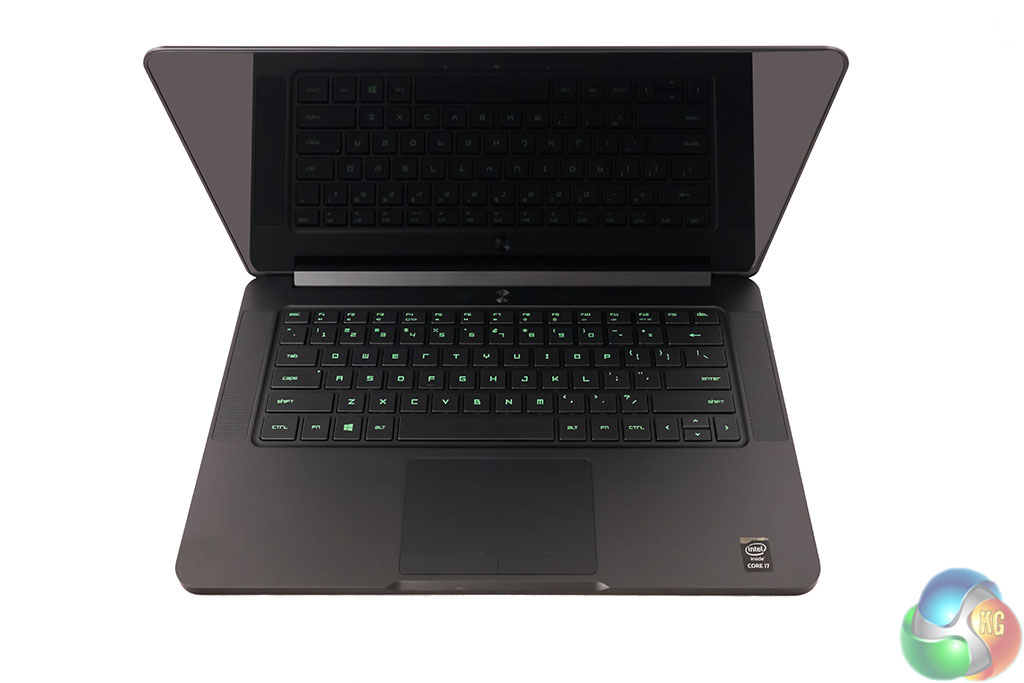
There is no doubt that this is one of the best panels I have seen. The Sharp LQ140Z1JW01 IGZO delivers a bright, crystal clear image which excels with small text and photograph reproduction. It is a close call between this panel and the one used in the MacBook Pro 2015 (Retina) – so it is easily competing with the best screens on the market today. Viewing angles are also extremely good – as we would expect from an IGZO panel.
A pair of stereo speakers adorn the chassis, on either side of the keyboard. They are surprisingly capable and even produce a little bass. Sure, they won't replace a pair of dedicated speakers or headphones but the audio quality is very good and much better than any we have tested before, in the same class.
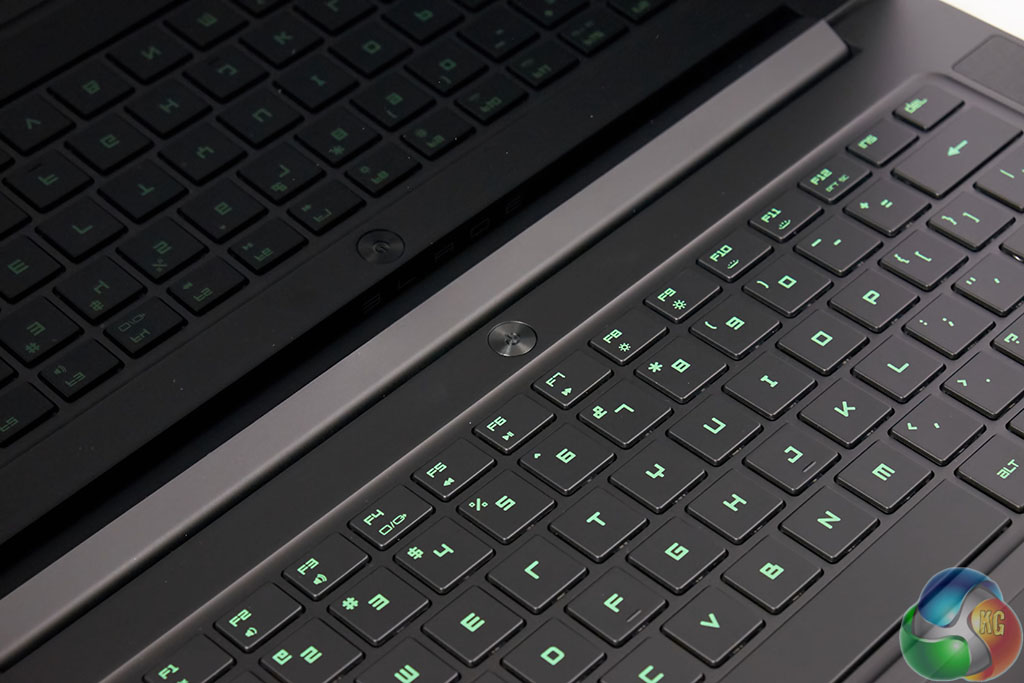
The power button is above the keyboard, in the center. It is made from aluminum too, and looks great.
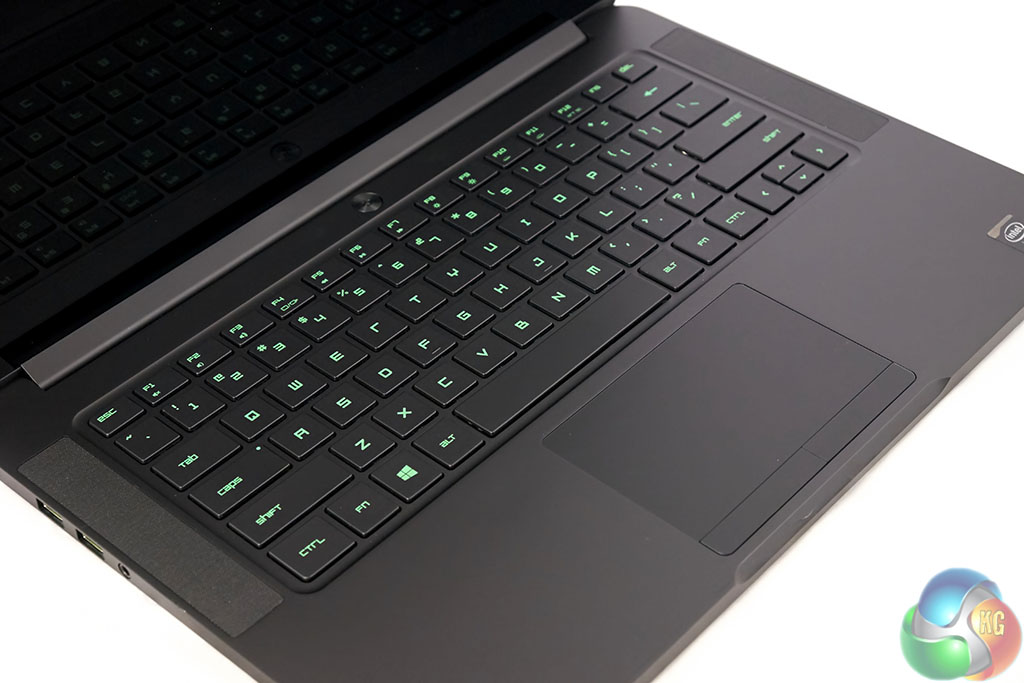
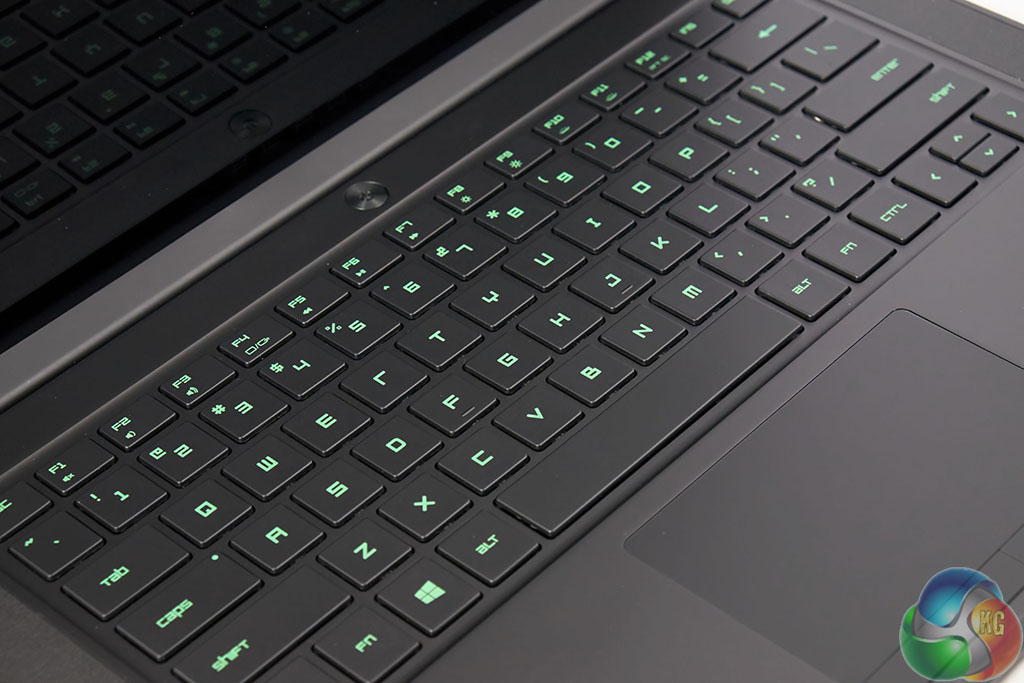
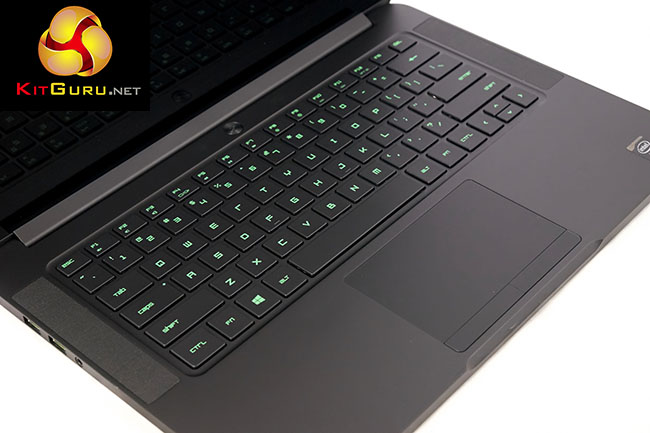
The keyboard is accented with green lighting, controllable from the FN key row. These are Razer colours, so it makes sense. You can't adjust the colour which may annoy some (especially Razer Chroma users), but I found the green really refreshing and clear to read in dimly lit/dark environments. It can be adjusted between disabled and ‘extremely bright' to suit every situation. It won't match the mechanical keyboard found on the amazing MSI GT80 Titan, but it was pleasant enough to use, even for long periods of time. Sadly as this is a US product, the return key is only single height, a personal pet peeve of mine.
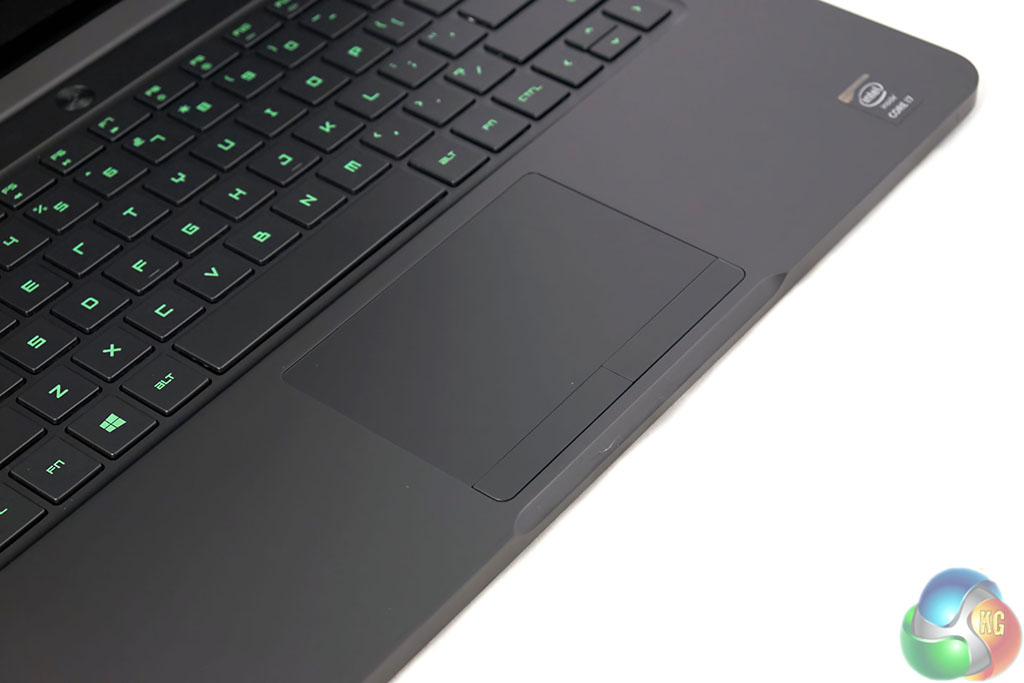
The trackpad is massive, and very very smooth to touch. It isn't a clickpad, with separate dedicated left and right buttons visible underneath. It really is a great trackpad, and although I would much prefer to use a mouse when possible, it is certainly a viable option in space restrictive situations such as when on public transport, or a plane.

The cooling system is extensive. There are two air intakes, which cool the processor and graphics card, forcing hot air out from a vent between the display and the rear of the laptop. This keeps the ugly exhaust vent away from sight – improving the appearance. The downsides, as we see later in the review mean that the top of the keyboard does get very toasty. We test with a thermal imaging camera for deeper analysis.

WiFi performance is strong, able to hold a strong signal at the other end of a house, over 802.11AC. We measured a maximum speed around 420Mbps when the laptop was closer to the Netgear router.
On this page we present some high resolution images of the product taken in our professional studio. These will take much longer to open due to the dimensions, especially on slower connections. If you use these pictures on another site or publication, please credit Kitguru.net as the owner/source.
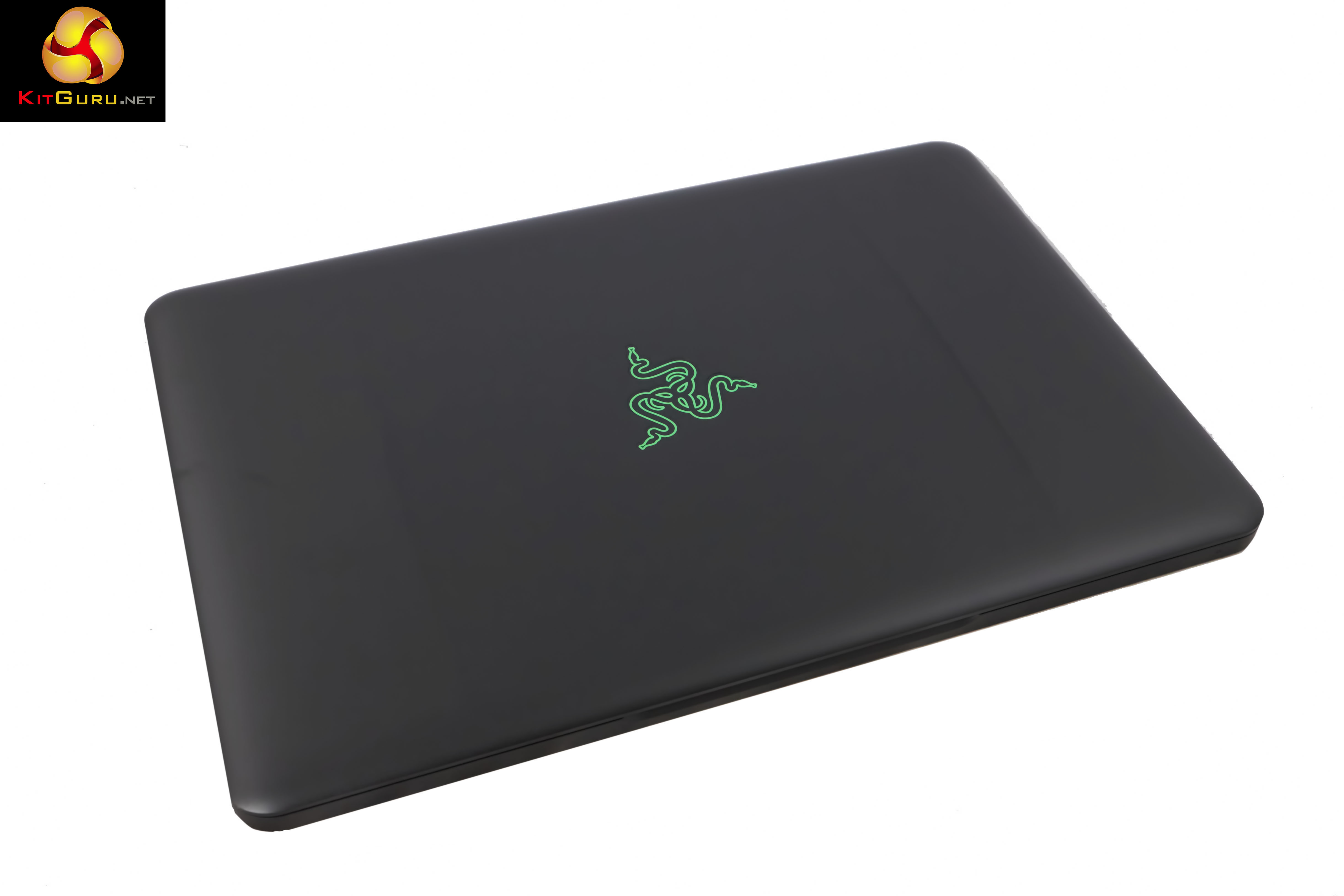

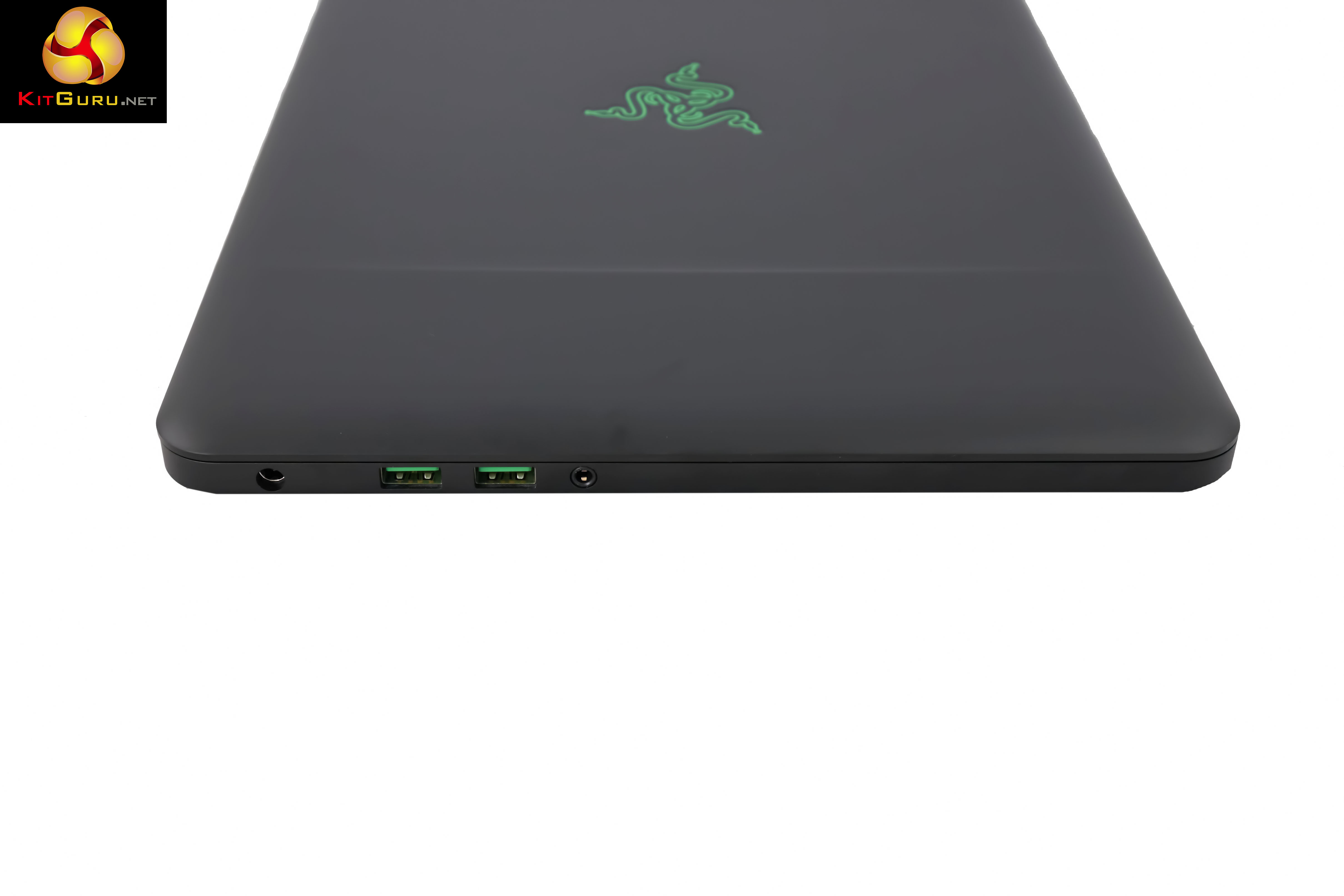
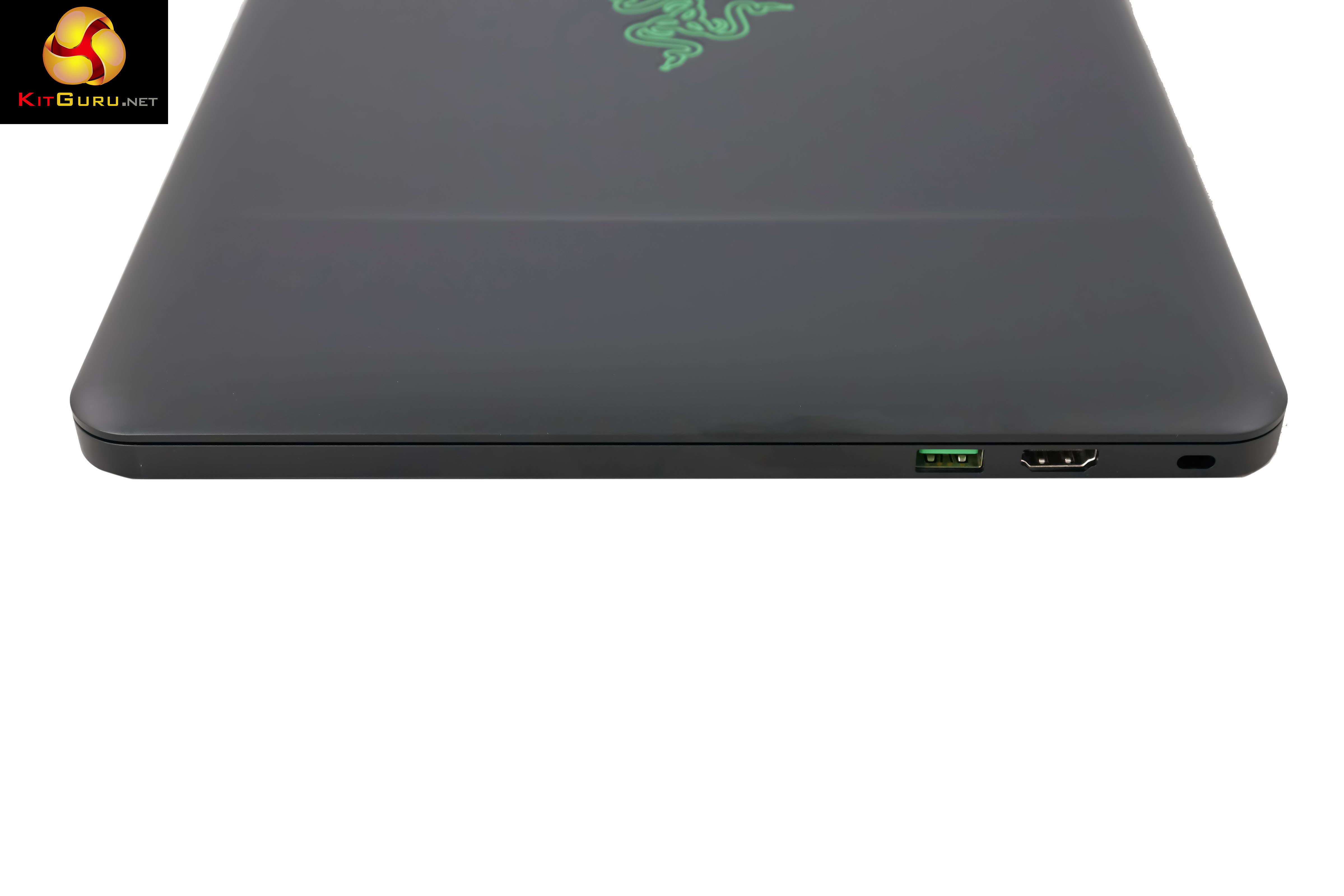
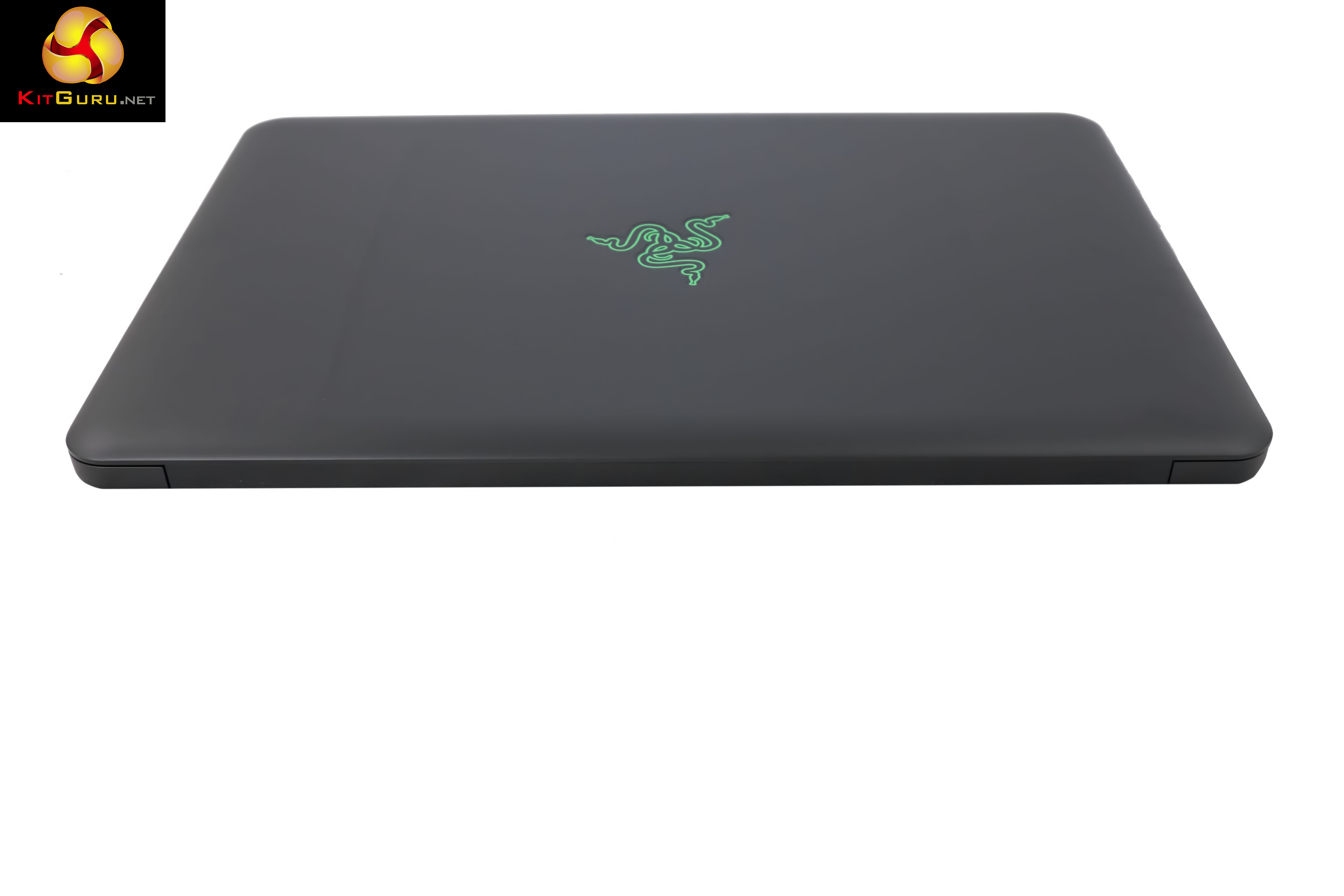
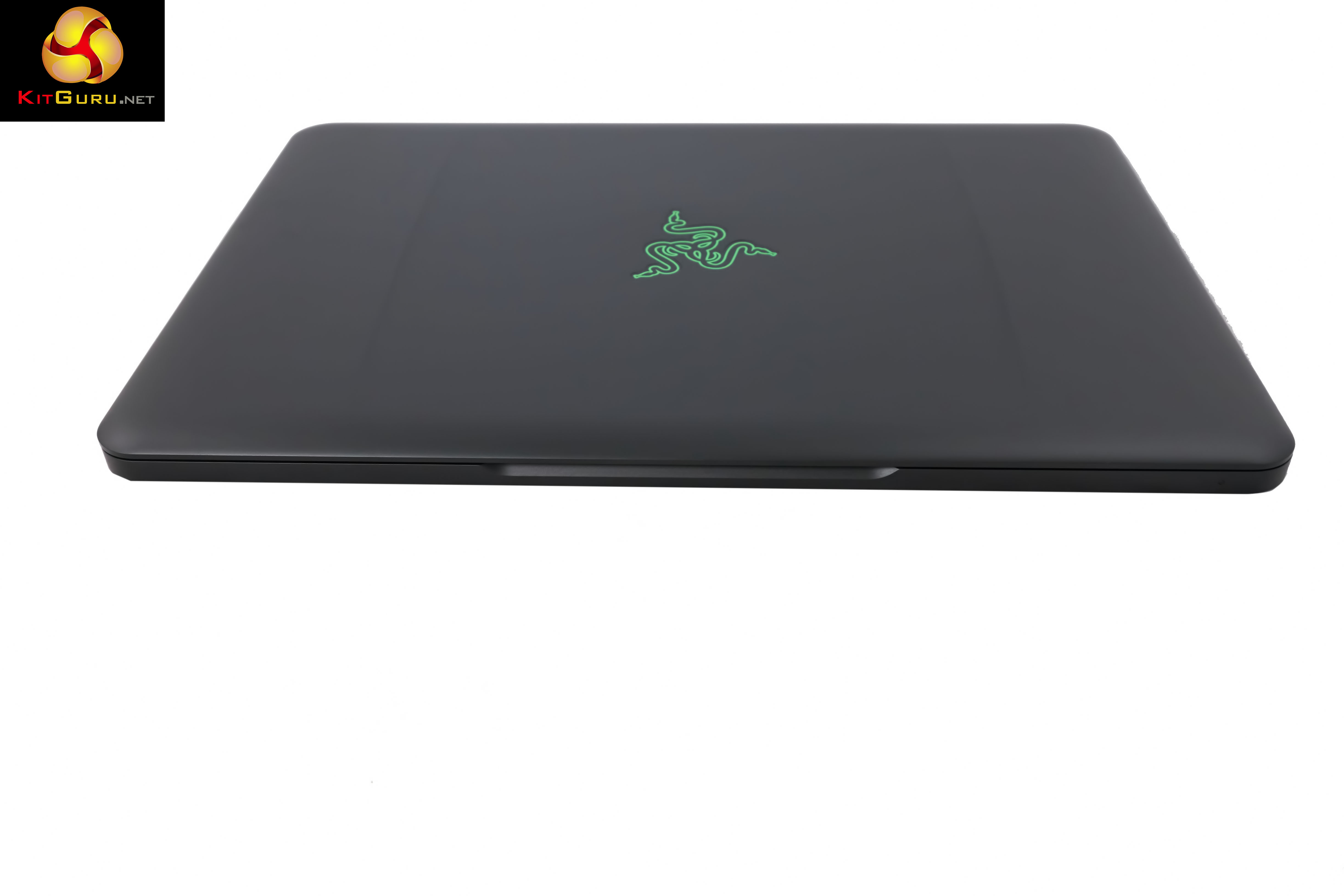
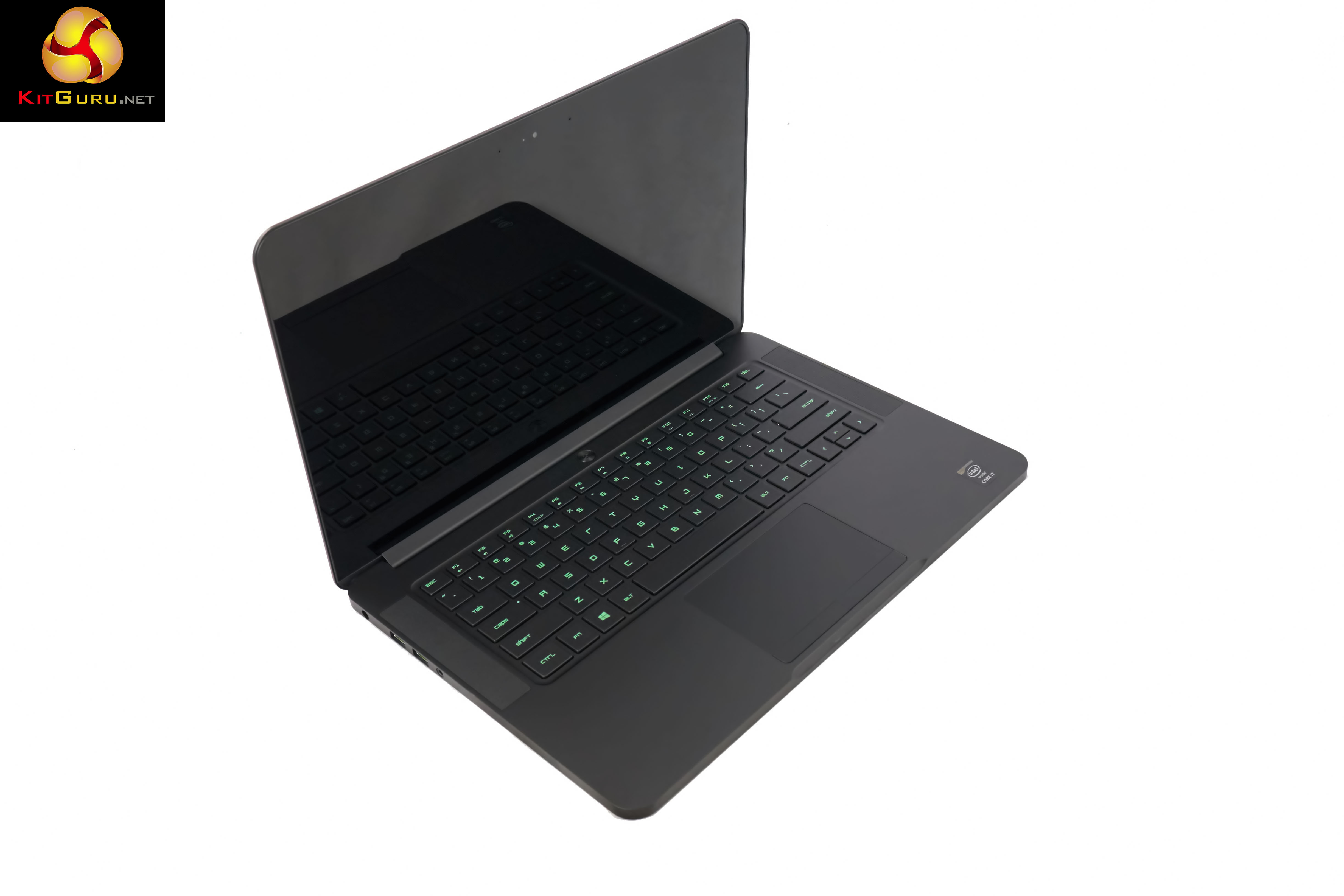
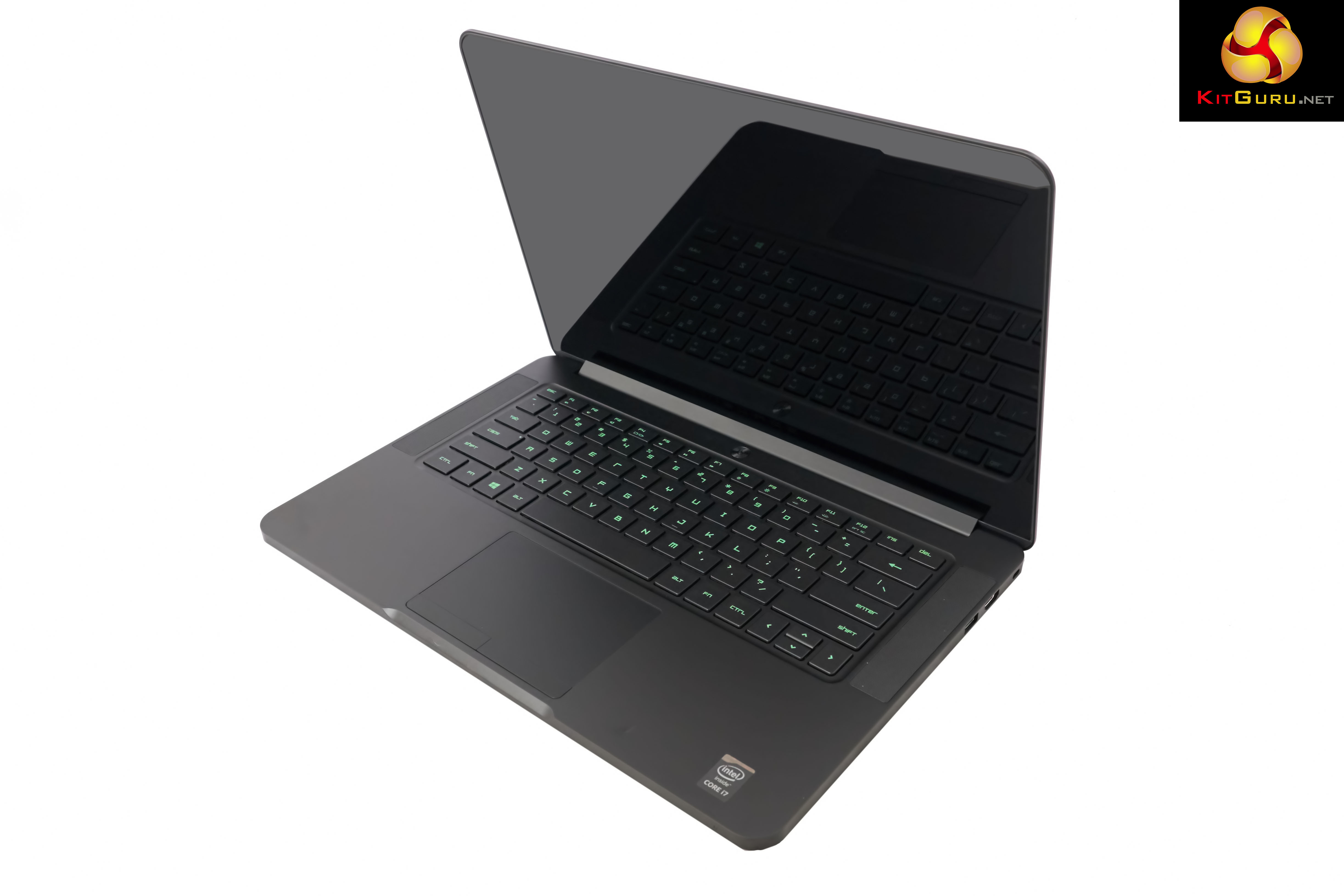
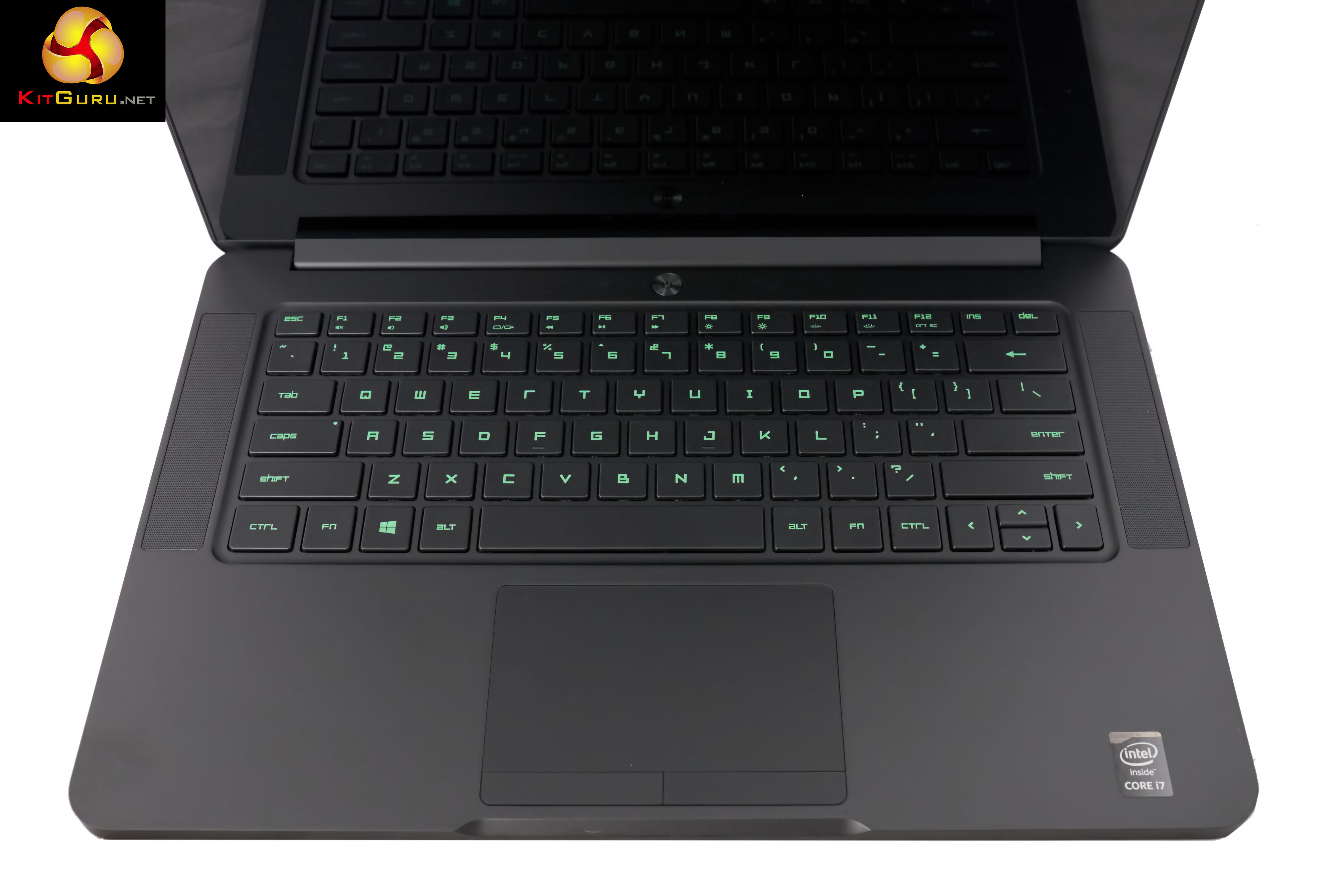
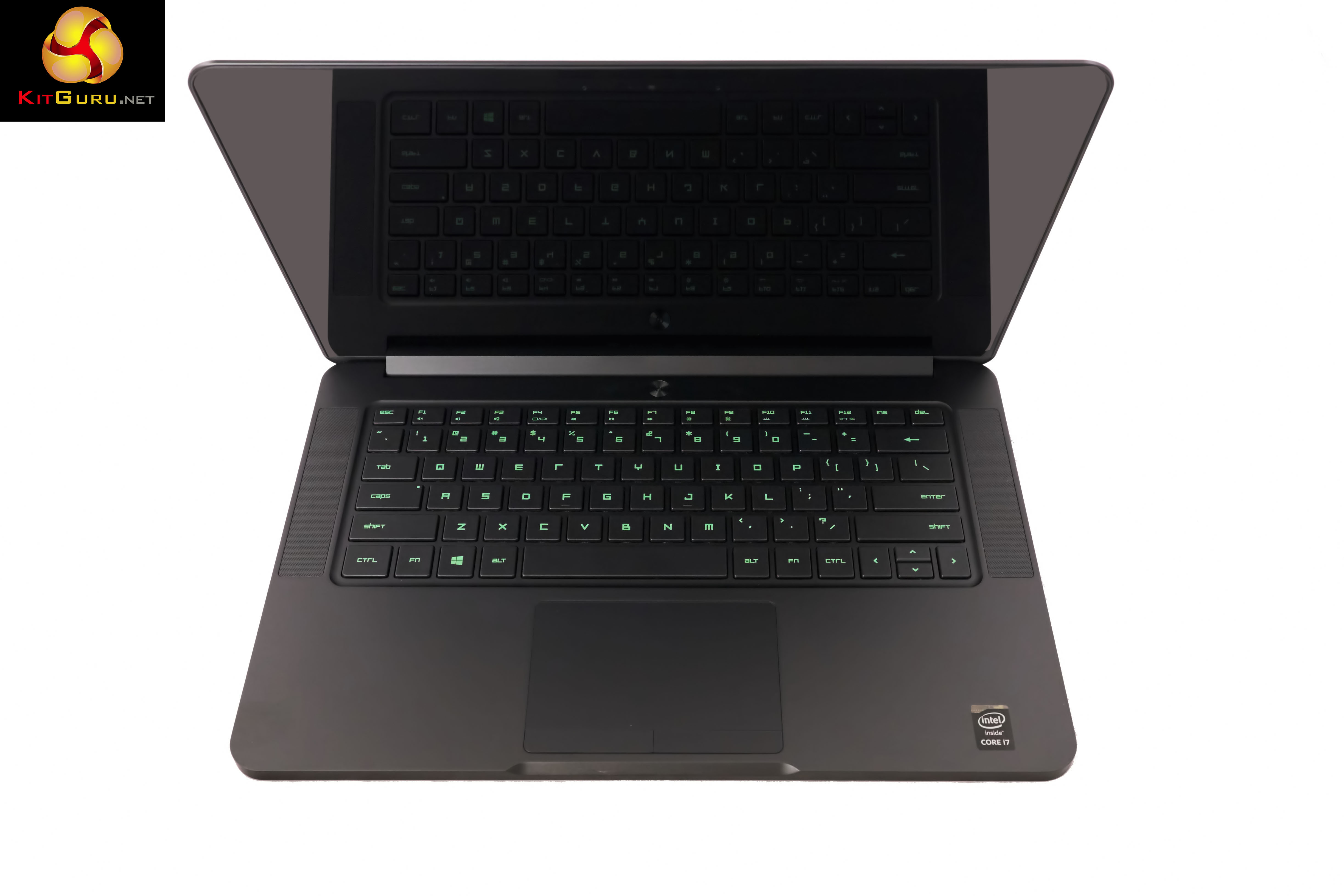

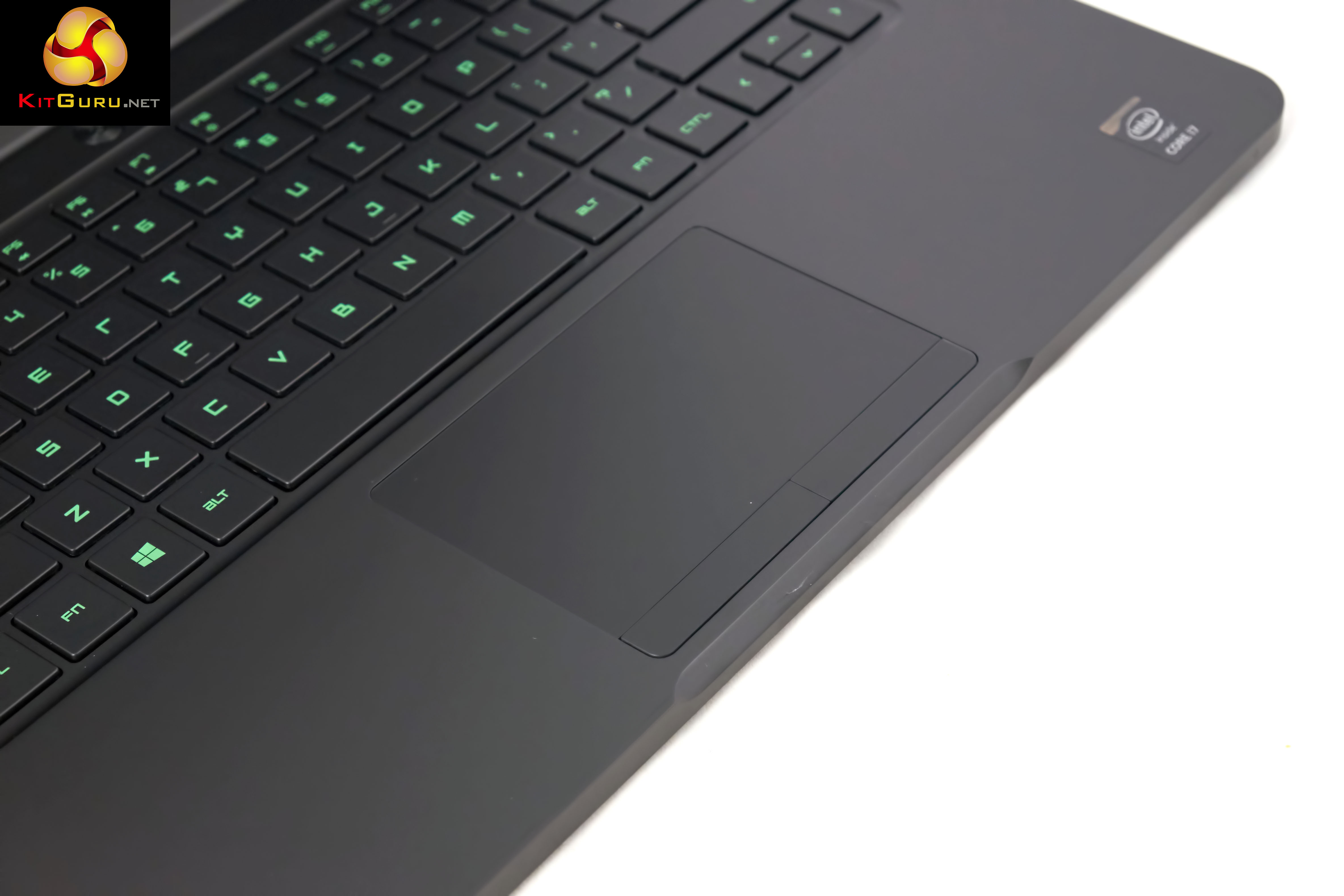
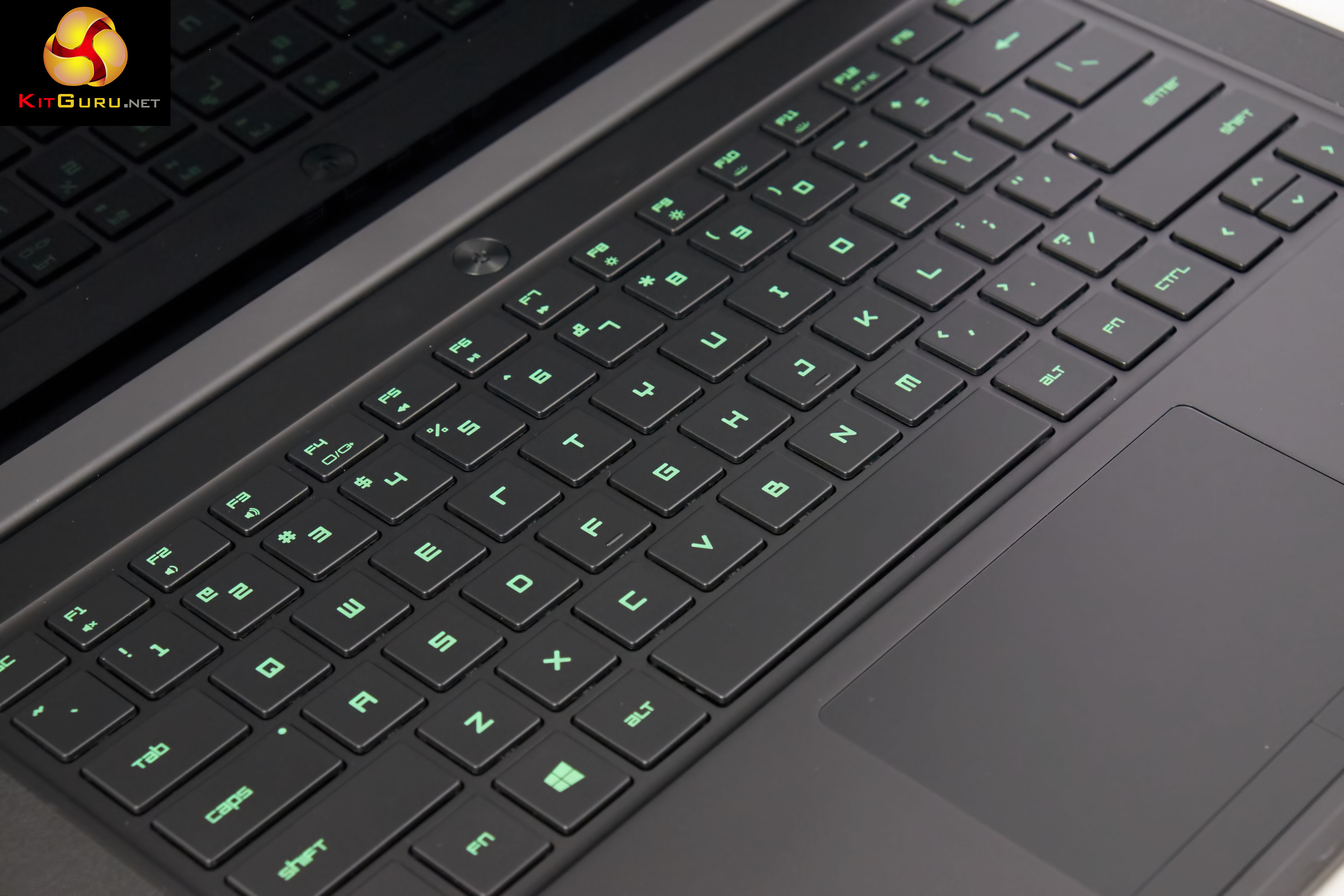
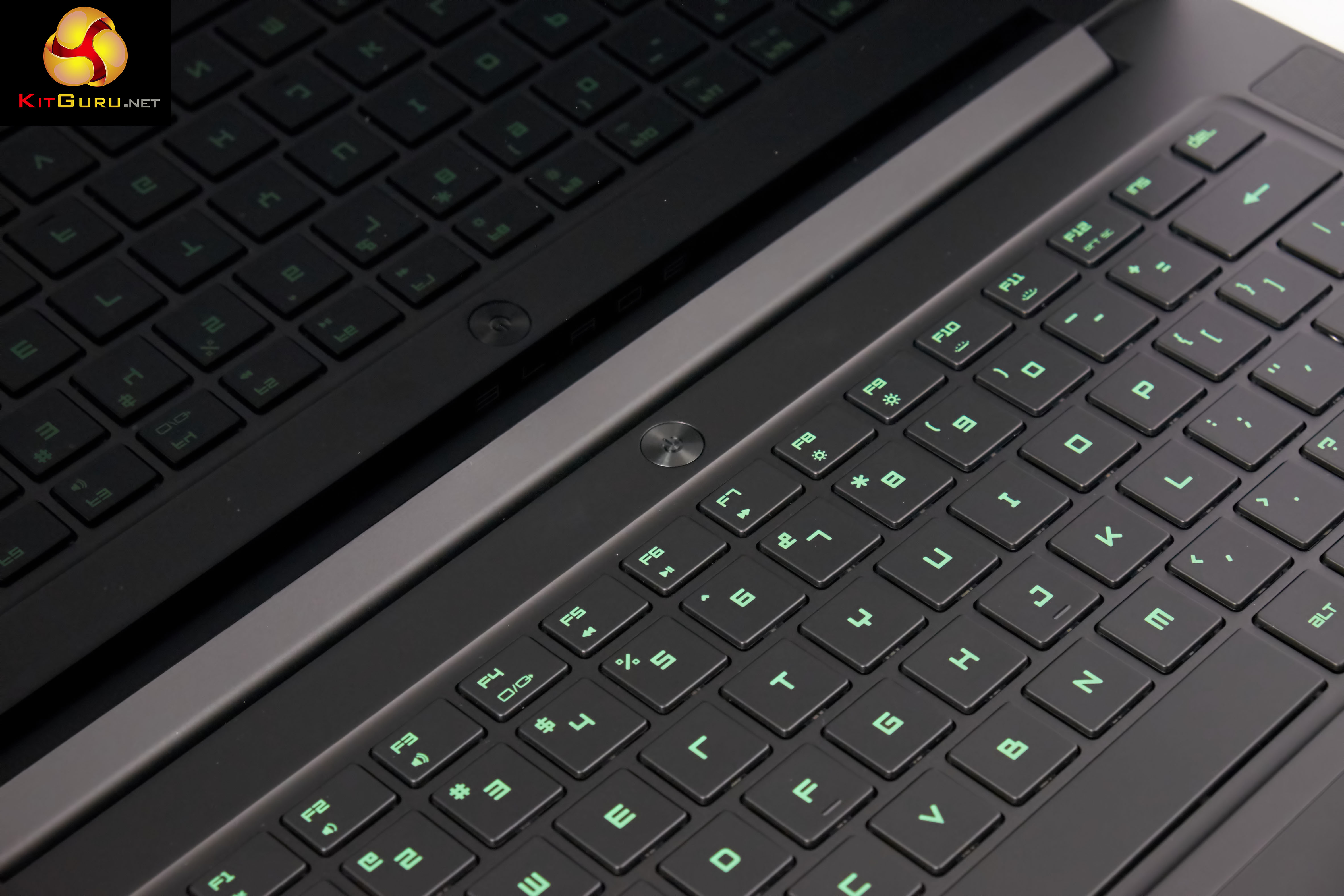
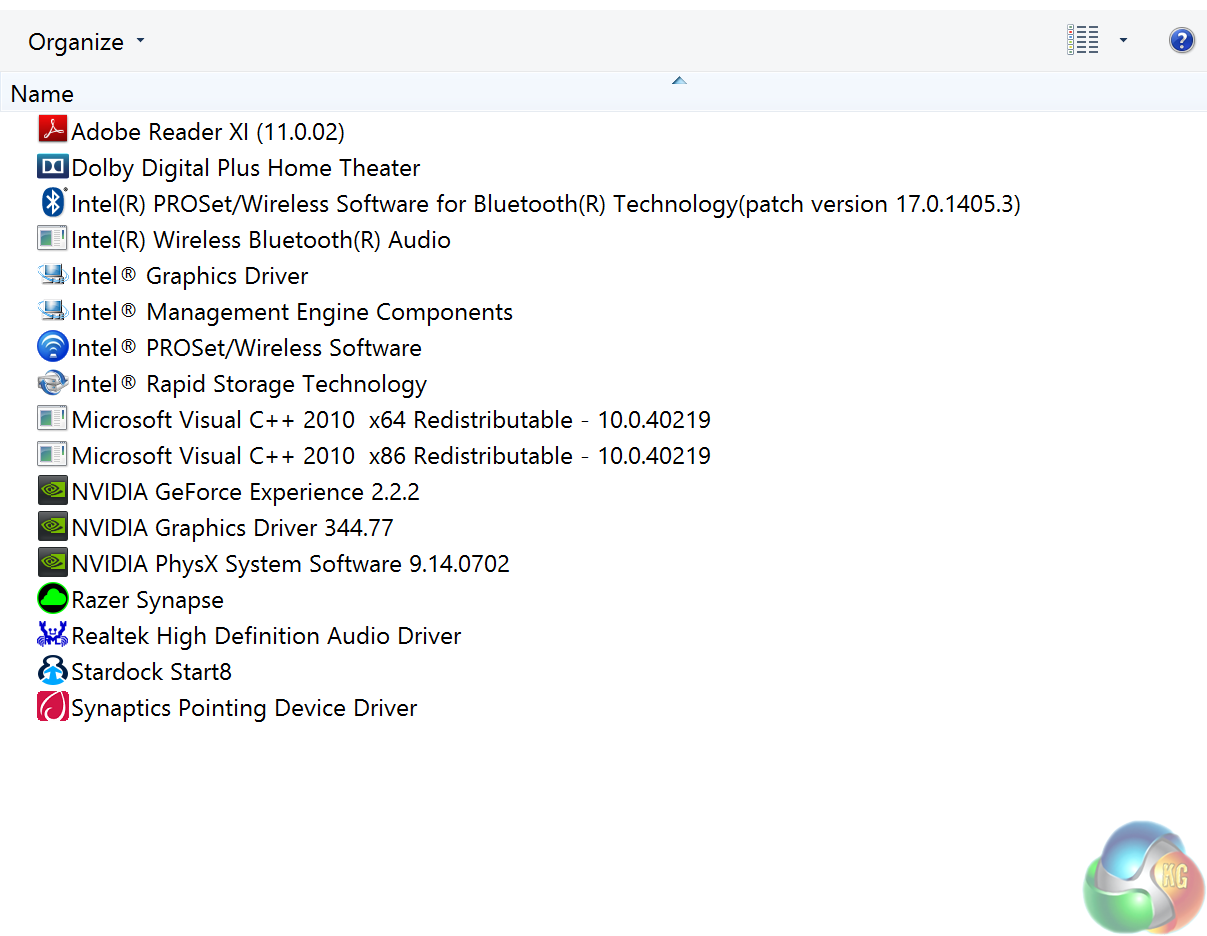
No bloatware installed at all, which is quite surprising and an unexpected bonus. Start8 is actually my own install, as I am one of the audience who miss the proper start menu in Windows 8/8.1.
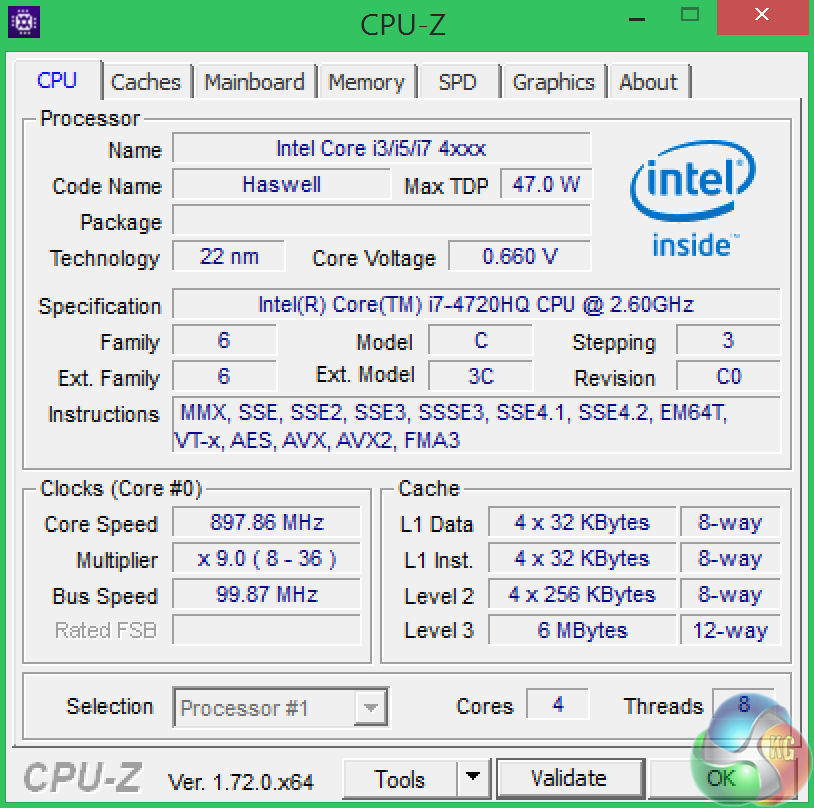
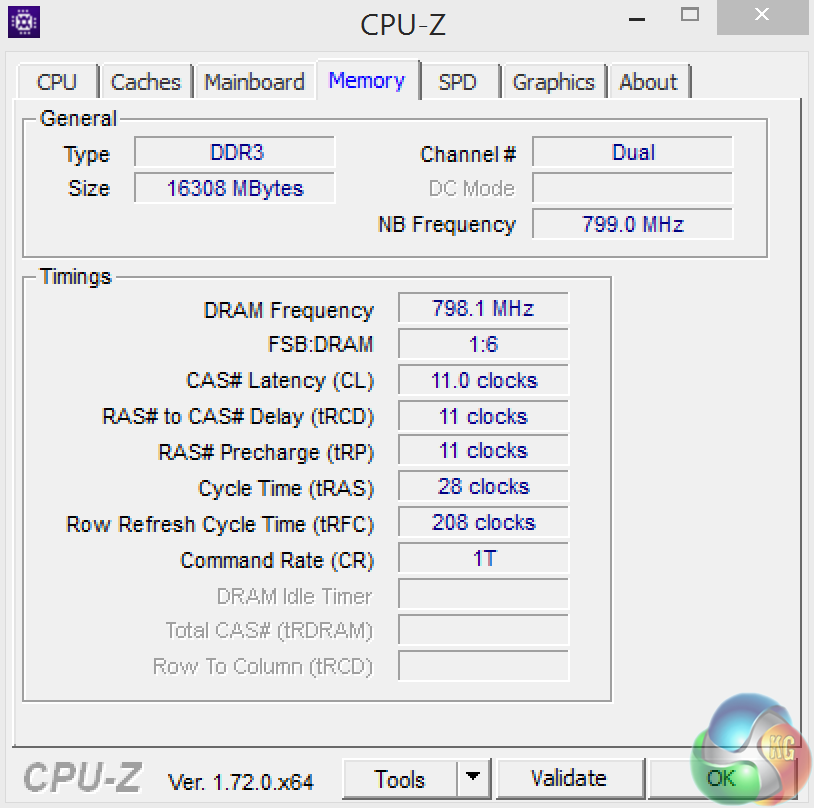
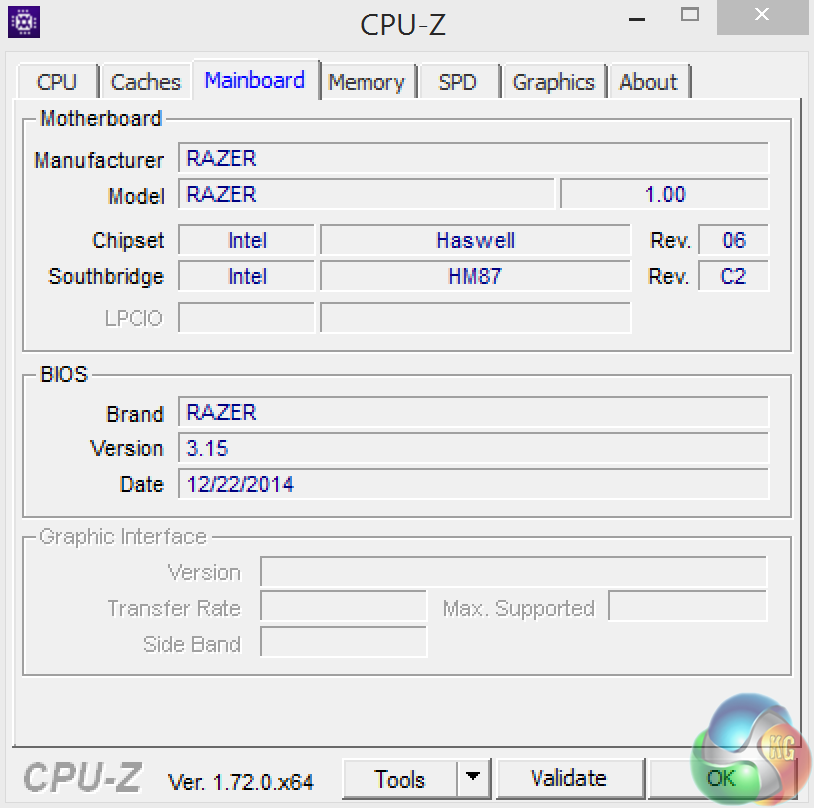
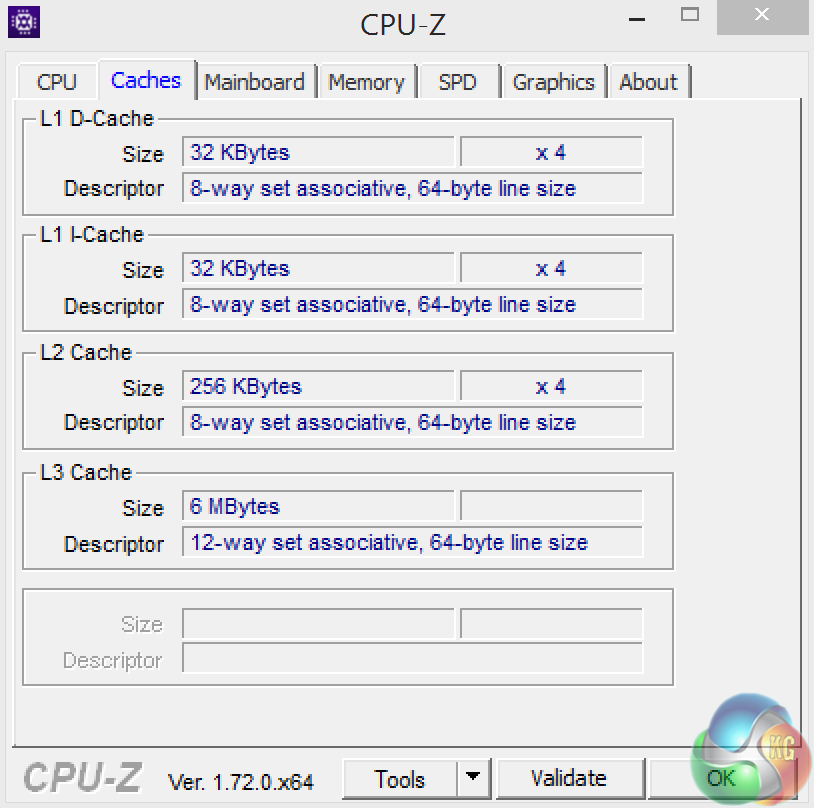
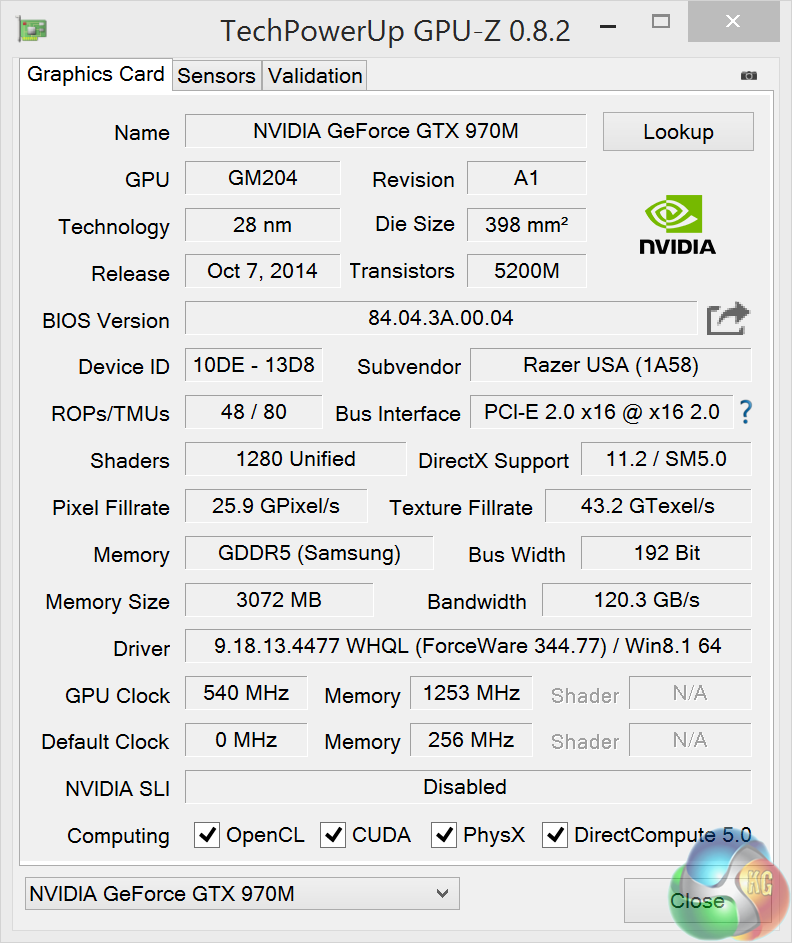
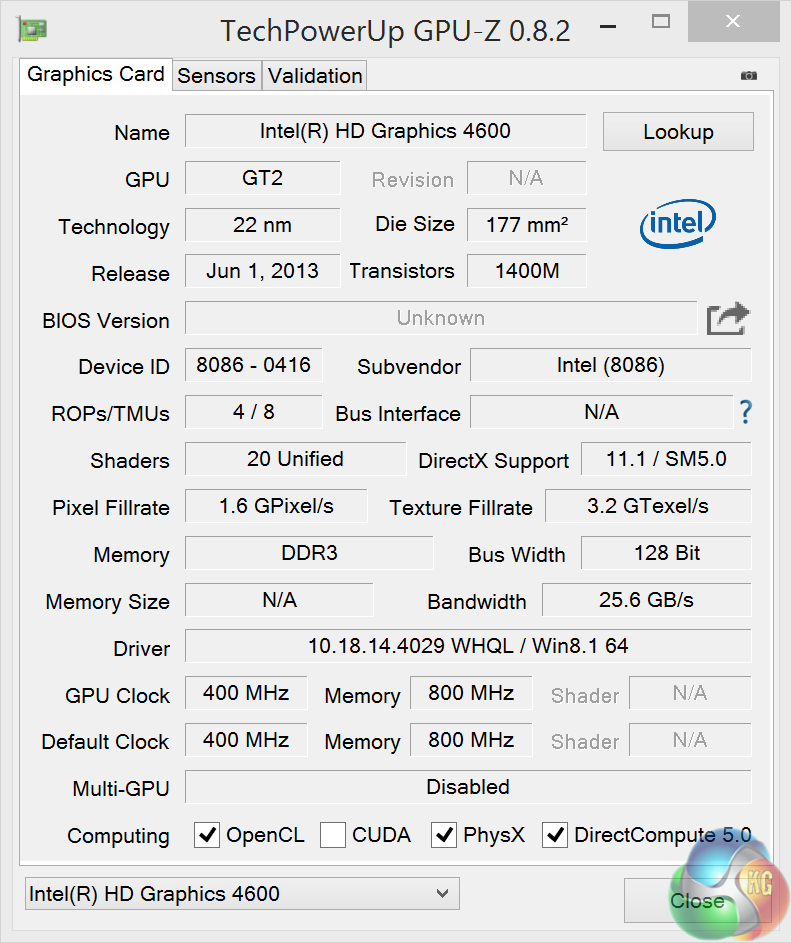
An overview of the system in GPUz and GPUz. The Intel Quad Core i7 4720Hq is a formidable quad core processor with hyperthreading. It is clocked at 2.6ghz, with a turbo boost up to 3.6ghz. More details HERE.
The Razer Blade system has 16Gb of DDR3 memory installed, clocked at 1,600mhz. Memory timings are 11-11-11-28-1T. The system uses a combination of Intel HD4600 graphics, with the Nvidia GTX970m taking over when the demand requires.
Comparison Mobile Systems (for specific synthetic test compares):
MSI GT80 Titan (i7 4980HQ)
MSI GS60 Ghost Pro 3K 2QE (i7 4710HQ)
MSI GT72 2PE Dominator Pro (072UK)
MSI GS60 2PE Ghost Pro 15.6 inch (Intel I7-4700HQ).
MSI GT70 2OC (Intel Core i7 4700MQ).
MSI GS70 2OD Stealth (Intel Core i7 4700HQ).
MSI GE40-20C Dragon Eyes (Intel Core i7 4702MQ).
PCSpecialist Inferno 11.6 inch (Intel Core i7 3630QM).
MSI GX60 (AMD A10 4600M).
Lenovo ThinkPad X1 Carbon (featuring Core i5 3427U).
Lenovo ThinkPad Edge S430 (featuring Core i5 3210M).
PC Specialist Vortex III HD72 (featuring Core i7 3610QM).
Asus G74SX-91013Z (featuring Core i7 2360QM).
Dell XPS 14z (featuring Core i7 2640M).
AlienWare M18X (featuring Core i7 2960XM Extreme Edition).
MSI CX640 (featuring Core i5 2410M).
Intel Core i7 2600k desktop processor.
Intel Core i5 2500k desktop processor.
Comparison Desktop System (for gaming tests).
Detailed specifications over HERE.
Asus GTX980 ROG Matrix Platinum (1,241 mhz core / 1,753mhz memory)
Asus R9 290 Direct CU II OC (1000 mhz core / 1,260 mhz memory)
Gigabyte GTX770 OC (1,137mhz core / 1,753 mhz memory)
Sapphire Dual X R9 285 (965 mhz core / 1,400 mhz memory)
XFX R9 280X DD (1,000 mhz core / 1,500 mhz memory)
Asus Direct CU II GTX 760 OC (1,006mhz core / 1,502mhz memory)
Asus GTX750TI Strix OC Edition (1,124mhz core / 1,350mhz memory)
Software:
3DMark 11
3DMark
Cinebench R11.5 64 bit
Cinebench R15 64 bit
FRAPS Professional
Unigine Heaven Benchmark
Unigine Valley
SiSoft Sandra
CrystalDiskMark
ATTO Disk Benchmark
Cyberlink PowerDVD Ultra 12
Cyberlink MediaEspresso
Games:
Grid Autosport
Tomb Raider
Metro Last Light Redux
Total War Rome 2: Emperor Edition.
All the latest BIOS updates and drivers are used during testing. We perform generally under real world conditions, meaning KitGuru tests games across five closely matched runs and then average out the results to get an accurate median figure. If we use scripted benchmarks, they are mentioned on the relevant page.
Game descriptions edited with courtesy from Wikipedia.SiSoftware Sandra (the System ANalyser, Diagnostic and Reporting Assistant) is an information & diagnostic utility. It should provide most of the information (including undocumented) you need to know about your hardware, software and other devices whether hardware or software.
Sandra is a (girl’s) name of Greek origin that means “defender”, “helper of mankind”. We think that’s quite fitting.
It works along the lines of other Windows utilities, however it tries to go beyond them and show you more of what’s really going on. Giving the user the ability to draw comparisons at both a high and low-level. You can get information about the CPU, chipset, video adapter, ports, printers, sound card, memory, network, Windows internals, AGP, PCI, PCI-X, PCIe (PCI Express), database, USB, USB2, 1394/Firewire, etc.
Native ports for all major operating systems are available:
- Windows XP, 2003/R2, Vista, 7, 2008/R2 (x86)
- Windows XP, 2003/R2, Vista, 7, 2008/R2 (x64)
- Windows 2003/R2, 2008/R2* (IA64)
- Windows Mobile 5.x (ARM CE 5.01)
- Windows Mobile 6.x (ARM CE 5.02)
All major technologies are supported and taken advantage of:
- SMP – Multi-Processor
- MC – Multi-Core
- SMT/HT – Hyper-Threading
- MMX, SSE, SSE2, SSE3, SSSE3, SSE 4.1, SSE 4.2, AVX, FMA – Multi-Media instructions
- GPGPU, DirectX, OpenGL – Graphics
- NUMA – Non-Uniform Memory Access
- AMD64/EM64T/x64 – 64-bit extensions to x86
- IA64 – Intel* Itanium 64-bit
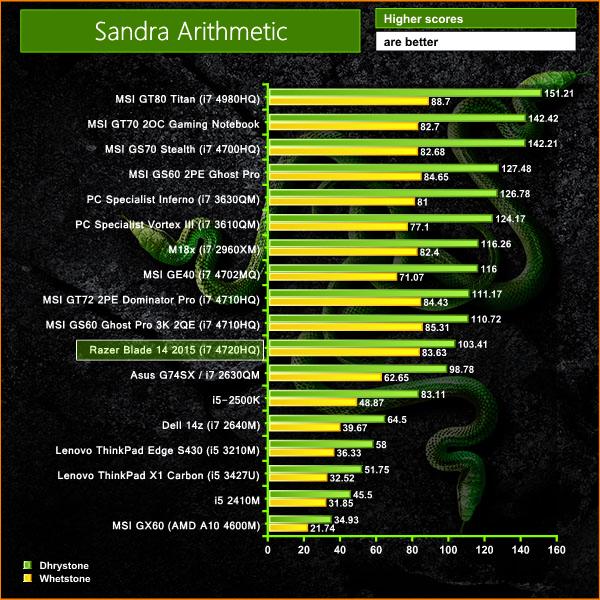
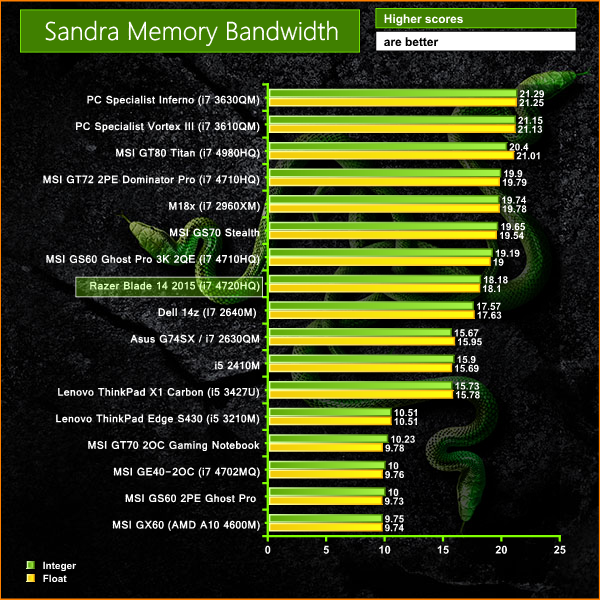
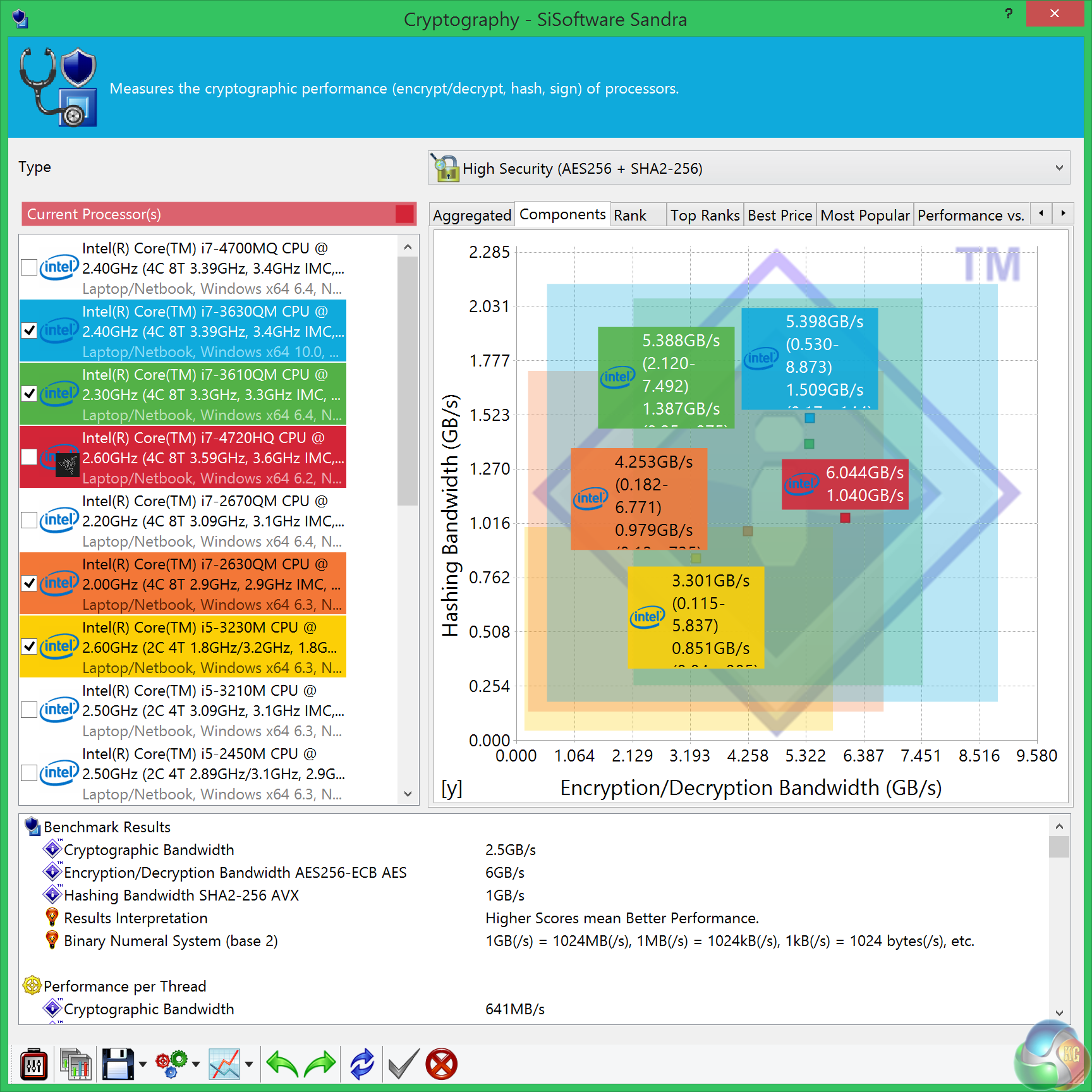
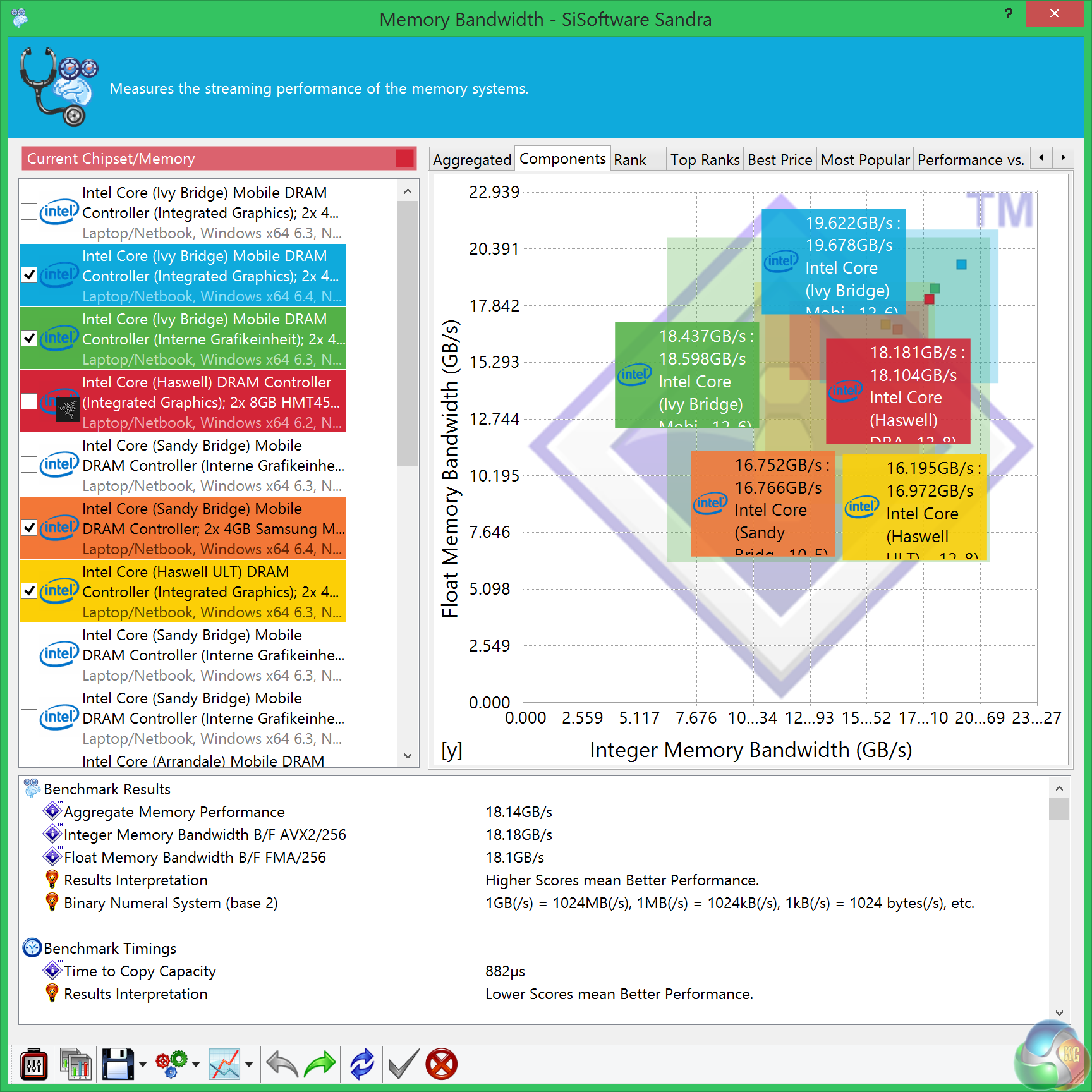
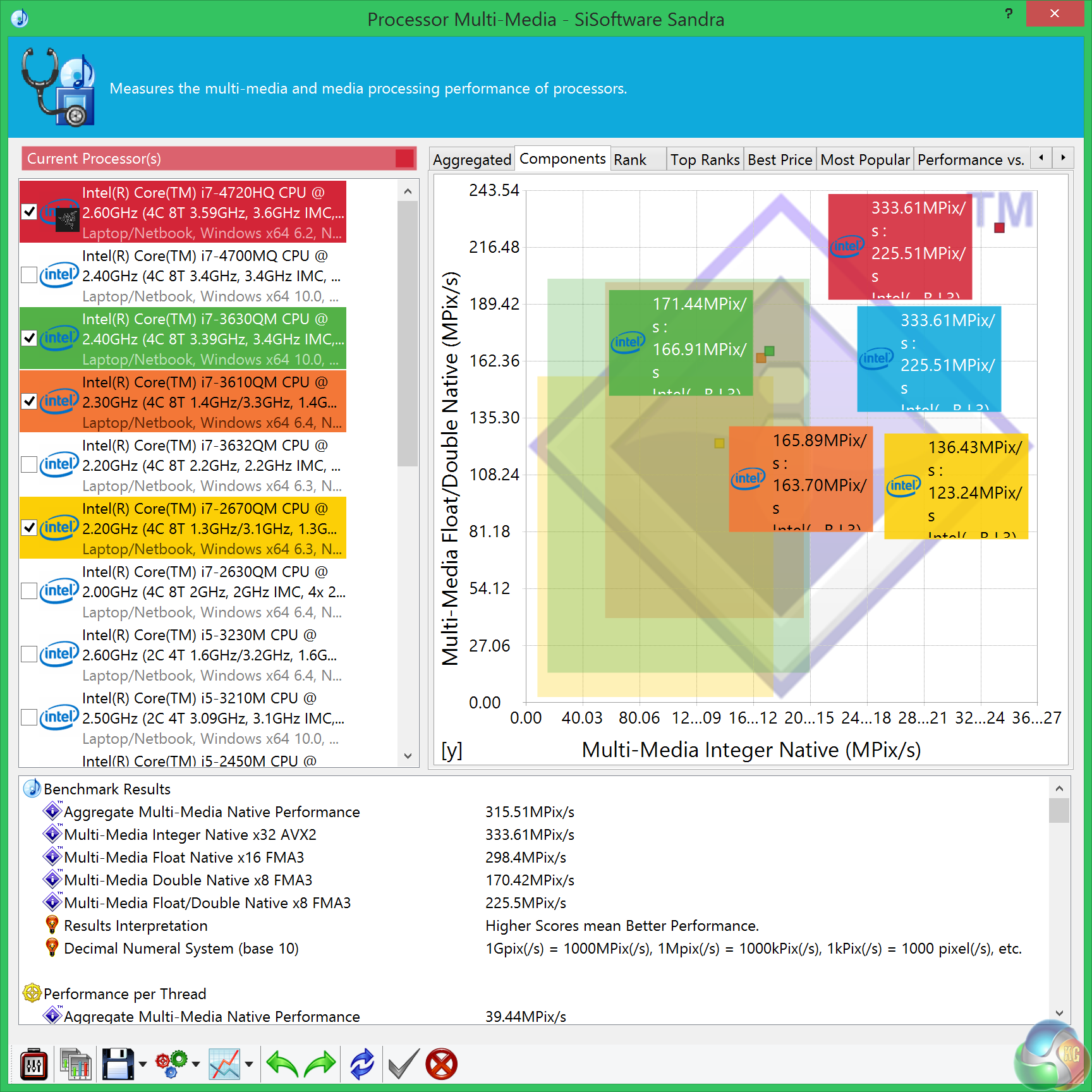
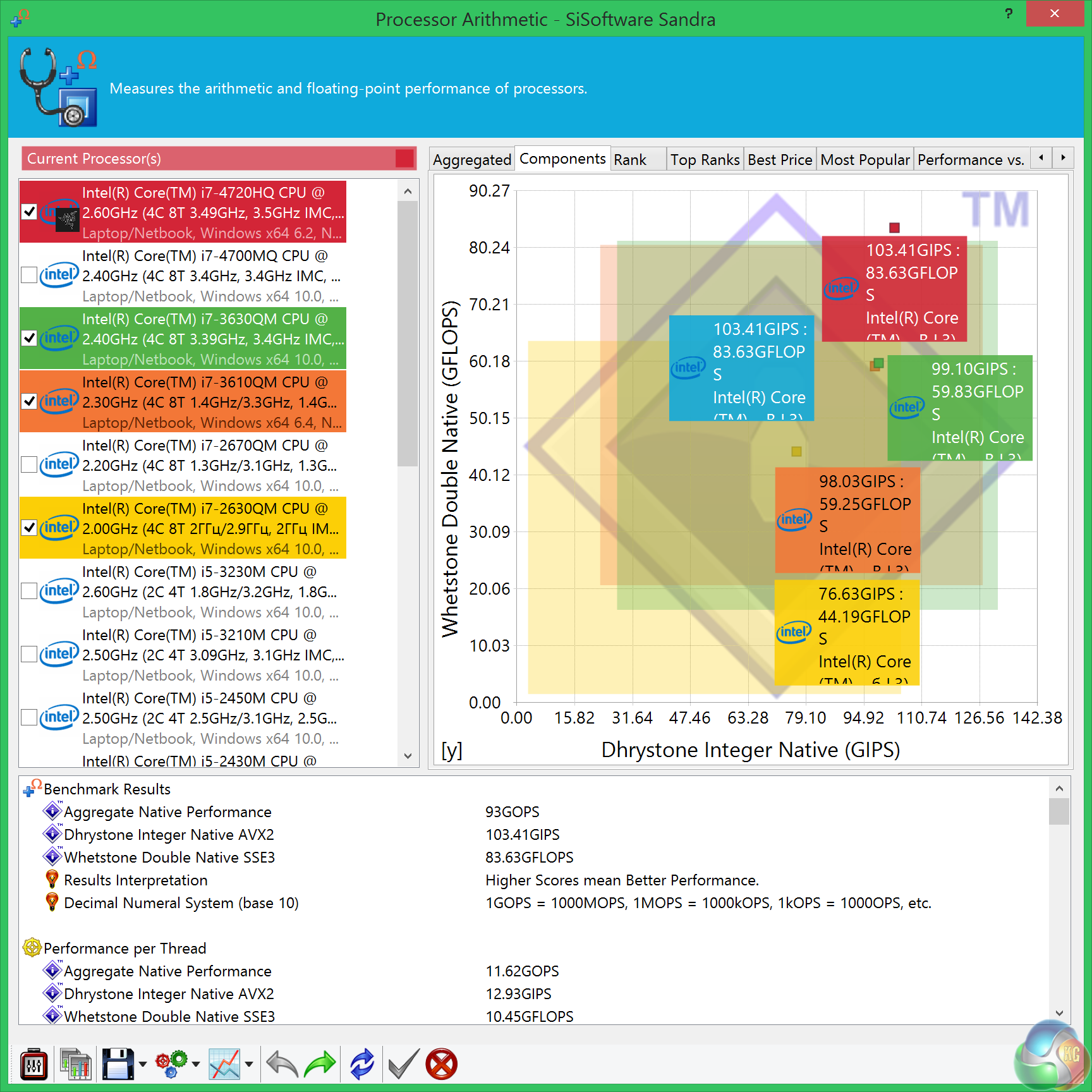
CPU performance from the 4720HQ is a little lower than expected, however I already have a good indication by the level of heat on the keyboard (and fan noise throughout these tests) that the processor is thermally throttling. I delve into this more later in the review.CINEBENCH R11.5 64 Bit is a real-world cross platform test suite that evaluates your computer’s performance capabilities. CINEBENCH is based on MAXON’s award-winning animation software CINEMA 4D, which is used extensively by studios and production houses worldwide for 3D content creation. MAXON software has been used in blockbuster movies such as Spider-Man, Star Wars, The Chronicles of Narnia and many more. CINEBENCH is the perfect tool to compare CPU and graphics performance across various systems and platforms (Windows and Mac OS X). And best of all: It’s completely free.
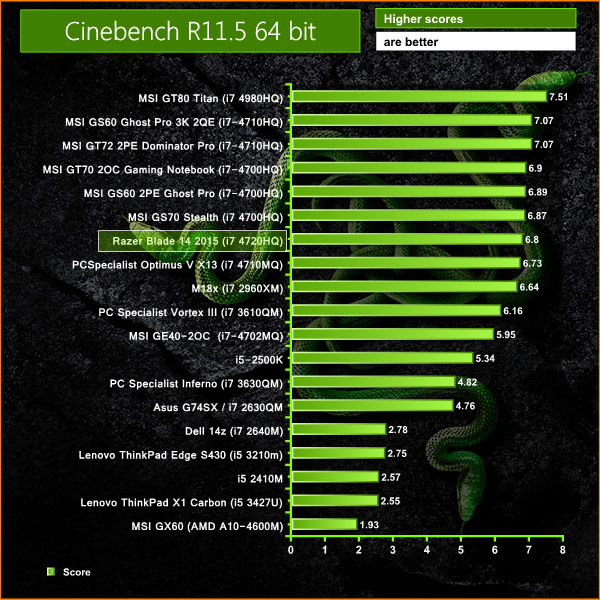
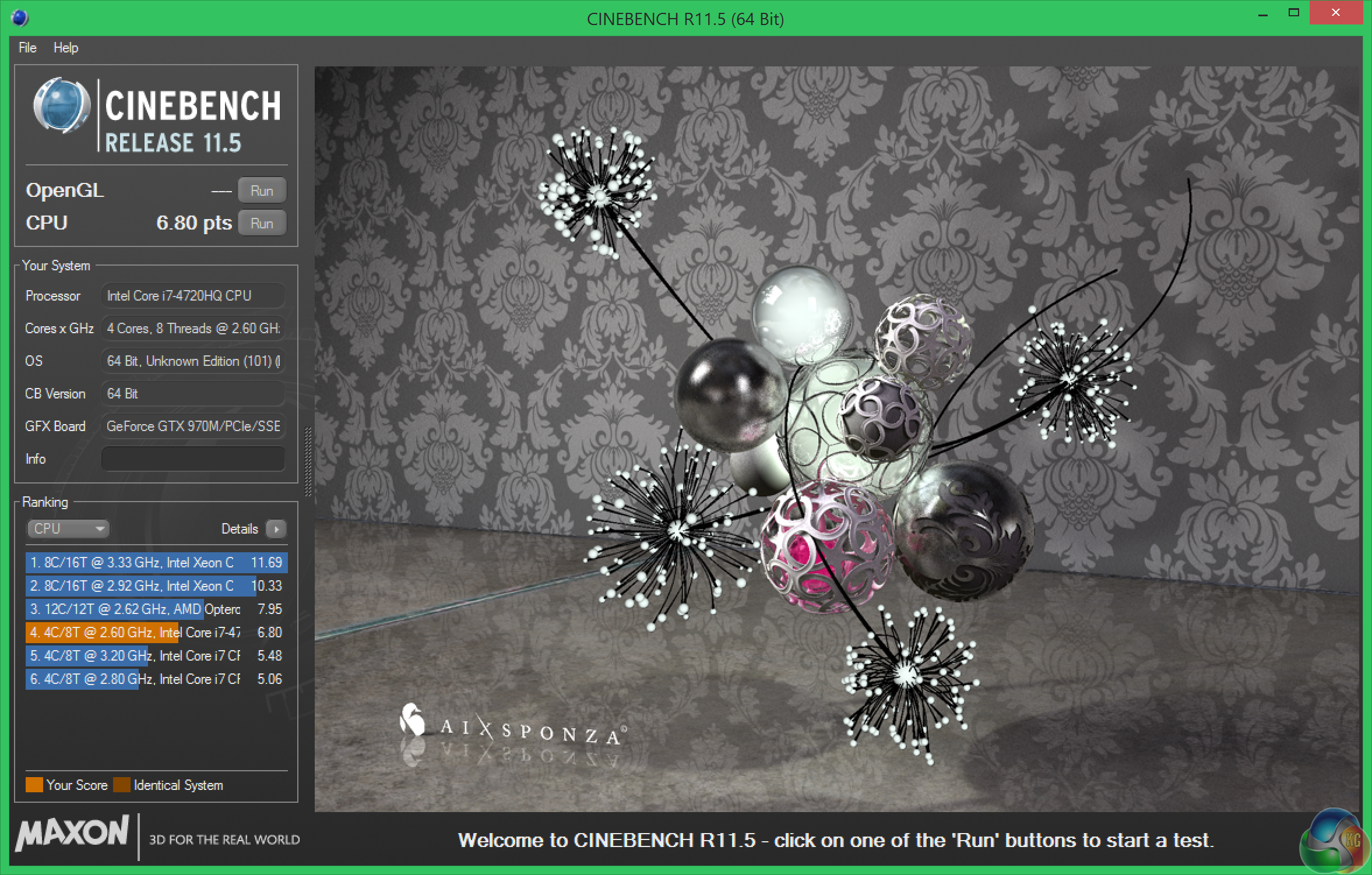
Performance in this benchmark is excellent, although again, a little less than we would expect, I would have expected over 7 points from the 4720HQ. Thermal throttling is a fairly safe bet, even at this early stage.CINEBENCH 15 is a cross-platform testing suite that measures hardware performance and is the de facto standard benchmarking tool for leading companies and trade journals for conducting real-world hardware performance tests. With the new Release 15, systems with up to 256 threads can be tested. CINEBENCH is available for both Windows and OS X and is used by almost all hardware manufacturers and trade journals for comparing CPUs and graphics cards.
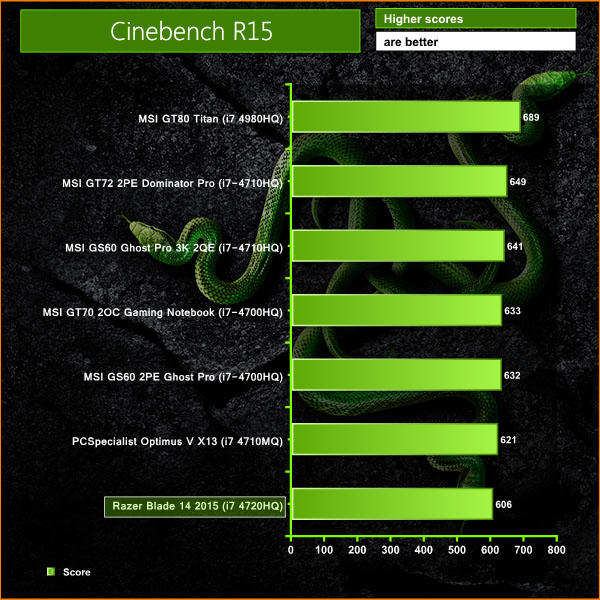
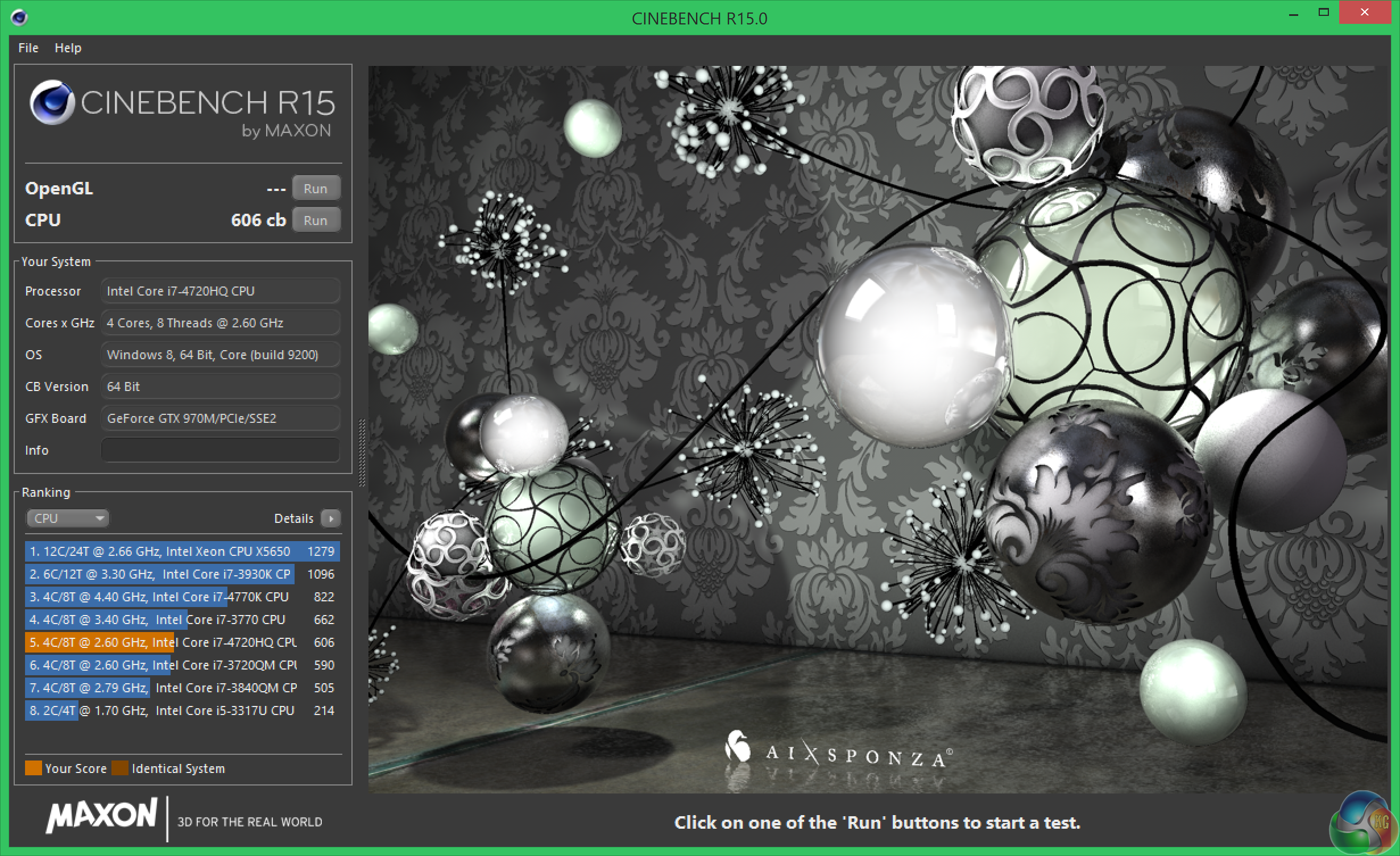
The final score of 606 is actually very good, but again below what we would expect from a 4720HQ quad core with hyperthreading. Clearly we have some heat issues in the chassis when all the cores are loaded to 100%.
3DMark 11 is designed for testing DirectX 11 hardware running on Windows 7 and Windows Vista the benchmark includes six all new benchmark tests that make extensive use of all the new features in DirectX 11 including tessellation, compute shaders and multi-threading.
After running the tests 3DMark gives your system a score with larger numbers indicating better performance. Trusted by gamers worldwide to give accurate and unbiased results, 3DMark 11 is the best way to test DirectX 11 under game-like loads.
If you want to learn more about this benchmark, or to buy it yourself, head over to this page.
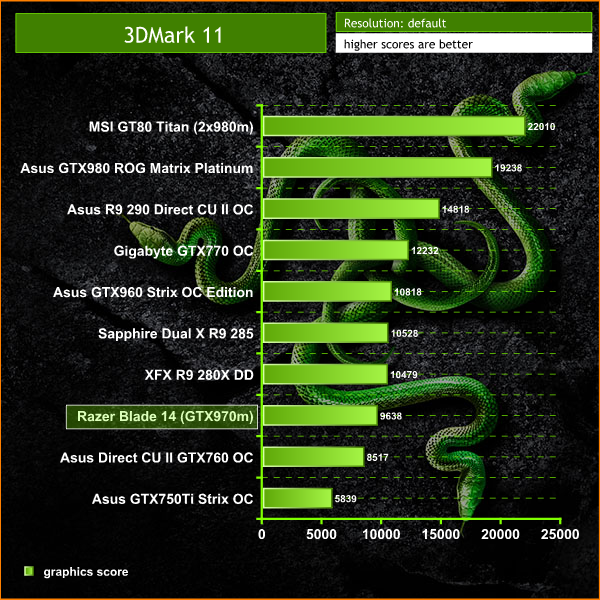
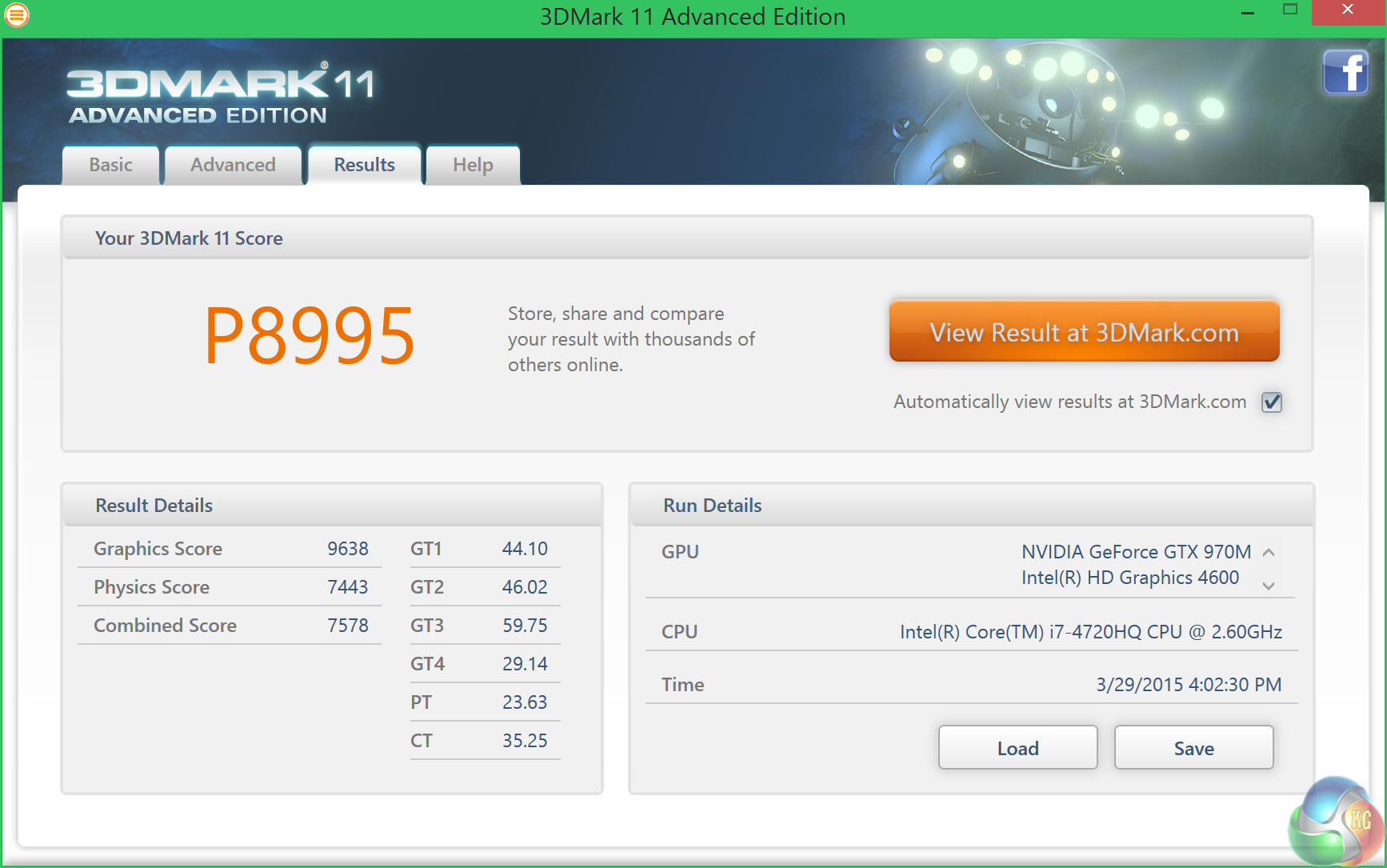
Performance in the last generation Direct X 11 benchmark is impressive, the overall score rates close to our desktop system featuring an overclocked R9 280X graphics card.
3DMark is an essential tool used by millions of gamers, hundreds of hardware review sites and many of the world’s leading manufacturers to measure PC gaming performance.Futuremark say “Use it to test your PC’s limits and measure the impact of overclocking and tweaking your system. Search our massive results database and see how your PC compares or just admire the graphics and wonder why all PC games don’t look this good.To get more out of your PC, put 3DMark in your PC.”
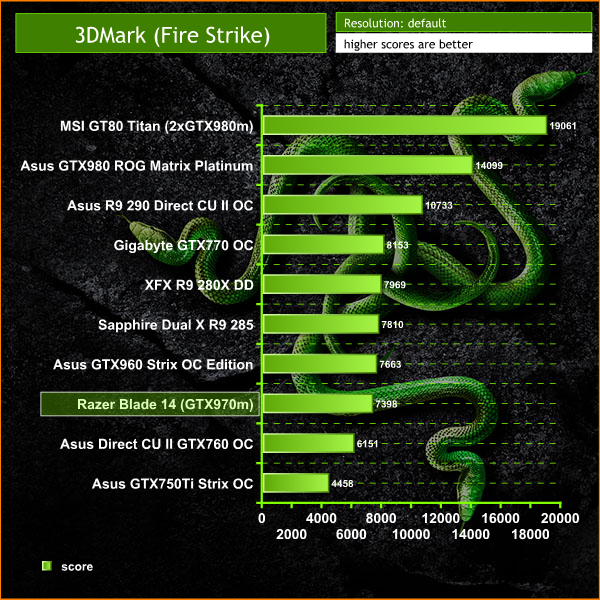
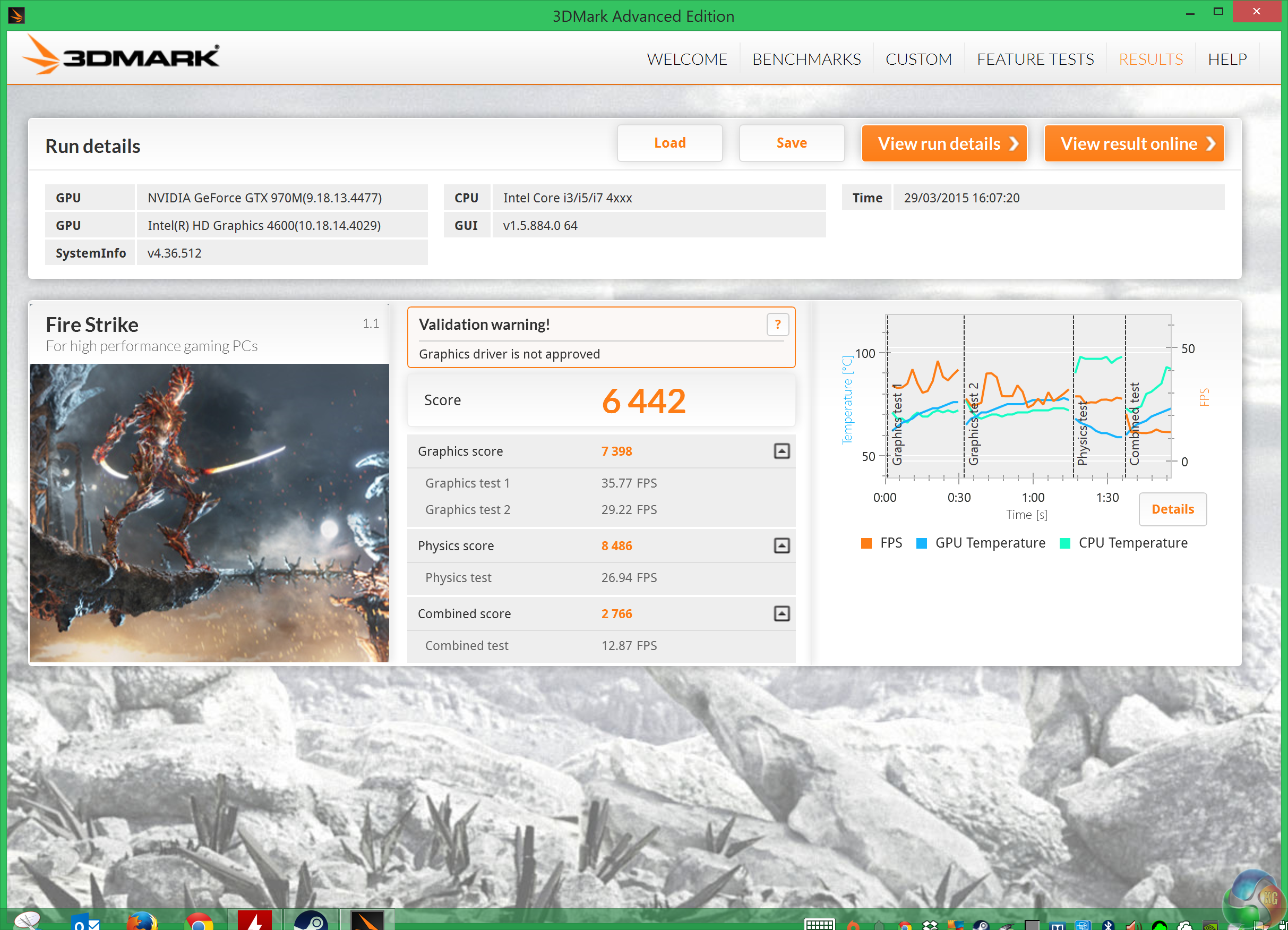
Overall performance is very close to our desktop results featuring the Asus GTX960 Strix OC Edition. Very impressive indeed.Our review Razer Blade 14 2015 features a 256GB SATA M.2 drive. You can also get 128GB and 512GB configurations. Right now there are no 1TB drives in this category so 512GB is the biggest.
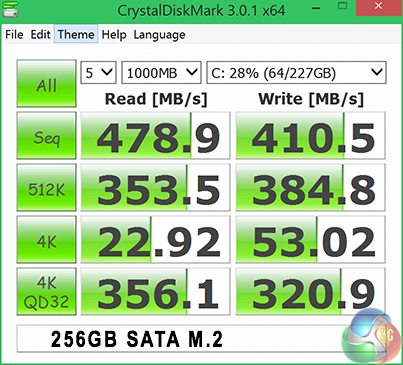
CrystalDiskMark delivers fantastic performance results, 480MB/s in the sequential read test, and 411MB/s in the sequential write test. 4K QD32 performance is equally as impressive.
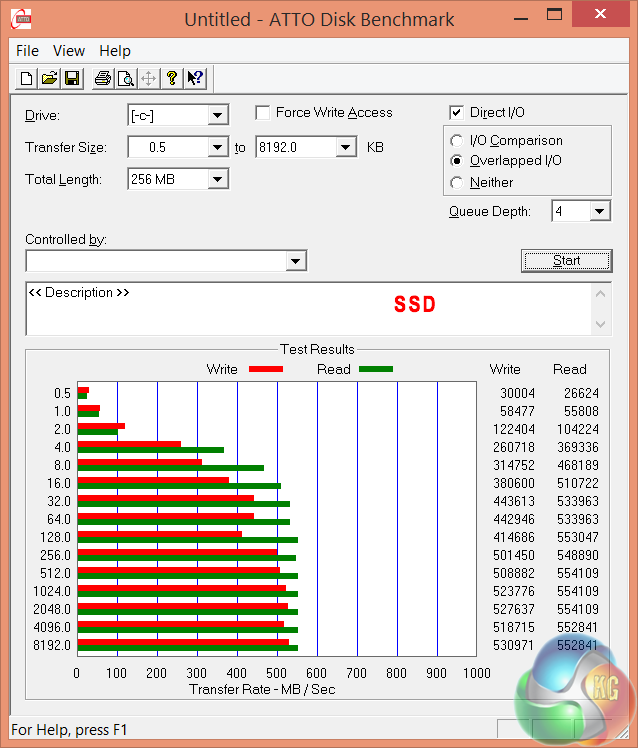
ATTO Disk Benchmark highlights great performance from the internal 256GB drive, hitting over 510 MB/s in the sequential read test and over 450 MB/S in the sequential write test.
To test USB 3.0 performance we need a drive that is capable of completely saturating the bus. Until recently we used the Corsair Voyager GTX drive, one of the fastest pen drives on the market. We have recently switched to using a 500GB Brinell Drive, available on Amazon for around £250 inc vat. Inside is a 500GB SAMSUNG EVO 840 SSD, a product all our readers are familiar with.
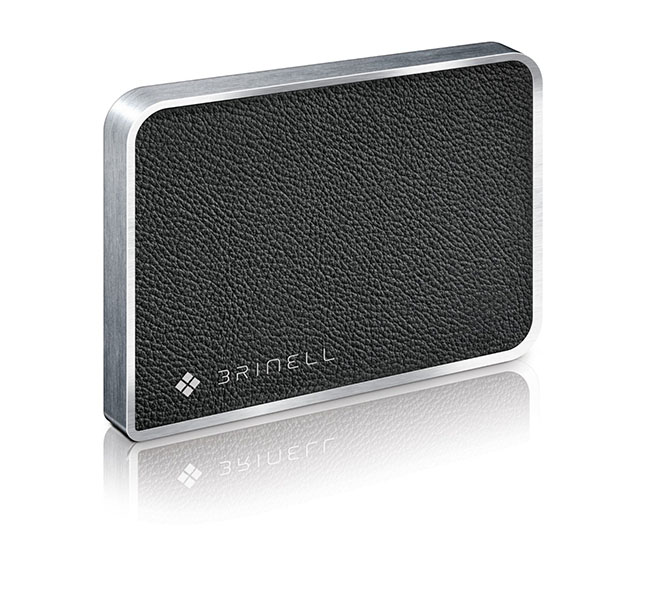
We have not reviewed this product, but it is one of the fastest external SSD products you can buy, and is self powered from the USB 3.0 port.
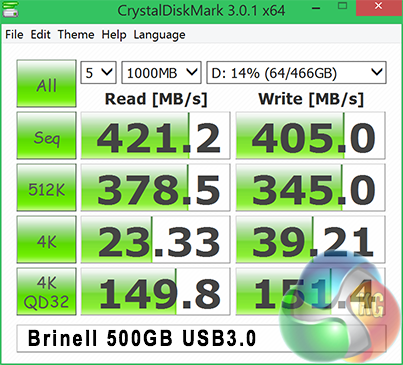
Performance from the external SSD over USB 3.0 is stellar. Both read and write speeds hold steady over 400MB/s.
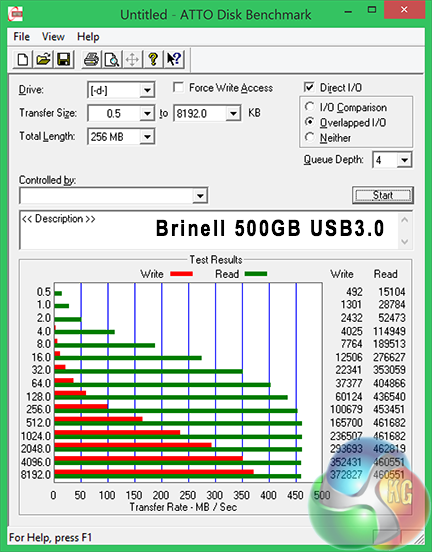
ATTO highlights slightly weaker write performance, hitting a peak around 370MB/s. Read performance peaks higher than CrystalDiskMark however, around 460MB/s.
CyberLink MediaEspresso 6 is the successor to CyberLink MediaShow Espresso 5.5. With its further optimized CPU/GPU-acceleration, MediaEspresso is an even faster way to convert not only your video but also your music and image files between a wide range of popular formats.
Now you can easily playback and display your favourite movies, songs and photos not just on your mobile phone, iPad, PSP, Xbox, or Youtube and Facebook channels but also on the newly launched iPhone 4. Compile, convert and enjoy images and songs on any of your computing devices and enhance your videos with CyberLink’s built-in TrueTheater Technology.
New and Improved Features:
- Ultra Fast Media Conversion – With support from the Intel Core i-Series processor family, ATI Stream & NVIDIA CUDA, MediaEspresso’s Batch-Conversion function enables multiple files to be transcoded simultaneously.
- Smart Detect Technology – MediaEspresso 6 automatically detects the type of portable device connected to the PC and selects the best multimedia profile to begin the conversion without the need for user’s intervention.
- Direct Sync to Portable Devices – Video, audio and image files can be transferred in a few easy steps to mobile phones including those from Acer, BlackBerry, HTC, Samsung, LG, Nokia, Motorola, Sony Ericsson, and Palm, as well as Sony Walkman and PSP devices.
- Enhanced Video Quality – CyberLink TrueTheater Denoise and Lighting enables the enhancement of video quality through optical noise filters and automatic brightness adjustment.
- Video, Music and Image File Conversion – Convert not only videos to popular formats such as AVI, MPEG, MKV, H.264/AVC, and FLV at the click of a button, but also images such as JPEG and PNG and music files like WMA, MP3 and M4A.
- Online Sharing – Conversion to video formats used by popular social networking websites and a direct upload feature means posting videos to Facebook and YouTube has never been easier.
For our testing today we are converting a 3.3GB 720p MKV file (2h:12mins) to Apple Mp4 format for playback on a portable device. This is a common procedure for many people and will give a good indication of system power. We are using the newest version of MediaEspresso.
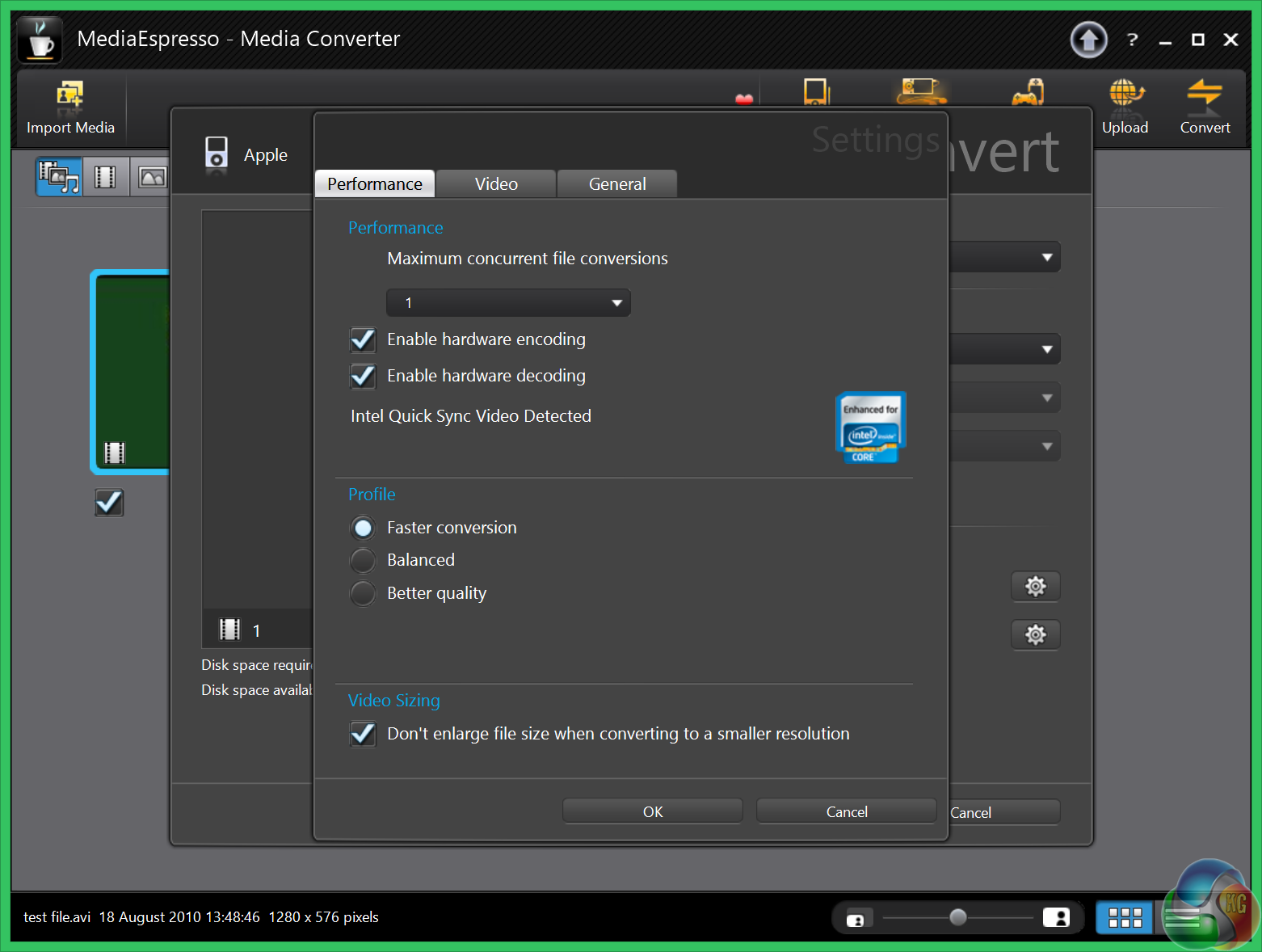
Hardware acceleration is enabled.
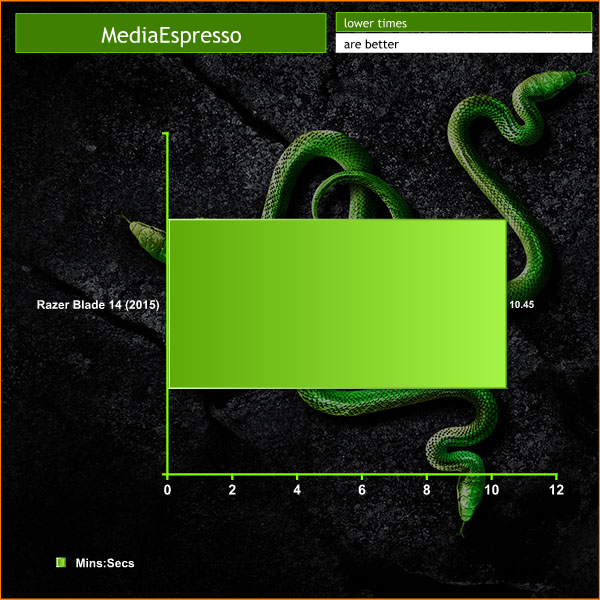
The 10 minutes and 45 seconds results are strong. The fastest laptops we have tested have scored just under 10 minutes, and the slowest over an hour.Tomb Raider received much acclaim from critics, who praised the graphics, the gameplay and Camilla Luddington’s performance as Lara with many critics agreeing that the game is a solid and much needed reboot of the franchise. Much criticism went to the addition of the multiplayer which many felt was unnecessary. Tomb Raider went on to sell one million copies in forty-eight hours of its release, and has sold 3.4 million copies worldwide so far. (Wikipedia).
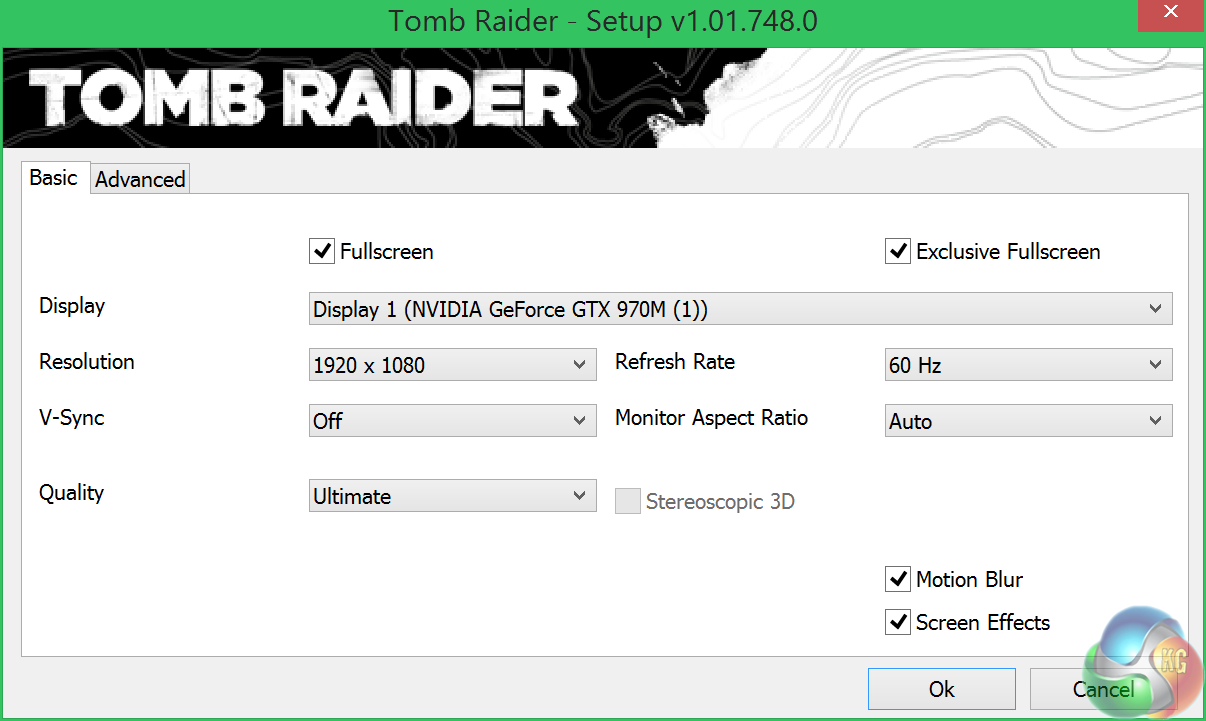
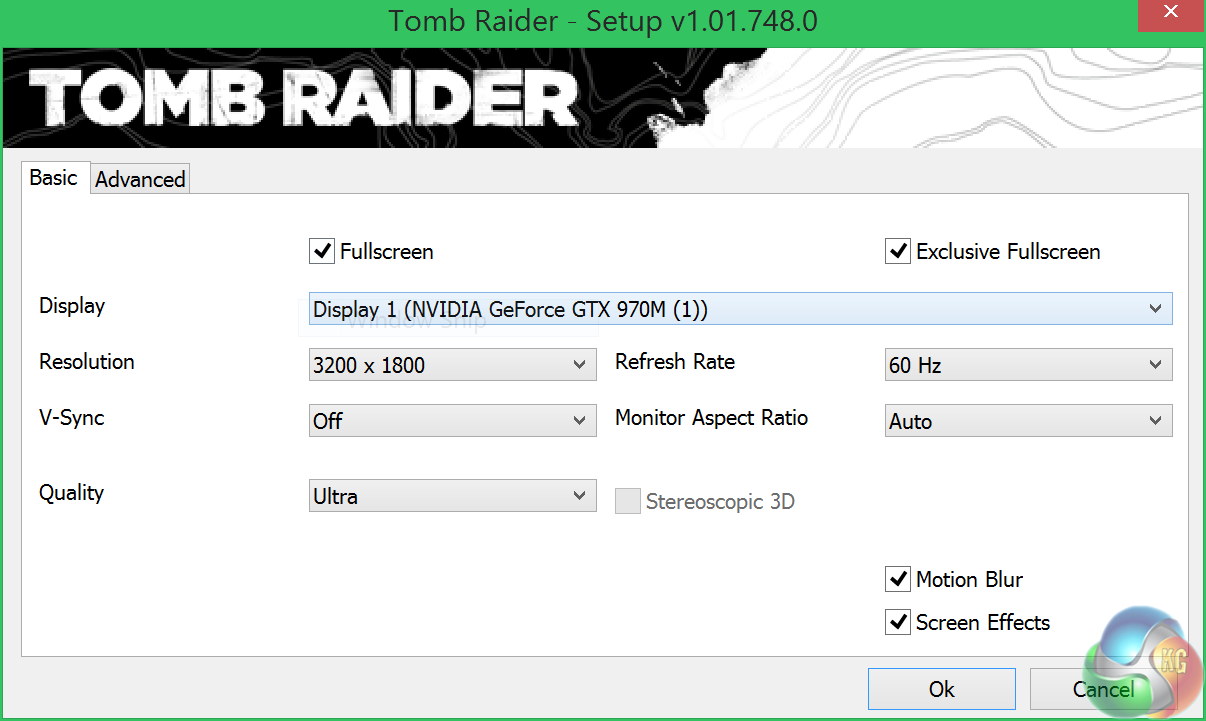
We test at the native 3,200 x 1,800 resolution of the panel at ULTRA settings, and at 1920×1080 with ULTIMATE IQ settings.
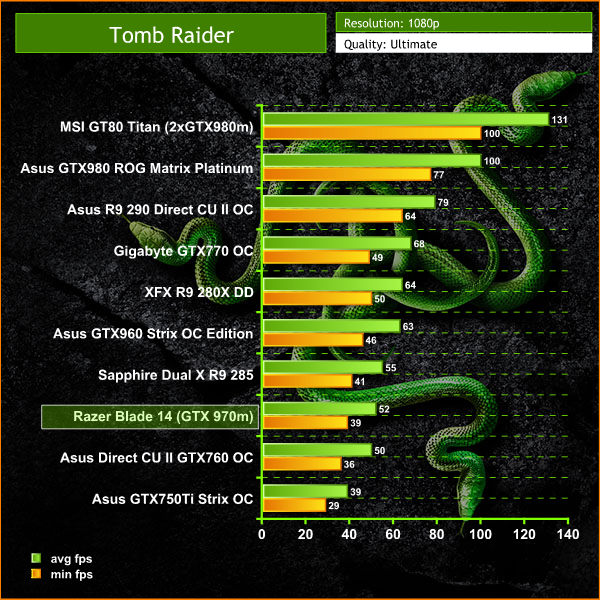

The performance of the Razer Blade 14 is formidable, and certainly playable at both 1080p and 1800p resolutions. Grid Autosport (styled as GRID Autosport) is a racing video game by Codemasters and is the sequel to 2008′s Race Driver: Grid and 2013′s Grid 2. The game was released for Microsoft Windows, PlayStation 3 and Xbox 360 on June 24, 2014. (Wikipedia).
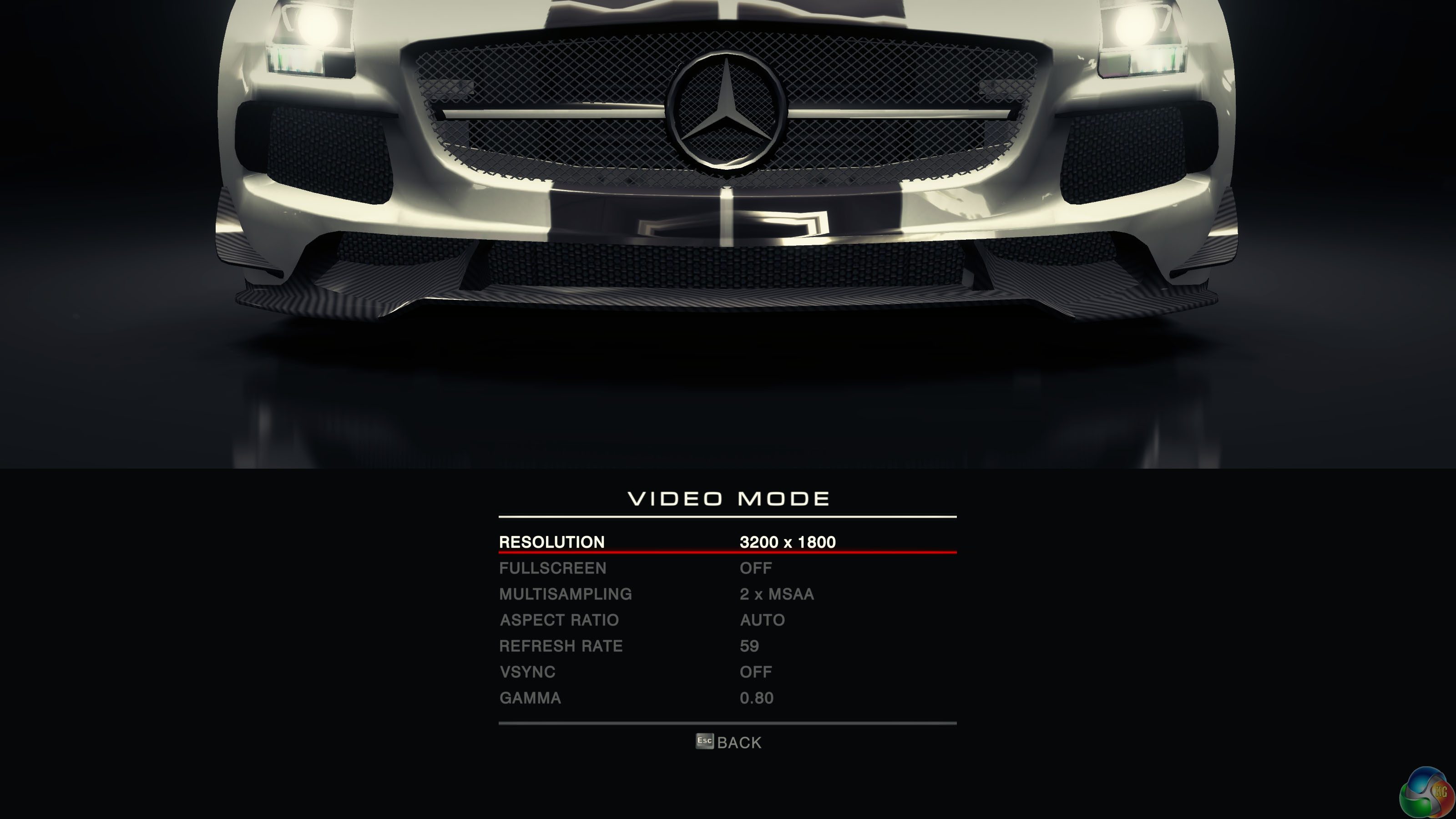
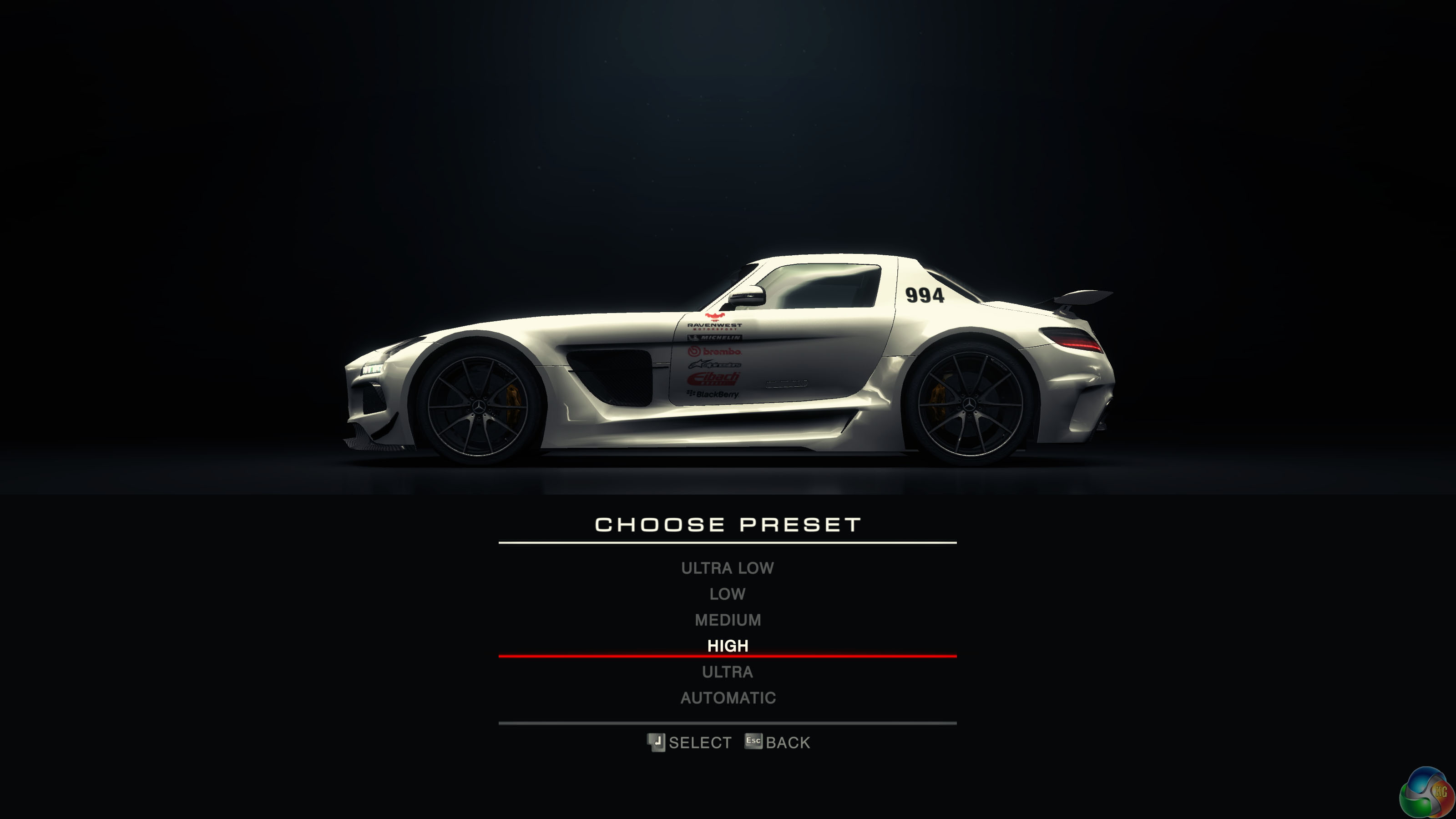
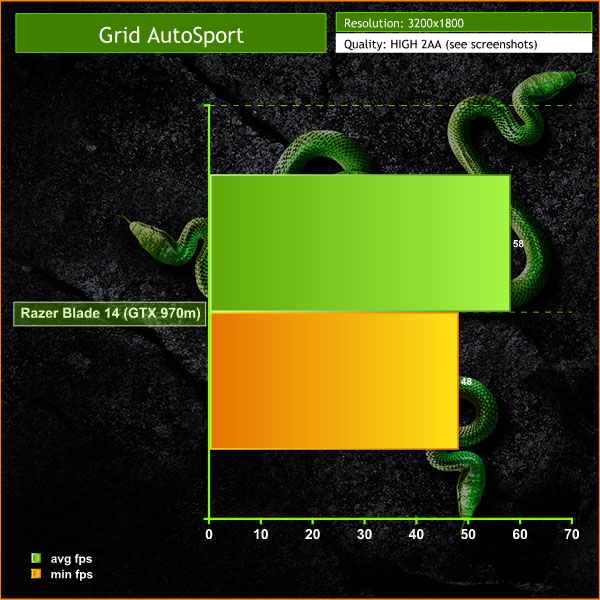
At these settings, Grid AutoSport is playable at 3200×1800, averaging almost 60 frames per second. It looks great too on the Sharp IGZO panel.
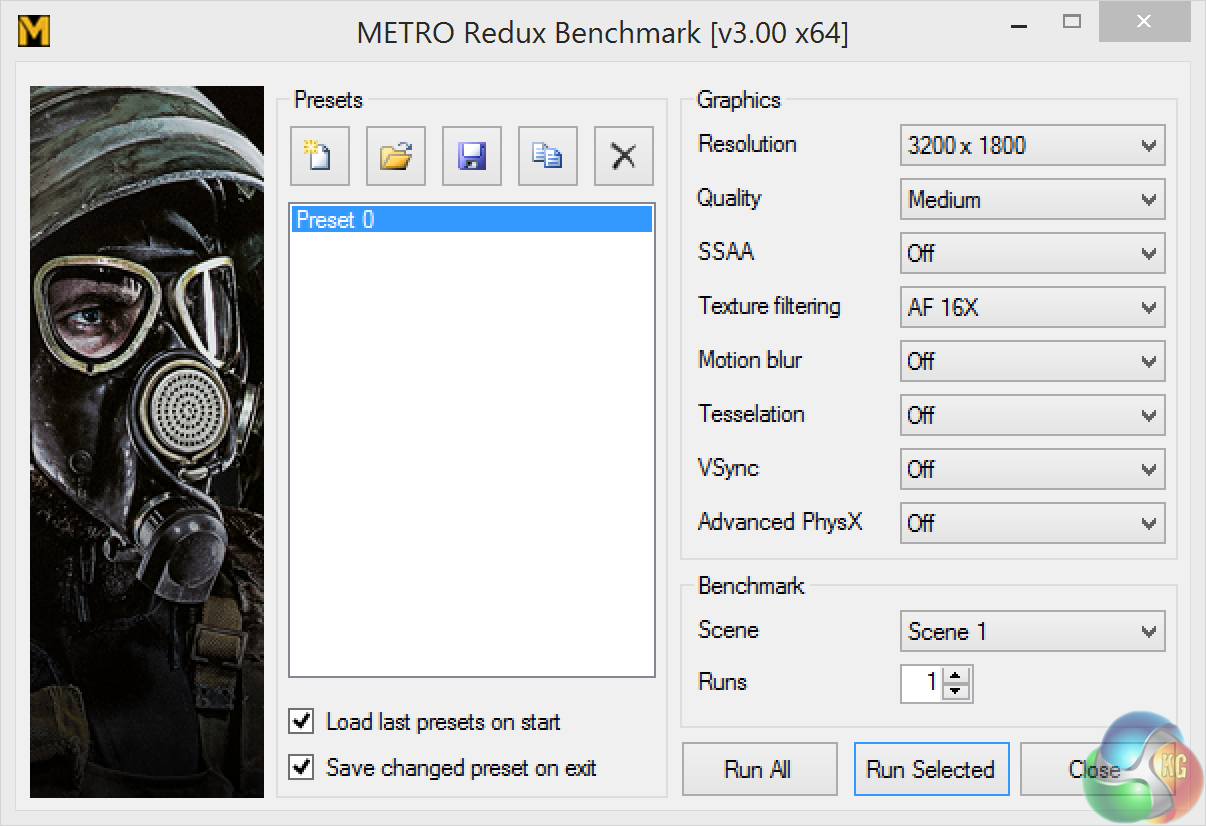
On May 22, 2014, a Redux version of Metro Last Light was announced. It was released on August 26, 2014 in North America and August 29, 2014 in Europe for the PC, PlayStation 4 and Xbox One. Redux adds all the DLC and graphical improvements. A compilation package, titled Metro Redux, was released at the same time which includes Last Light and 2033. (Wikipedia). We test with following settings at 3200×1800: quality medium, SSAA off, 16AF, Tessellation off, VSYNC off and Advanced PhysX off.
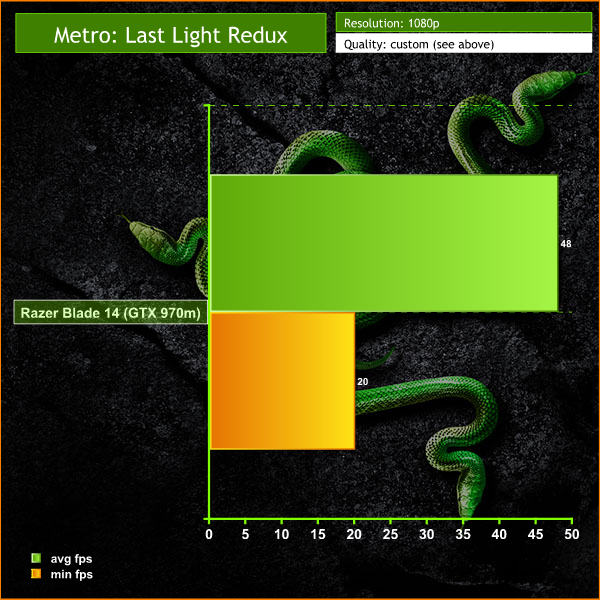
This is an incredibly demanding engine, especially at 3,200 x 1,800. We are testing with lower image quality settings than we would normally use, but the game does drop a few times below the 25 fps mark. Total War: ROME II Emperor Edition. Emperor Edition collects together all free content to date, which includes wide-ranging revisions, additions to game features and adds a brand new Campaign Pack expansion, ‘Imperator Augustus’. We test the game at 3200×1800 with the image quality settings at both ‘ULTRA' and ‘VERY HIGH'.


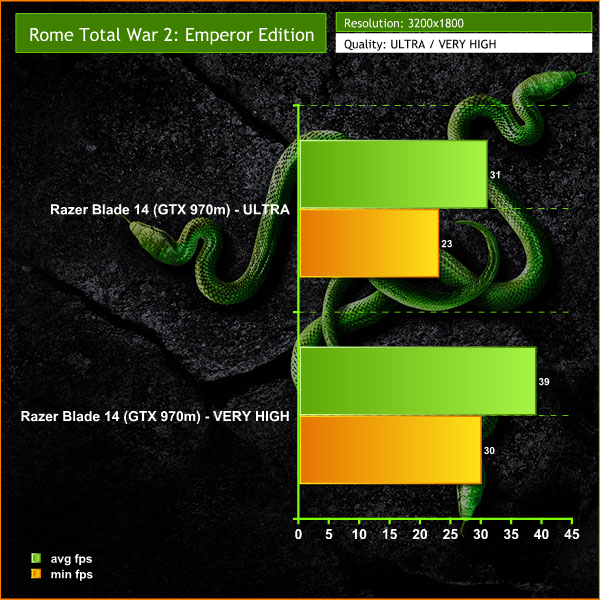
Ultra settings prove too much, as the frame rate drops below 25 fps. Very High settings offer a much smoother experience, and would be acceptable for many.
The tests were performed in a controlled air conditioned room with temperatures maintained at a constant 23c – a comfortable environment for the majority of people reading this.Idle temperatures were measured after sitting at the desktop for 30 minutes.
Load measurements were acquired by playing Tomb Raider for 30 minutes and measuring the peak temperature. All fan settings were left on automatic.
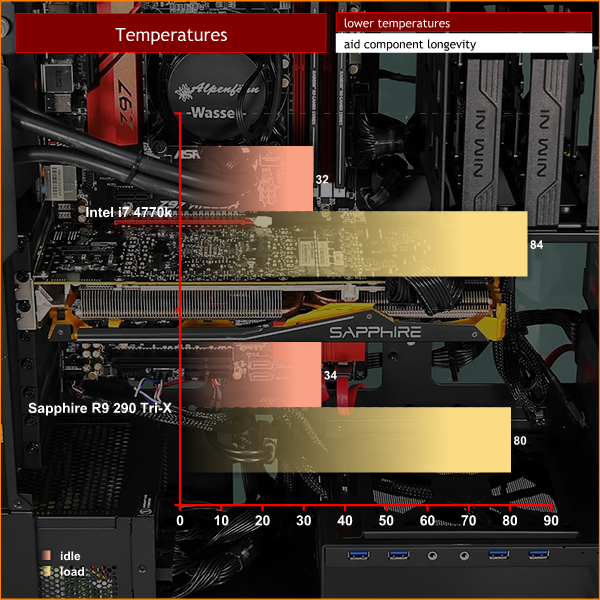
Above is a worst case scenario when all 4720HQ cores are 100% loaded. The cooling system struggles to cope with the heat and as we noted earlier in the review, the processor is thermally throttling. The fans in the system also spin dramatically fast, generating substantial noise levels. This is the major negative point with cramming so much high end hardware into such a small chassis.
We tried to stress the system to crashing point, but it was stable throughout even though it was throttling to compensate.
Under real world gaming situations 8 logical CPU cores are never loaded 100% and often only a couple of cores are working hard. Under these situations, the system does not thermally throttle.
During gaming, I noticed that the keyboard was getting very toasty and a little uncomfortable to use for extended periods of time. To test heat I looped 3DMark and measured temperatures on the keyboard of the laptop with our Fluke Visual IR Thermometer/Infrared Thermal Camera. This is a real world running environment.
Details on each test are shown below.
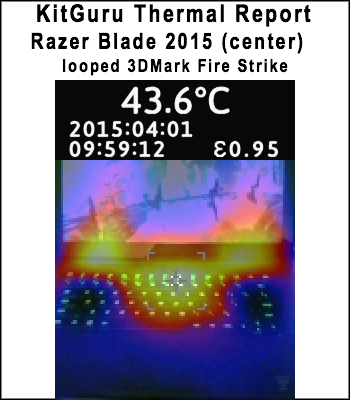
Most of the heat is generated in the middle of the keyboard, with hot areas on the sides, close to the screen. This is because the exhaust vents on the Blade 14 are between the top of the chassis and screen. Hot air is expelled upwards and out. Temperatures in the middle of the keyboard measured between 42c and 45c under load.
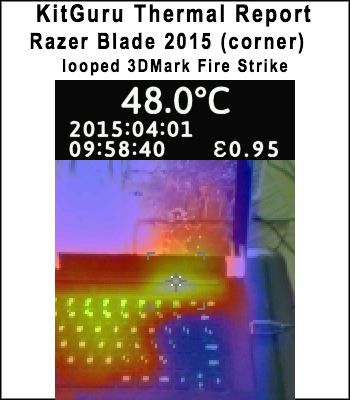
The hottest part of the system is actually the top corners, above the top row of keys. These are the exhaust areas, and they do get very warm after a short period of gaming. We measured up to 50c in parts, with an average around 48c. If you are playing games with the Blade 14 on your lap you will definitely want to to consider one of these.
We measure from a distance of around 1 meter from the closed chassis and 4 foot from the ground to mirror a real world situation. Ambient noise in the room measures close to the limits of our sound meter at 28dBa.
Why do this? Well this means we can eliminate secondary noise pollution in the test room and concentrate on only the video card. It also brings us slightly closer to industry standards, such as DIN 45635.
KitGuru noise guide
10dBA – Normal Breathing/Rustling Leaves
20-25dBA – Whisper
30dBA – High Quality Computer fan
40dBA – A Bubbling Brook, or a Refrigerator
50dBA – Normal Conversation
60dBA – Laughter
70dBA – Vacuum Cleaner or Hairdryer
80dBA – City Traffic or a Garbage Disposal
90dBA – Motorcycle or Lawnmower
100dBA – MP3 player at maximum output
110dBA – Orchestra
120dBA – Front row rock concert/Jet Engine
130dBA – Threshold of Pain
140dBA – Military Jet takeoff/Gunshot (close range)
160dBA – Instant Perforation of eardrum
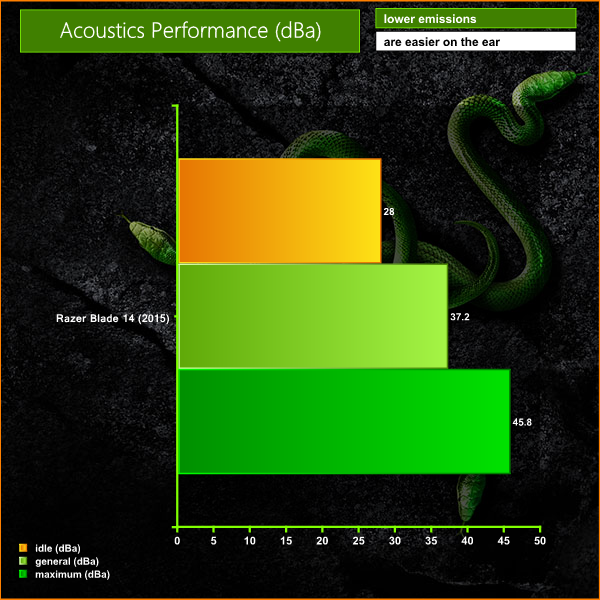
When idle, the fans disable, and the system is very quiet. When under normal load, the fans are fairly active, and we recorded noise levels between 33dBa and 38dBa. Under maximum load, such as when playing a game such as Tomb Raider at 3,200×1,800, the fans are extremely active, and loud – pushing noise levels up to almost 46dBa.
At the maximum fan noise levels, the Razer Blade 14 is intrusive, and people in the same room are likely to comment. A colleague walked into the room during a 3DMark stress test and he looked at me rather quizzically while the fans were spinning at full speed.To test today, we are putting the machine through a variety of ‘real world’ situations, mirroring the real world usage of a potential customer.
One as a media movie lover on the move (wearing headphones), a person wanting to watch high definition media on a train journey or bus with screen brightness two notches from maximum.
Second as a businessman, with screen brightness around half way. Wireless was enabled. A mixture of checking, answering emails using Microsoft Office and editing pictures in Adobe Photoshop.
Lastly as a gamer, playing Tomb Raider until the machine turned itself off.
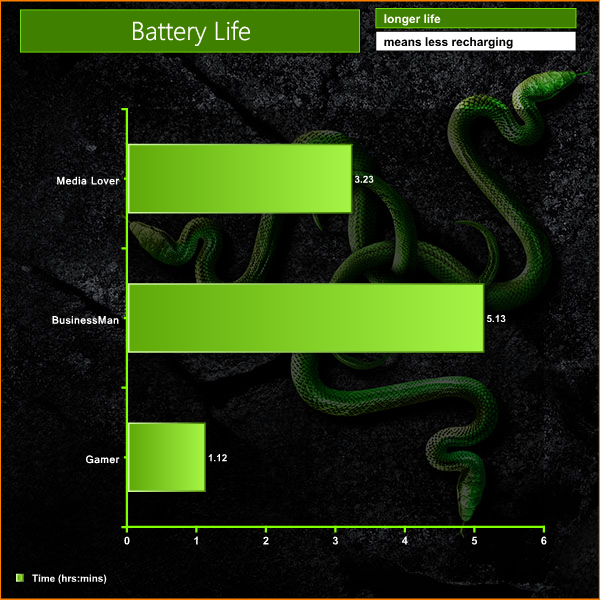
Battery life under lighter loads is surprisingly good, averaging just over 5 hours when dealing with general tasks. The battery life suffers when heavy gaming loads are demanded, averaging just over an hour. Ideally you will want to be gaming indoors with the power adapter connected – but the test highlights that the Razer Blade actually makes for a great portable office style machine on the move.
The fact that the Razer Blade 14 is not officially sold or supported in the United Kingdom hasn't stopped enthusiast users importing it. As we discussed earlier in the review, Amazon are now working with a select group of partners, offering various configurations for sale under the AMAZON PRIME delivery service.
These dealers are also offering 1 year technical support and warranty terms, via local UK repair stations. Of course without official support there is an extra risk involved, but hardcore UK Razer gamers wanting the most portable, powerful gaming solution may find this too good to resist.
The 2015 version of the Razer Blade 14 has received some noteworthy upgrades, particularly the move to the Maxwell oriented GTX970m graphics. This is a formidable solution able to churn through the frame rates at 1080p, and able to even drive most games at the native 3,200 x 1,800 resolution of the panel – as long as you don't mind lowering the image quality settings a little.
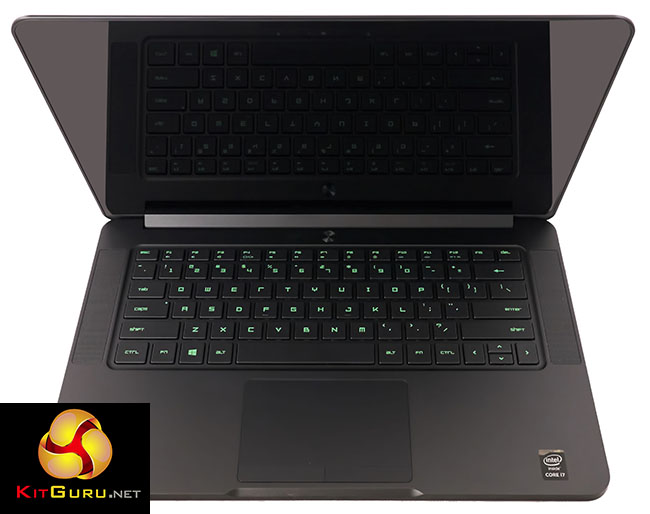
First impressions are certainly positive, the Razer Blade is crafted from a solid block of aluminum, anodized black. Build quality is truly exemplary. While exceptionally thin, it doesn't flex, creak or bend.
The ethos of the Blade 14 stays true to Razer, with all the USB 3.0 ports, accenting and backlighting offered in neon green. Those who like to change the keyboard backlighting will be disappointed – you are stuck with green. I have no issues with the colours – the green is eye catching, stylish and very dramatic.
The adoption by Razer of quad core Intel Core i7 4720HQ (8 logical cores) with Nvidia GTX970m is certainly ambitious, especially in such a tiny chassis. After a short time running my usual suite of benchmarks I was fairly confident that the Core i7 4720HQ was throttling – results were lower than expected. As our thermal analysis later in the review confirmed the cooling system is indeed struggling to deal with the heat. While Razer's design decision to move the exhaust ports to the top of the chassis between the screen certainly improves the appearance it does raise chassis temperatures in the middle and top sections of the keyboard, and to the left and right sides.
While no one will want to know their laptop could be thermally throttling, under the majority of real world situations, this will not be an issue . No games we have tested will load all eight logical cores at 100%, although if you are buying this laptop for heavy duty 3D rendering on the move, then be prepared to potentially suffer minor performance degradation, as well as extremely high noise levels.
The Nvidia GTX970m has impressed me today, this is a fantastic mobile graphics solution that demands modest power but can actually cope with 3,200 x 1,800 gaming, as long as you don't want to run every game at the highest settings. It was undoubtedly a great choice by Razer.
You can buy the model we reviewed today from Amazon, with PRIME delivery for around £2,100 inc vat and delivery. Other options are the 128GB version for £1,998, and the 512GB version for £2,433. Visit this page for more details. While we could detail the cost is much higher than other gaming laptops on the market, we feel the Razer Blade 14 is targeting a very specific audience – the hardcore Razer audience who will pay over the odds for these products.
The wider mobile gaming audience will be better served by models we have reviewed in recent months from MSI or ASUS. The MSI GS60 Ghost Pro 3K 2QE for example is a tough gaming laptop to ignore, especially as the price has dropped in recent weeks to £1,599.97 inc vat. This system also features the excellent Nvidia GTX970m and earned our highest award.
Discuss on our Facebook page, over HERE.
Pros:
- Razer Blade 14 build quality is top drawer.
- black anodized aluminum looks fantastic.
- USB 3.0 performance.
- good keyboard.
- very thin.
- 802.11AC Wifi performance is excellent.
- Sharp LQ140Z1JW01 IGZO Multitouch screen.
Cons:
- Expensive.
- Not ‘officially supported' by Razer in UK.
- gets loud when heavily loaded.
- gets hot when heavily loaded.
- some thermal throttling in extreme situations.
Kitguru says: The Razer Blade 14 is a stunning looking laptop, like the evil brother of the MacBook Pro. Gaming performance is top class, but it comes with a hefty price.


Hot, loud, and expensive – so basically the cons of all higher end gaming laptops out there?
◔❧❧◔❧❧◔86$ PER HOUℛ@ai6:
Going Here you
Can Find Out,
►►►► >>>https://WorkOnlineLink.biz/EarnS/Planes….
★★★★★★★★★★★★★★★★★★★★★★★★★★★★★★★★★
Thanks for signing up to cat facts! You will now receive fun daily facts about cats! :3
1. Did you know that a group of cats is called a ‘clowder’?
How fun!
[To cancel Daily Cat Facts reply ‘cancel’]
[Would you like to receive a Cat Fact every hour? Reply ‘rn99sjj24jj5jwhay6s’ to cancel your automatic upgrade]