KitGuru KitGuru.net – Tech News | Hardware News | Hardware Reviews | IOS | Mobile | Gaming | Graphics Cards


Today we're back with another QD-OLED review as we check out the AOC Agon Pro AG276UZD. Offering the same 4th Gen 4K/240Hz QD-OLED panel as the MSI MPG 272URX we reviewed recently, this screen promises high pixel density thanks to the 27in diagonal, 1000 nits of brightness in HDR, alongside other OLED benefits such as the near-instant response times and infinite contrast. Retailing for £700, we put this monitor through its paces and see what it can do.
Timestamps:
00:00 Intro
00:49 Pricing details
01:21 Design and first impressions
02:21 I/O + OSD
03:53 Things to know about QD-OLED…
04:53 Default panel testing
07:08 sRGB mode
07:36 Calibrated results
08:20 Response times + motion clarity
09:14 Real-world gaming experience
10:31 HDR performance
12:39 Closing thoughts
Pricing is a particularly interesting area for the AOC AG276UZD, given the OLED monitor space is starting to get fiercely competitive. The aforementioned MSI MPG 272URX, for instance, officially has a £999 MSRP, but has already been on sale multiple times in the last two months, and is currently listed for just £700. That means AOC will certainly have its work cut out to impress given how much we liked MSI's offering, but we will save judgement until we have put the monitor through our full test suite.
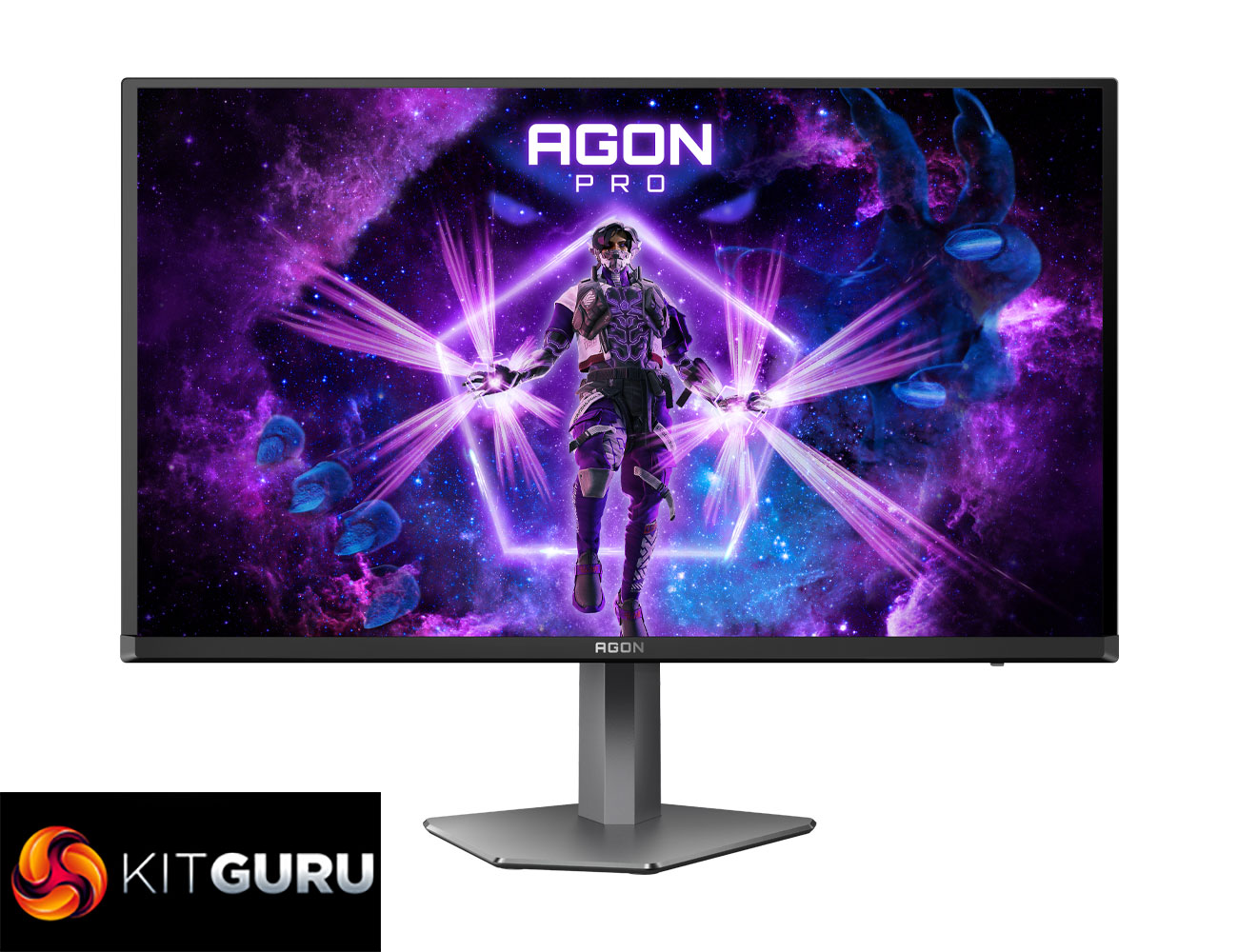
Specification:
- Screen size (inch): 26.5
- Screen size (cm): 67.31
- Panel treatment: Anti-reflective (Glossy finishing)
- Pixels per Inch: 166
- Panel resolution: 3840×2160
- Resolution name: UHD
- Aspect ratio: 16:9
- Panel type: QD – OLED
- Max Refresh rate: 240 Hz
- Response time GtG: 0.03 ms
- Static contrast ratio: 1.5M:1
- Viewing angle (CR10): 178/178
- Display colours: 1.07 Billion
- Brightness in nits: SDR: 250nits (APL 100%), HDR: 450 (APL 10%), HDR E/P: 1000 (APL 3%)
- Sync technology (VRR): Adaptive Sync
- Sync range: 48-240
- Colour space (sRGB) CIE 1931 %: 145.9
- Colour space (DCI-P3) CIE 1931 %: 99.3
- Colour space (Adobe RGB) CIE 1976 %: 96.5
- Flicker-Free: Flicker Free
- KVM: 1x USB3.2 Gen 2 type C + 1x type B
- Speaker power: 5 W x 2
- Vesa wallmount: 100×100
- Quick release function: ✓
- Tilt: 3.5° ±1.5° ~ 21.5° ±1.5°
- Height adjust (mm): 130mm
- Swivel: 18.5° ±1.5° ~18.5° ±1.5°
- Pivot: 90° ±2° ~ 90° ±2°
- Power supply: External
- HDMI: HDMI 2.1 x 2
- DisplayPort: DP 2.1 x 1 (UHBR 20)
- USB-C connectivity: USB-C 3.2 x 1 (DP alt mode, upstream, power delivery up to 65 W)
- USB Hub: ✓
- USB generation: USB 3.2 (Gen 1) (2 USB downstream ports) 5Gbit
- USB type downstream: 2
- USB fast charge port: ✓
- Audio Output: Headphone out (3.5mm)
Firmware tested: V011
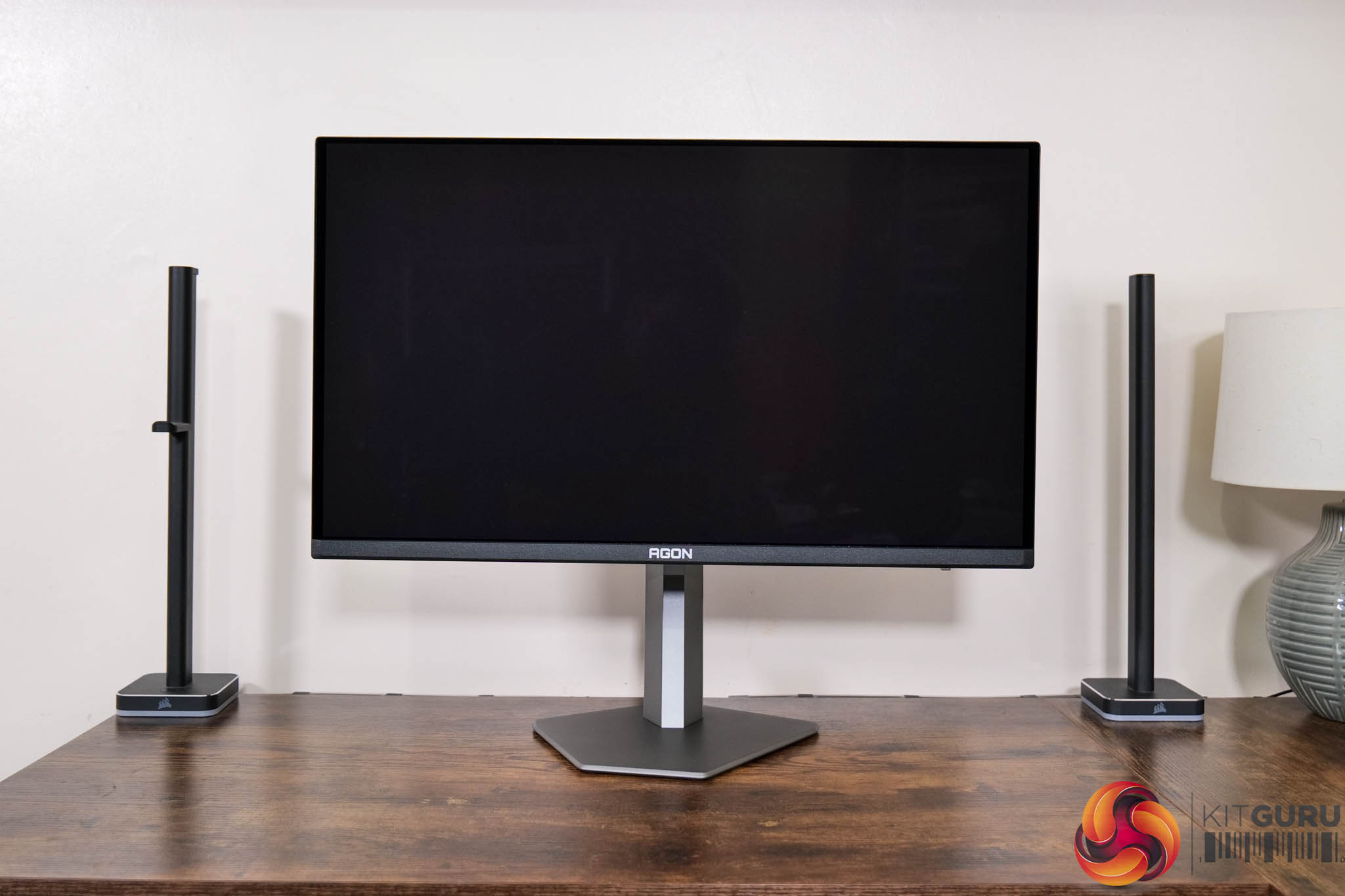
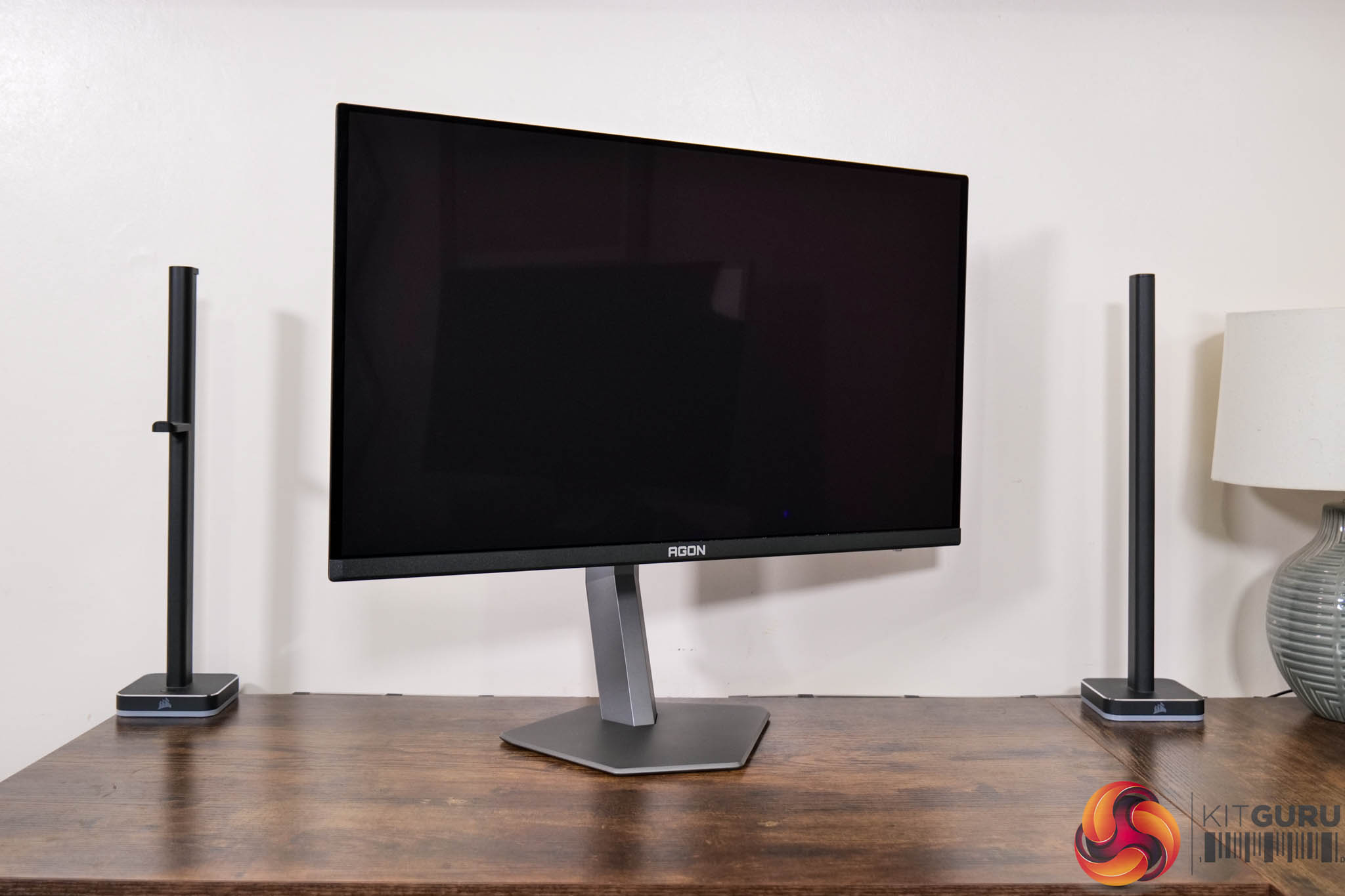
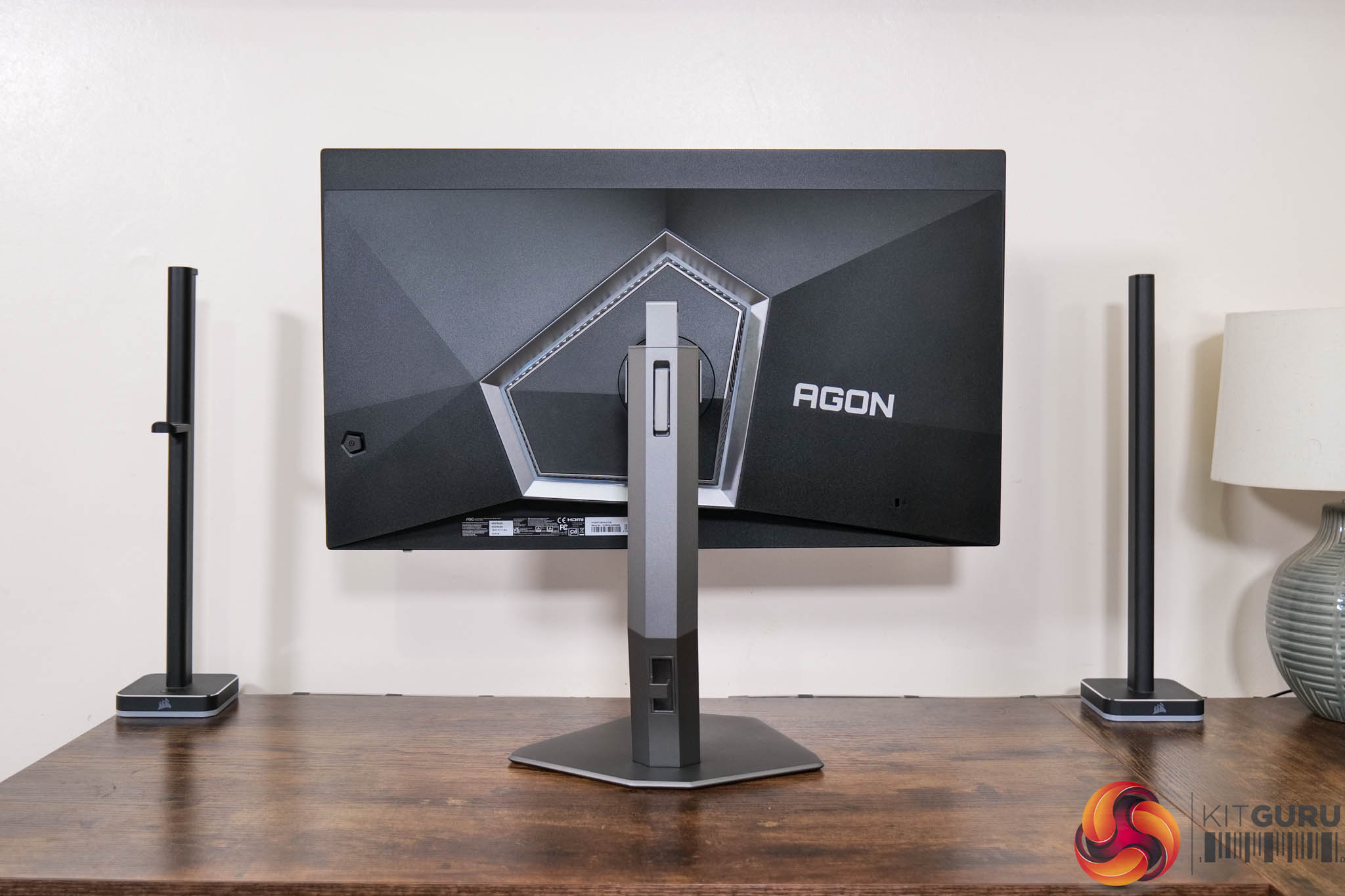
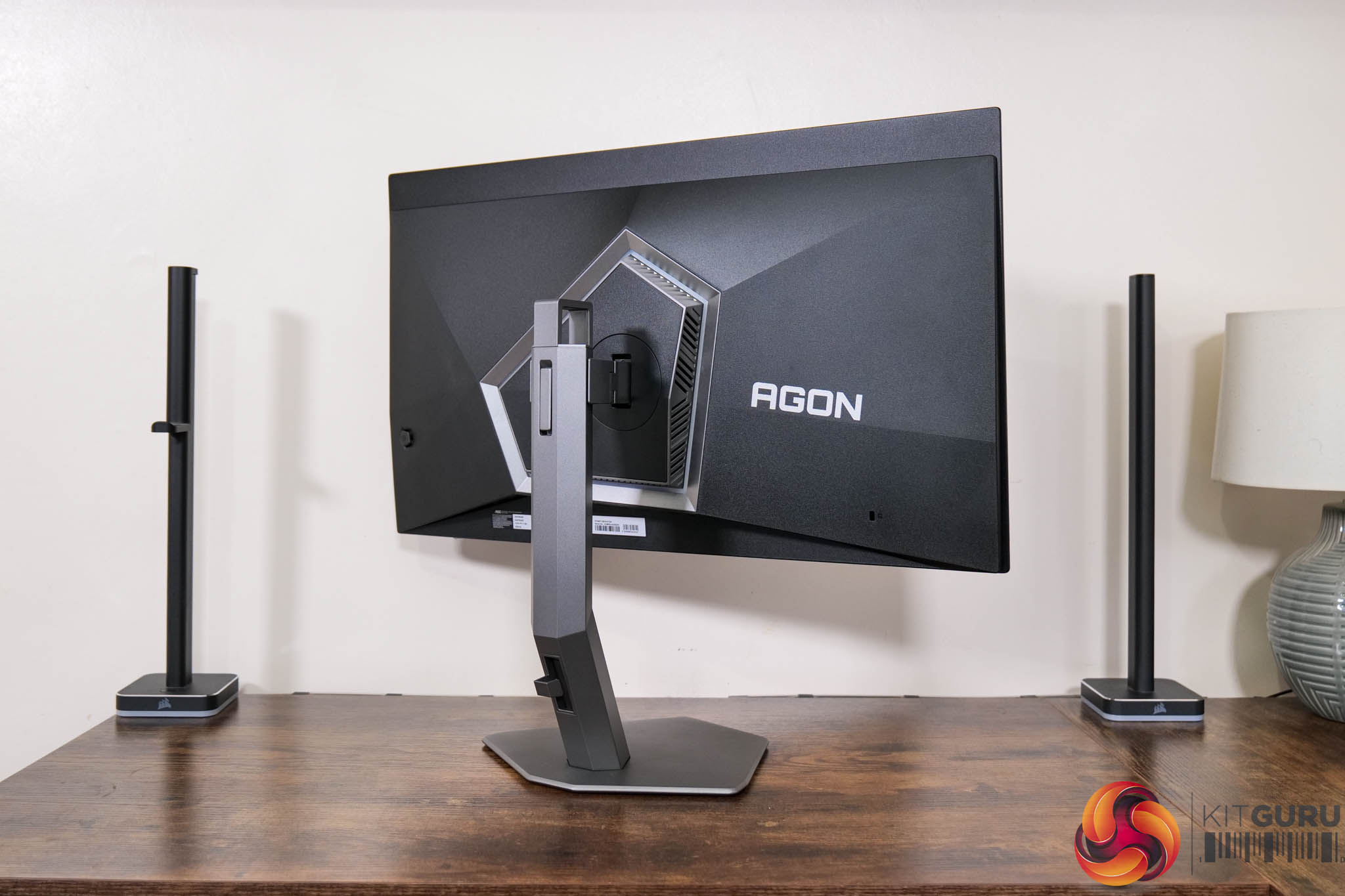
In terms of the design, if you saw my review of AOC's AG276QZD – a 1440p/240Hz WOLED panel – then you will be instantly familiar with what AOC is doing for the AG276UZD, as very little appears to have changed. The front is conventional with a three-sided frameless design, while the back is made from black plastic. The stand attaches in the middle of an asymmetrical area which is surrounded by RGB LEDs, as you can see below.
The asymmetry also continues to the base of the stand, which is made from metal. I've seen some negative reaction to this design in the past – I'm personally indifferent to it, but I am glad it's a very compact foot overall, measuring about 26cm at its widest point.
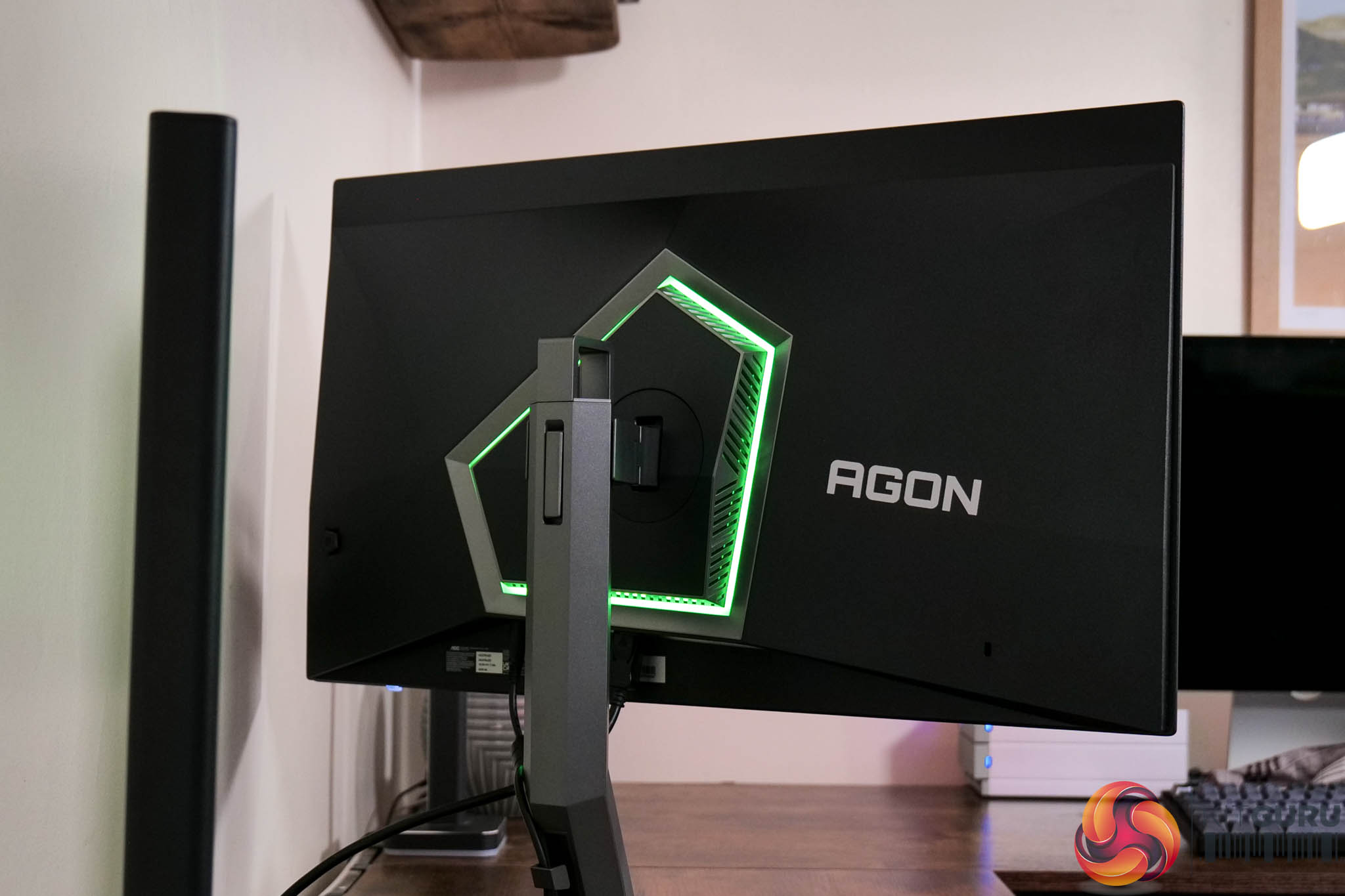
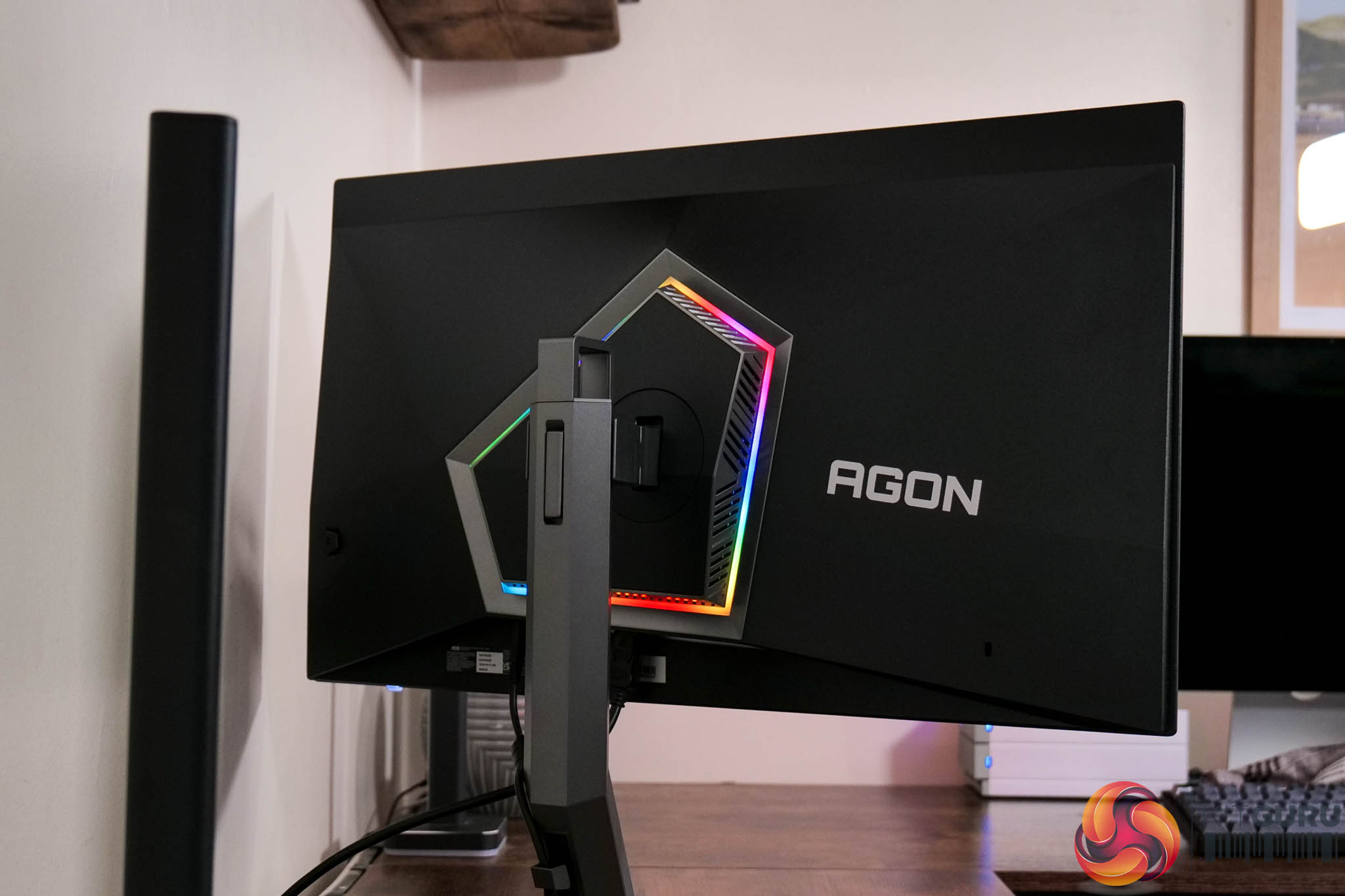
Here we can see the LED lighting in action. It's fine overall but not super bright, and certainly doesn't come close to rivalling Philips Ambiglow in terms of the overall effect.
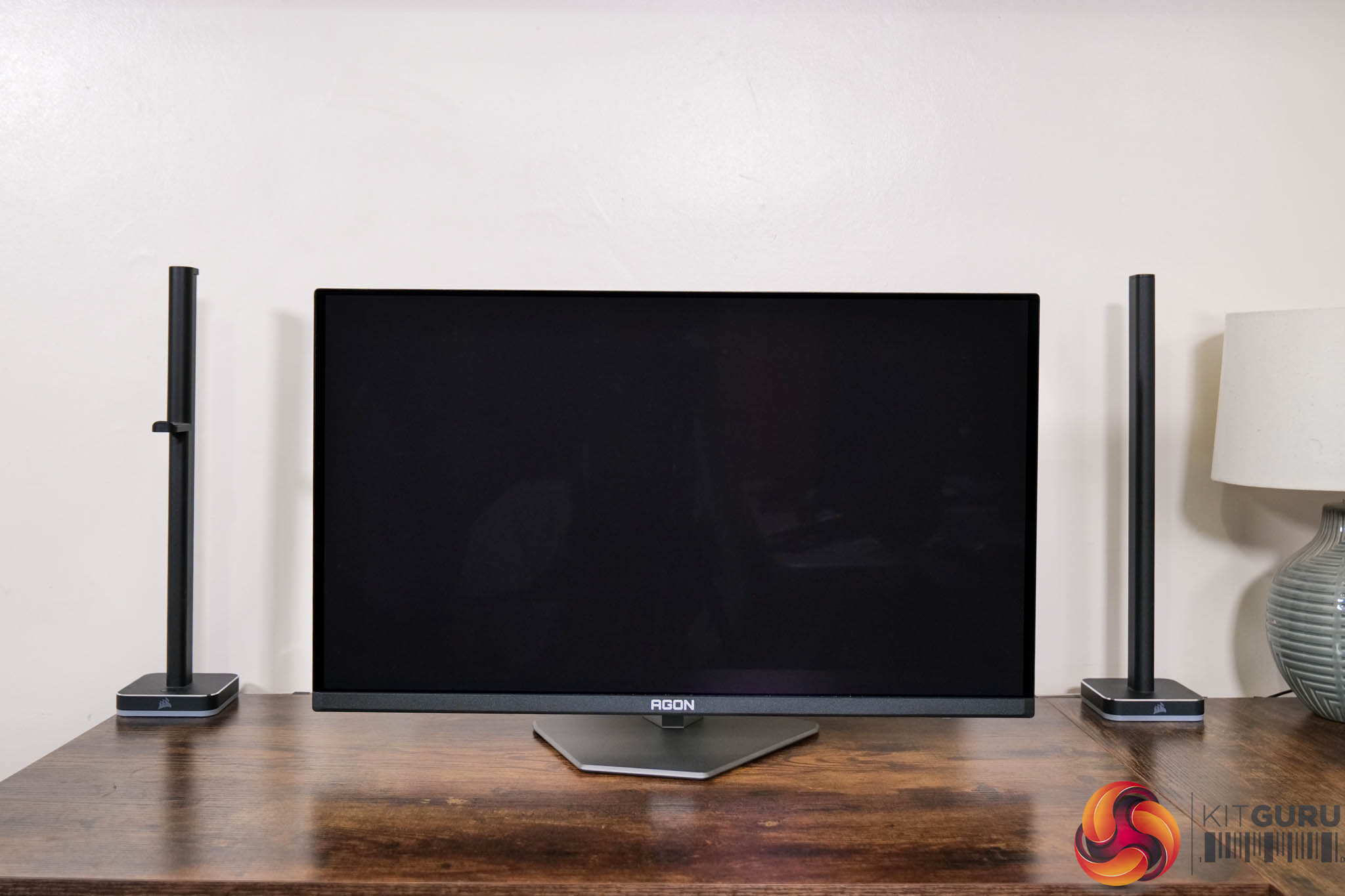
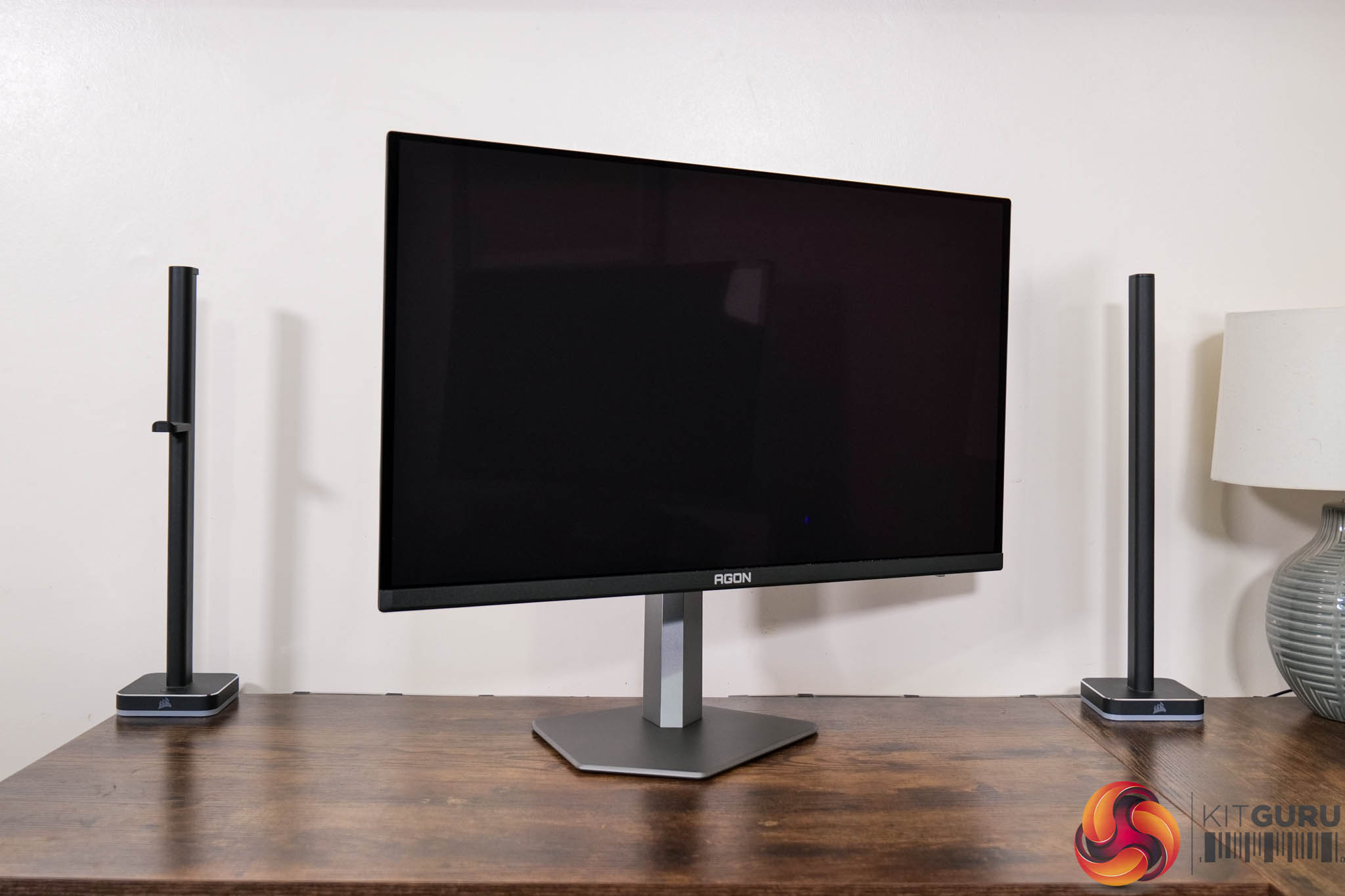
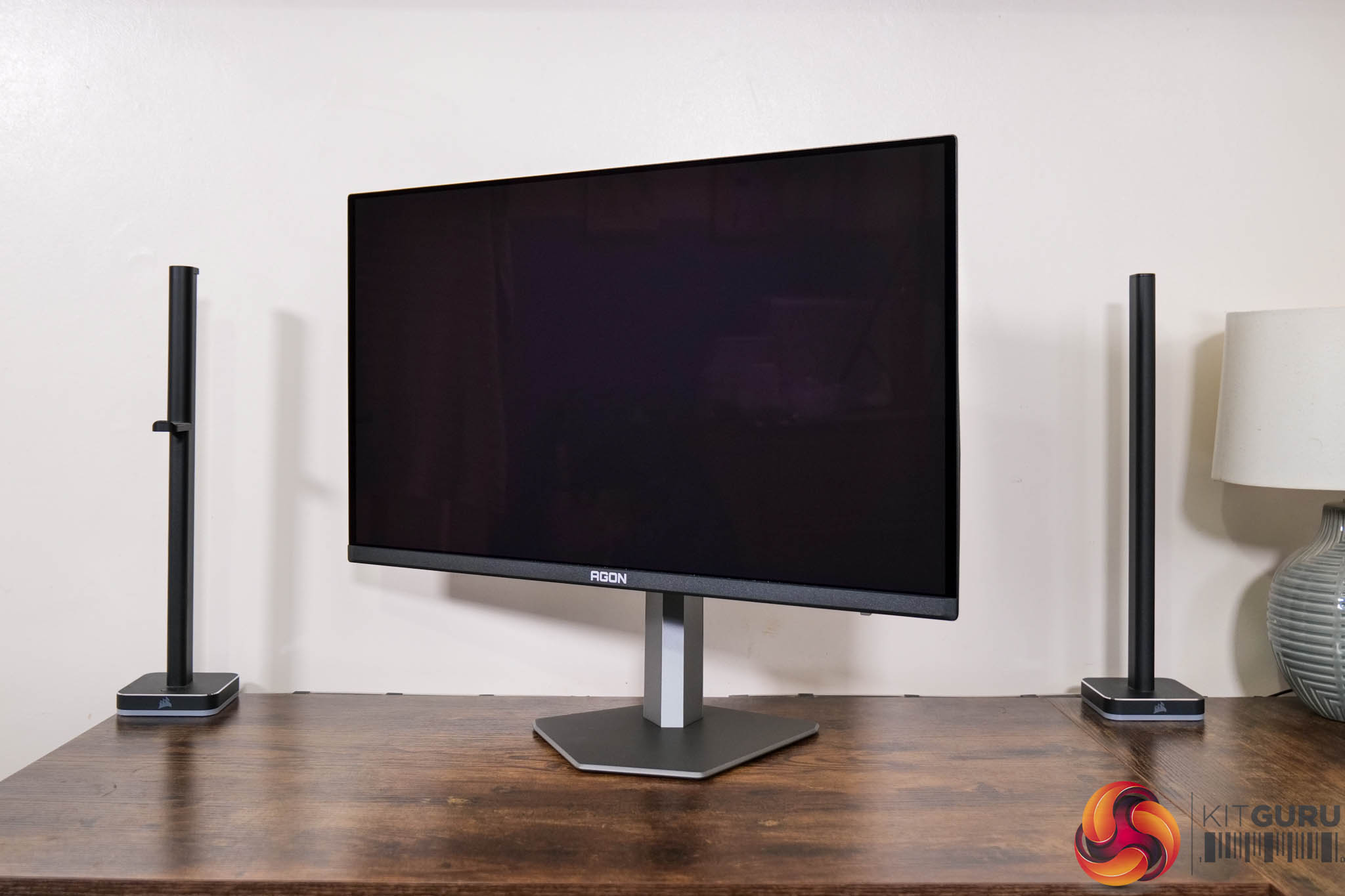
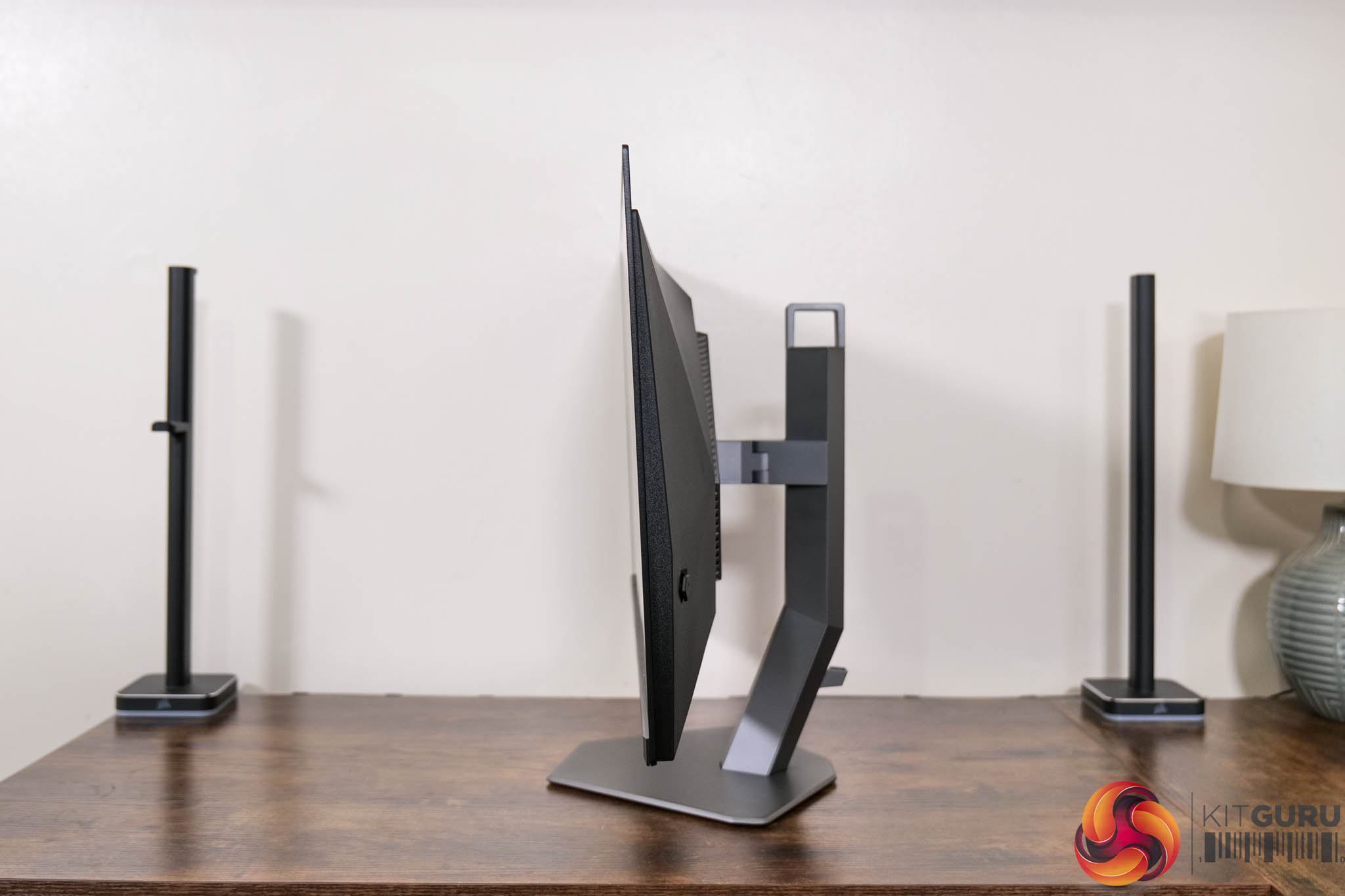
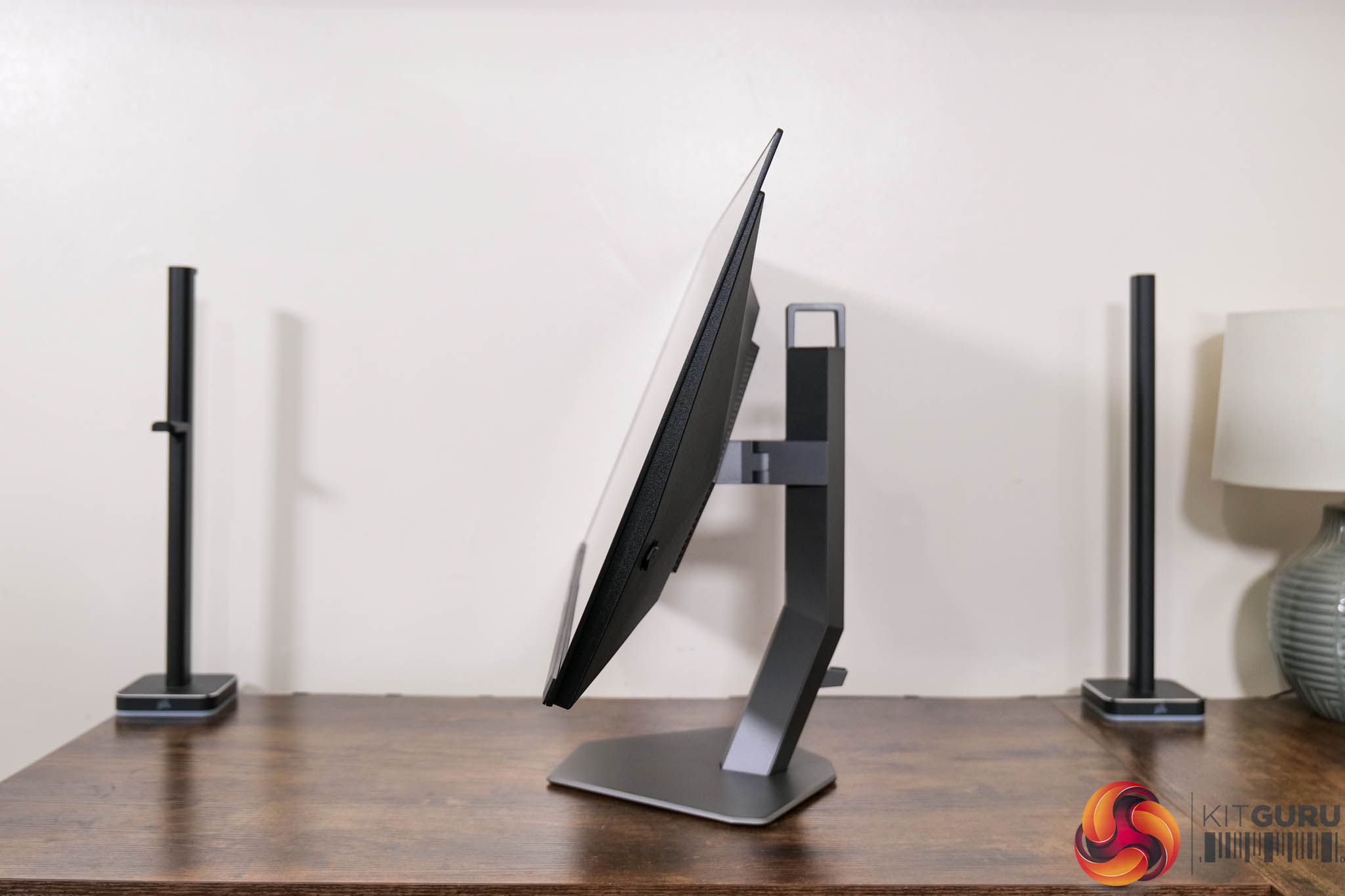
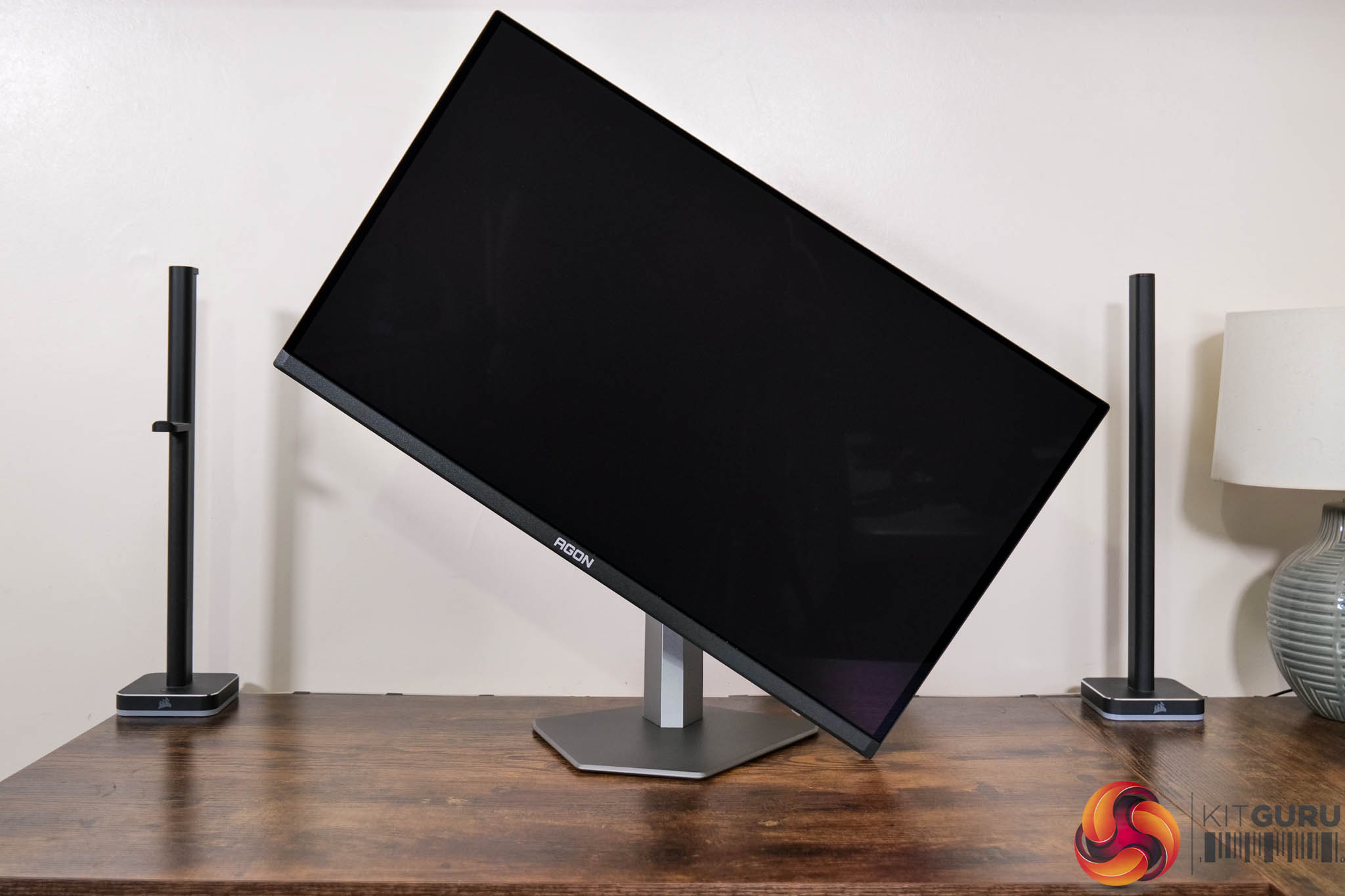
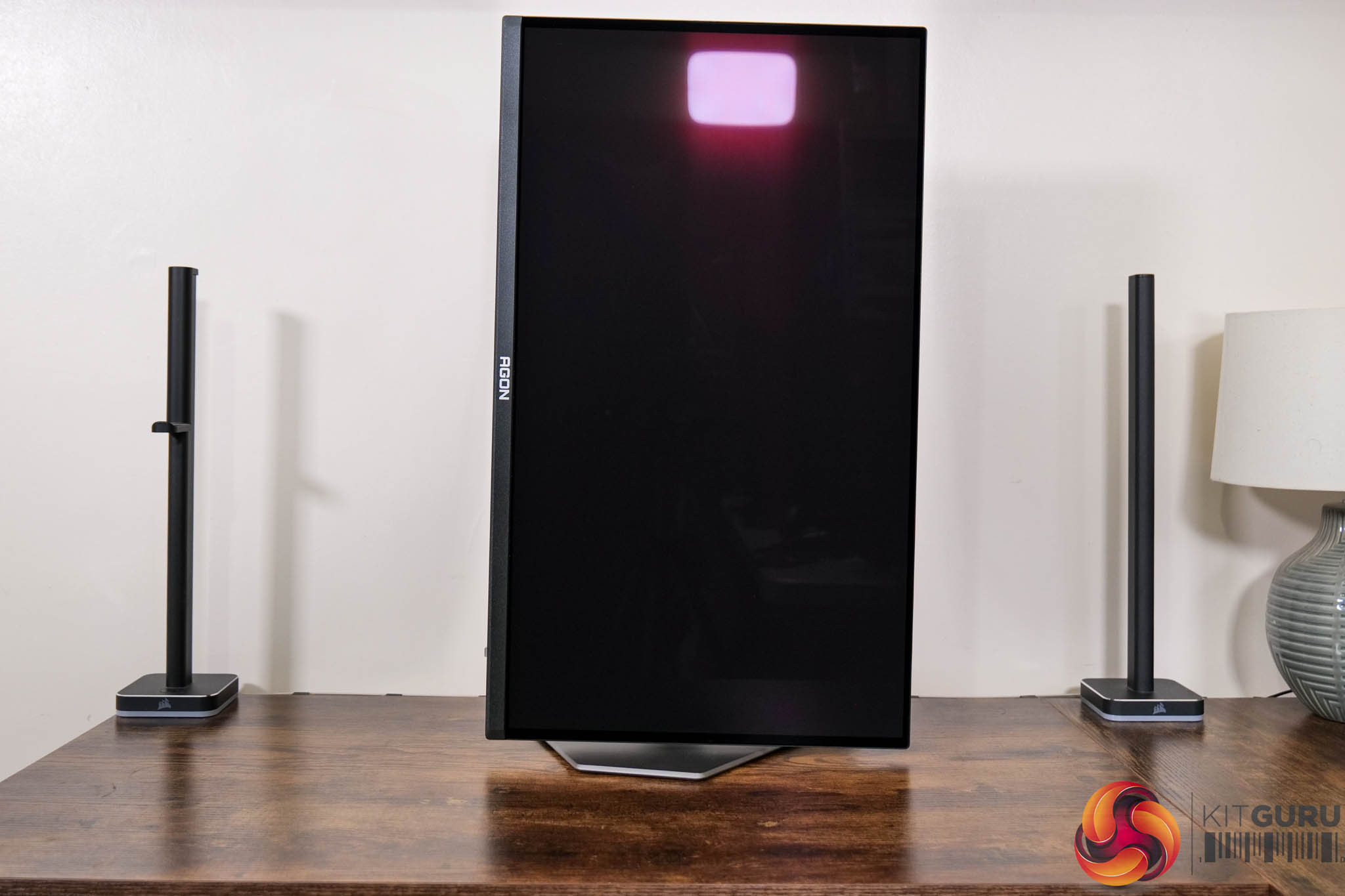
The stand does offer the full array of ergonomic adjustments too, including up to 130mm height adjustment, 18.5 degrees of swivel both left and right, tilt from -3.5 to 21.5 degrees, alongside 90 degree pivot functionality. Third party VESA 100×100 brackets are also supported via the included adapter plate.
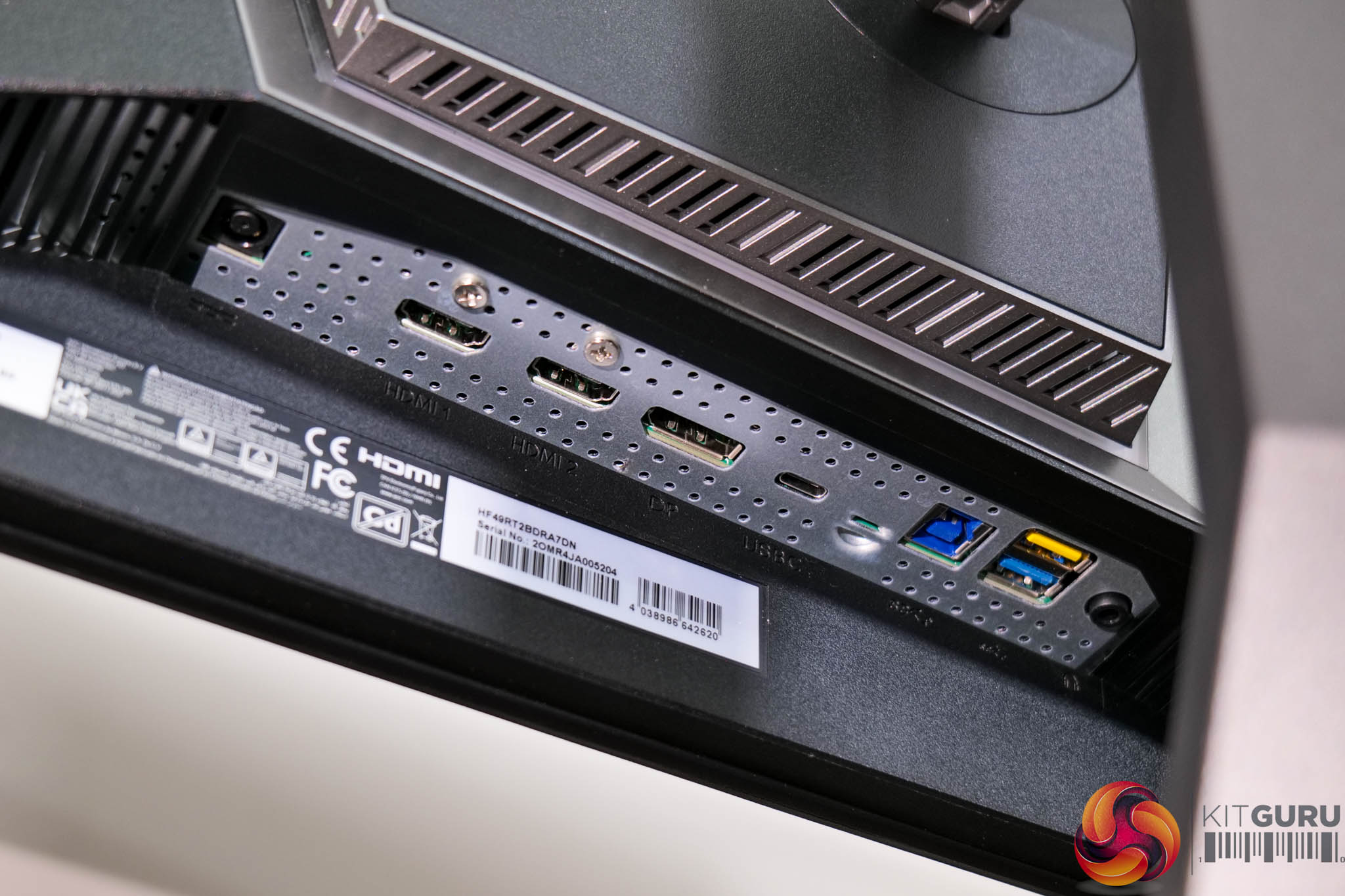
As for the ports and connectors, AOC offers 2x HDMI 2.1 and one DisplayPort 2.1 inputs, the latter offering the full UHBR20 bandwidth which is good to see. There's also 1x Type-C port that supports DP-Alt mode and up to 65W power delivery, alongside a Type-B upstream that feeds 2x Type-A downstreams, plus a headphone jack.
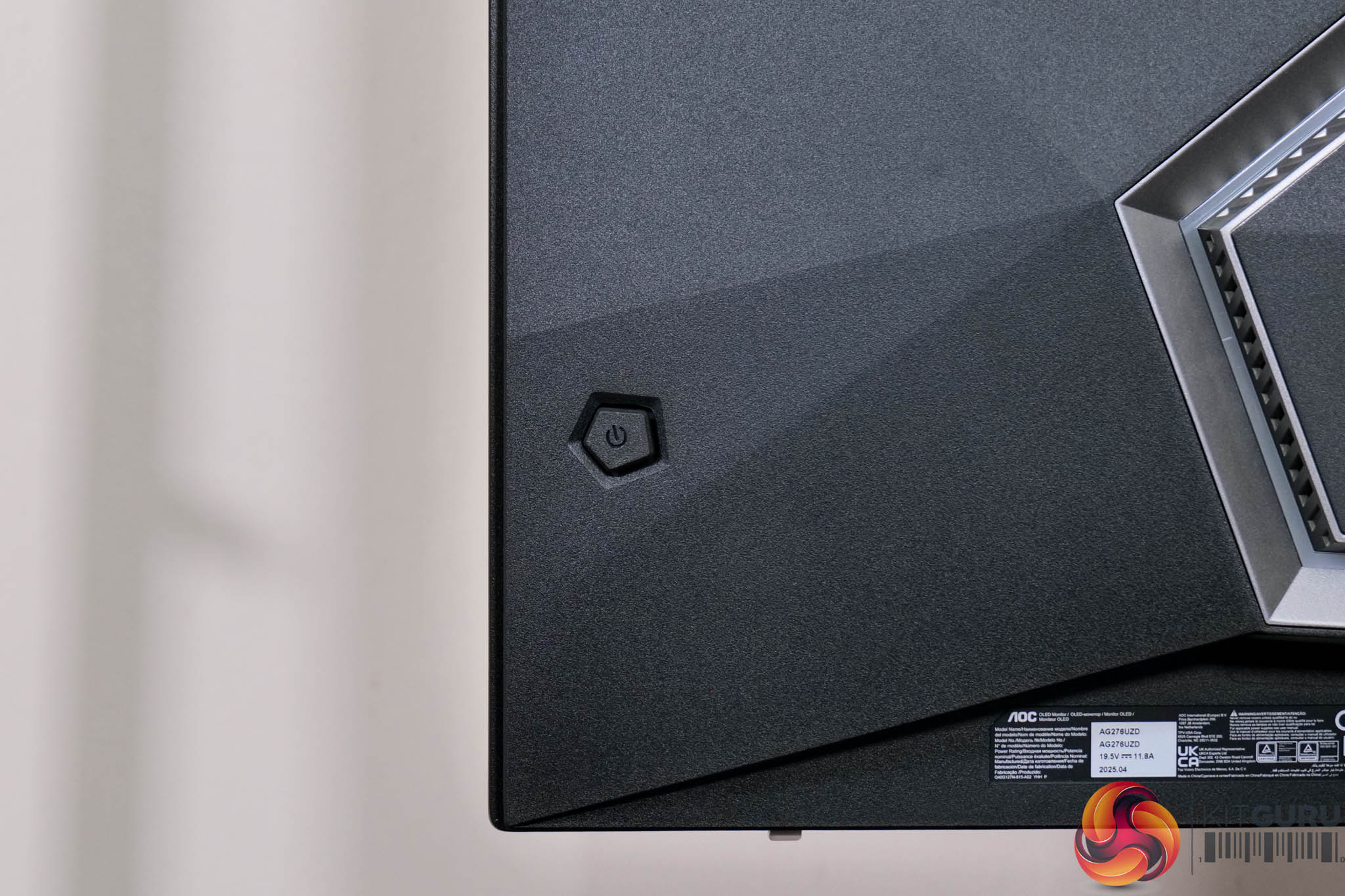
Lastly, a small joystick is positioned on the right hand edge to control the OSD.
AOC's OSD system is broken down into eight main tabs:
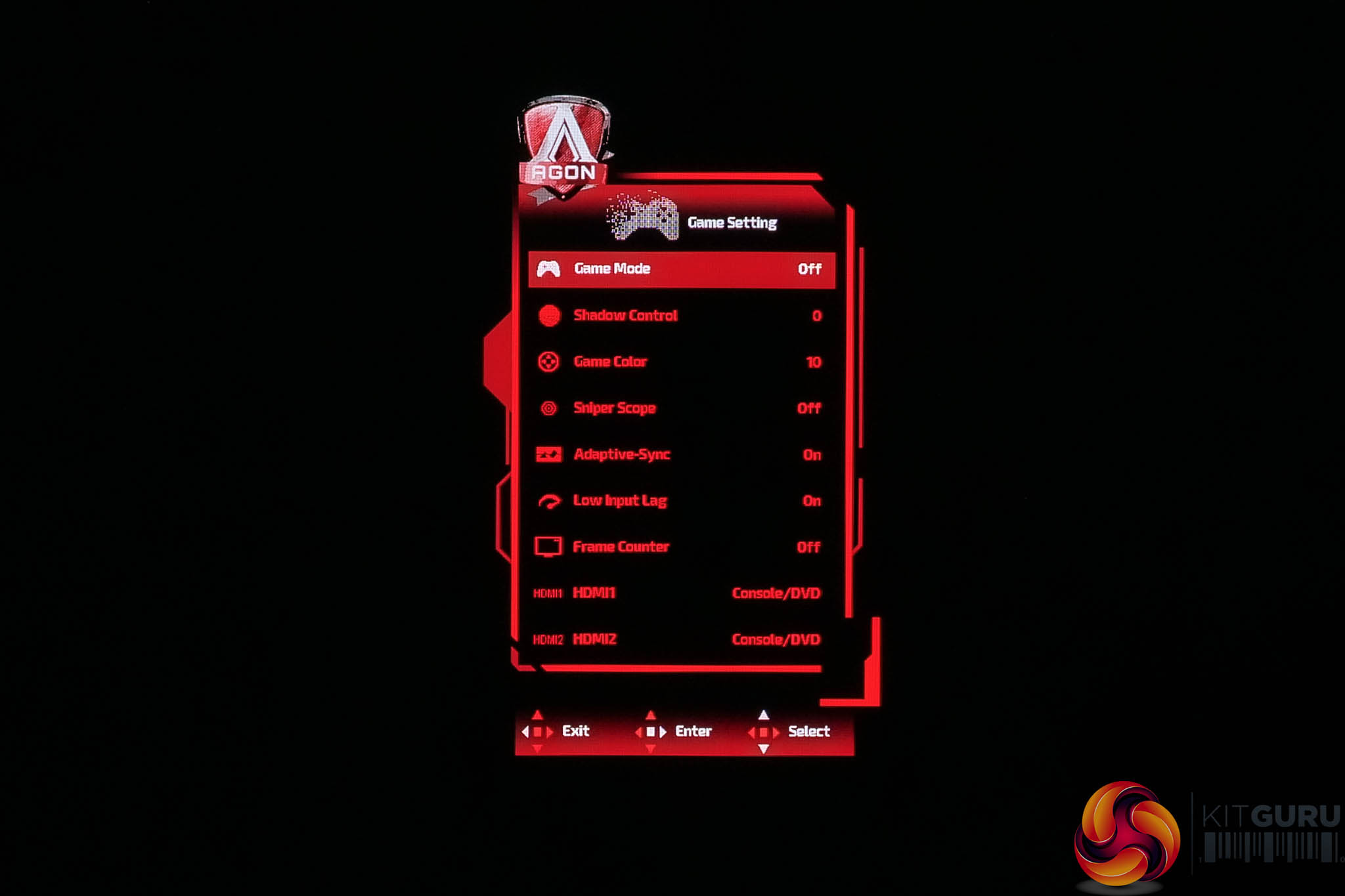
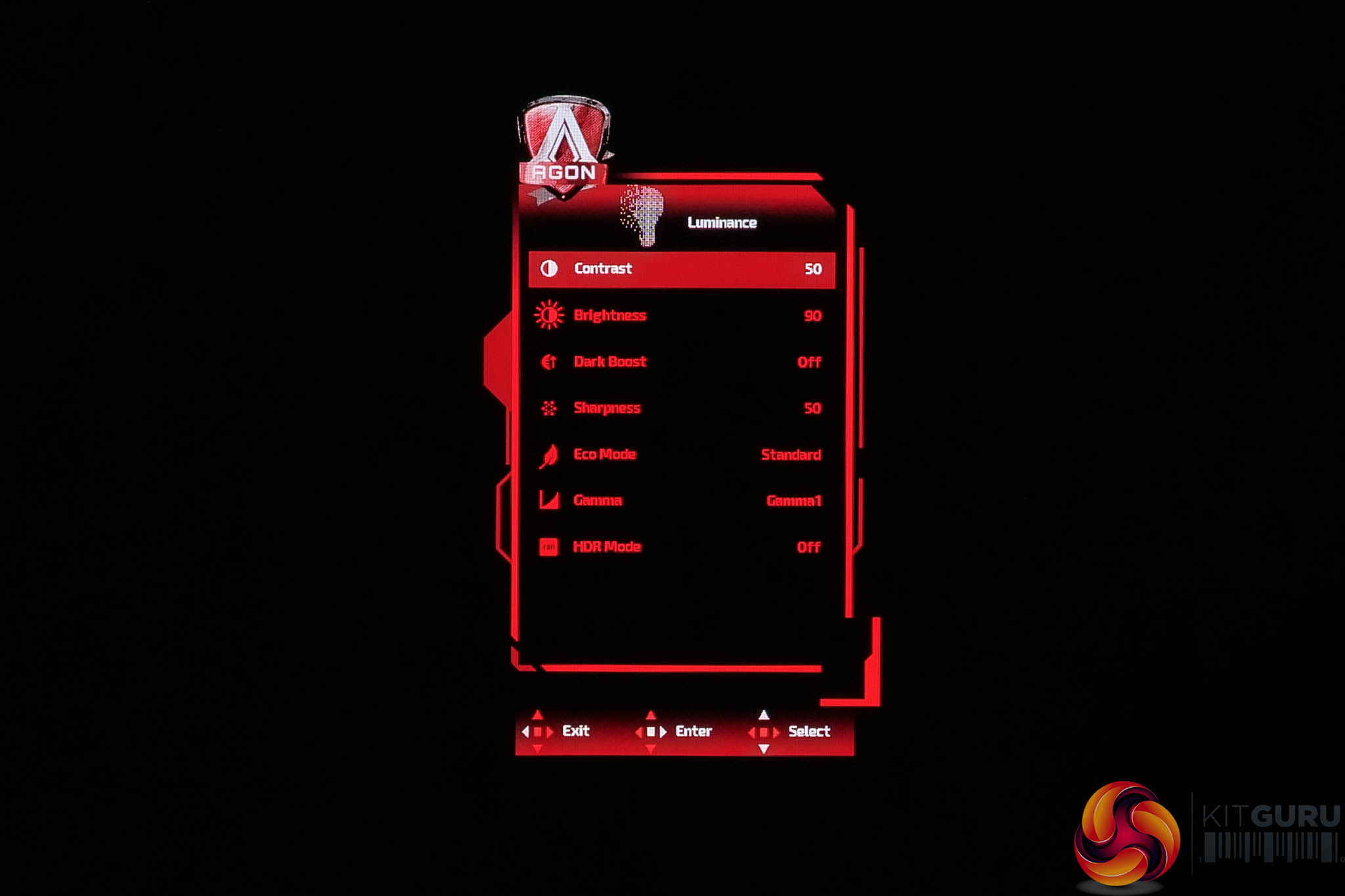
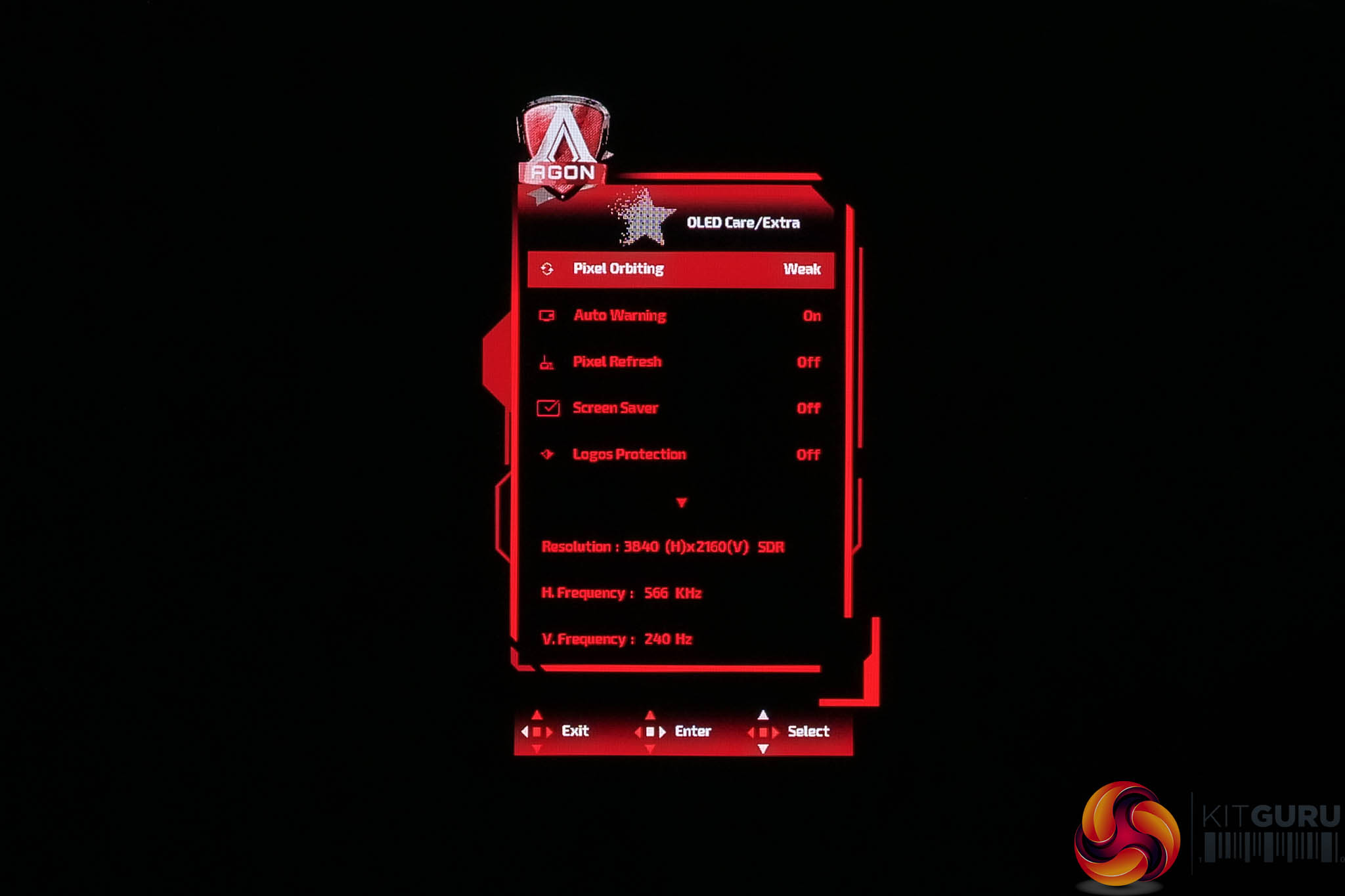
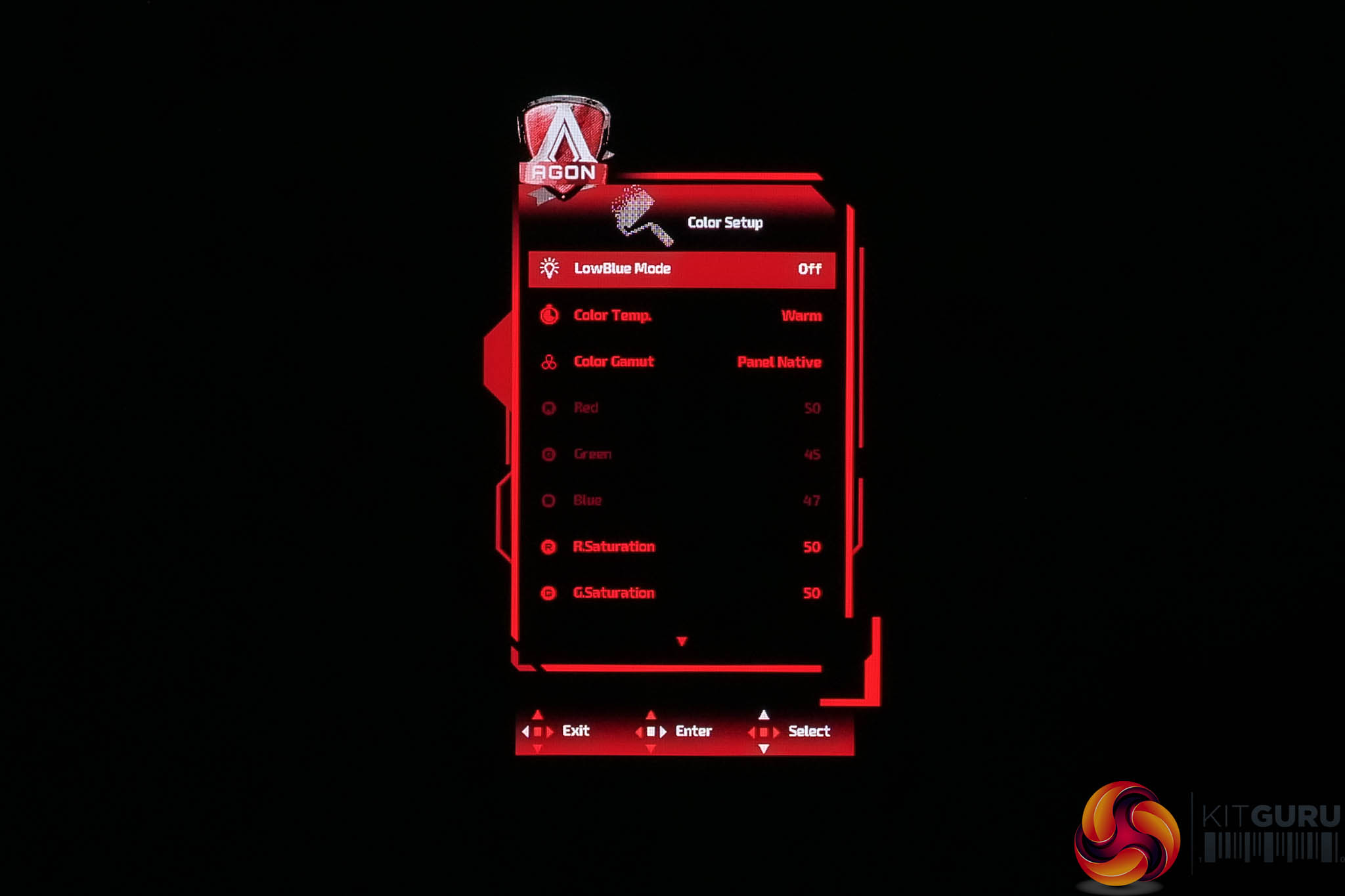
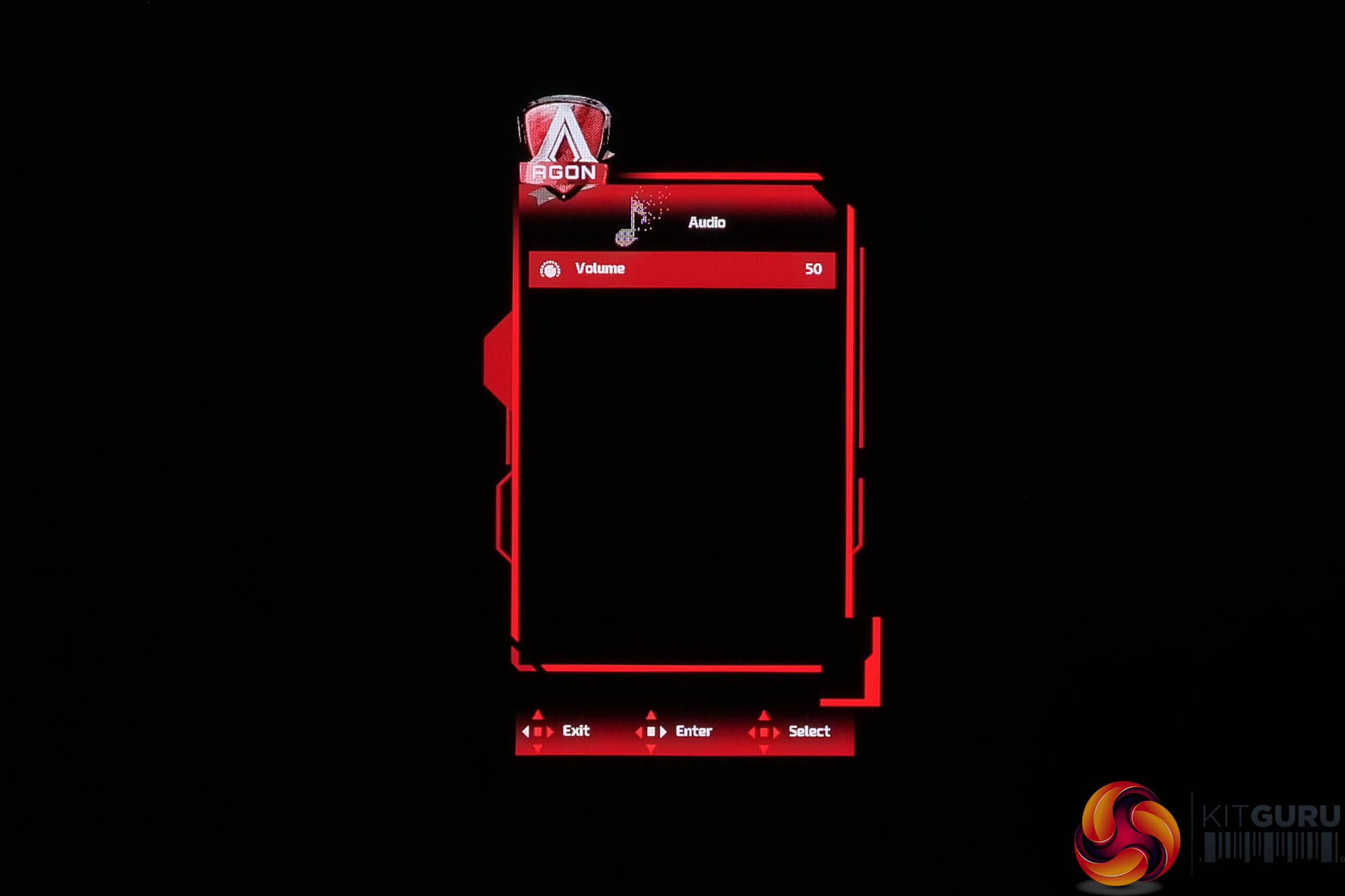
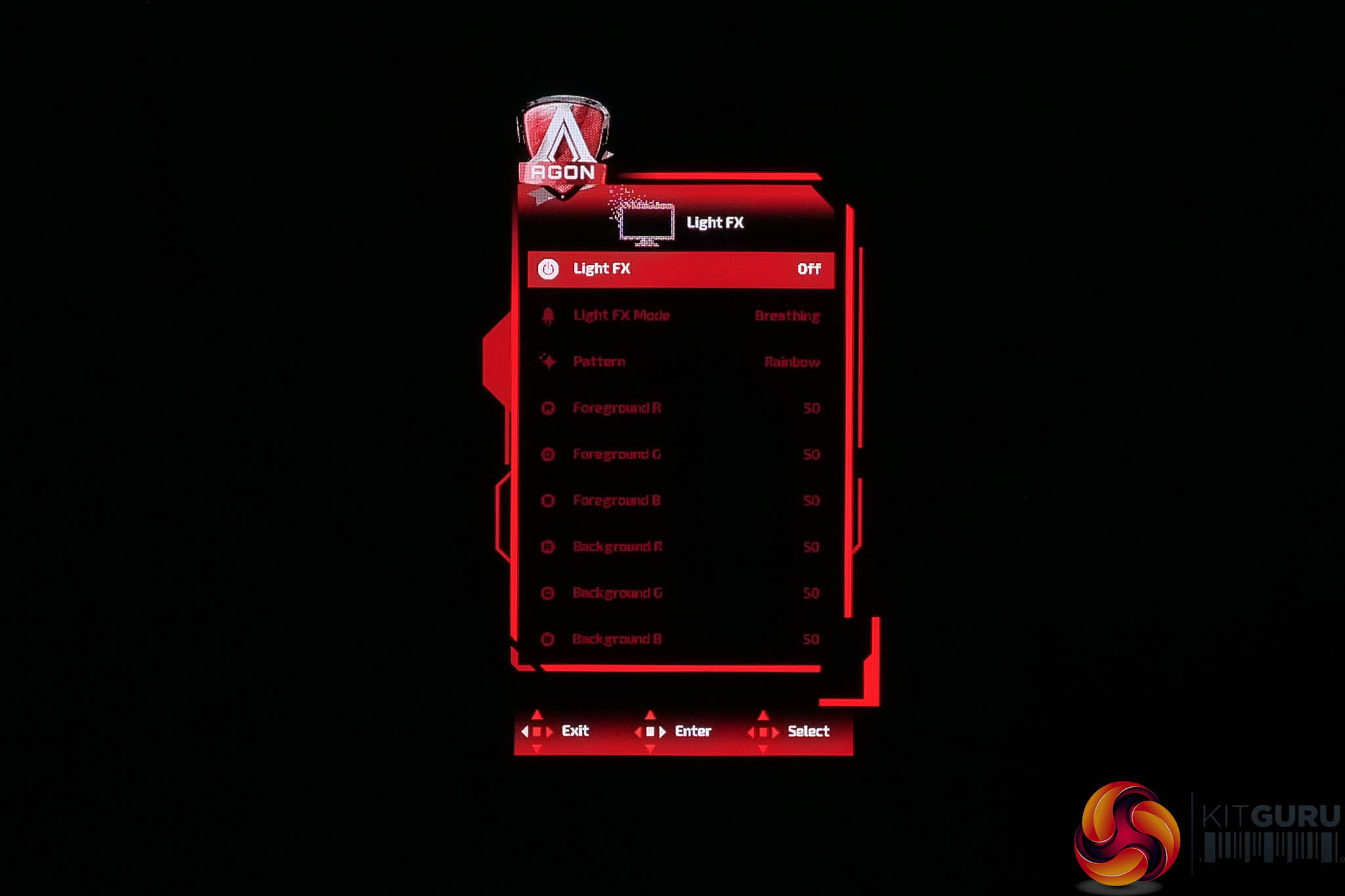
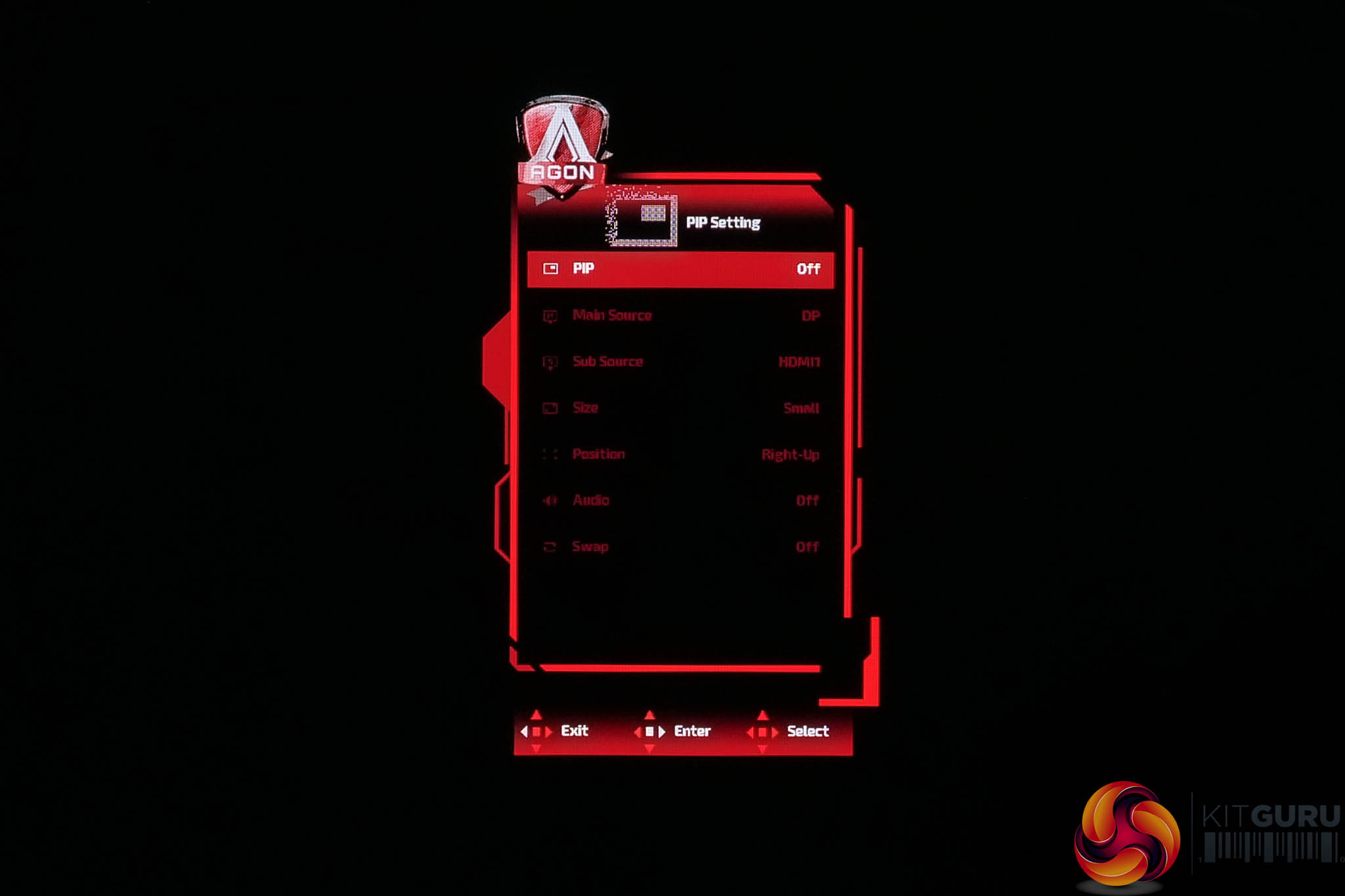
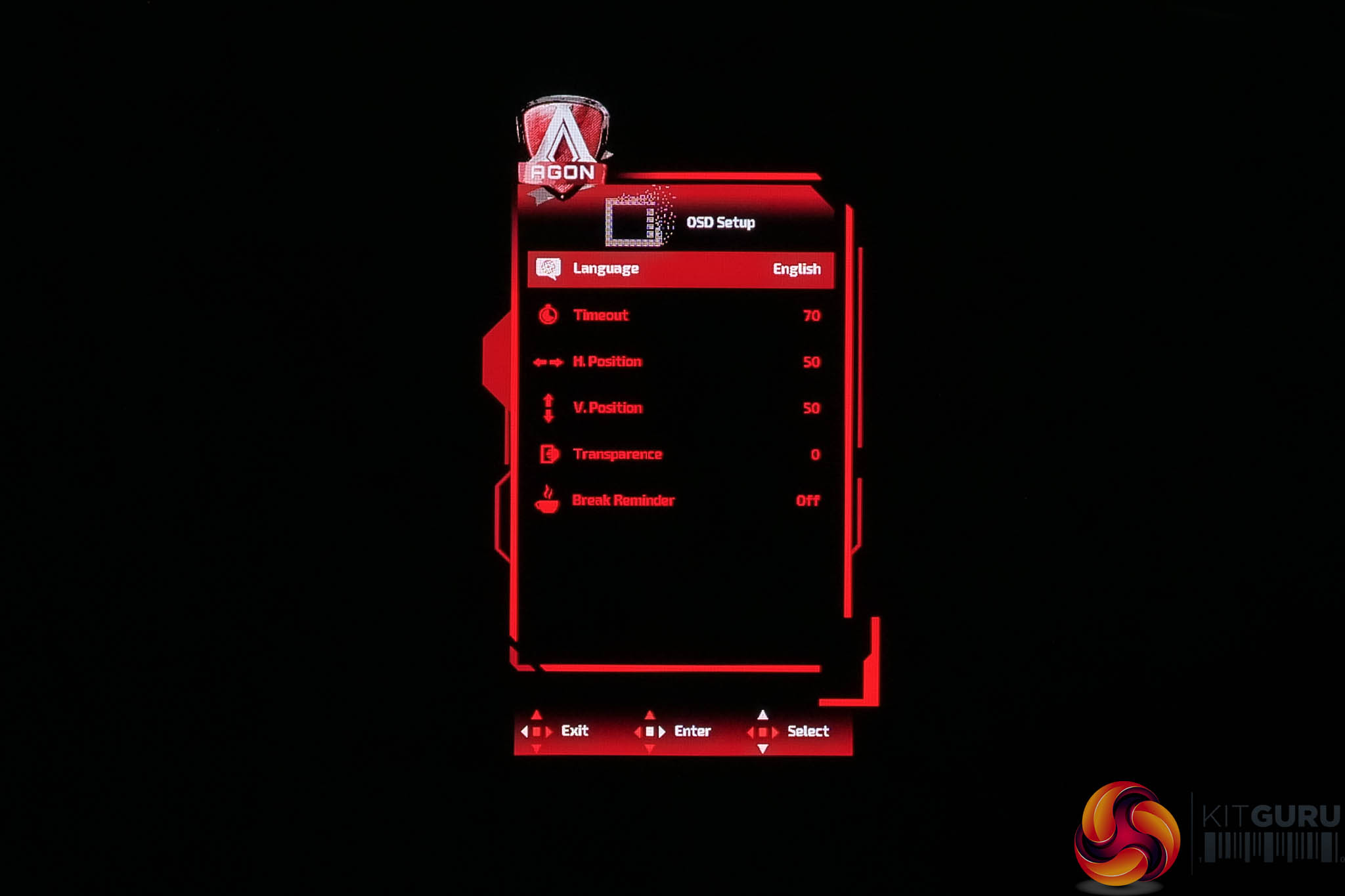
As for the OSD itself, I admit I was very surprised to see AOC using its older and now very dated menu system for the AG276UZD. After all, this monitor only launched in May, and we've seen other screen recently – like the U27G4R – that have been updated with a much more modern OSD system. I did ask AOC about this and they told me the next generation of OLED screens would be updated, but there were no plans to push a firmware update for the AG276. It's at least a functional OSD complete with the features we'd expect to see, I just think it looks very clunky and dated in 2025.
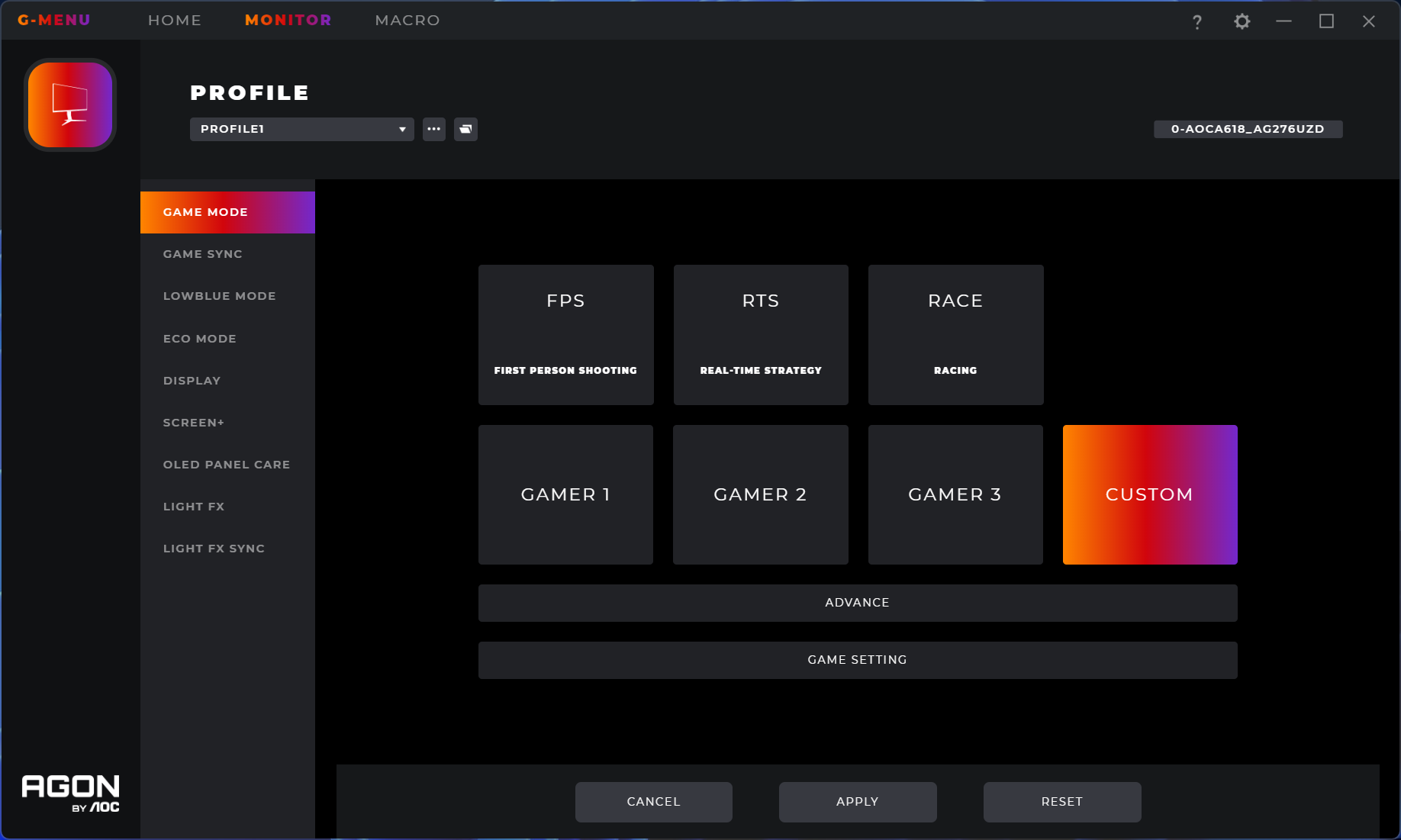
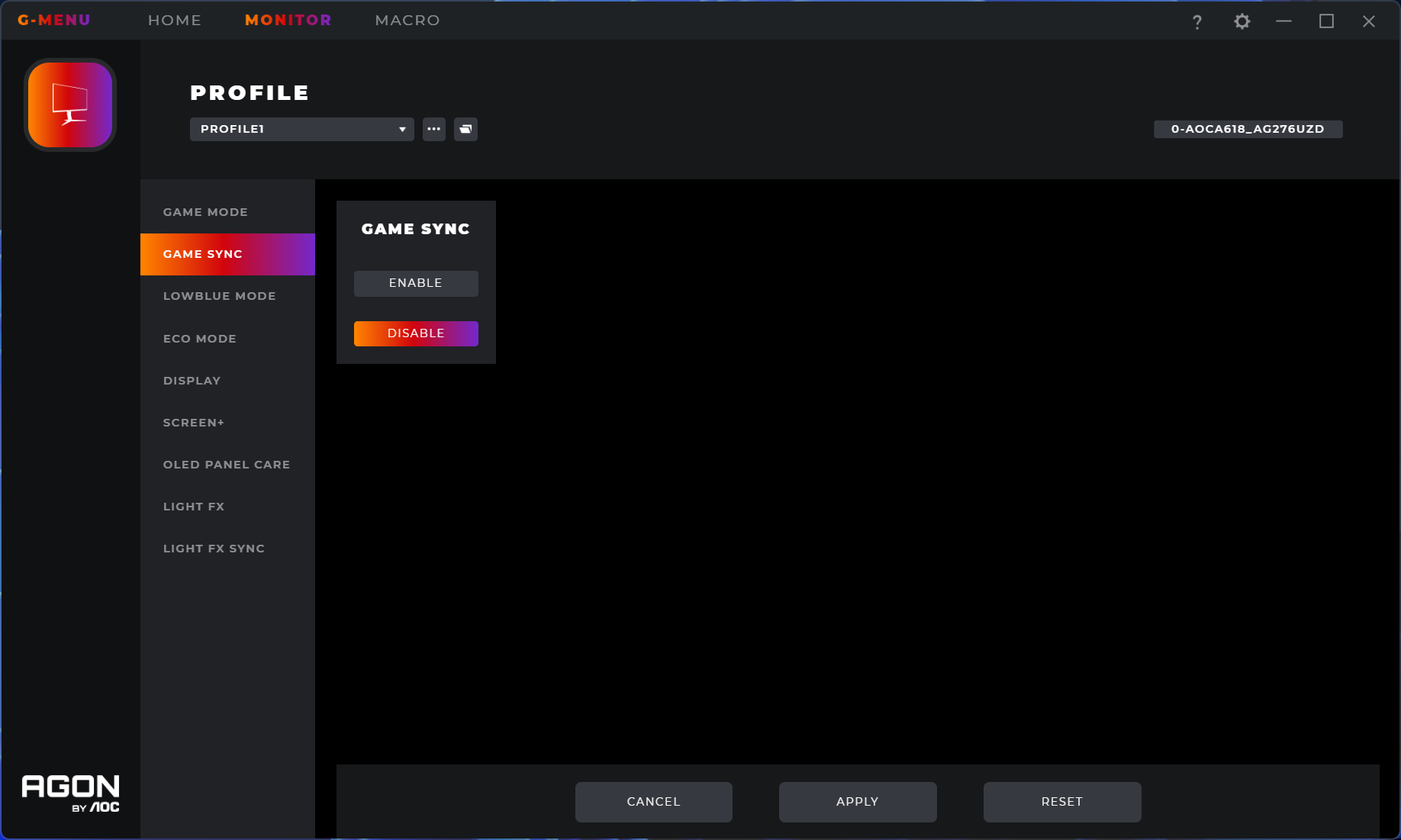
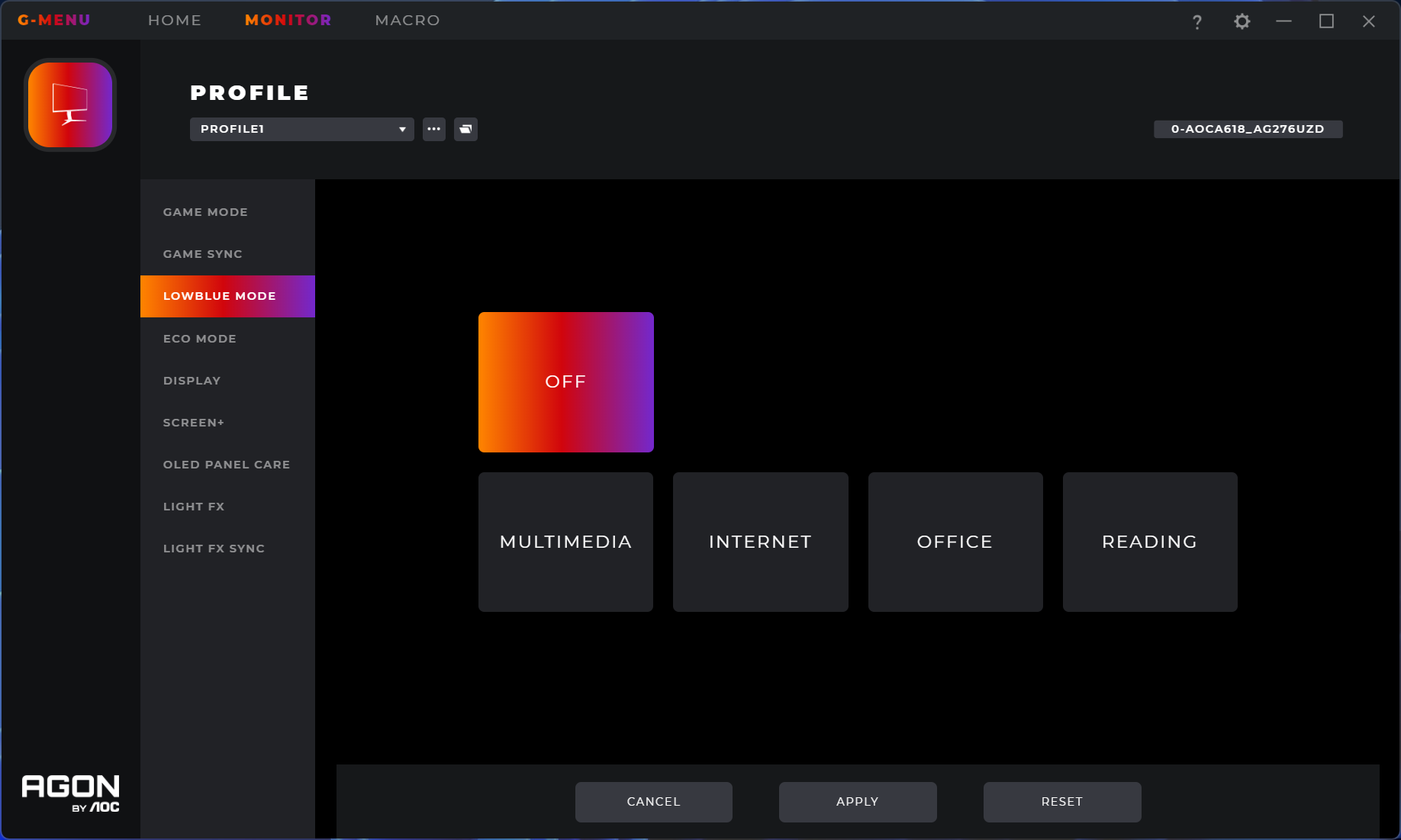
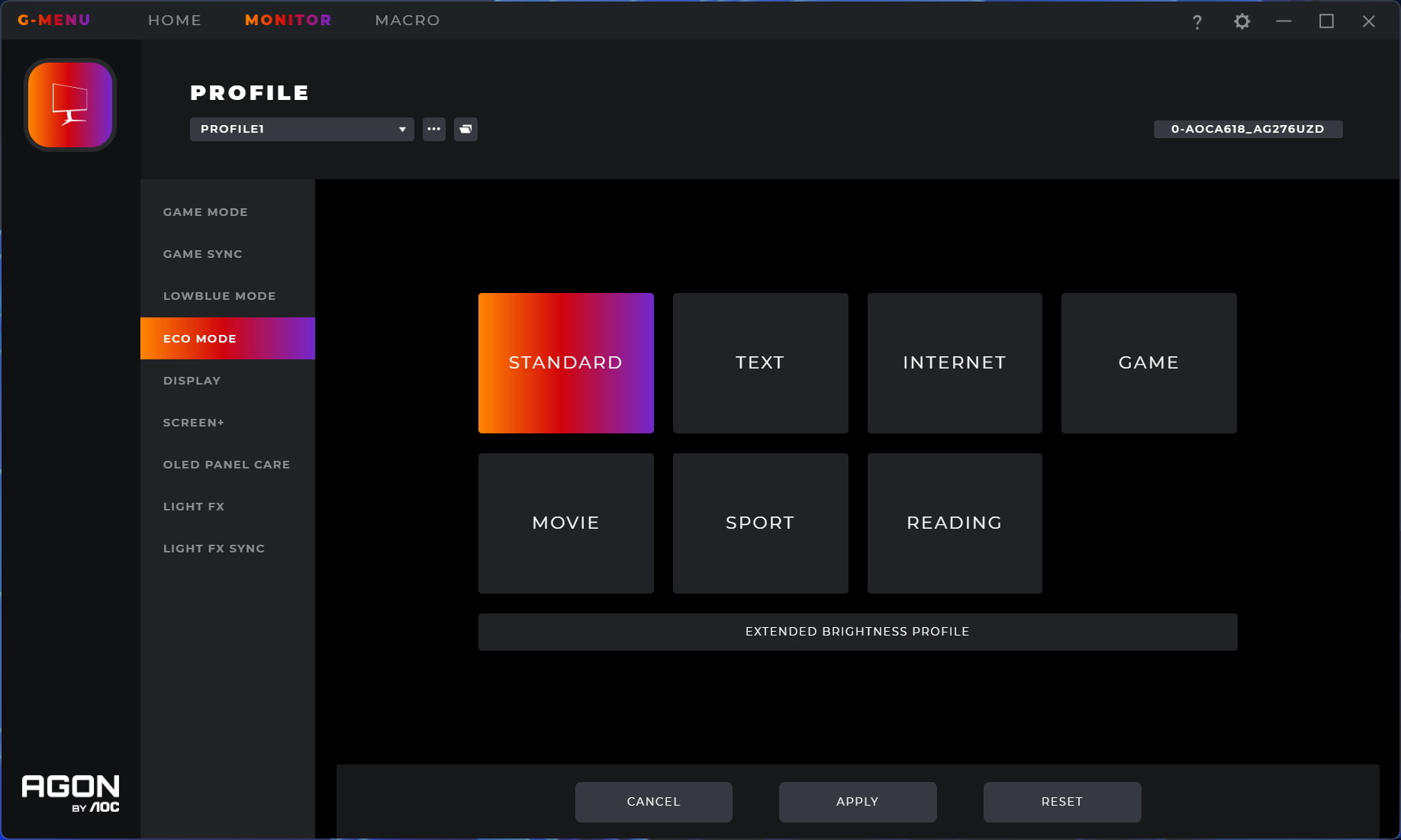
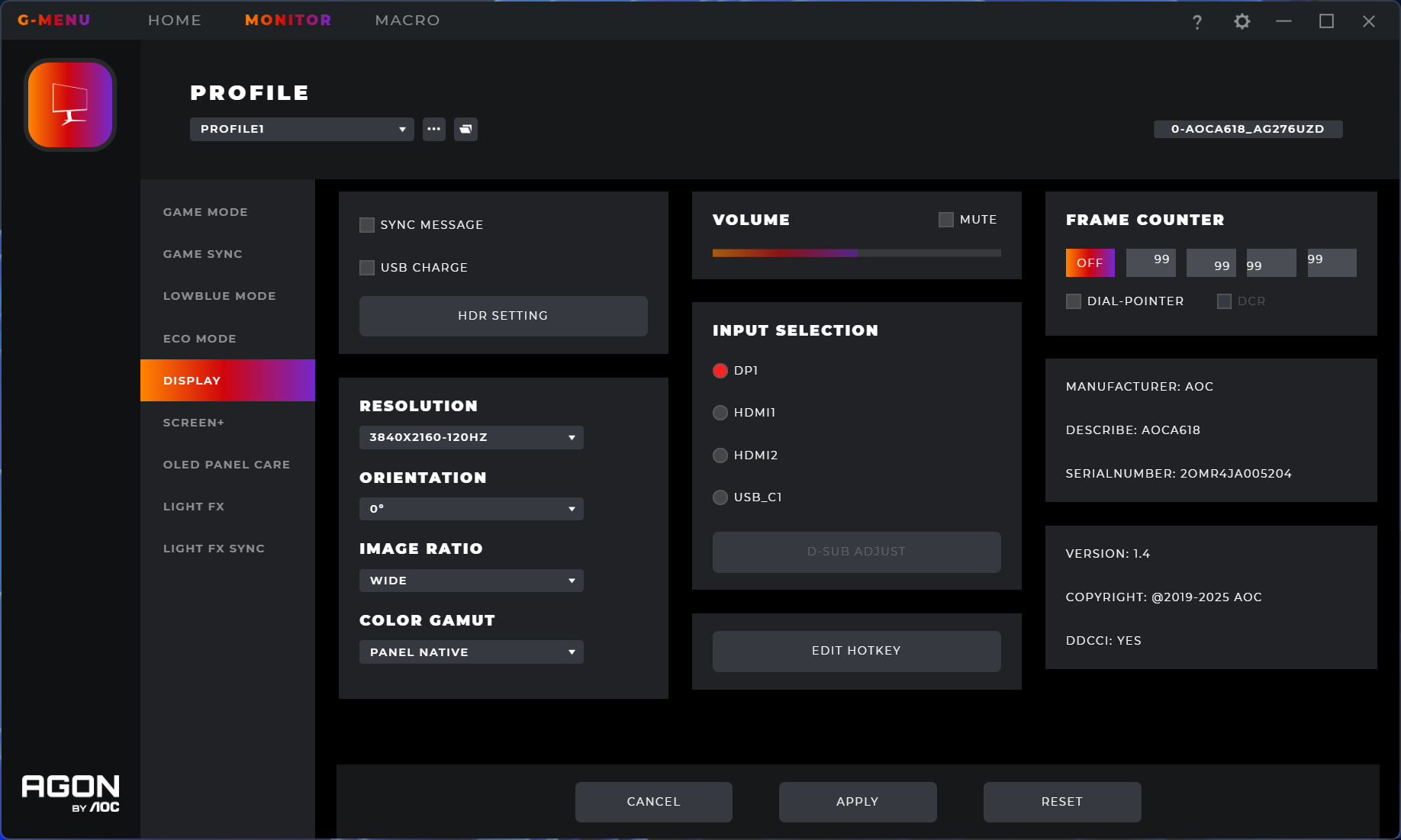
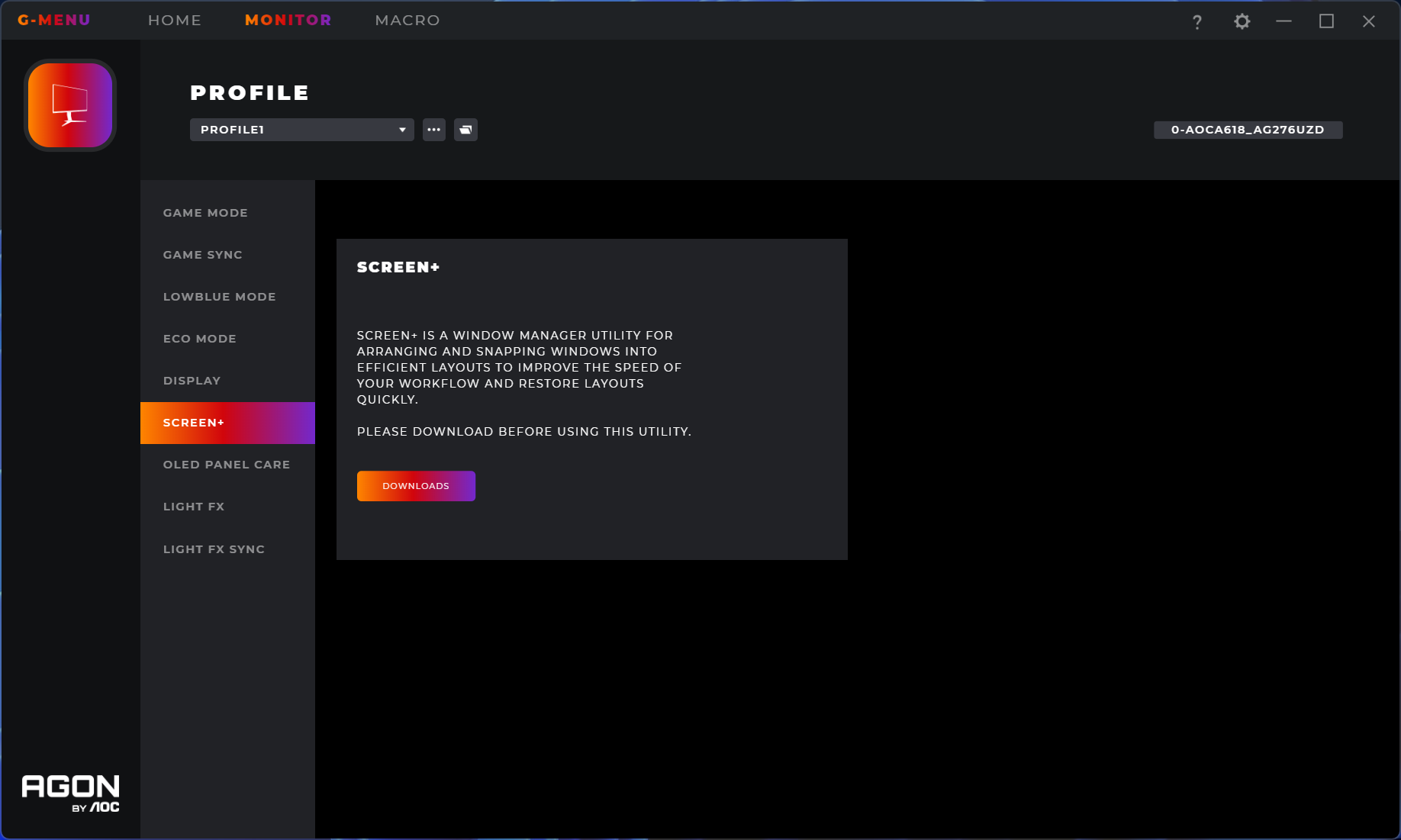
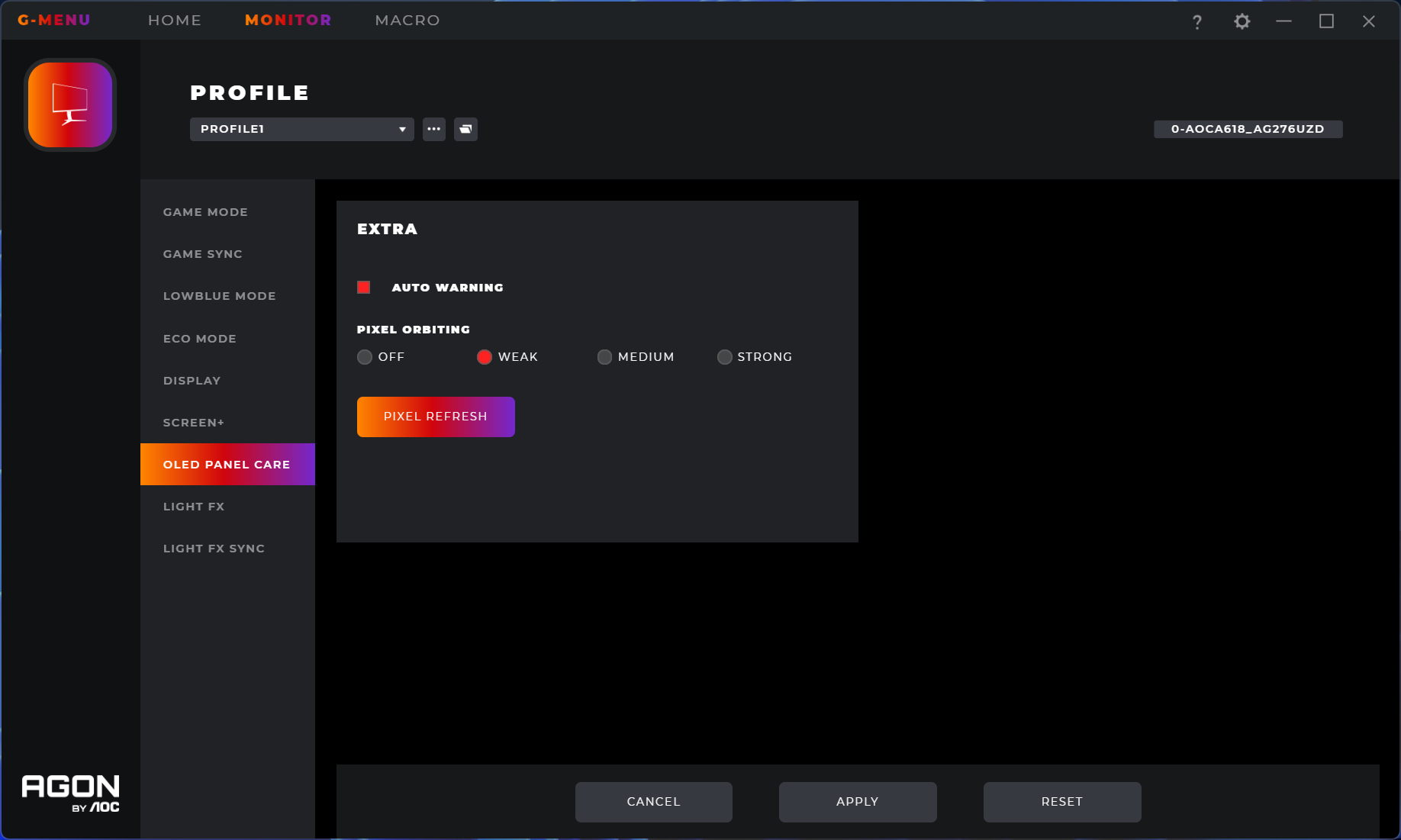

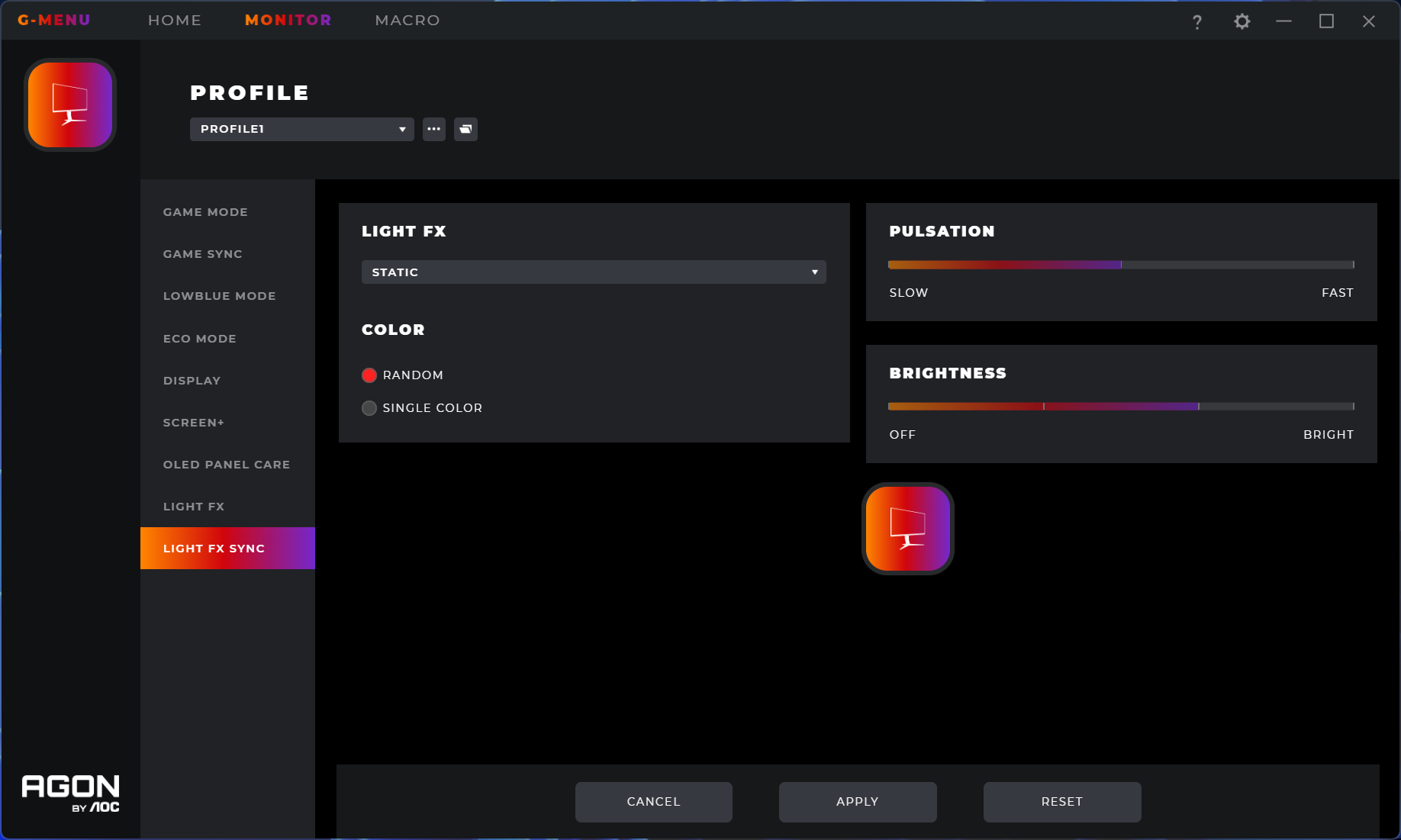
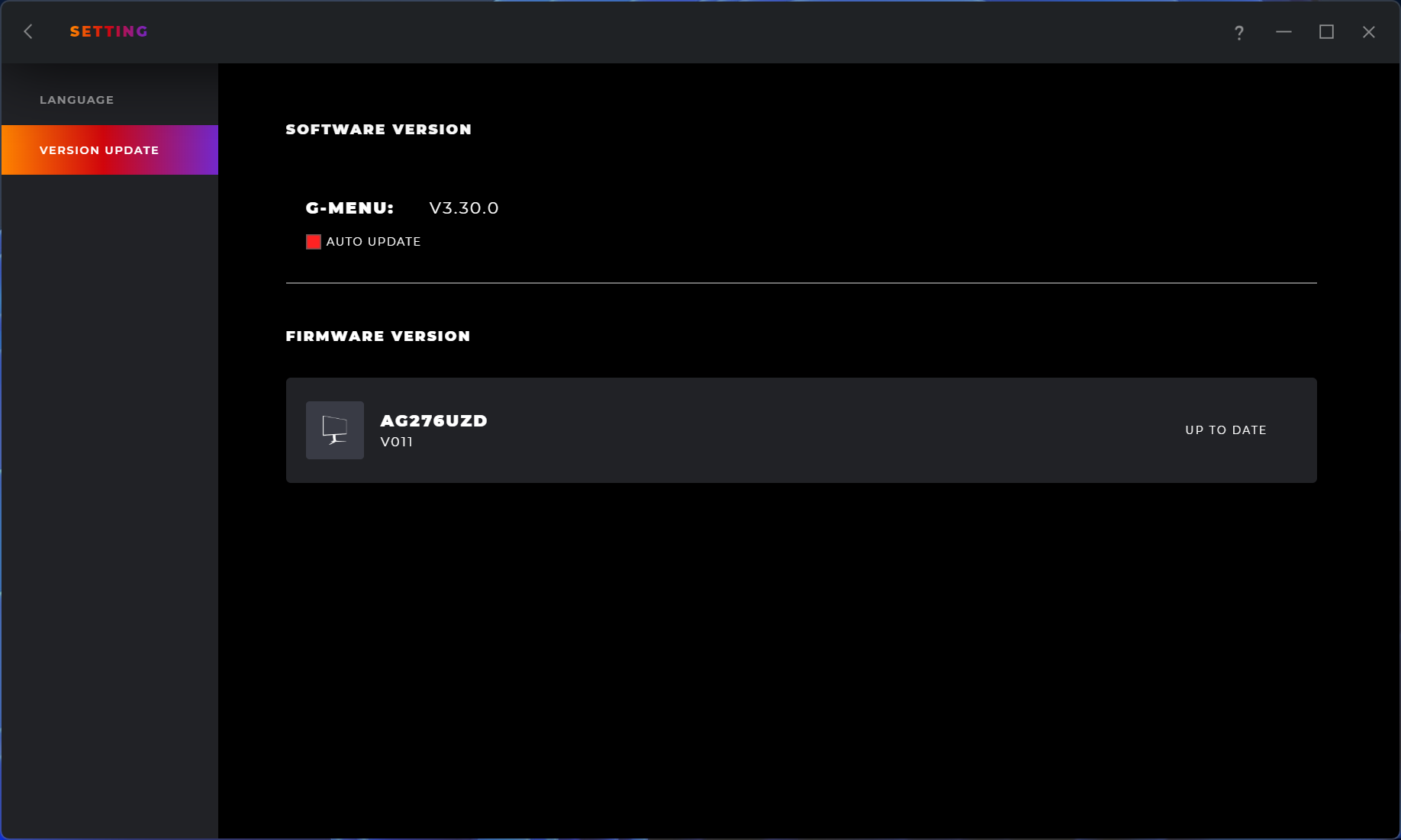
AOC does also offer its GMenu software though, allowing control over the same settings but directly from your PC. It can also be used to update the monitor's firmware, which is always a good inclusion.
Our main test involves using an X-Rite i1 Display Pro Plus colorimeter and utilising Portrait Display's Calman Ultimate software. The device sits on top of the screen while the software generates colour tones and patterns, which it compares against predetermined values to work out how accurate the screen is.

The results show:
- A monitor’s maximum brightness in candelas or cd/m2 at various levels set in the OSD.
- A monitor’s contrast ratio at various brightness levels in the OSD.
- Gamut coverage, primarily focusing on sRGB and DCI-P3 colour spaces.
- Greyscale accuracy, measured across 20 shades, with an average colour balance reported.
- The exact gamma levels, with a comparison against preset settings in the OSD.
- The colour accuracy, expressed as a Delta E ratio, with a result under 3 being fine for normal use, and under 2 being great for colour-accurate design work.
We first run these tests with the display in its out-of-the-box state, with all settings on default. If there is an sRGB emulation option or other useful mode then we may test that too. We then calibrate the screen using the Calman Ultimate software and run the tests again.
You can read more about our test methodology HERE.
Default settings
Brightness and Contrast (Full Screen)
| OSD Brightness | White Luminance (cd/m2) | Black Luminance (cd/m2) | Contrast Ratio |
| 0% | 15.8 | 0.00 | ~Infinite |
| 25% | 74.5 | 0.00 | ~Infinite |
| 50% | 131.8 | 0.00 | ~Infinite |
| 75% | 190.9 | 0.00 | ~Infinite |
| 100% | 249.4 | 0.00 | ~Infinite |
Starting off with brightness testing, things are very typical of a QD-OLED monitor, with a minimum of just 15.8 nits ranging up to a maximum of 249.4 nits for a full screen white. Black levels are zero, due to the per-pixel nature of the OLED panel, resulting in effectively infinite contrast.
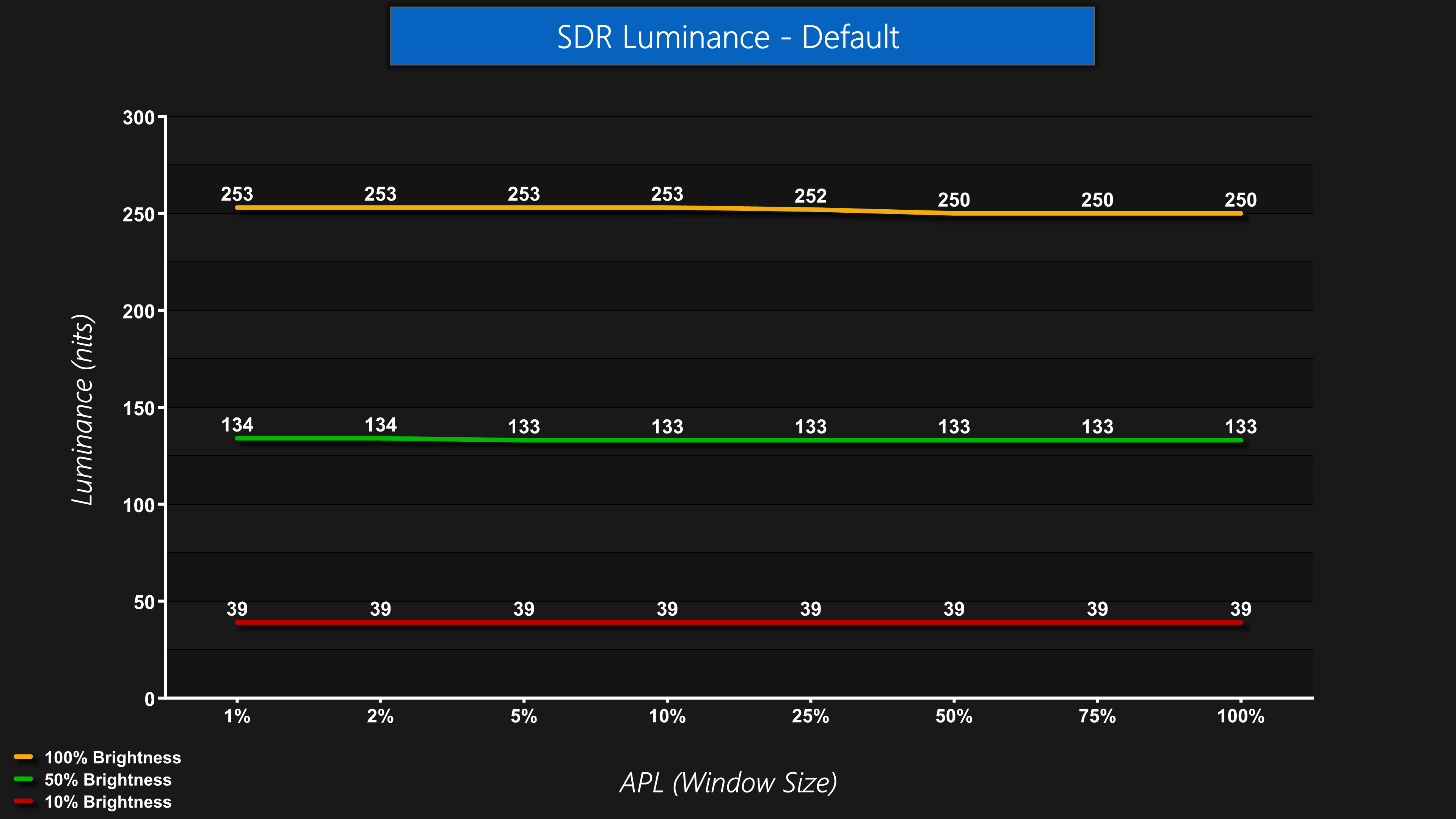
Luminance is also very steady regardless of the window size (APL). Some monitors, typically WOLED panels, will show a noticeable drop off in brightness as the window size gets bigger, even in SDR, but not so for the AG276UZD.
Gamut (CIE 1976)
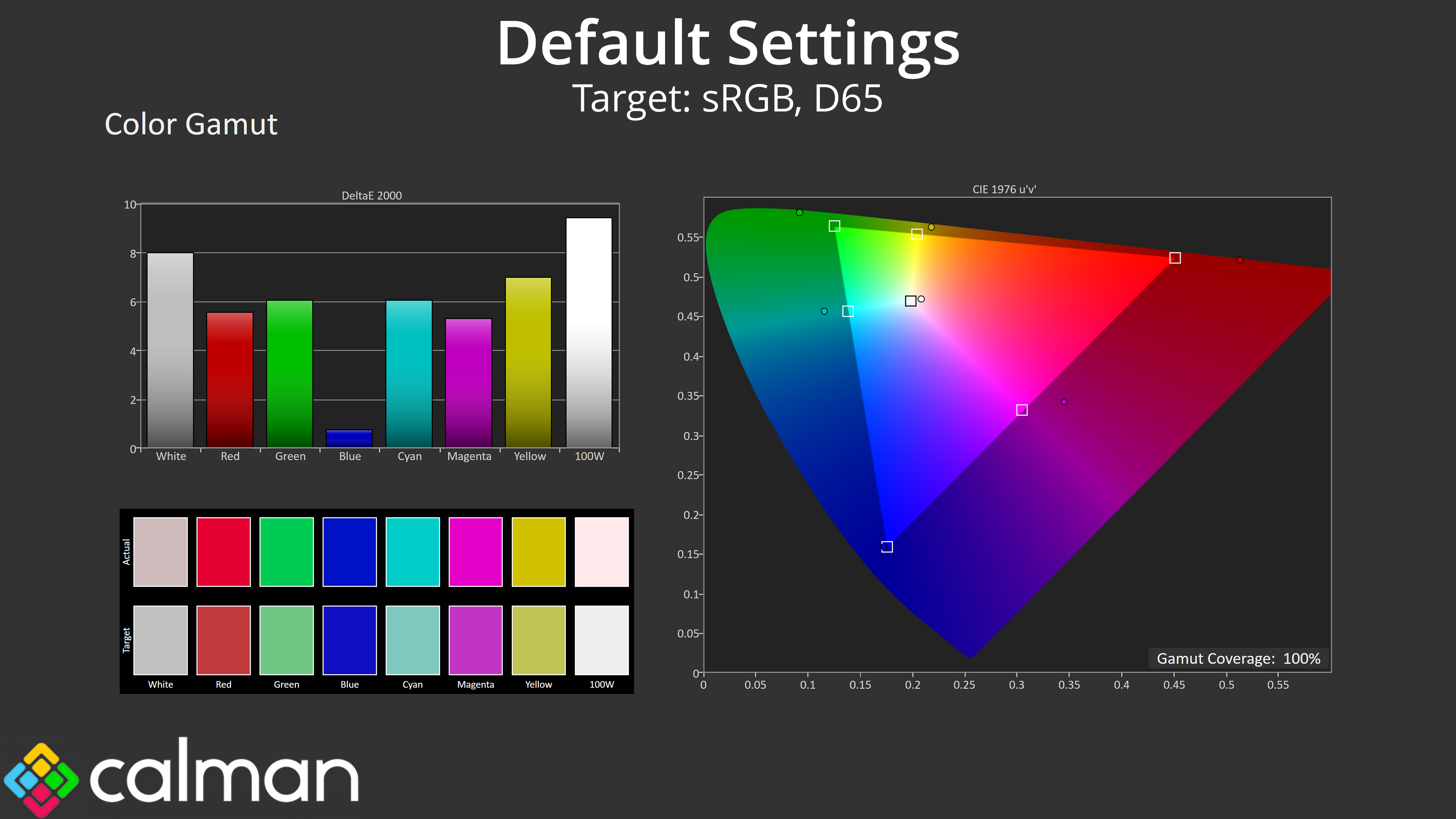
| Colour space | Coverage (%) |
| sRGB | 100 |
| DCI-P3 | 99.3 |
| Adobe RGB | 95.9 |
| Rec.2020 | 77.3 |
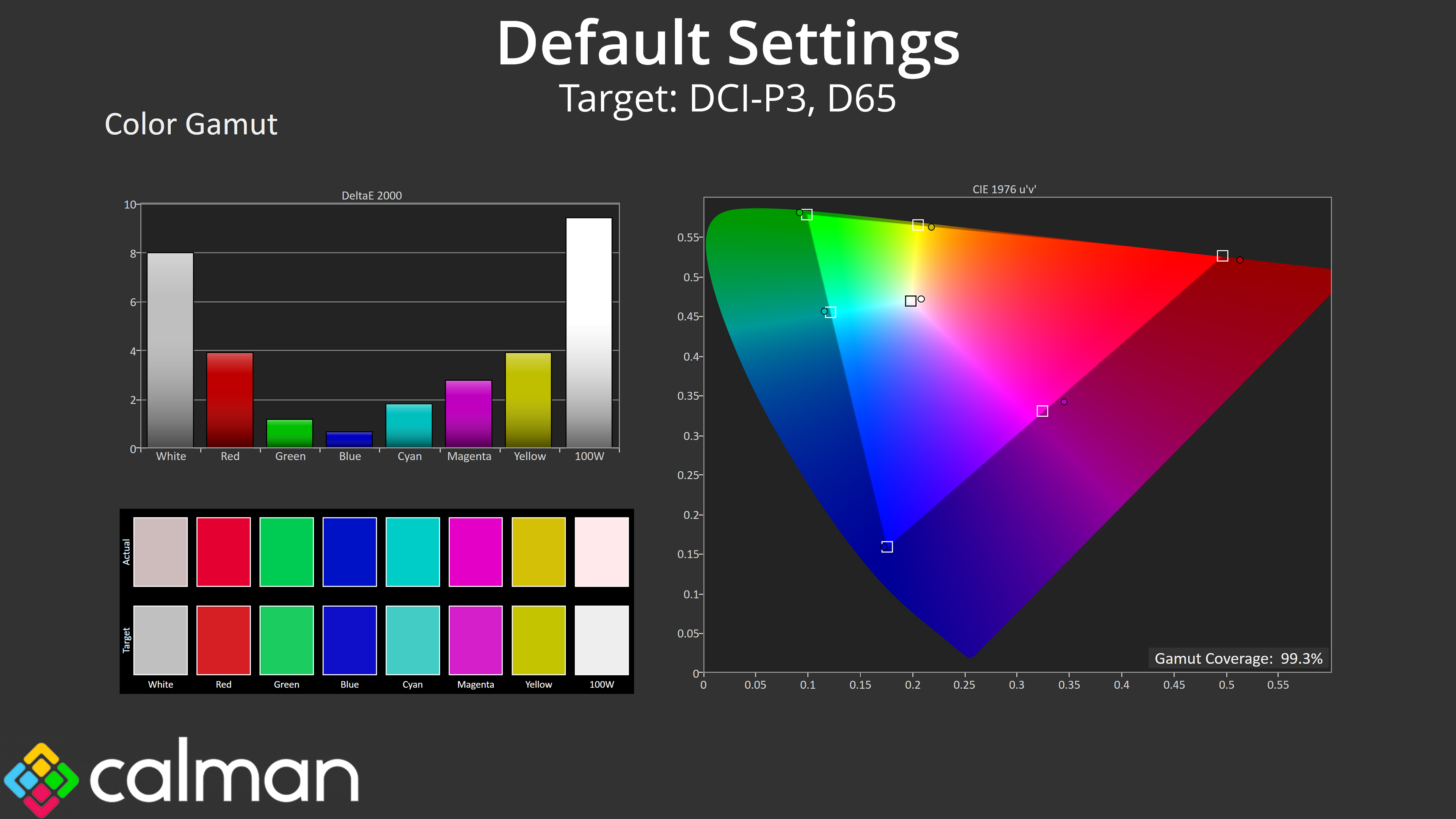
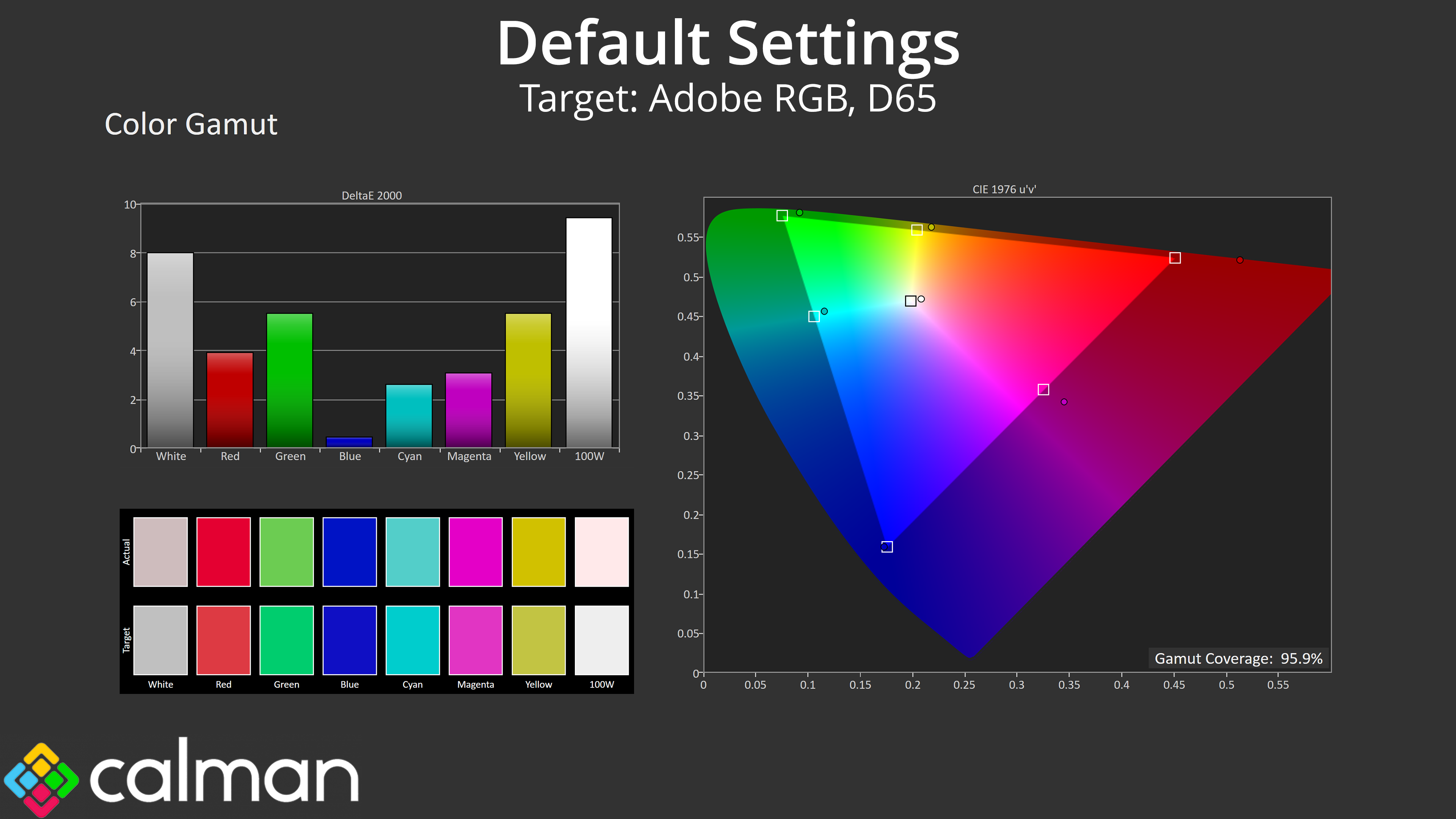
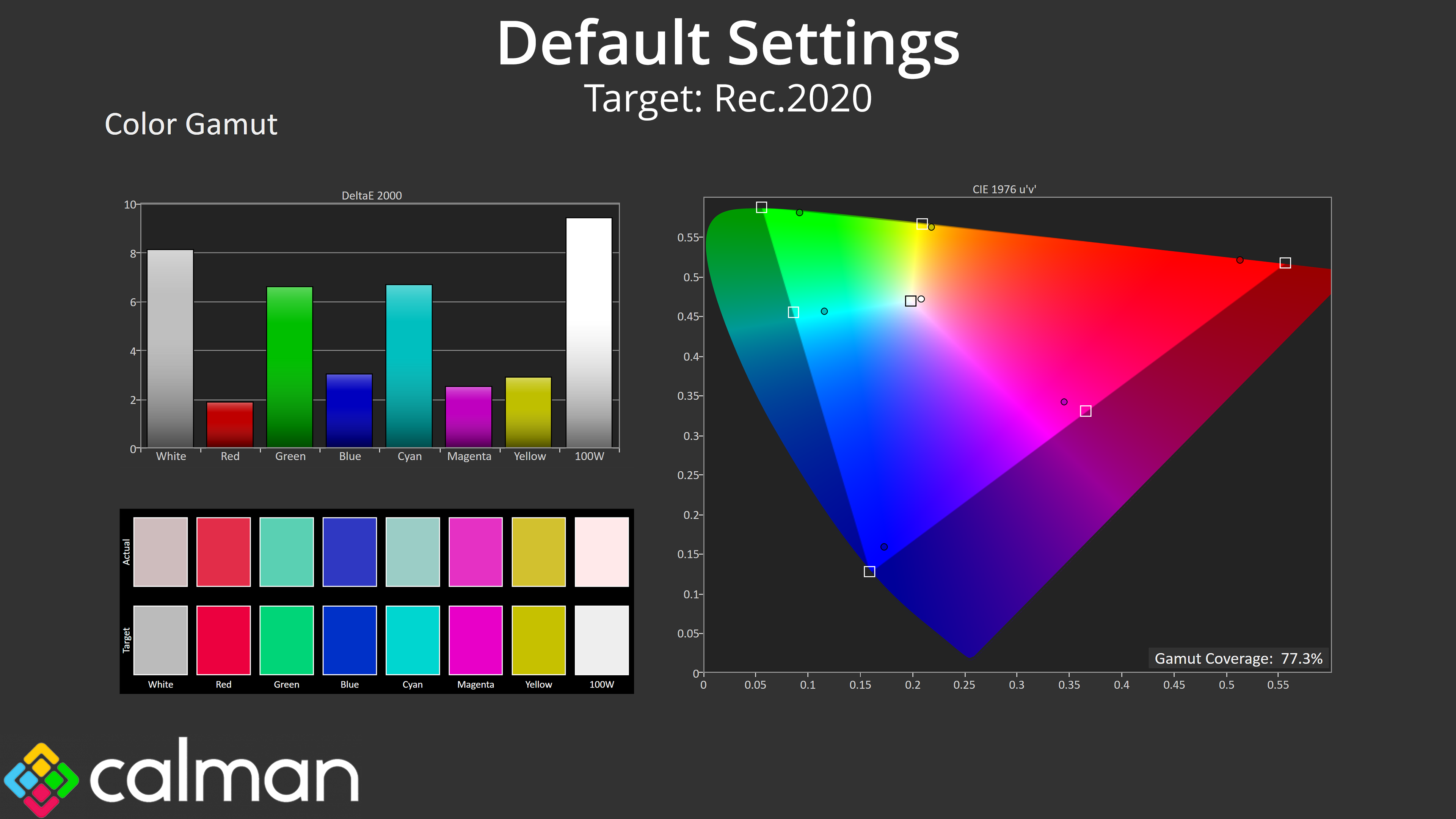
Gamut is as wide as we'd expect from a QD-OLED, far exceeding the sRGB space and offering 99.3% coverage for DCI-P3, alongside 95.9% Adobe RGB reporting, and then 77.3% coverage for Rec.2020.
Greyscale
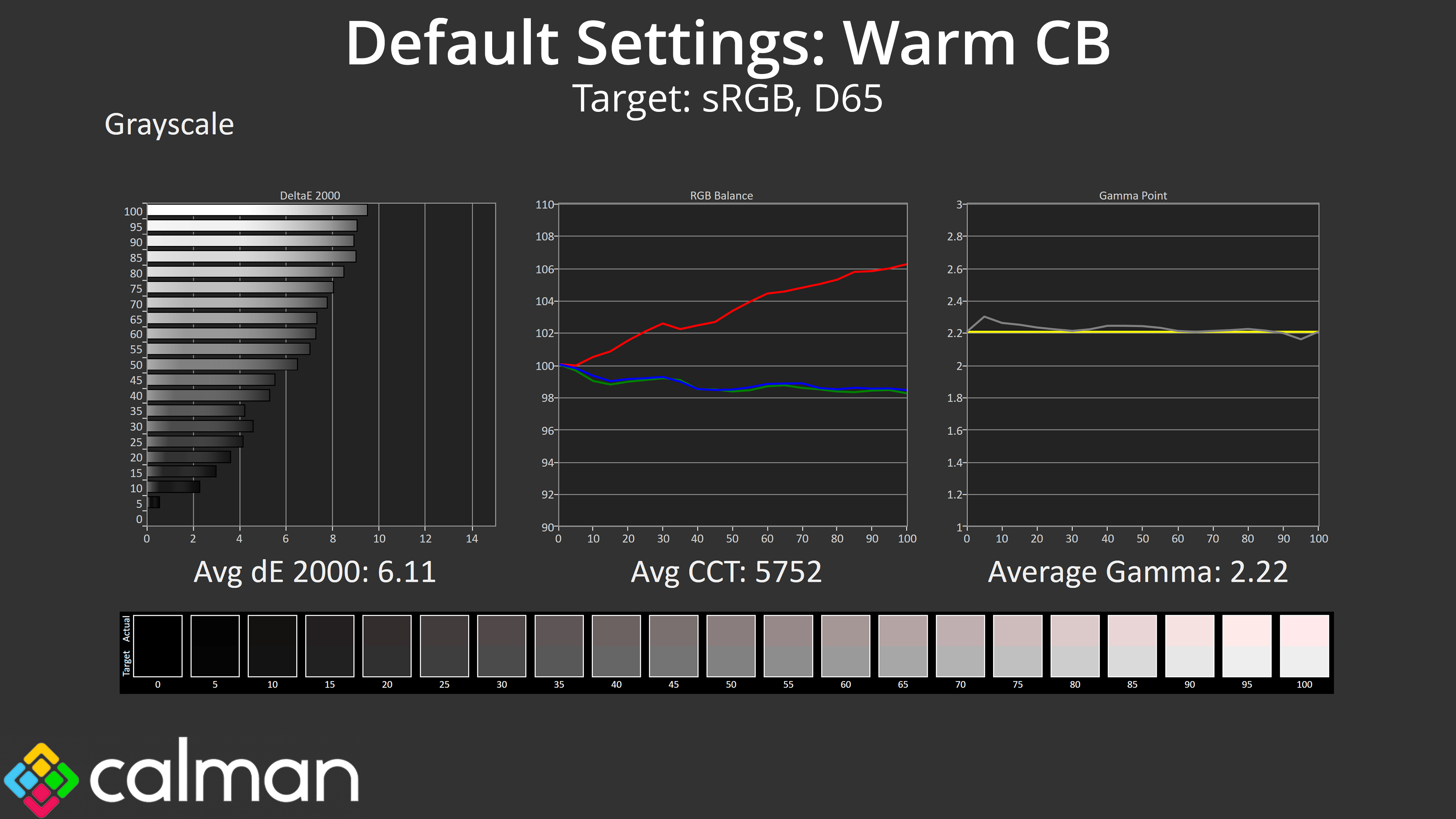
As for greyscale performance, AOC defaults to using the ‘Warm' colour balance in the OSD and it is certainly that, with an average CCT of 5752K. It's quite obvious even to the naked eye that white shades have a noticeably red tint. Gamma tracking, though, is pretty spot on, closely hugging the 2.2 target across all twenty shades tested.
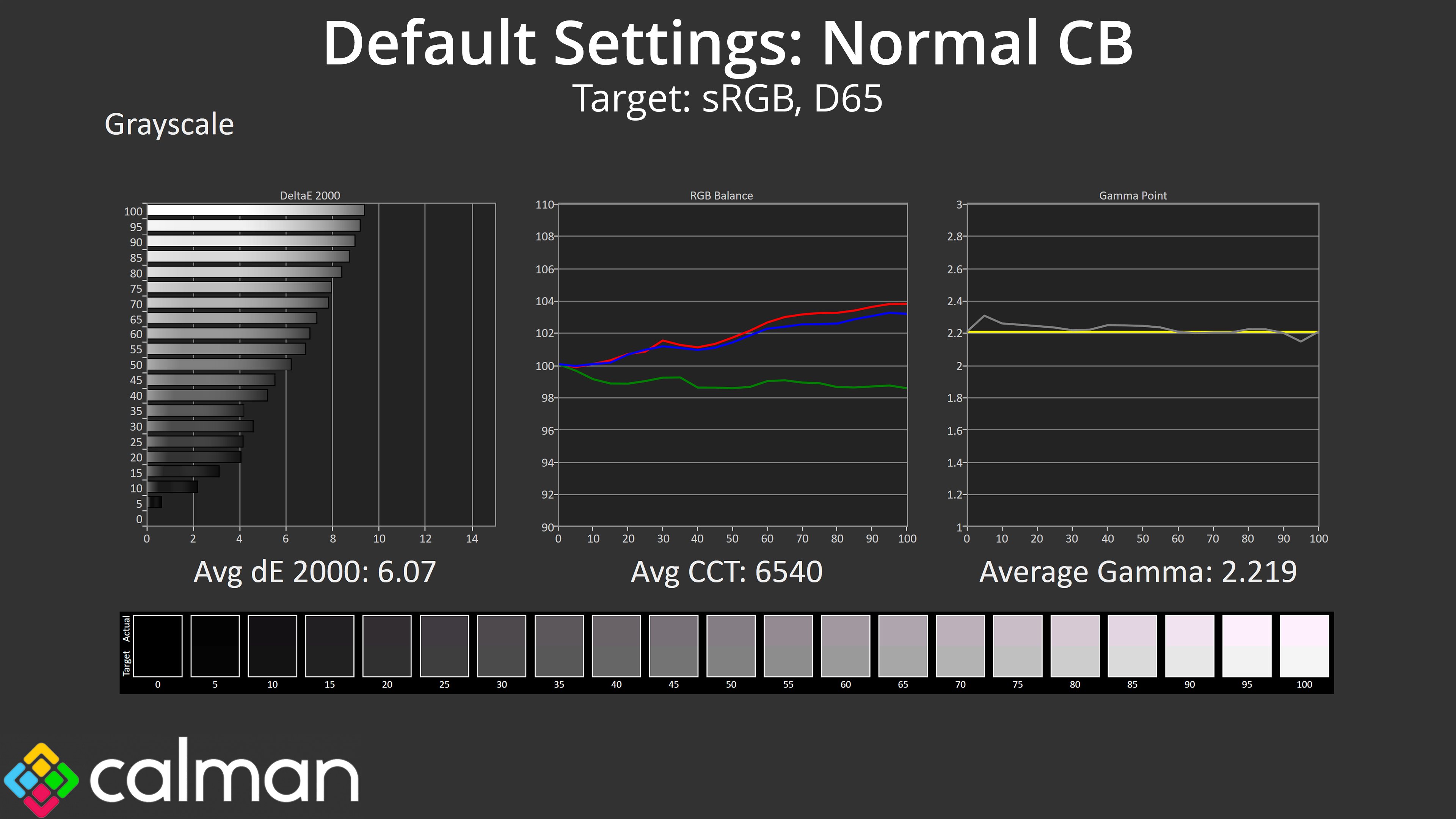
There is also a Normal colour balance option which does improve the average colour temperature, though the green channel is still very low, resulting in a purplish tint to the image this time, so it's still not very accurate.
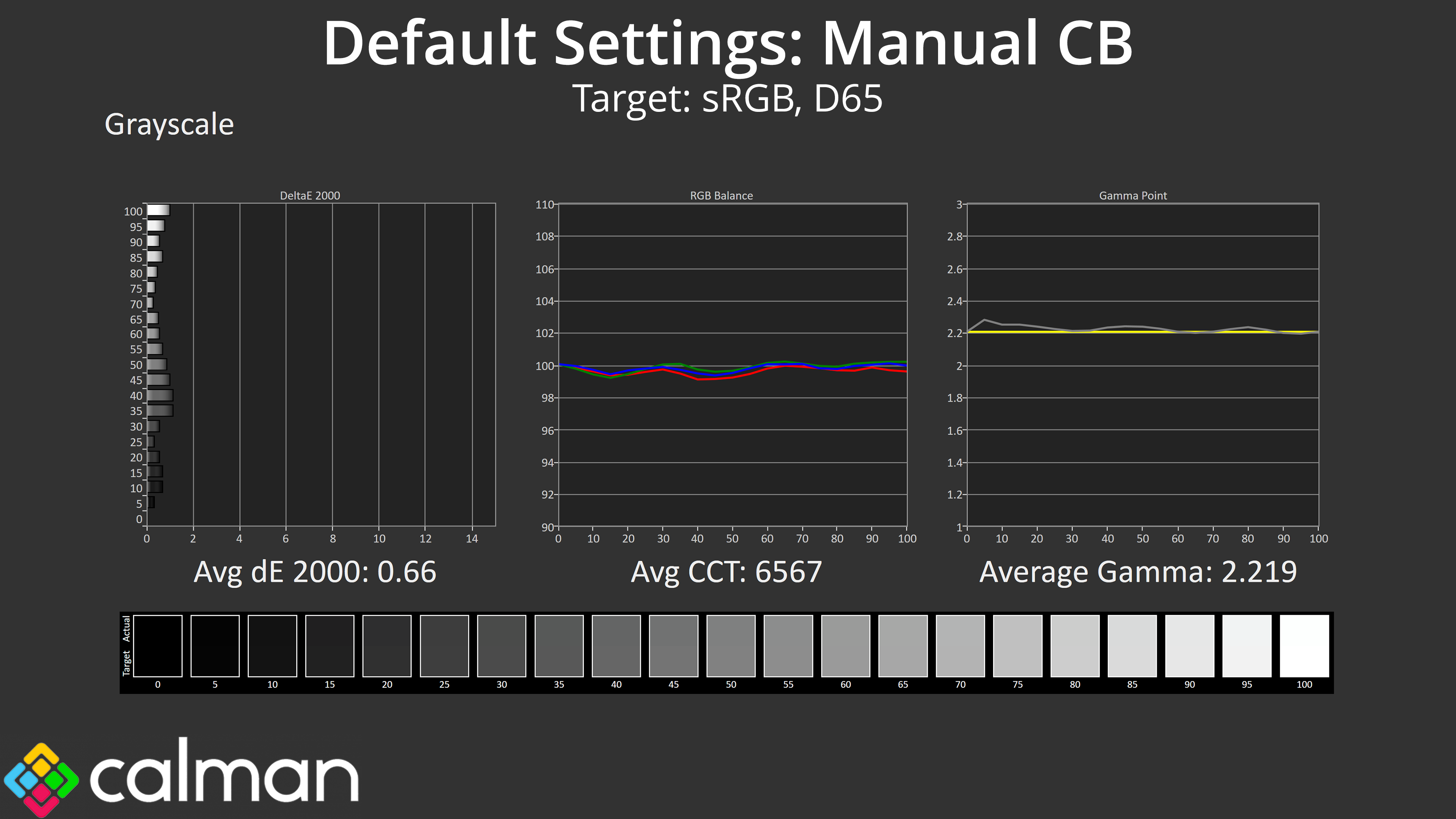
Thankfully AOC does include a manual colour balance option, and I reduced the Red channel to 44, the Green channel to 48 and left Blue at 50. That gave stellar results, improving the average CCT to 6567K, while our average greyscale dE 2000 hit just 0.66.
Saturation
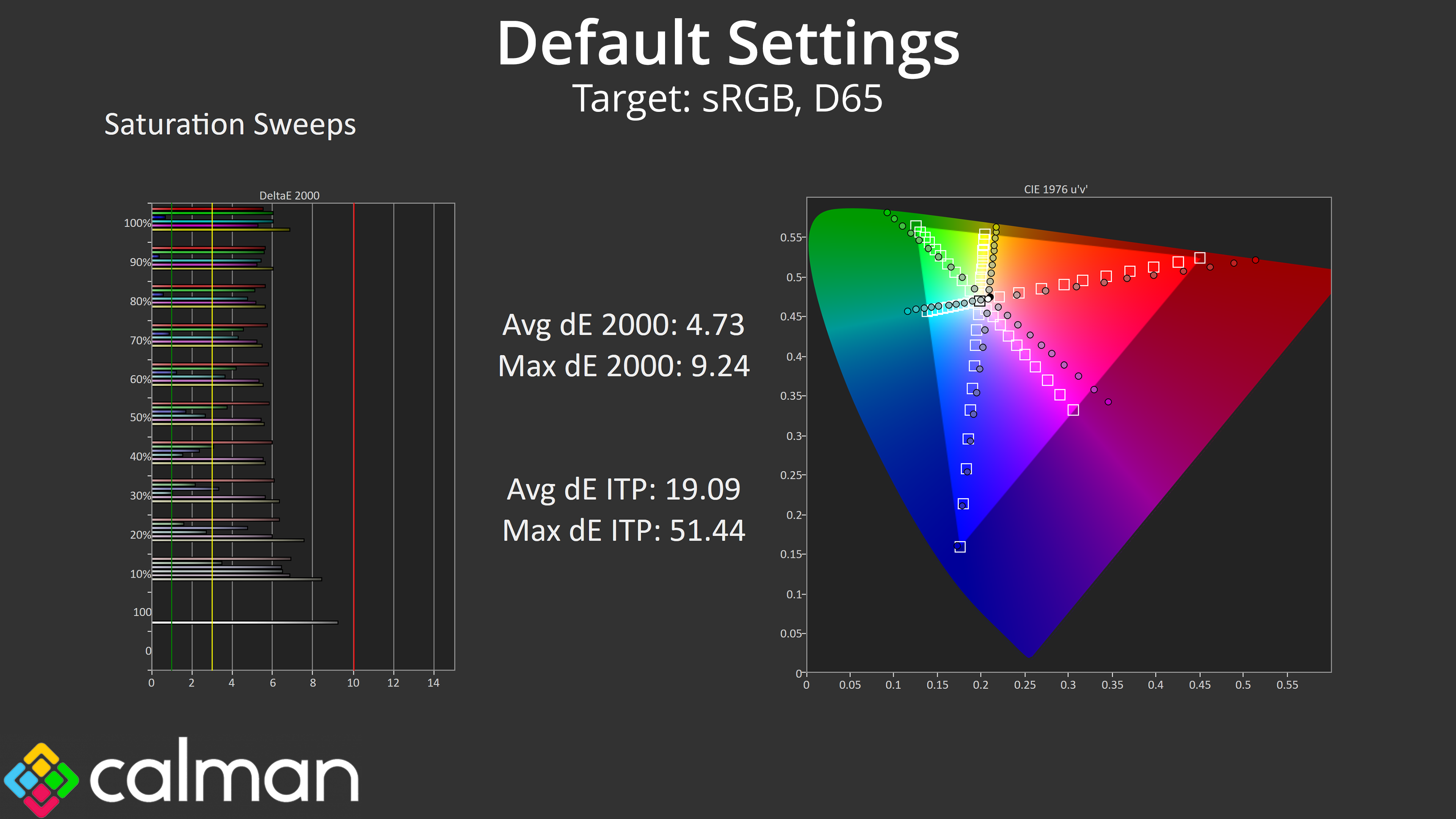
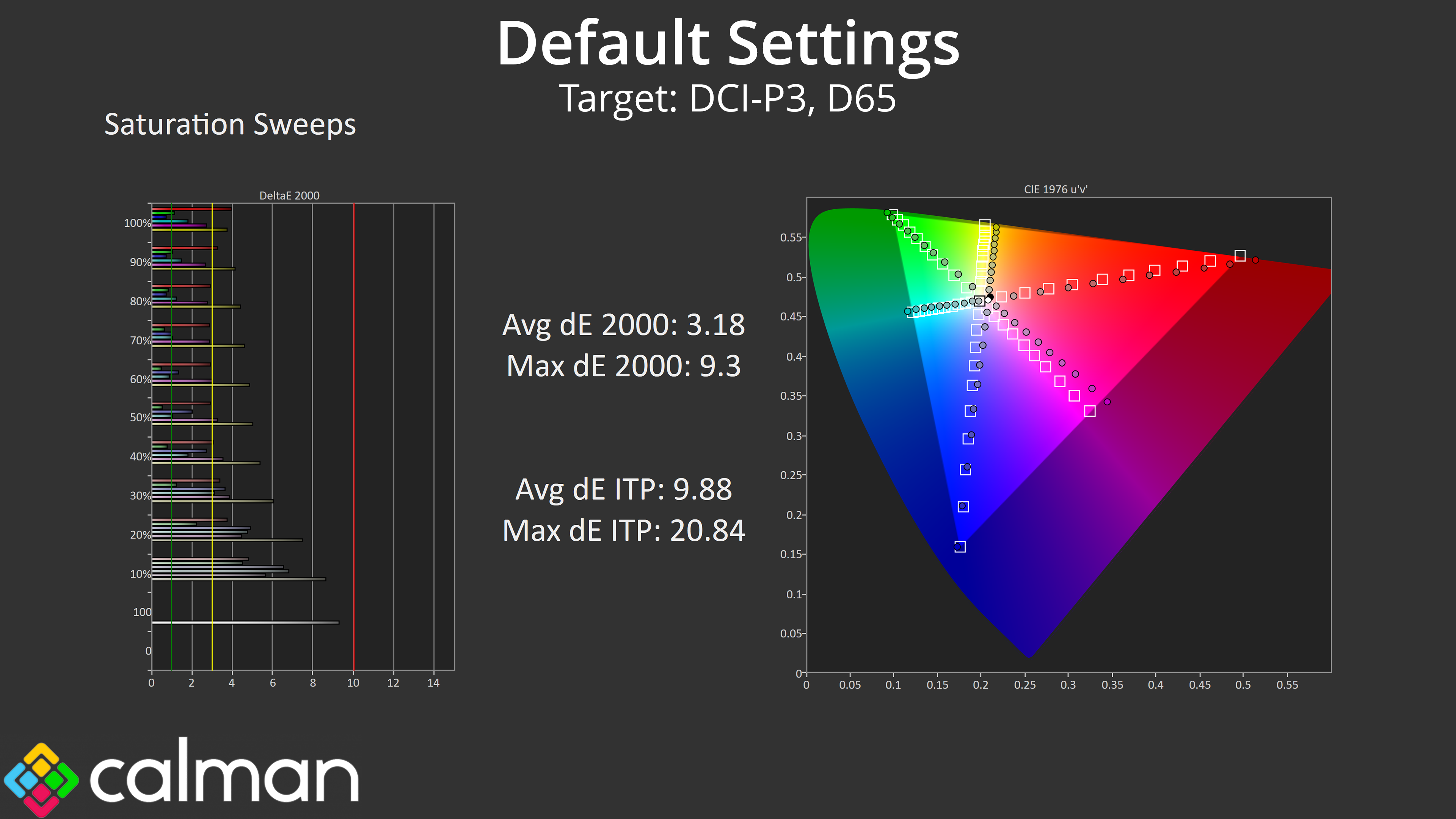
However, we do run our tests using the out of the box settings, so it's back to the Warm colour balance mode for our saturation sweeps where, as expected, we see large amounts of over-saturation due to the very wide gamut.
Colour Accuracy
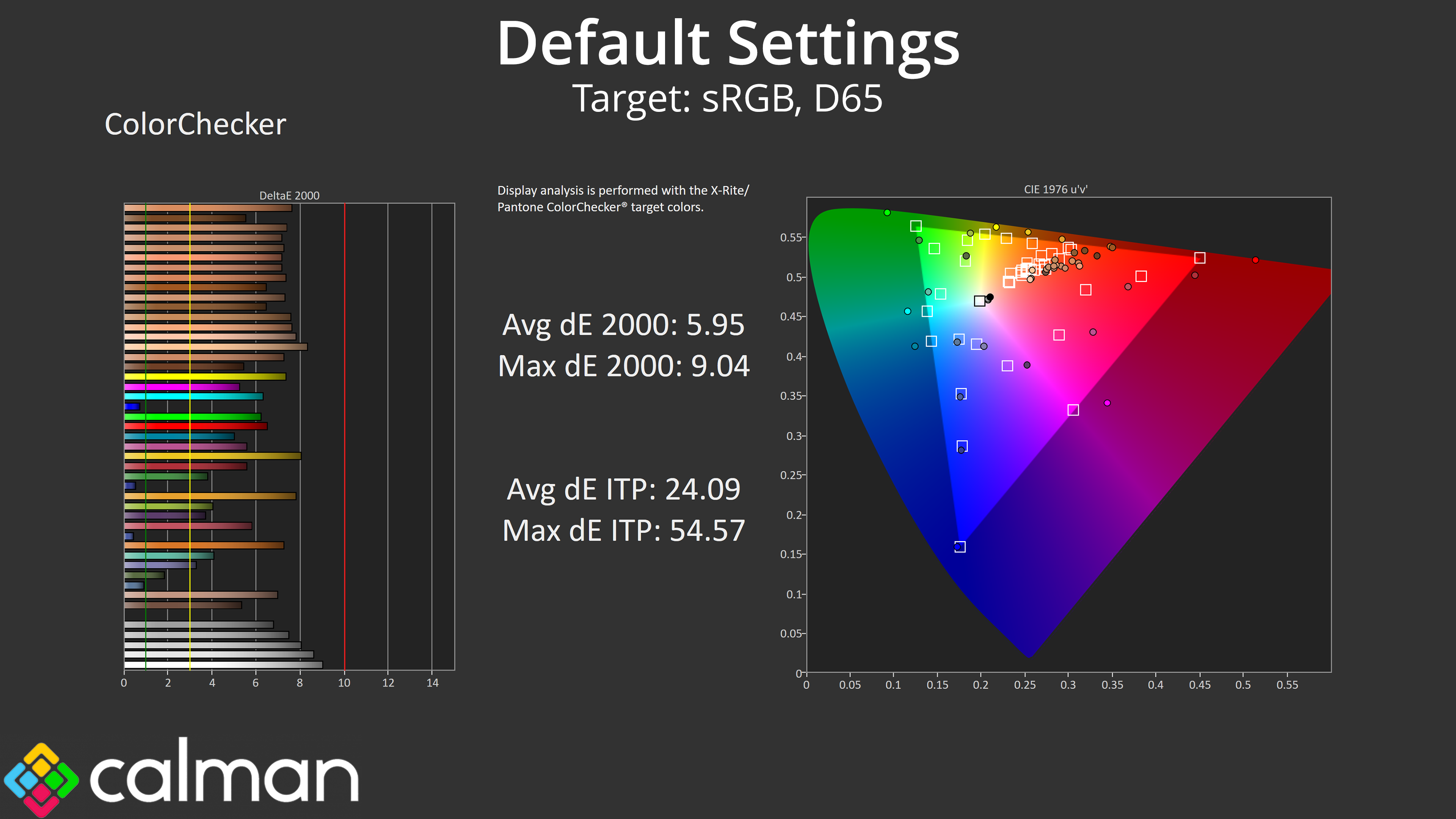
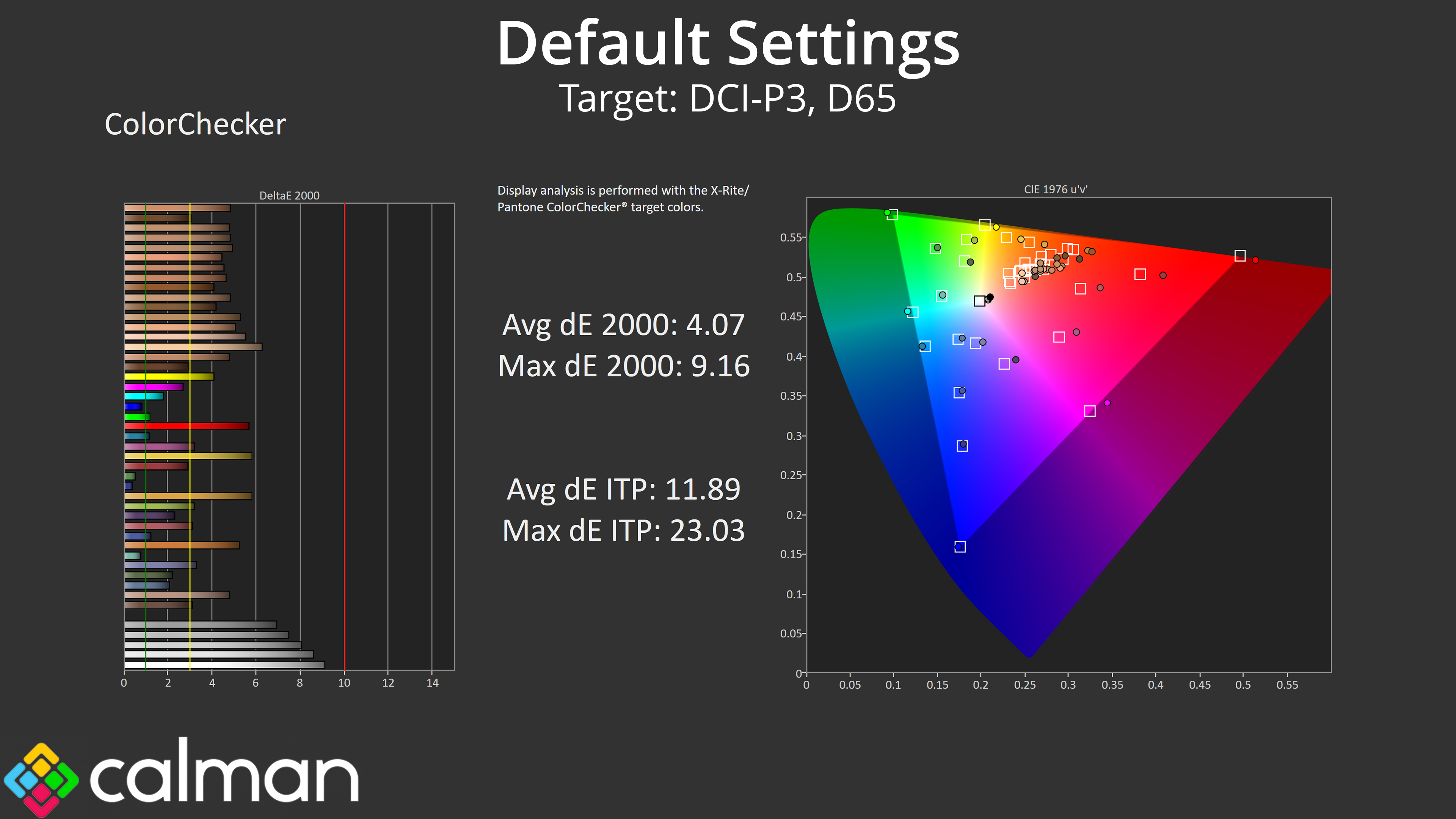
That over-saturation, along with the overly warm colour balance, also means default colour accuracy is poor, averaging a dE 2000 of 5.95 when comparing against the sRGB space, and that only improves slightly to 4.07 relative to the DCI-P3 space.
sRGB Emulation Mode
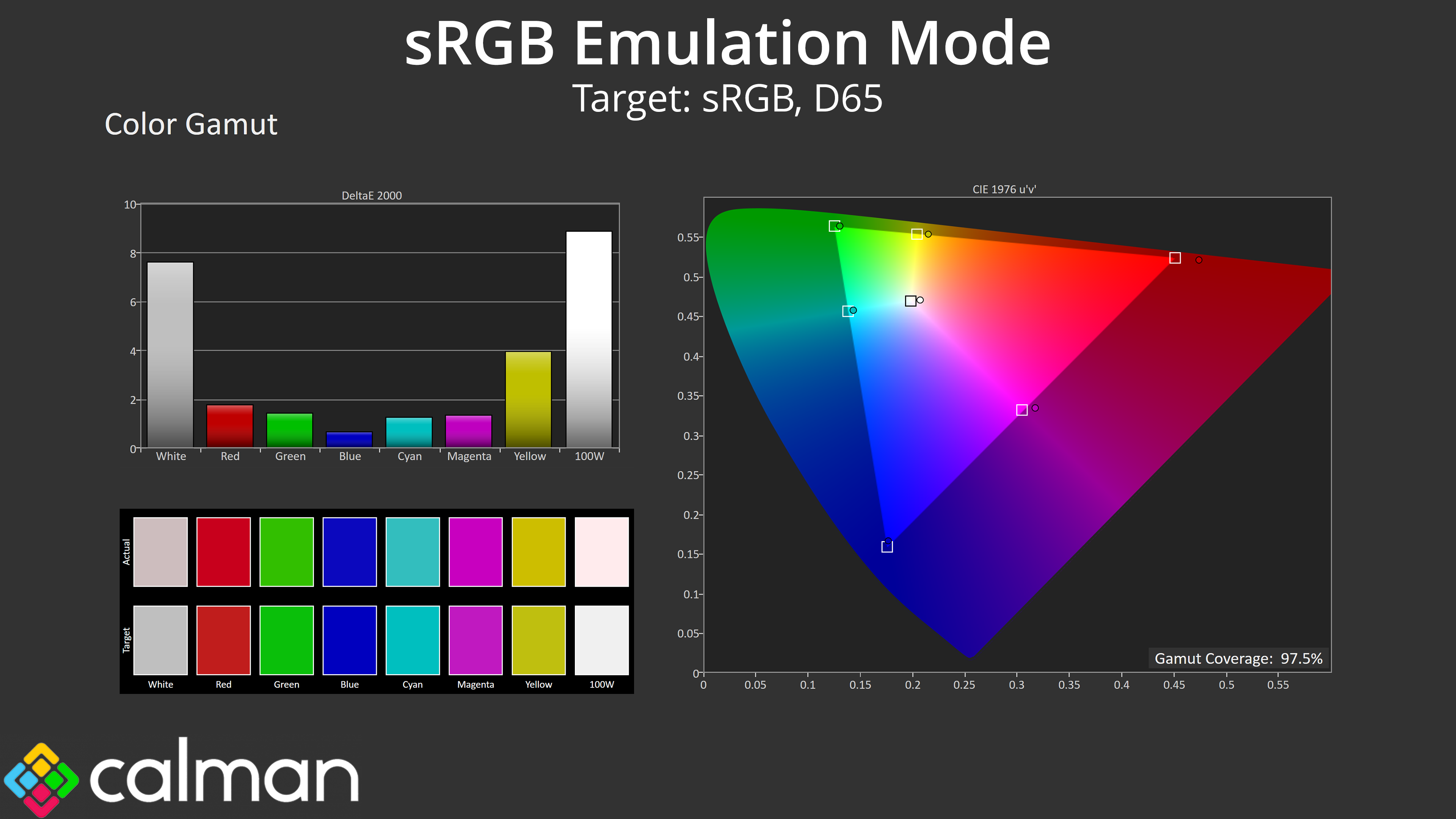
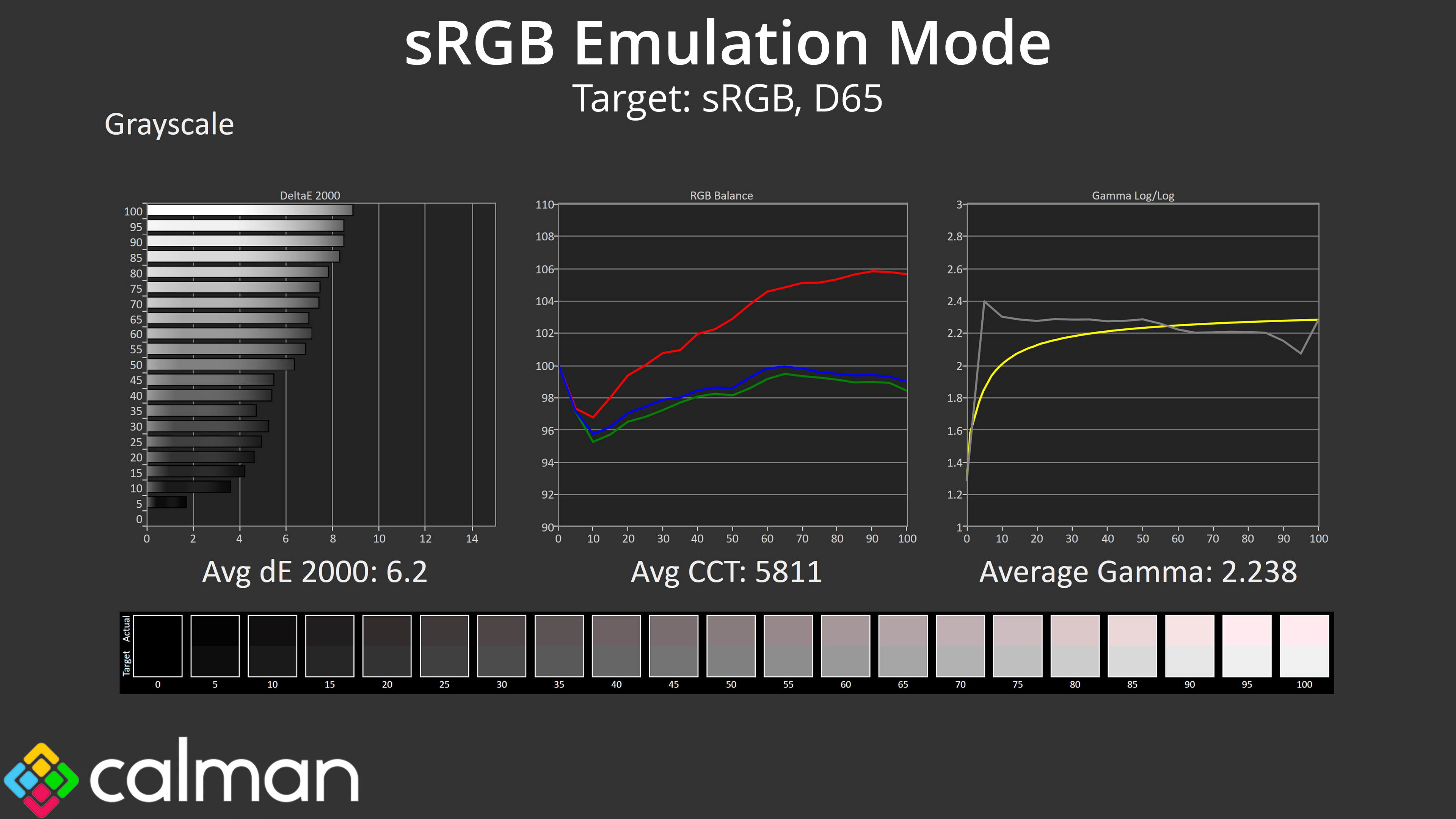
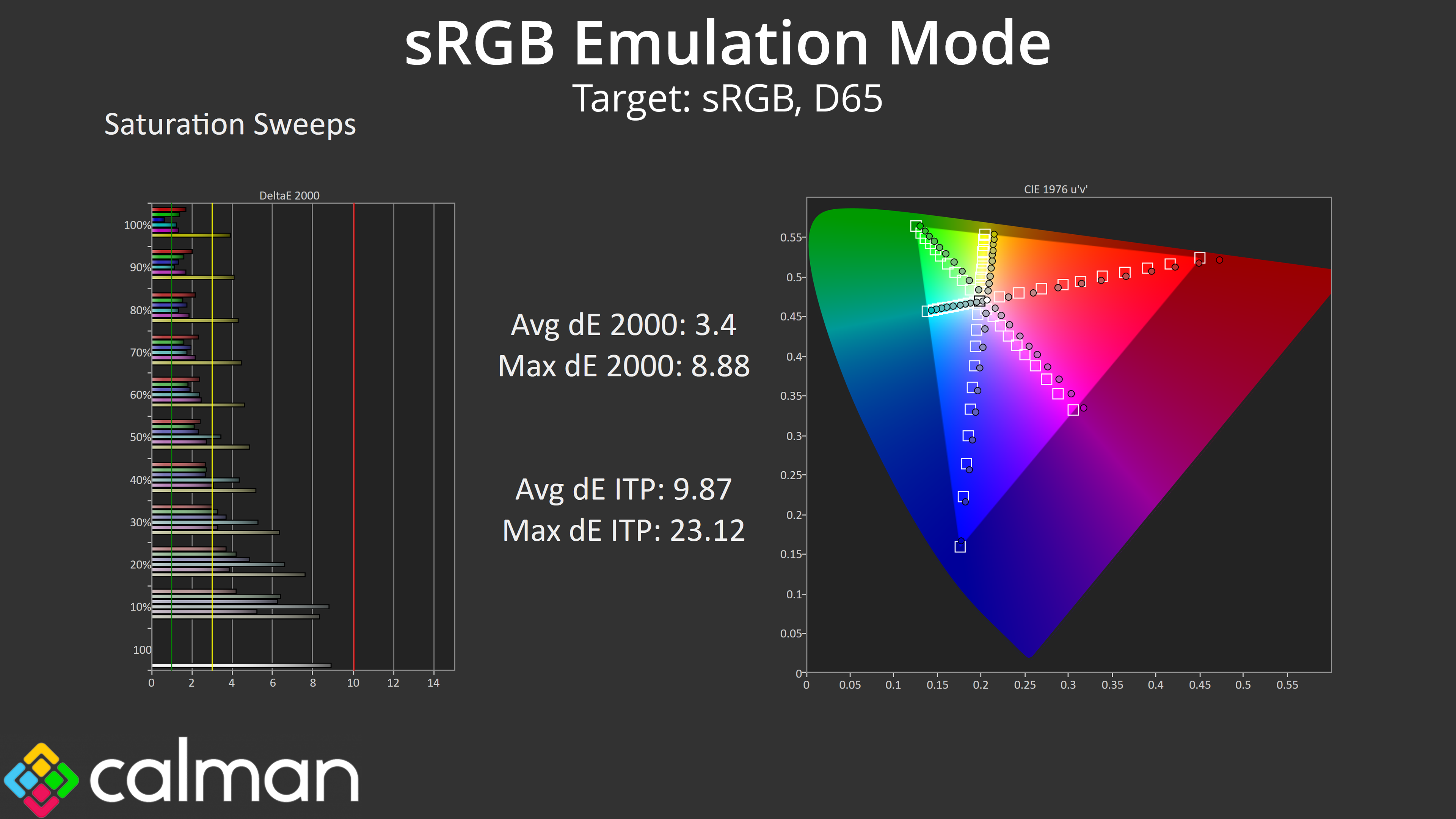
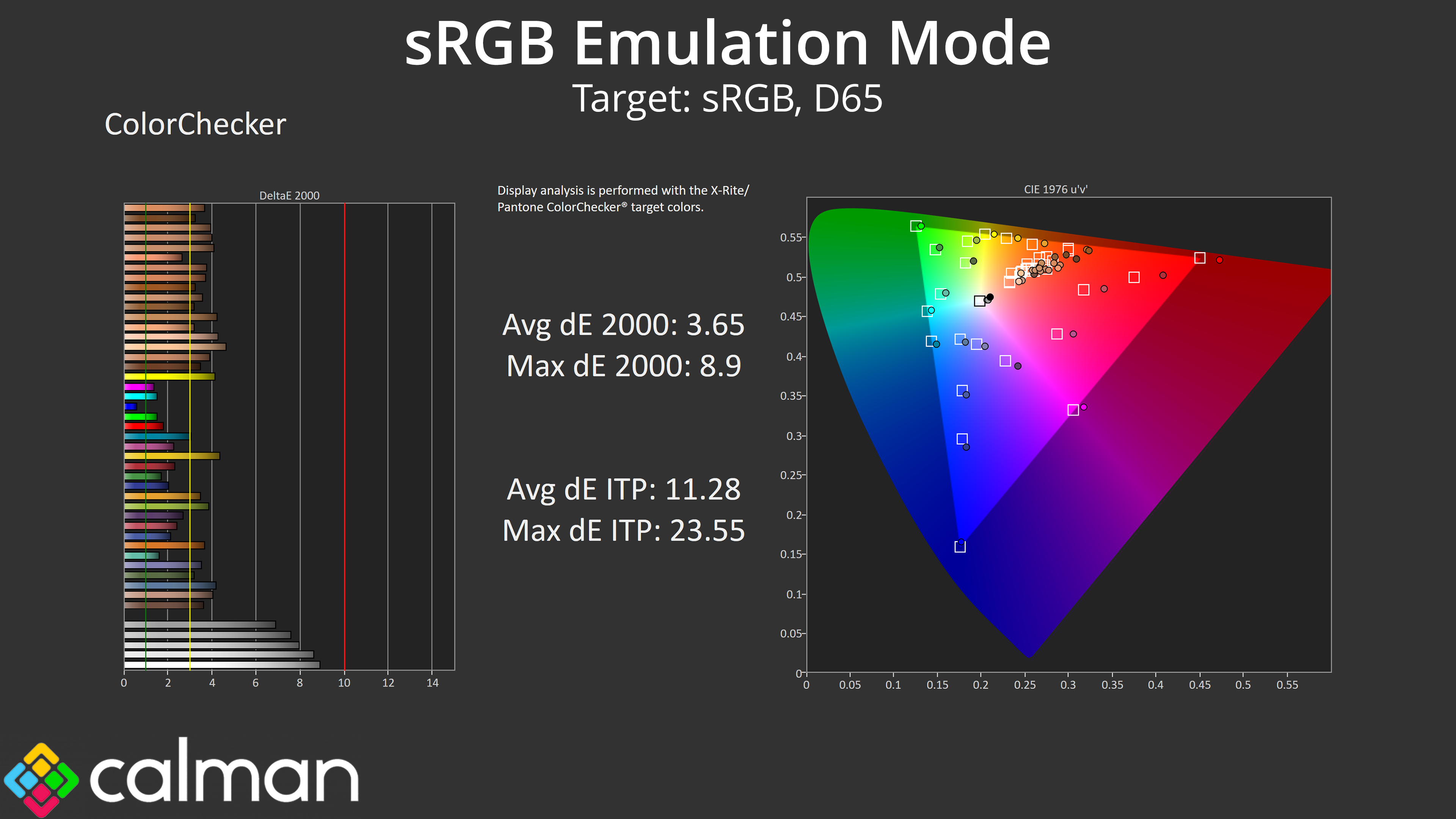
AOC does include an sRGB mode in the OSD, but it still uses the same Warm colour balance mode, so while the gamut is clamped to avoid over-saturation, the image is still far too red-tinged. The colour accuracy average dE 2000 of 3.65 indicates some improvement over default settings, but it's still pretty mediocre overall. The sRGB mode also locks down settings such as manual colour balance, so there's no way to improve on these results.
Calibrated Results
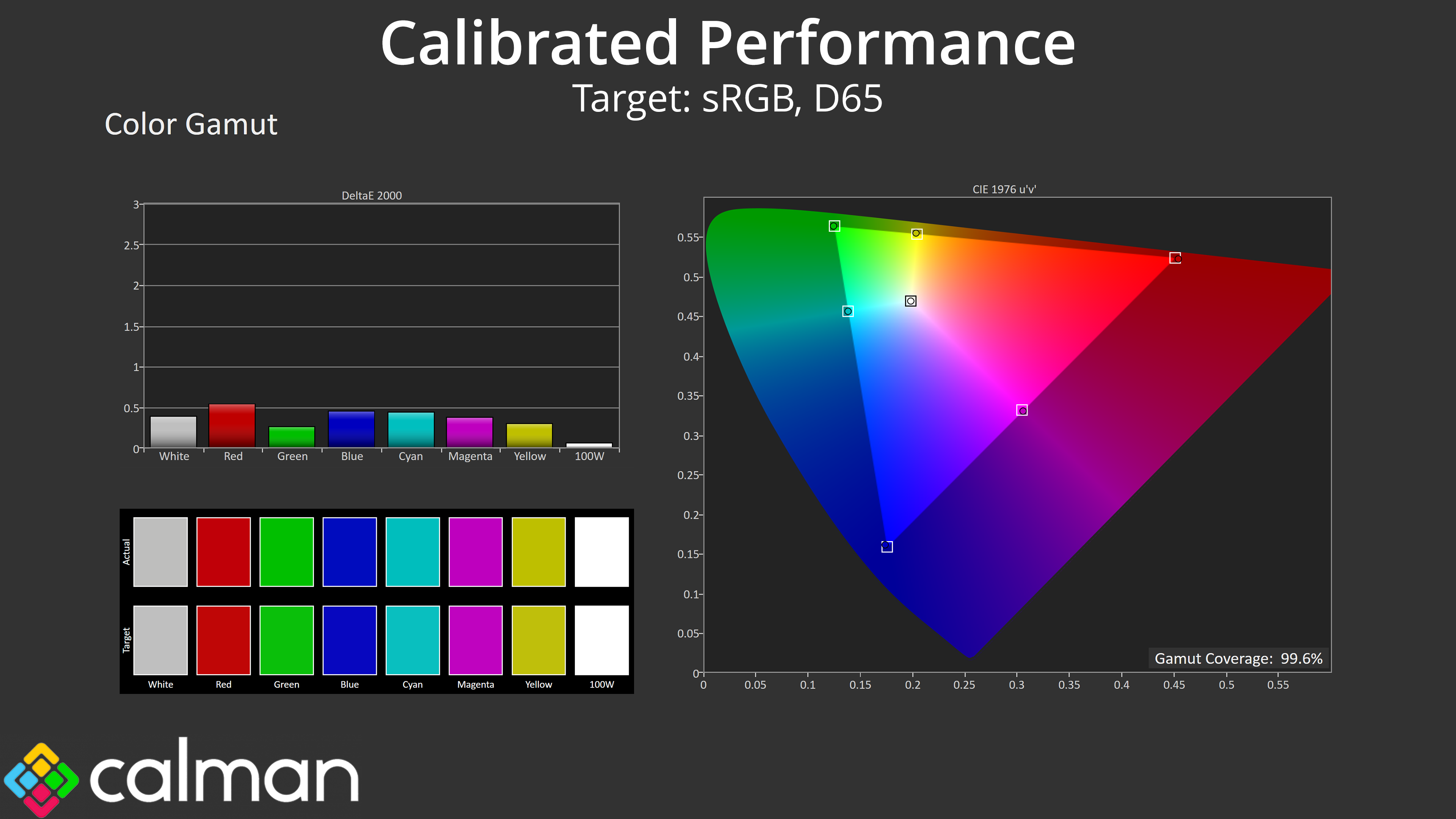
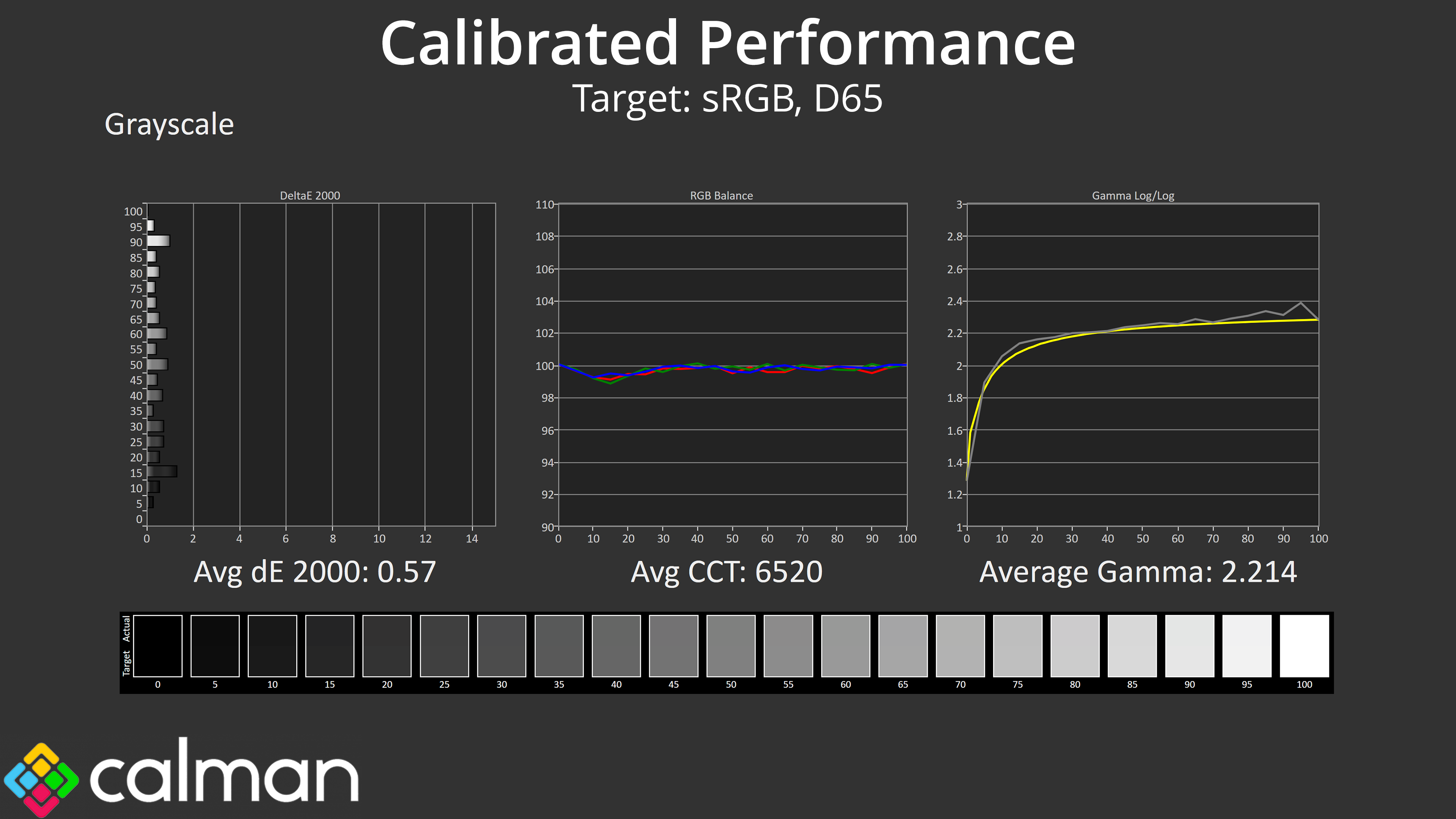
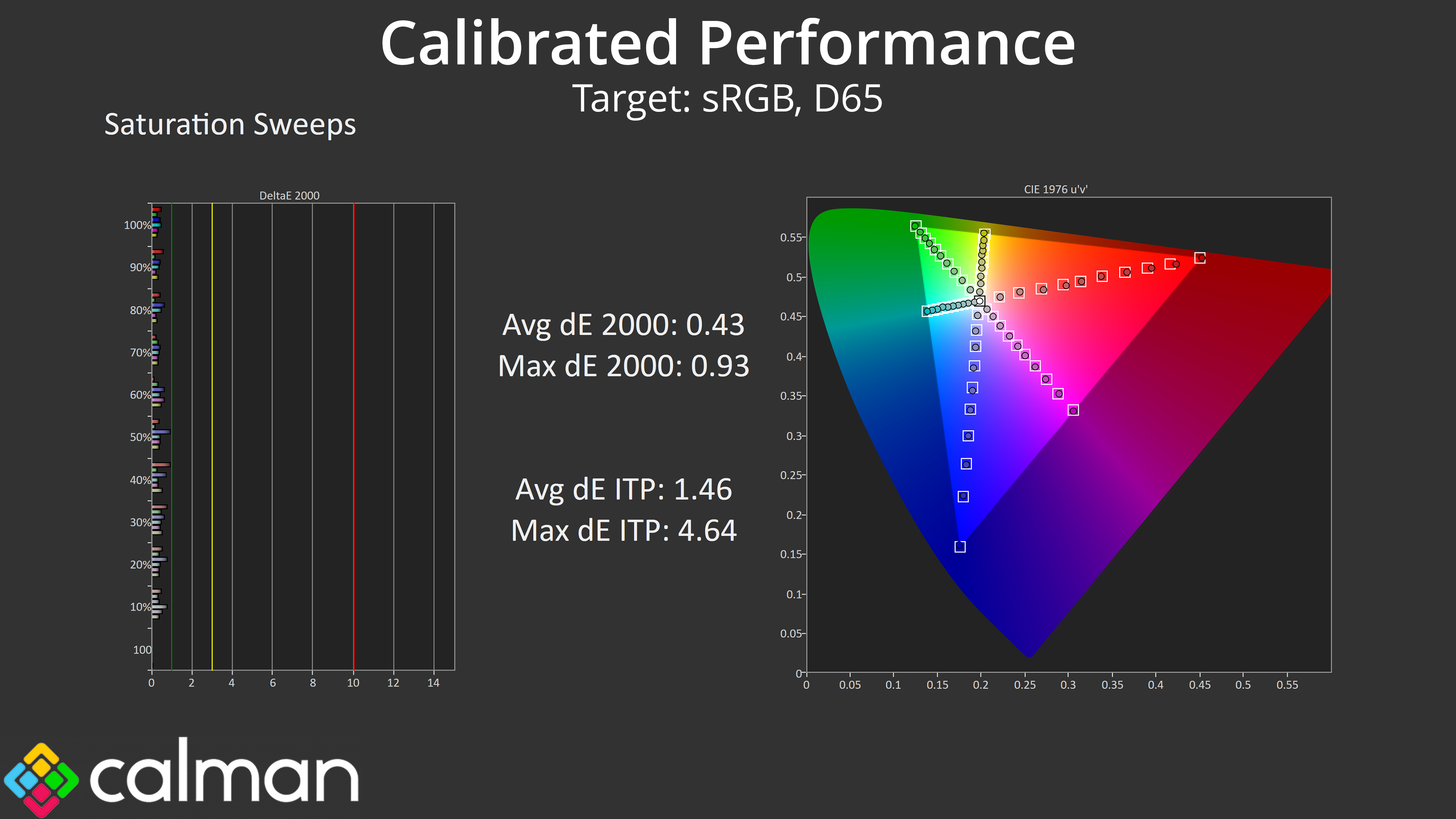
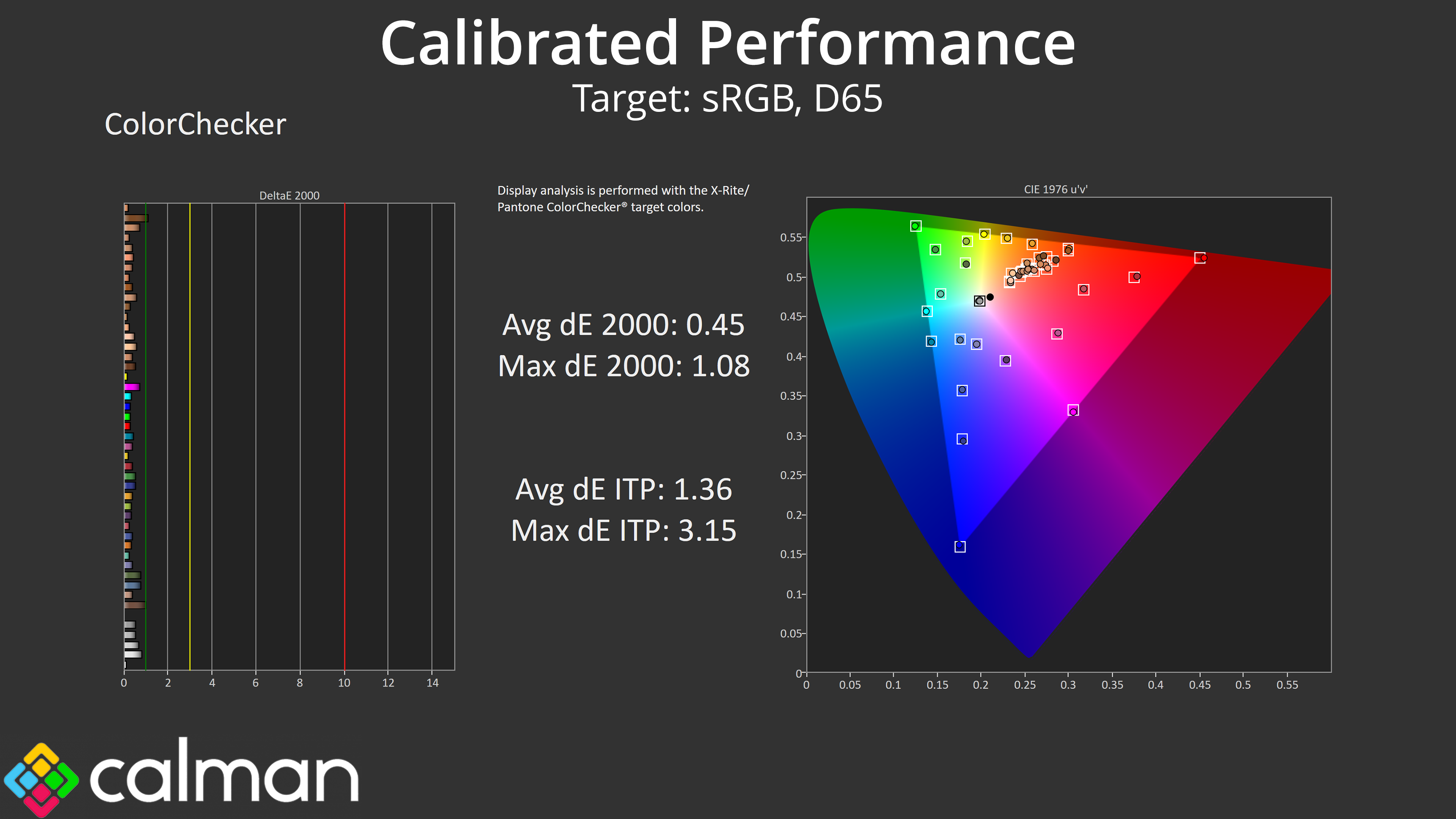
That leaves us with calibration as our last solution to improve matters, and it had a phenomenal effect on the AG276UZD. Results are stellar across the board, with both the saturation and colour accuracy results averaging dE 2000s of below 0.5.
HDR Testing
Following on from the SDR results on the previous page, here we re-test the relevant areas of the display with HDR enabled. Our testing focuses on three HDR modes: HDR Peak, DisplayHDR, and HDR Game.
Brightness
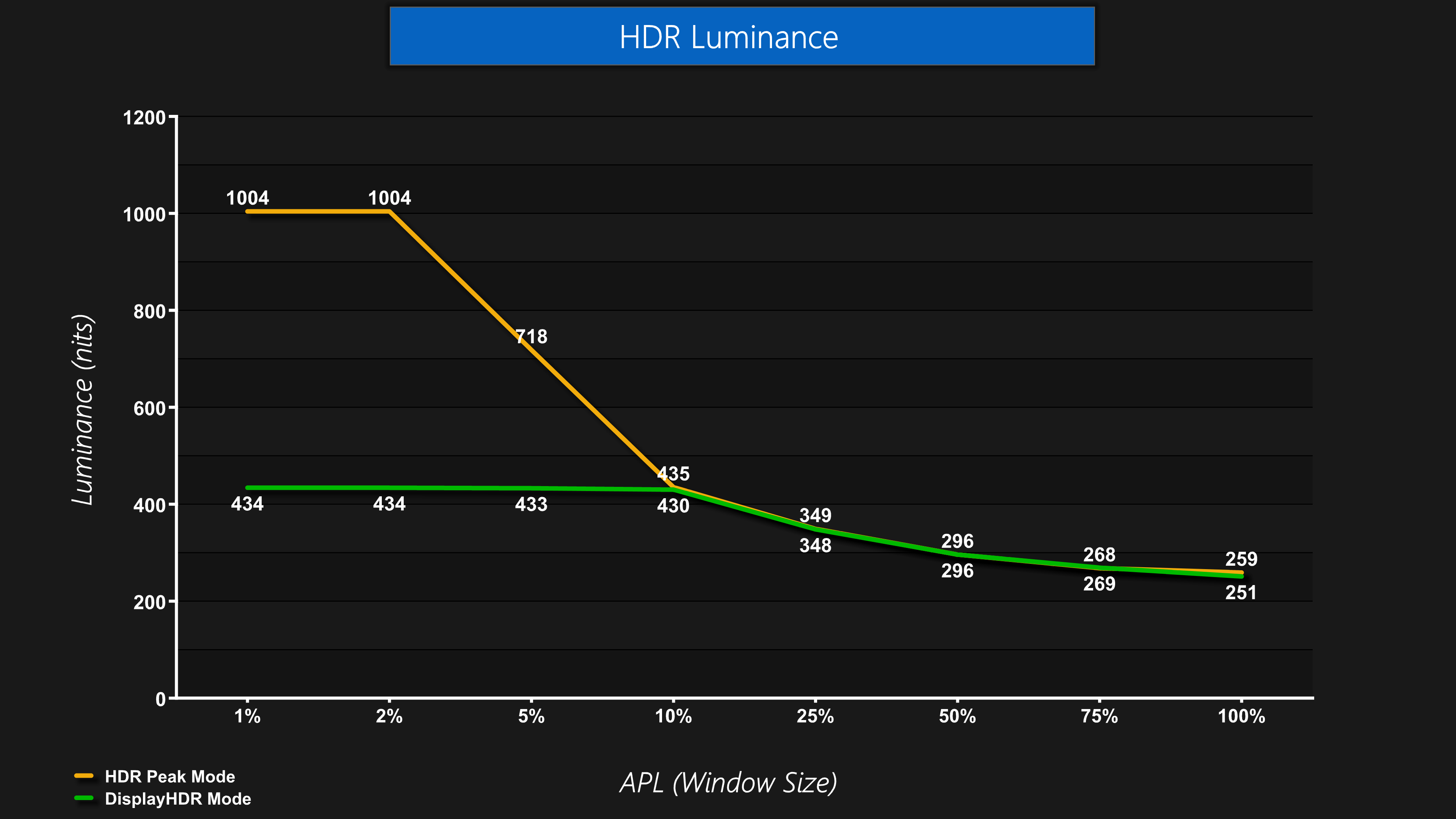
Starting first with brightness, we have the usual two types of behaviour from the QD-OLED panel – some modes offer peaks of 1000 nits at the 1% and 2% APLs before dimming as the window size increases, or there is the TrueBlack 400 experience, which peaks much lower but is more stable in terms of its overall brightness.
Greyscale
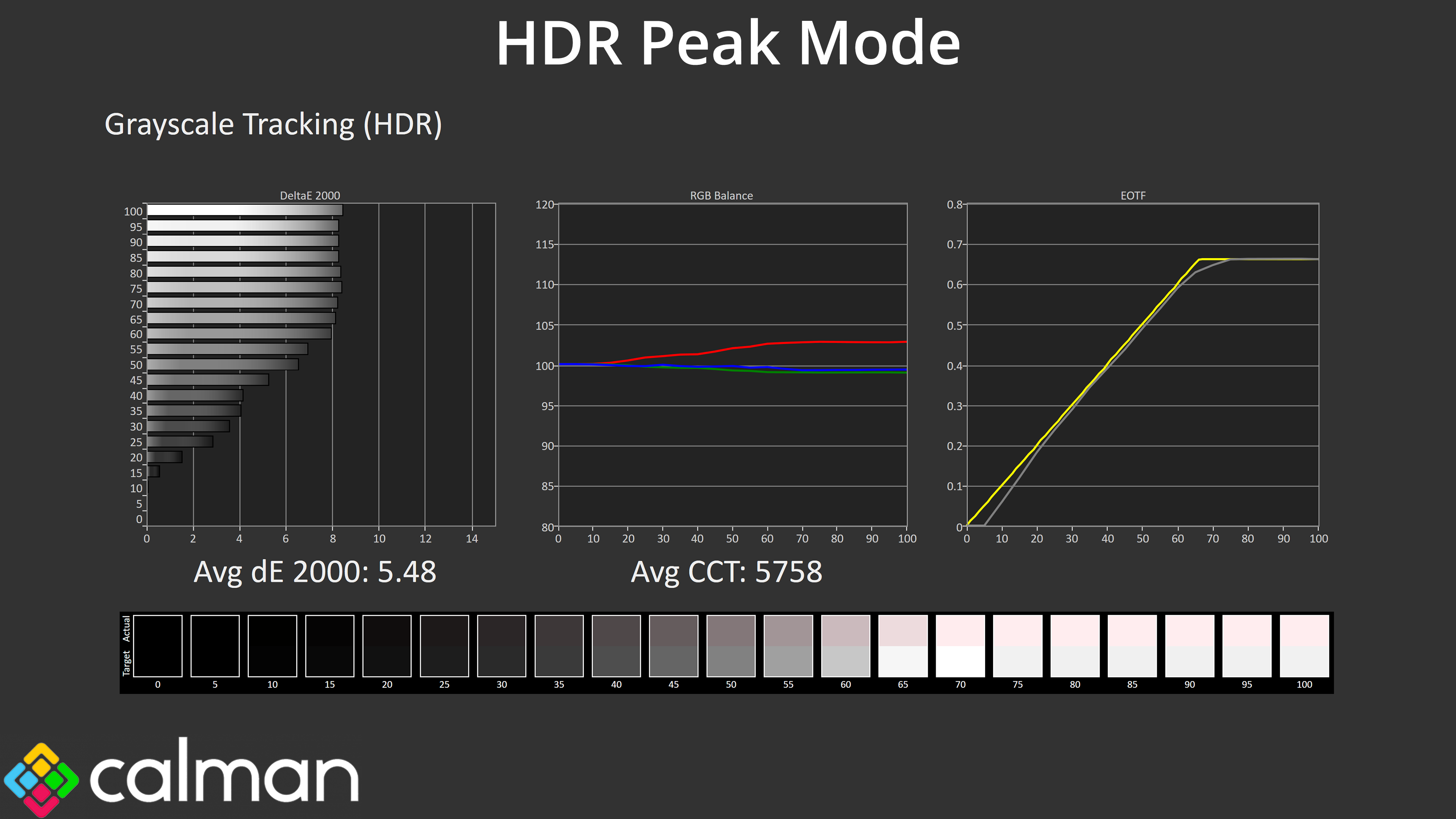
Behaviour is also as expected for our greyscale testing, where we use a 10% APL. The HDR Peak mode sees EOTF tracking start a little low before recovering for the mid shades, though it rolls off slightly early.
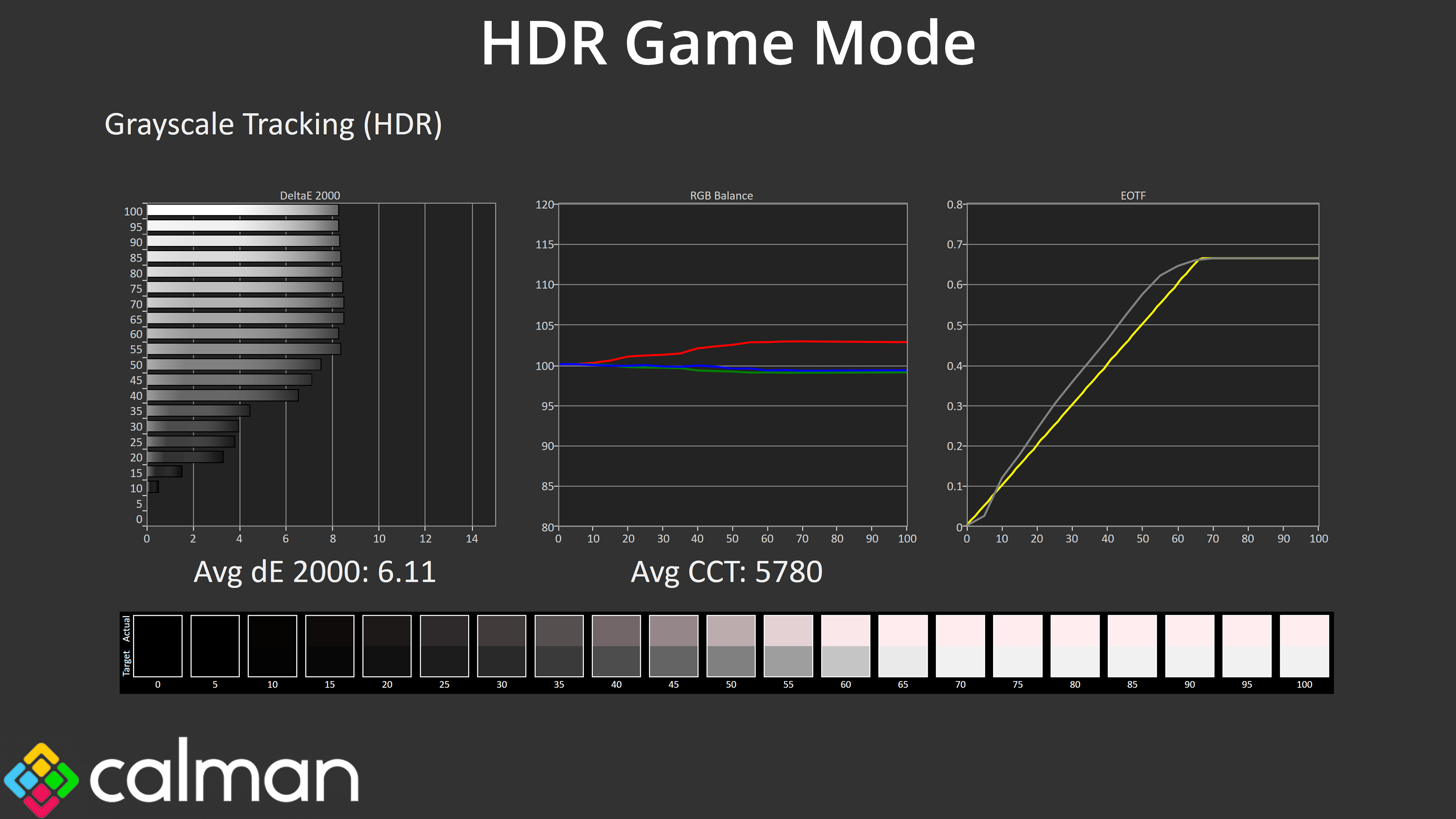
The HDR Game mode is an interesting addition as it is deliberately too bright across the EOTF curve, but I actually think from a subjective perspective, this can look better than the other two modes in practice.

The DisplayHDR mode is most accurate from a technical perspective, though all three modes are still too warm in terms of colour balance.
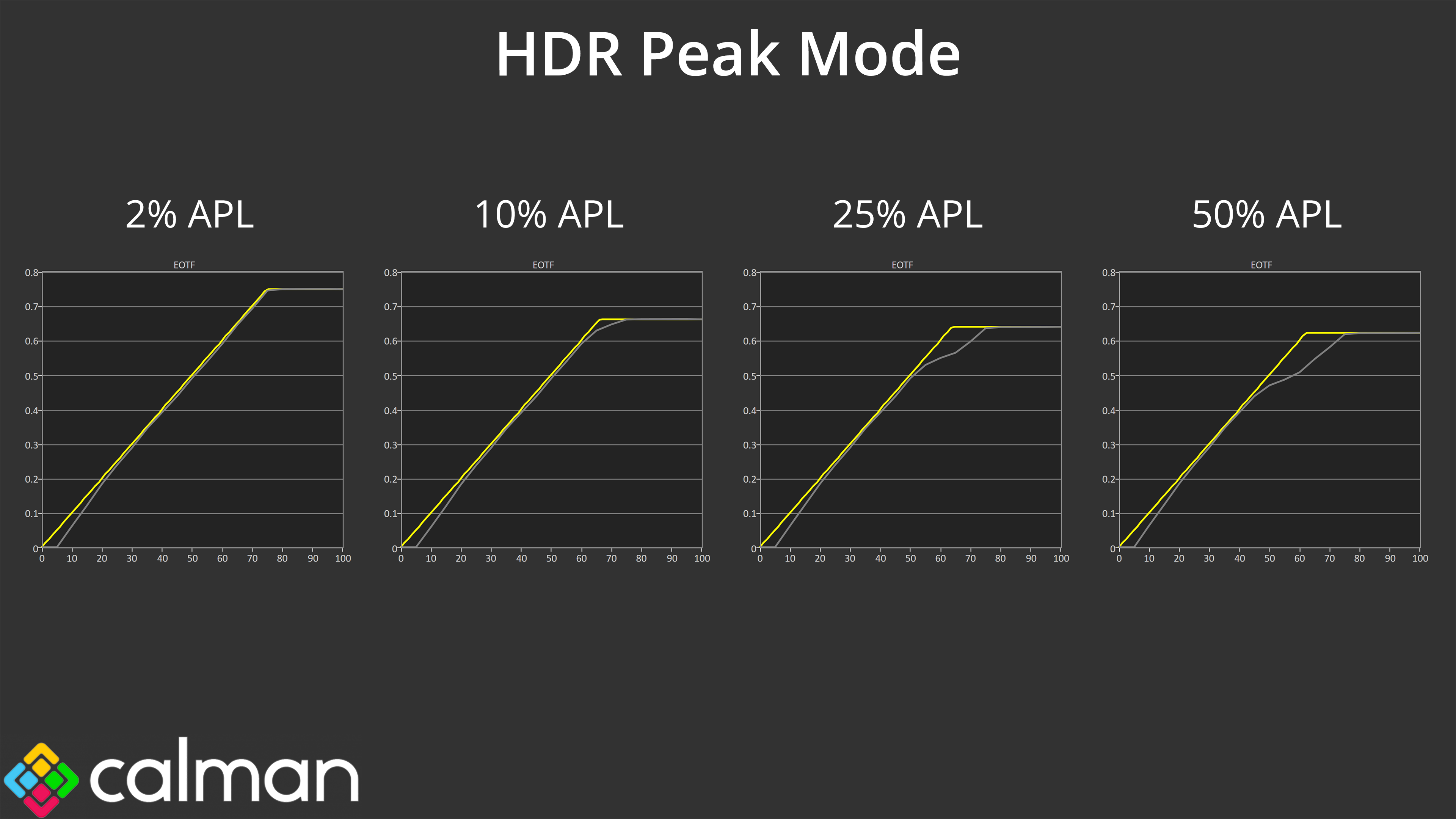
When looking at EOTF tracking across a range of window sizes, we can see the HDR Peak mode is still too dark across the early stages of the curve but rolls off at an ever-increasing rate, resulting in a darker than intended image.
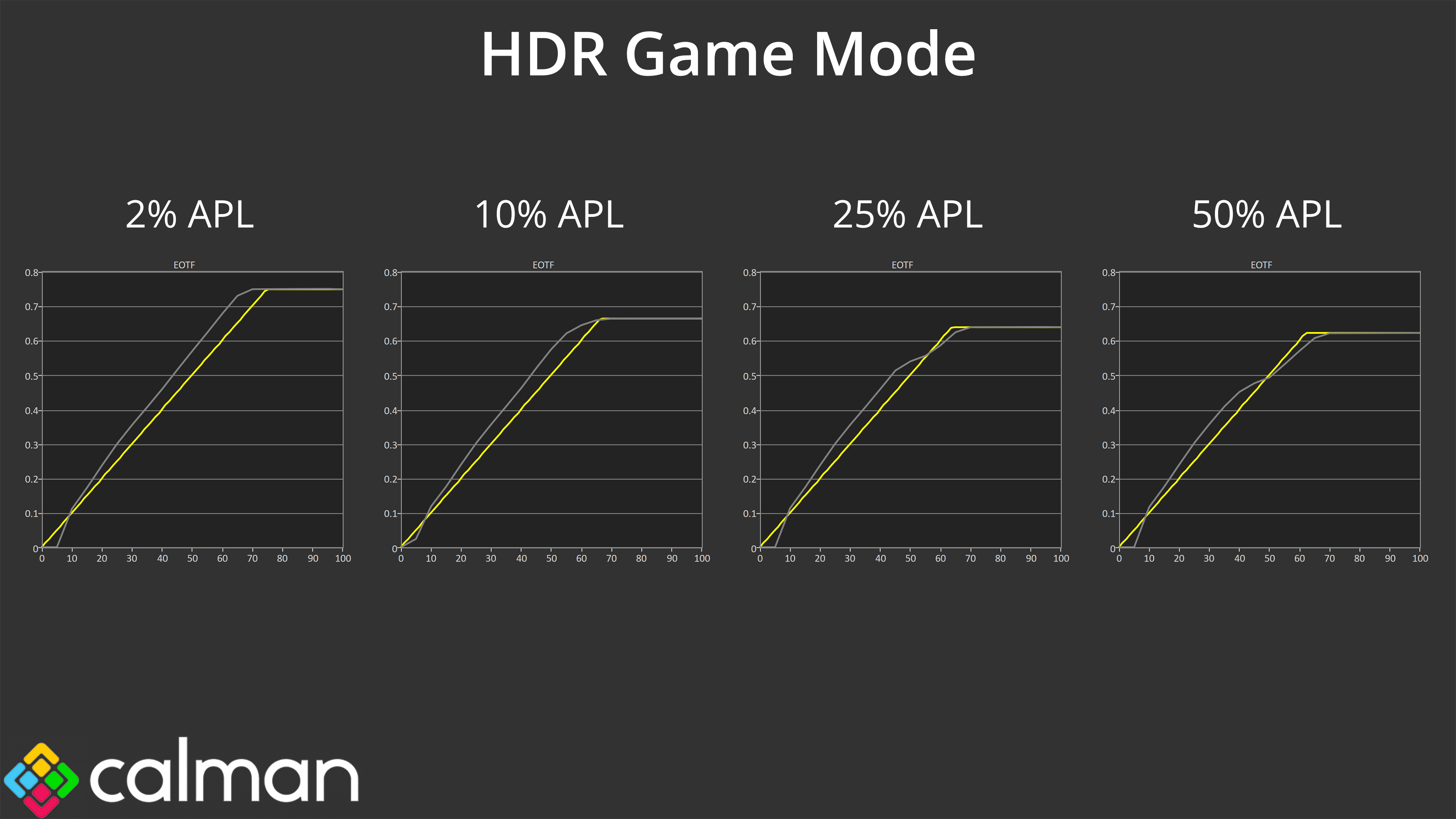
The HDR Game mode, on the other hand, rolls off less aggressively and is generally brighter than intended – again, not technically accurate, but I do think this looks better for real-world usage.
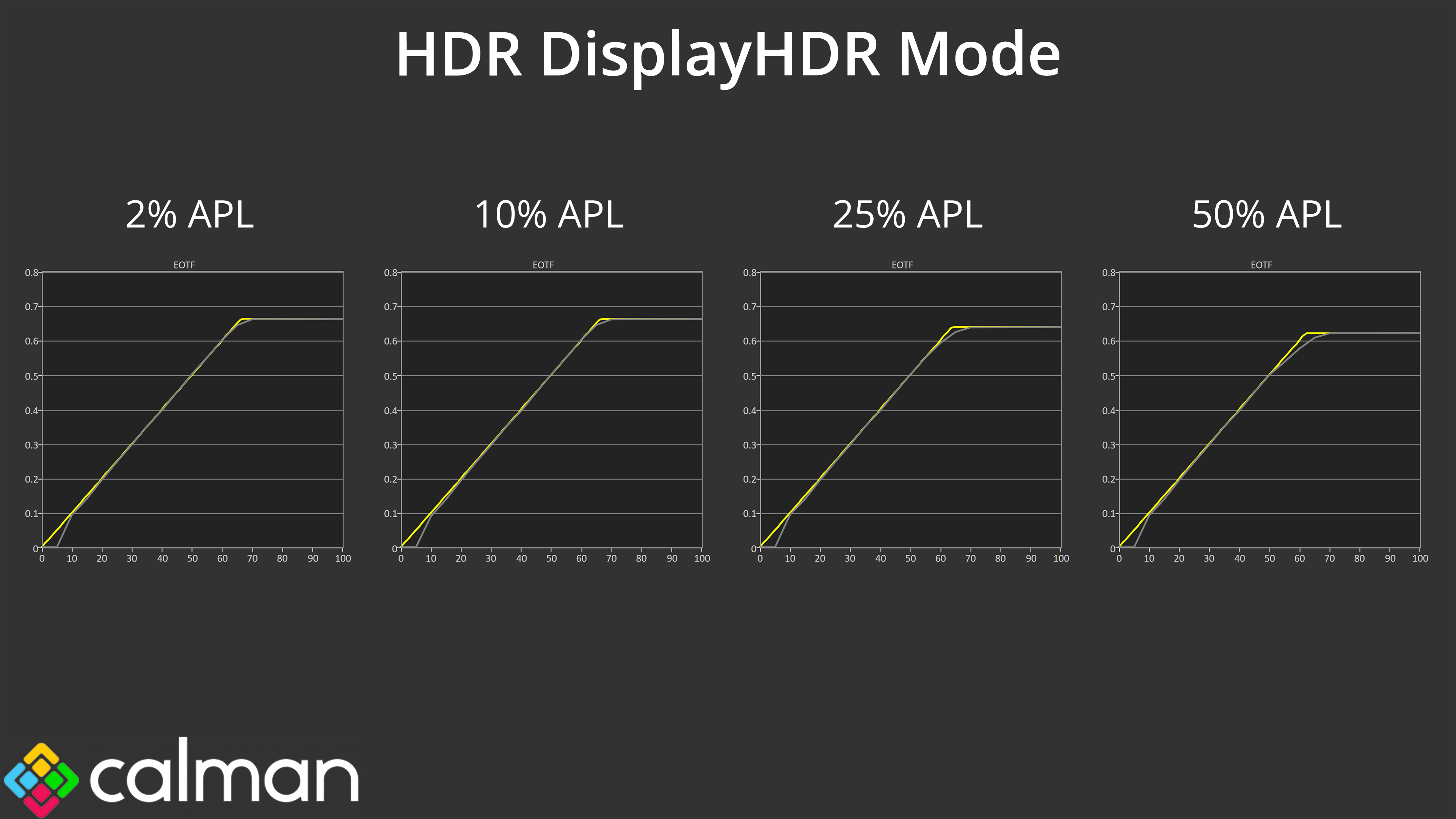
The DisplayHDR mode is the most accurate in the sense it comes closest to the intended target. That said, I do think the HDR Game mode will look the best from a subjective perspective for HDR gaming due to its brighter presentation, while it can also hit 1000 nits whereas the DisplayHDR mode is limited to around 430 nits.
Colour Accuracy
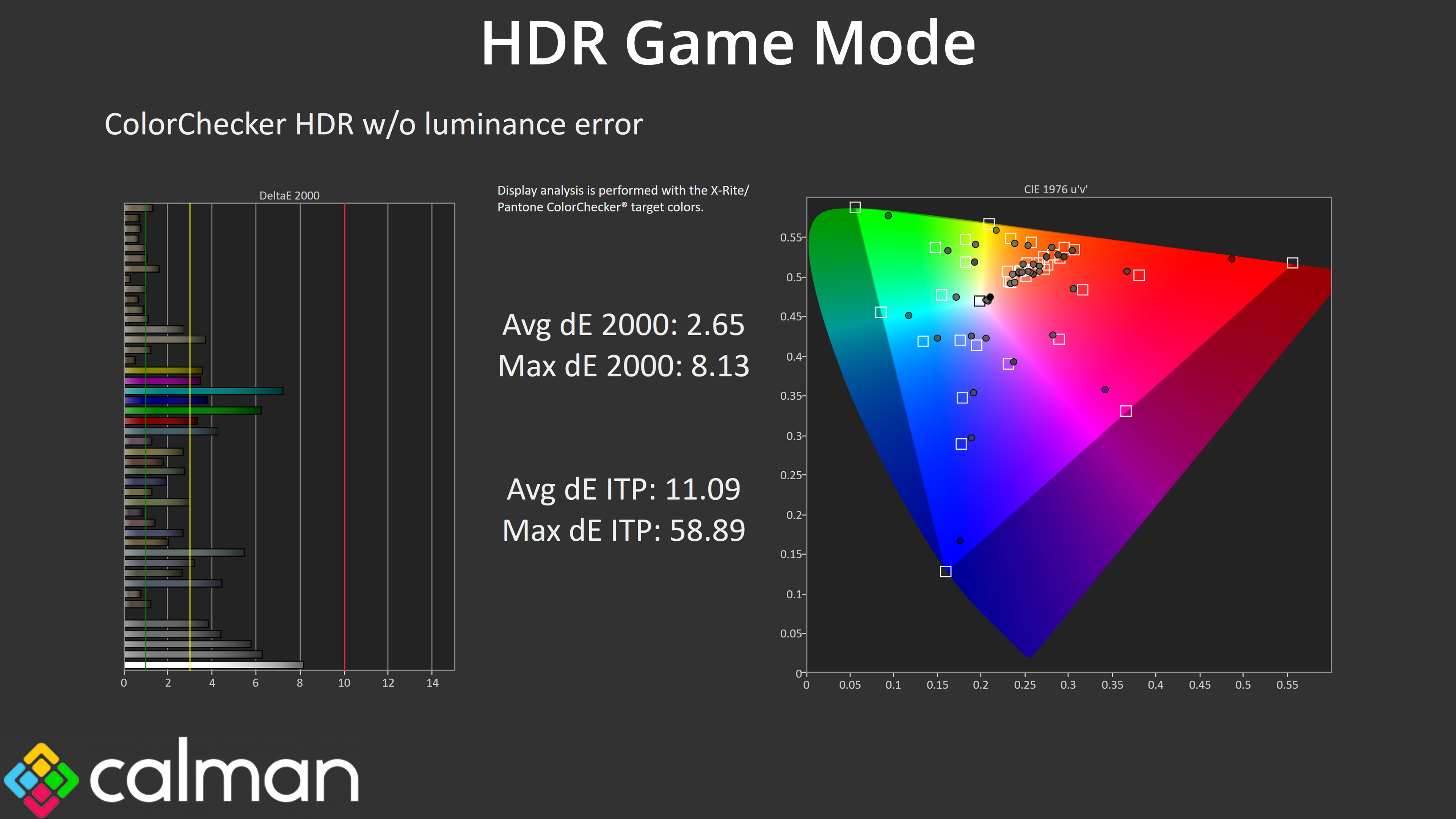
All three modes offer similar colour accuracy for HDR though, with the worst offenders being the 100% cyan and 100% green channels, which is to be expected given the monitor doesn't cover the full Rec.2020 gamut.
We use the Open Source Response Time Tool (OSRTT), developed by TechTeamGB, for our response time testing. This measures grey-to-grey response times and presents the results in a series of heatmaps, the style of which you may be familiar with from other reviews.
Initial Response Time is the time taken for the panel to transition from one colour to another, where lower values are better. We present the initial response time, so overshoot is not taken into account and is measured separately. We use a fixed RGB 5 tolerance for each transition.
Overshoot is the term given for when a monitor's transition exceeds or goes beyond its target value. So if a monitor was meant to transition from RGB 0 to RGB 55, but it hits RGB 60 before settling back down at RGB 55, that is overshoot. This is presented as RGB values in the heatmaps – i.e. how many RGB values past the intended target were measured.
Visual Response Rating is a metric designed to ‘score' a panel's visual performance, incorporating both response times and overdrive. Fast response times with little to no overshoot will score well, while slow response times or those with significant overshoot will score poorly.
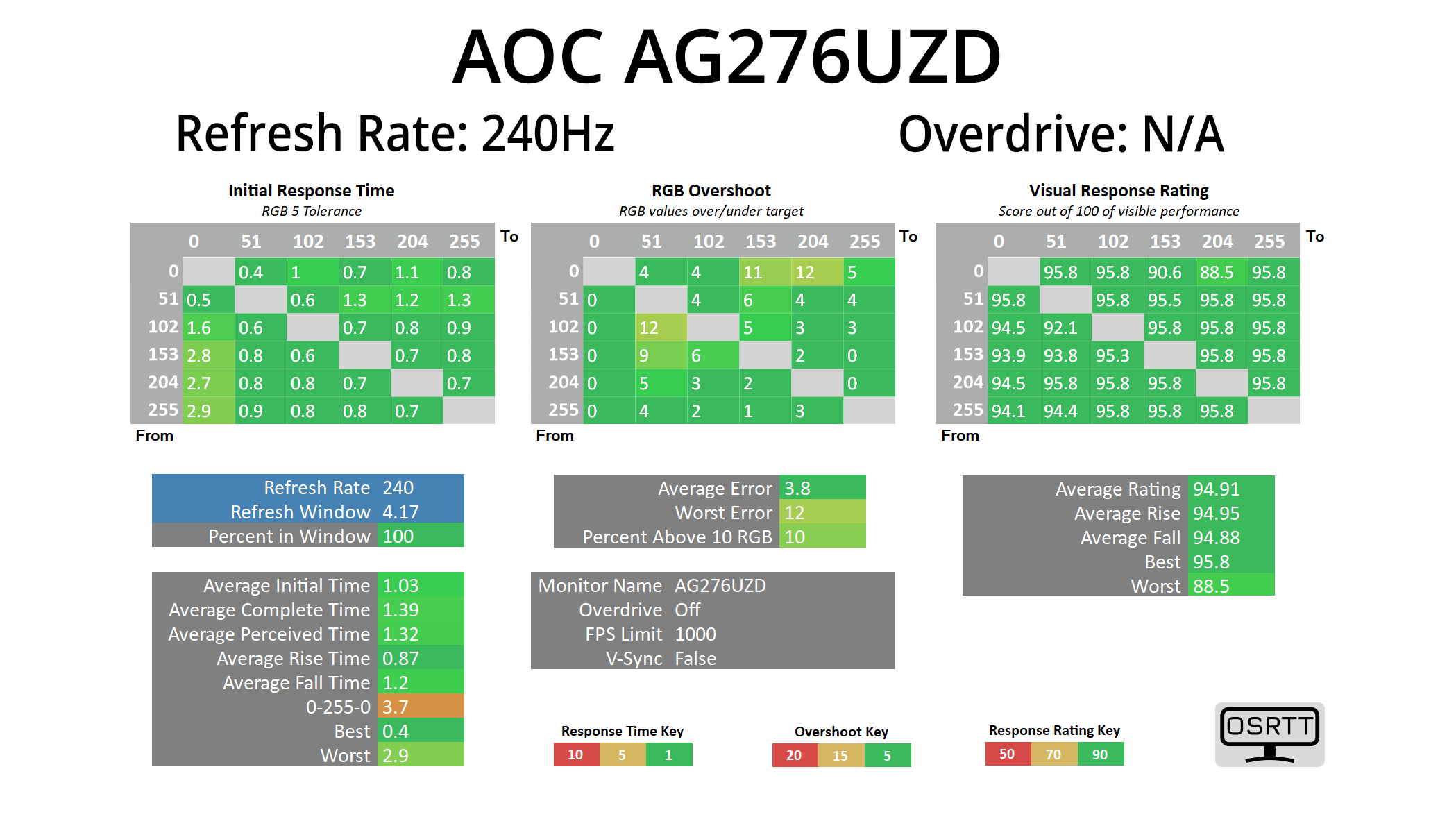
In terms of response times, we only tested at 240Hz given we know that all OLED monitors are absolute rapid in this area, and that holds true regardless of the refresh rate used.
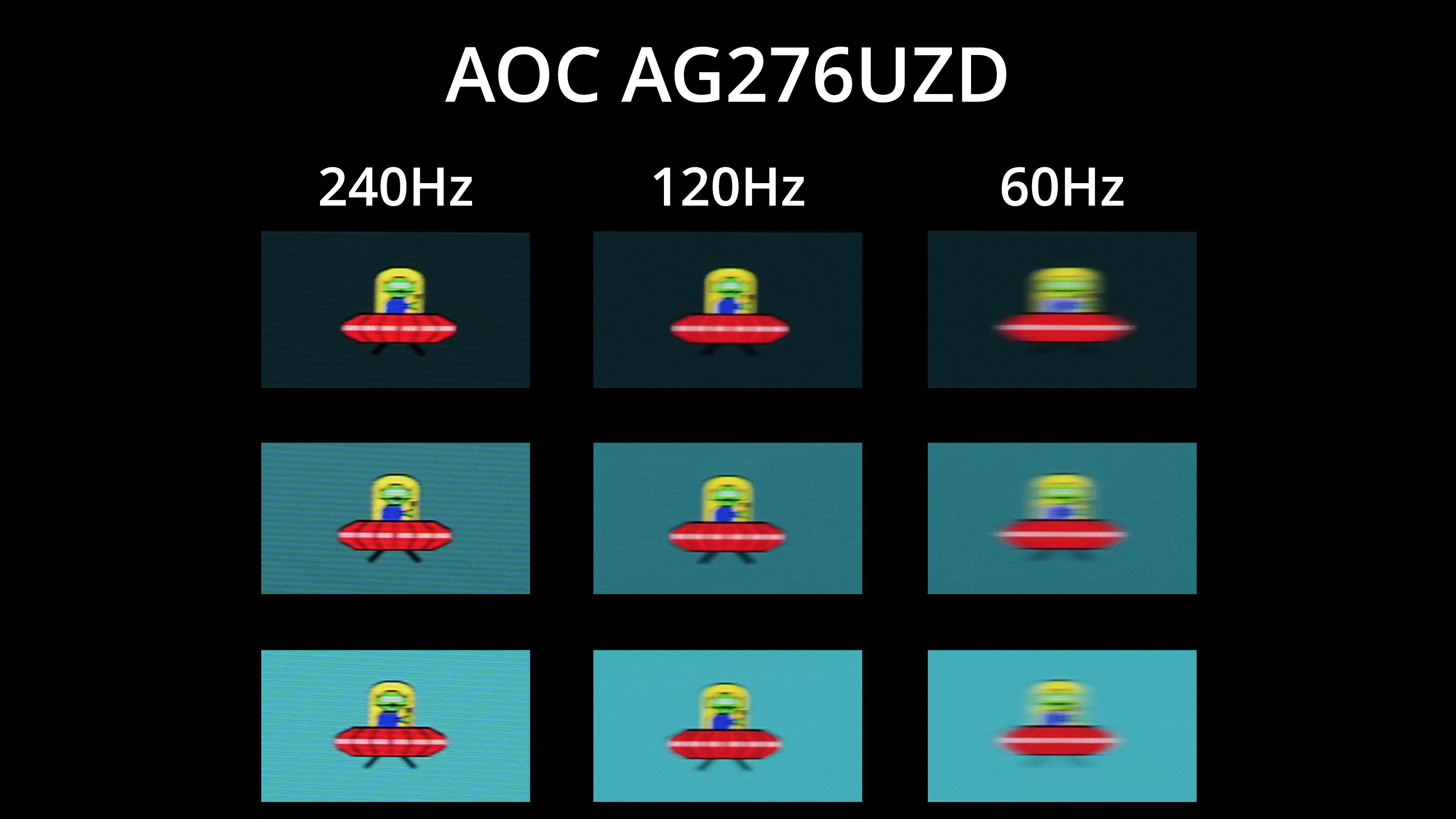
Of course, that doesn't mean motion clarity will be the same regardless of the refresh rate – the higher you can push the refresh, the smoother things look. The jump from 120Hz to 240Hz, for instance, is quite noticeable, but you can also note there is zero ghosting at any given refresh rate target.
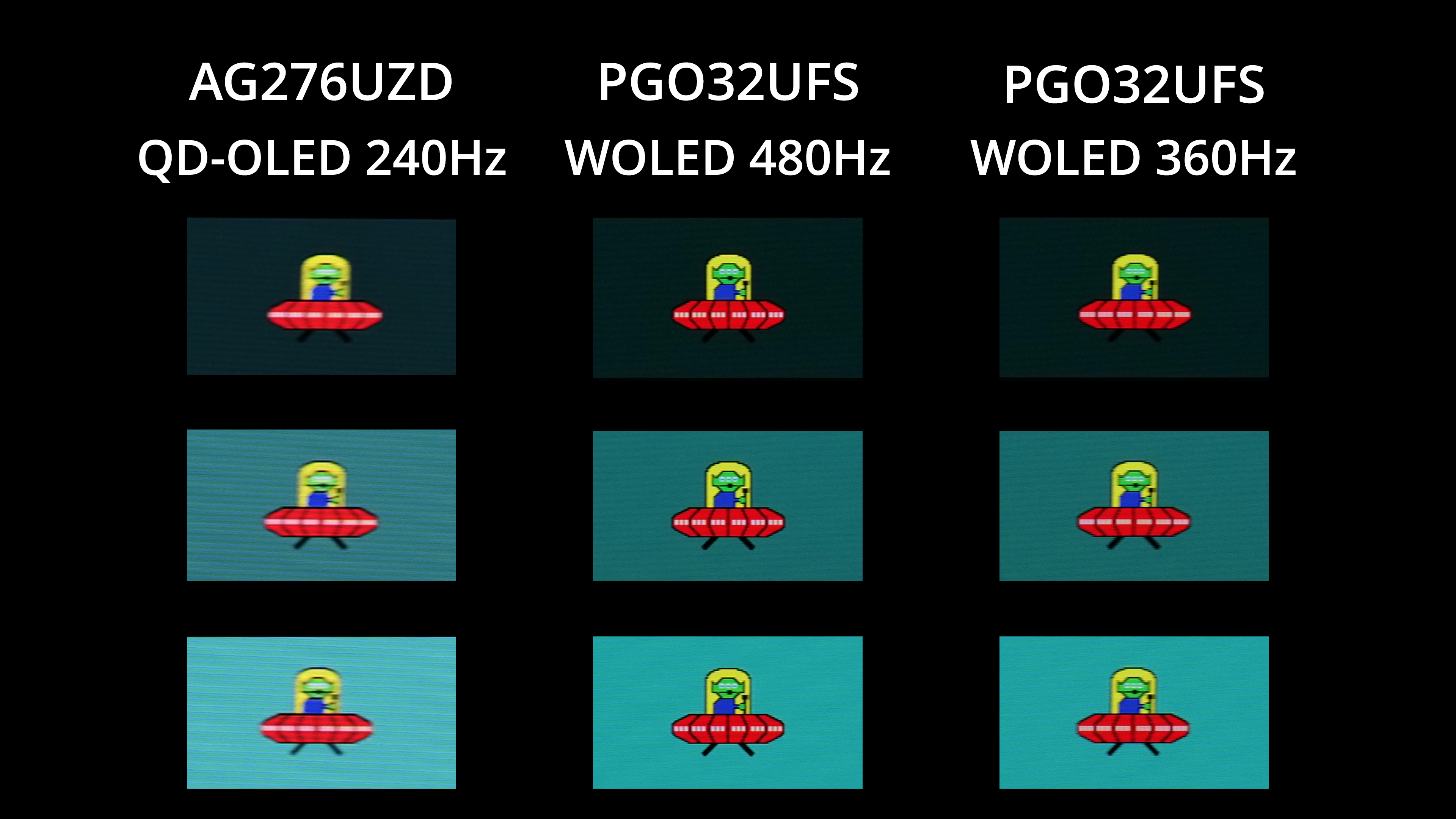
We know some OLED monitors are now pushing beyond 240Hz and can even hit 480Hz, like the ASRock PGO32UFS we reviewed recently. As good as the 240Hz OLED experience is, 480Hz looks a good bit clearer, while even 360Hz is a small but perceptible improvement. The thing to remember is that you actually have to drive frame rates that high to get the benefit, and trying to push 240fps at 4K resolution is no easy task to put it mildly, but this does go to show what can be achieved at higher refresh rates.
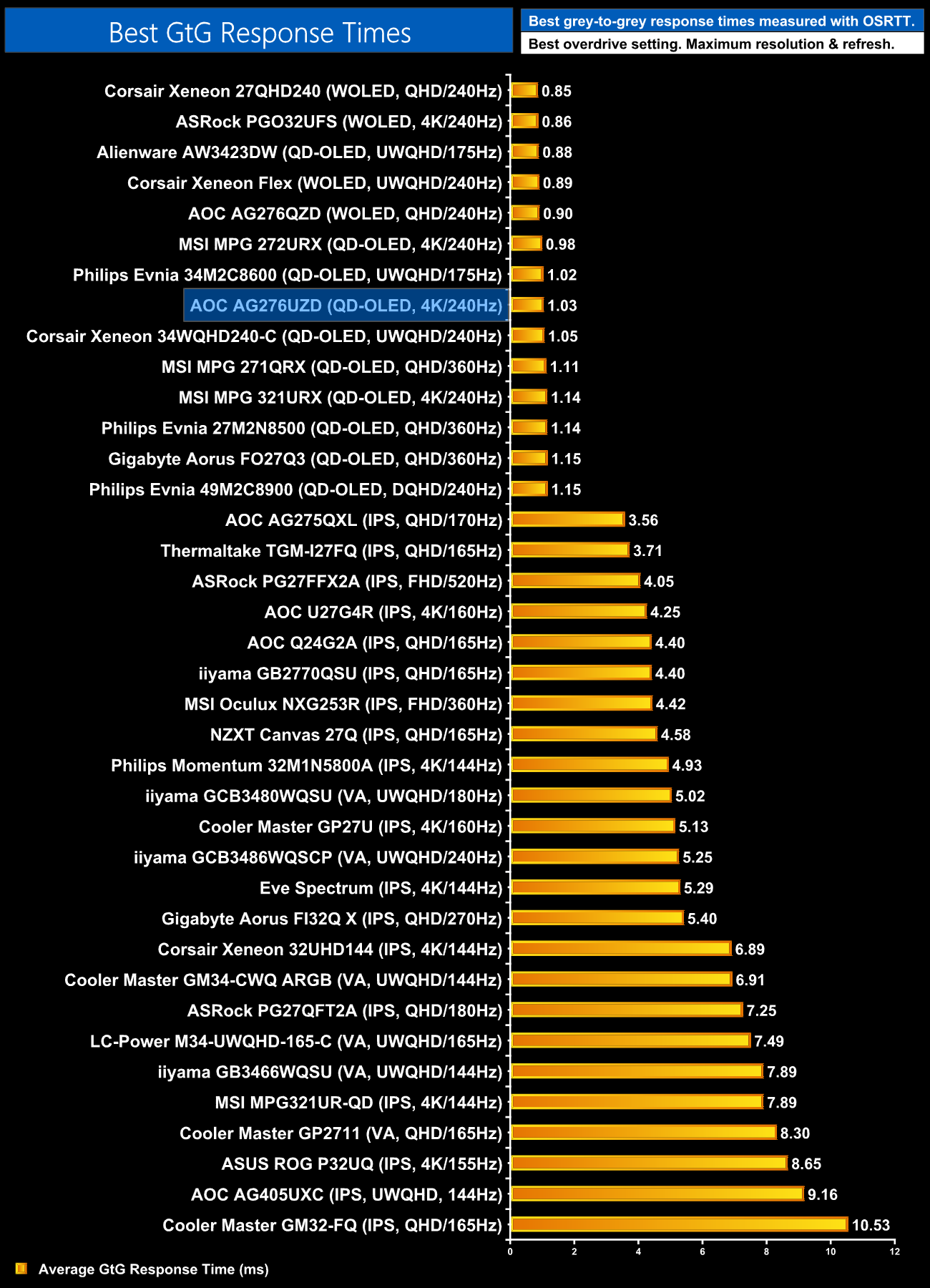
For final confirmation of the response time performance, we can see all the OLED monitors I've tested are grouped together at the top of the chart, with the AG276UZD sitting in the middle.
We again use the Open Source Response Time Tool (OSRTT), developed by TechTeamGB, to report monitor input latency.
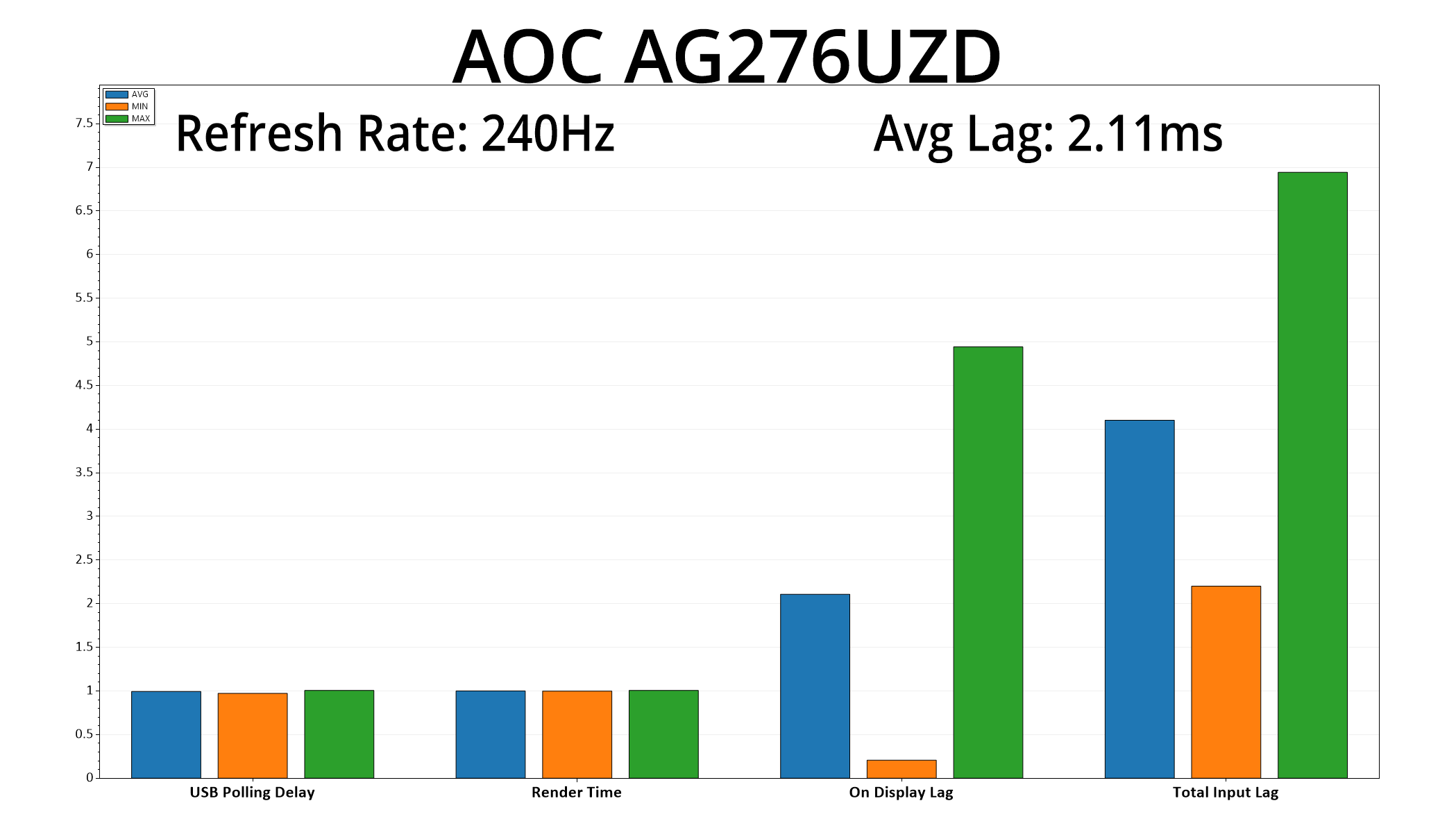
There's good news with our latency testing too, given we see on display lag averaging just 2.11ms, barely more than half a frame at 240Hz, so nothing to worry about there.
After a week's worth of testing, it's safe to say the Agon Pro AG276UZD is another capable gaming monitor from AOC, though it's not without its issues.
Primarily, the factory calibration leaves a bit to be desired given the colour balance is exceedingly warm. This isn't properly fixed by the Normal colour balance mode either, as instead that gives off a purplish hue, while the built-in sRGB emulation mode also can't improve matters. Thankfully, manual colour balance is an option, but without proper tools it's hard to verify the accuracy of any custom settings. Once calibrated we saw stellar results, as we'd expect from an OLED, but it does raise the question of how many gamers actually own the necessary hardware (and software) to do the same.
That said, if you're not too fussed about the imperfect colour balance and just want a high pixel density screen that is fast – well, we know what OLED is capable of, and the AG276UZD does not disappoint. Granted, there are faster OLED screens on the market now, some hitting up to 500Hz, but if you want 4K, 240Hz is currently as good as it gets, and buyers do need to be aware that driving frame rates up to 240fps is no easy task at that resolution. That said, you still get a very wide gamut, giving a vibrant and saturated image, alongside all the depth and punch provided by the effectively infinite contrast ratio, so slower paced single player titles are just as enjoyable.
AOC also offers a range of other modern-day creature comforts, including support for DisplayPort 2.1 at the full UHBR20 bandwidth, alongside USB-C, KVM functionality and user-upgradeable firmware. On the subject of the latter point, it'd be great to see a new firmware released that offers more accurate colour balance modes!
As it stands though, with pricing set at just £700 here in the UK, the AOC AG276UZD is well worth a look if you want a 4K/240Hz QD-OLED at a good price. As mentioned at the start of the review, other options, including MSI's excellent MPG 272URX, do drop down to a similar price when on sale but have a much higher RRP, so it's worth keeping an eye out for any deals when you are shopping around. All things being equal, MSI has the superior product, but if pricing goes back up at £999, then the AG276UZD becomes a strong contender.
Pros
- Very wide gamut.
- Effectively infinite contrast ratio.
- Very fast response times.
- 4K resolution coupled with 240Hz OLED makes for a very sharp experience.
- HDR hits 1000 nits with a few different modes to choose from.
- 2x HDMI 2.1 alongside DP 2.1
- USB-C and KVM support.
- User-upgradable firmware.
- We've not seen a cheaper 4K/240Hz QD-OLED monitor.
Cons
- Colour balance modes need work.
- sRGB emulation mode is also disappointing.
- OSD looks very dated.
KitGuru says: It's not perfect given the colour balance issues, but if you can look past that, the AG276UZD offers a pin-sharp OLED gaming experience for a good price.