KitGuru KitGuru.net – Tech News | Hardware News | Hardware Reviews | IOS | Mobile | Gaming | Graphics Cards


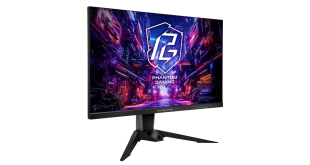
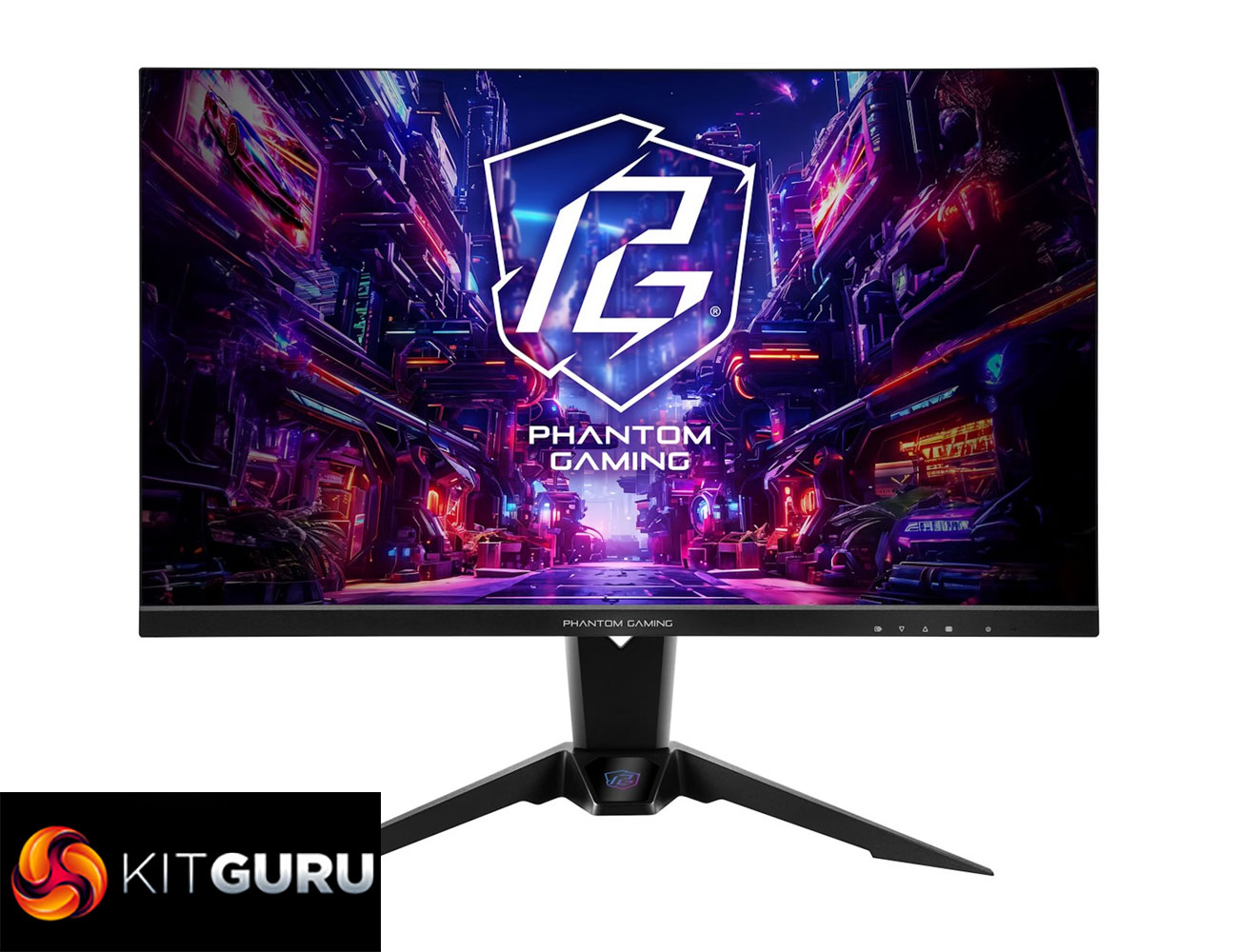
Today we are checking out the fastest monitor ever reviewed here at KitGuru – ASRock's PG27FFX2A, thanks to its 520Hz 1080p IPS panel. Squarely targeted at competitive gamers, it also supports adaptive sync, up to 400 nits peak brightness, and offers a claimed 1ms response time. But is a 27in screen size just too big for the FHD resolution? And does 520Hz even offer any benefits over cheaper 240 or 360Hz monitors? We find out today.
Clearly the PG277FX2A is all about the 520Hz refresh rate, eclipsing other 360Hz monitors we have reviewed in the past. It's not as expensive as you might have thought, too, priced at around £380 from NeoComputers, though it's more like £460 at Scan. Let's find out if it's worth the cash.
Specification:
- Panel Size: 27 (inch)
- Curvature: Flat
- Aspect Ratio: 16:9
- Viewing Area: 597 x 336 mm (H x V)
- Pixel Pitch: 0.3108 mm
- Panel Type: IPS
- Display Surface: Anti-Glare
- Color Space: 94% DCI-P3 / 123% sRGB
- Resolution: FHD (1920 x 1080)
- Refresh Rate: 520Hz (Max.)
- Brightness: 400 cd/m² (Typ.)
- Contrast Ratio: 1000:1 (Typ.)
- View Angle: 178°(H) / 178°(V)
- Display Colors: 16.7M (8 bit)
- Response Time: 1ms (GTG)
- Flicker-free: Yes
- Low Blue Light: Yes
- Unique Feature
- Integrated Wi-Fi Antenna
- I/O Ports:
- 2 x HDMI™ 2.1
- 1 x DisplayPort™ 1.4
- 2 x USB 3.2 Gen1 Type-A
- 1 x USB 3.2 Gen1 Type-B
- 1 x Headphone Out
- Speaker 2Wx2
- Tilt Adjustment: -5° ~ +20°
- Swivel Adjustment: -20° ~ +20°
- Height Adjustment: 0~100 mm
- VESA Mount: 100 x 100 mm (4 screw holes), M4 x 12 mm
- Dimension with Stand: 614 x 542 x 258 (mm)
- Dimension without Stand: 614 x 366 x 72 (mm)
- Net Weight with Stand: 7.7 kg
- Weight without Stand: 5.45 kg
- Gross Weight: 9.7 kg
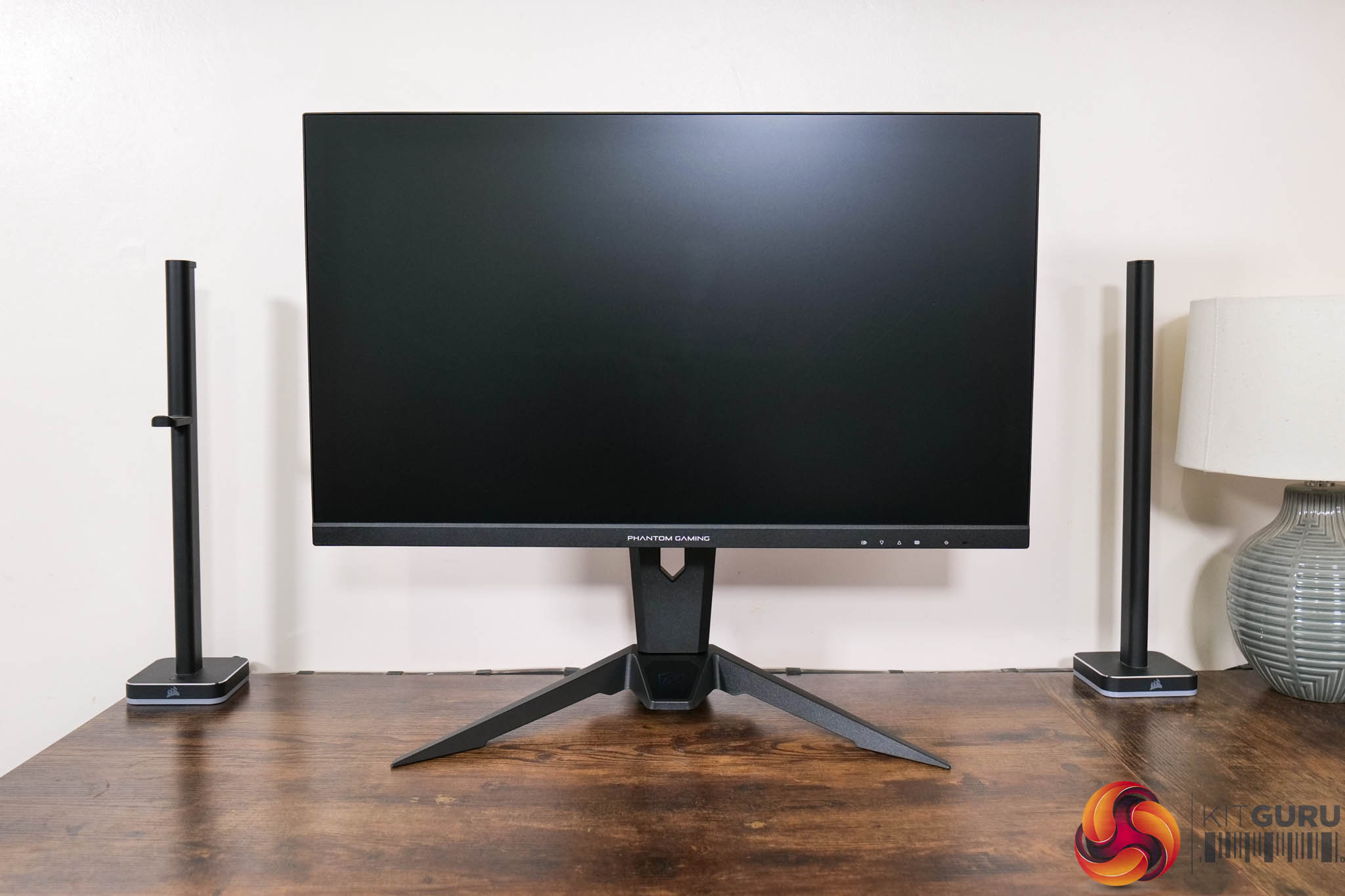
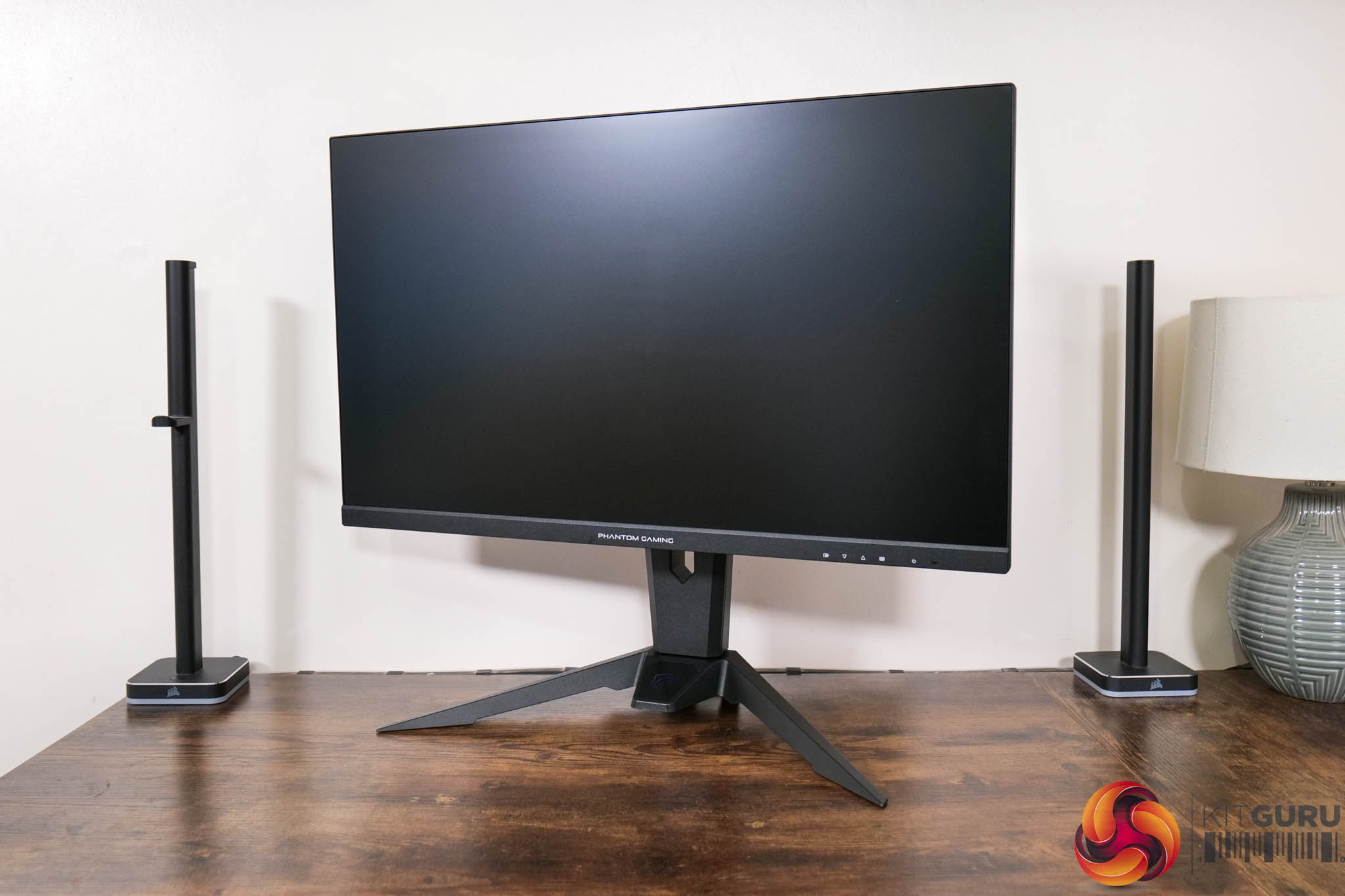
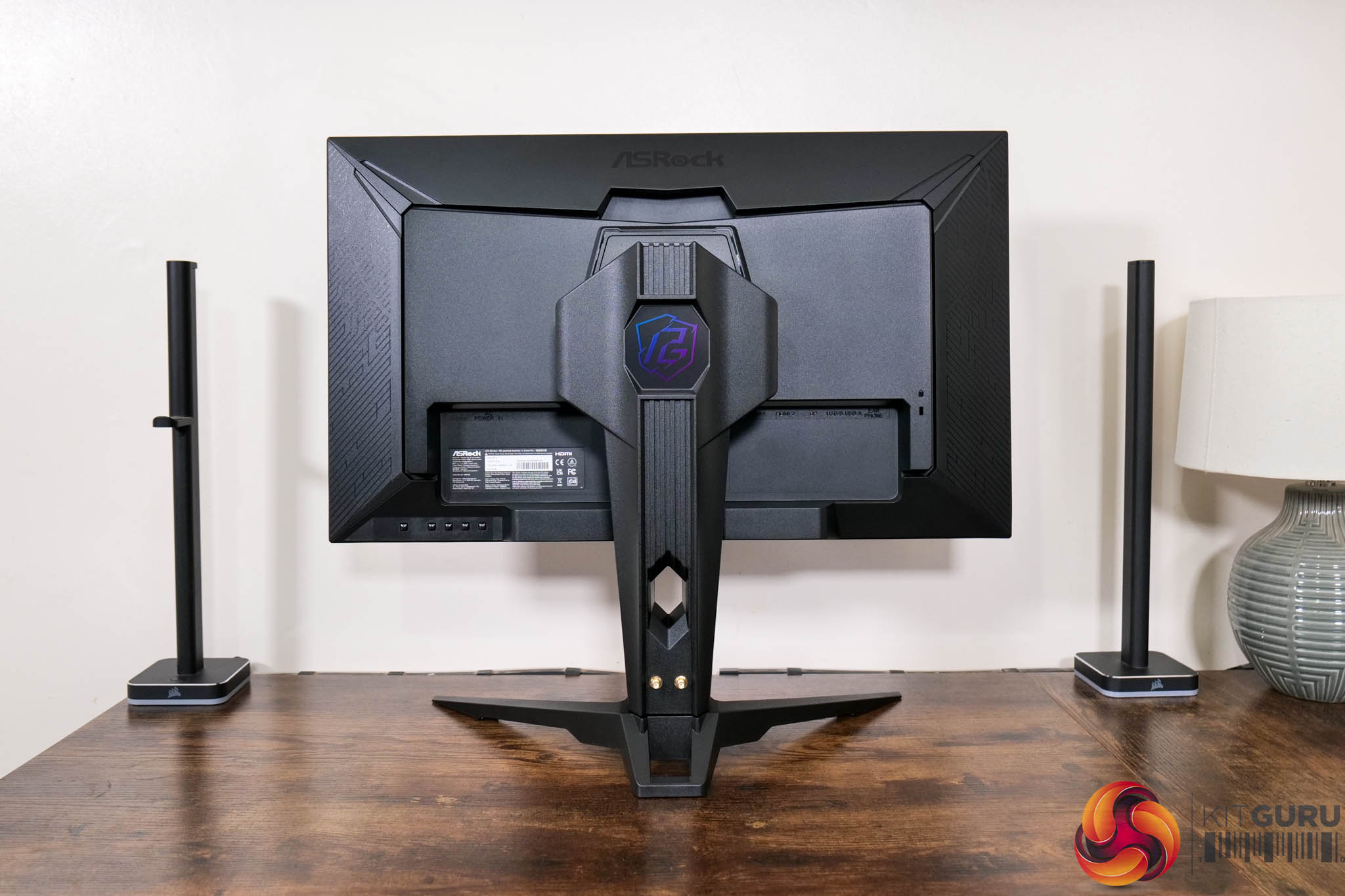
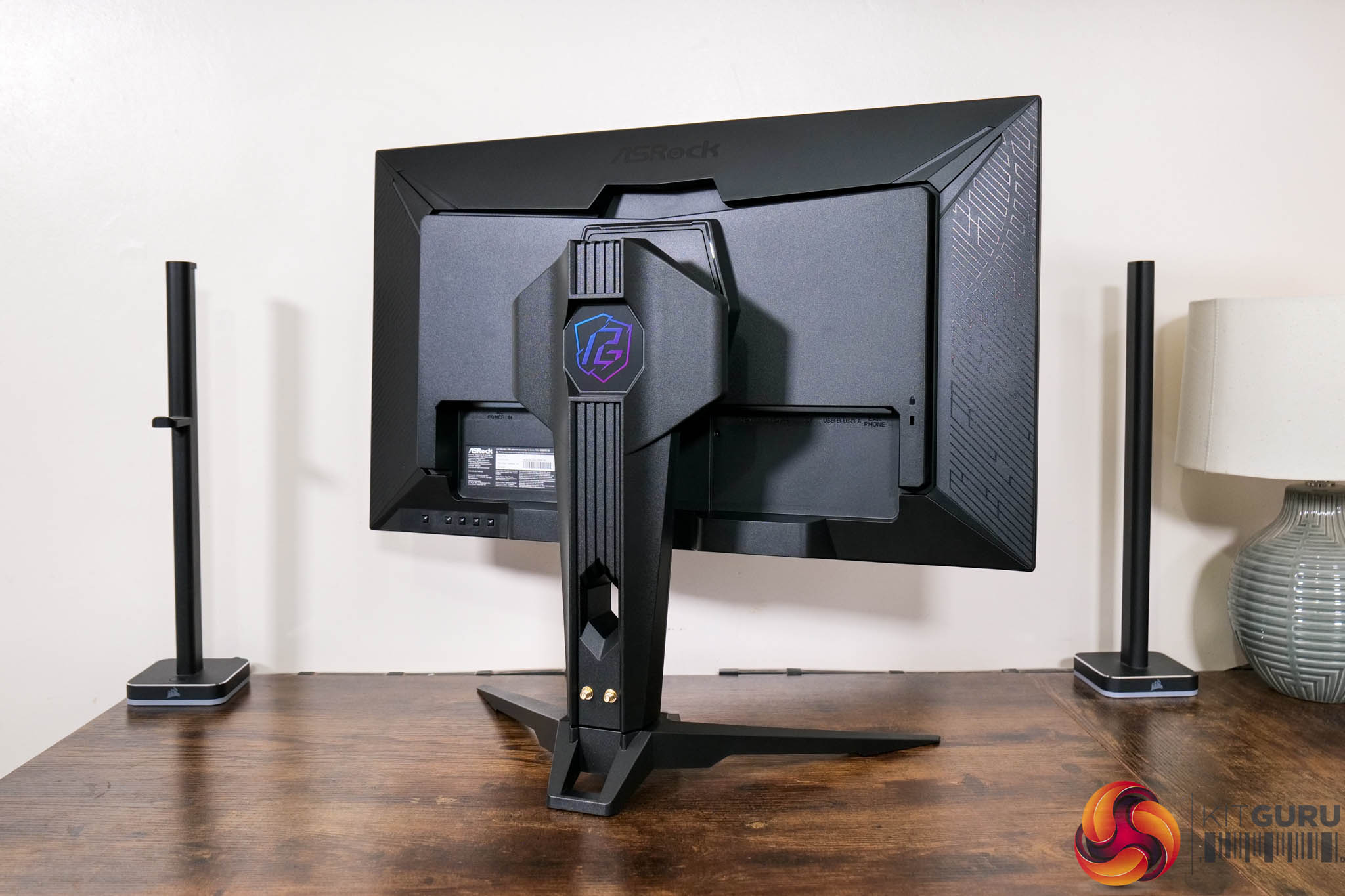
Starting first with the design of the monitor, if you've seen our reviews of the ASRock PG27QFT2A or the PGO32UFS, you will know what to expect. That's because the core design is identical between the three screens, being mostly matte black plastic, with a fairly large and bulky stand.
I personally don't find it to be overly appealing – it may not be hideous, but nor is it a particularly refined aesthetic. I'd also prefer to see a more compact square foot instead of the V-shaped foot which measures approximately 45cm across.
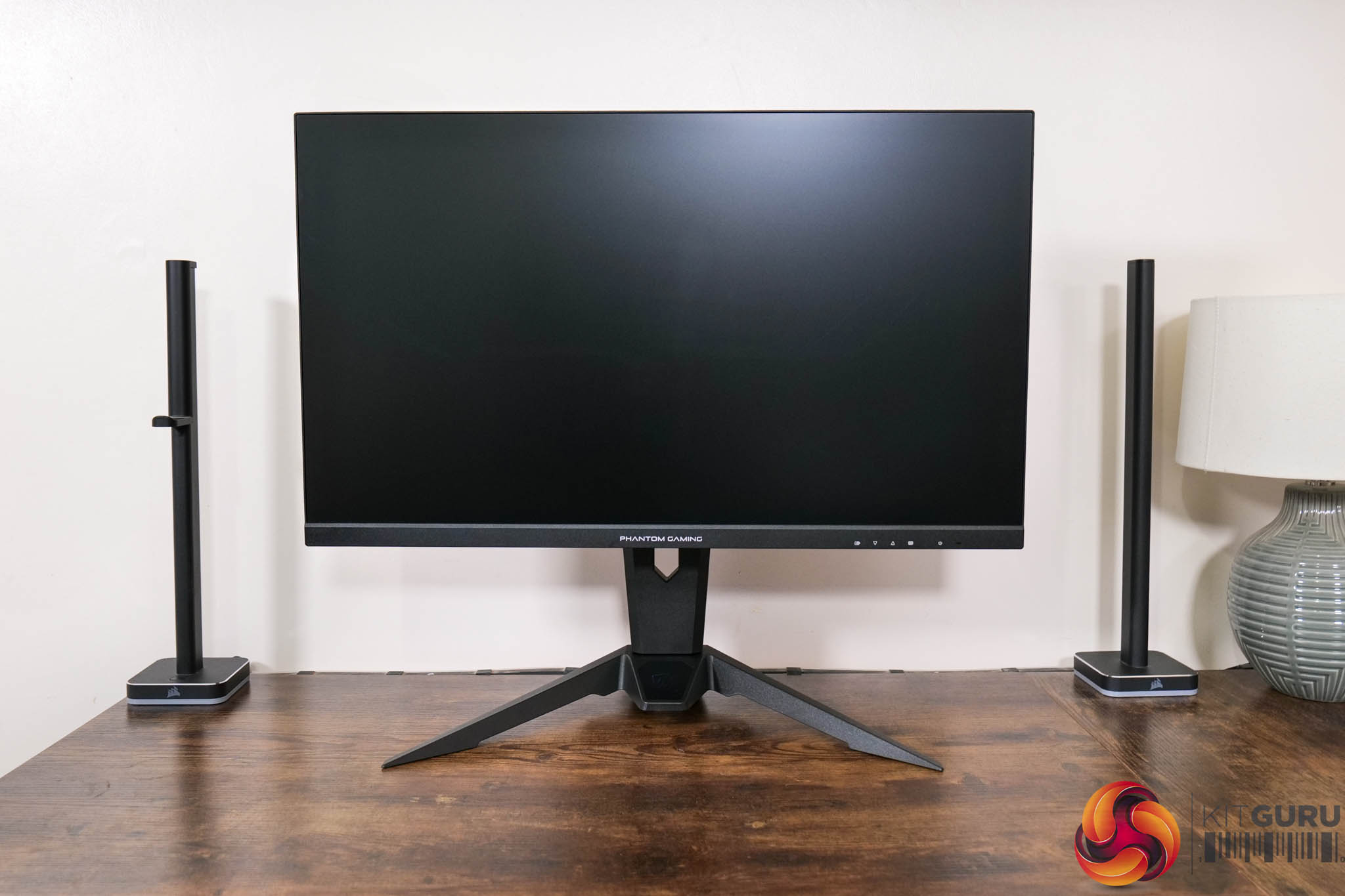
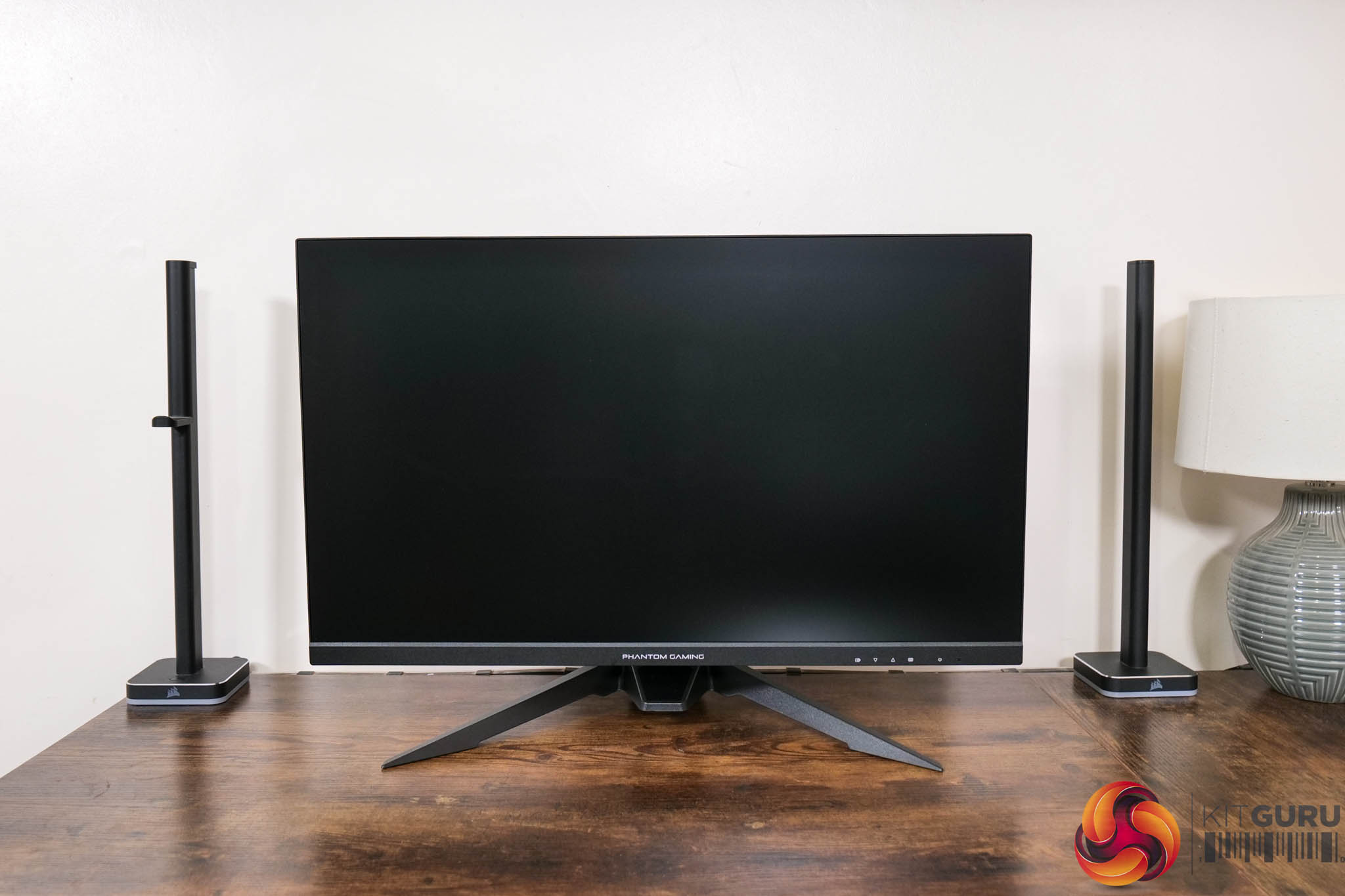
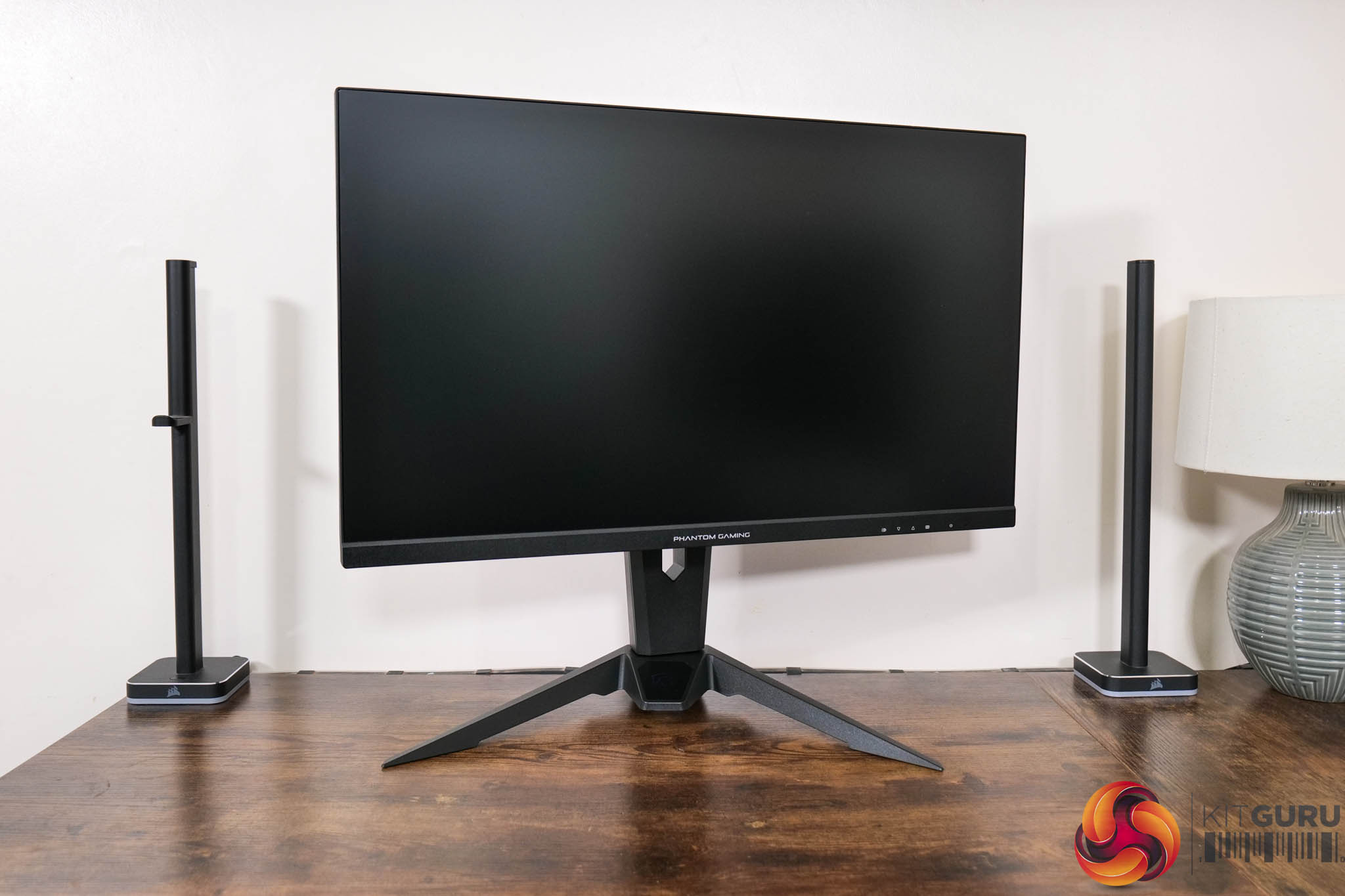
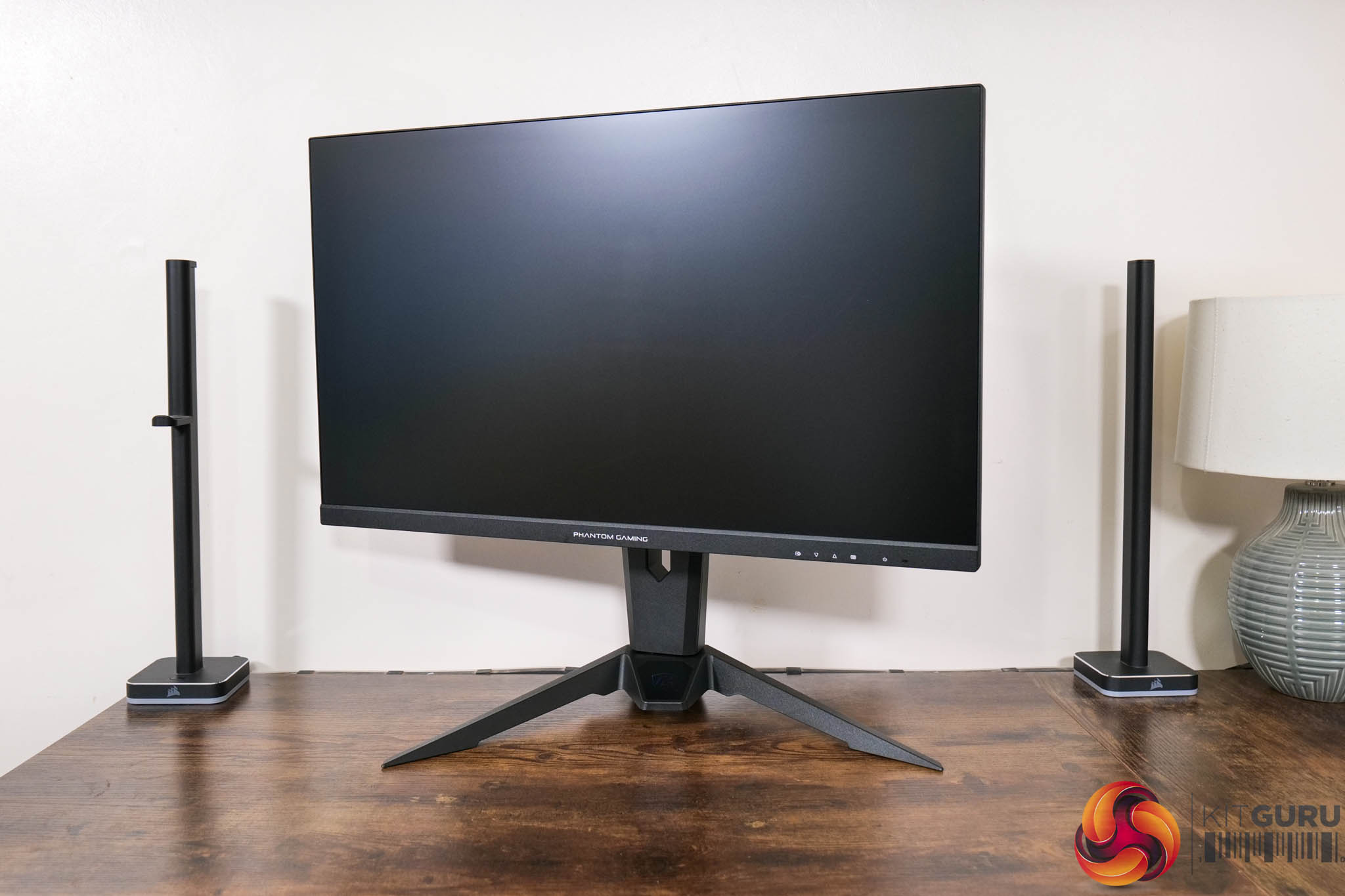
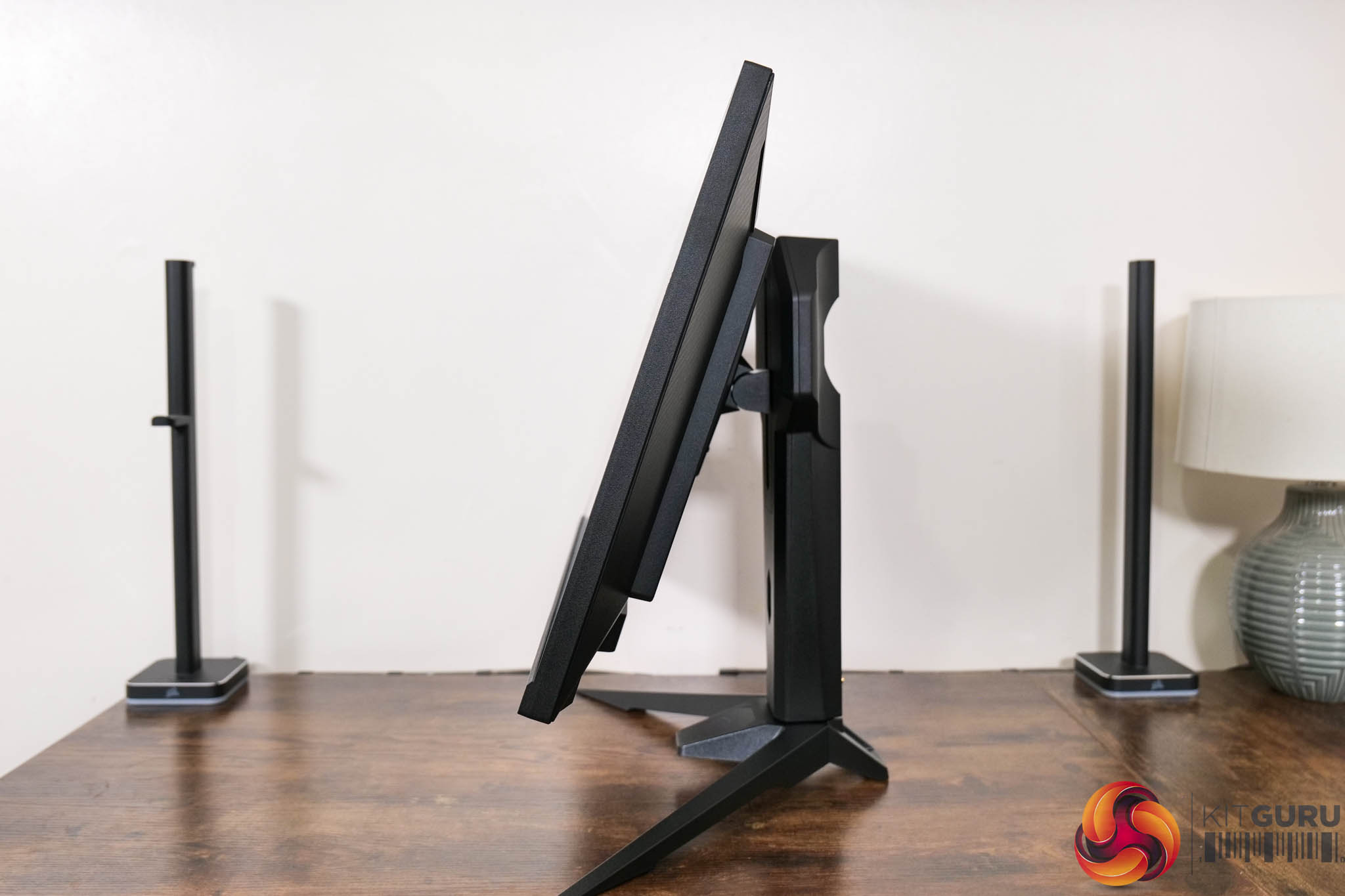
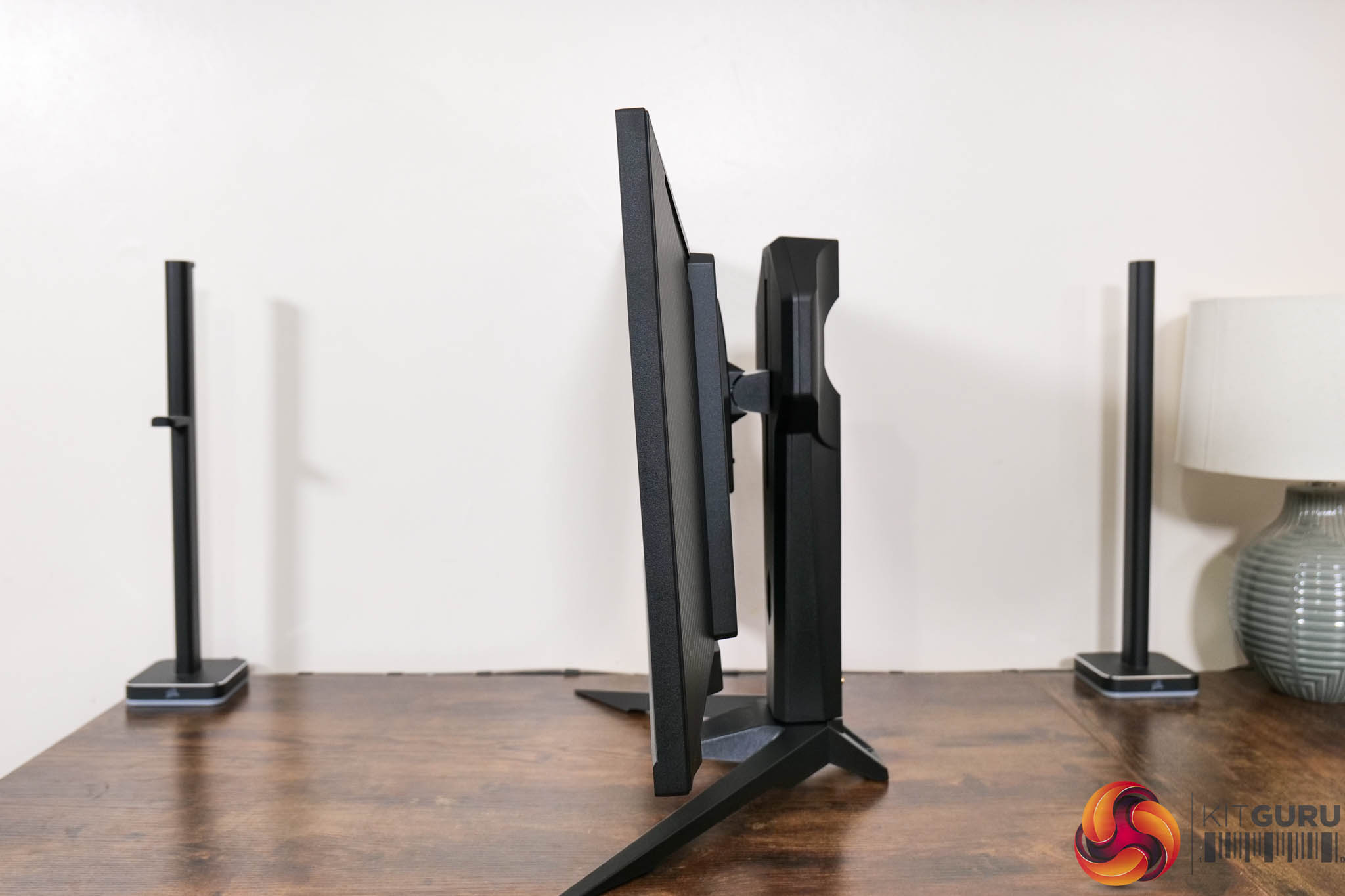
The stand does offer a decent array of ergonomic adjustments, though, including 100mm of height adjust, 20 degrees of swivel both left and right, and then tilt from -5 to +20 degrees. That does mean no pivot which ordinarily I'd consider a shame, but you also do have to question how many people would buy a 520Hz monitor to run it vertically… Third-party VESA 100×100 are supported, though.
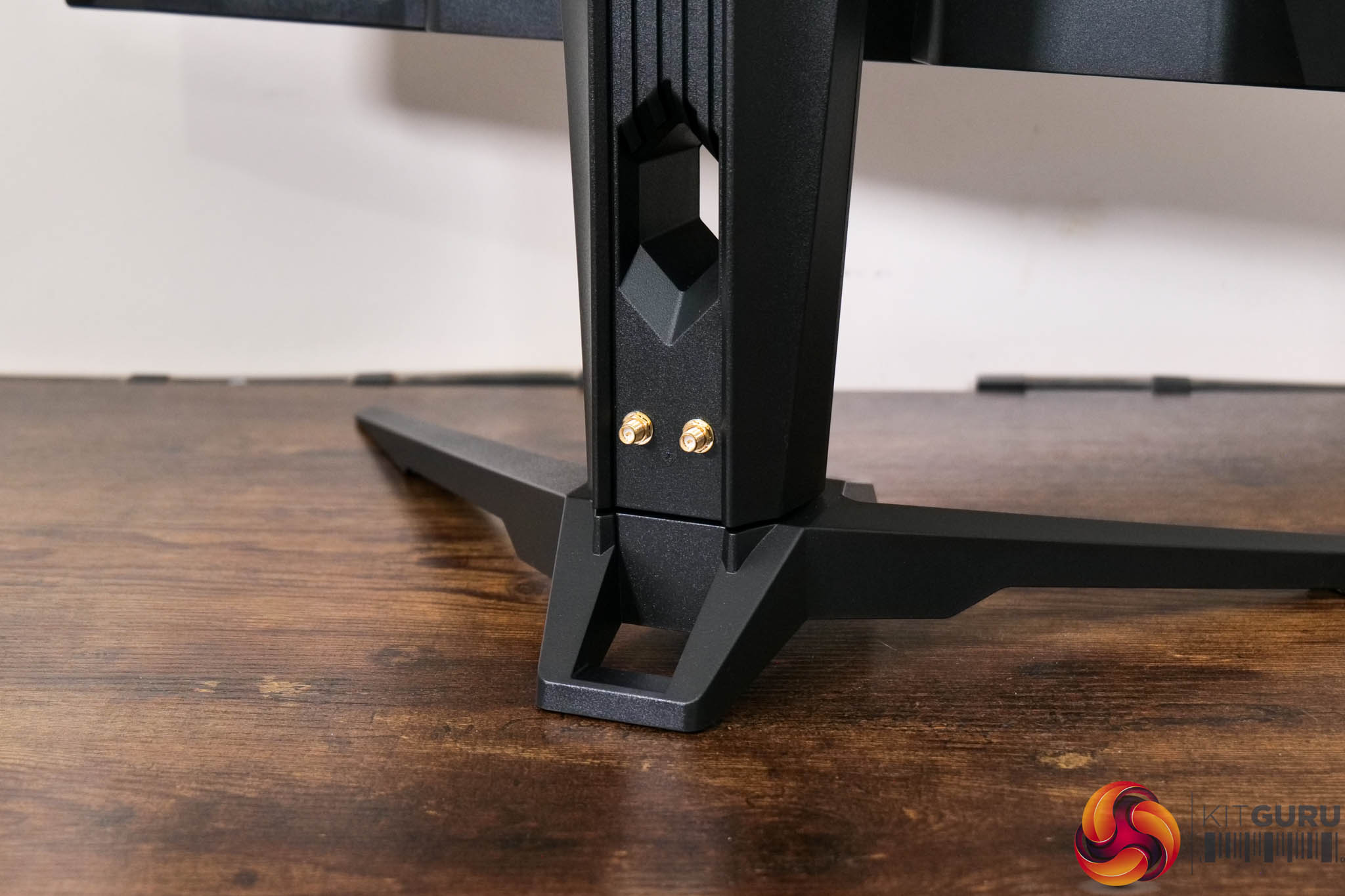
ASRock is persisting with its built-in WiFi antenna feature that we first saw on the PG27QFT2A, too – it might be a value add for some, but it's not something I'd personally use.
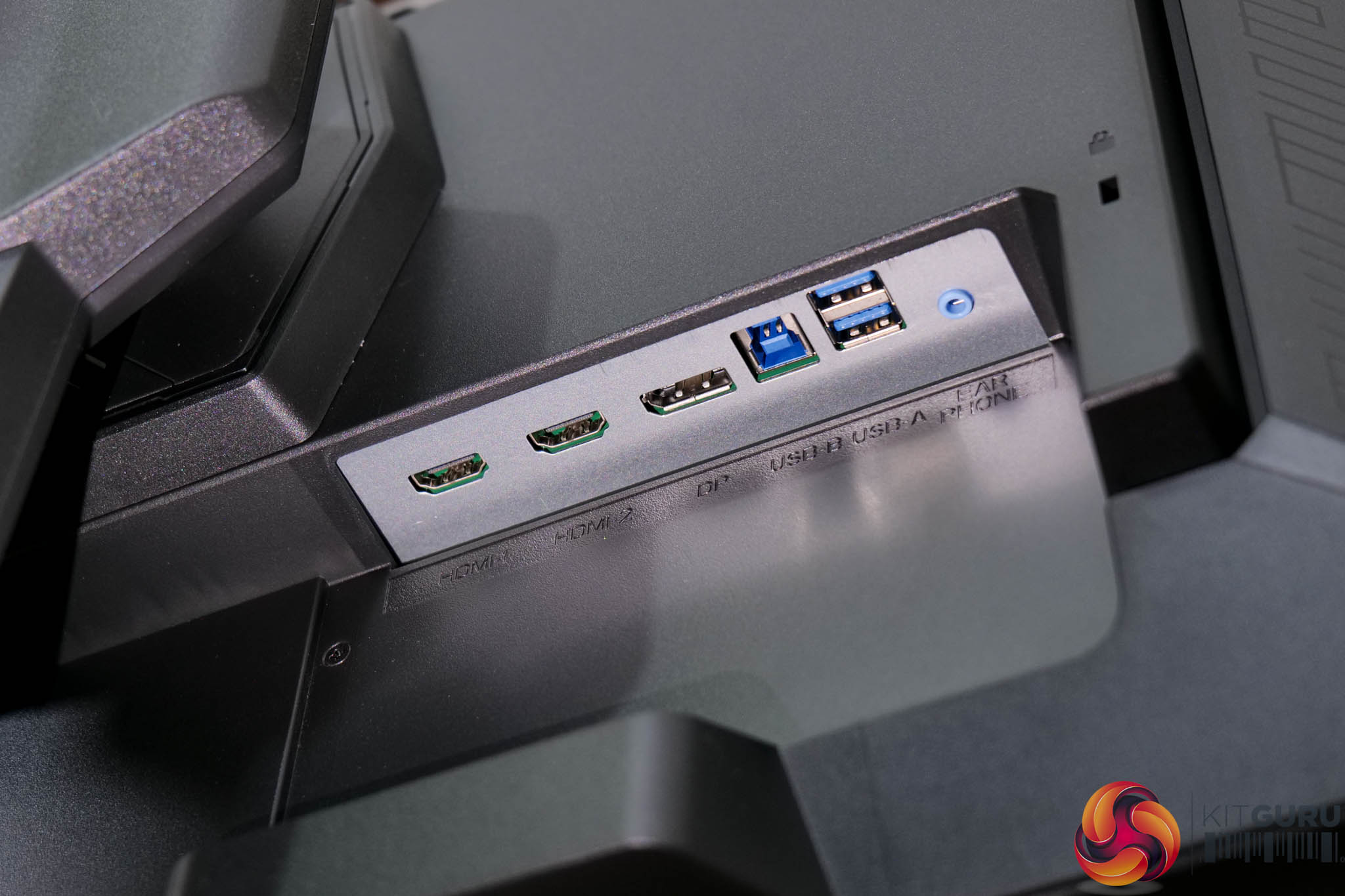
As for I/O, video inputs are fine, with 2x HDMI 2.1 and 1x DisplayPort 1.4. The only other ports are a USB upstream and 2x Type-A downstreams, along with a headphone jack – so that means no USB-C or KVM functionality, which I would hope to see in a monitor at this price.
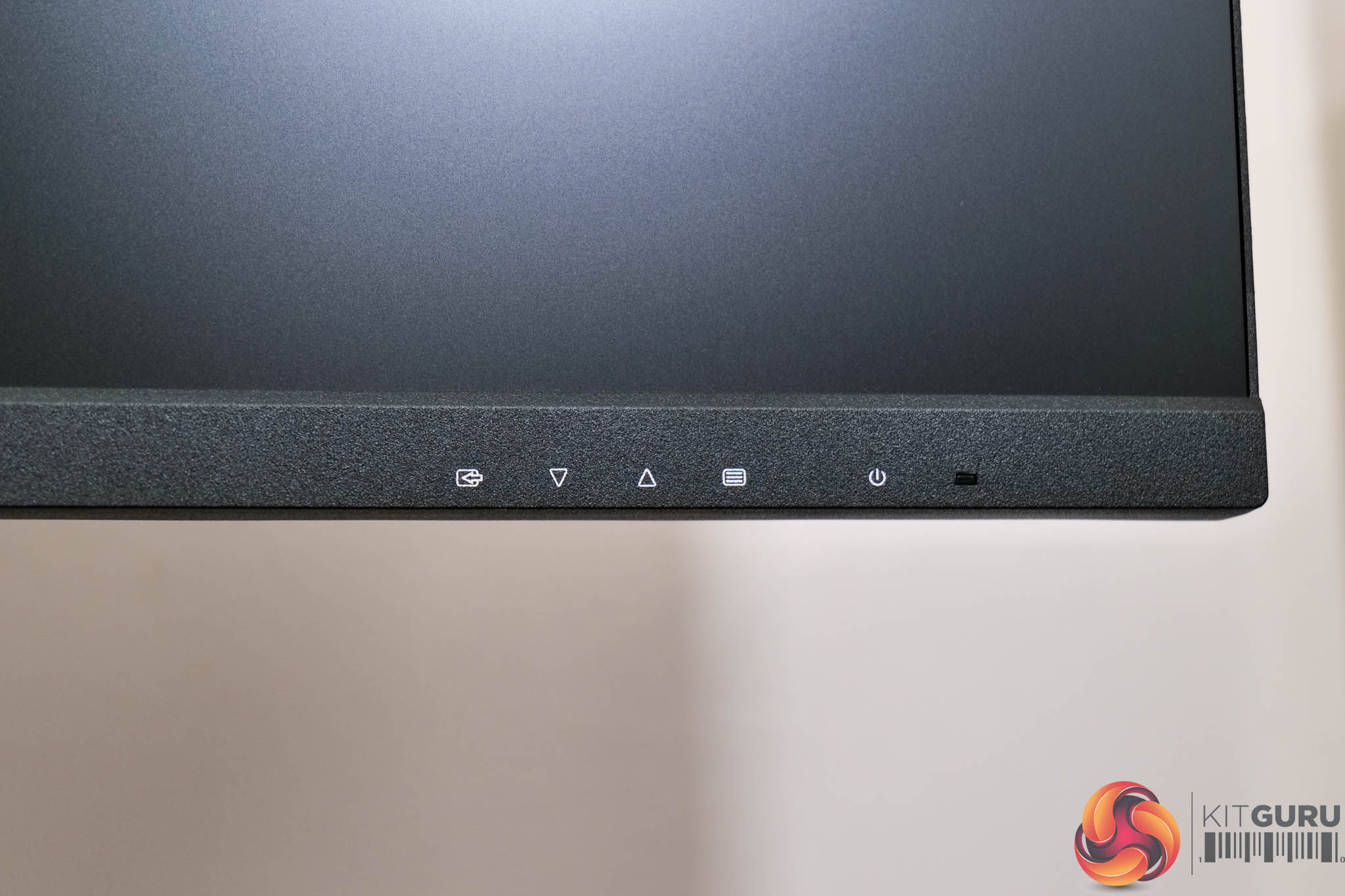
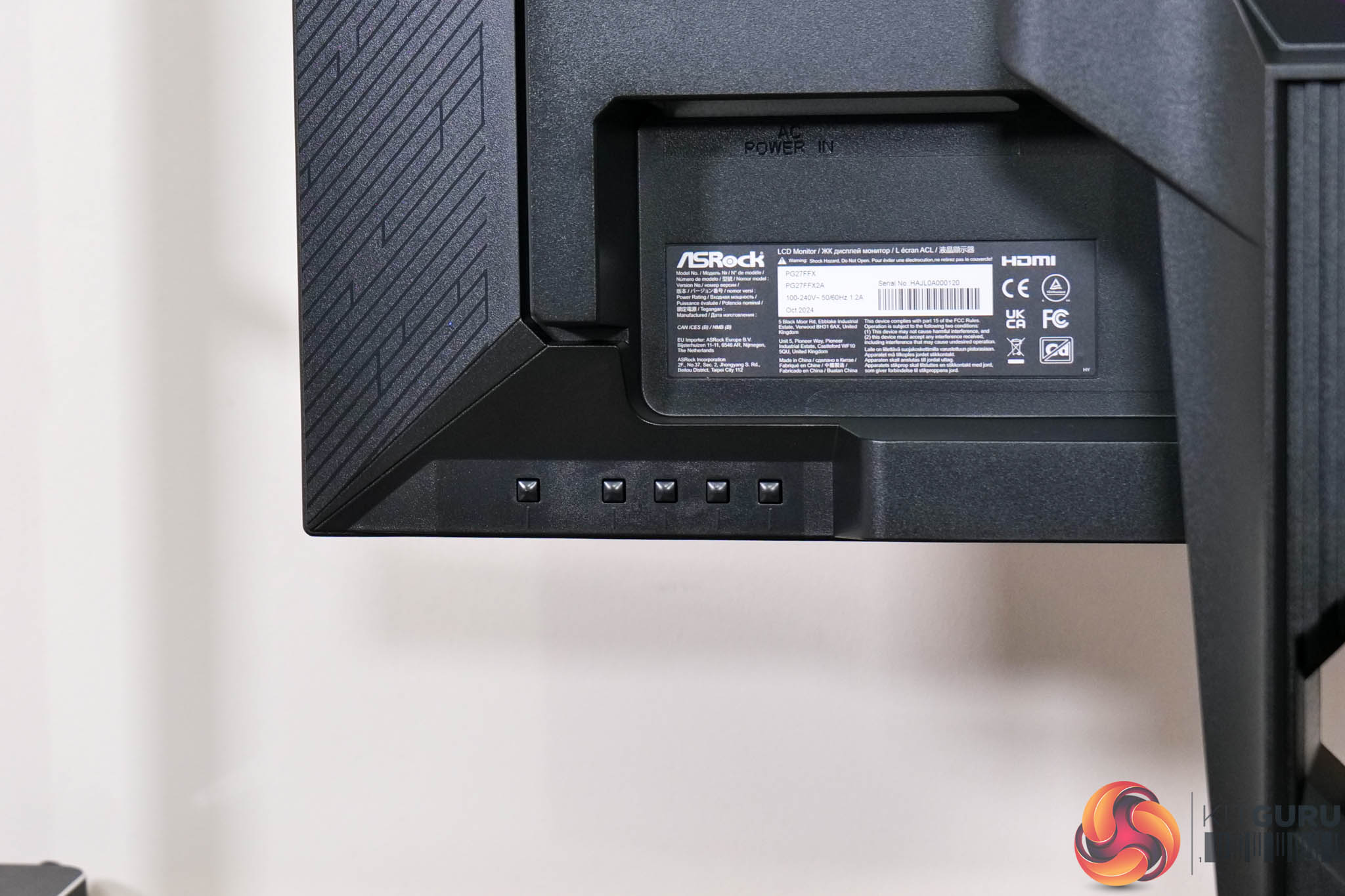
I would also have expected to see an OSD joystick, but instead we find five fiddly buttons used to adjust the monitor's settings. ASRock has at least spaced the power button out from the rest, so it's harder to accidentally turn the screen off when you're in the OSD menu, but I really do think a monitor that costs almost £400 should have a joystick in 2025.
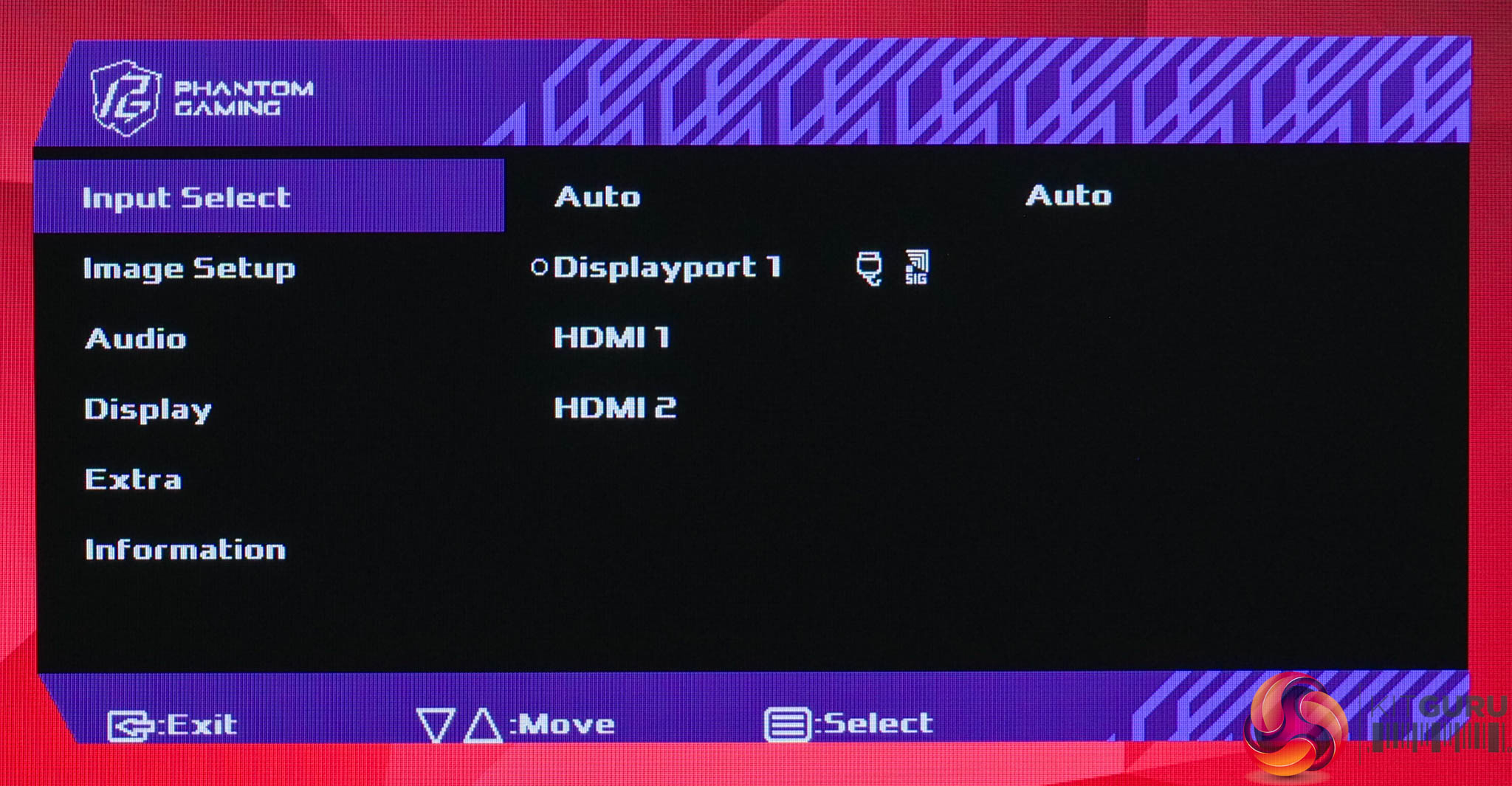
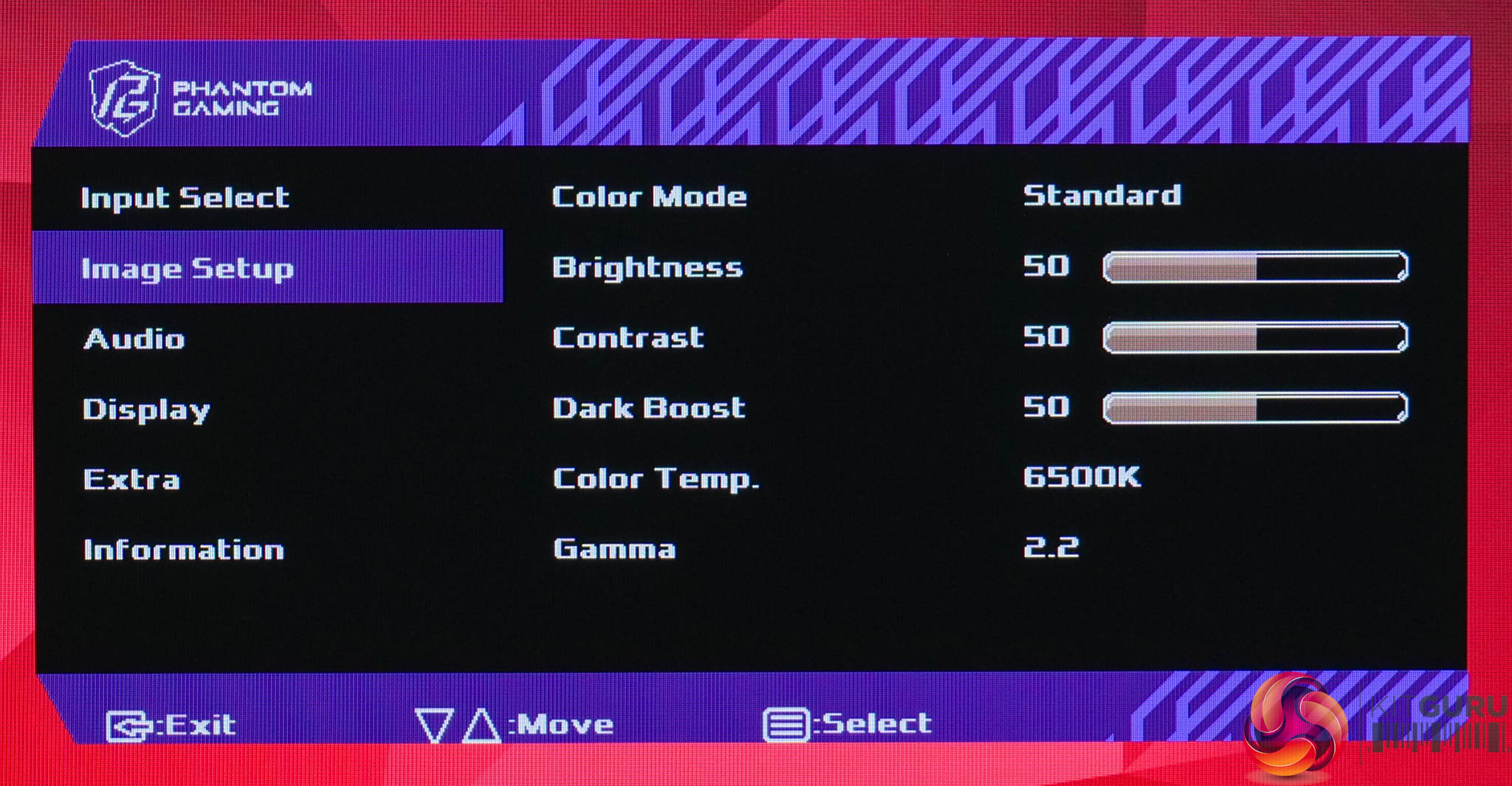
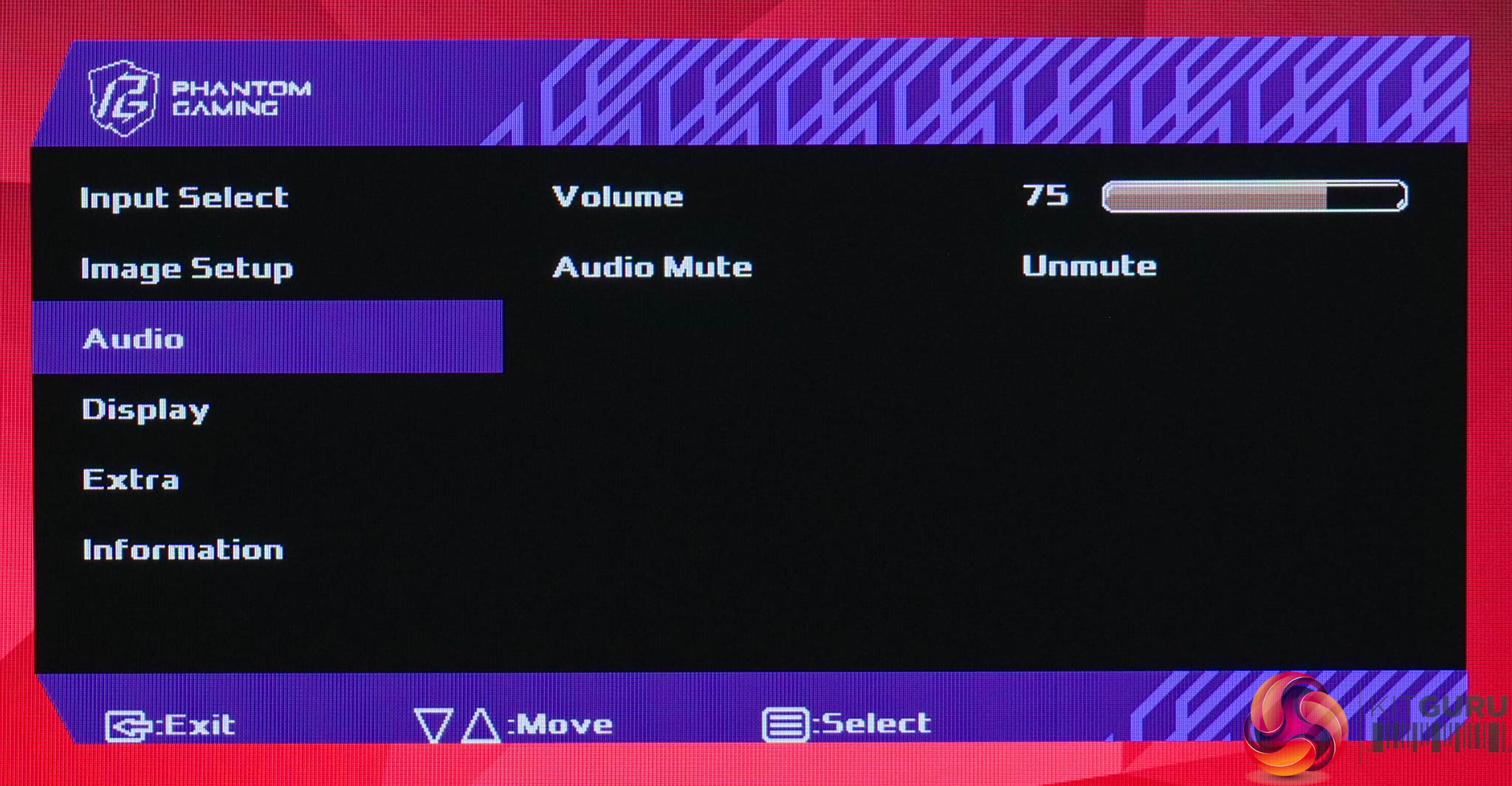
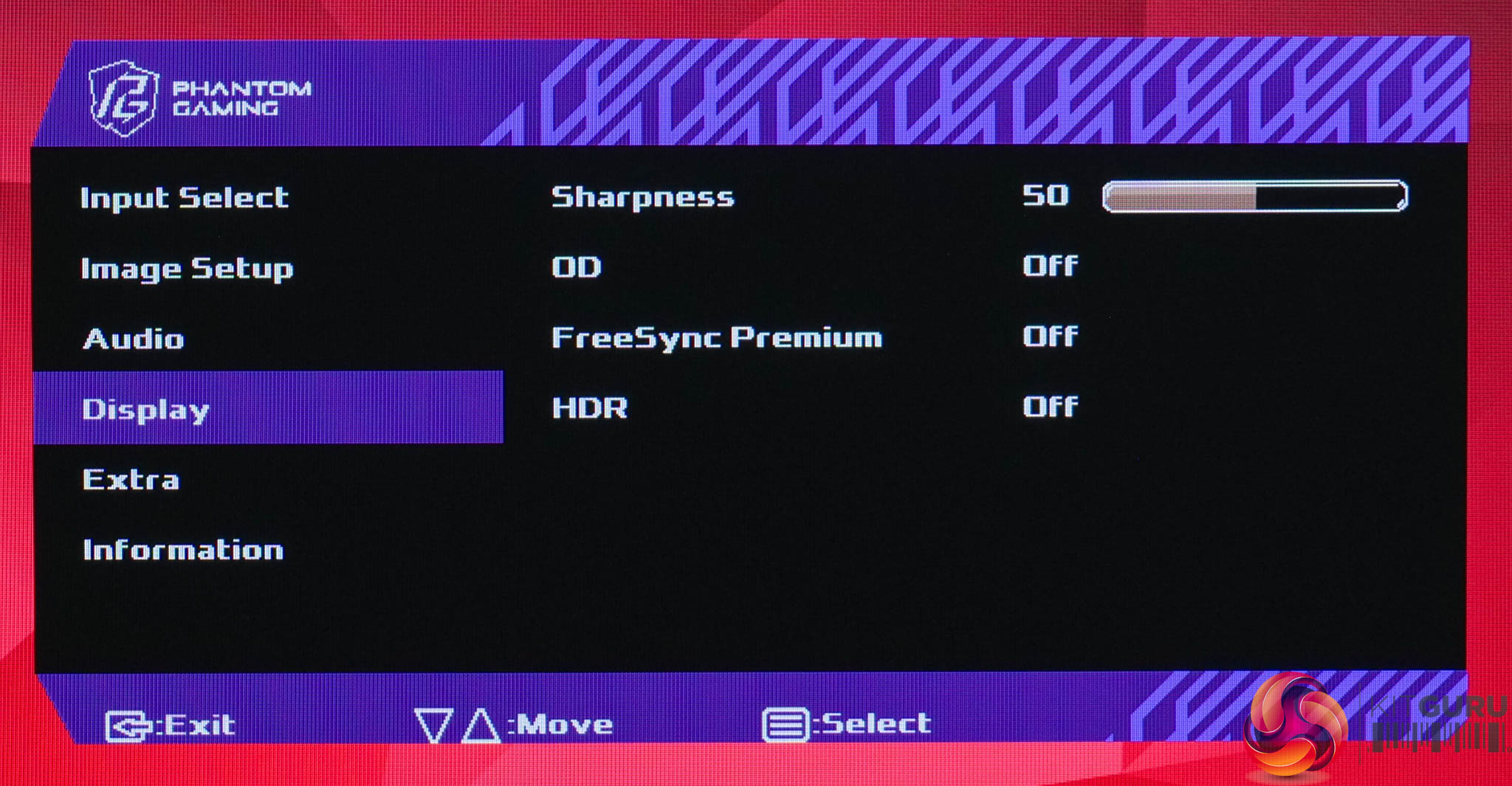
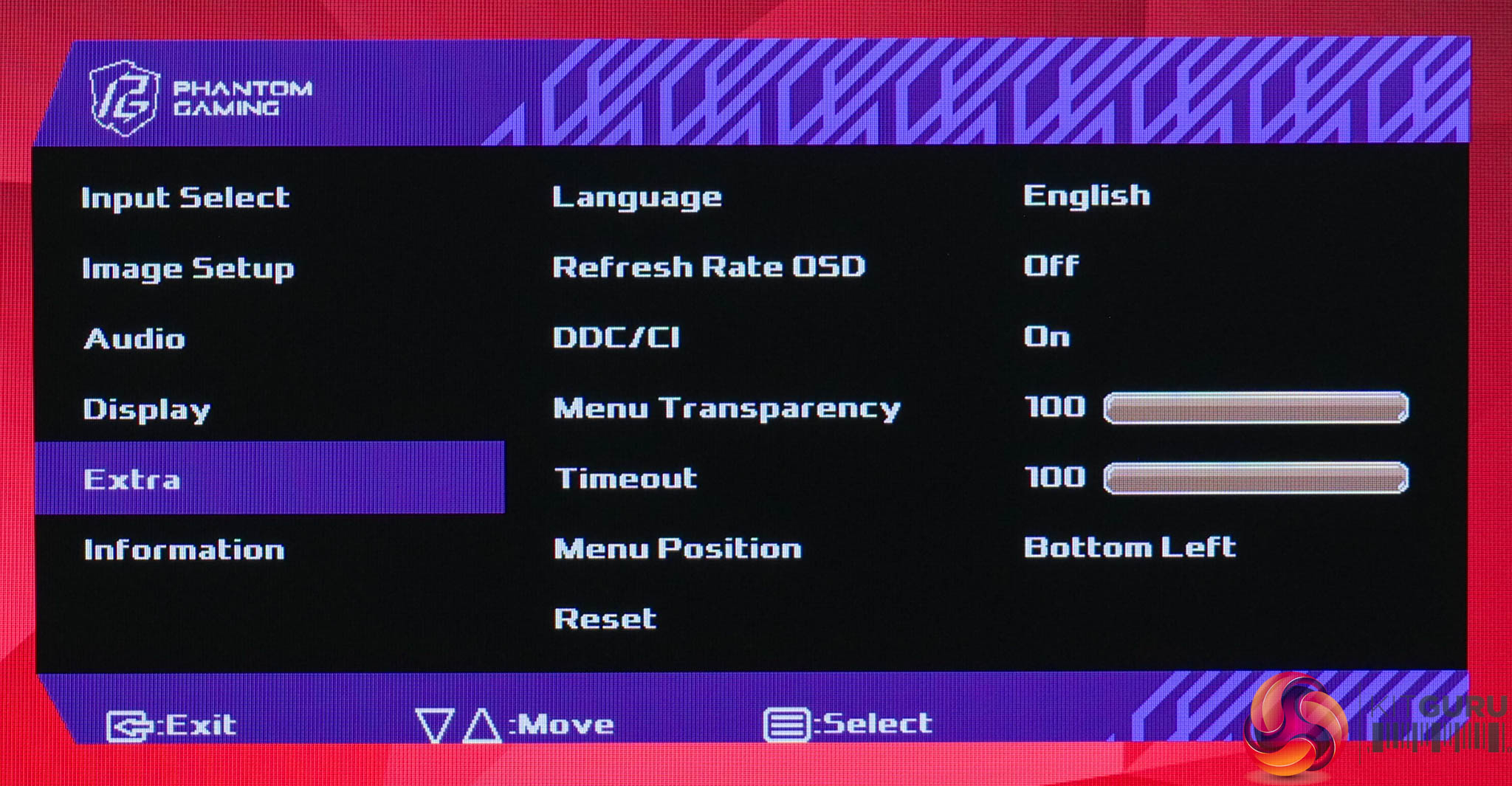
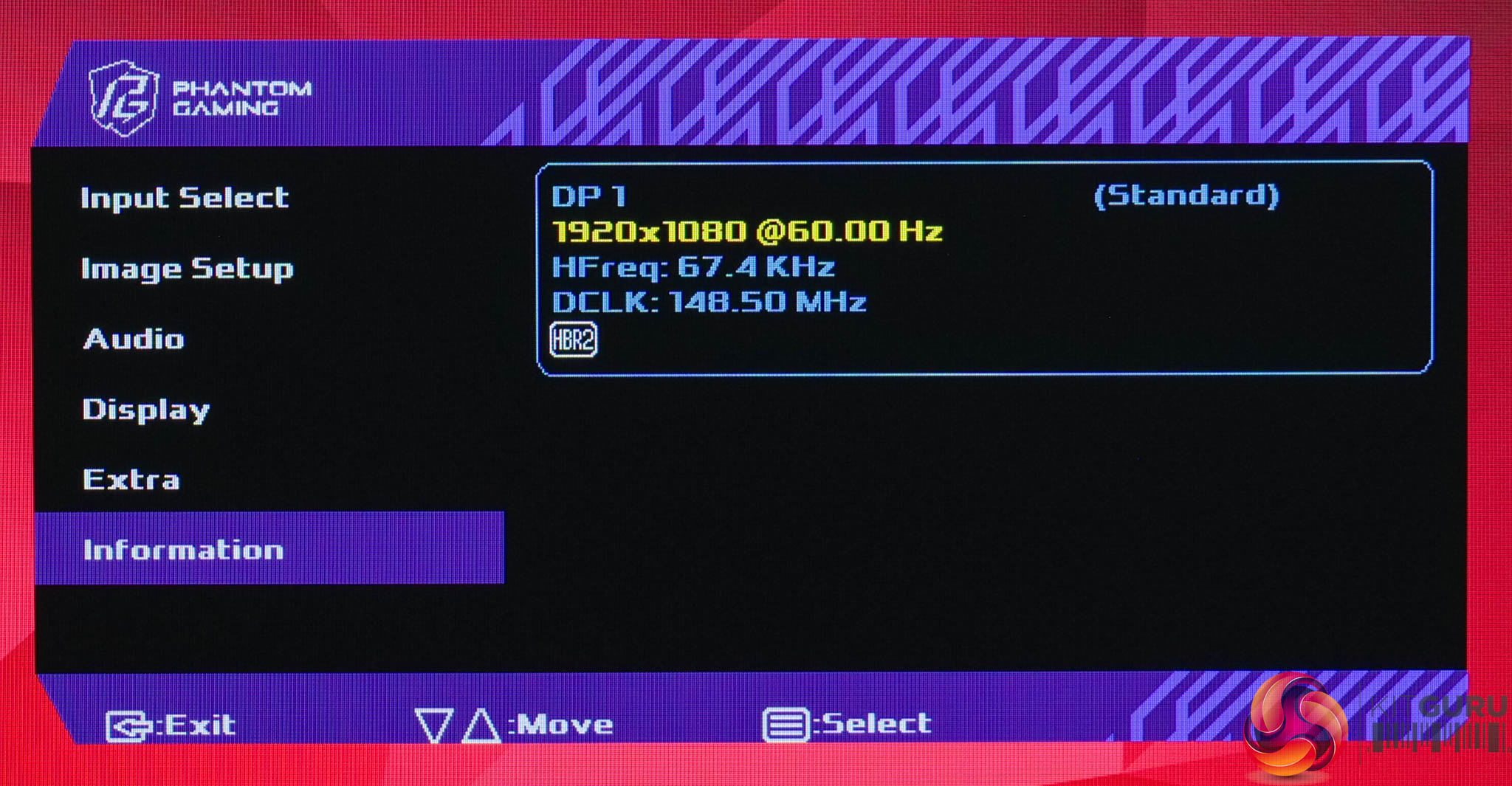
As for the OSD itself, everything is split over six main tabs, and I have to say not only does it look very dated, but it's lacking a number of features I'd expect from a modern gaming screen. There's no sRGB emulation mode for instance, nor are there standard gaming-oriented features like an on-screen crosshair, different presets for different game genres, or sniper-style view modes. It offers options for adaptive sync and three overdrive modes, and that's about it – so definitely work to be done here. Hopefully the default settings can deliver the goods, as there's not much room for error!
Our main test involves using an X-Rite i1 Display Pro Plus colorimeter and utilising Portrait Display's Calman Ultimate software. The device sits on top of the screen while the software generates colour tones and patterns, which it compares against predetermined values to work out how accurate the screen is.

The results show:
- A monitor’s maximum brightness in candelas or cd/m2 at various levels set in the OSD.
- A monitor’s contrast ratio at various brightness levels in the OSD.
- Gamut coverage, primarily focusing on sRGB and DCI-P3 colour spaces.
- Greyscale accuracy, measured across 20 shades, with an average colour balance reported.
- The exact gamma levels, with a comparison against preset settings in the OSD.
- The colour accuracy, expressed as a Delta E ratio, with a result under 3 being fine for normal use, and under 2 being great for colour-accurate design work.
We first run these tests with the display in its out-of-the-box state, with all settings on default. If there is an sRGB emulation option or other useful mode then we may test that too. We then calibrate the screen using the Calman Ultimate software and run the tests again.
You can read more about our test methodology HERE.
Default settings
Brightness and Contrast (Full Screen)
| OSD Brightness | White Luminance (cd/m2) | Black Luminance (cd/m2) | Contrast Ratio |
| 0% | 72.3 | 0.05 | 1457:1 |
| 25% | 126.4 | 0.087 | 1461:1 |
| 50% | 180.5 | 0.124 | 1458:1 |
| 75% | 324.9 | 0.222 | 1461:1 |
| 100% | 462.9 | 0.317 | 1460:1 |
Kicking off with brightness and contrast testing, the overall range of brightness from the PG27FFX2A is solid. It could go a bit dimmer, bottoming out at 72 nits, but it peaks at 463 nits which is above ASRock's claimed 400 nit figure. Contrast is also impressive for an IPS panel, sitting at around 1460:1, well above the claimed 1000:1 ratio.
Gamut (CIE 1976)
| Colour space | Coverage (%) |
| sRGB | 98.3 |
| DCI-P3 | 91.5 |
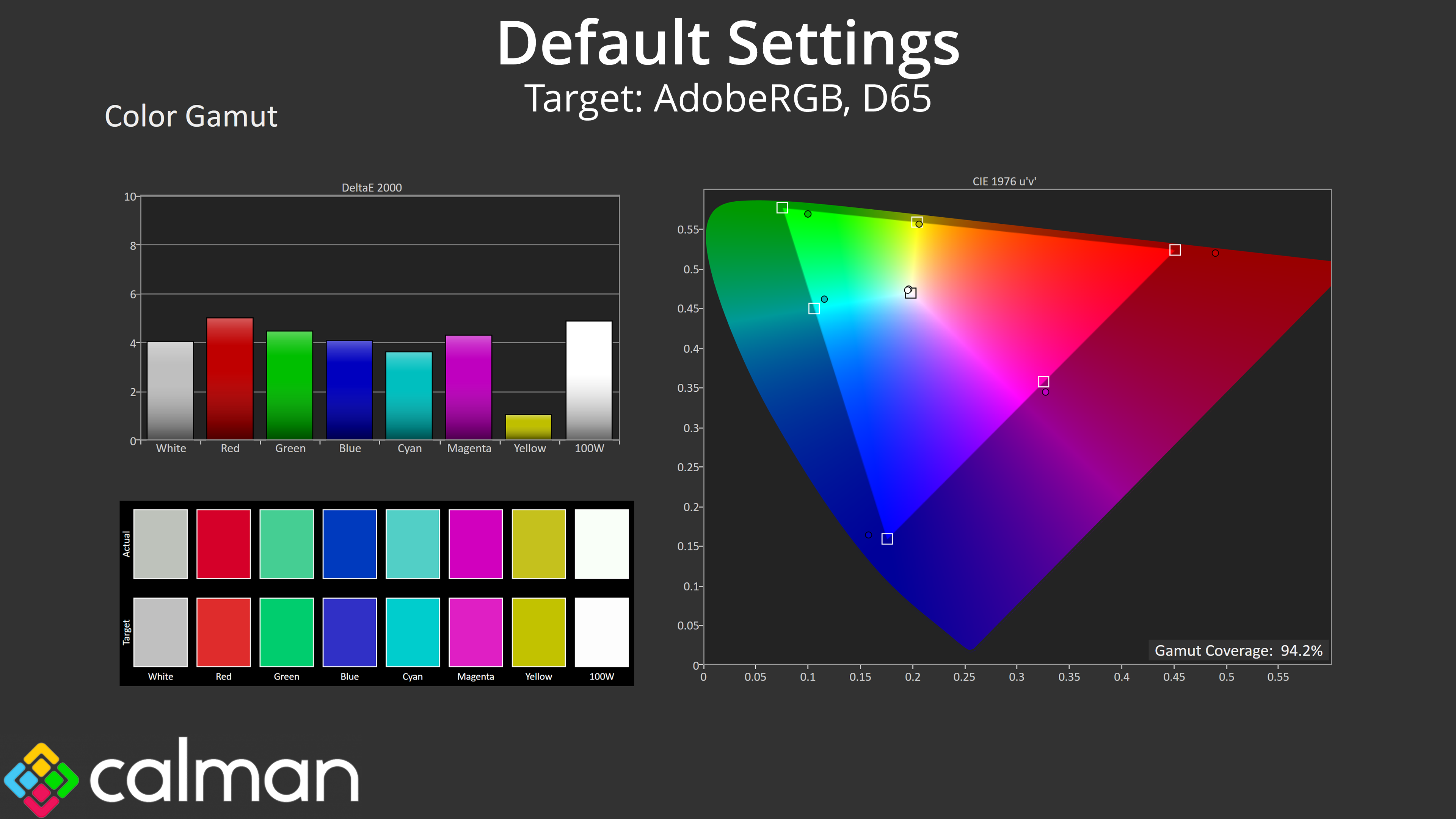
| Adobe RGB | 94.2 |
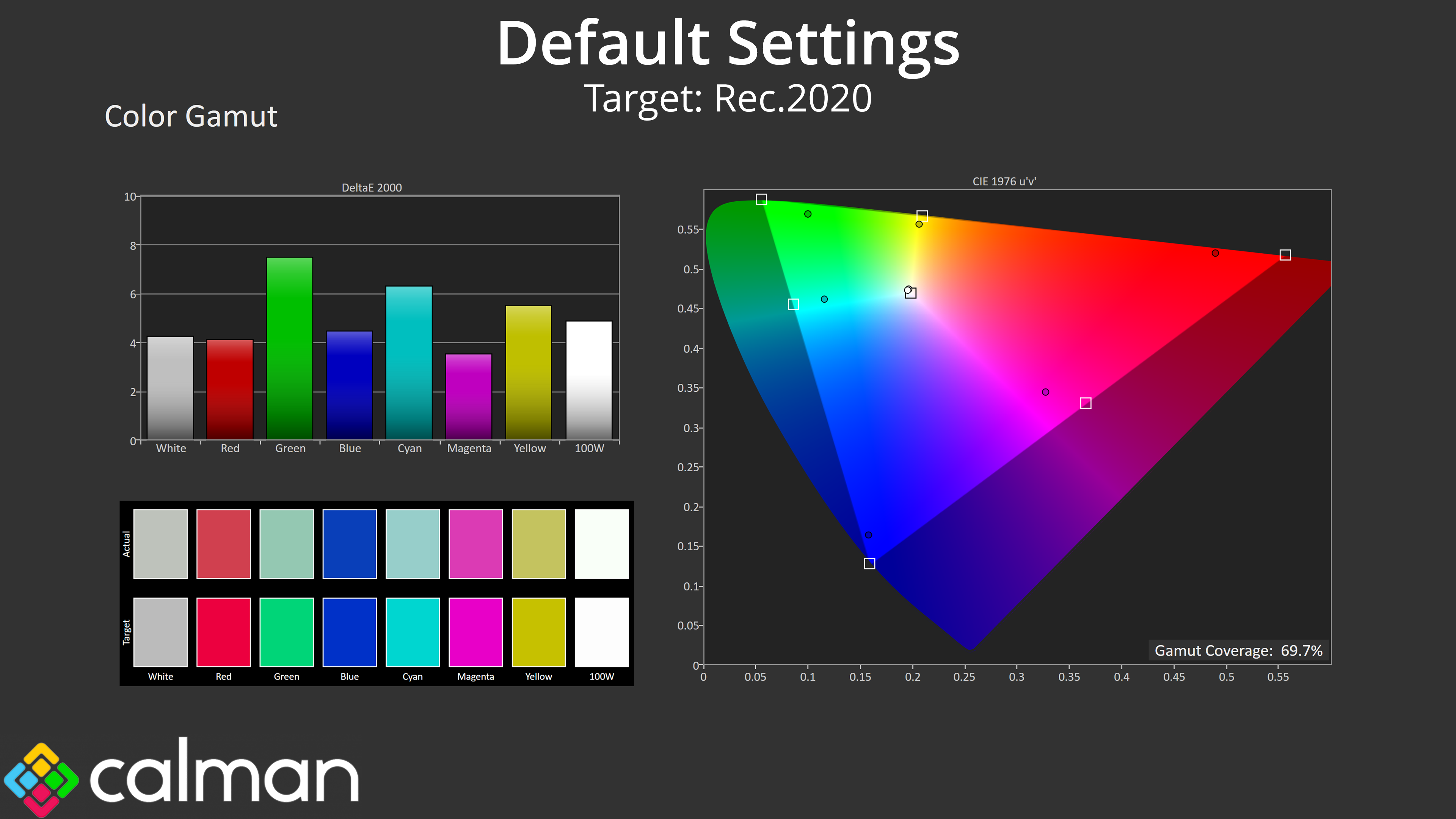
| Rec.2020 | 69.7 |
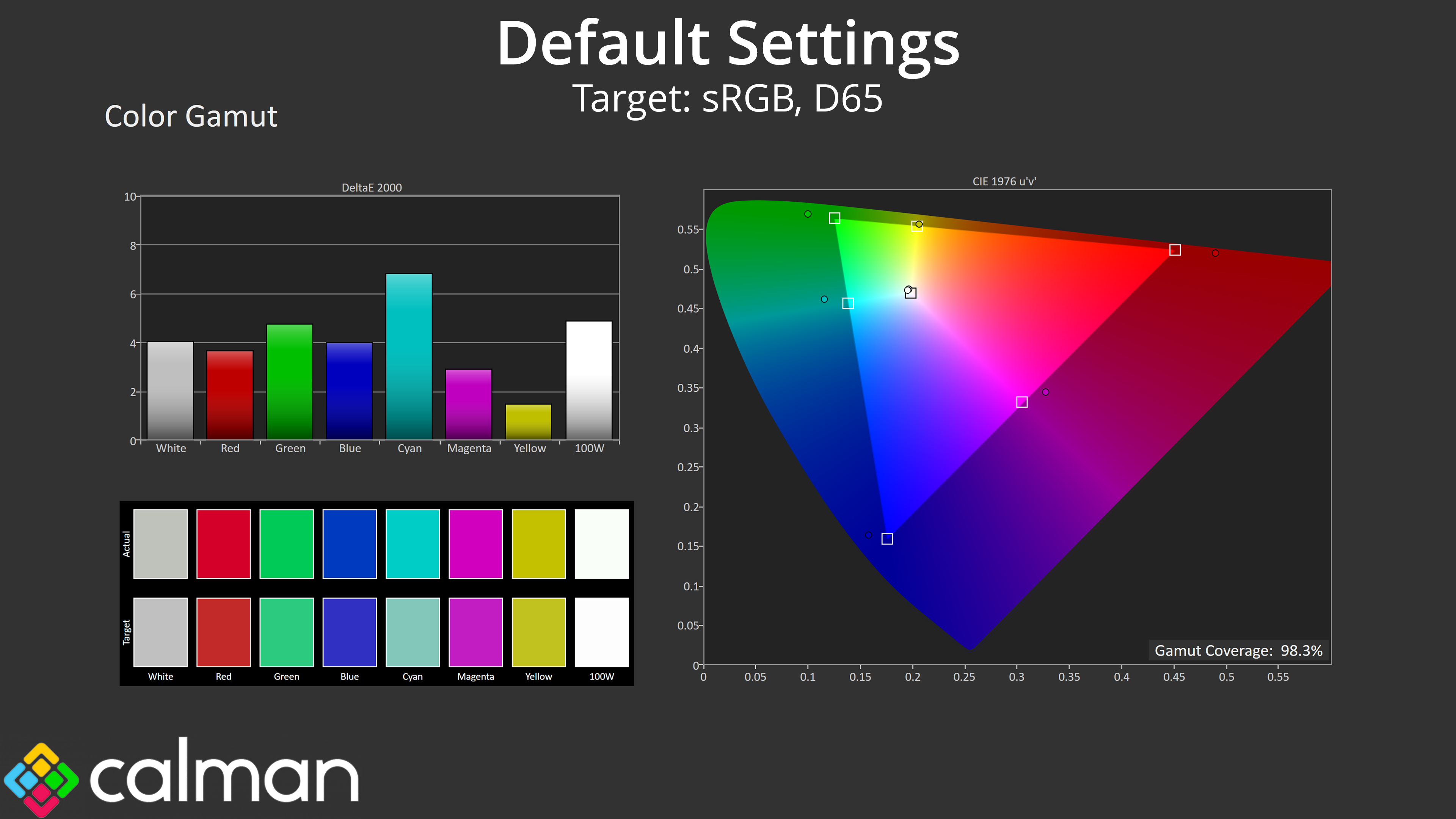
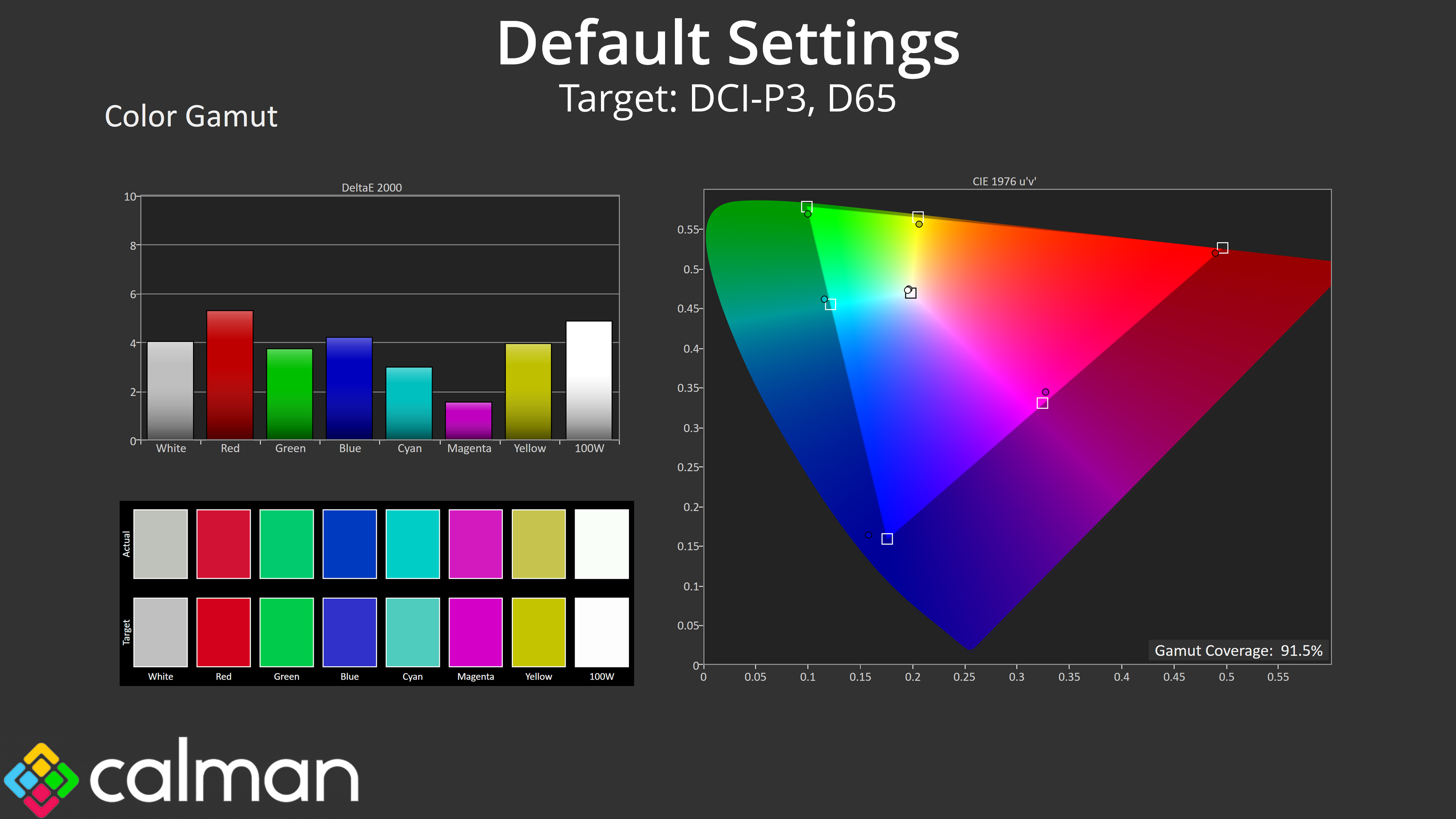
The PG27FFX2A has a reasonably wide gamut, too, generally exceeding the sRGB space and delivering 91.5% coverage for DCI-P3, 94.2% Adobe RGB and 69.7% reporting for Rec.2020. It may not be reaching quantum dot levels, but for a 520Hz monitor, it's wider than I was expecting.
Greyscale
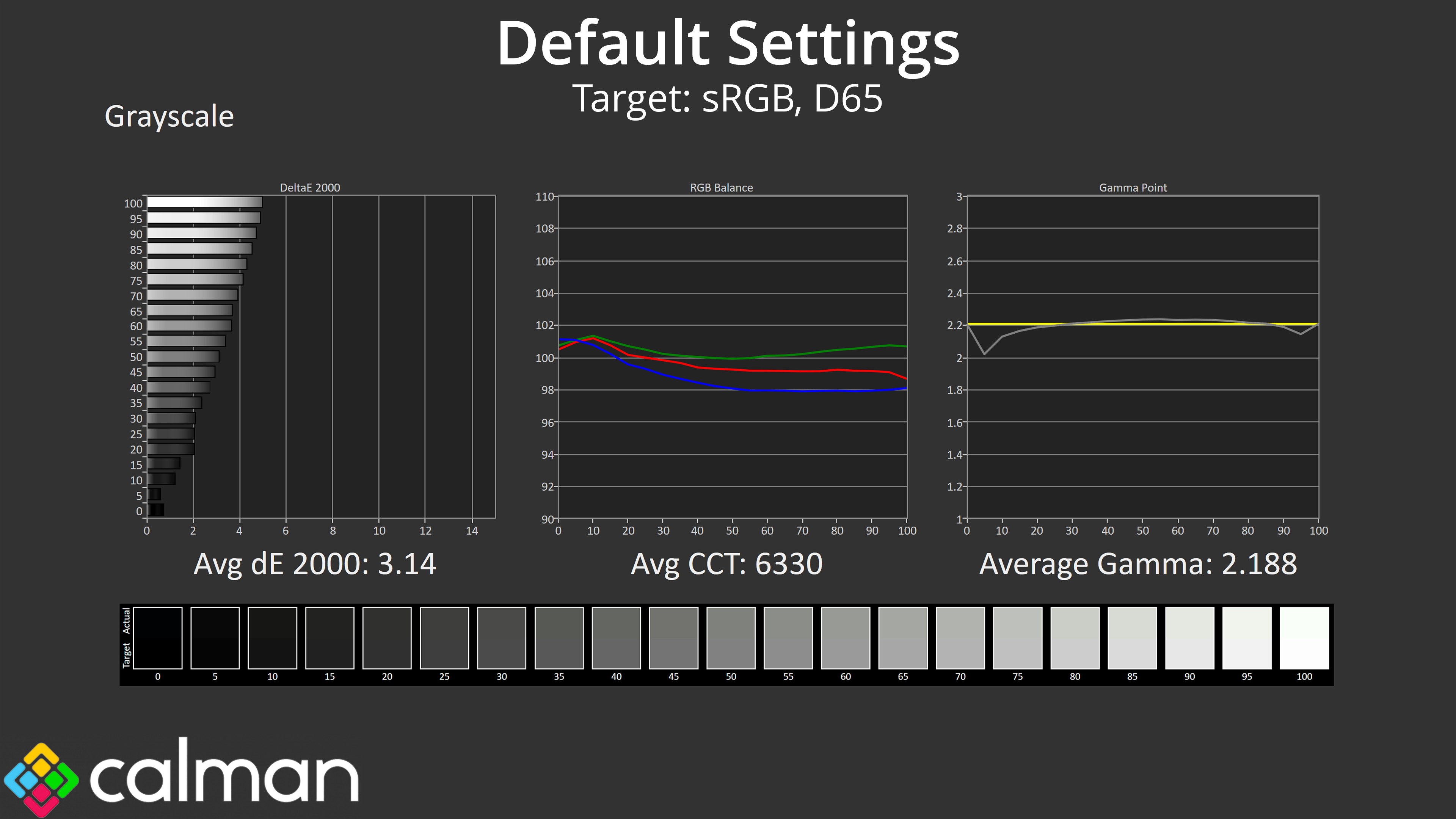
Default greyscale performance is solid, too. Gamma tracking is very accurate out of the box, closely hugging the 2.2 target and averaging 2.188 over the twenty shades tested. Colour balance is fine, averaging 6330K, though you can see there is a slight green tint visible – I didn't find it overly distracting in real world use, but it does enough to push the average greyscale dE 2000 up to 3.14.
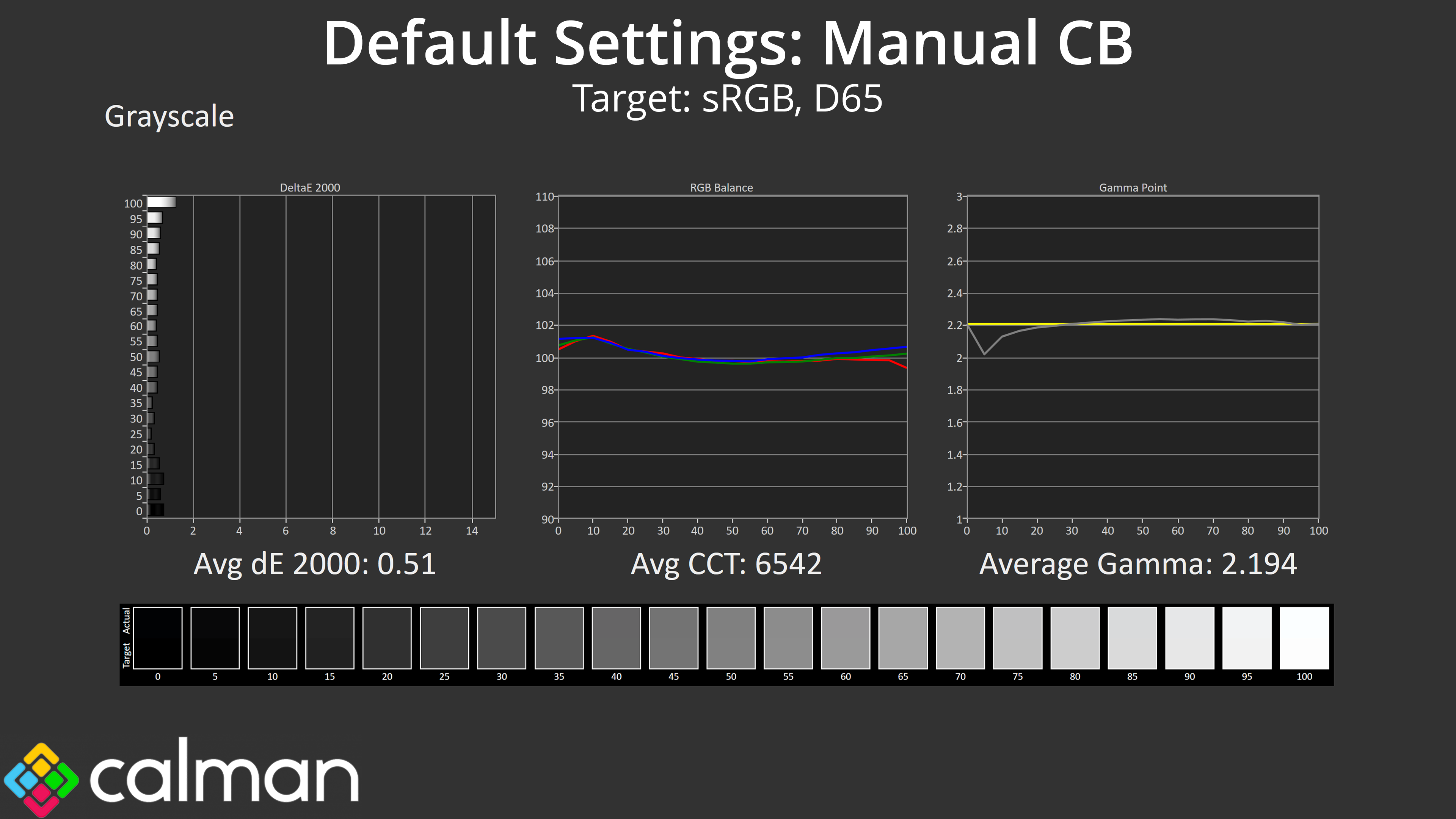
The good news is the PG27FFX2A does support manual colour balance, and by leaving the Red channel at 100, but dropping Green to 98 and Blue to 97, I was able to achieve stellar results, with an average colour balance of 6542K, improving the greyscale dE 2000 to just 0.51, a phenomenally good result.
Saturation
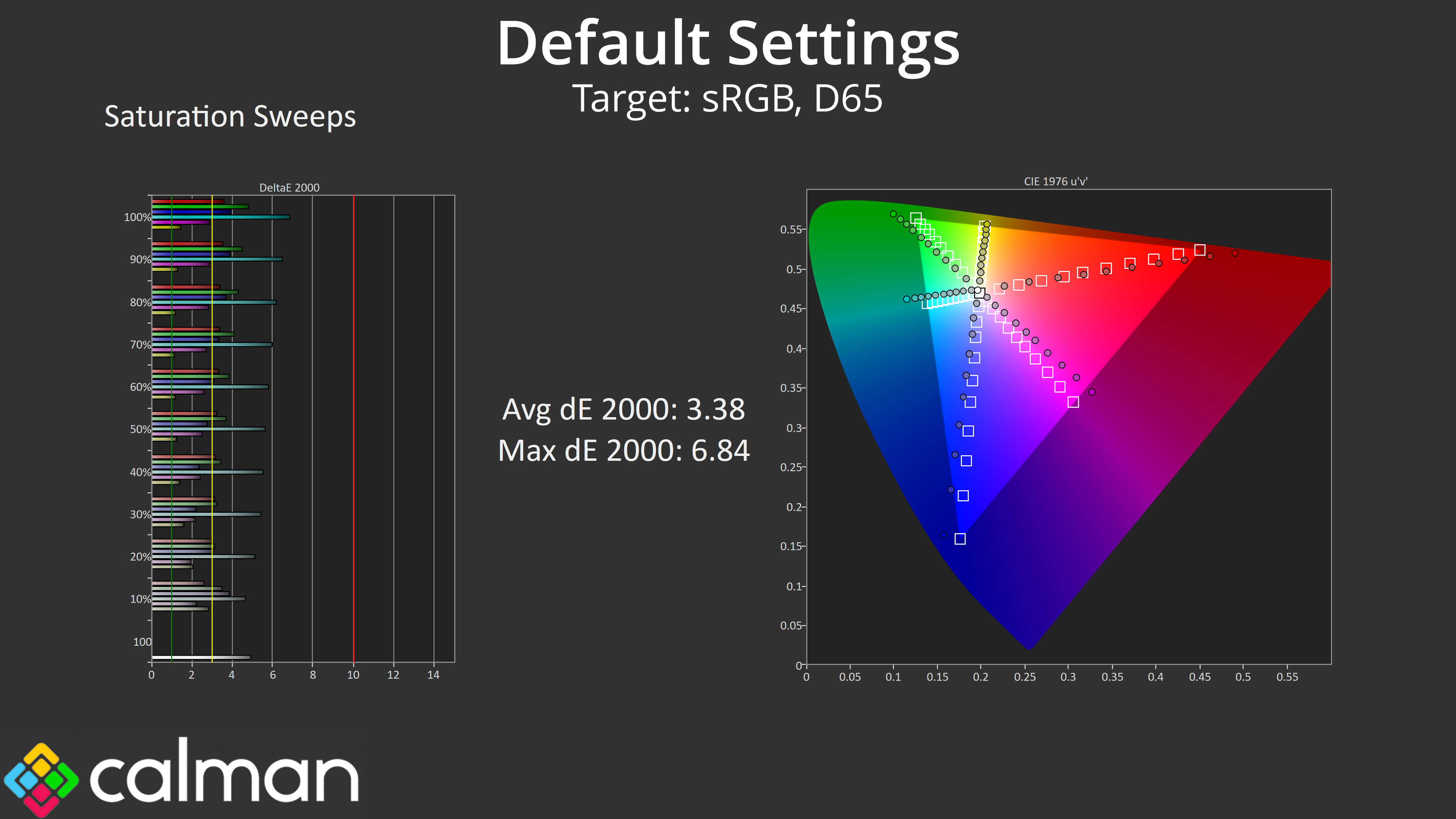
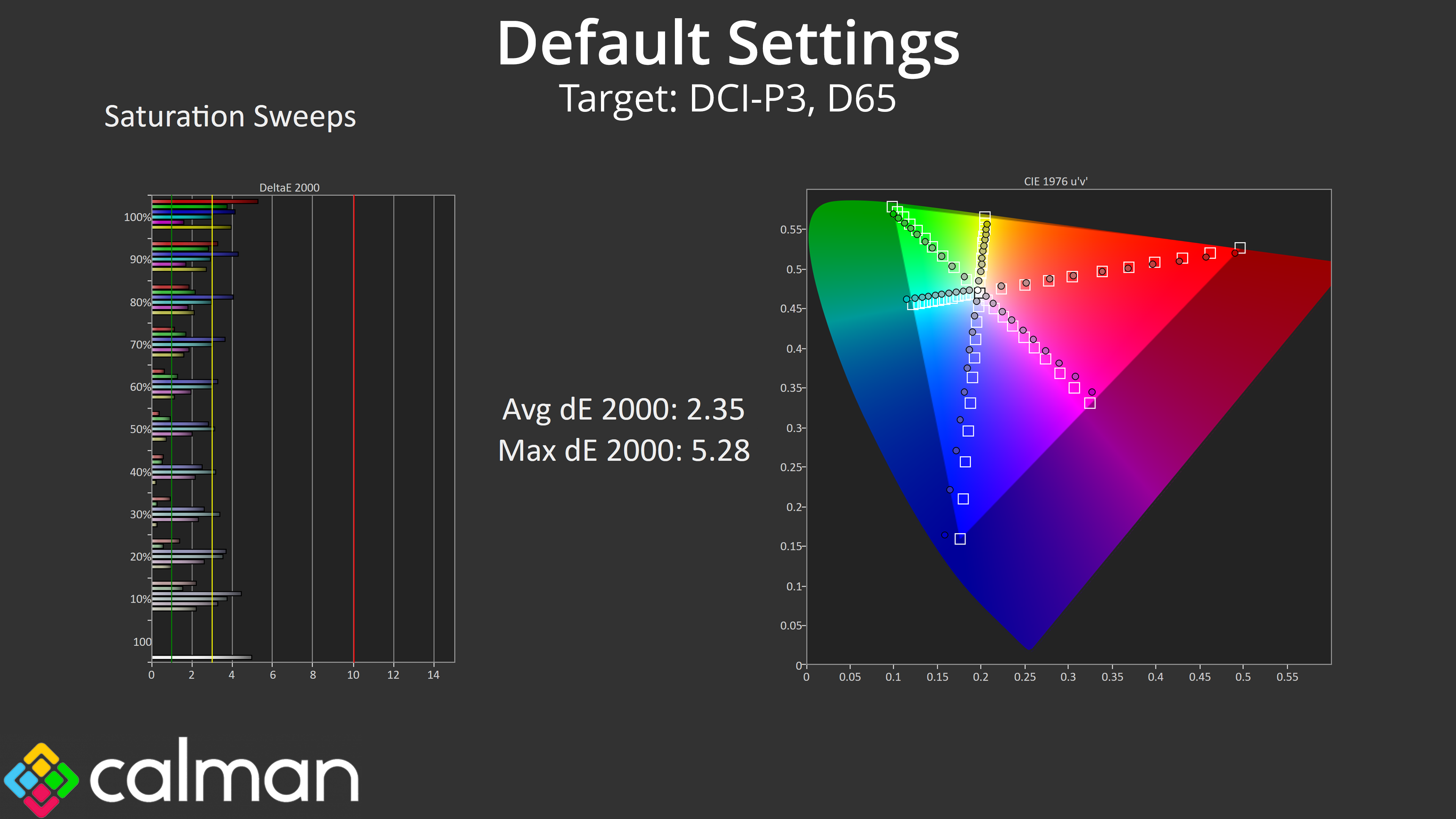
As for our saturation sweeps, results are typical of an IPS, given we see a fair chunk of oversaturation relative to sRGB, though this improves slightly when compared against the DCI-P3 colour space.
Colour Accuracy
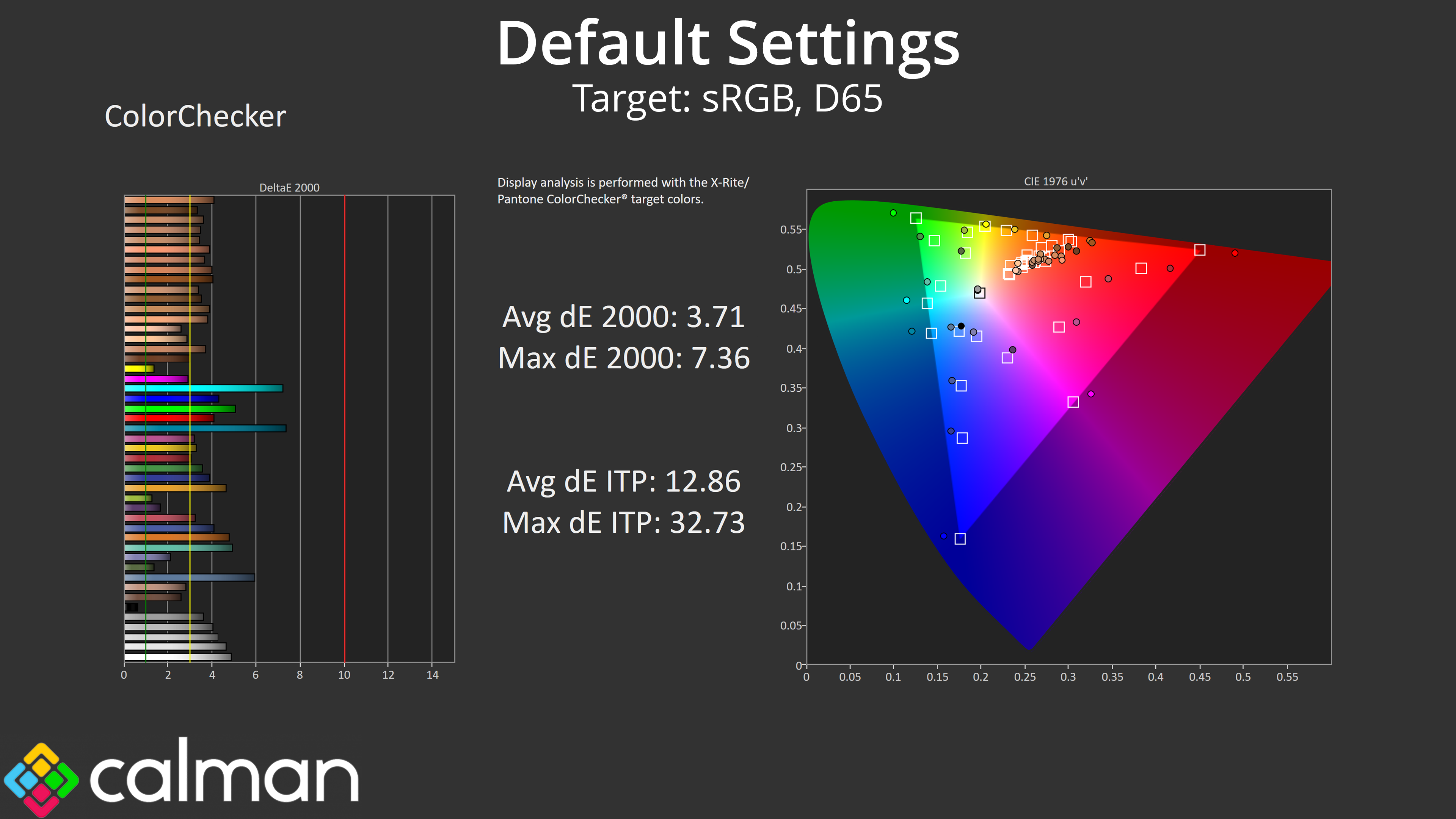
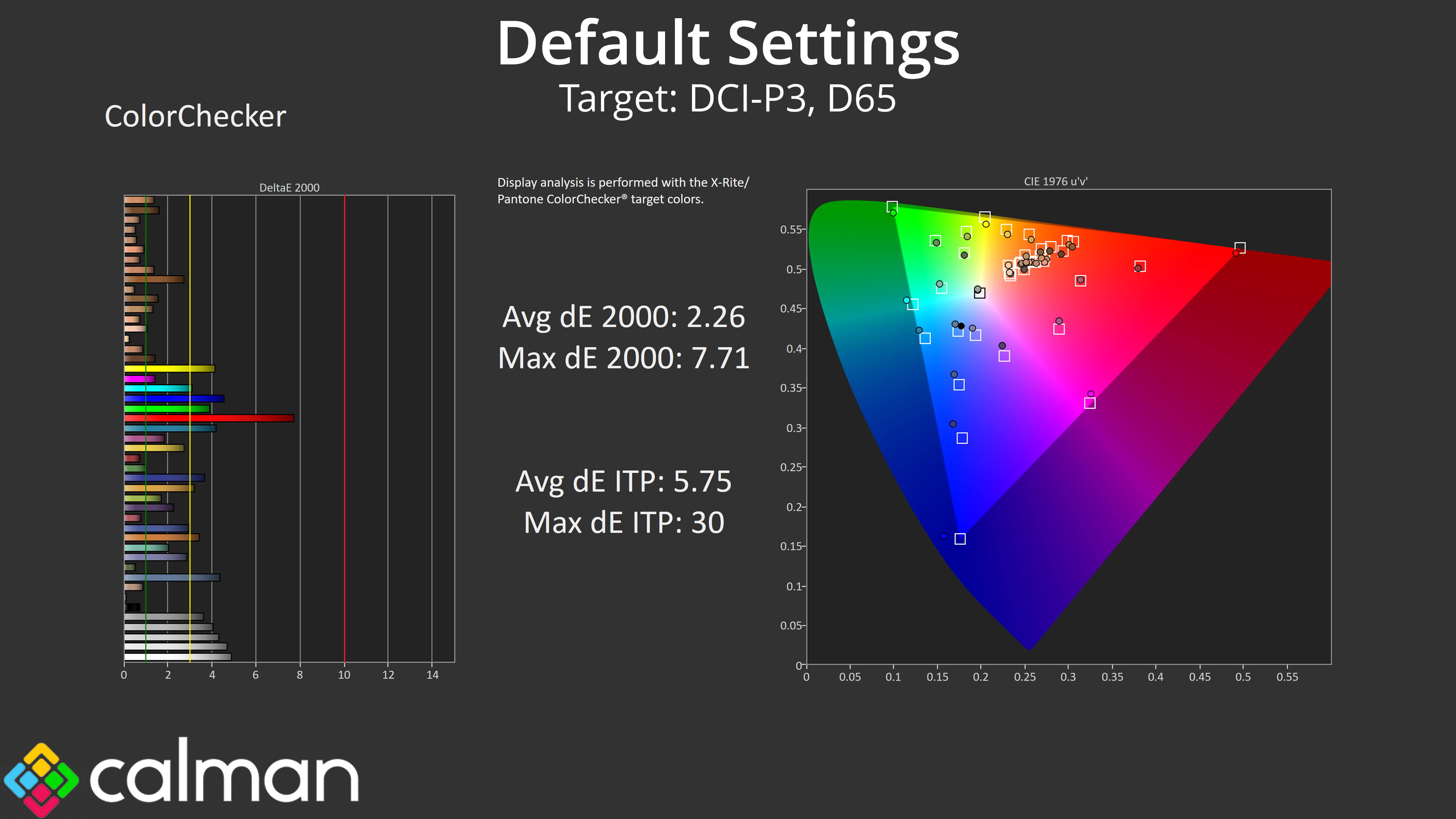
The same goes for colour accuracy, too – relative to sRGB we're looking at an average dE 2000 of 3.71, and then that improves to 2.26 for the DCI-P3 space.
Calibrated Results
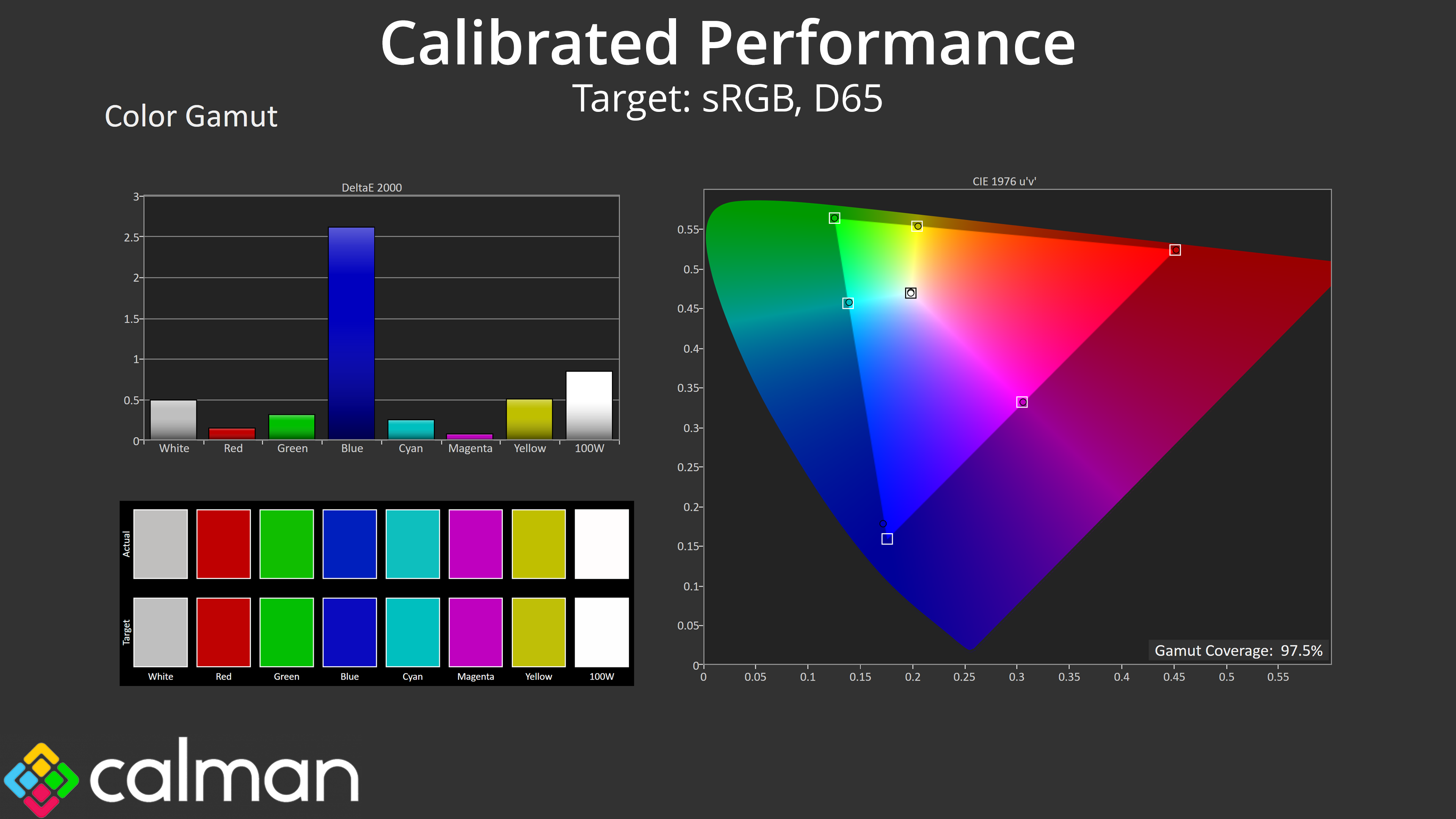
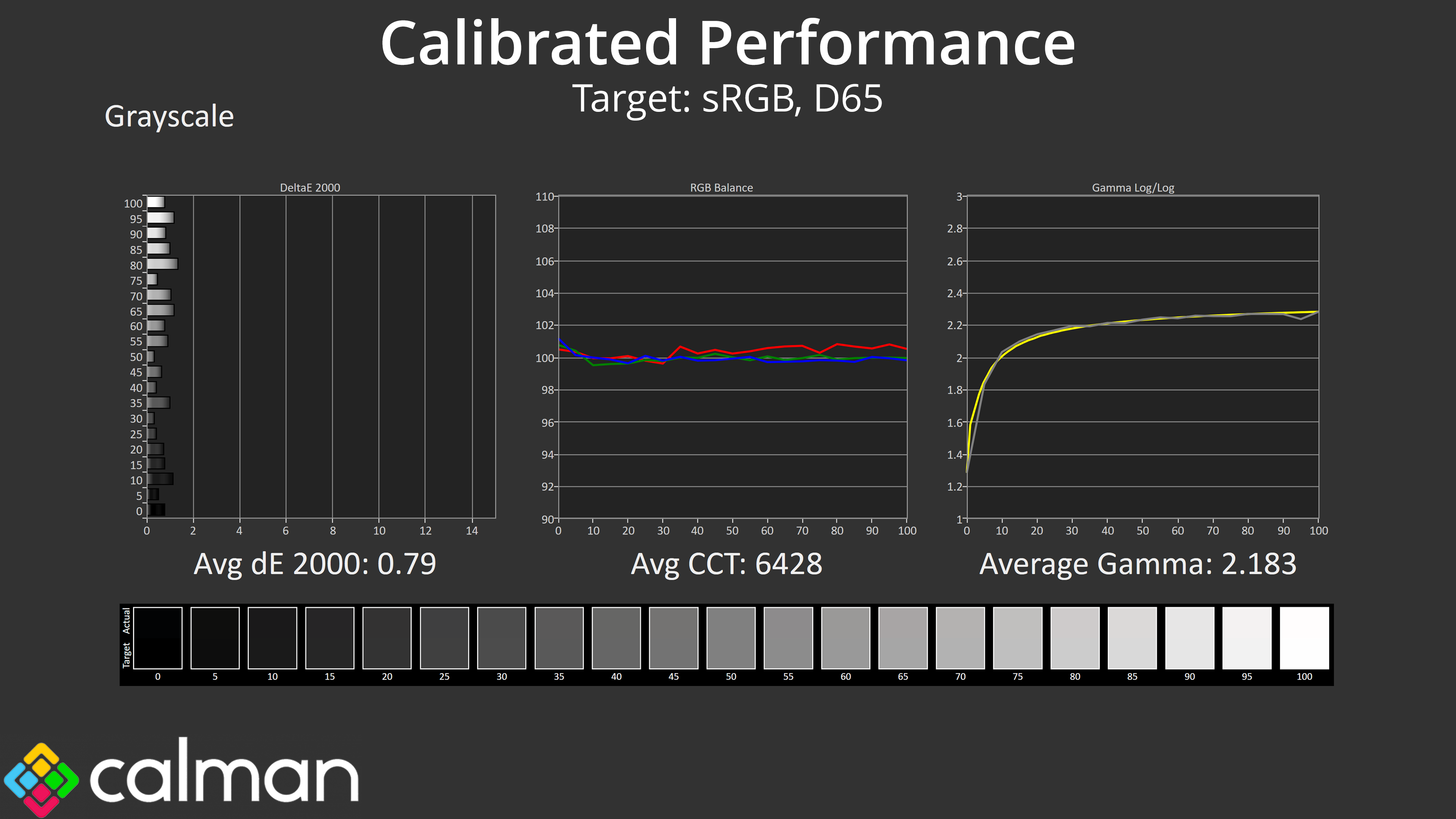
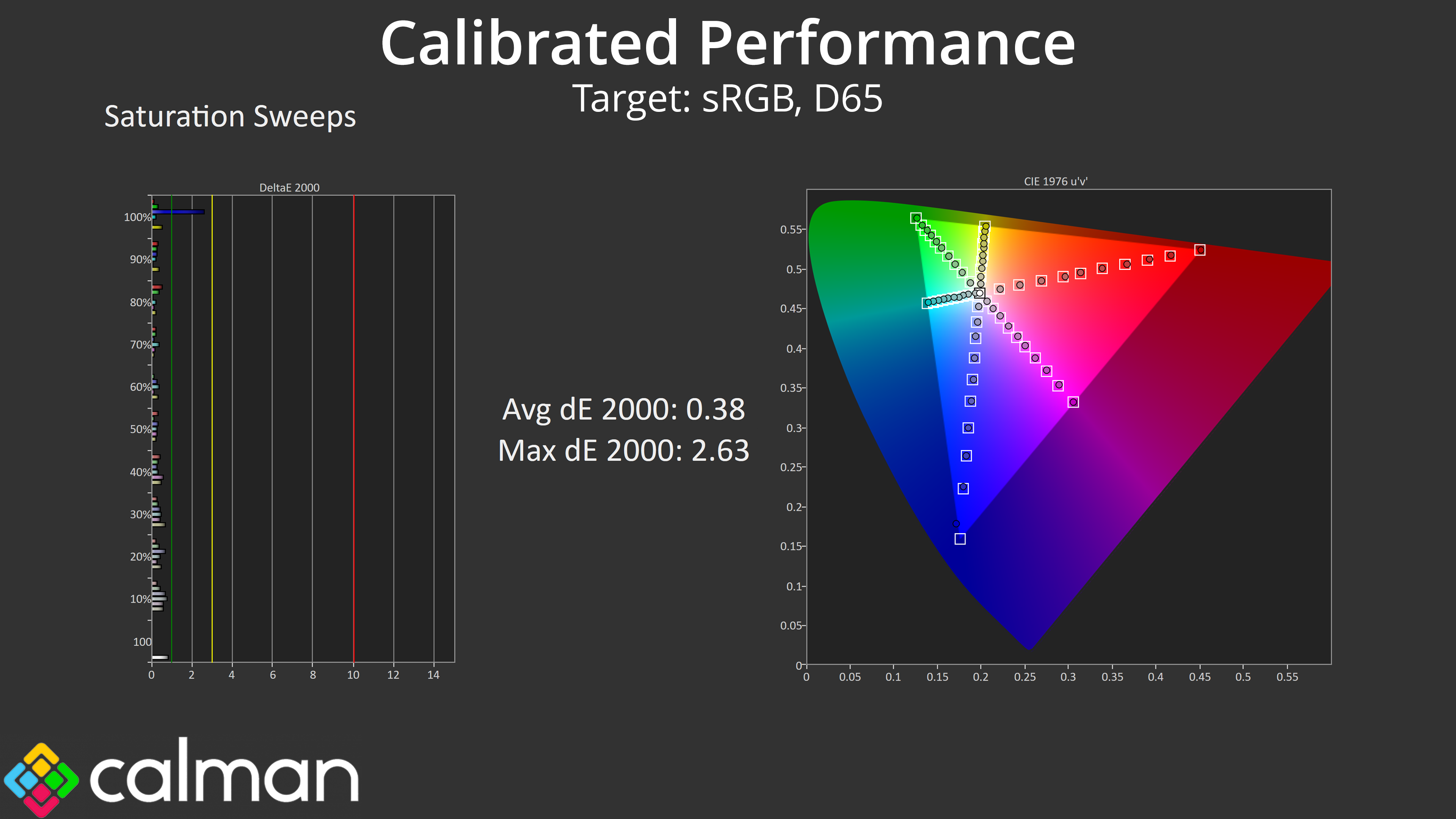
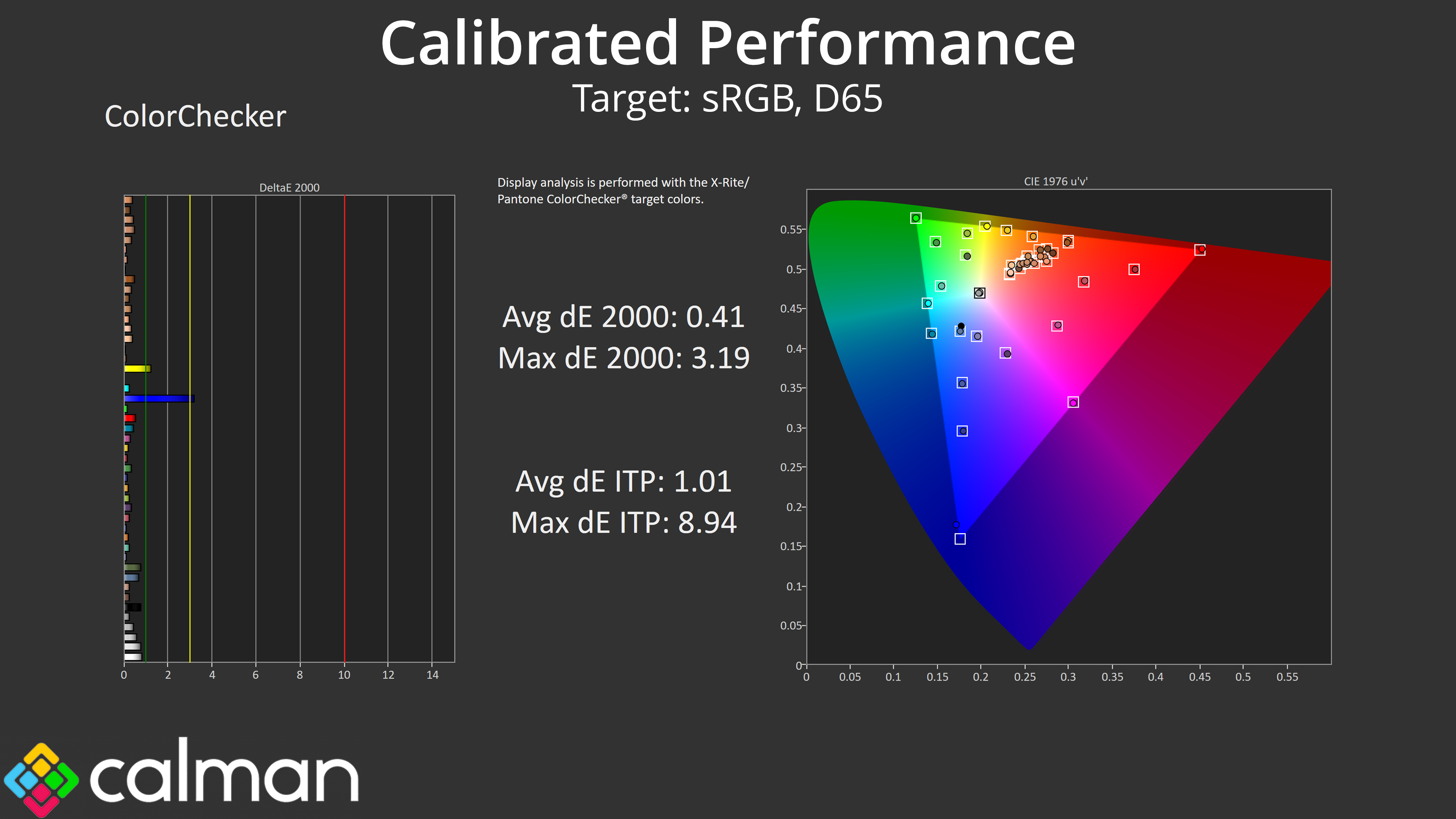
As mentioned previously, and unlike almost every other modern monitor on the market, the PG27FFX2A does not offer an sRGB emulation mode within the OSD. That means we have to manually calibrate for more accurate results, and in fairness to ASRock, the IPS panel used is clearly very capable, delivering excellent results across the board once calibrated – the only slight aberration being the 100% blue channel which isn't quite covered by the screen's native gamut. However, I do wonder how many – if any – people would calibrate a 520Hz gaming monitor, so I really think including an sRGB mode is a must, so that's a missed trick by ASRock.
We use the Open Source Response Time Tool (OSRTT), developed by TechTeamGB, for our response time testing. This measures grey-to-grey response times and presents the results in a series of heatmaps, the style of which you may be familiar with from other reviews.
Initial Response Time is the time taken for the panel to transition from one colour to another, where lower values are better. We present the initial response time, so overshoot is not taken into account and is measured separately. We use a fixed RGB 5 tolerance for each transition.
Overshoot is the term given for when a monitor's transition exceeds or goes beyond its target value. So if a monitor was meant to transition from RGB 0 to RGB 55, but it hits RGB 60 before settling back down at RGB 55, that is overshoot. This is presented as RGB values in the heatmaps – i.e. how many RGB values past the intended target were measured.
Visual Response Rating is a metric designed to ‘score' a panel's visual performance, incorporating both response times and overdrive. Fast response times with little to no overshoot will score well, while slow response times or those with significant overshoot will score poorly.
We test the PG27FFX2A using all three of the overdrive settings found within the OSD.
520Hz
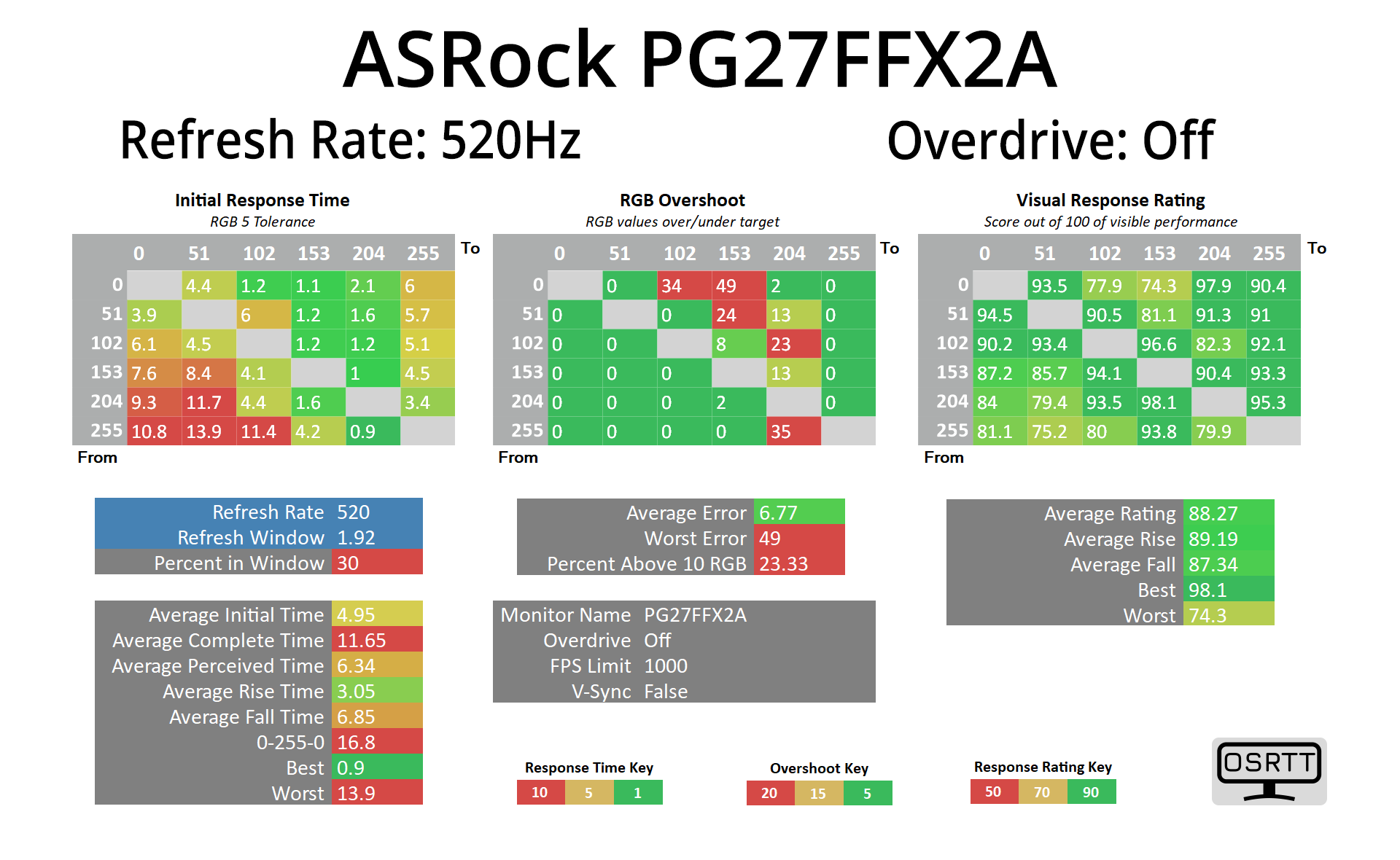
Starting at 520Hz with overdrive turned off, the results aren't bad at all – the average response time hits 4.95ms, and while there is some overshoot on a handful of transitions, it's not really noticeable.
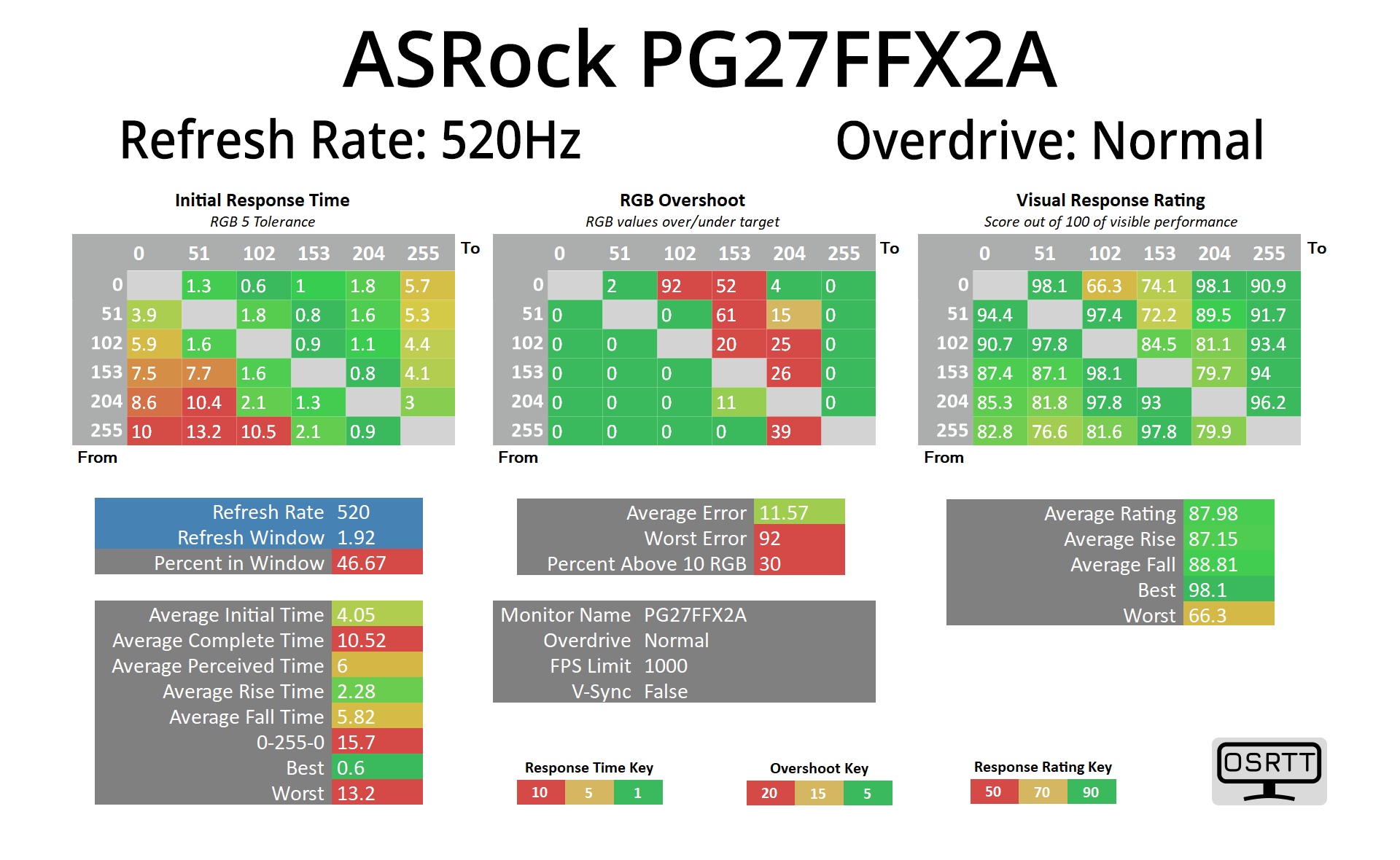
Enabling the normal overdrive mode gives better results, improving the average response time to 4.05ms, at the cost of increased overshoot – but even then, the average error is under 12 RGB values.
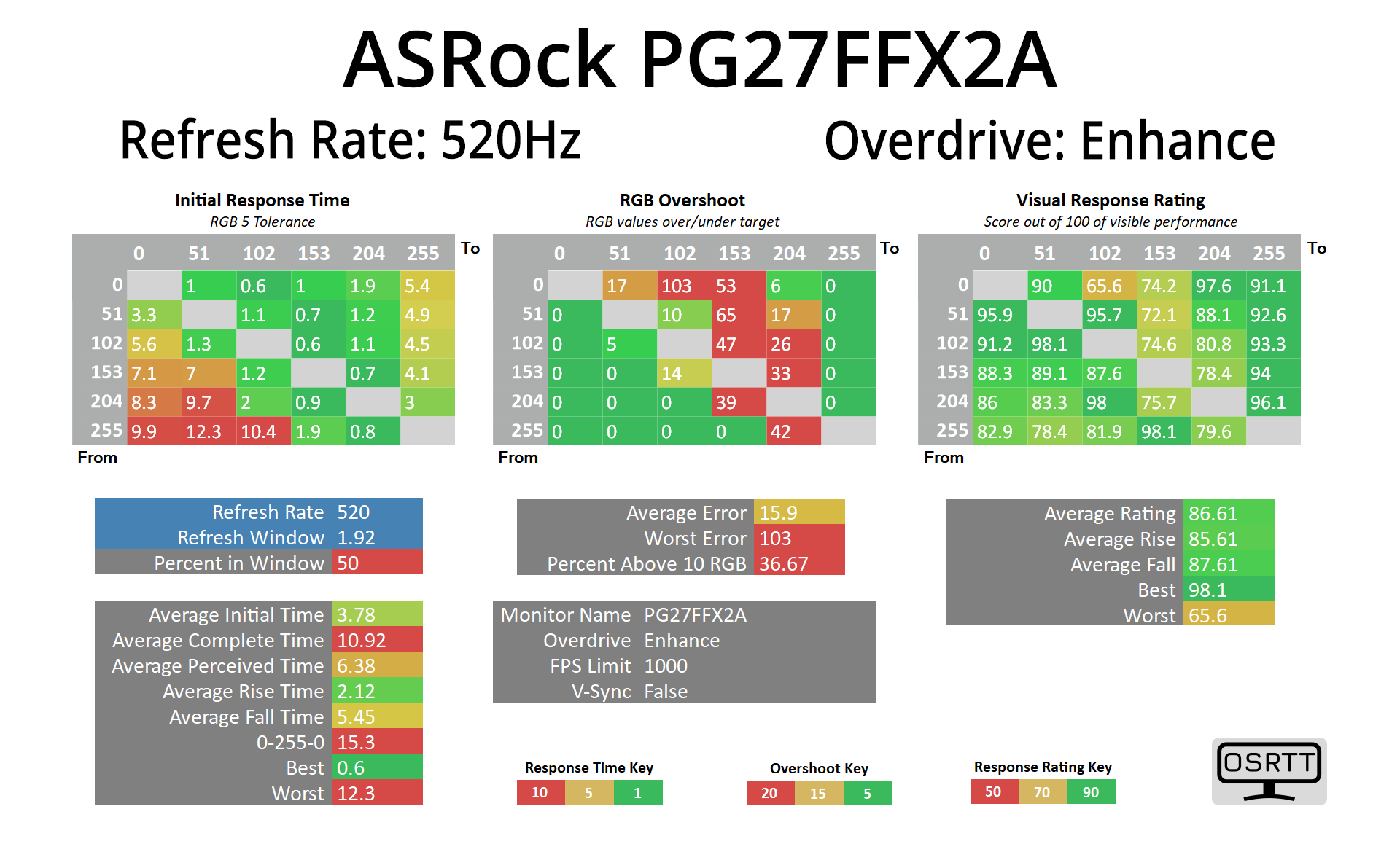
We also have the Enhance mode, though this does kick up overshoot even further, while only improving response times to 3.78ms, so I'd say Normal is your best bet.
It also worth touching on refresh rate compliance however, given a number of transitions don't fall within the 1.92ms window for 520Hz compliance – meaning some extra blur would be introduced as we will see shortly.
Variable Overdrive
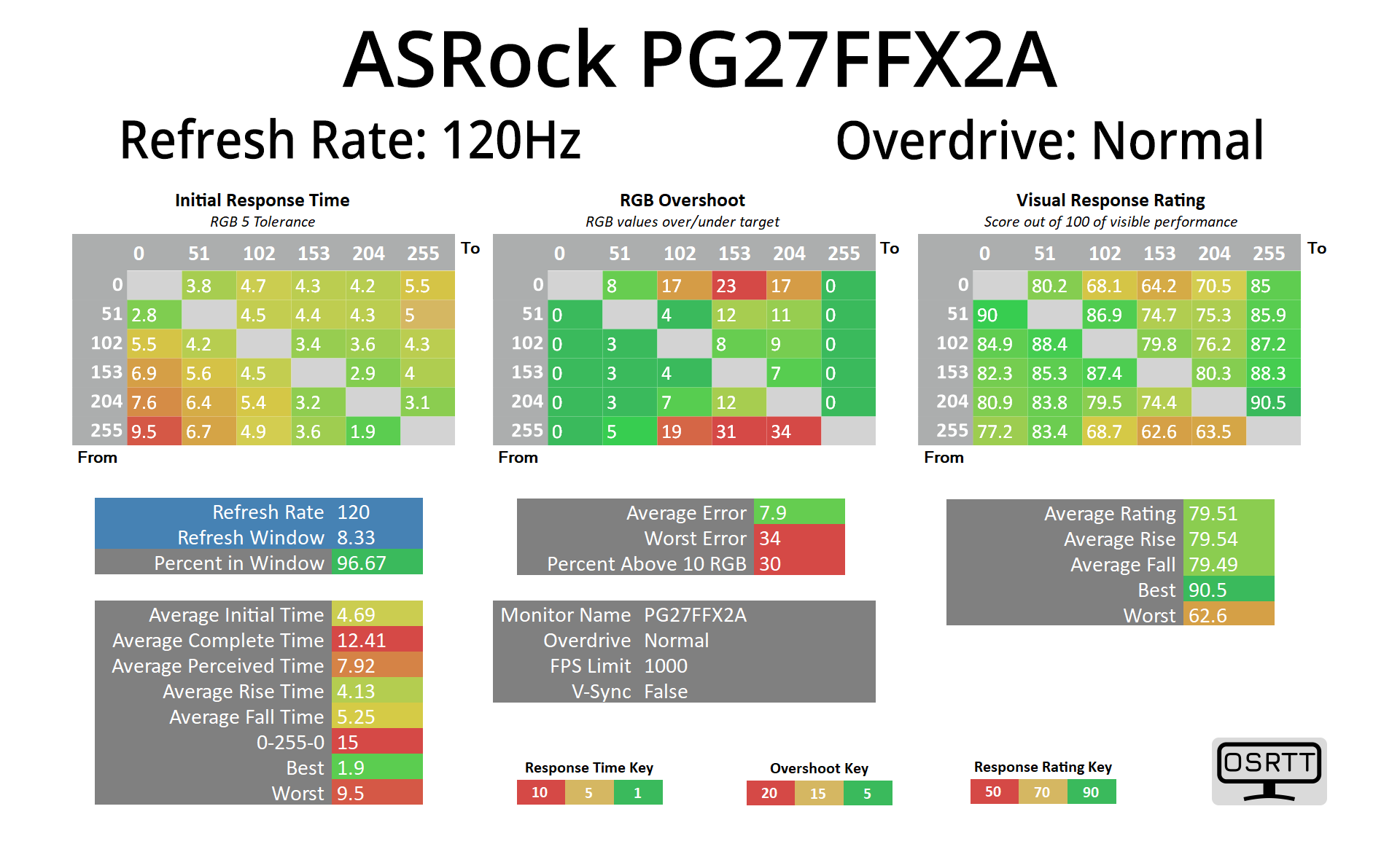
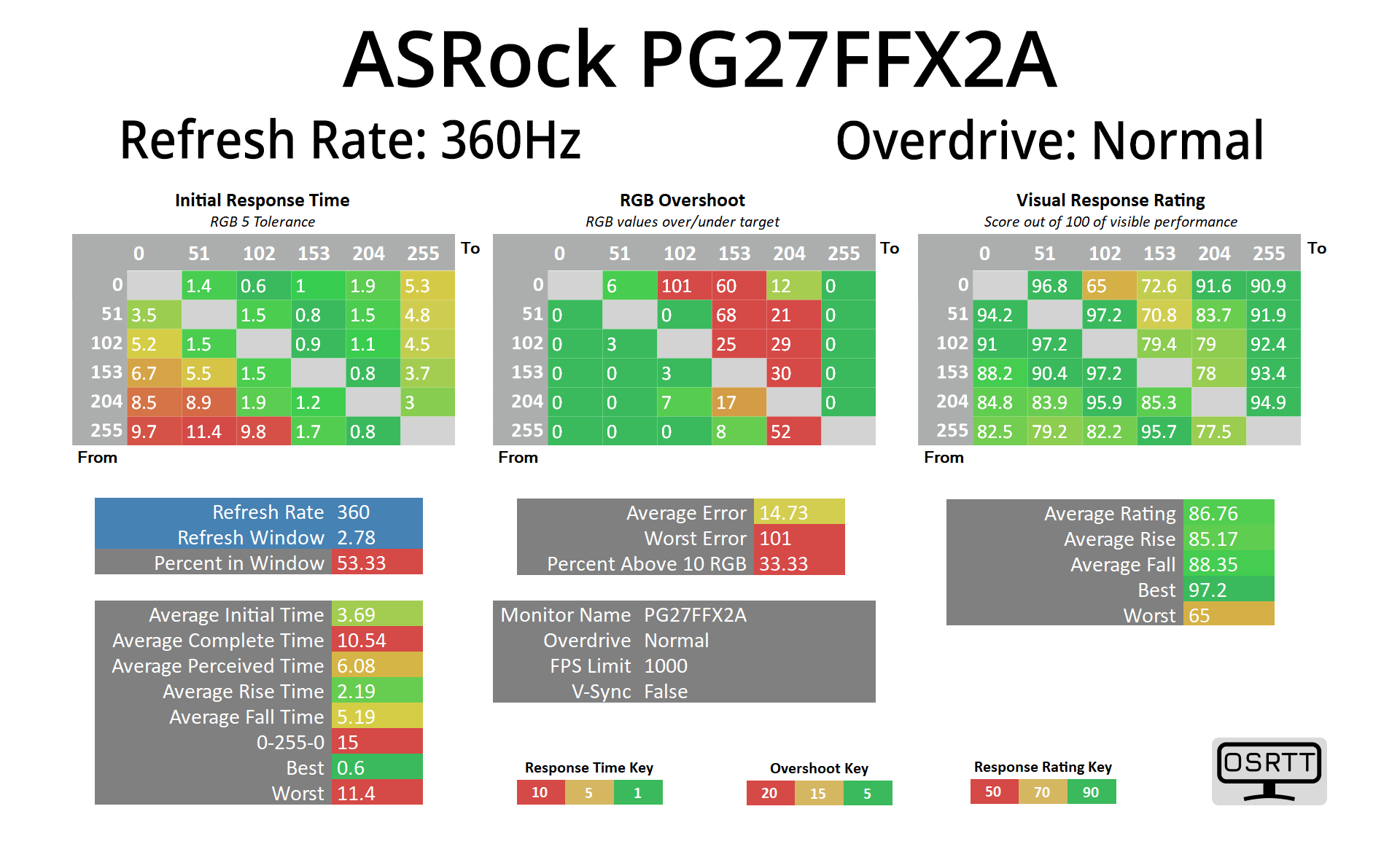
The good news, though, is that the Normal overdrive mode also works across the refresh rate range – we tried it down at 120Hz, as well as 360Hz and it delivered similar results to what we saw at 520Hz, so adaptive sync gamers won't need to keep changing overdrive modes depending on the game.
Best results compared
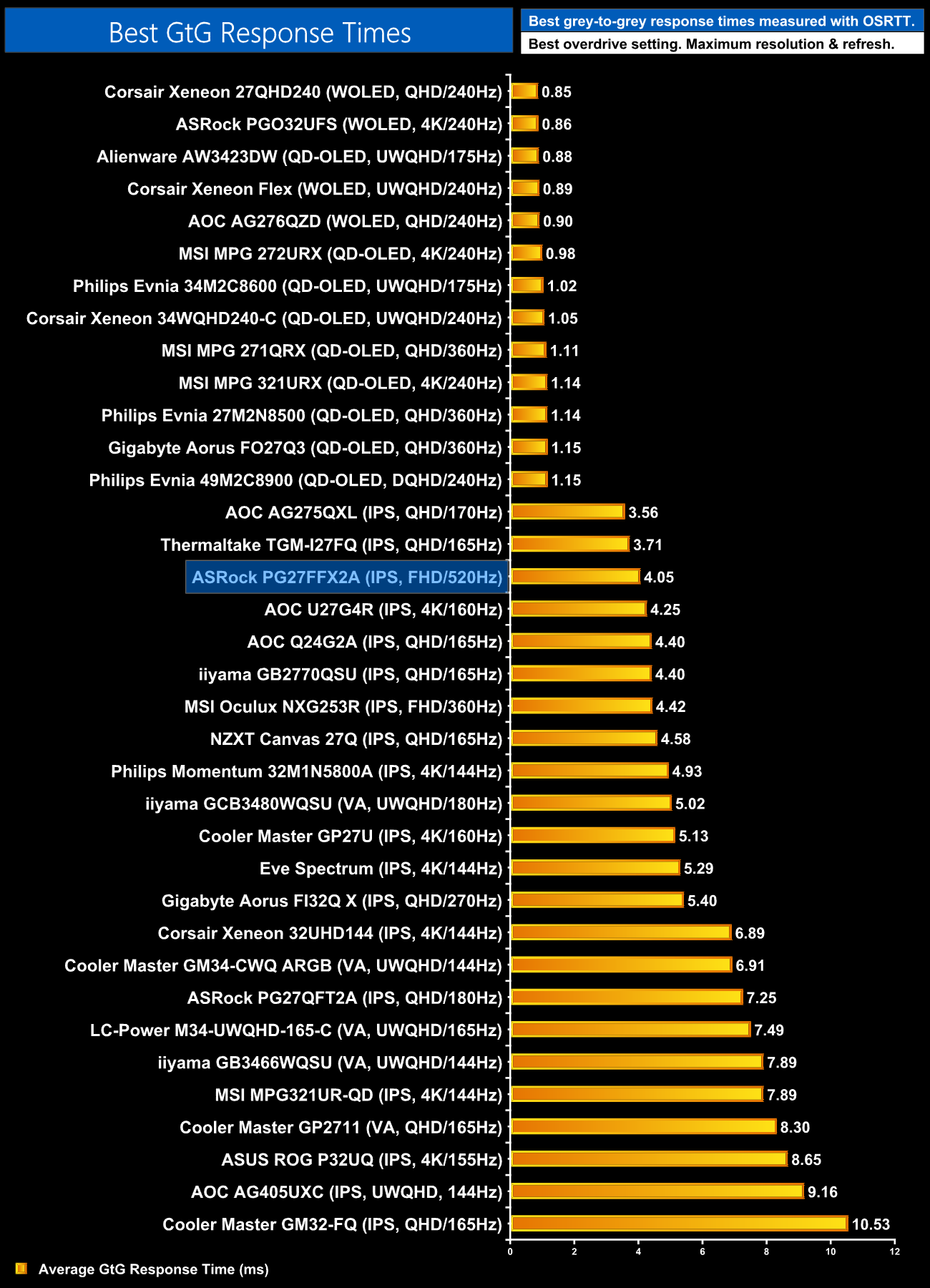
To put those results in context, if we ignore the OLED monitors, this is the third-fastest LCD we've ever tested. You could probably get better speed from a 520Hz TN panel, but that'd be at the expense of overall image quality.
Motion clarity
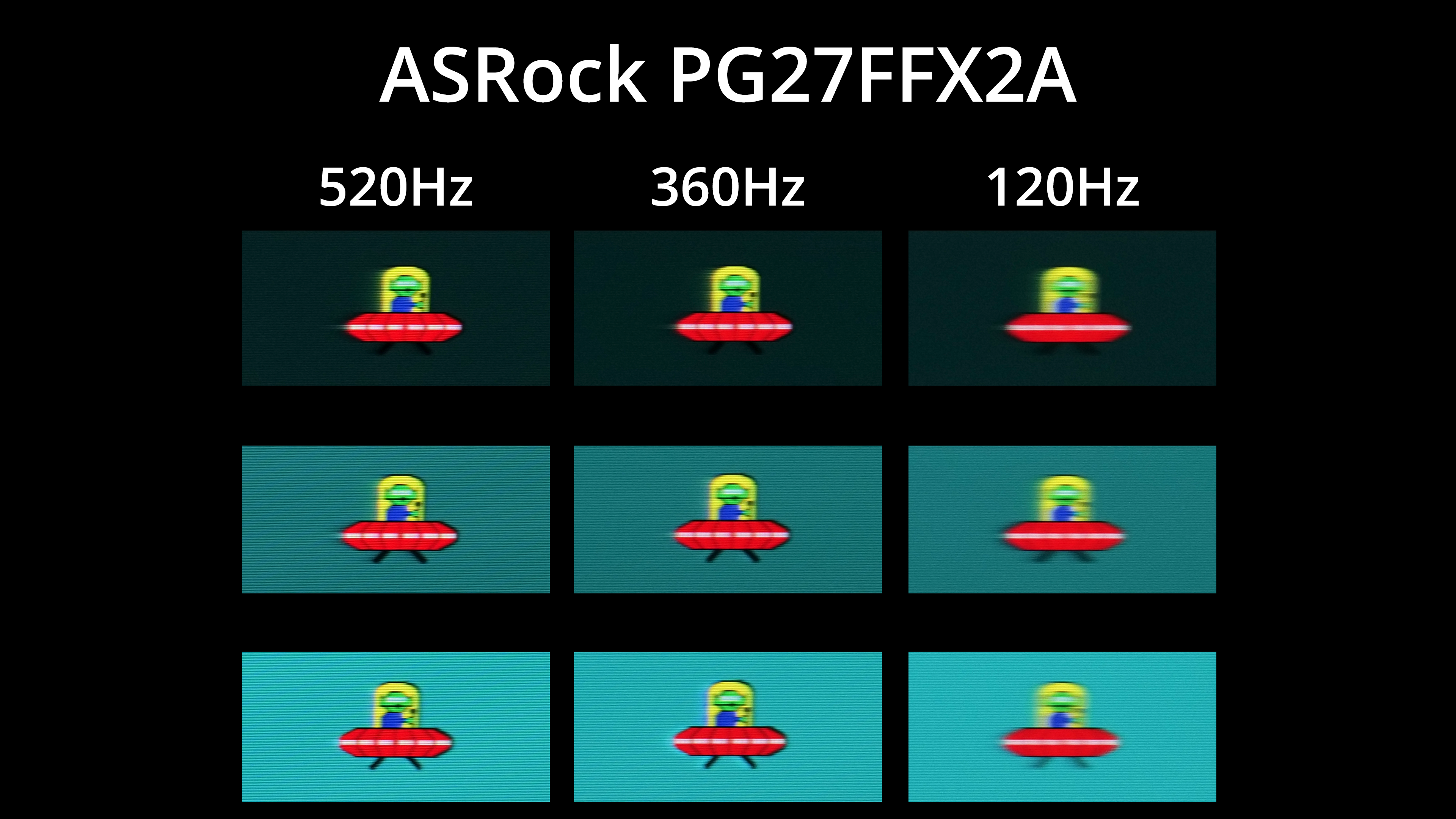
Taking a look at those results in practice, thanks to the BlurBusters UFO test, there may not be a huge improvement in motion clarity at 520Hz over 360Hz, but I do think there is a small benefit to the higher refresh. Compared to 120Hz, it's clear to see the benefit.
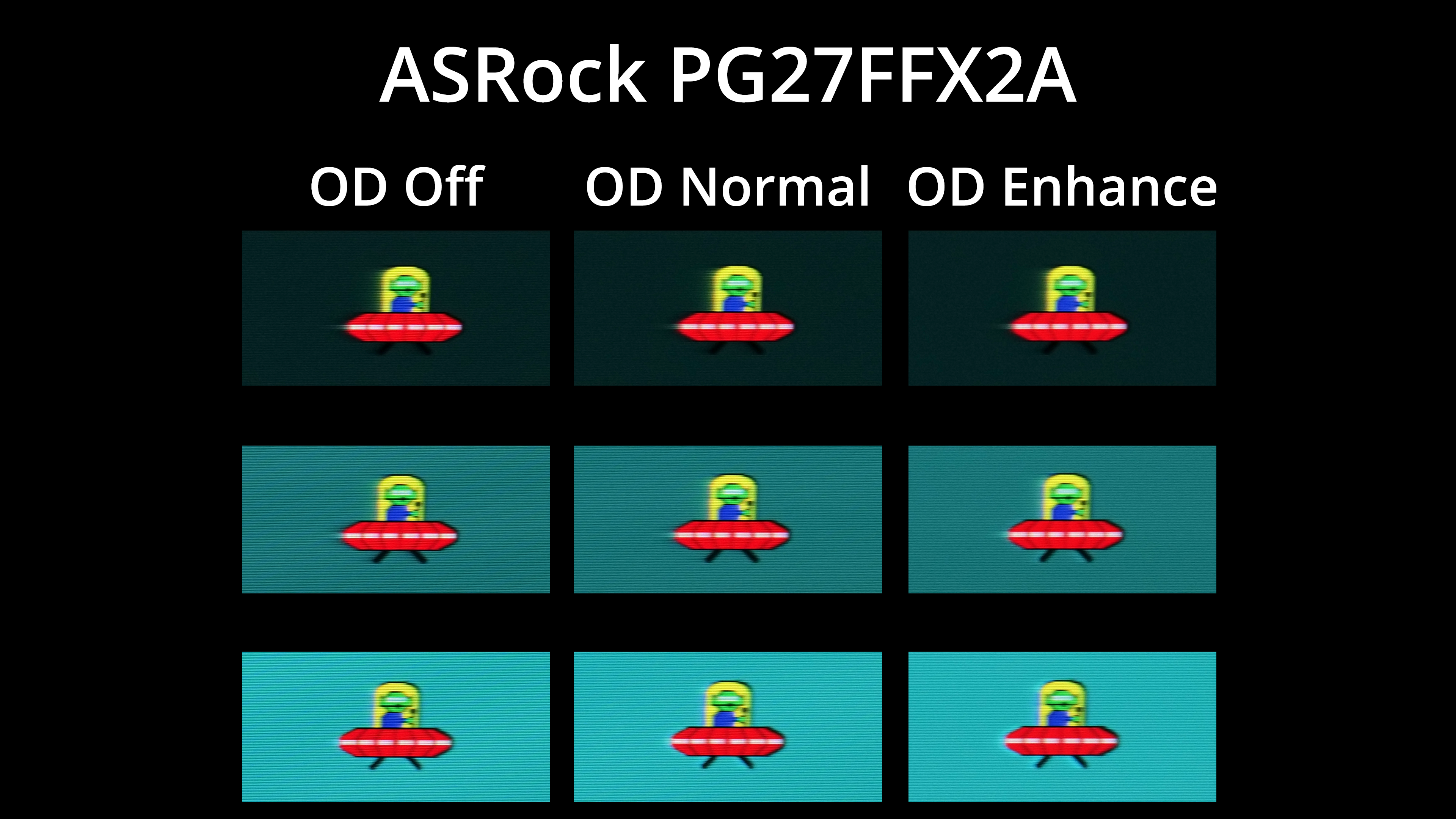
We can also see the three overdrive modes, here tested at 520Hz – there's not much difference between them, but Enhance does introduce more visible overshoot compared to Normal, and I wouldn't say it offers any benefit for motion clarity, so Normal is my recommendation.
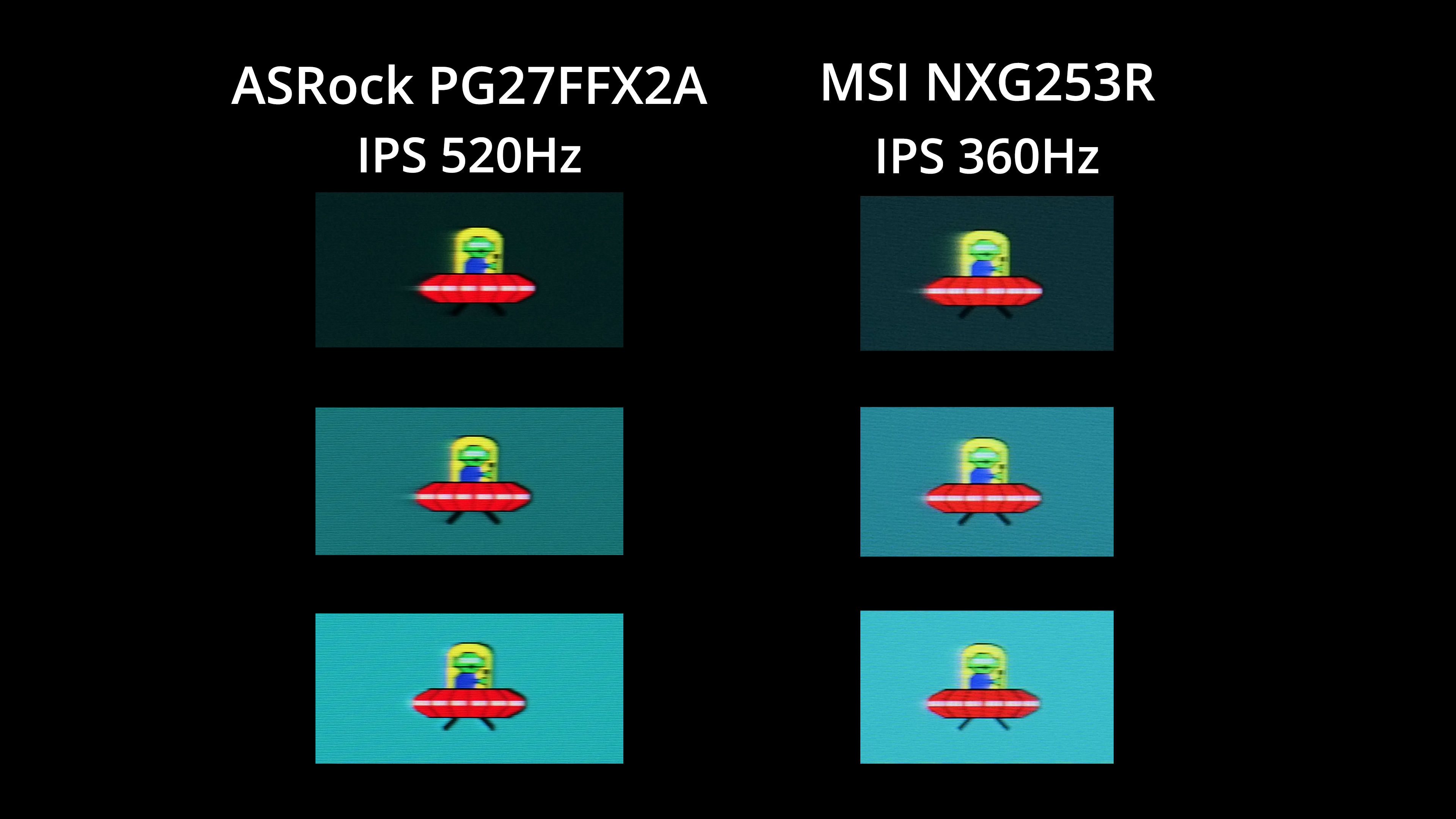
The previous fastest LCD monitor I've tested is the MSI NXG253R, a 360Hz IPS panel that released back in 2021, so it's not a surprise to see the PG27FFX2A does deliver superior results – both motion clarity and ghosting are improved.
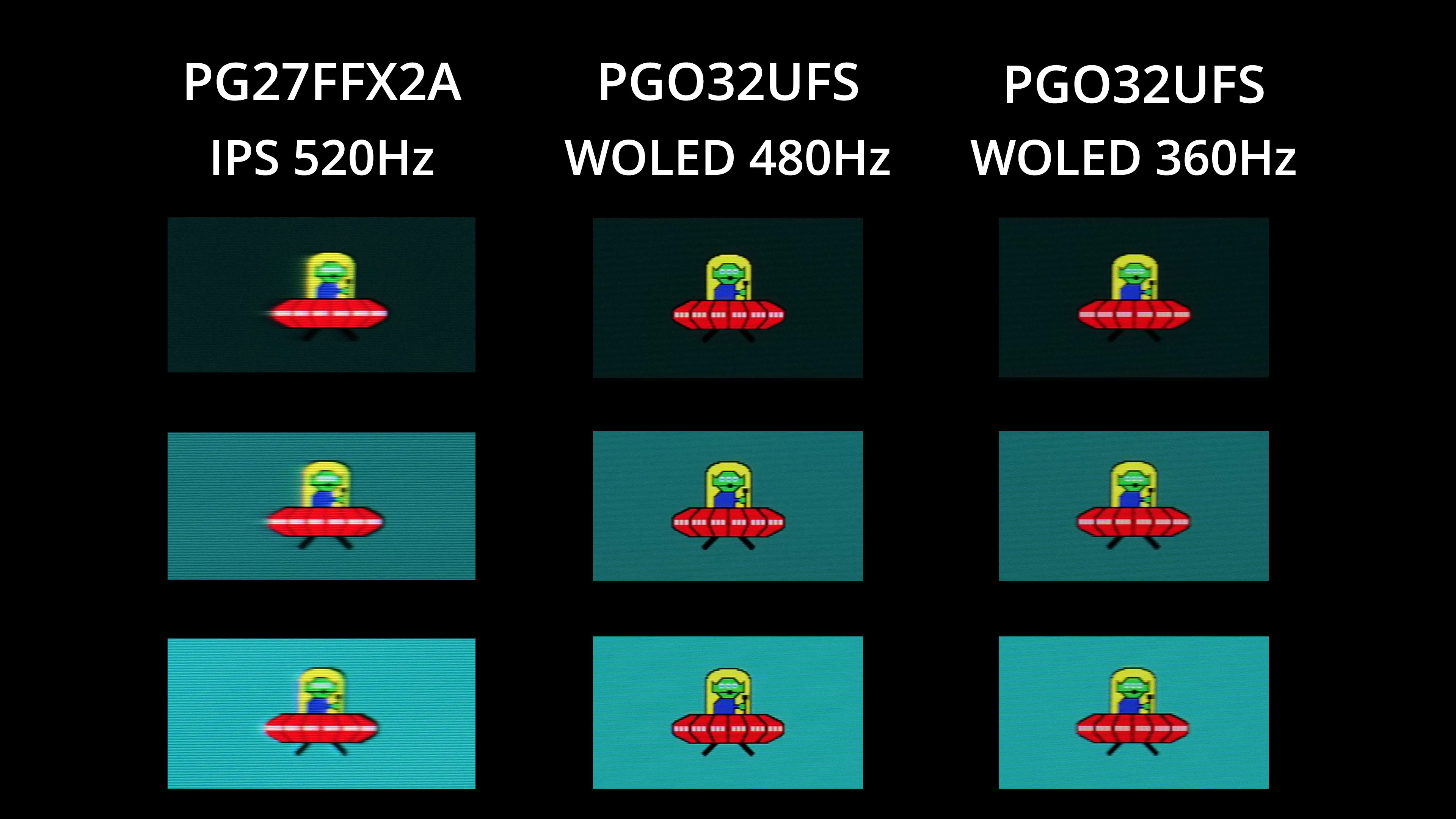
That said, without any form of backlight strobing, high refresh-rate OLED technology will be superior, even against a 520Hz IPS panel. The motion clarity from an OLED at 480Hz is really quite insane, and even at 360Hz I'd say it looks a good chunk better than the PG27FFX2A, though you obviously have to factor in the higher cost of OLED, too.
We again use the Open Source Response Time Tool (OSRTT), developed by TechTeamGB, to report monitor input latency.
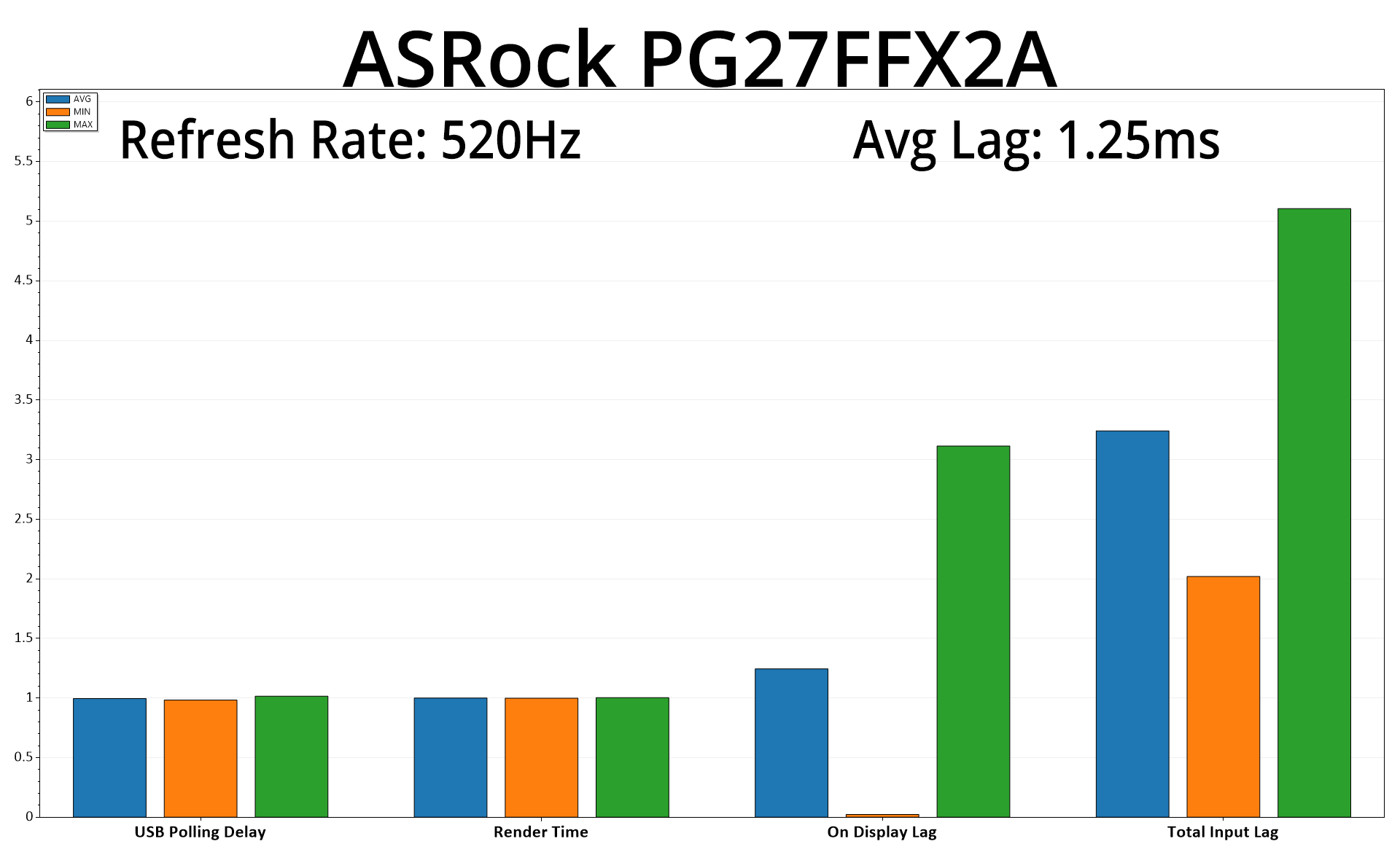
One other benefit to such a high refresh rate is that input lag is very low indeed at just 1.25ms, so that's just a little over half a frame at 520Hz – certainly not something I'd notice in practice!
It's been an interesting few days putting the ASRock PG27FFX2A through its paces – we've never tested an IPS screen with such a high refresh rate before, and that is clearly the USP for this monitor, though there are plenty of other factors to consider.
One is the factory calibration, which really isn't too bad – there's a slight greenish tint to the image, but this is easily fixed with a minor tweak to colour balance, while gamma tracking is very good, too. It's just a real shame there's no sRGB mode included, something I consider a real miss in 2025.
On top of that, the monitor is very light on features – the OSD looks very dated and doesn't offer many, if any, gaming-oriented settings, while there's also no USB-C or KVM functionality. I am once more frustrated to see five fiddly buttons used to navigate the OSD instead of a joystick.
As for the actual gaming experience though, we can't deny the impressive motion clarity on offer from the 520Hz refresh rate, marking a noticeable step up compared to older, 360Hz IPS panels we have tested for comparison. That said, the response times of the panel aren't quite able to keep up, so there is more blur than there otherwise would be if all the response times fell within the 1.92ms window needed for 520Hz.
You also have to factor in the screen size, with 1080p looking fairly soft over the 27in diagonal. I appreciate there's really not many other IPS panel that push refresh rate this high, so your options are a bit limited, but if I were looking for a super-fast 1080p screen, a 24 or 25in panel would be my preference for the increased pixel density.
The PG27FFX2A does have one last trick up its sleeve though, and that's the price. Currently listed for under £380 from NeoComputers, as far as I can tell this is easily the cheapest 520Hz IPS monitor on the market, with the next-closest model being Alienware's AW2524HF, at almost £550. It's safe to say there's plenty of room for improvement, and we also can't deny it's targeting what must be a pretty niche area of the market, but if you are looking for a fast LCD that won't break the bank, ASRock's PG27FFX2A does enough to be worth buying.
Pros
- One of the fastest IPS panels on the market.
- 520Hz provides noticeably better clarity compared to older 360Hz LCDs.
- Solid factory calibration, with particularly accurate gamma tracking.
- Wide gamut (but there's no way to clamp it to avoid oversaturation.)
- Easily the cheapest 500Hz+ IPS monitor we could find.
- Strong contrast by IPS standards.
Cons
- Response times can't quite keep up with the refresh rate.
- 1080p resolution over 27in panel looks soft.
- OSD looks very dated and is missing a number of features.
- Design looks quite clunky.
- No USB-C or KVM functionality.
KitGuru says: It has a number of drawbacks, but if you're just interested in getting the fastest IPS screen possible, the PG27FFX2A is worth a look at £380.