KitGuru KitGuru.net – Tech News | Hardware News | Hardware Reviews | IOS | Mobile | Gaming | Graphics Cards


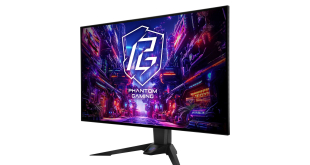
The OLED monitor reviews keep on coming, as today we are checking out ASRock's first entry into this premium market space with the Phantom Gaming PGO32UFS. Using LG's 32in WOLED panel, this screen is notable for its dual mode functionality – meaning it can run at either 4K/240Hz or 1080/480Hz, with the latter mode promising incredible motion clarity. Hitting the market at around £800, let's find out if this screen is worth buying.
It's been a while since we last looked at an LG WOLED monitor, and the latest generation of panel promises a number of improvements over previous versions. The sub-pixel structure has been updated to provide better text clarity, brightness has also increased, with ASRock claiming a peak of 1300 nits in HDR, while there's the aforementioned dual mode feature as well.
On top of that you've got all the usual goodness associated with OLED monitors – infinite contrast, near-instant response times, viewing angles and so on, so on paper the ASRock PGO32UFS looks very impressive. Let's find out how it performs in the real world.
A note on price
During this review we found the PGO32UFS listed on AWD-IT for just over £760, though it is currently out of stock. Both OverclockersUK and Scan have the PGO32UFS listed for £840-850, and it's in stock at both vendors at the time of writing, so it could be worth shopping around for the best deal if you do want to pick one up.
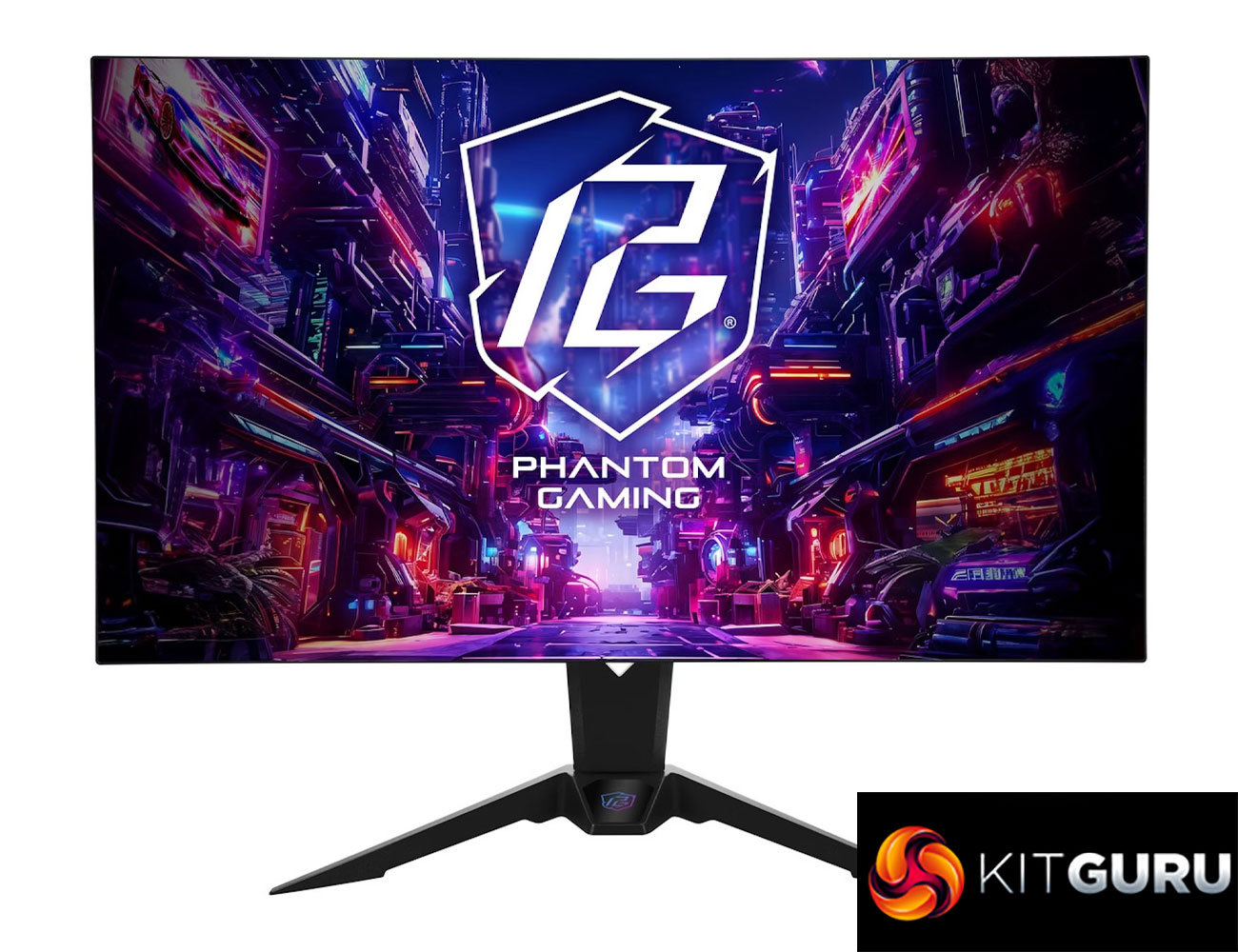
Specification:
- Display
- Panel Size: 31.5 inch
- Viewing Area: 697 x 391 mm (H x V)
- Aspect Ratio: 16:9
- Panel Type: WOLED
- Viewing Angle: 178°(H) / 178°(V)
- Resolution: 4K/UHD (3840 x 2160)
- Pixel Pitch: 0.1814mm
- Curvature: Flat
- Refresh Rate: [Dual Mode] – UHD 240Hz / FHD 480Hz
- Response Time: 0.03 ms (GTG)
- Brightness: 275 nits (SDR Typ.) / 1300 nits (HDR Peak)
- Color Space: 99% DCI-P3 / 132% sRGB
- Display Colors: 1.07B (10-bit)
- Contrast Ratio: 1,500,000:1
- Display Surface: Anti-Glare
- HDR: VESA DisplayHDR™ True Black 400
- Low Blue Light: Yes
- Adaptive Sync: AMD FreeSync™ Premium Pro
- Unique Features
- Dual Display Mode: UHD 240Hz / FHD 480Hz
- KVM Switch
- Integrated Wi-Fi Antenna (7dBi)
- I/O Ports
- 2 x HDMI™ 2.1
- 2 x DisplayPort™ 1.4
- 3 x USB 3.2 Gen1 Type-A
- 1 x USB 3.2 Gen1 Type-B
- 1 x USB 3.2 Gen1 Type-C (DP Alt Mode / PD 65W)
- 1 x Headphone Out
- Speaker: 5W x2
- Power Consumption
- Power Consumption: ≦235W (Max)
- Power Saving Mode: ≦0.5W
- Power Off Mode: ≦0.3W
- Voltage: 100~240VAC, 50/60Hz (Adapter 240W)
- Mechanical Design
- Tilt Adjustment: -7° ~ +20°
- Swivel Adjustment: -20° ~ +20°
- Height Adjustment: 0 ~ 100 mm
- VESA Mount: 100 x 100 mm
- Dimensions (W x H x D)
- With Stand: 715 x 602 x 280 mm
- Without Stand: 715 x 413 x 63 mm
- Weight
- Net Weight with Stand: 6.3 kg
- Net Weight without Stand: 4.1 kg
- Gross Weight: 9.9 kg
- Accessories
- 1 x HDMI v2.1 (1.8m)
- 1 x DP v1.4 (1.8m)
- 1 x USB 3.2 Gen2 Type-C (1m)
- 1 x USB 3.2 Gen1 Type-A to Type-B (1.8m)
- 1 x AC Adapter 240W (1.5m)
- 1 x Power Cord (1.5m)
- 1 x Quick Start Guide
- 1 x Wi-Fi Antenna Cables Set
- 1 x Phantom Gaming Cable Sleeve
- Certifications
- VESA DisplayHDR™ True Black 400
- AMD FreeSync™ Premium Pro
Firmware tested: 20250528 / V12
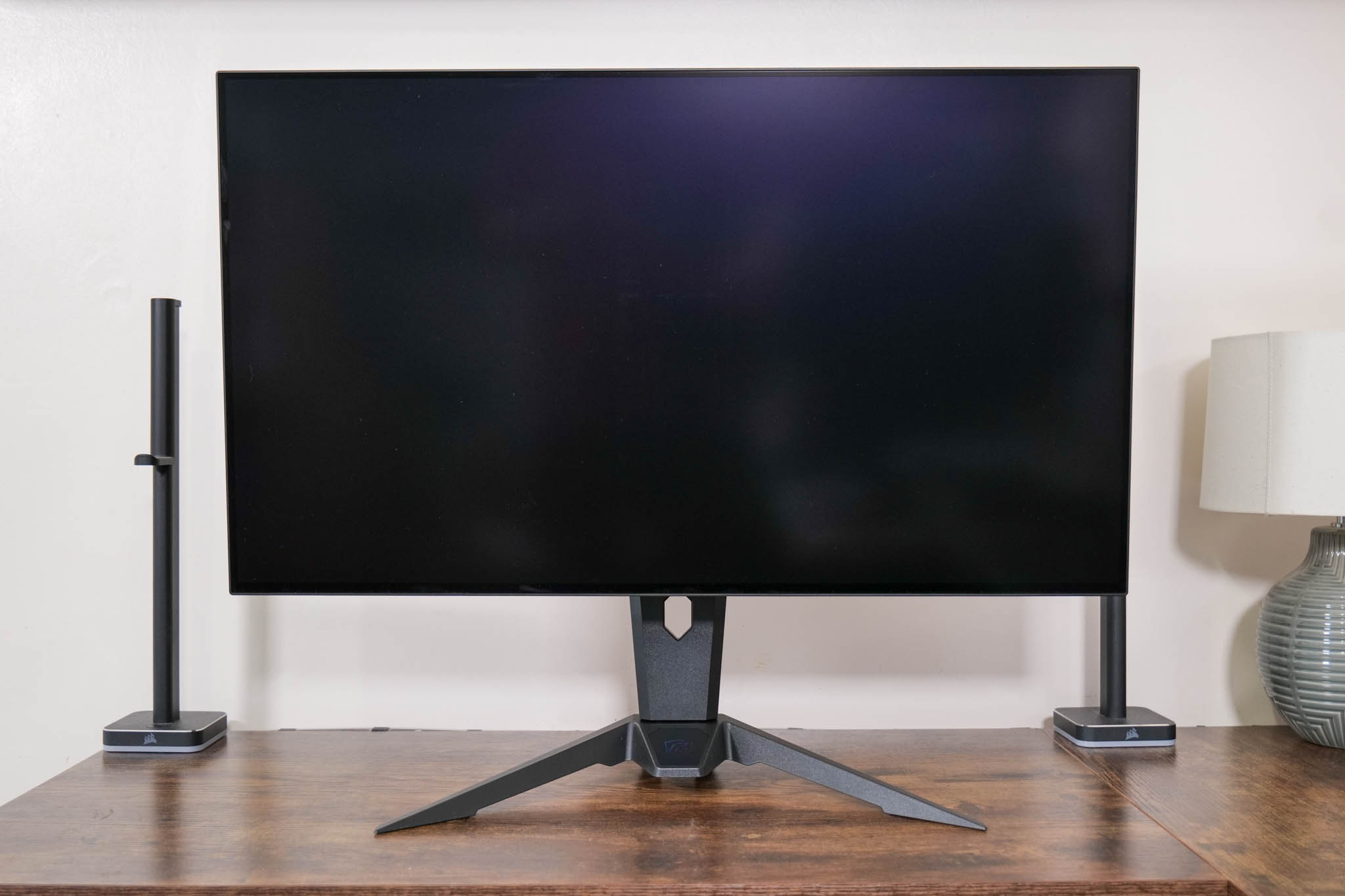
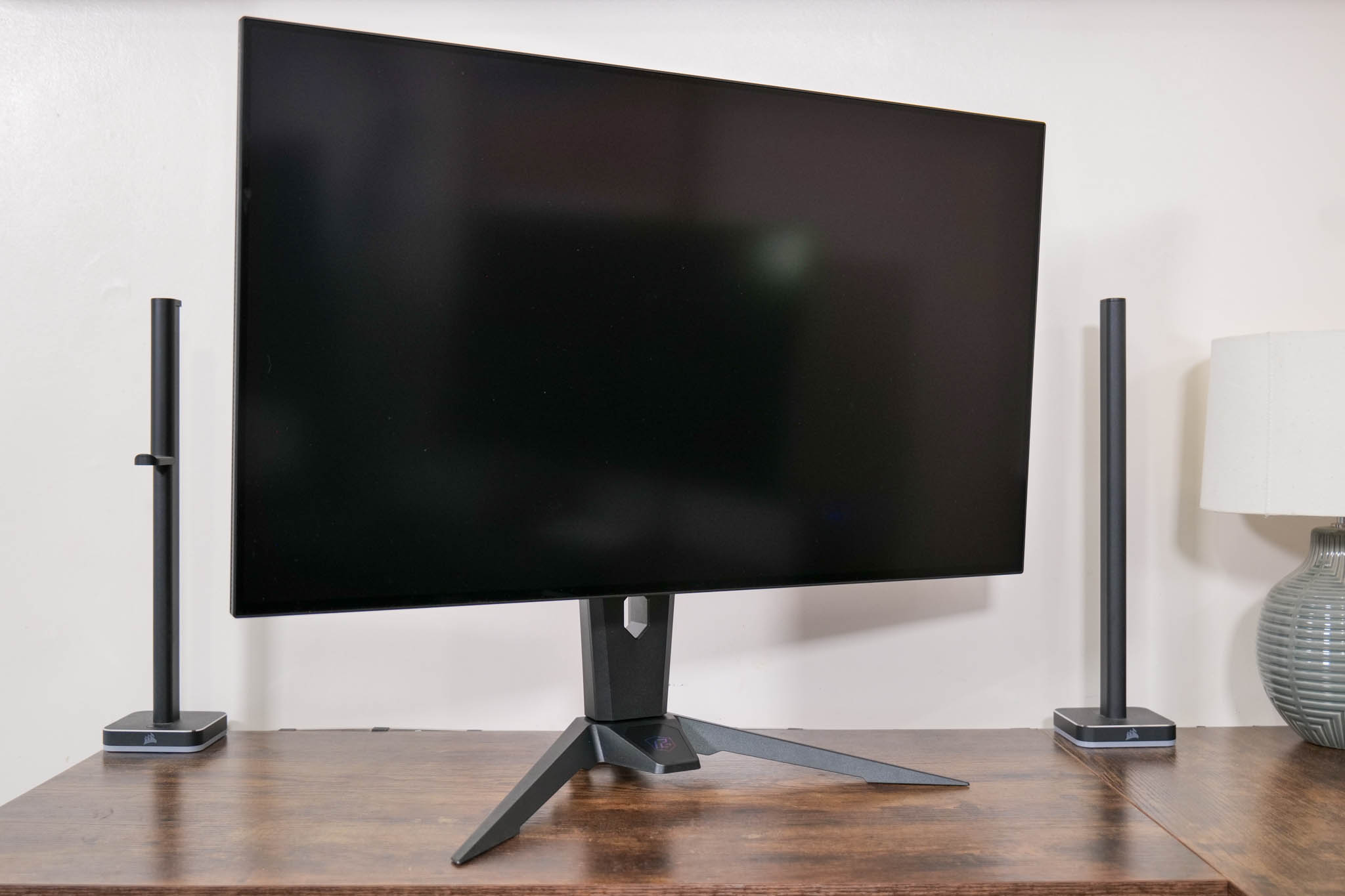
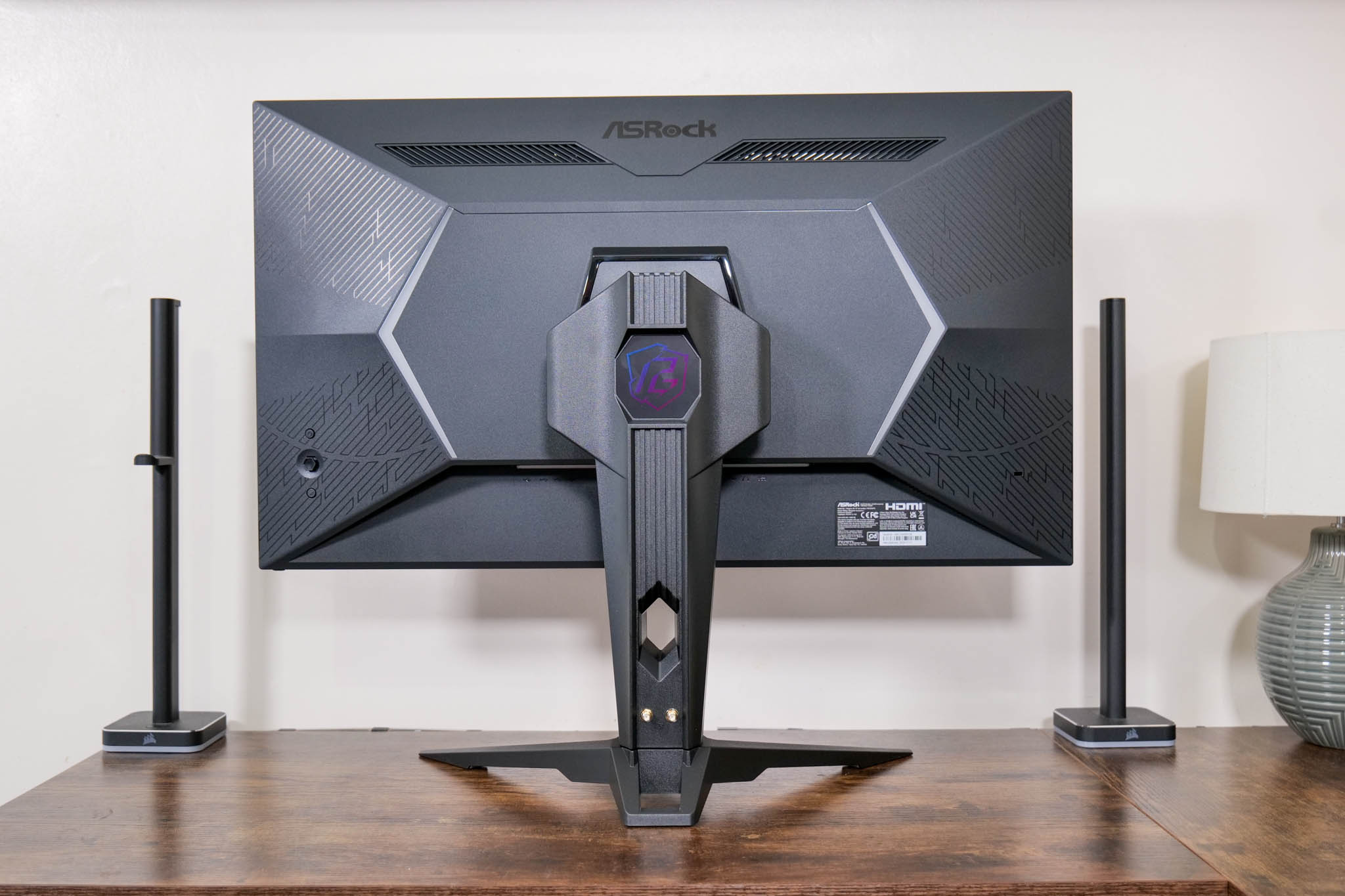
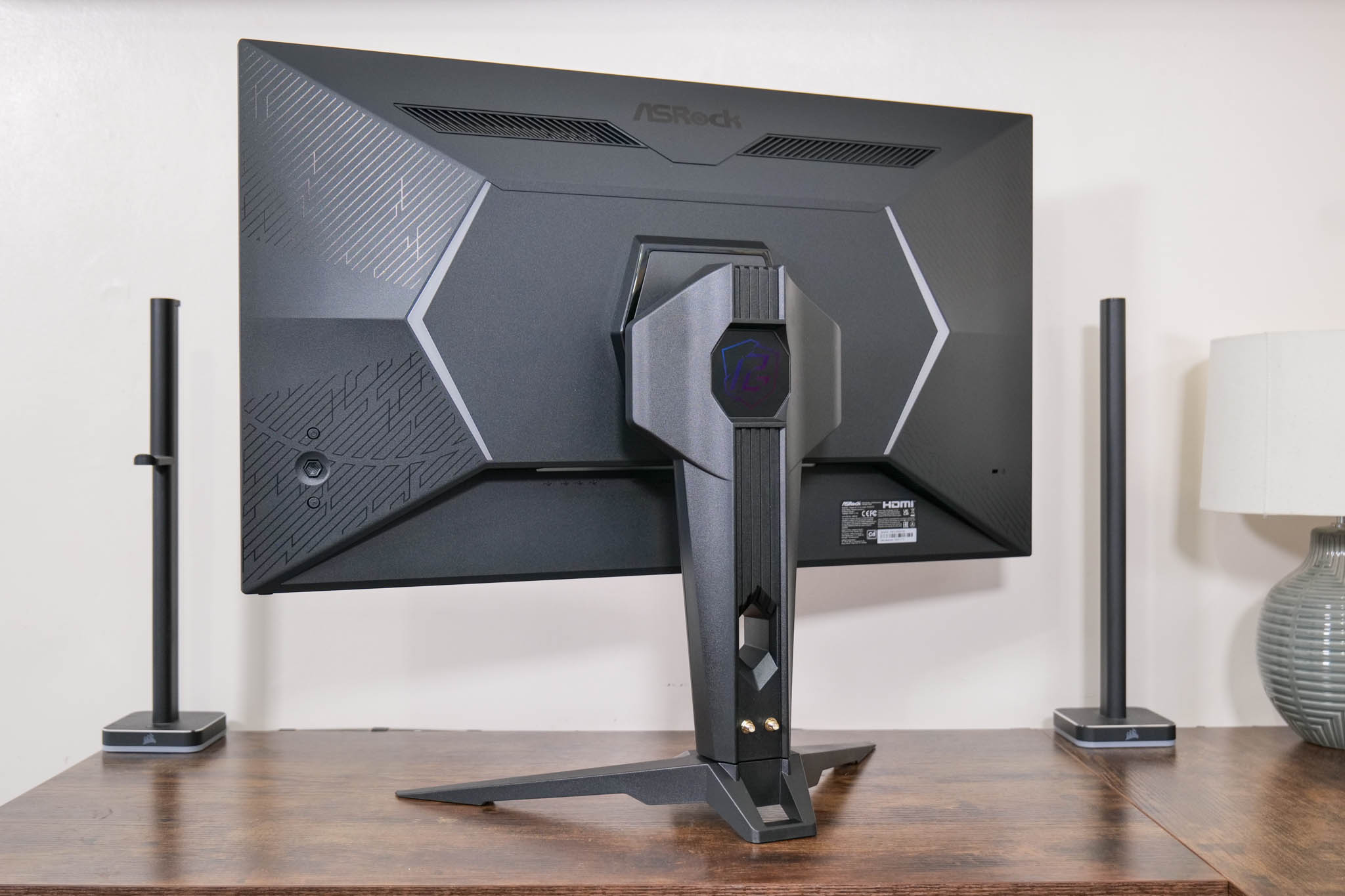
Starting first with the design, I must say I was a little disappointed to see ASRock carrying over essentially the same core design that we saw on the budget PG27QFT2A I reviewed last year. There's nothing objectively wrong with it, it just looks (and feels) cheap to me, given it is made entirely of matte black plastic. It's also surprisingly light at barely 6kg, which doesn't make the best first impression.
Again, it works fine and it's not hideous, but if you're paying £800+ for a premium 4K OLED monitor, I'd really expect to see a metal stand and a slightly more refined overall design.
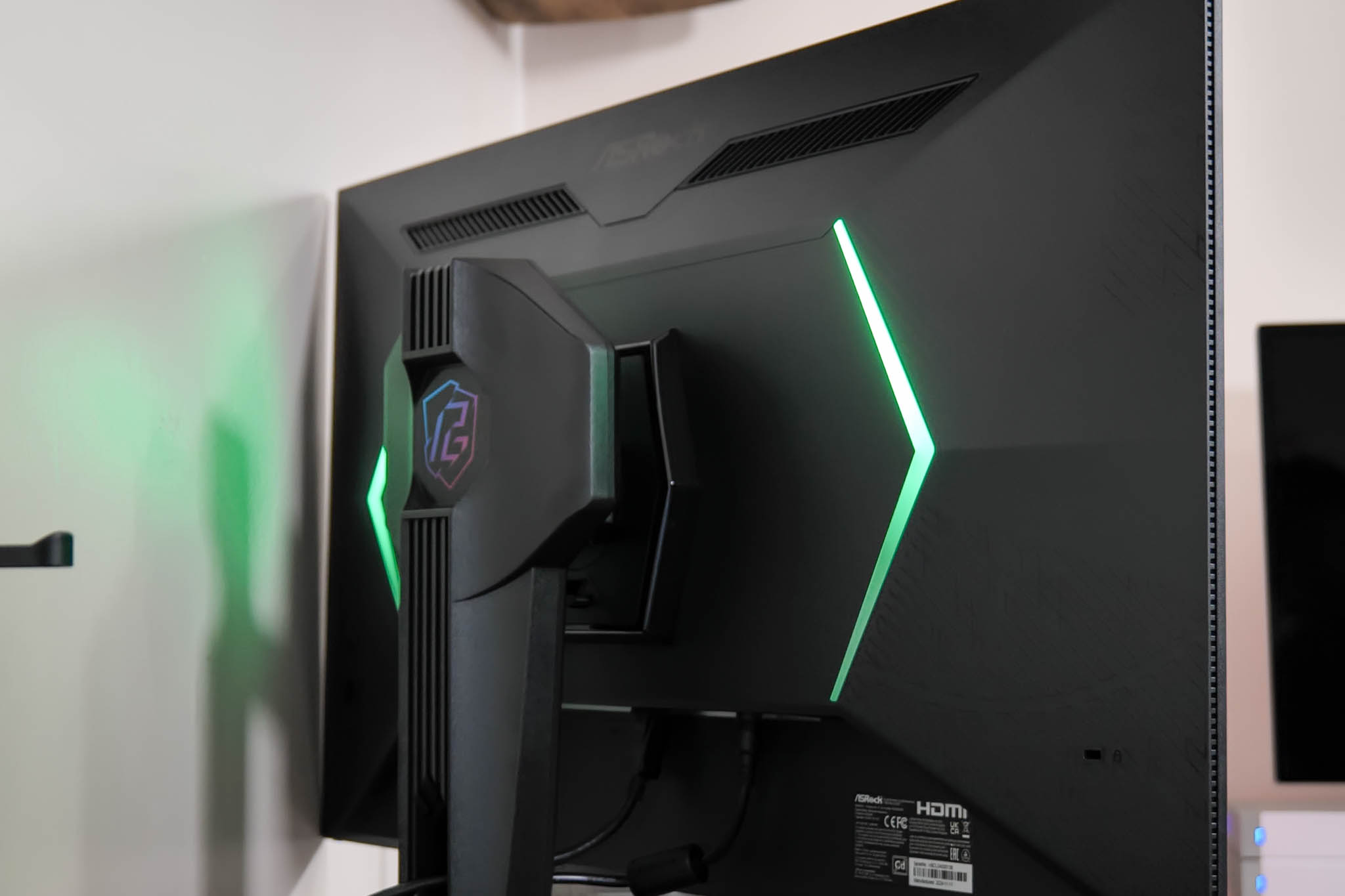
ASRock has included two RGB strips on the back of the monitor which are configurable in the OSD, but they're not a patch on the Philips Ambiglow lighting we saw recently with the Evnia 27M2N8500.
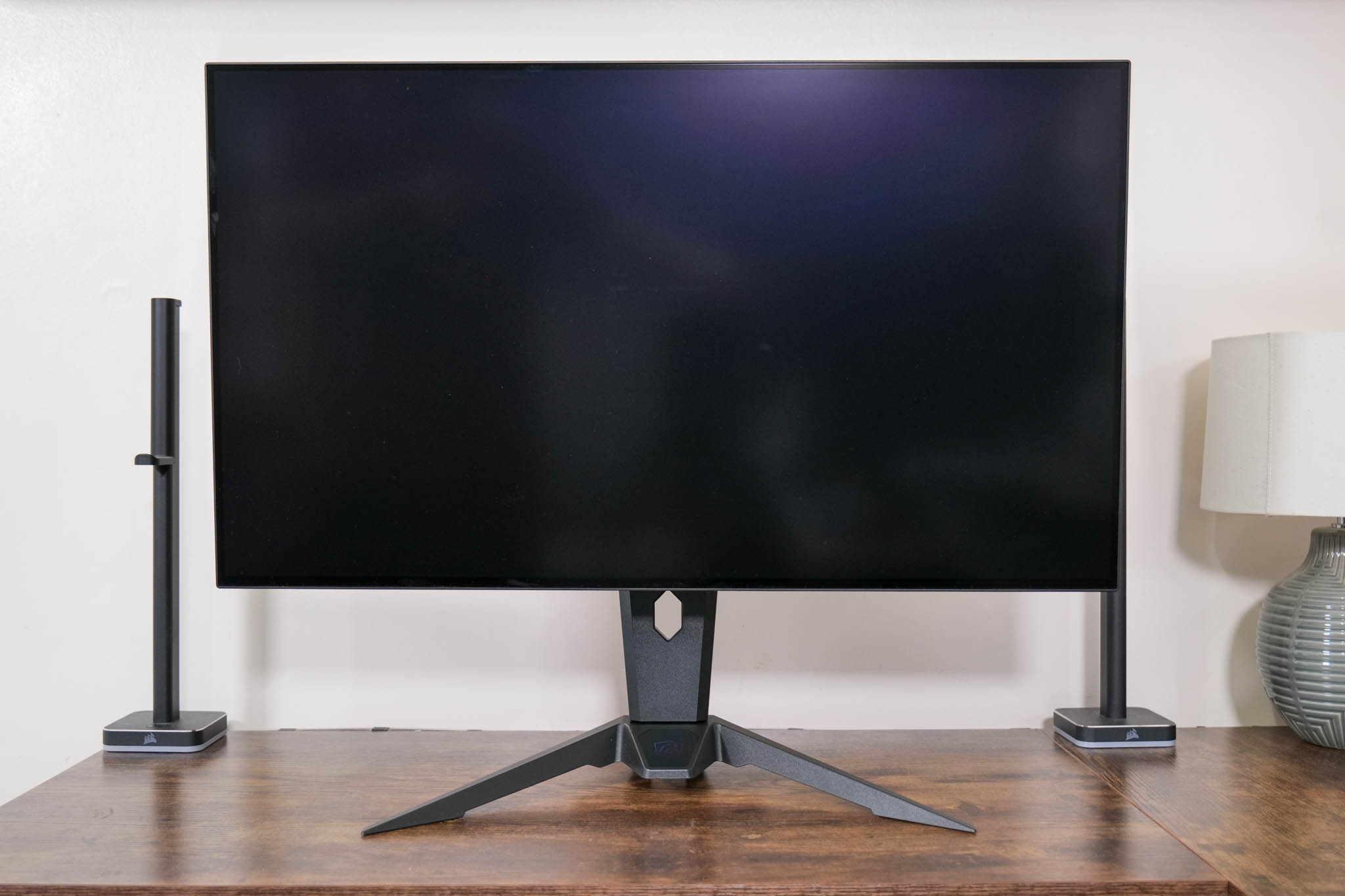
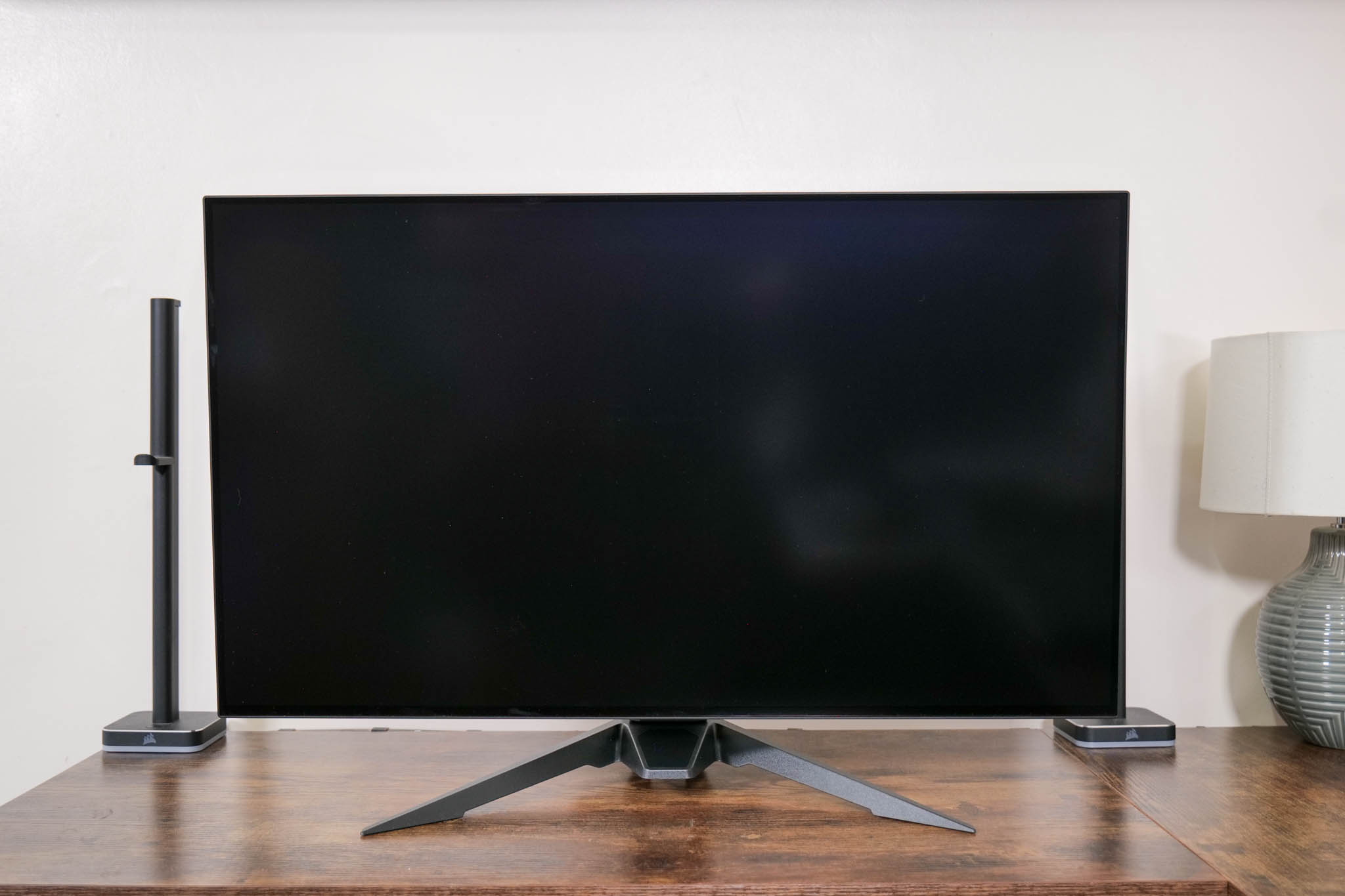
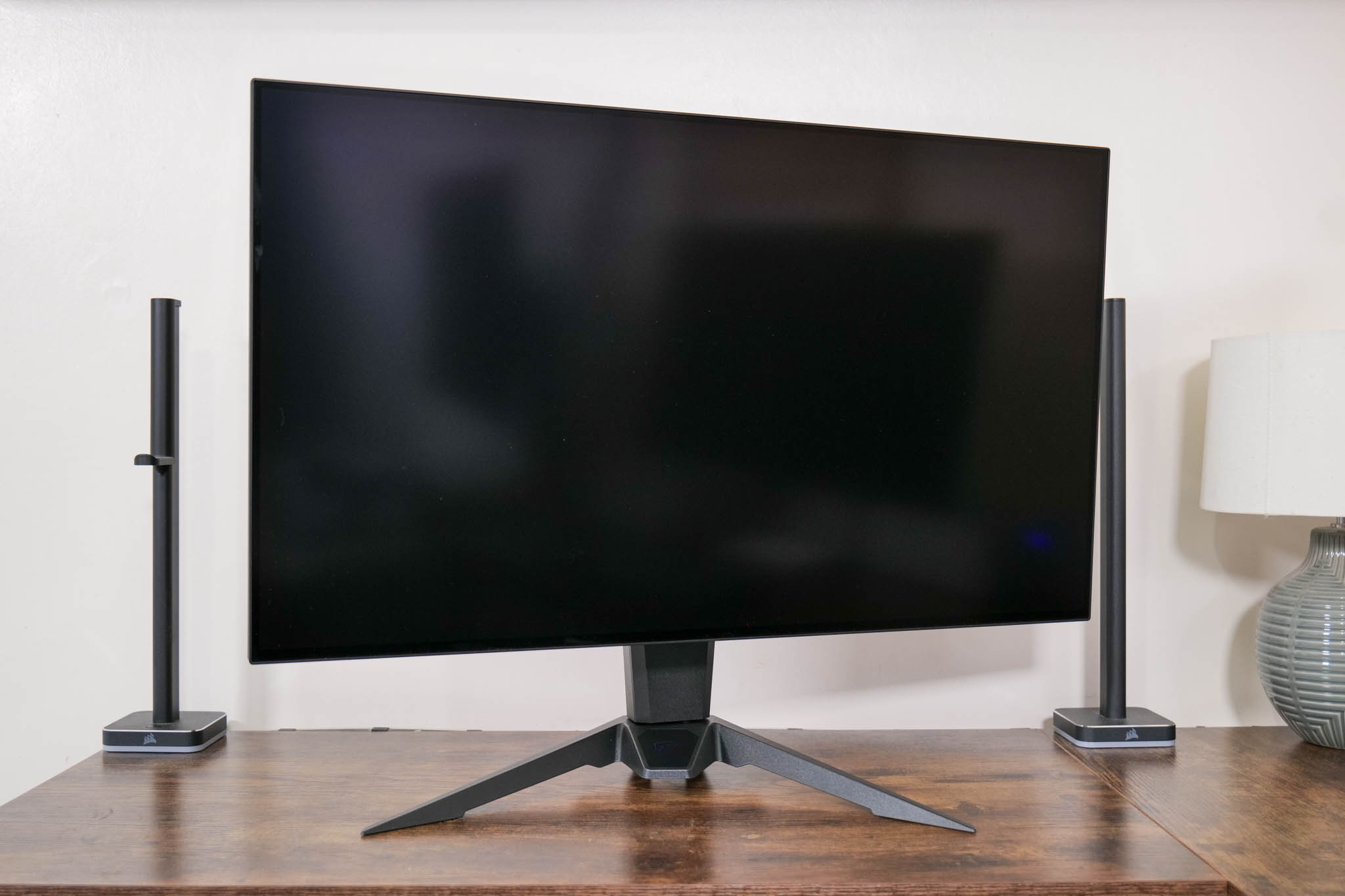
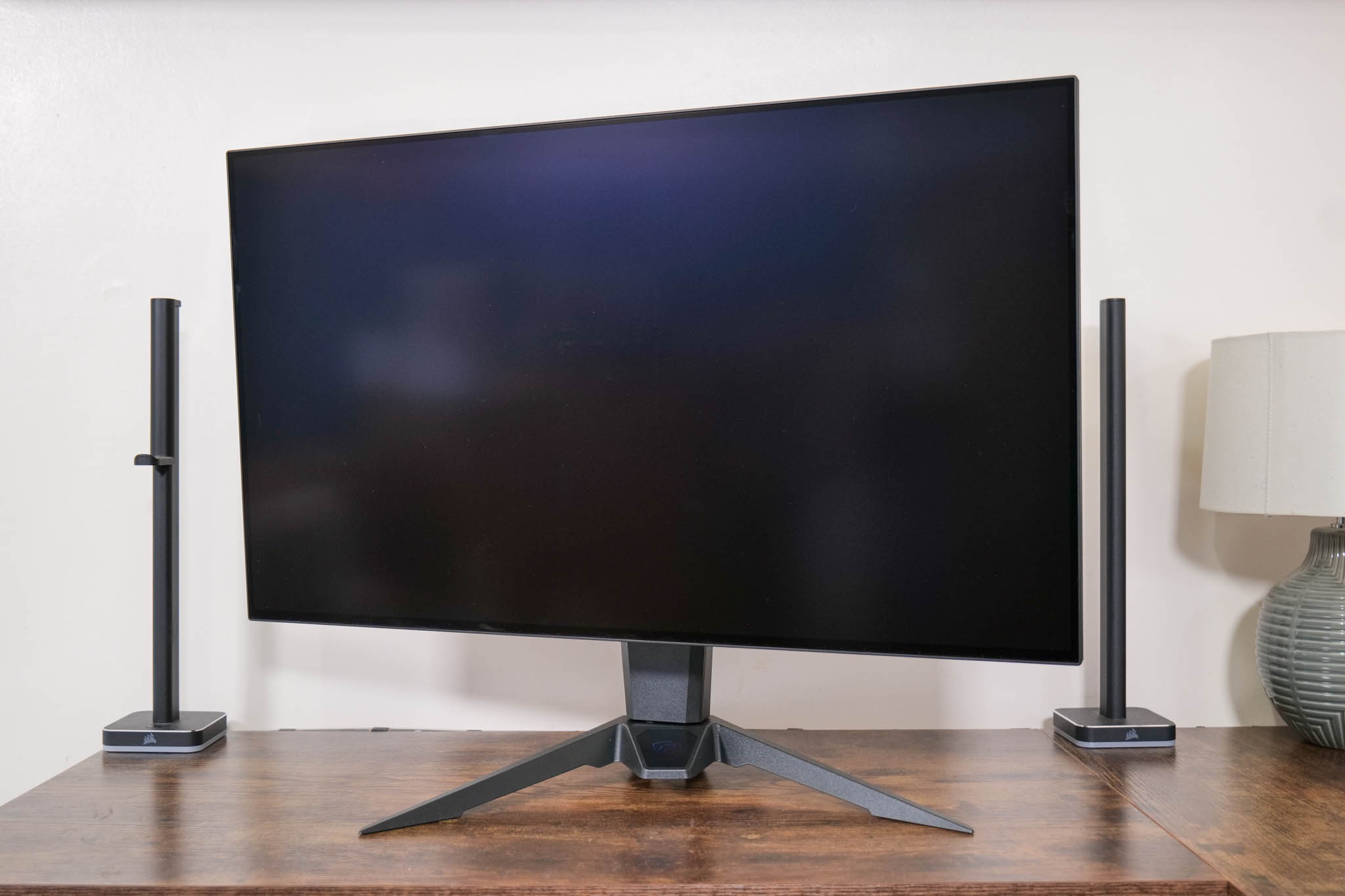
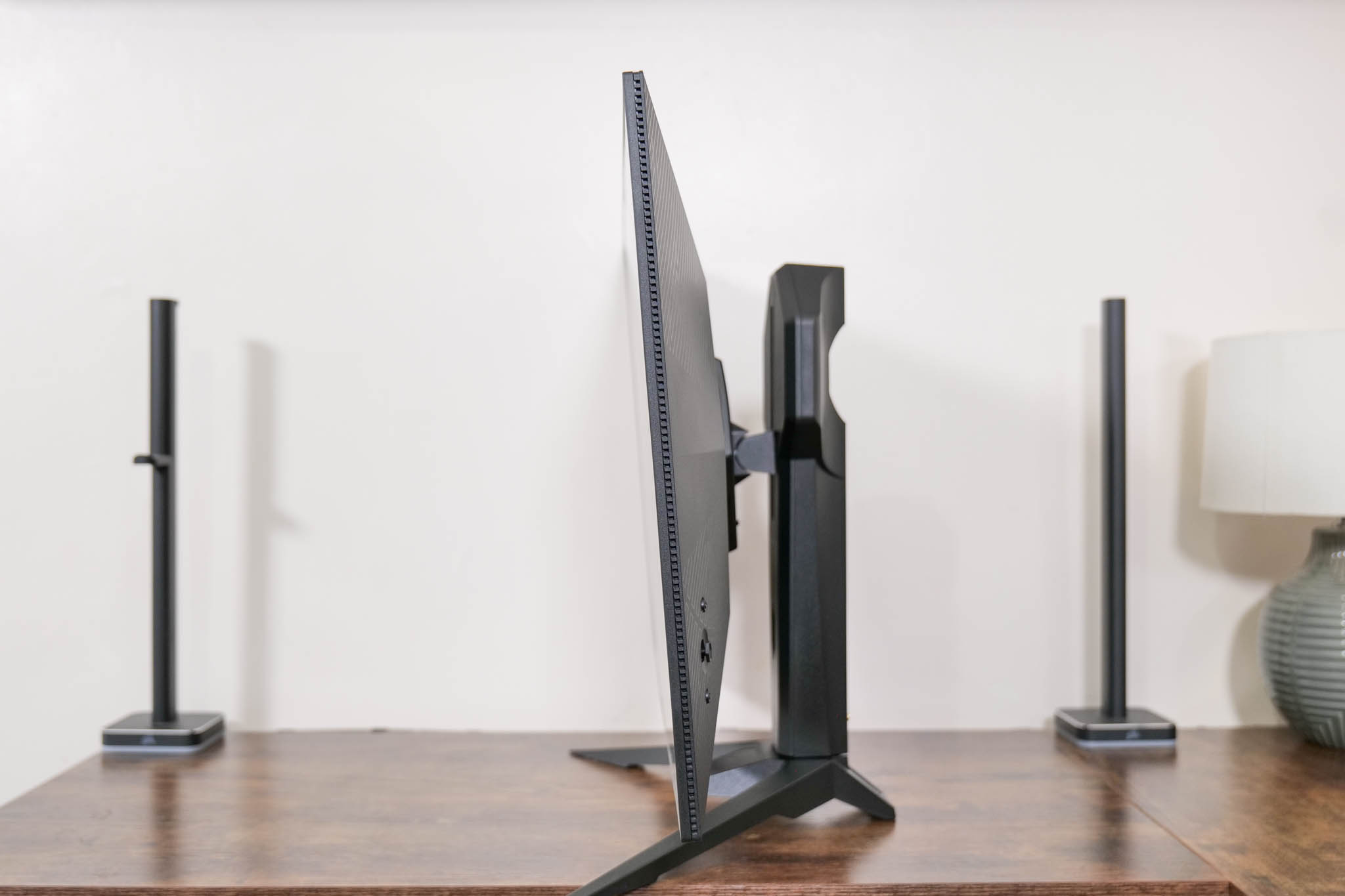
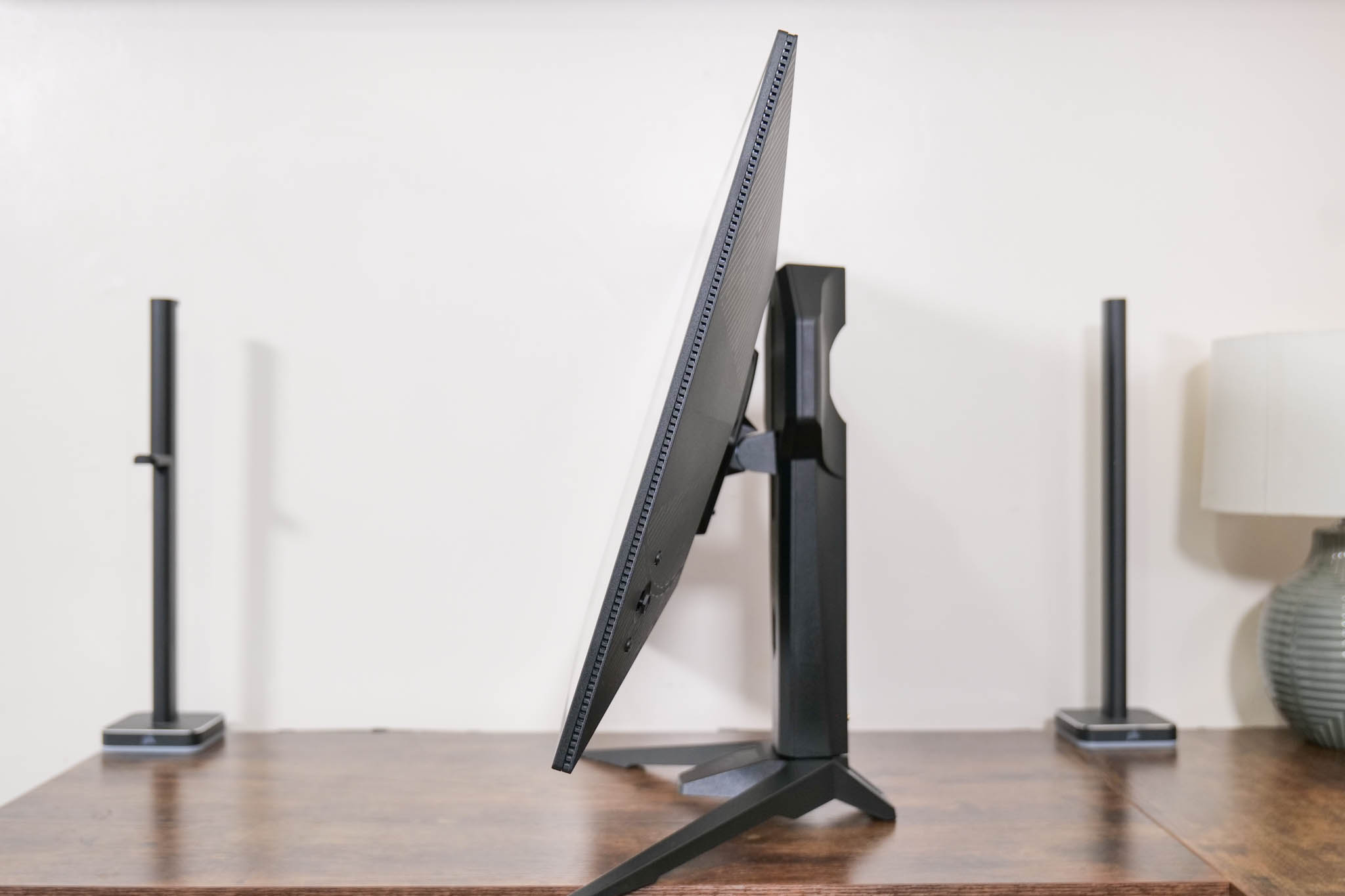
As for the included stand, this offers up to 100mm of height adjust, 20 degrees of swivel both left and right, and then tilt from -7 to +20 degrees. That does mean no pivot, but that's more forgivable on a bigger display, and VESA 100×100 mounts are supported too.
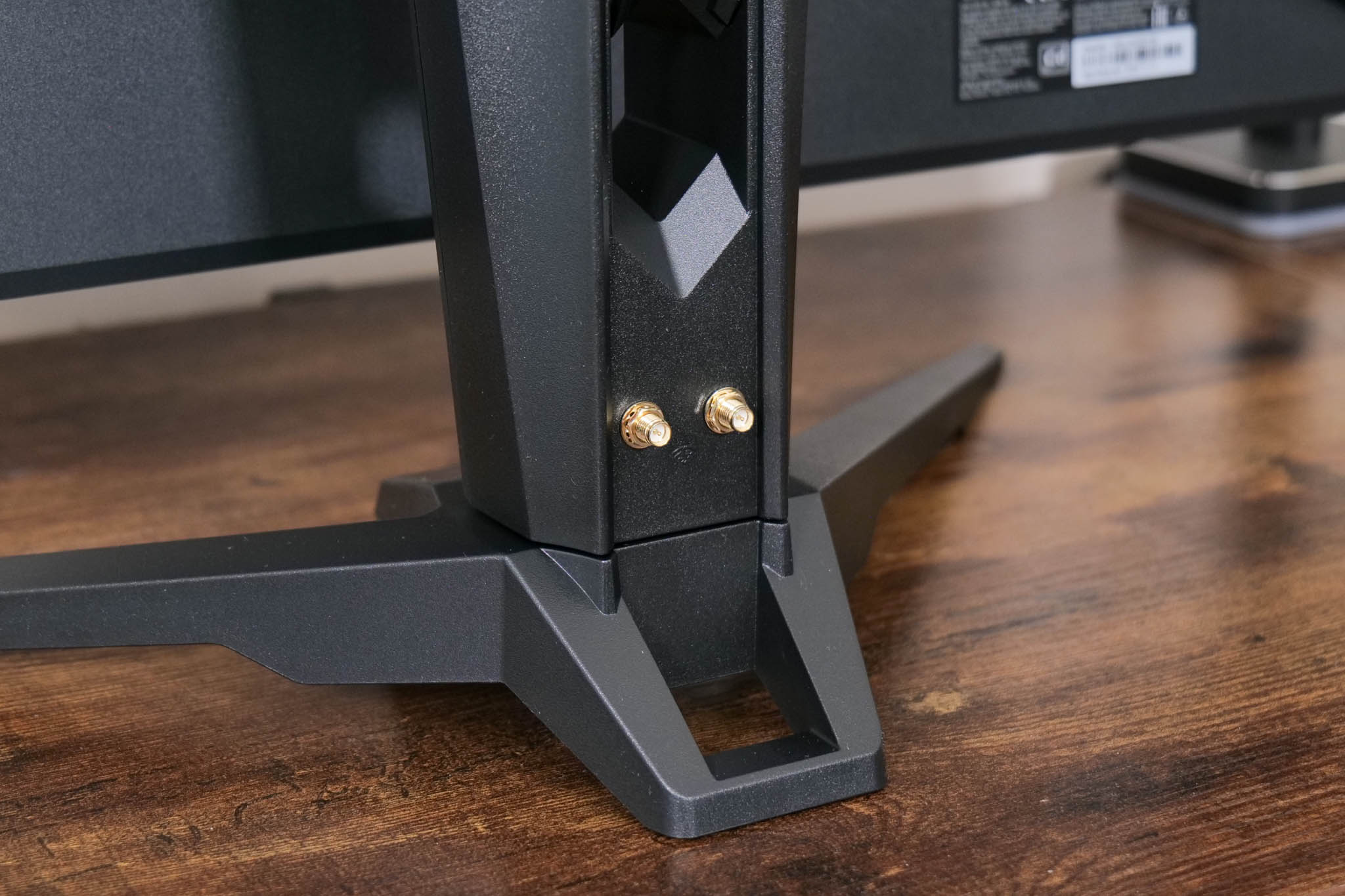
ASRock is persisting with its built-in WiFi antenna feature that we first saw on the PG27QFT2A – it might be a value add for some, but it's not something I'd personally use.
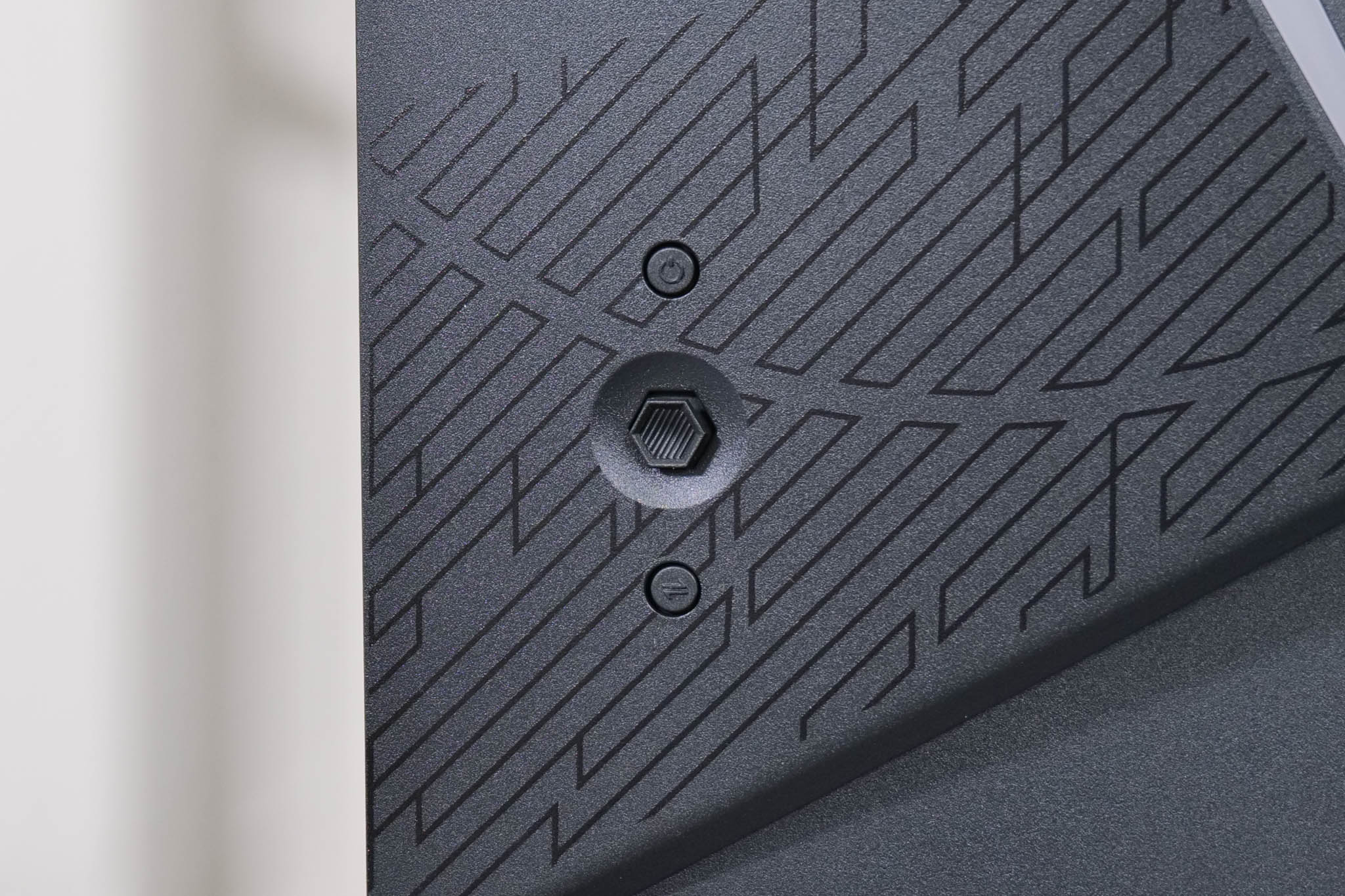
We can also note the OSD joystick on the back right corner of the screen, with a power button above it and the dual mode button below. The dual mode functionality itself is very straight forward – you simply press the button to switch from 4K/240Hz to 1080p/480Hz, or vice versa. The screen goes black for a few seconds so it's not an instant process, but it worked every time without a hitch in my testing.
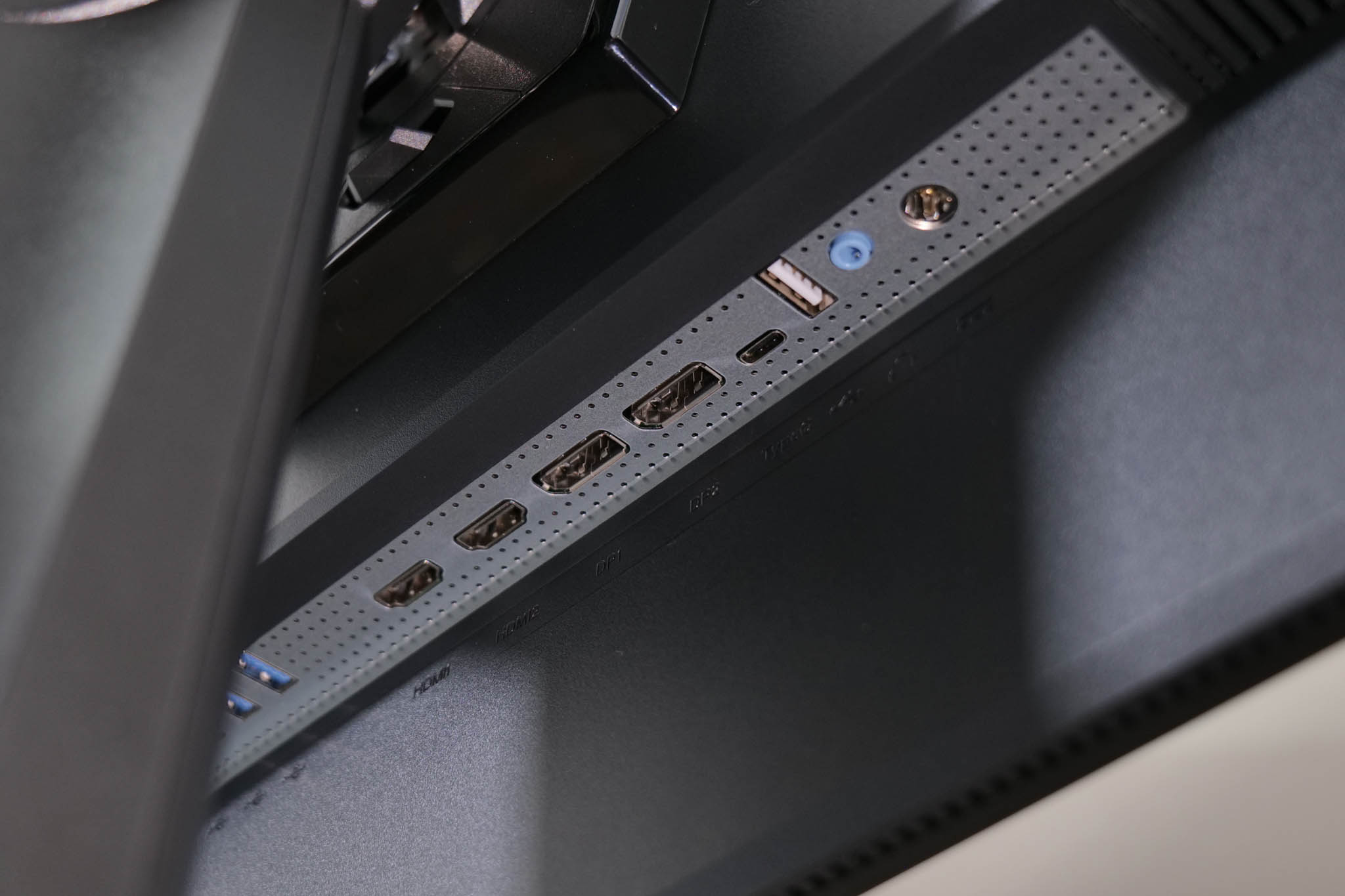
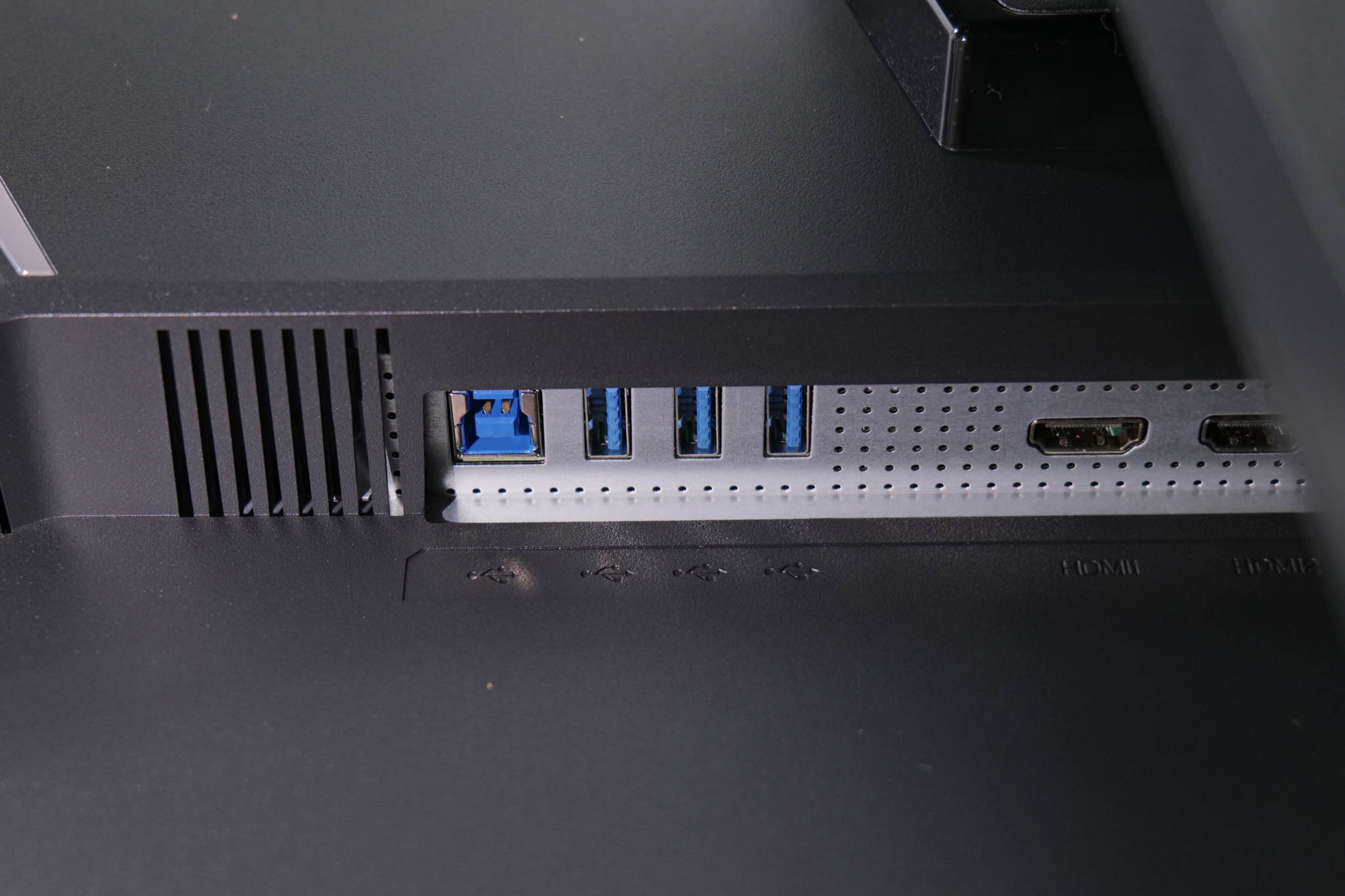
As for ports and connectors, these are split into two banks. The right hand side houses video inputs, with two DisplayPort 1.4 and two HDMI 2.1, alongside the USB-C which supports DP-Alt mode and 65W power delivery. Next to that is a USB Type-A, used for updating firmware, an audio jack and the power input.
On the left hand side, a Type-B upstream connector feeds three Type-A downstream ports, running at 5Gbps.
ASRock's OSD system is split into six tabs, which you can see here:
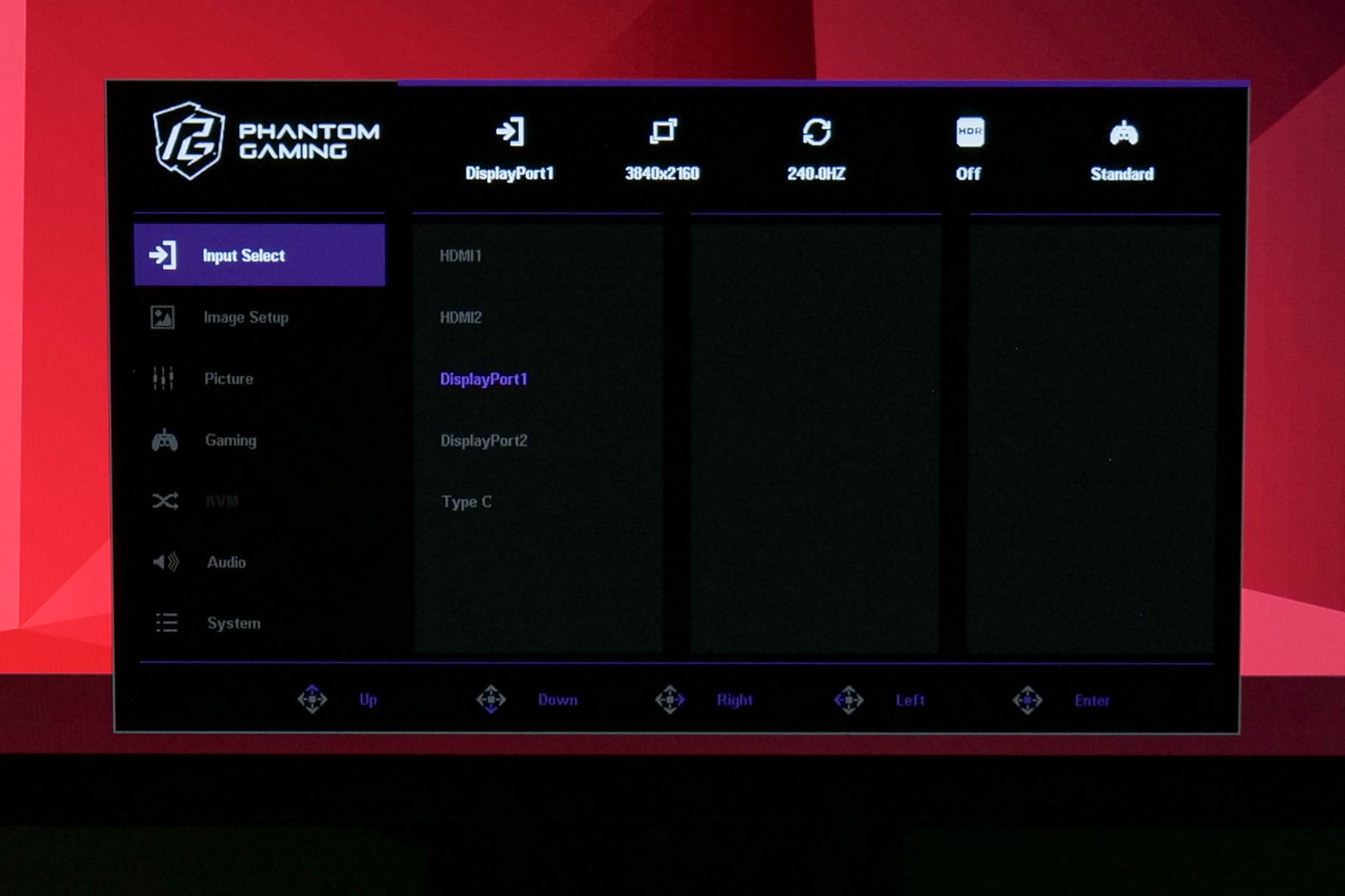
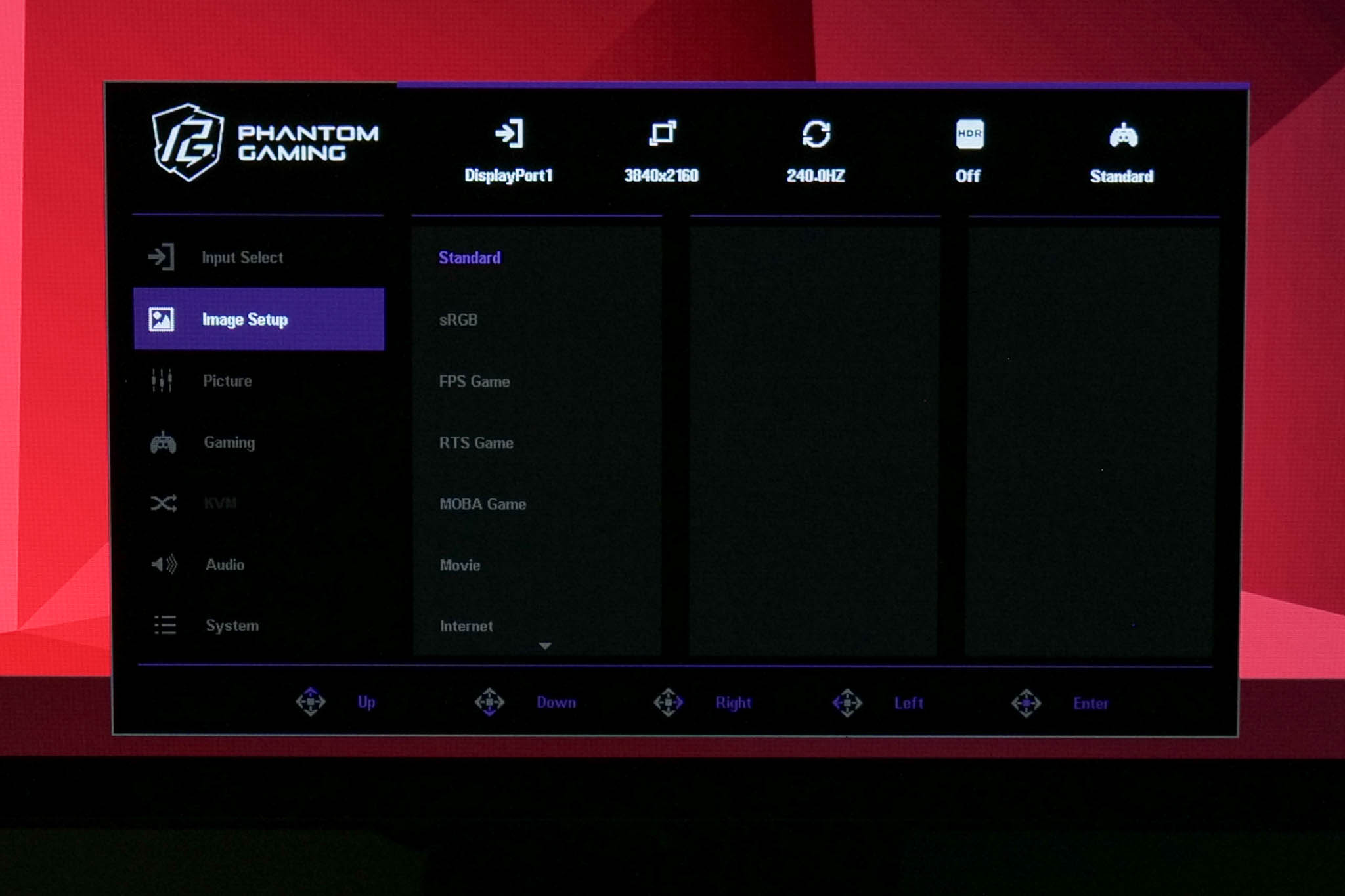
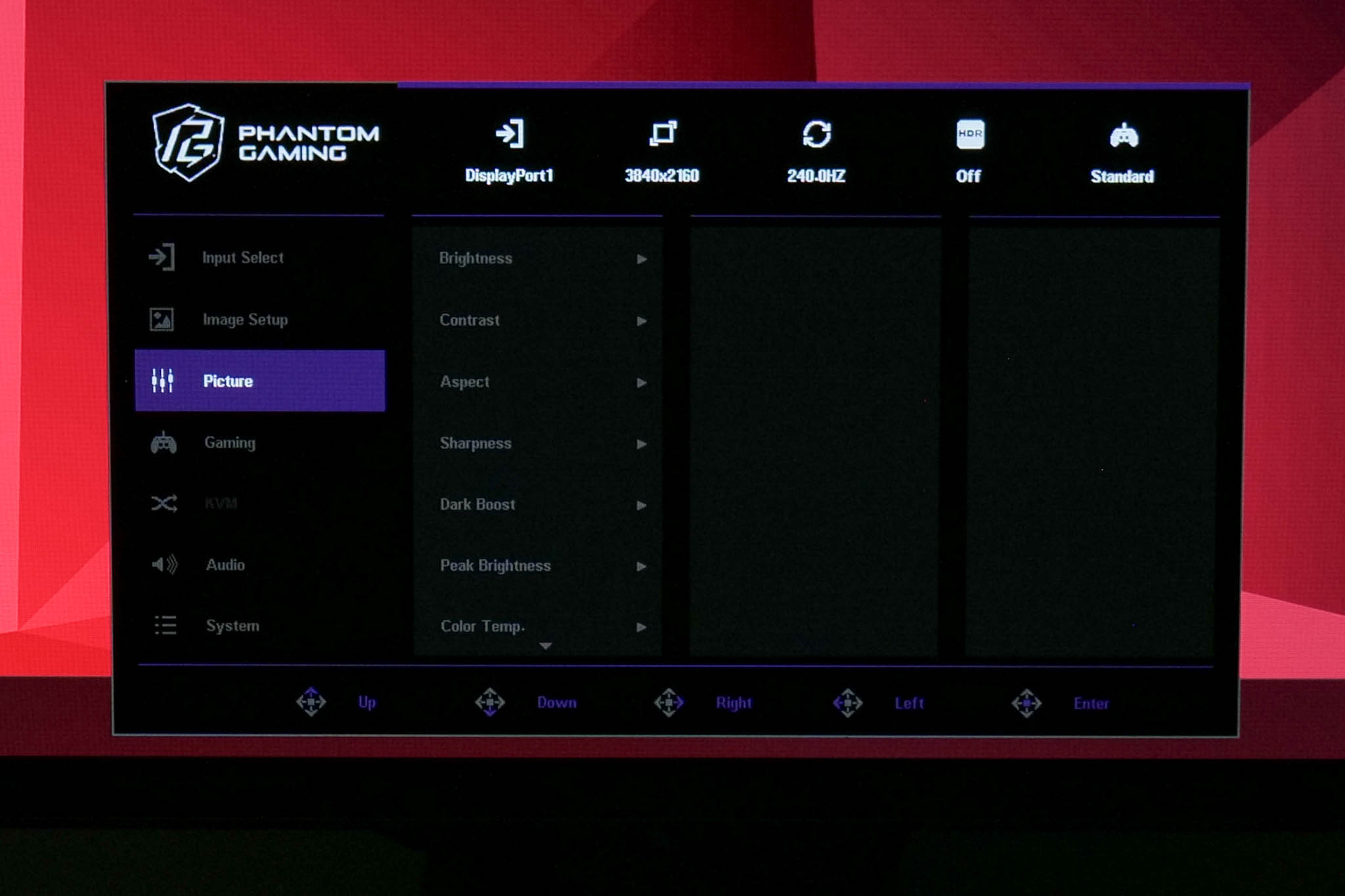
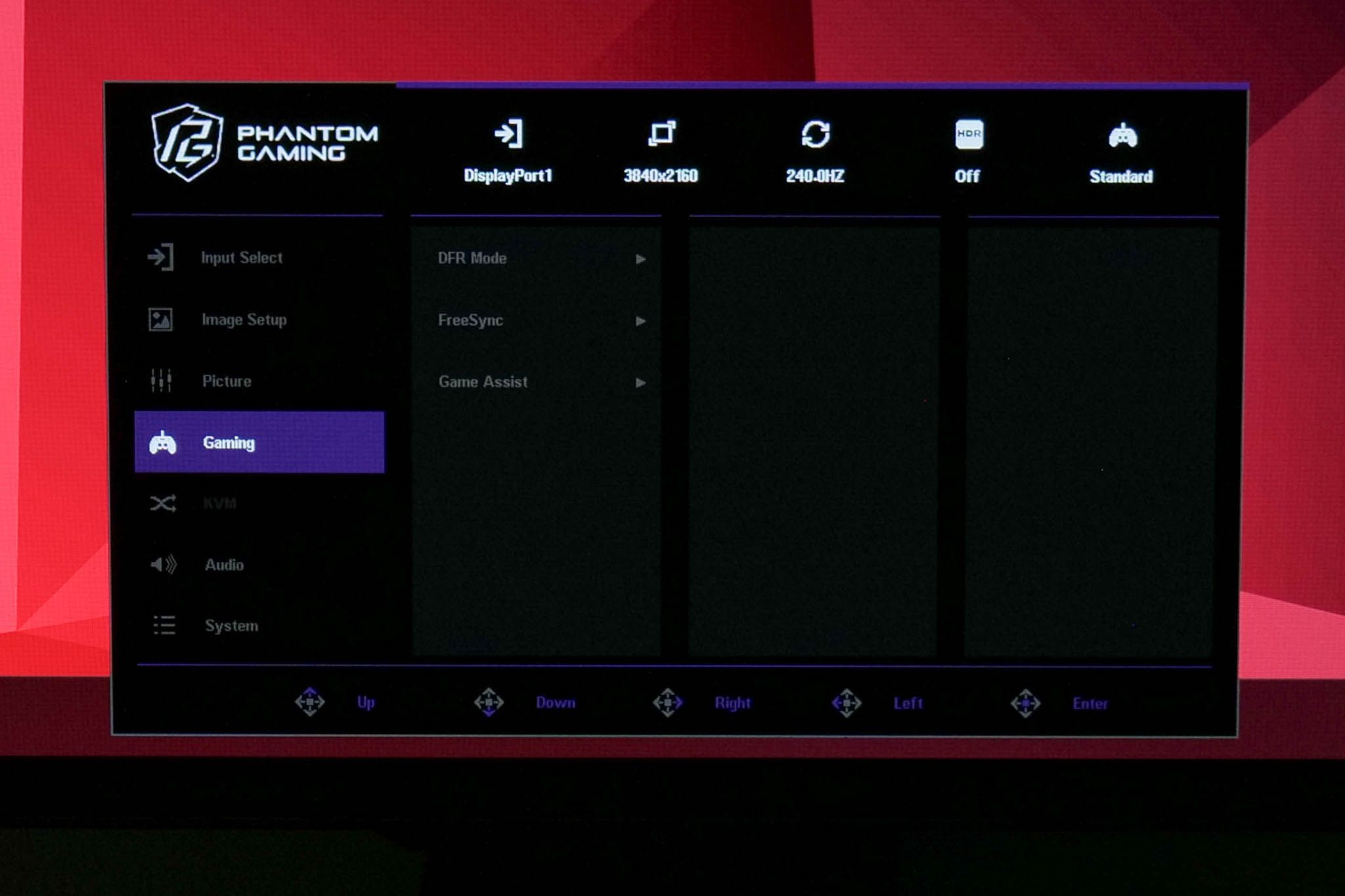
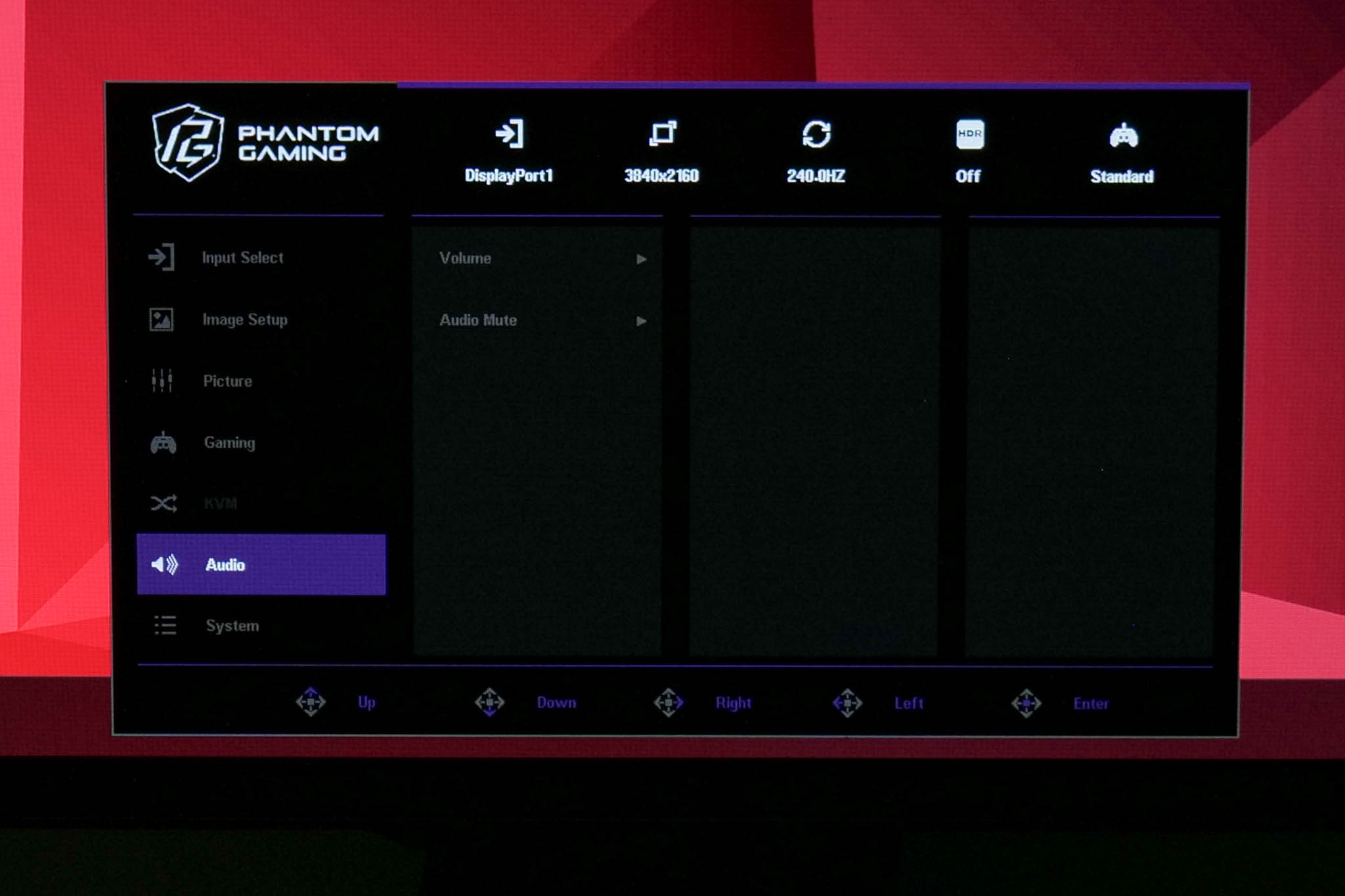
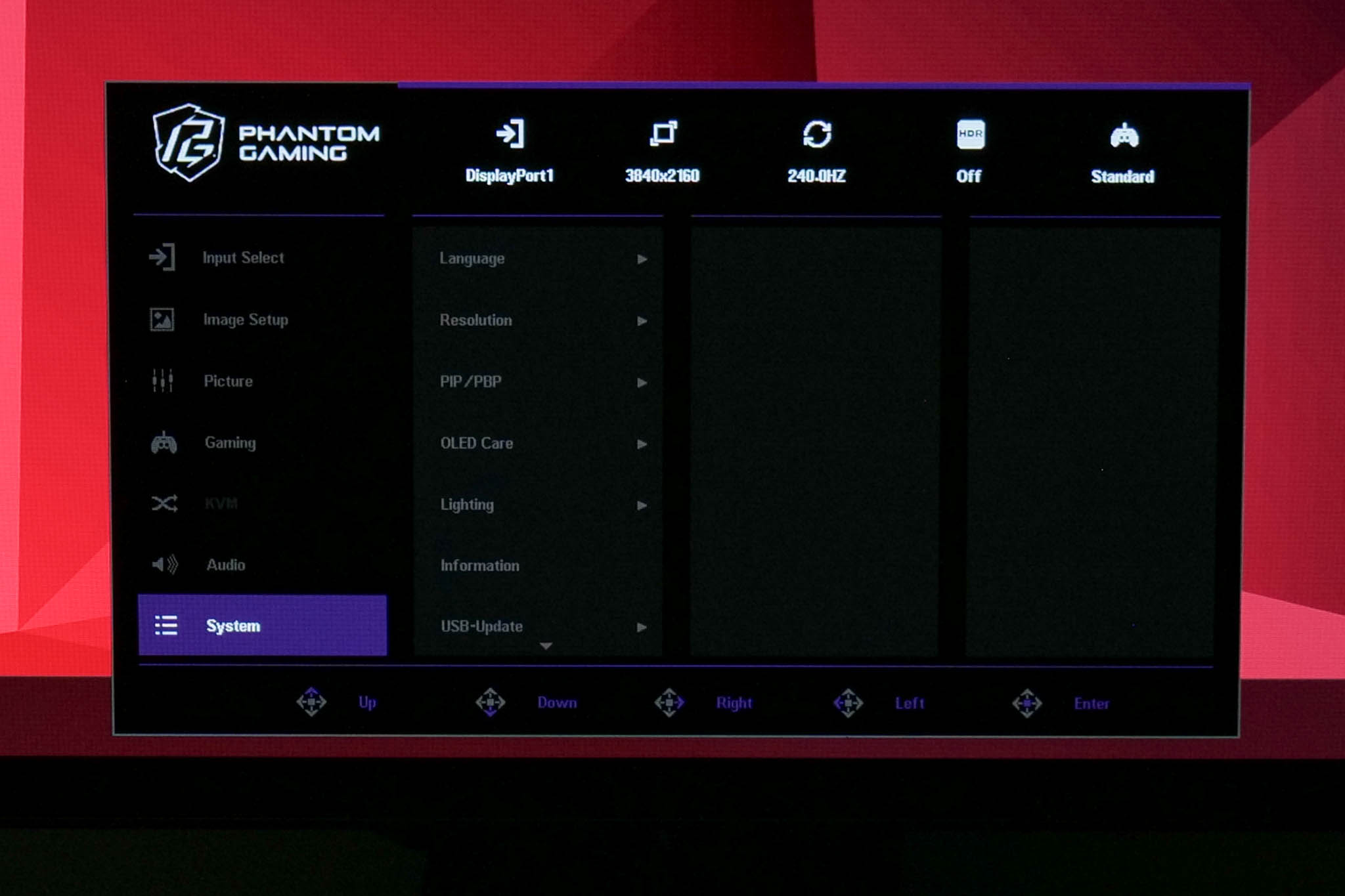
The OSD itself is fine overall, it's very easy to navigate with the joystick and ASRock has included a fair selection of features. That said, I don't like that there's no way to customise quick shortcuts via the joystick, and there's a worryingly small amount of anti-burn in features too. Some of the settings are also slightly confusing, given there's an sRGB mode in ‘Image Setup', but it doesn't actually clamp the gamut unless you also adjust the ‘Color Space' option which is found in the ‘Picture' sub-menu. I think you can tell ASRock is still relatively new to the monitor space as there is room for streamlining here.
Our main test involves using an X-Rite i1 Display Pro Plus colorimeter and utilising Portrait Display's Calman Ultimate software. The device sits on top of the screen while the software generates colour tones and patterns, which it compares against predetermined values to work out how accurate the screen is.

The results show:
- A monitor’s maximum brightness in candelas or cd/m2 at various levels set in the OSD.
- A monitor’s contrast ratio at various brightness levels in the OSD.
- Gamut coverage, primarily focusing on sRGB and DCI-P3 colour spaces.
- Greyscale accuracy, measured across 20 shades, with an average colour balance reported.
- The exact gamma levels, with a comparison against preset settings in the OSD.
- The colour accuracy, expressed as a Delta E ratio, with a result under 3 being fine for normal use, and under 2 being great for colour-accurate design work.
We first run these tests with the display in its out-of-the-box state, with all settings on default. If there is an sRGB emulation option or other useful mode then we may test that too. We then calibrate the screen using the Calman Ultimate software and run the tests again.
You can read more about our test methodology HERE.
Default settings
Brightness and Contrast (Full Screen)
| OSD Brightness | White Luminance (cd/m2) | Black Luminance (cd/m2) | Contrast Ratio |
| 0% | 20.2 | 0.00 | ~Infinite |
| 25% | 70.2 | 0.00 | ~Infinite |
| 50% | 121.2 | 0.00 | ~Infinite |
| 75% | 171.7 | 0.00 | ~Infinite |
| 100% | 227.5 | 0.00 | ~Infinite |
Default brightness is fairly typical of an OLED monitor, with a range of 20.2 nits up to 227.5 nits. This is using the default ‘Low Peak Brightness' setting however, and there is also a ‘High Peak Brightness' option you can toggle.
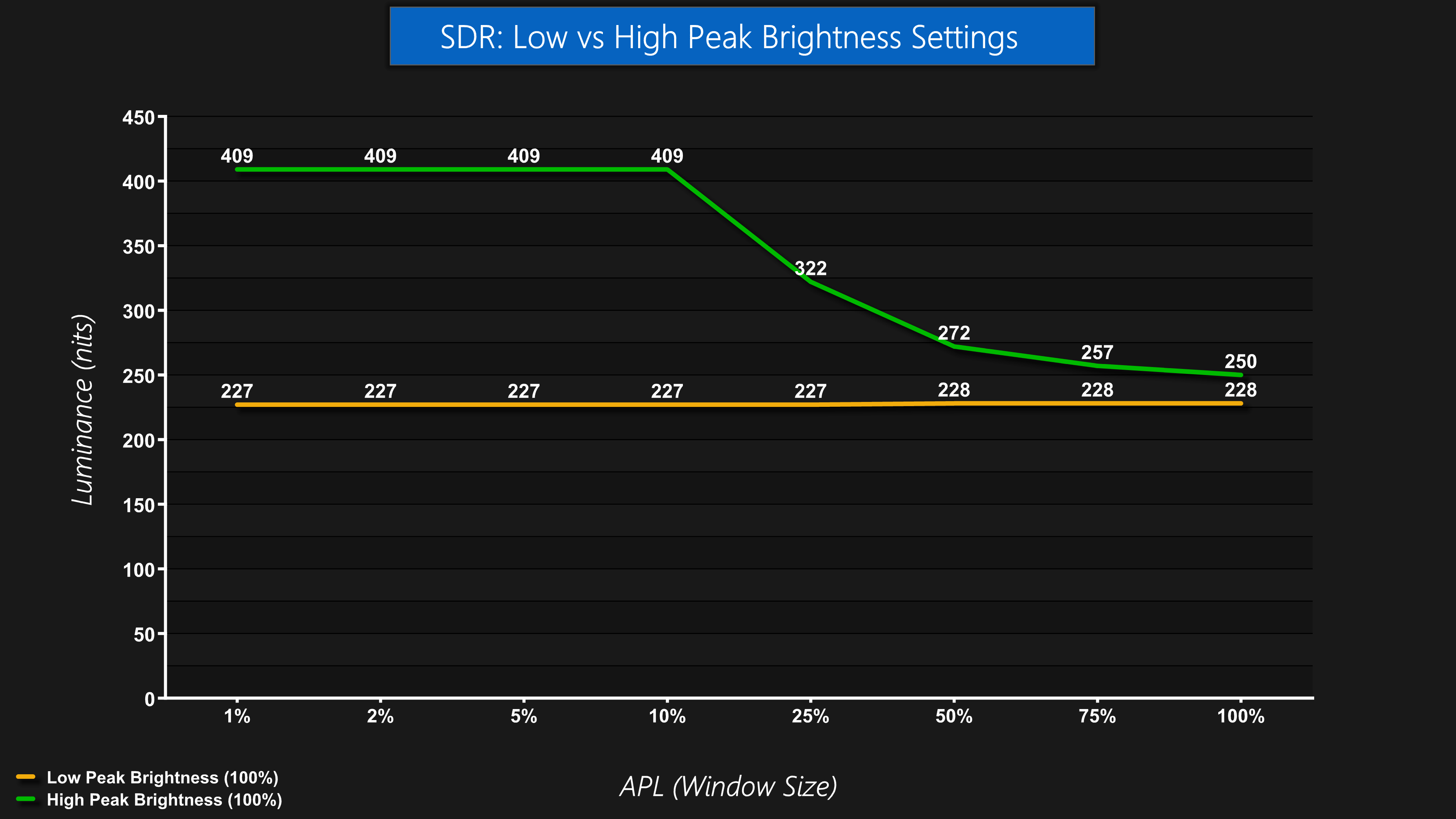
The High Peak Brightness mode does raise overall peak brightness, up to 409 nits for the 1-10% APLs. However, the Auto Brightness Limiter (ABL) kicks in after that, reducing brightness to 250 nits for a full screen white, which is typical of an OLED.
Using the Low Peak Brightness mode doesn't result in any dimming as the window size increases, but it doesn't get quite so bright at the 100% setting, though the difference is only 22 nits according to our measurements.
Gamut (CIE 1976)
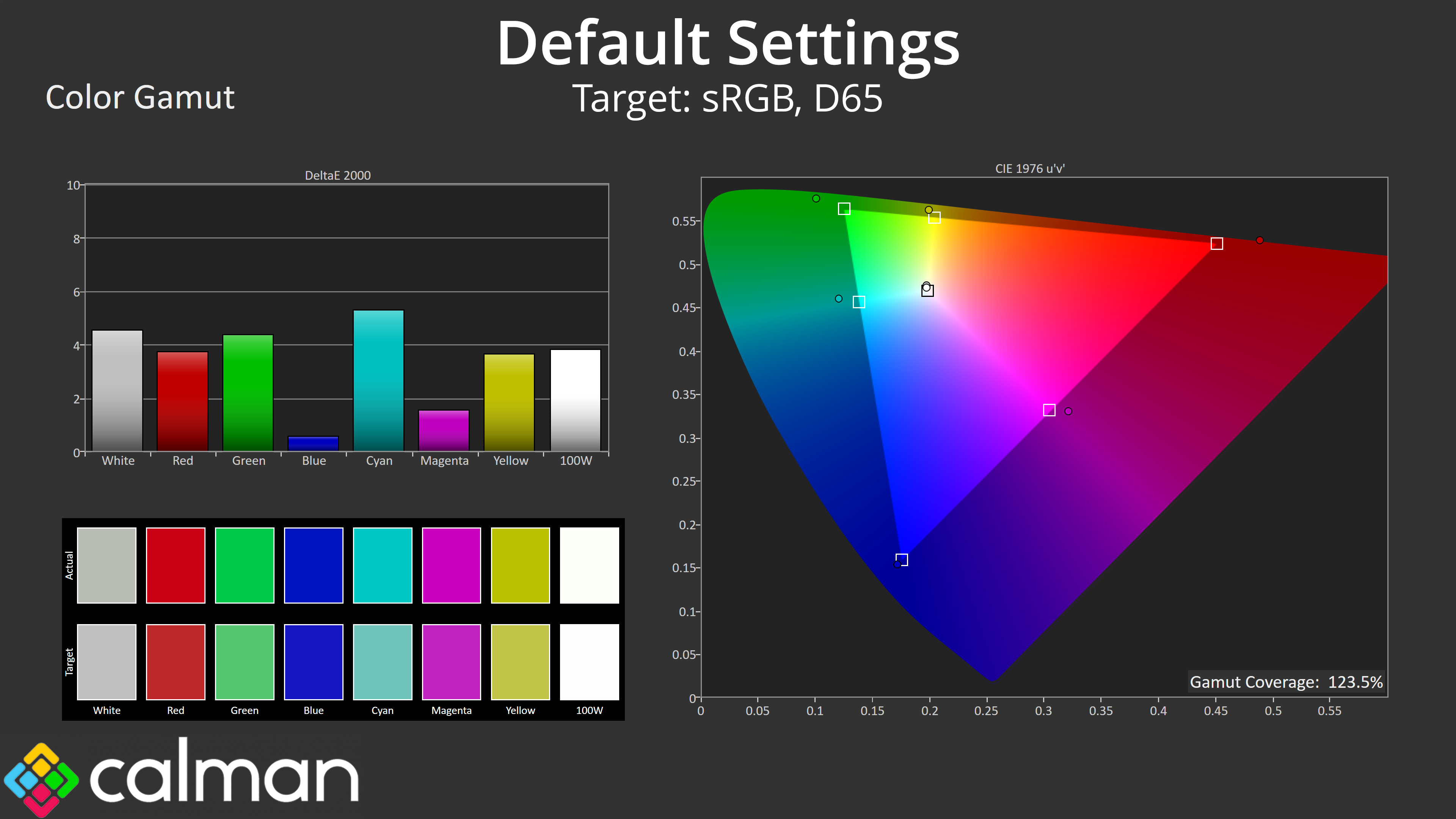
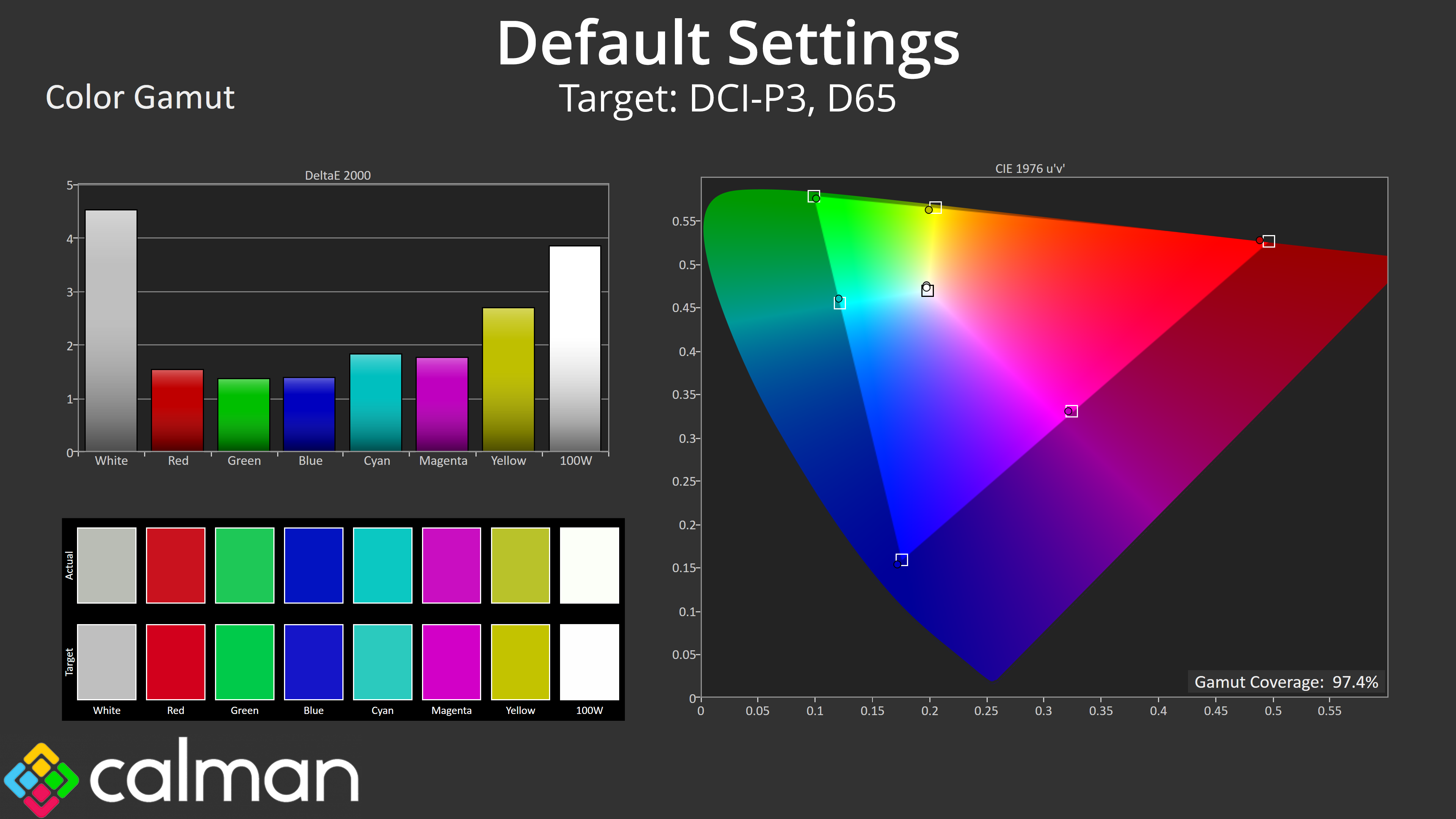
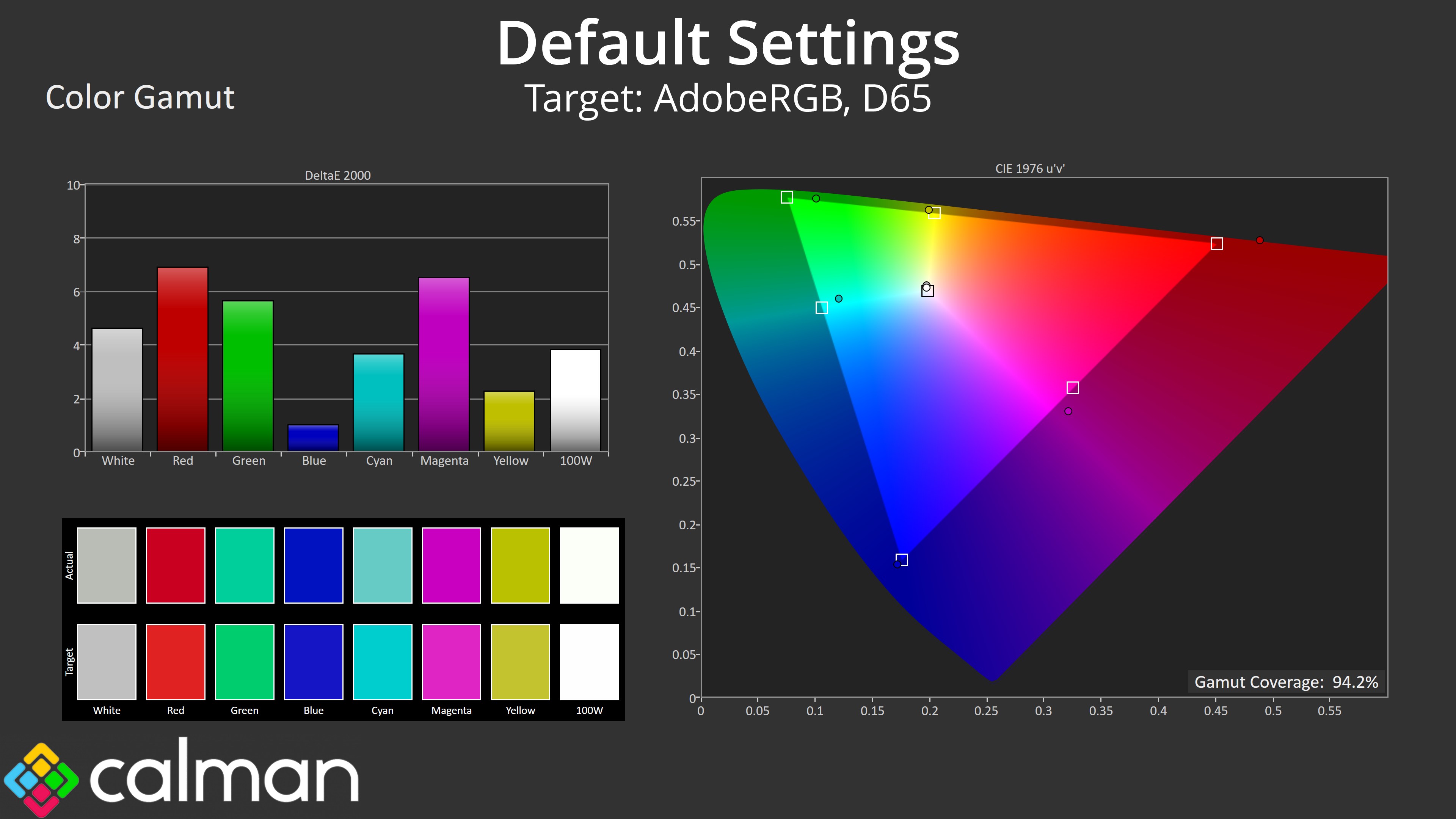
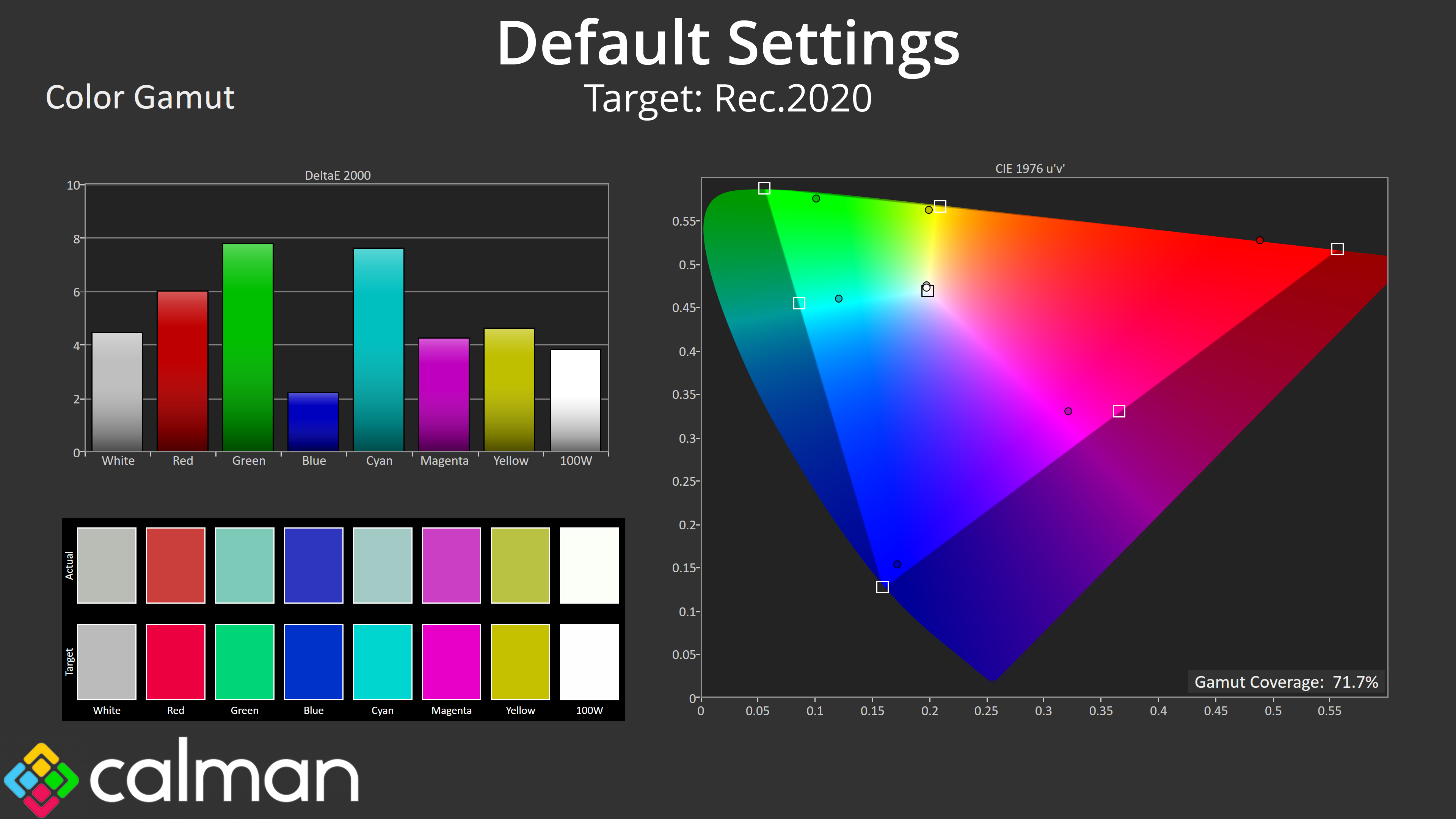
| Colour space | Coverage (%) |
| sRGB | 123.5 |
| DCI-P3 | 97.4 |
| Adobe RGB | 94.2 |
| Rec.2020 | 71.7 |
As for gamut, coverage far exceeds the sRGB space and registers 97.4% DCI-P3 coverage, alongside 94.2% Adobe RGB and 71.7% reporting for Rec.2020. It's not quite as wide as the QD-OLED monitors we've reviewed recently, but it is still very wide overall.
Greyscale
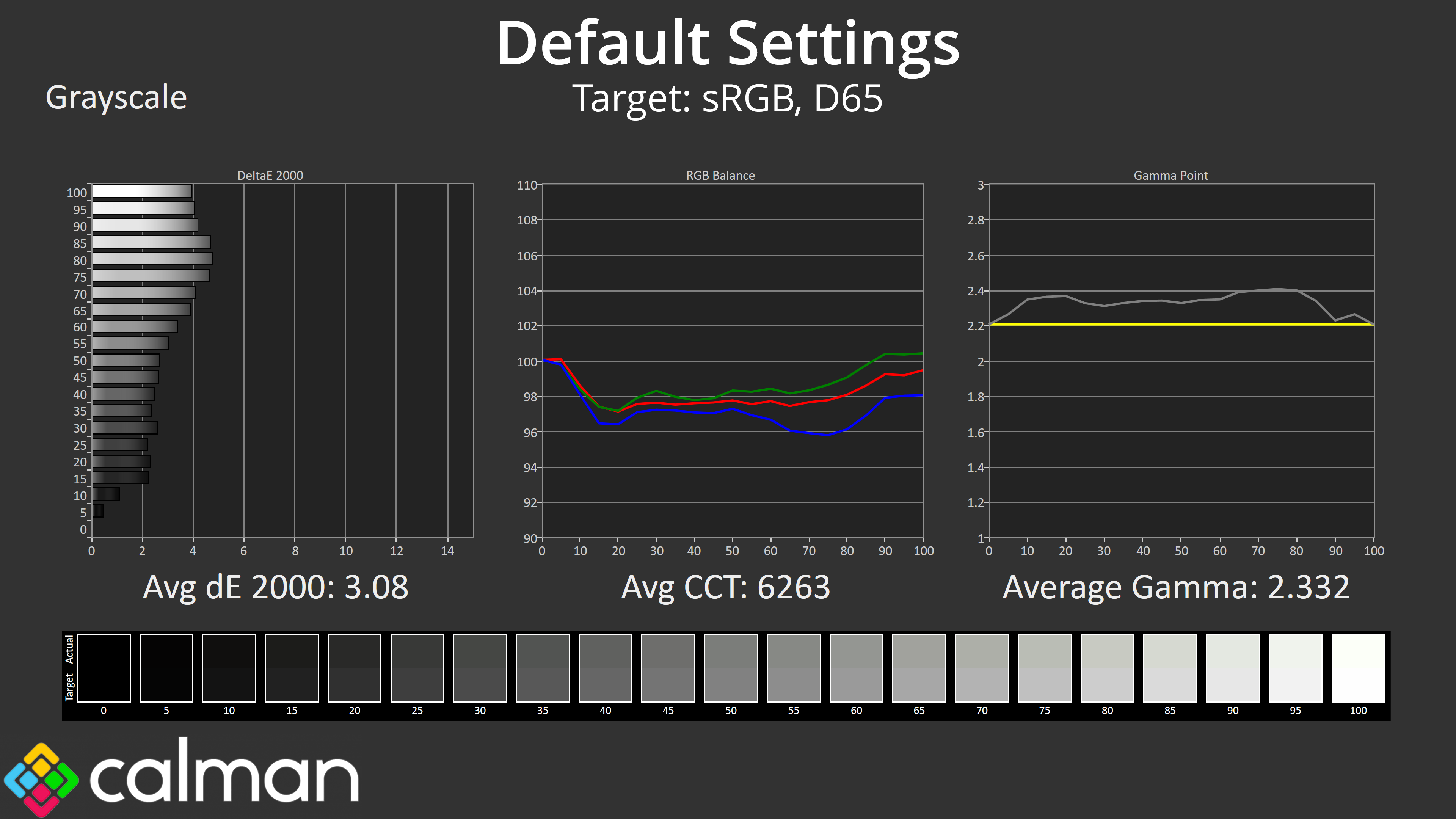
Default greyscale performance isn't terrible, but does leave a bit to be desired, given the colour balance has a slight green tint to it, while gamma is also higher than intended, averaging 2.332 over our testing. That results in an average greyscale dE 2000 of 3.08 – not diabolical, but there's clearly room for improvement.
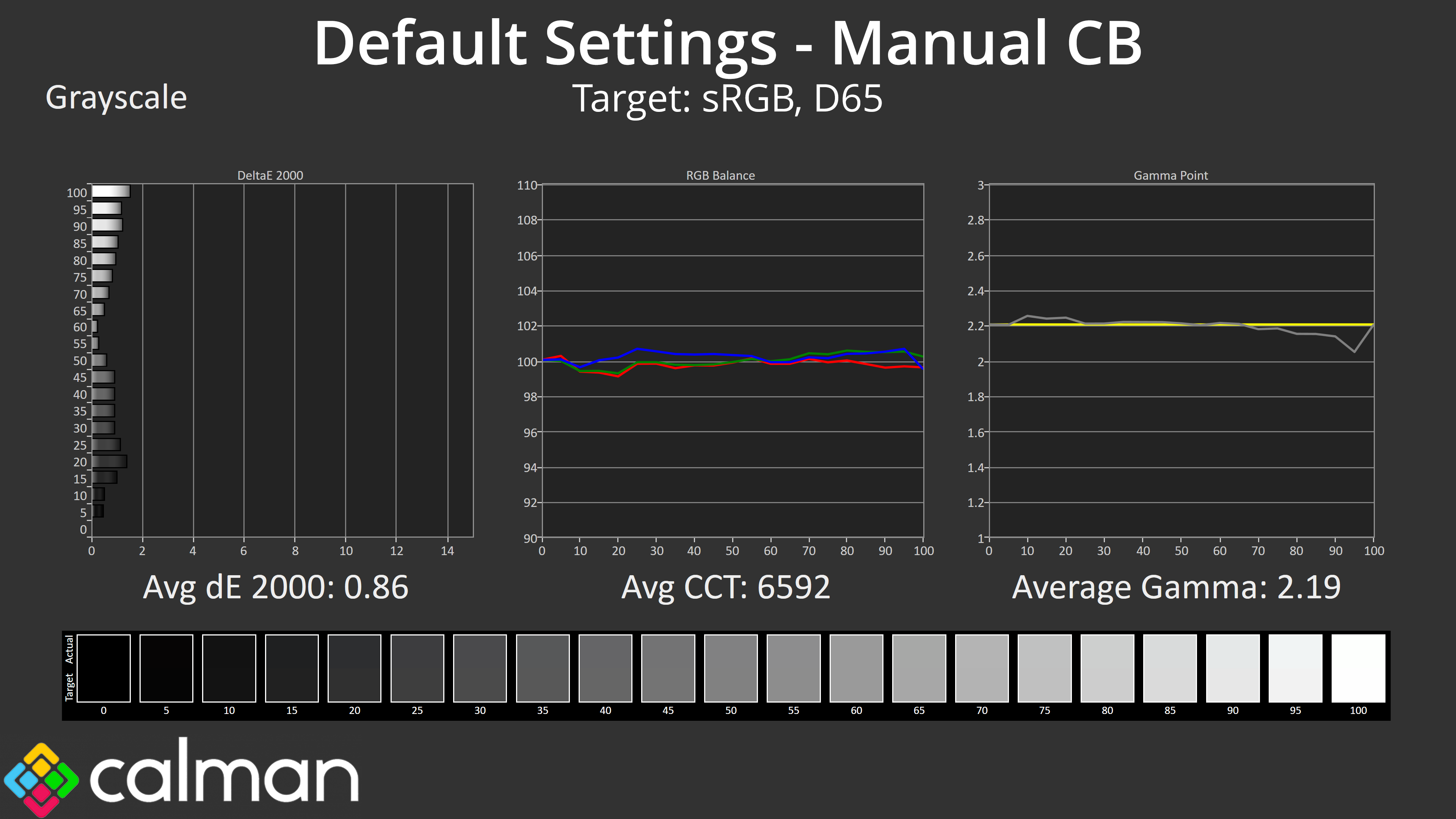
What's fascinating is that the manual colour balance setting in the OSD actually changes default gamma behaviour too! It's like an entirely different mode which I don't think I've ever seen before. So by enabling this mode and simply reducing the red channel from 100 to 97, not only do we get near perfect colour balance, but the gamma tracking is loads better – resulting in a new average greyscale dE 2000 of just 0.86!
Why these settings aren't the default option out of the box is a mystery to me – ASRock has done the work to get almost flawless gamma tracking in there, but it's tucked away in the OSD in a way that many people may never find, and I think that's another area that shows the company's relative inexperience in this market space.
Saturation
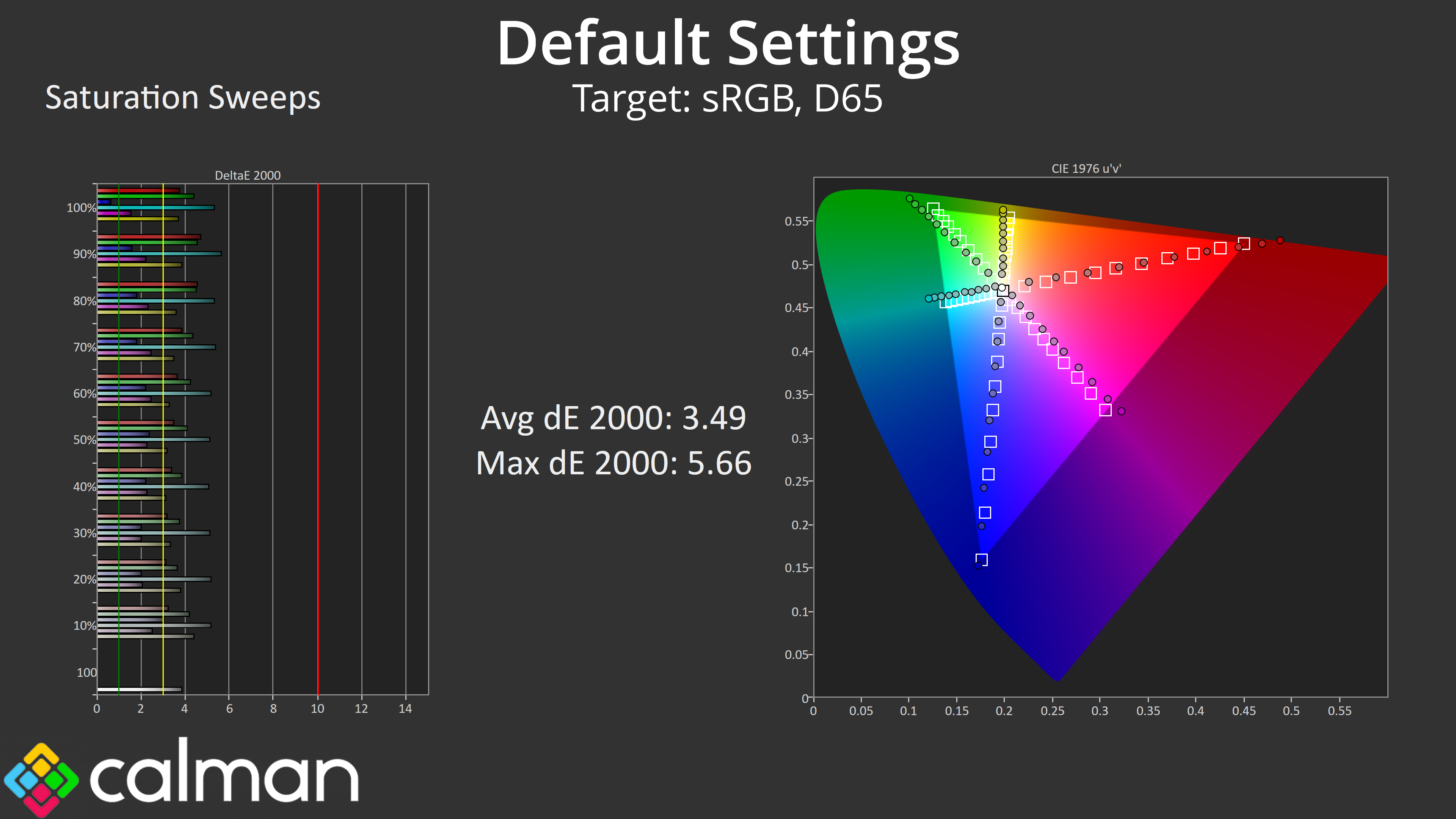
Moving onto saturation sweeps, we see a good chunk of over saturation relative to the sRGB space, as expected.
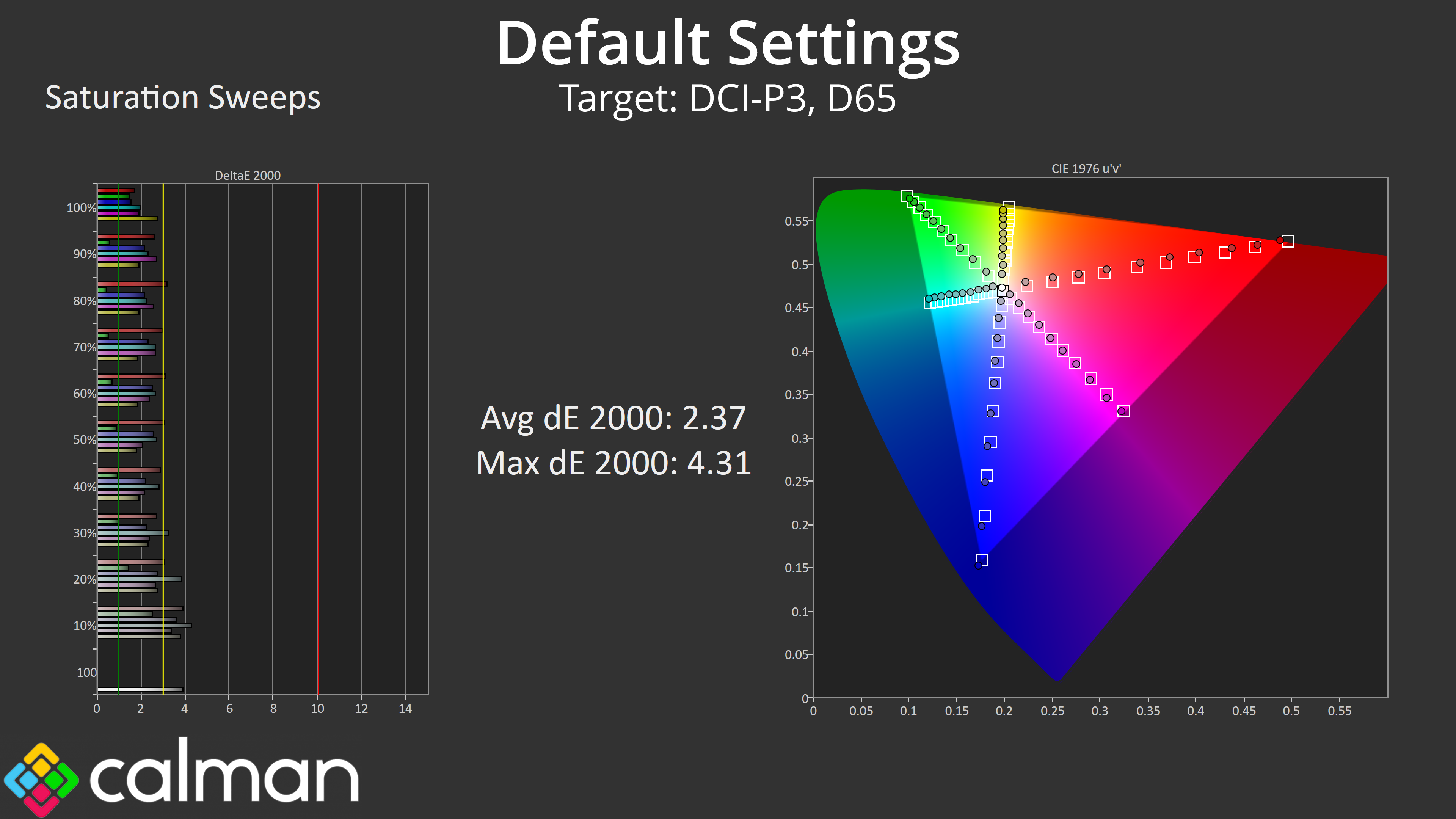
Things look better compared to the DCI-P3 space though, with an average dE 2000 of 2.37.
Colour Accuracy
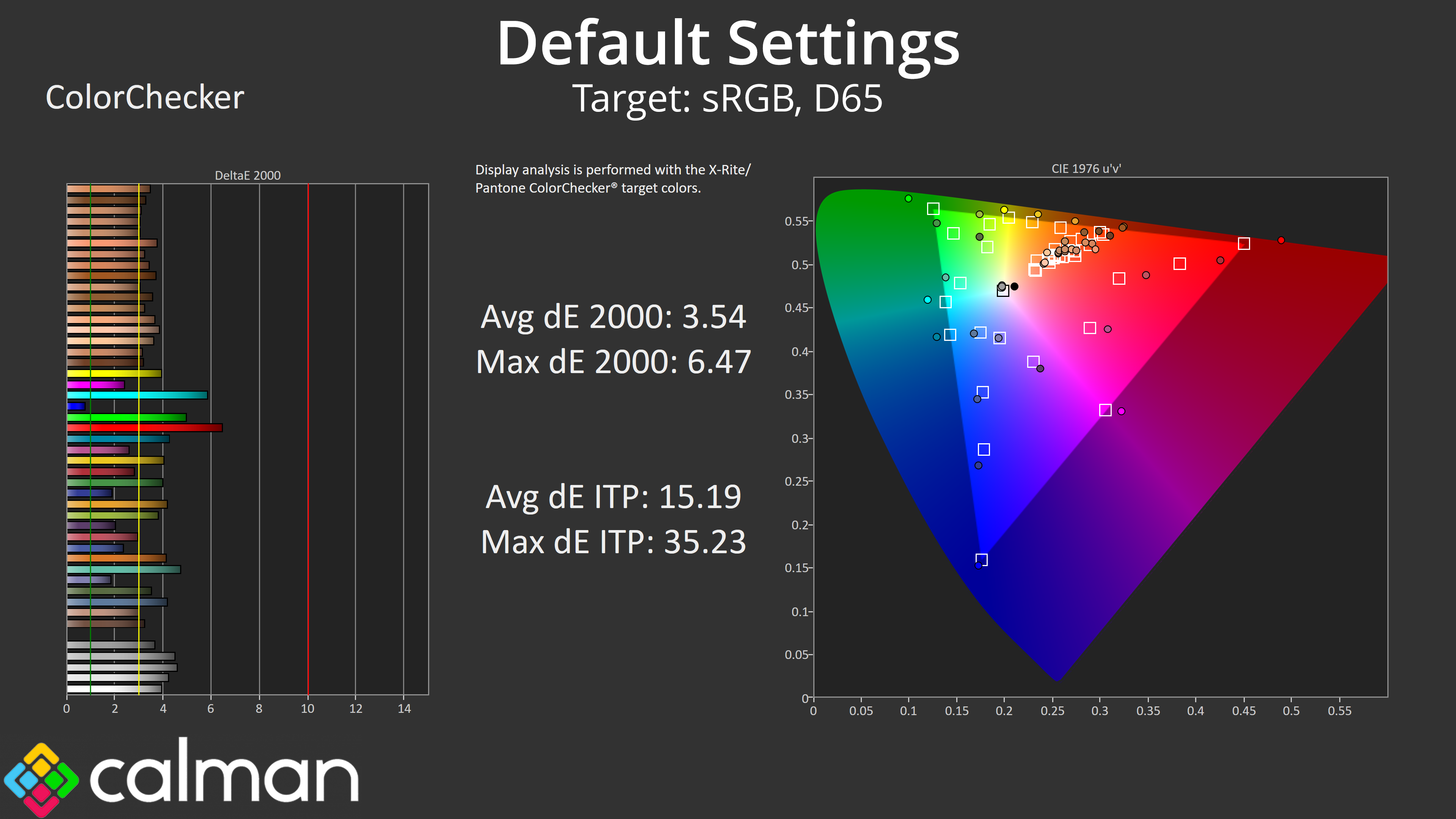
The same really goes for colour accuracy relative to sRGB – it's ok, but clearly hampered by the very wide gamut on offer.
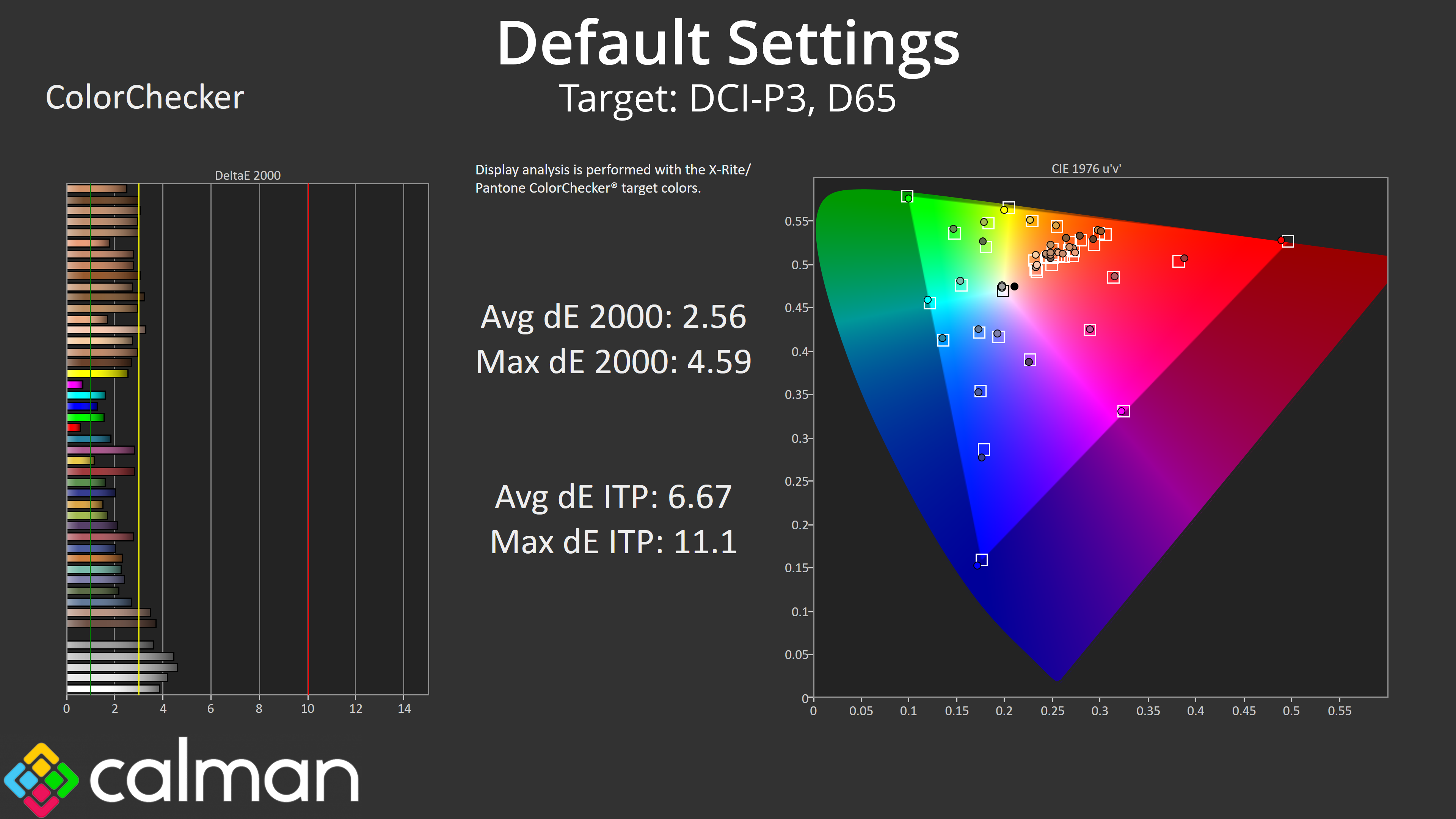
DCI-P3 results are better, hitting an average dE 2000 of 2.56, but it's nothing mind blowing.
sRGB Emulation Mode
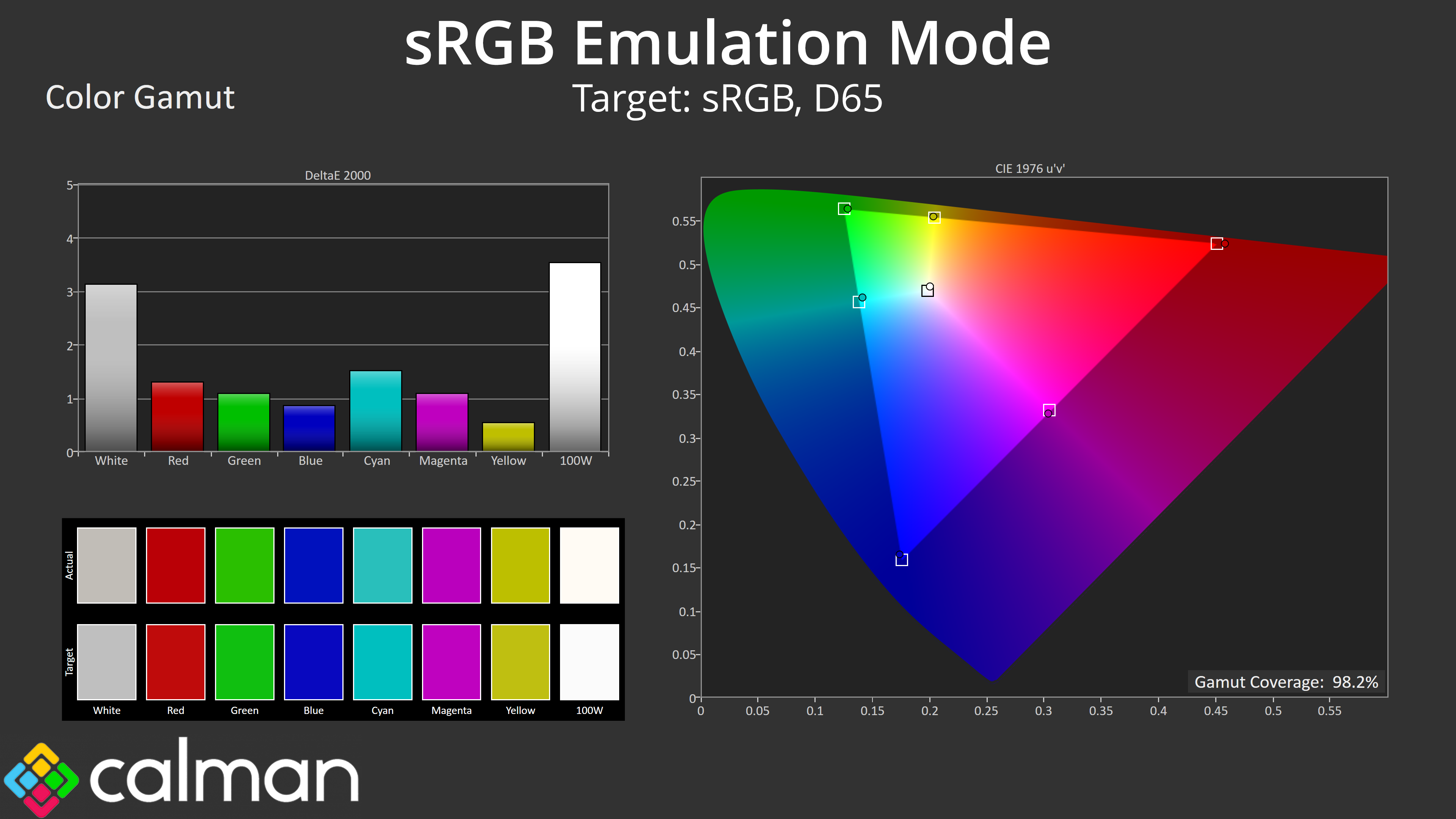
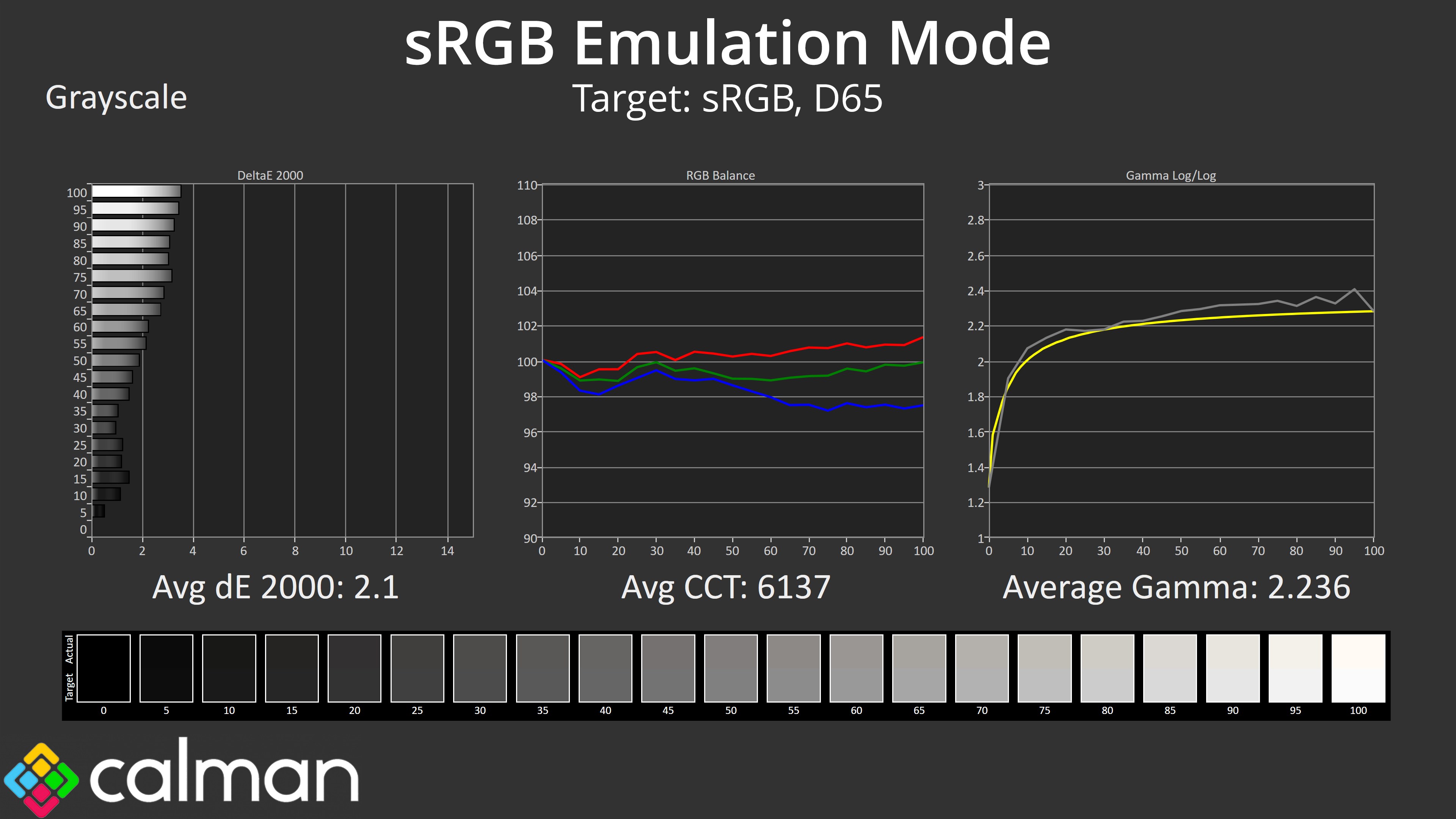
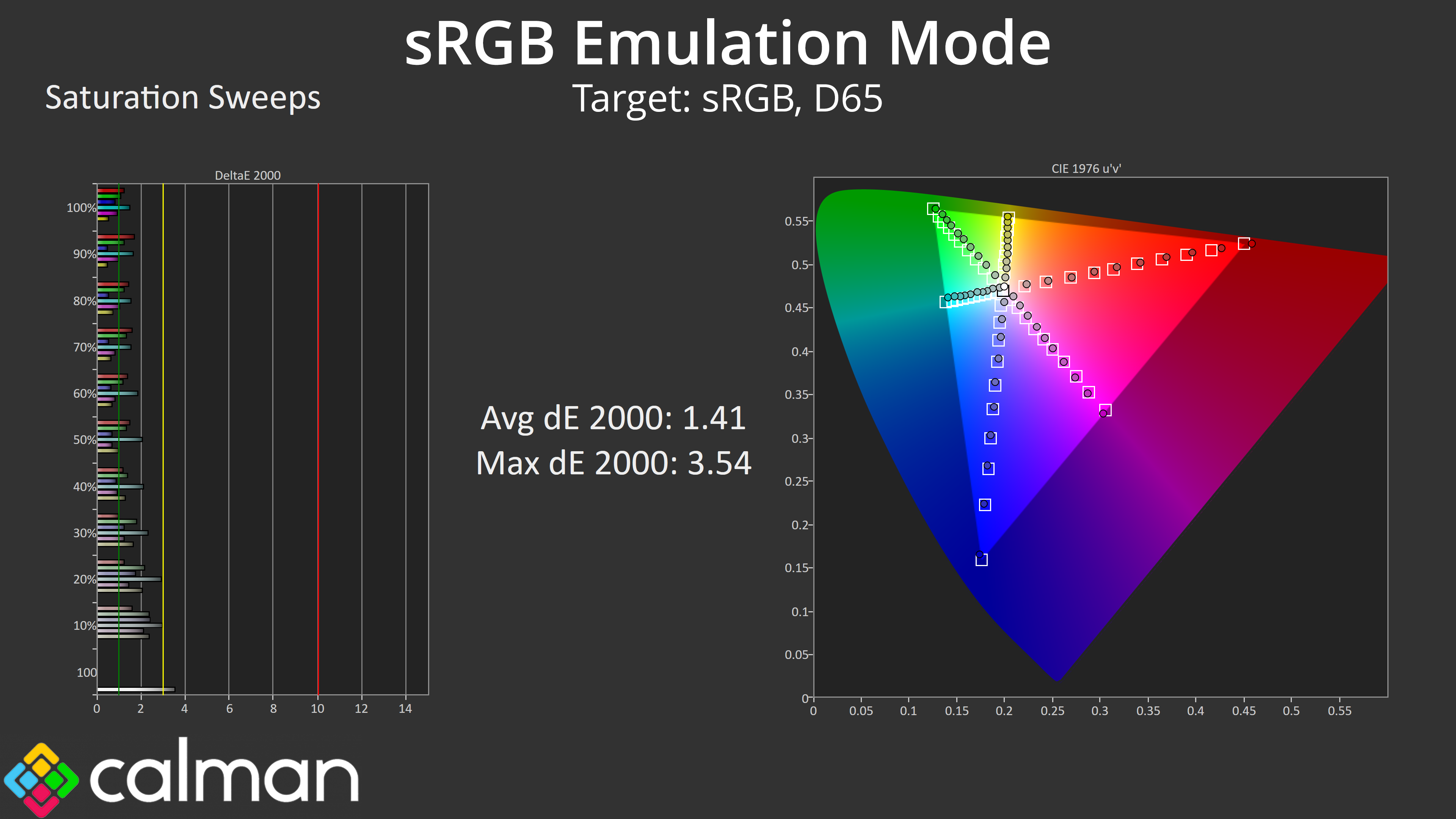
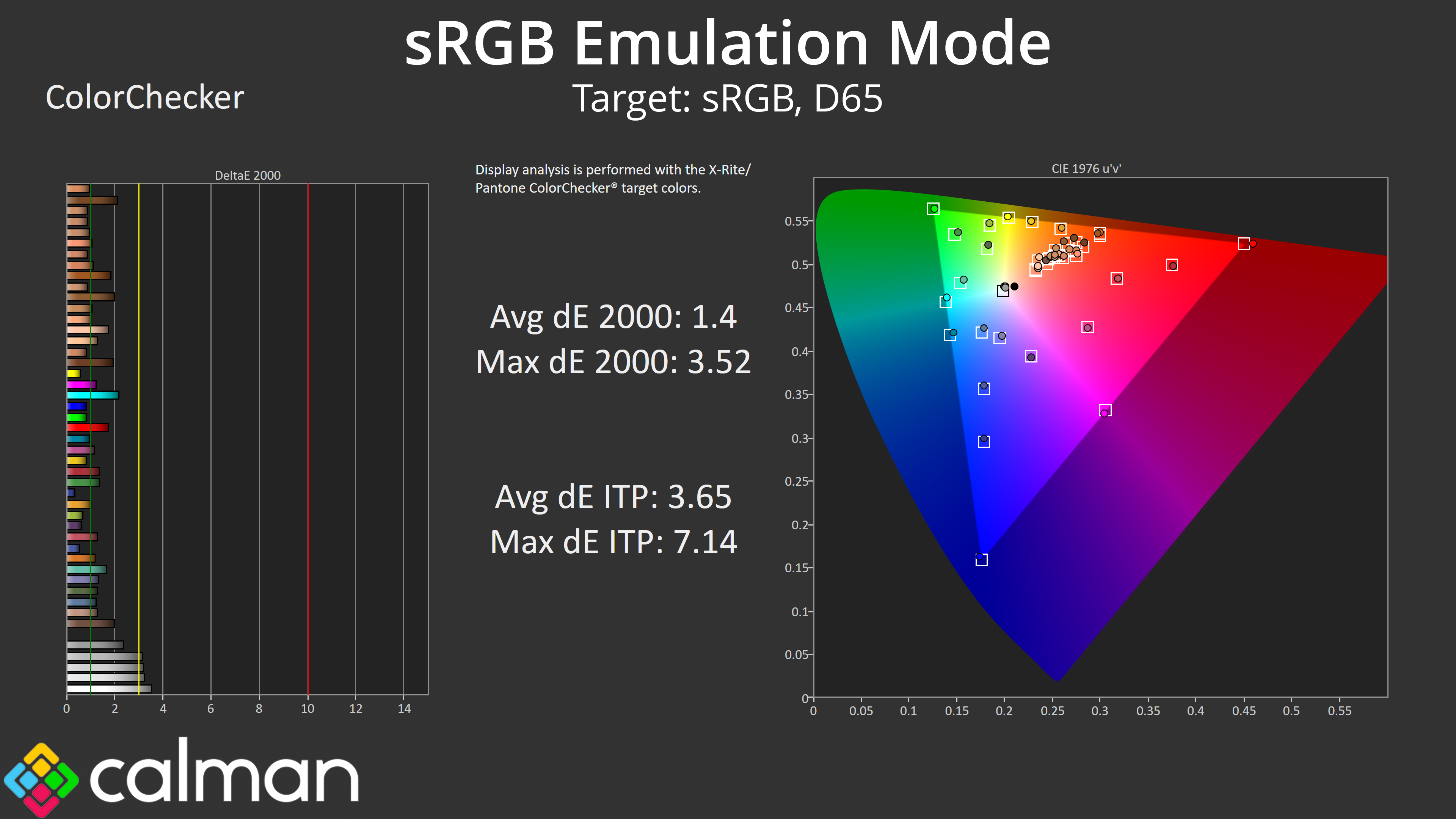
ASRock does include an sRGB mode though, and this is pretty well configured overall. The gamut is clamped reasonably well, the colour balance is still slightly too warm but gamma tracking is pretty good. Saturation and colour accuracy are significantly better now though, each averaging a dE 2000 of around 1.4, so it's well worth using this mode if you are working or viewing in sRGB.
Calibrated Results
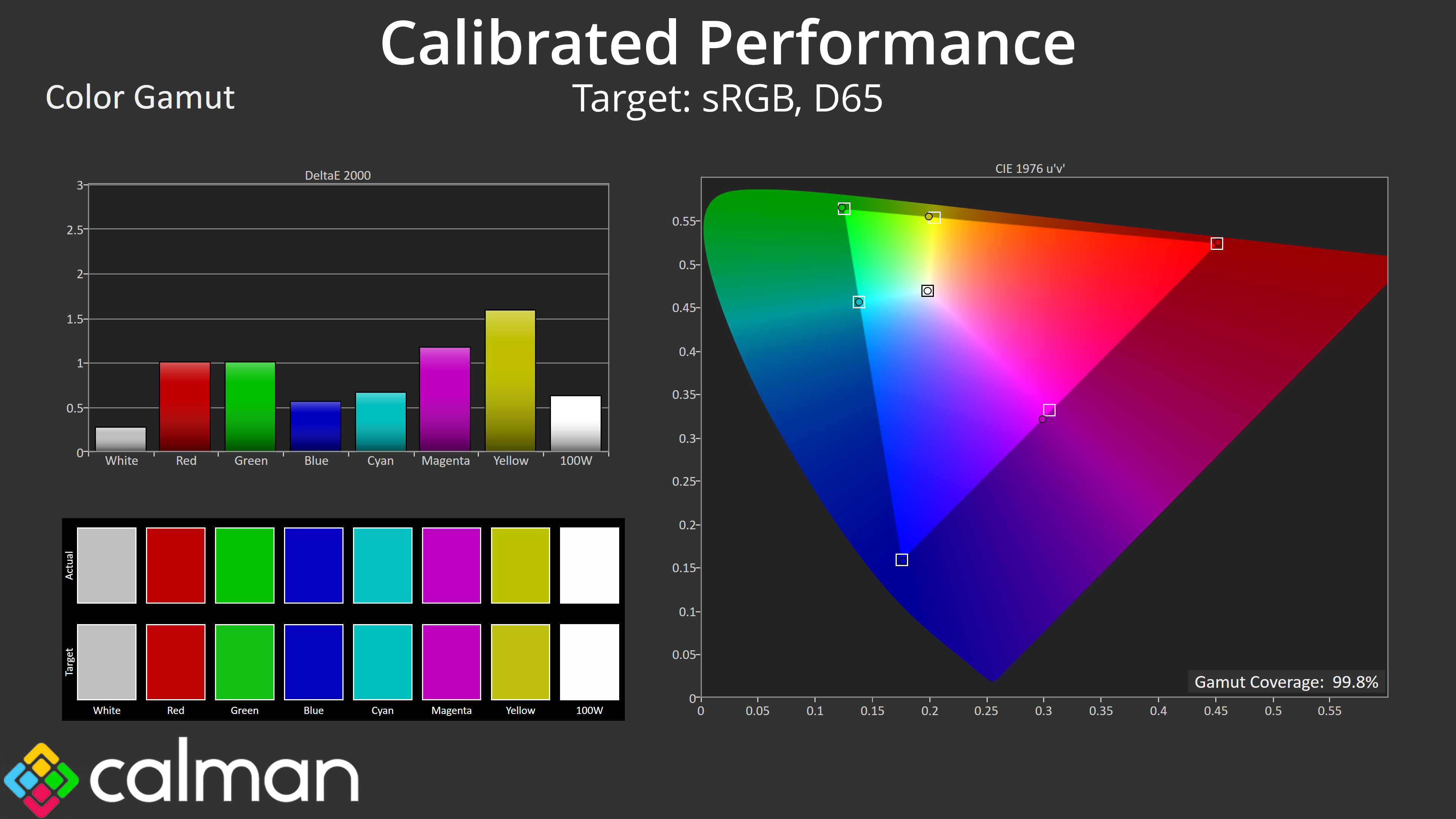
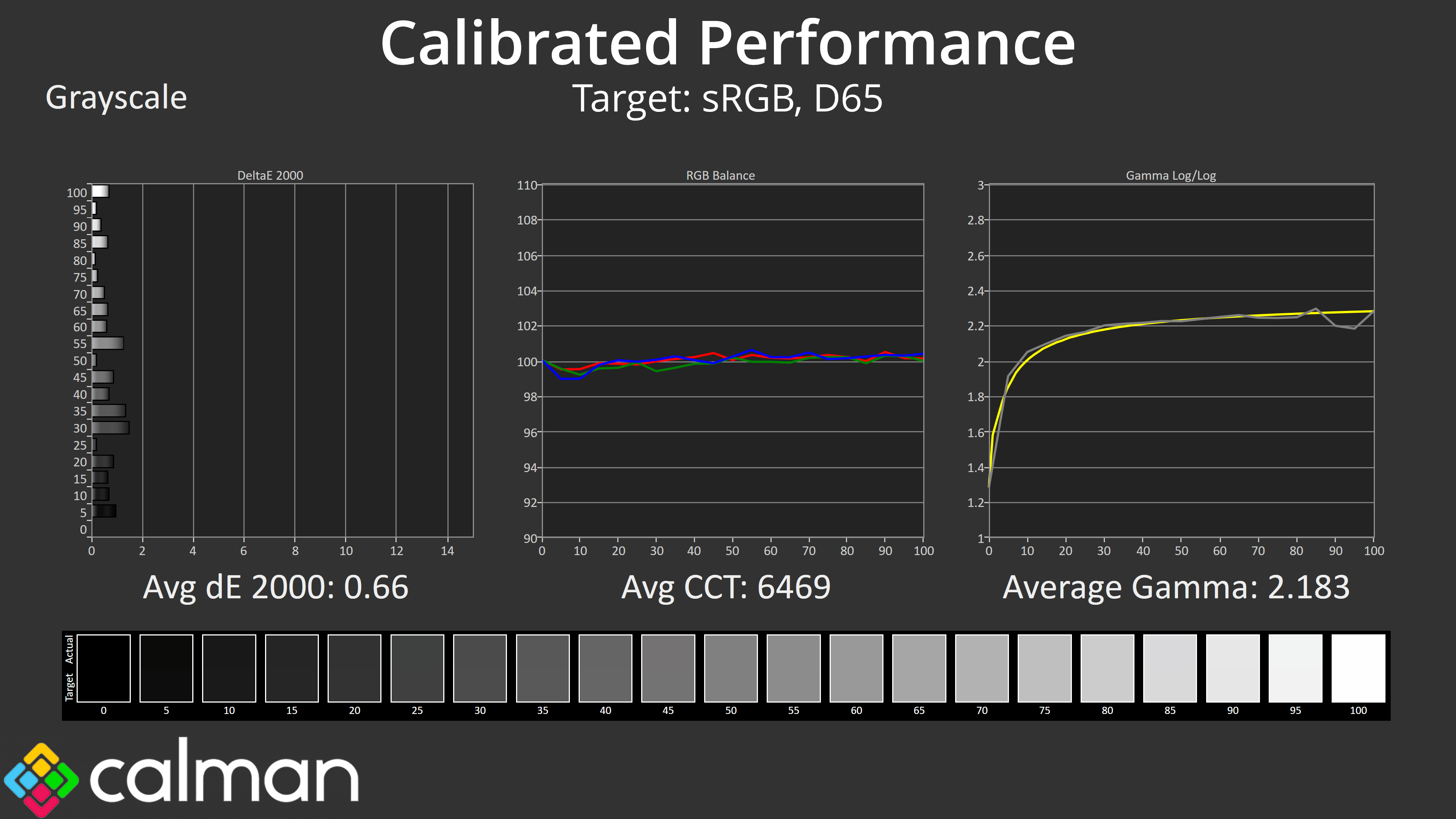
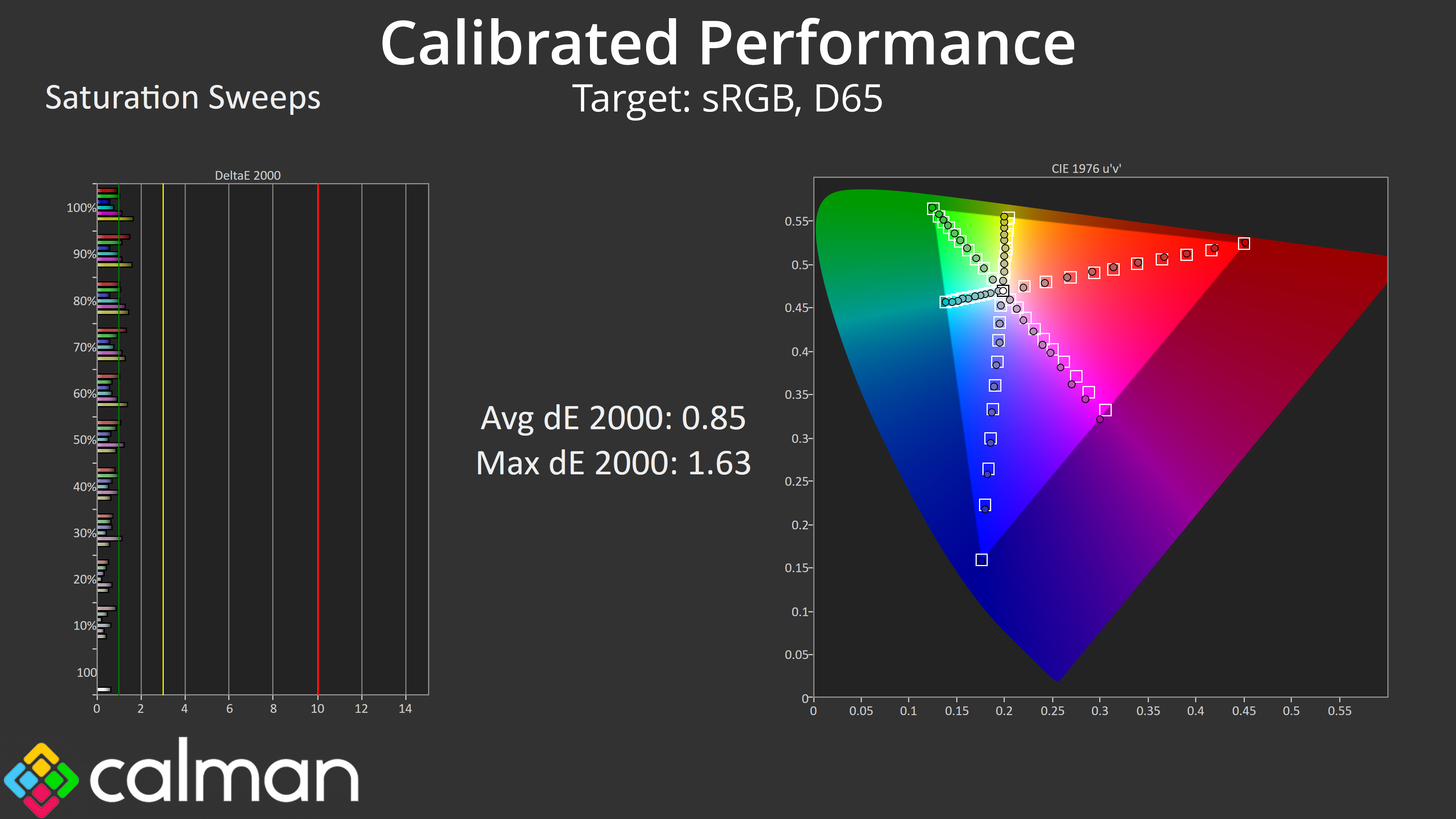
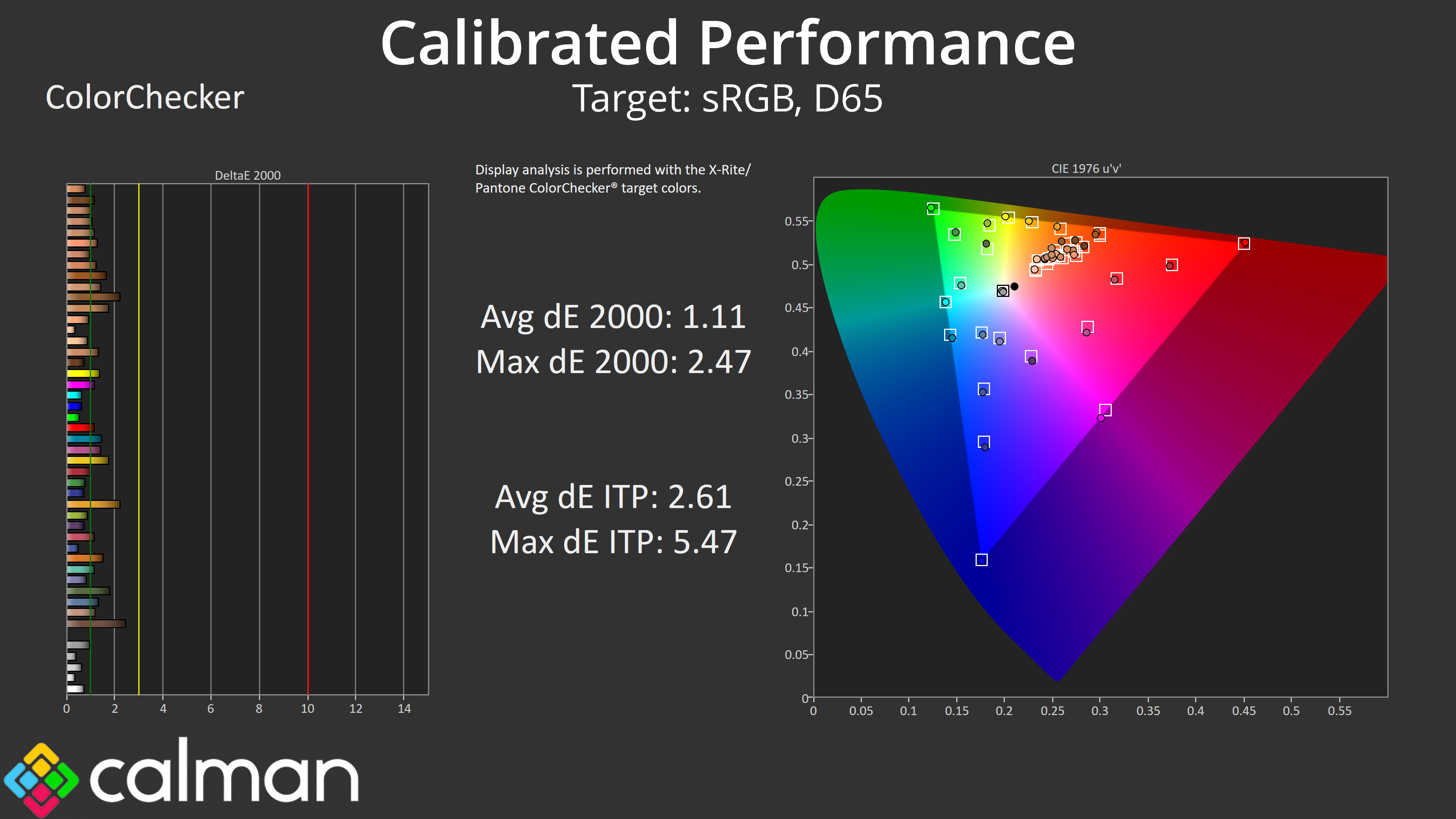
Of course the best results are only possible after calibration, where we saw an almost perfect colour balance and excellent gamma tracking, while saturation and colour accuracy are better still. If you have the tools, it's well worth doing.
HDR Testing
Following on from the SDR results on the previous page, here we re-test the relevant areas of the display with HDR enabled.
Brightness
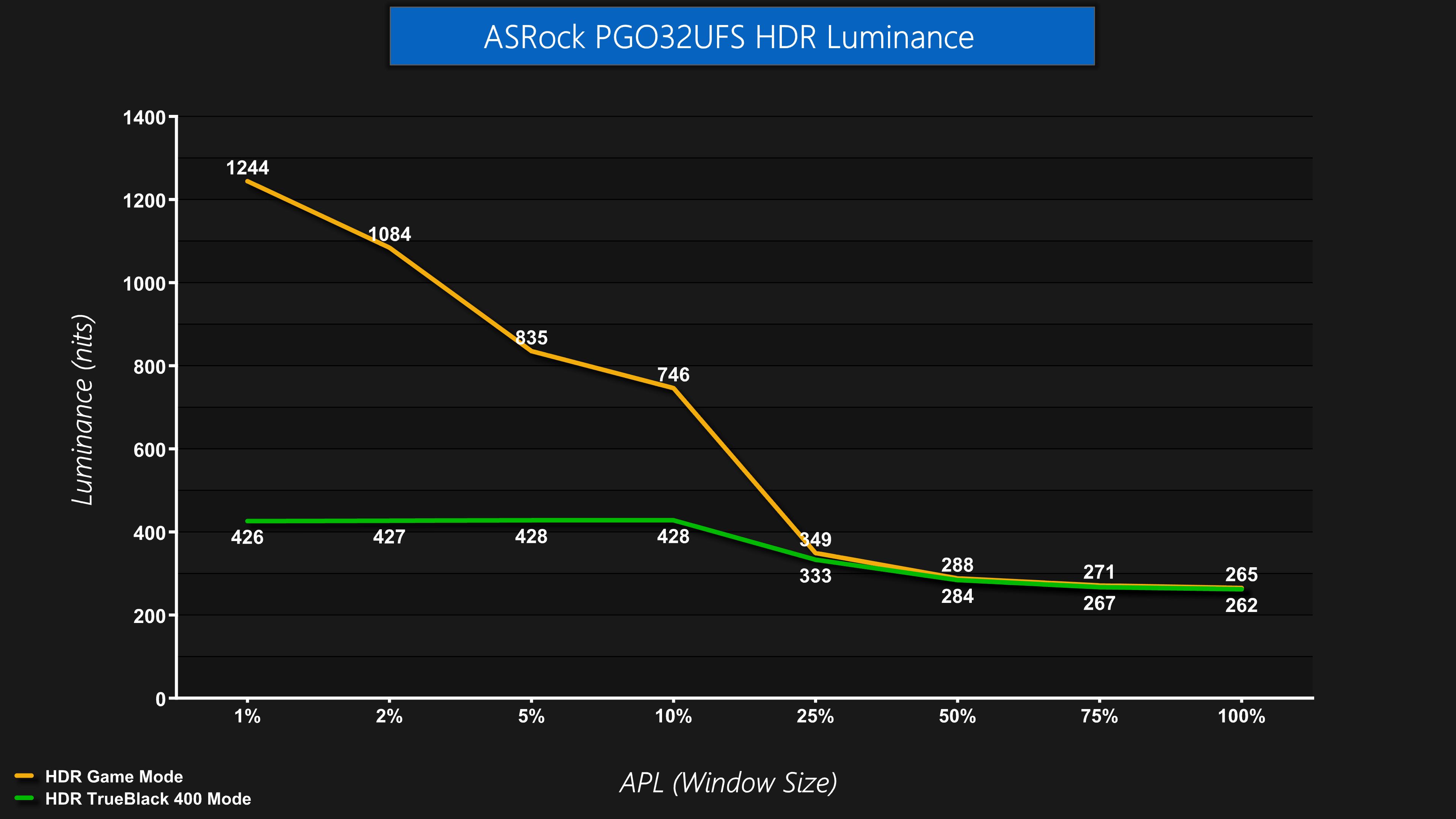
The first thing to know about HDR is that ASRock offers three modes – TrueBlack 400, HDR Game and HDR Movie. The latter proved almost identical in my testing so I've focused on the HDR Game mode, and we've compared it against the TrueBlack 400 mode.
In terms of brightness, it goes about how you'd expect – the TrueBlack 400 mode is much dimmer, hitting a peak of just under 430 nits. The HDR Game mode is significantly brighter, peaking at 1244 nits in my testing, though only for the 1% APL, and it quickly drops off as the window size increases (which is perfectly normal for OLED screens).
Greyscale
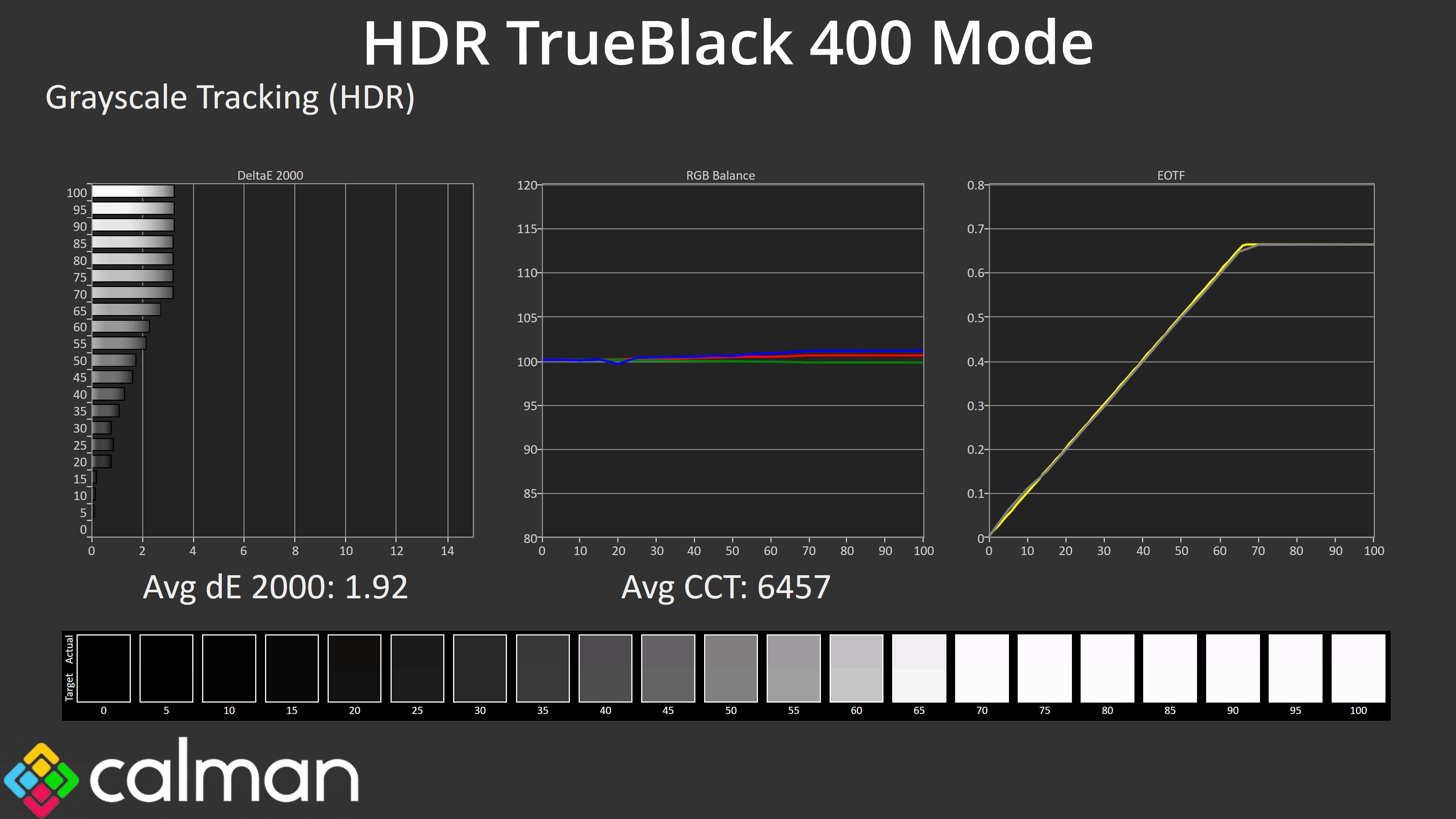
As for greyscale using our default 10% APL, the TrueBlack 400 mode looks well configured with very accurate EOTF tracking.
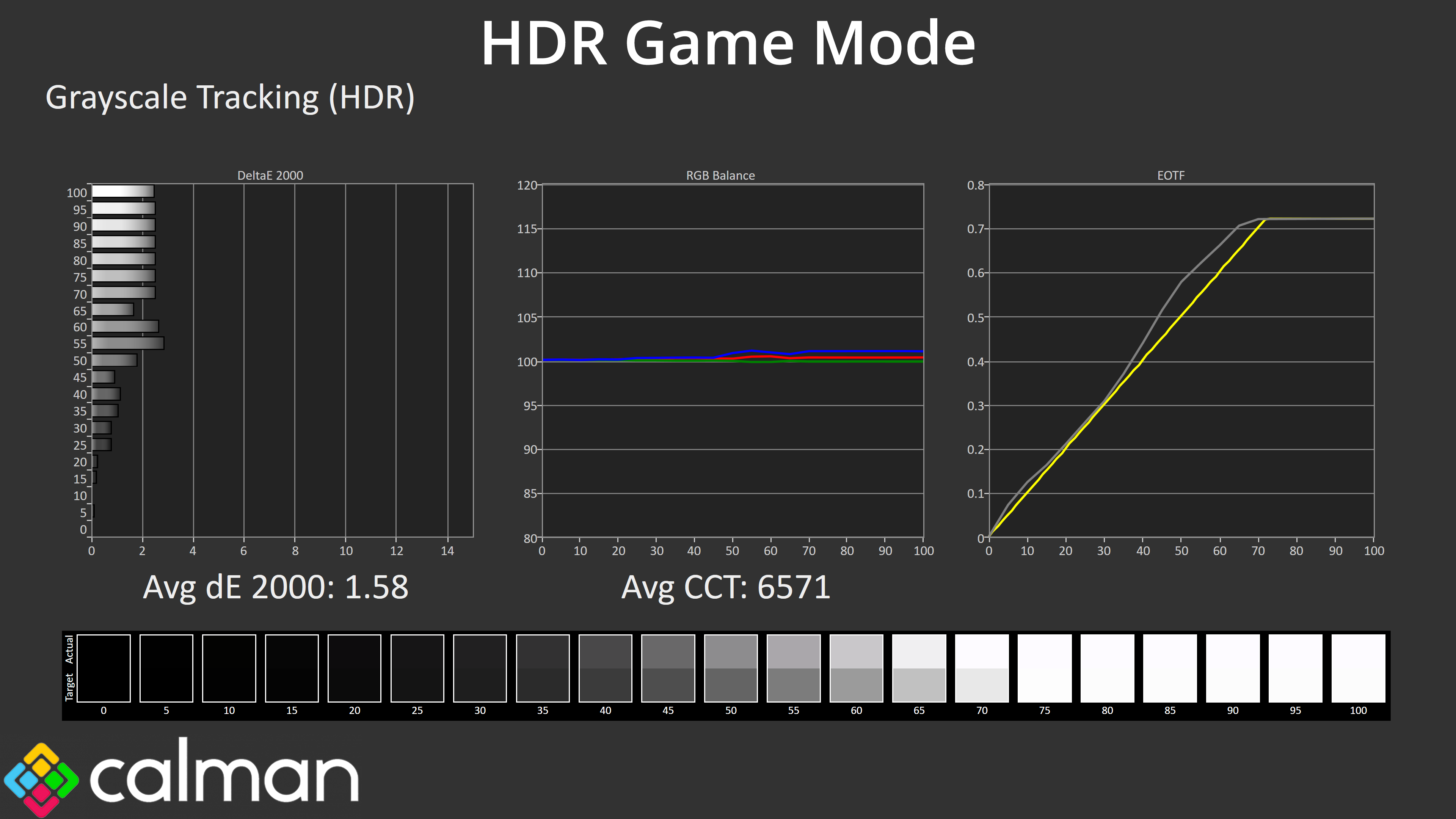
The HDR Game mode is less technically accuracy given its EOTF curve is actually too bright, especially toward the end of the curve, but some users may prefer this image.
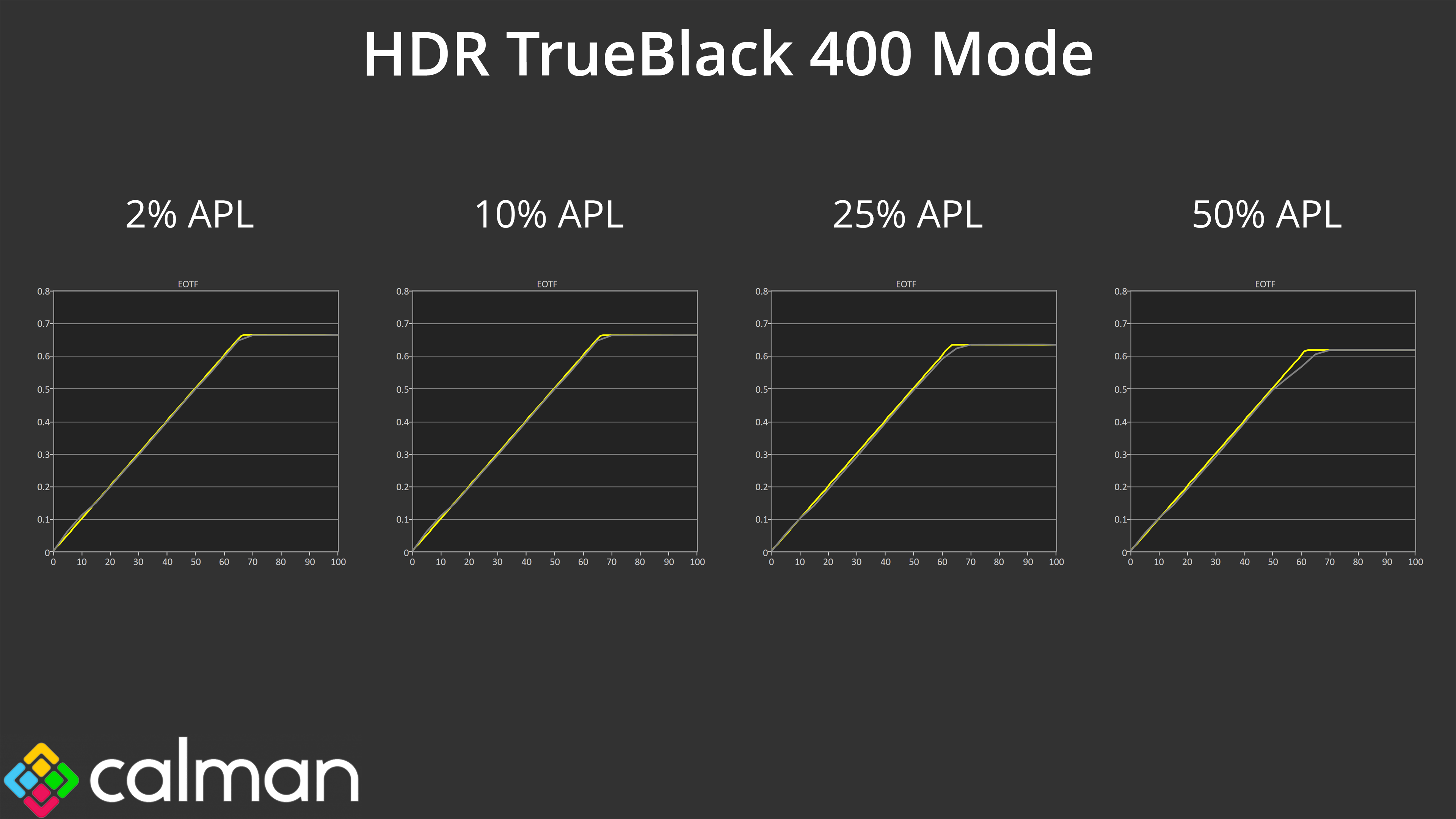
Comparing the EOTF tracking across a range of window sizes, the TrueBlack 400 mode is generally solid, though rolls off slightly at the 25% and 50% APLs.
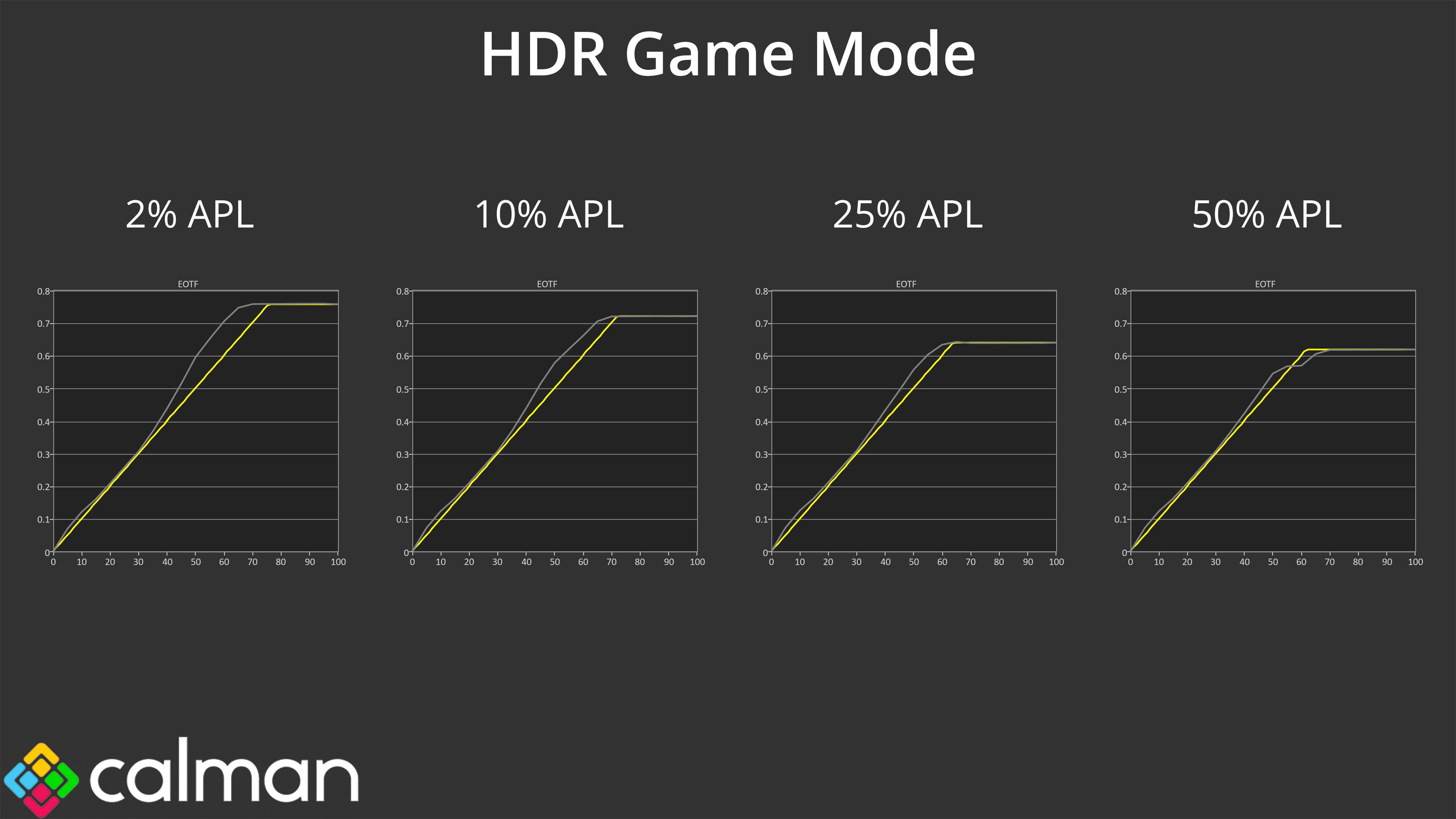
The HDR Game mode also rolls off at a 50% APL, but not so aggressively as the TB400 option, and it is still generally brighter than intended. Again, it's not technically accurate, but I do think most people would prefer that presentation from a subjective perspective, especially when you factor in the much higher peak luminance too.
Colour Accuracy
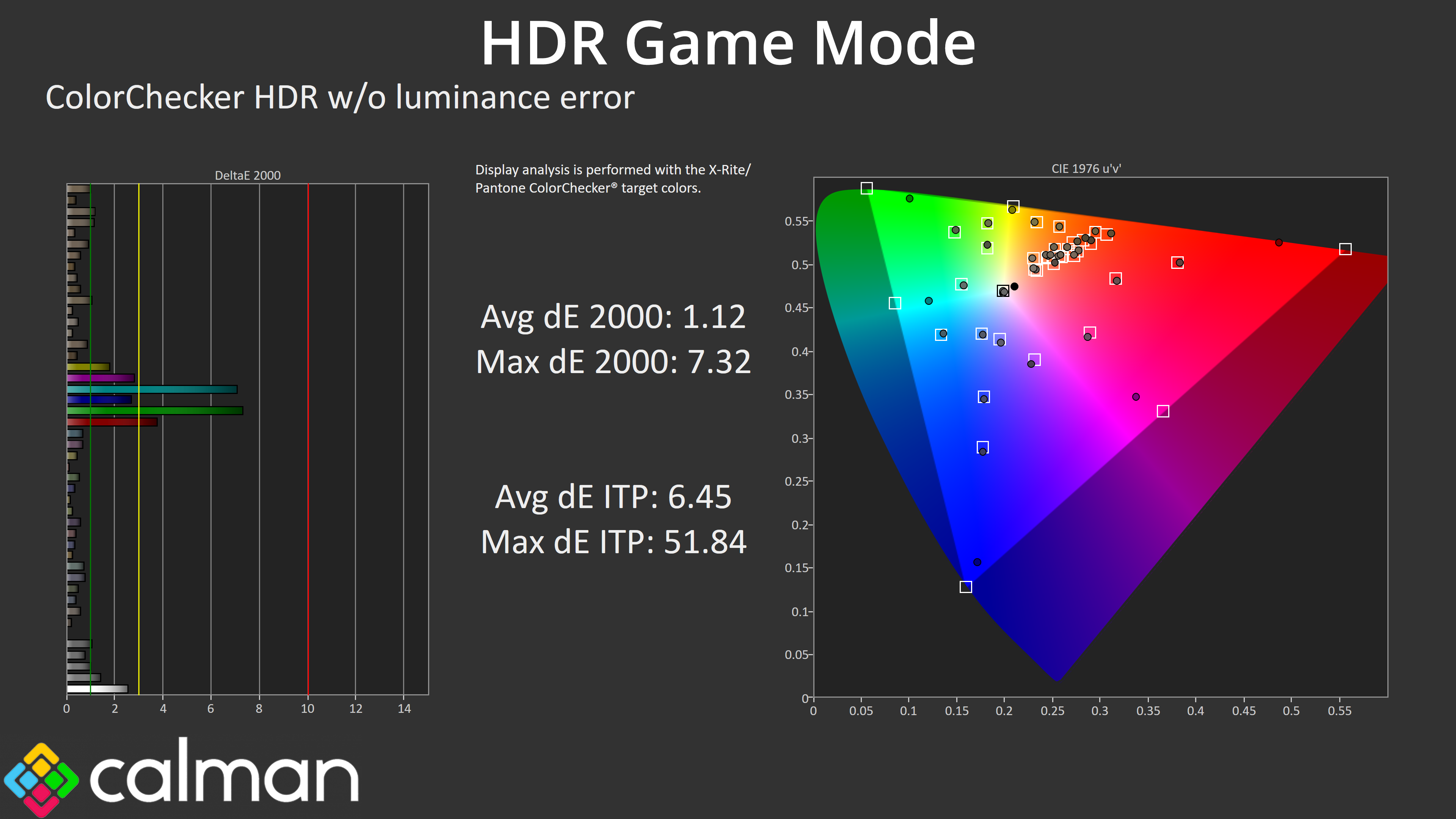
Colour accuracy is great, averaging a dE 2000 of 1.12, with the biggest errors coming in the 100% cyan and green channels, which we would always expect as the monitor can't cover the whole Rec.2020 colour space.
We use the Open Source Response Time Tool (OSRTT), developed by TechTeamGB, for our response time testing. This measures grey-to-grey response times and presents the results in a series of heatmaps, the style of which you may be familiar with from other reviews.
Initial Response Time is the time taken for the panel to transition from one colour to another, where lower values are better. We present the initial response time, so overshoot is not taken into account and is measured separately. We use a fixed RGB 5 tolerance for each transition.
Overshoot is the term given for when a monitor's transition exceeds or goes beyond its target value. So if a monitor was meant to transition from RGB 0 to RGB 55, but it hits RGB 60 before settling back down at RGB 55, that is overshoot. This is presented as RGB values in the heatmaps – i.e. how many RGB values past the intended target were measured.
Visual Response Rating is a metric designed to ‘score' a panel's visual performance, incorporating both response times and overdrive. Fast response times with little to no overshoot will score well, while slow response times or those with significant overshoot will score poorly.
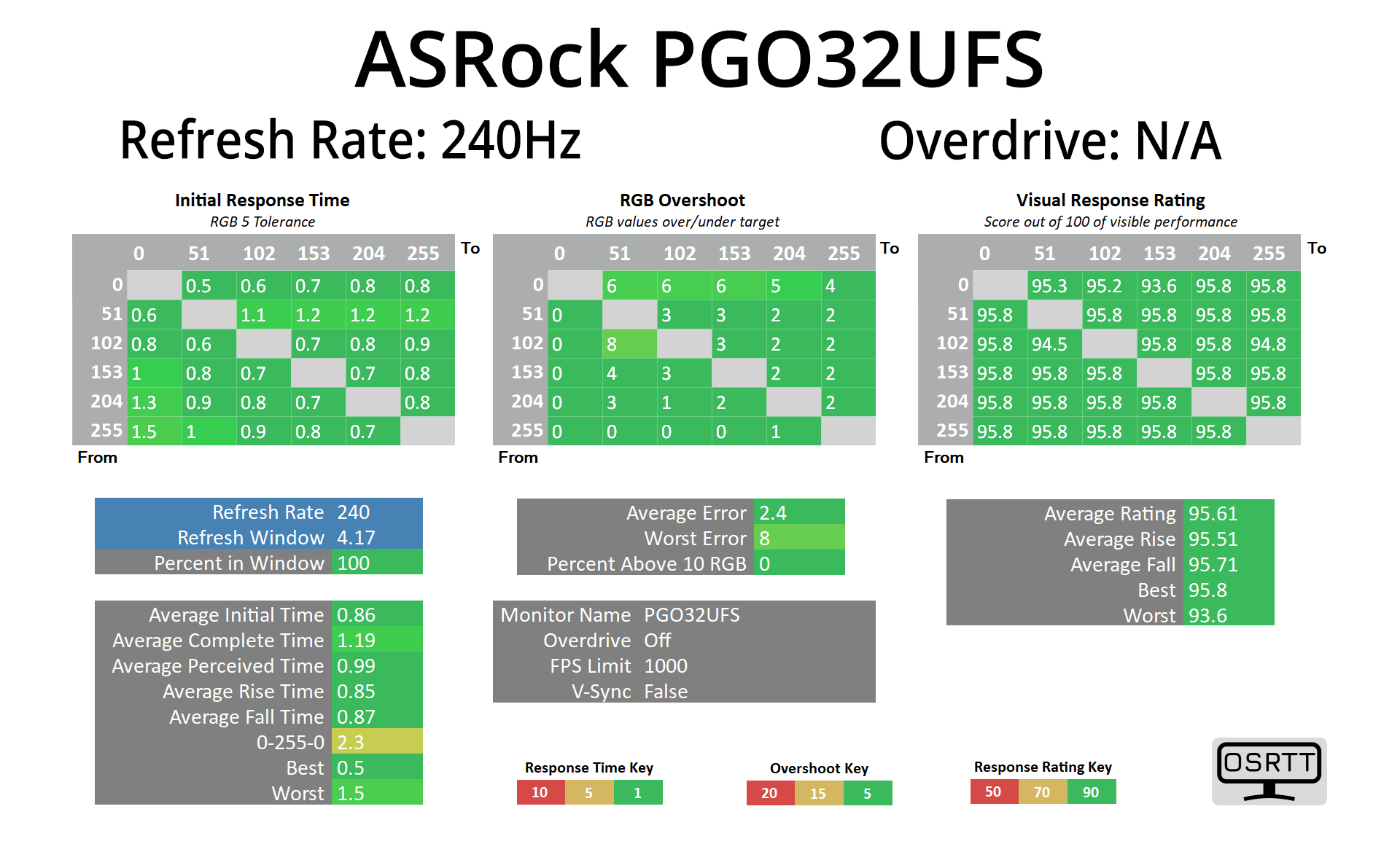
Given the PGO32UFS is an OLED, we've not done loads of response time testing as the results will be fantastic no matter what – here we've tested it at 4K 240Hz and it averaged just 0.86ms.
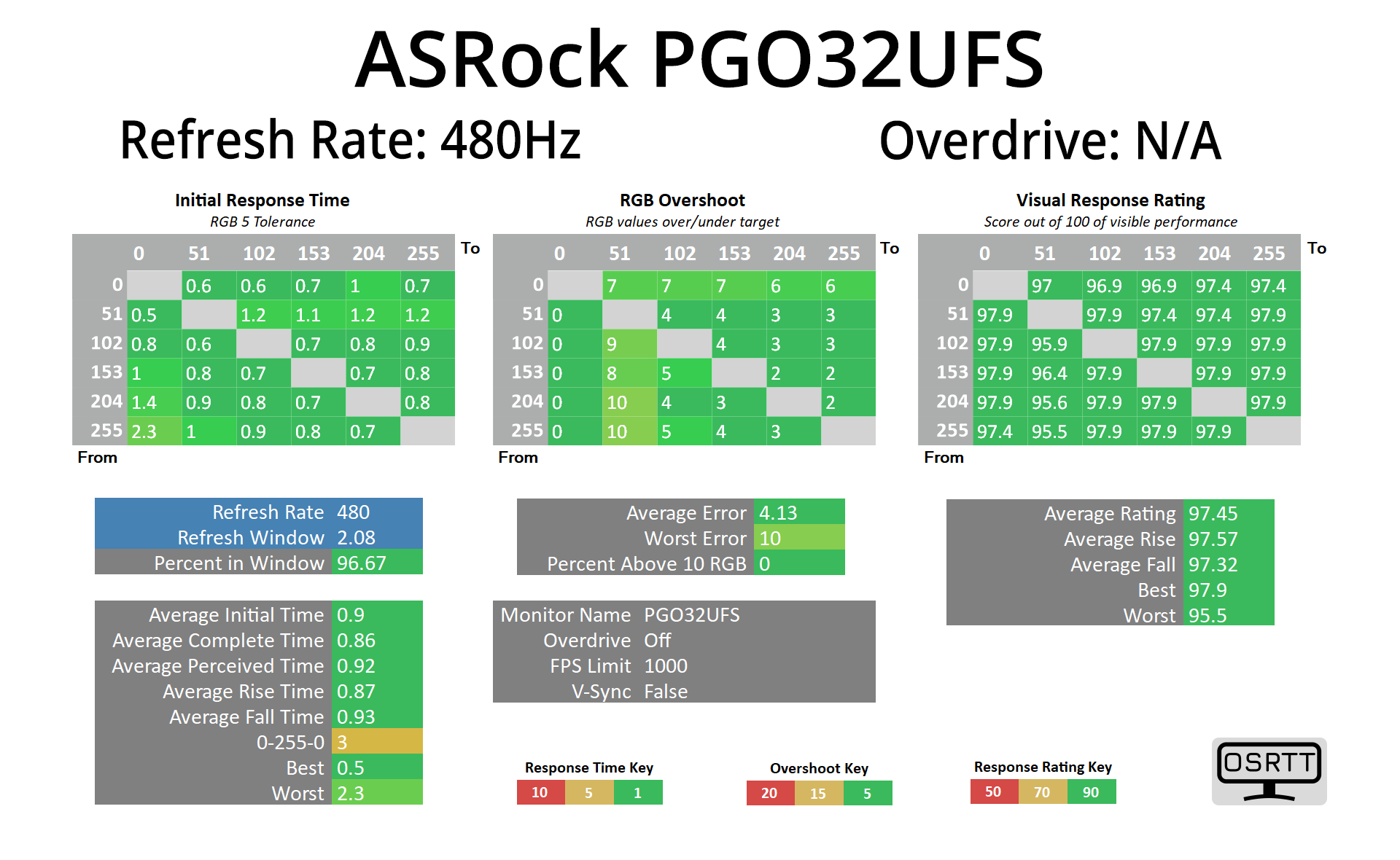
But we also tested the 1080p 480Hz mode and the average was still just 0.9ms, so that's about as good as it gets right now.
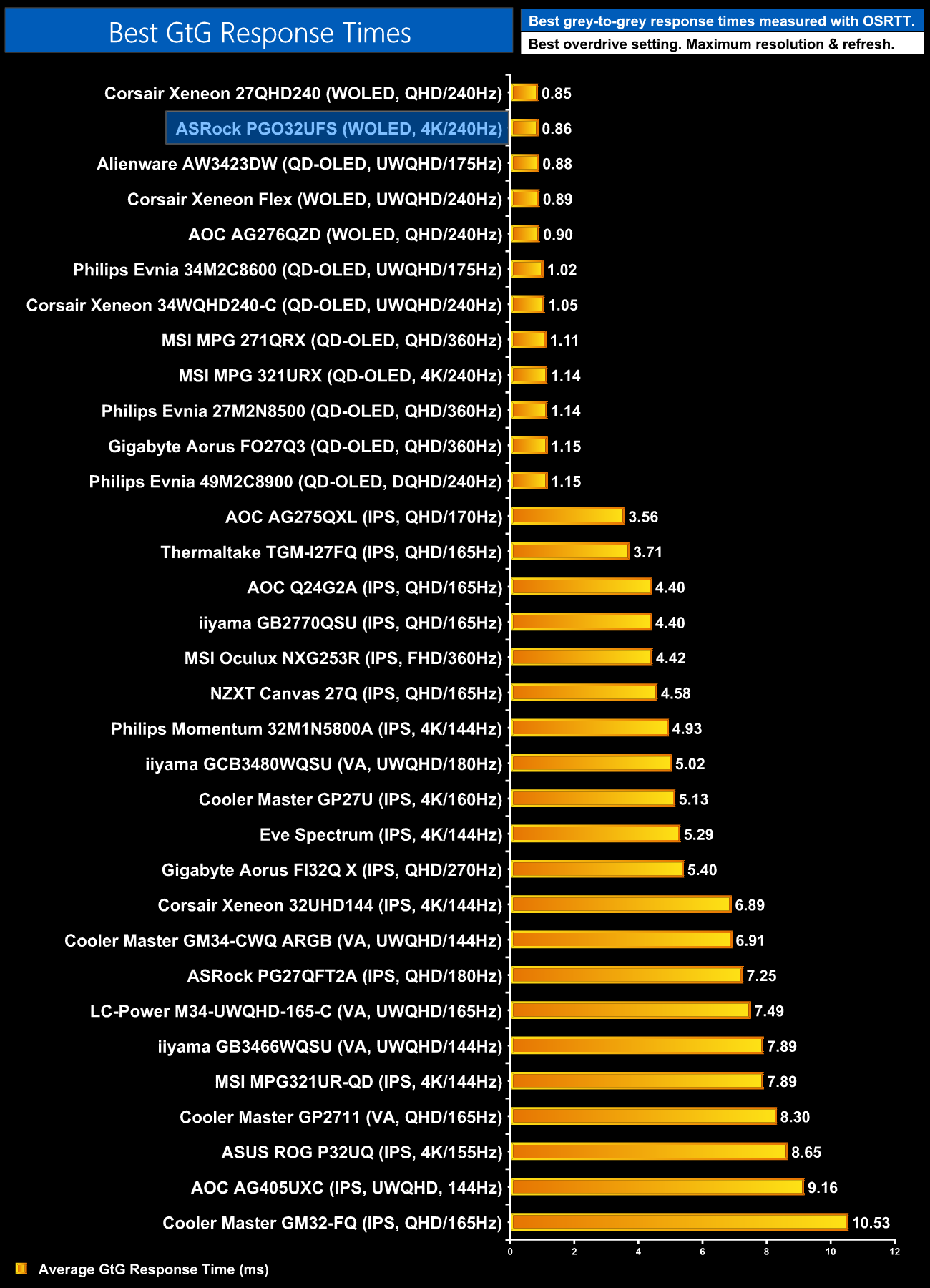
Here we can see that best result of 0.86ms compared to the competition, with all the OLED screens we've tested sitting in a huddle right at the top of the chart.
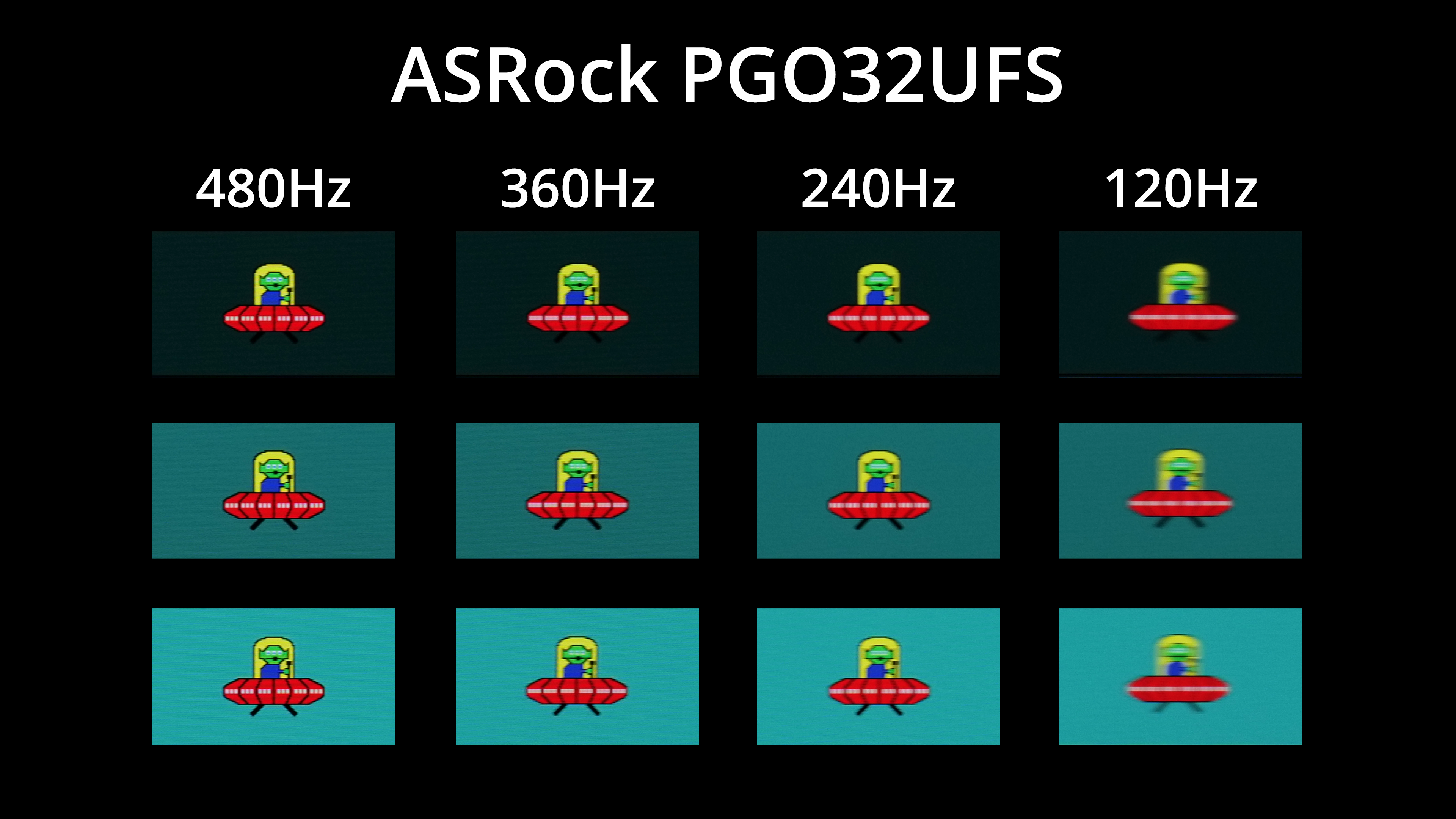
The refresh rate obviously has a huge implication for overall motion clarity, so to demonstrate that I tested at 120, 240, 360 and 480Hz. It really is fascinating how good 240Hz looks on an OLED when viewed in isolation – but how bad it looks compared to the same thing running at 480Hz! There's no other way to say it, 480Hz motion clarity on an OLED is absolutely insane and by far the best I have ever seen. Is it a huge jump over 360Hz? No, but the difference is definitely perceptible and it is a good chunk clearer than 240Hz.
The thing about the dual mode setting however, is that the 480Hz obviously limits you to 1080p resolution. 1080p over a 32in (technically 31.5in) screen size results in a pixel density of just 70 PPI, compared to 140 PPI when using 4K resolution. That results in a strange situation where you can have absurdly good motion clarity in the 1080p/480Hz mode, but equally a lack of overall detail and sharpness in the image compared to 4K, it's a strange phenomenon.
I noticed it particularly in Rocket League where I was sitting at around 480fps most of the time. The motion clarity around my car was superb, to the point where it almost didn't look any different whether it was moving or not. But I also couldn't escape the feeling that the whole image was just far too soft and pixelated overall. It also doesn't help ASRock hasn't included any modes to reduce the screen size when using the 1080p/480Hz modes, like we've seen from LG.
To be clear, the dual mode functionality itself is absolutely worth having – there's no downside to having the option. If you're anything like me, you'll stick with 4K/240Hz for the combination of detail and fluidity, but the 1080p/480Hz mode may appeal to others.
We again use the Open Source Response Time Tool (OSRTT), developed by TechTeamGB, to report monitor input latency.
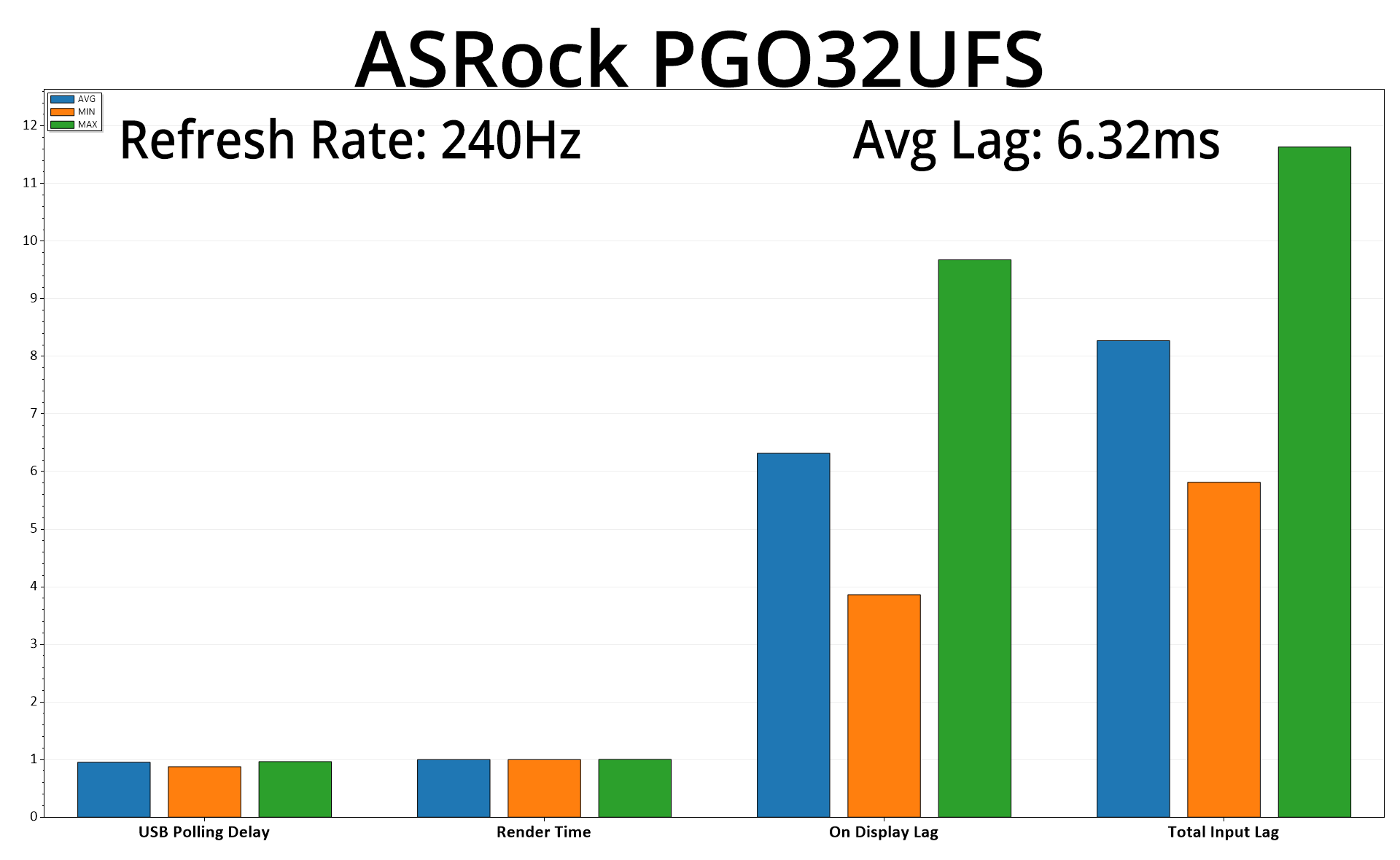
One really fascinating area of testing has proved to be input lag, where we're focused on the ‘On Display Lag.' This is slightly high using the 4K/240Hz mode, averaging 6.32ms – so about a frame and a half at 240Hz, where each frame refreshes at 4.17ms. For context, other QD-OLED 240Hz monitors we've tested average more like 1.8-2ms, so this is definitely higher than expected.
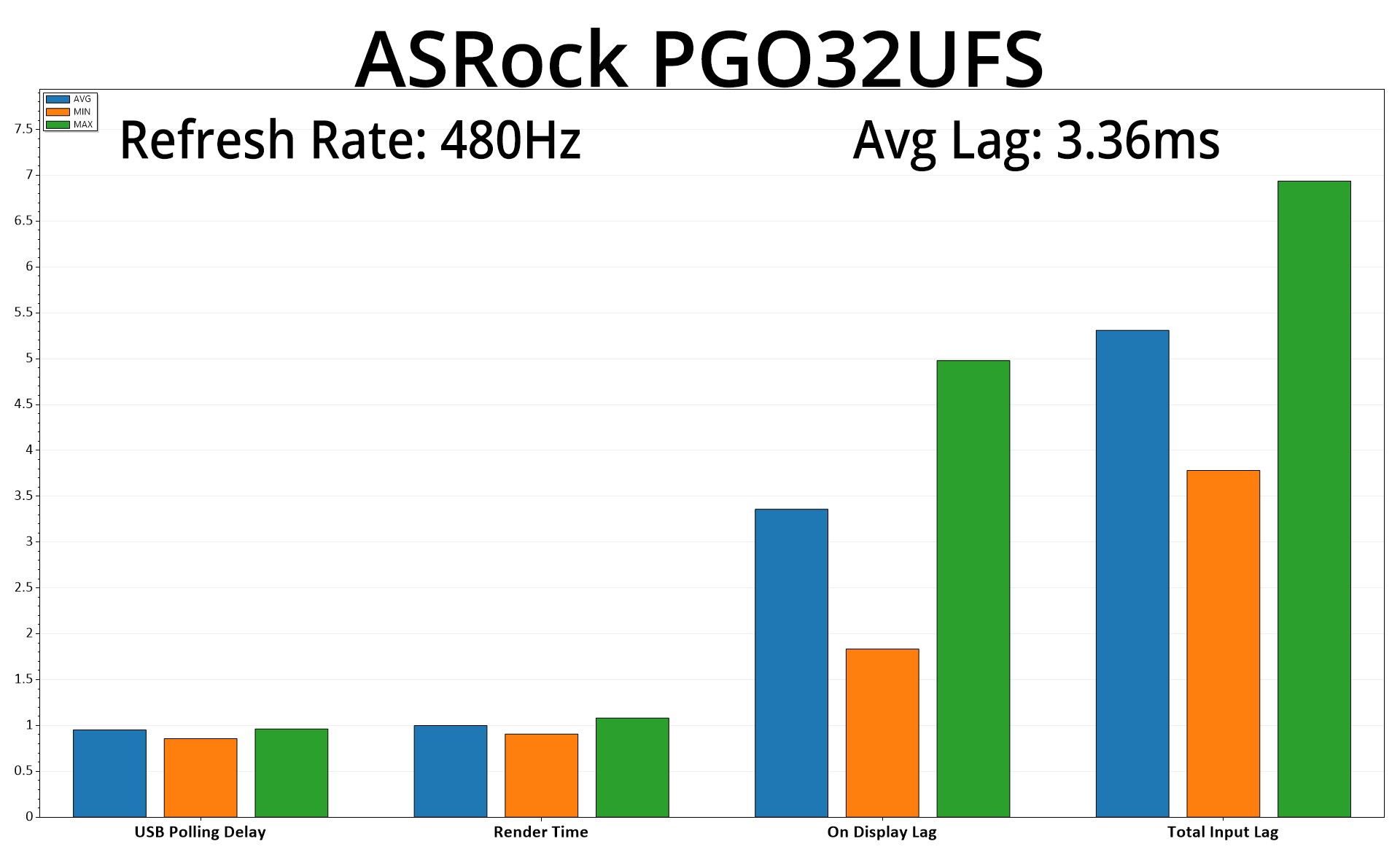
It also carries over to the 480Hz mode, which averages 3.36ms – again, about a frame and a half of latency at that refresh rate. Definitely something for ASRock to look into with a future firmware update.
As the company's first entry into the OLED market, the ASRock Phantom Gaming PGO32UFS is a very interesting monitor that does some things very well but has its fair share of weakness, too.
Starting with the good, by utilising LG's latest generation WOLED panel, this monitor delivers superb response times, infinite contrast and a very wide gamut, making it an excellent choice for gaming. Its HDR gets plenty bright too and is fairly accurate, while the matte coating will appeal to those who want to minimise reflections.
One of its biggest features is the ‘dual mode' functionality, where the screen can run at either 4K/240Hz or 1080p/480Hz. Having this versatility at the press of a button is a great inclusion, as you can have the crisp sharpness of 4K but quickly switch to 480Hz for the all-out motion clarity it provides. Personally speaking, I did find the 1080p resolution over the 32in panel size to look very soft and lacking detail, but there's no harm in having the option depending on the games you are playing.
There are a few clear areas for ASRock to improve though, the main one being factory calibration. It's really not that bad, being slightly green-ish and with gamma that's a bit high – but it seems bonkers to me that there's actually a setting that enables basically perfect gamma tracking (when using a manual colour balance) and it isn't enabled by default. It's one of those things which I think show's the company's relative inexperience in this market segment, as they've done the work to include the mode, but then buried it in the OSD where a lot of people may never find it.
The same goes for the OSD itself. It's fine, but it's slightly confusingly laid out at times, with an sRGB mode that seemingly does nothing positioned in one sub-menu, and another sRGB mode that actually clamps the gamut hidden away in another. There's only three anti-burn in features too, when other screens from the likes of ASUS and MSI offer several more. My final bone of contention is around the design and build quality, as this screen is very plasticky – we'd certainly expect better from something targeting this market segment.
That said, if you can find it in stock with a price more like £760, there's enough positives to make this screen worth buying. With other etailers listing it around £840-850, though, other 4K/240Hz QD-OLEDs do come into play. Hopefully ASRock will take our feedback on board and we'll see an even better OLED monitor from the company next time around.
We found the ASRock Phantom Gaming PGO32UFS for £764.99 from AWD-IT HERE, or £845.99 from OverclockersUK HERE.
Pros
- Very wide gamut.
- Effectively infinite contrast ratio.
- Very fast response times.
- Dual mode functionality offers either 4K/240Hz or 1080p/480Hz, with the latter offering exceptional motion clarity.
- HDR hits over 1200 nits.
- Decent sRGB emulation mode.
- 2x HDMI 2.1.
Cons
- Plasticky build is a let down.
- Factory calibration leaves a bit to be desired.
- OSD layout doesn't always make sense.
- Limited selection of anti-burn in features compared to the competition.
KitGuru says: It's a capable OLED monitor with a few quirks, but it's still worth buying.