 KitGuru KitGuru.net – Tech News | Hardware News | Hardware Reviews | IOS | Mobile | Gaming | Graphics Cards


HDR Testing
Following on from the SDR results on the previous page, here we re-test the relevant areas of the display with HDR enabled.
Brightness
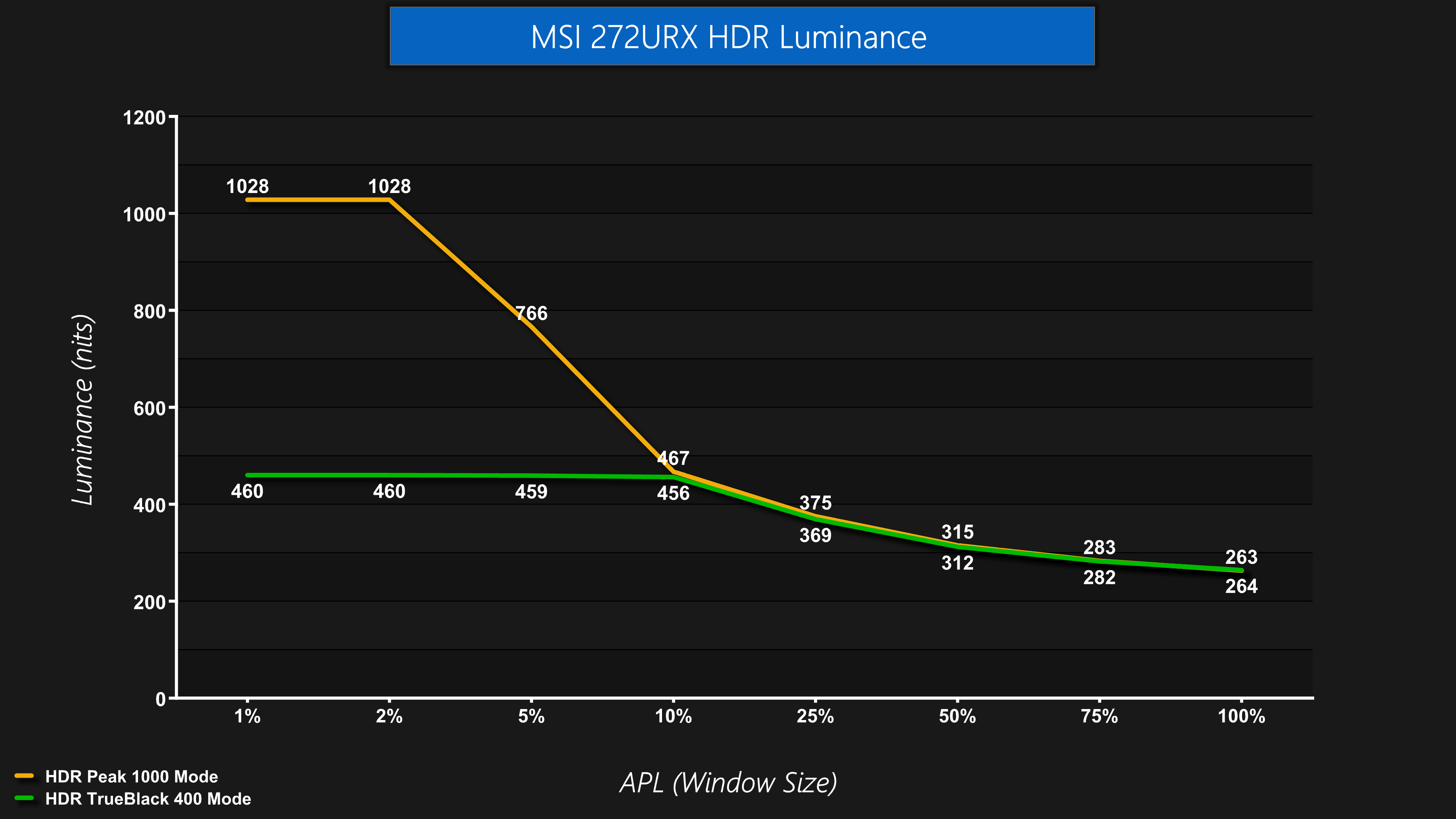
We also tested both HDR modes, with a choice of the Peak 1000 nits and TrueBlack 400 options. Both behave as we've come to expect from other QD-OLED screens – the Peak 1000 nits mode does indeed hit a peak of just over 1000 nits for the 1% and 2% APLs, before dimming as the APL increases. The TrueBlack 400 mode is dimmer, topping out at about 460 nits, before tailing off.
Greyscale
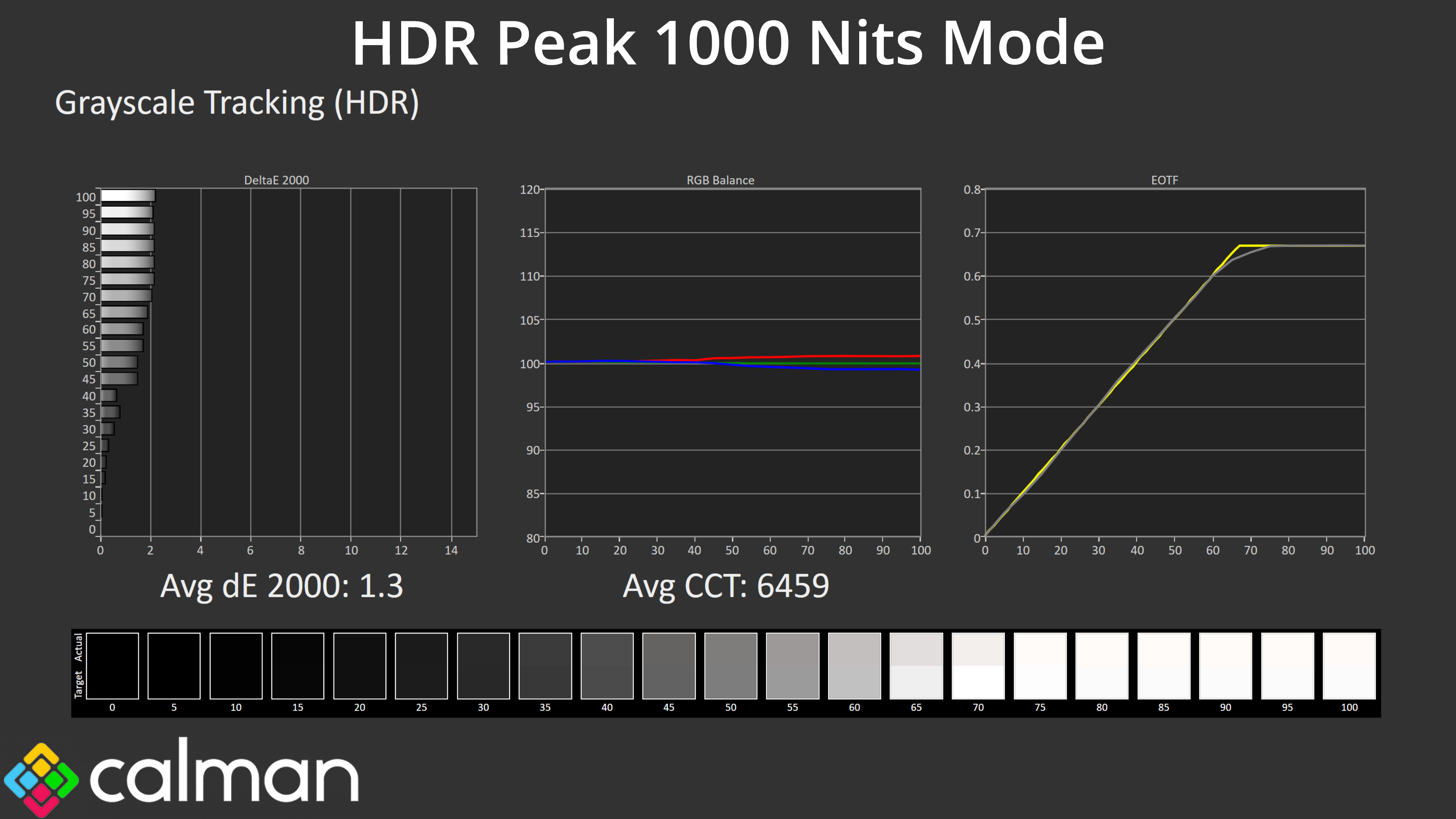
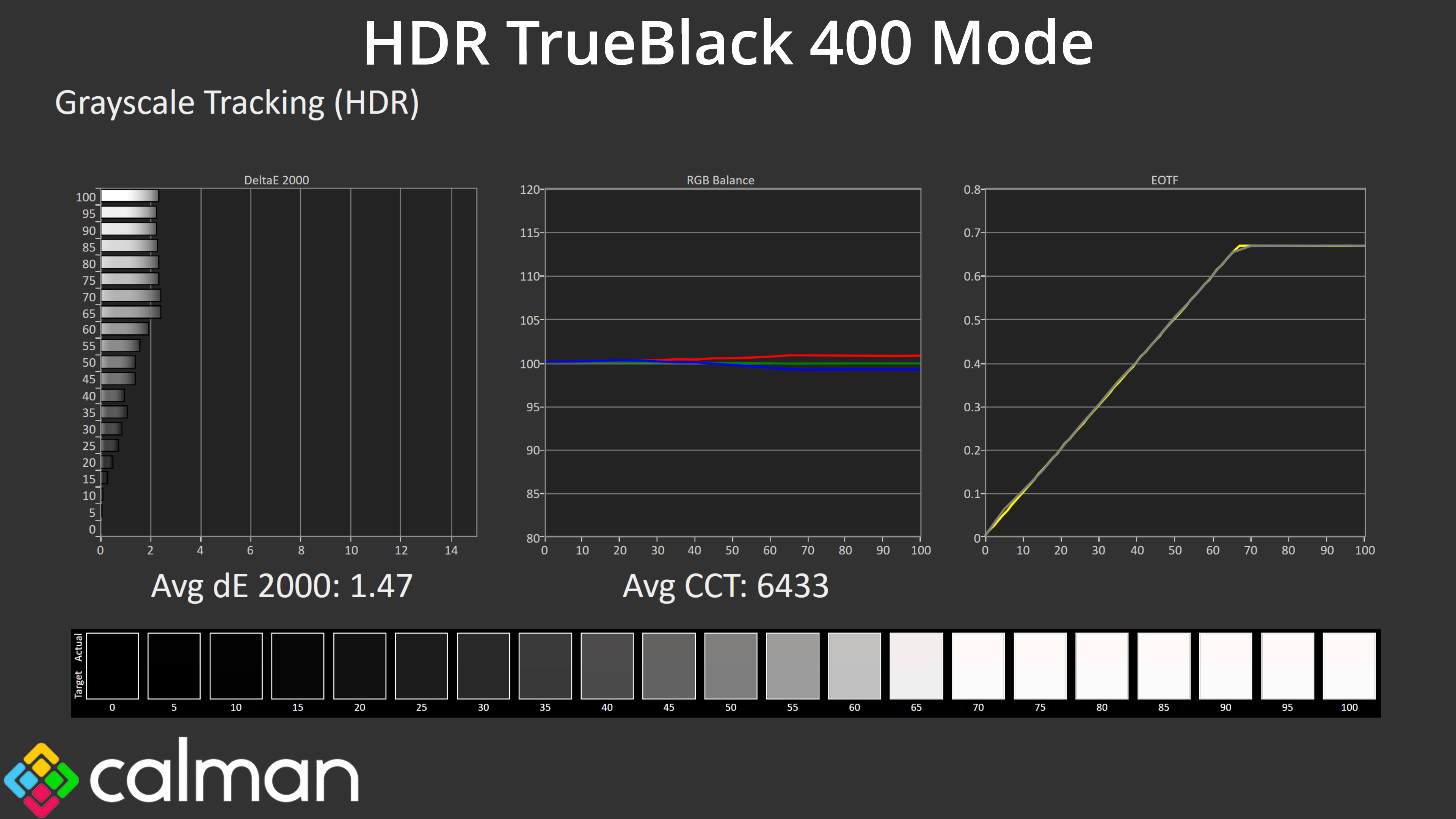
Both modes also offer accurate greyscale performance. Above we're looking at results from 10% APLs, but we know from previous experience with QD-OLED that the full picture doesn't become clear unless we look at a wider range of window sizes, too.
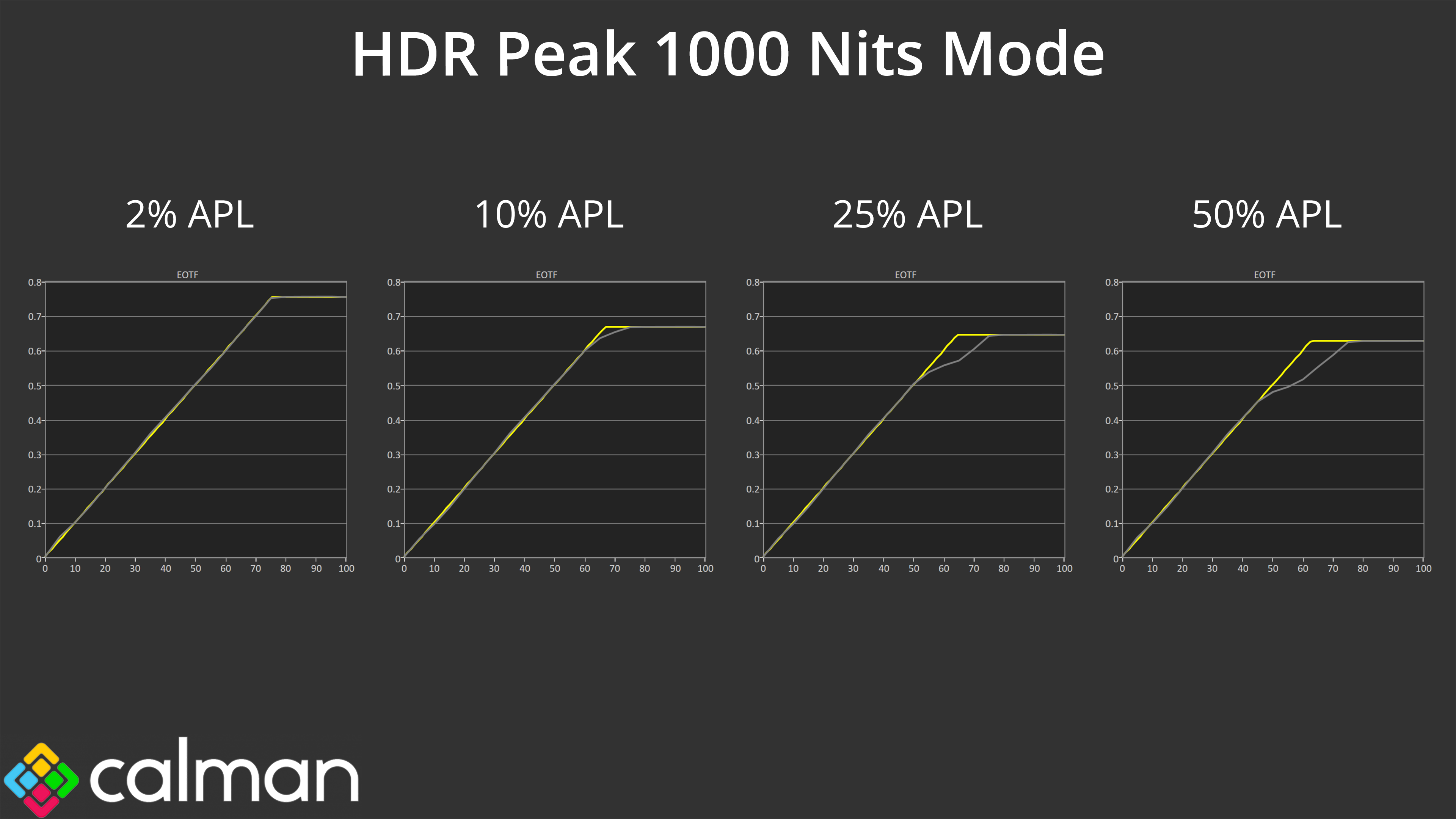
That, for instance, reveals the Peak 1000 Nits mode does roll off increasingly early, resulting in an image that's much darker than intended.
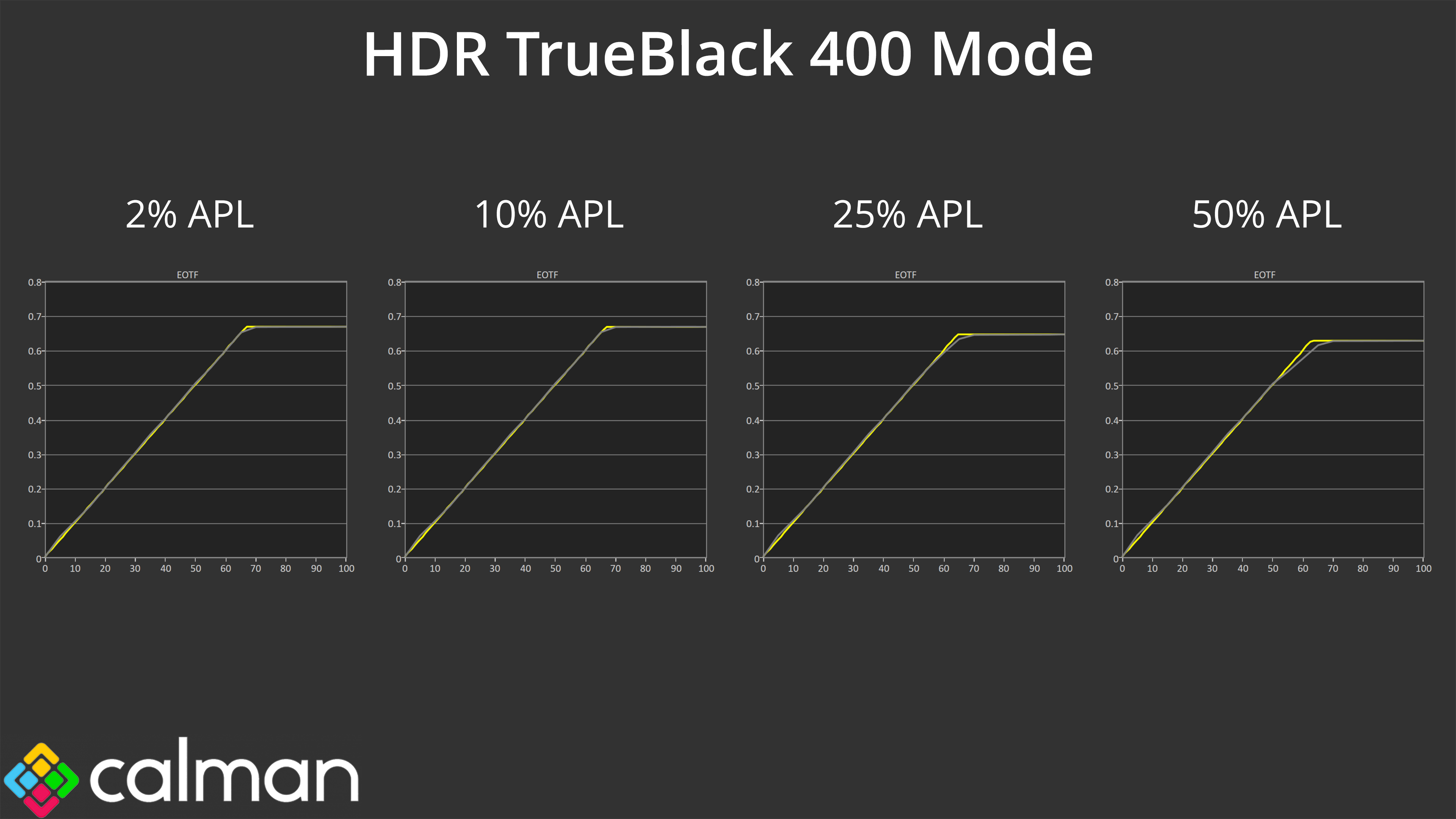
The TrueBlack 400 mode is much more accurate, though it lacks the same peak brightness of the 1000 nit mode – so there is an element of compromise with the two HDR modes, though that is currently inherent with QD-OLED technology and isn't specific to MSI. You'll still have a great HDR experience too thanks to the per-pixel nature of OLED, so there's no blooming or haloing, plus the wide gamut and infinite contrast naturally lends itself to a very punchy image.
That said, MSI does have an EOTF Boost mode already available for some monitors, and it's expected to be rolled out for other already released monitors via a firmware update, so that will be something to look out for.
Colour Accuracy
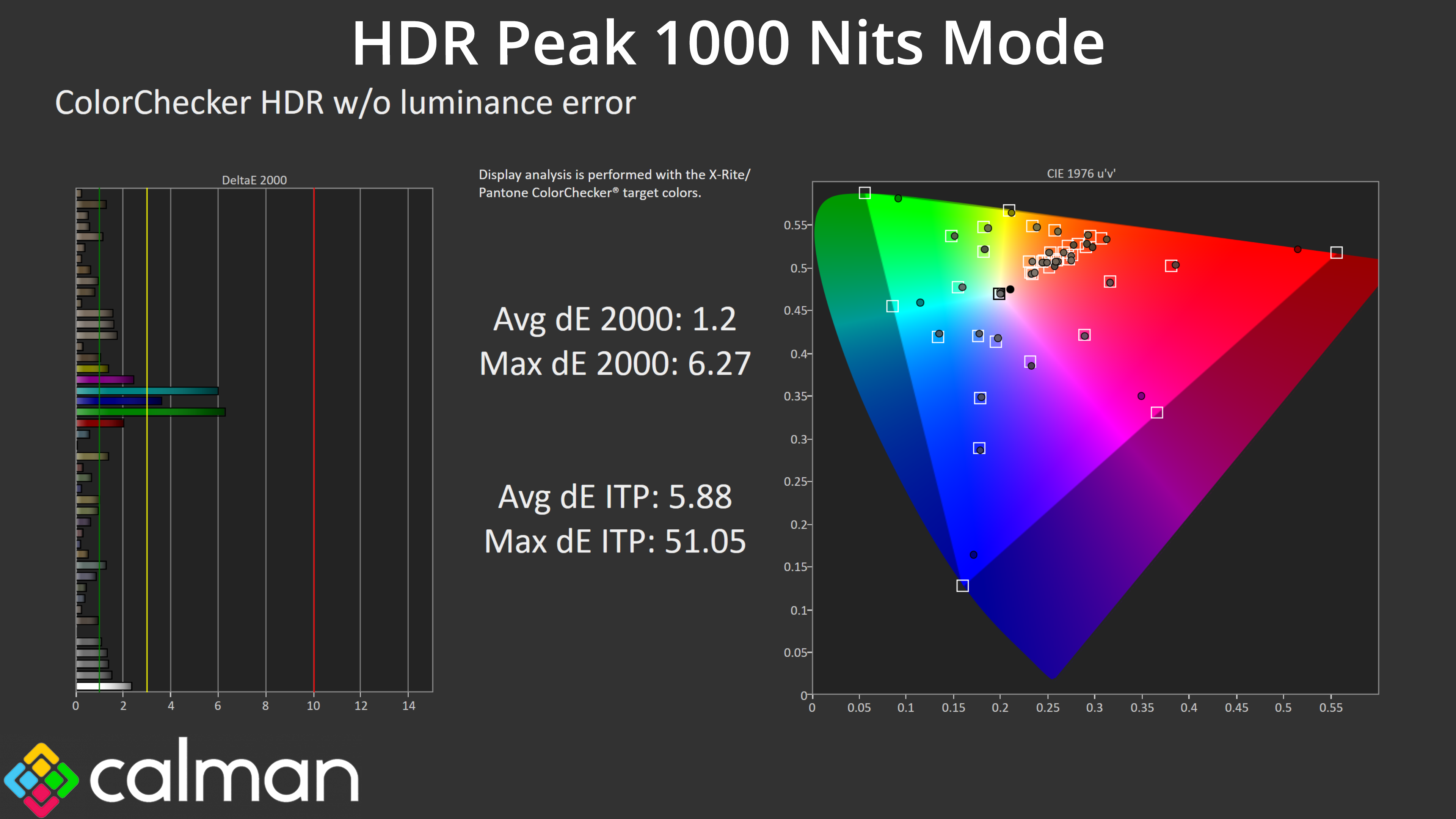
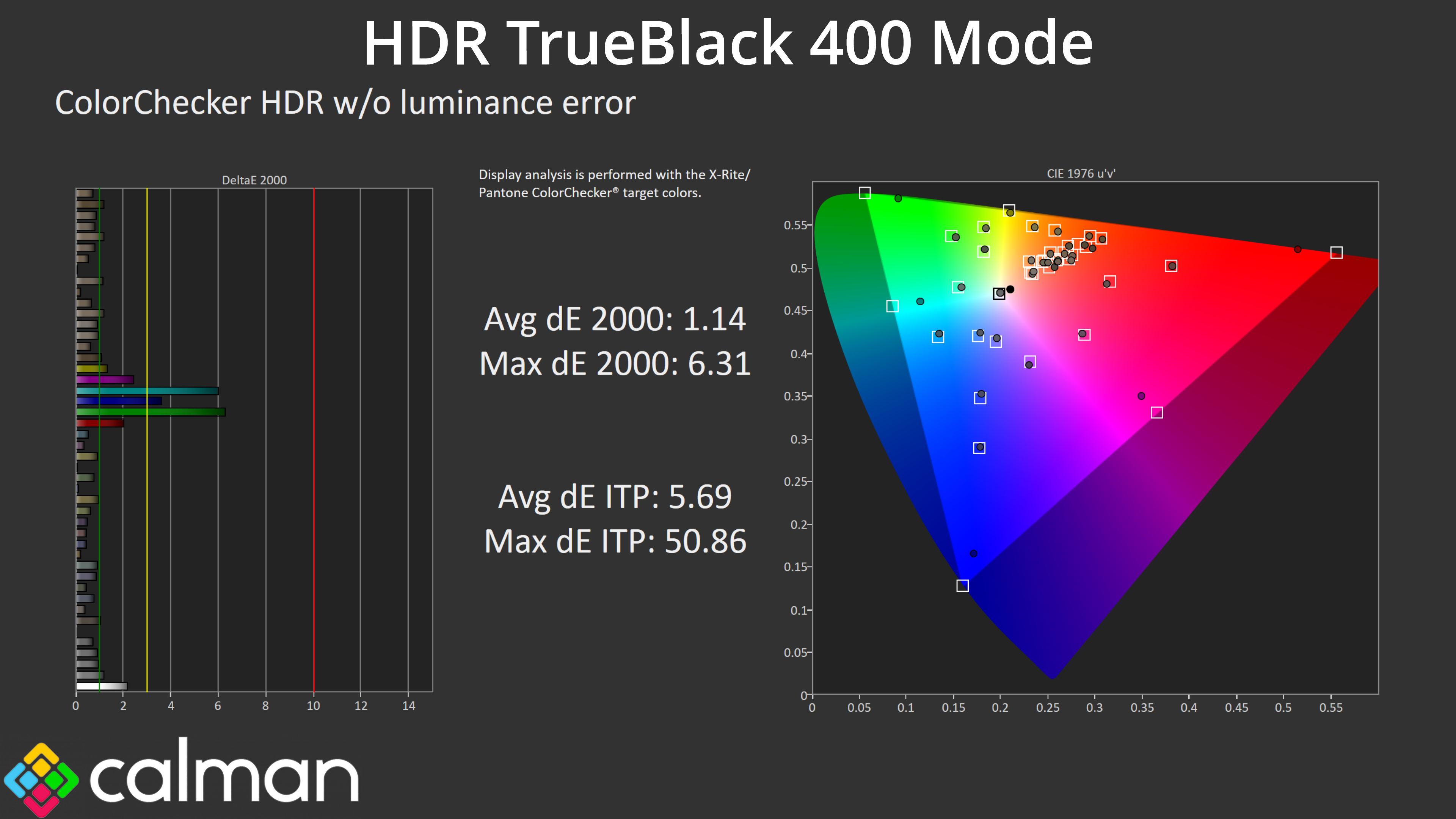
There is good news with HDR colour accuracy too, with both modes offering very good results – the worst results come from the 100% green and 100% cyan channels, which were always going to be suspect considering the 272URX doesn't cover the whole Rec.2020 colour space.
