 KitGuru KitGuru.net – Tech News | Hardware News | Hardware Reviews | IOS | Mobile | Gaming | Graphics Cards


We use the Open Source Response Time Tool (OSRTT), developed by TechTeamGB, for our response time testing. This measures grey-to-grey response times and presents the results in a series of heatmaps, the style of which you may be familiar with from other reviews.
Initial Response Time is the time taken for the panel to transition from one colour to another, where lower values are better. We present the initial response time, so overshoot is not taken into account and is measured separately. We use a fixed RGB 5 tolerance for each transition.
Overshoot is the term given for when a monitor's transition exceeds or goes beyond its target value. So if a monitor was meant to transition from RGB 0 to RGB 55, but it hits RGB 60 before settling back down at RGB 55, that is overshoot. This is presented as RGB values in the heatmaps – i.e. how many RGB values past the intended target were measured.
Visual Response Rating is a metric designed to ‘score' a panel's visual performance, incorporating both response times and overdrive. Fast response times with little to no overshoot will score well, while slow response times or those with significant overshoot will score poorly.
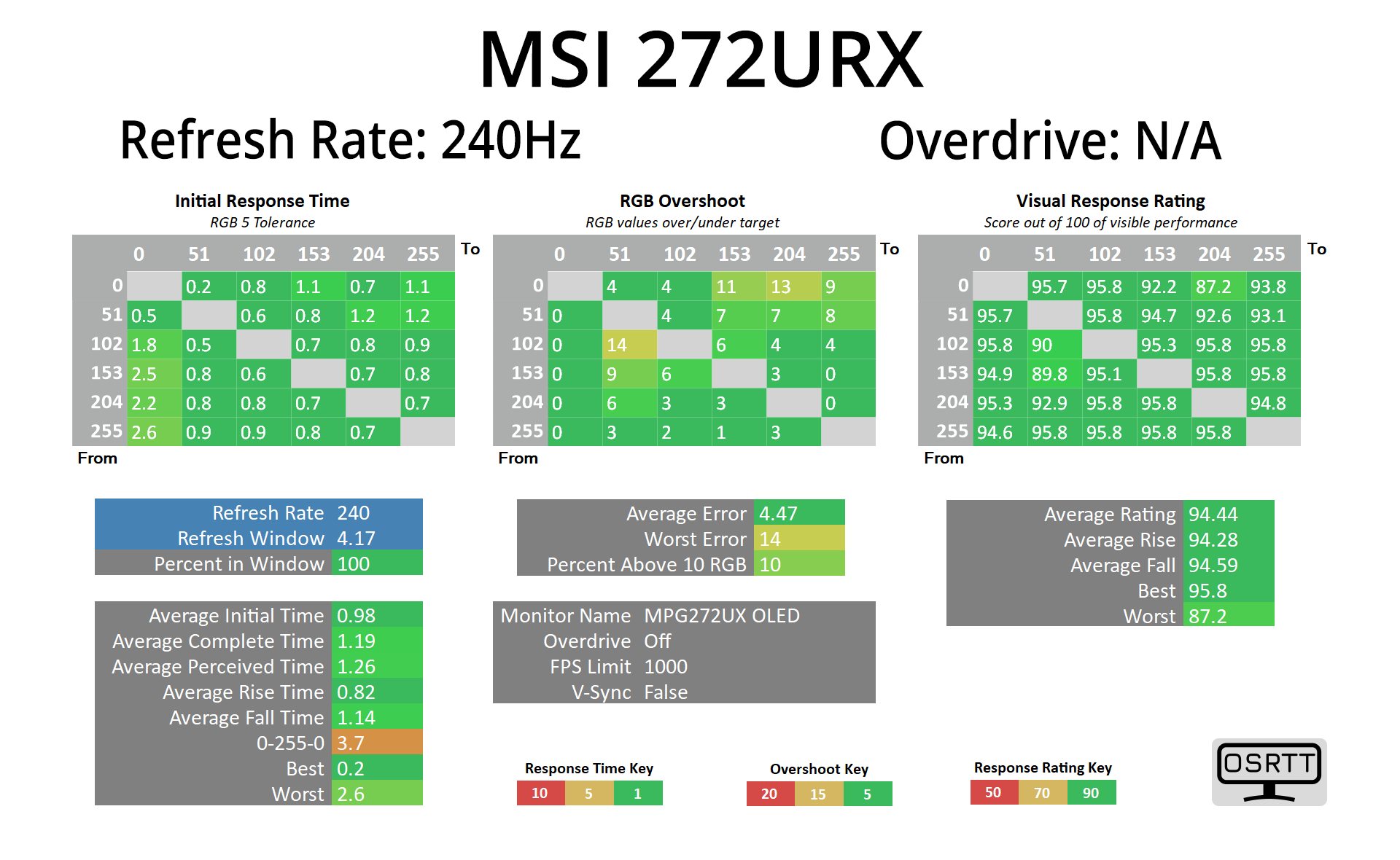
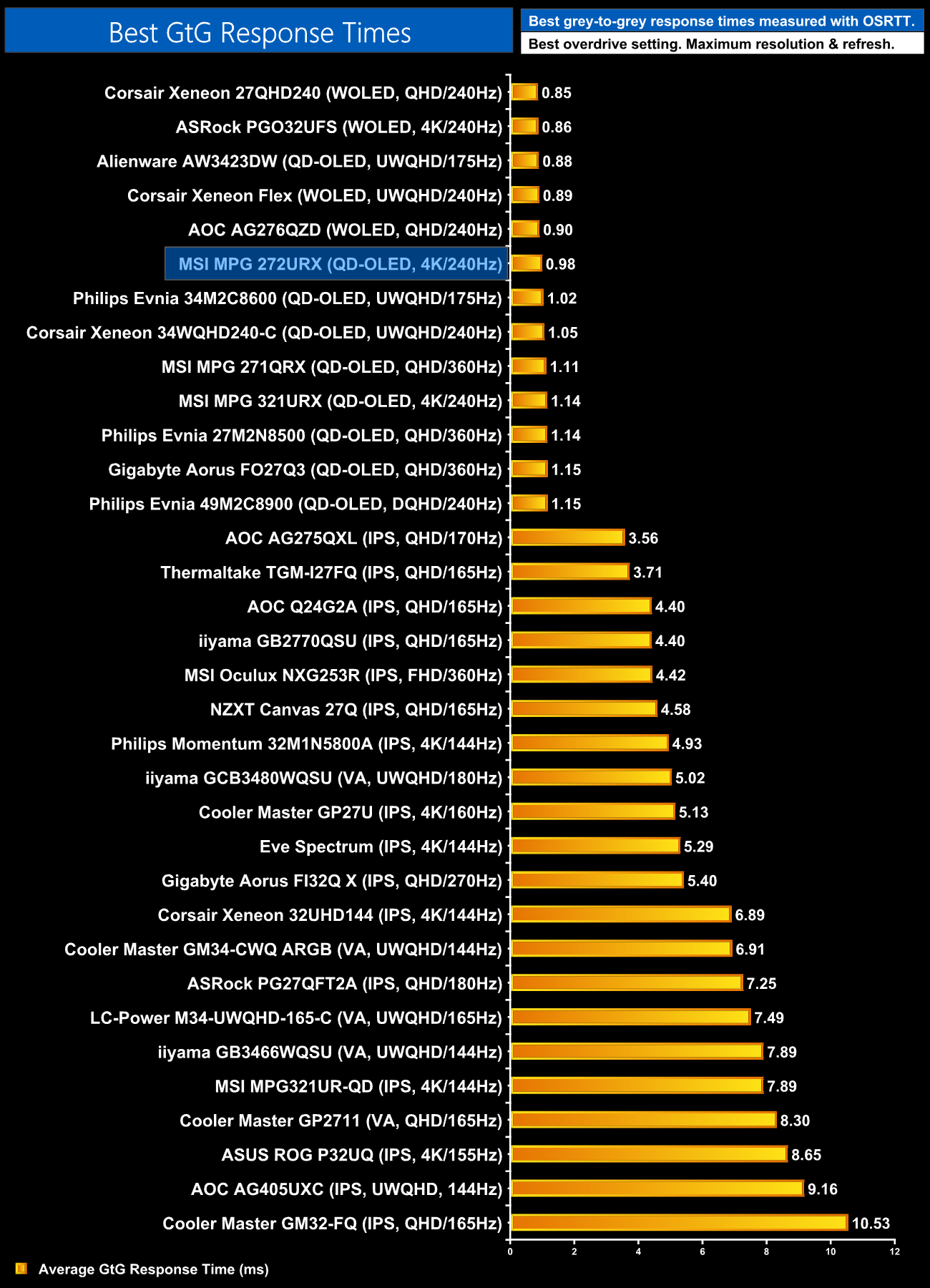
Given the 272URX is an OLED monitor, we know the response times will be fantastic – and they are, averaging less than 1ms across the board, putting this right up there with the other OLED monitors we've tested, and that is the same regardless of the refresh rate.
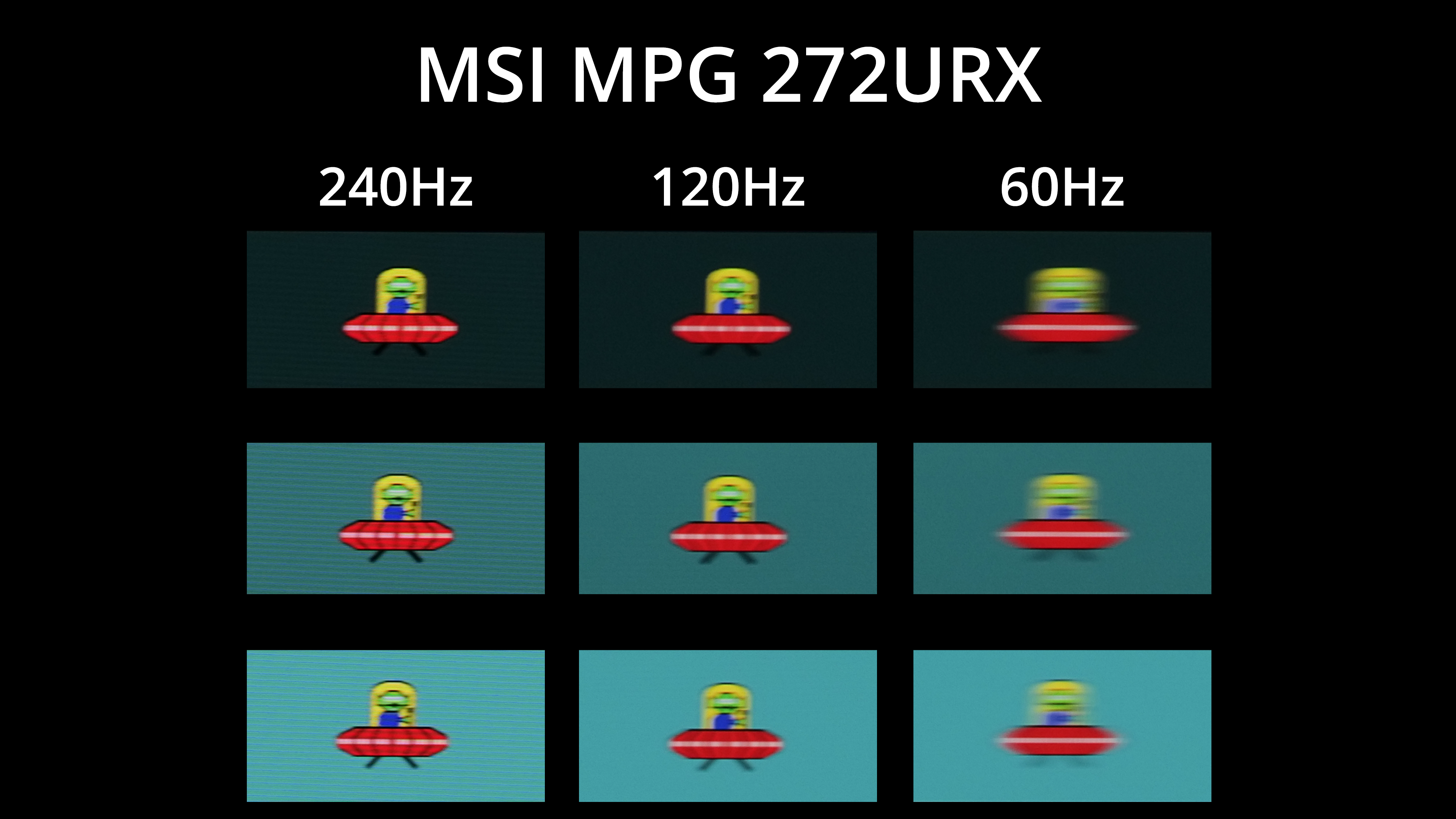
Of course, that doesn't mean motion clarity is the same at different refresh rates, as you'll obviously get less blur at 240Hz than 120Hz or 60Hz. That does mean your gaming experience will vary depending on how many frames your system can handle, and driving 4K at over 120fps is no easy task – but this goes to show what can be achieved at 240Hz.
