 KitGuru KitGuru.net – Tech News | Hardware News | Hardware Reviews | IOS | Mobile | Gaming | Graphics Cards


You can never have a fast enough network, especially where WiFi is concerned. NETGEAR's Nighthawk range already has a reputation for performance. With the X10 R9000 AD7200 Wireless Router, though, NETGEAR takes WiFi to the next level with our first look at 802.11ad.
However, before you get too excited, thinking that “d” comes after “c” so 802.11ad must be the 802.11ac replacement, it isn't. This is a very specialised kind of WiFi signal aimed at huge bandwidth, but only over short distances and without obstruction. It operates at 60GHz, so is much more susceptible to being blocked by walls than 5GHz 802.11ac or 2.4GHz 802.11n, and indeed is even blocked by the oxygen in the air, although not too badly. It also supports up to 7Gbits/sec throughput (the R9000 only offers 4.6Gbits/sec), which is more than five times as fast as 802.11ac.
Unfortunately, 802.11ad is not currently supported by very many client devices, and we had to work hard (as well as delaying this review) until we could get our hands on a notebook with 802.11ad so we could test the new standard.
But we have our greedy mits on a compatible laptop now, so will be able to give you the full details of whether 802.11ad is up to its billing.
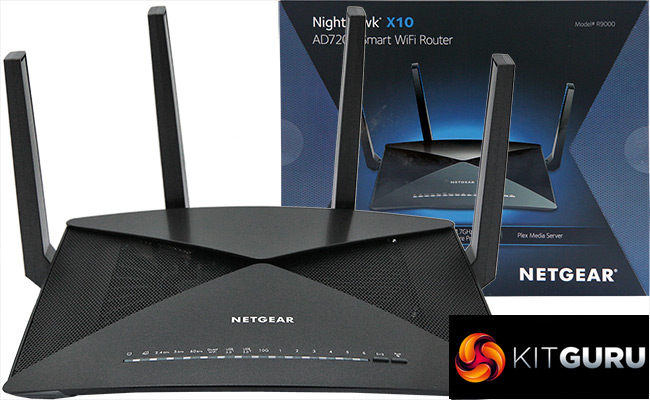
The R9000 is not just about its 802.11ad WiFi, however. NETGEAR has thrown the kitchen sink at this router in an attempt to make it the fastest and most feature-rich wireless kit money can buy, including a 1.7GHz quad-core processor, which is supplied so that the installable PLEX Media Server can transcode like a boss.
There are huge antennas for the best performance across all the WiFi standards, with 802.11ac at 5GHz and 802.11n at 2.4GHz also available. The former offers speeds up to 1,733Mbits/sec, and the latter 800Mbits/sec. A total of 40 antennas are included – 32 internally for the 802.11ad, and 8 for the other standards (4 each for 2.4GHz and 5GHz).
There's a very comprehensive array of ports included too, with seven Ethernet ports (one for broadband usage) and a SFP+ connector that can accept modules for 10Gbit Ethernet. Two USB 3.0 ports are also included for attaching external storage devices or printers. On paper, this is one wireless router to rule them all, with a price to match. So let's find out if it can bind all your networking needs together, and in particular whether 802.11ad lives up to its billing.
Price: £359.99
Specification:
Wireless protocols: MU-MIMO with 802.11b/g/n 2.4GHz, 802.11a/n/ac 5GHz, 802.11ad 60GHz
Performance: AD7200 (4600 + 1733 + 800 Mbits/sec)
Antenna Configuration: 4×4 Internal and External Antennas for 2.4/5GHz, 32x for 60GHz
Ports: 7 x Gigabit Ethernet, 1 x SFP+, 2 x USB 3.0
Modem Support: VDSL/ADSL 2+ or cable
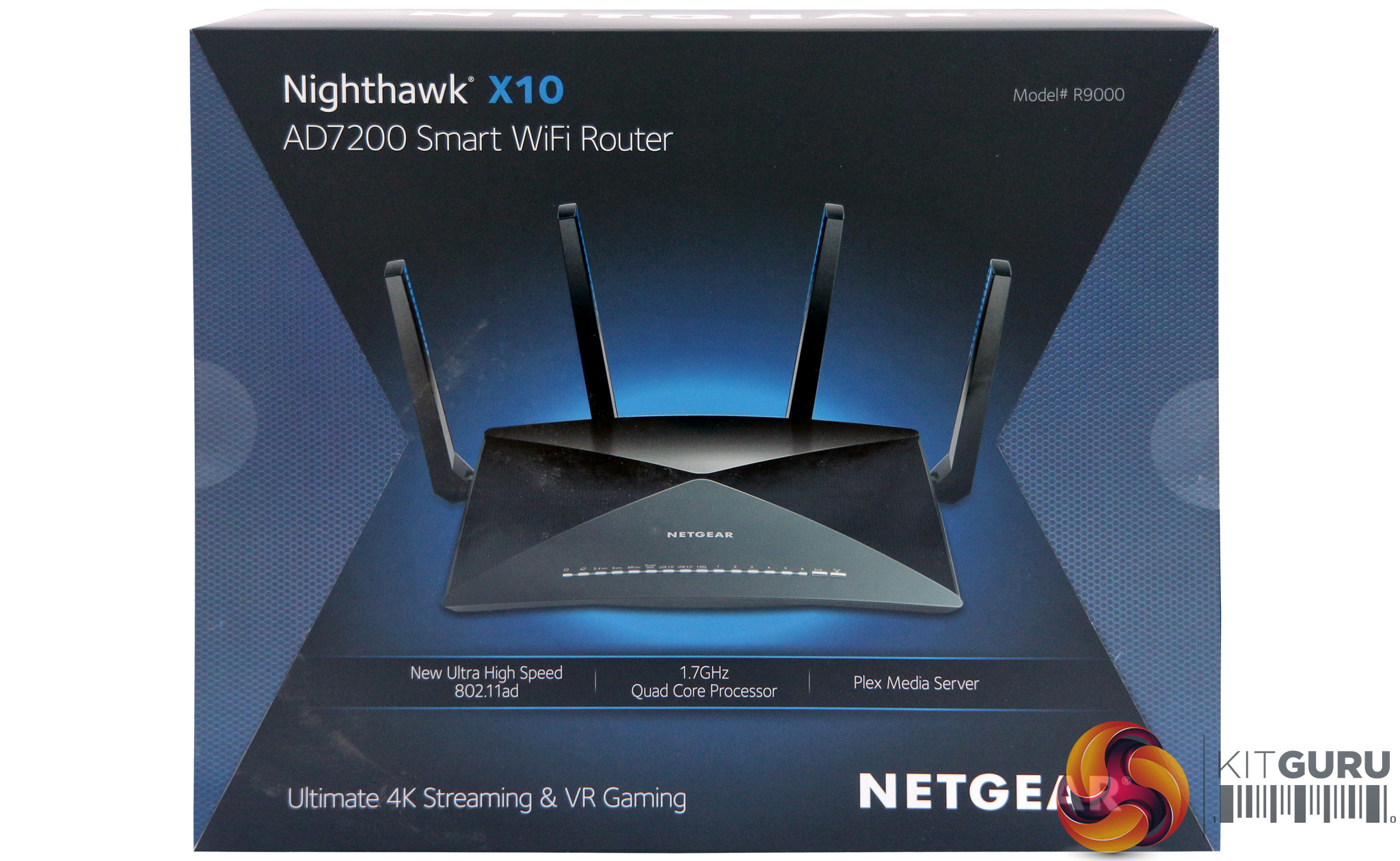
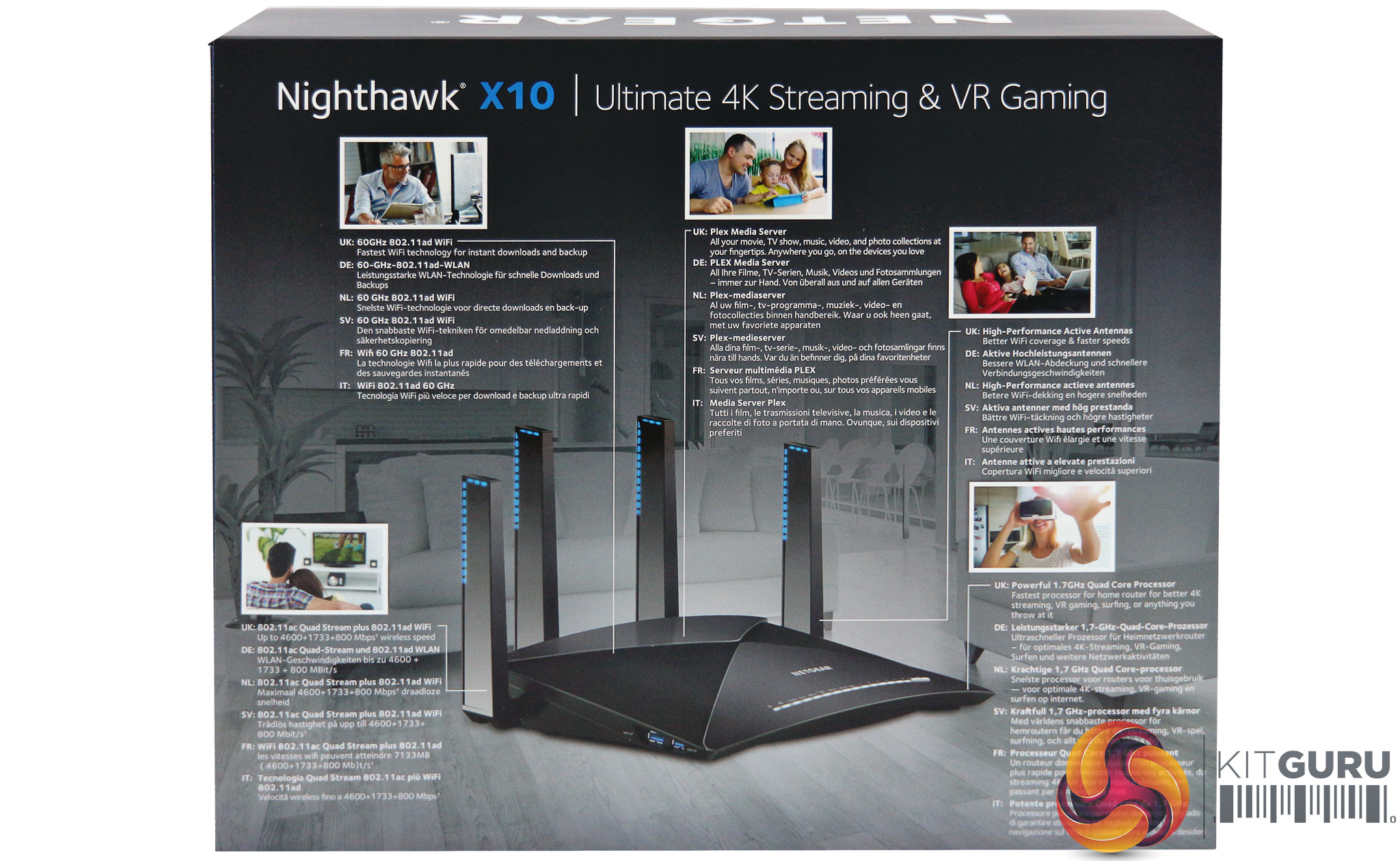
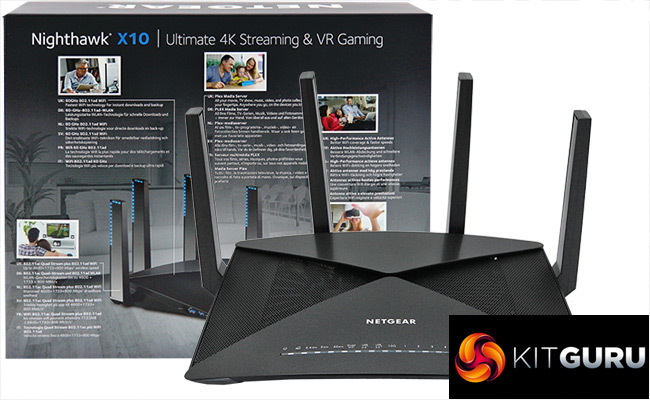
Big routers come in big boxes, and the R9000 is a hefty piece of kit. Plenty to read on the back, if you want to savour the moment before unleashing your new wireless power, and who wouldn't want to enjoy the moment?
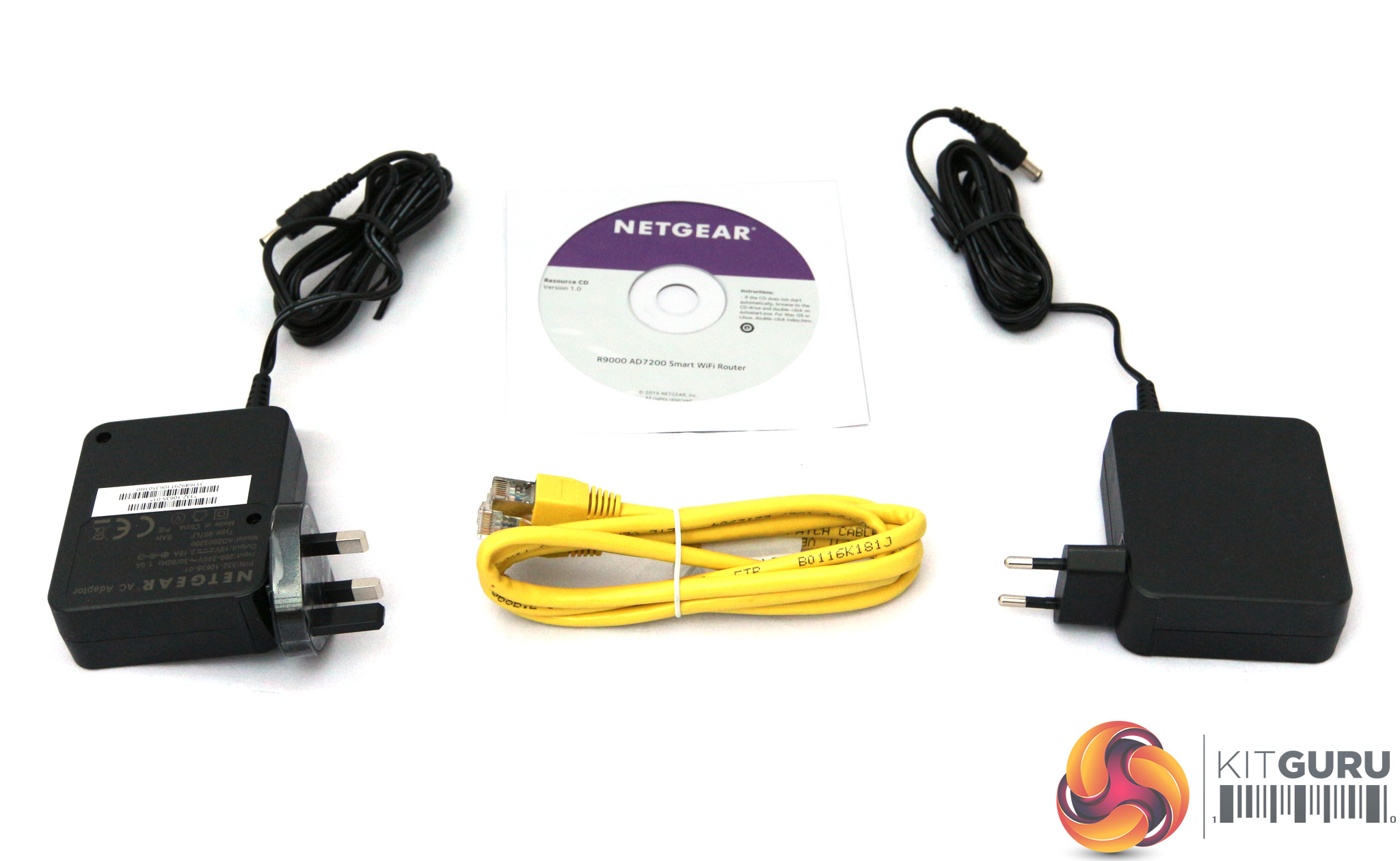
Strangely, the two different European plug types have their own separate power adapters in the box. Just a single Ethernet cable is included, though, in a fetching yellow hue. This seems a little miserly with all the ports on offer.
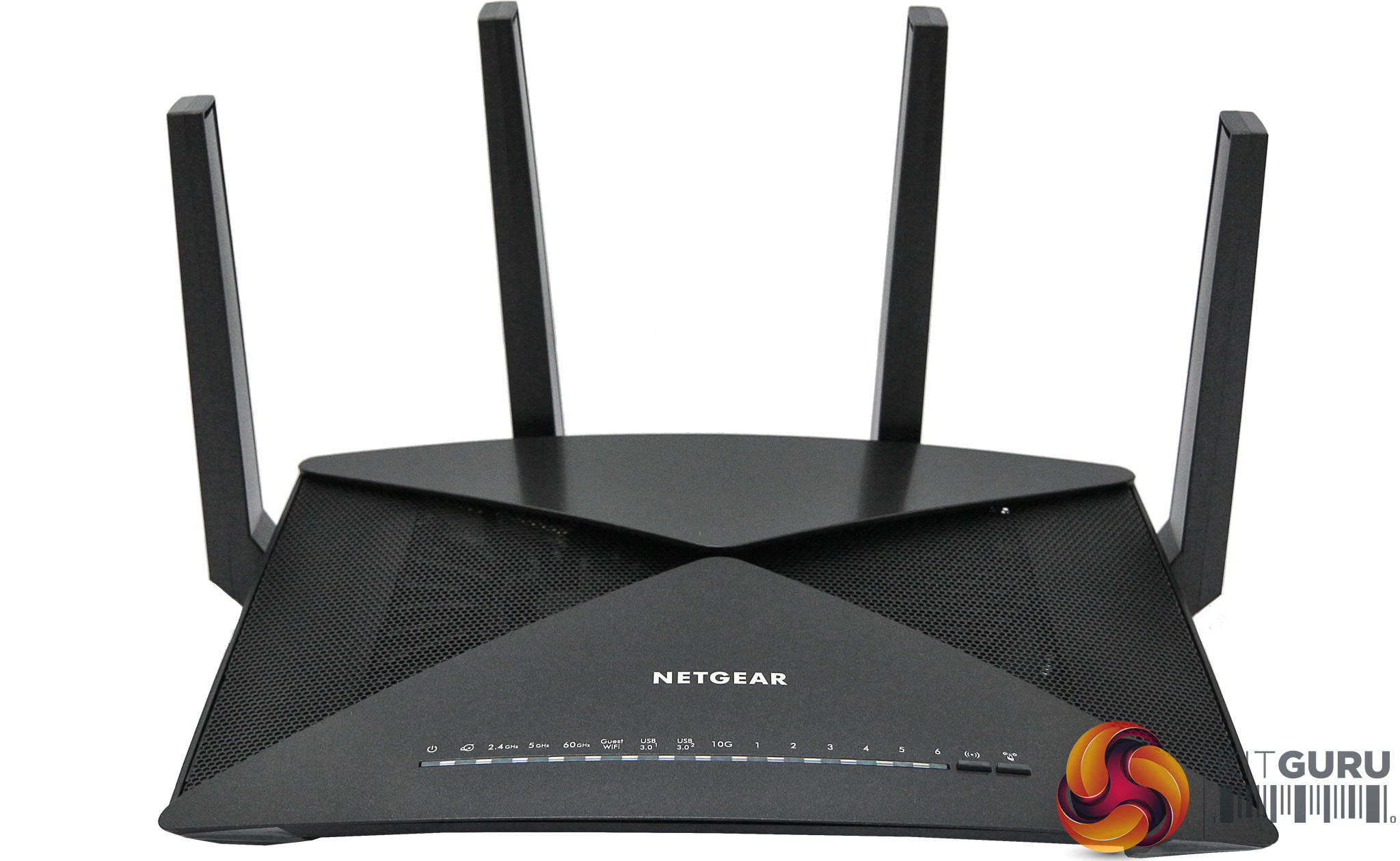
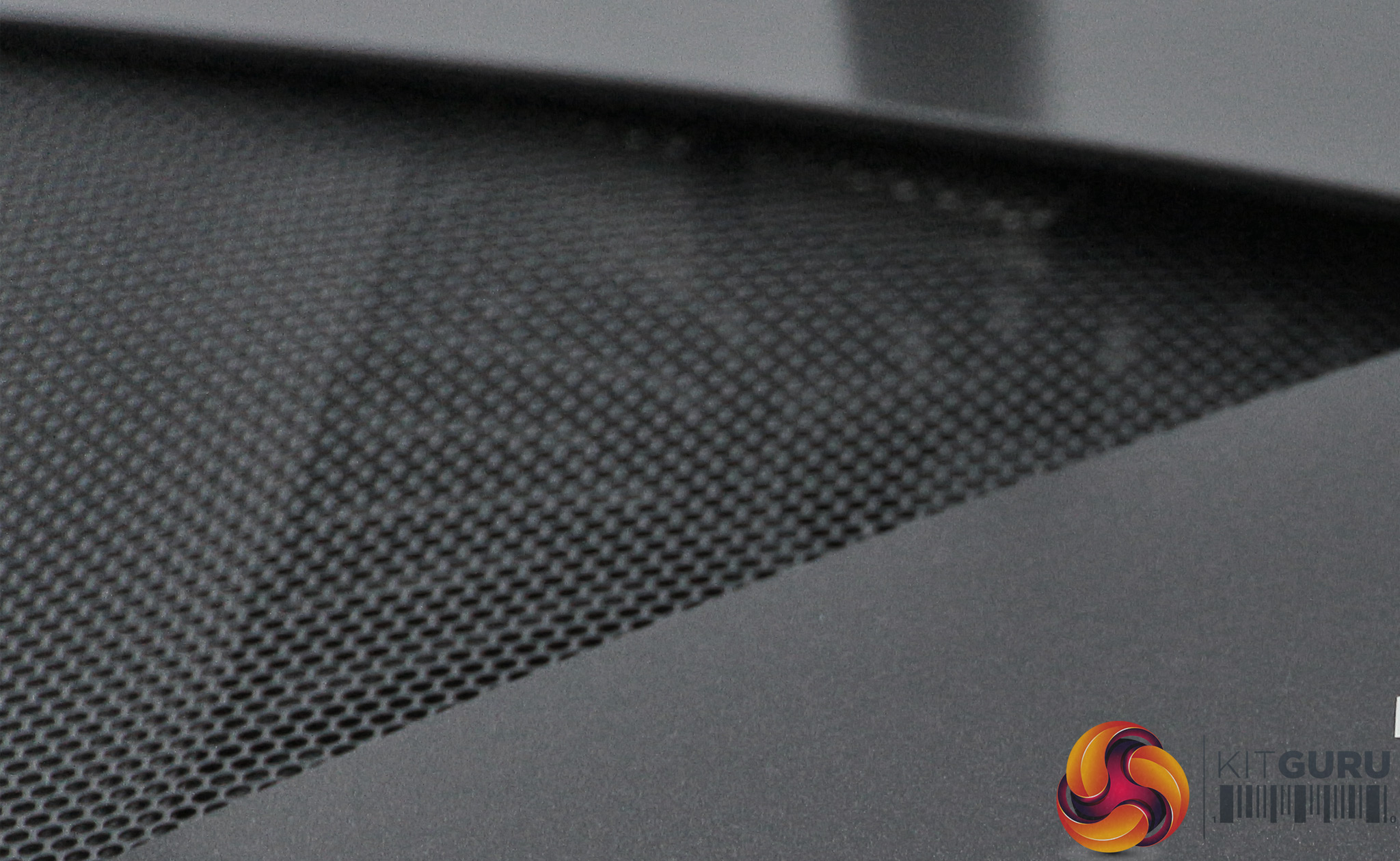
This is a big router, and the four large antennas protrude quite significantly from the rear. It looks pretty mean, and there are grilles to let the heat out on each side, hinting at the networking processor power within.
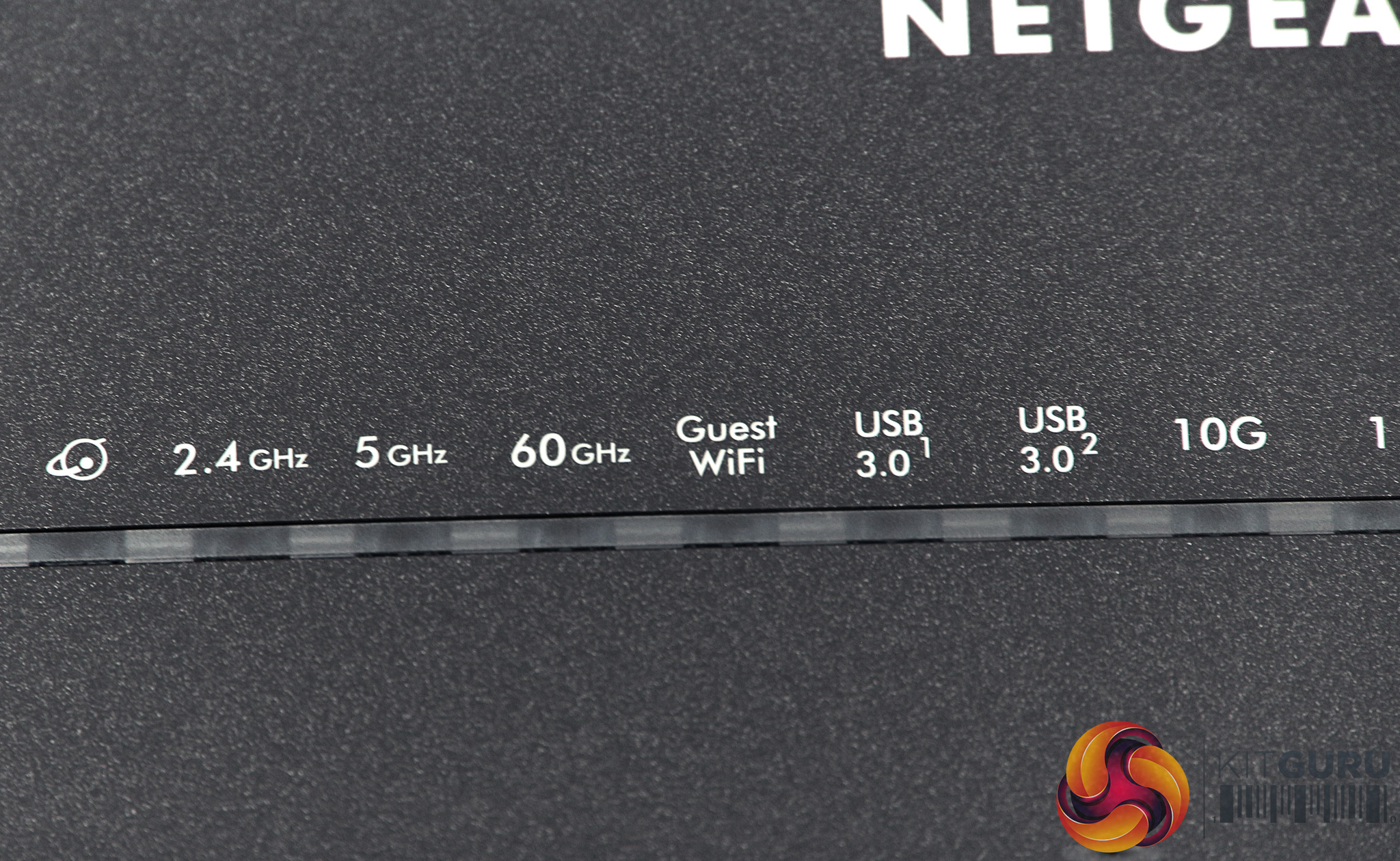
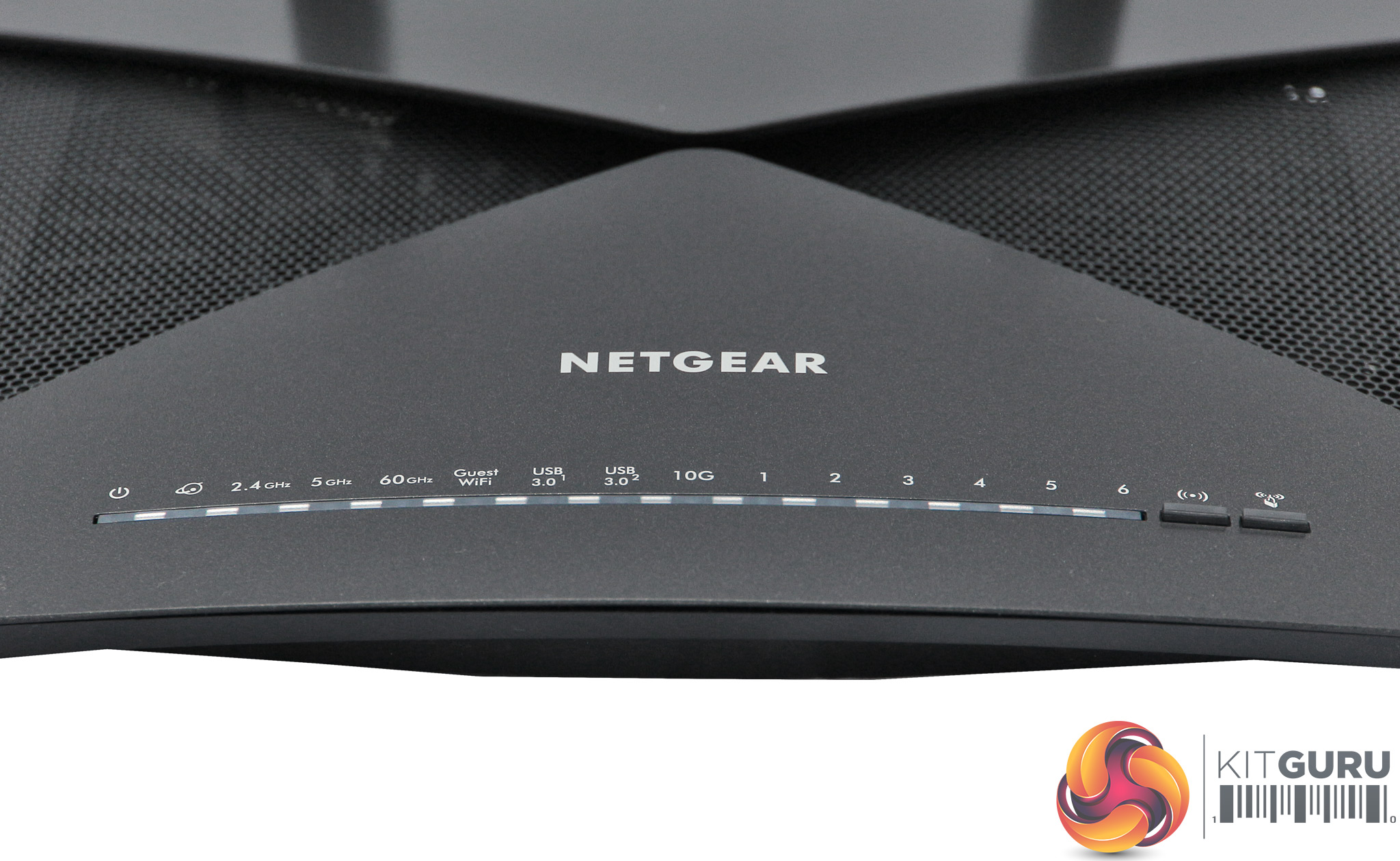
A hefty array of lights along the front edge of the R9000 show the status of the many different connection types available. It's a veritable symphony of connectivity notifications, albeit a silent one played by an orchestra of LEDs.
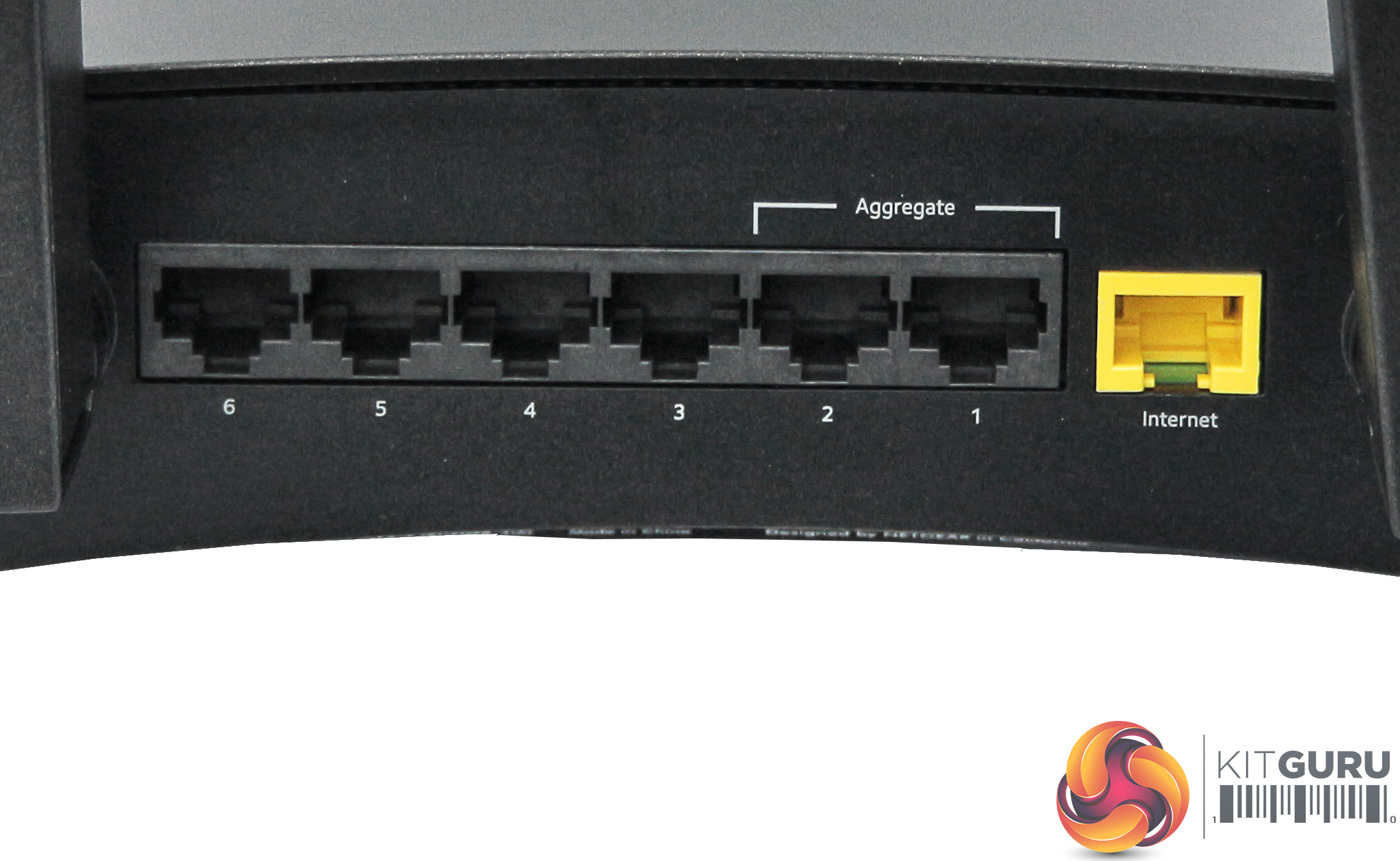
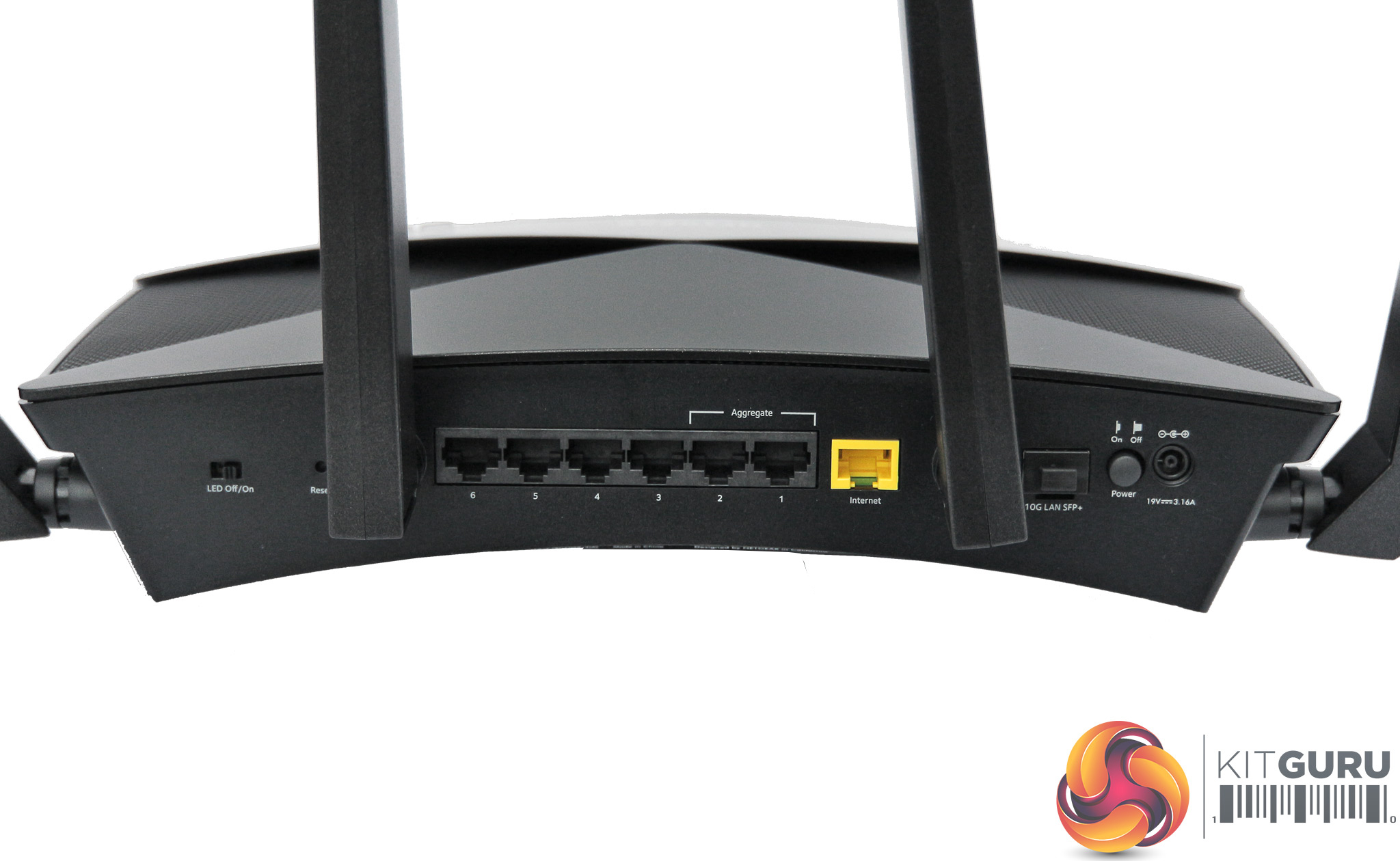
There is a healthy array of Ethernet ports on the rear, too – seven in total. The yellow one is exclusively for the broadband modem, unless you switch to AP mode, and ports 1 and 2 can be aggregated (with a compatible dual-LAN NAS device) to make a single 2Gbit Ethernet pipeline, able to serve the contents of a fast network storage device to multiple clients without causing a bottleneck. There are a couple of USB 3 ports on the side of the device, too.
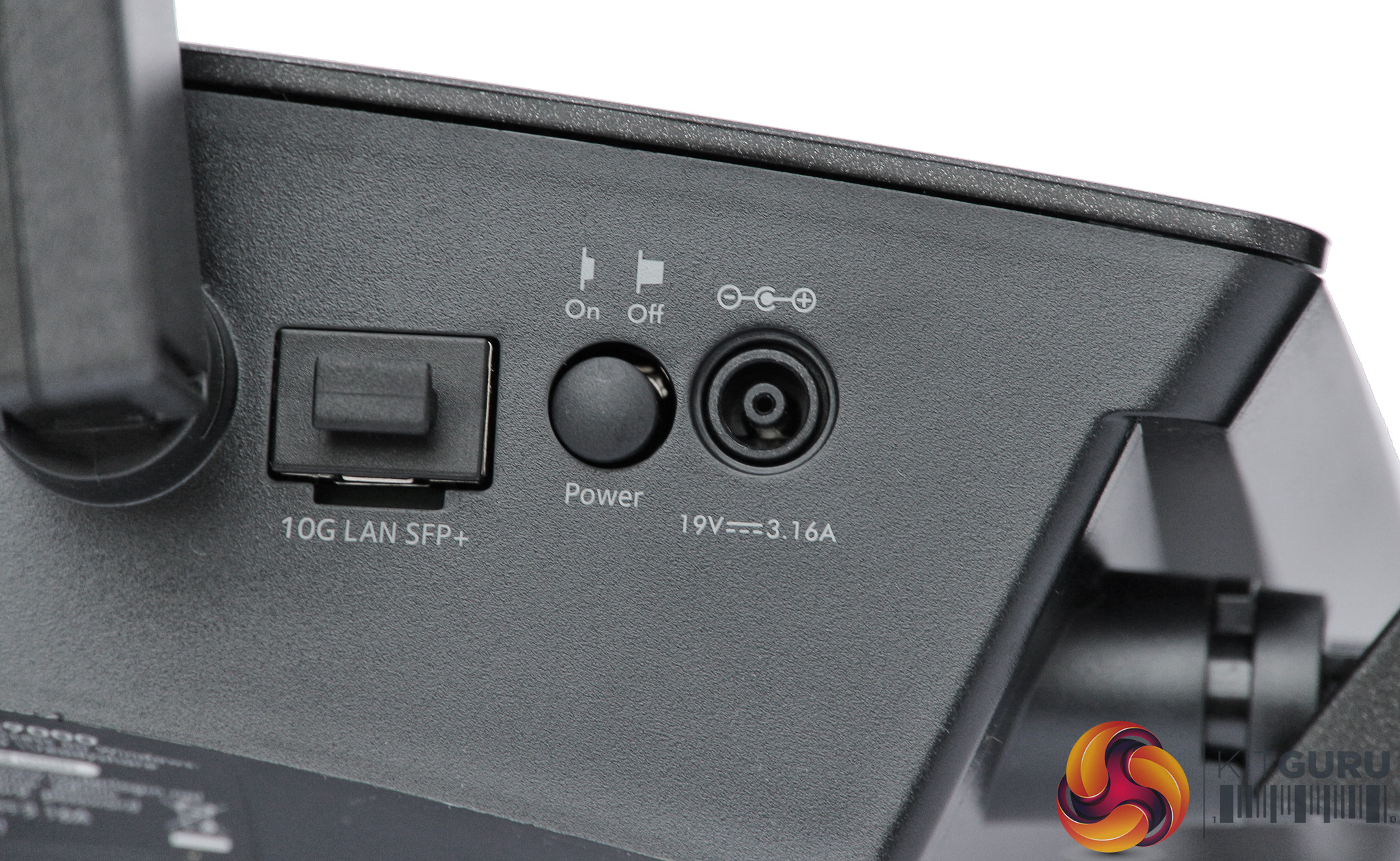
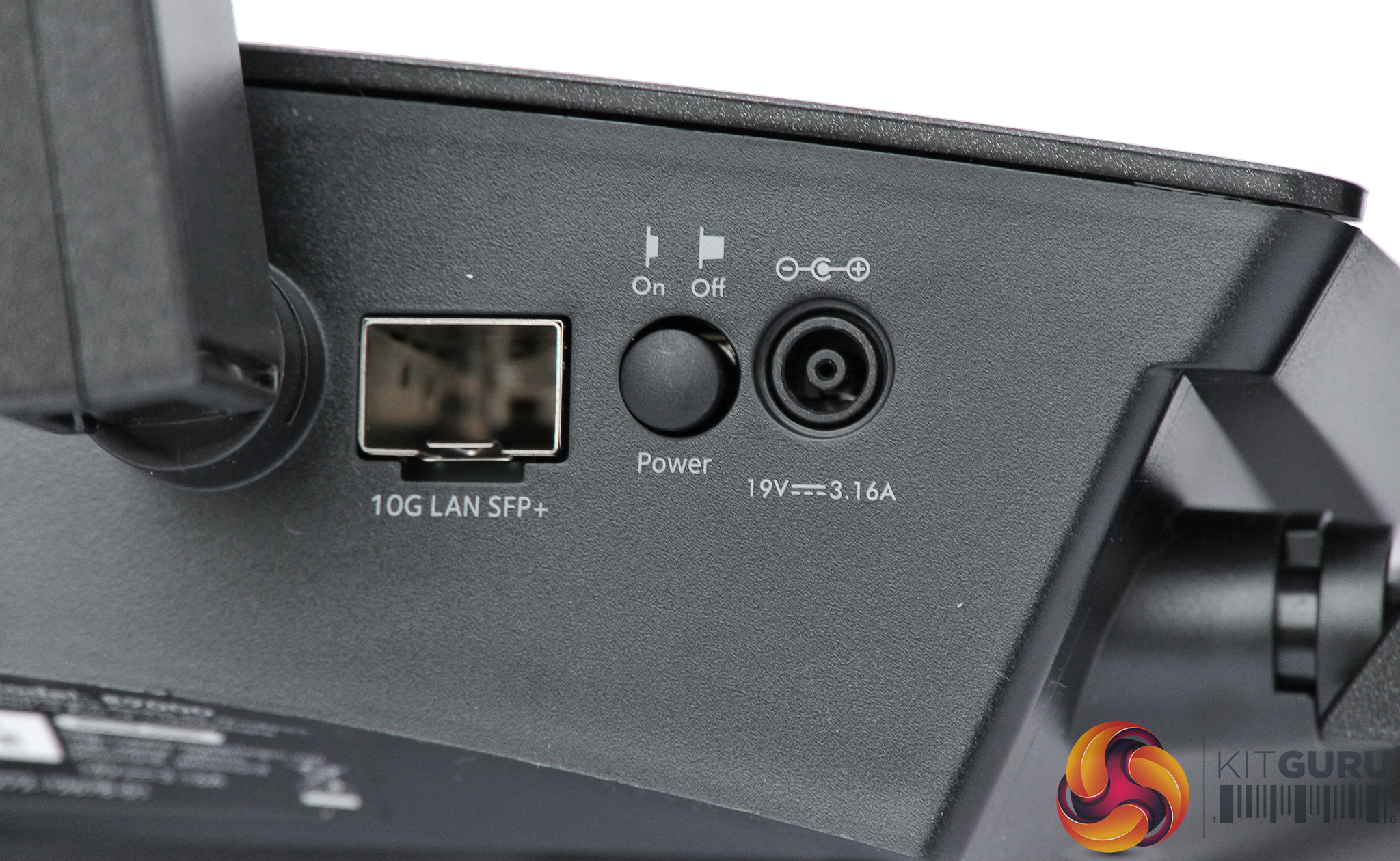
If the aggregate Gigabit Ethernet ports aren't fast enough, there's a 10Gbit SPF+ port, into which can be inserted a variety of modules to turn the connection into 8 or 16Gbits/sec FibreChannel, 10Gbit Ethernet, or Optical Transfer Network OTU2. So copper and optical connections can be supported, although no modules are included in the box.
We were sent NETGEAR's AGM734 module, which turns this port into another Gigabit Ethernet connection. You just slip it into the deep hole and the system autodetects the module without the need for configuration.
Most consumers won't even know what this connection is for, let alone have a device they can plug into it. The AGM734 module we were sent costs over £100, and 10Gbit versions will set you back more like £300. But for the serious performance user, this port further cements the R9000's credentials as a router that means business.
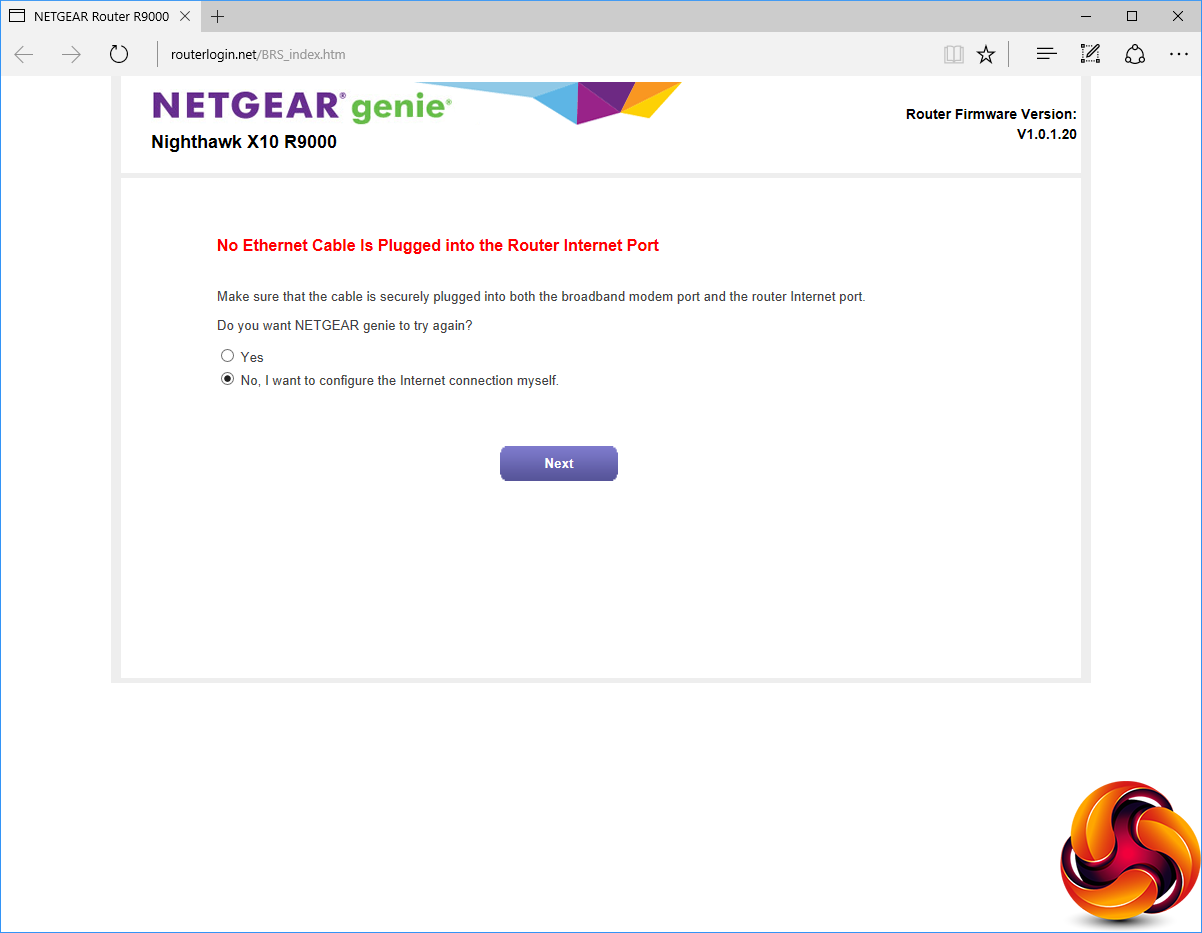
When you first connect to the R9000, the genie interface pops up in a browser window as the unit tries to connect to your broadband automatically.
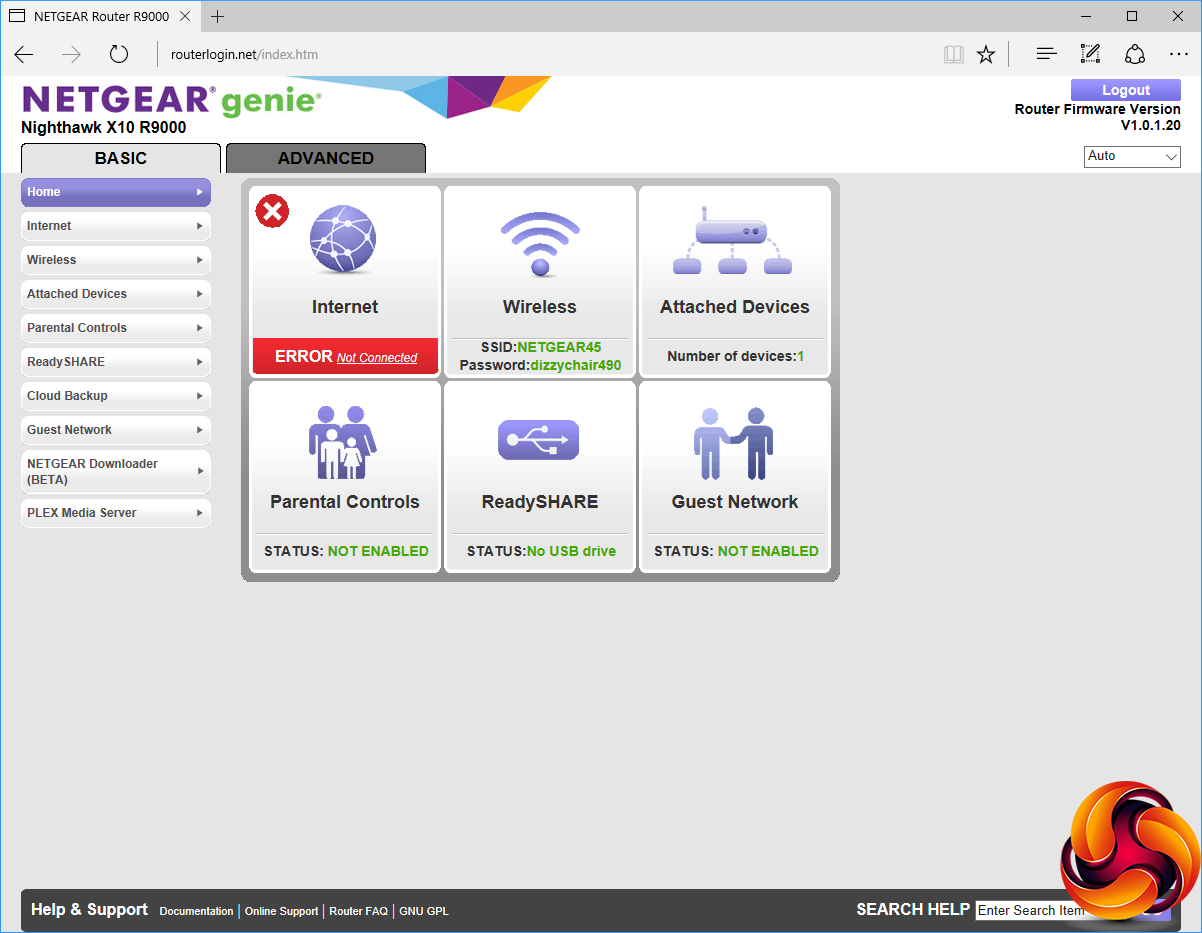
Once you've configured your broadband, or chosen to set this up manually, you get the choice of Basic or Advanced management interfaces, with the Basic one the default. This provides icon access to the main features, including the Internet connection, wireless security settings, attached devices, parental controls, the ReadySHARE interface (for configuring how attached USB devices are treated), and turning the guest network off or on.
The menu on the left also adds the ability to configure Cloud Backup, where you can use an Amazon cloud drive as a backup of the local USB storage, and also the NETGEAR Downloader, of which more later. There's also access to the PLEX Media Server, which we will be covering in more detail later too.
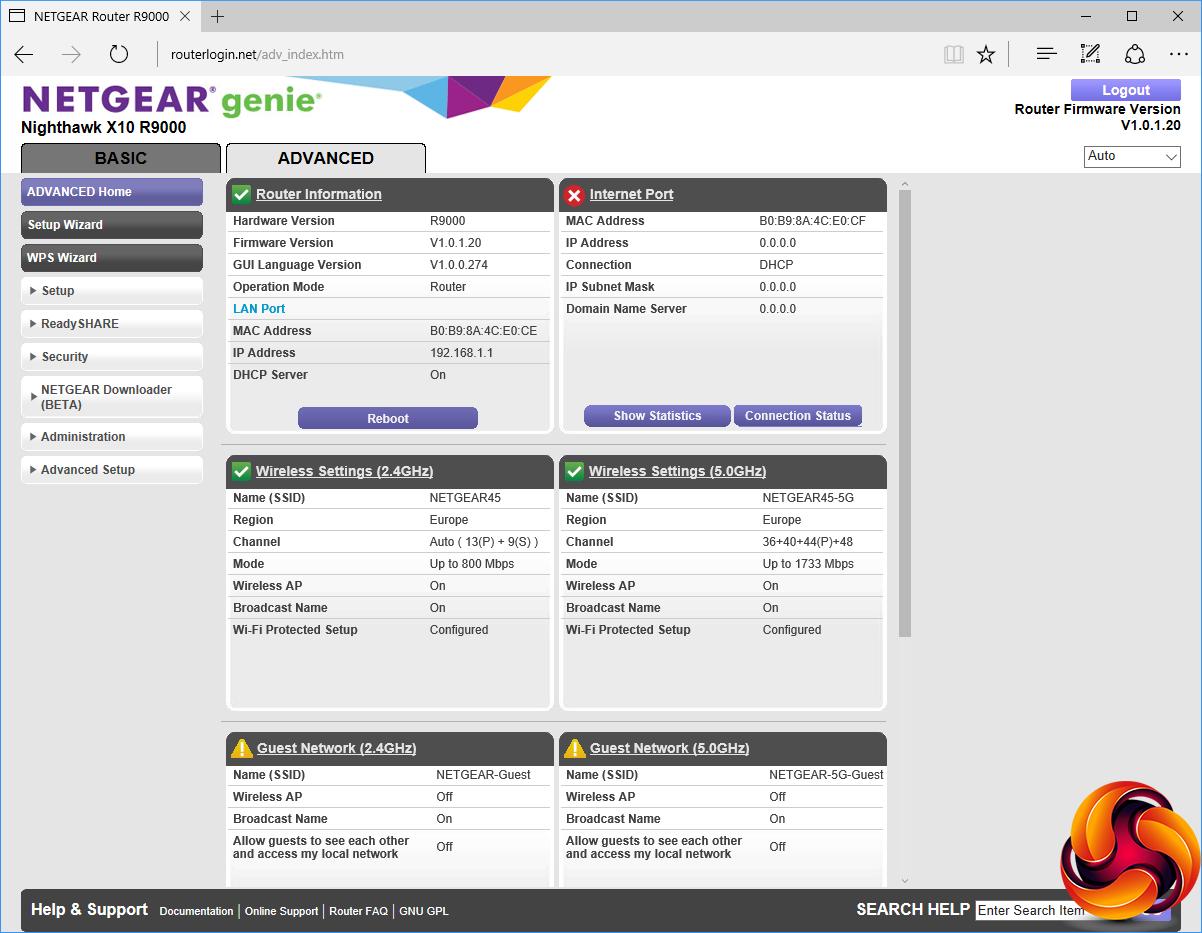
The advanced interface provides much more detailed information about the various connections in the central area, and much more to play with on the menu on the left-hand side.
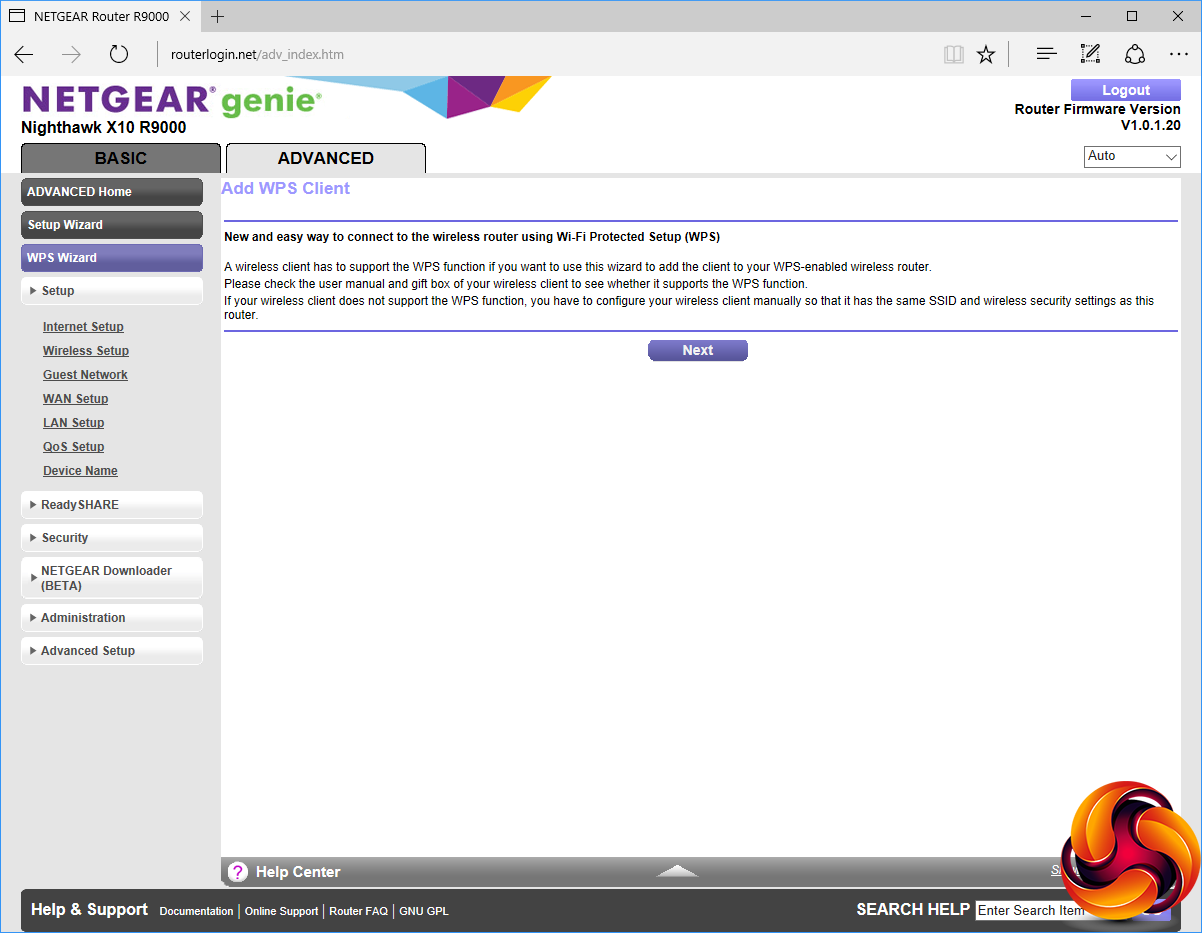
For clients that have the WPS function, you can use the WPS Wizard to set them up rather than fiddling with SSIDs and passwords directly.
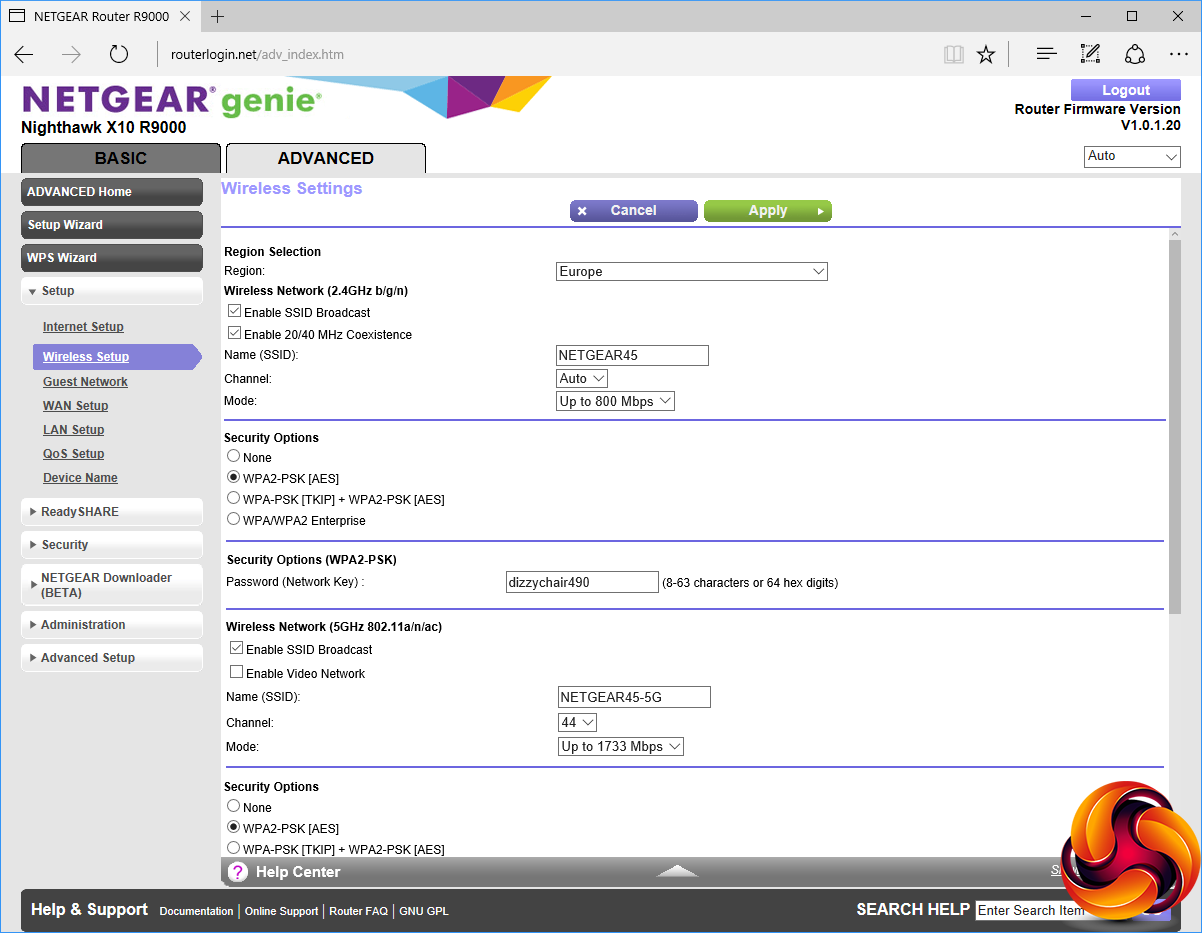
The Setup section provides access to configuring the Internet connection, and each of the three Wireless radio standards. You can configure a guest network, which can have different credentials and be turned off and on separately to the main wireless networks. This is really handy because you can change these credentials regularly without having to alter the main network and all the clients connected to it.
You can configure whether to use ports scan and DoS protection, set up a DMZ IP, and NAT filtering via the WAN Setup. Quality of Service (QoS) can be toggled (it's on by default) so streaming media takes priority, although this doesn't apply to the 802.11ad signal.
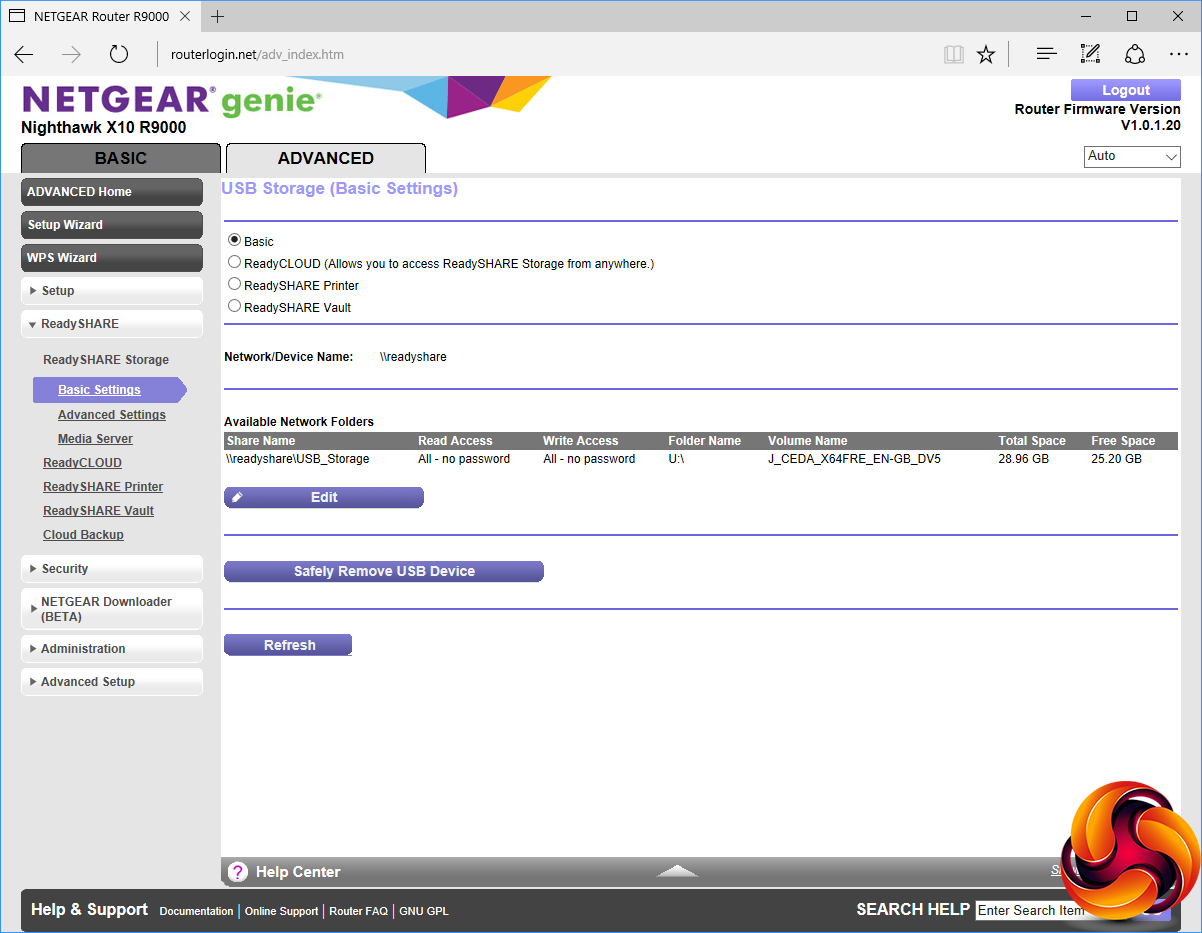
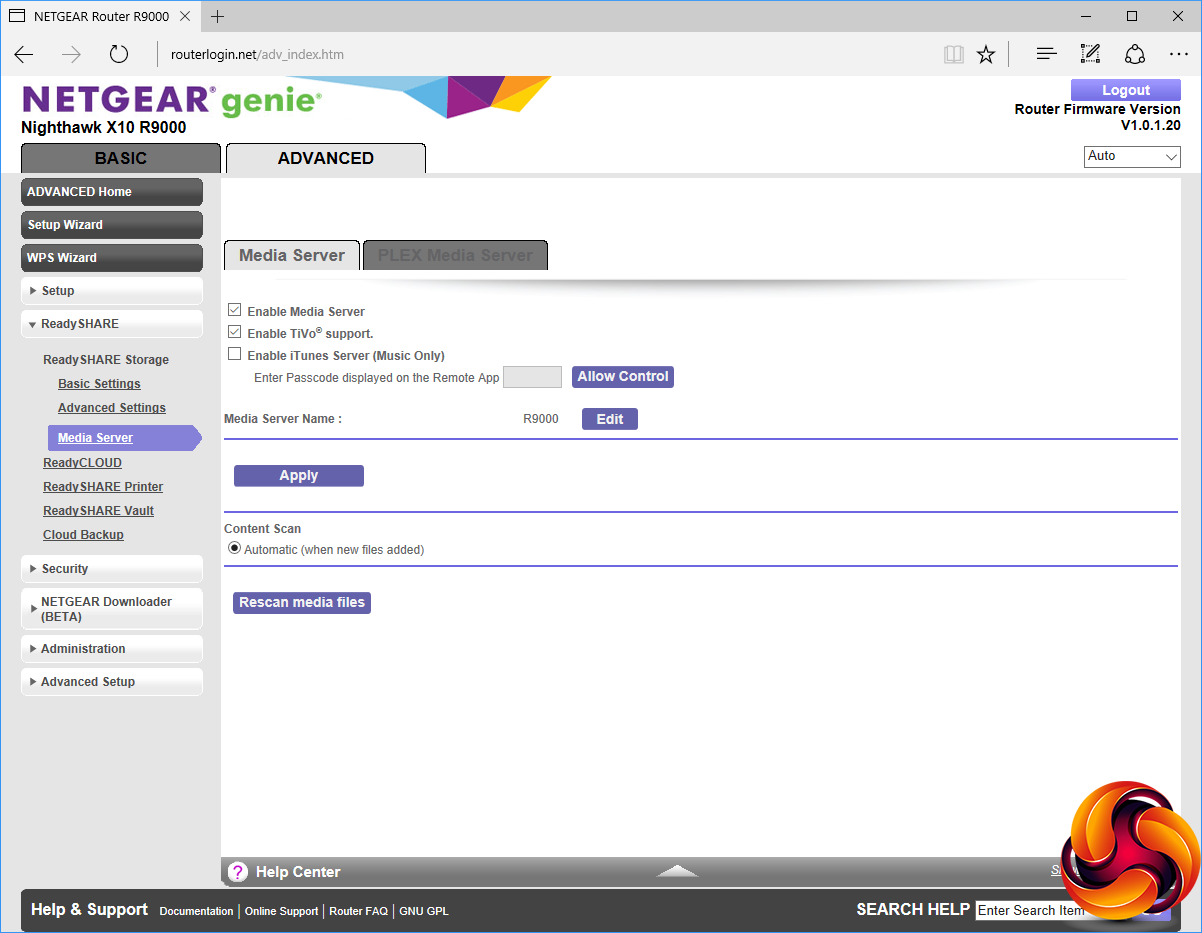
The ReadySHARE interface allows you to turn storage devices attached to the USB 3.0 ports into Network Attached Storage, with various characteristics. You can also share USB printers over the network via ReadySHARE.
One of the most useful capabilities ReadySHARE has for the home user, however, is its ability to act as a media server, with both TiVo and iTunes support.
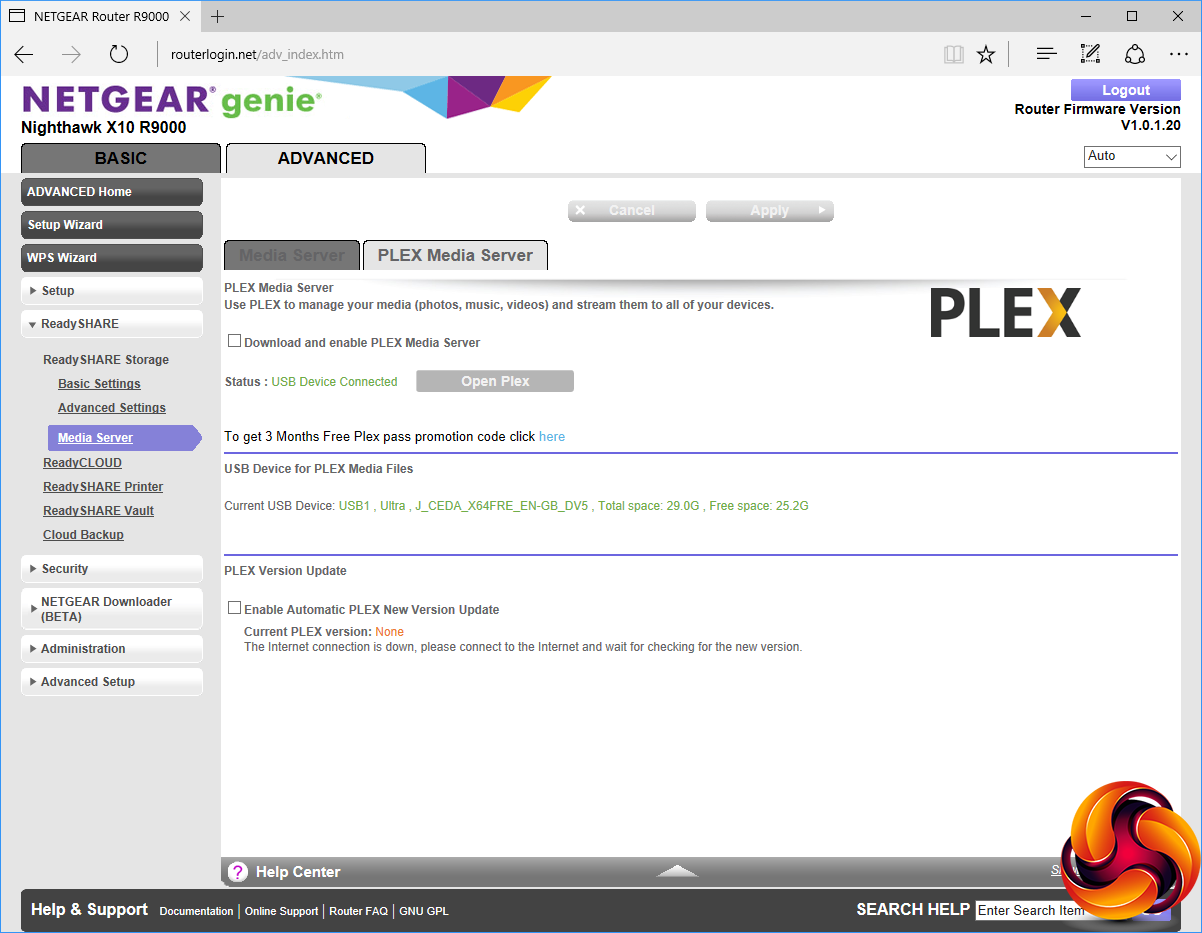
The media server capabilities come into their own with direct support for PLEX media server. However, this doesn't come preinstalled. You need to download and install it, although you can also enable automatic updating of the PLEX software.
The advantage that PLEX has over the standard DLNA capabilities is that it can use the R9000's hefty quad-core processor to transcode media on the fly as it is streamed out to client devices.
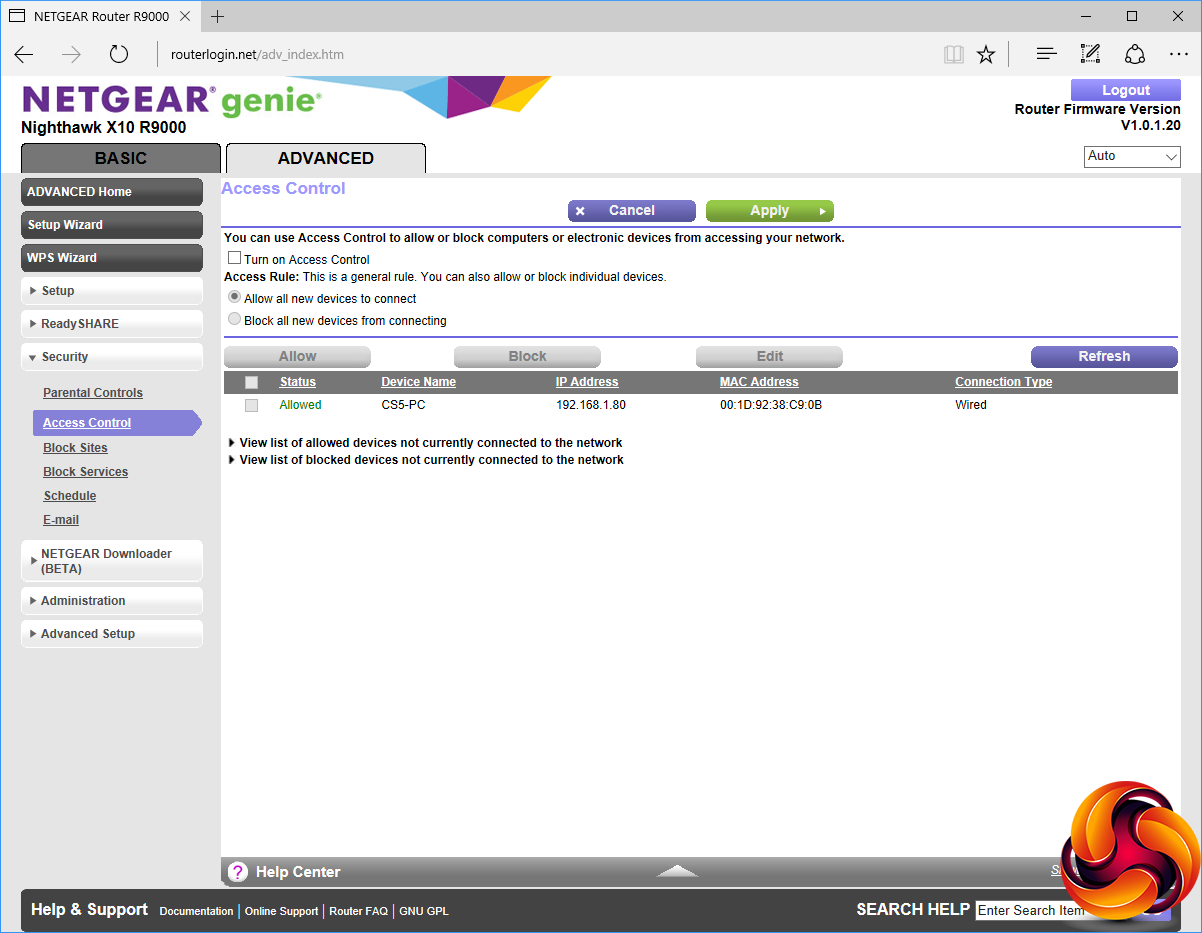
The Security options are wide ranging. The parental control system uses an online interface, but you can control which devices are able to access the network from the local admin interface. You can block websites by keyword or domain, or block individual services by protocol and port.
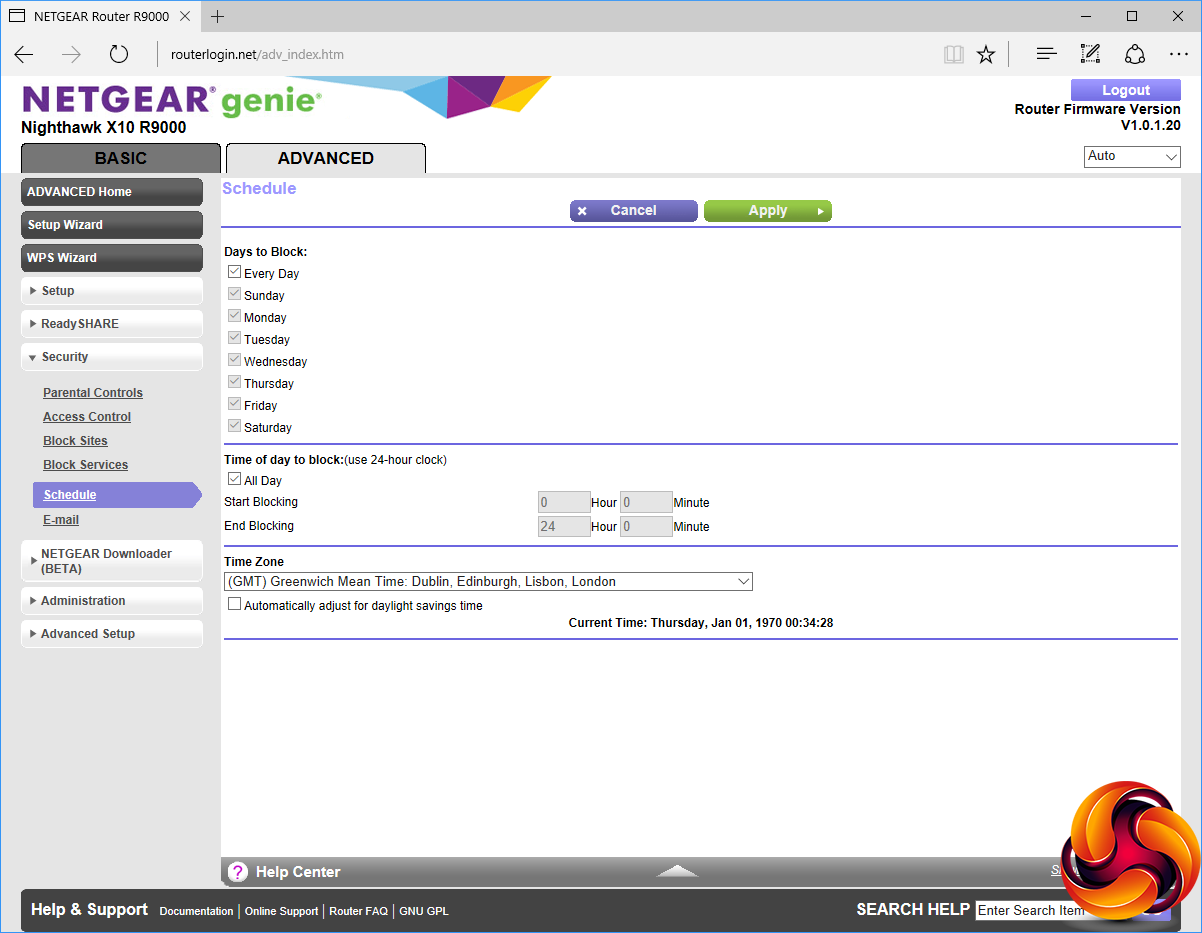
The schedule is particularly well considered, allowing blocking of days on an individual basis, so you can prevent usage at particular times during the week but not at weekends, for example. You can also configure an email address to send alerts to.
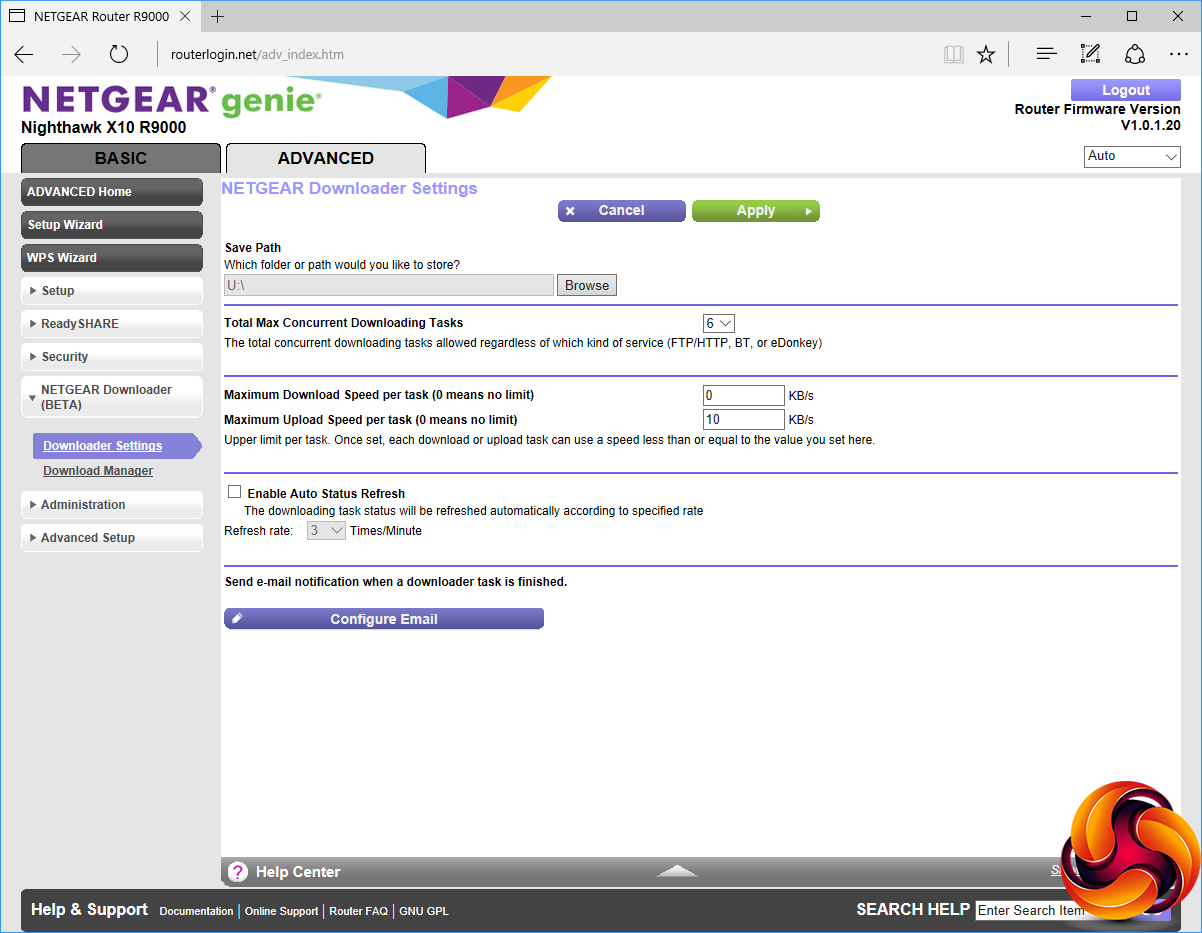
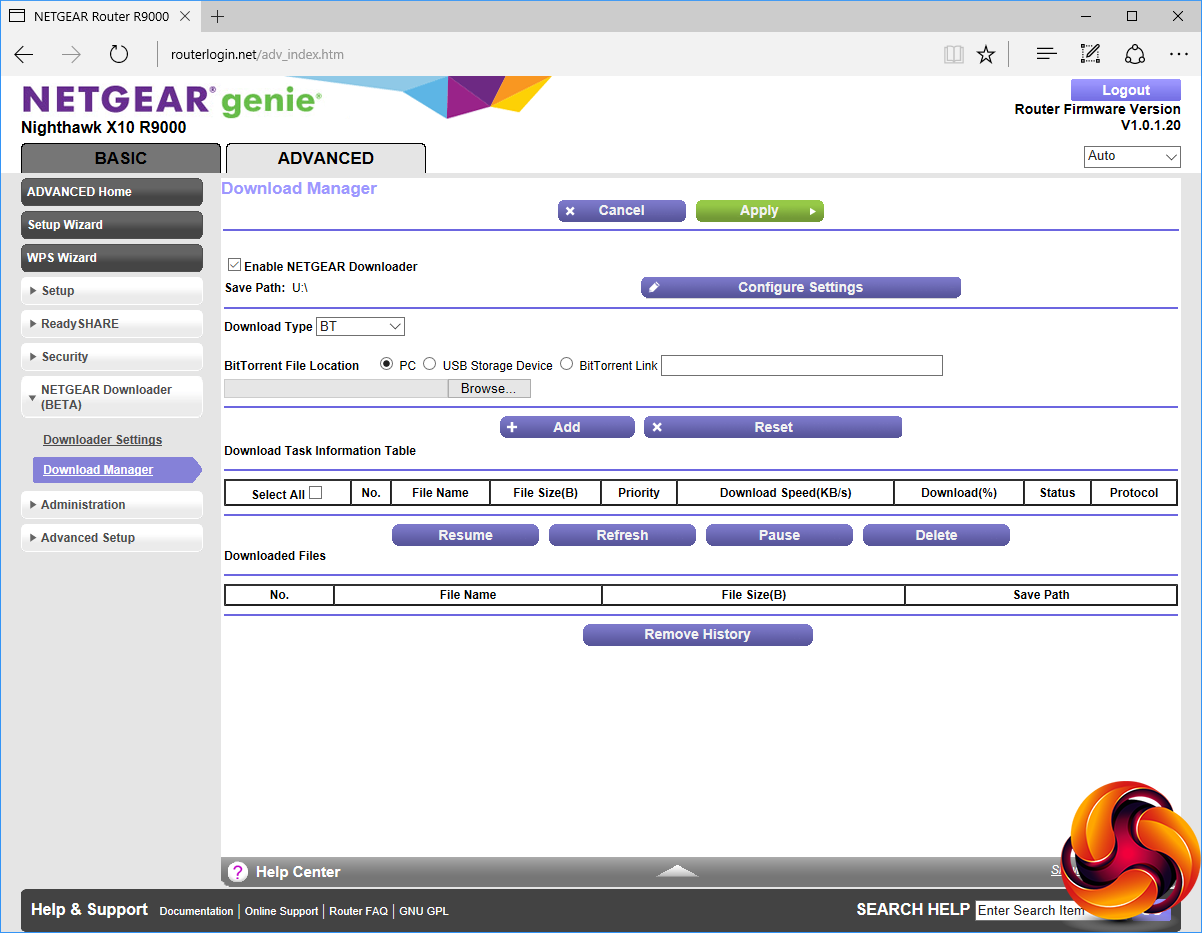
The NEGEAR Downloader allows unattended downloading via BitTorrent, Emule and FTP/HTTP. The files can be stored on a USB-attached storage device.
This is really handy for large downloads, because you can leave the router on overnight continuing to download but turn your computers off while the file transfer continues unattended.
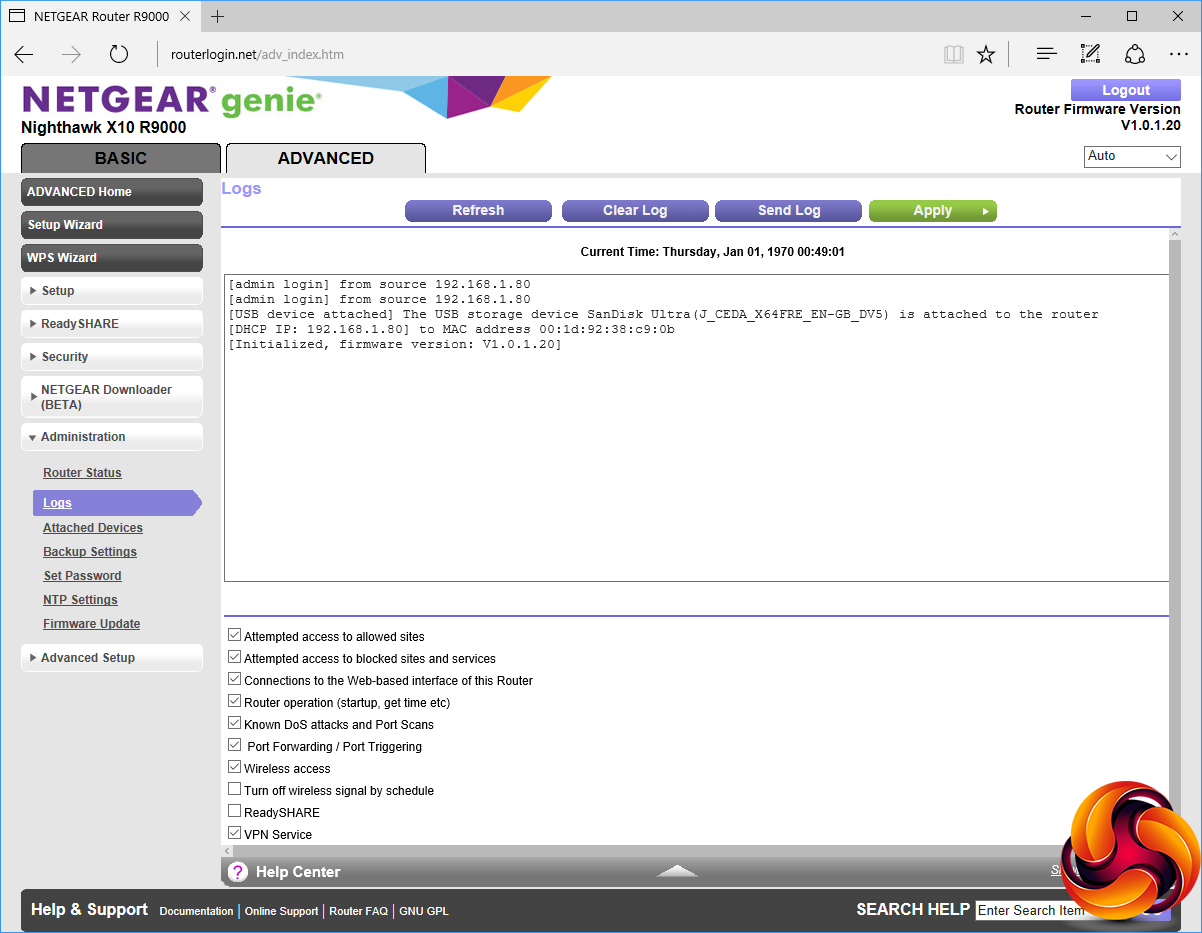
The Administration section contains sundry configuration options and monitoring facilities, including an event log and the ability to update firmware.
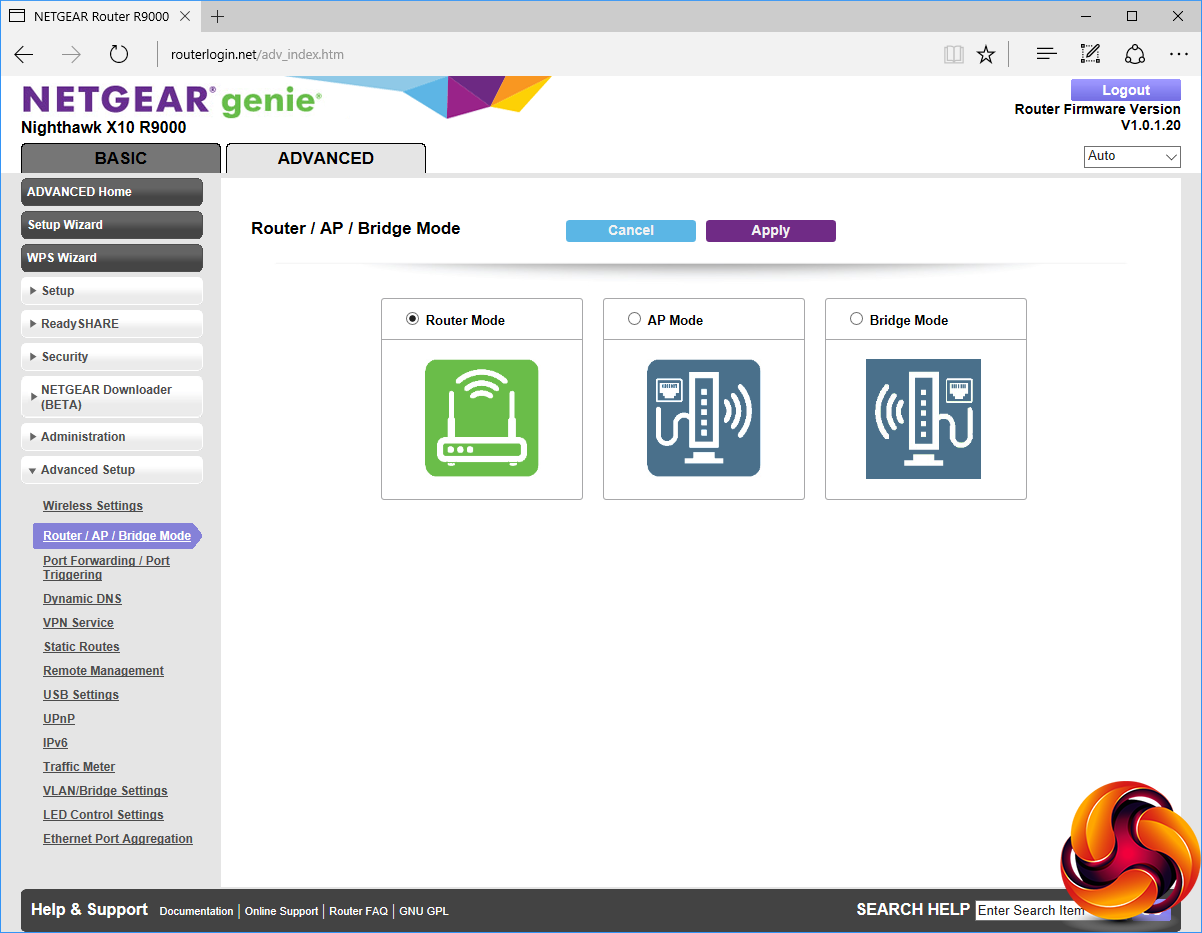
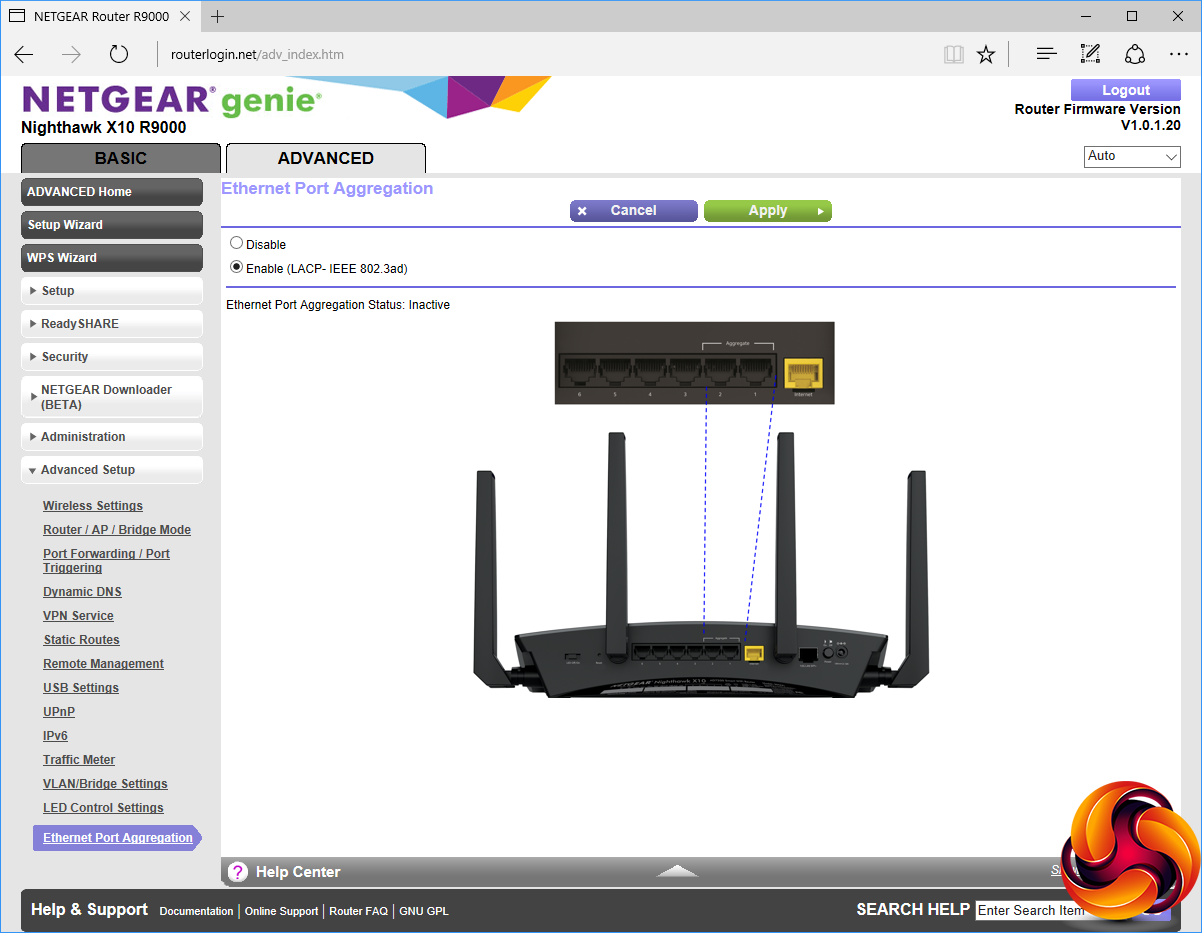
There really is a lot to be found in the Advanced Setup section, but you probably won't touch much of it that often, if ever. You can configure how each individual wireless signal behaves, including turning each off separately at different times. You can choose between router, AP and bridge modes for the device. Port forwarding and triggering lets you expose services on individual systems on the local network to the outside world, for example if you want to run a game server over the Internet.
There's support for No-IP dynamic DNS as well as NETGEAR's own version. You can set up VPN connections, static routes, and remote management IPs. There's a Traffic Meter to limit overuse of the Internet connection, support for VLANs and bridge groups, and control over whether or not the first two Gigabit Ethernet ports can be aggregated.
Overall, there's pretty much nothing we can think of missing from the administration feature list. It's a completely comprehensive and powerful specification. So certainly where configuration is concerned this router lives up to its billing as “best of breed”.
We tested the NETGEAR Nighthawk X10 R9000 in two ways. First, we wanted to assess the raw throughput across the three different WiFi standards it supports – 802.11ad, 802.11ac and 802.11n. We also tested the speed of the USB 3.0 port via 802.11ad.
For the first test we used the open-source iPerf 3.1.3 software, and for the second test we used a 3.7GB file collection (actually the Windows 10 installer). Two Windows systems were used. One was a self-built Intel Core i7 workstation running Windows 10, and the other an Acer TravelMate P648 N15C5, which is one of the few laptops around so far that supports 802.11ad, and actually very hard to find in the UK as it's not officially on sale. This system was running Windows 7.
For all tests, the workstation was connected to one of the R9000's Gigabit Ethernet ports, and the notebook via various WiFi connections. The notebook was then placed in four different locations – within 1m of the router, approximately 5m away with a wall in between, 10m away and on a lower floor (with multiple walls and a floor in between), and then 15m away on a lower floor. We tested all four distances with the three WiFi standards, but only the 1m distance with the file copy (for reasons we will explain shortly).
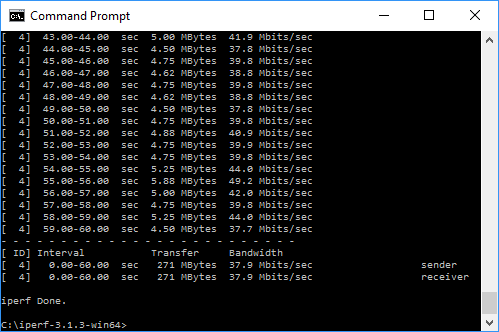
With each WiFi standard and distance, we took 60 readings of throughput at one second intervals and calculated the average (iPerf does this automatically). For selected tests, we are also comparing the R9000’s performance with the NETGEAR Orbi. Note that for the wireless tests the Orbi’s satellite was at the same 10m distance as the notebook.
802.11ac 5GHz

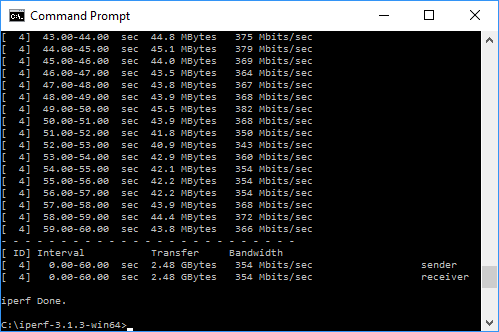
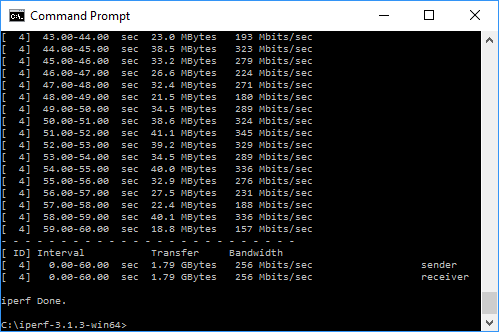
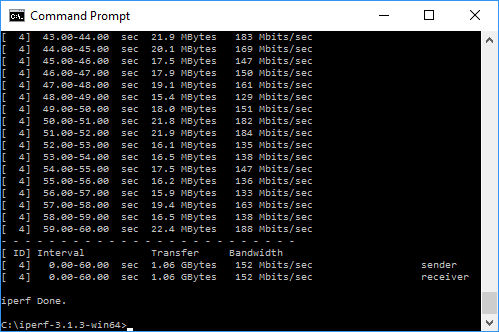
The R9000 clearly has plenty of 802.11ac performance available, being 22 per cent faster than the Orbi at close range. This does drop off quite fast with distance and obstructions, but the R9000 could cover a reasonably sized house pretty well if centrally located. The Orbi clearly kicks butt for coverage, with its super-fast backhaul linking two units together to extend the signal.
802.11n 2.4GHz
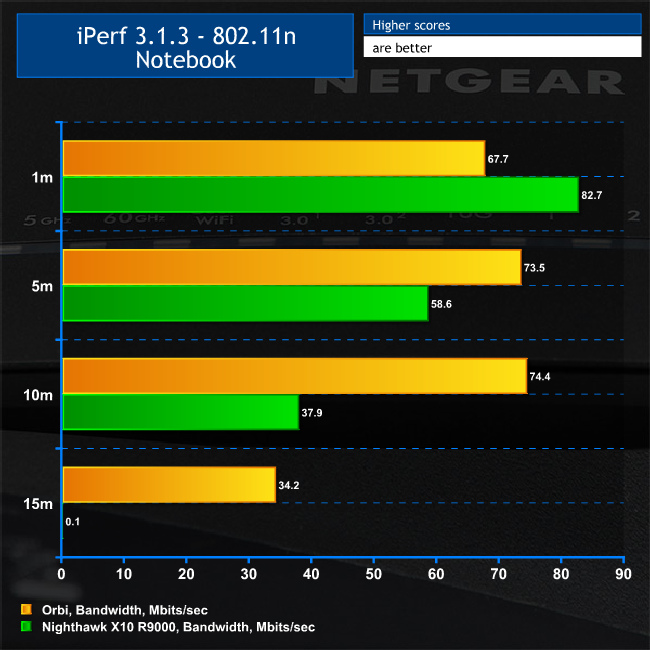
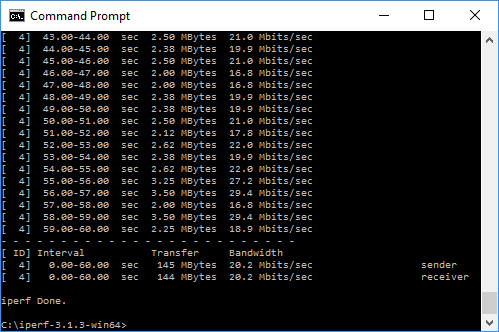
The story is pretty much the same for 802.11n, with the R9000 winning out significantly at short range but dropping off more rapidly and being completely unusable at 15m.
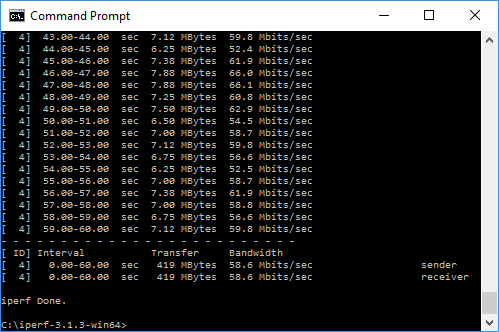
802.11ad 60GHz
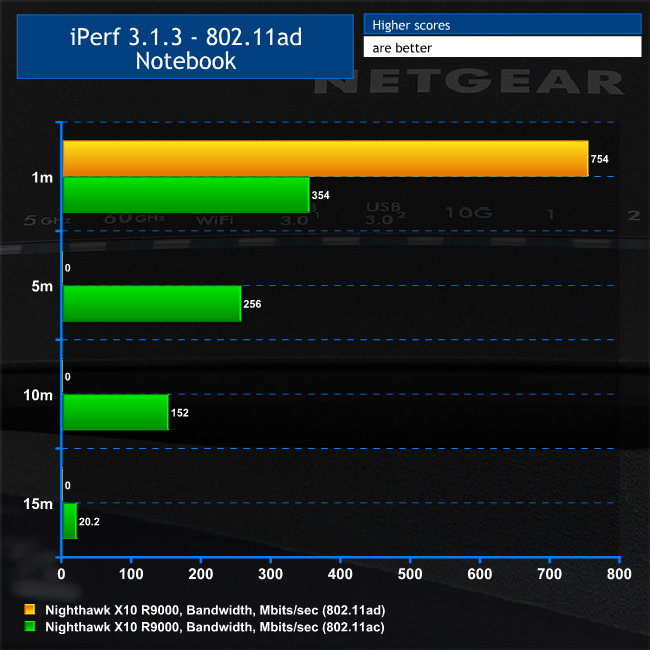
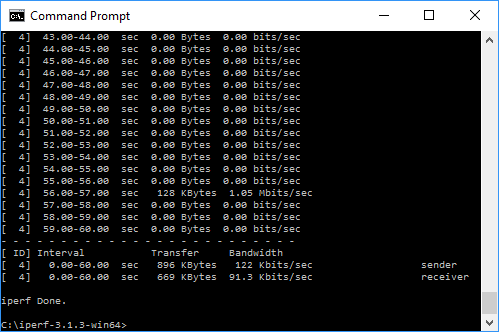
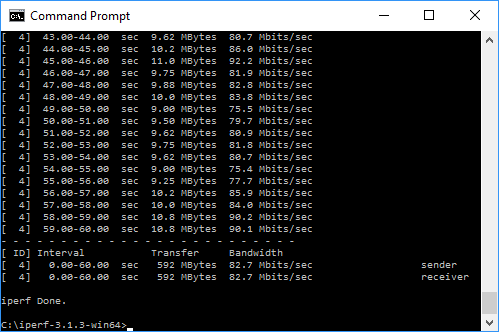
Considering the headline focus of the R9000, this is the most important test, and it's very telling. At short range, 802.11ad is more than twice as fast as 802.11ac – and this is already one of the fastest routers with this WiFi standard.
We were expecting even more, considering that on paper the R9000's 802.11ad is 2.65 times quicker than its 802.11ac. More significantly, we couldn't even get the notebook to detect the 802.11ad signal at 5m with a wall in between, showing the clear limitations of this standard.
But this is still amazingly fast at close range, so we thought we would see what it means in the real world of copying large amounts of data to and from an attached storage device, which is one of the usage scenarios NETGEAR claims the 60GHz WiFi band is aimed at (the other being streaming 4K video).
The 802.11ad standard is meant to make copying photos from your phone to your NAS (for example) so fast and easy (no cables required) that you actually do it regularly. Or you can perform system backups at wired Gigabit Ethernet speeds without the wired bit.
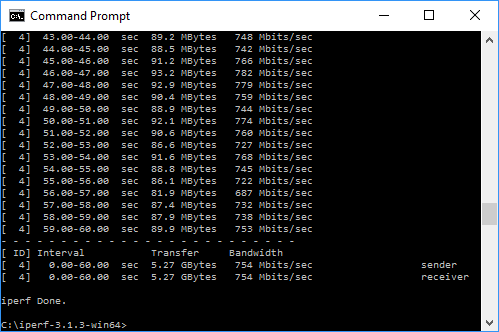
802.11ad 60GHz – USB 3.0 File Copy
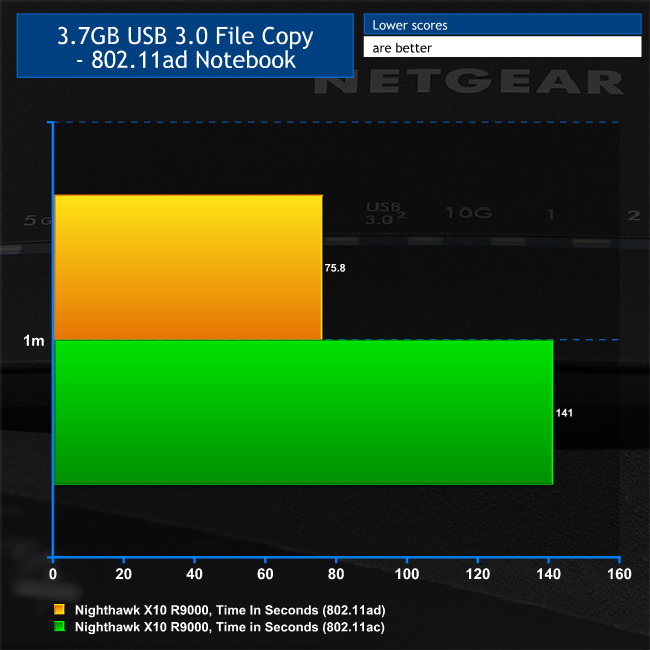
For this test, we hooked up a 32GB SanDisk Ultra USB 3.0 Flash Memory key to one of the R9000's USB 3.0 ports and configured it via the ReadySHARE interface as network storage. We then copied the 3.7GB Windows 10 installer ISO (unpacked into individual files) to the Acer notebook via 802.11ad and 802.11ac. Since we had already ascertained that only 1m distances work, we didn't bother trying any further.
As with the iPerf test, 802.11ad was about twice as fast as 802.11ac. In fact, it was copying at close to 50MB/sec, whilst 802.11ac was only managing 26.8MB/sec. So 802.11ad was getting close to the SanDisk's rated read performance of 80MB/sec, meaning that the WiFi wasn't causing much of a bottleneck and you wouldn't be getting much better with the USB key attached directly to the notebook.
Overall, this is an immensely quick router that delivers on its performance promise of being one of the fastest, if not the fastest, wireless routers you can currently buy.
The NETGEAR Nighthawk X10 R9000 is unquestionably a very powerful wireless router. It's absolutely packed with features for the home or business user. Add a decently sized USB storage device and it can act as your NAS too. Install PLEX Media Server and it becomes the hub of your home entertainment network as well. Connect your printer and that becomes part of the network, and there are plenty of wired ports for office usage or LAN parties.
The 802.11ad WiFi knocks socks off 802.11ac for performance, but there are still question marks over its utility at the moment. The standard has been around in shipping devices for at least six months, but there are still very few client devices that support it. There's also the range to consider, which essentially necessitates placing the router in the room where you will be most likely to use 802.11ad – if you're going to use it at all.
Fortunately, the R9000 is so far from being a one-trick pony that we would be disingenuous to make any single horse-related reference at all. It's more like a herd of ponies of every imaginable size for every possible equestrian need.
The Gigabit port aggregation and 10 Gigabit SFP+ module put it in the big league for fast wired connectivity, and it's supremely quick on the wireless front even without taking the 802.11ad option into consideration. So business users are catered for as well as home users.
The only two things that might make you think twice about purchasing this router are the price and if you have a big area to cover with WiFi. The £359.99 price really is top-end these days for a non-corporate WiFi router. We would also suggest that, if you need to have fast WiFi across a big area, NETGEAR's Orbi would be the more sensible choice. However, this doesn't even come close to the R9000 in terms of features. So if you're after a single-router solution and can afford the high price of the NETGEAR Nighthawk X10 R9000, it really has the best of everything you need in one box.
Discuss on our Facebook page, over HERE.
You can buy from Amazon for £409.99 HERE — but we found it cheaper on Argos for £359.99 inc vat HERE.
Pros:
- Super-fast 802.11ad WiFi.
- Class-leading 802.11ac performance at close range.
- Comprehensive administration options.
- Up to eight wired networking ports.
- Port aggregation of two Gigabit connections for fast performance.
- 10 Gigabit SPF+ port.
- Two USB 3.0 ports for storage or printers.
- Powerful underlying hardware.
- PLEX Media Server support.
Cons:
- Expensive.
- Mesh networking options like NETGEAR Orbi can cover a greater area with WiFi.
Kitguru Says: The 802.11ad may be fast, but compatible devices are currently hard to find. Fortunately, the NETGEAR Nighthawk X10 R9000 offers class-leading 802.11ac as well, and so many other features that it's well worth the high price.


Cons:
It’s a cat magnet 😀
I’m thinking about mounting it to the wall, my cat goes crazy about those antennas!
Pointless. All very well having a fast wifi connection at 1m but anyone that close to a router would surely use ethernet. Just bought an Orbi RBK50 and at anything passed 1m the Orbi smashes the R9000. The Orbi is a fantastic bit of kit because of the dedicated 5Ghz backhaul.