KitGuru KitGuru.net – Tech News | Hardware News | Hardware Reviews | IOS | Mobile | Gaming | Graphics Cards


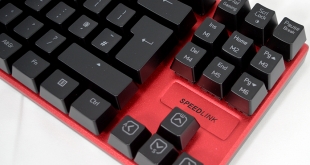
While many peripheral makers are currently chasing down the RGB trend, there is still plenty of room in the market for a standard mechanical keyboard. Today, we are taking a look at the Speedlink Ultor, a mechanical keyboard offering up red switches, macro support and more, all wrapped up in a frameless, 10-keyless design.
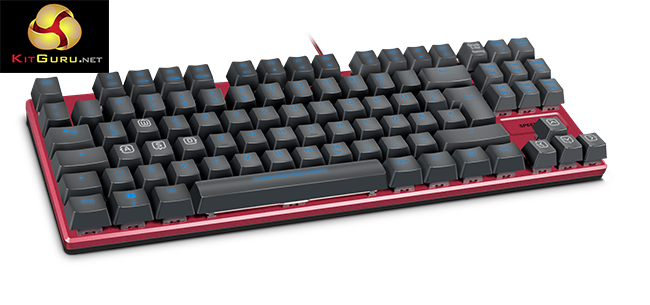
The Speedlink Ultor sits at the £80 price point, which is fairly close to mid-range for a mechanical keyboard. Under the caps, you will find Kailh Red switches which offer faster actuation compared to Blue or Brown switches. This makes them quite a popular pick amongst gamers, though typists will miss the lack of tactile feedback.
Features and Specifications:
- Kailh Red Switches.
- Customisable LED keyboard illumination.
- Freely configurable key/button functions.
- Progressive Gaming Mode with 5 profiles, 6 macro keys, swappable WASD and arrow keys, remappable keys plus Windows key deactivation.
- Maximum gaming comfort thanks to extra-high raised keys for precise keystrokes.
- Simple layout with compact, frameless design and aluminium body.
- N-key rollover for extreme anti-ghosting.
- Powerful macro editor integrated into the driver.
- Internal memory (64kb) for importing/exporting profiles.
- USB polling rate configurable up to 1,000Hz (ultra polling).
- Selectable response time down to 1 millisecond.
- Rapid access to 12 practical additional functions.
- Flexible USB cable with hard-wearing sheath (1.7m).
- Dimensions: 350 × 122 × 33 (W × D × H).
- Weight: 680g.
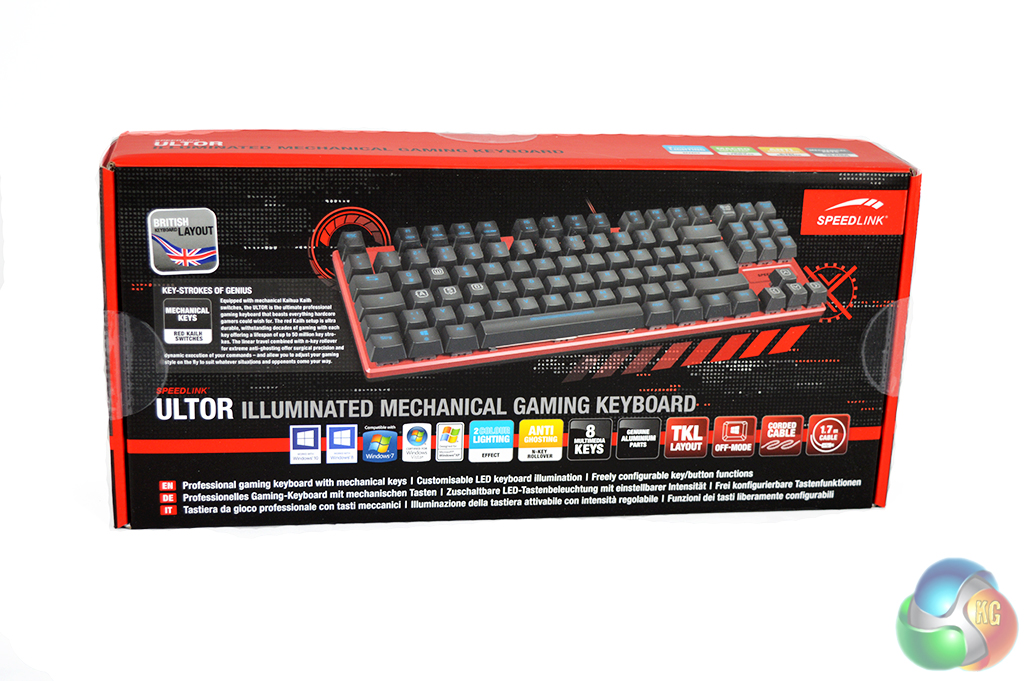
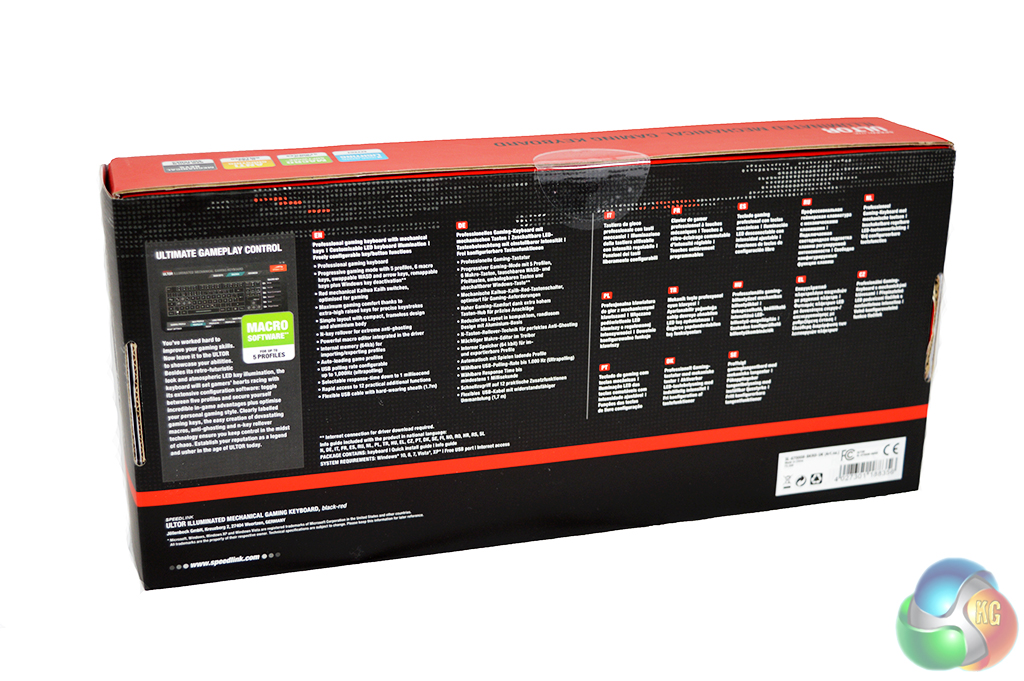
The Speedlink Ultor is a compact keyboard, so it also comes in compact packaging. On the front of the box, you will find a picture of the keyboard itself, along with a long list of supported software. The back of the box goes into a bit more detail on features in a number of languages.
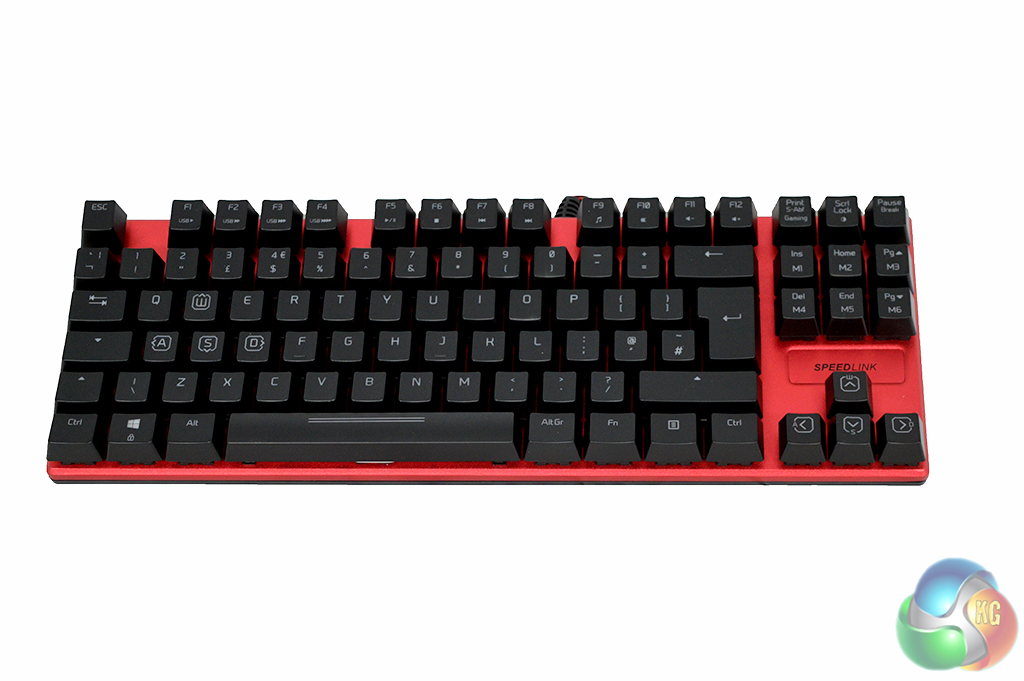
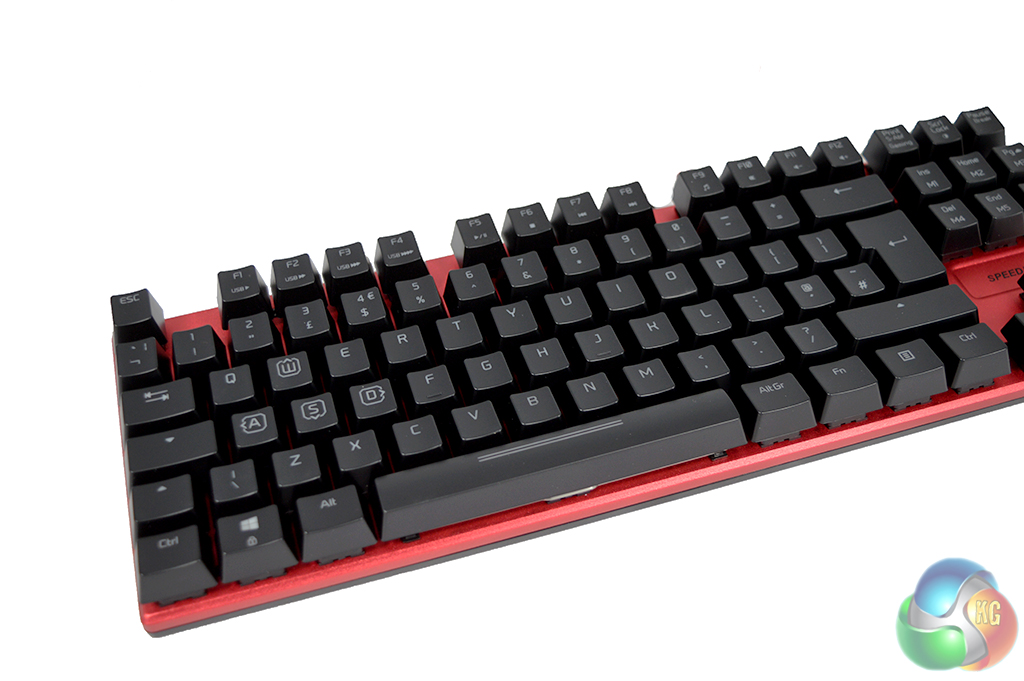
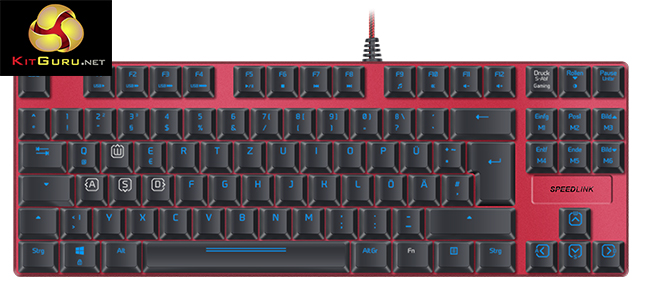
The Speedlink Ultor immediately catches the eye thanks to the bright red aluminium body. As you can see, Speedlink as taken some inspiration from Corsair, opting for a frameless body, much like the K70 RGB keyboards.
I have grown quite fond of the frameless design myself as it makes cleaning the keyboard a much easier task.
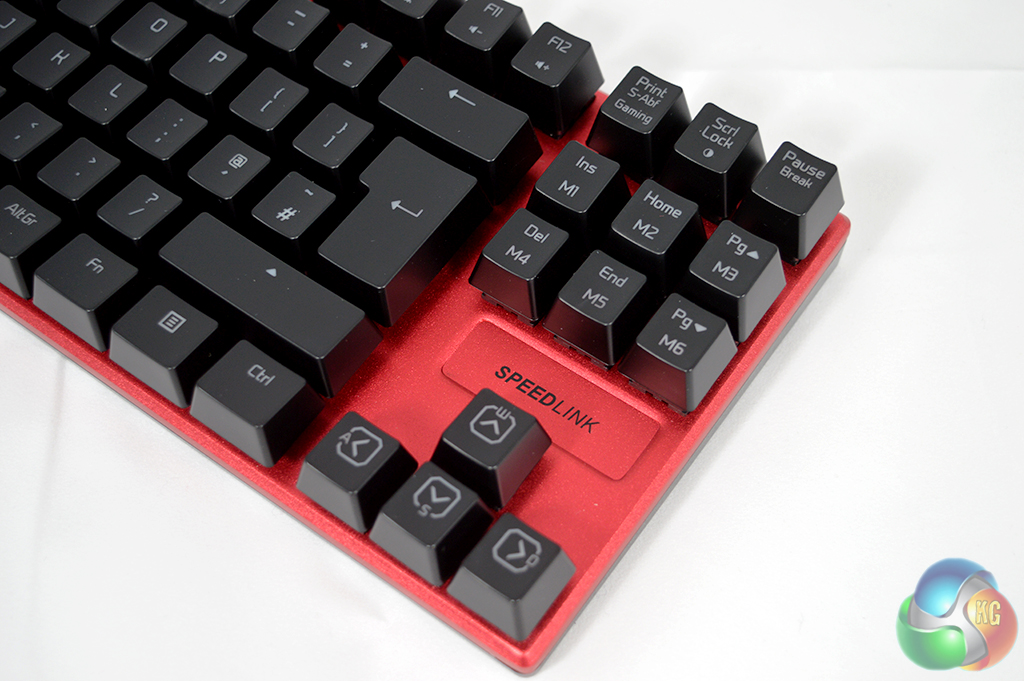
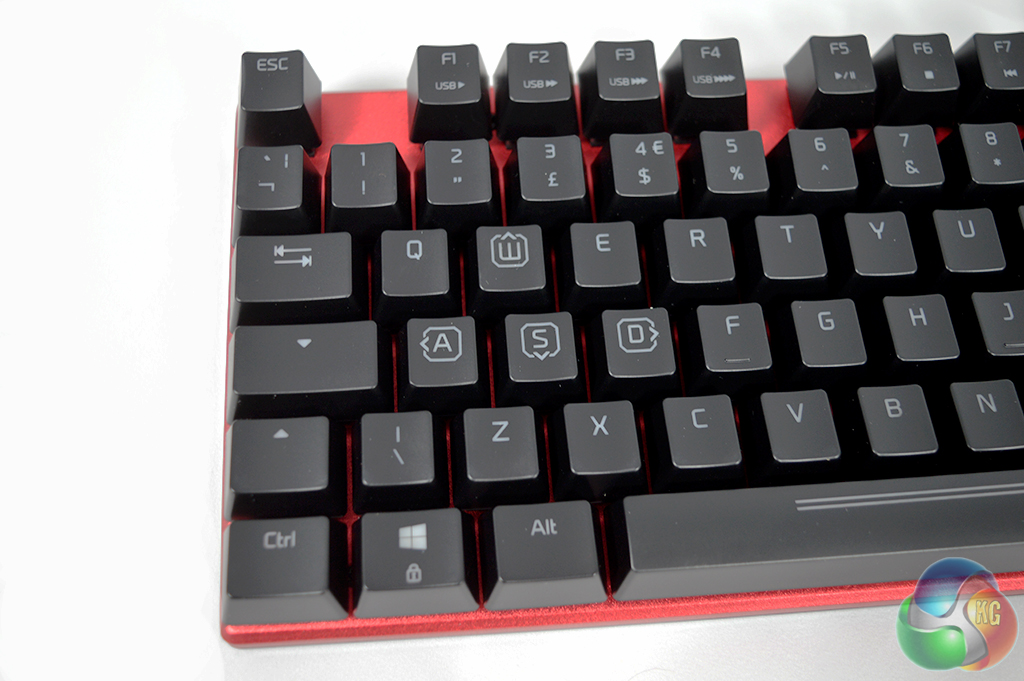
This is a ten-keyless board too, so there is no standard Numpad on the end taking up additional space on the desk. All of the key caps are standard height and key spacing doesn't appear to be anything out of the ordinary either. The arrow keys and WASD have been given some additional flair, though.

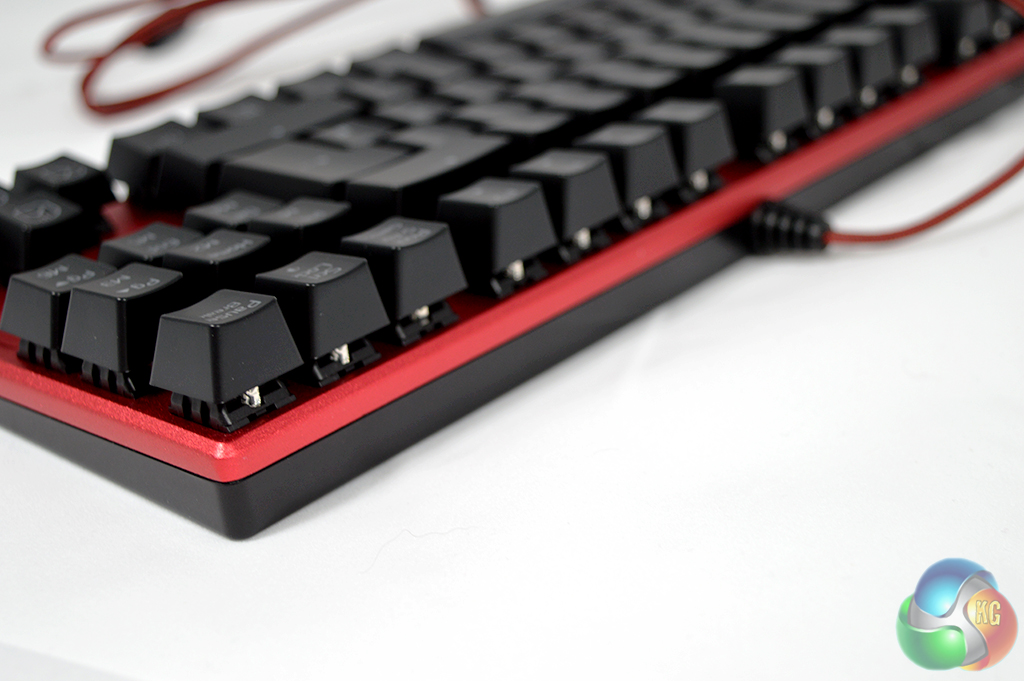
Pulling off a keycap will reveal the Kailh Red switches underneath. These are linear switches, so they are quick to actuate and offer no tactile feedback. These are not as satisfying to type on but they do offer faster response times for gamers, on paper. The real-world difference will be negligible.
Unfortunately, you won't find a USB passthrough port on the back of this keyboard, though that is a fairly common sacrifice made when it comes to ten-keyless boards.
In preparation for this review I unplugged my trusty Razer Black Widow Tournament Edition and replaced it with the SpeedLink Ultor for all of my typing and gaming duties. Just like anyone buying this keyboard, I have used it on a daily basis but before I talk about the switches and overall performance, let's take a look at the software that comes bundled with the keyboard.

When you open up the SpeedLink software you are presented with a simple layout. You can switch, edit, create and load profiles, you can also assign individual keys to other functions, for example, you could bind tab to one of the number keys for quicker weapon switching in a game.
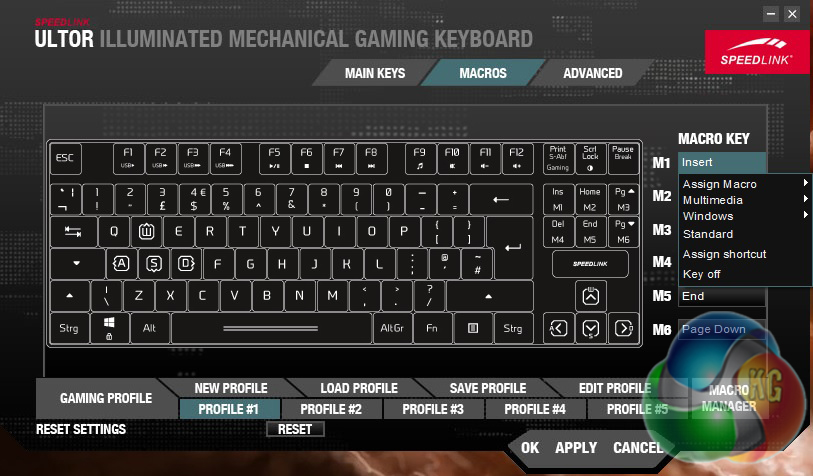
Unlike most ten-keyless boards, the SpeedLink Ultor has a set of dedicated macro keys, though they also double as the ‘Insert', ‘Home', ‘Page Up', ‘Delete', ‘End' and ‘Page Down' keys. This does limit you to six macro keys but they can be dedicated to those functions, which you couldn't really do with a number or letter key.
The macro functions work as expected, giving you room to create custom shortcuts and commands for many functions, whether it be in-game or within Windows. If you aren't really big on macros, you could at least turn these keys into dedicated media controls, rather than placing those commands on the function keys.
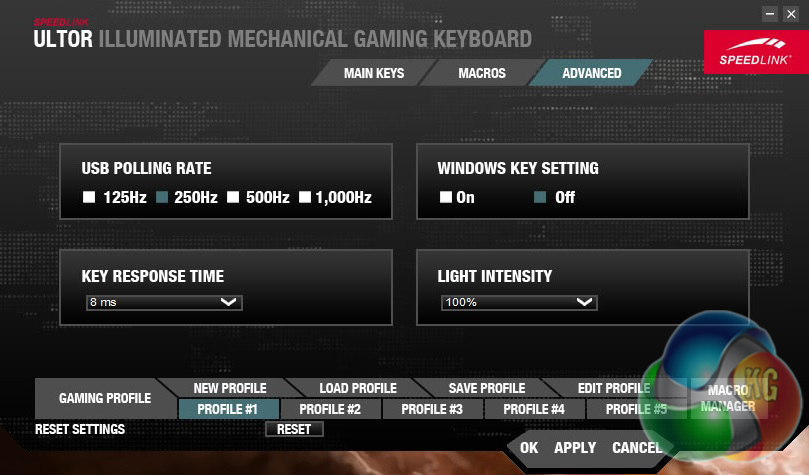
In the advanced window you can change the USB polling rate anywhere from 125Hz to 1000Hz. You can also turn the Windows key completely off without needing to activate ‘game mode'. The lighting on this keyboard is blue, so there is no customisation for that but you can change the intensity of the backlight. Finally, you can also adjust the response time for each key.
Polling rate and response time options are simply there for legacy purposes. Some older systems featuring older USB standards may not work well with higher response times or polling rates. By default, the software sets these options quite low, with 250Hz polling and 8ms response time.
In all, the software works just fine and offers a good level of customisation. However, I do think it is a tad misleading to say that this keyboard comes with customisable LED lighting when in reality you can only adjust the brightness. The lights on this keyboard are blue, aside from the WASD keys, which are white instead. Given that the frame of this keyboard is bright red, I think red LEDs would have suited better.
Now with that out of the way, let's talk about the user experience. I have spent quite some time with this keyboard at this point, using it for my daily news writing duties as well as gaming. If you have never used a mechanical keyboard before, or if you simply prefer linear switches, then you will probably be quite happy with the SpeedLink Ultor.
This keyboard uses Kailh Red switches, which are quick to actuate as they don't require a lot of force to press down. If you are coming from a standard membrane keyboard, you will immediately notice the difference in feel. However, they are also a linear switch, which means you won't feel the key actuate when you press it down.
This isn't a negative point because, after all, red switches are preferred by many and I imagine if this were to be your first mechanical keyboard, you would be happy with it. However, as a regular typist, I do tend to prefer tactile feedback switches like Blues or Browns. Perhaps in the future SpeedLink could offer varying switch types to suit more preferences.
For gaming, the SpeedLink Ultor works as well as you would expect, I didn't encounter any issues with keys not responding or any similar issues, which was great while spamming hotkeys while running through dungeons in the new WoW expansion. In all, the Ultor delivers where it counts, making it a solid keyboard all around.
Overall, I have been happy with the SpeedLink Ultor. This keyboard has served me well throughout daily use and when it comes down to it, there is very little to complain about. If you happen to prefer the feel of linear switches, or if you are just entering the realm of mechanical keyboards, then this keyboard can give you your fix.
However, I do think it is a tad misleading to claim LED customisation on the box when really, you can only adjust the backlighting. Also, the use of blue and white LEDs does clash with the bright red frame of the keyboard. White or red LEDs would have been a better match in my opinion. On the flip side, the red frame could also be swapped out for a more neutral colour like black or gunmetal grey.
Aside from that, the aluminium construction of this keyboard and frameless design are both huge bonus points. Not only does the keyboard feel solid but it is easier to clean without plastic borders in the way.
That said, do keep in mind that this is a ten-keyless board, meaning there is no dedicated numpad. I happen to prefer this smaller design as I like to save space on my desk but others may want to look elsewhere if having a numpad is essential.
The SpeedLink Ultor can be picked up on Amazon UK for just shy of £80 at the time of writing. However, there is a lot of competition at this price point from larger brands with more refined features, so it could perhaps do with being a bit cheaper.
Discuss on our Facebook page, over HERE.
Pros:
- Frameless design.
- Aluminium body.
- Macro keys.
Cons:
- Lack of LED customisation.
- Red frame clashes with blue lights.
KitGuru Says: The SpeedLink Ultor is a perfectly capable keyboard that would suit a first time mechanical buyer. However, its price puts it in direct competition with some much larger brands offering more refined features.