KitGuru KitGuru.net – Tech News | Hardware News | Hardware Reviews | IOS | Mobile | Gaming | Graphics Cards


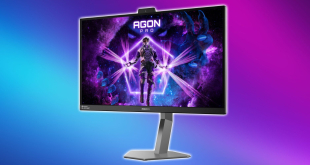
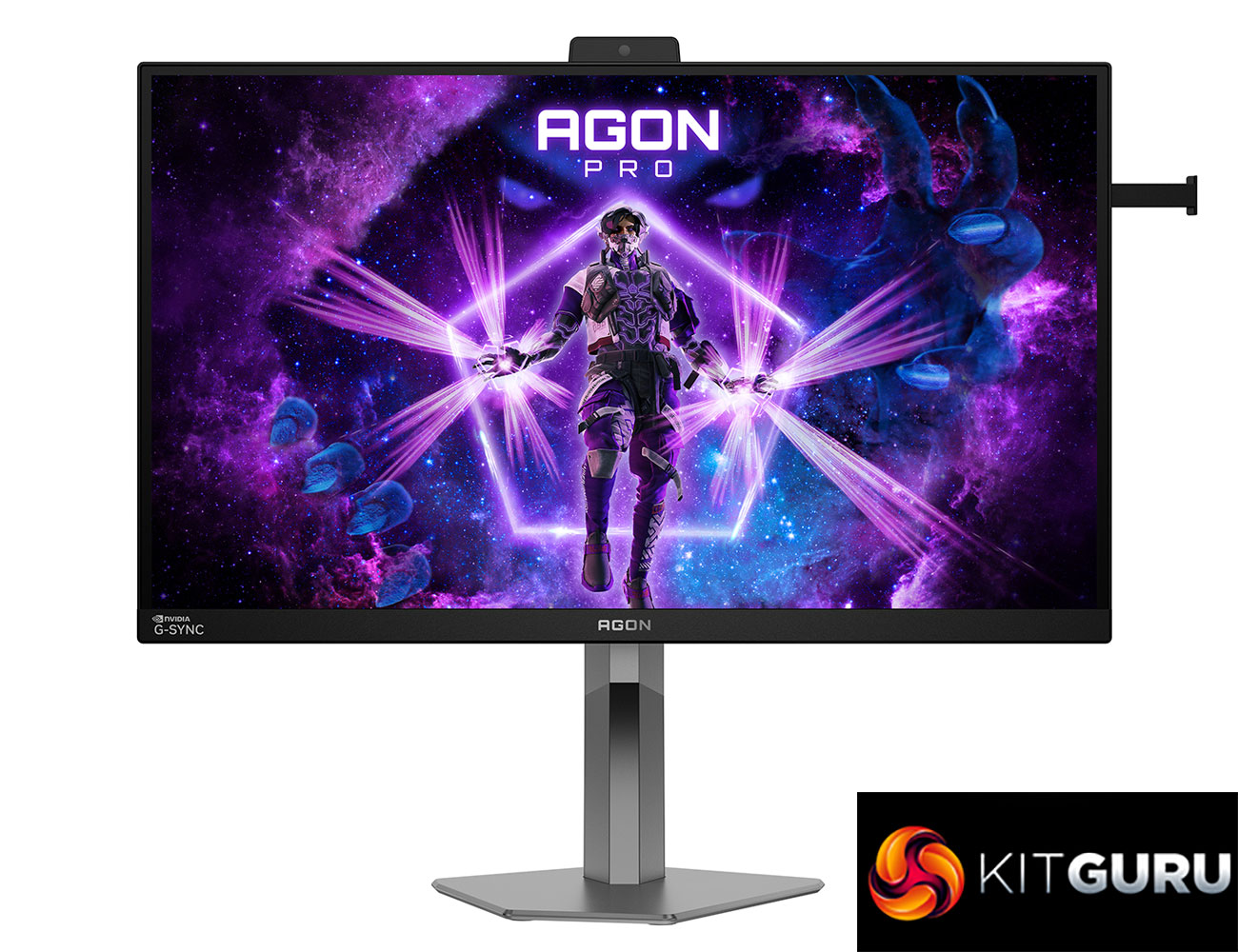
Today we're checking out the AOC Agon Pro AG276QSG2. The model number may not make it immediately obvious, but this is a rather exciting monitor for one main reason – it supports Nvidia's new G-Sync Pulsar backlight strobing technology that was officially launched at CES 2026. It's built around a 27in 1440p IPS panel with a 360Hz refresh rate, so that alone sounds pretty competitive – but what does Pulsar bring to the table? We find out today.
Timestamps:
00:00 Intro
00:57 Pricing and other Pulsar models
01:31 But what is G-Sync Pulsar?
03:43 Pulsar motion clarity examples
06:00 Overdrive and response times
07:28 Panel testing
10:30 Real-world gaming experience
12:17 Monitor design
13:36 Closing thoughts
First things first – pricing. The AOC AG276QSG2 is listed for pre-order on both Scan and OCUK for just under £560, making it the cheapest of the two other G-Sync Pulsar monitors that are currently listed here in the UK, given Acer's model is £600, and the ASUS is £629. Given all Pulsar monitors use the same panel, and considering Pulsar behaviour itself is tuned by Nvidia, performance between all three is likely to be near-identical, so the lower price alone could swing a lot of buyers towards this AOC model.
G-Sync Pulsar
But we're getting ahead of ourselves, so let's take a step back and first answer the question – what exactly is G-Sync Pulsar?
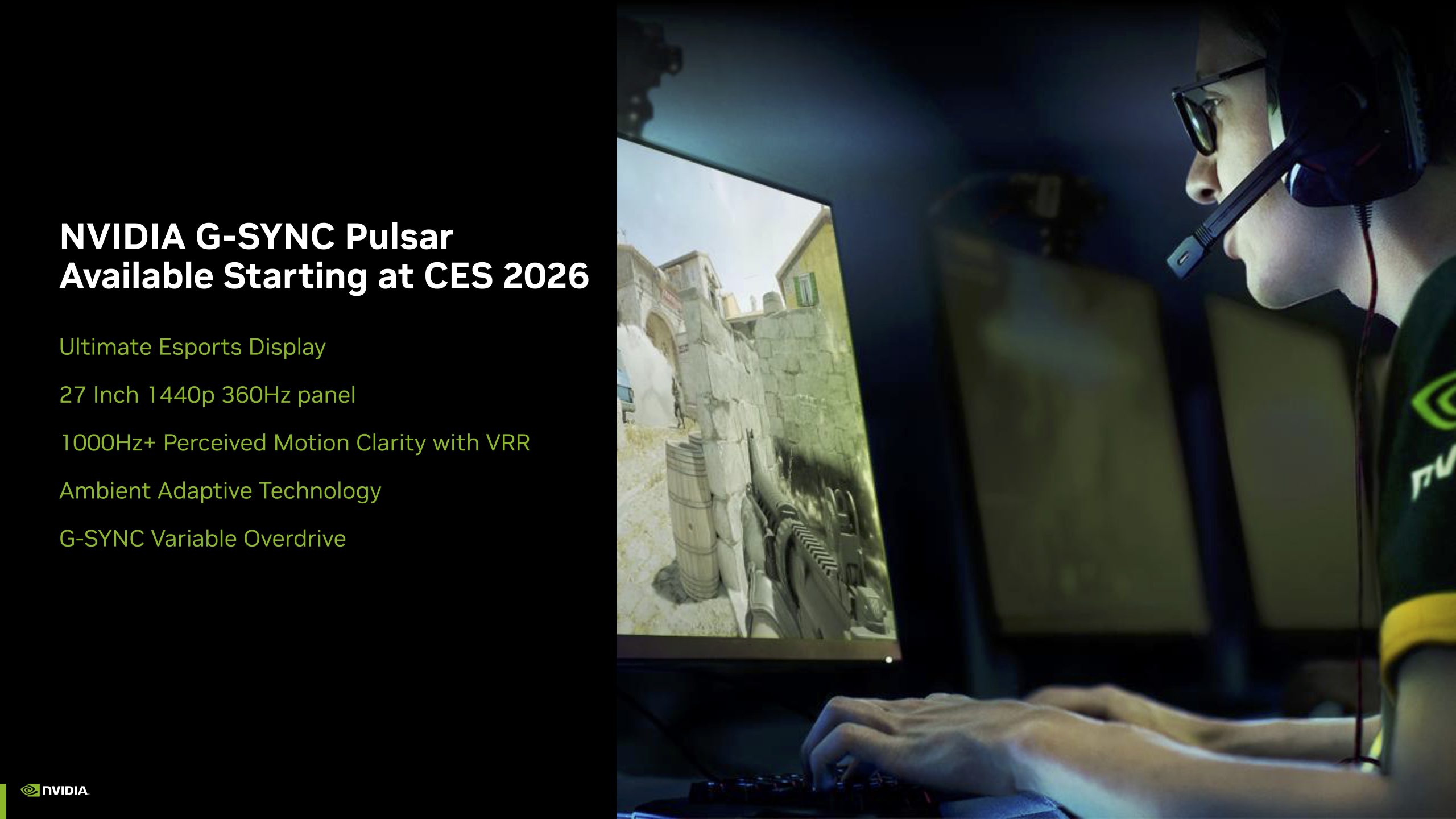
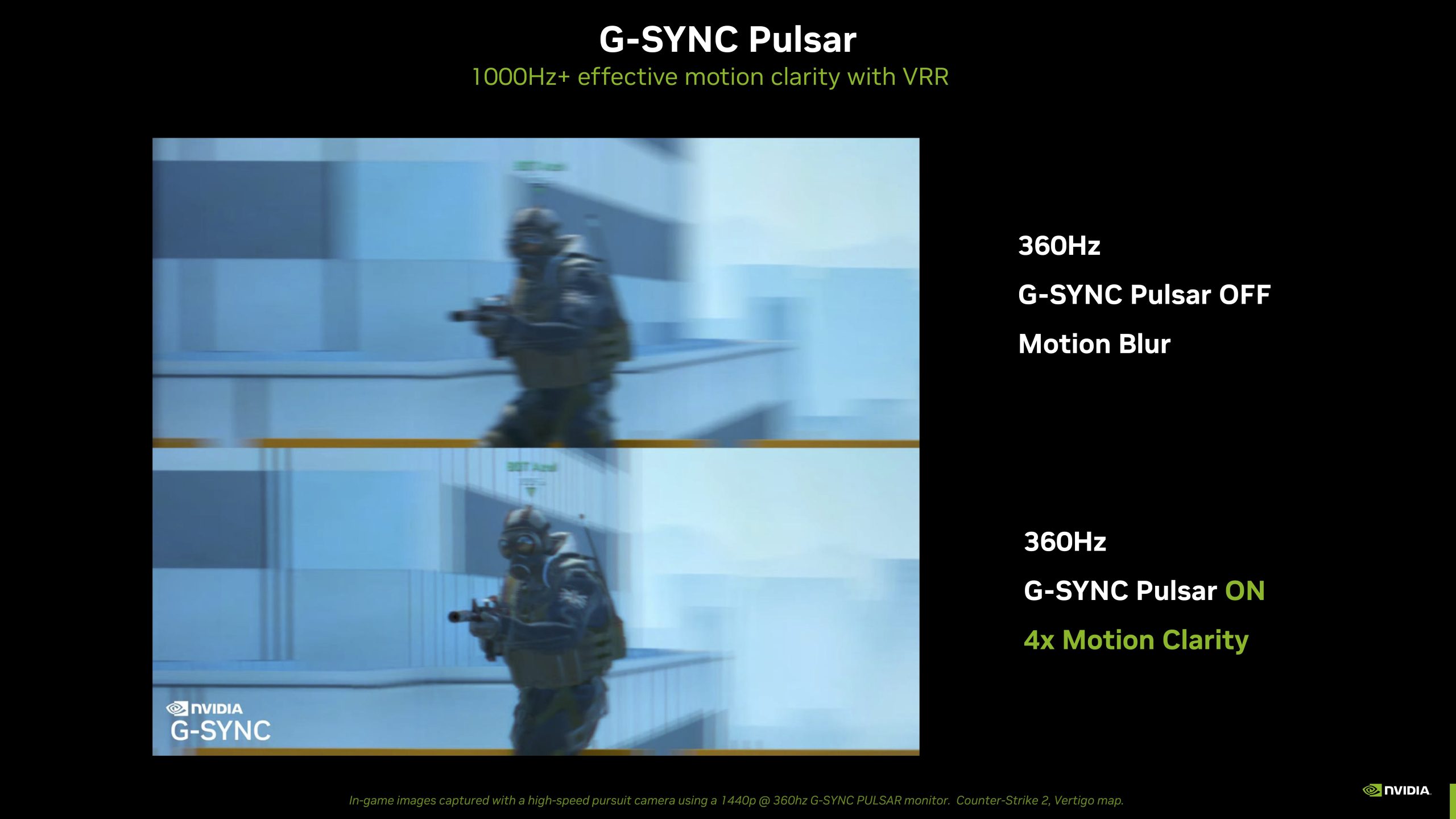
We don't need to go into too much depth here, as it was announced back at CES 2024, we got hands-on in April that year, and more recently Nvidia published an in-depth blog explaining exactly how the technology works.
In a nutshell, Pulsar is the combination of high-tech backlight strobing and G-Sync variable refresh rate technology. While some monitors have married adaptive sync and backlight strobing together in the past, Pulsar is a much more advanced system that is designed to dramatically improve perceived motion clarity throughout the VRR window.
At its most basic level, backlight strobing works by reducing the amount of time each frame is visible. With Pulsar, Nvidia says that the backlight is only pulsed for 25% of the frame time, meaning each image is only briefly illuminated once the pixels have fully settled. In theory, that 1/4 frame visibility translates into 4x lower persistence, and this is how the company claims ‘1000Hz+ effective motion clarity'.
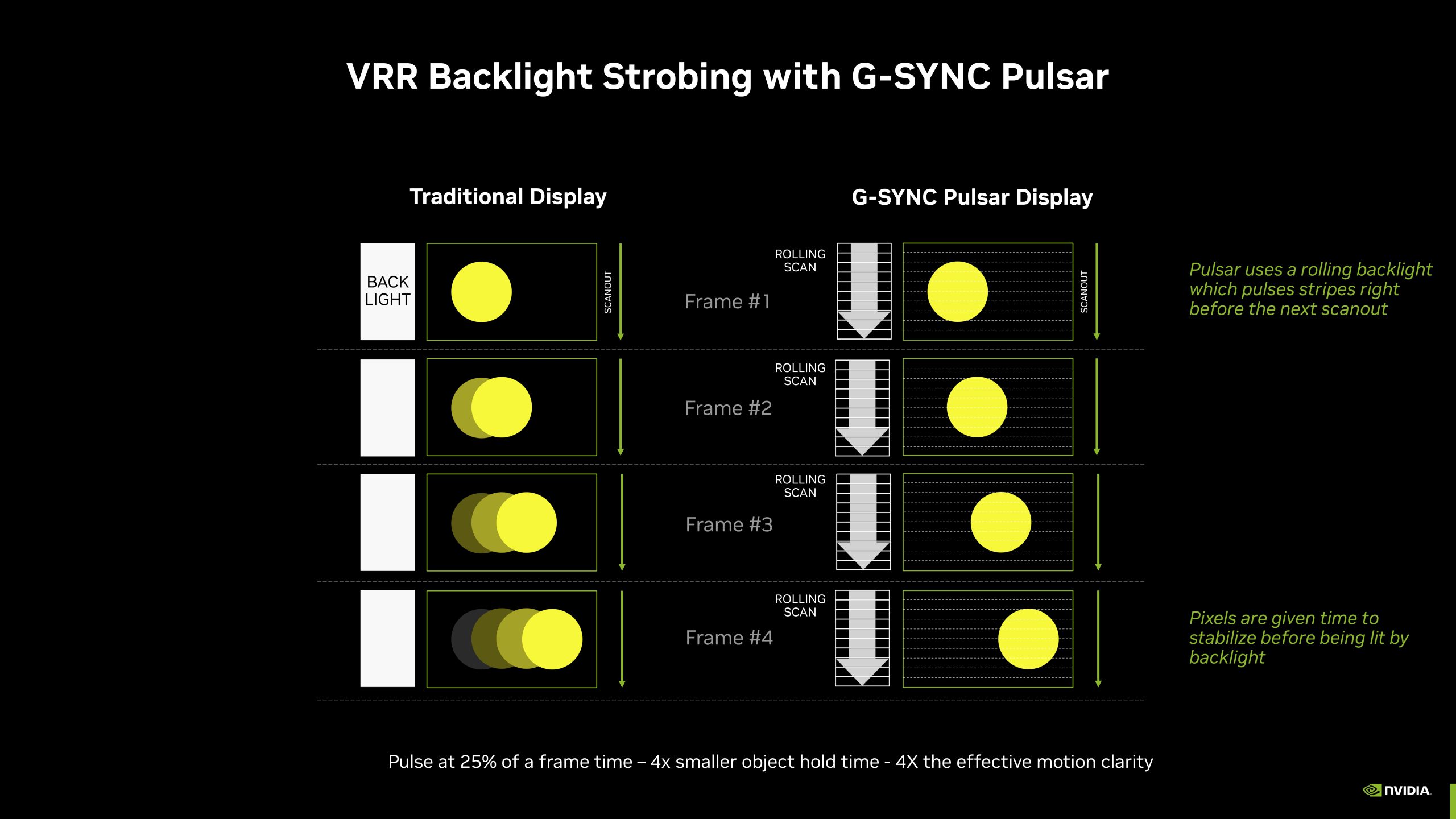
The G-Sync integration is the added secret sauce. More basic backlight strobing implementations typically run at fixed refresh rates and fire the backlight at a fixed point in the refresh cycle, regardless of how long the GPU took to deliver the frame or how well the panel transitions have completed. That leads to the usual strobing artifacts we're used to seeing, like crosstalk, double images, and inconsistent clarity especially at lower refresh rates. Pulsar, however, is driven directly by the MediaTek scaler which now has G-Sync built in, so the display knows exactly when a frame starts, when pixel response has stabilised, and when to flash the backlight.
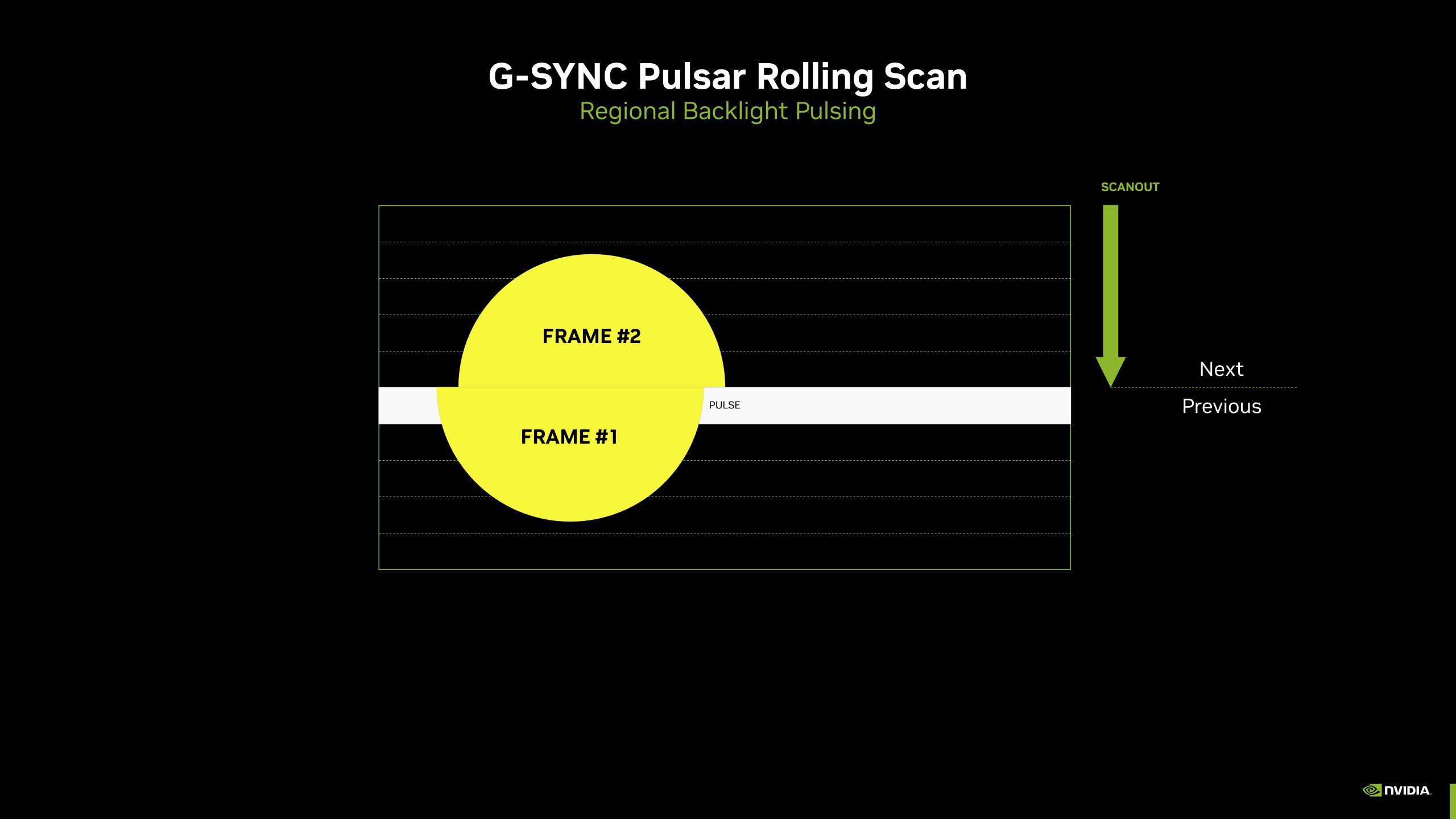
On top of that, Pulsar incorporates what Nvidia calls a ‘rolling scan'. By utilising multiple horizontal backlight strips that can be pulsed independently, Pulsar strobes different sections of the panel sequentially, rather than the whole panel being strobed at once. This should lead to dramatically reduced crosstalk and consistent clarity from top to bottom, something that isn't true for previous backlight strobing implementations.
Specification:
- Screen size (inch): 27
- Screen size (cm): 68.58
- Flat / Curved: Flat
- Panel treatment: Antiglare (AG)
- Pixel pitch: 0.2328 mm
- Pixels per inch: 108.79
- Panel resolution: 2560 x 1440
- Resolution name: QHD
- Aspect ratio: 16:9
- Panel type: Fast IPS
- Backlight type: WLED
- Max refresh rate: 360 Hz
- Response time (GtG): 1 ms
- Response time (MPRT): 0.3 ms
- Static contrast ratio: 1000:1
- Viewing angle (CR10): 178 / 178
- Display colours: 16.7 Million
- Brightness in nits: 450 cd/m²
- Bezel type (front): 3-sided frameless
- Bezel colour (front): Black
- Bezel finishing (front): Texture
- Cabinet colour (backside): Grey, Black
- Cabinet finishing (backside): Texture
- Removable stand: ✓
- Speaker power: 2 W x 2
- Kensington lock: ✓
- VESA mount support: With VESA bracket accessory
- Tilt: -3.5° ~ 18.5°
- Height adjust: 130 mm
- Swivel: -18.5° ~ 18.5°
- Pivot: -90° ~ 90°
- HDMI: 2x HDMI 2.1 (TMDS)
- Digital HDCP (HDMI): HDCP 2.2
- DisplayPort: DisplayPort 1.4 x 1
- USB hub: ✓
- USB generation: USB 3.2 (Gen 1), 5 Gbit/s
- USB type downstream: 3 x USB-A
- USB type upstream: 1 x USB-B
- Audio output: 1x Audio out
- Warranty period: 3 years
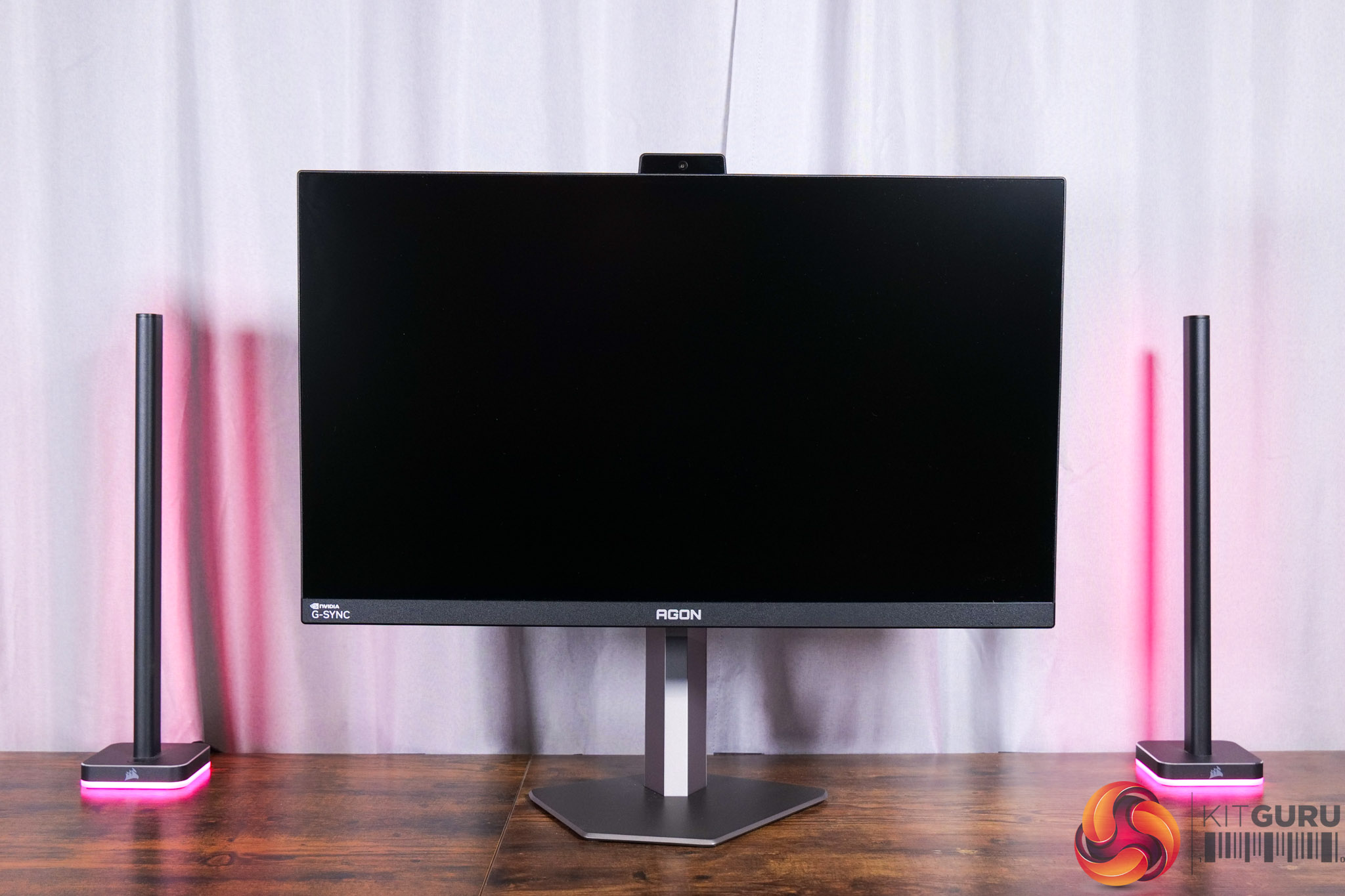
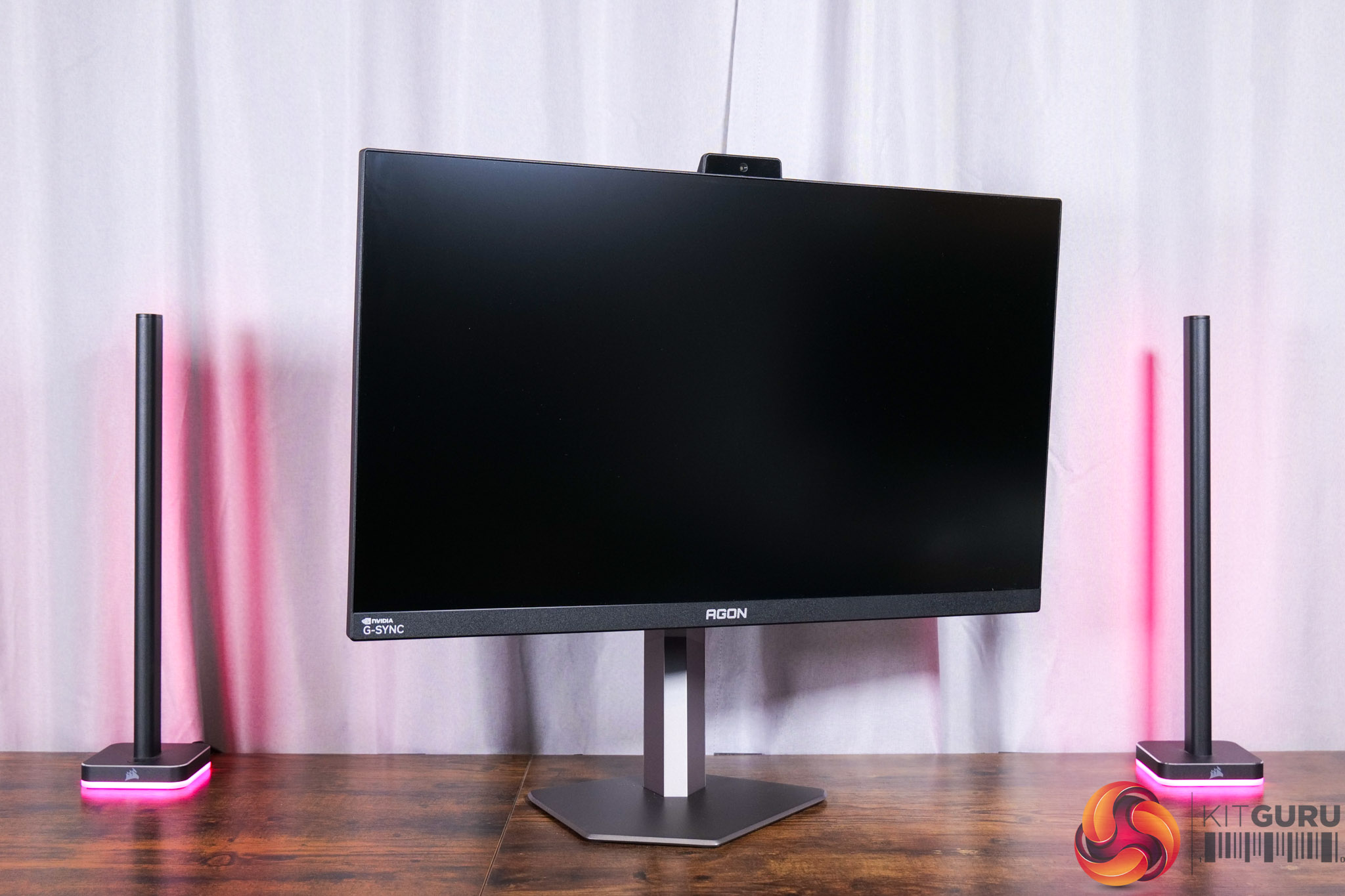
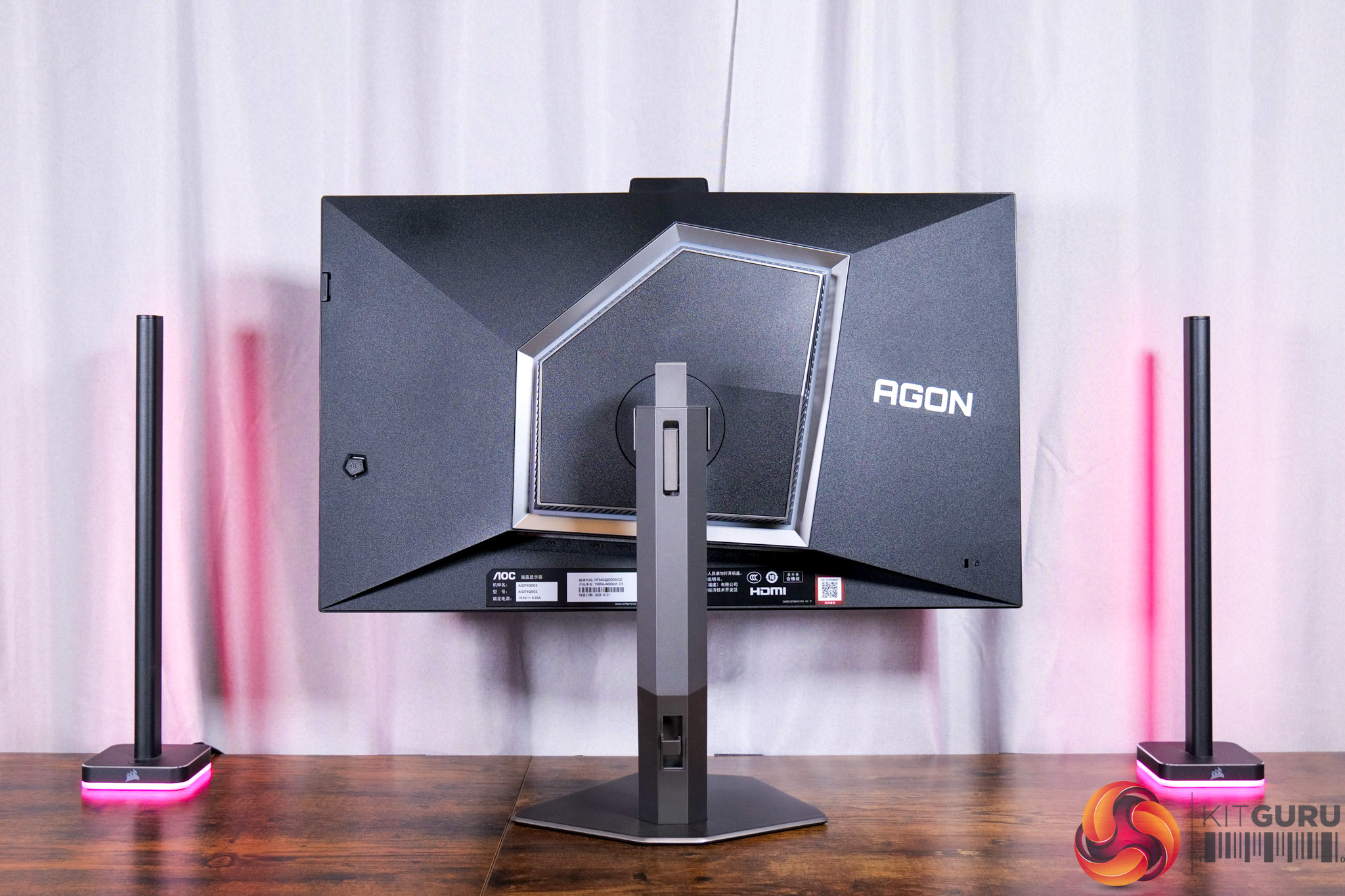
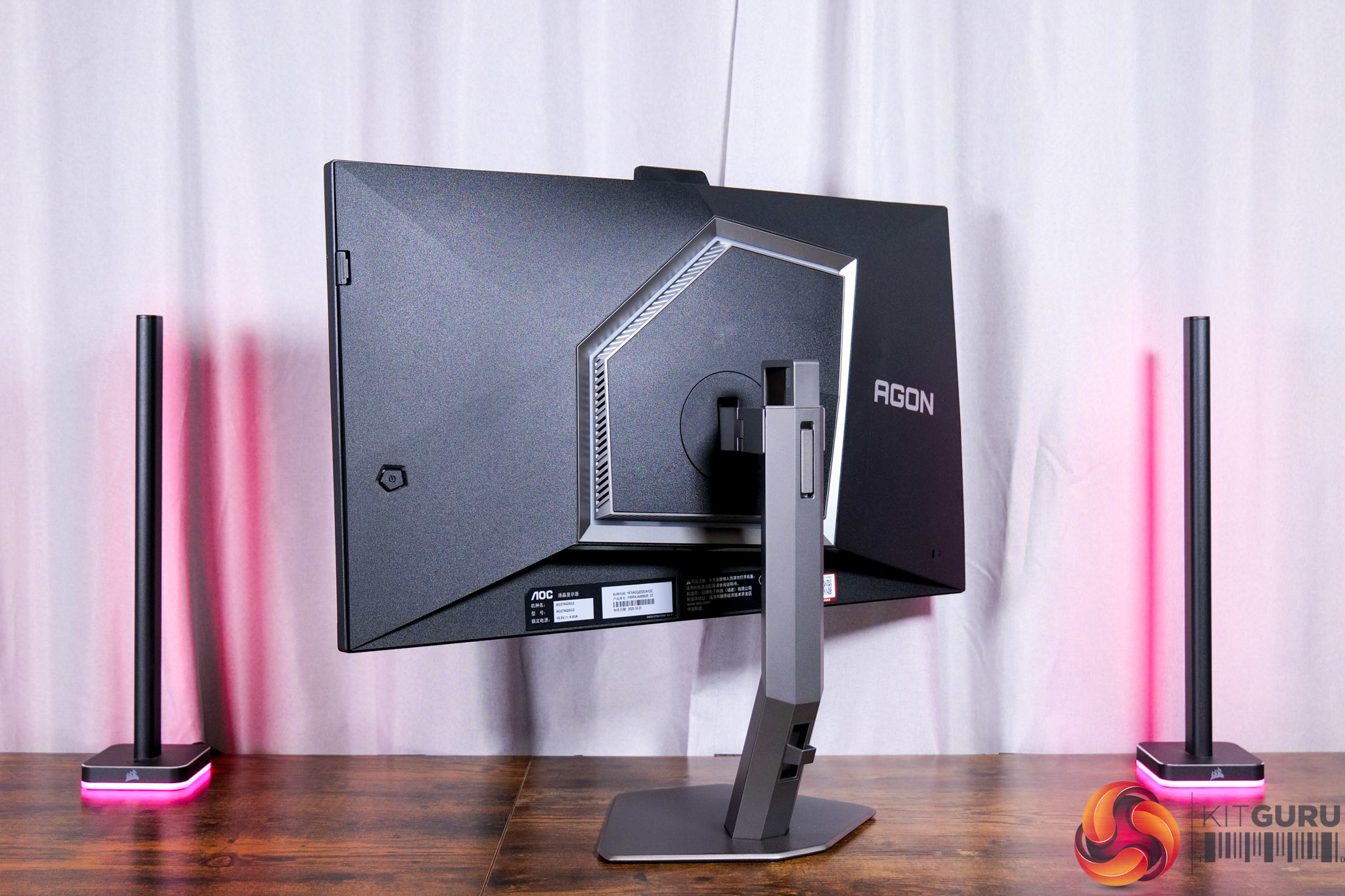
In terms of the design of the monitor, AOC is continuing to use the same general design aesthetic that we have seen from the company's previous monitors. That means we get a black and grey aesthetic, with the stand attaching to this asymmetrical hexagonal area, while the base of the stand is also a similarly asymmetrical shape.
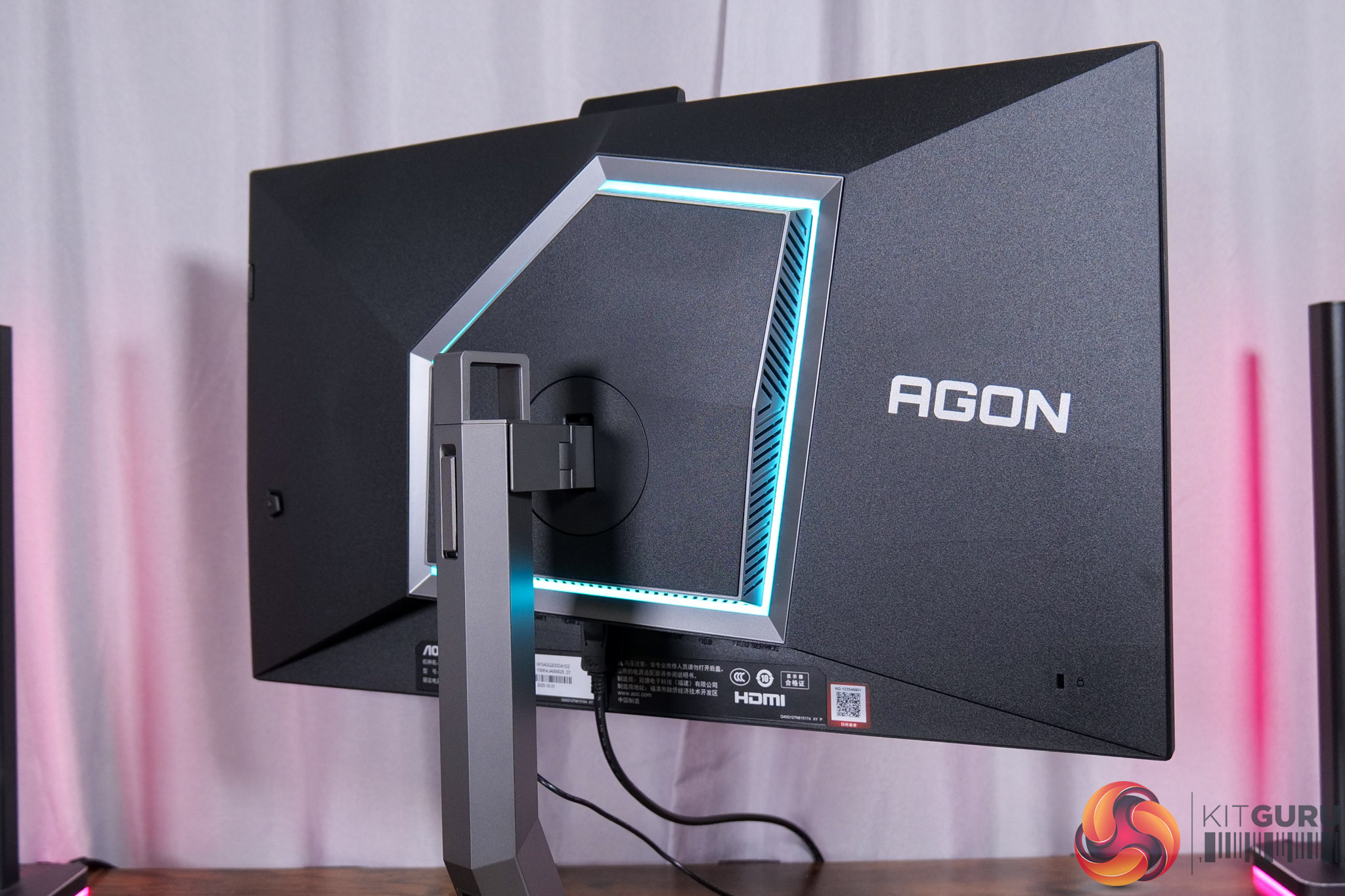
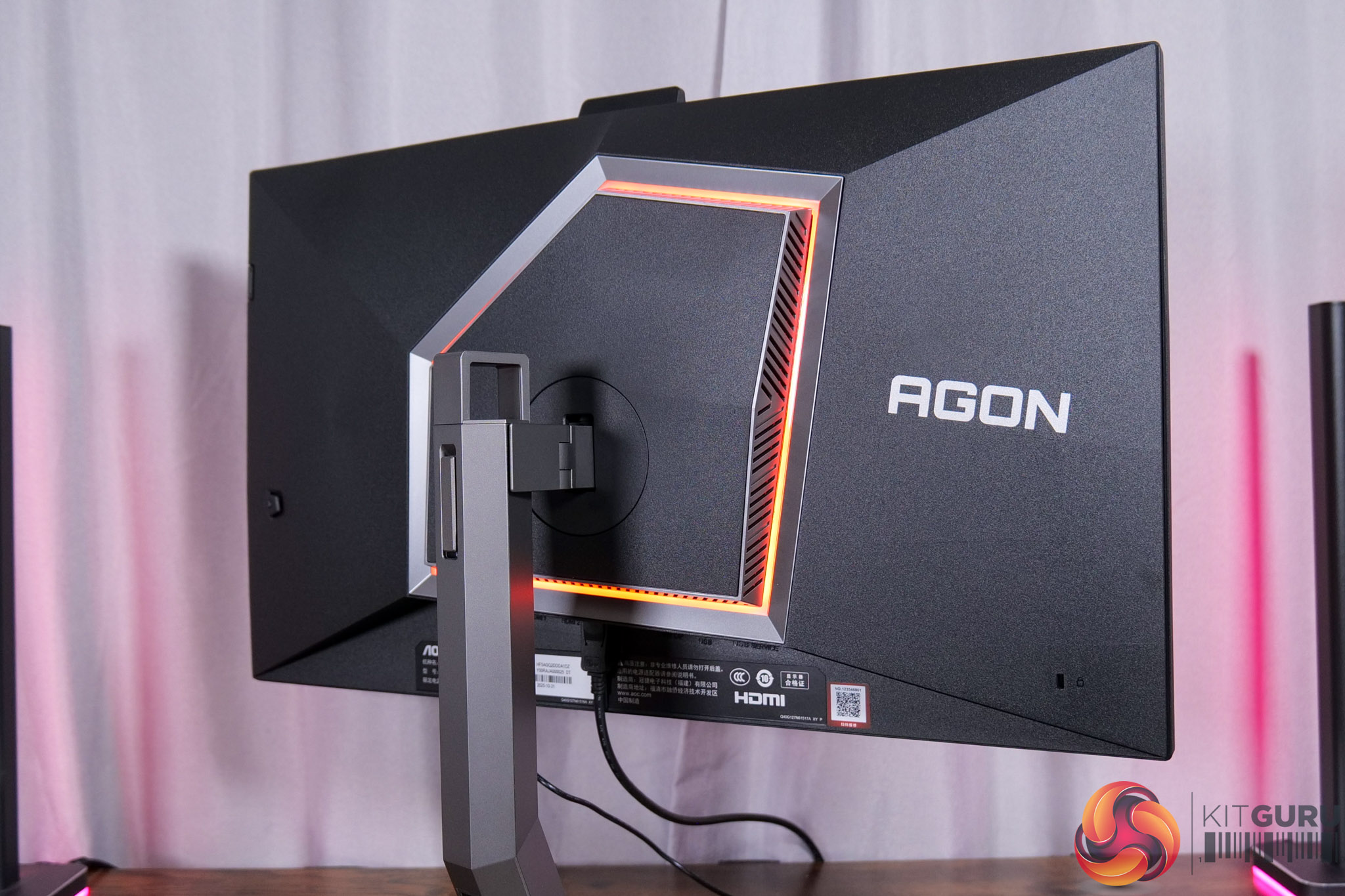
RGB lighting is found on the back of the screen, too, and this can be configured in the OSD, or turned off completely if that's your preference.
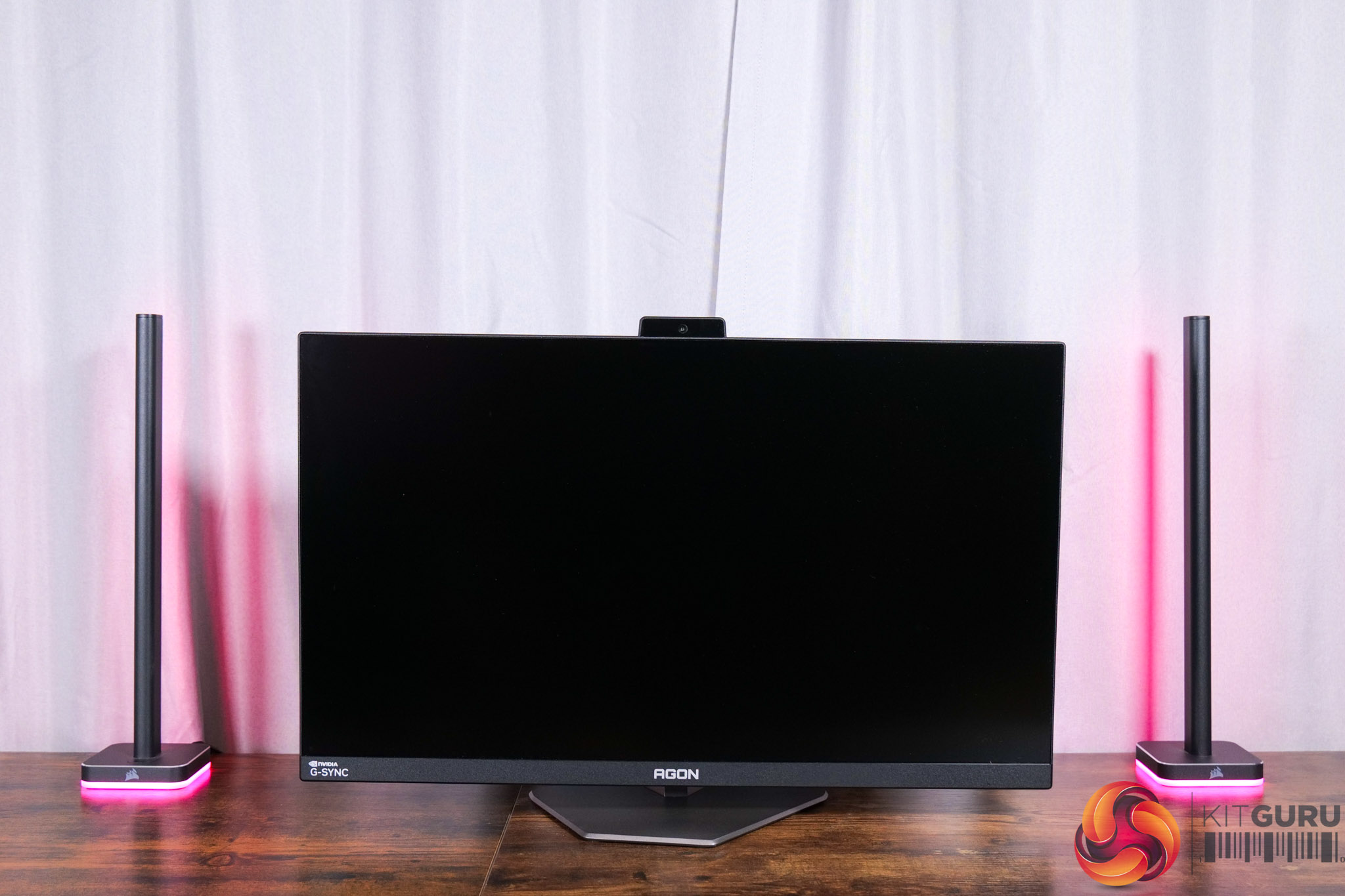
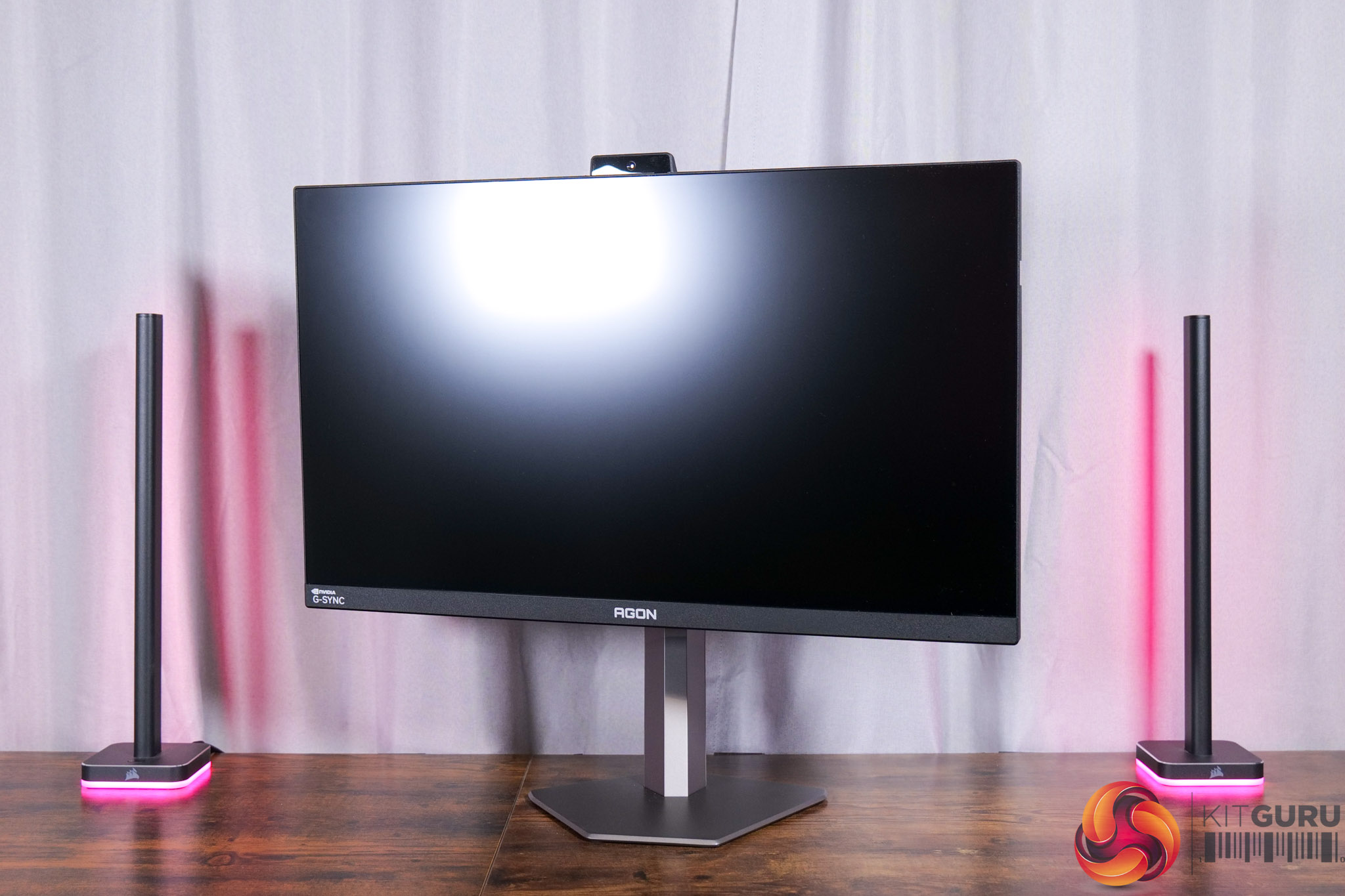
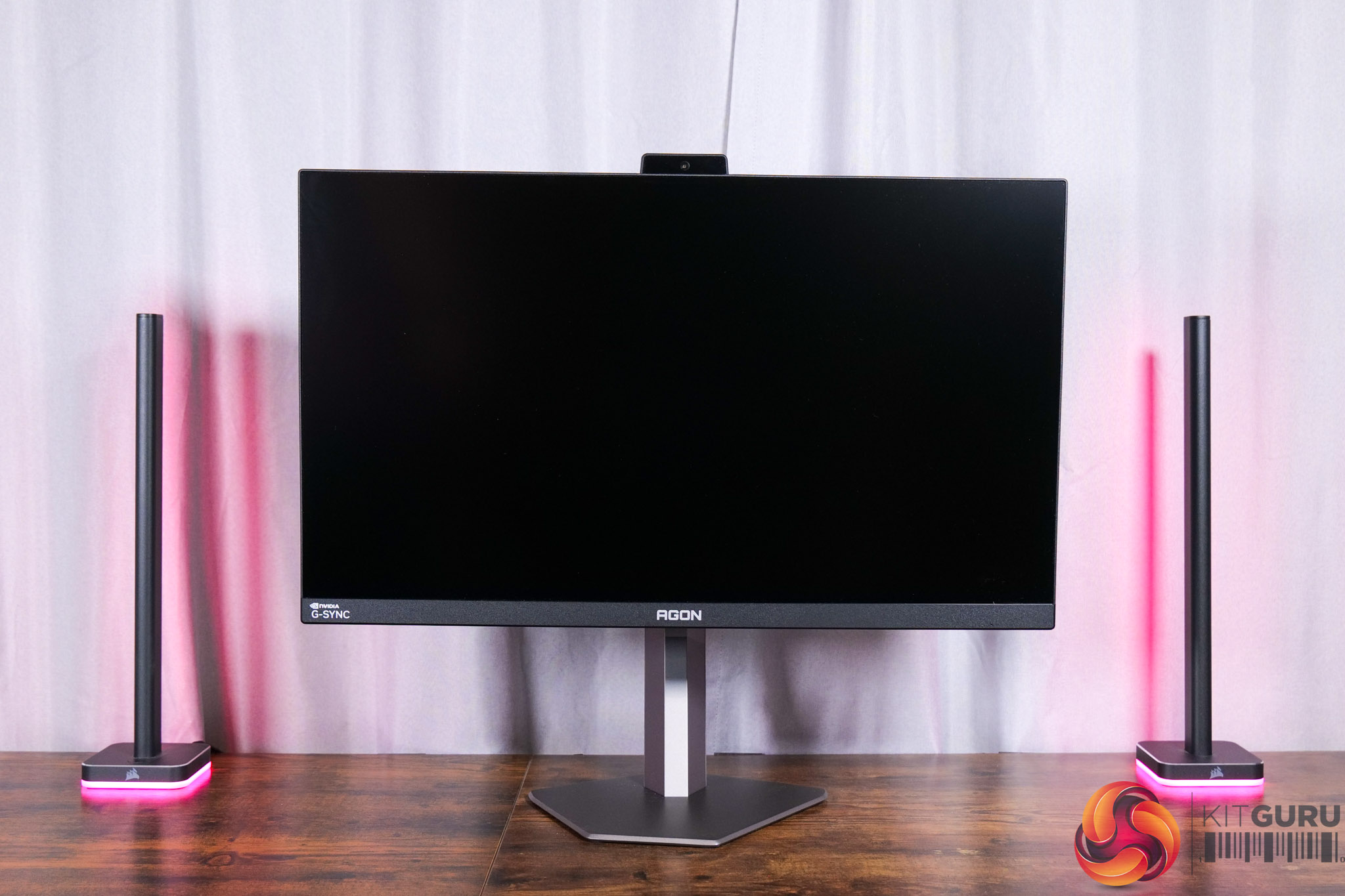
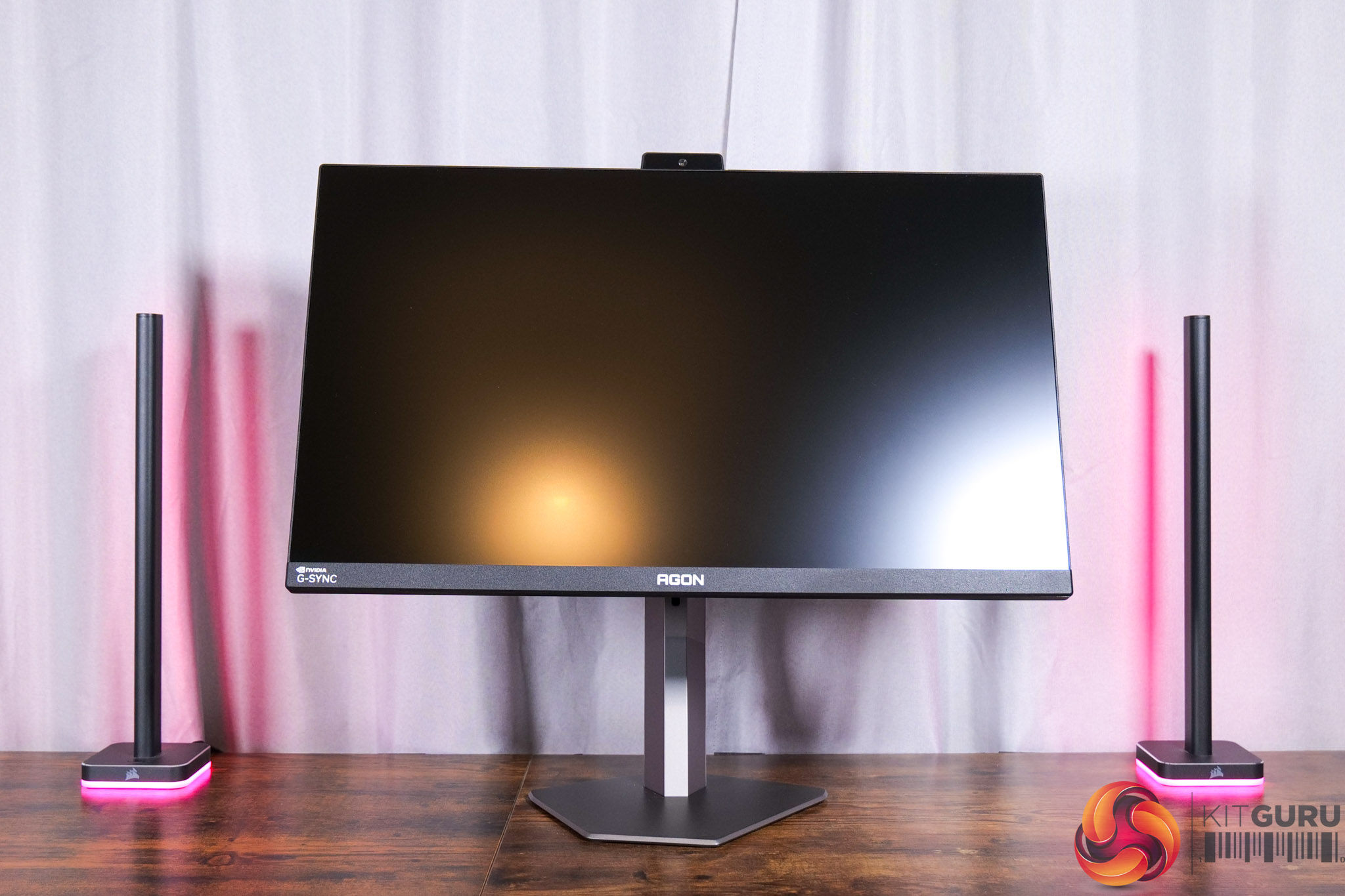
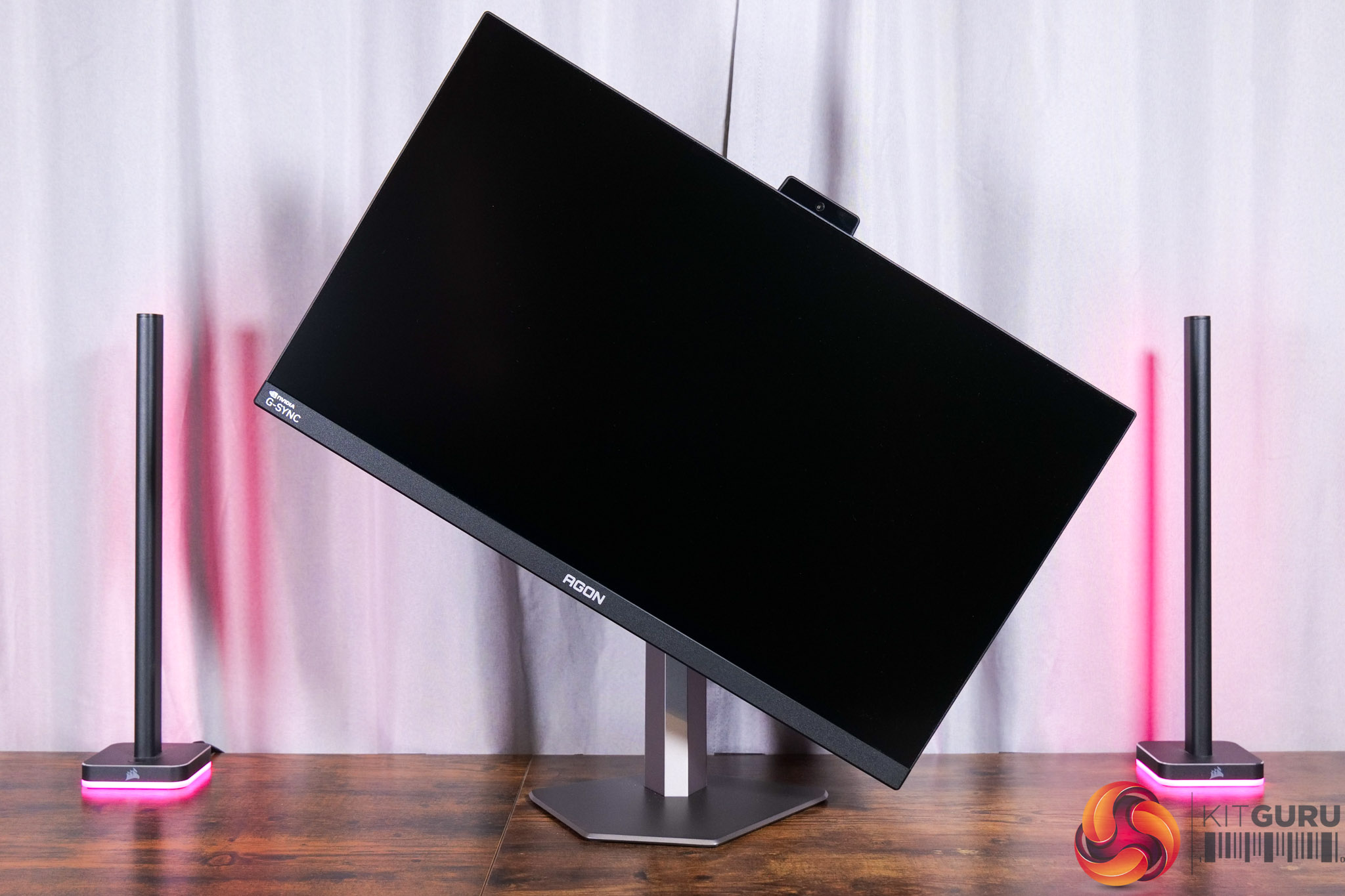
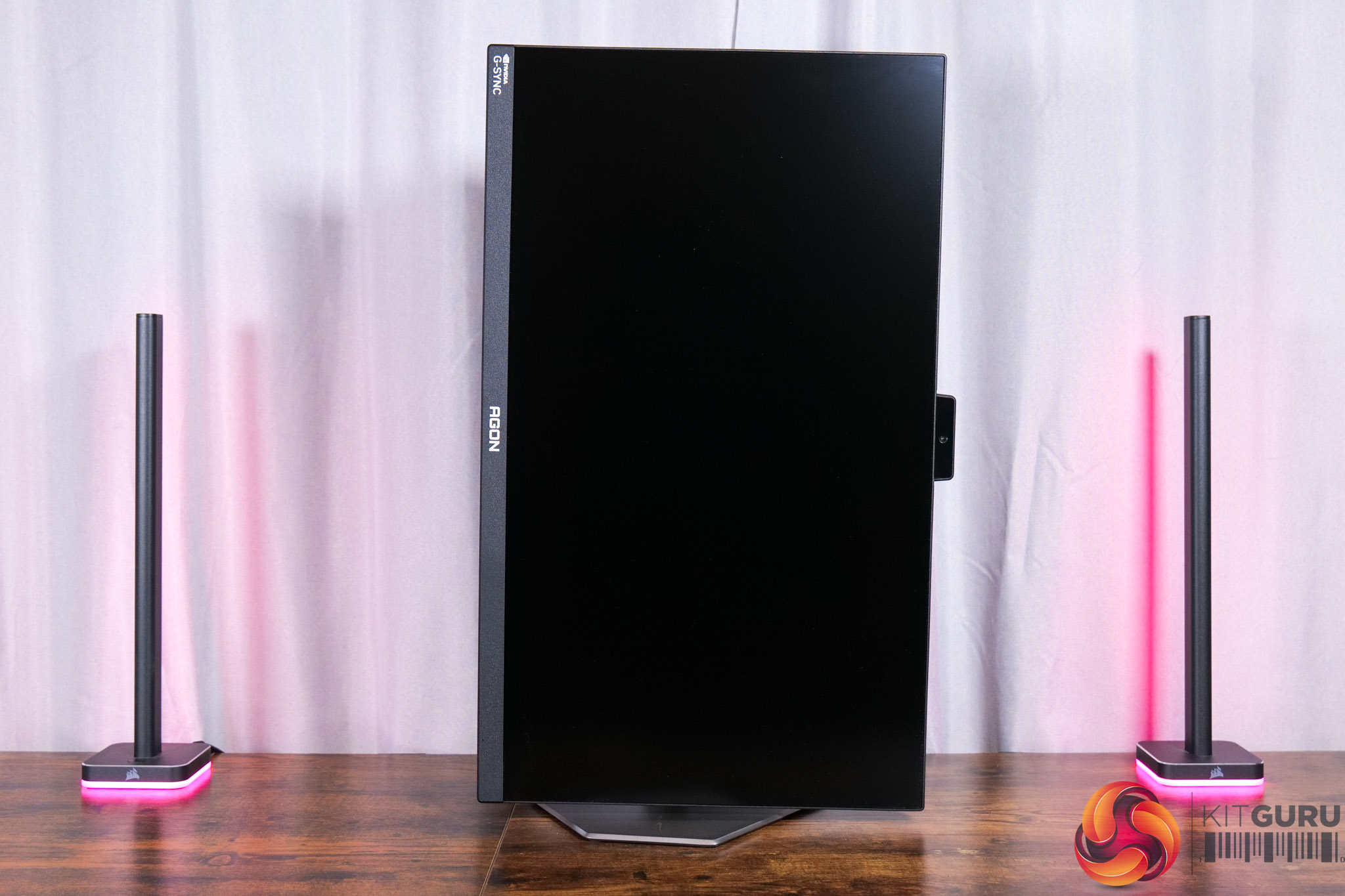
The stand does offer a good variety of ergonomic adjustment, too. We find up to 130mm of height adjustment, 18.5 degrees of swivel both left and right, tilt from -3.5 to +18.5 degrees, alongside full 90 degree pivot functionality. VESA 100×100 mounts are also supported via an included adapter plate.
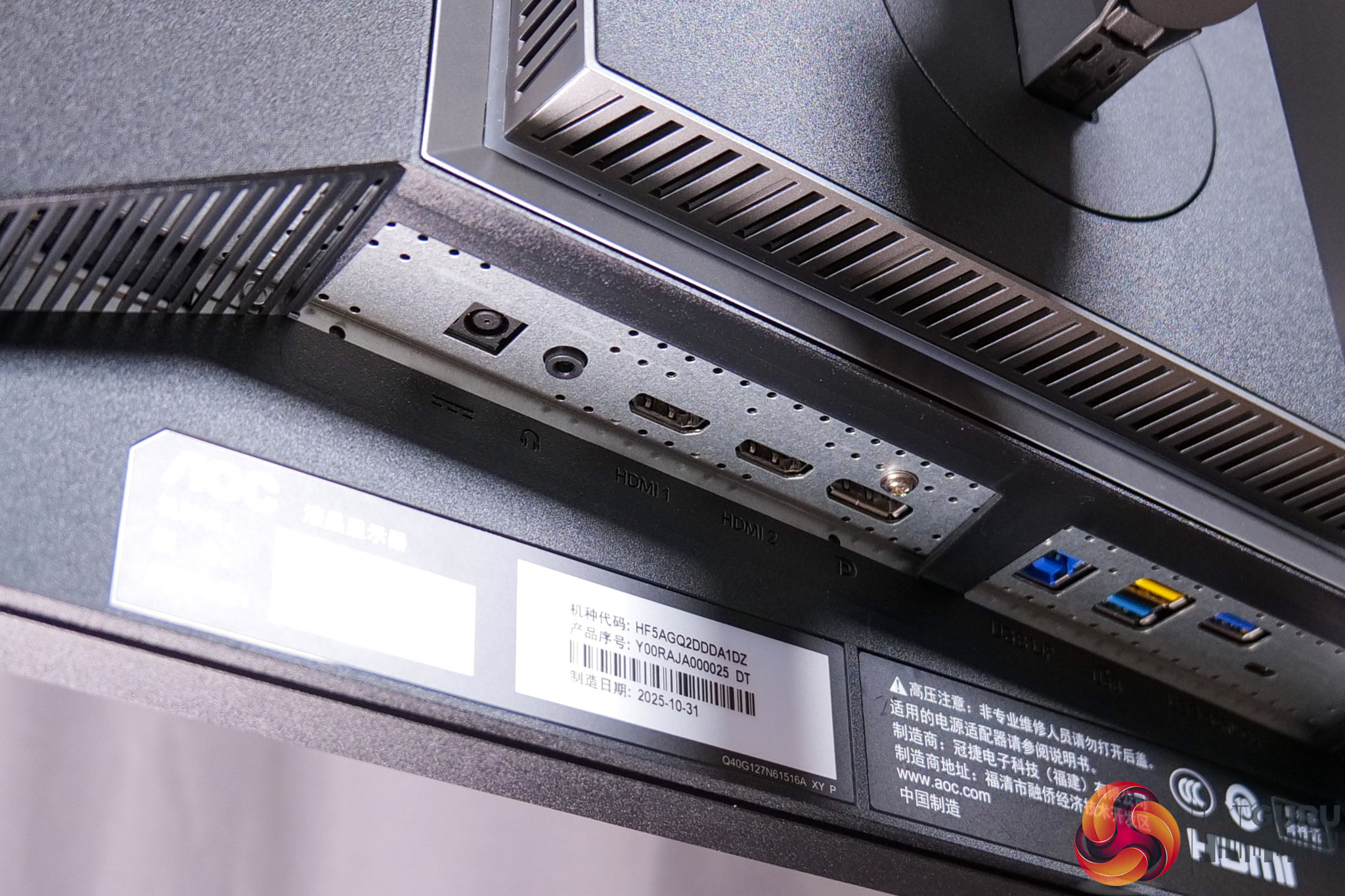
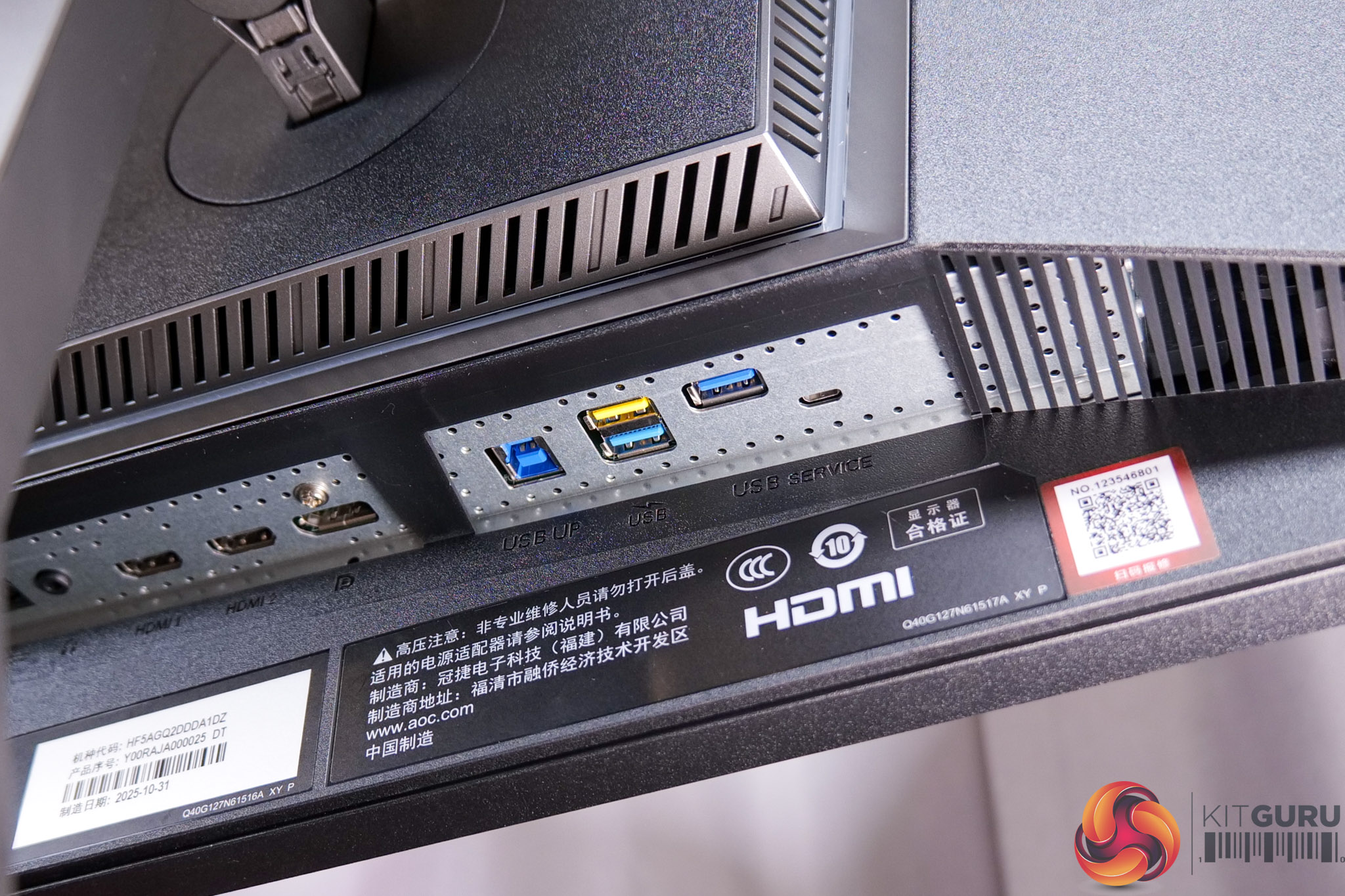
I/O, meanwhile, consists of 2x HDMI ports, 1x DisplayPort 1.4, alongside a three-port USB Type-A hub and an audio jack. That does mean no USB-C and no KVM functionality which is a definite shame considering the price-point and the nature of this Pulsar monitor.
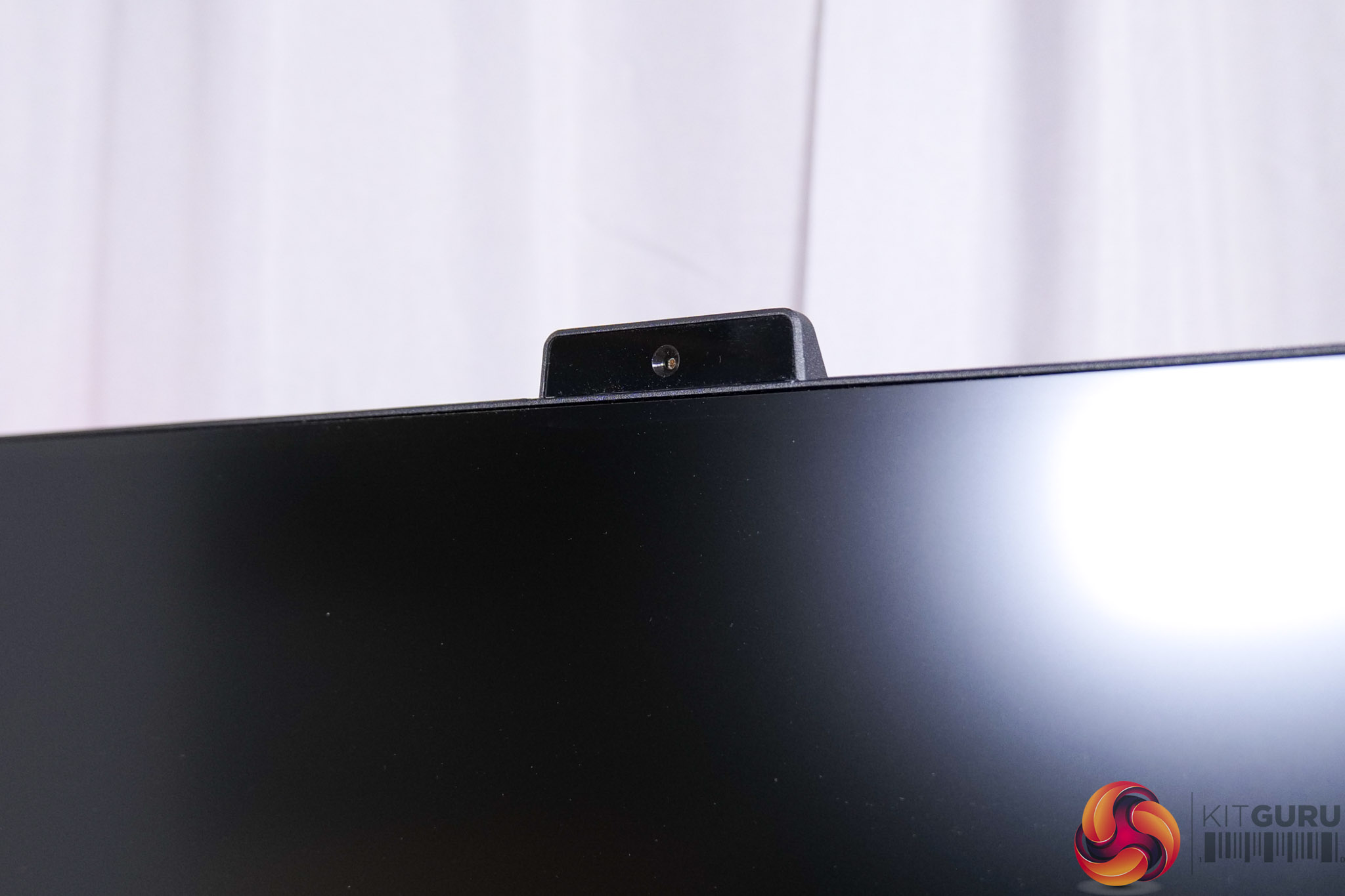
We can also see a relatively large protrusion at the top of the monitor, and this is the sensor for Pulsar's Ambient Adaptive Brightness feature.
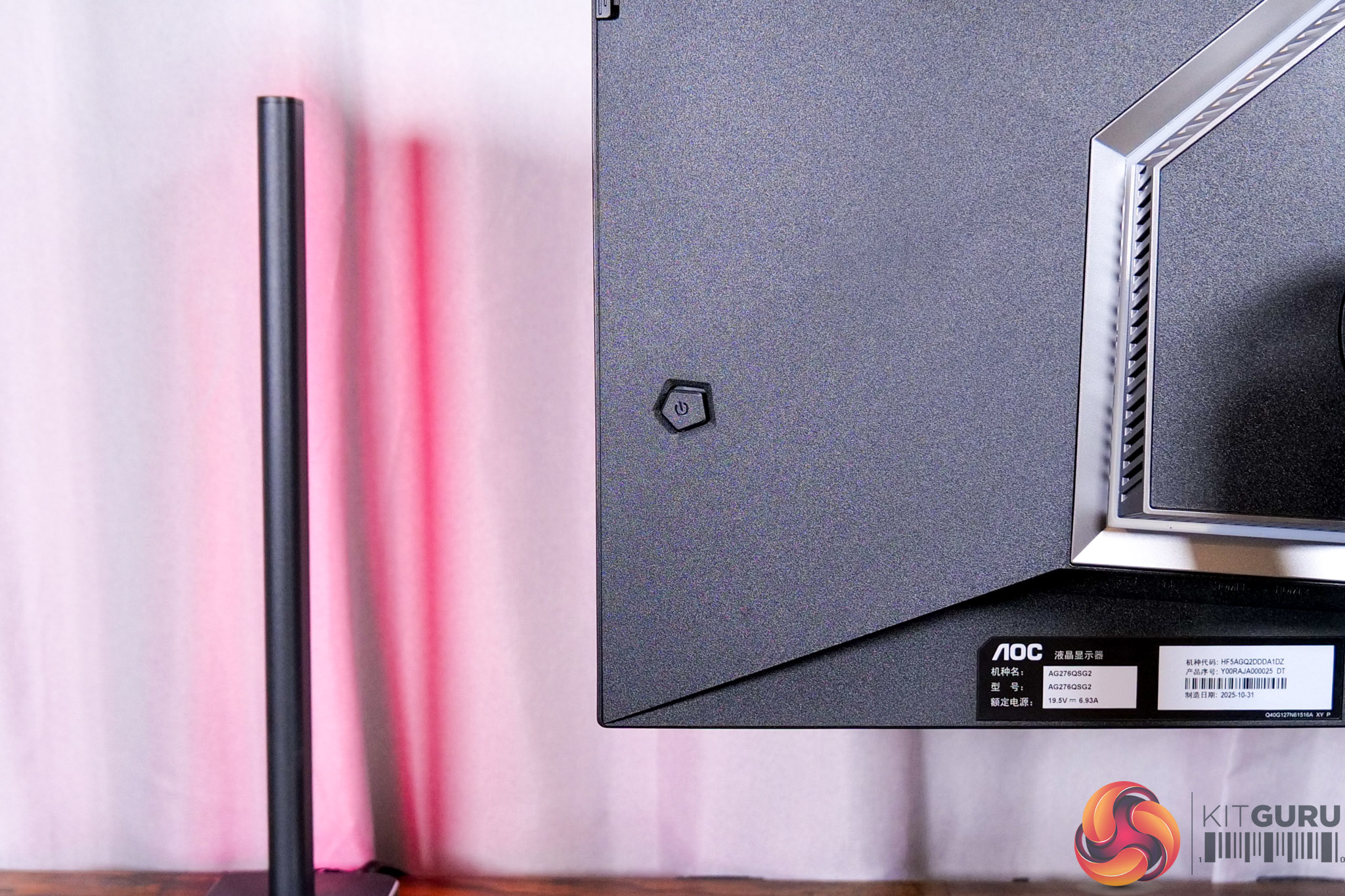
Lastly, a small joystick is used to navigate the OSD.
The OSD is split into eight main tabs:
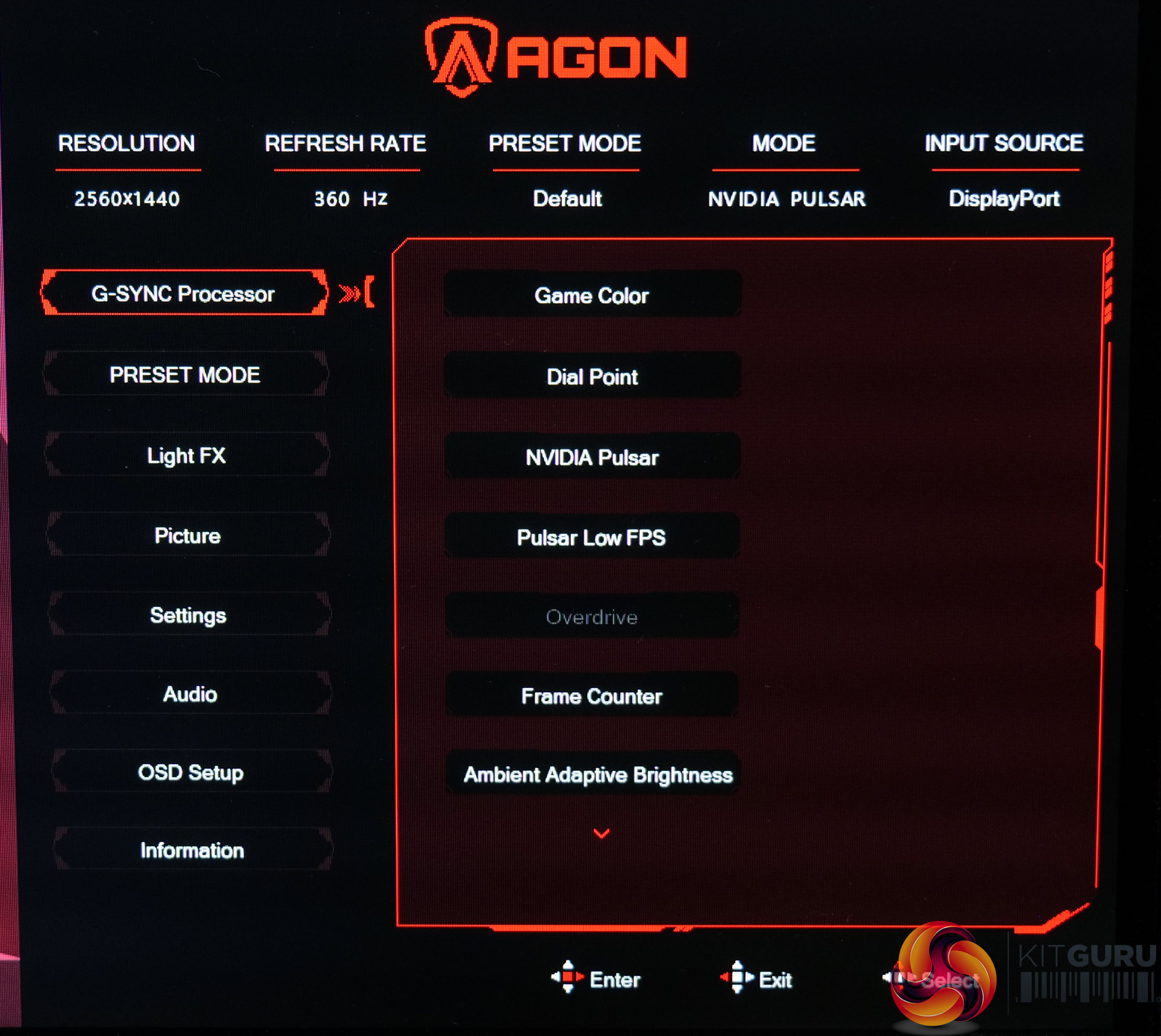
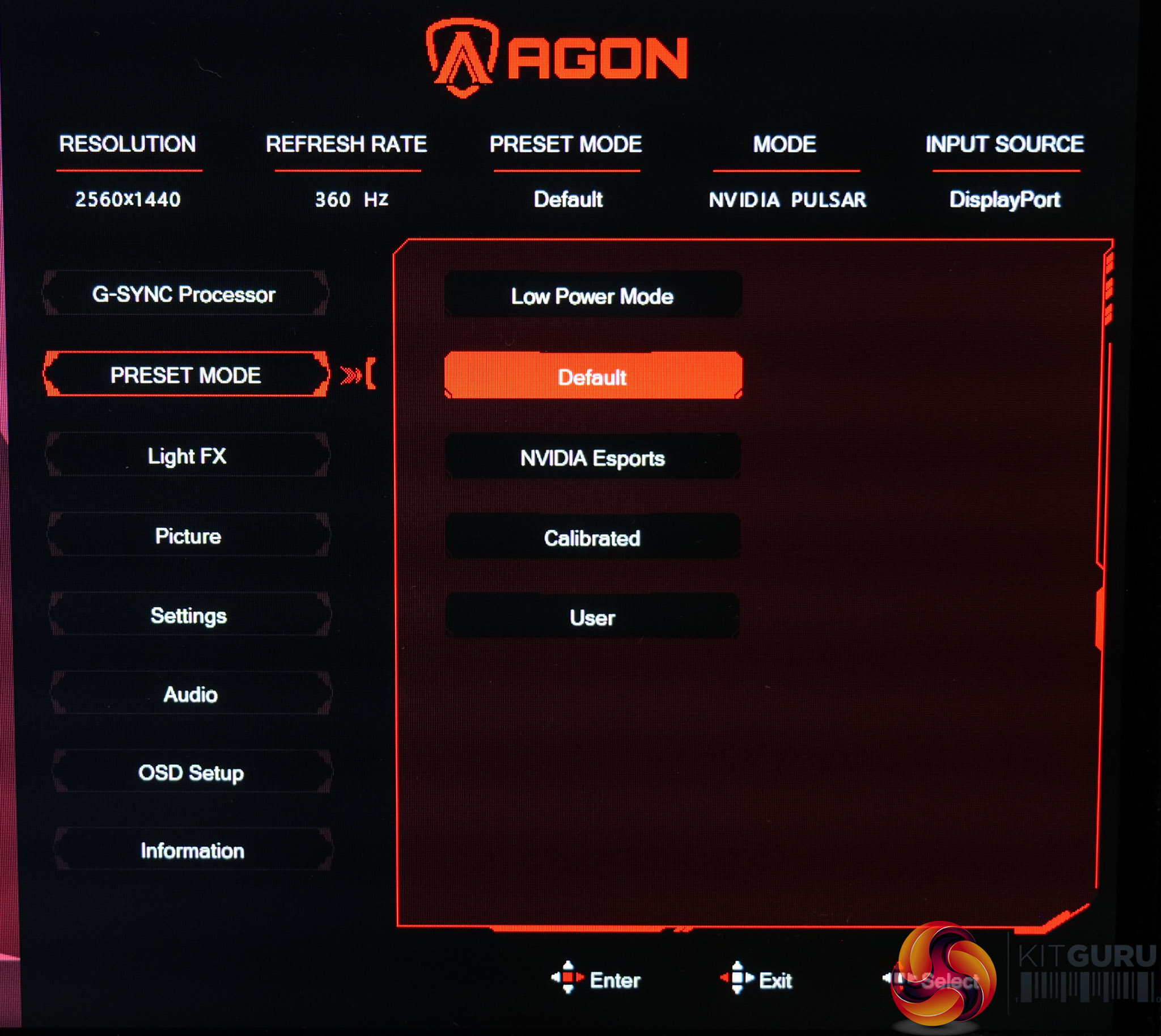
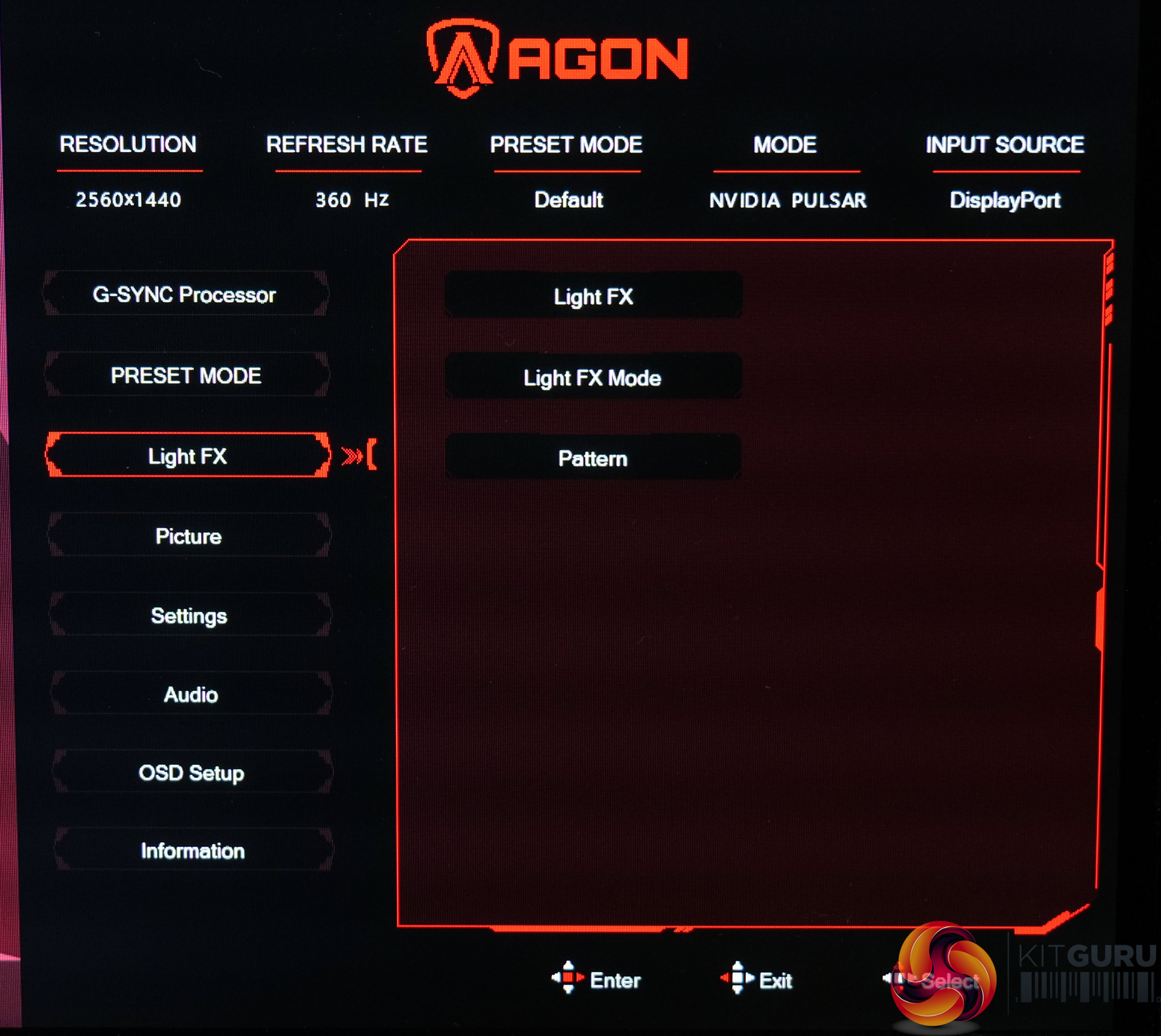
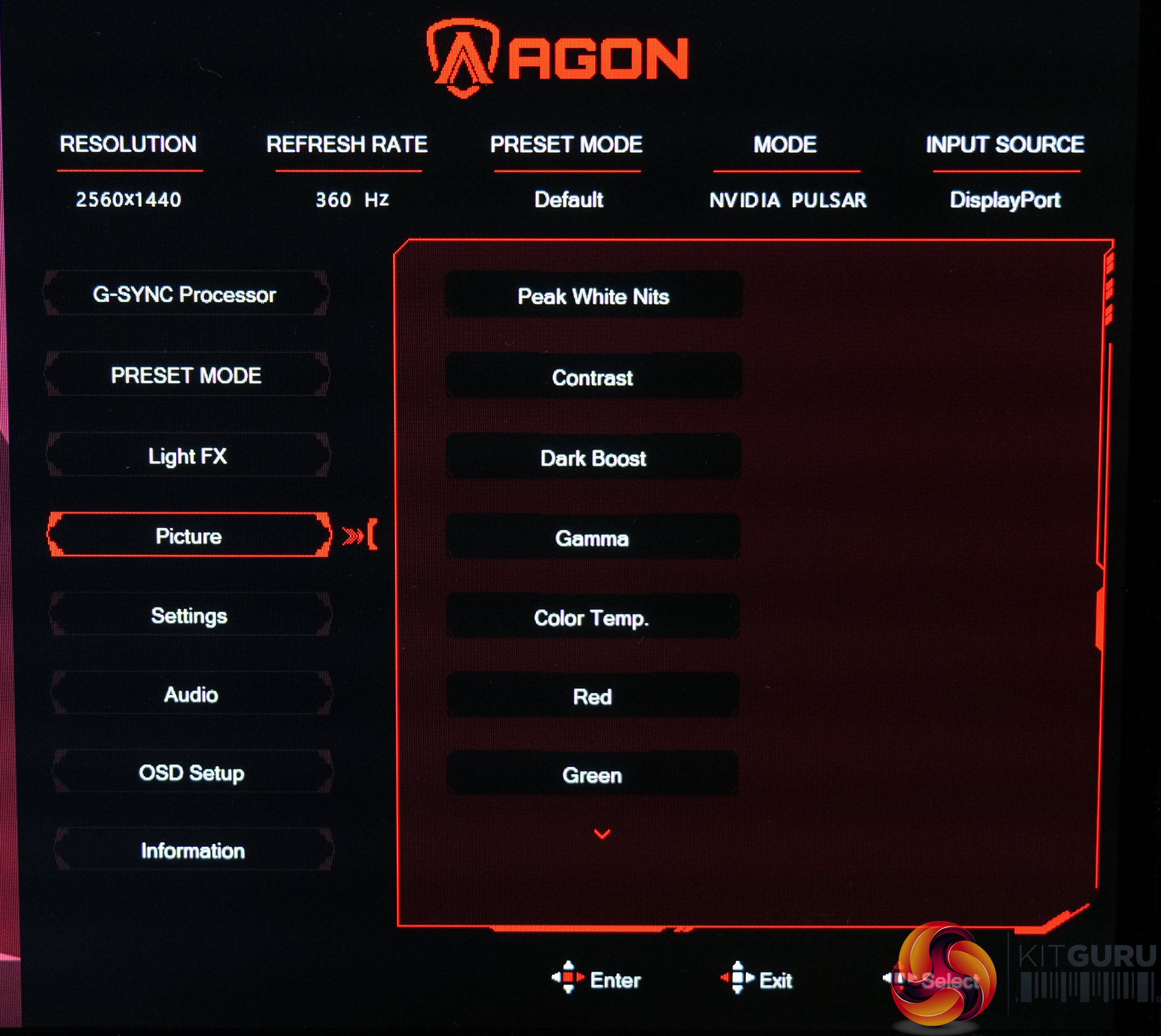
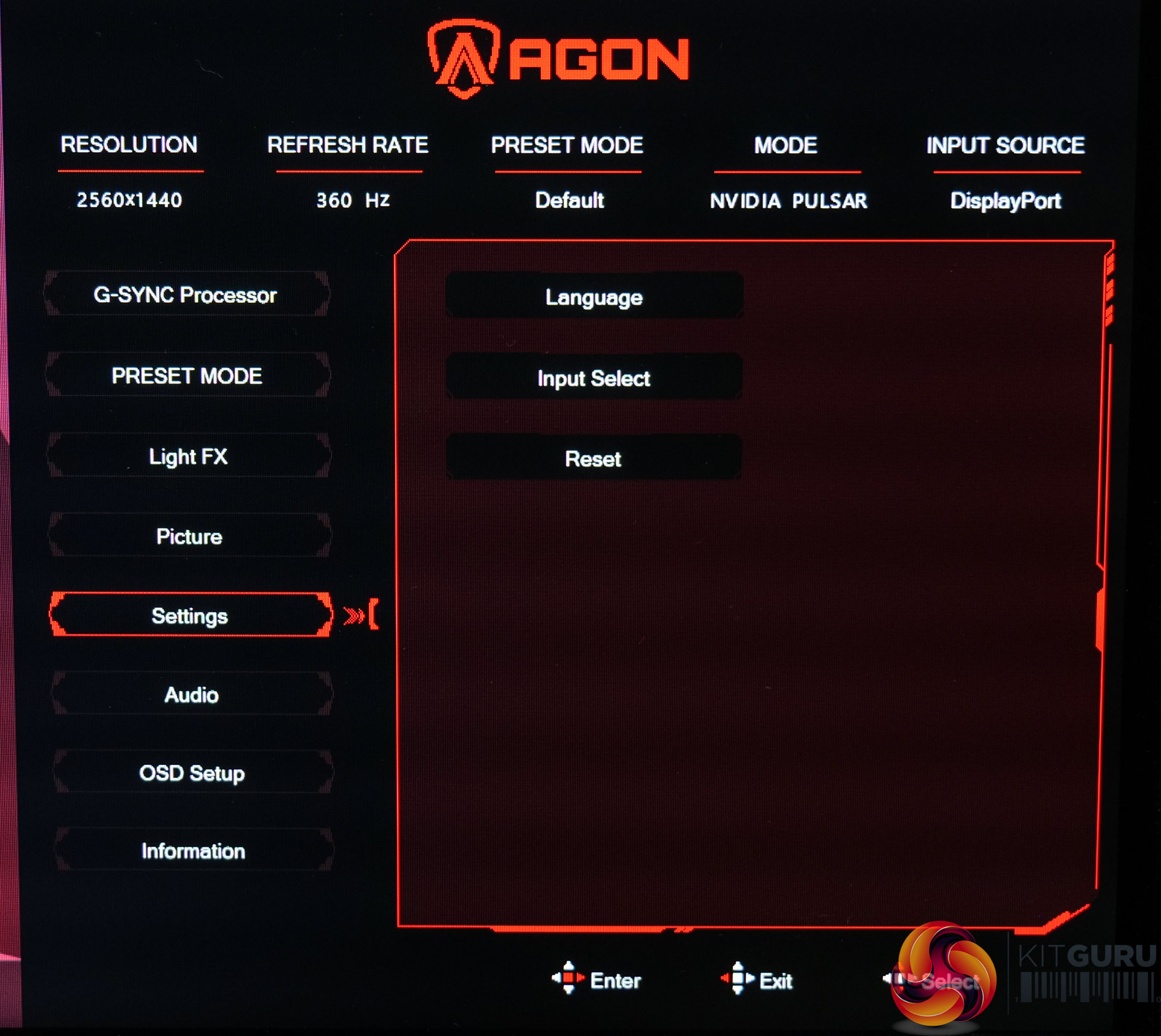
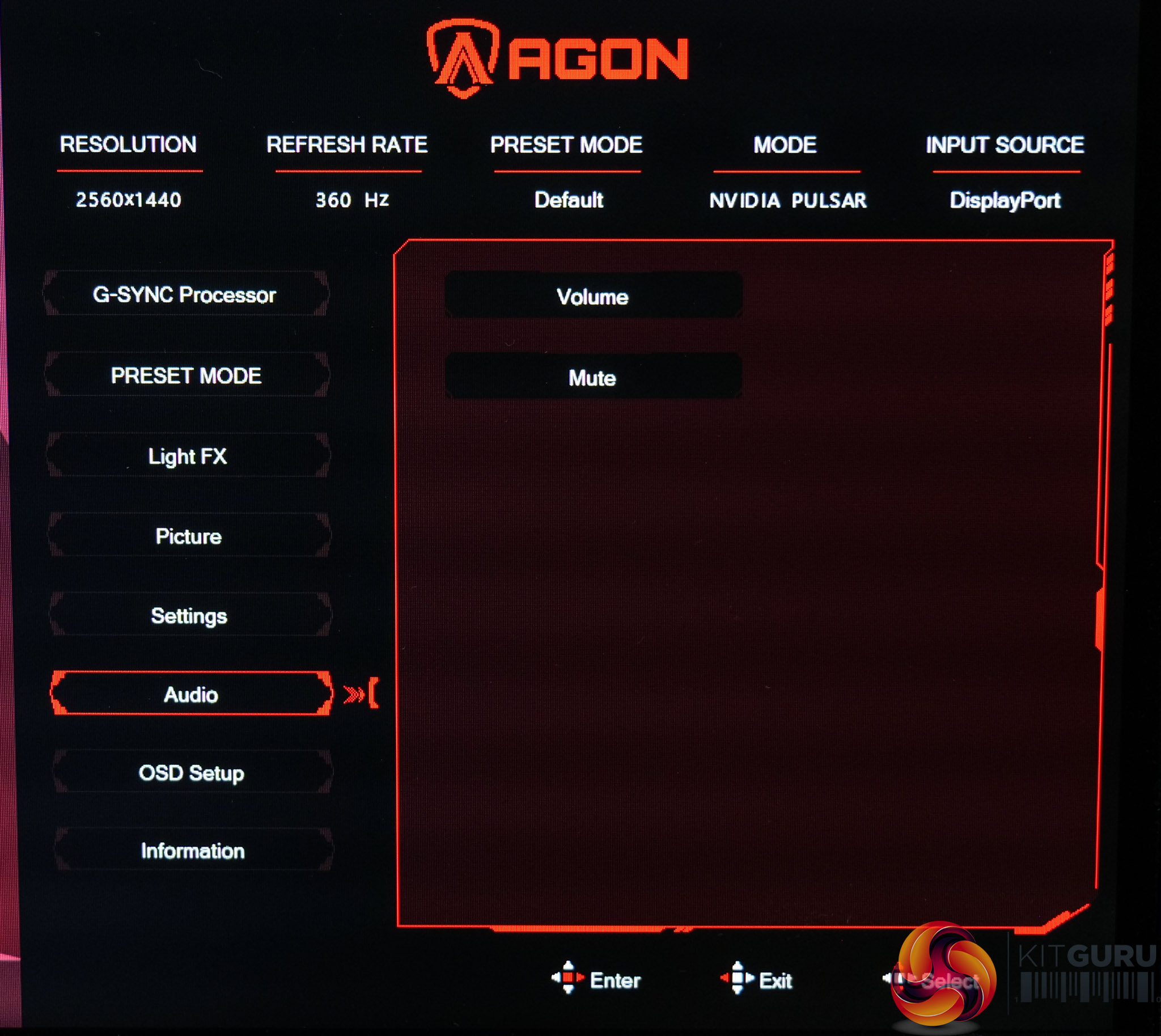
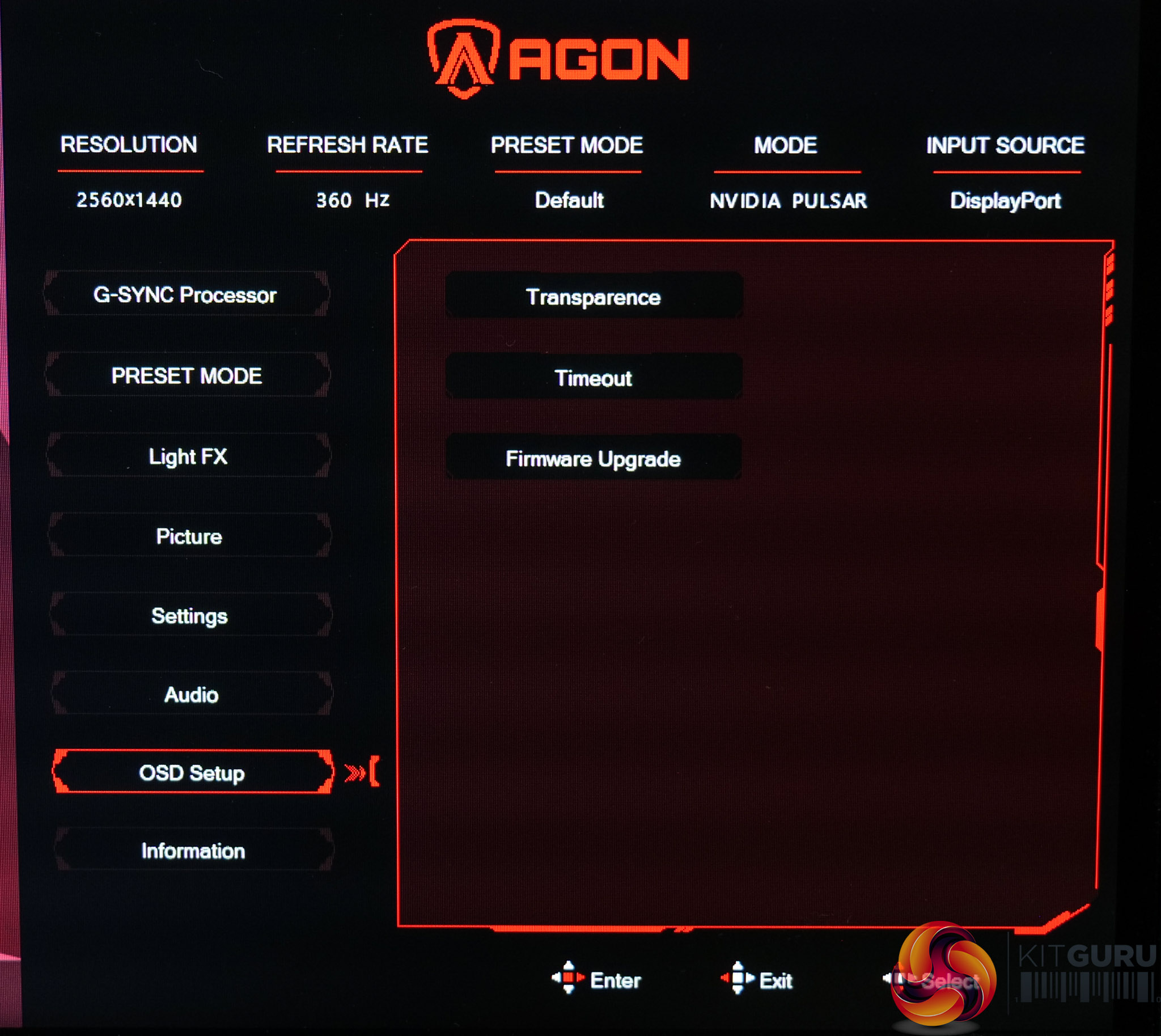
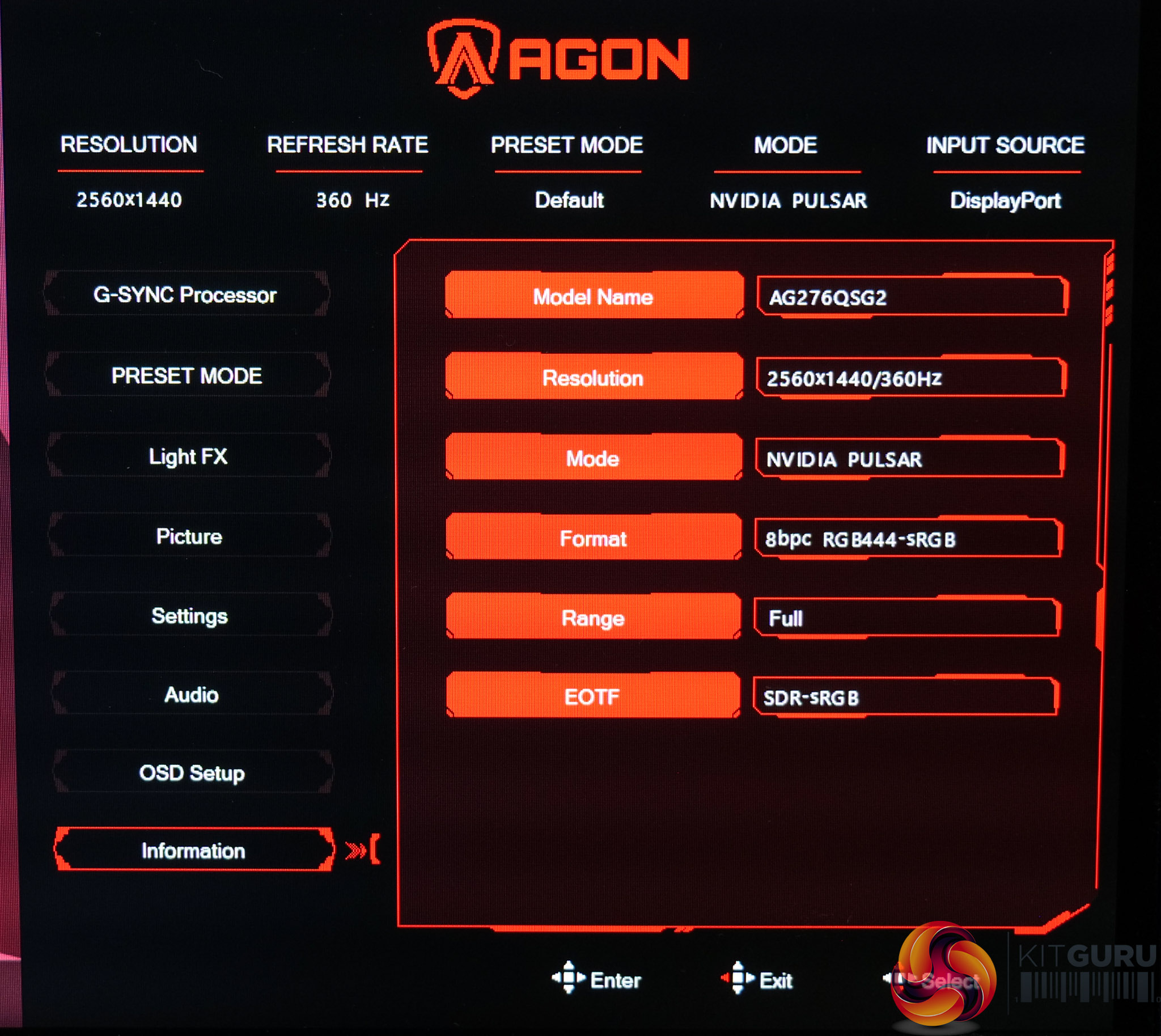
As for the OSD system itself, somewhat curiously it's a different design entirely to what we normally see from AOC. I wonder if this is due to the panel itself being tuned by Nvidia via the Pulsar integration, but it's hardly a significant point – it still works well and has all the key features you'd expect, it's just laid out slightly differently to what we typically see from other AOC screens. My only real complaint is that it's not possible to configure joystick shortcuts, like flicking up to quickly adjust brightness, but it's not the end of the world.
Our main test involves using an X-Rite i1 Display Pro Plus colorimeter and utilising Portrait Display's Calman Ultimate software. The device sits on top of the screen while the software generates colour tones and patterns, which it compares against predetermined values to work out how accurate the screen is.

The results show:
- A monitor’s maximum brightness in candelas or cd/m2 at various levels set in the OSD.
- A monitor’s contrast ratio at various brightness levels in the OSD.
- Gamut coverage, primarily focusing on sRGB and DCI-P3 colour spaces.
- Greyscale accuracy, measured across 20 shades, with an average colour balance reported.
- The exact gamma levels, with a comparison against preset settings in the OSD.
- The colour accuracy, expressed as a Delta E ratio, with a result under 3 being fine for normal use, and under 2 being great for colour-accurate design work.
We first run these tests with the display in its out-of-the-box state, with all settings on default. If there is an sRGB emulation option or other useful mode then we may test that too. We then calibrate the screen using the Calman Ultimate software and run the tests again.
You can read more about our test methodology HERE.
Default settings
Brightness and Contrast (Full Screen)
Pulsar Off
| OSD Brightness | White Luminance (cd/m2) | Black Luminance (cd/m2) | Contrast Ratio |
| 50 | 51.8 | 0.055 | 937:1 |
| 100 | 104.8 | 0.112 | 940:1 |
| 200 | 210.6 | 0.223 | 943:1 |
| 300 | 317.2 | 0.336 | 945:1 |
| 400 | 420.6 | 0.445 | 944:1 |
| 500 | 456.3 | 0.483 | 944:1 |
Kicking off with brightness and contrast, the OSD gives a brightness range from 50 up to 500, and we found the minimum to be fairly accurate, hitting 52 nits, but we topped out at 456.3 nits. It's still plenty bright for an LCD, but it's not quite the 500 nits you might expect from the OSD labelling!
Unfortunately though, black levels are higher than we'd like, resulting in fairly mediocre contrast of around 945:1. Considering other high-end IPS panels can now do more like 1400 or 1500:1, and combining that with the fact this is a premium Pulsar display, it is a little disappointing to see these results.
Pulsar On
| OSD Brightness | White Luminance (cd/m2) | Black Luminance (cd/m2) | Contrast Ratio |
| 100 | 110.2 | 0.117 | 942:1 |
| 200 | 204.2 | 0.216 | 947:1 |
| 300 | 292.7 | 0.308 | 949:1 |
| 400 | 375 | 0.395 | 949:1 |
| 500 | 453 | 0.478 | 948:1 |
Out of interest, I did re-test with Pulsar enabled, and the main difference here is that the minimum brightness cannot be adjusted below 100 in the OSD. Otherwise, general behaviour is exactly the same – though that in itself is a big win, as often backlight strobing would reduce brightness, but not so with Pulsar.
Screen Uniformity
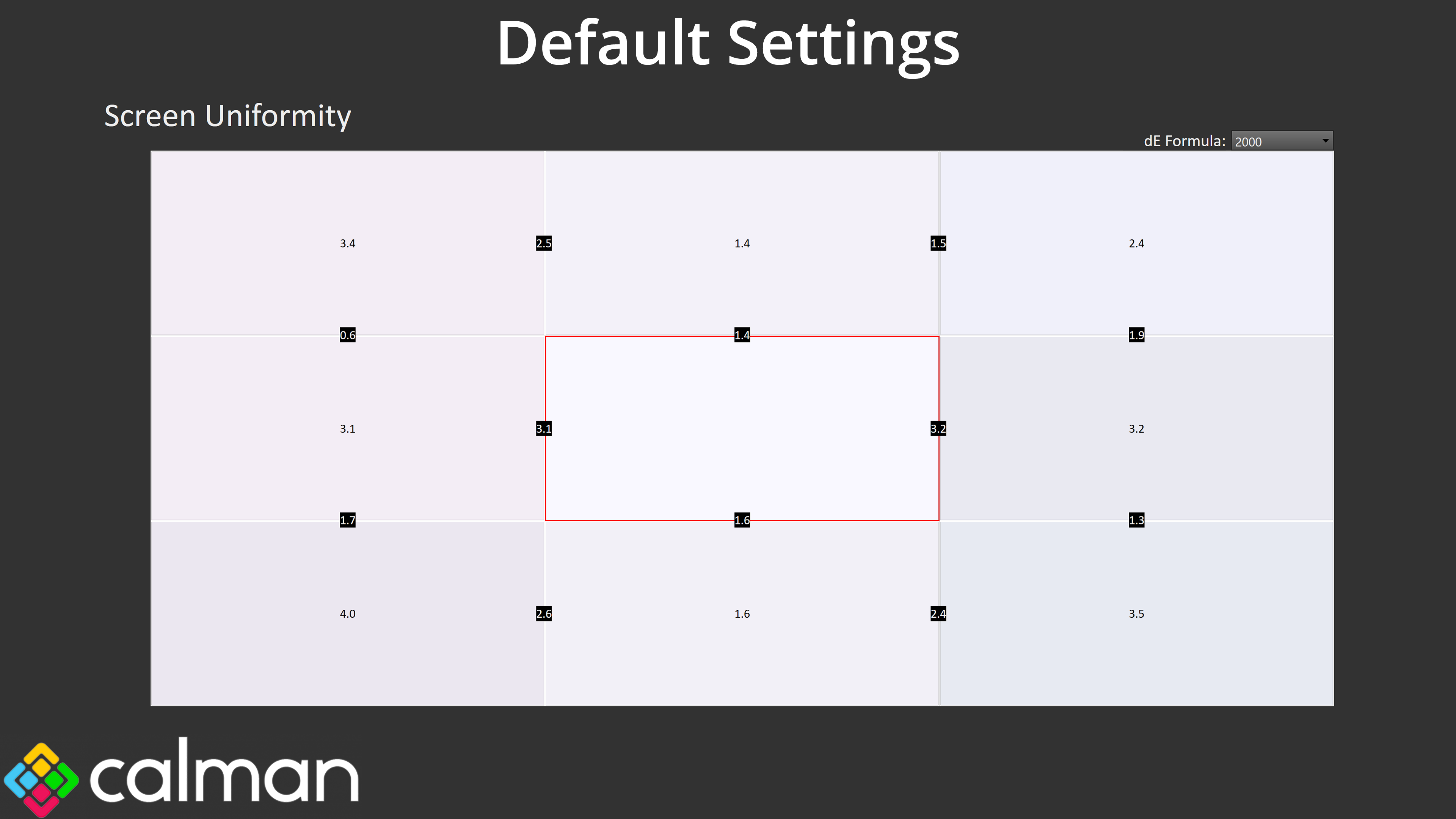
Screen uniformity could be better though, with some sections showing deltaE figures over 3.0. I can't say it was noticeable during day to day use, and it's unlikely you're looking at this screen for any serious creative work, but something to be aware of.
Gamut (CIE 1976)
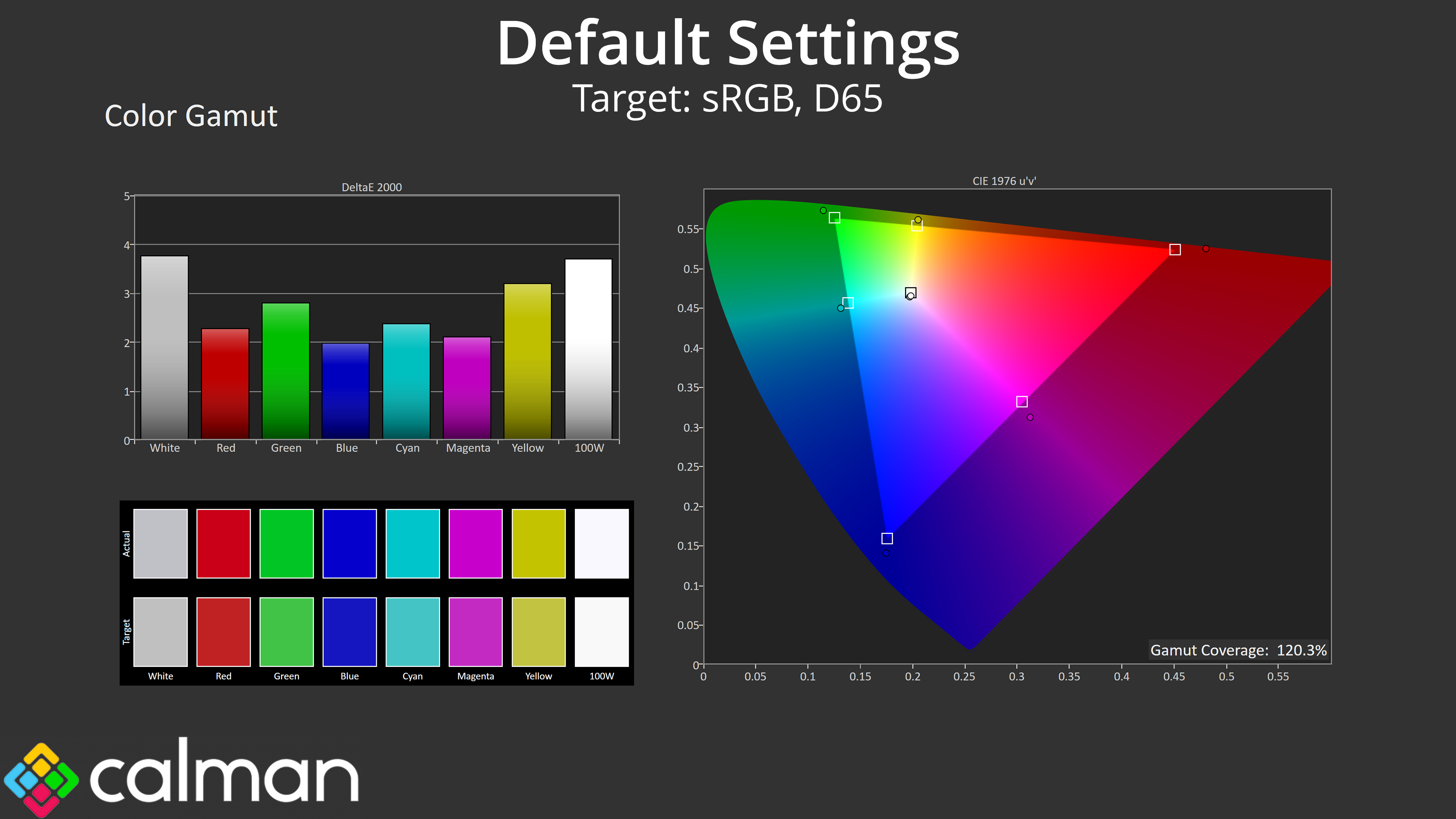
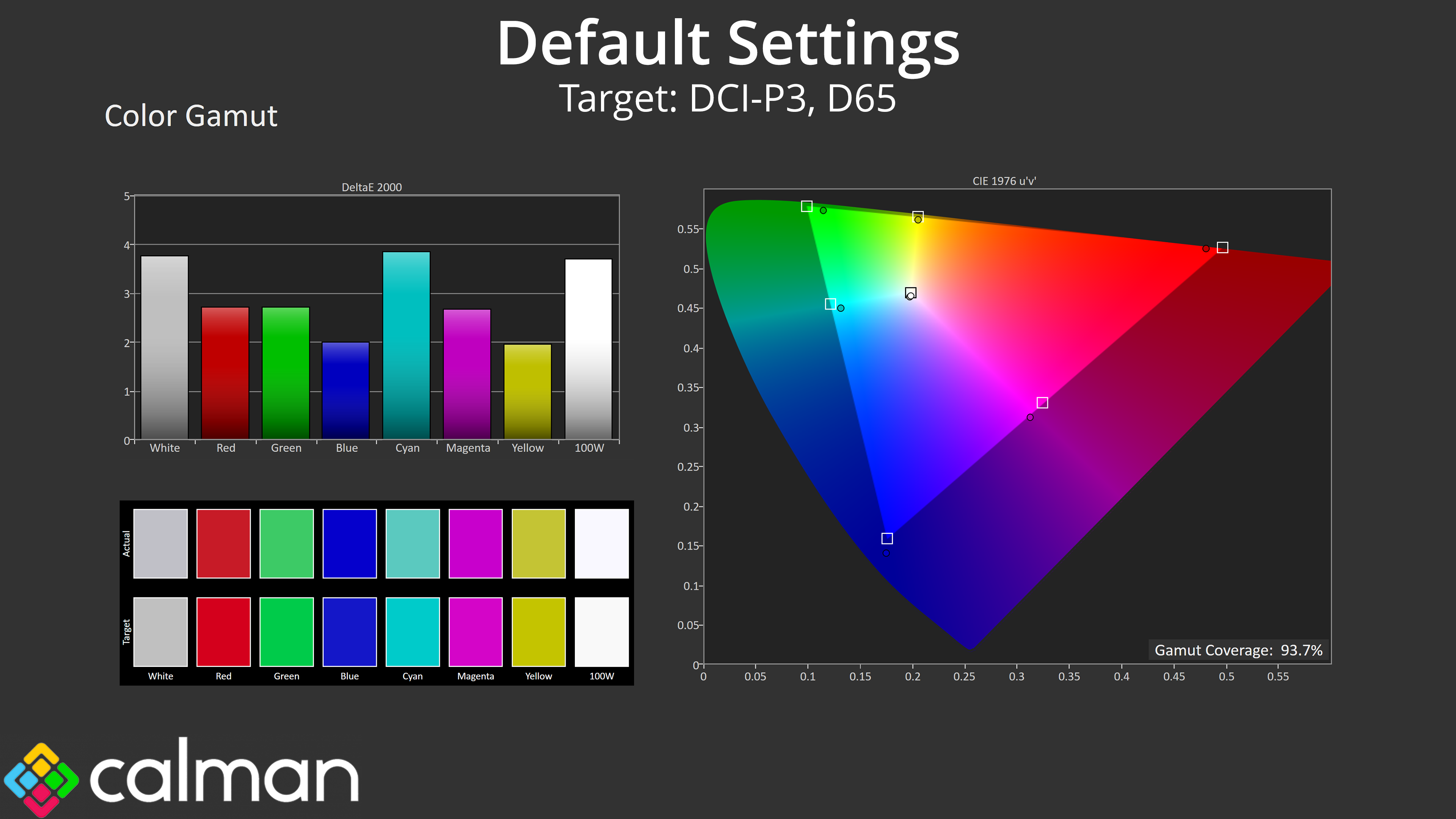
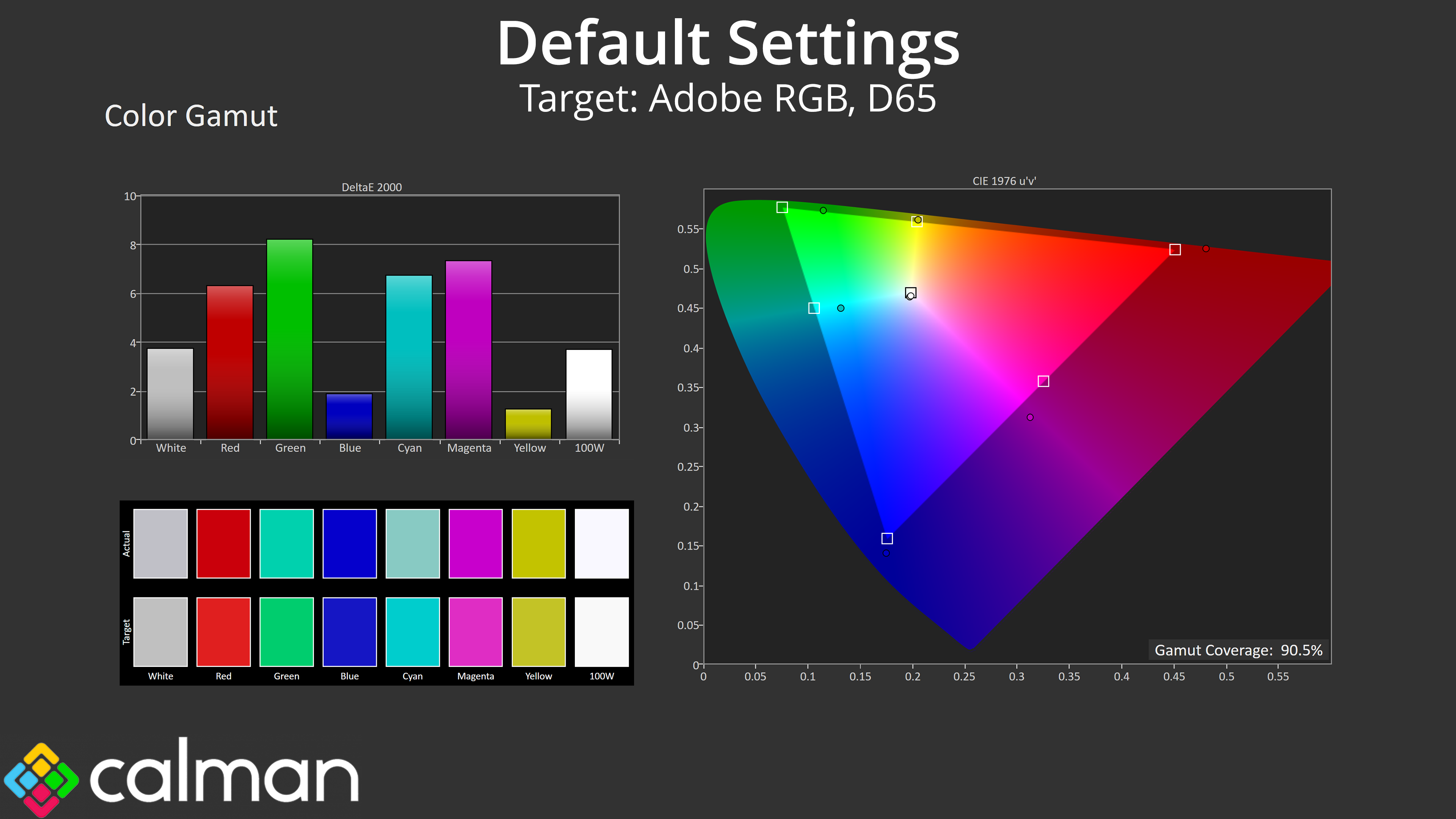
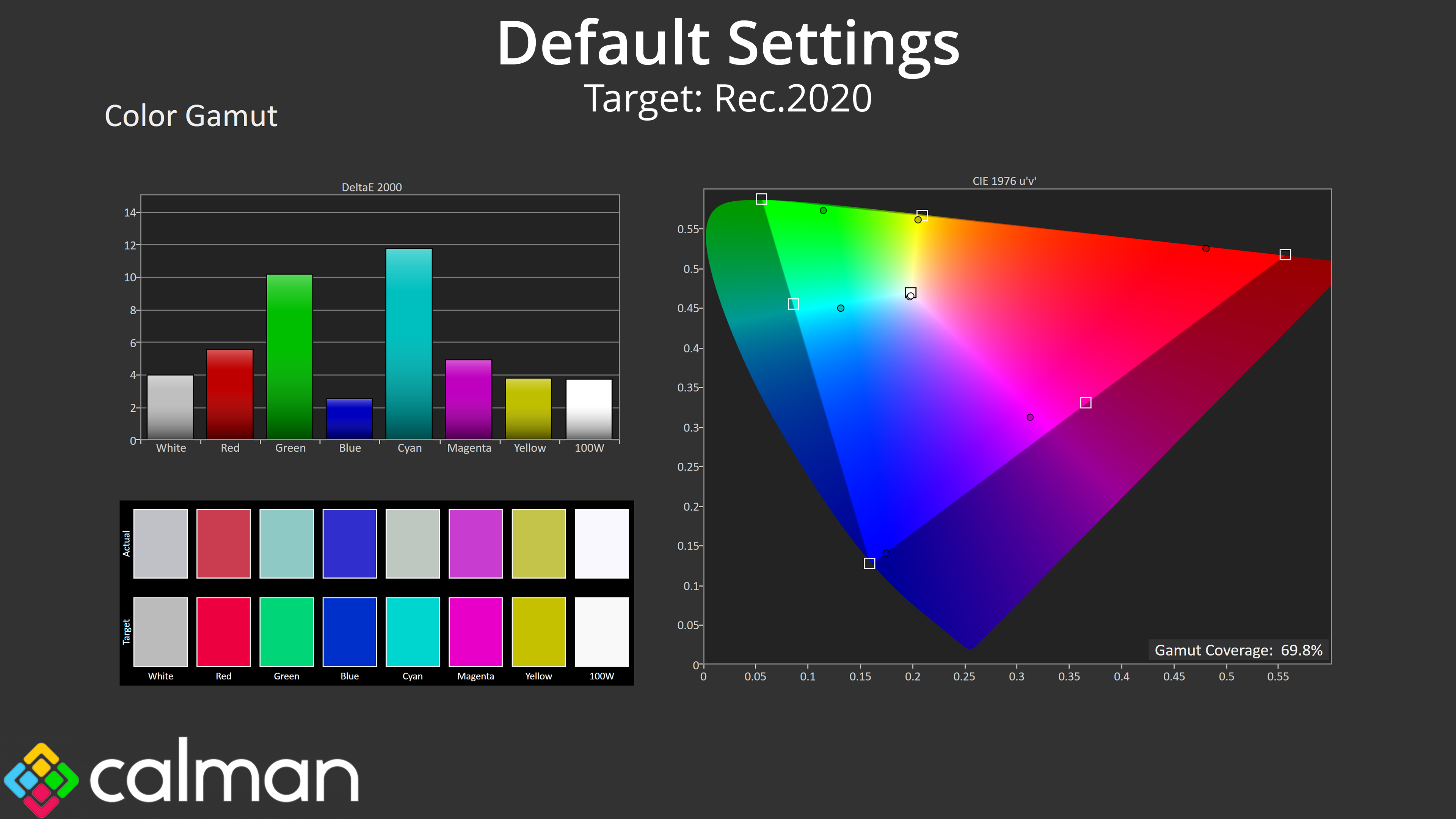
| Colour space | Coverage (%) |
| sRGB | 120.3 |
| DCI-P3 | 93.7 |
| Adobe RGB | 90.5 |
| Rec.2020 | 69.8 |
As for gamut, it's reasonably wide as IPS panels go, well exceeding the sRGB space, but it's obviously not on QD-OLED levels, given we see 93.7% DCI-P3, 90.5% Adobe RGB and 69.8% Rec.2020 coverage.
Greyscale
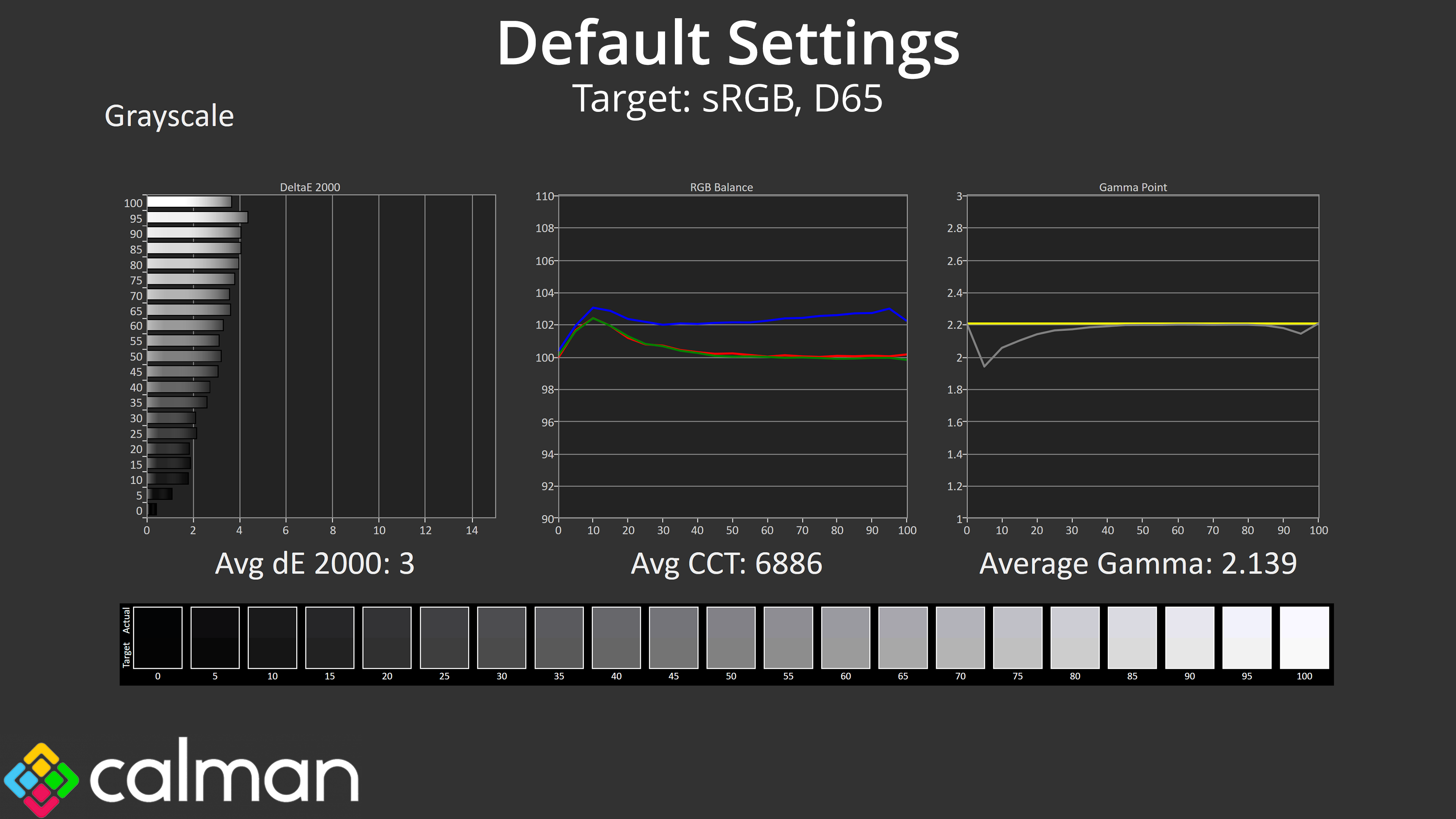
Then we come to greyscale, which is decent if not spectacular. The colour balance is slightly cool, but only slightly, averaging 6886K, just a 6% deviation from the 6500K target. Gamma is also pretty good, closely hugging the 2.2 target line with the exception of the small dip at the start of the curve.
Saturation
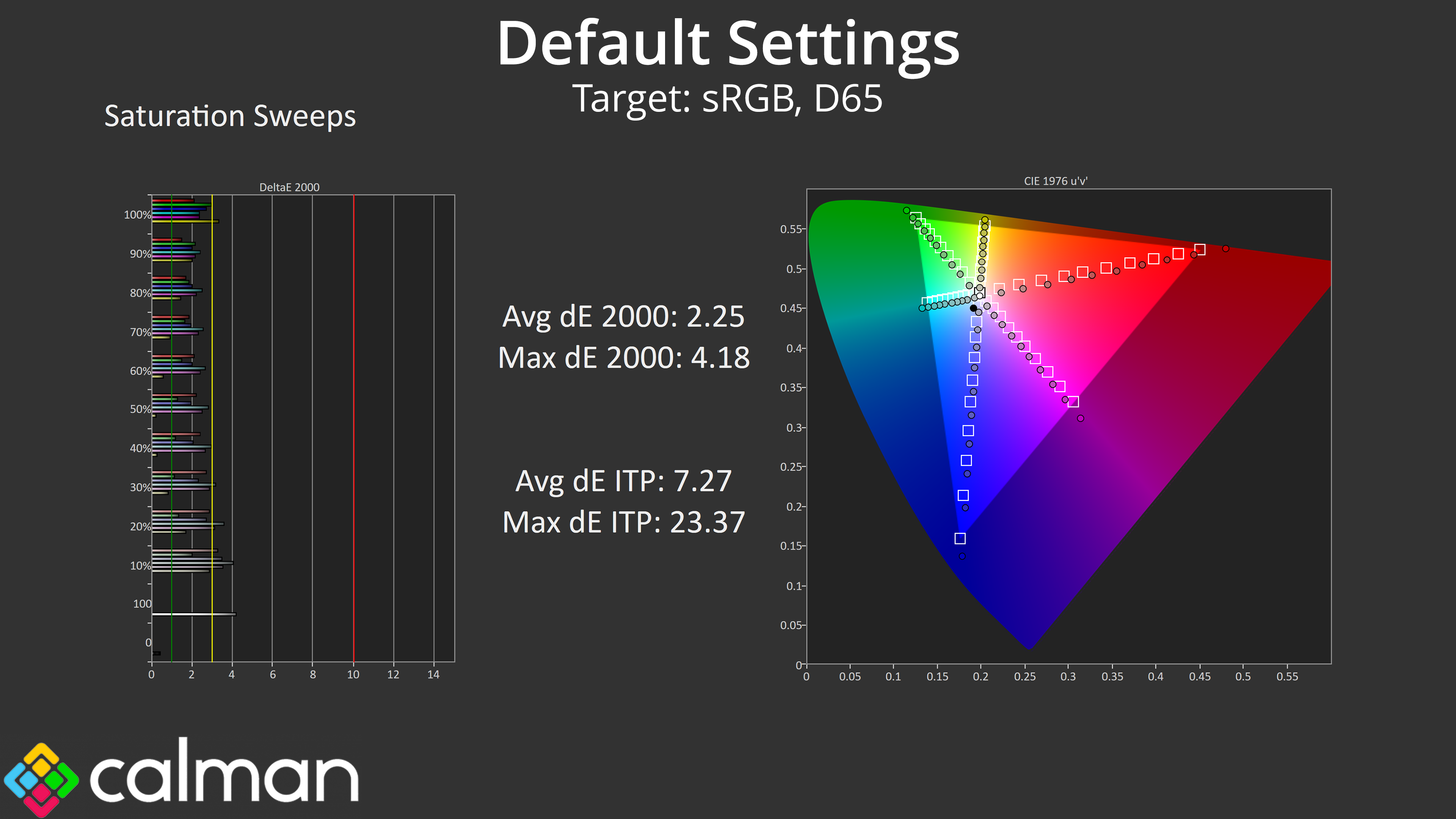
Saturation sweeps do show some oversaturation relative to sRGB as we'd expect, though the inaccuracy isn't terrible, with an average deltaE 2000 of 2.25.
Colour Accuracy
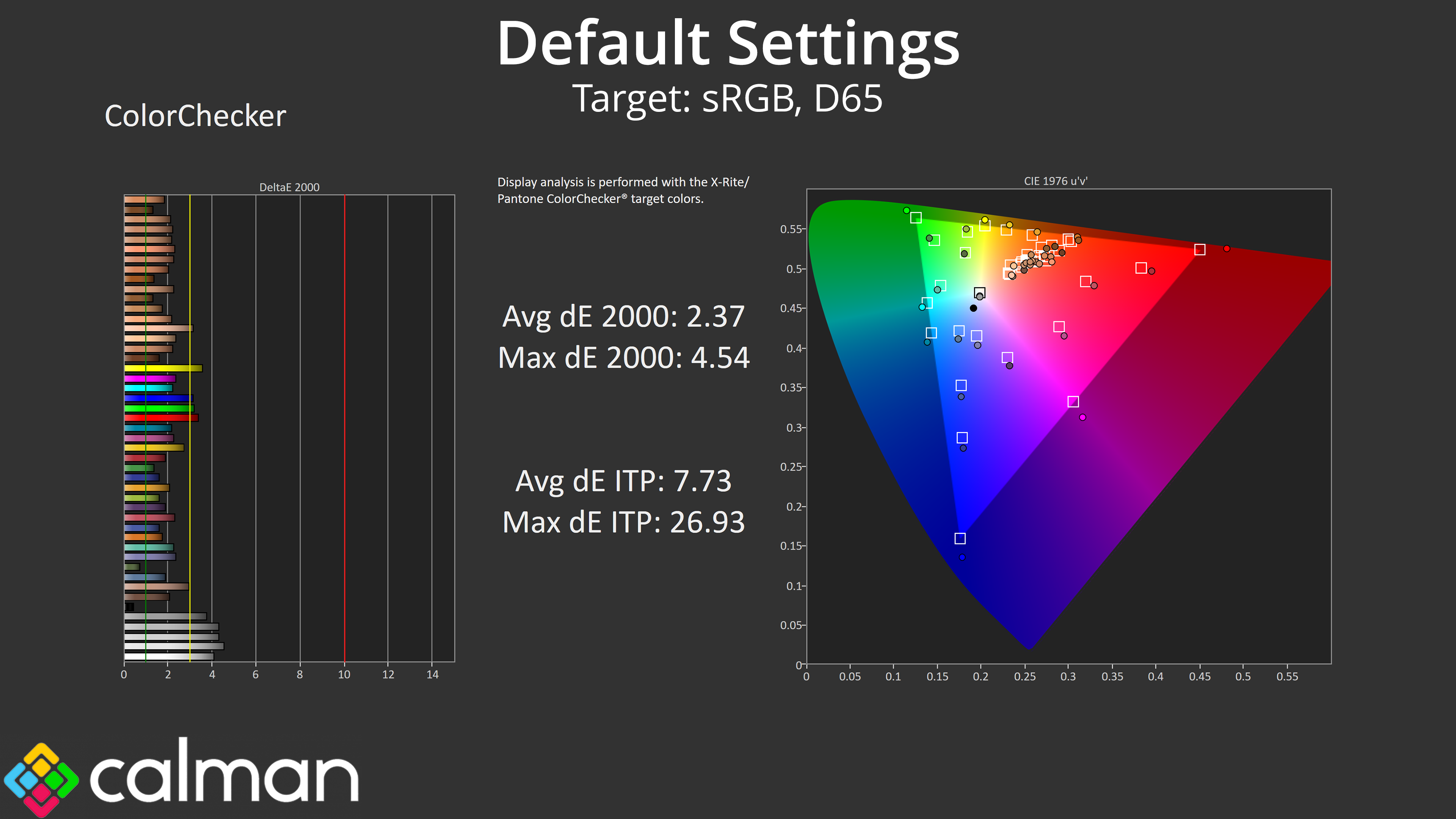
Likewise, general colour accuracy is solid but not class leading, this time with an average dE 2000 of 2.37.
sRGB Emulation Mode
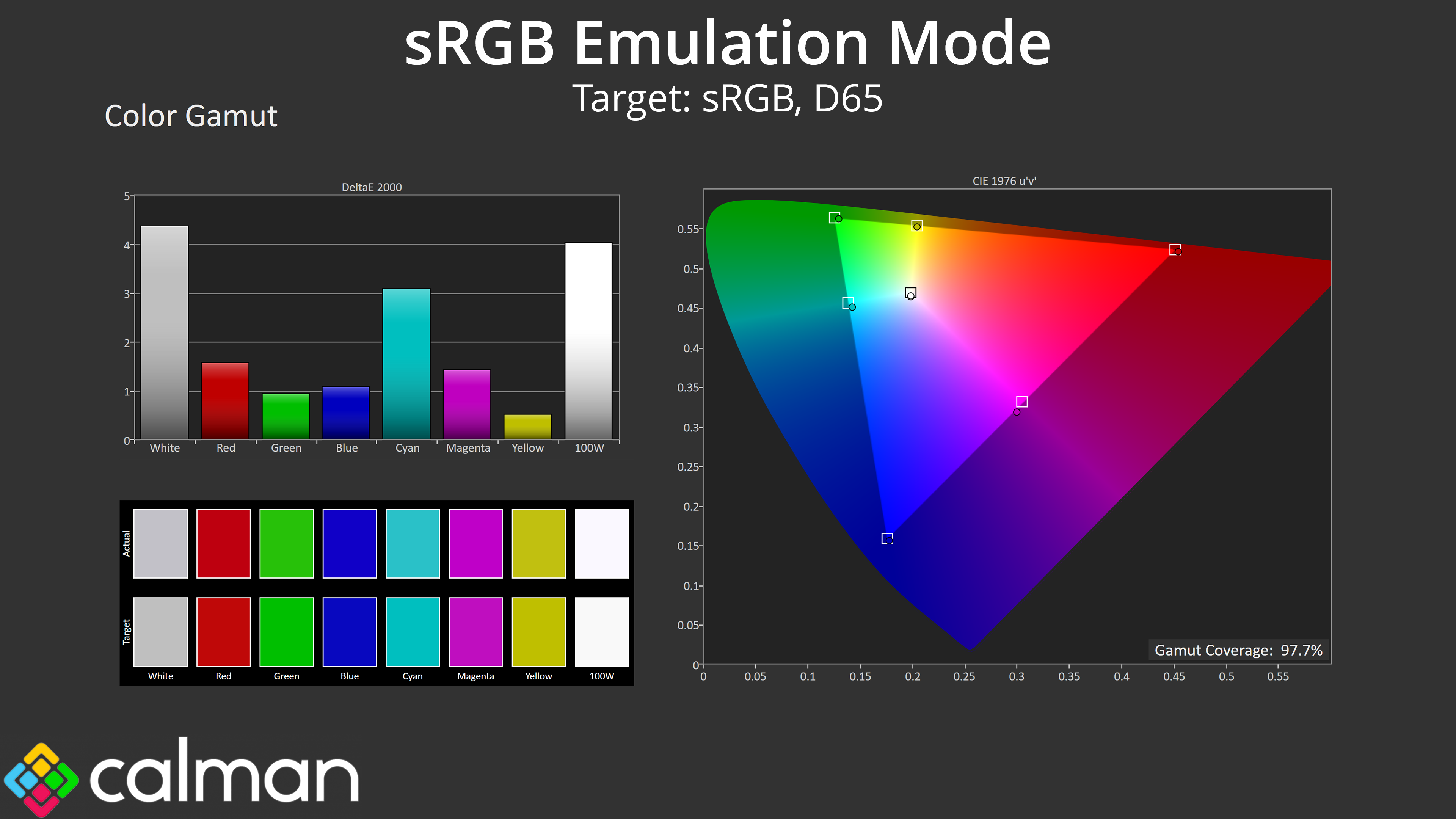
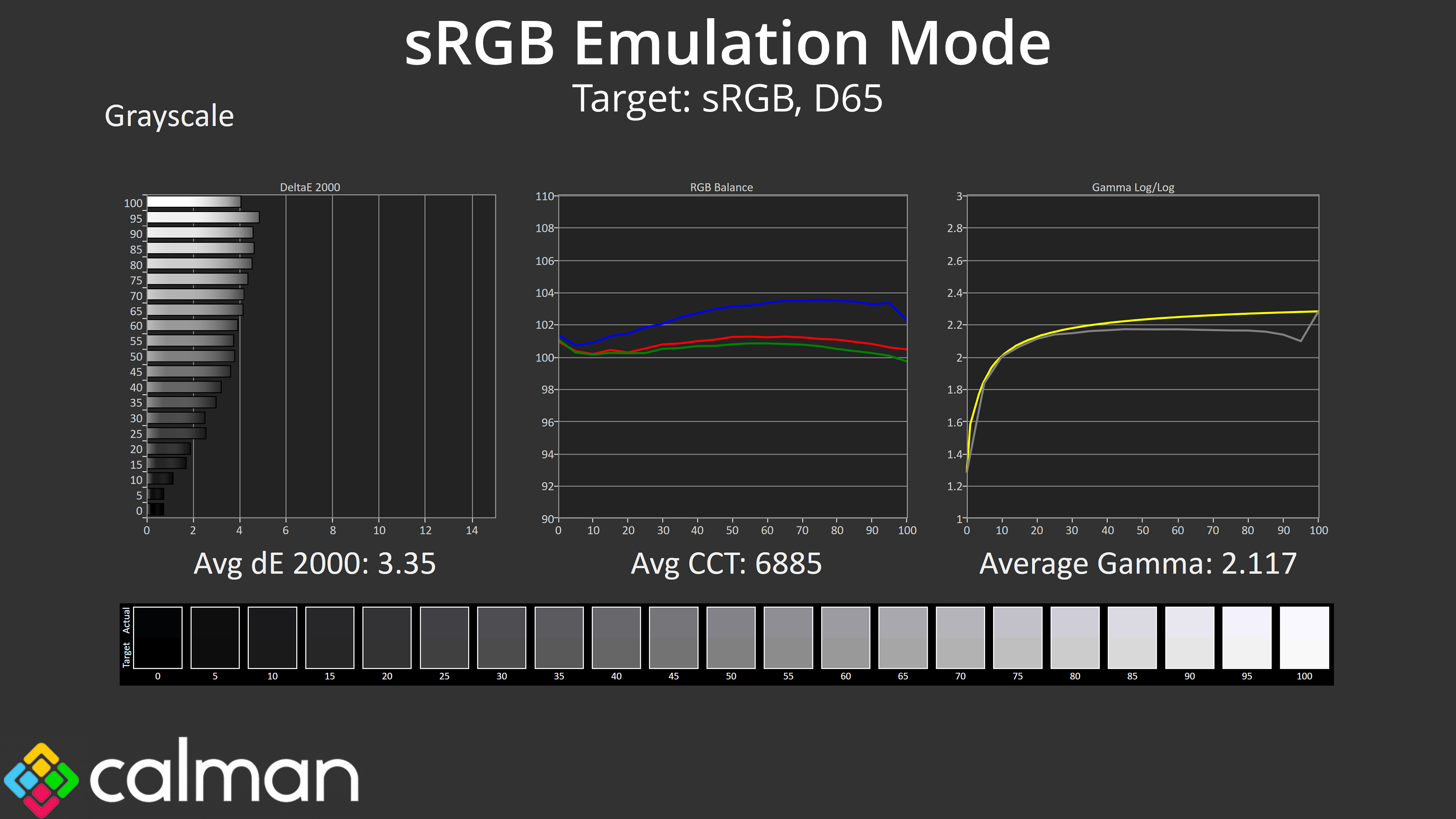
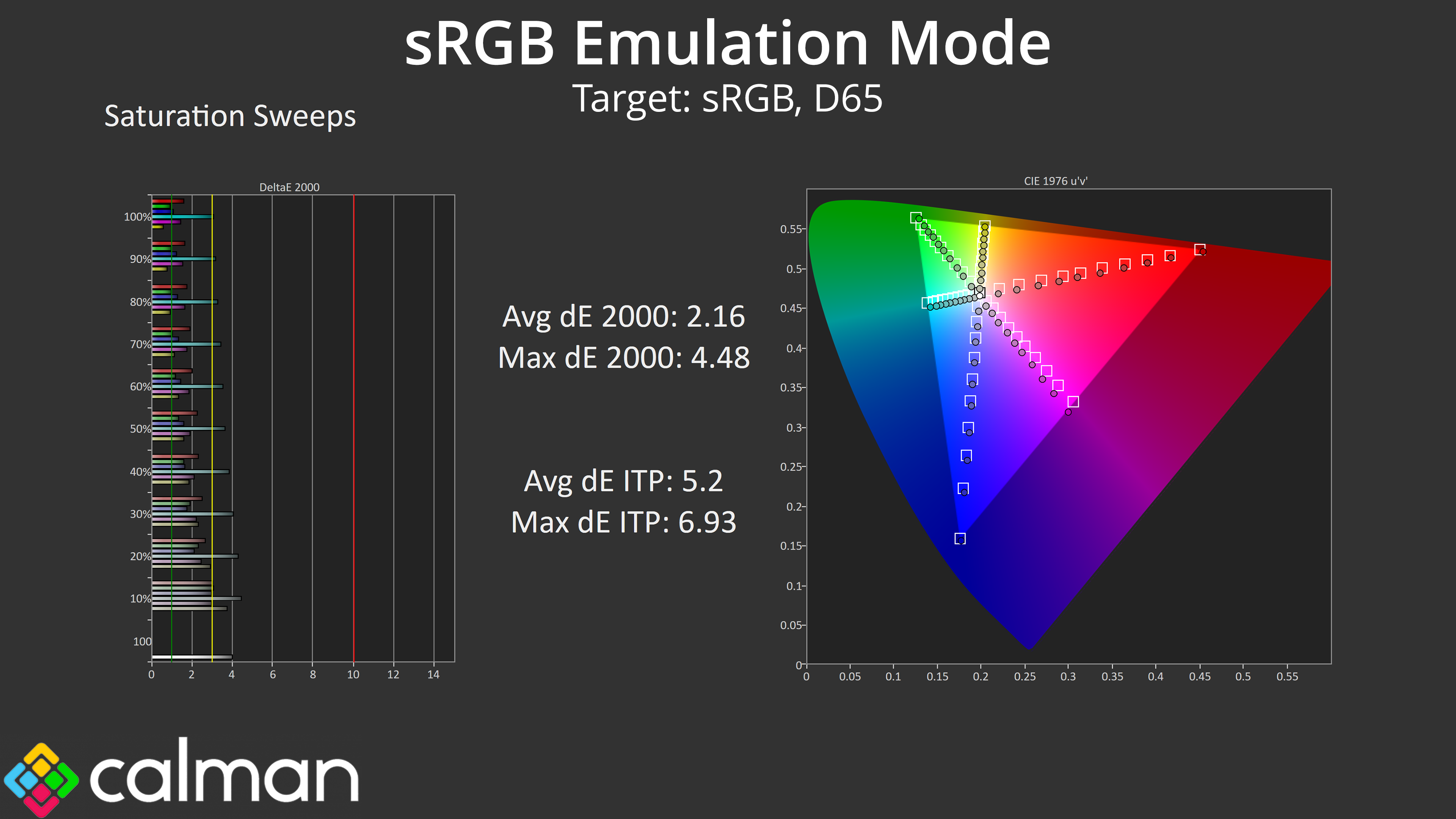
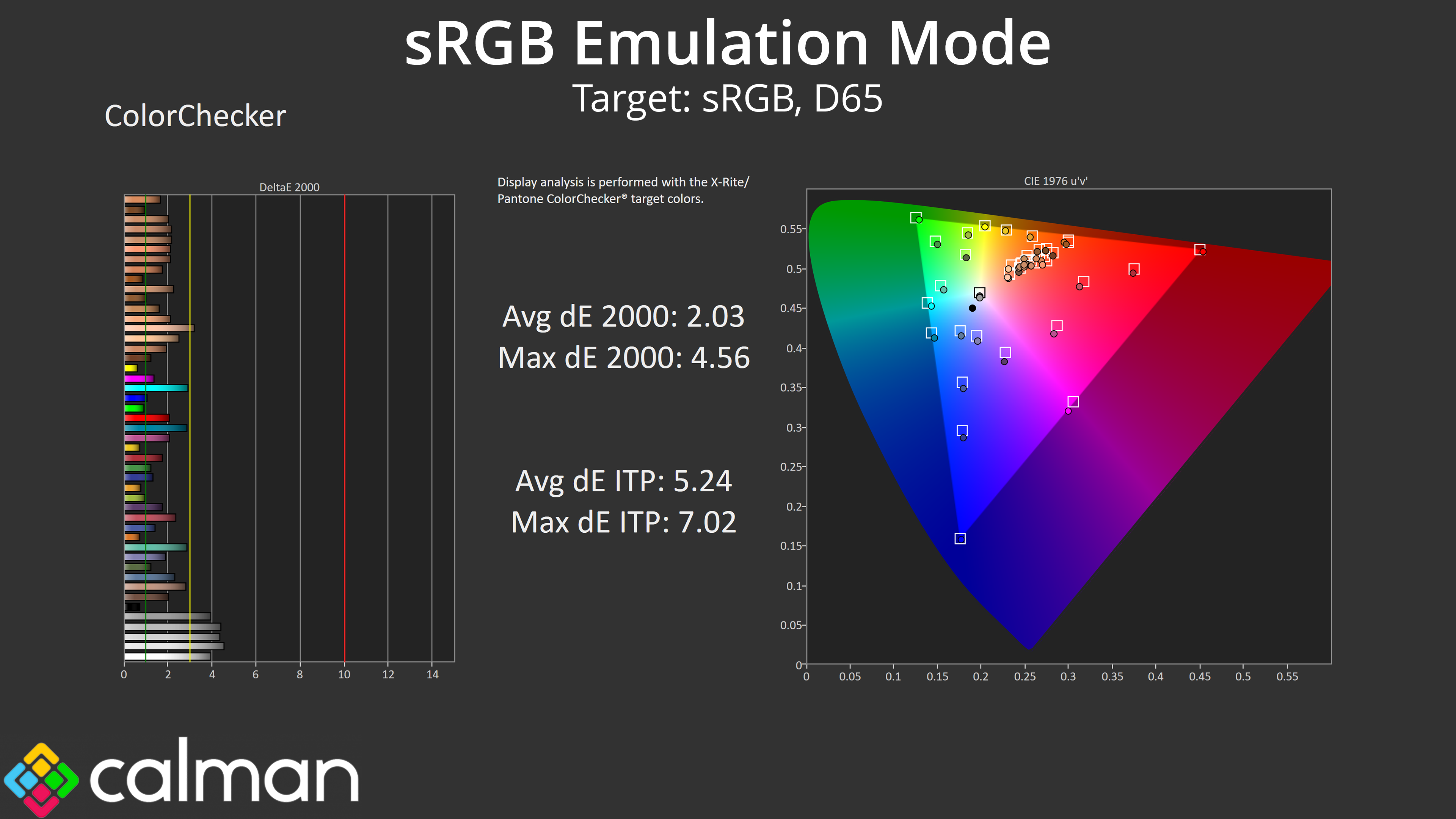
The good news is that AOC has included an sRGB mode in the OSD, and this does a good job at clamping the gamut to prevent oversaturation. Colour balance is unchanged, though gamma is now slightly lower than before, but at least the initial dip has been eliminated. Overall saturation and colour accuracy average deltaEs are improved, but not by much over stock.
Calibrated Results
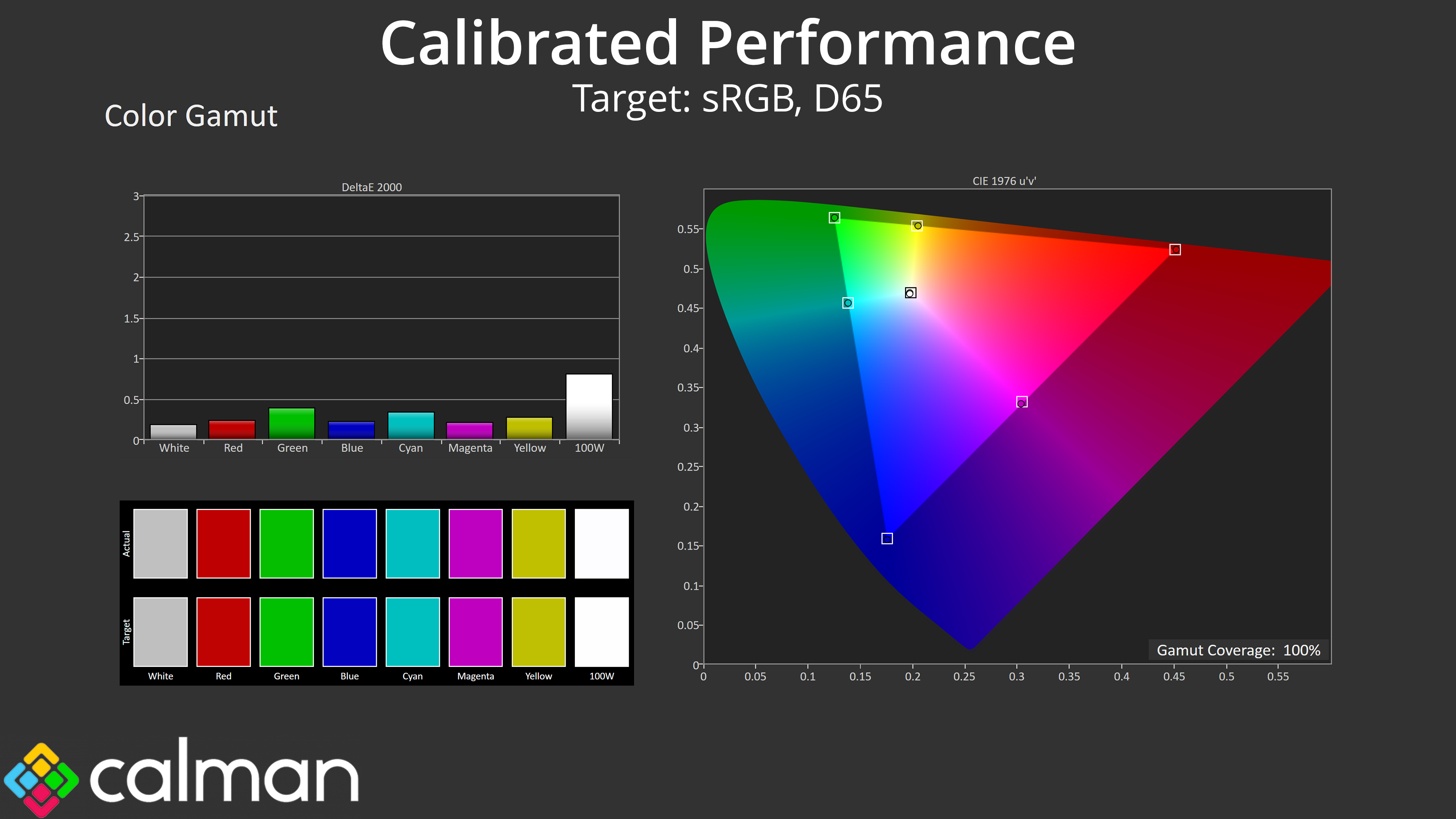
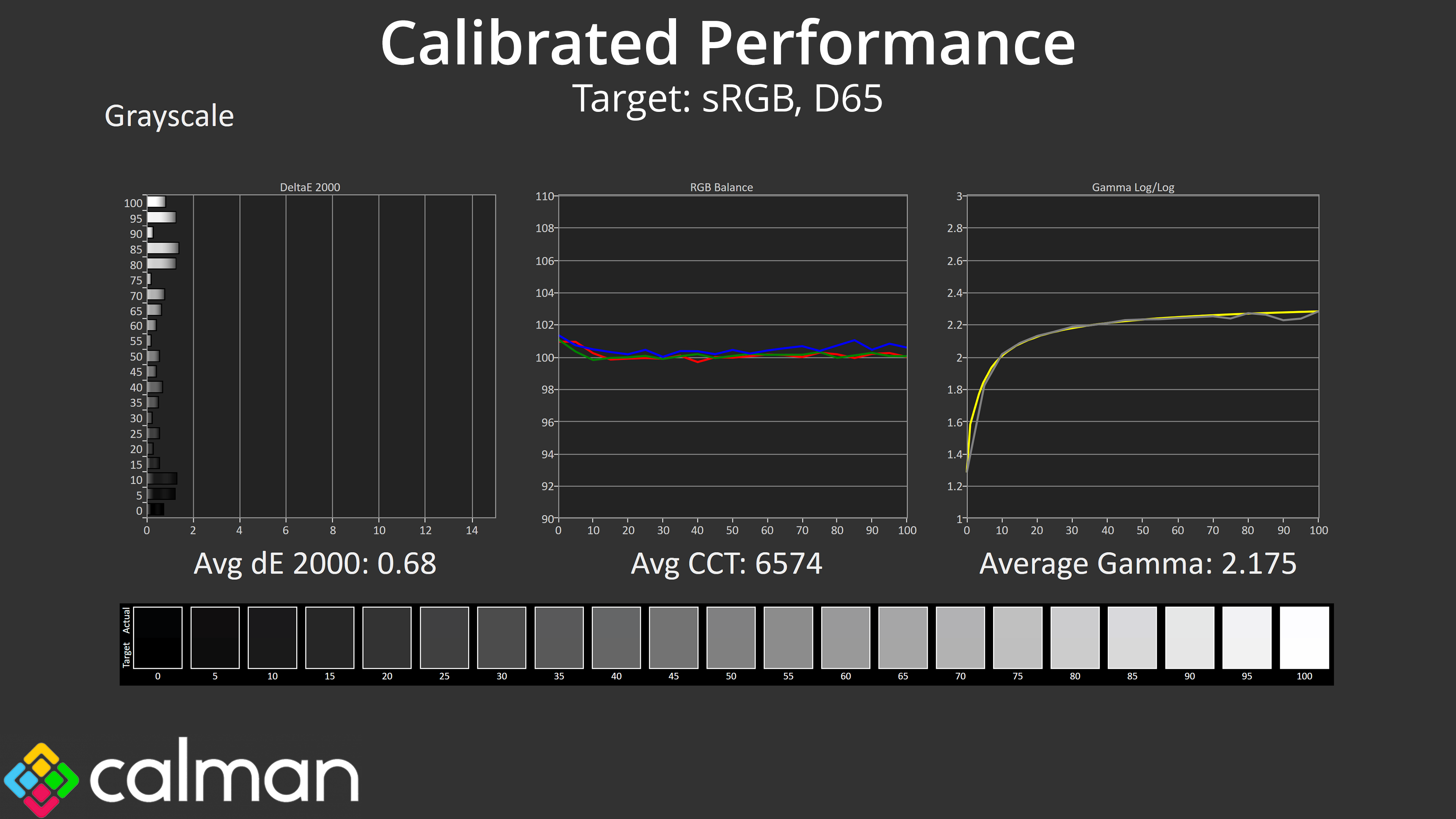
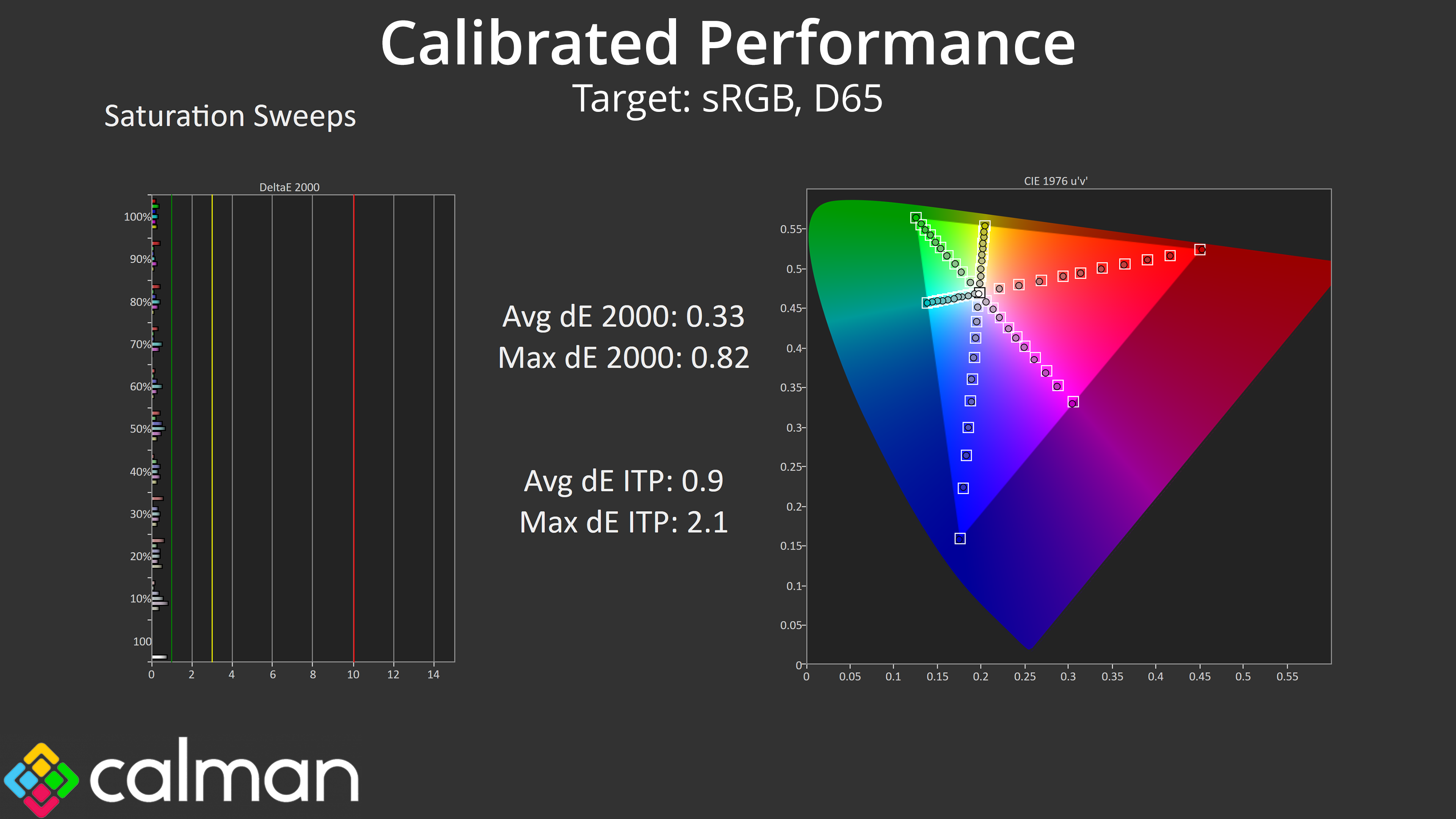
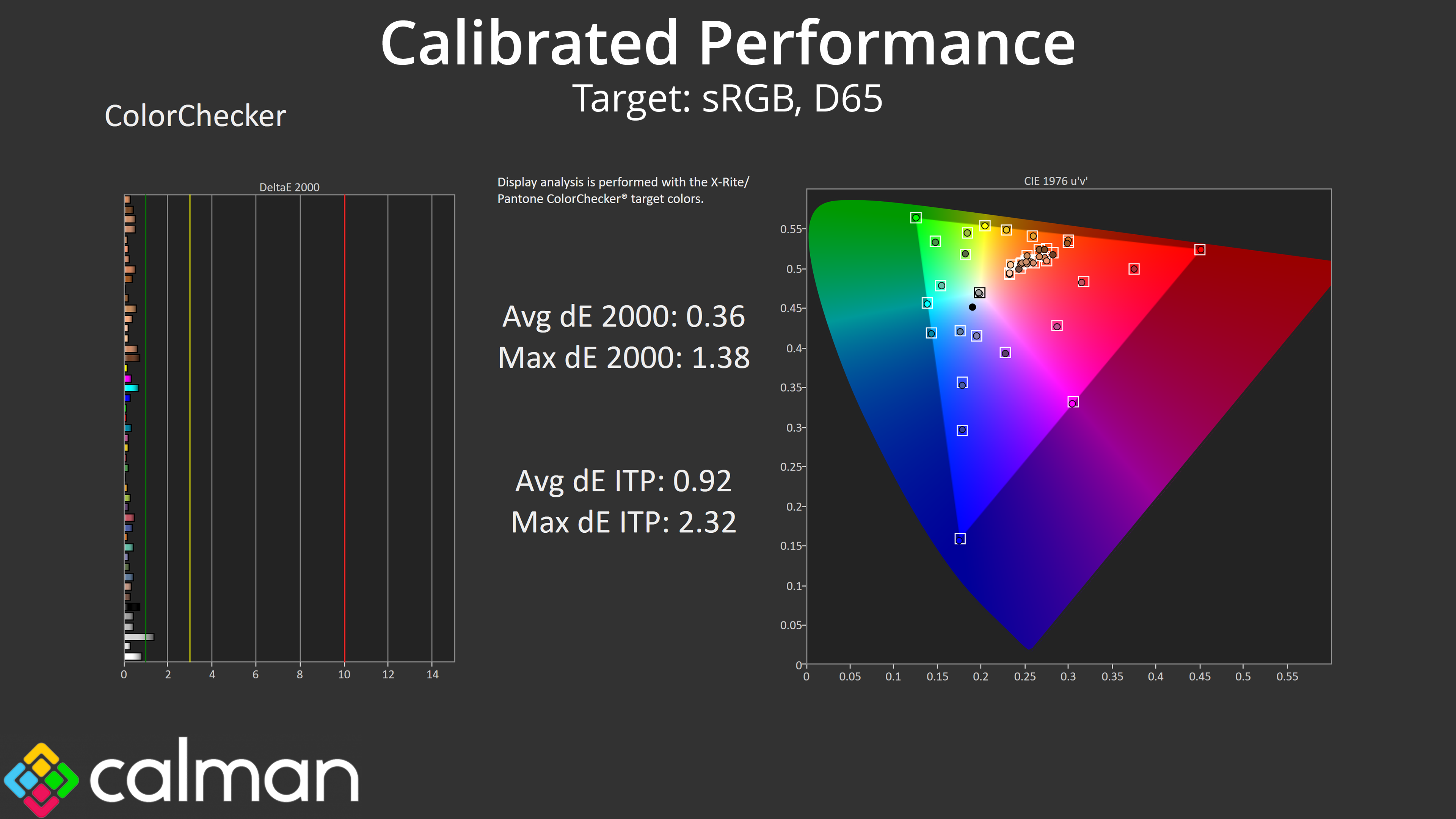
That leaves us with a full calibration to show the best-possible results for this panel, and the figures are stunning, with average error rates dropping below 1 across the board, and even lower than that for the saturation and colour accuracy metrics.
We use the Open Source Response Time Tool (OSRTT), developed by TechTeamGB, for our response time testing. This measures grey-to-grey response times and presents the results in a series of heatmaps, the style of which you may be familiar with from other reviews.
Initial Response Time is the time taken for the panel to transition from one colour to another, where lower values are better. We present the initial response time, so overshoot is not taken into account and is measured separately. We use a fixed RGB 5 tolerance for each transition.
Overshoot is the term given for when a monitor's transition exceeds or goes beyond its target value. So if a monitor was meant to transition from RGB 0 to RGB 55, but it hits RGB 60 before settling back down at RGB 55, that is overshoot. This is presented as RGB values in the heatmaps – i.e. how many RGB values past the intended target were measured.
Visual Response Rating is a metric designed to ‘score' a panel's visual performance, incorporating both response times and overdrive. Fast response times with little to no overshoot will score well, while slow response times or those with significant overshoot will score poorly.
Response times
In terms of overdrive, AOC offers a range from 0 all the way up to 400, with the default being 100. Before going further, however, it's worth clarifying that overdrive is only configurable when Pulsar is disabled. With Pulsar enabled, overdrive is handled entirely via G-Sync Variable Overdrive, as tuned by Nvidia. That means the following results are a best-case indication for response times at 360Hz, but exact figures will vary according to the VRR situation.
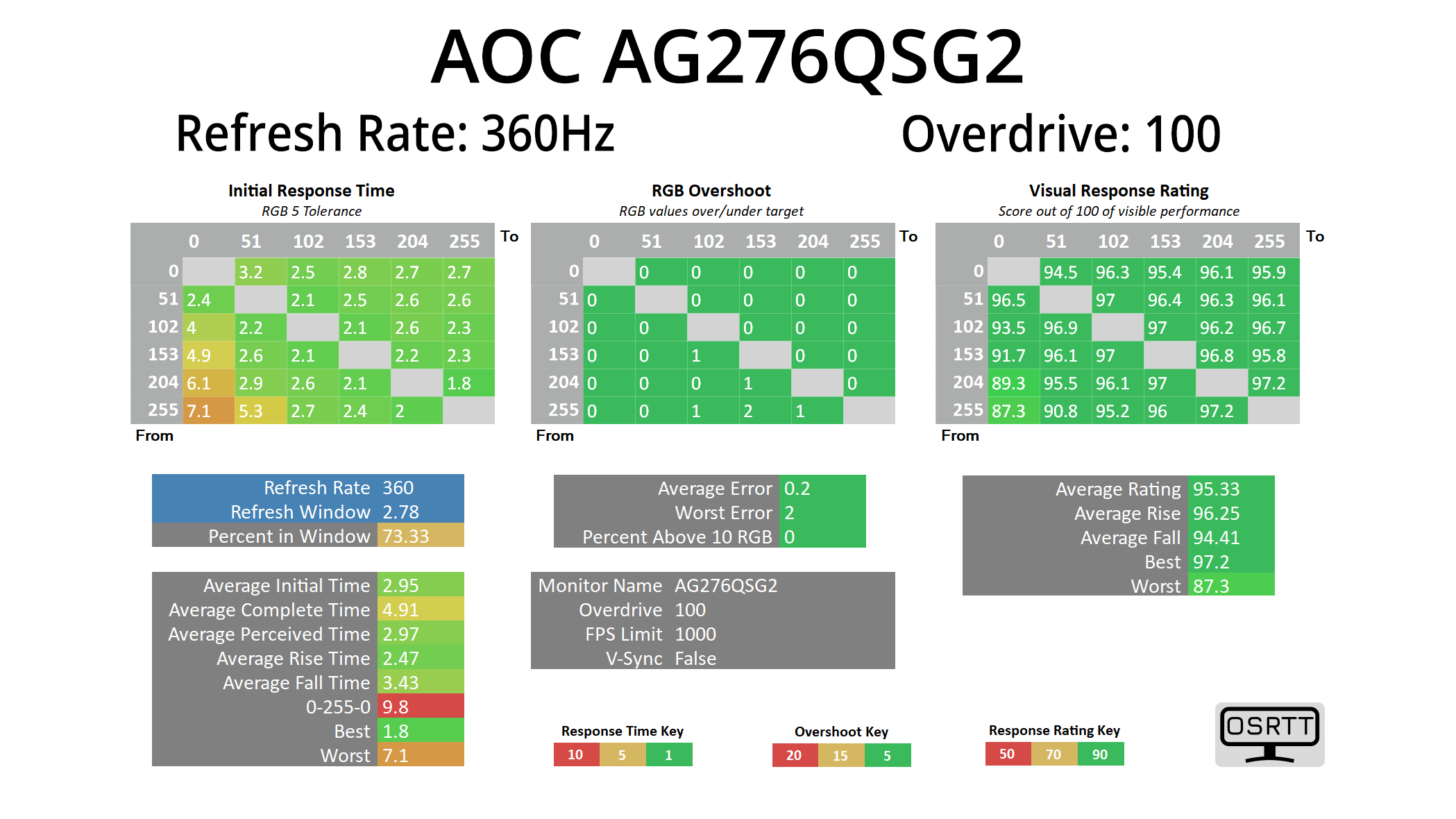
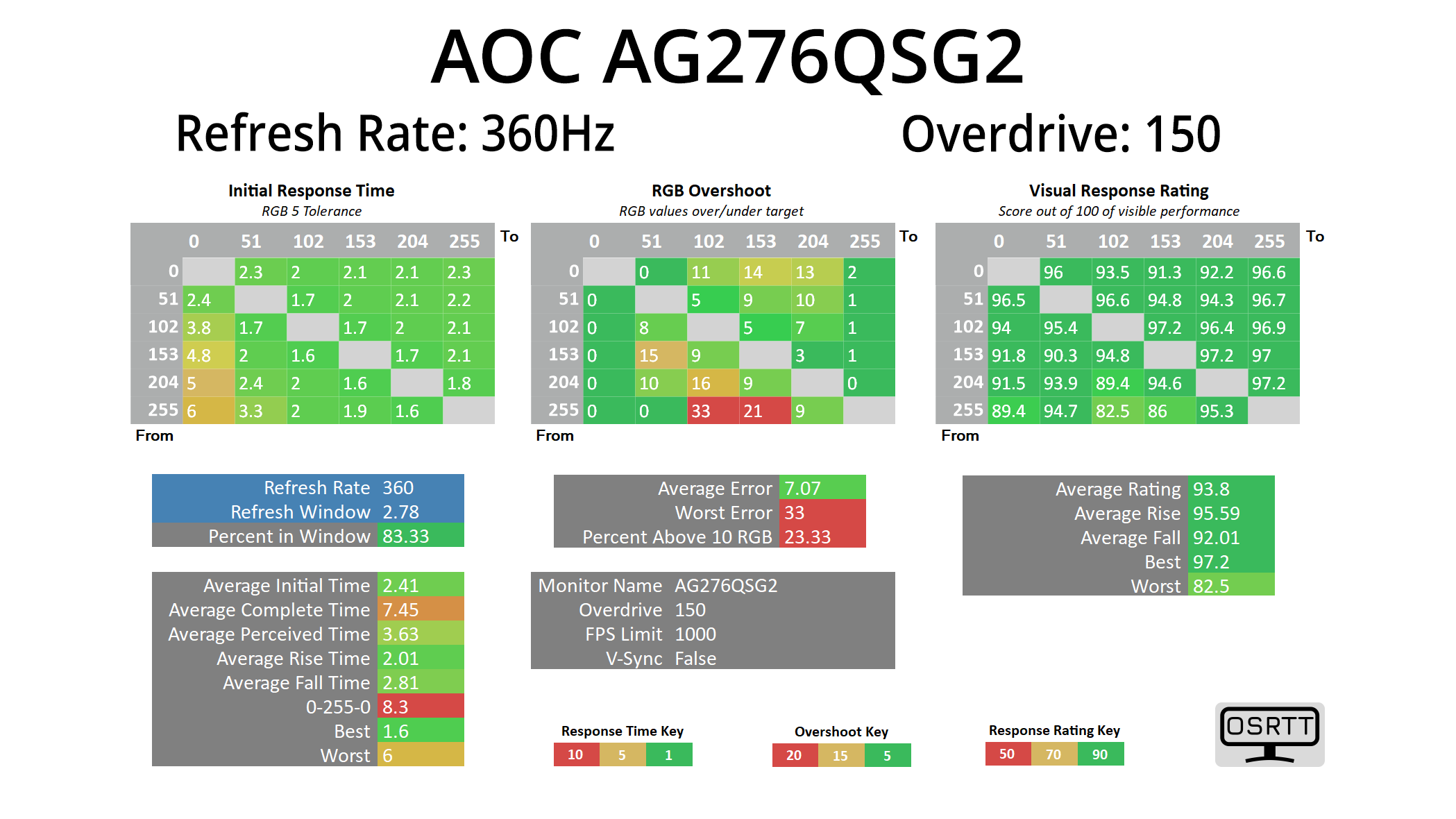
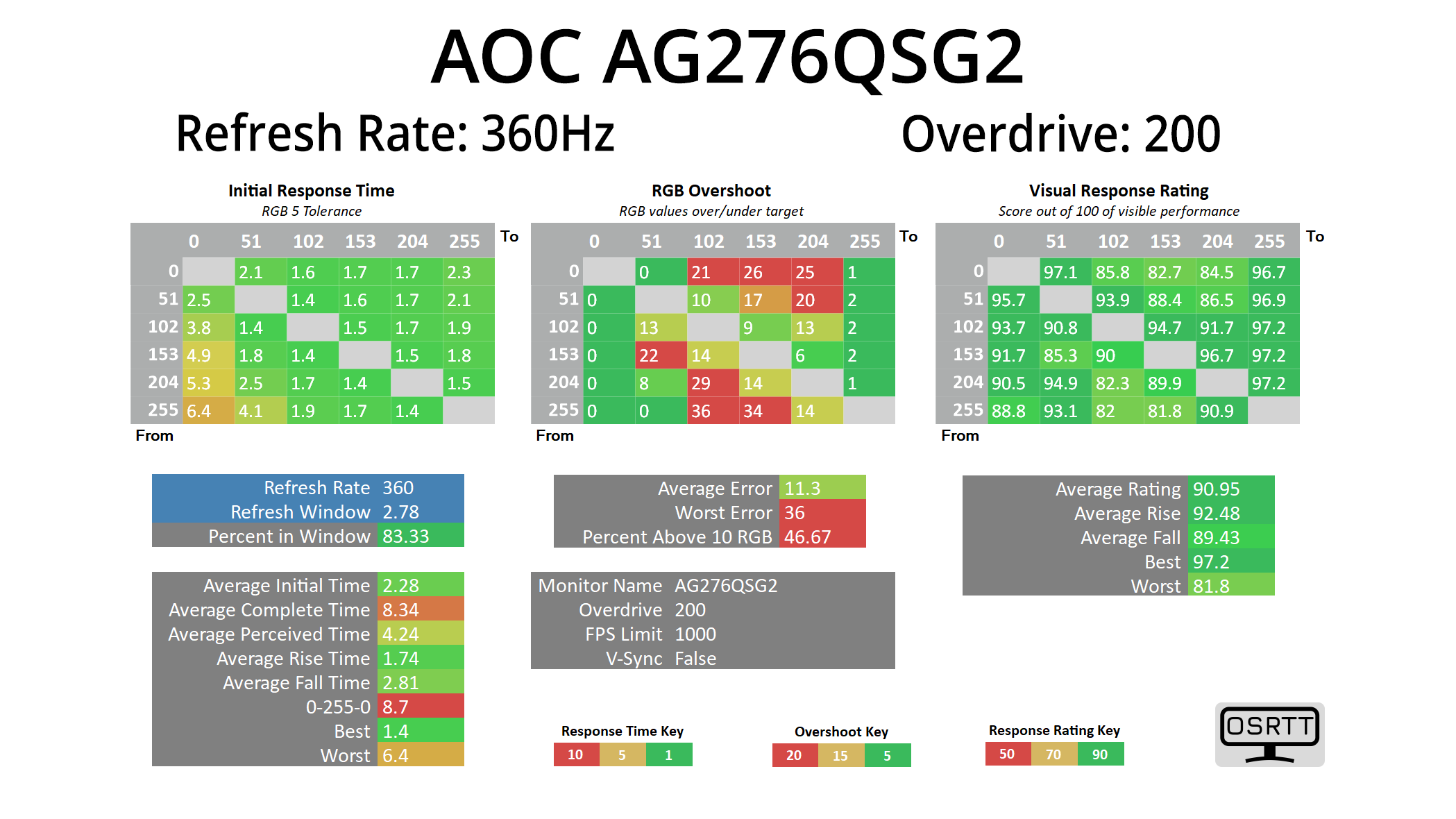
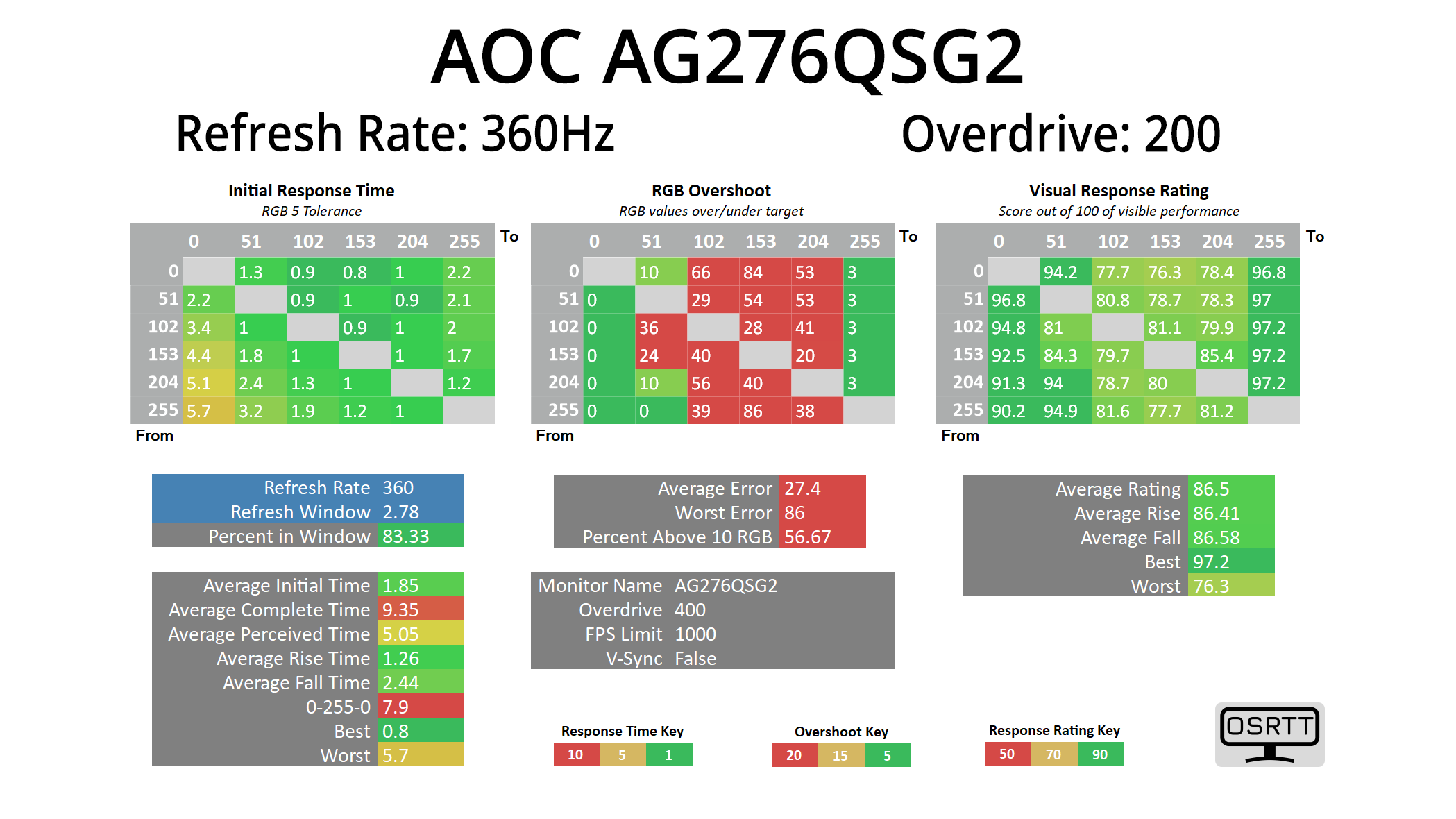
Still, the results are very impressive indeed, indicating a very fast IPS panel. OD 100 is the default setting and that gives solid response times with no overshoot. I found that the OD 150 setting is the most optimal, improving average response time to just 2.41ms with only small amounts of overshoot. OD 200 is only marginally faster but has more visible overshoot, while maxed out at OD 400 isn't worth using given the overshoot is pretty horrific.
Best GtG results
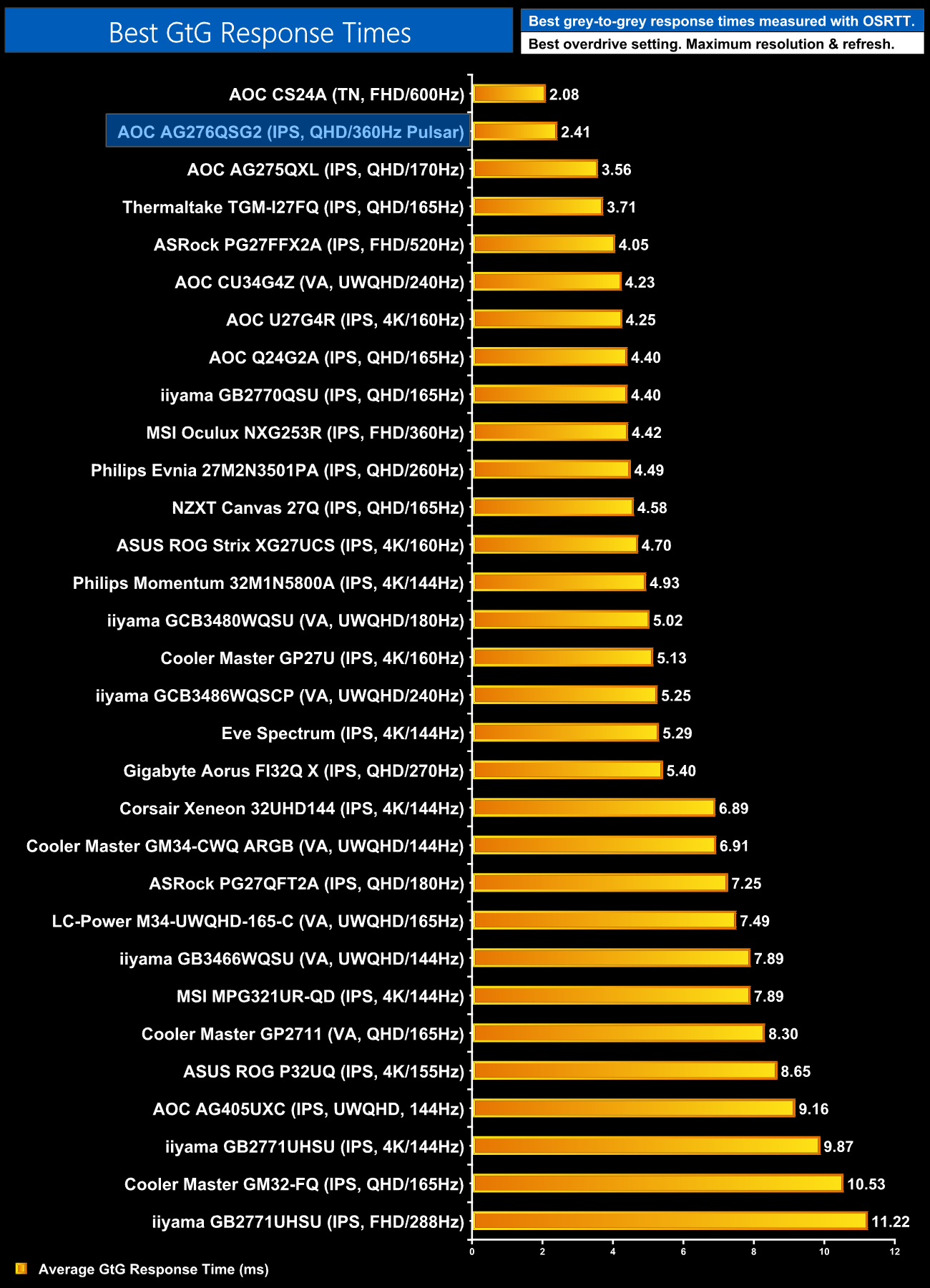
Compared to the rest of the LCD monitors we've tested in recent years, this puts the AG276QSG2 right at the top, second only to the 600Hz CS24A we reviewed very recently. The panel has clearly been very well tuned and that sets it up very nicely for use with G-Sync Pulsar to further improve motion clarity.
Pulsar in action
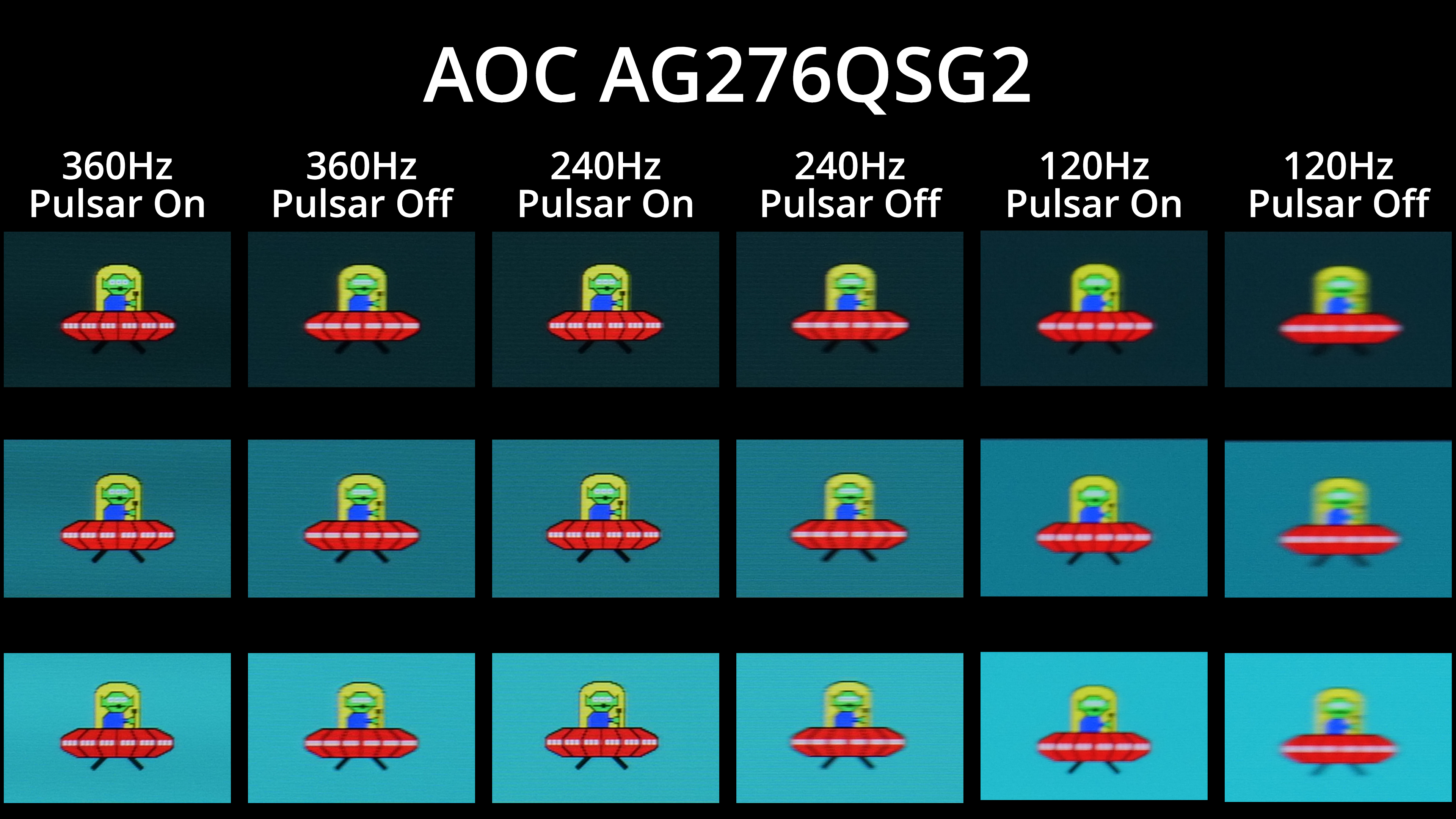
Speaking of Pulsar, let's get right to it and show motion clarity examples with Pulsar on vs Pulsar off, at 120, 240 and 360Hz. It should be immediately obvious that Pulsar makes a huge difference across the refresh rate range – perceived clarity is significantly improved, even at 120Hz, whereas the 360Hz image with Pulsar enabled has very little blur whatsoever.
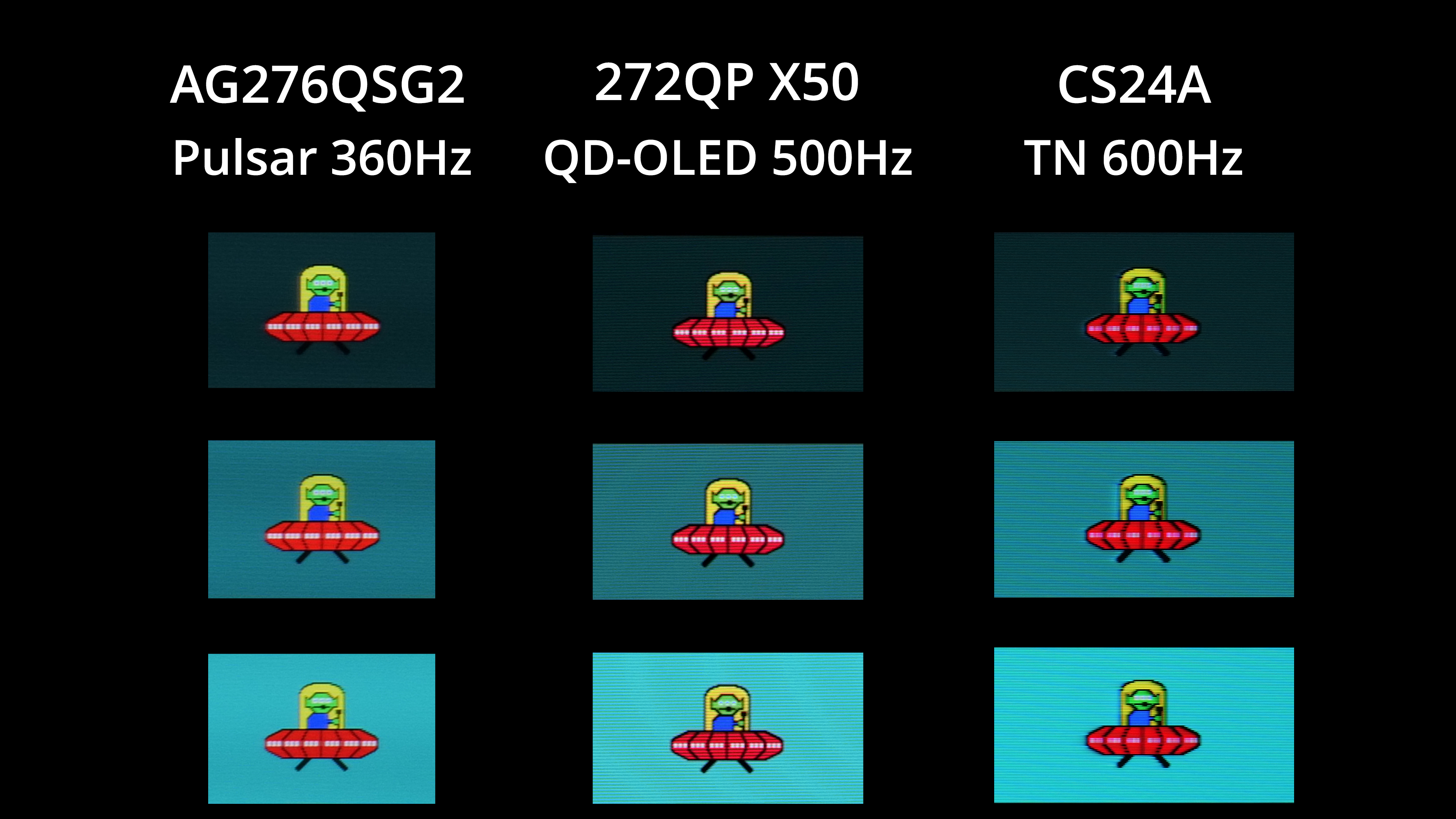
The first thing I wanted to do when I saw the Pulsar results was compare them to a fast OLED screen. I don't unfortunately have test results for OLED at 720Hz, but a 500Hz panel like MSI's 272QP X50 still shows exceptional motion clarity. Pulsar on the AG276QSG2, I think, is even better, with greater clarity around the alien's three eyes, as well as the arm and torso area. It's not a huge difference by any means, but you have to remember this is being achieved at only 360Hz on the Pulsar monitor, whereas the OLED is having to drive an extra 140fps on top to reach the motion clarity we can see there.
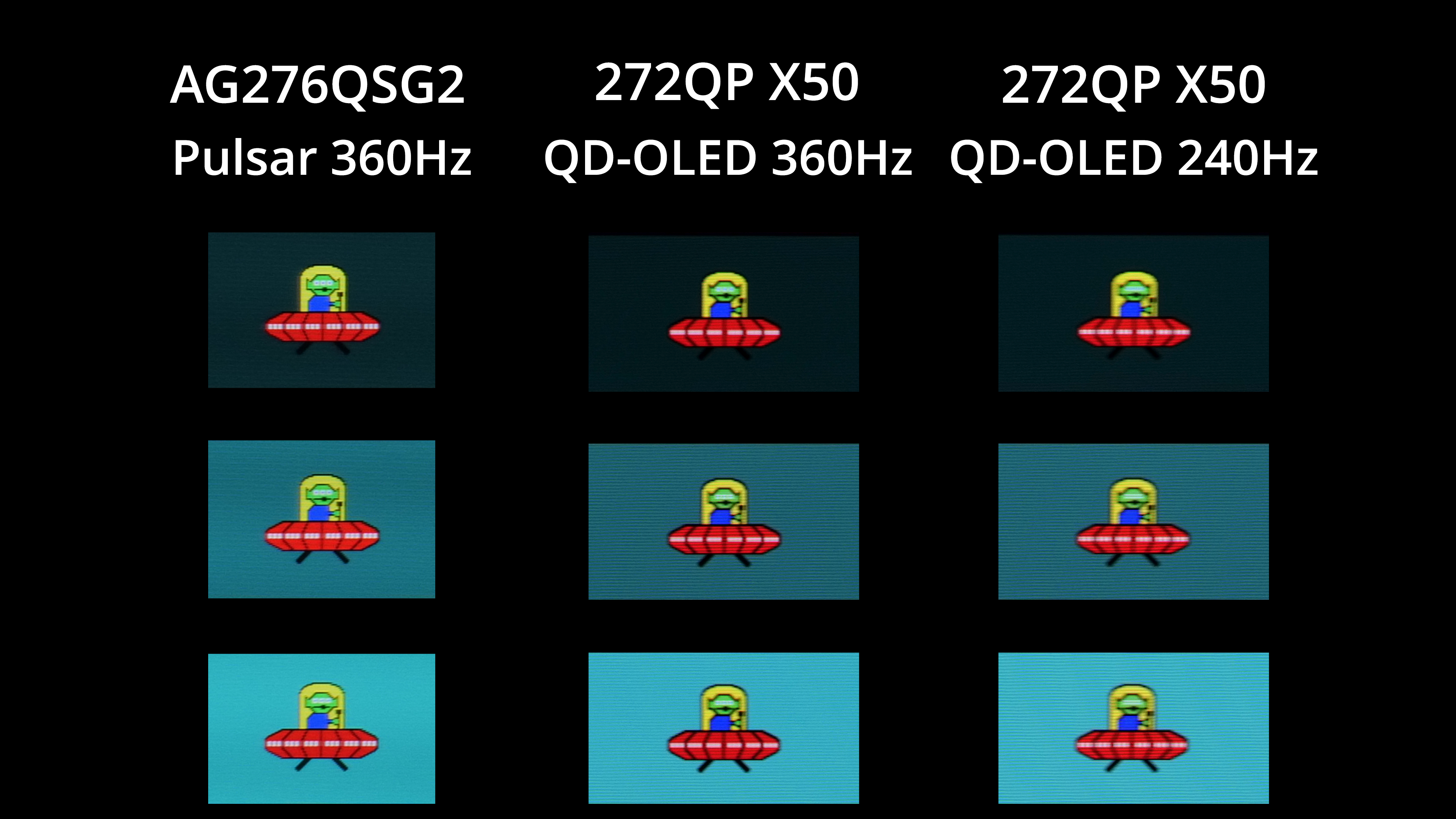
To make that point, I've dropped the refresh rate on the 272QP X50 to 360Hz, along with 240Hz. At matching refresh rates, the Pulsar screen clearly gives better motion clarity, with a more defined image with less blur wherever you look.
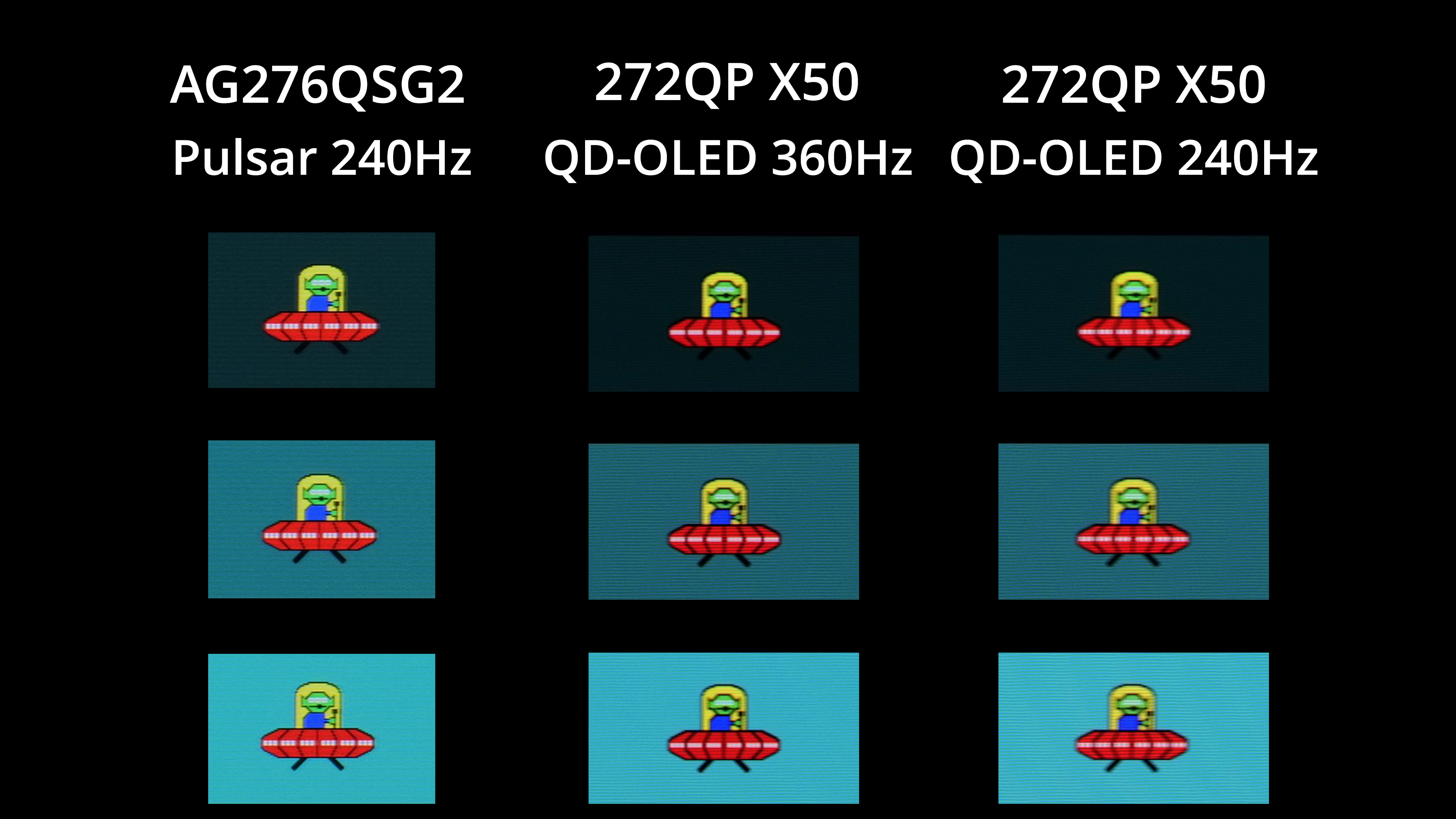
Even Pulsar running at 240Hz is superior to QD-OLED at 360Hz, while it's a noticeable improvement over OLED at 240Hz as well.
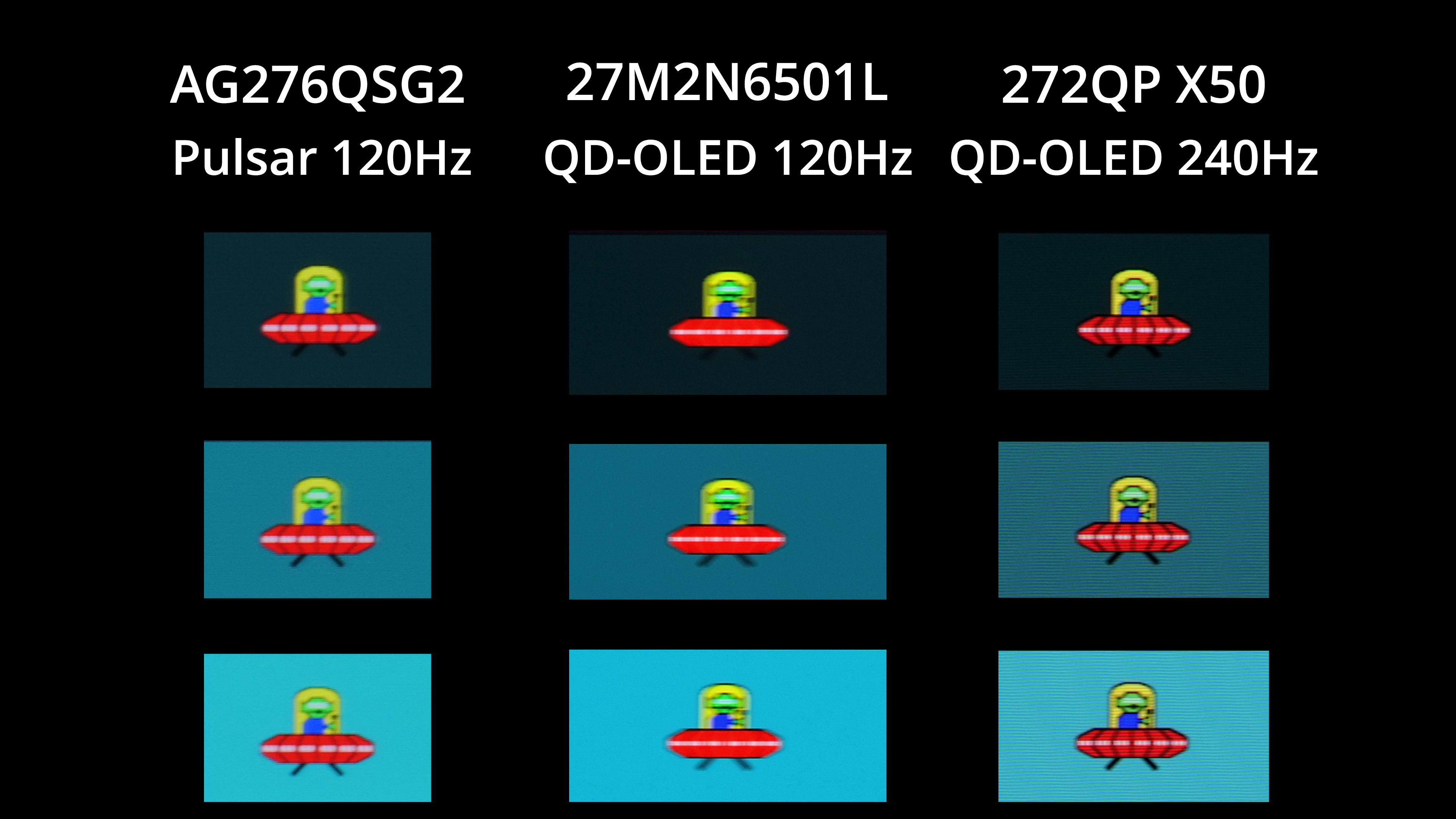
For the final example I've dropped down to 120Hz, where once again we see noticeably better motion clarity from Pulsar than we do from an OLED at the same refresh rate. The Pulsar 120Hz result is even fairly similar to an OLED at 240Hz, which really is a win as it is significantly easier to drive frame rates to 120fps than it is to 240fps, and on an OLED, the lower the frame rate drops, the more the motion blur is increased.
We again use the Open Source Response Time Tool (OSRTT), developed by TechTeamGB, to report monitor input latency.
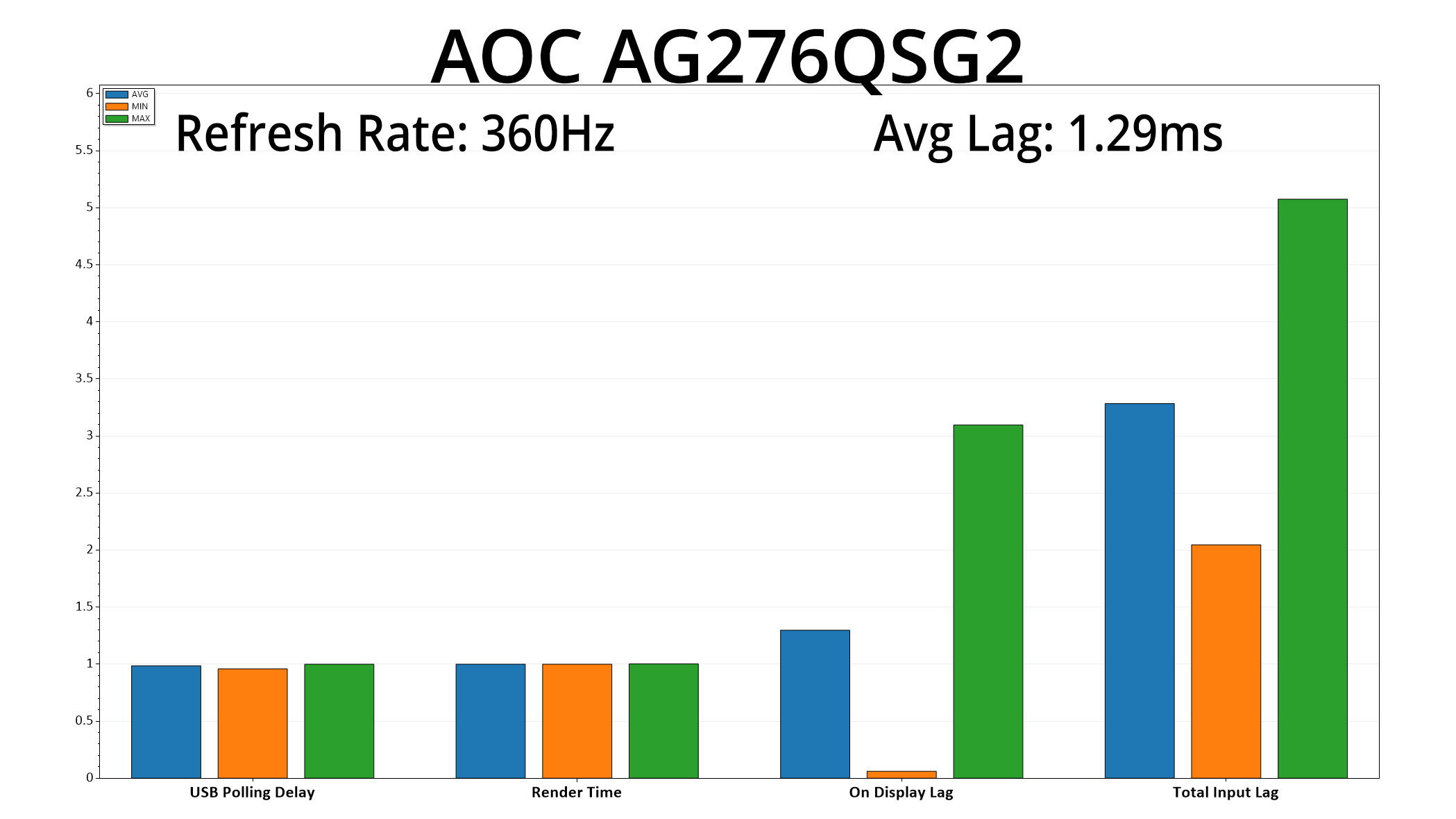
In terms of latency, it's pleasing to see nice and low figures, with the AG276QSG2 averaging just 1.29ms lag, equivalent to just under half a frame at the 360Hz refresh rate, so nothing at all to worry about
It's been some time coming, but today we have finally been able to present our full review of a G-Sync Pulsar monitor, in the form of AOC's Agon Pro AG276QSG2. No doubt about it, this is a very capable screen and Pulsar brings huge benefits to perceived motion clarity, but there are other factors to consider before splashing out on the £559 asking price.
First things first, though, G-Sync Pulsar simply works incredibly well. By utilising a high-tech backlight strobing technology, in tandem with proper G-Sync VRR, we saw noticeably better image clarity with Pulsar enabled at every refresh rate tested. Pulsar running on this 360Hz LCD even delivers superior motion clarity to an OLED running at 500Hz, and that is a huge win for consumers as it means you don't have to drive frame rates to extreme levels to benefit from reduced blurring.
It's dead easy to use as well, being a simple on/off toggle, and it has variable overdrive built-in, so you don't need to worry about adjusting any settings for different games – to echo Jensen's immortal words, it just works. Right now, Pulsar can be enabled from as low as 75Hz, but Nvidia is working on a new firmware to get it running at just 48Hz, so we'll have to see how that behaves in the future.
The thing to remember is that, as good as Pulsar is, there is more to a monitor – and your gaming experience – than just reducing motion blur. After all, Pulsar is a technology designed for LCD monitors, so we still find areas of weakness that are inherent to LCD-based panels, such as this IPS one. I'm primarily talking about low contrast, given we measured just 945:1 for the AG276QSG2, but you also have to factor in HDR as well, which is essentially non-existent due to the lack of local dimming technology.
That means, while Pulsar may have the edge over an OLED monitor for pure motion clarity, you get other benefits with OLED like the true blacks and infinite contrast, plus proper HDR support with per-pixel dimming. Exactly what your priorities are will depend on the types of games you play and your general preferences, so there's no right or wrong. It's also worth saying that this is only the first panel to support Pulsar, and who knows what other implementations we might see down the line.
Right now, though, the AOC Agon Pro AG276QSG2 is still absolutely worth buying – it's a well-configured monitor that will have huge appeal to competitive gamers thanks to G-Sync Pulsar. Hopefully we see even more screens hit the market with Pulsar before long.
We found it listed on Scan and OCUK for just under £560.
Pros
- G-Sync Pulsar works incredibly well, significantly improving perceived motion clarity.
- Pulsar also means you don't need to drive extreme frame rates to reduce blur.
- Variable overdrive is built-in.
- Response times themselves are rapid.
- Generally well-configured factory calibration.
- Gets decently bright at over 450 nits.
Cons
- Low contrast by modern IPS standards.
- No local dimming hardware so doesn't deliver any sort of real HDR experience.
- Competing OLED screens offer other advantages at a similar price.
- Panel uniformity could be better.
- Lacks USB-C and KVM functionality.
KitGuru says: G-Sync Pulsar is here and the AOC AG276QSG2 is a very appealing monitor because of it. Whether or not you buy it instead of an OLED screen will depend, but it's certainly made us want to see more screens packing Pulsar technology.