KitGuru KitGuru.net – Tech News | Hardware News | Hardware Reviews | IOS | Mobile | Gaming | Graphics Cards


Our main test involves using an X-Rite i1 Display Pro Plus colorimeter and utilising Portrait Display's Calman Ultimate software. The device sits on top of the screen while the software generates colour tones and patterns, which it compares against predetermined values to work out how accurate the screen is.

The results show:
- A monitor’s maximum brightness in candelas or cd/m2 at various levels set in the OSD.
- A monitor’s contrast ratio at various brightness levels in the OSD.
- Gamut coverage, primarily focusing on sRGB and DCI-P3 colour spaces.
- Greyscale accuracy, measured across 20 shades, with an average colour balance reported.
- The exact gamma levels, with a comparison against preset settings in the OSD.
- The colour accuracy, expressed as a Delta E ratio, with a result under 3 being fine for normal use, and under 2 being great for colour-accurate design work.
We first run these tests with the display in its out-of-the-box state, with all settings on default. If there is an sRGB emulation option or other useful mode then we may test that too. We then calibrate the screen using the Calman Ultimate software and run the tests again.
You can read more about our test methodology HERE.
Default settings
Brightness and Contrast (Full Screen)
| OSD Brightness | White Luminance (cd/m2) | Black Luminance (cd/m2) | Contrast Ratio |
| 0% | 120.6 | 0.14 | 861:1 |
| 25% | 199.2 | 0.231 | 861:1 |
| 50% | 274.6 | 0.318 | 864:1 |
| 75% | 349 | 0.403 | 866:1 |
| 100% | 410.3 | 0.471 | 871:1 |
Starting our testing with brightness, we can see a decent peak from the CS24A, given it hits up to 410 nits, though the minimum of just 121 nits is fairly high. On top of that, black levels are also higher than we'd like, resulting in pretty poor contrast of just 870:1. This is a TN panel so it was never going to be great in this area, but AOC still claims 1000:1 which we are some way below.
Screen Uniformity
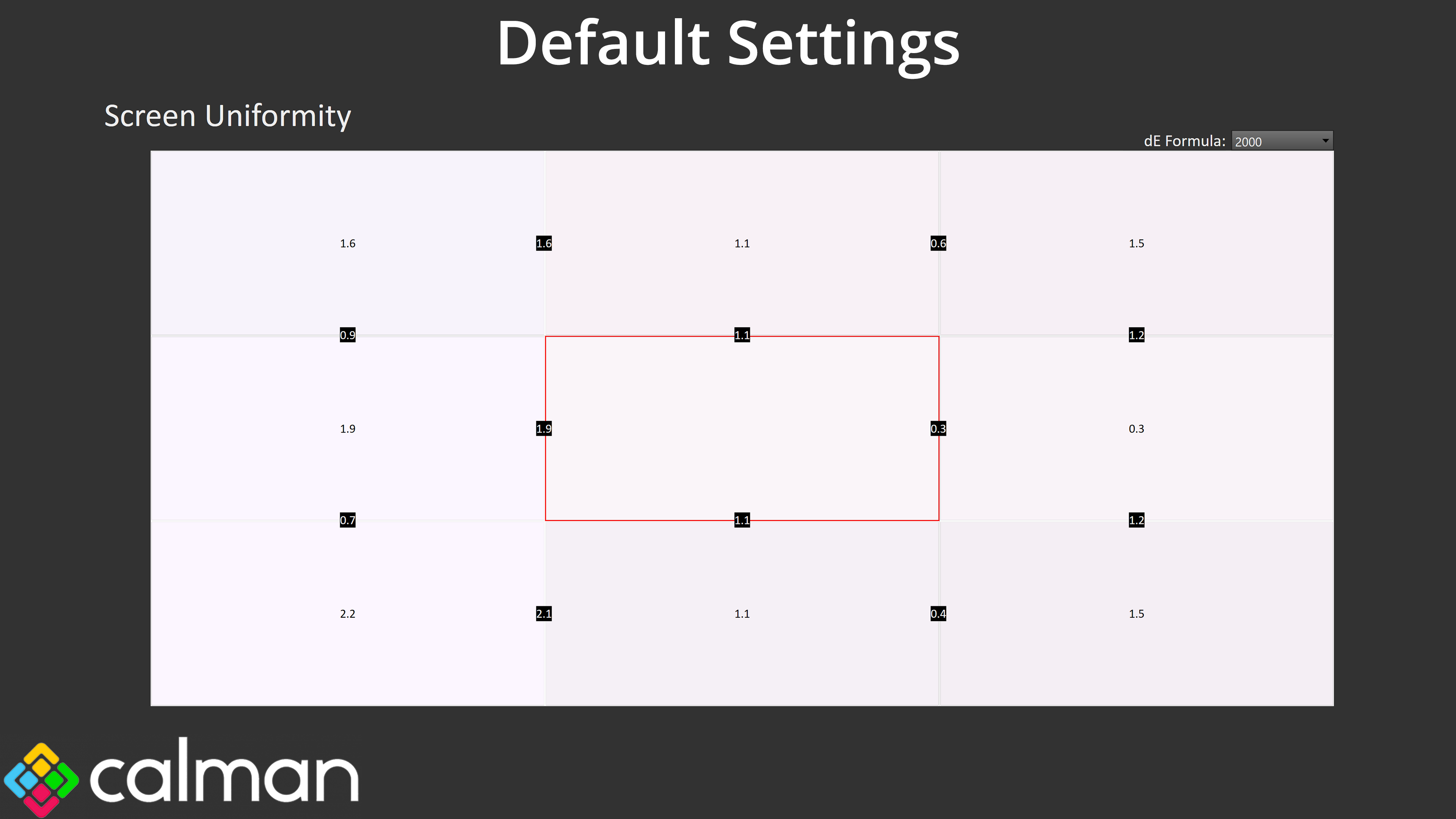
Actual screen uniformity is decent though, with no areas of concern, which is good to see.
Gamut (CIE 1976)
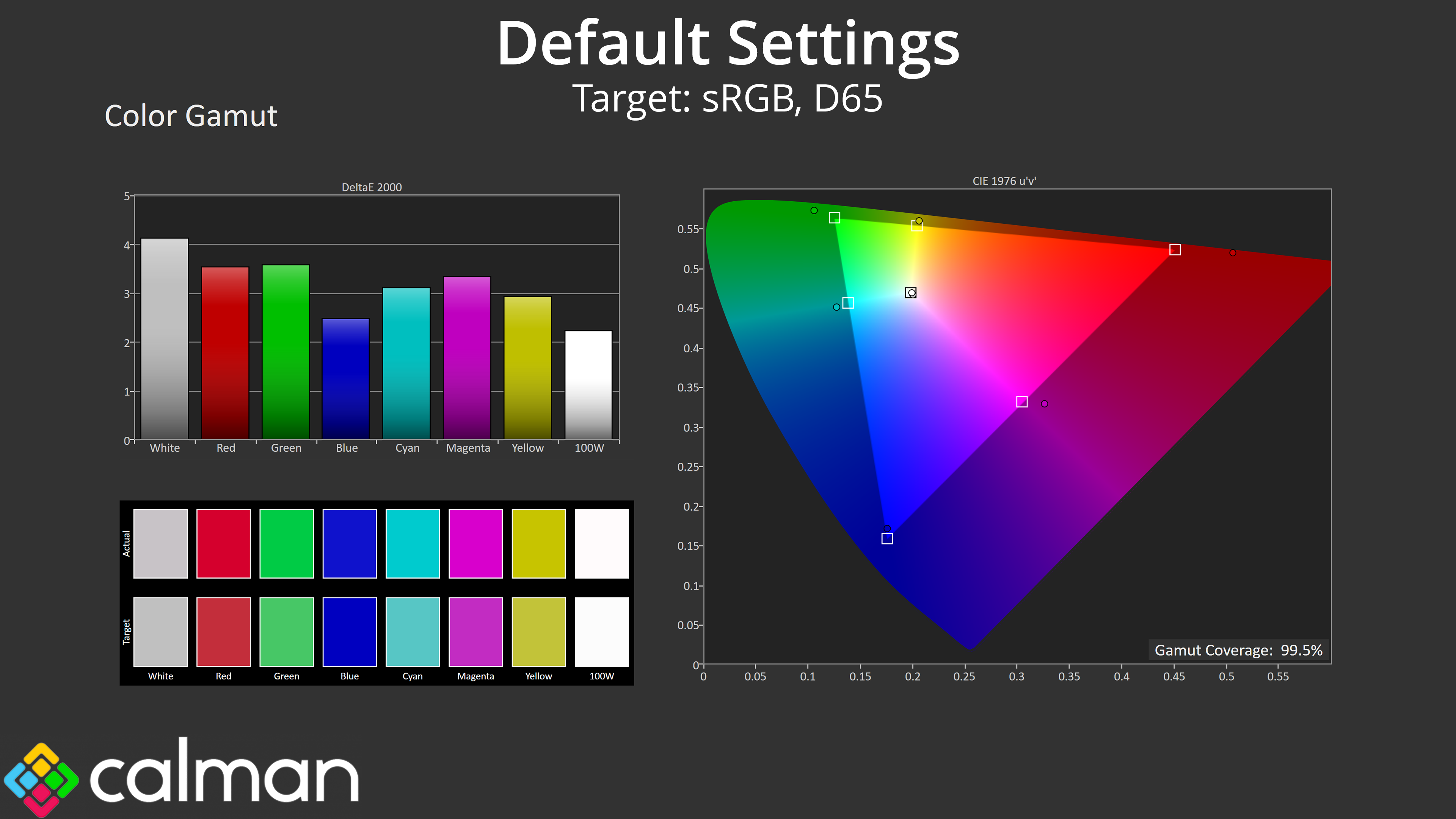
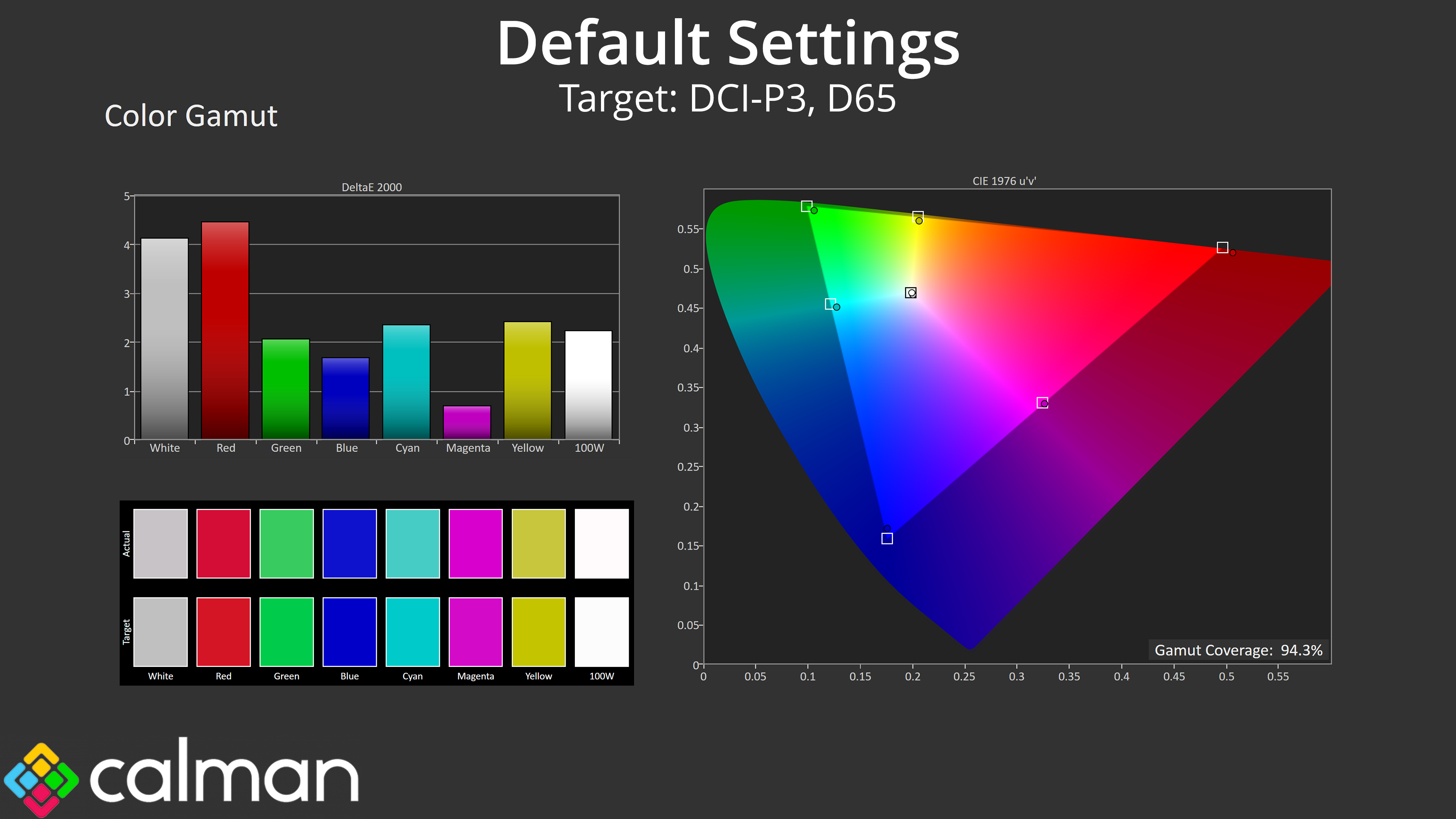
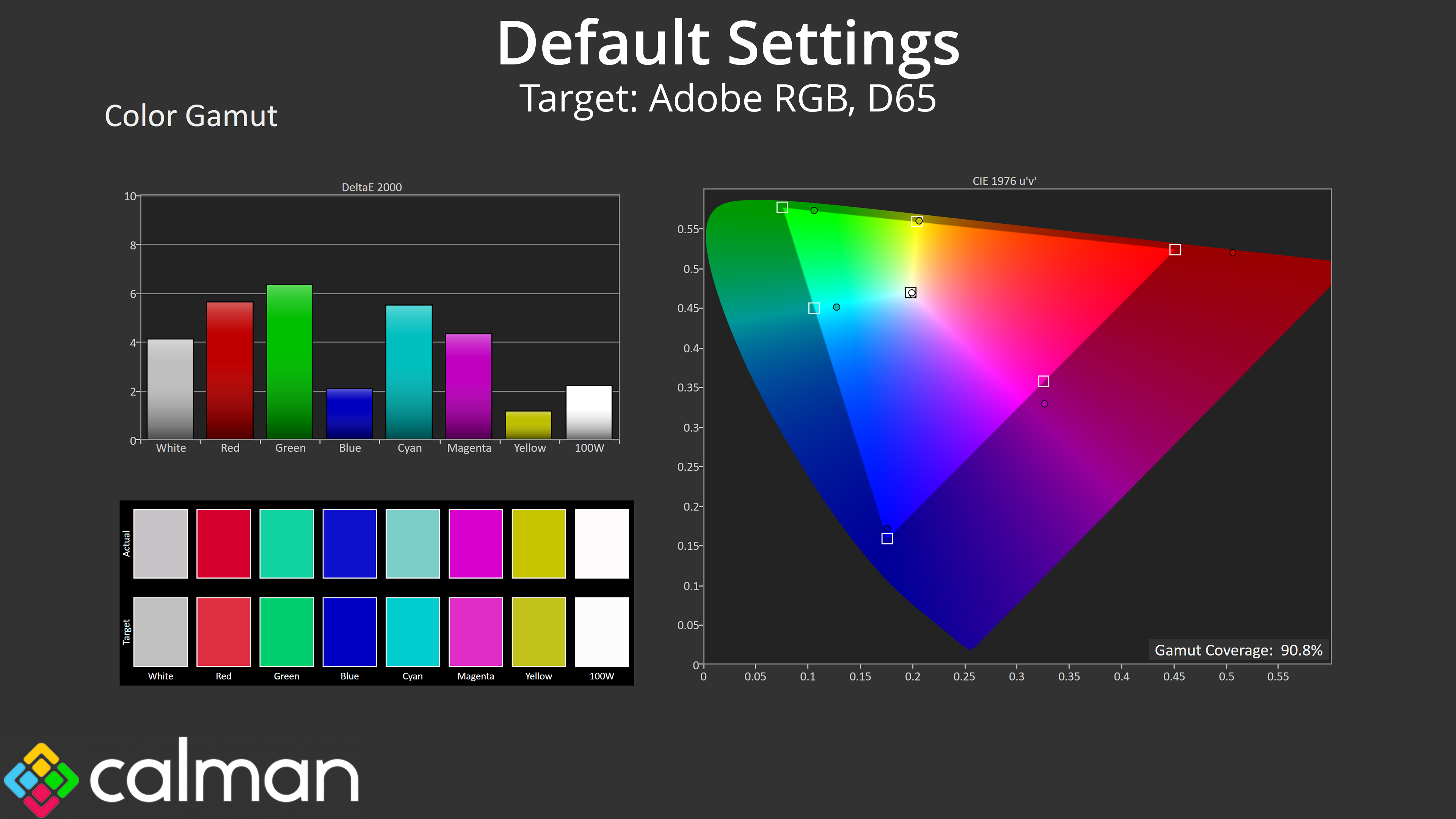
| Colour space | Coverage (%) |
| sRGB | 99.5 |
| DCI-P3 | 94.3 |
| Adobe RGB | 90.8 |
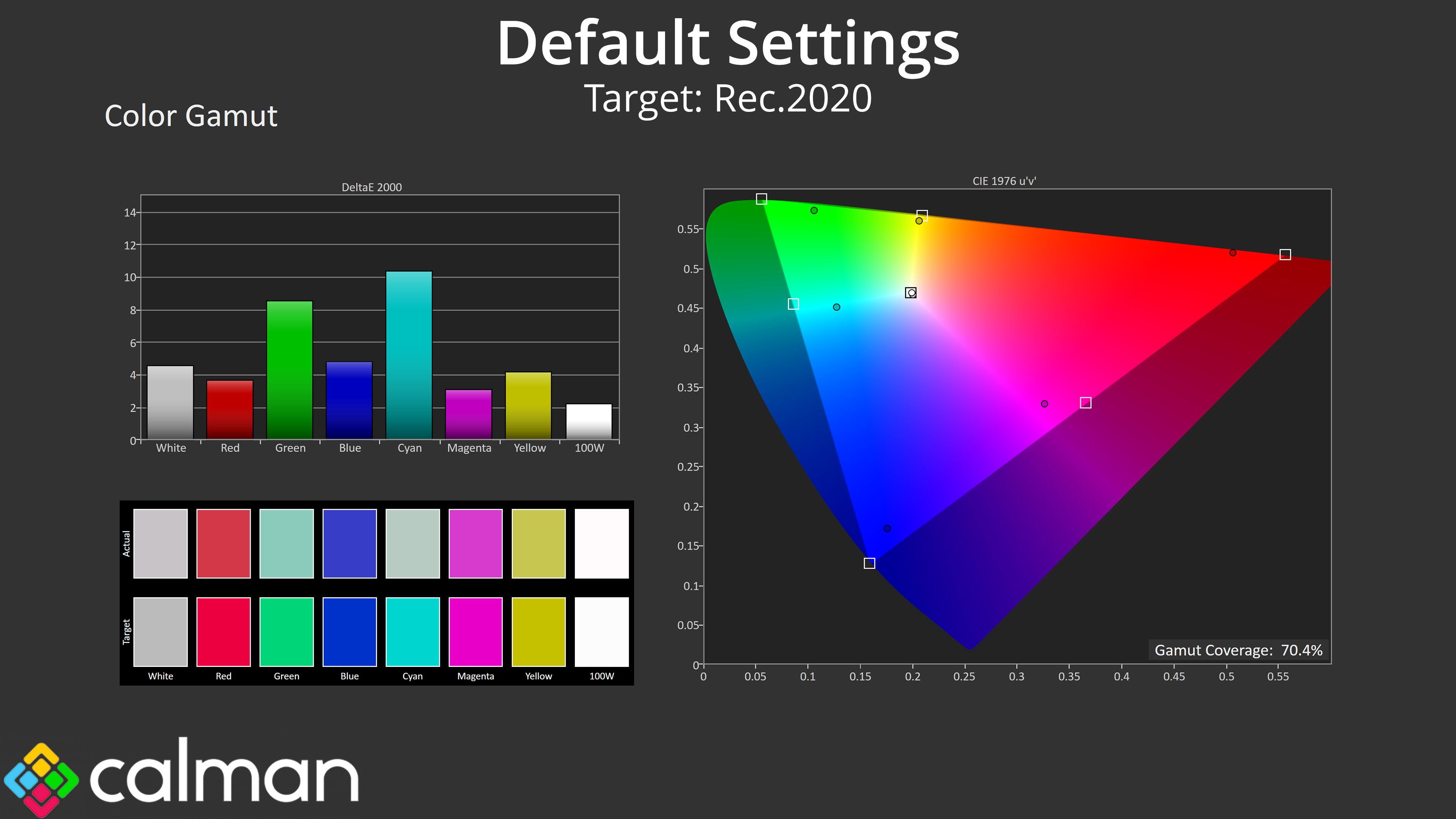
| Rec.2020 | 70.4 |
As for gamut, it does generally exceed the sRGB space, though it's clearly not as wide as other monitors we've tested recently, with DCI-P3 coverage hitting 94.3%, alongside 90.8% for Adobe RGB and 70.4% coverage of Rec.2020.
Greyscale
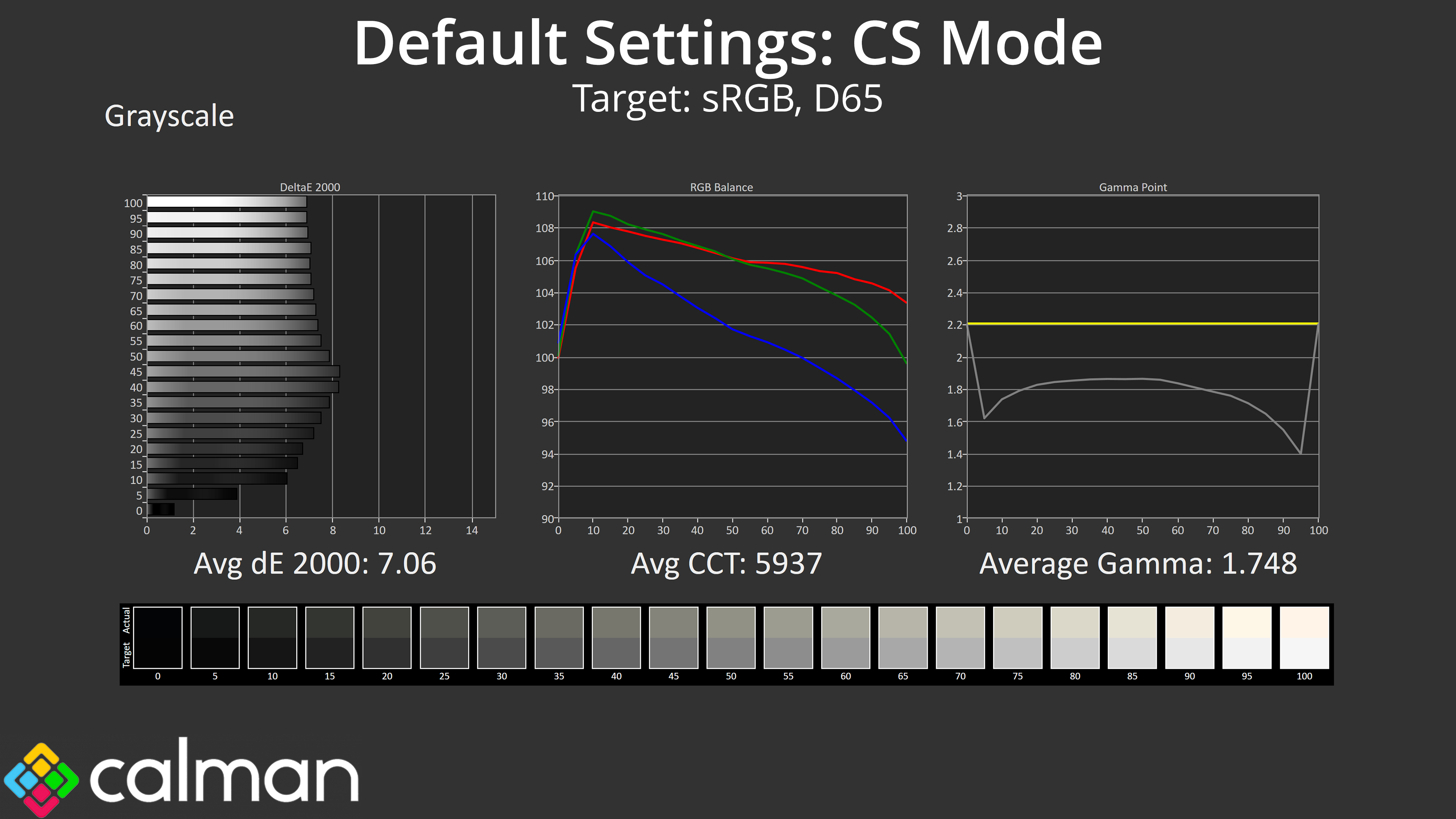
When it comes to greyscale, it's worth pointing out that, by default, the CS24A ships with the ‘CS' game mode enabled within the OSD, and this has a custom colour balance and shadow boost pre-applied, obviously meant for gaming in Counter-Strike. The consequence is that greyscale is not very accurate at all, with a colour balance below 6000K, which gamma averages 1.748.
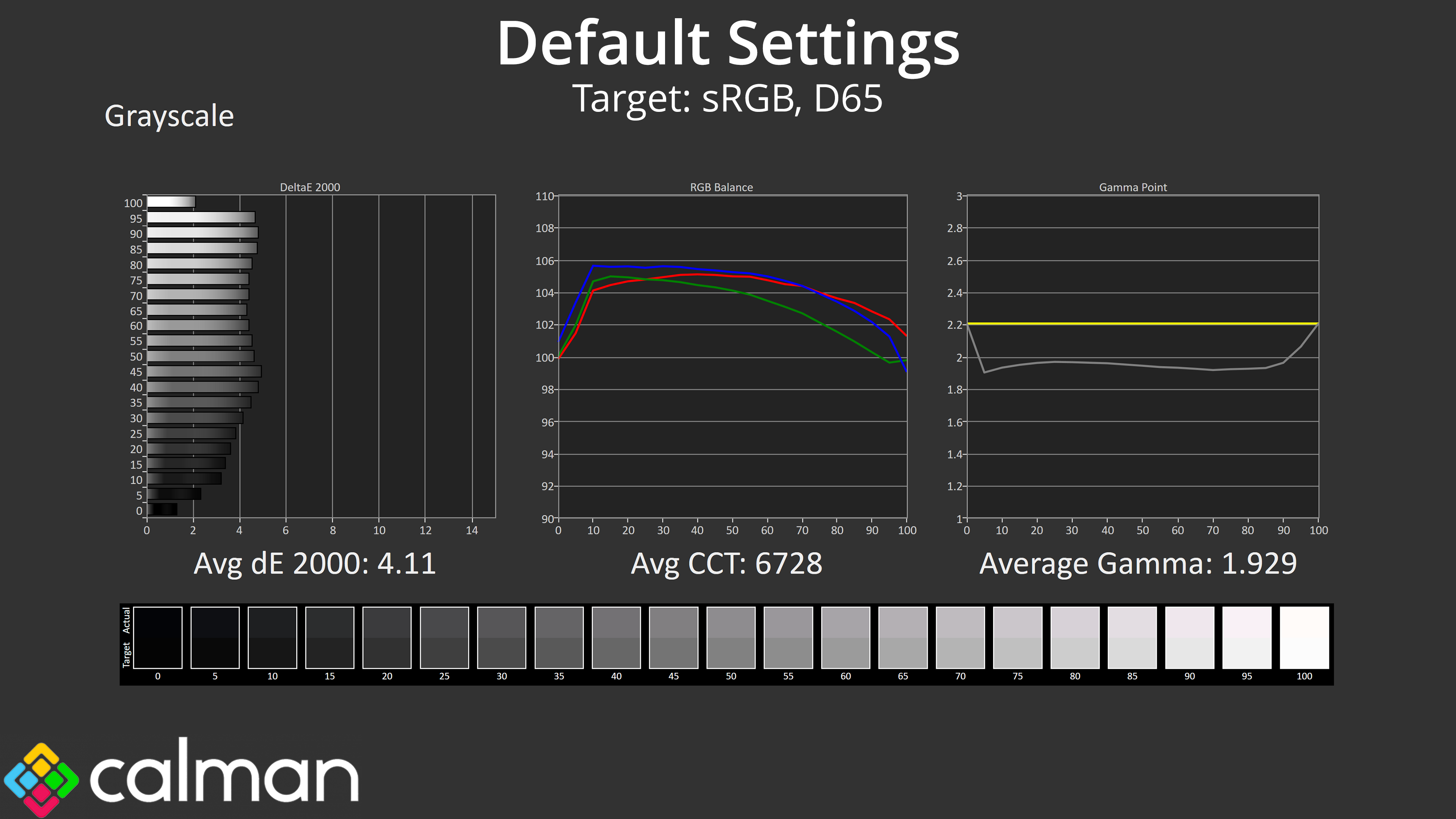
If we disable the game mode, things do improve, with a much better colour balance now, but gamma is still too low at 1.929 average.
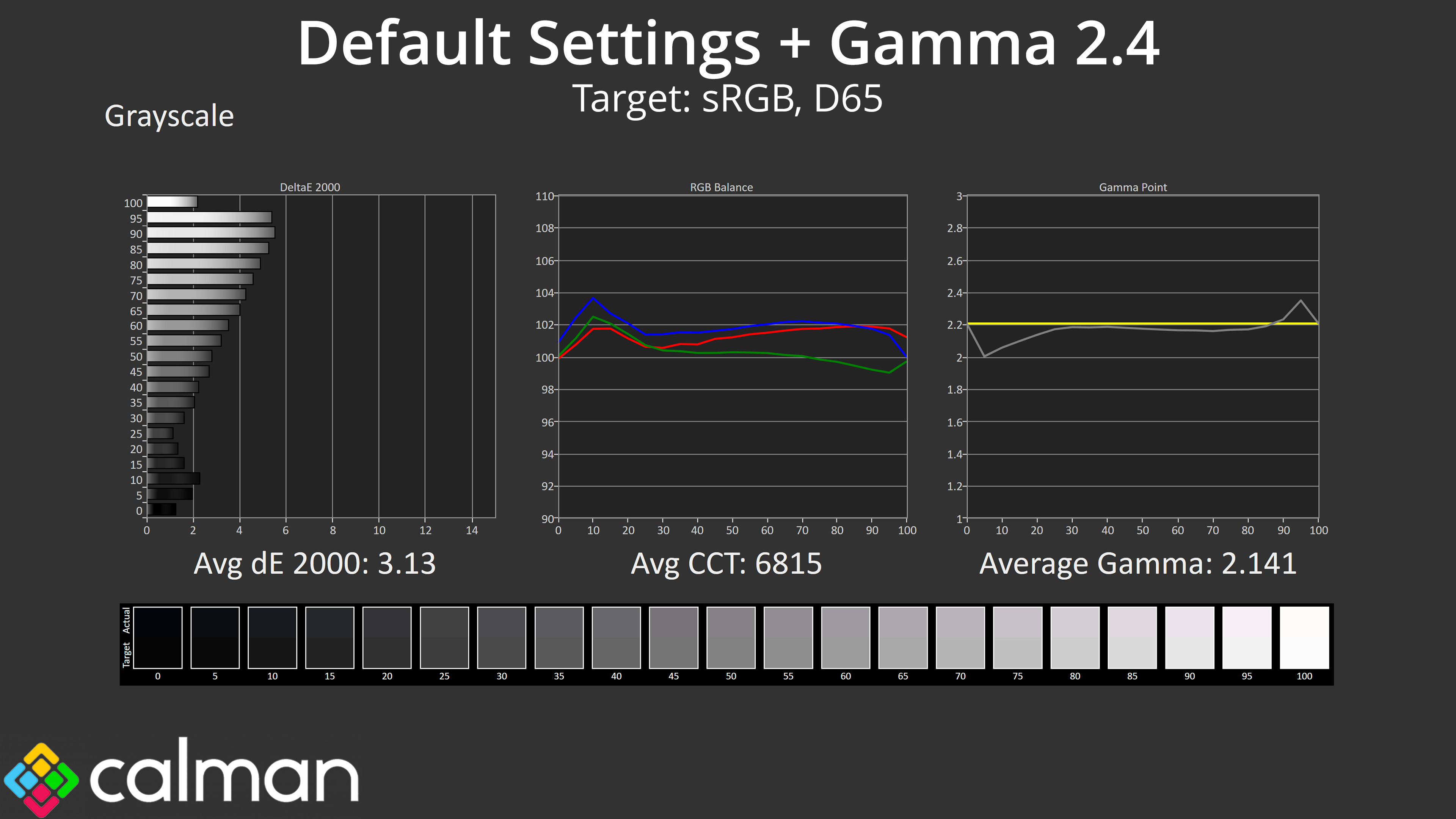
It turns out that for the most accurate results, manually switching to the gamma 2.4 setting actually gets us closer to the 2.2 target. I'm not sure if this is an error or if gamma is deliberately too low, possibly for Counter-Strike advantages, but it's worth being aware of.
Saturation
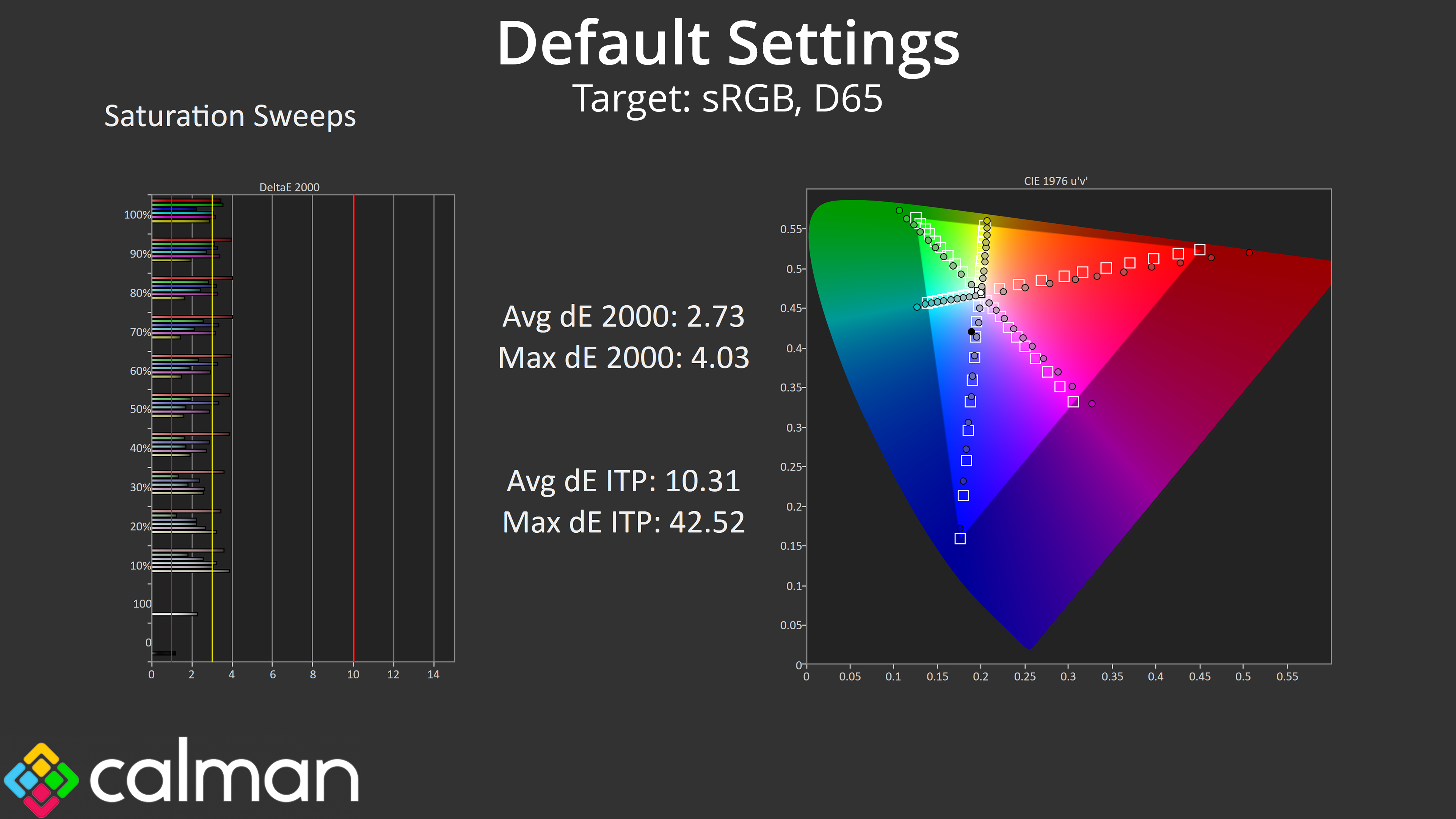
Saturation sweeps do show some inaccuracy given the gamut generally exceeds the sRGB space, but the average deltaE 2000 of 2.73 isn't the worst we've ever seen.
Colour Accuracy
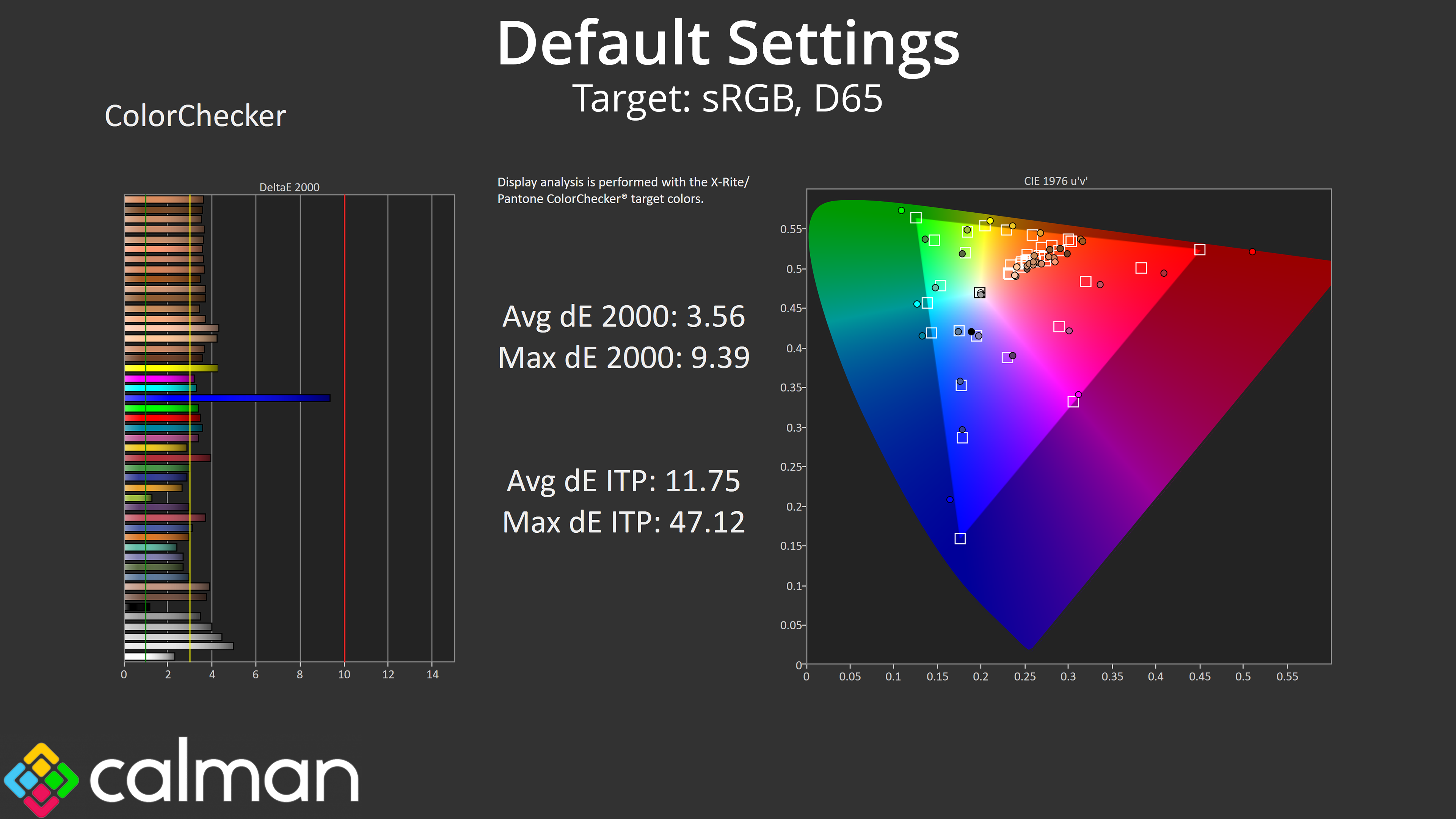
Likewise, the colour accuracy isn't great, but the average of 3.56 could be worse. It's unlikely anyone needing proper colour accuracy would be looking at this screen anyway, but it's worth showing nonetheless.
sRGB Emulation Mode
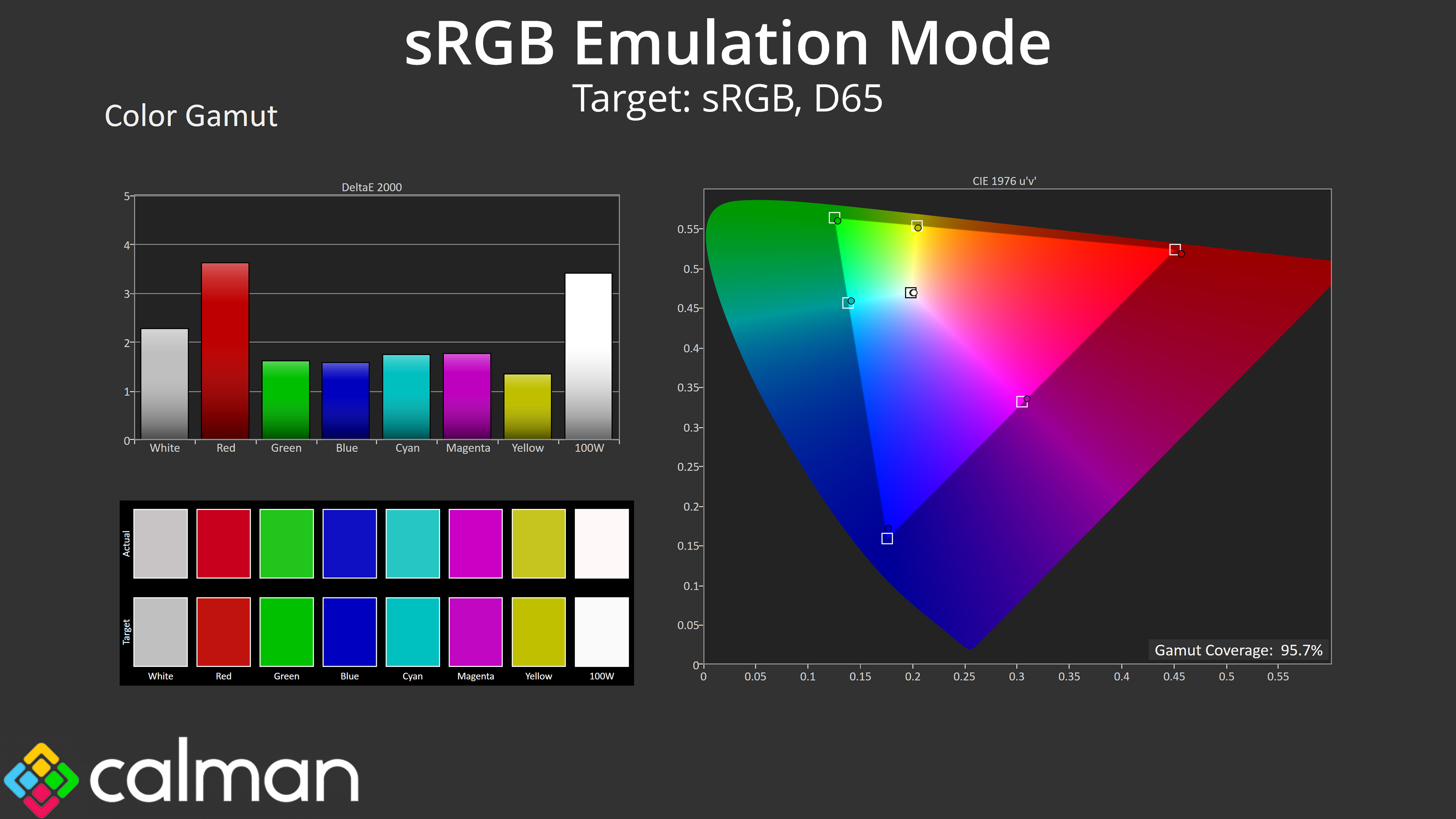
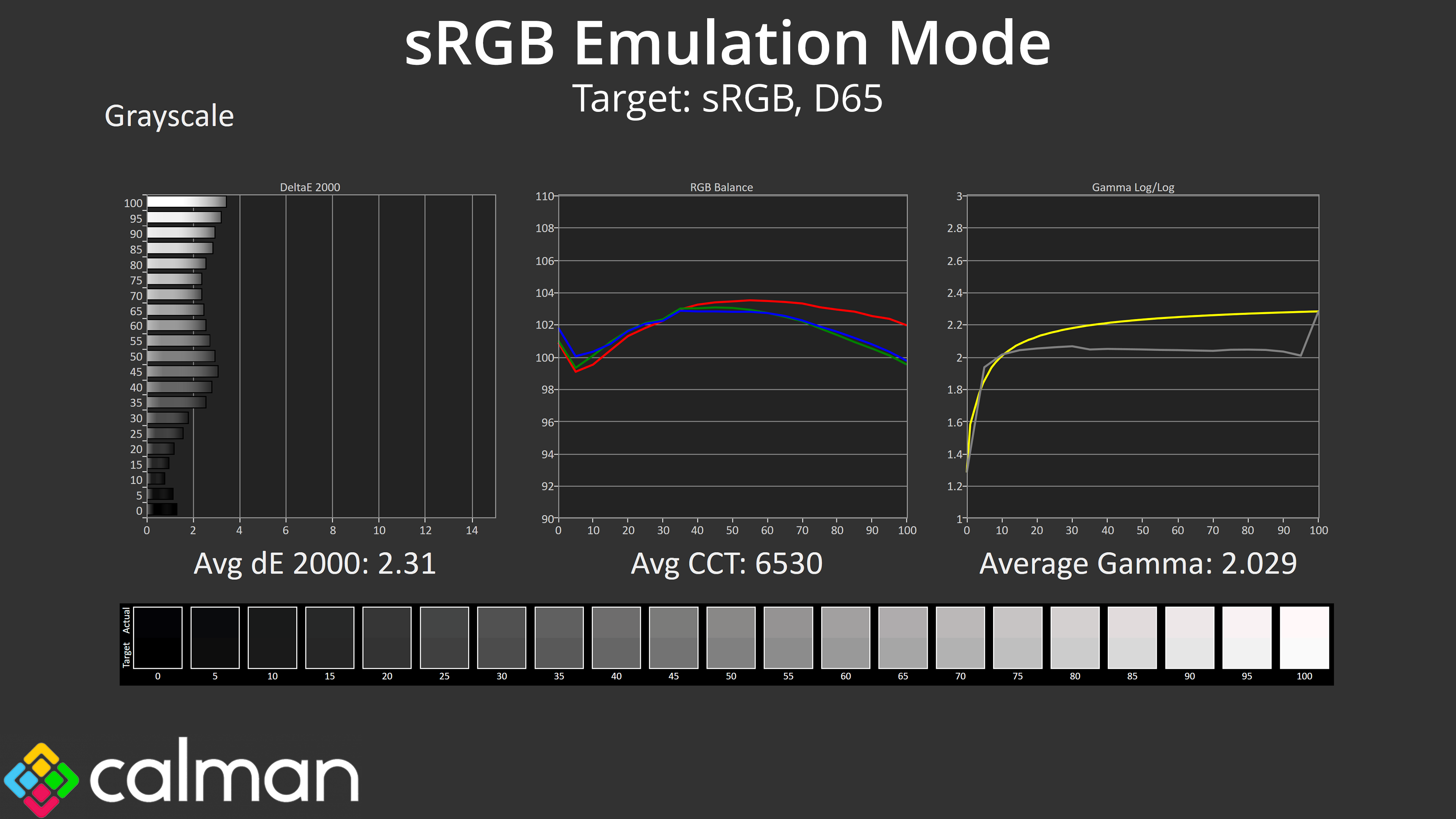
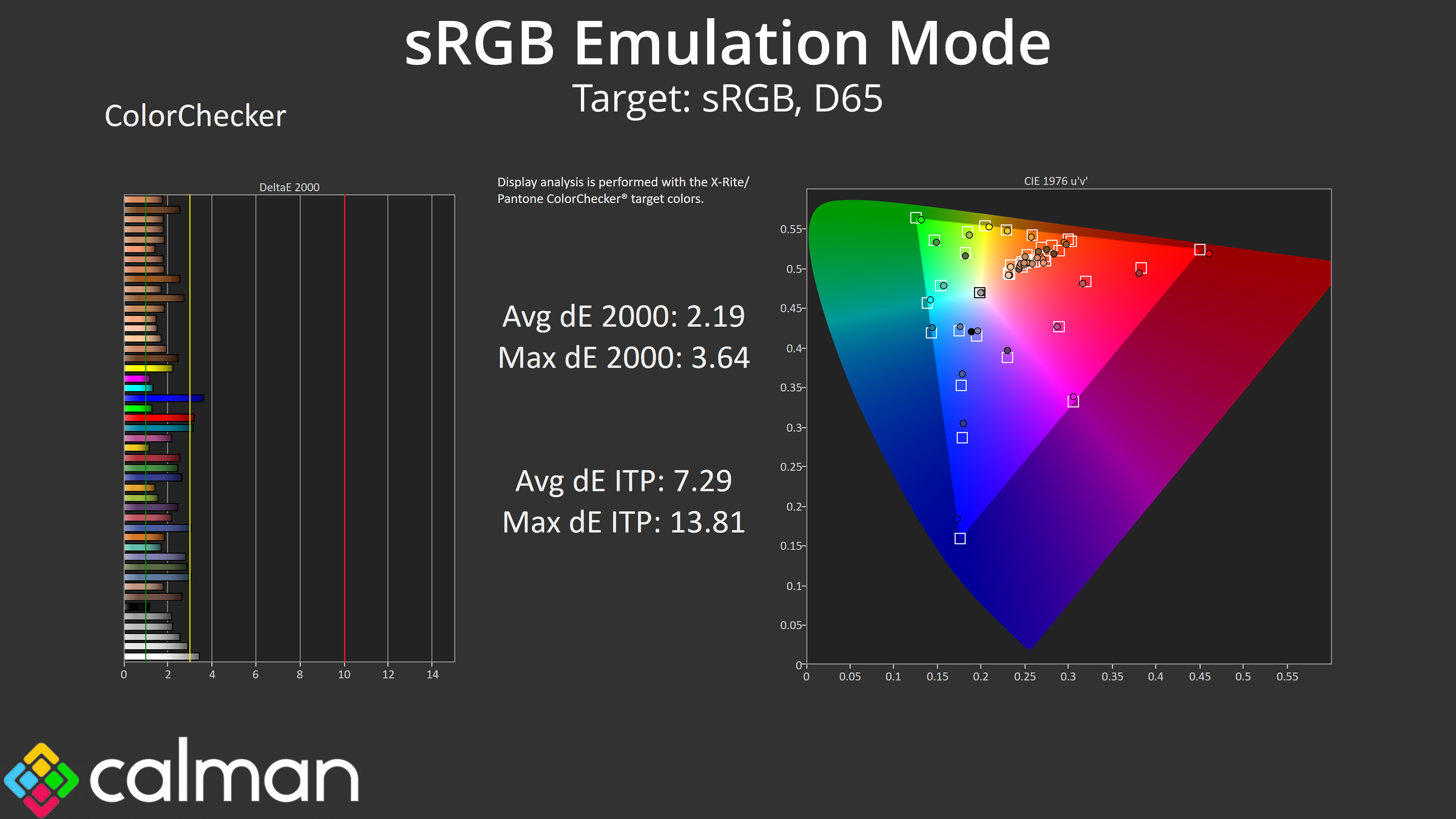
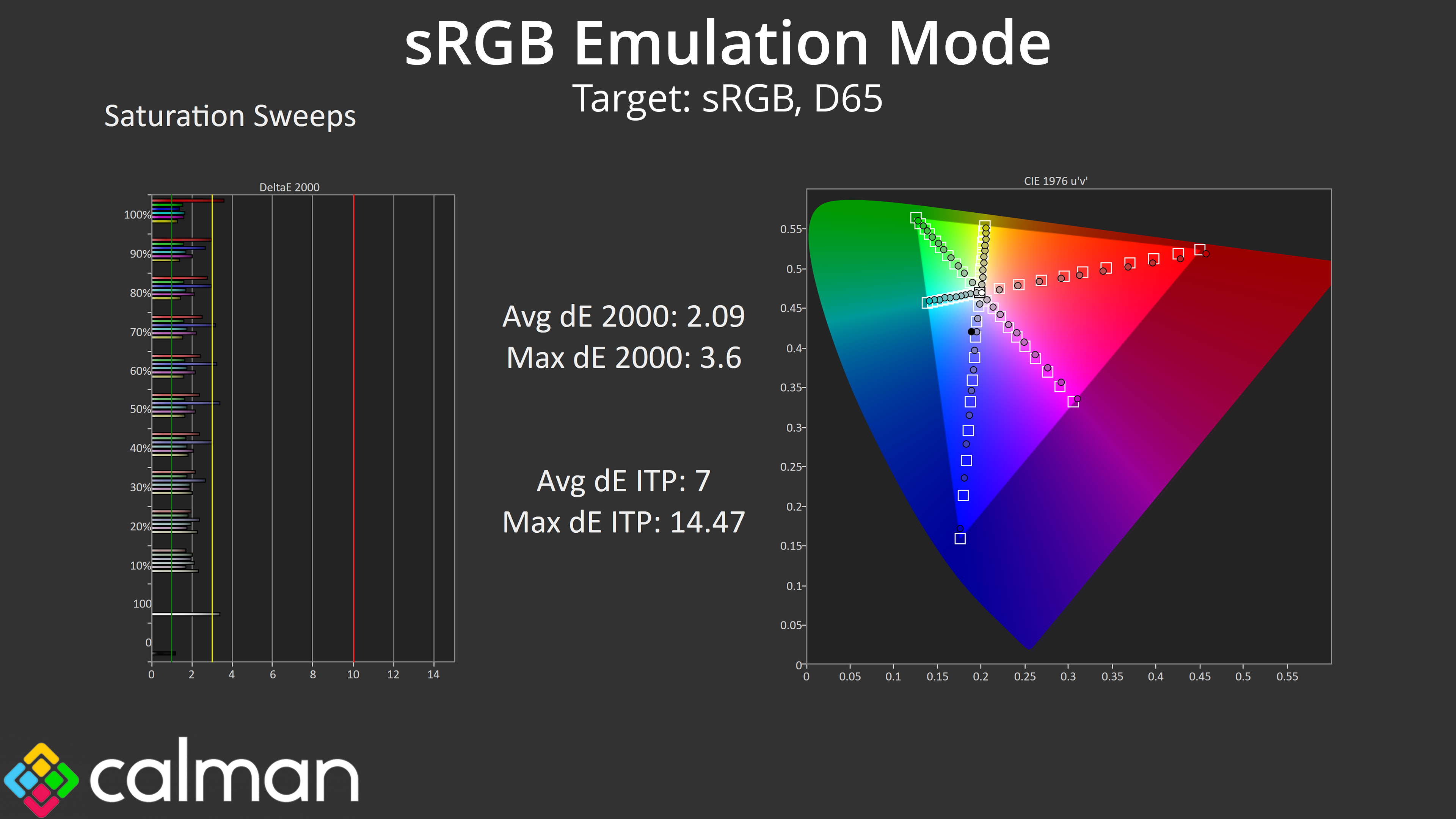
AOC also included an sRGB mode within the OSD. This is an improvement over stock performance, with a more accurate colour balance, though gamma is still too low and the sRGB mode locks users from adjusting gamma manually. Still, both saturation and colour accuracy average deltaEs improve into the low 2 range, so it's worth using if you want to improve accuracy.
Calibrated Results
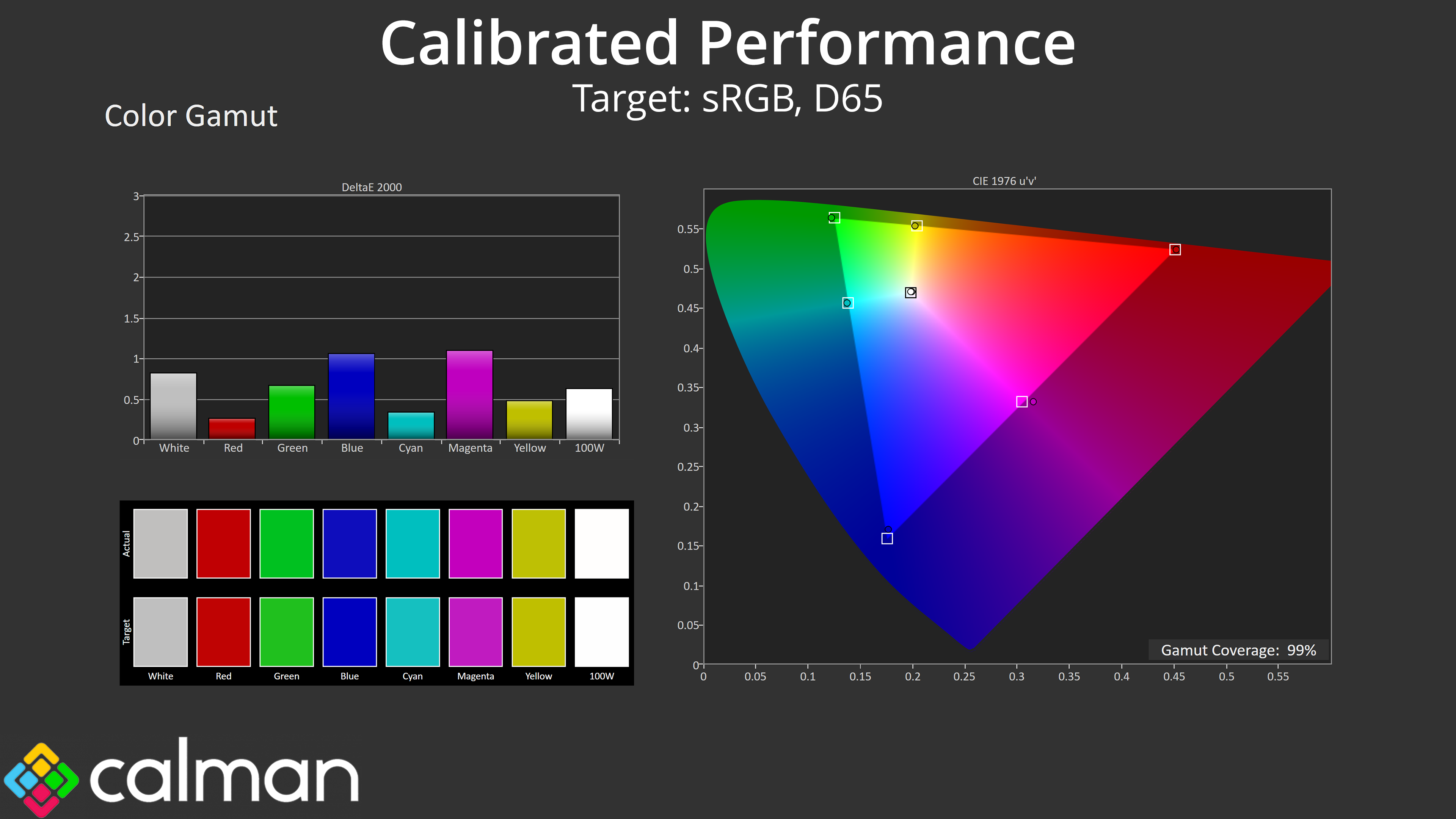
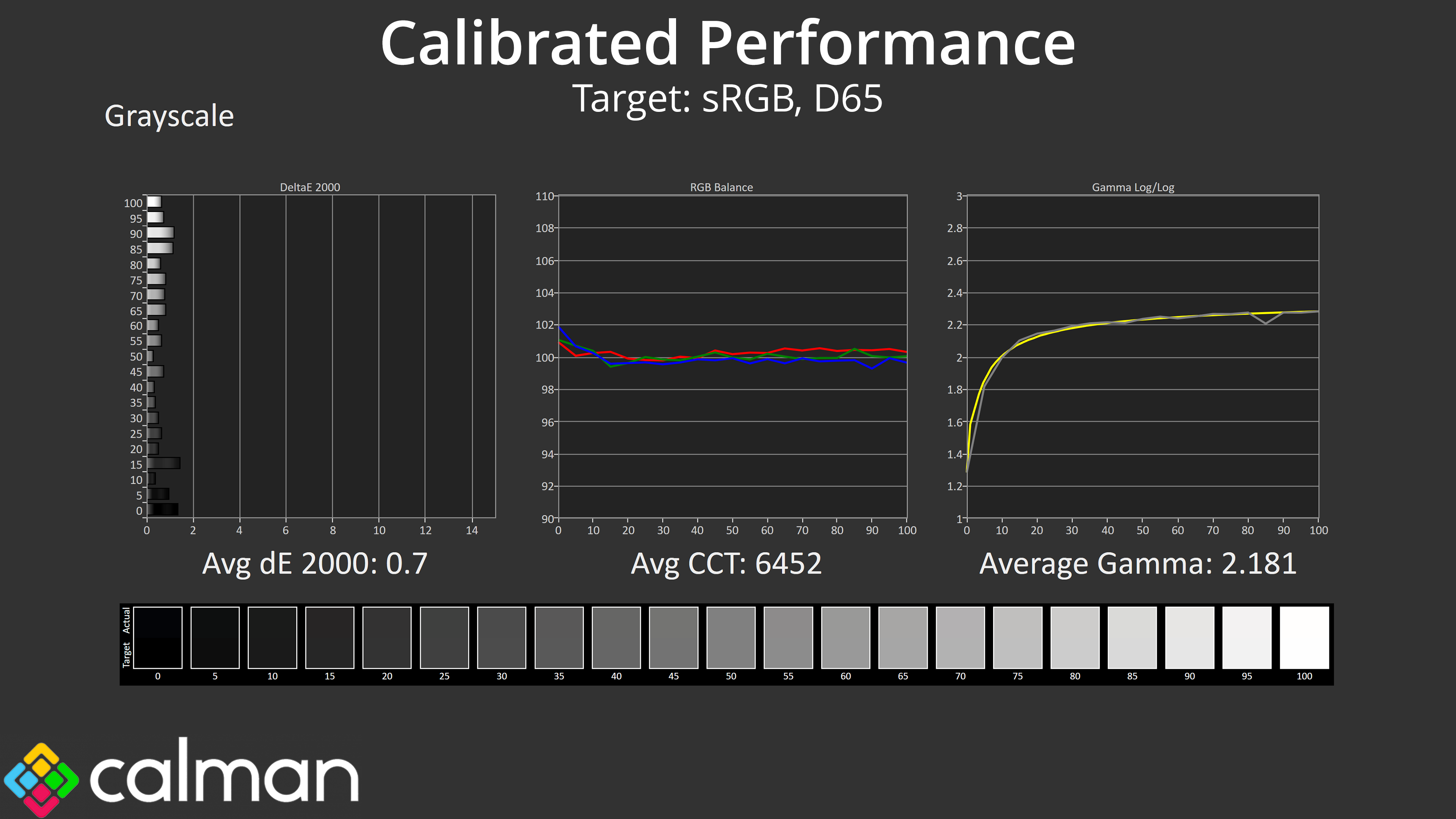
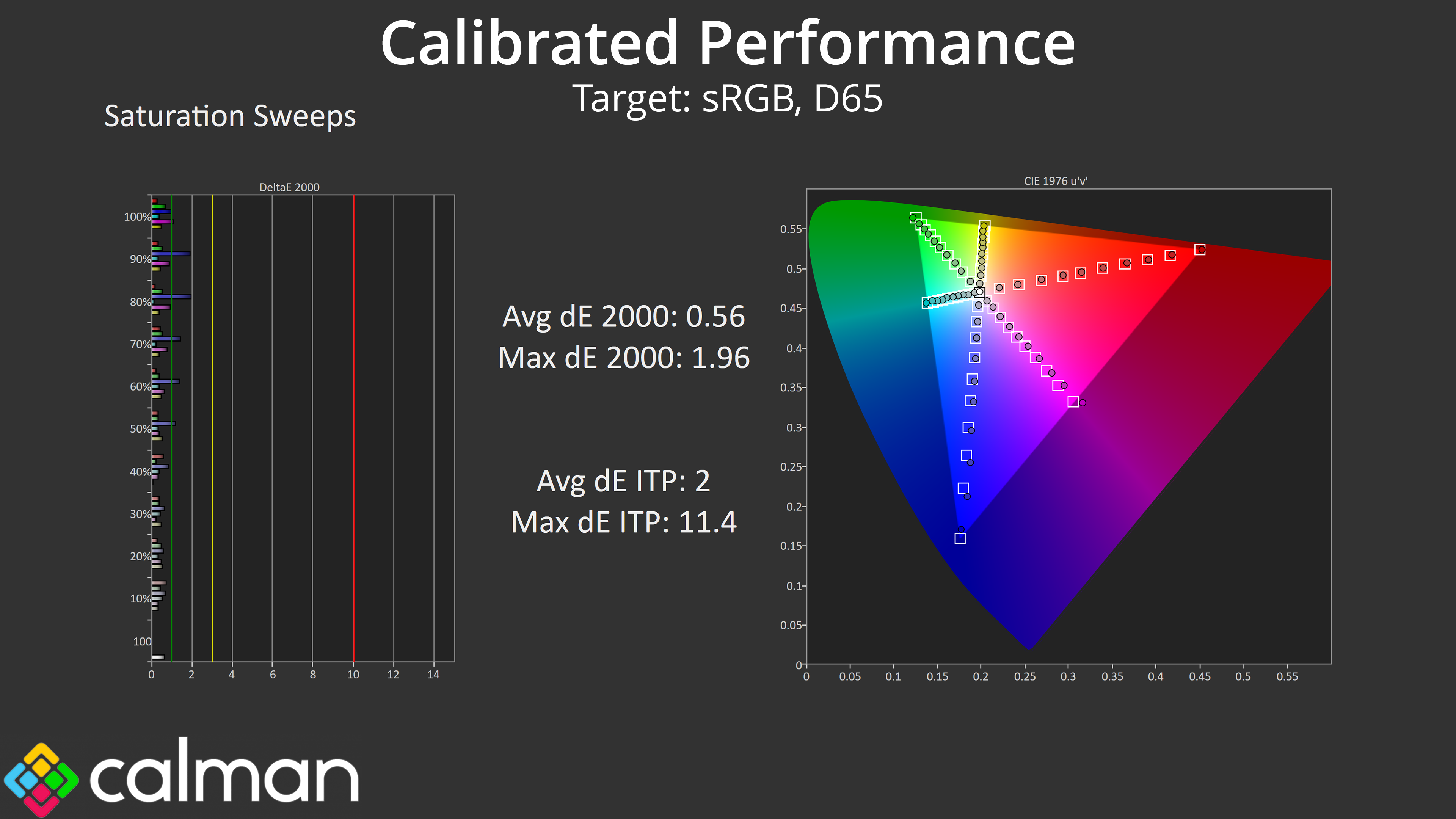
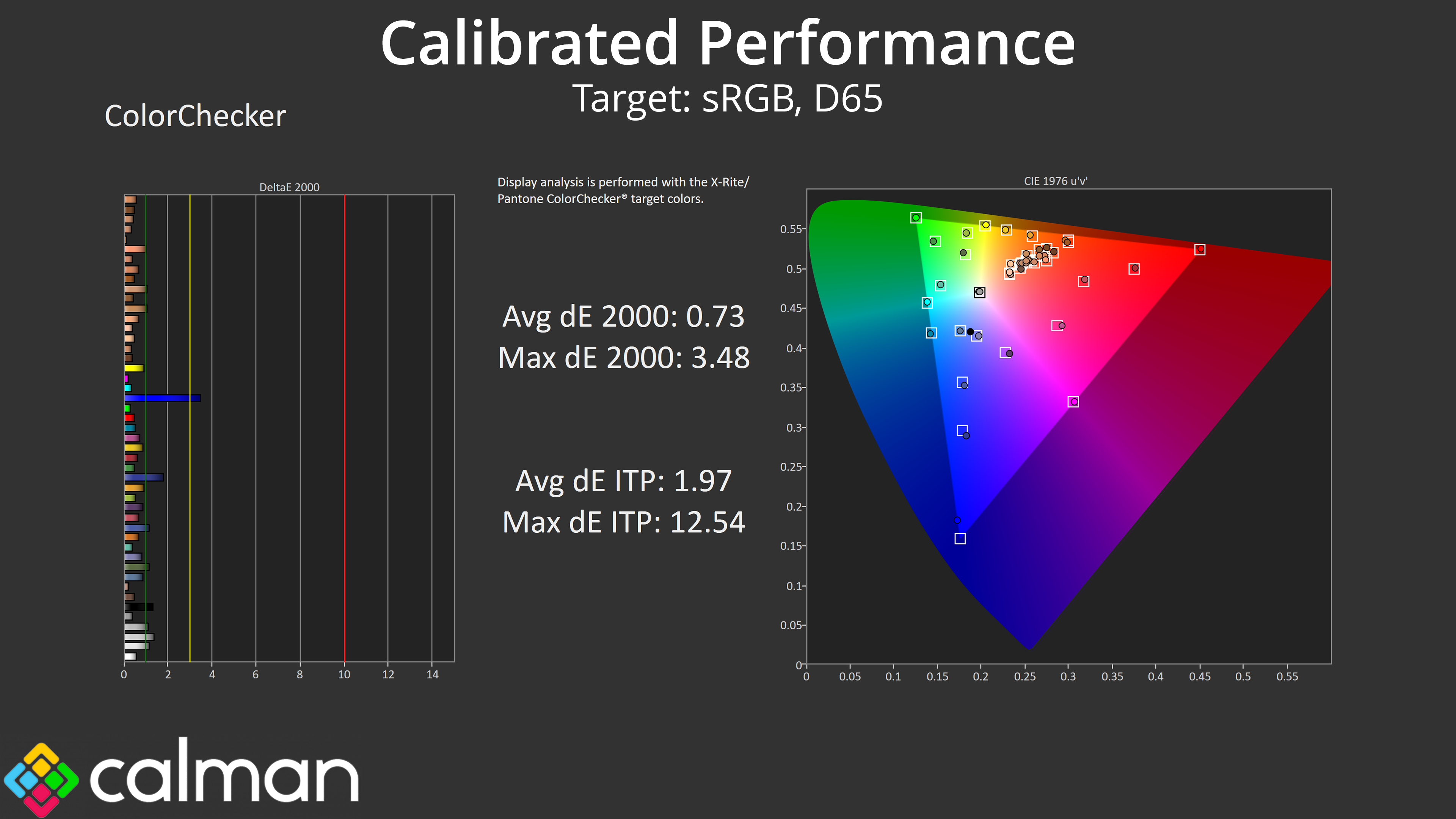
Of course, for the best results a full calibration is required, and you can see what we were able to achieve here. Again, I really don't think this monitor is geared towards the type of person who will be calibrating for image quality, but it's still good to know what it's capable of.