KitGuru KitGuru.net – Tech News | Hardware News | Hardware Reviews | IOS | Mobile | Gaming | Graphics Cards


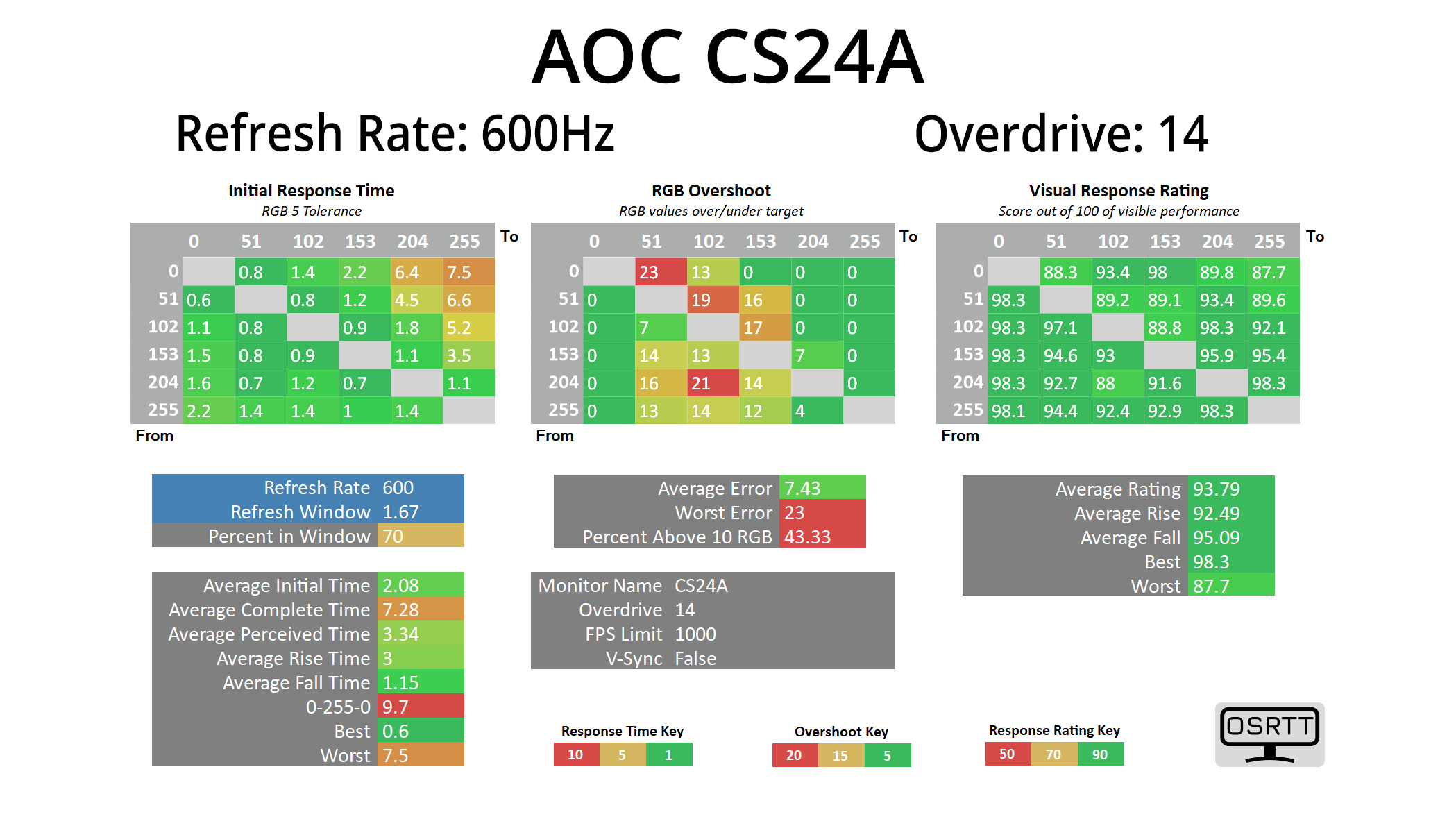
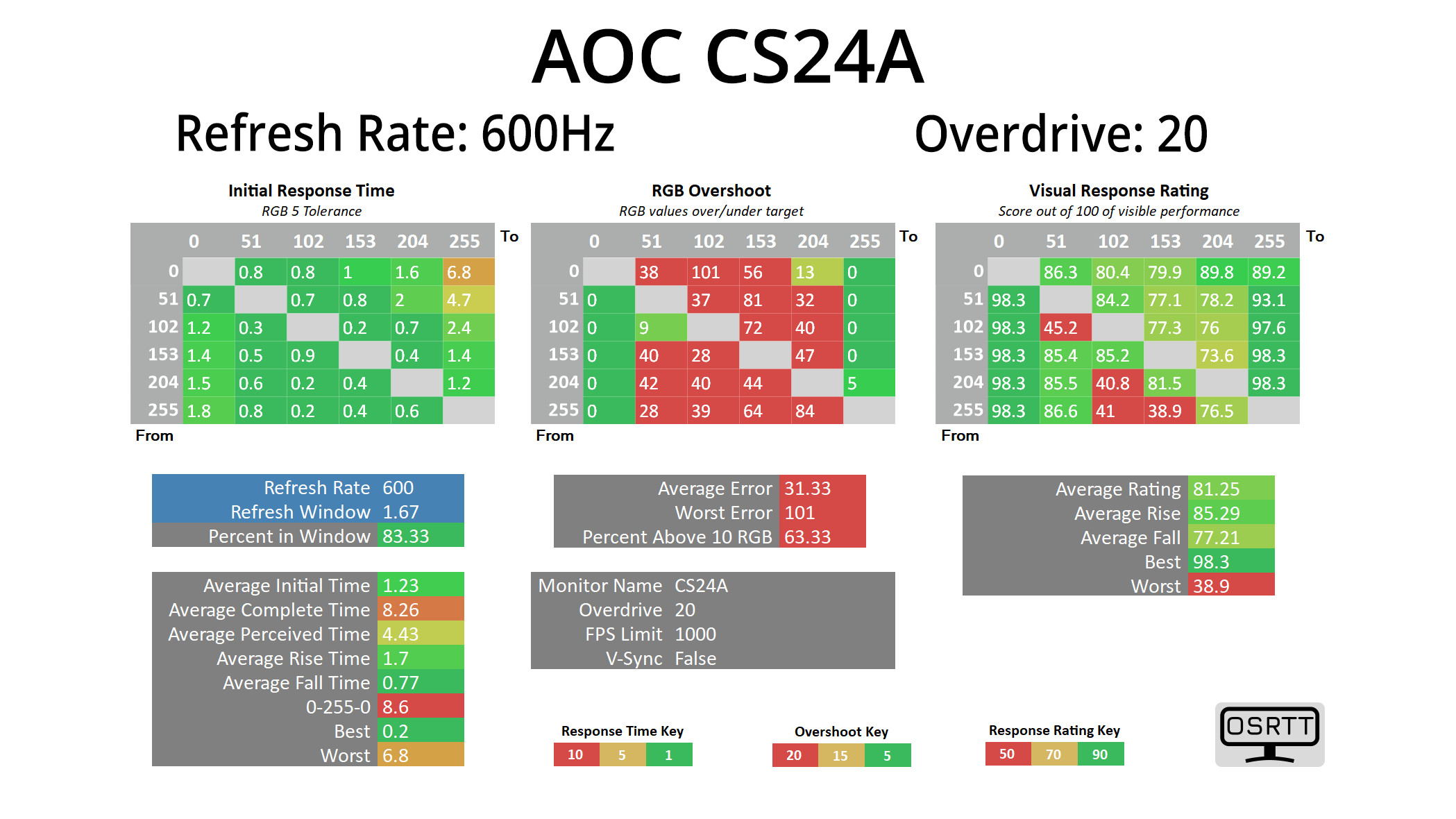
We use the Open Source Response Time Tool (OSRTT), developed by TechTeamGB, for our response time testing. This measures grey-to-grey response times and presents the results in a series of heatmaps, the style of which you may be familiar with from other reviews.
Initial Response Time is the time taken for the panel to transition from one colour to another, where lower values are better. We present the initial response time, so overshoot is not taken into account and is measured separately. We use a fixed RGB 5 tolerance for each transition.
Overshoot is the term given for when a monitor's transition exceeds or goes beyond its target value. So if a monitor was meant to transition from RGB 0 to RGB 55, but it hits RGB 60 before settling back down at RGB 55, that is overshoot. This is presented as RGB values in the heatmaps – i.e. how many RGB values past the intended target were measured.
Visual Response Rating is a metric designed to ‘score' a panel's visual performance, incorporating both response times and overdrive. Fast response times with little to no overshoot will score well, while slow response times or those with significant overshoot will score poorly.
We test the CS24A at 600Hz, using a range the overdrive settings found within the OSD. It is worth clarifying that we've done all of our testing at 600Hz, despite the CS24A being advertised as able to hit 610Hz via the overclock function. The difference between 600 and 610Hz is just 0.04ms to begin with, but crucially the OC function actually disables MBR+, which is a key feature of the screen so it's not worth removing the functionality.
600Hz
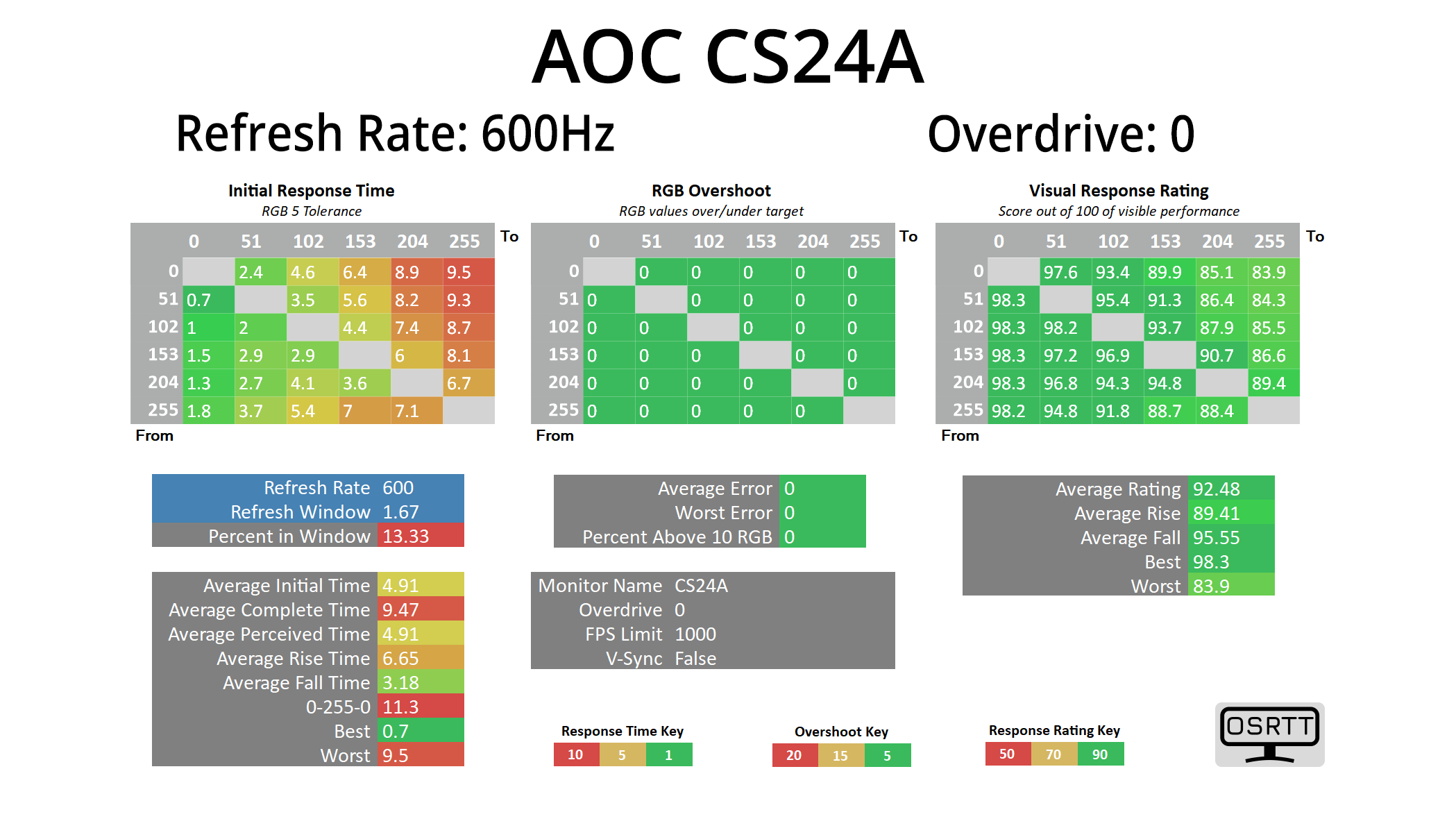
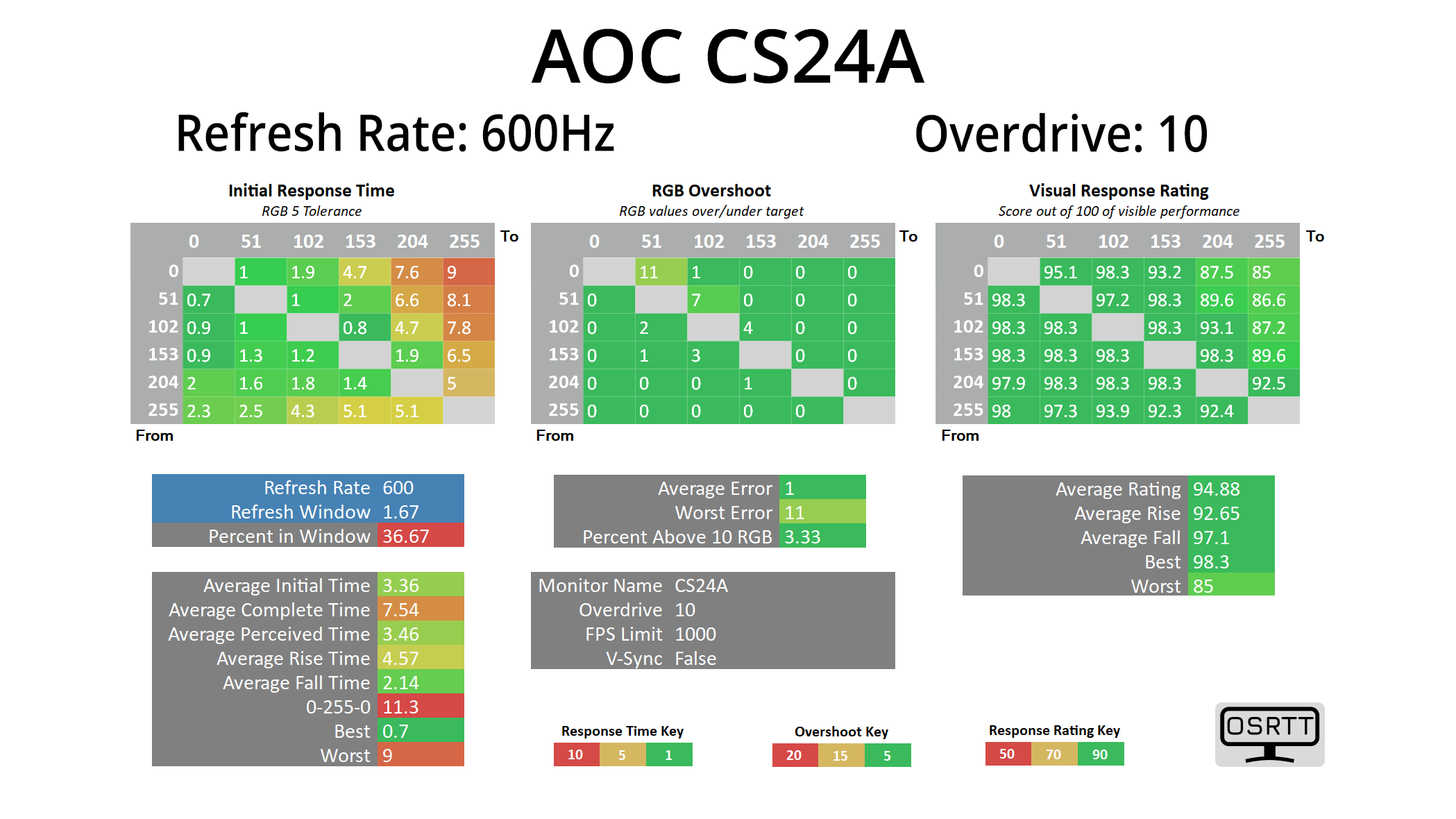
It's great to see AOC offer a range of overdrive options, from 0 to 20, as opposed to three or four presets. OD 10 is the default and it's not bad, with no overshoot and some decent response times, though it averages 3.36ms which is some way out of the 1.67ms refresh window.
OD 14 is the most optimal setting in my view, keeping overshoot to an average error of just 7.4 RGB values, while improving average response time to just over 2ms. This is still a little outside the refresh window, but not by much at all, and as we will see below, it looks very clean in practice.
OD 20 maxes the overdrive and that results in horrible overshoot, though average response times are improved to 1.23ms.
Best response times
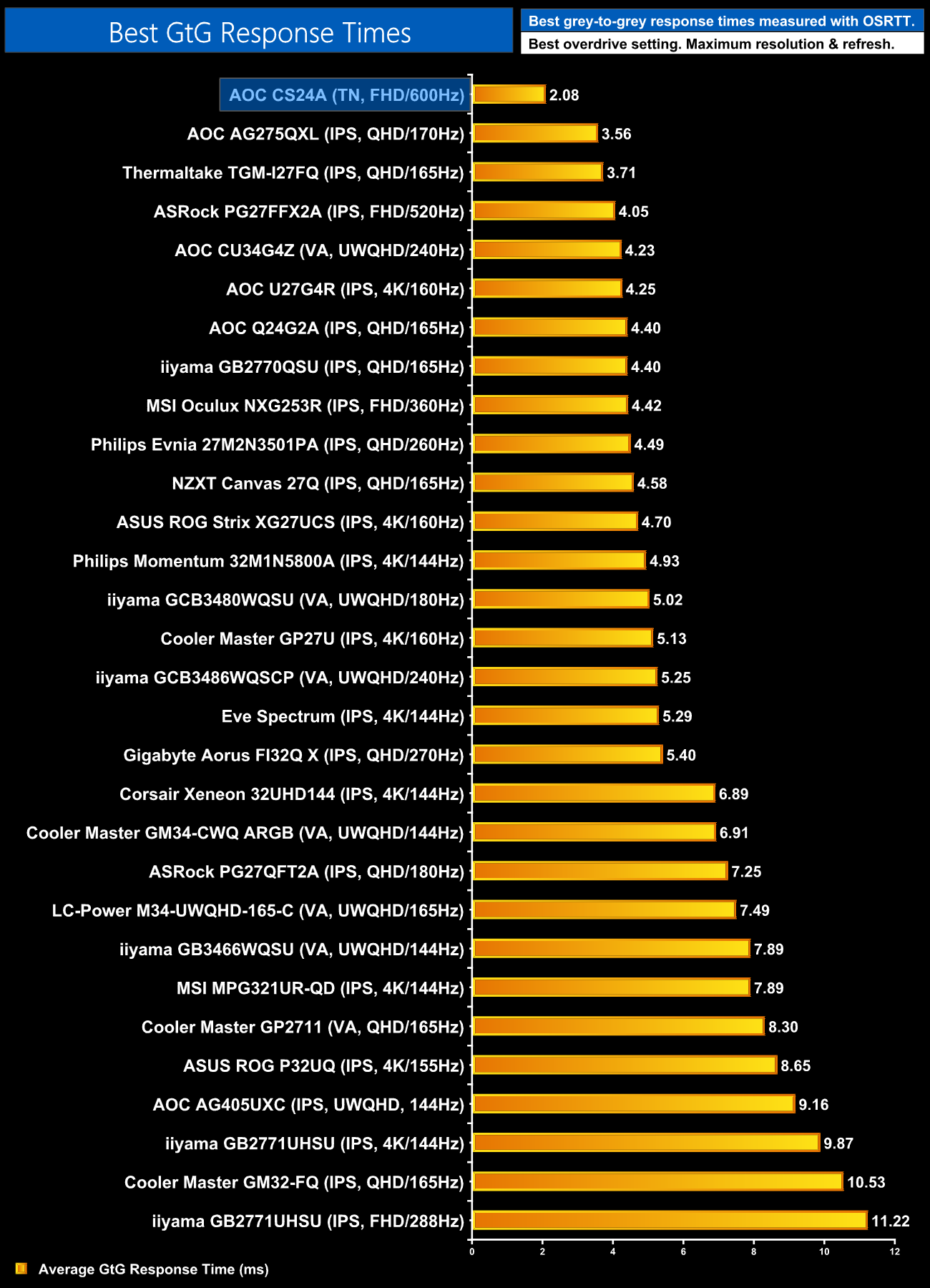
Taking the optimal result of 2.08ms still makes this easily the fastest LCD we have ever tested, by quite some distance too. It's not quite at OLED level, which are sub-1ms, but it goes to show there's still life in the old LCD yet!
Motion clarity
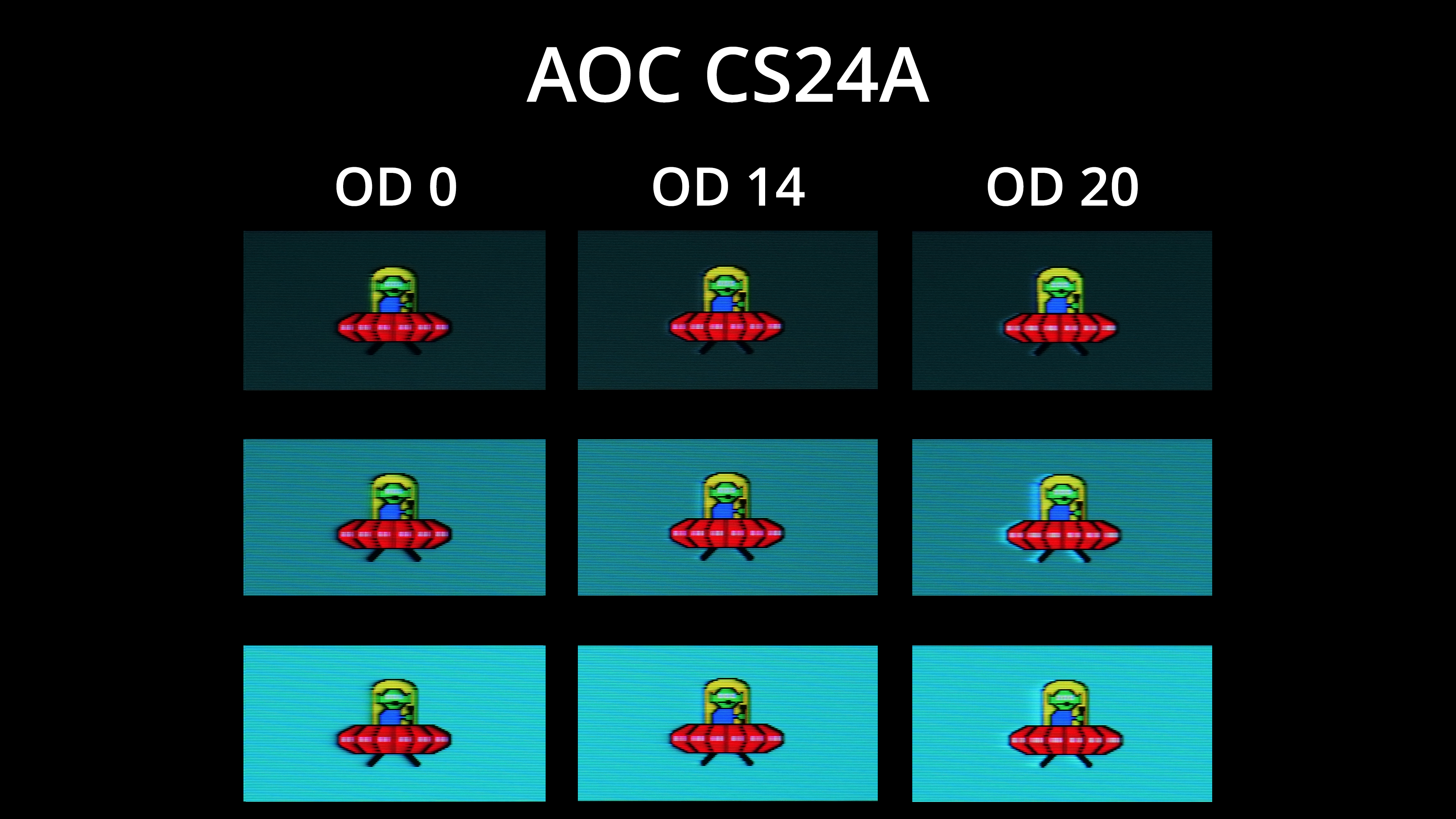
To give a visual representation, we're using BlurBusters UFO ghosting test, and I've compared OD 0, OD 14 and OD 20. There's just a tiny bit of overshoot visible on OD14, but really nothing major at all, and certainly not something I noticed during actual use. Generally clarity is excellent too, with very little ghosting due to the fast response times, with the three white dots looking somewhat distinct on the red UFO itself.
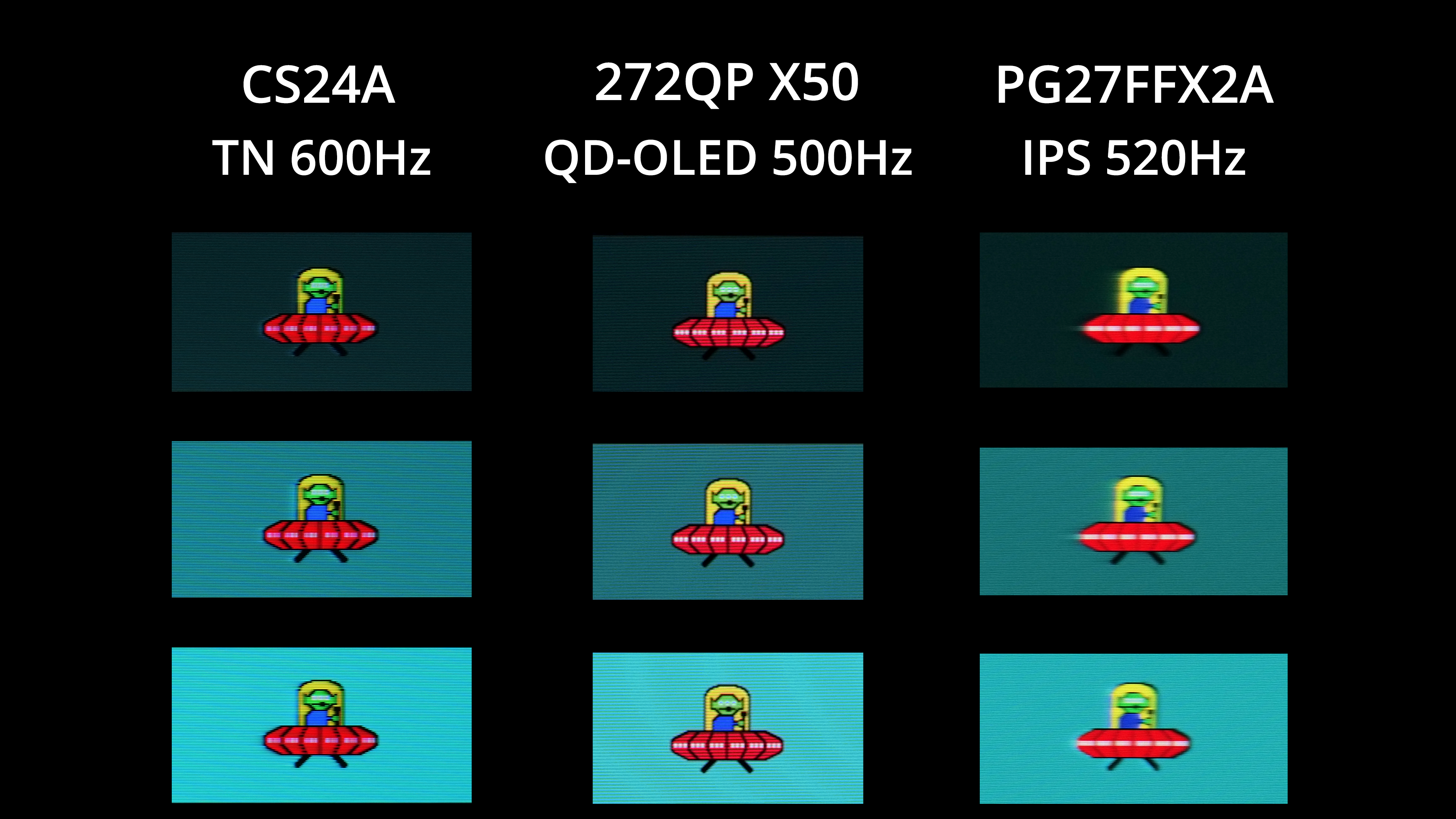
Now as good as this is, it is worth showing that a 500Hz OLED does deliver superior motion clarity, with the alien's eyes and those aforementioned white dots looking even clearer on MSI's 272QP X50. Compared to the next-fastest LCD I've tested though, the 520Hz PG27FFX2A from ASRock, the CS24A makes a massive difference, primarily due to its response times being significantly faster, as 600Hz vs 520Hz itself isn't a huge jump.
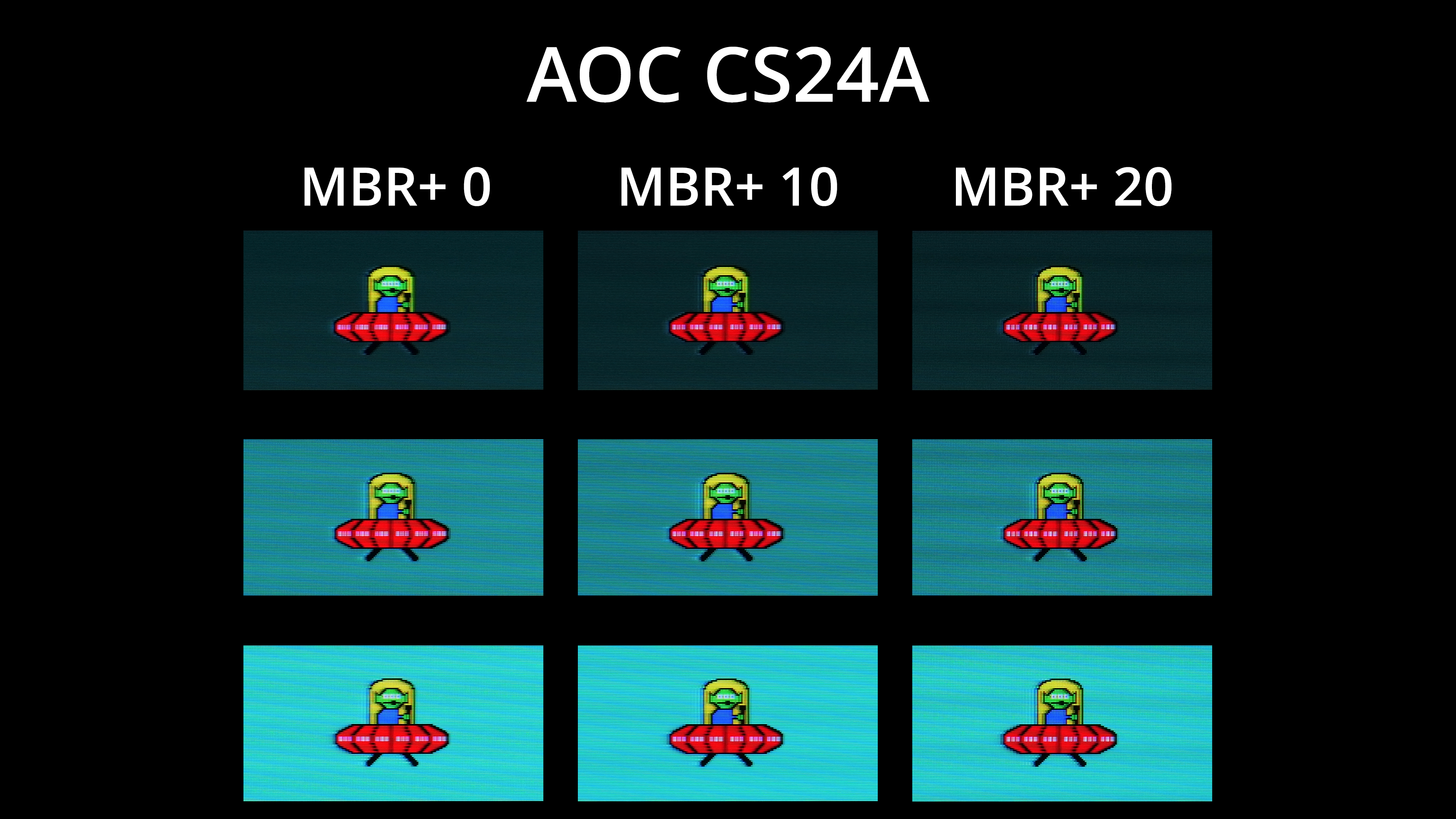
The CS24A also offers MBR+ technology, utilising a dual backlight system with 20 LED groups, according to AOC, which means different areas of the panel can strobe to better reduce signal crosstalk, avoiding the double-image effect. It sounds similar to BenQ's DyAc 2 technology, and we've asked AOC for more information but haven't heard back at the time of writing.
In practice, you get a range from 0 to 20, and there is a definite clarity benefit to enabling MBR+, as you can see above. The native clarity is still very good, so the difference isn't a complete transformation, but if you don't need adaptive sync – like if you're driving a constant 600fps in CS2, which is very doable – then it's definitely something to keep in mind.