KitGuru KitGuru.net – Tech News | Hardware News | Hardware Reviews | IOS | Mobile | Gaming | Graphics Cards


We use the Open Source Response Time Tool (OSRTT), developed by TechTeamGB, for our response time testing. This measures grey-to-grey response times and presents the results in a series of heatmaps, the style of which you may be familiar with from other reviews.
Initial Response Time is the time taken for the panel to transition from one colour to another, where lower values are better. We present the initial response time, so overshoot is not taken into account and is measured separately. We use a fixed RGB 5 tolerance for each transition.
Overshoot is the term given for when a monitor's transition exceeds or goes beyond its target value. So if a monitor was meant to transition from RGB 0 to RGB 55, but it hits RGB 60 before settling back down at RGB 55, that is overshoot. This is presented as RGB values in the heatmaps – i.e. how many RGB values past the intended target were measured.
Visual Response Rating is a metric designed to ‘score' a panel's visual performance, incorporating both response times and overdrive. Fast response times with little to no overshoot will score well, while slow response times or those with significant overshoot will score poorly.
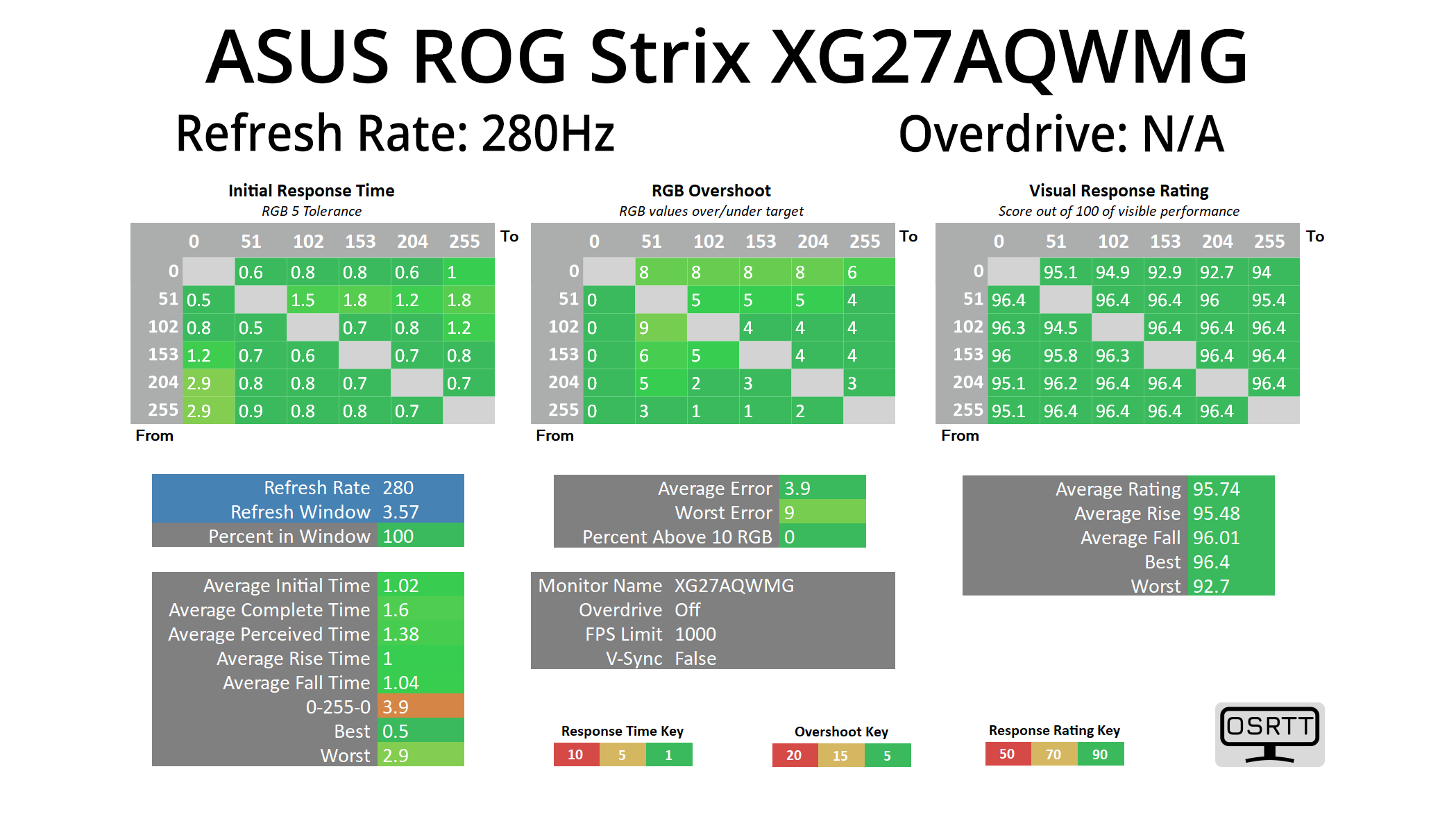
We're not going to focus too heavily on response times here as we know OLEDs are the best of the best in this regard, and they all perform very similarly, meaning near-instant response times and zero ghosting, regardless of the refresh rate used.
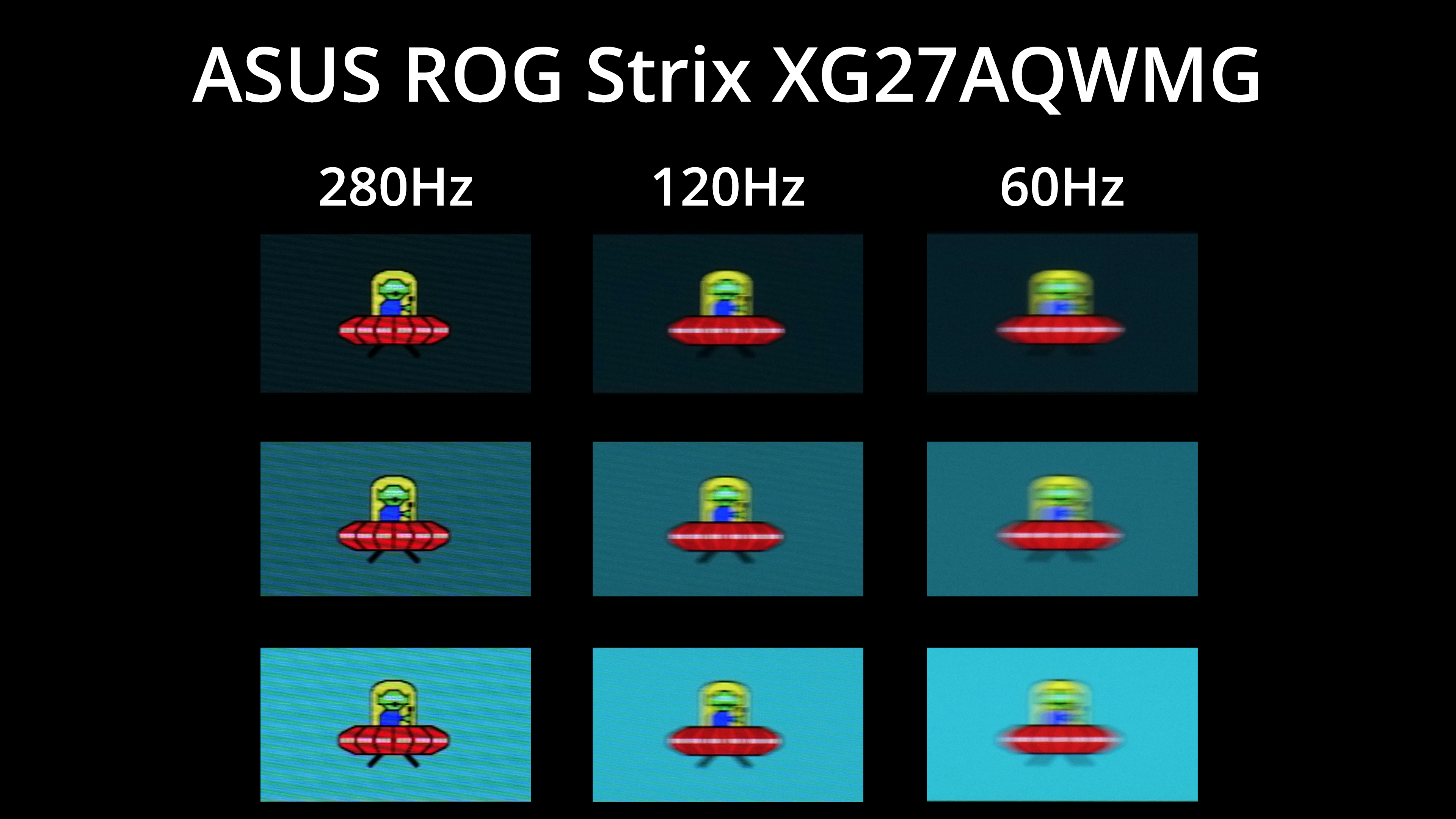
As we know, however, that doesn't mean motion clarity will be the same regardless of the refresh rate – the higher you can push the refresh, the smoother things look. The jump from 120Hz to 280Hz, for instance, is quite noticeable, but you can also note there is zero ghosting at any given refresh rate target.
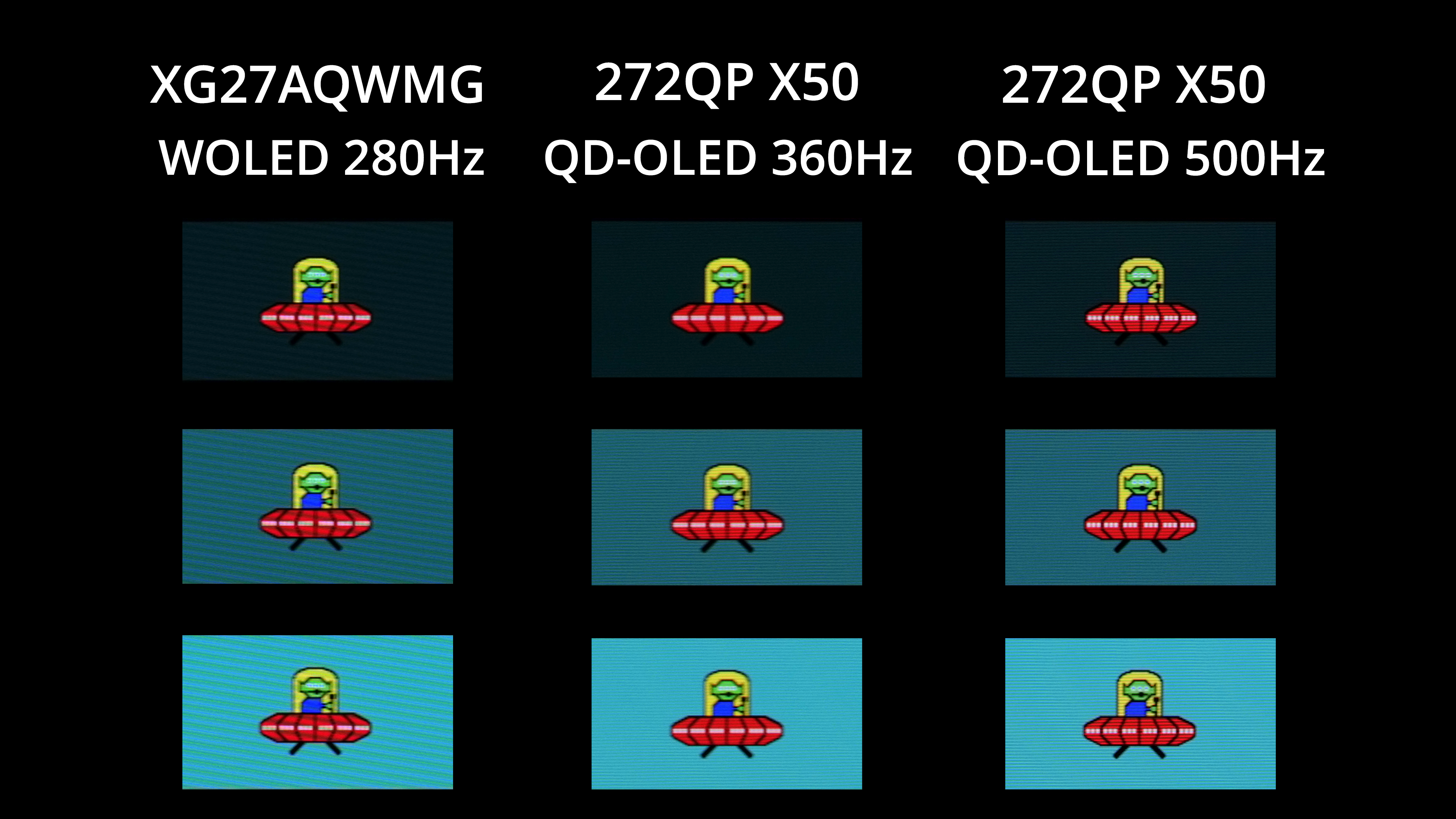
Other OLEDs can deliver even faster refresh rates though, with plenty of 1440p/360Hz models on the market, not to mention the MSI 272QP X50 which can hit 500Hz! The higher the refresh goes, the better image clarity becomes – but you also have to weigh up cost, and whether or not your system is actually capable of driving over 280fps at 1440p resolution in the games you play.
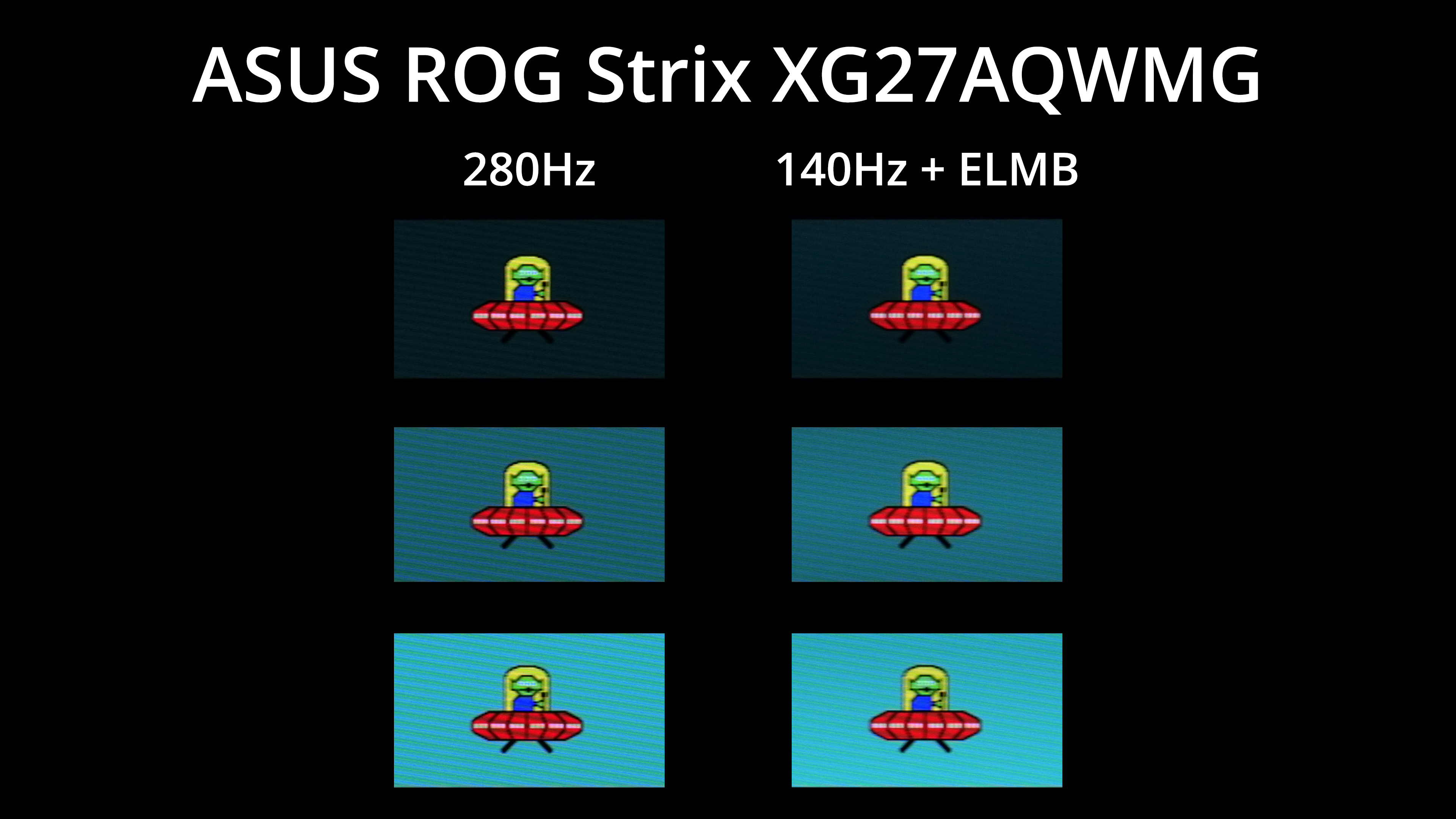
Even if you can't hit 280fps, ASUS does offer a form of black frame insertion (BFI), which it calls ELMB, and this places a black frame after every regular frame. This means with BFI enabled, you get broadly equivalent motion clarity at 140Hz as you would without BFI at 280Hz, and it's obviously a lot easier to drive games at 140fps!
The main snag is this mode disables adaptive sync and only appears to work at 140Hz – so you couldn't set it to 60Hz and get 120Hz-equivalent clarity on a console, for instance. Brightness is also capped at 158 nits maximum, but it could be well worth using depending on the games you play.