KitGuru KitGuru.net – Tech News | Hardware News | Hardware Reviews | IOS | Mobile | Gaming | Graphics Cards



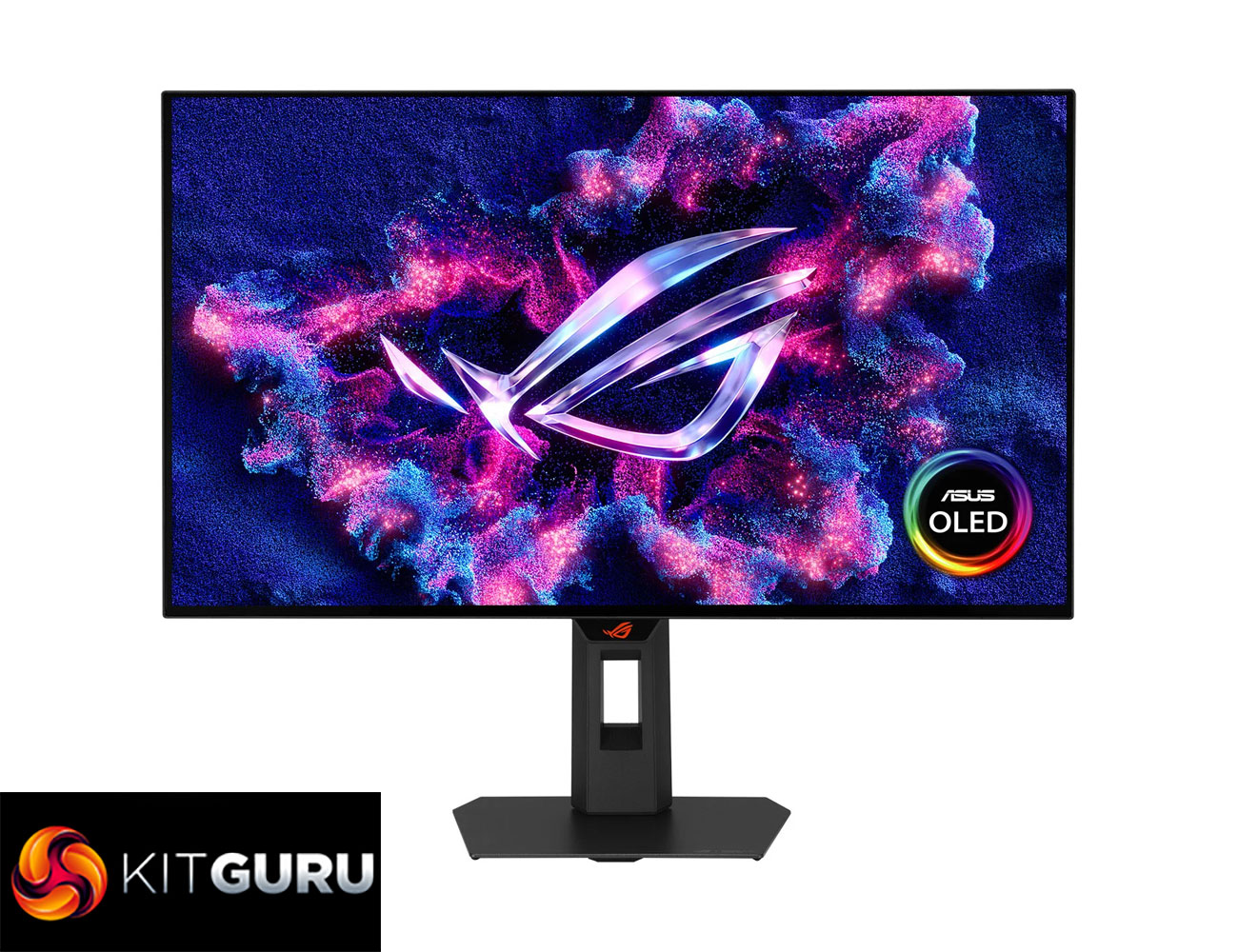
Today we are reviewing the hotly-anticipated ASUS ROG Strix XG27AQWMG. Announced back at Gamescom 2025, this screen is packing in the latest 4th Gen Tandem OLED panel from LG, promising a wide range of improvements compared to previous generations. On top of that, ASUS has fitted what it calls a ‘TrueBlack Glossy' coating, designed to offer a ‘zero-haze' finish while maintaining true black depth. There's a lot to talk about, so let's dive into the review.
Timestamps
00:00 Intro
00:53 Key specs + pricing
02:03 Design, build
02:52 I/O + OSD
03:47 The new TrueBlack Glossy coating
05:14 Fringing and burn-in
06:13 Default panel performance
08:36 sRGB mode + calibration
09:24 Response times / motion clarity
11:08 Real-world gaming experience
12:04 HDR testing
14:27 Closing thoughts
Starting off with the 4th Gen panel from LG, this utilises Primary RGB Tandem technology, which basically means a new 4-layer stack compared to the 3-layer stack of prior panel generations. This offers three key benefits, being higher brightness, wider colour gamut and also significantly increased lifespan.
The panel itself is ‘only' a 1440p 280Hz spec, so it's not pushing boundaries in the same way as the 500+Hz OLEDs that are hitting the market, but it's still a very capable spec. That lower refresh also means pricing is perhaps surprisingly affordable for a monitor using the latest generation of panel, with this model listed at Scan for £520, putting it in very similar territory to most 1440p 240Hz OLEDs.
Specification:
- Panel size: 26.5″
- Aspect ratio: 16:9
- Color space (DCI-P3): 99.5%
- Panel type: WOLED
- Resolution: 2560×1440
- Display viewing area (HxV): 590.42 x 331.88 mm
- Display surface: Glossy (TrueBlack Glossy)
- Pixel pitch: 0.229mm
- Brightness (HDR peak): 1,500 cd/㎡
- Contrast ratio (typ): 1,500,000:1
- Viewing angle (CR≧10): 178°/178°
- Response time: 0.03ms (GTG)
- Color accuracy: △E < 2
- Display colors: 1.07B (10-bit)
- Flicker-free: Yes
- HDR support: HDR10
- Refresh rate (max): 280Hz
- ASUS OLED Care: Yes
- GamePlus: Yes
- Game Visual: Yes
- VRR technology: Yes (Adaptive-Sync)
- Extreme Low Motion Blur: Yes
- DisplayWidget: Yes (DisplayWidget Center)
- GameFast Input technology: Yes
- Shadow Boost: Yes
- Aspect control: Yes
- A.I. Assistant technology: AI Visual, Dynamic Crosshair, Dynamic Shadow Boost
- DisplayPort 1.4 DSC: 1x
- HDMI 2.1 (FRL): 2x
- Earphone jack: Yes
- USB hub: 2x USB 3.2 Gen1 Type-A
- Speakers: No
- Digital signal frequency: HDMI 30–480 KHz (H) / 41–280 Hz (V); DP 480–480 KHz (H) / 41–280 Hz (V)
- Power consumption: <26.8W
- Power saving mode: <0.5W
- Power off mode: <0.3W
- Voltage: 100–240V, 50/60Hz
- 1/4″ tripod socket: Yes
- Tilt: +20° to -5°
- Swivel: +45° to -45°
- Pivot: +90° to -90°
- Height adjustment: 0–110mm
- VESA wall mounting: 100x100mm
- Lighting effect: Aura Sync
- Proximity sensor: Neo Proximity Sensor
- Kensington lock: Yes
Firmware tested: MCM102
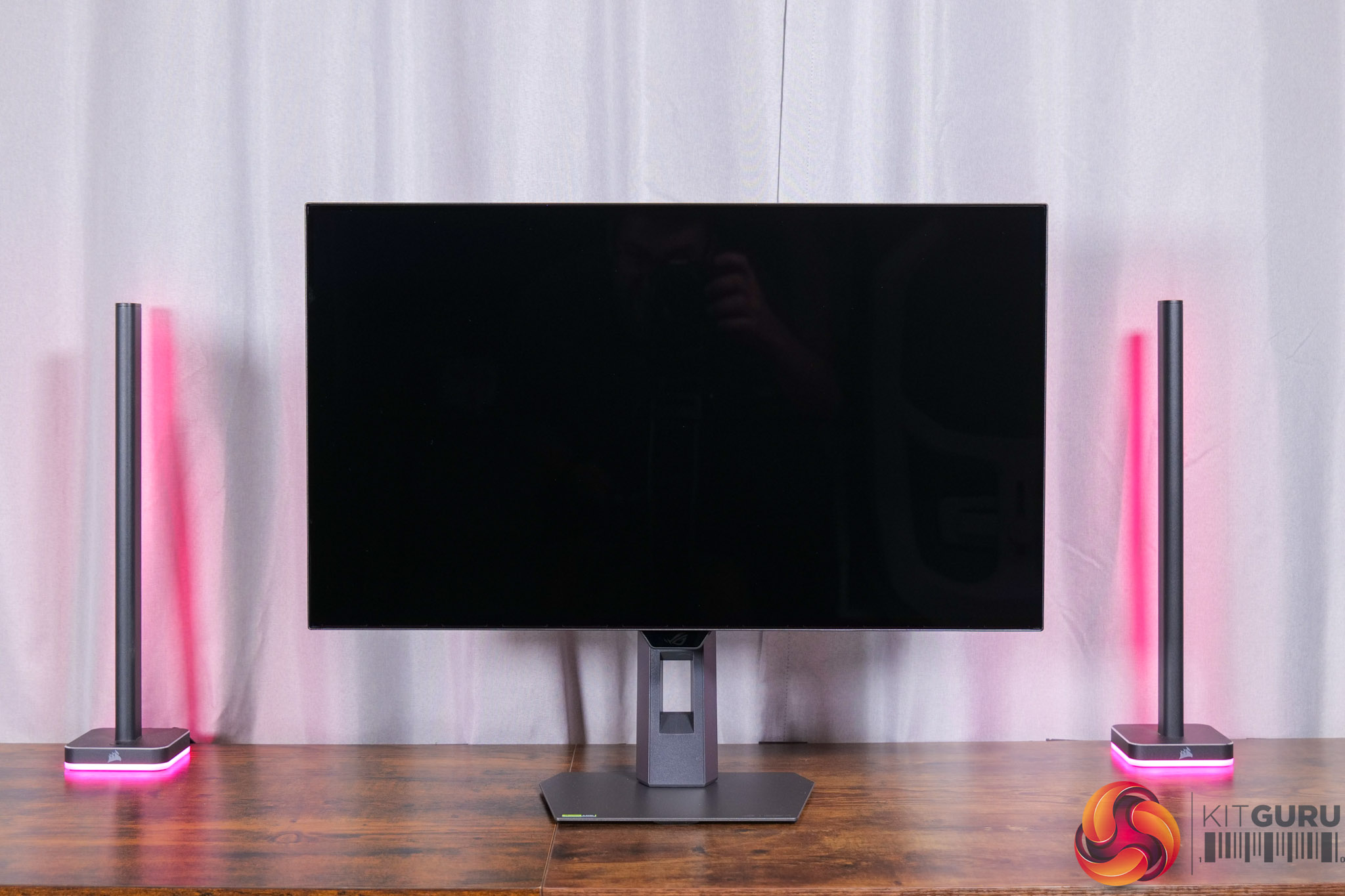
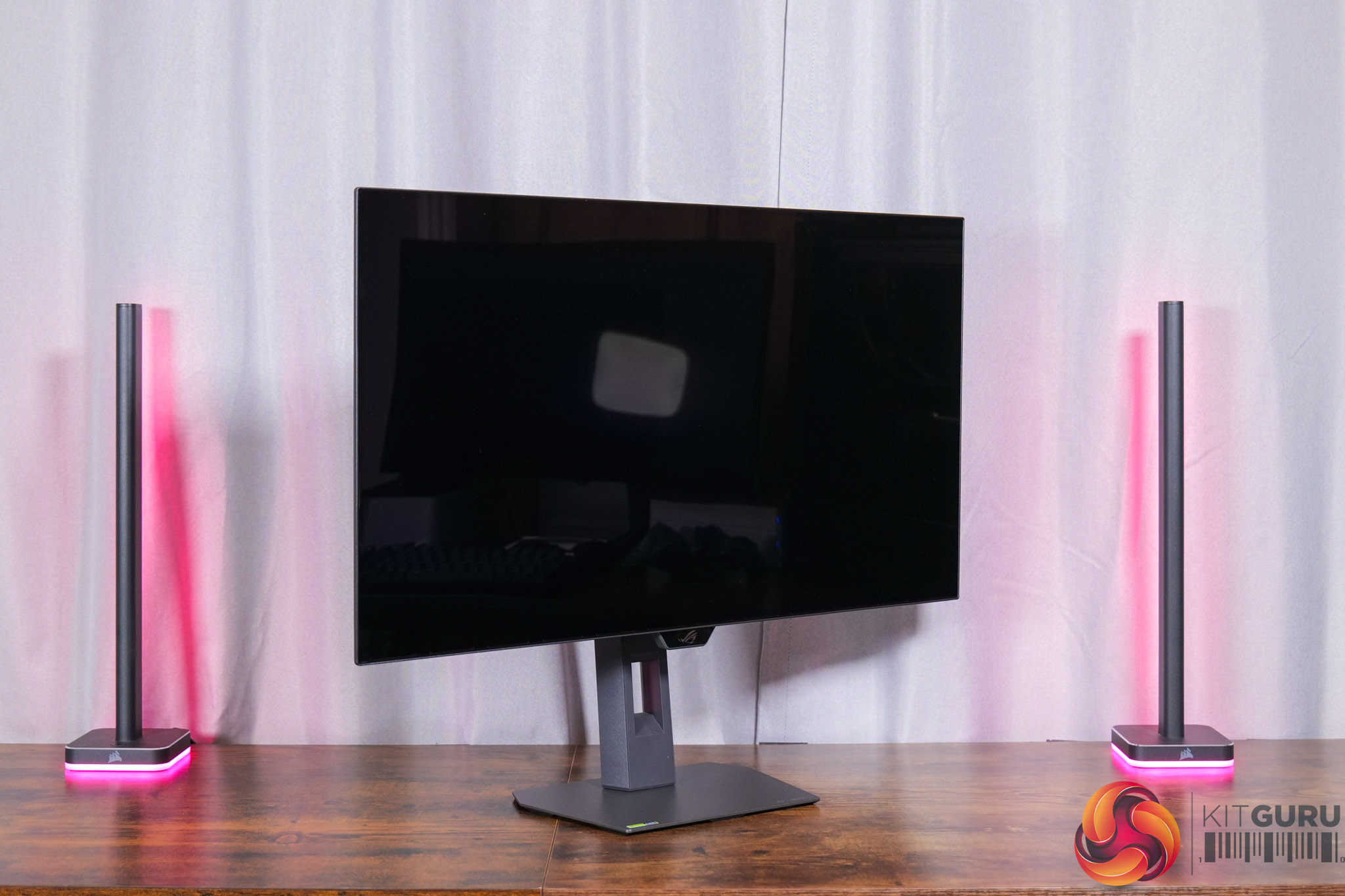
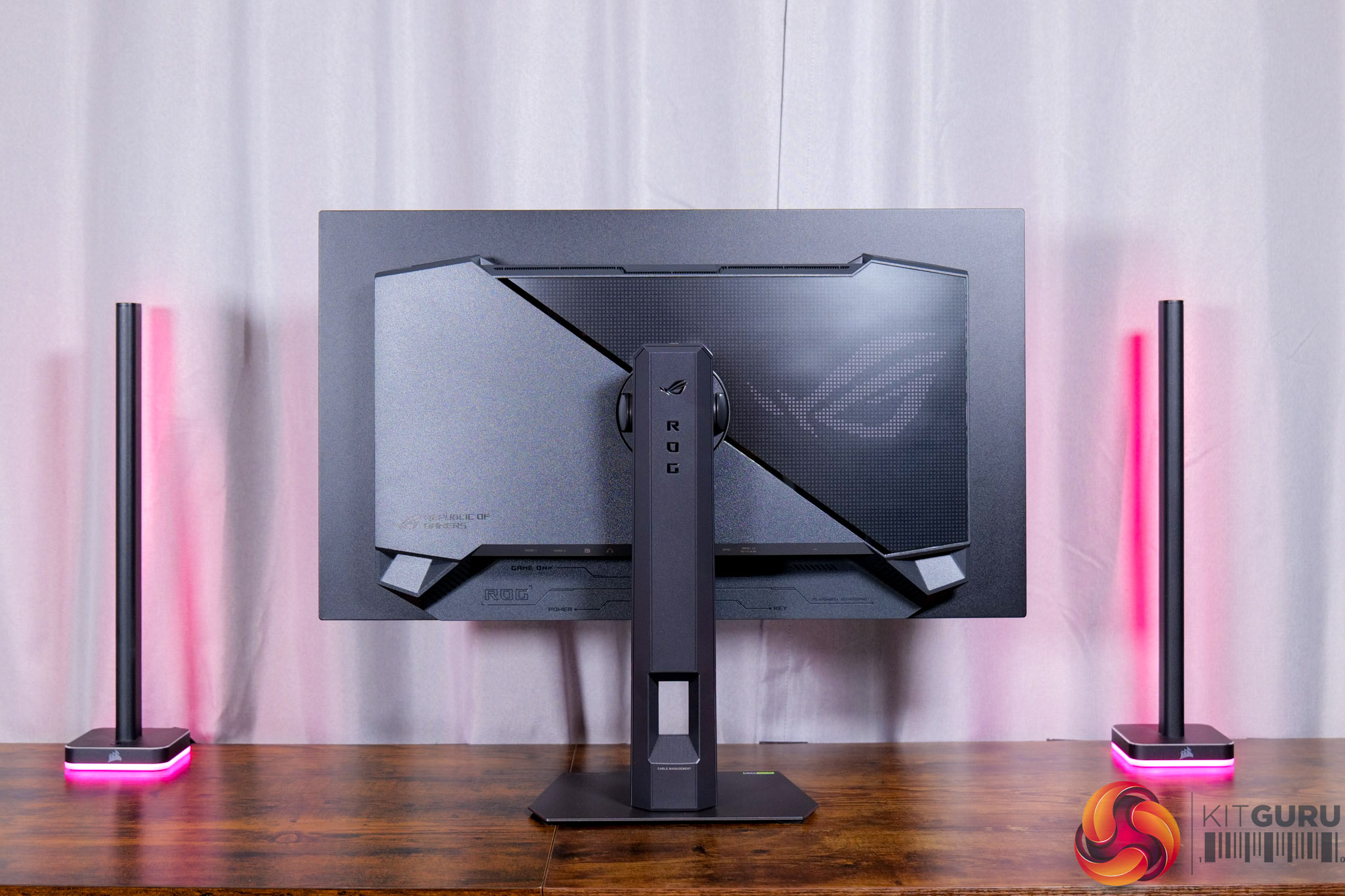
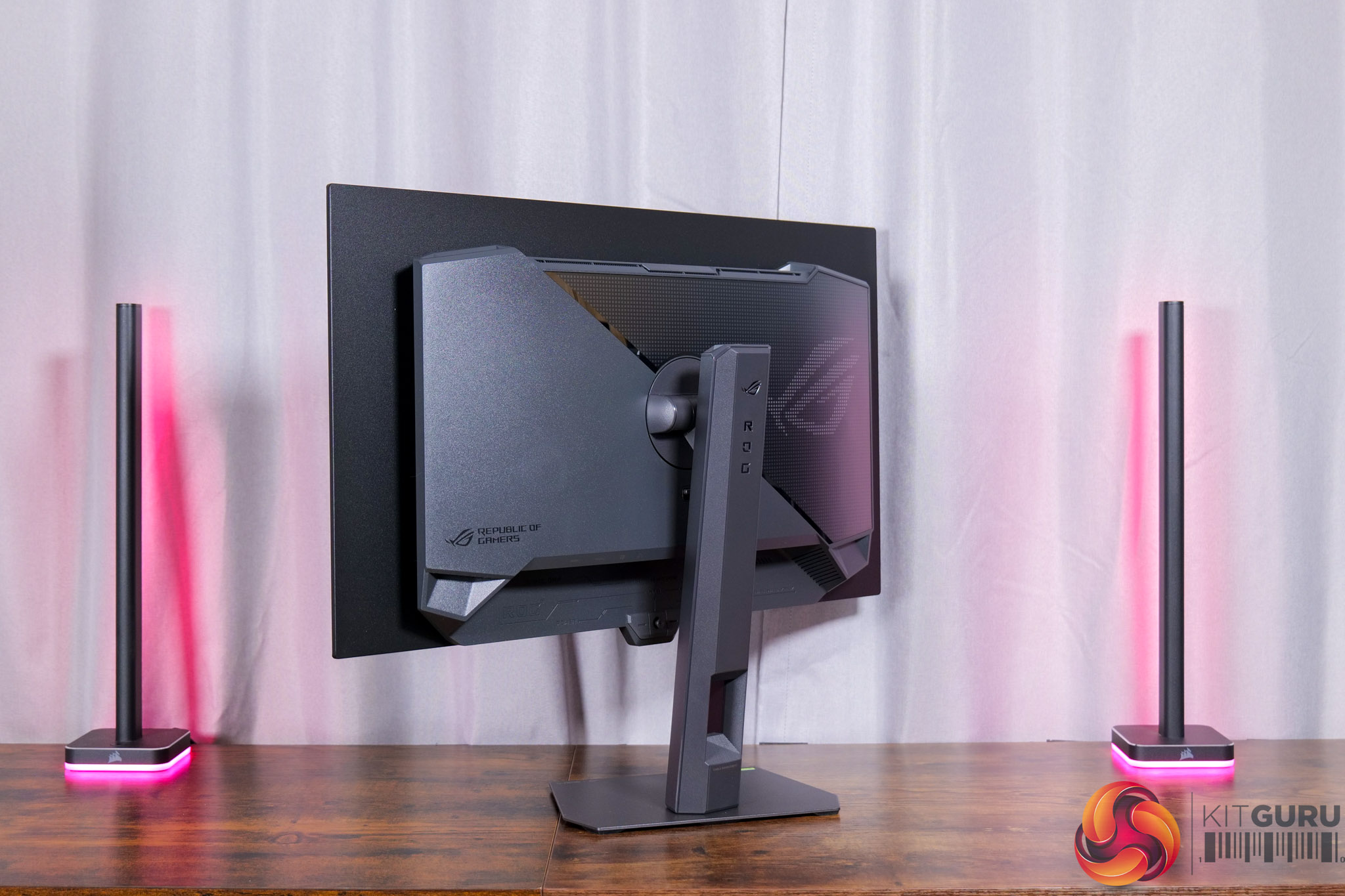
Kicking off with the design of the XG27AQWMG, it's a pretty familiar look to other ASUS screens we've seen over the last few years. It's got a dark grey chassis, with a metal foot but the rest being made of plastic. A ROG logo dominates the back, and this is illuminated by RGB LEDs, though this can also be turned off depending on your preference.
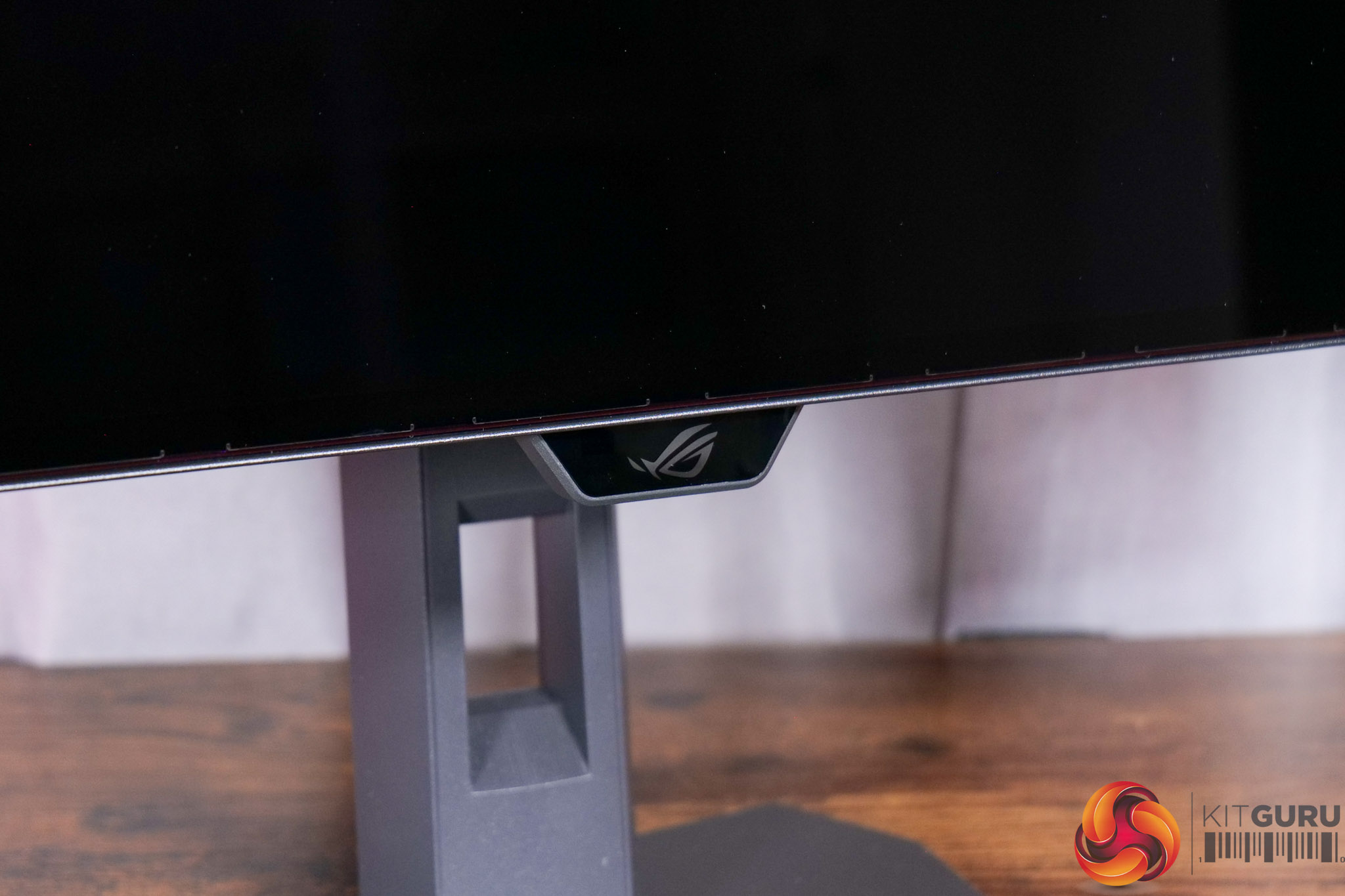
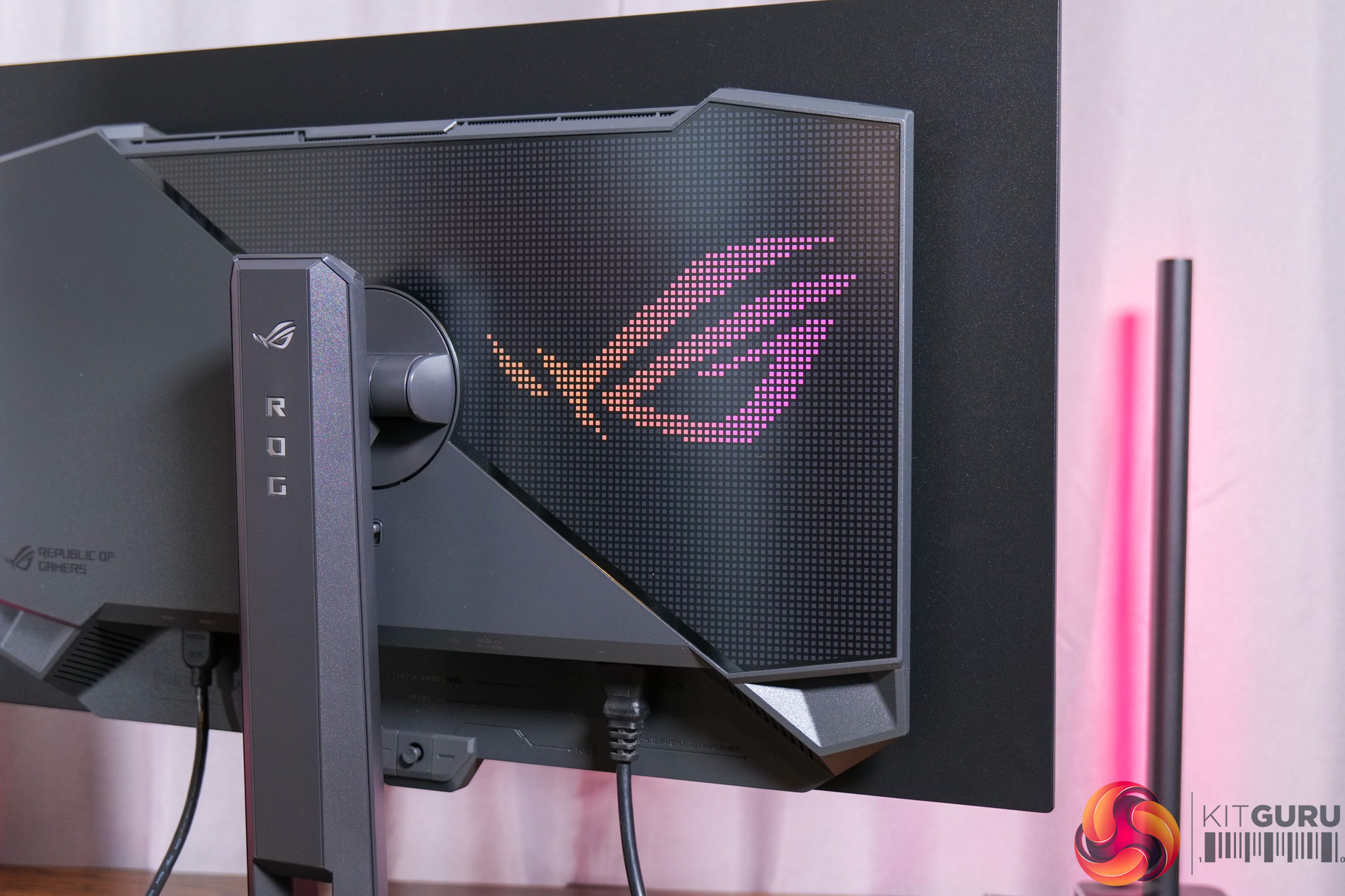
It is a pretty typical ‘gamer' vibe overall, though from the front things look pretty clean, with just a small ROG logo underneath the chin, where the proximity sensor is housed, but more on that later.
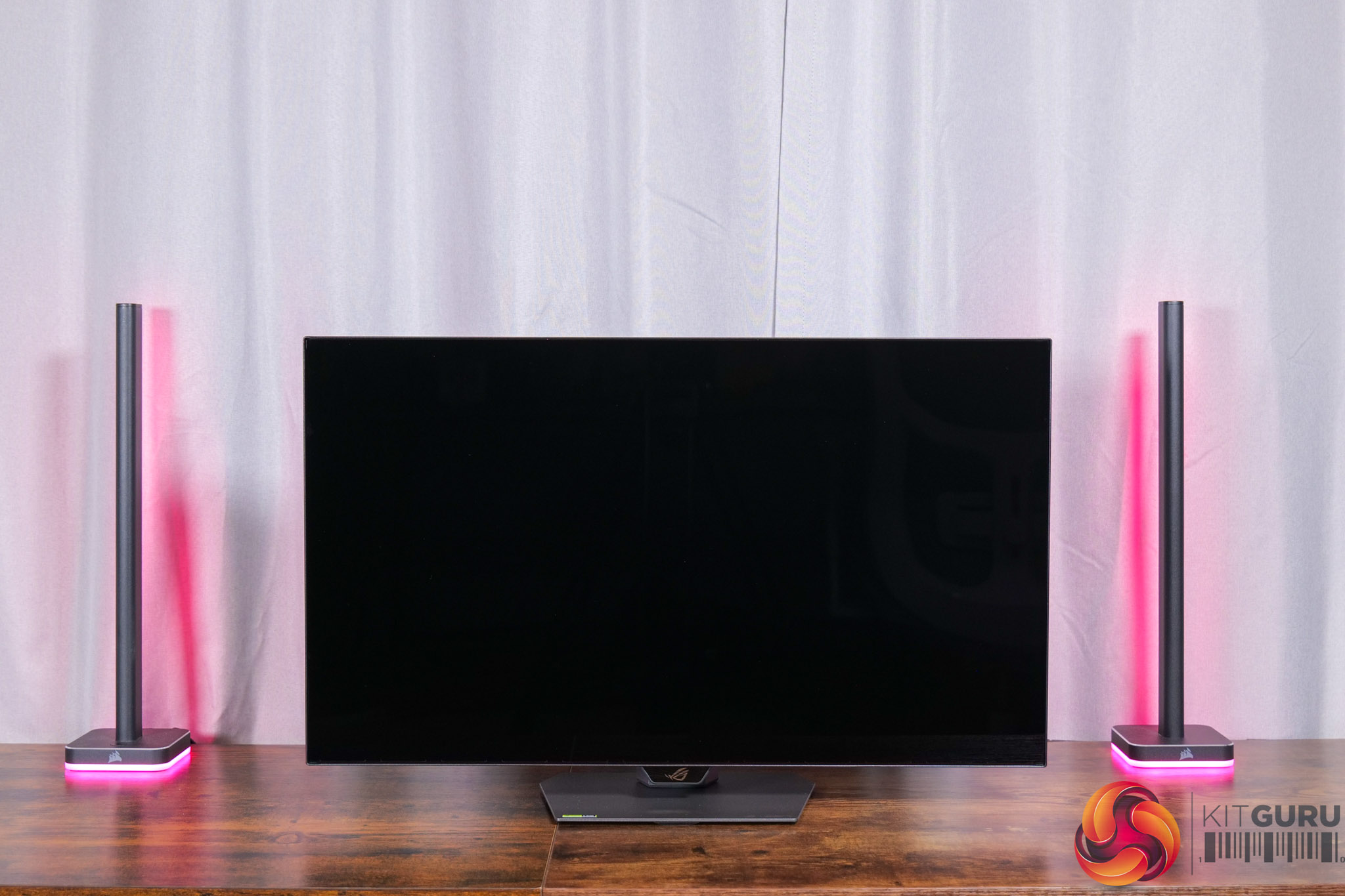
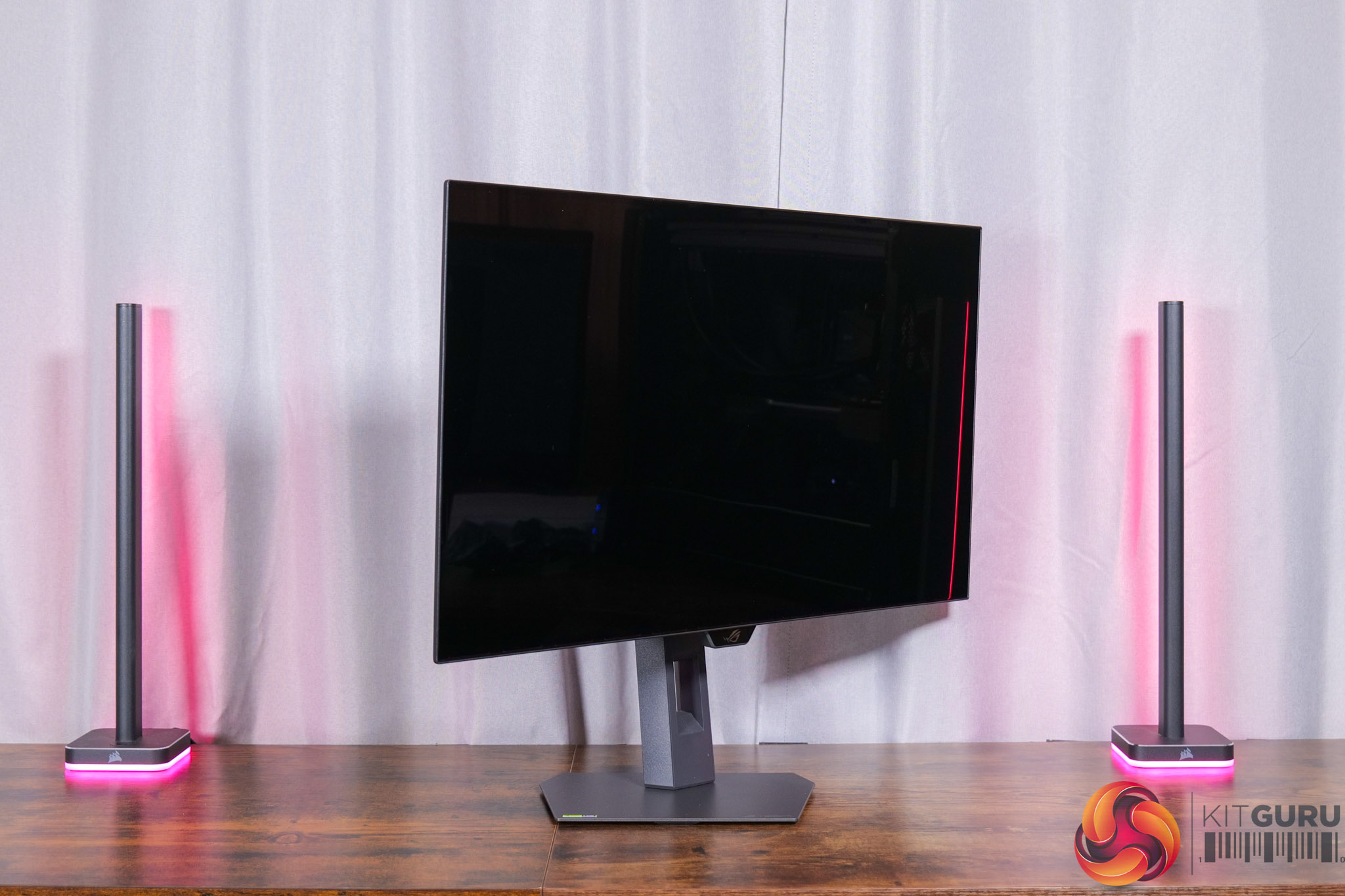
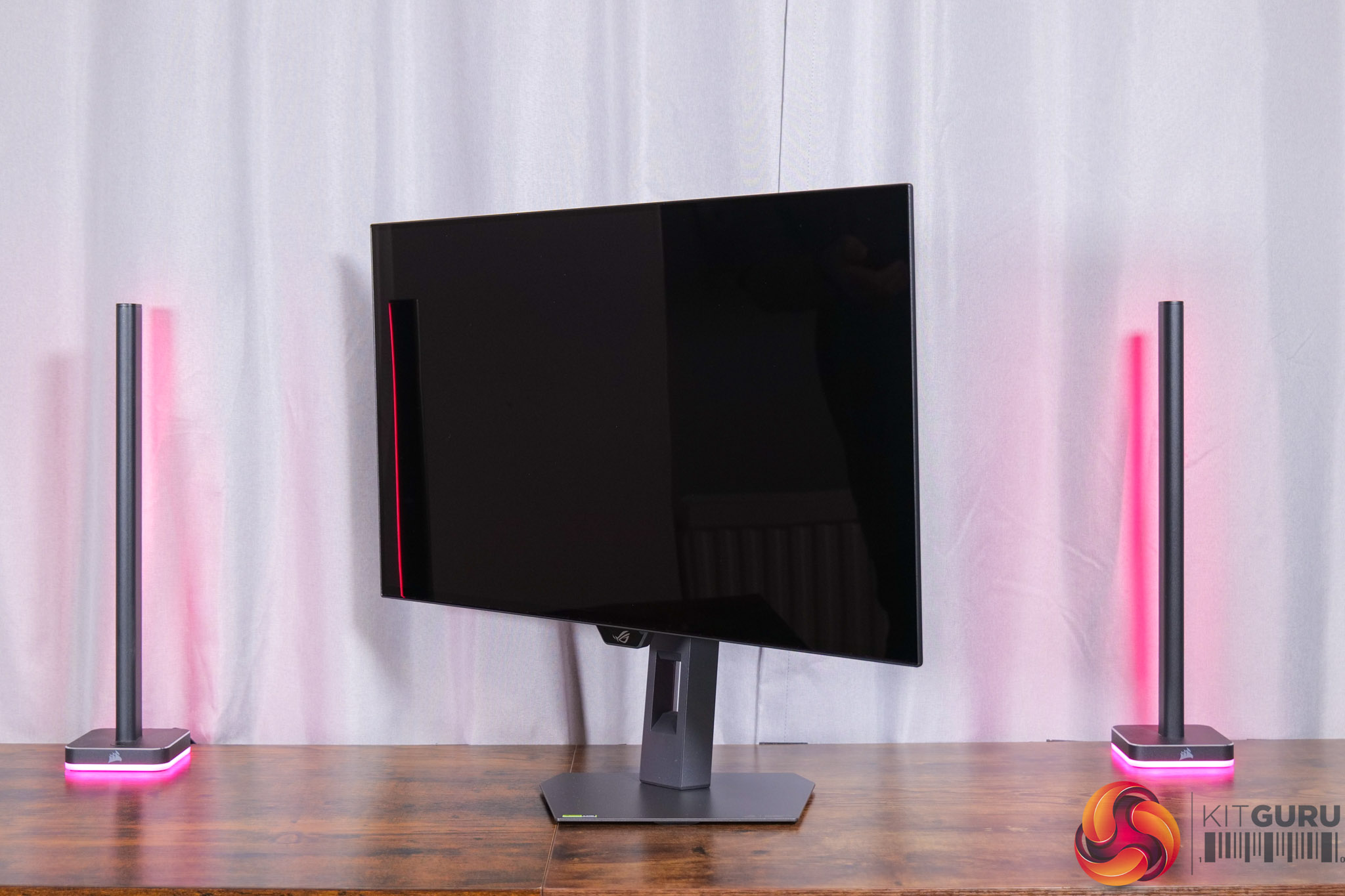
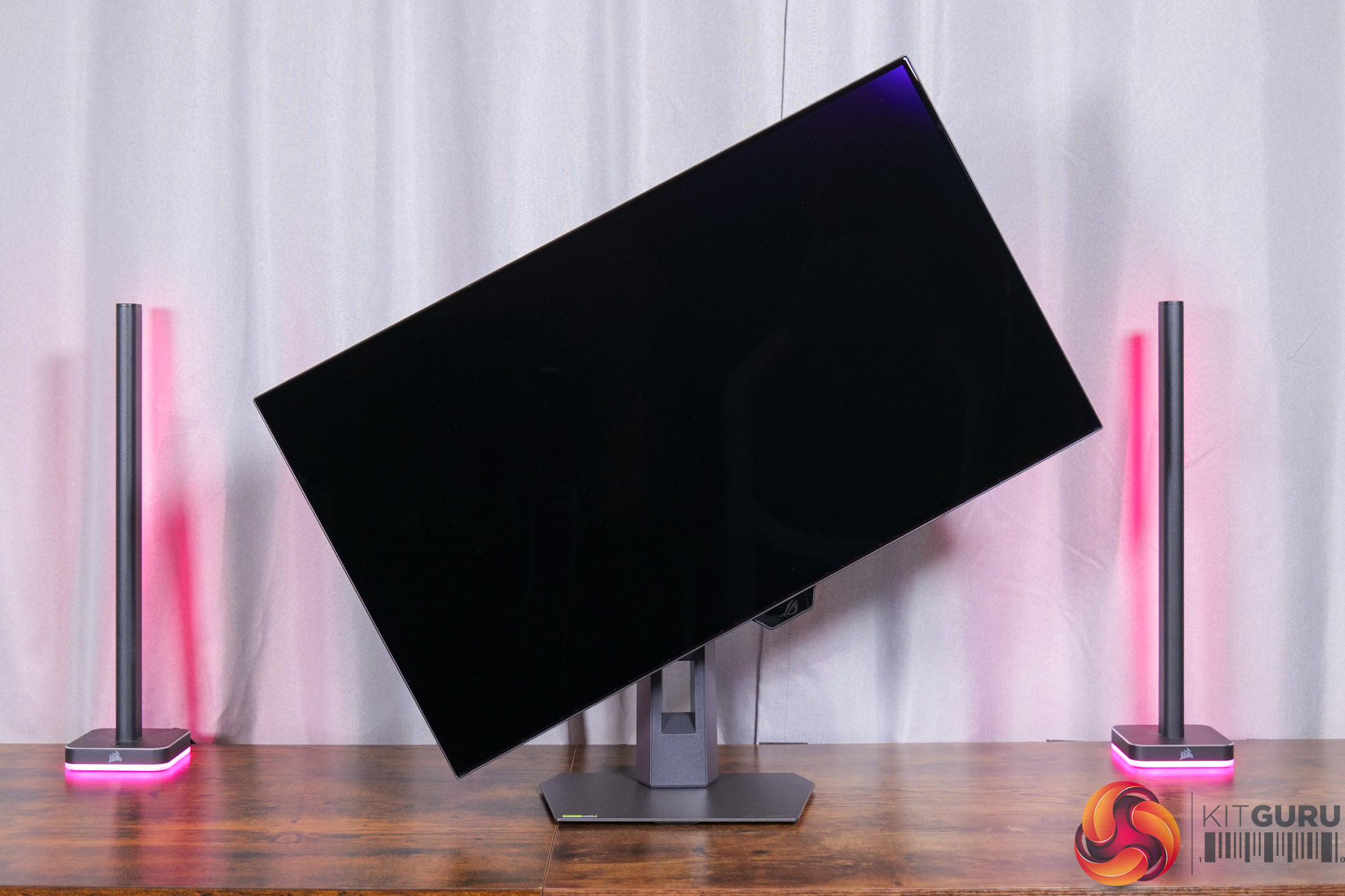
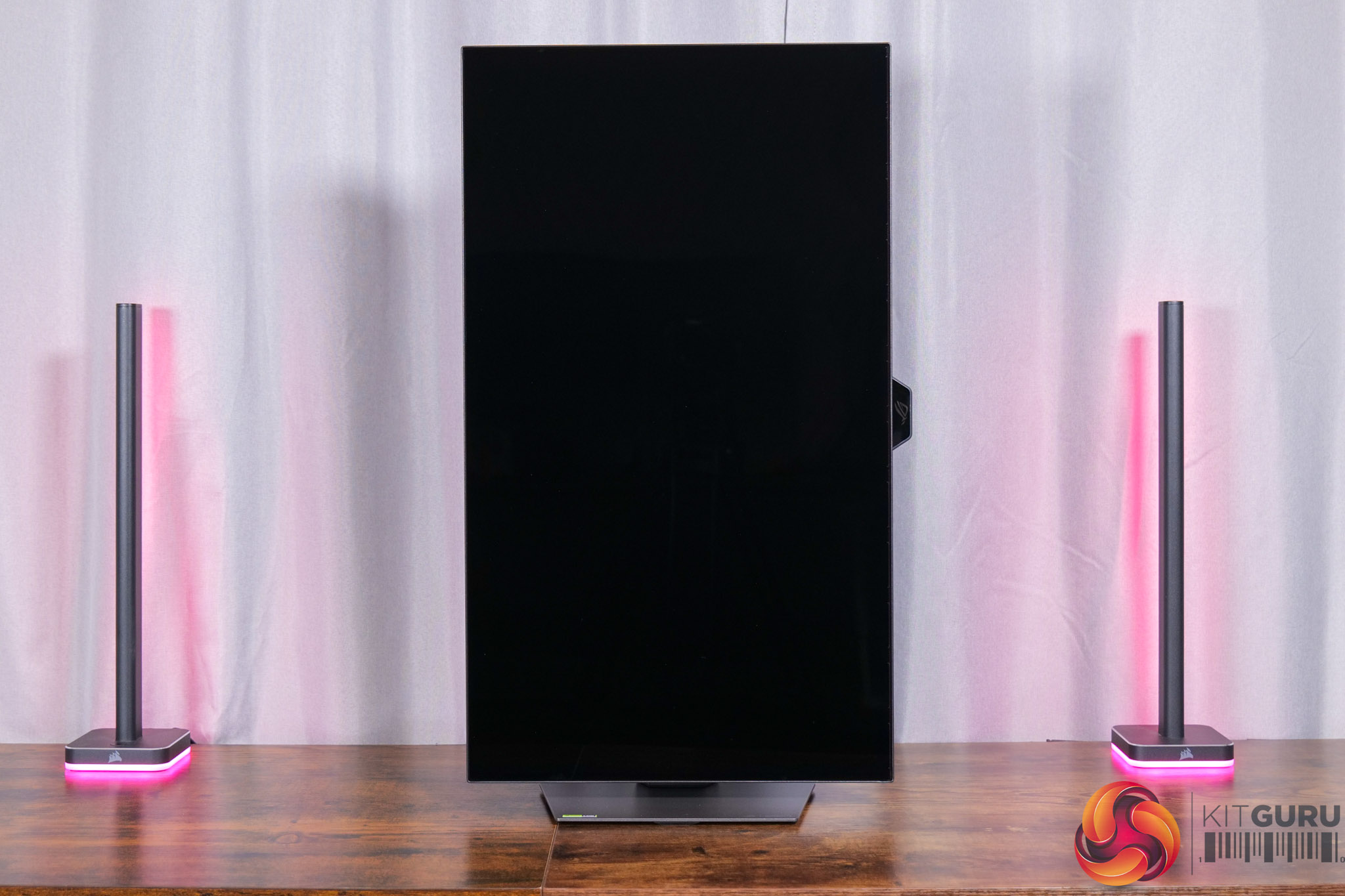
The stand itself offers a good amount of ergonomic adjustment, including up to 110mm of height adjust, tilt from -5 to +20 degrees, 45 degrees of swivel both left and right, as well as 90 degree pivot functionality. VESA 100×100 mounts are also supported.
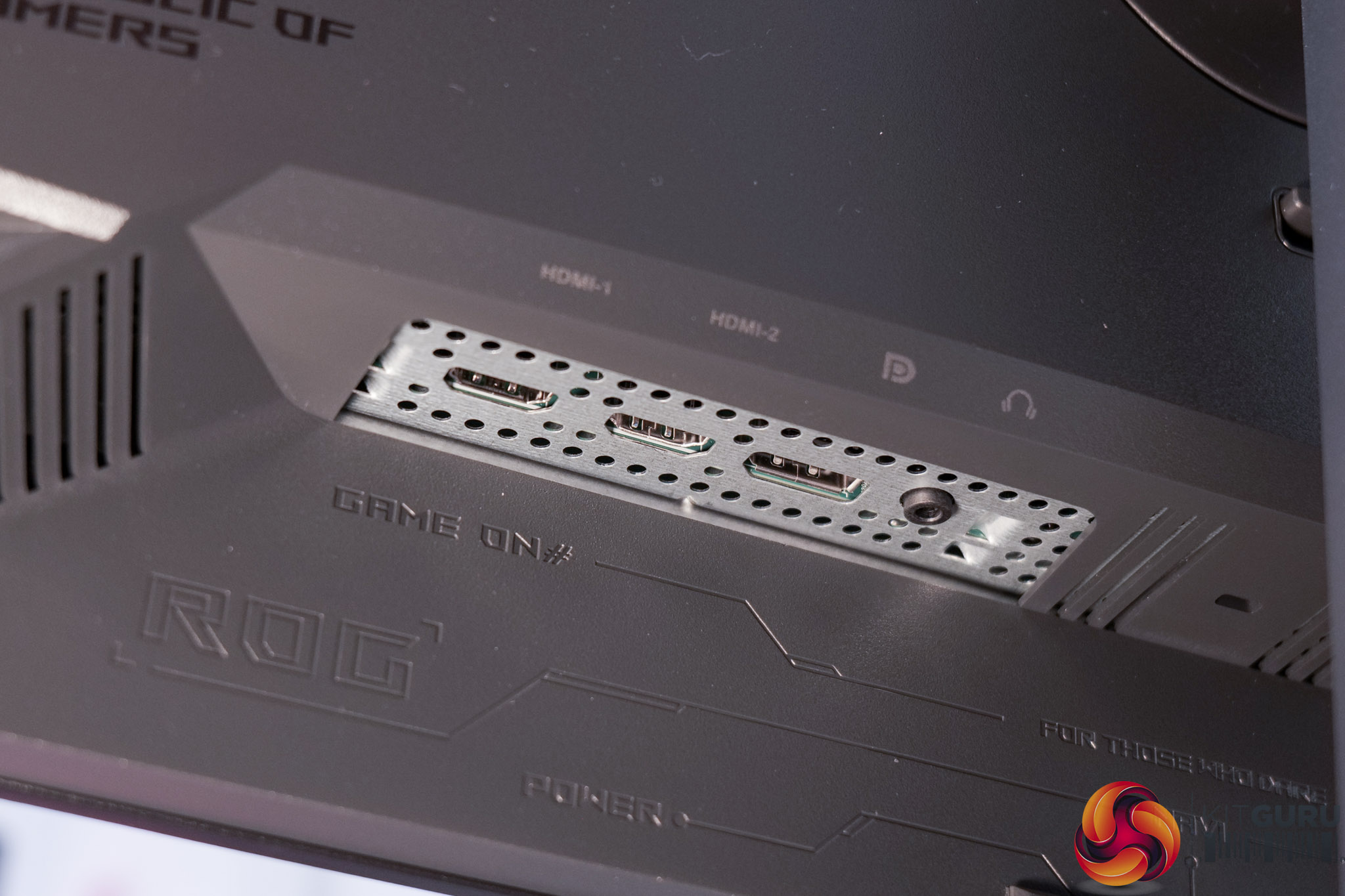
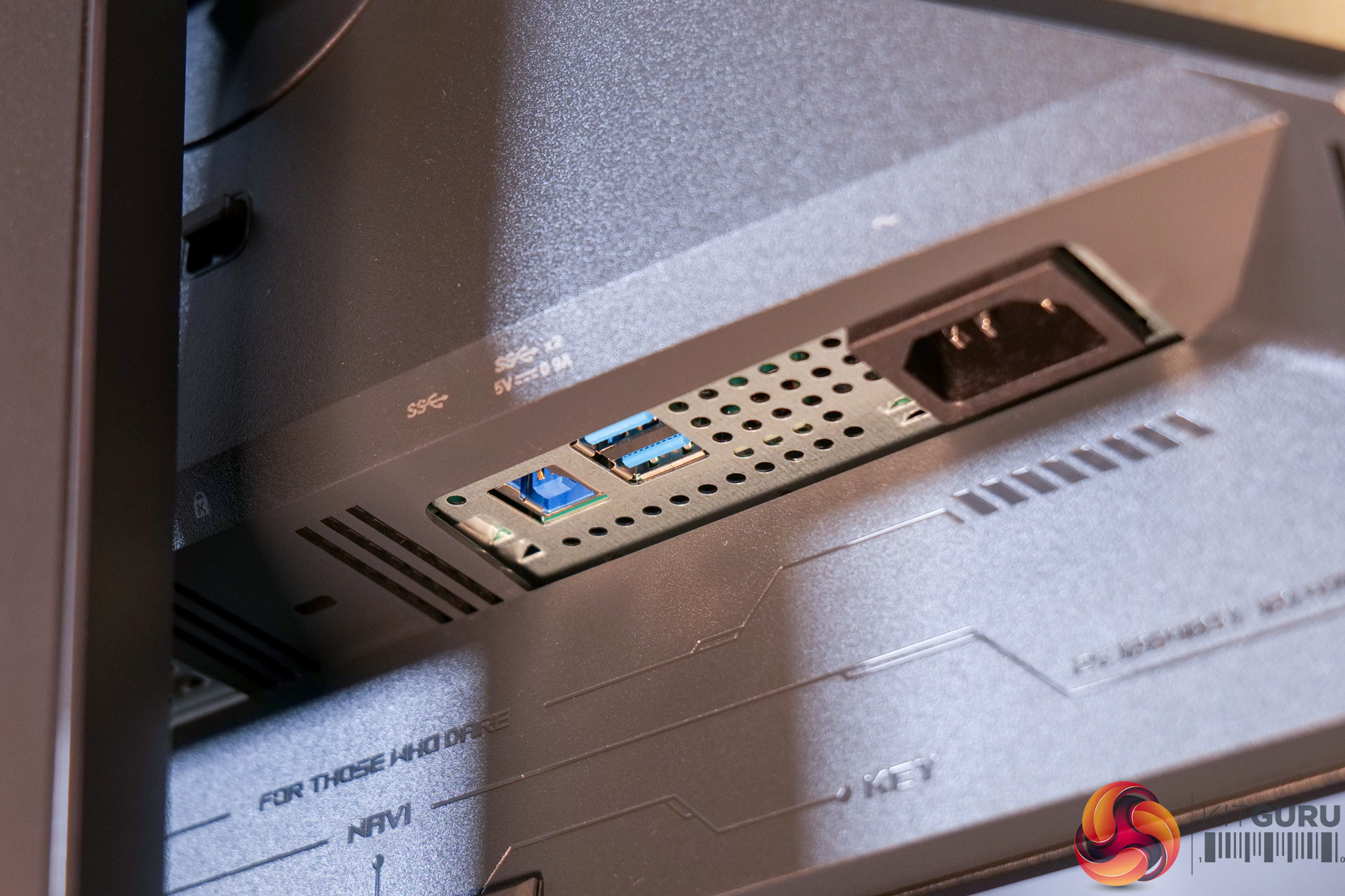
I/O is perhaps one area where ASUS has cut some corners to keep the cost down, given we find a single DisplayPort 1.4, rather than a 2.1 spec port, and two HDMI 2.1. Then there's a two-port USB-A hub, but that's it – so no Type-C or KVM functionality which is a slight shame.
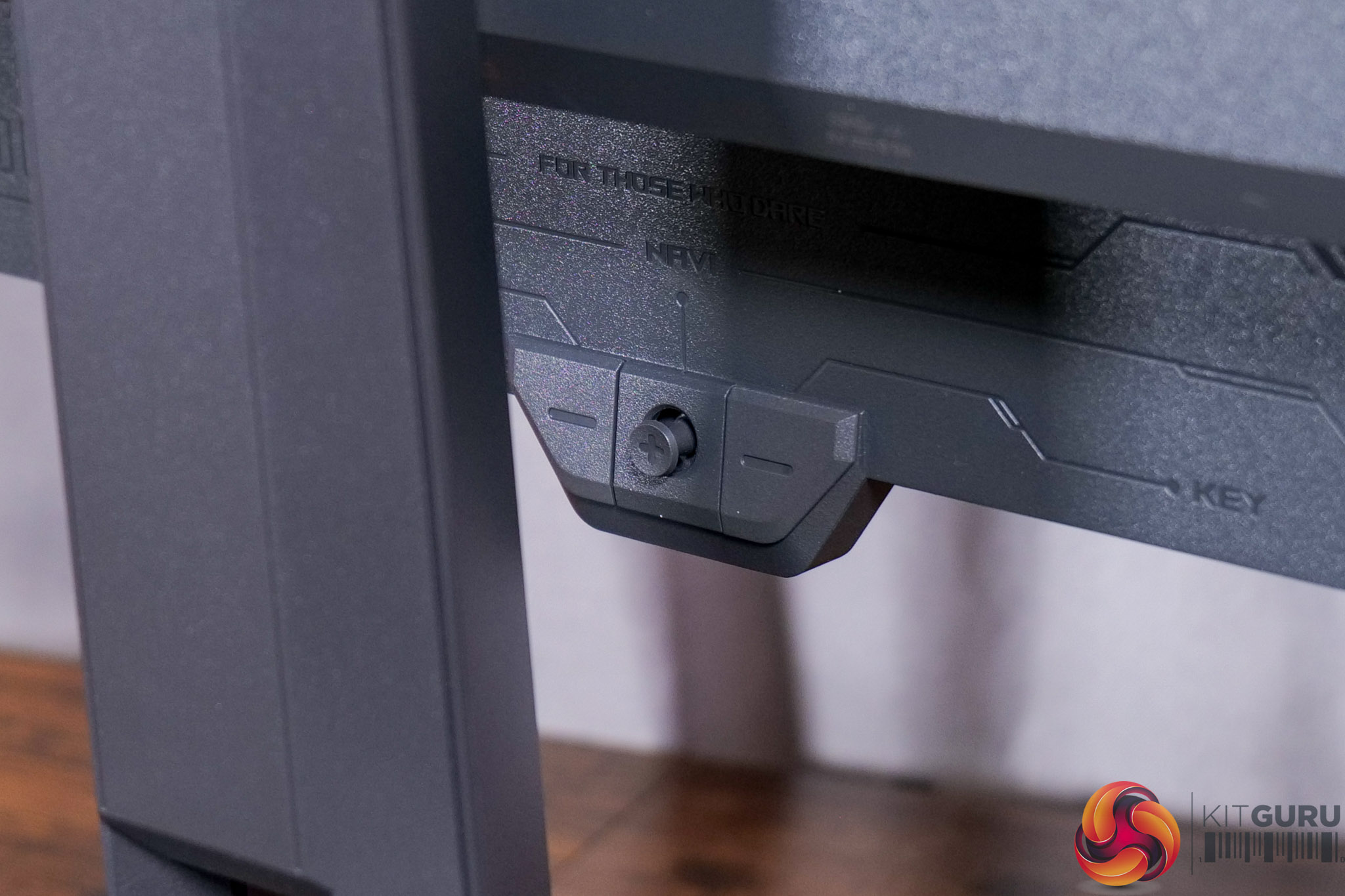
It's good to see a joystick used to navigate the OSD though, with a user-configurable button on one side and the power button on the other.
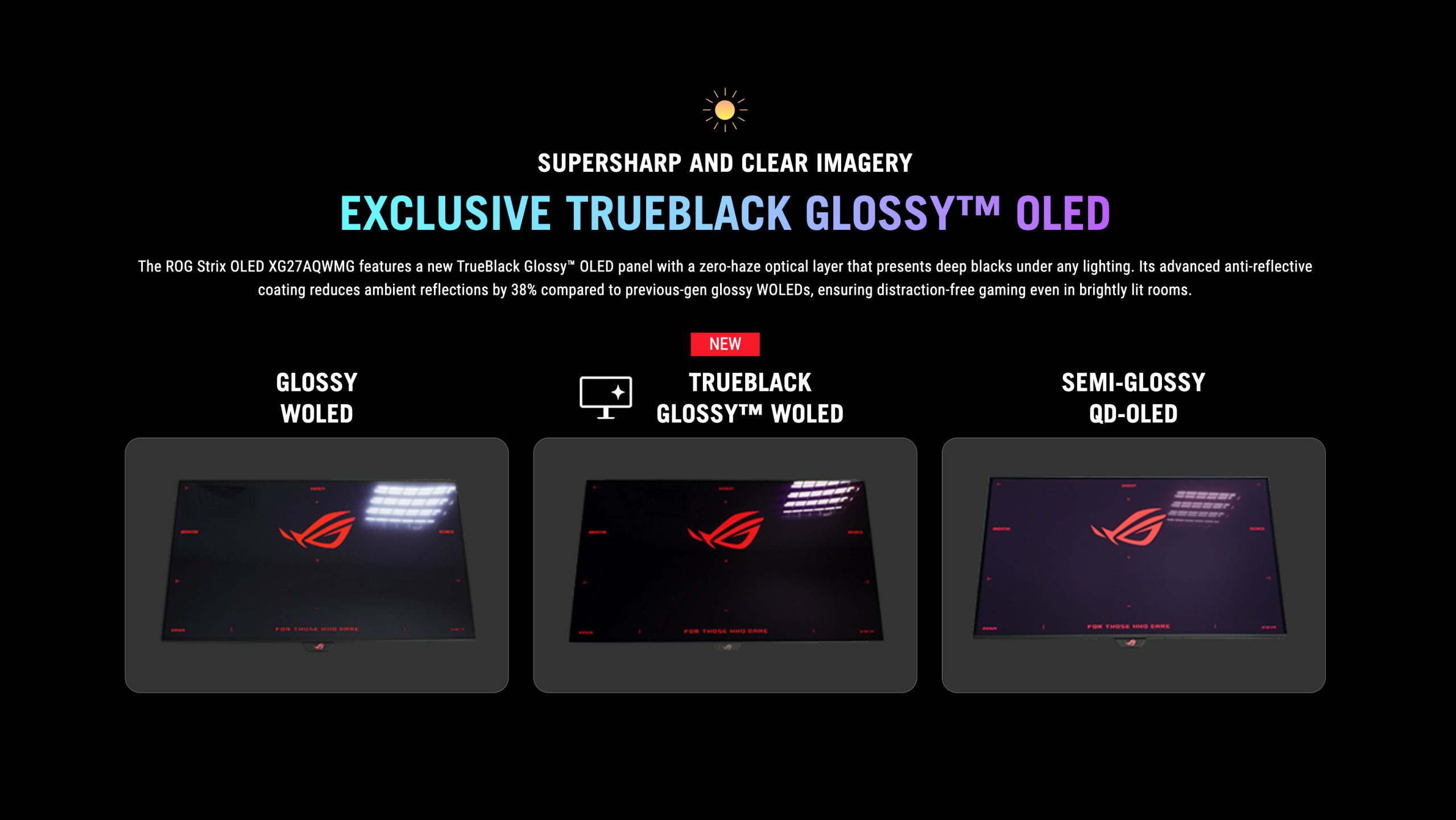
Before moving onto the actual panel analysis though, we do need to spend some time talking about the TrueBlack Glossy coating which ASUS has fitted to this panel. This is an exclusive according to ASUS, with a ‘zero-haze' finish that improves on both the Glossy WOLED panels of last year, while also promising much better black depth than competing QD-OLEDs.
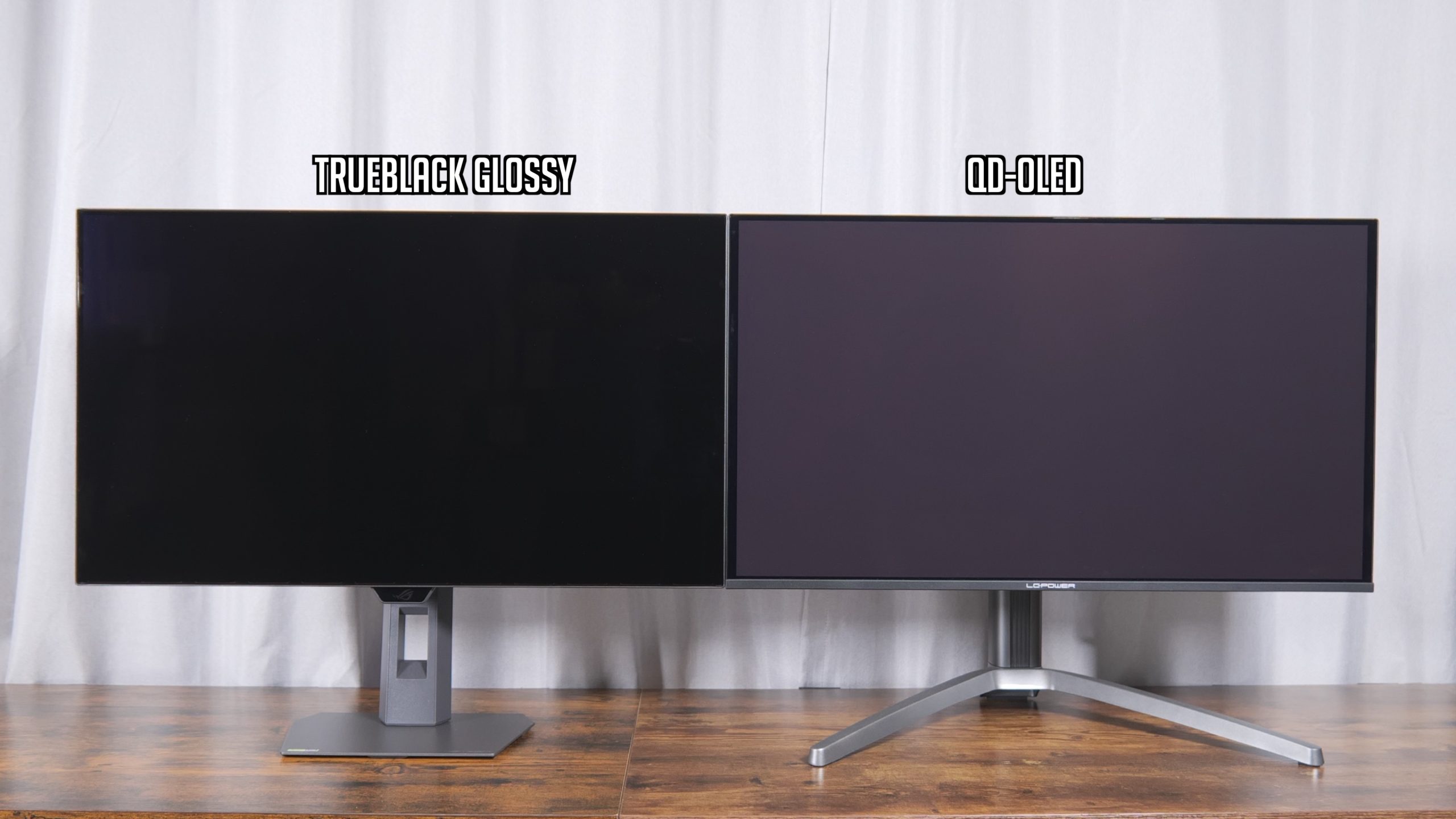
I’ve tested it side-by-side with a QD-OLED, which is known to deliver raised black levels in brighter environments due to its lack of a polarising layer. We can see the difference straight away putting this XG27AQWMG next to a 27in QD-OLED – even before the screens are turned on, with bright ambient conditions, the QD-OLED looks a lot more grey, whereas the ASUS screen remains perfectly black.
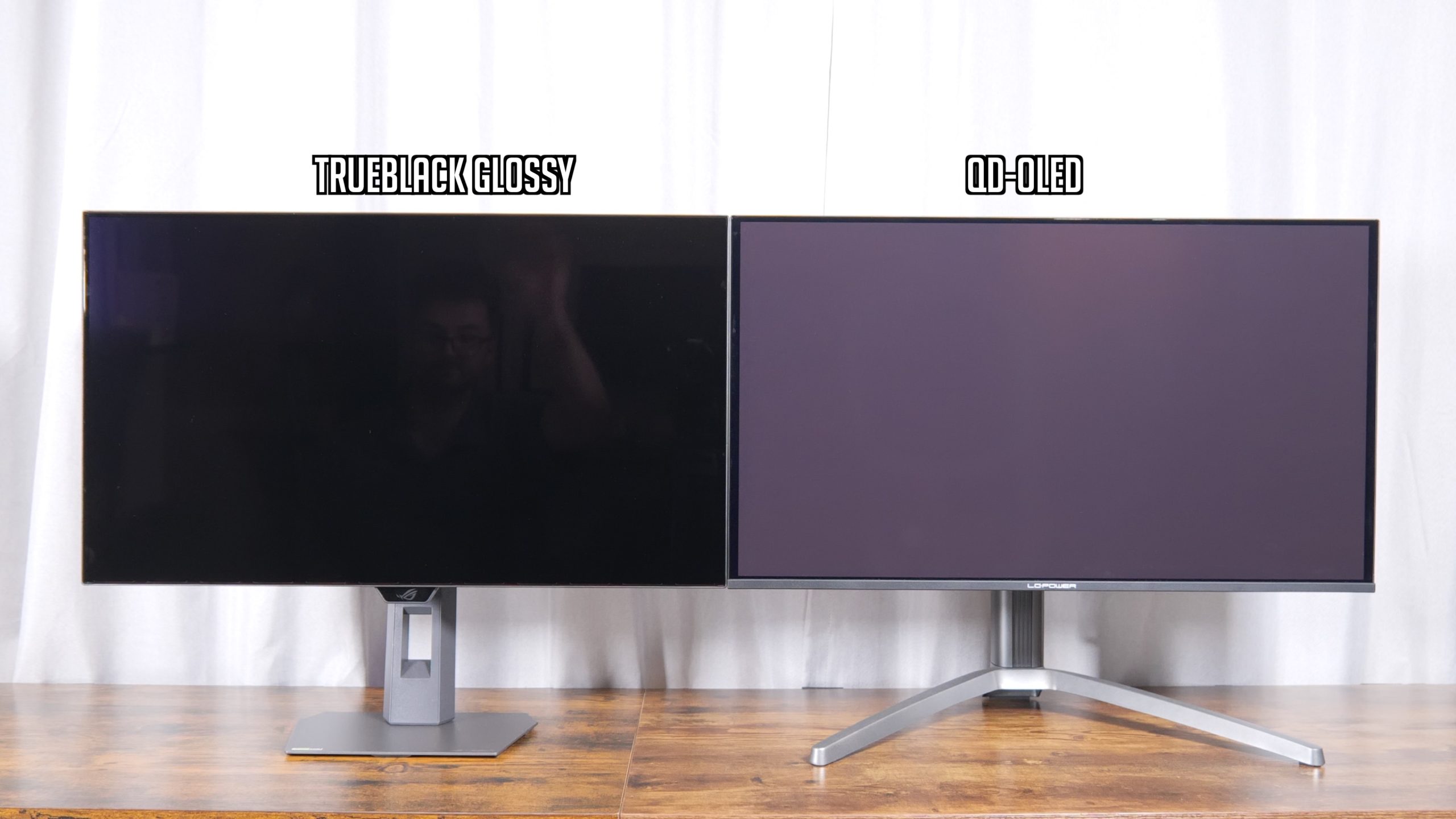
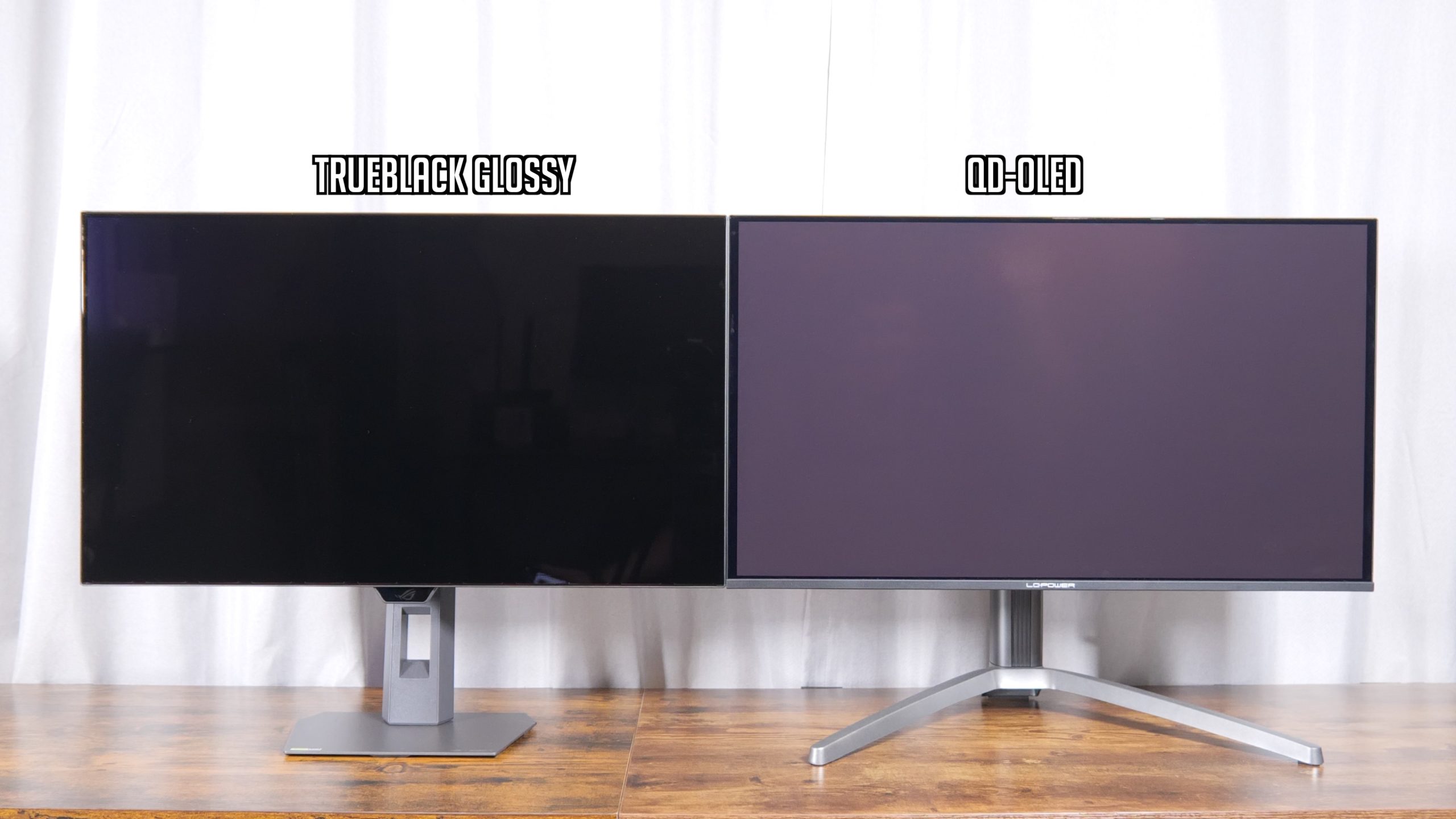
Now there are some advantages to QD-OLED in that it’s more of a semi-gloss finish, so it does mute reflections somewhat, whereas the ASUS is more of a mirror finish, so that's something to keep in mind.
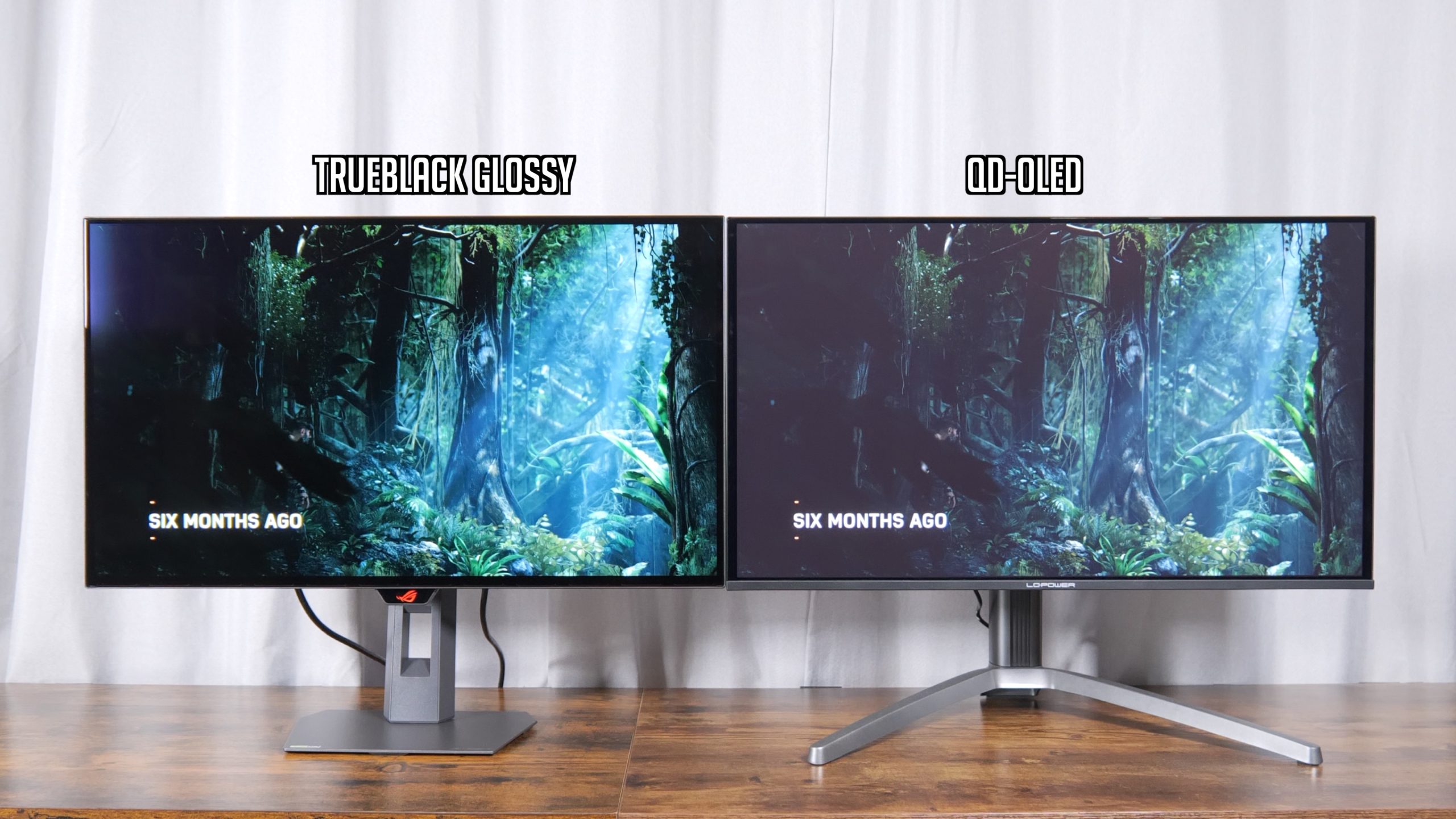
However, if you are gaming in brighter environments, the difference in black levels is honestly huge, as you can see above, with the image looking a lot flatter and generally less contrasty on QD-OLED, for want of a better term!
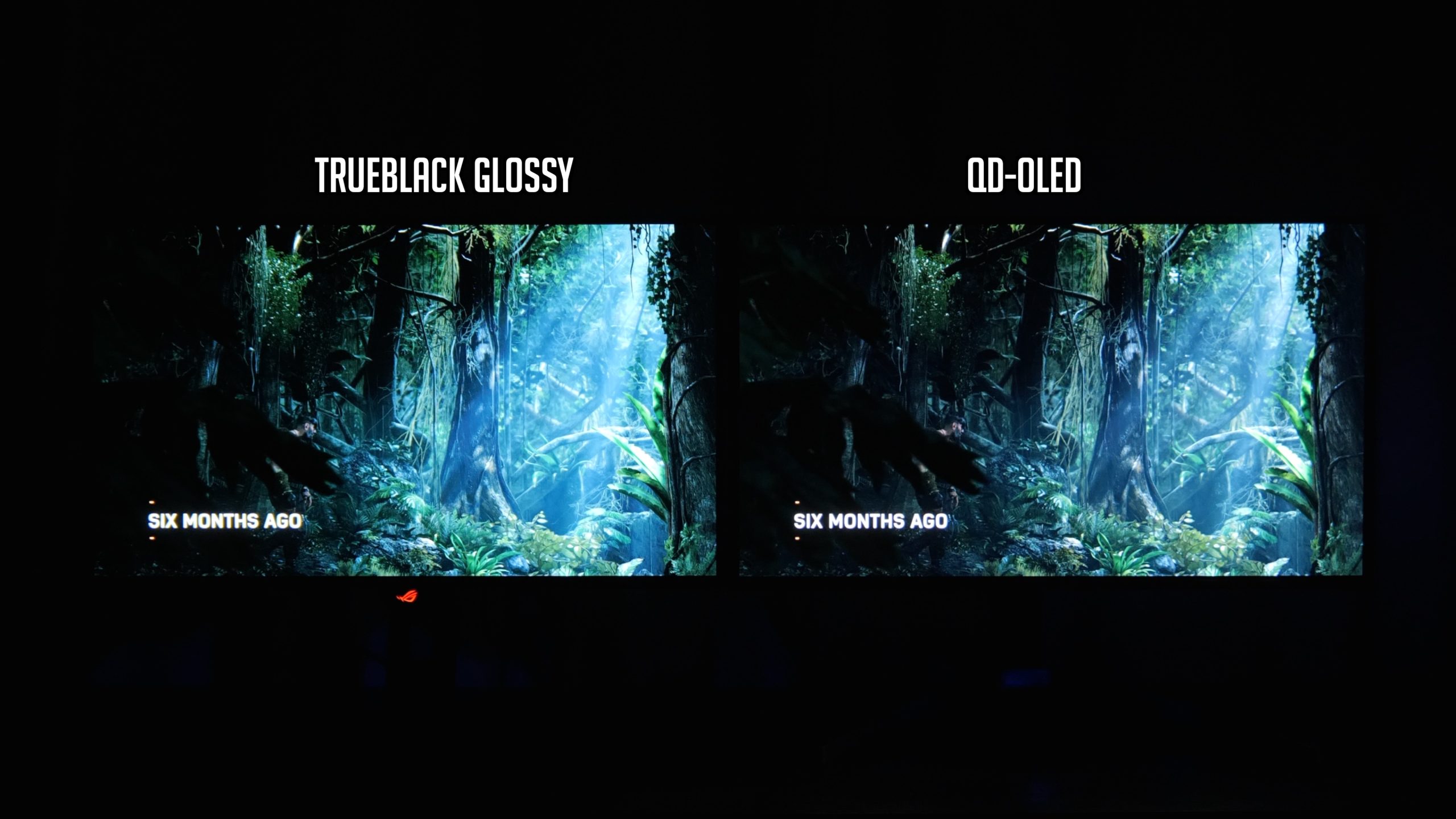
Of course, if you can control the lighting or you mostly game at night, there’s very little difference between the two – with the lights turned off, as you can see above, blacks look very deep and both images look superb, so it does depend on your conditions.
You also may not want a mirror finish if you have a window facing the monitor for instance, so there are pros and cons to each approach. Speaking personally though, now I’ve seen the PureBlack Glossy coating, I do think it will be hard to go back to QD-OLED – it really does make a difference!
The OSD is split into eight main tabs:
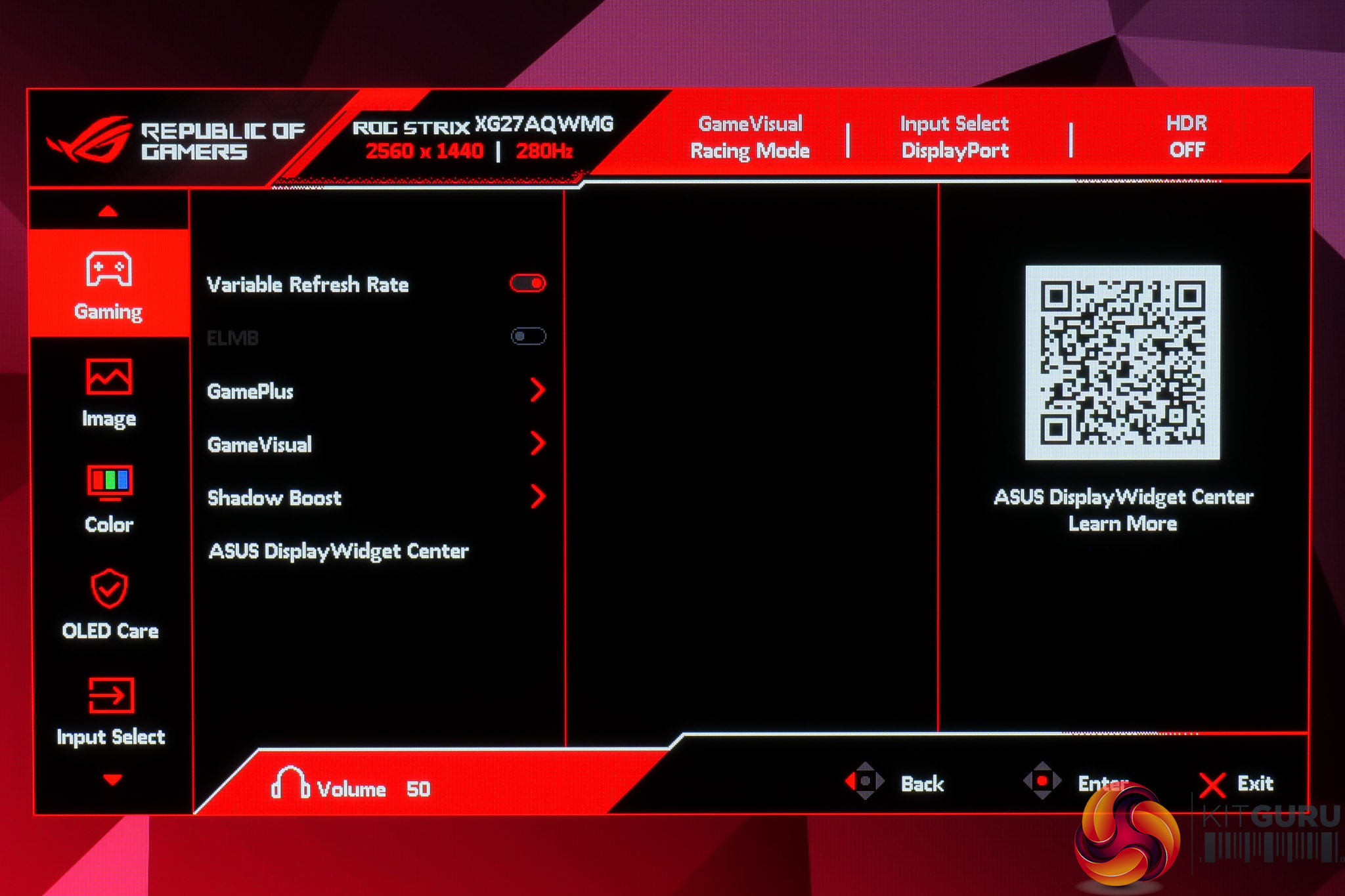
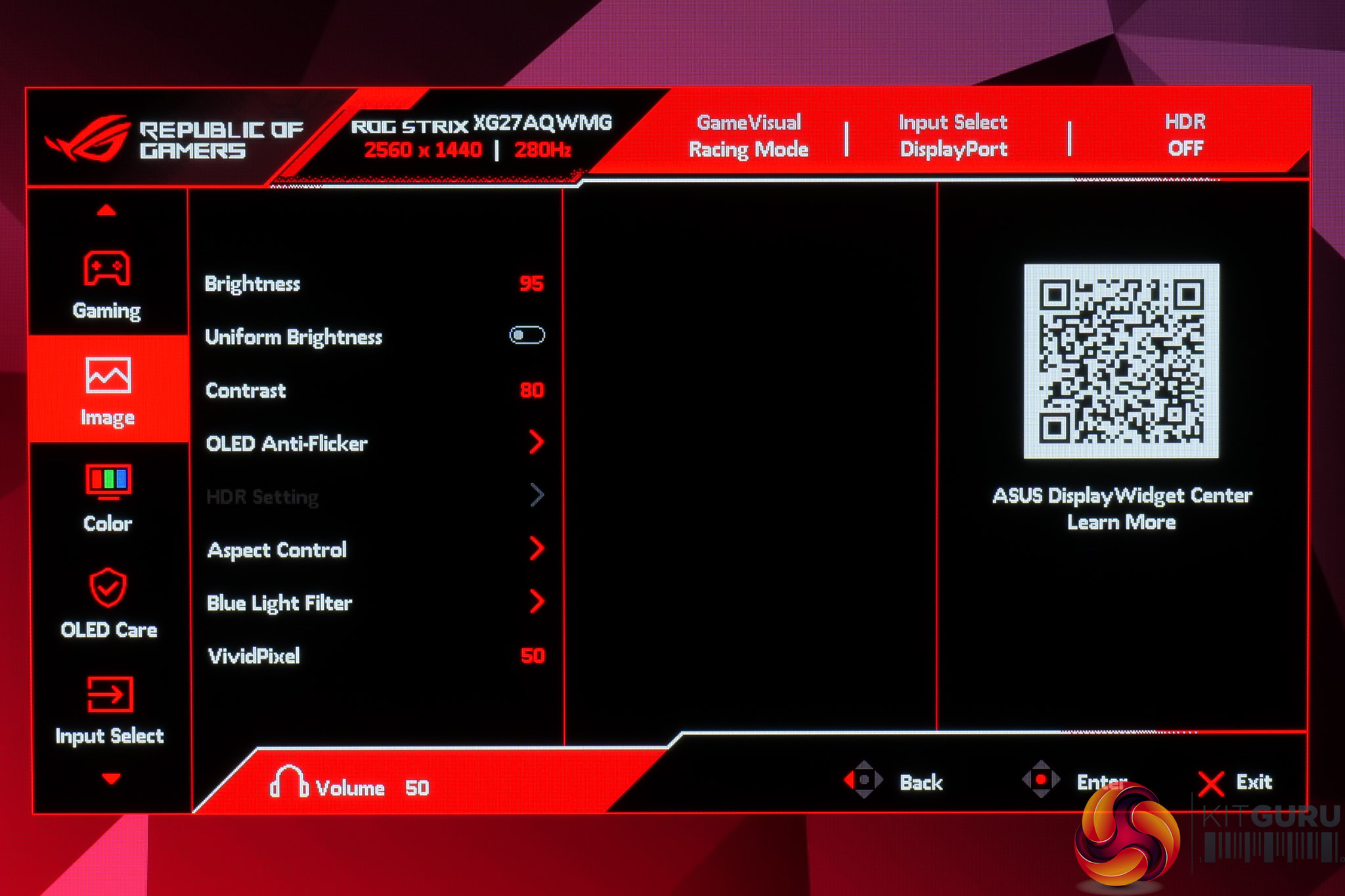
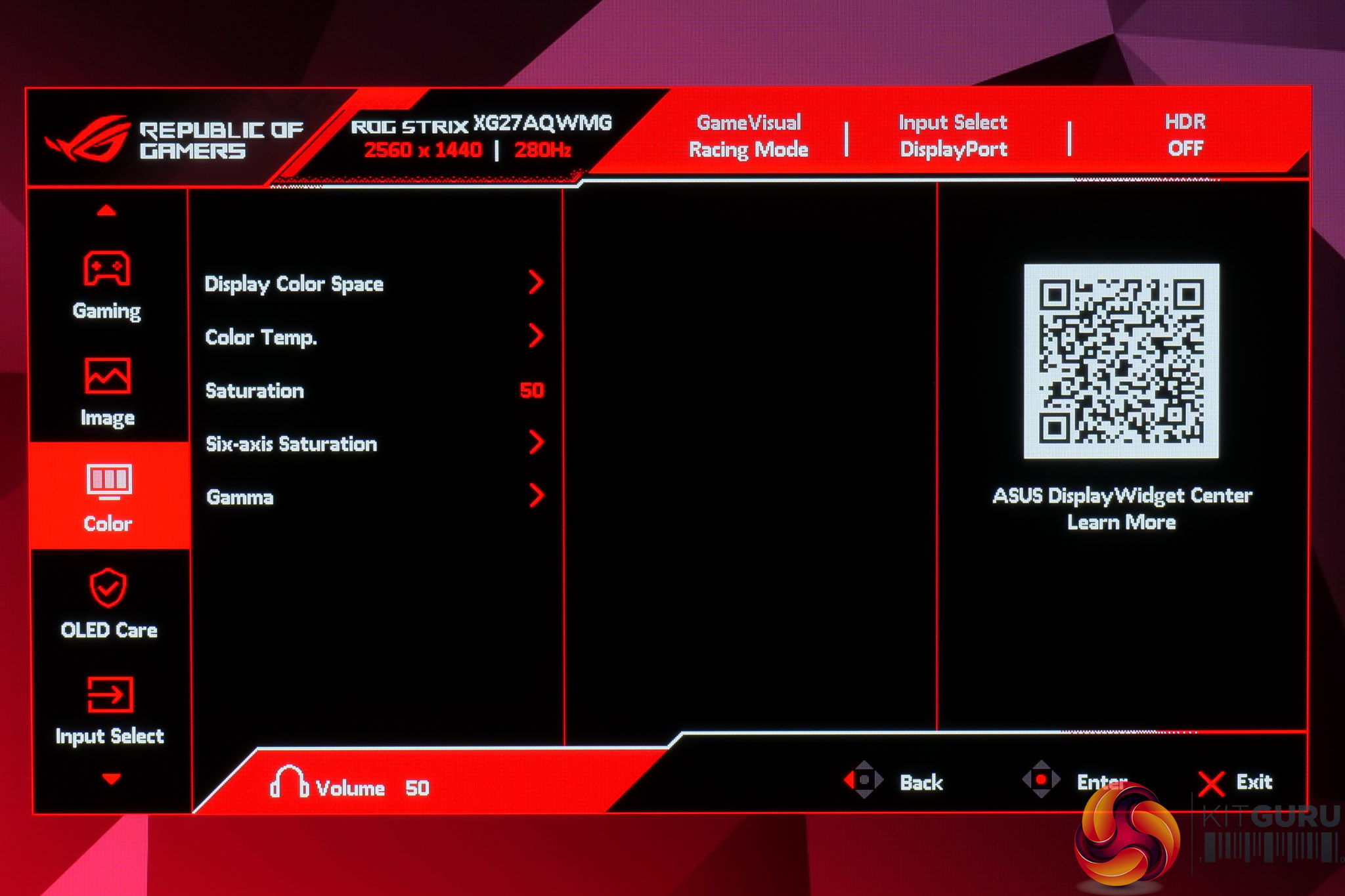
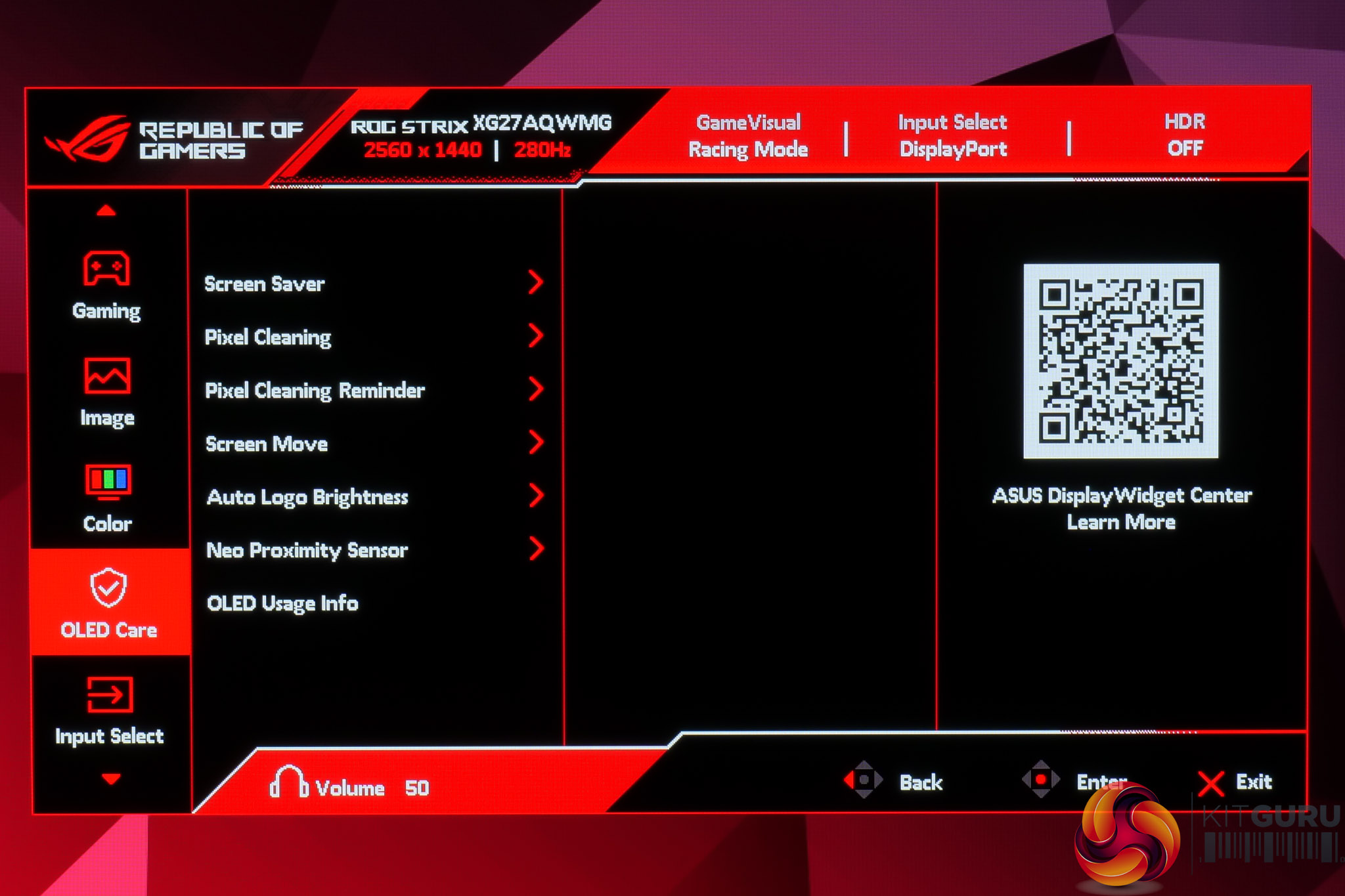
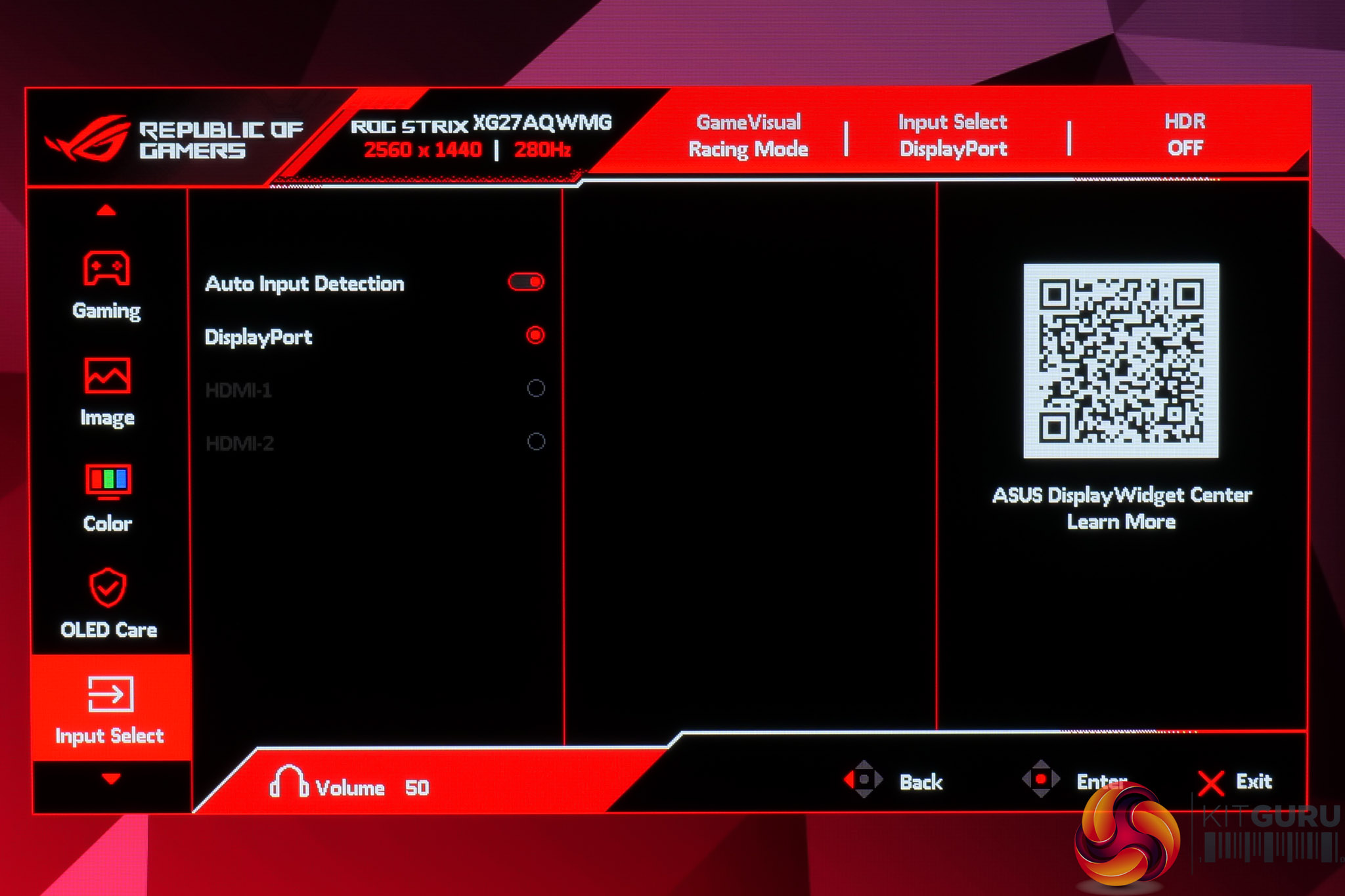
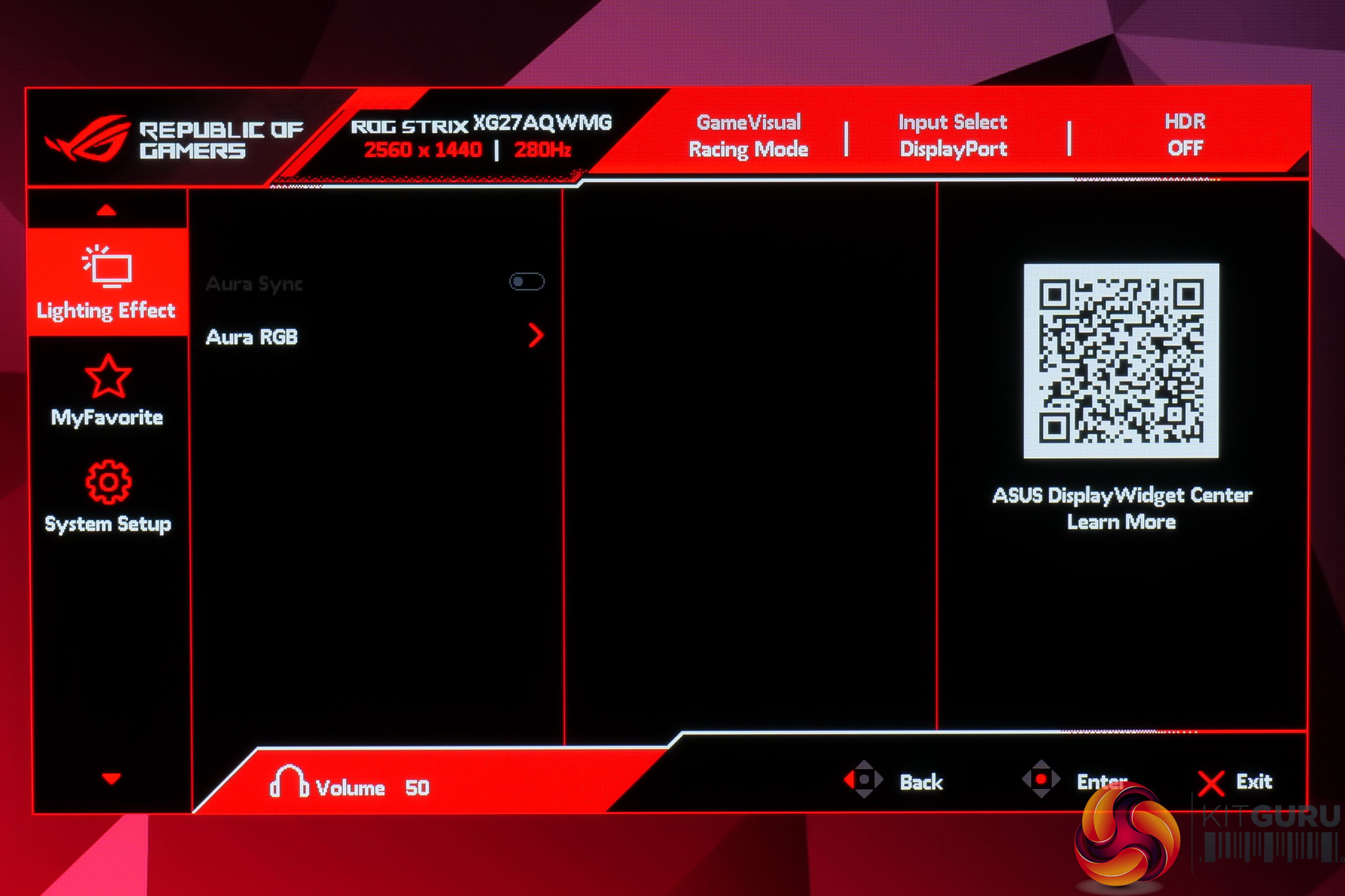
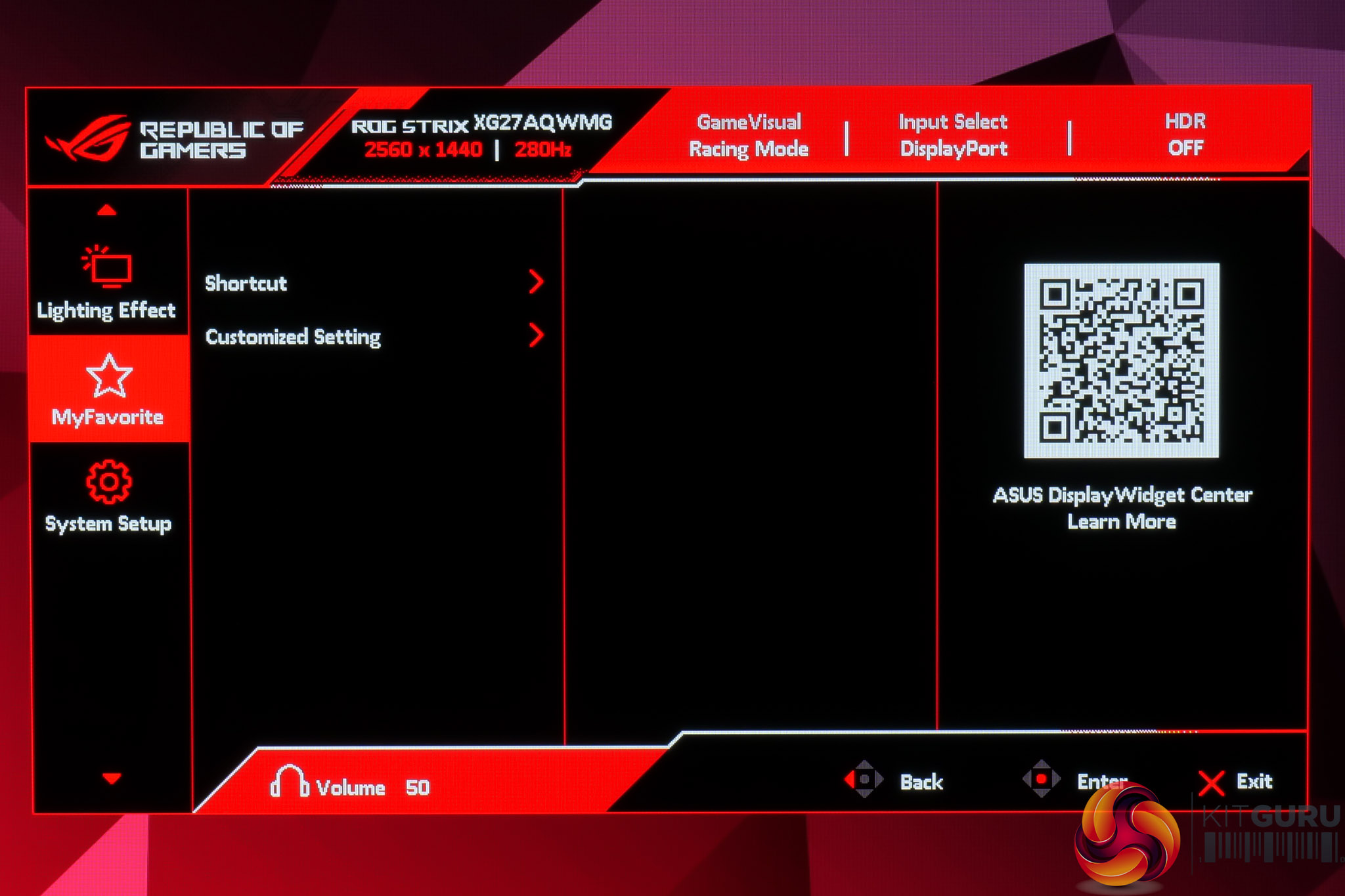
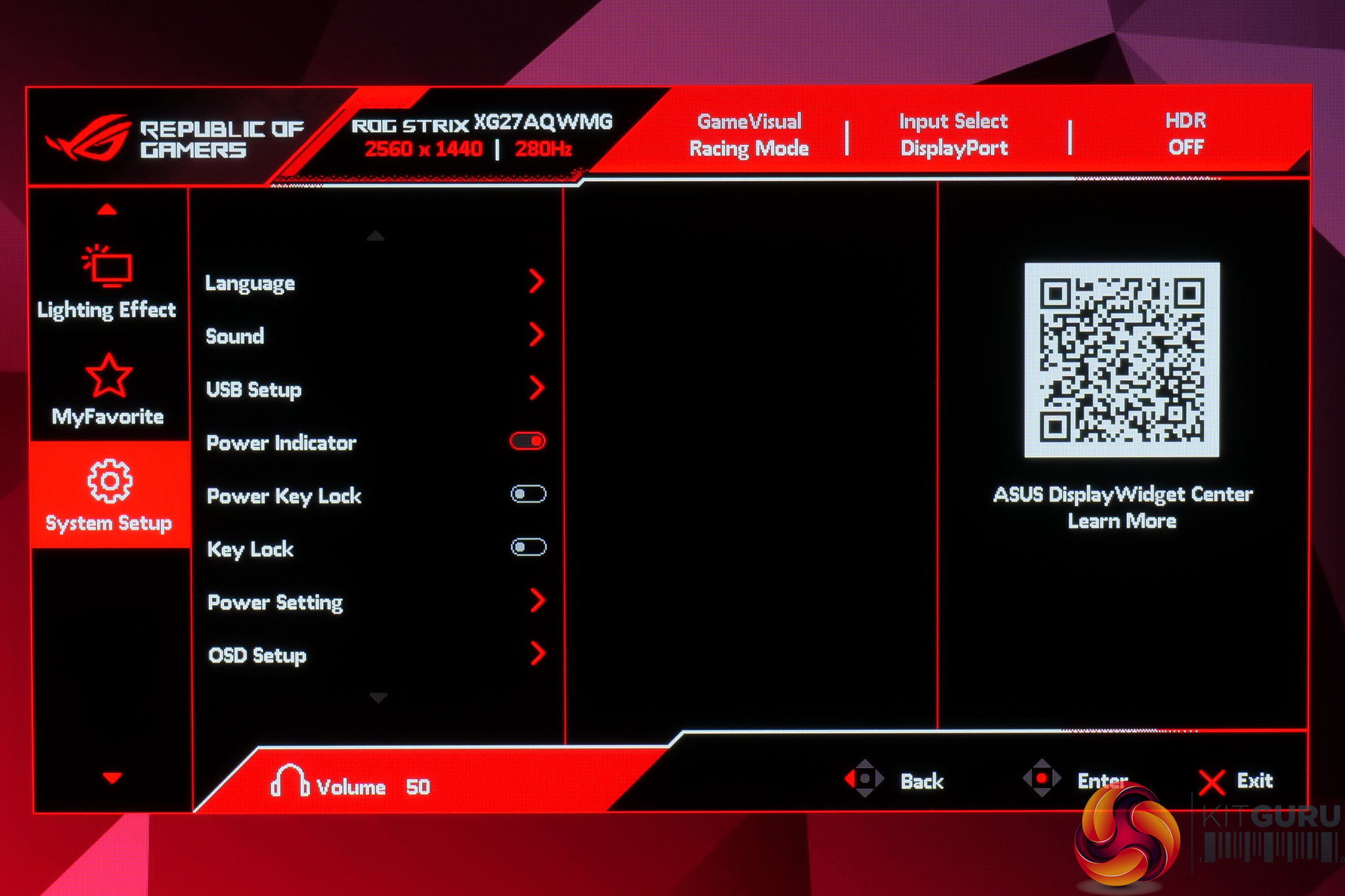
The OSD itself is every bit as comprehensive and well-laid out as we'd expect from an ASUS ROG monitor. It's very quick and easy to navigate, packed with features like crosshairs, shadow boost and multiple colour space options, while I like the ability to map custom settings to the shortcut button if you want to quickly adjust something specific on the fly. There's plenty of OLED care features too, including the ability to configure the proximity sensor so the screen turns off after a period of time if it detects you are no longer in front of the monitor.
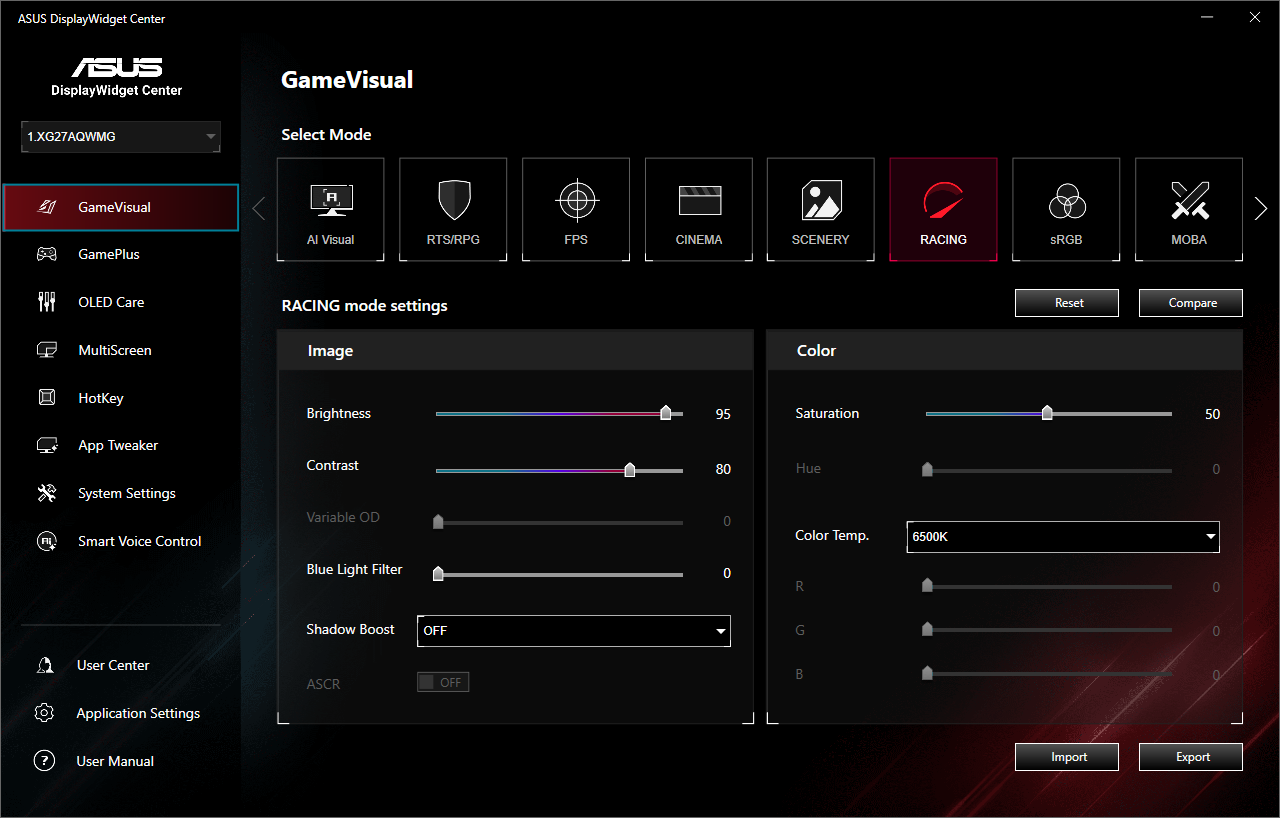
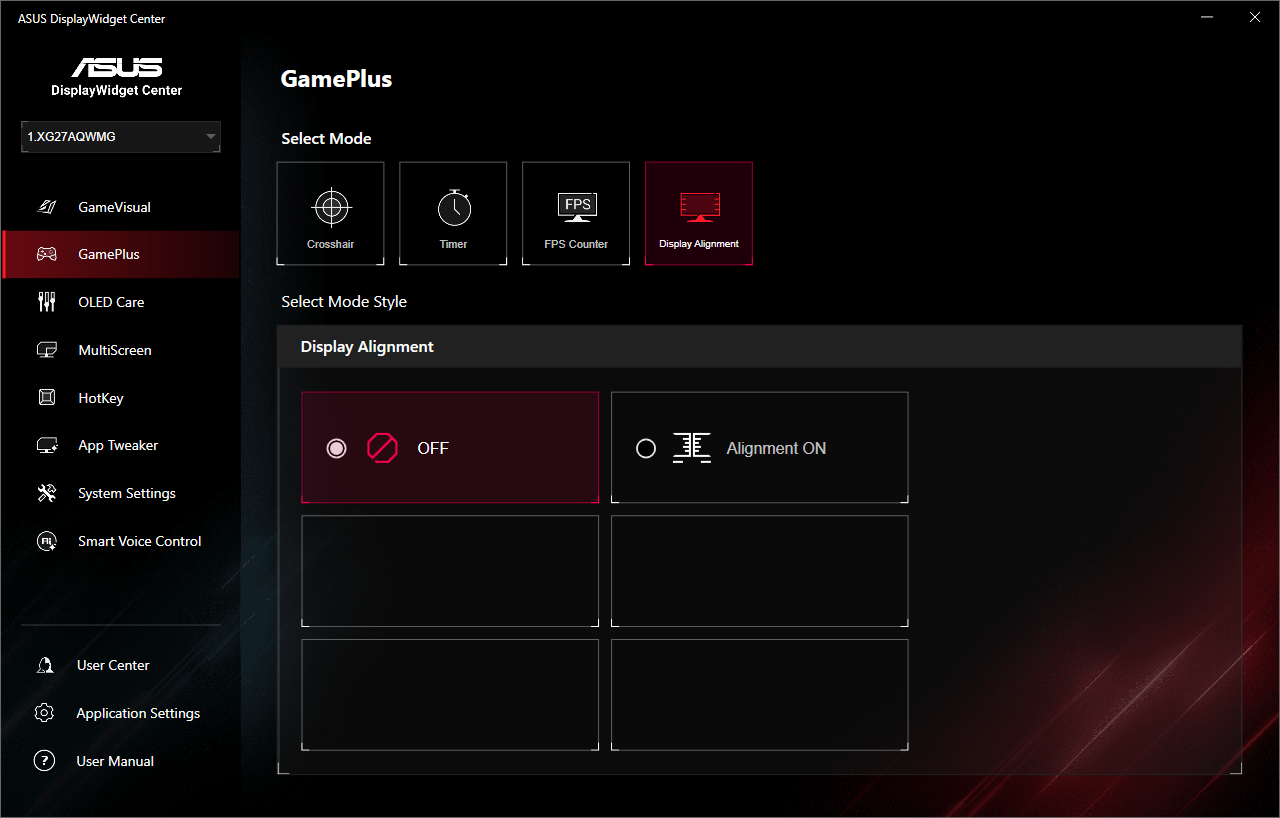
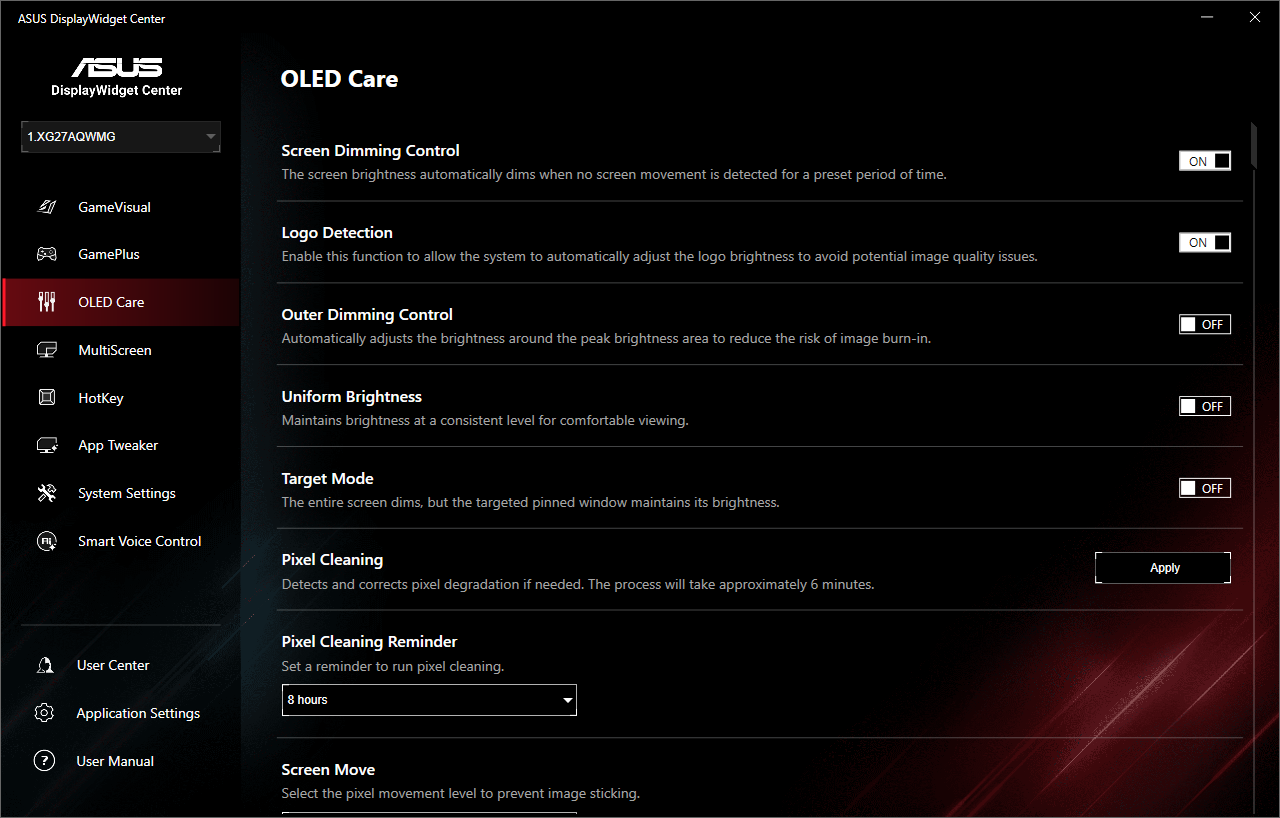
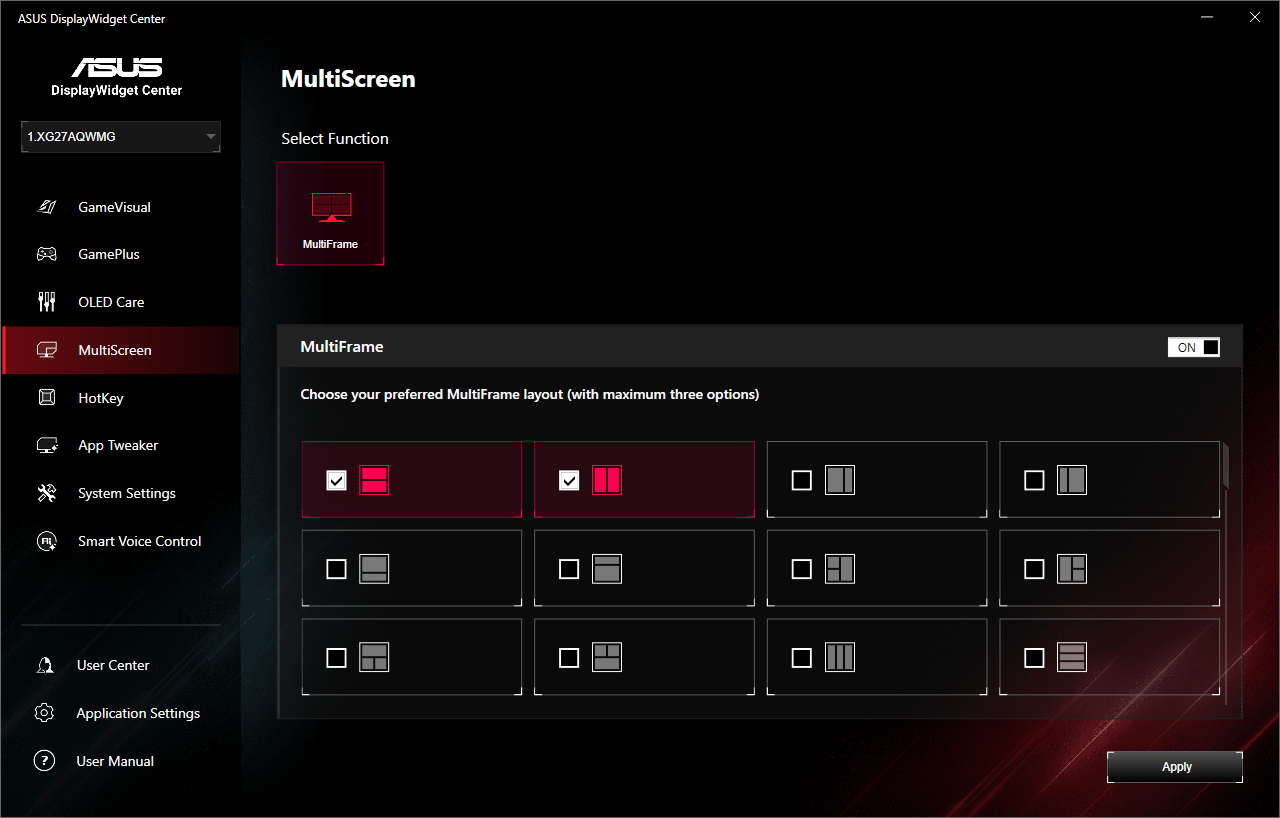
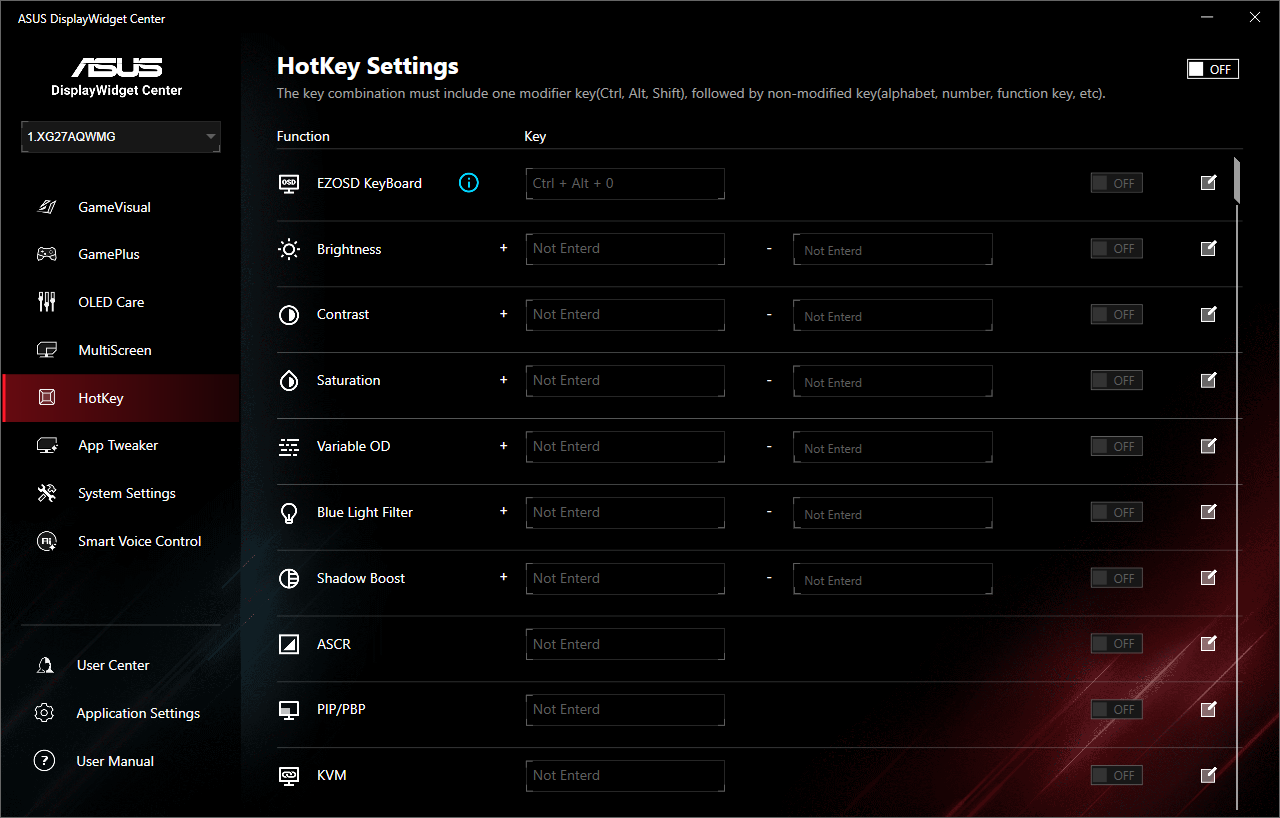
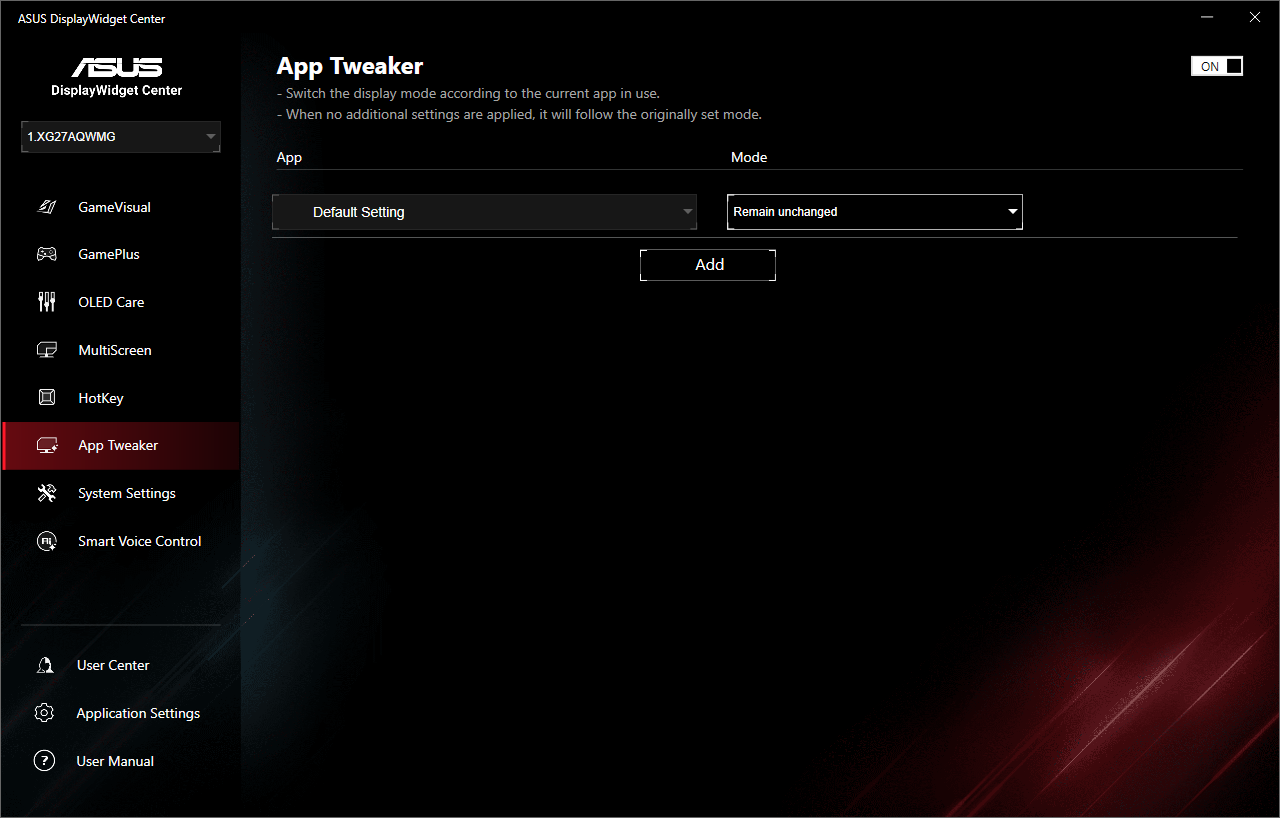
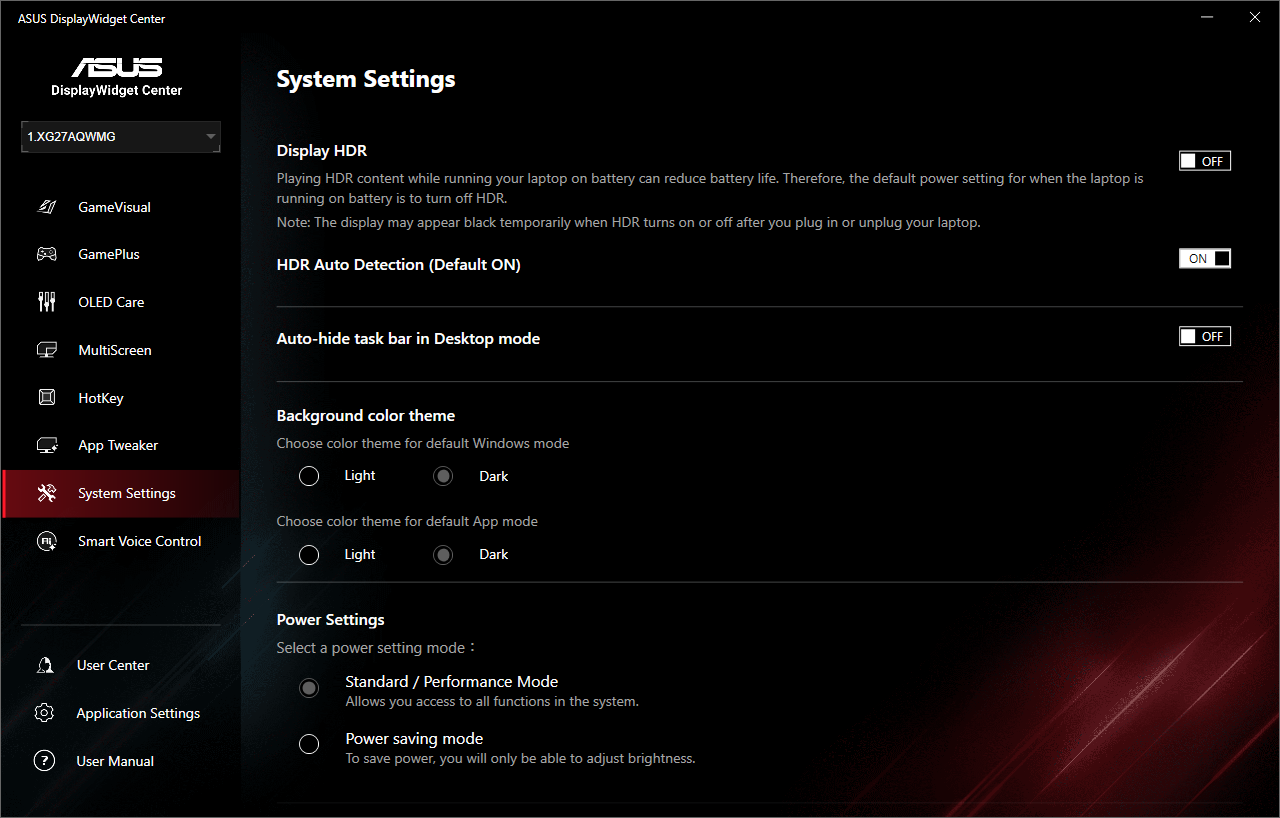
ASUS also offers its DisplayWidget Center software, giving you the same core functionality but in software form. It works well and is responsive, so it's a good option to have.
Our main test involves using an X-Rite i1 Display Pro Plus colorimeter and utilising Portrait Display's Calman Ultimate software. The device sits on top of the screen while the software generates colour tones and patterns, which it compares against predetermined values to work out how accurate the screen is.

The results show:
- A monitor’s maximum brightness in candelas or cd/m2 at various levels set in the OSD.
- A monitor’s contrast ratio at various brightness levels in the OSD.
- Gamut coverage, primarily focusing on sRGB and DCI-P3 colour spaces.
- Greyscale accuracy, measured across 20 shades, with an average colour balance reported.
- The exact gamma levels, with a comparison against preset settings in the OSD.
- The colour accuracy, expressed as a Delta E ratio, with a result under 3 being fine for normal use, and under 2 being great for colour-accurate design work.
We first run these tests with the display in its out-of-the-box state, with all settings on default. If there is an sRGB emulation option or other useful mode then we may test that too. We then calibrate the screen using the Calman Ultimate software and run the tests again.
You can read more about our test methodology HERE.
Default settings
Brightness and Contrast (Full Screen)
| OSD Brightness | White Luminance (cd/m2) | Black Luminance (cd/m2) | Contrast Ratio |
| 0% | 26.7 | 0.0 | ~Infinite |
| 25% | 101.1 | 0.0 | ~Infinite |
| 50% | 175.8 | 0.0 | ~Infinite |
| 75% | 247.7 | 0.0 | ~Infinite |
| 100% | 323.7 | 0.0 | ~Infinite |
Starting off with brightness testing, we can immediately see the benefit to the new Tandem OLED panel, hitting almost 325 nits for a full screen white, where previous-gen models like the PGO32UFS did well to hit 250 nits. It also gets pleasantly dim at just 27 nits minimum.
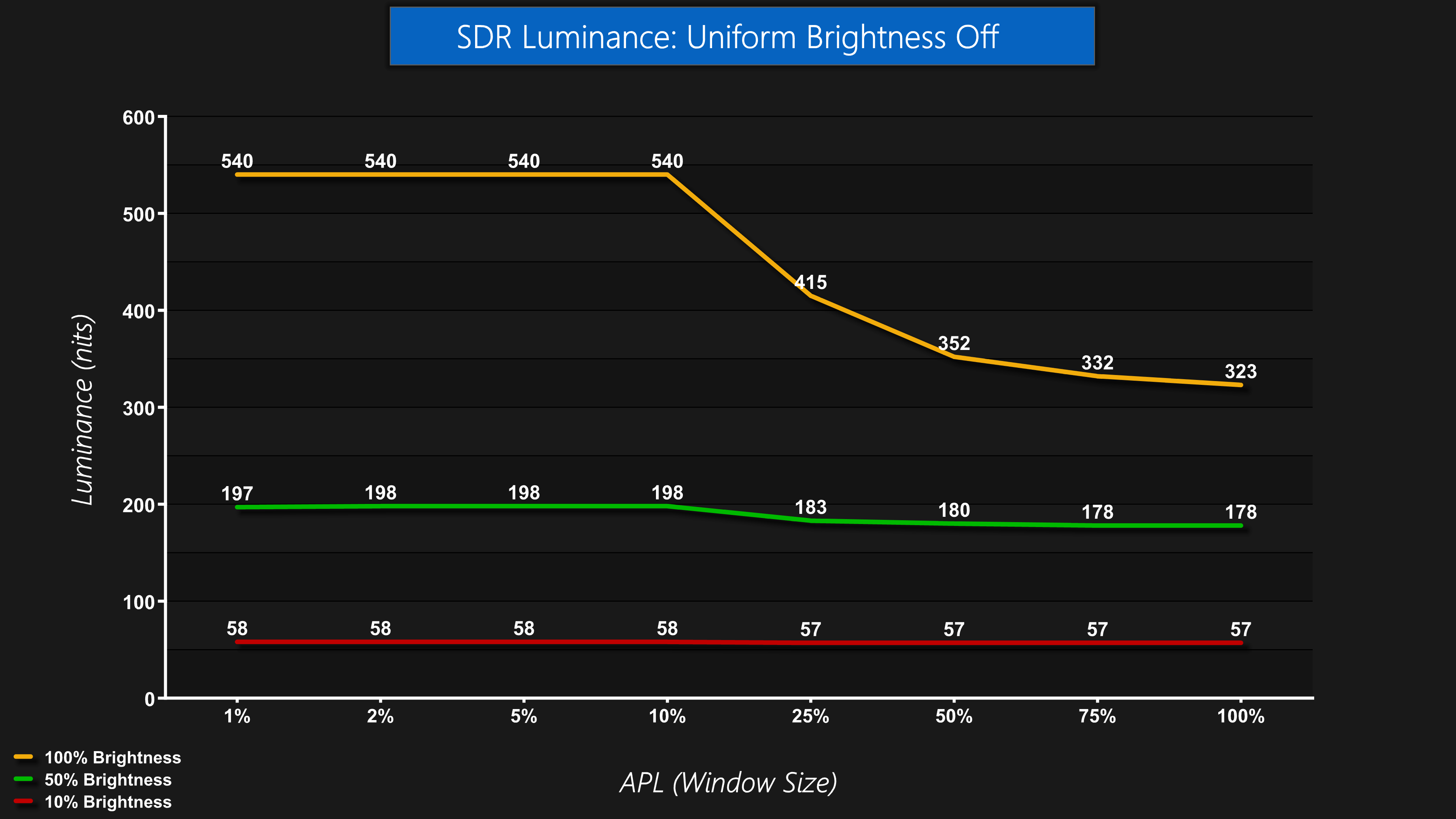
There is a Uniform Brightness setting in the OSD too, essentially allowing you to have higher peak brightness for smaller window sizes (APLs) if you want – with the setting disabled, we saw up to 540 nits peak, though that drops off as the window size increases.
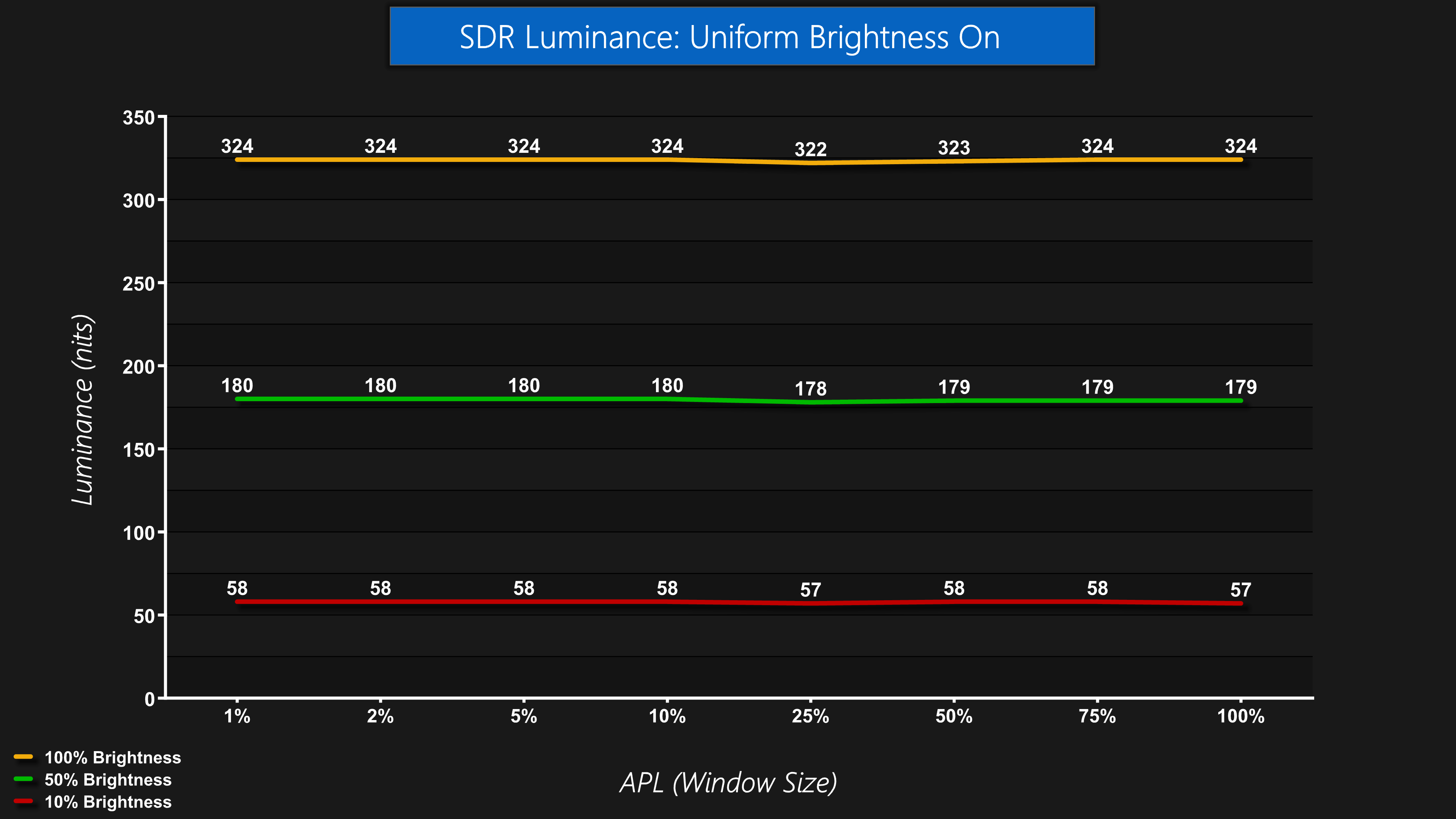
If you enable Uniform Brightness, things are capped at around the 325 nit mark and there's no brightening or dimming depending what's on screen – it's perfectly uniform, as the name suggests!
Screen Uniformity
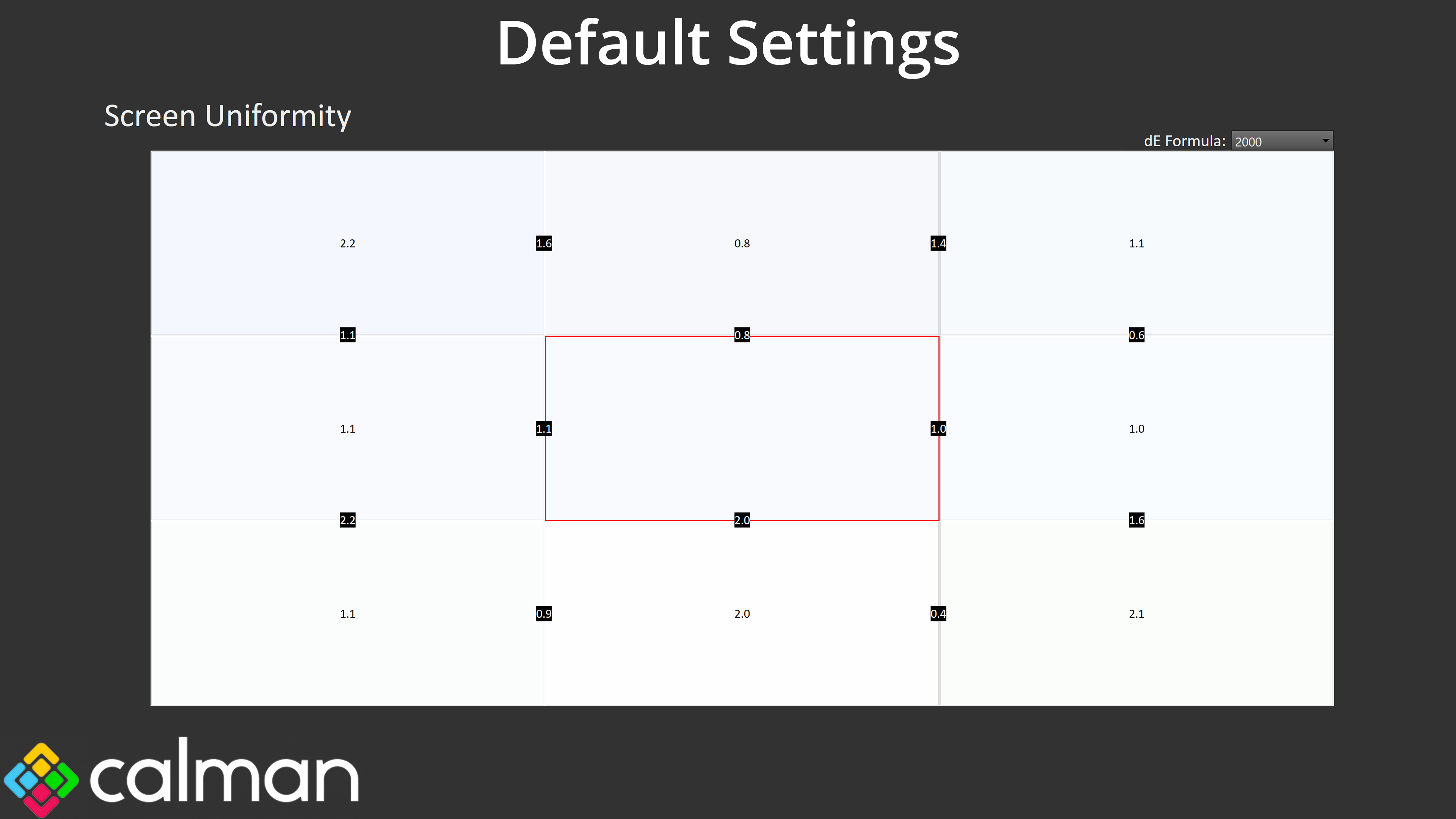
Panel uniformity is very good too, with very little deviation across the screen, as we'd expect from an OLED.
Gamut (CIE 1976)
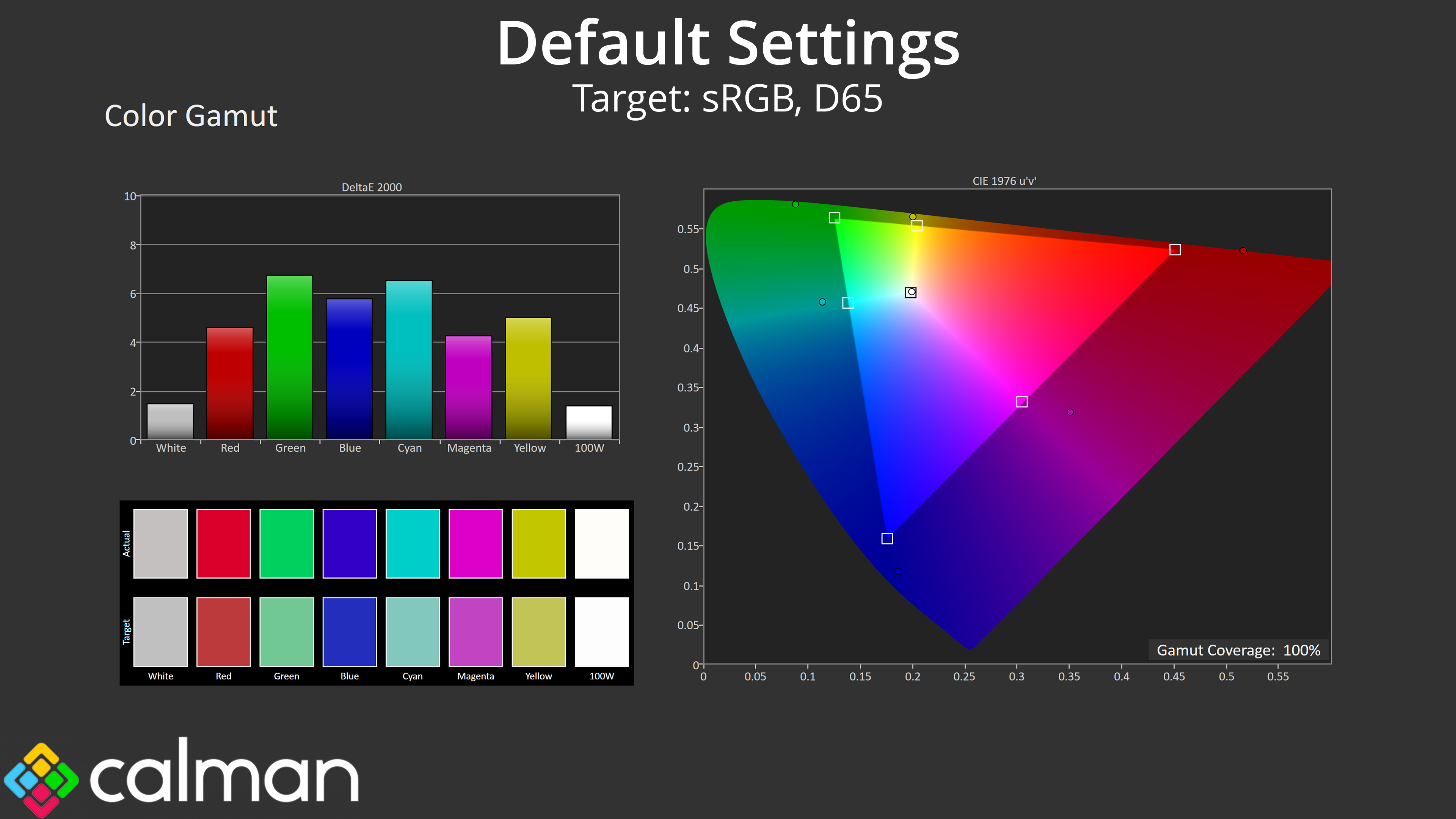
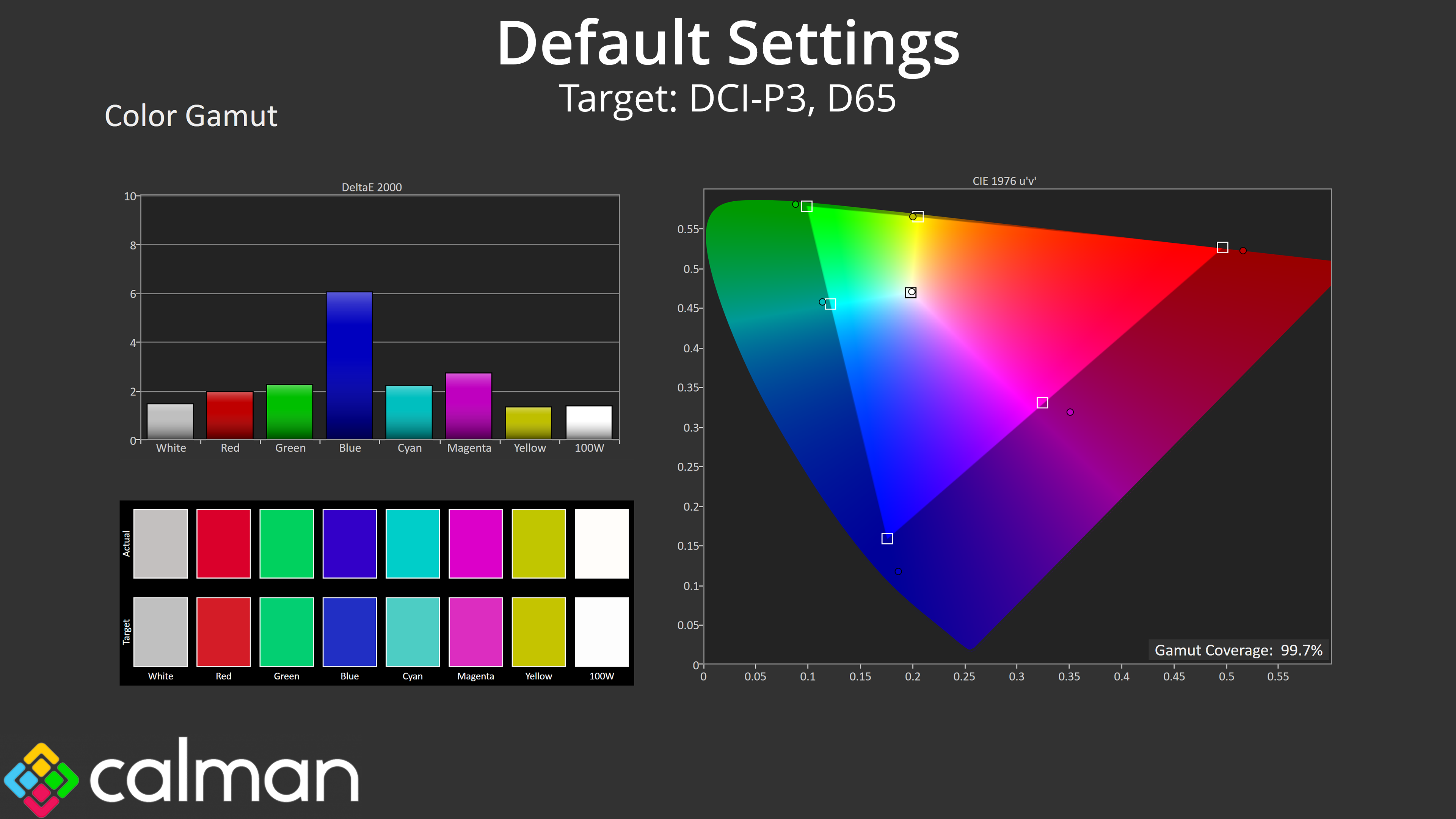
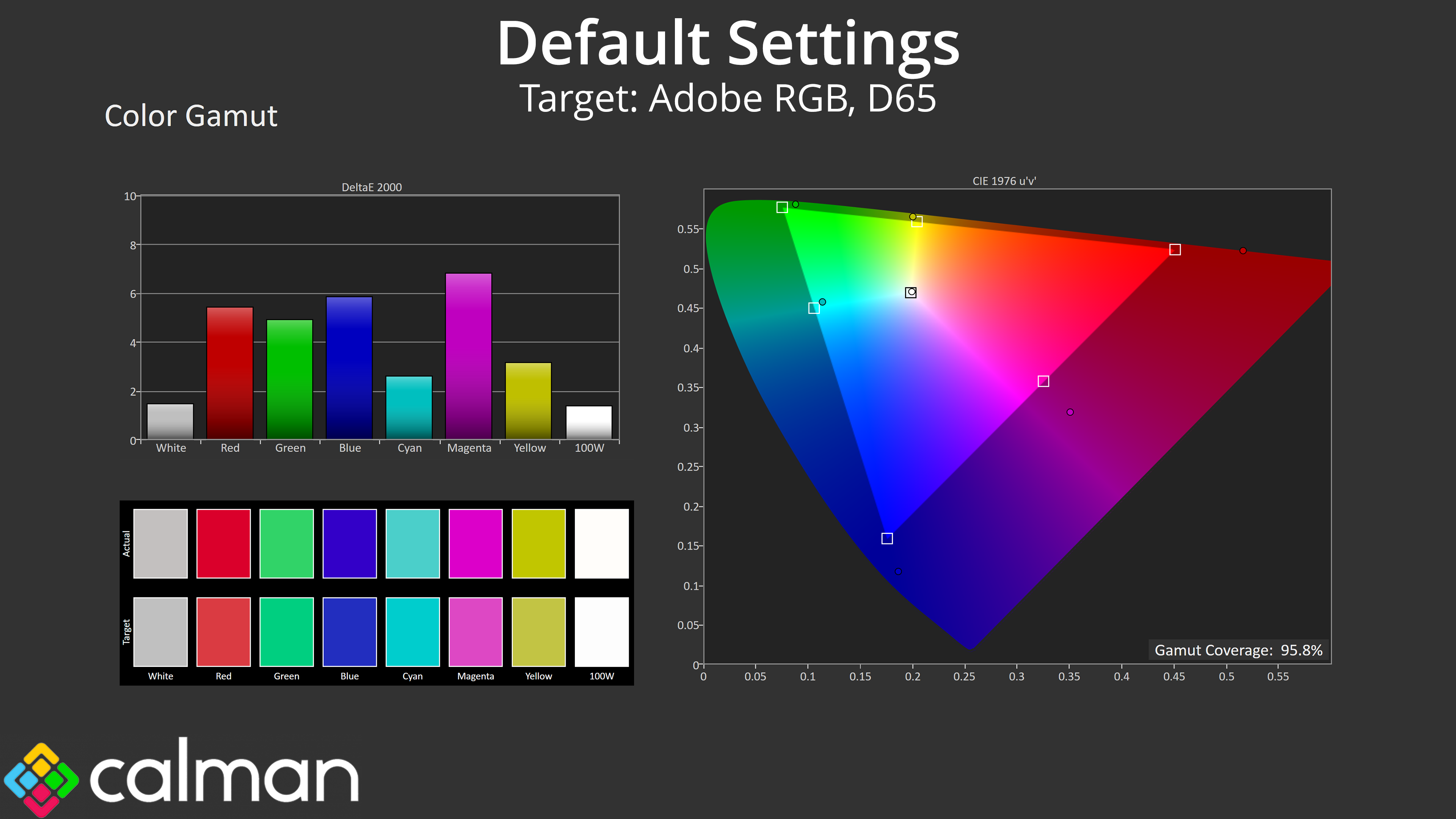
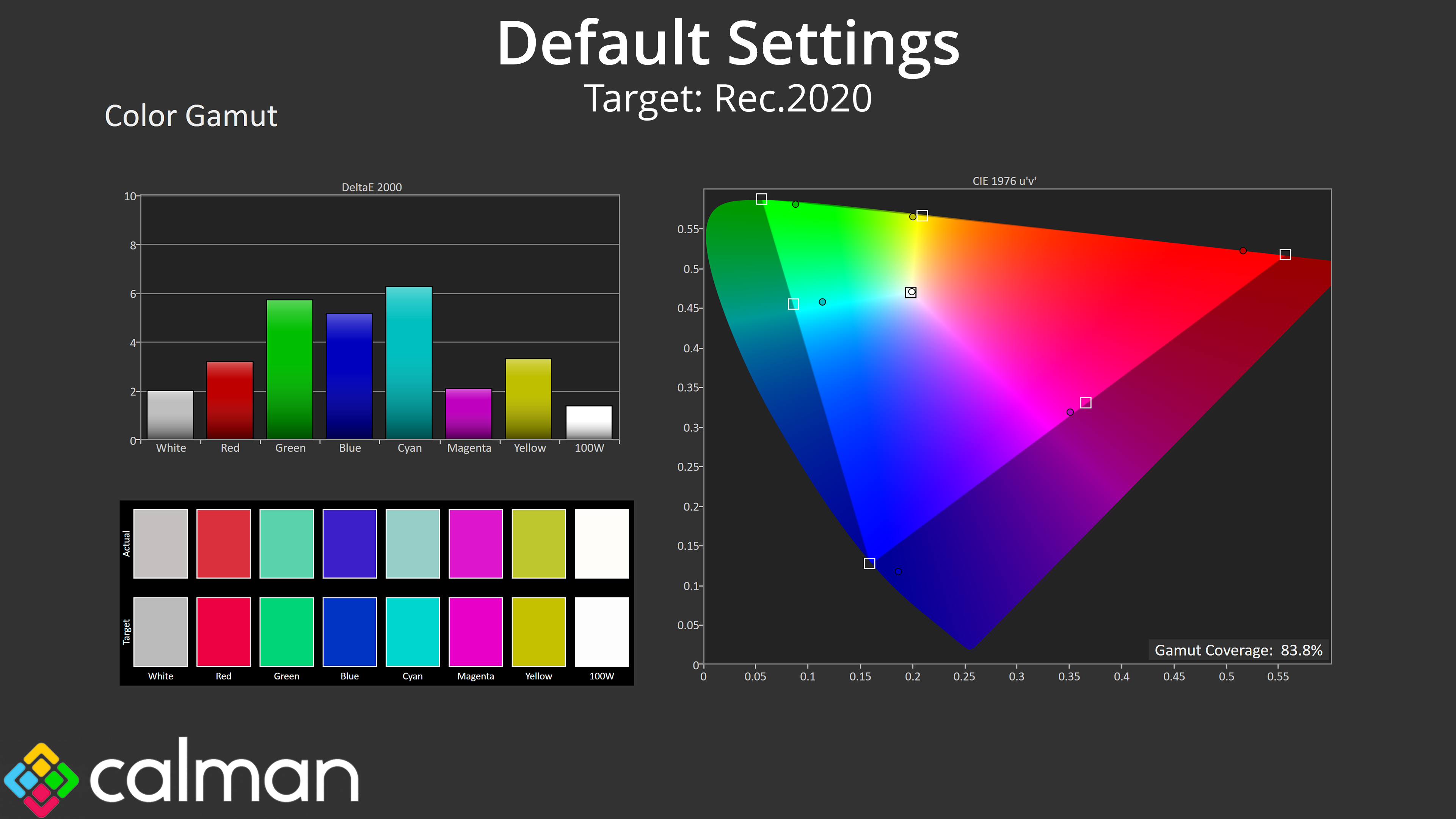
| Colour space | Coverage (%) |
| sRGB | 100 |
| DCI-P3 | 99.7 |
| Adobe RGB | 95.8 |
| Rec.2020 | 83.8 |
Then we have gamut, which is another benefit to the new Tandem OLED panel, as it is exceedingly wide – well surpassing the sRGB space and offering 99.7% DCI-P3, 95.8% Adobe RGB and 83.8% Rec.2020. For reference, the PGO32UFS only offered 71.7% coverage for Rec.2020, so things have been significantly improved with the 4th Gen panel.
Greyscale
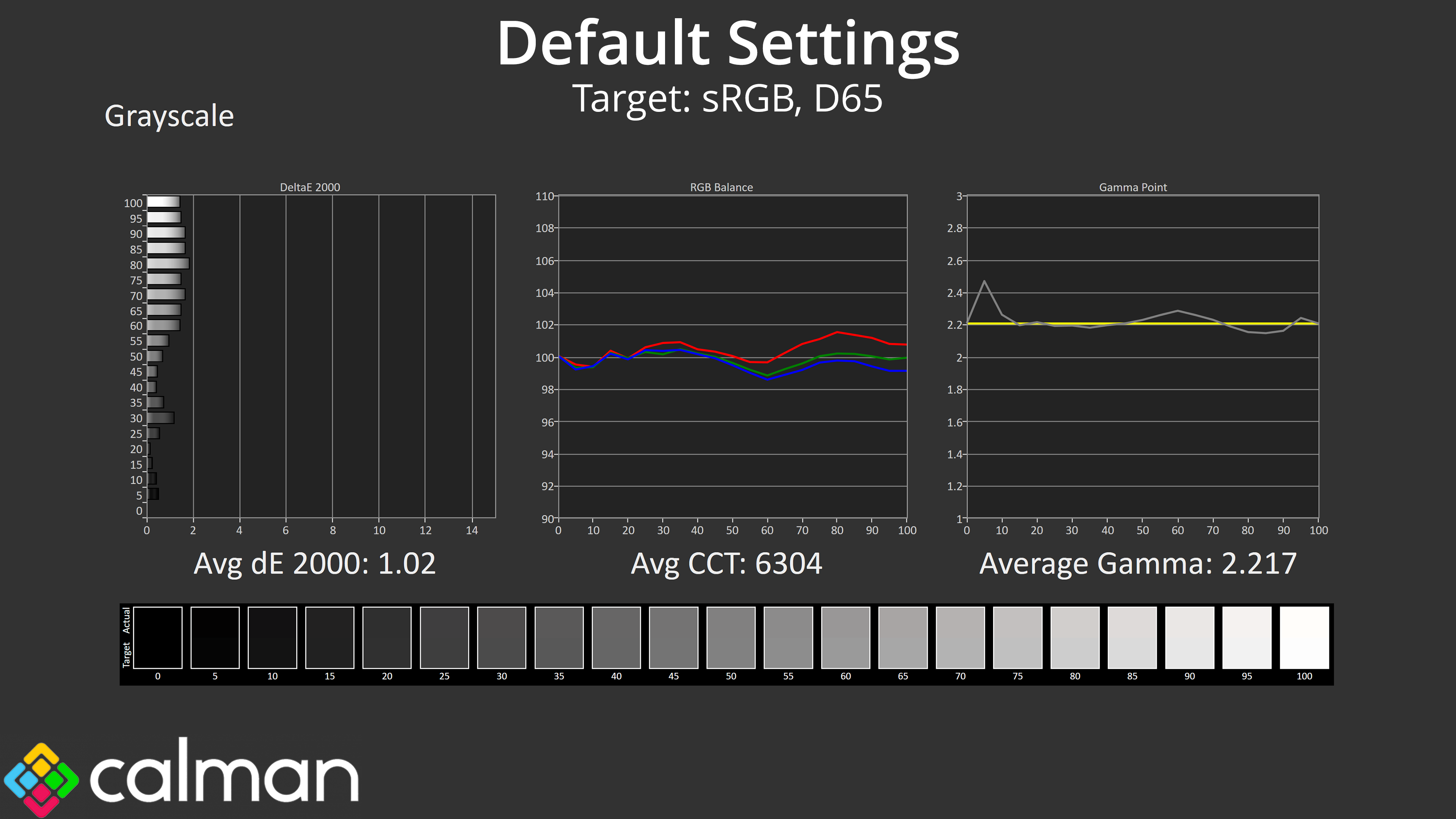
It's great to see that ASUS has done a stellar job with the factory calibration, too. Colour balance is very even and averages 6304K, just a 3% deviation from the 6500K target – not something you'd realistically notice day-to-day. Gamma is also very accurate, other than one small spike to 2.4 early on, it closely hugs the 2.2 target and averages 2.217. All in all, the greyscale average deltaE 2000 of 1.02 indicates superb accuracy out of the box.
Saturation
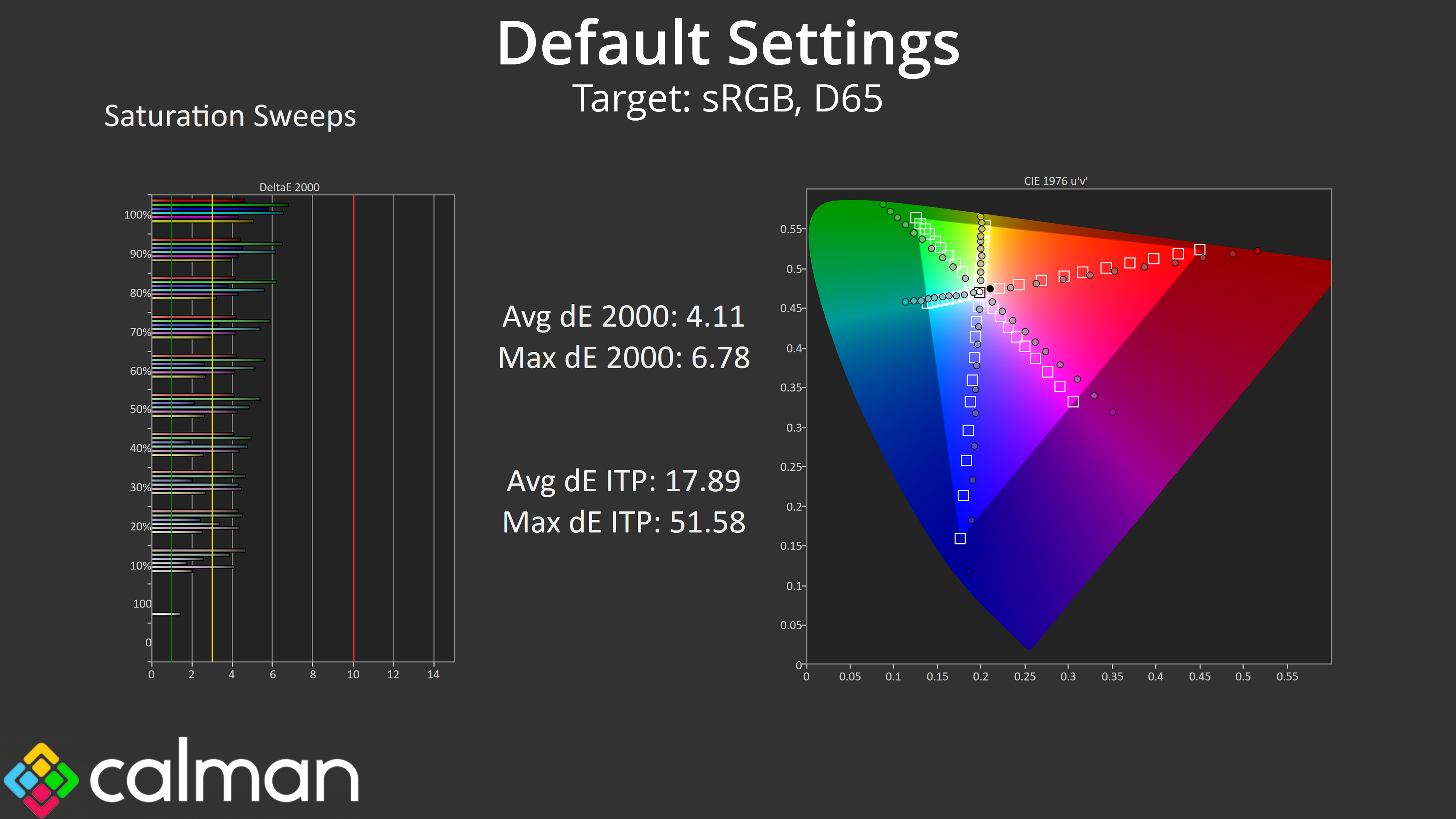
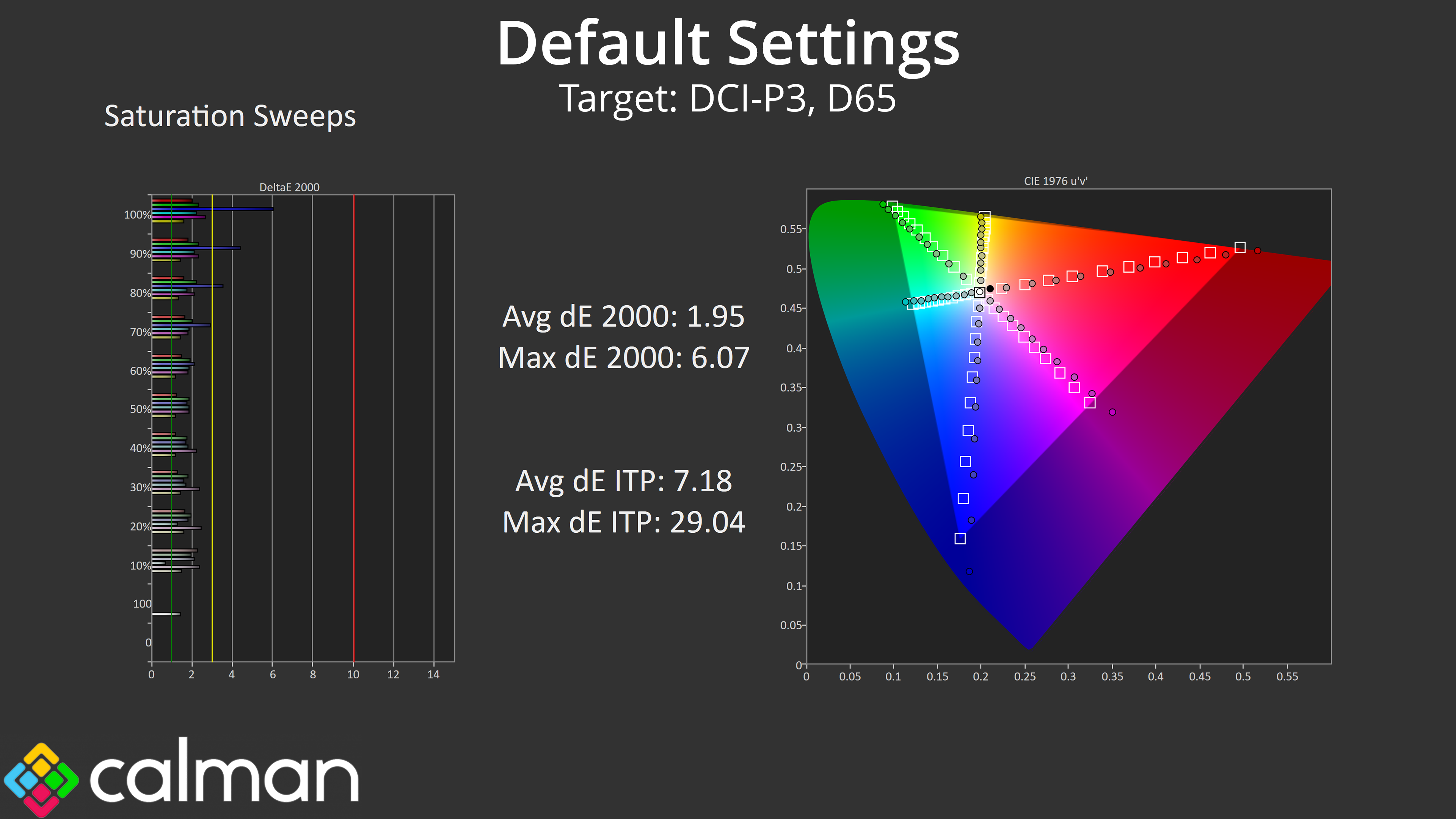
Given how wide the gamut is, it's natural to see high levels of oversaturation relative to the sRGB space, though accuracy is much improved comparing against DCI-P3.
Colour Accuracy
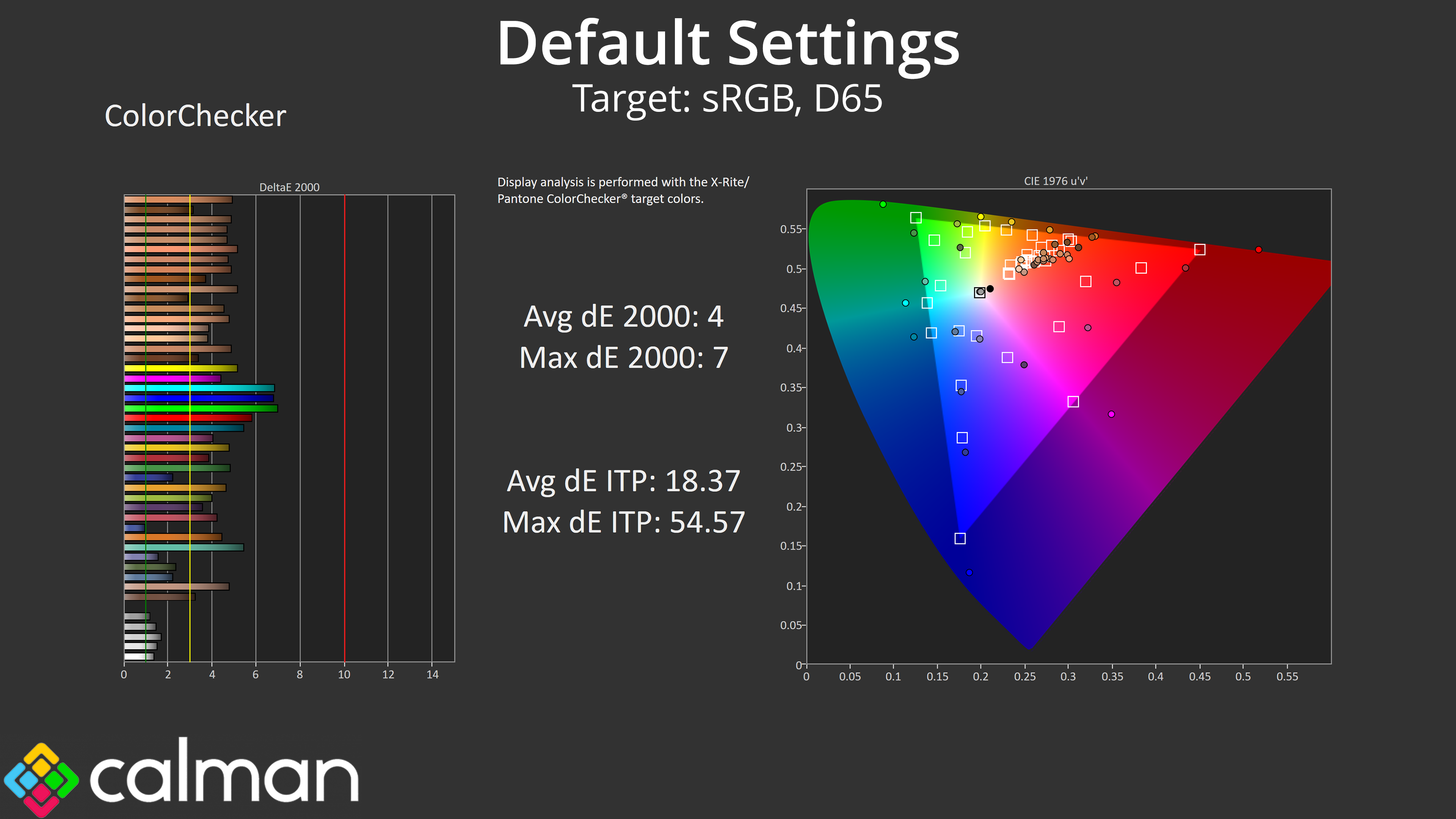
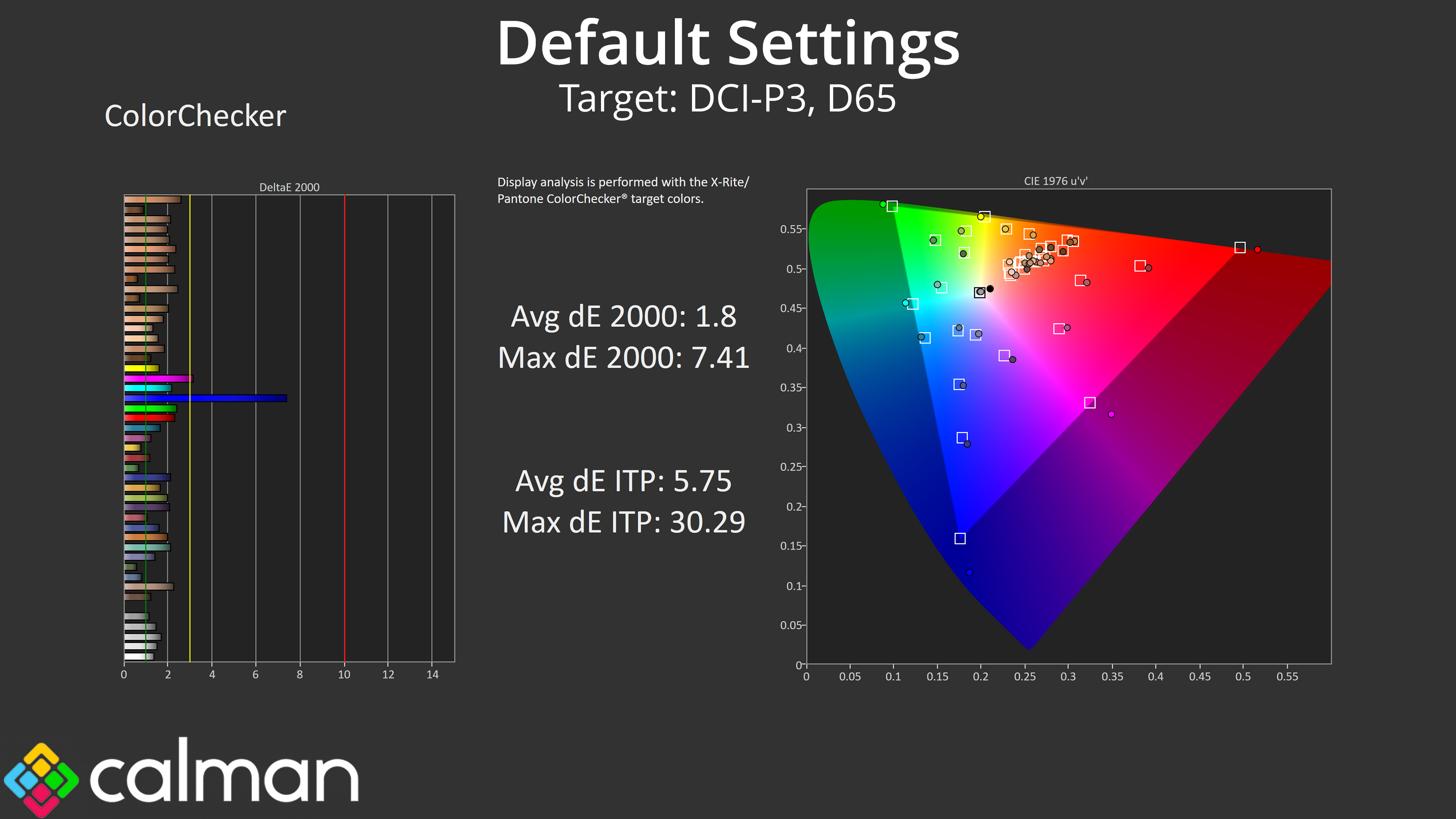
The game goes for colour accuracy – in its default, unclamped mode, there's just too much saturation, resulting in high levels of inaccuracy relative to sRGB. The DCI-P3 results are much better though, averaging a deltaE 2000 of 1.8.
sRGB Emulation Mode
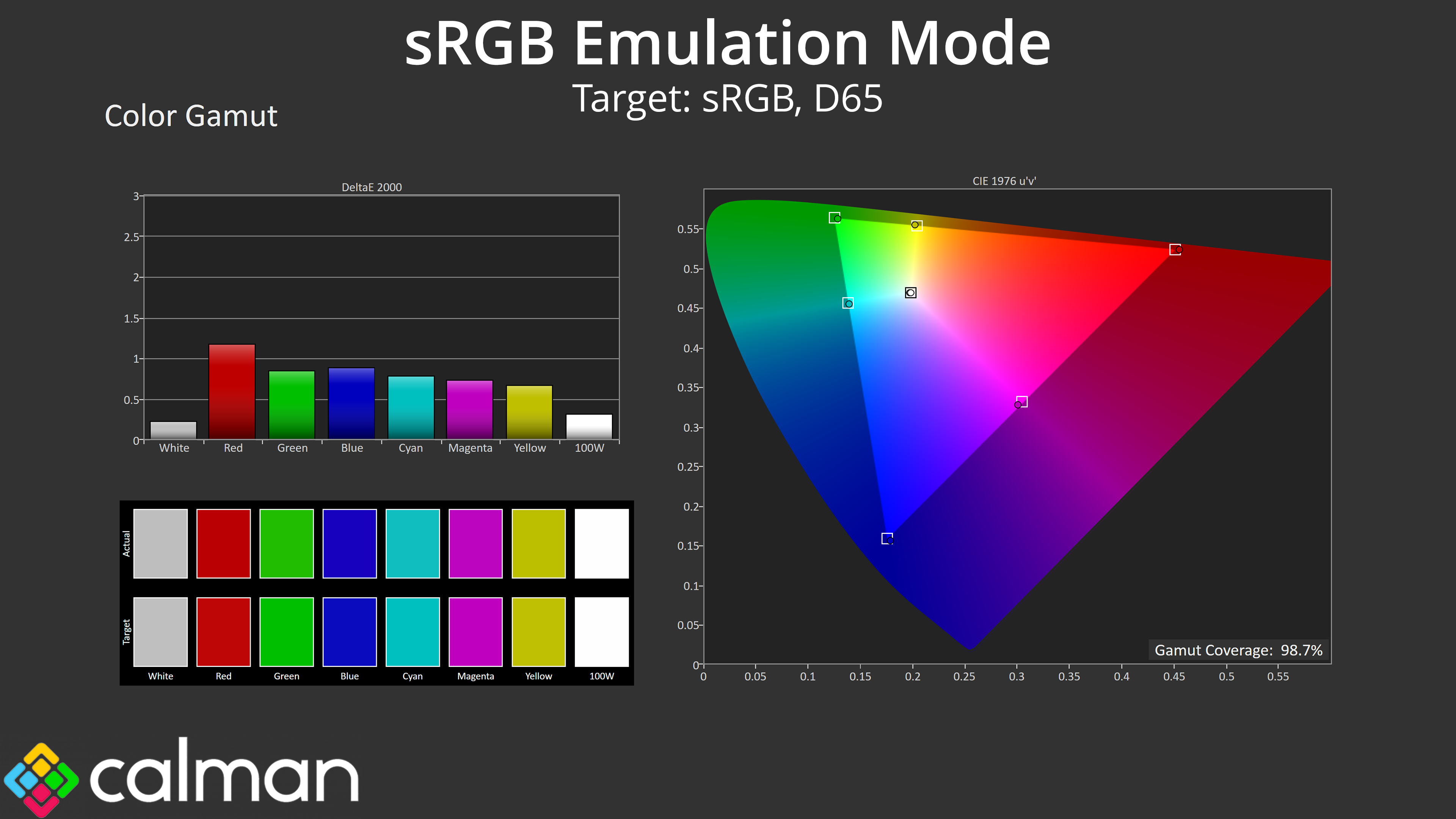
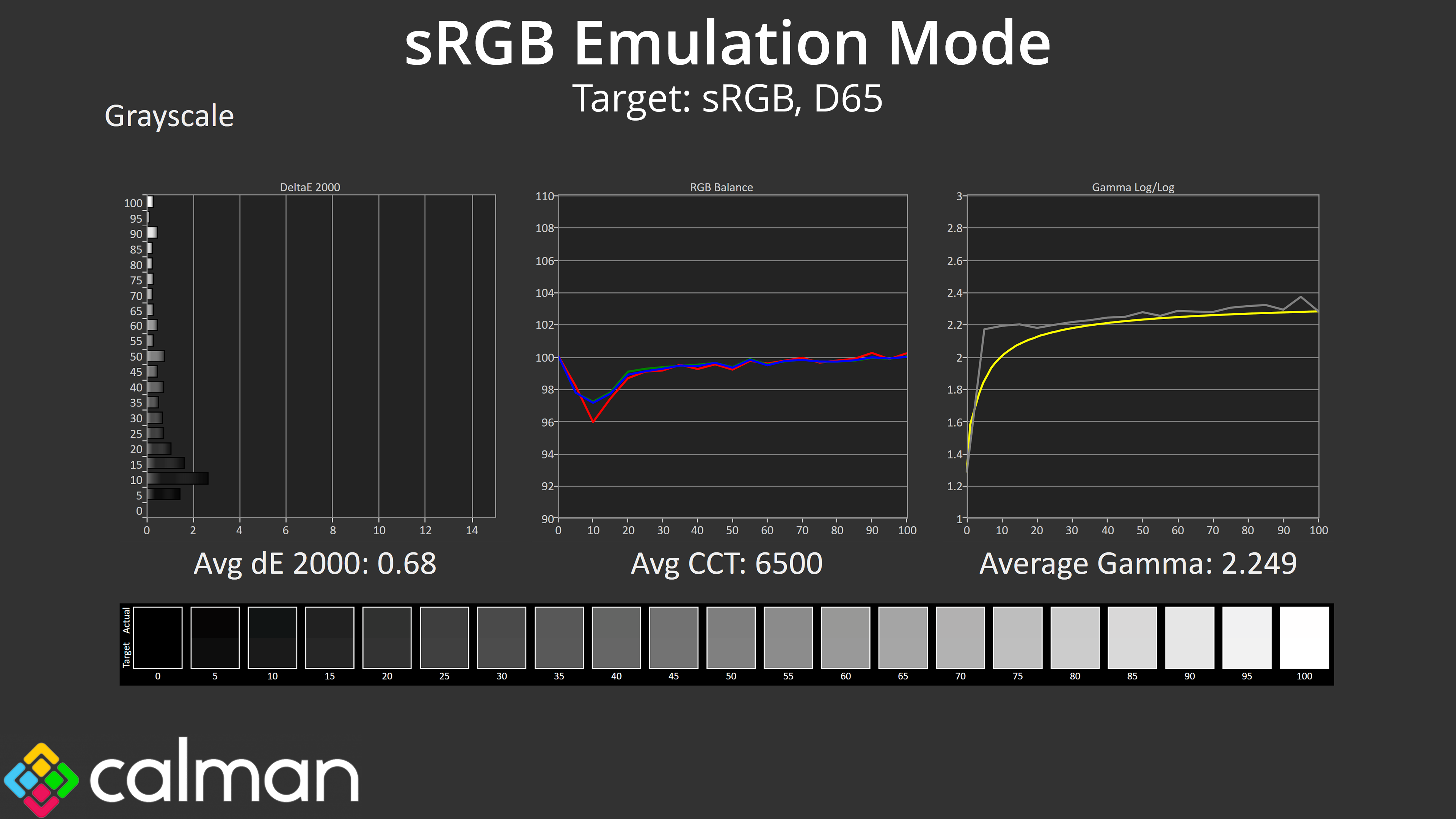
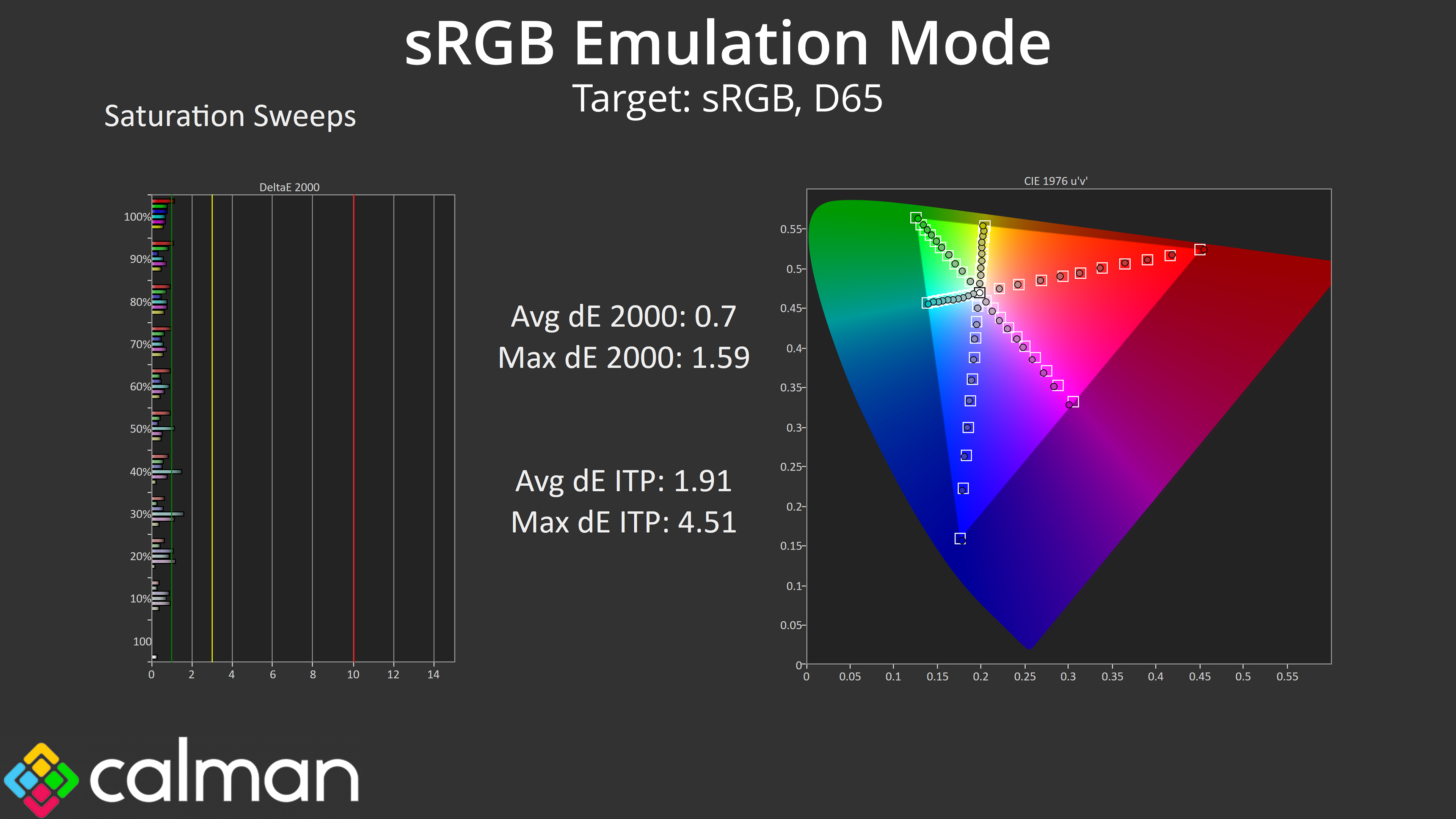
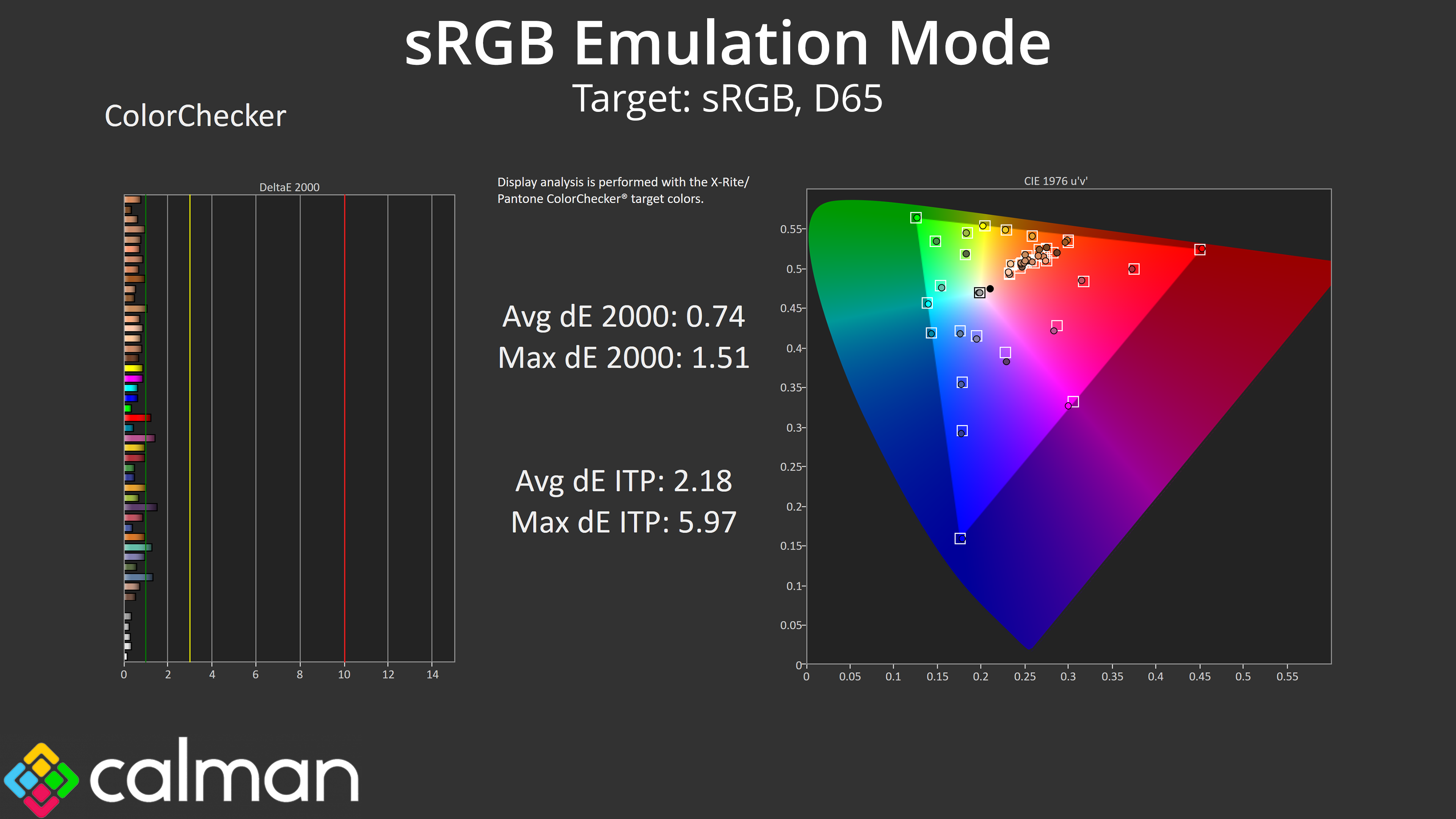
The good news is that ASUS does provide an sRGB emulation mode – specifically we are using the ‘sRGB Cal' mode, and that does a great job at clamping the gamut to prevent oversaturation. It's also jaw-droppingly accurate in terms of greyscale, averaging 6500K on the nose for colour balance, while gamma averages 2.249. Saturation and colour accuracy average deltaEs also fall below 1, indicating an incredibly high level of accuracy that is quite stunning!
Calibrated Results
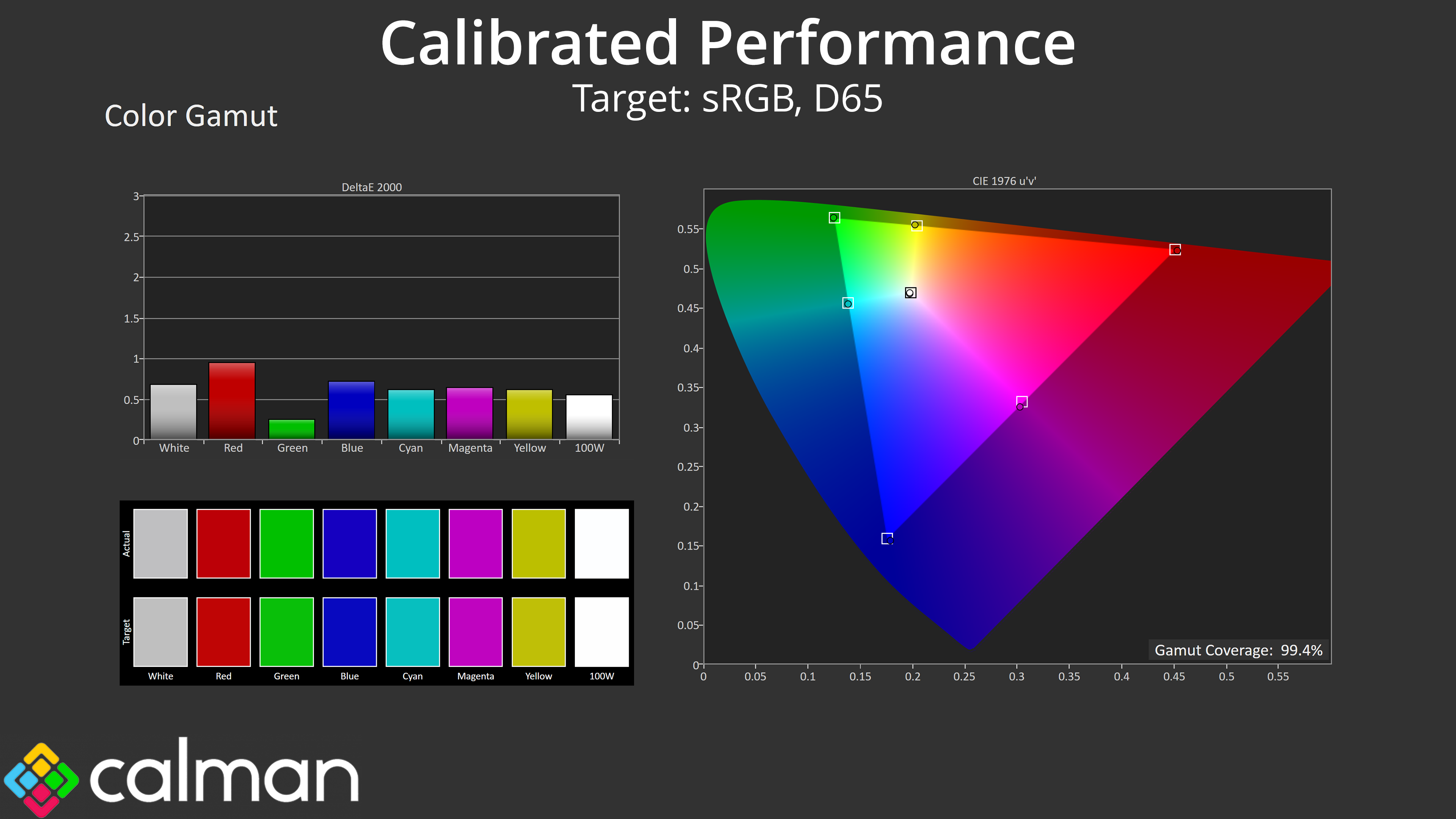
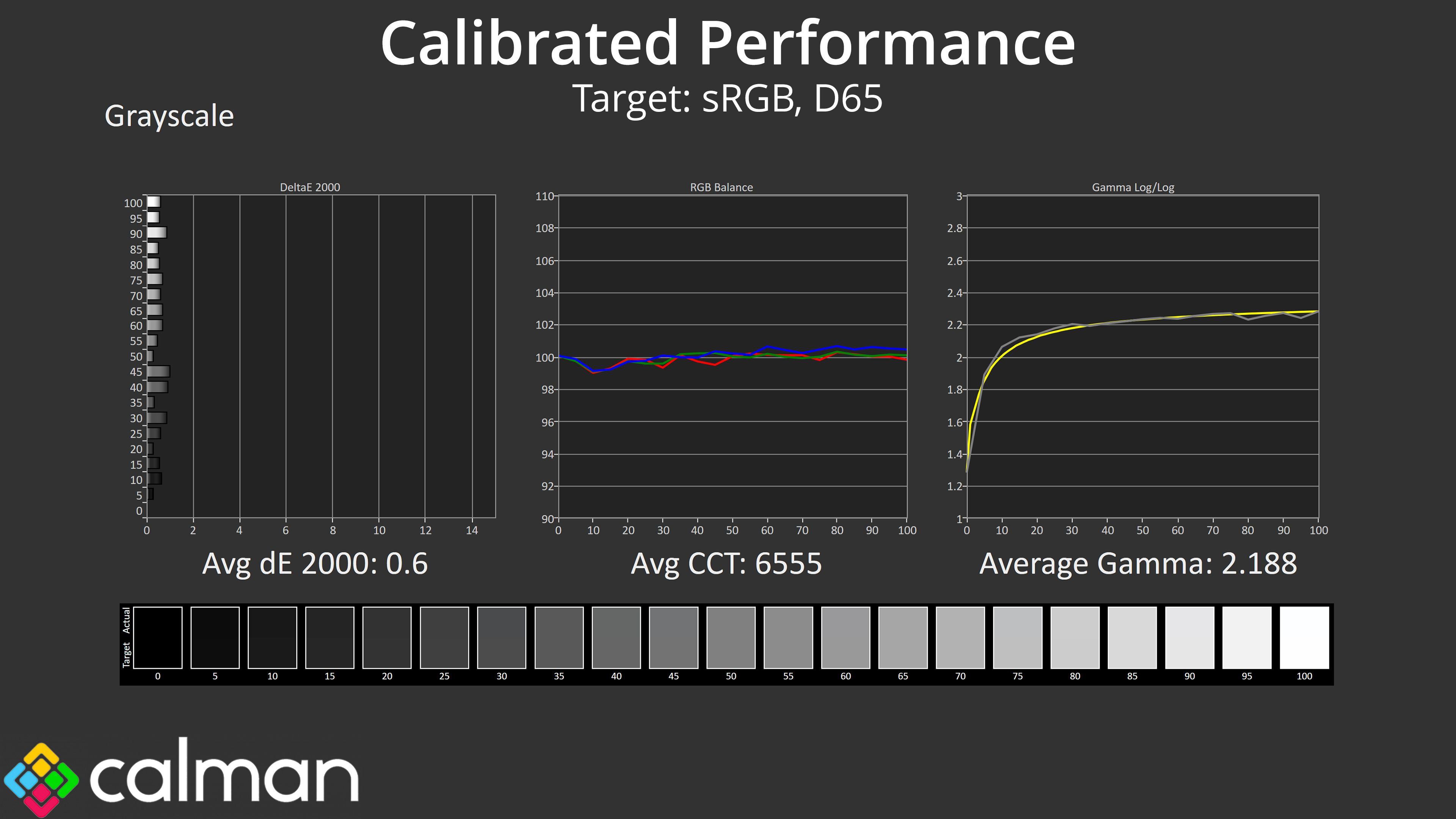
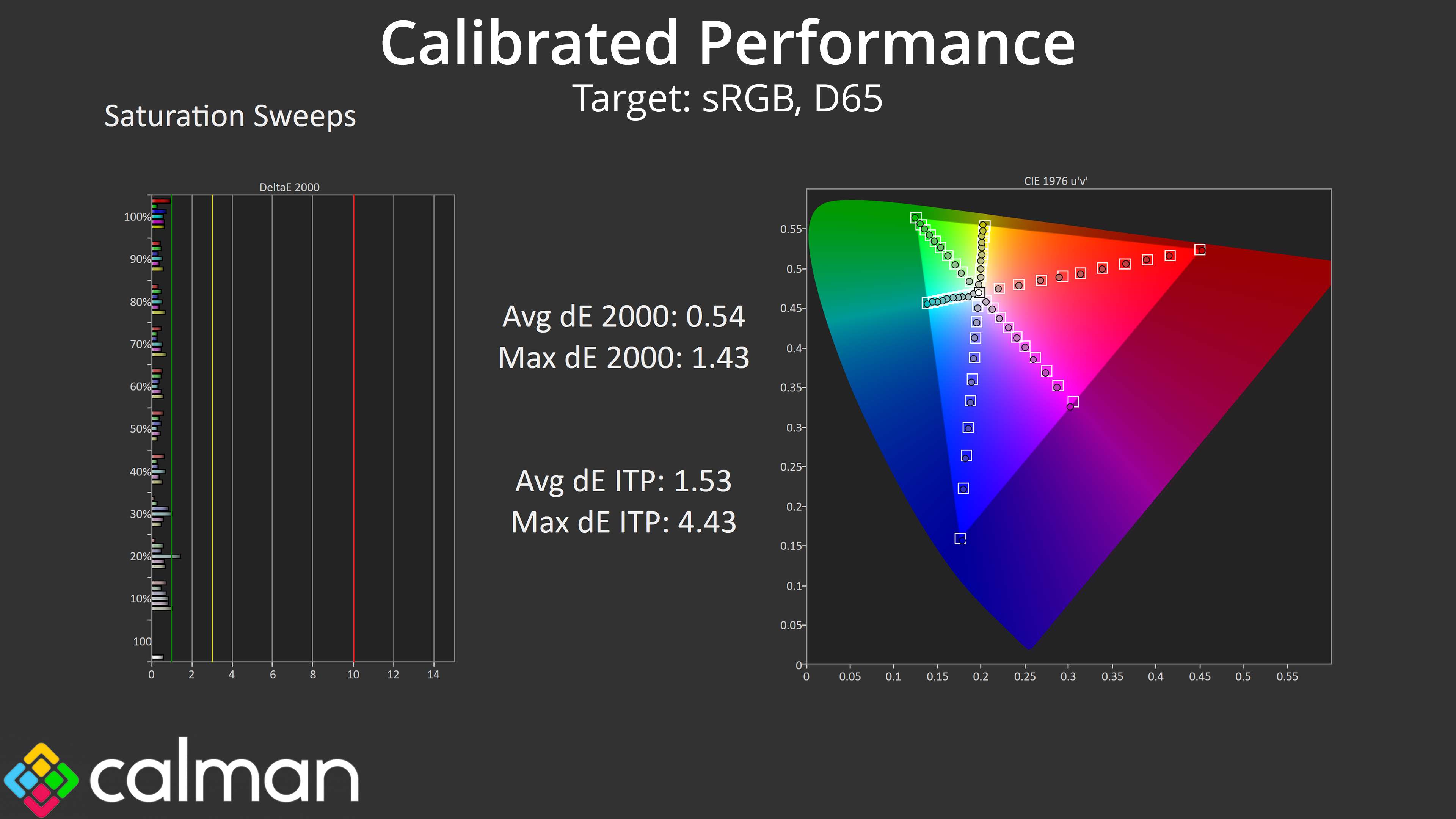
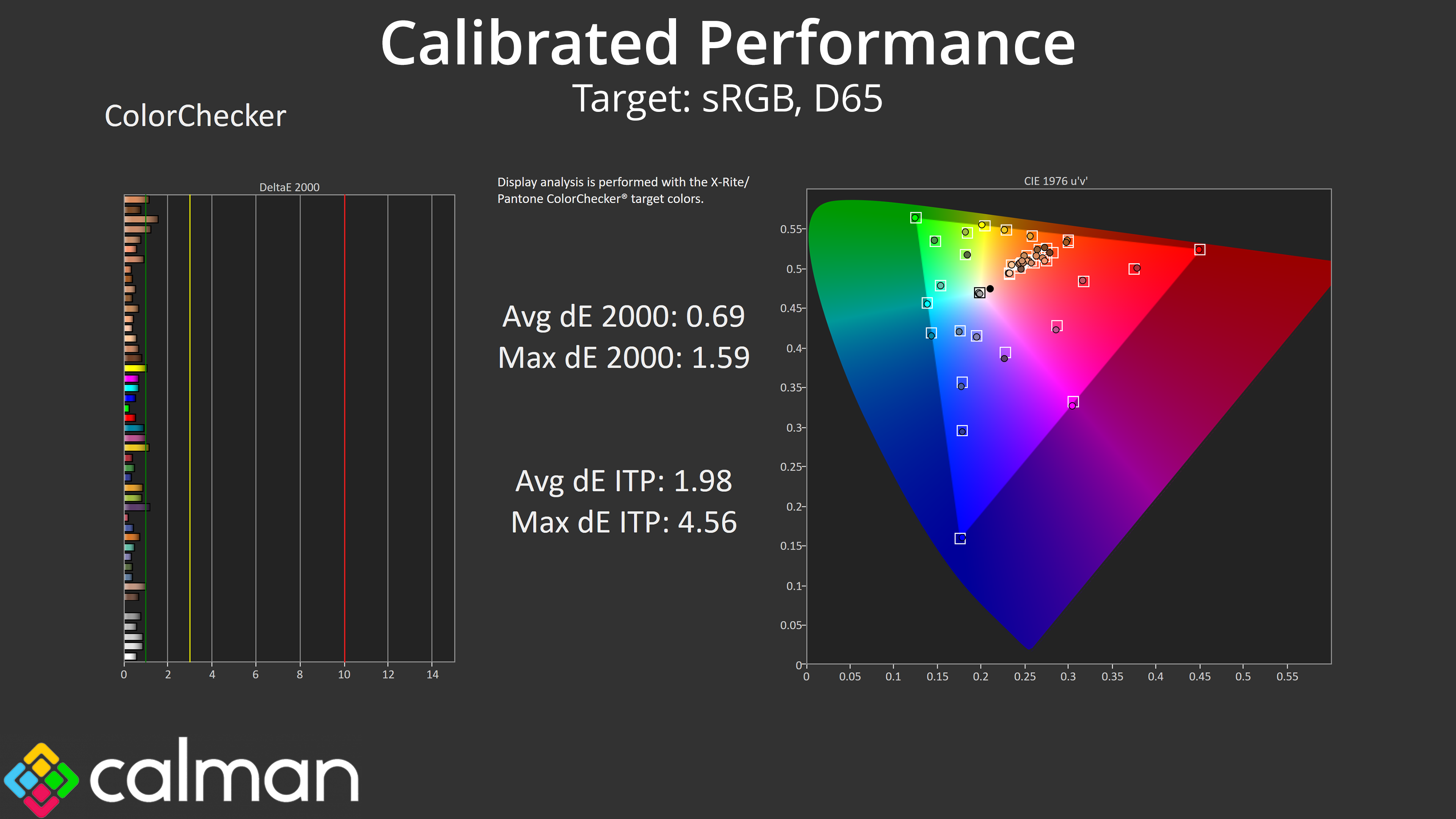
The sRGB mode is so good that I really don't think it's worth calibrating at all – we did see marginally better results after a full calibration, but considering the built-in sRGB is that good and doesn't require any hardware or software tools to use, 99% of people will be better off just using that mode!
HDR Testing
Following on from the SDR results on the previous page, here we re-test the relevant areas of the display with HDR enabled.
ASUS provides a range of HDR modes within the OSD, and we're focused on the HDR Gaming mode and the DisplayHDR 500 True Black settings. Please note that we have used the configurable HDR option so each mode has been tested at maximum brightness.
Brightness
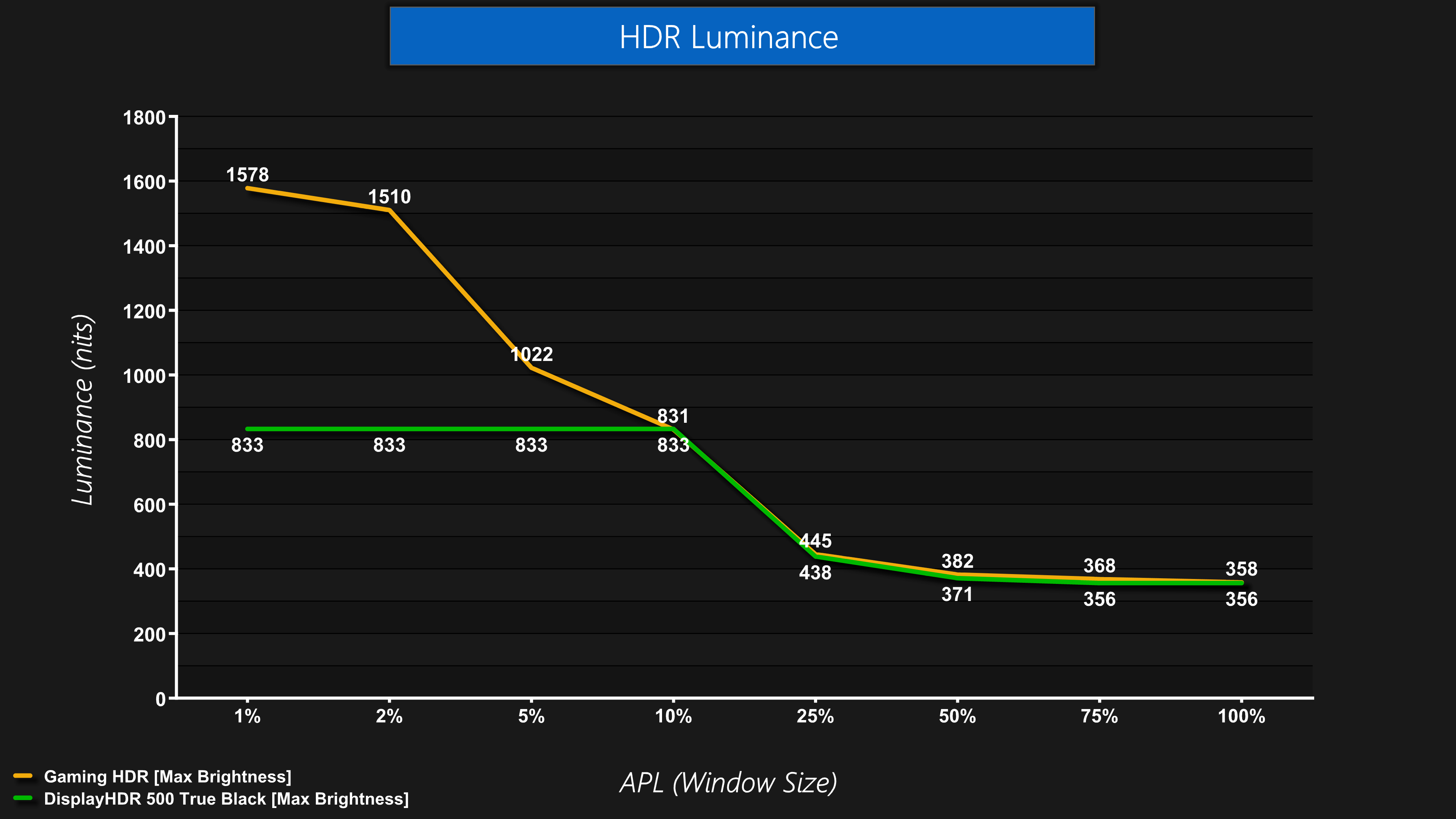
Kicking off with HDR brightness then, the HDR Gaming mode delivers superb results – it peaks at almost 1600 nits, while even the 2% APL holds at 1510 nits, then dropping off as the window size increases.
The True Black mode is still very bright too, this time topping out at 833 nits which it can maintain up until a 10% APL, and then it drops off to a similar level as the HDR Gaming mode.
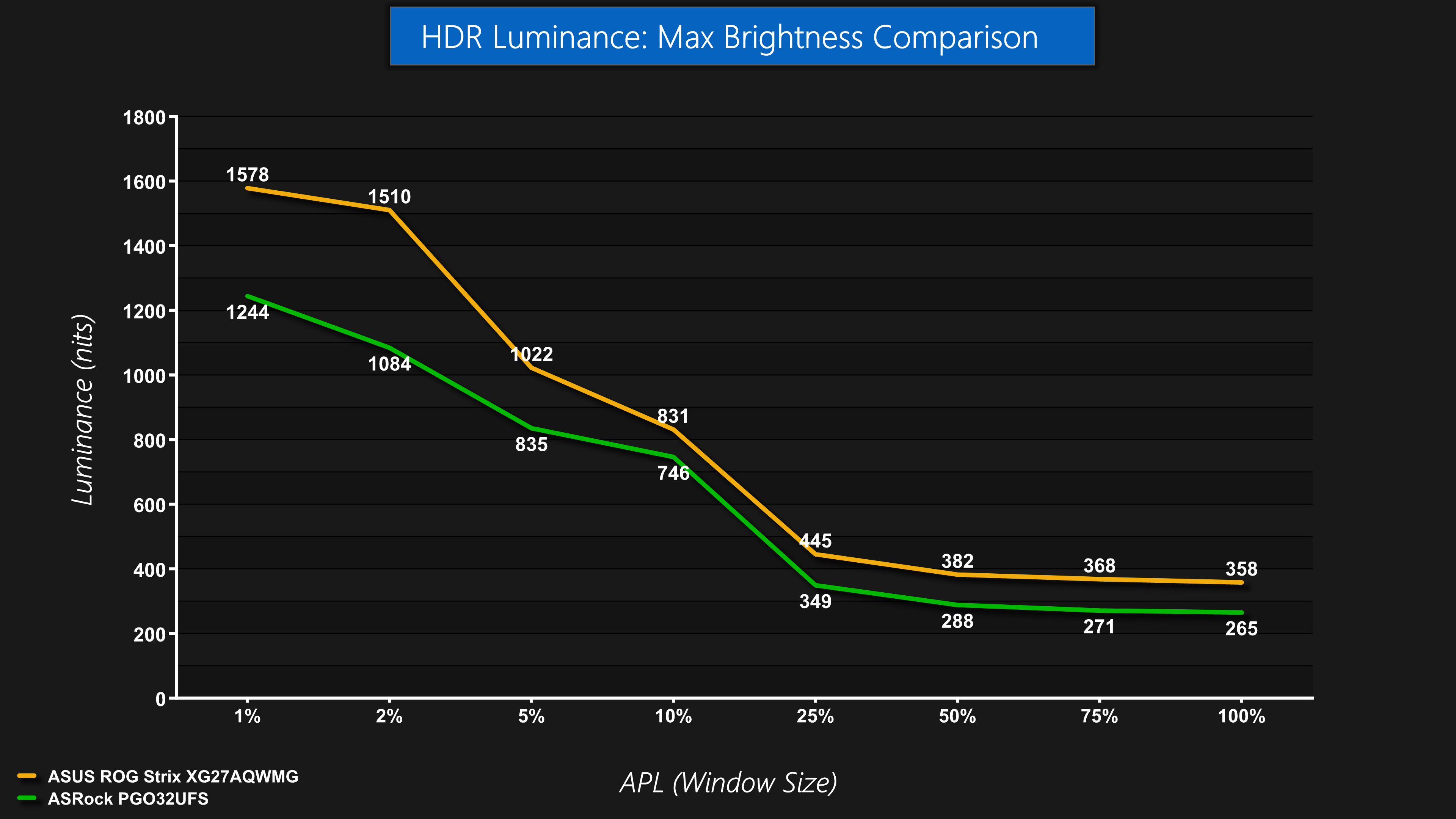
We can again see how much of an improvement this is compared to a prior WOLED panel in the PGO32UFS, with the XG27AQWMG coming in brighter at every APL tested, and by over 300 nits for the 1% APL in particular, so you are getting significantly brighter highlights.
Greyscale
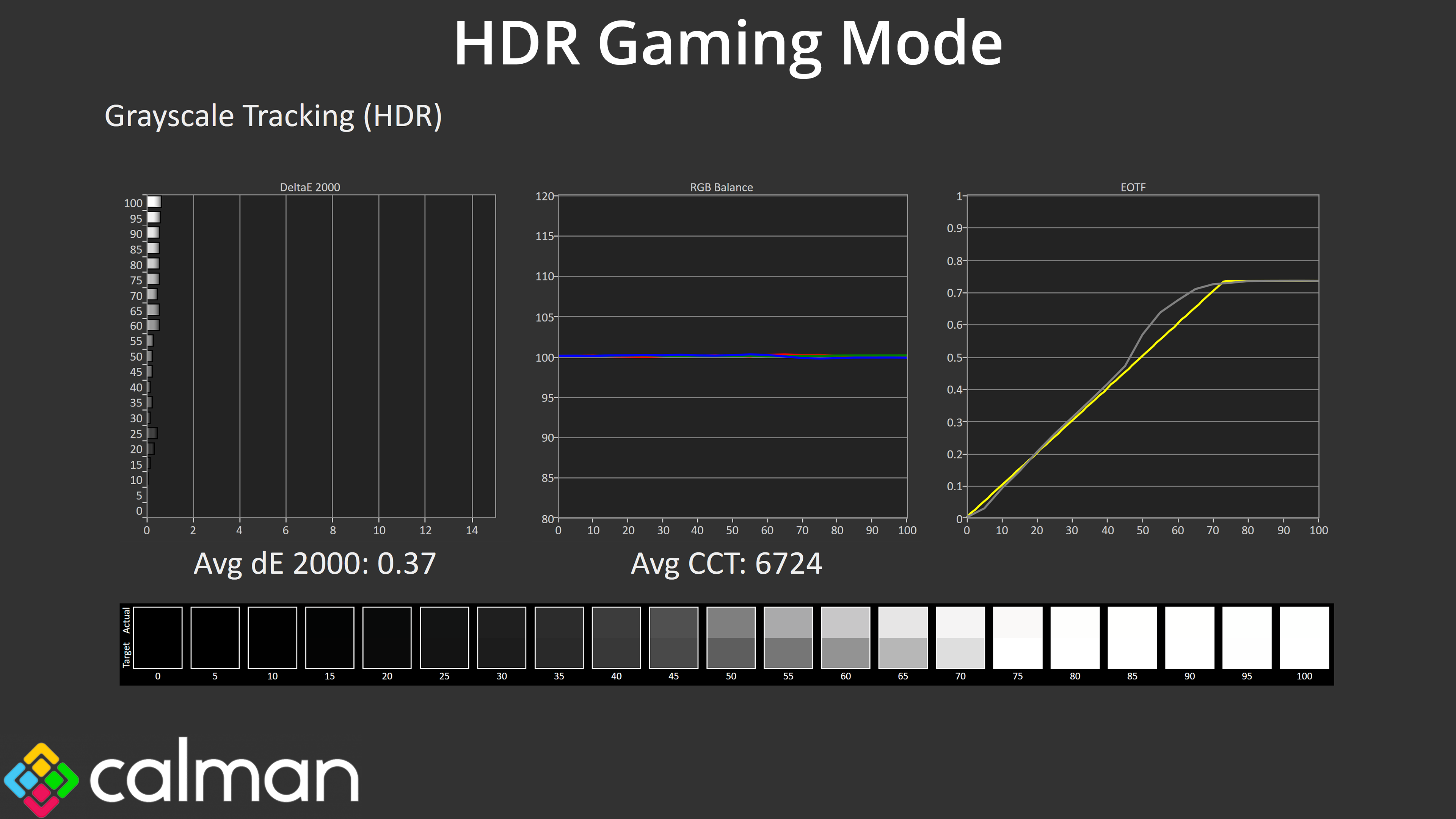
Of course, the EOTF curve plays a big part here too, with the HDR Gaming mode looking pretty accurate but with a slight bump to brightness for mid-greys.
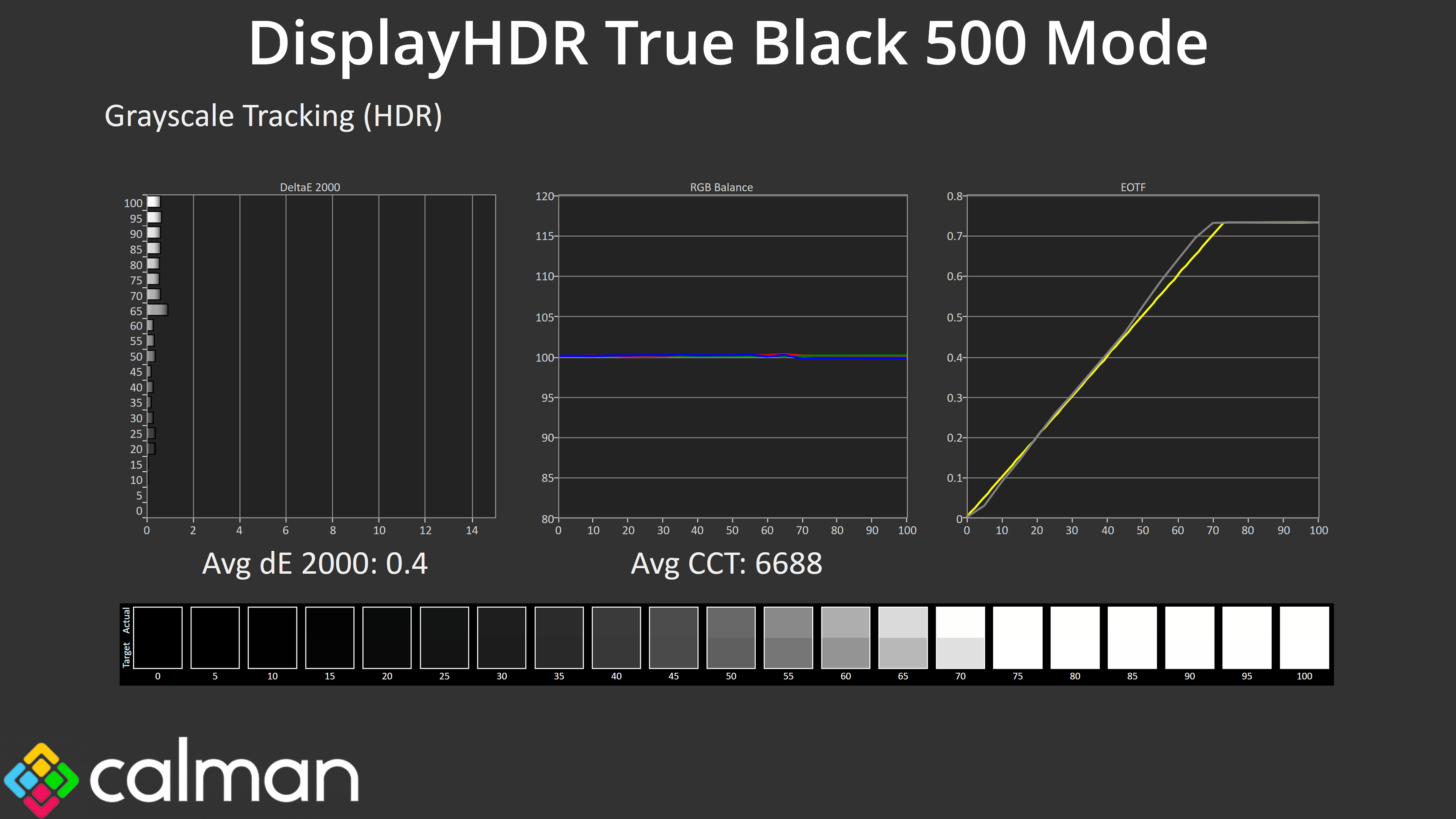
The TrueBlack mode is even more accurate, though you do have to weigh up losing out on the peak brightness capabilities, but it's great to have the option.
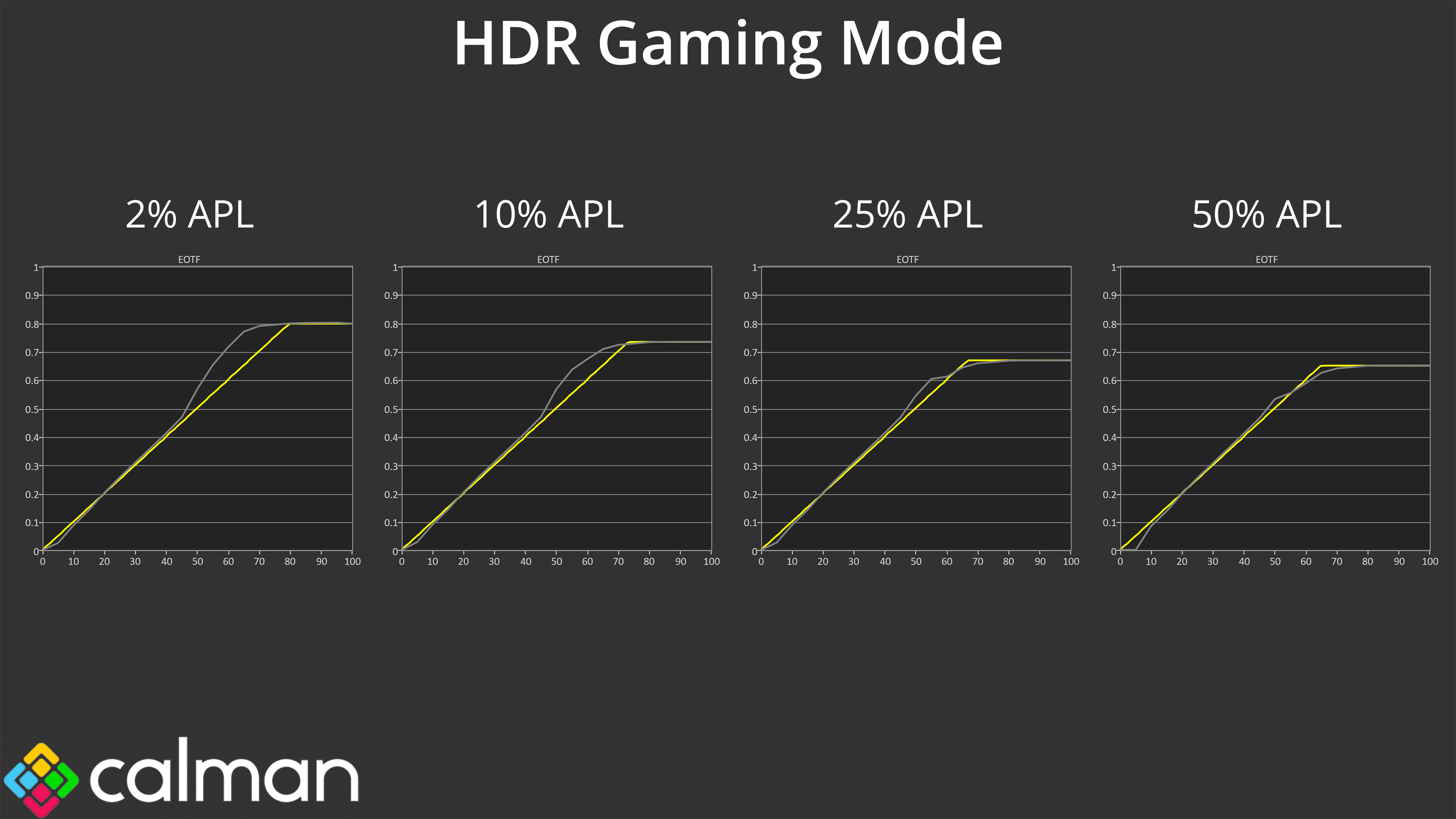
Here we look at the EOTF curve across a range of APLs, with the HDR Gaming mode looking very good across the board – some over-brightening at lower APLs which I don't mind at all, and only the slightest roll-off at larger APLs. Very good performance, overall.
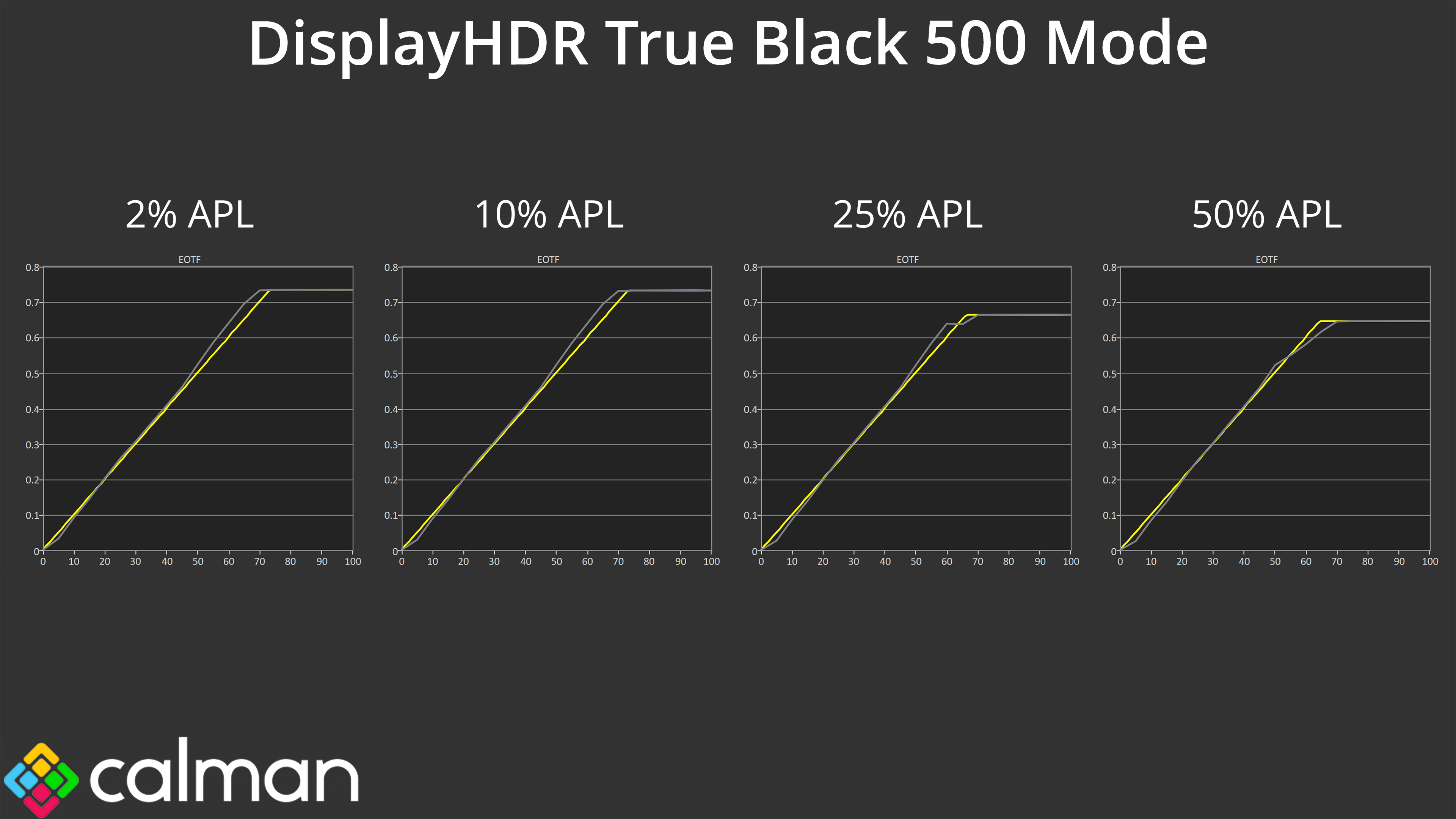
Once more, the True Black mode is the more accurate of the two, with very good EOTF tracking at all window sizes, making it a great option if you don't want such a bright presentation – and you can always lower the brightness in the OSD, too.
Colour Accuracy
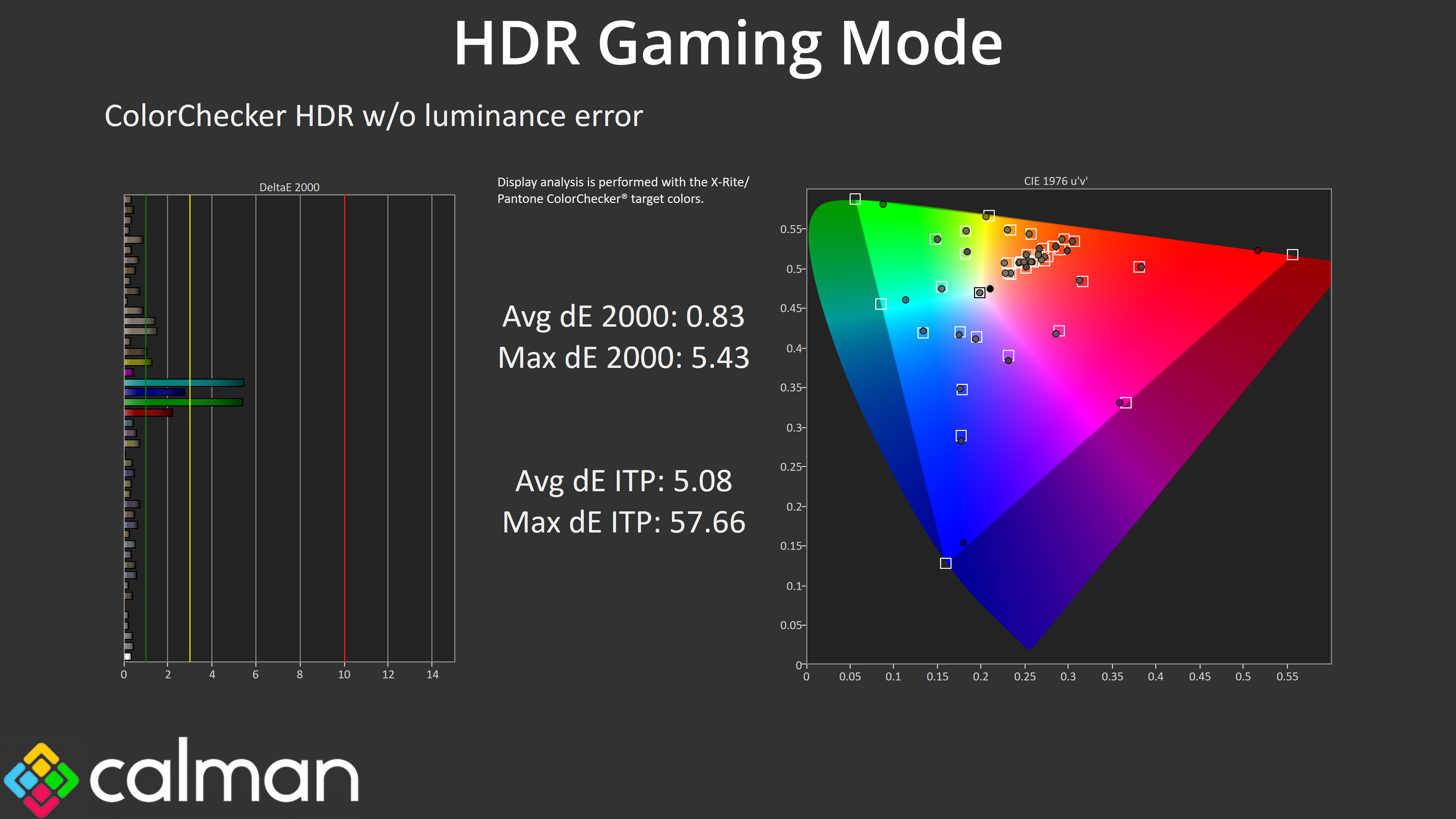
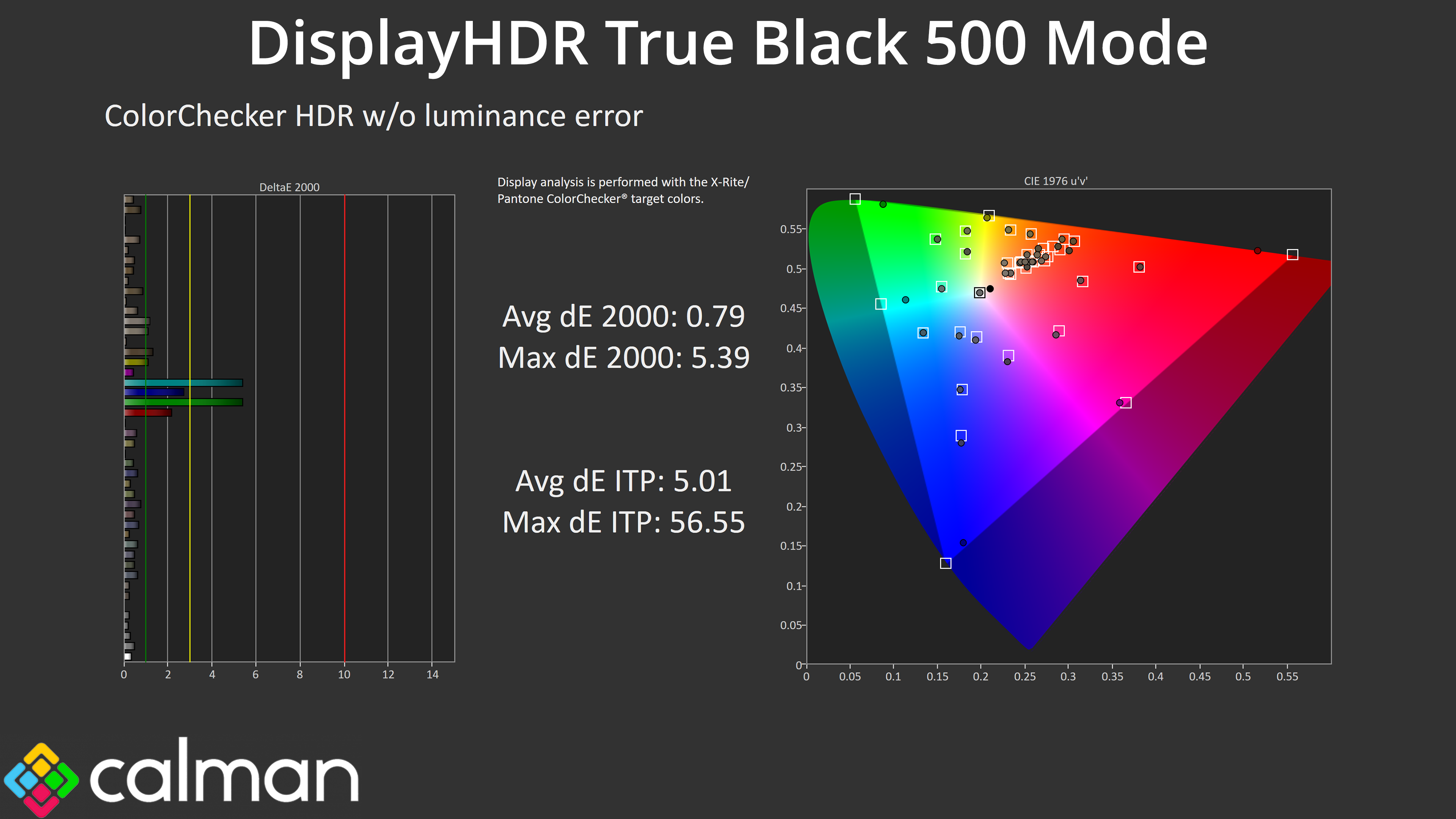
Regardless of which mode you choose, the colour accuracy is stellar, helped by the super-wide gamut. It still doesn't cover 100% of the Rec.2020 space, which is why the results for the 100% cyan and 100% green channels aren't as good as the others, but it's still very impressive overall.
We use the Open Source Response Time Tool (OSRTT), developed by TechTeamGB, for our response time testing. This measures grey-to-grey response times and presents the results in a series of heatmaps, the style of which you may be familiar with from other reviews.
Initial Response Time is the time taken for the panel to transition from one colour to another, where lower values are better. We present the initial response time, so overshoot is not taken into account and is measured separately. We use a fixed RGB 5 tolerance for each transition.
Overshoot is the term given for when a monitor's transition exceeds or goes beyond its target value. So if a monitor was meant to transition from RGB 0 to RGB 55, but it hits RGB 60 before settling back down at RGB 55, that is overshoot. This is presented as RGB values in the heatmaps – i.e. how many RGB values past the intended target were measured.
Visual Response Rating is a metric designed to ‘score' a panel's visual performance, incorporating both response times and overdrive. Fast response times with little to no overshoot will score well, while slow response times or those with significant overshoot will score poorly.
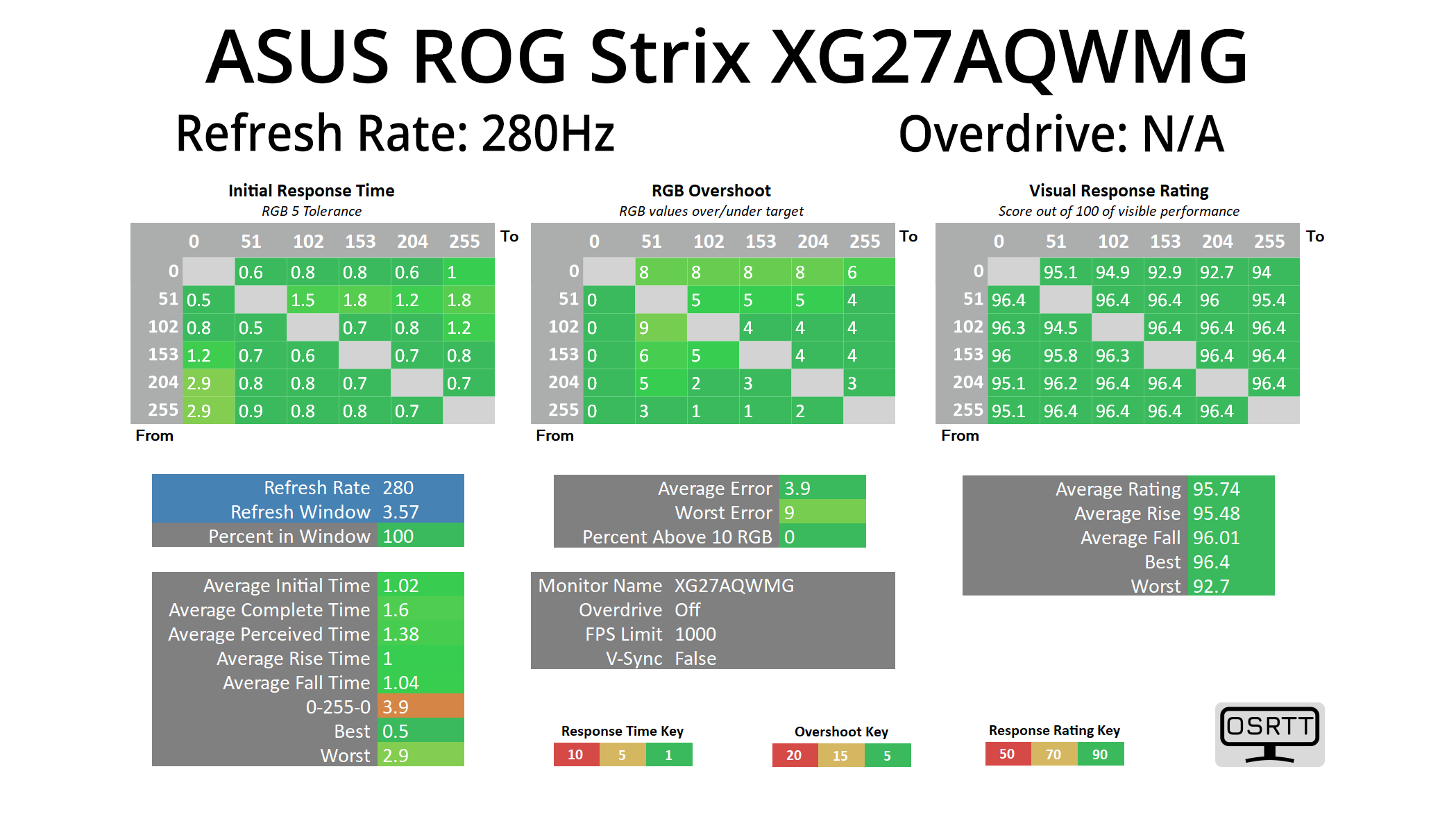
We're not going to focus too heavily on response times here as we know OLEDs are the best of the best in this regard, and they all perform very similarly, meaning near-instant response times and zero ghosting, regardless of the refresh rate used.
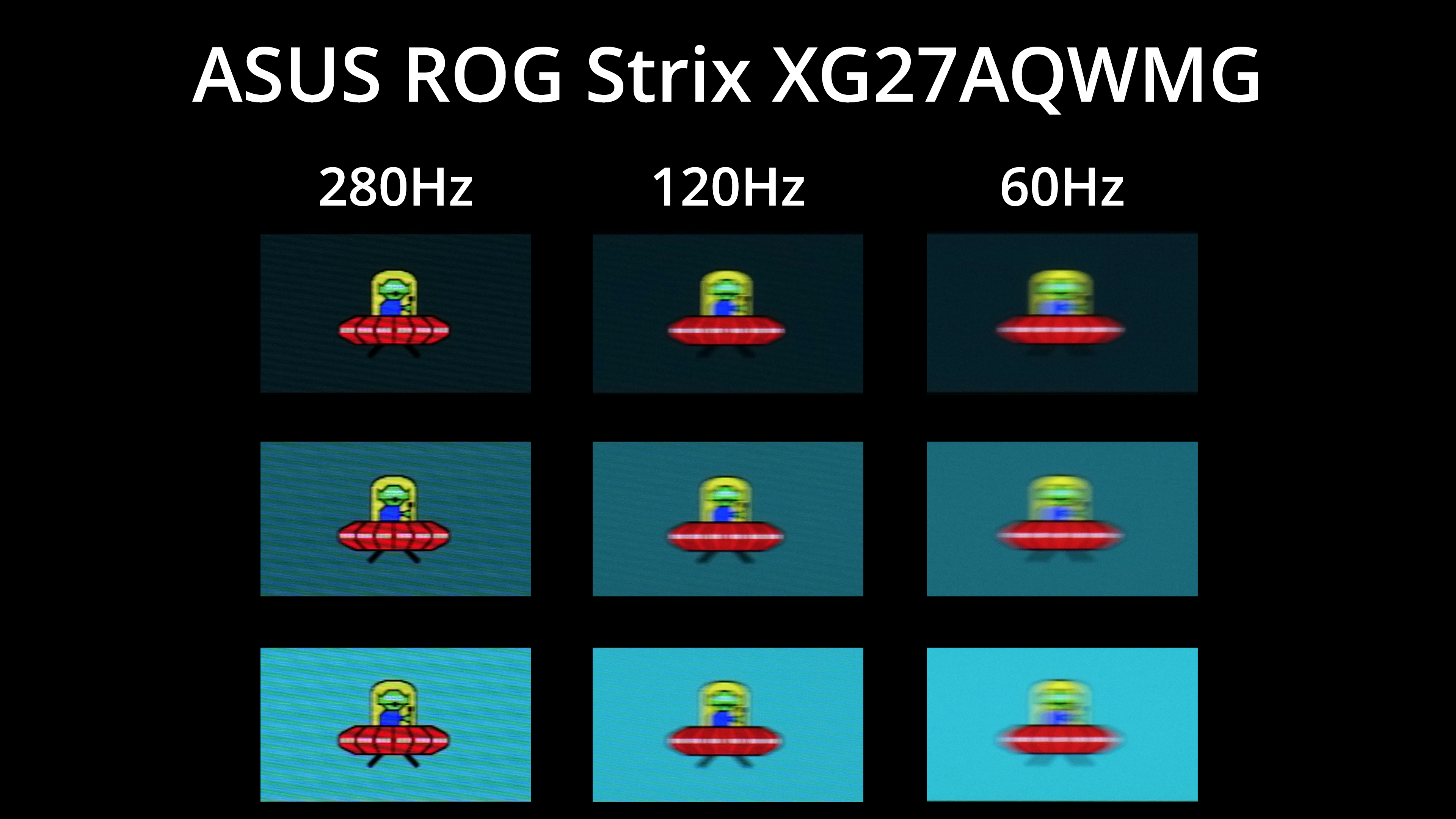
As we know, however, that doesn't mean motion clarity will be the same regardless of the refresh rate – the higher you can push the refresh, the smoother things look. The jump from 120Hz to 280Hz, for instance, is quite noticeable, but you can also note there is zero ghosting at any given refresh rate target.
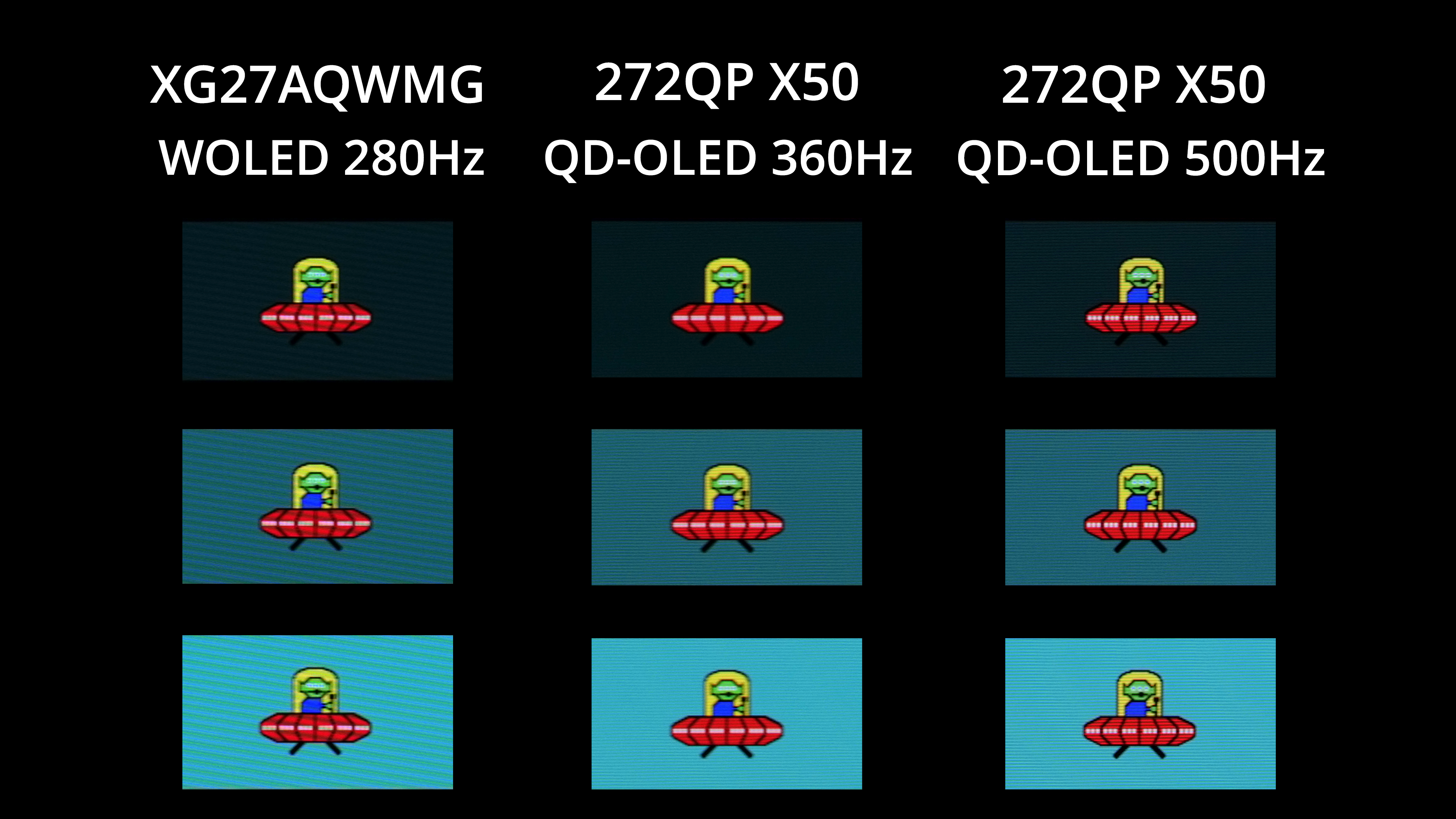
Other OLEDs can deliver even faster refresh rates though, with plenty of 1440p/360Hz models on the market, not to mention the MSI 272QP X50 which can hit 500Hz! The higher the refresh goes, the better image clarity becomes – but you also have to weigh up cost, and whether or not your system is actually capable of driving over 280fps at 1440p resolution in the games you play.
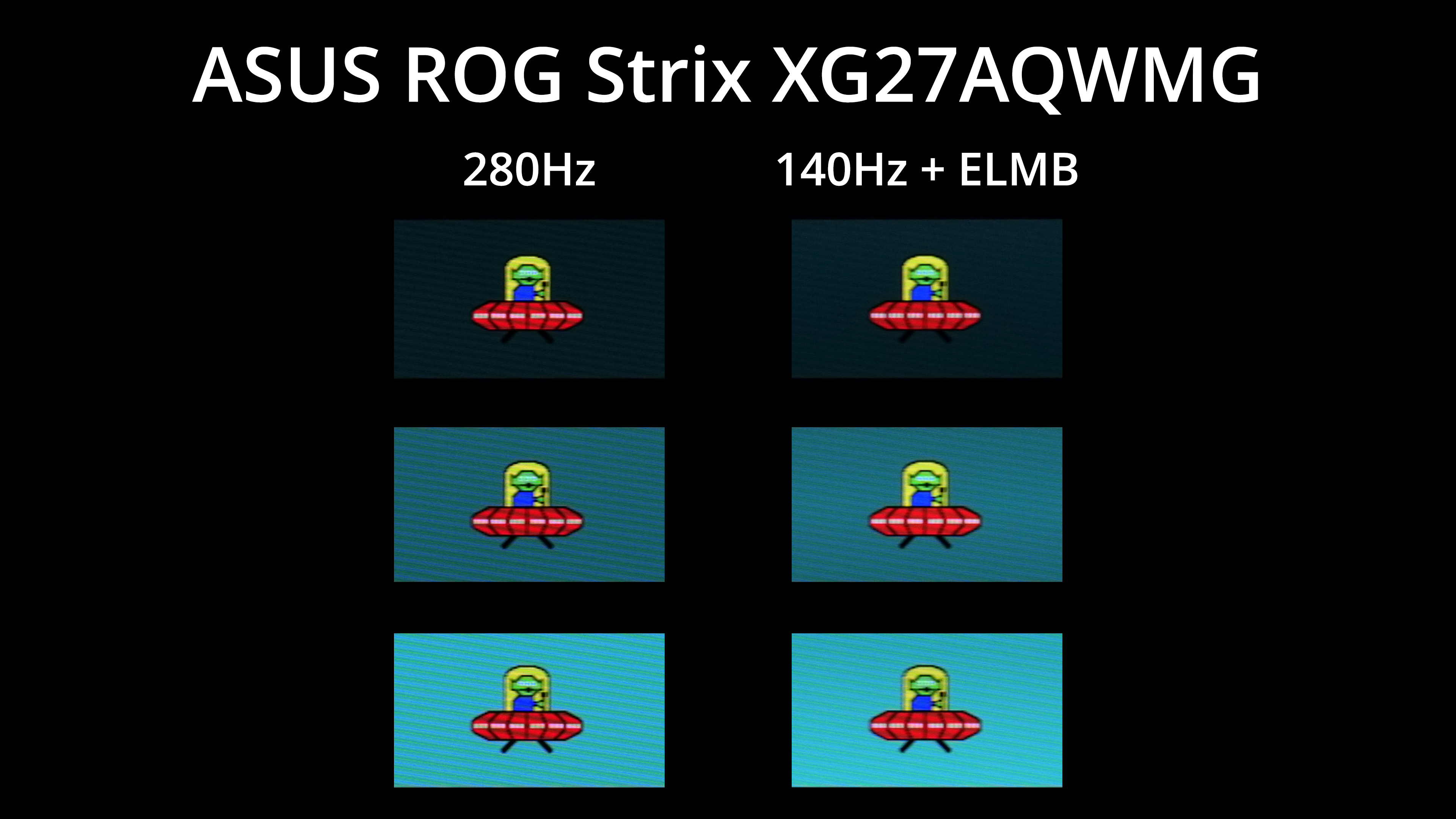
Even if you can't hit 280fps, ASUS does offer a form of black frame insertion (BFI), which it calls ELMB, and this places a black frame after every regular frame. This means with BFI enabled, you get broadly equivalent motion clarity at 140Hz as you would without BFI at 280Hz, and it's obviously a lot easier to drive games at 140fps!
The main snag is this mode disables adaptive sync and only appears to work at 140Hz – so you couldn't set it to 60Hz and get 120Hz-equivalent clarity on a console, for instance. Brightness is also capped at 158 nits maximum, but it could be well worth using depending on the games you play.
We again use the Open Source Response Time Tool (OSRTT), developed by TechTeamGB, to report monitor input latency.
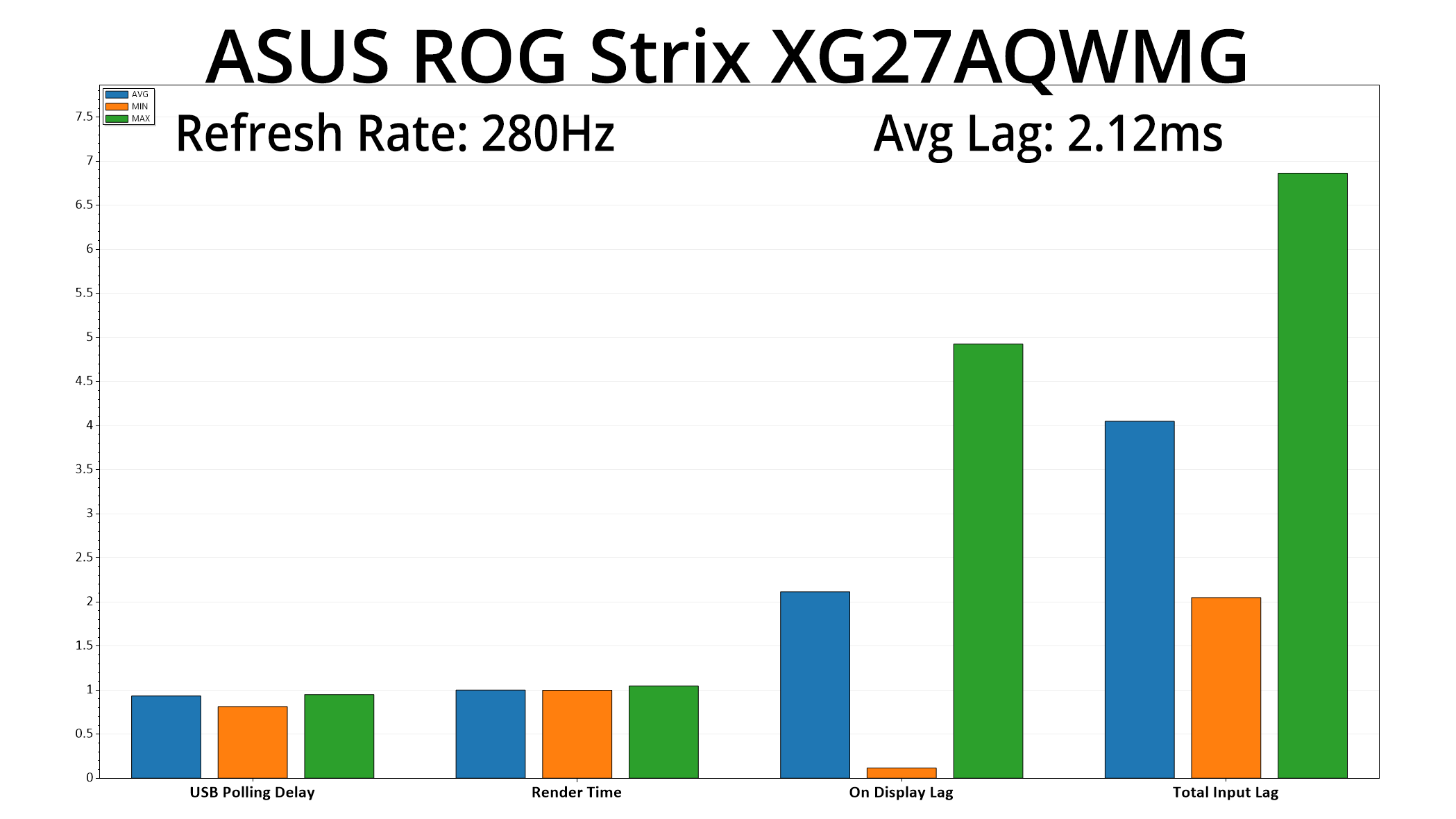
Latency is nice and low too, hitting just 2.12ms, so barely more than half a frame at 280Hz.
Being the first monitor we have seen to utilise LG's new 4th Gen Tandem OLED panel, it's hard not to be impressed by the ASUS ROG Strix XG27AQWMG.
Simply put, this panel offers a wide range of improvements which, in my view, elevate it above the competition. Brightness is noticeably higher, for instance, hitting almost 325 nits for a full-screen white, while in HDR we saw highlights of almost 1600 nits! The gamut is exceedingly wide, too, offering much higher coverage than previous WOLED panels, while it's also claimed to offer significantly enhanced lifespan thanks to the extra layer.
Then we have ASUS' own TrueBlack Glossy coating which adds another dimension. I've not been able to test it against previous 3rd Gen WOLED glossy panels, but compared to QD-OLED – which is even more prevalent in the 1440p sector – the difference is quite remarkable. It's really as the name suggests – you get true blacks, regardless of the ambient lighting conditions, whereas QD-OLEDs present raised black levels in brighter environments. In dimly-lit rooms the difference is barely noticeable, so it does depend on your specific viewing conditions, but it's clearly a better all-round option than QD-OLED in my eyes.
ASUS has done a stellar job with factory calibration, too, with very accurate colour balance and gamma tracking, while the built-in sRGB Cal mode is one of the best sRGB modes I have ever tested. It's so good I wouldn't even bother calibrating the screen, so hats off to ASUS for that.
On top of that, the overall gaming experience is fantastic. A 280Hz 1440p panel may not be market leading in terms of motion clarity or outright responsiveness, but it's still very good overall, much better than what a 280Hz LCD could achieve, and you still get all the punch and vibrance of an OLED panel regardless of the refresh rate.
My only real criticisms are the lack of some more advanced connectivity features we have become accustomed to in recent years – things like USB-C and KVM functionality, which are sadly missing here. However, that is very easy to ignore when factoring in the price of just £520 for the XG27AQWMG. Yes, some 1440p 240Hz QD-OLEDs can be found for less – there's a few in the £400-450 range now – but I'd say this ASUS monitor is clearly superior across the board. For a screen with the 4th Gen panel and TrueBlack coating, I was expecting to pay more like £600, so I actually think it's very good value indeed.
In short, this is the OLED to beat in the sub-£550 segment, and I can’t wait to see more monitors utilising LG’s 4th Gen panel.
Pros
- Very wide gamut, much wider than previous WOLEDs.
- Effectively infinite contrast ratio.
- Very fast response times.
- 1440p at 280Hz is not impossible to drive in a lot of titles.
- Games just look so good.
- Factory calibration is stellar, up there with the best I've seen.
- Much brighter than most other OLEDs thanks to the 4th Gen panel.
- HDR hits almost 1600 nits and is very accurate for both HDR Gaming and True Black 500 modes.
- Superb sRGB emulation mode.
- TrueBlack Glossy coating makes a noticeable difference versus QD-OLED.
- 2x HDMI 2.1.
- User-upgradable firmware.
- Great value at £520.
Cons
- Lacks USB-C and KVM support.
- Only DisplayPort 1.4, though that can still deliver everything you need thanks to DSC.
KitGuru says: Its performance is terrific across the board and, compared to other options in this market segment, it's priced surprisingly competitively. A real gem of a gaming monitor.