KitGuru KitGuru.net – Tech News | Hardware News | Hardware Reviews | IOS | Mobile | Gaming | Graphics Cards


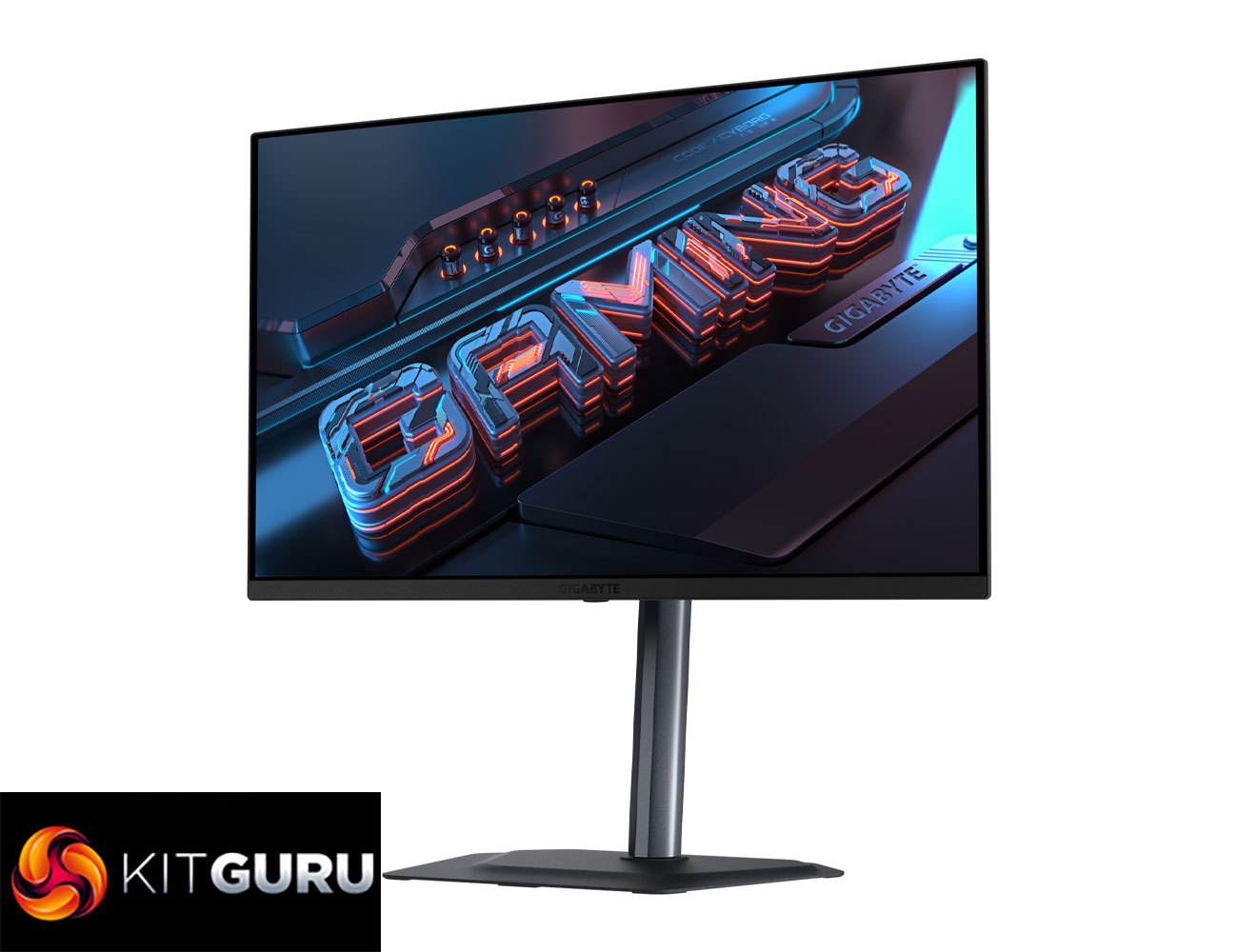
Today we're back with another QD-OLED monitor review as we assess Gigabyte's MO27Q2. Utilising a similar 3rd Gen 1440p panel to the FO27Q3 that we reviewed last year, the key difference is that the MO27Q2 is clocked slightly slower at 240Hz, as opposed to the 360Hz refresh of its more premium sibling. This has allowed Gigabyte to drop the price, with the MO27Q2 retailing for £500 here in the UK. Is it worth buying at that price point? We find out today.
On the topic of pricing, there's no doubt that £500 is a competitive asking price for a 1440p 240Hz OLED monitor, but it isn't quite the cheapest on the market. AOC's AG276QZD2 has a £449 RRP but is on an early Black Friday sale right now for £379, while there's also the likes of the Evnia 27M2N8500 in the sub-£500 category. Still, using PCPartPicker to look for every OLED currently on the market clearly puts the Gigabyte MO27Q2 towards the top in terms of overall affordability, so let's see what it can bring to the table.
Update: As suspected, there is a temporary Black Friday deal reducing the price to £459 on Amazon, we expect it to go back up to the £499 MSRP referenced throughout this review once the deal is over. You can find it on Amazon HERE (NOT affiliate).
Specification:
- Panel size (diagonal): 27″ QD-OLED
- Display viewing area (H x V): 590.42 x 333.72 mm
- Panel backlight / type: OLED
- Display surface (non-glare / glare): Anti-Reflection
- Color saturation: 99% DCI-P3
- True resolution: 2560 x 1440 (QHD)
- Pixel pitch: 0.2292 (H) x 0.2292 (V) mm
- Brightness: 250 cd/m² (Typ, SDR APL 100%); 1000 cd/m² (Typ, HDR APL 3%)
- Contrast ratio: 1.5M:1
- Viewing angle: 178° (H) / 178° (V)
- Display colors: 10-bit (1.07B)
- Response time: 0.03 ms GTG
- Refresh rate: 240 Hz
- HDR: VESA DisplayHDR True Black 400
- VESA Certified ClearMR: ClearMR 13000
- Flicker-free: Yes
- Factory calibration: Yes, △E ≤ 2
- Ports: 2 x HDMI 2.1, 1 x DisplayPort 1.4, 1 x USB Type-C (Alternate Mode; Upstream; Power Delivery up to 18W), 2 x USB 3.2 Downstream ports, 1 x USB 3.2 Upstream port, 1 x Earphone Jack
- Earphone jack: Yes
- Speaker: 5W x 2
- Auto-Update: Yes
- KVM: Yes
- 6-axis color control: Yes
- Apply picture mode: Yes
- HDMI-CEC: Yes
- Power type: Power board built-in
- Power consumption: 41W **
- Power saving mode: <0.5W
- Power off mode: <0.3W
- Voltage: AC 100–240V ~ 50/60Hz
- Tilt (angle): -5° ~ +21°
- Swivel (angle): ±15°
- Pivot (angle / direction): -0° ~ +90° (Counter-Clockwise)
- Height adjustment: 130 mm
- VESA wall mounting: 100 x 100 mm
- Kensington lock: Yes
- With stand (W x H x D): 610.3 x 499.54 x 187.5 mm
- Without stand (W x H x D): 610.3 x 356.4 x 64.2 mm
- Box dimensions (W x H x D): 860 x 470 x 160 mm
Firmware tested: F01
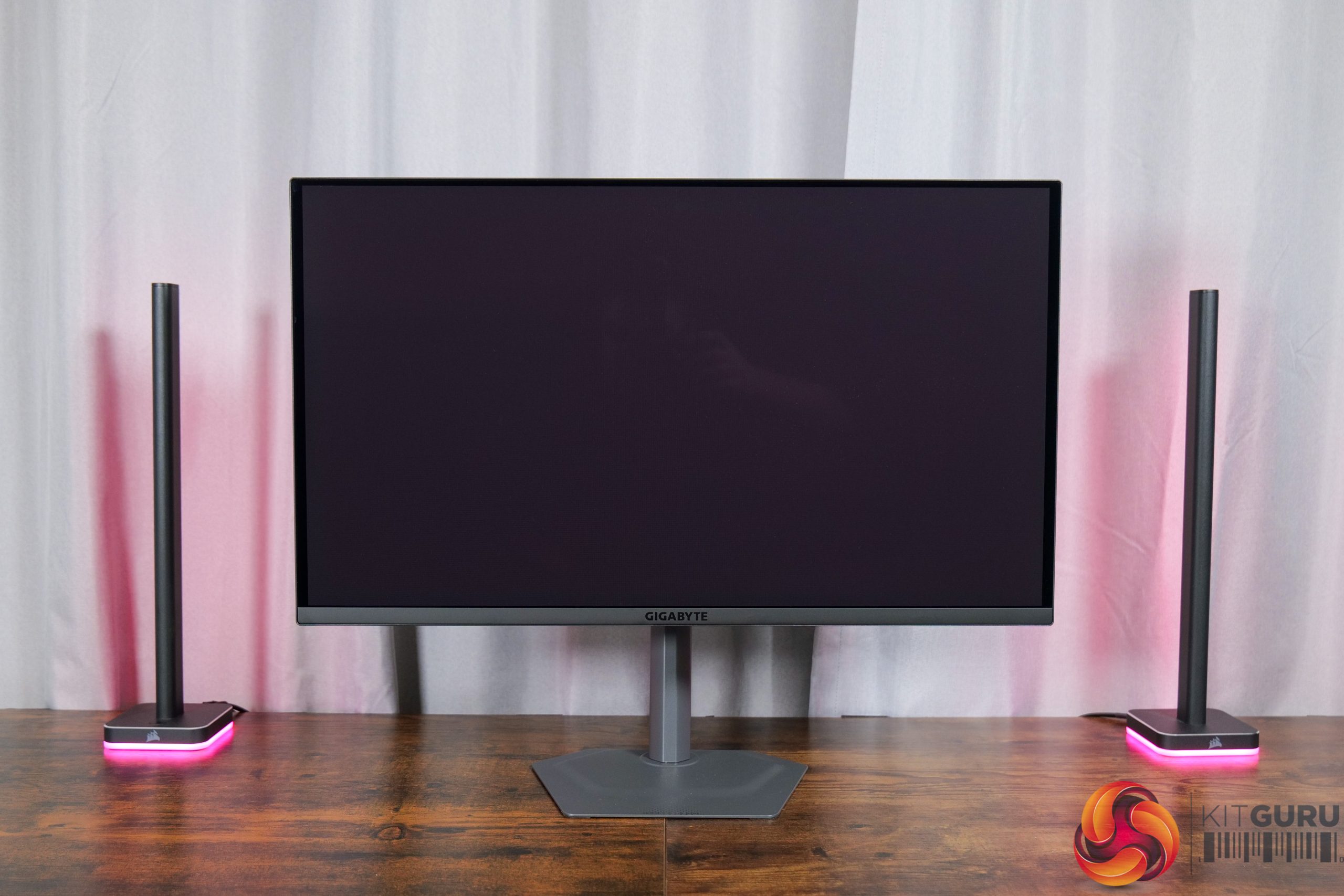
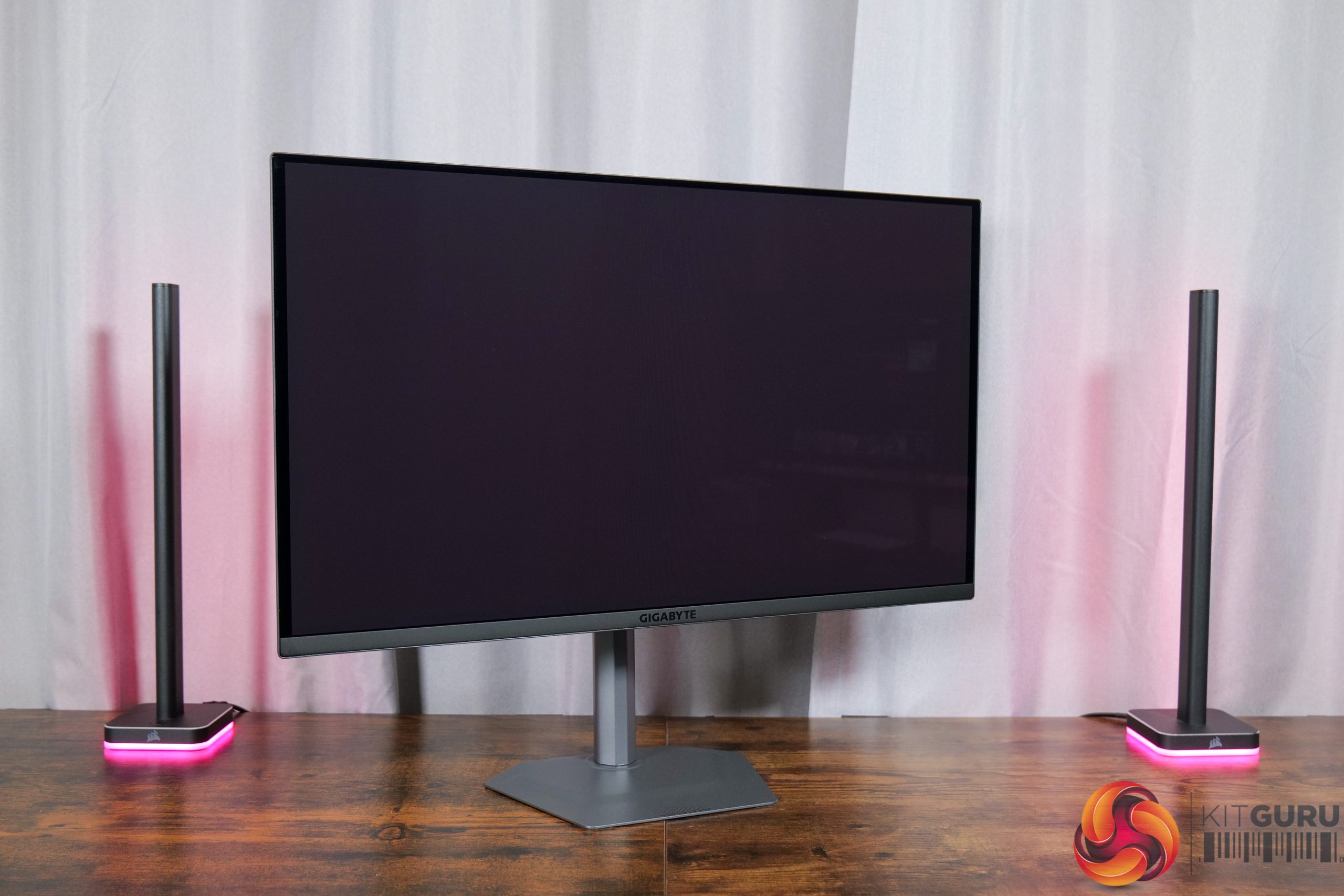

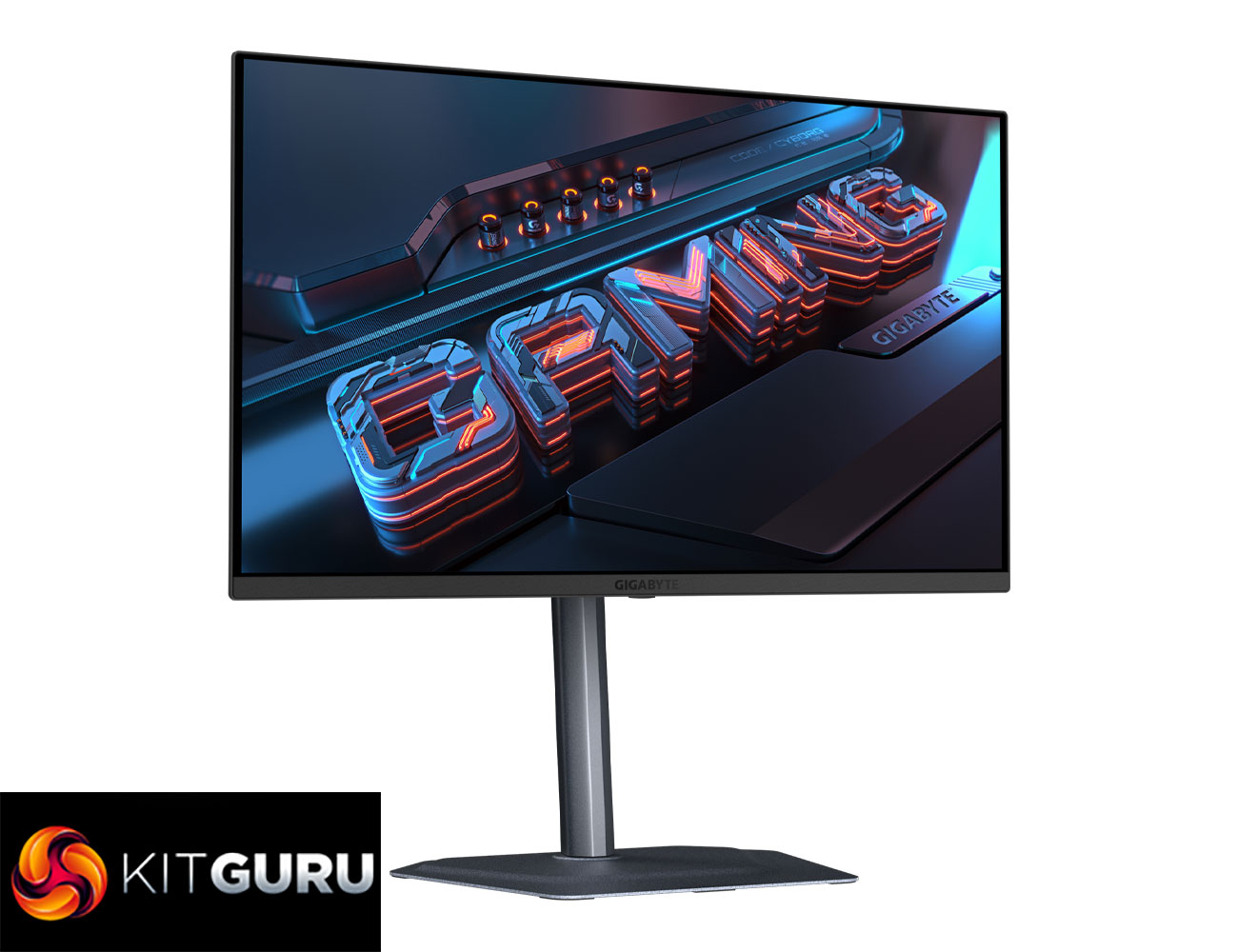
Starting off with the design, I really like what Gigabyte has done here. The FO27Q3 we looked at last year was a bit plasticky and sported a v-shaped foot, but now the MO27Q2 has opted for a mid-grey colourway, which I think looks very clean. It's also packing both a metal stand and metal foot, while said foot is also hexagonal in shape, making it very compact.
Overall, the MO27Q2 doesn't immediately scream ‘gamer' at you, which I personally like quite a lot.
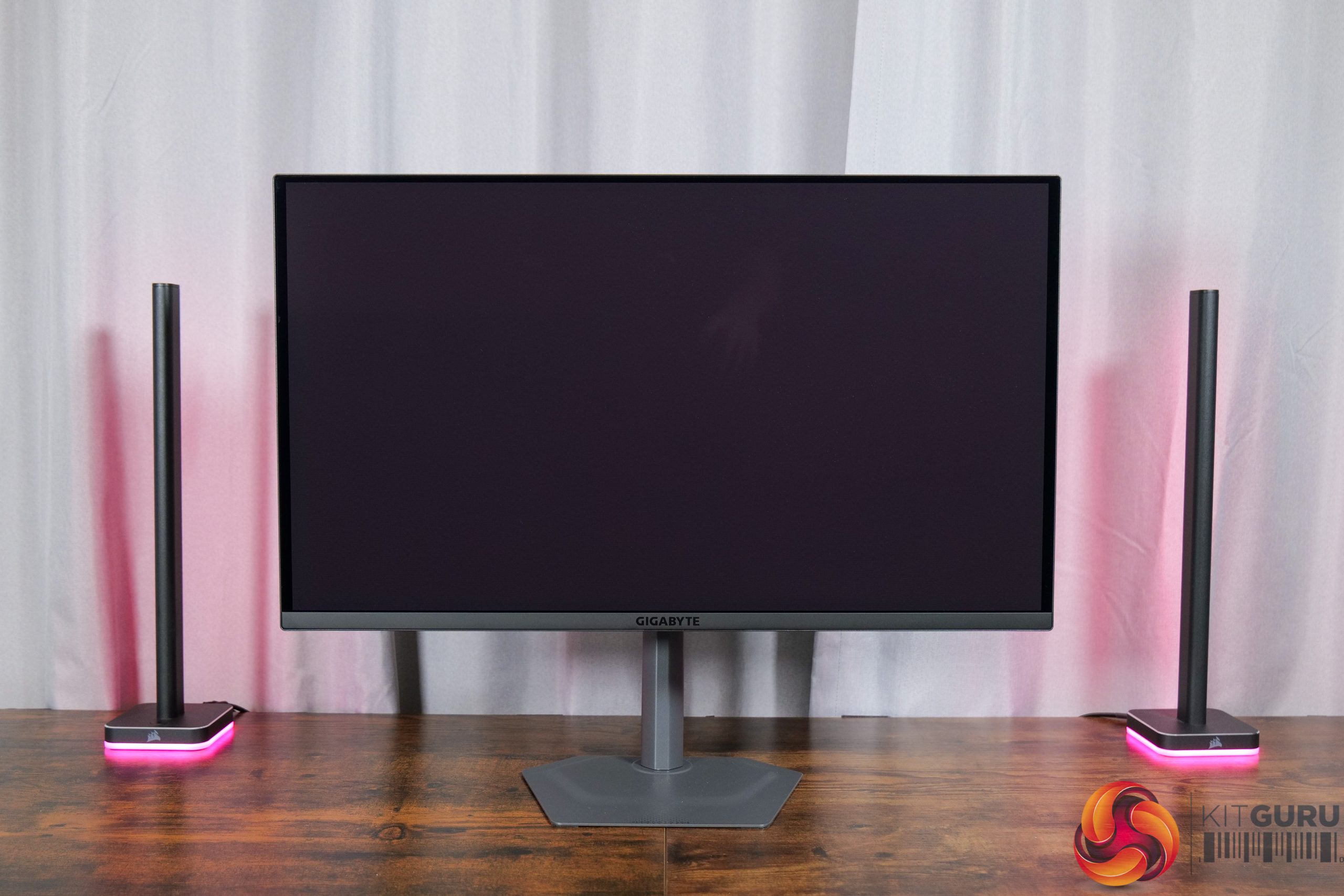
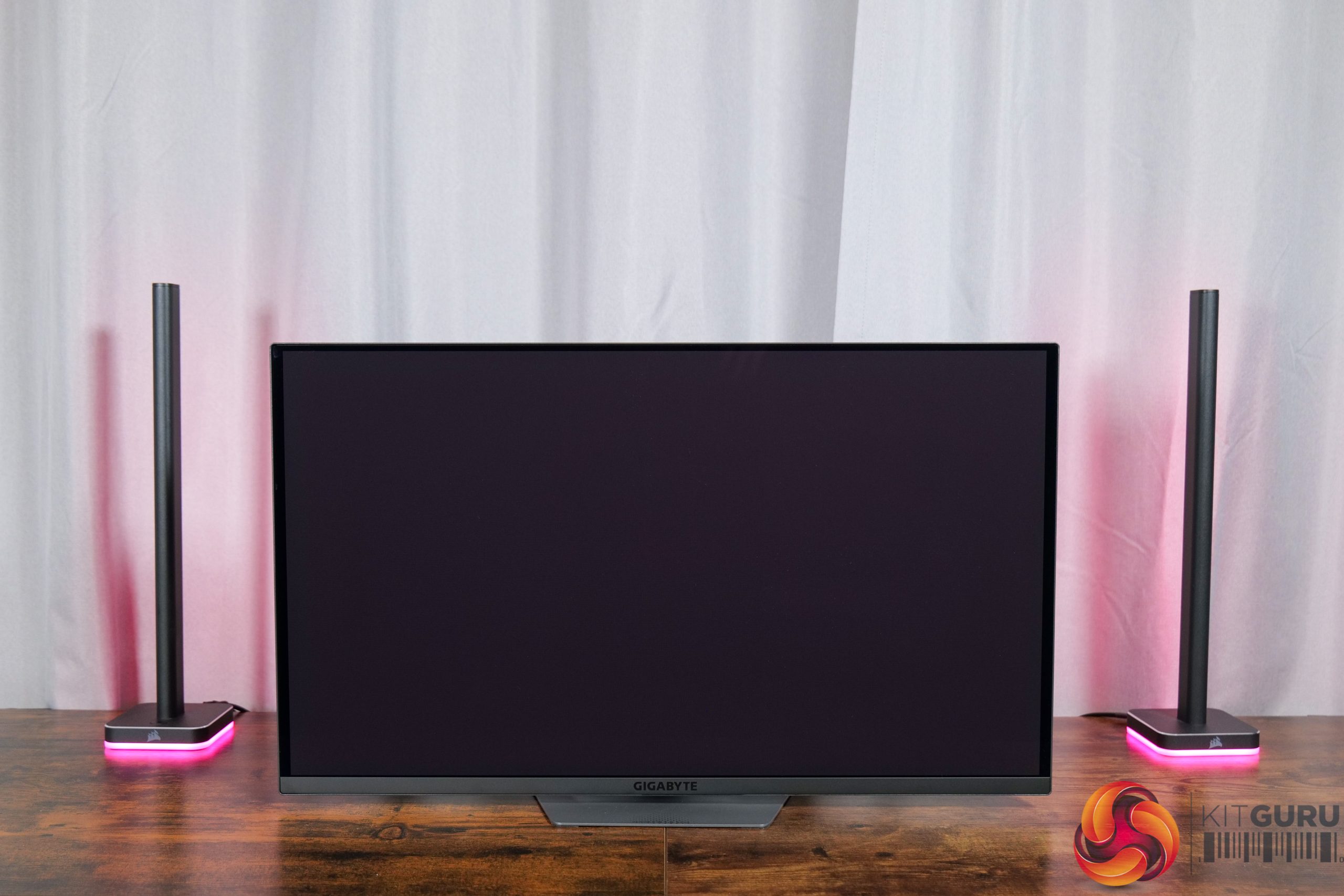
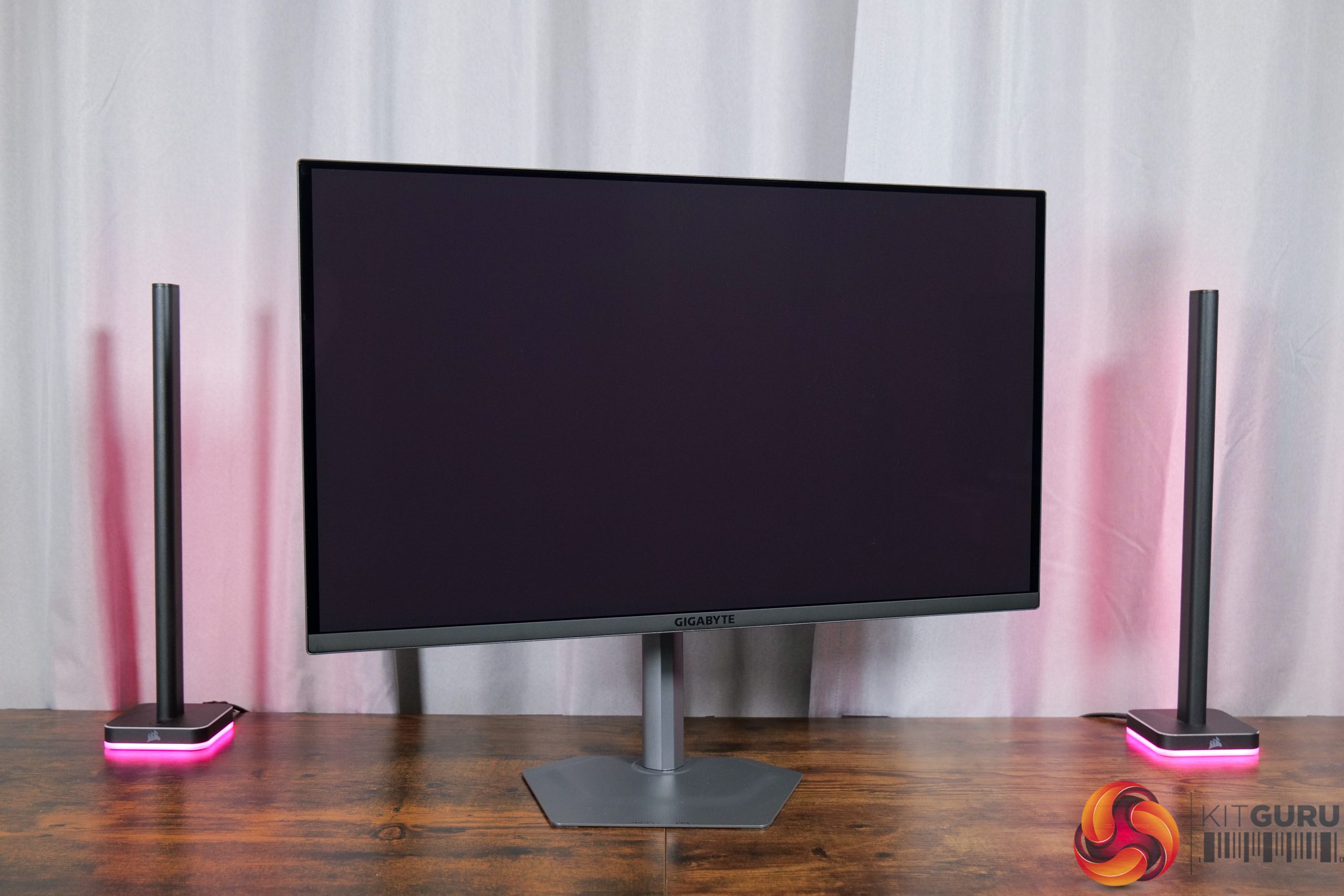

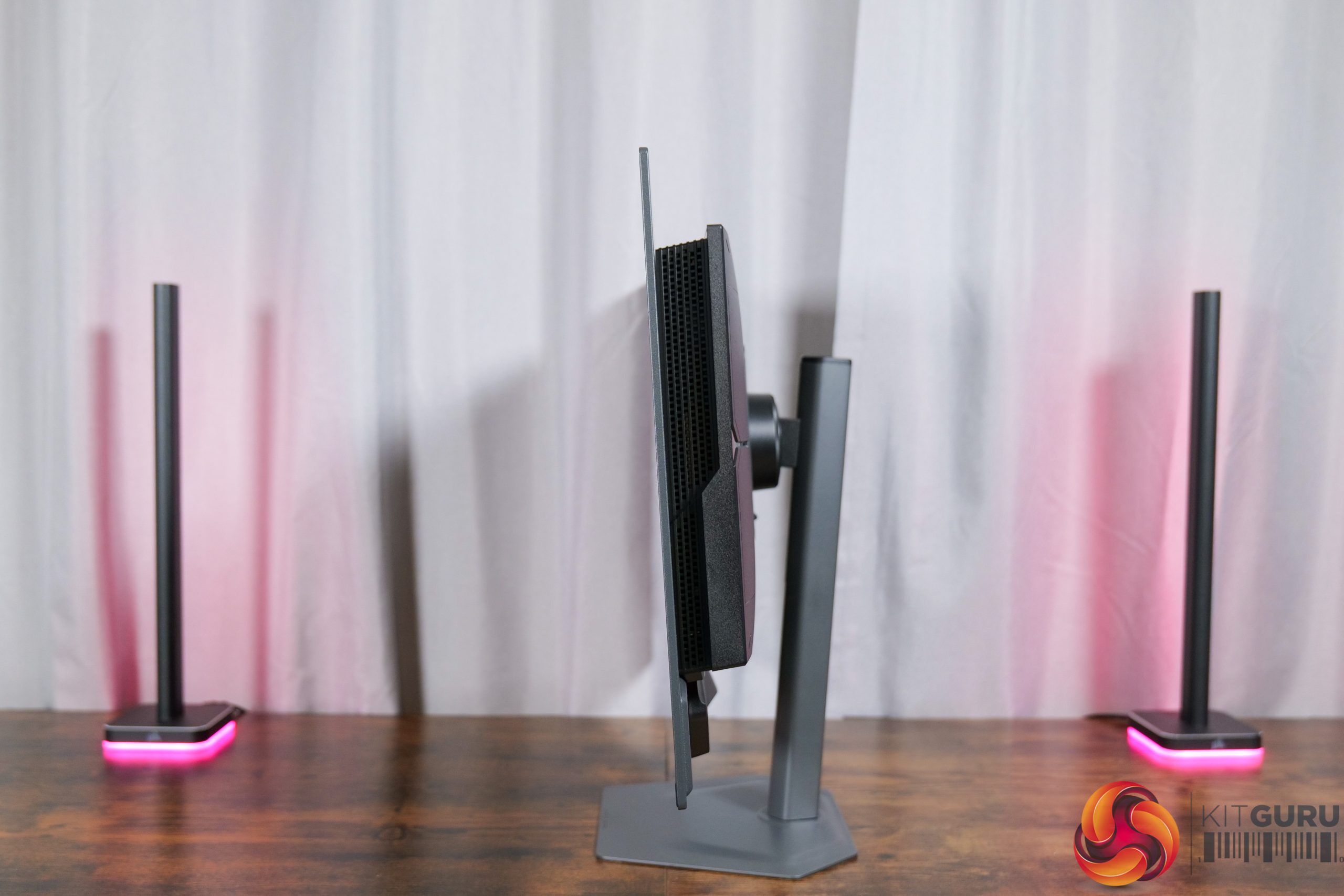
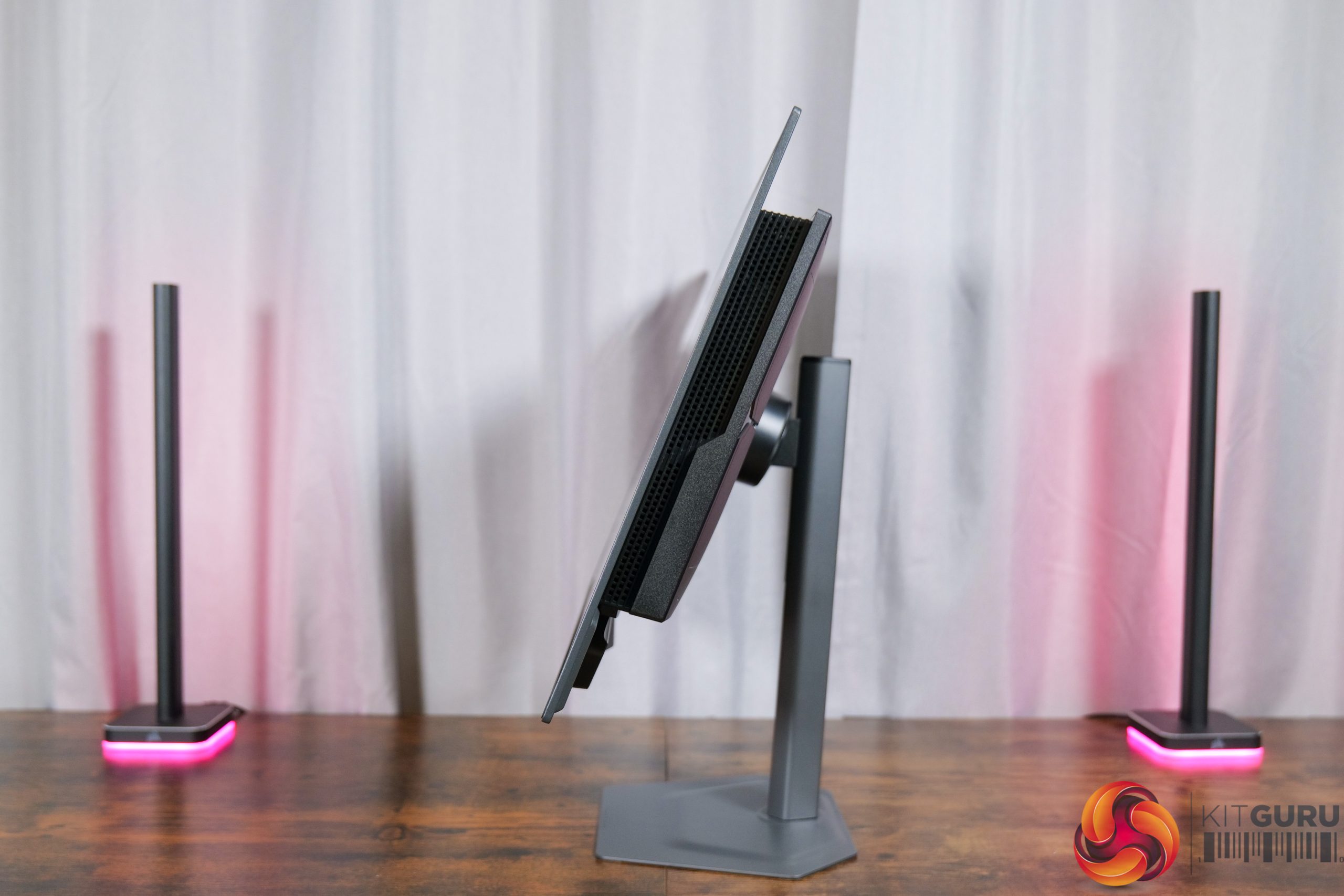
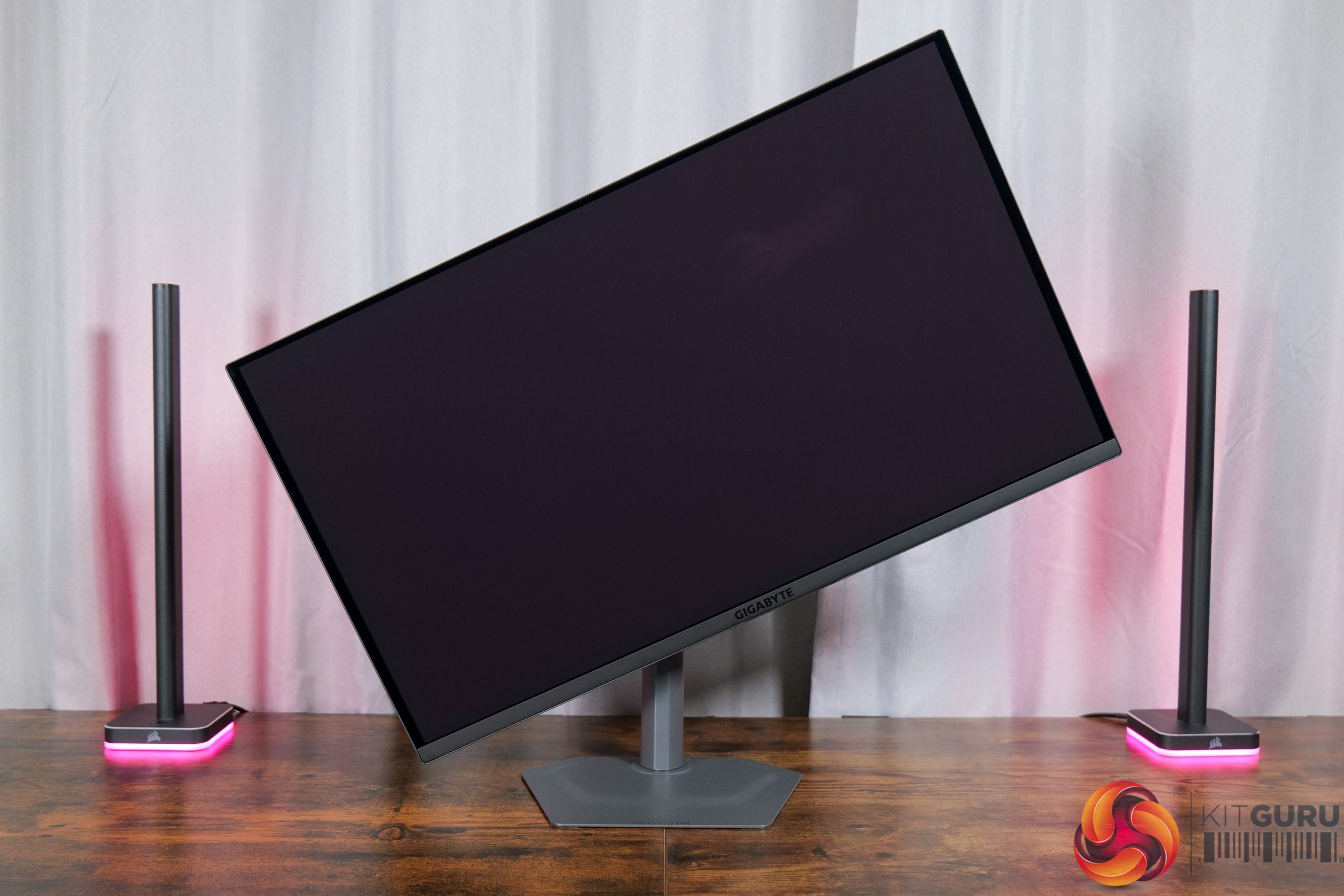
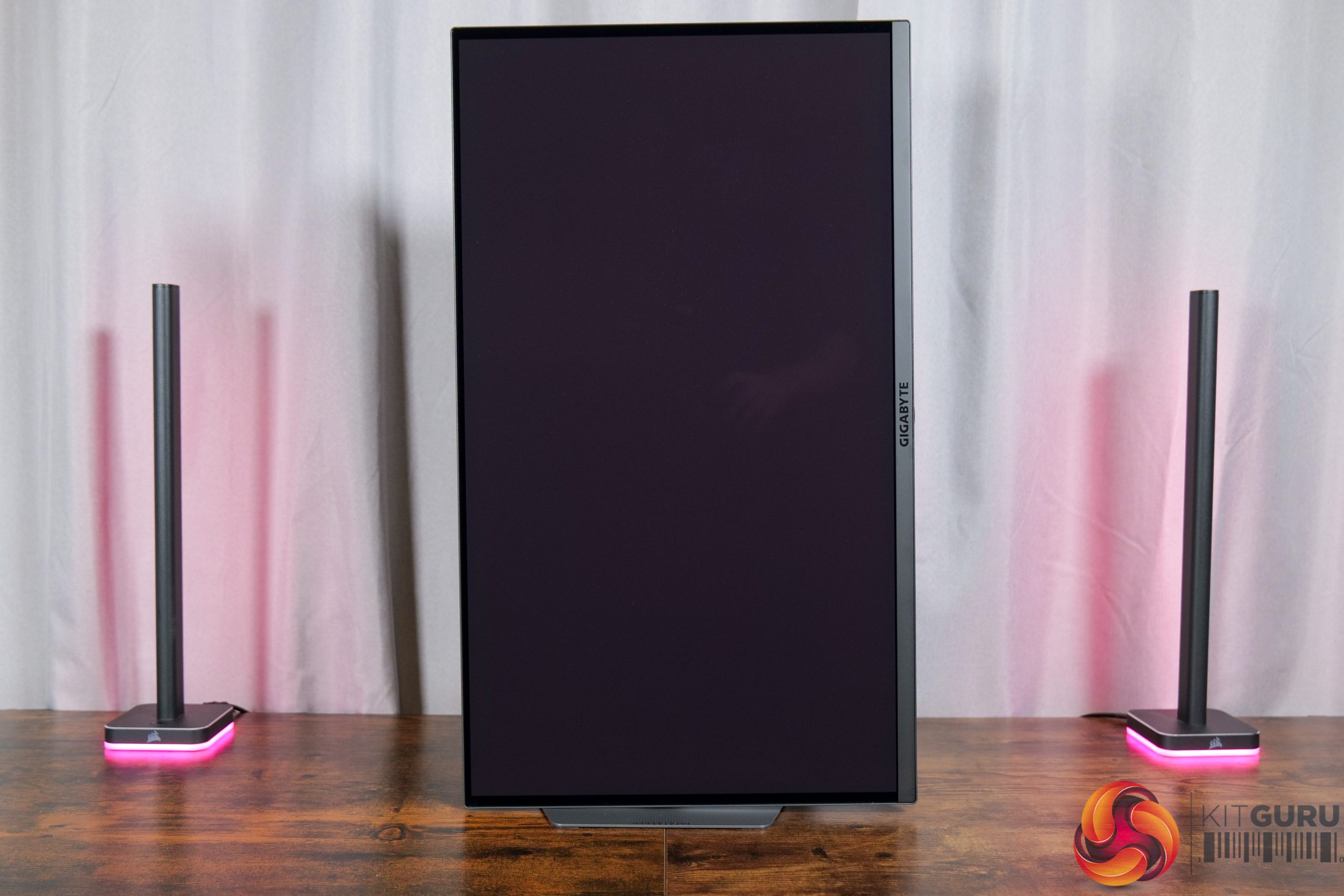
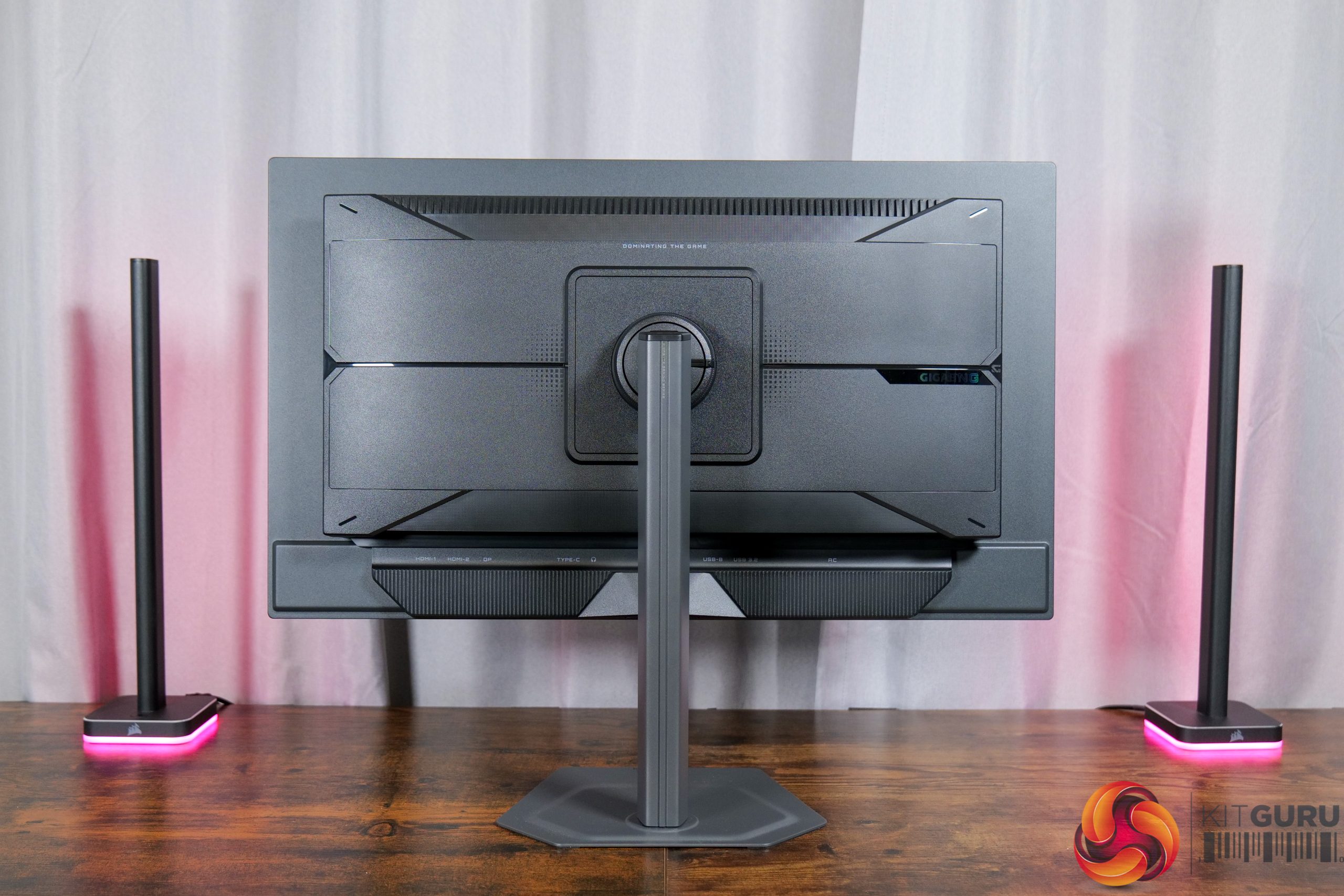
On top of that, the metal stand offers the full array of ergonomic adjustments, with up to 130mm height adjustment, 15 degrees of swivel both left and right, tilt from -5 to +21 degrees, alongside 90 degree pivot functionality. VESA 100×100 mounts are also supported.
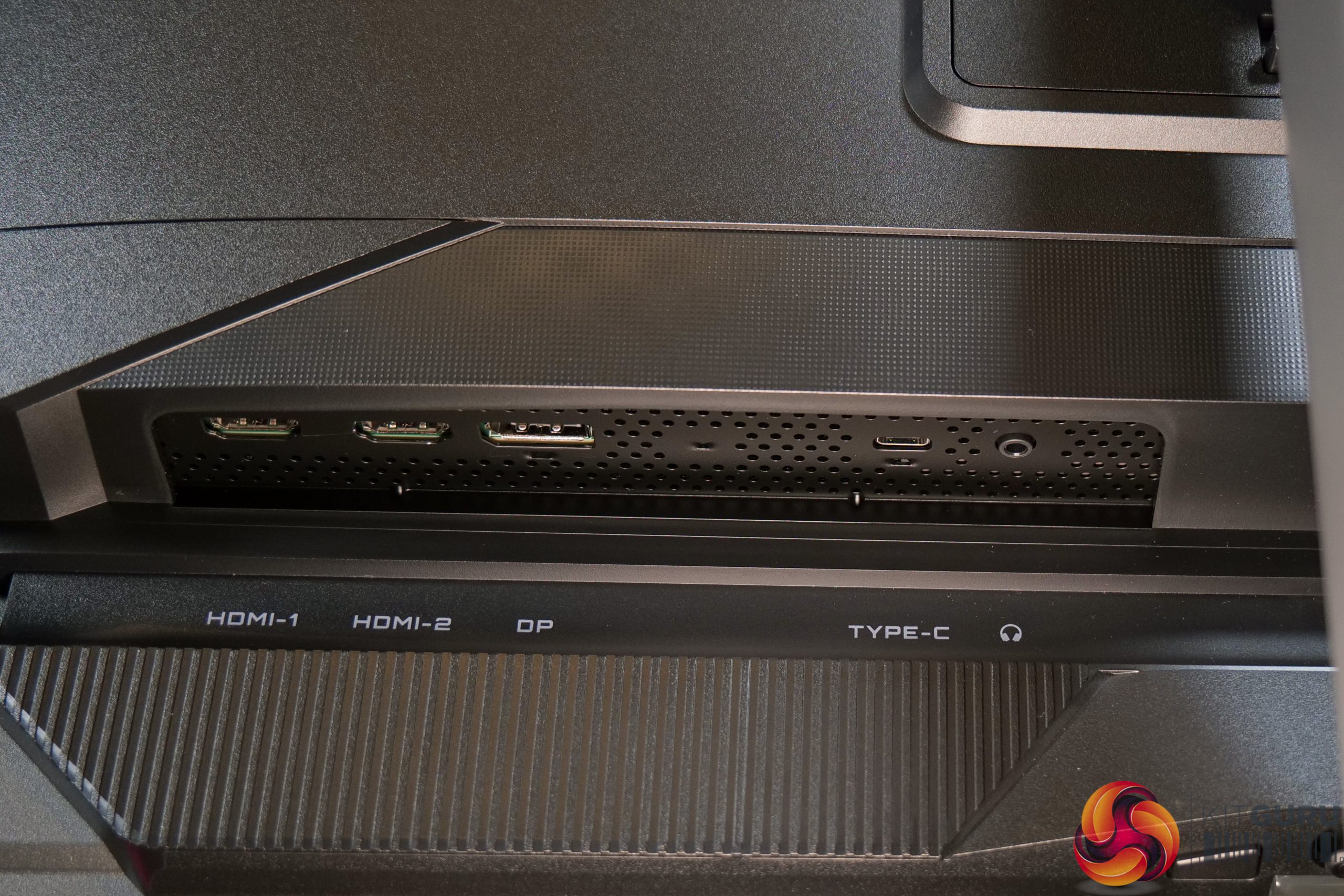
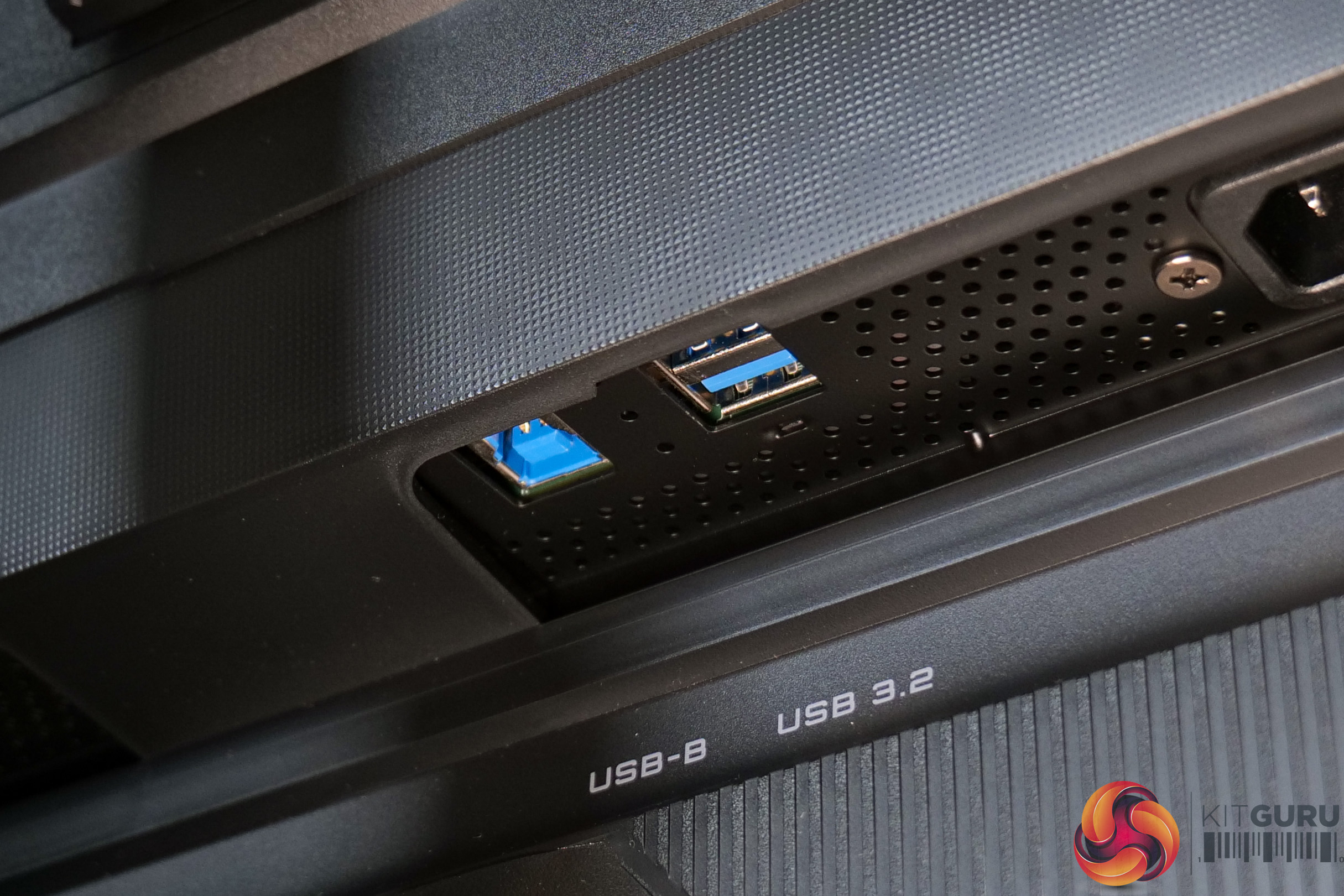
Connectivity options are also solid enough. There's two HDMI 2.1 ports and one DisplayPort 1.4, alongside a Type-C that supports DPAlt mode, 18W power delivery and KVM functionality. Then there's a two-port USB-A hub, fed by one USB-B upstream, and a headphone jack.

Lastly, we find an OSD joystick on the underside of the chin, flanked by a power button and one user-configurable button.
The OSD menu system is split into seven main tabs:
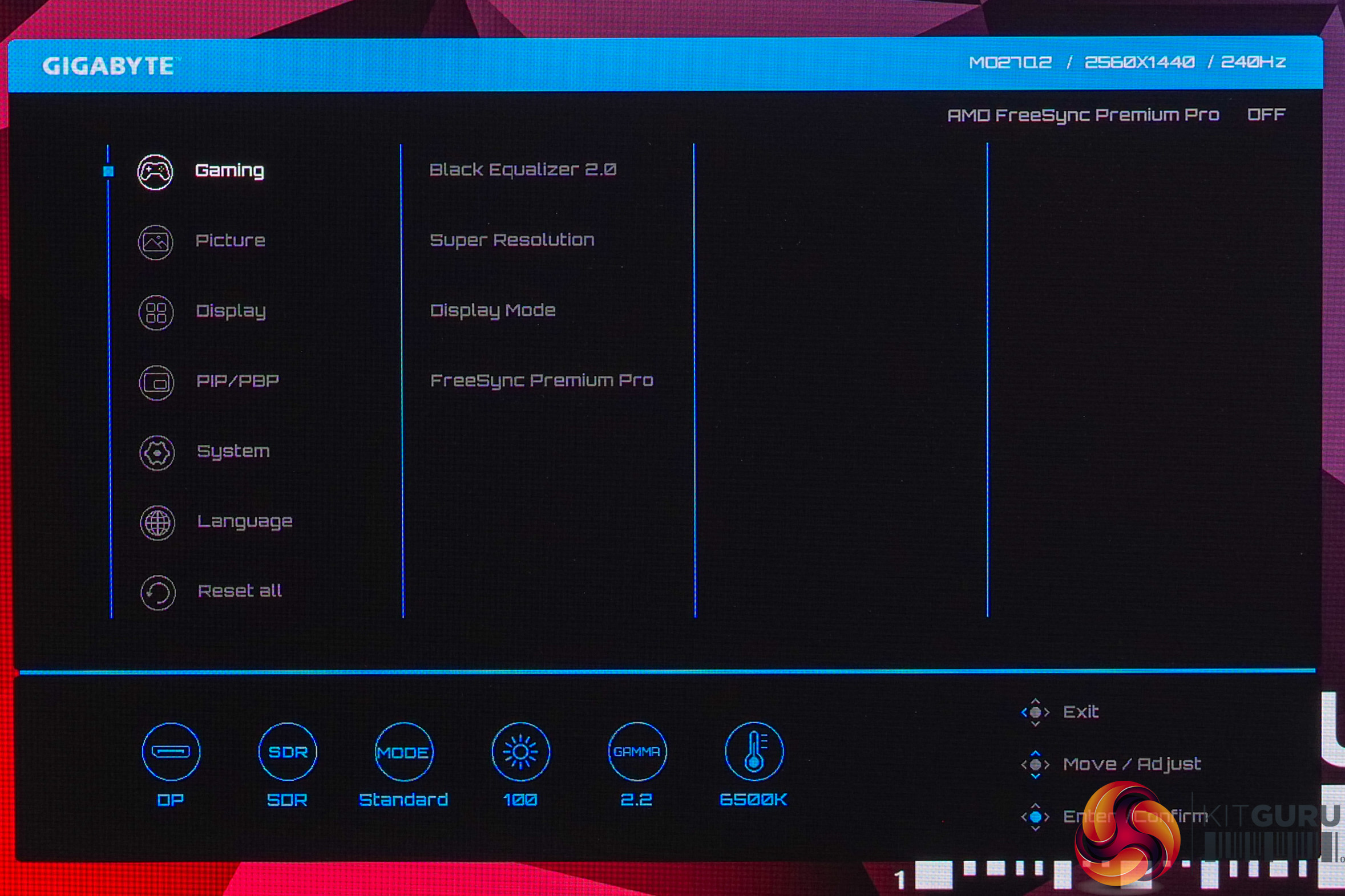

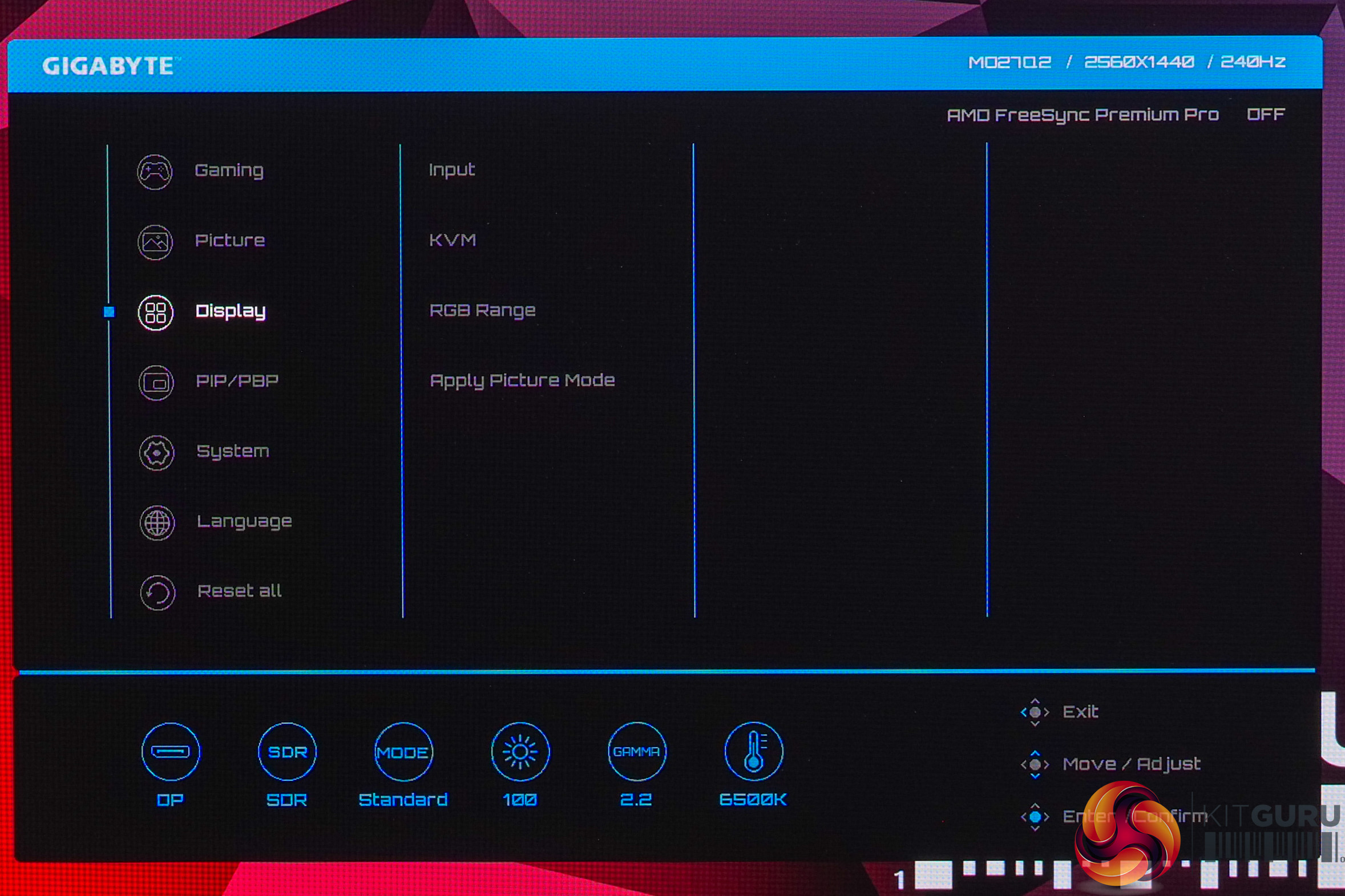
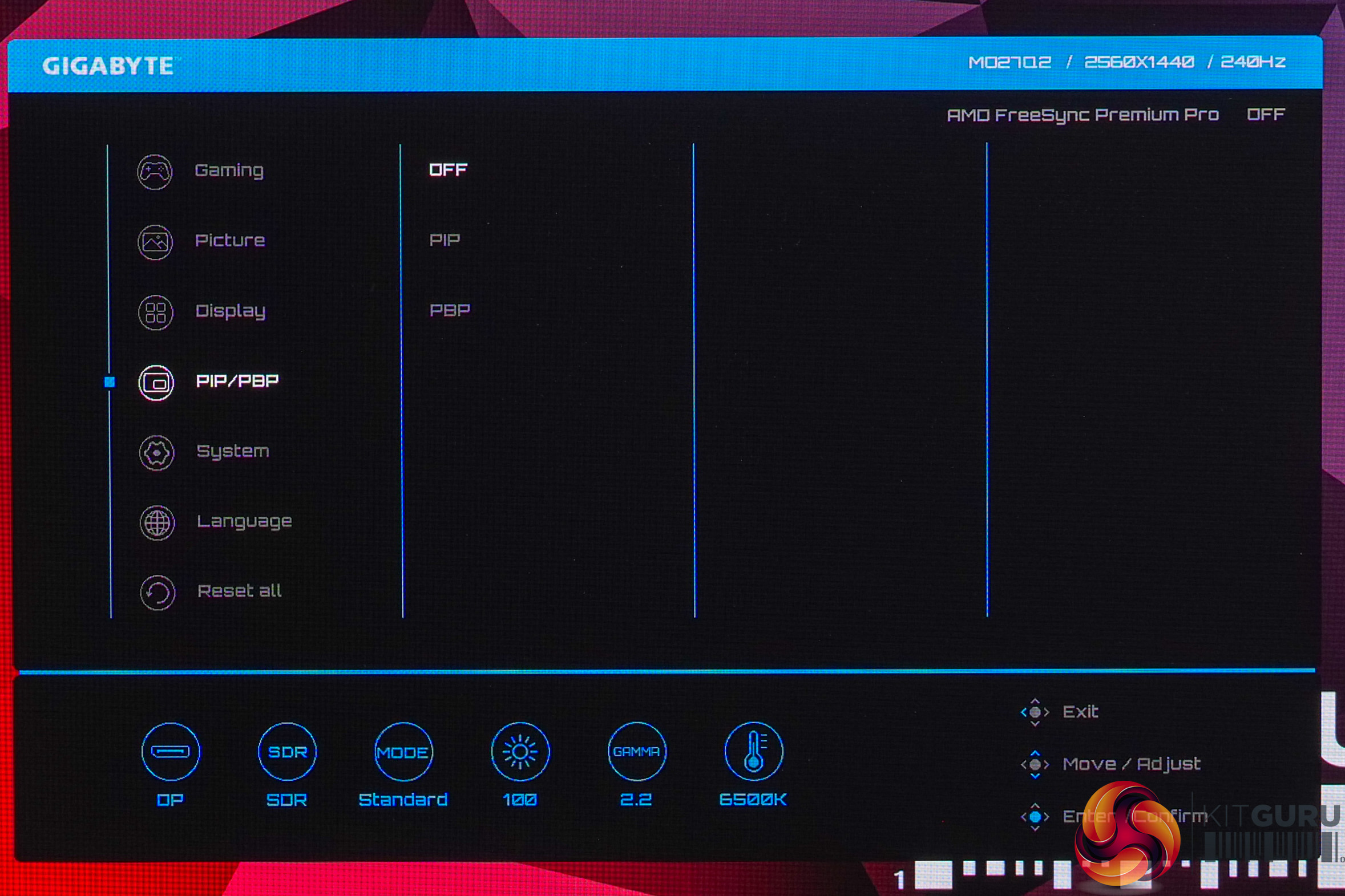
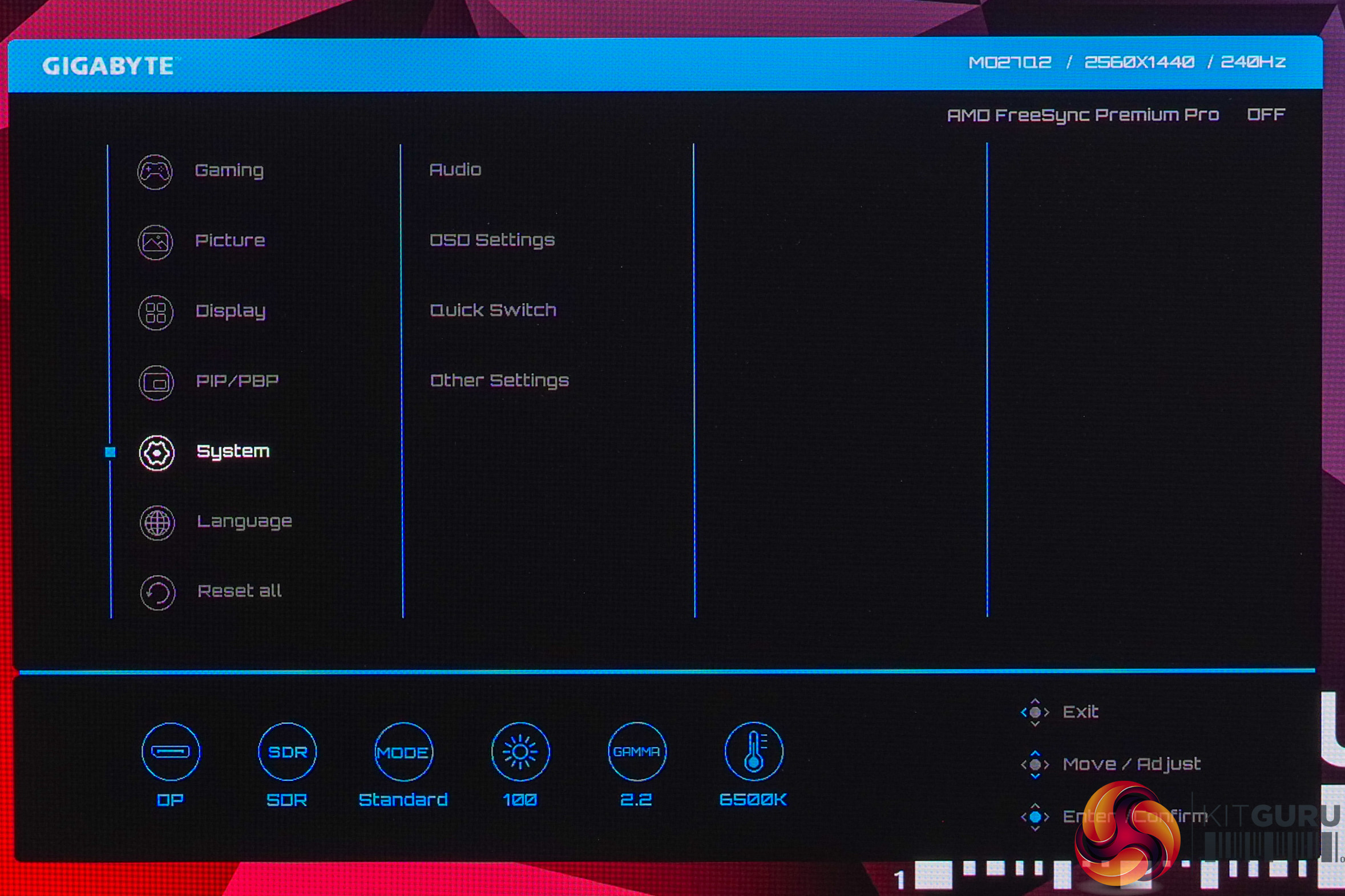
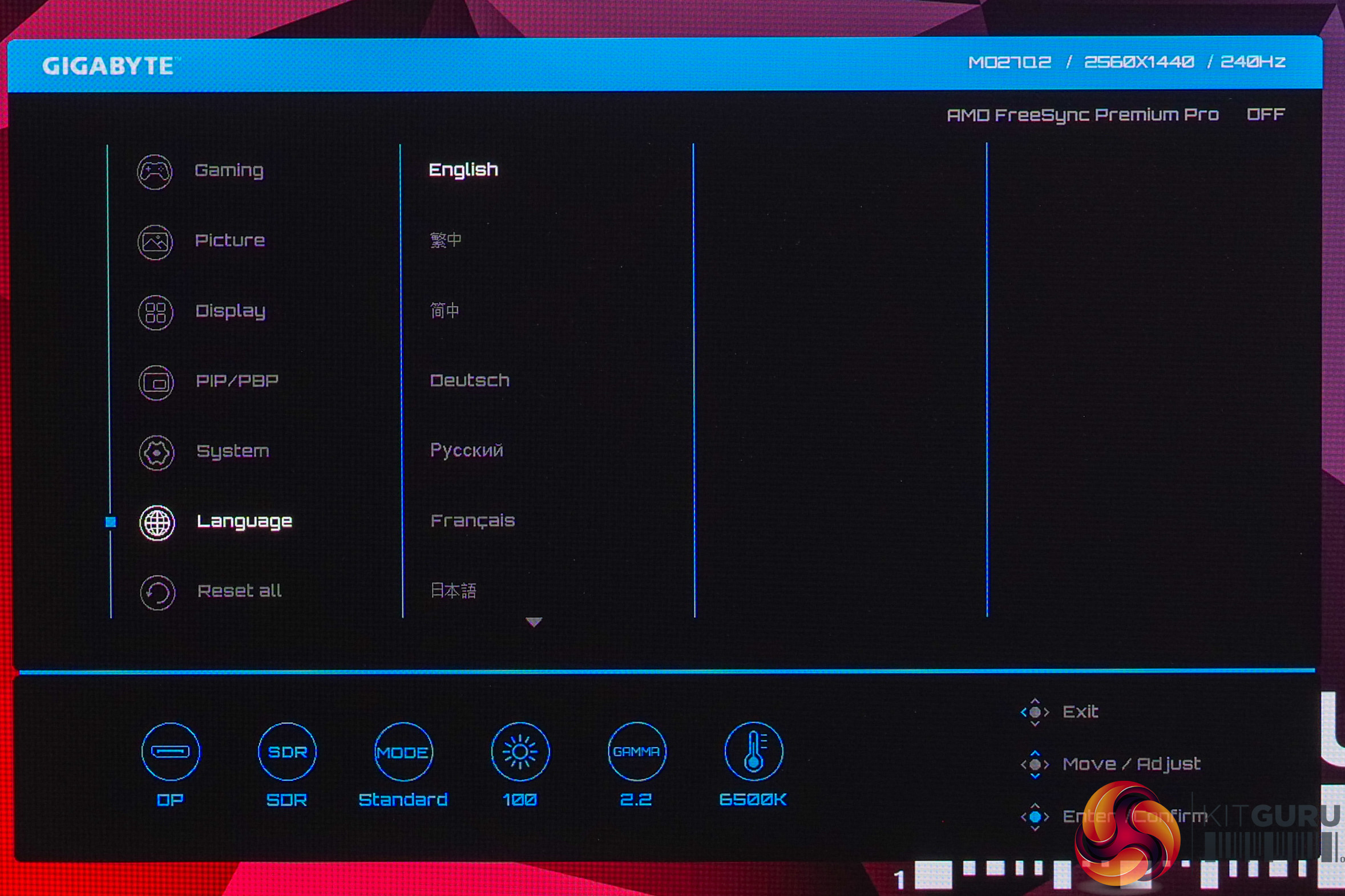
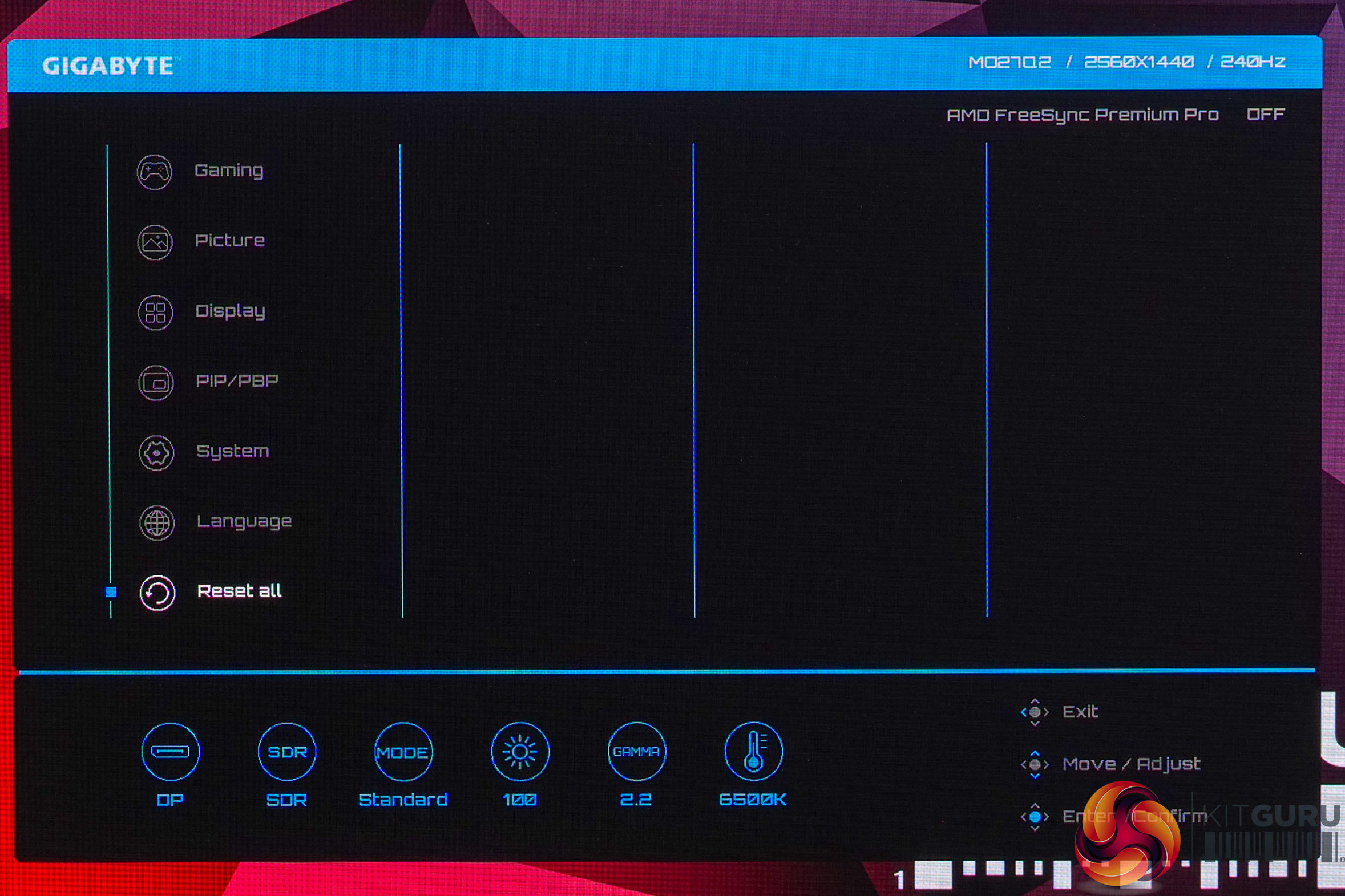
The OSD menu itself is very clean and easy to navigate thanks to the joystick, while also being feature-rich with plenty of colour space options, customisable shortcuts and more.
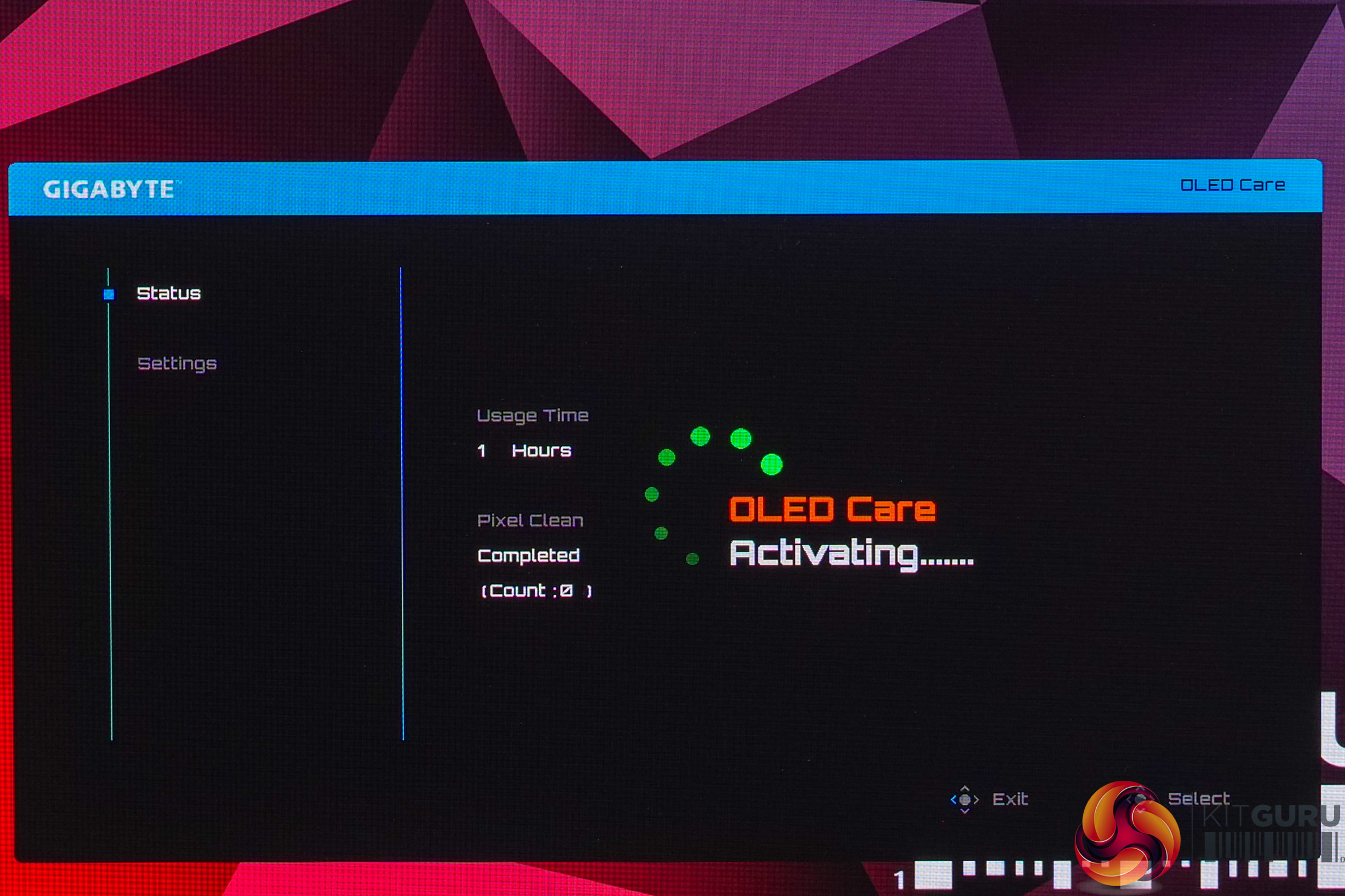
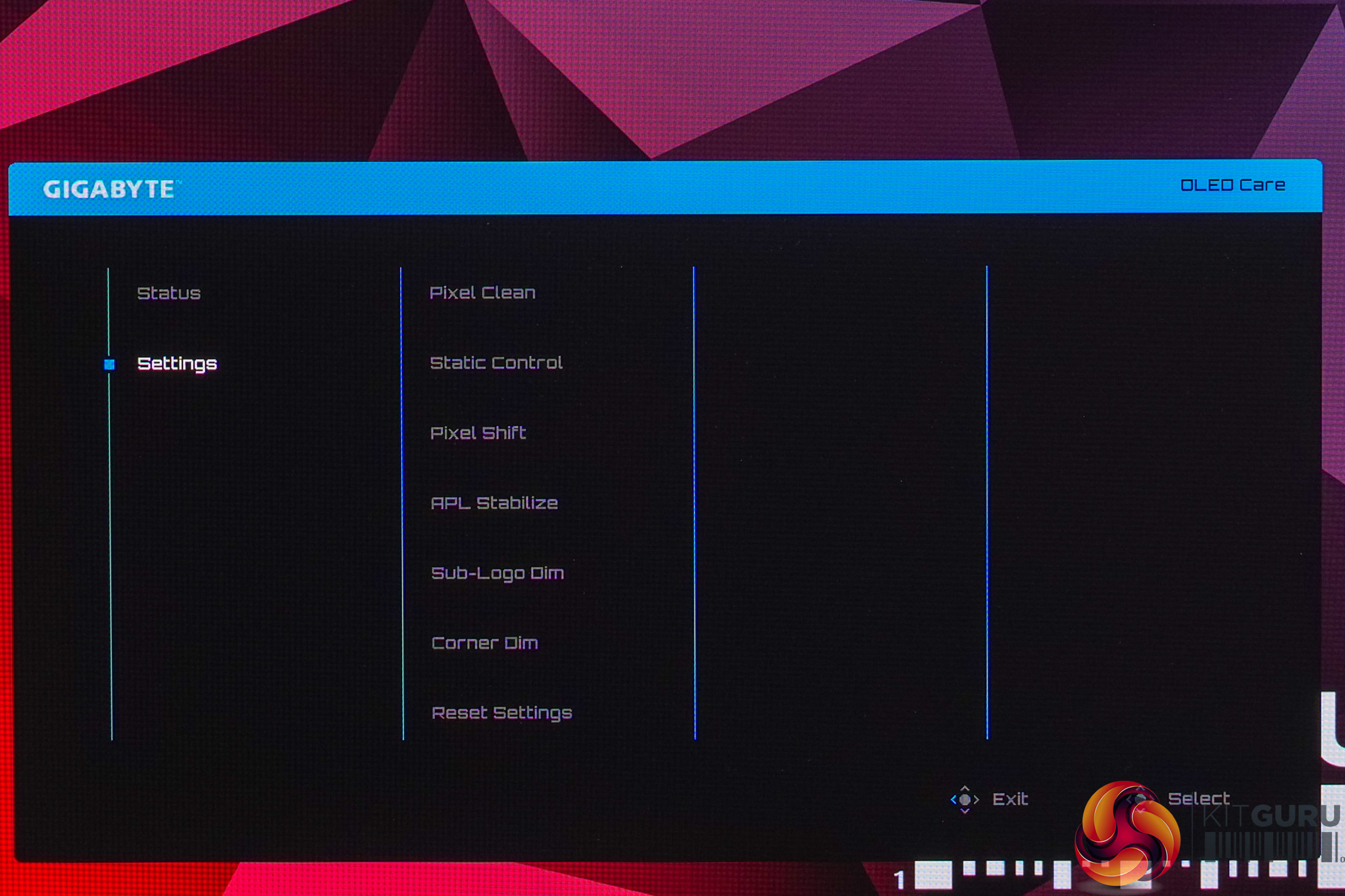
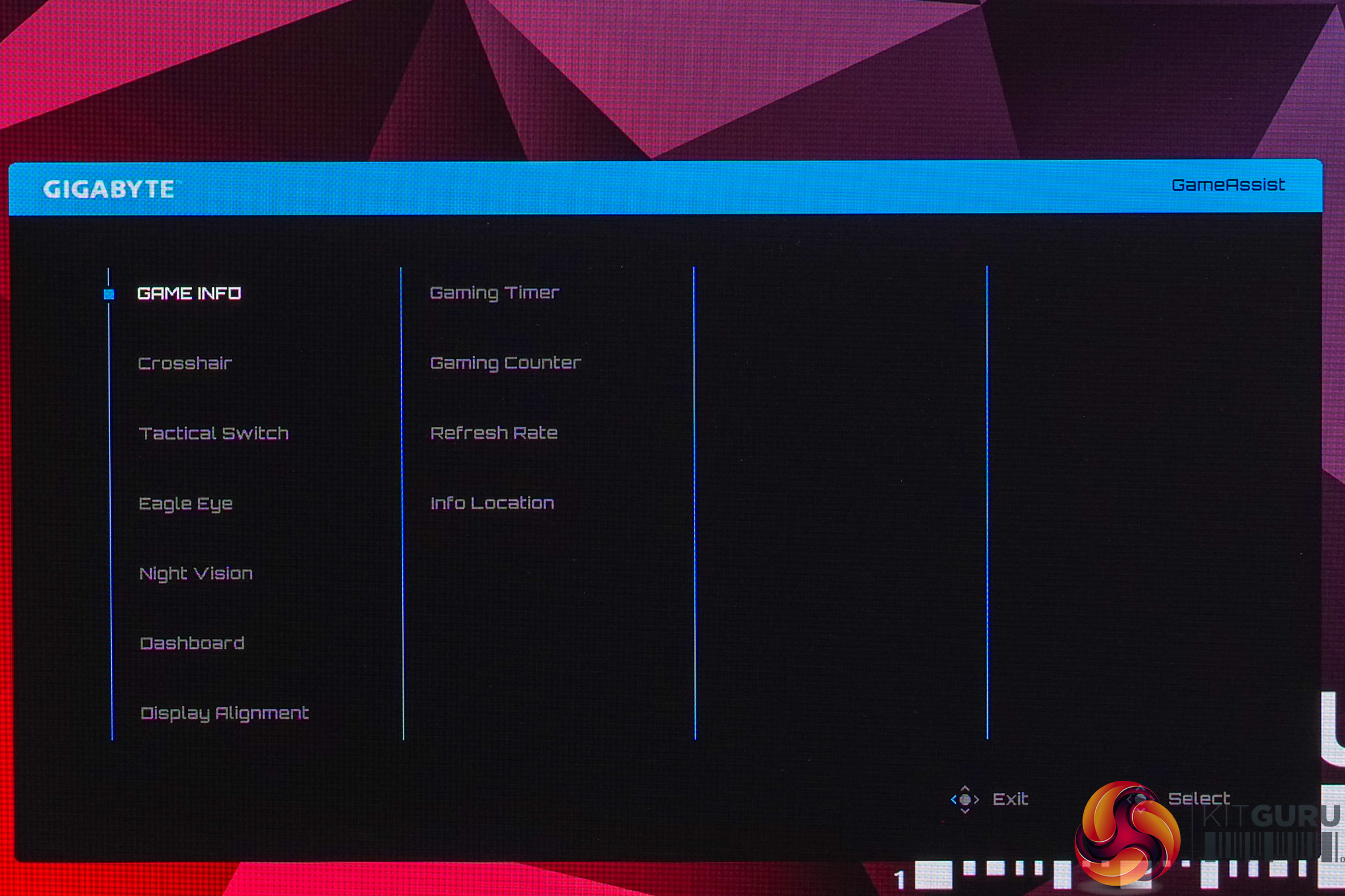
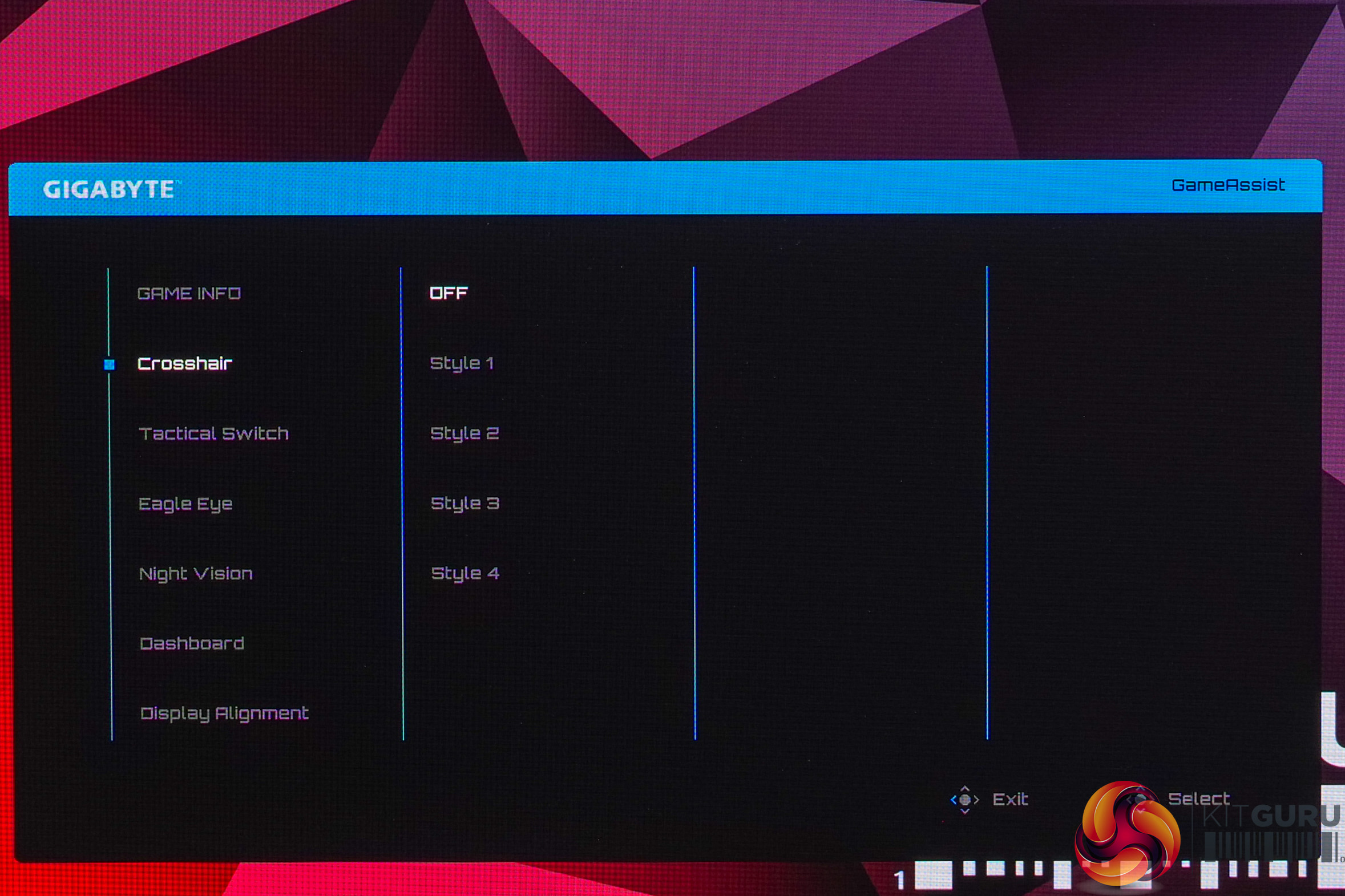

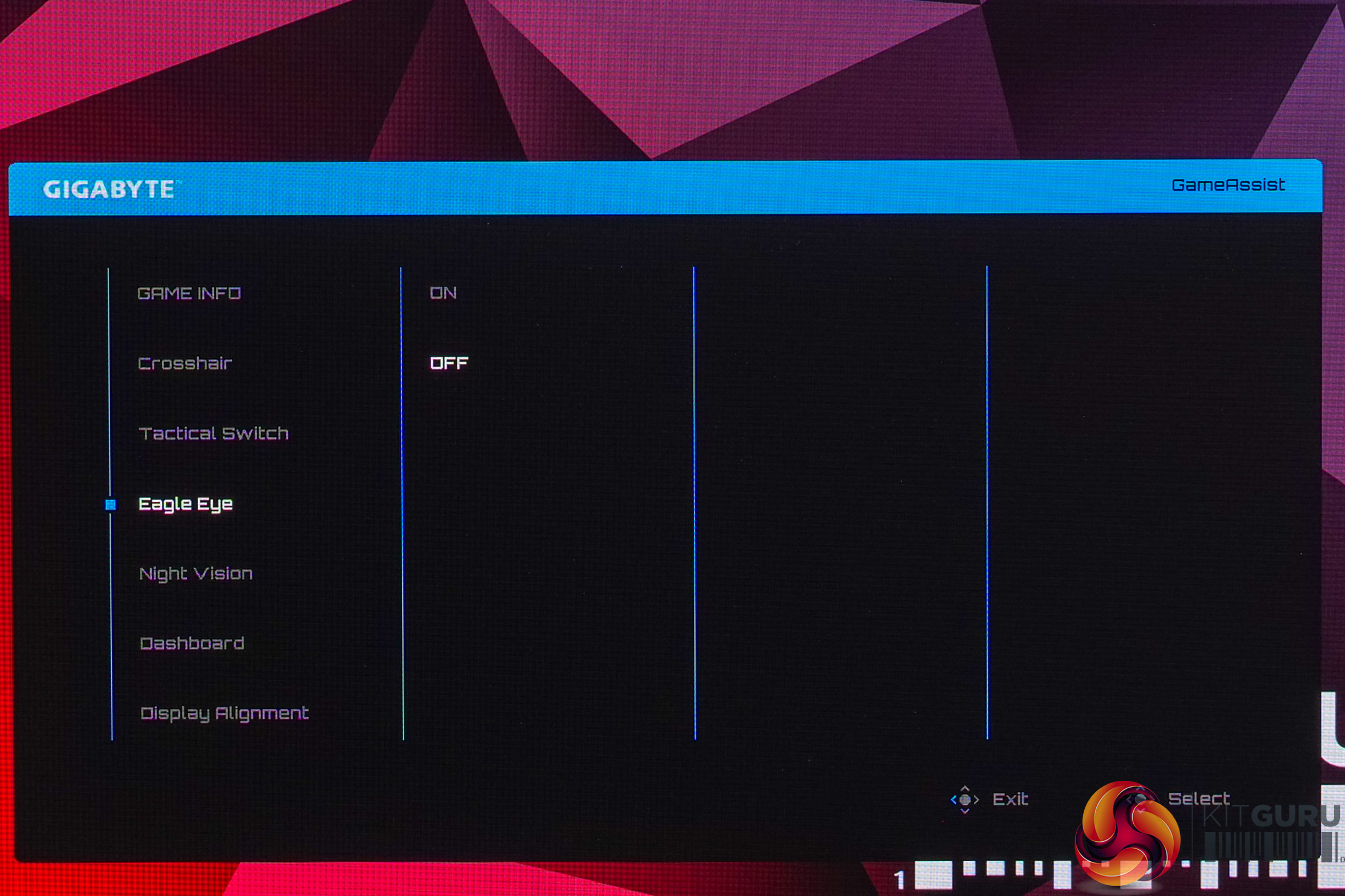
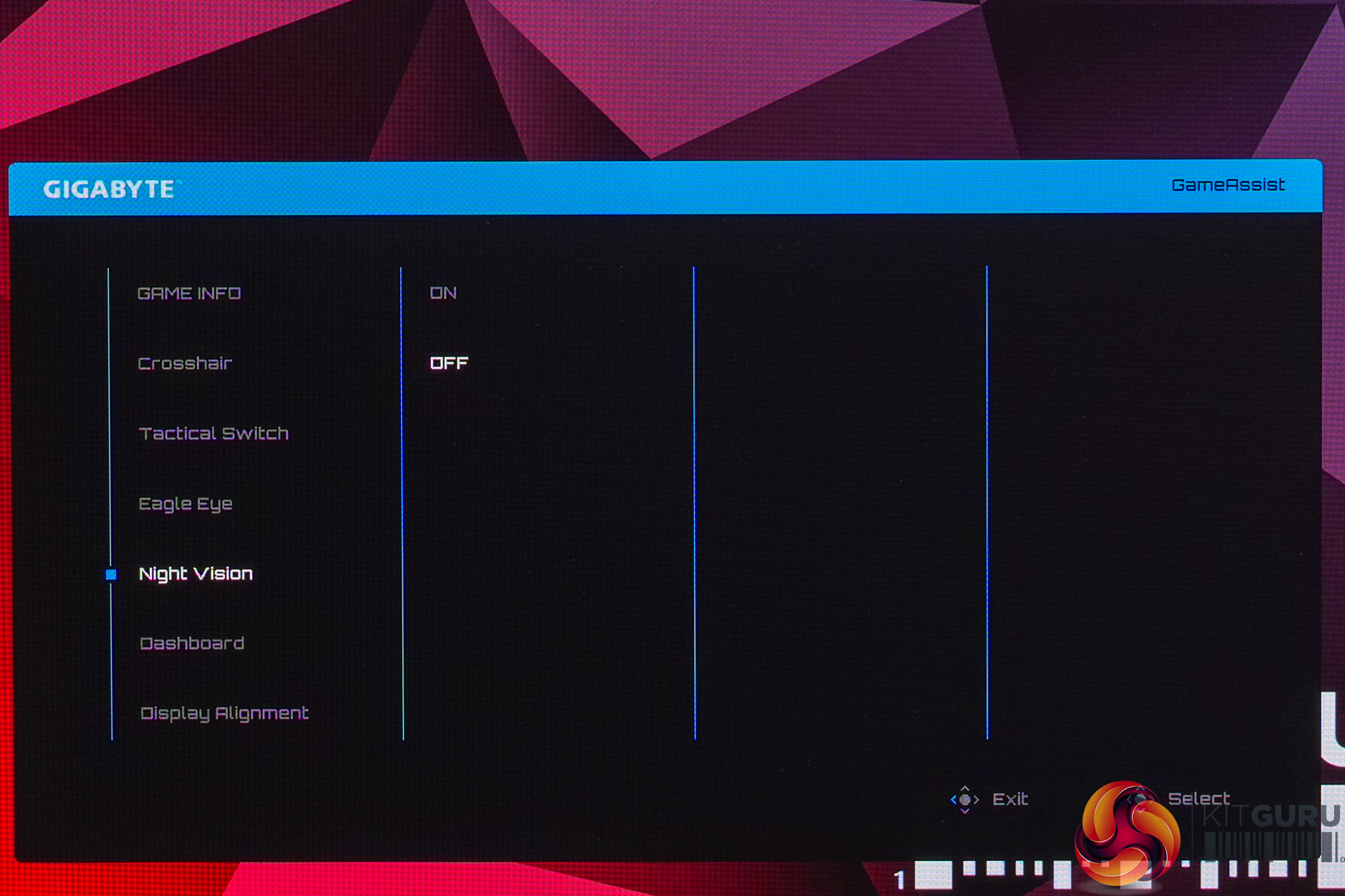
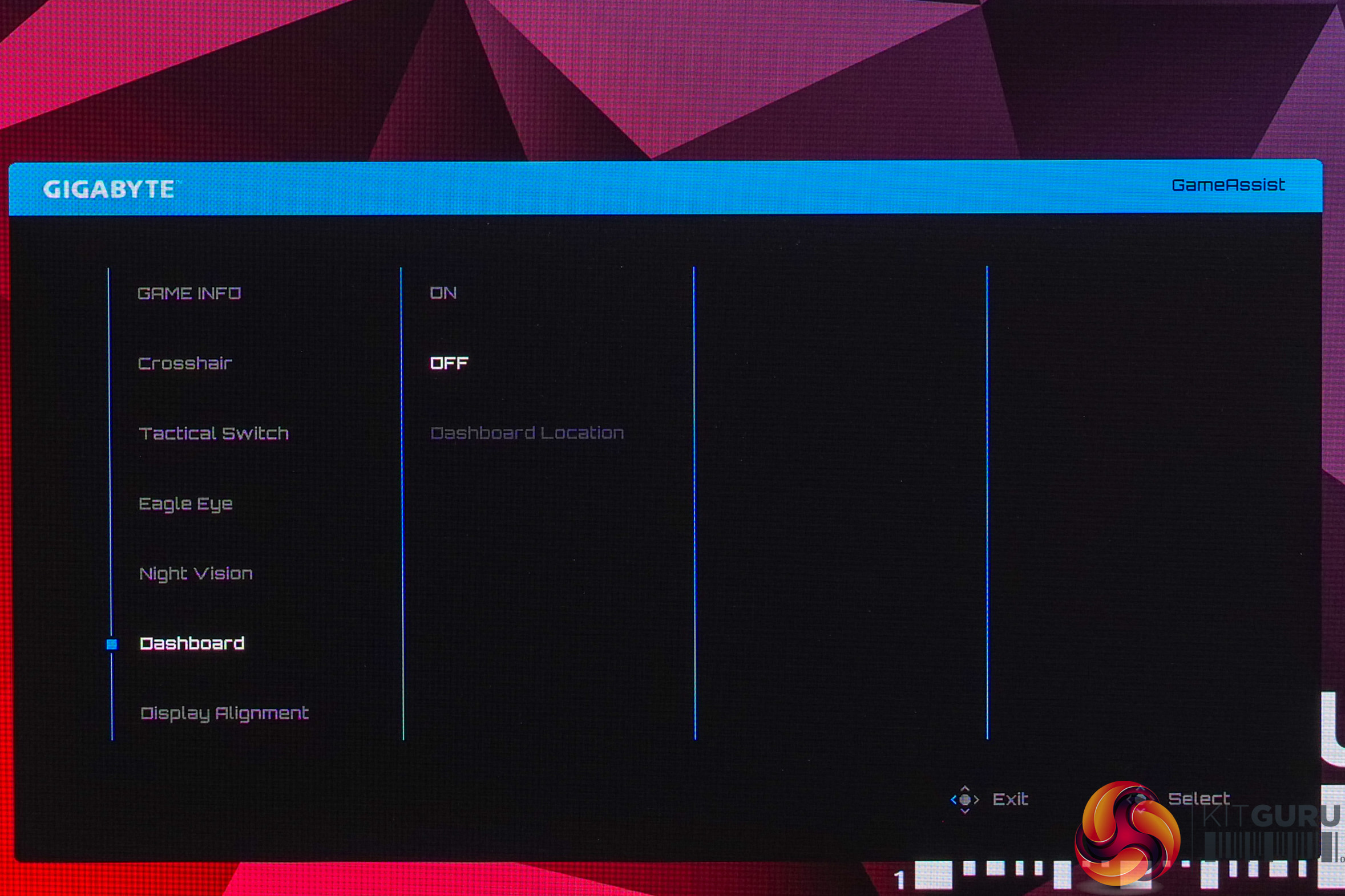
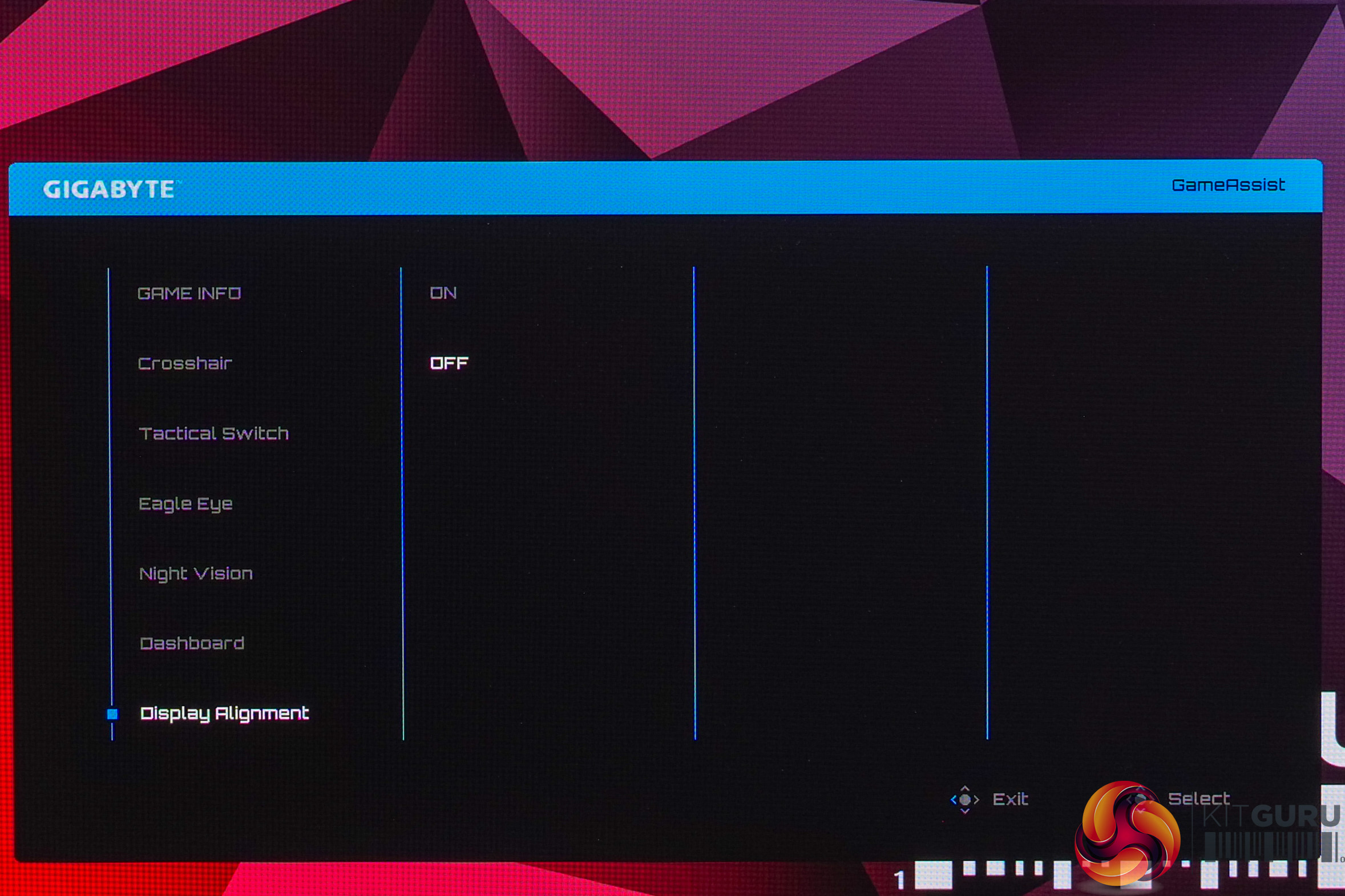
You may initially be wondering where the gaming or anti-burn features are, but these are actually housed in a separate menu which you can access via the joystick. There's more than enough here to keep even the most demanding user happy, so I have zero complaints.
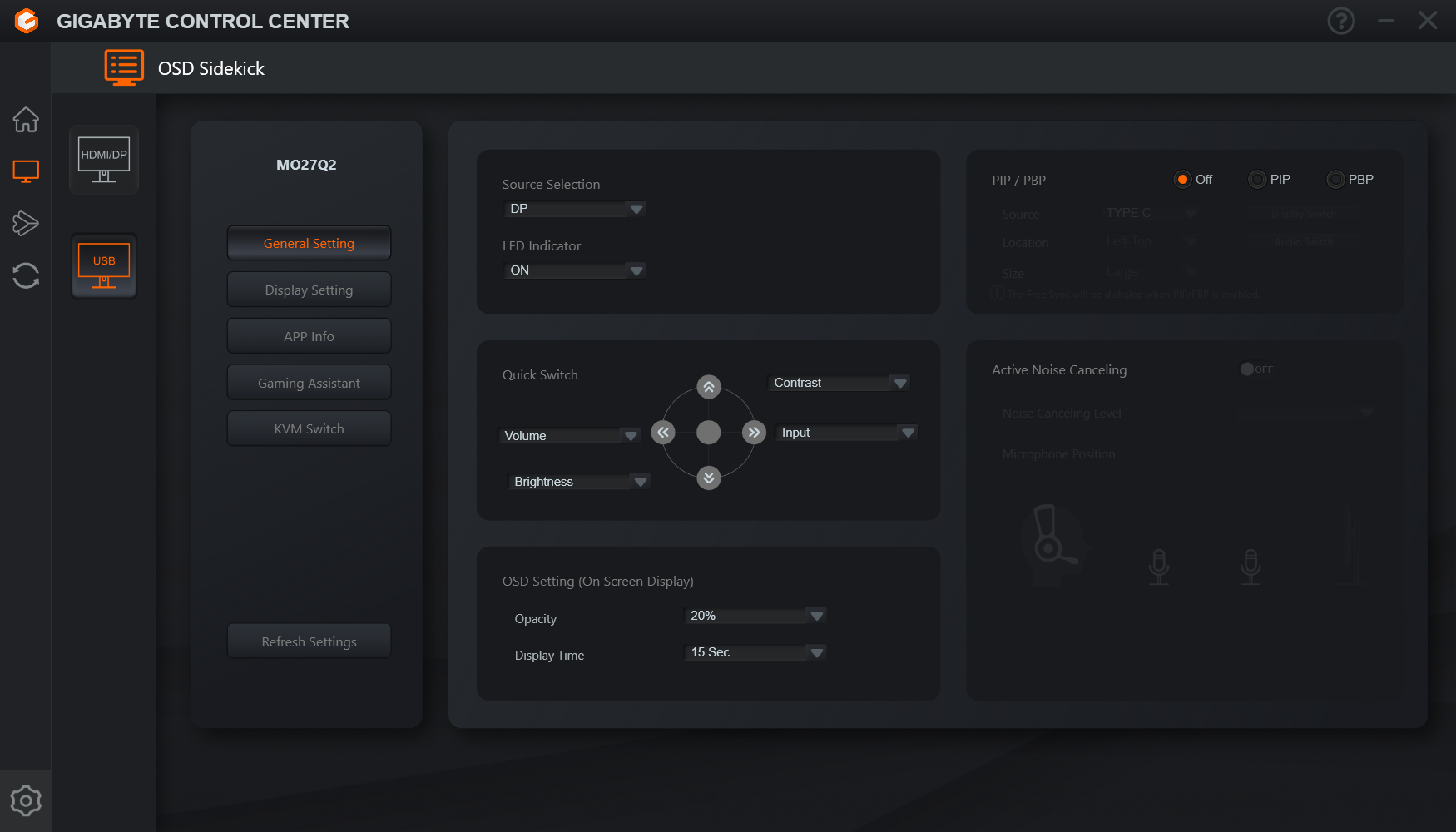
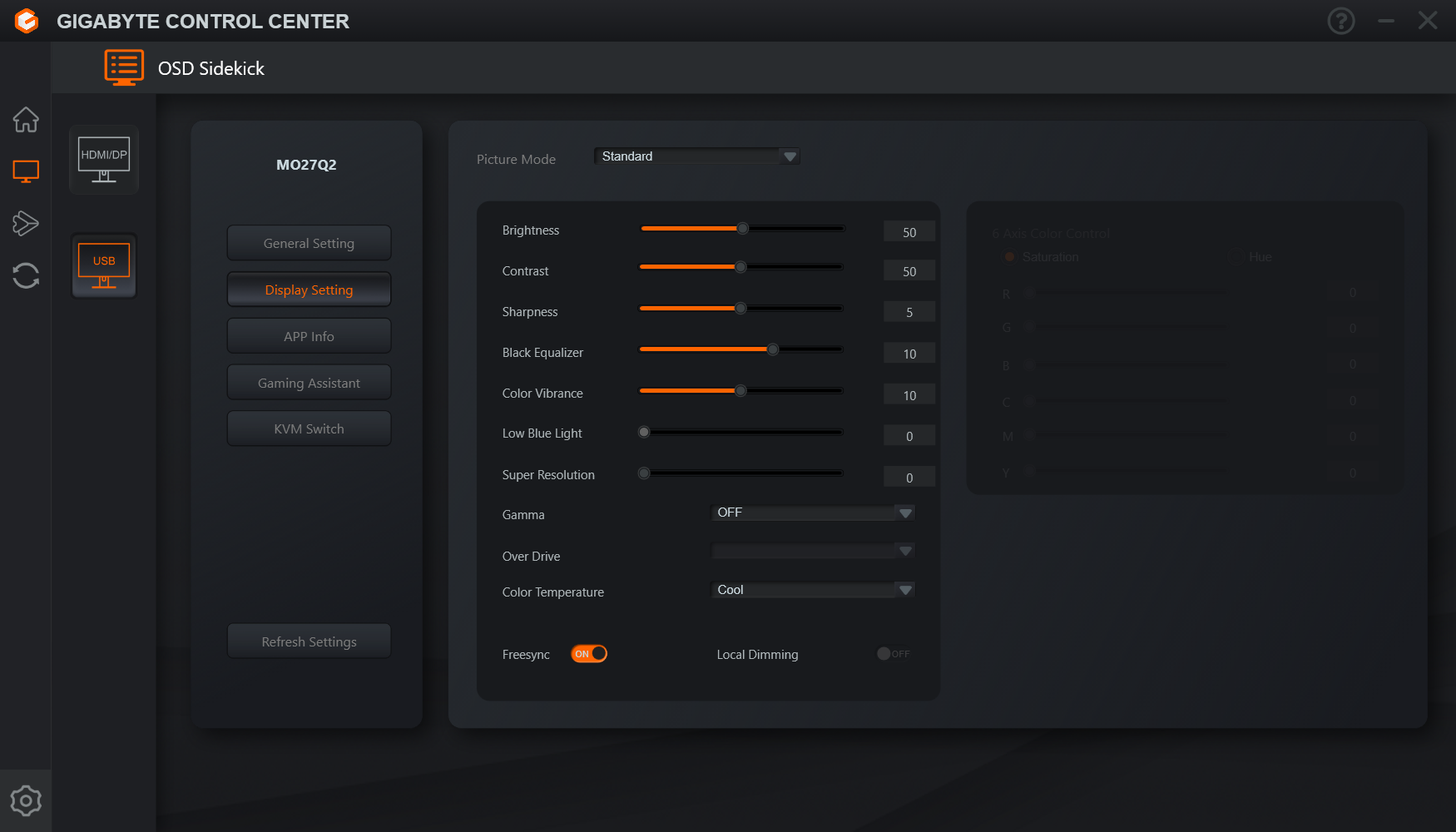
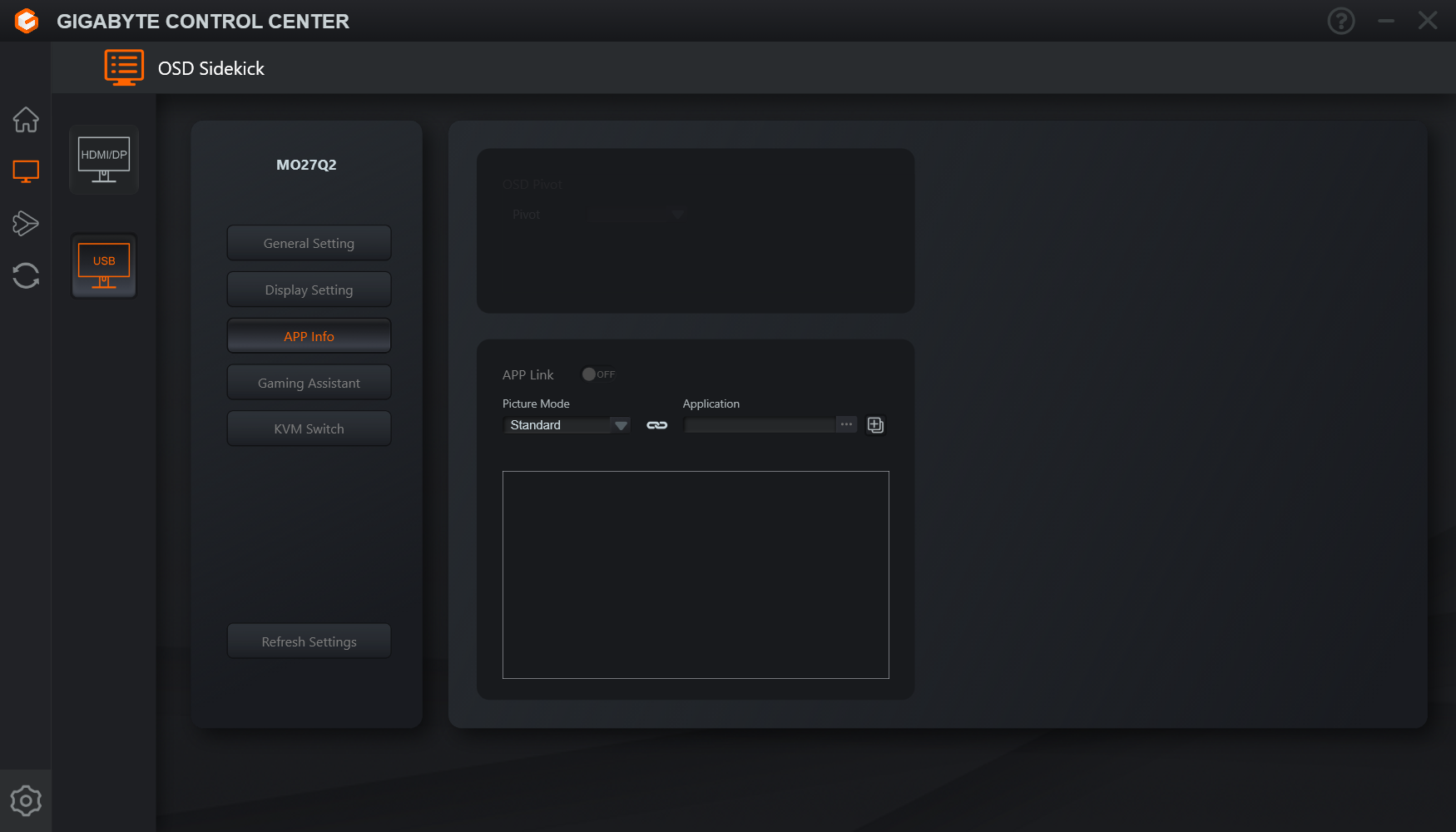
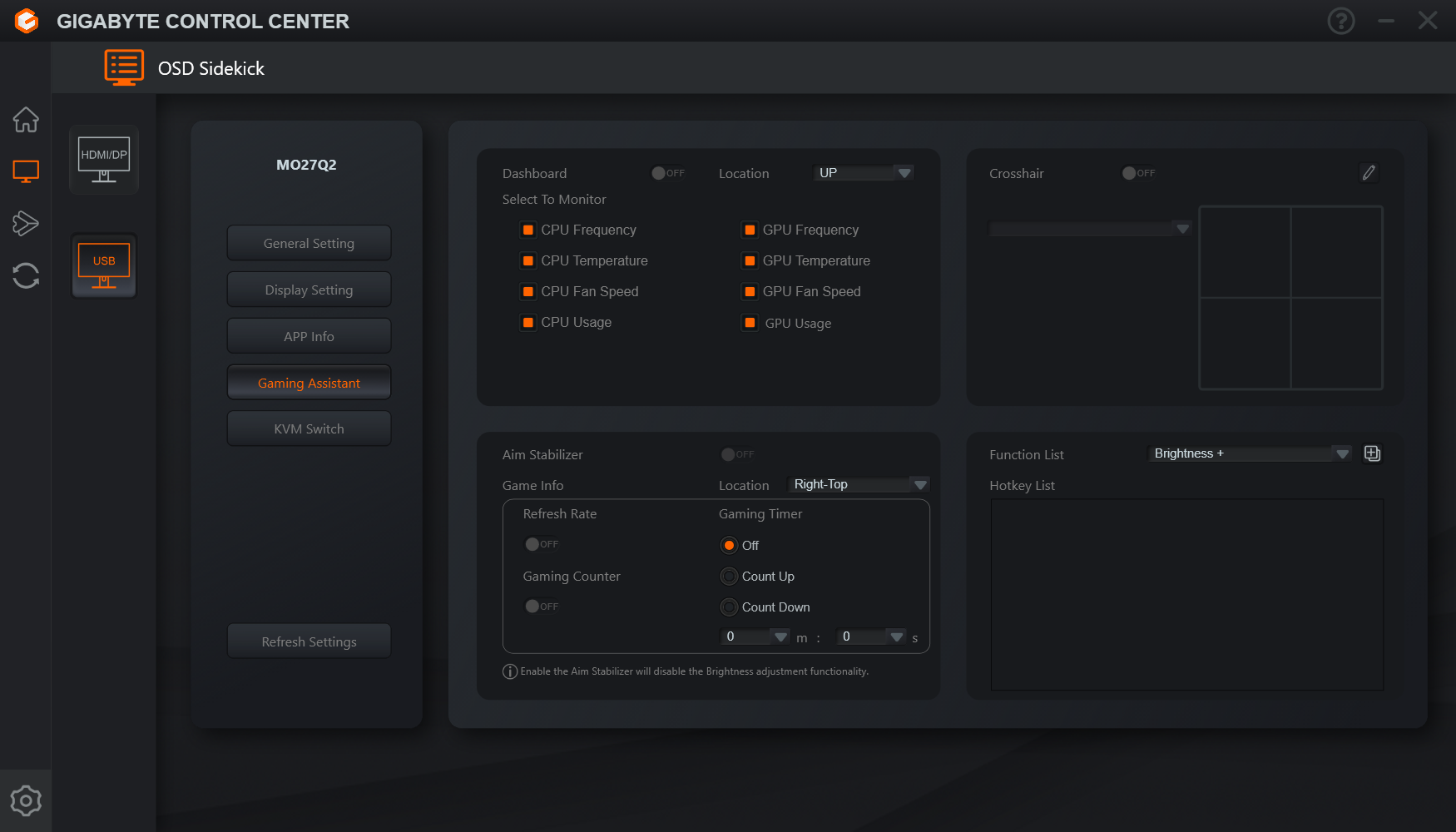
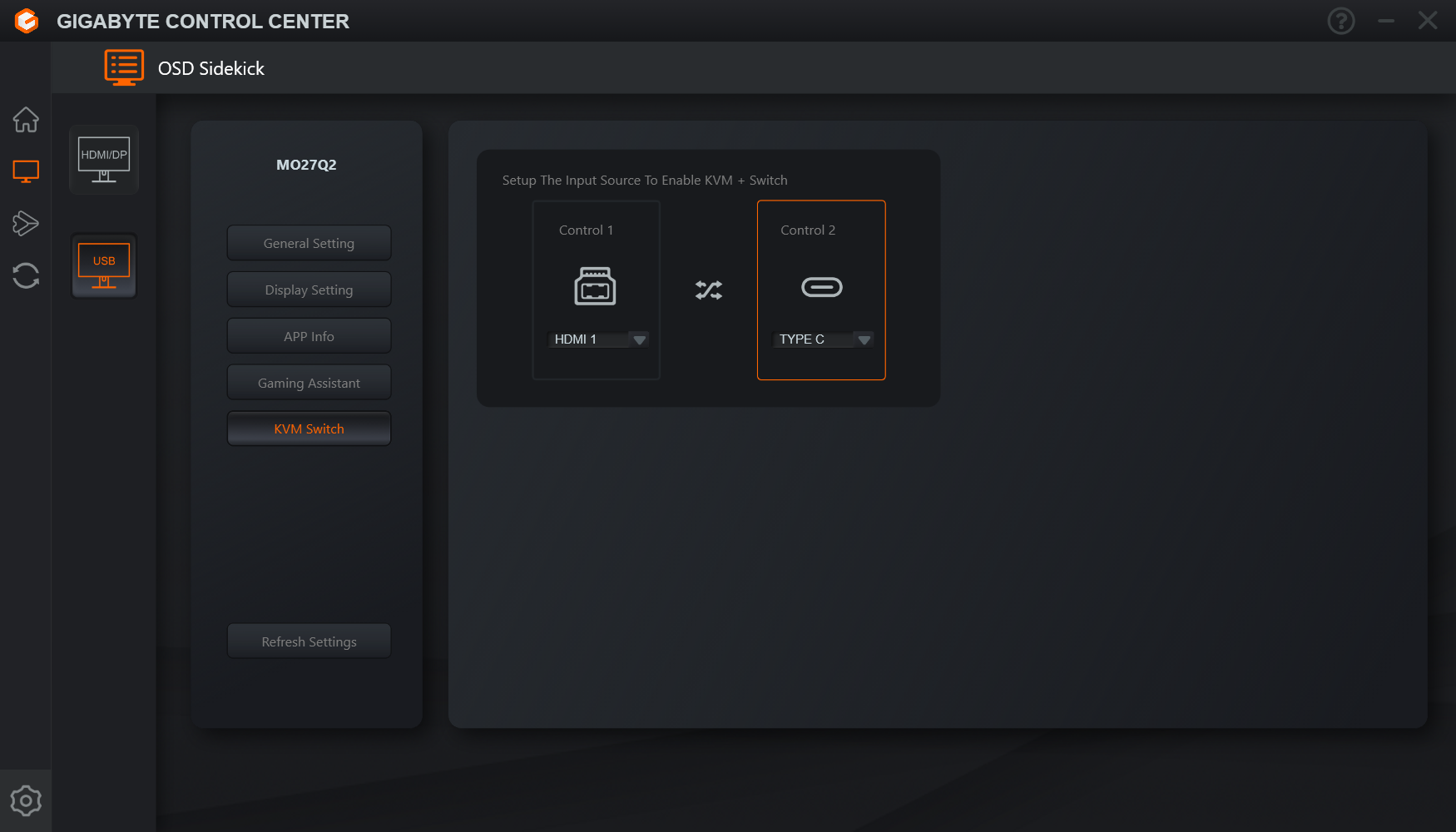
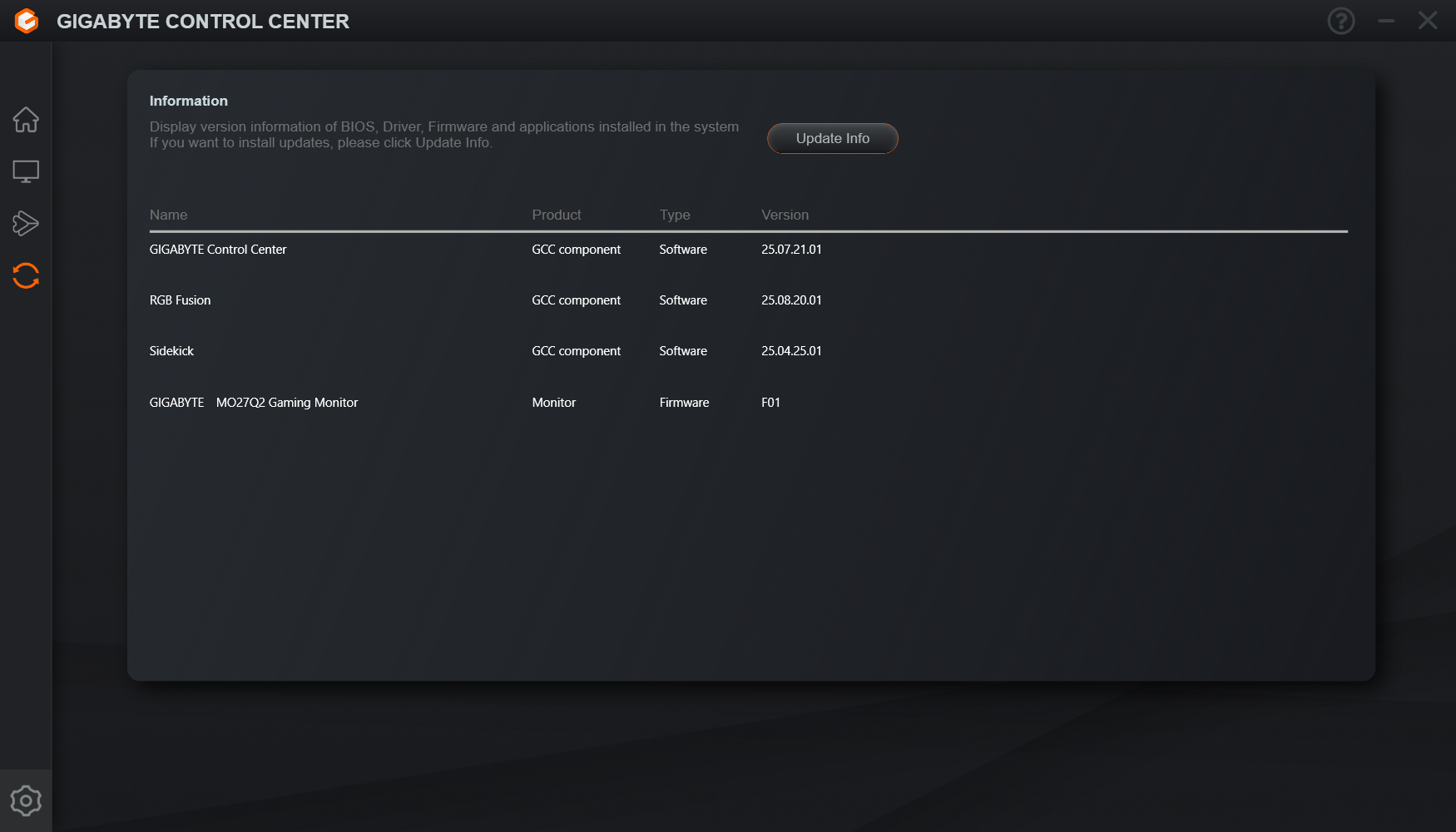
You can also use the Gigabyte Control Centre software to control the screen's options, giving you control over most functionality from your desktop. This also shows the current monitor firmware, but Gigabyte haven't yet confirmed to me if user-upgradable firmware is a possibility on this monitor, but we will be sure to update the review if we hear back.
Our main test involves using an X-Rite i1 Display Pro Plus colorimeter and utilising Portrait Display's Calman Ultimate software. The device sits on top of the screen while the software generates colour tones and patterns, which it compares against predetermined values to work out how accurate the screen is.

The results show:
- A monitor’s maximum brightness in candelas or cd/m2 at various levels set in the OSD.
- A monitor’s contrast ratio at various brightness levels in the OSD.
- Gamut coverage, primarily focusing on sRGB and DCI-P3 colour spaces.
- Greyscale accuracy, measured across 20 shades, with an average colour balance reported.
- The exact gamma levels, with a comparison against preset settings in the OSD.
- The colour accuracy, expressed as a Delta E ratio, with a result under 3 being fine for normal use, and under 2 being great for colour-accurate design work.
We first run these tests with the display in its out-of-the-box state, with all settings on default. If there is an sRGB emulation option or other useful mode then we may test that too. We then calibrate the screen using the Calman Ultimate software and run the tests again.
You can read more about our test methodology HERE.
Default settings
Brightness and Contrast (Full Screen)
| OSD Brightness | White Luminance (cd/m2) | Black Luminance (cd/m2) | Contrast Ratio |
| 0% | 17.9 | 0.00 | ~Infinite |
| 25% | 72.2 | 0.00 | ~Infinite |
| 50% | 128.8 | 0.00 | ~Infinite |
| 75% | 185.7 | 0.00 | ~Infinite |
| 100% | 244.8 | 0.00 | ~Infinite |
Kicking off with brightness testing, performance is typical of QD-OLED, with a range from just 18 nits, up to just below 250 nits. Contrast is effectively infinite given the per-pixel nature of OLED.
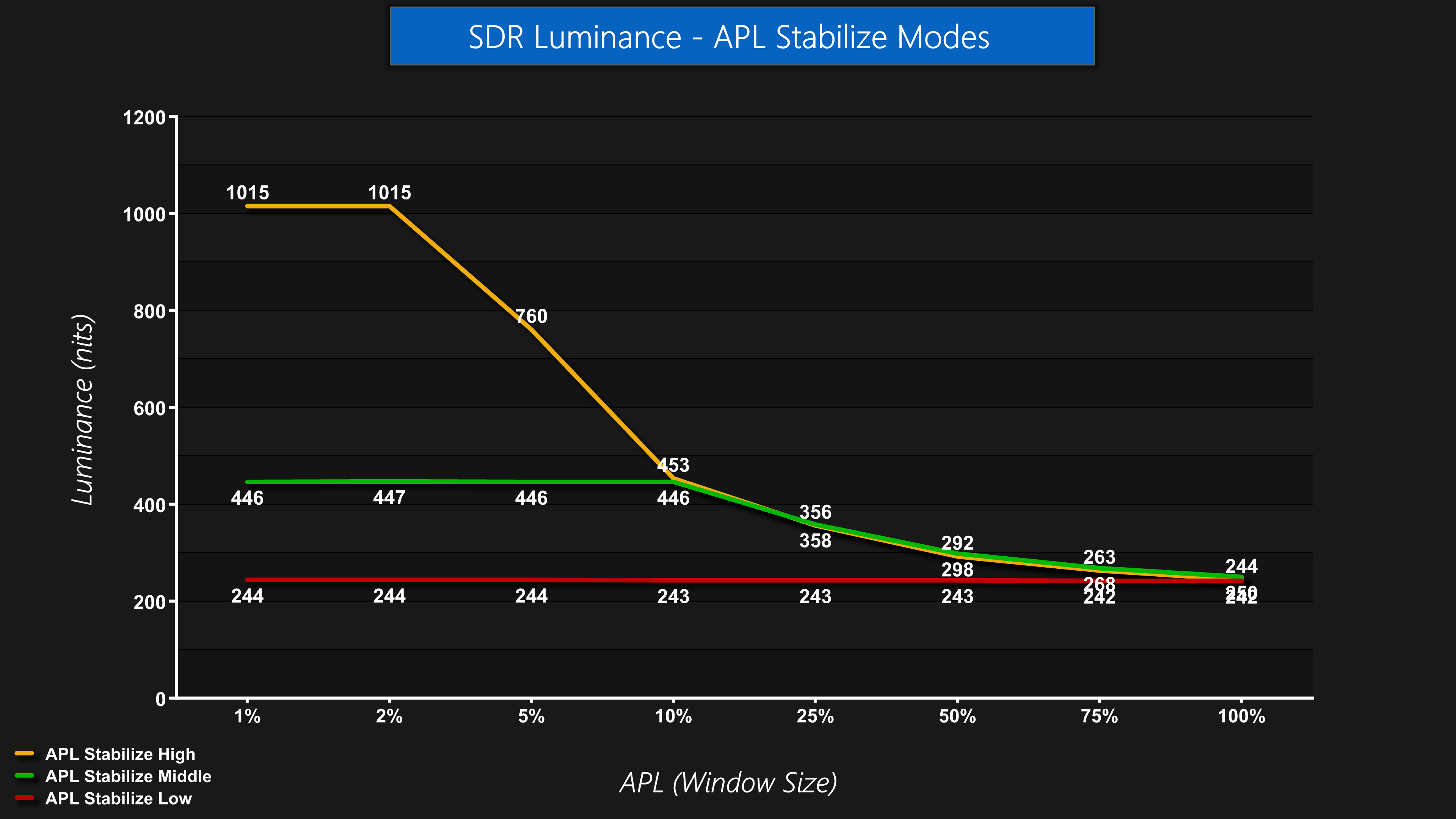
By default, output luminance is completely steady regardless of APL, or window size, and this is thanks to the APL Stabilize Low setting. However, there's also a Middle and a High setting which will let you achieve higher peak brightness for smaller window sizes, but that results in noticeable dimming as the window size increases. It's good to have the option, though, so users can adjust to their preference.
Gamut (CIE 1976)
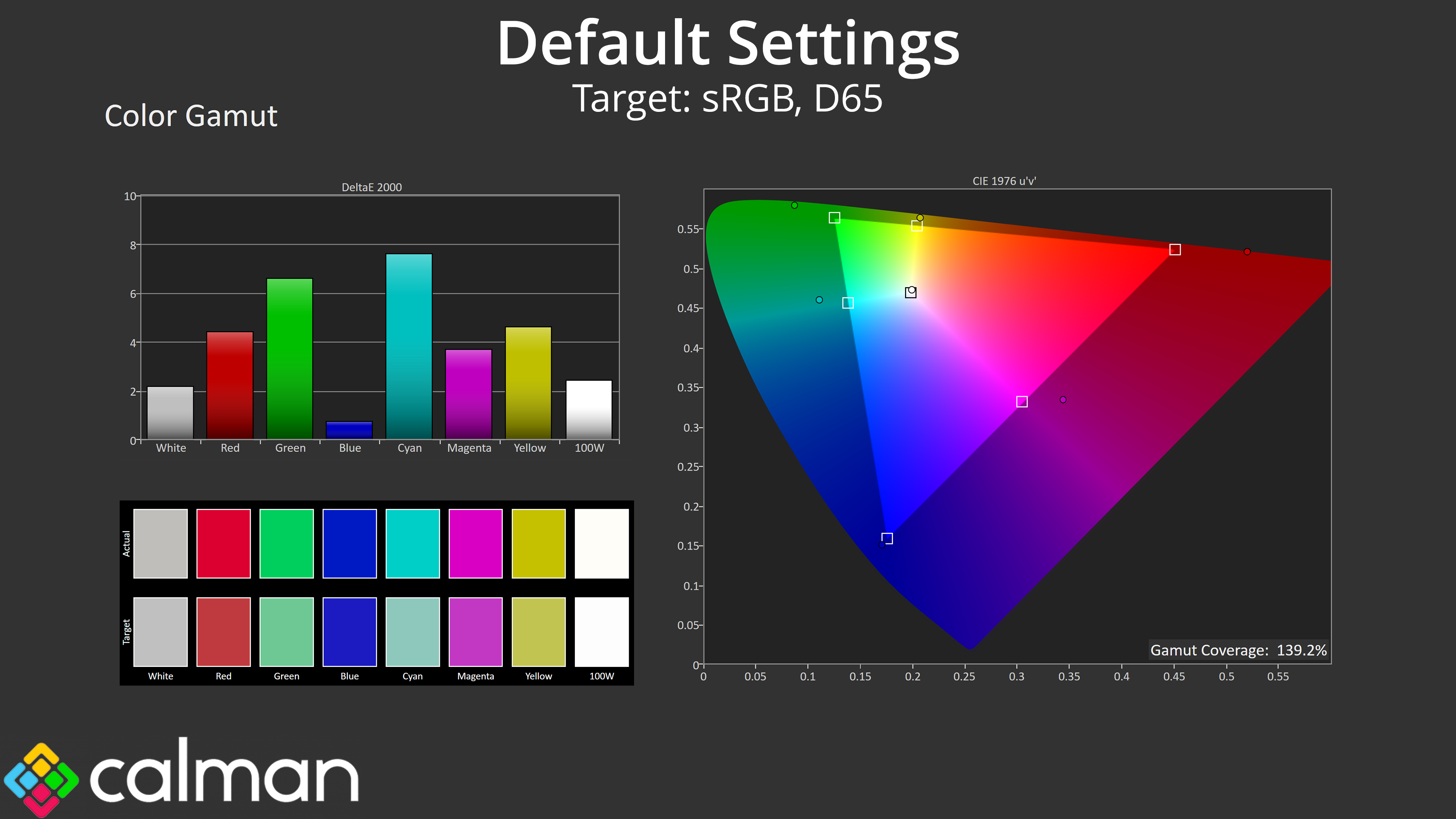
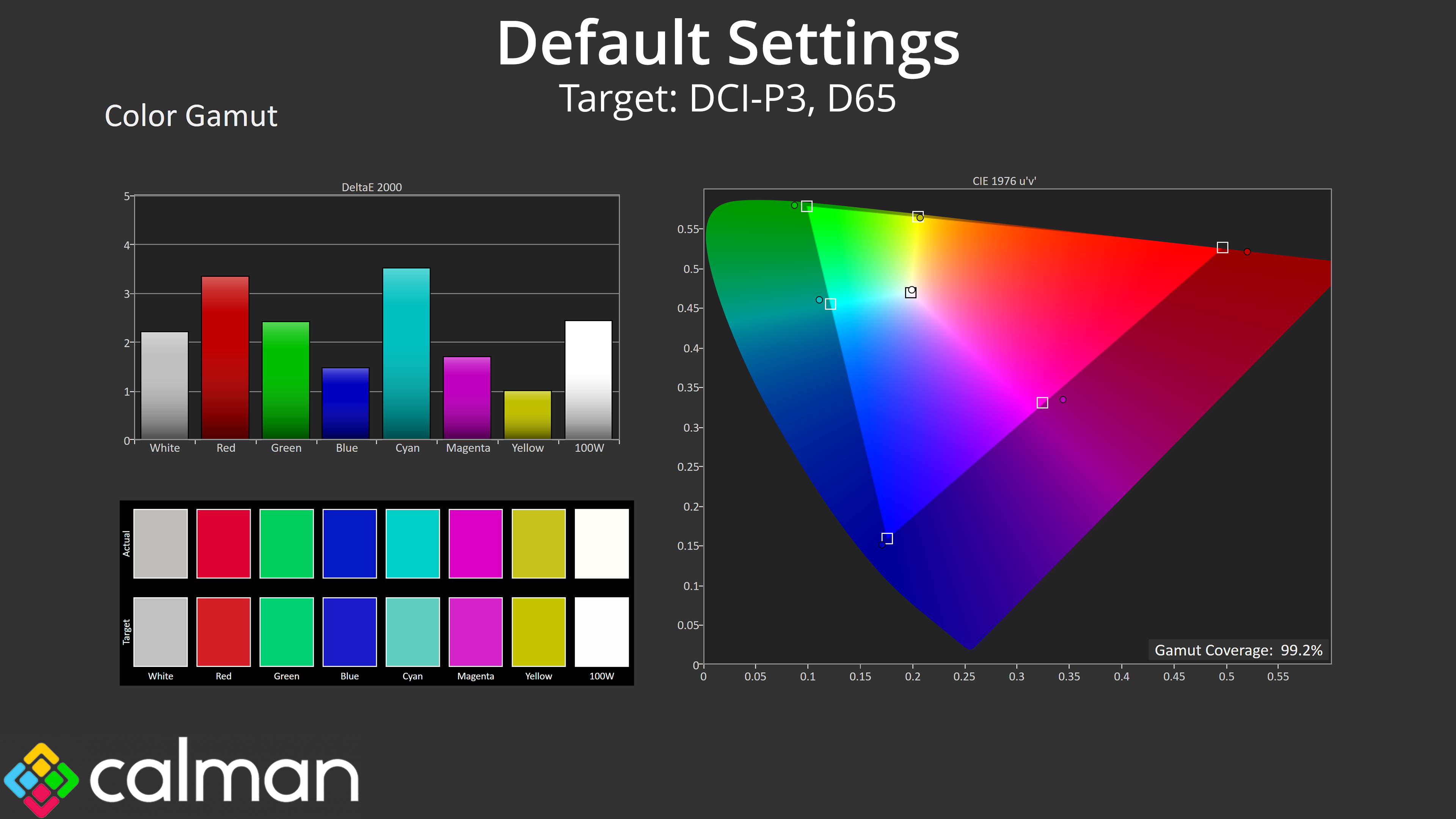
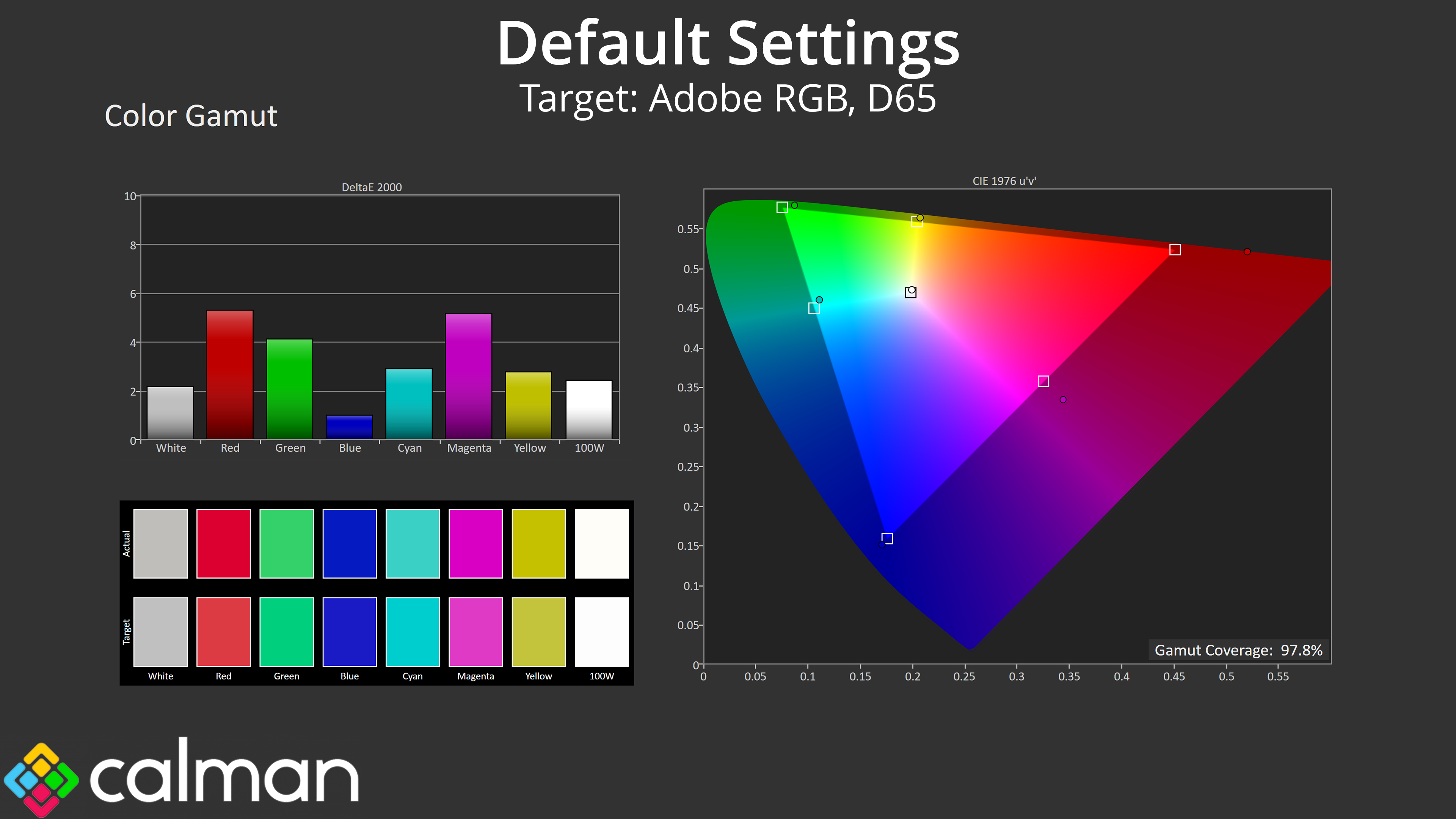
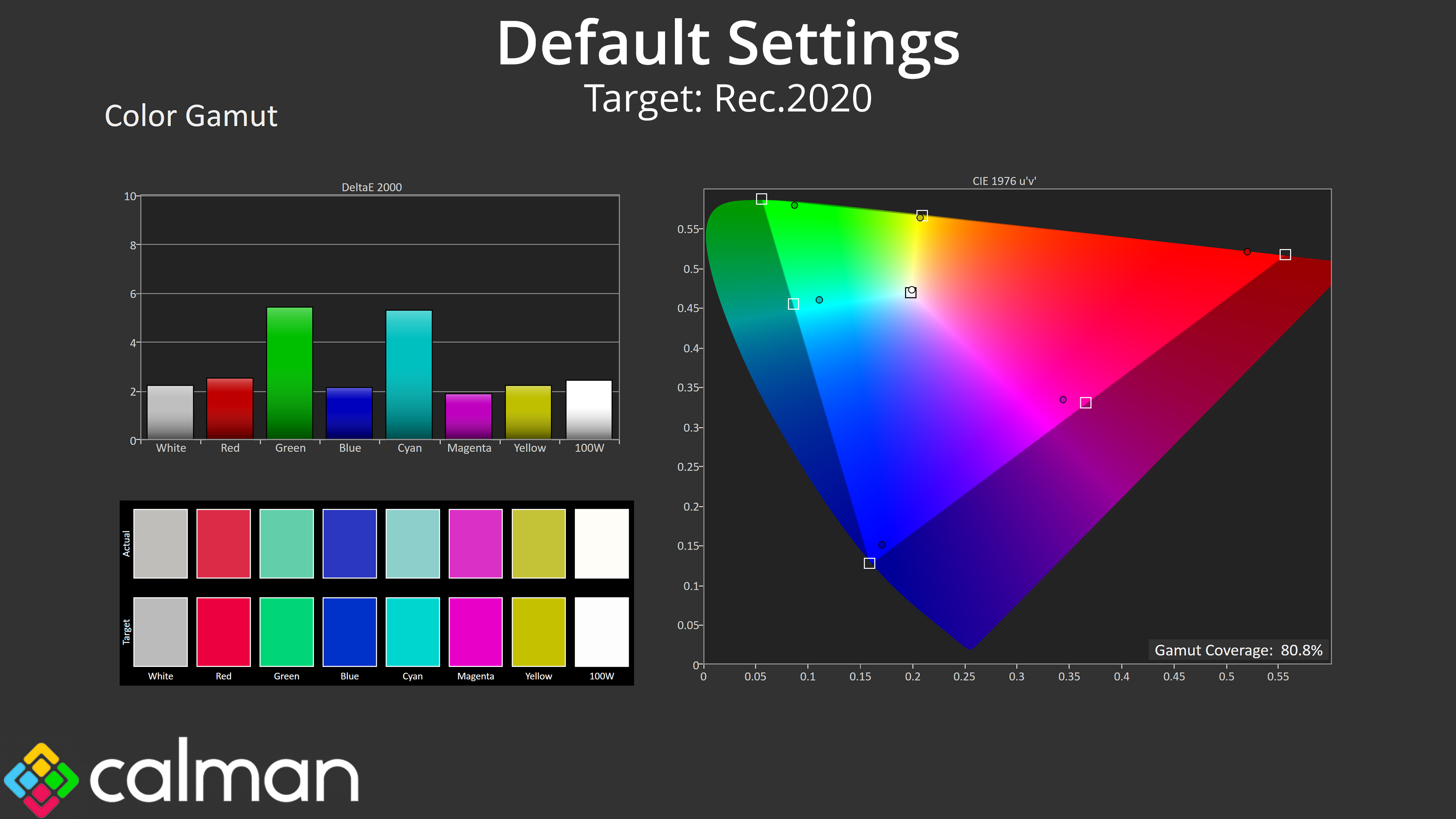
| Colour space | Coverage (%) |
| sRGB | 139.2 |
| DCI-P3 | 99.2 |
| Adobe RGB | 97.8 |
| Rec.2020 | 80.8 |
As for gamut, this is very wide indeed, far surpassing the sRGB space and delivering 99.2% DCI-P3, 97.8% Adobe RGB and 80.8% coverage for Rec.2020.
Greyscale
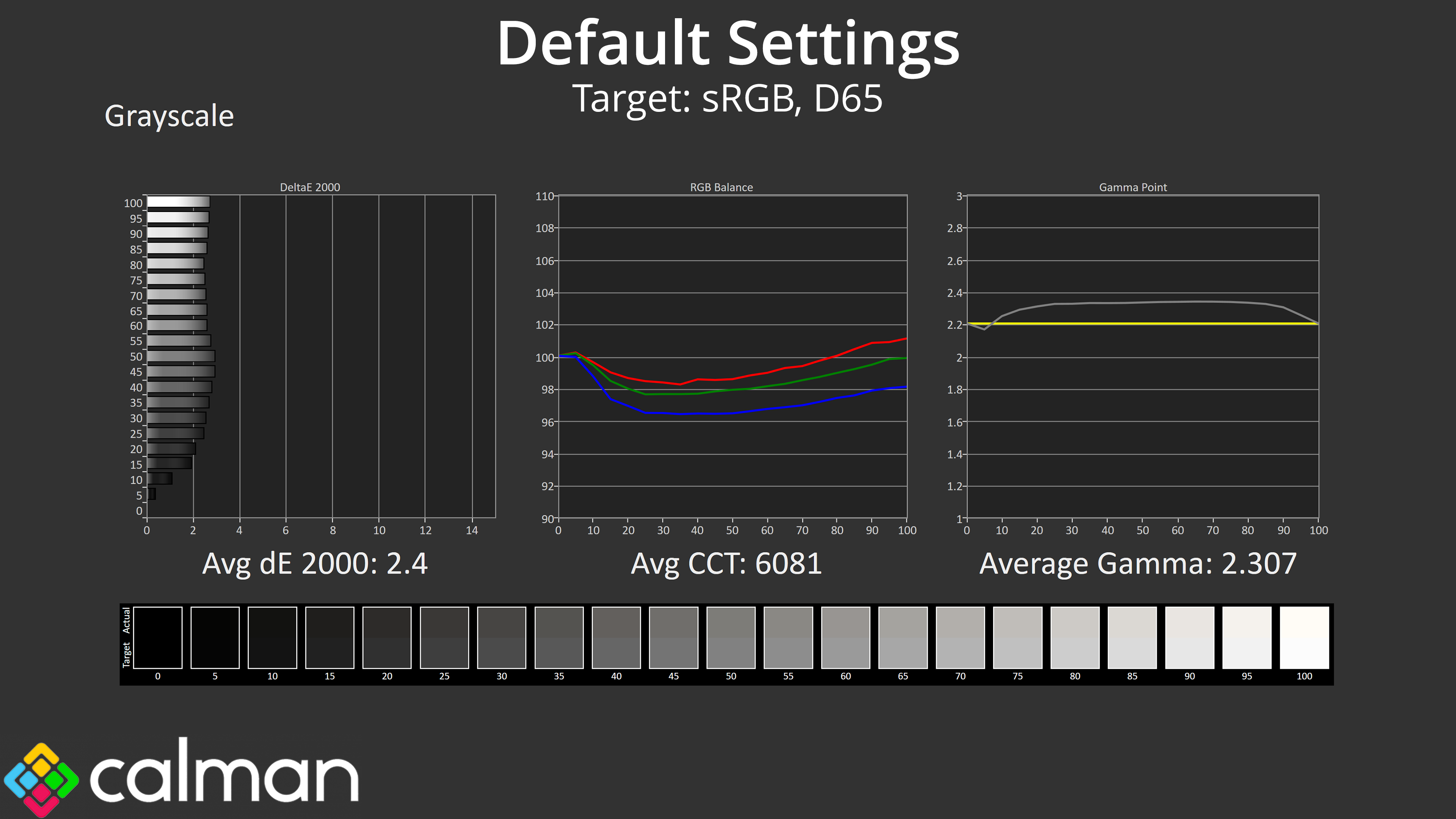
Next we have greyscale, with the MO27Q2 delivering solid, if unspectacular, results. The overall colour balance is slightly warm as we often see from QD-OLEDs, though it's just a 6% deviation from the 6500K target. Gamma is also a touch high, averaging 2.307, though that's fairly minor in the grand scheme of things. Overall, the average greyscale dE 2000 of 2.4 indicates performance that's good enough for most users.
Saturation
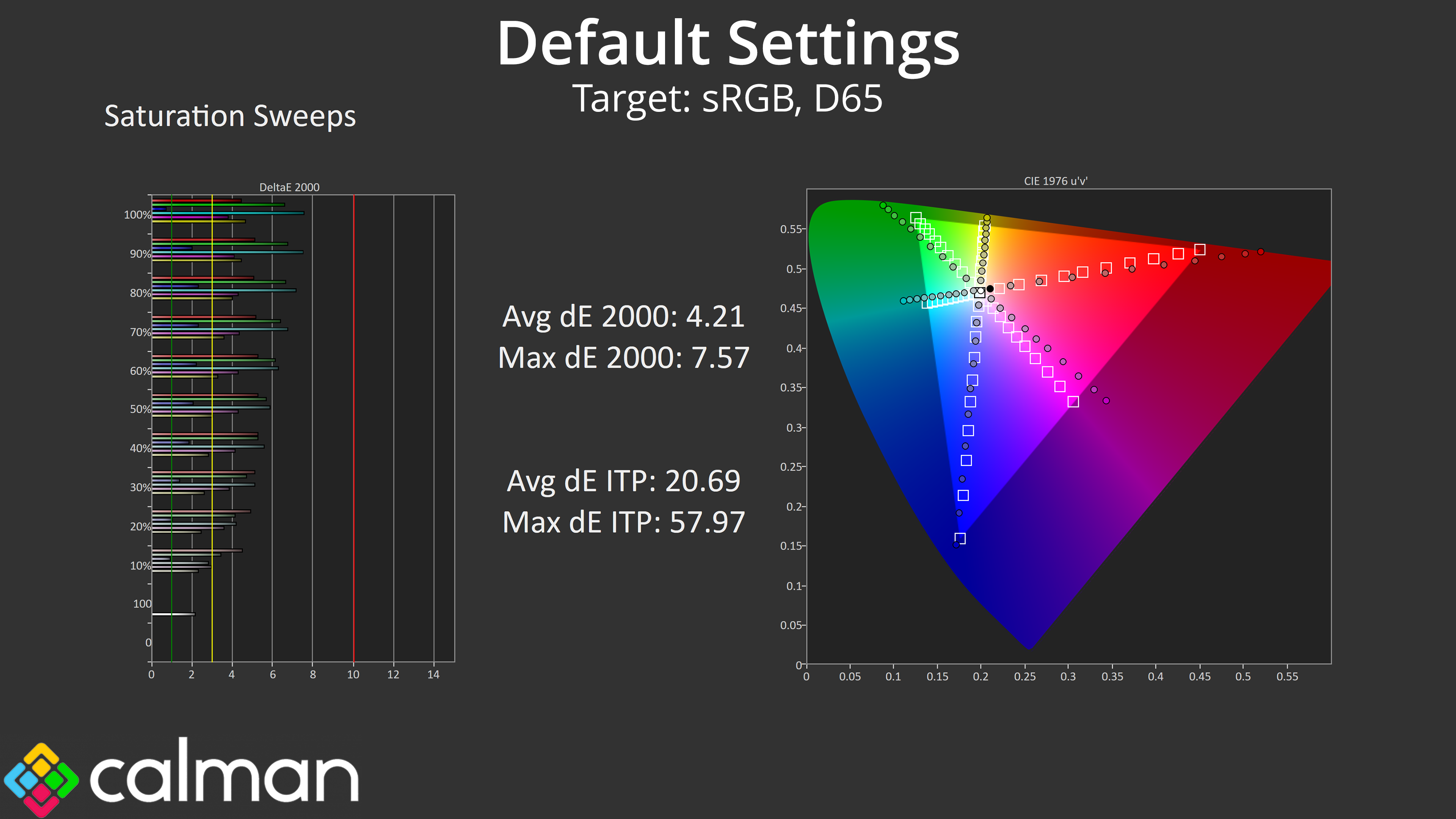
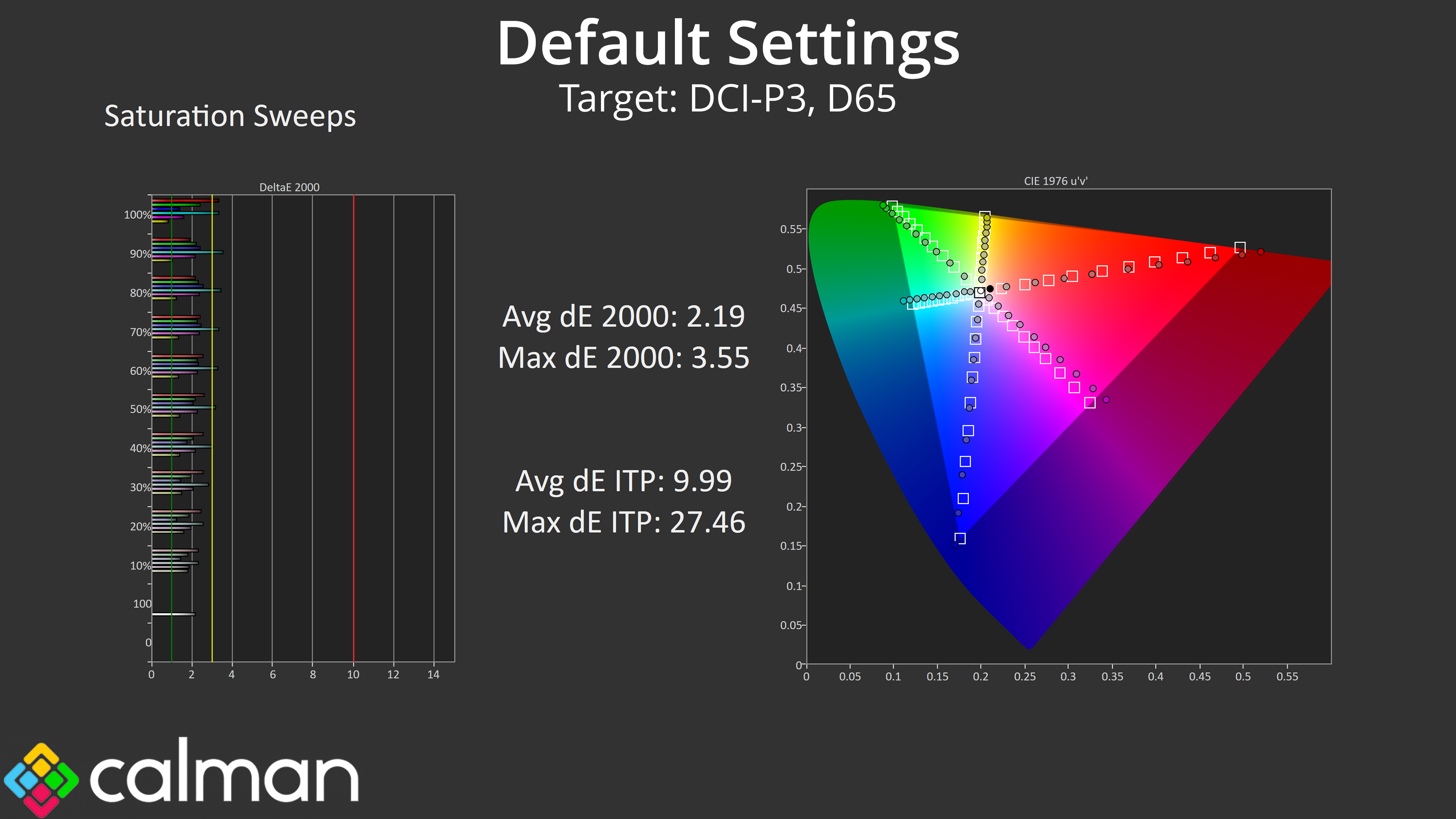
Saturation levels are high, as we'd expect from a QD-OLED, leading to a fair degree of inaccuracy relative to both the sRGB and DCI-P3 colour spaces.
Colour Accuracy
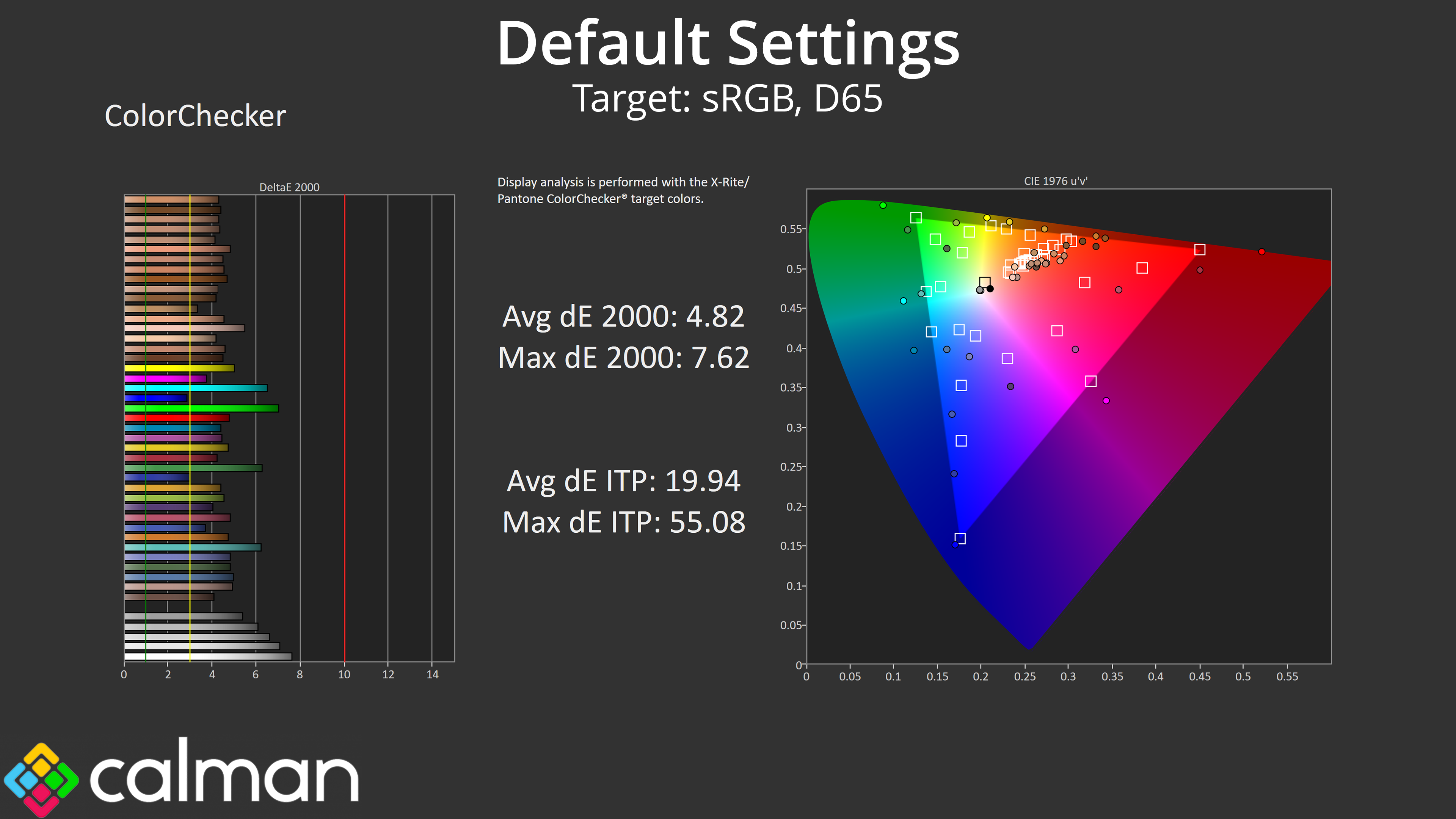
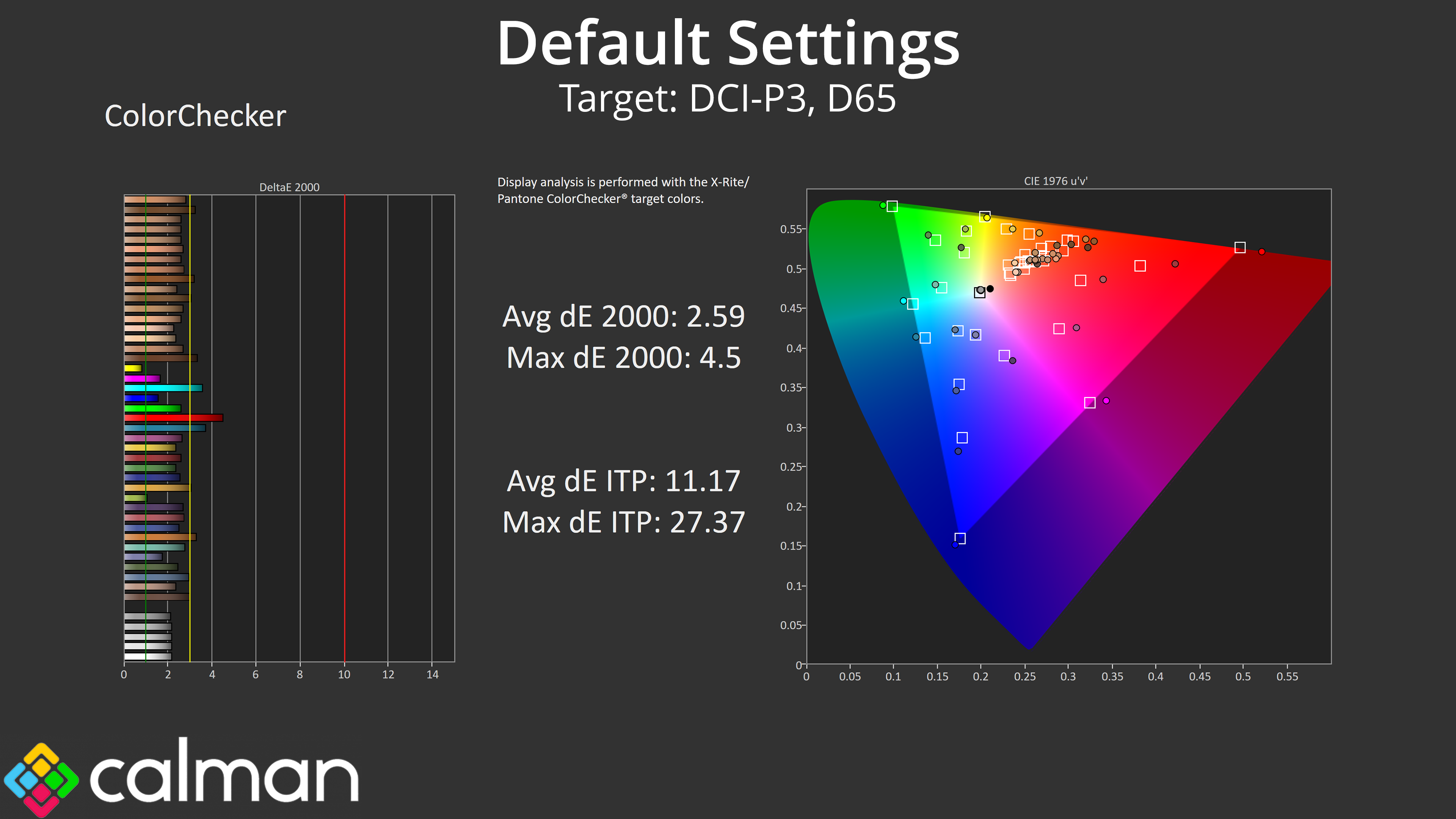
That carries over into our colour testing, too – the average dE 2000 of 4.82 is what we'd expect relative to the sRGB space, though we do see an improvement when testing against the DCI-P3 space.
sRGB Emulation Mode
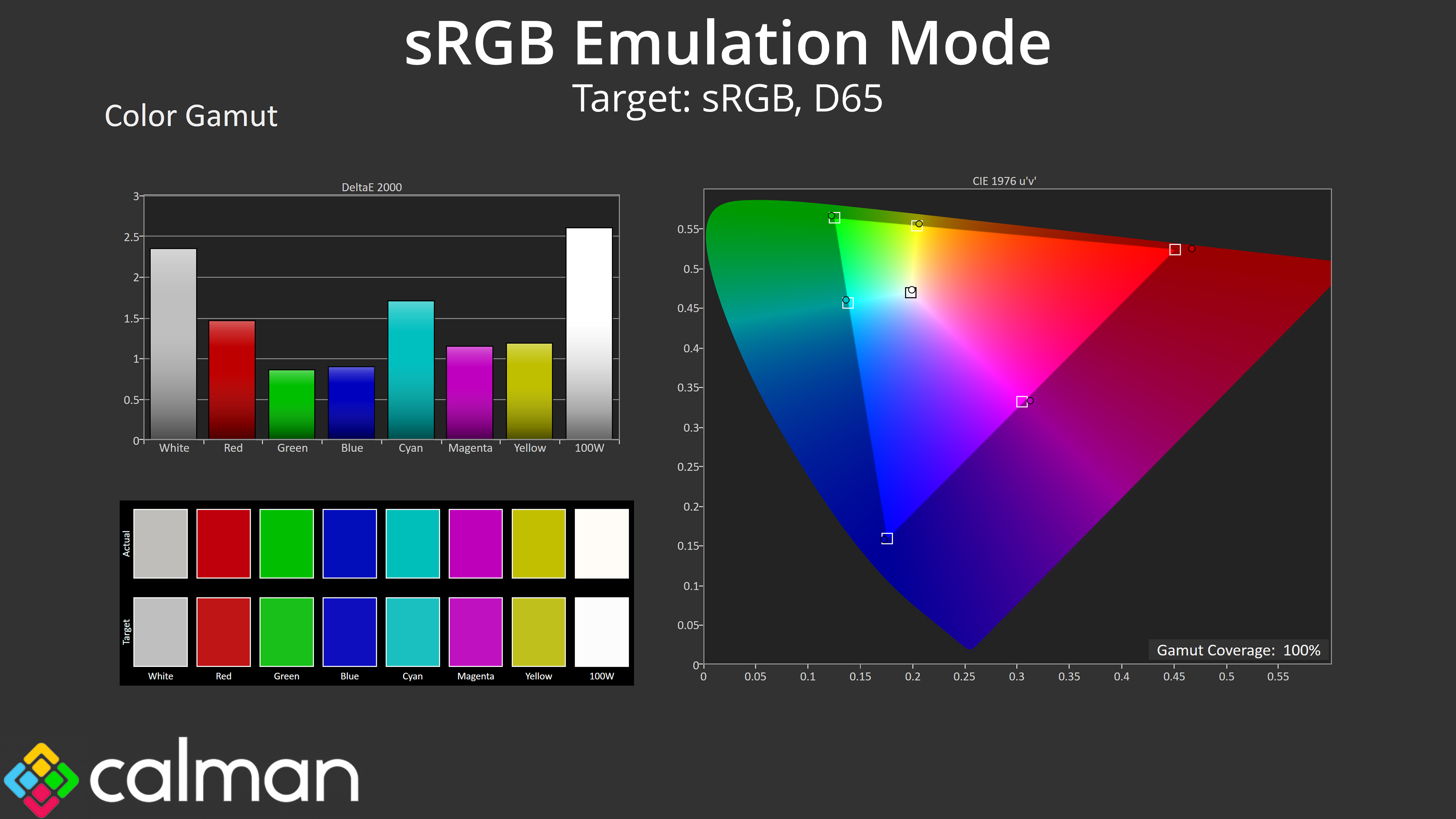
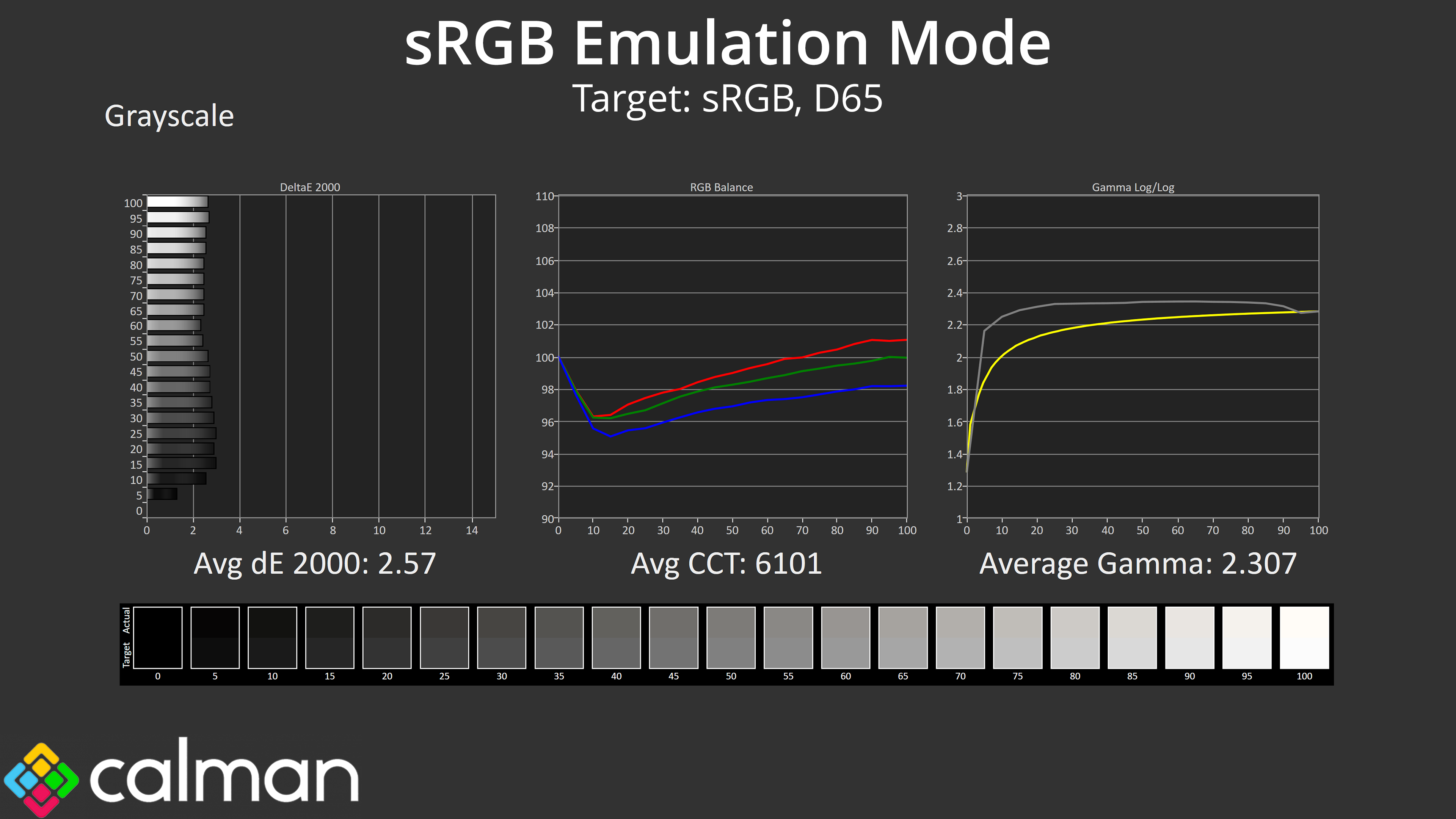
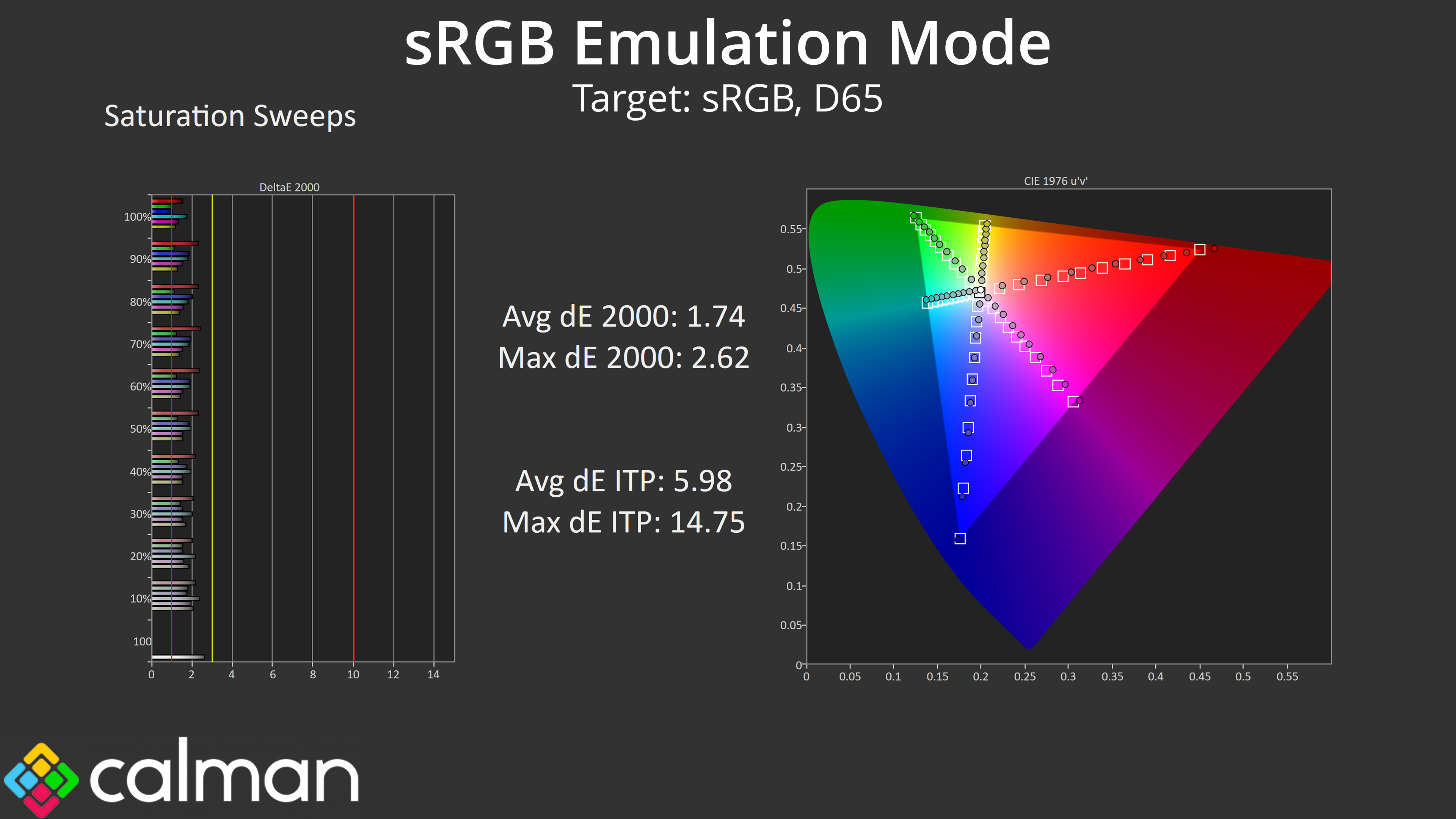
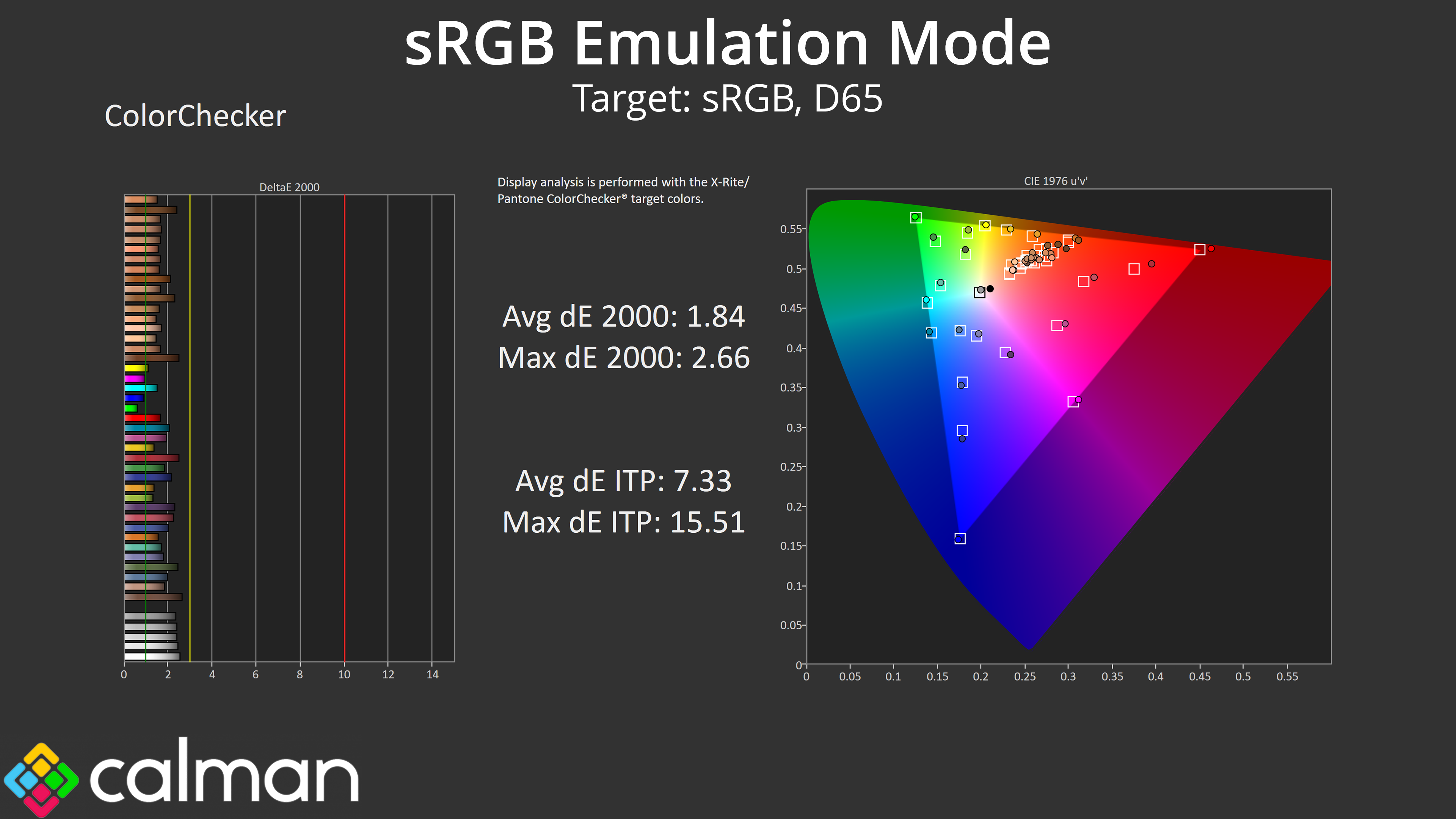
Gigabyte does include an sRGB mode too, which does a good job at clamping the gamut to prevent over-saturation. This doesn't make any changes to overall greyscale performance, still giving the slightly warm colour balance and gamma that's a touch high, but it does reduce the saturation and colour accuracy dE results to more impressive levels, so it's definitely worth using.
Calibrated Results
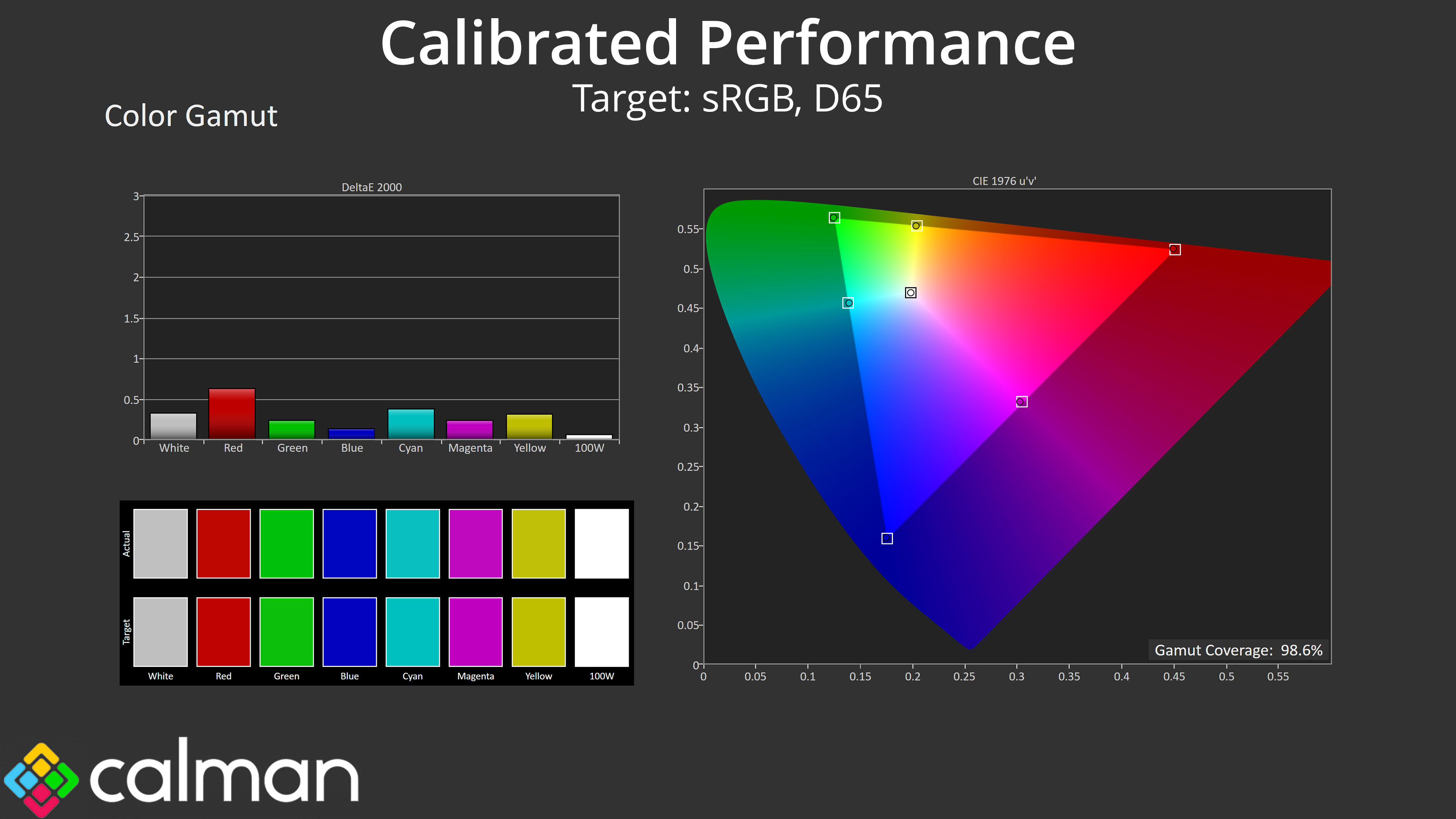
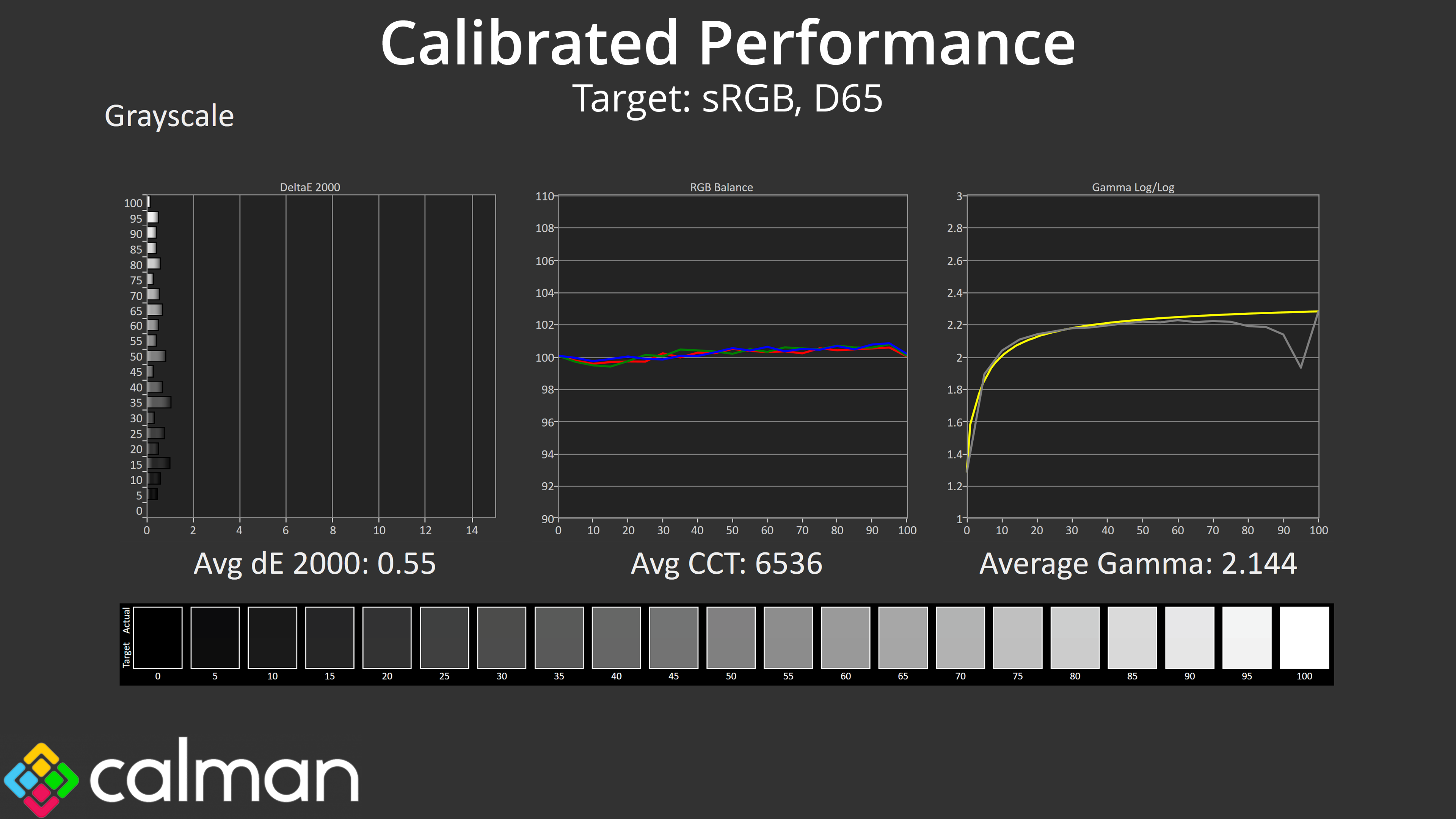
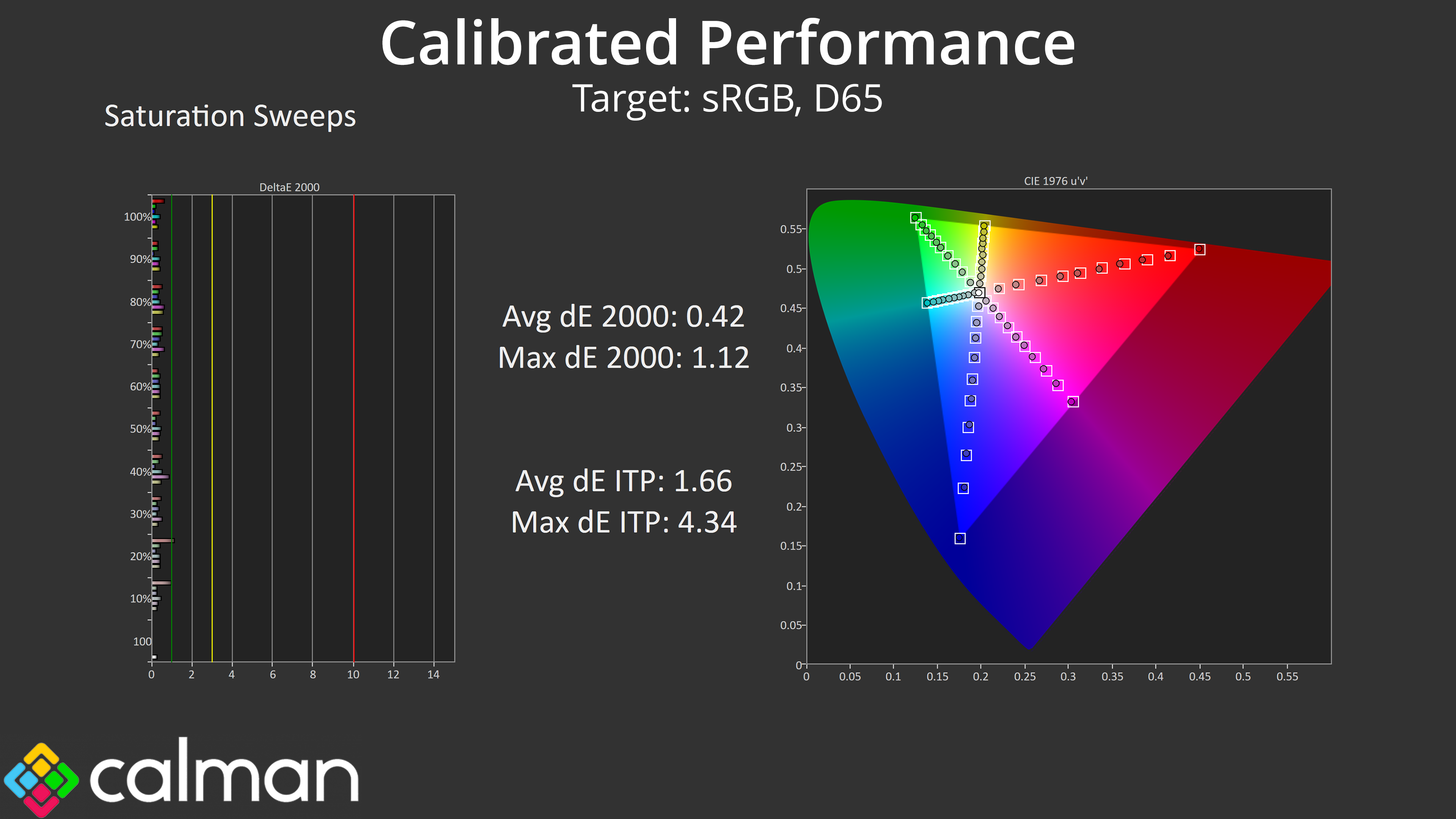
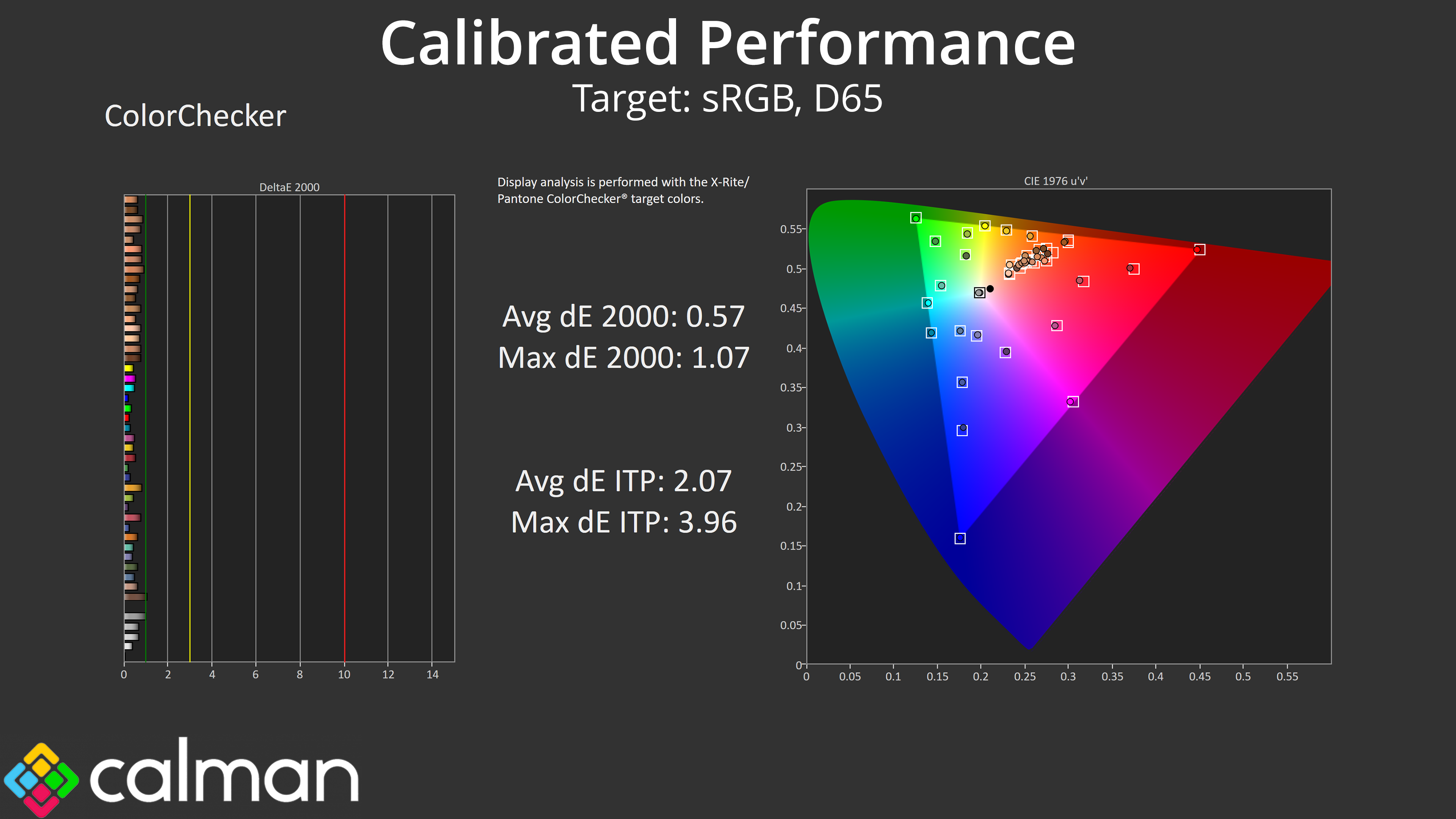
For the best results we did also run through a full calibration. This saw stellar accuracy across the board, indicating exactly what the panel is capable of if you have the right hardware and software tools.
HDR Testing
Following on from the SDR results on the previous page, here we re-test the relevant areas of the display with HDR enabled.
As with the FO27Q3, Gigabyte provides a number of different HDR modes, here we focus on the two I feel are most relevant – the HDR and HDR Peak 1000 options.
Brightness
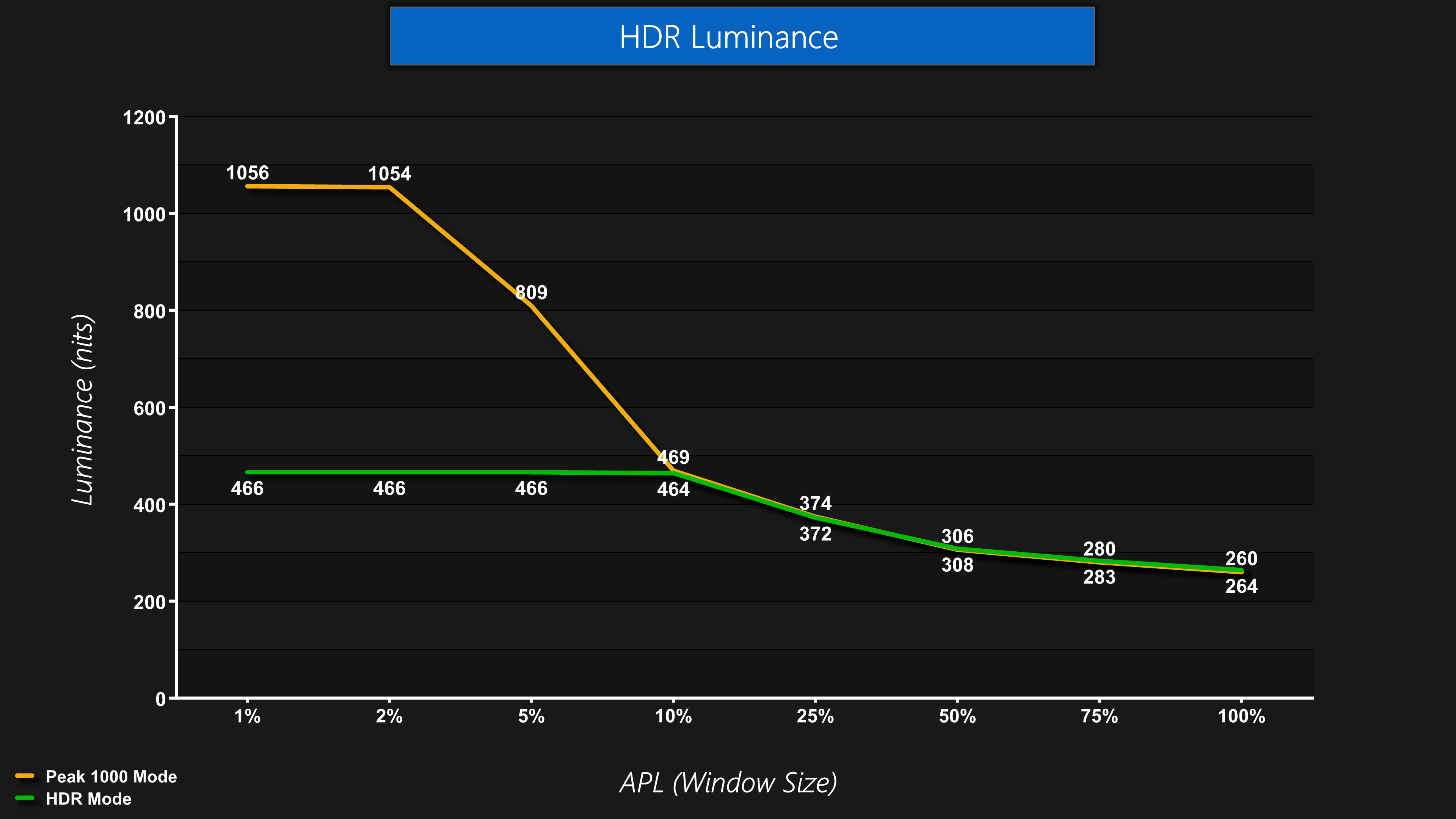
In terms of brightness, they behave exactly as you'd expect – the HDR mode is basically the True Black 400 mode, whereas the Peak 1000 mode hits over 1000 nits for the 1% and 2% APLs before dropping off as the window size increases.
Greyscale
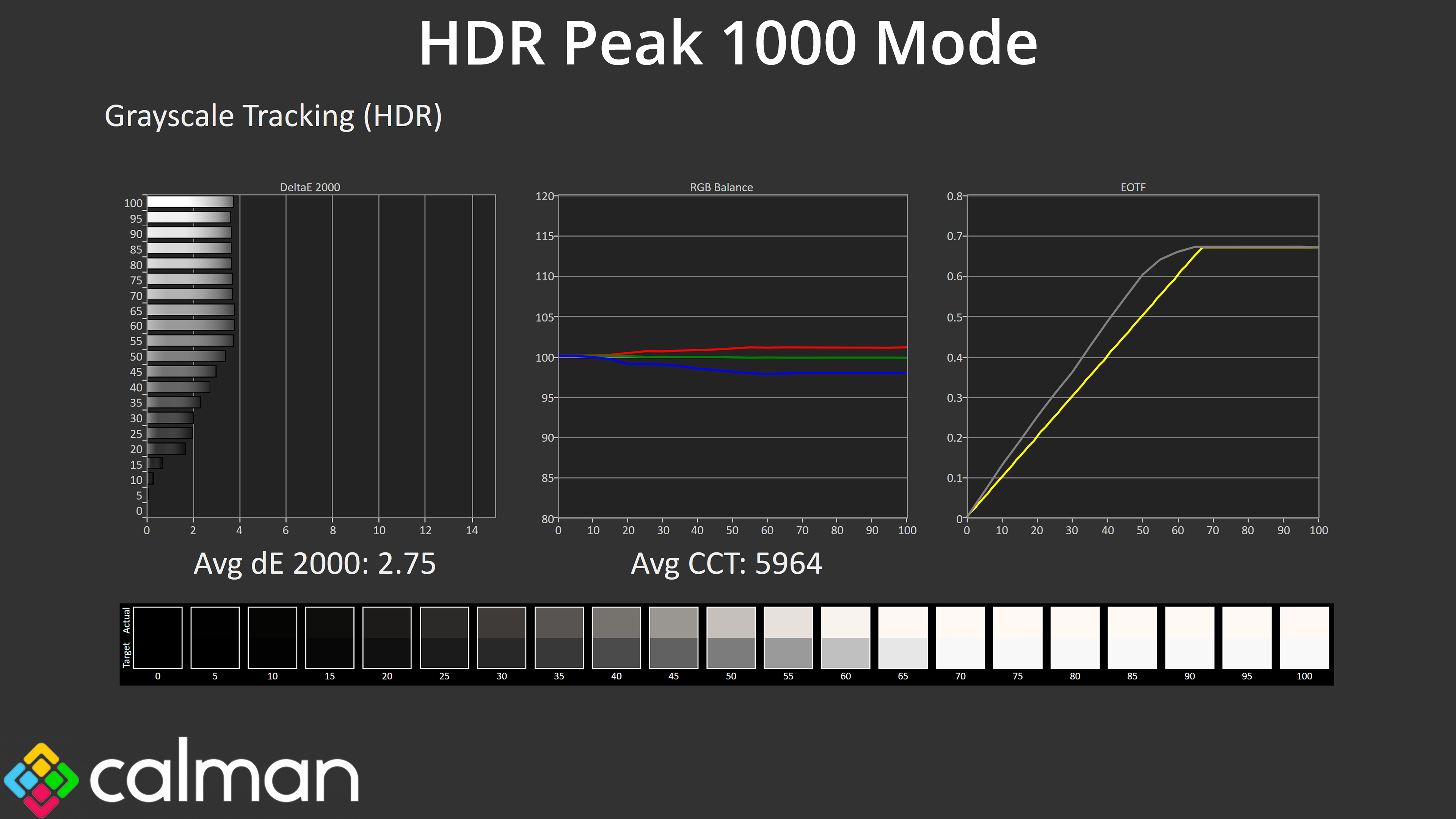
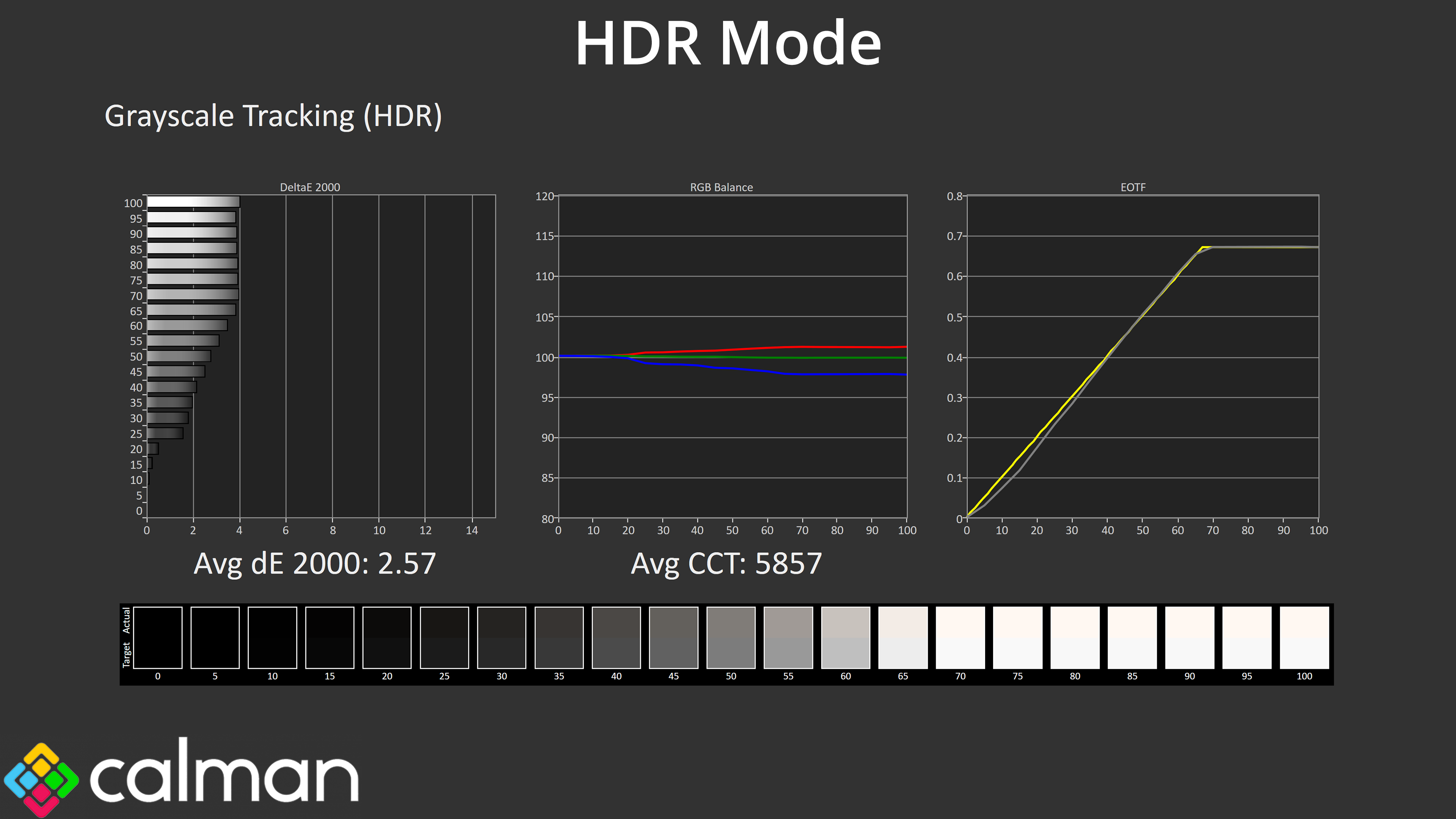
Overall colour setup is very similar between the two, but we can see from the EOTF curves that behaviour is quite different.
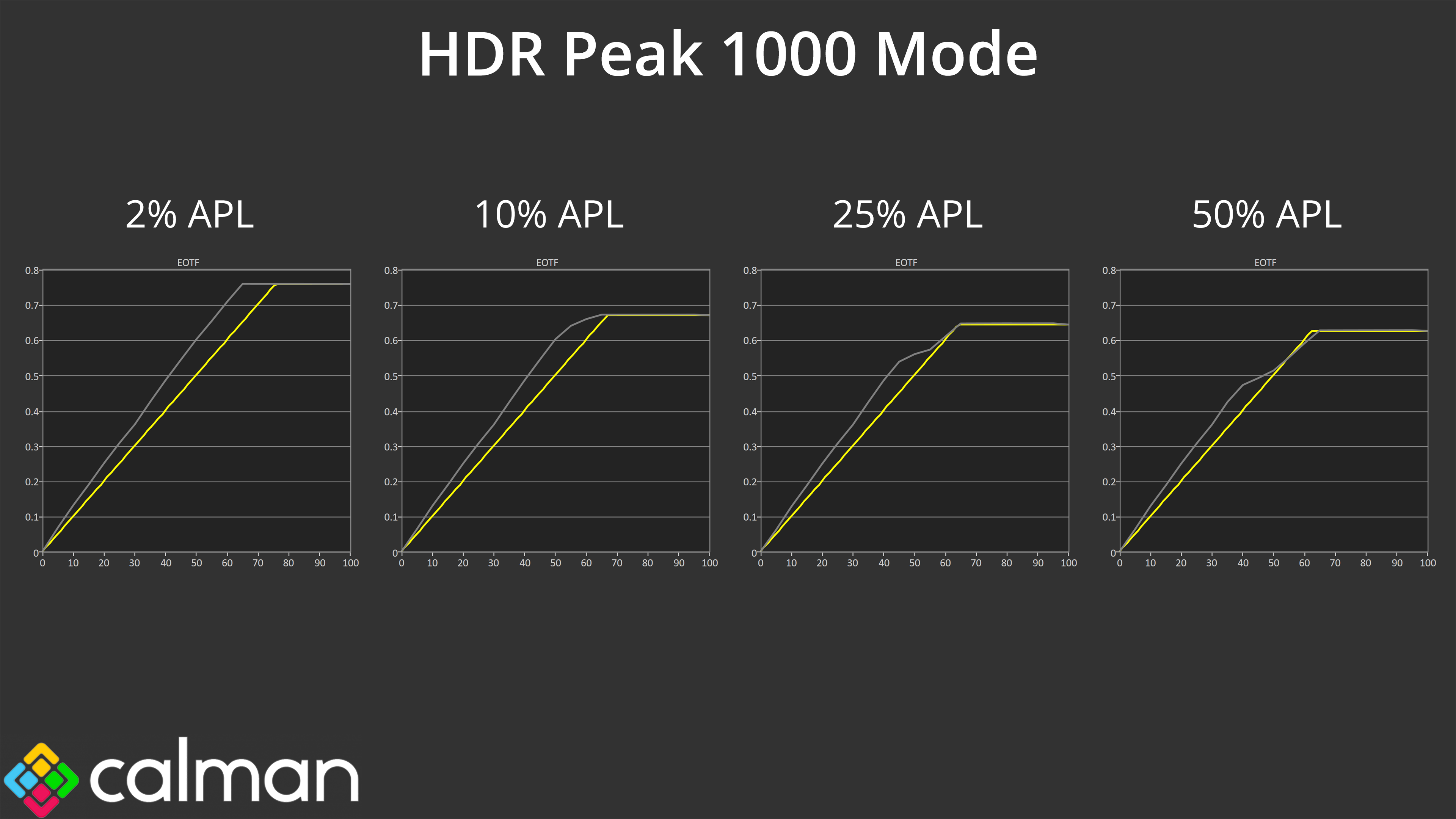
The Peak 1000 mode, for instance, is deliberately too bright across the curve – that means it's not technically accurate, but I prefer this approach to the typical Peak 1000 nits modes which roll off too early.
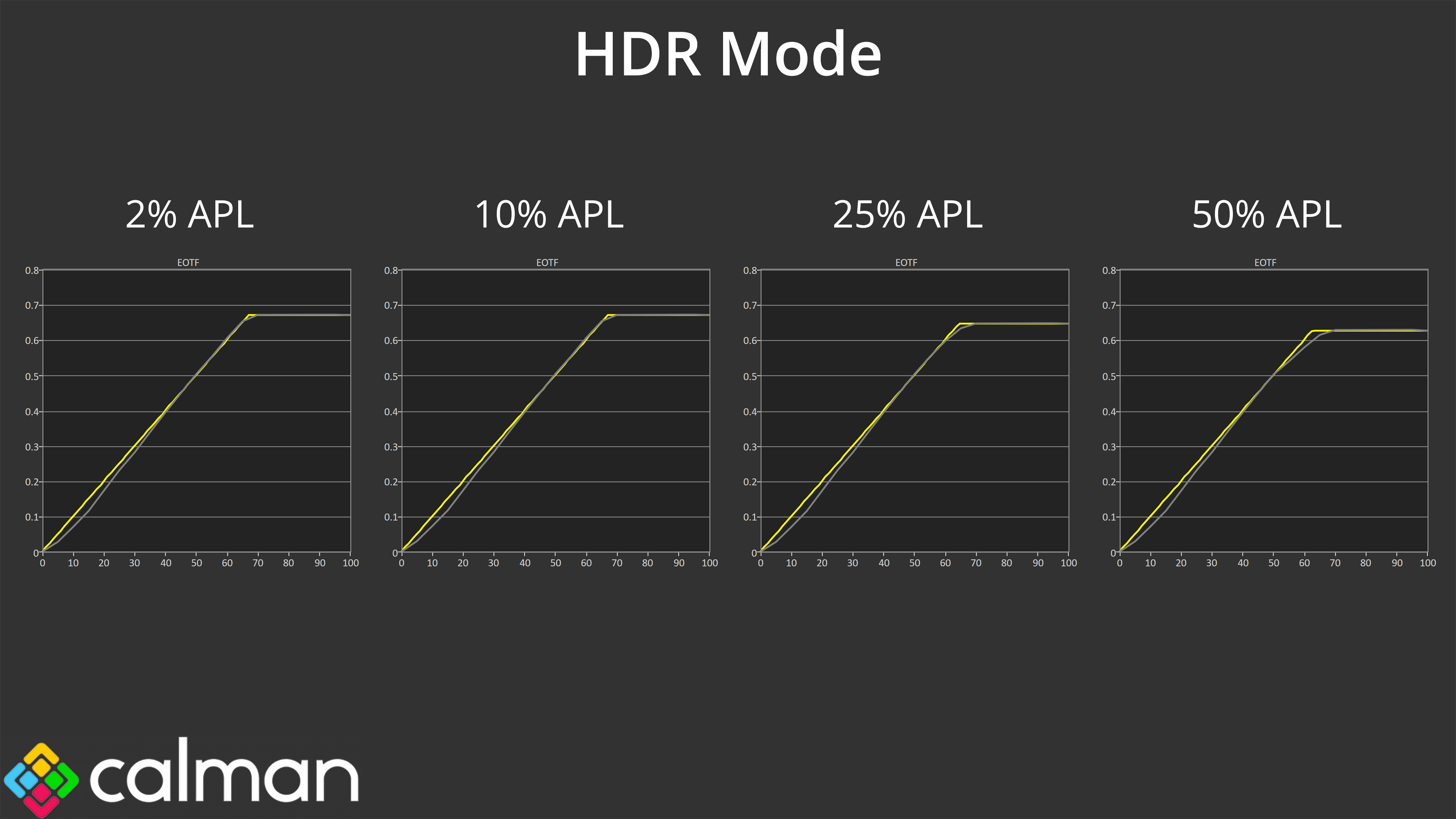
The HDR mode is technically a lot more accurate, but does look darker in practice and obviously can't hit the same luminance as the 1000 nit mode. Which mode you will want to use is up to you – I personally quite like the bright presentation of the 1000 nit mode, but if you want a more ‘as the artist intended' approach, then the standard HDR mode will be the way to go.
Colour Accuracy
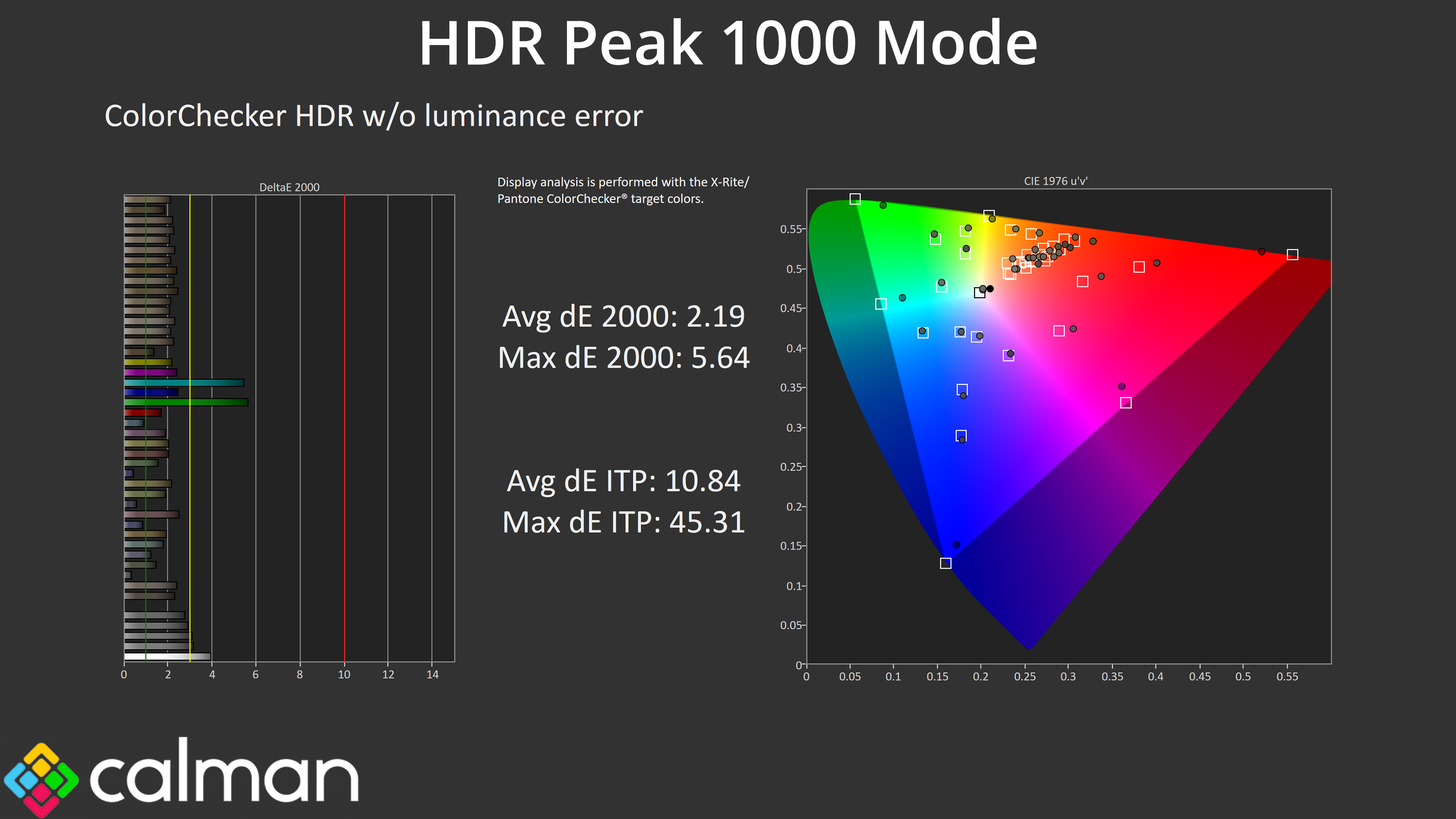
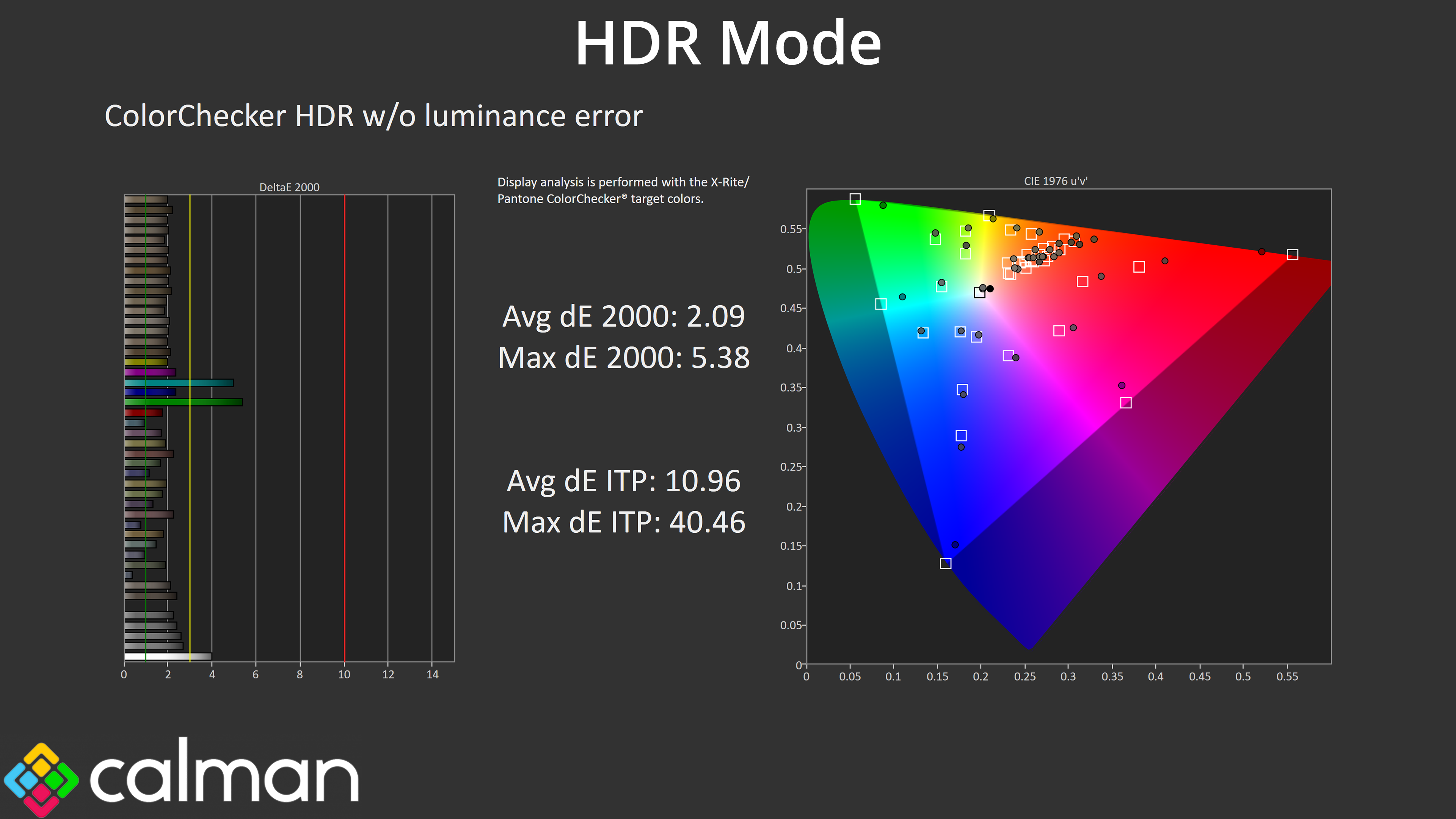
Either way, colour accuracy itself is very similar regardless of mode, with just the 100% cyan and blue channels causing issues, which is to be expected given the monitor doesn't cover the whole Rec.2020 space.
We use the Open Source Response Time Tool (OSRTT), developed by TechTeamGB, for our response time testing. This measures grey-to-grey response times and presents the results in a series of heatmaps, the style of which you may be familiar with from other reviews.
Initial Response Time is the time taken for the panel to transition from one colour to another, where lower values are better. We present the initial response time, so overshoot is not taken into account and is measured separately. We use a fixed RGB 5 tolerance for each transition.
Overshoot is the term given for when a monitor's transition exceeds or goes beyond its target value. So if a monitor was meant to transition from RGB 0 to RGB 55, but it hits RGB 60 before settling back down at RGB 55, that is overshoot. This is presented as RGB values in the heatmaps – i.e. how many RGB values past the intended target were measured.
Visual Response Rating is a metric designed to ‘score' a panel's visual performance, incorporating both response times and overdrive. Fast response times with little to no overshoot will score well, while slow response times or those with significant overshoot will score poorly.
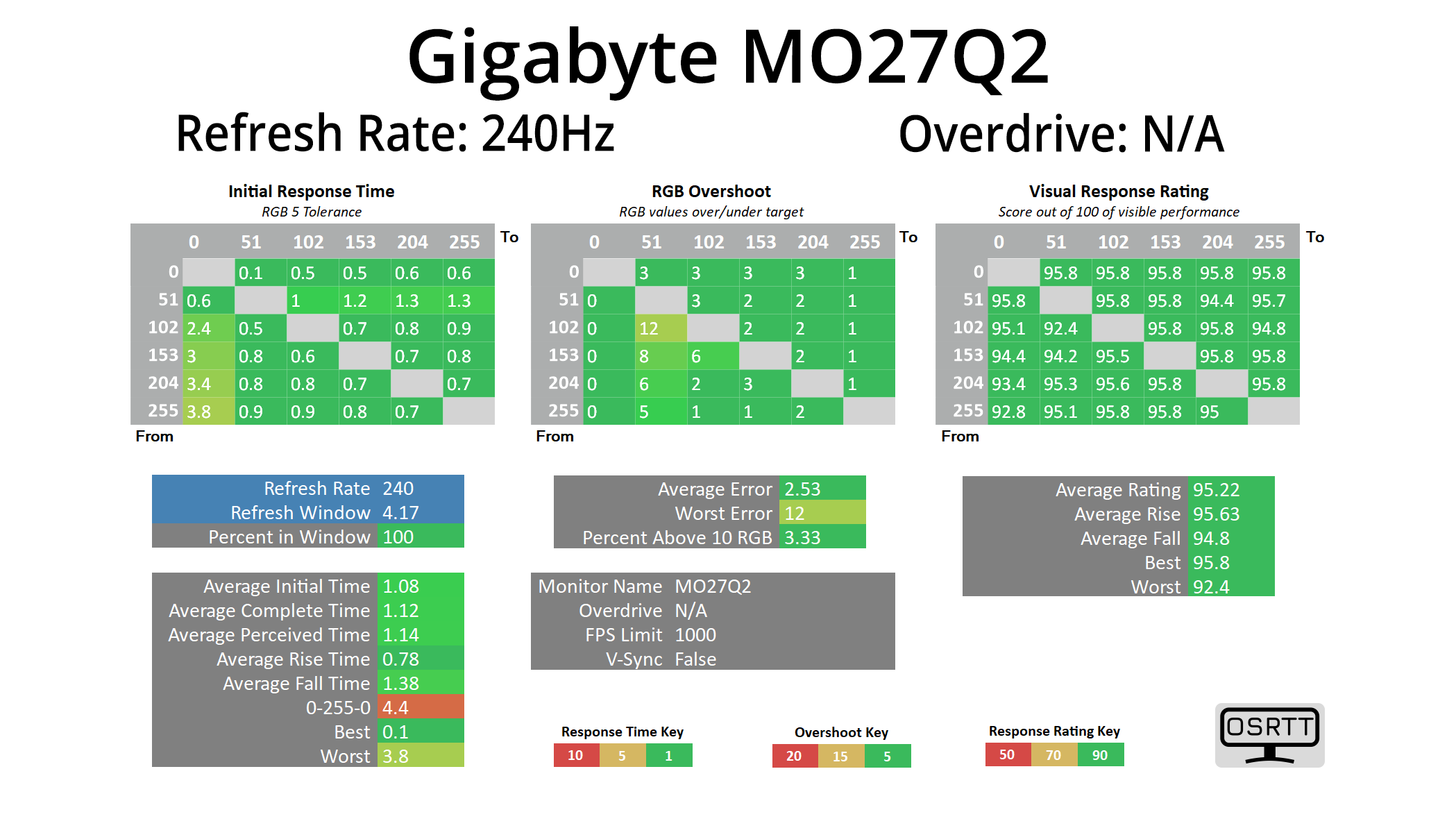
In terms of response times, we only tested at 240Hz given we know that all OLED monitors are all about as fast as each other when it comes to response times, and that is the case regardless of the refresh rate used.
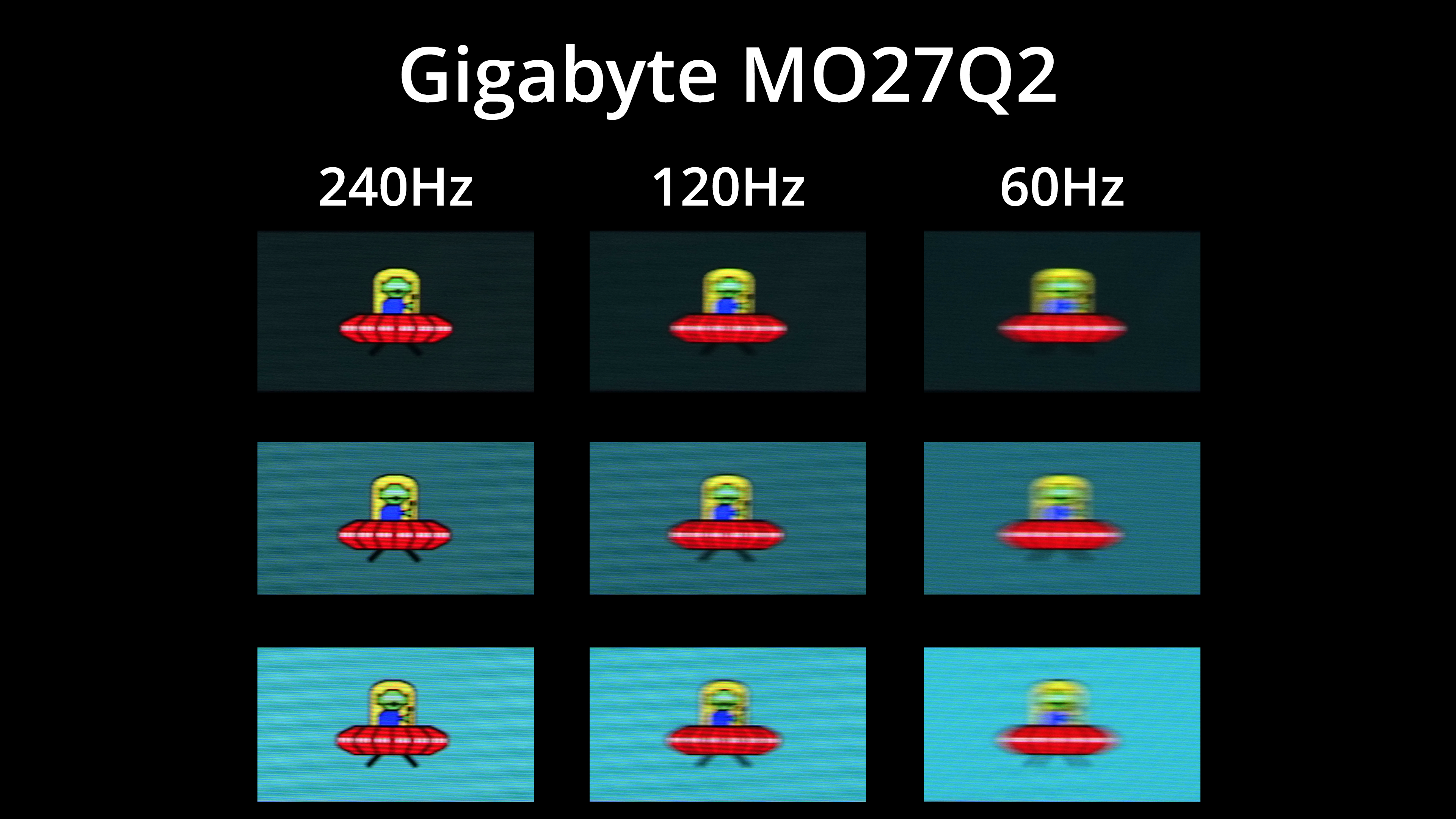
Of course, that doesn't mean motion clarity will be the same regardless of the refresh rate – the higher you can push the refresh, the smoother things look. The jump from 120Hz to 240Hz, for instance, is quite noticeable, but you can also note there is zero ghosting at any given refresh rate target.
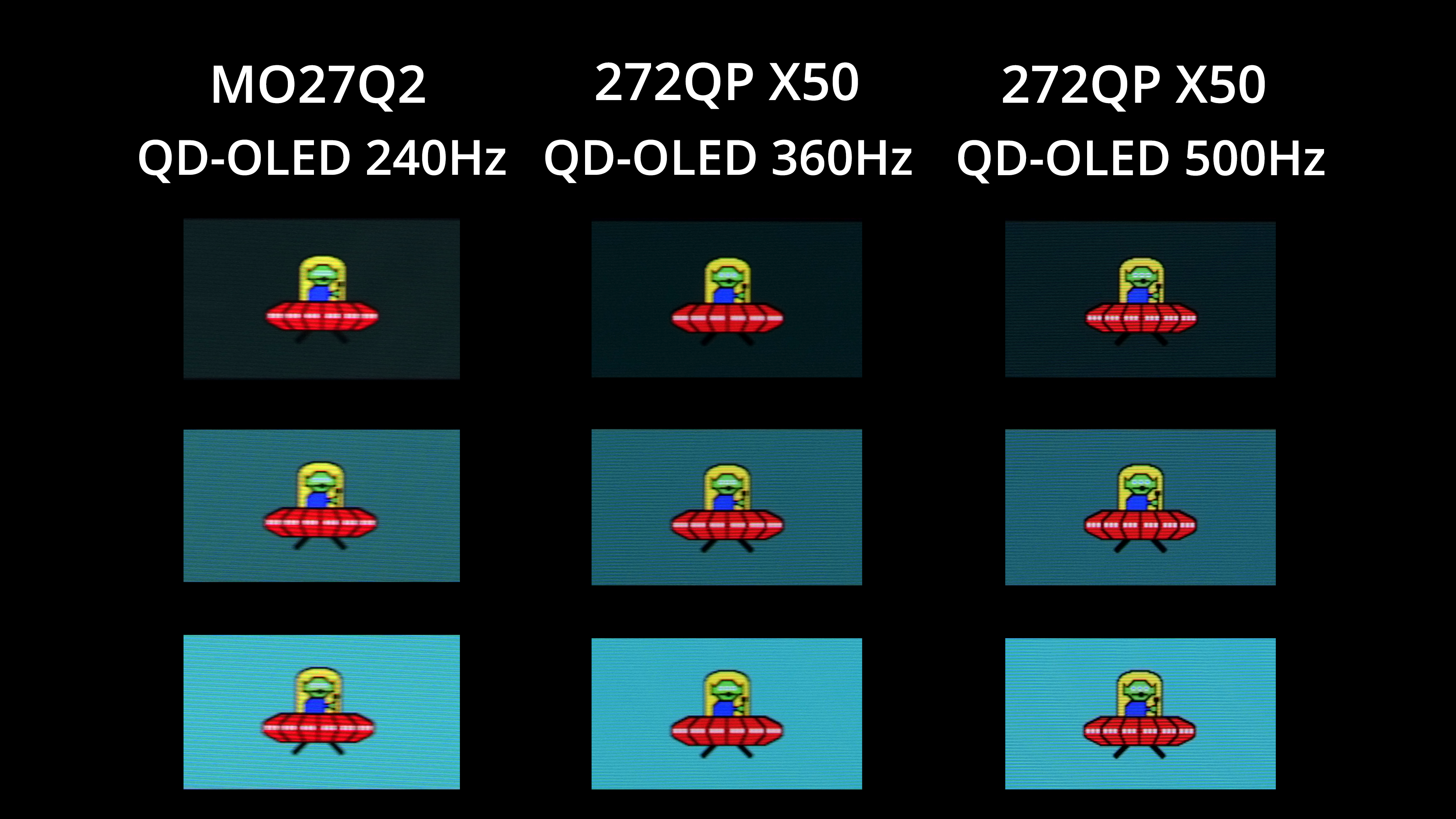
Other OLEDs can deliver even faster refresh rates though, with plenty of 1440p/360Hz models on the market, not to mention the MSI 272QP X50 which can hit 500Hz! The higher the refresh goes, the better image clarity becomes – but you also have to weigh up cost, and whether or not your system is actually capable of driving over 240fps at 1440p resolution in the games you play.
We again use the Open Source Response Time Tool (OSRTT), developed by TechTeamGB, to report monitor input latency.
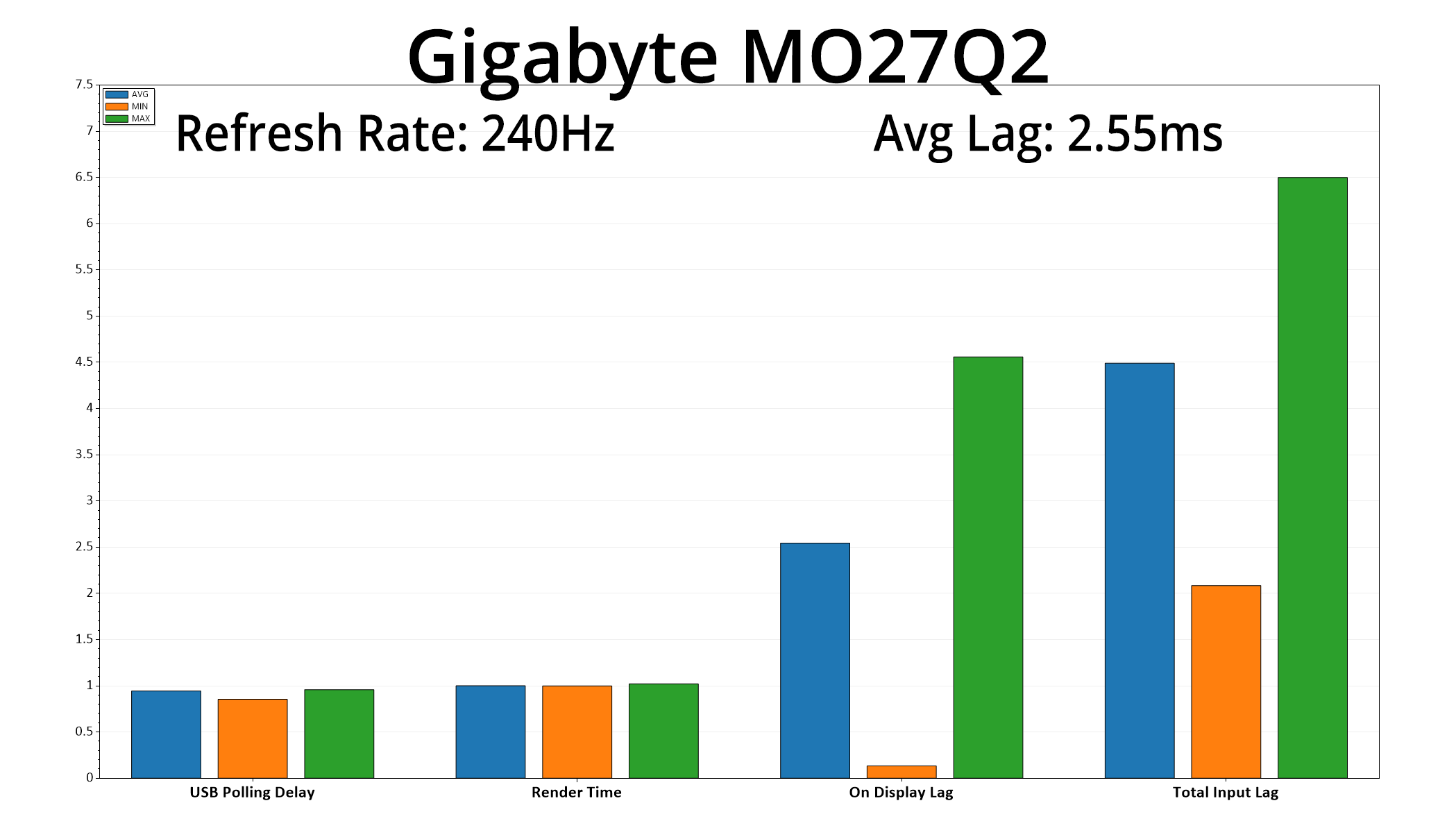
There's good news when looking at latency, too, given the MO27Q2 averaged 2.55ms. A single frame at 240Hz lasts for 4.17ms, so the latency here is equivalent to a little over half a frame – nothing at all to worry about.
At this point in 2025, we are very familiar with 3rd Generation QD-OLED monitors, given they've been on the market for the best part of two years. That means there's been no real surprises when analysing the Gigabyte MO27Q2, but that's not necessarily a bad thing.
Factory calibration is decent, for one – it may not be perfect, but we have seen much worse lately! Gigabyte also includes a capable sRGB mode, I like how the HDR modes have been configured, plus the panel is highly capable if you have the tools for a full calibration.
We also know exactly how good OLED is for gaming, so the MO27Q2 is no different. There's zero ghosting regardless of the refresh rate, you get a very saturated and vibrant image thanks to the wide gamut and infinite contrast, plus motion clarity at 240Hz is still very good – even if faster OLEDs have been available for a while.
Gigabyte has done a good job elsewhere, with both a metal stand and foot adding some value, while the OSD is easy to use and very feature-rich, plus it offers KVM functionality alongside two HDMI 2.1 ports.
That brings us onto pricing. As we said at the start of the review, retailing for £500 it's not the cheapest OLED monitor going – if you want something with the same 240Hz QD-OLED panel, AOC's AG276QZD2 has an RRP of £449 but is on sale at the time of writing for just £379, which seems an incredible deal. Philips Evnia's 27M2N8500 can even offer the faster 360Hz panel variant for just £440 currently, but those are both temporary deals, and I suspect the MO27Q2 will also drop in price as we get closer to Black Friday.
Overall, it's a solid screen that doesn't do a whole lot wrong. Pricing will play a big part as to which specific model to buy if you are shopping for a new QD-OLED, but I don't doubt the MO27Q2 will keep you happy if you end up getting one.
Update: As suspected, there is a temporary Black Friday deal reducing the price to £459 on Amazon, we expect it to go back up to the £499 MSRP referenced throughout this review once the deal is over. You can find it on Amazon HERE (NOT affiliate).
Pros
- Very wide gamut.
- Effectively infinite contrast ratio.
- Very fast response times.
- 1440p isn't impossible to drive at 240fps.
- HDR hits 1000 nits along with a True Black 400 mode.
- Solid sRGB emulation mode.
- 2x HDMI 2.1.
- USB-C and KVM support.
- Feature-rich OSD.
- Good to see a metal stand and foot.
- Attractive pricing, if not the absolute cheapest.
Cons
- Default colour balance is a touch too warm.
- Gamma is also just a little high.
- Other QD-OLEDs provide stiff competition, especially as we head towards deals season.
KitGuru says: It doesn't do a whole lot wrong, and at £500 it's a solid deal – though we'd expect pricing to drop as we head towards Black Friday.