KitGuru KitGuru.net – Tech News | Hardware News | Hardware Reviews | IOS | Mobile | Gaming | Graphics Cards


Today we are checking out the fastest OLED monitor to pass through the KitGuru labs, in the form of the MSI 272QP QD-OLED X50. Utilising a souped-up 3rd Gen QD-OLED panel from Samsung with a 1440p resolution, not only does it push the refresh-rate to an eye-watering 500Hz, but it also promises enhanced brightness for both SDR and HDR usage. Is this the ultimate OLED monitor? Let's find out…
Timestamps
00:00 Intro
00:42 QD-OLED panel + pricing
01:33 Design and build
02:20 I/O + OSD
03:30 QD-OLED specifics
04:35 Default panel performance
06:46 sRGB mode + calibration
07:27 Response times
07:59 Motion clarity examples
09:31 Real-world gaming experience
10:38 HDR testing
12:39 Closing thoughts
Despite launching in 2025, the MSI MAG 272QP QD-OLED X50 isn't technically using the latest 4th Gen (2025) QD-OLED panel from Samsung. As pointed out by TFTCentral, it's technically a 3rd Gen (2024) panel but with some enhancements to provide higher refresh-rate and increased brightness, given it lacks the EL 3.0 panel that is new for the 4th Gen/2025 models.
Still, faster and brighter sounds good to me, and with a MSRP of £799, but currently on sale at £699, it's perhaps not as expensive as you might have guessed for an OLED monitor with these specs. Let's dive in and see what it's all about.
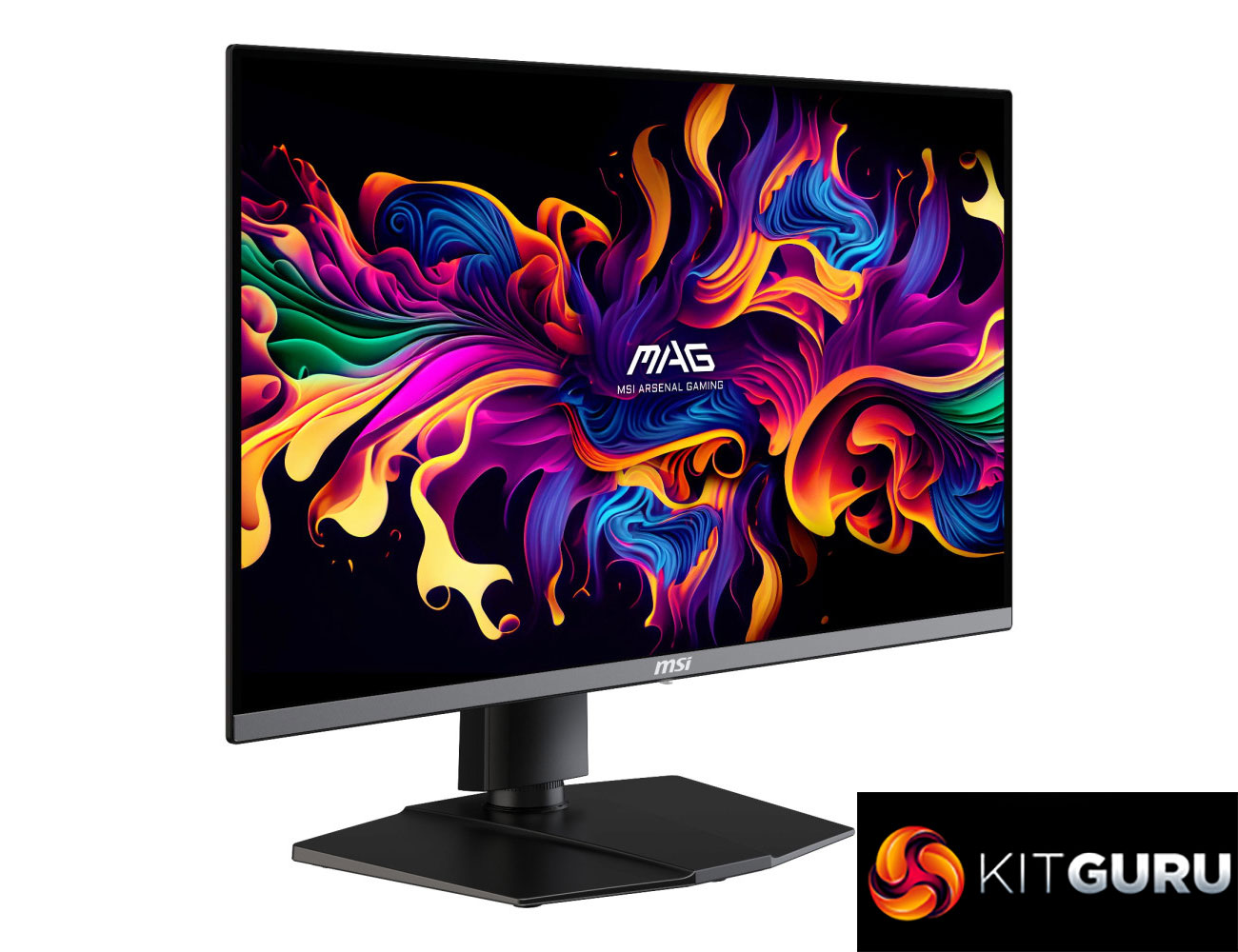
Specification:
- Panel size: 26.5″
- Active display area (mm): 590.42 (H) x 333.72 (V)
- Curvature: Flat
- Panel type: QD-OLED
- Panel resolution: 2560 x 1440 (WQHD)
- Pixel pitch (H x V): 0.2292 (H) x 0.2292 (V)
- Aspect ratio: 16:9
- Brightness (nits):
- SDR: 300;
- HDR: 500 (Typ.) (True Black 500 with 10% APL);
- HDR: 1000 (Typ.) (Peak 1000 with 3% APL)
- Contrast ratio: 1,500,000:1 (Typ.)
- Signal frequency: 31.2~835 KHz (H) / 48~500 Hz (V)
- Activated range: 48~500 Hz
- Refresh rate: 500 Hz
- Response time: 0.03 ms (GtG)
- Dynamic refresh rate technology: AMD FreeSync™ Premium Pro
- HDR support: DisplayHDR True Black 500
- Video ports: 2x HDMI™ 2.1 (WQHD@500Hz), 1x DisplayPort 1.4a (HBR3), 1x Type-C (DP alt.) w/ 15W PD
- Audio ports: 1x Headphone-out
- Viewing angle: 178°(H) / 178°(V)
- Adobe RGB / DCI-P3 / sRGB: 98% / 99% / 138% (CIE1976 Standard)
- Surface treatment: Anti-Reflection
- Display colors: 1.07B, 10 bits
- Console mode:
- Supported resolution & refresh rate:
- 1080p: 60Hz and 120Hz
- 1440p: 60Hz and 120Hz
- HDMI™ CEC: Supported
- VRR: PS5 and Xbox Supported
- Power type: Internal Power Board
- Power input: 100~240V, 50/60Hz
- Adjustment (tilt): -5° ~ 20°
- Adjustment (swivel): -30° ~ 30°
- Adjustment (pivot): -90° ~ 90°
- Adjustment (height): 0 ~ 110 mm
- Kensington lock: Yes
- VESA mounting: 100 x 100 mm
- Dimension with stand (W x D x H): 610 x 242 x 532 mm (24 x 9.5 x 20.9 inch)
- Dimension without stand (W x D x H): 610 x 69 x 356.4 mm (24 x 2.7 x 14 inch)
- Weight (NW / GW): 8 kg (17.6 lbs) / 11.5 kg (25.3 lbs)
- Carton dimension (W x D x H): 820 x 169 x 513 mm (32.2 x 6.6 x 20.1 inch)
- Accessories: 1x DisplayPort Cable (1.4a), 1x HDMI™ Cable (2.1), 1x Power Cord (C13), 1x Quick Guide, 4x VESA Wall Mount Screw, 1x Fiber Cloth
- Support: HDMI™ CEC, PIP/PBP; Non Support: KVM
- Warranty: 3 years (including panel burn-in)
Firmware tested: FW.013
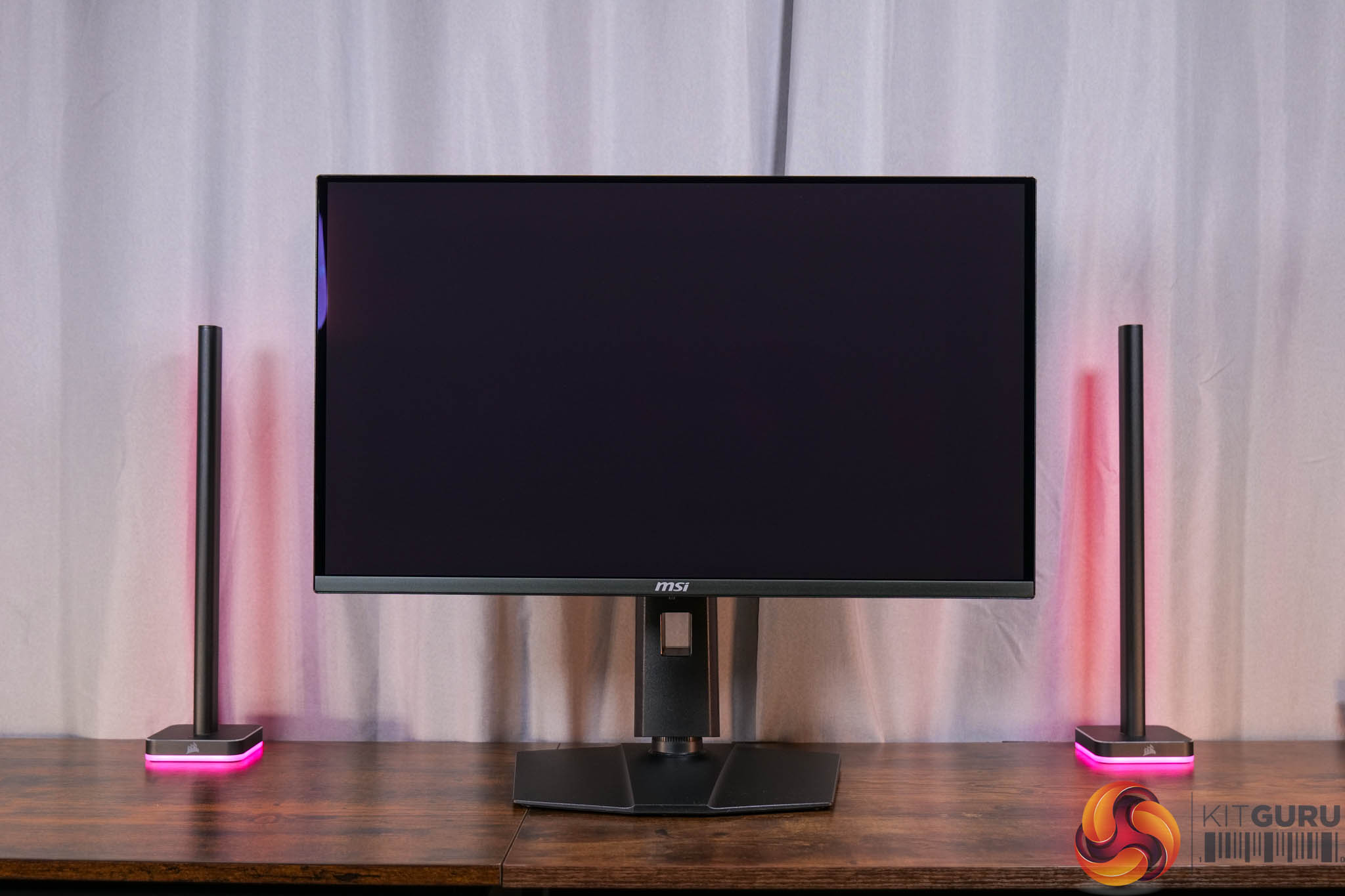
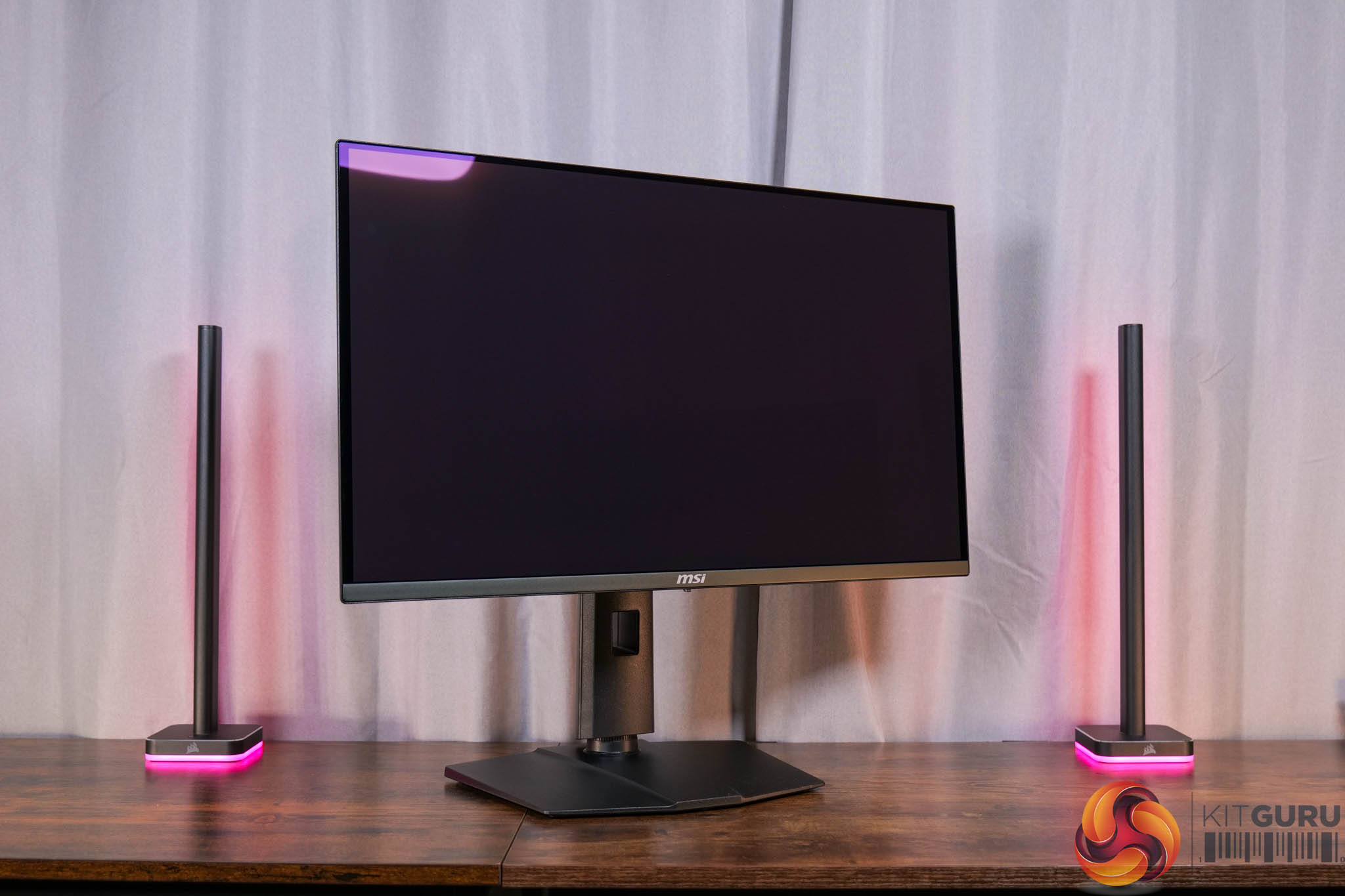
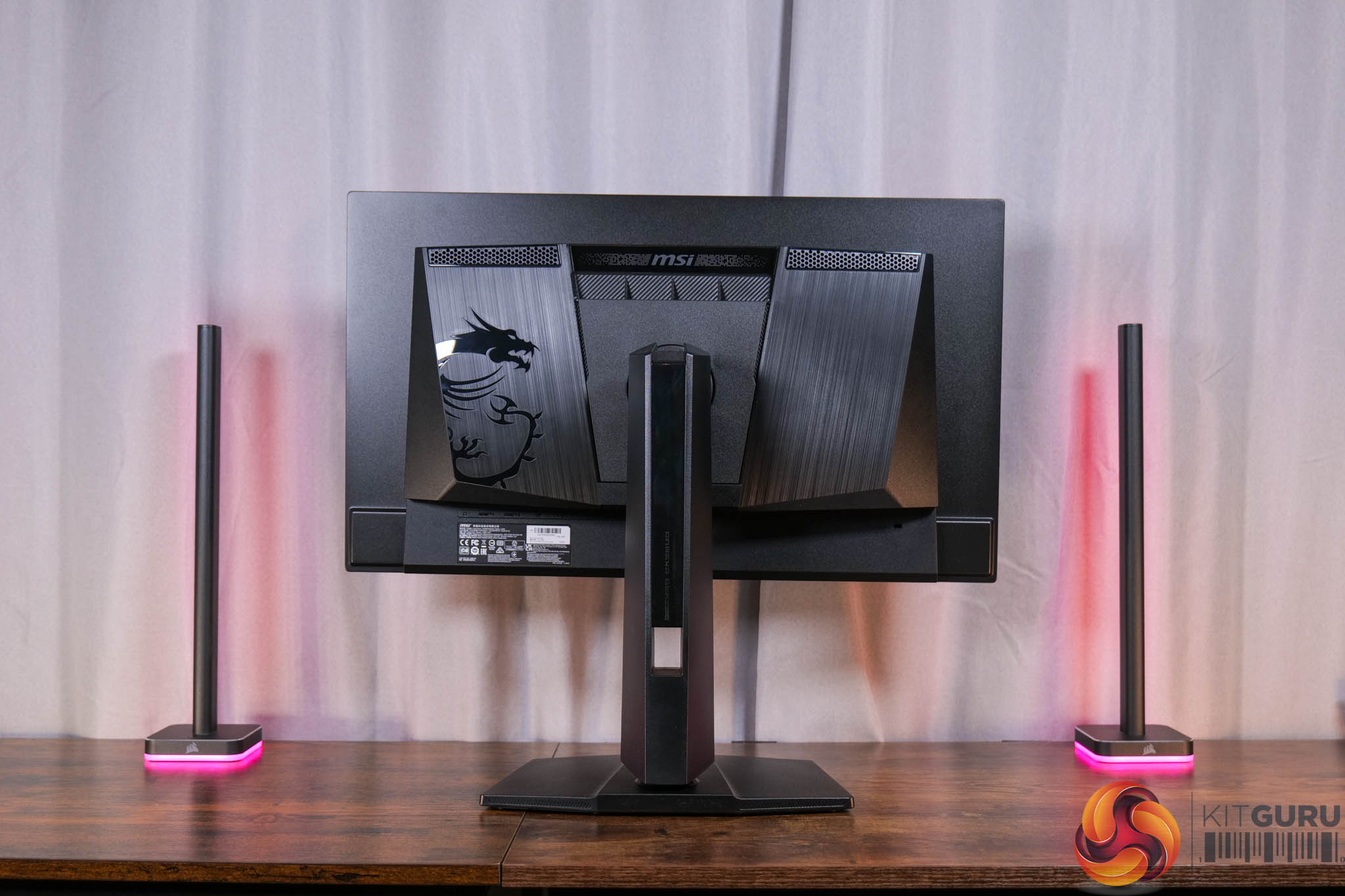
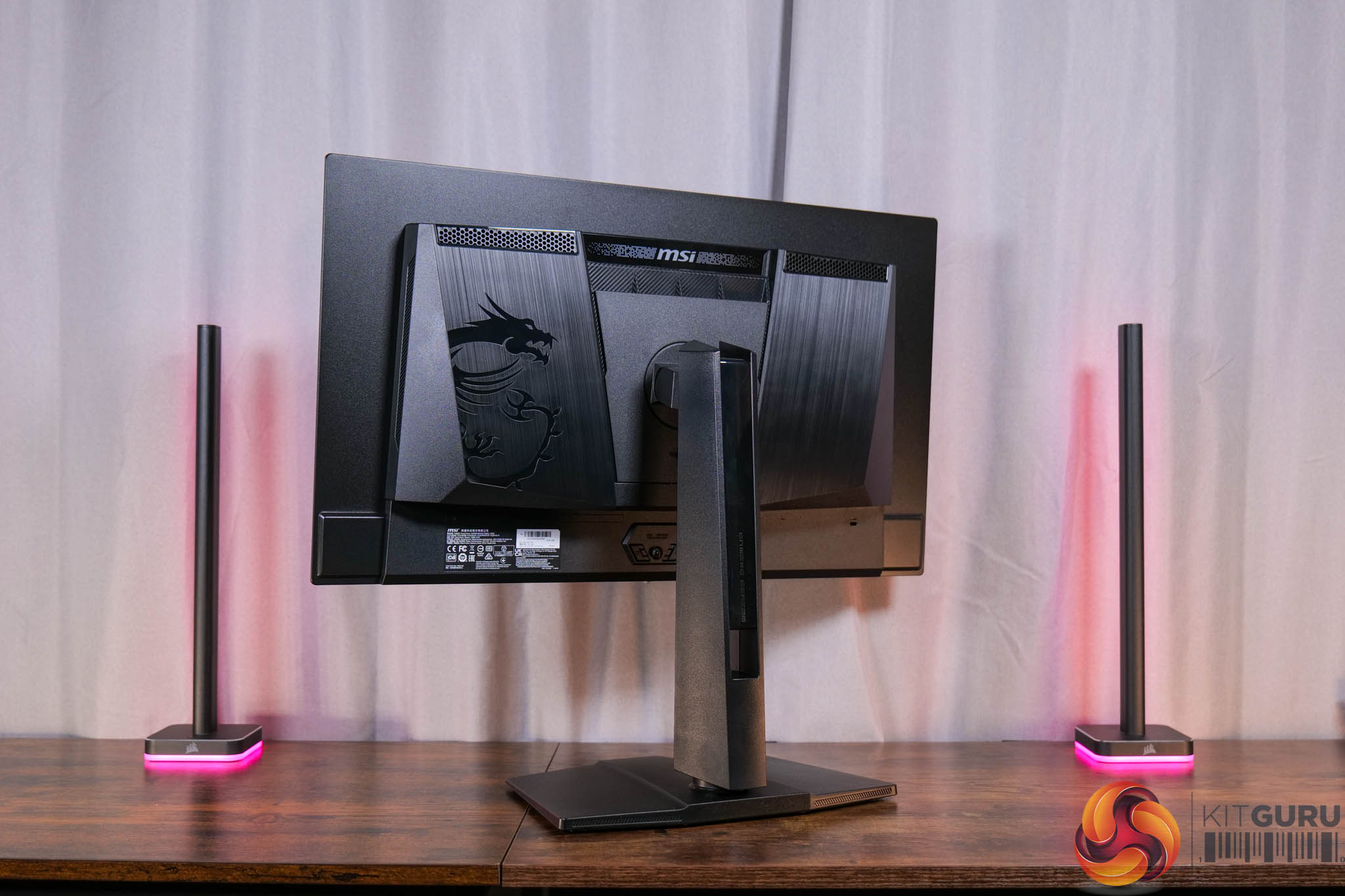
Starting things off with the design, it's essentially the same chassis as the 272URX we reviewed earlier this year, which isn't really a surprise given both are 27in QD-OLED panels. It's overall a fairly inoffensive, mostly black aesthetic – I just wish there was a bit more metal used, as it feels just a bit plasticky for my tastes. I do appreciate the square-ish foot though, as I much prefer this compared to some of the larger v-shaped feet we typically see.
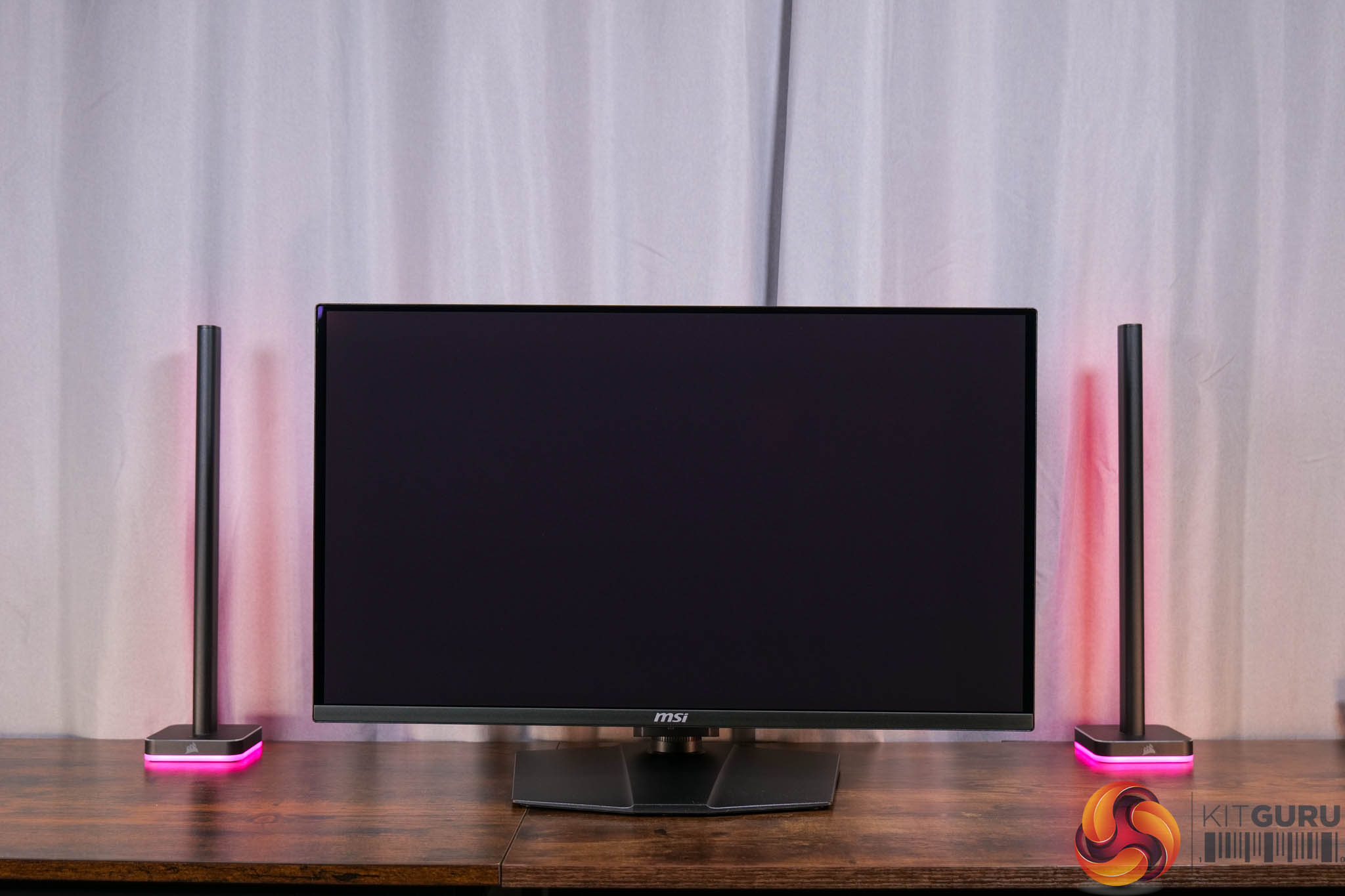
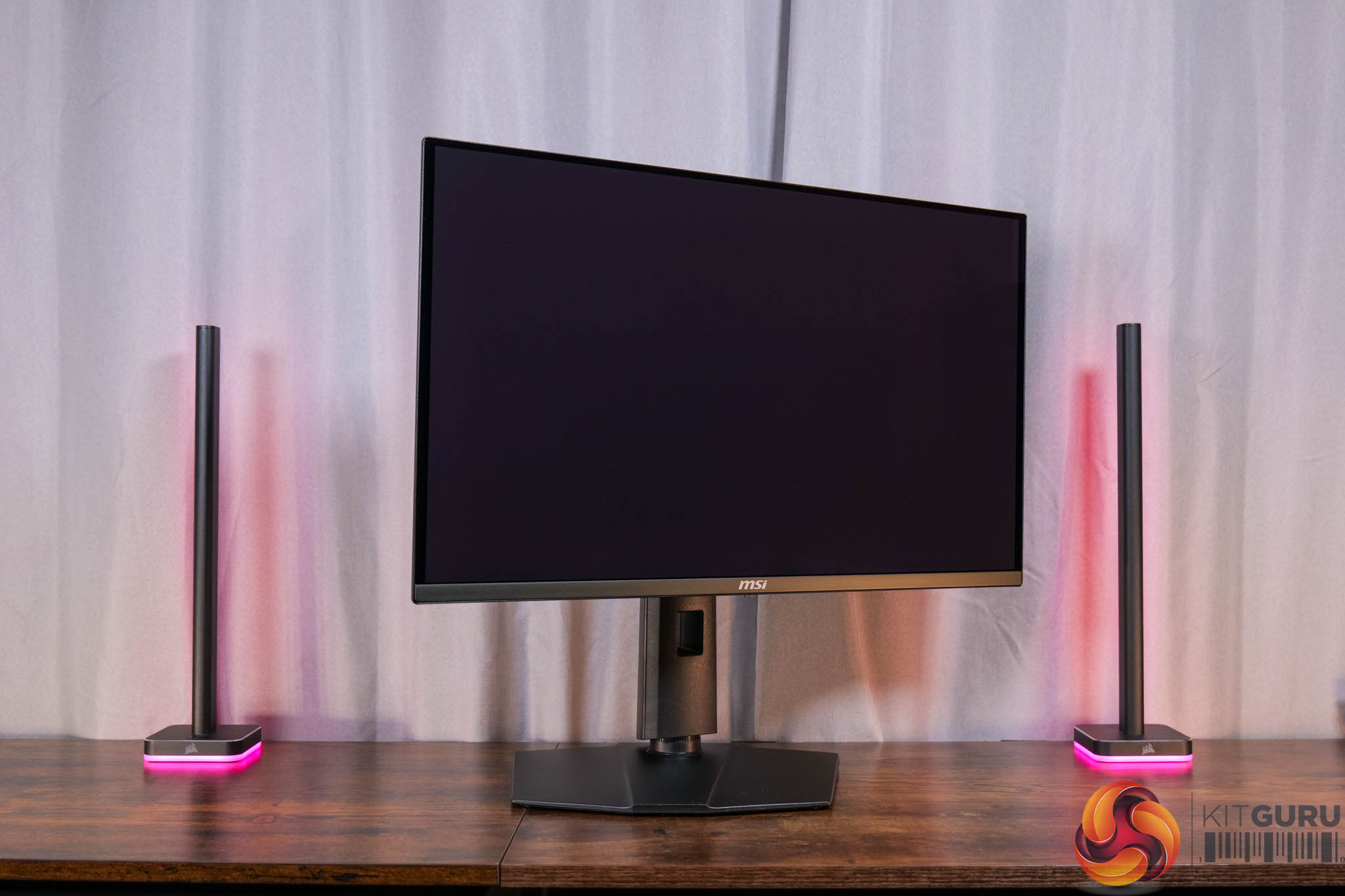
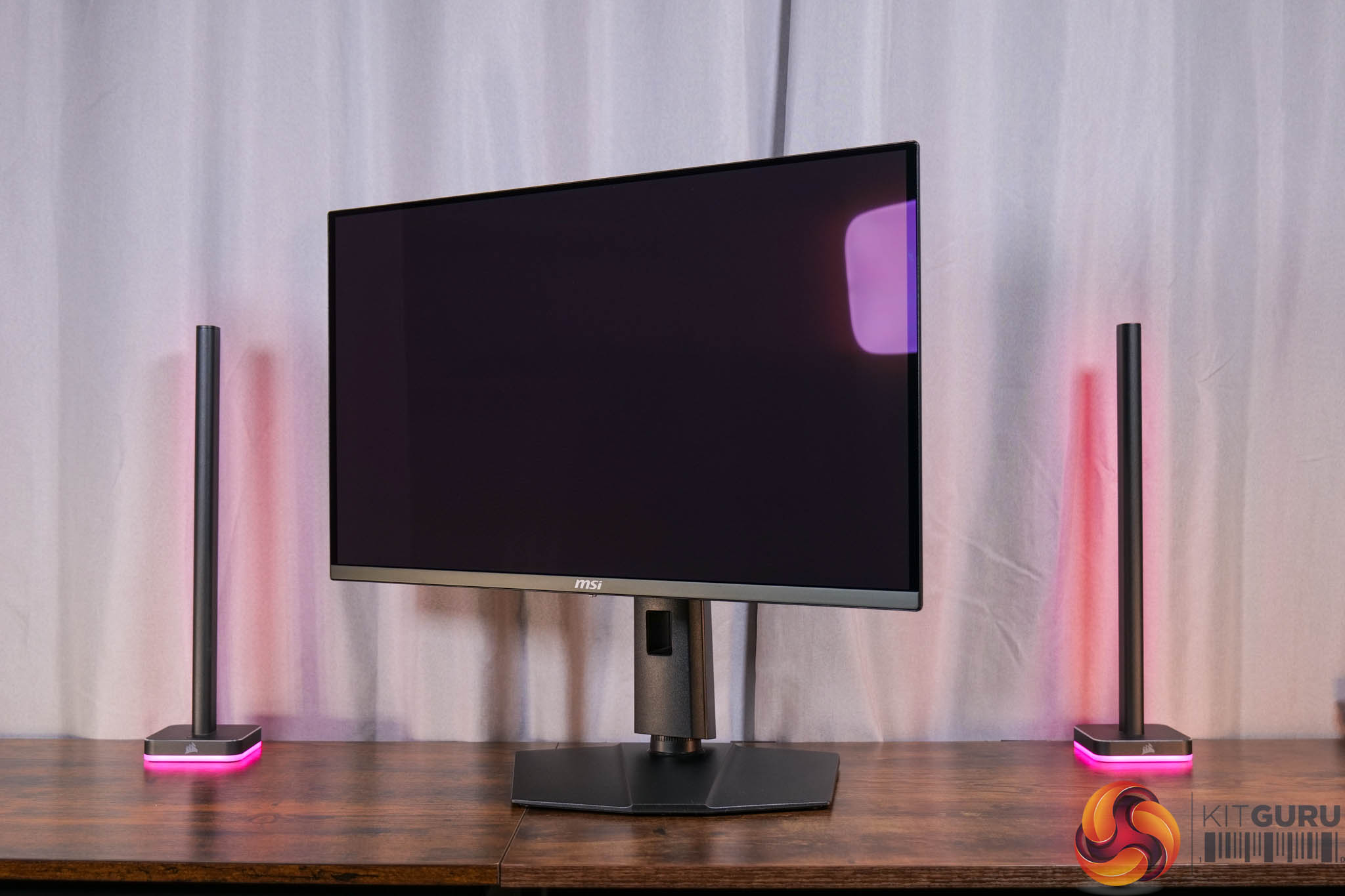
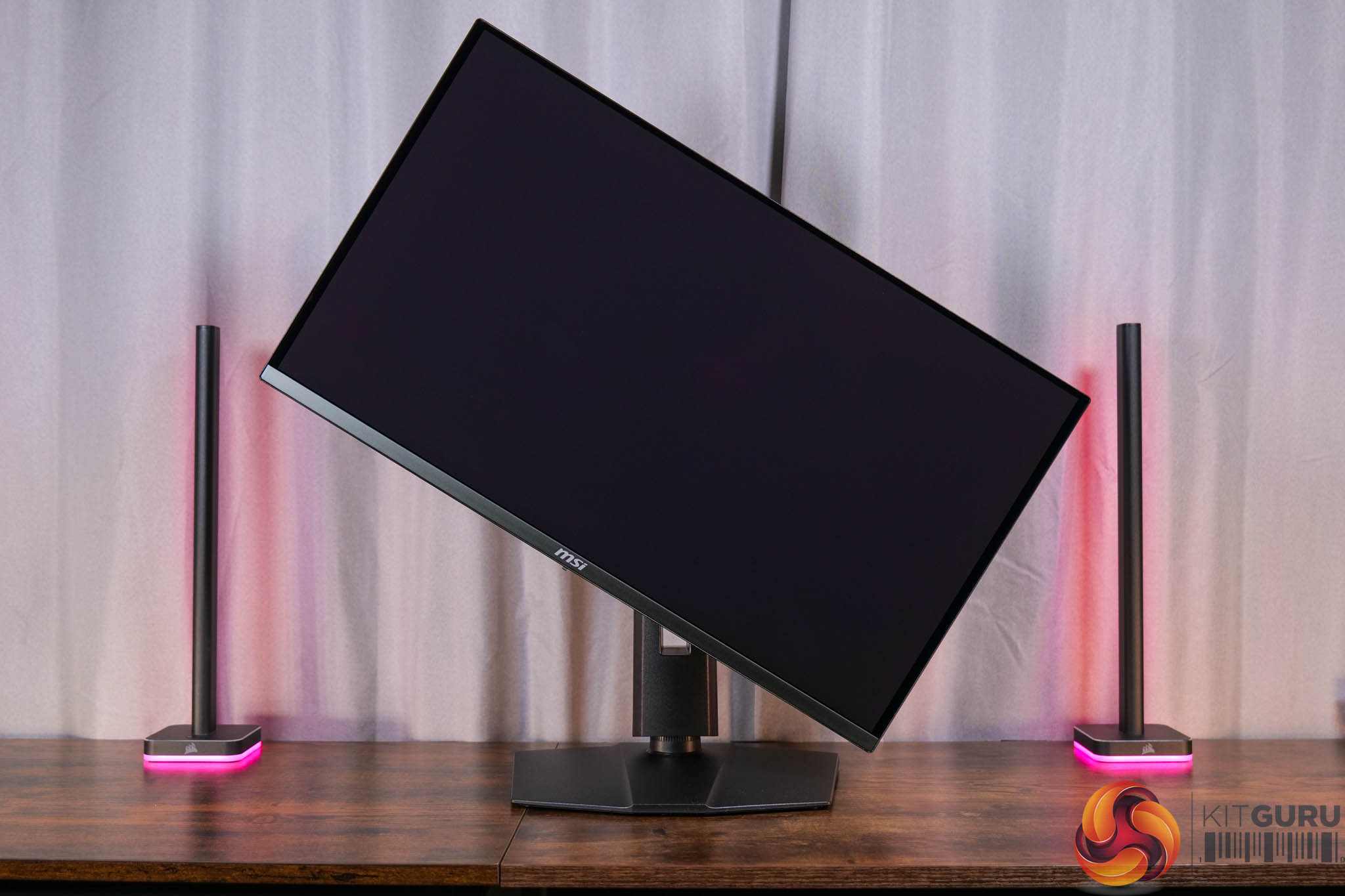
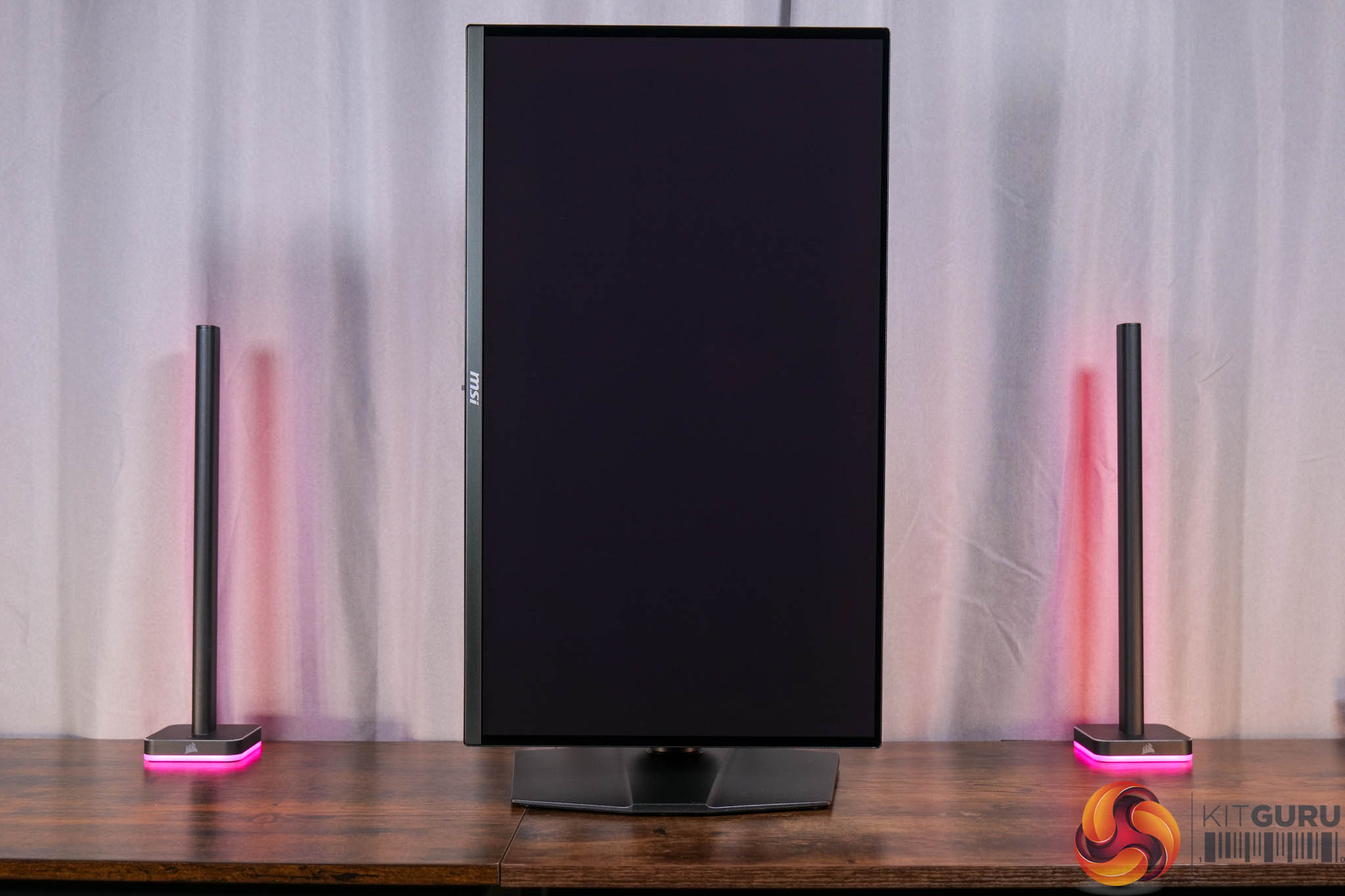
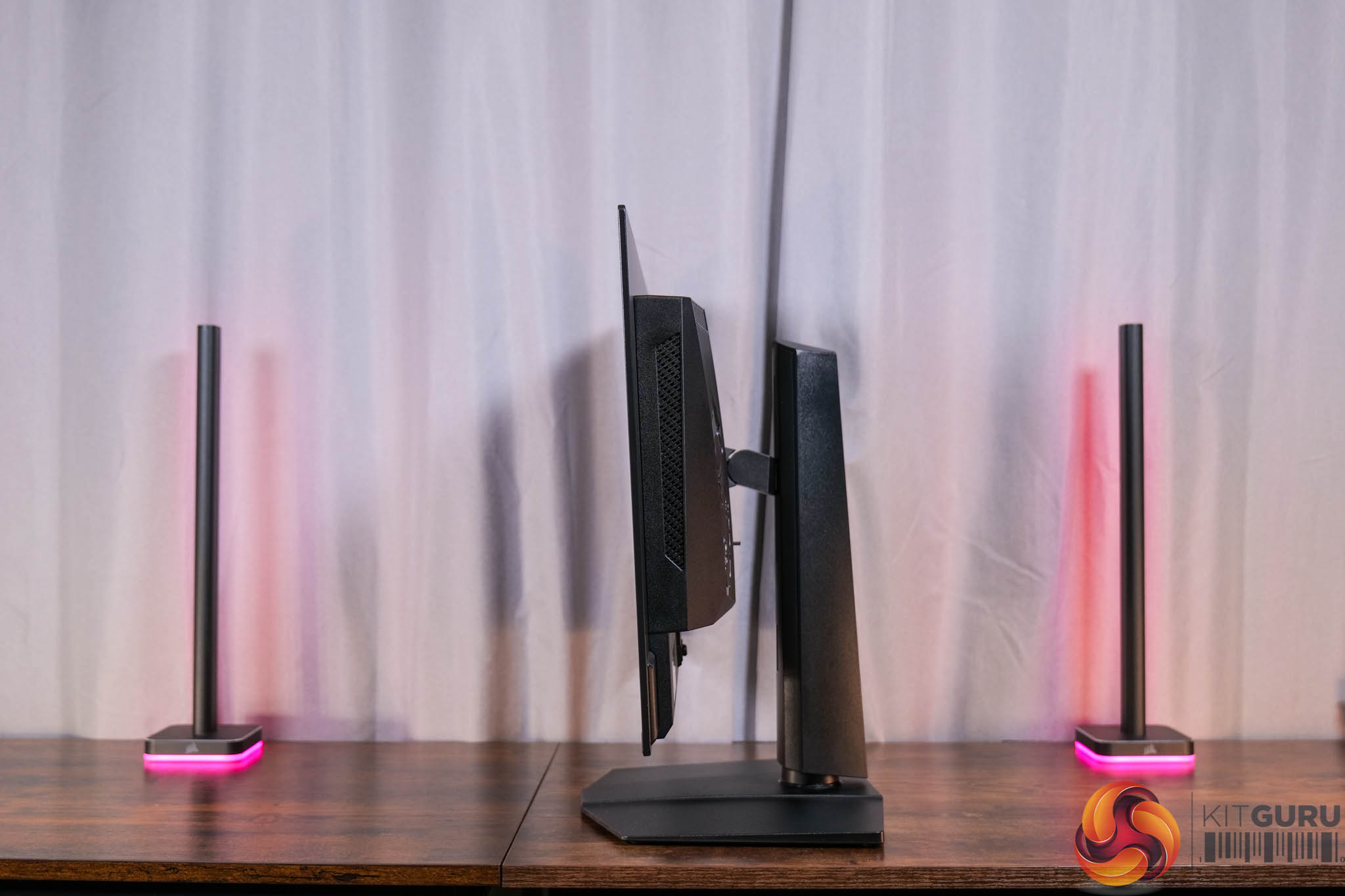
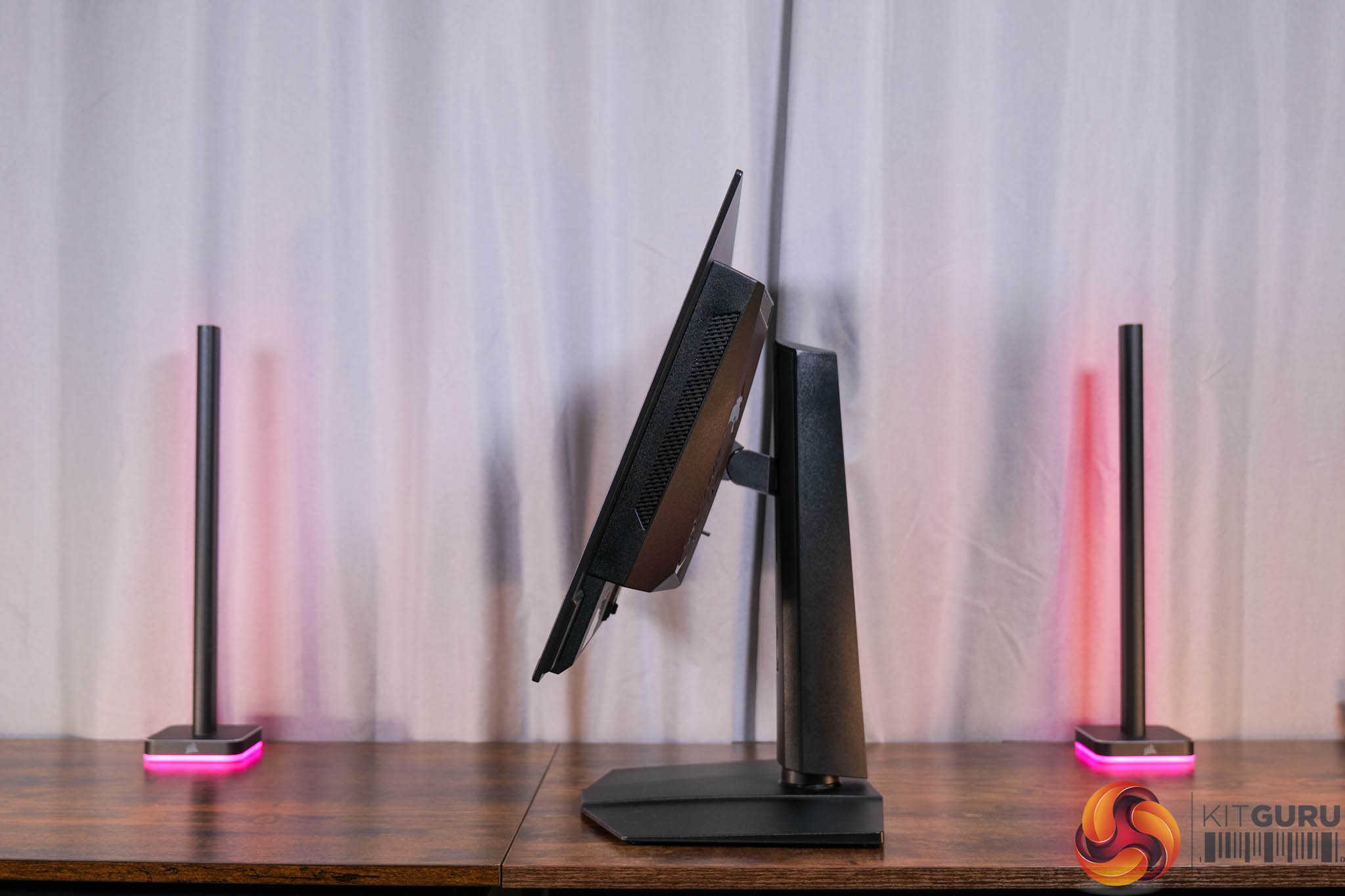
The stand does offer the full array of ergonomic adjustments too, and that includes up to 110mm of height adjustment, 30 degrees of swivel both left and right, tilt from -5 to +20 degrees, along with full 90 degree pivot functionality if you want to use the screen vertically. Third party VESA 100×100 mounts are also supported.
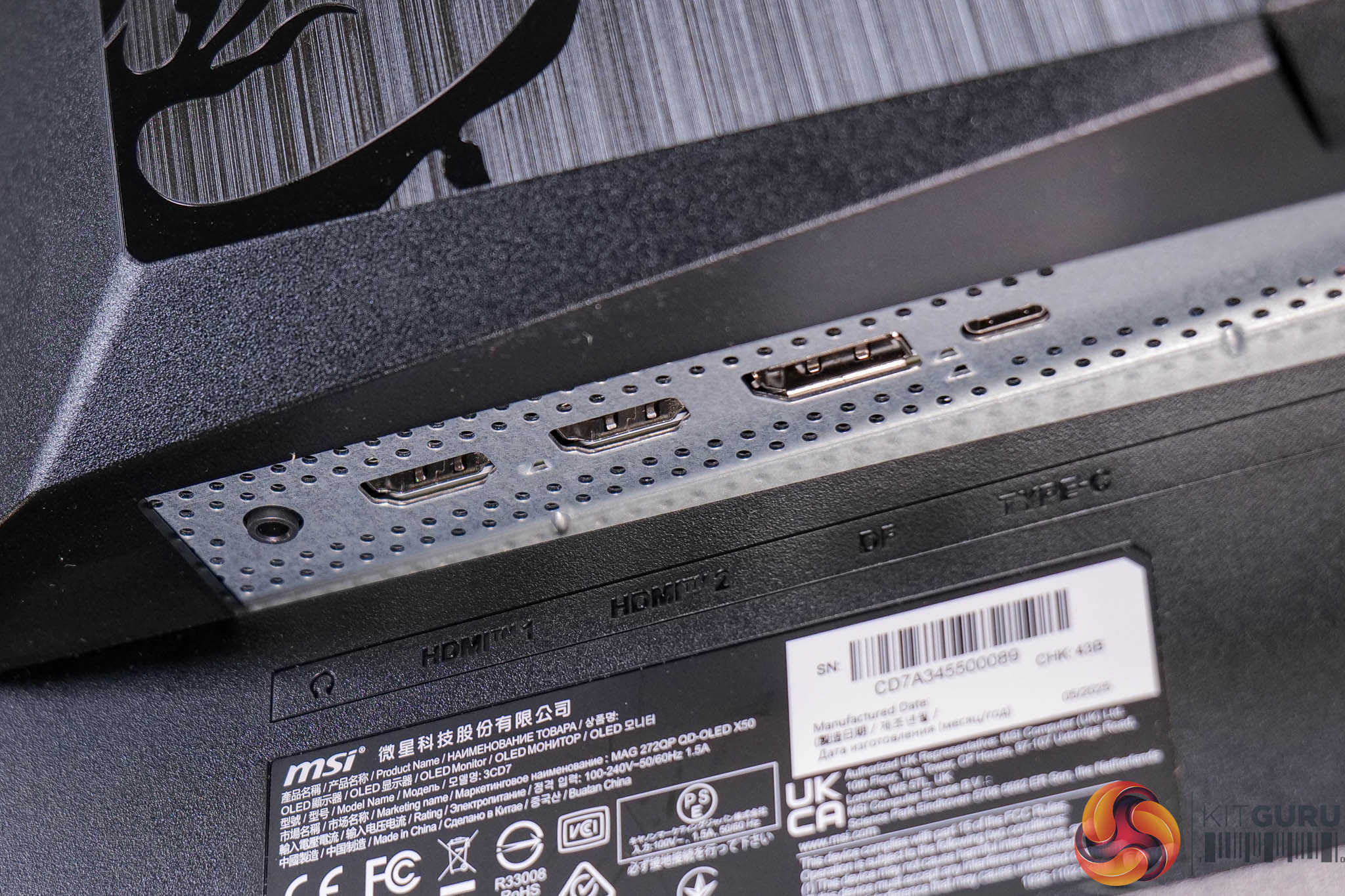
As for display inputs, we find a relatively compact selection, with one DisplayPort 1.4, two HDMI 2.1, a Type-C port that supports DPAlt mode and 15W power delivery, and then a headphone jack. If you're not familiar with MSI's product naming scheme, this is a MAG monitor, which is effectively their more affordable series, below MPG and MEG – which would explain the lack of a Type-A USB hub, while KVM functionality is also missing.
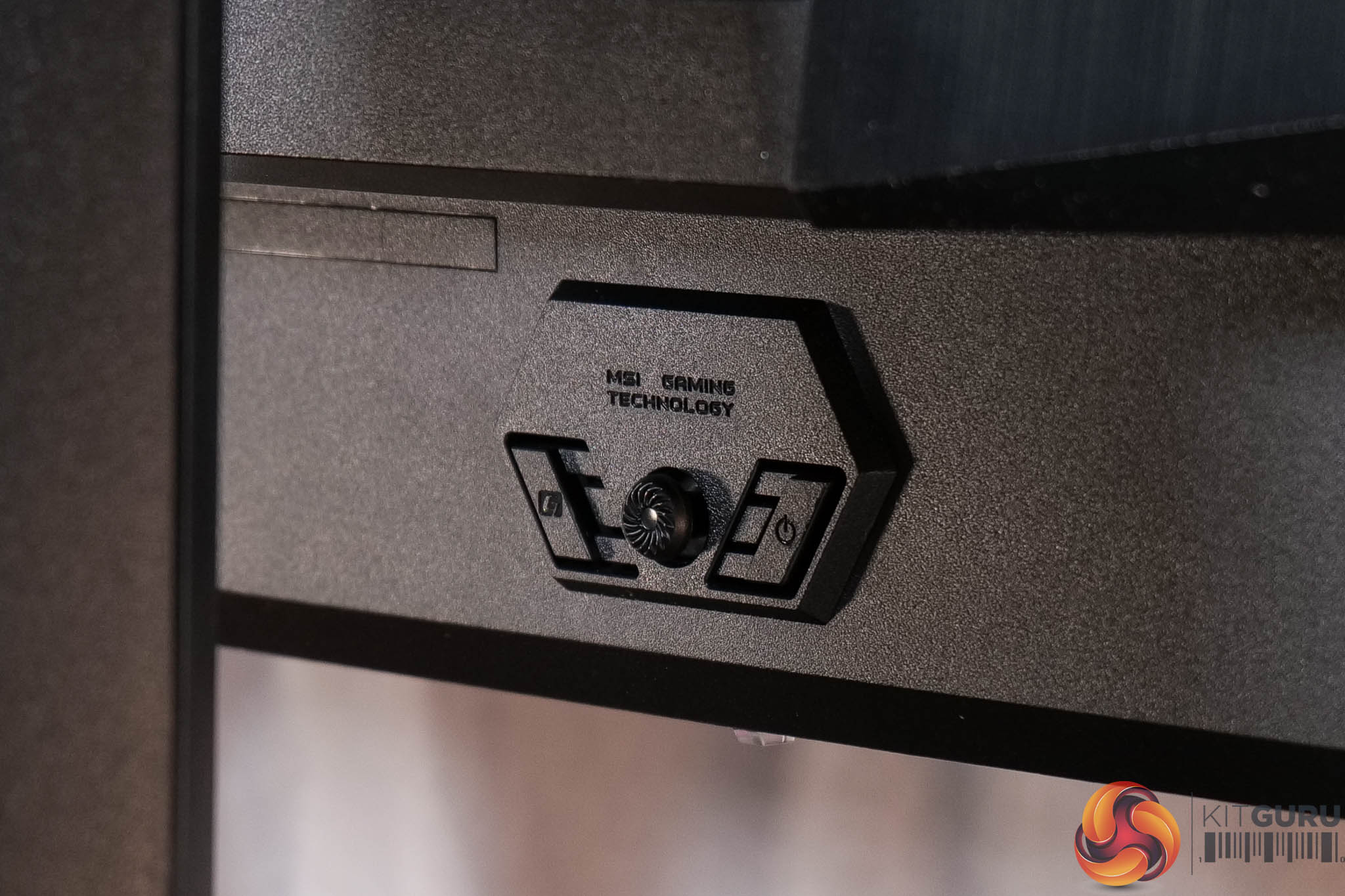
It is good to see a joystick for navigating the OSD though, and this is flanked by the power button and one user configurable button.
The core OSD is essentially the same as the 272URX, and it's broken down into nine main tabs as you can see here (though the PIP/PBP is greyed out as only one video input was used):
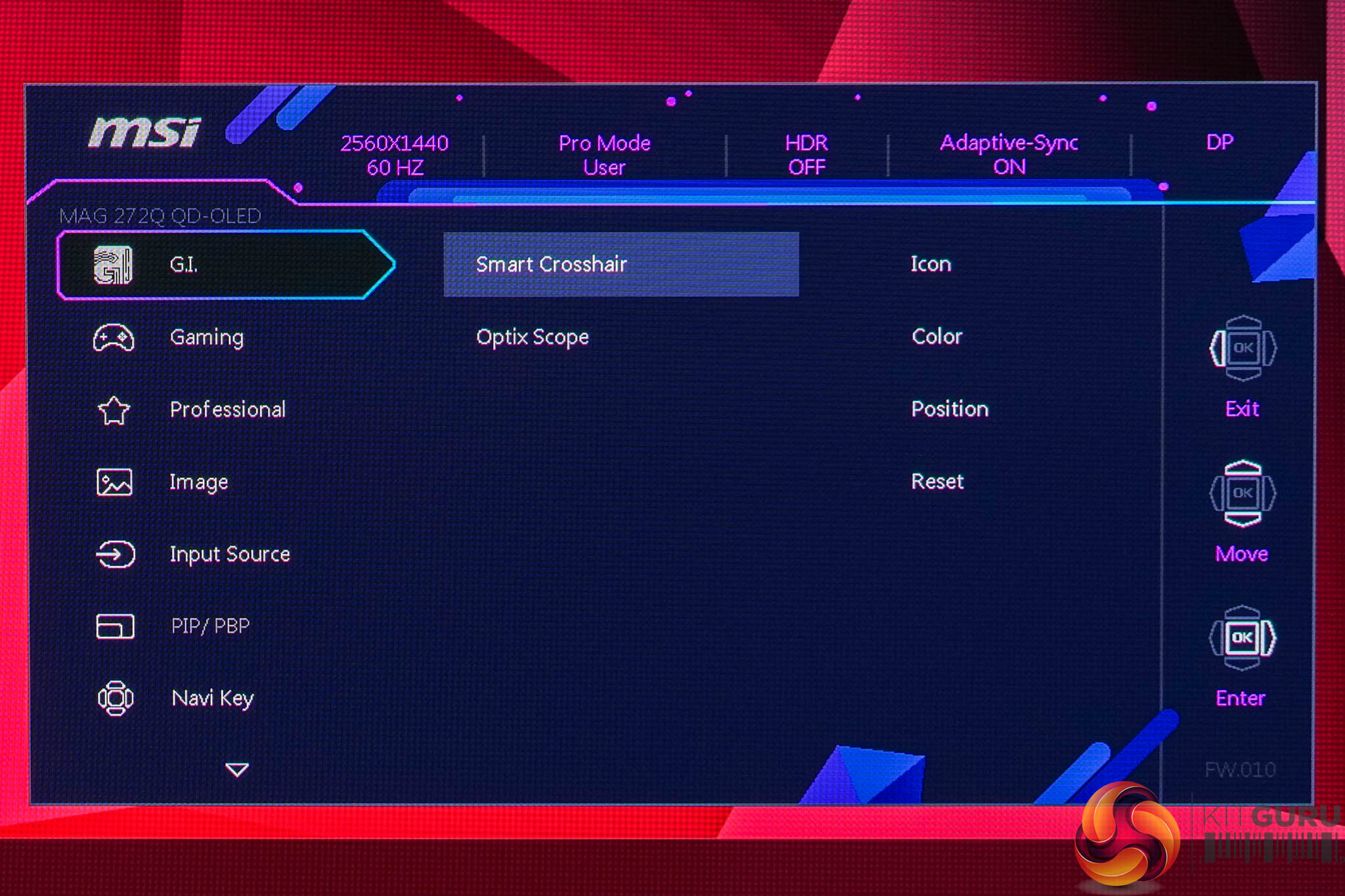
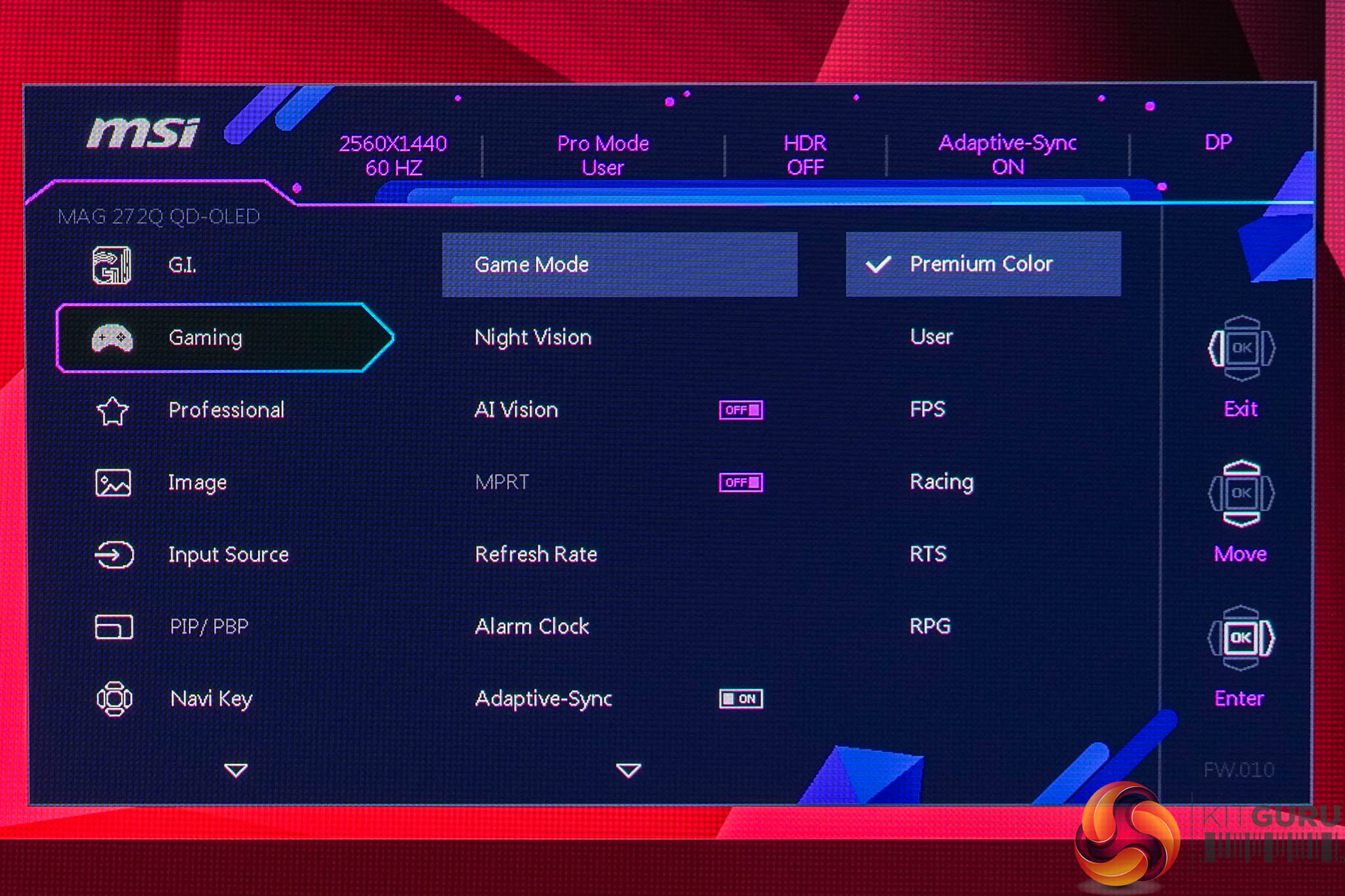
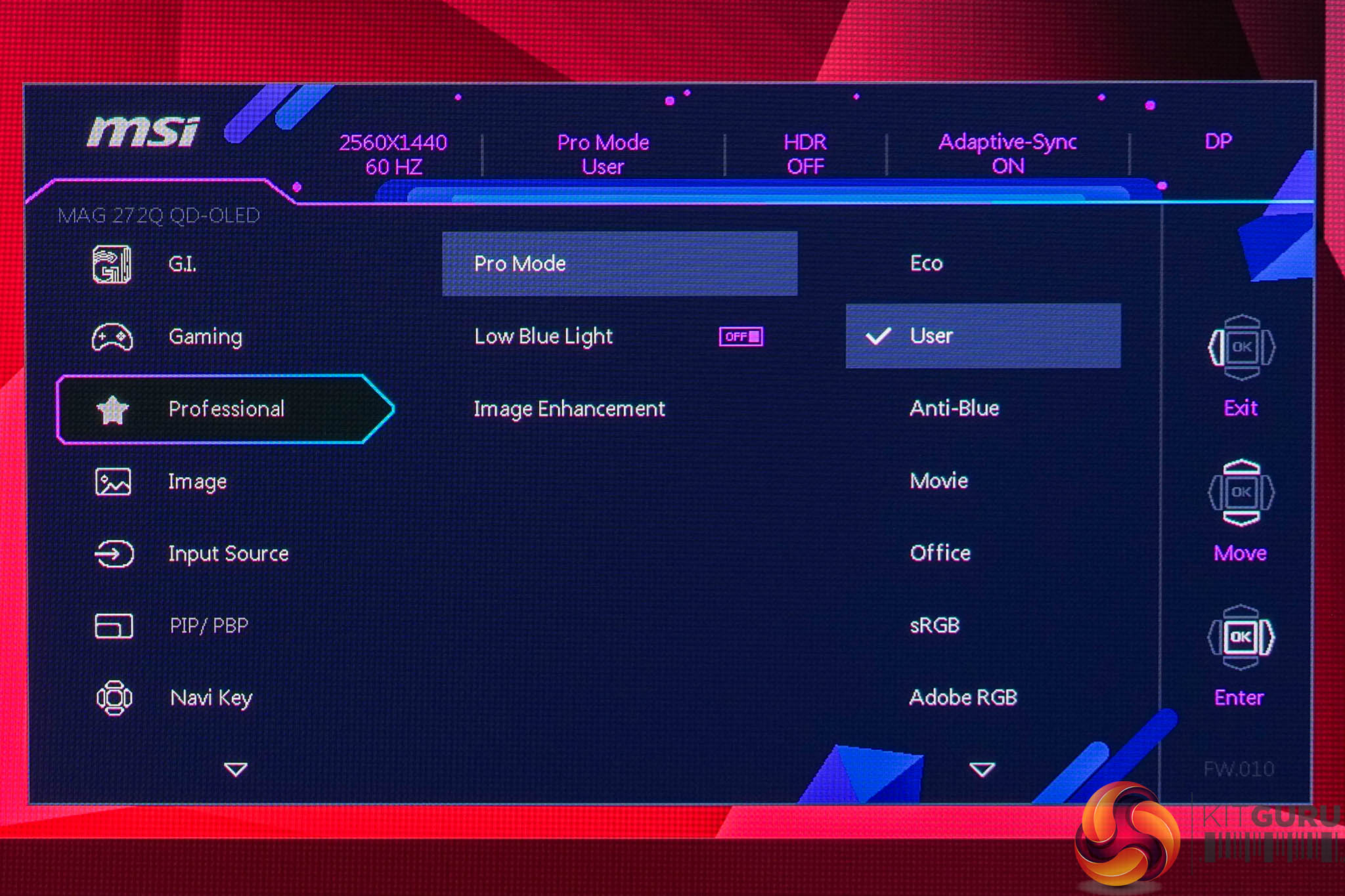
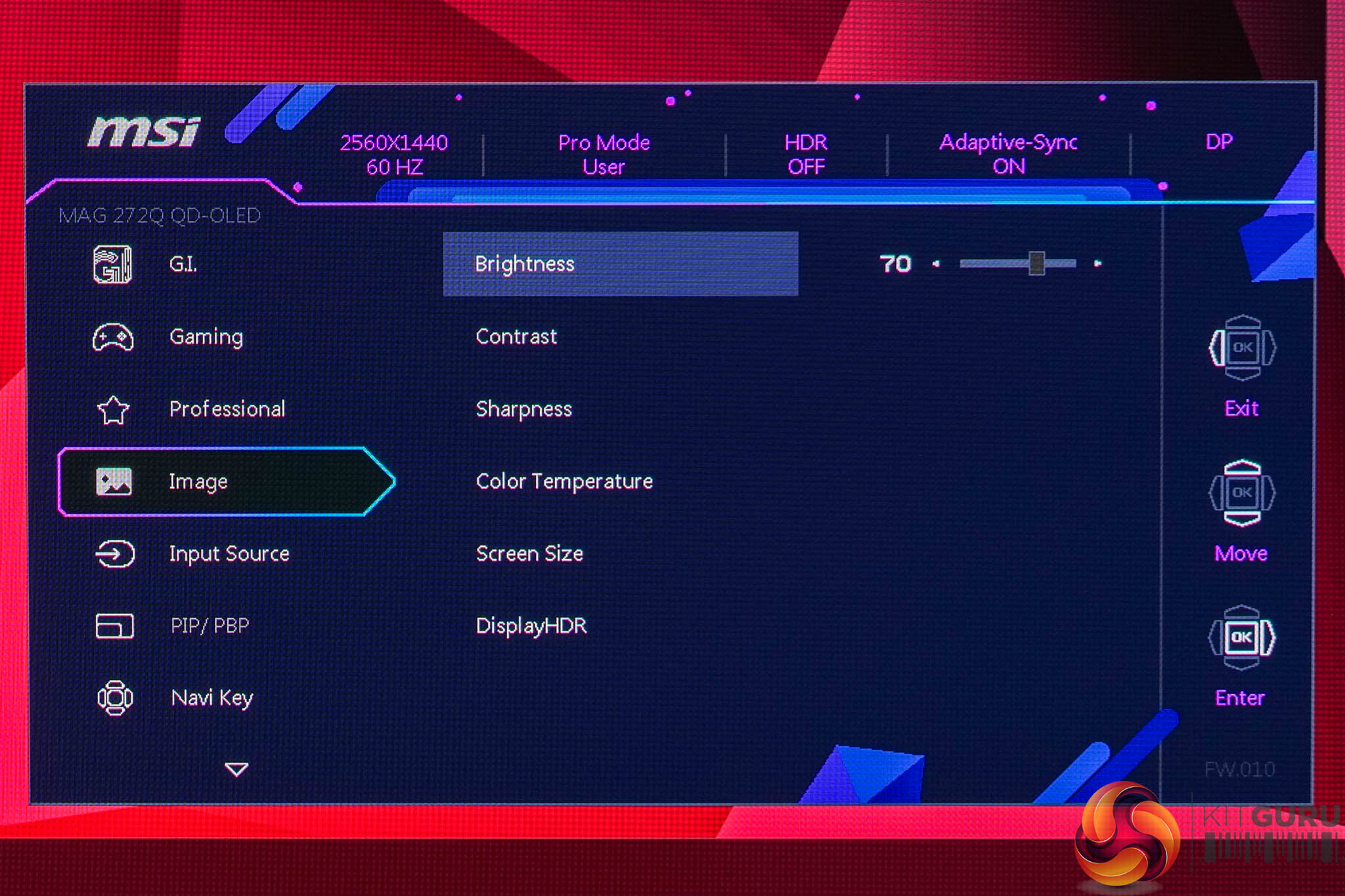
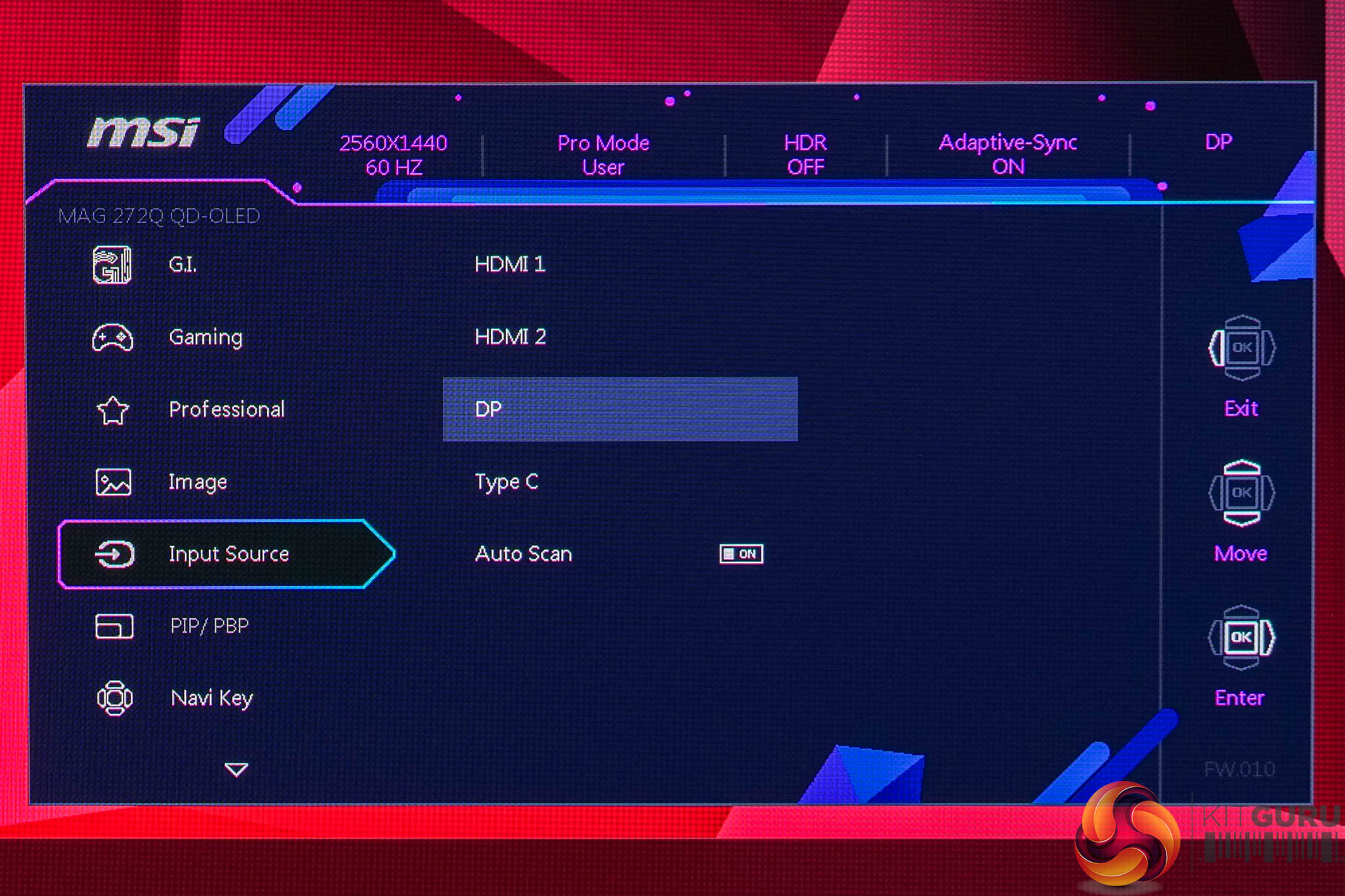
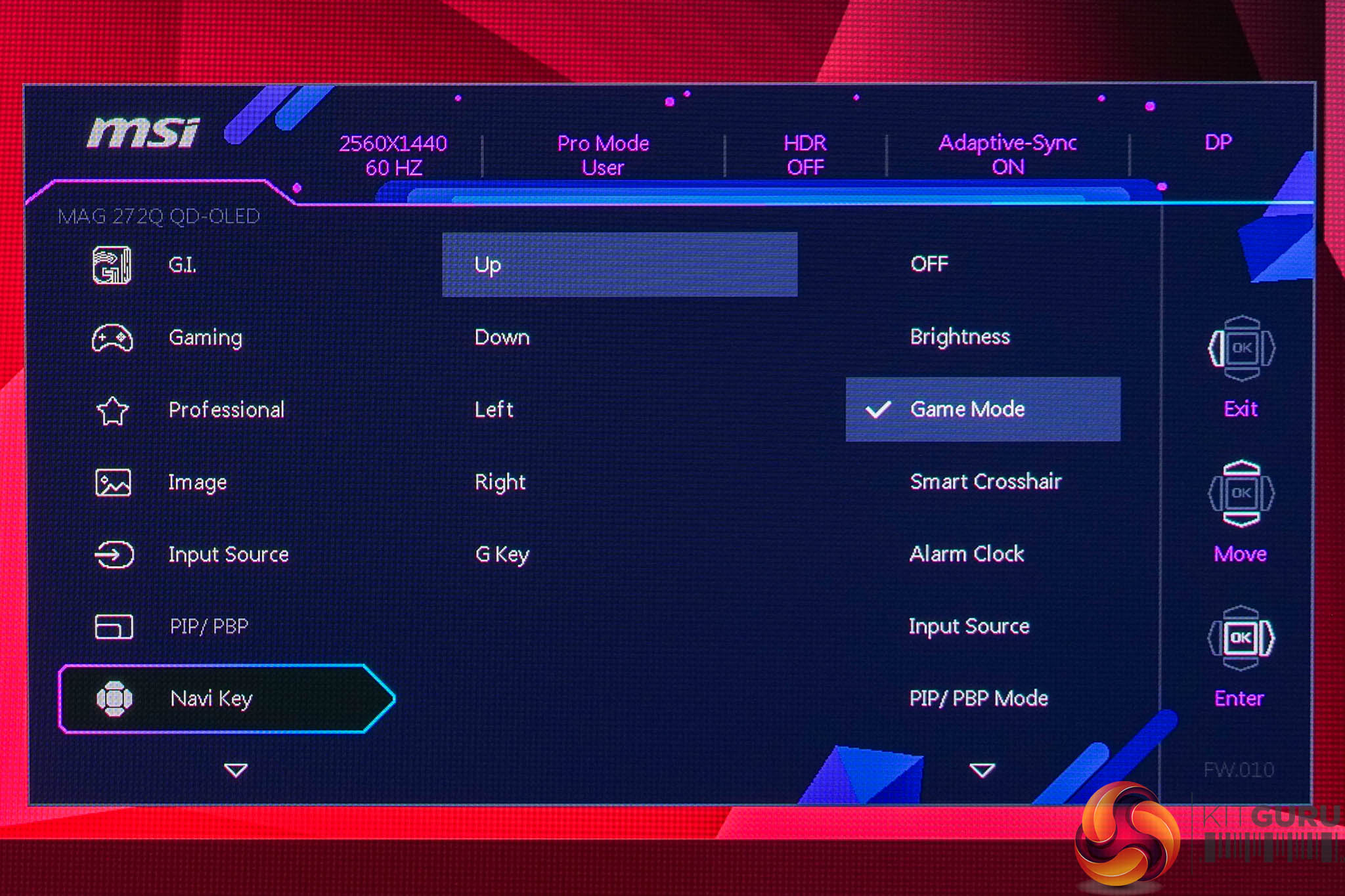
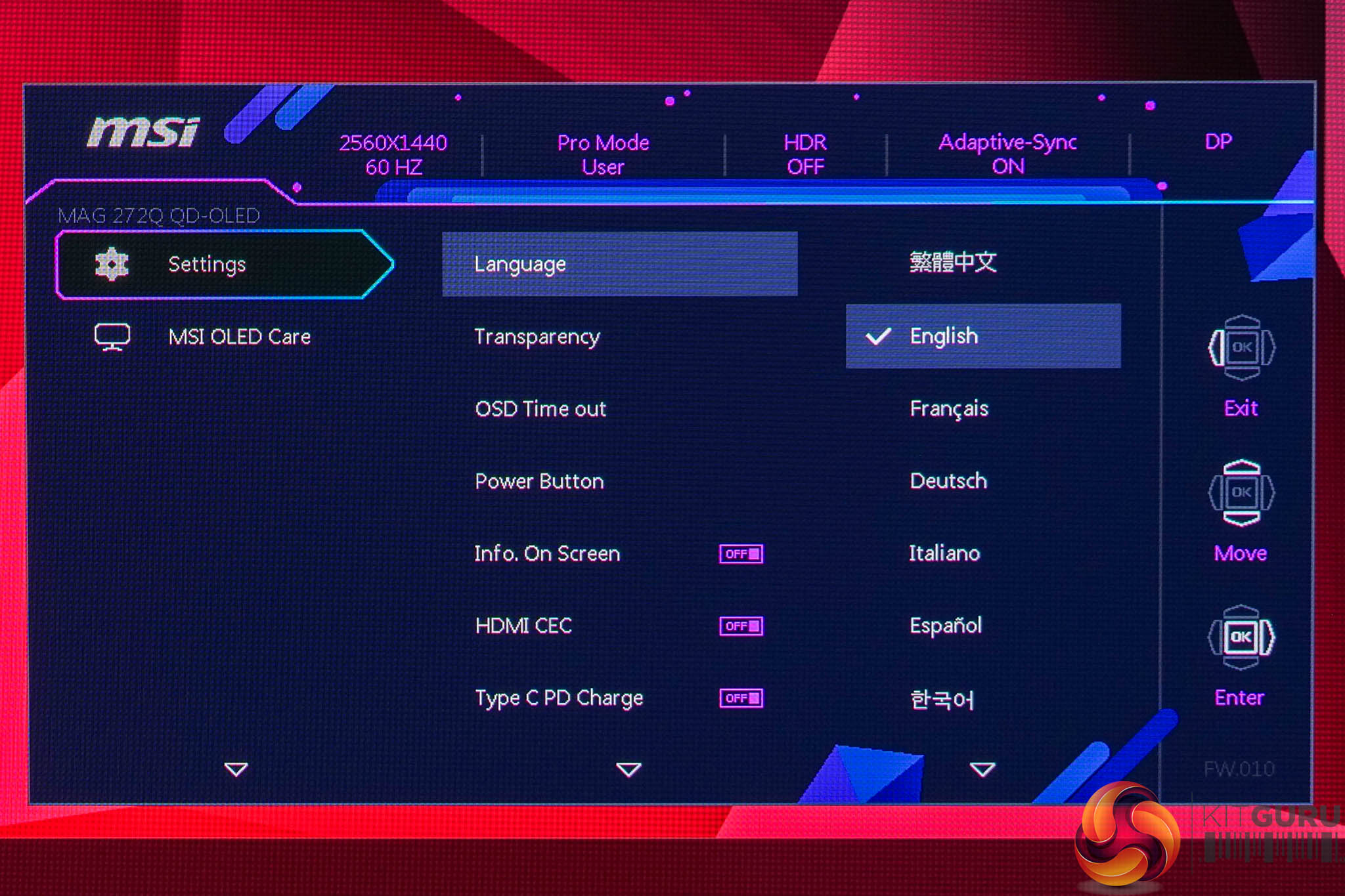
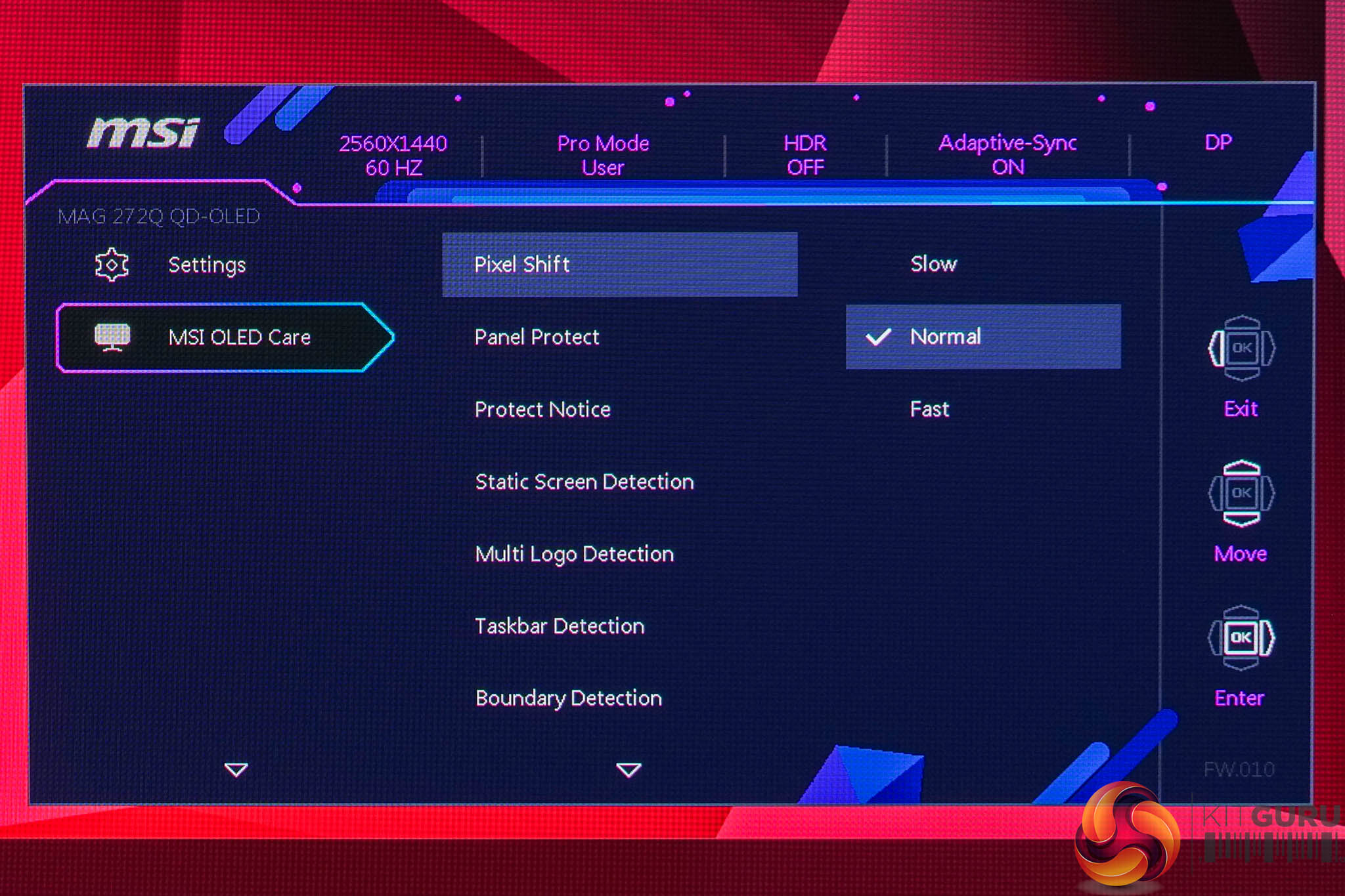
Using the same OSD system as we have come to expect from MSI, I don't have any major complaints here. It is quick to navigate using the joystick, things are sensibly laid out and it's a very well-featured selection too, with all the gamer-specific options we have come to expect as well as customisable white balance, an sRGB emulation mode and so on.
Our main test involves using an X-Rite i1 Display Pro Plus colorimeter and utilising Portrait Display's Calman Ultimate software. The device sits on top of the screen while the software generates colour tones and patterns, which it compares against predetermined values to work out how accurate the screen is.

The results show:
- A monitor’s maximum brightness in candelas or cd/m2 at various levels set in the OSD.
- A monitor’s contrast ratio at various brightness levels in the OSD.
- Gamut coverage, primarily focusing on sRGB and DCI-P3 colour spaces.
- Greyscale accuracy, measured across 20 shades, with an average colour balance reported.
- The exact gamma levels, with a comparison against preset settings in the OSD.
- The colour accuracy, expressed as a Delta E ratio, with a result under 3 being fine for normal use, and under 2 being great for colour-accurate design work.
We first run these tests with the display in its out-of-the-box state, with all settings on default. If there is an sRGB emulation option or other useful mode then we may test that too. We then calibrate the screen using the Calman Ultimate software and run the tests again.
You can read more about our test methodology HERE.
Default settings
Brightness and Contrast (Full Screen)
| OSD Brightness | White Luminance (cd/m2) | Black Luminance (cd/m2) | Contrast Ratio |
| 0% | 28.4 | 0.00 | ~Infinite |
| 25% | 111.2 | 0.00 | ~Infinite |
| 50% | 193.9 | 0.00 | ~Infinite |
| 75% | 265.0 | 0.00 | ~Infinite |
| 100% | 307.6 | 0.00 | ~Infinite |
Kicking off with our brightness testing, we can straight away see that this is indeed the brightest OLED monitor we've reviewed, peaking at just below 310 nits for a full screen white. It gets very dim, too, with a minimum of just 28 nits, while contrast is effectively infinite as with any OLED.
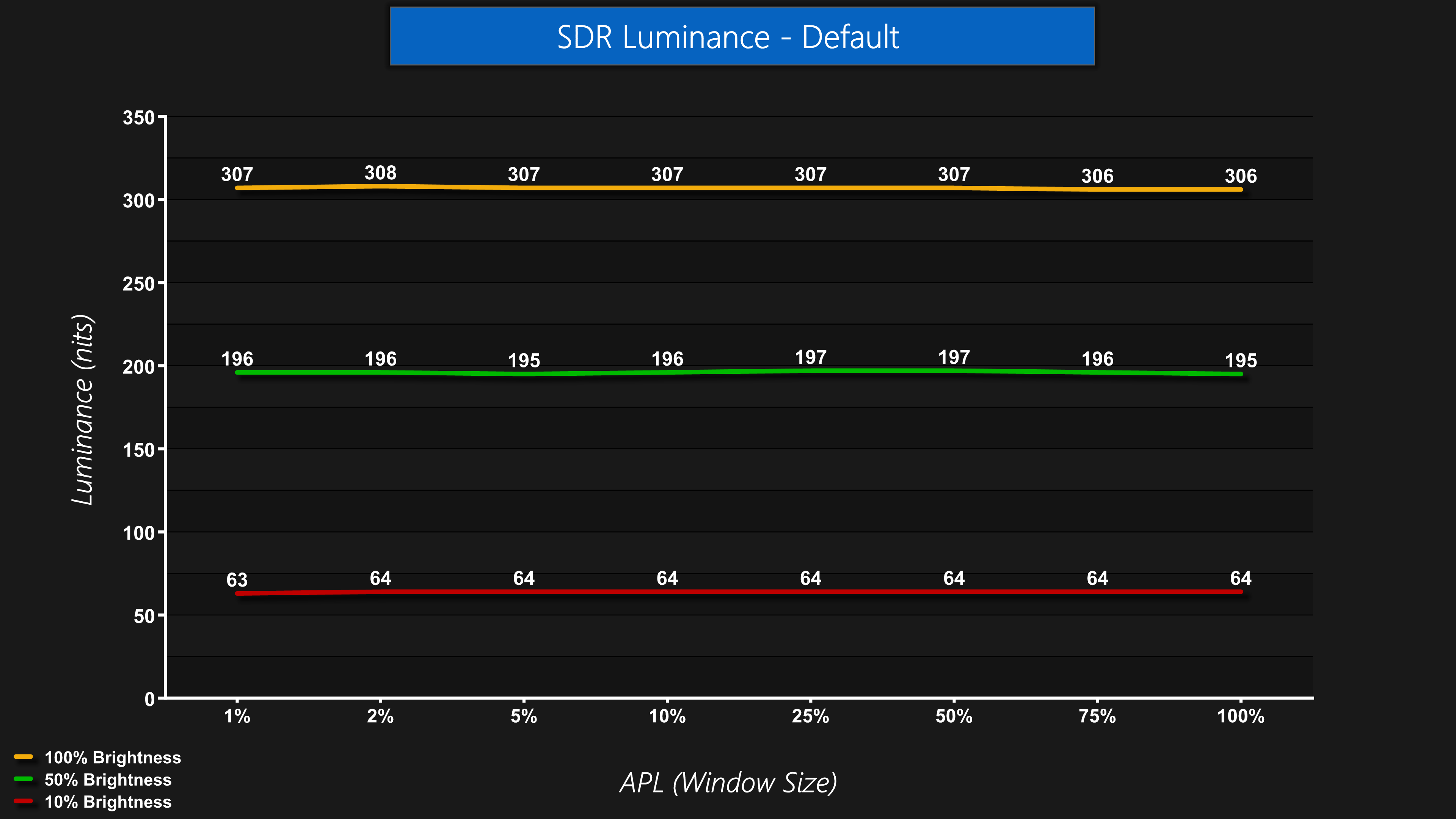
The good news is that despite the higher brightness, the output luminance is steady regardless of the window size (APL), so you won't notice the screen dimming or brightening in SDR, regardless of what's on screen.
Gamut (CIE 1976)
| Colour space | Coverage (%) |
| sRGB | 100 |
| DCI-P3 | 99.2 |
| Adobe RGB | 97.8 |
| Rec.2020 | 80.4 |
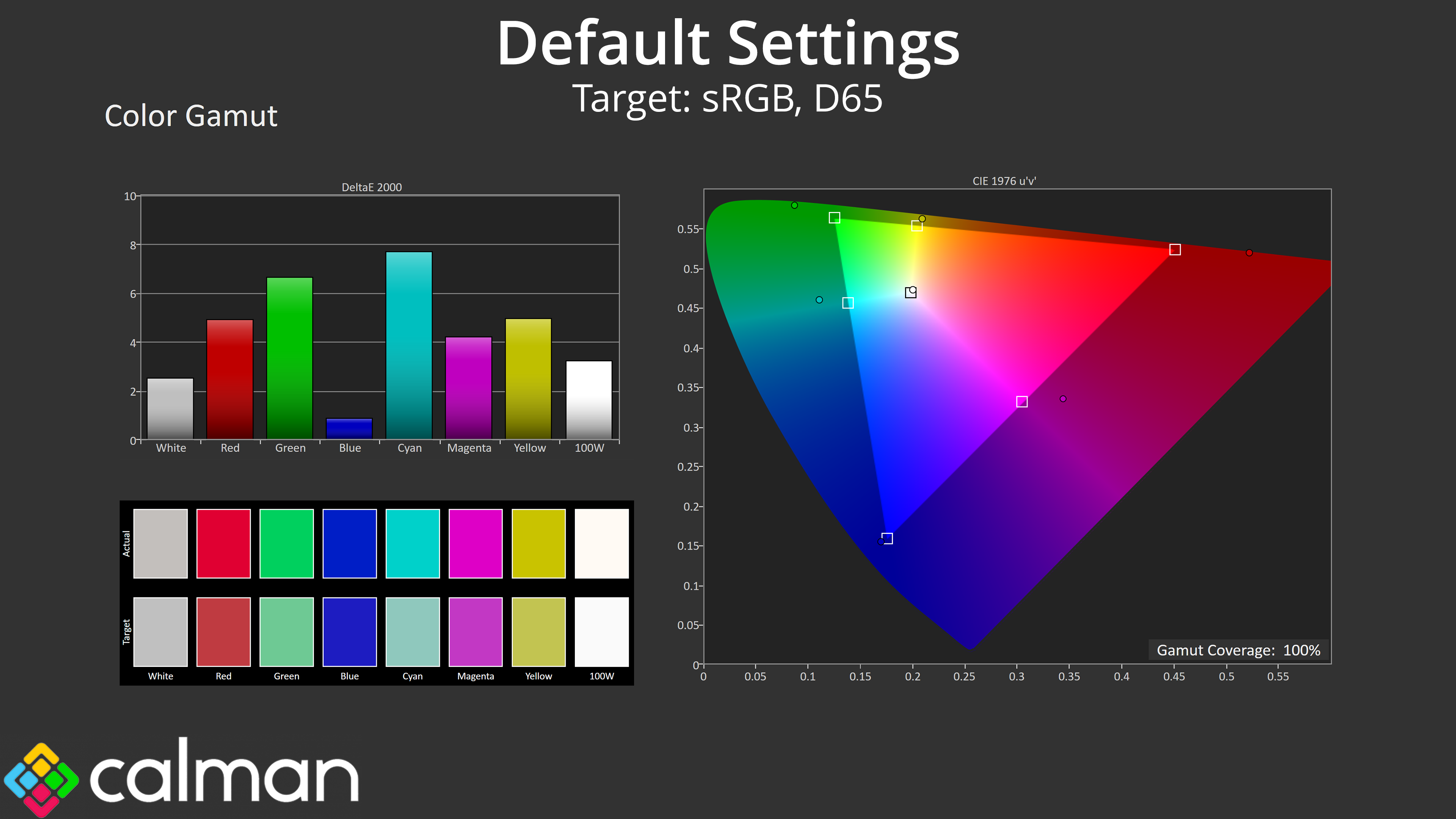
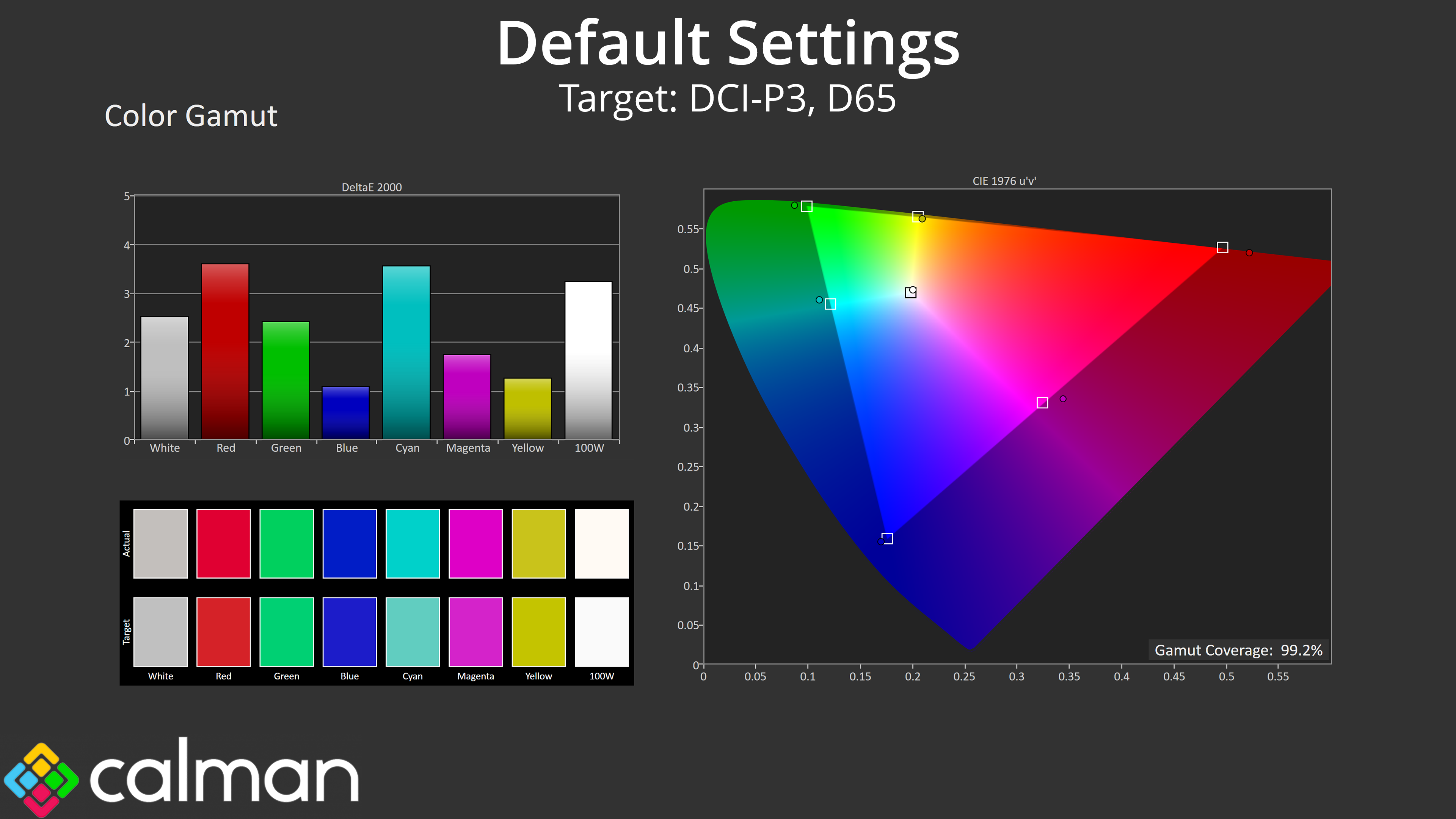
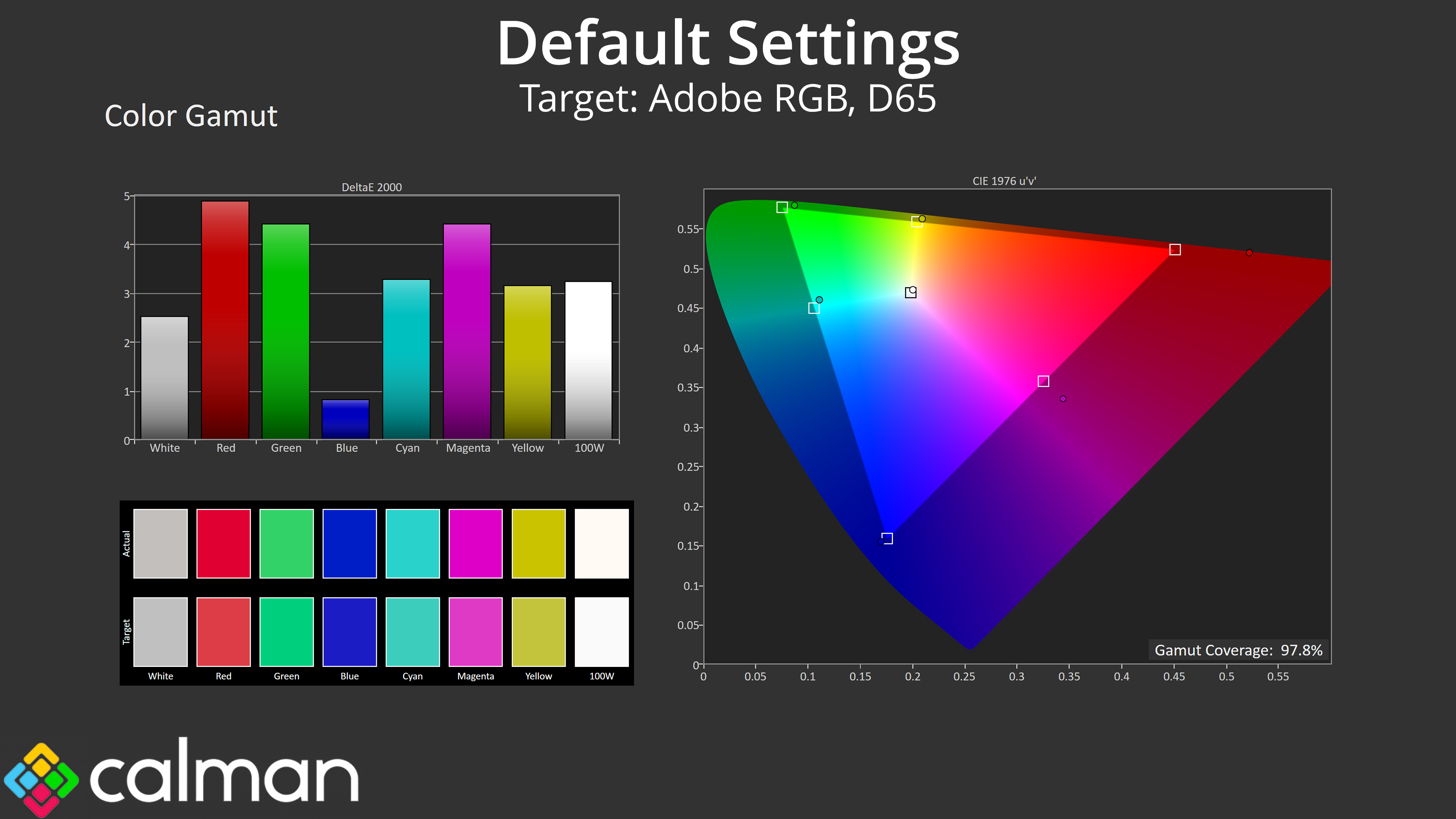
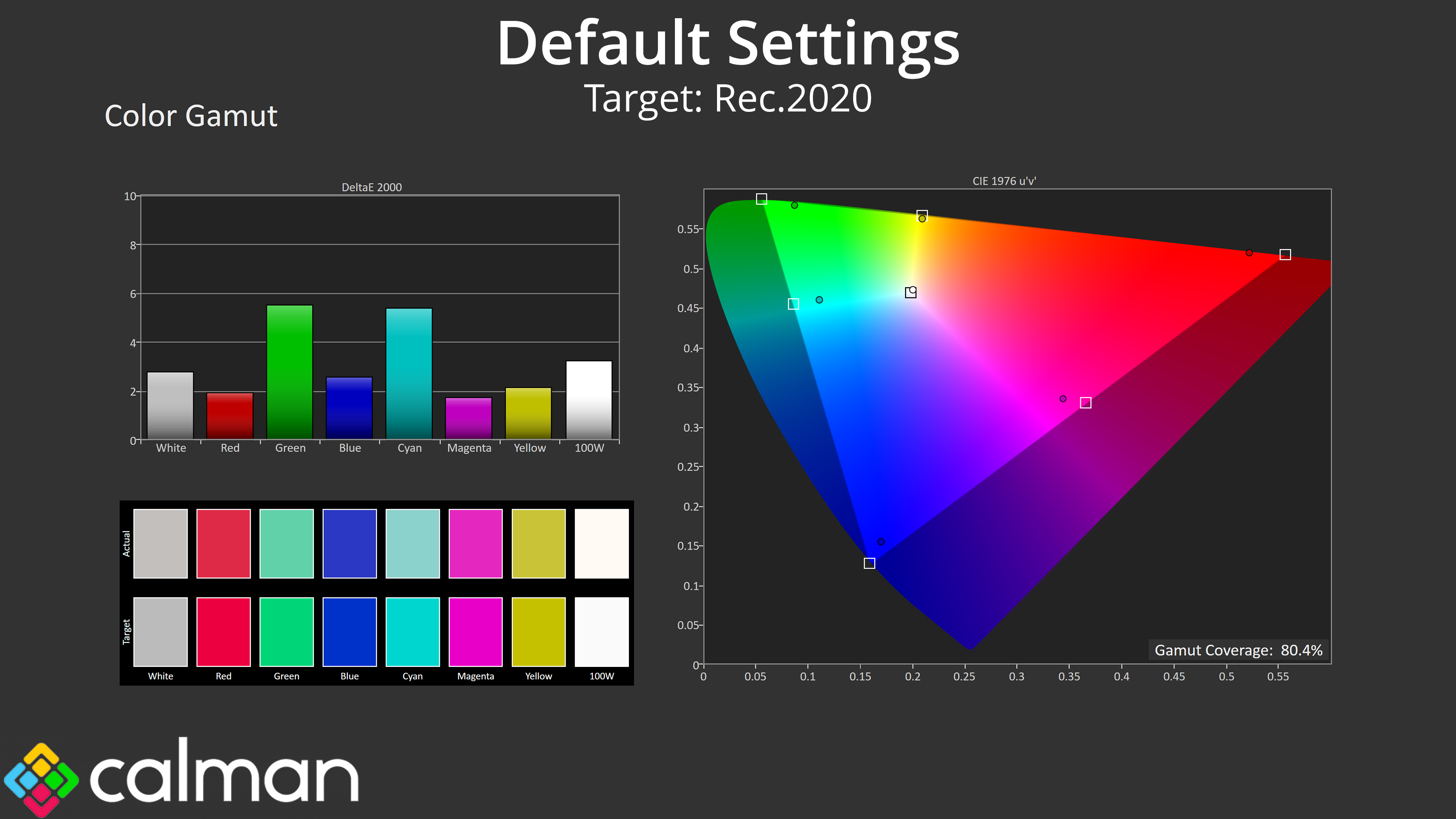
We see very wide gamut coverage as we'd expect from a QD-OLED panel, it well exceeds the sRGB space and delivers 99.2% coverage of DCI-P3, alongside 97.8% reporting of the Adobe RGB colour space and 80.4% coverage for Rec.2020.
Greyscale
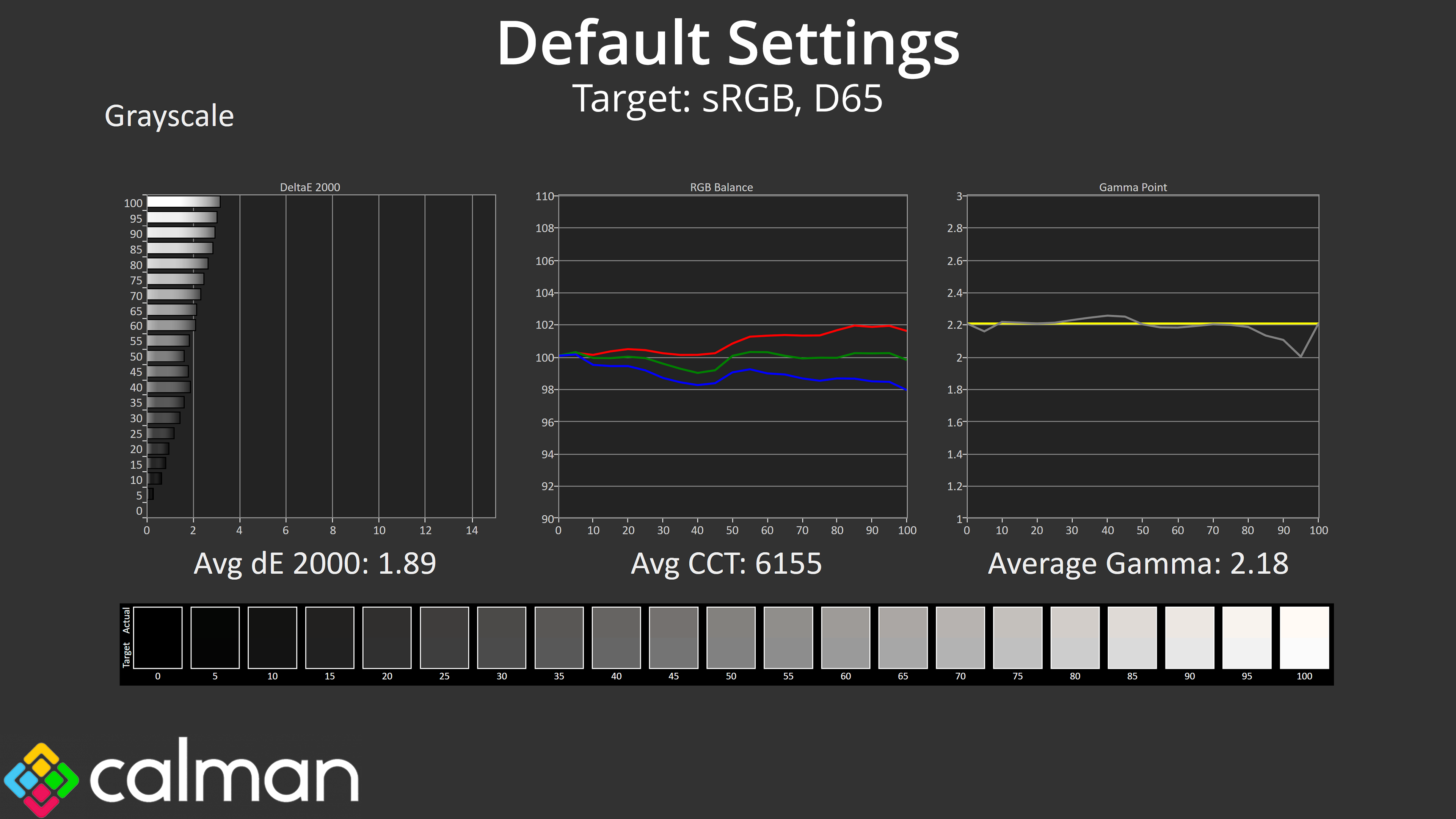
Default greyscale performance is another solid area for the 272QP X50. It does have a slight warm tint, but the average CCT of 6155K is only a 5% deviation from the 6500K target, so it's hardly a significant error. Gamma tracking is nice and accurate too, closely hugging the 2.2 target and averaging 2.18. Overall, the greyscale dE 2000 of 1.89 indicates a high level of accuracy out of the box.
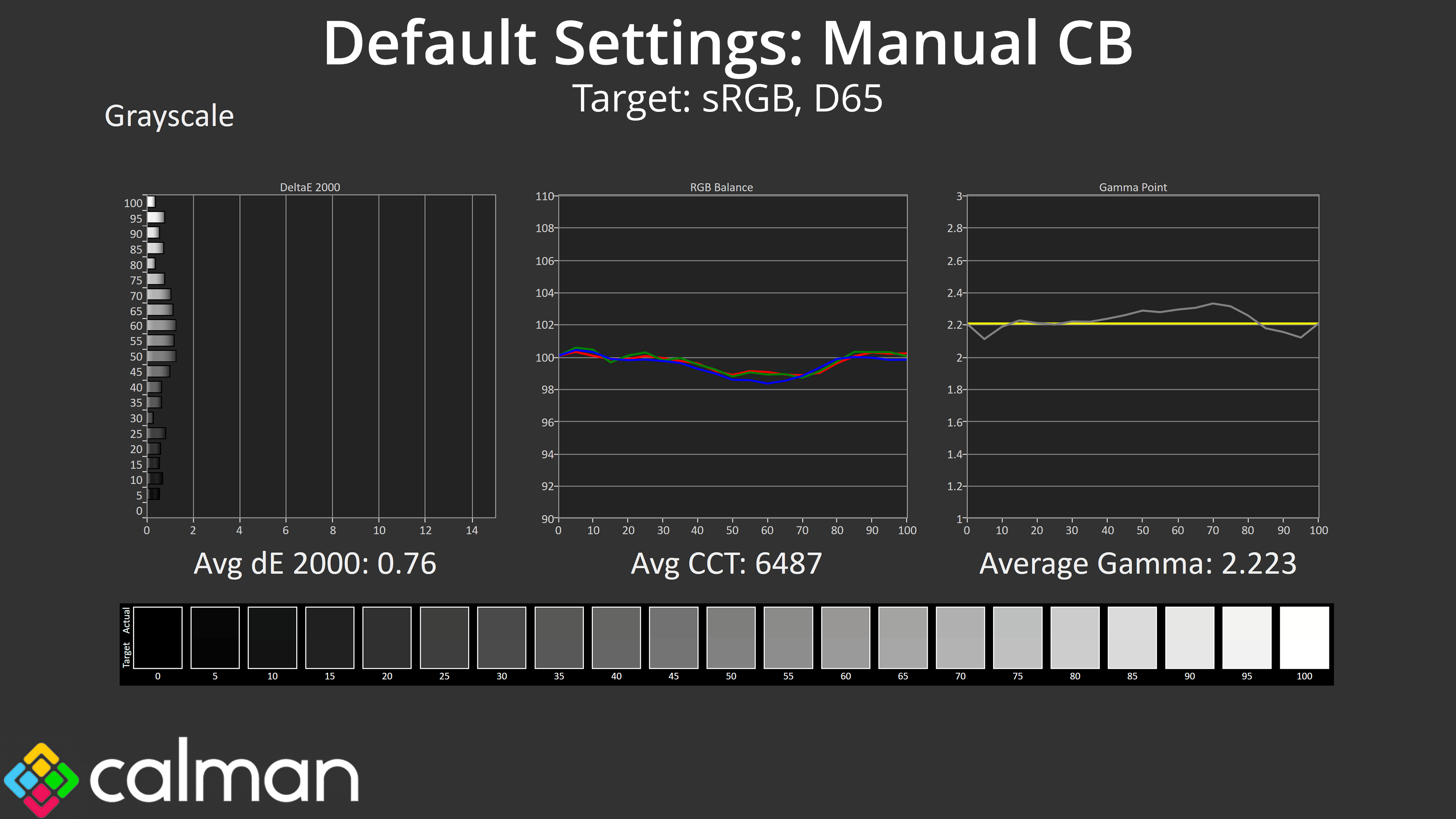
I also tested with a manual colour balance, keeping the Blue channel at 50, but reducing Red to 47 and Green to 48. That delivered an improvement to the average CCT and the average greyscale dE 2000, though it's worth pointing out that enabling manual colour balance also affects brightness for some reason – at 70%, we dropped from 264 nits to 86 nits, so that's a trade-off to keep in mind.
Saturation
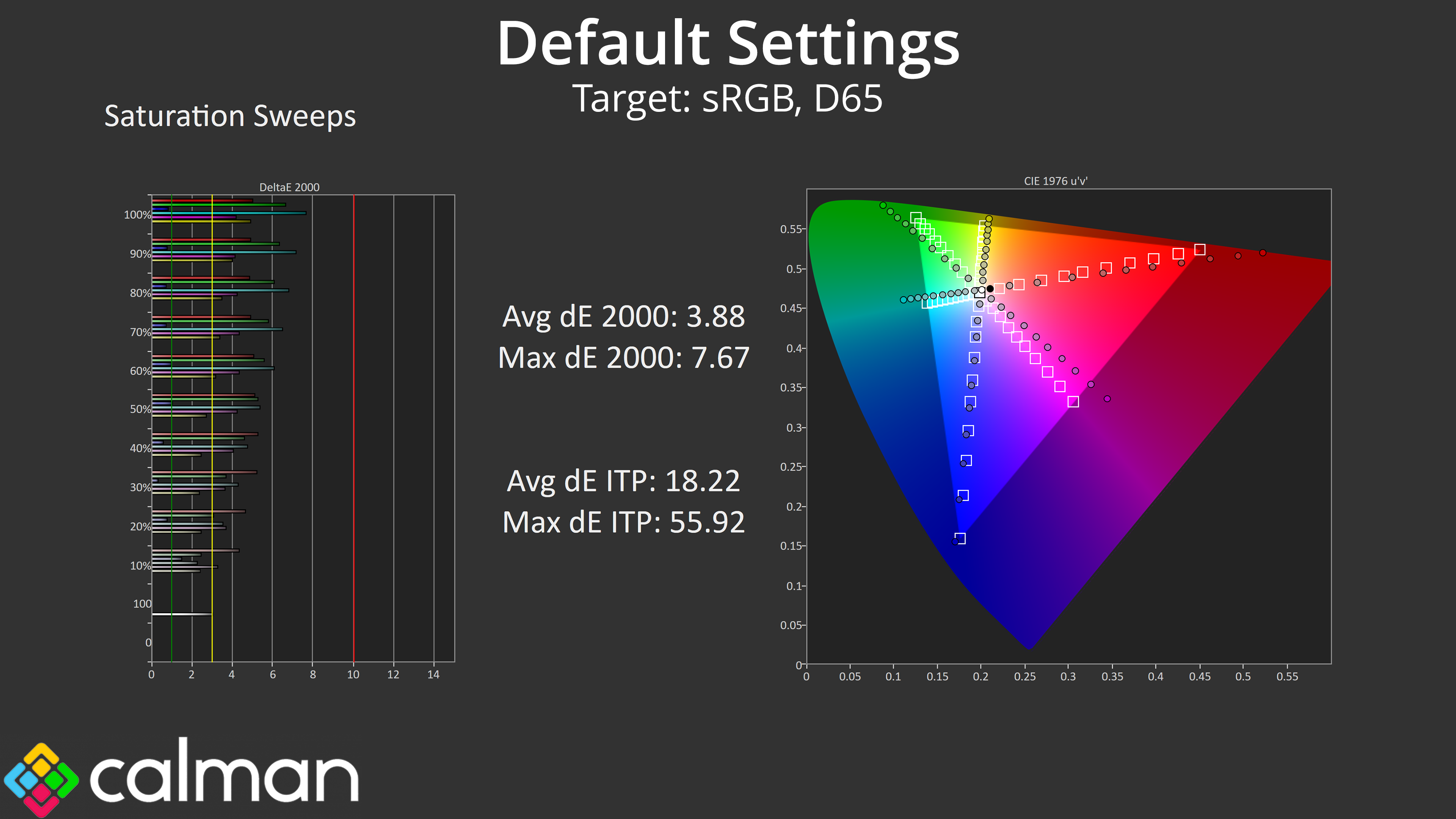
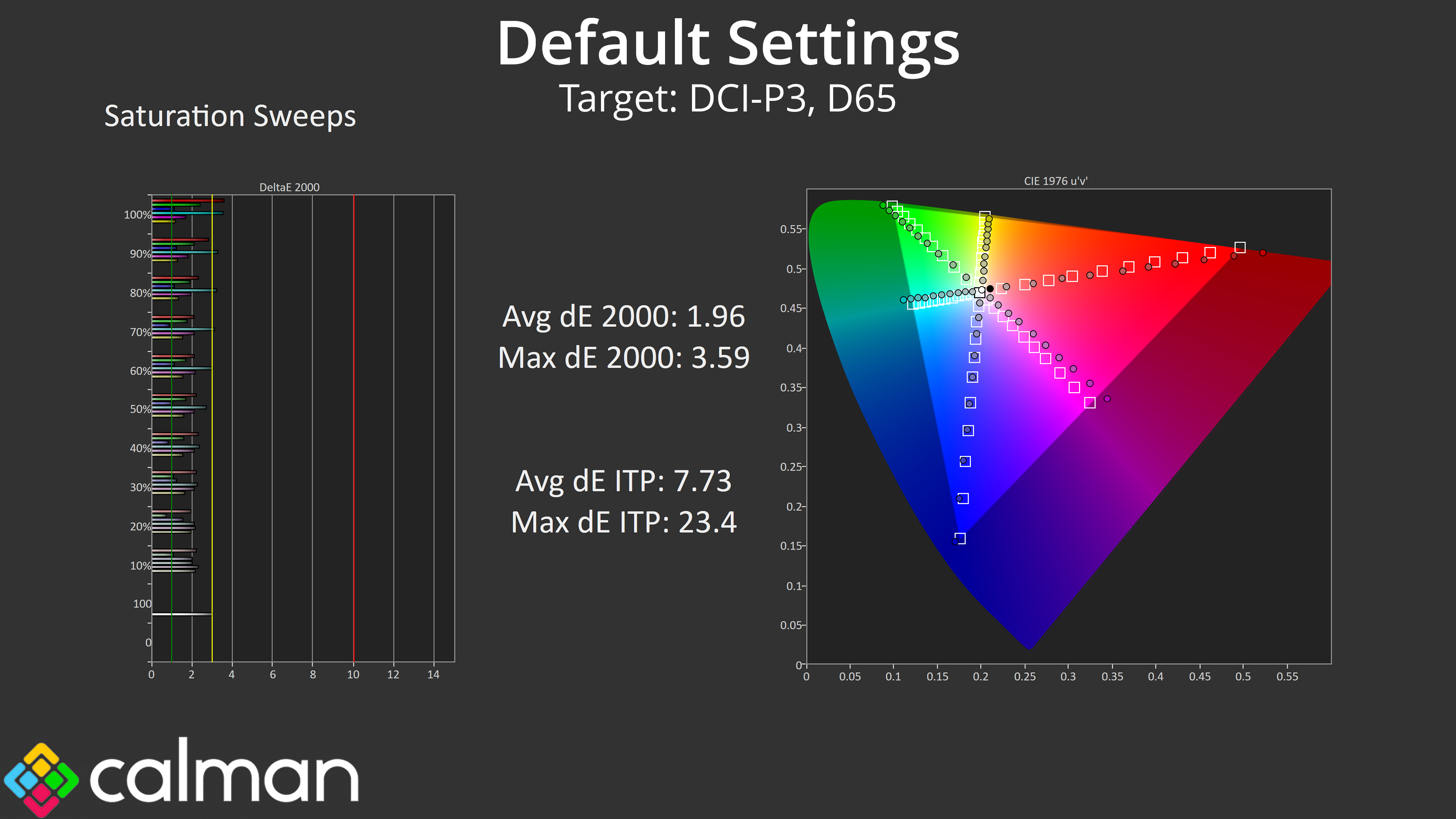
Looking at our saturation sweeps, as we'd expect from a QD-OLED monitor we do see high levels of over-saturation compared to the sRGB space, though things are more accurate compared to the DCI-P3 space.
Colour Accuracy
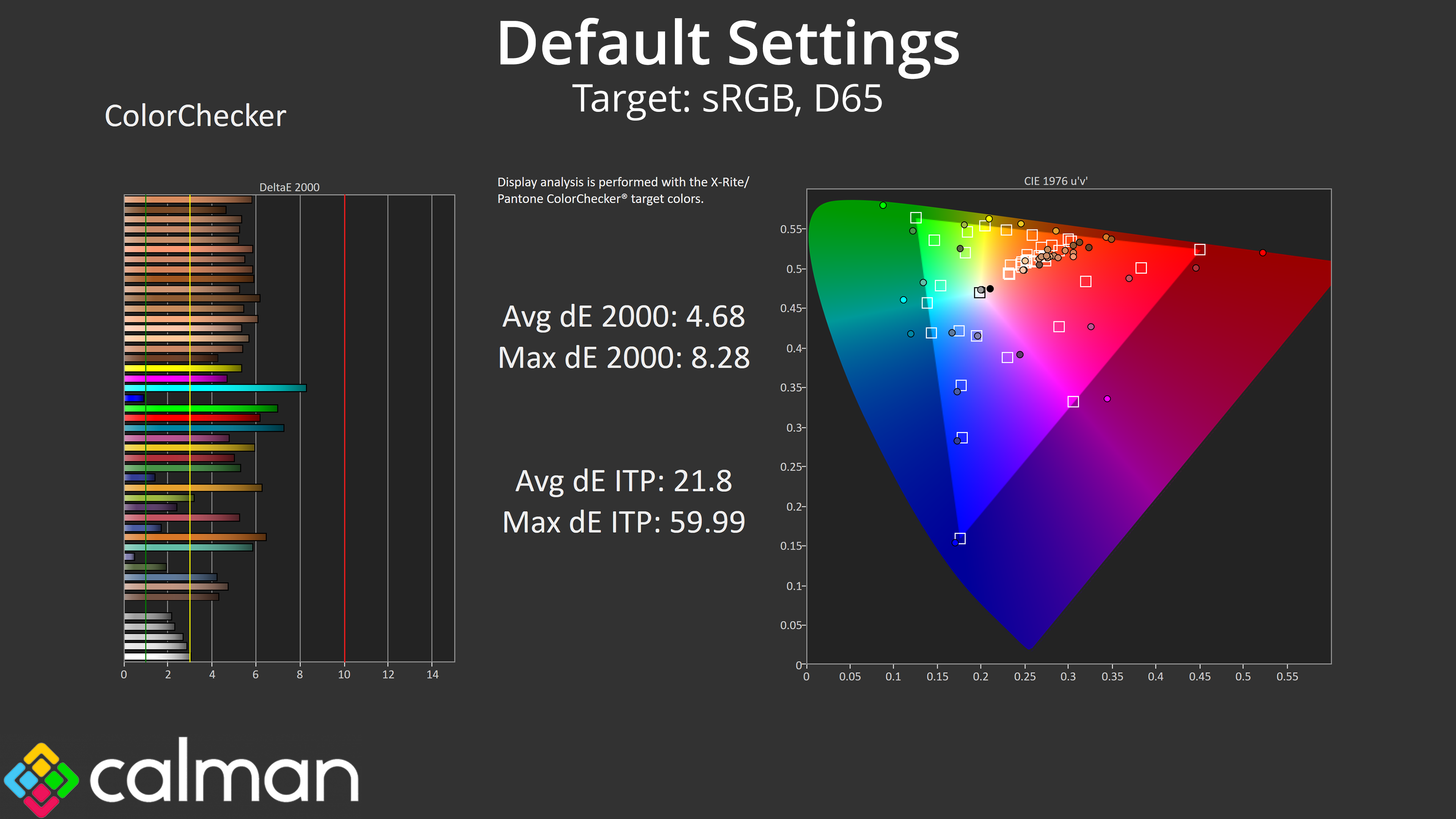
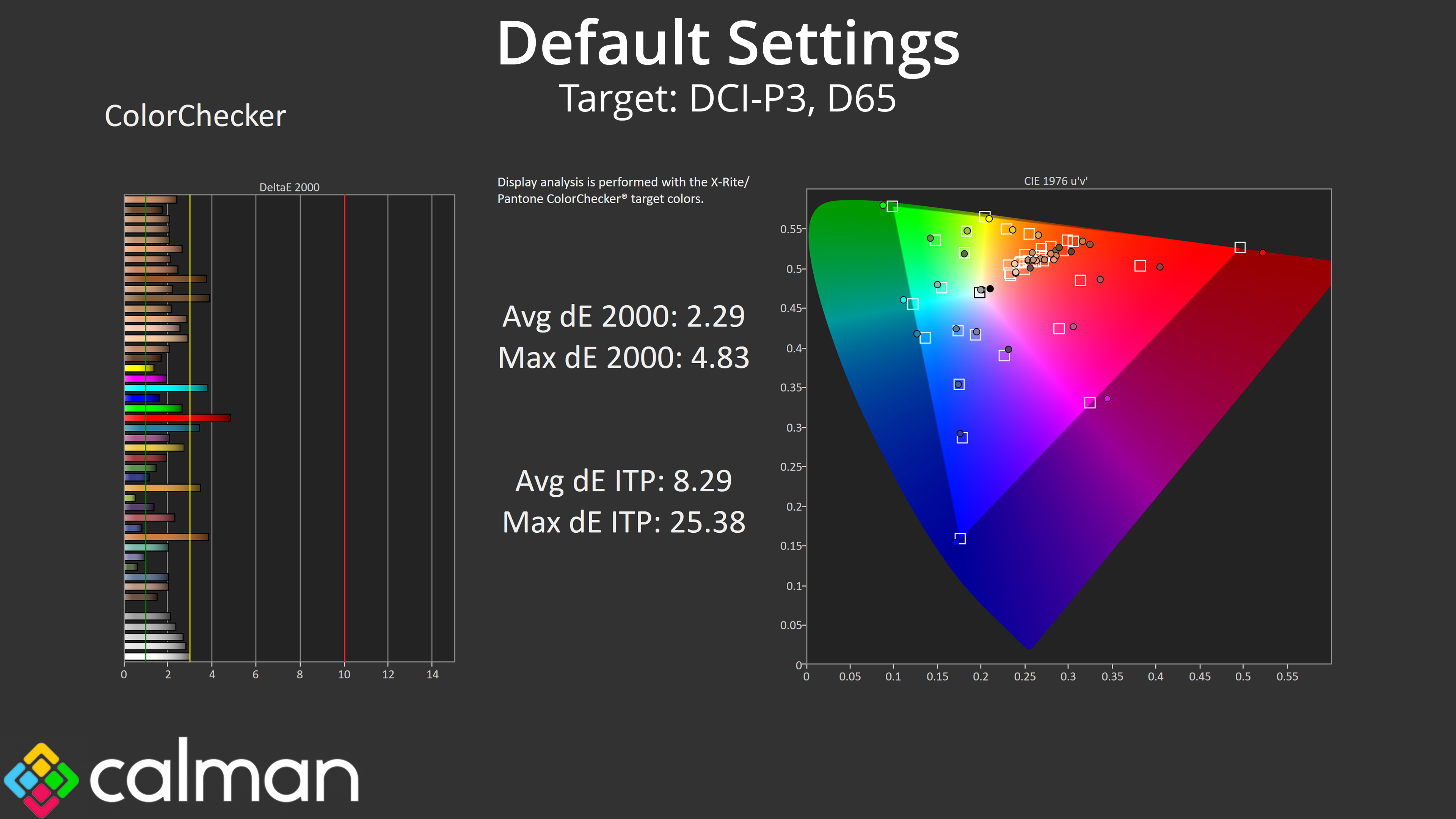
That carries over to our colour accuracy testing, with an average dE2000 of 4.68 relative to the sRGB space, though this improves to an average deltaE of 2.29 when looking at the DCI-P3 results.
sRGB Emulation Mode
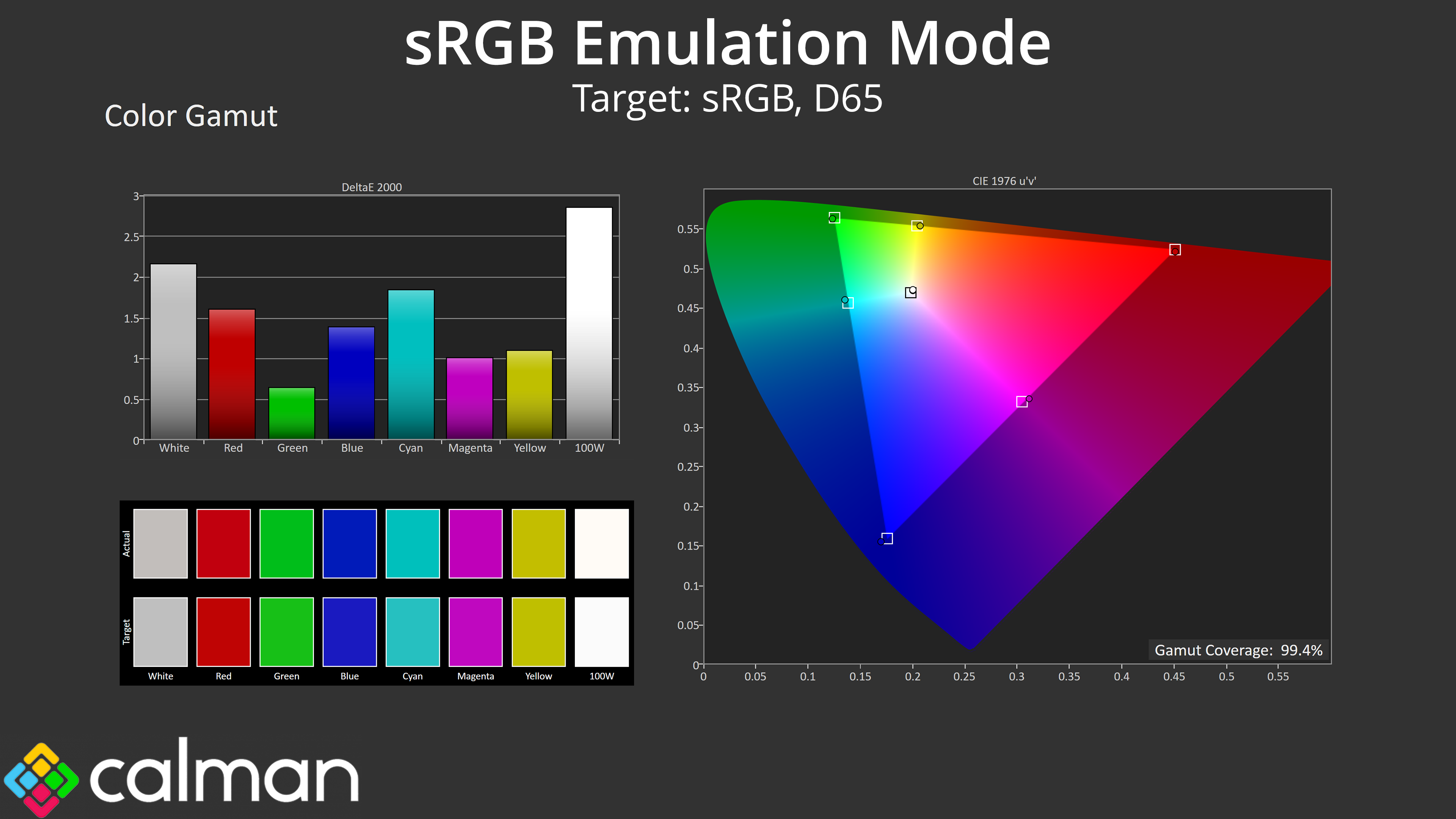
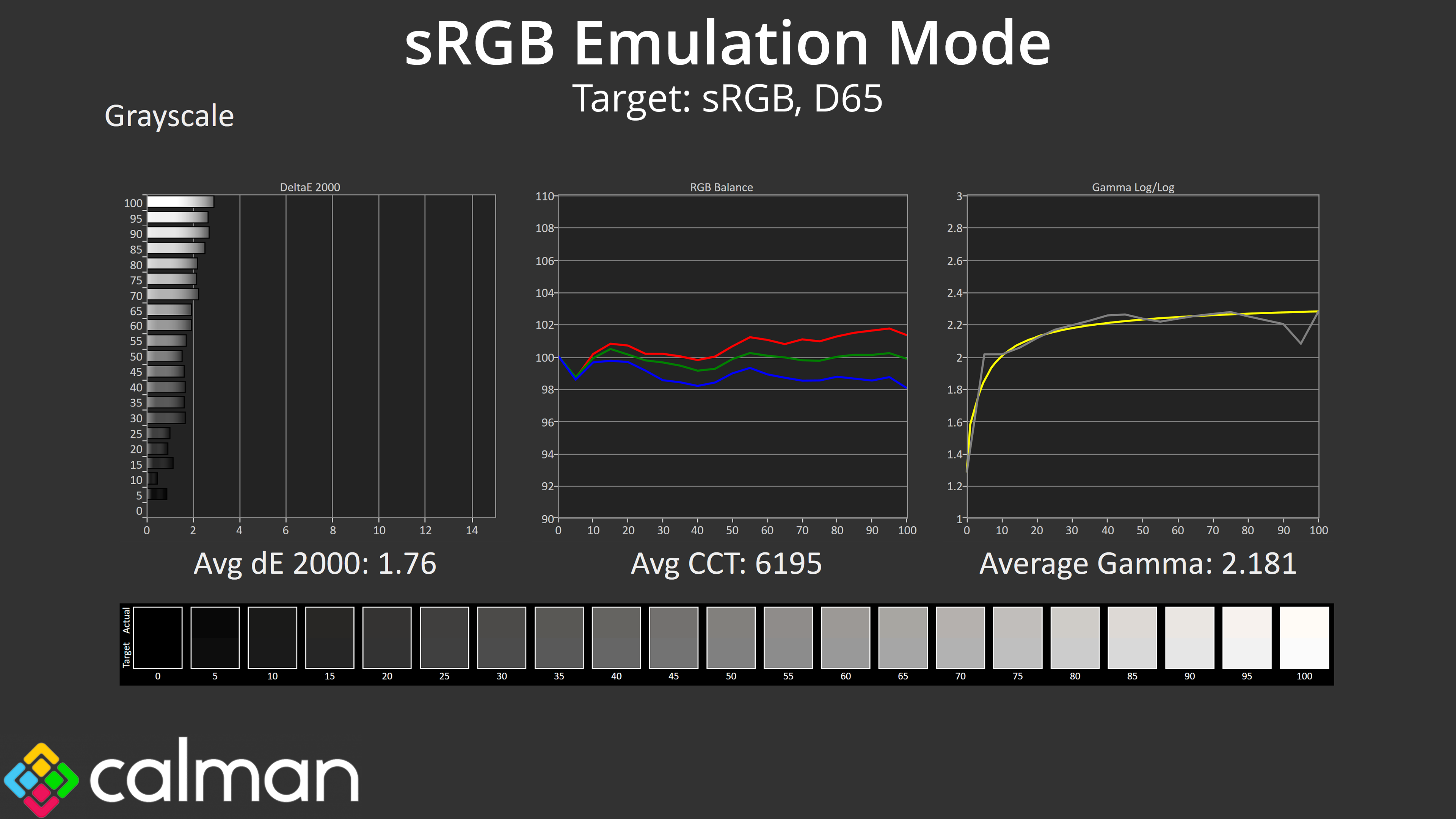
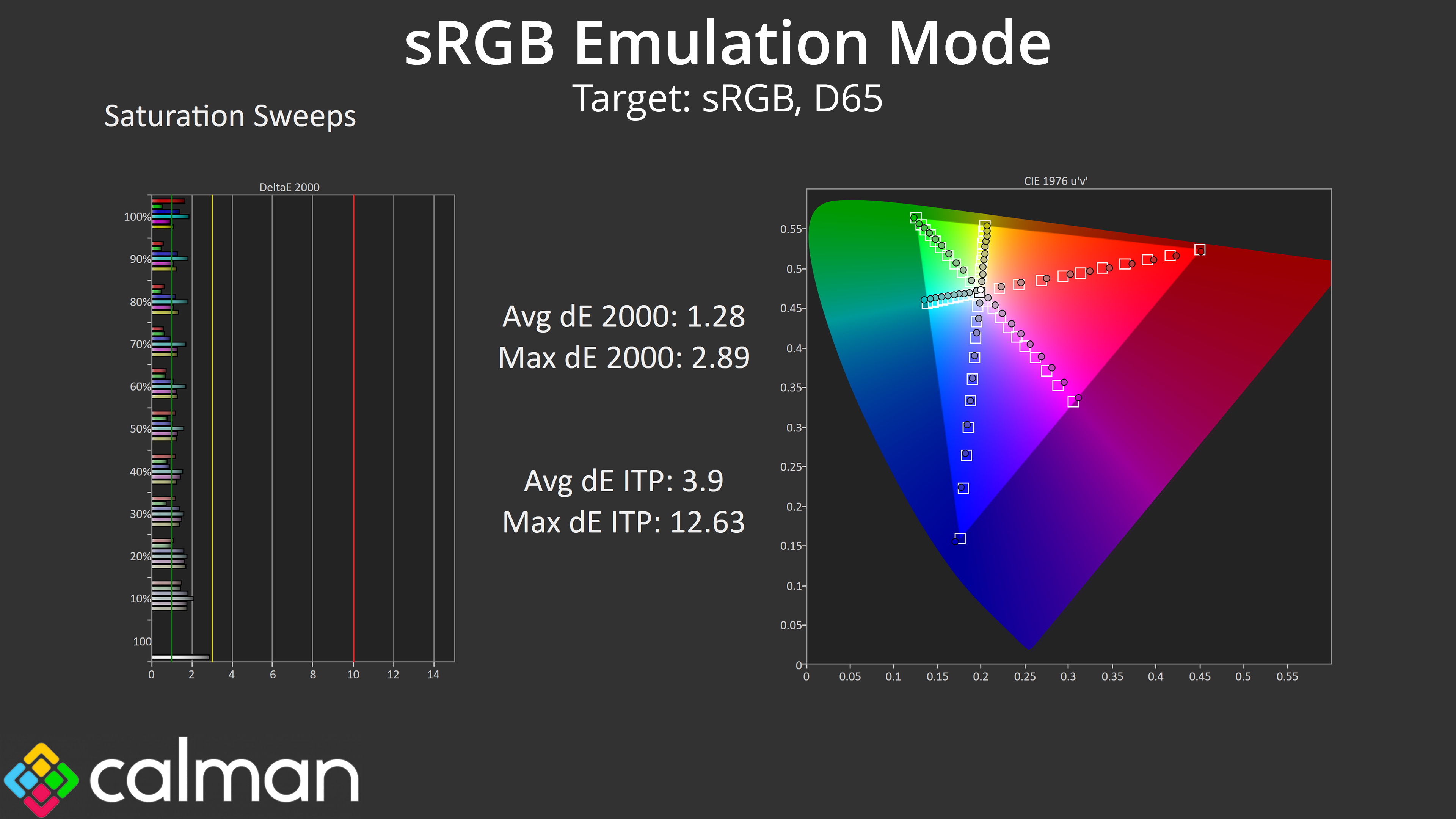
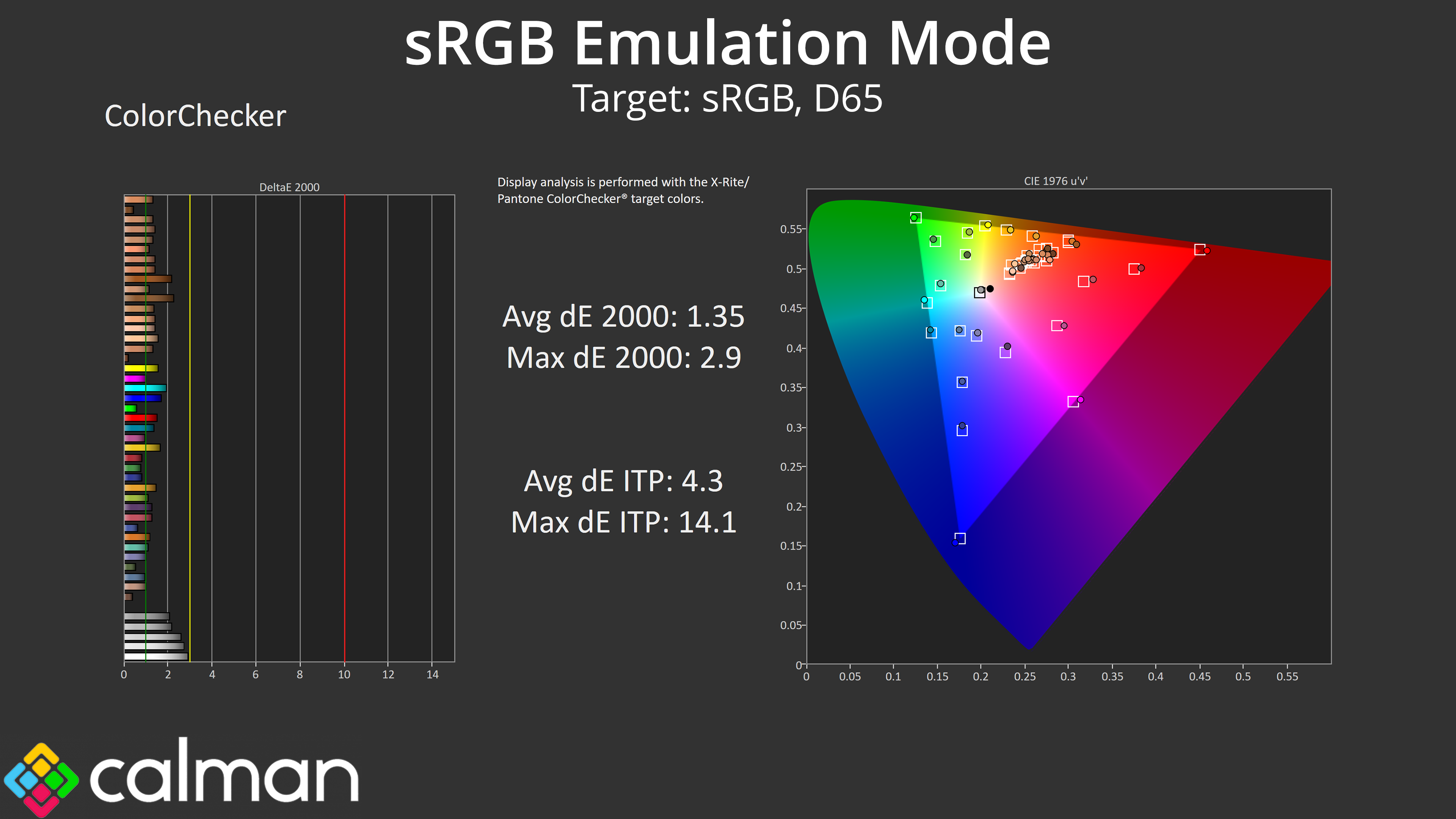
Thankfully MSI has included an sRGB emulation mode in the OSD, and it does a great job at clamping the gamut, while greyscale performance is still just a touch warm but generally accurate. The saturation and colour accuracy average dEs also improve compared to stock, with results in the 1.2-1.4 range, indicating high levels of accuracy, so this mode is well worth using.
Calibrated Results
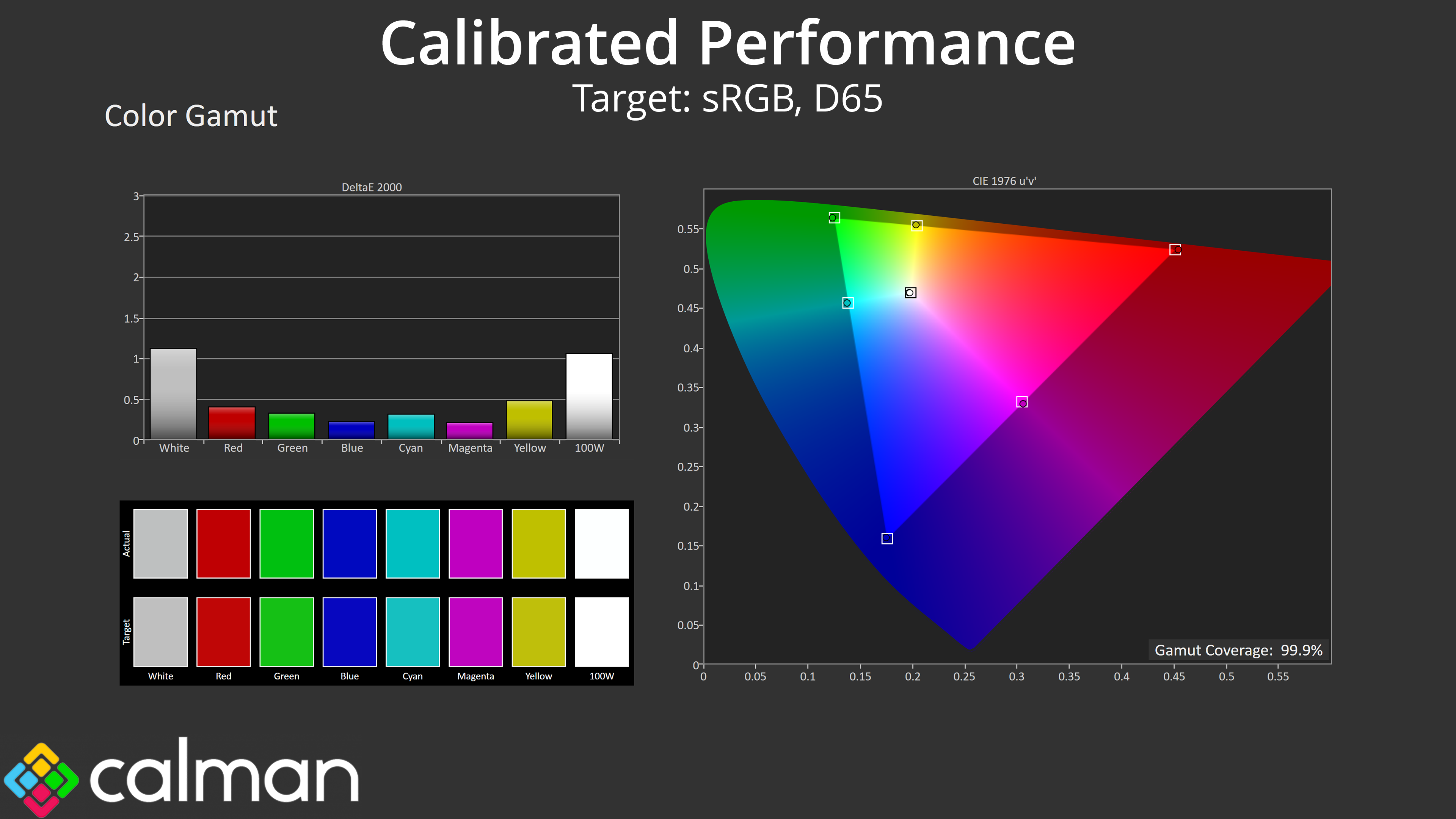
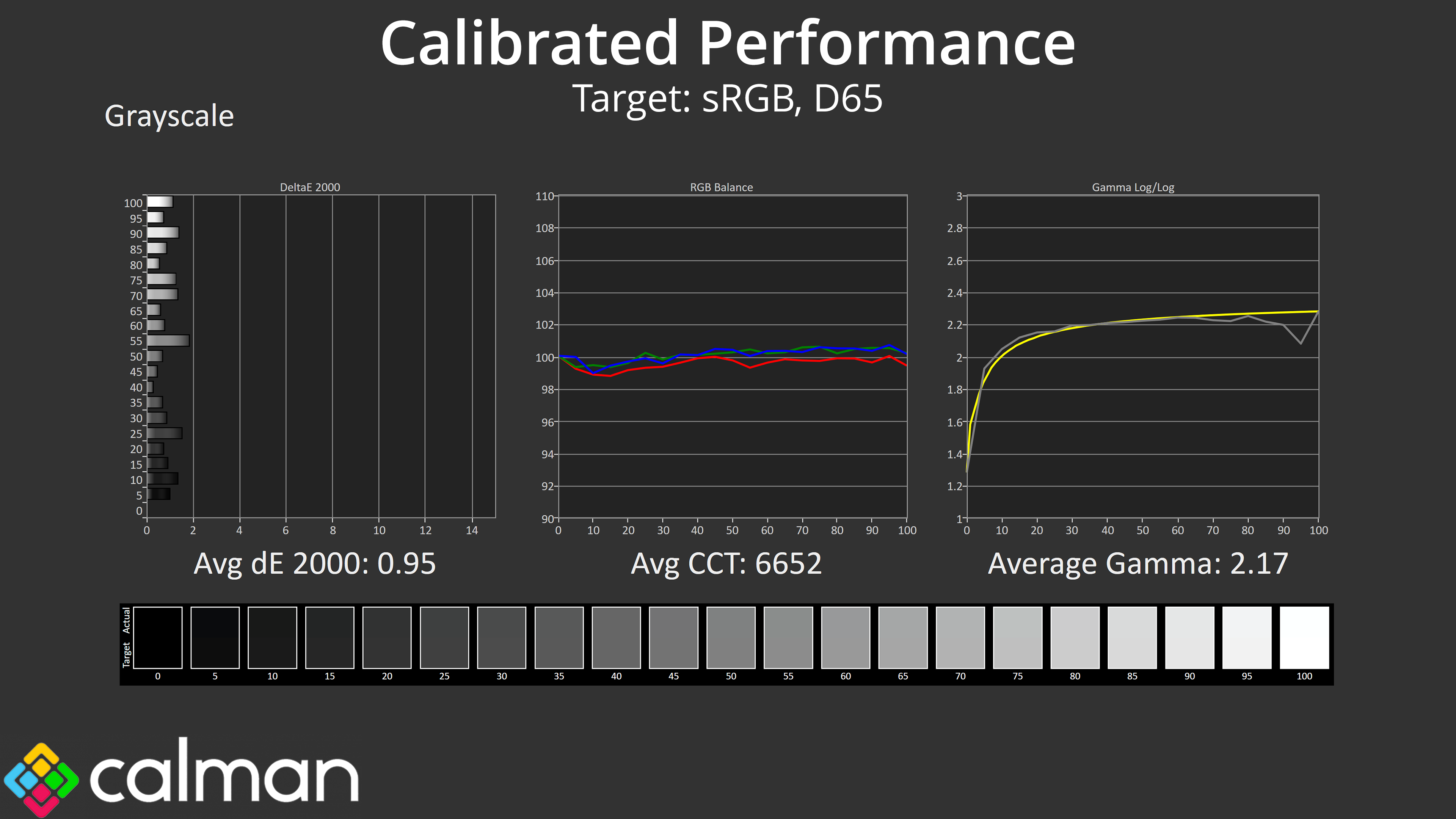
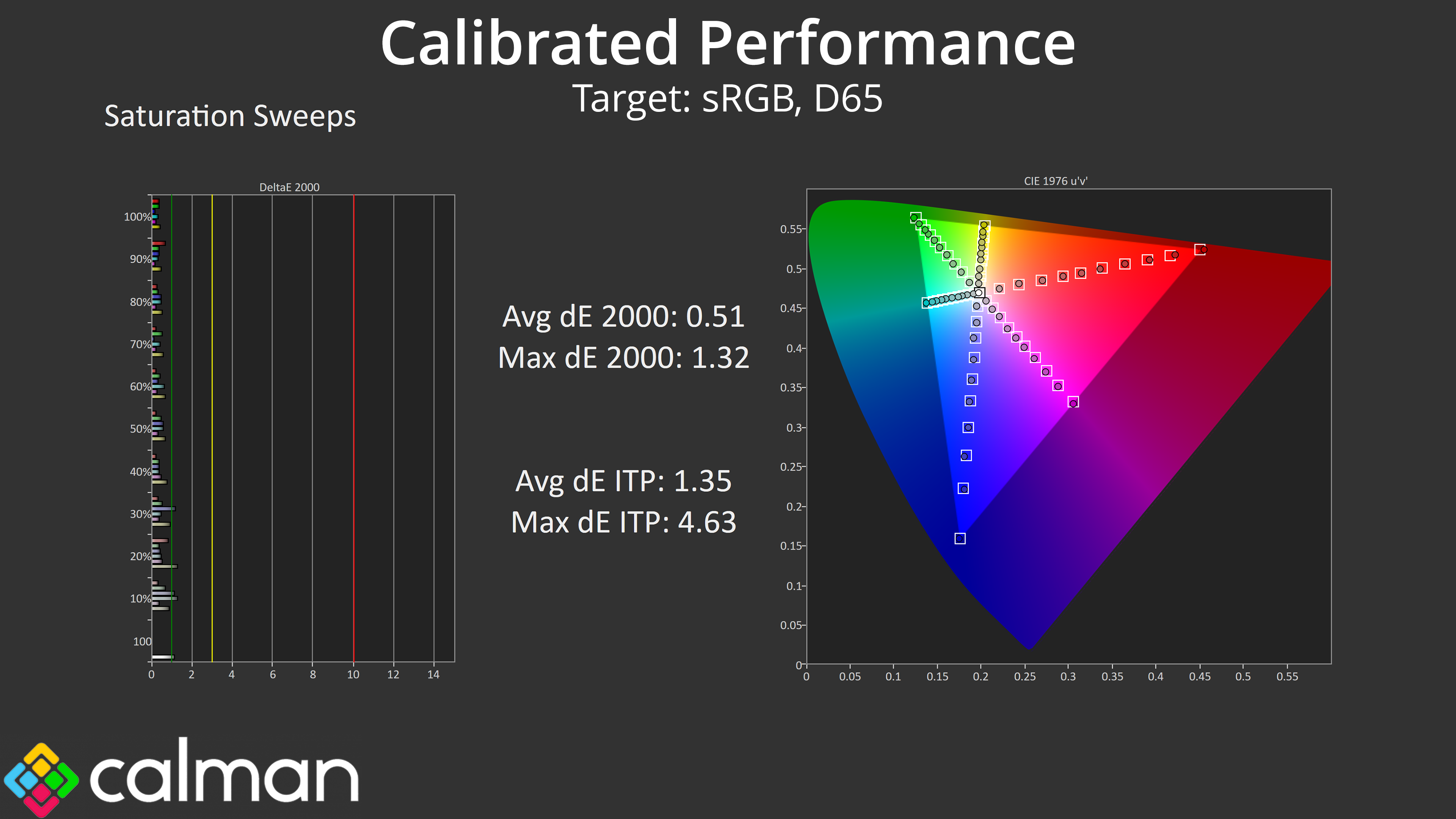
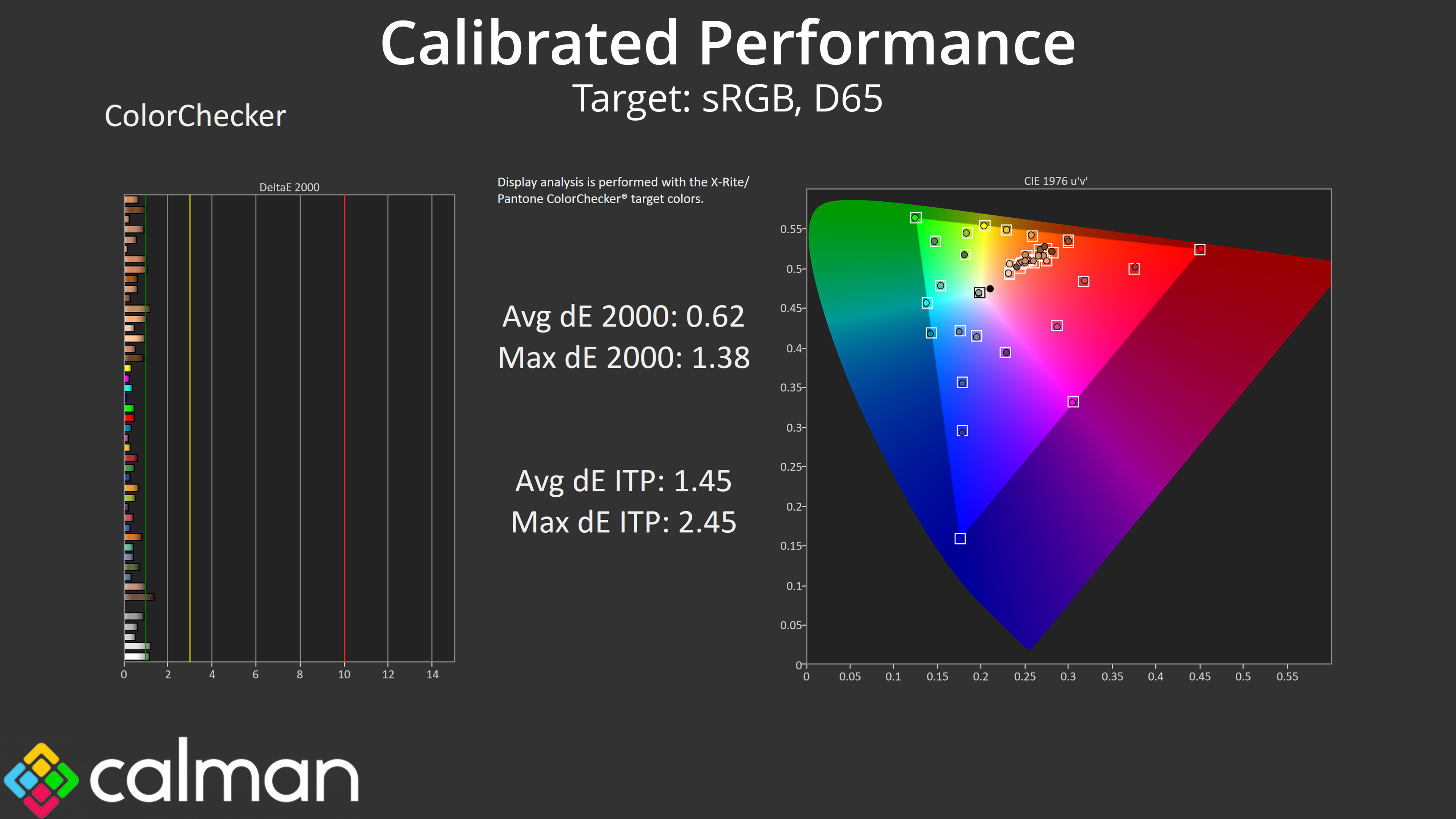
As ever, full calibration will be required for the best possible results, and this improved things further – the greyscale average deltaE hit just 0.95, and both saturation and colour accuracy results dropped below 1. It's not really necessary for gaming but you could absolutely use this OLED monitor for colour sensitive work, too.
HDR Testing
Following on from the SDR results on the previous page, here we re-test the relevant areas of the display with HDR enabled.
MSI includes three different HDR modes – True Black 500, Peak 1000 nits, and a new EOTF Boost mode.
Brightness
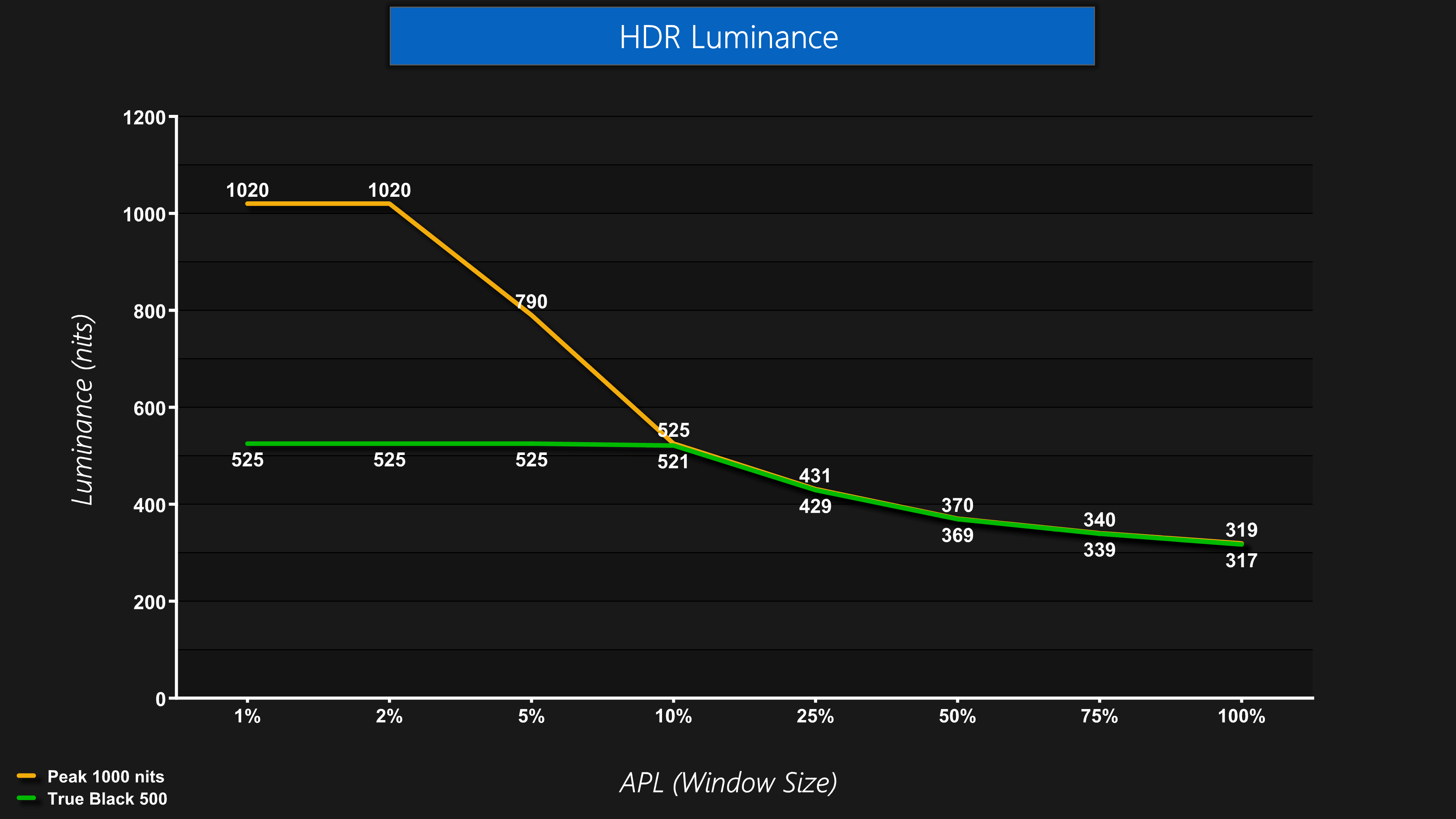
The first thing to establish is that both the Peak 1000 nits mode behaves as expected, hitting over 1000 nits at the 1% and 2% APLs, before dropping back – and the EOTF Boost mode exhibits identical behaviour.
The True Black 500 mode is much like previous True Black 400 offerings, except it's brighter across the board – hence the new certification.
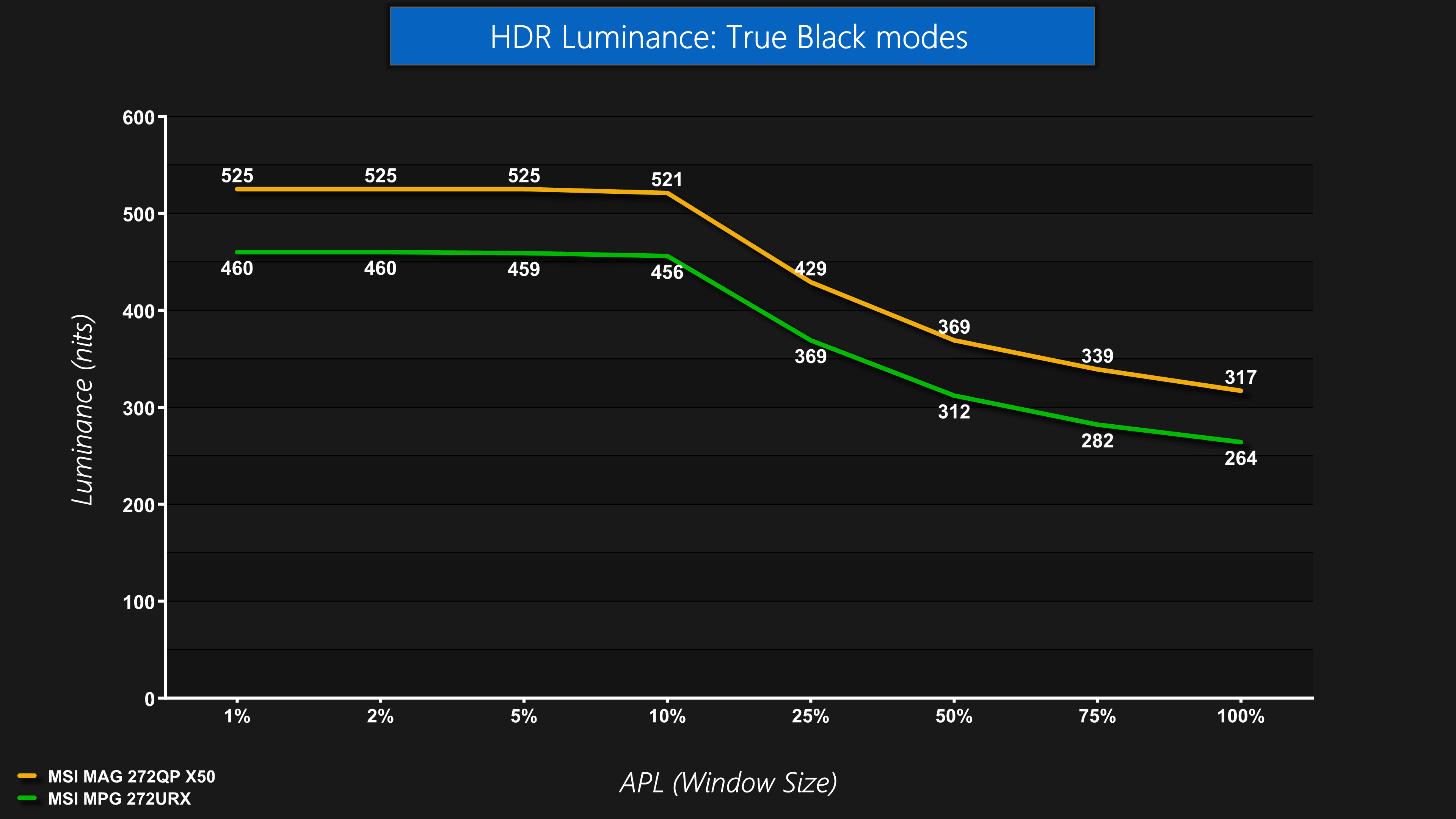
We can see that, compared to the 272URX, the new 272QP X50's True Black 500 mode is indeed a good chunk brighter than the older True Black 400 mode, regardless of APL.
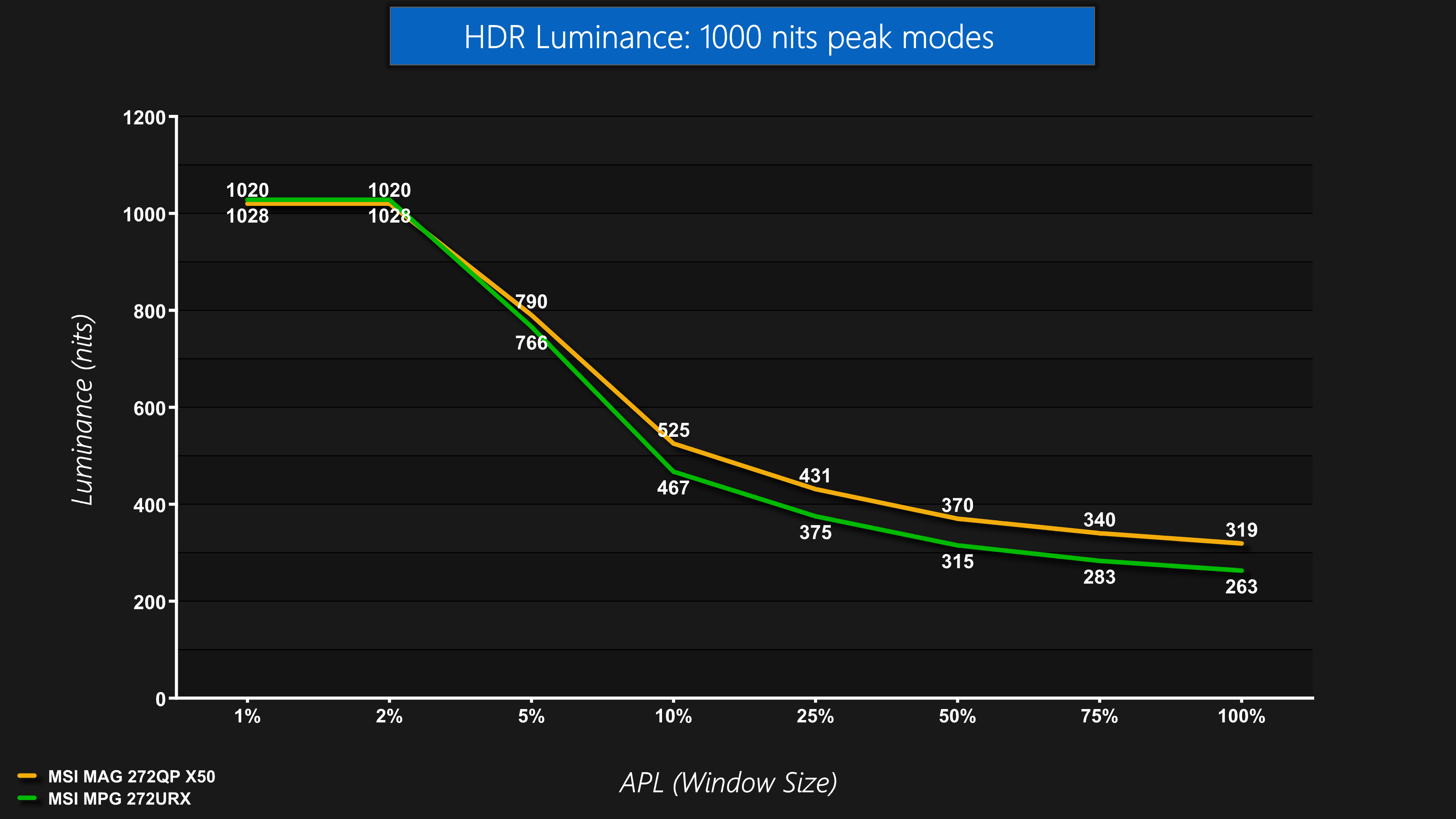
The same also goes for the Peak 1000 nits mode – it's slightly brighter here than with the 272URX for all window sizes bar the 1% and 2% APLs, so that's good to see.
EOTF Tracking
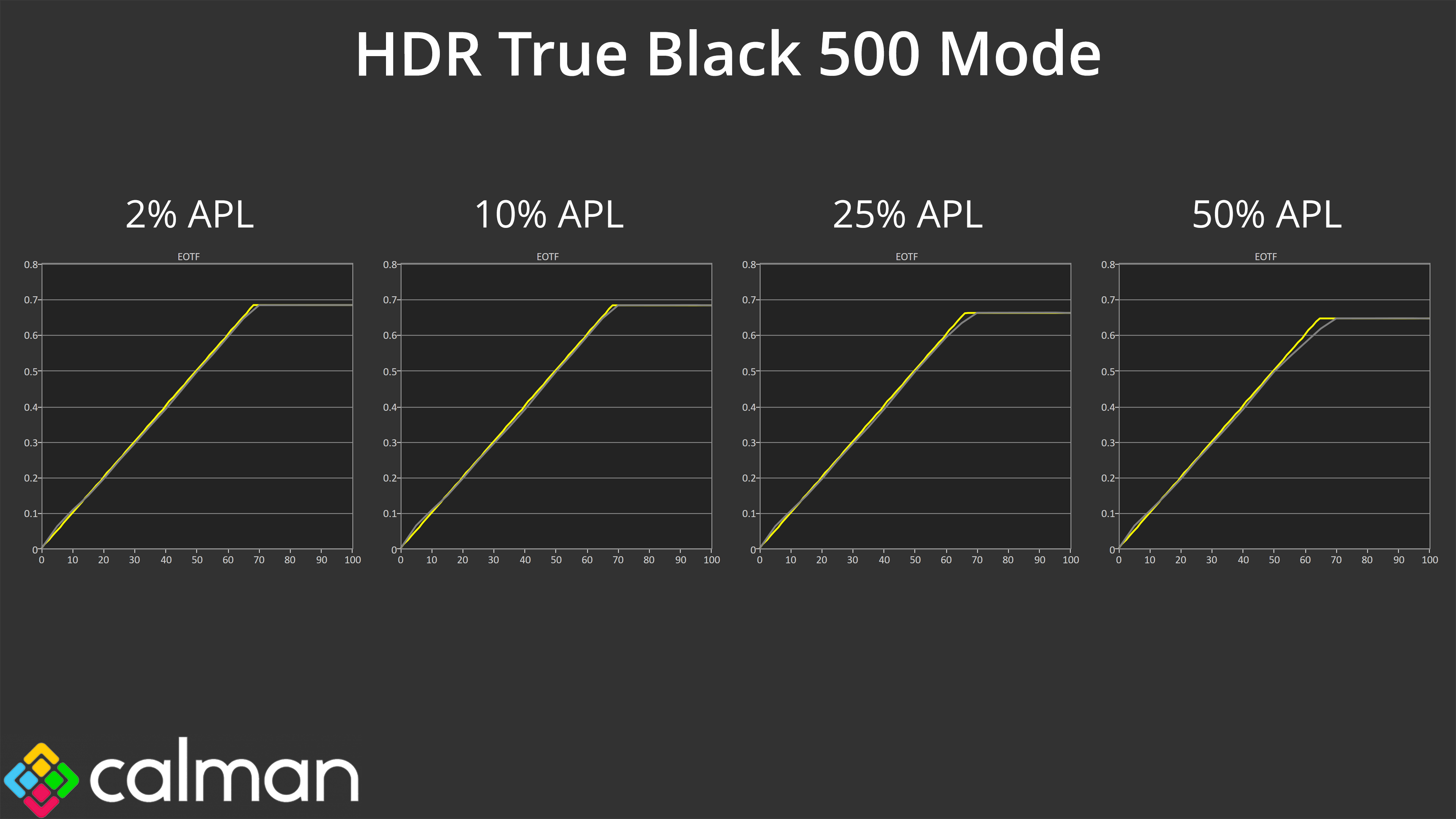
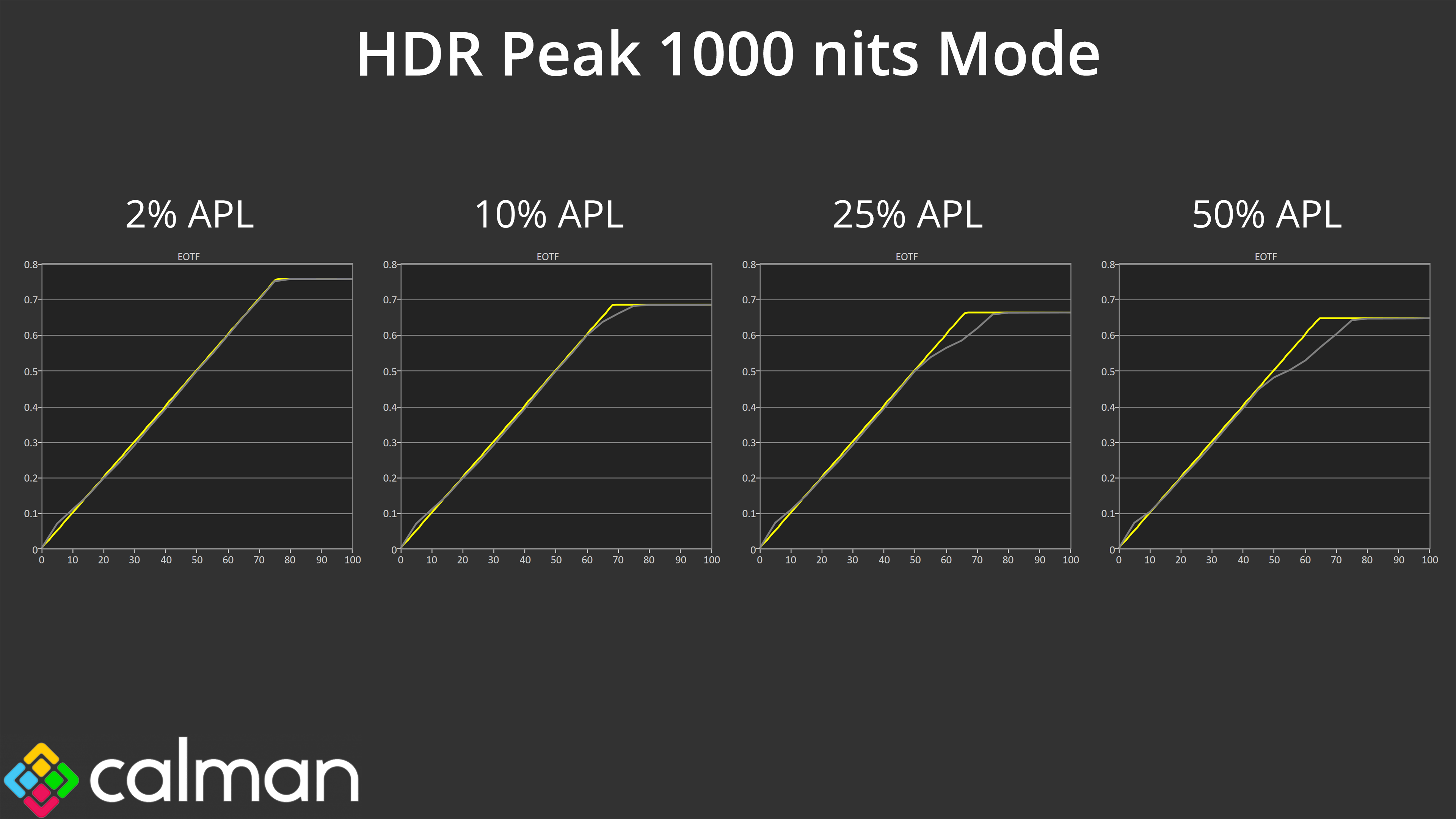
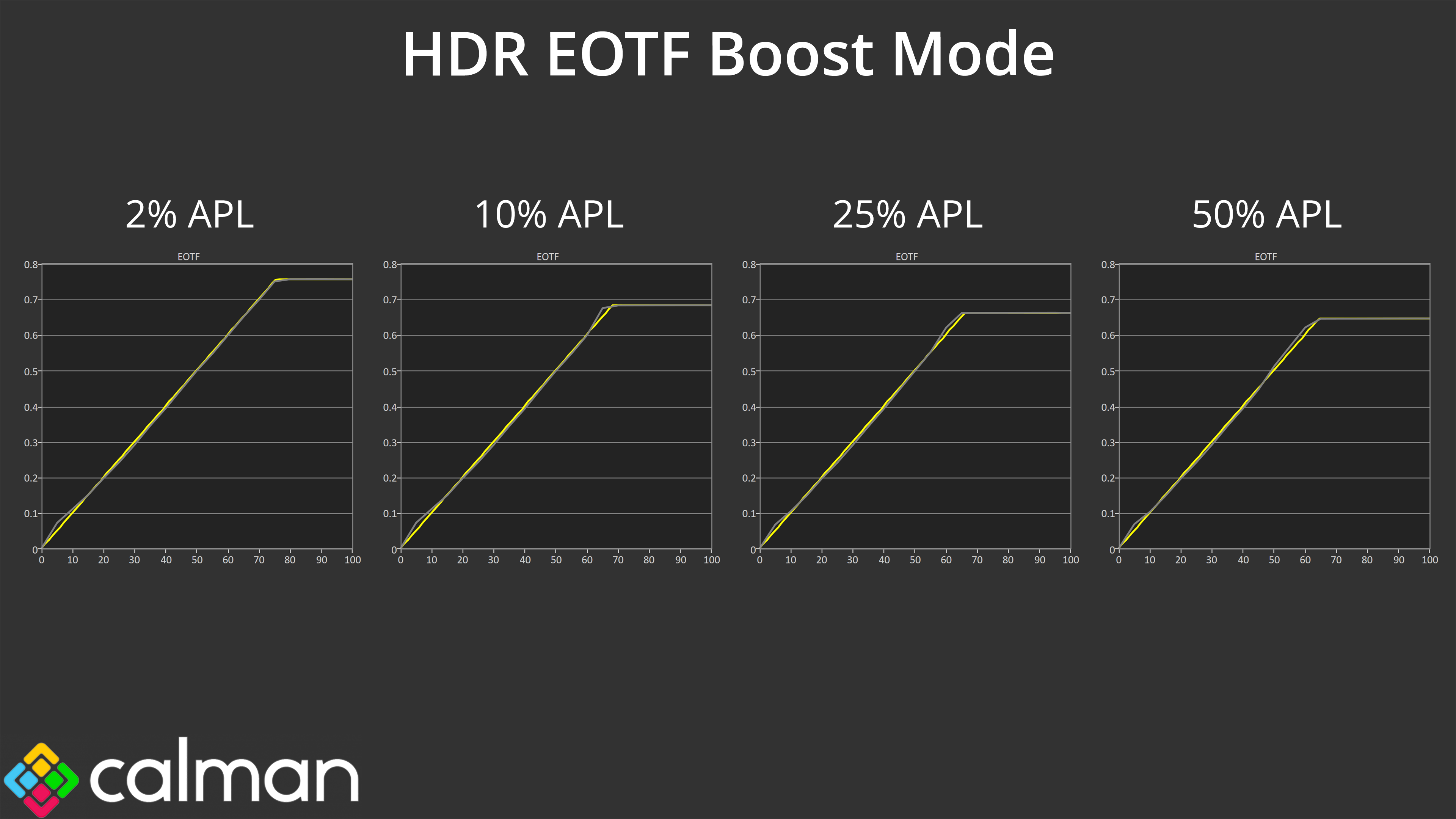
What's really interesting though, is the new EOTF Boost mode – designed to fix the issue with the Peak 1000 nits mode, where the EOTF tracking rolls off increasingly early as window size increases – resulting in the image looking overly dark. For these synthetic tests, the EOTF Boost mode looks fantastic, producing a much more accurate EOTF tracking, and generally that translates in the real world.
The key thing to note, though, is that the EOTF Boost mode doesn't actually fix the native panel dimming, which would result in images looking too dark – rather, it is a software bypass, and as Tim from Monitor's Unboxed has pointed out, you can occasionally still see the panel brightening and dimming as the scene's brightness changes from dark to light and vice versa.
However, in general use I didn't really notice that often and to my eye, the EOTF Boost mode looks a good bit brighter than the Peak 1000 nits mode, which is great to see. The difference isn't that noticeable in darker scenes with a low APL, given there's no panel dimming in those scenarios anyway, but in brighter scenes you can definitely tell the difference.
Colour Accuracy
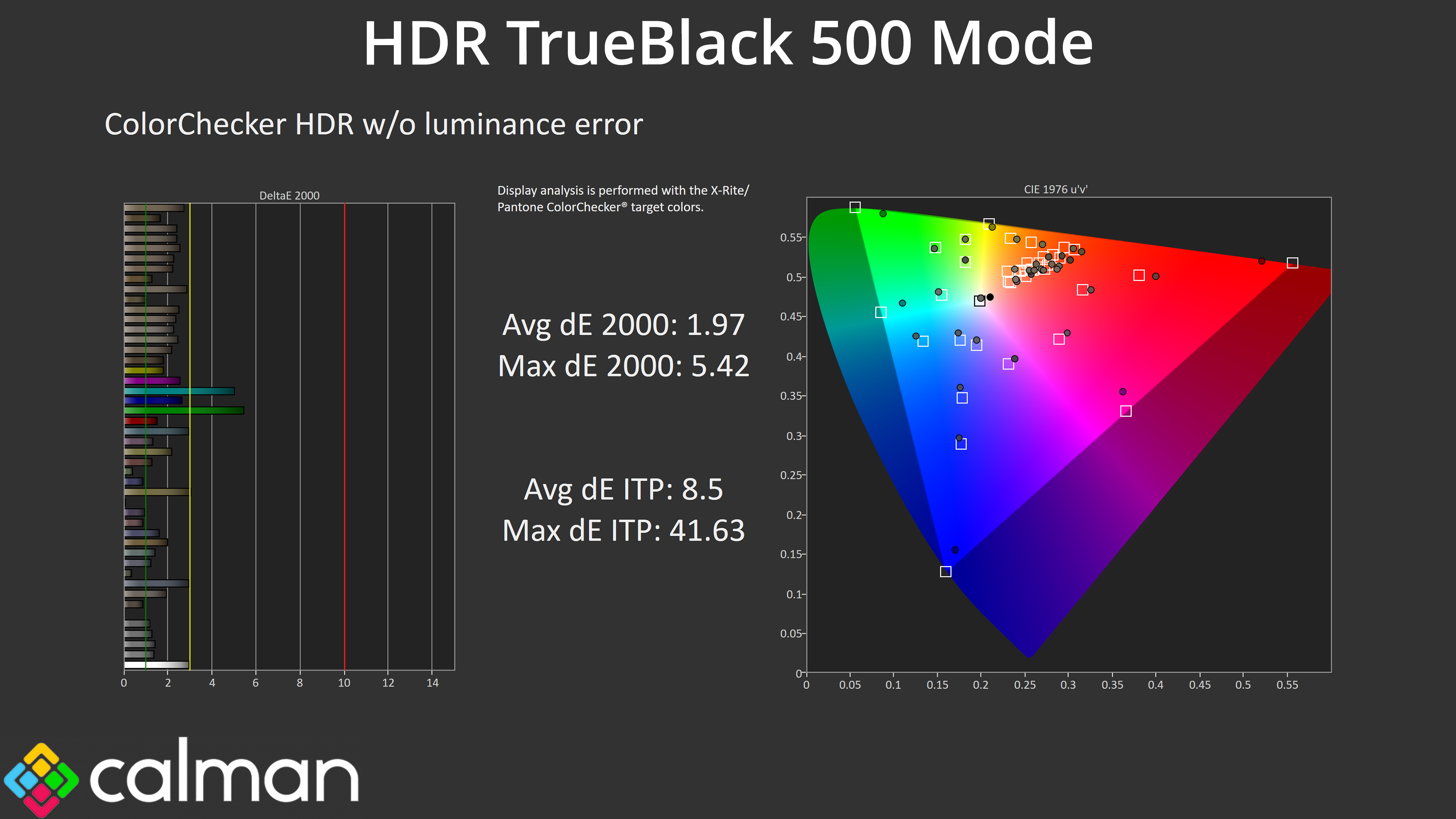
It's good to see high levels of HDR accuracy, too, with the worst results coming from the 100% green and 100% cyan channels, which was always going to be the case considering the 272QP X50 doesn't cover the whole Rec.2020 colour space.
We use the Open Source Response Time Tool (OSRTT), developed by TechTeamGB, for our response time testing. This measures grey-to-grey response times and presents the results in a series of heatmaps, the style of which you may be familiar with from other reviews.
Initial Response Time is the time taken for the panel to transition from one colour to another, where lower values are better. We present the initial response time, so overshoot is not taken into account and is measured separately. We use a fixed RGB 5 tolerance for each transition.
Overshoot is the term given for when a monitor's transition exceeds or goes beyond its target value. So if a monitor was meant to transition from RGB 0 to RGB 55, but it hits RGB 60 before settling back down at RGB 55, that is overshoot. This is presented as RGB values in the heatmaps – i.e. how many RGB values past the intended target were measured.
Visual Response Rating is a metric designed to ‘score' a panel's visual performance, incorporating both response times and overdrive. Fast response times with little to no overshoot will score well, while slow response times or those with significant overshoot will score poorly.
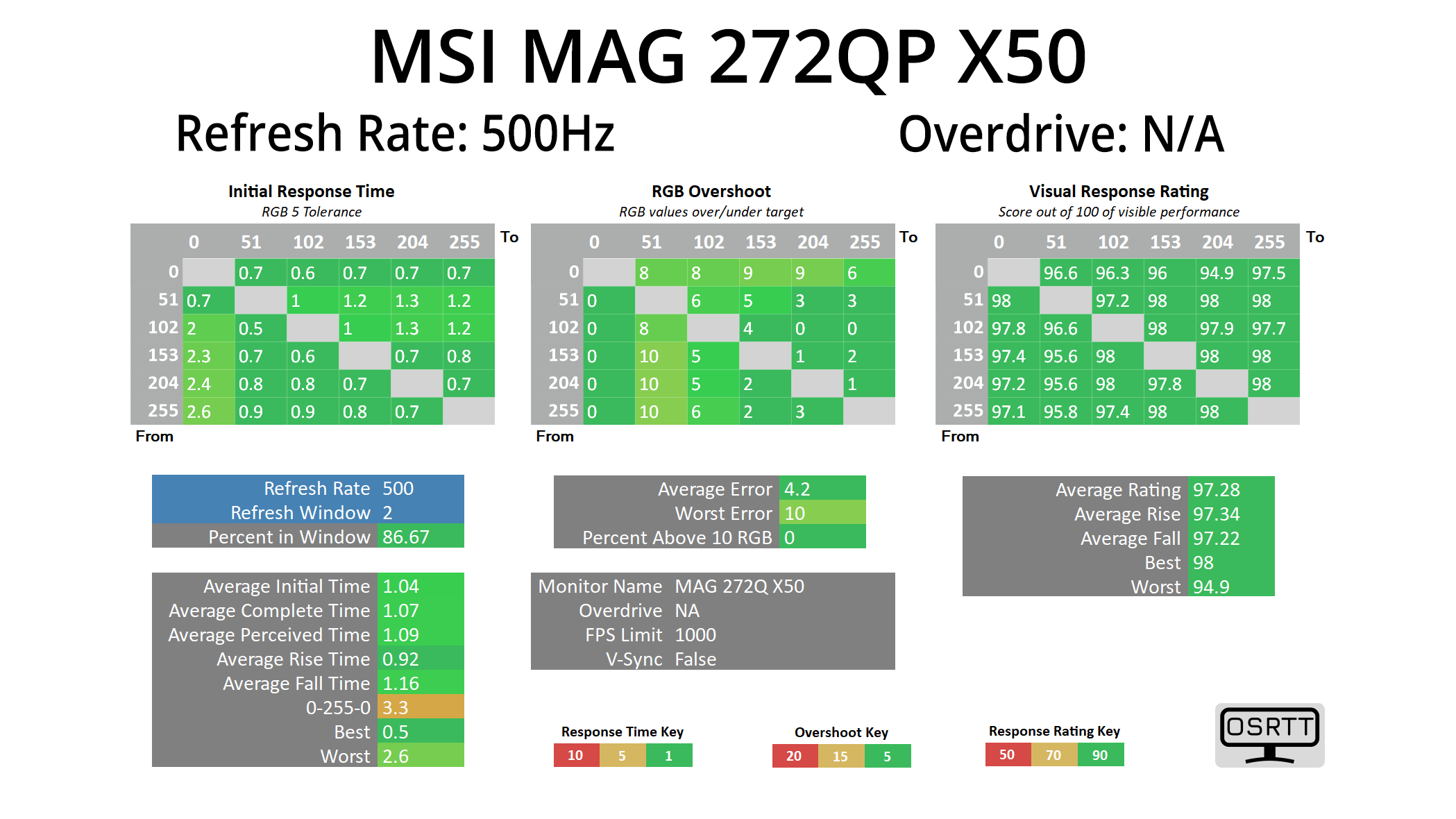
Given the 272QP X50 is an OLED monitor, we know the response times will be fantastic – and they are, averaging 1ms across the board, putting this right up there with the other OLED monitors we've tested, and that behaviour is the same regardless of the refresh rate.
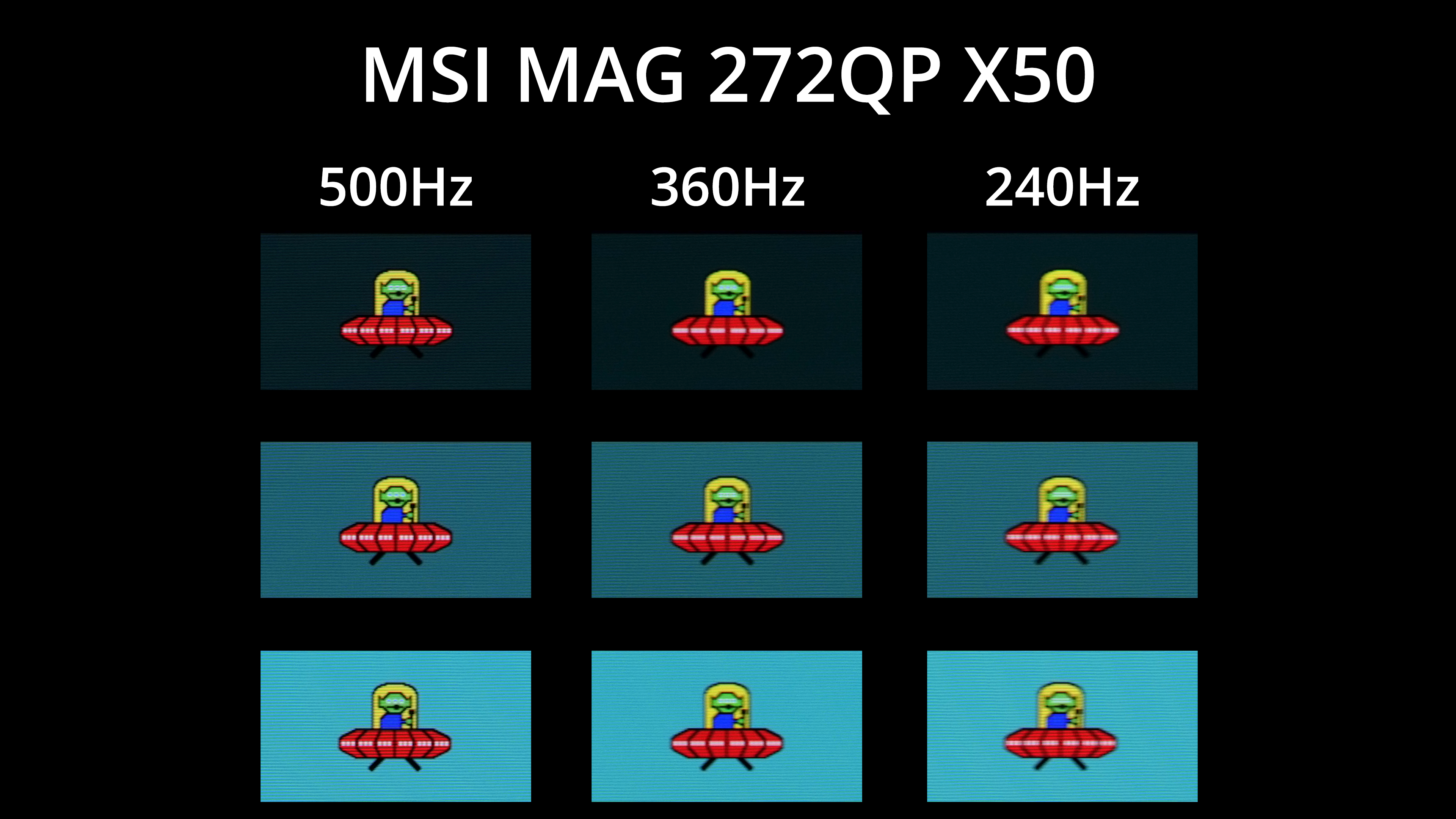
Of course, that doesn't mean motion clarity is the same at different refresh rates, and I was really intrigued to see what visual benefit 500Hz would offer over the previous 360Hz QD-OLED panels. As you can see, it's not a night-and-day difference, but I'd say there's a definite improvement to clarity – the white dots on the UFO are now less blurred, for instance, as are the alien's three eyes. Compared to 240Hz as well, the difference looks even more pronounced, so there is definitely a benefit to pushing the refresh as high as possible.
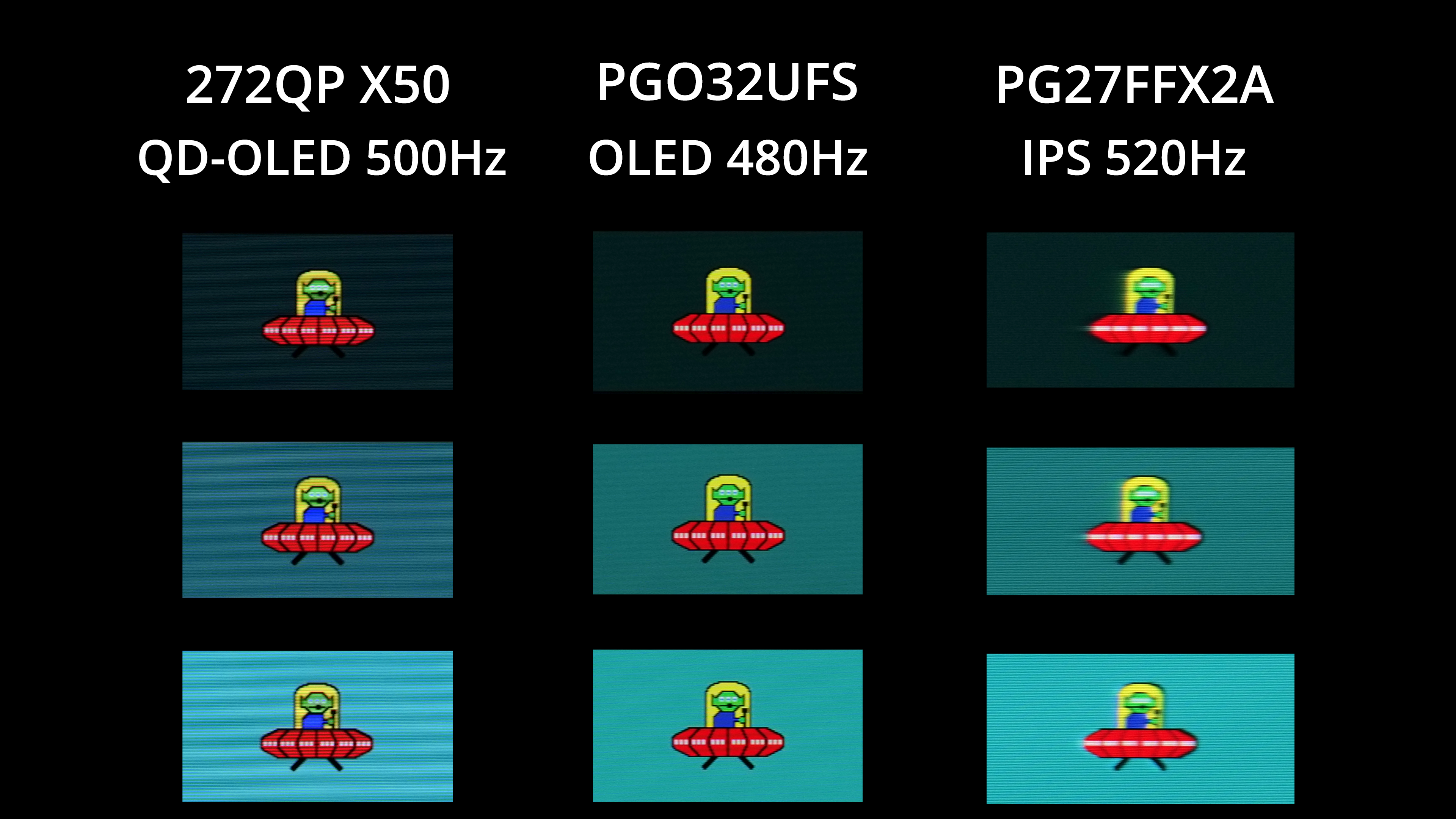
For comparisons, I've included the ASRock PGO32UFS, a WOLED panel which can hit 480Hz with its dual-mode functionality, along with the ASRock PG27FFX2A, the fastest LCD I've tested, with a 520Hz refresh rate. The overall motion clarity between the two OLED panels is very similar, which is to be expected given the difference between 500 and 480Hz is not large. Clearly though, a 500Hz OLED blows a similarly-specced LCD out of the water, with much less blur and zero ghosting.
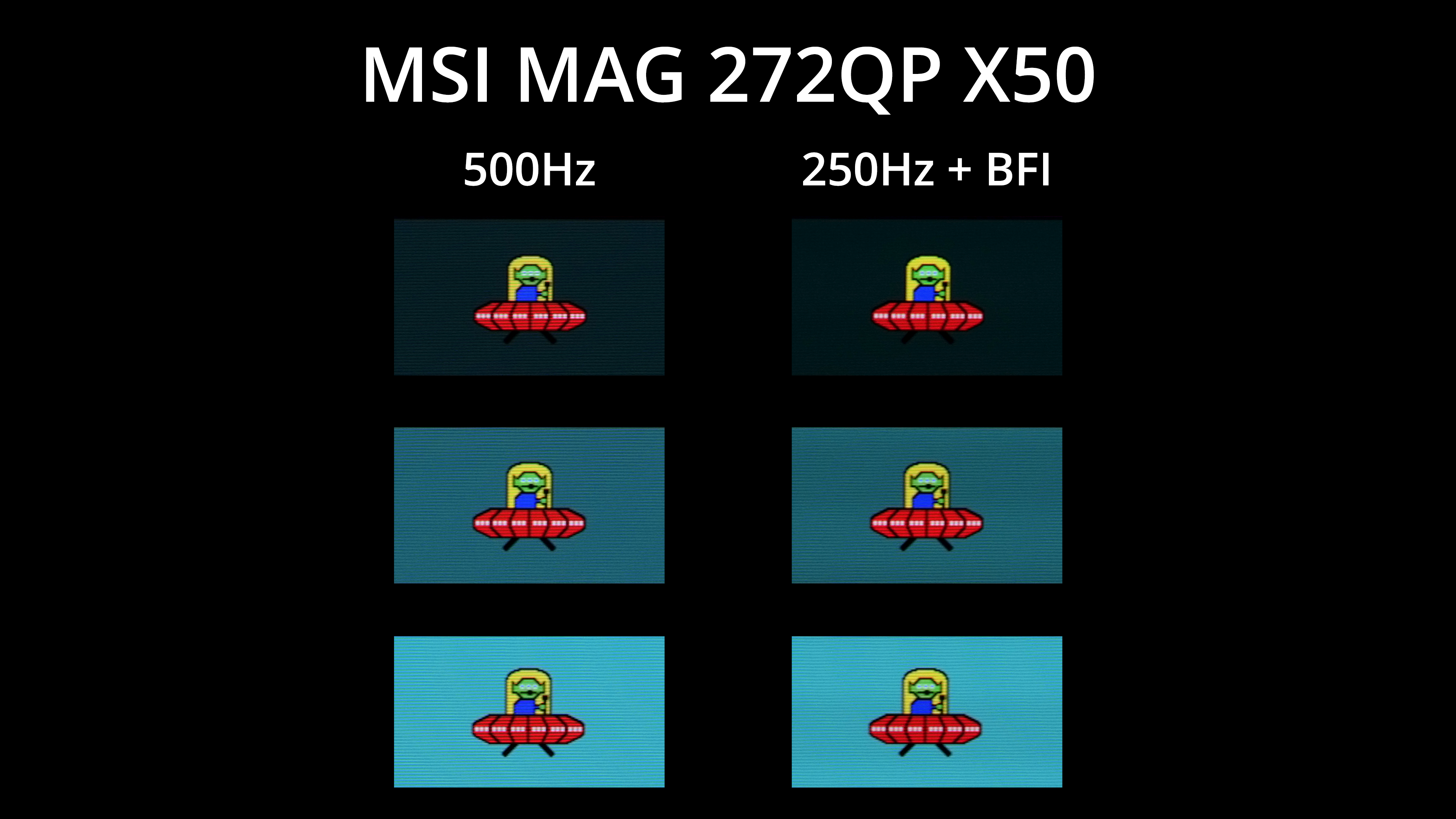
You might be thinking that 500Hz sounds good and all, but if you can't hit frame rates up to 500fps, then what's the point? Thankfully MSI has included a new MPRT mode – AKA black frame insertion (BFI) – which places a black frame after every regular frame. This means that, with it enabled, you get broadly equivalent motion clarity at 250Hz as you would without BFI at 500Hz, and it's obviously a lot easier to drive games at 250fps! It does disable adaptive sync and brightness is capped at 152 nits max, but it could be well worth using depending on the games you play.
We again use the Open Source Response Time Tool (OSRTT), developed by TechTeamGB, to report monitor input latency.
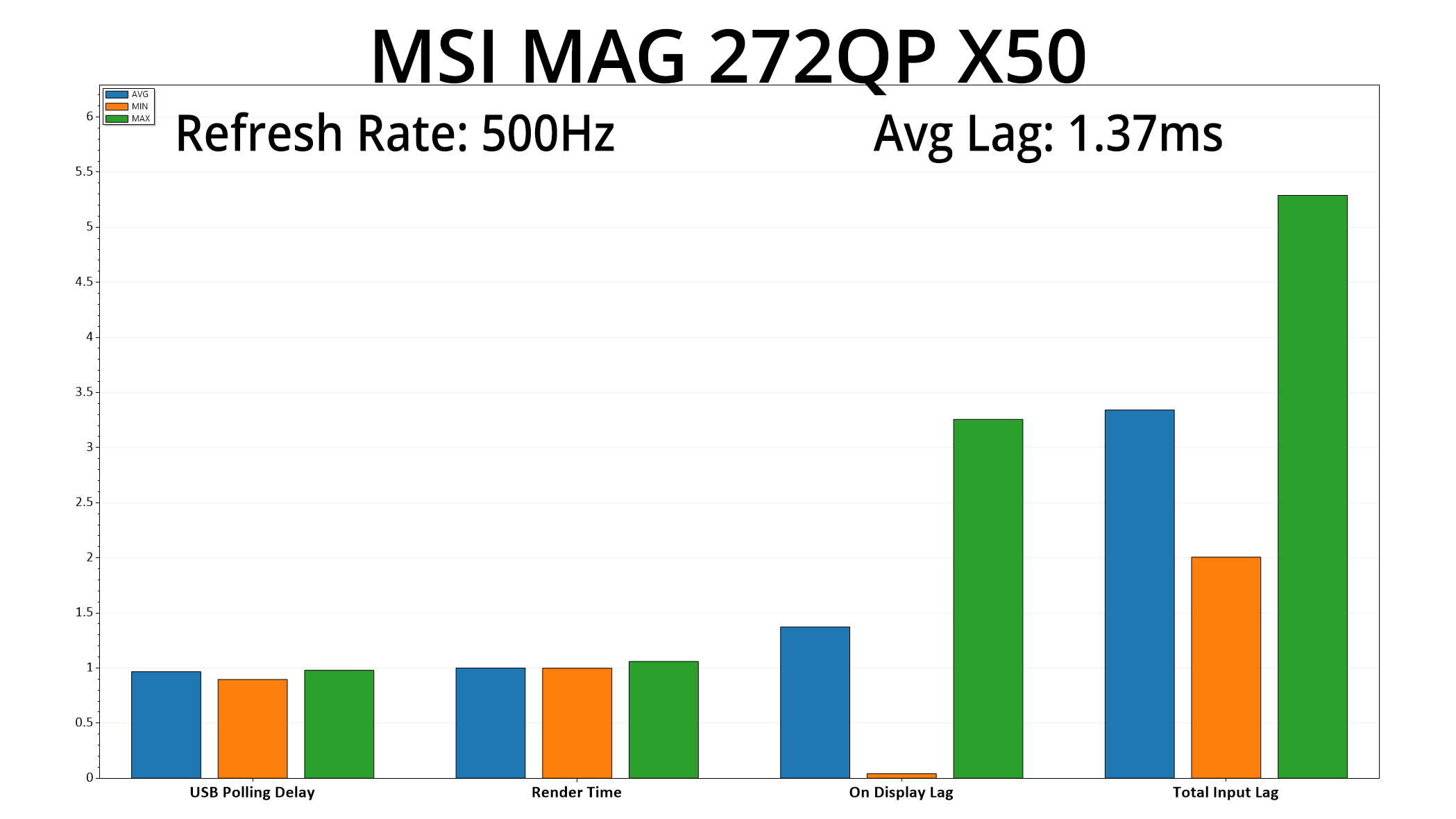
There's also more good news as latency is very low, averaging 1.37ms. A frame at 500Hz lasts for 2ms, so latency is equivalent to about two-thirds of a frame, so nothing at all to worry about.
It's been a very fun week putting MSI's MAG 272QP QD-OLED X50 through its paces. As the fastest OLED monitor we've ever tested, this one is clearly geared towards gamers looking to extract every ounce of competitive advantage from their setups, but its appeal will be wider than just esports gamers.
For one, the factory calibration is solid, with accurate greyscale and gamma tracking. There's just a hint of warmth to the overall colour balance, but nothing that can't be fixed by a manual tweak to the RGB settings. MSI's sRGB mode continues to impress, delivering low average deltaEs, while the updated 3rd Gen Panel is the brightest OLED we've ever tested for SDR usage.
The actual gaming experience is incredible, too – 500Hz QD-OLED is every bit as fast and fluid as it sounds, and thanks to MSI's addition of black frame insertion (BFI), you don't need to hit 500Hz in every game to benefit from increased motion clarity. 500Hz itself does bring other latency benefits too, with this screen delivering one of the lowest lag results we've ever seen.
In terms of the negative points, there are some features missing – including a USB hub and KVM functionality – though that is deliberately done to keep the price down, given this is one of MSI's MAG series, rather than the more premium MPG or MEG ranges. That also likely explains the use of DP1.4 rather than DP2.1 and the USB-C power delivery being limited to just 15W. As with other MSI monitors, I also feel the build quality is a little on the plasticky side, but it's far from a deal-breaker.
I do think those points can be forgiven though, considering the sheer speed and overall fidelity on offer from the 272QP X50. It's currently retailing for £699, too, though MSRP is officially £799 so pricing may go back up. Either way, if you're in the market for possibly the fastest gaming experiences that the PC platform can currently deliver, this is well worth buying.
Pros
- Very wide gamut.
- Effectively infinite contrast ratio.
- Very fast response times.
- Blisteringly fast at 500Hz, with incredible motion clarity.
- Games just look so good.
- Very good factory calibration.
- HDR hits 1000 nits, with the new EOTF Boost mode making a positive difference.
- Very good sRGB emulation mode.
- 2x HDMI 2.1 ports.
- User-upgradable firmware.
Cons
- Lacks a USB hub and KVM functionality.
- DisplayPort is only 1.4 spec, not 2.1.
- USB-C charging limited to just 15W.
- Metal stand would have been nice.
KitGuru says: It's the fastest OLED we've ever tested, delivering insane motion clarity and very low latency.