KitGuru KitGuru.net – Tech News | Hardware News | Hardware Reviews | IOS | Mobile | Gaming | Graphics Cards


Our main test involves using an X-Rite i1 Display Pro Plus colorimeter and utilising Portrait Displays’ Calman Ultimate software. The device sits on top of the screen while the software generates colour tones and patterns, which it compares against predetermined values to work out how accurate the screen is.

The results show:
- A monitor’s maximum brightness in candelas or cd/m2 at various levels set in the OSD.
- A monitor’s contrast ratio at various brightness levels in the OSD.
- Gamut coverage, primarily focusing on sRGB and DCI-P3 colour spaces.
- Greyscale accuracy, measured across 20 shades, with an average colour balance reported.
- The exact gamma levels, with a comparison against preset settings in the OSD.
- The colour accuracy, expressed as a Delta E ratio, with a result under 3 being fine for normal use, and under 2 being great for colour-accurate design work.
We first run these tests with the display in its out-of-the-box state, with all settings on default. If there is an sRGB emulation option or other useful mode then we may test that too. We then calibrate the screen using the Calman Ultimate software and run the tests again.
You can read more about our test methodology HERE.
Default settings
Brightness and Contrast (Full Screen)
| OSD Brightness | White Luminance (cd/m2) | Black Luminance (cd/m2) | Contrast Ratio |
| 0% | 25.1 | 0.00 | ~Infinite |
| 25% | 97.4 | 0.00 | ~Infinite |
| 50% | 169.3 | 0.00 | ~Infinite |
| 75% | 230.3 | 0.00 | ~Infinite |
| 100% | 264 | 0.00 | ~Infinite |
Kicking off with our brightness testing, the 272UP gets nice and dim at just 25 nits minimum, while it gets up to 264 nits maximum, which is about typical for a 4th Gen QD-OLED. Contrast is, of course, effectively infinite given the per-pixel nature of OLED.
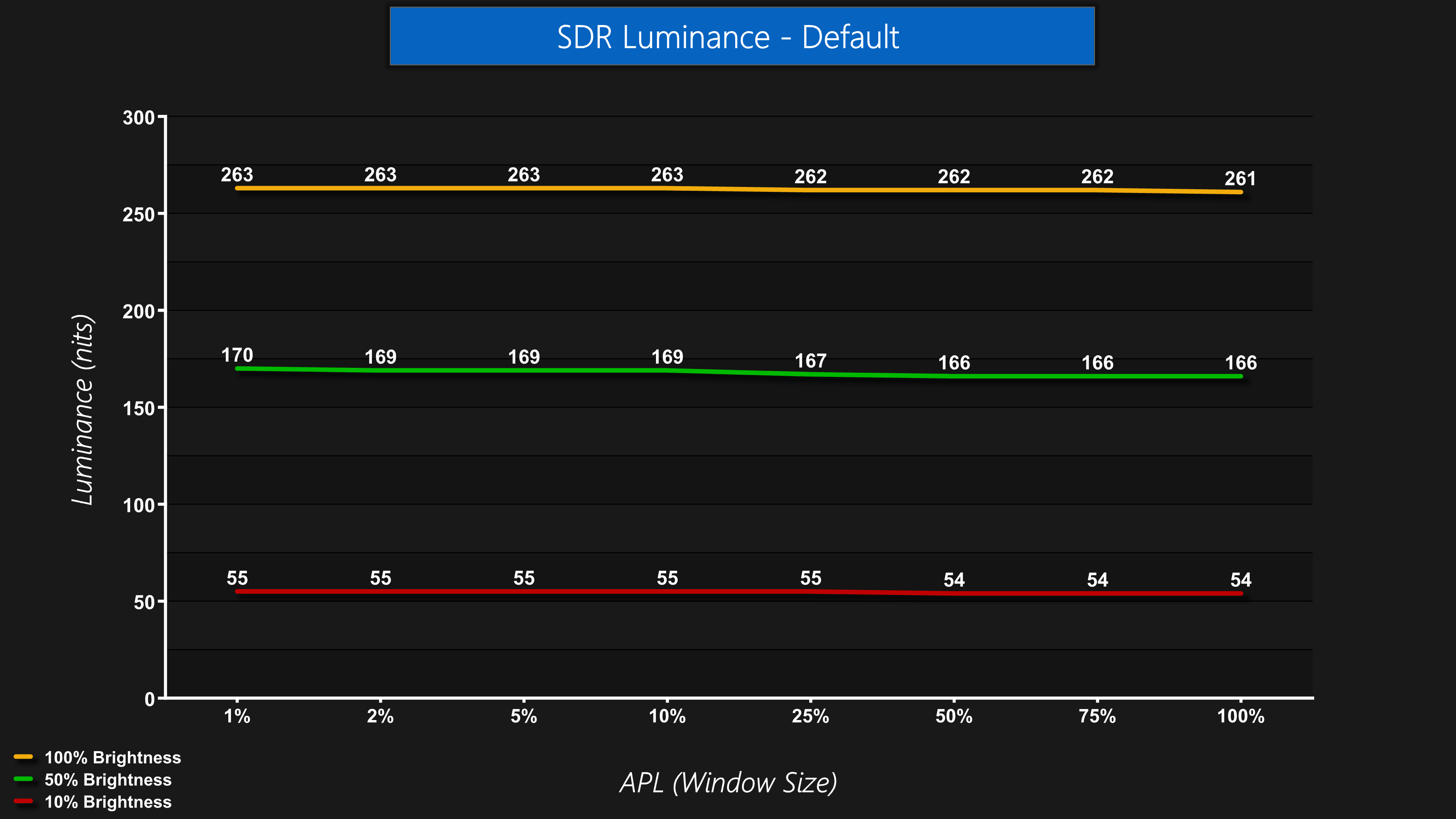
Luminance is also very steady regardless of the window size (APL). Some monitors, typically WOLED panels, will show a noticeable drop-off in brightness as the window size gets bigger, but this is not the case for the 272UP.
Screen Uniformity
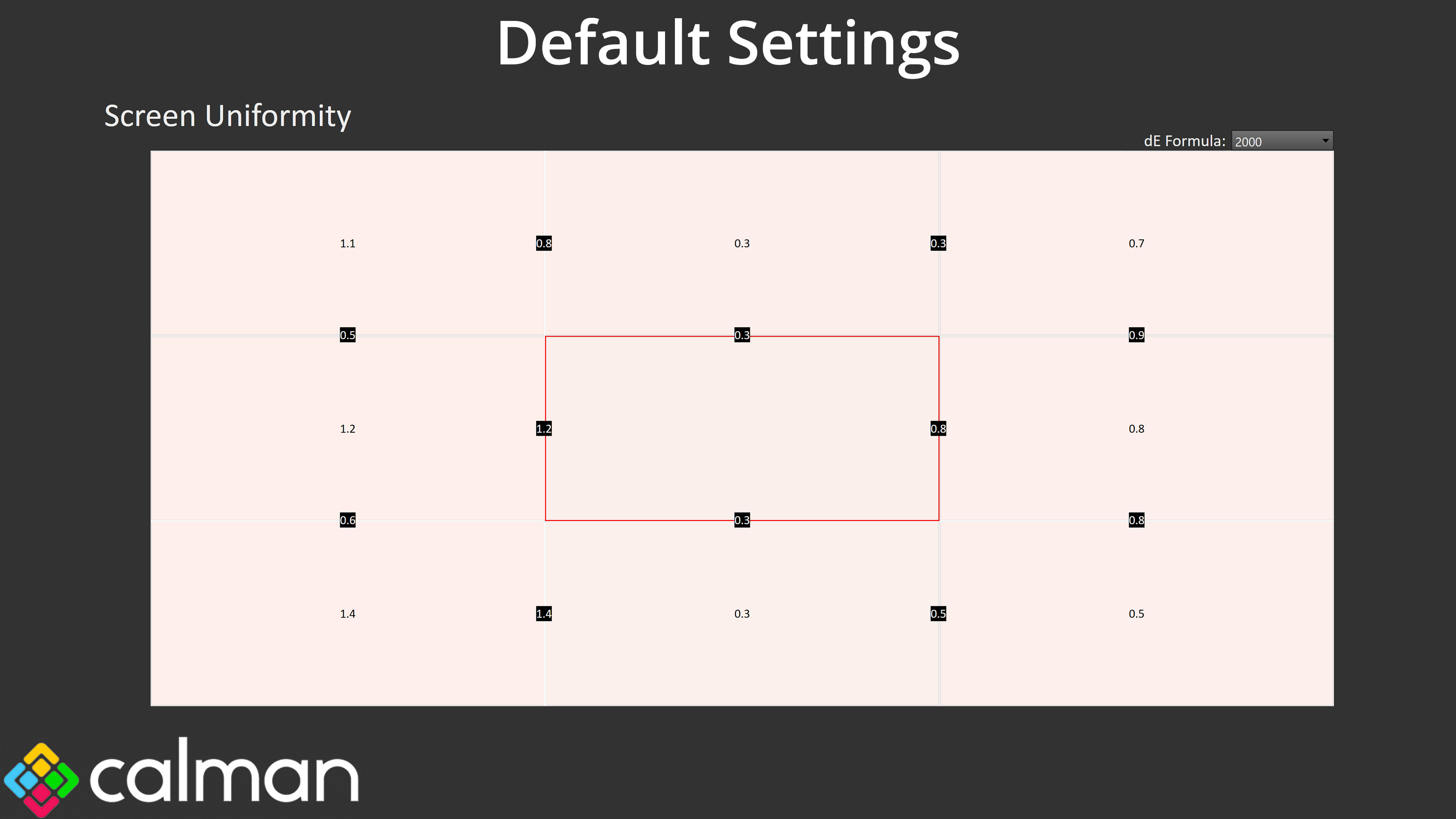
Screen uniformity is also very even, one underrated aspect of OLED, though you will notice the colour balance is reporting quite warm – but more on that in a moment!
Gamut (CIE 1976)
| Colour space | Coverage (%) |
| sRGB | 99.7 |
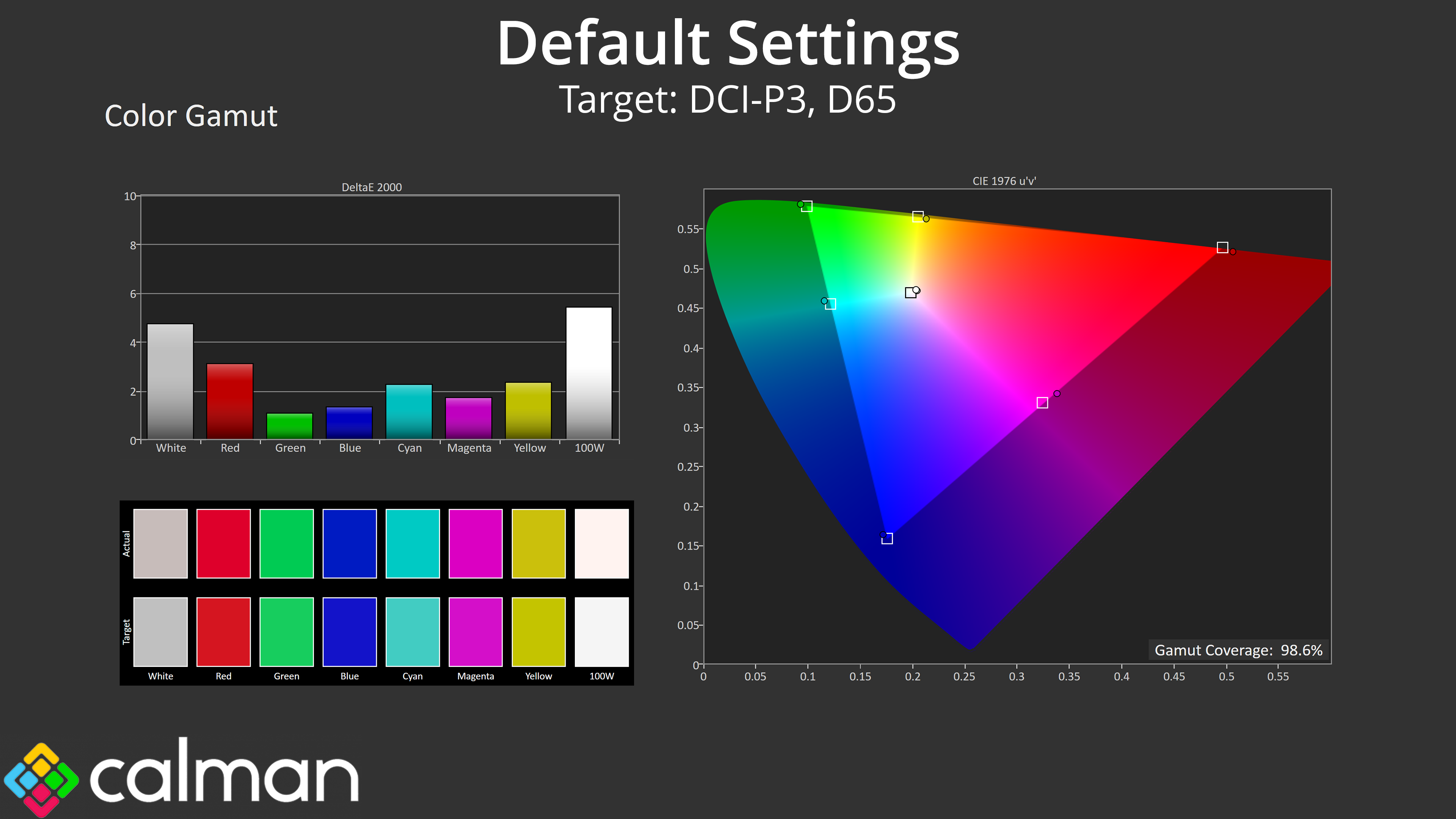
| DCI-P3 | 98.6 |
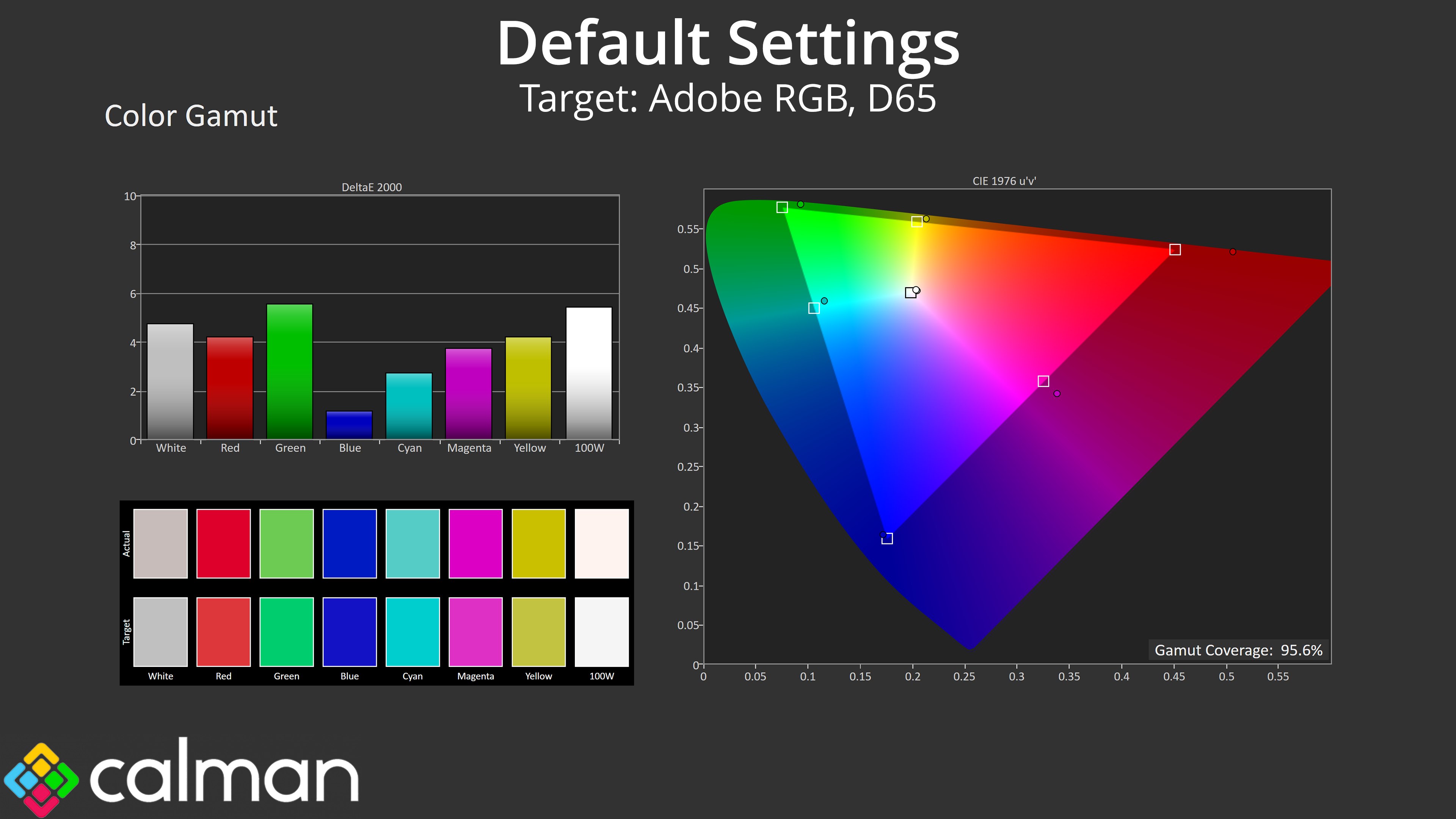
| Adobe RGB | 95.6 |
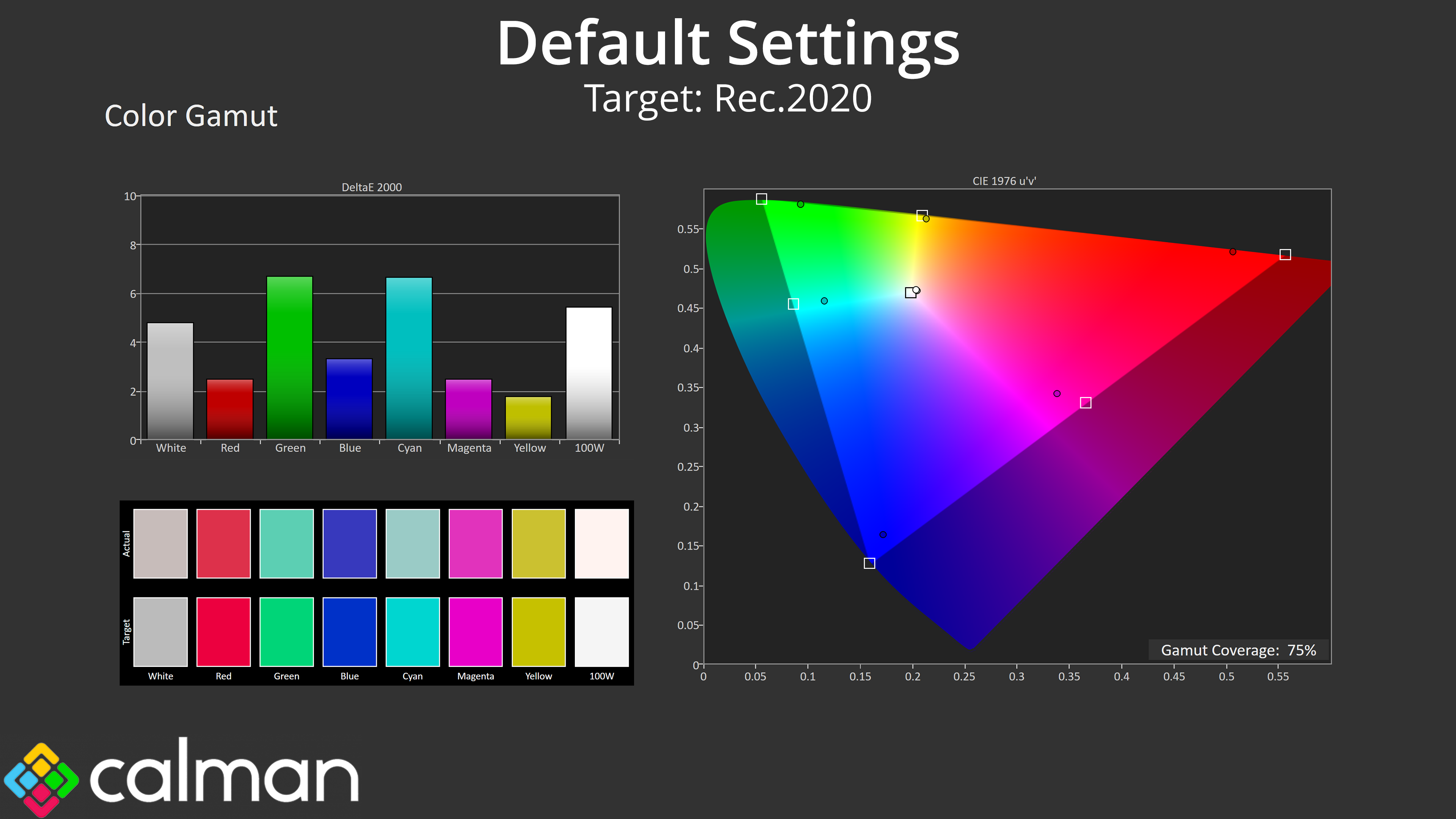
| Rec.2020 | 75 |
Gamut is as wide as we'd expect from a QD-OLED, far exceeding the sRGB space and offering 98.6% coverage for DCI-P3, alongside 95.6% Adobe RGB, and then 75% coverage for Rec.2020.
Greyscale
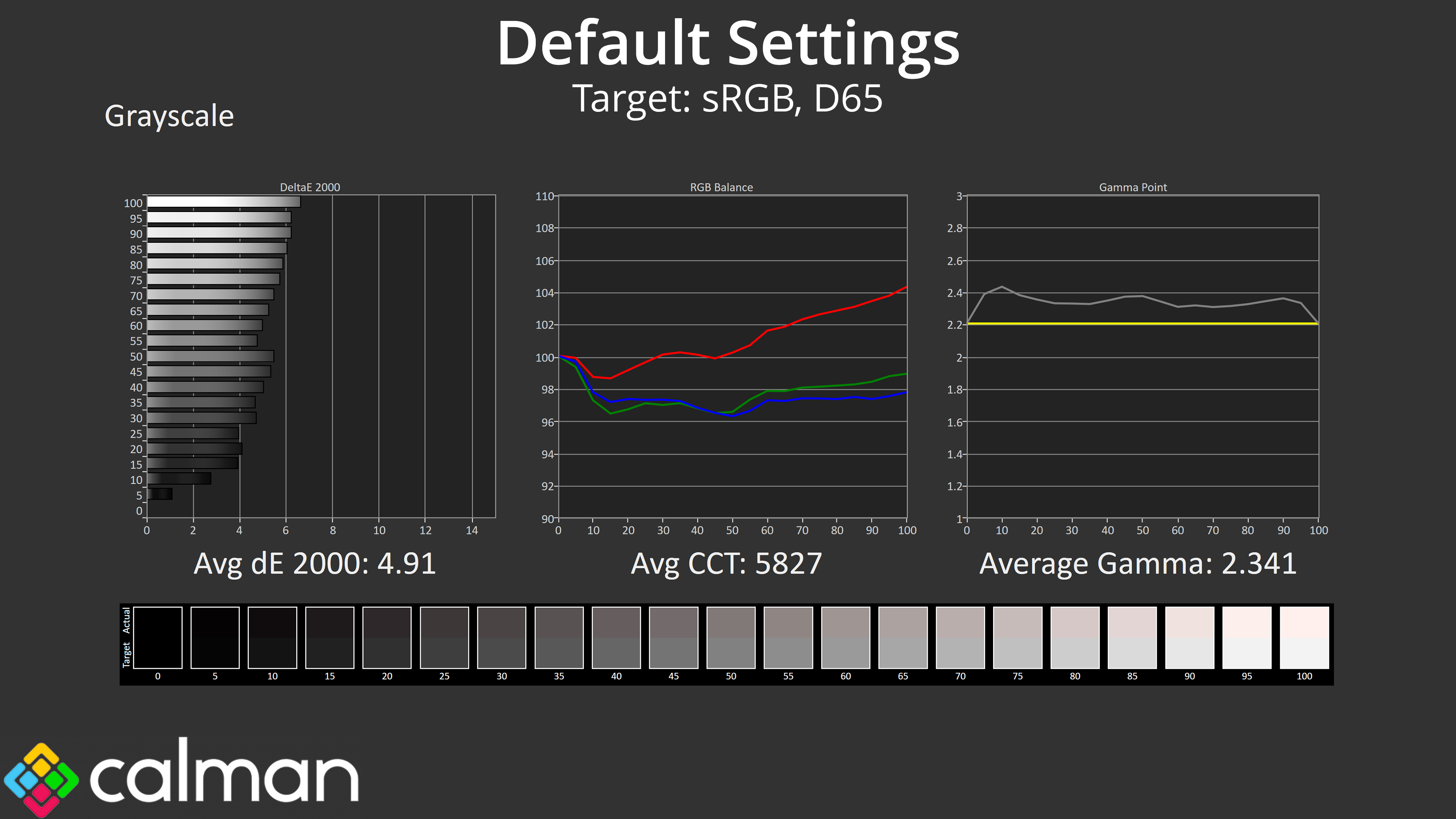
Default greyscale does leave a bit to be desired though, as it would seem MSI has put less attention into the factory calibration of the 272UP compared to the more premium 272URX. The colour balance is quite warm, averaging 5827K, while gamma is also a touch too high – averaging 2.341.
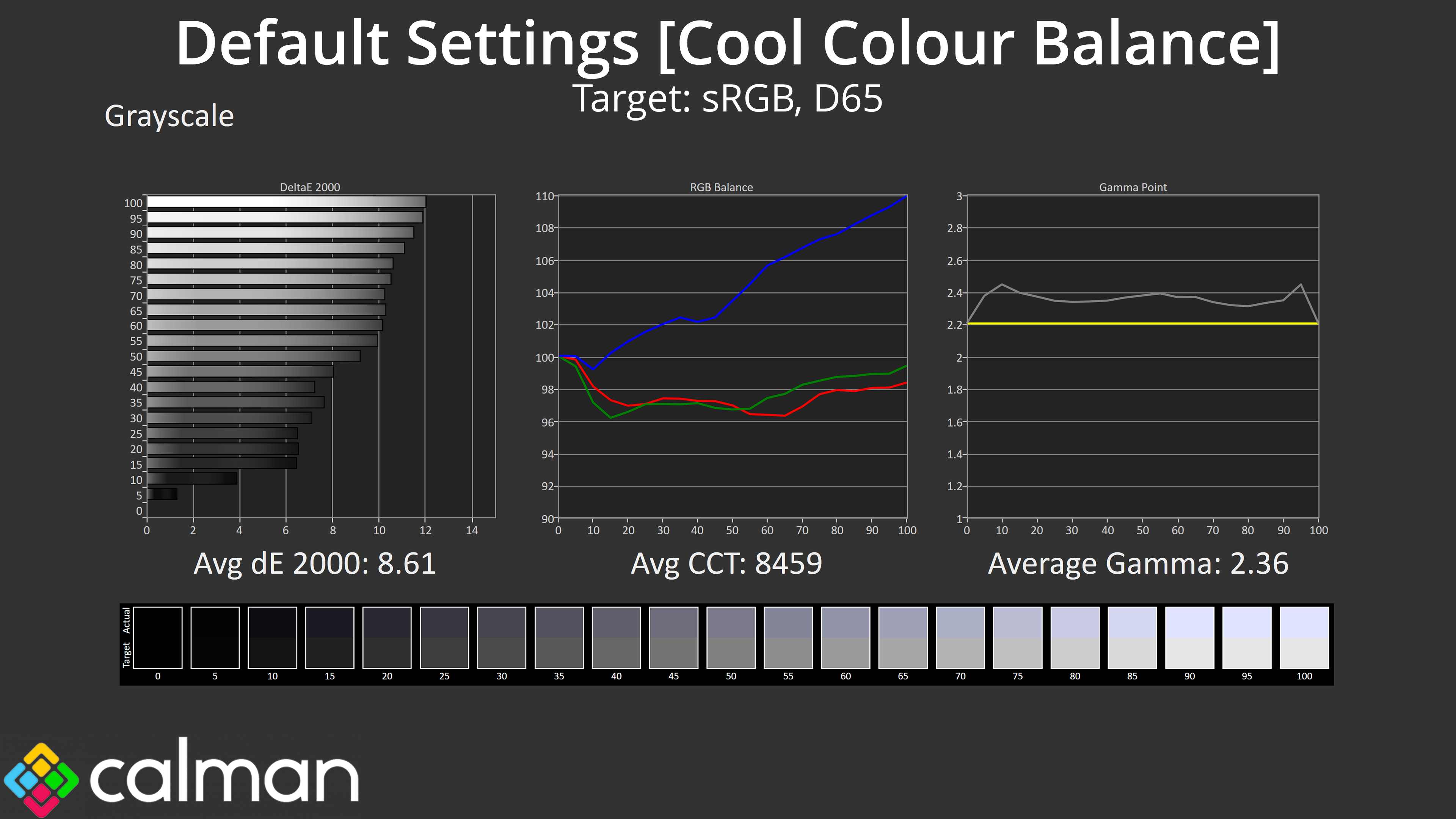
I did also try the Cool colour balance option to see if that'd help, but that was far too cool and basically looked like a blue-lighter filter had been applied.
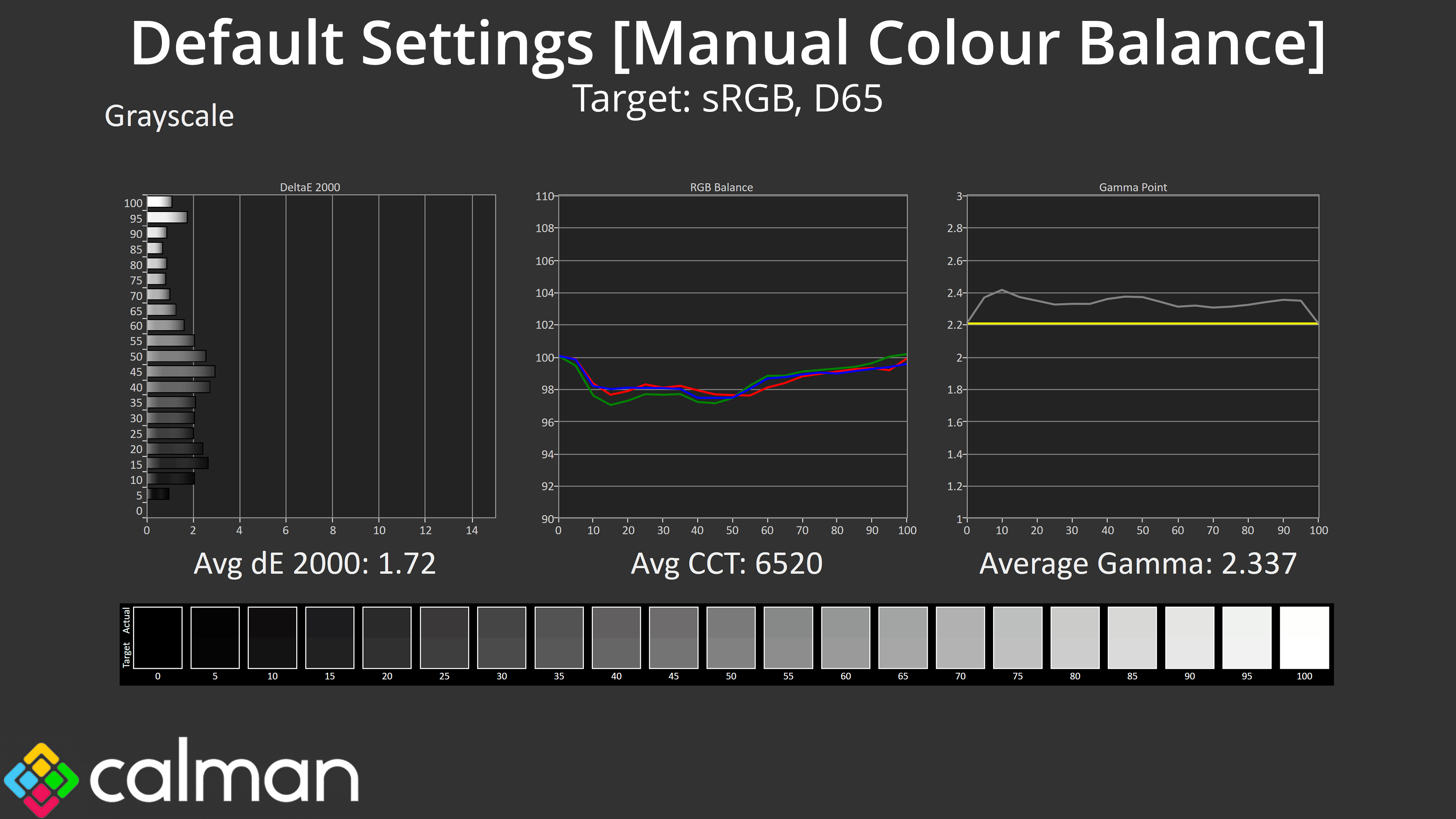
Thankfully MSI does include a manual colour balance, and I achieved best results with the Red channel at 94, Green at 99 and Blue at 100. Gamma is still a little too high – but nothing terrible – in this mode, but the average greyscale deltaE is much improved overall.
Saturation
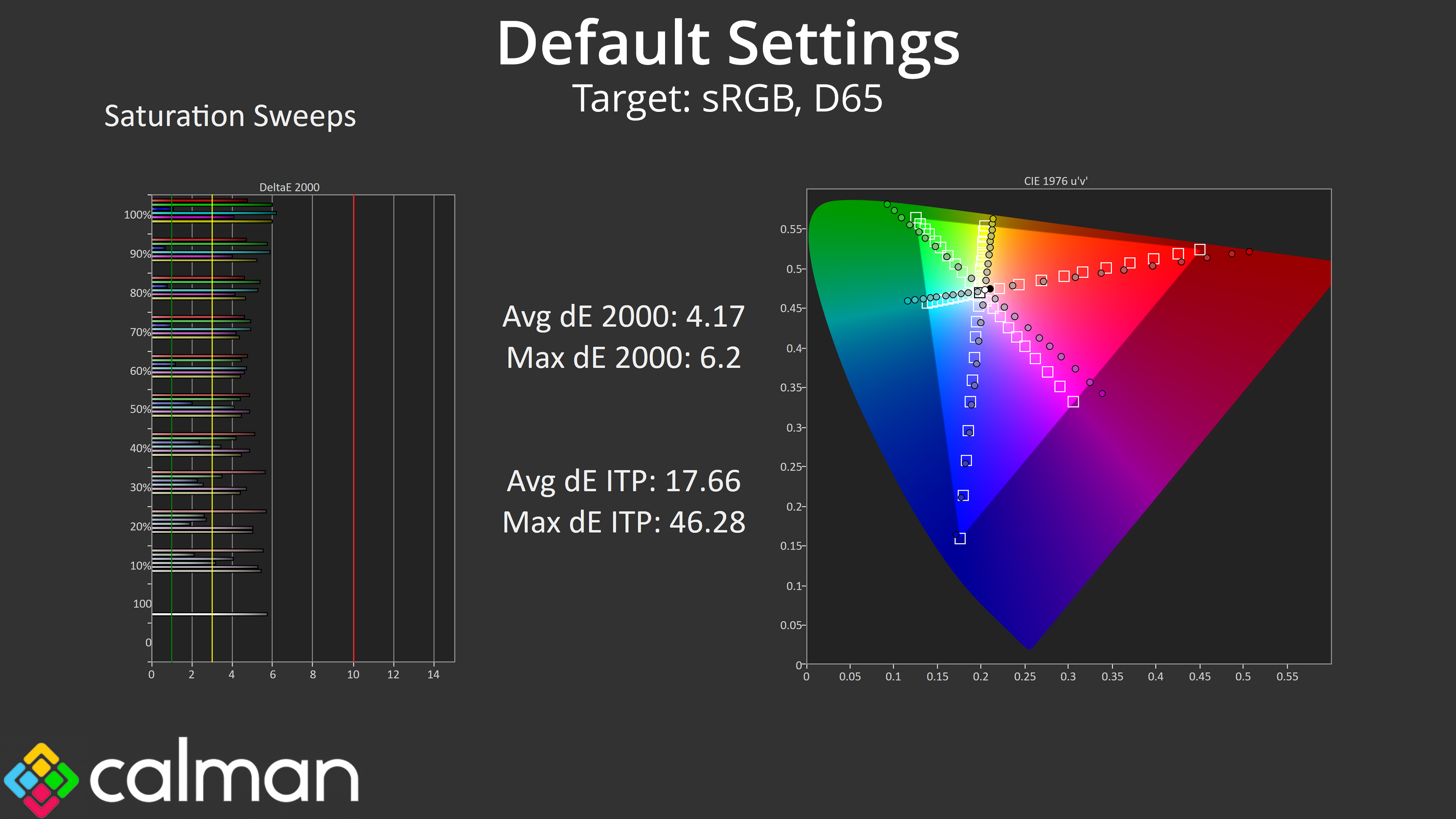
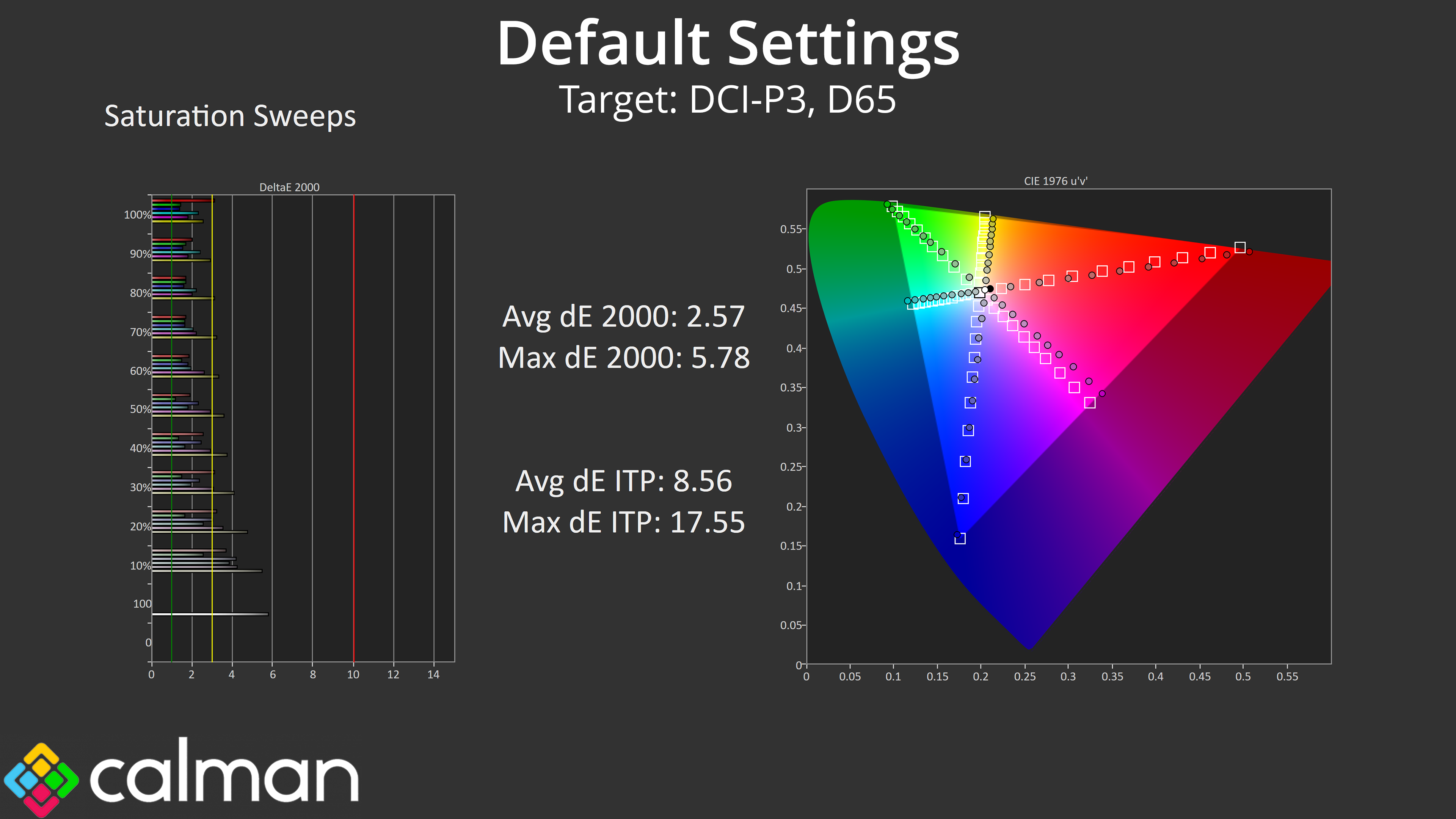
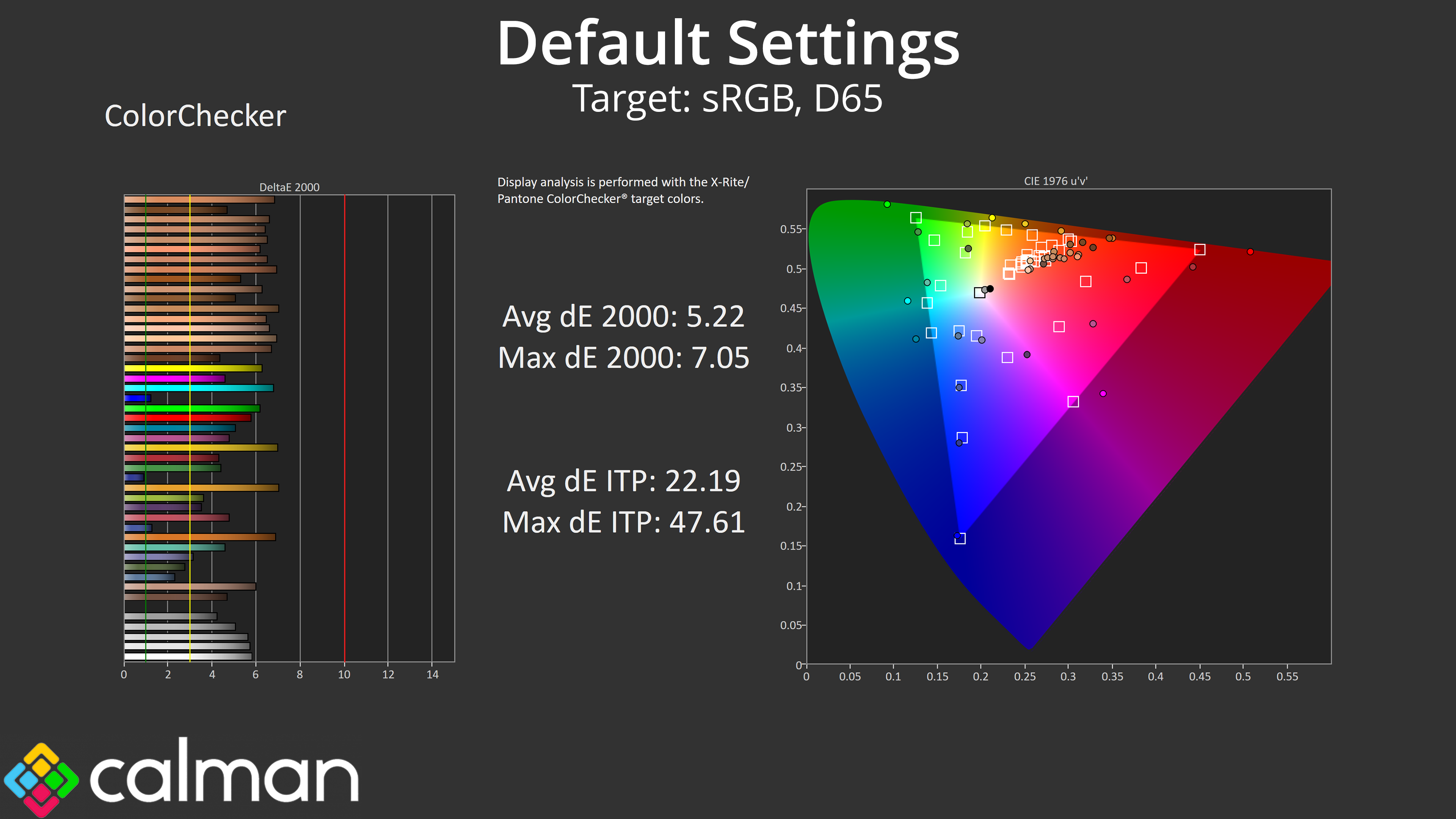
Back to our default settings testing though, saturation sweeps indicate a high level of over-saturation as we'd expect from a QD-OLED, though this does improve when comparing against the DCI-P3 space.
Colour Accuracy
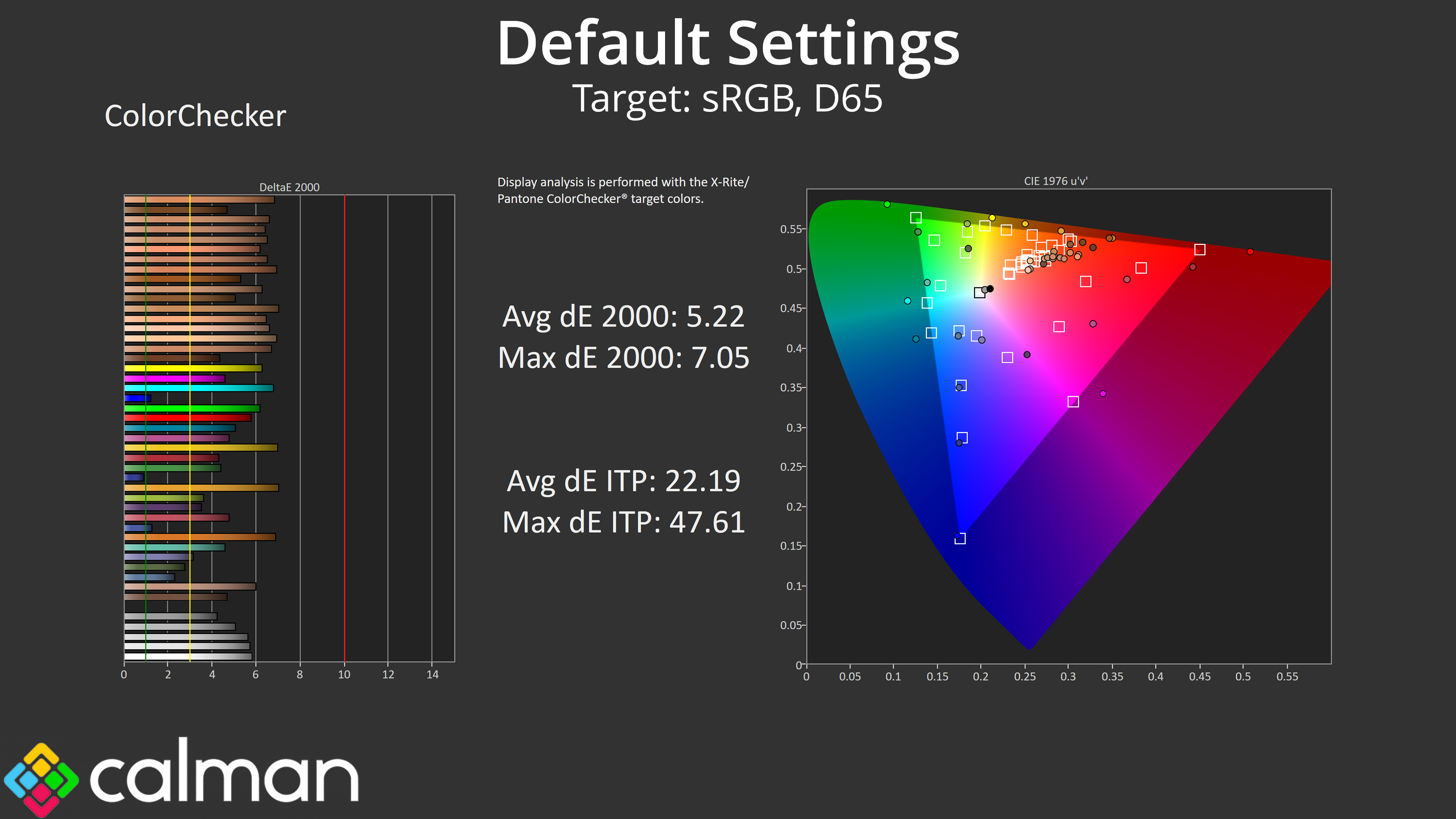
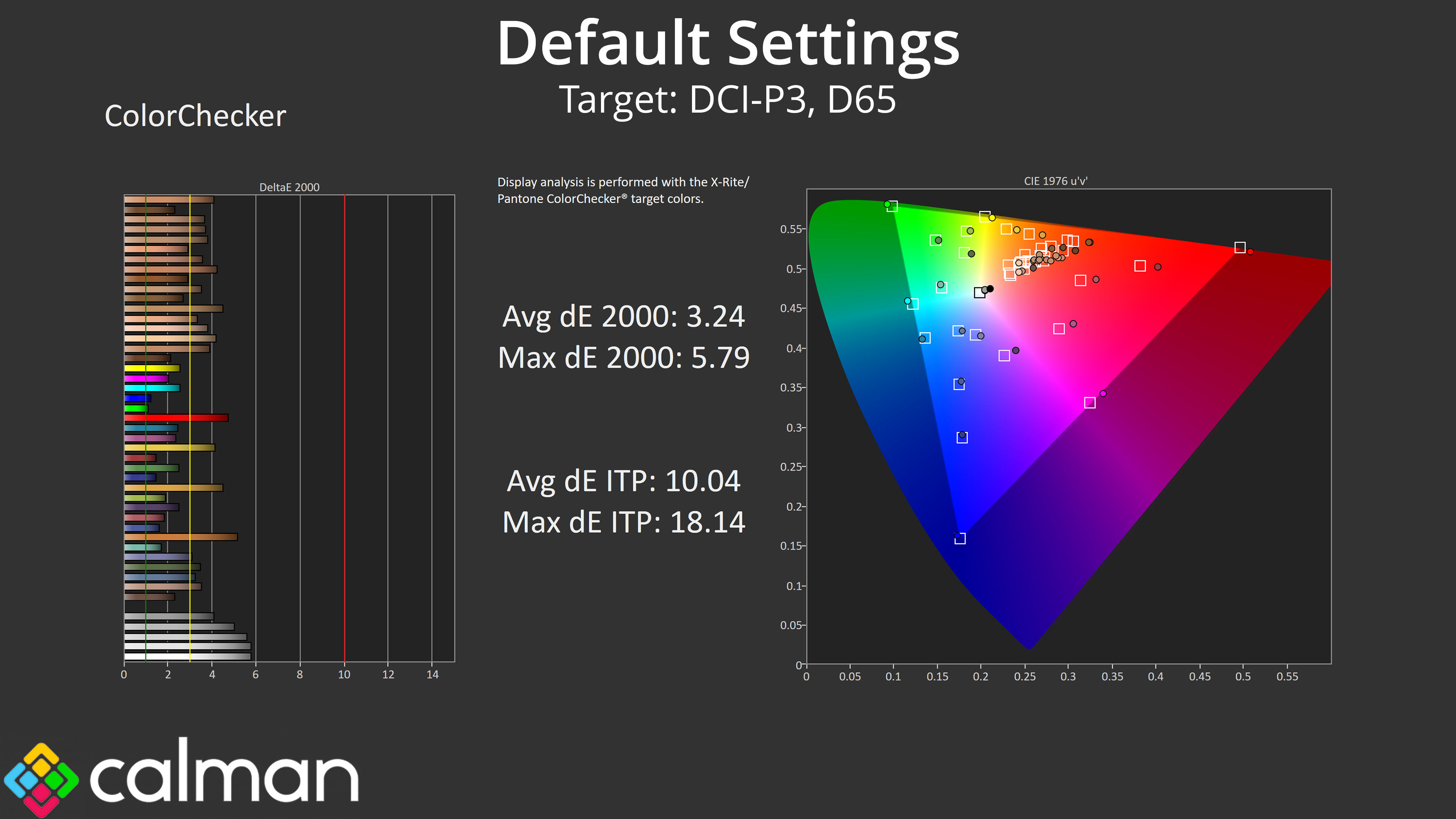
That naturally has a knock-on effect for colour accuracy, as does the warm colour balance, so neither the sRGB or the DCI-P3 results are particularly strong.
sRGB Emulation Mode
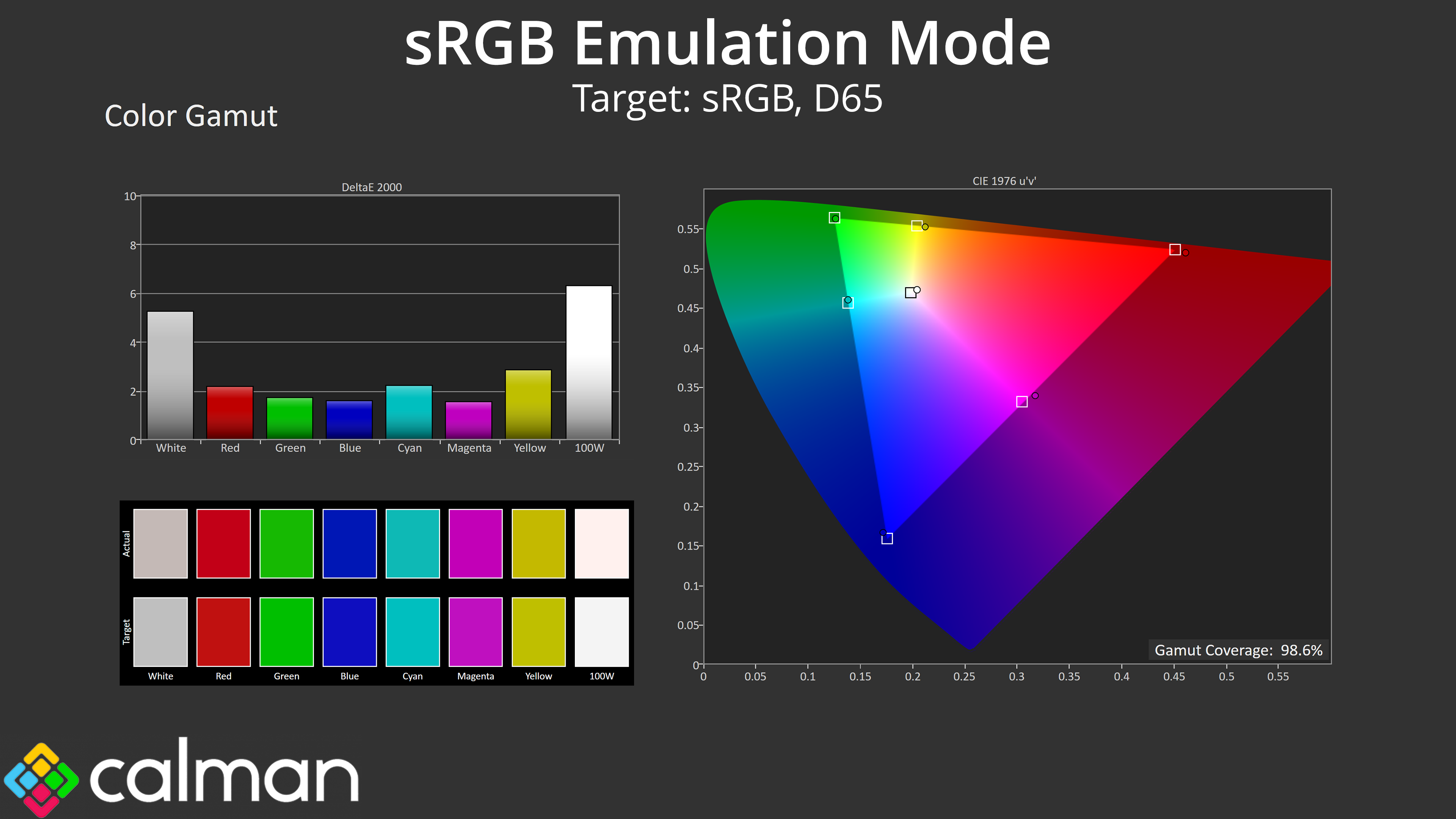
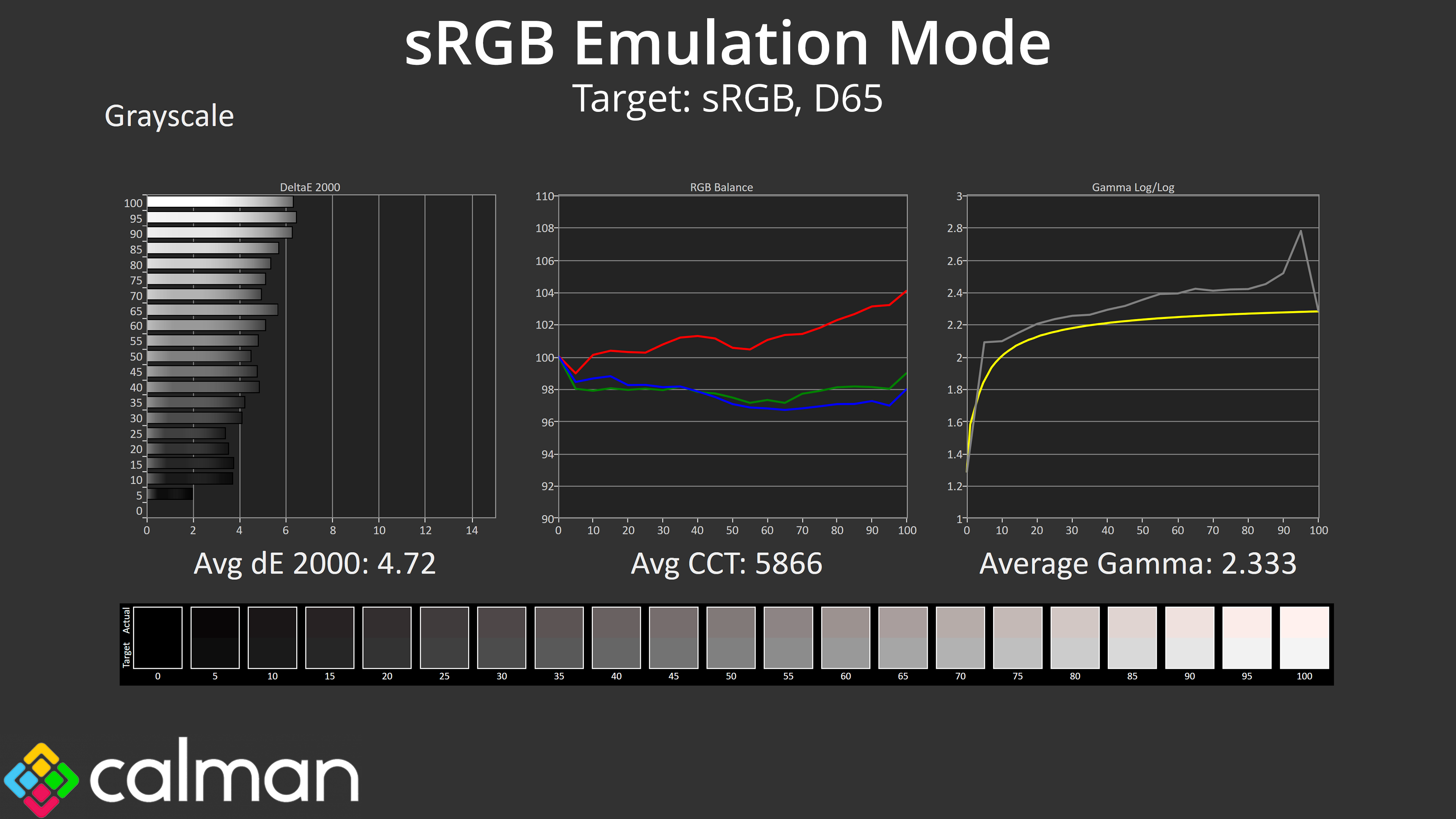
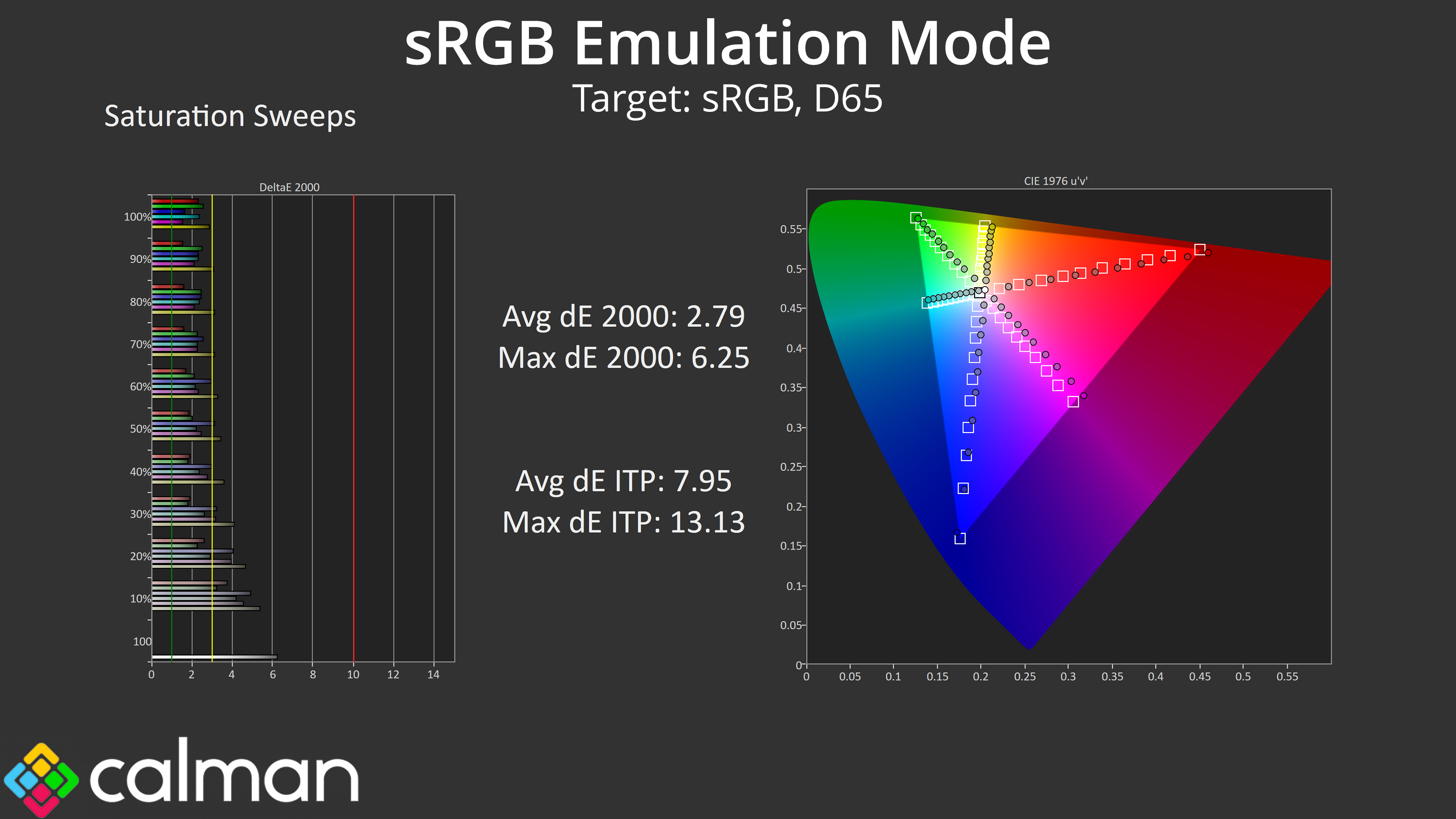
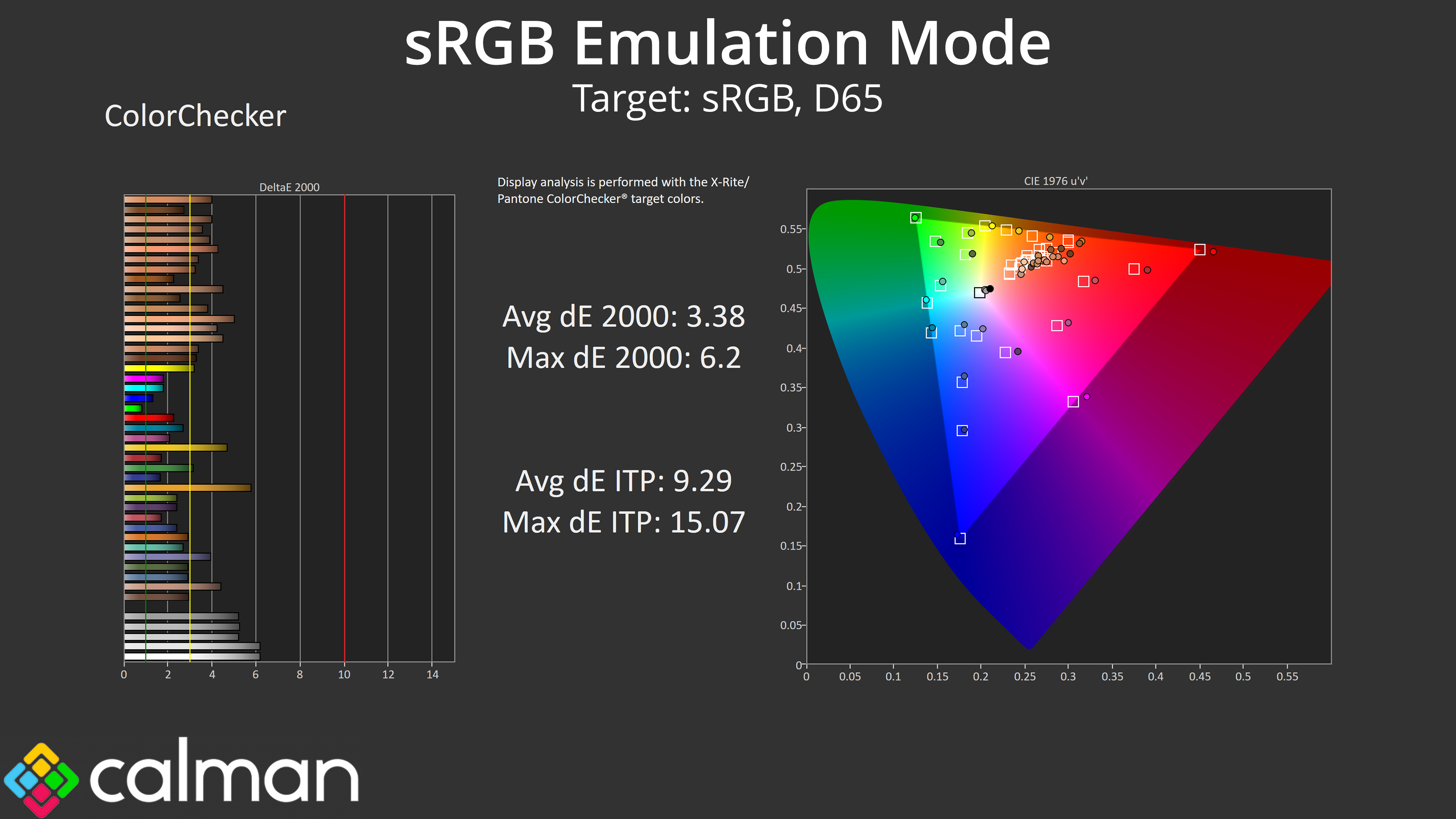
MSI does include an sRGB mode though, which does a good job at clamping the gamut to prevent oversaturation. However, the colour balance is still too warm and gamma a little high across the curve. Still, overall accuracy is improved if you are working with or viewing sRGB content, but it's not the best sRGB mode we've ever seen.
Calibrated Results
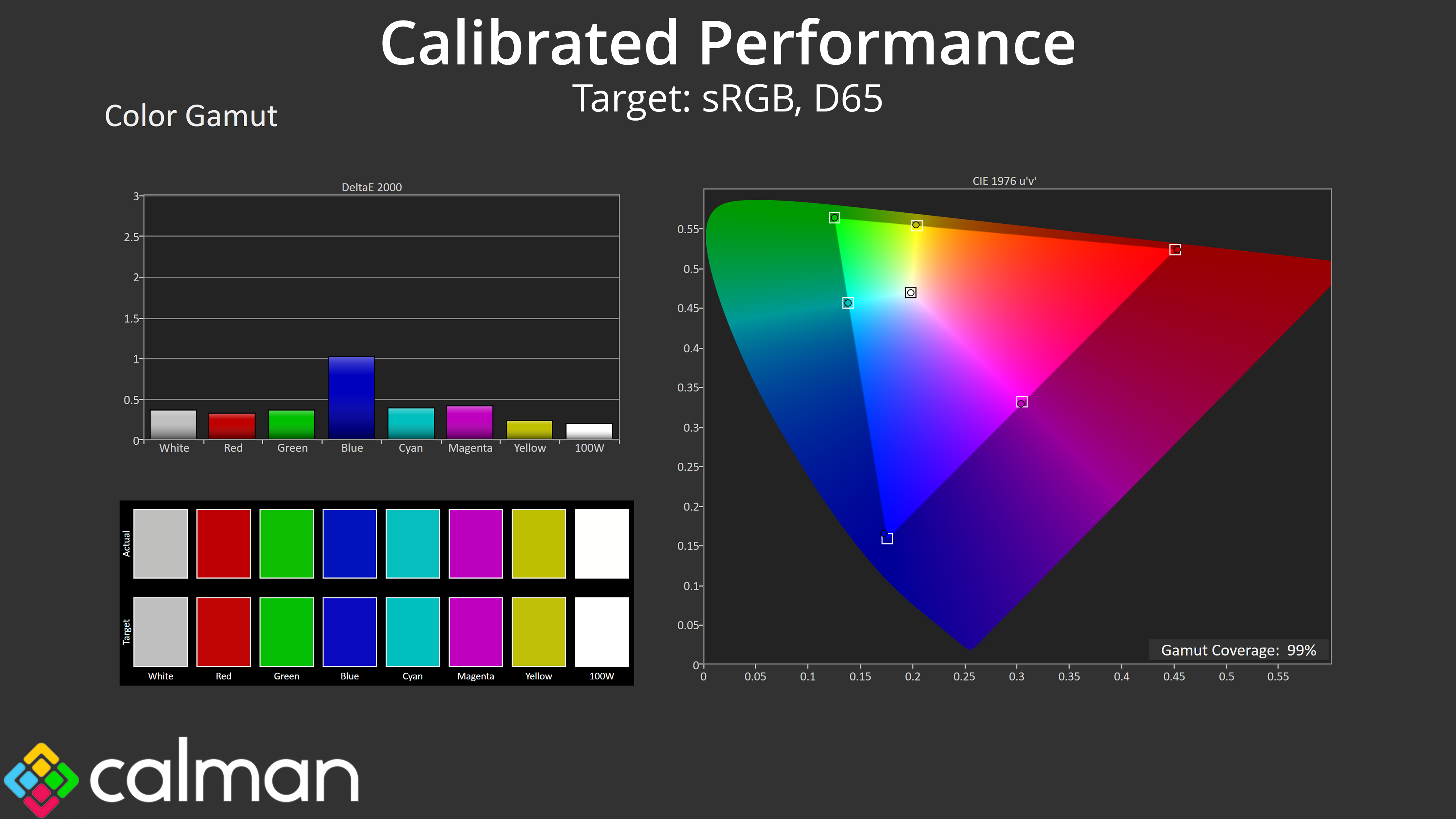
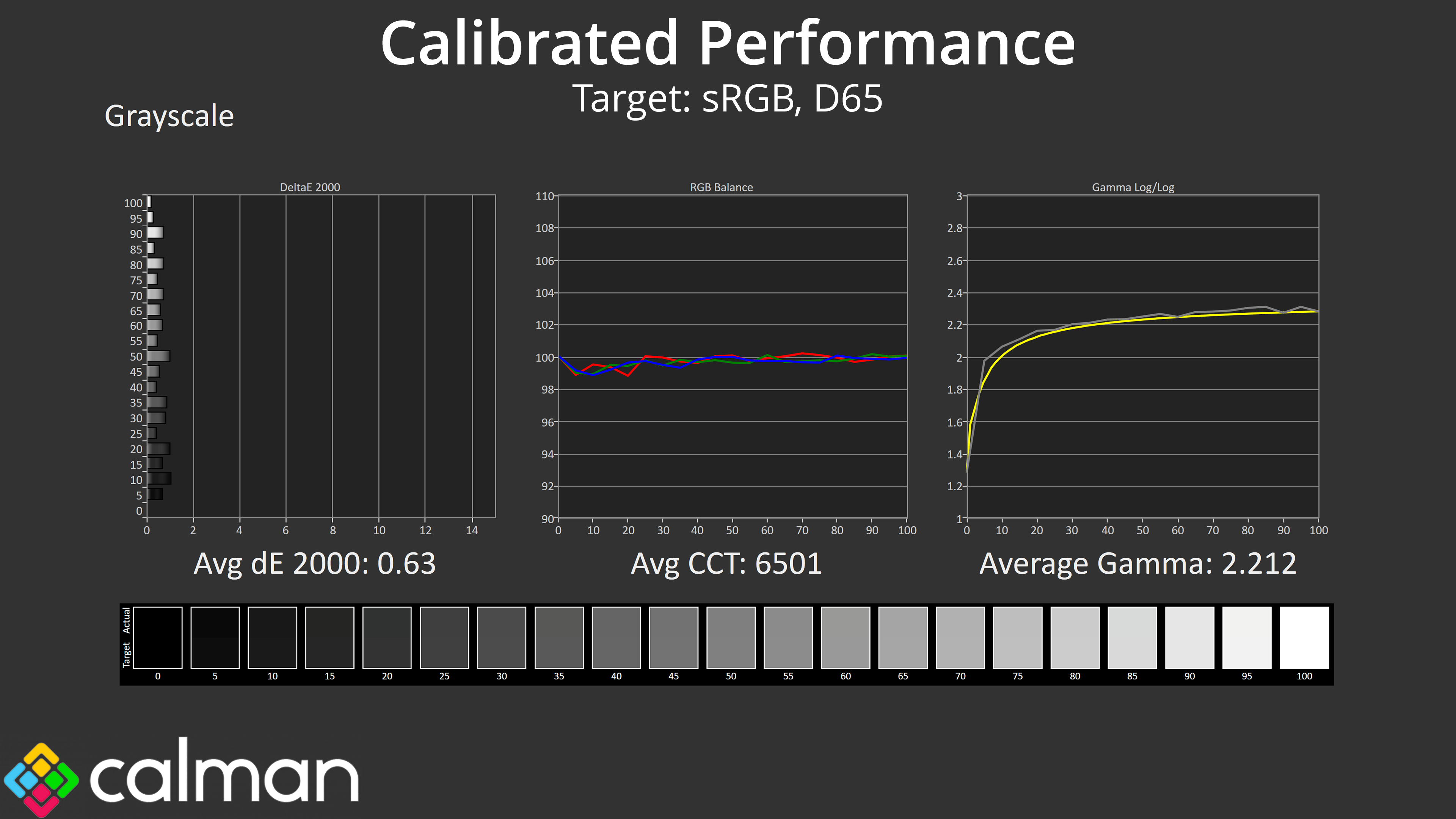
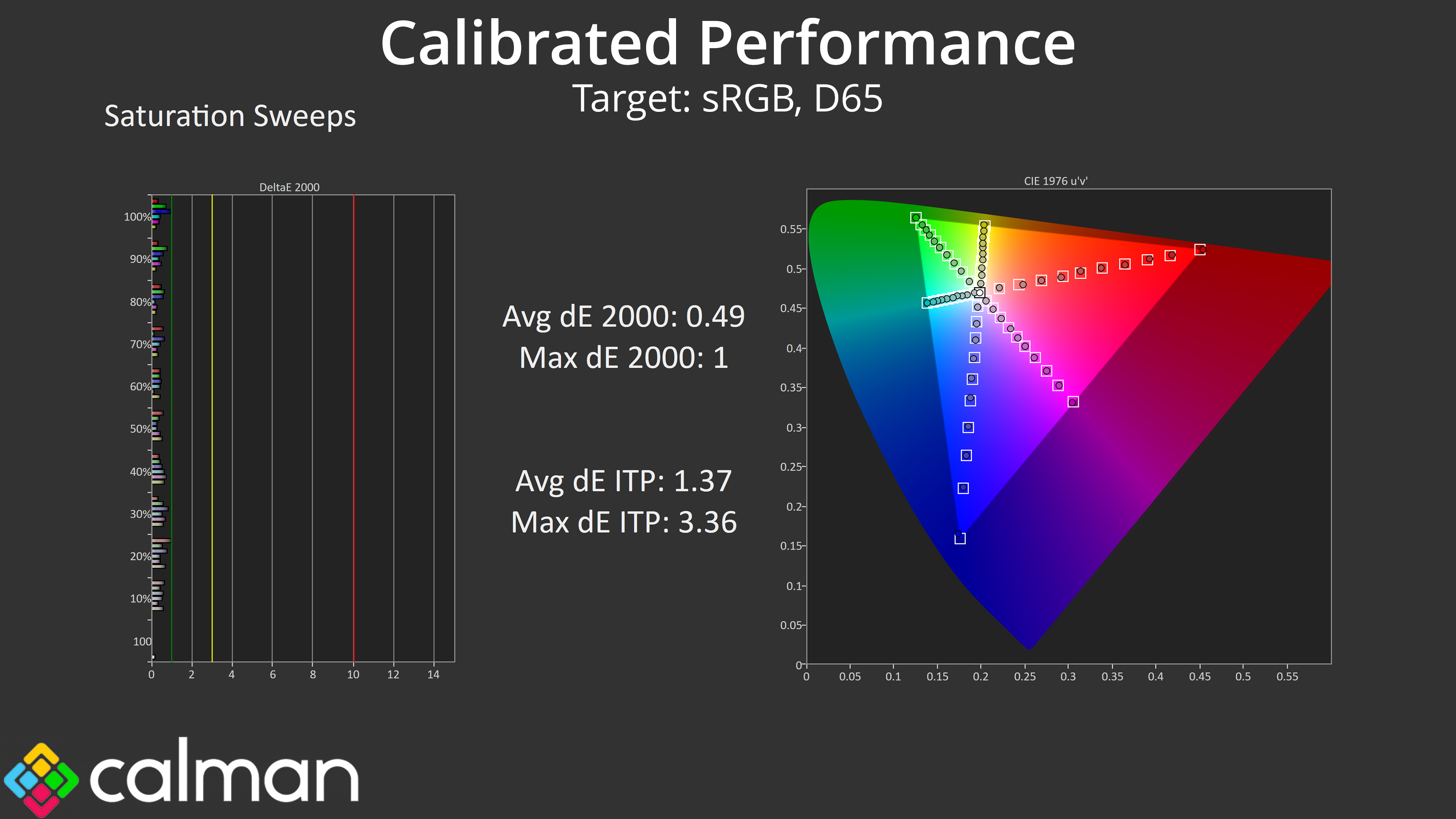
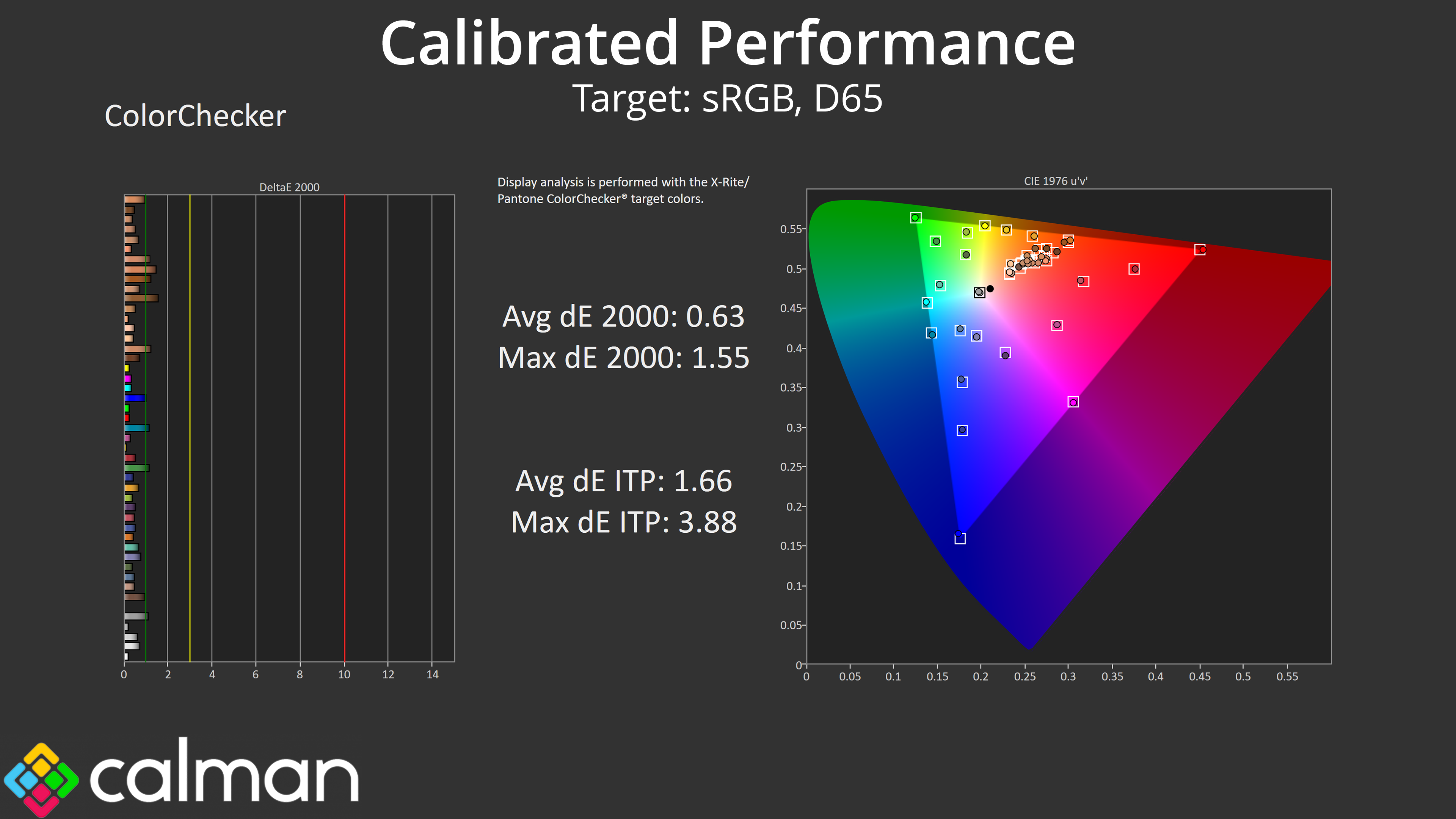
The good news is we know the panel itself is very capable, and with a full calibration, we achieved stellar results across the board. If you do have the hardware and software tools to do this yourself, you could save a good chunk of money versus something like the 272URX, but obviously that will vary from person to person.