KitGuru KitGuru.net – Tech News | Hardware News | Hardware Reviews | IOS | Mobile | Gaming | Graphics Cards


Today we're back with another QD-OLED monitor review, as we check out the MSI MAG 272UP X24. This is the cheapest 4K OLED we have seen to-date, as it's currently retailing for under £500 here in the UK. That money gets you a 4th Gen QD-OLED panel, with a 27in screen size, UHD resolution and 240Hz refresh rate. It certainly sounds good on paper, but let's see exactly what this monitor can do in the real world…
Timestamps:
00:00 Intro
00:46 Key specs and pricing
01:53 Design overview
02:41 Connectivity + OSD
03:37 QD-OLED coating/fringing
05:12 Panel analysis, factory calibration
07:31 sRGB mode + calibrated results
08:06 Response times and motion clarity
09:13 Real-world gaming experience
10:25 HDR analysis
11:52 Closing thoughts
If the spec for the MSI MAG 272UP X24 sounds familiar, that's because it's essentially the same thing as the MSI MPG 272URX that we reviewed last year. Both monitors use the same QD-OLED panel, so all the key panel specs are the same. The difference is the 272UP is from MSI's MAG series, which is generally more affordable, and as such it misses out on a handful of features compared to the 272URX – things like KVM functionality, a USB hub, and lower-power USB-C power delivery.
However, that does mean MSI can lower the price, and right now the 272UP is retailing for £499 here in the UK, though we're told that's an Easter deal that will run until April 22nd. Even then, PCPartPicker pricing history shows it was only £550 back in February and frequently goes on special offer. So if you want a pixel-dense QD-OLED without spending as much for a more premium model, is the 272UP worth buying?
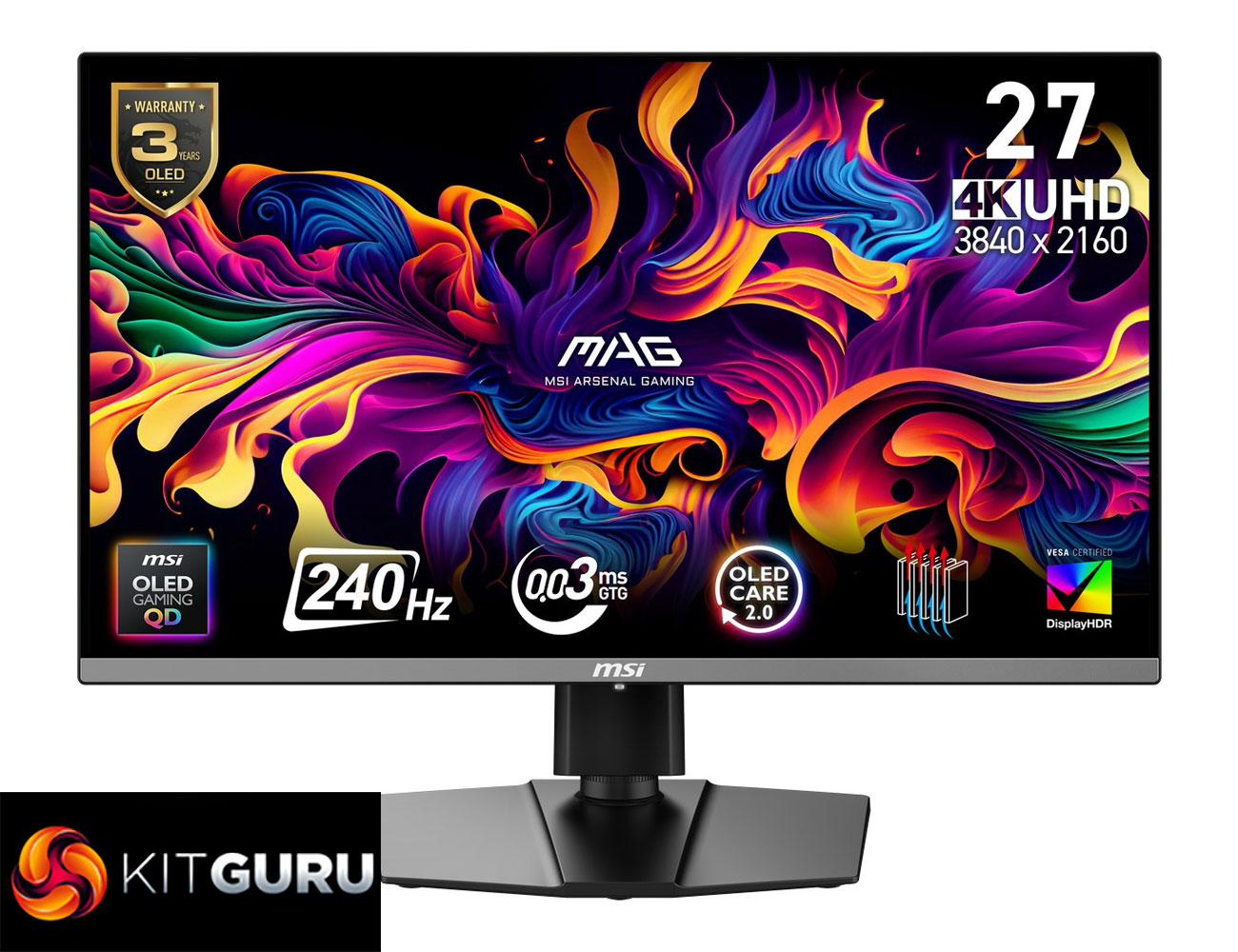
Specification:
- Screen size: 26.5” (67.31 cm)
- Active display area: 589.97 (H) x 332.93 (V) mm
- Curvature: Flat
- Panel type: QD-OLED
- Resolution: 3840 x 2160 (UHD)
- Pixel pitch: 0.153 (H) x 0.153 (V) mm
- Aspect ratio: 16:9
- Adaptive sync: NVIDIA G-SYNC Compatible / AMD FreeSync™ Premium Pro
- VRR range: 48–240 Hz
- HDR: True Black 400
- Brightness: SDR 250 nits; HDR peak 1000 nits
- Contrast ratio: 1,500,000:1
- Signal frequency: 31.2–565.42 kHz (H) / 48–240 Hz (V)
- Refresh rate: 240 Hz
- Response time: 0.03 ms (GtG)
- Viewing angles: 178° (H) / 178° (V)
- Color gamut: NTSC 120.5% (CIE1976), sRGB 138.2% (CIE1976), Adobe RGB 118.4% (CIE1976), DCI-P3 110.1% (CIE1976), Rec.709 138.2% (CIE1976), Rec.2020 80.2% (CIE1976)
- Surface treatment: Anti-Reflection
- Display colors: 1.07B (10-bit)
- USB Type-C (DP Alt): 1x
- Headphone out: 1x
- Lock type: Kensington Lock
- HDMI: 2x HDMI 2.1 (HDCP 2.3)
- DisplayPort: 1x DisplayPort 1.4a (HDCP 2.3)
- Warranty: 36 months
- Power type: Internal power board
- Power input: 100–240V, 50/60Hz
- Power consumption: 25 kWh / 1000h
- Annual energy consumption: 25 kWh
- Standby power: 0.5 W
- Off power: 0.3 W
- Energy rating: F
- Power cord type: C13
- Included cables: DisplayPort cable x1, HDMI cable x1, Power cord x1
- Accessories: Quick guide x1
- Tilt: -5° ~ 20°
- Swivel: -30° ~ 30°
- Height adjustment: 0–110 mm
- Pivot: -90° ~ 90°
- VESA mounting: 100 x 100 mm
Firmware tested: FW.012
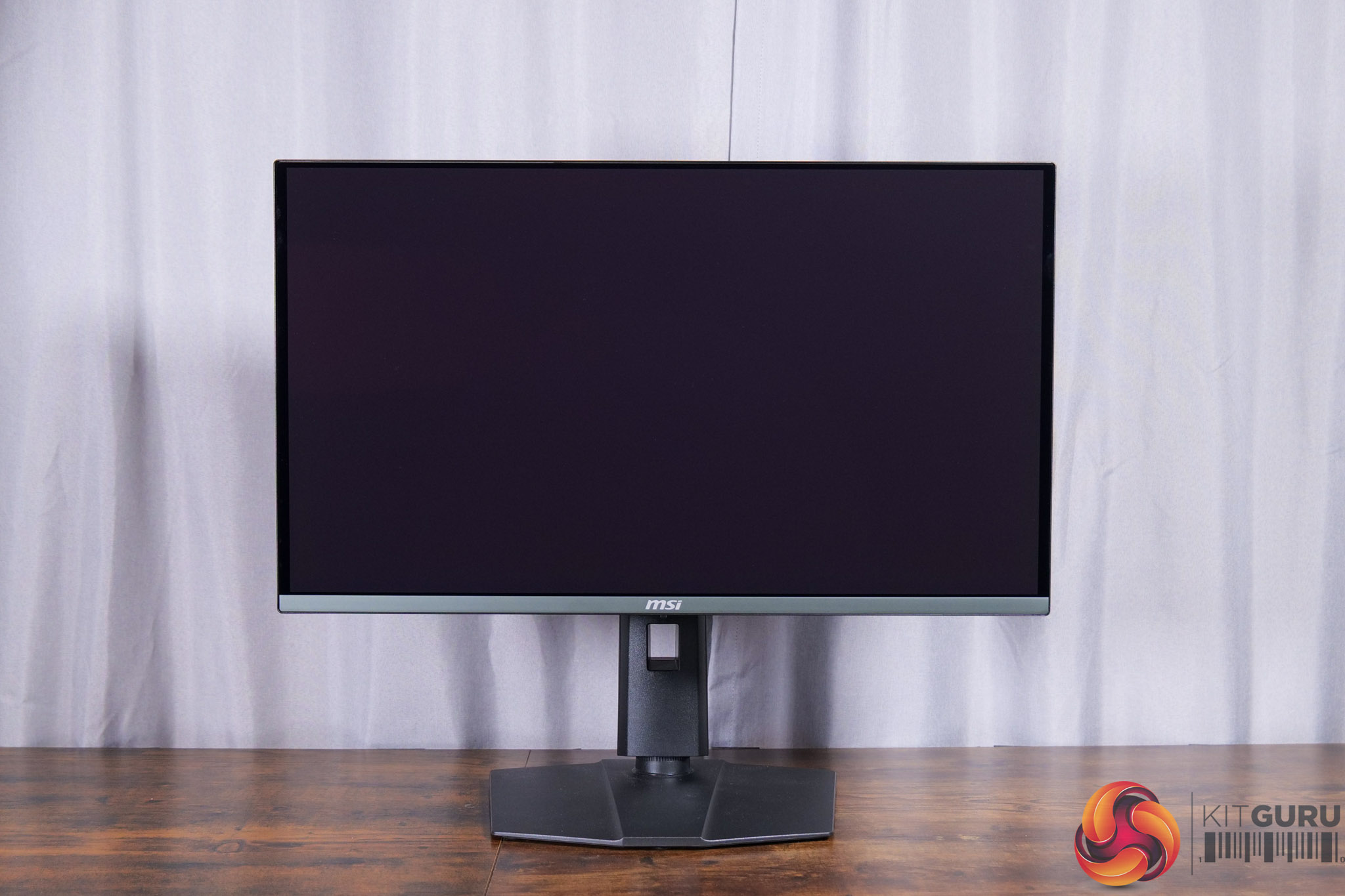
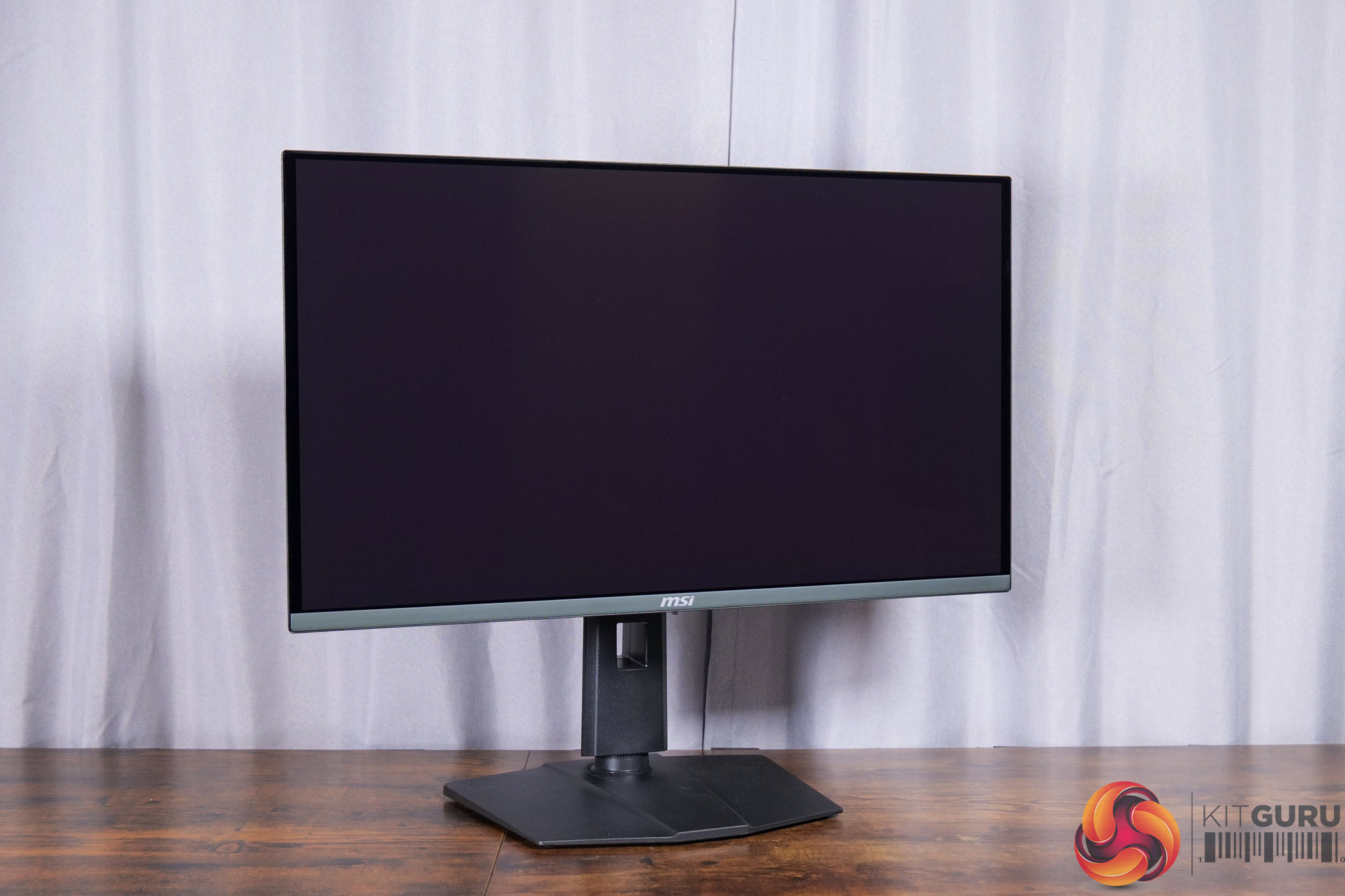
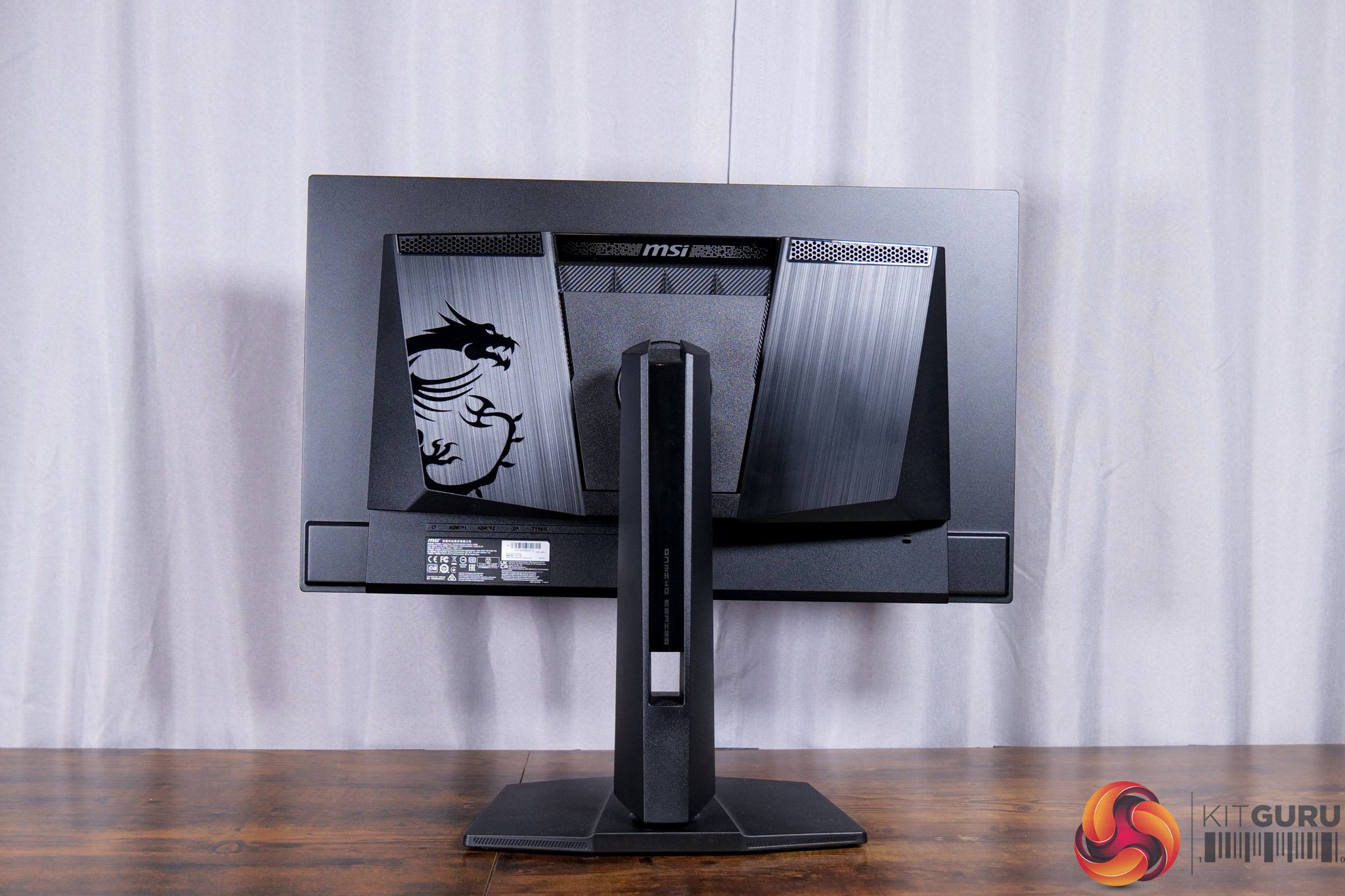
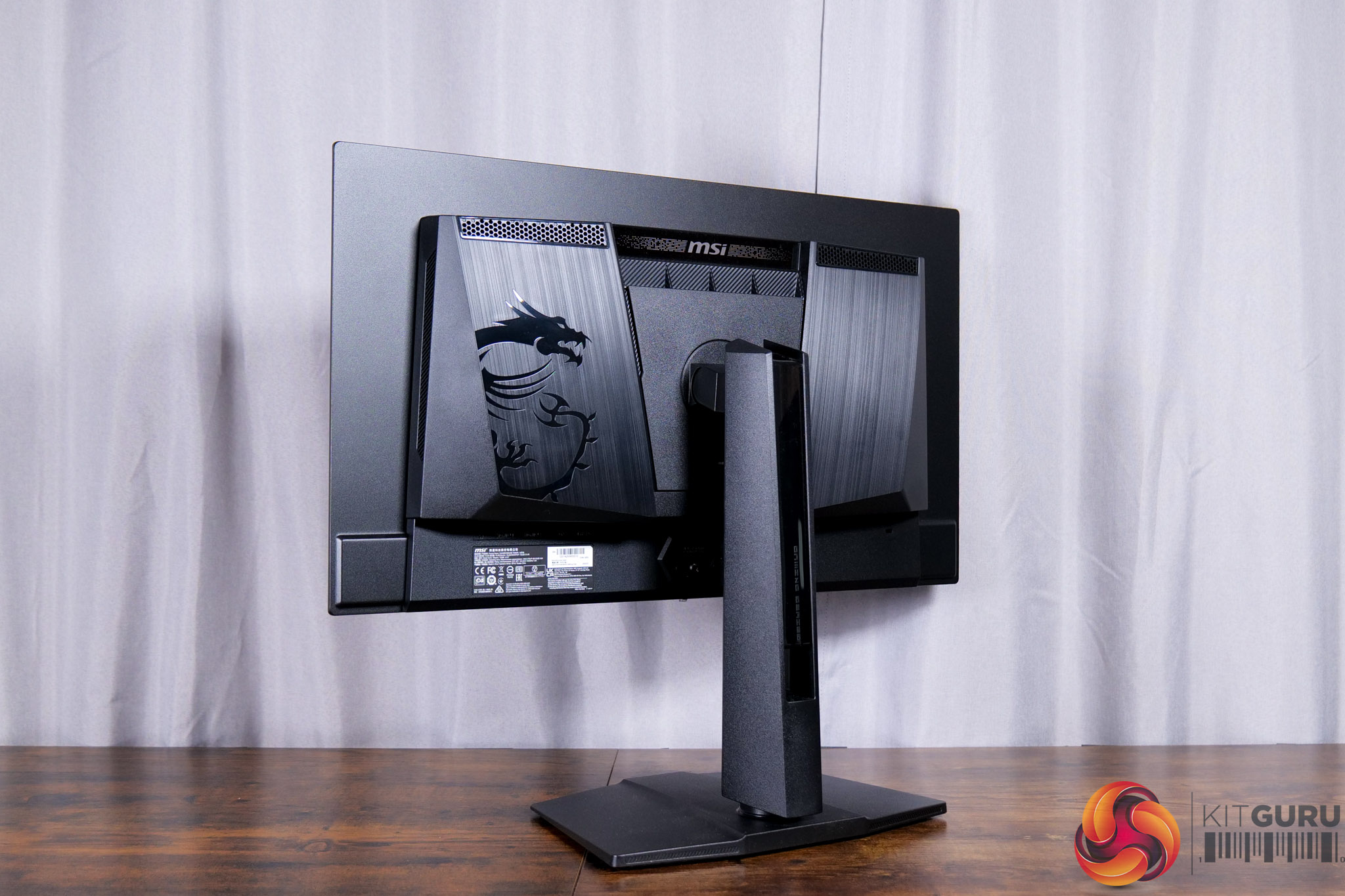
Kicking off with the design of the 272UP, we're very familiar with the look of MSI's monitors at this point so we don't need to spend ages going over all of it again. Suffice to say it's a relatively stealthy all-black design – one of the 272UP's other cut-backs is no RGB lighting – and it retains the same compact foot which I do appreciate. Unlike the more premium MPG 341QCR X36 it doesn't have a metal foot, but that can be forgiven at the price-point.
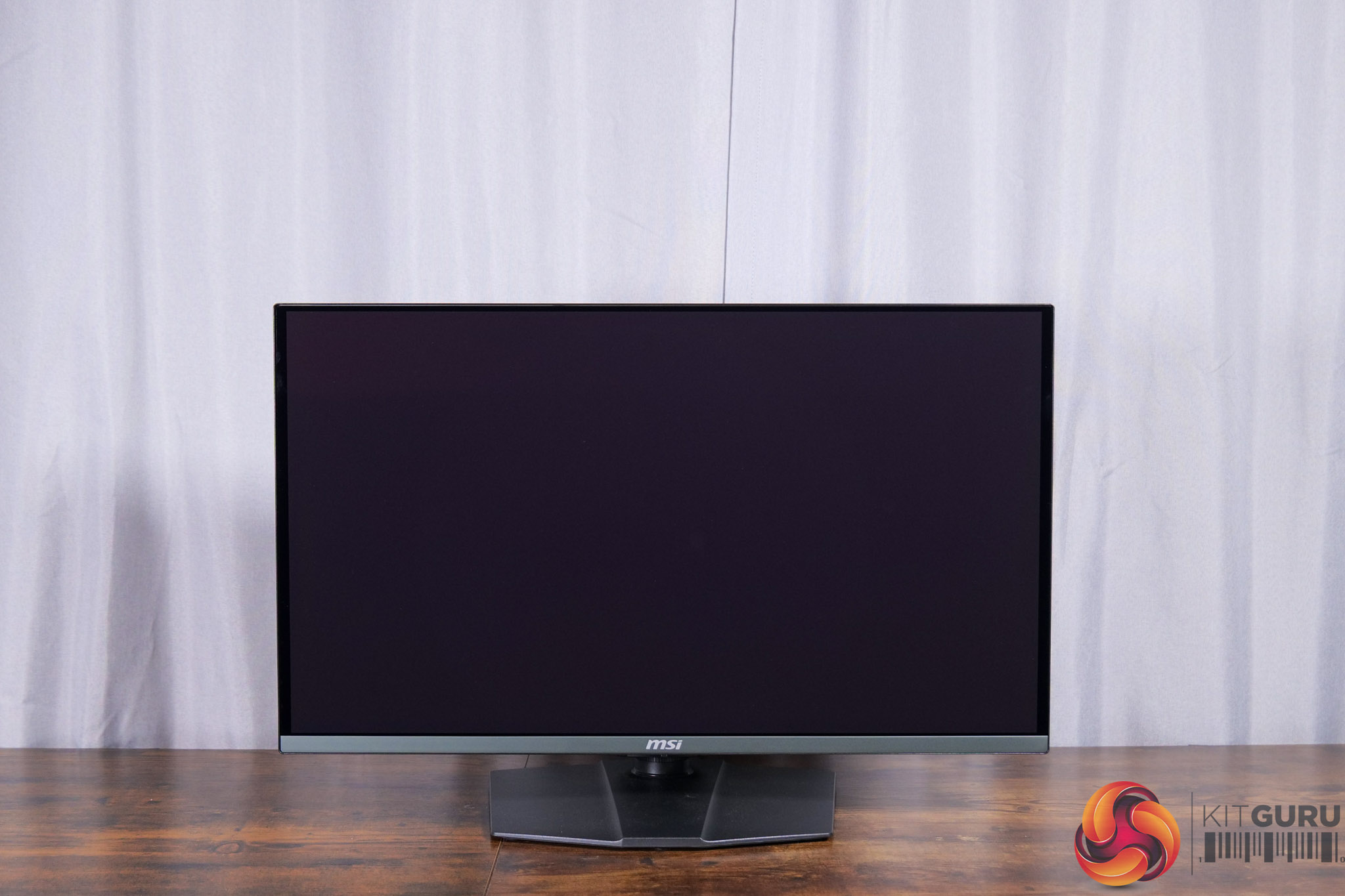
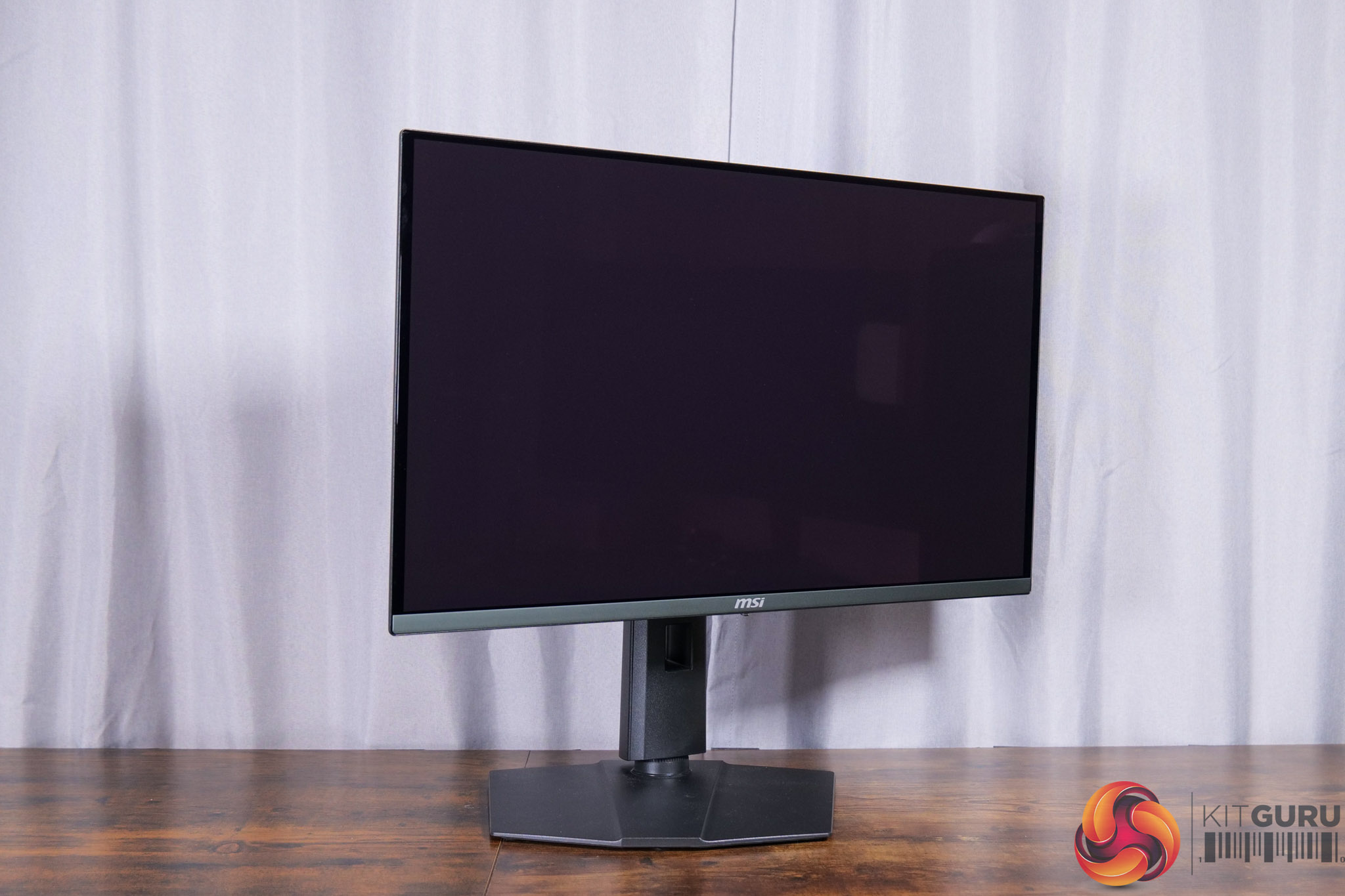
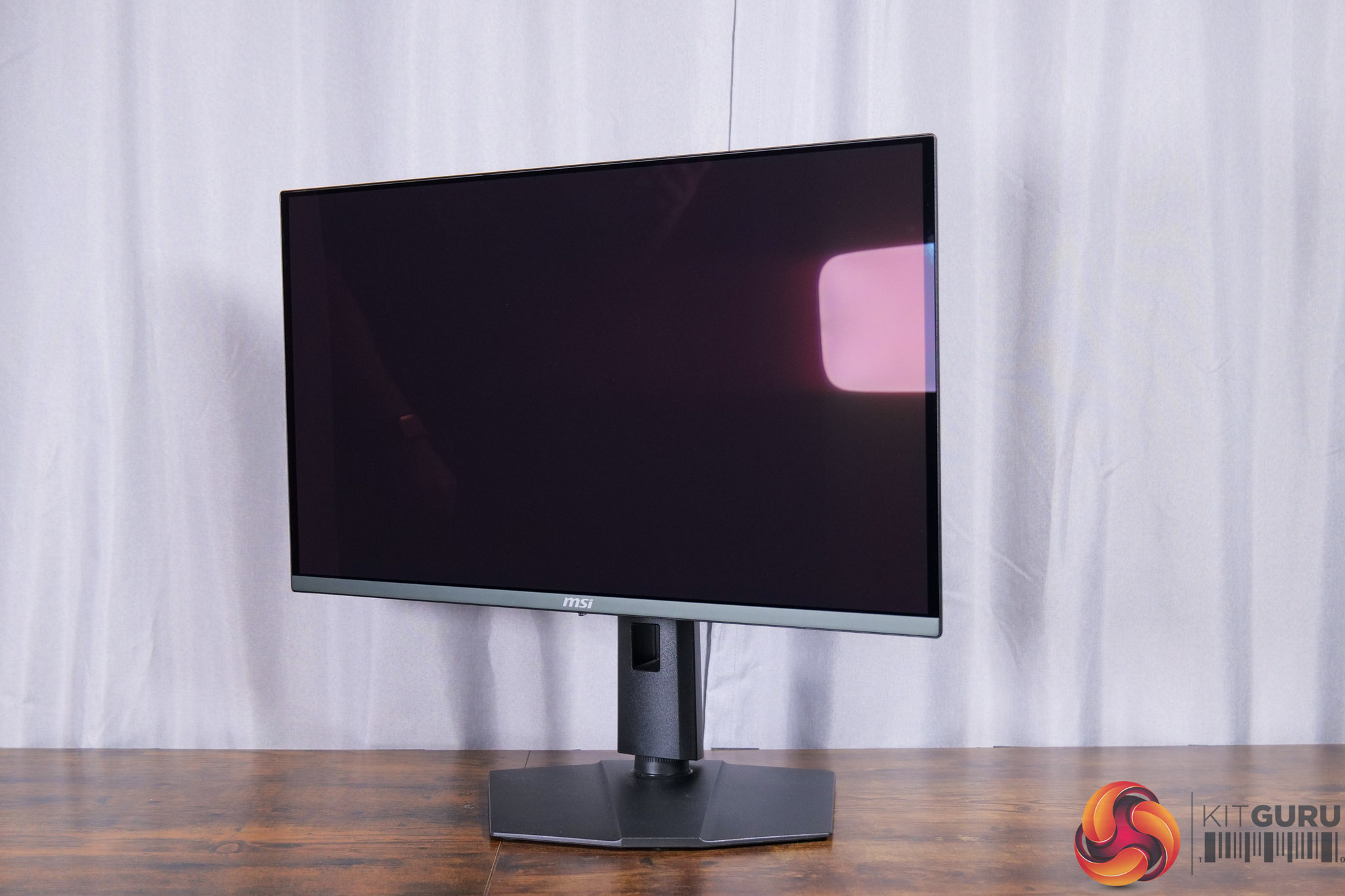
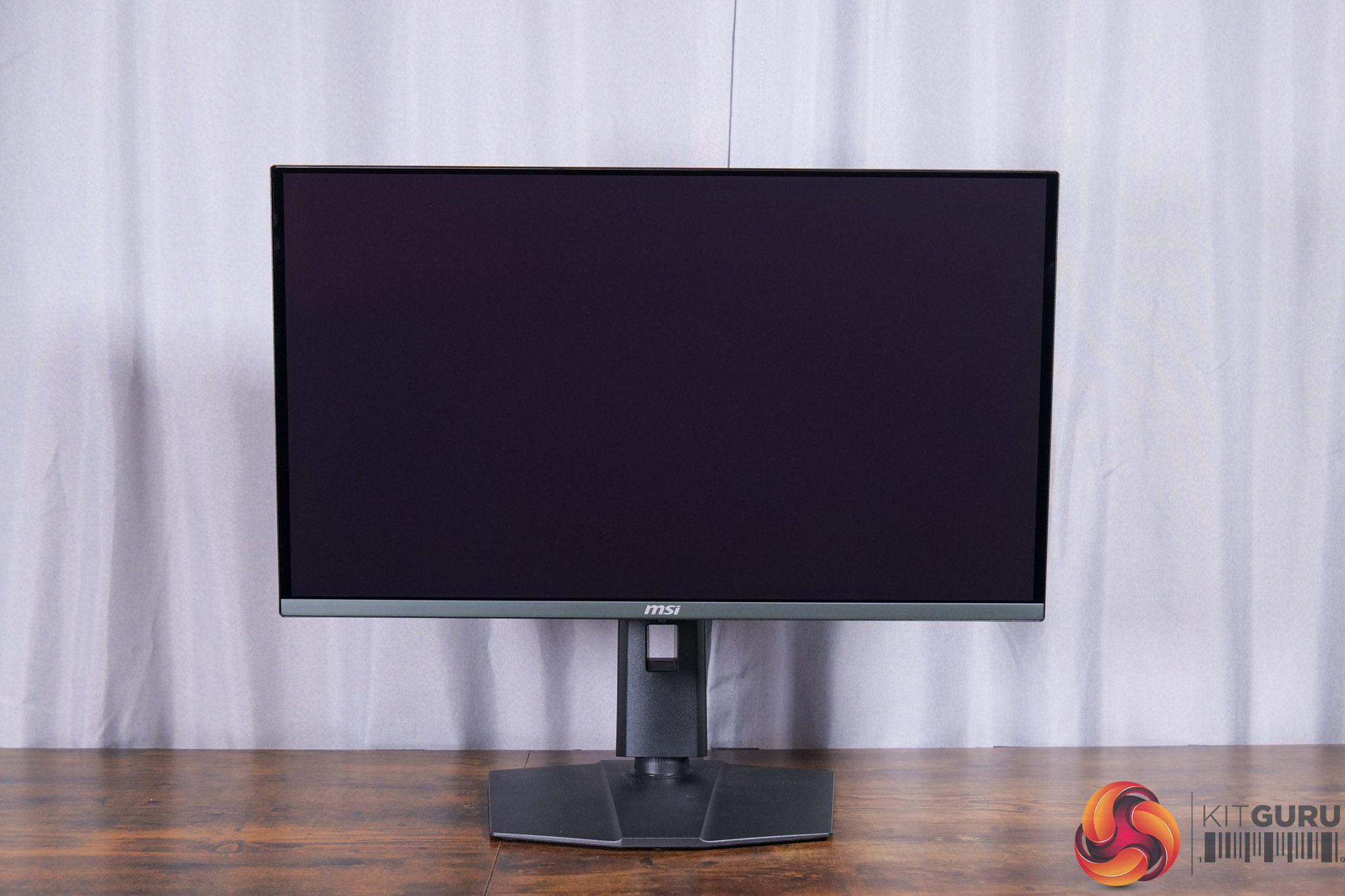
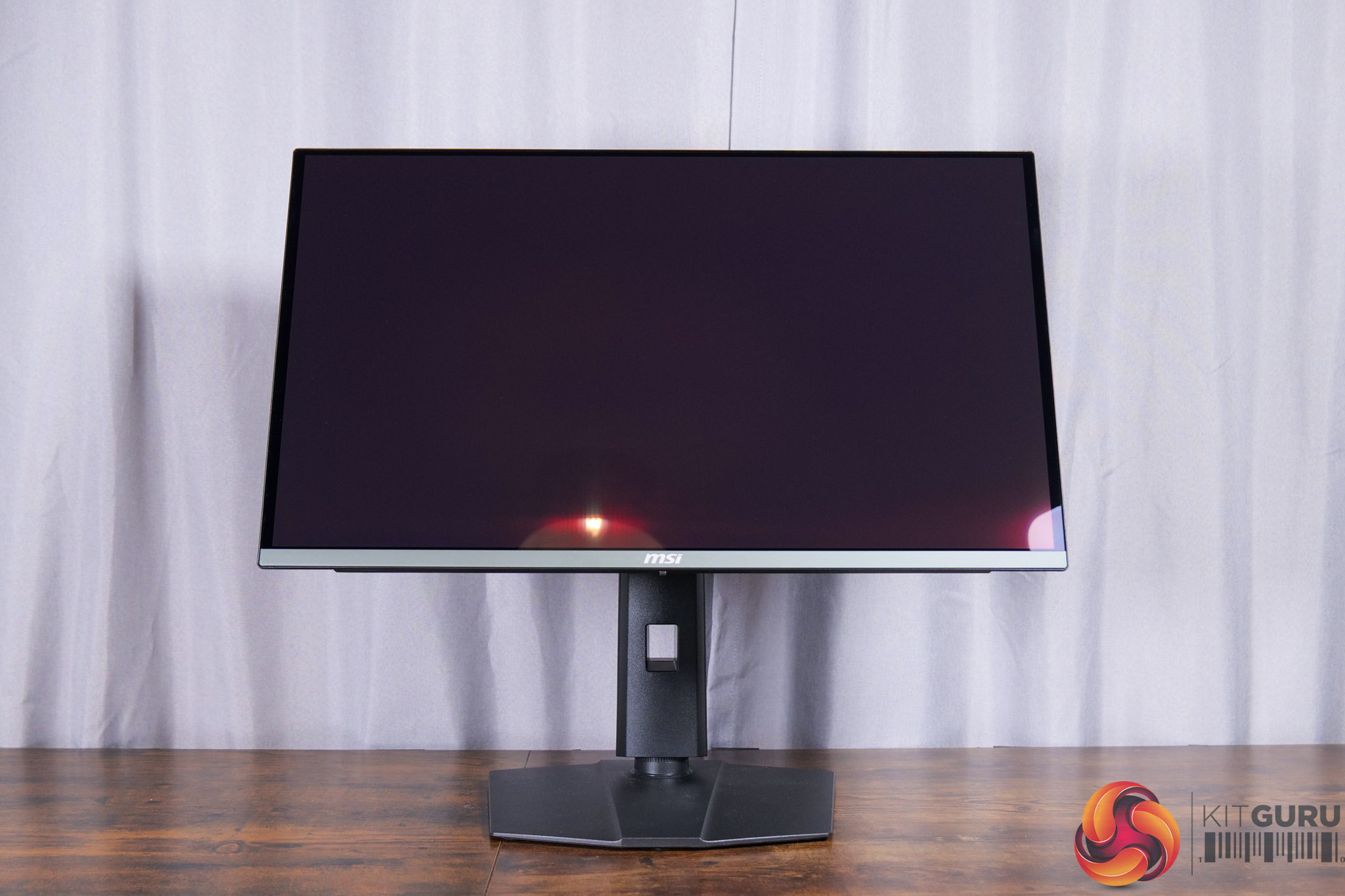
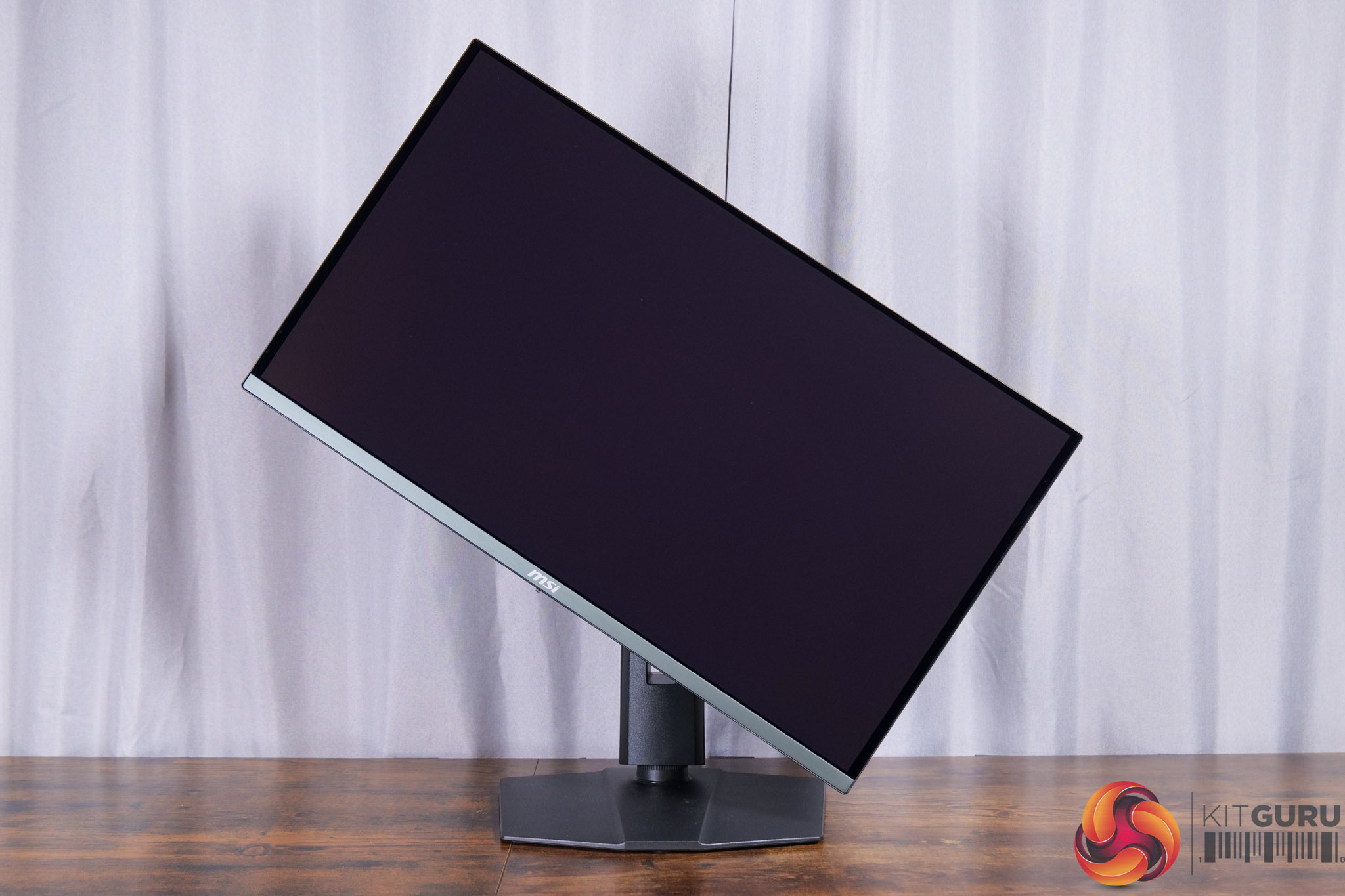
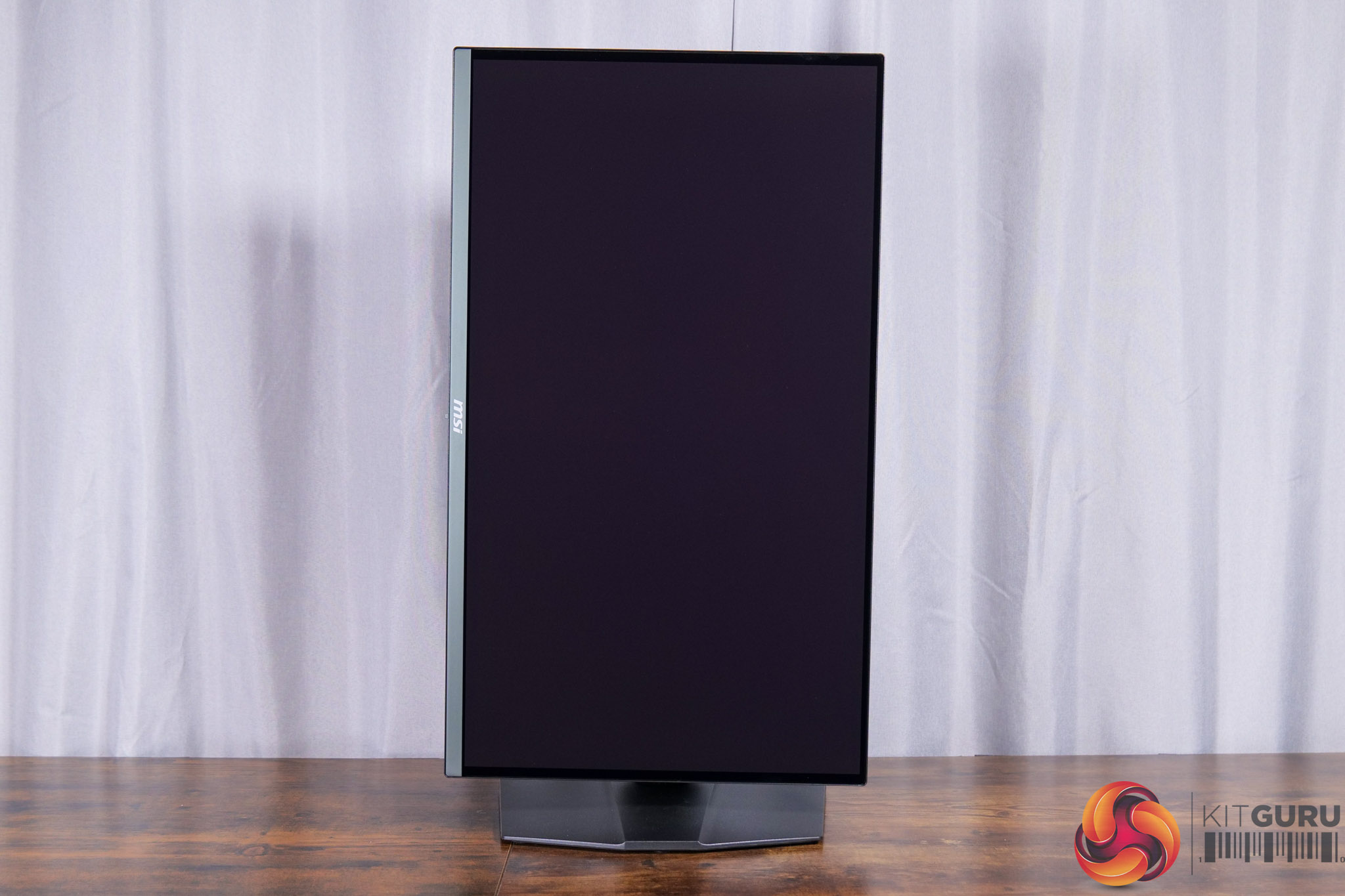
The included stand offers a full array of ergonomic adjustments too, and that includes up to 110mm of height adjustment, 30 degrees of swivel both left and right, tilt from -5 to +20 degrees, along with full 90 degree pivot functionality if you want to use the screen vertically. Third party VESA 100×100 mounts are also supported.
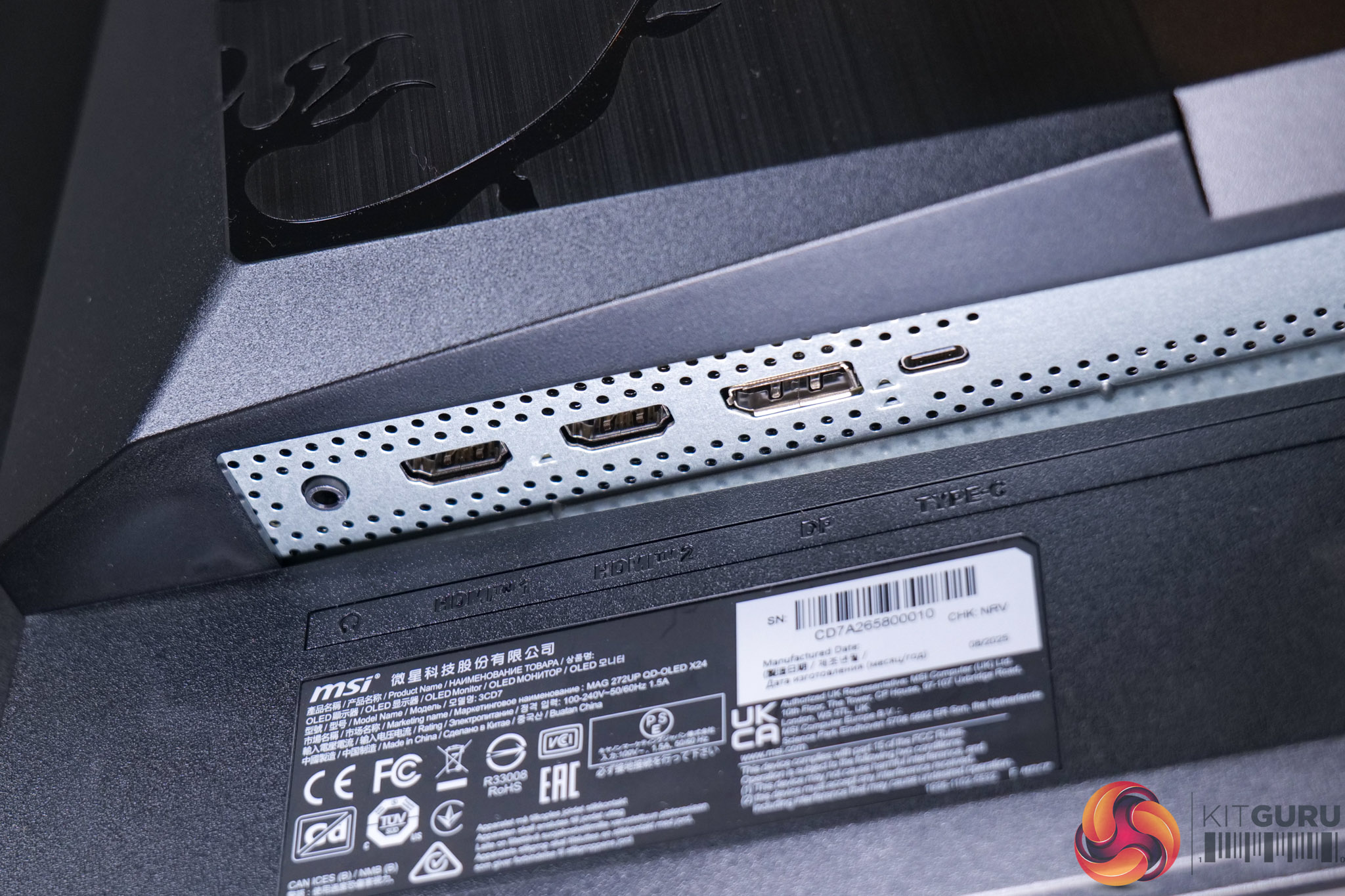
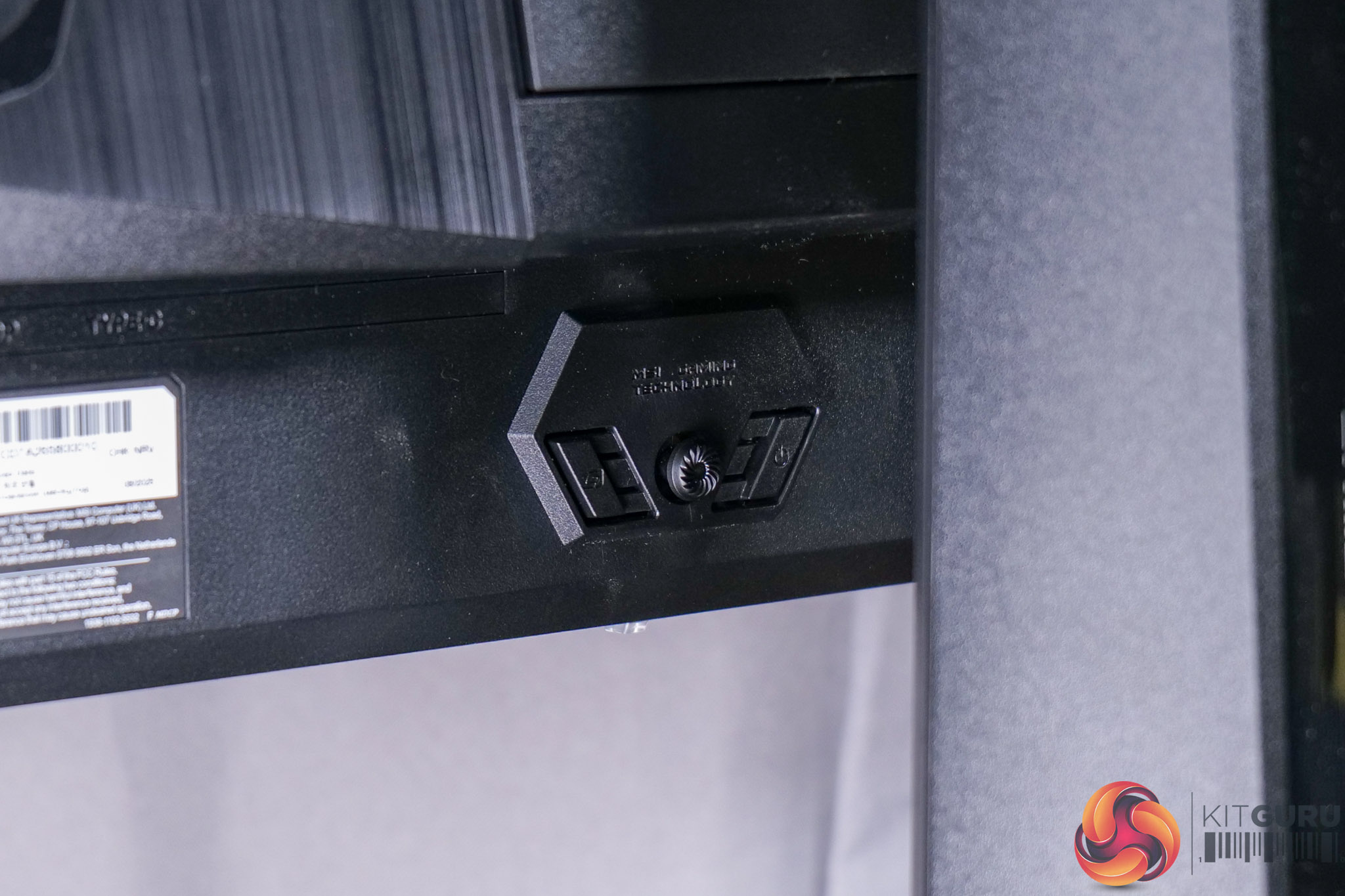
I/O is relatively sparse, with two HDMI 2.1 ports, one DisplayPort 1.4, and one USB-C that supports DP-Alt mode and just 15W power delivery, compared to 98W on the 272URX. That also means there's no USB hub or KVM functionality, plus the DisplayPort 1.4 spec is a step-down from DP 2.1 as found on the 272URX, though the 272UP does of course support DSC so you can still get full 10-bit colour at 4K/240Hz.
We can also note the OSD joystick positioned on the back, flanked by a button on either side.
The OSD is split into eight main tabs as you can see below:
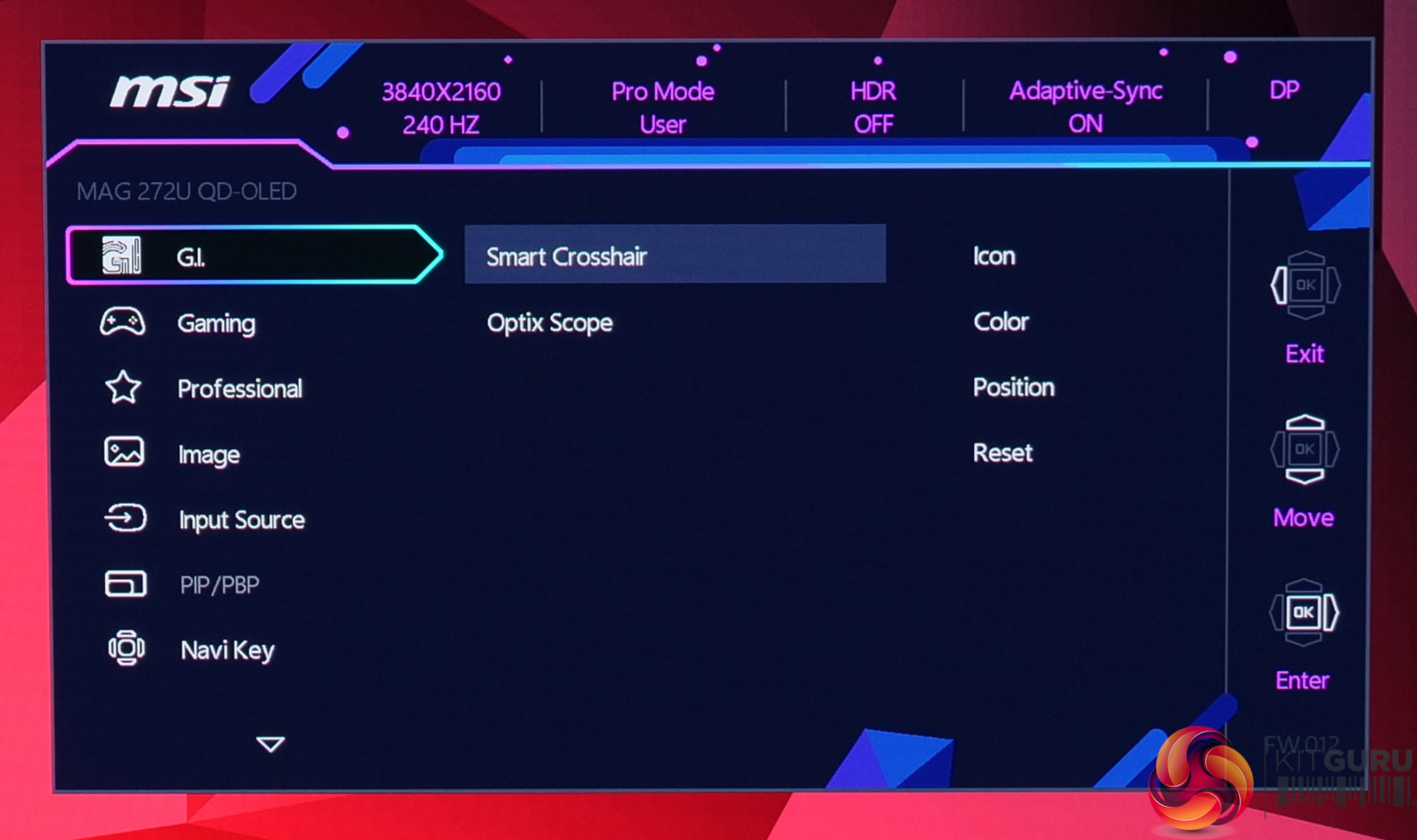
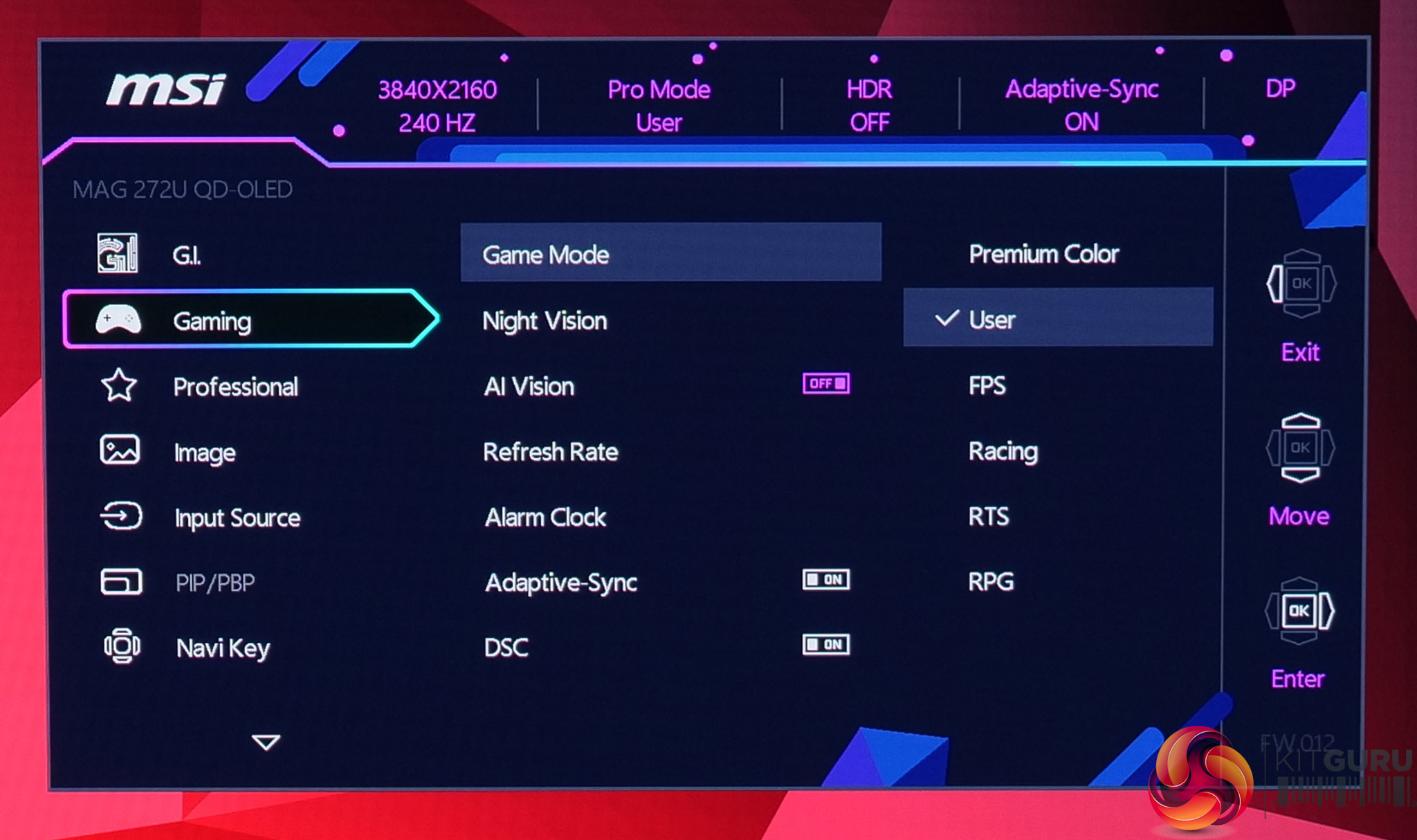
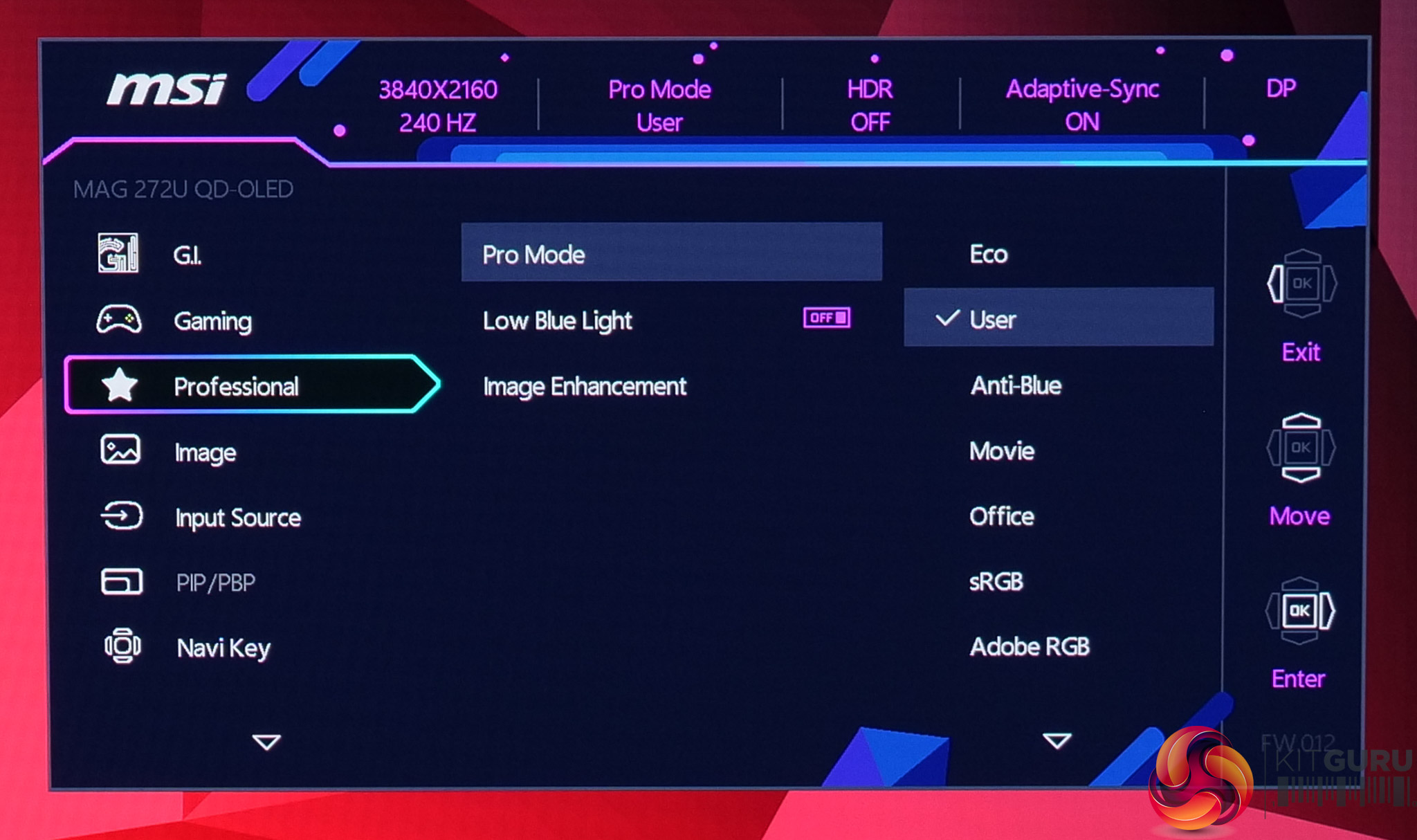
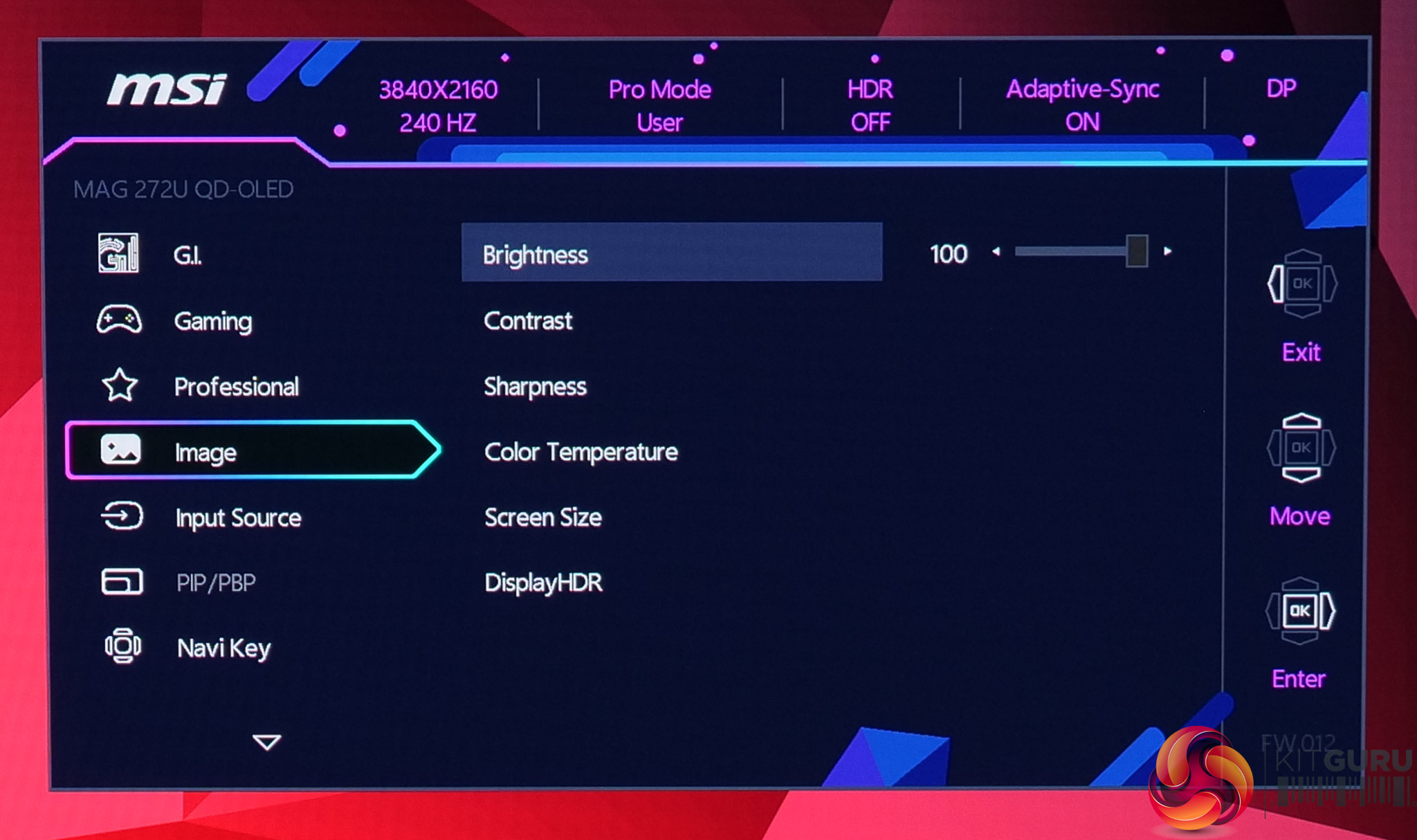
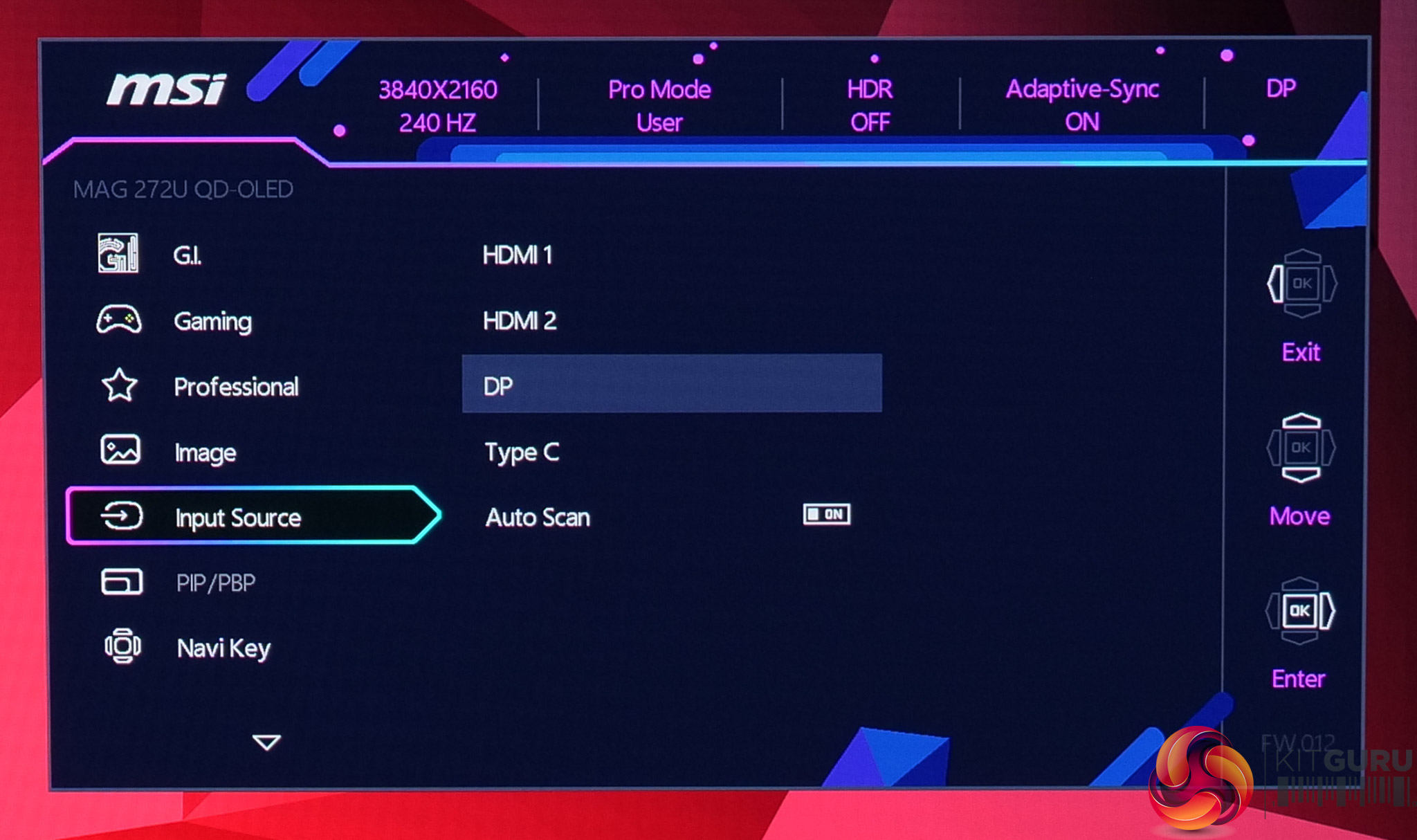
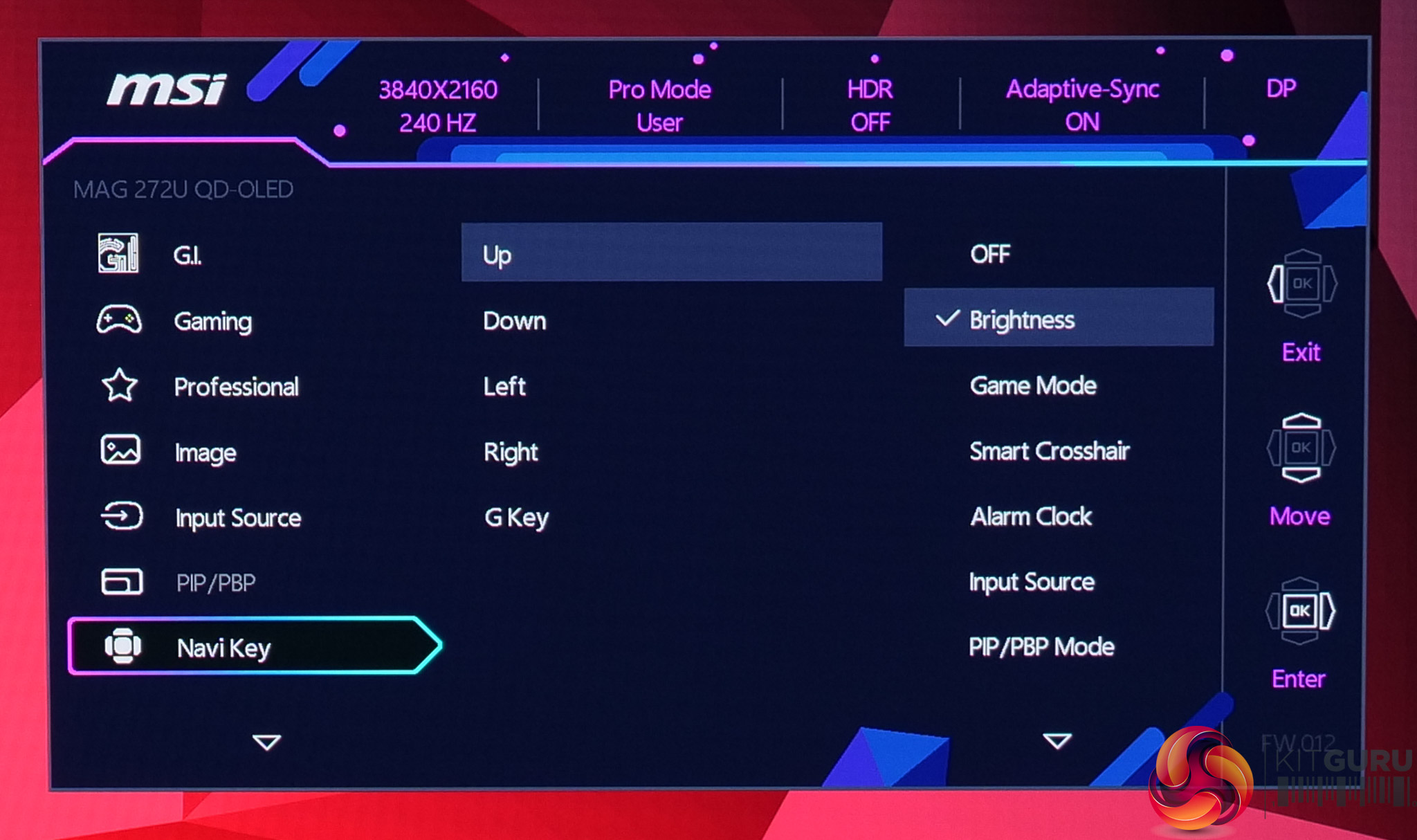
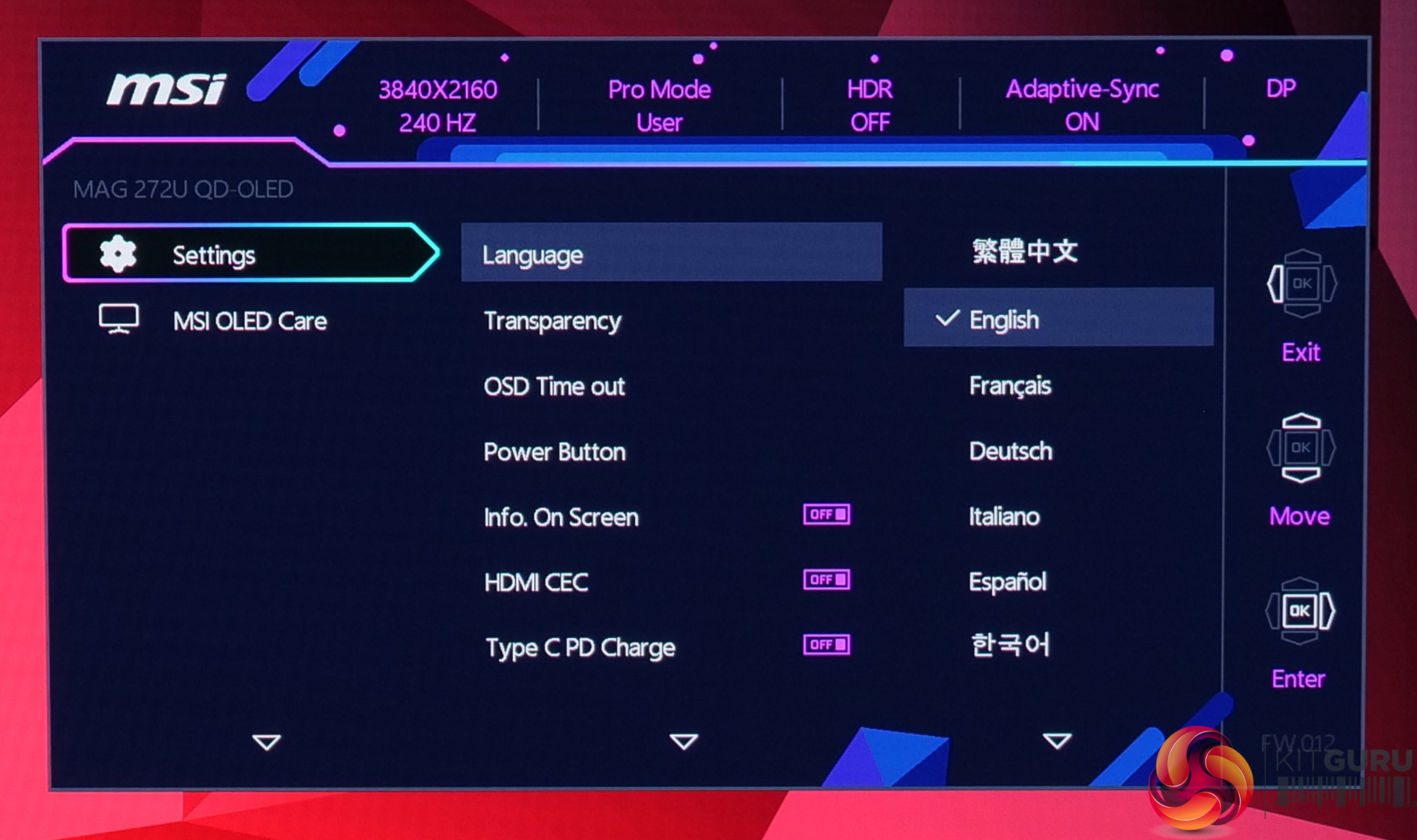
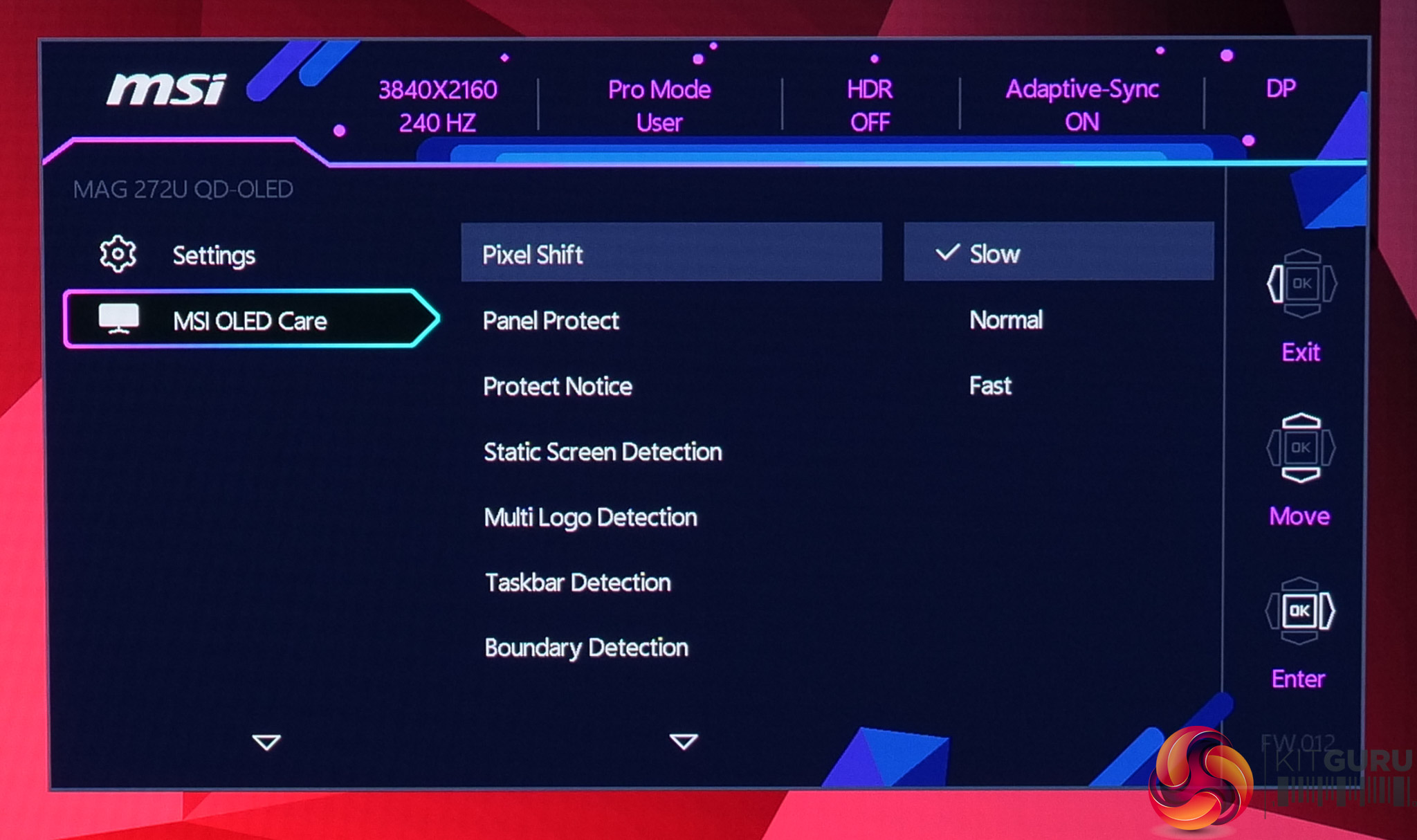
While not the newly updated and slightly cleaner design we saw on MSI's MPG 341CQR, the OSD menu is still very familiar and easy to use with the joystick. Things are sensibly laid out, too, and it's a very well-featured selection, with all the gamer-specific options we have come to expect as well as customisable white balance, an sRGB emulation mode and so on.
Our main test involves using an X-Rite i1 Display Pro Plus colorimeter and utilising Portrait Displays’ Calman Ultimate software. The device sits on top of the screen while the software generates colour tones and patterns, which it compares against predetermined values to work out how accurate the screen is.

The results show:
- A monitor’s maximum brightness in candelas or cd/m2 at various levels set in the OSD.
- A monitor’s contrast ratio at various brightness levels in the OSD.
- Gamut coverage, primarily focusing on sRGB and DCI-P3 colour spaces.
- Greyscale accuracy, measured across 20 shades, with an average colour balance reported.
- The exact gamma levels, with a comparison against preset settings in the OSD.
- The colour accuracy, expressed as a Delta E ratio, with a result under 3 being fine for normal use, and under 2 being great for colour-accurate design work.
We first run these tests with the display in its out-of-the-box state, with all settings on default. If there is an sRGB emulation option or other useful mode then we may test that too. We then calibrate the screen using the Calman Ultimate software and run the tests again.
You can read more about our test methodology HERE.
Default settings
Brightness and Contrast (Full Screen)
| OSD Brightness | White Luminance (cd/m2) | Black Luminance (cd/m2) | Contrast Ratio |
| 0% | 25.1 | 0.00 | ~Infinite |
| 25% | 97.4 | 0.00 | ~Infinite |
| 50% | 169.3 | 0.00 | ~Infinite |
| 75% | 230.3 | 0.00 | ~Infinite |
| 100% | 264 | 0.00 | ~Infinite |
Kicking off with our brightness testing, the 272UP gets nice and dim at just 25 nits minimum, while it gets up to 264 nits maximum, which is about typical for a 4th Gen QD-OLED. Contrast is, of course, effectively infinite given the per-pixel nature of OLED.
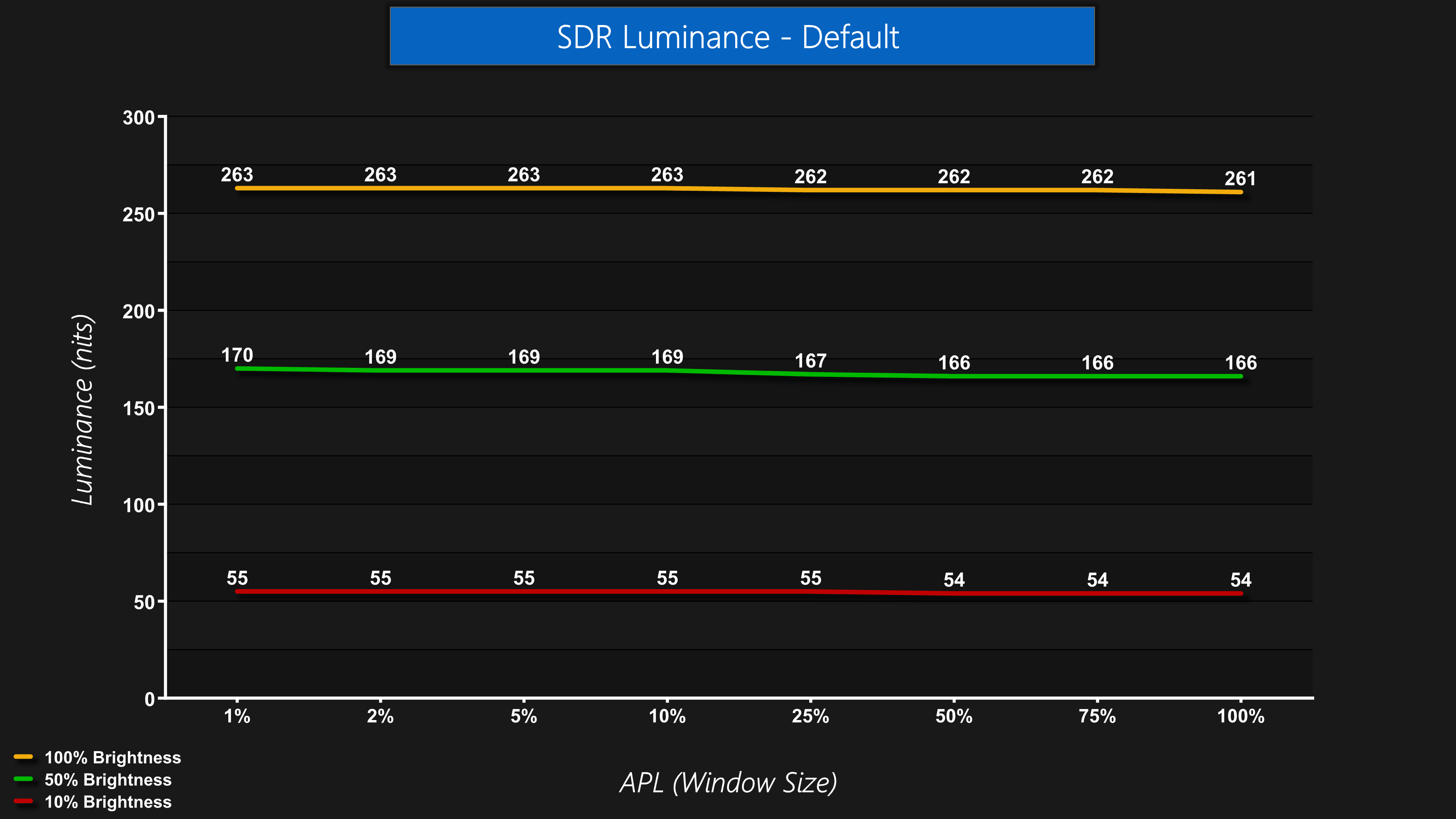
Luminance is also very steady regardless of the window size (APL). Some monitors, typically WOLED panels, will show a noticeable drop-off in brightness as the window size gets bigger, but this is not the case for the 272UP.
Screen Uniformity
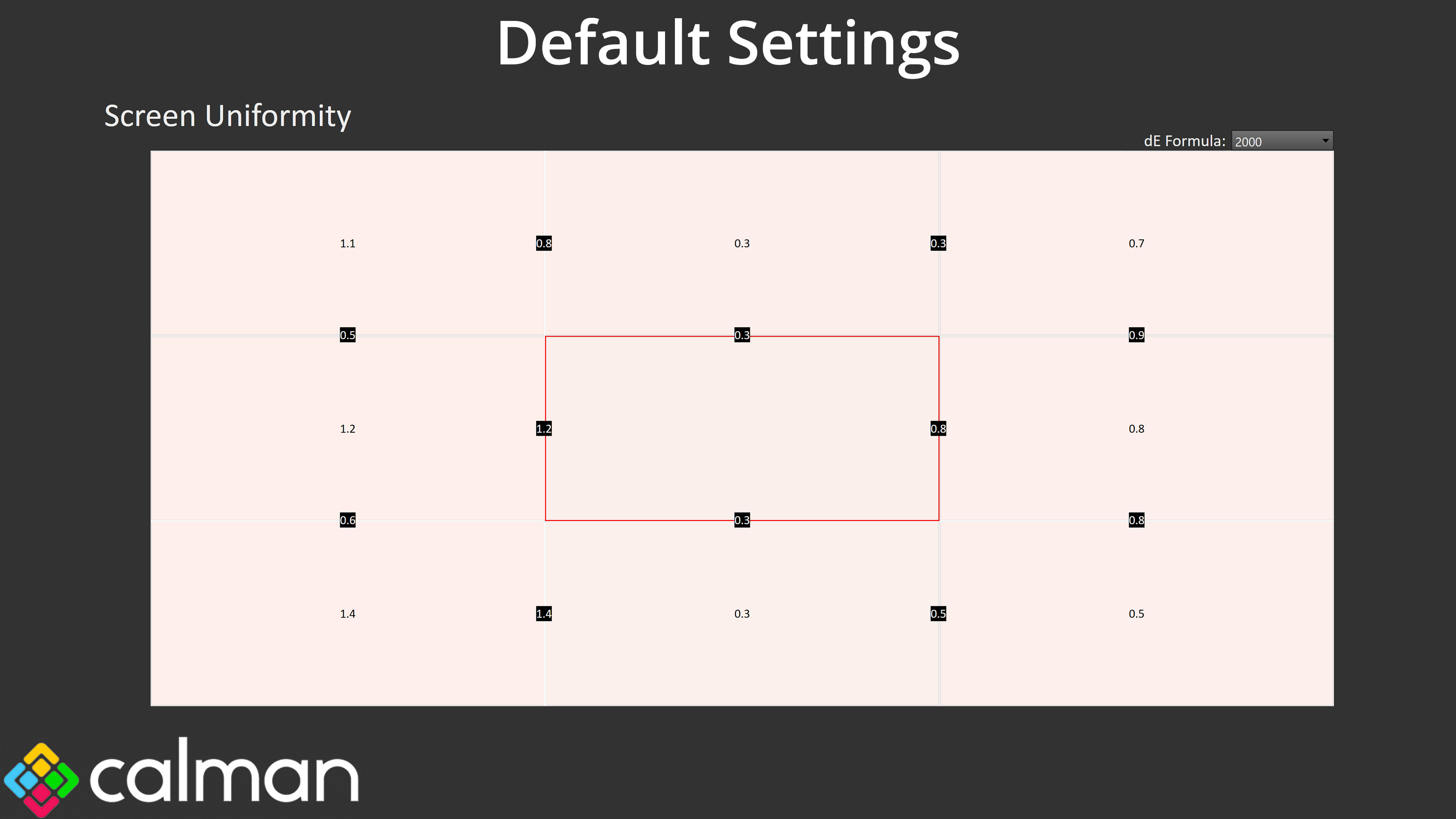
Screen uniformity is also very even, one underrated aspect of OLED, though you will notice the colour balance is reporting quite warm – but more on that in a moment!
Gamut (CIE 1976)
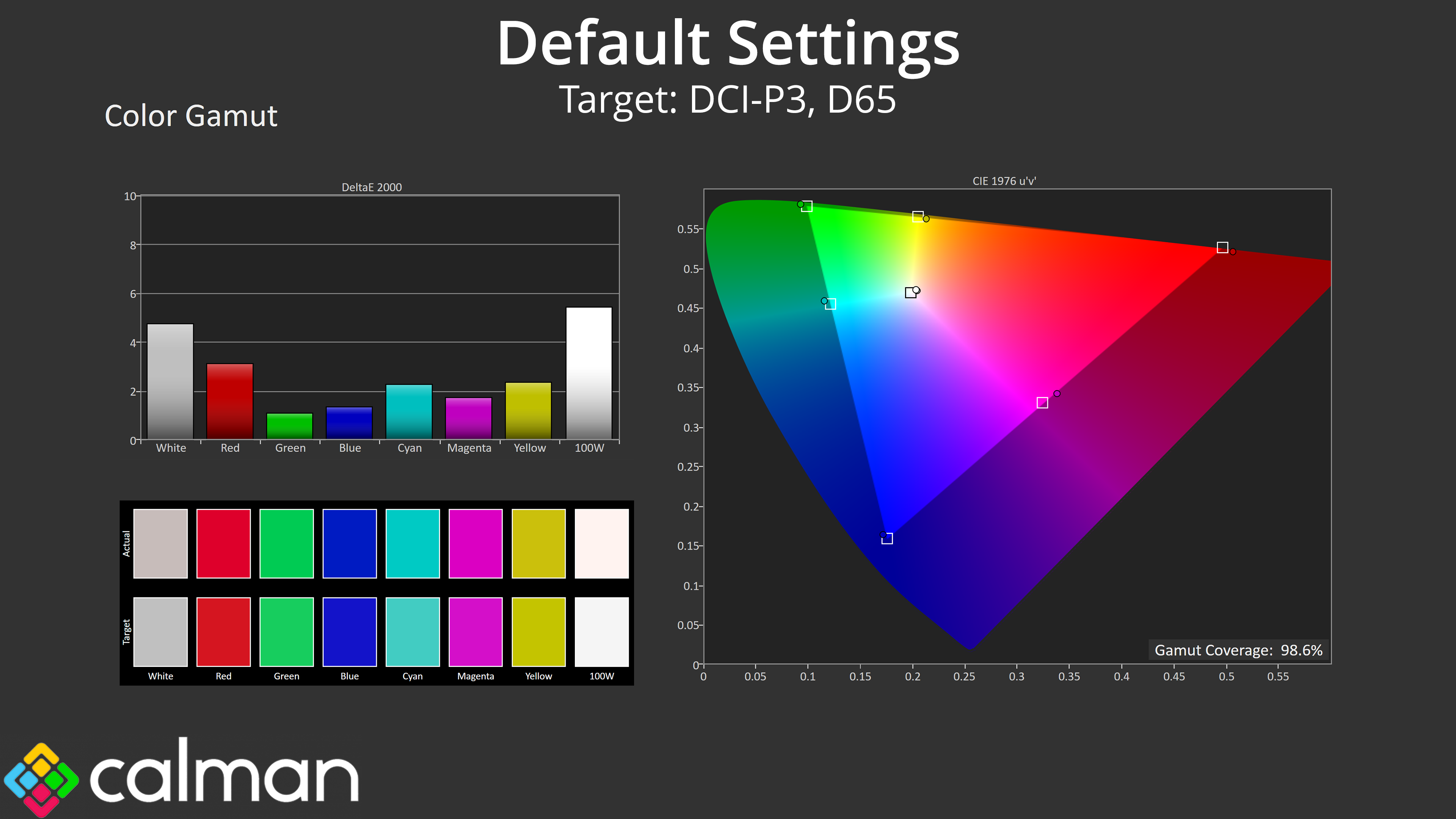
| Colour space | Coverage (%) |
| sRGB | 99.7 |
| DCI-P3 | 98.6 |
| Adobe RGB | 95.6 |
| Rec.2020 | 75 |
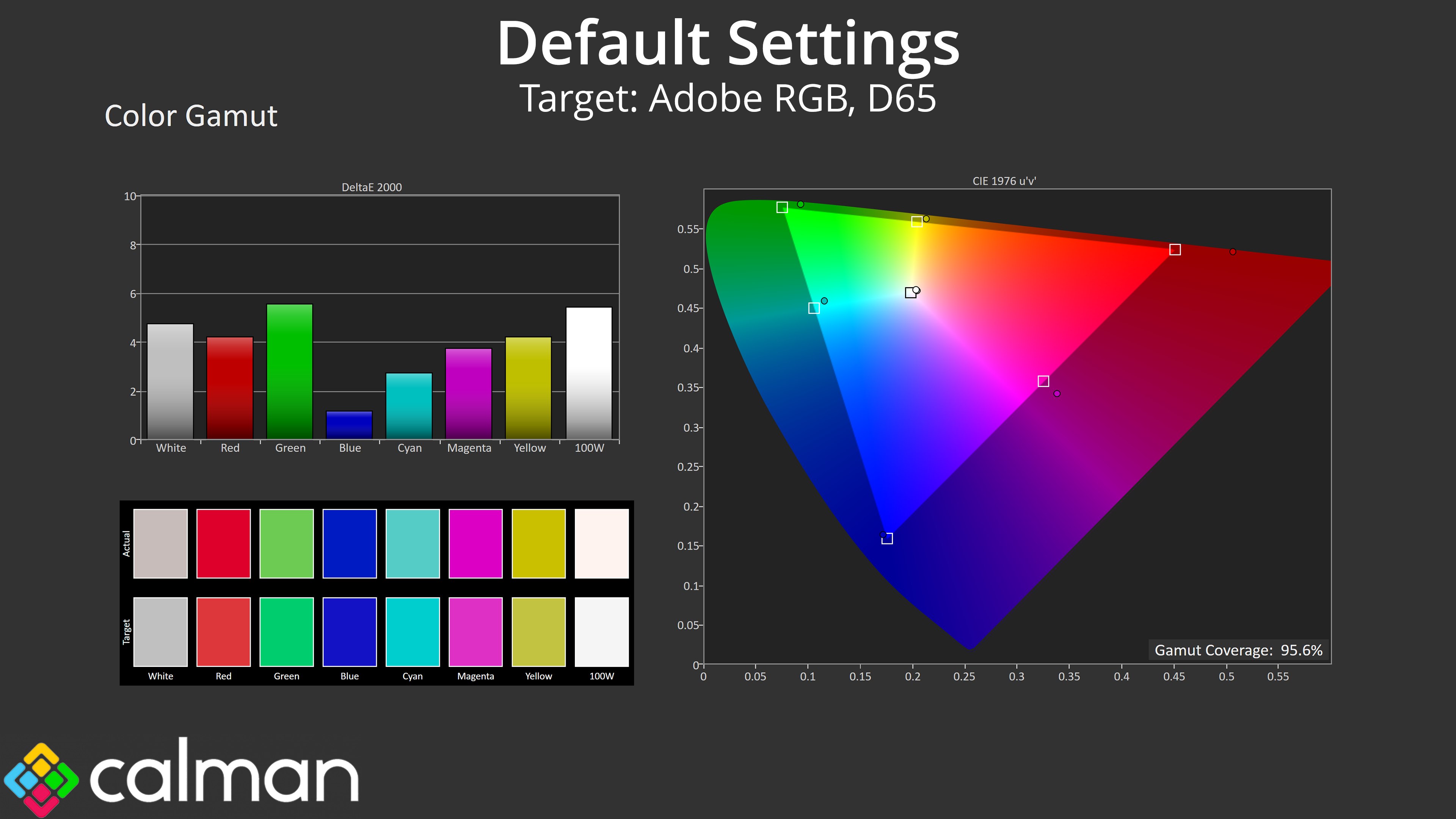
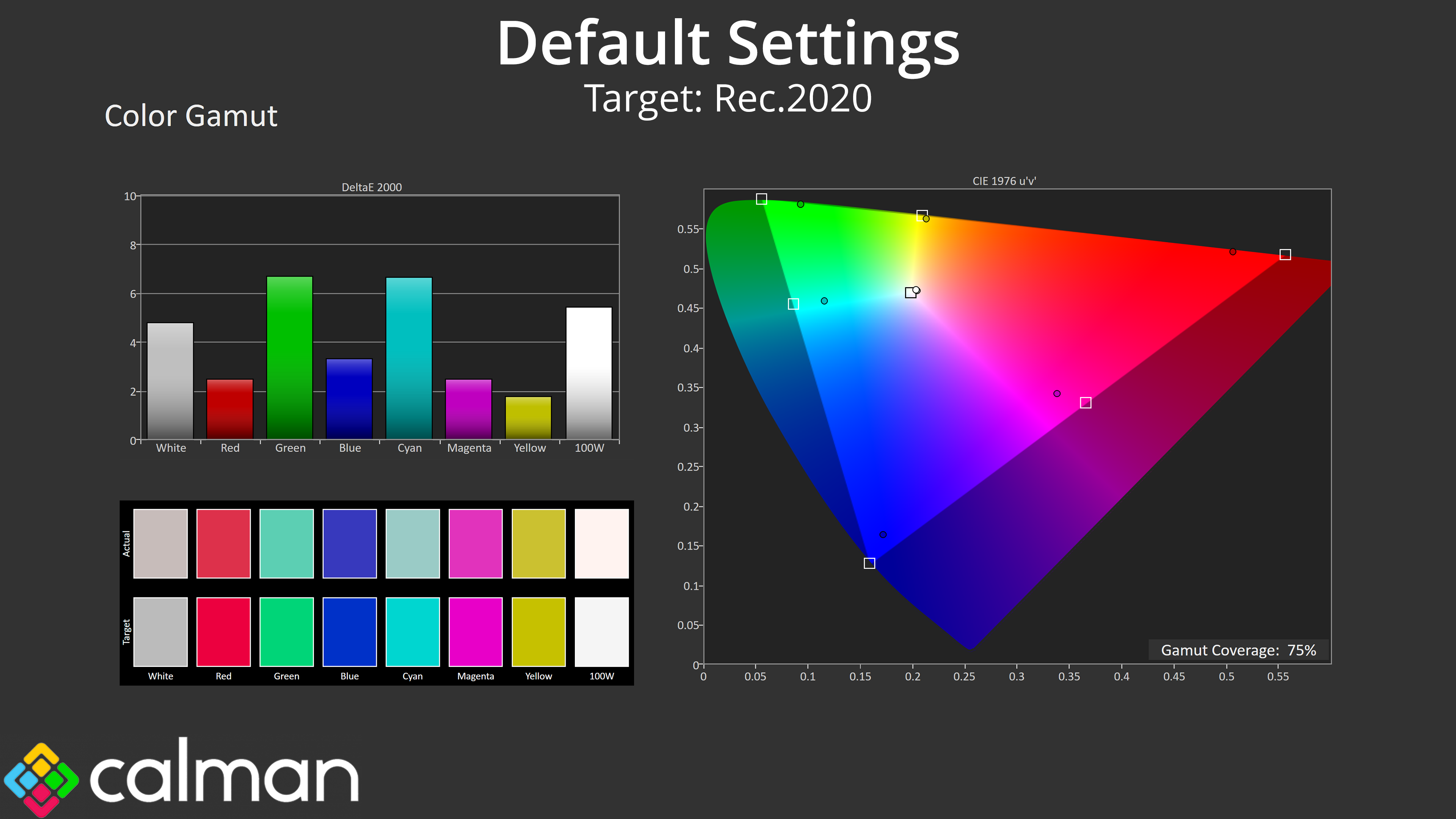
Gamut is as wide as we'd expect from a QD-OLED, far exceeding the sRGB space and offering 98.6% coverage for DCI-P3, alongside 95.6% Adobe RGB, and then 75% coverage for Rec.2020.
Greyscale
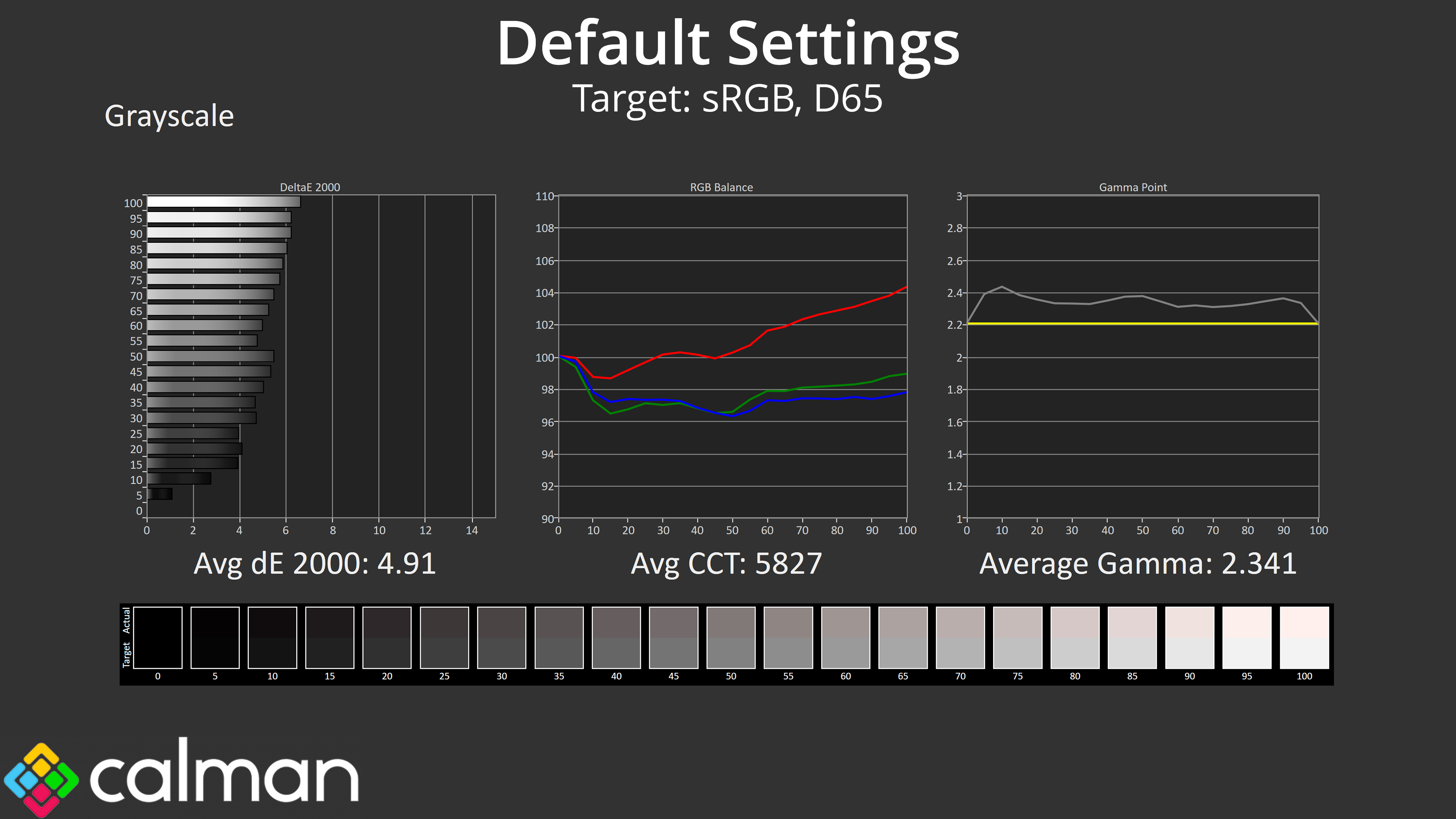
Default greyscale does leave a bit to be desired though, as it would seem MSI has put less attention into the factory calibration of the 272UP compared to the more premium 272URX. The colour balance is quite warm, averaging 5827K, while gamma is also a touch too high – averaging 2.341.
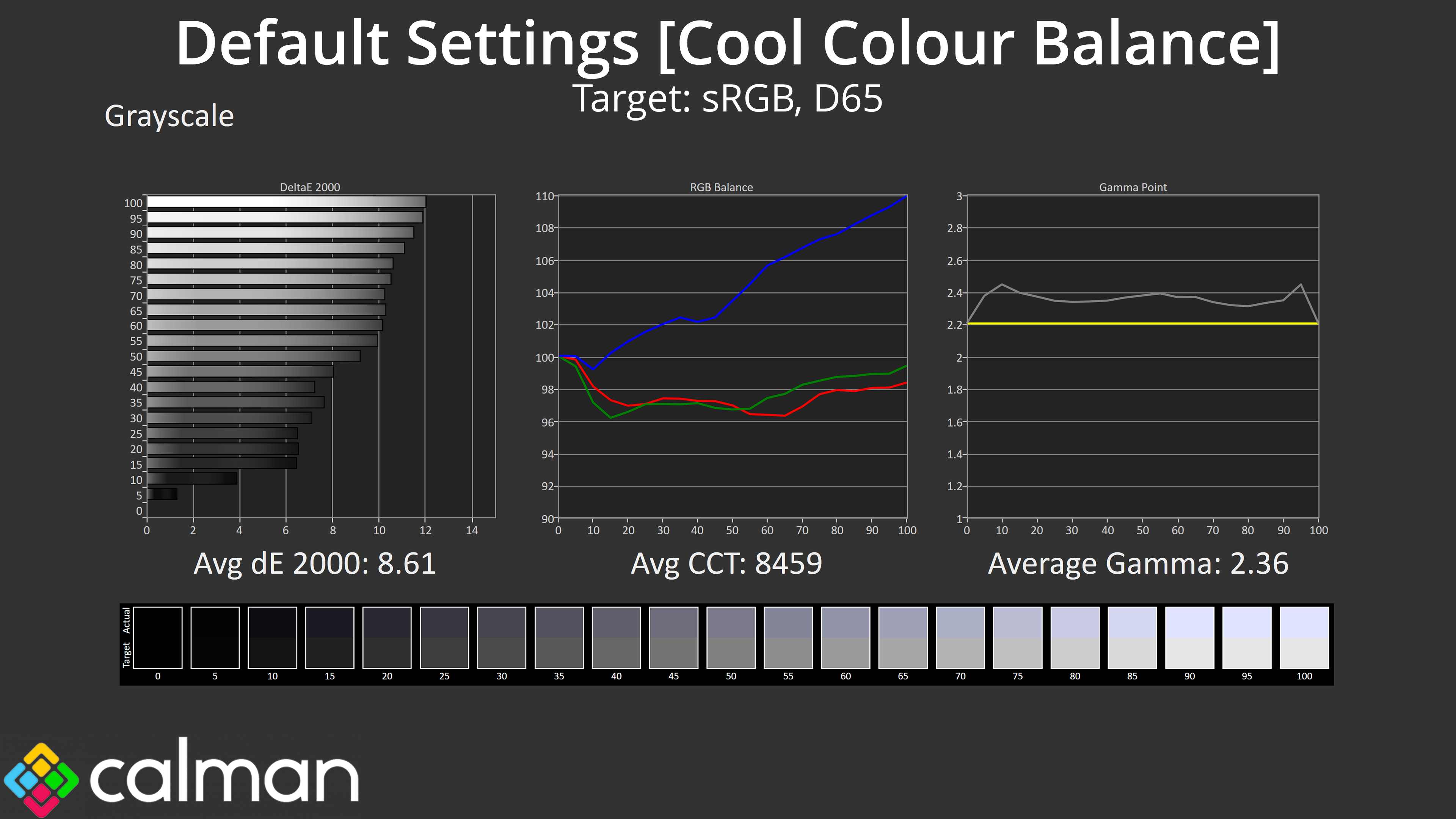
I did also try the Cool colour balance option to see if that'd help, but that was far too cool and basically looked like a blue-lighter filter had been applied.
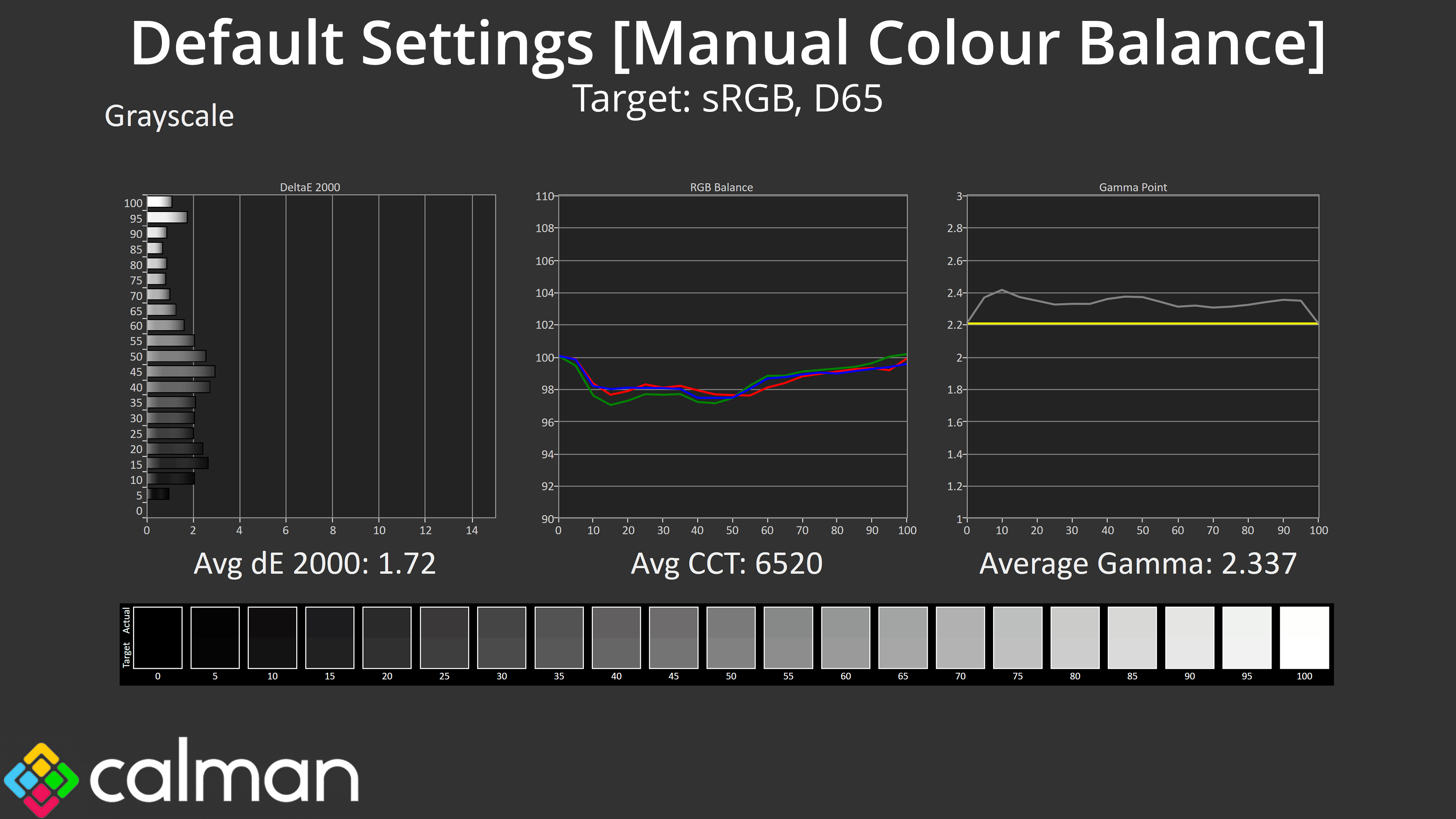
Thankfully MSI does include a manual colour balance, and I achieved best results with the Red channel at 94, Green at 99 and Blue at 100. Gamma is still a little too high – but nothing terrible – in this mode, but the average greyscale deltaE is much improved overall.
Saturation
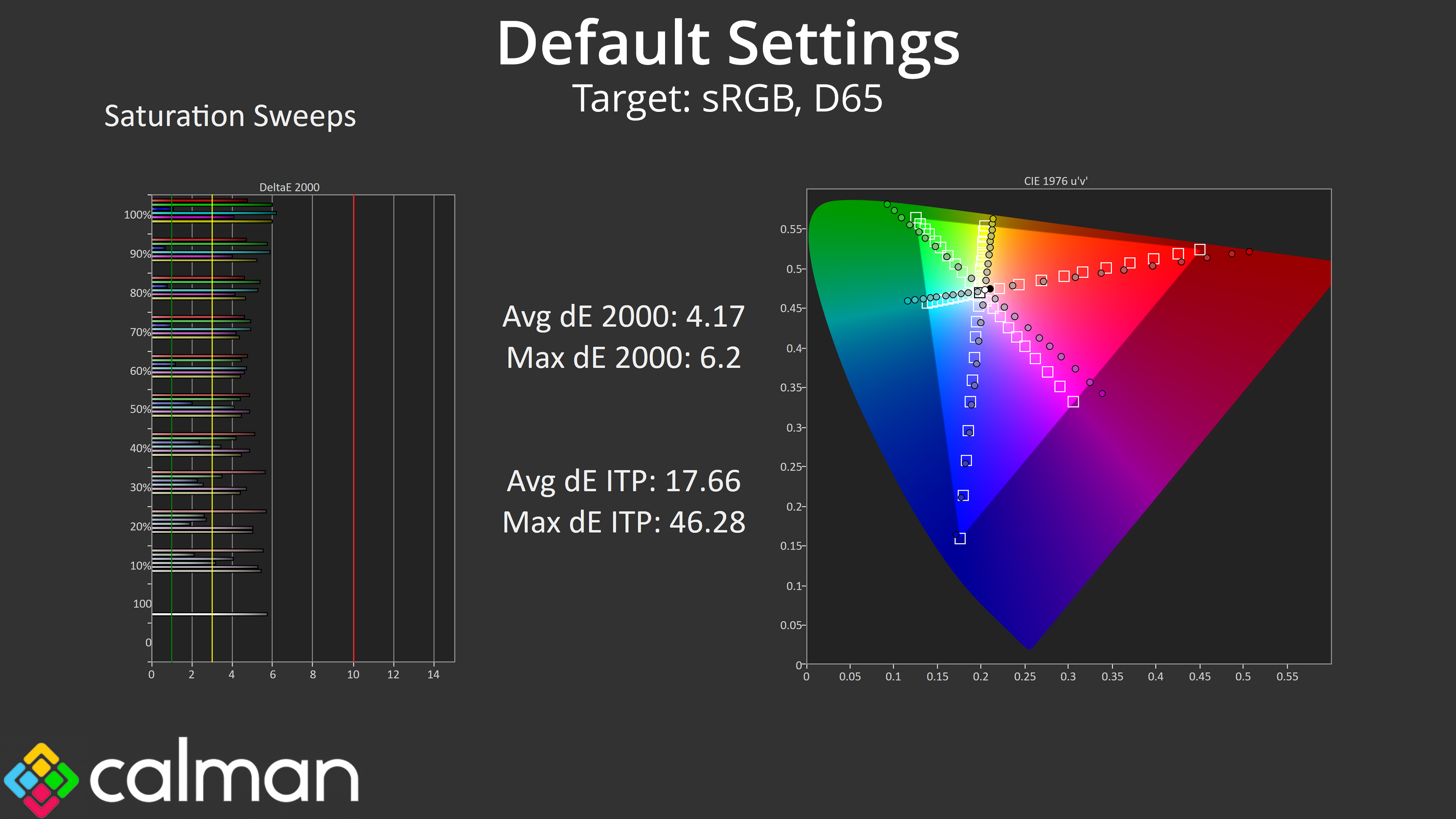
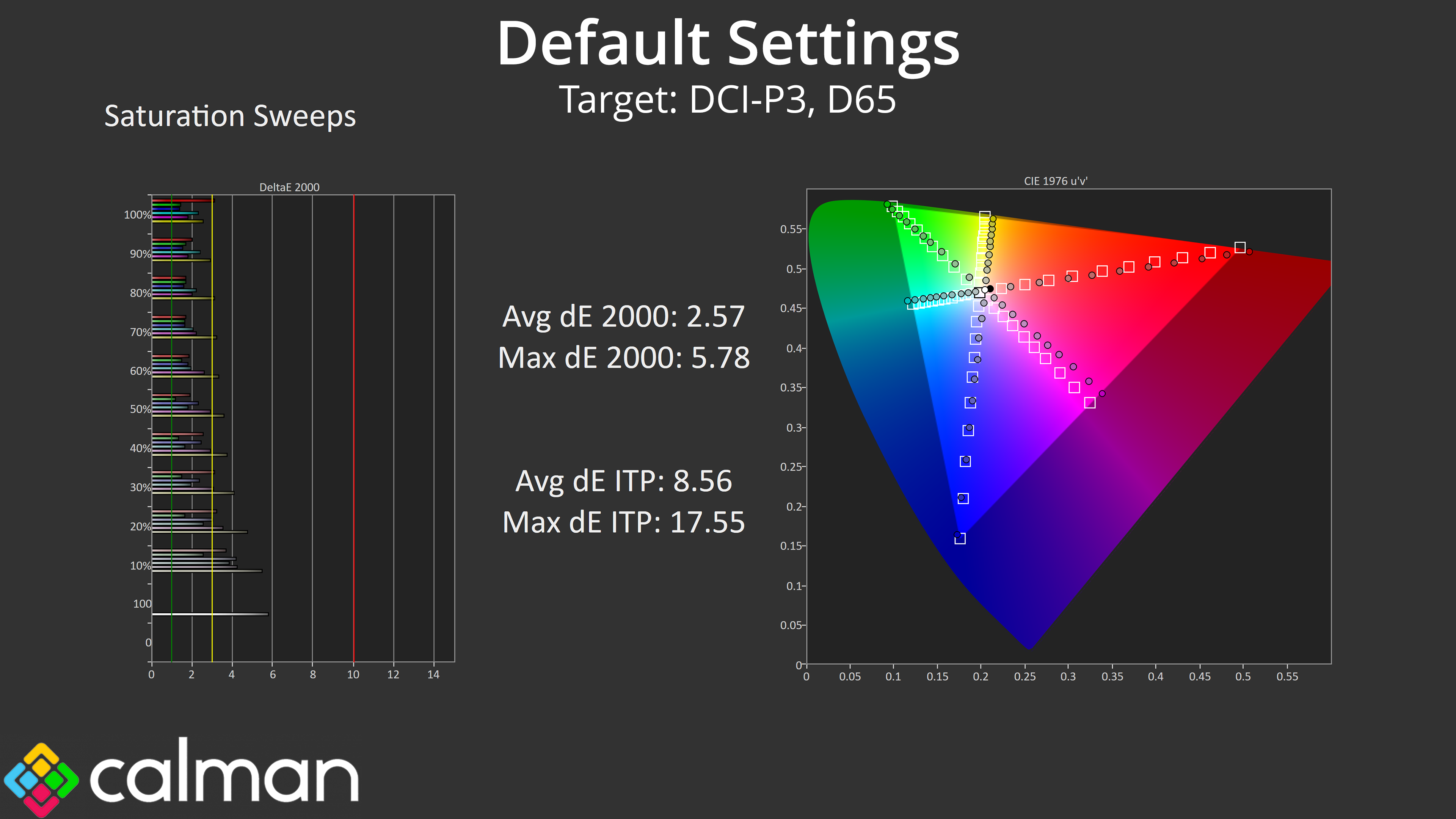
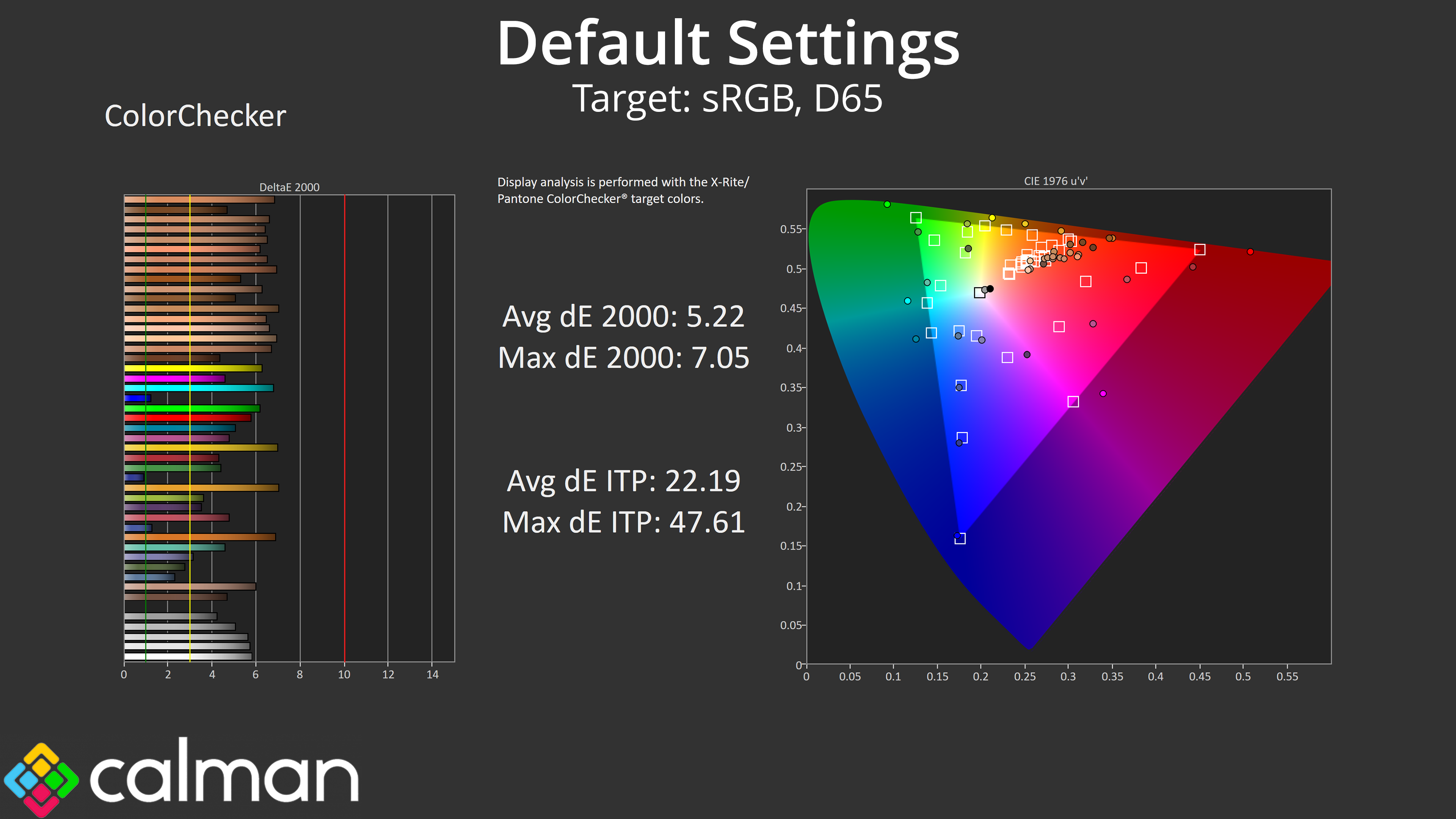
Back to our default settings testing though, saturation sweeps indicate a high level of over-saturation as we'd expect from a QD-OLED, though this does improve when comparing against the DCI-P3 space.
Colour Accuracy
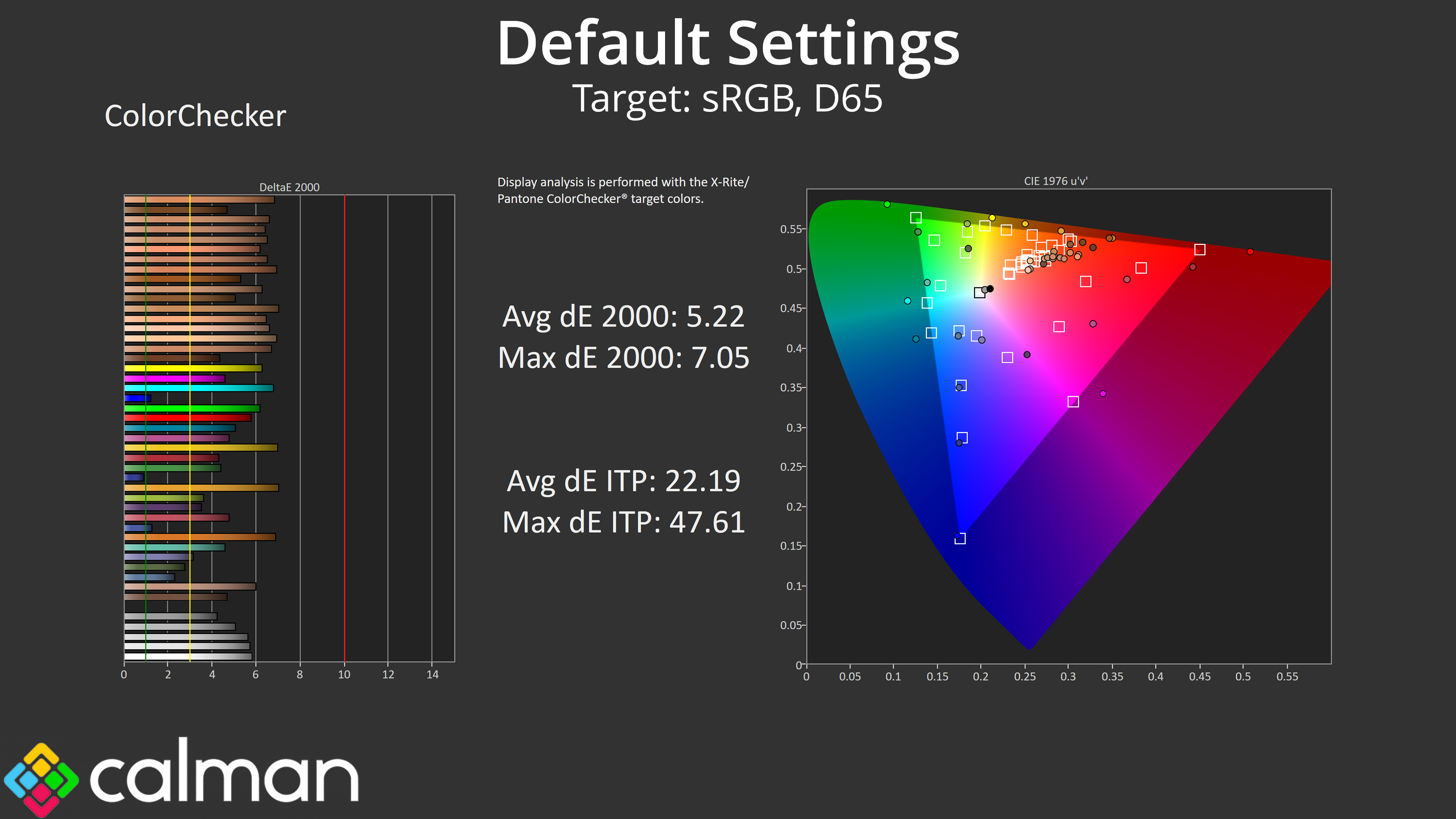
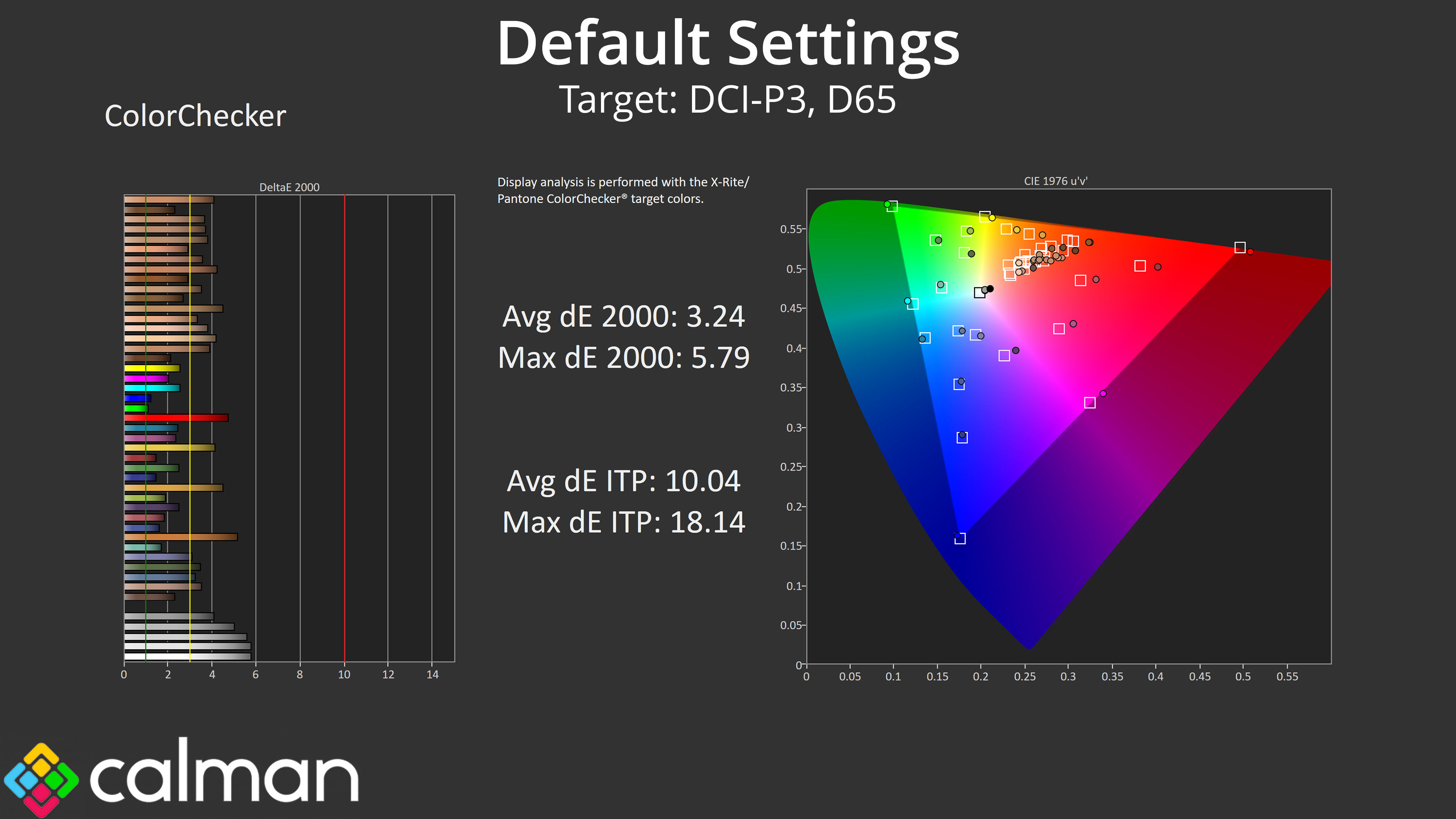
That naturally has a knock-on effect for colour accuracy, as does the warm colour balance, so neither the sRGB or the DCI-P3 results are particularly strong.
sRGB Emulation Mode
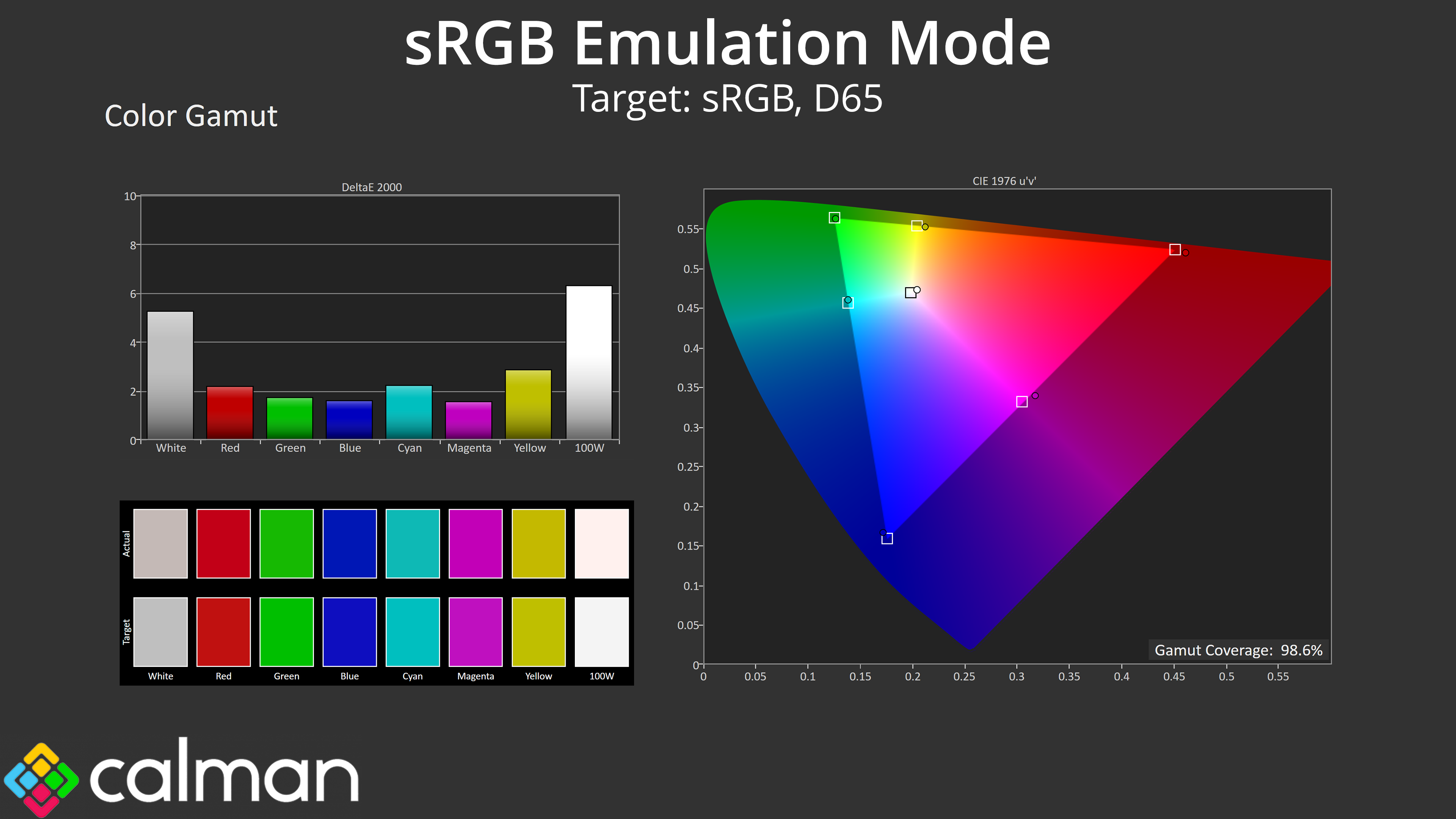
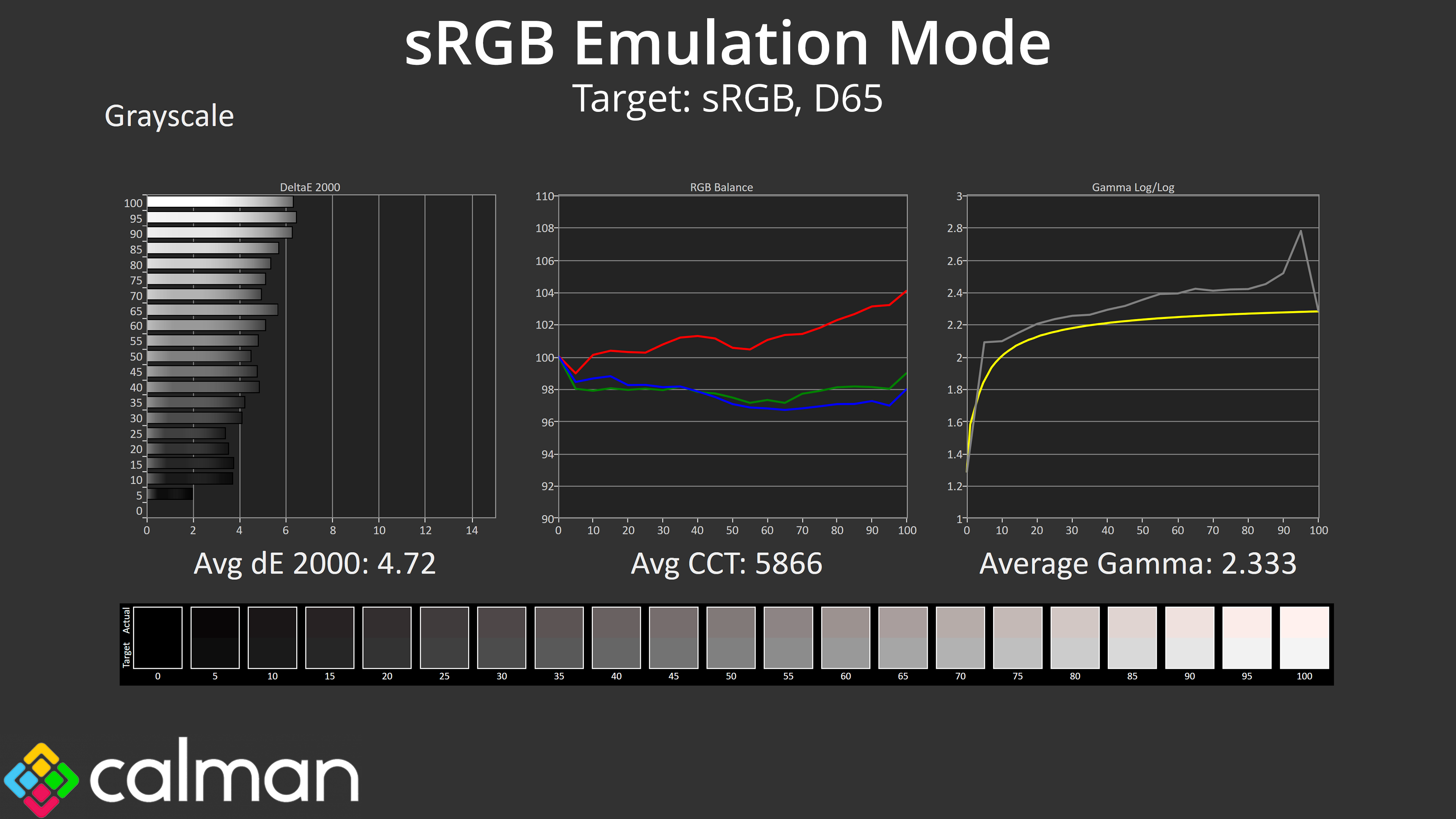
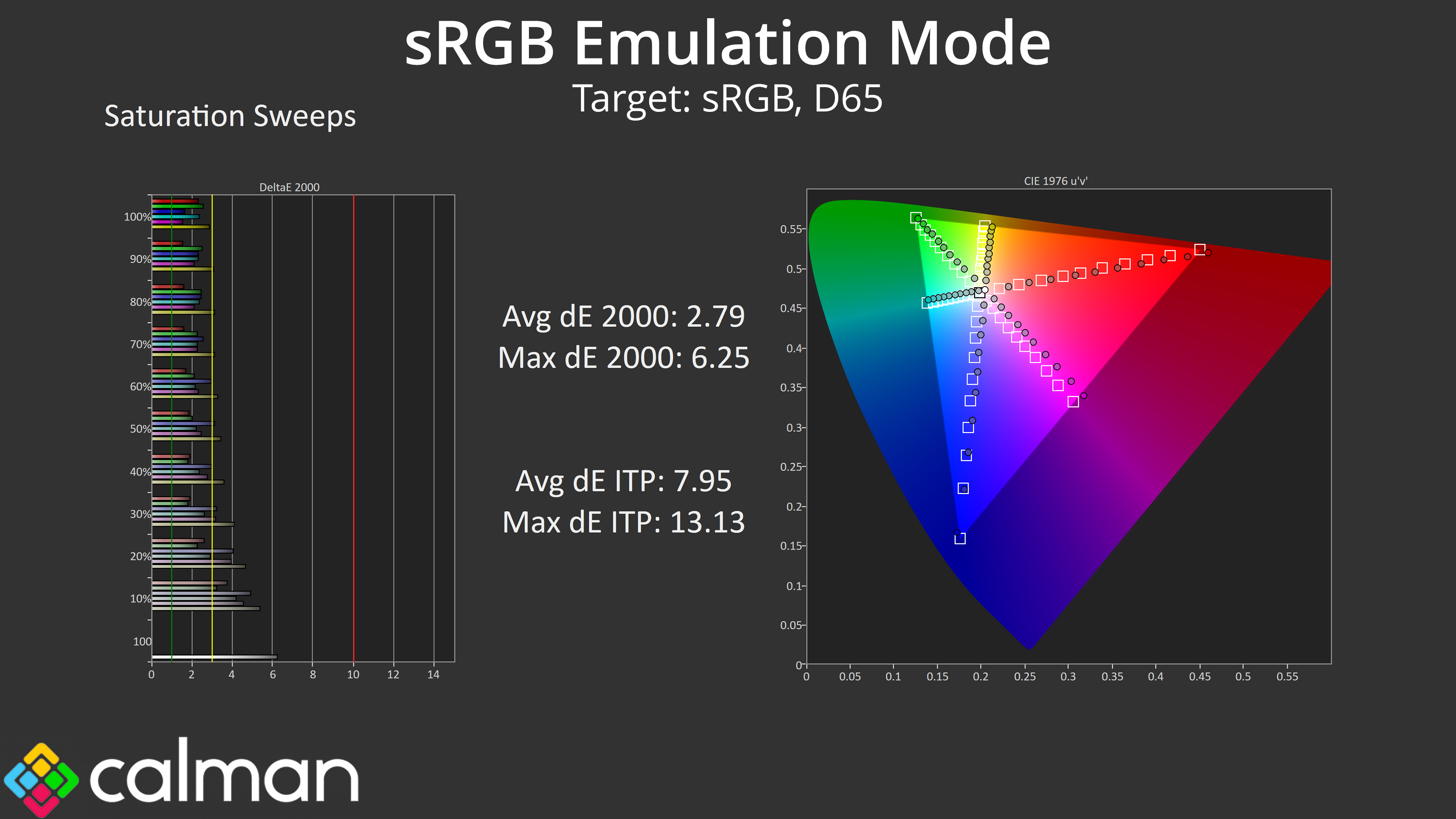
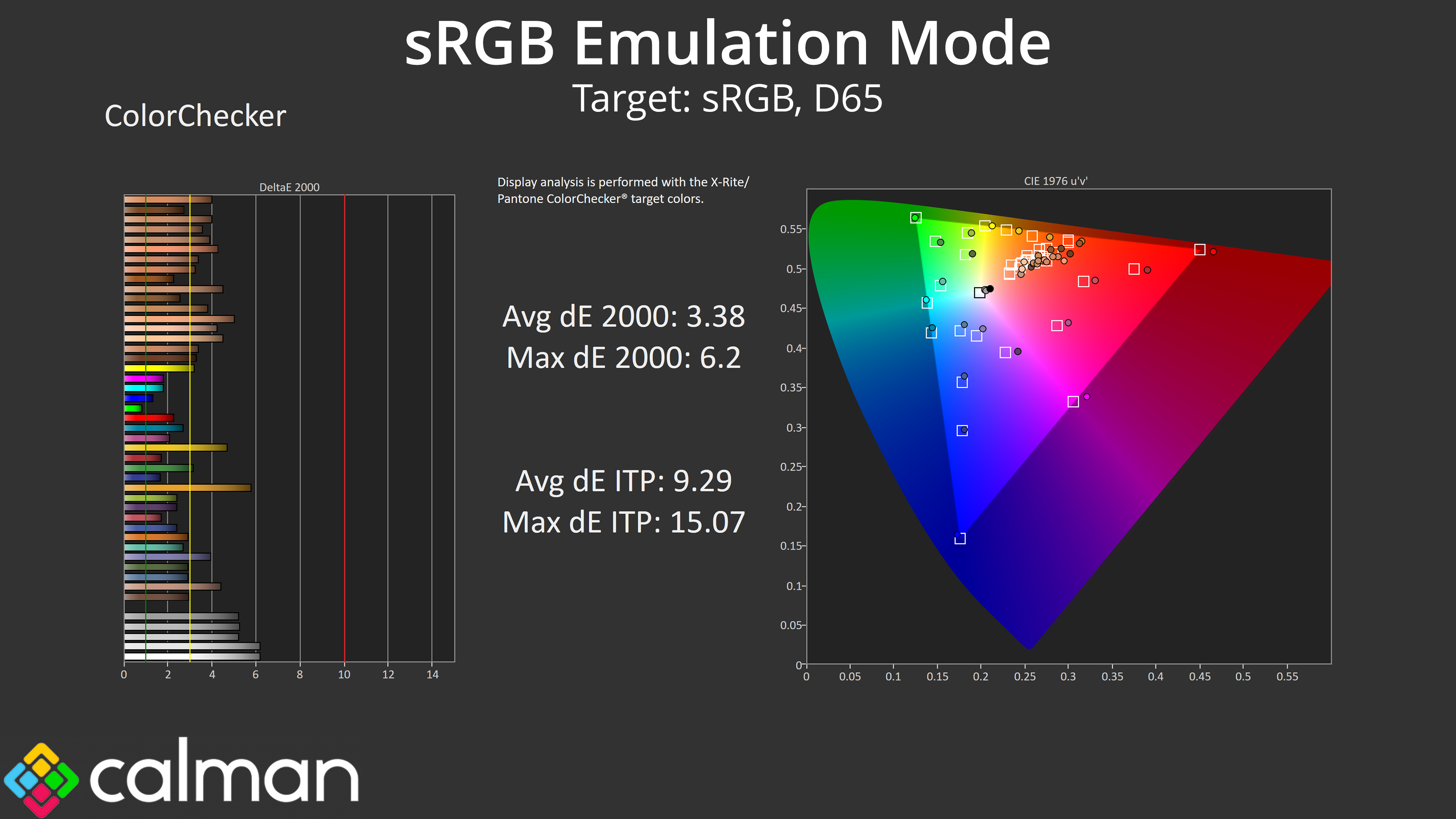
MSI does include an sRGB mode though, which does a good job at clamping the gamut to prevent oversaturation. However, the colour balance is still too warm and gamma a little high across the curve. Still, overall accuracy is improved if you are working with or viewing sRGB content, but it's not the best sRGB mode we've ever seen.
Calibrated Results
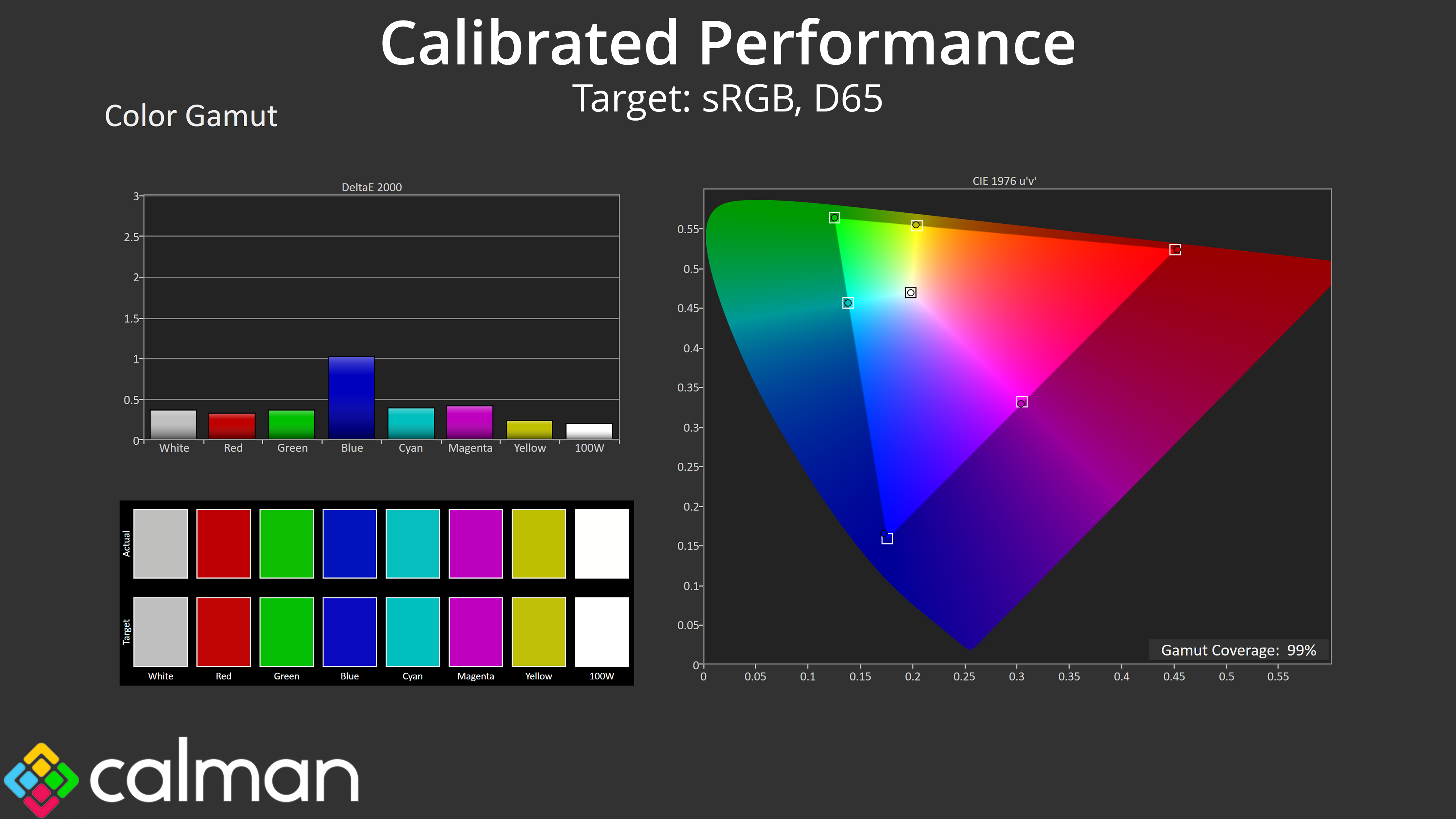
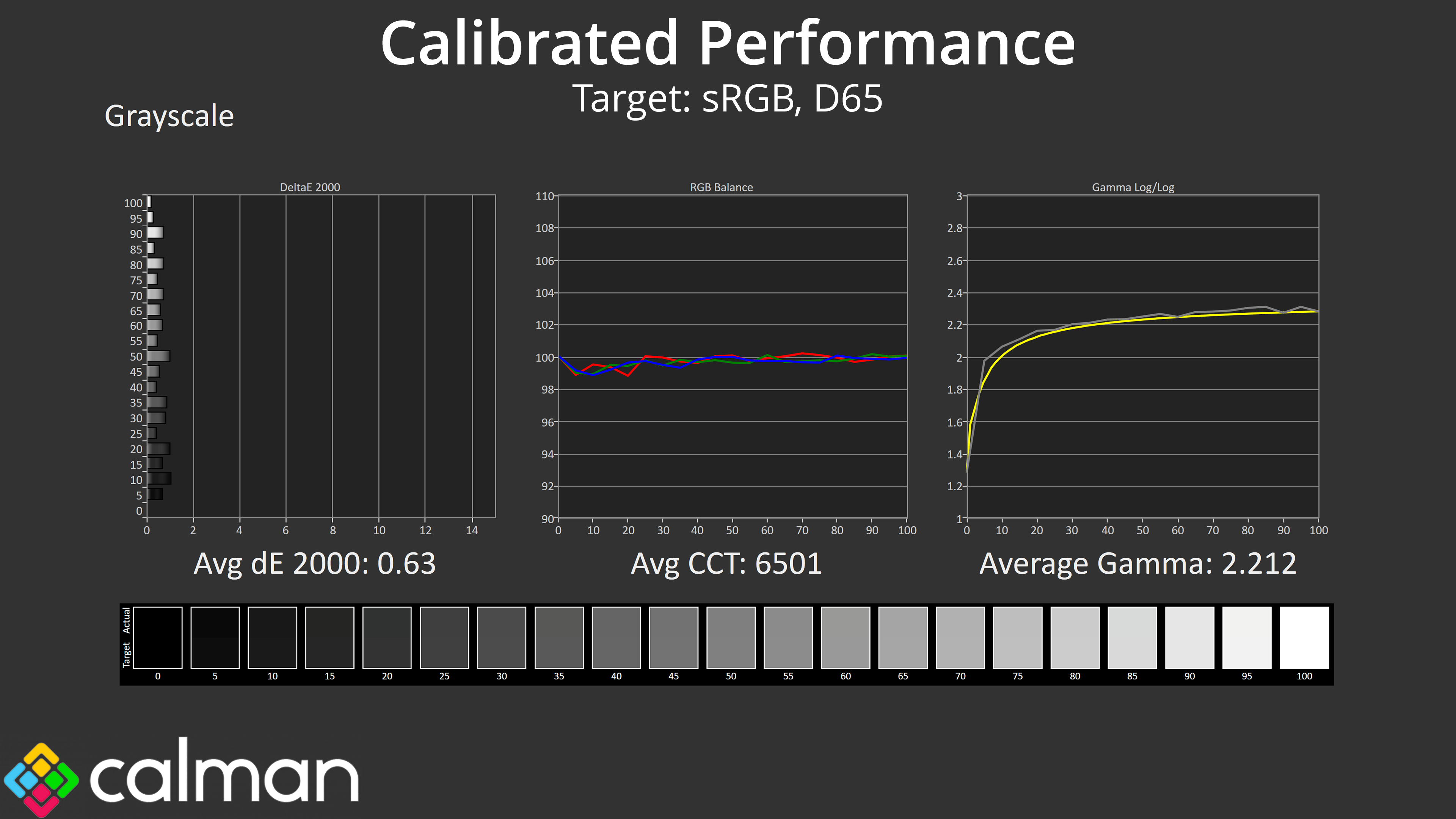
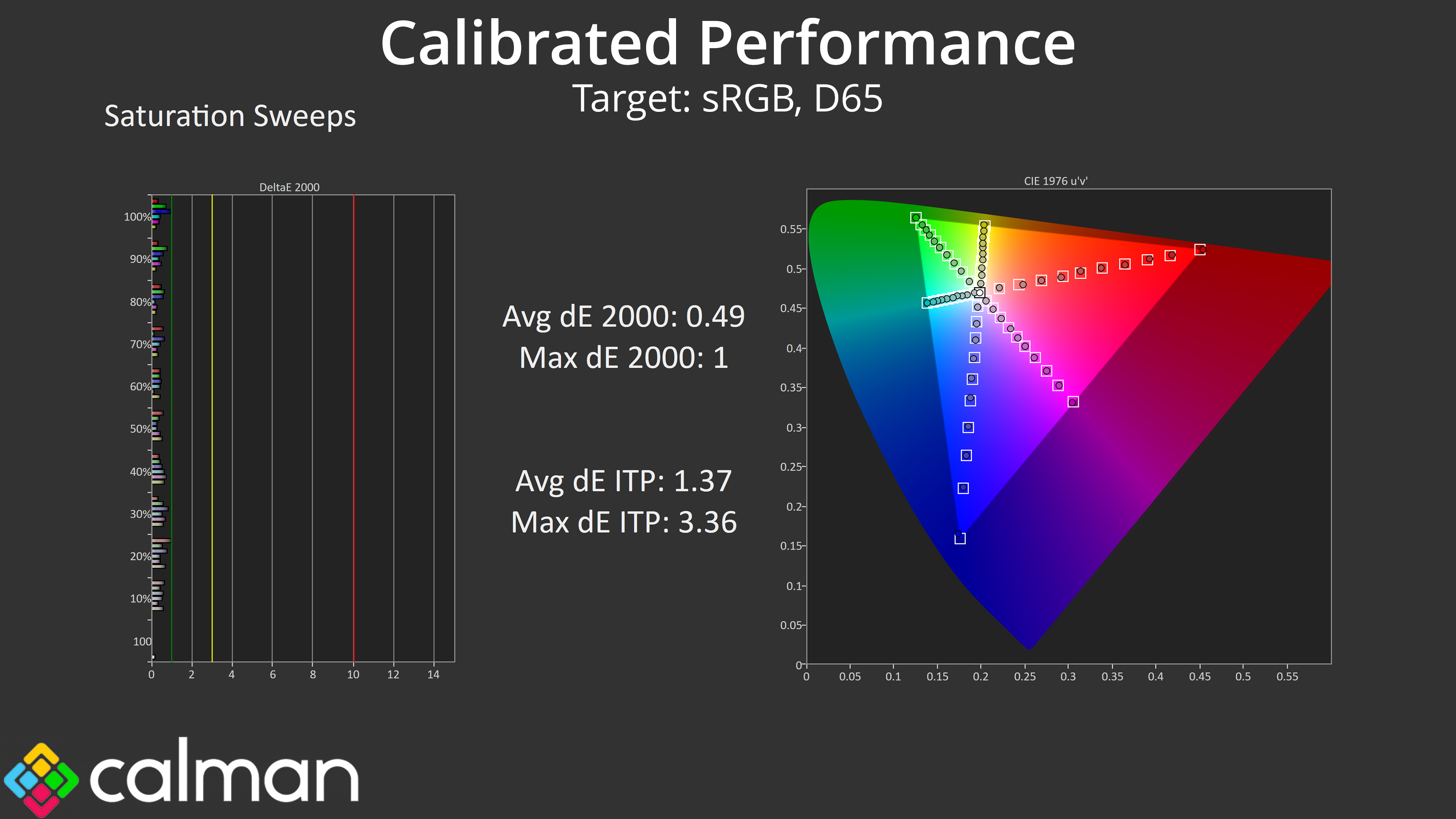
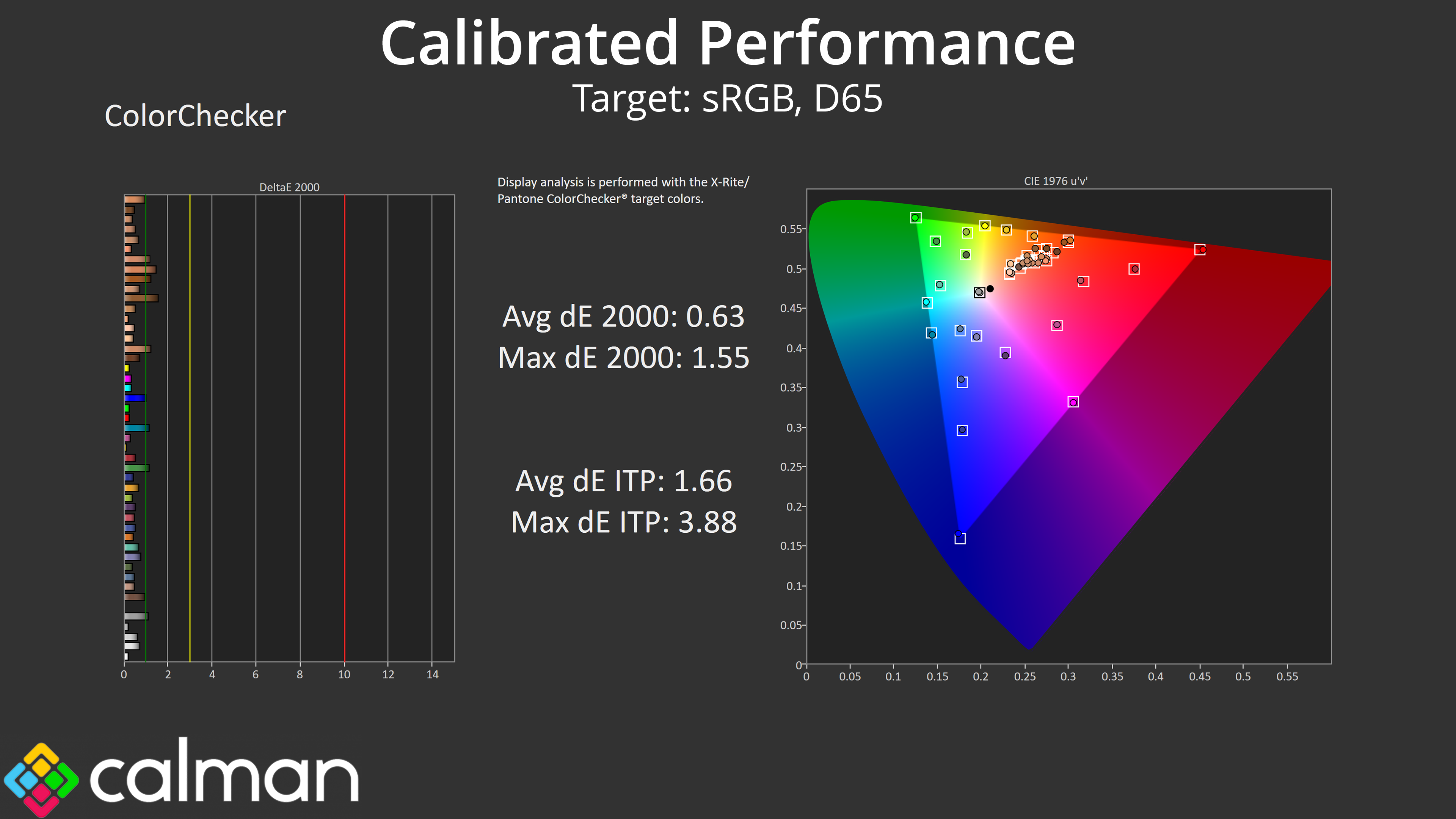
The good news is we know the panel itself is very capable, and with a full calibration, we achieved stellar results across the board. If you do have the hardware and software tools to do this yourself, you could save a good chunk of money versus something like the 272URX, but obviously that will vary from person to person.
HDR Testing
Following on from the SDR results on the previous page, here we re-test the relevant areas of the display with HDR enabled.
MSI includes three HDR modes: True Black 400, Peak 1000 Nits, and EOTF Boost.
Brightness
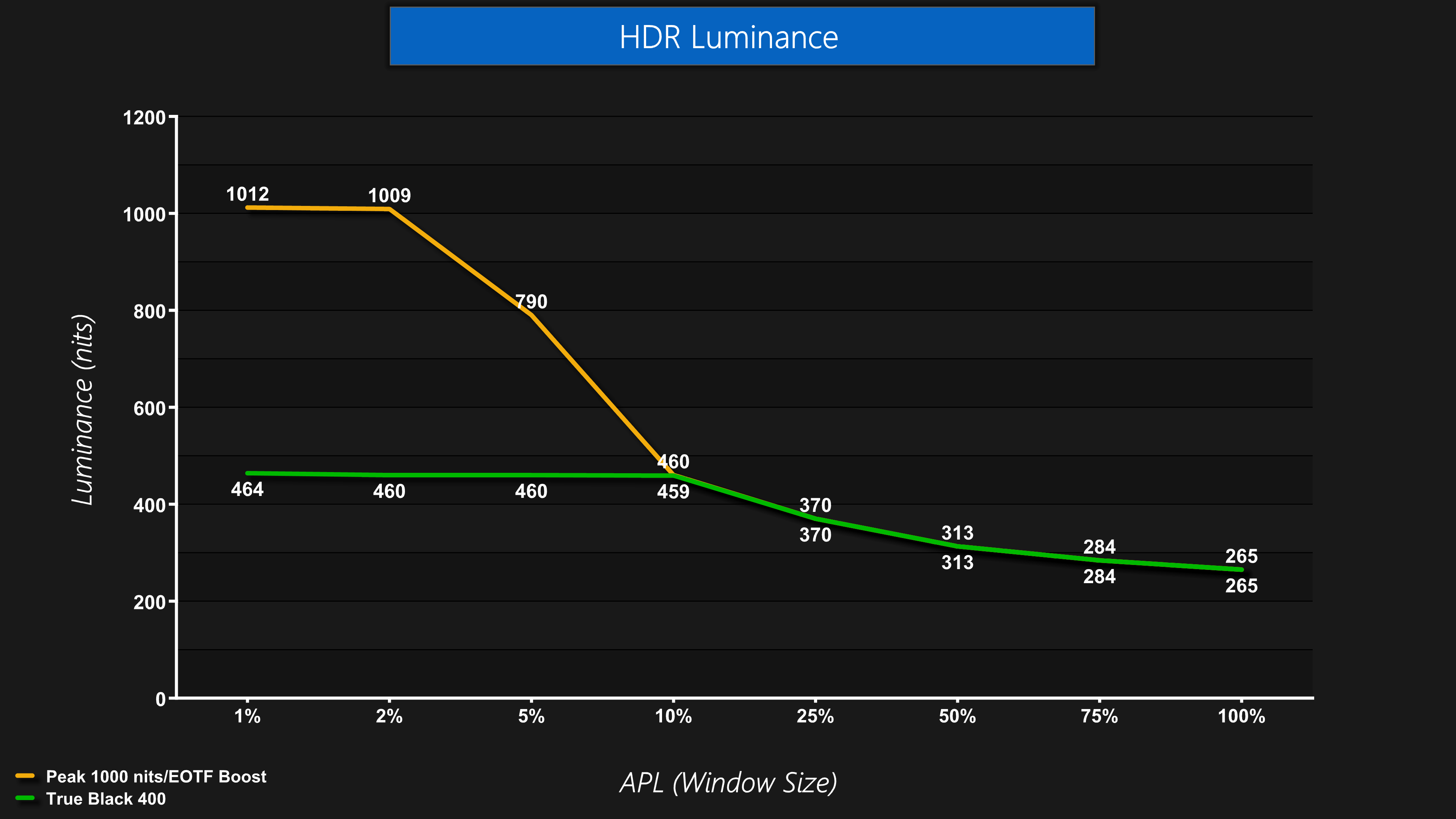
First things first, overall brightness behaviour is as we've come to expect from QD-OLED – the Peak 1000 nits mode does indeed hit over 1000 nits for the 1% and 2% APLs before dropping off as the window size increases, whereas True Black 400 is dimmer overall.
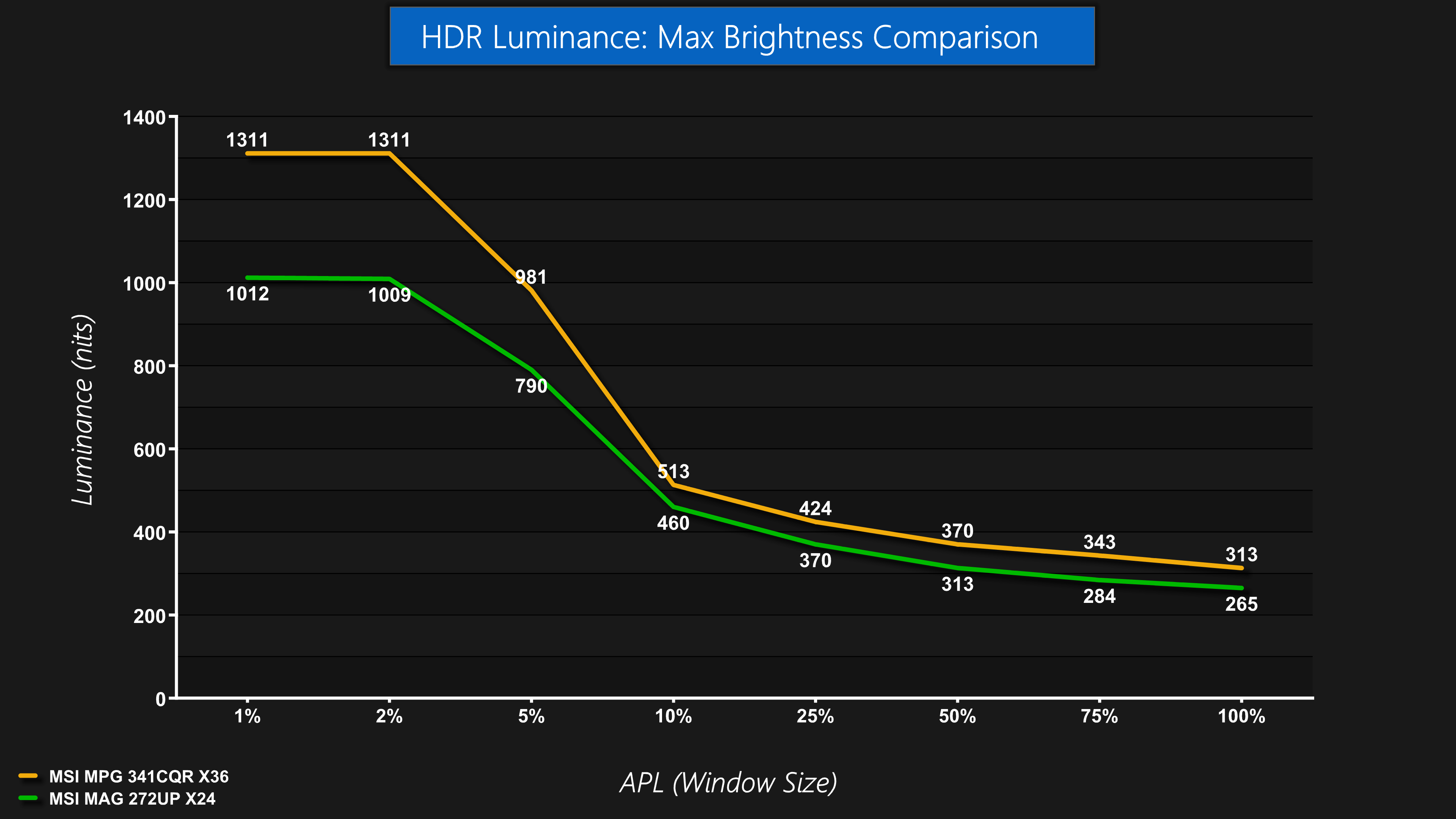
Given this is a 4th Gen Samsung panel, it's not quite as bright as a 5th Gen panel like the MPG 341CQR we reviewed earlier in the year…
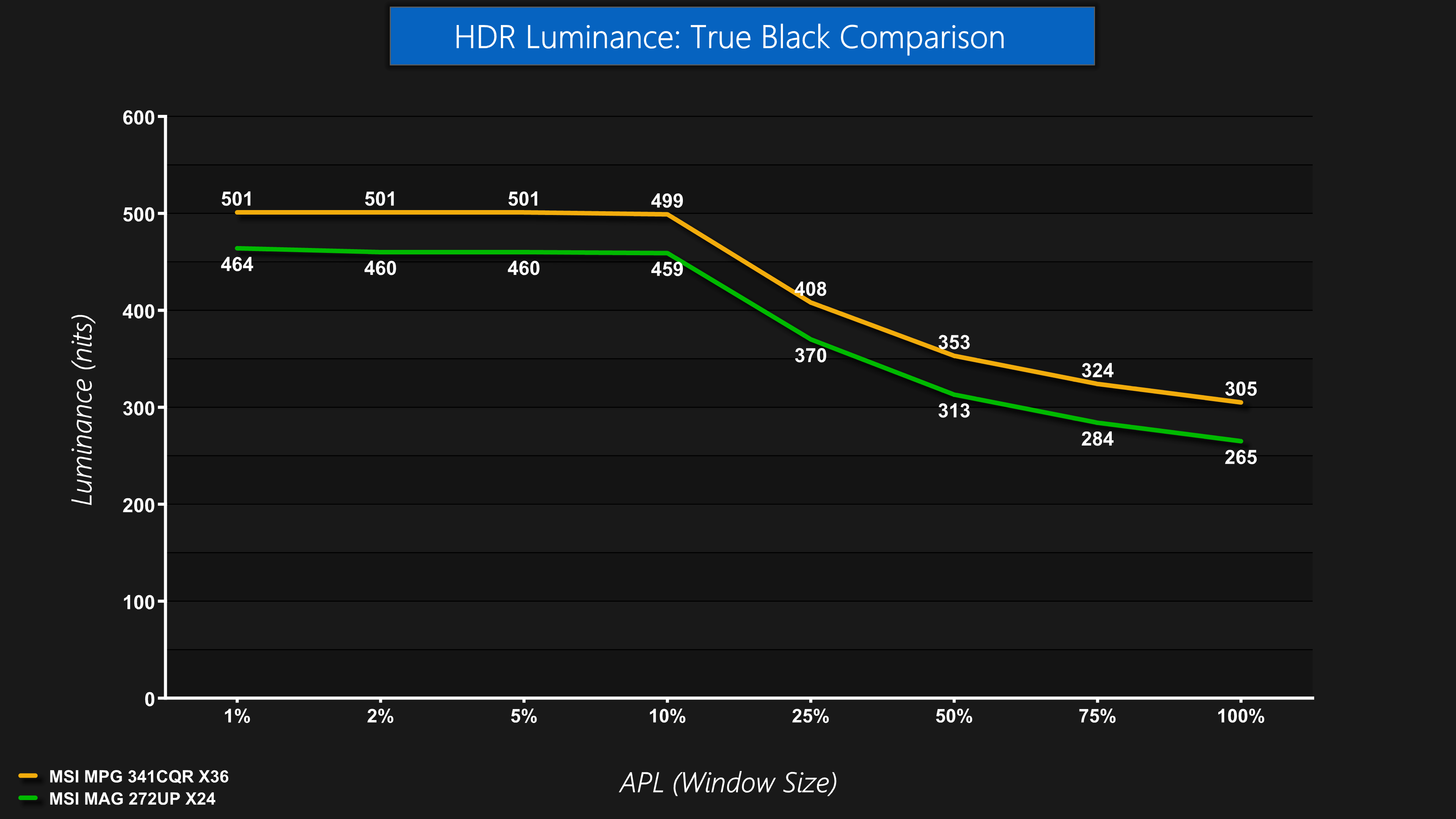
While it is also ‘only' True Black 400 certified, rather than True Black 500. Still, behaviour is as expected for this particular panel technology, and we do have to remember it's currently selling for just £500.
Greyscale
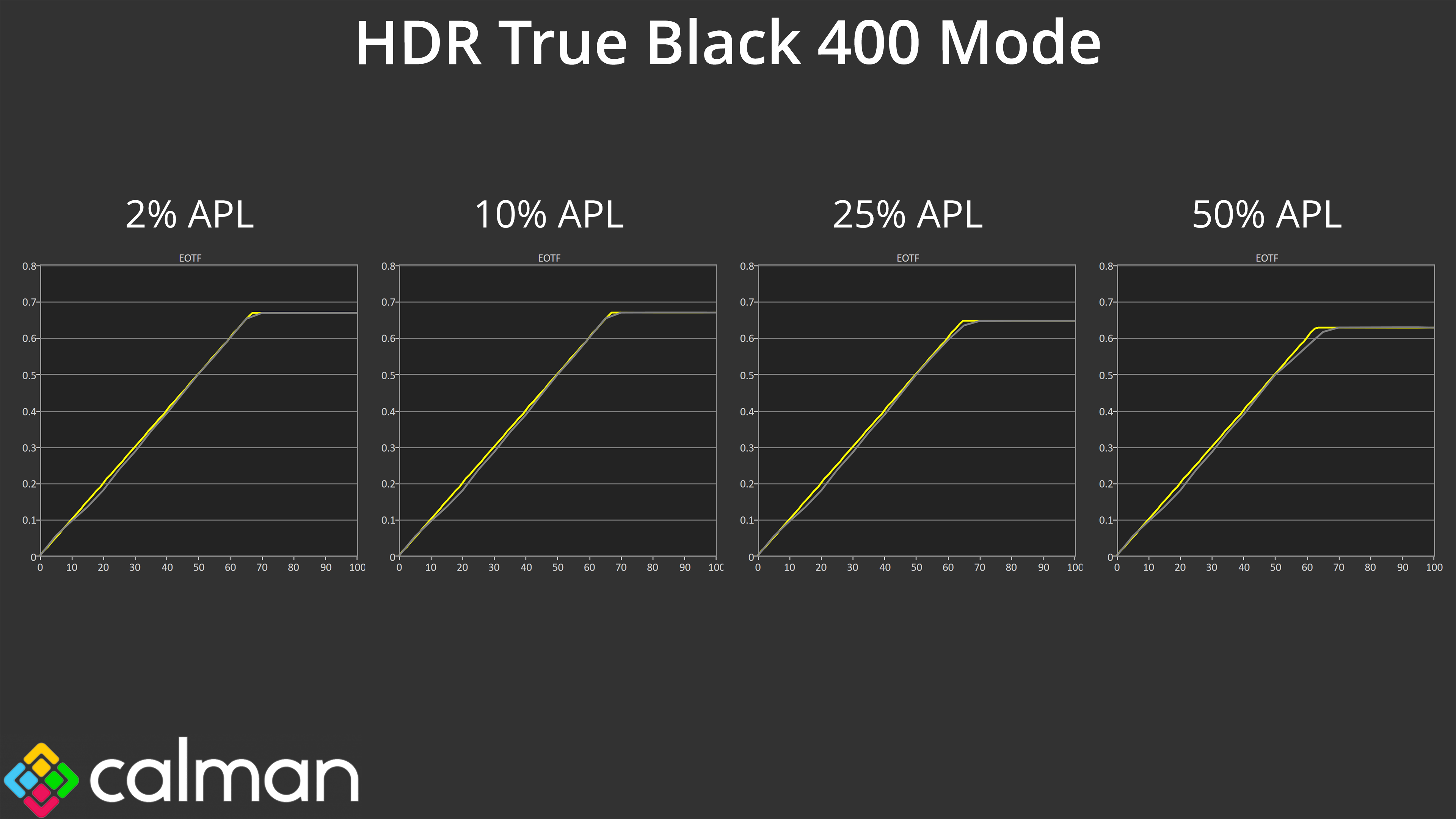
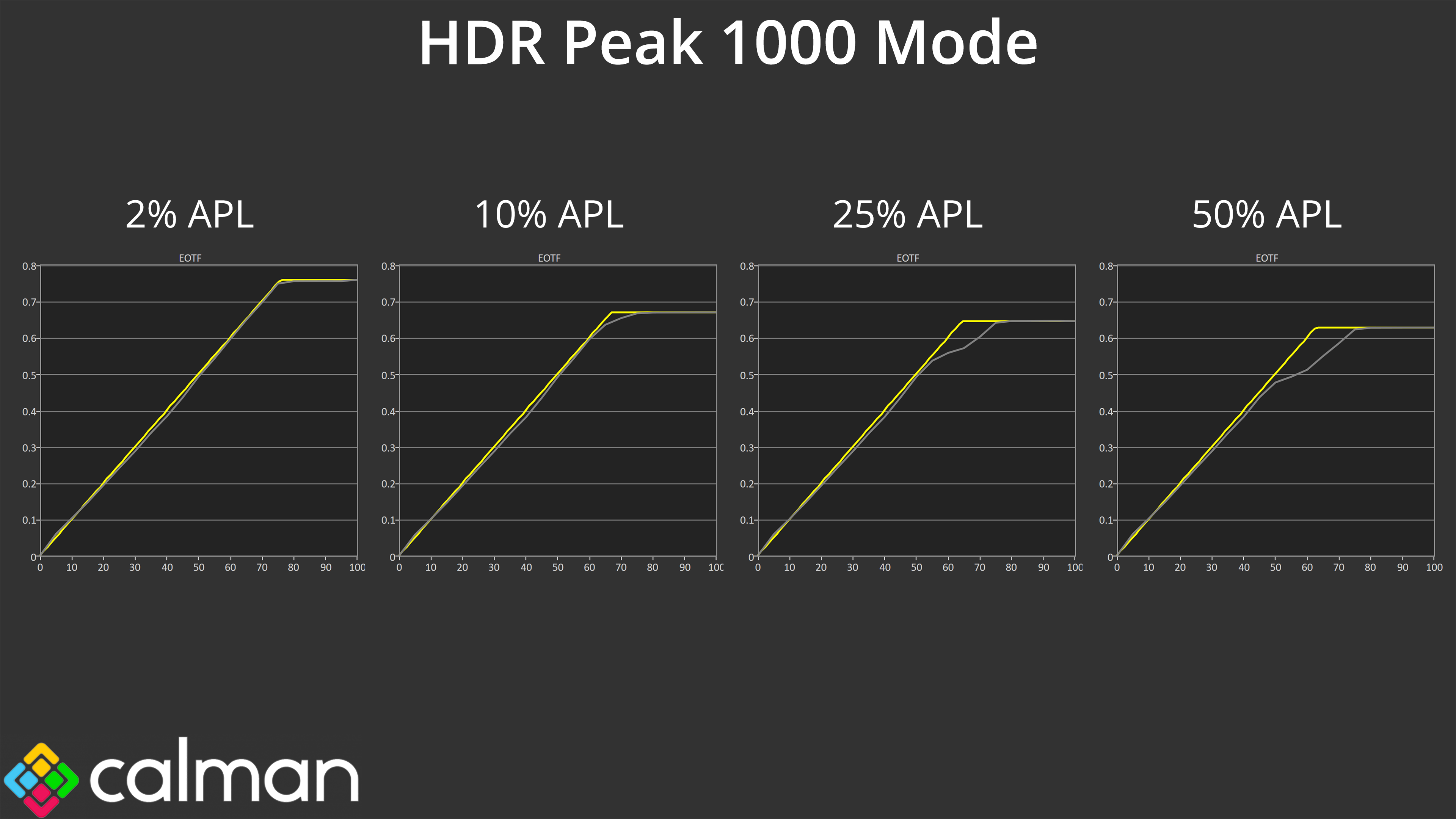
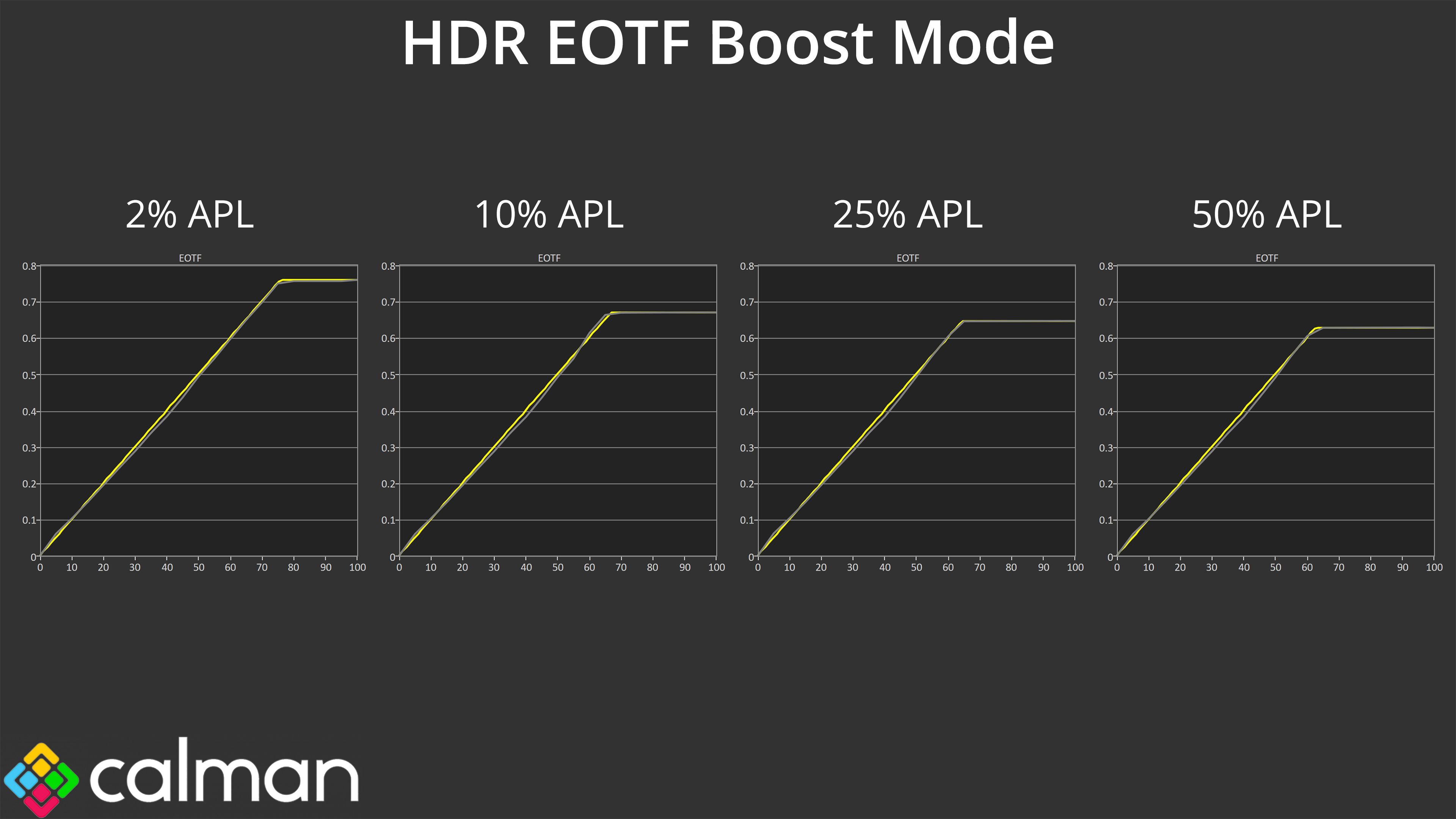
Overall EOTF tracking performance is also as expected. The True Black 400 mode is generally accurate across the curve and doesn't roll off significantly, even at bigger window sizes, whereas we know the Peak 1000 Nit modes do roll off at increasing rates, as a result of panel dimming. MSI's EOTF Boost mode is designed to fix that, and generally it is very successful.
Colour Accuracy
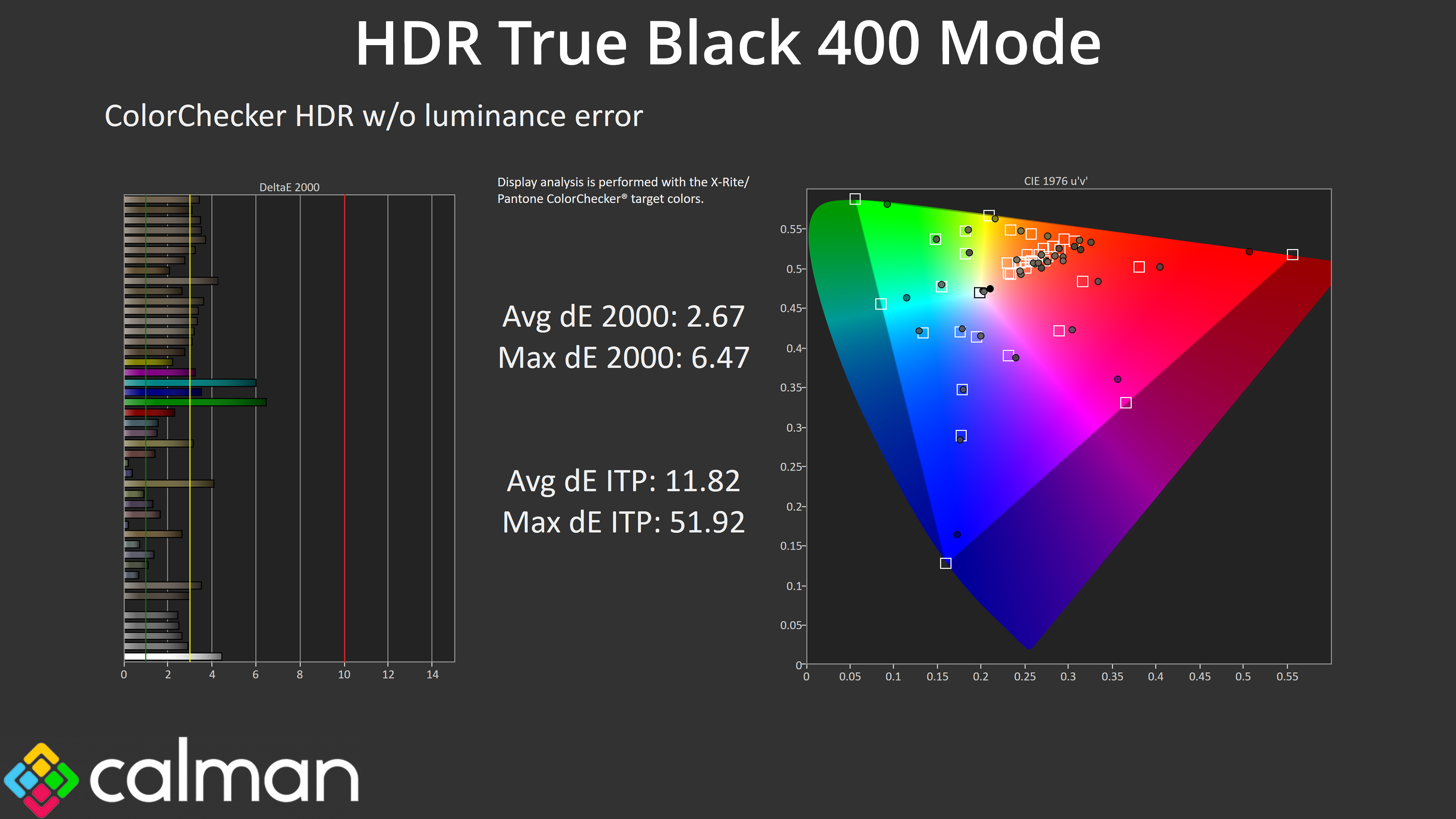
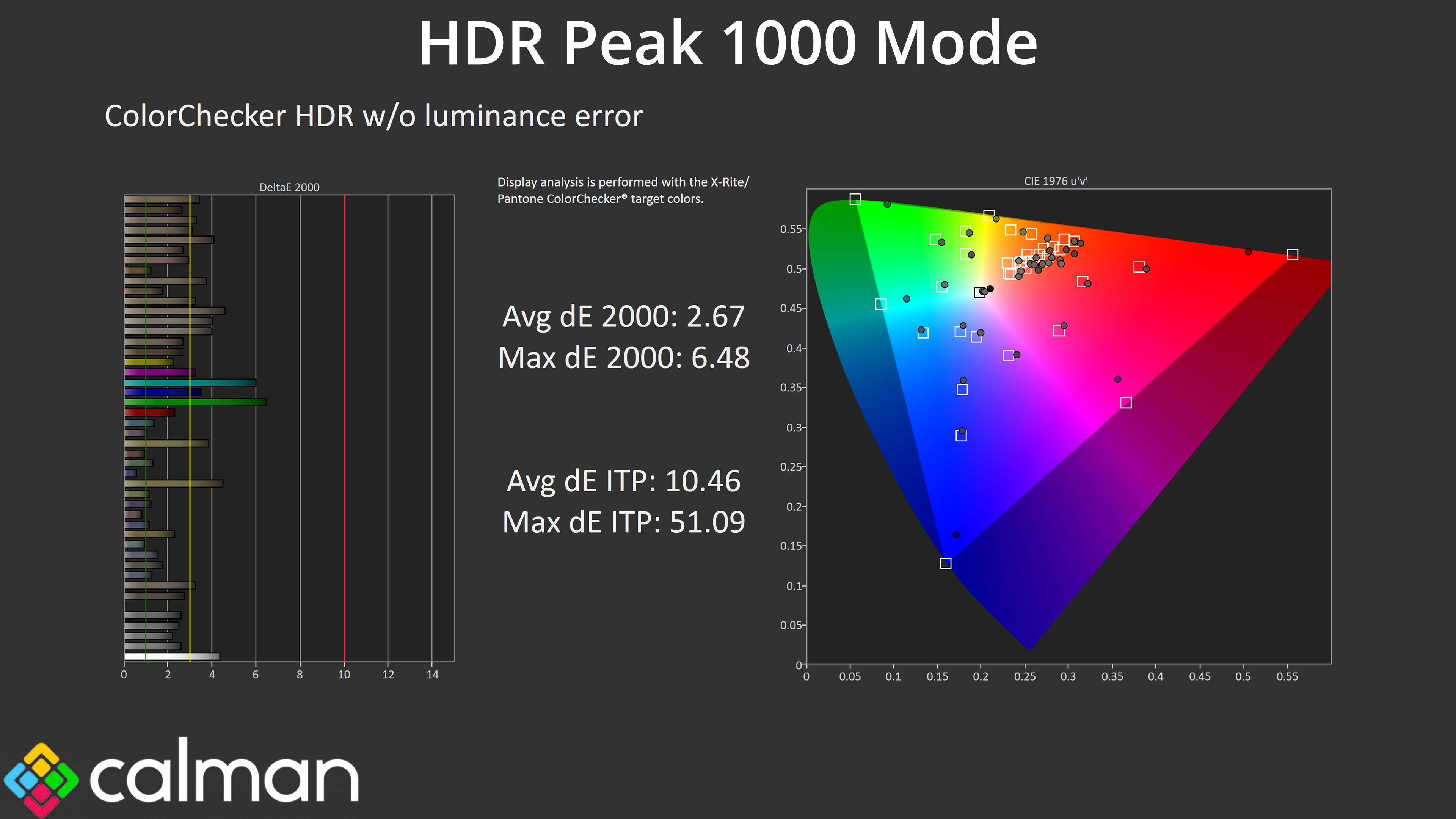
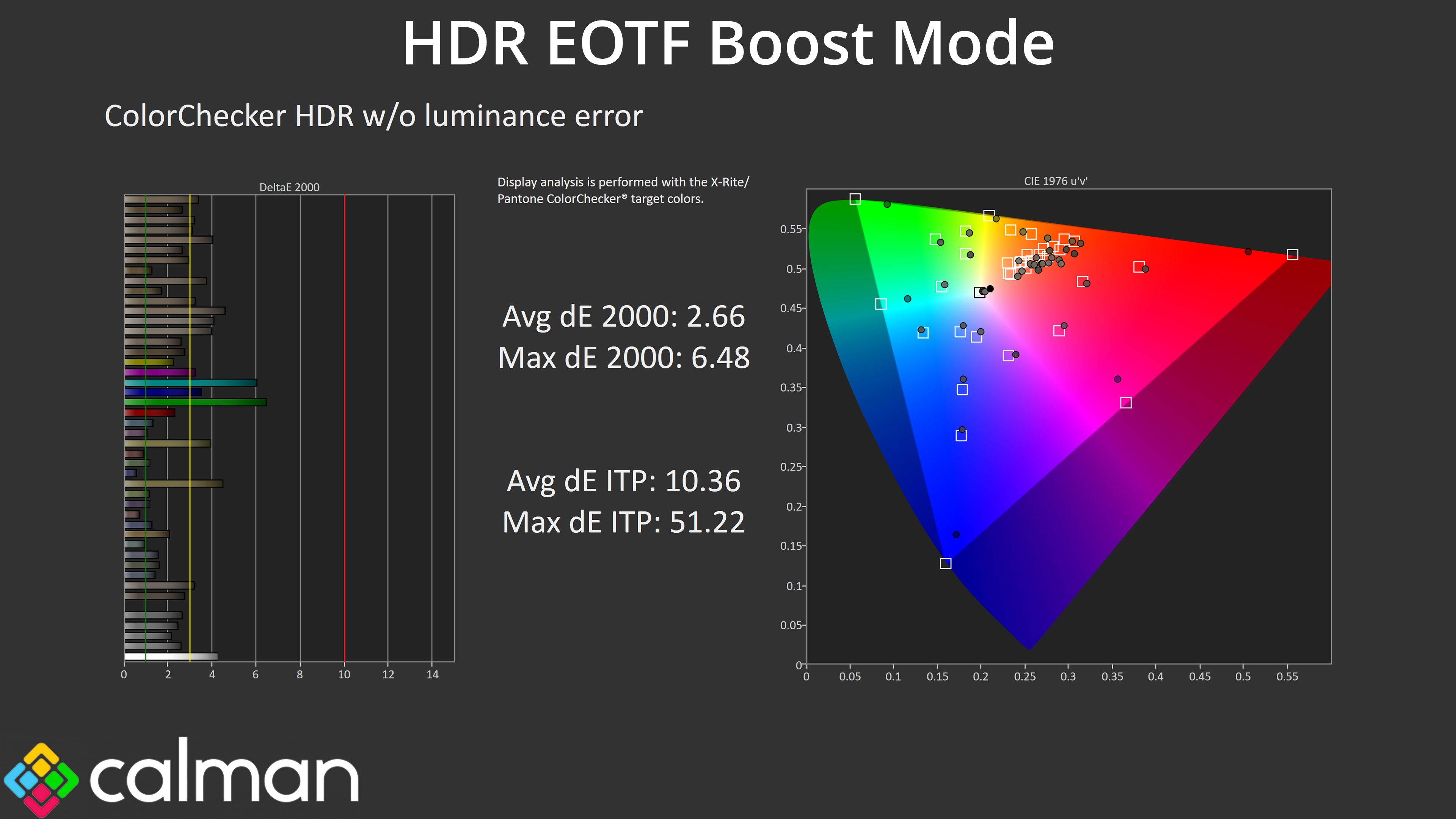
It's also good to know that all three modes offer very similar levels of HDR colour accuracy, too.
We use the Open Source Response Time Tool (OSRTT), developed by TechTeamGB, for our response time testing. This measures grey-to-grey response times and presents the results in a series of heatmaps, the style of which you may be familiar with from other reviews.
Initial Response Time is the time taken for the panel to transition from one colour to another, where lower values are better. We present the initial response time, so overshoot is not taken into account and is measured separately. We use a fixed RGB 5 tolerance for each transition.
Overshoot is the term given for when a monitor's transition exceeds or goes beyond its target value. So if a monitor was meant to transition from RGB 0 to RGB 55, but it hits RGB 60 before settling back down at RGB 55, that is overshoot. This is presented as RGB values in the heatmaps – i.e. how many RGB values past the intended target were measured.
Visual Response Rating is a metric designed to ‘score' a panel's visual performance, incorporating both response times and overdrive. Fast response times with little to no overshoot will score well, while slow response times or those with significant overshoot will score poorly.
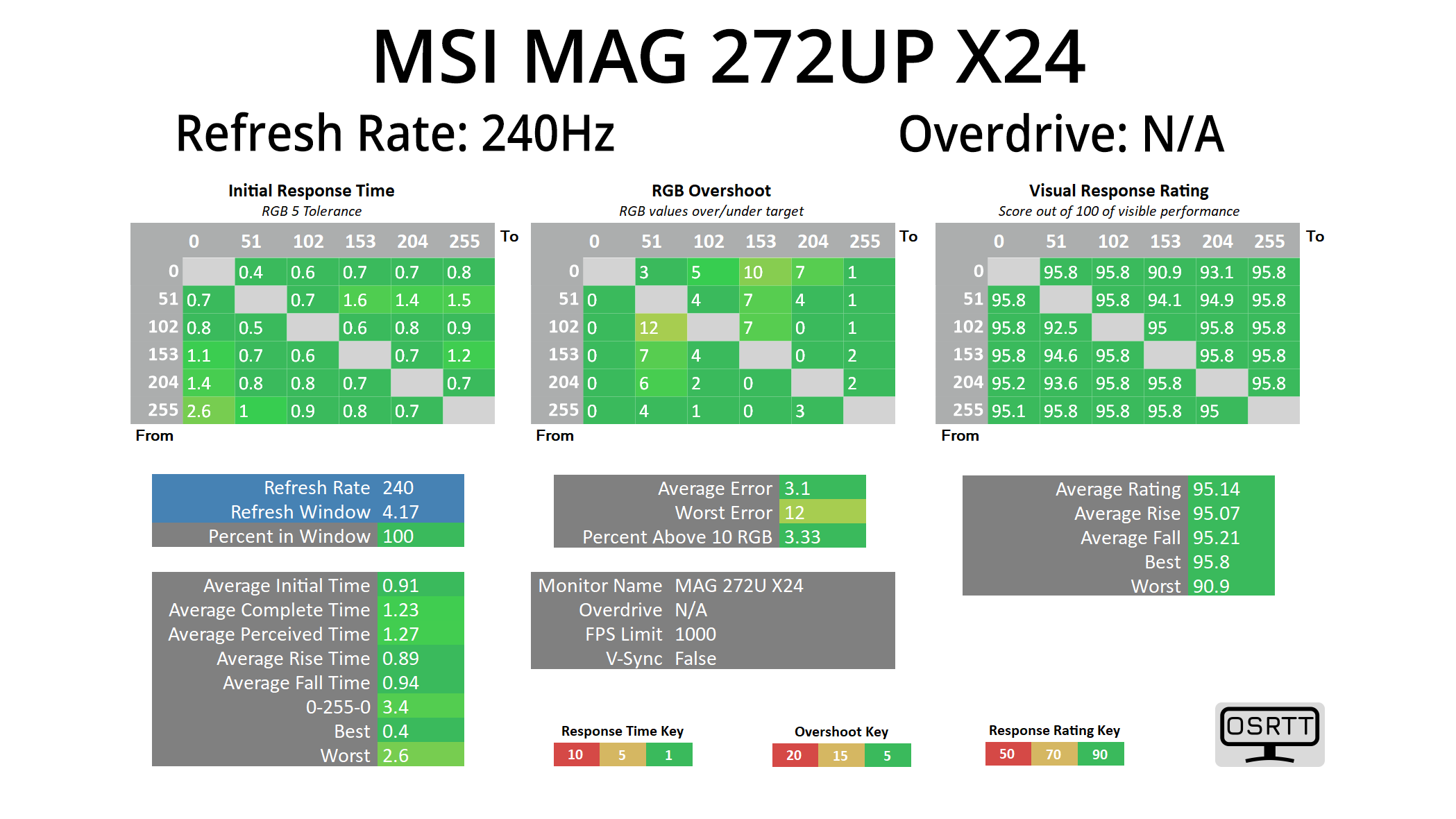
In terms of response times, we only tested at 240Hz given we know that all OLED monitors are all about as fast as each other when it comes to response times, and that is the case regardless of the refresh rate used.
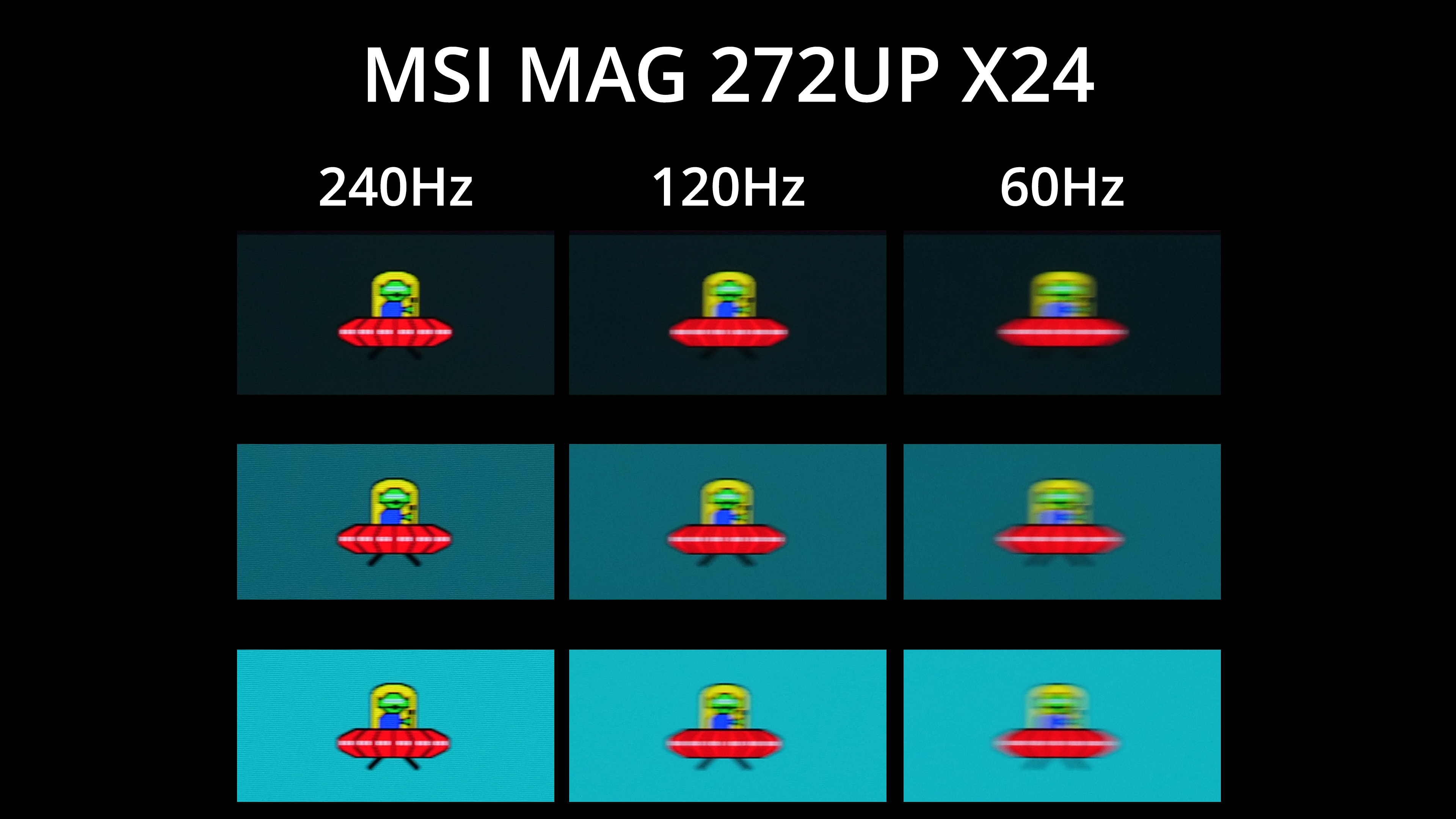
Of course, that doesn't mean motion clarity will be the same regardless of the refresh rate – the higher you can push the refresh, the smoother things look. The jump from 120Hz to 240Hz, for instance, is quite noticeable, but you can also note there is zero ghosting at any given refresh rate target.
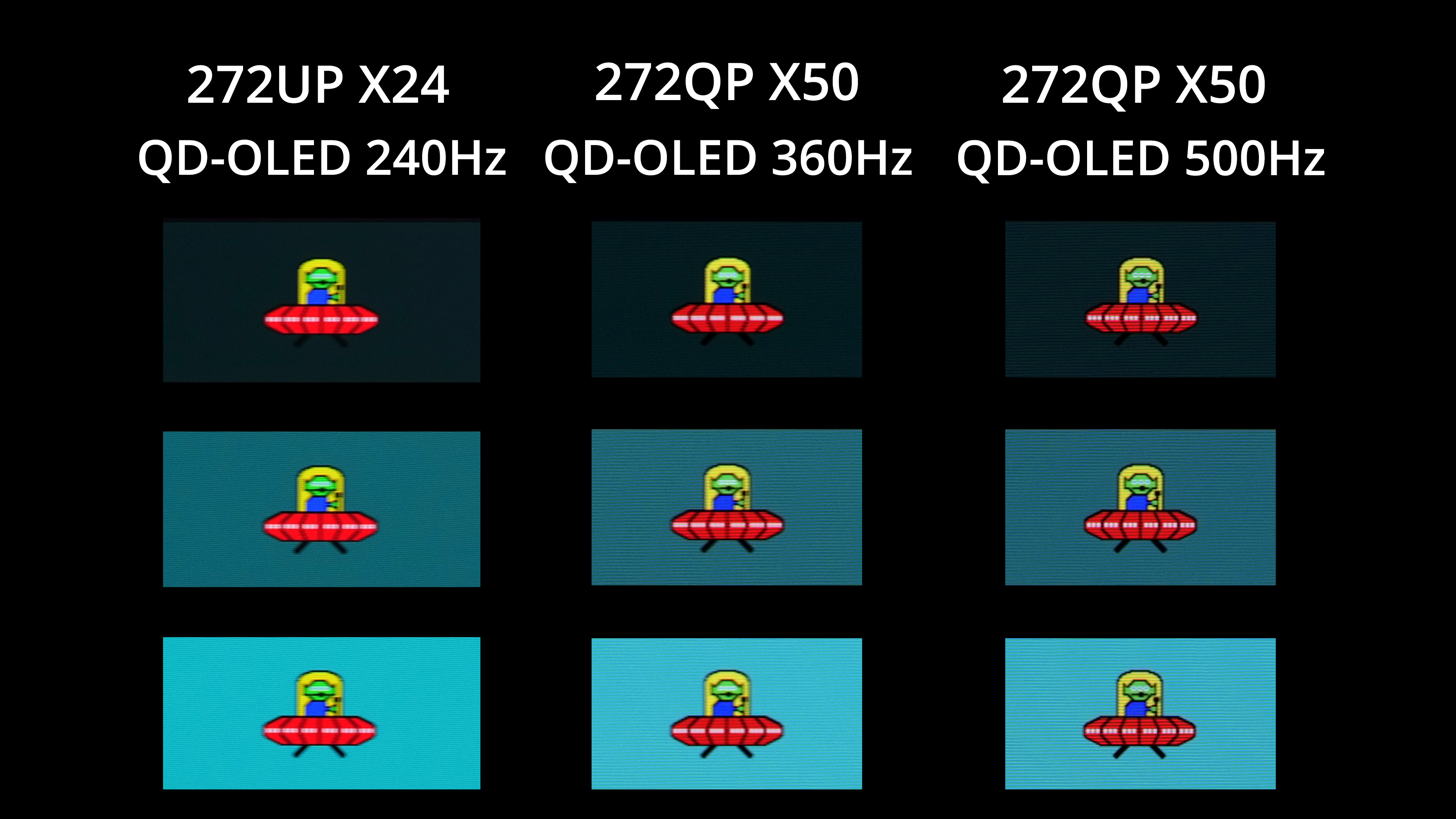
Other OLEDs can deliver even faster refresh rates though, including the MSI 272QP X50 which can hit 500Hz. That brings another welcome boost to motion clarity, but it is worth pointing out that it's limited to 1440p, so if you want a 4K OLED, 240Hz is as good as it gets right now.
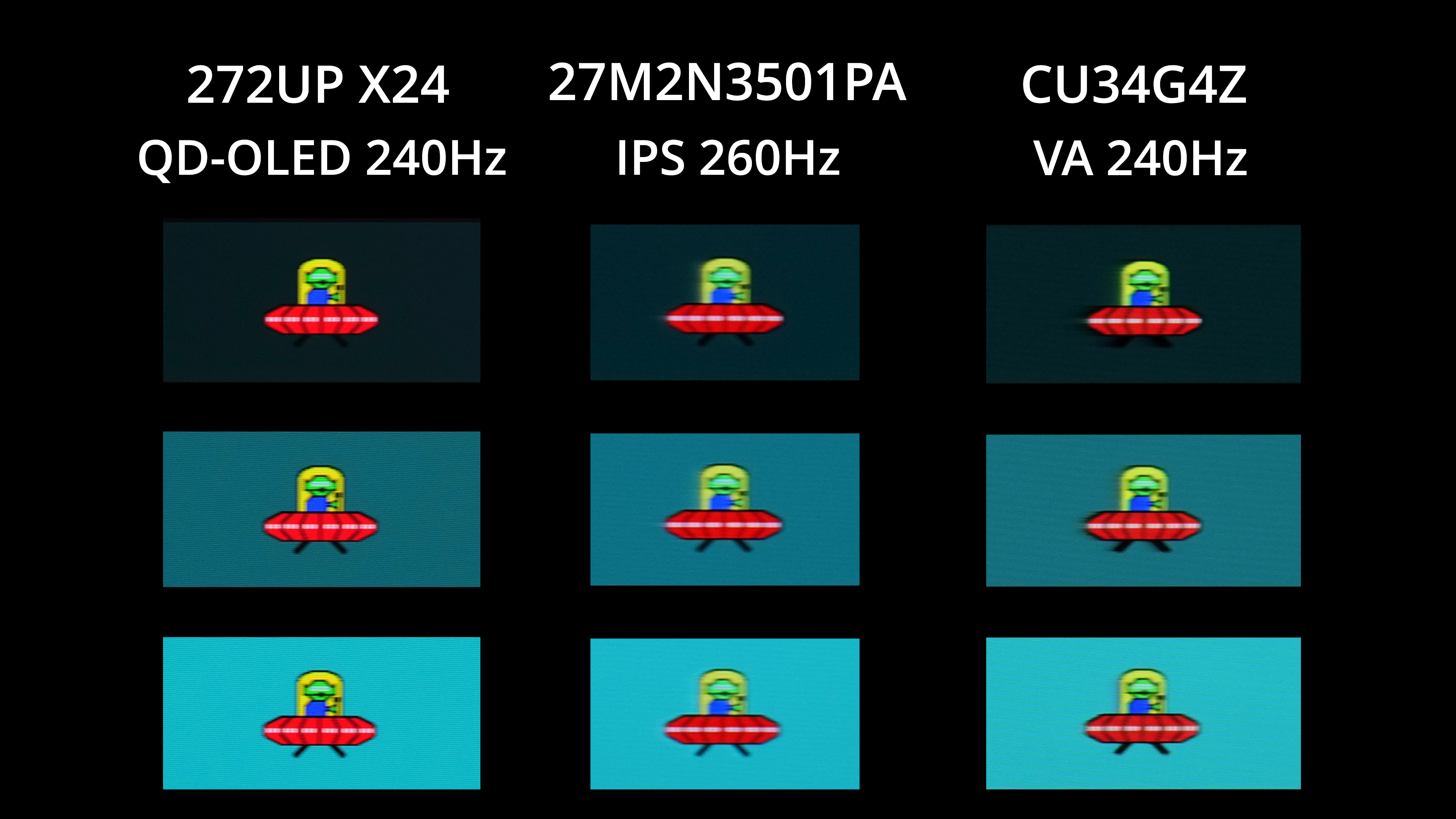
Compared to LCD panels though, a 240Hz OLED is going to look significantly better – there's no ghosting or overshoot for one, while general motion clarity is several steps ahead of both IPS and VA options that I've tested at a similar refresh rate.
We again use the Open Source Response Time Tool (OSRTT), developed by TechTeamGB, to report monitor input latency.
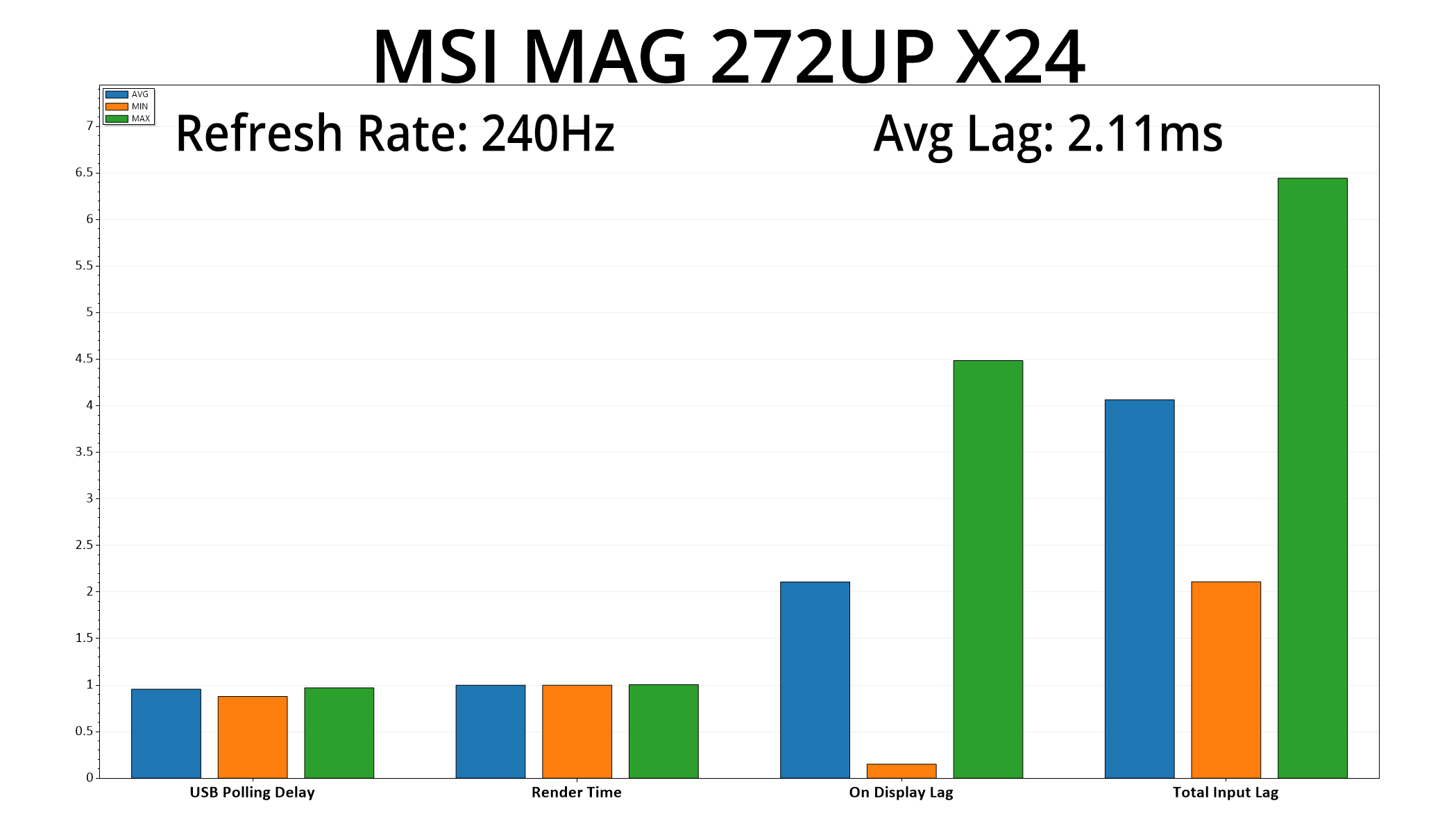
Latency is no problem either, given the 272UP hit an average lag of 2.11ms. A single frame at 240Hz lasts for 4.17ms, so the latency here is equivalent to just over half a frame – nothing at all to worry about.
We always knew there'd be some element of compromise when it comes to MSI's MAG 272UP X24. Designed to offer the same 4th Gen QD-OLED panel as the more expensive MPG 272URX, it cuts down or strips back a number of other areas in order to meet the lower price-point.
There's no USB hub, for instance, while the DisplayPort is of the 1.4 spec, rather than the newer 2.1 standard. USB-C power delivery is also capped at just 15W, while there's no KVM functionality or RGB lighting. Those are the key differentiators, and you may well be thinking that none of those are overly significant, as it very much comes down to personal preference and how often you'd make use of those features.
What I wasn't expecting, though, is that the factory calibration would be as different as it is. Now, don't get me wrong, we've seen worse – but out of the box, the colour balance is just too warm, and the gamma is also higher than it should be, and that has a knock-on effect for colour accuracy. While there is a built-in sRGB mode, too, it doesn't fully rectify the colour temperature and gamma issues.
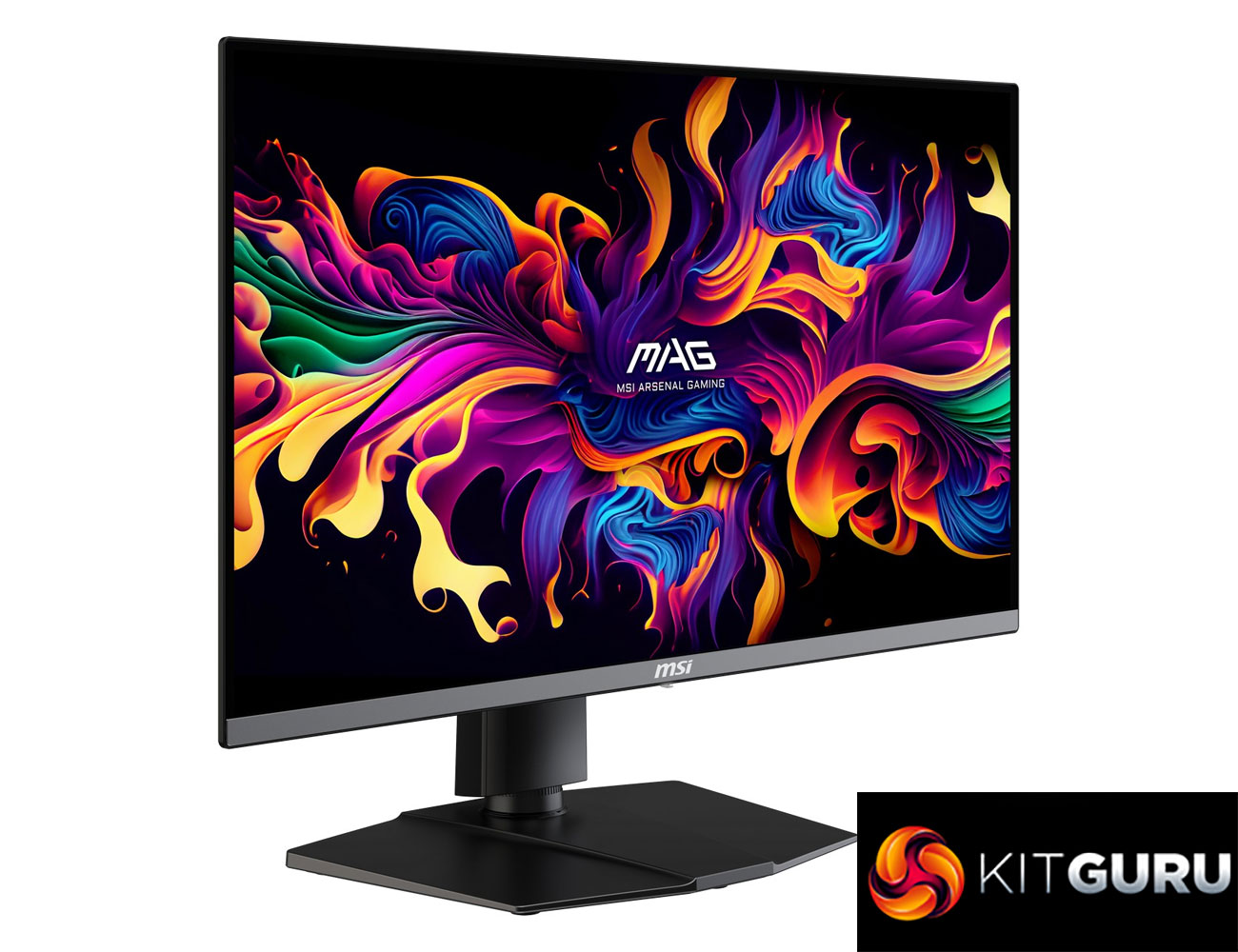
The good news is that a manual colour balance fixes a lot of those issues, while some people out there may be calibrating the screen anyway. So while the out of the box experience could certainly be improved, we can't get away from the fact that this is a 4K/240Hz QD-OLED panel that's currently less than £500, and it brings with it all of the hallmarks of OLED technology – things like effectively infinite contrast, near-instant response times meaning zero ghosting, per-pixel dimming for highly impressive HDR… the list goes on.
Considering other monitors using the same QD-OLED panel are typically selling for around £600 and often closer to £700, that alone makes the 272UP an attractive proposition. Some people may still want to pay more, both to get an increased feature-set and for a stronger factory calibration, but at just £499 currently, it's hard to ignore the bang-for-buck on offer with MSI's MAG 272UP X24.
We found the 272UP listed for £499 on OCUK HERE. We're told this is a temporary deal lasting until April 22nd, but PCPartPicker pricing history shows it frequently drops below MSRP anyway.
Pros
- Very wide gamut.
- Effectively infinite contrast ratio.
- Very fast response times.
- 4K resolution coupled with 240Hz OLED makes for a very sharp experience.
- HDR hits 1000 nits along with a True Black 400 mode and EOTF Boost.
- 2x HDMI 2.1.
- Feature-rich OSD.
- Cheapest 4K/240Hz QD-OLED on the market (as far as we can see).
Cons
- Default colour balance is too warm.
- Gamma is also a touch high, though not terrible at 2.341.
- sRGB emulation mode doesn't fix those errors.
- Only DisplayPort 1.4, among other cut-back features like no USB hub.
KitGuru says: There's clearly room for improvement when it comes to the factory calibration, but for £500 it's hard to ignore the sheer value on offer from MSI's MAG 272UP X24.