KitGuru KitGuru.net – Tech News | Hardware News | Hardware Reviews | IOS | Mobile | Gaming | Graphics Cards


Our main test involves using an X-Rite i1 Display Pro Plus colorimeter and utilising Portrait Display's Calman Ultimate software. The device sits on top of the screen while the software generates colour tones and patterns, which it compares against predetermined values to work out how accurate the screen is.

The results show:
- A monitor’s maximum brightness in candelas or cd/m2 at various levels set in the OSD.
- A monitor’s contrast ratio at various brightness levels in the OSD.
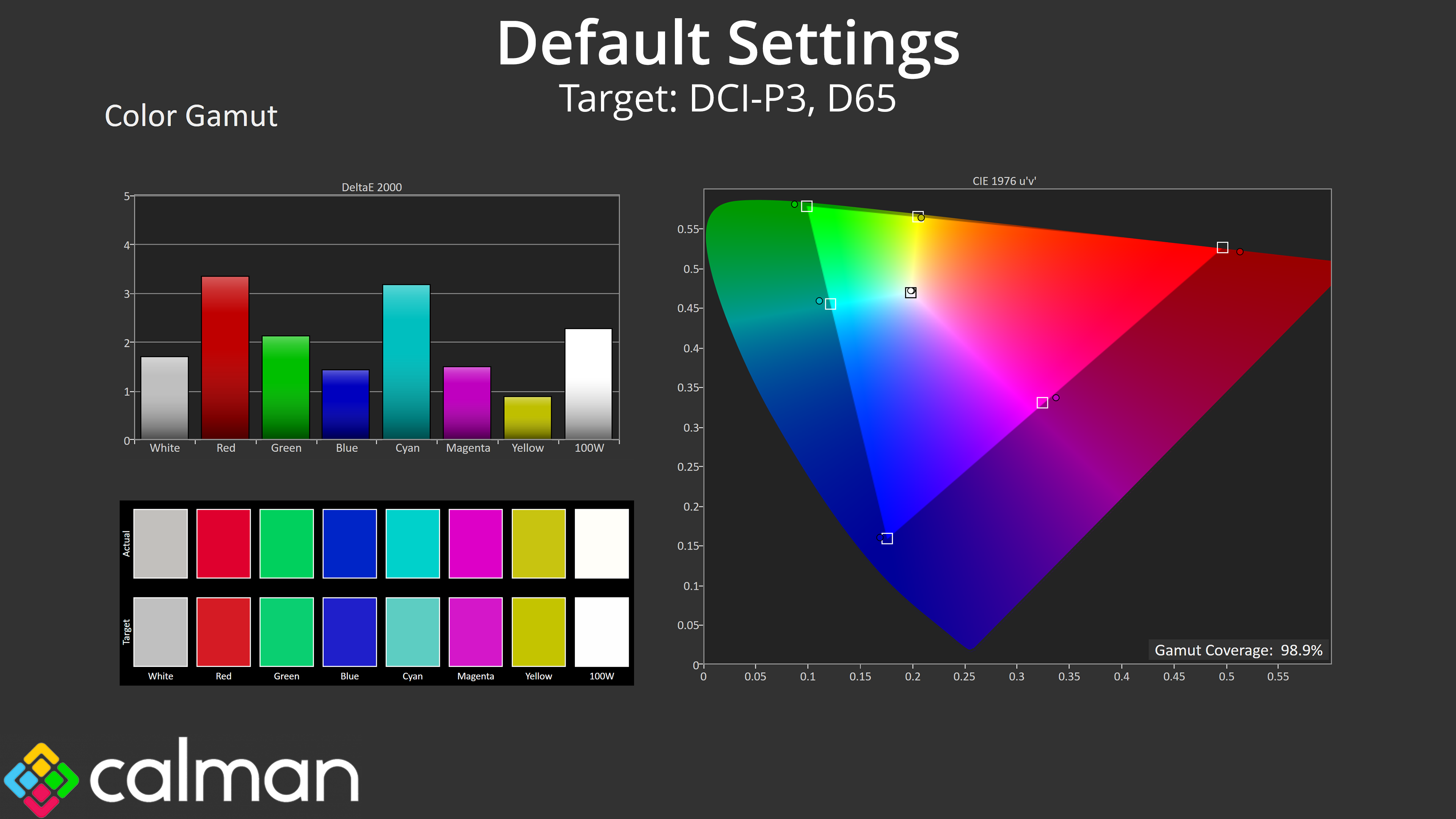
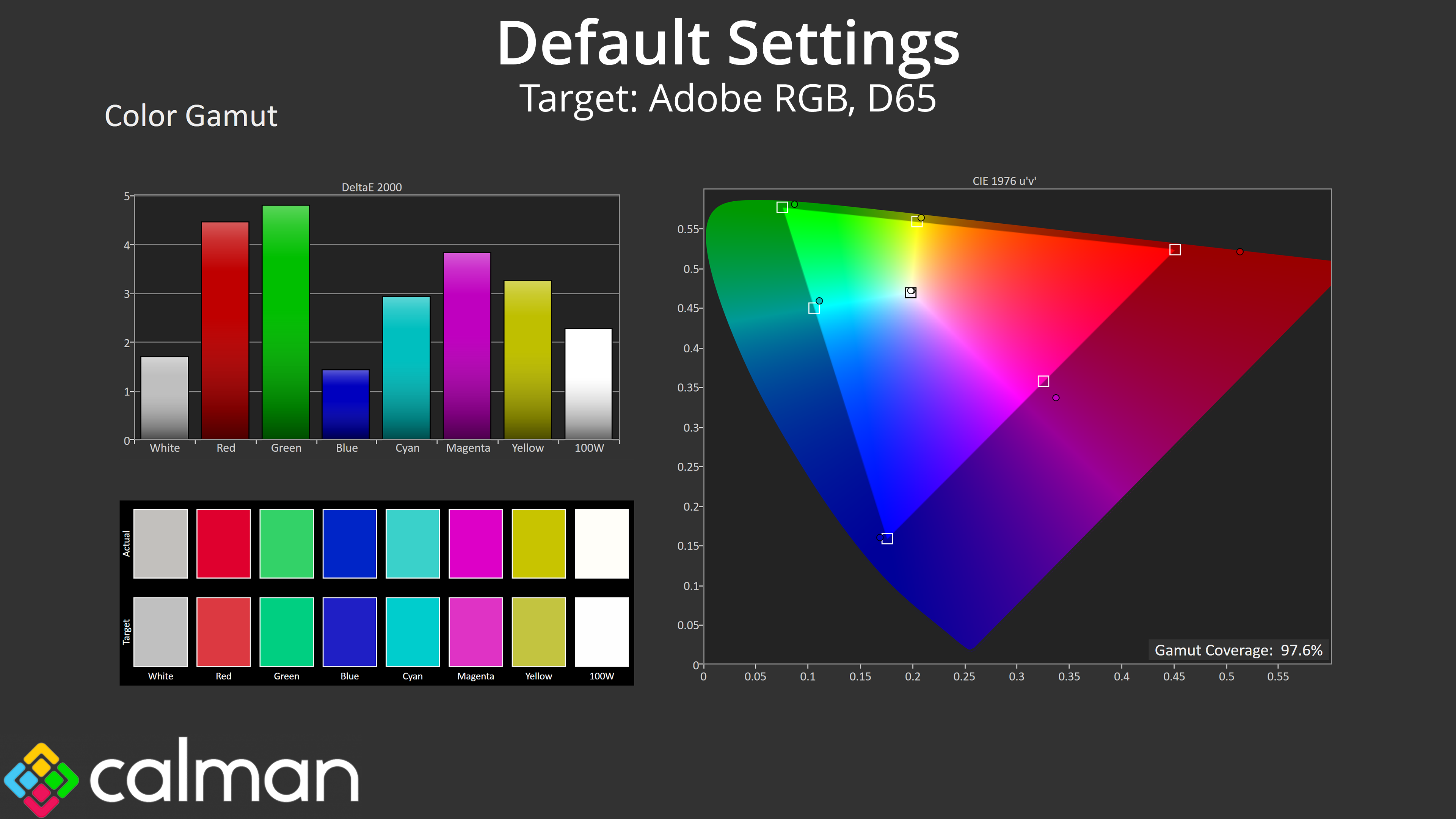
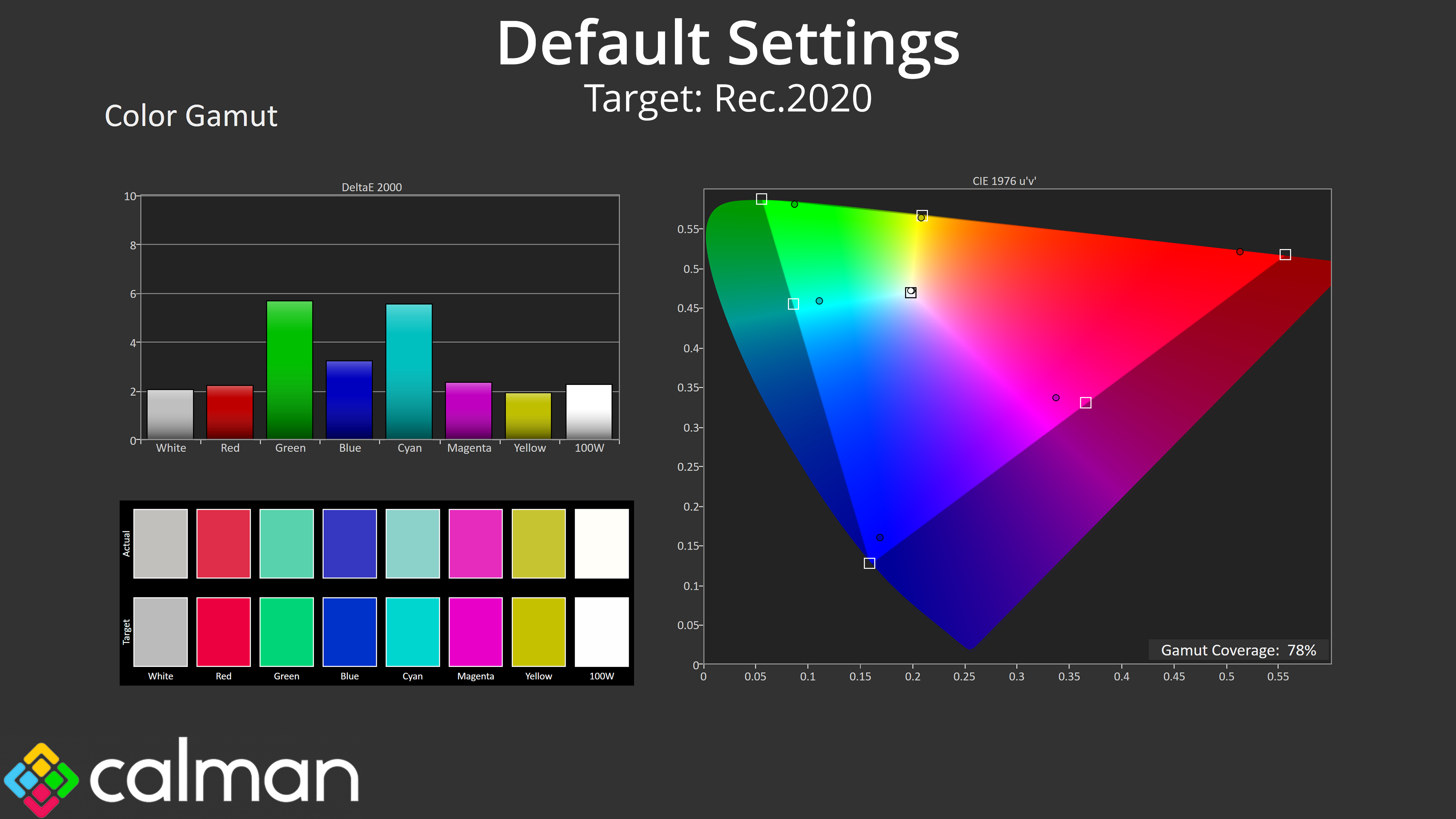
- Gamut coverage, primarily focusing on sRGB and DCI-P3 colour spaces.
- Greyscale accuracy, measured across 20 shades, with an average colour balance reported.
- The exact gamma levels, with a comparison against preset settings in the OSD.
- The colour accuracy, expressed as a Delta E ratio, with a result under 3 being fine for normal use, and under 2 being great for colour-accurate design work.
We first run these tests with the display in its out-of-the-box state, with all settings on default. If there is an sRGB emulation option or other useful mode then we may test that too. We then calibrate the screen using the Calman Ultimate software and run the tests again.
You can read more about our test methodology HERE.
Default settings
Brightness and Contrast (Full Screen)
| OSD Brightness | White Luminance (cd/m2) | Black Luminance (cd/m2) | Contrast Ratio |
| 0% | 35.7 | 0.00 | ~Infinite |
| 25% | 115.2 | 0.00 | ~Infinite |
| 50% | 200.2 | 0.00 | ~Infinite |
| 75% | 277 | 0.00 | ~Infinite |
| 100% | 321 | 0.00 | ~Infinite |
Kicking off testing with our brightness figures, we can see similar overall performance to the 272QP X50, with a minimum of 36 nits and a maximum of 321 nits – slightly above MSI's claim of 300 nits. Previous QD-OLEDs typically max out at around 260 nits for a full screen white, so this is a definite improvement.
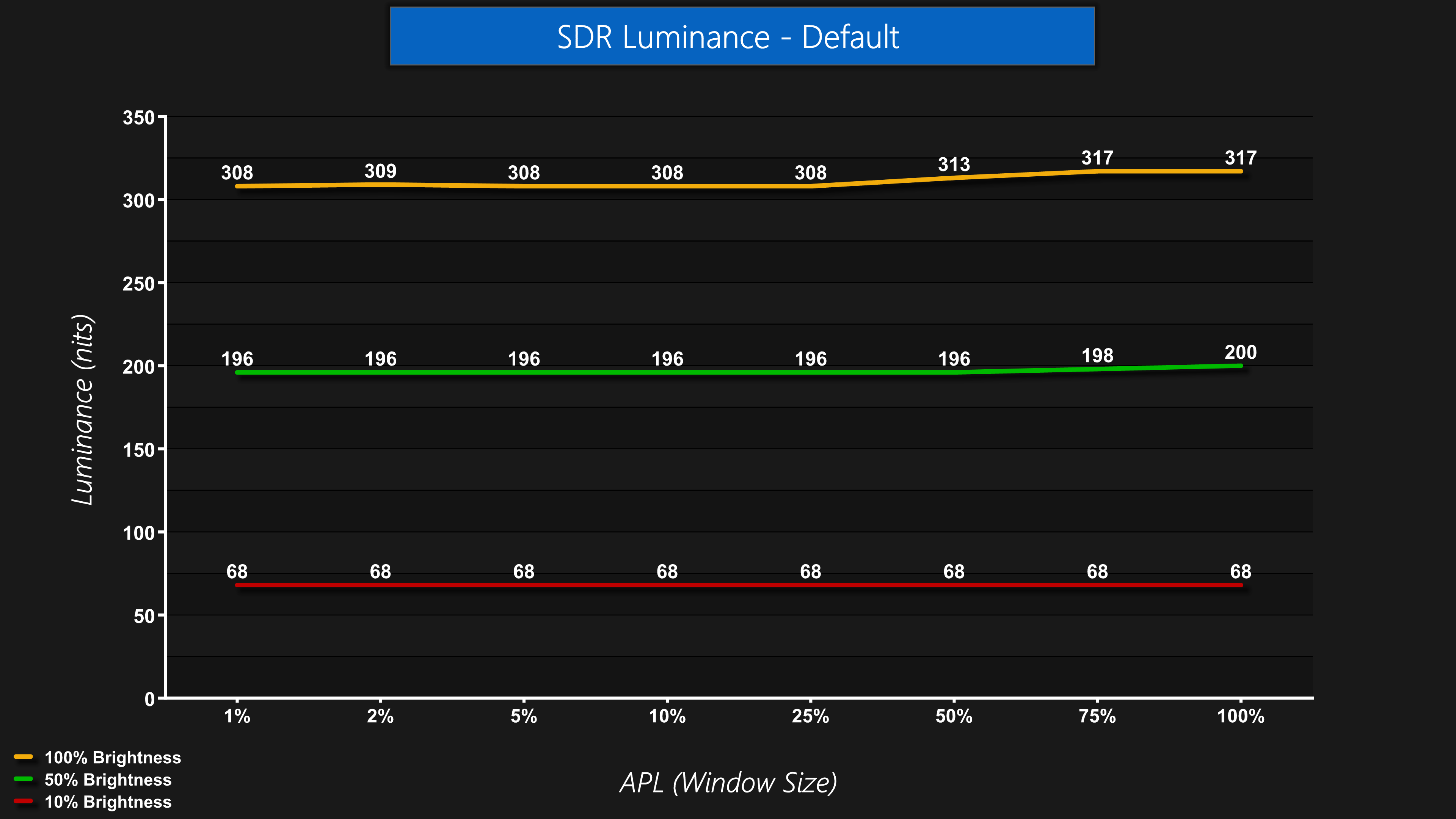
Brightness levels are generally very stable regardless of the window size, or APL, with the only slight exception being that brightness actually climbs ever so slightly as the window size progresses past 25%. This is slightly unusual as you'd expect lower brightness if anything, but the differences are only very marginal and won't be noticeable in most conditions.
Screen Uniformity
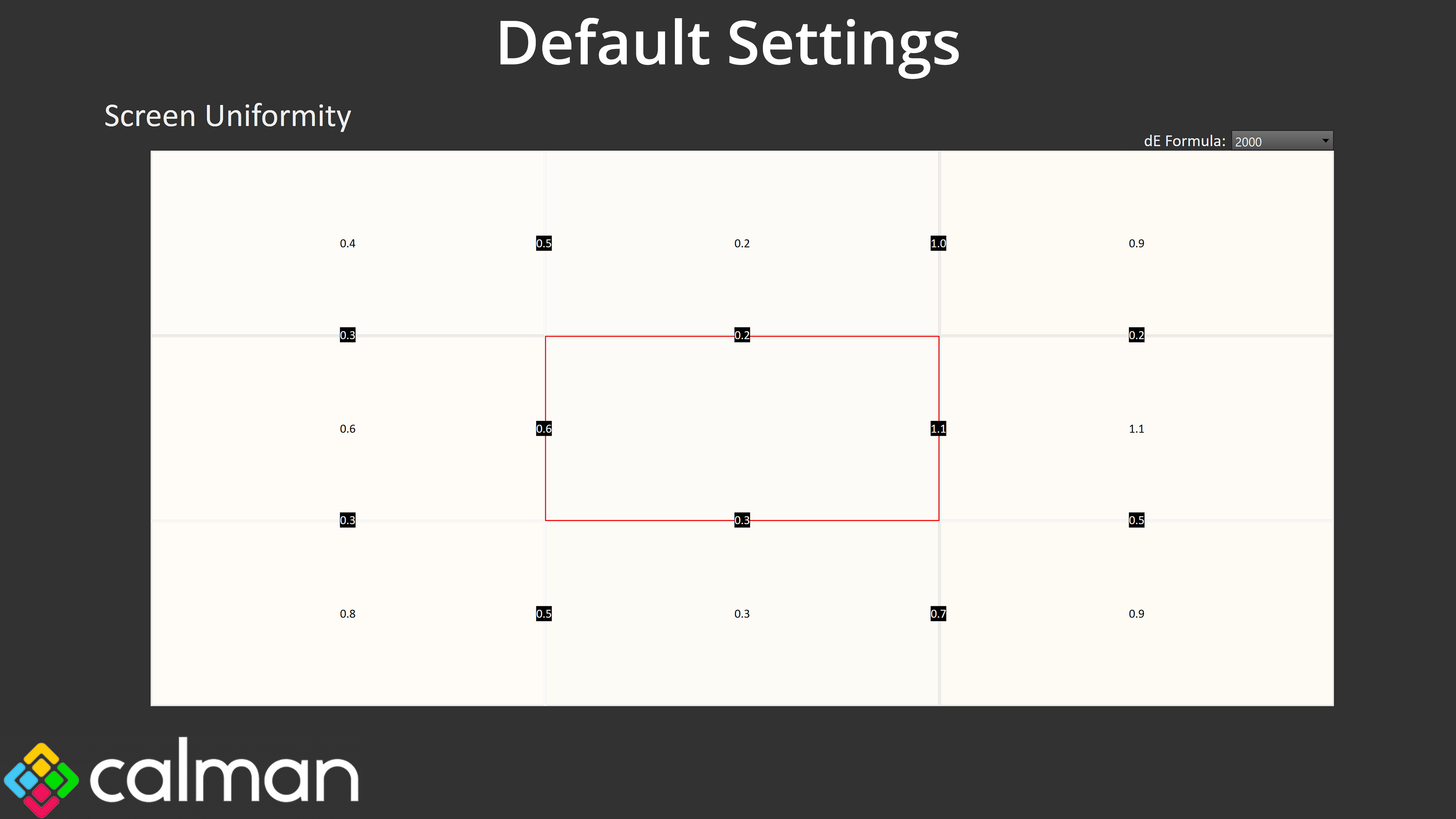
Overall panel uniformity is excellent, as we'd expect from an OLED, with next to no deviation measured across the panel.
Gamut (CIE 1976)
| Colour space | Coverage (%) |
| sRGB | 99.8 |
| DCI-P3 | 98.9 |
| Adobe RGB | 97.6 |
| Rec.2020 | 78 |
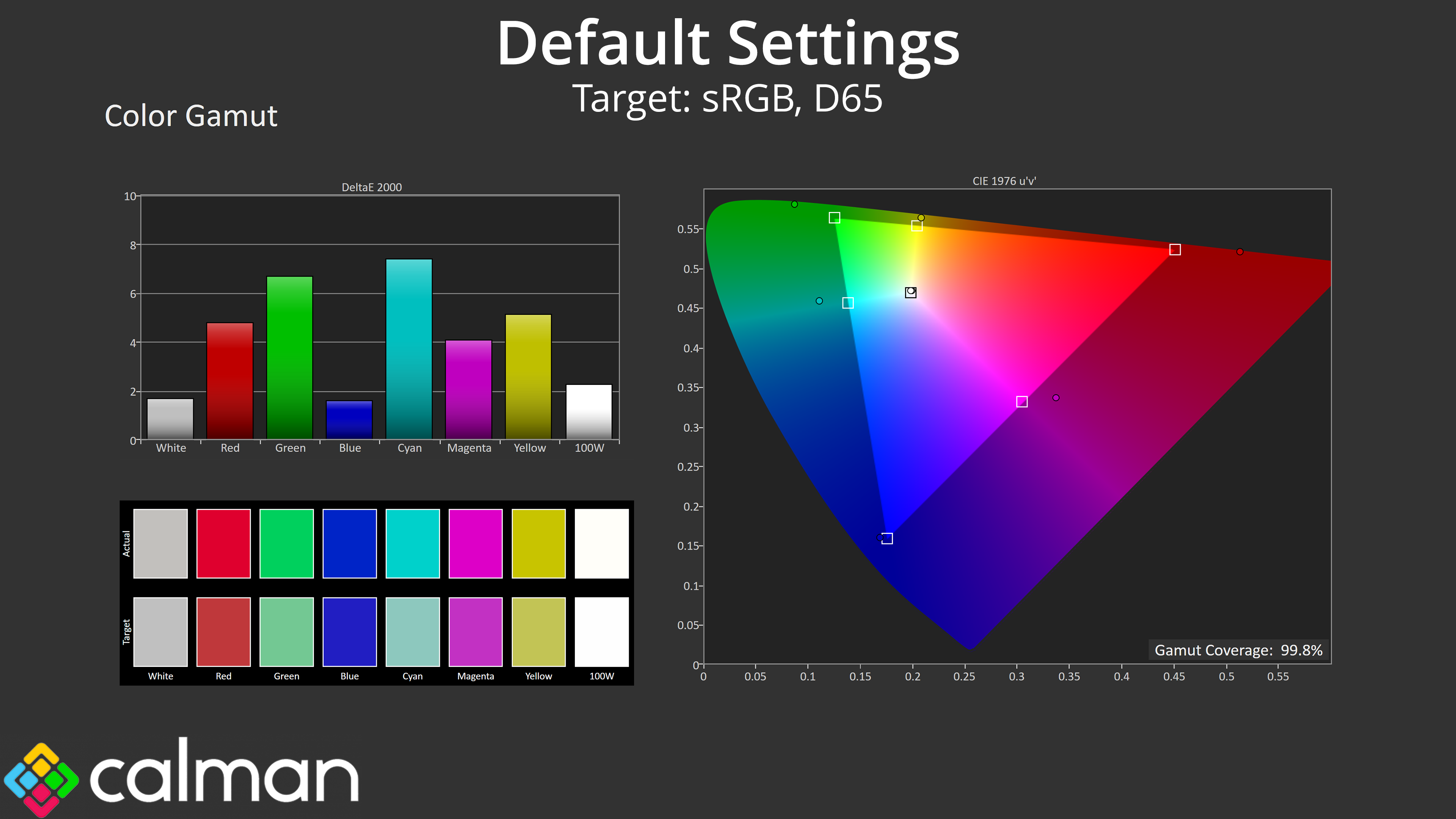
The gamut is also very wide, as we'd expect from a QD-OLED, far surpassing the sRGB space and hitting 98.9% DCI-P3, 97.6% Adobe RGB and 78% Rec.2020. Those are very similar numbers overall to the 4th Gen 272URX, so while the gamut is incredibly wide, we're not seeing any real improvements here compared to the previous generation – indicating that Samsung's focus has been on improving things elsewhere.
Greyscale
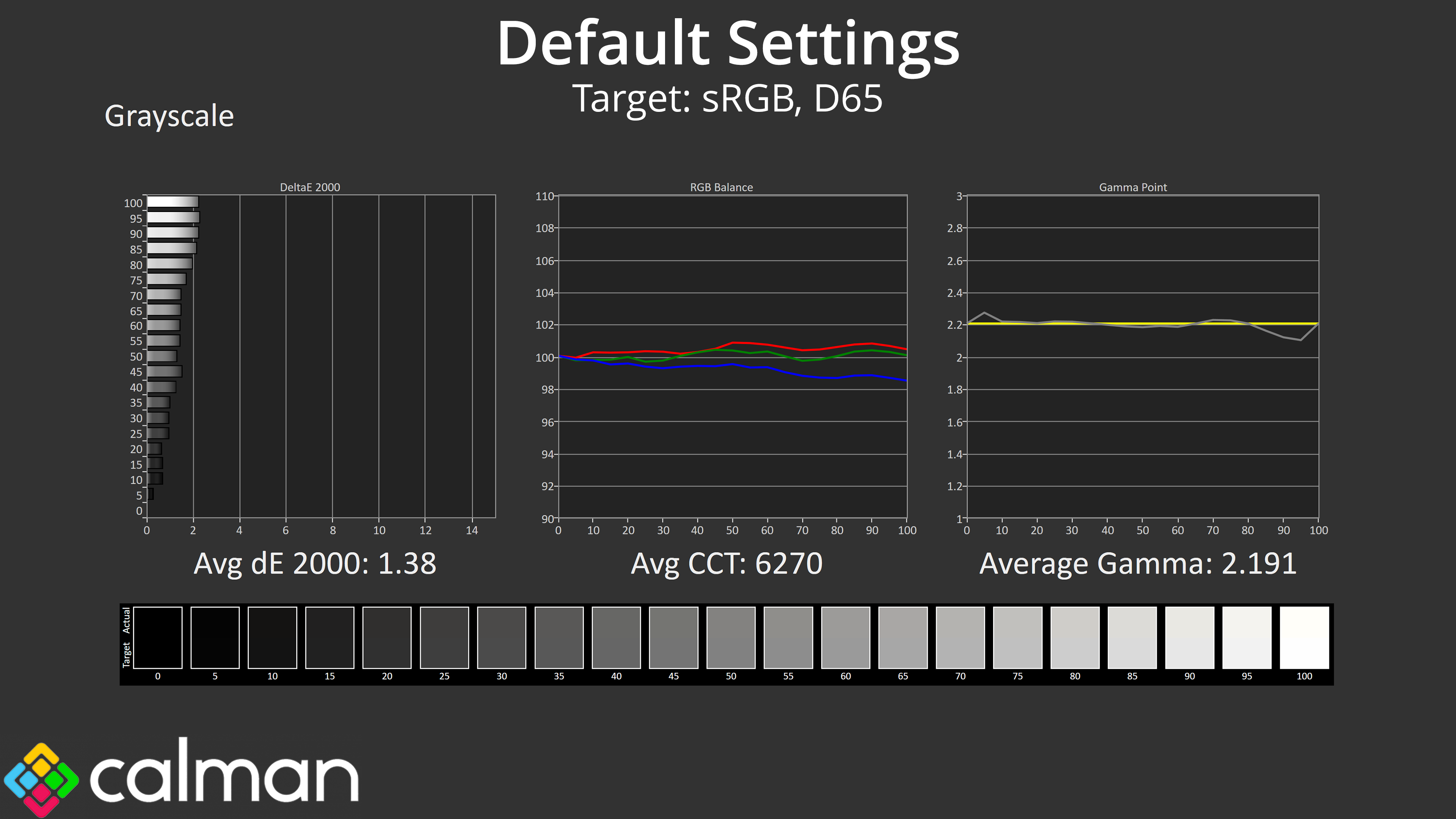
MSI has done a superb job with factory calibration though, with colour balance hitting 6270K, barely a 4% deviation from the 6500K target. Gamma tracking is pretty close to perfect, too, closely hugging the 2.2 target and averaging 2.191. Overall, the average greyscale deltaE 2000 of 1.38 indicates superb accuracy out of the box.
Saturation
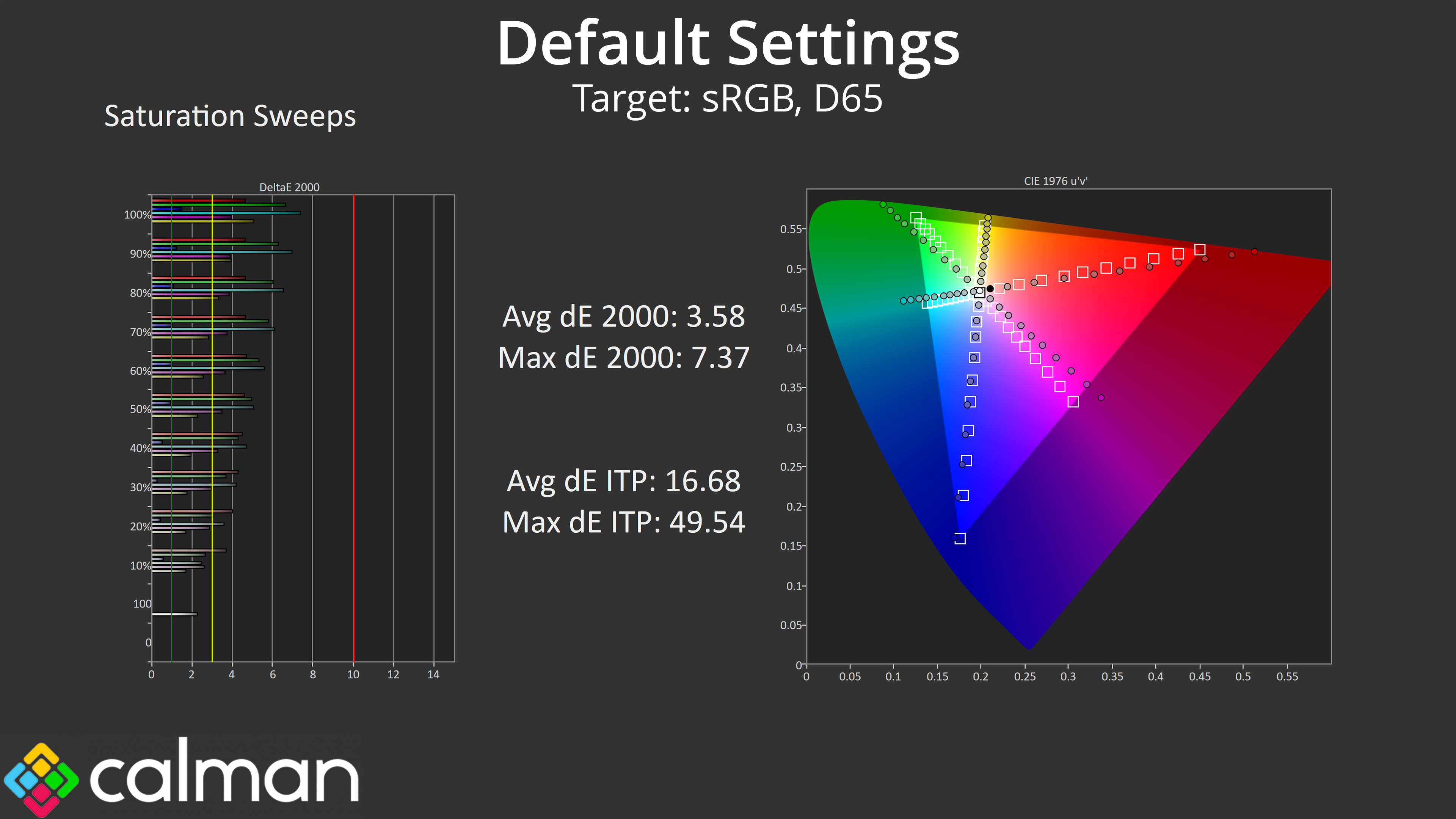
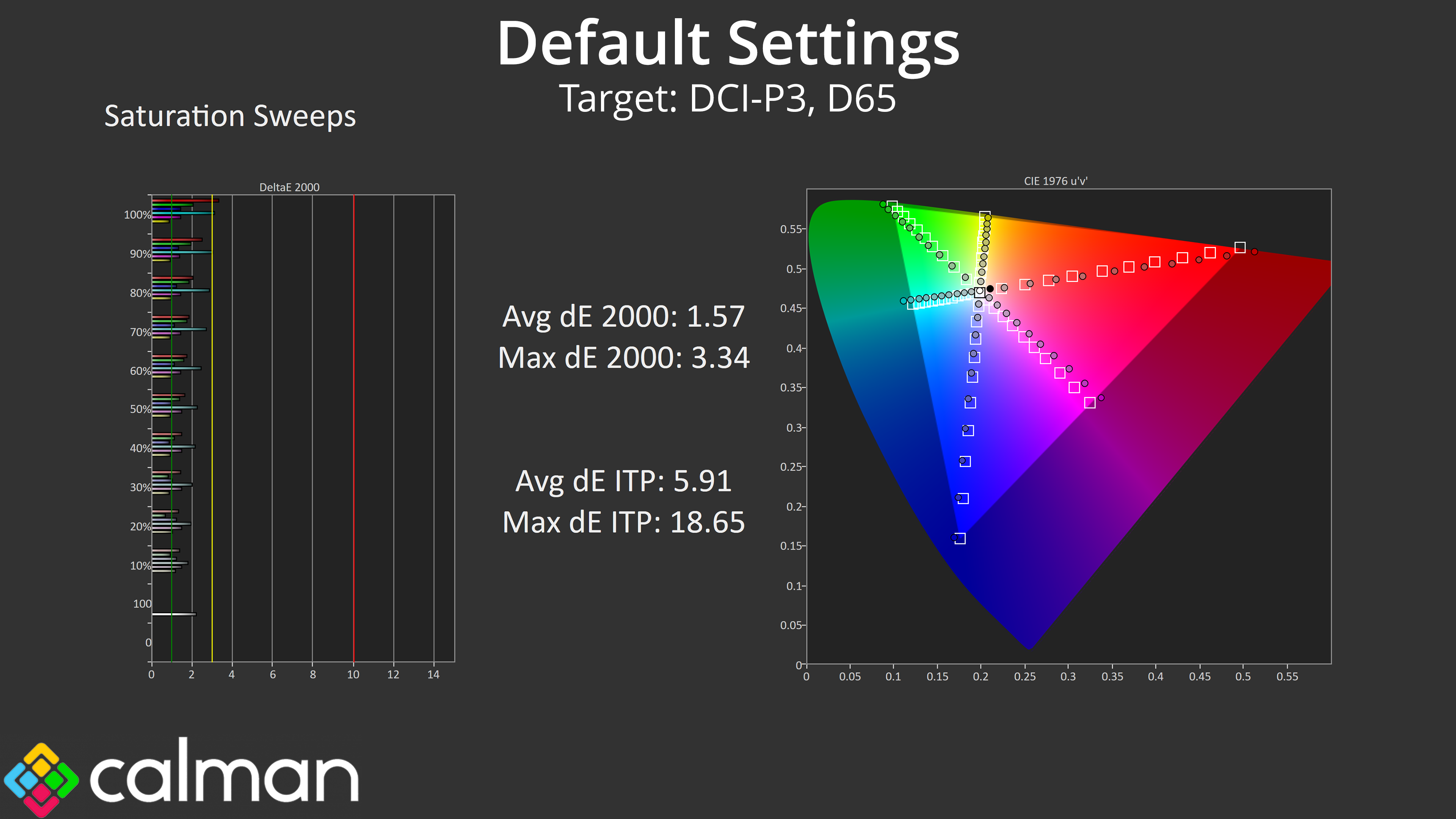
Looking at our saturation sweeps, as we'd expect from a QD-OLED monitor we do see high levels of over-saturation relative to the sRGB space, though things are more accurate compared to the DCI-P3 space.
Colour Accuracy
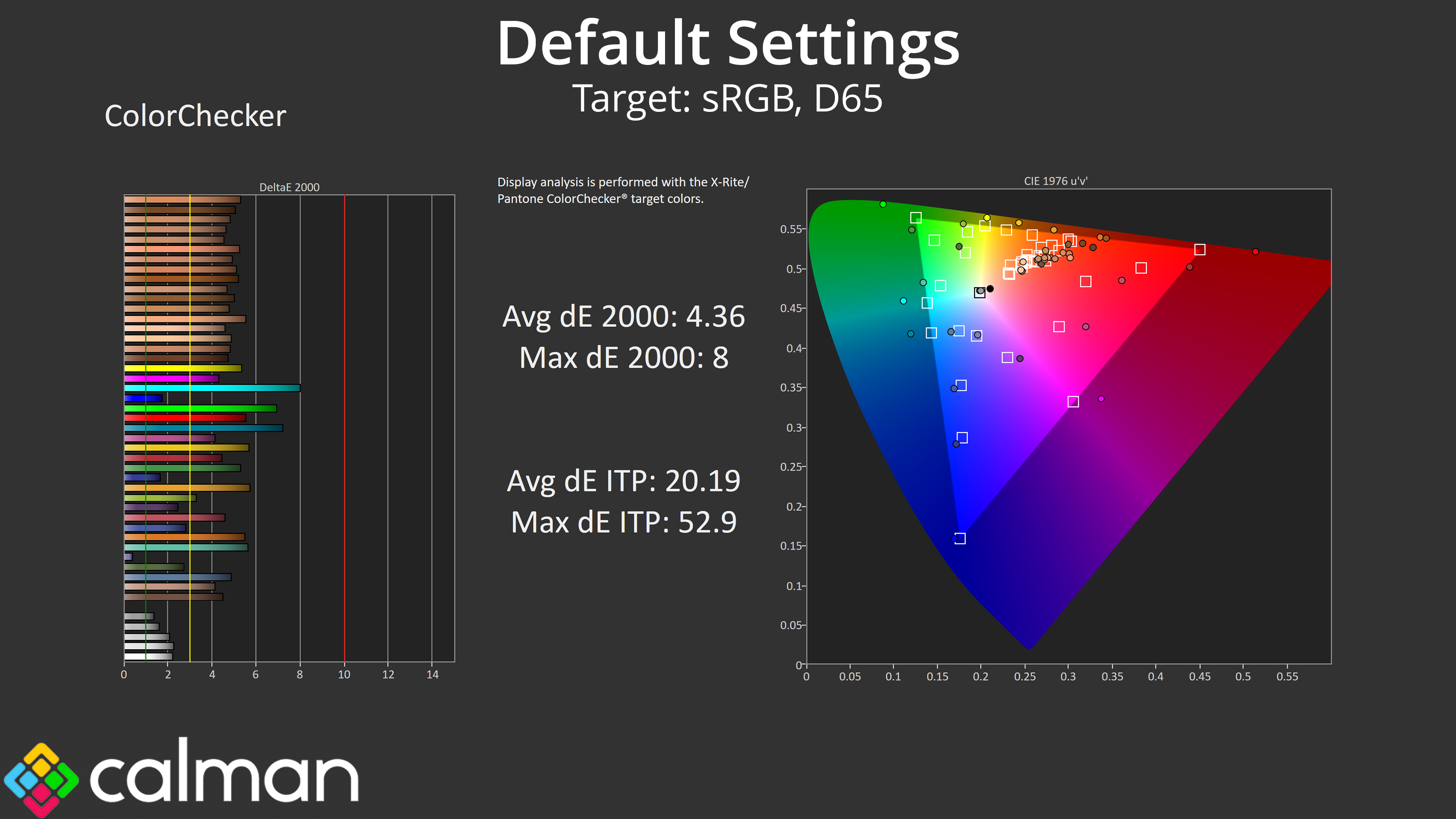
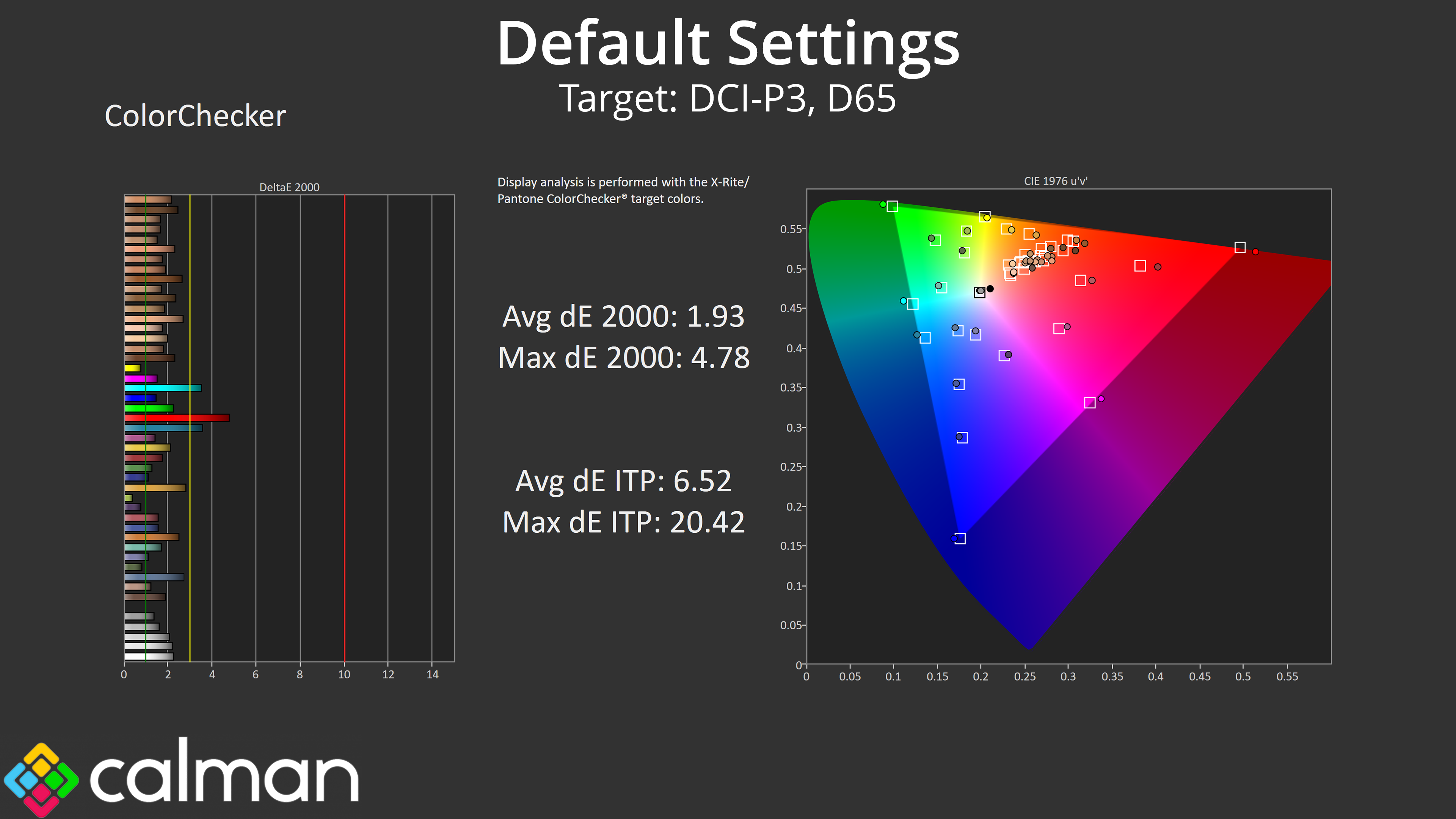
That carries over to our colour accuracy testing, with an average dE2000 of 4.36 relative to the sRGB space, though this improves to an average deltaE of 1.93 when looking at the DCI-P3 results.
sRGB Emulation Mode
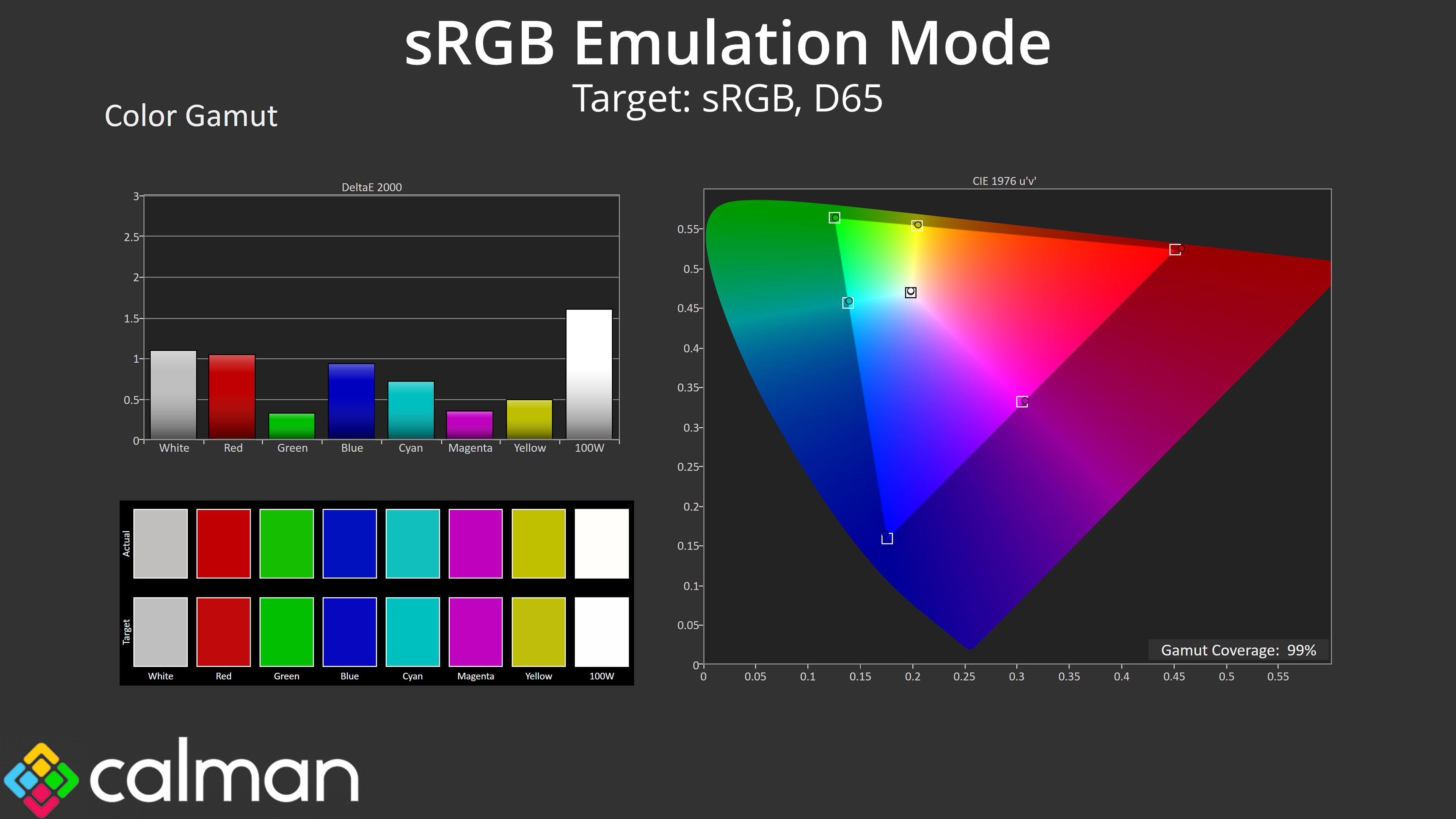
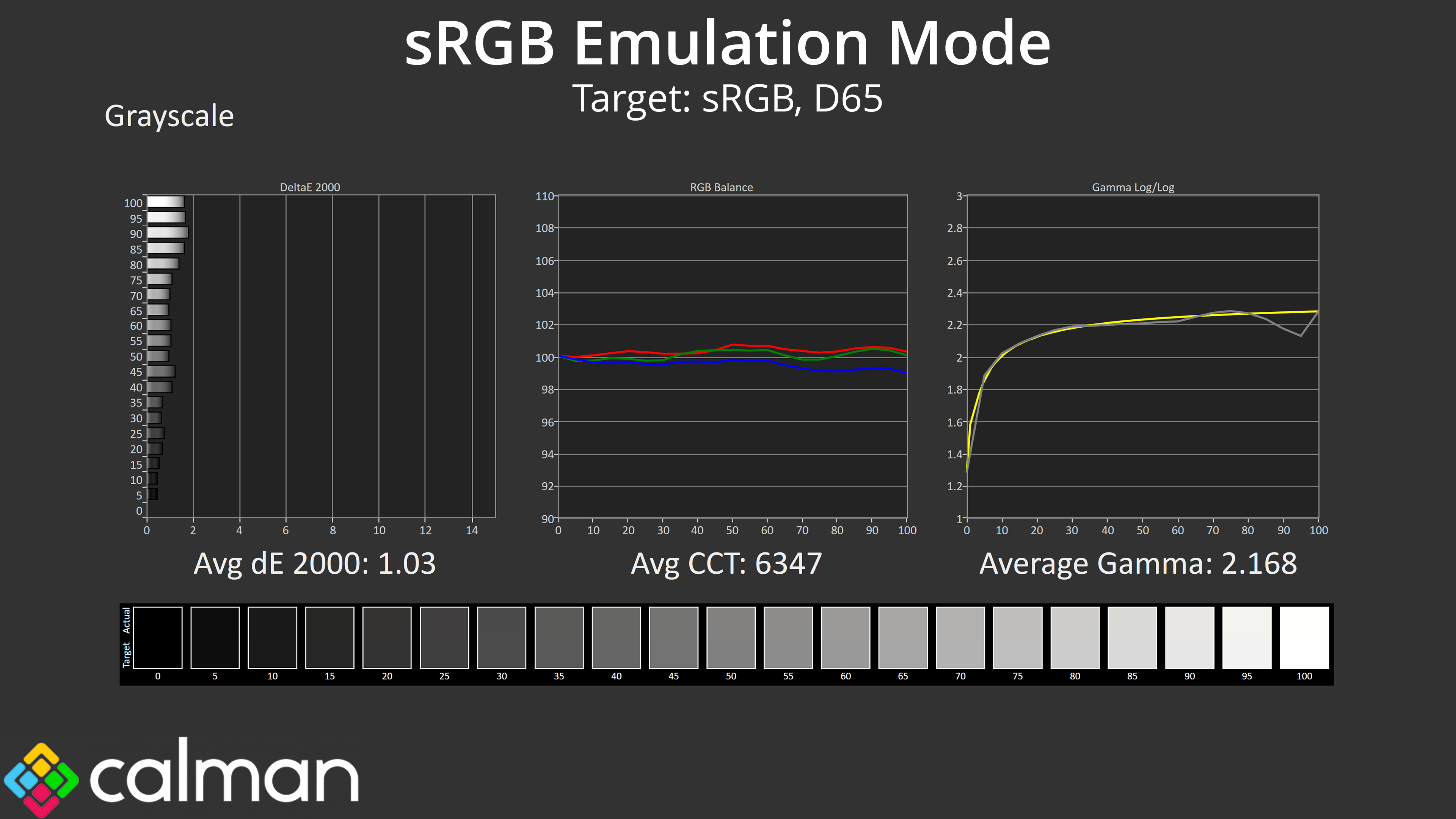
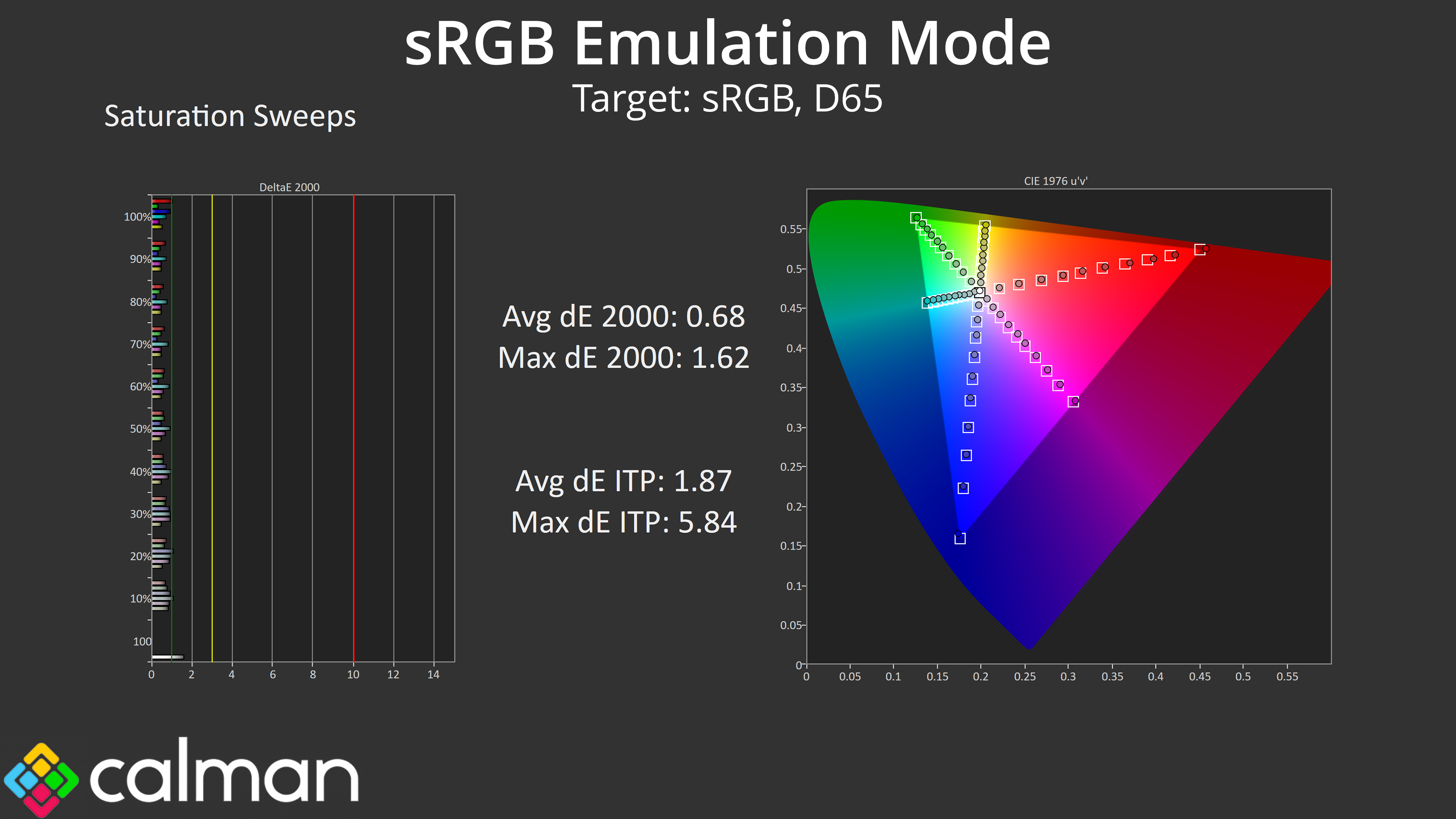
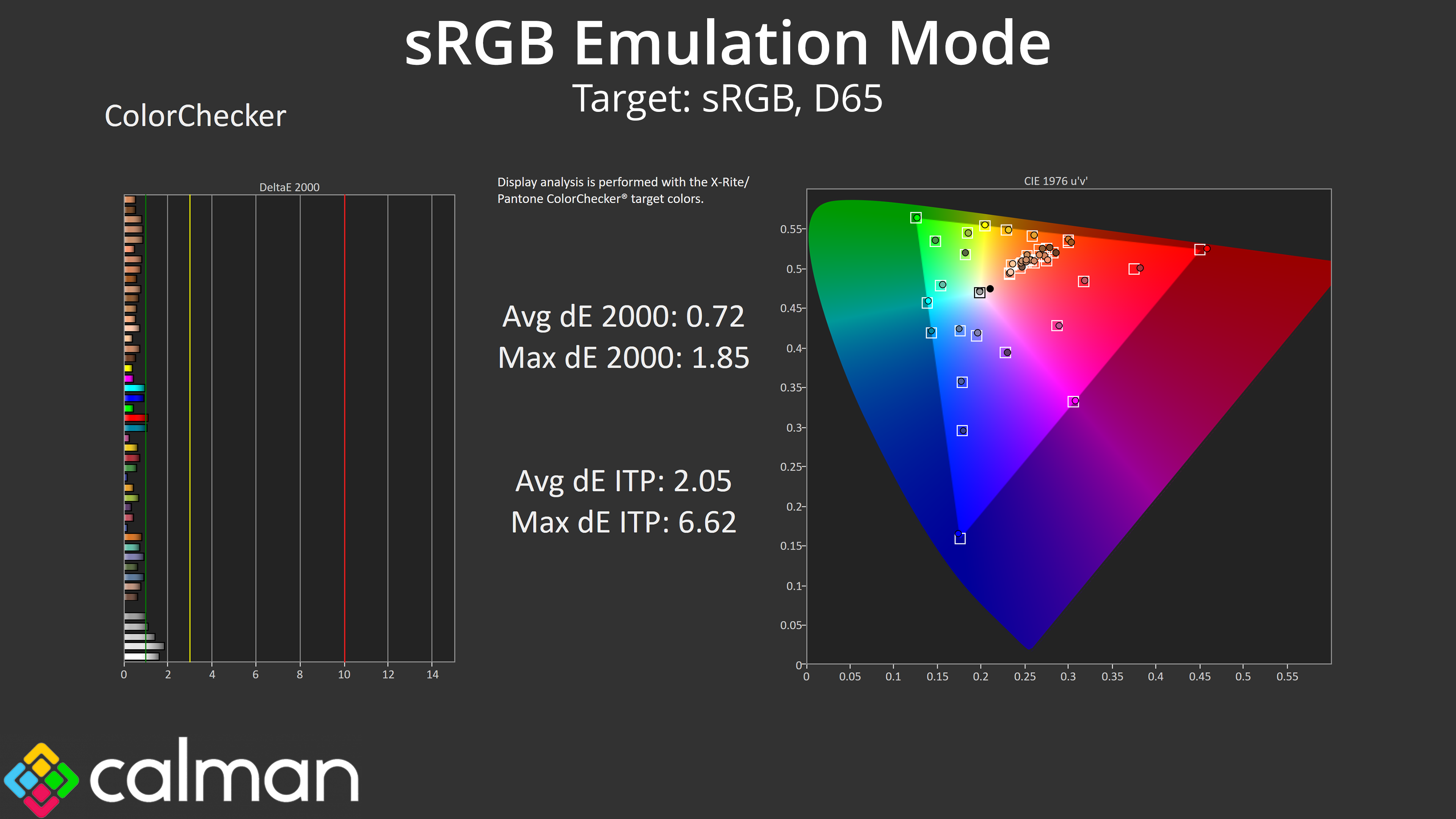
Thankfully MSI has included an sRGB emulation mode in the OSD, and it does a great job at clamping the gamut, while greyscale performance is even better than we saw by default. The saturation and colour accuracy average dEs also see huge improvements, both dropping below 1, indicating stellar levels of accuracy. Overall the sRGB mode is so good we'd hardly say it's worth calibrating!
Calibrated Results
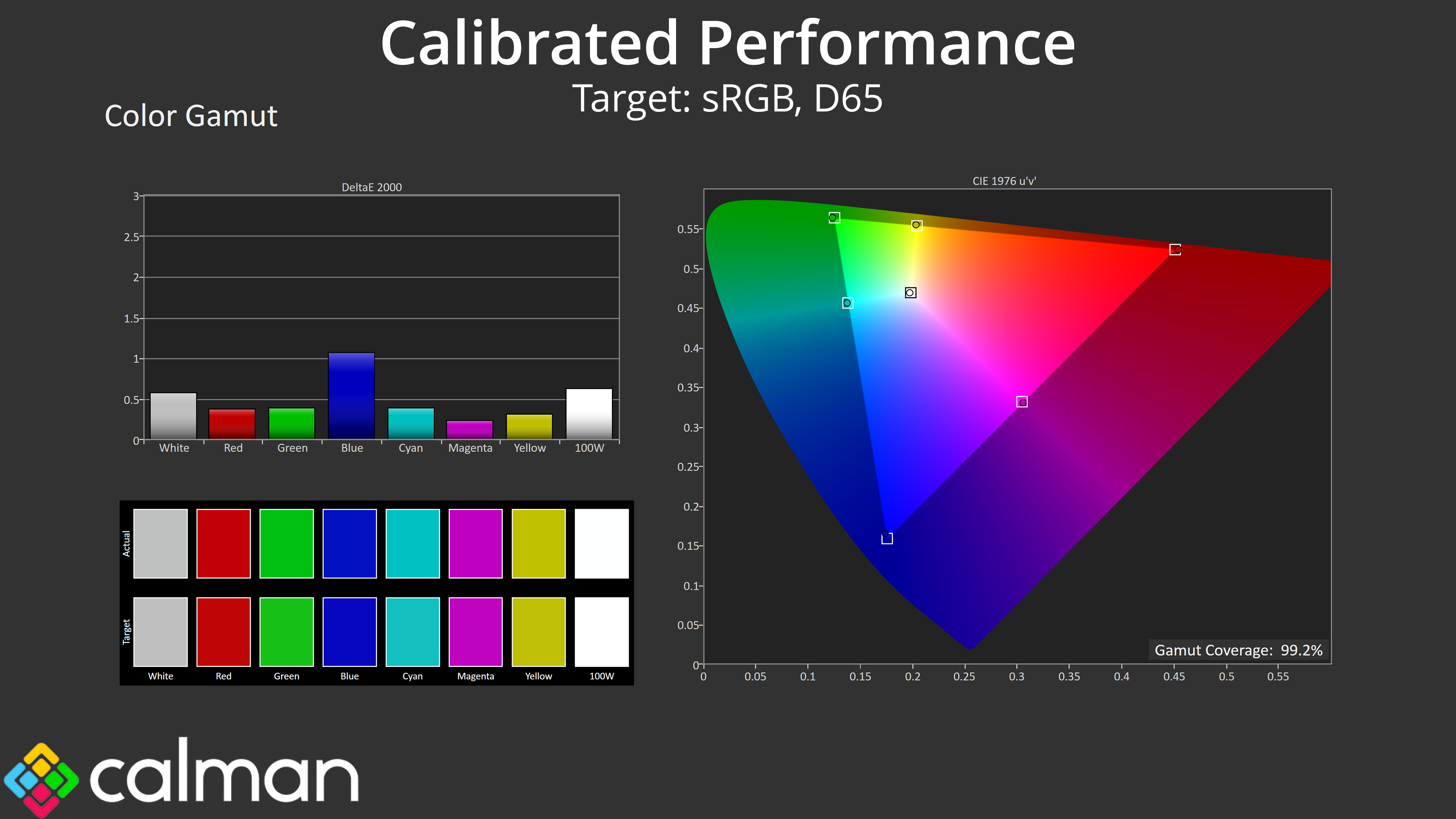
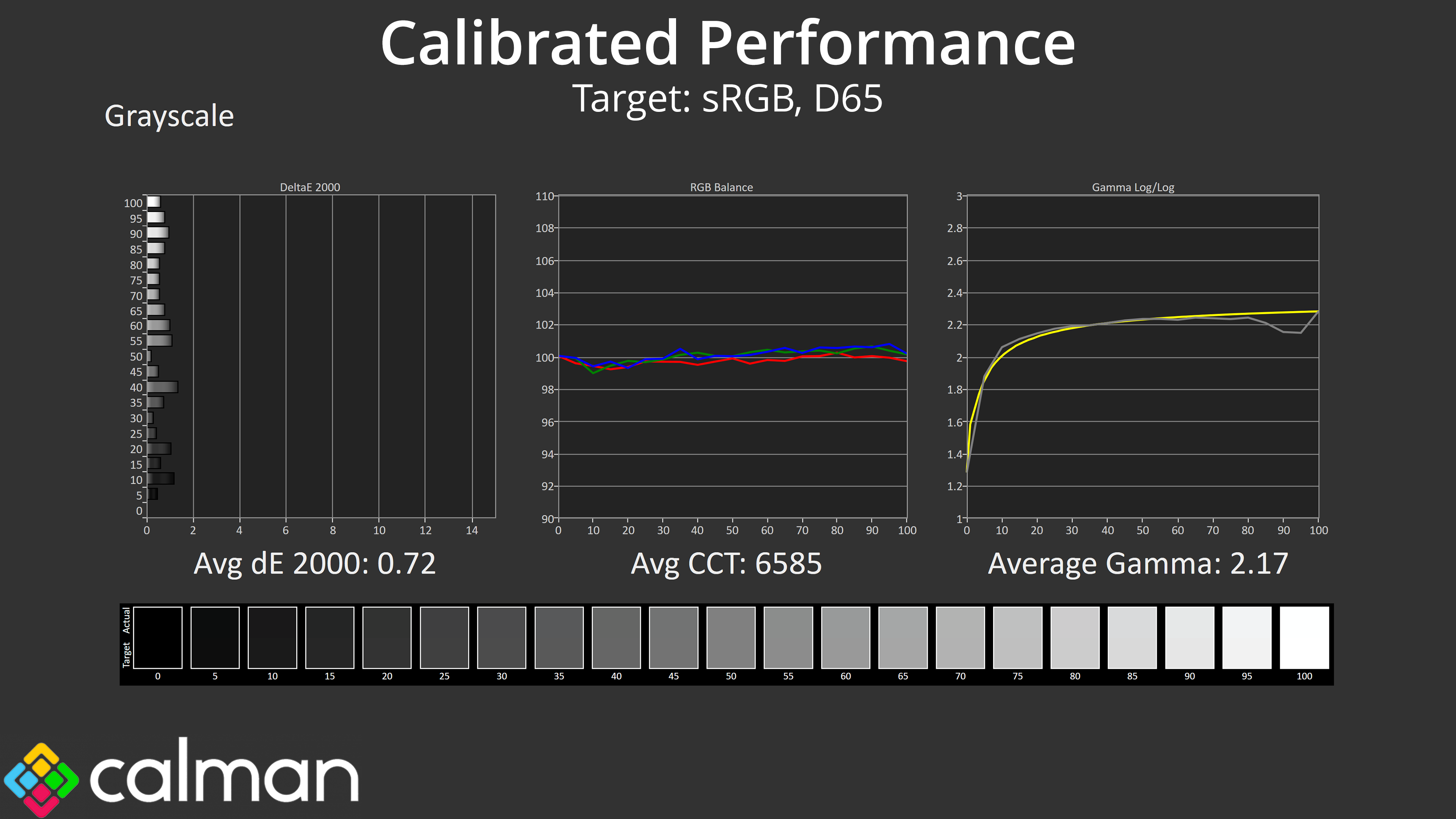
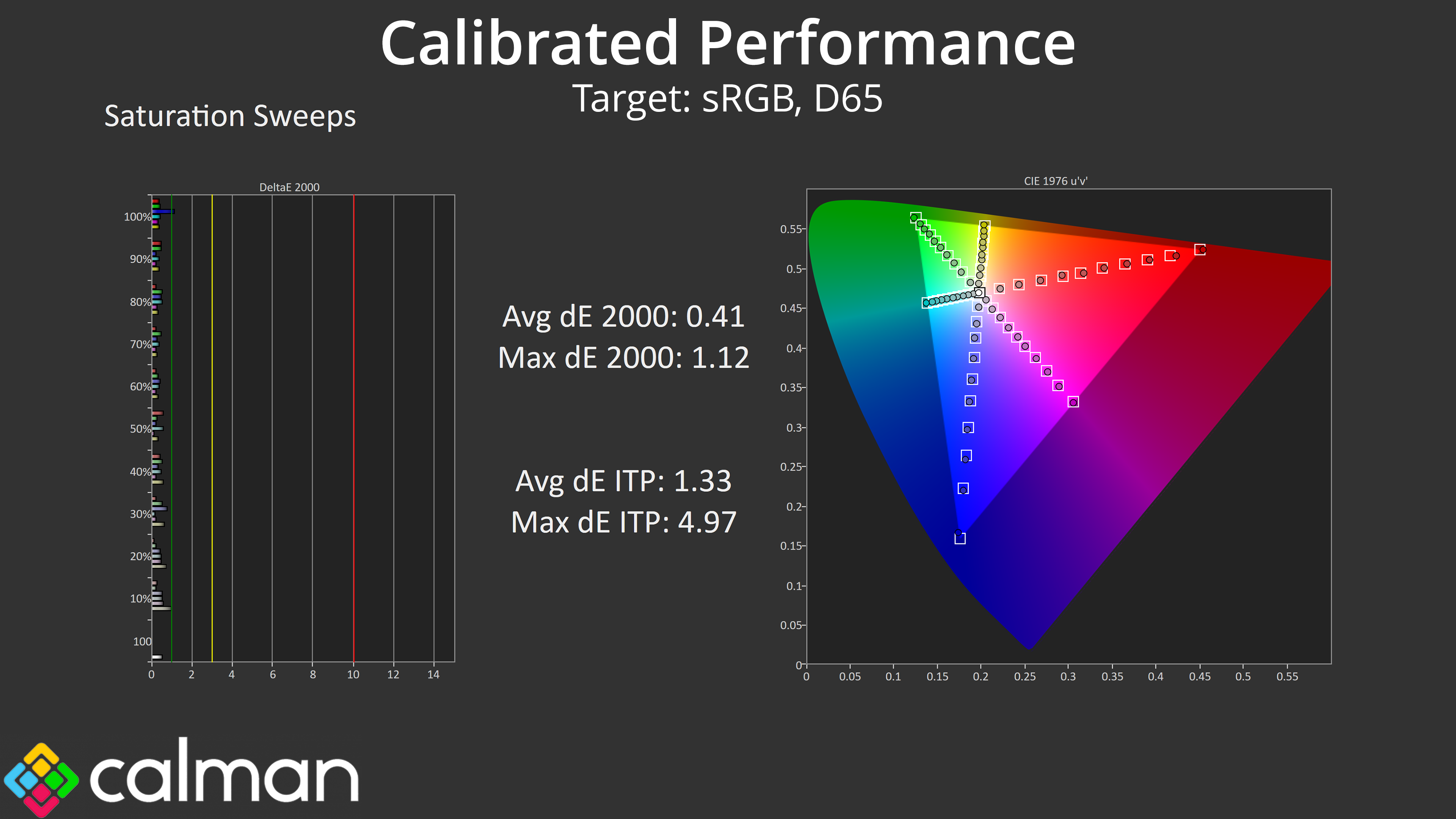
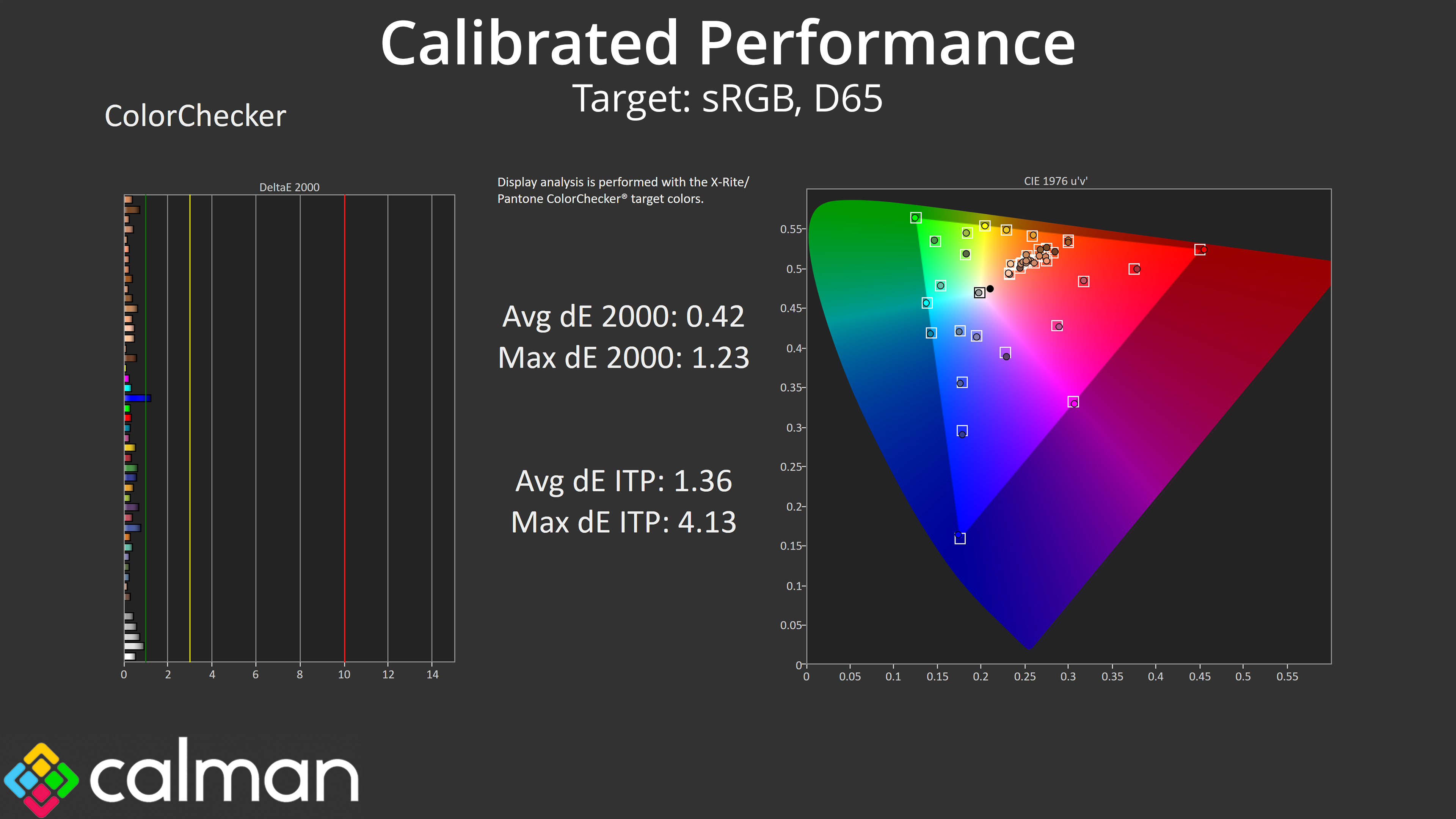
Of course, we did also try a full manual calibration using Calman Ultimate and that delivered superb results across the board, indicating what's possible if you have the required hardware and software tools.