KitGuru KitGuru.net – Tech News | Hardware News | Hardware Reviews | IOS | Mobile | Gaming | Graphics Cards


HDR Testing
Following on from the SDR results on the previous page, here we re-test the relevant areas of the display with HDR enabled.
In terms of HDR modes, Philips offers three preset modes, plus a Personal option. They are all more or less the same, just with different settings for Light Enhance and Colour Enhance, which is basically shadow boost and saturation levels for HDR. I tested the HDR Game mode, alongside the Personal mode with both enhancement options set to 0.
Brightness
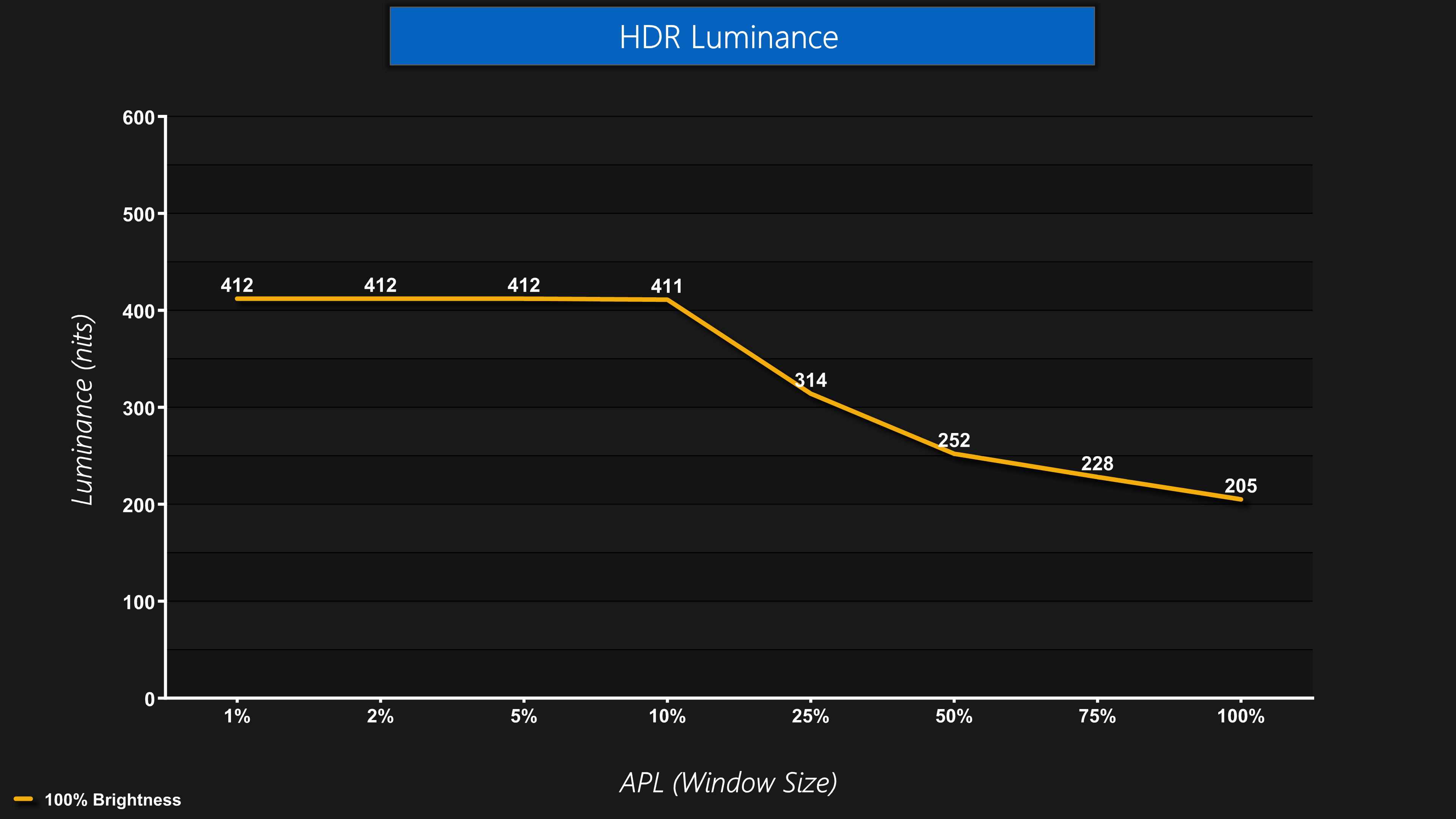
The first thing you need to know about the HDR is that the 27M2N6501L will not get as bright as other QD-OLEDs. It only offers peaks of up to 412 nits, basically mirroring True Black 400 behaviour, and there is no Peak 1000 nit option or an equivalent.
This could be disappointing for some – Philips actually told me it's because this panel uses what they call ‘Edge' technology, and it simply doesn't get as bright as other QD-OLEDs, but it's this limitation which allows them to reduce the price. You do still get some increase in brightness over SDR for window sizes up to 10% APL, but you don't get the more searing highlights of up to 1000 nits, which other QD-OLED screens can provide.
Greyscale
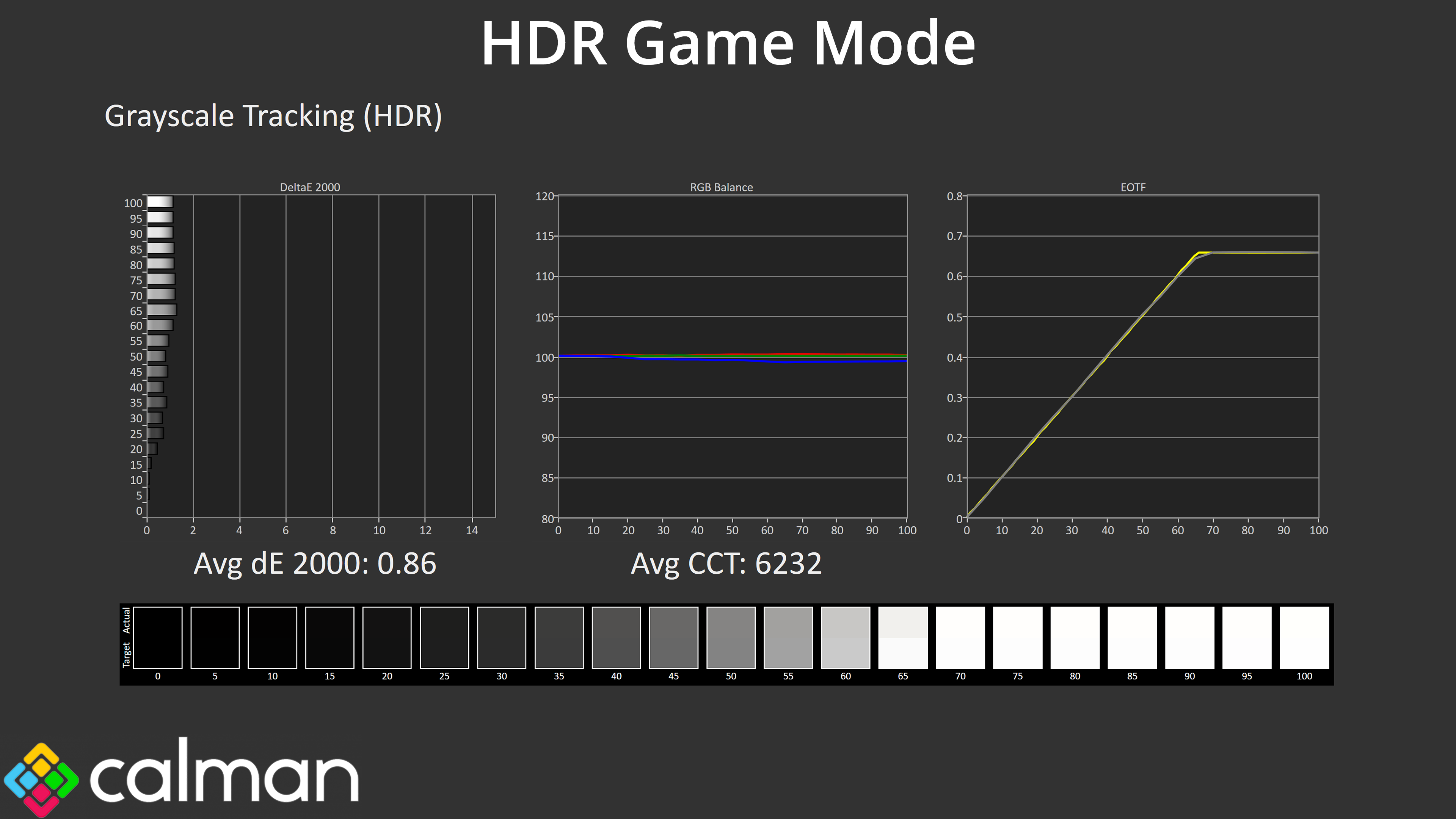
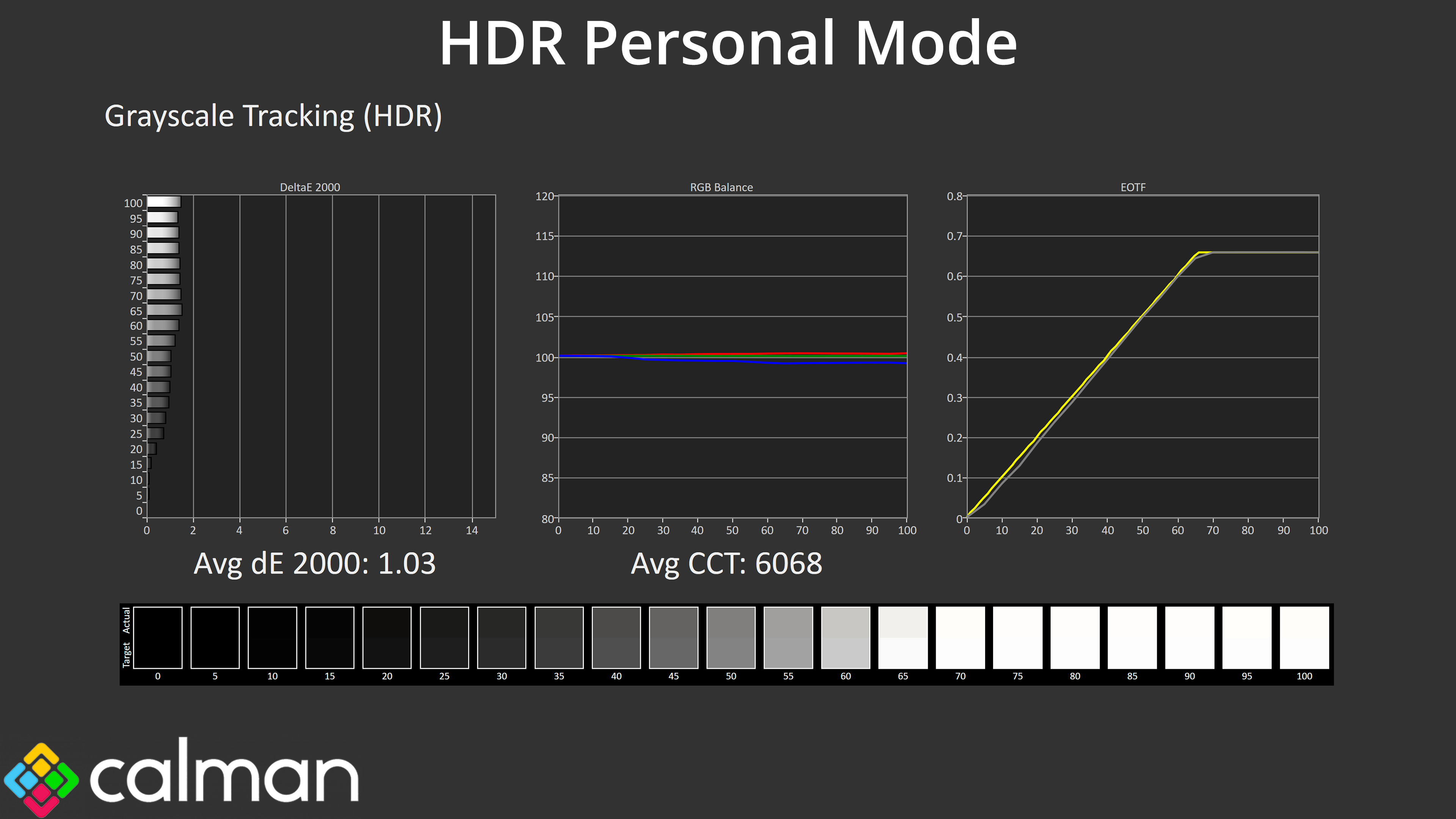
Overall greyscale is very similar between the two modes I tested, too, with a very even colour balance. EOTF tracking is also very close between the two, being nice and accurate as we'd expect from what is effectively a True Black 400 mode – though it does lack the official certification.
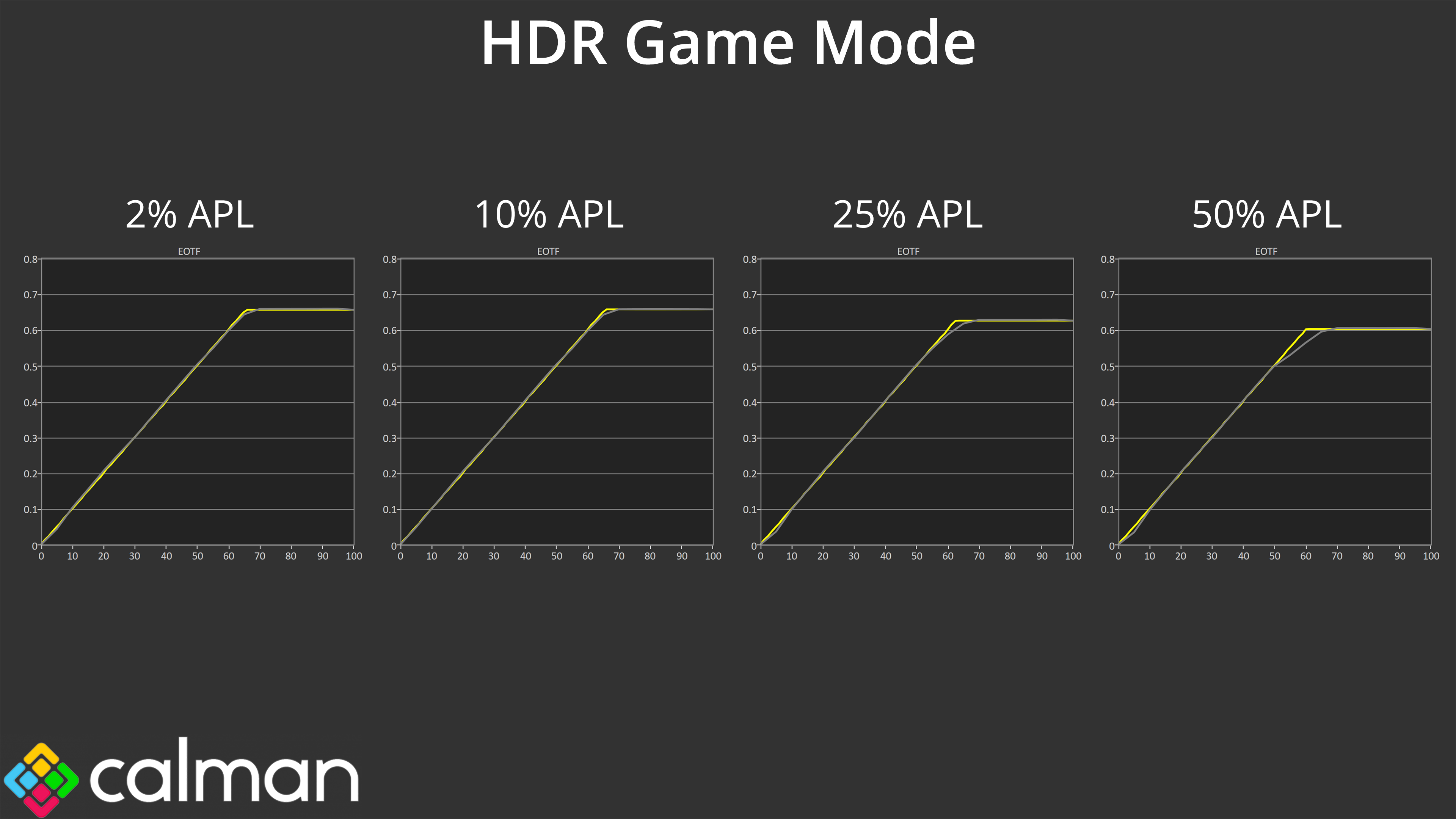
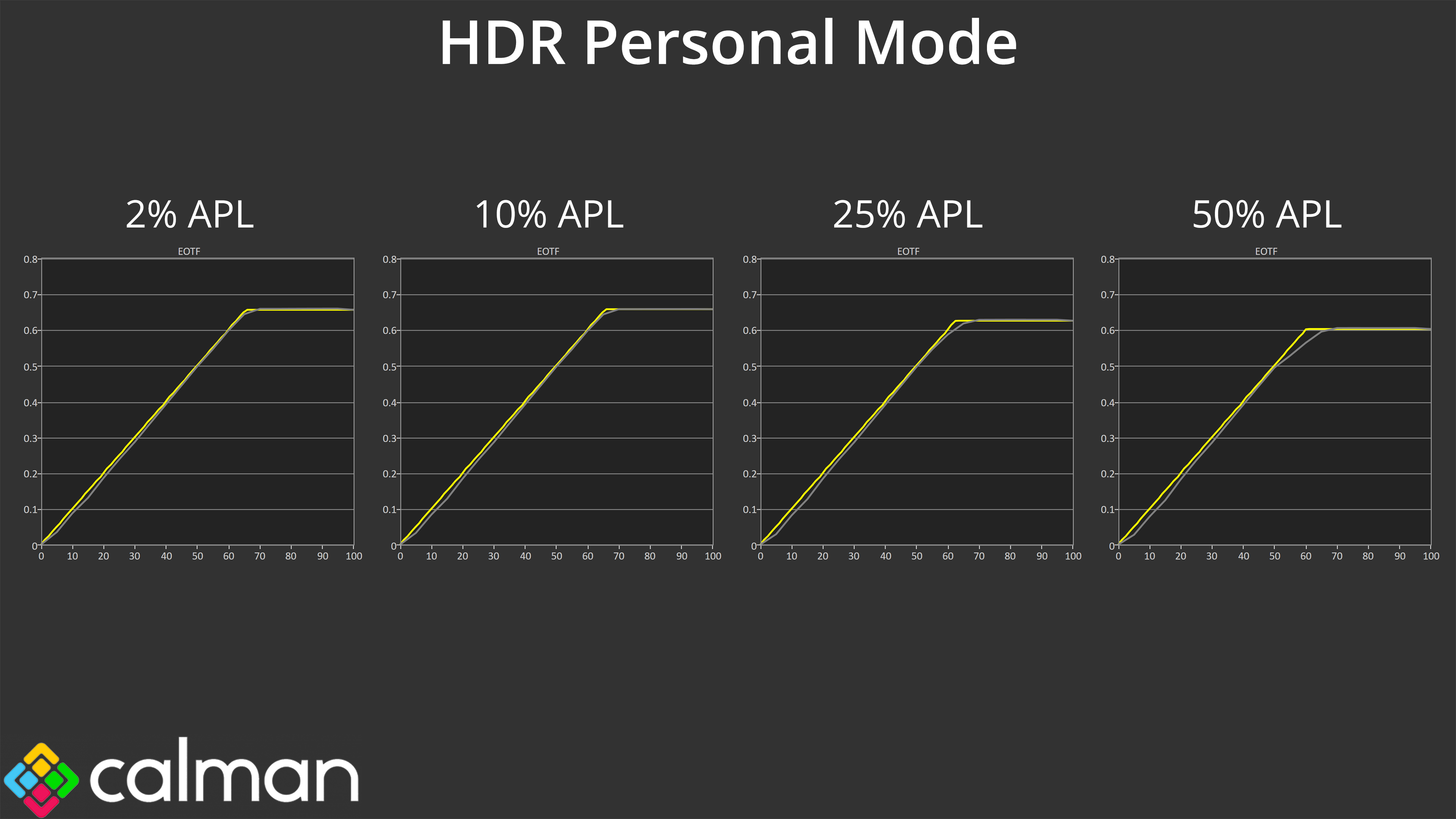
Looking at EOTF tracking across a range of window sizes, we can see that the HDR Game mode is actually slightly more accurate – the HDR Personal mode is ever so slightly dark across the curve, but the differences are small. Putting the two side-by-side we're only talking about minor differences to the final image, so I don't think it will matter too much which HDR mode you use, especially as they all share the same brightness behaviour.
Colour Accuracy
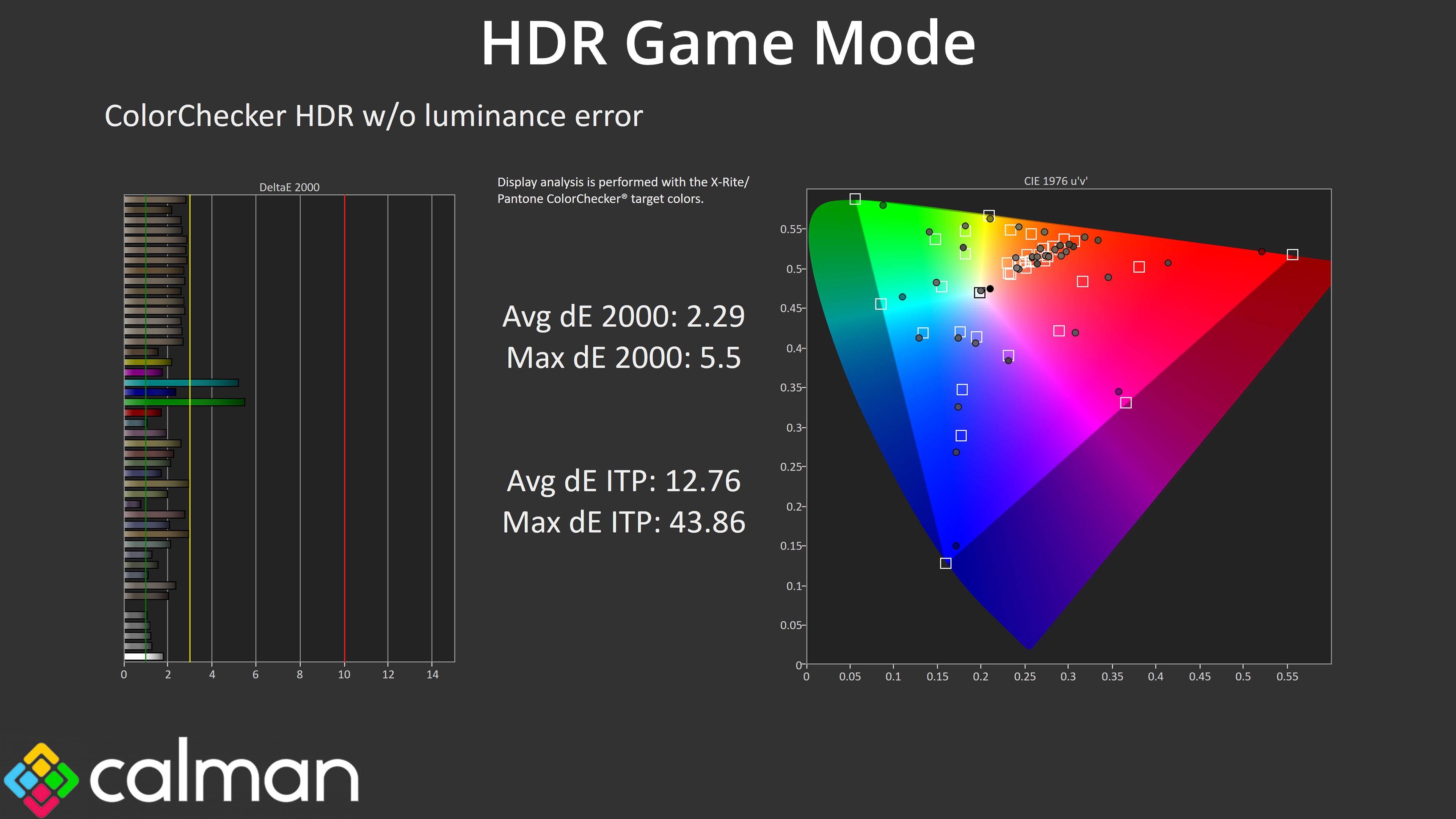
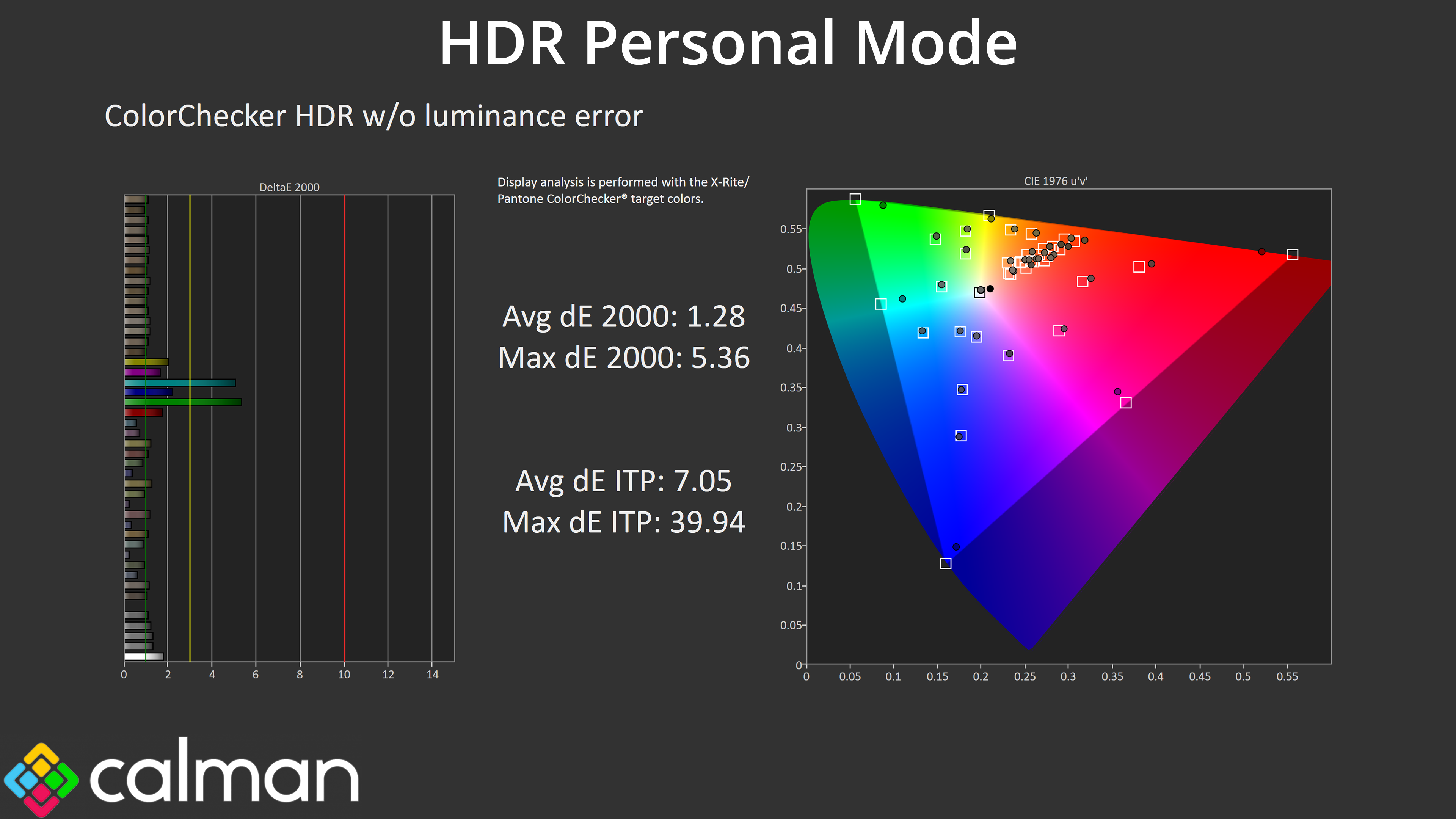
The HDR Personal mode is technically more colour accurate though, given it's not using any of the ‘enhancement' settings that are present on the other modes, so that could be a factor for some.