 KitGuru KitGuru.net – Tech News | Hardware News | Hardware Reviews | IOS | Mobile | Gaming | Graphics Cards


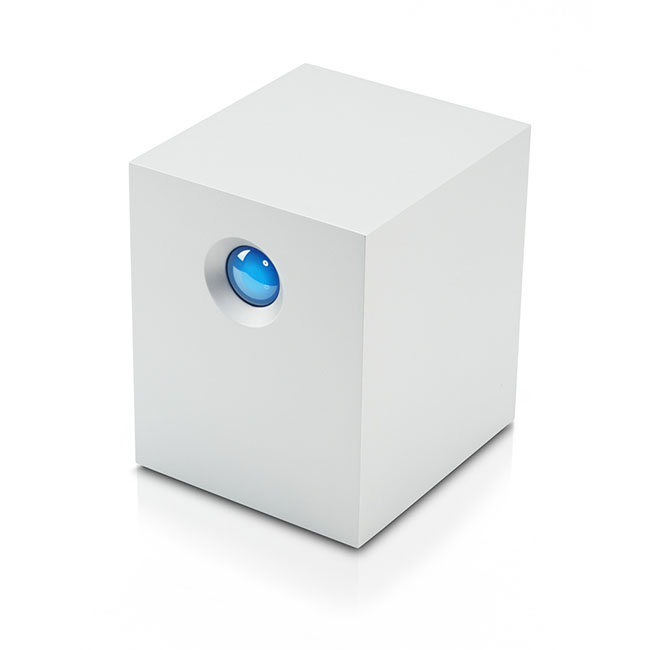
Thunderbolt, and lightning, very very frightening me! Tacky ‘Bohemian Rhapsody' quotes aside, it is great to see that the Thunderbolt interface is finally seeing some traction in the PC marketplace, having already experienced great success with Apple's hardware. The major motherboard manufacturers are adopting Thunderbolt on a handful of their latest products, although licensing costs are still prohibitive. With this is mind, we thought we would revisit the LaCie 5Big Thunderbolt RAID device, in a stonking 20TB capacity. What can a Thunderbolt equipped storage device do for you?
LaCie are a well known company, producing quality enclosures for as long as I can remember. The LaCie 5big 20TB Thunderbolt RAID DAS we are reviewing today is equipped with five (hence the name ‘5Big') 4TB enterprise class mechanical hard drives. They do sell the 5Big in other capacities (5x2TB=10TB, and 5x5TB=25TB), with the less expensive 10TB unit being the biggest seller.
The LaCie 5Big Thunderbolt is shipped preconfigured for RAID 0, giving the fastest speeds possible. Not ideal if you want the most secure backup however, as there is a higher risk of data loss. Raid 1 is also an option, but you lose half the capacity and much of the performance potential. We will look at this in more detail, later in the review.
LaCie 5big Thunderbolt RAID overview:
- Shocking speeds up to 785MB/s
- RAID 0, 1, and JBOD support with hot swap
- Dual Thunderbolt ports for daisy chaining
- Whisper-quiet dual cooling
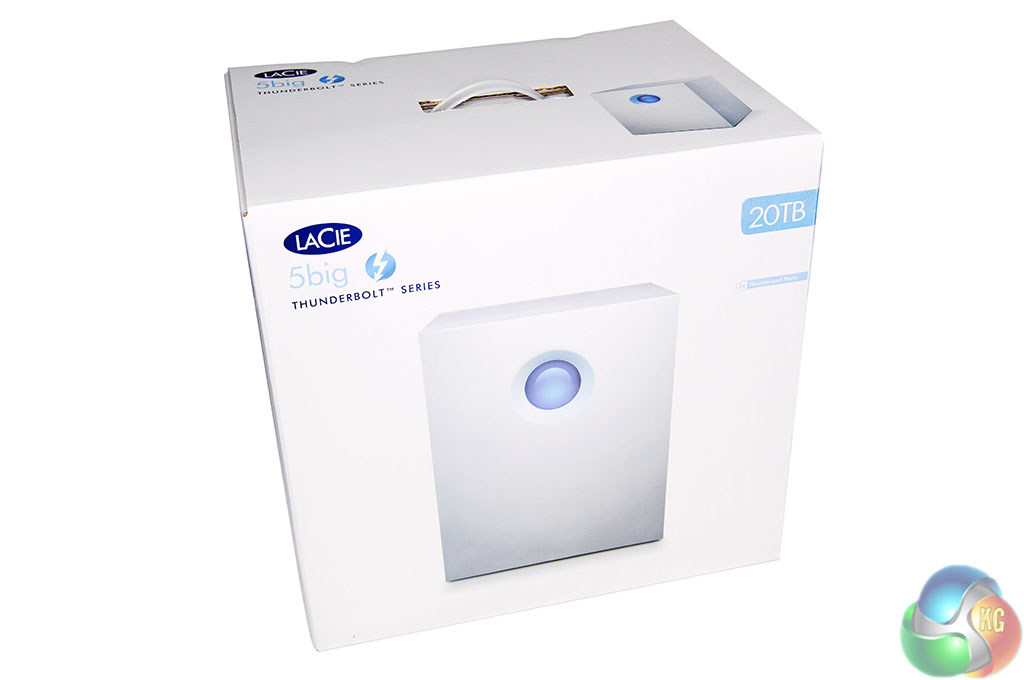
The LaCie 5Big Thunderbolt RAID ships in a large, very heavy white box. On the front is a generic image of the unit. Top right, they list the capacity which in this case is 20TB.
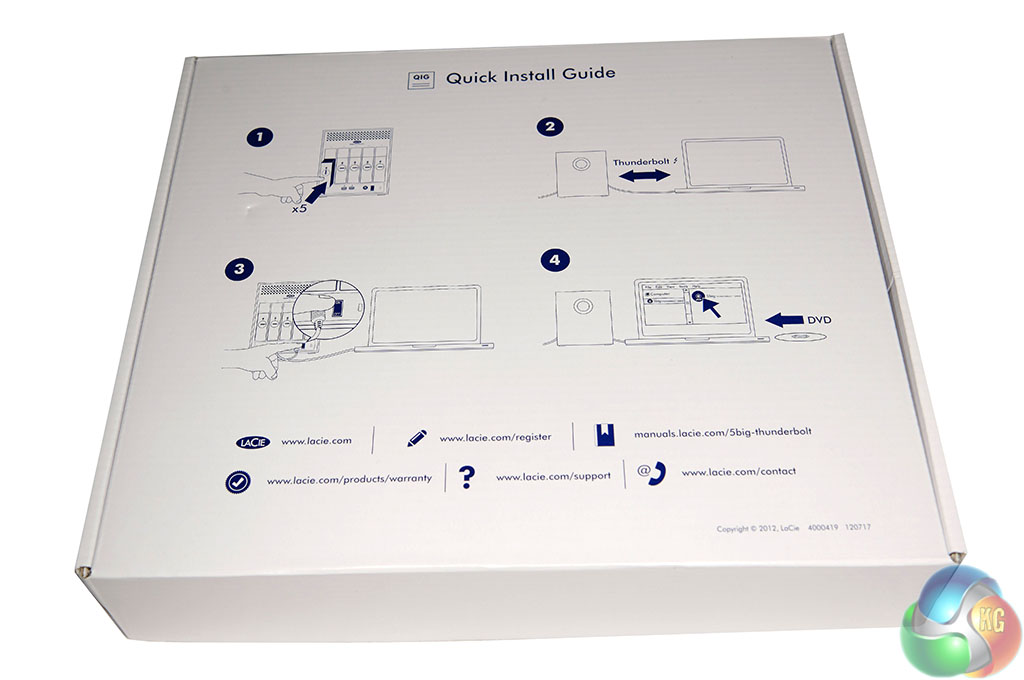
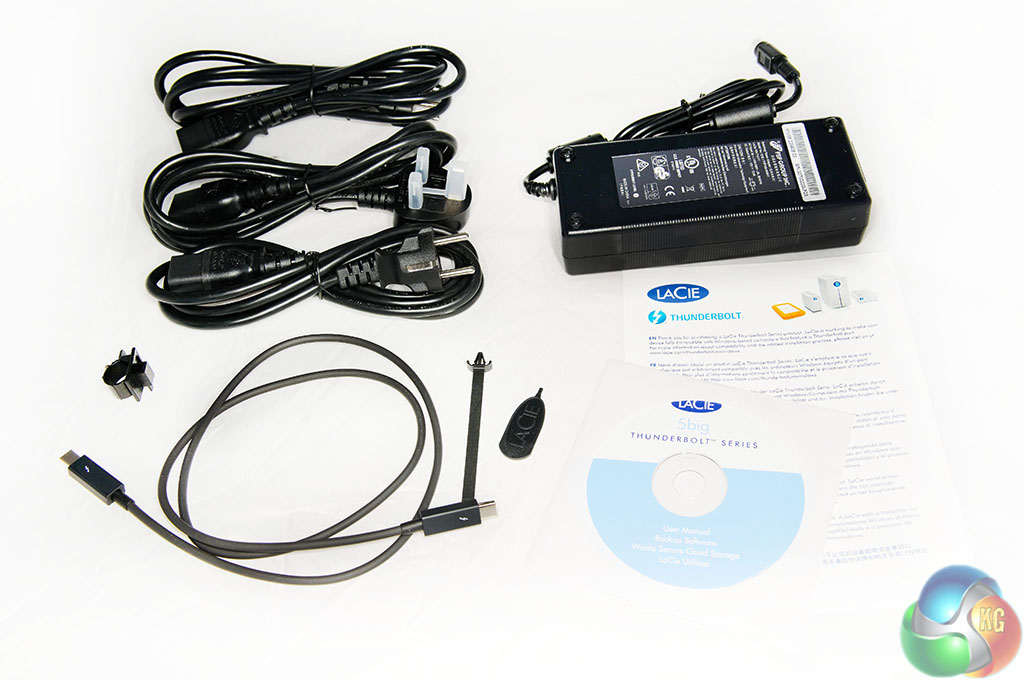
Inside is a flat box, which cleverly doubles up as a Quick Installation Guide. Inside this box, is a software disc, Thunderbolt connector, power supply and three different power connectors to target European, US and UK audiences.
The Thunderbolt cable in the box is sadly quite short (0.5 meter), so you may need to invest more cash in buying a longer one. Amazon have the official Apple two meter cable priced at £35 inc vat. They are very expensive.
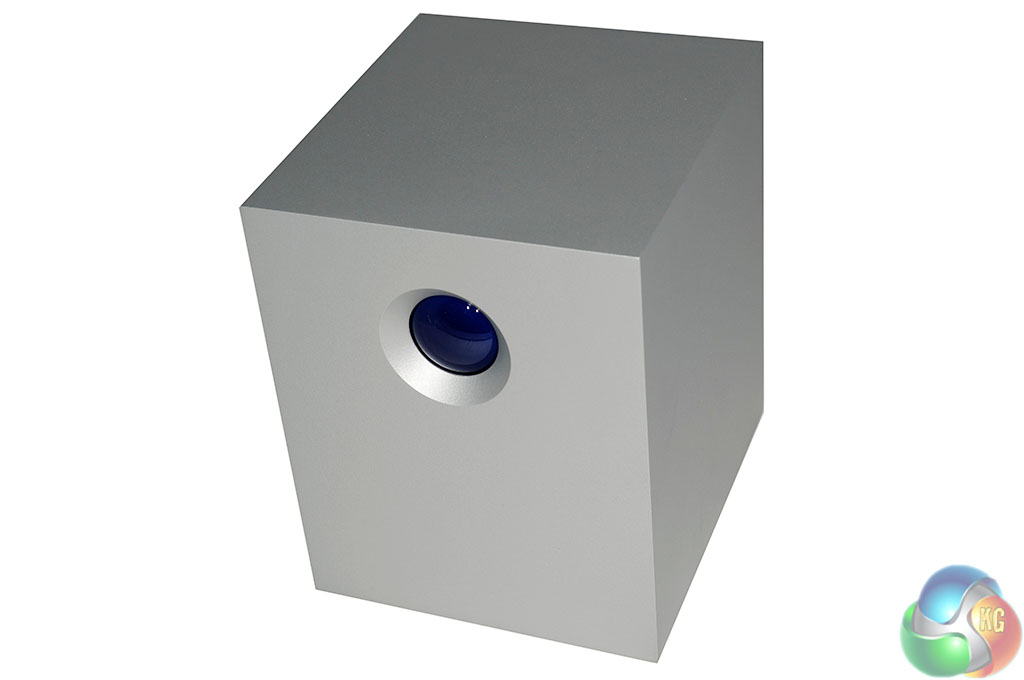
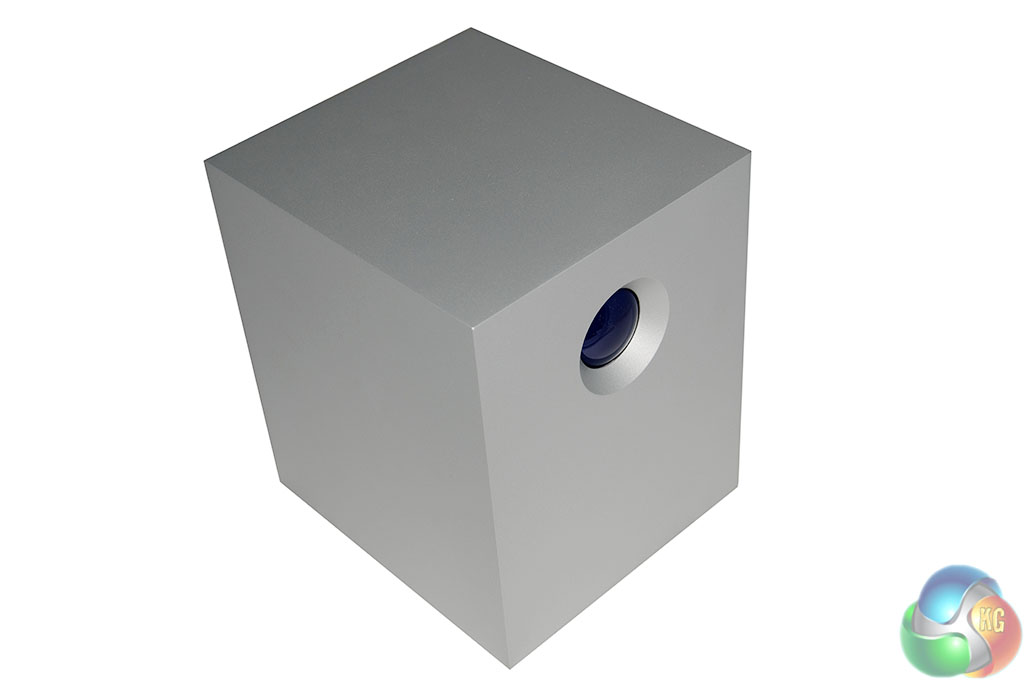
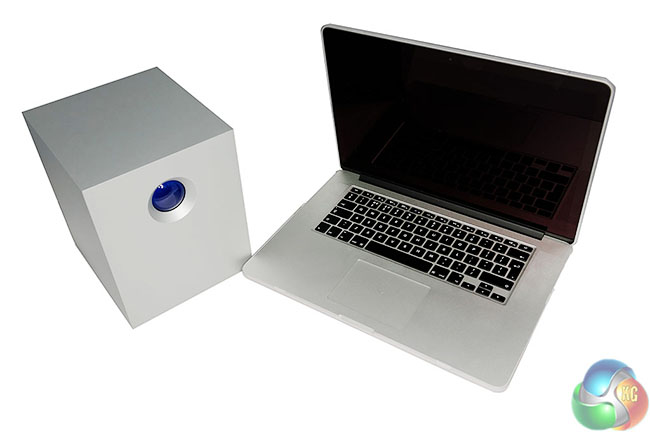
The DAS (Direct Attached Storage) itself is designed by famous designer Neil Poulton – it is crafted from high grade aluminum, which is reassuring considering the price. We do like the appearance, although it is worth pointing out that the blue light on the front is very bright and will really light up a room at night.
When the 5Big is powered and connected to a compatible computer pressing and releasing the button will spin up the internal drives. If the drives are already spinning then pressing and holding the button for five seconds will power down the drives, entering into ‘passive' mode. The 5Big will then pass data to any daisy-chained Thunderbolt devices but demands less power at the socket. Pressing and releasing the button again while in passive mode will return the status back to normal operation.
It measures 173 x 220 x 196 mm (WxHxD) and weighs 7.6kg.
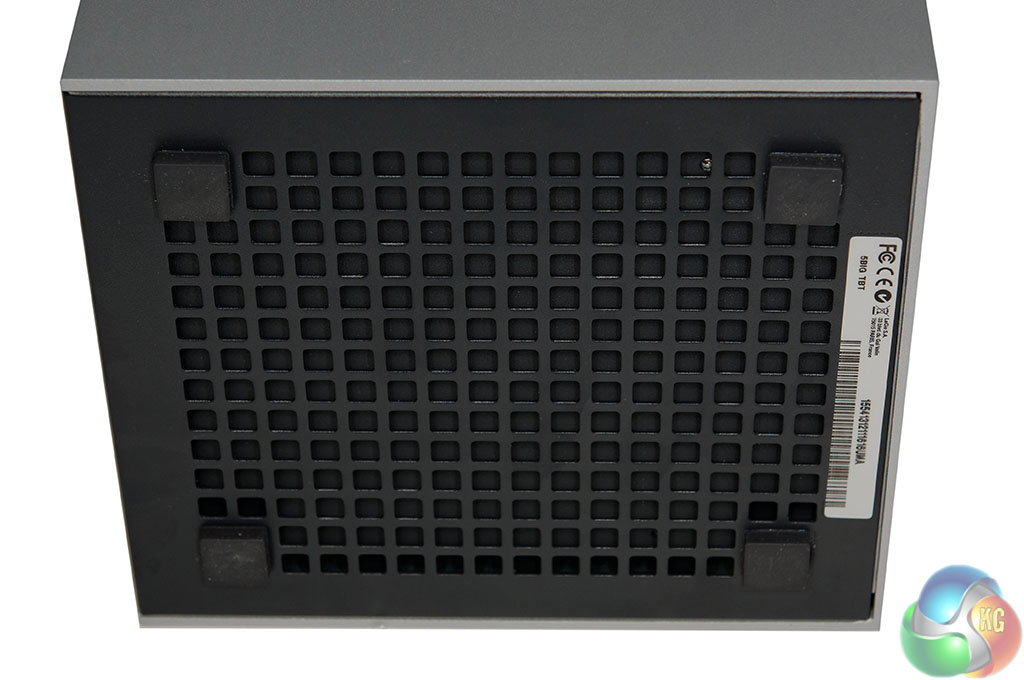
Underneath is an air intake with dust grill.
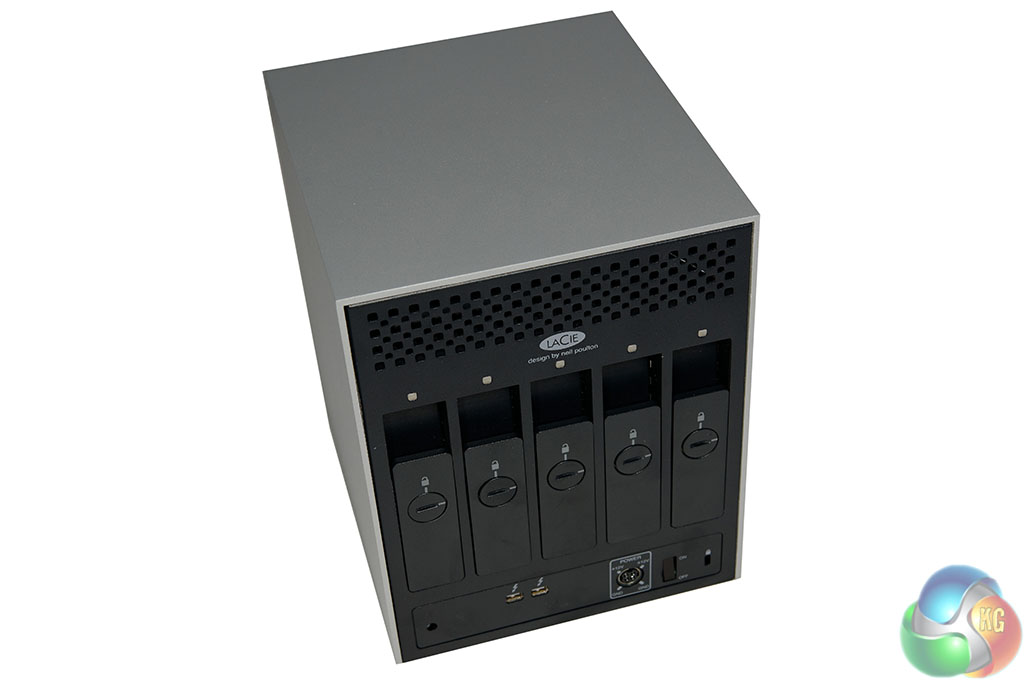
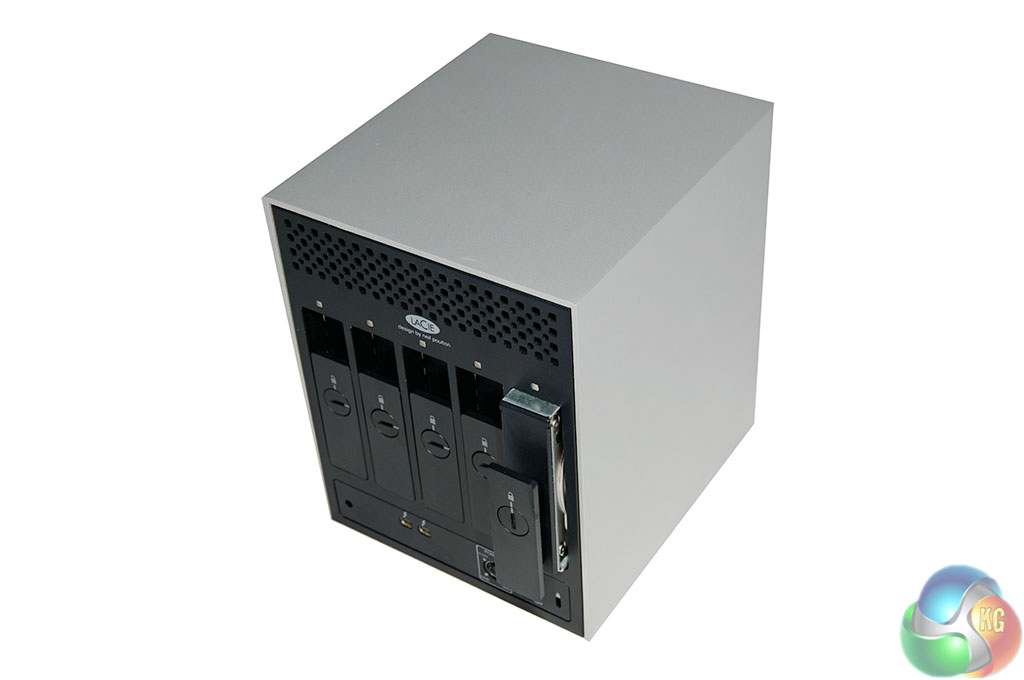
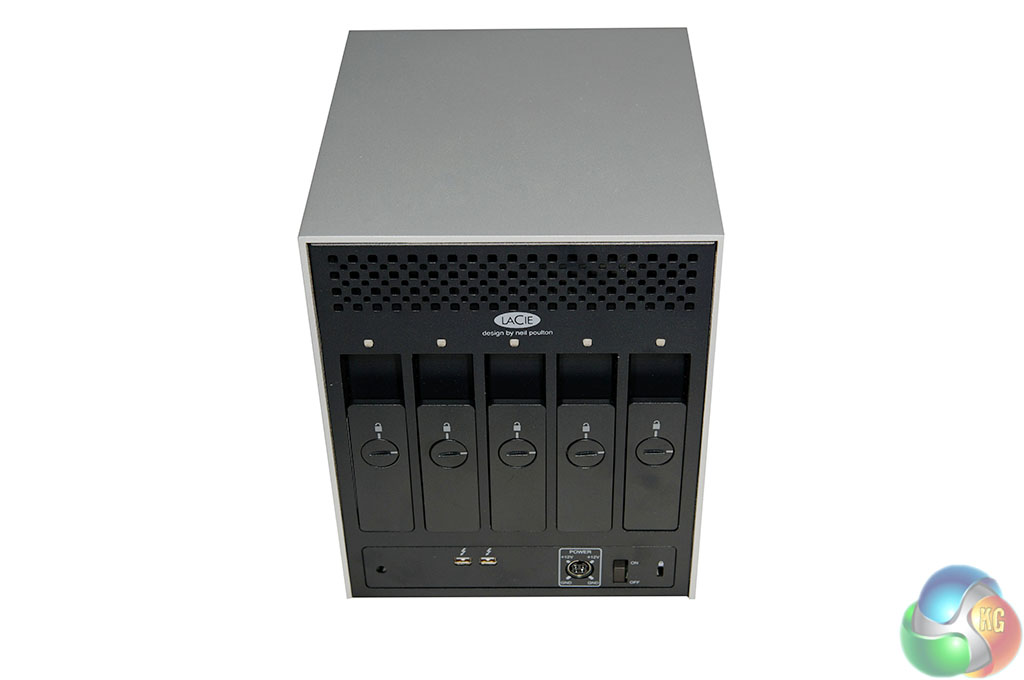
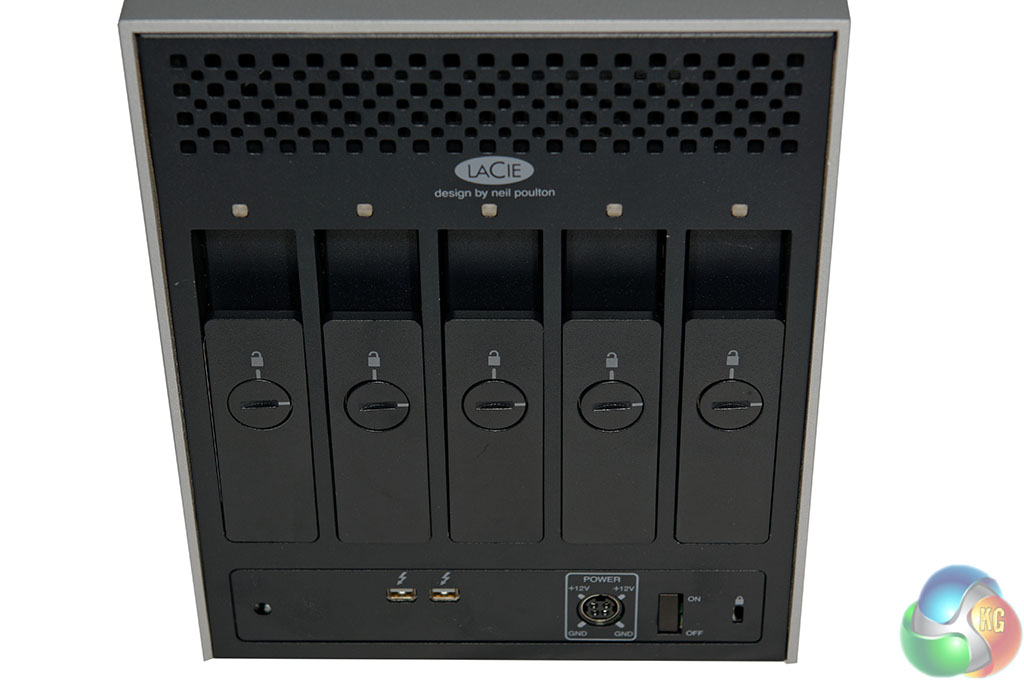
The front of the unit is spartan, with only a futuristic blue light breaking up the monotony, however the rear exposes the five 3.5 inch drive caddies, which are lockable. There are drive status indicators for each drive, a cable management clasp port, Kensington lock port, power supply connector, on/off switch and dual Thunderbolt ports.
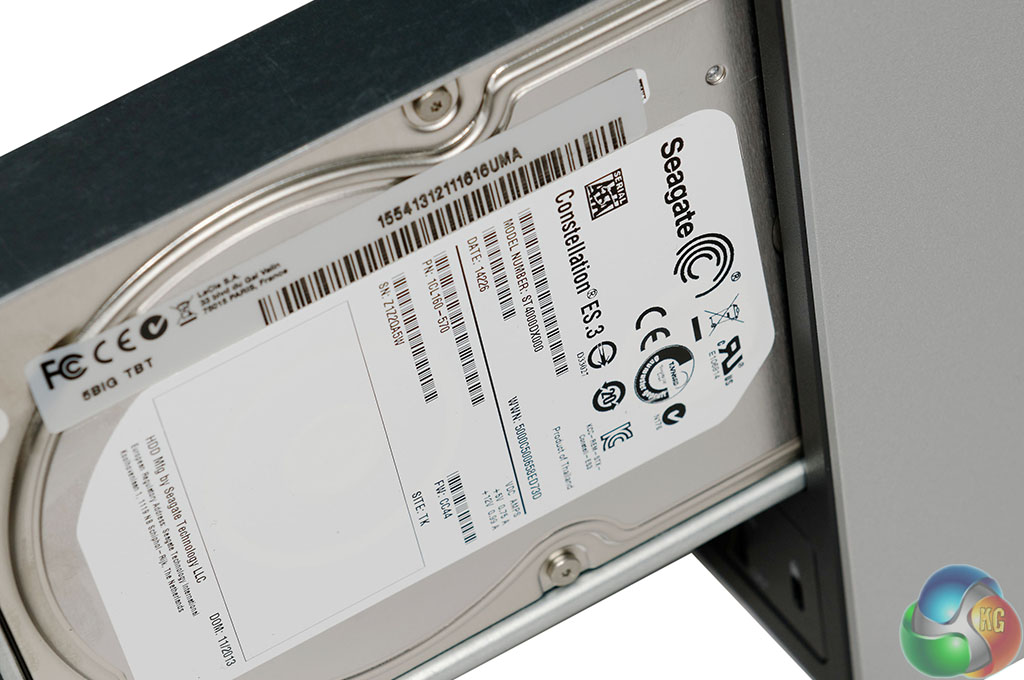
LaCie are using five 4Tb Seagate Constellation hard drives. These are enterprise class drives rated at 7,200 rpm each. Earlier versions of the LaCie DAS used Seagate Barracuda XT drives.
[yframe url='http://www.youtube.com/watch?v=qibdjtCfLTM#t=19′]
While we weren't willing to crack open the £1,500 unit before returning it, LaCie include a high grade Noctua Magnetic levitation cooling fan inside. The video above shows how the cooling system operates.
While Thunderbolt is incorporated into a handful of PC motherboards, for today's review we are using the highest specification 15 inch MacBook Pro Retina laptop, priced at £2,799.00. This laptop is equipped with a 2.6ghz Intel Quad Core i7 processor, 16GB of DDR3 memory and 1TB of Flash storage. The latest Mavericks OSX operating system is installed, along with the updates to bring it to V10.9.1.
The 5Big Thunderbolt unit is initially supplied in a RAID 0 volume with each of the five drives striped together for maximum performance.
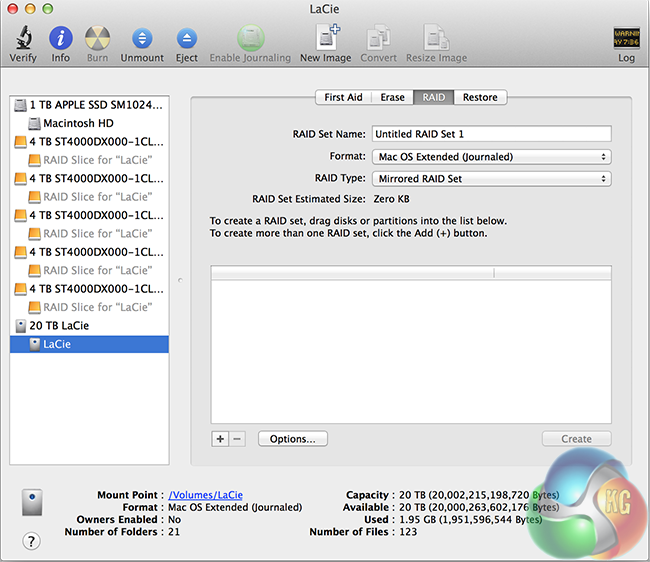
When it is activated with blank drives (installed initially) it will enter into JBOD mode and display a dedicated volume for each drive. Using OSX's Disk Utility means you can change the configuration into RAID 1 for backup redundancy. This will reduce the maximum storage capacity by half (10TB) and also reduce performance.
Unfortunately there is no Raid 5/6 support which may alienate a specific audience of potential users.
The disc supplied does ship with Intego Backup Manager Pro, although a 20TB unit seems somewhat overkill for simple backup duties – especially with a primary focus on RAID 0 performance.
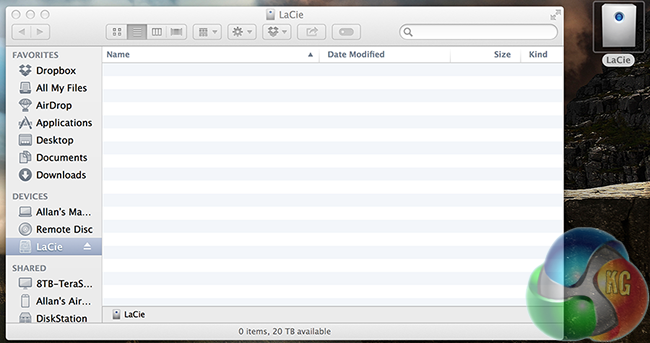
No need to format the drive on OSX Mavericks. It mounts immediately on first start up, with '20TB available'. Pressing the power button on the Apple MacBook Pro Retina switched on the LaCie 5Big 20TB Thunderbolt DAS simultaneously.
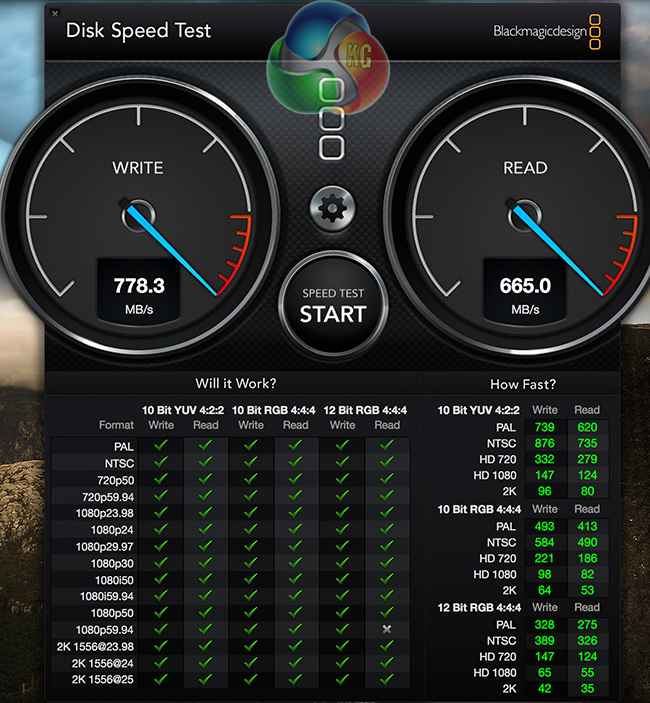
We ran the latest version of BlackMagicDesign ‘Disk Speed Test' on OSX and it recorded a 778 MB/s write speed, along with a 665 MB/s read speed. Remember, there are five 4TB SeaGate Constellation Enterprise class hard drives inside in a RAID 0 configuration.
This is an excellent free benchmark, available on the Apple App Store, or on the companies website here.
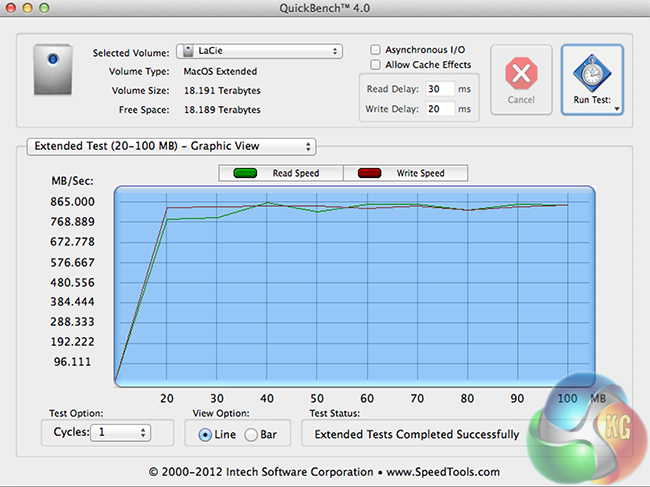
Next we ran QuickBench, part of the SpeedTools suite from Intech Software. This is one of the best drive benchmarks available, although it is not free. You can buy it for $14.95 over here.
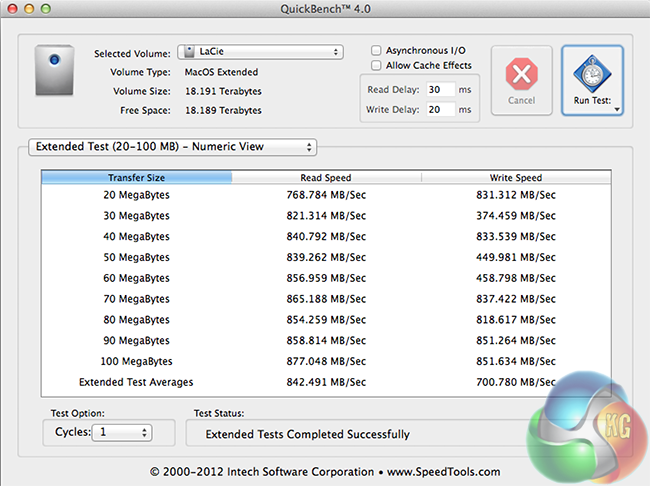
Above, the final extended test results from QuickBench V4.0. The LaCie 5Big 20TB Thunderbolt unit delivered maximum speeds of 877MB/s read and 851 MB/s write. These were repeatable multiple times and much higher than the results from BlackMagicDesign Disk Speed Test.
Real World Performance Tests.
To say the LaCie 5Big 20TB Thunderbolt DAS is quick, is an understatement. Under real world situations, we were able to copy across large video files in seconds from the internal Macbook Pro Retina 1TB SSD to the LaCie 5Big 20TB. Copying a 16GB file for instance across from the internal SSD to the LaCie 5Big 20TB took only 19 seconds. When we switched the configuration to RAID 1 speeds dropped to 161 MB/s read and 174 MB/s write. The same file copy took around 110 seconds.
Playing back 1080p MKV content straight from the drive is obviously without issue. We were able to open 10 individual streams on the Mac without so much as a hiccup. It could also handle multiple Ultra HD 4K playback streams without any stuttering.
In RAID 0 we loaded a timeline in Adobe Premier Pro with 5 different HD clips. Again no problems playing these back, as smooth as silk.
We installed DxO Optics Pro 9 and copied over 300 x 24.5MP NEF images lifted straight from our Nikon D3X camera. We noticed that loading of the large NEF (raw) images and automatic correction of them (via the downloaded camera and lens profiles) in DxO Optics Pro 9 was much quicker than by simply using a standard mechanical drive. It would certainly be an ideal high speed device for a serious photographer working with thousands of massive raw images taken from a Nikon D3X or Nikon D800 camera.
Thanks to the inclusion of an ultra quiet high performance NOCTUA Fan the LaCie 5Big is never really audible, apart from minor mechanical noises generated by the platters inside each of the drives. We initially thought it would be an intrusive unit to use, close to the laptop, but after a few minutes we actually forget it was there. Power consumption is modest, hovering between 20 watts and 40 watts under load.
The LaCie 5Big 20TB Thunderbolt RAID is of the fastest external mechanical drive units we have ever tested.
It is capable of hitting sequential peak speeds of 840 MB/s read and 700 MB/s write. This is markedly faster than any single Solid State Drive connected via a SATA 6Gbps interface.
It is difficult to say whether the LaCie 5Big 20TB Thunderbolt RAID is worth the £1,599 inc vat asking price .. everyone will have a different demand. For most people this is an incredible amount of money to spend on a DAS, however if you are a serious editor working with multiple high definition video streams then it is actually very reasonably priced. You are also unlikely to run out of storage capacity, anytime soon.
We even see value in having a LaCie 5Big 20TB Thunderbolt RAID hooked up to a system if you frequently work with a plethora of RAW image files from a camera such as the 36.3MP Nikon D800/E. When we were editing a folder containing 300 RAW (NEF) files in DxO Optics Pro 9 for instance, the program interface was very responsive and automatic batch scripts progressed quickly.
There is no doubt that the Thunderbolt interface is extremely impressive and unquestionably ahead of USB 3.0, eSATA and FireWire. While companies such as ASUS and Gigabyte have several motherboards available which incorporate Thunderbolt, it would appear there are still high costs for certification and adoption so it may be only available on a handful of high end motherboards this year. This is a real shame.
The LaCie 5Big 20TB Thunderbolt RAID can be bought from Amazon for £1,599 inc vat although surprisingly Apple UK have it for £1,499.99 inc vat. Not often you can say that Apple are cheaper than Amazon!
Discuss on our Facebook page, over HERE.
Pros:
- Extremely fast.
- quiet.
- doesn't get hot.
- beautiful aluminum shell.
- lockable bays.
- high grade SeaGate 4TB Constellation drives.
Cons:
- Very heavy.
- Only JBOD, RAID 0 and RAID 1.
- £1,500+
- Blue light is very bright, especially in a dark room.
KitGuru says: Extremely powerful and fast. Ideal for serious video and photo editors. Enough storage to last a lifetime.

Excellent performance, and a killer storage drive. Only thing is that my last LACIE 2TB drive failed, so I have lost a little faith in them over the years.
My friend has a LACIE unit like this, and I agree, the light is very annoying. shame its a button on this one, or you could cover it with a bit of paper or something!