 KitGuru KitGuru.net – Tech News | Hardware News | Hardware Reviews | IOS | Mobile | Gaming | Graphics Cards


On July 4th we reviewed the latest G-SYNC monitor from ASUS, the 1440p ROG Swift PG278Q 144hz. It was undoubtedly one of the best monitors we have reviewed in the last year. However at £719.99, it will prove too expensive for the majority of the enthusiast audience. Today's review product, the 24 inch 1080p AOC G2460PG G-Sync 144Hz will be more palatable for many – priced at less than 50% of the ASUS screen, at £347.99 inc vat. Is it worth the money?
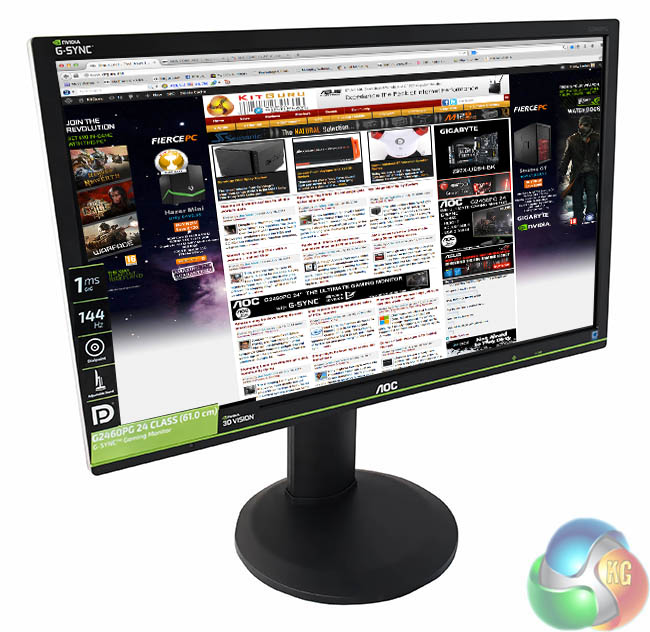
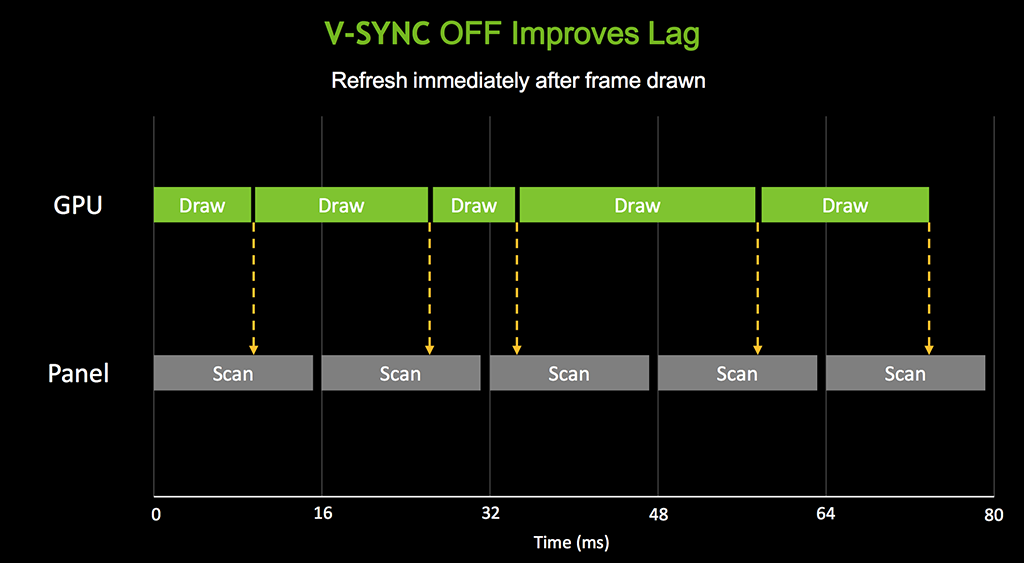
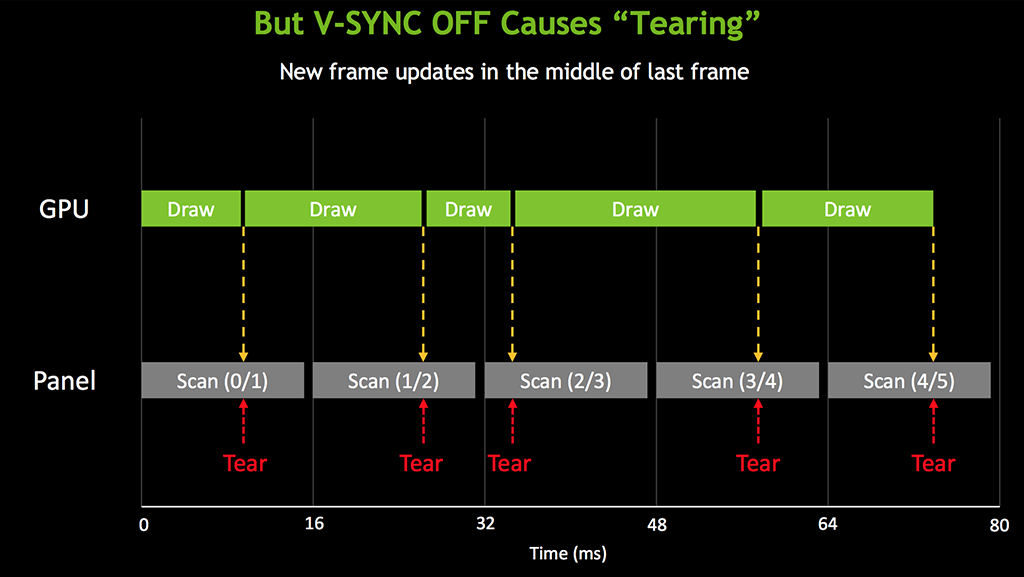
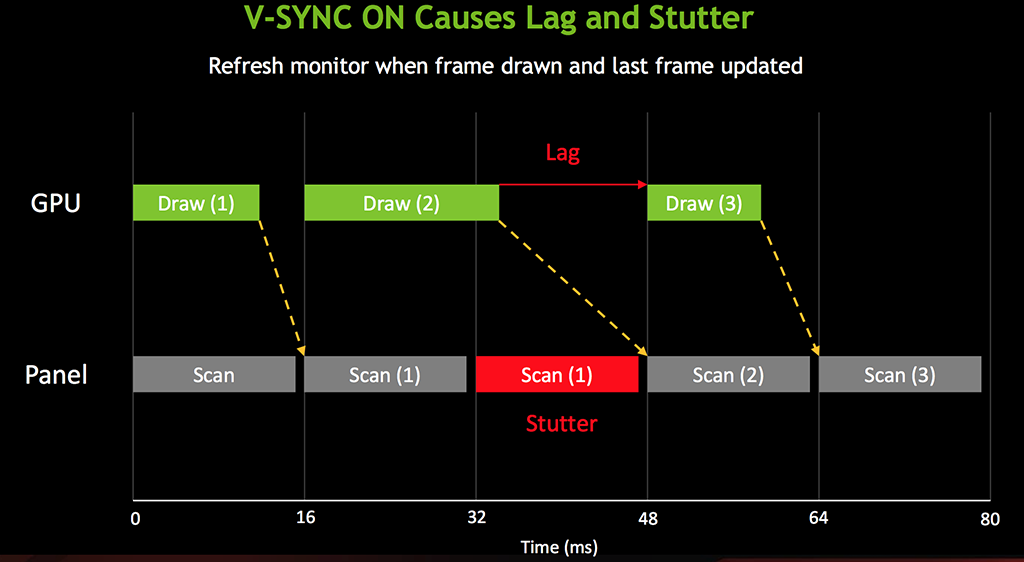
One of the major selling points of this new AOC screen is the support for Nvidia’s G-SYNC technology. G-SYNC has been designed to eliminate screen tearing – an unpleasant artifact that can rear its ugly head from time to time. We have covered this technology before in many of our news posts, but we will discuss it again briefly before delving into our main review.

Inside all G-SYNC capable monitors is the proprietary NVIDIA G-SYNC module which allows the monitor to synchronise to the output of the graphics card. Traditionally the graphics card had to synchronise to the monitor which could lead to unpleasant tearing in-game – most of us have experienced this at one time or another.
AOC G2460PG Details
- 1920 x 1080 maximum resolution
- Special Features: -5/22 Tilt,130 mm Height Adjustment,Display Port Input,Eco Mode,e-Saver,i-Menu,Kensington Security Lock,NVIDIA G-SYNC,screen+,USB 2x 2.0, 3x 3.0,VESA 100 mm
- 350 cd/m²
- 1ms refresh
I want it. Please some one buy it for me
“Please some one buy it for me”
It was worth a try wasn’t it 😉
its a 24inch 1080p vs 27inch 1440p. can’t really compare it on price. Asus has a 24inch if you get it on sale and buy DIY kit comes out to about same price as AOC. 340eur to usd puts it at around 460$ usd but with vat its a bit more.
Would it be possible to get a list of the calibrated settings? I’m pretty much clueless when it comes to calibrating a monitor, so having some numbers to go on would be really helpful. 🙂
I have and love, lost £50 already with pricing though 🙁
It’s useless giving out monitor settings as your calibration within windows will be different.
Is this available at any US retailers?
I dont believe you guys have skipped the whole ULMB feature which is a very important part