KitGuru KitGuru.net – Tech News | Hardware News | Hardware Reviews | IOS | Mobile | Gaming | Graphics Cards



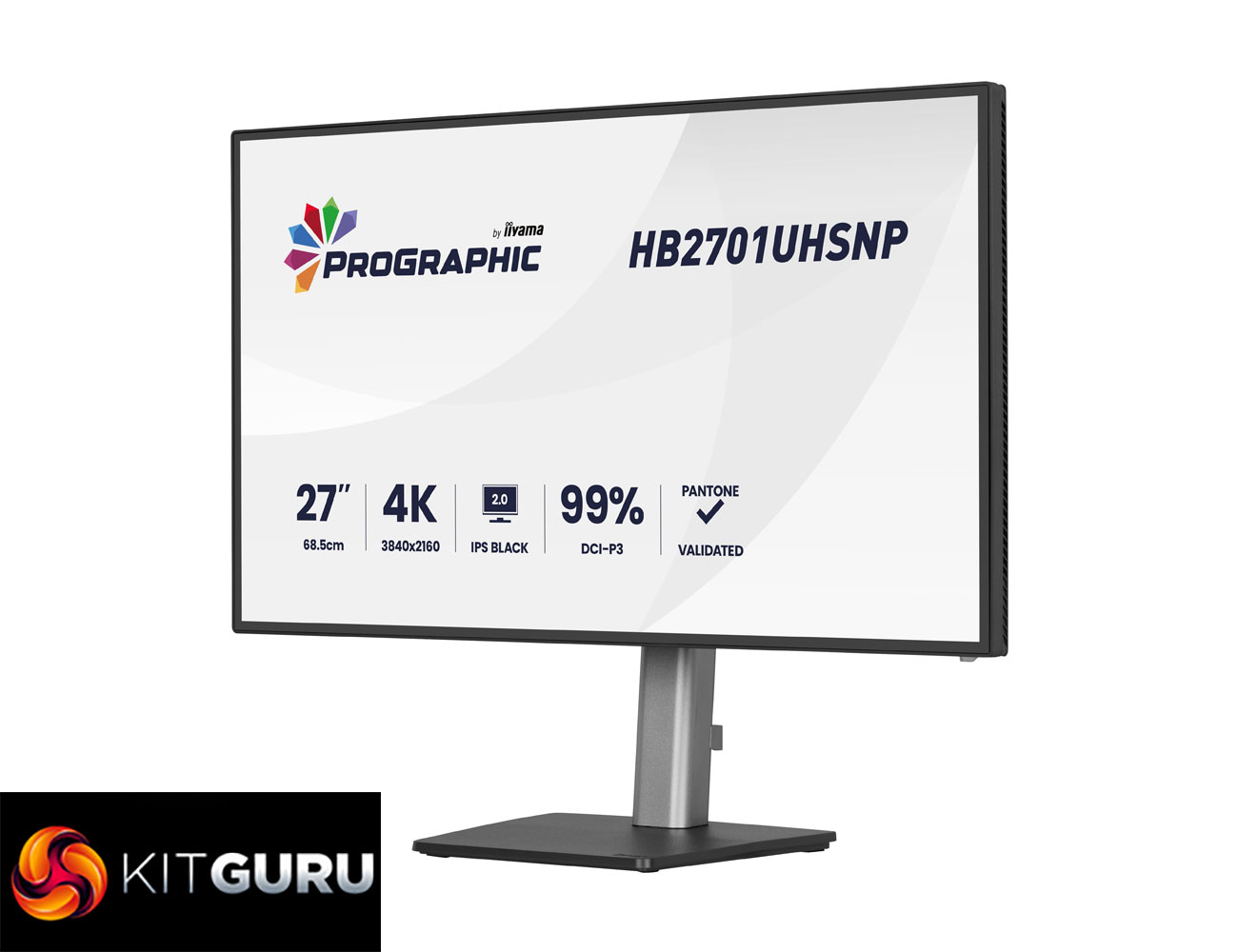
Today we're checking out a monitor from iiyama's new ProGraphic lineup. As the name suggests, it's a family of displays geared towards professionals and creatives, rather than the gaming audience that we'd associate with the company's G-Master range. Specifically, we are analysing the HB2701UHSNP, sporting a 27in diagonal and 4K resolution. It's also packing in one of LG's new IPS Black 2.0 panels, designed to increase contrast, while iiyama also claims 99% DCI-P3 coverage.
Right now, iiyama's ProGraphic lineup consists of two models – the HB2701UHSNP we are reviewing today, along with the HB3201UHSNP. Both are very similar overall, built on IPS Black 2.0 technology with a wide colour gamut, but the latter is slightly larger at 32in.
On top of the new IPS panel technology, iiyama highlights wide colour gamut, Pantone Validated colours, sharp visuals thanks to the UHD resolution, alongside an anti-glare screen coating and useful features like a KVM switch.
Here in the UK, the HB2701UHSNP is retailing for just under £500, so let's see what it can bring to the table.
Specification:
- Design: 4-side edge-to-edge
- Diagonal: 27″, 68.5 cm
- Panel: IPS Black 2.0, matte finish
- Native resolution: 3840 x 2160 @60Hz (8.3 megapixel 4K UHD)
- Aspect ratio: 16:9
- Panel brightness: 450 cd/m²
- Static contrast: 3000:1
- Advanced contrast: 80M:1
- Response time (GTG): 4 ms
- Viewing zone: horizontal/vertical 178°/178°, right/left 89°/89°, up/down 89°/89°
- Colour support: 1.07B 8-bit (DCI-P3 99%, sRGB 100%, NTSC 72%)
- Horizontal sync: 30 – 140 kHz
- Viewable area (W x H): 596.7 x 335.7 mm (23.5 x 13.2″)
- Pixel pitch: 0.155 mm
- Colour: matte black
- Signal input: HDMI x1 (v2.0), DisplayPort x1 (v1.2), USB-C x1 (Power Delivery 96W)
- Signal output: DisplayPort x1 (Daisy Chain MST up to 3840 x 2160)
- USB hub: 4x (3x USB 3.2 Gen1 Type-A 5Gbps 4.5W, 1x USB Type-C 5Gbps 15W)
- USB-C dock: 1x (Power Delivery 96W, LAN, DP out, USB 3.2 Gen1 5Gbps; not supported on Mac)
- HDCP: Yes
- Headphone connector: Yes
- RJ45 (LAN): 1x
- KVM switch: Yes
- Blue light reducer: Yes
- Flicker free: Yes
- Extra features: Delta E <2.0, EyeComfort, Low Blue Light panel, Eyesafe® Certified, Pantone Validated™, AGLR polarizer (anti-glare low reflective)
- HDR: HDR400
- Speakers: 2 x 2W
- Convenience: Kensington-lock™ prepared, DDC/CI, DDC2B
- Display position adjustments: height, swivel, tilt, pivot
- Height adjustment: 150 mm
- Rotation (pivot): 90°
- Swivel stand: 360° (180° left / 180° right)
- Tilt angle: 23° up / 5° down
- VESA mounting: 100 x 100 mm
- Cable management system: Yes
Firmware tested: V101